Blog
How creators use Easytools to sell digital products without a website
This guide will show you how creators use Easytools to sell digital products without a website. Keep reading!

Most creators don’t need a big site to start selling. You need a clean checkout, a simple way to deliver files, and a payment link you can drop anywhere. This guide shows how creators use Easytools to do exactly that.
We will also see how the layer on upsells, discounts, and access rules when you want more control. You can even add a storefront page, a typical website, and marketing emails later, without rebuilding everything.
Keep reading!
How creators use Easytools to sell digital products without a website
#1. Use a checkout link as your store
When you sell digital products, a website often plays one job: getting someone to the checkout.
Easytools flips that order. You start with a one-page checkout, publish it, then drop the link wherever your audience already hangs out: email, socials, DMs, YouTube descriptions, anywhere. You don’t need a multi-page store just to collect money and deliver a file.
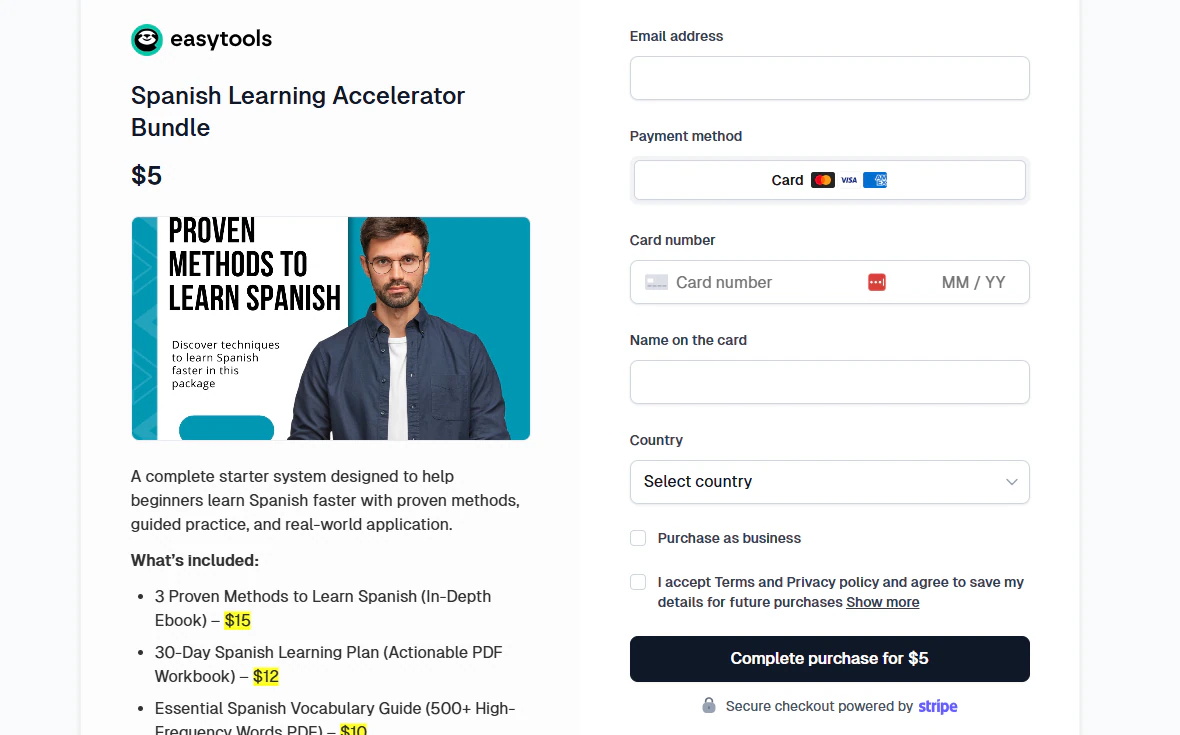
A practical way to think about it:
- You write one strong post (or send one strong email).
- You link straight to the checkout.
- The checkout acts like your “homepage” for that product.
Easytools also sends your earnings directly to your Stripe account, which matters if you hate platforms that sit between you and your customers.
#2. Create an offer page without building a classic website
If you still want a “page” (features, tiers, pricing options, maybe FAQs), you can create it inside Easytools, too.
You can generate:
- A storefront page that lists multiple products, and
- A pricing page for a single product with variants.
Then you either:
- Share it as a hosted link (Easytools hosts the page), or
- Embed it into an existing site later if you ever bother.
So you can run a clean setup like:
Offer page link in bio → pricing variants → checkout → delivery
You get the website feel without signing up for the whole website lifestyle.
#3. Deliver files, access, and content automatically
Selling without a website falls apart when delivery gets messy.
Easytools covers that part directly:
- For downloads, you attach files (e.g., an e-book) to the product, and Easytools delivers them automatically after purchase.
- Buyers can also access purchases through a customer portal that you can customize.
- For gated content, you can use a login wall that blocks access unless someone purchased (or holds an active subscription).
If you sell a course or videos, Easytools also supports a hosted player flow where customers log in and access content, and non-buyers hit checkout instead.
The big win here: you don’t need to invent member accounts or course access rules. You avoid that whole rabbit hole.
#4. Sell subscriptions and time-limited access without duct-taping tools together
A lot of creators start with one-off downloads, then drift into subscriptions, cohorts, or limited-time access.
Easytools supports:
- Subscriptions (with recurring billing behavior like trials and cancellations)
- Time-limited offers (availability windows and countdown timers)
- Time-limited access (so you can revoke access after a period).
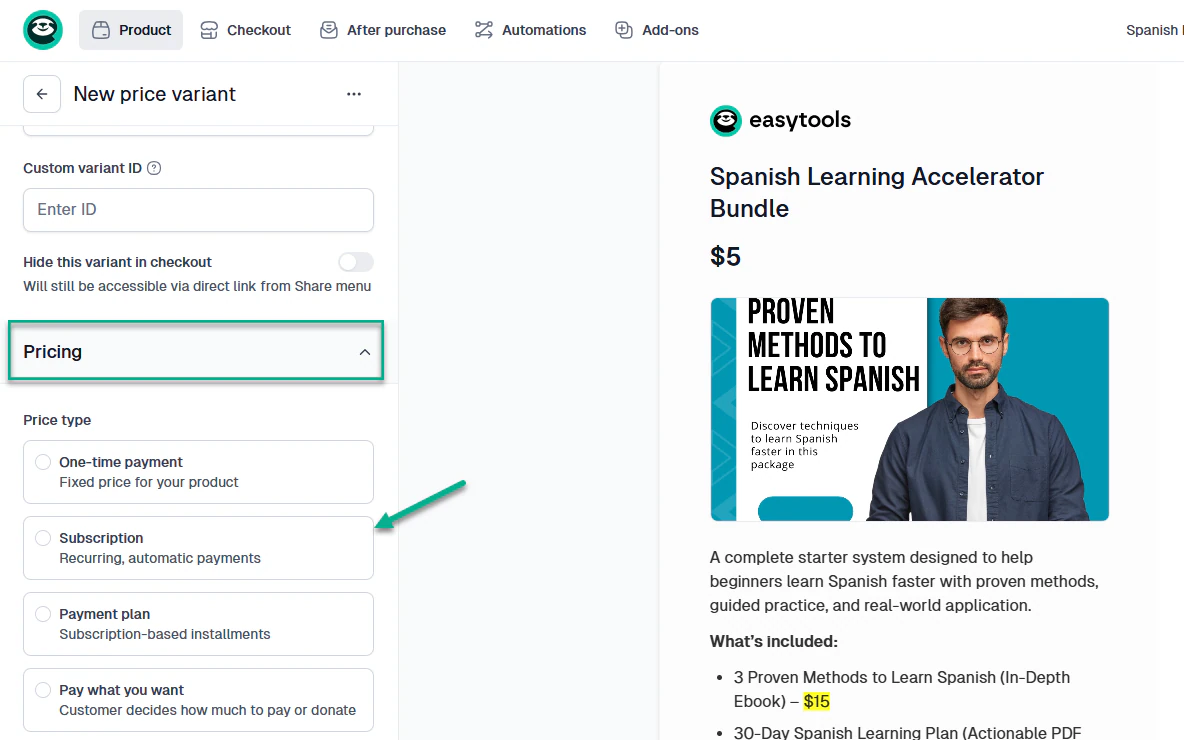
This matters if you want to sell things like:
- “30 days access to the vault”
- “Annual membership”
- “Lifetime access” next to subscriptions (different variants in one checkout)
You don’t need a website to run that. You need checkout and access logic, and Easytools provides both.
#5. Send marketing emails to your list and track revenue per campaign
Easytools also includes Easymail, so you can email your list without bolting on another tool right away.
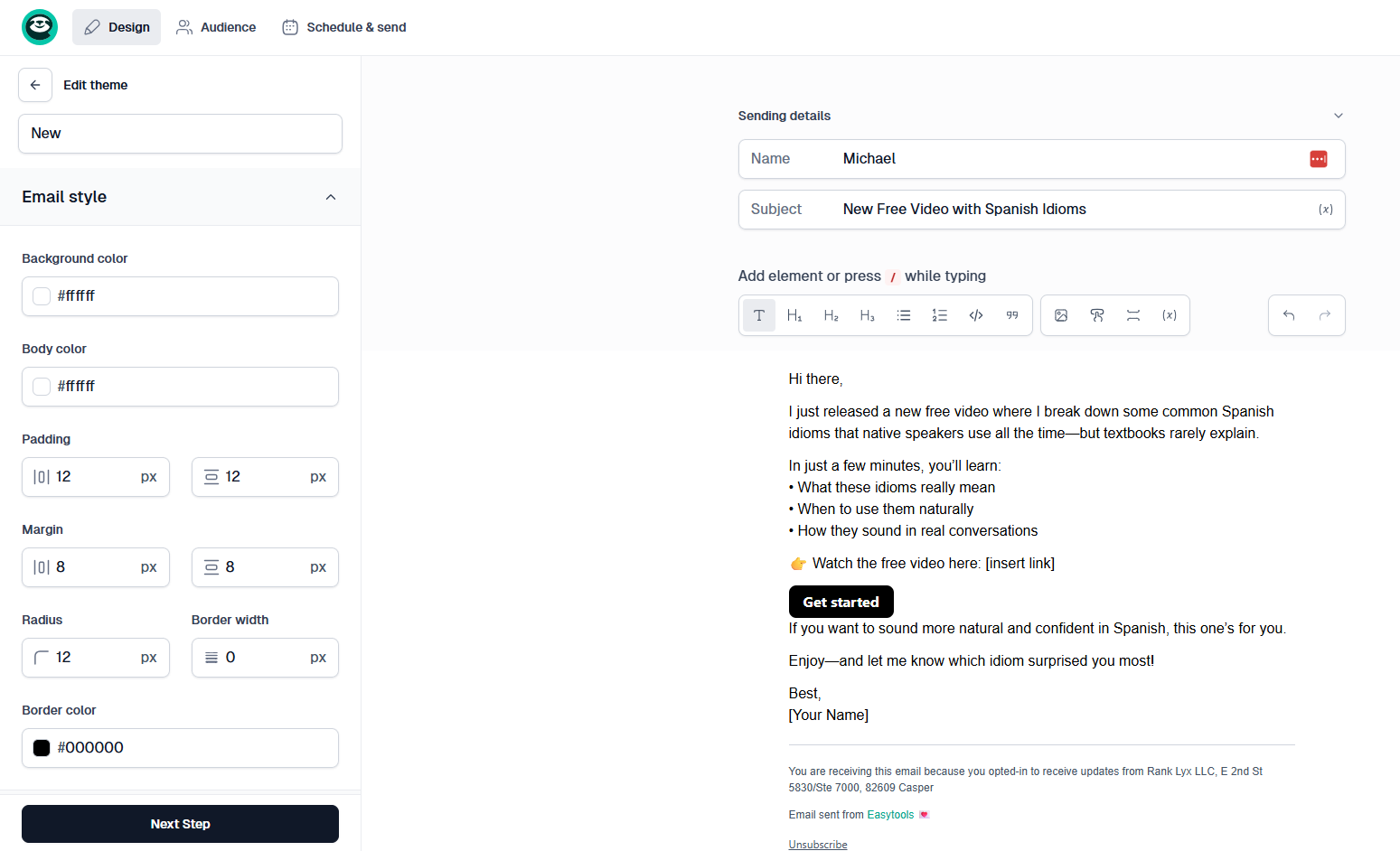
Here’s what it gives you in a simple way:
- Write and send campaigns from inside Easytools (text, links, images, buttons)
- Reuse a consistent style with saved themes
- Segment your audience based on purchase behavior, not random tags, like:
- Which product someone bought
- Order date
- Promo code used
- Total spend
- Track revenue per campaign when you use an Easytools checkout link, so you can tie sends to actual sales
- Handle unsubscribes cleanly, so you don’t end up with messy list hygiene later
This setup lets you send campaigns, segment buyers, and measure sales without jumping between tools. You keep the path simple: email to checkout to delivery.
#6. Handle tax, invoices, and global selling without turning into an accountant
Taxes usually force people back into “I guess I need a full ecommerce site.” Easytools tries to keep that from happening:
- It calculates tax based on product type and customer location at checkout, and applies sales tax/VAT/GST automatically in the flow.
- It lets you set up domestic tax rates and connect Stripe Tax or custom settings.
- It issues invoices “on behalf of” the creator in their terms, and it supports integrations with invoicing systems (Fakturownia, iFirma, wFirma, Infakt).
One nuance: You still carry responsibility for handling taxes, since Easytools runs on your Stripe account and doesn’t act as a Merchant of Record.
#7. Grow revenue with incredible marketing tools
With Easytools, you can treat the checkout as the place where marketing happens. It includes features that usually live in separate tools:
- Promotions, coupons, affiliates, testimonials, slashed prices, upsells, cross-sells, and post-purchase order bumps,
- Waitlists that appear when a product becomes unavailable
- Checkout recovery, including incentives such as discounts and the network-based “Easy Network.”
#8. Build a typical website for your product inside Easytools
If you want a normal-looking site (not just a checkout link), Easytools gives you Easypage. It’s an AI website generator that comes with a drag-and-drop builder.
What you can do with it:
- Generate a full landing page from a prompt or from an existing product
- Edit like a classic site builder with sections you can move around and tweak
- Publish and host the page inside Easytools
- Connect a custom domain (Easytools supports this on any plan)
- Add the usual “website stuff” without hunting for extra plugins:
- testimonials
- pricing blocks
- FAQs
- countdown timers
- contact forms
- legal pages and cookie banners (with GTM support)
- analytics scripts you want to run on the page
Creators use it to build a real website with Easytools’ checkout and delivery flow behind it.
How to set up Easytools setup in 5 simple steps
- Create a product and checkout page.
- Add your file(s) for digital delivery, or set up a gated access/login wall for content.
- Connect your Stripe account so you can take payments.
- (optional) Add one conversion booster: a coupon, an upsell, or a time-limited offer.
- Publish, then post the link where your audience already clicks.
That’s the whole point: you sell the product first, and you build a website later only if you still want one.
Creators use Easytools to sell digital products without a website
You can keep your setup lean and still look professional. Start with one product, share the Easytools checkout link, and let delivery run automatically.
Keep email in the loop from day one: send a campaign to your list, link to the cart, and watch revenue per send instead of guessing.
When you want more polish, build a full website without changing your selling flow. That’s why creators use Easytools.