Blog
How to sell PDFs online in 5 easy steps (A step-by-step 2026 guide)
5 easy steps to sell pdfs online 1. Choose a pdf people actually want to buy 2. Create a high-quality, valuable pdf 3. Pick the platform

A quick search on YouTube will probably convince you that many creators sell PDFs online and make good money from that.
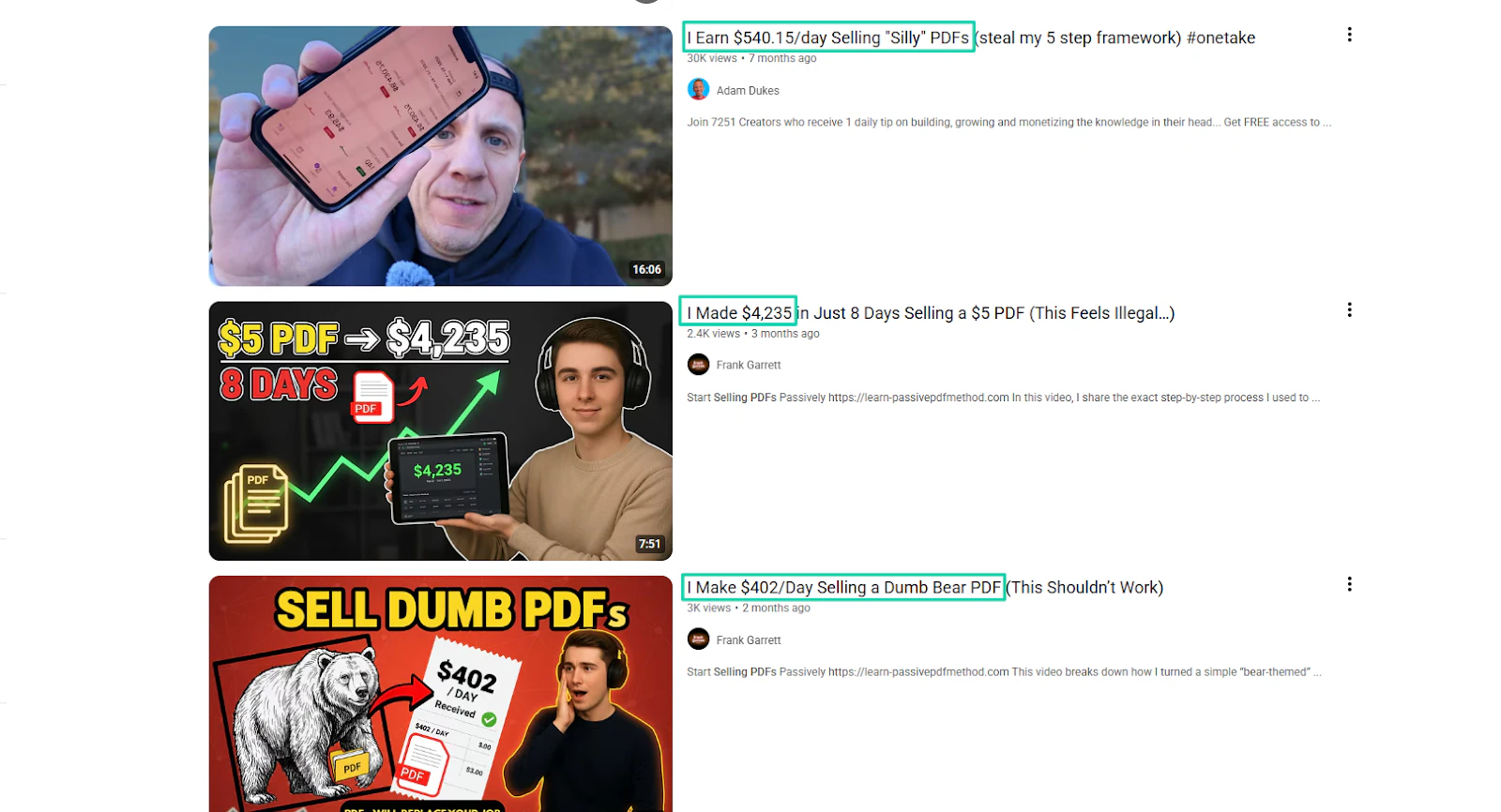
If you have some knowledge, you can pack it into a PDF format and sell it online.
But beyond creating and putting them out there for sale, you’d probably like to know how to sell them online for the best results.
This is a step-by-step guide on how you can achieve that. I’ll show you, with real examples, how to sell PDFs online in 5 easy steps.
But watch out! You might feel like starting today.
Let’s go!
How to sell PDFs online
Here are the five steps to sell PDFs online:
- Choose a PDF topic people actually want to buy
- Create a high-quality, valuable PDF
- Pick the platform to sell PDFs online
- Price them profitably
- Market and promote them
Keep reading to learn more about each step.
Step 1: Choose a PDF topic people actually want to buy
Before anything else, you must choose a topic people actually want to buy to start selling PDFs online.
Now, I need to make this clear to you: people don’t buy random content. They buy solutions.
Let’s take Sarah Almond, for example. She noticed many parents in her community had the same challenge. They wanted to know if their babies were eating well.
This prompted her to create portion-size guides for weaning babies and sell them for £9.99. She now earns £400- £800 per month.
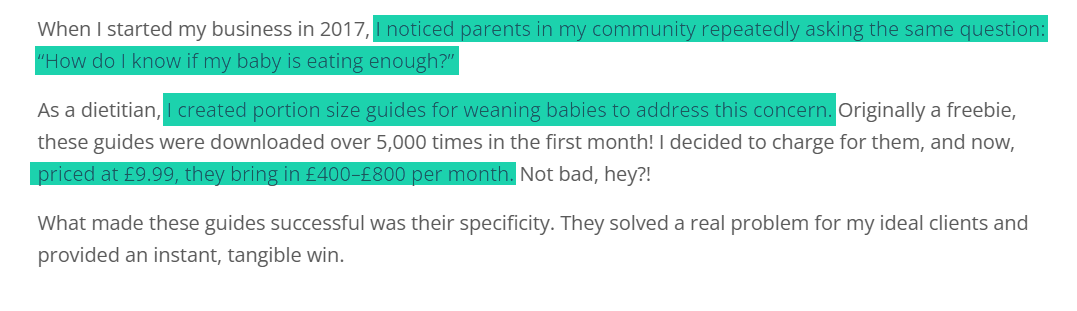
From this example, it’s clear to see that people are ready to spend money on PDFs that solve their problems.
Also, the PDF topic should be in a high-demand niche. Examples are:
- Business and entrepreneurship
- Productivity and organization
- Personal finance
- Education and study guide
- Health and fitness
- Self-improvement or personal development
- Creative and design
- Marketing and social media
- Lifestyle and hobbies
- Technology and software guides
The business and entrepreneurship niche, for example, is in high demand because business owners and aspiring entrepreneurs want concise guides they can apply immediately.
An example that comes to mind is Mathias. He created and sold the TrafficSpike Report to help people spike their website traffic overnight.
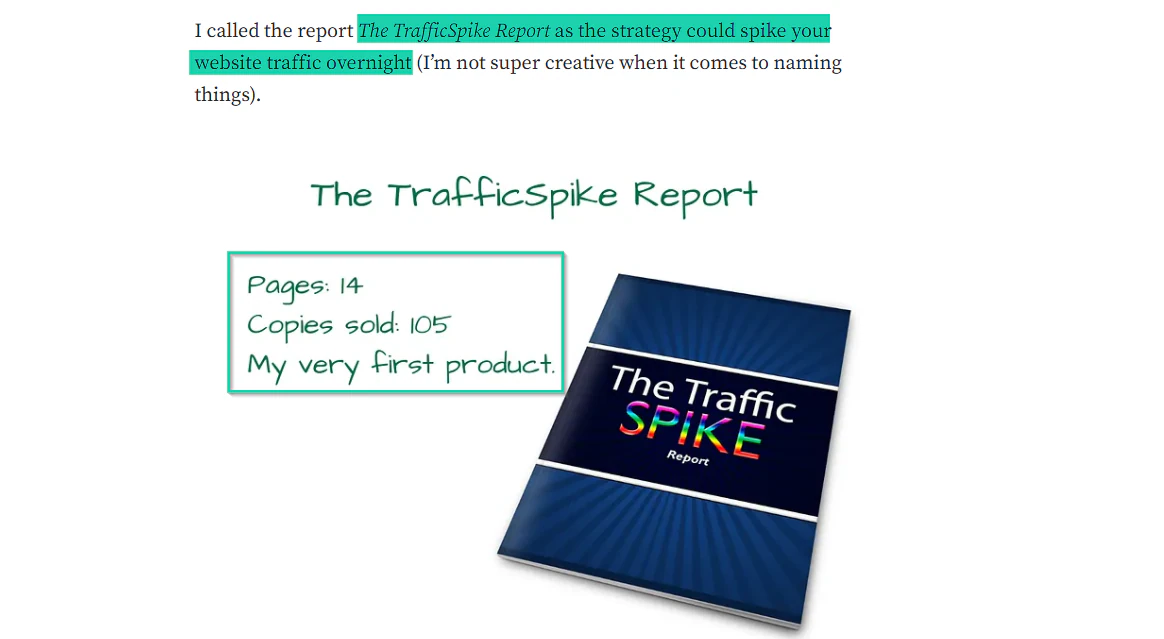
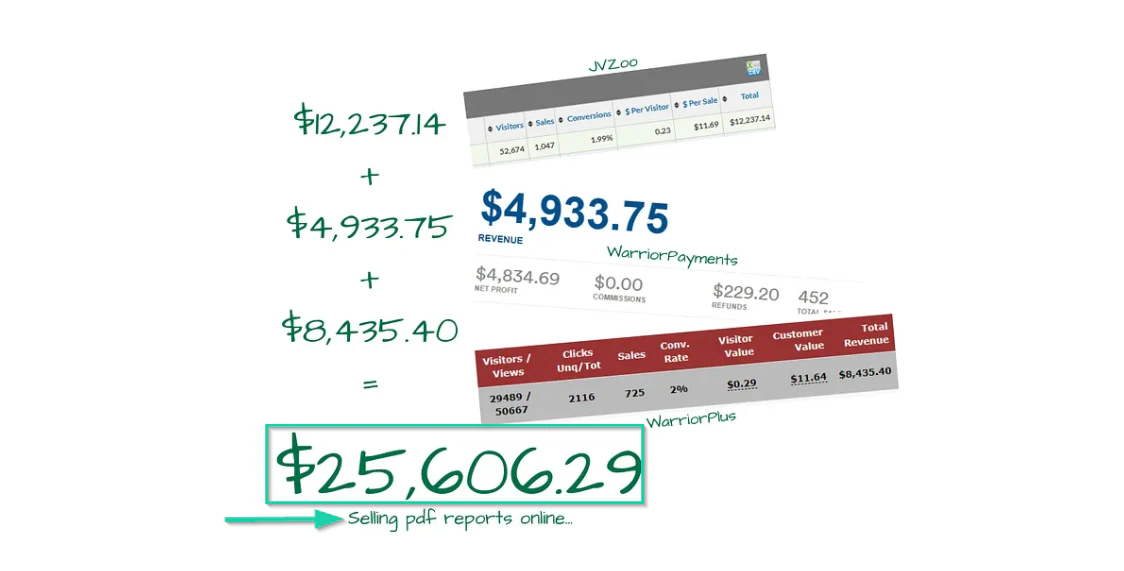
He has been selling PDF reports ever since, and he made over $25,000. If he made this much, then many business owners were pleased with his PDF reports.
Another high-demand niche I mentioned was Health and fitness.
People need structured workout plans, nutrition guides, and even meal prep guides.
Choosing such a niche can be a gold mine if you really have something to offer. Just like Grace Beverley did.
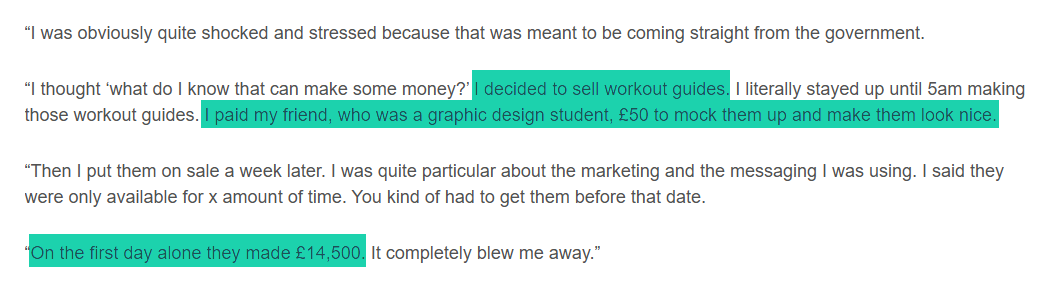
She decided to create and sell workout guides. Then she paid her friend £50 to make them look nice, and turned them into PDFs.
When she put them on sale, she made about £14,500 on the first day.
That did not stop there! In two weeks, she made £80,000.
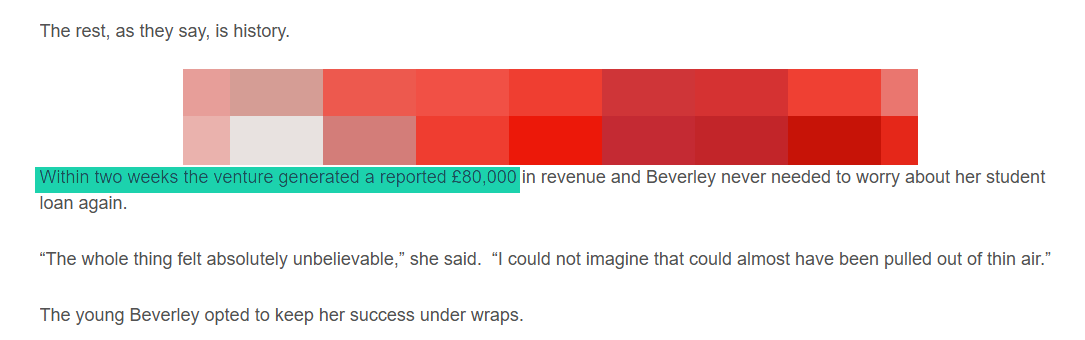
The fact that she made that much money in a short period shows that the niche she chose was highly in demand.
Here’s a table to help you get a clear picture of why these high-demand PDFs perform so well.
Now, beyond niches, I’m sure you clearly see that choosing a vague topic won’t help. Say you decide to create a template, and you have two topics in mind:
“A daily planner” vs “A daily planner for freelancers who struggle to meet deadlines.”
Clearly, the second topic addresses a specific problem, so it will appeal to its target buyers. I’m sure the logical question you may have right now is how I come up with the perfect PDF topic.
Well, there are many ways you can do that. For one, I recommend creating a simple post, especially on the platform you are already familiar with.
The question could be: “Would you pay for this [PDF topic]?”
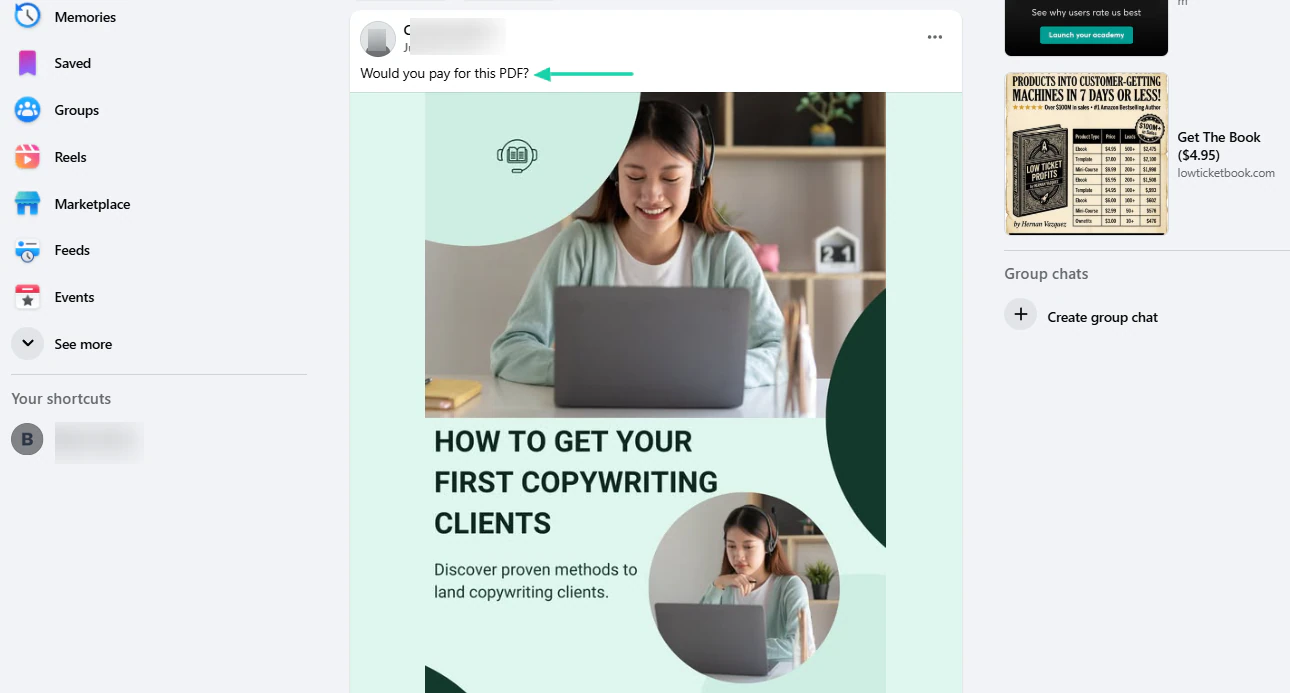
This will give you an idea of whether people are ready to make a purchase.
Another way is to check the marketplace and see how your PDF topic performs. Let’s say my PDF topic is “Budget planner for couples.”
What I will do is search this topic on popular marketplaces like Etsy and see how popular it is.
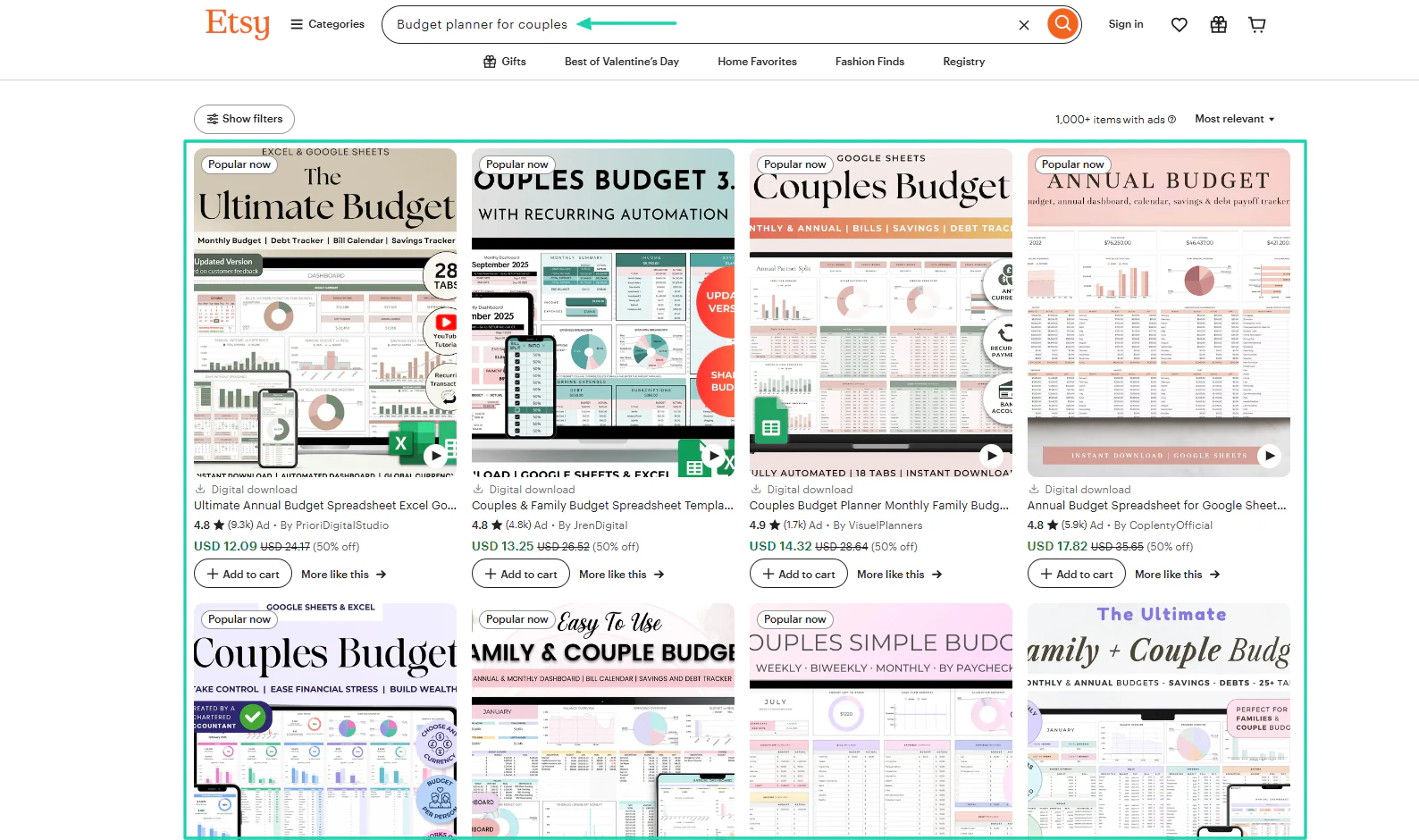
I will click on a few of them to further my research, check the number of reviews, and read what customers say about this PDF.
For this example, I’ll select the one that has 900+ reviews. It’s clear that people are interested in this topic.
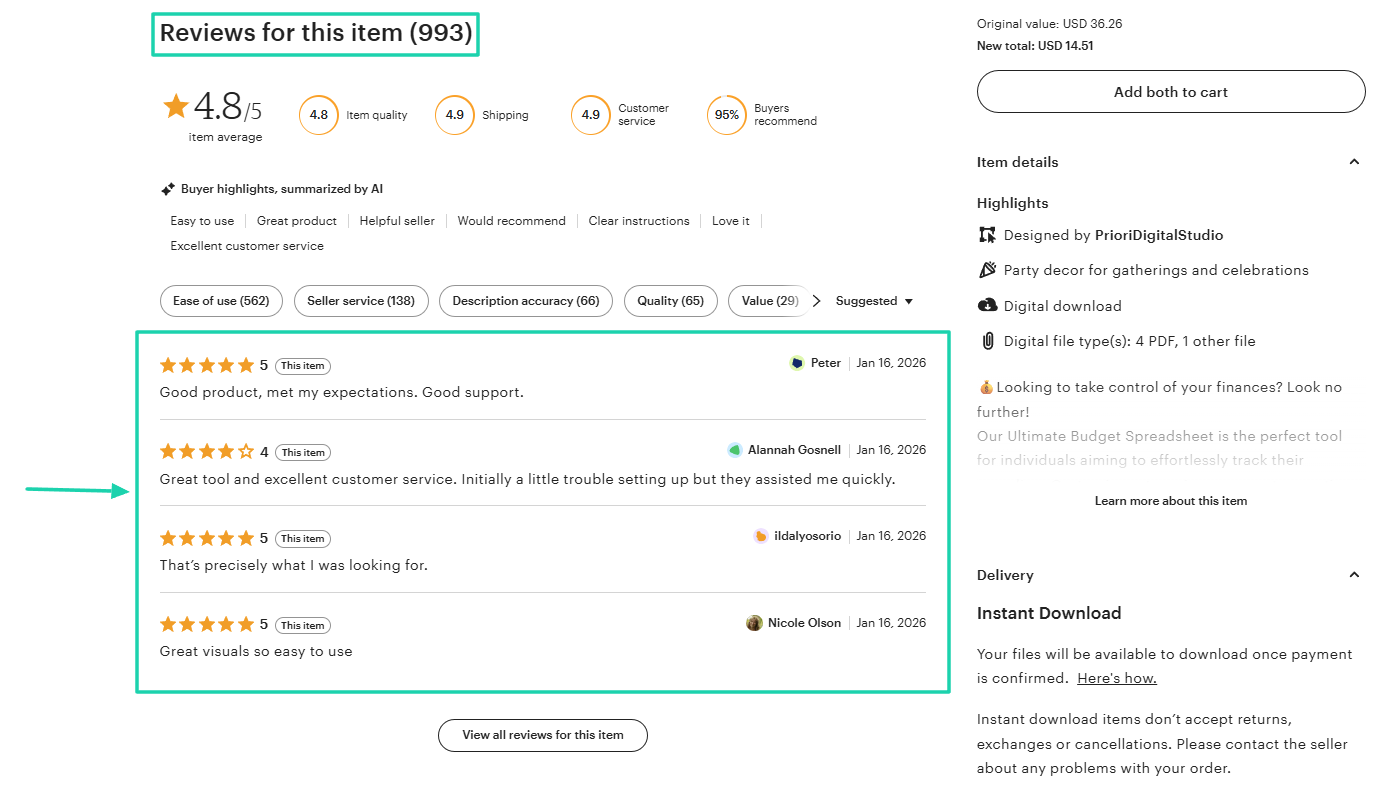
Basically, if the topic is already popular, it’s a sure sign it’ll do well in the market. But if it’s not, you should probably consider changing it.
Let’s move to the next step.
Step 2: Create a high-quality, valuable PDF
After choosing a PDF topic people actually want to buy, the next step is to create one that’s high-quality and valuable.
When I say a high-quality and valuable PDF, I mean one that:
- Solves one specific problem
- Is easy to understand and use
- Not vague or rushed
- Saves the reader time, effort, and money
Also, creating a high-quality PDF does not necessarily mean you should spend 10 days or a whole year on it. Creation time doesn’t really affect the quality and value of your product.
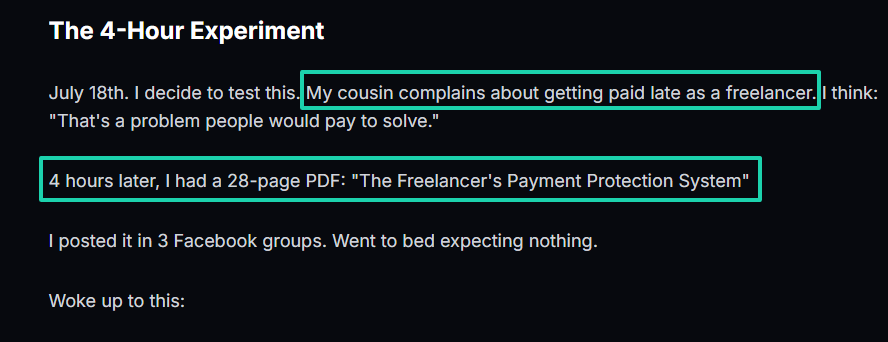
I read about someone who created a PDF in 4 hours. Right after, he heard his cousin complain about being paid late as a freelancer.
He knew many freelancers could be in the same situation, so he came up with a 28-page PDF titled: “The Freelancer’s Payment Protection System.”
The next day, he made $297 from 11 sales.
By the end of week one, he made $999 from 37 sales. Then, by the end of month one, he made $3,834 from 142 sales.
At the end of month four, he brought in a $28,493 monthly revenue.
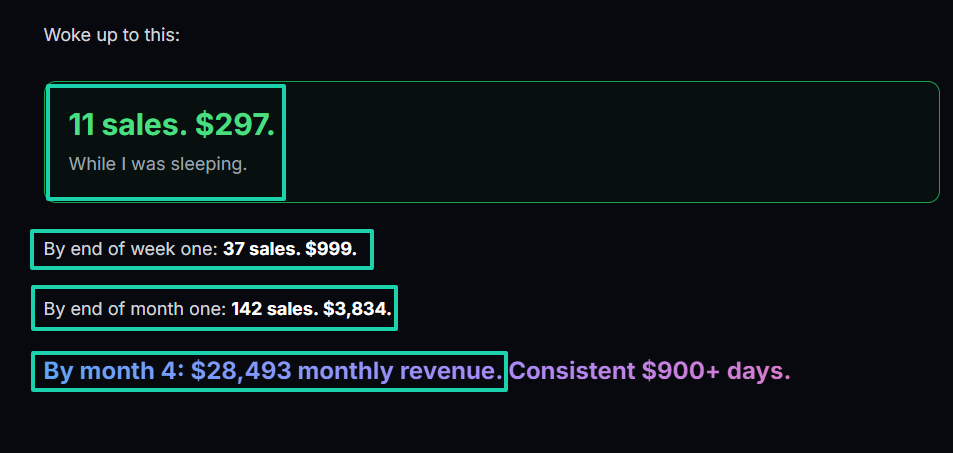
My point is that when you create and sell high-quality, valuable PDFs, people will be happy to pay for them.
Now, let’s say you already have a niche and topic. The next thing you need is proper tools for creating.
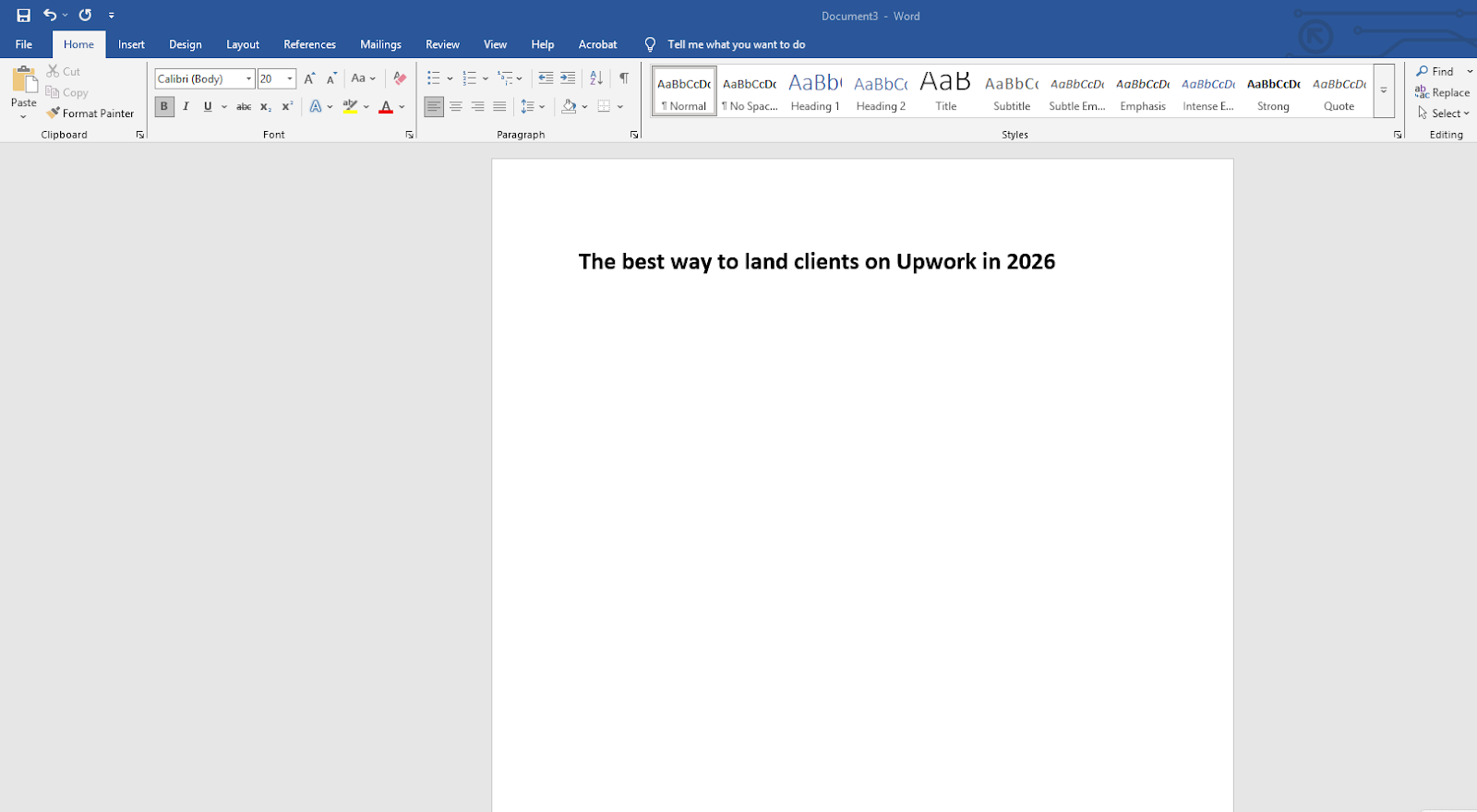
For the writing stage, you can use Microsoft Word. It is excellent for high-page-count PDFs.
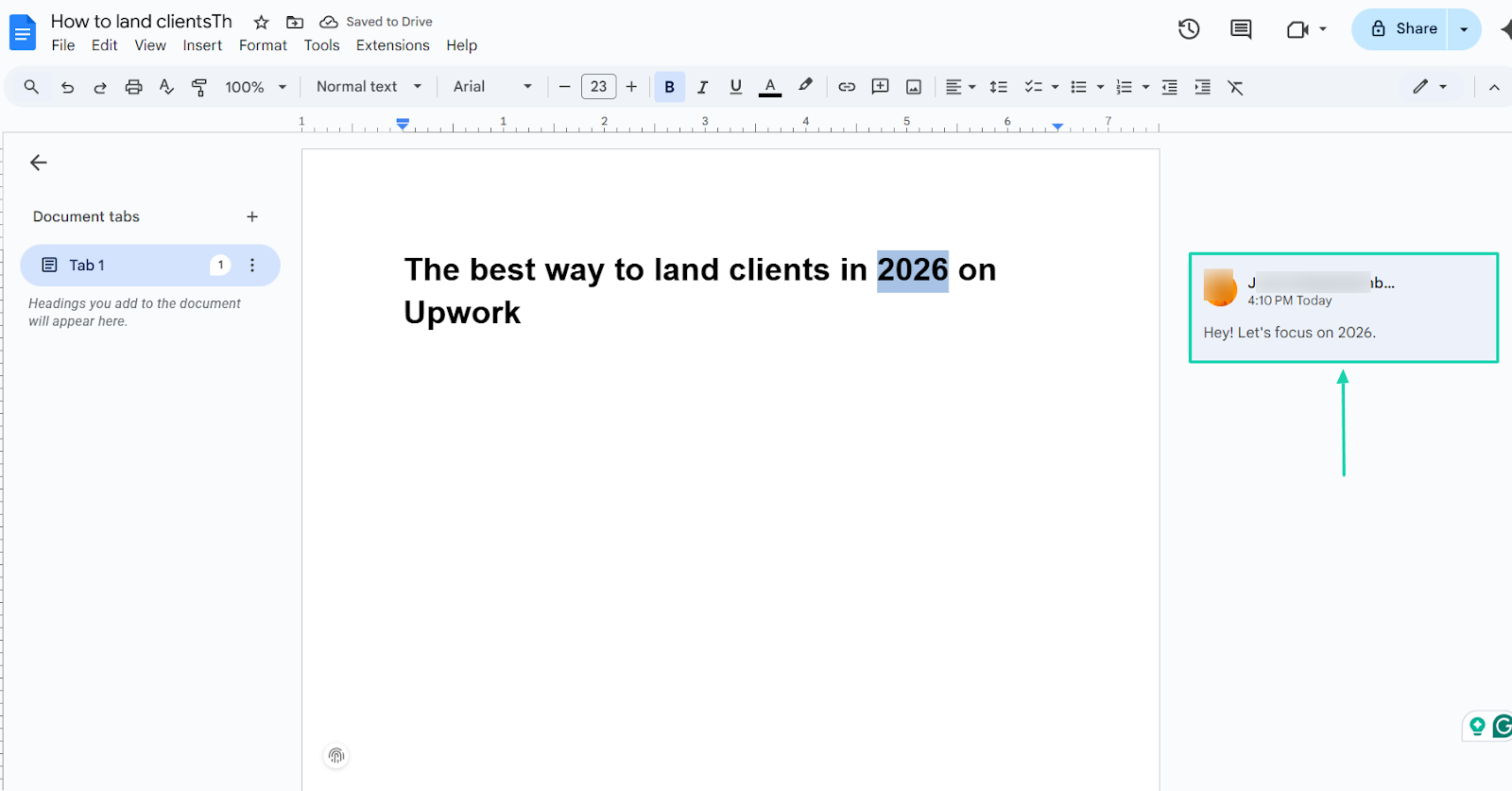
If you also intend to collaborate with others during the writing stage, I suggest using Google Docs.
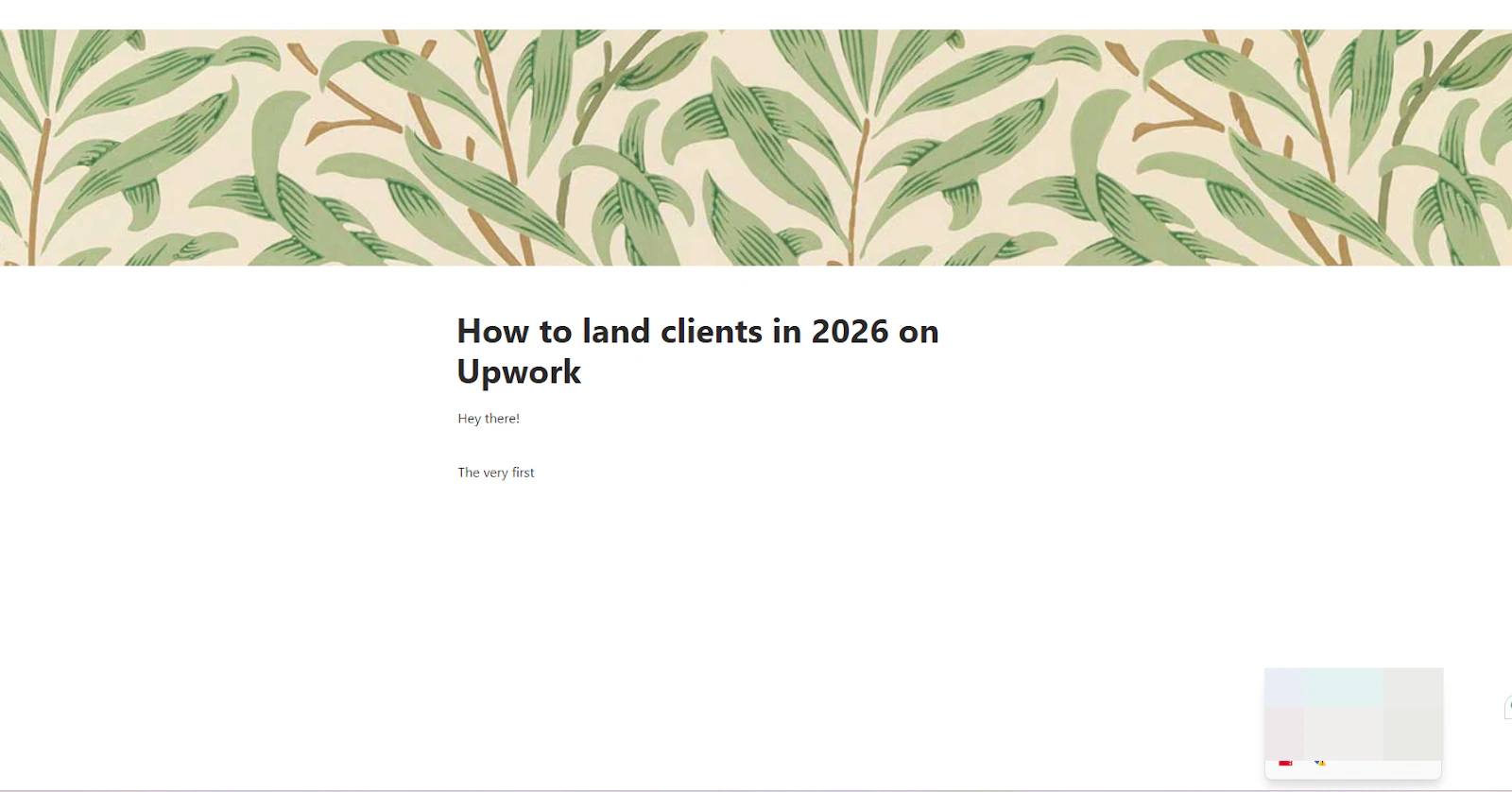
Notion is also great for writing, outlining, and organizing.
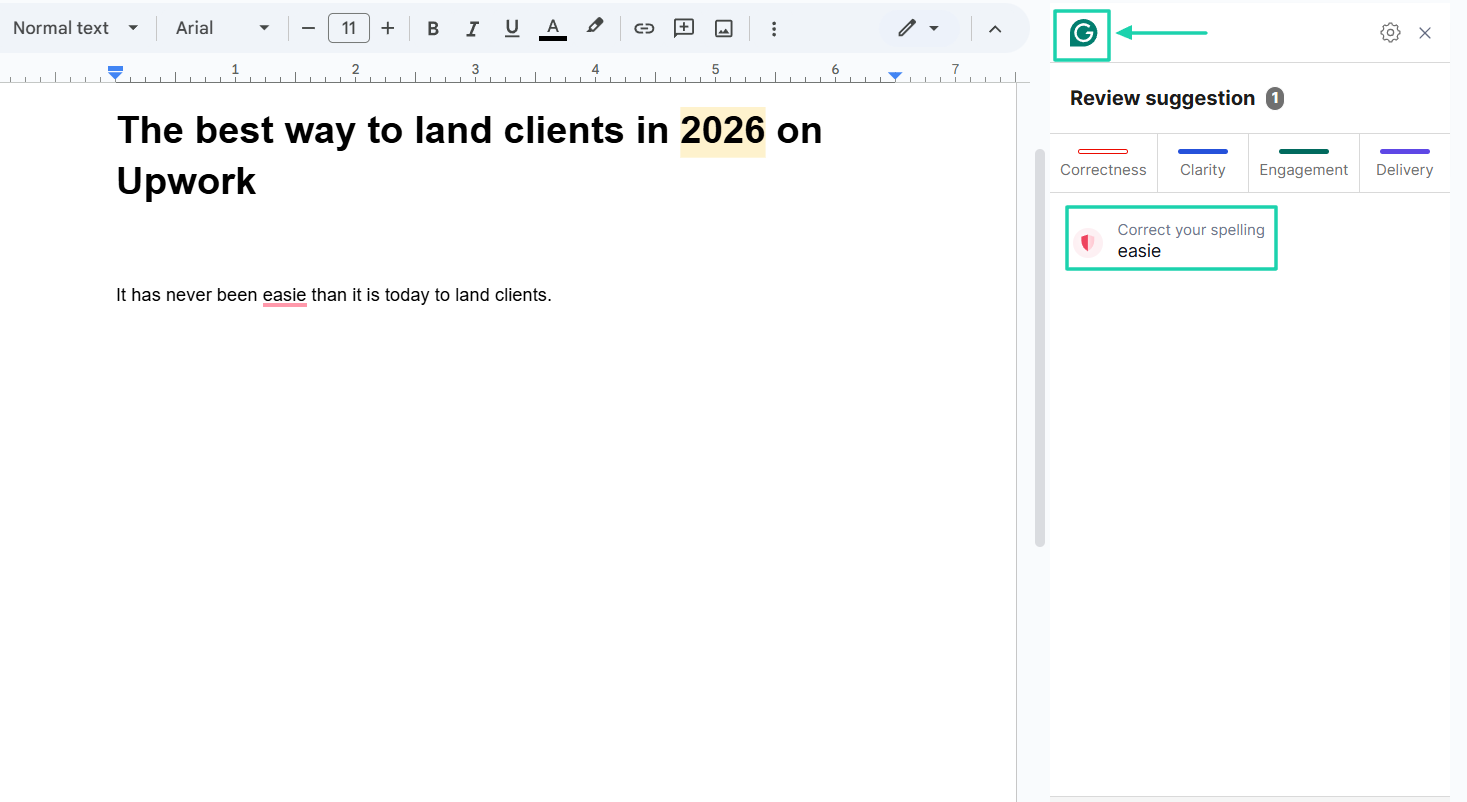
Now, after writing, there is the editing stage. I can recommend Grammarly. It works great for catching grammar and spelling errors and also helps adjust the tone.
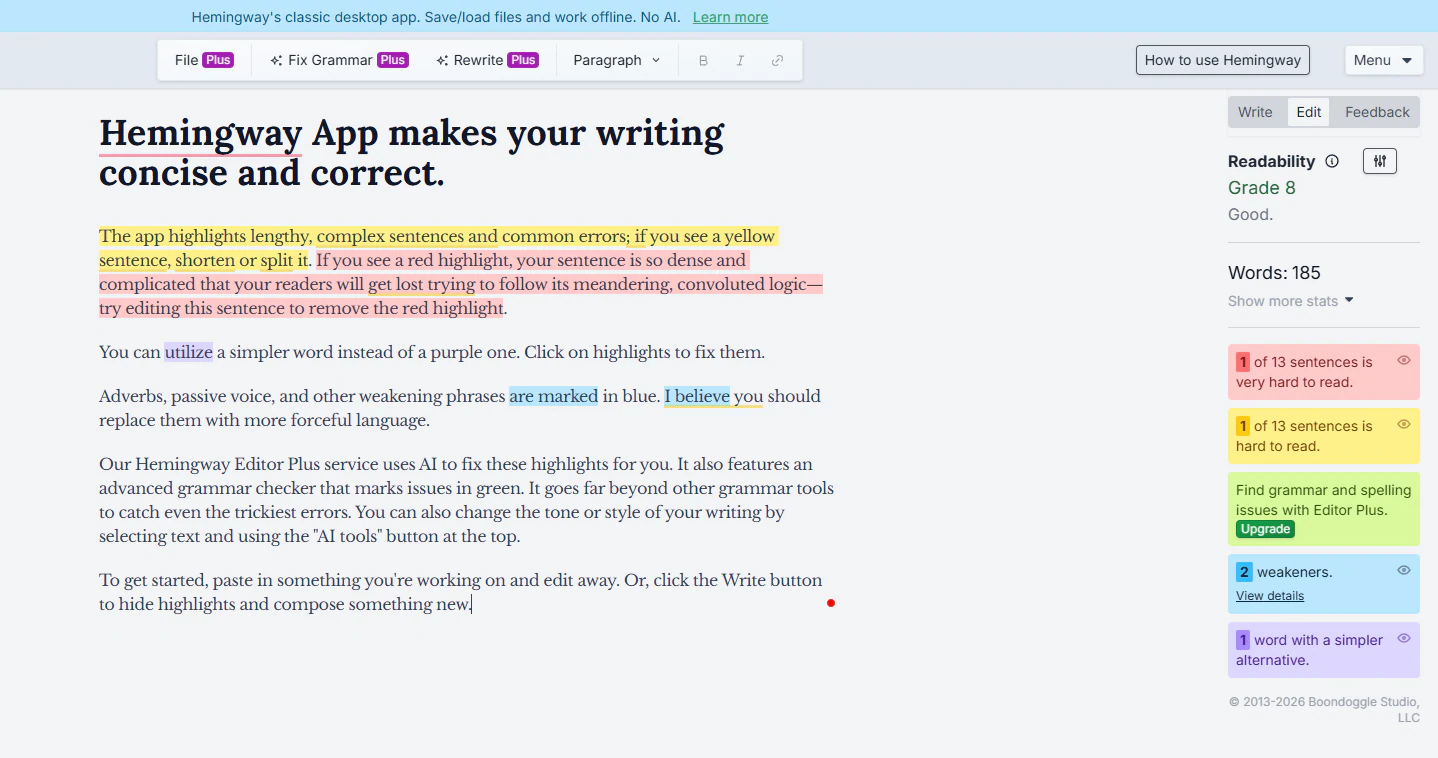
There is also Hemingway Editor, a tool that helps edit text. It simplifies writing and complex sentences. At least there’d be this clarity touch.
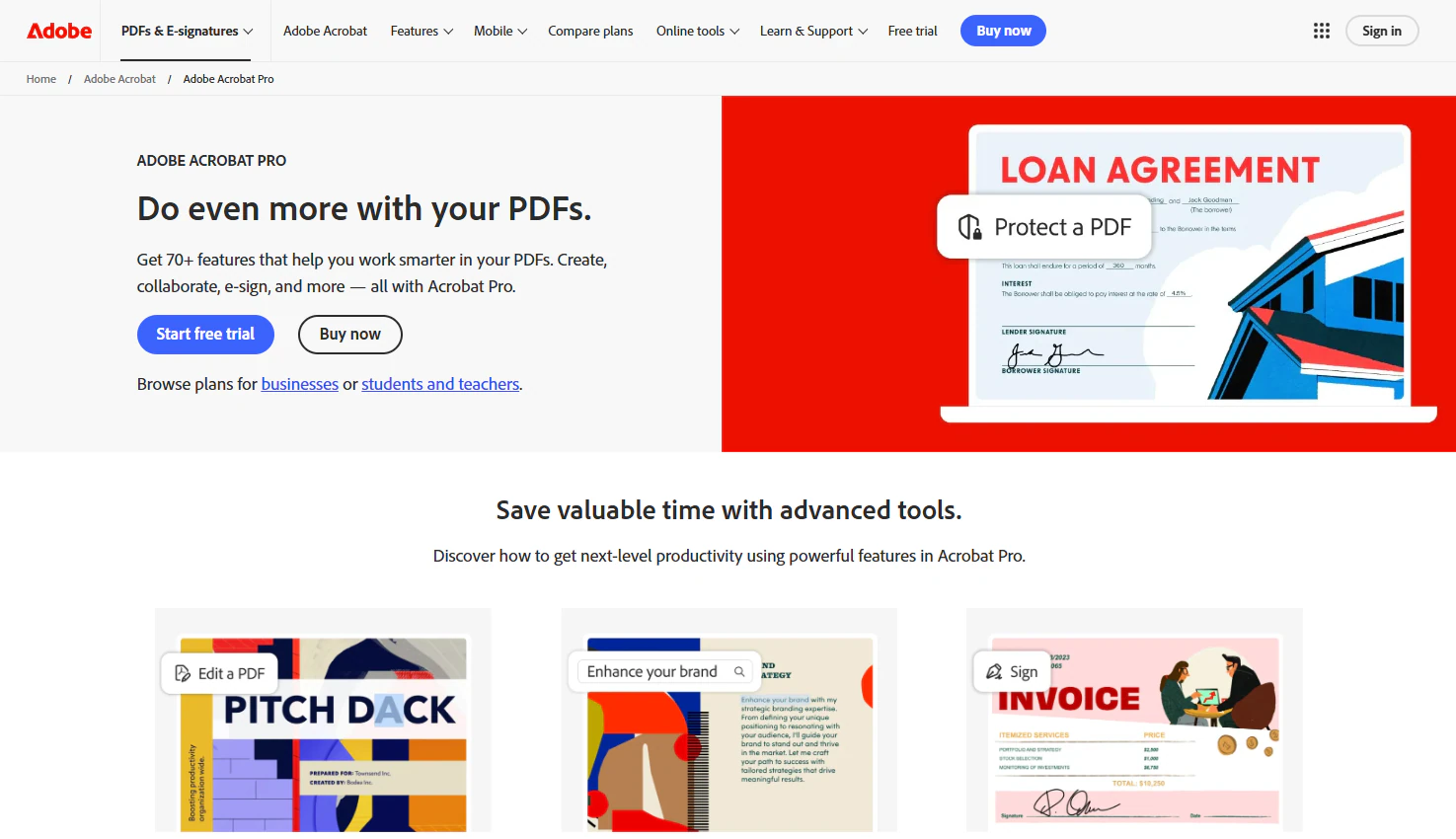
If you have already created your PDF and you want to edit it, Adobe Acrobat is a great choice. You can use it to revise text, add images and links, and even rearrange pages within the PDF.
But of course, you need Adobe Acrobat Pro. It also has an AI assistant that you can use to generate images, edit existing images, and craft your content. The platform even allows you to add audio and video.
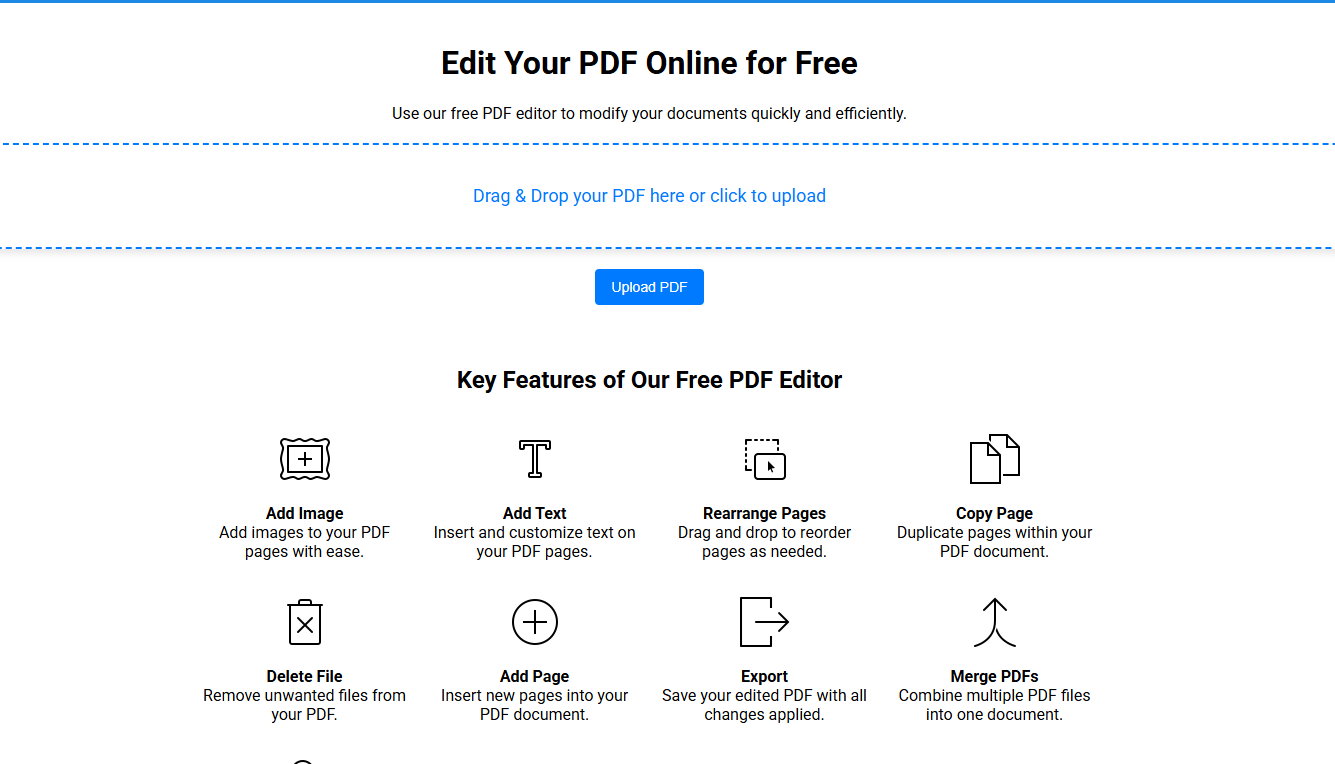
But if you’re on a tight budget and looking for a free PDF editor, I can recommend PDF2Editor. You can also add images and text, rearrange pages, and merge PDFs, among other things.
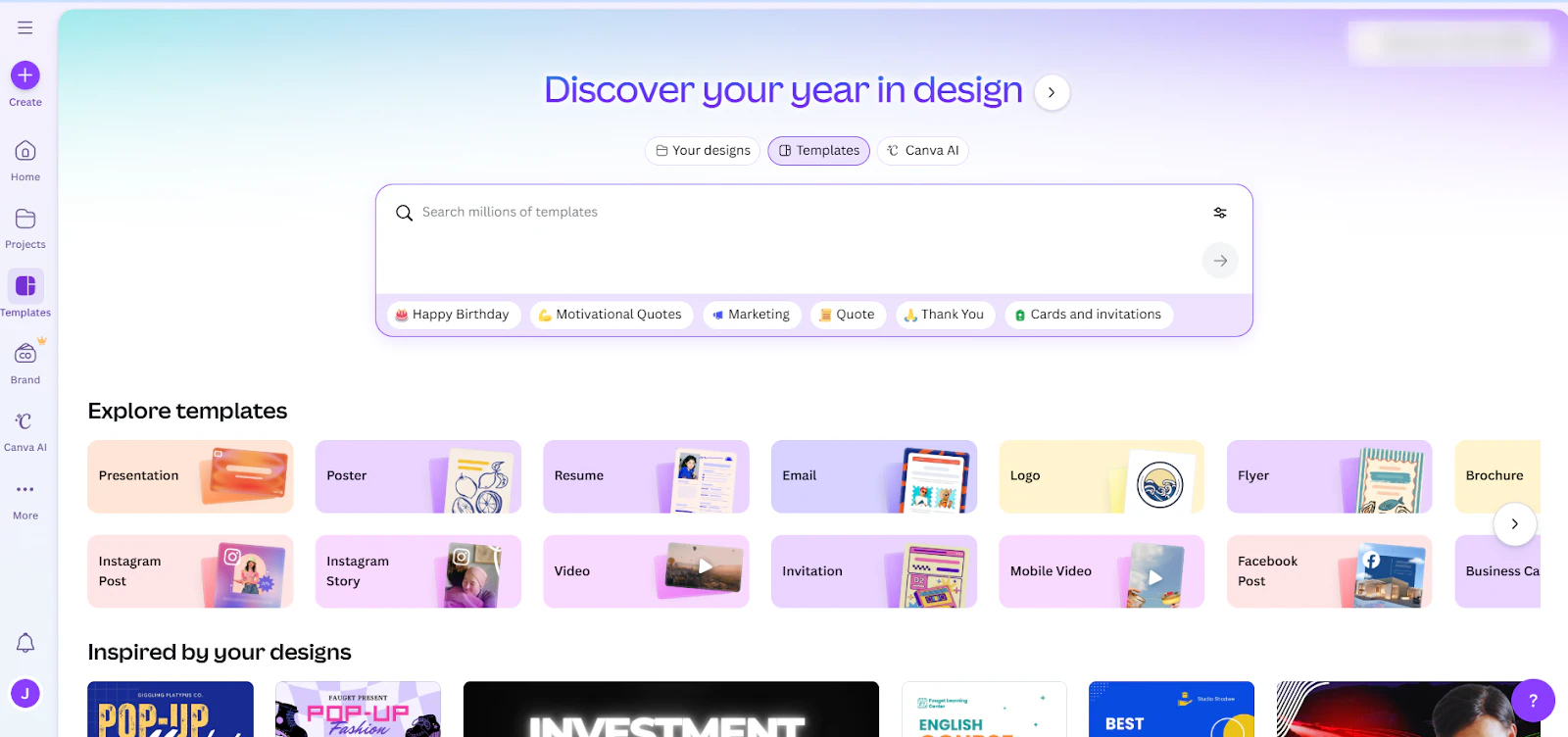
Now, for design, you don’t need much, especially if you’re not an expert. Canva will do the job. It has a lot of free templates you can use for visuals.
In a nutshell, once you have a PDF that solves one clear problem, is easy to implement, looks clean, and delivers on its promise, you can call it a high-quality and valuable PDF.
Now, it’s time to pick the right platform to sell PDFs online.
Step 3: Pick the platform to sell your PDF
Choosing the right platform is the next logical step to sell PDFs online.
This is probably where most creators get it wrong. You can’t choose any platform just because you are in a rush to sell.
The best platform should have features for:
- Payment processing
- File delivery
- No-code setup
The truth is, you need a payment processing system that makes receiving payments easy. Also, the platform has to have measures in place to stop you from losing customers at checkout.
And it’d be an advantage if customers could pay instantly and with 1-click.
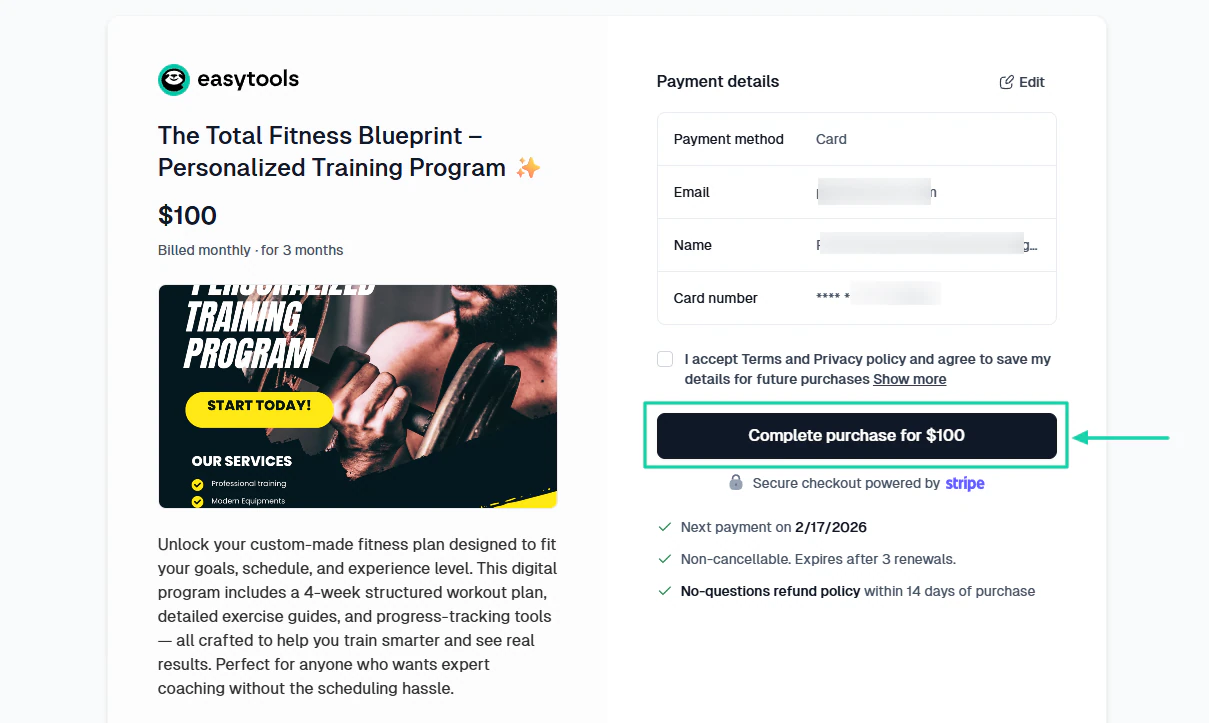
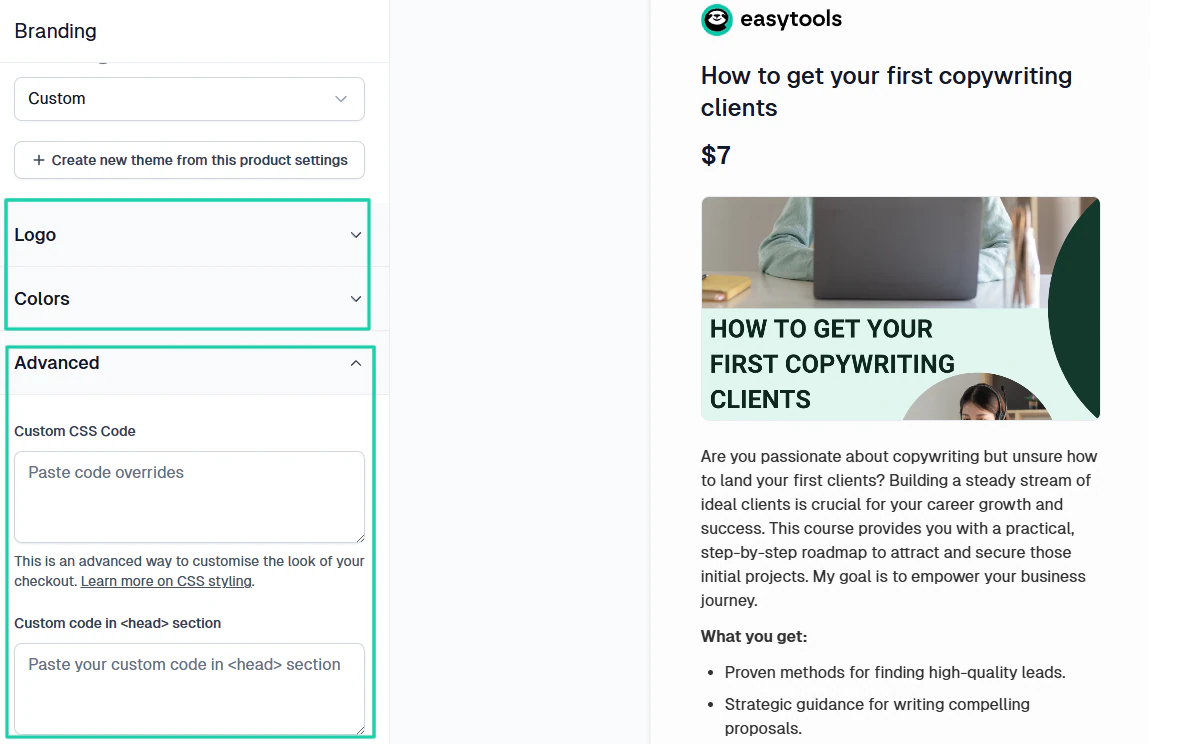
Compared to Stripe, you can fully customize your checkout page on Easytools to match your brand (logo, colors, fonts, button).
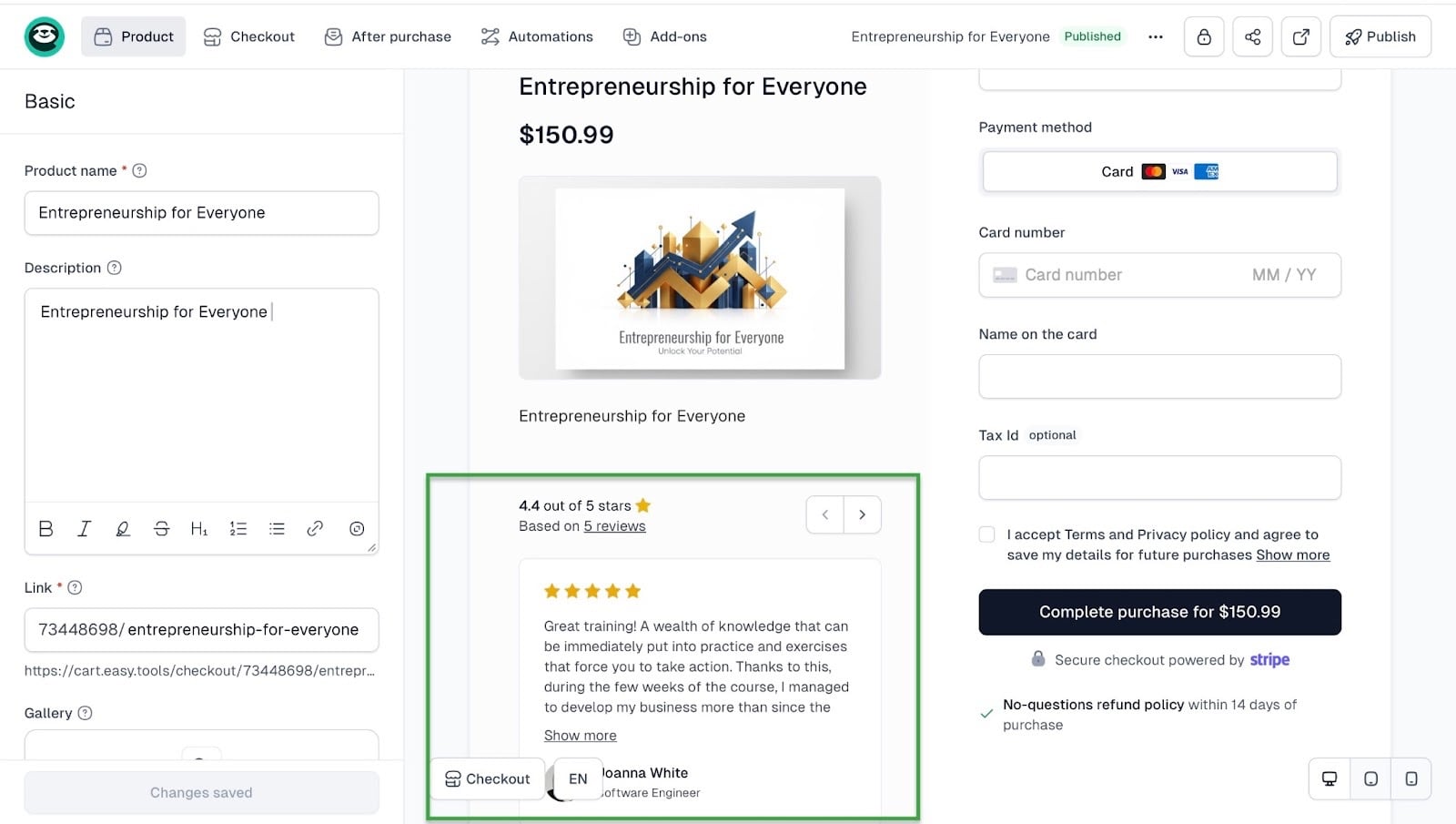
You can also display social proof with customer reviews at checkout. So, people can actually read buyers’ feedback before they click the final Buy button. This can give you a 9% conversion.
Another way to increase your conversions is to use features like cross-sells and upsells. It lets you show other products after a customer completes a transaction.
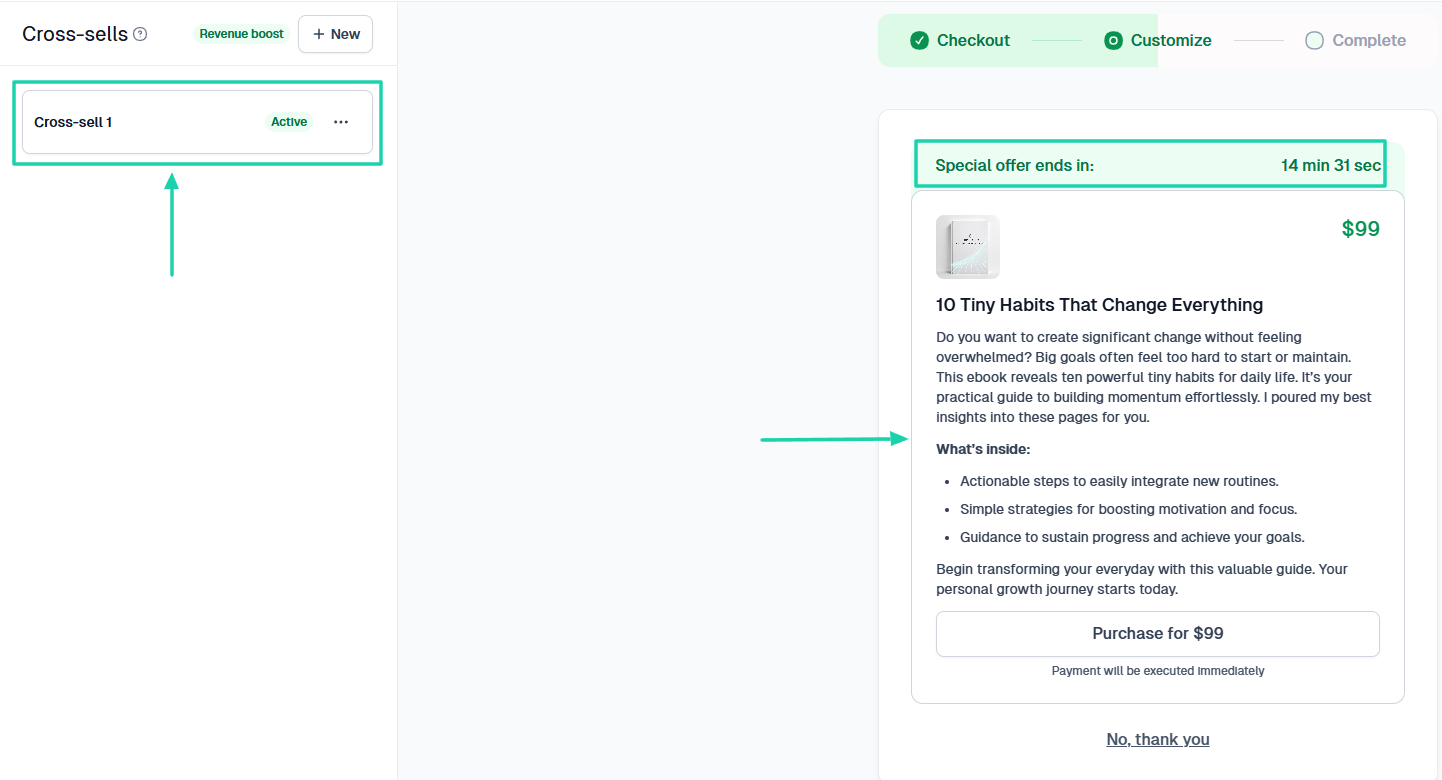
Watch this video to learn more about cross-sells.
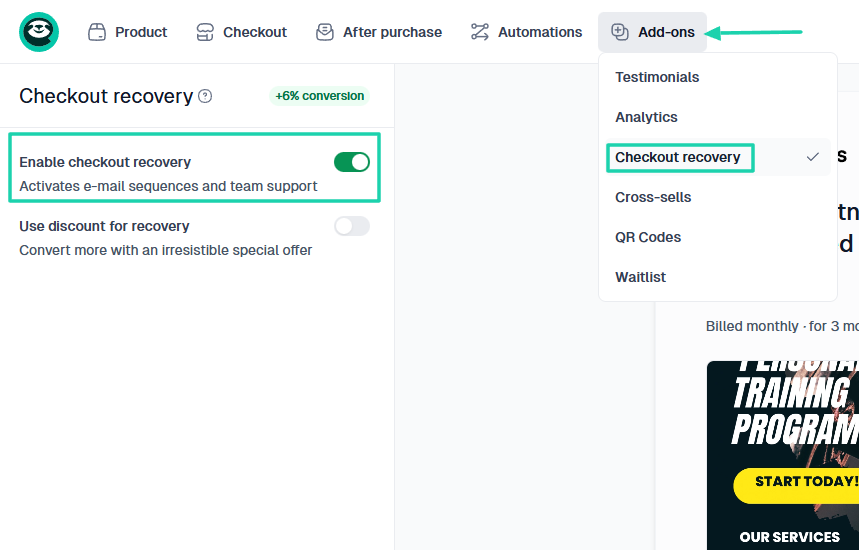
That’s not all! You might be worried about customers abandoning their checkouts. Well, that means you need a platform that can remind them to complete their purchase.
The checkout recovery can increase your conversion by 6%.
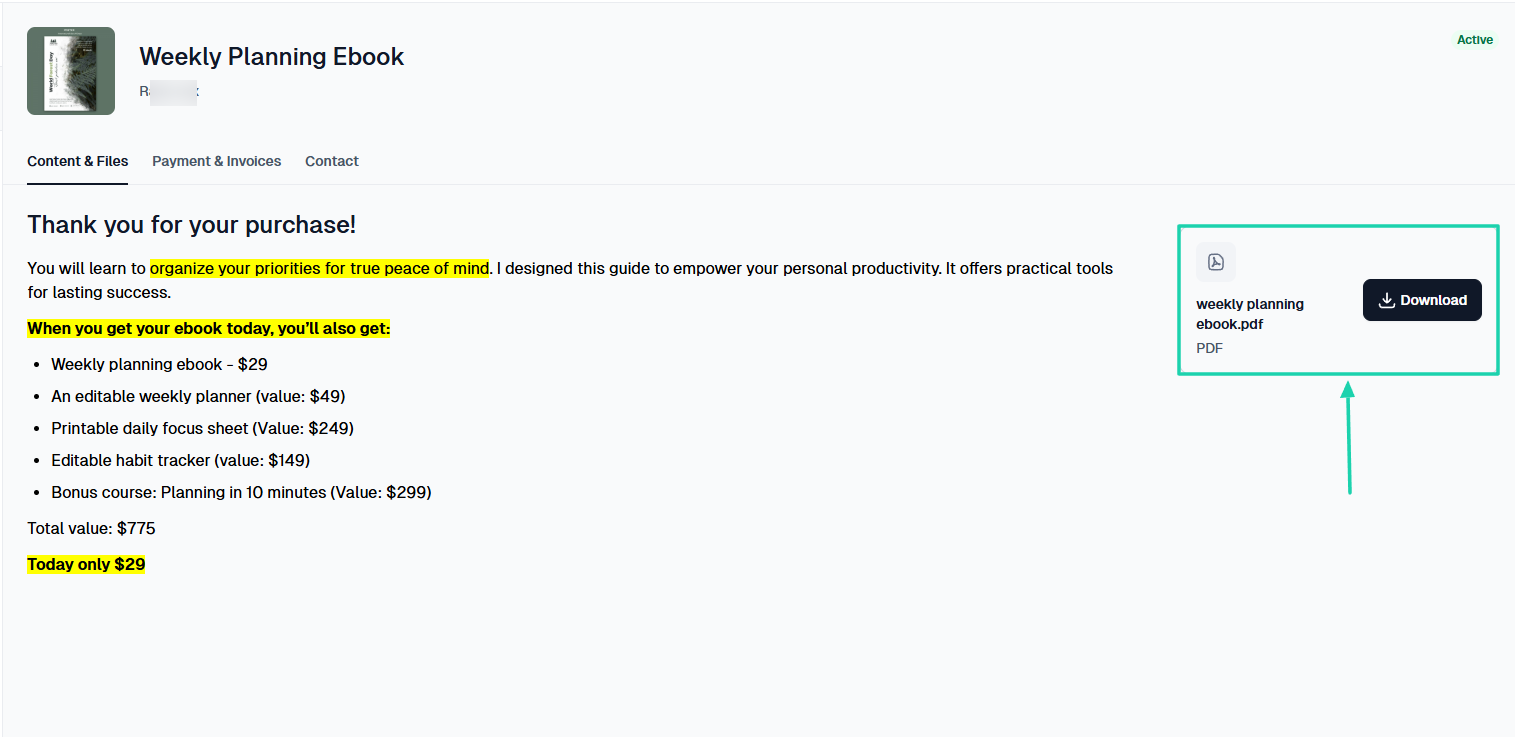
Regarding file delivery, with Easytools, when a customer purchases your PDF, they get instant access.
They can download it through the customer portal.
We also offer powerful automations that let you connect apps like HubSpot, Mailchimp, or Discord and create scenarios. For instance, the scenario could be: “After purchase, assign a customer to a mailing list.”
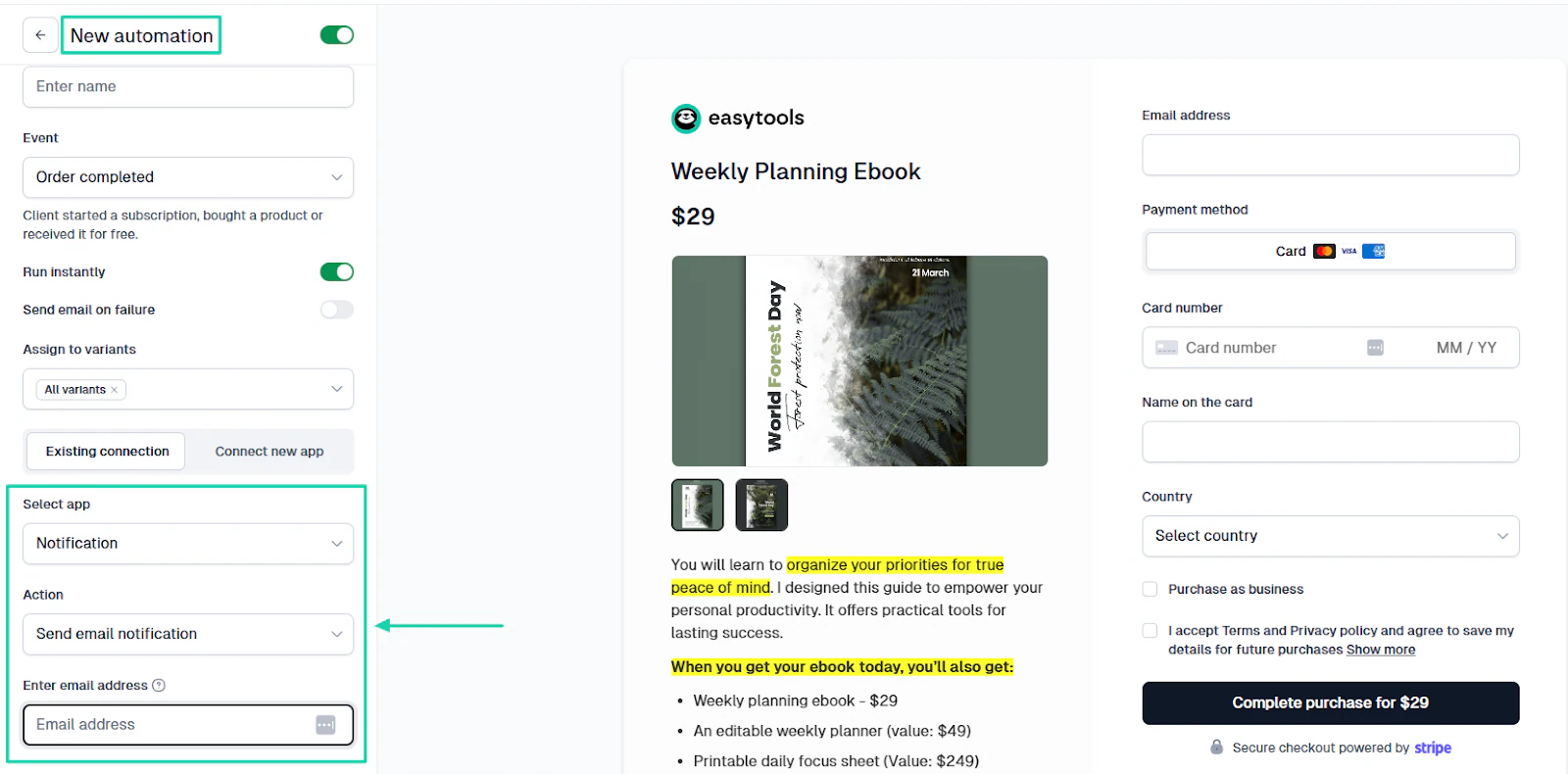
You can also send yourself an email notification any time a customer purchases your PDF.
To set it up, you will choose “Notification” as the integration and “Send email notification” as the action.
Another aspect that sets Easytools apart from other tools is its no-code setup.
Many creators usually think that before launching their PDFs, they need:
- Custom websites
- Developers
- Complex integrations
The way we built Easytools, even a child can launch their PDF.
You can publish a full sales page within 5 minutes without hiring a developer.
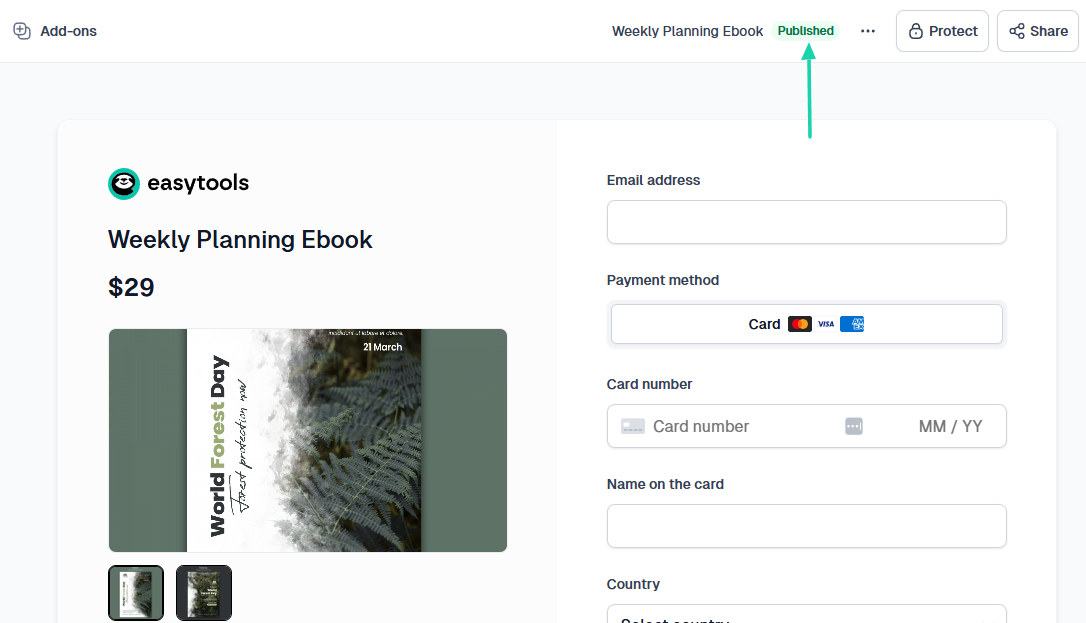
This masterclass below will show you how to sell PDFs online the Easy way.
Step 4: Price your PDF profitably
You can’t properly sell PDFs online if you don’t know how to price them.
Before you price yours, you can look at how much other creators charge on different platforms.
For instance, on Gumroad, nutrition guides range from $0 to $45.
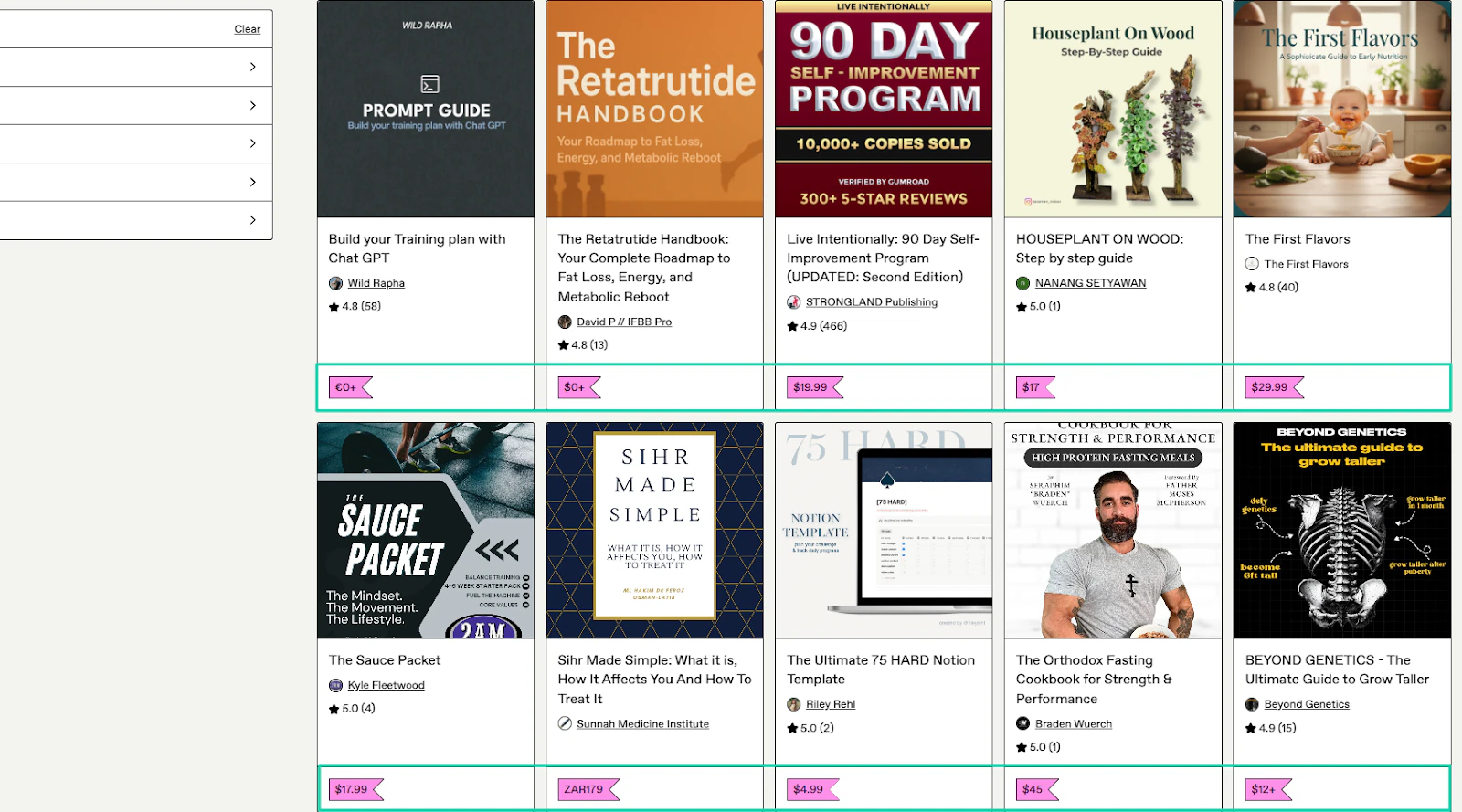
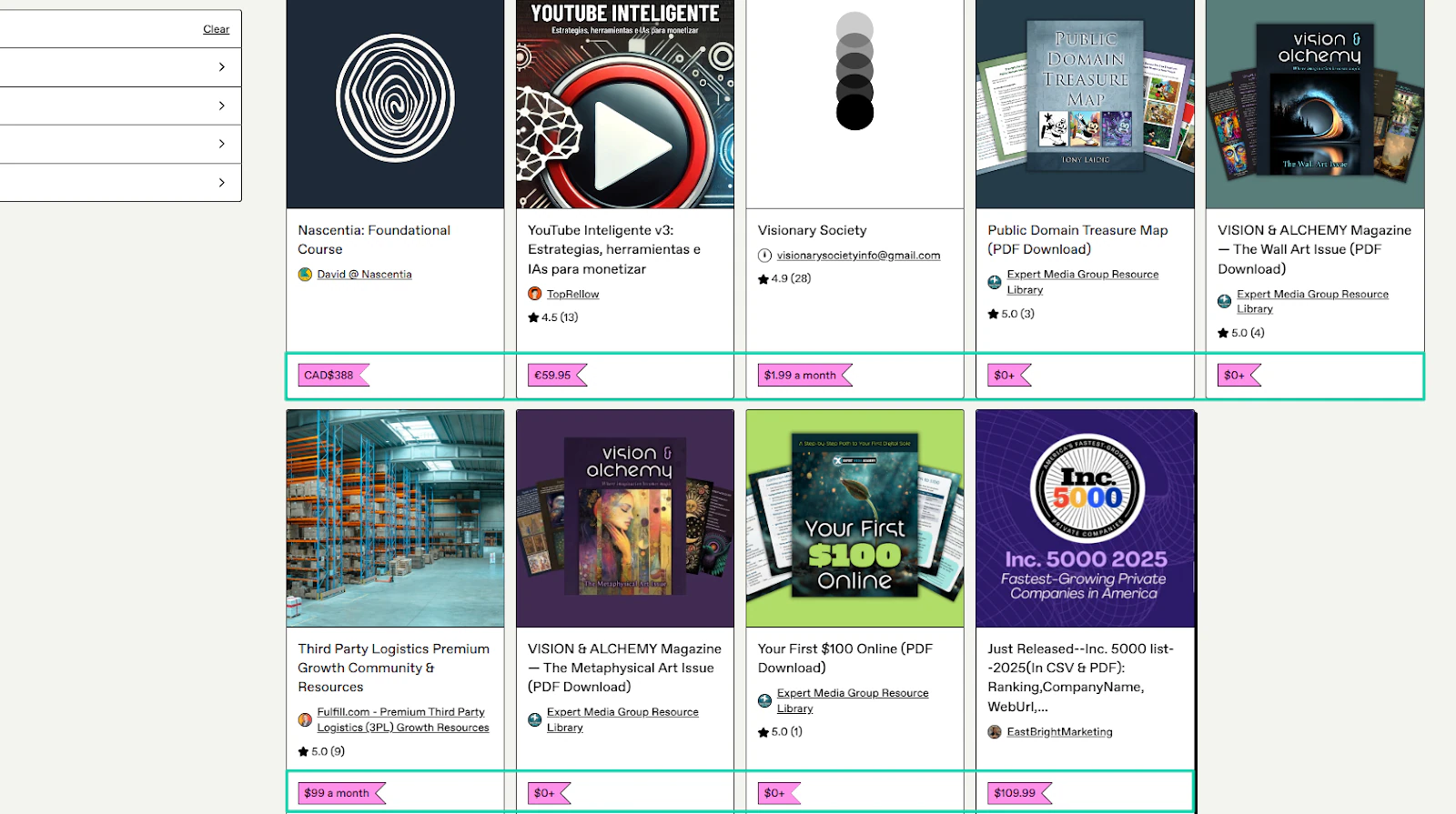
But business and entrepreneurship PDFs range from $0 to $110.
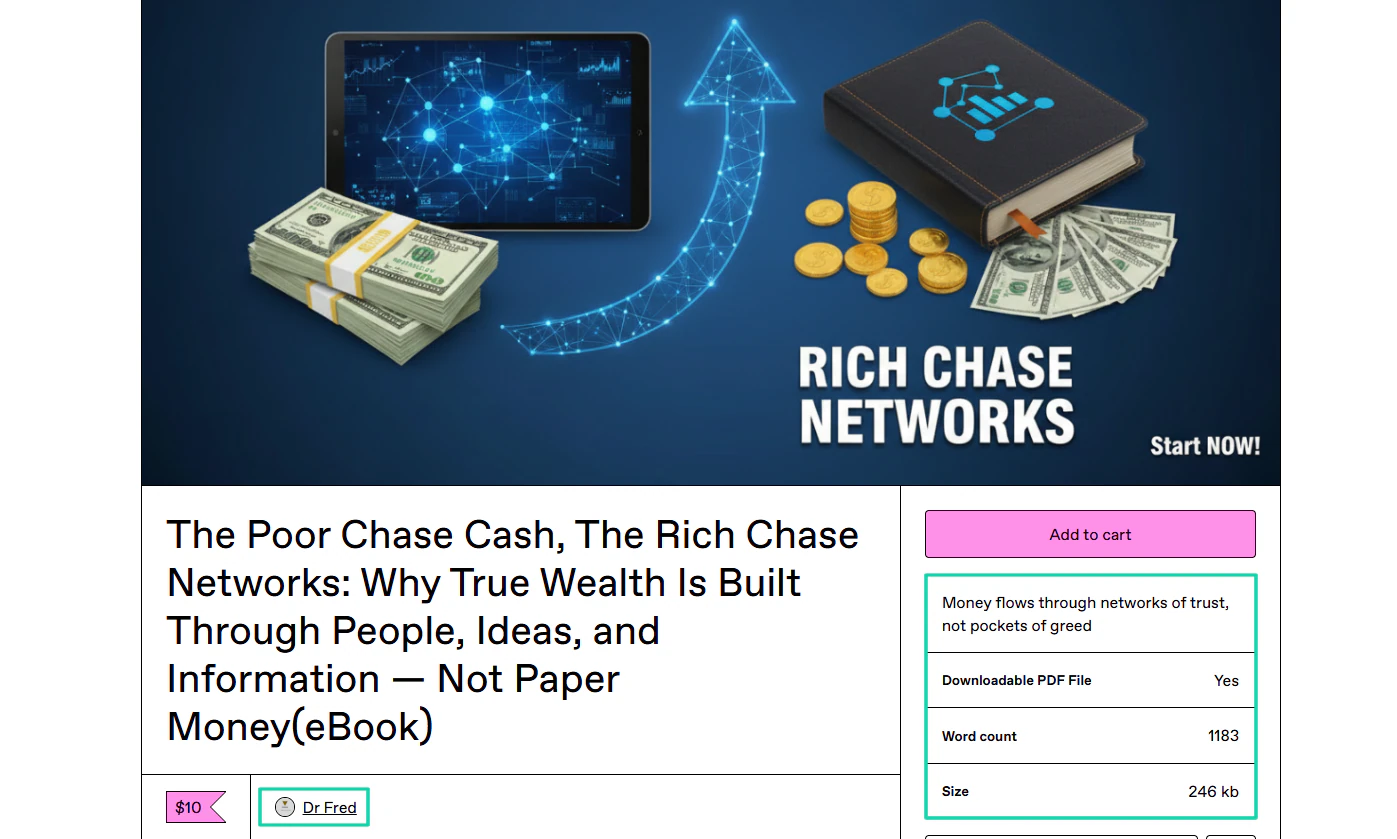
One of the creators, Dr Fred, sells his e-book at $10. The PDF word count is 1183, and the file size of 246KB.
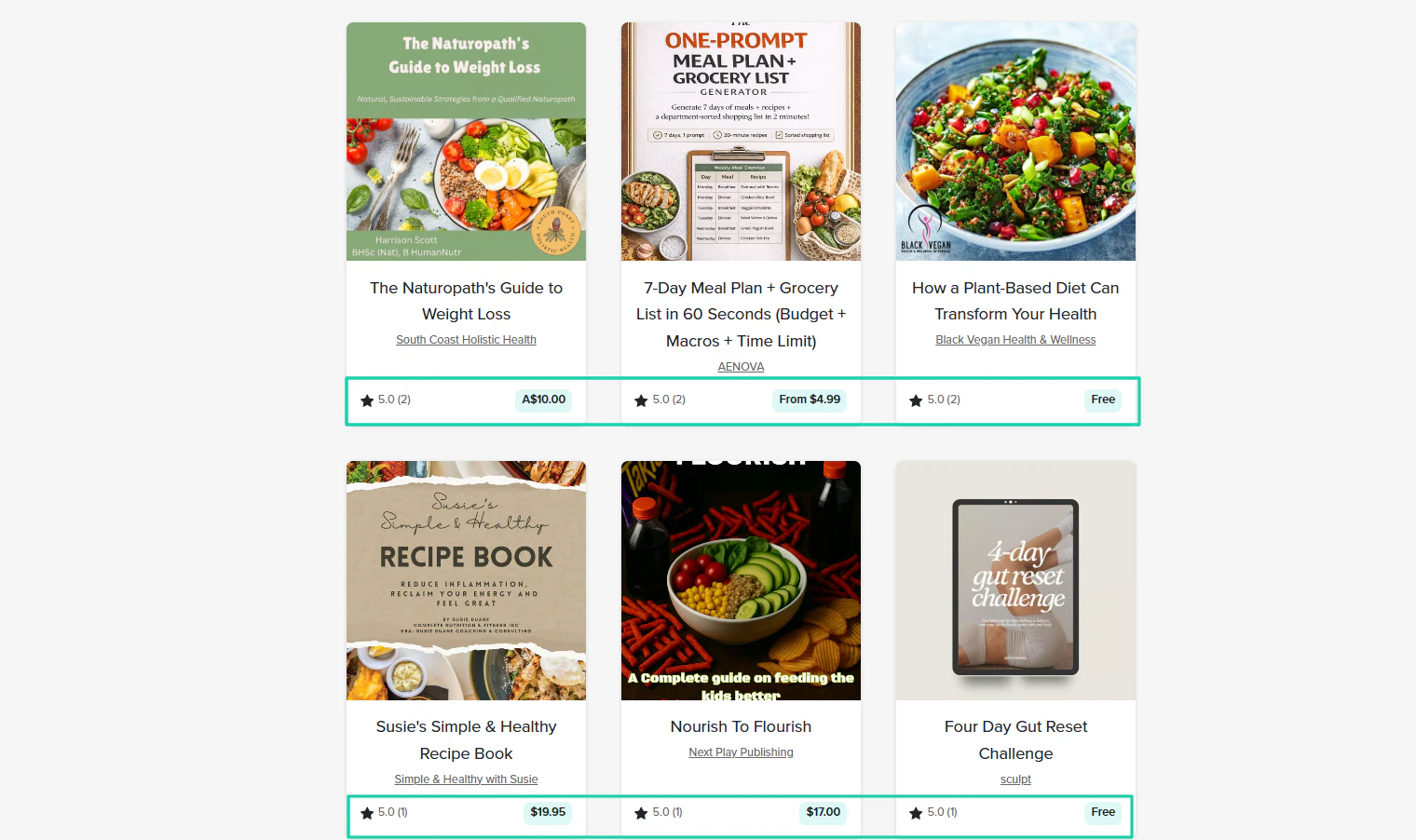
Now, let’s compare that with Payhip.
If you check the nutrition guides, they are sold between $0 and $19.
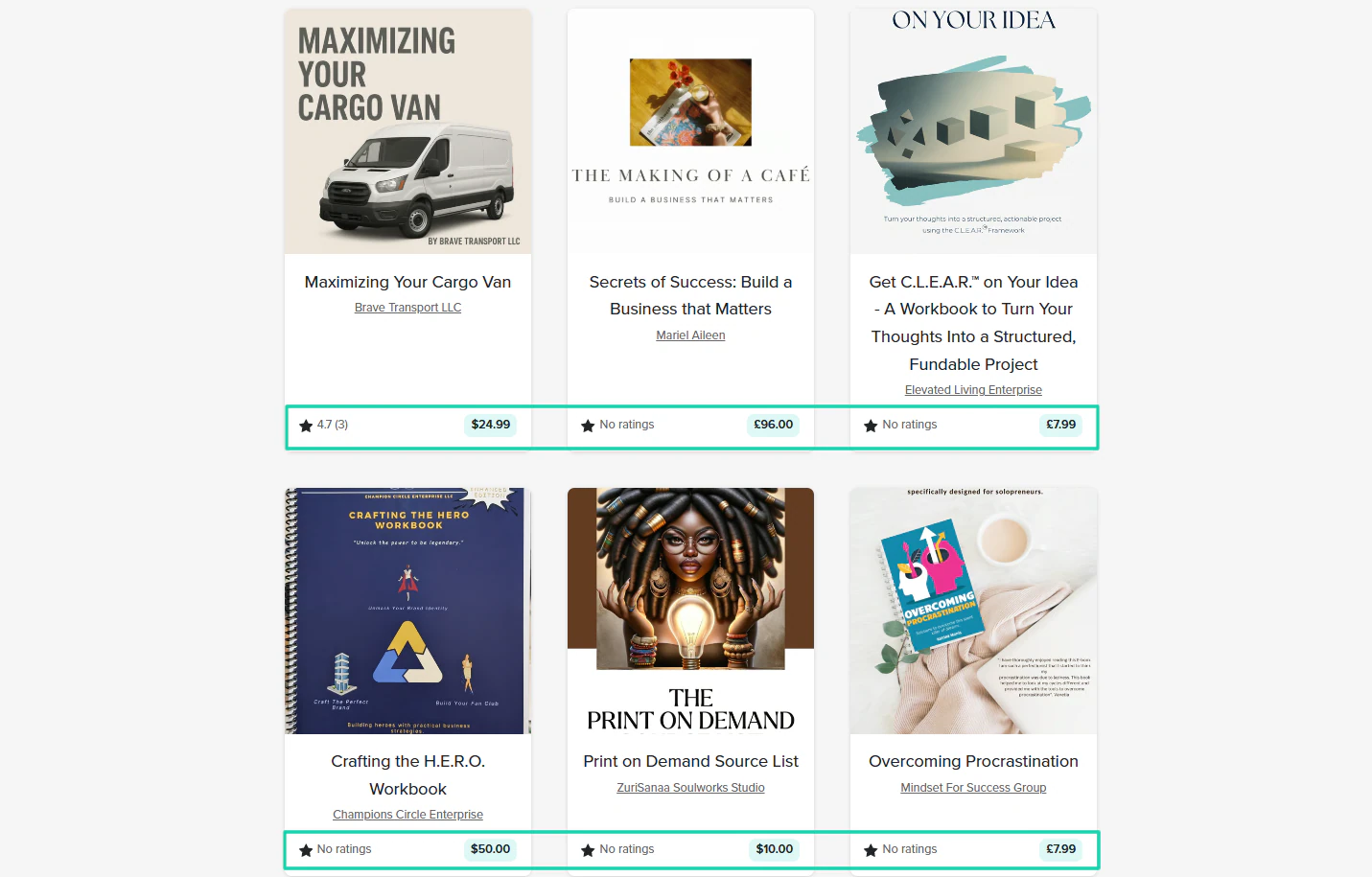
Business and entrepreneurship PDFs on Payhip range from $3 to $100.
An example is Lisa Michelle, who sells a business guide called “The Digital Sales Blueprint” at $47.
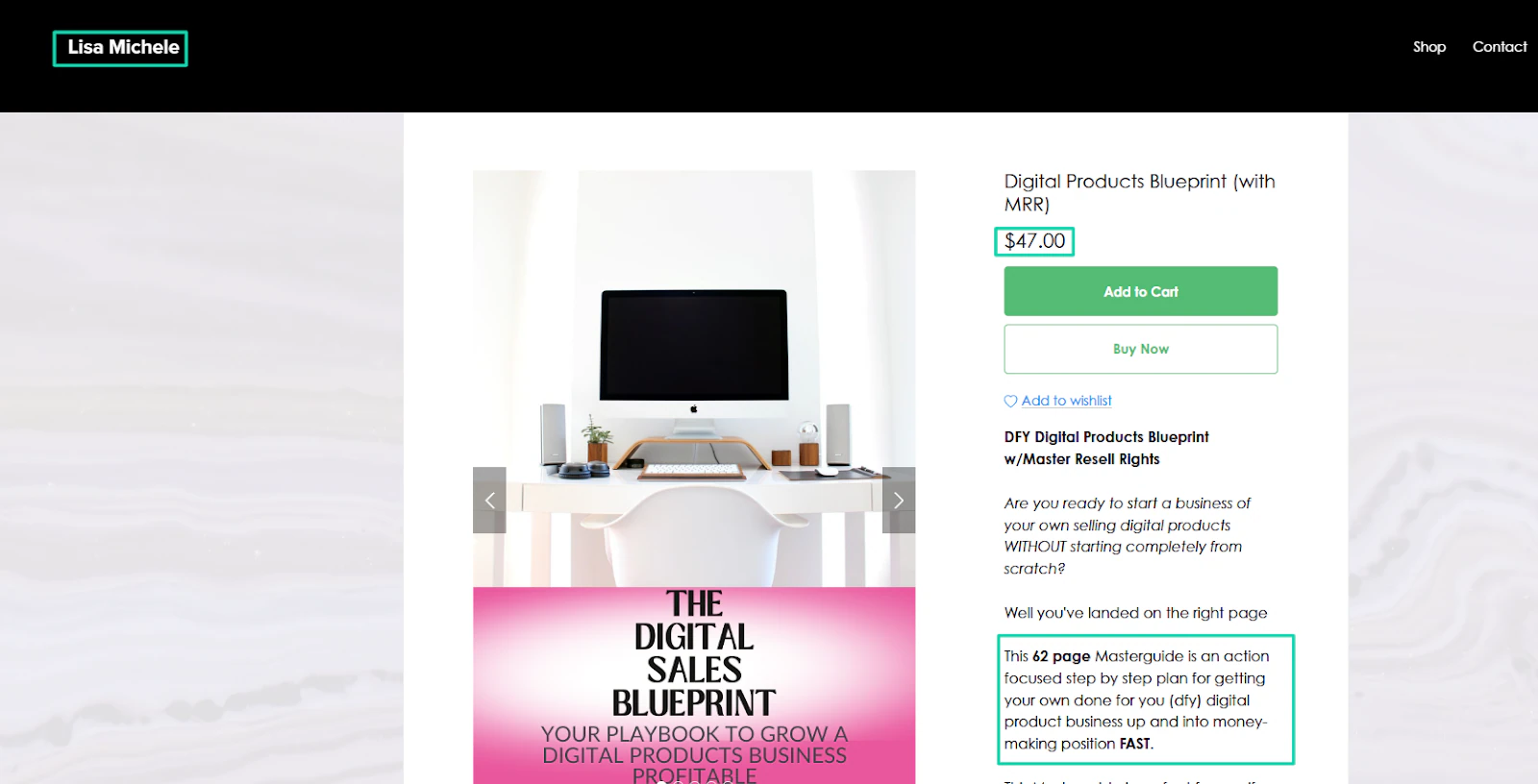
With this simple research, you will realize that nutrition guides rarely cost more than $30. If you were to launch a nutrition guide, you wouldn’t price beyond this limit, except you were Cristiano Ronaldo.
Now, you shouldn’t fall into the trap of underpricing or overpricing.
If you aren’t offering premium value yet, but your price is high, potential buyers hesitate. And it’ll be difficult for you to hit the sales you need.
But if you price a high-quality PDF too low, they might devalue your work. Buyers would think that, for its price tag, it must be low quality.
As a beginner, your price should start in the zone where most similar PDFs sell. If most creators sell their nutrition guides for around $15-$20+, you can charge $10-$12.
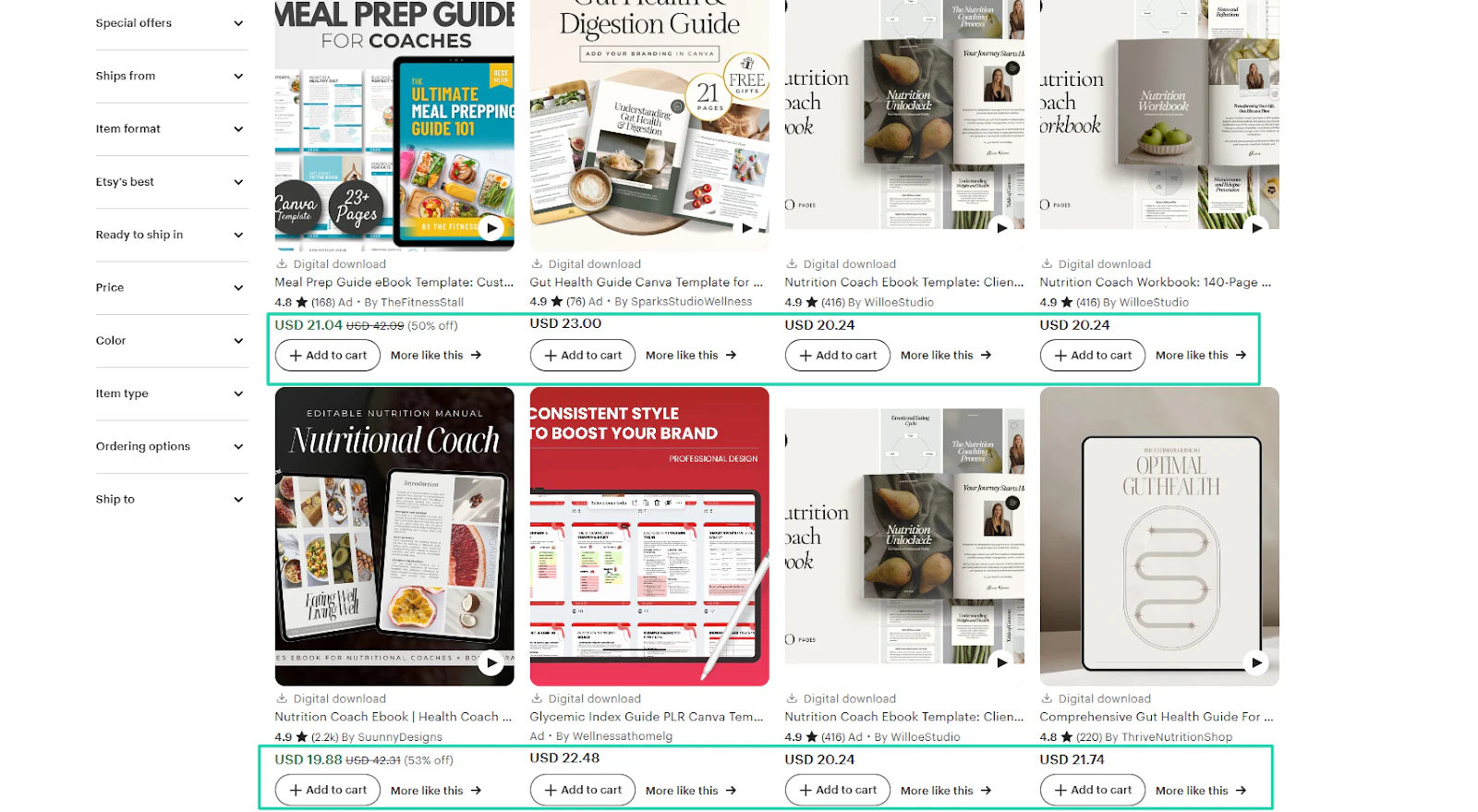
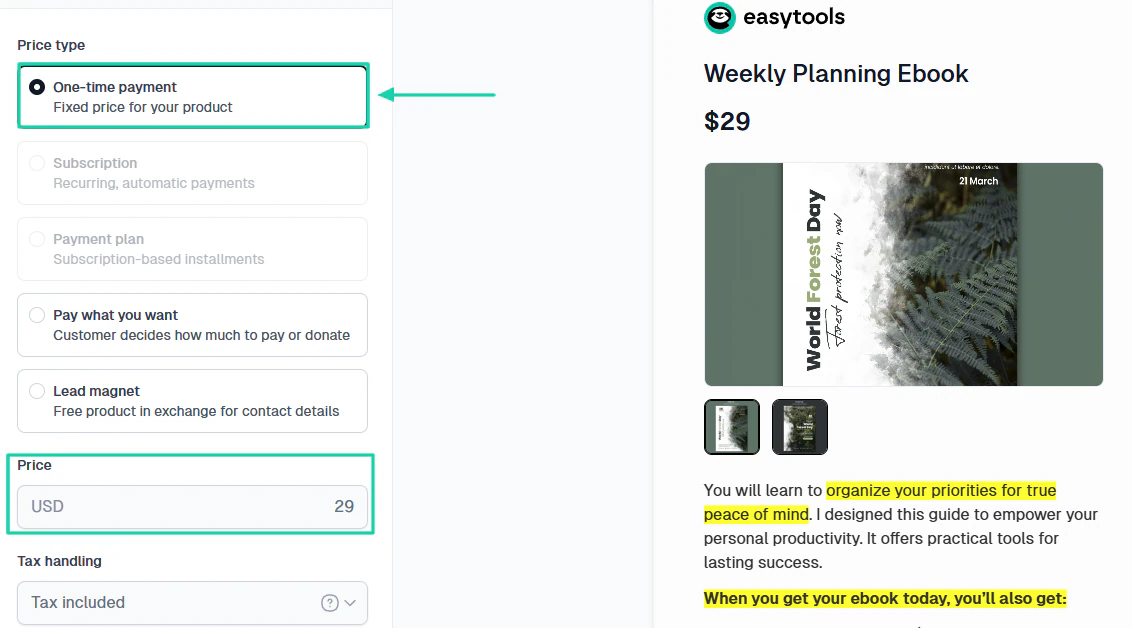
You should also be mindful of the pricing type you choose for your PDF. Some experienced creators use the subscription model, which I do not recommend for starters.
Why? Because you need a strong community to generate recurring income. Other than that, you might lose big time.
So, I suggest you use the one-time payment. It is simple and reduces the buyer’s decision fatigue. So customers won’t overthink the price.
Another reason is that customers see one-time payments as a form of ownership. In their mind, they think, “I am buying this once, it’s mine forever.”
There is no fear of future changes, or no need to keep justifying the purchase every month.
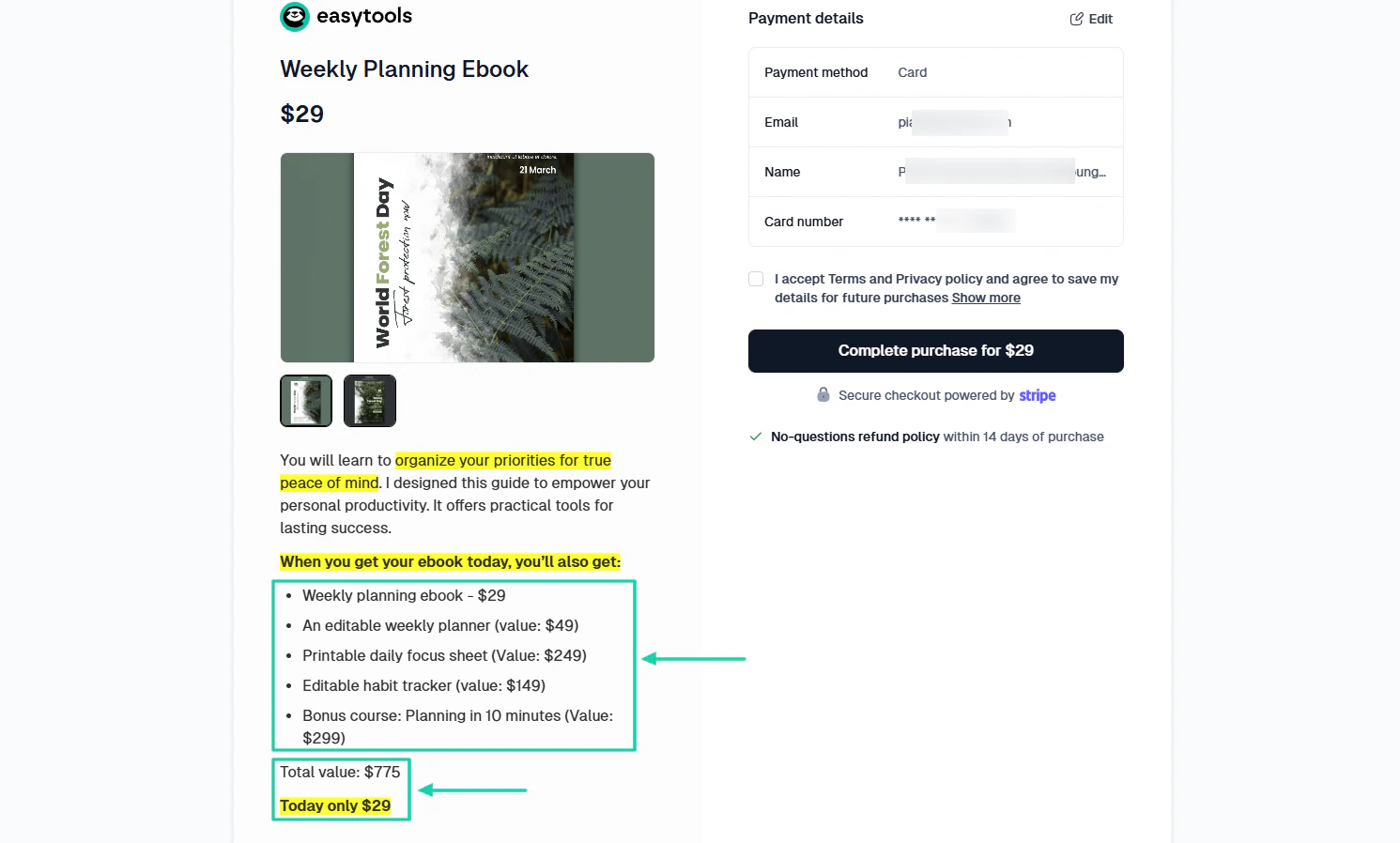
Another strategy you can also use to price your PDF is bundles. You can put many PDFs together into a value pack.
For example, if you are selling a weekly planning e-book, you can add an editable weekly planner. You can also throw in an editable habit tracker and even a bonus course.
You can then price it in such a way that people would think they were crazy if they didn’t seize the opportunity.
It usually makes buyers feel like they’re getting more.
Now, to maximize your chances of making lots of sales, you may consider offering discounts.
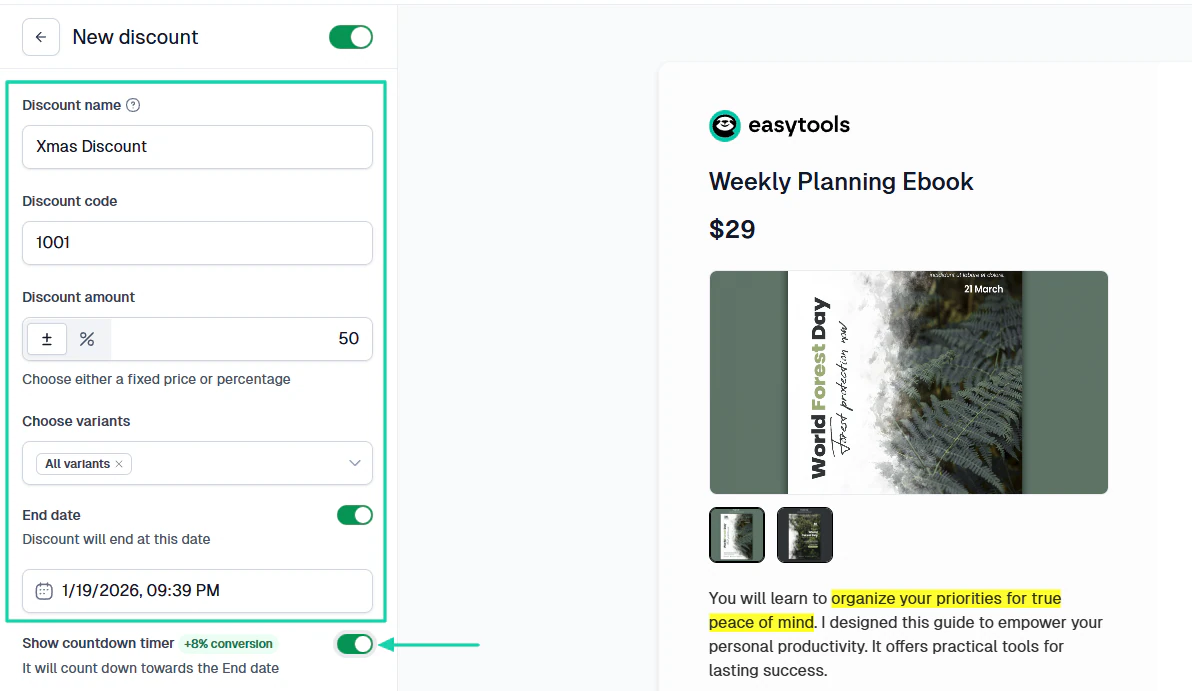
The way it works, you come up with a discount name, enter a discount code, and enter an amount.
Also, on some platforms, you can specify when the discount ends and may even show a countdown timer.
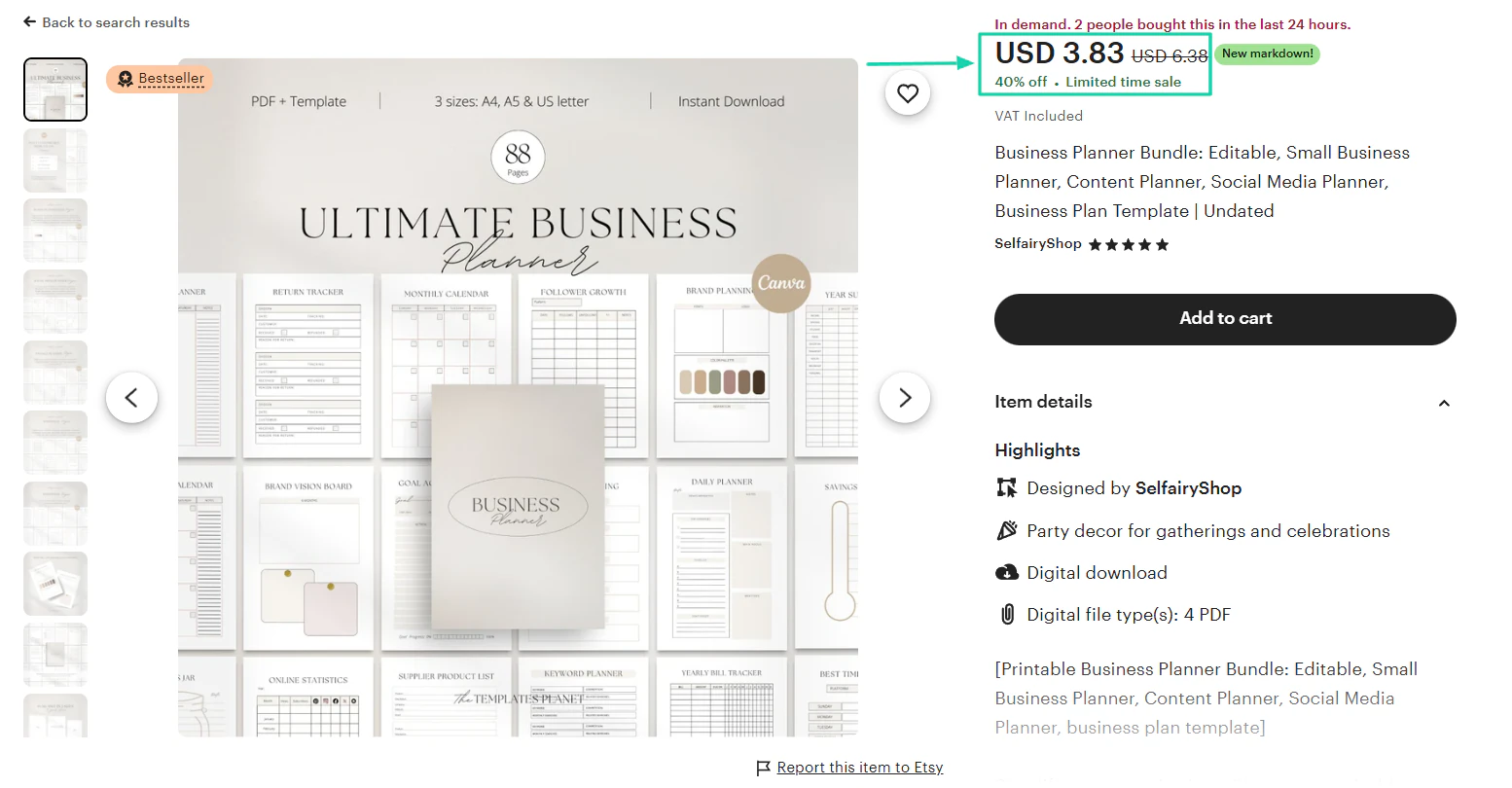
For instance, you can see that this business planner PDF was initially priced at $6.38. But it now comes with a 40% discount, so it’s priced at $3.83.
Here’s a table with some PDF niches and their average price range. And I also added extra tips to help you earn more.
So, the goal of this table is to give you an inside look at the different prices out there. Like I said, you don’t need to make that mistake of overpricing or underpricing.
Now, shall we continue with the last step?
Step 5: Market and promote your PDF
To sell PDFs online, the last step is to market and promote them.
You have your high-quality PDF, the right platform, and the price you want to sell it at. This is only half the job.
All these efforts won’t matter if you can’t market and promote your PDF. This is the step that:
- Puts your PDF in front of potential buyers
- Builds trust and authority around your brand
- Turns casual followers into paying customers
So how do you put your PDFs in front of potential customers? Offer them as freebies or lead magnets.
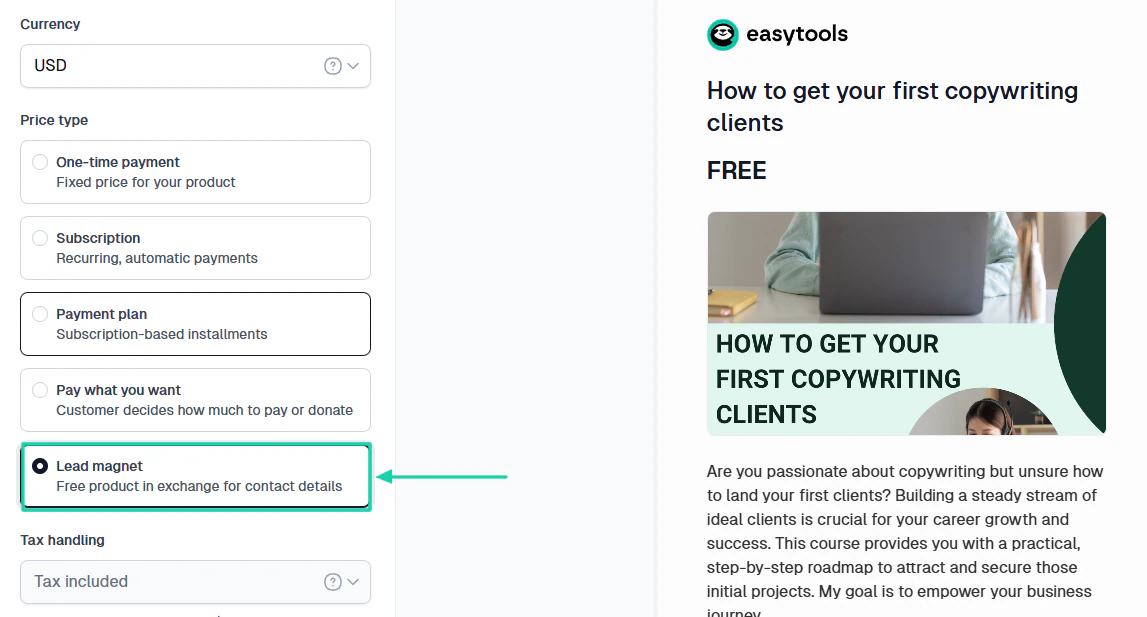
Many creators often give away free PDFs or resources to leads in exchange for their email addresses. Then, they later turn those subscribers into paying customers through newsletters and email marketing.
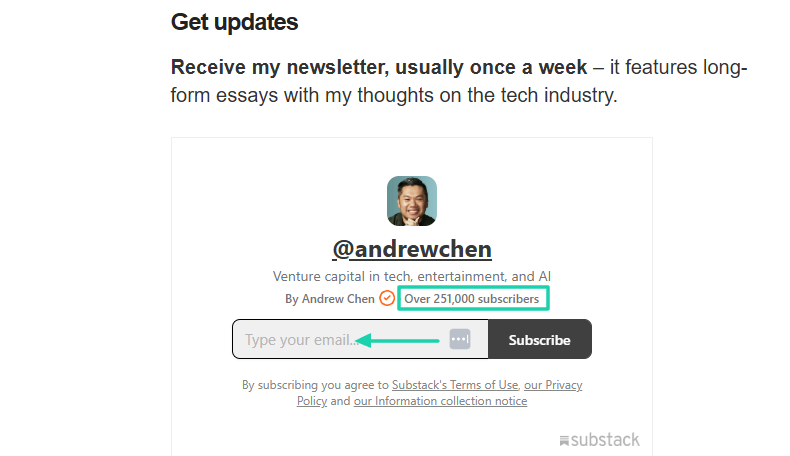
Take Andrew Chen, a well-known figure in the startup ecosystem. He wrote a letter some years ago in which he announced that turned all his 2018 essays into an e-book PDF.
Later in the same letter, he asked readers to subscribe to his newsletter to get future updates.
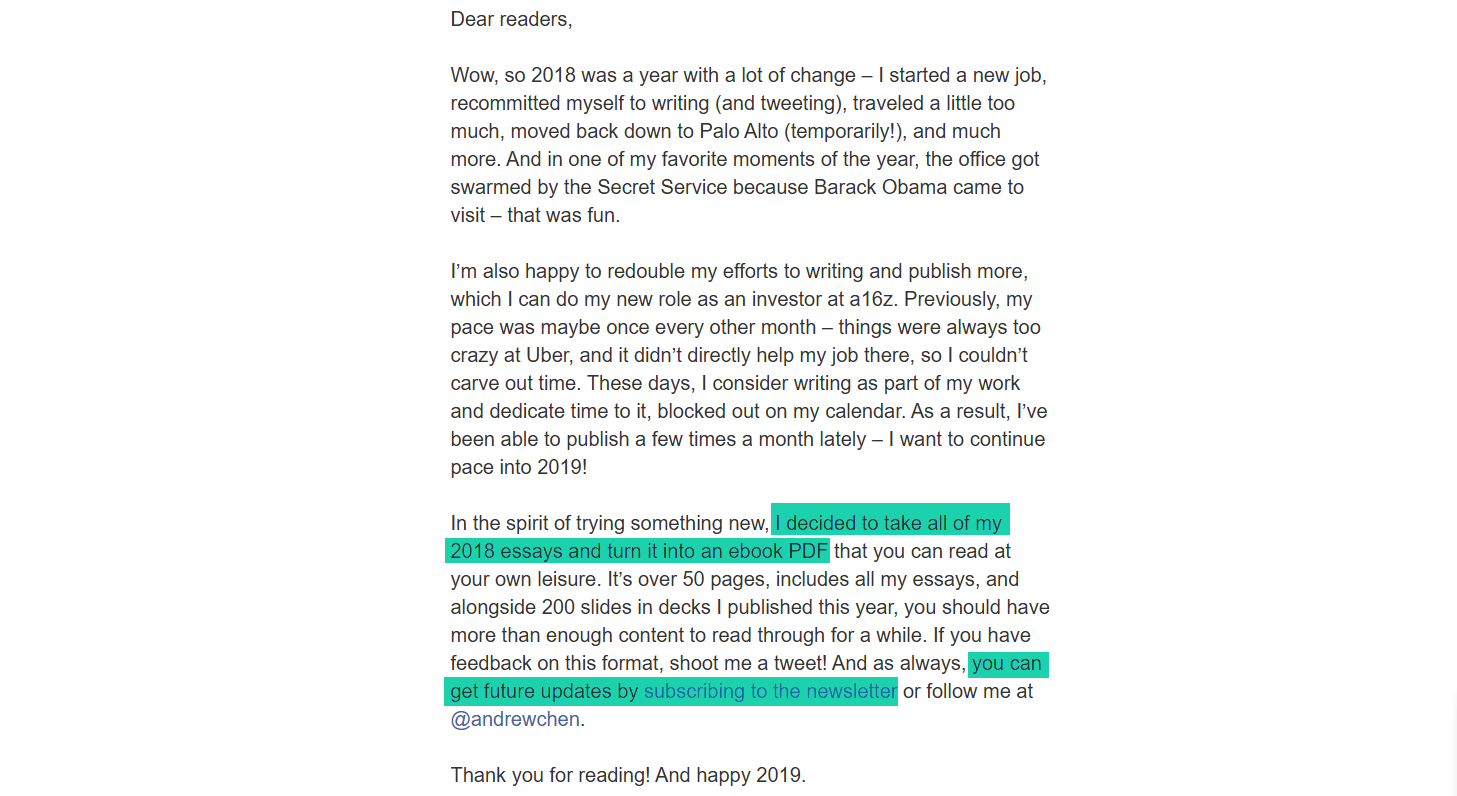
He used free PDFs as a lead magnet to grow his audience. He has over 251,000 subscribers now.
Apart from freebies and lead magnets, there are many other ways to promote your PDF. You can, for instance, use social media or groups.
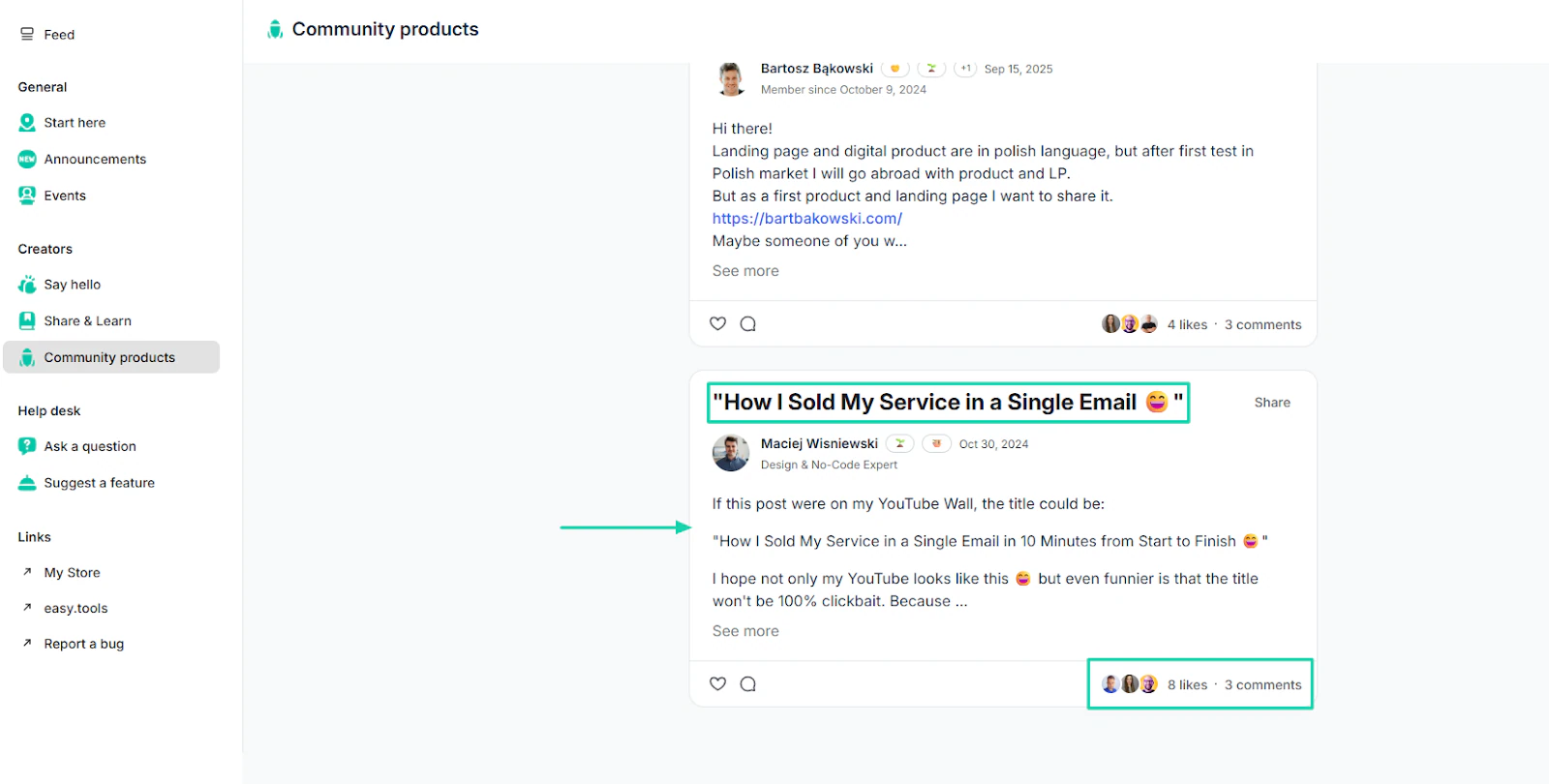
If you are already in some communities, you can make good use of them. Drop a free PDF, or discuss the problems it solves. It’s an advantage, and the good news is you don’t need to spend money.
When you discuss what your product is about in a community, it creates awareness. People can react and engage with you.
Even if you sell PDFs online on Easytools, you can still market them on YouTube. Creators do that all the time.
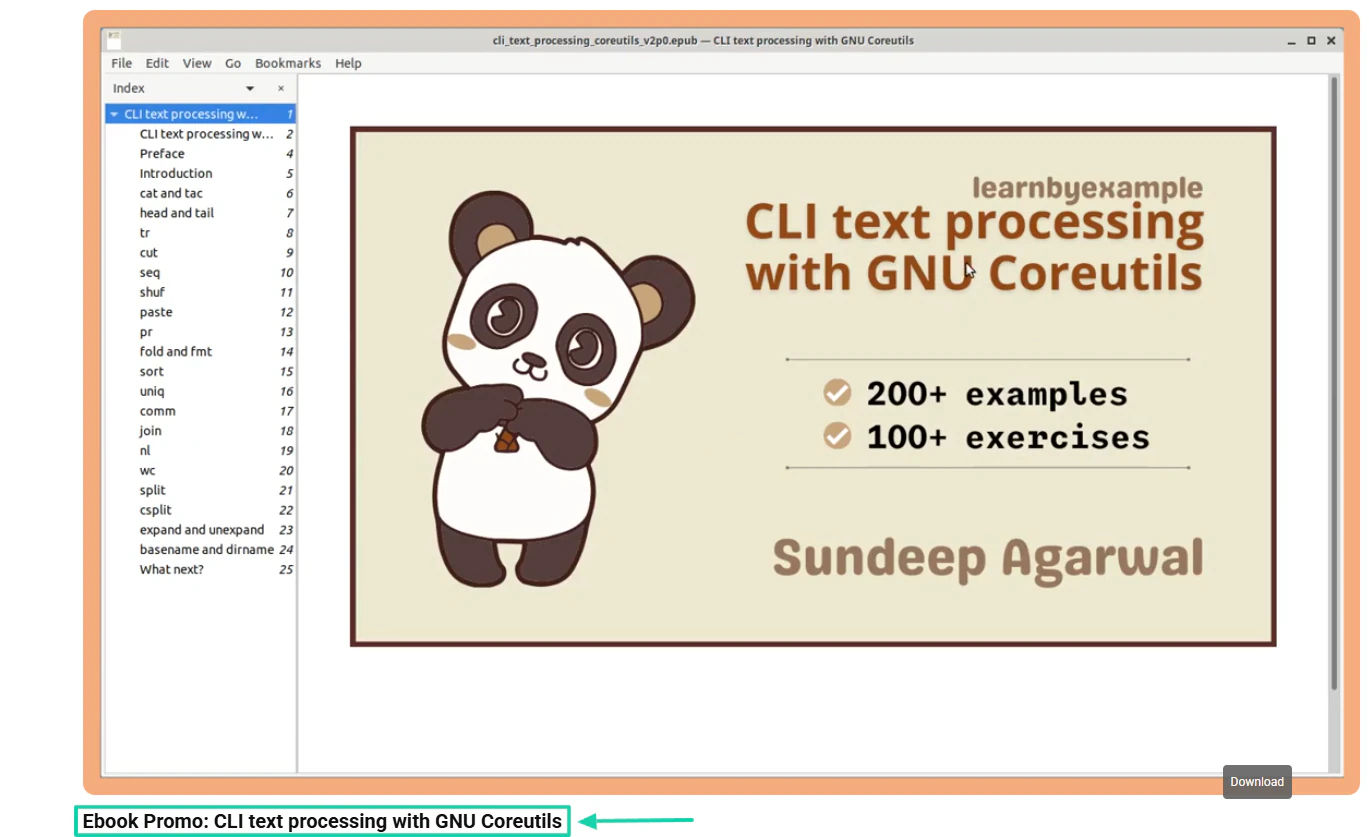
Take learnbyexample, for instance. It’s run by Sundeep Agarwal. He posted a YouTube video promoting his own e-book.
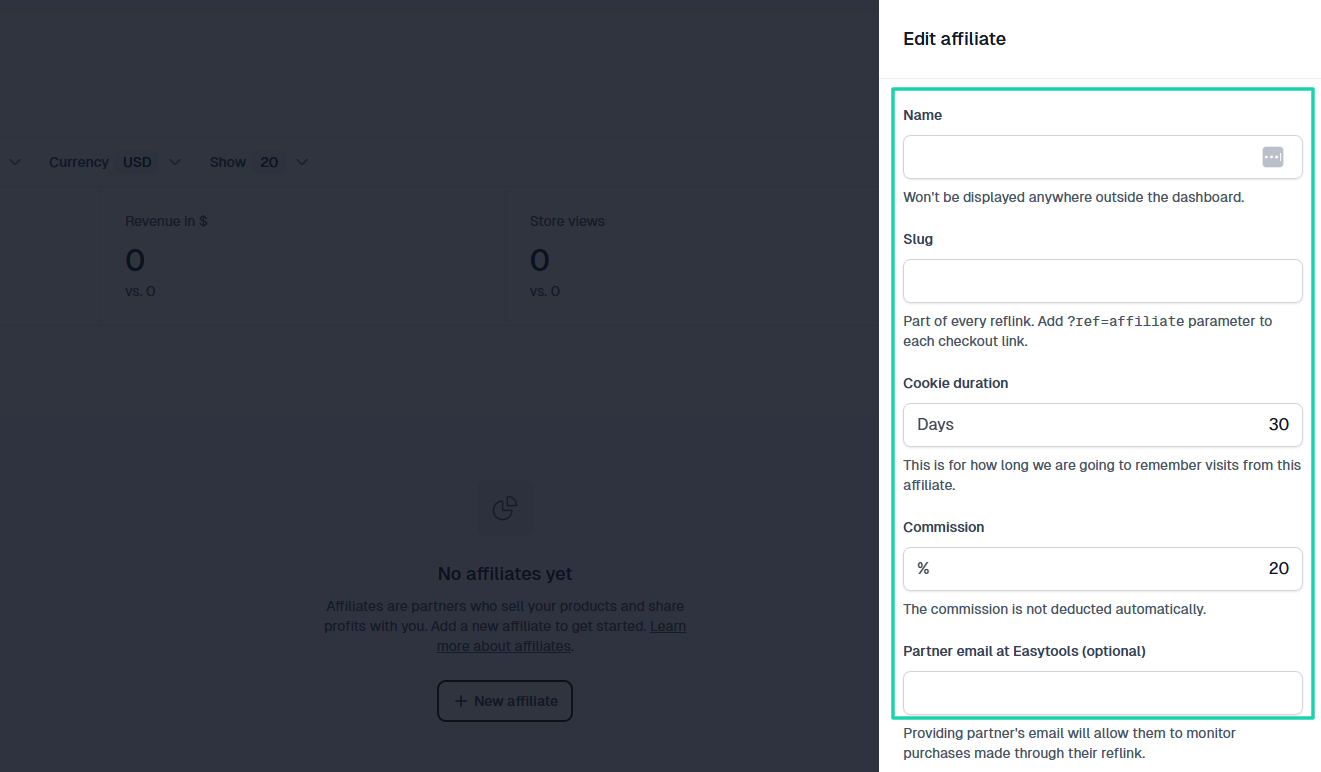
You can also use affiliate marketing to promote and sell PDFs online. You pay a commission when people recommend your PDF.
When it comes to promoting your PDF, you should go all out. If you don’t, nobody will do it on your behalf.
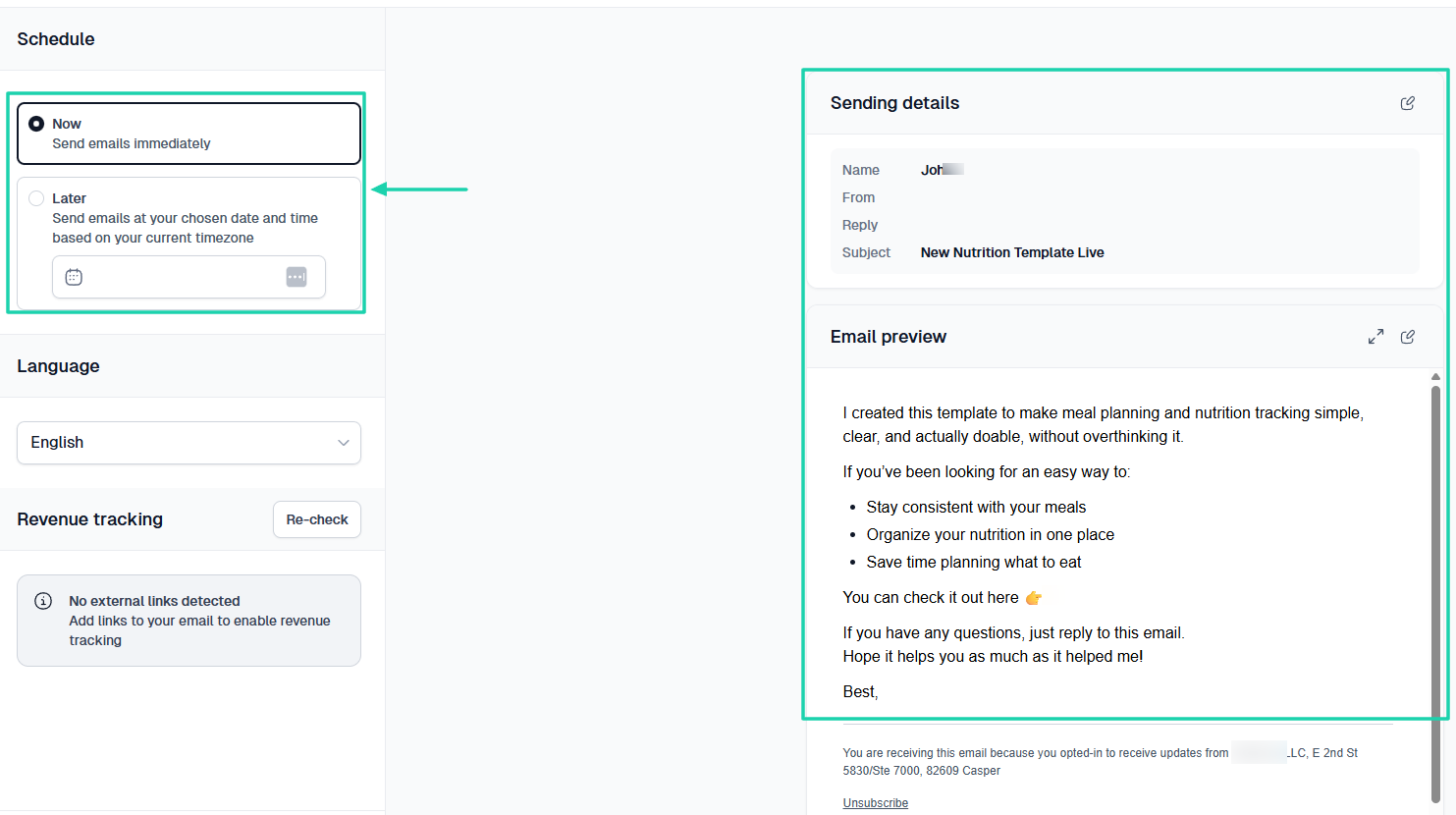
At Easytools, we offer Easymail, a feature that can help you send emails to your existing email list.
It’s simple, yet efficient. You craft your subject and email, choose the recipients, and schedule when to send it.
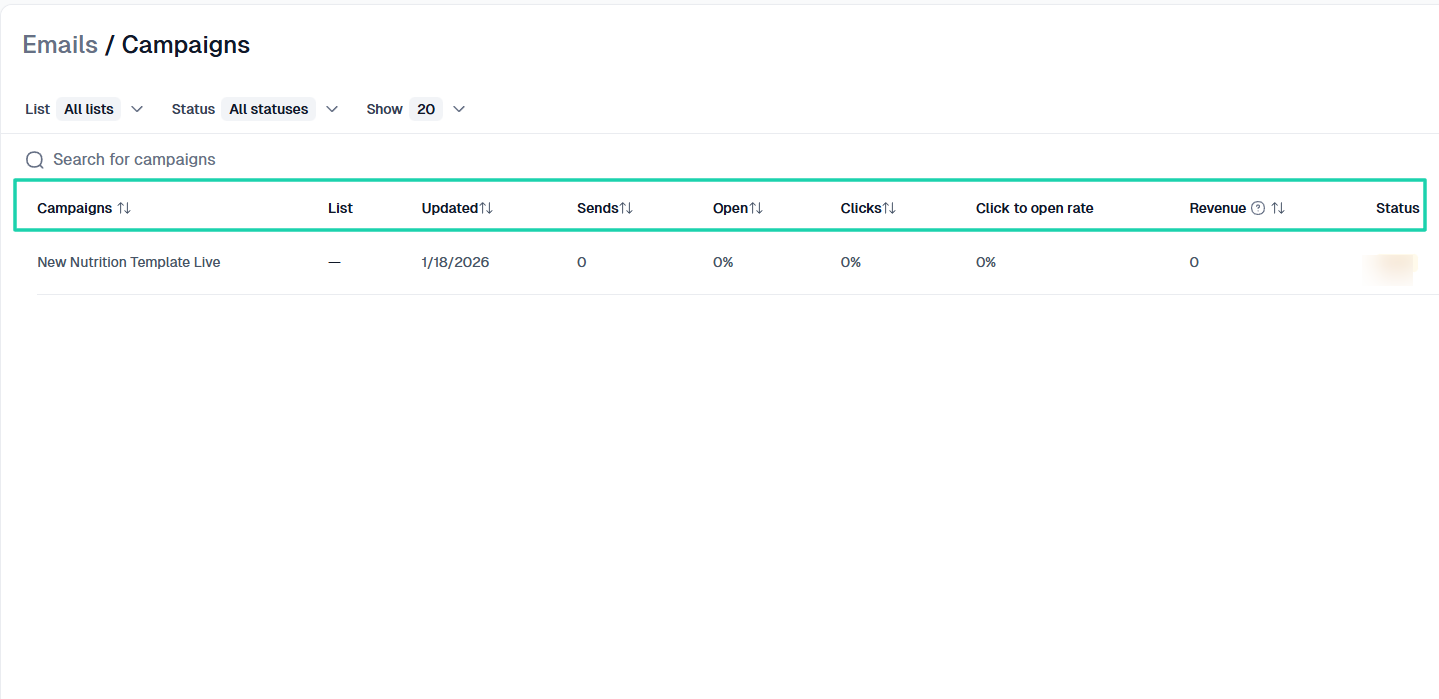
You can see great insights into your campaign, like when it was updated and the number of emails sent and opened. You will also see the clicks and the click-to-open rate.
And one thing you will love is the revenue tracking feature. If the email you send to your existing email list has an offer, when people use it, you can see who did and how much that campaign made.
Creators have so much to gain using Easytools.
All I am trying to say is that you need to take the marketing and promotion of your PDF to the next level. You can’t just sit right after creating your PDF and choosing your platform.
30 types of PDFs you can sell
If you’ve reached this stage of the article and still don’t know which PDF to sell, no worries. I have prepared a list of 30 types of PDFs you can sell. You may find one that suits you best.
- E-books
- Industry reports
- Whitepapers
- How-to guides
- DIY patterns
- Courses and worksheets
- Handbooks and manuals
- Workbooks and exercise-based PDFs
- Cheat sheets
- Study notes and simplified summaries
- Resume and CV templates
- Business forms and invoices
- Contracts and legal-style templates
- Content calendars
- Email scripts and swipe files
- Planners (daily, weekly, monthly)
- Habit trackers
- Goal-setting worksheets
- Budget planners
- Meal planners
- Marketing frameworks
- Launch checklists
- Brand strategy worksheets
- Client onboarding guides
- Travel itineraries
- Wedding planning checklists
- Fitness and workout guides
- Meal-prep or diet guides
- Pet care manuals
- Classroom resources for teachers
Sell PDFs online
That’s it! You’ve learned how to sell PDFs online in five easy steps.
As a gentle reminder, you should choose a PDF topic that people actually want to buy, create a high-quality PDF, and pick the best platform.
After that, you should price your PDF, then market and promote it.
As easy as it may sound, if you follow all the steps I shared in this article, you will definitely be able to sell PDFs online.
The question is, what are you waiting for?