Blog
6 best Podia alternatives in 2026! Features, pricing, pros, and cons
6 best Podia alternatives: 1. Easytools, 2. LearnWorlds, 3. Systeme.io, 4. Payhip 5. ClickFunnels, 6. SamCart, …

Different creators need different tools. Some need advanced email marketing and automations.
Others need conversion-optimized checkouts and lower transaction fees. Regardless, creators will always want better platforms than the ones they’re already using.
And that is why we wrote this article. For the past two weeks, our team has tested sixteen Podia alternatives to find the best ones.
After a careful discussion, here are the six best Podia alternatives we recommend. They have great features, are affordable, and have excellent customer service.
Let’s review them.
TL;DR
-
The best Podia alternatives are:
-
1. Easytools
-
2. LearnWorlds
-
3. Systeme.io
-
4. Payhip
-
5. ClickFunnels
-
6. SamCart
-
A good alternative to Podia is affordable and lets you sell online courses, digital downloads, and other digital products. It should be perfect for new solopreneurs and scaling businesses.
-
You can choose the best Podia alternatives by considering the features you need, skill level, growth plans, and budget.
Best Podia alternatives compared
6 Best Podia alternatives
1. Easytools
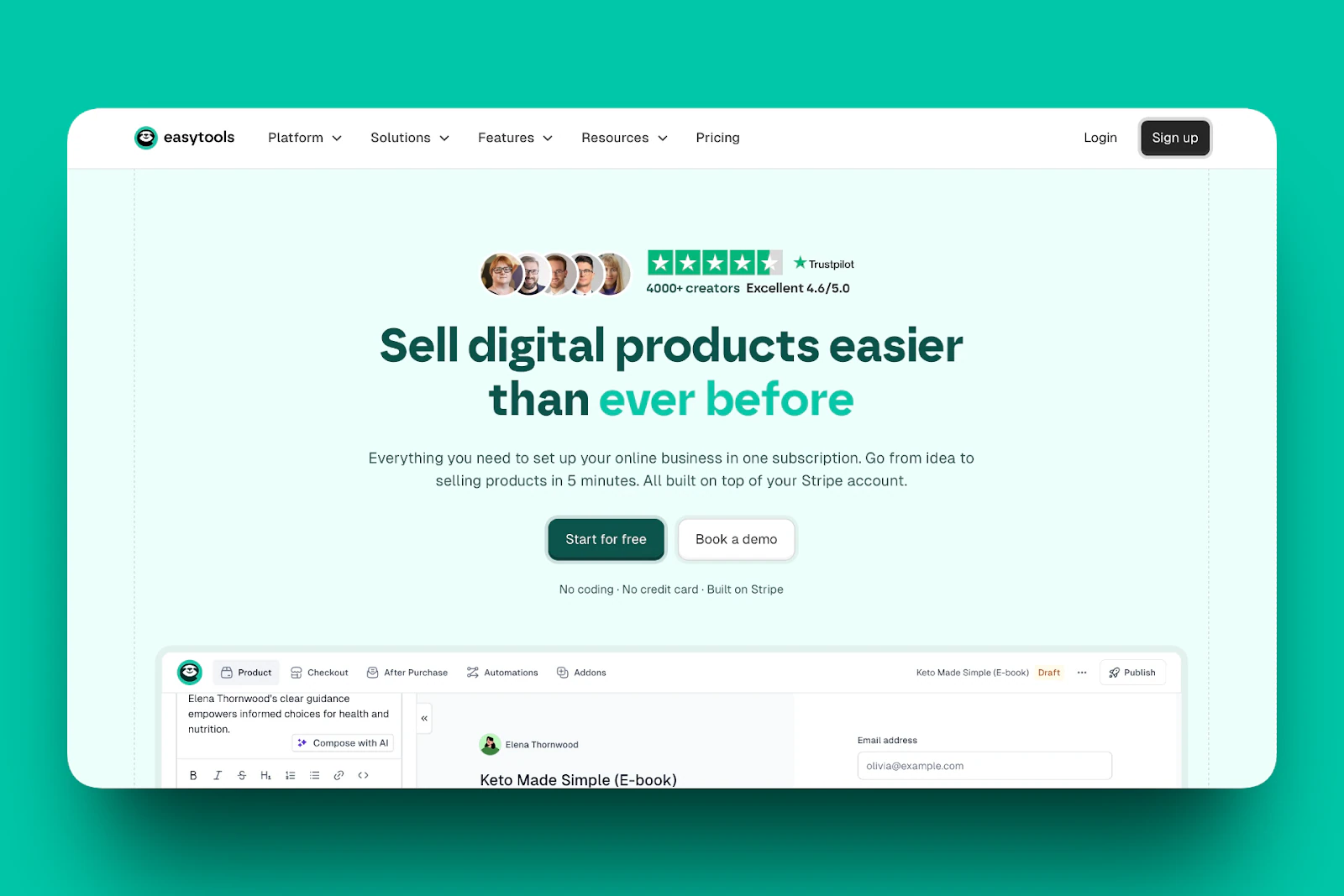
First up on my list of the best Podia alternatives is Easytools.
It’s an all-in-one no-code platform with creator and customer portals for selling and delivering digital (and physical) products. It also has a conversion-focused checkout, sales tools, and automated global tax handling.
Creators have earned over $228 million in sales, processed 1+ million transactions, and have built more than 96,000 products using Easytools.
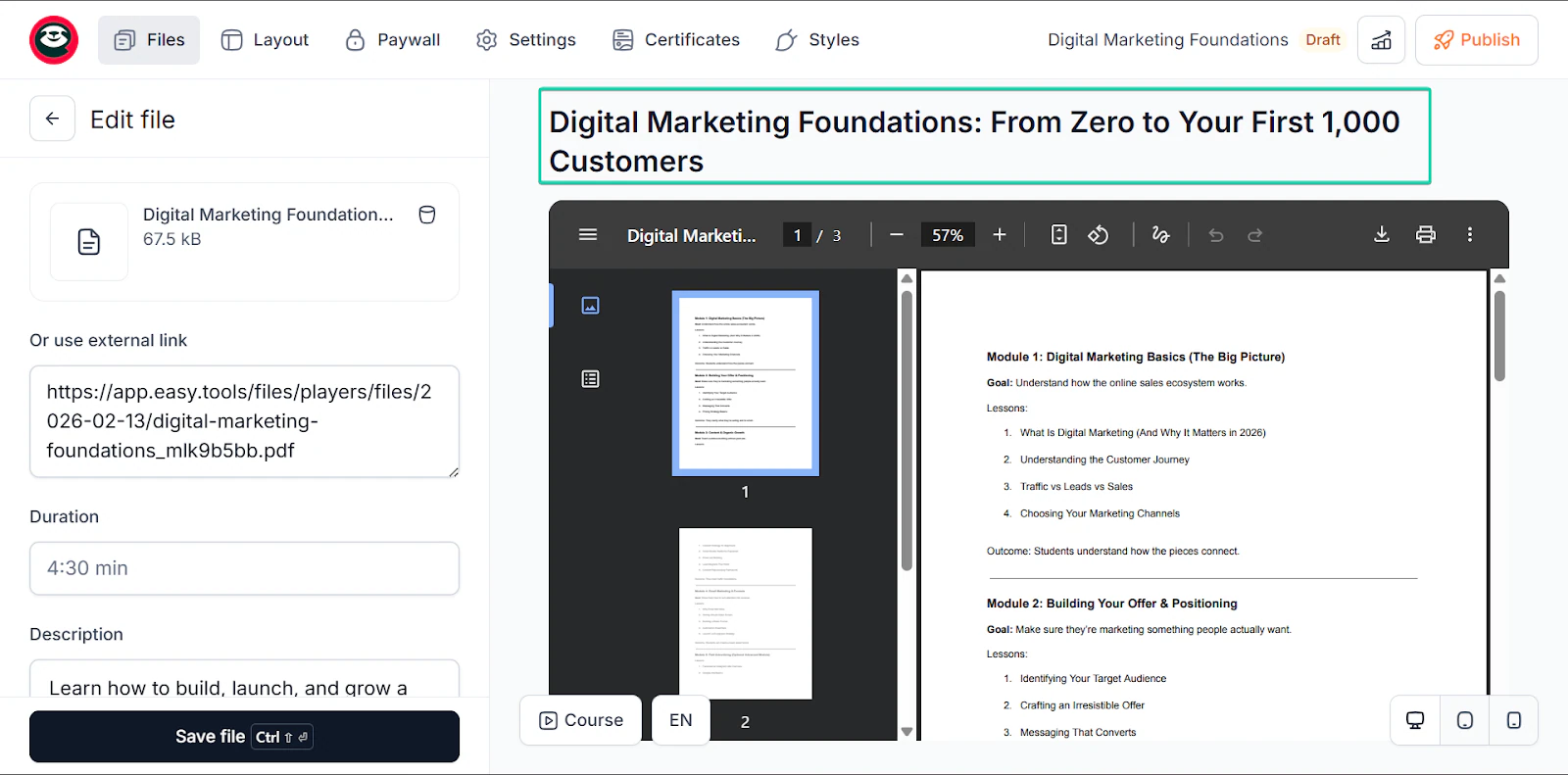
The course feature makes it easy to create modules, lessons, and content in clean layouts.
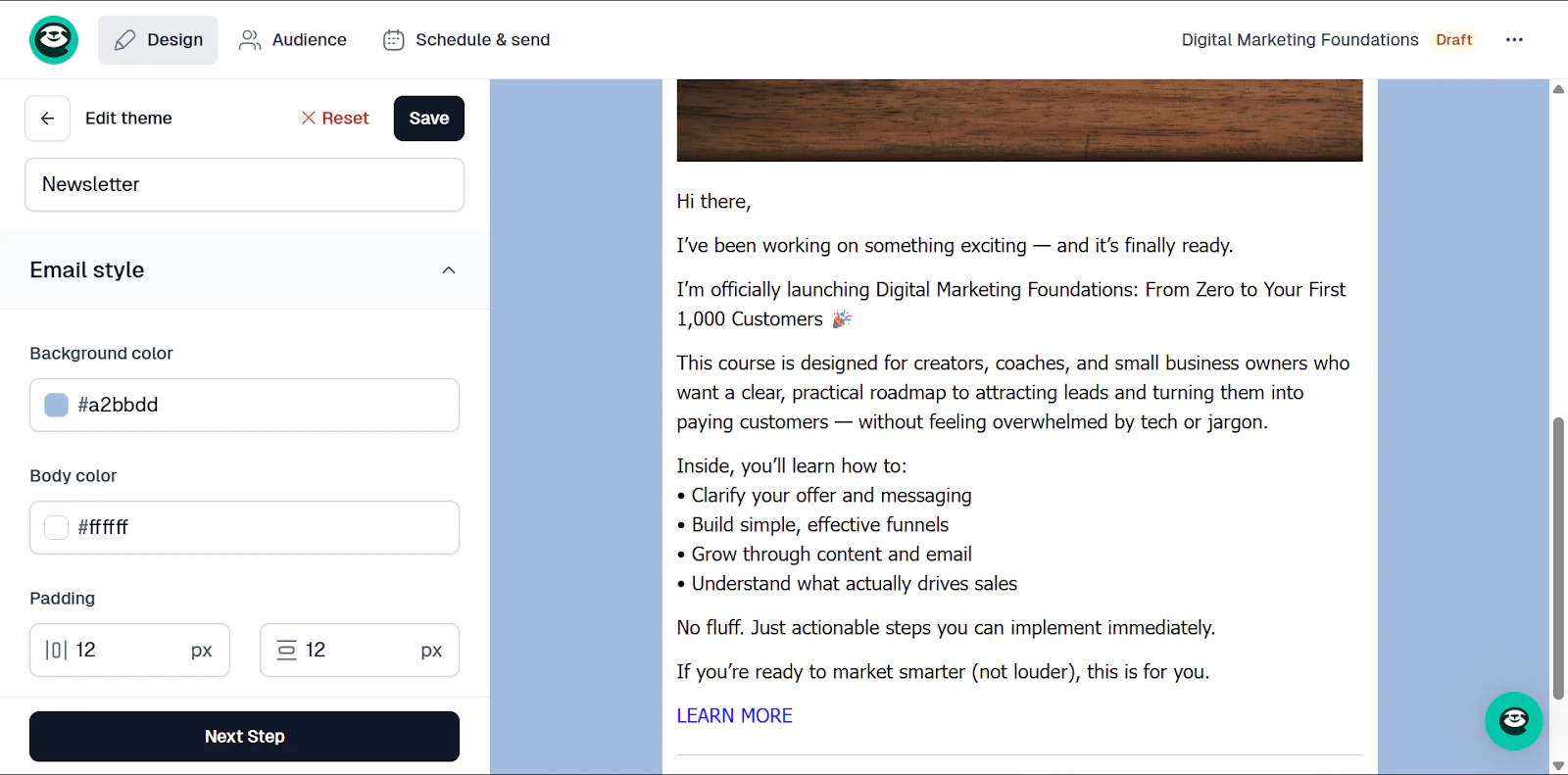
The built-in email campaign feature also helps you nurture leads, launch products, and follow up with your customers.
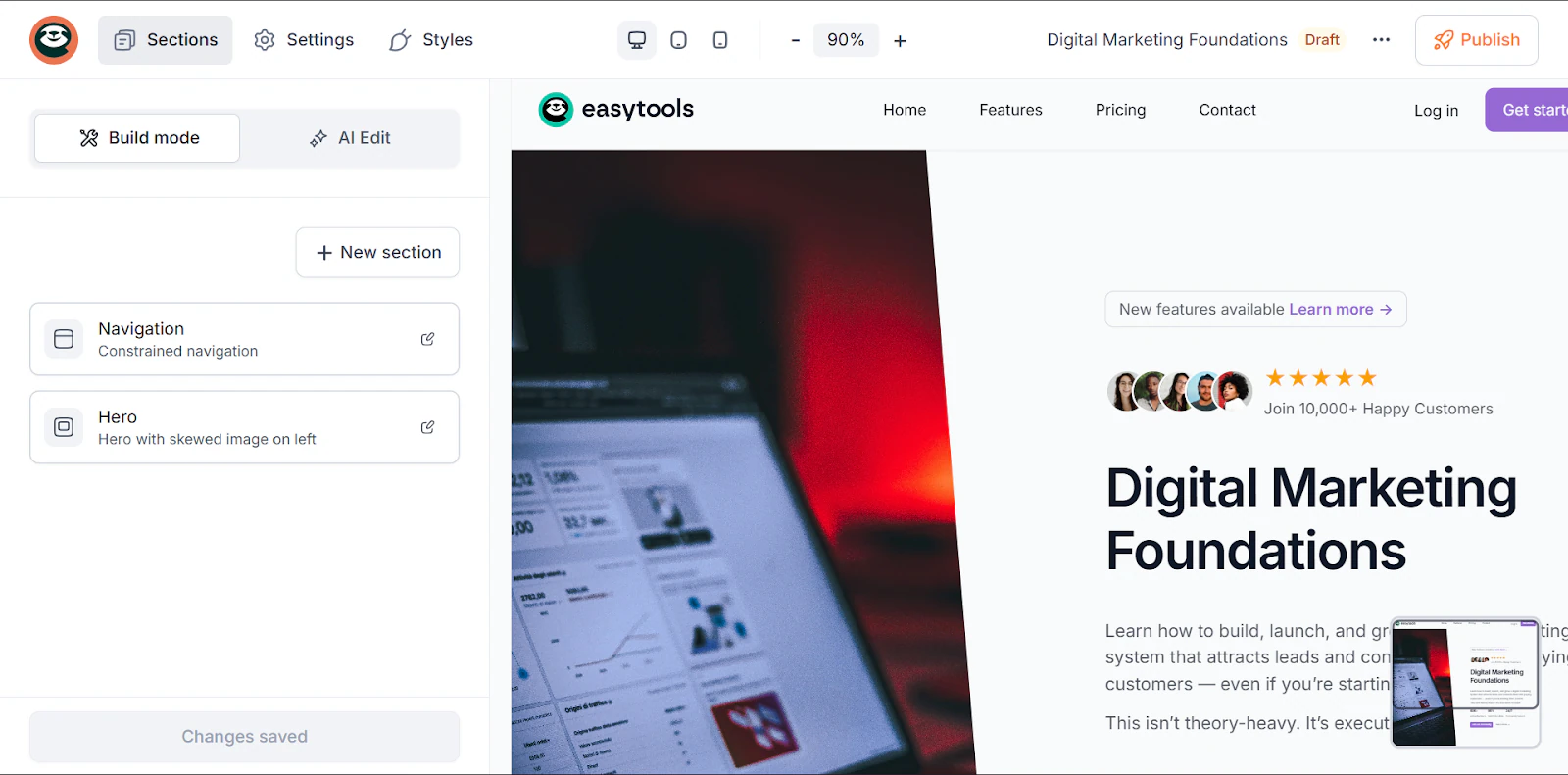
And with websites, you can create branded sales pages to help you convert leads into buyers.
Let’s check out these features in more detail in the next section.
What I loved about Easytools
1. Courses
Easytools’ course feature lets you create and sell content, like modules and lessons, in minutes.
You can set up your course, customize checkout, and build a website with a protected student login area, all in one go.
Here’s how it works:
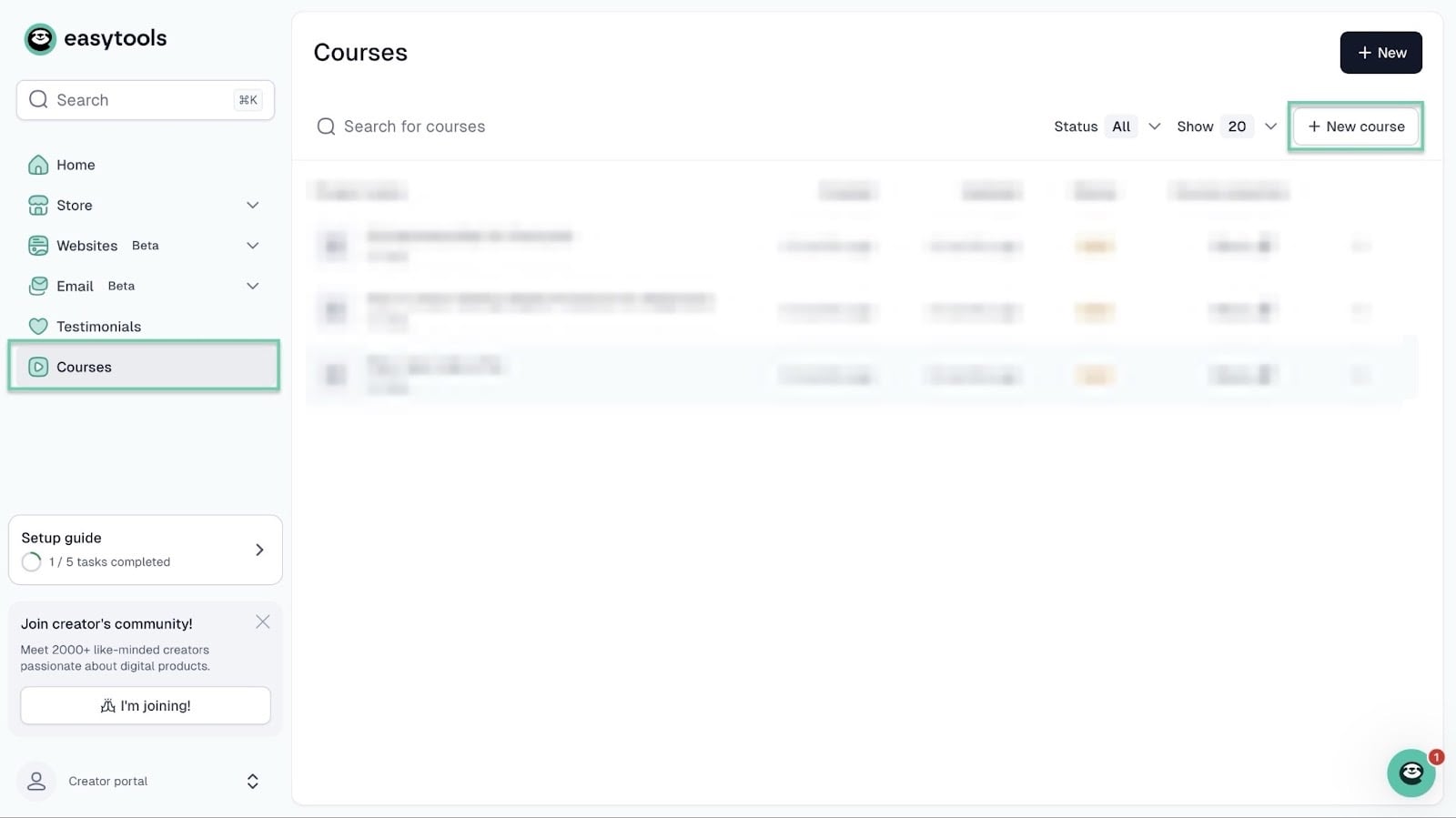
Right from the homepage, click “Course” in the sidebar. Then select “+ New course” at the top right corner of the window.
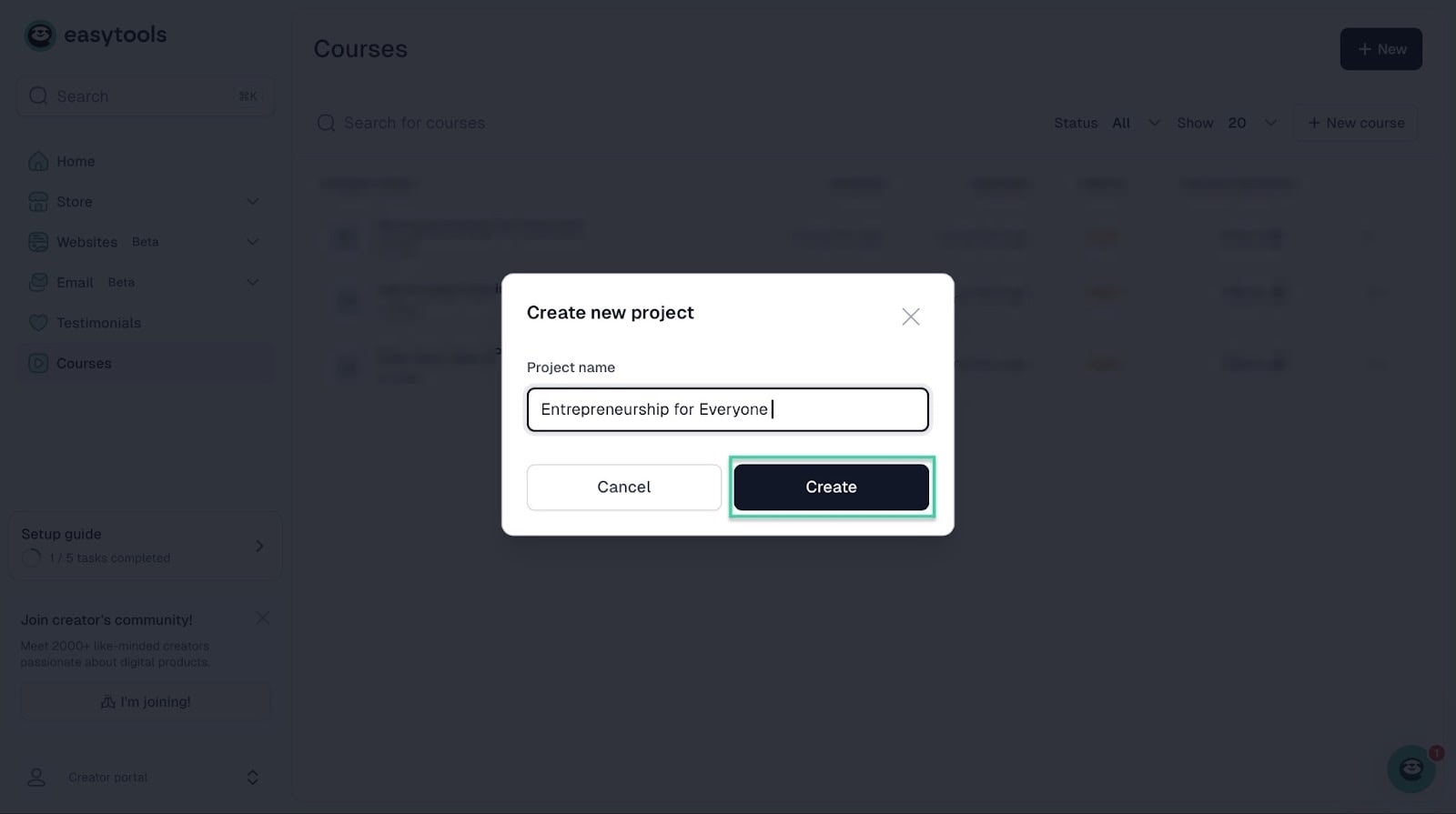
In the pop-up window, name your online course and click “Create.”
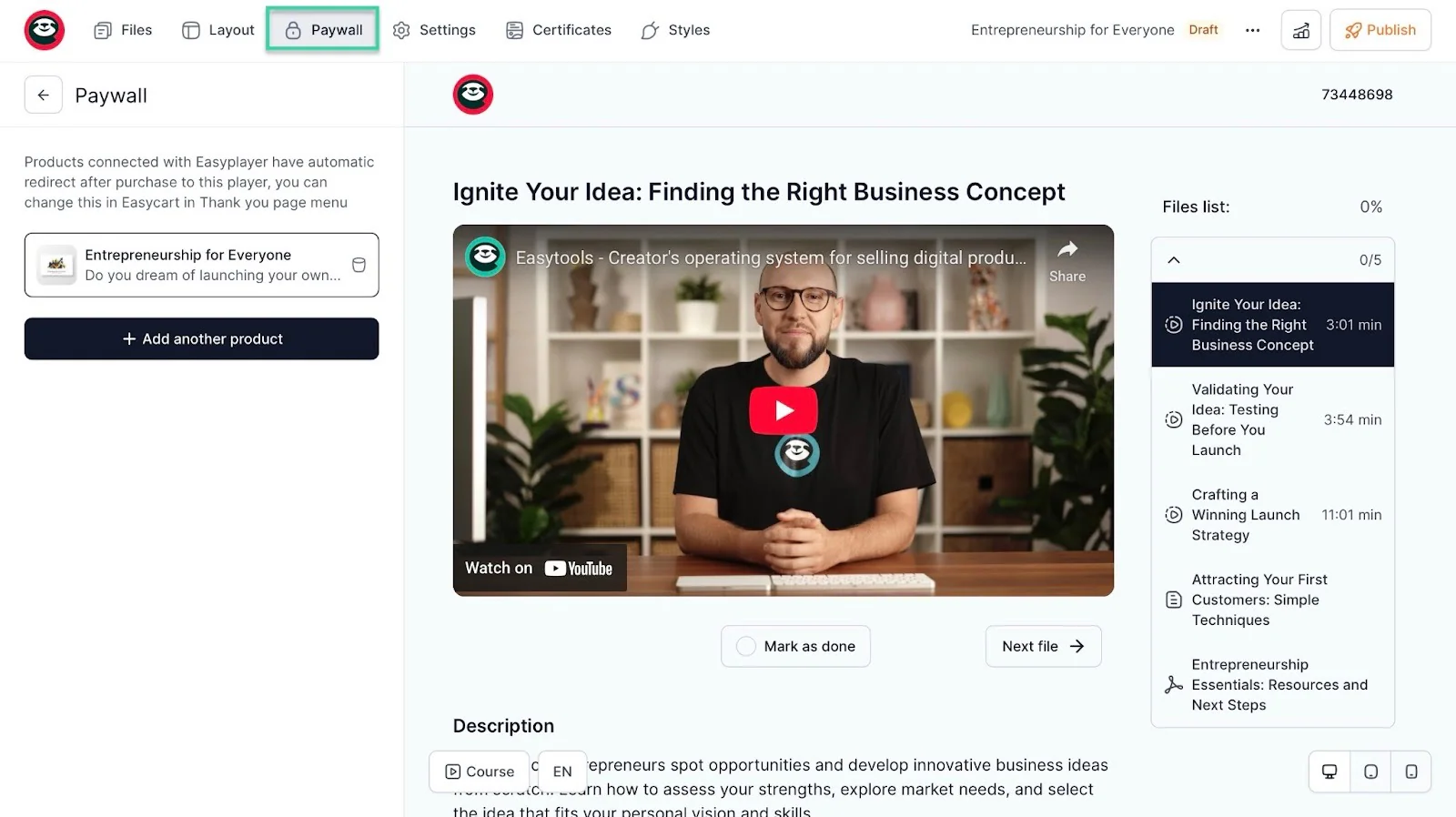
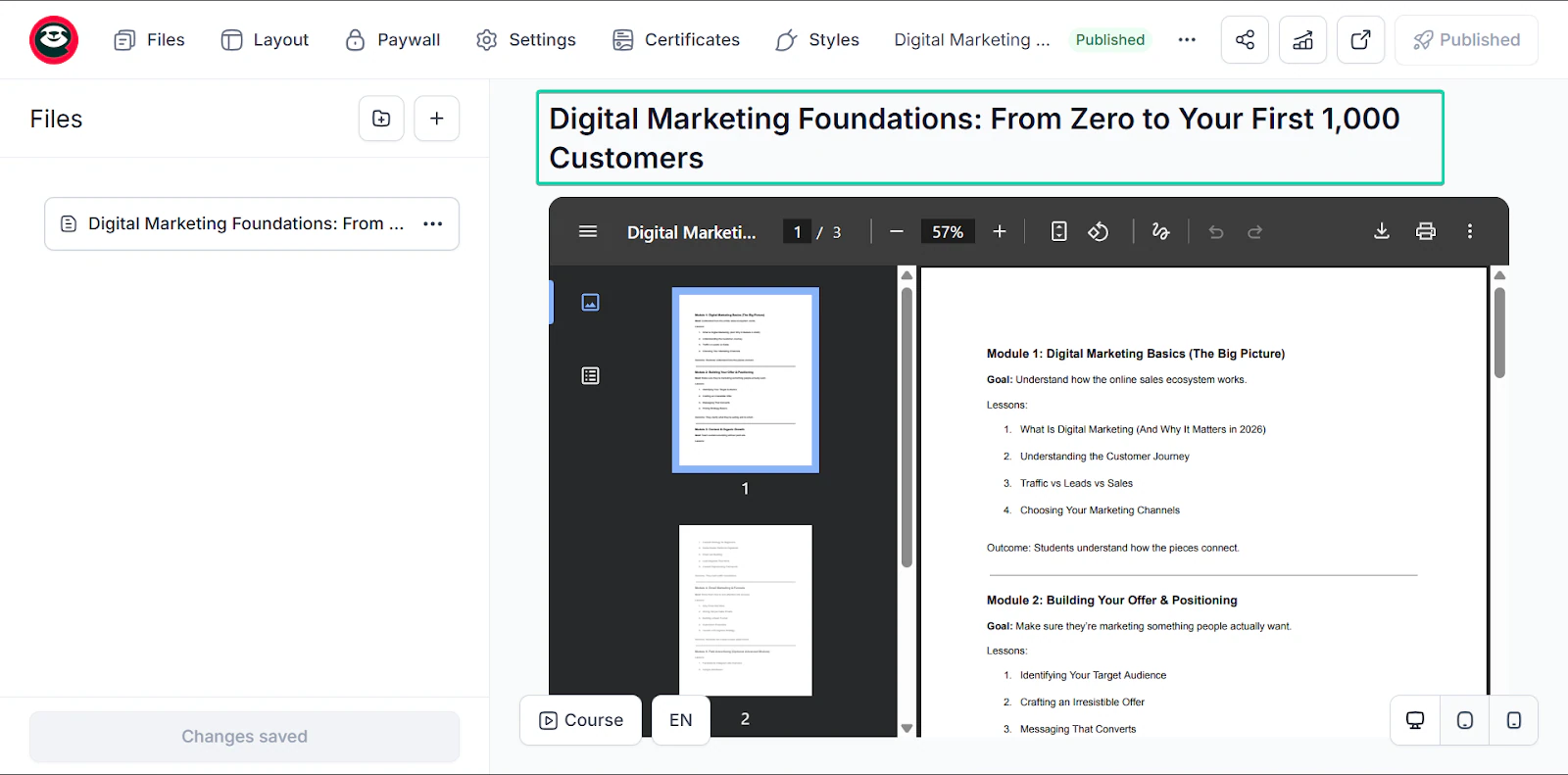
And Easytools creates your course. You can customize it and add actual files to the lesson modules.
Once you’ve done all that, you just have to click the publish button at the top right corner of the window to make it live.
The good thing is that on Easytools, courses are paywalled. You can even add another digital product with gated access.
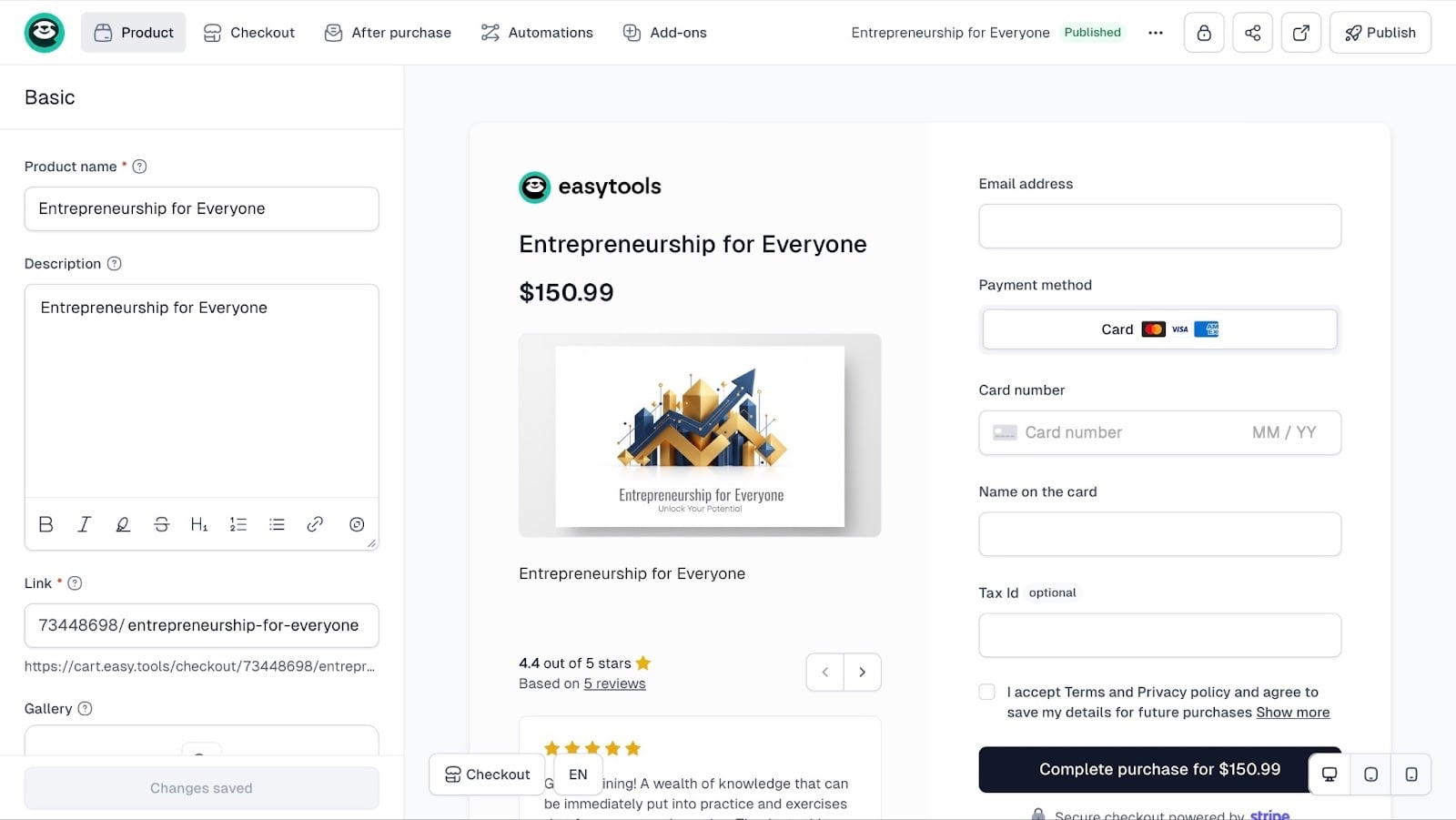
You can also create a checkout for your online course to accept payments.
Lastly, you can create a landing page for your online course.
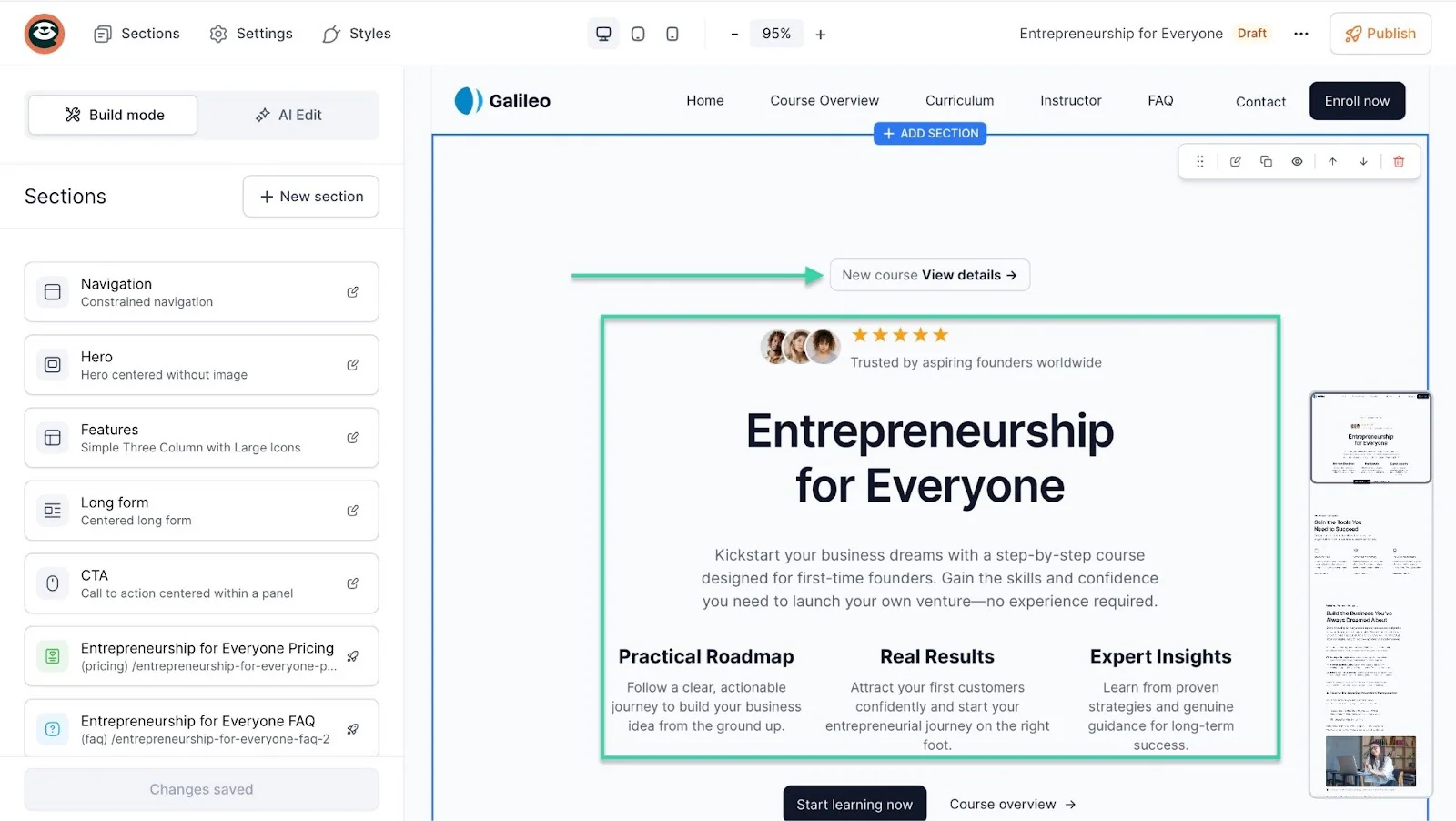
So, like I already said, Easytools gives you a paywalled online course, a checkout to accept students’ payments, and a functioning website to showcase it.
2. Email
Now, you can’t just create a course and have it sit in your Easytools’s storefront.
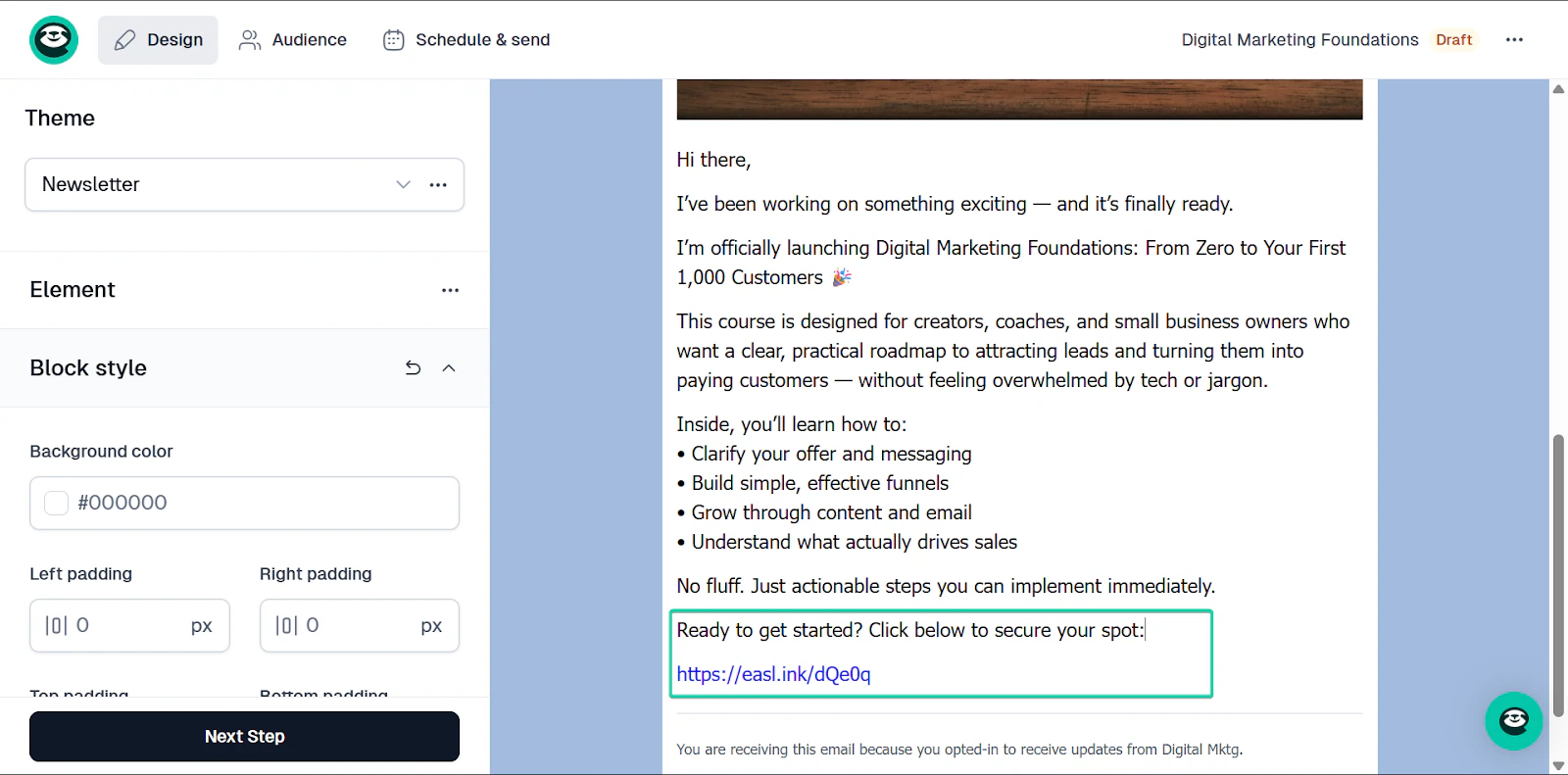
The email feature lets you share important announcements (like new courses) with your audience.
It’s what will drive your sales, and Easytools has built this feature directly into the platform. This is perfect for creators who want to keep their customers returning and making recurring purchases.
Let’s walk through how it works.
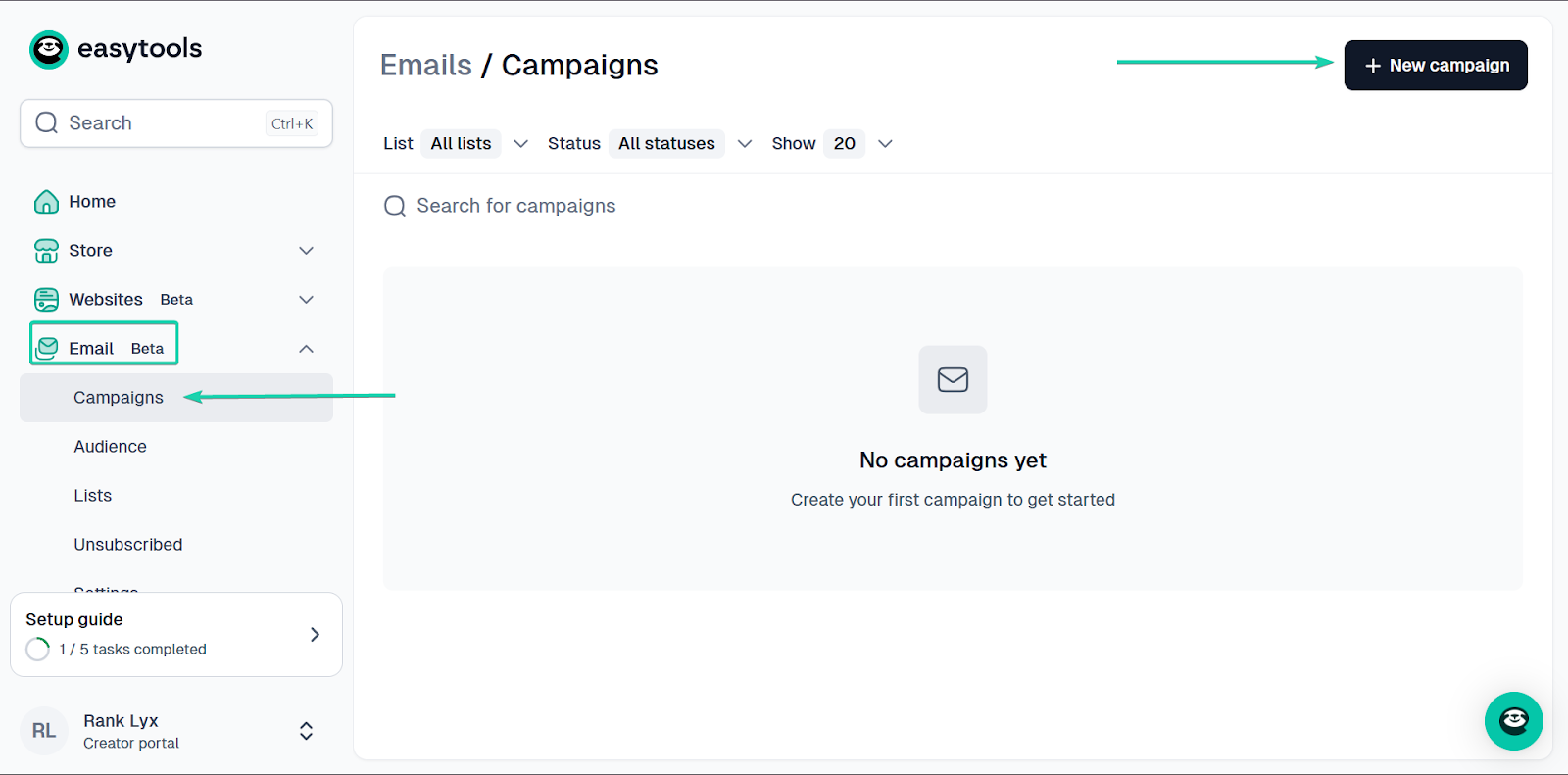
On the homepage, head to “Email” and click “Campaigns.”
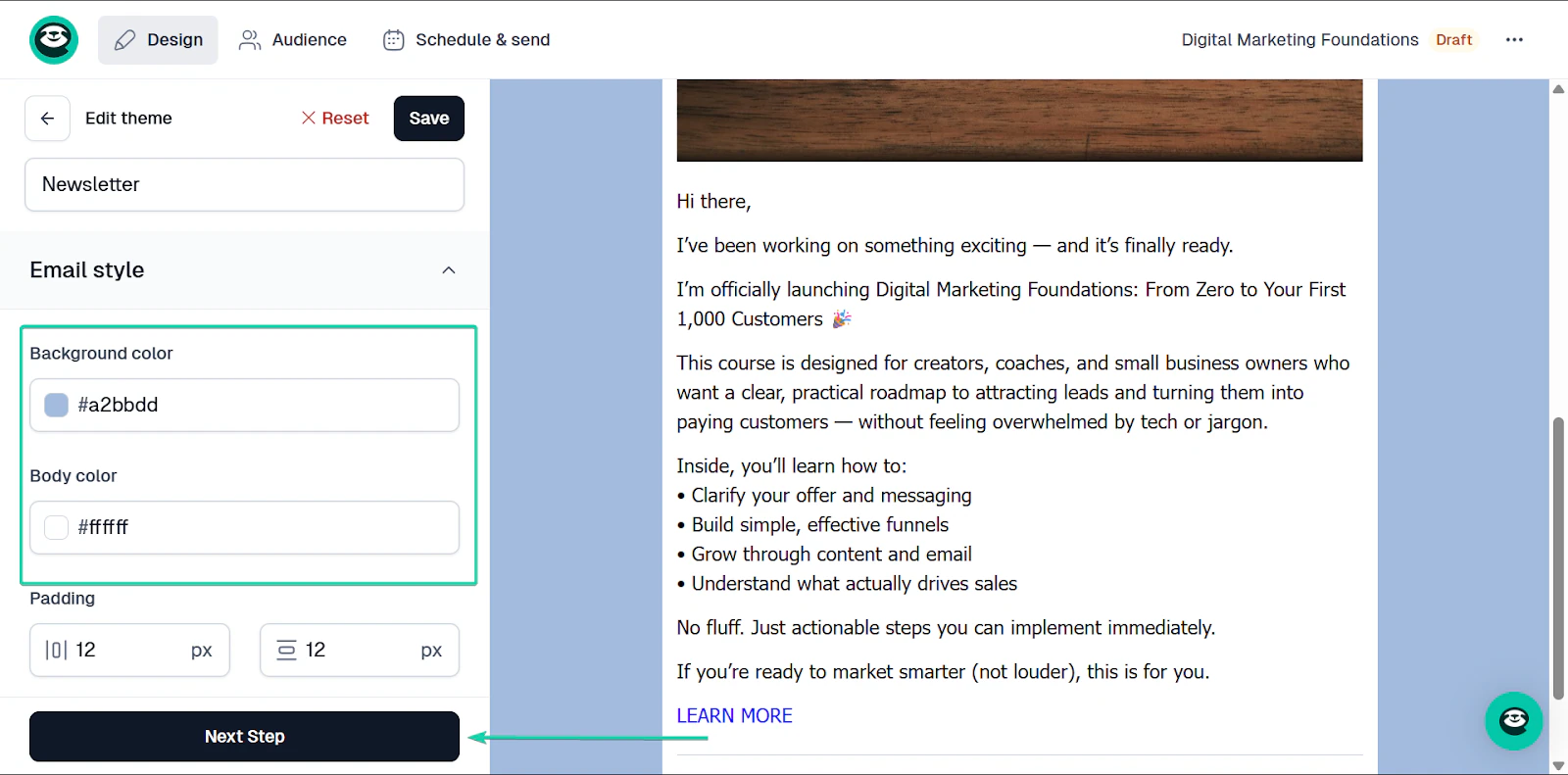
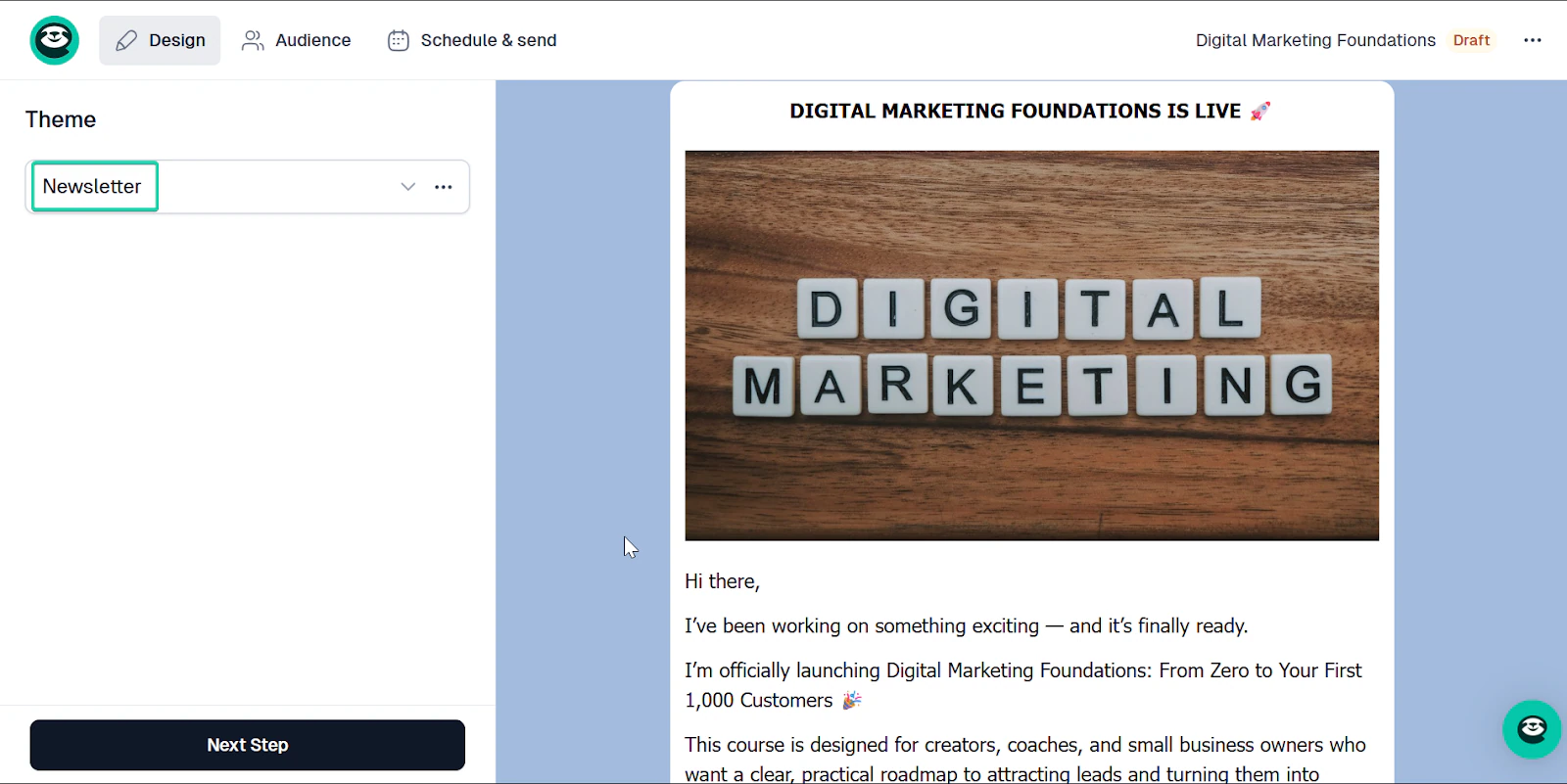
In the newsletter builder, you can set the background, select your preferred font, and make general design tweaks to suit your style.
Click “Next Step” when you’re done.
When you’re done selecting your audience, you can choose when to send your email.
Easytools’ email targeting lets you segment your audience with advanced sales-based filters.
That means you can send emails to clients who bought a specific product or who spent over a certain amount without setting up complicated integrations.
With Easytools, you can “send now” or “send later” at a scheduled date and time.
You can also use our built-in revenue-tracking feature for your emails.
If you include a link to your checkout or store inside a campaign, Easytools automatically tracks it. That means you can later see exactly how much revenue that specific email generated.
3. Websites
The websites feature lets you create landing pages with cookies, donation options, social proof, legal pages, pricing sections, and FAQs.
Let me walk you through how to create a landing page on Easytools.
First, head to “Websites” and go to “Landing pages.”
Then click “+ New landing page.”
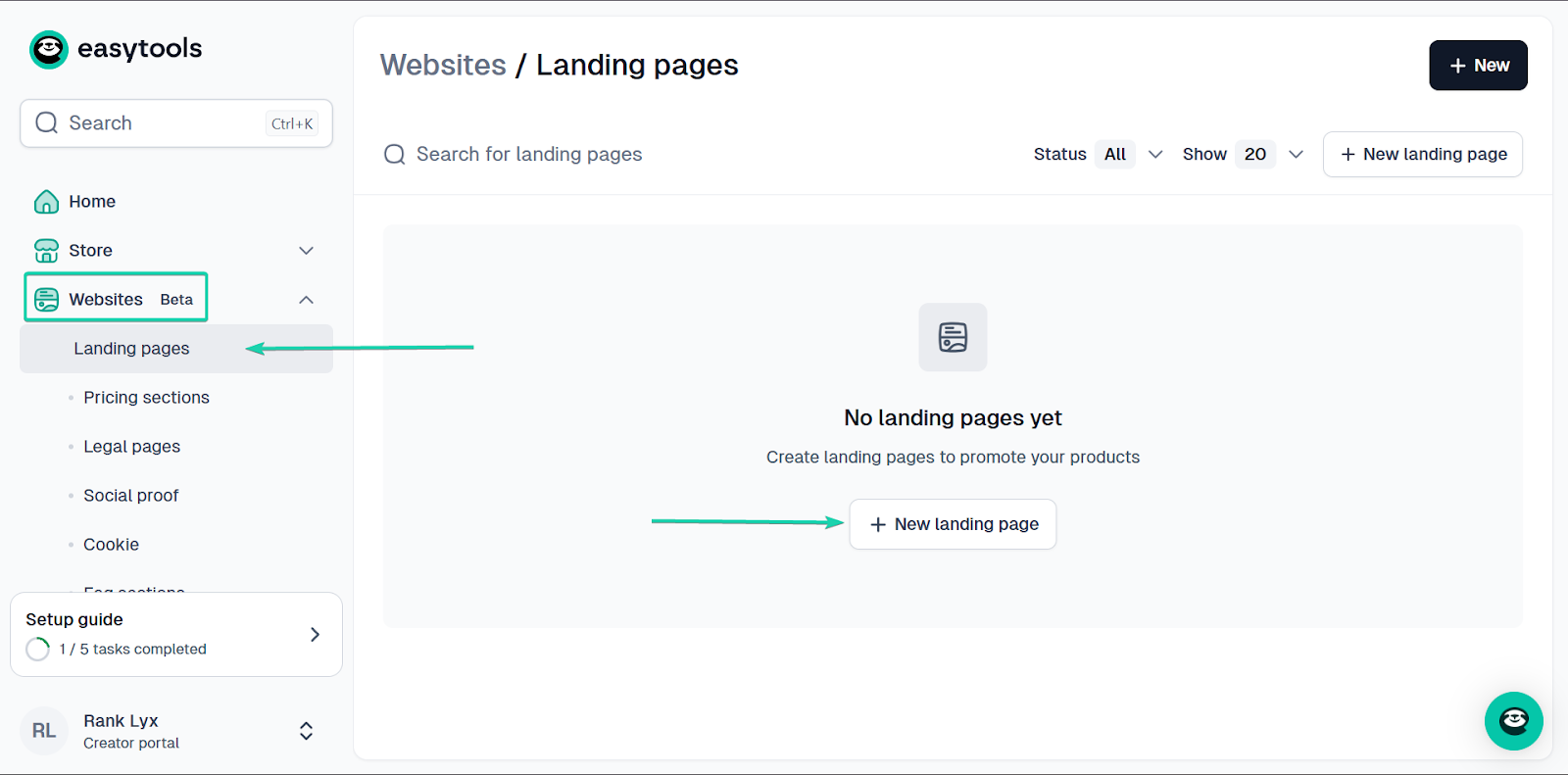
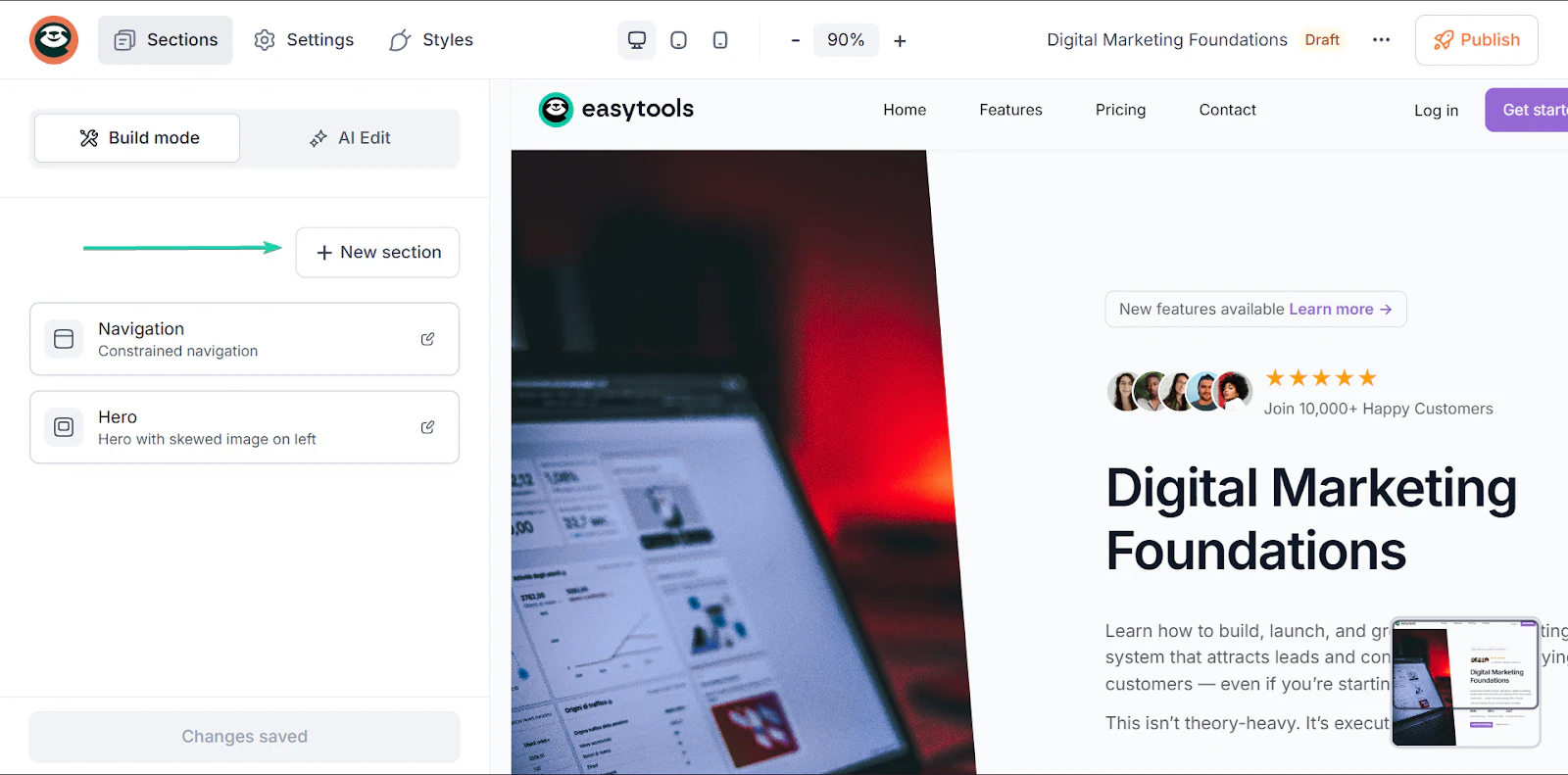
In the landing page builder, you can quickly add new sections.
When you click “+New section,” Easytools gives you options to structure your landing page.
Simply drag and drop your sections. You can then edit the text.
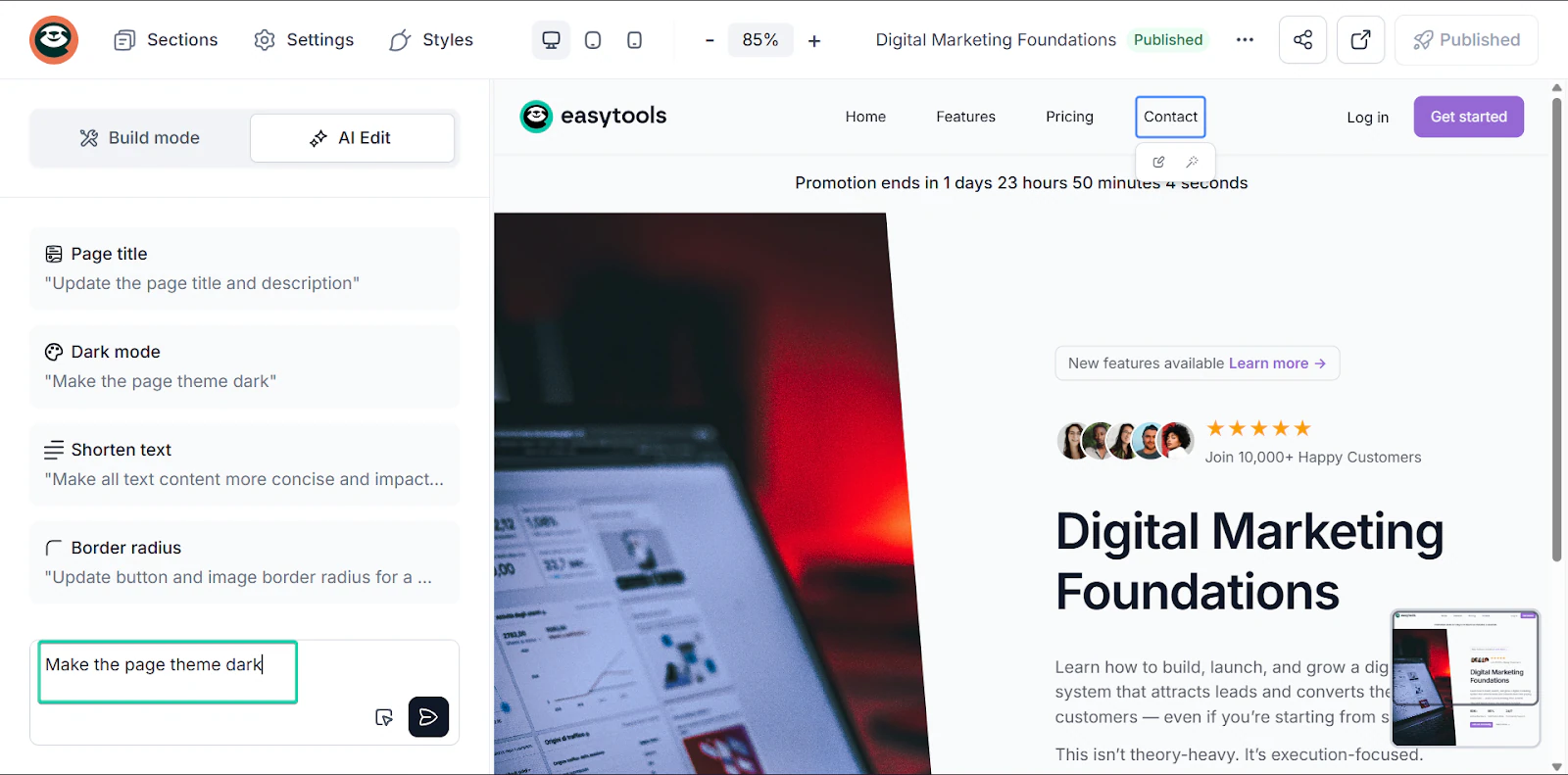
You can also use the “AI Edit” function to make your edits faster.
You can quickly edit text and the landing page design with this function. Once you’re done creating, hit “Publish” in the top-right corner of the page.
These are just some of the features that make Easytools one of the best Podia alternatives
What I loved vs what I struggled with
What I loved 👍
✅ All-in-one platform setup allowing you to create products, websites, and send emails without the need for complex integrations.
✅ Built for revenue generation and not just hosting content.
✅ Excellent balance between simplicity and scalability.
✅ Drag-and-drop tool makes it easier to build landing pages in minutes.
What I struggled with 👎
❌ All plans include transaction fees, but built-in features take away the need for extra paid tools, so it’s cost-effective.
Best for
- Creators who want to sell and scale on an easy-to-use yet functional sales-focused platform
Pricing
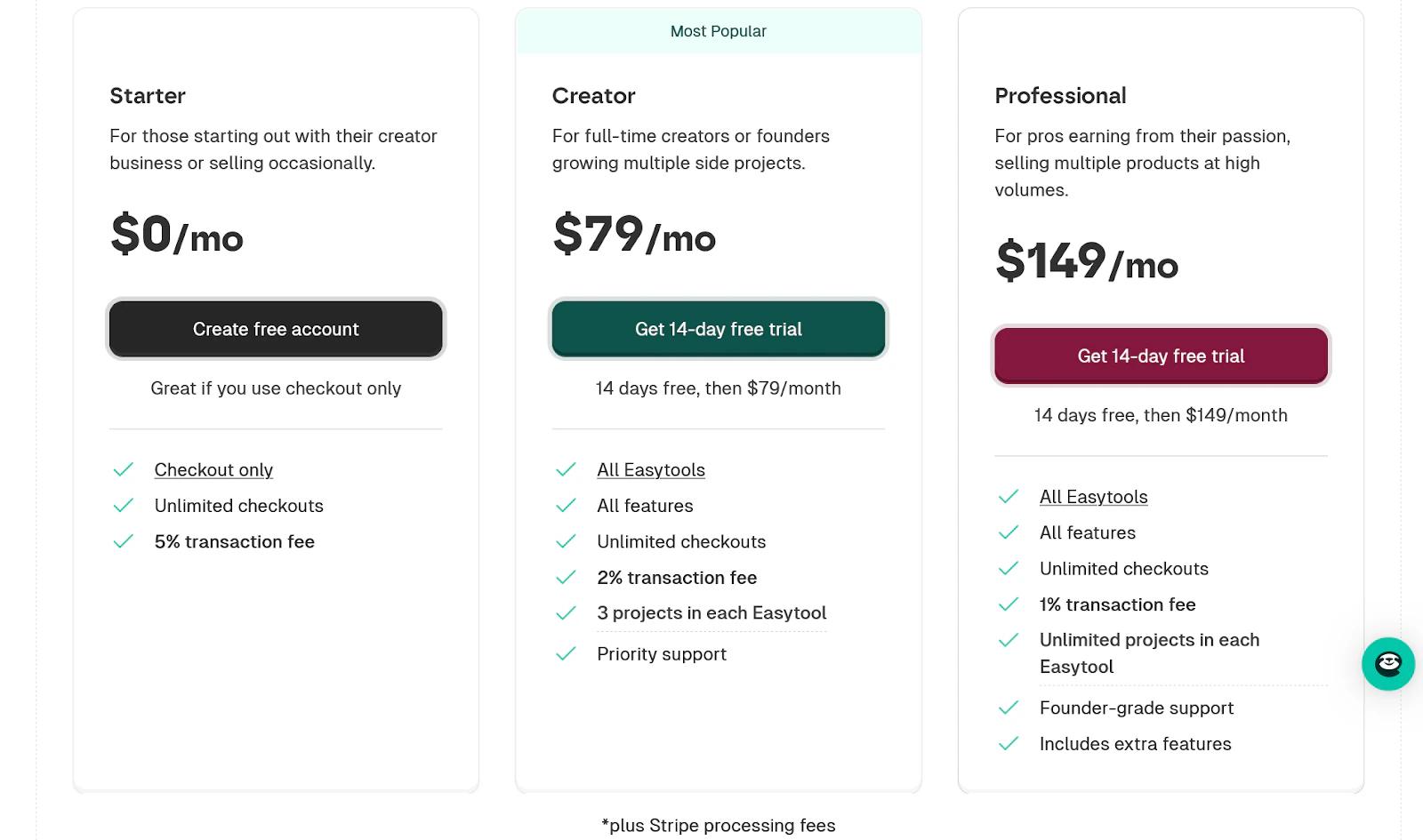
- Starter: $0/month + 5% transaction fee
- Creator: $79/month + 2% transaction fee
- Professional: $149/month + 1% transaction fee
2. LearnWorlds
Next on my list of the best Podia competitors is LearnWorlds.
LearnWorlds is an AI-powered learning management system (LMS) that creates structured, interactive learning experiences.
It’s trusted by 12,000+ customers worldwide and has over 32 million learners. You can create quizzes, certificates, surveys, and live sessions on the platform.
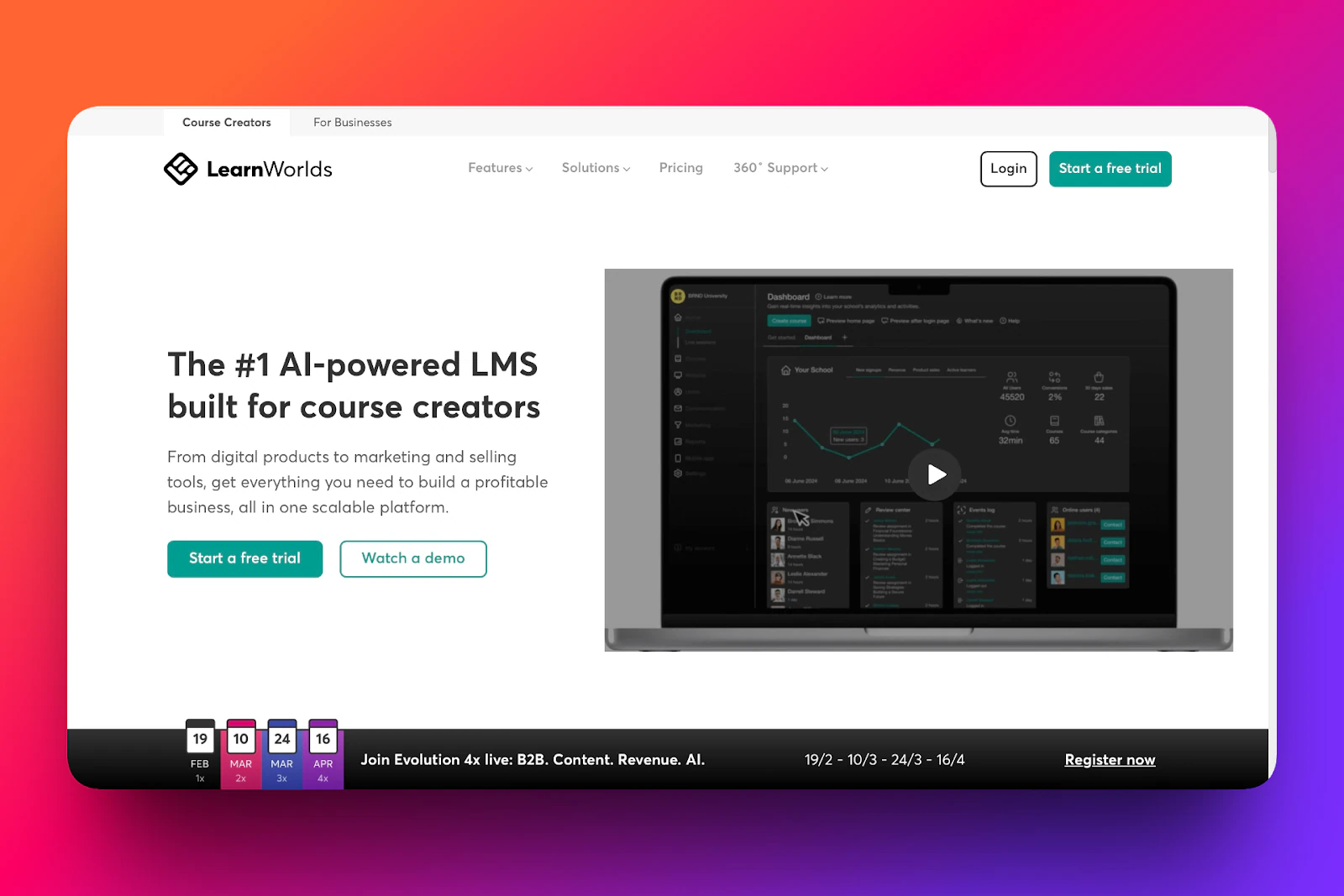
Its course feature lets you add quizzes, interactive videos, e-books, and even run 1:1 or group sessions.
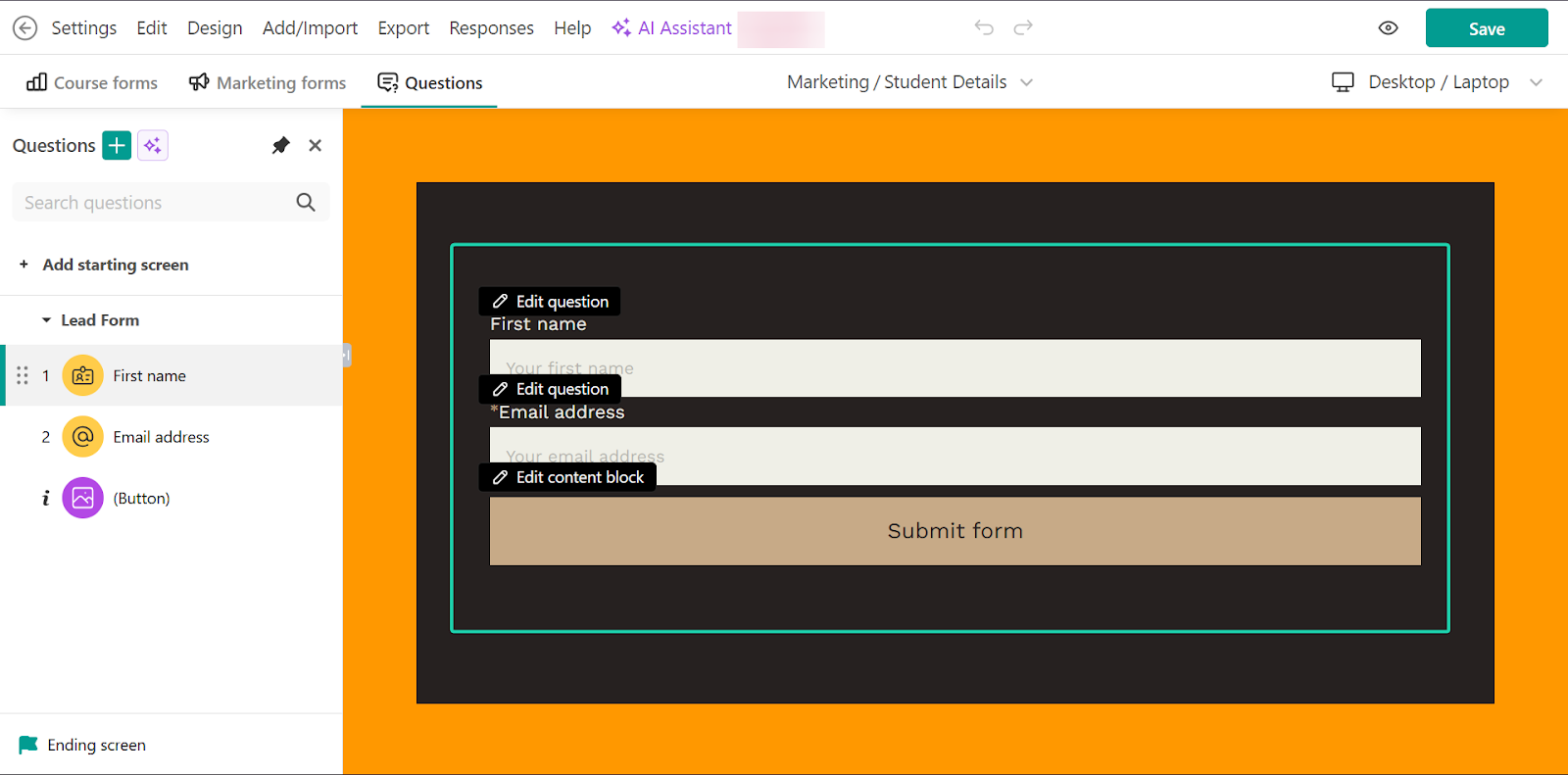
You can also create marketing forms on LearnWorlds to capture leads and encourage customers to make return purchases.
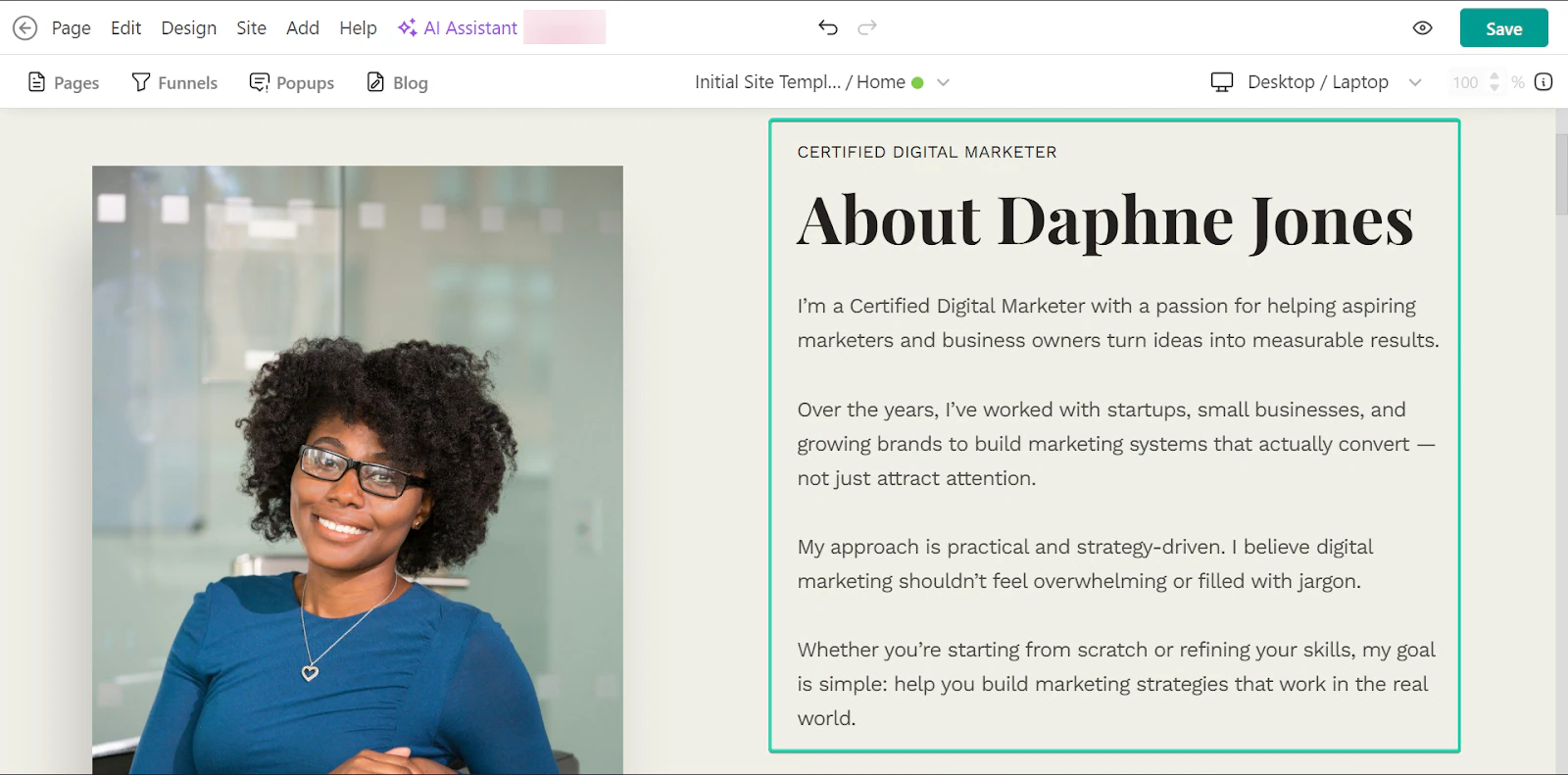
And with LearnWorlds, you can choose between 50+ industry-specific templates to launch your first website.
What I loved about LearnWorlds
1. Courses
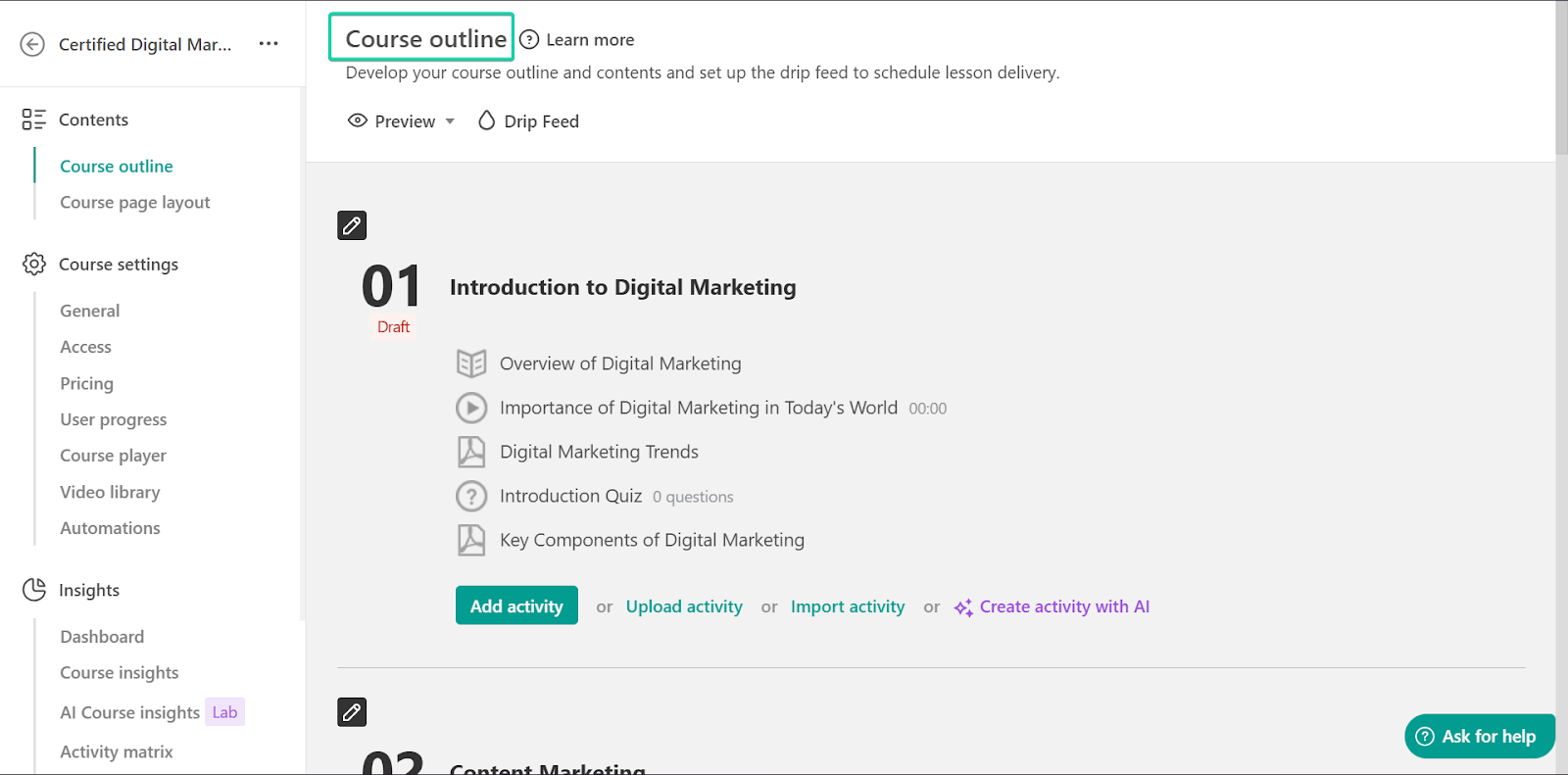
LearnWorlds’ courses feature lets you create interactive and structured content, including quizzes and assessments, surveys, videos, and 1:1 or group sessions.
Let’s walk through how to create a course in LearnWorlds:
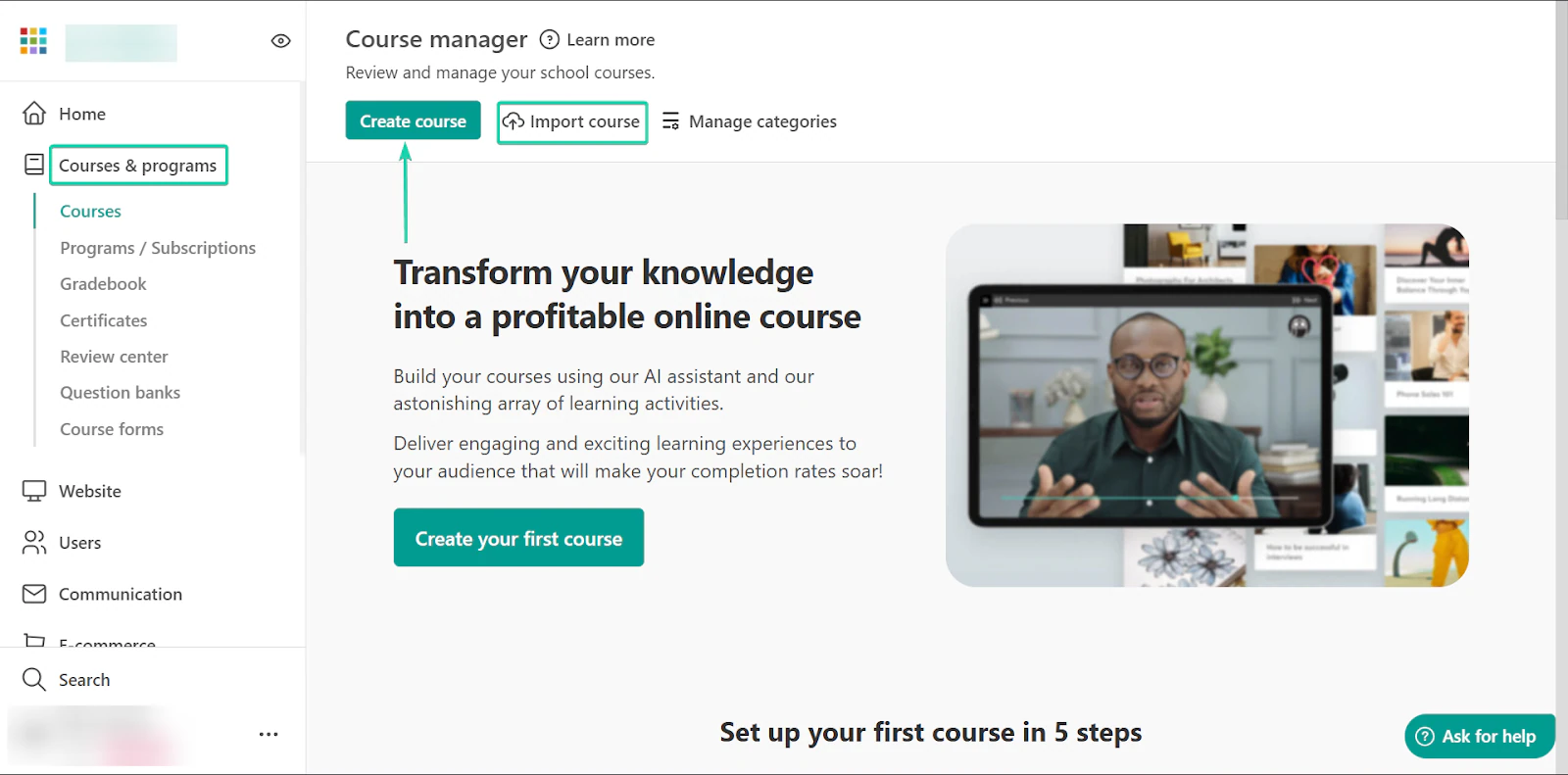
First, head to “Courses & programs” and click “Create course.” You can also import your course to the platform.
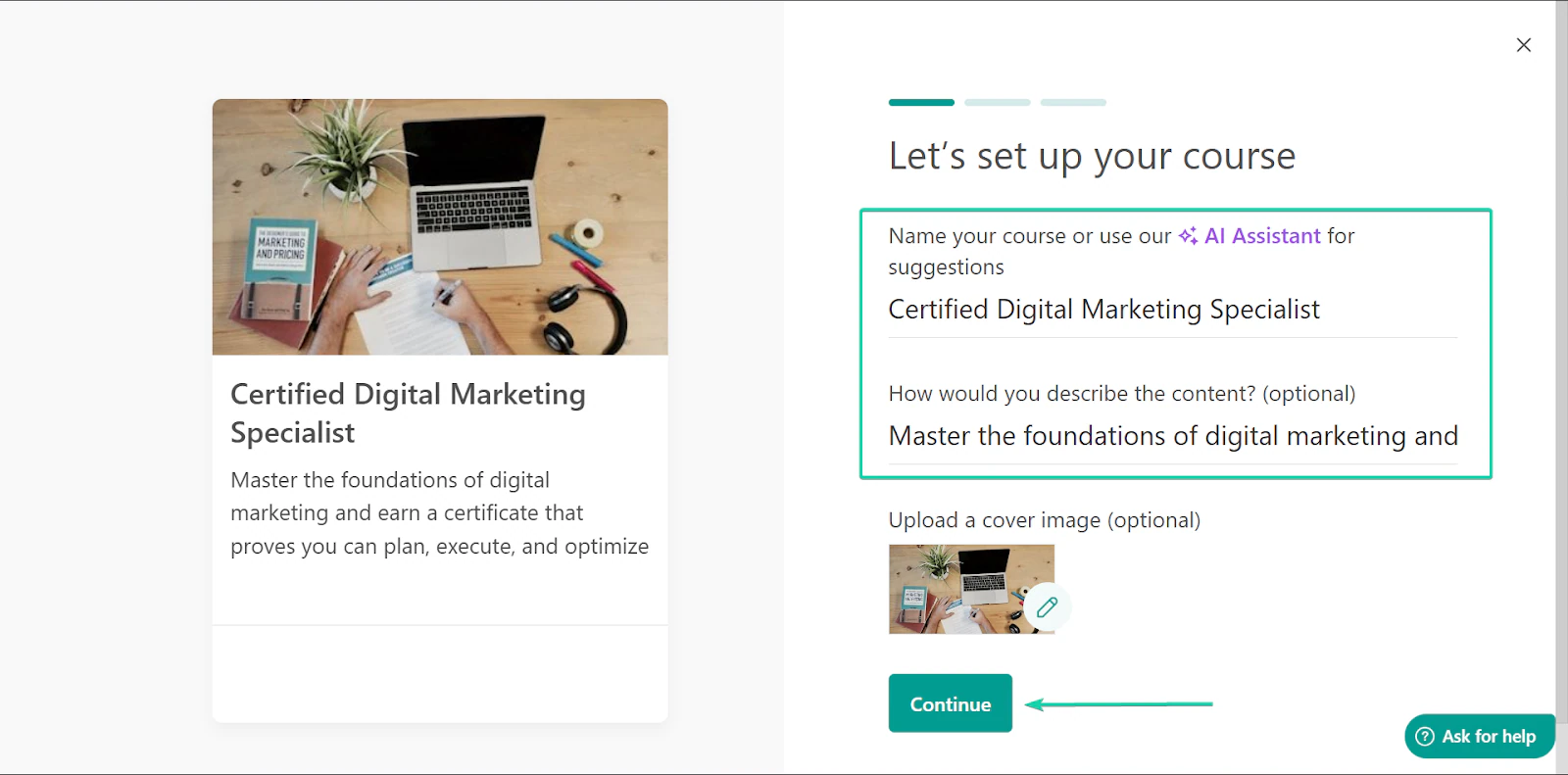
Next, complete the course details. Give your course a name, a brief description, and a price.
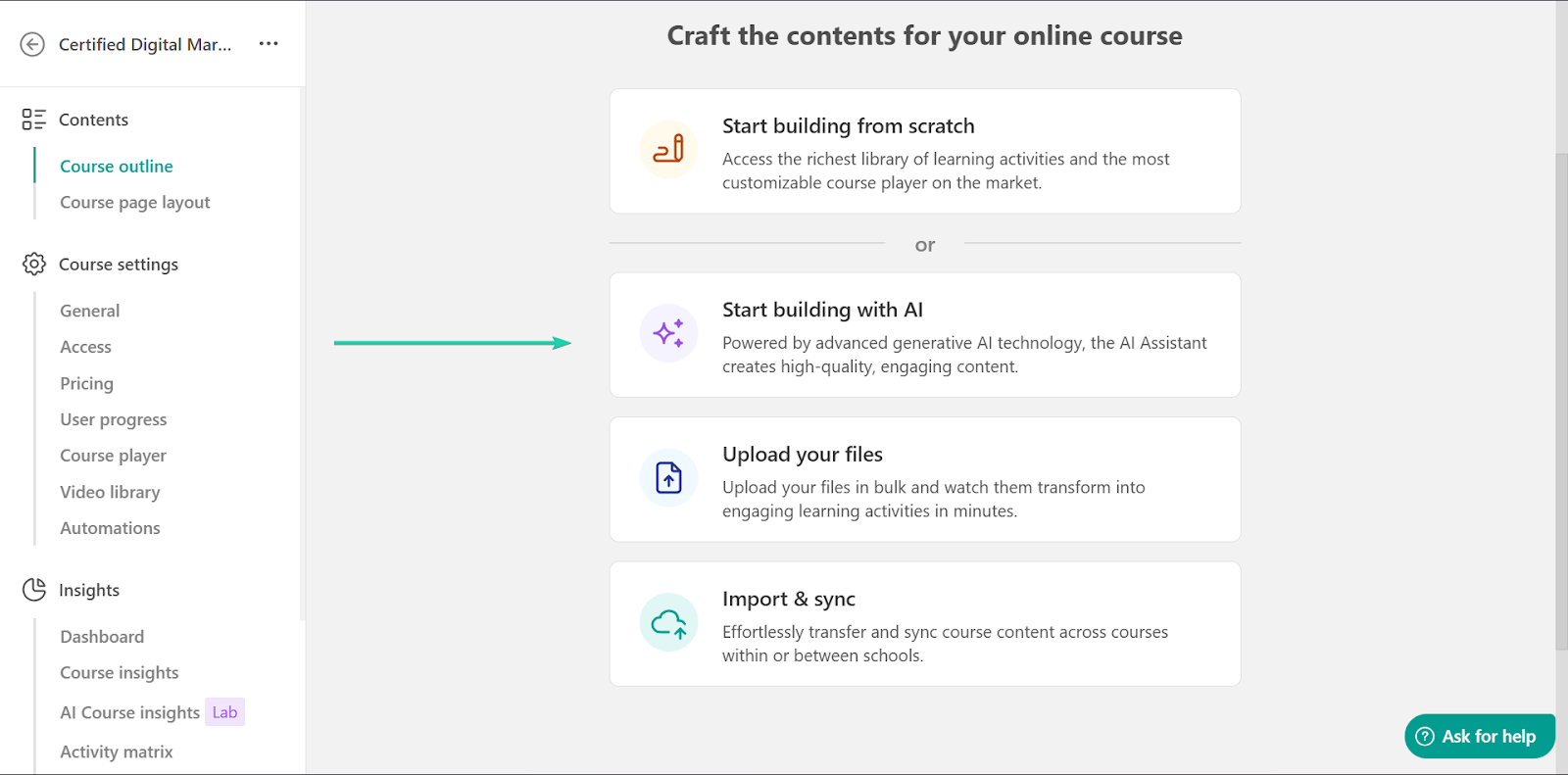
Once you’re done, craft the course content.
You can start from scratch, use LearnWorld’s AI tool, upload your files, or import and sync your course content.
Let’s select “Start building with AI.”
LearnWorld’s AI tool will generate a course outline, which you can edit and continue building on.
You can add activities for each topic to help your learners test their knowledge.
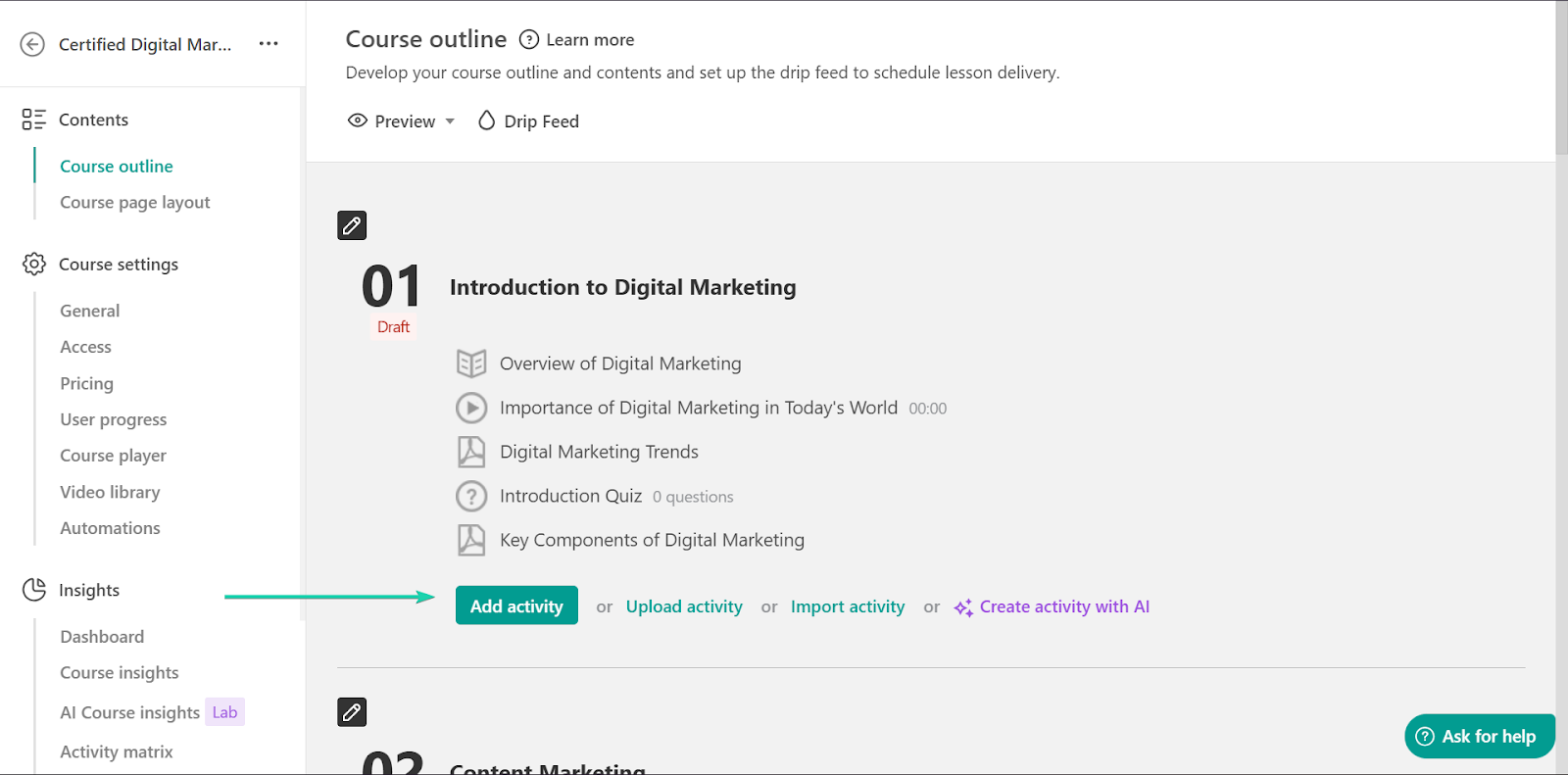
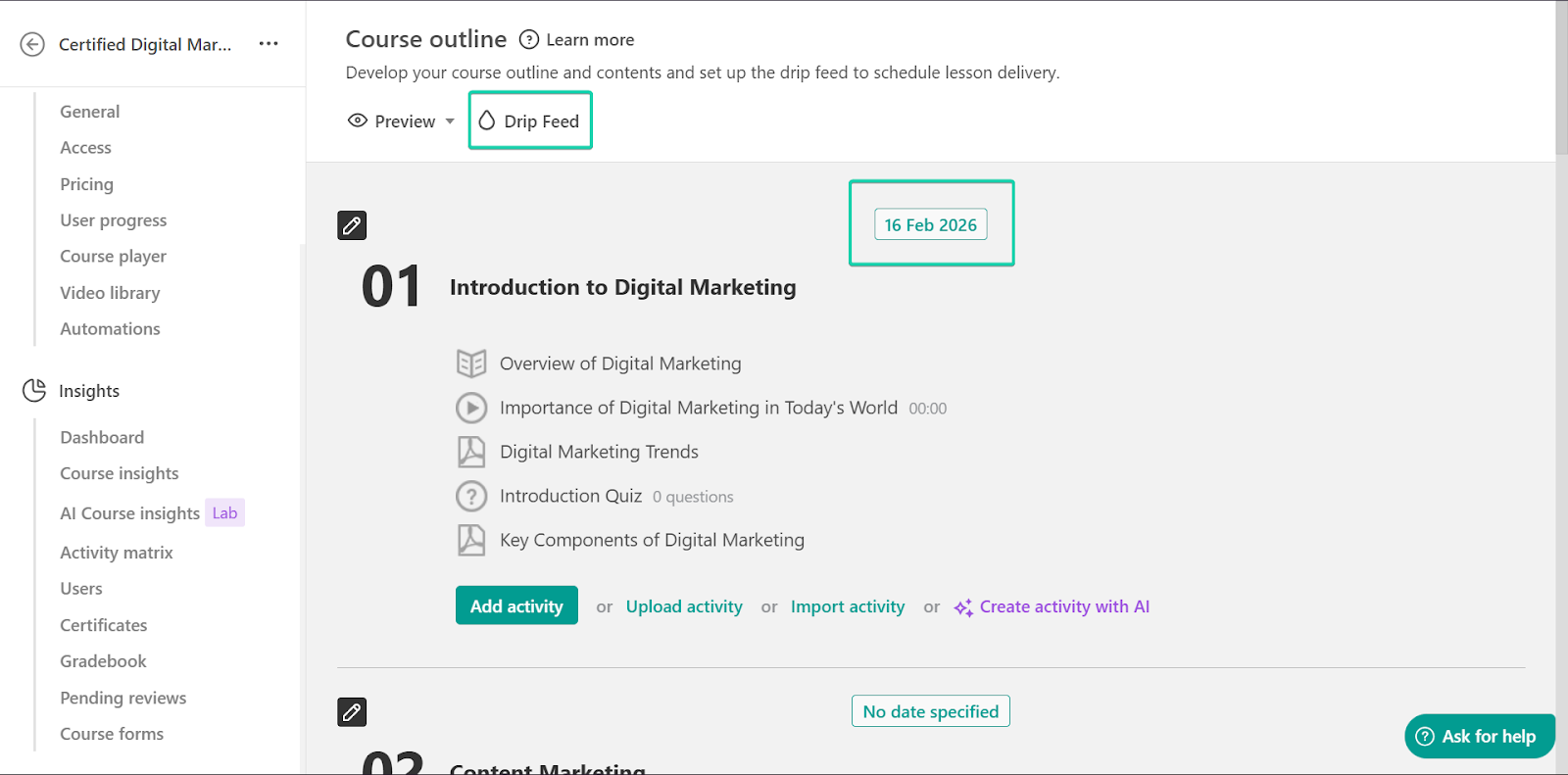
Once you’re done editing your outline, click “Drip Feed.”
In LearnWorlds, the “Drip Feed” option lets you release your content gradually rather than giving learners access to everything at once.
For example, you can release one module per week.
2. Marketing forms
Up next is the marketing forms feature, which lets you use built-in forms to capture important information, from capturing email leads to collecting feedback.
Let’s see how it works:
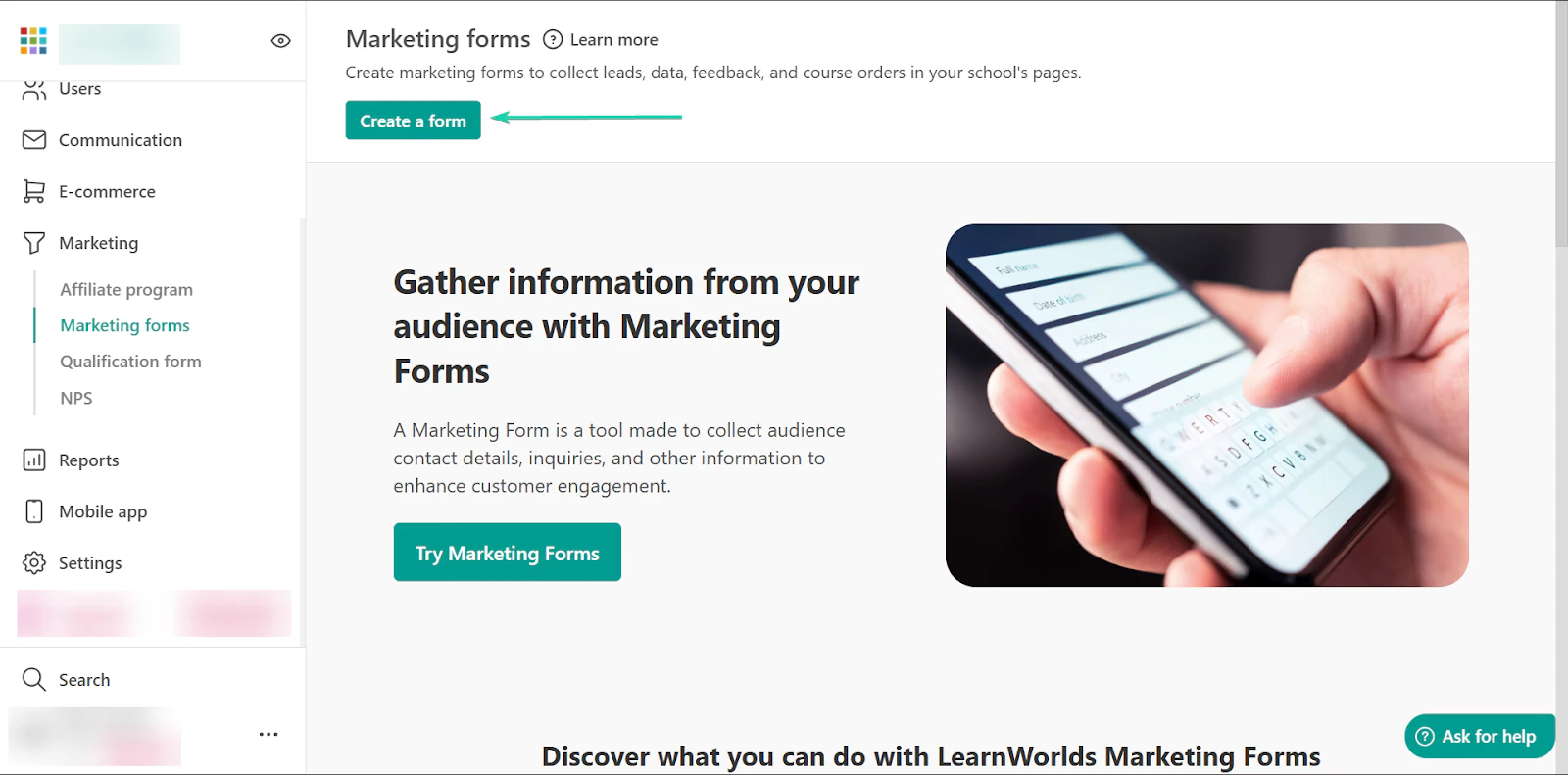
Go to “Marketing” and click “Create a form.”
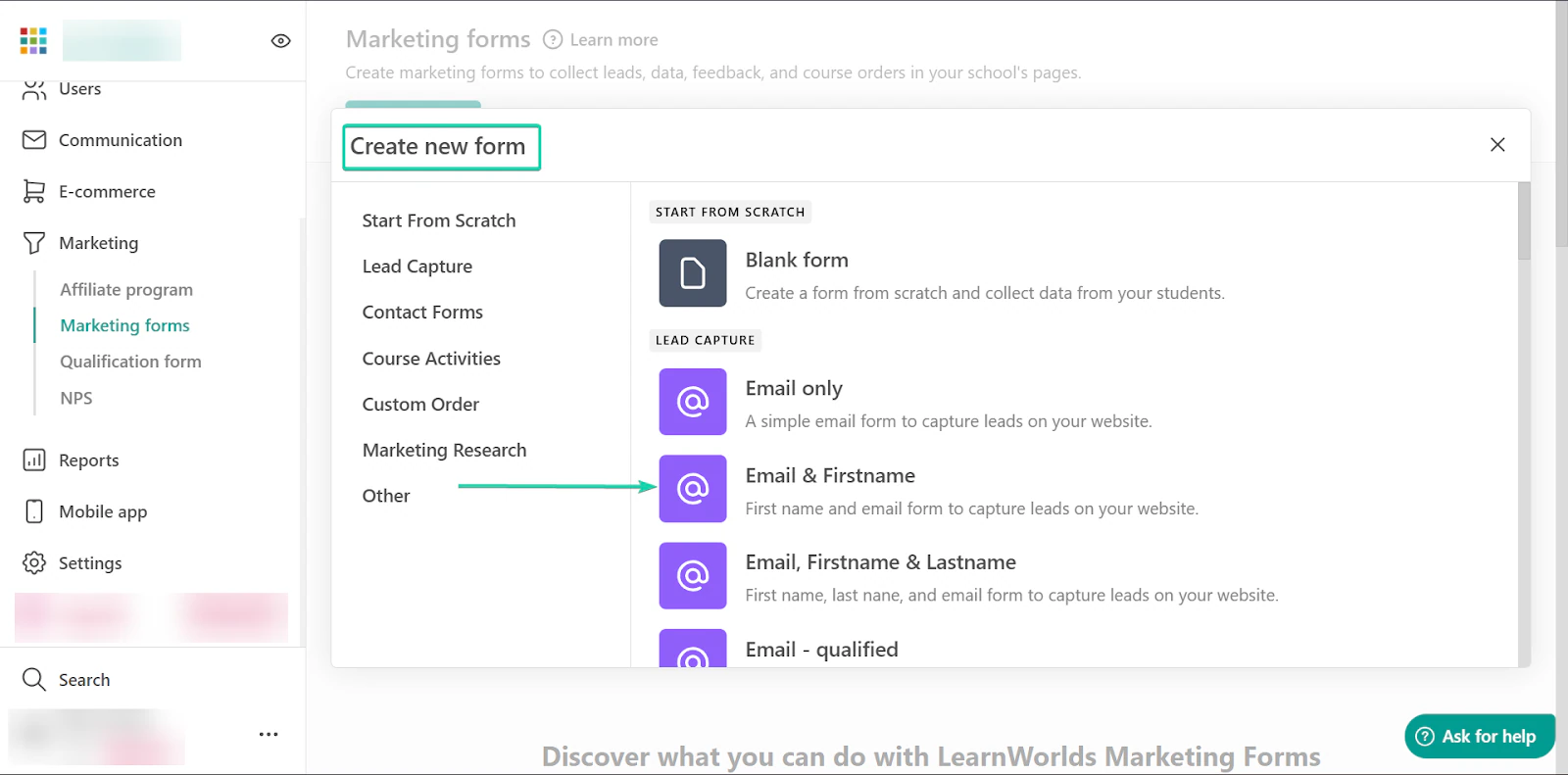
Next, you can choose from LearnWorlds 25+ marketing form templates across categories like lead capture and marketing research.
Or you can build a form from scratch.
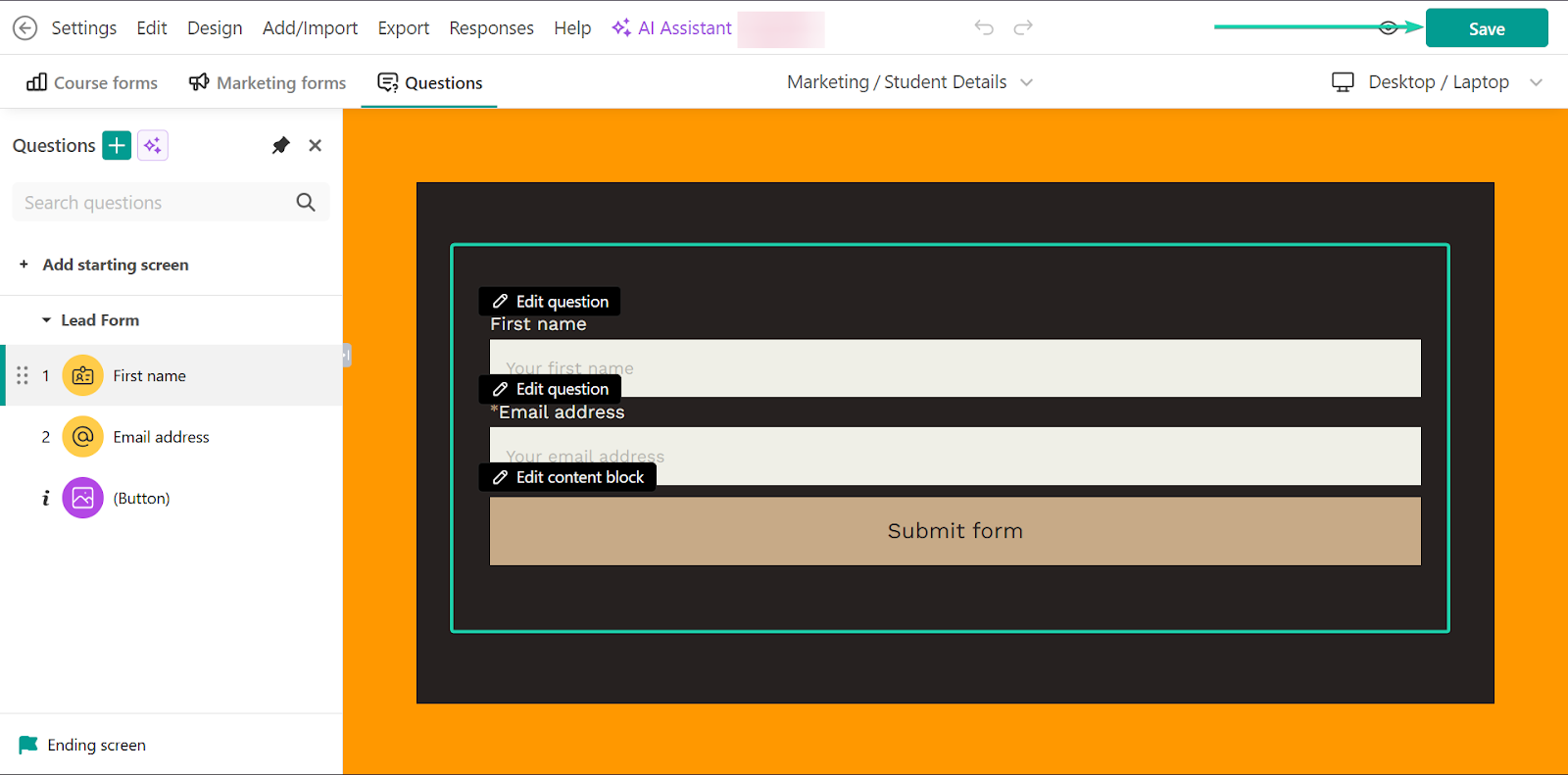
Once you’ve selected a template, you can edit the design and text.
Click “Save” when you’re done.
3. Website
Finally, the LearnWorlds website builder lets you build a full, branded website directly inside the platform.
This Podia alternative offers 50+ templates, making the experience seamless and simple, even for non-technical creators.
Let’s check it out:
Head to “Website.”
With the template already selected, click “Edit website.”
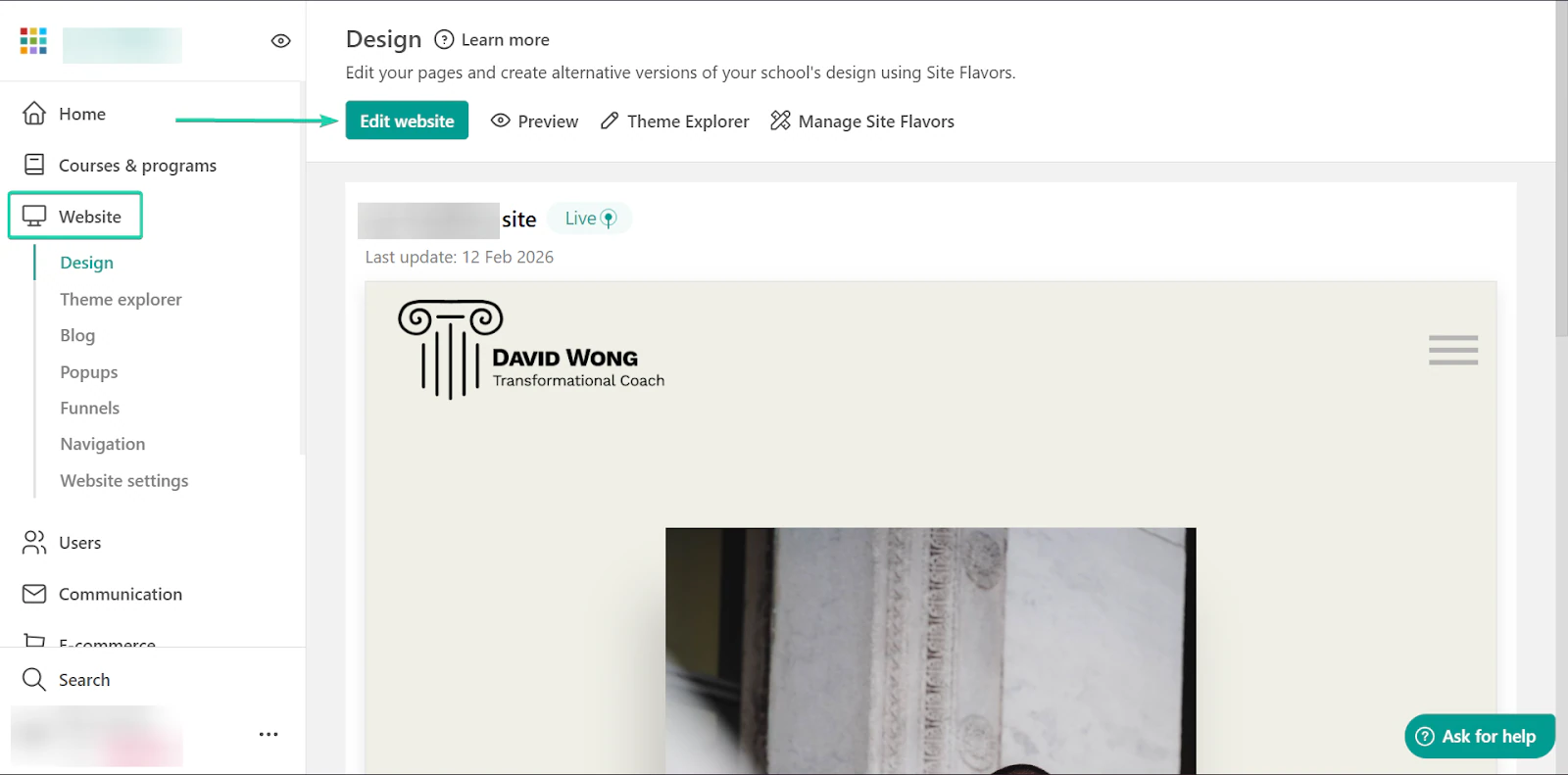
Next, edit the website. You can start by creating a homepage, sales pages, and a section where your students can contact you.
You can also use the “Theme Explorer” tool to change the look and feel of your website.
With this tool, you can choose the color theme and font for your website.
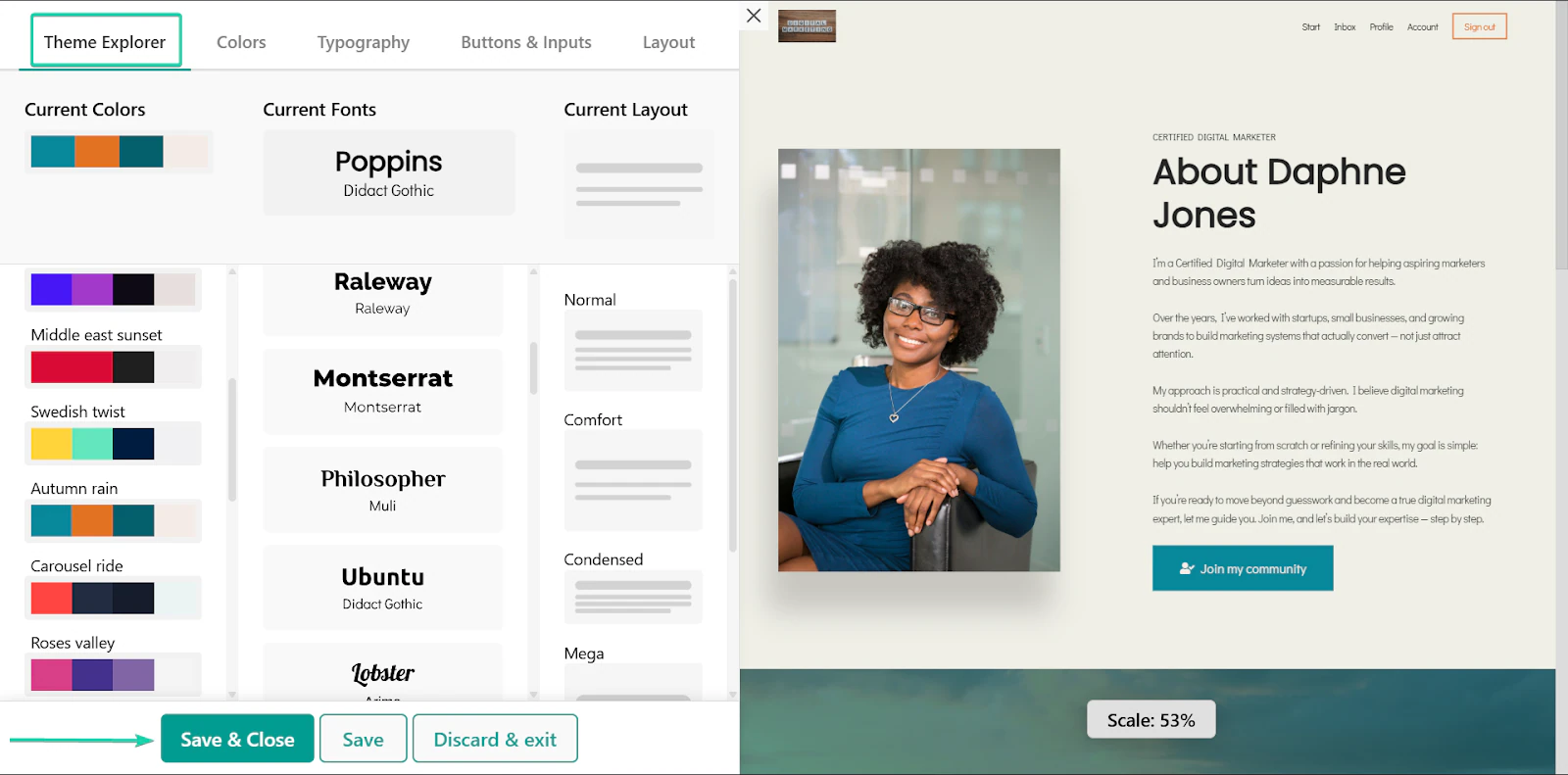
Once you’re done, click “Save.”
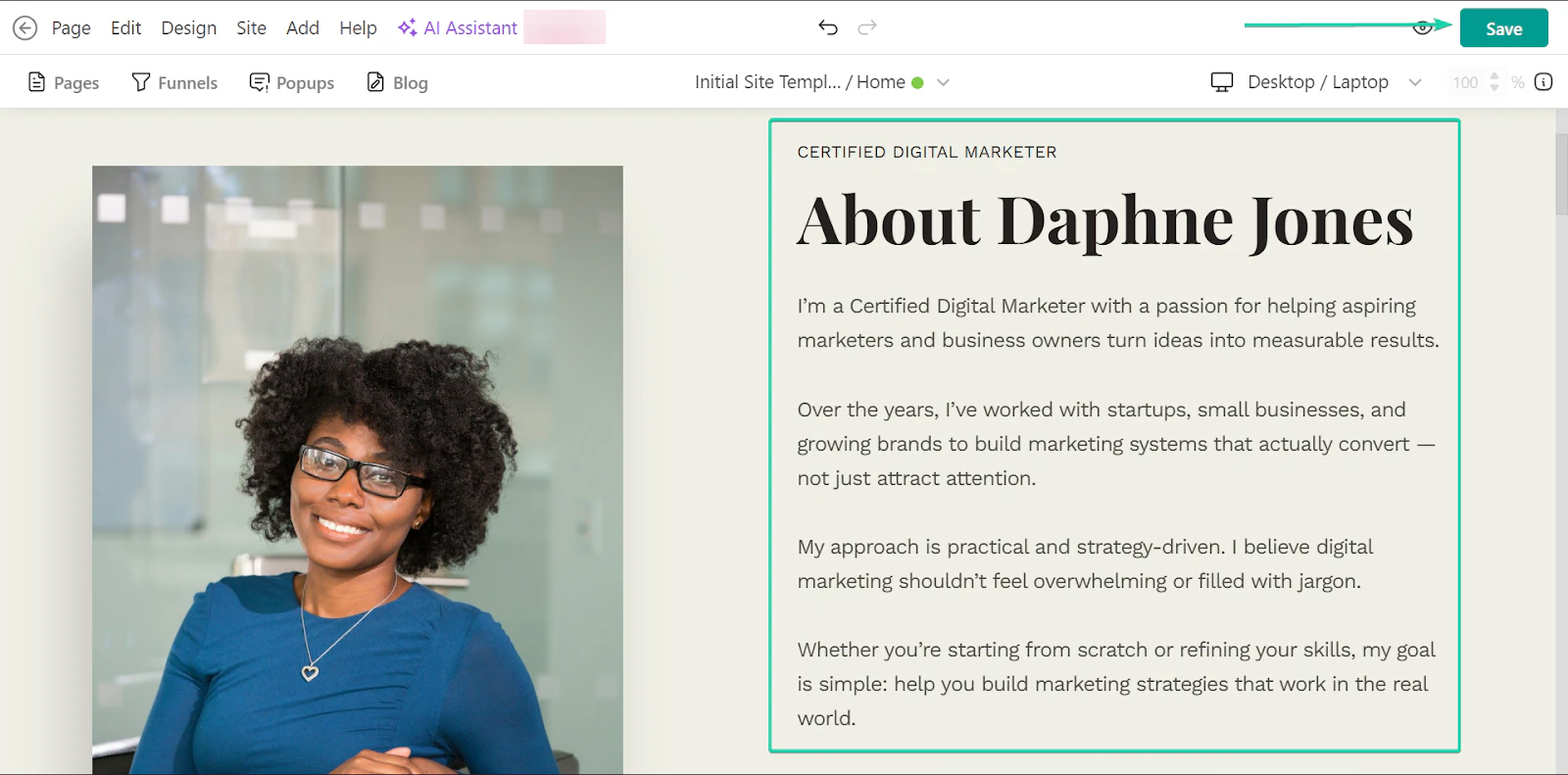
You can continue adding sections and refining your website as you scale.
What I loved vs what I struggled with
What I loved 👍
✅ Has a generous 50+ website templates, which are perfect for non-technical creators who want to build websites.
✅ Courses are well-structured and detailed.
✅ It has in-depth assessment and exam tools for learners.
✅ Has the longest free trial offering at 30 days.
What I struggled with 👎
❌ The platform is not as straightforward and beginner-friendly, so it can feel slightly overwhelming.
❌ Setup takes more time, so it’s not the best choice for creators who want speed.
Best for
- Coaches who want to run more in-depth and structured courses and programs.
Pricing
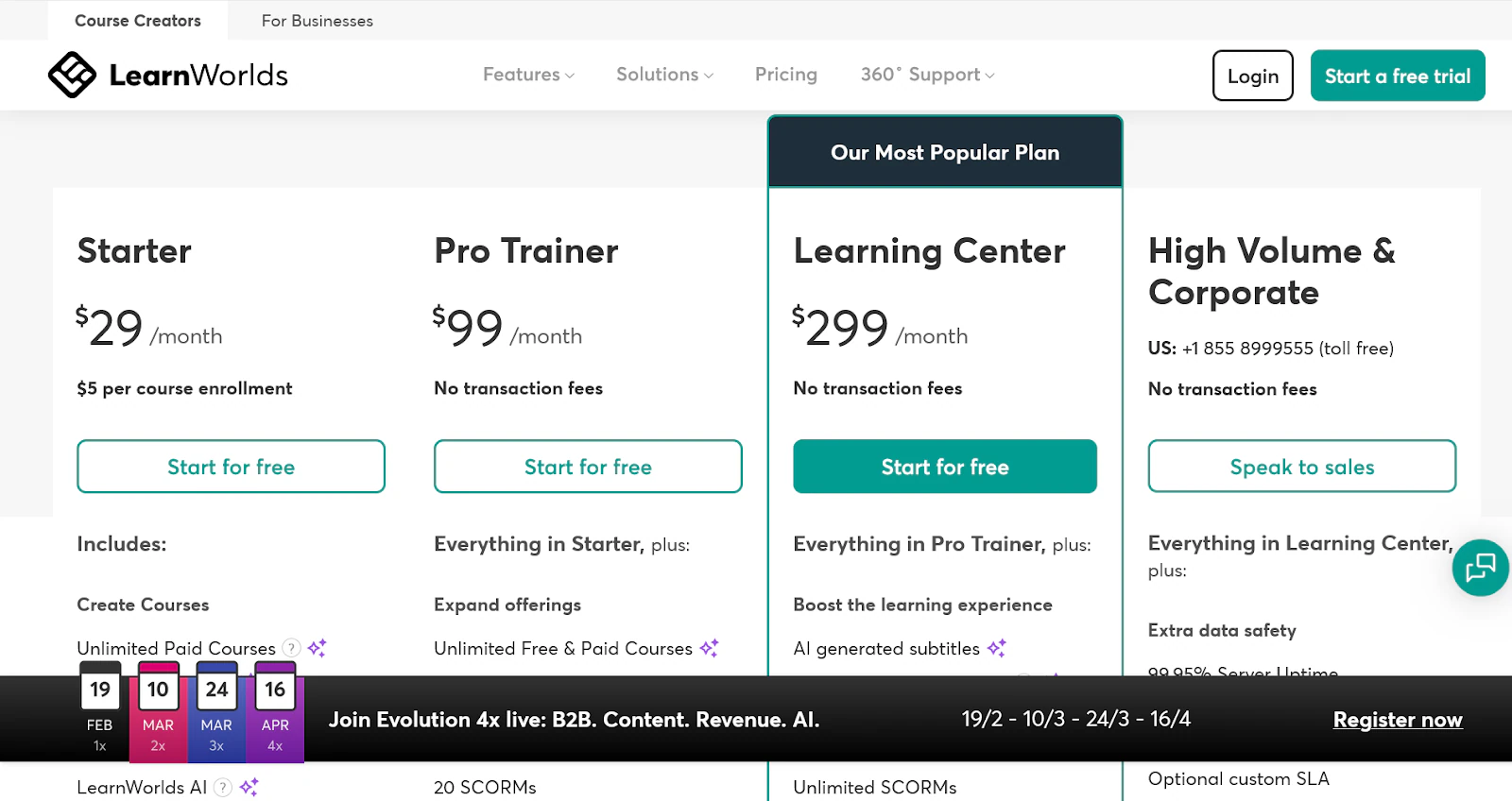
- Starter: $29/month + $5/course enrollment
- Pro Trainer: $99/month (no transaction fees)
- Learning Center: $299/month (no transaction fees)
- High Volume & Corporate: Contact sales (no transaction fees)
3. Systeme.io
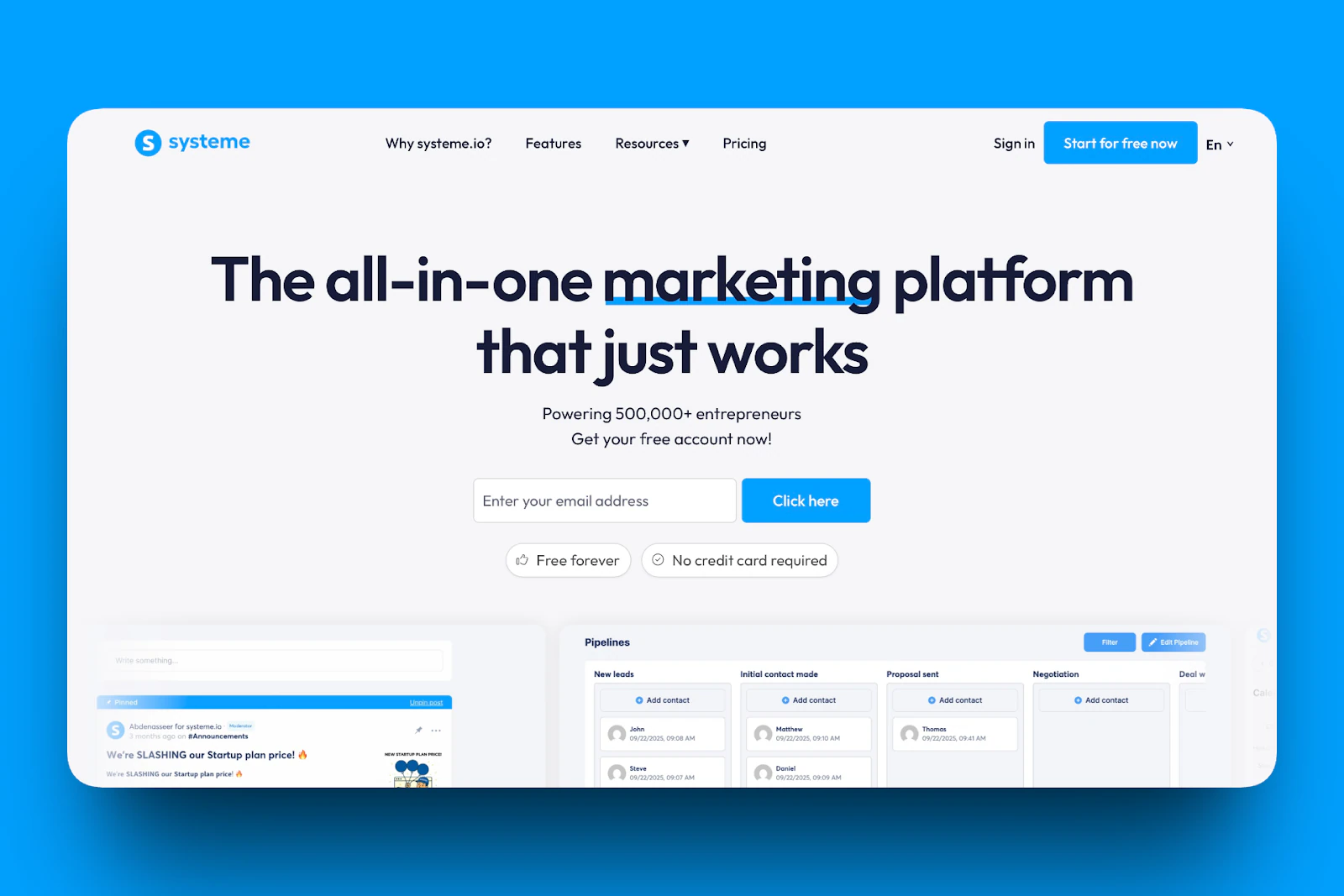
Systeme.io is also on my list of the best Podia alternatives.
It’s an all-in-one online business platform that combines funnels, email marketing, automations, course hosting, and a store into a single dashboard.
It’s known for being powerful but also surprisingly simple to use.
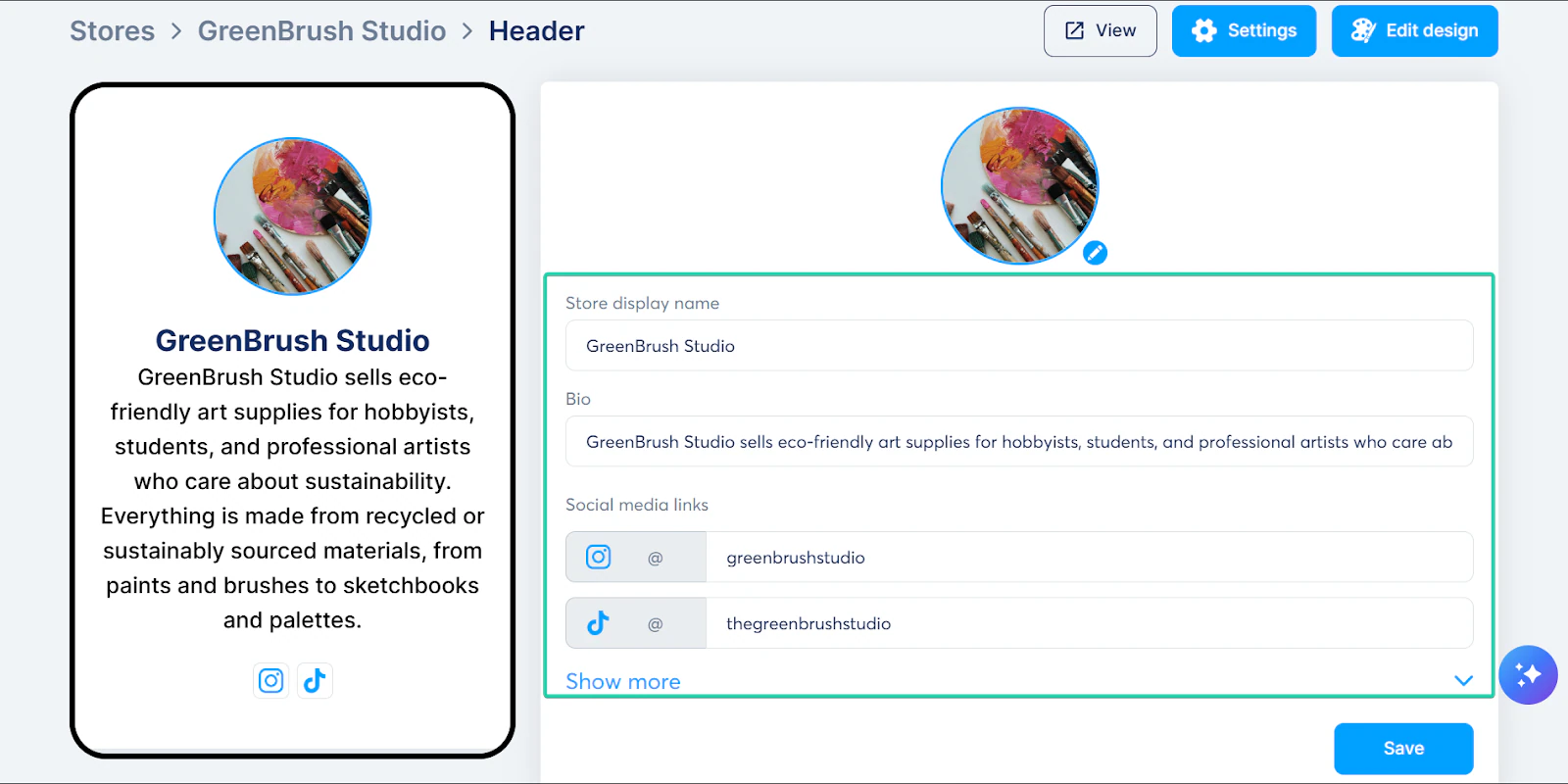
With its creator stores feature, you can set up a simple online shop to sell digital products, courses, memberships, and even physical products.
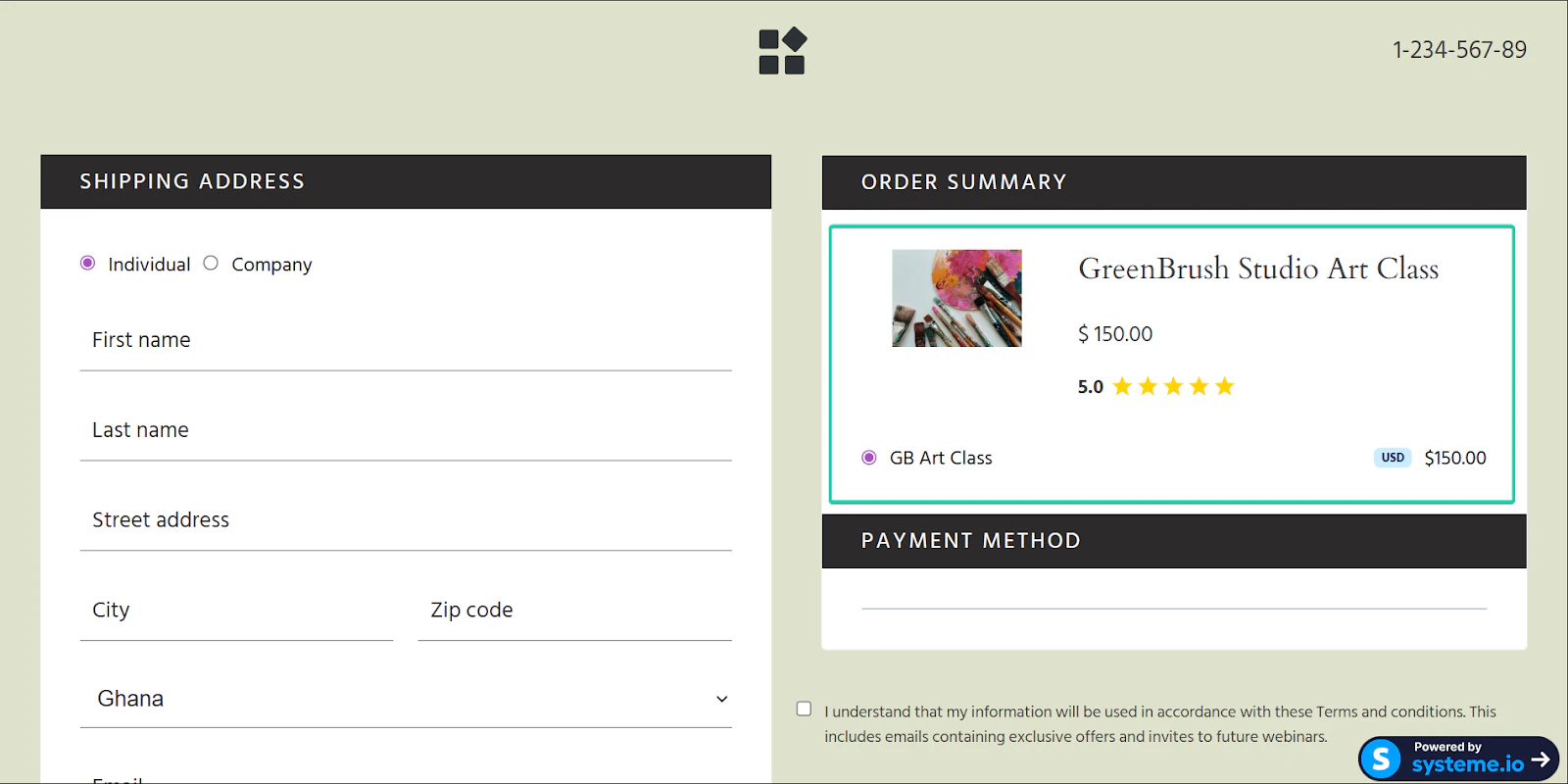
Another of its strongest features is funnel creation. Instead of sending people to a random page, it takes them through a well-planned purchasing journey.
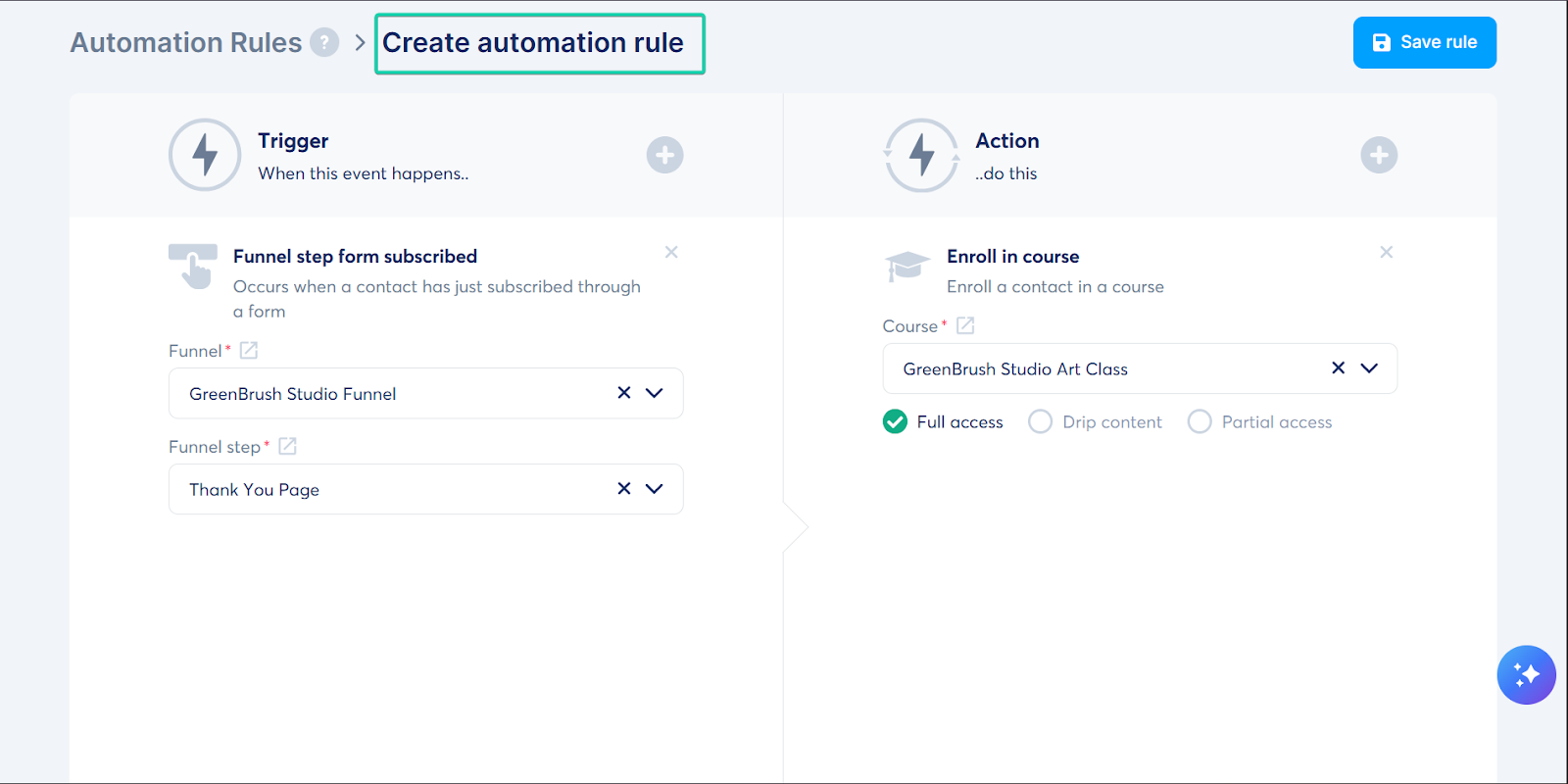
Finally, there’s the automation feature. Instead of manually doing routine tasks like sending emails, you can set up rules that trigger this action automatically.
I’ll show you how these features work in the next section.
What I loved about Systeme.io
1. Stores
The stores feature lets you create a storefront to sell your digital and physical products.
You can manage these products, pricing, and payments all within the platform.
With pricing, you connect your storefront to payment gateways like PayPal and Stripe. You can also opt for cash on delivery.
Let’s go through how to set up a creator store in Systeme.io:
First, go to “Sites” and in the drop-down, select “Creator stores.”
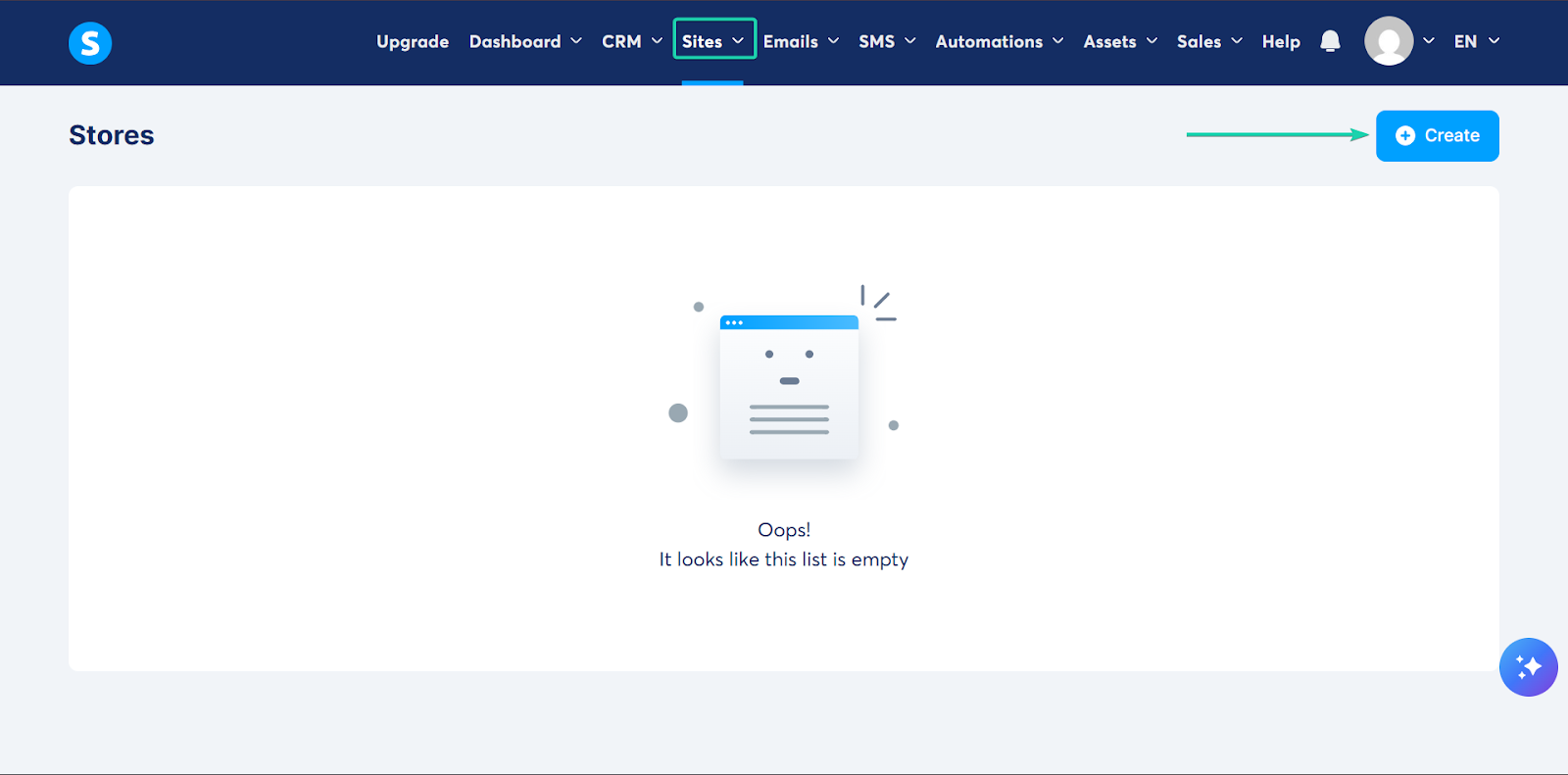
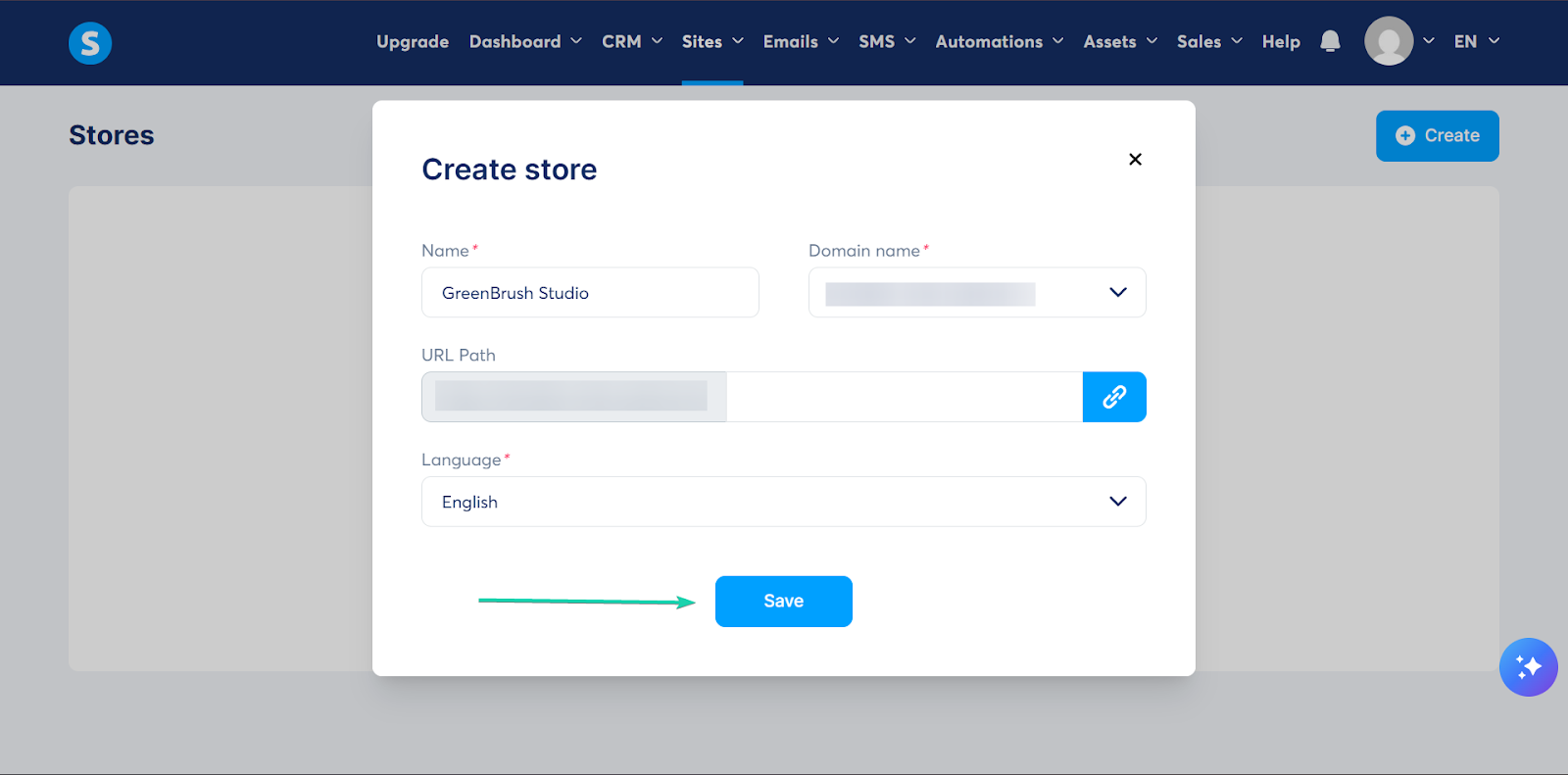
Next, enter the store details, including the name. Systeme.io will automatically generate the domain name and URL path for you.
You can also select the language of your choice from over 15 options.
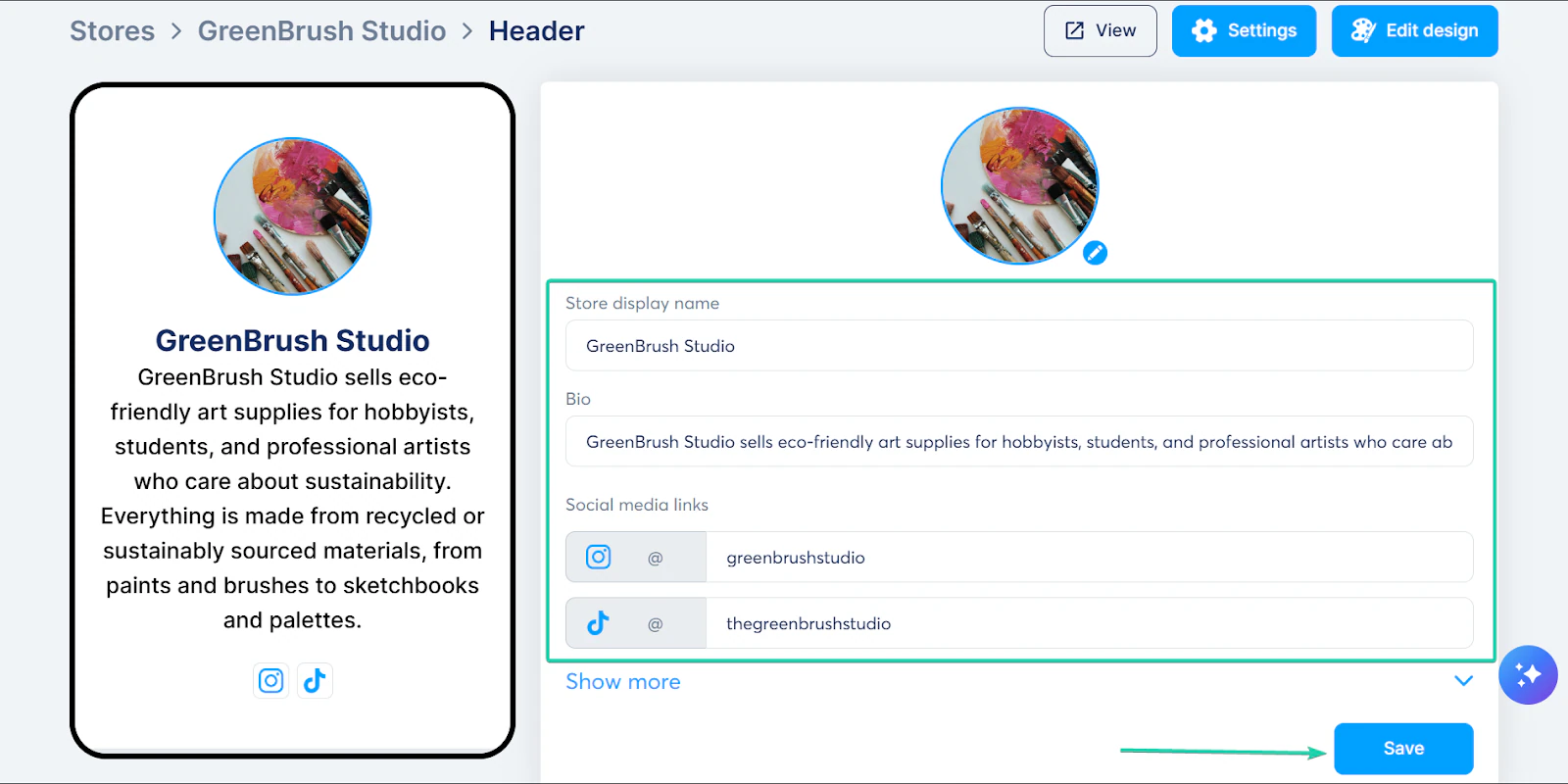
Once that’s done, you can set up your store by giving it a name and a brief description. Click “Save.”
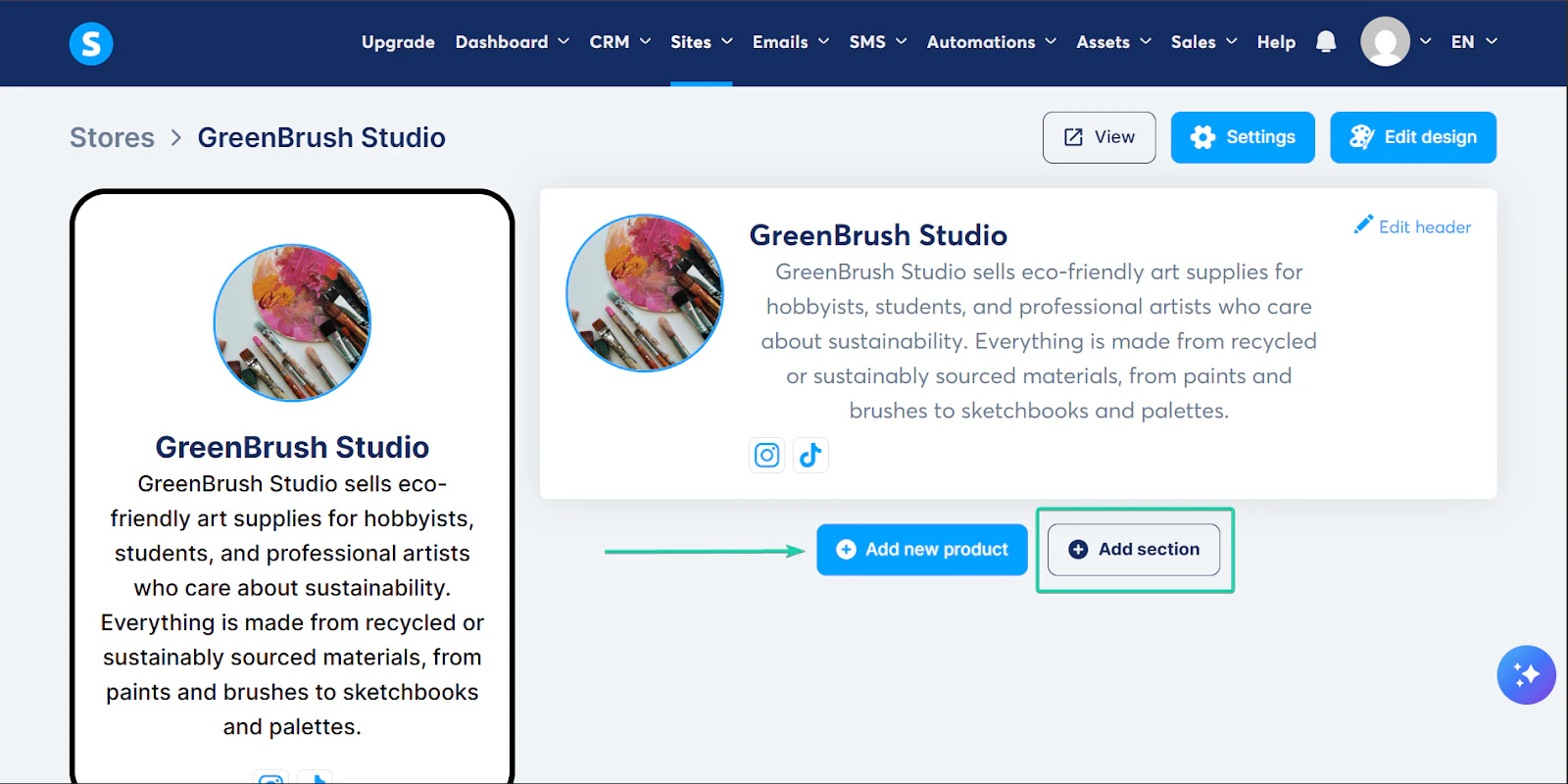
You can continue building your store by adding new products or new sections.
2. Funnels
The funnels feature lets you build a step-by-step process that guides a potential customer to make a purchase.
For example, you can create a landing page → sales page → checkout page → thank you page.
Let’s create a simple checkout page → thank you page:
Go to “Sites” and select “Funnels” from the drop-down.
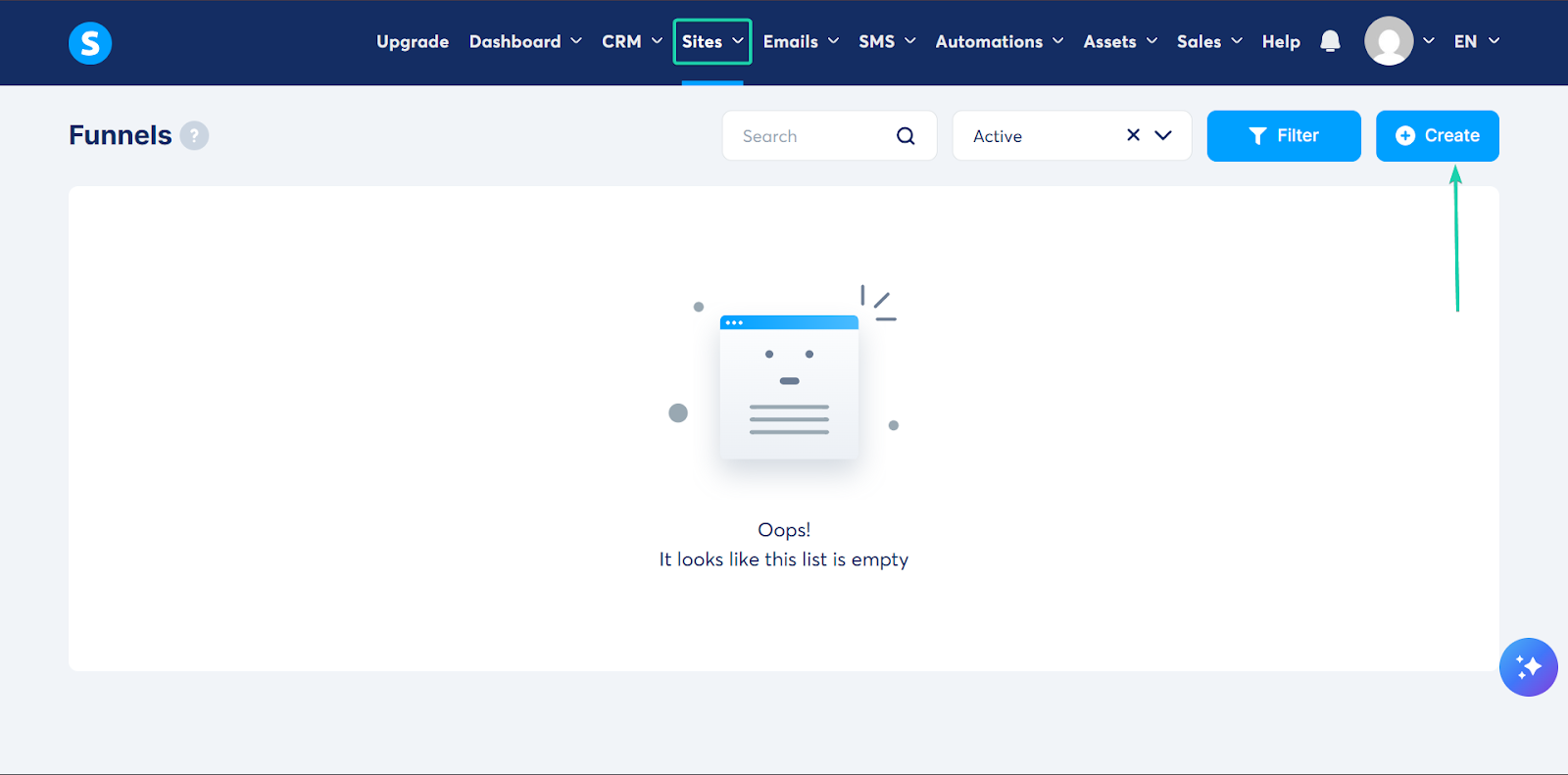
Next, give your funnel a name and a domain name. You can also choose your funnel goal.
Hit “Save.”
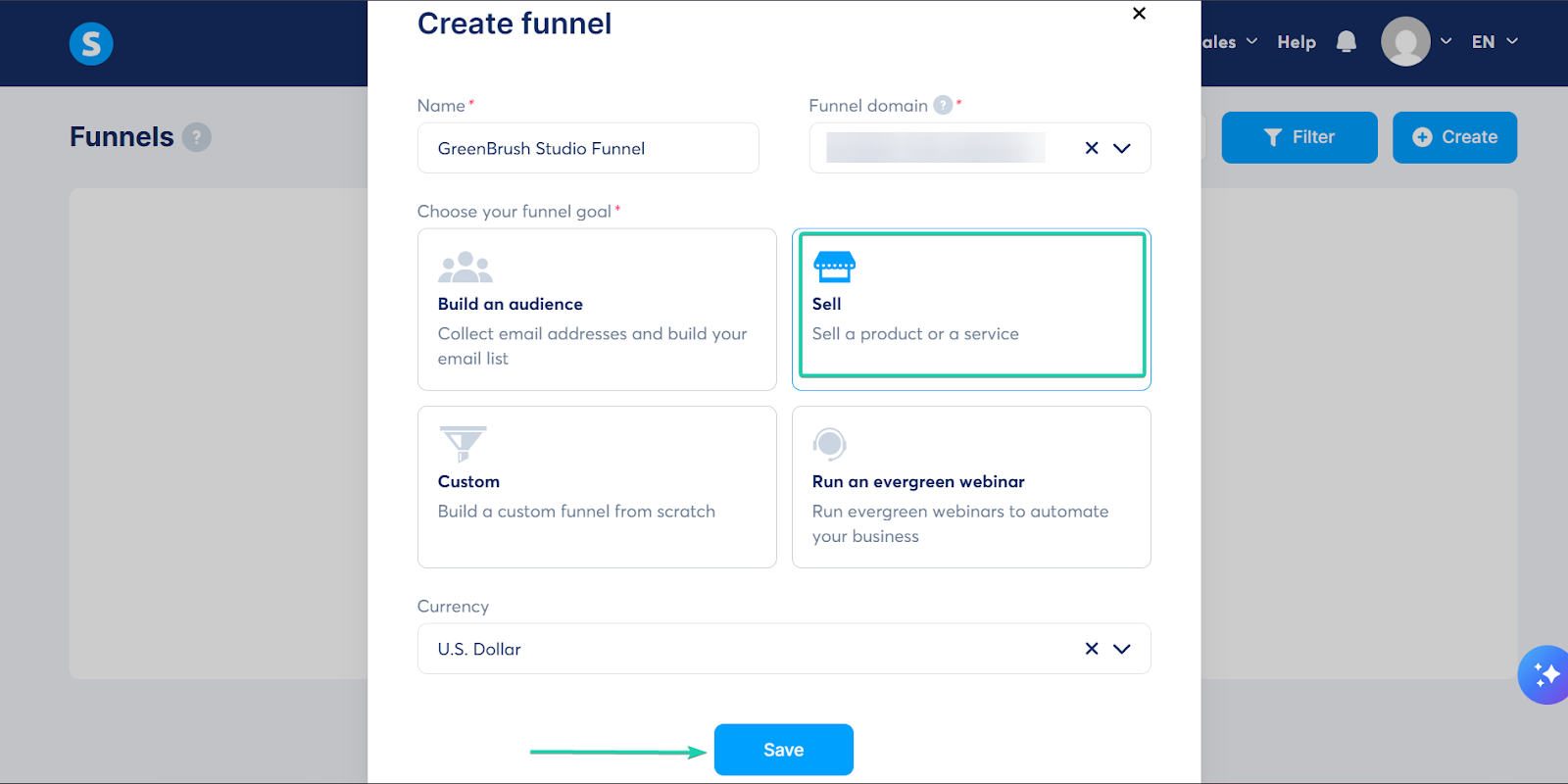
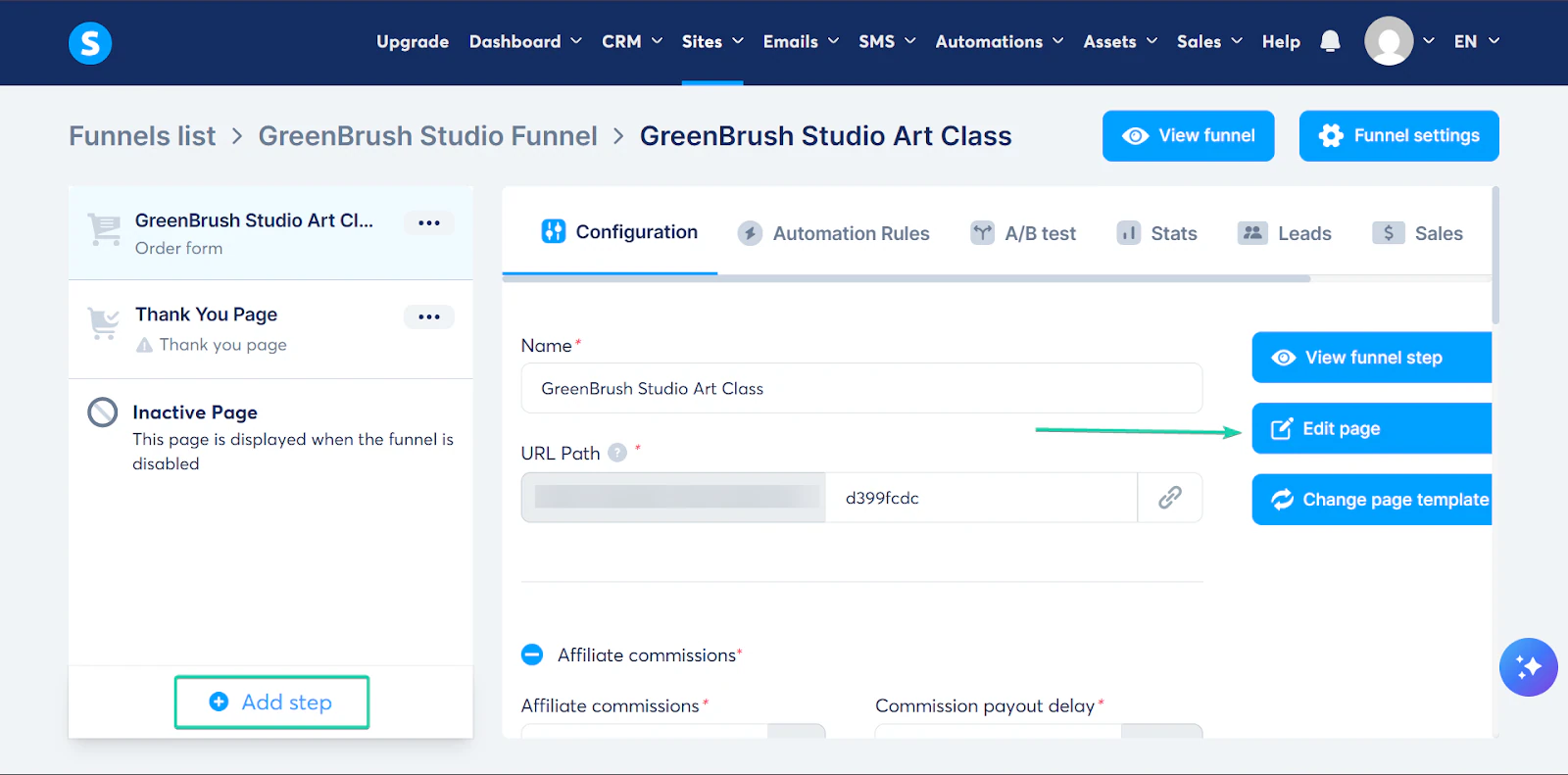
After that, you can edit your funnel page.
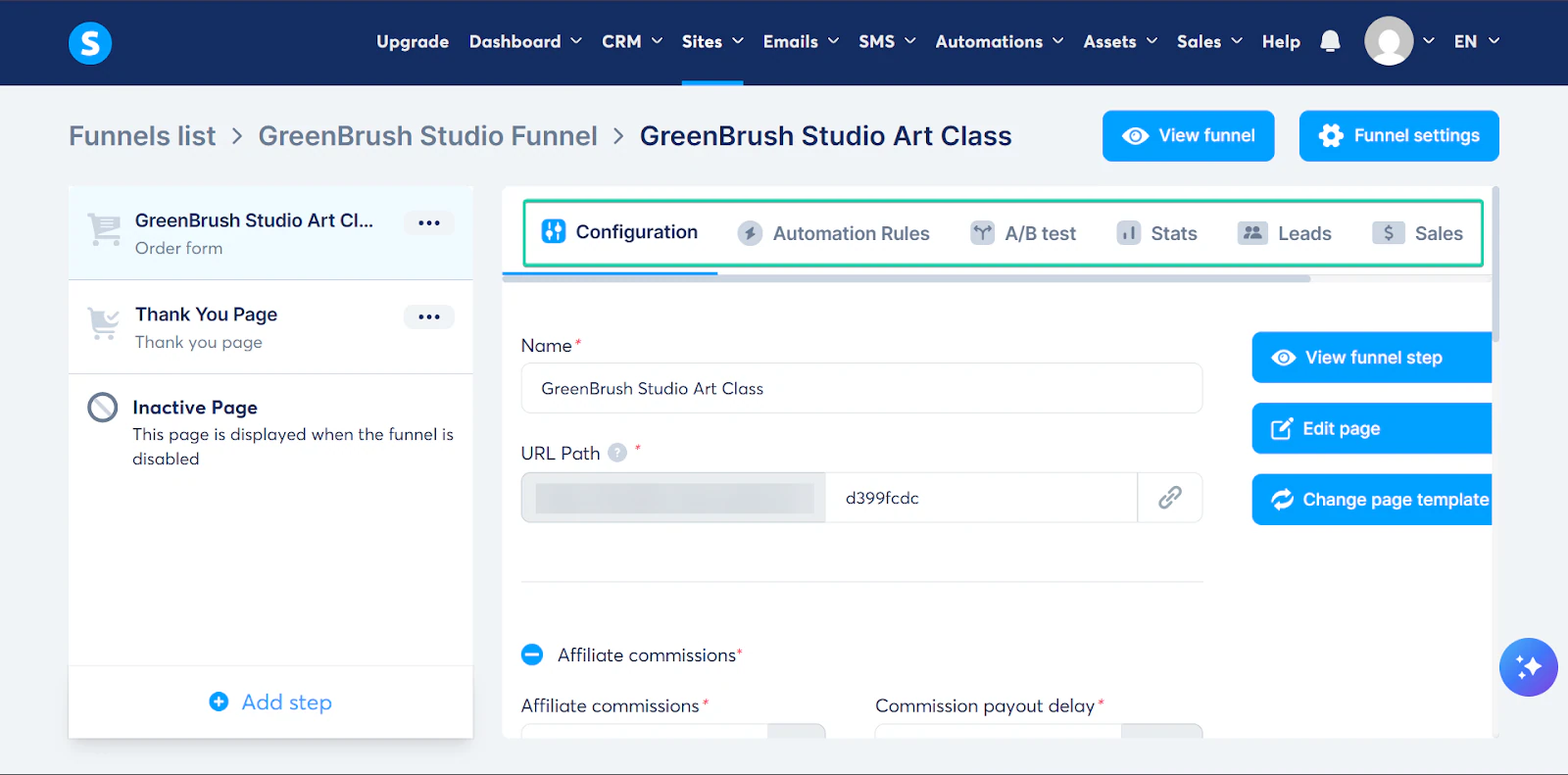
You can also add more sections/steps and even change the page template.
Here’s what a sample checkout page looks like in Systeme.io.
3. Automations
In Systeme.io, you can set up simple automations to streamline your routine admin tasks.
Instead of manually sending emails, you can set up rules that trigger those actions automatically.
For example, if someone makes a purchase, you can set a rule to automatically send them a thank-you email.
Here’s how it works:
First, go to “Automations” and select “Automation rules.” Click “Create.”
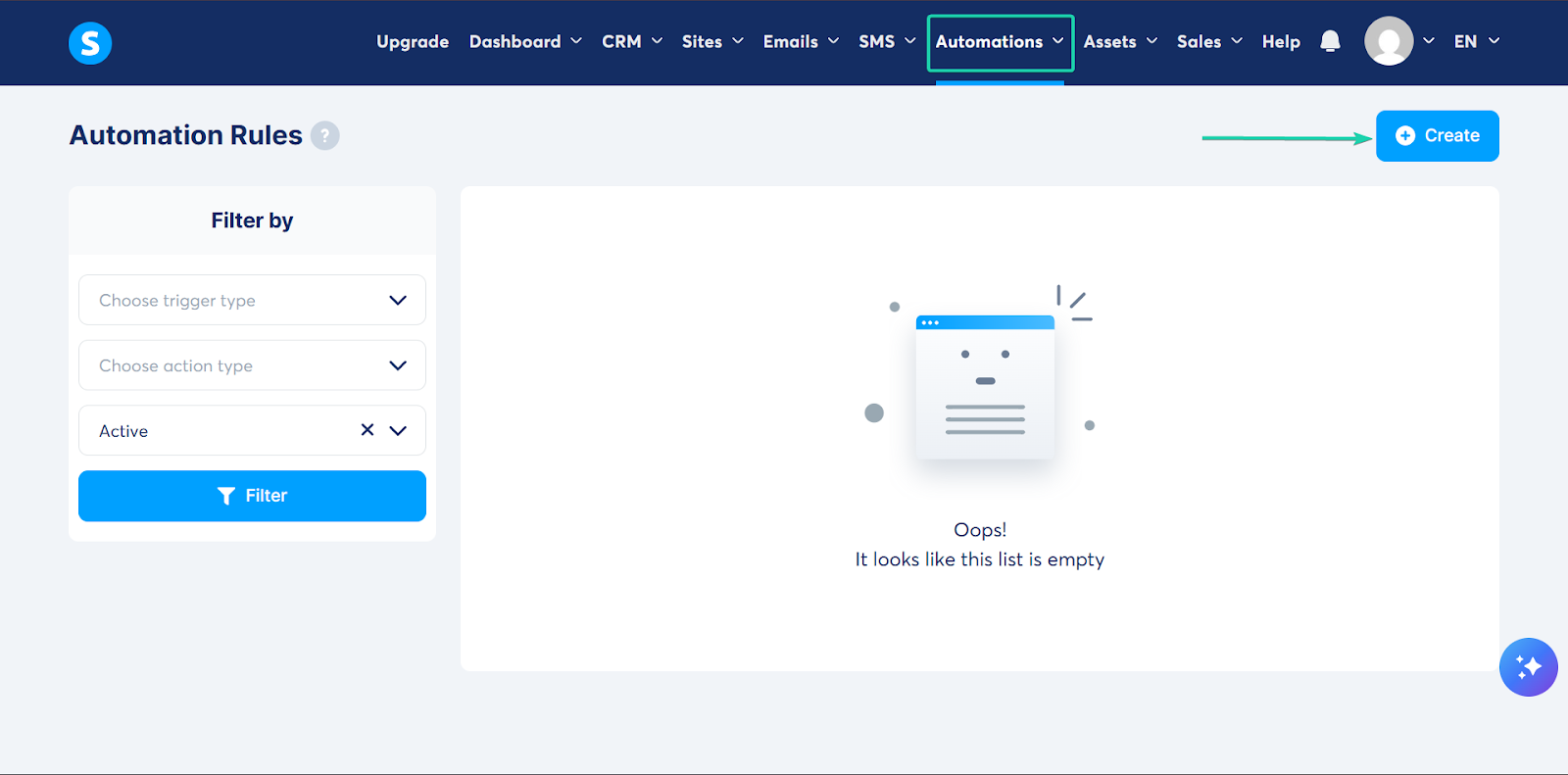
Next, create your automation rule.
A trigger is the event that starts an automation. Think of it as the “if this happens” part.
And an action is what happens automatically when the trigger occurs. It’s the “then do this” part.
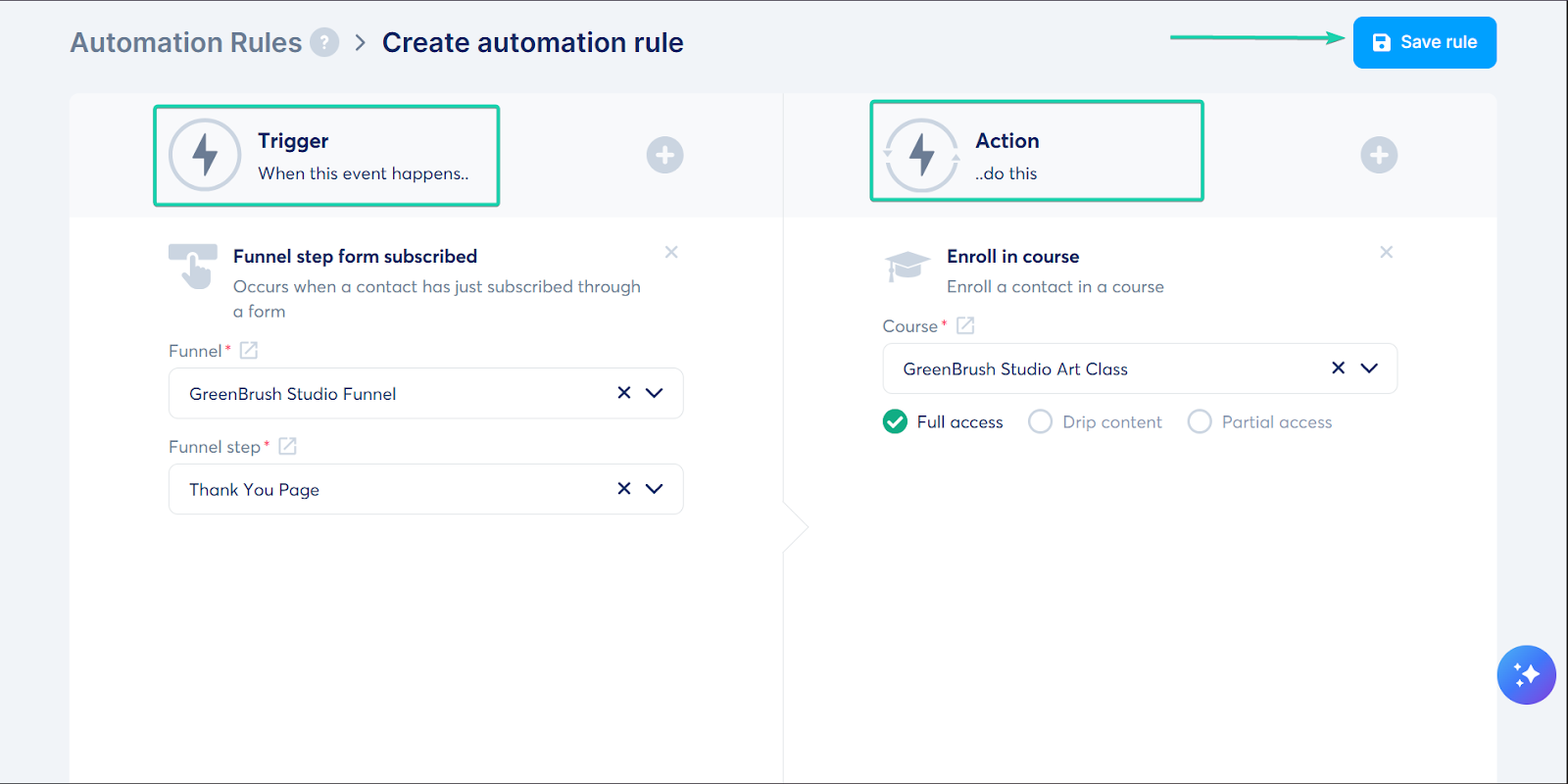
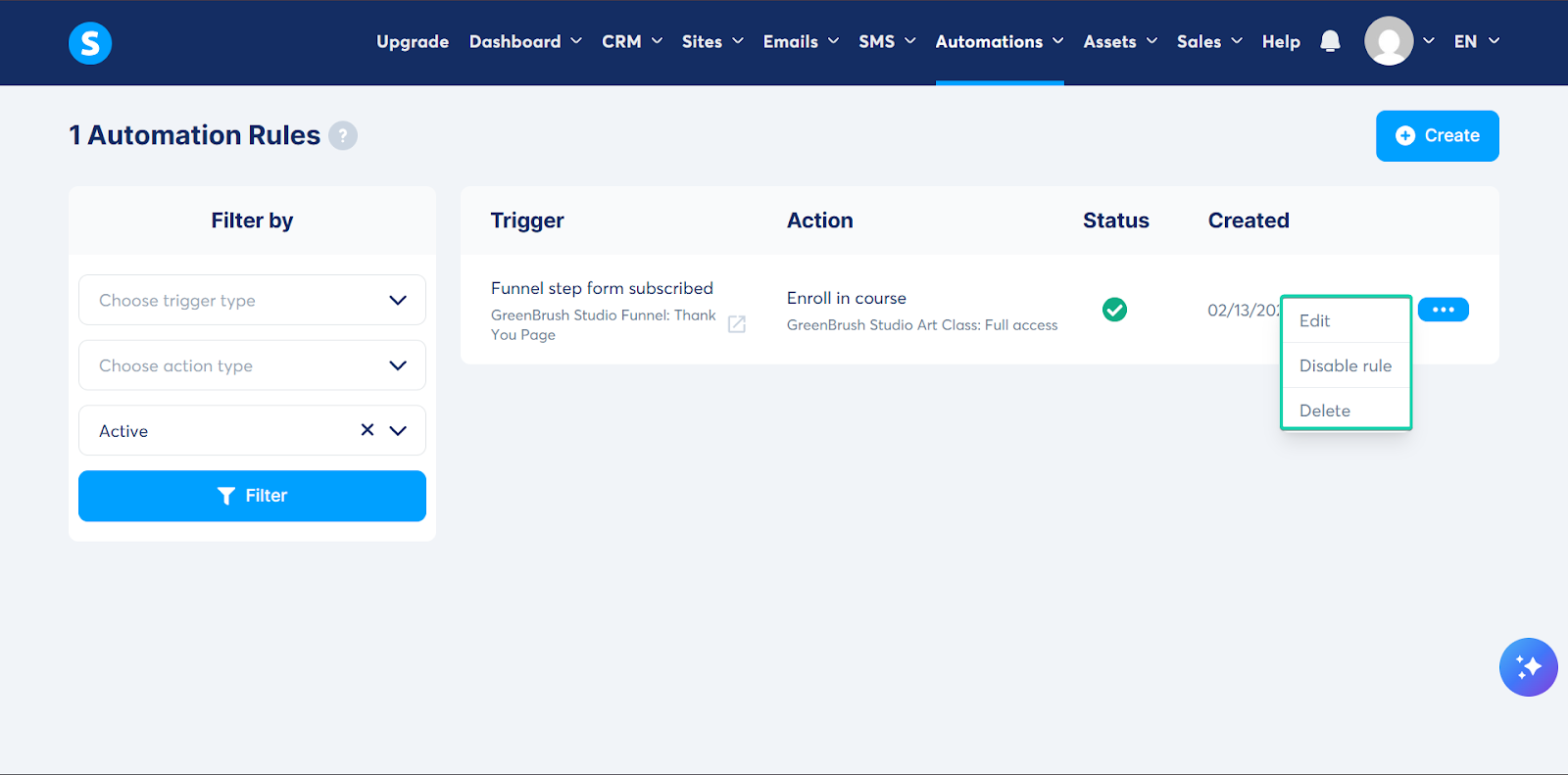
You can manage all your automation rules in a single dashboard.
You can edit it, disable it for as long as you want, or delete it.
What I loved vs what I struggled with
What I Loved 👍
✅ Very affordable with a generous free plan that lets you use all of its features.
✅ Automation rules are simple and quick to set up, making them ideal for non-technical content creators.
✅ Has a beginner-friendly interface.
What I struggled with 👎
❌ Design customization can feel basic and limited.
Best for
- Budget-conscious solopreneurs who want an all-in-one platform that’s simple to use and packed with powerful features.
Pricing
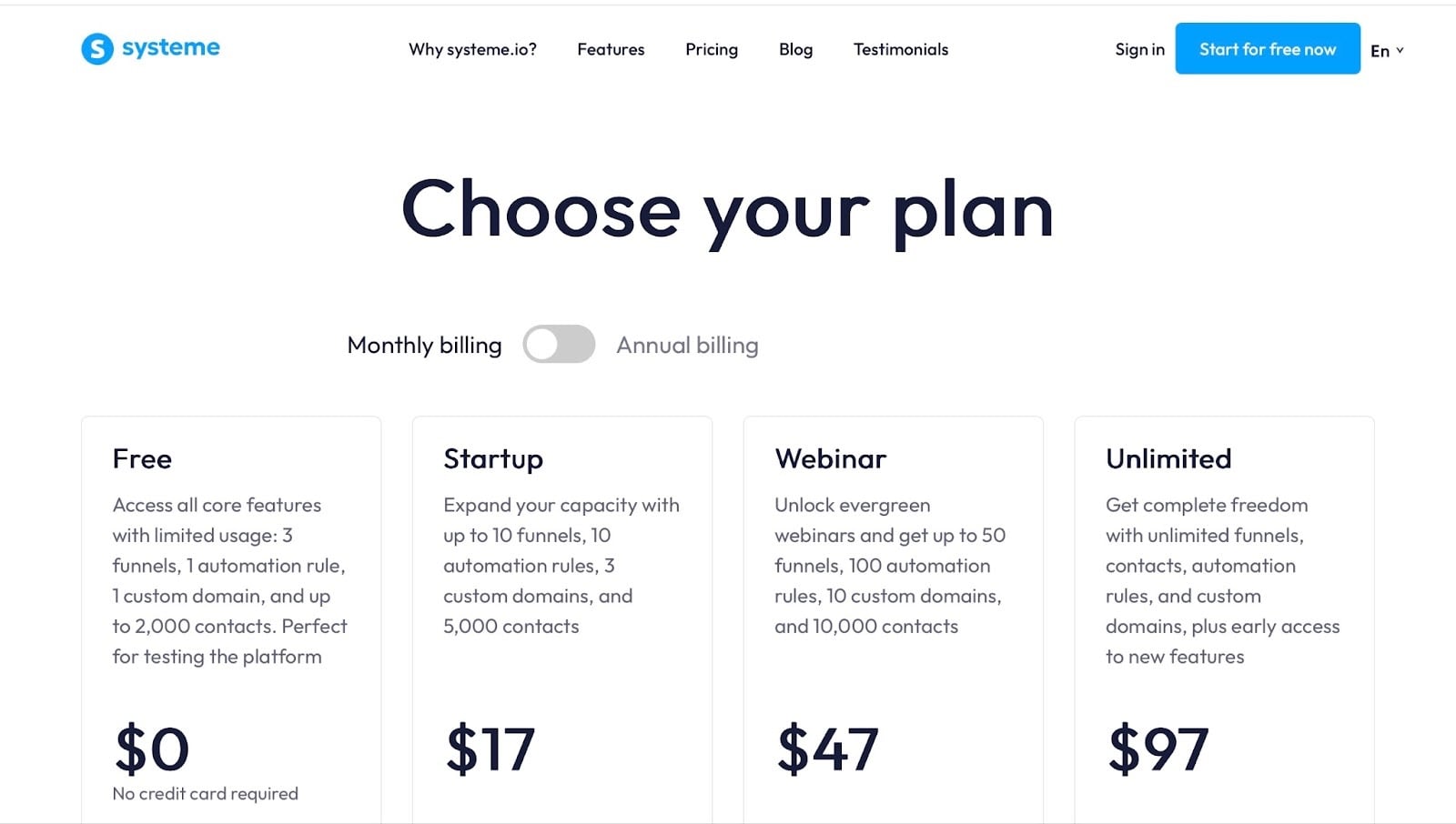
- Free: $0/month
- Startup: $17/month
- Webinar: $47/month
- Unlimited: $97/month
4. Payhip
Payhip comes fourth on my list of the best Podia alternatives.
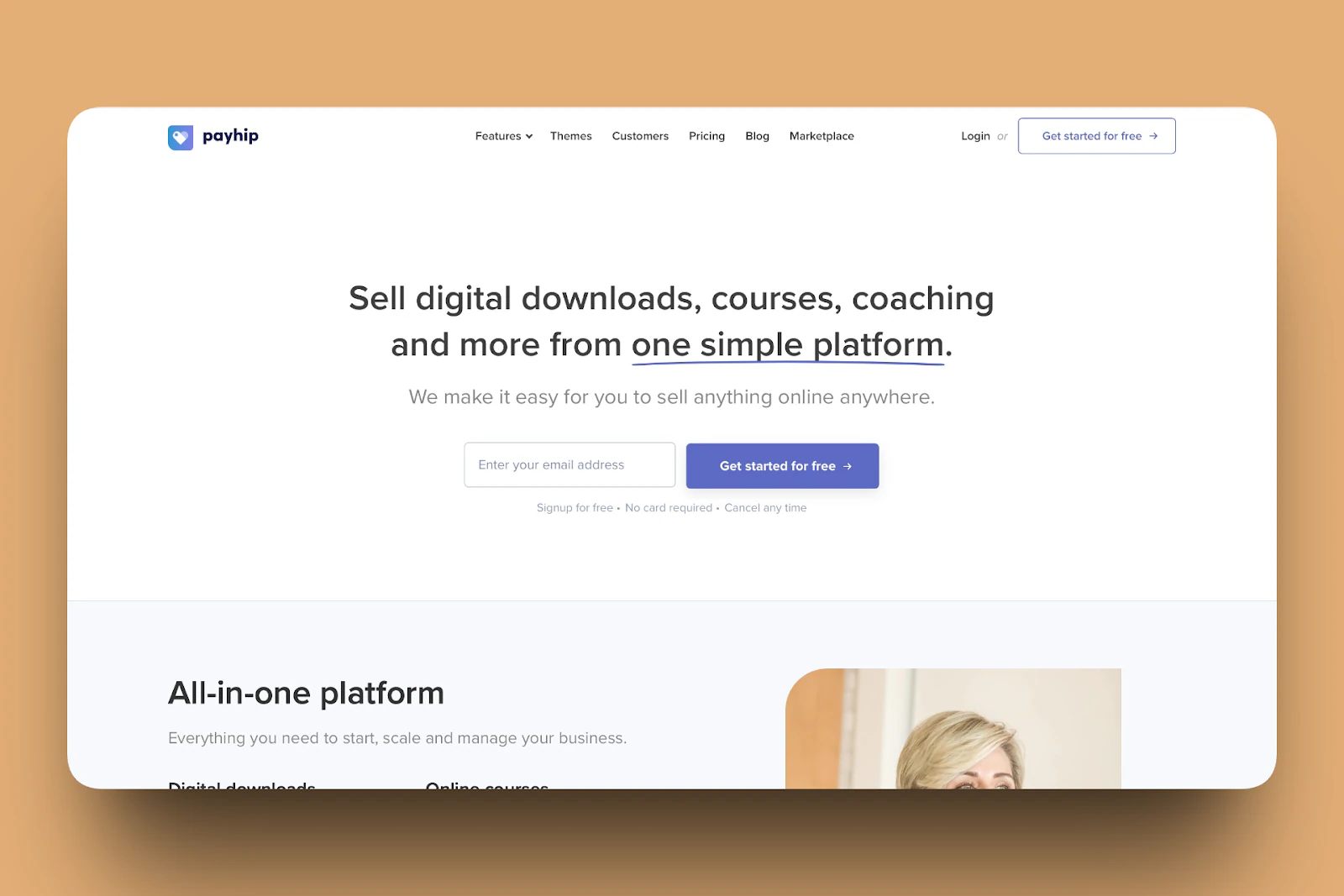
Trusted by over 130,000 creators, Payhip is a simple e-commerce platform. It lets creators sell digital/physical products, subscriptions, coaching services, and courses directly to their followers.
All you need to do is upload your product to Payhip’s ready-made storefront, set your price, and choose your payment gateway.
Payhip handles all the background work like hosting, delivery, and checkout.
One of its features is products, which lets you create/upload products in minutes.
You can sell products like e-books, software, coaching services, courses, and physical products.

Another feature is store. It lets you create a professional-looking storefront to showcase your product inventory. You can also track sales and revenue and communicate with your customers.
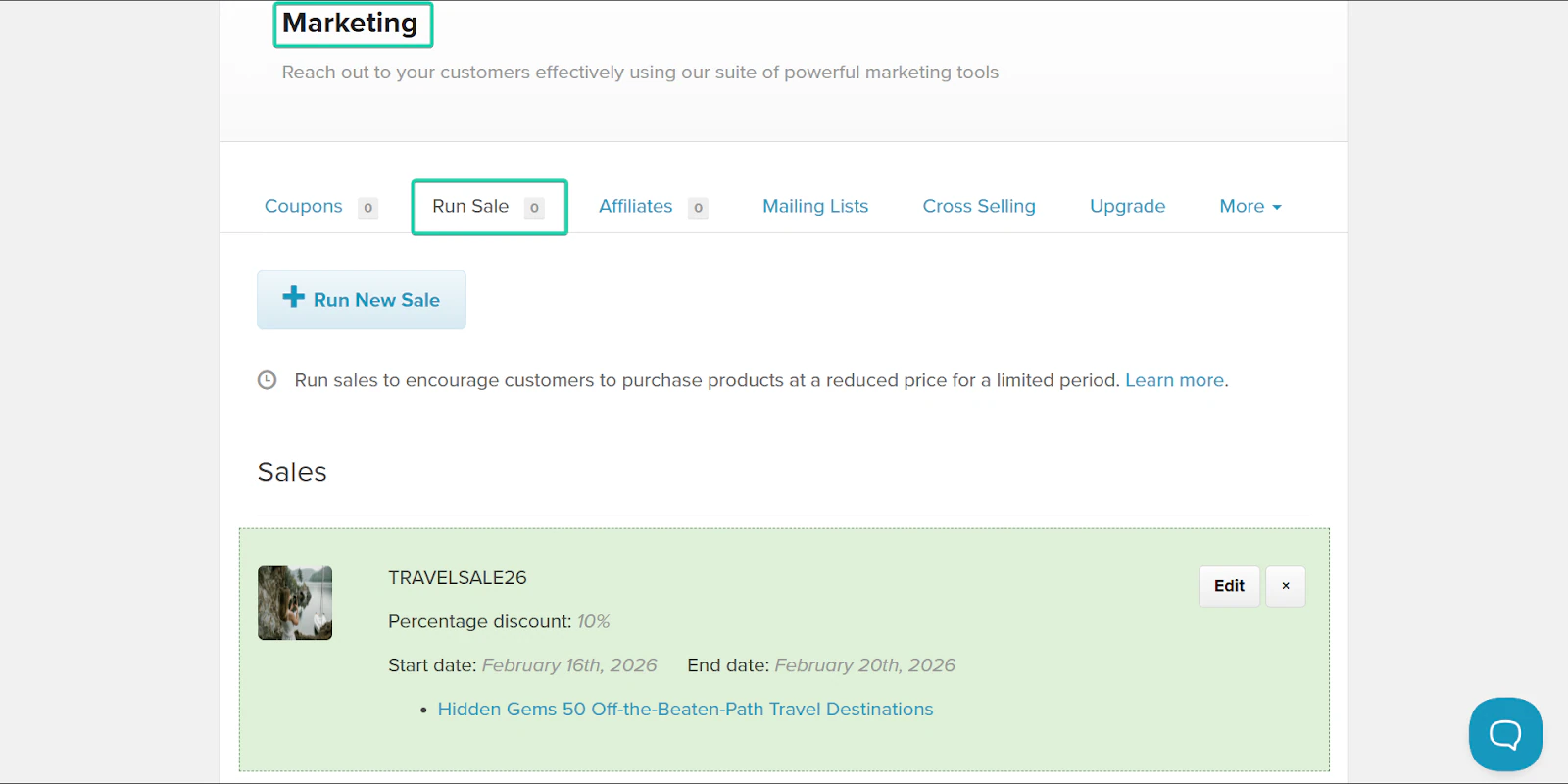
And finally, the run sale feature lets you offer discounts or coupons on your products. It’s a great way to keep your customers returning.
What I loved about Payhip
1. Products
Payhip lets you sell digital/physical products, subscriptions, coaching, and online courses.
It’s not a complex setup. All you have to do is upload your file (like a PDF), add pricing, write a description, and publish it.
Payhip handles delivery and payment. Let’s see how it works.
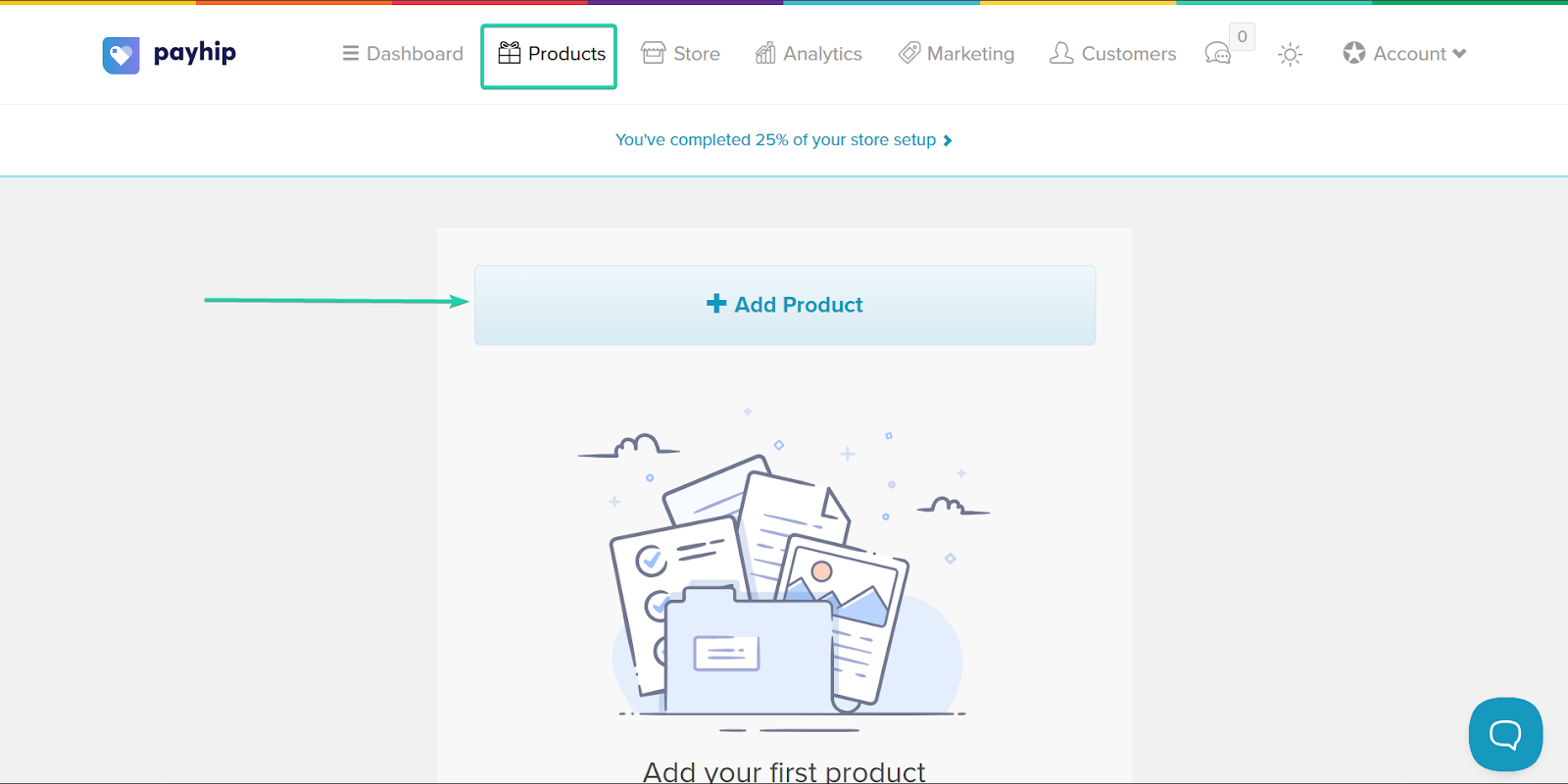
Head over to “Products” and click “Add Product.”
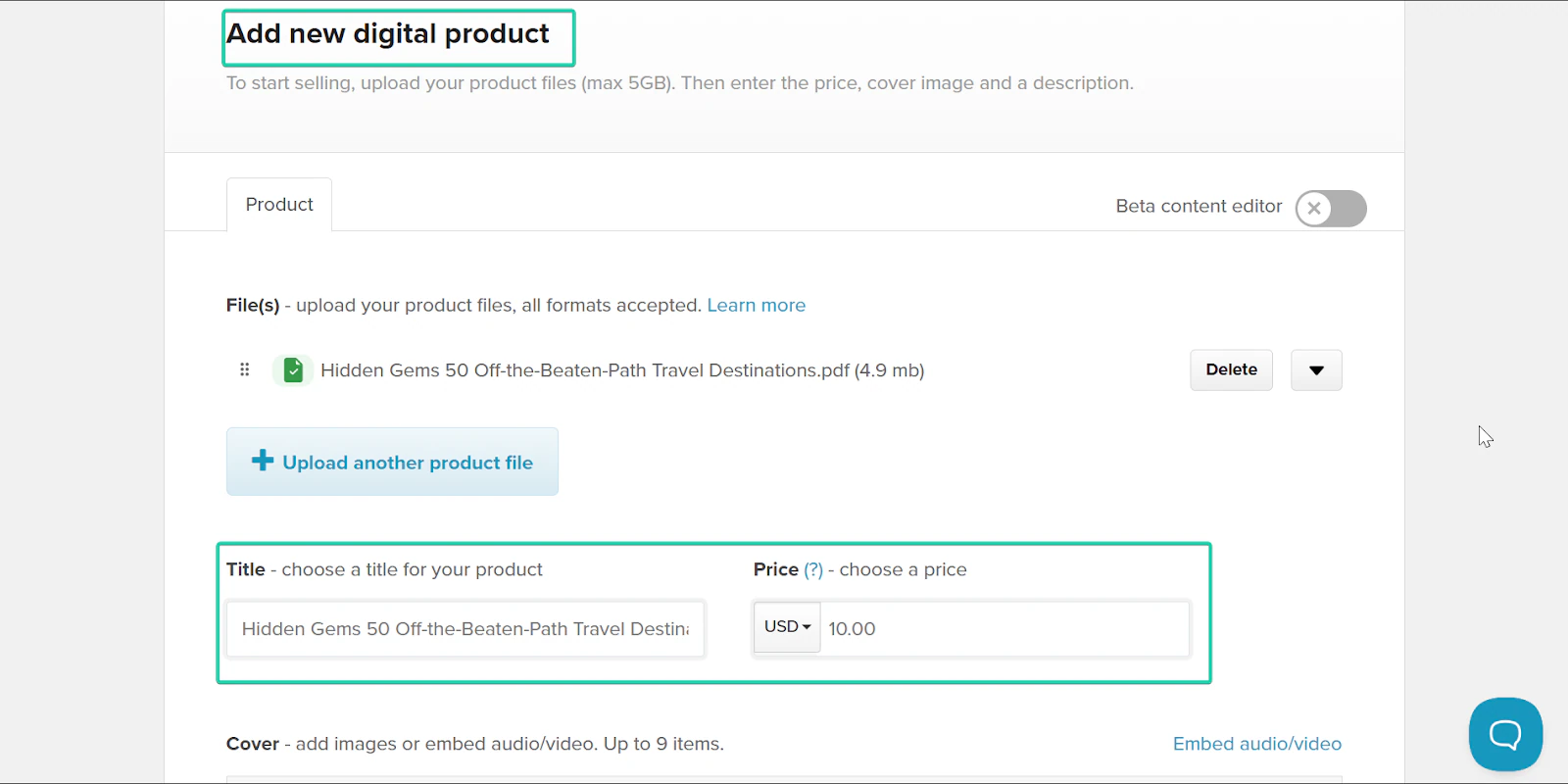
Next, fill out the product details. You’ll need to give your product a name and price.
You can also set your product’s visibility. Visible means everyone can see it.
Invisible means only you can view the product. Unlisted means only people with a link to your product can view it.
When you’re done, hit “Add Product.”
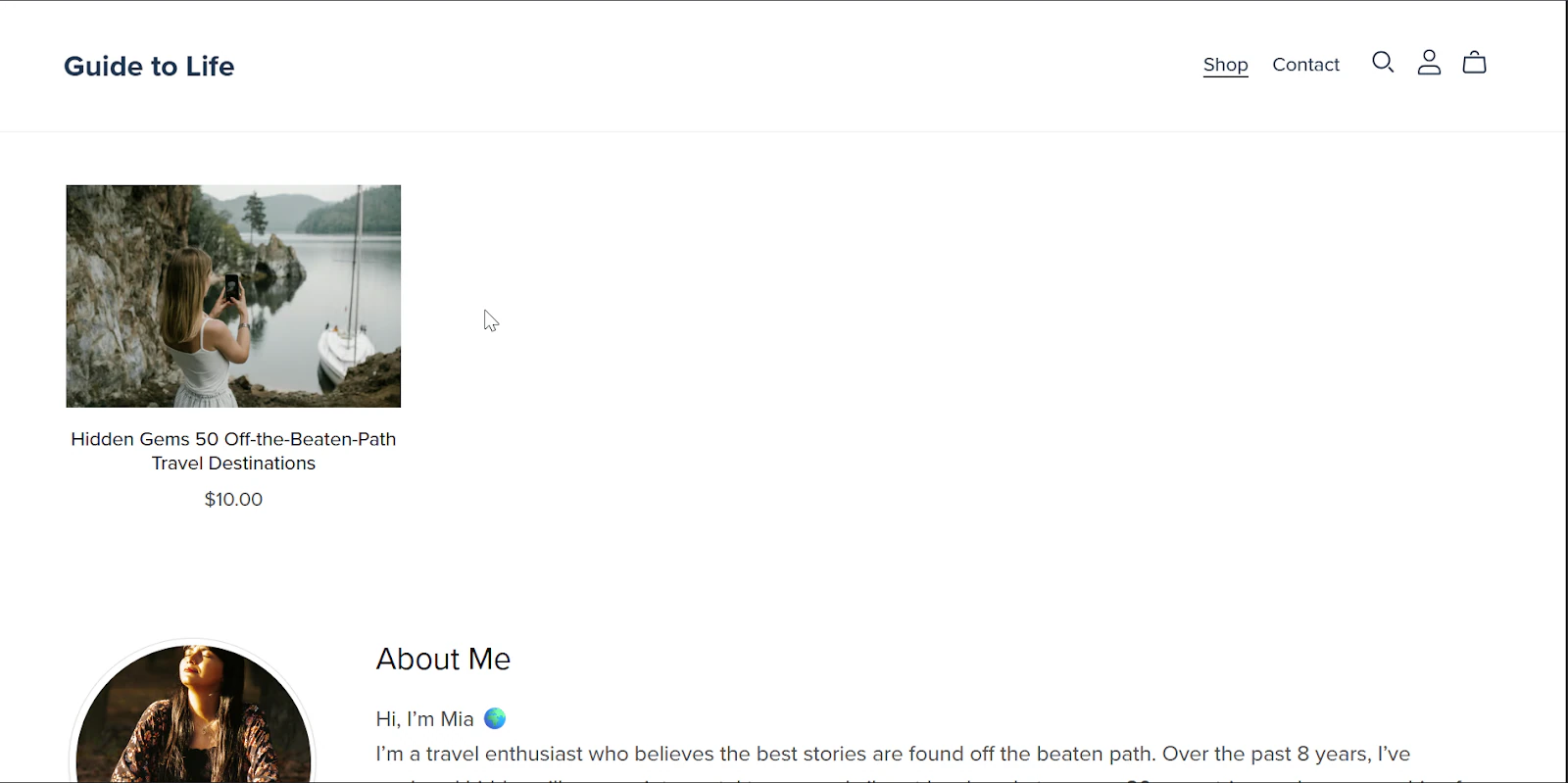
And here’s your final product!
2. Store
Next up is the store feature, where customers can browse and buy your products.
You can customize your store with your branding (colors, logo, layout), create product categories, and make everything look professional.
Let me take you through this feature:
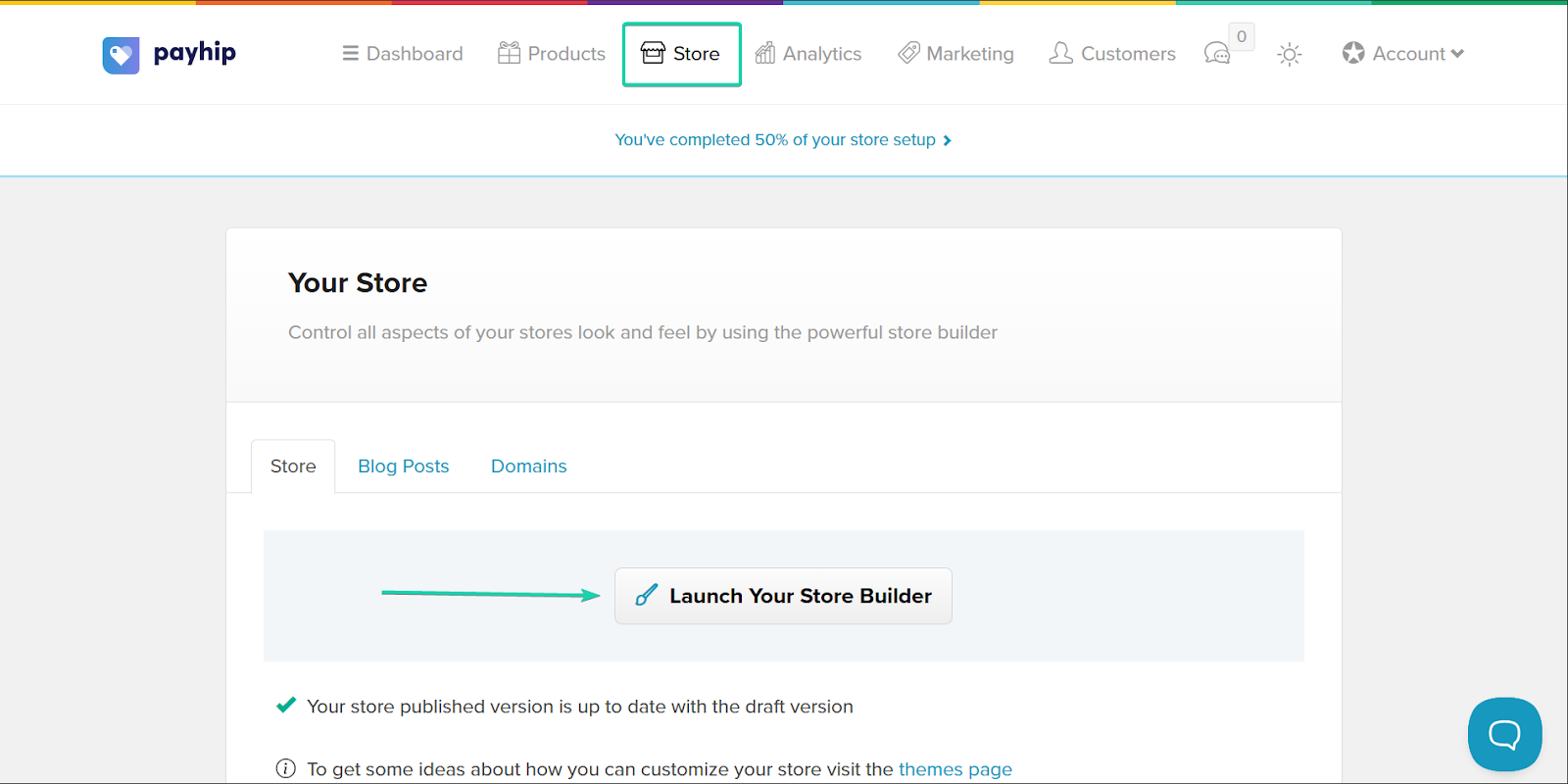
First, go to “Store” and click “Launch Your Store Builder.”
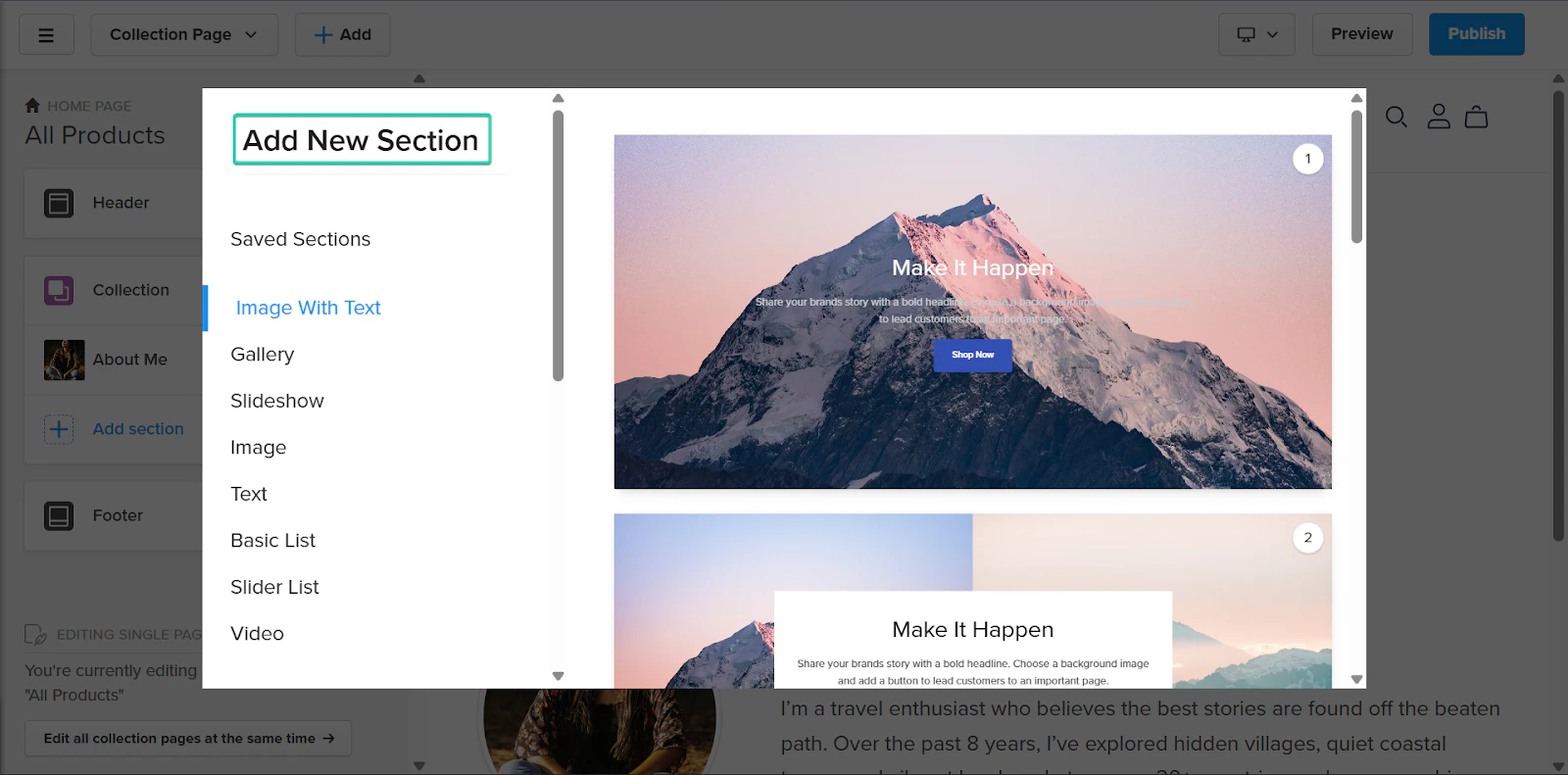
You can add more sections to the website builder to improve your website’s look and feel.
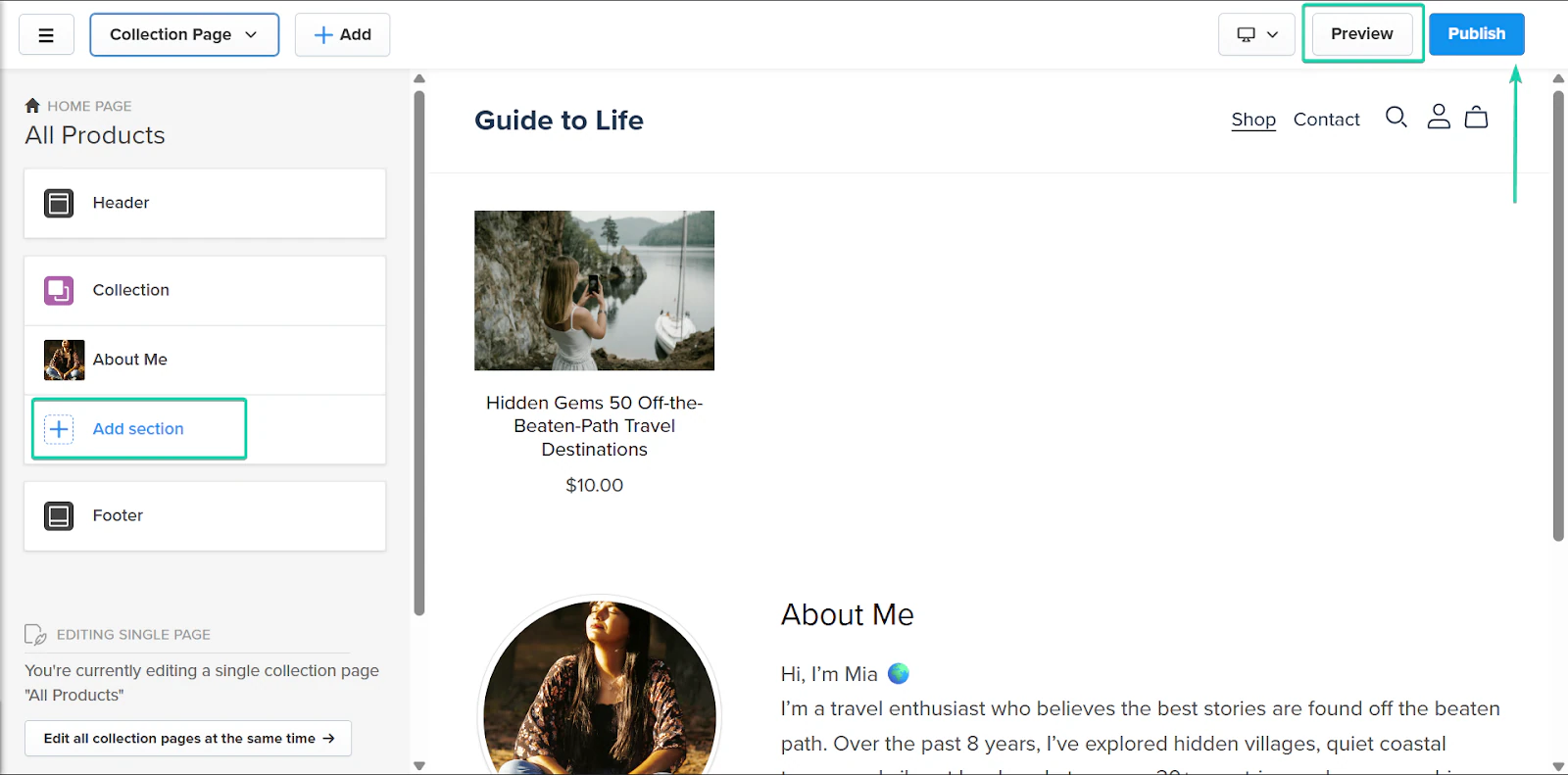
You can also preview your website as you create it. This gives you an idea of how it’ll look once you publish it.
Once you’re done editing, click “Publish,” and your website will be live.
3. Run sale
Payhip gives you built-in marketing tools to help you boost conversions. You can create coupons, run discount sales, and run sales.
Let’s see how it works.
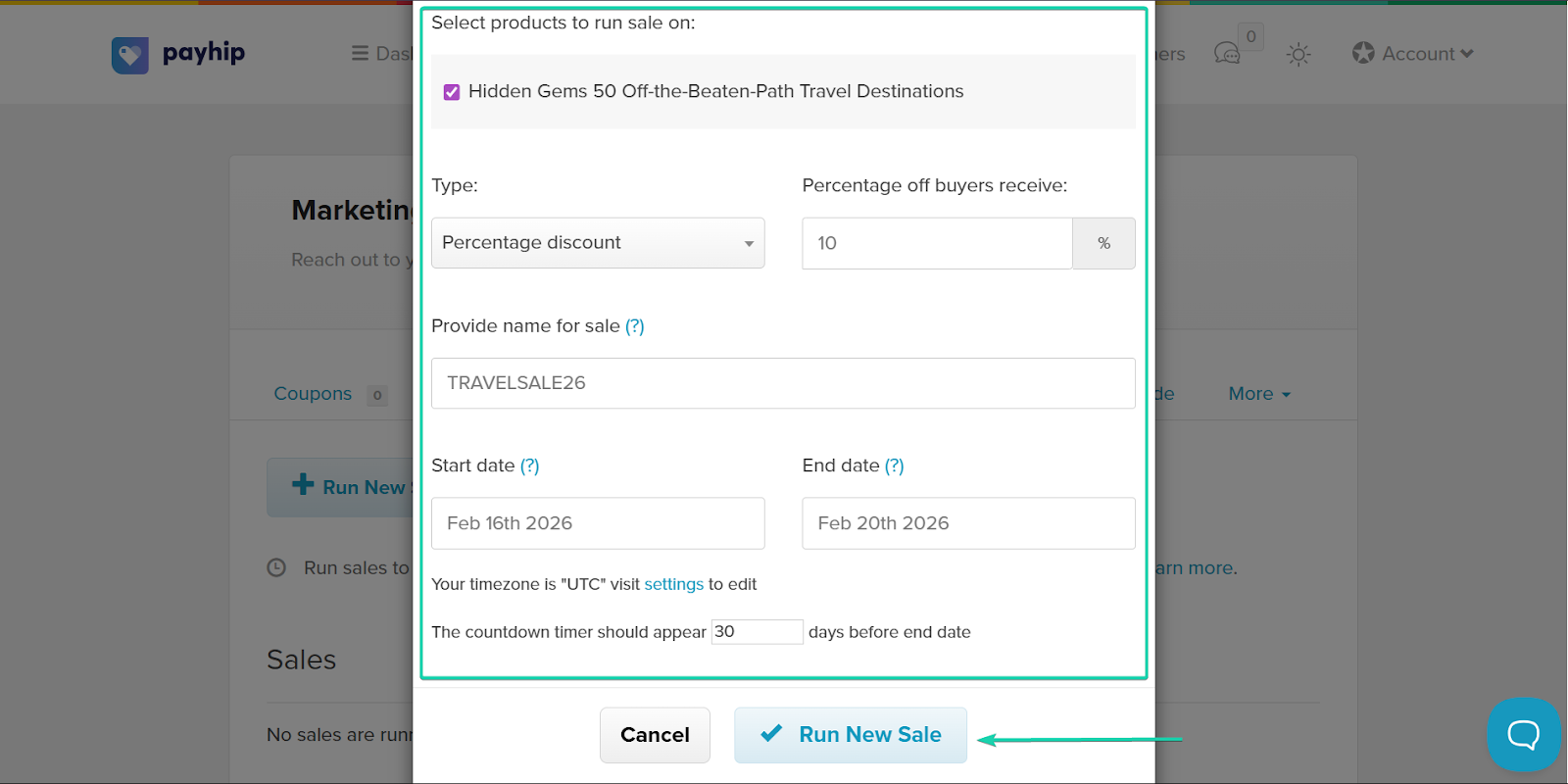
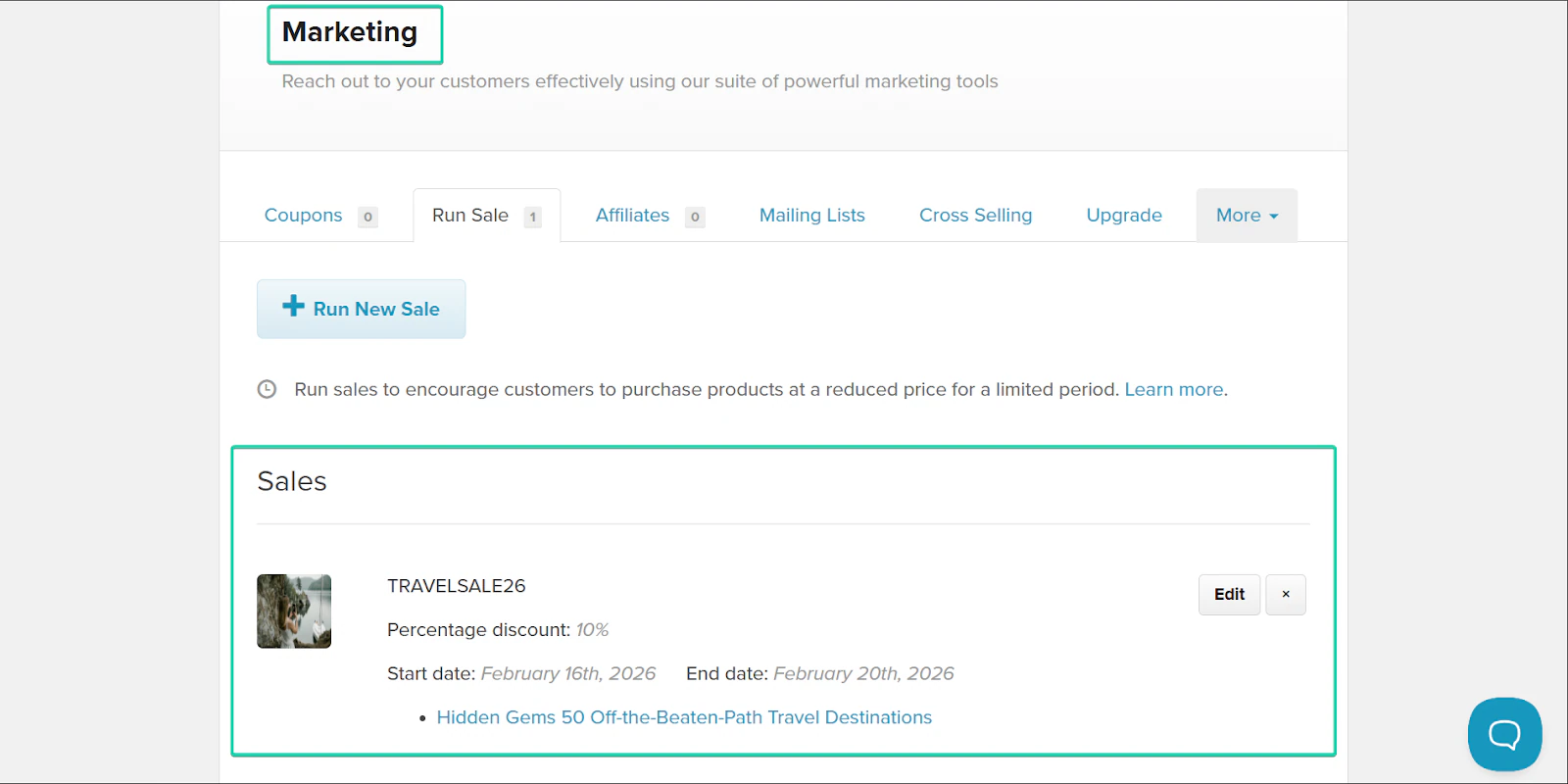
Go to “Marketing” and click “Run New Sale.”
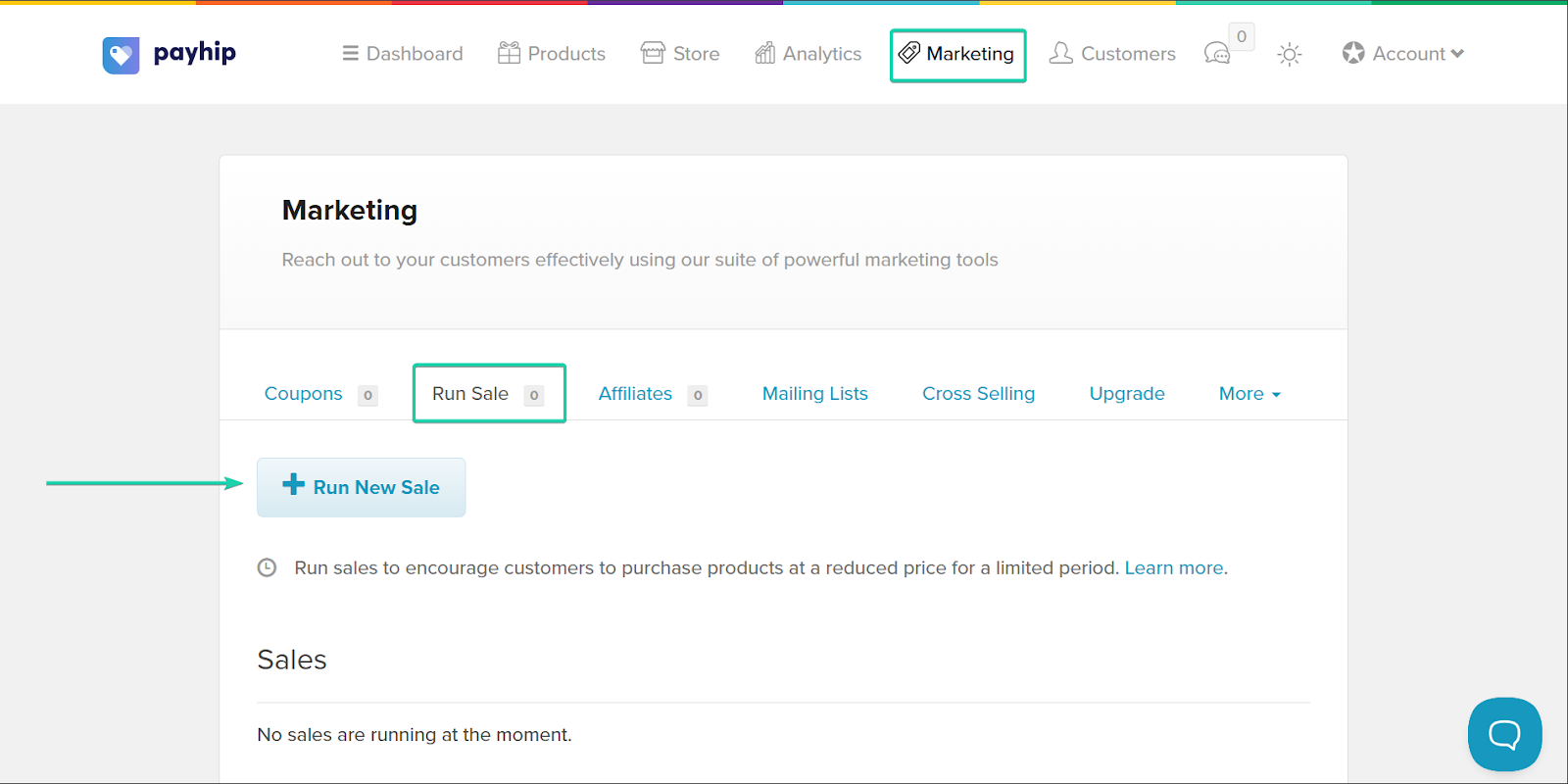
Next, select the product you want to run sales on. Then enter the details, including the discount, sale name, and duration.
When you’re done, click “Run New Sale.”
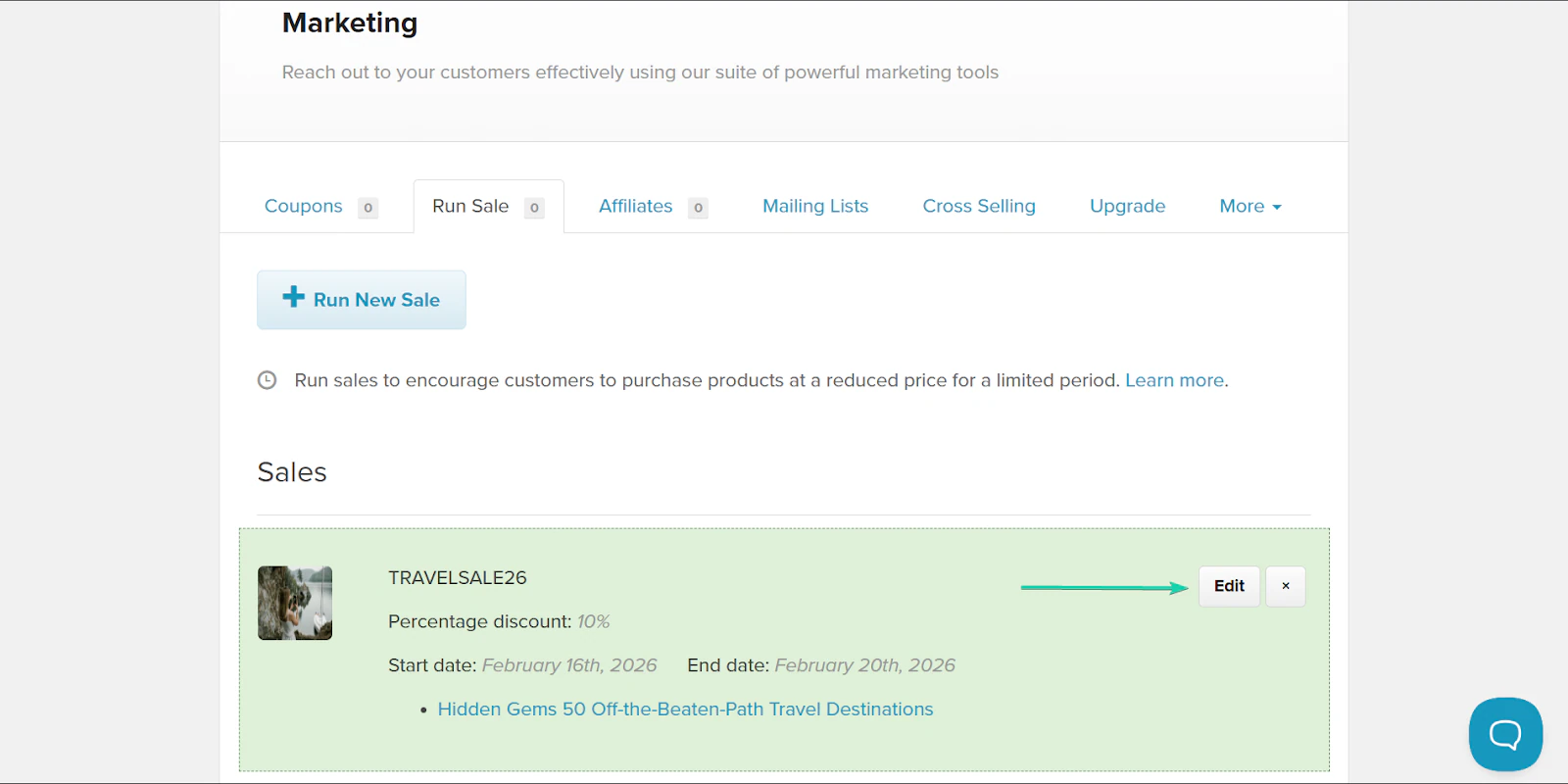
You can manage all your sales on your dashboard and make any necessary changes.
What I loved vs what I struggled with
What I loved 👍
✅ Great tool for beginners with its simple setup and product uploads.
✅ Supports a wide product range, from digital downloads and courses to physical products.
✅ Has diverse marketing tools, including coupons, sales, affiliate marketing, mailing lists, and cross-selling.
What I struggled with 👎
❌ 5% transaction fee on the free plan can quickly add up and can cost more than a paid plan.
❌ The website builder feels basic and has limited design options.
Best for
- Creators who want to start selling their products quickly and directly to their followers.
Pricing
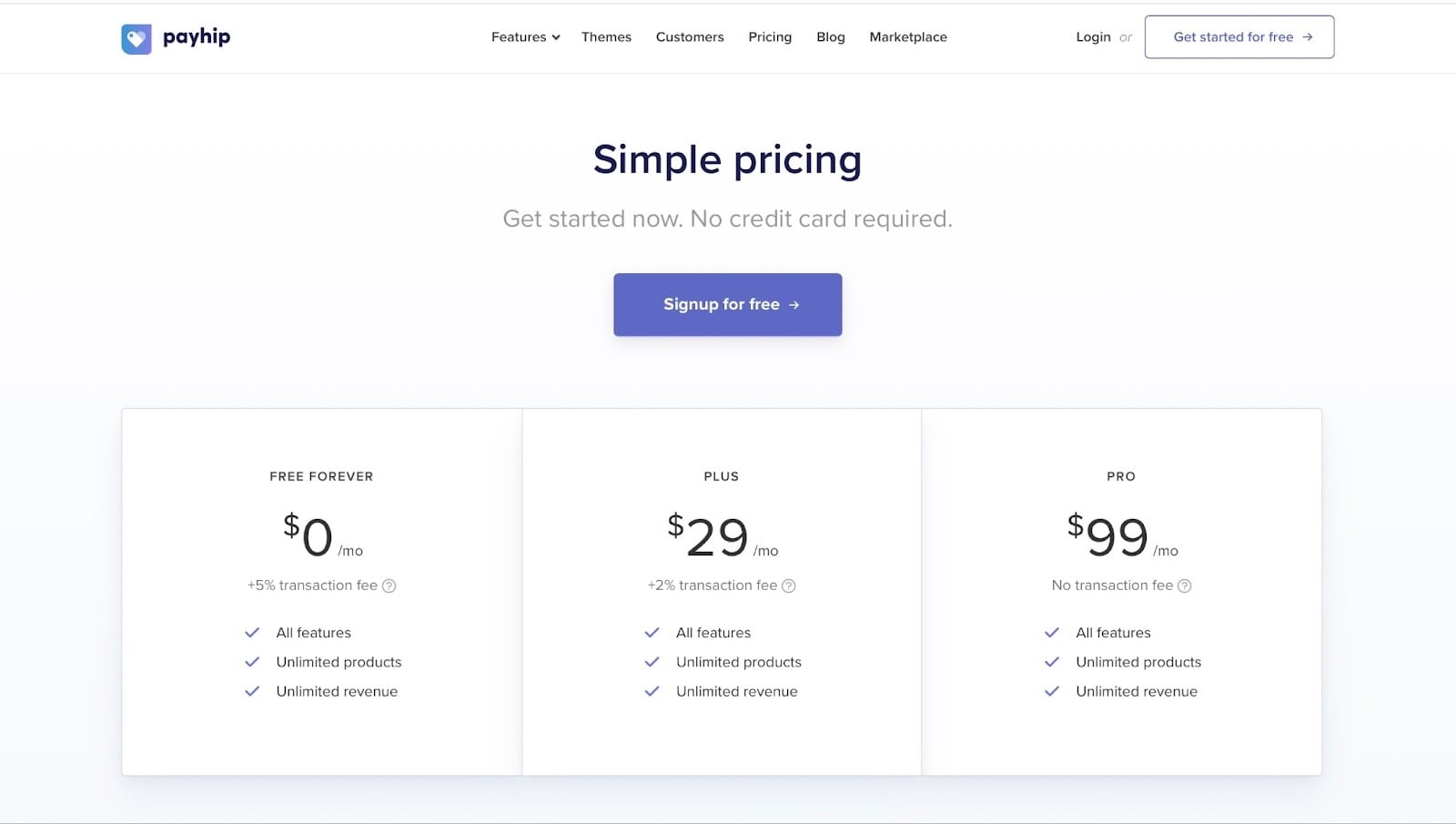
- Free Forever: $0/month + 5% transaction fee
- Plus: $29/month + 2% transaction fee
- Pro: $99/month (no transaction fee)
5. ClickFunnels
I can’t talk about the best alternatives to Podia without mentioning ClickFunnels.
The platform calls itself one of the “most popular funnel builders in the world.”
It’s a conversion-driven funnel builder that’s designed to turn potential customers into buyers through structured sales journeys.
It helps you create high-converting sales funnels without technical skills. Over the years, ClickFunnels has expanded to include websites, courses, e-commerce platforms, CRM, and email marketing.

The funnels feature is ClickFunnels’ most popular feature.
It lets you create step-by-step journeys designed to guide potential customers from interest to purchase.
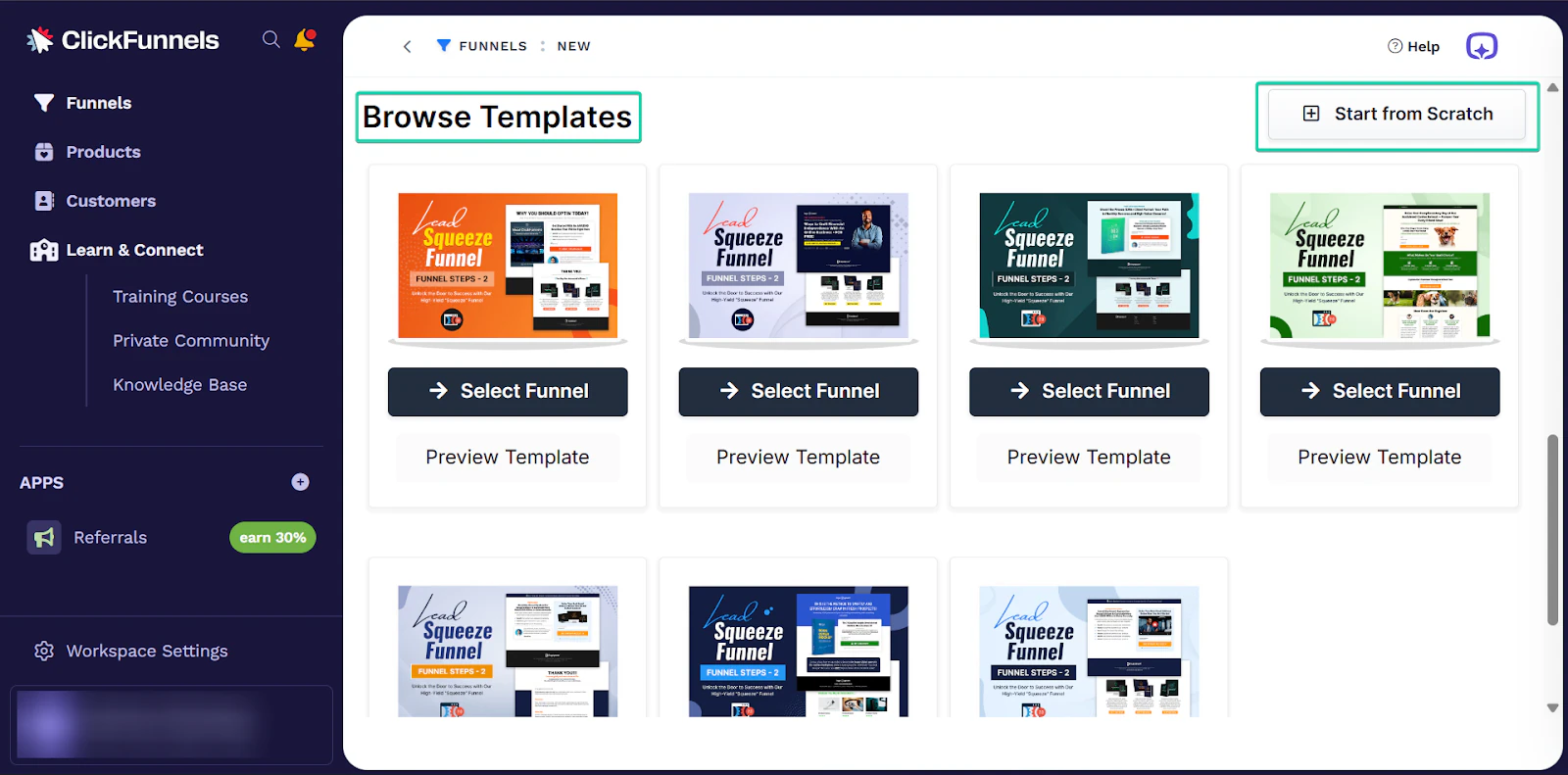
You can either create a funnel from scratch or browse ClickFunnels’ templates.
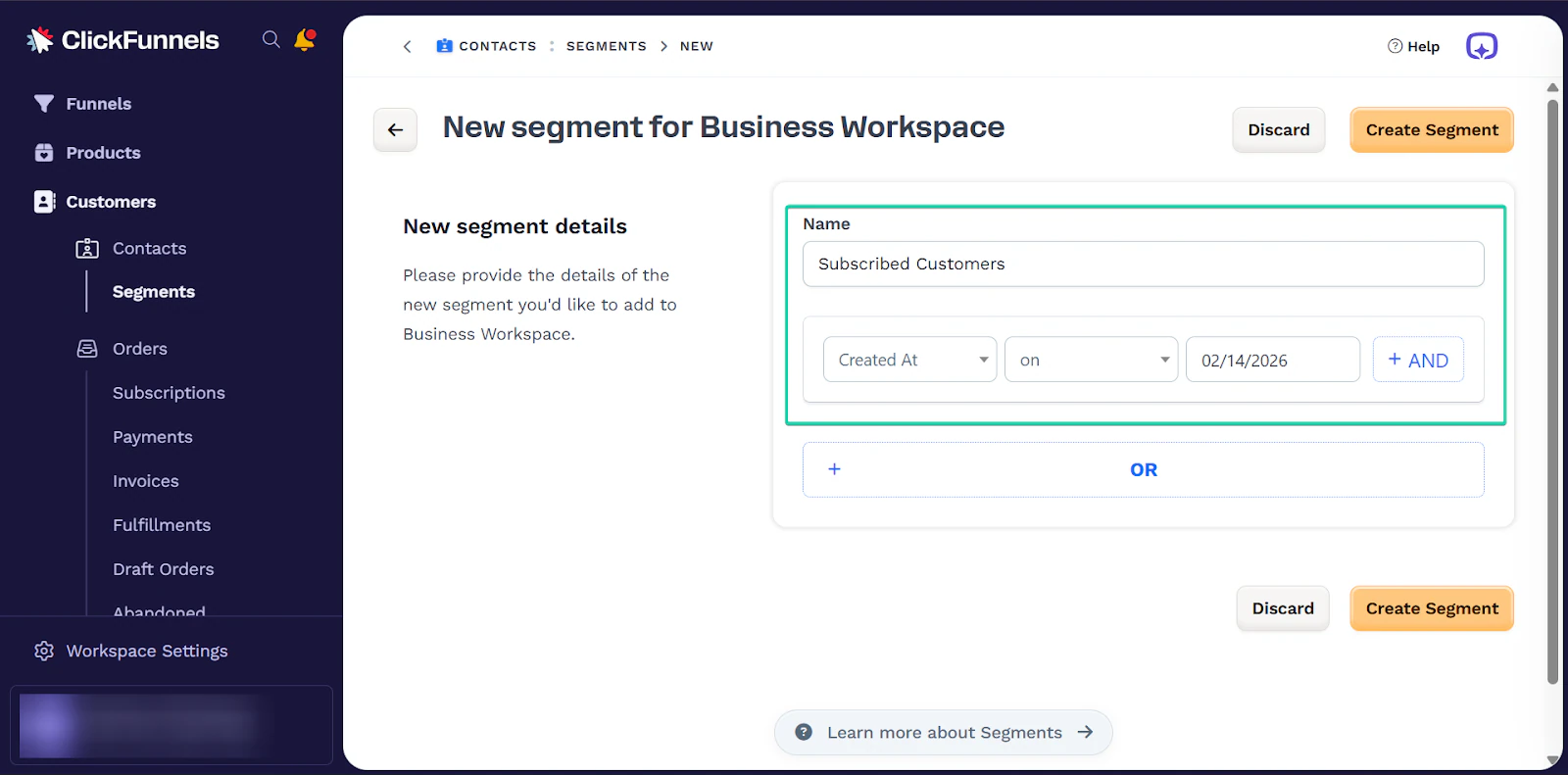
The next feature I’d like to talk about is segments.
With segments, ClickFunnels lets you organize your contacts to make your marketing more targeted.
For example, you can create a group for customers you added to the platform on a particular date.
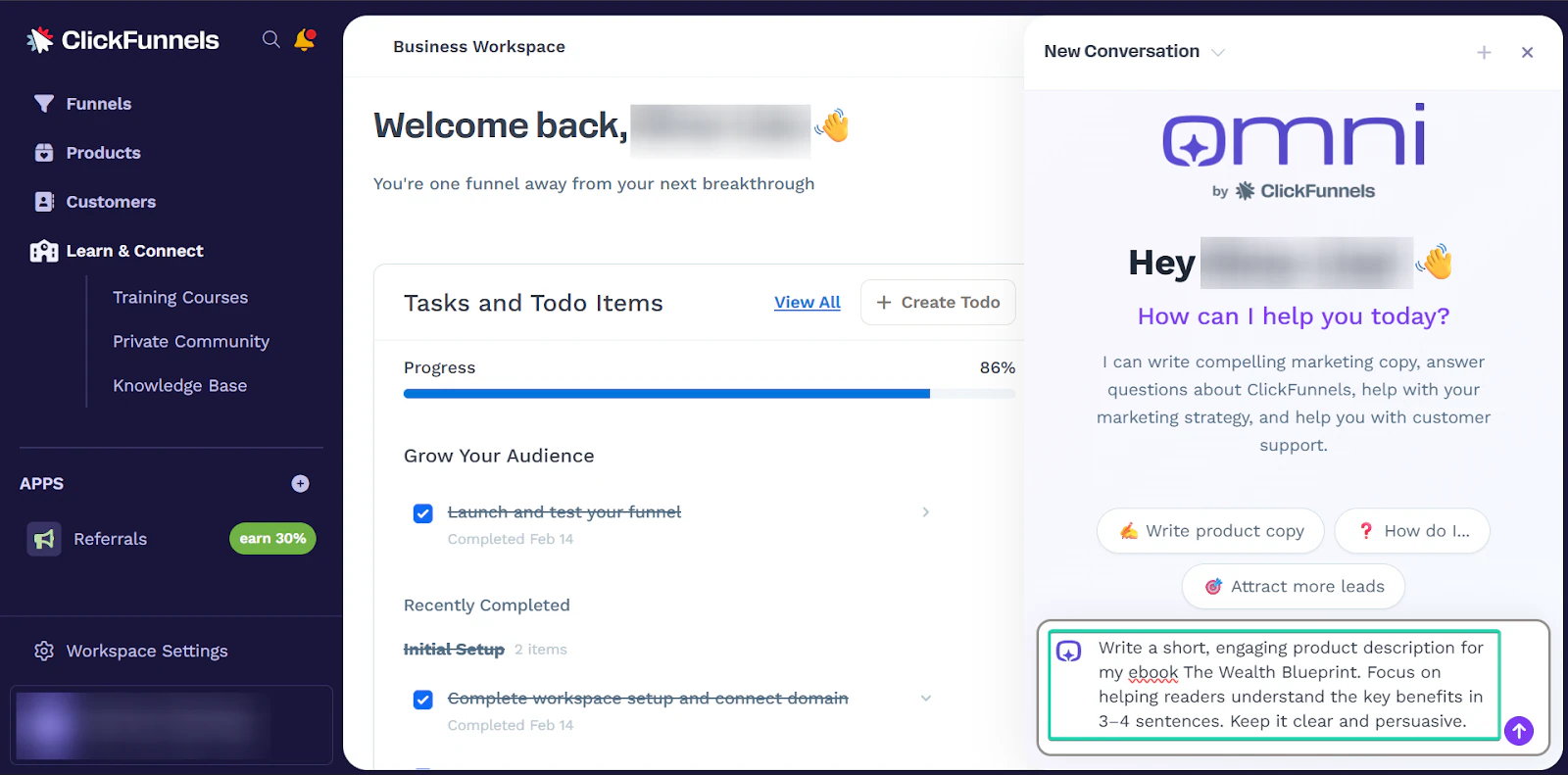
And finally, there’s Omni, ClickFunnels’ built-in AI assistant. It helps you generate content, including product descriptions, emails, funnel copies, and sales headlines.
What I loved about ClickFunnels
1. Funnels
The funnels feature provides a path to convince and guide potential customers to take action.
For example, you can create a funnel to guide customers to make a purchase or subscribe to your newsletter.
With ClickFunnels, you can choose to build a funnel from scratch.
Or you can select from the platform’s categories, like lead funnels, challenge funnels, and presentation funnels.
Let’s see how it works.
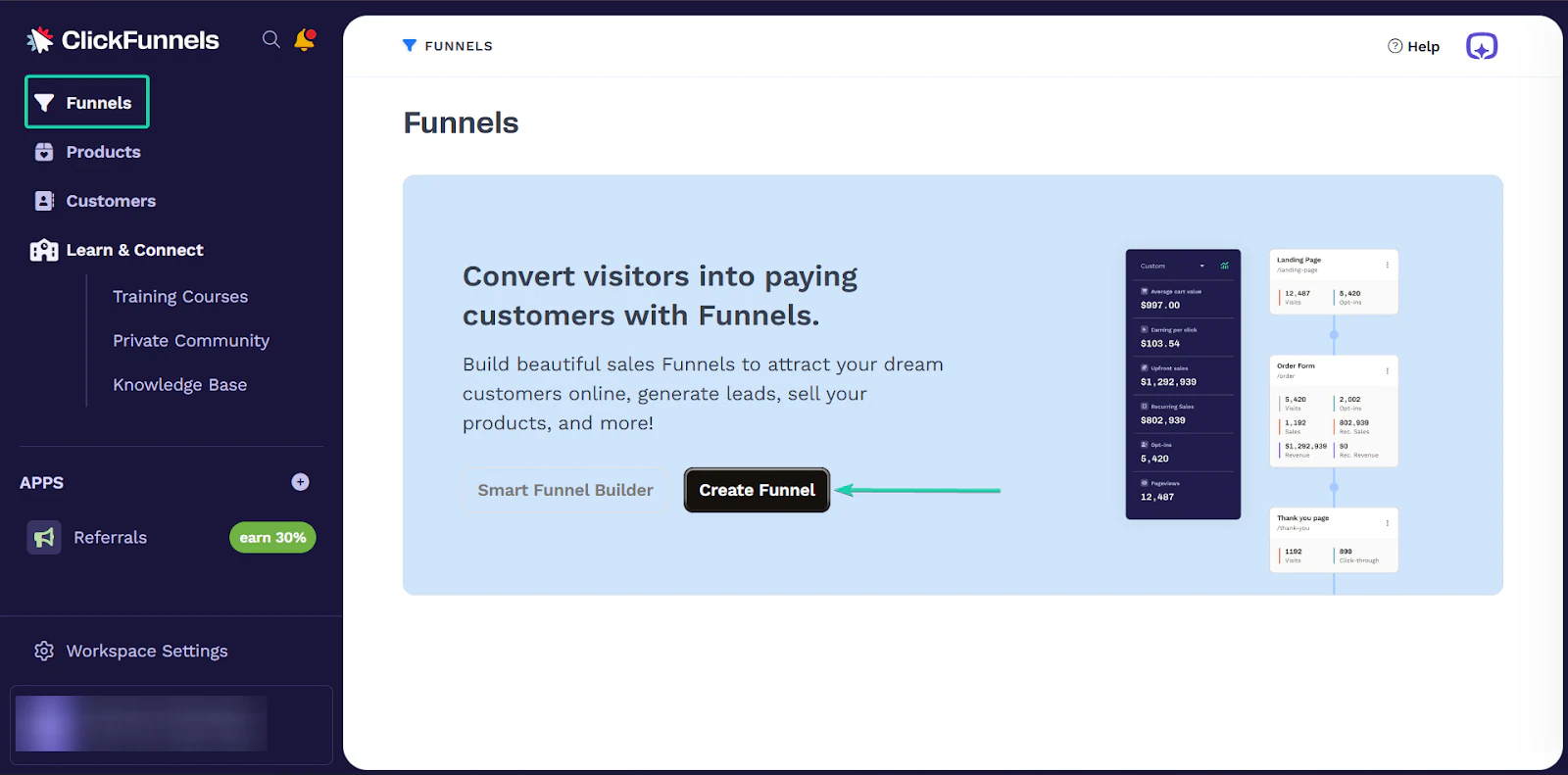
First, go to “Funnels” and click “Create Funnel.”
Next, you can choose the funnel type or start from scratch.
Let’s choose the lead “squeeze” funnel.
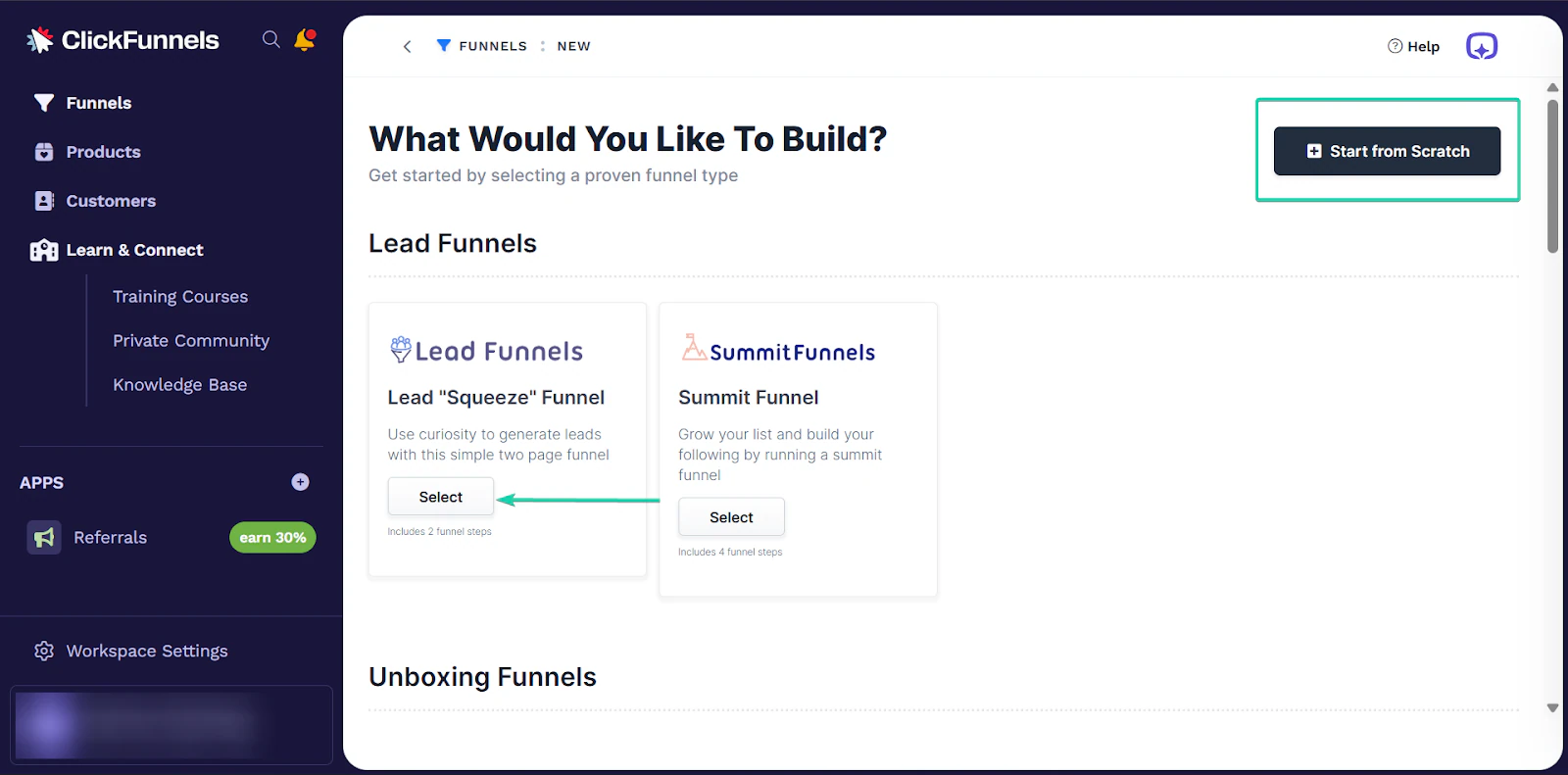
ClickFunnels provides a set of templates for each funnel type you choose.
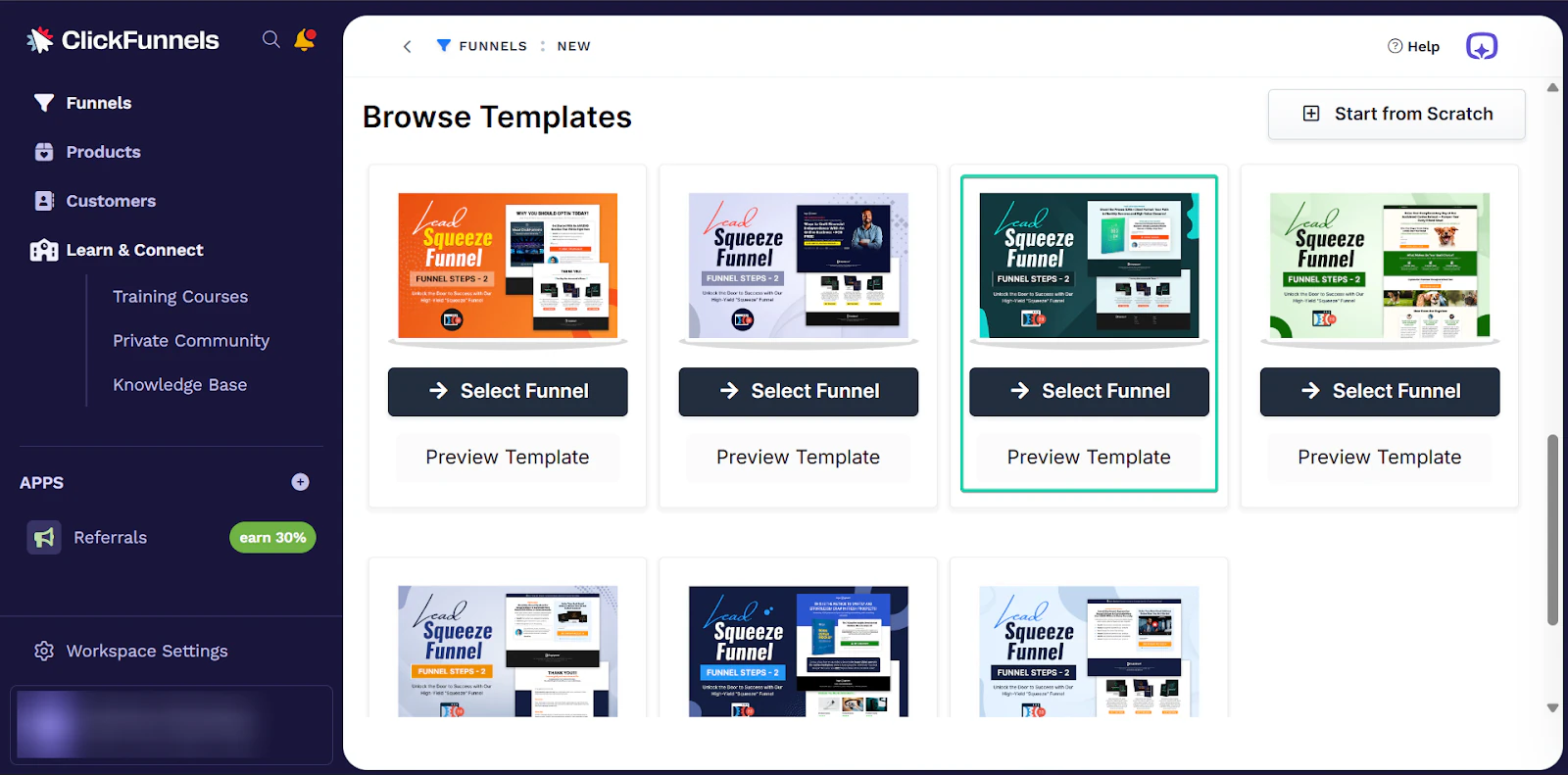
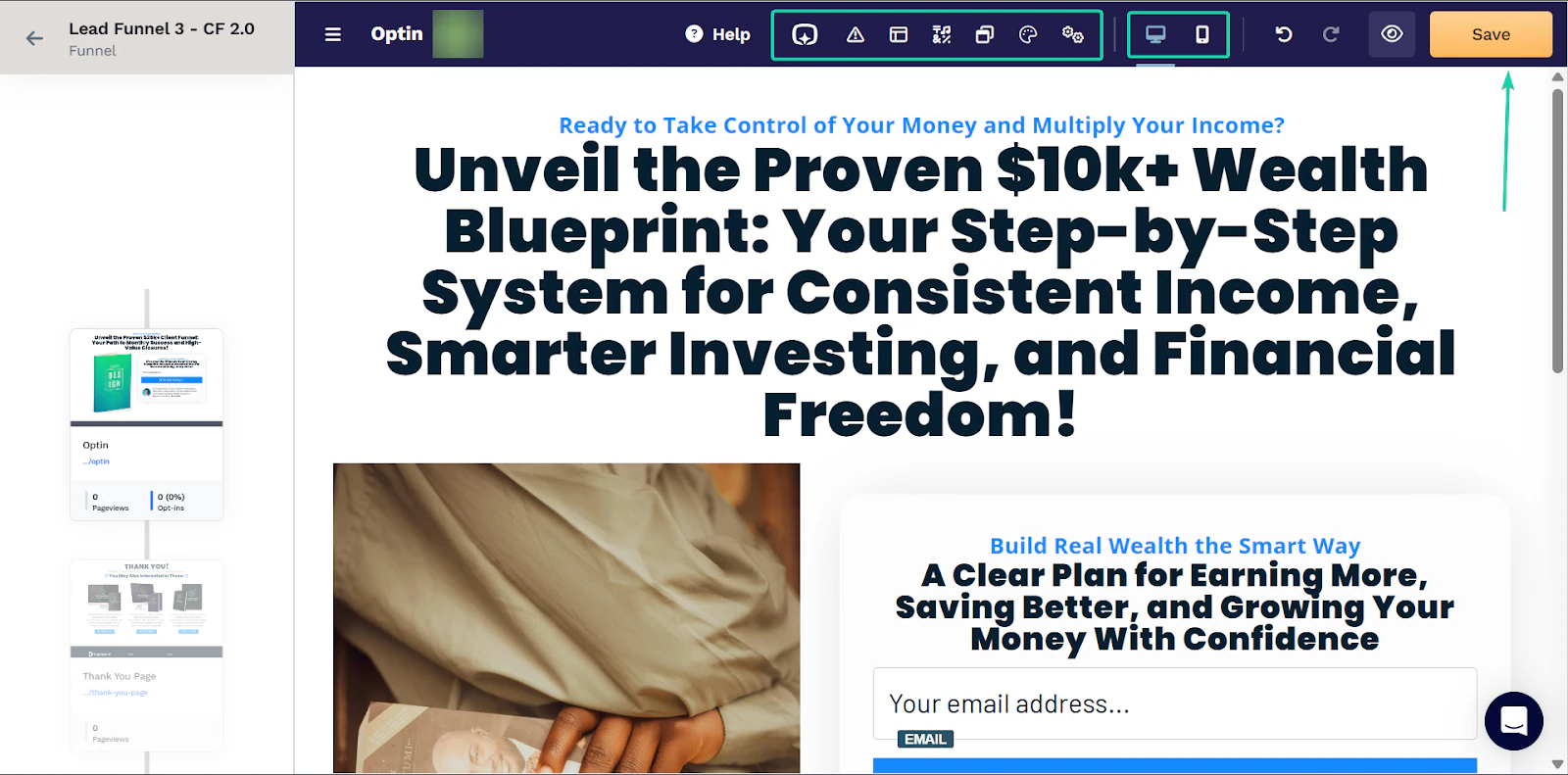
Once your template is ready, you can edit it. You can change the text, background color, and layout of your funnel.
You can also view how it’ll look on desktops and mobile devices. Remember to hit “Save” before continuing.
2. Segments
You can do more with your contact information thanks to the segments feature.
It helps you organize your customer details intelligently and send more targeted messages.
This feature also lets you group your contacts by their activity.
For example, you can segment customers based on whether they purchased a specific product or were added to the platform on a specific day.
Here’s a walkthrough:
Head to “Customers” and then click “Add Segment.”
For this feature to work, you will need an existing customer database, which you can manually enter or import from your device.
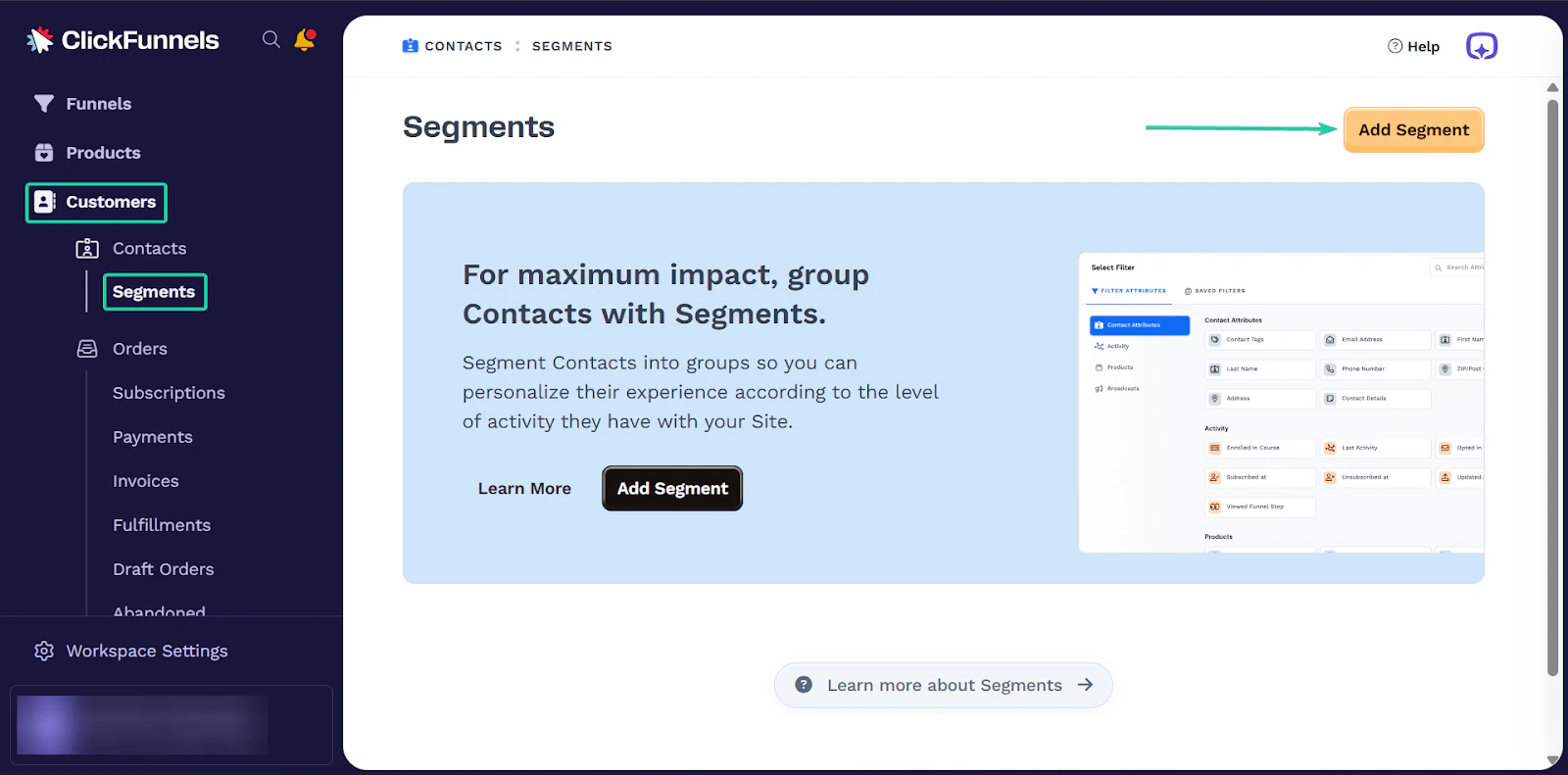
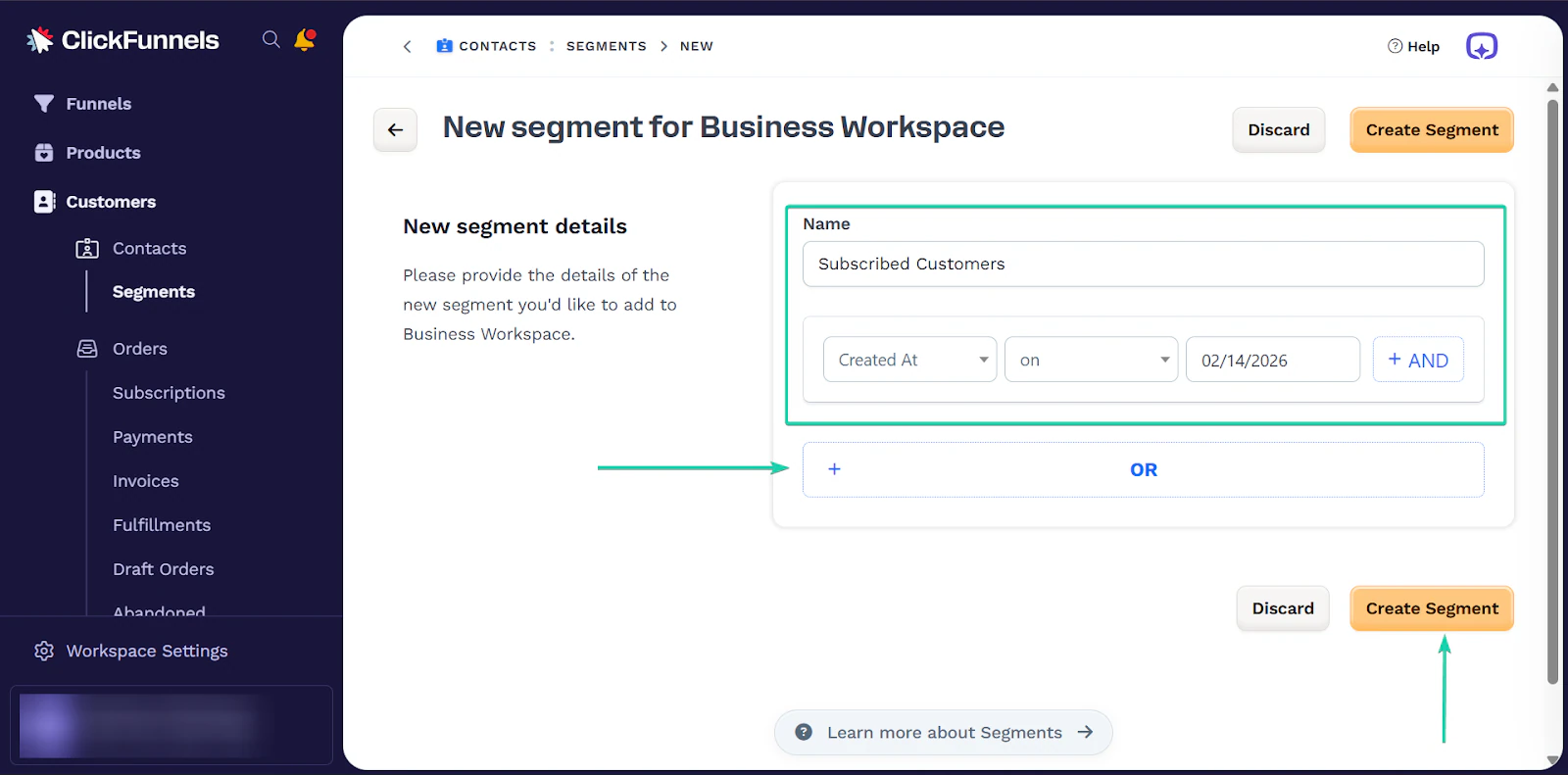
After that, fill out the new segment details. Give your segment a name.
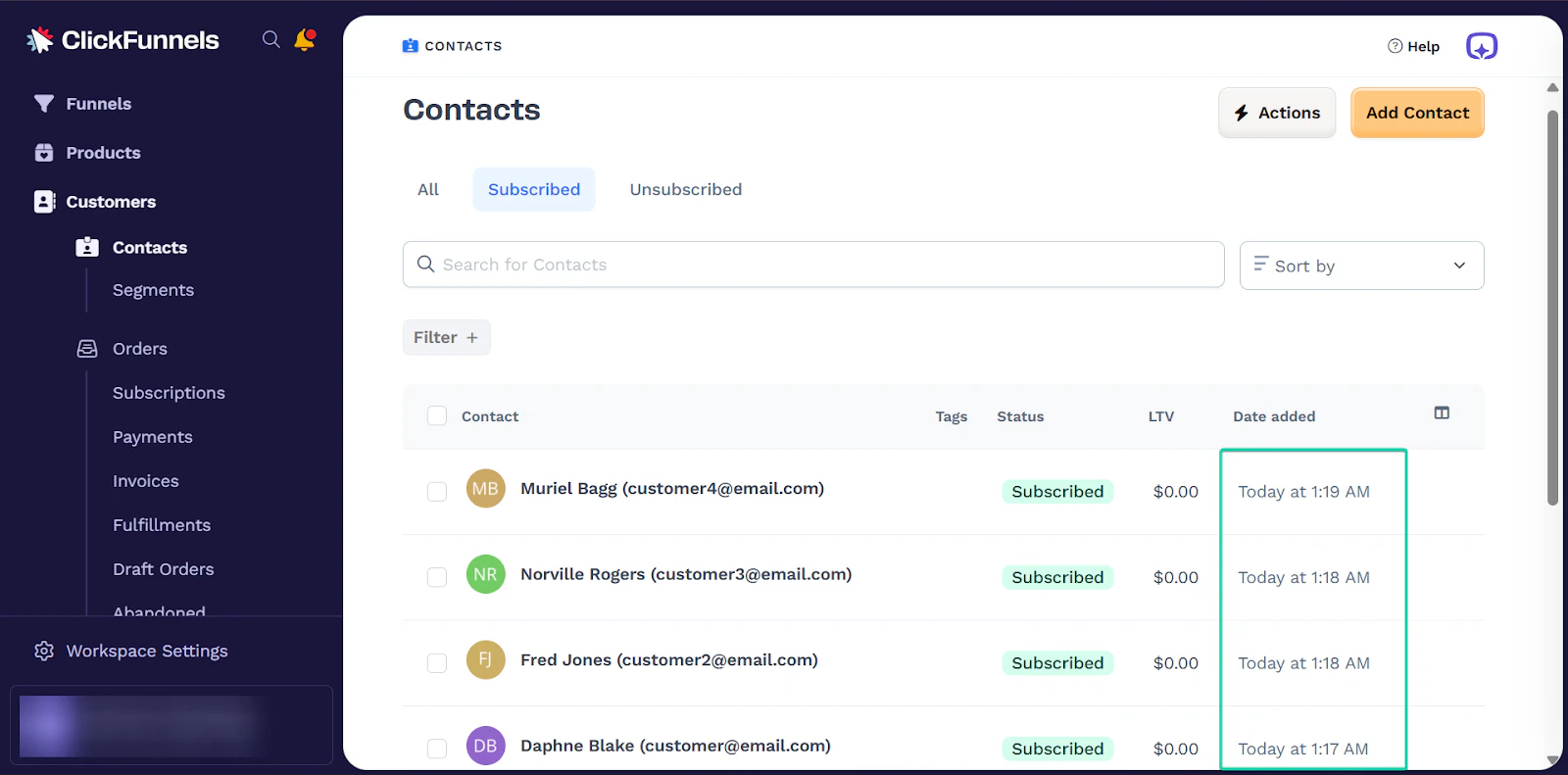
And you can also create a filter. For this segment, the filter was applied to customers created on a specific date.
You can add more filters. Hit “Create Segment” when you’re done.
When you apply the filter, ClickFunnels will generate the results for you.
3. Omni
Omni is ClickFunnel’s built-in AI assistant that helps you perform simple tasks like writing product descriptions, funnel copy, emails, and sales headlines.
It’s a great starting point, especially for users with limited writing skills.
Let’s see how it works.
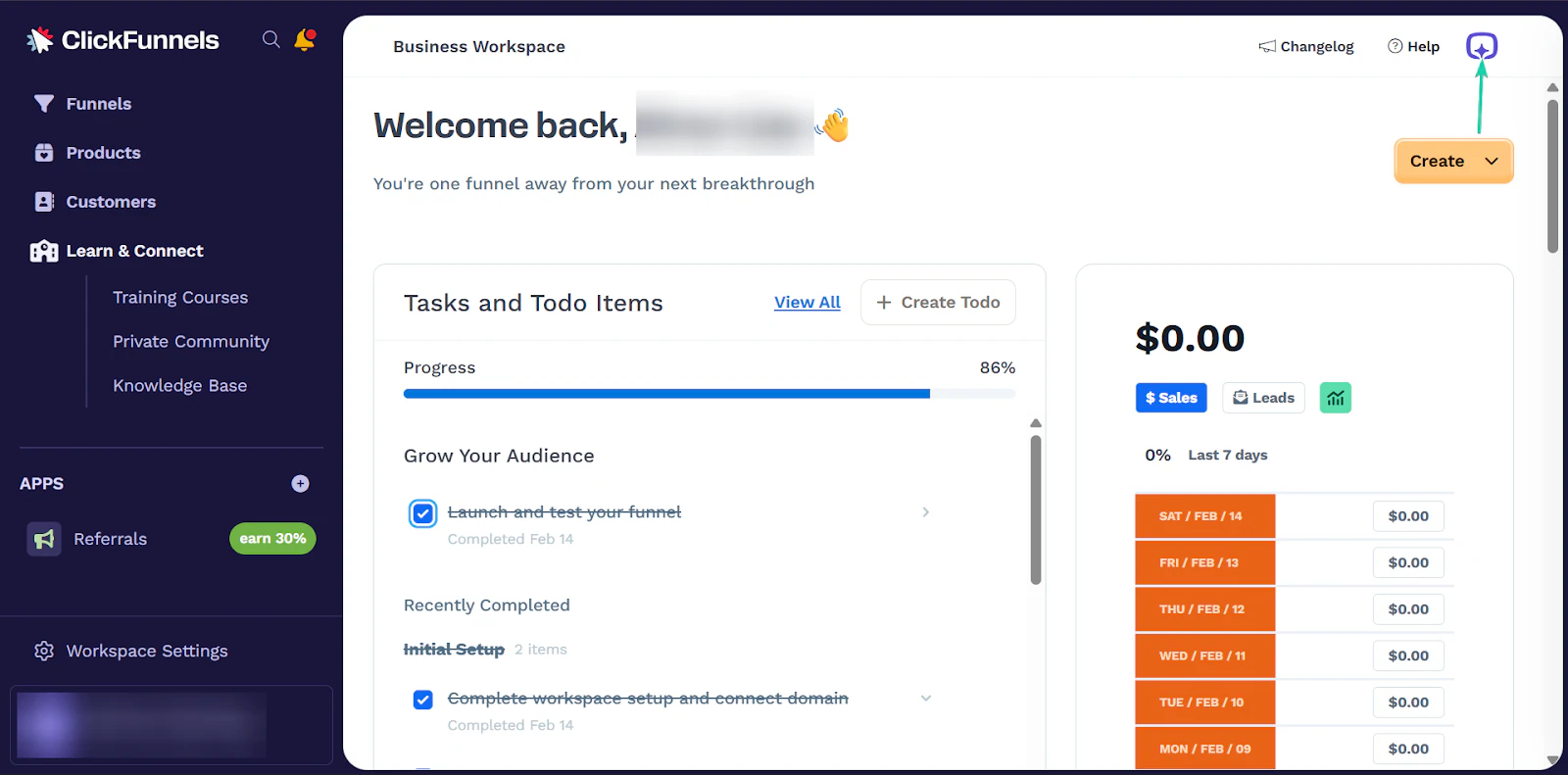
On the homepage, click the Omni button in the top-right corner.
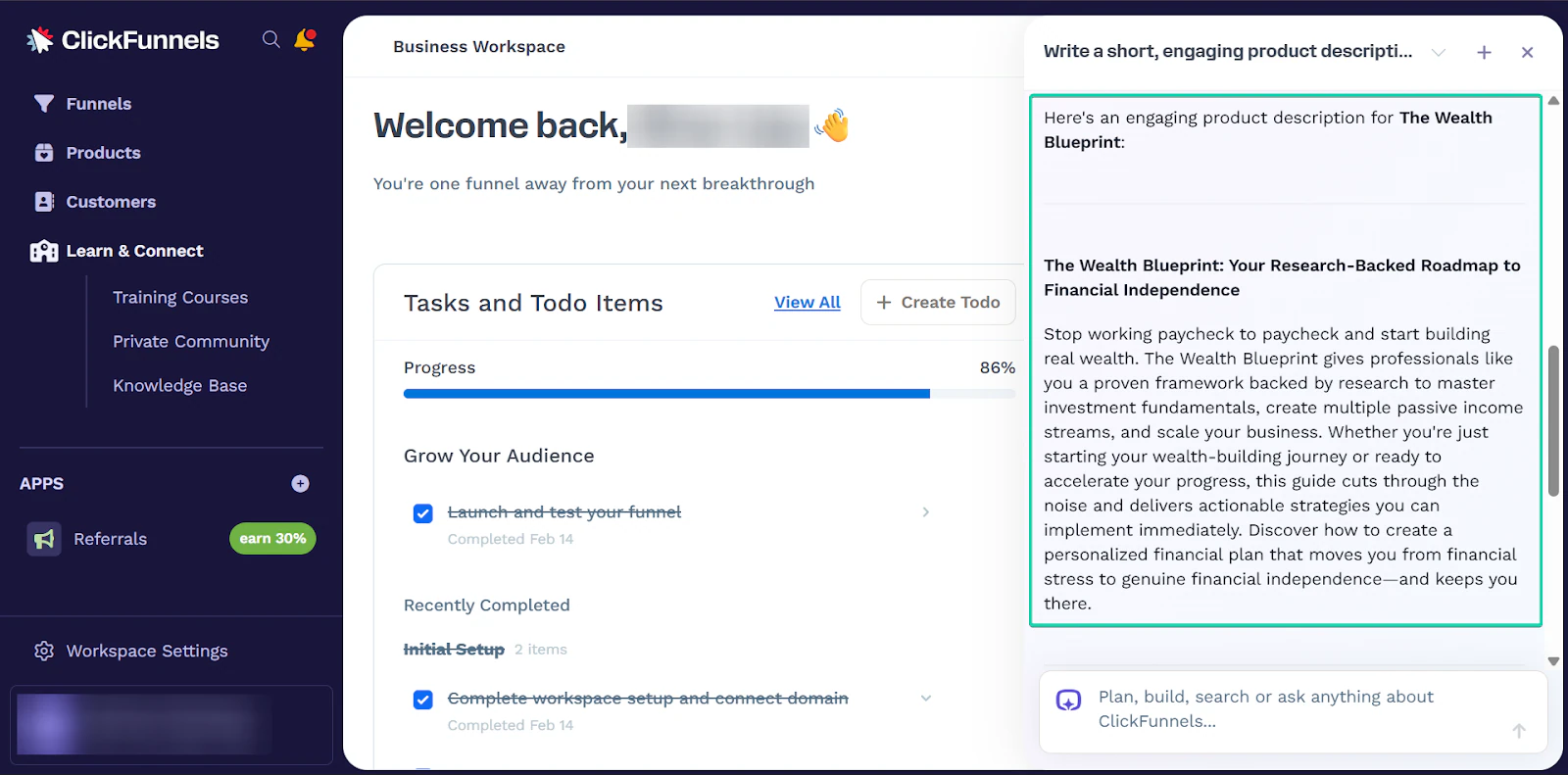
Next, enter your prompt. Omni might ask you more questions for clarification. This helps the tool generate the best results for you.
Once it understands what you want, it generates a response that you can start working with immediately or edit.
What I loved vs what I struggled with
What I loved 👍
✅ Has a powerful yet simple-to-build funnel creator.
✅ AI assistant helps speed up setup.
✅ Better targeted messages to customers due to its segments feature.
What I struggled with 👎
❌ With its lowest paid tier starting at $97/month, it’s expensive.
❌ Might feel overwhelming if you just want a basic storefront.
Best for
- Coaches who sell high-ticket services, digital products, and webinars.
Pricing
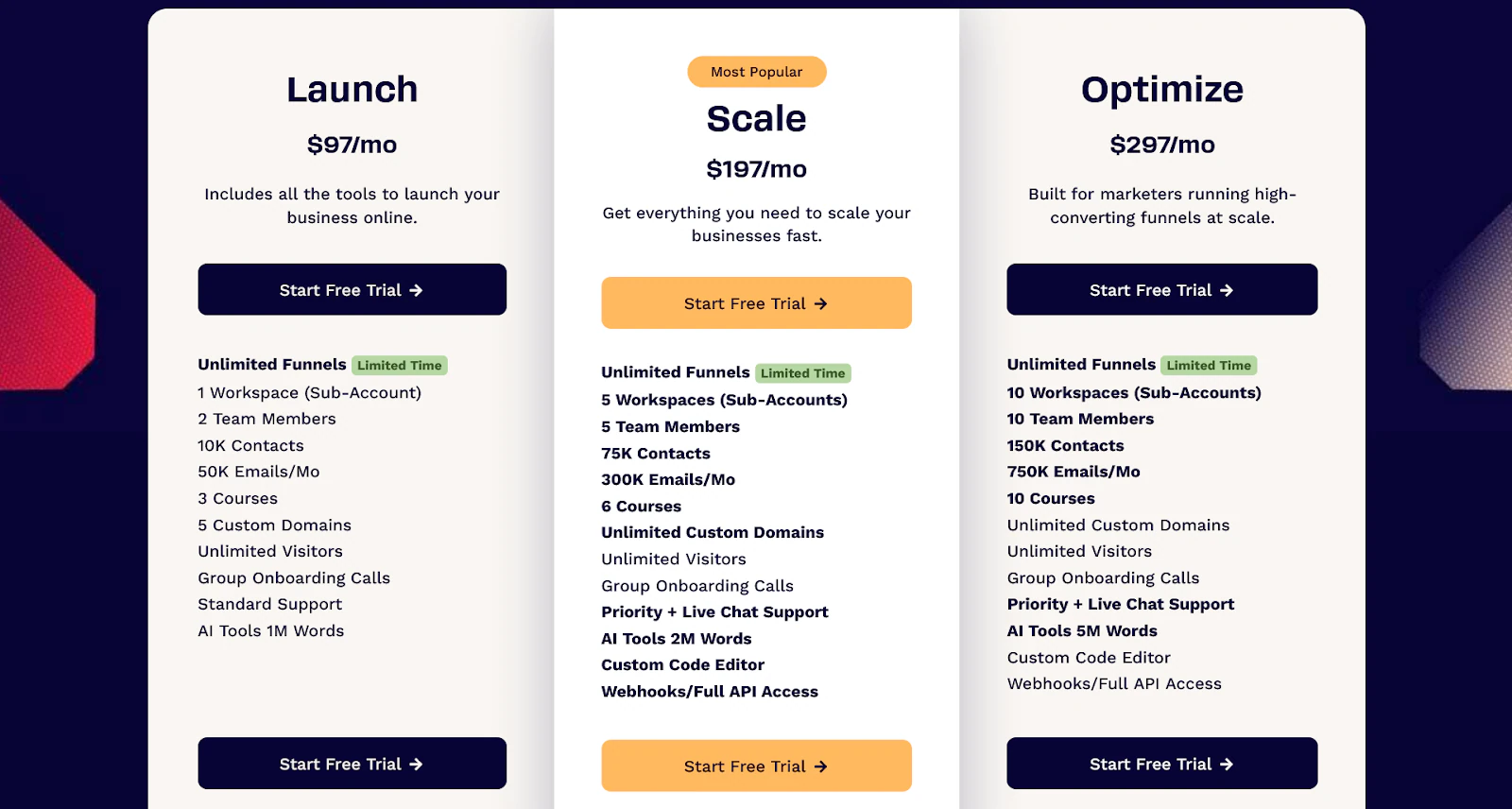
- Launch: $97/month
- Scale: $197/month
- Optimize: $297/month
6. SamCart
At number six on this list of the best Podia alternatives is SamCart.
With over 75,000 businesses, 19 million orders, and 37 million products sold, SamCart has built a strong reputation for helping content creators sell more.
It leans heavily into AI, and it can generate and design pages for you, helping you get to work faster.
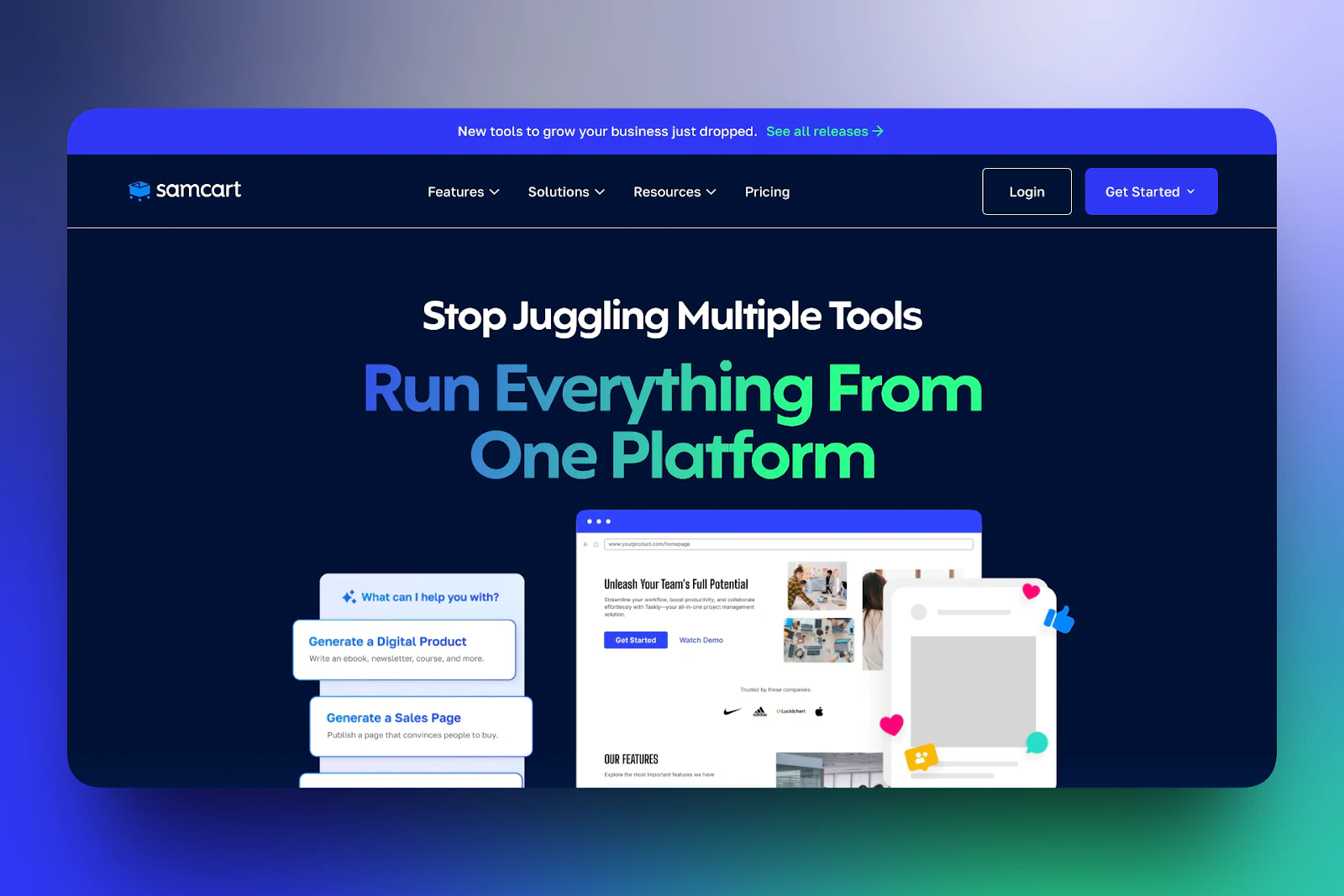
On SamCart, you can sell a wide range of products, including digital/physical products, online courses, coaching programs, and memberships.
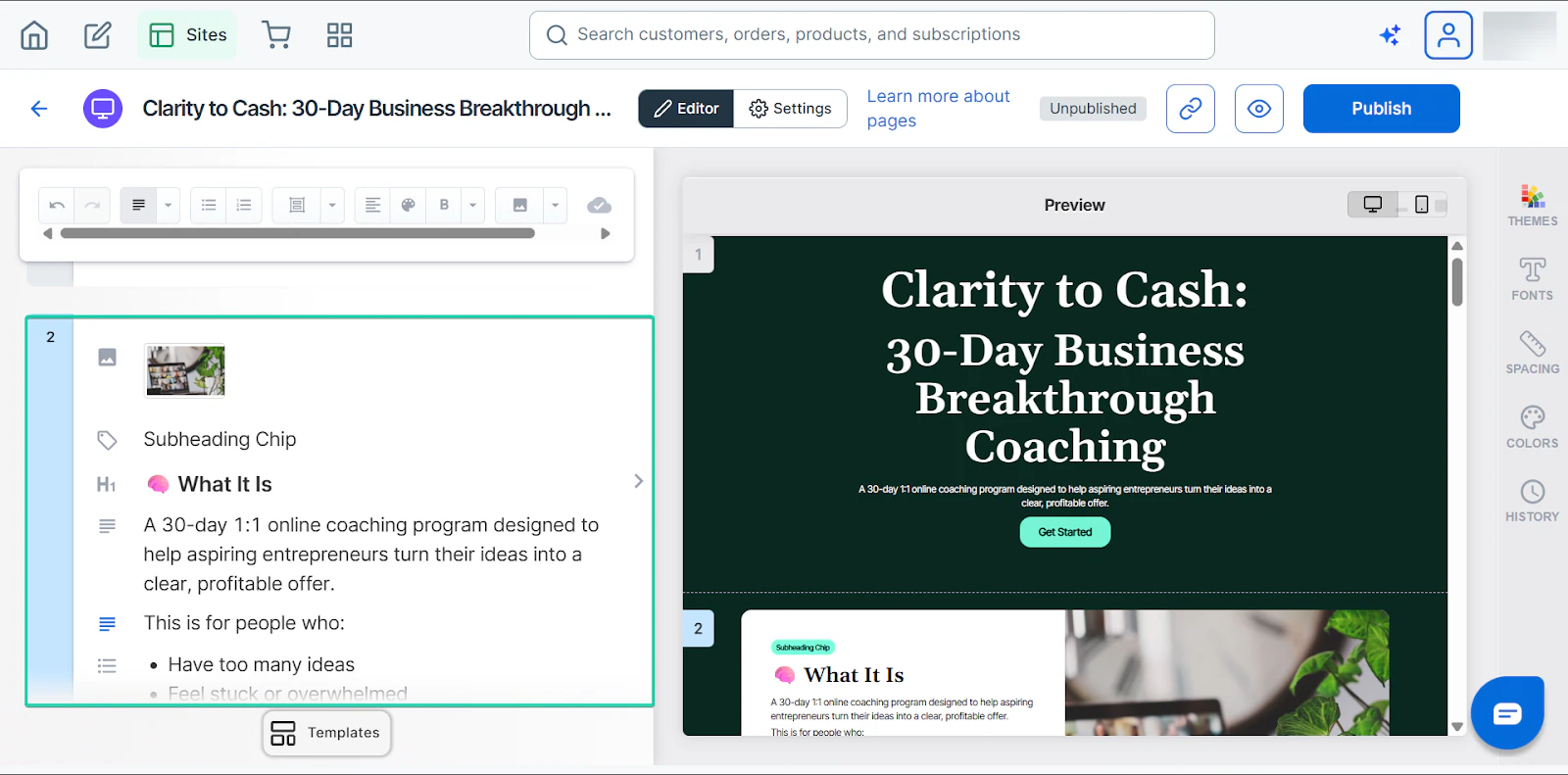
You can also build high-converting checkout, landing, lead-capture, or link-in-bio pages.
And with SamCart’s AI tool, you can create and edit these pages in minutes.
Finally, SamCart’s coupons feature lets you offer discount codes and limited-time offers to your customers.
I’ll talk more about these features in the next section.
What I loved about SamCart
1. Products
In SamCart, you can create digital/physical products, online courses, coaching programs, and subscriptions.
Let me walk you through how it works:
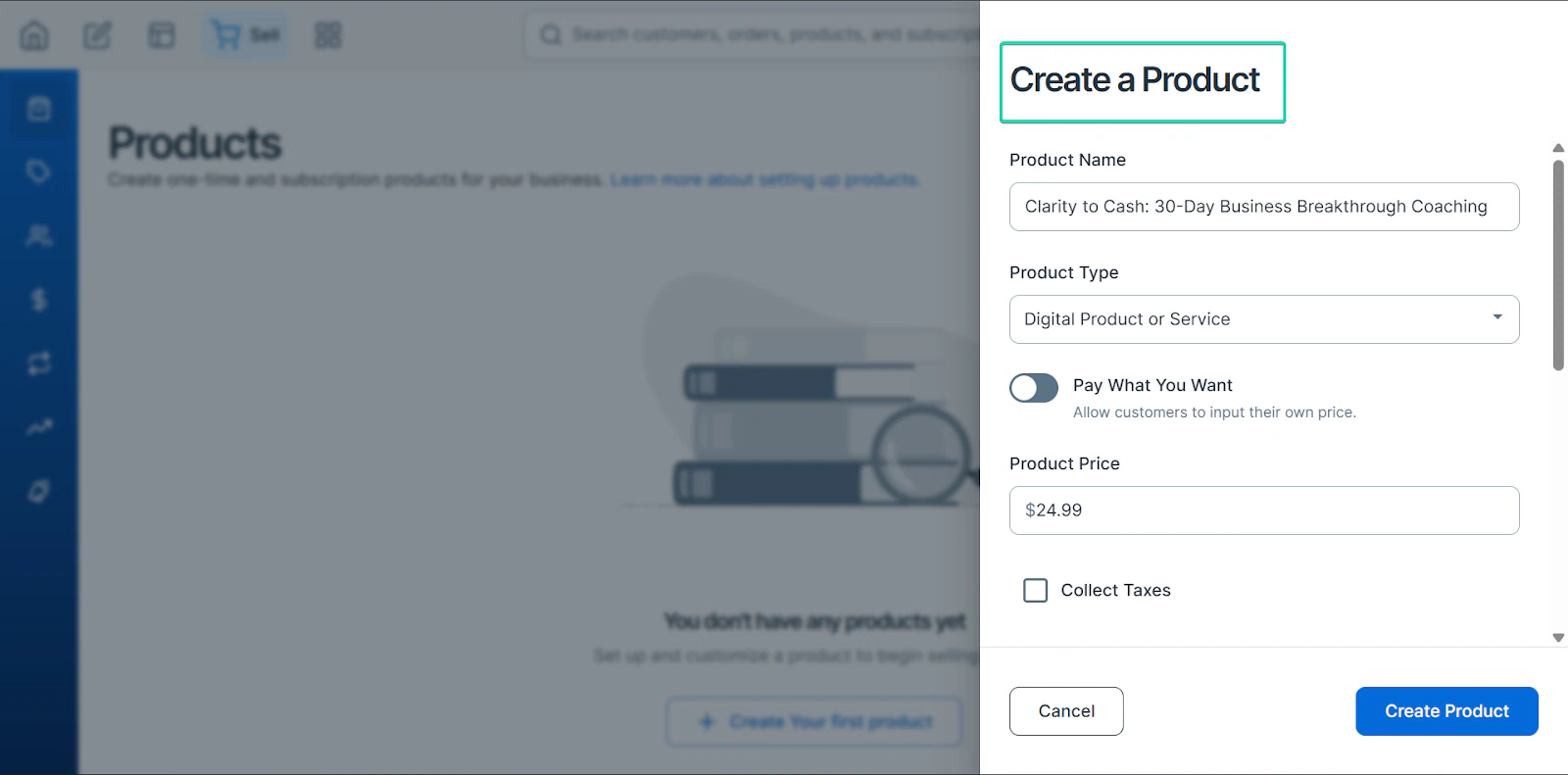
First, go to “Products” and click “+ Create Product.”
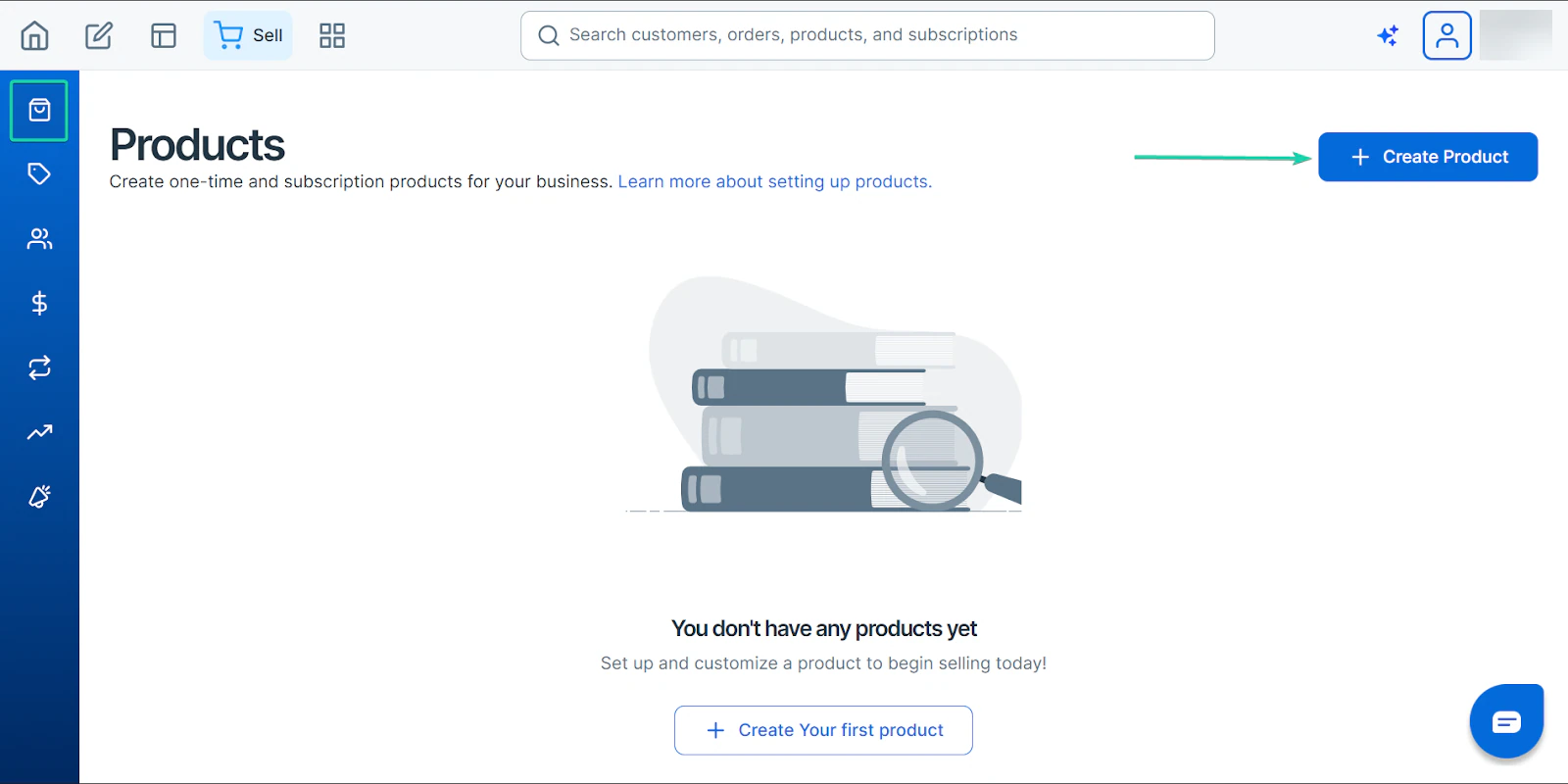
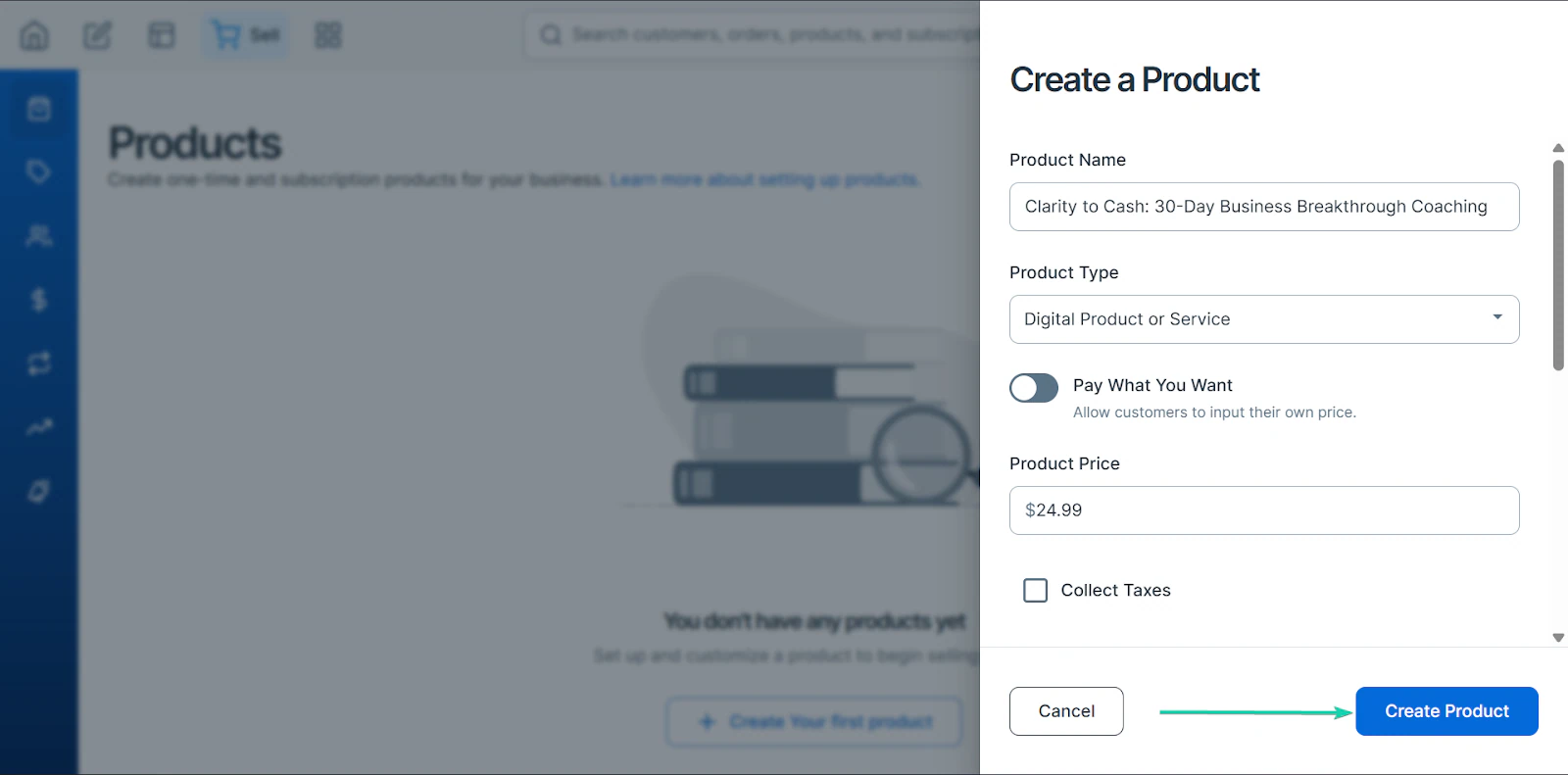
Next, fill out the “Create a Product” form.
Give your product a name and set the type. You can choose between a digital product, a physical product, or a subscription.
You can also price your product/service and choose to collect taxes.
When you scroll down, you can upload your product’s image and description. And you can upload the product.
When you’re done, click “Create Product.”
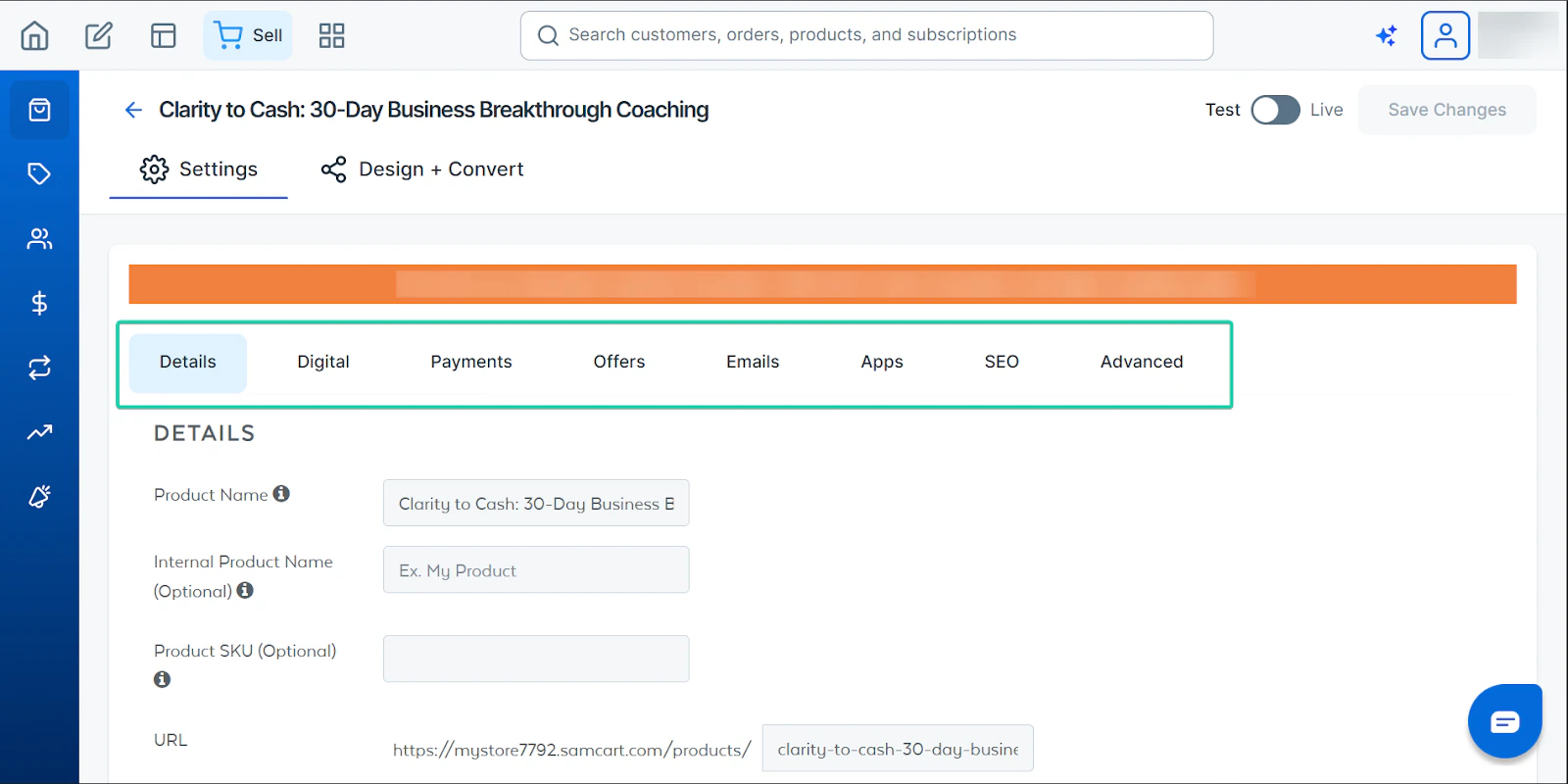
Once you’re done, you can continue editing your product before publishing it to your storefront.
2. Pages
Instead of building an entire website, SamCart lets you create high-conversion pages designed to help potential buyers complete their purchases.
You can create landing, checkout, link-in-bio, and lead-capture pages.
This Podia alternative offers a wide range of templates to help you build these pages, and its editing tool lets you customize them.
Here’s how it works:
Head to “Sites” to create your page.
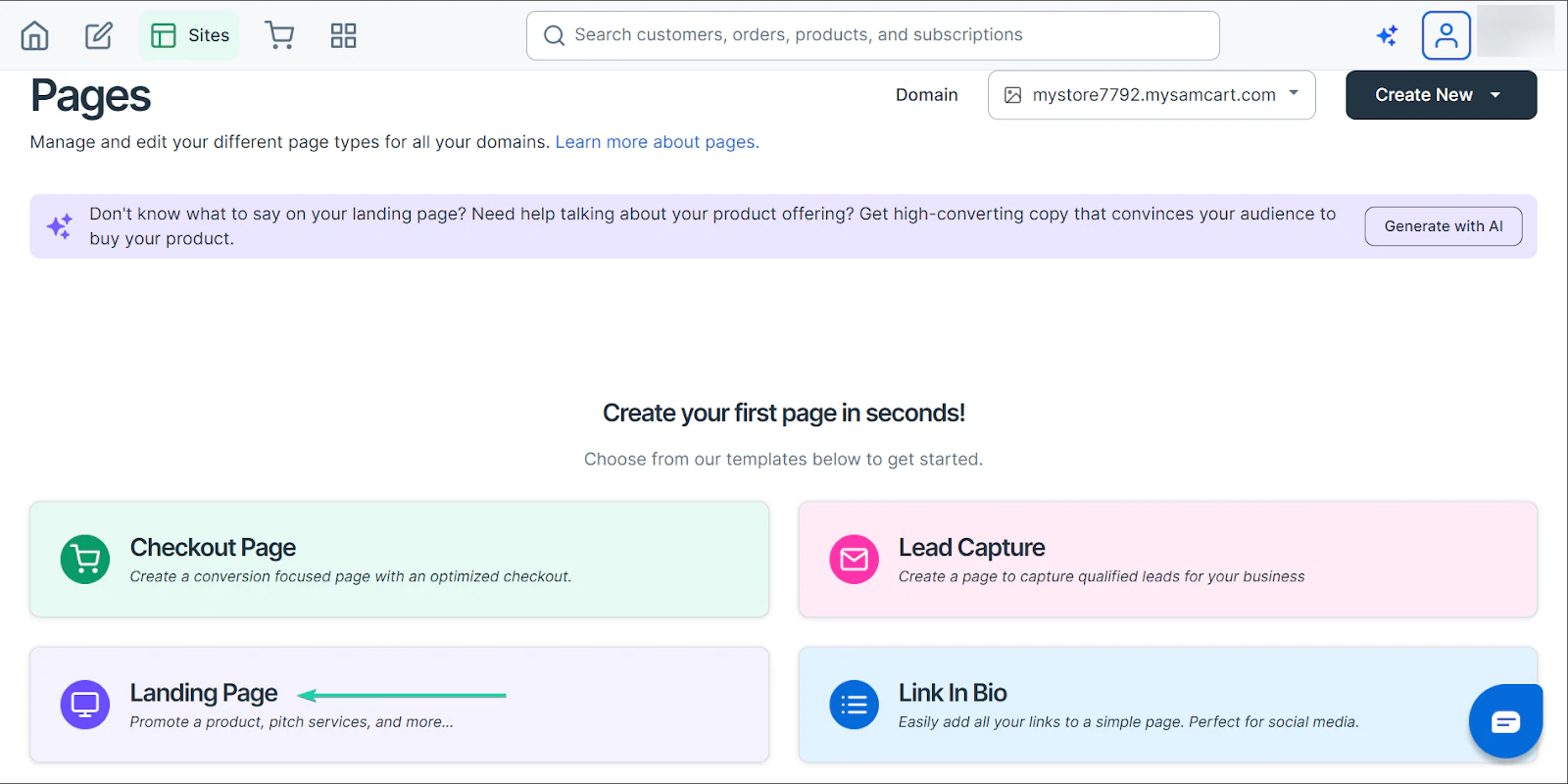
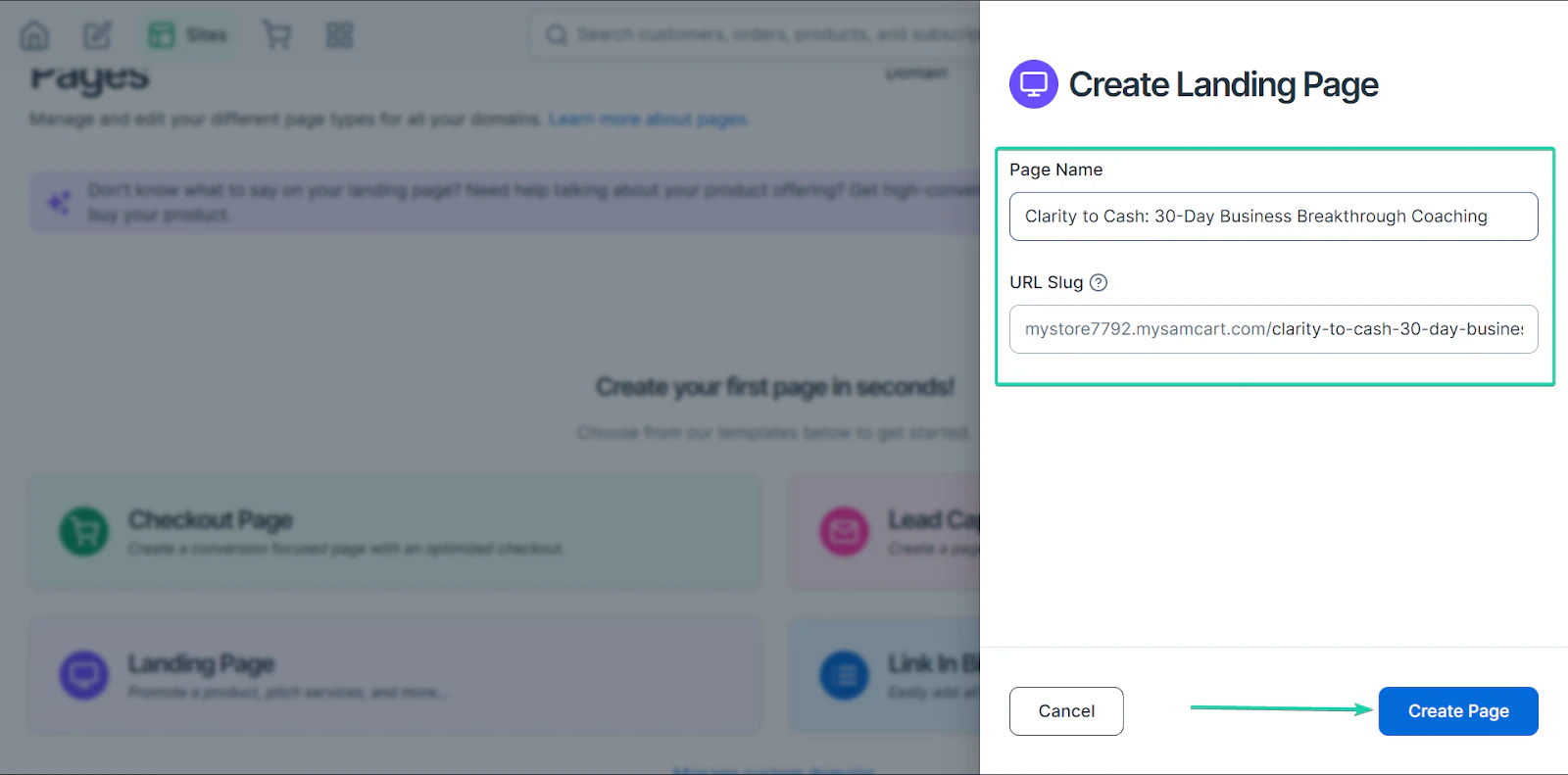
Next, give your page a name and hit “Create Page.”
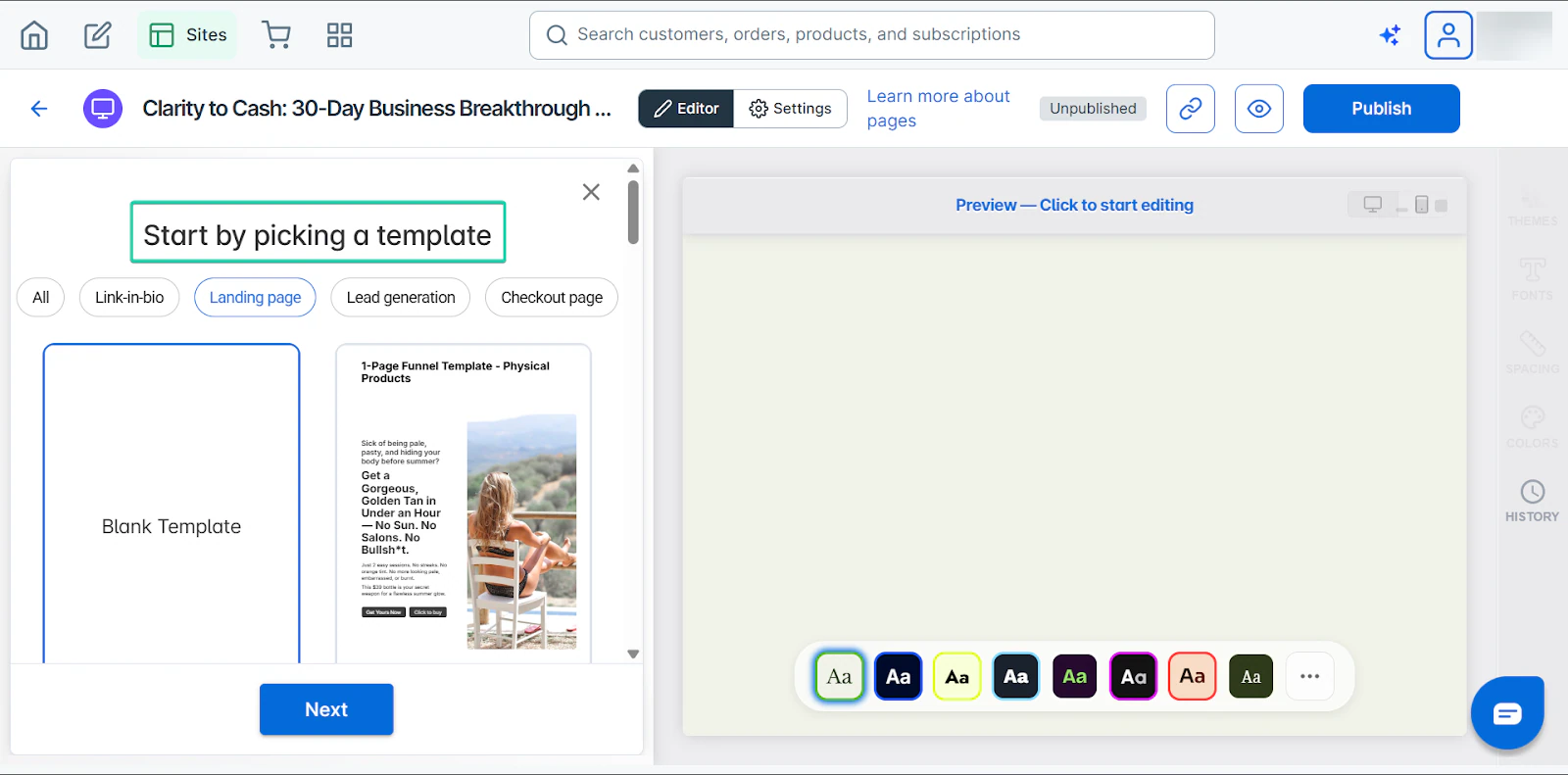
After that, select a template to work with. Or you can create a page from scratch.
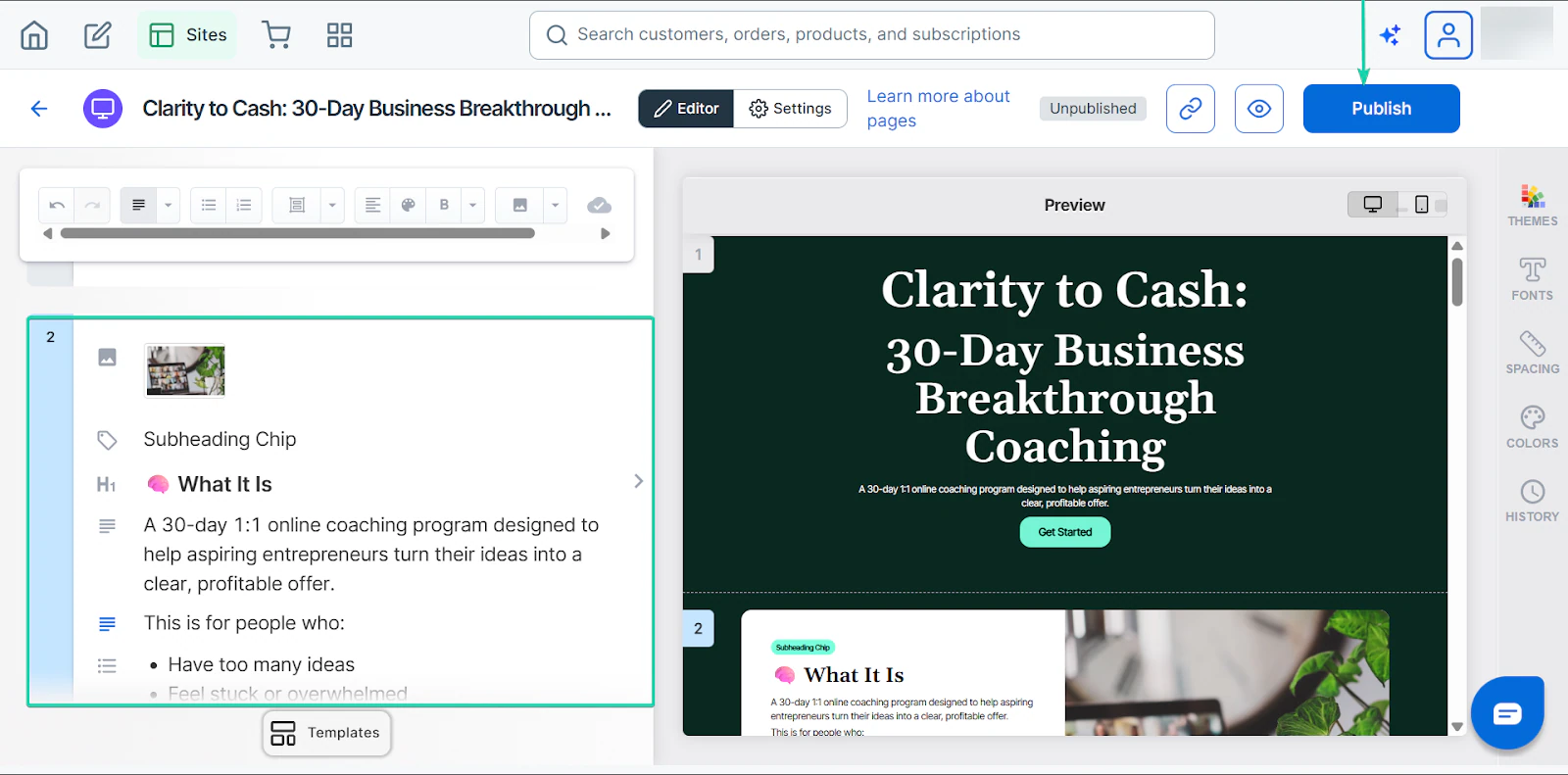
Edit the template. You can change the text, color, and font. You can also add images.
Click “Publish” when you’re done, and your page will go live.
3. Coupons
SamCart makes running promotions simple.
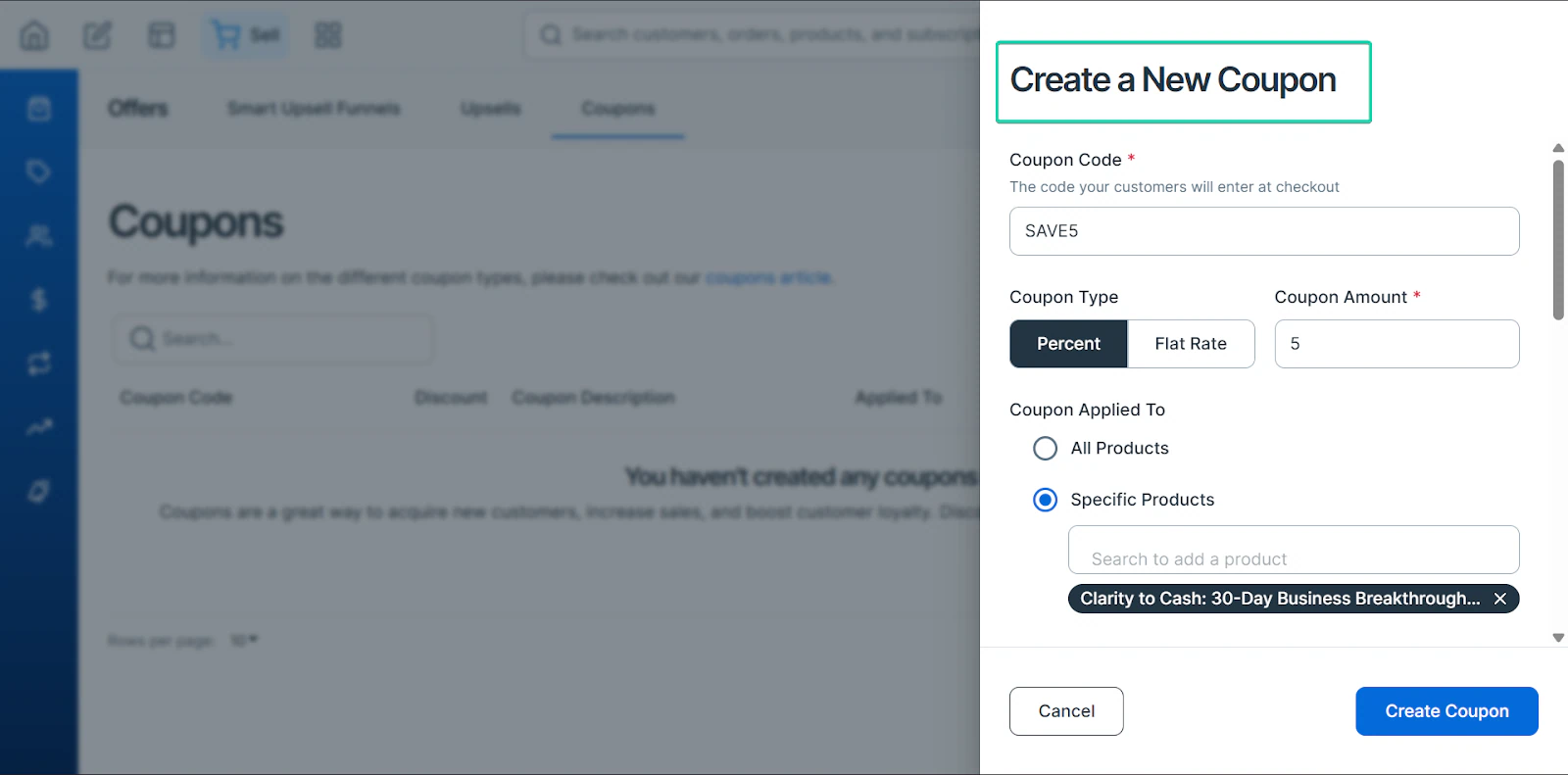
With this feature, you can create percentage discounts (e.g., 5% off), fixed-amount discounts (e.g., $5 off), limited-time offers, and coupons restricted to specific products.
You can also set the number of times a coupon can be used.
Let’s see how it works:
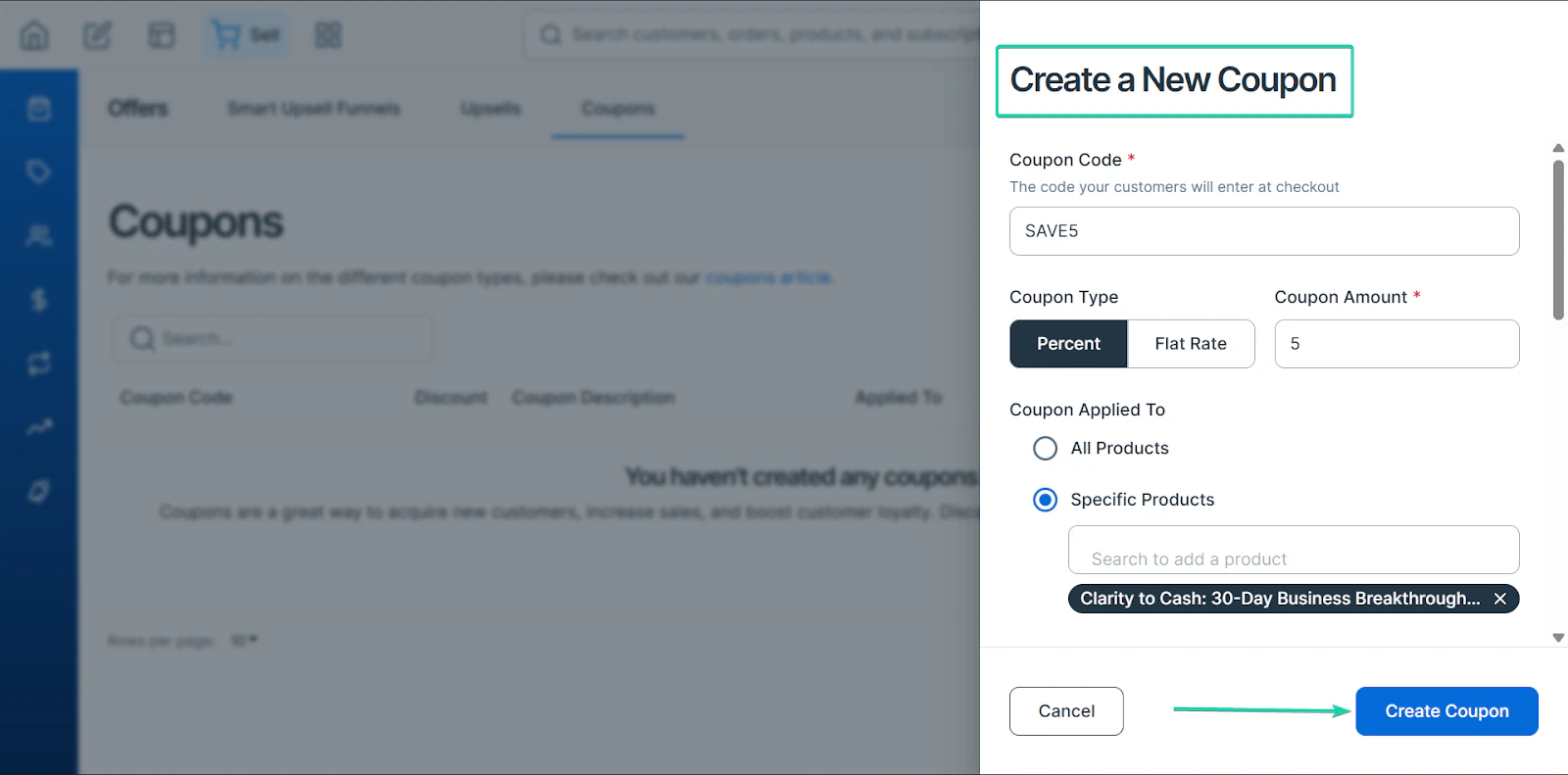
First, head to “Offers” and go to “Coupons.” Click “Create New Coupon.”
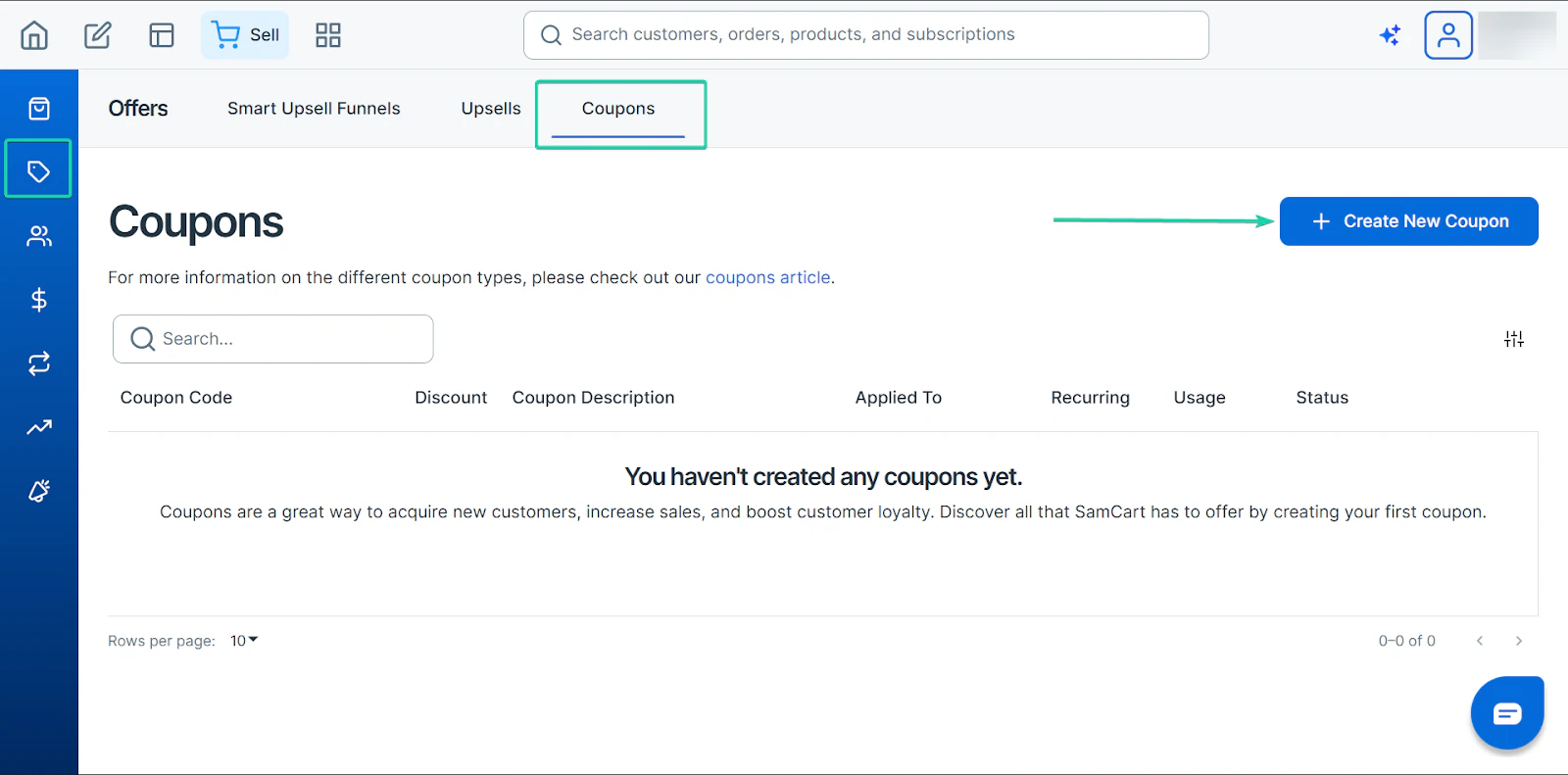
Then, fill out the form with details, like the coupon code name, type, and if it applies to all/specific products.
You can also set the duration of this coupon.
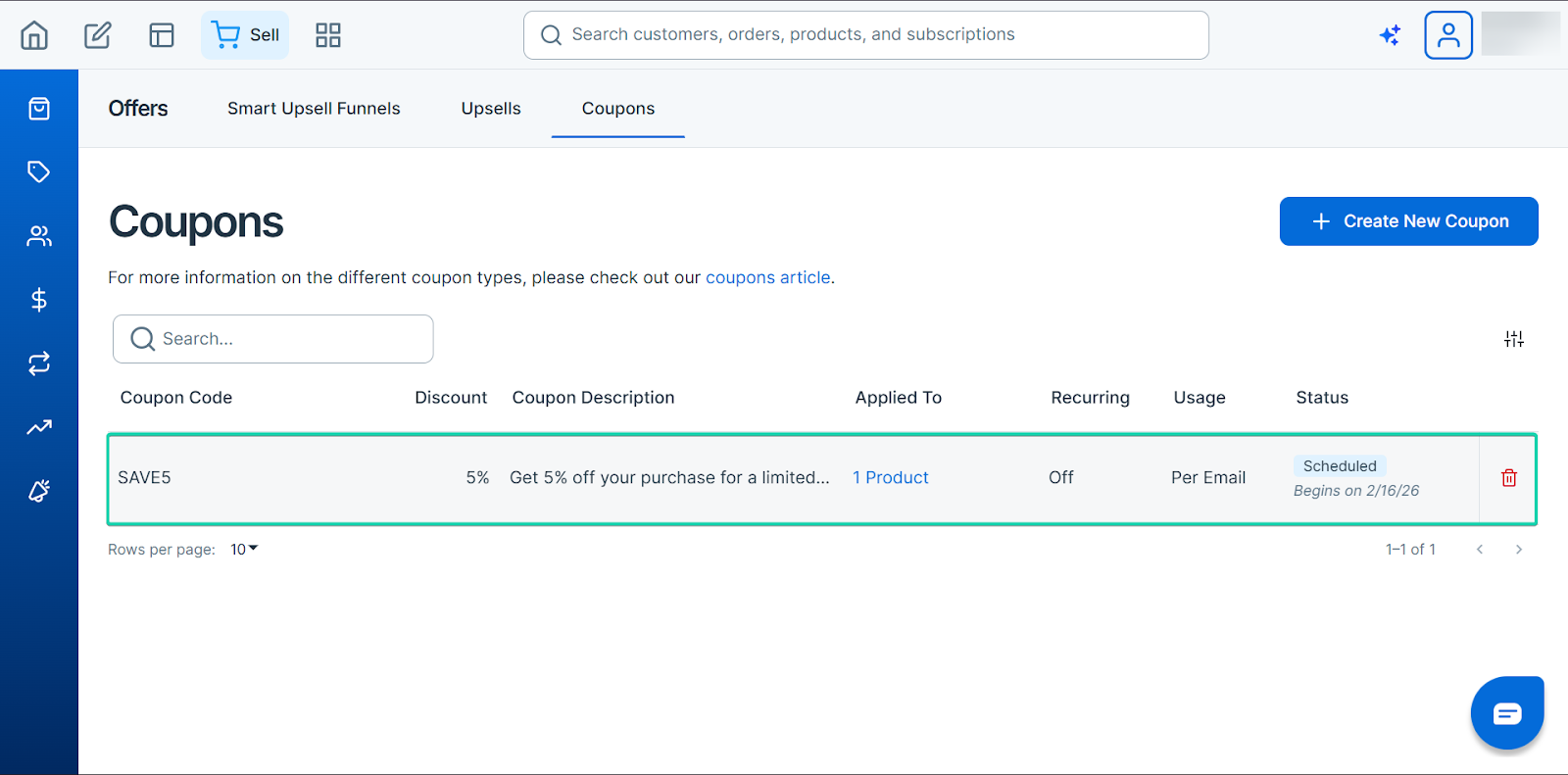
Your coupon will appear on the coupons dashboard, where you can track all your offerings.
What I loved vs what I struggled with
What I loved 👍
✅ Simple to set up high-converting checkout pages, and its AI tool helps speed it up.
✅ Unlocks all features under one payment plan.
✅ Features like checkout abandonment recovery, upsells, subscriptions saver, and order bumps are must-haves.
What I struggled with 👎
❌ Doesn’t have a full website builder.
Best for
- Solopreneurs who want to maximize revenue and increase conversion rates.
Pricing
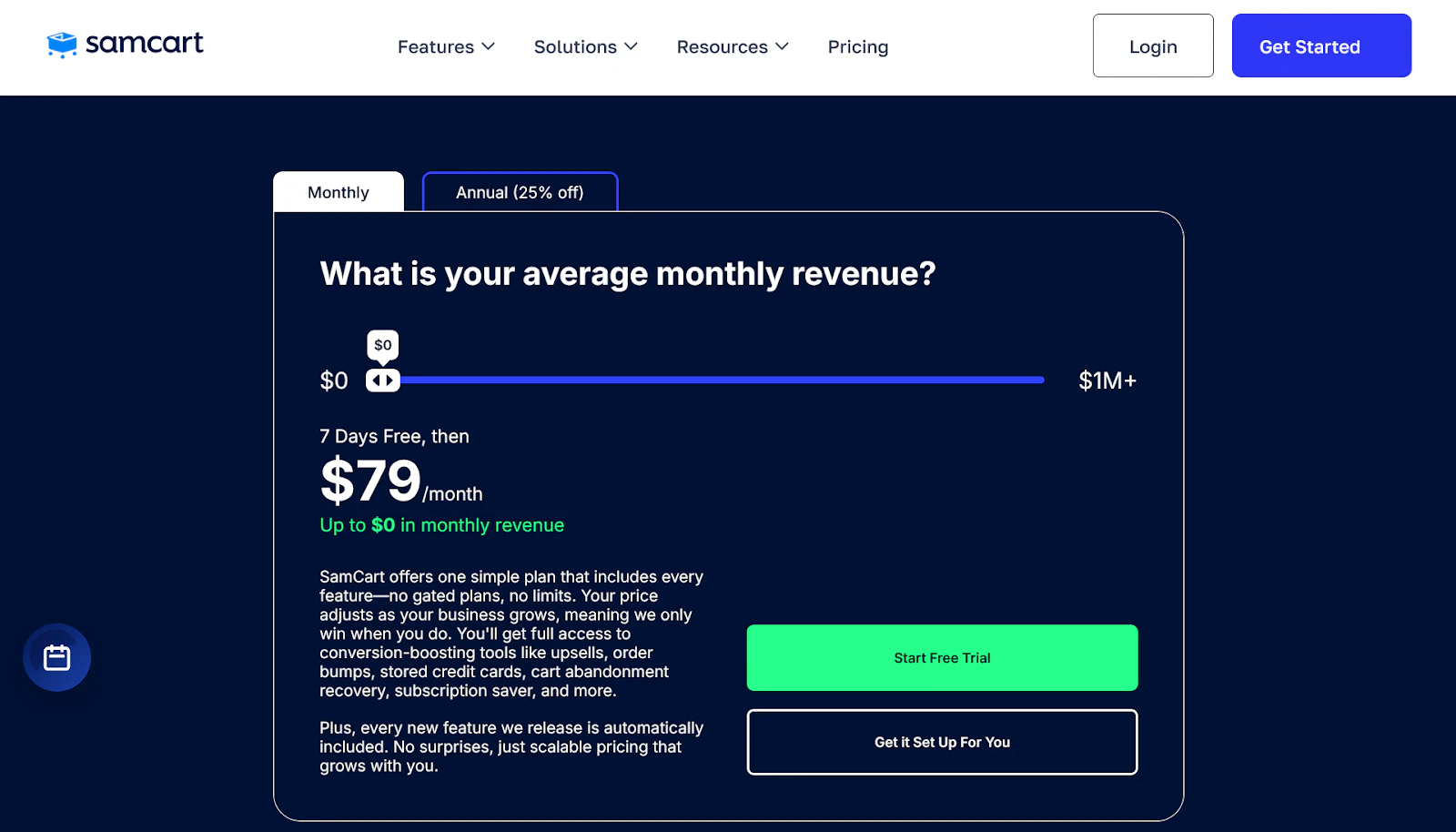
- $79/month
Other alternatives to Podia worth mentioning
Here are additional Podia alternatives we tested thoroughly:
- 1. Google Classroom
- 2. Learnyst
- 3. Kajabi
- 4. Skillshare
- 5. Teachery
- 6. GetResponse
- 7. ThriveCart
- 8. Tutor LMS
- 9. Moodle
- 10. Cornerstone LMS
How to choose the best Podia alternative
To help you choose the best Podia alternatives, you need to consider the following factors:
1. Consider features you need.
2. Check skill level
3. Assess growth plans
4. Keep budget in mind
I’ll explain each factor in the next section.
1. Consider features you need
Before choosing a Podia replacement, ask yourself what you actually need from your new tool.
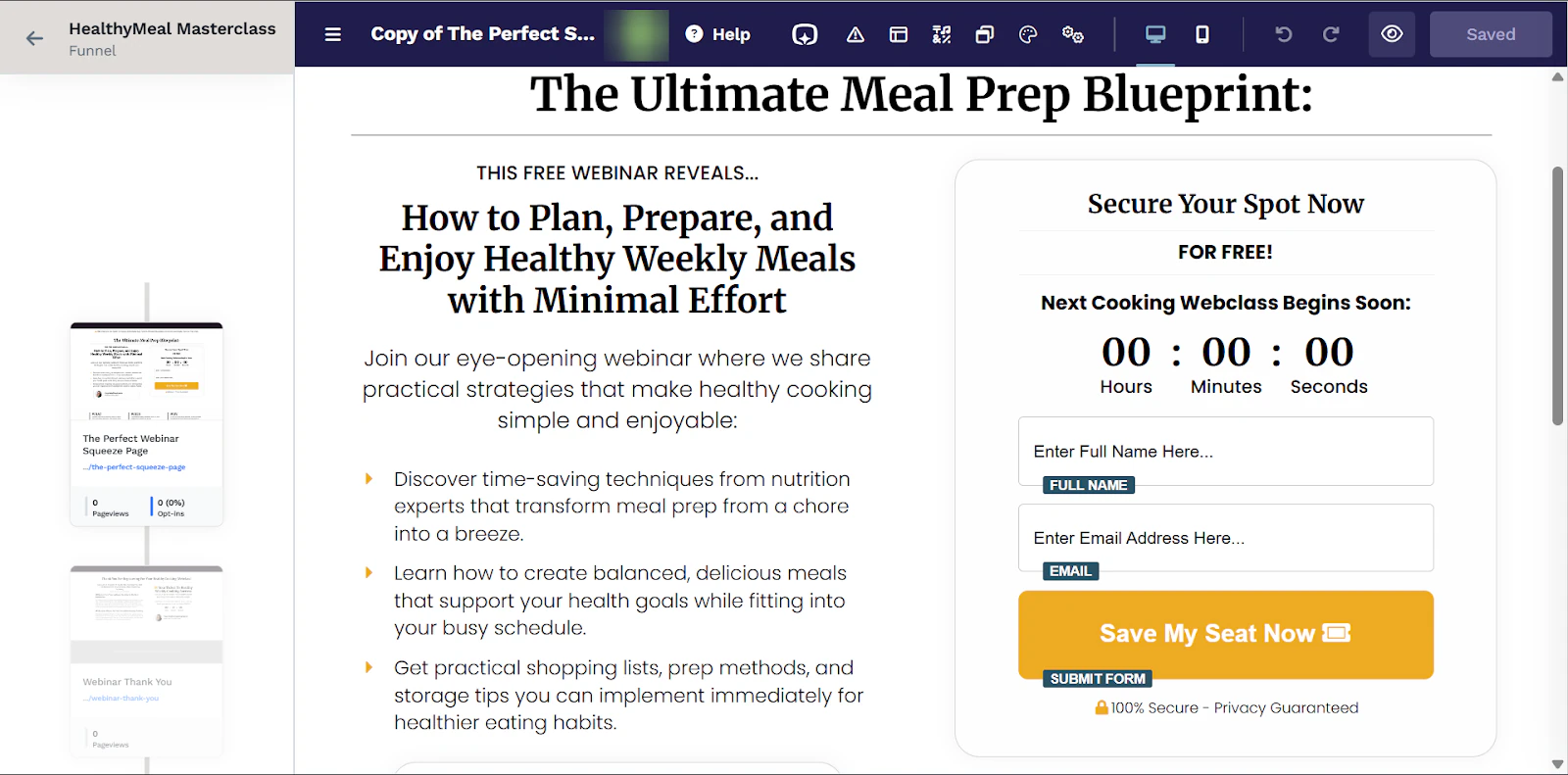
Some of these tools excel in one area but keep things light in others. For example, ClickFunnels is great if your focus is on funnels and conversion optimization.
It’s powerful, but if you don’t plan on building structured sales journeys, it may feel more than you need.
On the other hand, Payhip keeps things simpler. It’s great for quickly uploading and selling digital products, but its marketing features feel basic.
Easytools lets you create online courses, build landing pages, and run marketing campaigns on one platform.
What’s fantastic is that it doesn’t lean too heavily in one direction, as all the features are well-rounded.
2. Check skill level
Not every Podia alternative fits every stage of your journey.
Some platforms, like Payhip, are beginner-friendly but may feel limited over time. Others, like Systeme.io, are more powerful but come with a steep learning curve.
If you’re starting out, a tool like Systeme.io can feel attractive because it’s affordable and gives you access to a lot of features.
But having funnels, automations, and marketing tools can feel overwhelming if all you want to do is upload your products to a simple storefront.
Easytools feels like a more approachable choice for both experienced and new users.
The interface is simple enough for beginners to use confidently. It also offers features like websites, affiliate marketing, and course-creation tools that scale with you.
So instead of choosing something you might either quickly outgrow or struggle with, look for a platform that matches your current skill level while giving you room to level up.
3. Assess growth plans
You should assess growth plans to choose the best Podia alternative.
If you plan to scale, add more products, grow your mailing list, and automate your workflows, your platform needs to support that growth without becoming overly complex.
For example, SamCart is great for checkout and sales conversions.
But email marketing and automations aren’t fully built into the platform. So, you’ll need to integrate tools like ConvertKit or ActiveCampaign.
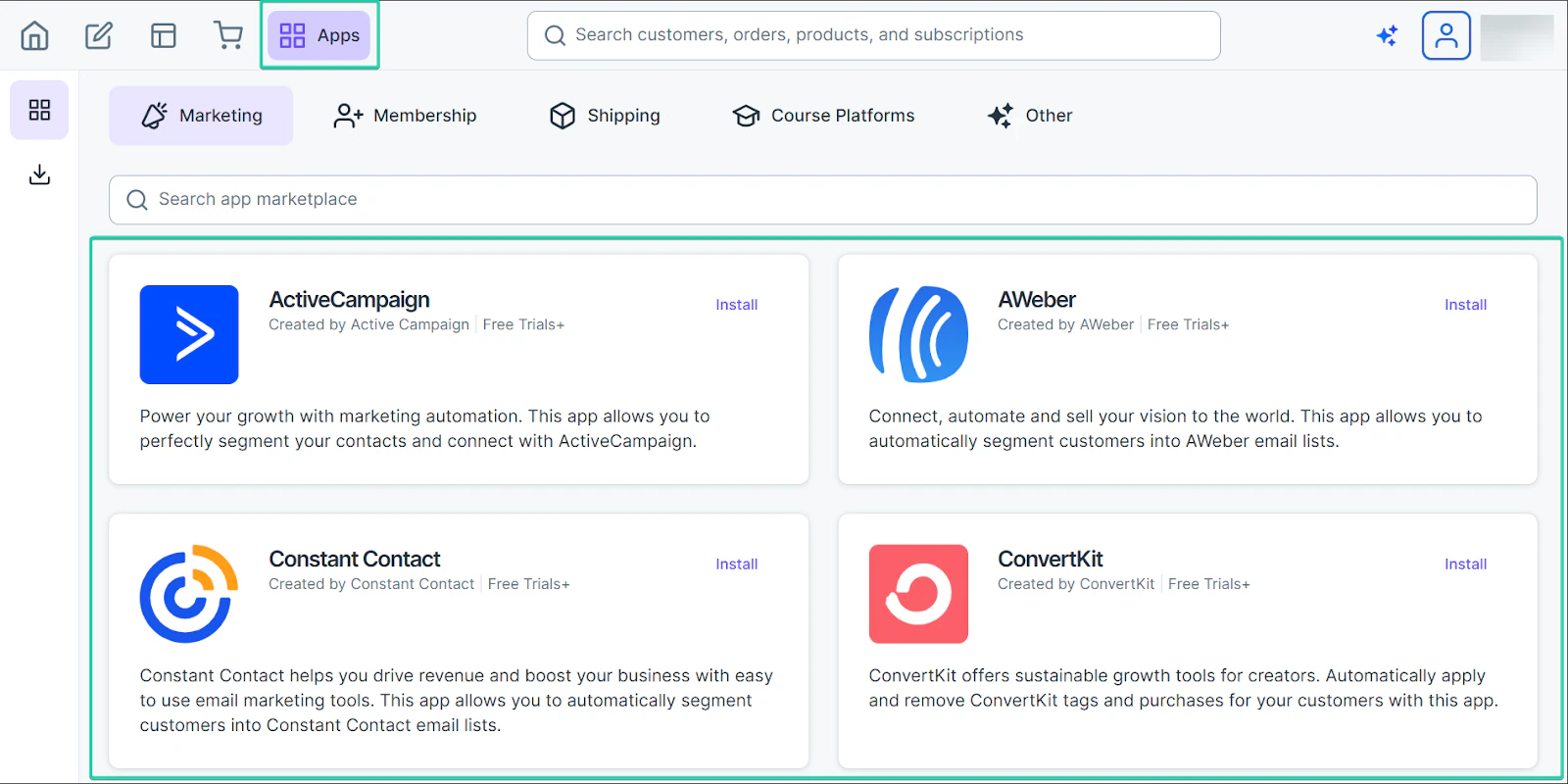
As your business grows, you may need to handle multiple subscriptions across different platforms, which can get complex.
On the other hand, Easytools feels better designed to support long-term growth.
It lets you start small and gradually scale as your business grows. The platform continuously rolls out new features, like Easymail for email marketing and a website builder.
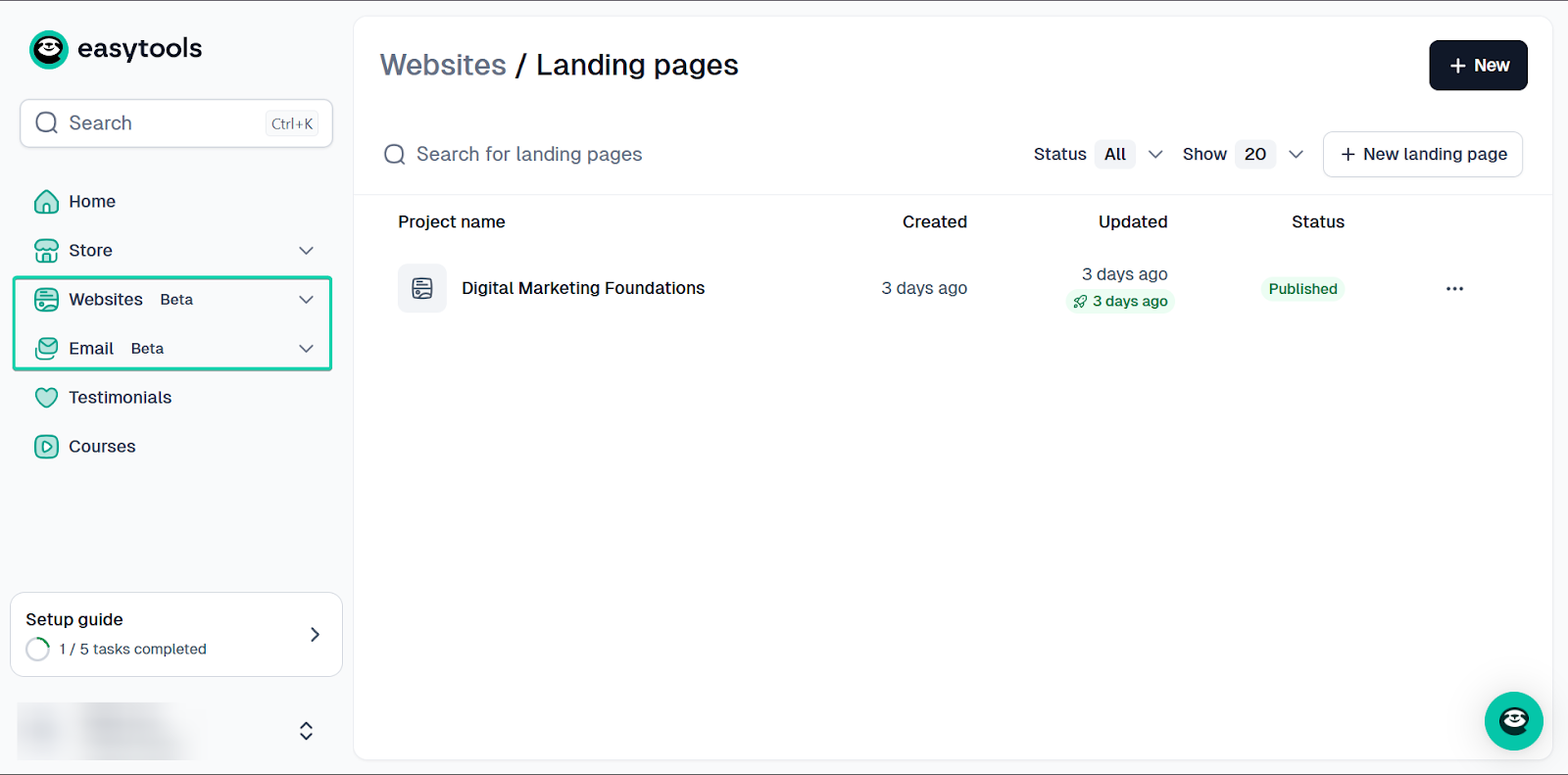
Even though they are in beta mode, they perform smoothly. That means you can trust that, as you grow, these will continue to improve to meet your needs.
4. Keep budget in mind
Your budget is always a major factor when picking a platform similar to Podia.
But it’s not just about finding a platform that offers the lowest monthly fee. You should also consider what you’ll get for that price.
For example, SamCart offers a flat rate of $79/month with access to all of its features. That’s great if your focus is on checkout, but you’ll need separate tools for tasks like email marketing.
Integrating with other platforms can increase your overall costs by adding subscriptions to fill gaps.
LearnWorlds is cheaper at the entry level but incurs per-course costs, and higher plans can get pricey quickly.
Easytools starts at $0 per month with a 5% transaction fee and unlimited checkouts. Its creator plan is $79/month plus a 2% transaction fee.
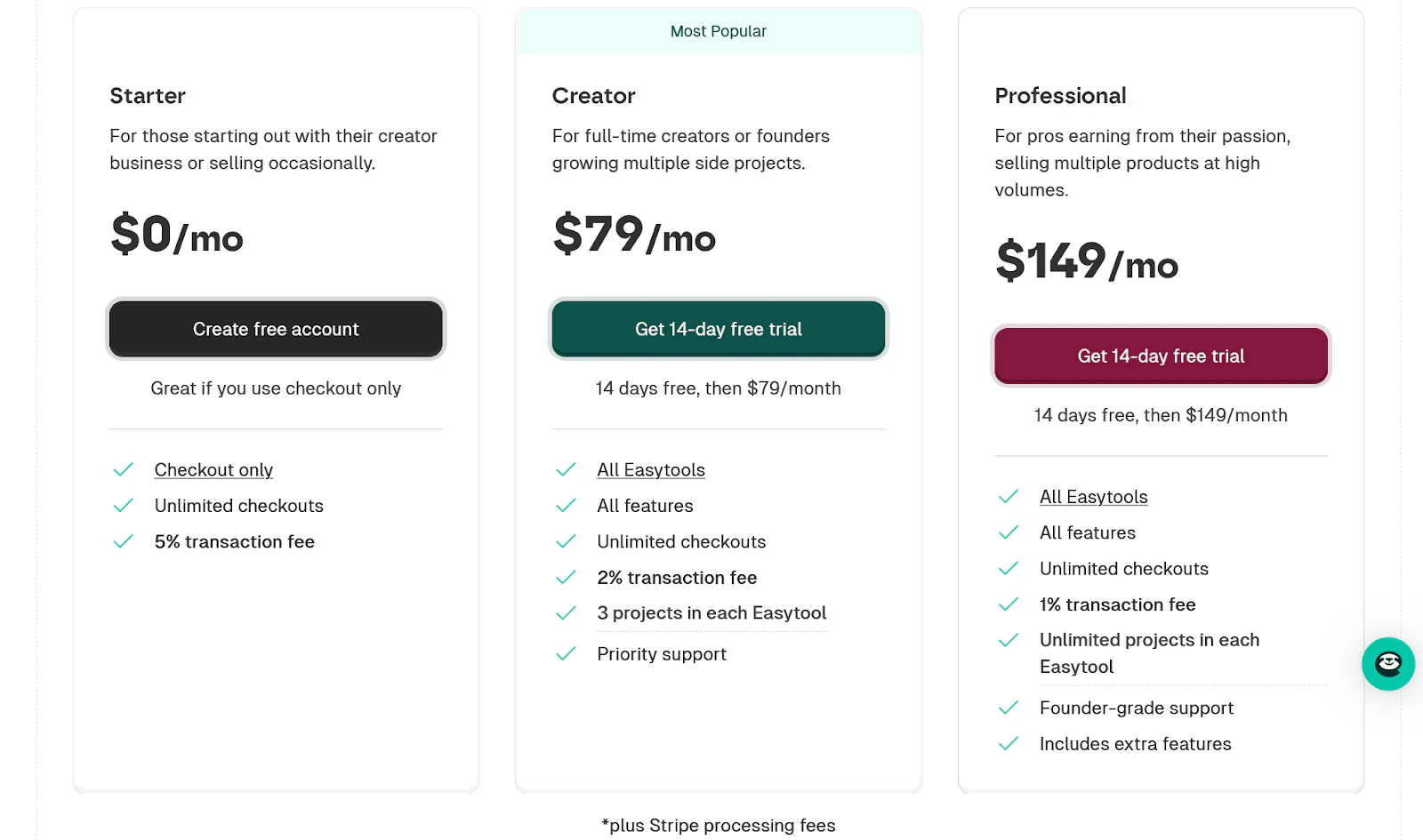
It includes access to all Easytools, all features, unlimited checkouts, 3 projects in each Easytool, and priority support.
While you can integrate the platform with other tools, you don’t necessarily need to. With these plans, you get an all-in-one system without paying extra for other subscriptions or integrations.
Select the best alternative to Podia
So that’s a wrap!
In this article, I explored some of the best Podia alternative platforms, including Easytools, LearnWorlds, Payhip, and SamCart.
I also listed a few other alternatives worth mentioning.
And most importantly, I covered the key factors to consider when choosing a Podia alternative: features, skill level, growth plans, and, of course, your budget.
The best Podia alternative for you depends on your goals, the features you’ll use, and the platform you feel you can comfortably grow with.
I hope this guide makes that decision a little simpler for you.