Blog
7 best platforms to sell e-books we recommend in 2026
7 best platforms to sell e-books online: 1. Easytools 2. Amazon KDP 3. Lulu 4. Gumroad 5. Payhip 6. Sellfy 7. Podia

So it’s 1986, and you have a great book idea.
You’ve got a busy work schedule, but you still make time to write. A few weeks later, you finish your first draft.
It’s a solid manuscript. Now all that’s left is finding a publisher.
You do that, send out query letters, and weeks later, you receive mail from them. They can’t publish your work. Maybe try again with the next one.
That might have been the case some 39 years ago, but in the 21st century, electronic books and the platforms to sell them on have come to the rescue.
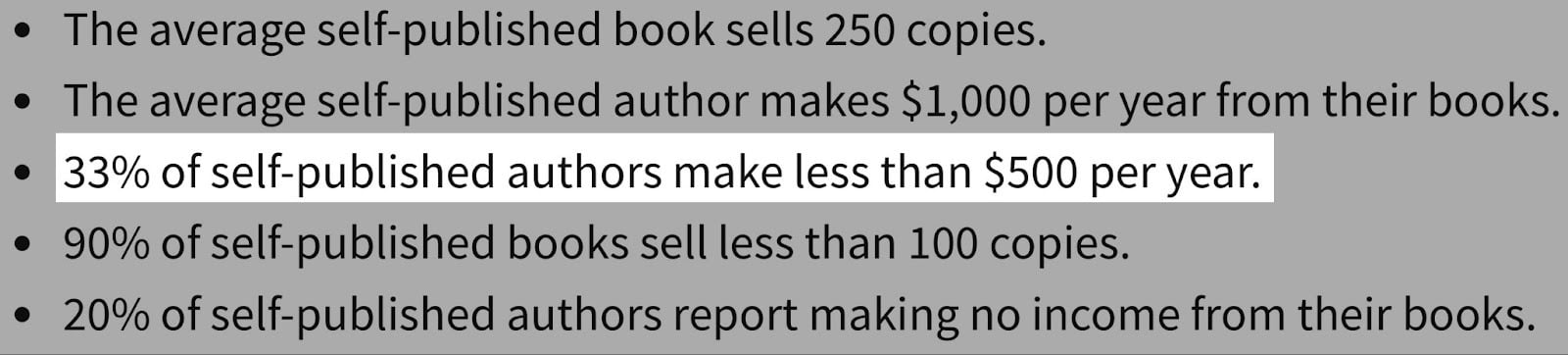
Finding the right platforms to sell e-books is challenging, though. It’s probably one reason why 33% of self-published authors make less than $500 per year.
And that’s why I wrote this guide to help you find the right platforms to sell e-books.
Keep reading.
Top platforms to sell e-books: Quick comparison
7 best platforms to sell e-books
1. Easytools
Personal rating: ⭐⭐⭐⭐⭐ 4.8/5 stars | Starting price: $0 (with 5% transaction fee)
Integrates with: Circle, Discord, Zapier, Notion, ConvertKit | Best for: Authors, publishers, bloggers, coaches, and anyone selling e-books and other digital products
Coming up at number one among the best platforms to sell e-books is Easytools. It is the easiest, most creator-friendly tool on this entire list. Easytools is an all-in-one platform for creating, selling, and marketing digital products like e-books, online courses, memberships, templates, webinars, and more.
Most marketplaces and similar platforms take a significant cut and try to control your audience or your reach. Not Easytools, though.
We give you your own branded storefront and full control over your audience and pricing.
This means that authors, coaches, influencers, freelancers, basically anyone who sells digital products can use this tool for business.
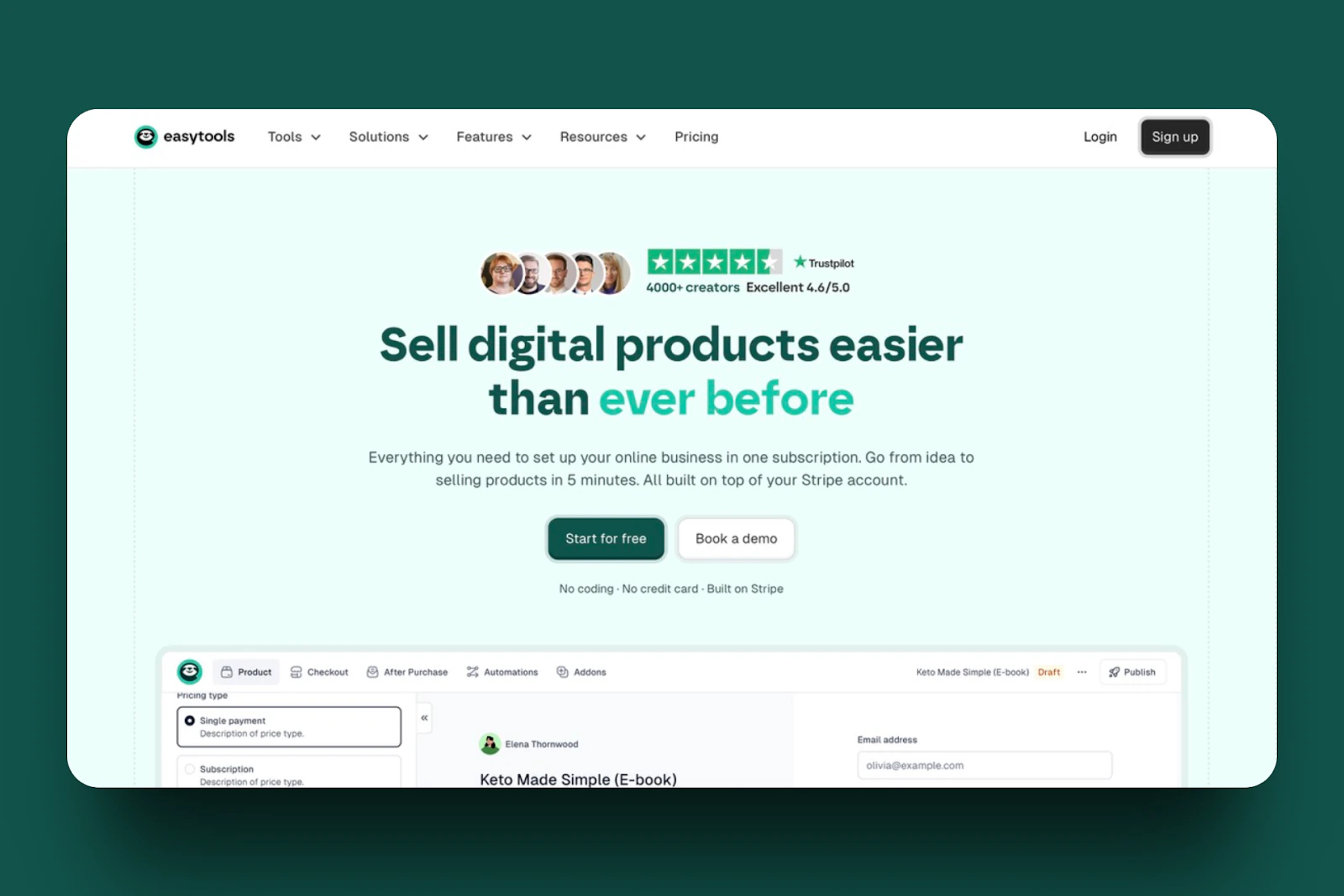
In your Easytools Products section, you can create a storefront, view orders and customers, add affiliates, create a waitlist, and set up automations. Authors especially love automations because they automate every part of the sales process, from email confirmations to the checkout page. And if you’re like these authors, you can go on to check out how you can set up automations on Easytools.
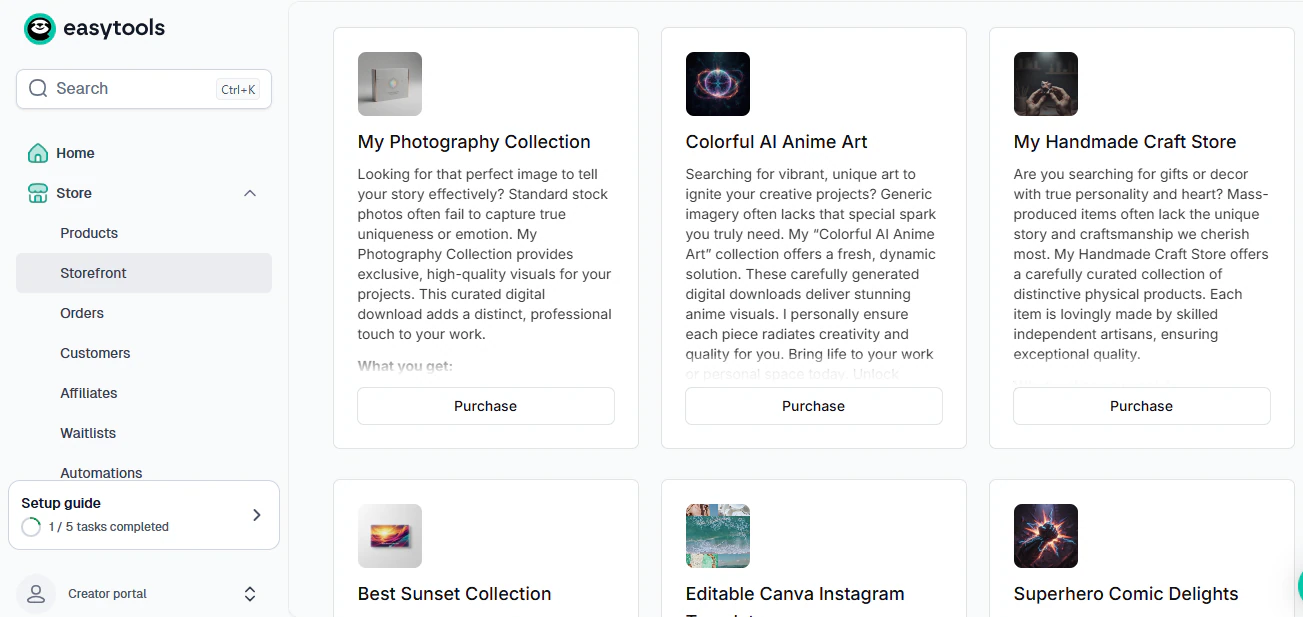
You can also build a website or landing page for your e-book. Here you can add details about prices, legal pages, social proof (which is vital for any business owner), an FAQ section, and accepting donations.
On the topic of social proof, Easytools has a testimonial page where you can collect and display any testimonials on your wall of love.
Imagine how big a boost in credibility your business will receive when you begin to add testimonials to your wall and display them on your website.
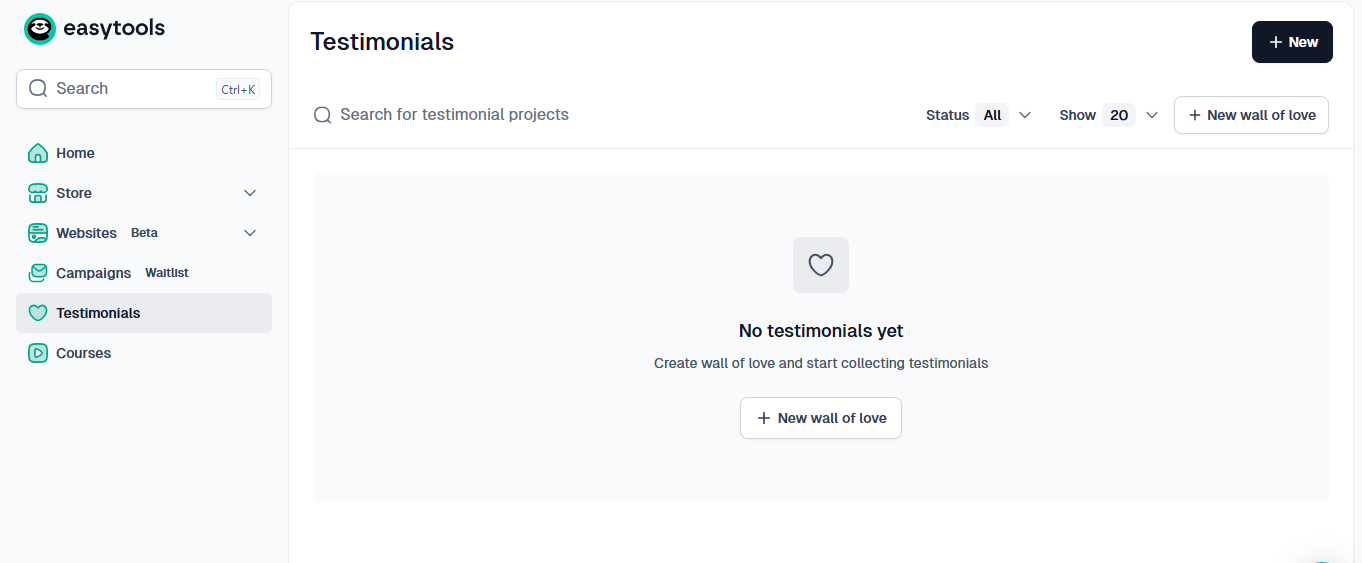
Easytools is a great platform for selling your e-books. But it doesn’t end there. It is also great for selling courses.
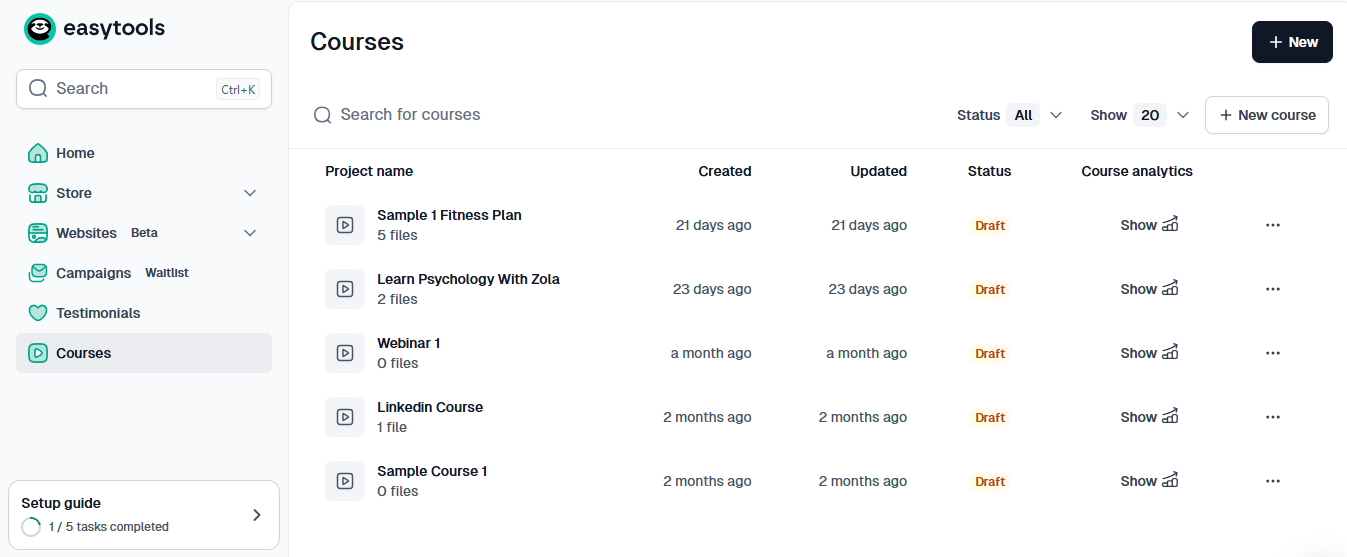
You can create as many courses as you want to sell as digital products and monitor them in your courses dashboard. You can see how recently you updated a course and observe how it’s doing in the course analytics.
What I loved about Easytools
1. Products
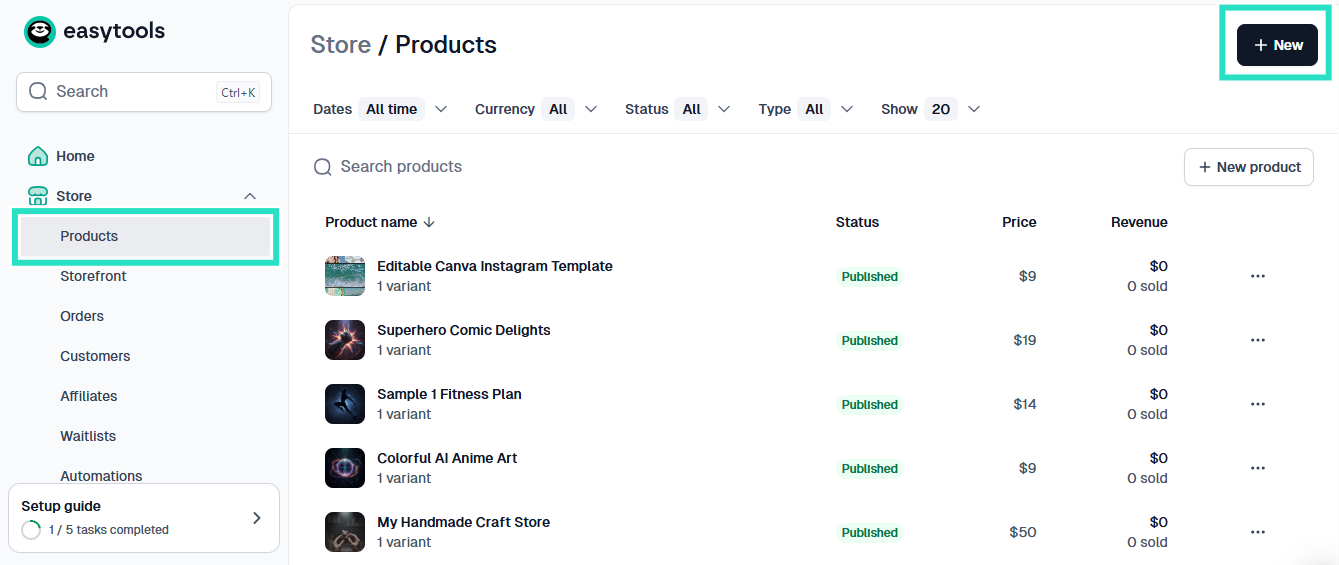
Here’s how to use the Products feature to sell your e-book. The process is easy and can be completed in less than 5 minutes.
First, click on “Products” and then on “+New”.
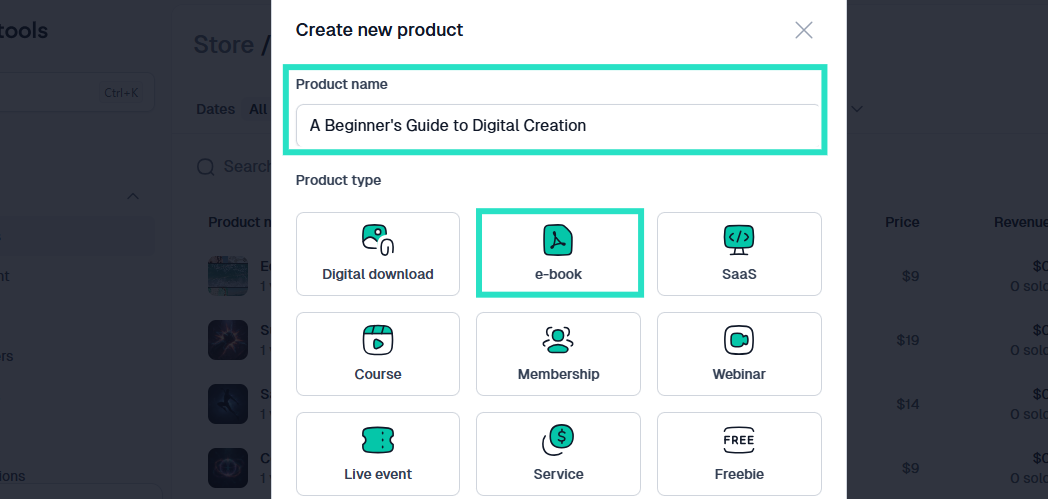
Next, you’ll see options for different products you can sell on Easytools. Name your product, in this case, the title of your e-book, and select the e-book product to continue.
Next, an AI builder that takes over the creation of your online store shows up. The next steps are automatic.
The product description, for instance, is automatically generated by Easytools. You can edit it to suit your taste and needs.
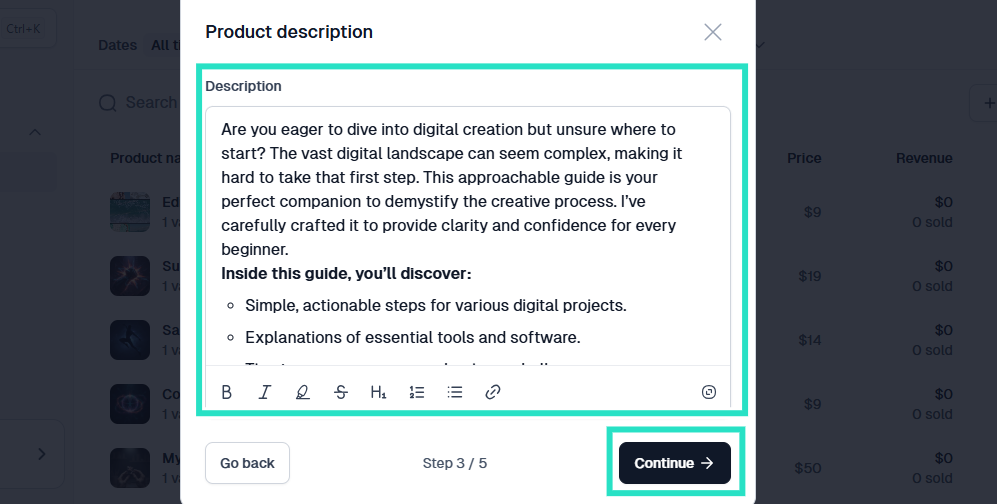
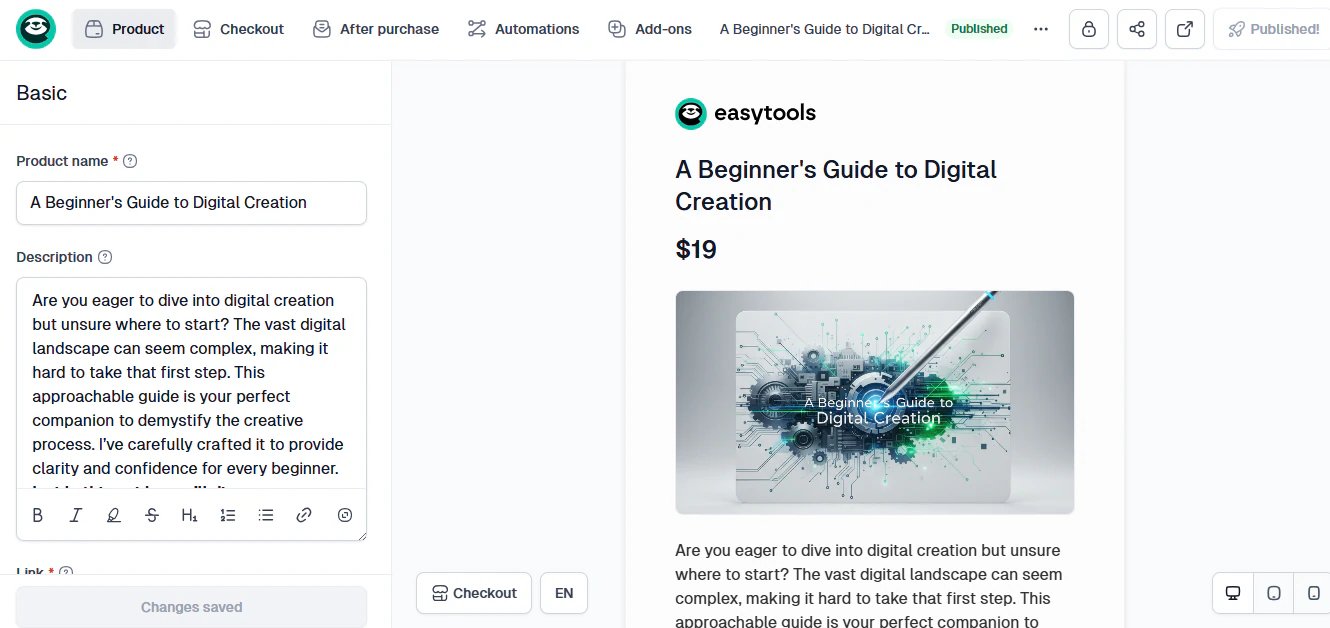
Once you’ve gone through the AI building process, you’ll have your e-book storefront ready to go. As you can see, you have a product page ready without having to lift a finger.
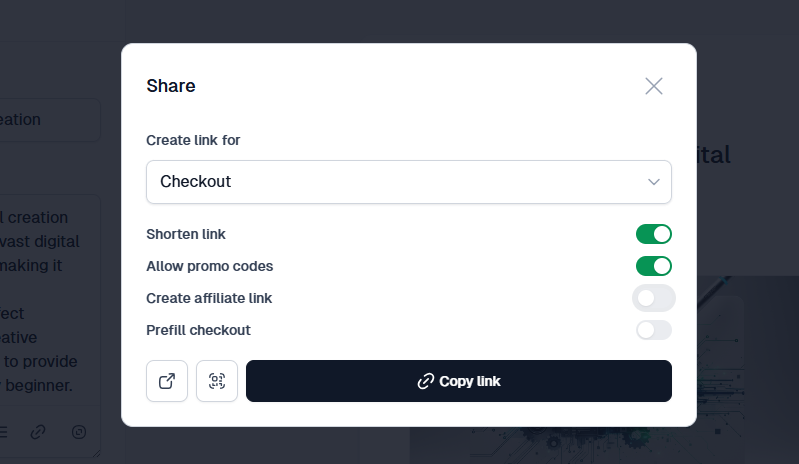
You can also copy the checkout link and paste it on all your social media platforms to direct customers to the e-book in your Easytools store.
2. Websites
As an author, another thing to consider when choosing a platform to sell e-books is whether the platform allows you to build a website.
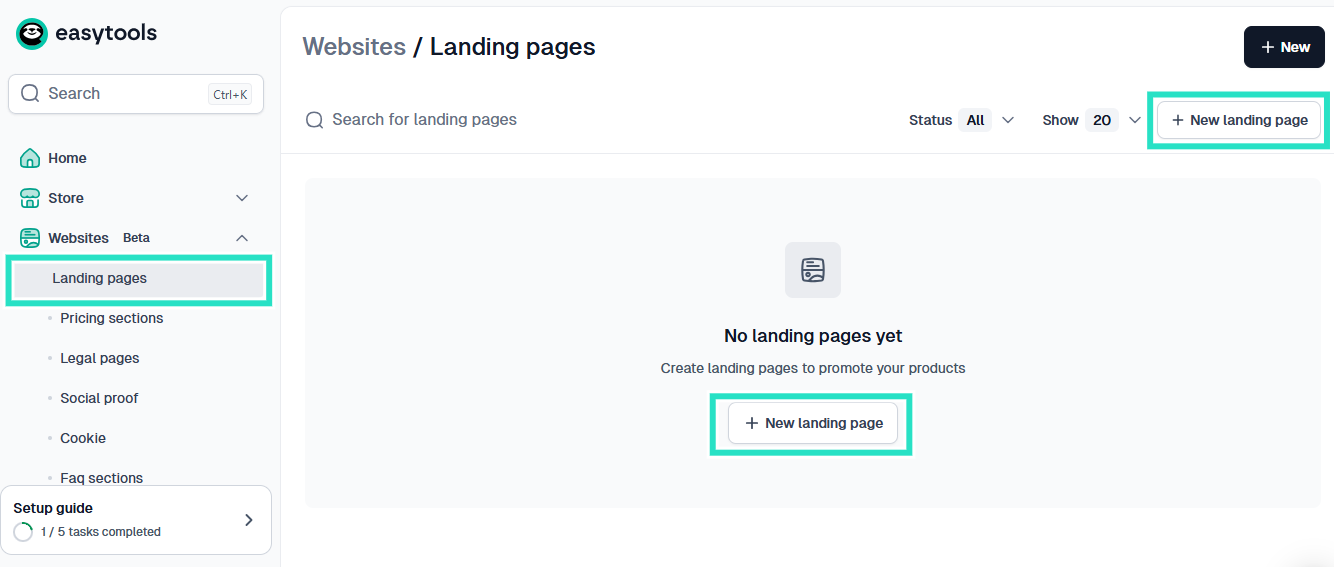
Most authors who are serious about selling their e-books have a digital platform, such as a website. With Easytools you don’t need to use a different platform to create this. Simply click on the websites feature and choose the part of your website you want to set up.
For example, if you click on landing pages, you can use the “+New Landing Page” button to create one.
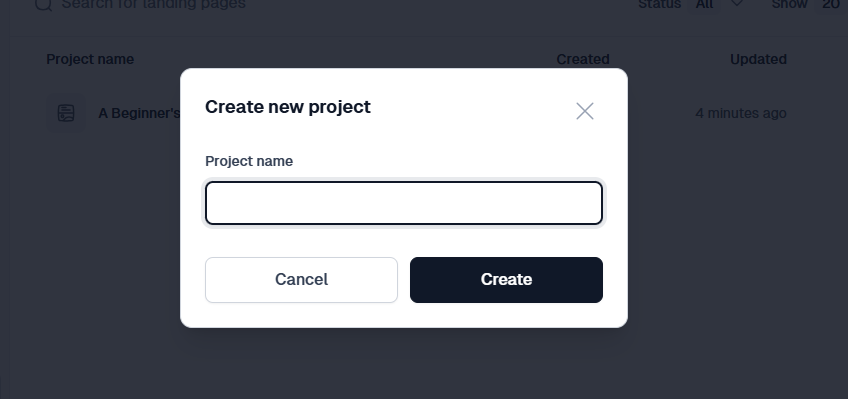
The landing pages are also built with the aid of artificial intelligence. So it opens an AI builder again. Simply enter your project name and click “Create”.
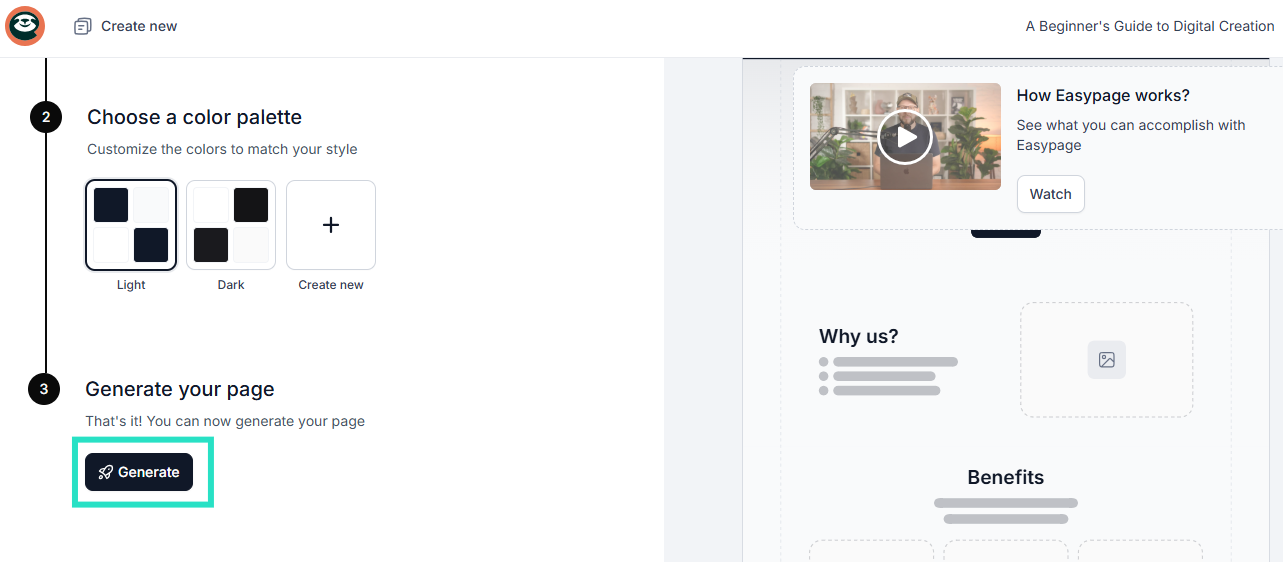
Then, choose a color palette, whether light or dark, and click “Generate”.
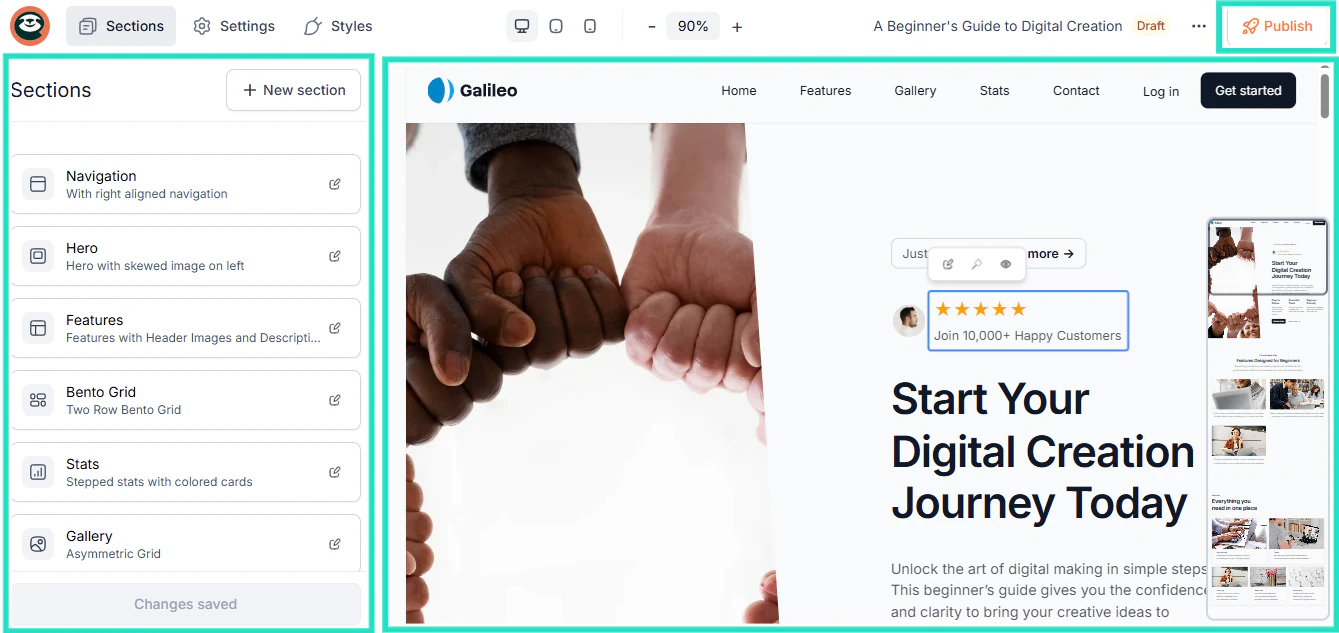
Easytools uses the information you’ve given it to create a beautiful, welcoming landing page that your visitors and customers can visit to learn more about you and the products you sell.
You can edit this landing page by adding or removing sections or setting up navigation features. Basically, you can edit how you want this page to look.
What I loved vs what I didn’t like
Best for
- Easytools is best for beginners who want a stress–free selling experience, and authors who want their own storefront with automations and integrated marketing tools.
Pricing
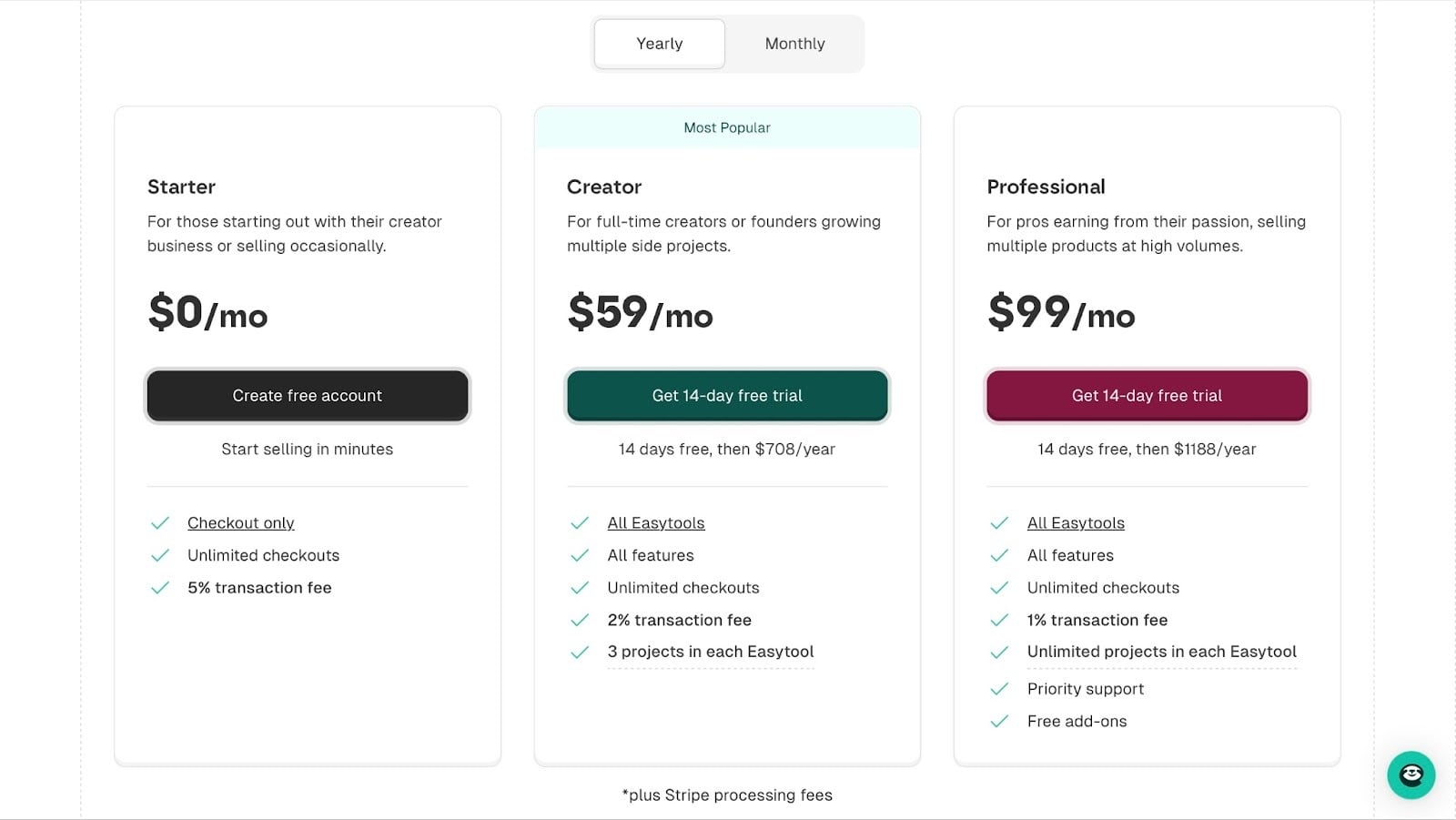
- Starter: $0/month
- Creator: $59/month
- Professional: $99/month
2. Amazon KDP
Personal rating: ⭐⭐⭐⭐ 4.6/5 stars | Starting price: Free to use (Amazon takes a royalty percentage instead of a monthly fee) | Integrates with: Zapier, IngramSpark, Wise | Best for: Authors who want global reach, passive discoverability, and access to Amazon’s built-in marketplace
One of the most popular platforms to sell e-books on is Amazon KDP (Kindle Direct Publishing).
While other platforms give you a storefront to promote by yourself, Amazon brings the readers to you.
Publishing on KDP means that your e-book appears on Amazon Kindle stores worldwide. This is why many new authors choose Amazon KDP as their first publishing platform.
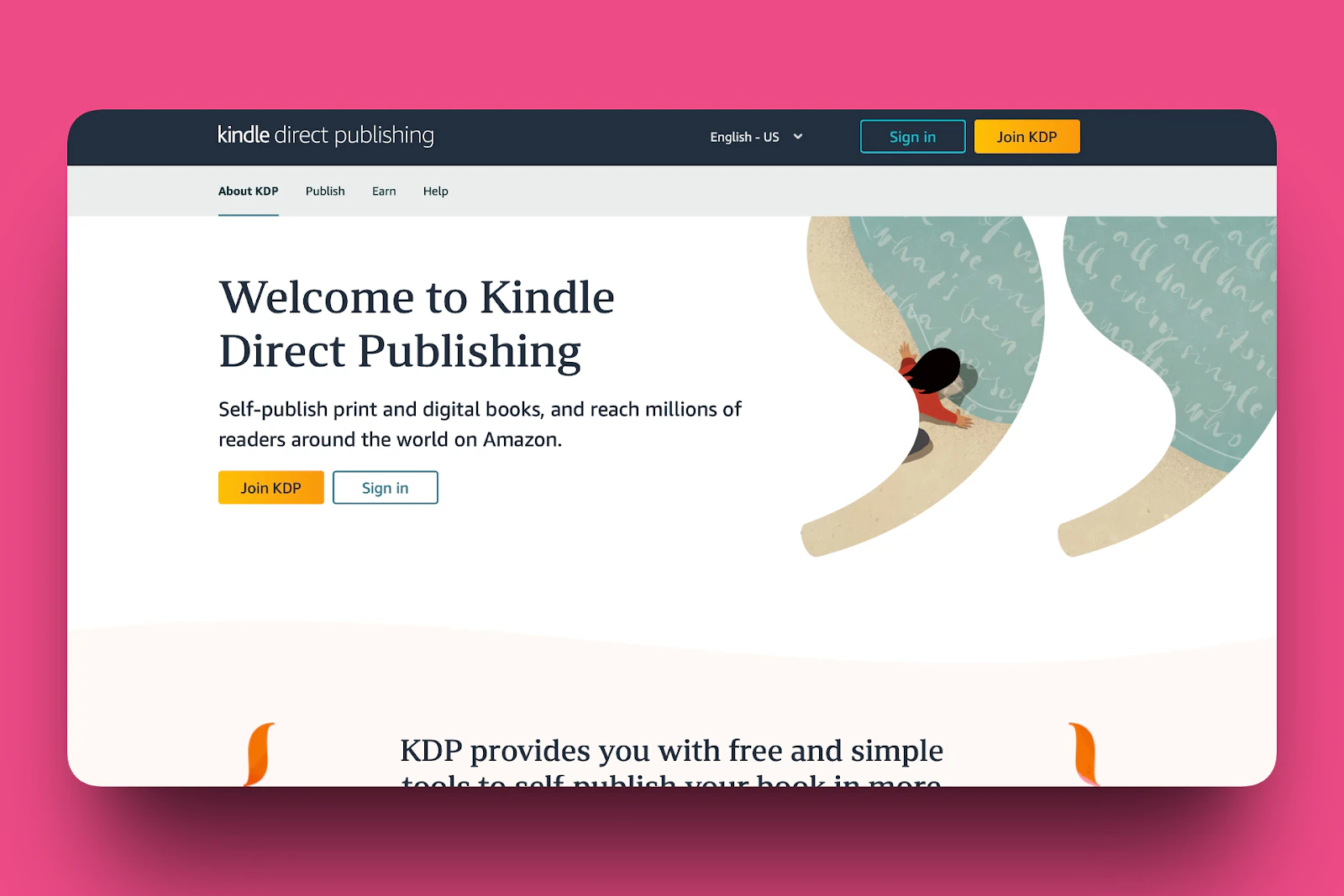
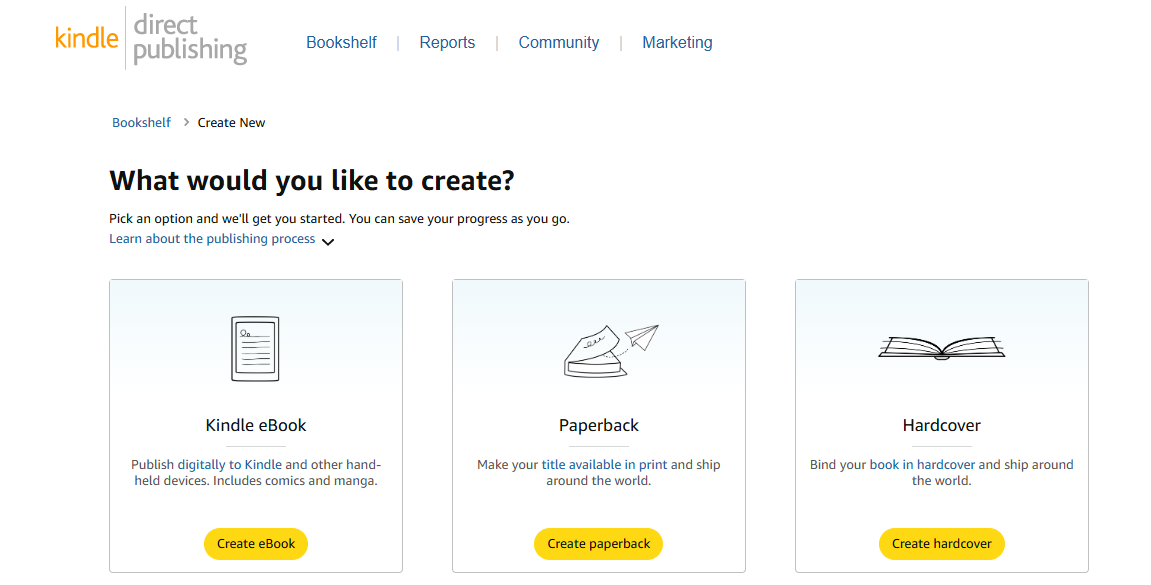
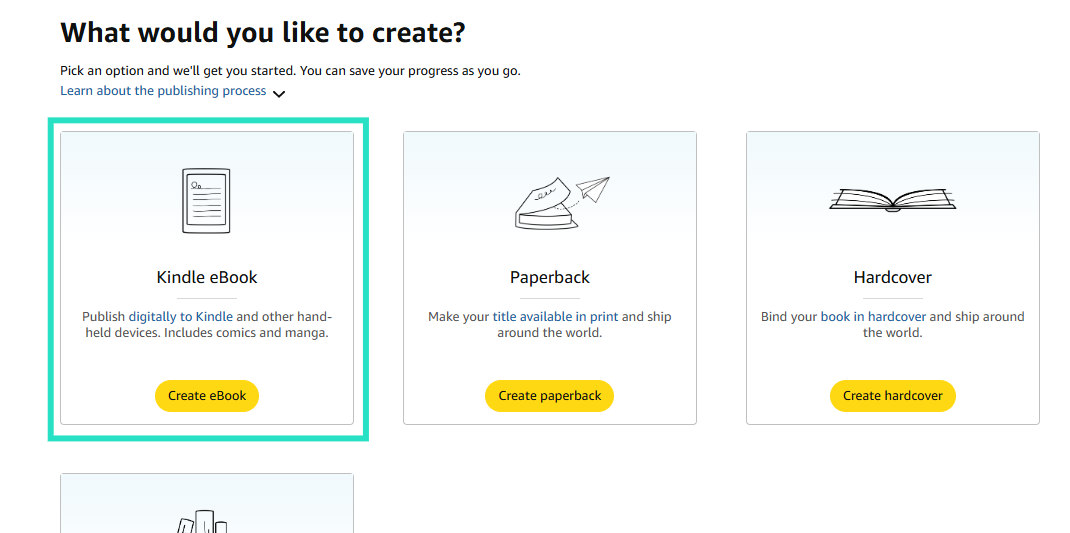
In the Bookshelf, you can create your own e-book in the format you want. From the dashboard, you can publish a Kindle e-book, a paperback, a hardcover, or a series.
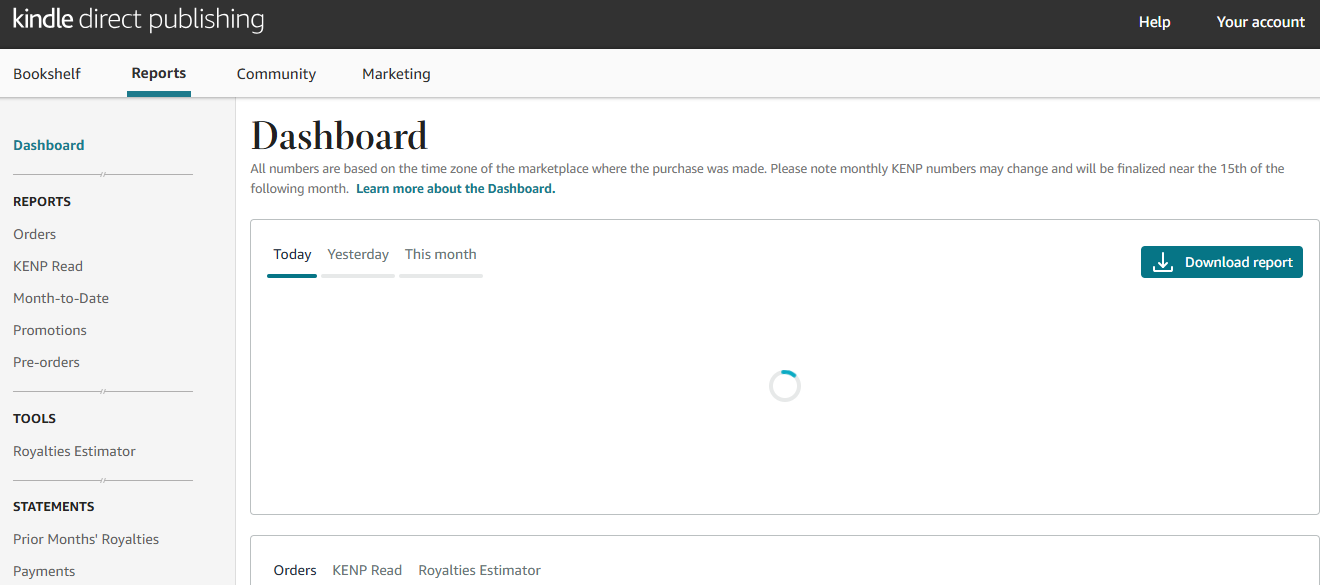
In the Reports dashboard, you can track everything money-related, your orders, promotions, and pre-orders.
Most importantly, you can use the royalties estimator to track how much money you’re earning or expecting to earn from Amazon.
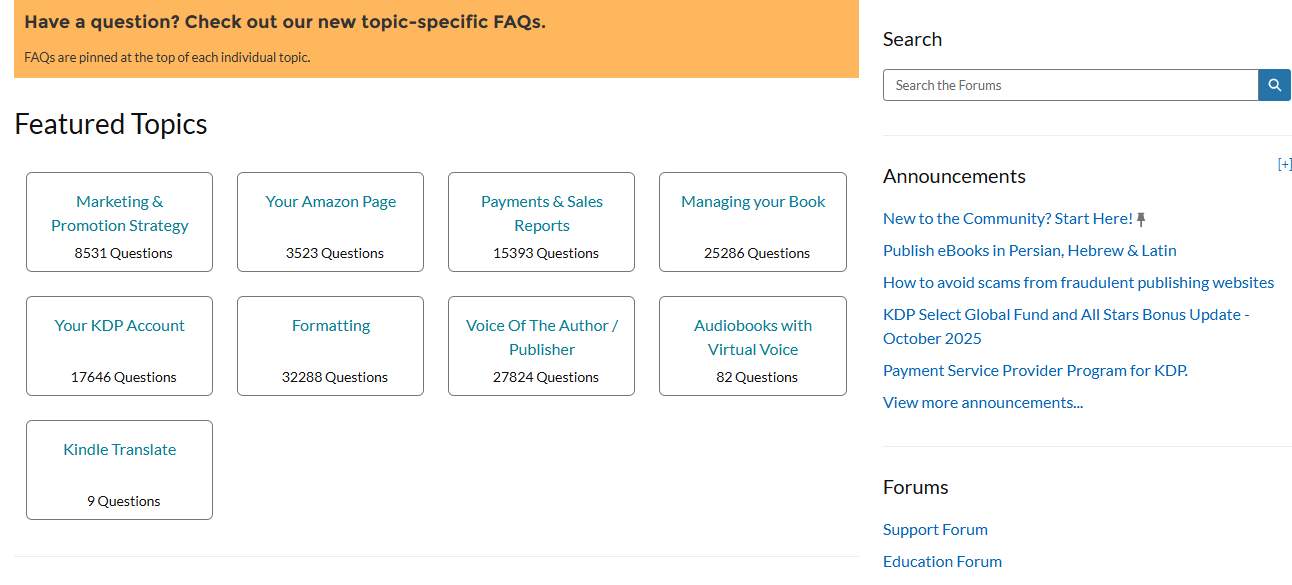
The Community page is another great feature of Amazon KDP. It’s lovely how different topics people may want answers to are grouped into various categories, from marketing and promotion strategy, payments and sales reports, to audiobooks with virtual voices.
You also get announcements, so you’re always updated about what is going on, and there are forums so you can have discussions with fellow authors.
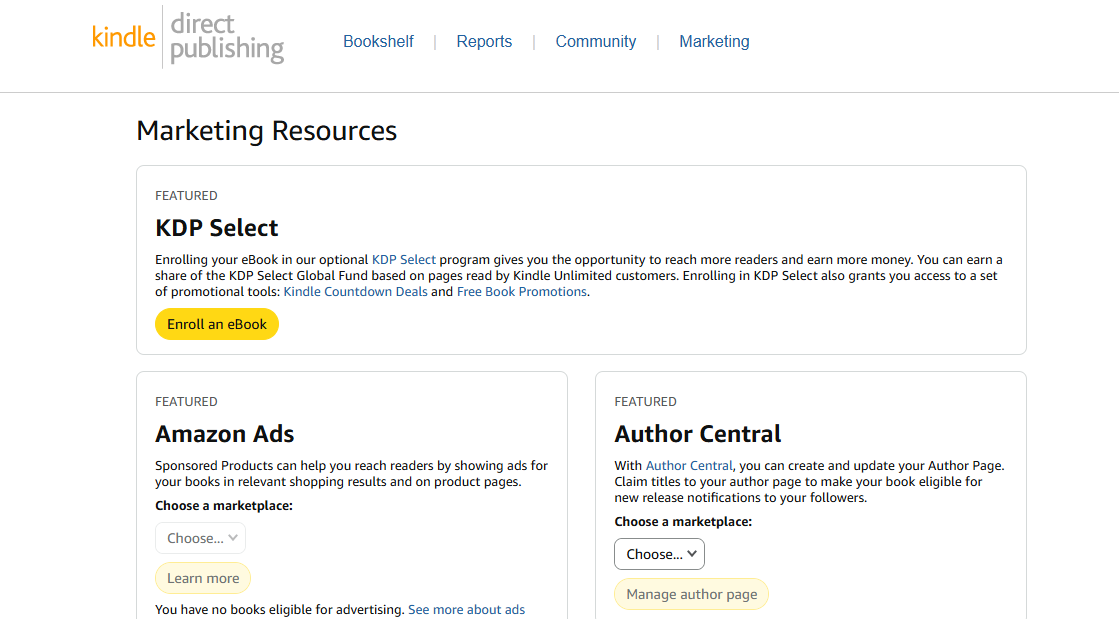
Even with the amazing community support, Amazon also has marketing resources to give you the opportunity to reach more readers and make more money.
You can enroll in KDP Select to get access to more promotional tools or use resources like Amazon Ads and Author Central.
What I loved about Amazon KDP
1. Bookshelf
You can create an e-book, paperback, hardcover, or start a series. Click “Create”, and the platform will guide you step-by-step.
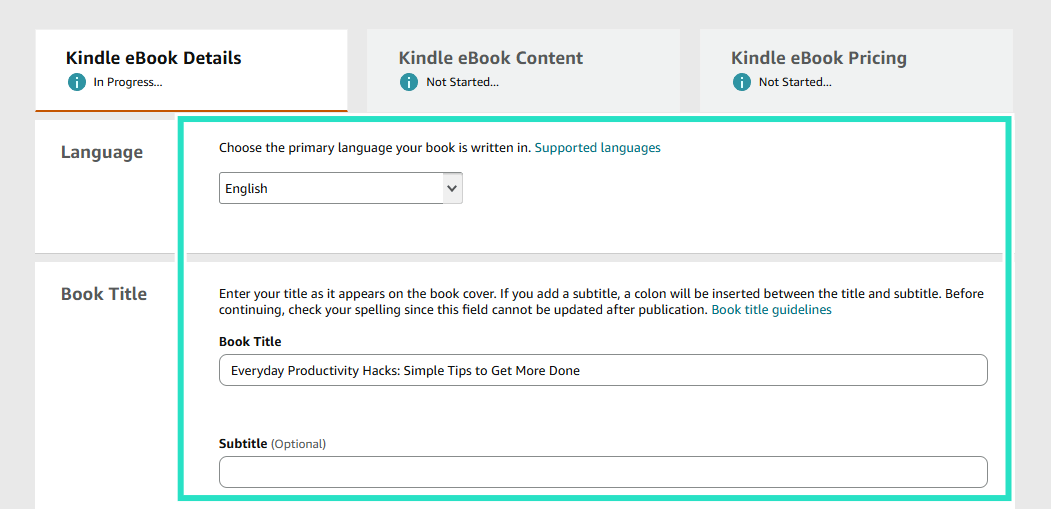
Under the same Kindle e-book details tab, you add the language, book title, description, keywords, and all other important information if you want to be discovered.
Once you’ve filled that section out, you can Save and Continue to the next section, where you add the actual e-book content.
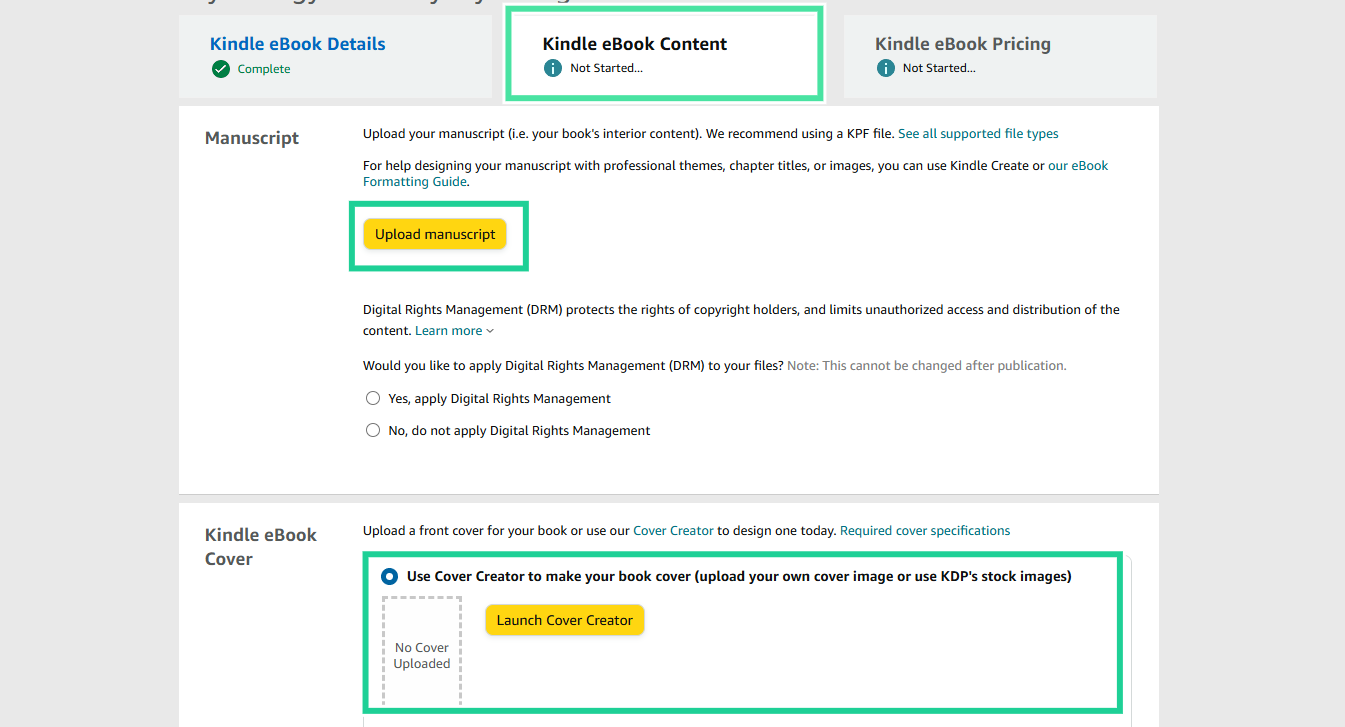
In the Kindle e-book content section, you upload your manuscript in PDF, EPUB, or DOCX and a book cover.
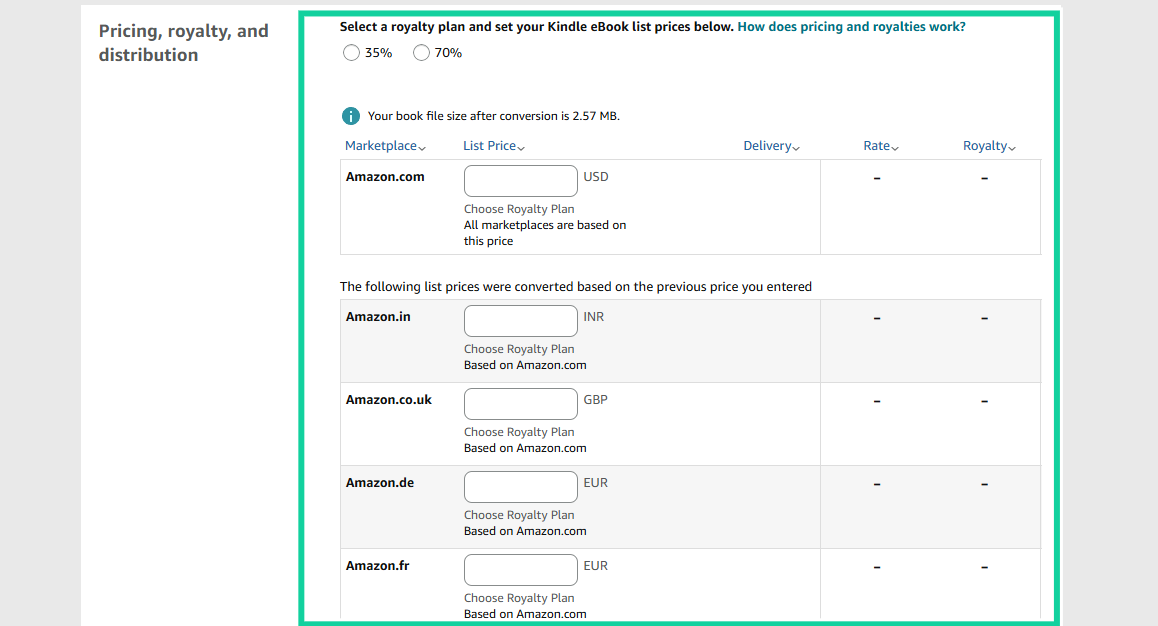
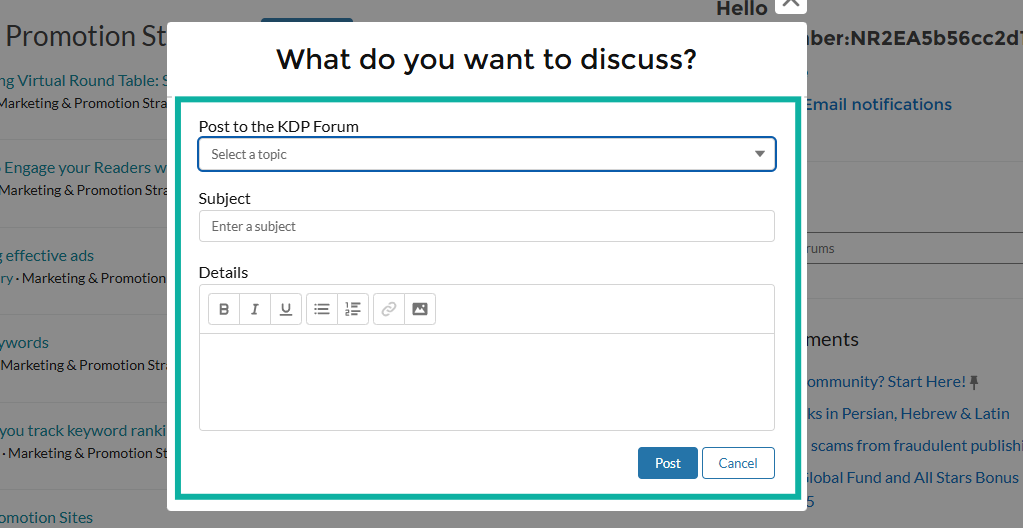
Then move to the pricing tab and select a royalty plan and set prices for your e-book. Amazon KDP converts the amount you enter in the primary currency into different currencies in different regions.
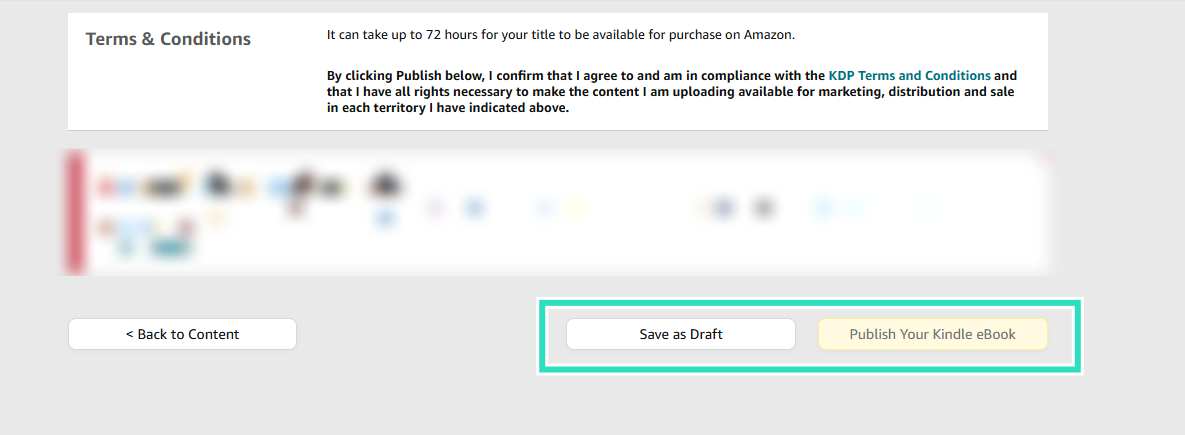
Next, scroll down to the bottom of the page, and click on ‘Publish Your Kindle e-book.’ That’s it, you’re done. Amazon not only handles publishing but also handles distribution.
2. Community
Another feature of Amazon KDP is its community of authors. As a new author, there’s so much you can learn about publishing, and that’s one of the reasons why the community feature exists.
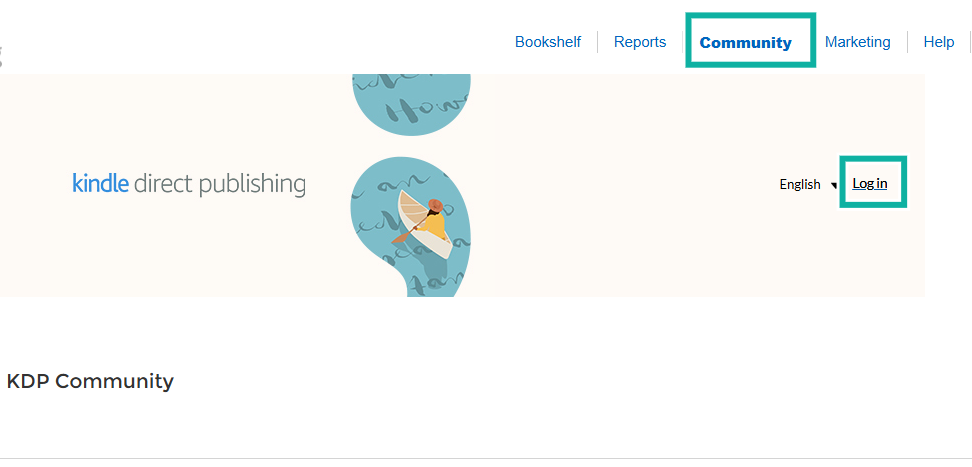
To join the KDP community, select the Community tab and log in.
This gives you access to the support forum where you can find answers to your questions in the FAQ section.
If your question is not in the FAQs, no problem. Go through the list of featured topics and choose one topic your question falls under.
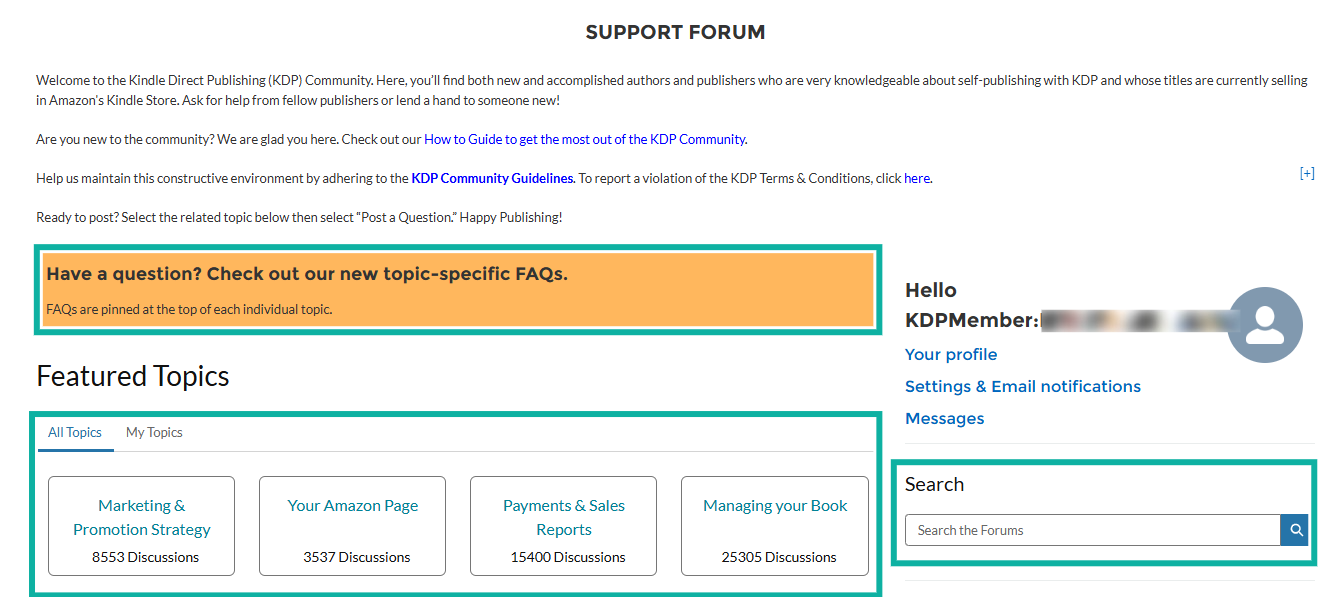
If, for example, you choose “Marketing and Promotion Strategy”, you can see others who have asked questions and received answers.
You can also click on “Post a Question” and add yours.
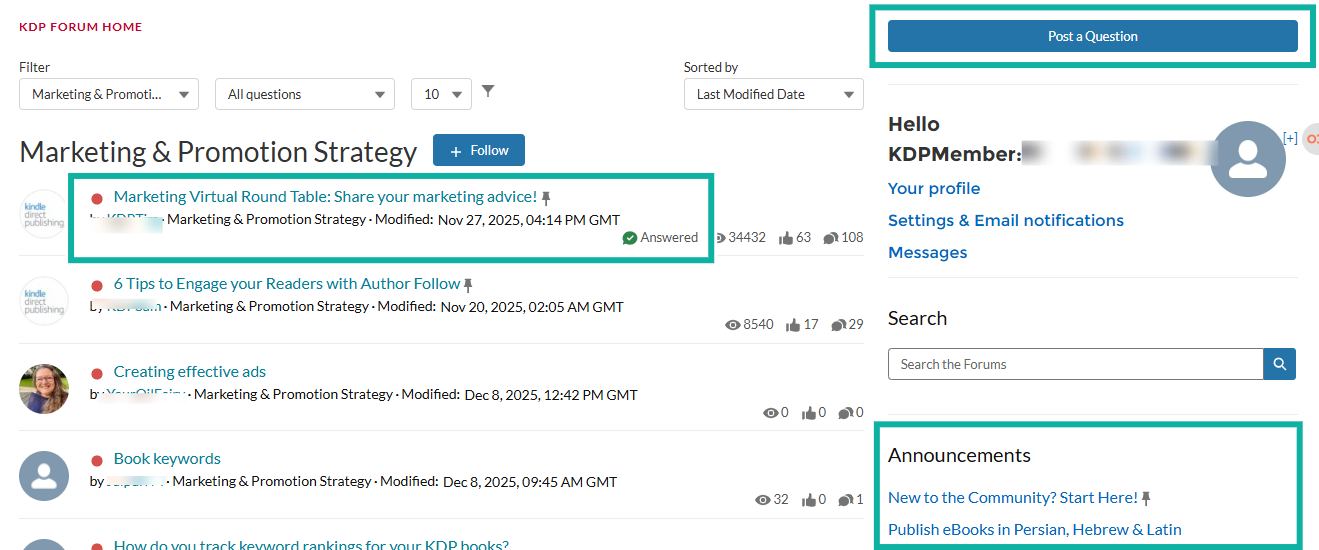
Whatever you want to discuss, select a topic, add a subject, and then post it.
What I loved vs what I didn’t like
Best for
- Amazon KDP is best for first-time authors who want to be discovered, writers who want passive sales, authors who want to publish both e-books and print, and anyone who wants global distribution with little upfront cost.
Pricing
- 35% royalty option (available everywhere)
- 70% royalty option (conditions apply)
3. Lulu
Personal rating: ⭐⭐⭐⭐ 4.5/5 stars | Starting price: Free to use (Lulu charges printing/distribution costs only) | Integrates with: Shopify, WooCommerce, IngramSpark | Best for: Authors who want full creative control, advanced print-on-demand, and flexible distribution options
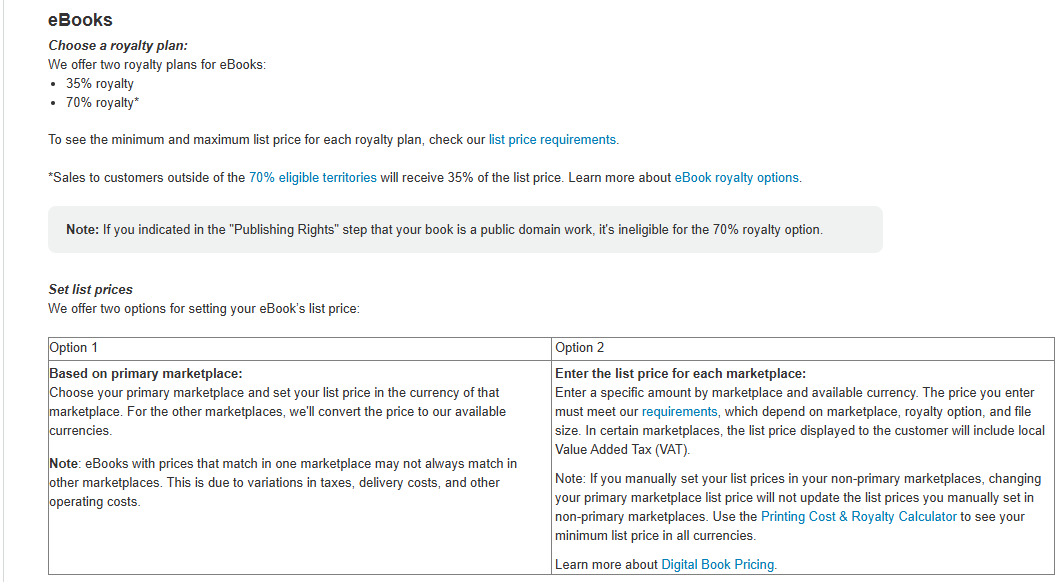
Another powerful platform to sell e-books is Lulu. While Amazon focuses heavily on Kindle readers, Lulu gives authors full flexibility when it comes to distribution channels, formats, and pricing.
Lulu is both an e-book and print-on-demand platform, so authors get complete creative freedom.
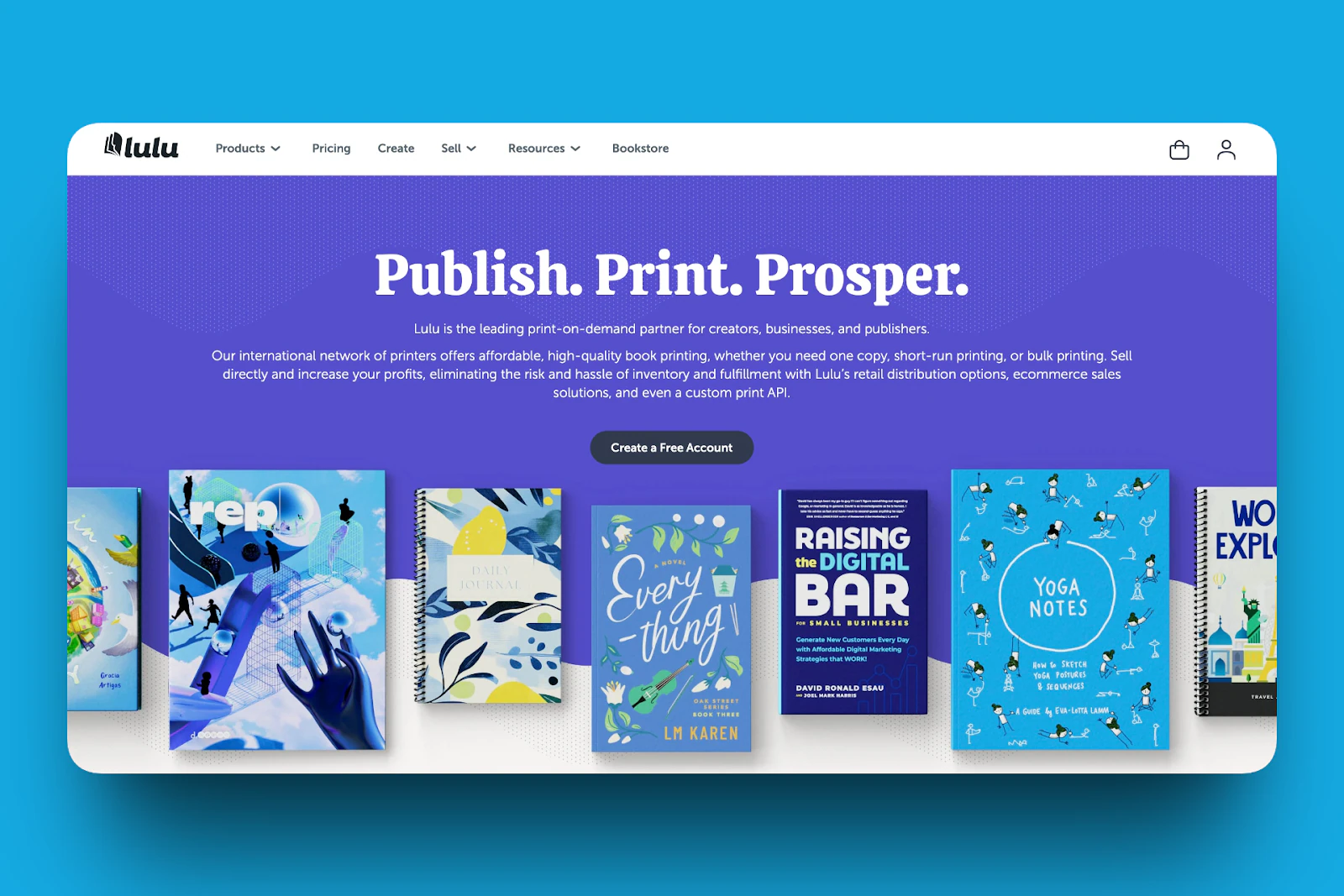
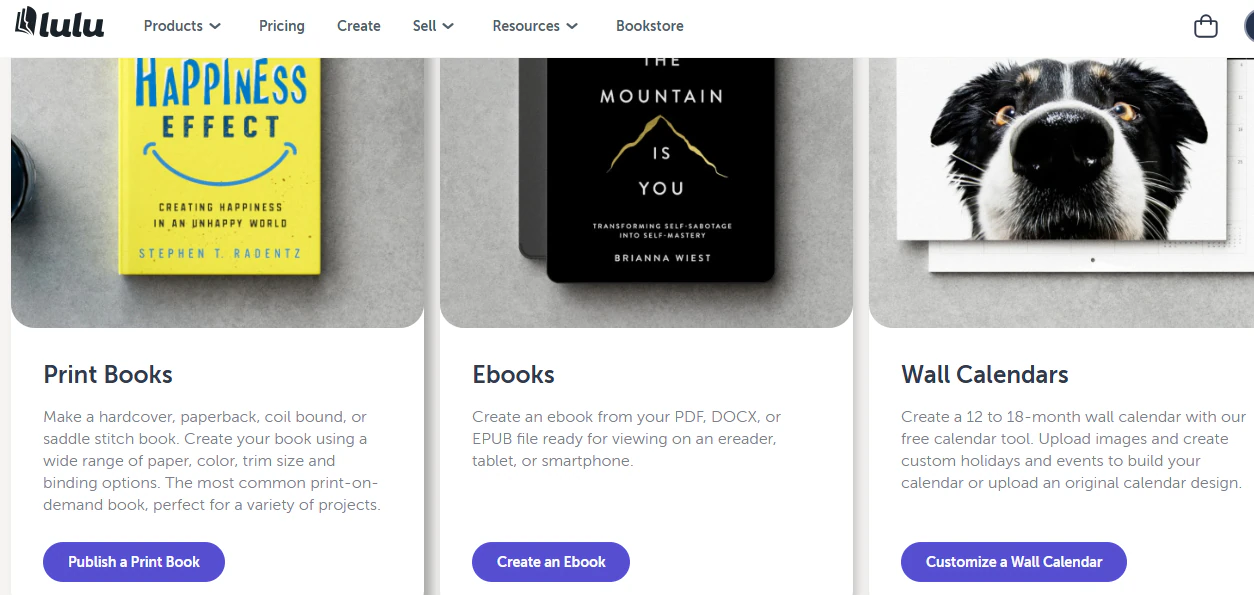
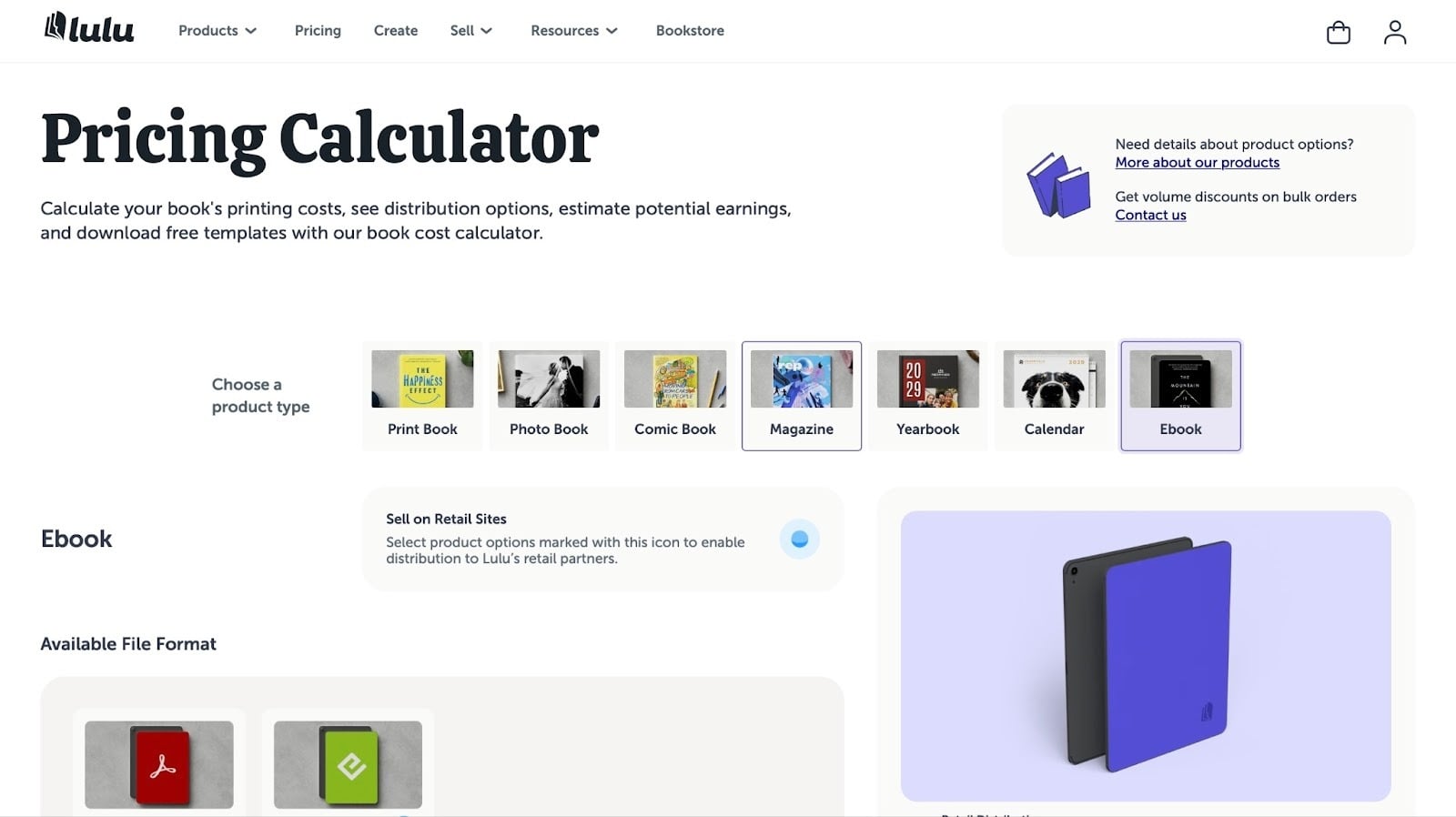
Lulu’s publishing dashboard has a Products section where you can choose the kind of product you want to create, be it a print book, e-book, or even a wall calendar.
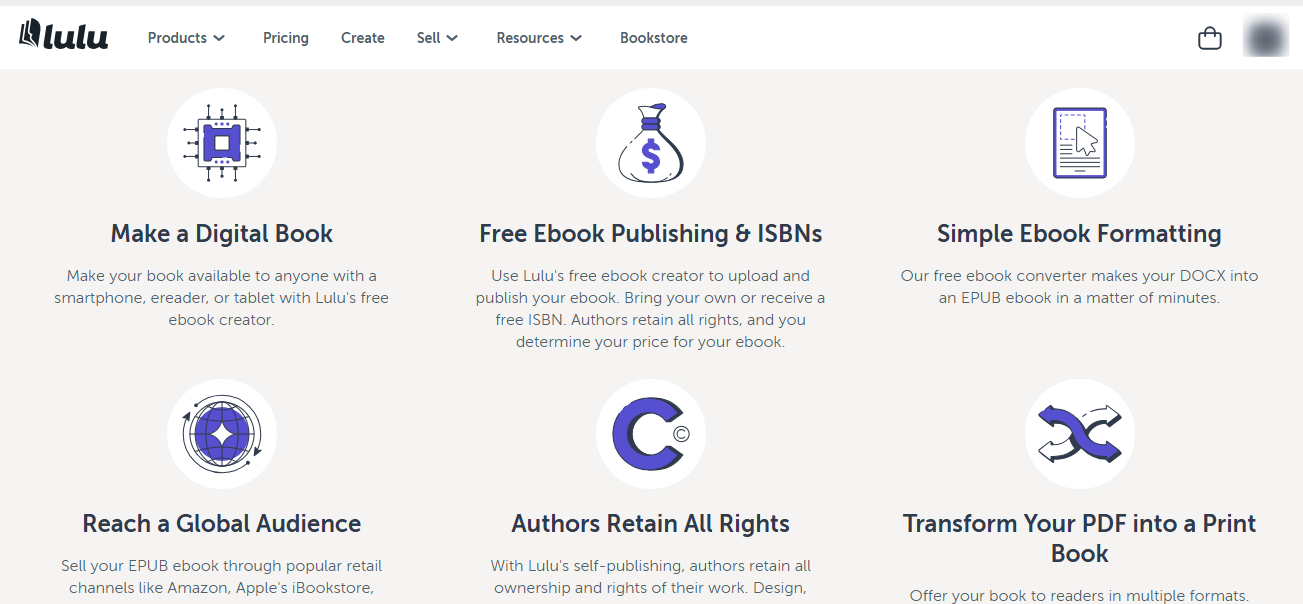
In the “Create” section. You have access to more.
For instance, you have options to make a digital book, free e-book publishing, and ISBNs, simple e-book formatting, along with tips on how to reach a wider audience and retain all rights.
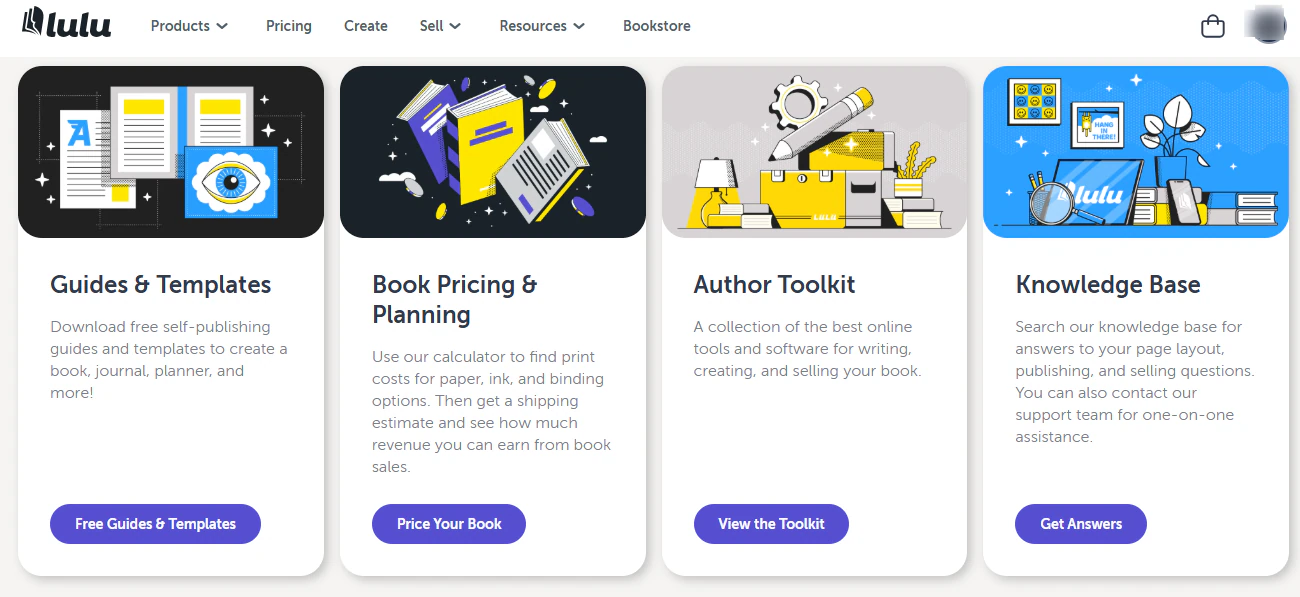
In the “Resources” area, you get support in the form of guides and templates, even author toolkits. This helps you determine how to set your prices.
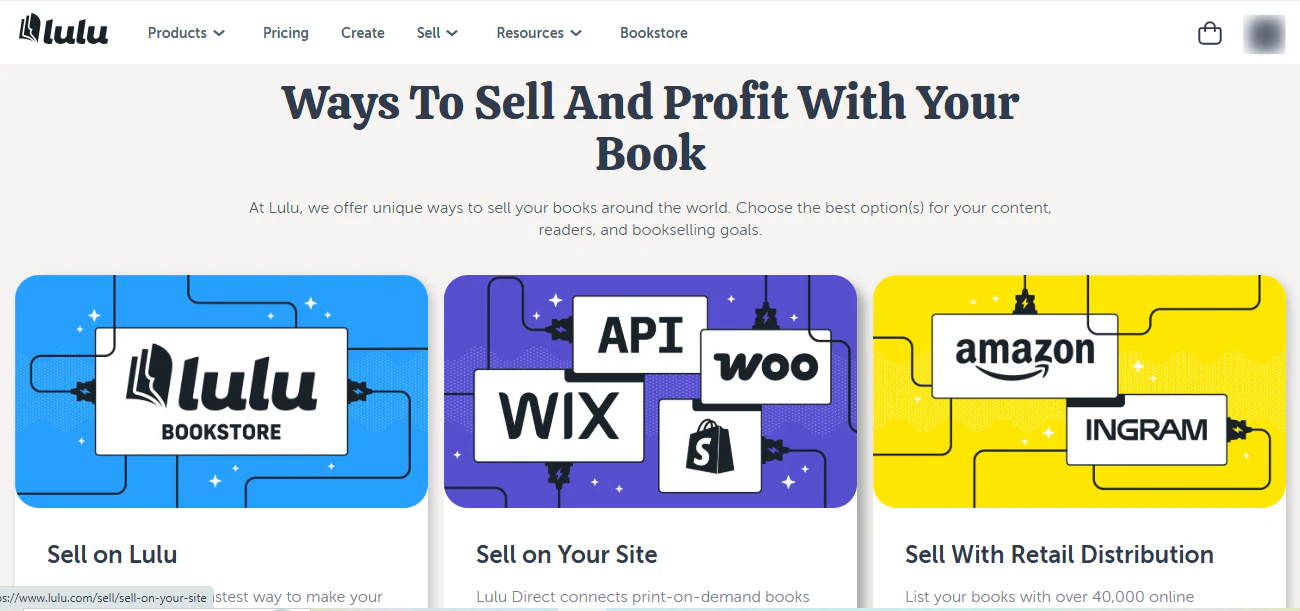
Lulu also has a Sell section. These teach you how to sell and profit from your book. You can sell directly on Lulu, on your website, or through retail distribution.
So you see how the flexibility comes in again. As an author, you won’t feel constrained by Lulu as to where your e-books will go or the audience they might reach.
What I loved about Lulu
1. Create
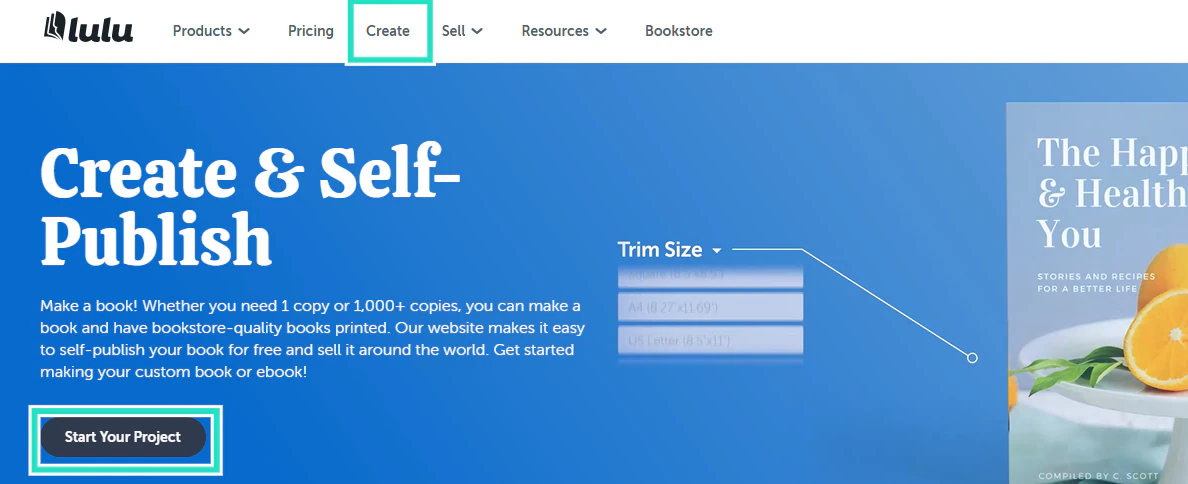
To create an e-book on Lulu, click on “Create” and select “Start Your Project”.
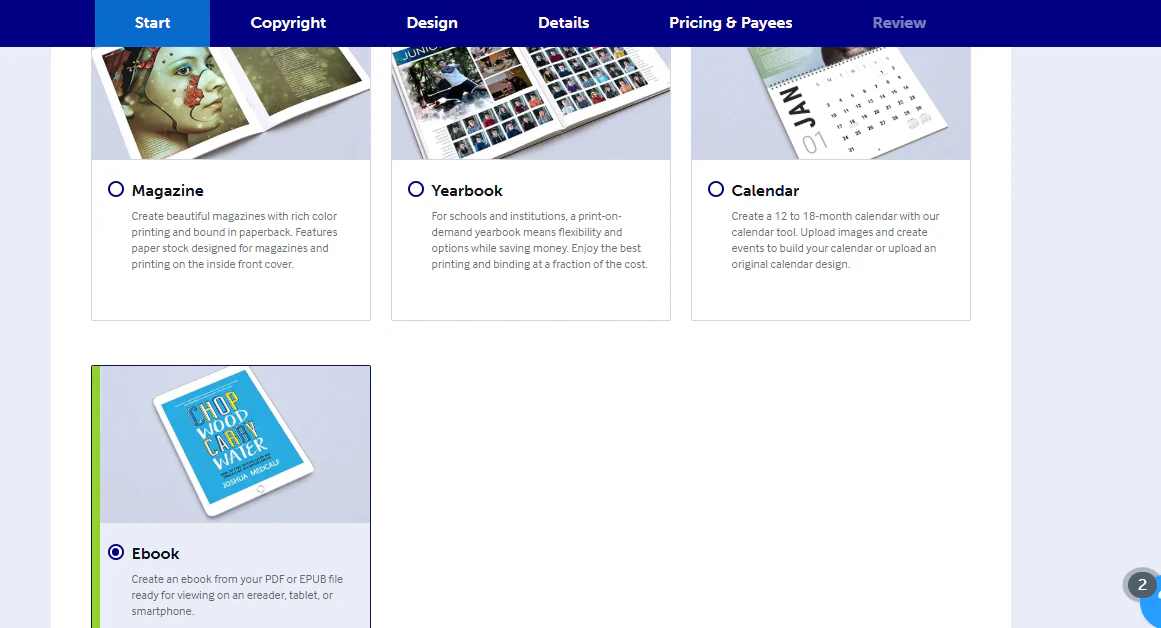
Select the kind of product you want to create. There are many options, magazines, yearbooks, and calendars, but here we’ll focus on our goal, e-books.
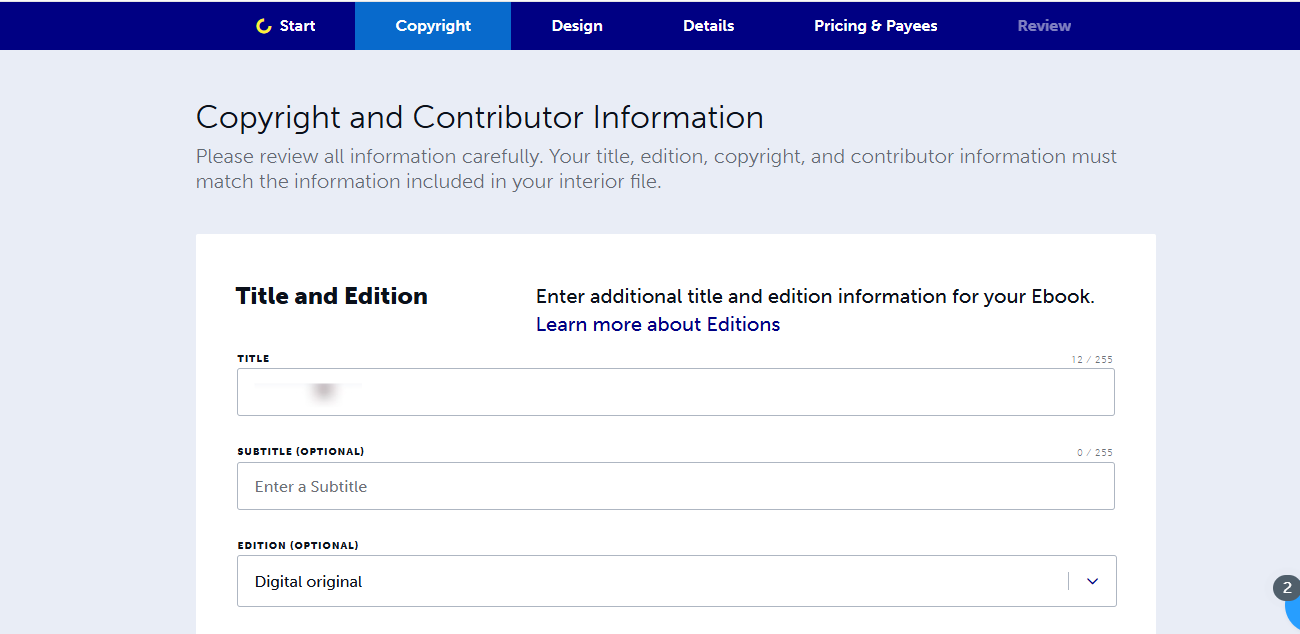
Next, we need to fill in details like the title, edition, and other copyright and contributor information.
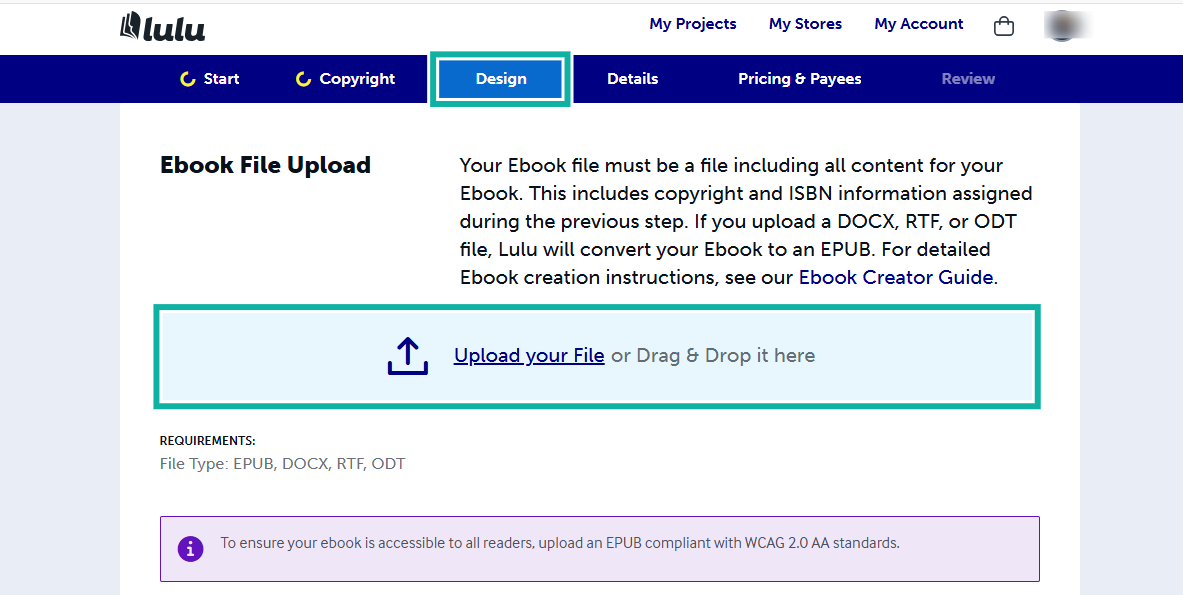
Click on the design tab to upload your e-book file. Here is where you add your copyright information as well.
To finalize everything, you need to add details like a description and keywords.
You can also add information about your contributors, related work, websites, social media profiles, and any other details that will help readers find your book with an online search.
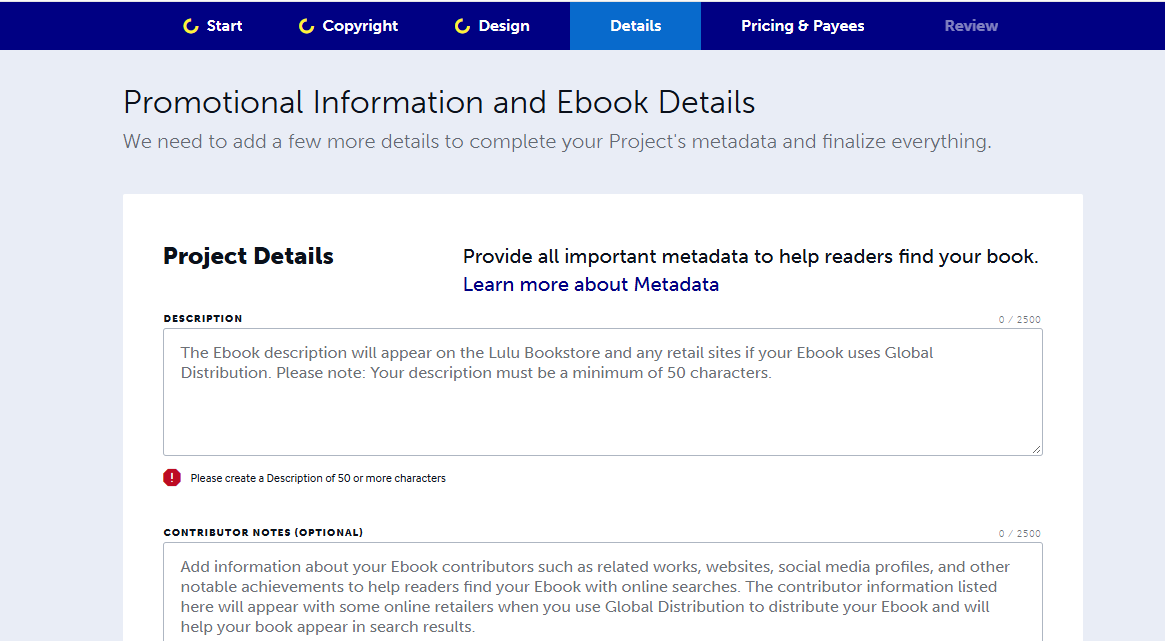
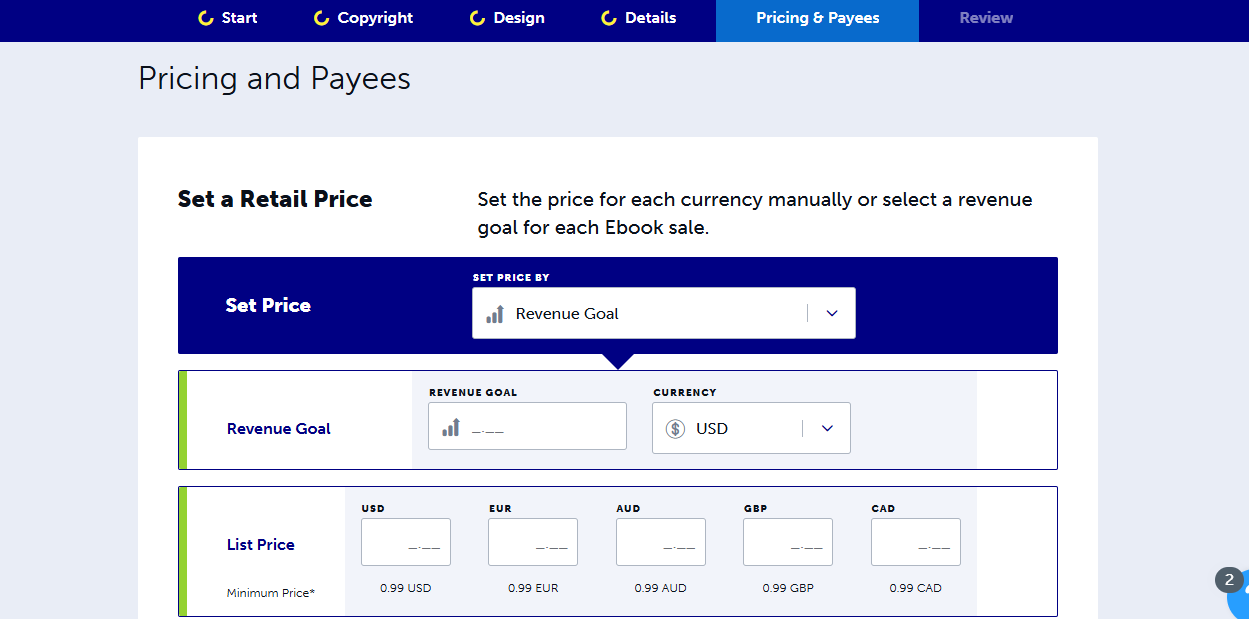
Then set your price. You can set different prices for different currencies and select a revenue goal for each e-book sale.
Once your price is set, you’re done. All you need to do is review your upload and settings, and it is good to go on Lulu.
2. Resources
Lulu is a platform to sell e-books, but understanding the platform can be a challenge.
To get around this, Lulu has a detailed resources page with guides and templates, resources about book pricing and planning, an author toolkit, and a knowledge base.
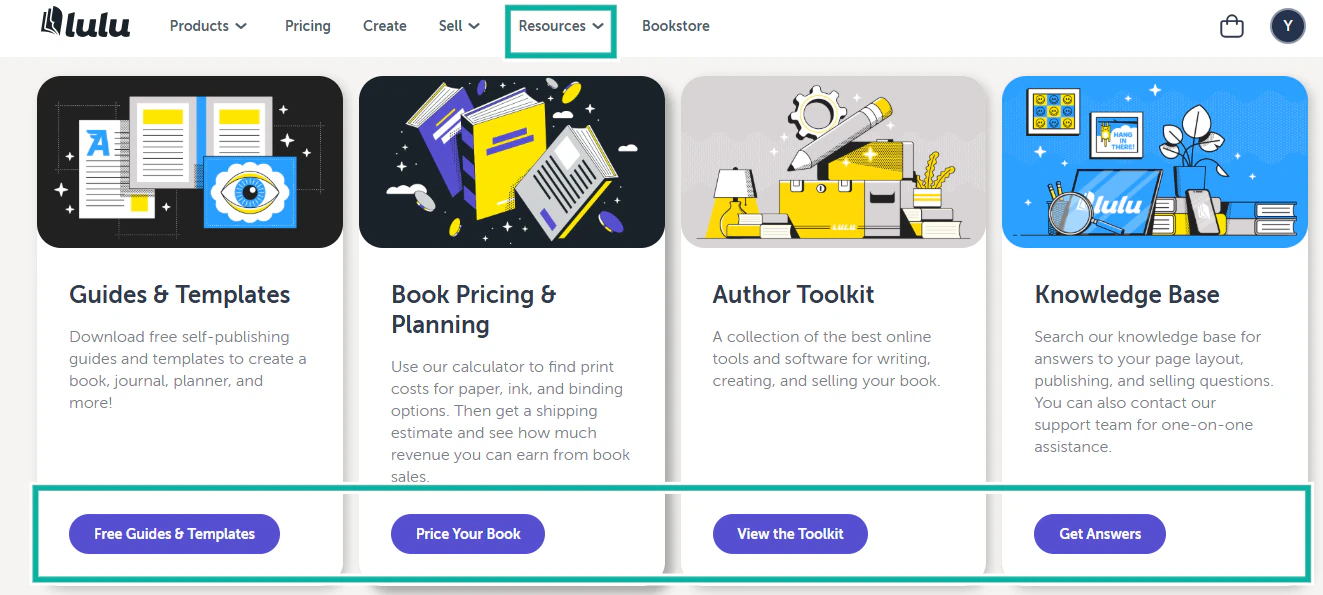
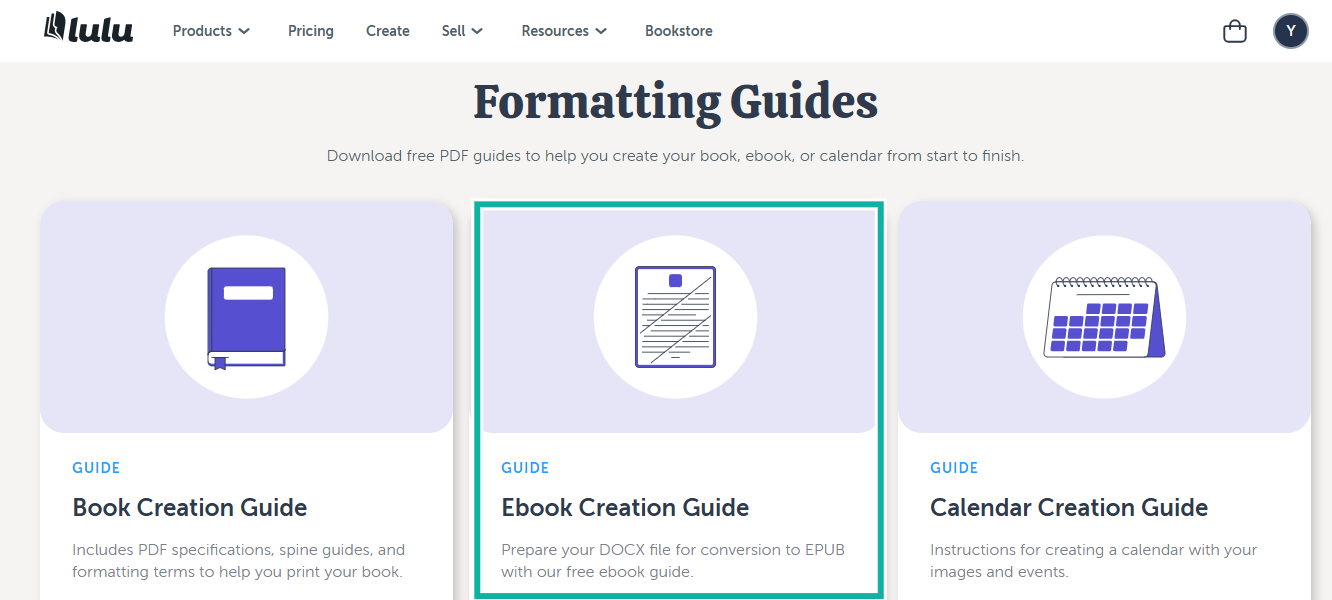
Click on the guides and templates to see formatting guides that a writer can use.
The E-book creation guide, for example, can teach you how to convert your file from DOCX into EPUB. This is helpful for beginners who need clear guidance.
What I loved vs what I didn’t like
Best for
- Lulu is best for authors who want full creative freedom, advanced print-on-demand options, flexibility to sell on multiple platforms, and global distribution control.
Pricing
- Custom
4. Gumroad
Personal rating: ⭐⭐⭐⭐ 4.4/5 stars | Starting price: Free to use | Integrates with: Zapier, ConvertKit, Stripe | Best for: Creators who want a simple storefront, automated email workflows, and direct sales without a marketplace
Gumroad is the next platform to sell e-books that we will talk about.
Unlike Amazon or Lulu, which focus on marketplace distribution, Gumroad gives you a simple storefront you control, and you sell directly to your audience.
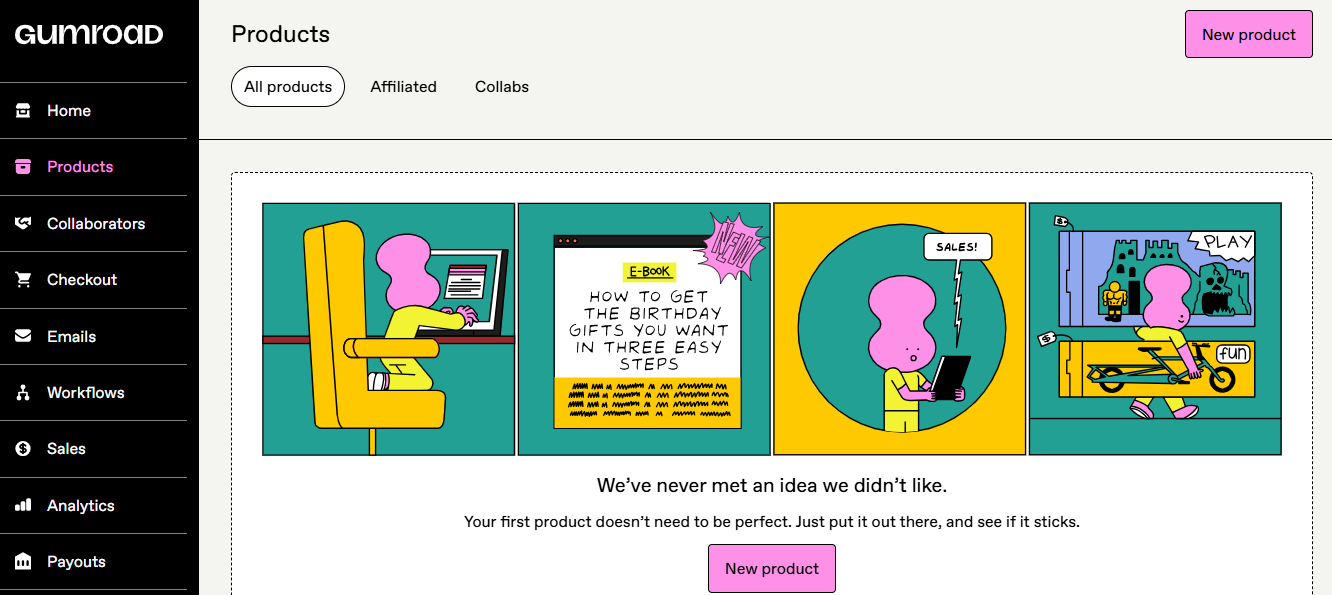
Take the products feature, for example. Just add a new product and a few necessary details, and your e-book is ready for the market, and as an author, that’s exactly what you need.
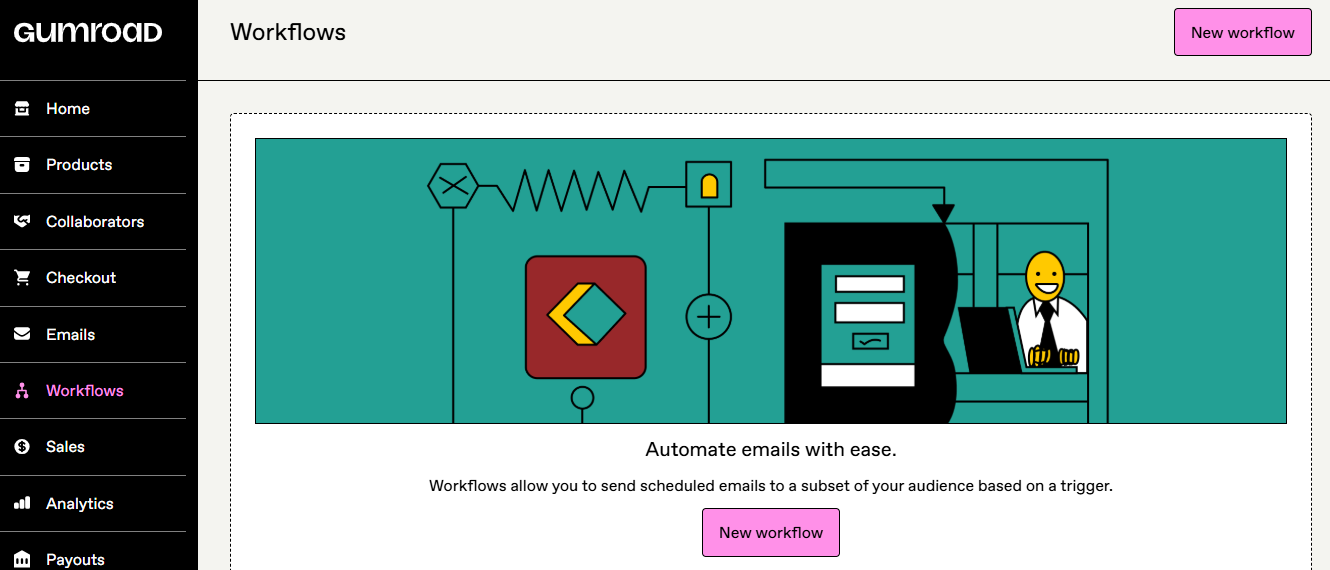
You can’t always do everything manually when it comes to sending scheduled emails to a growing audience.
How Gumroad helps is that it allows you to create a workflow through which you can schedule and automate all emails based on a trigger you select.
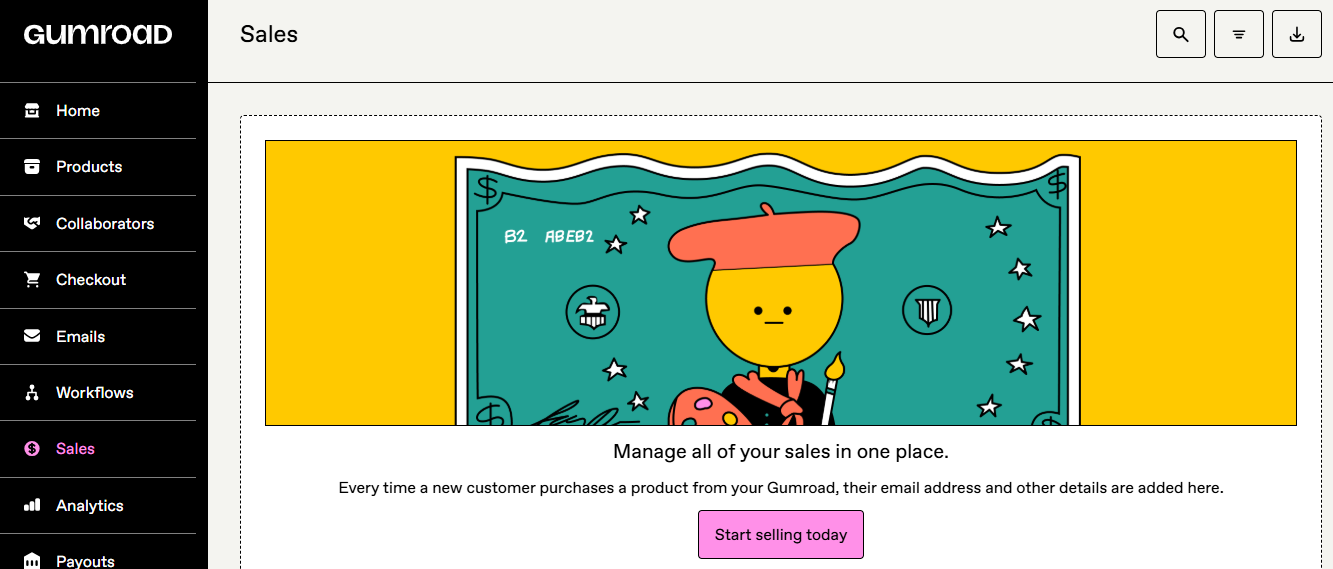
Next, Gumroad offers you a sales management page in the sales feature.
Whenever a customer purchases something from you, their emails and other information are added. Now you can send automated emails to all your customers without needing a different application.
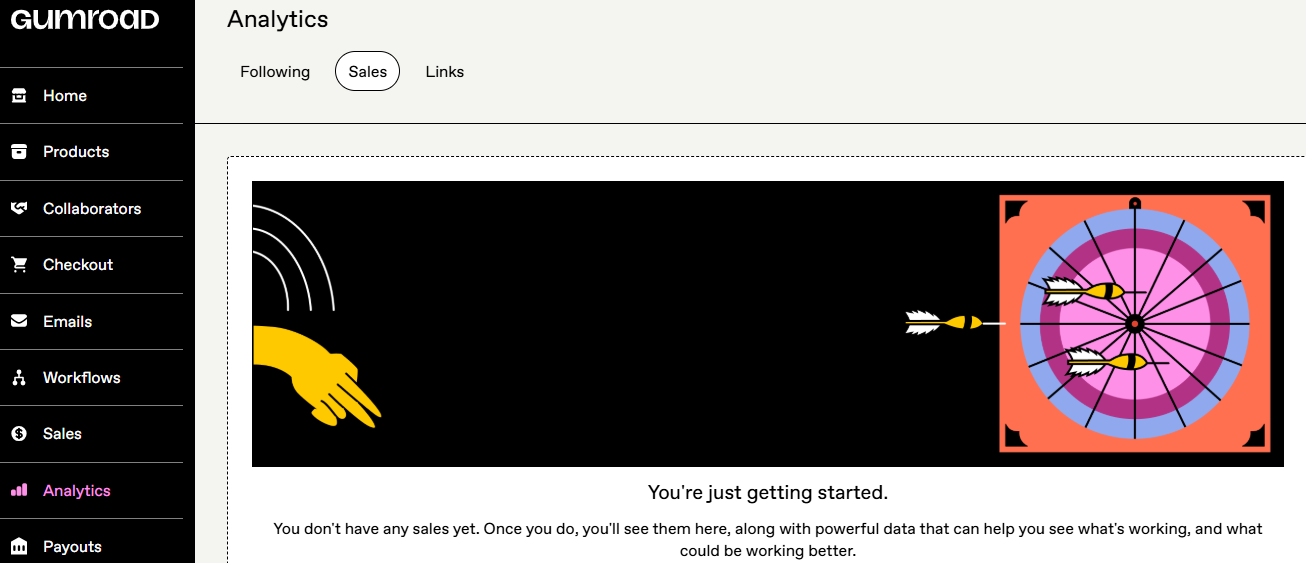
Furthermore, the Analytics page is important because it shows you data. And data tells you what’s working and what’s not. You need those insights as a business person to track your success.
What I loved about Gumroad
1. Products
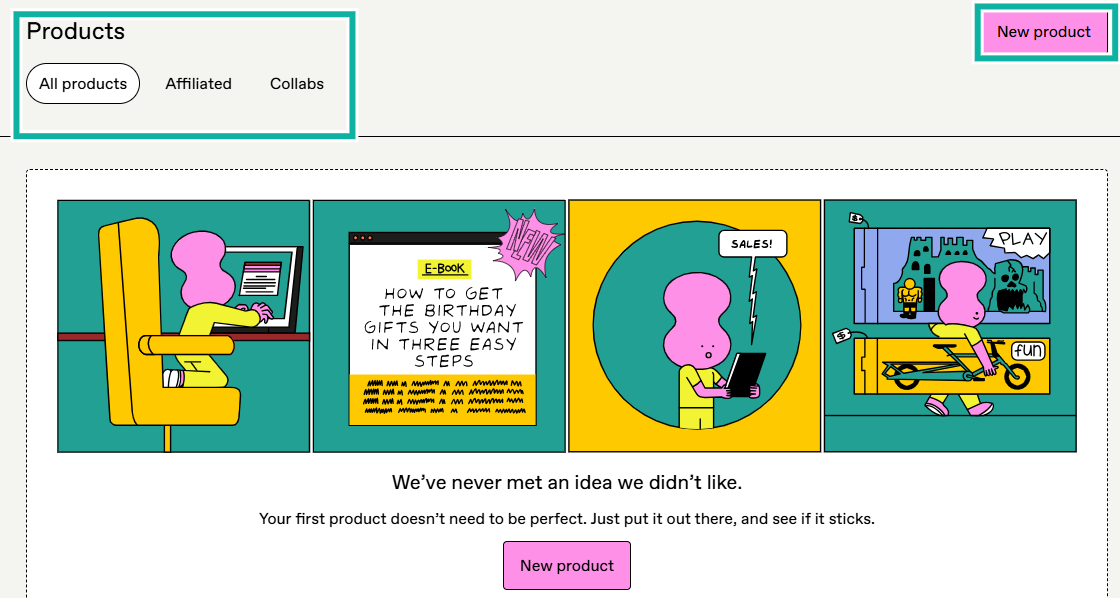
The Products page is where you upload and publish your e-book. Click on “New product” to get started.
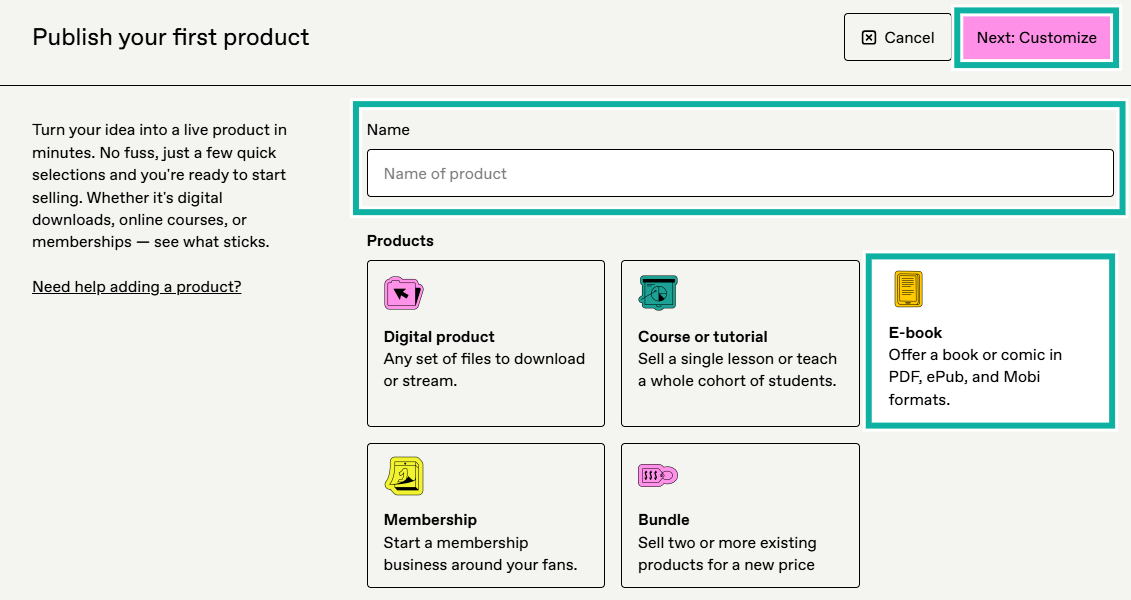
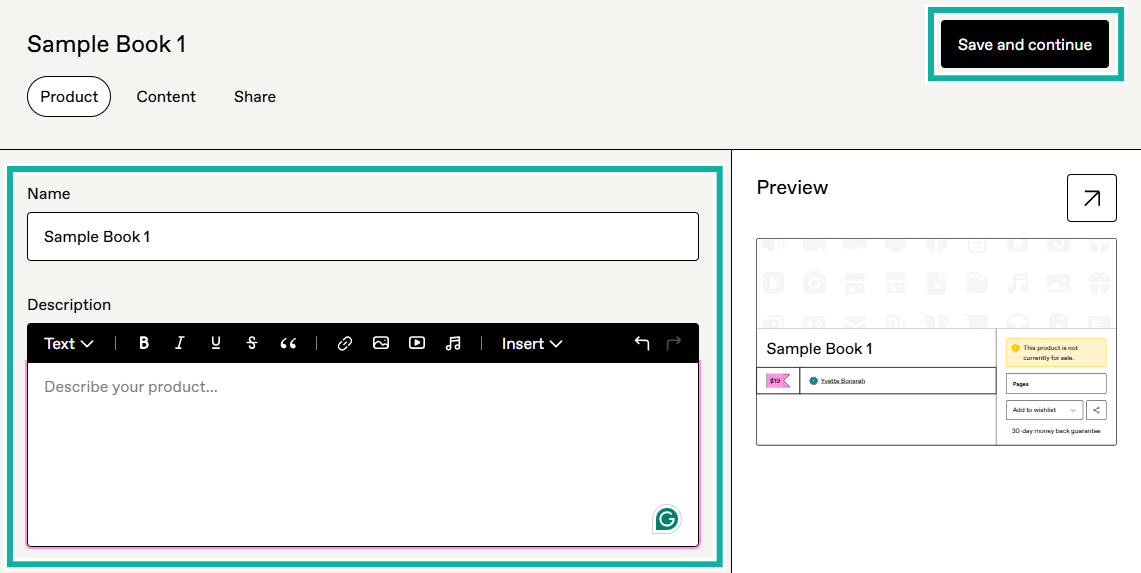
Then enter the name of the product and choose the product type. In this case, an e-book. Click on the “Next: Customize” button.
Now you can add your name, description, and continue.
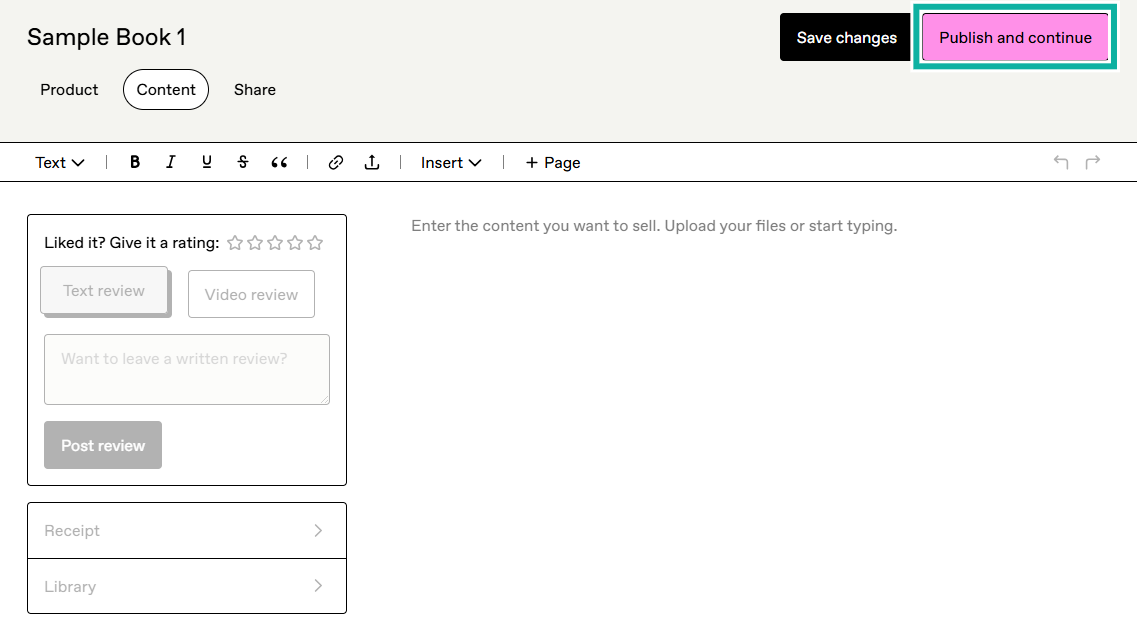
Then upload your files (EPUB, PDF, or any format you want) or enter the content. Next, publish and continue.
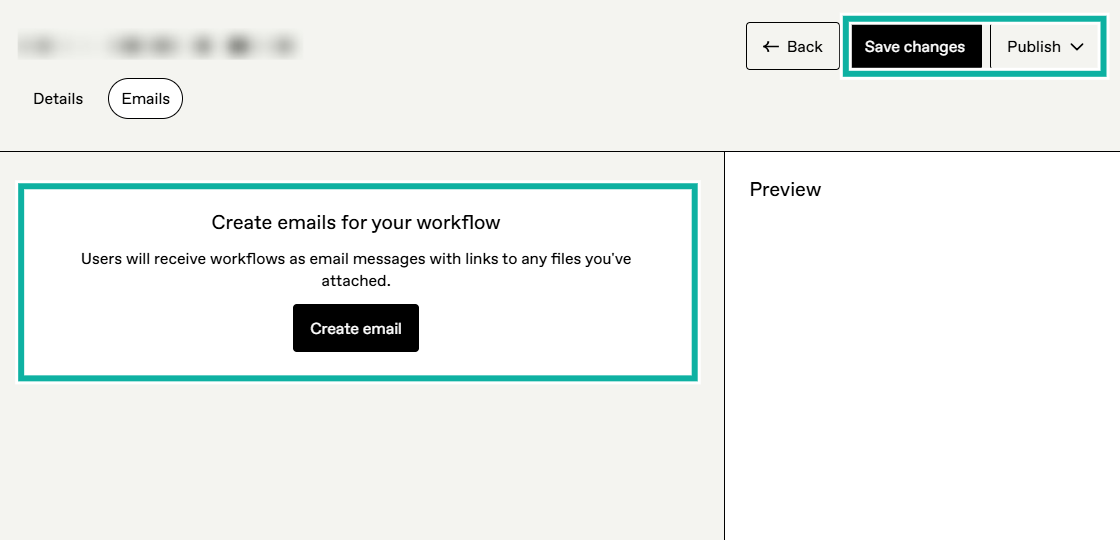
2. Workflows
Gumroad’s workflow system helps you automate a series of tasks, for example, scheduling and having emails sent to your customers without a lot of effort.
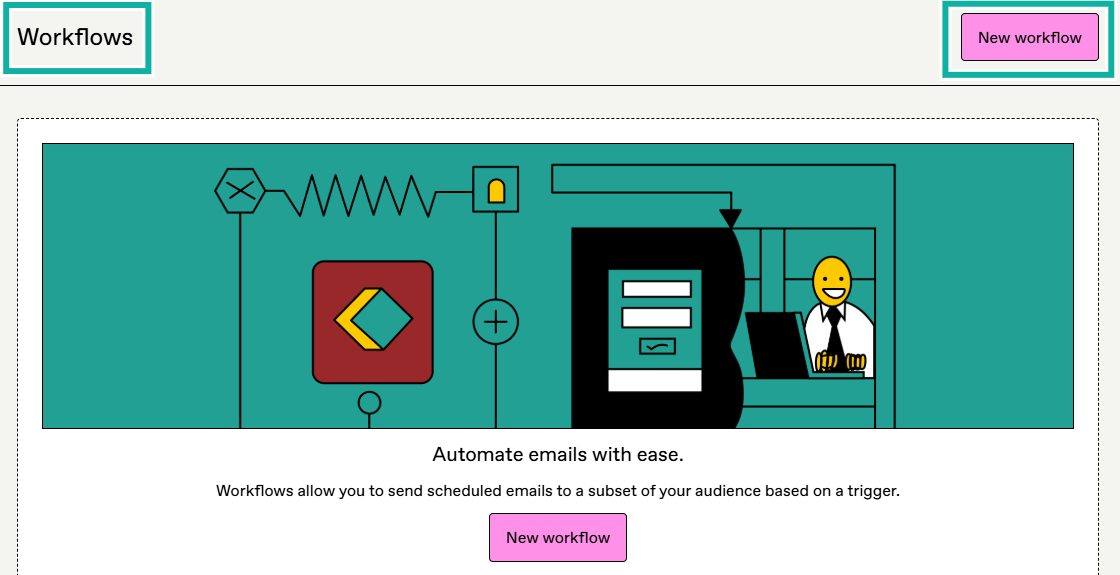
To build a system that allows you to send scheduled emails to your audience, click on “New workflow”.
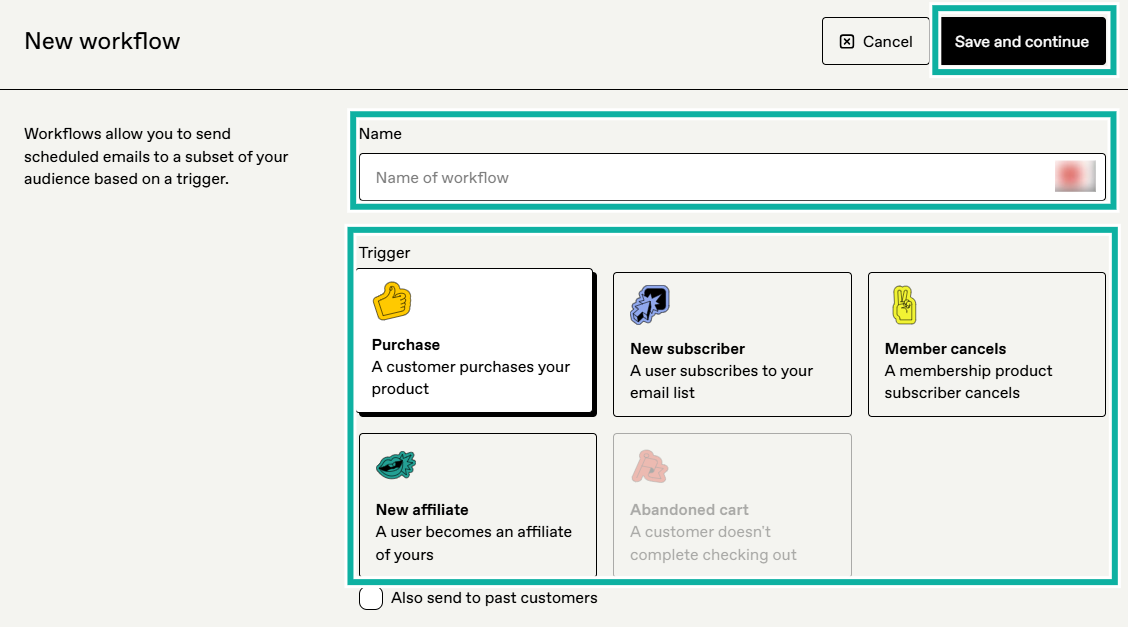
Name your workflow, select a trigger, and save.
Now you can start adding automated emails. Each email can include text, links, and downloadable files. Your messages will be delivered without you needing external tools.
So if you’re an author with multiple e-books and you want to provide bonuses to your customers after a purchase, you can use Gumroad to create this automation.
What I loved vs what I didn’t like
Best for
- Gumroad is great for authors who want a simple storefront with direct sales and an easy system to upload and sell e-books.
Pricing
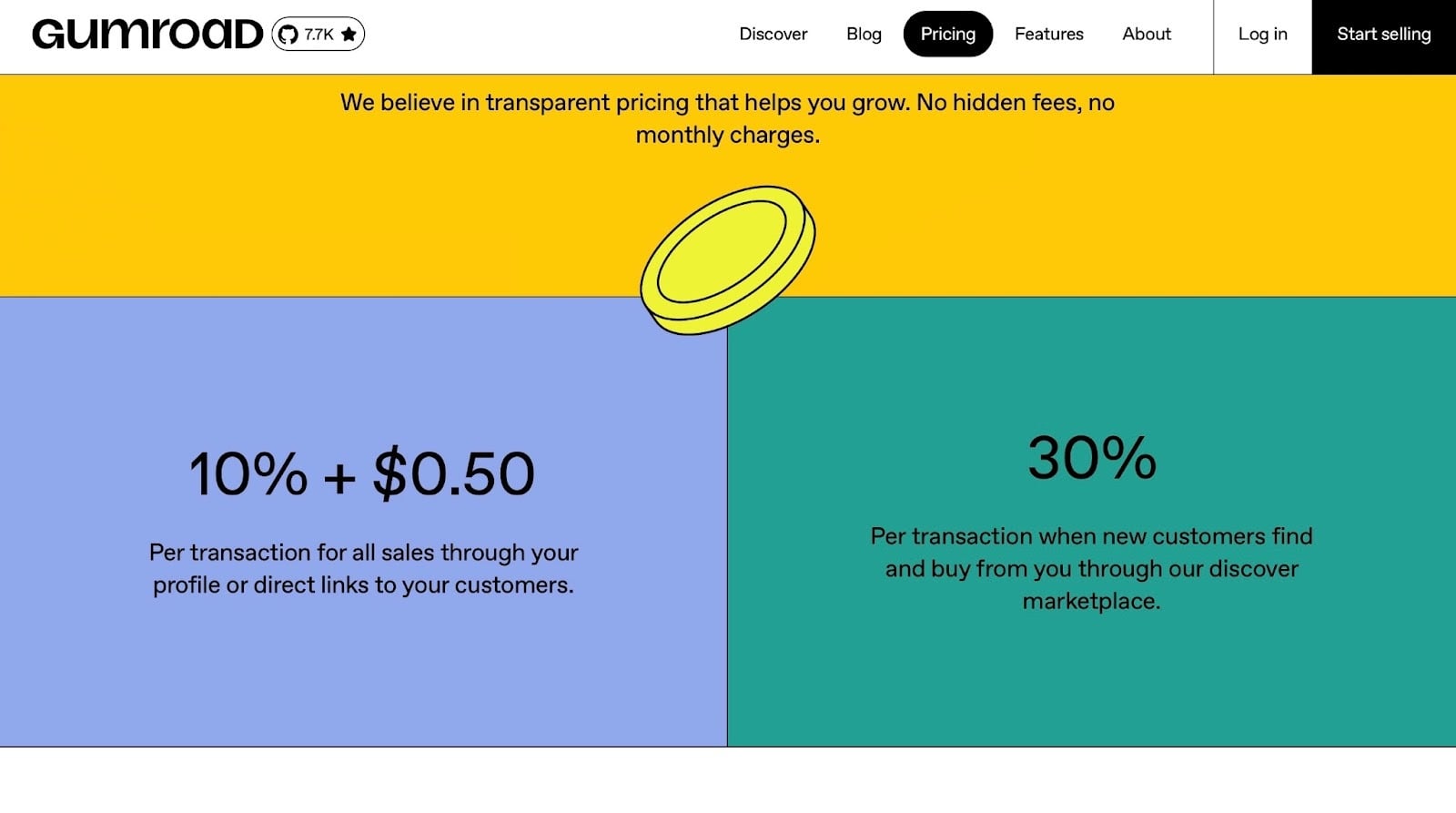
- 10% + $0.50 per sale
- 30% per transaction for some creators
5. Etsy
Personal rating: ⭐⭐⭐⭐ 4.3/5 stars | Starting price: Free to use (fees apply) | Integrates with: None needed, built-in tools | Best for: Authors who want access to a large marketplace and buyers who are already searching for digital products like e-books, templates, guides, and planners
Etsy is one of the most popular platforms for selling digital products, including e-books.
If you’re writing niche e-books like self-help guides, planners, workbooks, hobby books, or educational resources, Etsy’s marketplace can bring buyers straight to you.
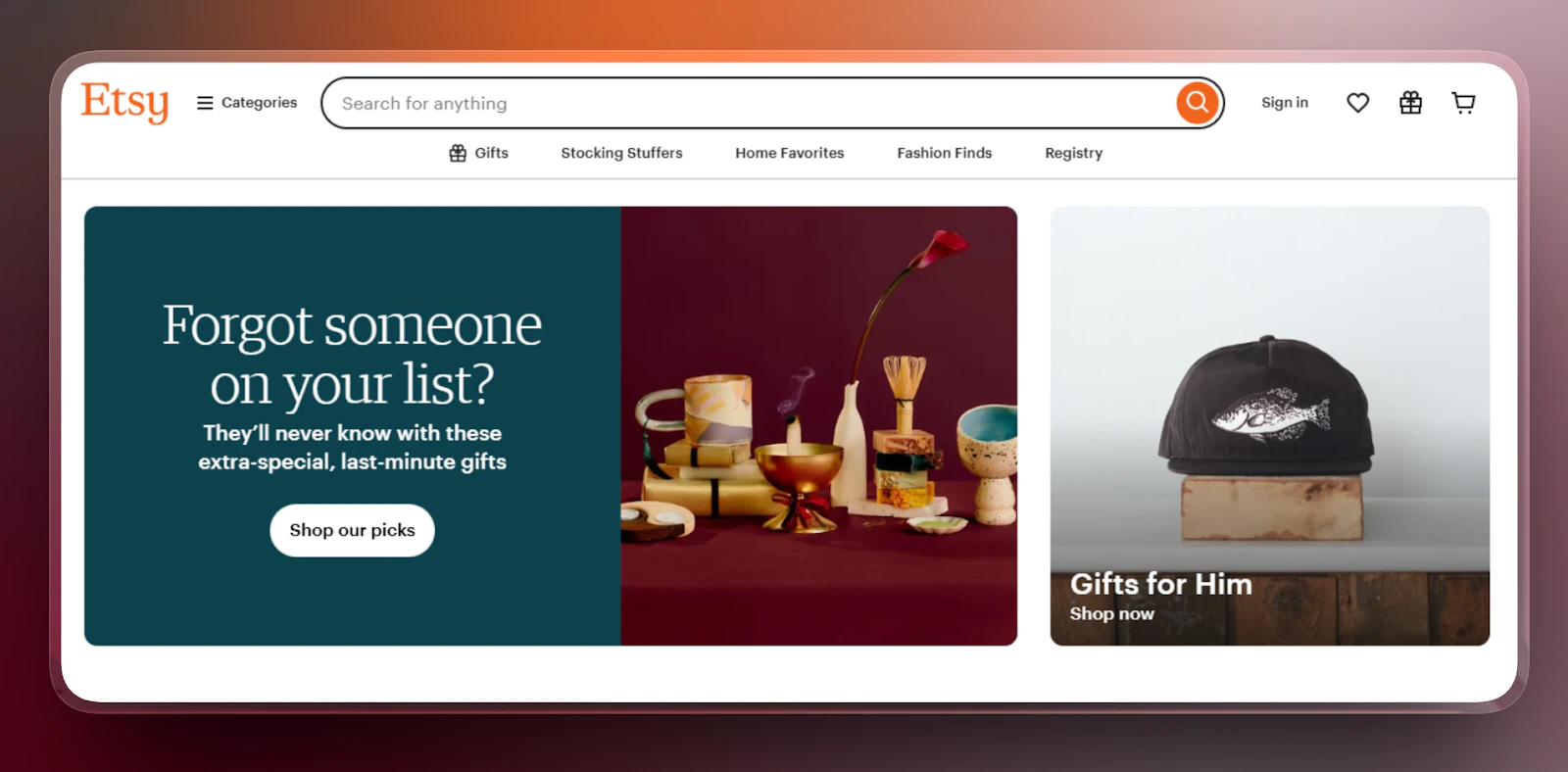
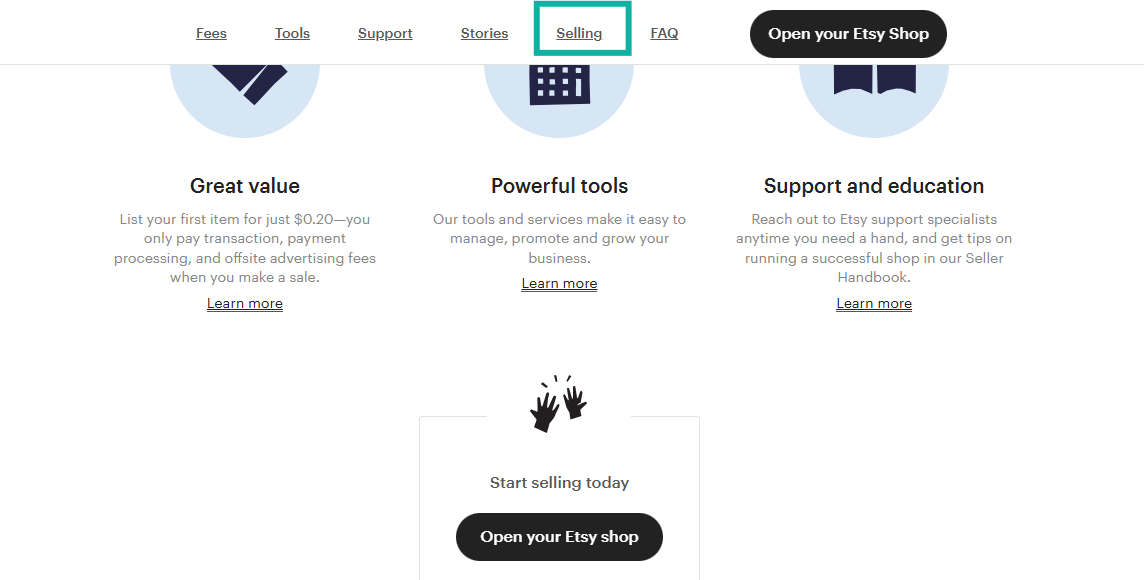
Like other platforms in this list, you can buy and sell on Etsy. If you scroll down to the bottom of Etsy’s homepage, you can find the sell section, which is what you’re looking for.
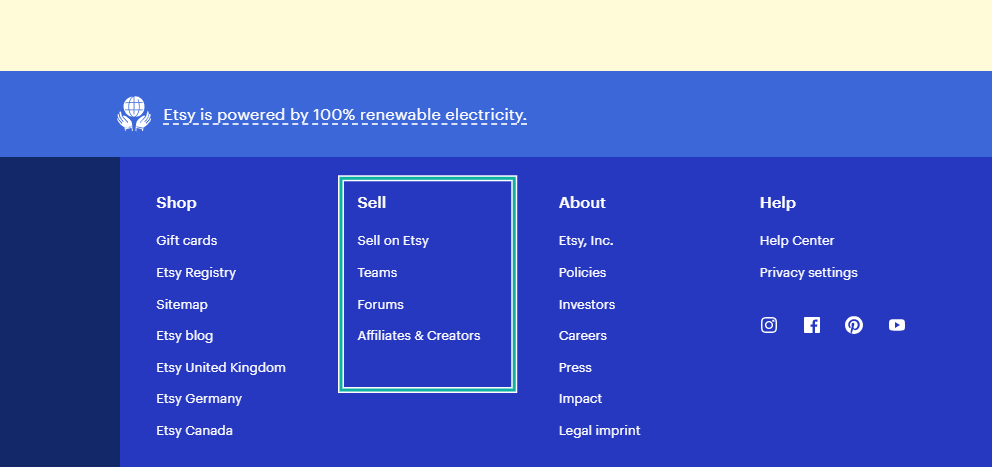
You can access the selling feature, which includes tools to make it easy to manage, promote, and sell your e-books. Here is where you can open your Etsy shop and start your business.
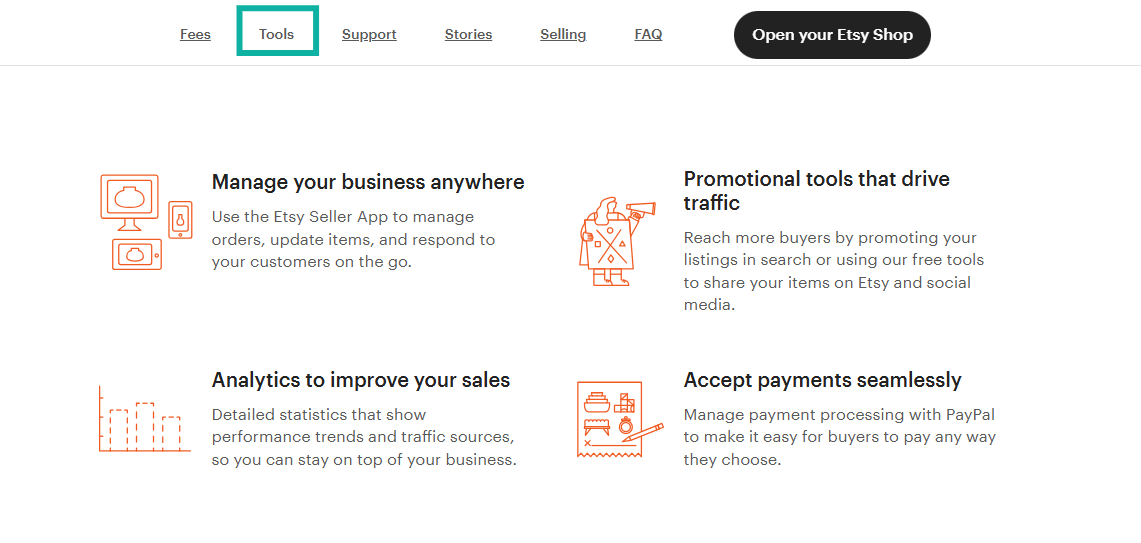
The tools feature offers you specific tools to manage your business.
Tools like the Etsy seller app to manage your orders, promotional tools like sales, coupons, and ads to drive traffic, analytics tools to track performance, download delivery for e-books, and payment processing tools.
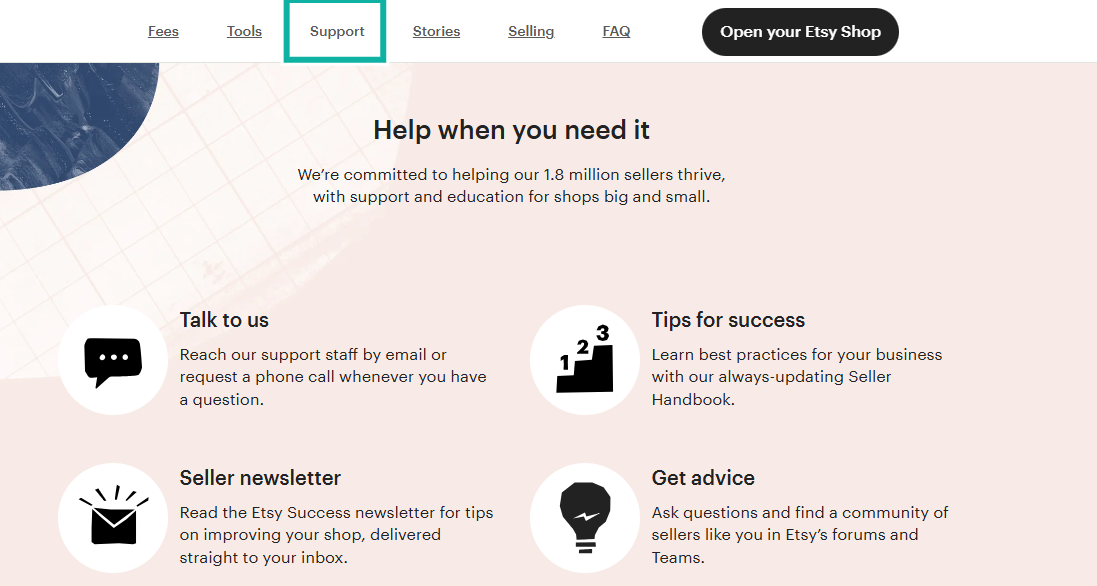
Etsy also has a support feature you can use to get help with any challenge you face.
It also gives you a help center full of articles, tips for best practices, and a regular newsletter with updates. As a seller on Etsy, you need reliable support staff in case you’re facing problems with payment processing, problems with downloading files, or gaining visibility for your shop.
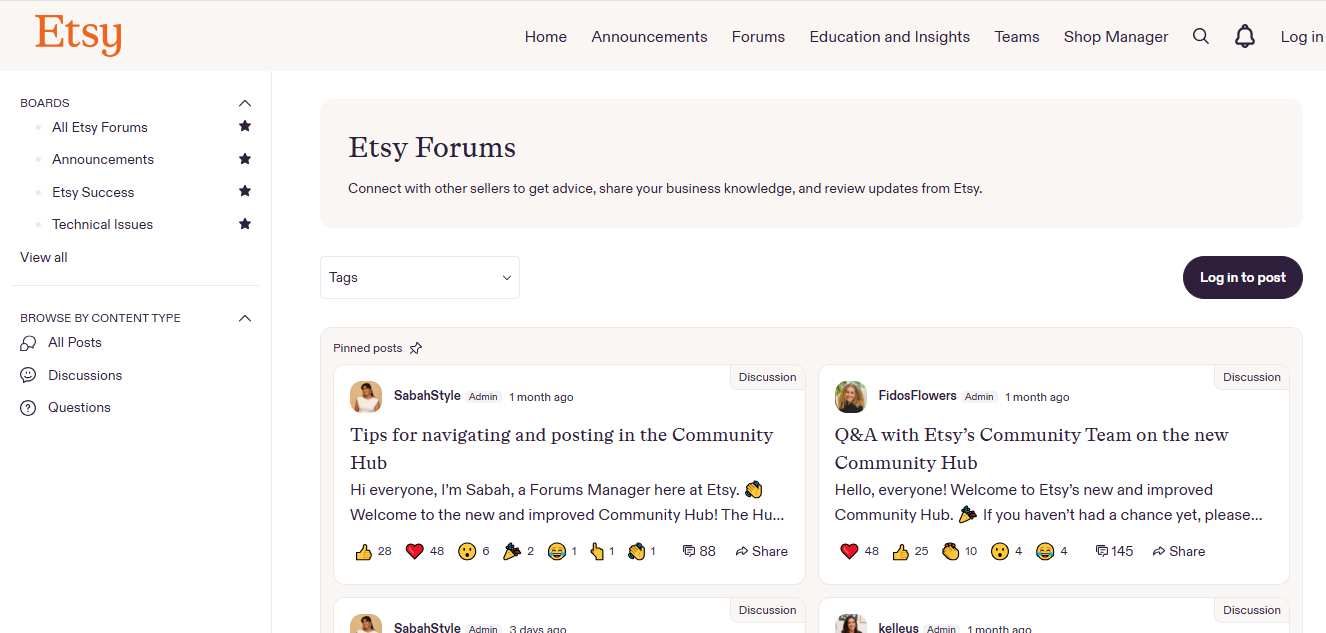
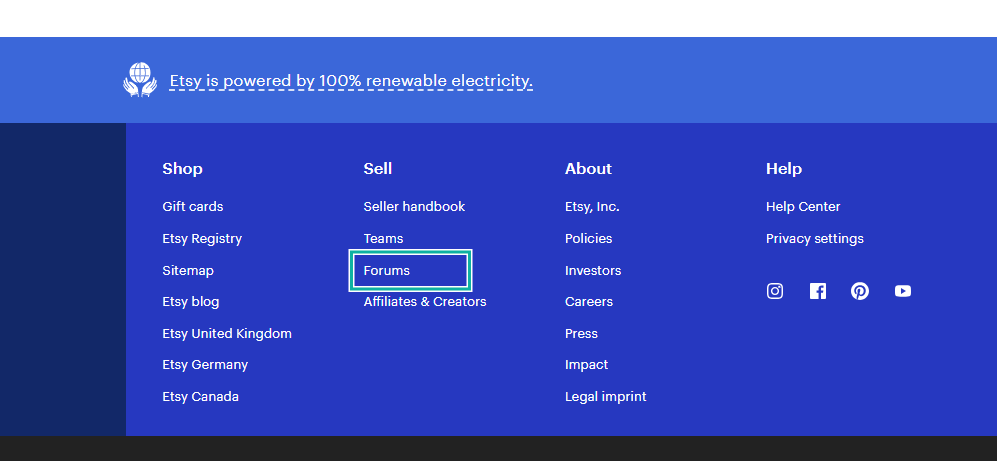
That’s not all. Etsy also has a forums tool. Here, you can get answers to your questions from an incredible community of sellers just like you. If you want the best tips on improving your store and processes, you can visit the forum and ask all your questions.
What I loved about Etsy
1. Selling
Your primary use of Etsy as an author is simple: to sell your e-book and get discovered by Etsy’s built-in marketplace audience.
You can do that by going to the selling tab and clicking on “Open your Etsy shop”.
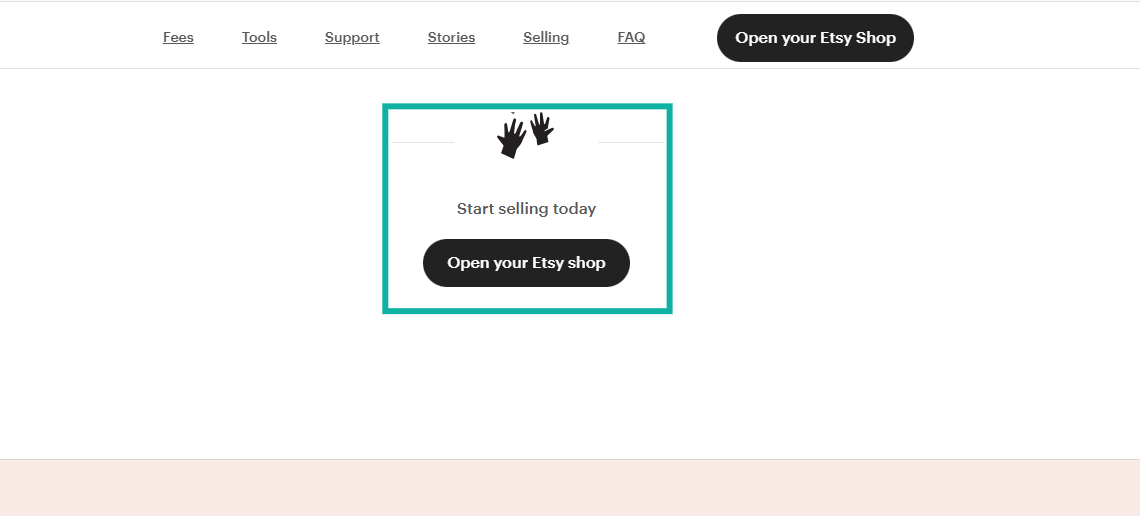
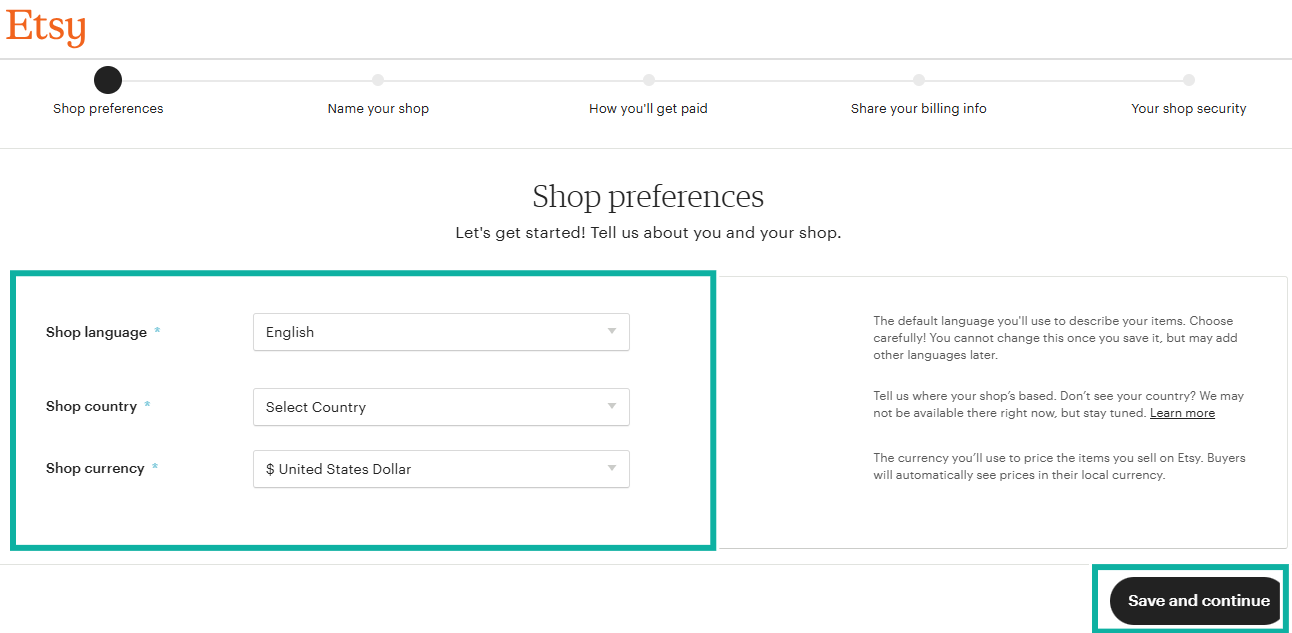
This opens a page where you can set up your shop preferences. Add the shop language, the country you’re in, and the currency you want to receive payments in.
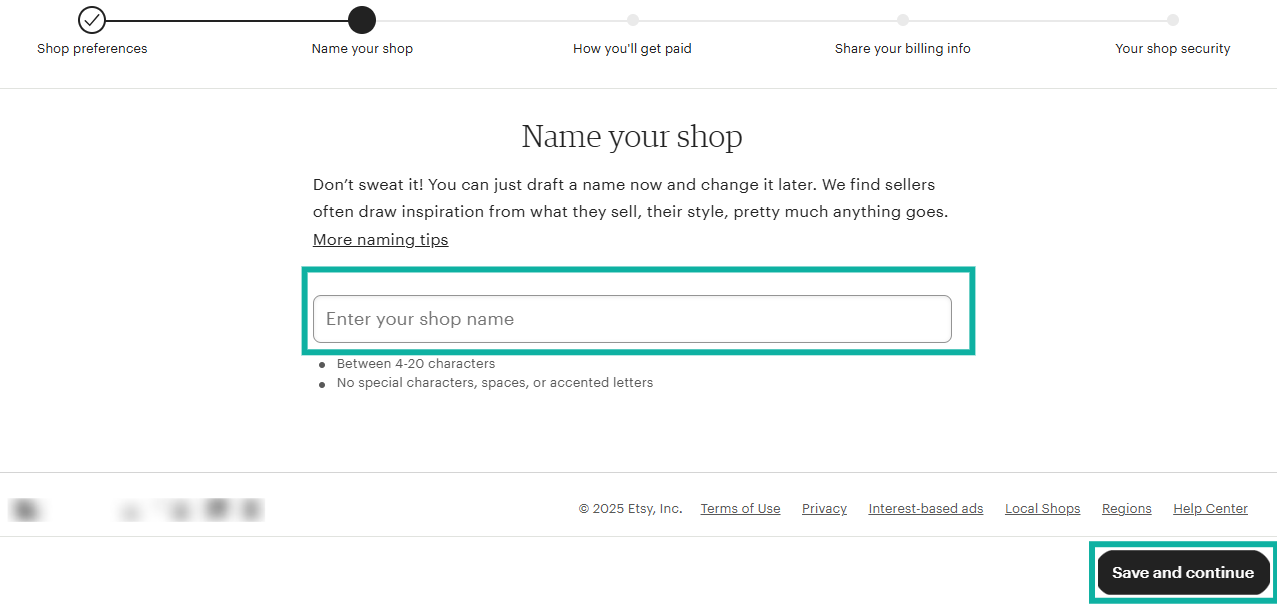
Next, name your shop and add any necessary details. Your shop name is how you’ll be found, so let it reflect the e-books you want to sell.
If you can’t think of a good name while setting up your shop, don’t worry about it; you can change the name later.
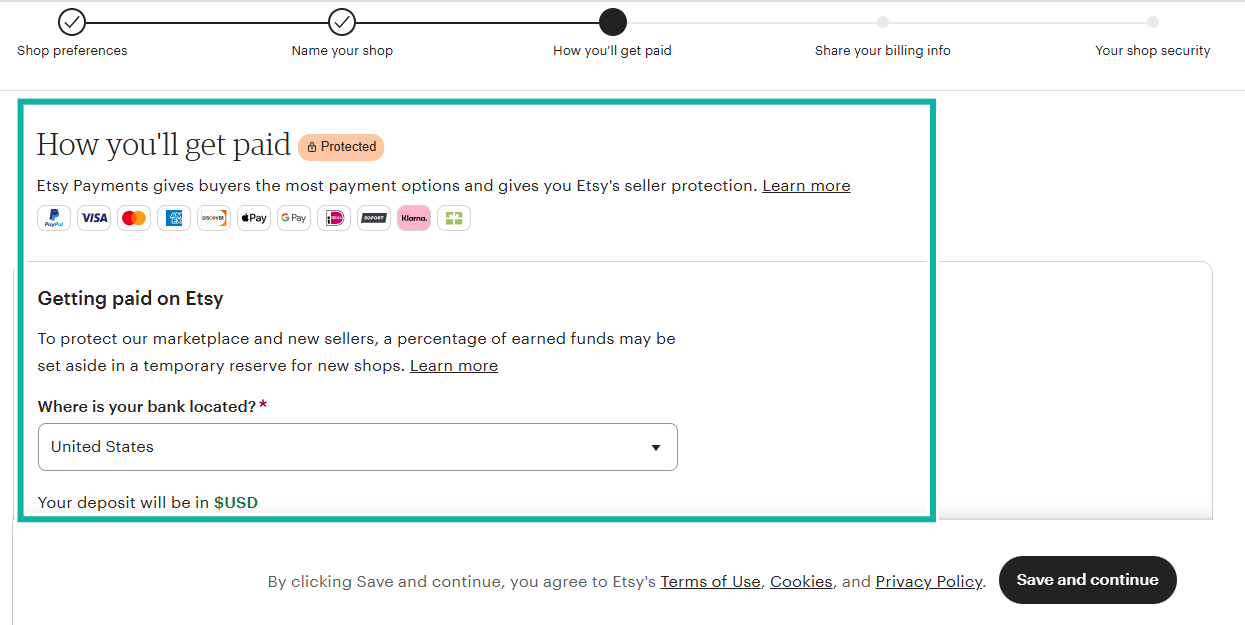
Once your shop name is set, Etsy will walk you through adding payment methods. Etsy offers multiple secure ways to receive money, including:
- Visa
- Mastercard
- PayPal
- Etsy Payments
Having more payment options increases your chances of getting more sales because buyers can pay using whatever method they prefer.
After this step, your shop is officially open and ready. Now you can upload your e-books. For each e-book listing, you’ll:
- Add a cover image or mockup
- Write a description
- Choose your category and tags
- Upload your digital file (PDF, EPUB, etc.)
- Set your price
Once published, your e-book can be discovered inside Etsy’s marketplace.
2. Forums The Forums feature is one of the most underrated Etsy features. If you’re a new author or you’re struggling with getting sales, this forum could be a lifesaver.
While most beginners focus only on listing products, the forum can shorten your learning curve.
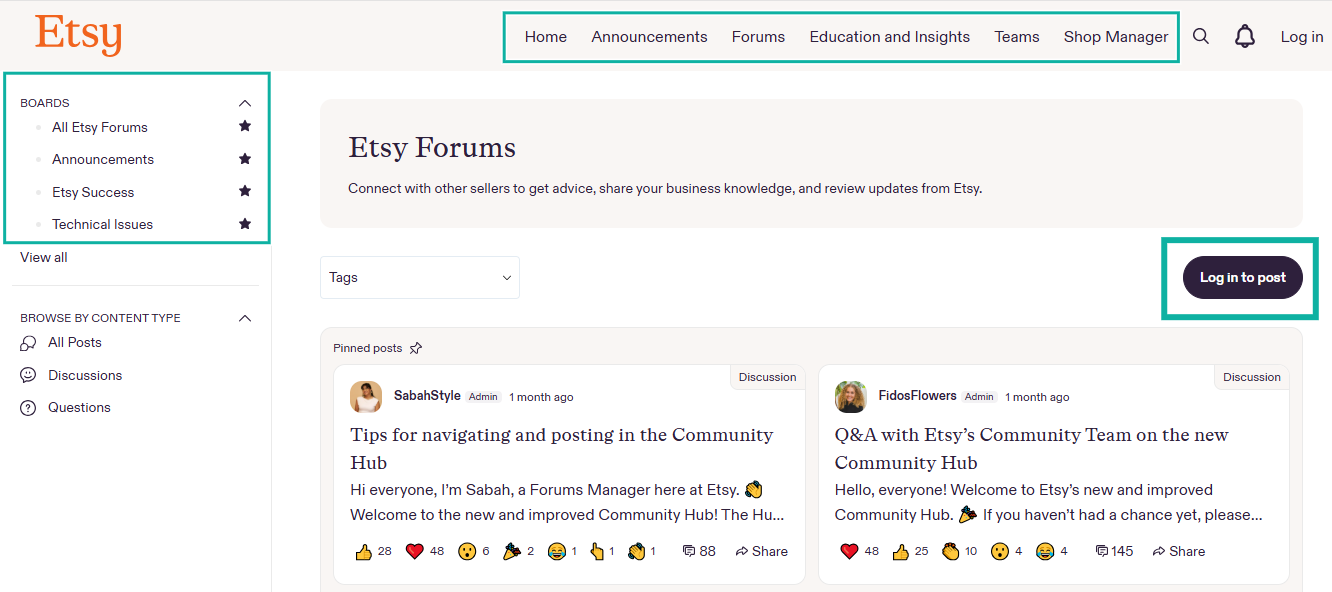
To access it, click on Forums. Etsy will then show you discussions from sellers all around the world.
If you want to contribute or ask a question, click “Log in to post”.
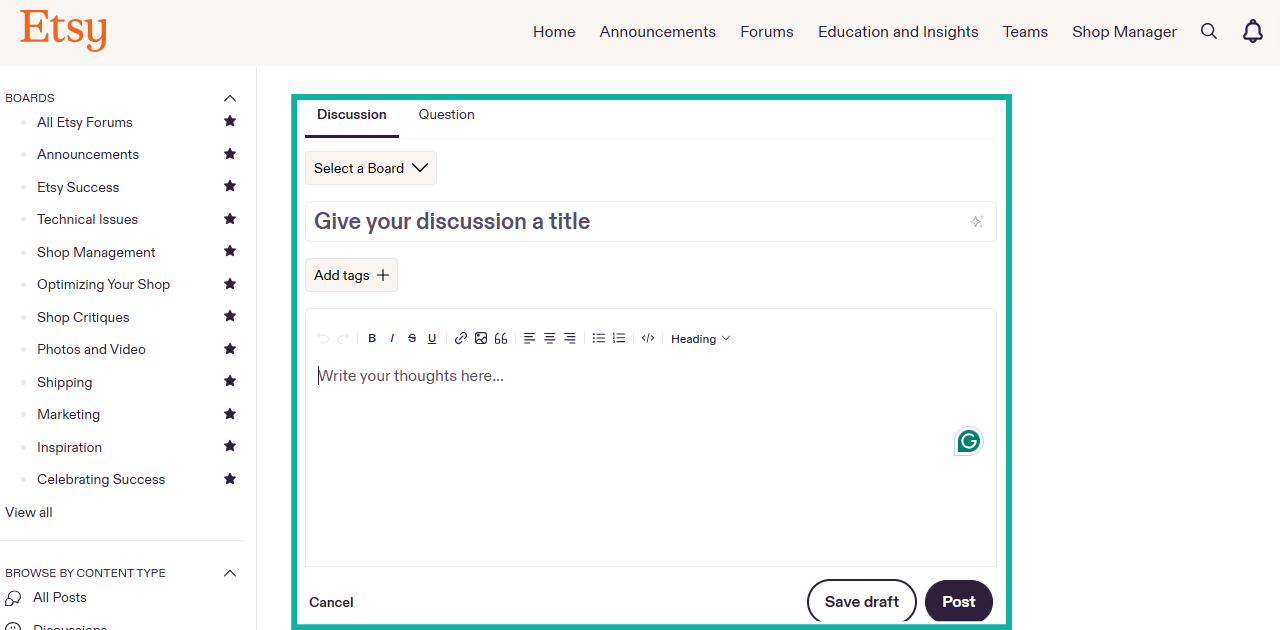
Inside the forums, you can:
- Start a discussion
- Ask a question
- Respond to other sellers
- Browse existing threads for tips
To create a new post, give your discussion a clear title, add a tag so others can find it, and write your message.
What makes the forum powerful is the quality of advice you get. Many experienced sellers share real strategies that have worked for them.
What I loved vs what I didn’t like
Best for
- Etsy is perfect for authors who want to sell e-books inside a thriving marketplace where customers are already searching for digital products like planners, guides, workbooks, and niche topic e-books.
Pricing
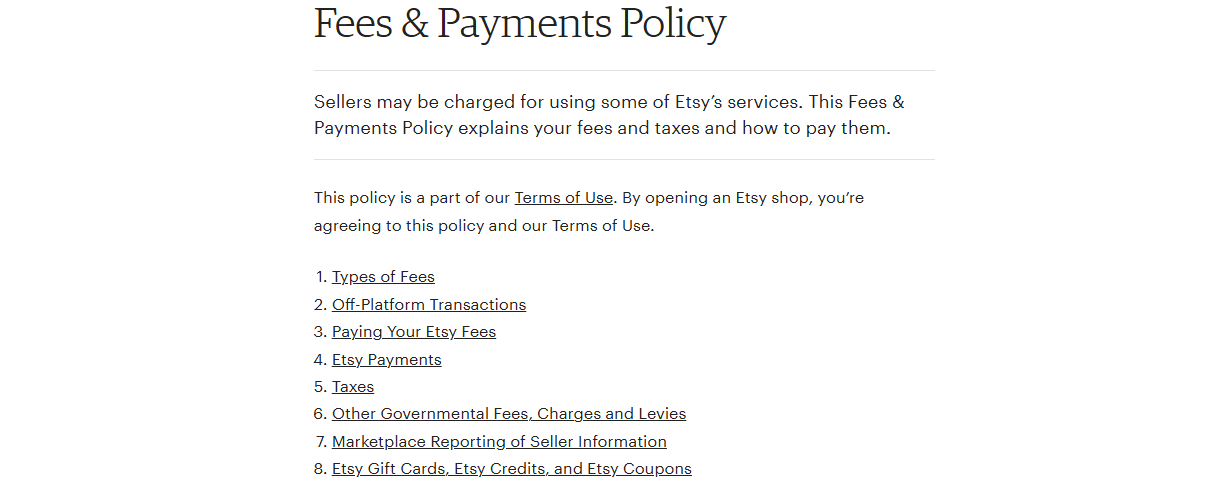
Etsy is free to join, but fees apply:
- $0.20 listing fee per item
- 6.5% transaction fee sale
- Payment processing fees vary by country
6. Sellfy
Personal rating: ⭐⭐⭐⭐ 4.3/5 | Starting price: $22/month | Integrates with: Zapier, Facebook Pixel, Google Analytics, Print-on-demand tools | Best for: Authors who want a beautiful storefront, fast setup, and built-in marketing tools like upsells and email marketing.
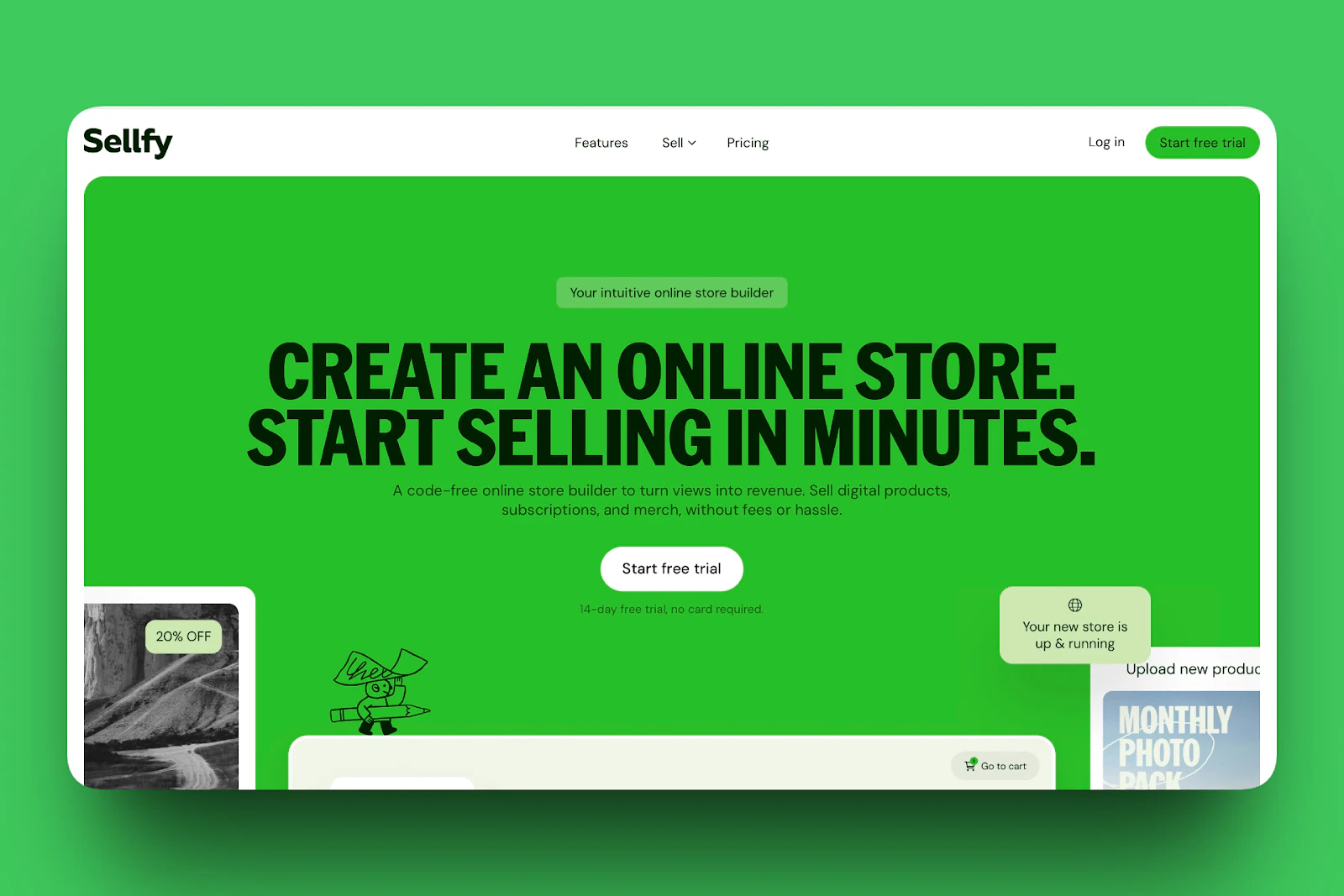
The next platform to sell e-books on this list is Sellfy. It’s creator-friendly when selling e-books because it gives you your own branded shop, meaning you have full control over your design, your buyers, and your pricing.
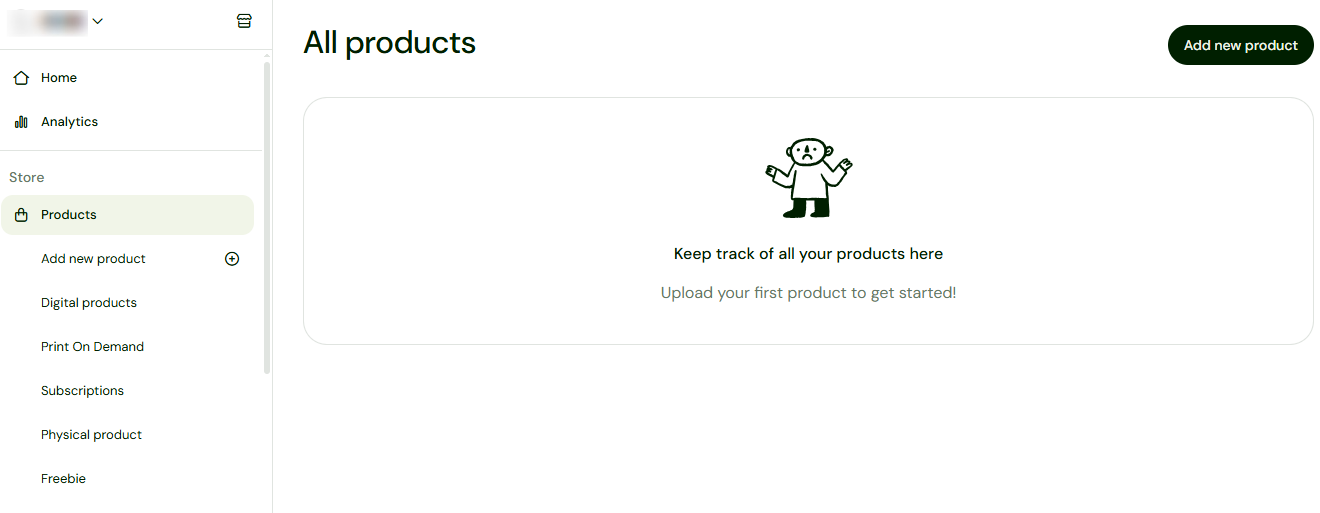
Sellfy is made for selling digital products. So to begin, you have a products page where you can add different types of digital products.
And you can sell e-books, videos, courses, print-on-demand items, subscriptions, or bundles.
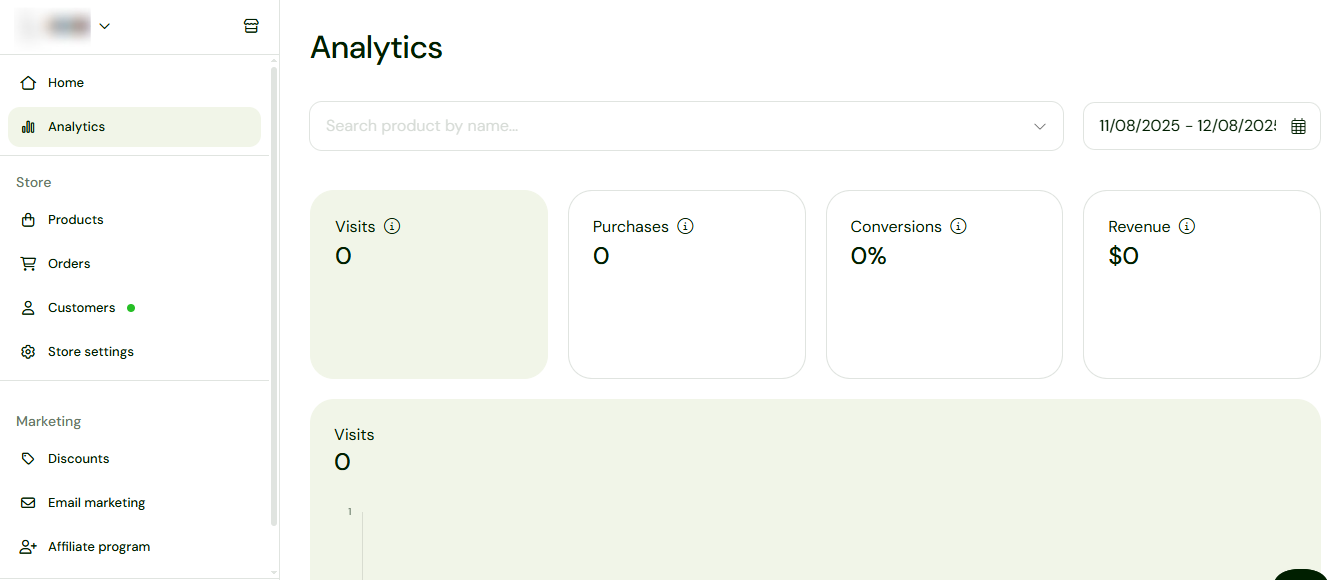
The Analytics tool shows you all your visits, purchases, conversions, and revenue. This is how you can track how much you’re making from specific products.
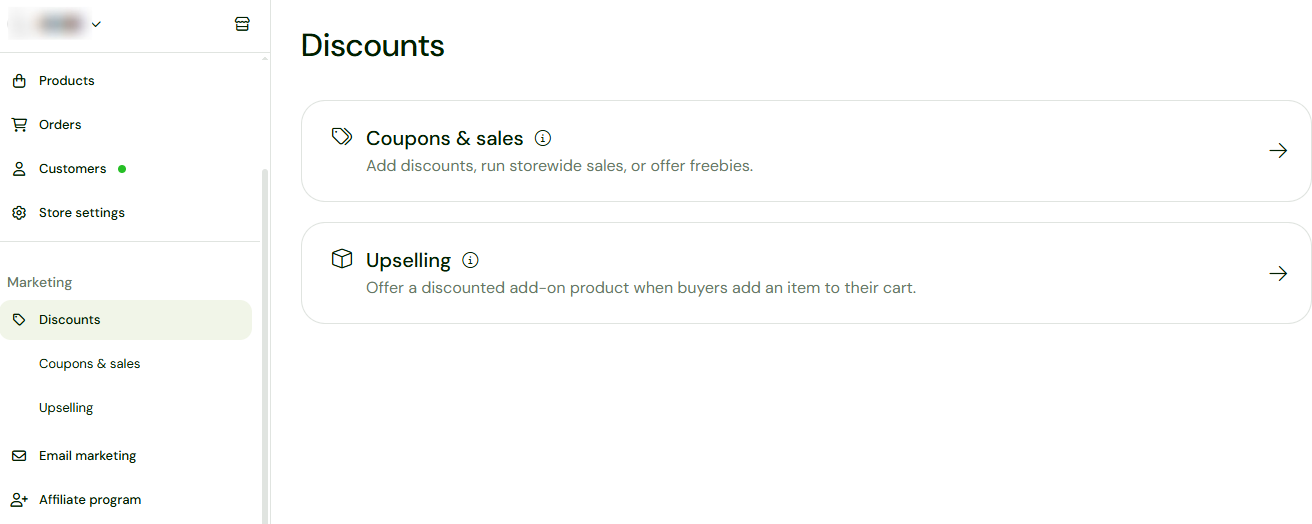
There is always the marketing section where you can set discounts, upsell, and add sales and coupons. This way, you can add a discount or upsell option when customers add your e-book to their checkout.
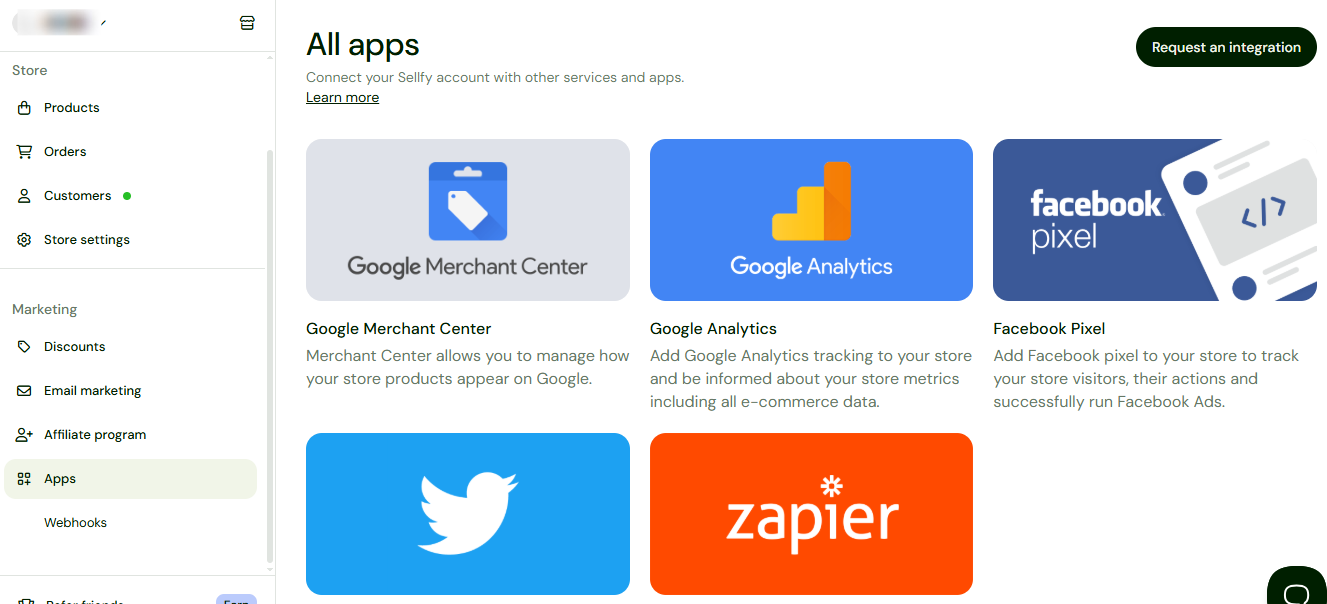
And under the Apps section, you see the different apps Sellfy integrates with. Google Merchant Center, Google Analytics, Zapier, and other apps and services.
What I loved about Sellfy
1. Products
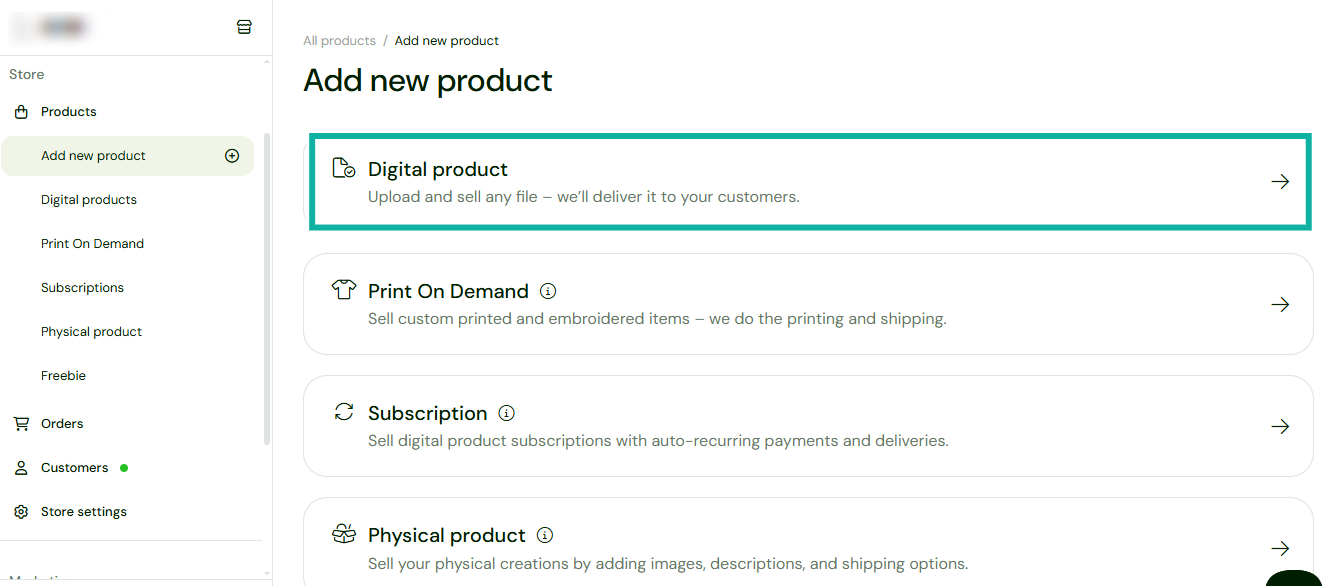
To create an e-book, visit the Products feature and add a new product, in this case a digital product. Here you can upload and sell your e-book.
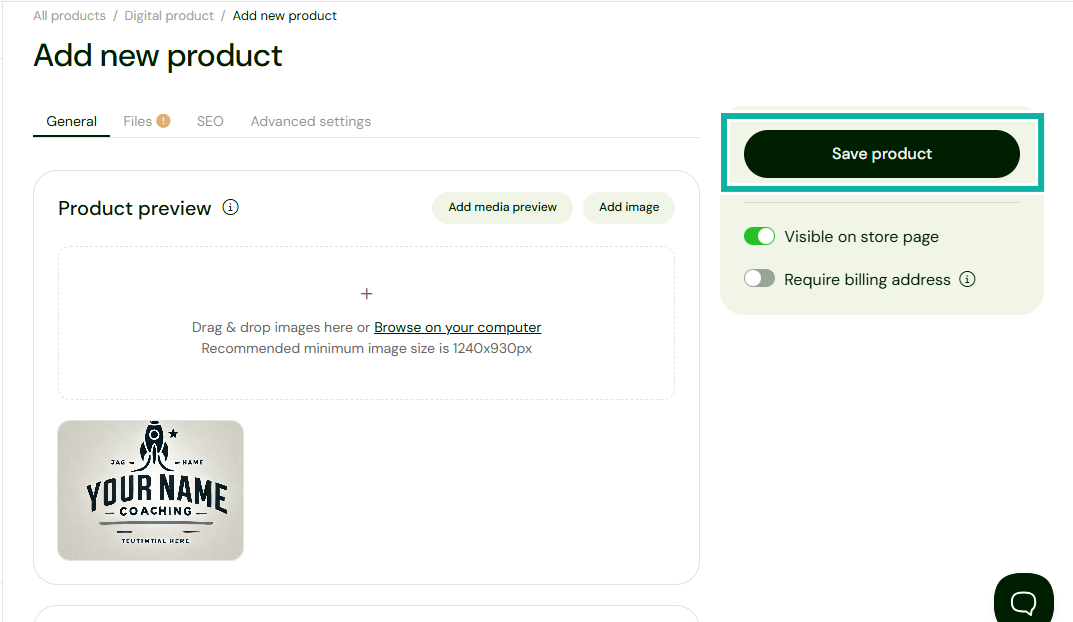
The next step is to add general details like the product preview images, the product name, and description, and save.
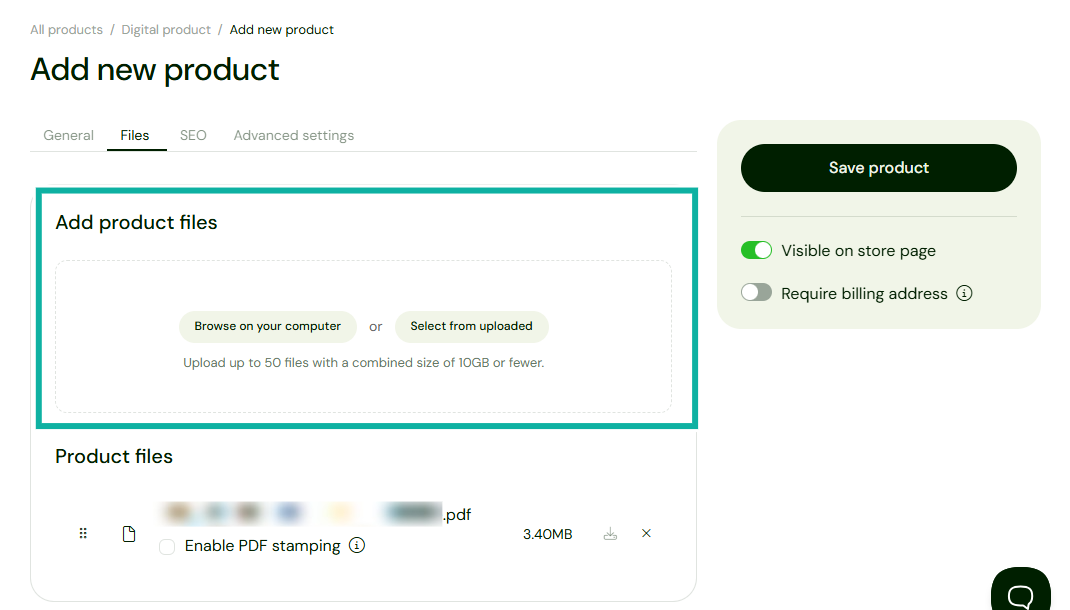
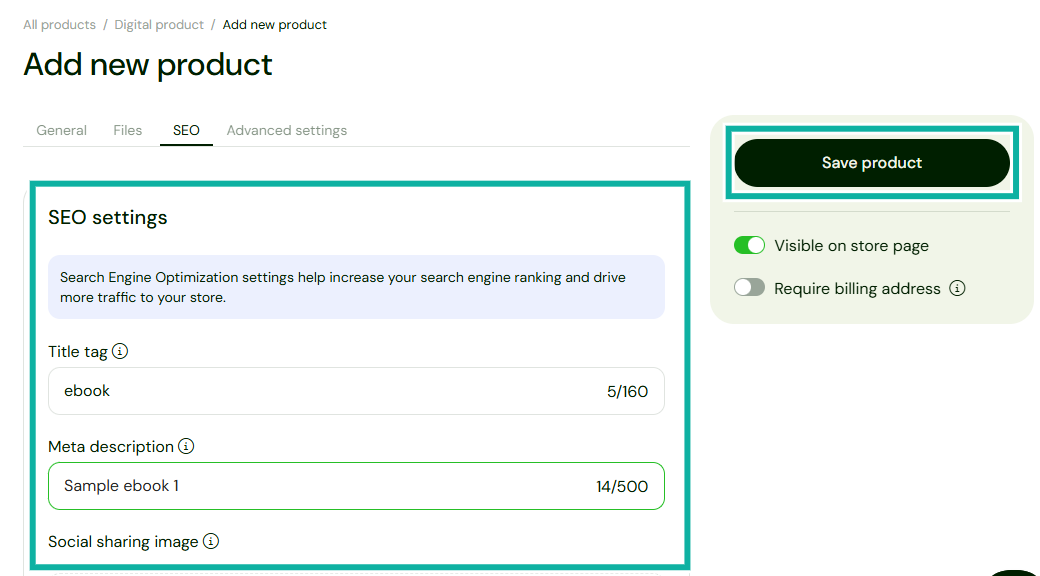
In the Files tab, you can now upload your e-book. Check the ‘Visible on store page’ toggle, and save. And that’s it, your e-book is ready to go.
Before you go though, set your SEO to help increase your search engine rankings and drive more traffic to your store.
2. Marketing
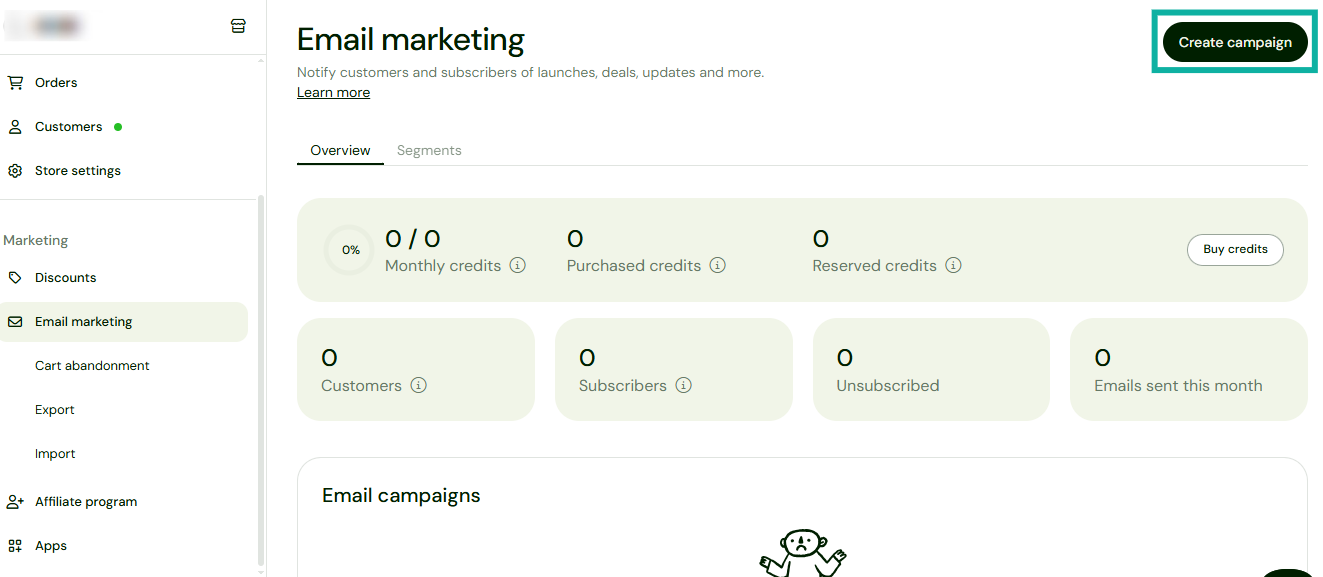
Once you have uploaded your e-books, the next important step is to market them. You don’t need to go to another app or use another tool for that. You can create a marketing campaign right inside Sellfy.
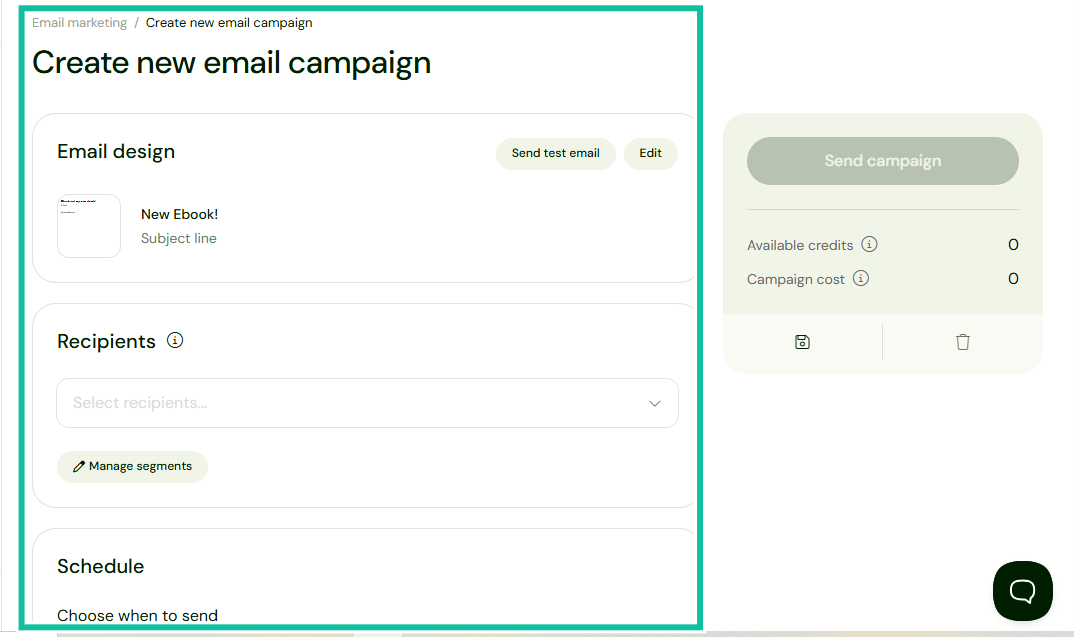
To do this, go to the Marketing feature, click on “Email marketing”, and then on “Create campaign”.
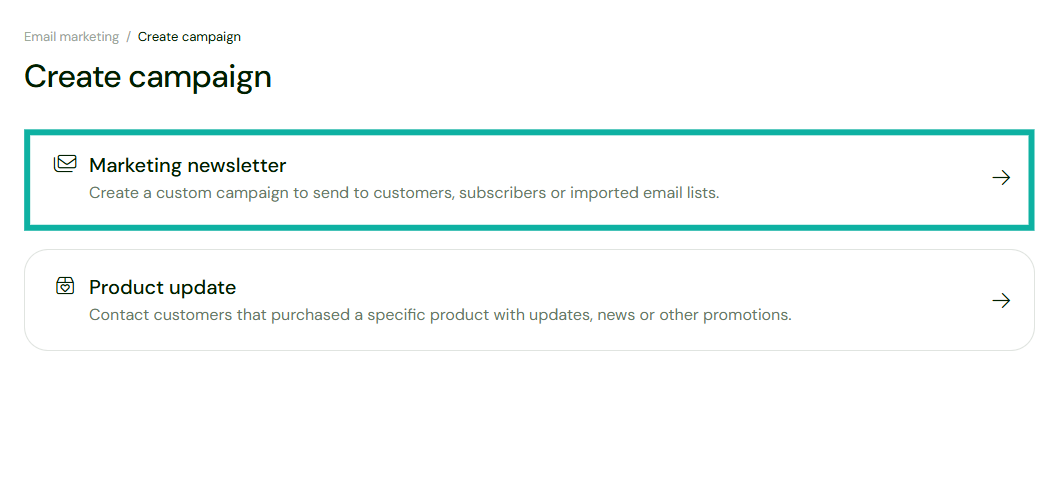
You can create a campaign in the form of a marketing newsletter or product update. I’ll go with the marketing newsletter campaign so I can send emails and newsletters to my customer list.
Once you open the marketing newsletter campaign, you can add your email content, including several attachments, videos, and documents.
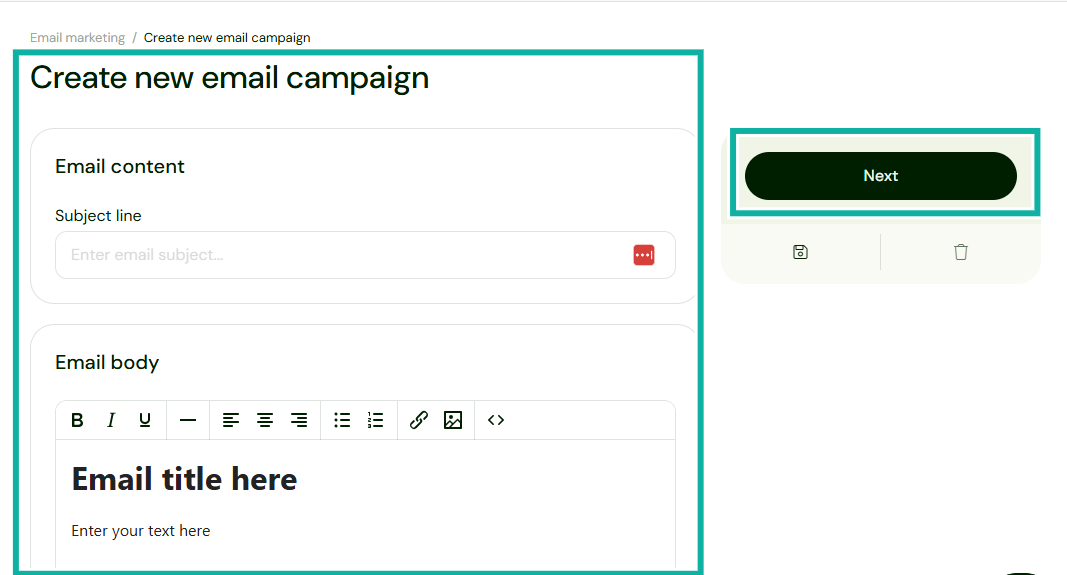
Design your email, add recipients, schedule when to send the email, and click on send campaign when you’re done. You can also send yourself a test email to see how it will appear.
What I loved vs what I didn’t like
Best for
Sellfy is best for authors who want a simple online store with built-in marketing tools without needing extra apps or complicated setup.
Pricing
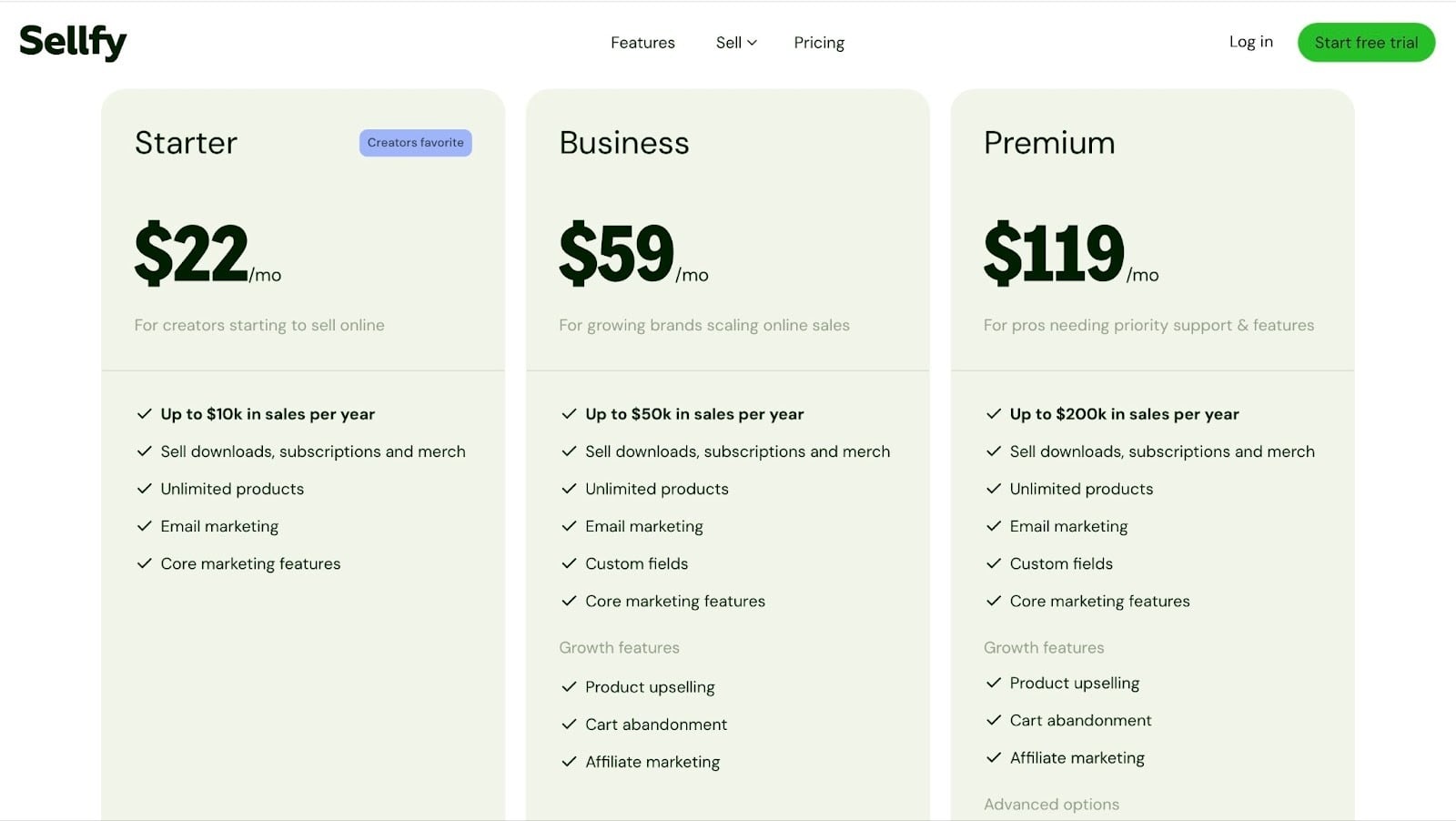
- Starter: $22/month
- Business: $59/month
- Premium: $119/month
7. Podia
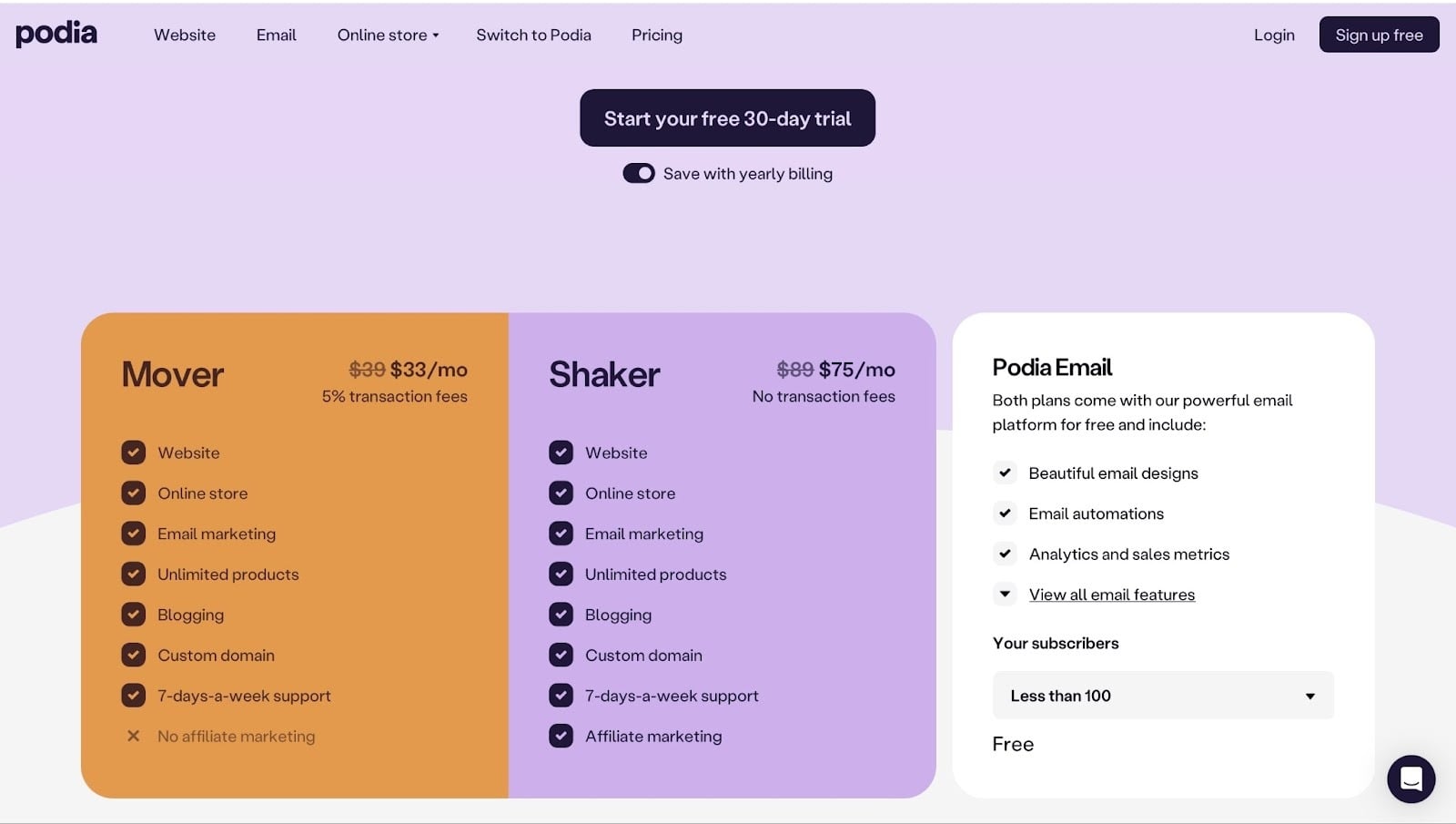
Rating: ⭐⭐⭐⭐ 4/5 stars| Starting price: $33/month (5% transaction fee)| Integrates with: MailerLite, PayPal, Calendly| Best for: Authors who want an all-in-one platform to sell e-books, build an audience, and promote their work.
Podia comes in next on my list of the best platforms to sell e-books.
It comes with a website builder feature, an email marketing tool, and a payment processor. Podia gives you all that in one platform.
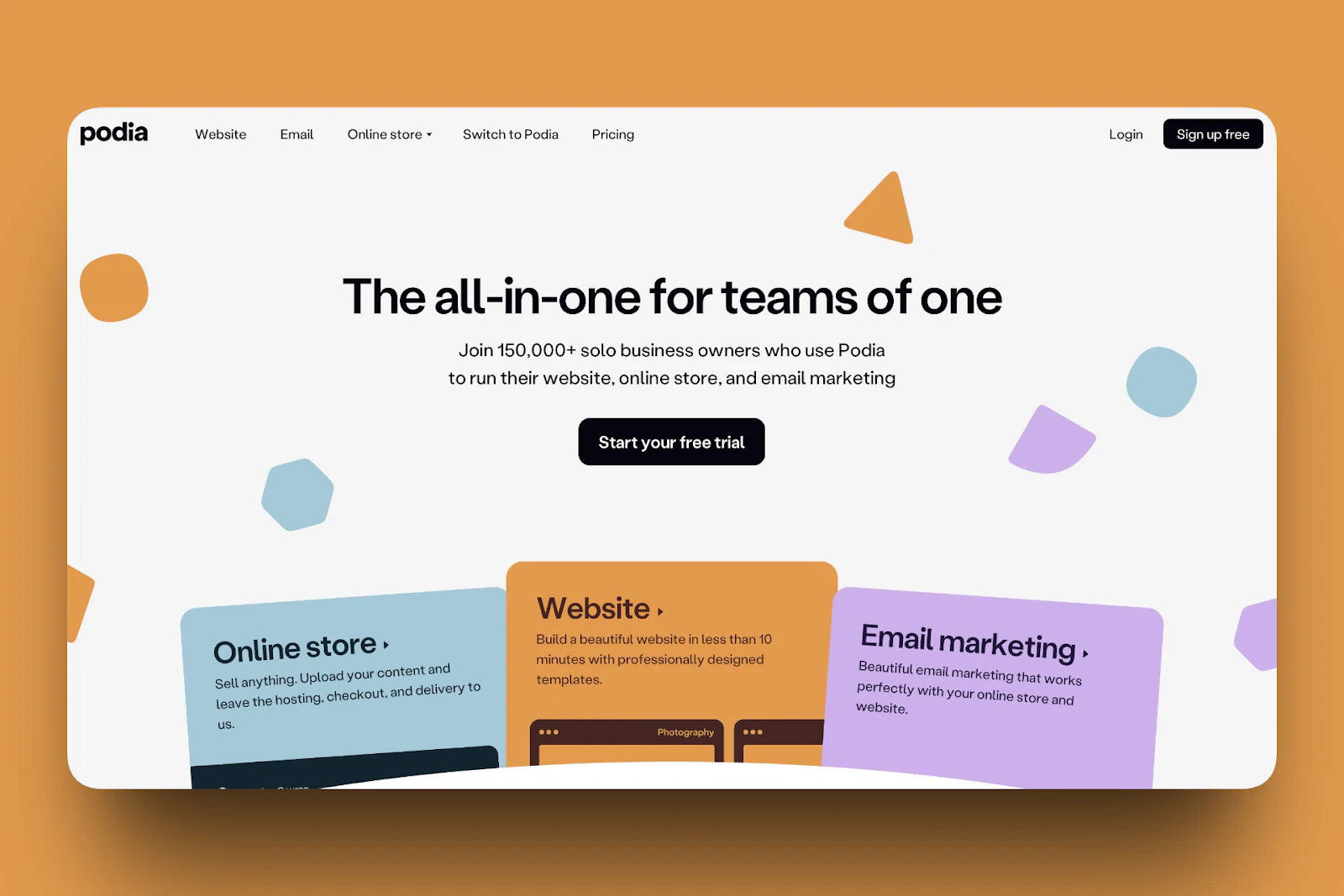
For example, you can create a website with Podia, which includes everything you need. A fully editable website, with landing pages and sections.
The Products feature is golden for you as an author because that’s where you can publish and sell your e-books.
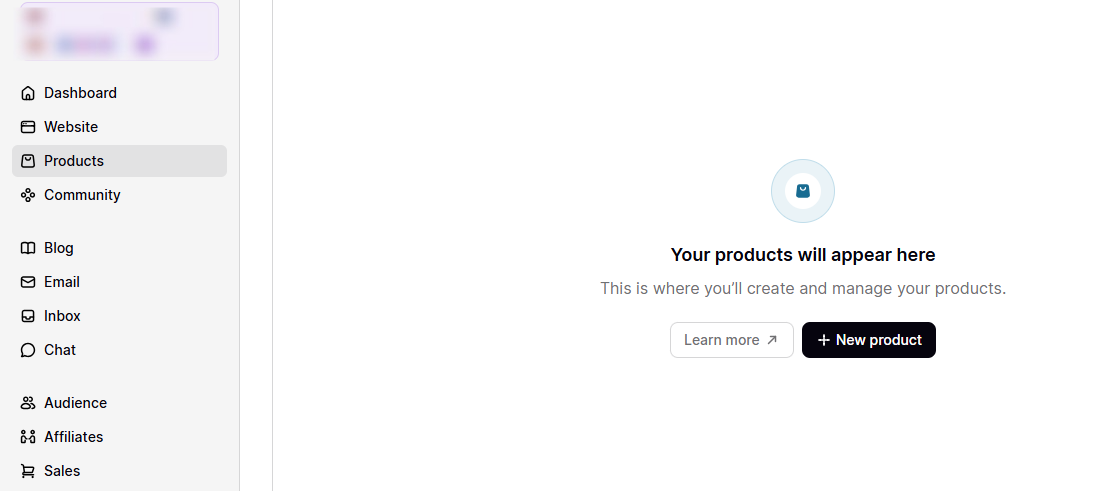
And on the community page, you can build, launch, and grow your community. When you build a community, you know you have members who are loyal to you.
With them, you’ll have a fair assurance that when you publish a book, you’ll make money from it.

And Podia has a Blog section for writers. You don’t need to upload a file to get started writing or to build a community. You can start a blog right there in Podia, with a title, publish date, and everything.
What I loved about Podia
1. Products
Podia comes with a products feature where you can upload and sell digital products. To use it, open the products tab and click “+New product”.
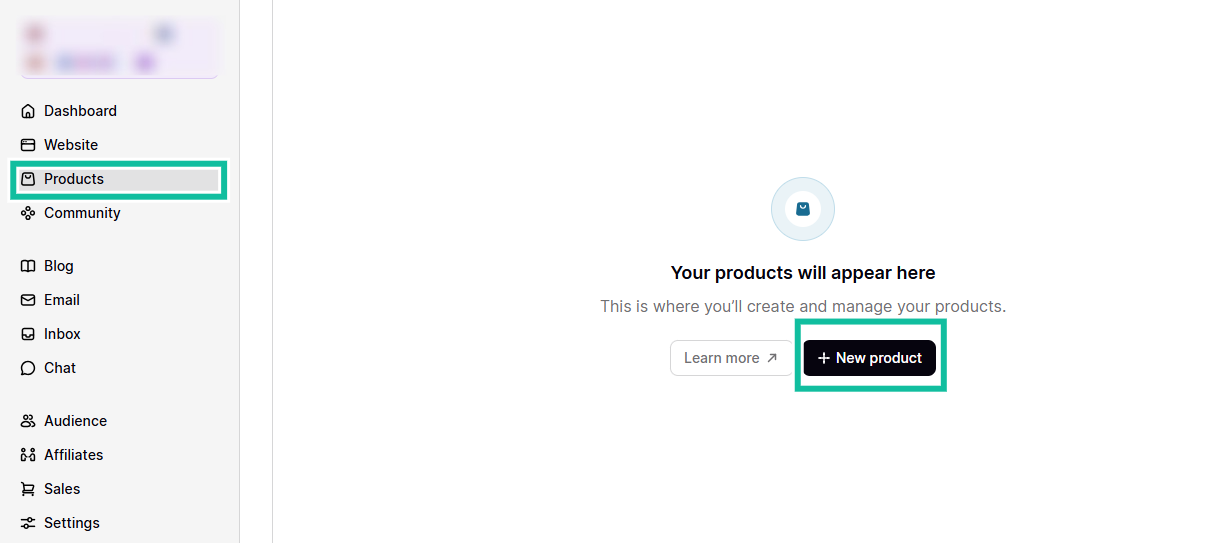
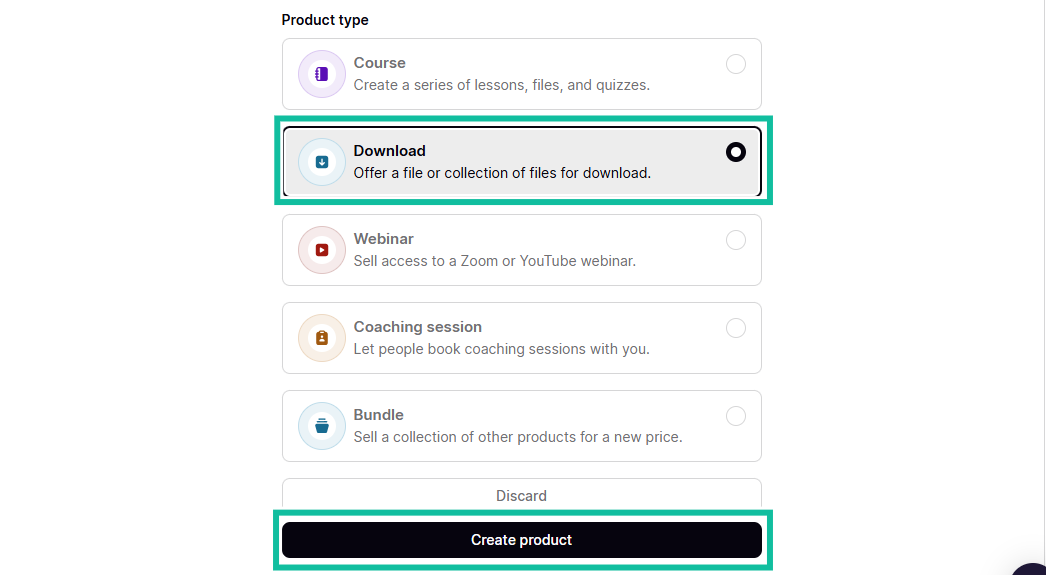
Next, choose your product type. In this case, a download, so that you can upload a file or a collection of files. Now click “Create product.”
This moves you to the product page, where you can upload the files, details, pricing, and availability.
Starting with the files section. Click on “Choose files” to upload your document. The file will show up on this page so you can go on to add details.
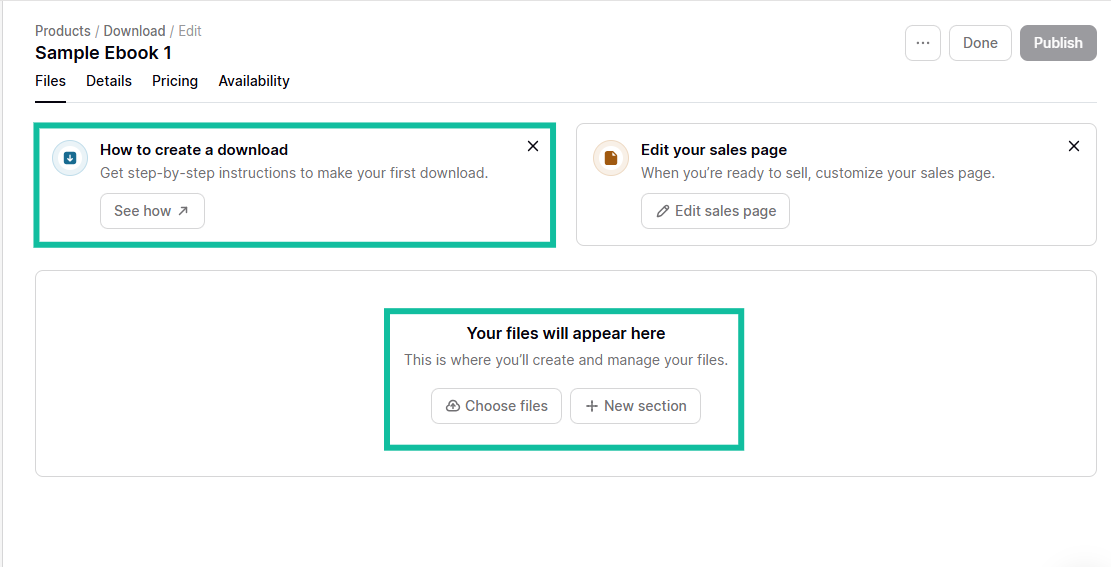
Type in details like a clear title or product name, image, and description. When you fill in all those details, you can move on to set your pricing.
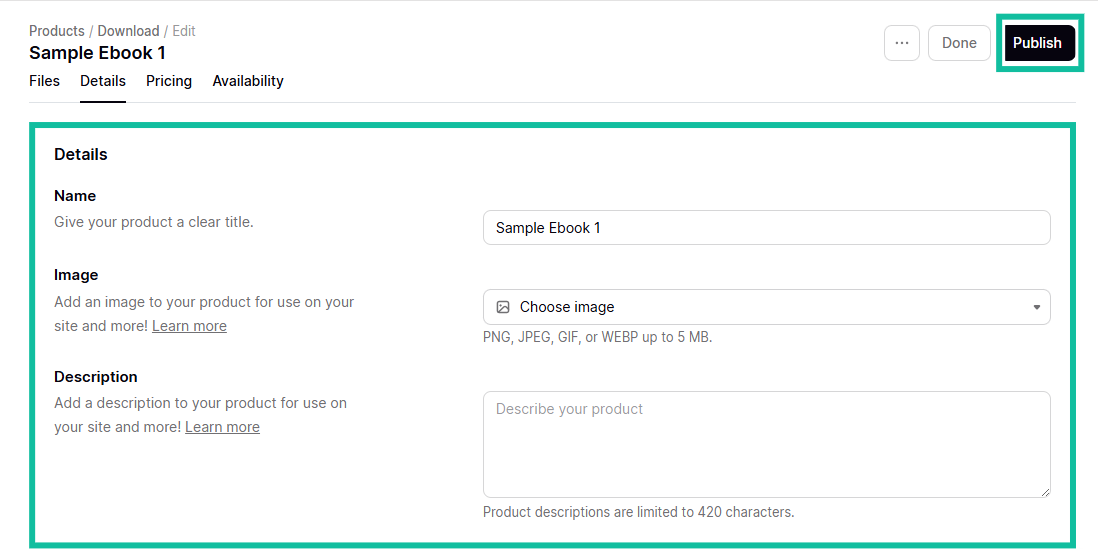
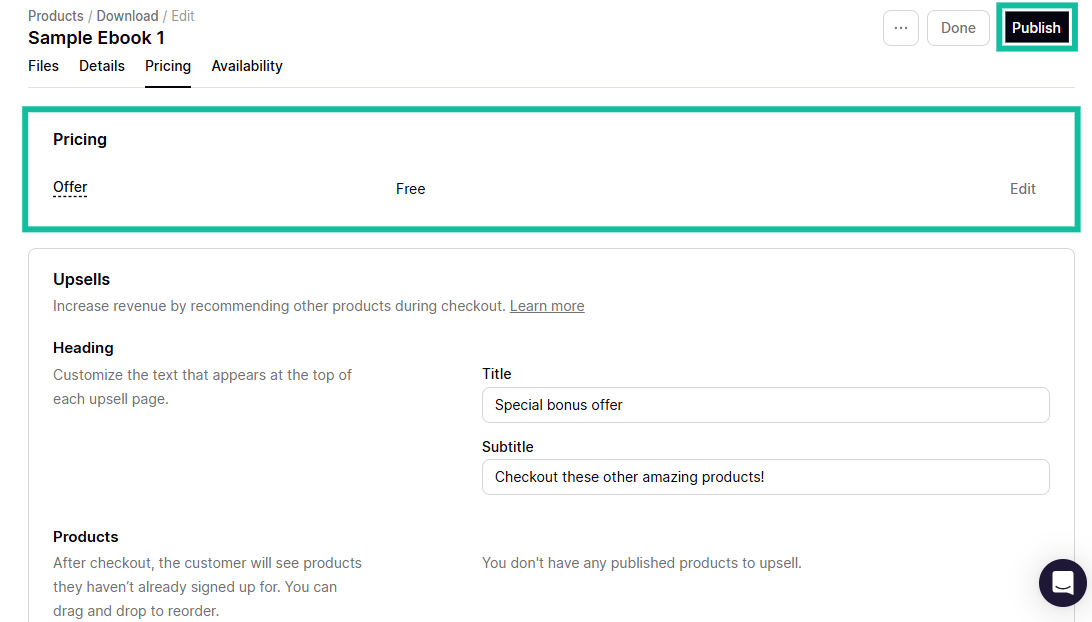
After adding the pricing details and upsells, you know what the customer sees on their checkout page.
Go on to set availability settings, that is, when you want your product available to be downloaded, click “Publish”, and you’re done.
2. Website
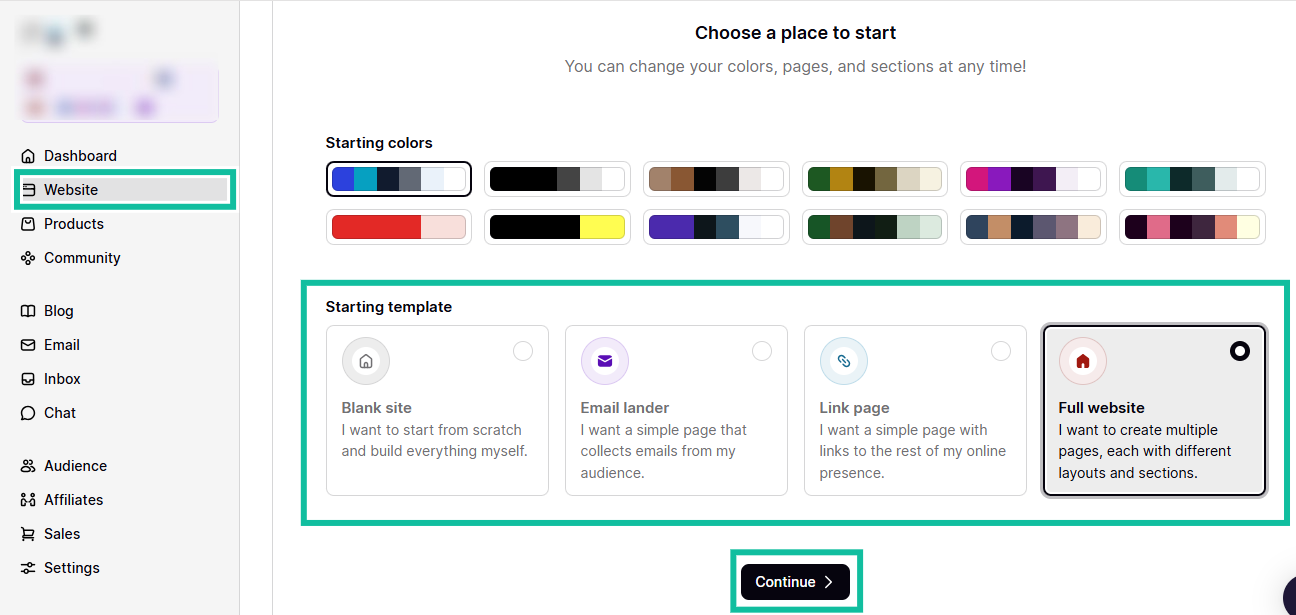
You can also create a website with the website feature on Podia. To know how that works, select the website tab.
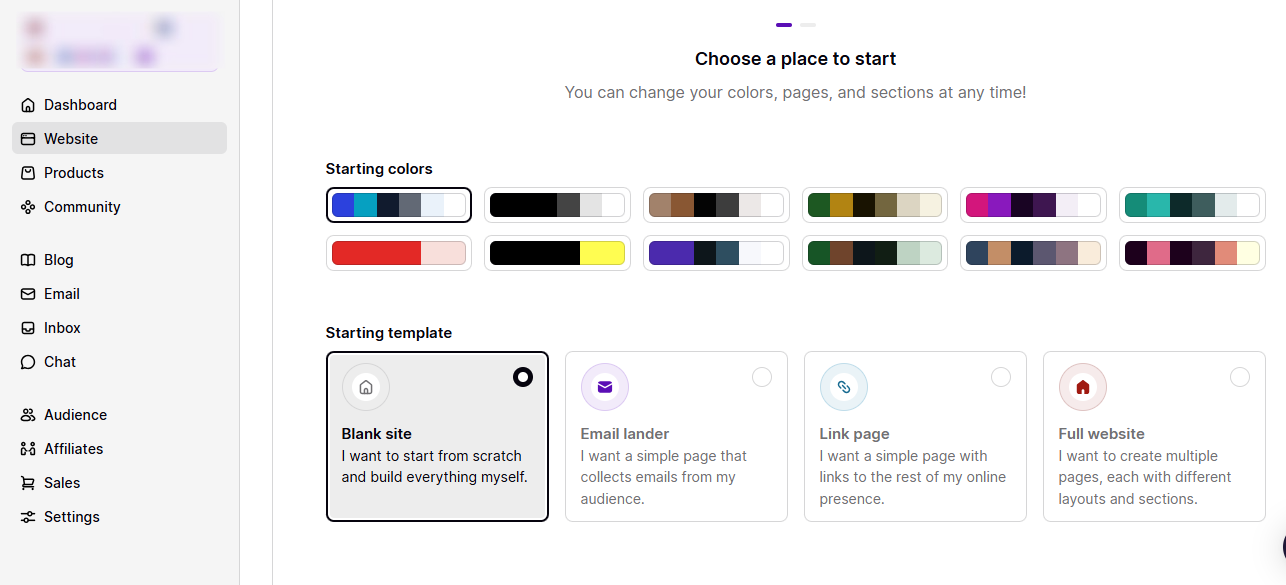
You can create a blank site from scratch, a landing page for emails, a link page, or a full website with multiple web pages with their layouts and colors.
To get the full experience, I’ll select the “Full website” option.
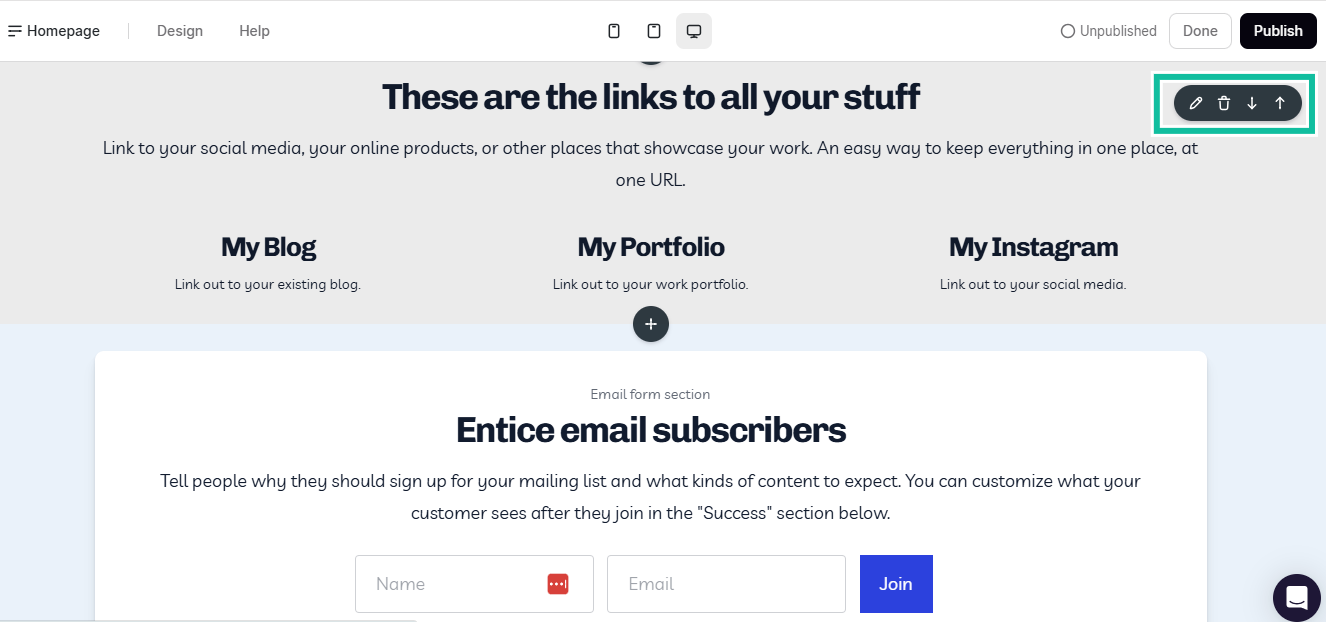
This opens a page like this that you can design. First, you have your homepage, you can edit the content, design, add images, links, and logos.
You can even add a login button, which can help you collect emails and aid marketing further down the line.
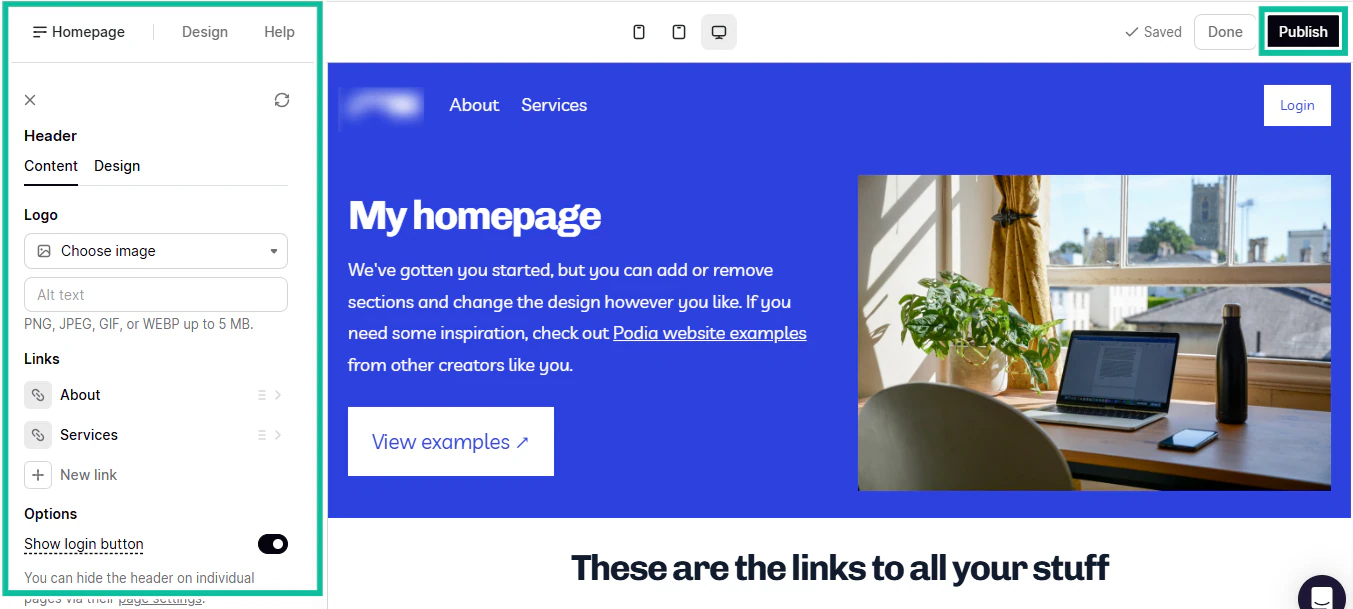
Since this is a personal website, you can add links to your blog, portfolio, and your Instagram page. In fact, you can add links to all your social media handles.
All these tools are ideal for an author because you can use this website to advertise yourself and your work, and it’s not hard to set up on one platform.
What I liked vs what I didn’t like
Best for
- Podia is best for authors who want an all-in-one platform where they can sell e-books, run a blog, grow an email list, and build a community.
Pricing
- Mover: $33/month
- Shaker: $75/month
How to choose the right platform to sell e-books
To choose the right platform to sell e-books, you should:
- Check for must-have features you can’t do without
- Assess the customization options the platform offers
- Review its payment options and gateways
- Analyze the platform’s marketing and promotion tools
Now, let me explain these four key factors in detail.
Check for must-have features
Think of an author who is excited because he’s finally finished writing his book. Then he uploads it to a platform that promises easy publishing.
Within weeks, readers complain that they can’t download the file in their preferred formats.
Others complain that the checkout page took too long to load. This means sales are getting lost and your reputation is getting damaged, and all because you didn’t look out for certain must-have features when looking for platforms to sell e-books on.
So here are the must–have features that help you avoid these problems.
- Support for multiple e-book formats
- Control over pricing, royalties, and fees
- Ability to own and export your customer data
- Strong analytics and sales reports
- Integration and automation tools
- Reliable customer support
I’ll keep the explanations brief and to the point so you know just how important all these features are in a platform.
Support for multiple e-book formats
A professional platform to sell e-books must accept the major formats like EPUB, PDF, MOBI/KPF, and DOCX.
This matters because these are the most popular e-book formats. Most e-book reading software apps and programs allow such formats on their devices. These formats are also highly versatile and can be read on all major devices.
Take KPF (Kindle Package Format) for example: it’s the format that most easily fits Amazon’s e-reader devices.
If you choose a platform to sell e-books and it doesn’t support these formats, or worse, restricts you to only one, that is a big problem.
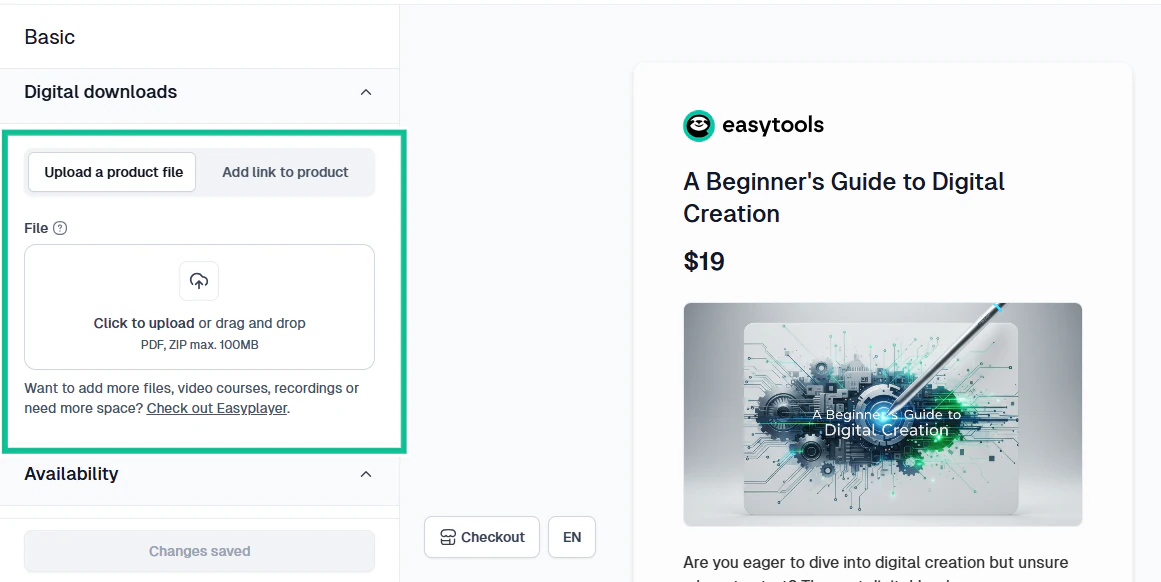
Easytools supports multiple e-book format uploads up to 100mb, so once your store is created, people can download from any of these formats and read on a variety of devices.
Control over pricing, royalties, and fees
The global e-book industry is expected to generate over $14 billion between 2025 and 2029. That is a lot of money. There is a lot of money in digital publishing.

But how much you earn depends heavily on the platform’s pricing policies.
Some platforms, like Lulu, take a percentage of your sales. Others, like Easytools, charge monthly. Still others, like Amazon KDP, offer royalties.
Before you choose a platform, ask yourself the following questions;
- Can you set your own price freely?
- Does the platform take a cut? If so, how much?
- Are royalties fixed or flexible?
- Are there hidden fees?
If you can’t control your pricing, your profits and long-term earning potential will suffer. A platform like Easytools, for instance, has a fixed pricing plan.
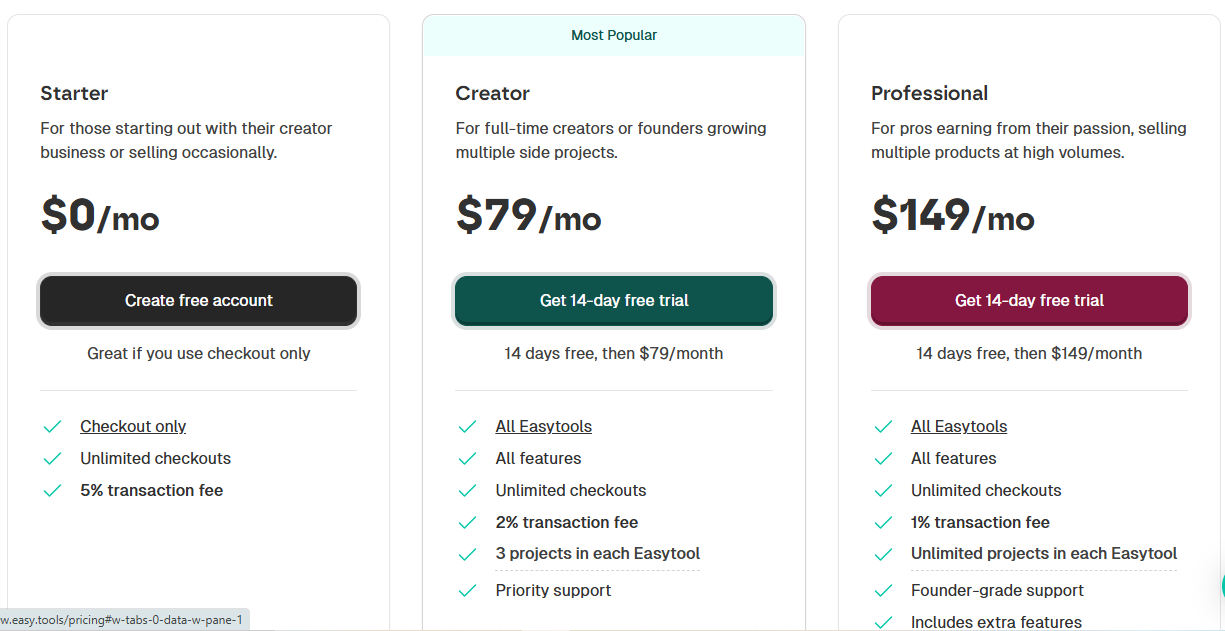
This is great because you can draw a clear budget and know how much is going into maintaining your online store per month. Also, rest assured that all the money from the sales of your e-book comes directly to you.
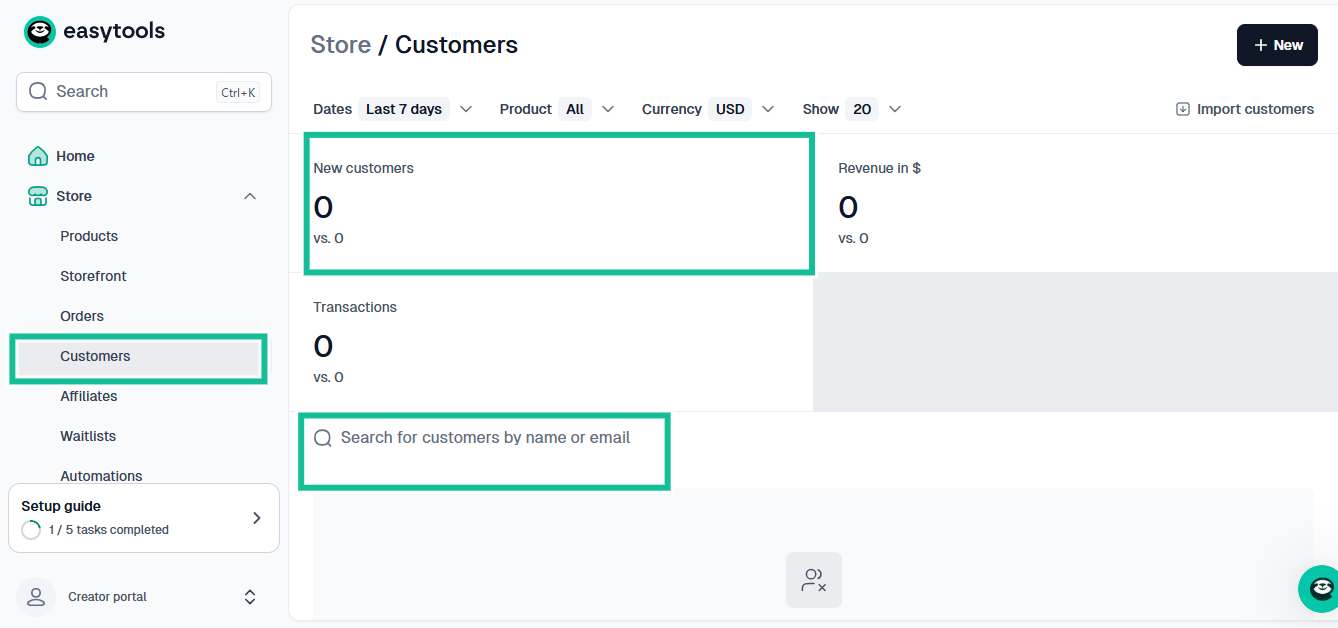
Ability to own and export your customer data
This is one of the most overlooked but vital features to look out for on a platform that sells e-books.
Some platforms, especially big marketplaces, do not allow you to access or export your customer list, even though these are the people who bought your e-book.
But you need this customer list if you want to succeed in the long term.
You can use the list to build an email list, market new e-books, upsell bundles or courses, create a fan community, and reduce advertising costs.
Easytools gives you direct access to your customers because we want to help you build a brand.
Strong analytics and sales reports
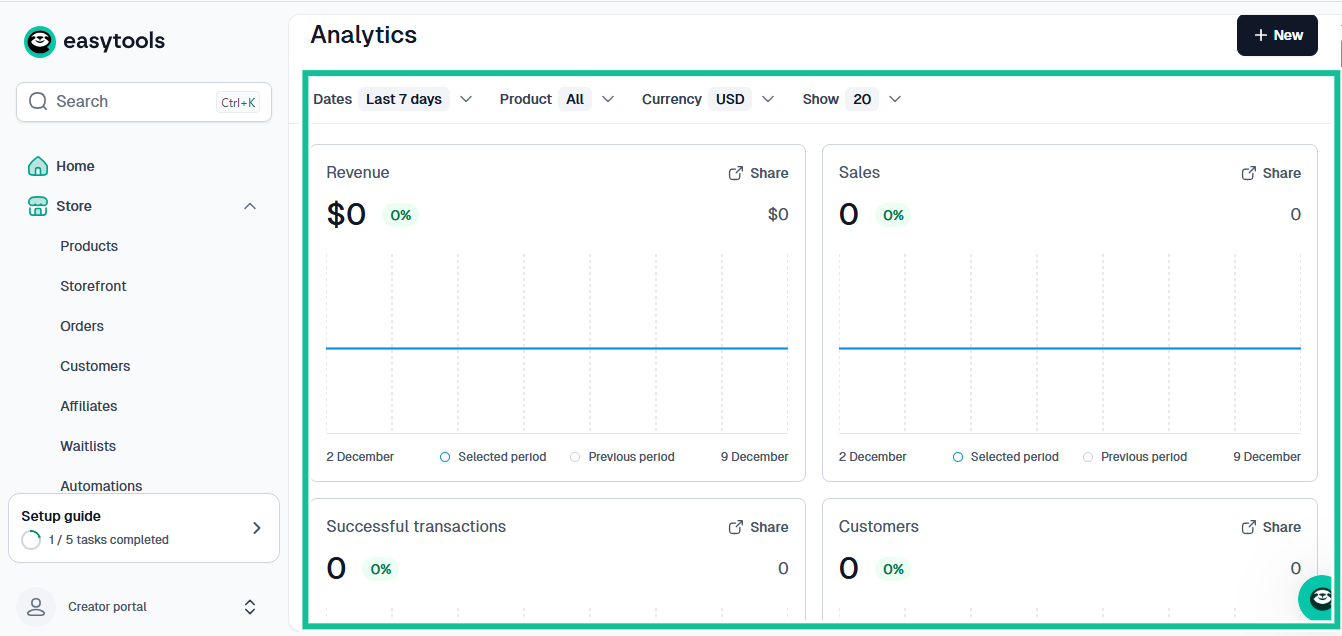
If you want to grow your business, you must be able to track your numbers. You know how much you’re selling, how fast a particular book is selling, and in what format.
A good e-book platform has a reports section that shows you what is working.
Look how the Easytools analytics dashboard is designed, for example. It logs every sale so that you can stay on top of things.
Integration and automation tools
Selling e-books is tied to an online ecosystem. The more your platform automates, the easier and faster it is to scale your writing business without manually sending emails, for instance.
Look for platforms that integrate with email marketing tools (ConvertKit, Mailchimp), Zapier, website builders, community platforms, payment tools, and CRM systems.
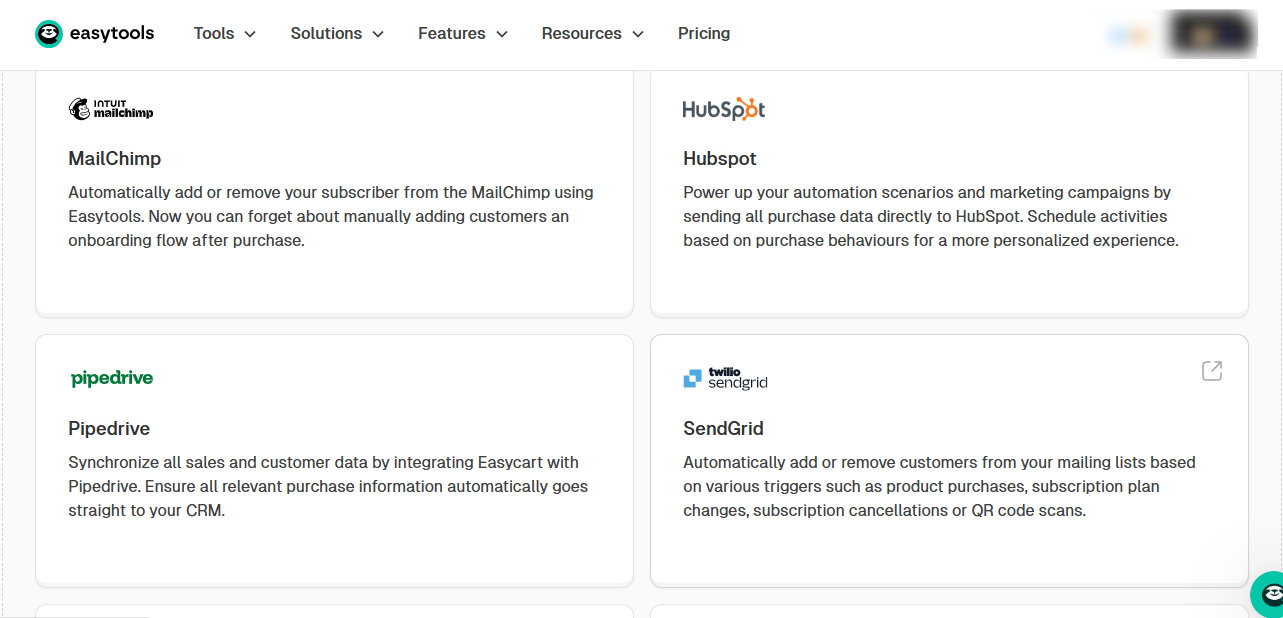
Now I’ll show you why Easytools is my number one choice for selling e-books. This is because Easytools offers a wide range of integrations.
You can link Easytools with:
- CRM platforms: HubSpot, Pipedrive
- Email tools: Mailchimp, SendGrid, MailerLite
- Workflow automation: Zapier, Make
- CMS: WordPress
- Community and membership: Discord, Circle
- Appointment scheduling: Zencal
- Donations: Easycoffee (Buy Me a Coffee)
- E-learning platforms and more
Reliable customer support
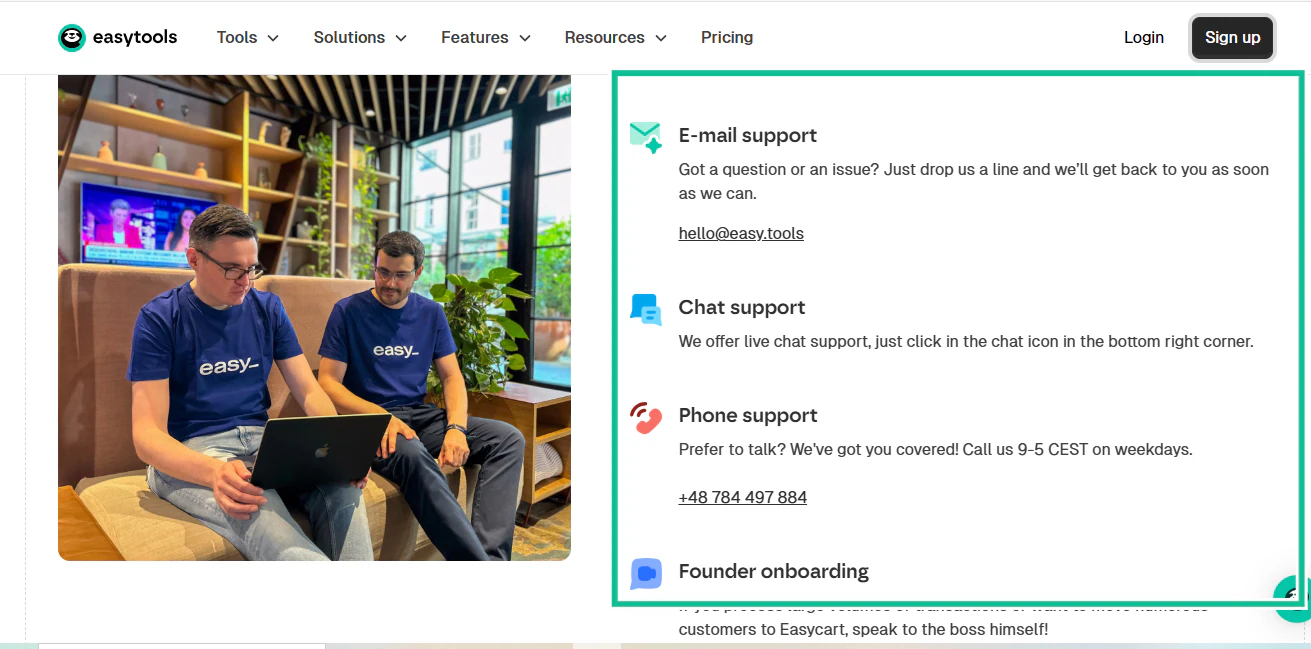
Finally, you know that technology and software can be tricky. Sometimes, something that used to work great just breaks. In such cases, you need support that works quickly.
Unfortunately, most platforms either have slow support or outsource it completely, making them so hard to reach. And what will that mean for you? Days or weeks of lost sales.
Support is not a bonus feature that is just thrown in. Without good support, your entire online business model can crumble and fall.
Again, Easytools comes to the rescue here.
Suppose you’re trying to upload an e-book, but your upload isn’t processing. You can get help from the support chat by clicking the icon in the bottom right corner of the page.
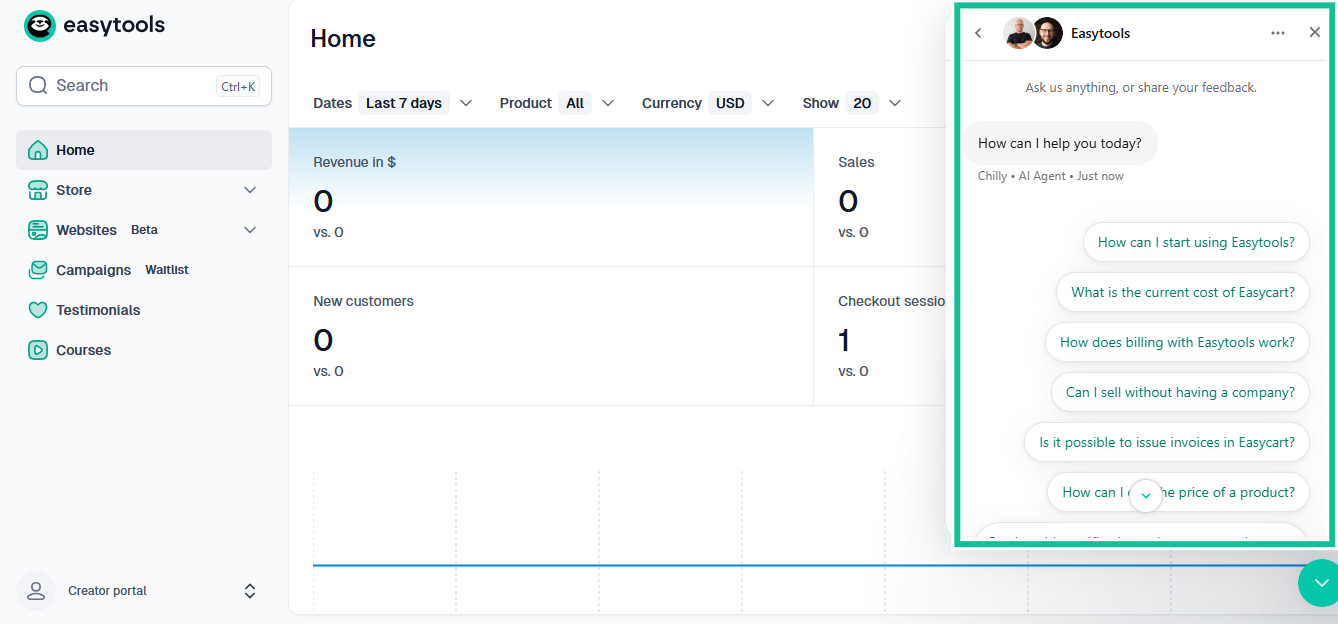
And if you need to contact a human support agent, you can do so directly by requesting that. You can connect with the support chat, by email at hello@easy.tools, or by phone using the number provided on our website.
Assess customization options
Choosing a platform to sell your e-books isn’t just about uploading a file and hitting publish. You need to shape the buying experience. How your store looks, your product page, and how readers identify with your brand should all be within your control.
Speaking on branding consistency, research indicates that 71% of consumers are more likely to buy a product from a brand they recognize. So your goal should be to make your brand as recognizable as possible.

Stackla Consumer Content Report also mentions that 67% of consumers say it is important for brands to provide them with a personalized experience.
All this shows that you cannot underestimate the power of branding and customization.

Of course, some of the platforms we’ve considered here do not give you your own storefront, so there are no customization options available there.
Easytools, on the other hand, gives you your own storefront, and the customization options are boundless.
You can customize your store colors and fonts, add banner images and visuals, determine page layouts, and product page sections.
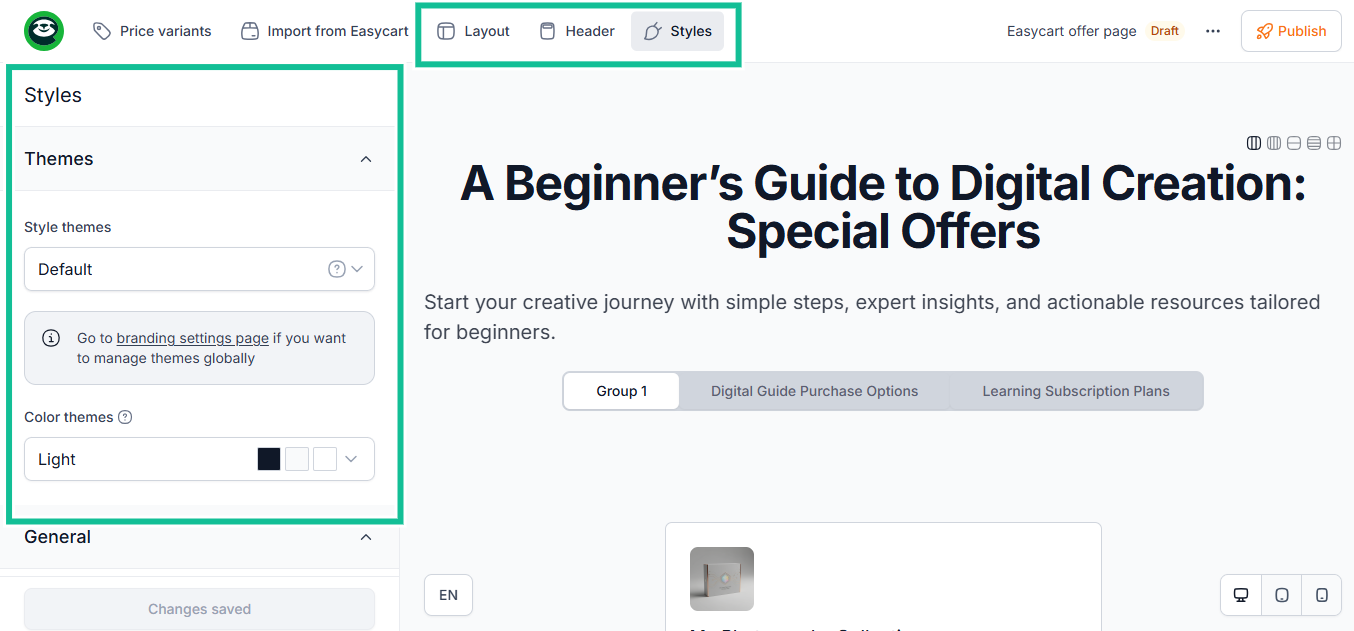
You can even add your own custom domain.
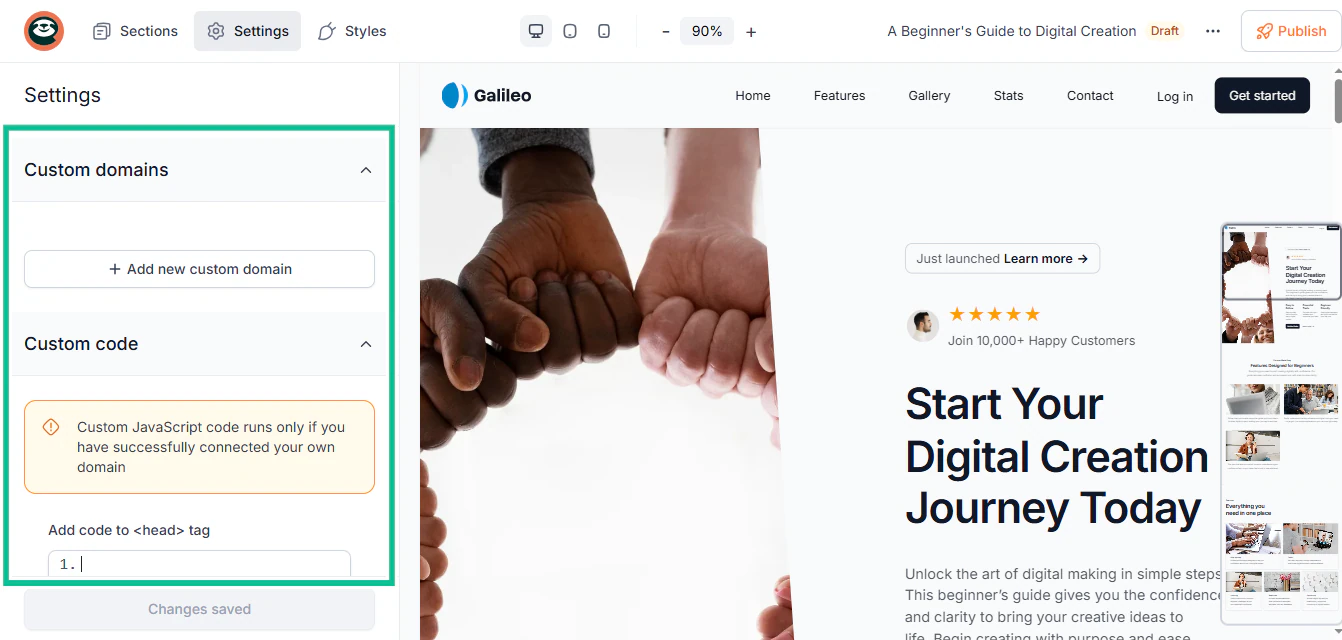
Customers view websites using their own domain as more trustworthy, and branded domains do better in SEO.
What this does is establish trust and professionalism, which definitely influences buying decisions. It’s a competitive edge you won’t get with platforms that give you only one generic template.
Review payment options and gateways
When you sell an e-book online, the payment gateway you choose is just as important as the platform you publish on.
If you choose poorly, you risk losing sales, frustrating your customers, and damaging your reputation.
First, consider security. A payment gateway should comply with global regulations and protect users’ data.
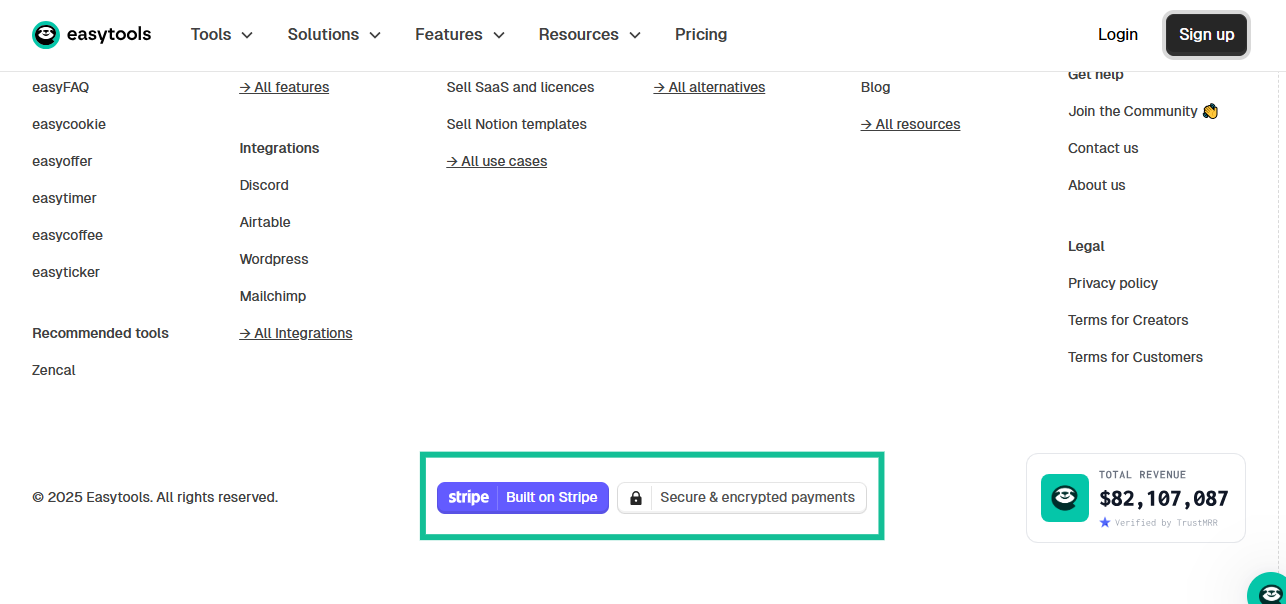
You need this to protect yourself and your customers from fraud, data breaches, and similar threats.
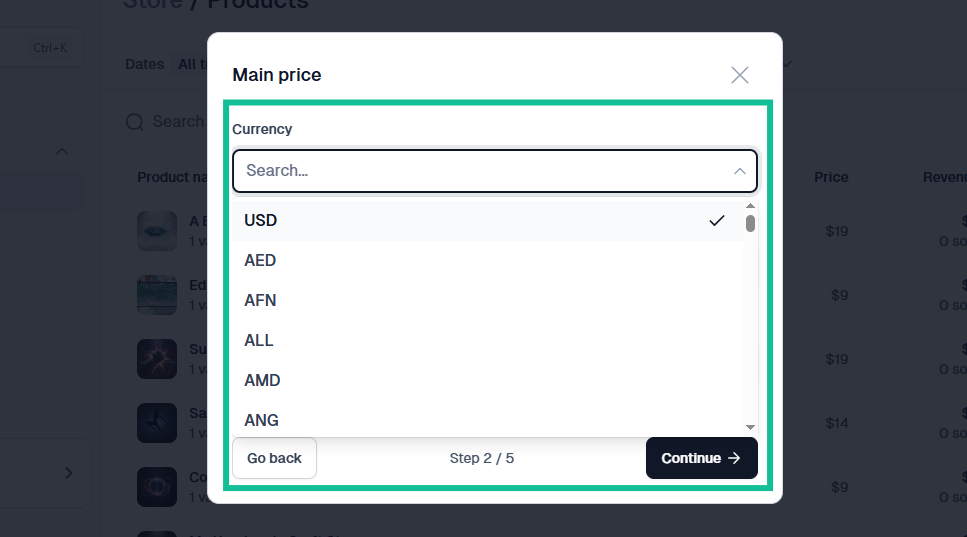
Another important thing to consider regarding your payment gateway is that it should support multiple payment methods and currencies, especially if you plan to sell from different countries and regions.
And when it comes to payment options, you should be able to add multiple currencies as well when adding payment options to your checkout page.
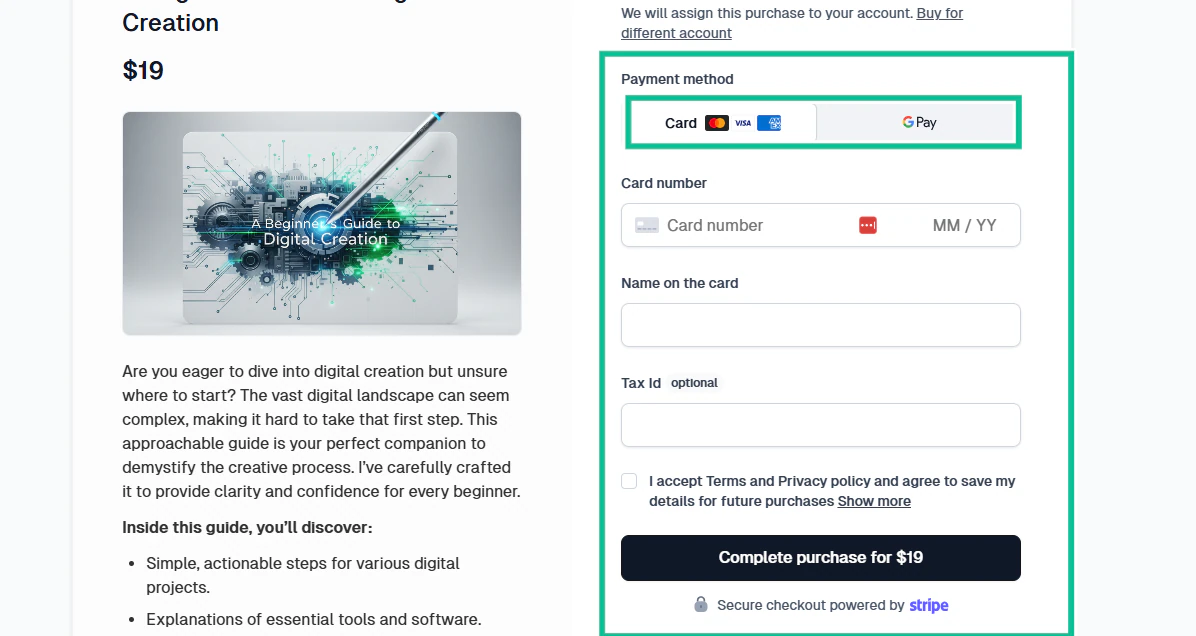
You also need to provide a variety of payment methods to your customers.
Visa, Mastercard, PayPal, Apple Pay / Google Pay, and local bank cards, debit, and credit cards are all payment options that make it easy for people to make purchases.
Analyze marketing and promotion tools
No matter how good your e-book is, it won’t sell unless people know it exists.
So you need to find the right tools to boost sales.
One of the most reliable forms of building an audience who will pay money for your e-books is email marketing.
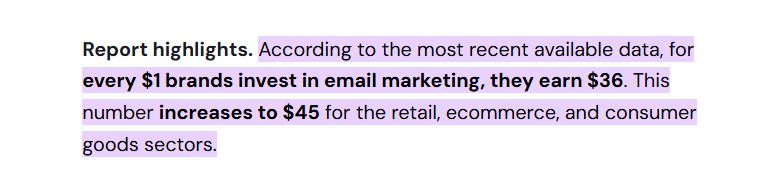
According to recent analyses, email marketing delivers an average return of $36 for every $1 spent, making it far more cost-effective than many other channels.
Once you build a mailing list, you have a direct line to readers, and you can build their trust in you. You can also offer discounts and deliver bonus content.
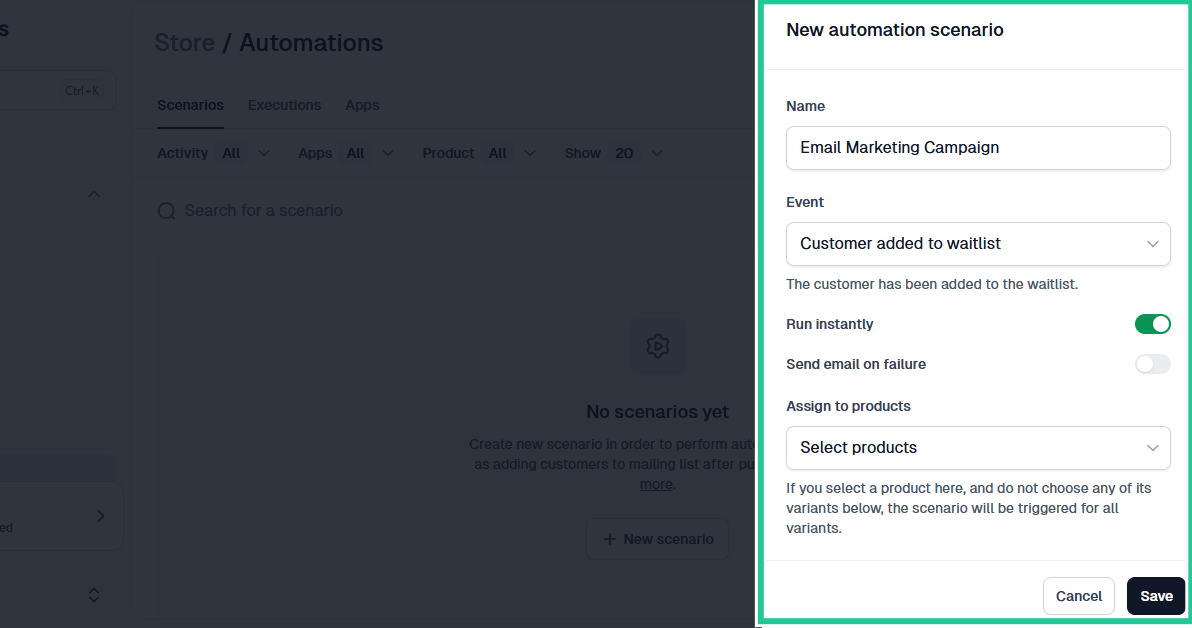
This is where Easytools’ automation comes in.
You can set up an entire email marketing campaign and also schedule and automate follow-up emails, monthly newsletters, launch announcements, discounts, and bonus content.
Choose the best platform to sell e-books
After personally trying all these platforms to sell e-books, I’d say that the best choice depends on the kind of author you want to be. If you want complete control and an easy setup, EasyTools is your best option. If you want massive reach, Amazon KDP is the clear winner. The others each have strengths depending on your style and goals.
What matters most is getting your e-book out there. Pick one platform, upload your book, and start selling. Your readers are waiting.