Blog
How to sell Canva templates in 6 steps (A detailed guide)
Learn how to create and sell Canva templates successfully with tips on design, pricing, marketing, and common mistakes to avoid.
You’re scrolling through Etsy or TikTok, and you see someone say they made $5,000 last month selling simple Canva templates. Your first reaction is probably, “Wait… people really buy these?”
And then the second thought hits: “If that’s true, why am I not doing this already?”
Many creators and business owners are now earning real income online by learning how to sell Canva templates. And there is a huge market for ready-for-you templates that save time.
A 2024 analysis by Accio shows that digital templates are now among the top-performing product categories. Lots of people are searching every day for planners, business kits, social media packs, and even coloring books.

So if you want to sell Canva templates or launch your first Canva template shop, you’re in the right place.
In this guide, I break down the process behind choosing profitable ideas, creating templates people actually want, pricing them properly, and avoiding the mistakes that cause most new sellers to give up.
Let’s get started!
Common questions on selling Canva Templates
Where do I start when selling Canva templates?
You can start by choosing a selling platform like Easytools, Etsy, Shopify, Creative Market or the Canva Creator Program. Then, create about five beginner-friendly templates and upload them with clear descriptions.
What kinds of Canva templates sell best?
The Canva templates that sell best are social media templates, e-books, worksheets, branding kits, planners, and digital products. Instagram and Pinterest templates, business forms, and lead magnet templates also sell very well.
Do I need Canva Pro to sell Canva templates?
No, you don’t need Canva Pro if you’re working on basic designs. With the free plan, you must stick to free fonts and elements. Canva Pro unlocks premium features like Magic Resize and brand kits. Many beginners start free and upgrade when sales grow.
How do I price my templates?
Check what others in your niche charge, then put yourself in a competitive position. You can price simple templates like Instagram posts between $5 and $12 and more complex ones like big planners, brand kits, and 50-page ebooks between $15 and $60.
How do I protect my work from being copied?
You can protect your Canva templates by using Canva share links, clear license terms, branded templates, and putting watermarks on preview images. Also, never give buyers access to your original design file. Always add a license page that explains how your template can and can’t be used.
Do I need design skills to succeed?
You don’t need advanced design skills to succeed. There are many beginner-friendly professional templates that you can use to practice and get better at designing templates.
How to sell your Canva templates
Anybody can design templates on Canva, but not everyone can sell them. To sell Canva templates, you need to have certain skills.
You also need to have a plan.
Speaking of planning, I’ve laid out six steps you can follow to design templates that sell.
- Create Canva templates to sell
- Set up an online store
- Set competitive pricing based on complexity and demand
- Promote your templates on social media, Pinterest, or email
- Offer bundles, seasonal deals, or free samples
- Collect reviews and update your templates over time
Let me walk you through each step.
Step 1: Create Canva templates to sell
Take note that your goal is to sell Canva templates. If you simply design cute or fun templates, you might make zero sales.
I’m here to help you avoid that mistake. You want to sell Canva templates, so choose template types where people are already spending money.
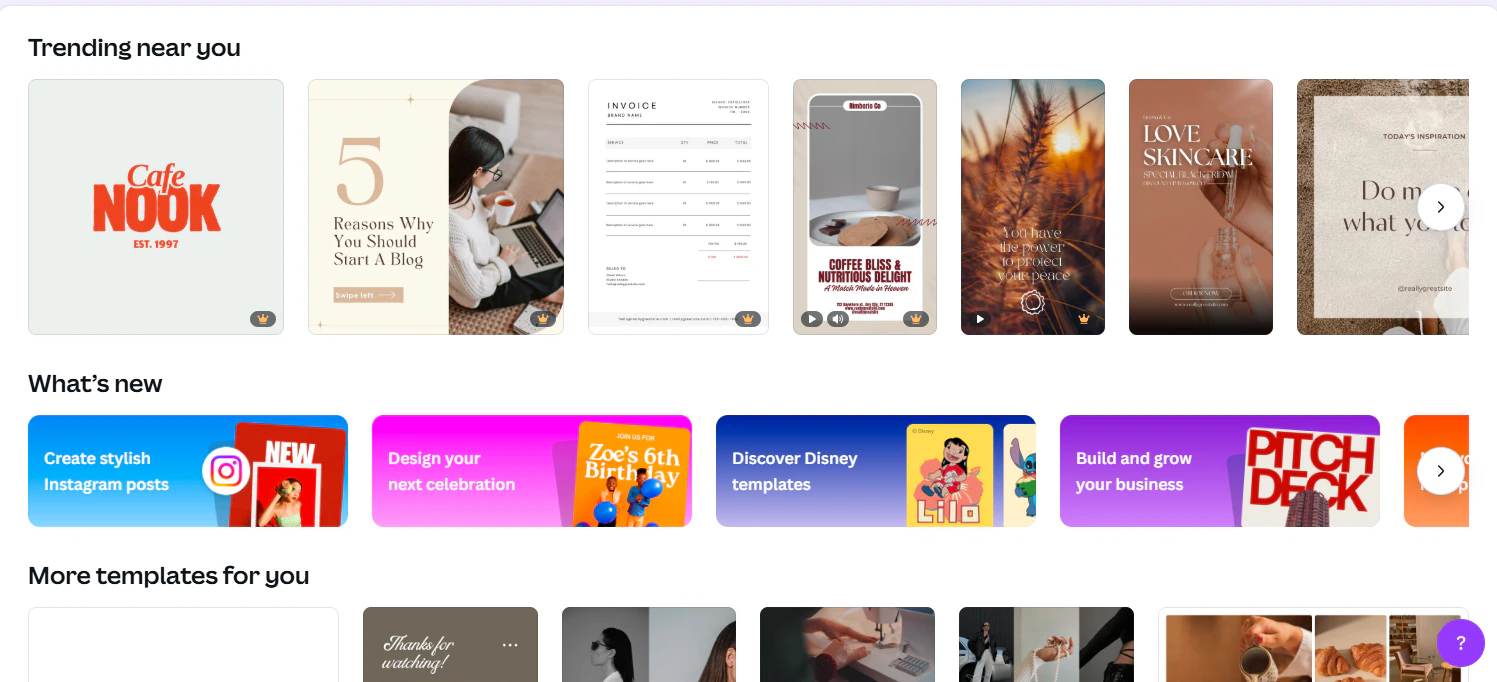
A good starting point is Canva’s own creator marketplace. There, you can see which templates are trending near you.
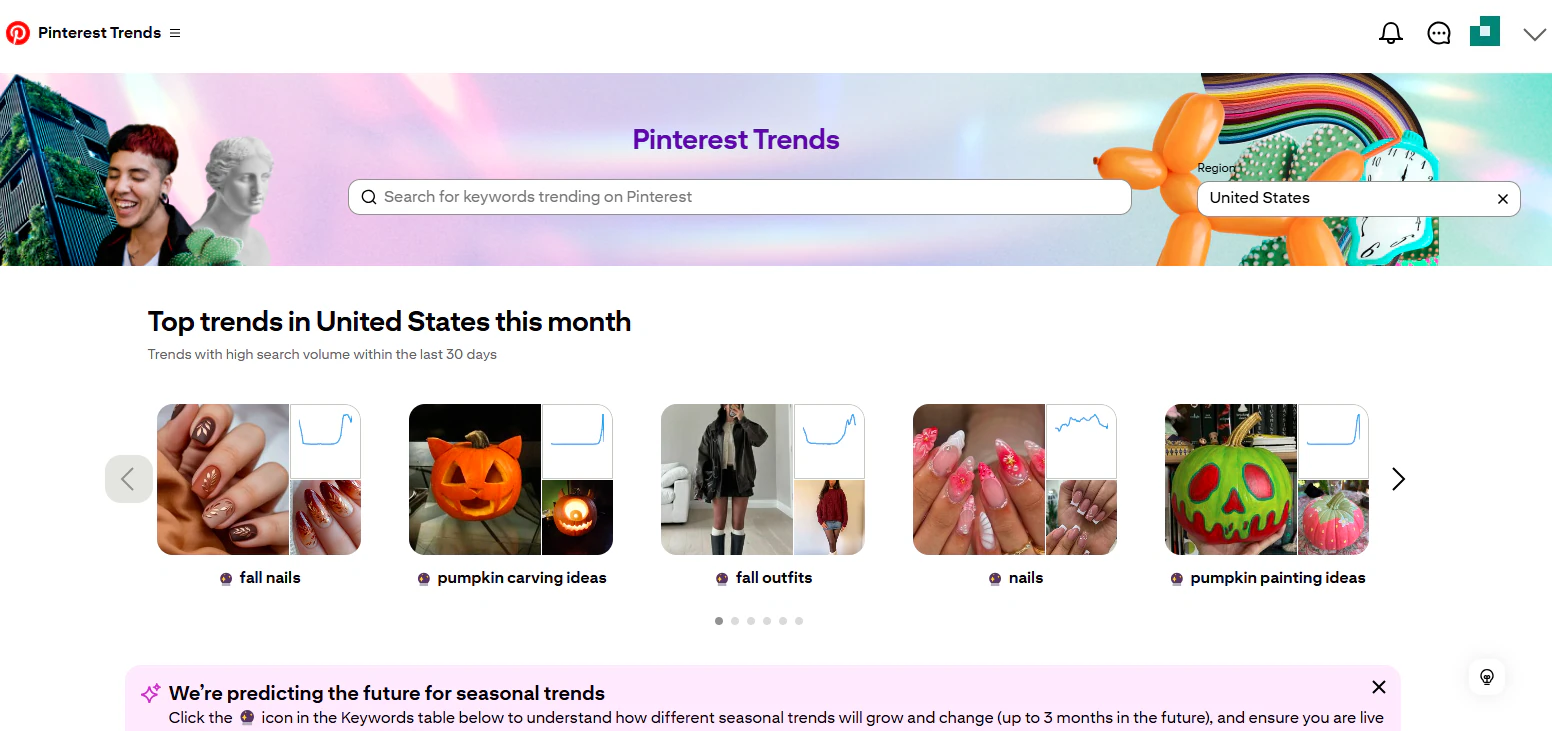
Or use Pinterest trends to find top trends in your area. This won’t show you sales numbers, but you can confirm which design styles people like and identify growing trends.
Pinterest trends even predict templates that are likely to trend in the year to come, so you have an idea what to anticipate and create designs that will meet demand.
Searching for “Best-selling Canva templates” on Etsy can also show you the kind of templates already out there that people are buying.
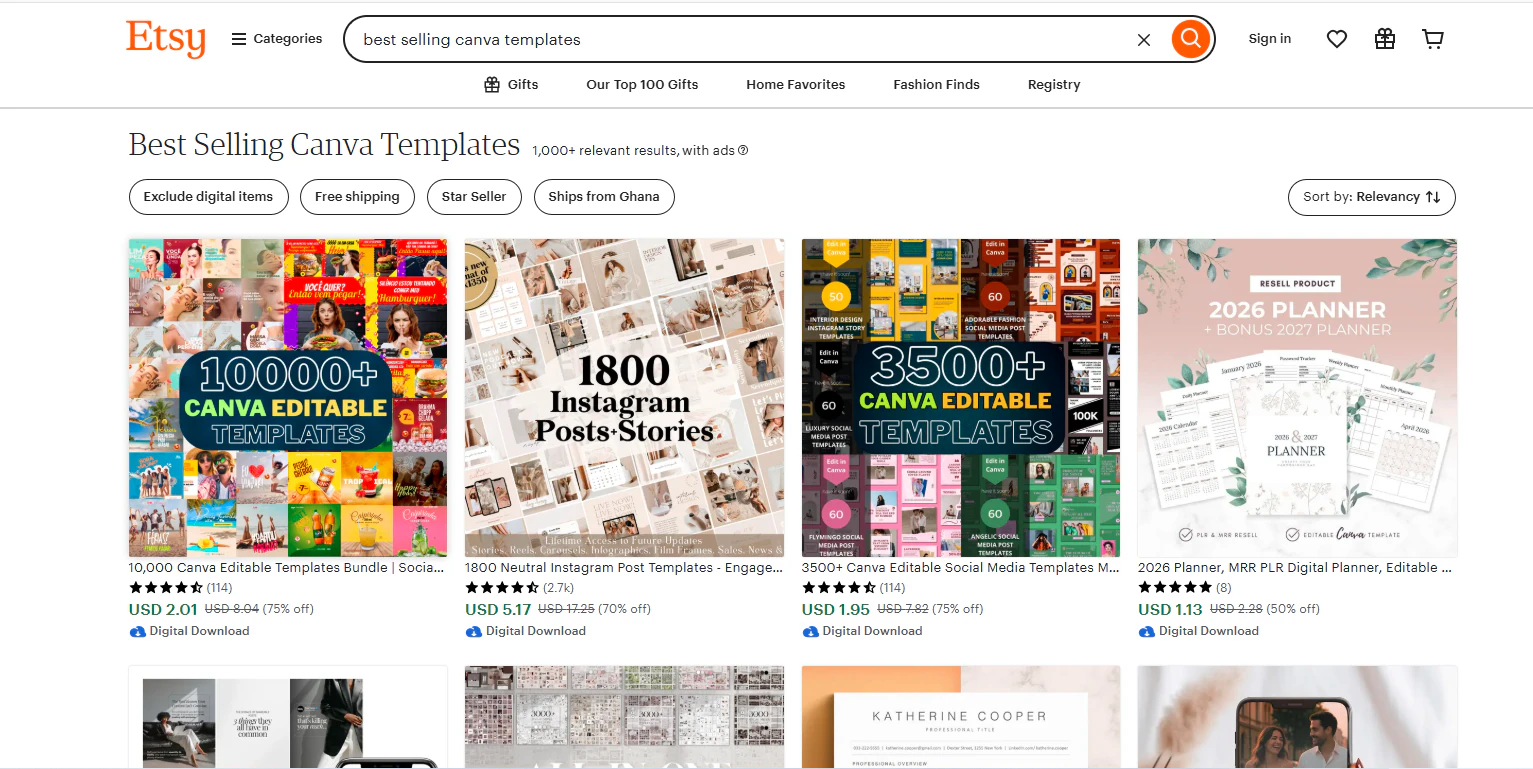
After doing this search myself, here is a list of some of the best-selling Canva templates in the U.S right now.
- Social media kits; Instagram/Pinterest post packs
- Wedding and event invitation templates
- Digital planners and journals
- Resume / CV templates
- Business marketing templates like flyers, cards, and brochures
- eBook/lead magnet templates; workbooks, guides
- Printable journals and self-care / wellness trackers
In an article by Whop, we see how a seller named AndrewPixel has made 16,700+ sales selling social media templates.

This shows that if you do your research, you can get ideas for your own store, without copying, of course, and make money off them.
And creating these templates is so easy.
Open Canva and select the template you want to create.
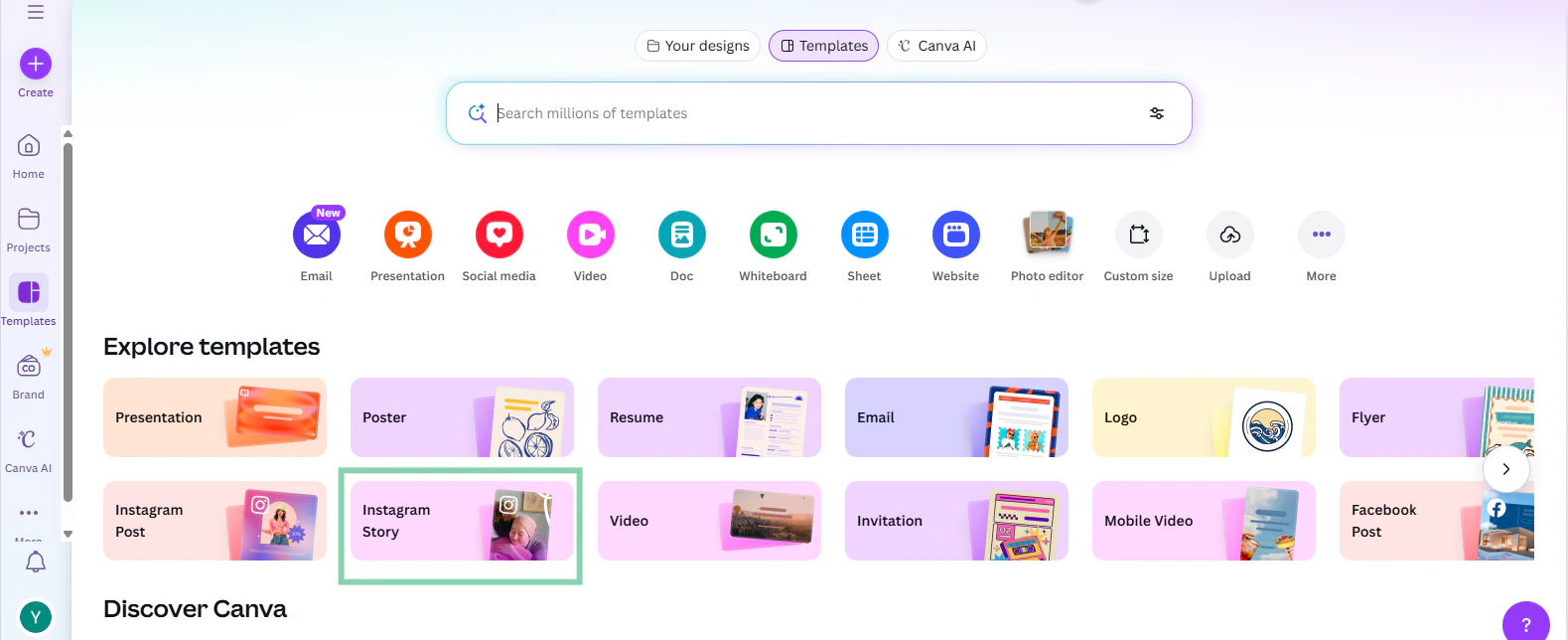
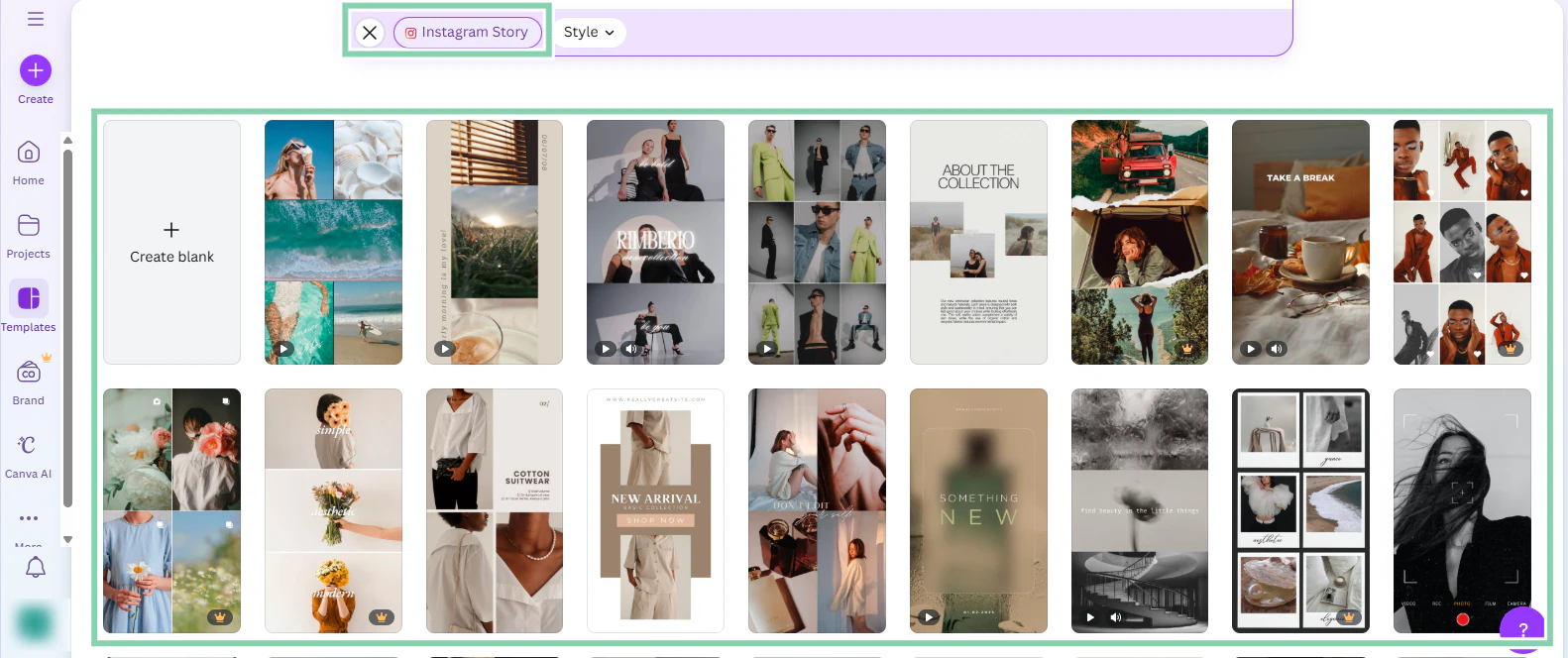
You can either create a template from scratch or customize one of the templates Canva gives you.
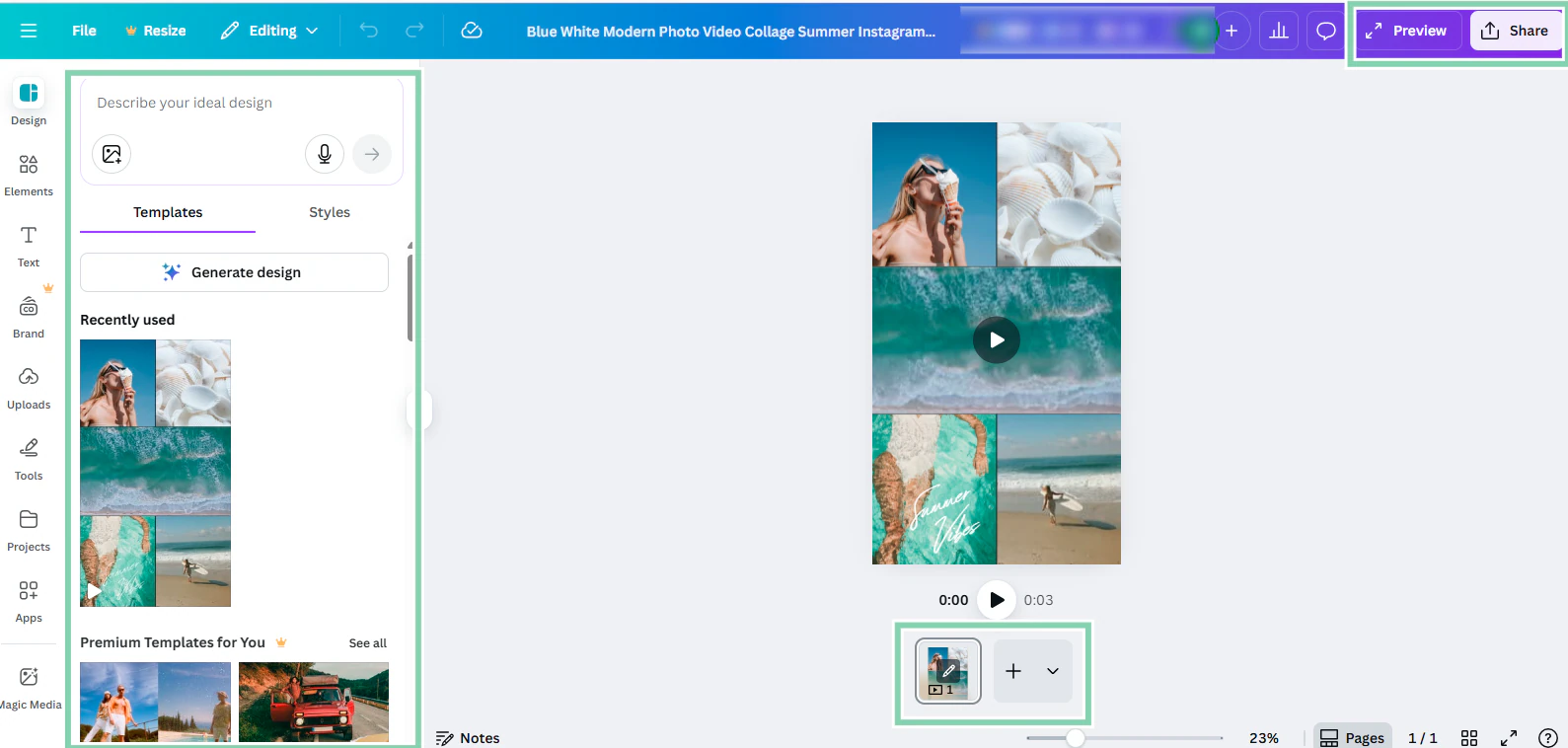
Give your template a few tweaks and then preview or click Share to export your template.
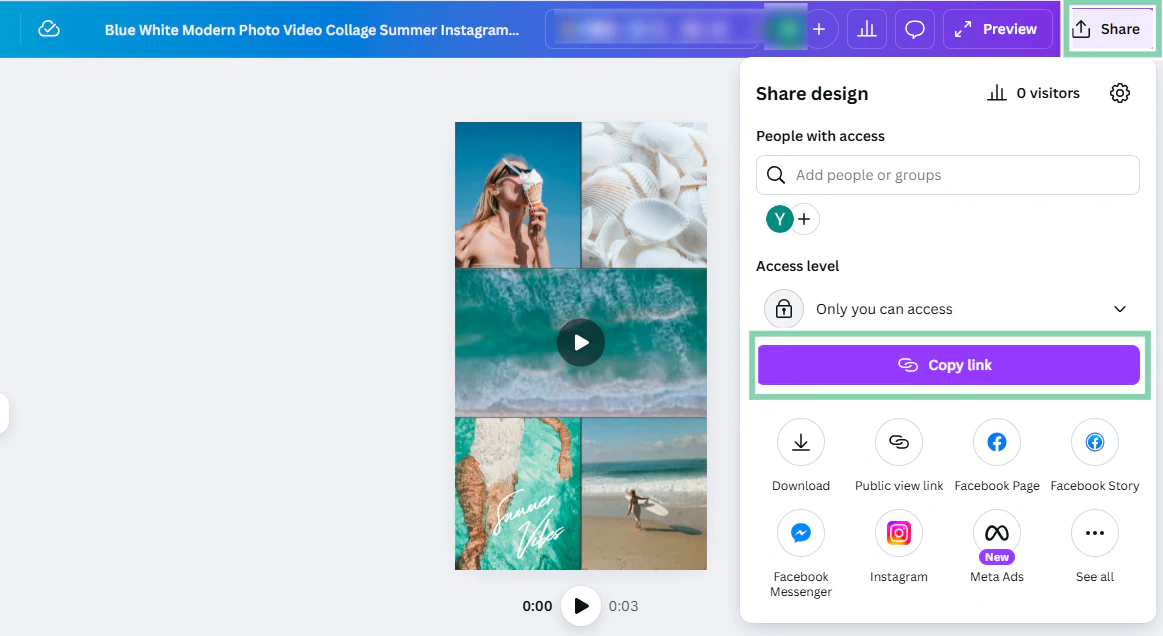
When you click Share, you can now download the template, change access to the design, share the link directly to your social media platforms, or copy the link and paste it into your online store.
Always ask yourself if your template will make life easier for your customers. That’s the secret to selling Canva templates with success.
Step 2: Set up an online store
Now that you have created templates people actually want to buy, the next thing is to give your customers a beautiful, professional store to buy them from.
Anyone can upload a Canva template and slap a price on it. That’s not what you want.
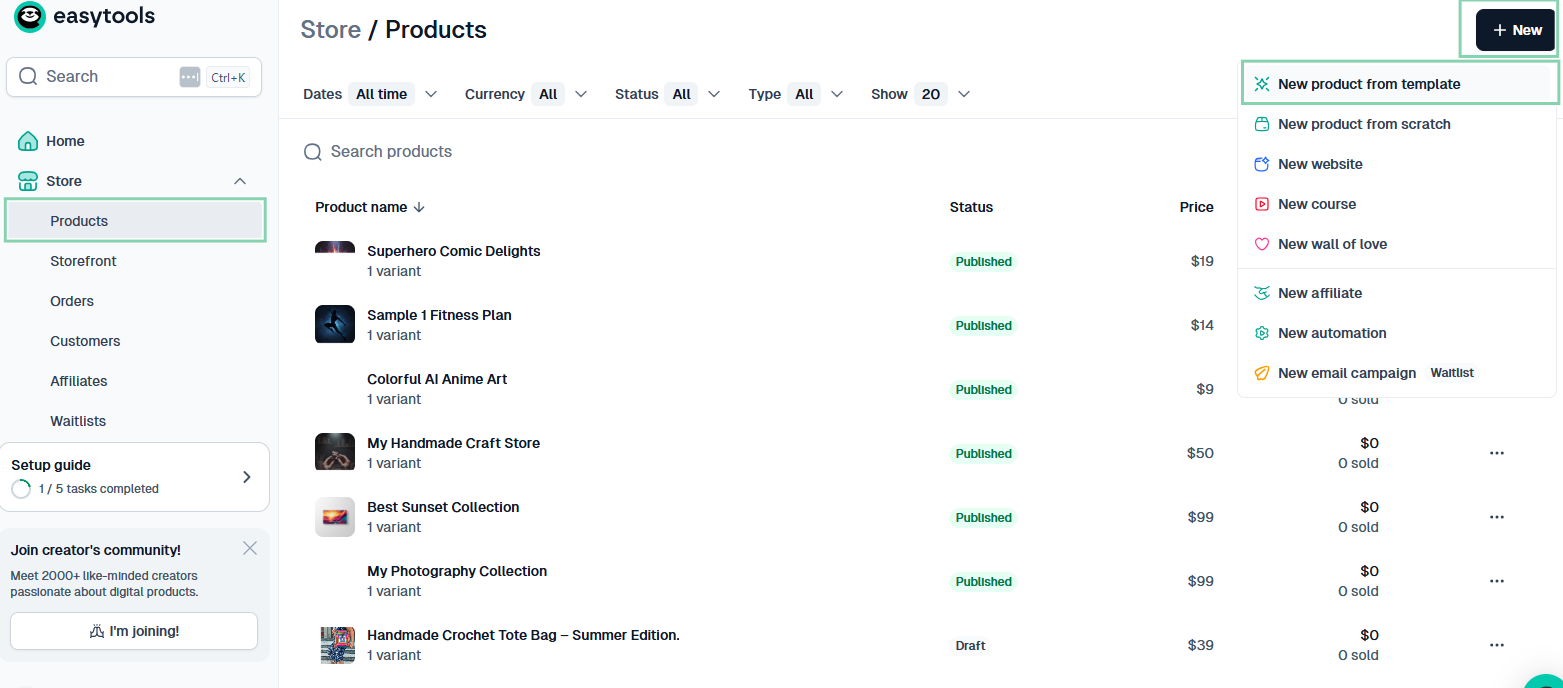
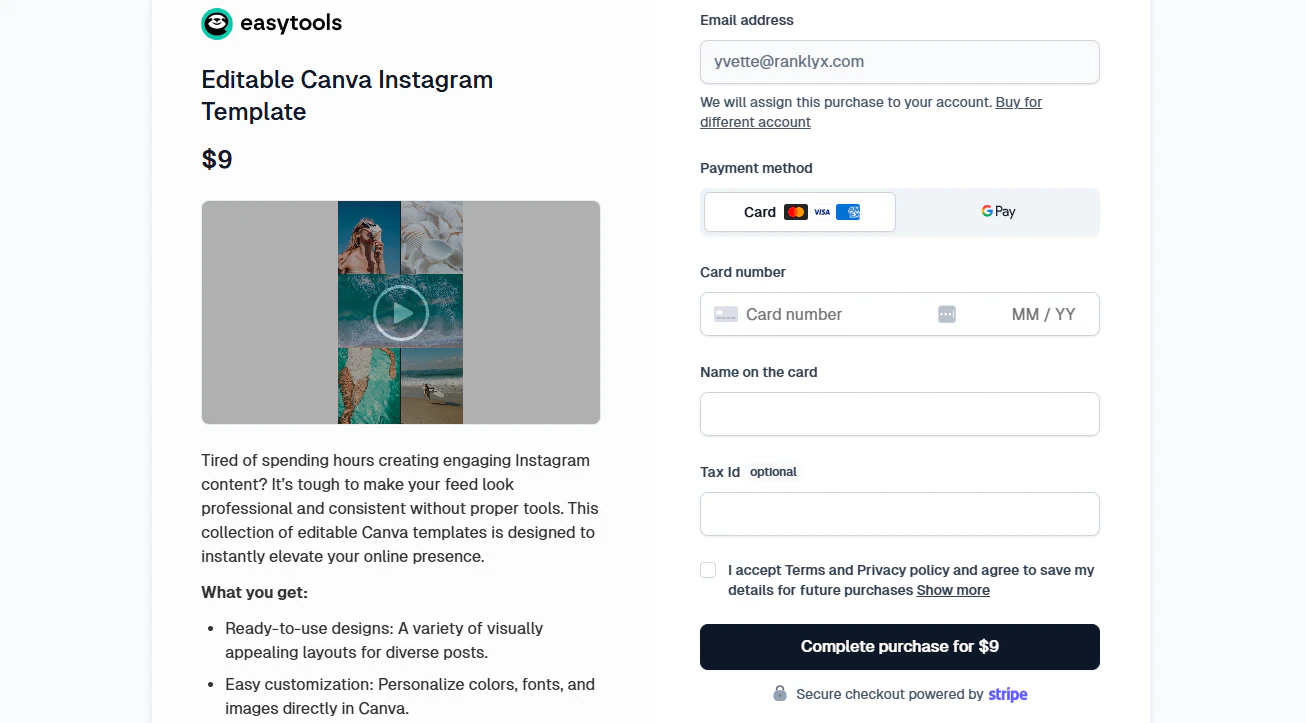
To create your online store in the easiest way possible, go to Easytools, click on Products, then New, then on ‘New product’ from template.
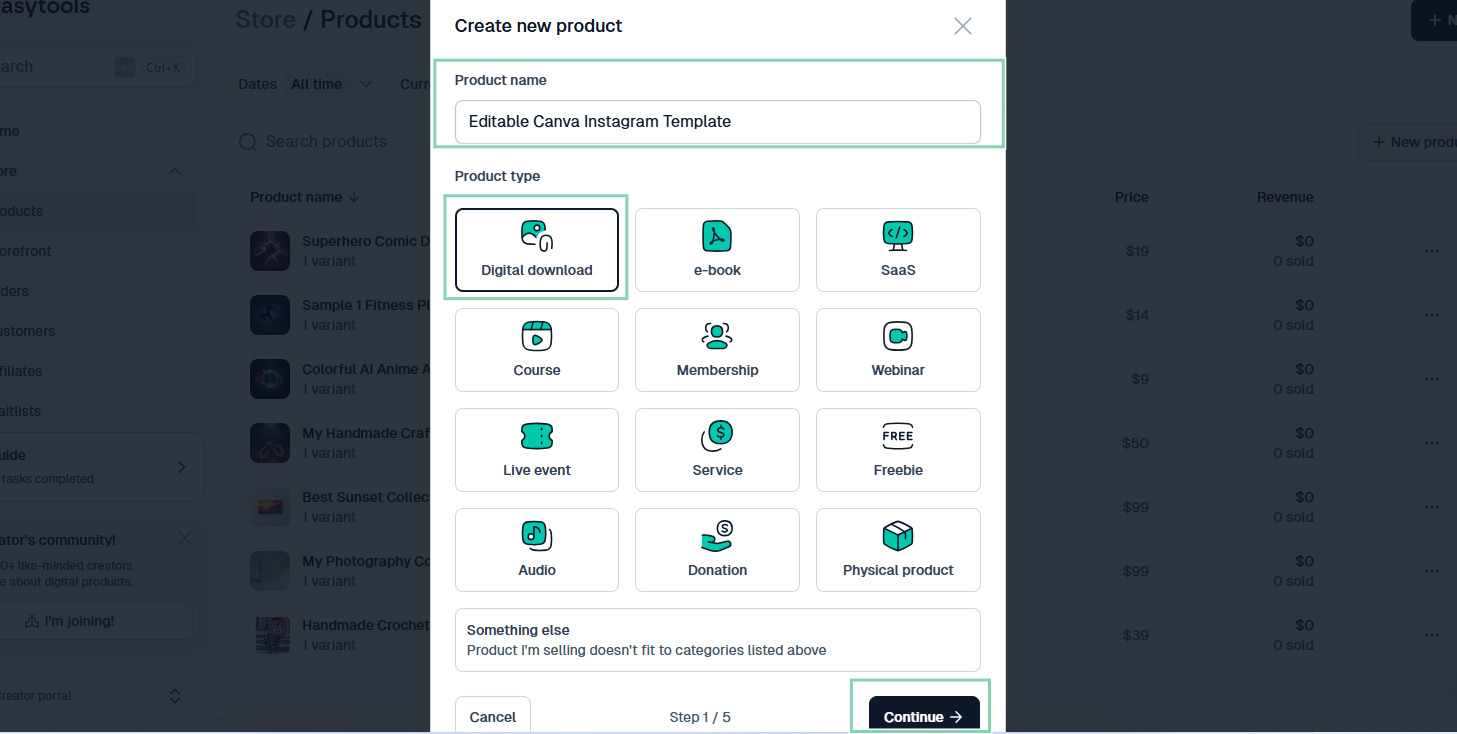
Now you need to choose a searchable product title.
Instead of writing ‘Instagram Template,’ you can be more specific and say ‘Editable Canva Business Instagram Template.’
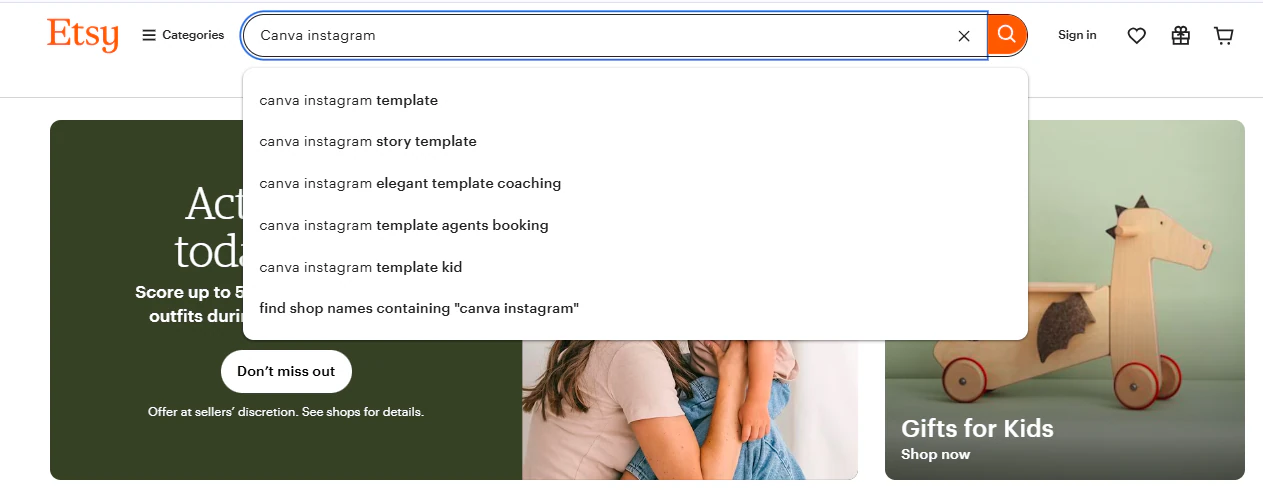
Now you need to add keywords so that buyers searching for these kinds of templates can find them.
To choose the right keywords, you can use Etsy’s autocomplete function in the search bar, or tools like Everbee to find real search volume for the terms buyers use.
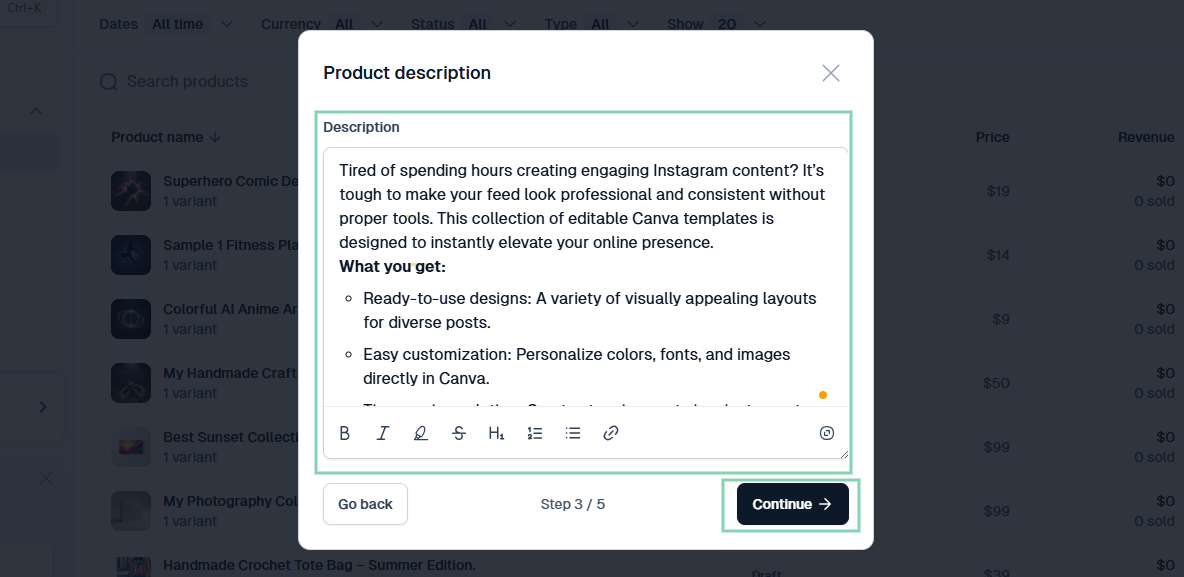
Your product description should also be detailed. It should mention what the template is, who it’s designed for, and what is included in the template or bundle.
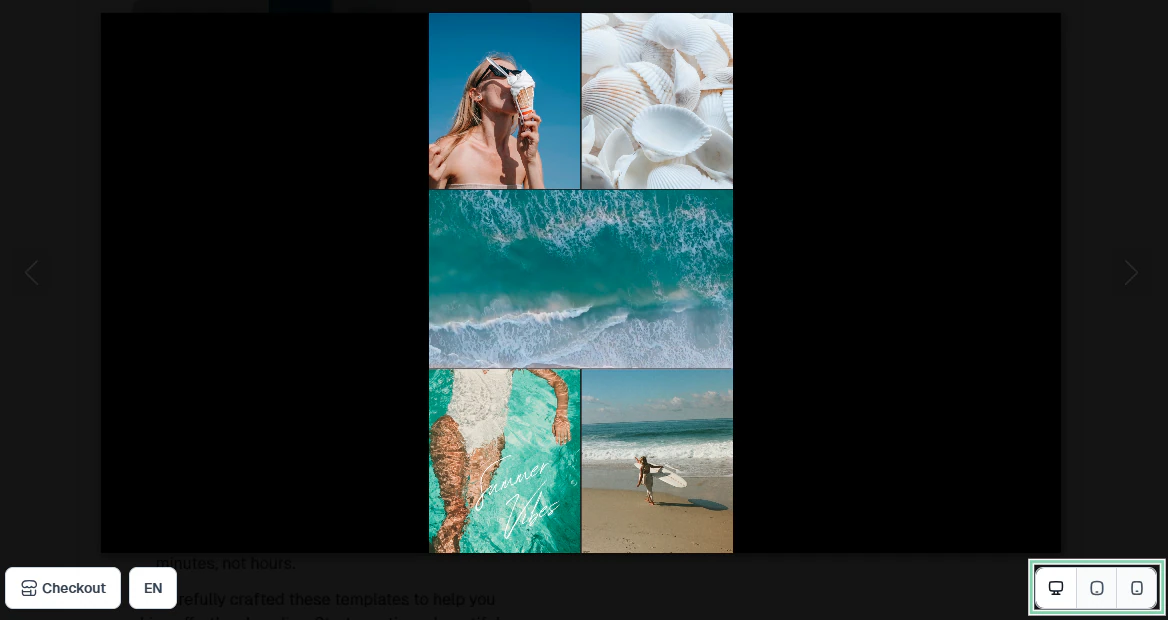
Also, pay attention to your preview images.
Your preview should show the template in action. You can do this by uploading screenshots of it.
Thankfully, with Easytools, you can do just that. You can add both images and videos showing how your template works, so users can see if it’s what they are looking for before buying.
In just a few clicks, your product is set up on your Easytools store with a shareable link you can put on any of your social media platforms.
Step 3: Set competitive pricing based on complexity and demand
Perhaps you’re thinking, “I’ll just pick a number that feels right after designing the template.” That would be a mistake.
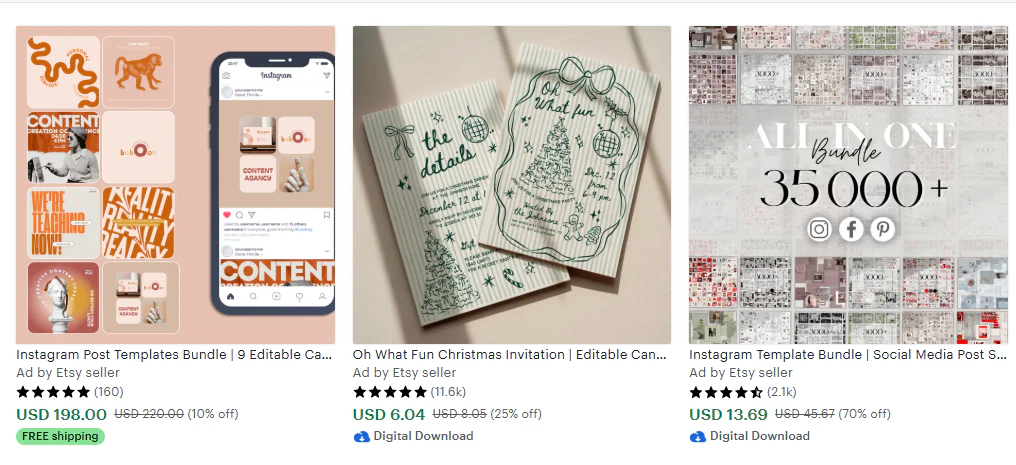
The best way to price your template is to look at what similar templates cost on marketplaces like Etsy, Creative Market, or on Canva itself.
A basic template for Instagram with 20 to 30 designs may sell between $8 and $15. More complex bundles may go for between $20 and $45 or more, and ebooks and media kits go all the way to $80 or more.
Next, think about how complex your template is. If you have spent a lot of time creating polished layouts with premium graphics, price it higher.
Buyers are paying for the time your templates save them. So don’t be afraid to price your high-quality templates higher.
Let me put it this way: if a busy entrepreneur knows they can put their brand colors into a template and get a great design in five minutes, they’ll pay for it.
Another thing you need to consider is demand. Some templates sell quickly because people need them year-round. Others are seasonal, like holiday packs and wedding invitations.
If you create high-demand templates, you can raise your prices slightly because there’s always someone searching for them.
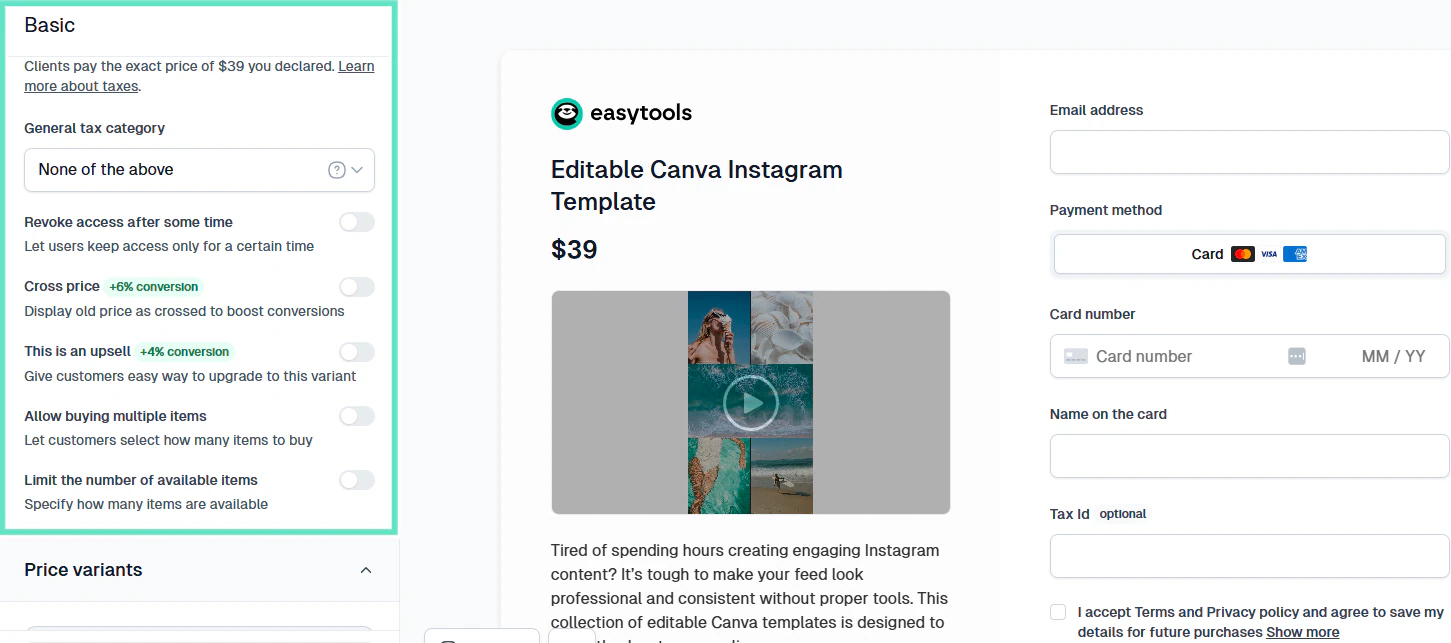
Easytools makes it easy for you to be flexible with pricing. If a template isn’t selling at $9, you can lower it to $4 and see what happens. You can even set price variants, that is, different tiers of pricing for different templates.
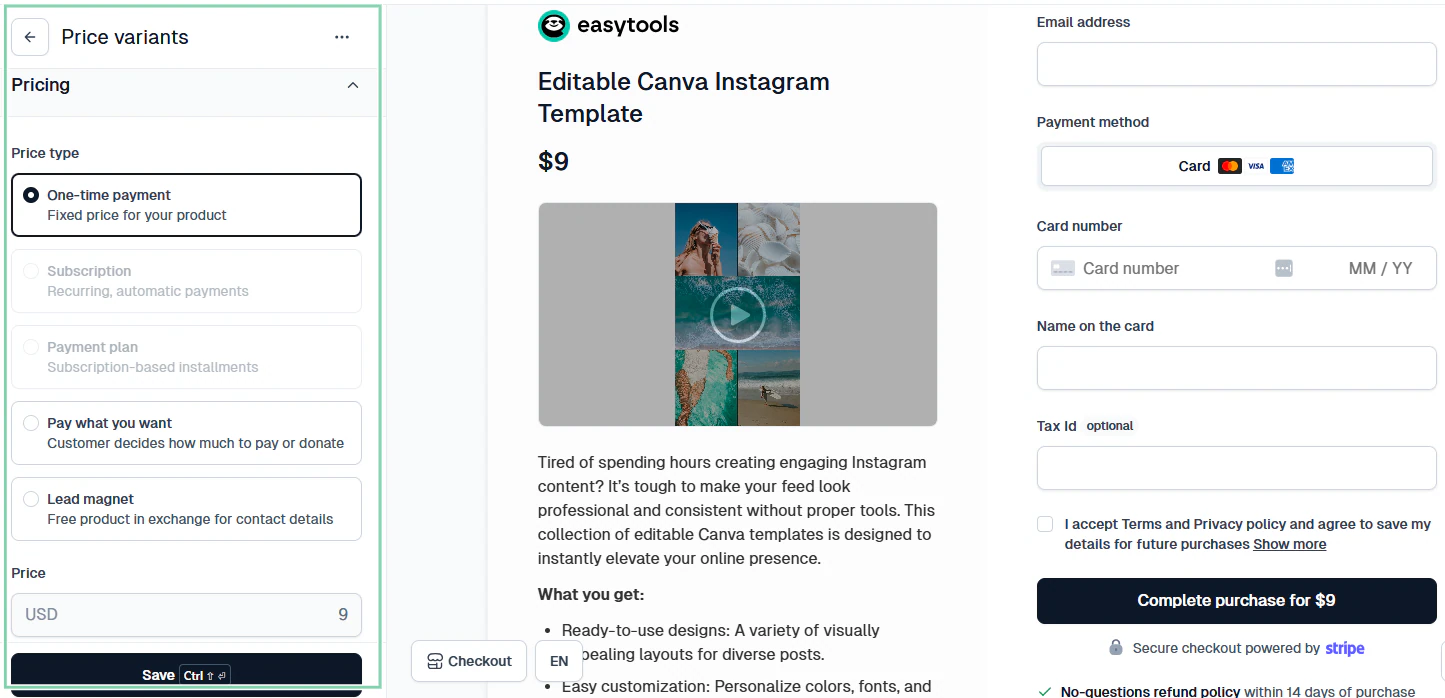
The goal is to have fair prices and provide the most value. When your templates become popular for this, your store will start to get attention.
Real tips from Canva template sellers who do this for a living
To become one of the best, you need to learn from the best.
There’s a lot of advice out there about setting good prices for your Canva templates. The smartest creators treat pricing as a strategy.
Let me share a few of these strategies with you.
Million-dollar creator Katya Varbanova of Viral Marketing Stars has a Canva-based business that has made over $1.4 million in revenue.
Her lesson is to validate your product before you create it. Katya did this by taking advantage of the audience she already had.
Instead of spending weeks designing templates and hoping people would buy, she asked her audience whether they would pay for a pack of 100 viral-style templates.
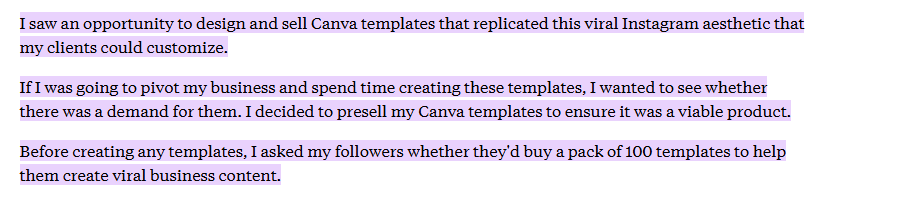
When she got a positive response, she then went ahead to create the product. And we can see that she made a lot of money as a result.
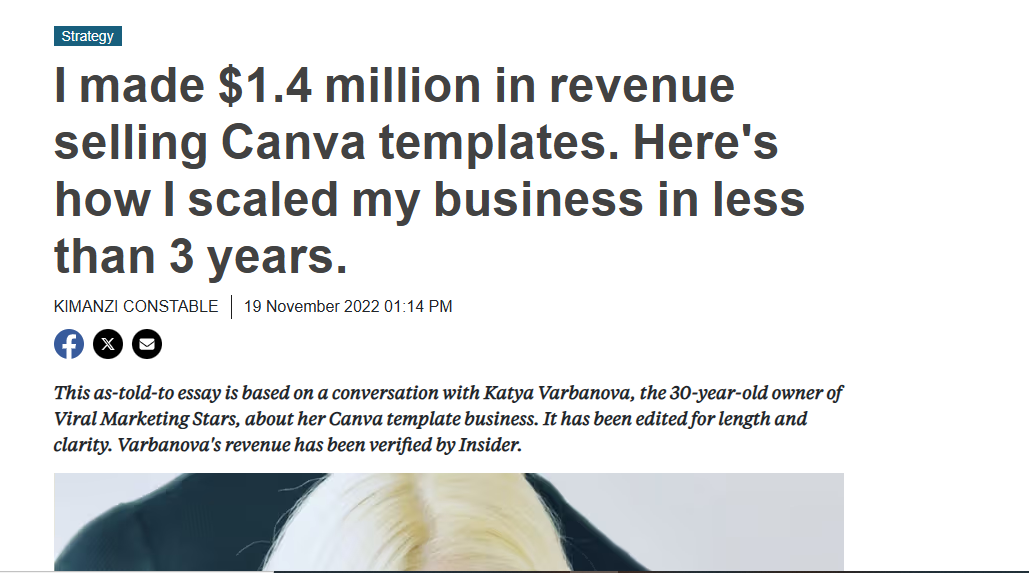
The point is, if you give people what they want, they will pay for it.
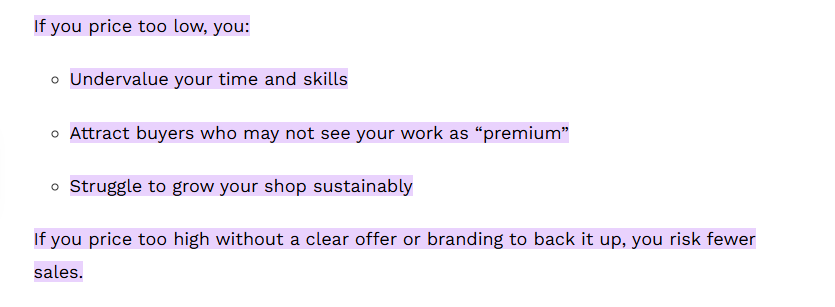
Also, don’t set very low prices, thinking it will attract buyers.
Talking about the dangers of doing this, one digital creator advises that lowering your prices undervalues your skill and causes you to attract buyers who may not appreciate the value of your work.
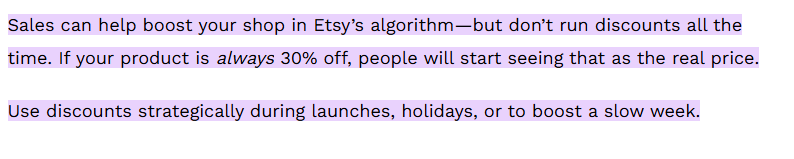
They also give helpful advice on running discounts. While discounts can be good, running them all the time will make people think that’s the real price, and they will lose their effect.
Here’s another great tip from popular Canva template seller and coach Lori Ballen.
She encourages creating several themed bundles for special occasions. This way, you’ll have templates available for every kind of need.

Lori Ballen also recommends highlighting the value of your templates, their unique features, and what sets you apart from others.
When you emphasize your quality and back it up with an undeniably high-quality template, you can set a high price.
Step 4: Promote your templates on social media, Pinterest, or email
You need a strategy to put your templates in front of the people who need them.
So you can start with your social media accounts. Instagram, Pinterest, TikTok, and YouTube are great for displaying your Canva templates.
For example, you can create short videos that show a before and after of a design, or you can create a quick time-lapse video that shows what the customer is getting. Then, put a link to your online store in the description box.
On Pinterest, you can create and post your templates, add a lot of important keywords, and most importantly, add a link back to your Easytools product page.
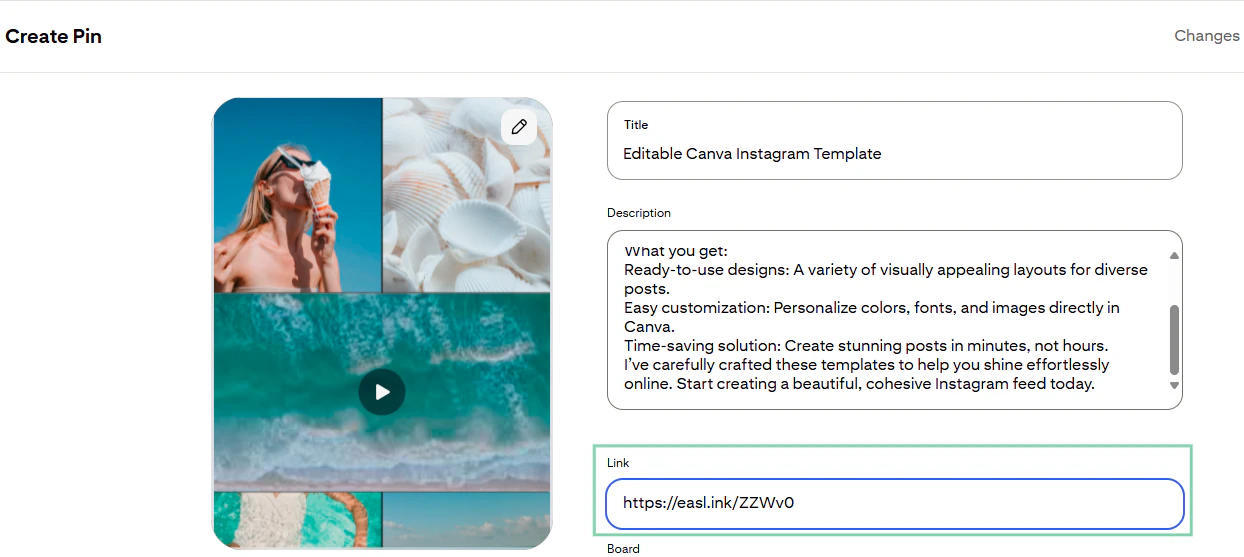
If you create niche-friendly pins like “Editable Instagram Planner Template” or “Wedding Invitation Canva Template,” Pinterest can send you free, targeted traffic without you posting daily.
And don’t overlook email marketing as a way to promote your Easytools store.
You can offer a free template or mini-pack as a lead magnet. Then send weekly emails of your new products, or any seasonal templates you design.
You can even offer discount codes to your email list with Easytools to encourage early purchases.
Step 5: Offer bundles, seasonal deals, or free samples
Another thing you can do to sell Canva templates faster is to package your templates into bundles.
People love bundles because they feel like they’re getting more value for their money.
Instead of buying one single Instagram post for $12, they are happy to buy a full social media kit that has posts, stories, and a content planner for $30.
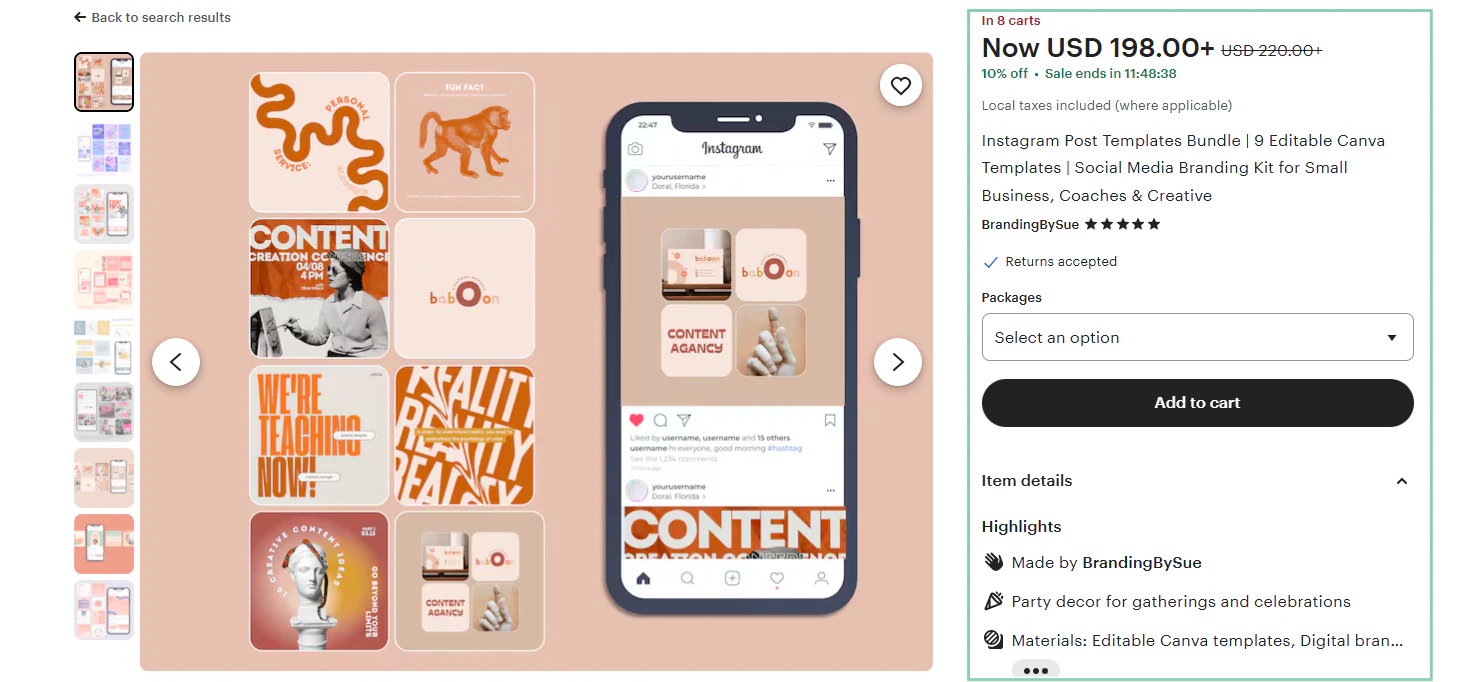
Seasonal deals work similarly, and templates about holidays or events tend to blow up quickly.
For example, in January, design planners. Everyone is writing resolutions, so that’s what they’ll need the most.
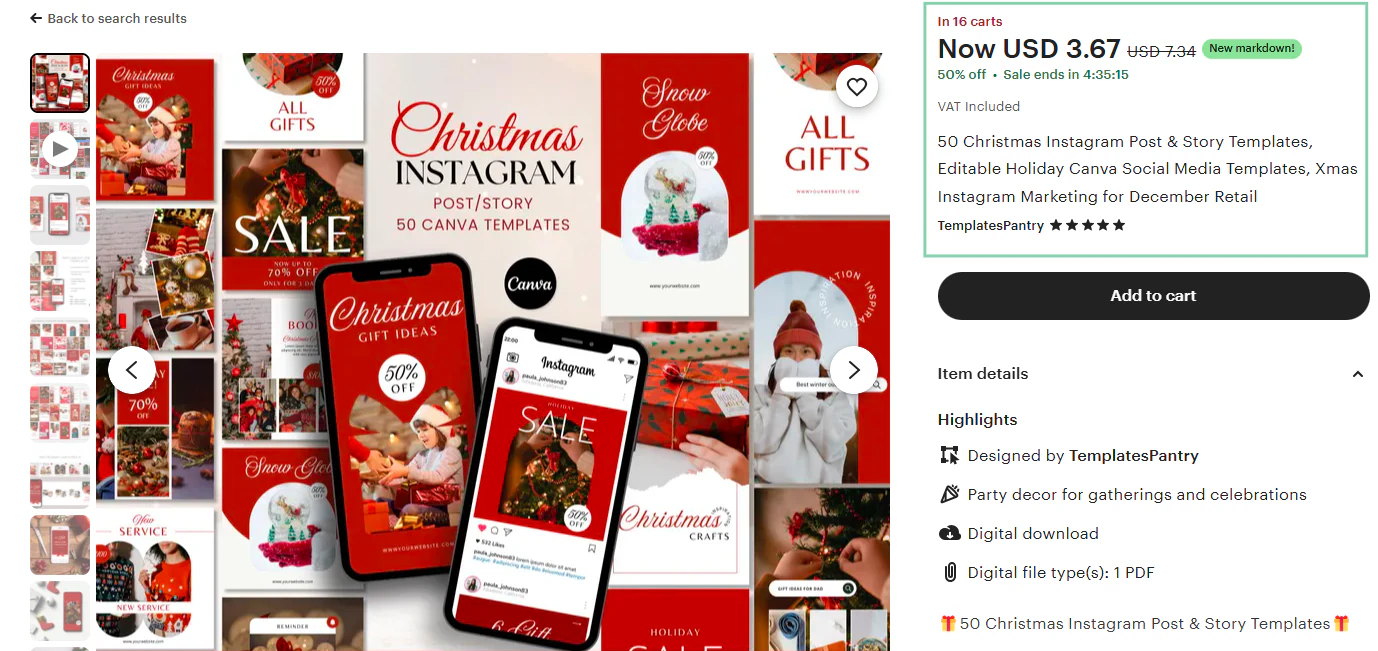
You can also run limited-time offers around these seasons to create urgency. For example, if you offer 50% off a “Holiday Content Pack” they may buy a template simply because they don’t want to miss out on the opportunity.
If you’re just starting your online store on Easytools, consider offering free samples.
Giving away one free template will not reduce your profit in any way. People love free things.
Once they download one and get a taste of the high quality you’re offering, it makes it far easier to sell your premium templates.
You can also use the free sample to build your email list.
Step 6: Collect reviews and update your templates over time
When customers start noticing your templates, the next step is to build trust. And nothing builds trust faster than real reviews.
Reviews show customers that others have bought your template and loved it. This will reassure them and make them more likely to buy.
So what’s the best way to get reviews? Ask. Don’t be shy to ask.
When a buyer downloads a template, send a friendly follow-up message asking how it worked for them and if they’ll be willing to leave feedback.
Most customers don’t mind leaving reviews. They just need a little reminder. Easytools allows you to automate follow-up messages and add a call to action on the thank-you page.
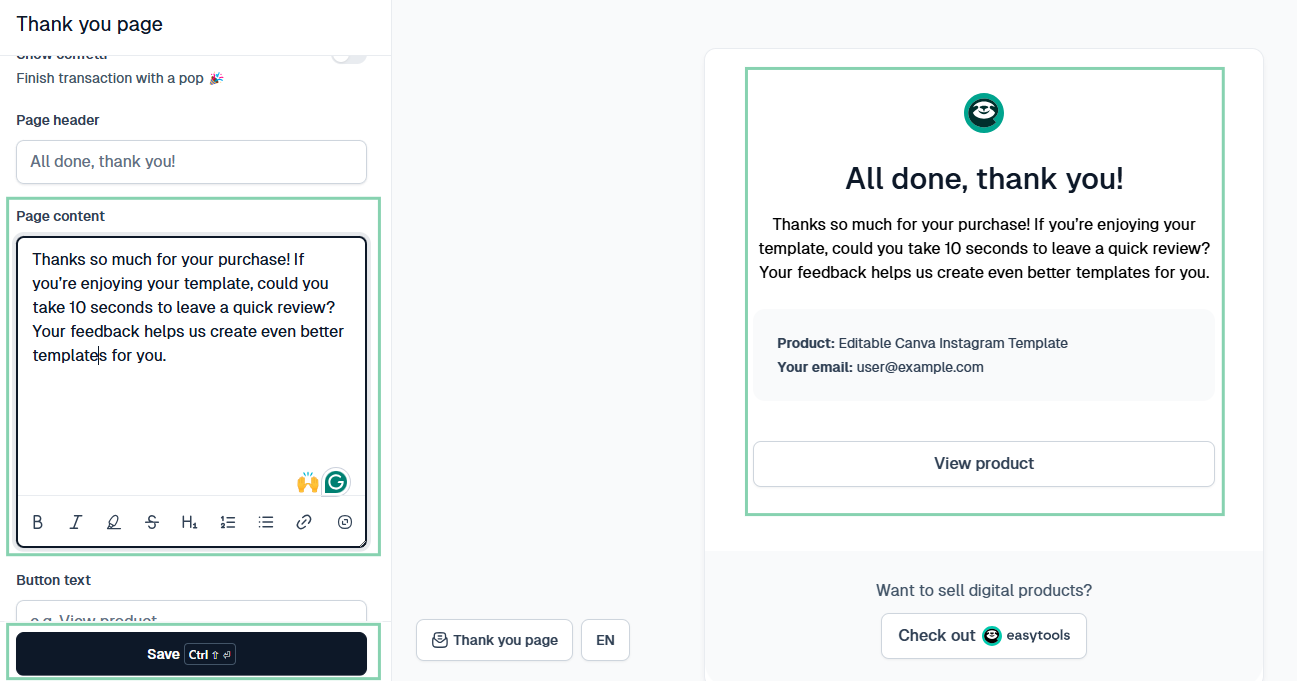
Once your reviews start coming in, you can collect them and start displaying them on your social media pages and on your website if you have one.
Even if your feedback is not entirely positive, it can help you understand what people love and what they want more of, so you can improve.
And this is why collecting reviews is only half the equation. The other half is updating your templates.
Design trends change very quickly. Canva is always adding new features, and different industries have different needs.
A template that sold well in 2022 might look quite outdated today. So update them. Small updates like cleaner fonts and modern color palettes can all make your products feel new again.
Mistakes to avoid when selling Canva templates
Like any digital product business, selling Canva templates comes with its own risks. If you’re not aware of them, you can spend hours designing templates that never sell.
We’re now in the section where I take you through five of the most common mistakes Canva template sellers can make:
- Creating overly complicated templates that confuse buyers
- Using copyrighted photos or design elements
- Not researching what people actually want
- Poor-quality mockups or unclear instructions
- Pricing without understanding competition
Creating overly complicated templates that confuse buyers
Don’t fall into the trap of over-designing your templates.
Sometimes you may think adding more elements, colors, pages, and layouts will make your product look better.
People buy templates because they want to save time. Don’t let your customers have to spend 20 minutes trying to figure out which layer does what.
If you want proof that you don’t need to over-design to make serious money, consider Katya Varbanova.
She built a Canva template business that generated $1.4 million in revenue in less than 3 years.
And her model is to create simple, viral-style, easily customizable Canva templates.
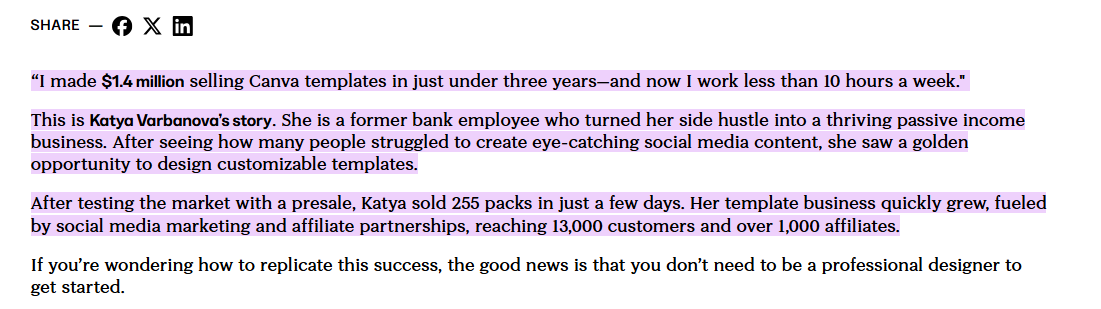
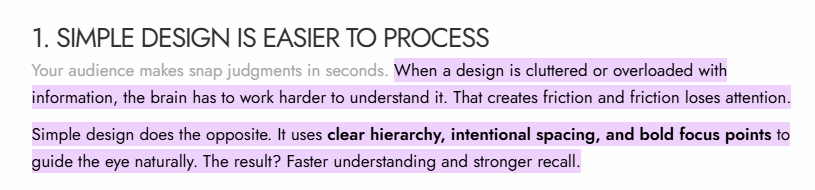
The article, The Art of Simplicity: Why Less Design Sells More, explains the concept this way.
Overloaded or cluttered designs are hard on the brain. Simpler designs are easier to process.
So here’s a little tip from me.
Before finalizing a template, ask yourself if someone can edit it in under five minutes. You can test this by asking about five of your friends to edit the template.
If after five minutes they still can’t figure it out, simplify it.
Using copyrighted photos or design elements
Many beginners use Canva images and licensed graphics in their templates because Canva allows them to.
However, what Canva allows you to design is not the same as what Canva allows you to resell.
Templates with Pro elements, stock photography with restricted licenses, copyrighted images, and trademarked content can violate copyright and intellectual property laws when they are uploaded to a marketplace like Etsy or Creative Market.
This issue has become very common among people who sell Canva templates.
According to Etsy’s 2024 Transparency Report, 59% of all intellectual property takedowns were due to copyright issues.
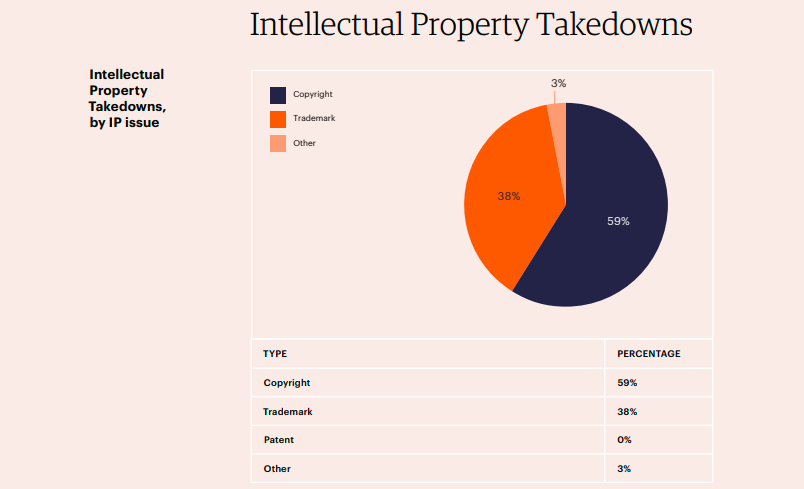
Your shop may end up getting removed, or you may receive a request to provide proof of licensing.
To avoid these issues, stick with 100% free for commercial use elements in your templates.
You can do this by using placeholder image frames instead of actual photos. So you’ll have neutral gray boxes labeled, “Insert your photo here”.
This way, the template is fully editable and legal.
You can either do this or keep a personal licensing folder where you save receipts, screenshots, and proof of any graphics you’ve bought or downloaded. So whenever you receive a request for verification, you’ll be prepared.
Not researching what people actually want
One of the fastest ways to waste your time is by designing templates that will never sell. You need to identify trends and follow them.
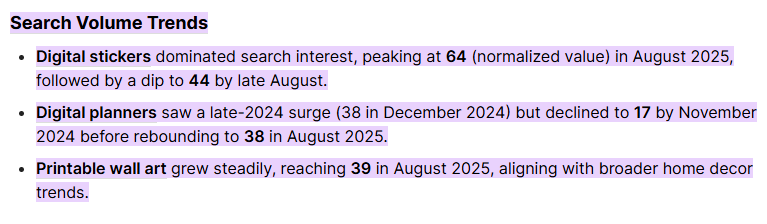
For example, Etsy’s public search results show real sales numbers. Data firms like Alura and EverBee regularly report that Instagram post templates and business planners often rank among the highest-earning digital products.
Canva’s trending section highlights which template styles are getting the most attention, often weeks before they appear in Etsy’s top sellers.
When you combine these sources, what’s trending on Canva, what’s selling on Etsy, and what’s taking off on Pinterest, you can sell Canva templates people actually want.
Poor-quality mockups or unclear instructions
Your mockup is very important because it shows what your template will look like in use. It is the best way for your customers to imagine the final product.
And there’s a lot of research that shows that having high-quality mockups means that more people are likely to buy your template.
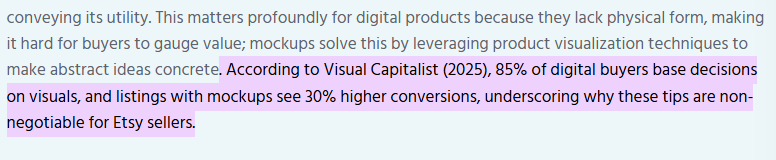
85% of buyers of digital products base their decisions on visuals, with listings with mockups having 30% higher conversion rate.
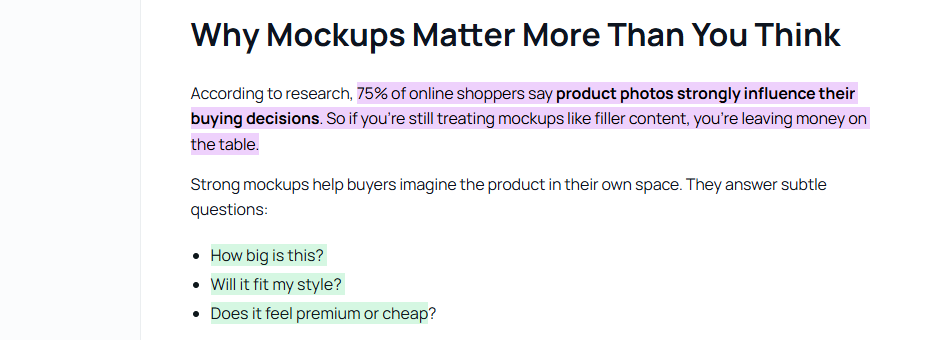
Also, 75% of online shoppers report that product photos strongly influence whether they buy or not.
The point is, to sell Canva templates, you need good mockups.
I’ll give you a tip to create high-quality mockups.
Make sure your templates are very clean and realistic. Keep the background effects and objects minimal. This way, the focus stays on the design.
Another thing is, even the most well-designed template will frustrate your customers if they don’t know how to edit it.
Adding a simple one-page “How to Use This Template” guide or a 60-second Loom video can reduce support requests.
Pricing without understanding competition
You will not be able to sell Canva templates if you price your product blindly without checking what similar sellers are charging.
If your price is too low, you communicate that your product is low-value. If your price is too high without justification, buyers will choose a competitor they trust more.
To be a successful template seller, you must study your competition.
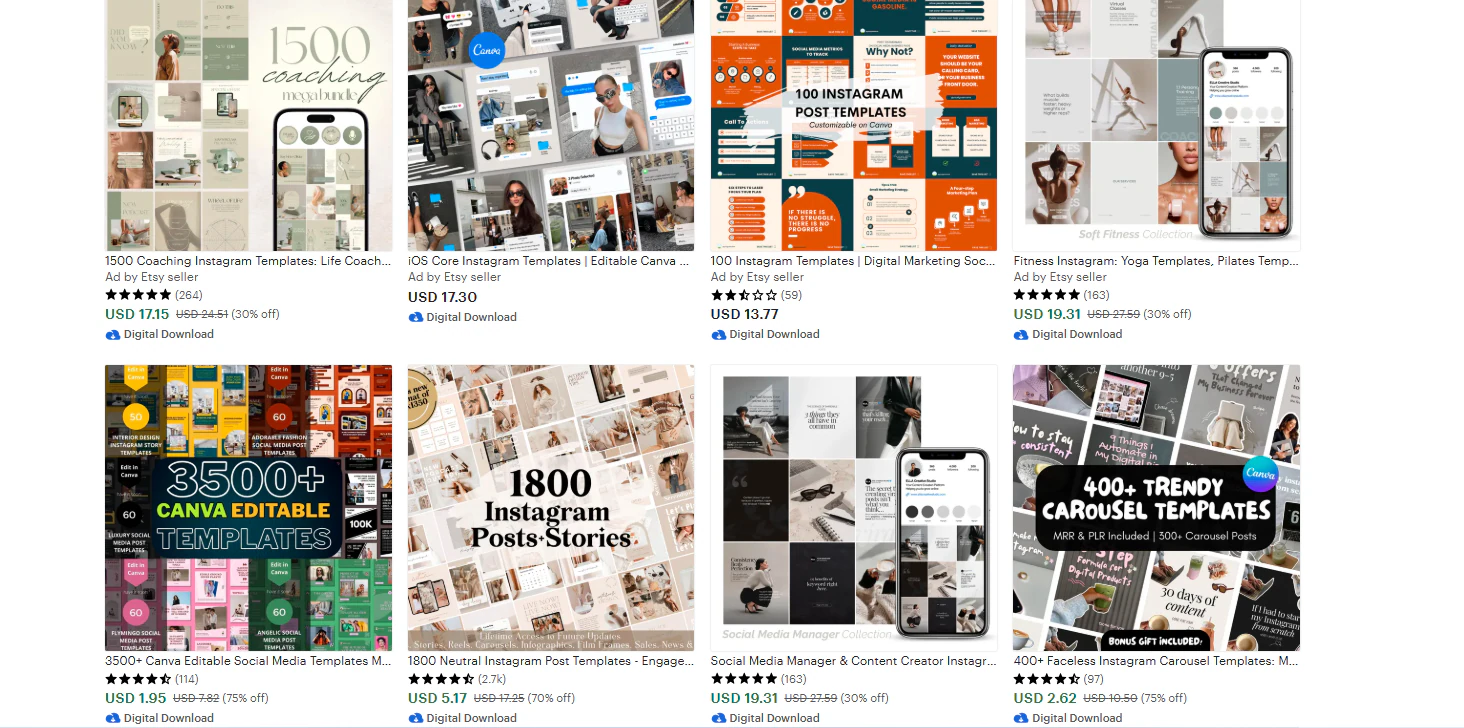
Product London recommends pricing most individual Canva templates on Etsy at around $10–$15, adjusting higher for bundles and complex designs.
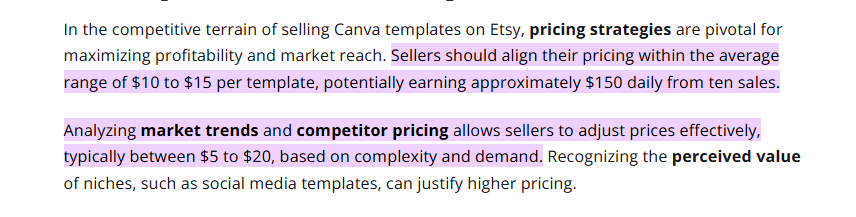
A real case study supports this. Jenna, a YouTuber who sells Canva templates successfully, says she studied the prices of other top sellers before setting her own.
Jenna noticed that most solo Canva template packs on Etsy were selling for around $10–$15, which is a common price range
She bundled her social media templates, including Instagram, Pinterest, and Facebook, and priced the bundle at $25. This made her customers feel like it was a much better deal than buying each pack separately for $10.
Her bundle became more attractive and brought her more sales.

When you skip this step and set prices without checking out the competition, you risk undervaluing your work. Or on the flip side, scaring away buyers.
Sell your Canva templates
I have now taken you through how to sell Canva templates. You now know all the steps to having a successful Canva template shop.
You also know how easy it is to set up your own page and launch template sales on Easytools.
At this point, all that’s left is for you to start. Change your mindset if you think this could never work. It might very well be your key to becoming a millionaire!
So choose your first template idea and set up your store. If you take the first step today, your digital store can blow up faster than you think.