
Email campaigns
Create and send emails, target audiences using live sales data, and track the revenue generated by every campaign inside Easytools.
- Build clean emails with a focused visual editor and reusable themes.
- Target people by purchases, order dates, spend, promo codes, and subscriptions.
- Connect every campaign to the revenue it generates.
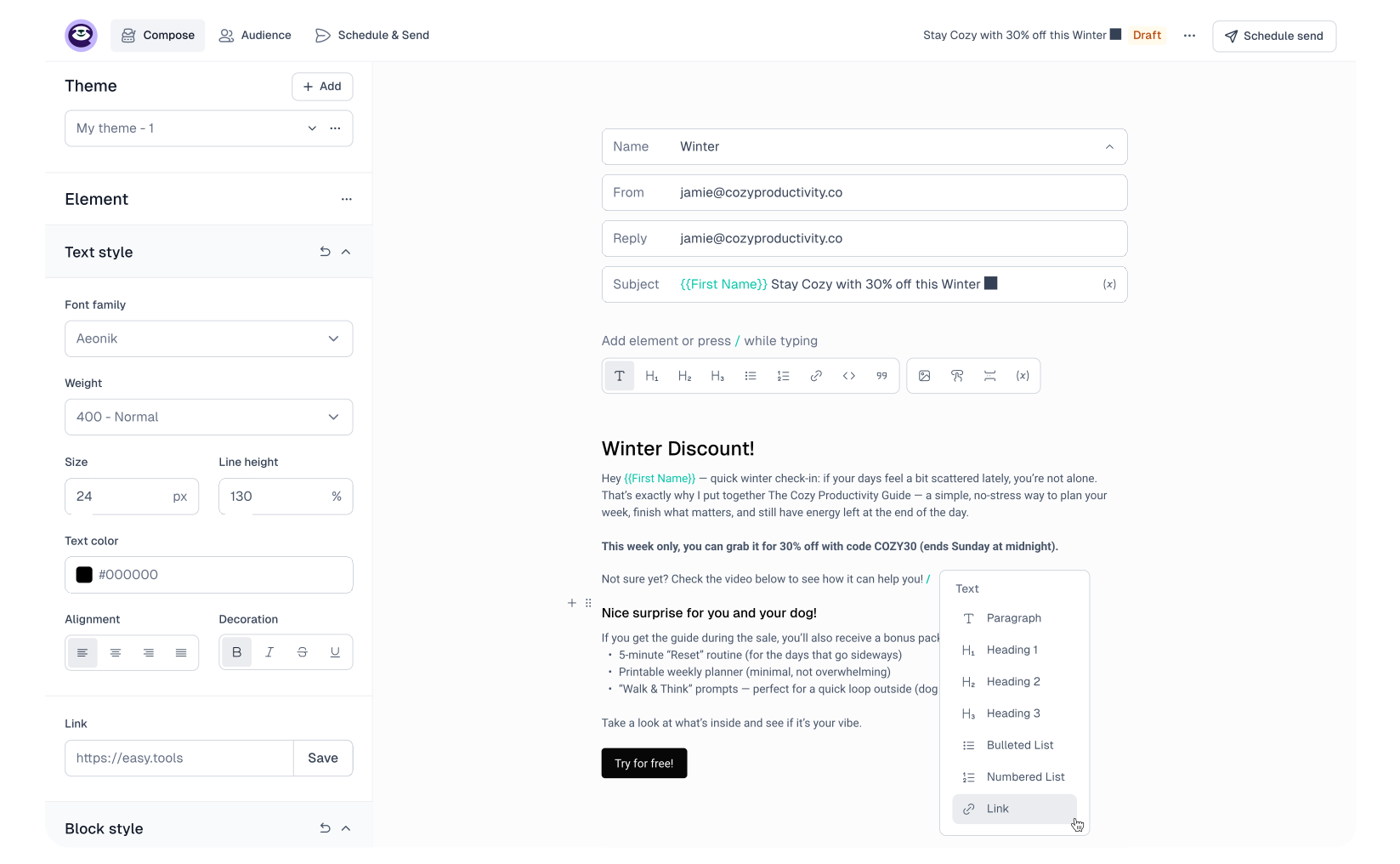
Create emails without fighting the editor
Write and format content, add links, images, and buttons, and reuse themes for a consistent look. Easymail keeps the editor focused on the elements you need to build and send a campaign quickly.
Target audiences using real sales data
Segment contacts by first or last purchase date, total orders, total spend, a promo code they used, or their current subscription plan. Because Easymail and Easytools share the same customer data, these audiences stay synchronized without exports.
See what each campaign earns
Add an Easytools checkout or website link to your message and revenue tracking connects resulting sales to the campaign automatically. You can compare results without maintaining extra tags or a separate attribution workflow.
Keep selling and email in one place
Your contacts, audiences, messages, products, and revenue data live in the same Easytools account. That means fewer integrations to maintain and a shorter path from an idea to a sent campaign.
Resources
Learn from our resources

Product

Product updates
FAQ
Here’s what we’re being asked
Have any questions about Easytools? Feel free to browse our list of frequently asked questions below or just drop us a line, we're always here and ready to lend a hand.
Can I integrate Easytools with my existing tool stack?
Absolutely! We’re continually expanding our list of native integrations because we believe that using tools you’re familiar with makes your work faster and easier. And if a tool isn’t on our integration list yet, no worries! You can always send your data from Easytools to a webhook and set up advanced automations or integrations using Make or Zapier.
What kind of support do you offer?
You can reach us via chat and email (and book a call when you need it). You also get access to our knowledge base, onboarding help, and weekly sessions - plus a creator community if you want to connect with others.
Take it easy with Easytools
Focus on creating, and let Easytools handle the behind the scenes work.
No coding · No credit card required · Built on Stripe