
Scheduled course content
Prepare courses and lessons in advance, schedule their release, and choose how locked content appears before it goes live.
- Schedule a launch date for a course, module, lesson, or file.
- Show a countdown page or redirect visitors before a course launches.
- Hide upcoming lessons or show them as locked with a countdown.
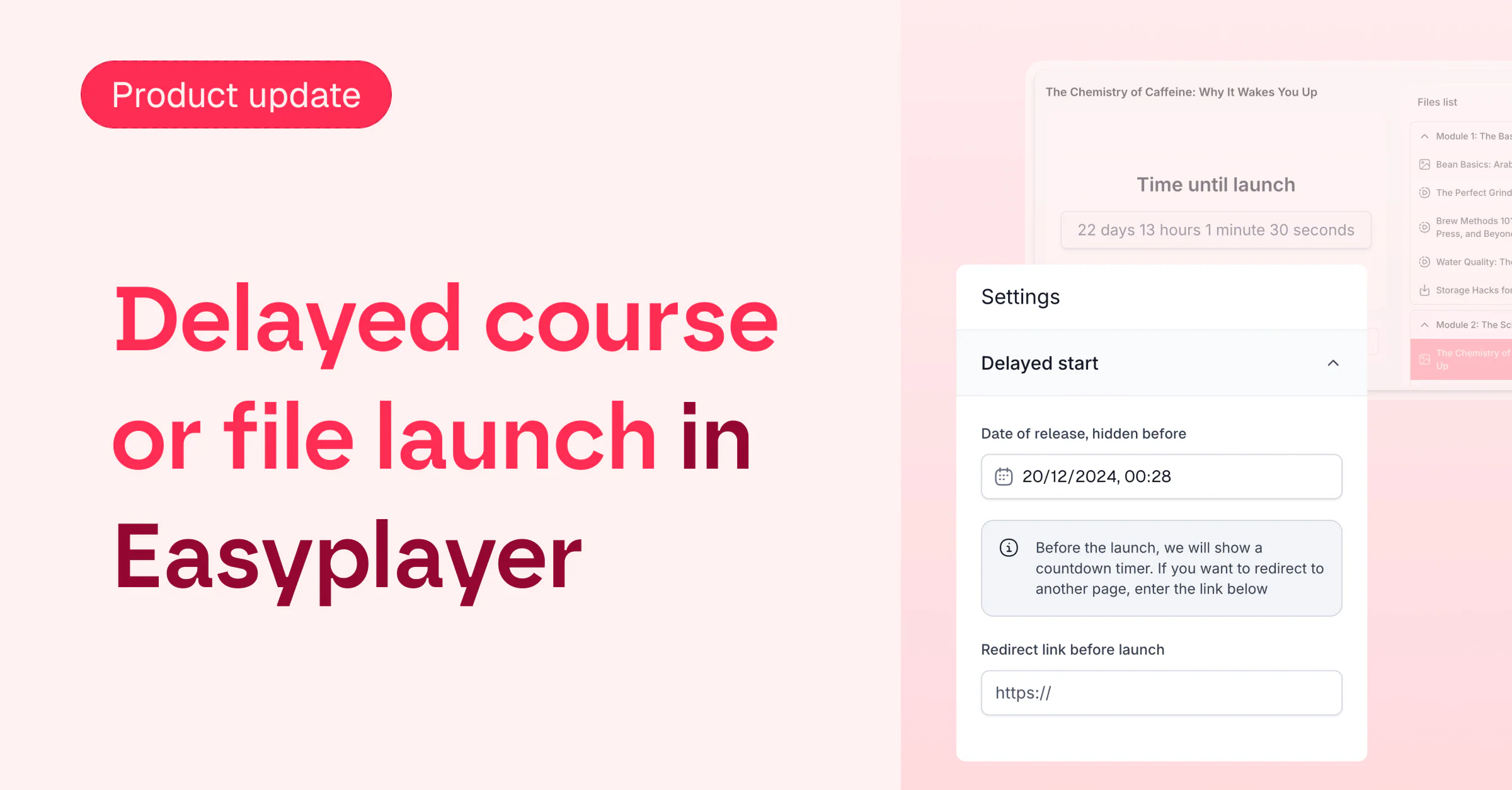
Prepare the full experience before launch
Build a course, lesson, module, or file ahead of time and choose the exact date when it becomes available. You can finish setup and promotion early without exposing content before you are ready.
Choose the pre-launch experience
For a full course, keep the content unavailable behind a countdown page or send visitors to another URL until launch. This creates a clear destination for early buyers while protecting the material.
Reveal lessons on your schedule
For an individual lesson, module, or file, either hide it from the list or leave it visible in a locked state with its own countdown. Students can understand what is coming next without receiving access early.
Resources
Learn from our resources

Product

Product updates
FAQ
Here’s what we’re being asked
Have any questions about Easytools? Feel free to browse our list of frequently asked questions below or just drop us a line, we're always here and ready to lend a hand.
Can I integrate Easytools with my existing tool stack?
Absolutely! We’re continually expanding our list of native integrations because we believe that using tools you’re familiar with makes your work faster and easier. And if a tool isn’t on our integration list yet, no worries! You can always send your data from Easytools to a webhook and set up advanced automations or integrations using Make or Zapier.
What kind of support do you offer?
You can reach us via chat and email (and book a call when you need it). You also get access to our knowledge base, onboarding help, and weekly sessions - plus a creator community if you want to connect with others.
Take it easy with Easytools
Focus on creating, and let Easytools handle the behind the scenes work.
No coding · No credit card required · Built on Stripe