
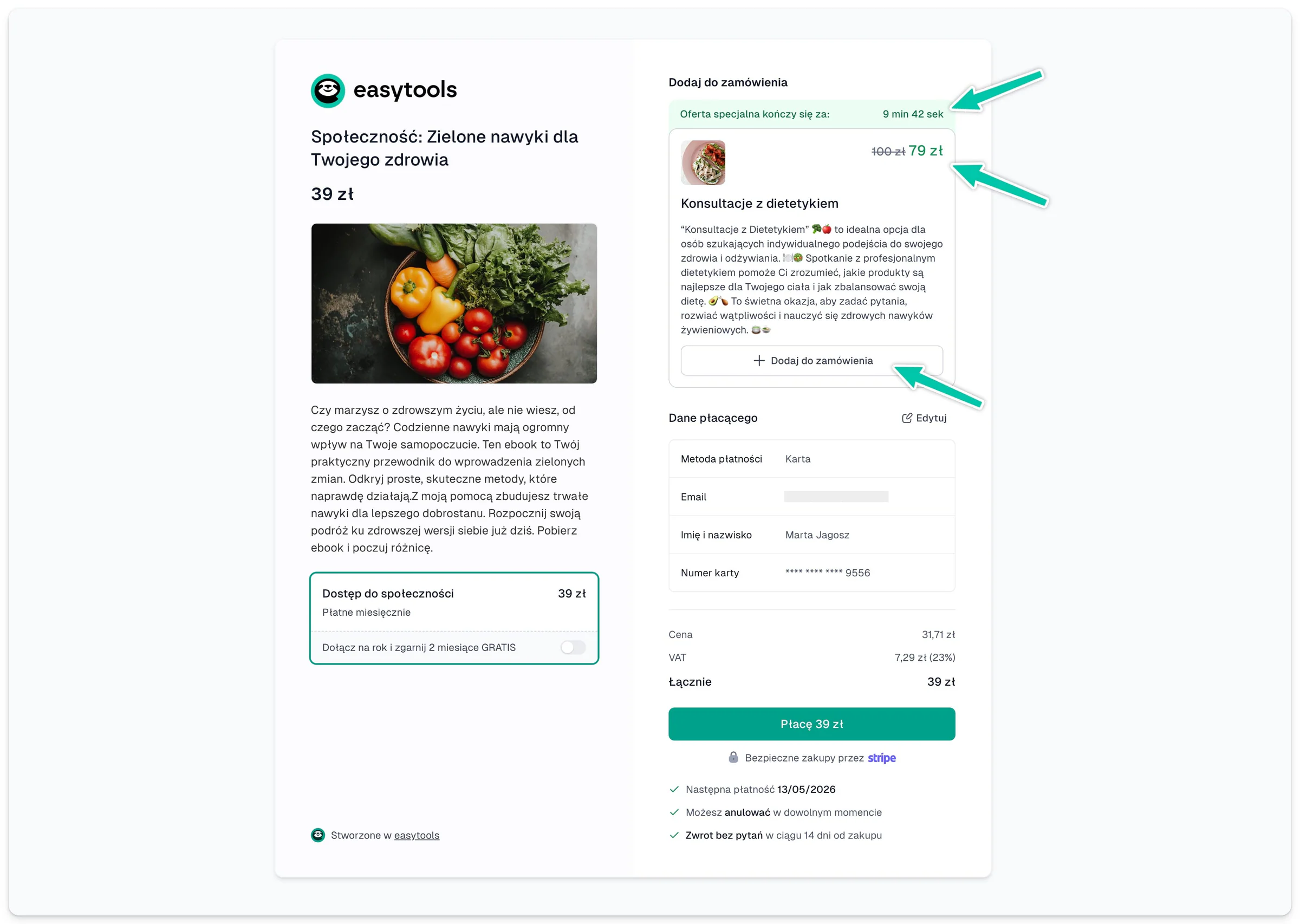
Add an order bump
- Open the product builder.
- Choose Add-ons → Order bumps.
- Click + Add.
- Pick the complementary product and its one-off price variant.
- Add a short description and, if you want, a promotion and a countdown.
- Save and check the checkout.
Add an offer after the purchase
- Go to Add-ons → Cross-sell.
- Click + Add.
- Pick the product on offer and its price variant.
- Set the title, the description, how long it is valid and any discount.
- Decide whether the offer should also go into the email.
The product in an order bump has to use the same currency as the main offer, and the extra variant has to be one-off. Do not bolt on an offer that makes the main purchase harder to understand.