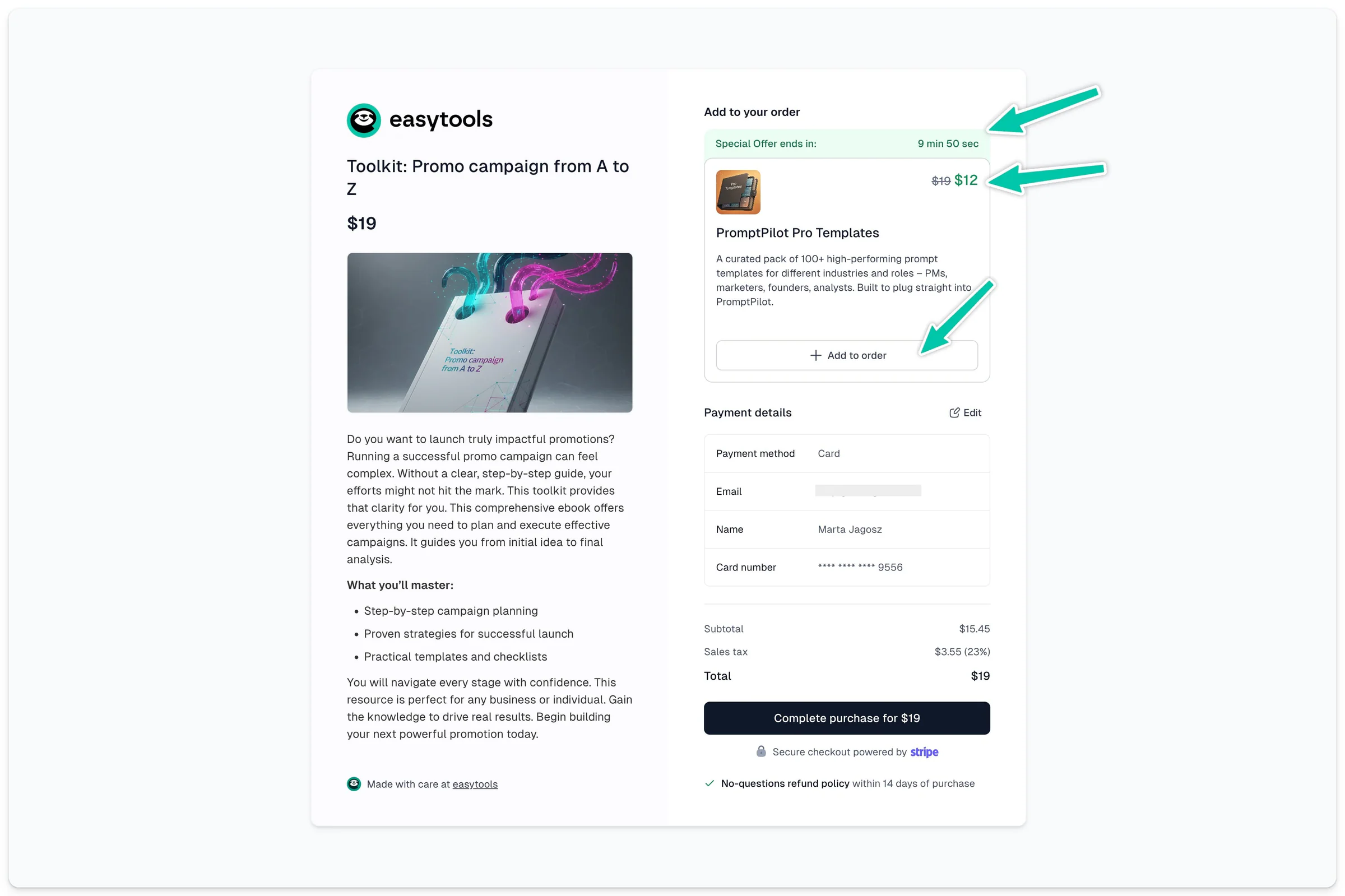
Easytools allows you to offer complementary products (order bumps) directly in the cart - even before the purchase is finalized.
Simply choose the product you want to promote, and we will automatically display it to the customer at the right moment when they are making their purchase decision.
Creating an Order Bump offer
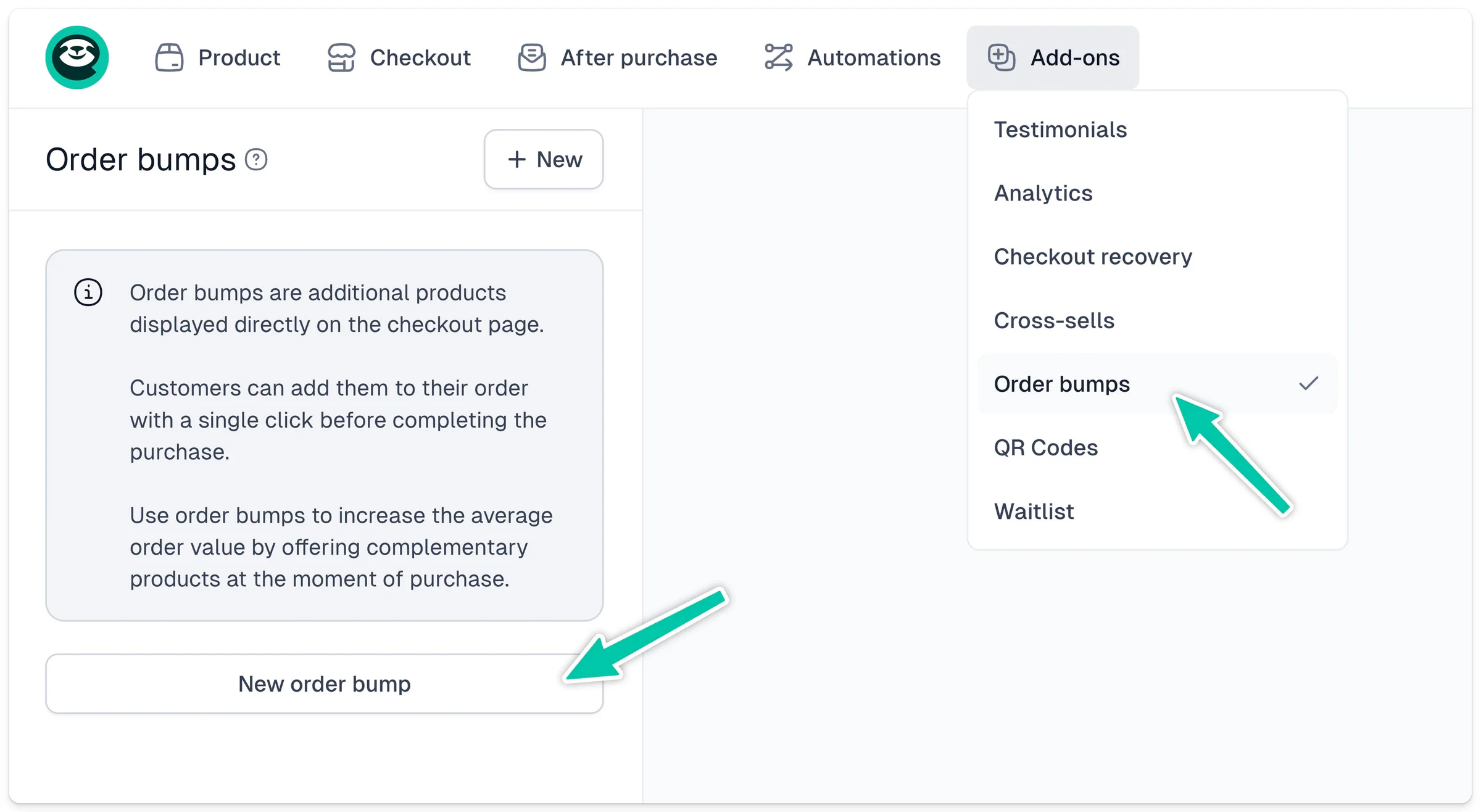
To add a cross-sell offer, open the cart configurator and select Add-ons → Order bumps from the top menu. Then click + Add.
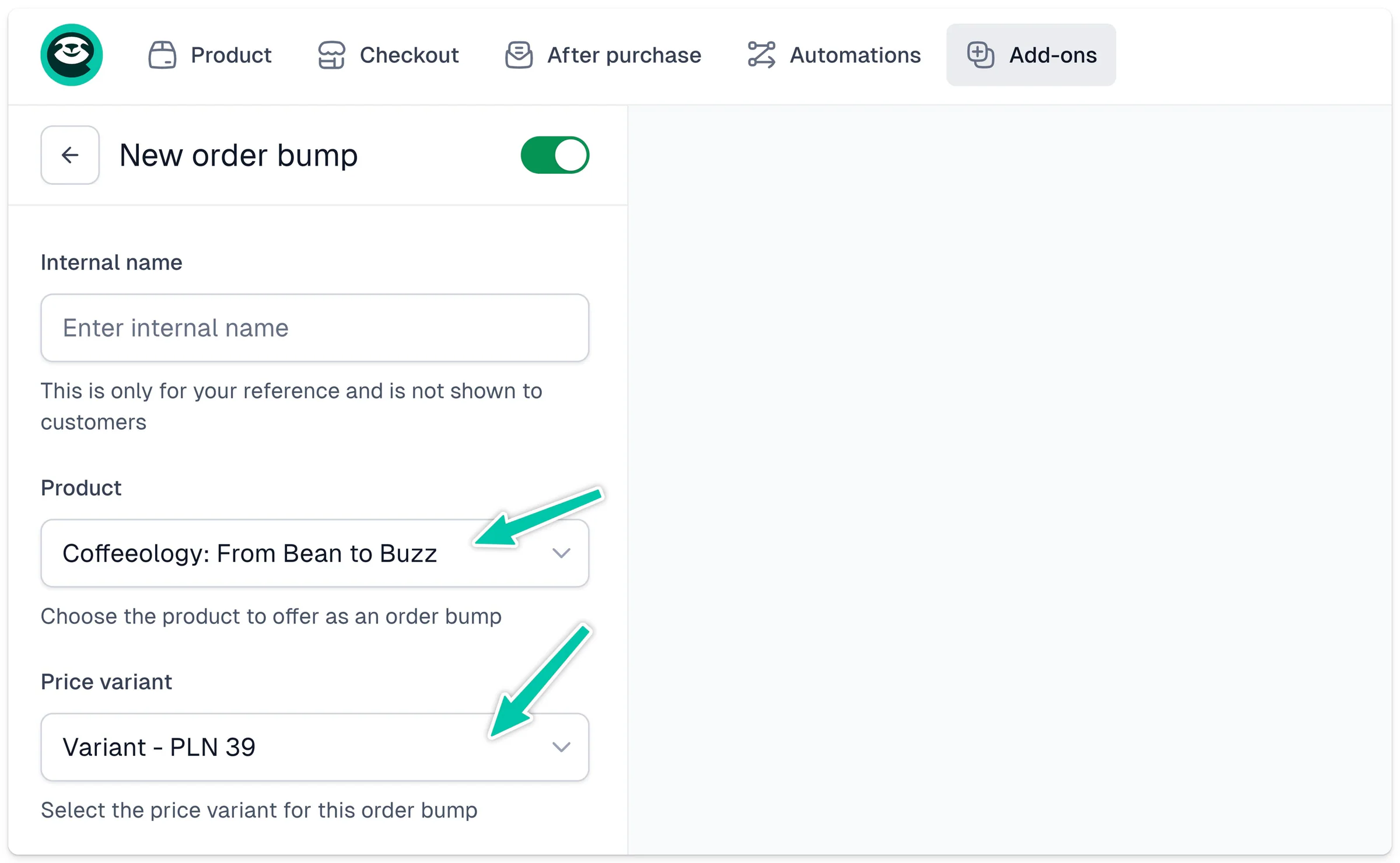
Next, choose the product and pricing variant you want to add to the cart.
The next steps are:
- Select the offer display type. You can choose a version with a larger thumbnail, a compact version, or a version with a countdown timer.
- Edit the texts. You can override the product title and description.
- Set a custom price. The original price will be crossed out.
Finally, confirm your changes by clicking Save and publish the cart.
Add as many Order Bumps as you like. Each bump has to be in the same currency as your main product, and it must be a one-time purchase (not a subscription).