The Custom AI Section lets you generate your own HTML content using artificial intelligence - all you need to do is describe in plain text what you want to create. It’s a great solution for building more complex layouts and rich content that automatically adapts to the look and feel of your project.
When should you use the Custom AI section?
The Custom AI section is especially useful when:
- you want to create a layout that can’t be built with standard blocks,
- you need richer content with a custom style,
- you want the content to perfectly match your project’s colors, fonts, and spacing.
How to create a Custom AI section
- Go to your project in Easypage and open Sites → Websites.
- Click + New Section.
- Select Custom with AI.
- Click one of the available templates, then drag and drop it onto the canvas.
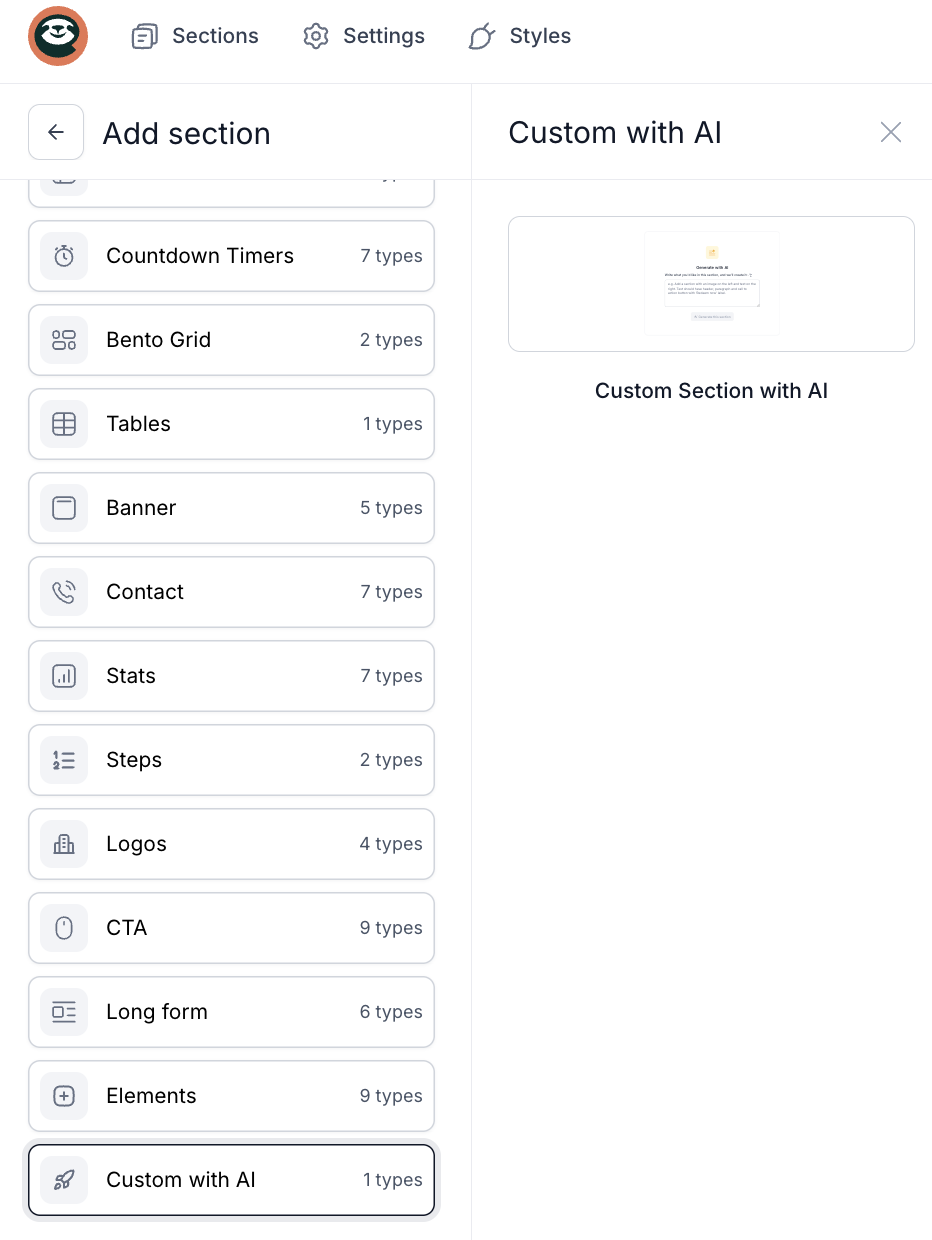
Generating content in the preview
When the section is empty, you can generate content directly in the page preview:
- Describe what you want to place in the section (for example: content, layout, or structure).
- Click Generate this section.
- You can stop the generation at any time by clicking Stop generation.
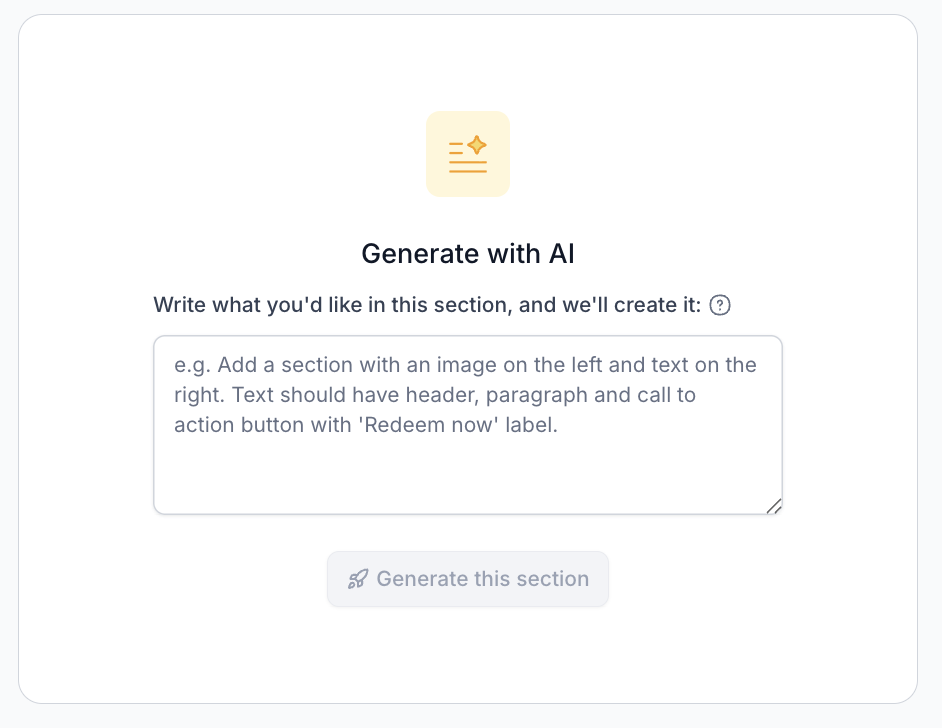
Content is generated in the background, so you can continue editing other sections at the same time.
Section editing settings
Content tab
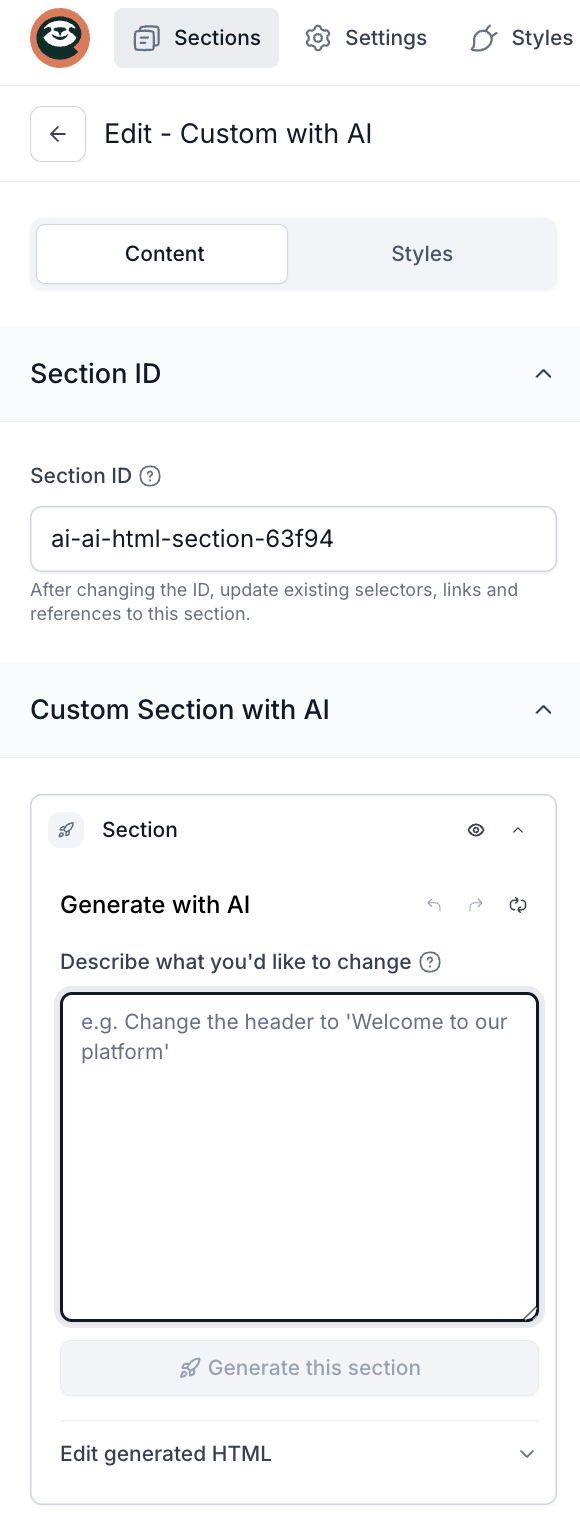
In the Content tab, you have full control over the generated HTML:
- Generate with AI - describe the changes you want to apply to the existing section.
- Undo / Redo - easily return to previous versions of generated content.
- Reset - clear the entire HTML content and start from scratch.
- HTML Editor - manually edit the generated code (JavaScript scripts are not executed in this section).
Styles tab
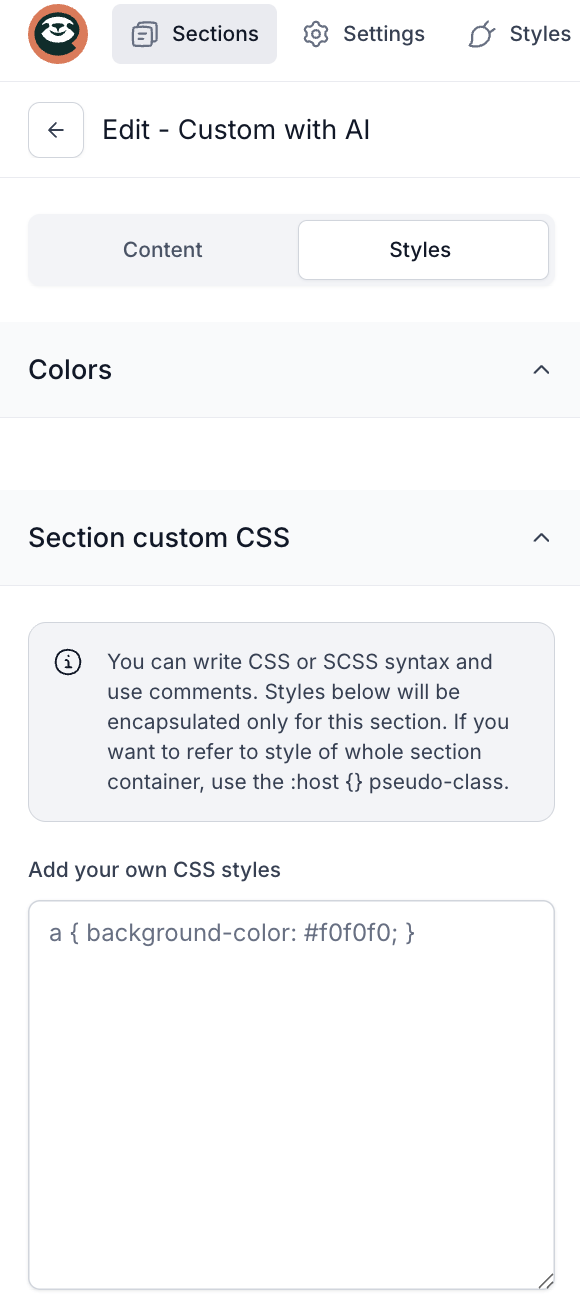
In the Styles tab, you can:
- add your own custom CSS styles,
- adjust the section’s appearance independently from the rest of the project.
How does AI work in this section?
- AI understands the content you already have and updates it based on your description.
- Generated content automatically follows your theme settings (colors, fonts, spacing).
- Any changes to the theme are instantly reflected in the section, without the need to rebuild it.
Convenience and security
- Content is generated in the background, so your work is never interrupted.
- You have access to generation history and easy undo options.
- All content is safe - scripts are not executed and the code is automatically sanitized.