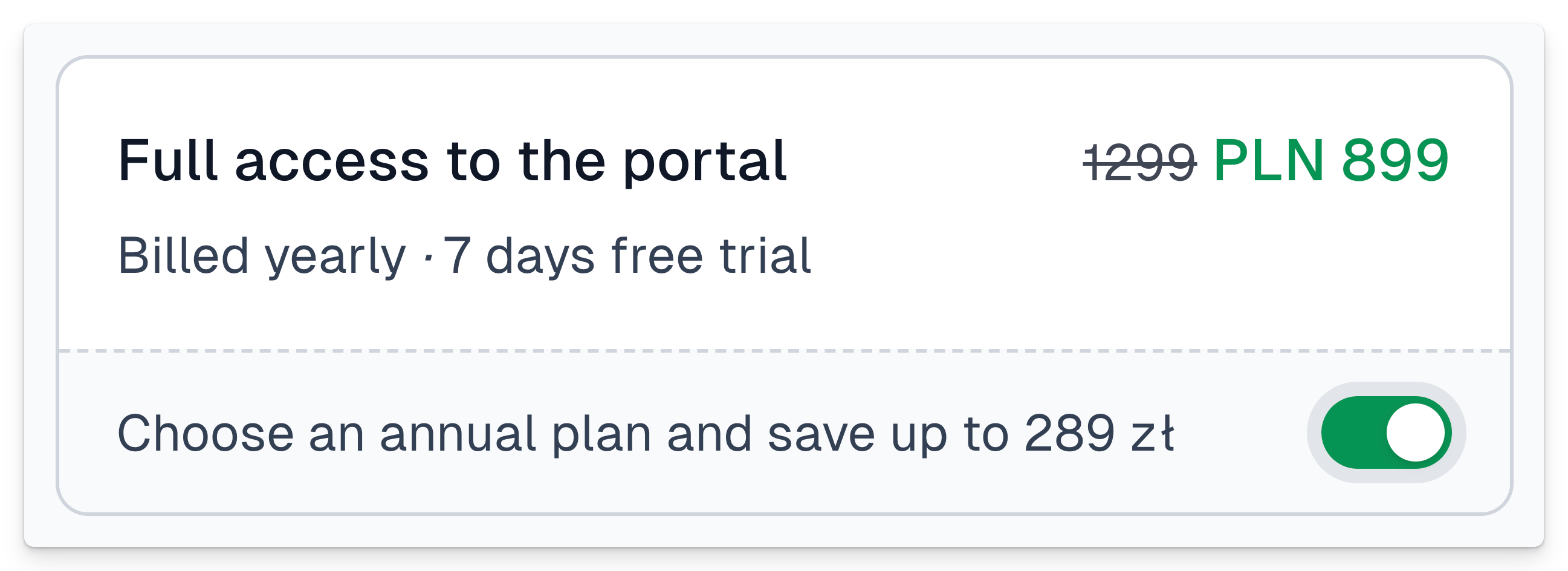
The upsell feature in Easycart allows you to link two product variants and display them in the checkout on a single tile.
This enables users to immediately see another related product variant, such as a longer subscription period.
As a result, you can achieve this product display effect in the checkout:
Configuring upsell variant
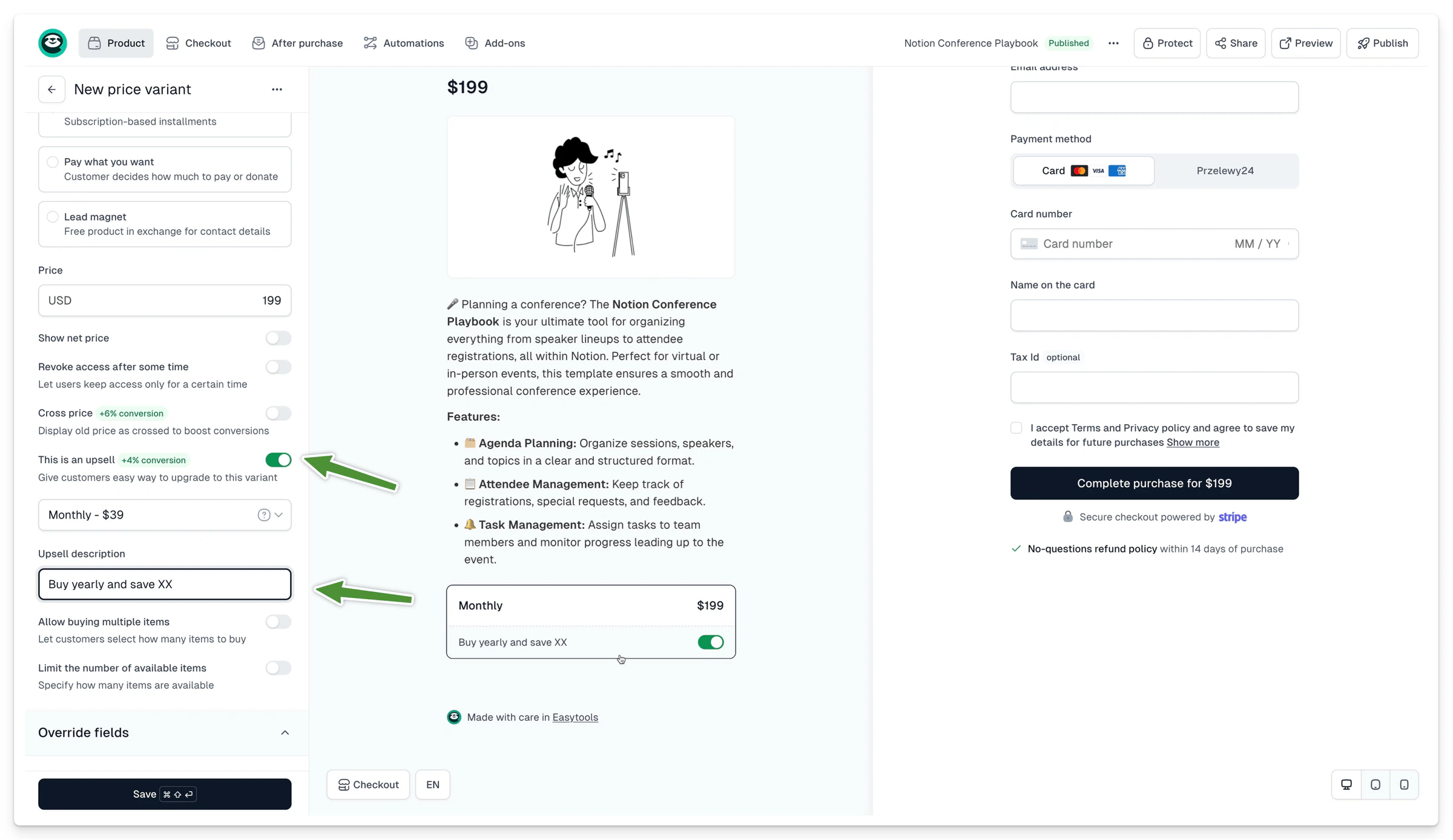
To add an upsell option to your checkout:
- Ensure that at least two different variants are assigned to your product
- Go to Product → Basic, then click This is an upsell
- Select the variants you want to link together
- Add a description in the Upsell description section
After selecting the variant to be offered as an upsell, you will see how the linked products will appear in Preview mode. Once you publish the checkout, users will be able to select the additional offered variant by clicking the toggle.
Multiple upsells
Similarly, you can assign multiple upsells to a single pricing variant by using the + Add Another Upsell button. To enable this option, you must have at least 3 active pricing variants for the product. When multiple upsells are configured, the customer can select only one of them. For this reason, upsells should be structured progressively, with each option representing an extended version of the previous one.
Example structure:
- Ebook Standard
- Ebook Standard + Add-ons
- Ebook Standard + Add-ons + Consultation
This approach allows customers to choose the package that best fits their needs while keeping the offer clear and easy to understand.