If you sell tickets to live events, Easytools can generate a unique QR code for every order. The customer gets the code by email and in their customer portal, and you scan it at the door to check who can come in.
Turn on QR codes for a product
- Go to Store → Products and open the product you sell tickets for.
- Open the Add-ons tab and choose QR Codes.
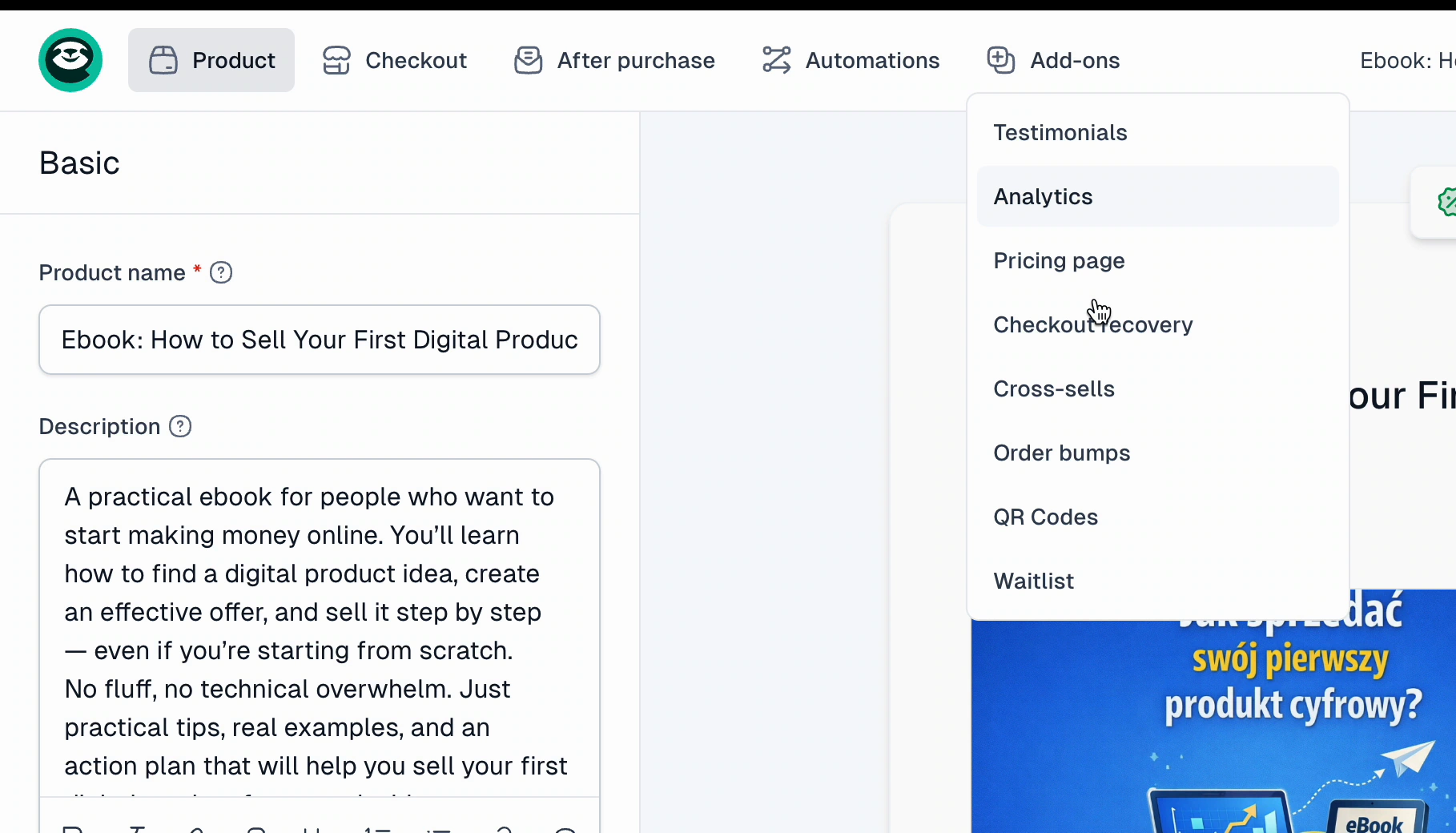
- Turn on Enable QR codes. From now on, each purchase creates a new QR code.
- Optionally, add a short note in the Information for customer field - it shows up in the confirmation email and the customer portal (for example, “Show this code at the reception desk”).
- Click Save, then Publish so the change goes live.
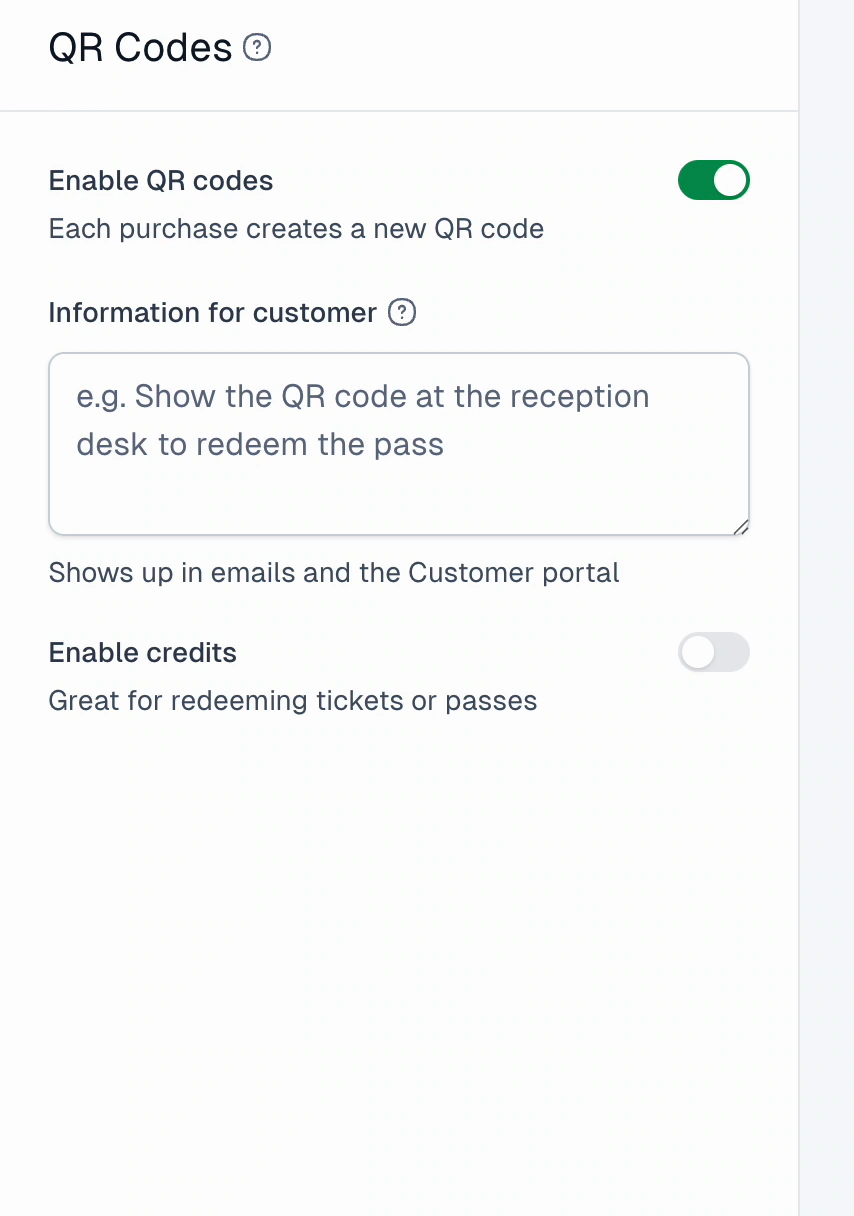
Important: the QR code is generated automatically after each purchase, sent to the customer by email, and always available in their Customer portal.
Scan codes at the entrance
To check tickets at the door, you need to be logged in to your creator account.
- In the bottom-left corner, click your account and expand the menu with the arrow.
- Choose Scan QR Code.
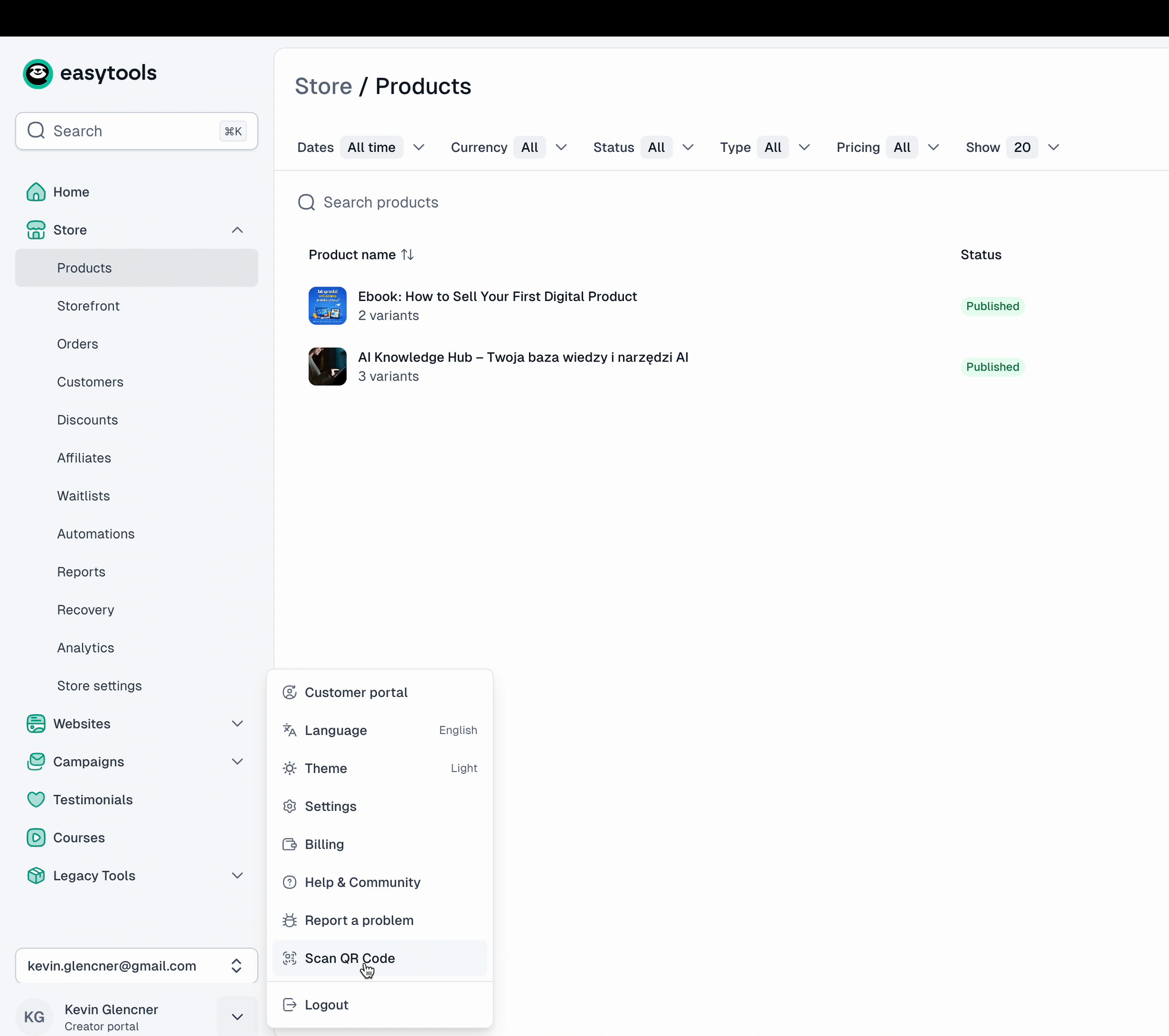
- Scan a visitor’s code to see whether it is still active or has already been used.
- Open the details to see the customer’s data.
This lets you catch a code that has already been used, so the same ticket can’t get two people in.