Selling online
The 20 best Buy Me a Coffee alternatives we recommend in 2026! (Tested)
Outgrown the tip jar? We reviewed 50+ platforms and picked the 20 best Buy Me a Coffee alternatives, comparing features, monetization options, built-in marketing tools, pricing, and what each one is best for.

It’s perfectly fine to accept support from your audience. But sometimes, you simply outgrow the “tip jar.”
You want Buy Me a Coffee alternatives that offer more than the basics.
You want to turn your audience into a real business with automated sales, digital products, and conversion-focused checkouts.
You want to be like creators Aga and Paulina, who made $240,000+ in course sales in just two weeks.

If that sounds like you, we’ve got you covered. We reviewed 50+ platforms and narrowed them down to the 20 best Buy Me a Coffee alternatives.
We’ll also share important pointers you can use to choose the right one for your business.
Let’s get into it, shall we?
TL;DR
-
The best Buy Me a Coffee alternatives are:
- Easytools
- Patreon
- Ko-fi
- Gumroad
- Ghost
- Fourthwall
- Substack
- Memberful
- Liberapay
- Kickstarter
- Indiegogo
- Stripe Payment Links
- Podbean Patron
- Memberstack
- Outseta
- Stan Store
- beehiiv
- SellNow Kit
- PayPal Payment Links
- WPForms
-
To choose the right Buy Me a Coffee alternative, consider your goals, pricing, built-in marketing tools, and customization options.
-
Easytools is better than Ko-fi, Buy Me a Coffee, and Patreon because it offers the tools to sell, market, and grow your business.
How we chose these Buy Me a Coffee alternatives
Here’s how we chose these Buy Me a Coffee alternatives:
- We selected cost-effective tools, so beginners can use them with little upfront investment.
- New monetization goals can be a reason creators search for Buy Me a Coffee alternatives, so we chose platforms that offer more than the tip-jar model.
- We also selected tools that are easy to use for both creators and buyers purchasing their products.
- Finally, we chose Buy Me a Coffee alternatives that use AI, whether minimally or extensively.
Best Buy Me a Coffee alternatives compared
| Platform | Key features | Digital products | Memberships | Starting plan | Best for |
|---|---|---|---|---|---|
| Easytools | Checkout, product pages, checkout recovery, built-in digital delivery, courses, gated content, automations, donations (Buy Me a Coffee widget), email marketing, multi-page websites, creator pages, testimonials, analytics, promotions, and customer portal | Sell digital downloads (PDFs and SaaS), courses, Notion templates, webinars, events, services (coaching and consulting) | Offer one-time purchases or recurring subscriptions, with trials, installments, and other pricing models | Starter: $0/month + unlimited checkout + 5% transaction fee | Creators who want an all-in-one platform for selling and marketing digital products |
| Patreon | Creator page, memberships, community chats, DMs, newsletters, video, livestreaming, analytics and audience-growth tools | Sell downloadable files, audio, video, images, tutorials, guides and other digital media as one-time purchases | Monthly and annual memberships with tiers, exclusive content and community access | Free: 10% platform fee plus processing fees | Creators with a loyal audience who want recurring membership income |
| Ko-fi | Tips, creator page, shop, commissions, memberships and direct PayPal/Stripe payouts | Sell digital and physical products, including downloads and creative work | Monthly membership tiers with exclusive content and perks | Standard: $0/month with 5% service fee | Creators who want a simple tip jar that also supports shops and memberships |
| Gumroad | Storefront, checkout, digital delivery, subscriptions, discounts, analytics and tax handling | Sell e-books, courses, tutorials, templates, software, downloads and other digital products | Offer recurring memberships and subscriptions alongside one-time sales | $0/month: 10% + $0.50 per direct transaction | Creators who primarily want to sell digital products and services on a platform with a native marketplace |
| Ghost | Website, blogging, newsletters, custom domains, SEO, analytics and publishing tools | Publish and monetize digital content through a branded publication and membership system | Paid subscriptions with gated content and member-only publishing | Starter: $15/month + free custom domain | Writers, publishers and newsletter creators who want their own website |
| Fourthwall | Creator storefront, memberships, digital products, physical merchandise, print-on-demand and community tools | Sell digital downloads and other digital content with no upfront monthly fee | Subscription memberships with recurring payments and member benefits | Free: 5% fee on digital products and memberships, plus applicable processing fees | Creators who want to sell digital and physical products from one storefront |
| Substack | Newsletter publishing, website, posts, Notes, recommendations, podcasts and audience discovery | Sell access to premium posts, newsletters, podcasts and other subscriber-only content | Paid subscriptions with recurring monthly or annual payments | Free: Substack takes 10% of paid subscription revenue | Writers and publishers building a paid newsletter |
| Memberful | Memberships, subscriptions, gated content, member management, website integration and digital downloads | Sell digital downloads and give members access to gated content | Recurring memberships with multiple plans and member-only content | Standard: $49/month + 4.9% transaction fee | Creators who want a dedicated membership system connected to their own website |
| Liberapay | Recurring donations, creator profiles, international payments and open-source/nonprofit model | Not designed for selling products; support is provided through recurring donations | Recurring financial support rather than traditional paid memberships or perks | Free: Liberapay takes no cut, though payment-processing fees apply | Open-source developers and creators who want recurring donations without rewards |
| Kickstarter | Crowdfunding campaigns, funding goals, rewards, project updates, and backer community | Fund creative projects and offer products/rewards to backers; not a conventional digital-product store | No traditional membership system; supporters back individual campaigns | Free to launch: 5% platform fee if successfully funded plus payment processing | Creators raising money to bring a specific project or product to life |
| Indiegogo | Crowdfunding campaigns, flexible funding, perks, campaign pages and backer management | Use campaigns to fund new products and offer perks/rewards to supporters | No traditional membership system | Free + 5% platform fee | Entrepreneurs and creators crowdfunding products or projects |
| Stripe Payment Links | No-code checkout links, subscriptions, donations, QR codes, payment pages and embeddable buy buttons | Sell products or services through a Stripe-hosted checkout; delivery must be handled separately | Recurring subscriptions through Stripe Billing | No monthly fee; payment processing starts at 2.9% + $0.30 per successful charge in the US | Creators who simply need a flexible way to accept payments without building a store |
| Podbean Patron | Podcast hosting, premium content, patron subscriptions, podcast website and analytics | Sell access to premium podcast episodes and audio content | Recurring patron subscriptions that give listeners access to exclusive podcast content | Unlimited Audio: $12/month + 5% platform fee on your pledge revenue, plus standard payment processing fees | Podcasters who want to monetize exclusive audio content |
| Memberstack | Website memberships, authentication, gated content, Stripe payments, social login and member management | Sell or gate digital content through a membership-enabled website | Recurring memberships with paid access to website content and features | Basic: $29/month + 4% transaction fee | Website owners who want to add memberships without building the system from scratch |
| Outseta | Memberships, CRM, email marketing, billing, help desk, authentication, and analytics | Sell access to digital products/content through memberships and billing | Recurring subscriptions with membership management and gated access | Founder: $37/month + 2% transaction fee + unlimited team members | Creators and startups that want CRM, email, billing and memberships in one platform |
| Stan Store | Link-in-bio storefront, digital products, courses, subscriptions, coaching, email capture, and sales tools | Sell e-books, courses, downloads, templates and other digital products directly from a creator storefront | Sell subscriptions and recurring offers alongside courses and products | Creator: $29/month | Social-media creators selling digital products, courses and services from their bio link |
| beehiiv | Newsletter, website, podcast, email marketing, automations, analytics, recommendations, ads and audience-growth tools | Sell digital products and other paid offerings on paid plans | Paid newsletter subscriptions with 0% platform take rate on paid plans | Launch: $0/month + up to 2,500 subscribers + unlimited email sends | Newsletter creators who want to grow and monetize an email audience |
| SellNow Kit | One-page storefront, responsive design, customizable layout and a simple ready-to-launch selling setup | Sell e-books, templates, downloads, and other digital products through a simple storefront | No built-in membership system | Pro: $9.90 one-time payment | Creators who want a simple, inexpensive storefront without an all-in-one platform |
| PayPal Payment Links | No-code payment links, checkout, subscriptions, donations, and shareable payment pages | Accept payment for products or services through PayPal checkout; product delivery is handled separately | Recurring payments can be used for subscription-style offers | $0/month; PayPal charges 2.90% + $0.49 per transaction for US or Domestic transactions.3.4% to 4.0% + $0.49 per transaction for international transactions. | Creators who want a familiar, simple way to collect payments without a website |
| WPForms | WordPress forms, payment forms, lead capture, PayPal/Stripe integrations, subscriptions and marketing integrations | Sell products, services or downloads through WordPress payment/order forms | Accept recurring payments through supported payment integrations | Basic: $49.50/year + unlimited forms + unlimited submissions + unlimited users | WordPress users who want to add payments and sales forms to their existing website |
Best Buy Me a Coffee alternatives
1. Easytools
- Personal rating: ⭐️⭐️⭐️⭐️ 4.8/5 - You have all the tools you need to sell and market digital products and services plus a Buy Me a Coffee widget you can add.
- Ease of use: ⭐️⭐️⭐️⭐️ 4.9/5 - Has an intuitive interface with easily accessible major features in one sidebar.
- AI capabilities: Uses AI for website generation, image creation, product descriptions, copywriting, email campaigns, lesson-module recommendations, and website edits, while MCP lets AI assistants like Claude manage products, revenue, and subscriptions using natural or plain language prompts.
- Ways to monetize: Digital downloads (PDFs, SaaS, Notion templates, planners, e-books), online courses, membership sales, subscriptions, donations, coaching, services, webinars, and events.
- Free trial: Yes - a 14-day free trial for both its Creator and Professional paid plans.
- Starting plan: Starter - $0/month + 5% transaction fee + unlimited checkouts
The first tool on our list of the best Buy Me a Coffee alternatives is Easytools.
It’s an all-in-one no-code solution for selling and marketing digital products and services, and building fully customized creator pages and multi-page websites.
Easytools makes the list for many reasons, including its use of order bumps, upsells, cross-sells, testimonials, and more to optimize checkout conversion.
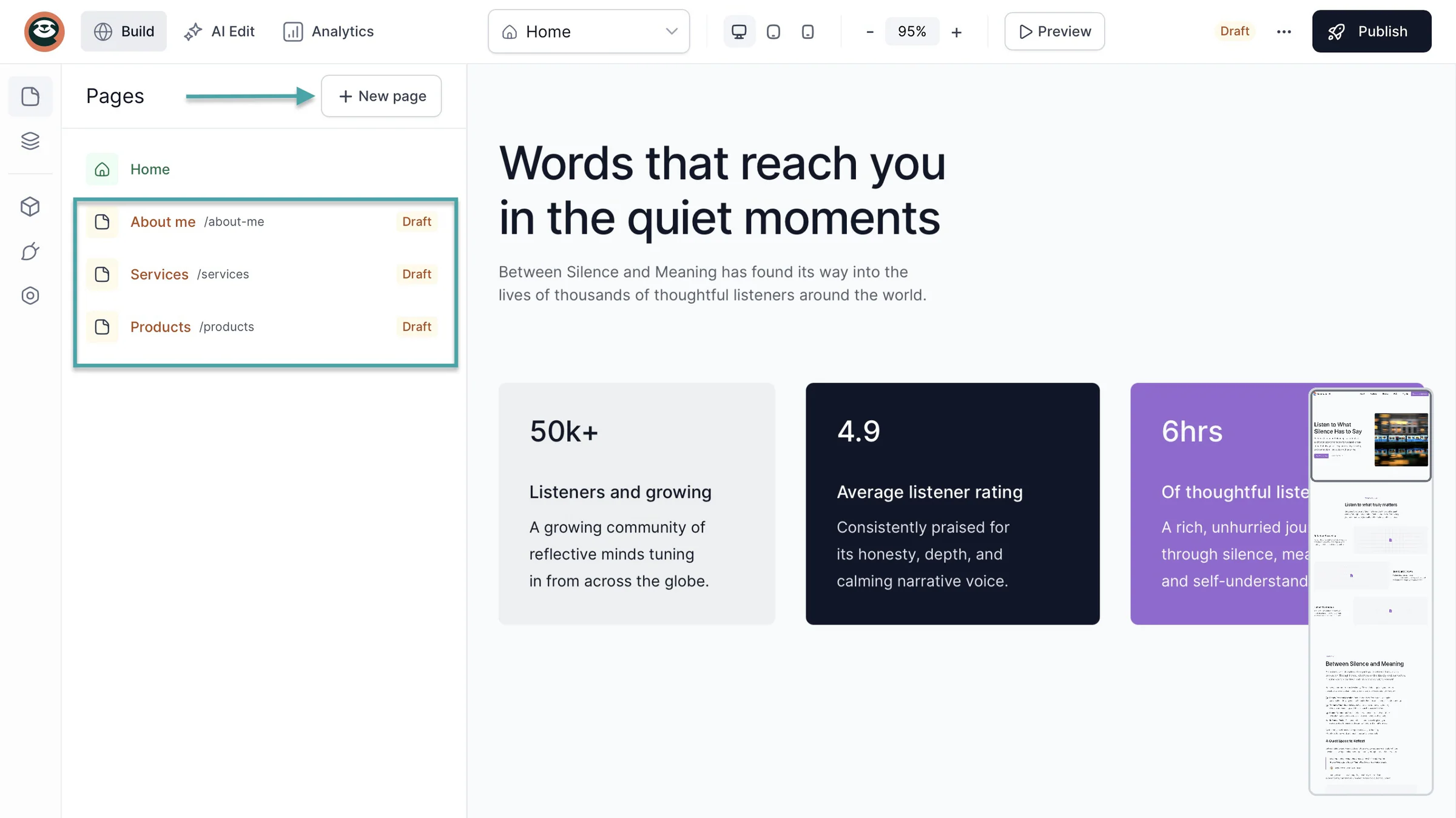
Easytools lets you create multi-page websites. That way, you separate different parts of your business instead of putting it all on one page.
For example, you can create a “Homepage” to introduce your business. An “About” page to tell visitors who you are, a “Products” or “Services” page to show them what you offer.
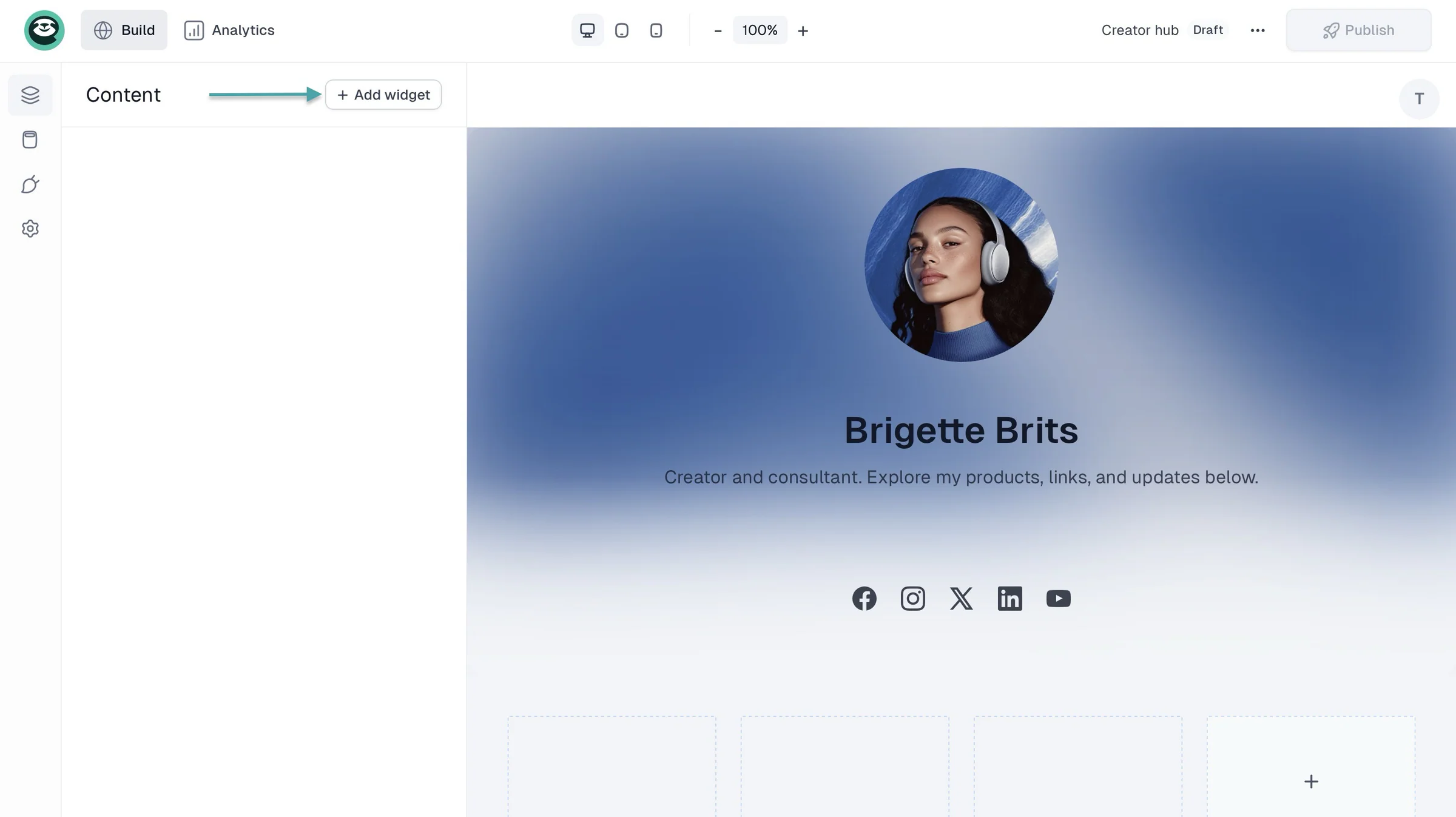
If you don’t need a full website just yet, opt for a fully customizable creator page that you can build in minutes. And then link anywhere, just like in your bio
With Easytools’ checkout, you can automatically capture your customers’ email addresses every time they buy from you. Then, you can send them updates, offers, and promotions.
That’s how you stay connected to your customers and sell more.
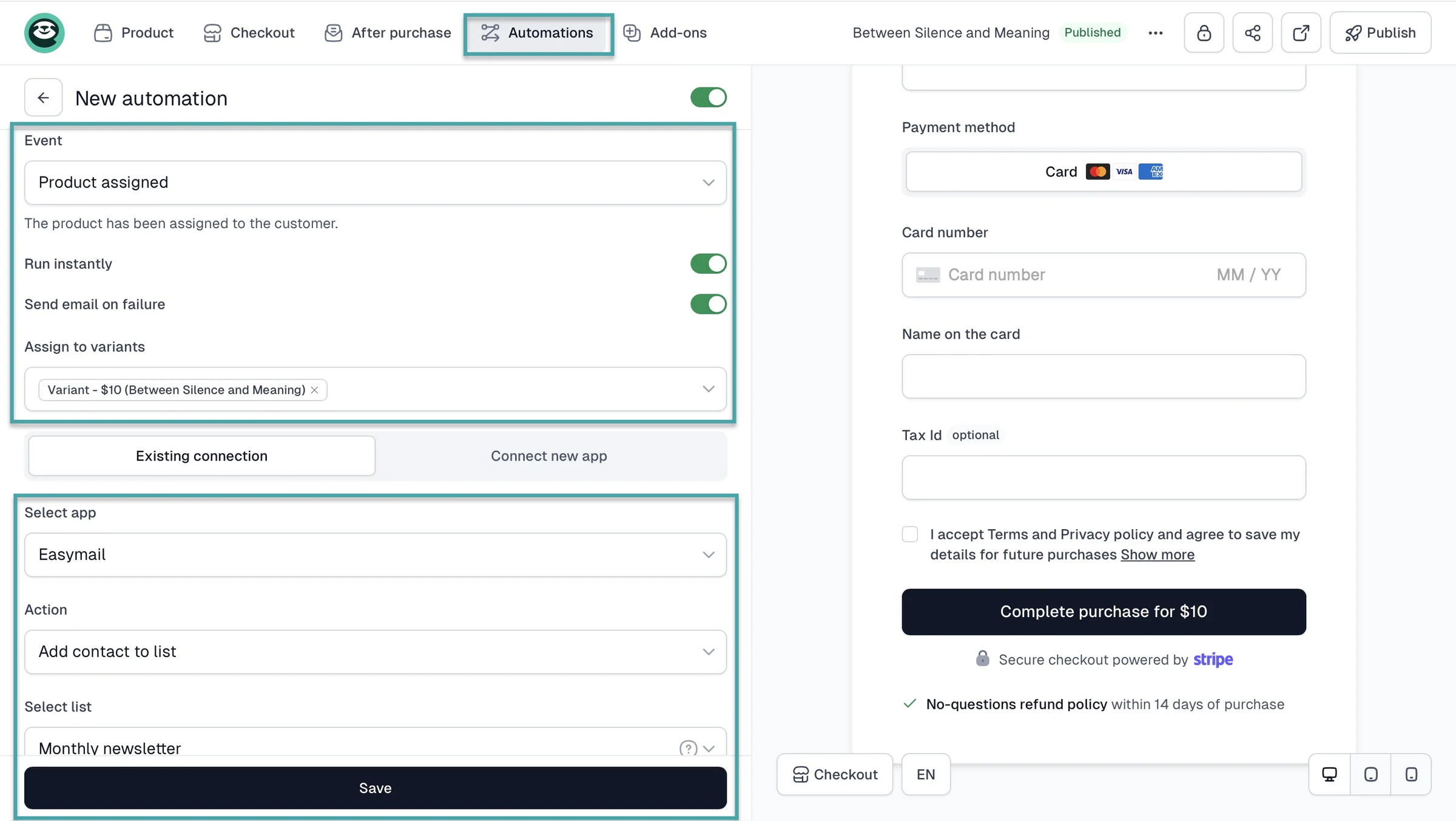
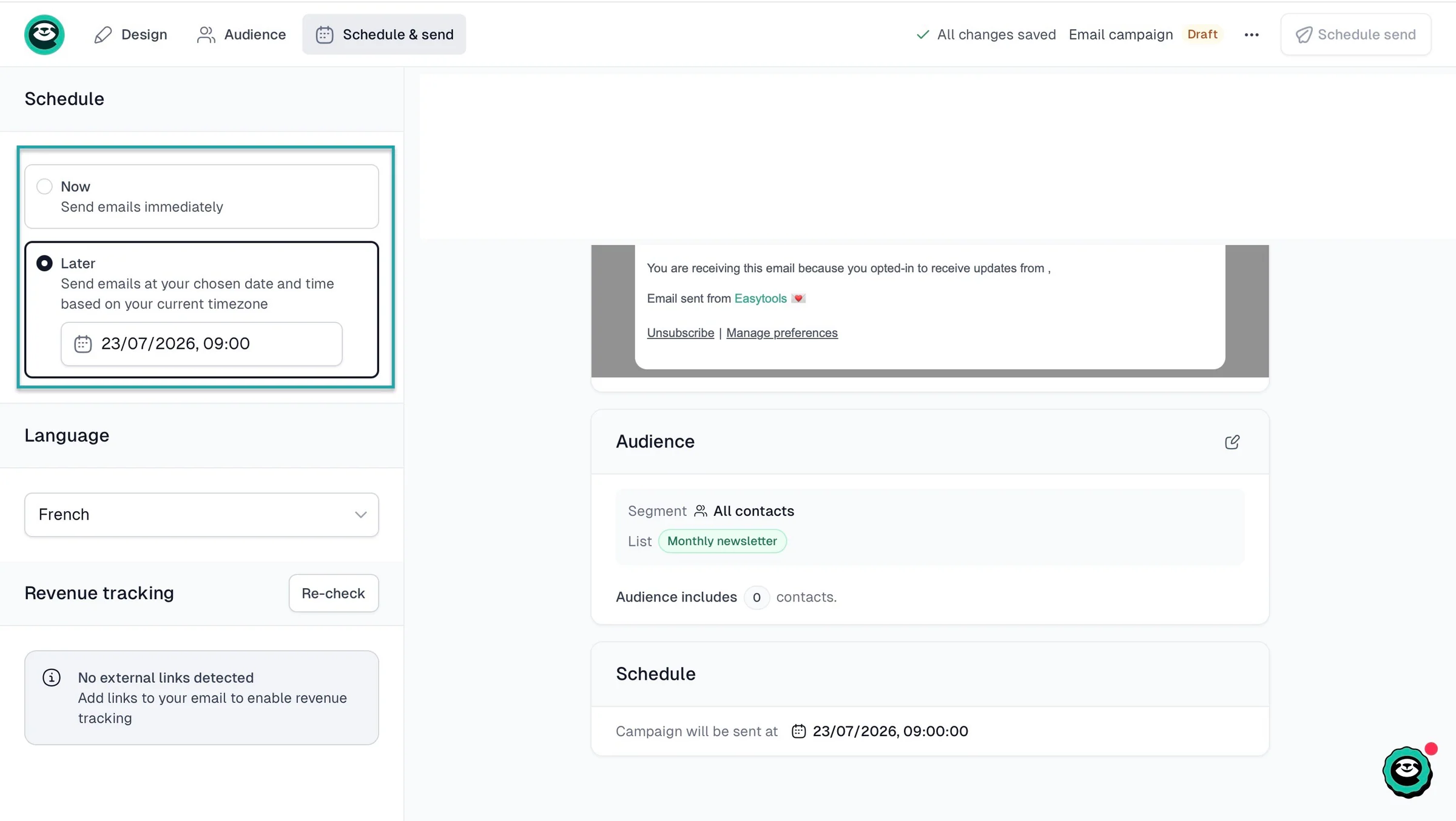
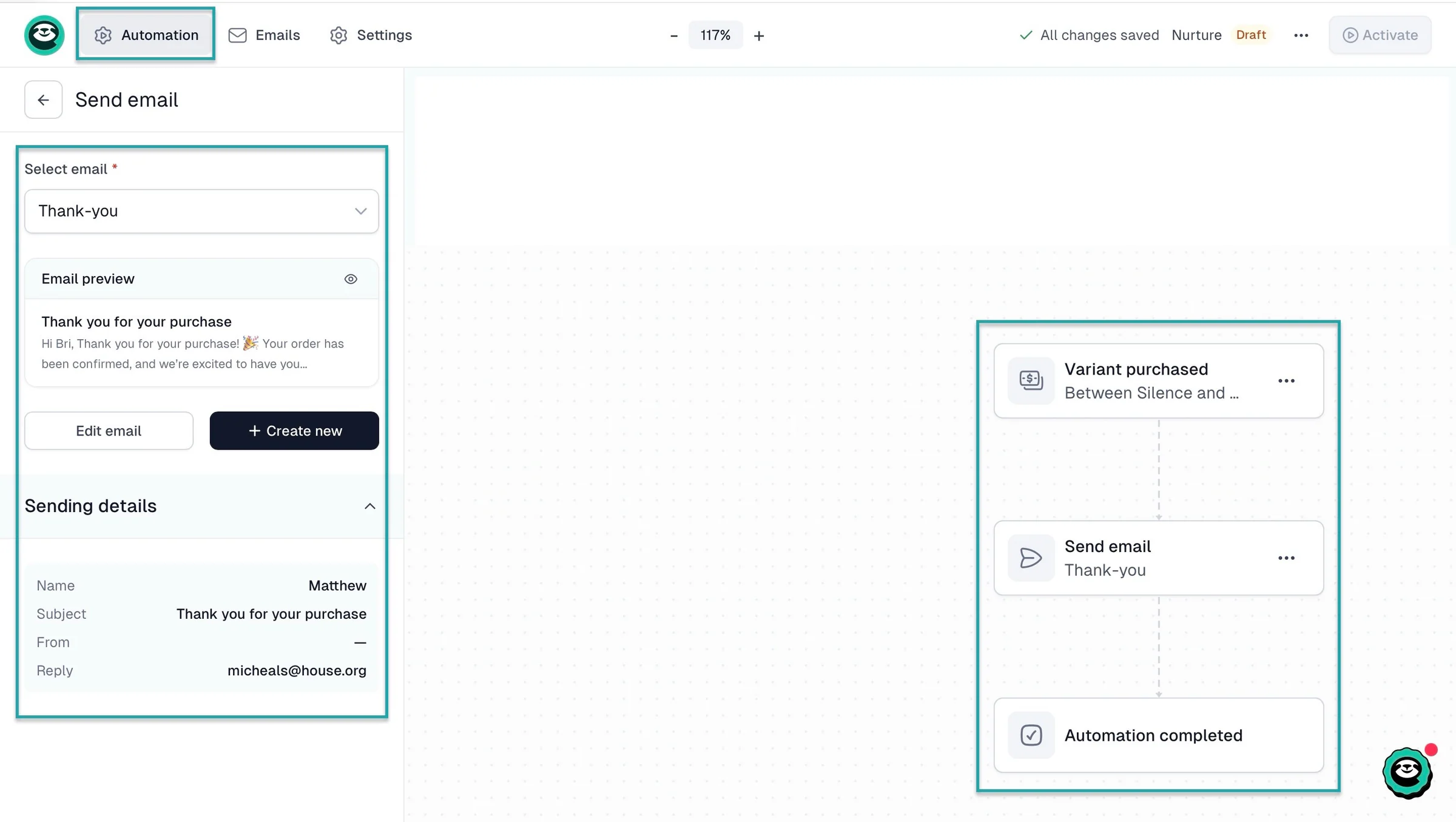
You can set an entire automated workflow. The trigger could be when a customer first buys from you. The action would be for them to receive a thank-you or welcoming email.
It’s for you to decide. And you can also schedule when to send an email.
You work with those customers who found your products and services so good they’d recommend them to their friends. You can let them sign up as affiliates and earn a commission every time someone buys through their recommendation.
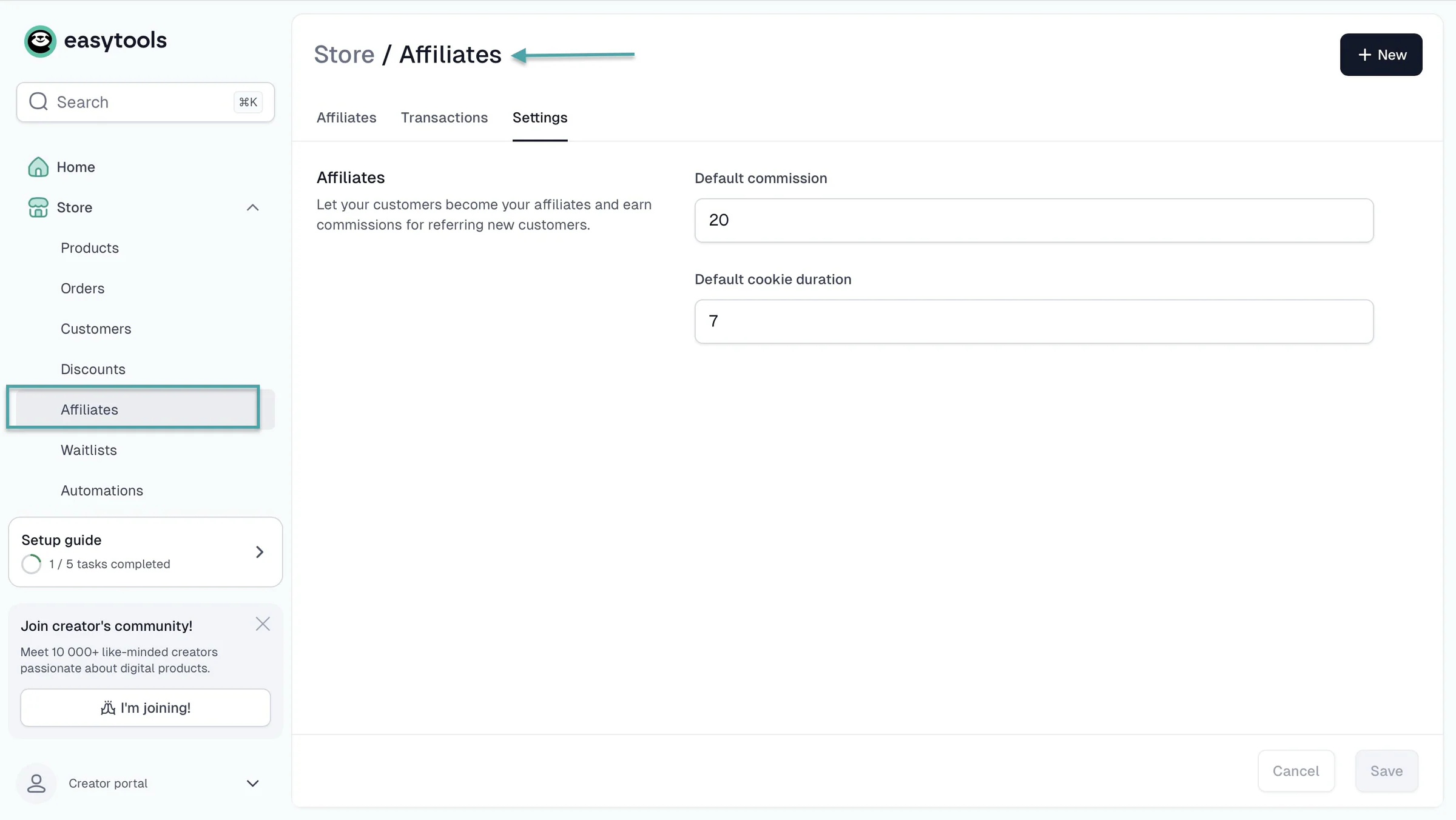
It’s a win-win situation. The best part is, you are kept in the know about everything to do with your affiliates.
What I loved about Easytools
1.Creator page
Easytools’ creator page feature lets you create a storefront and a link-in-bio. You can then add digital products like e-books, online courses, or a consulting service you’re offering.
Here’s how to build a creator page on Easytools.
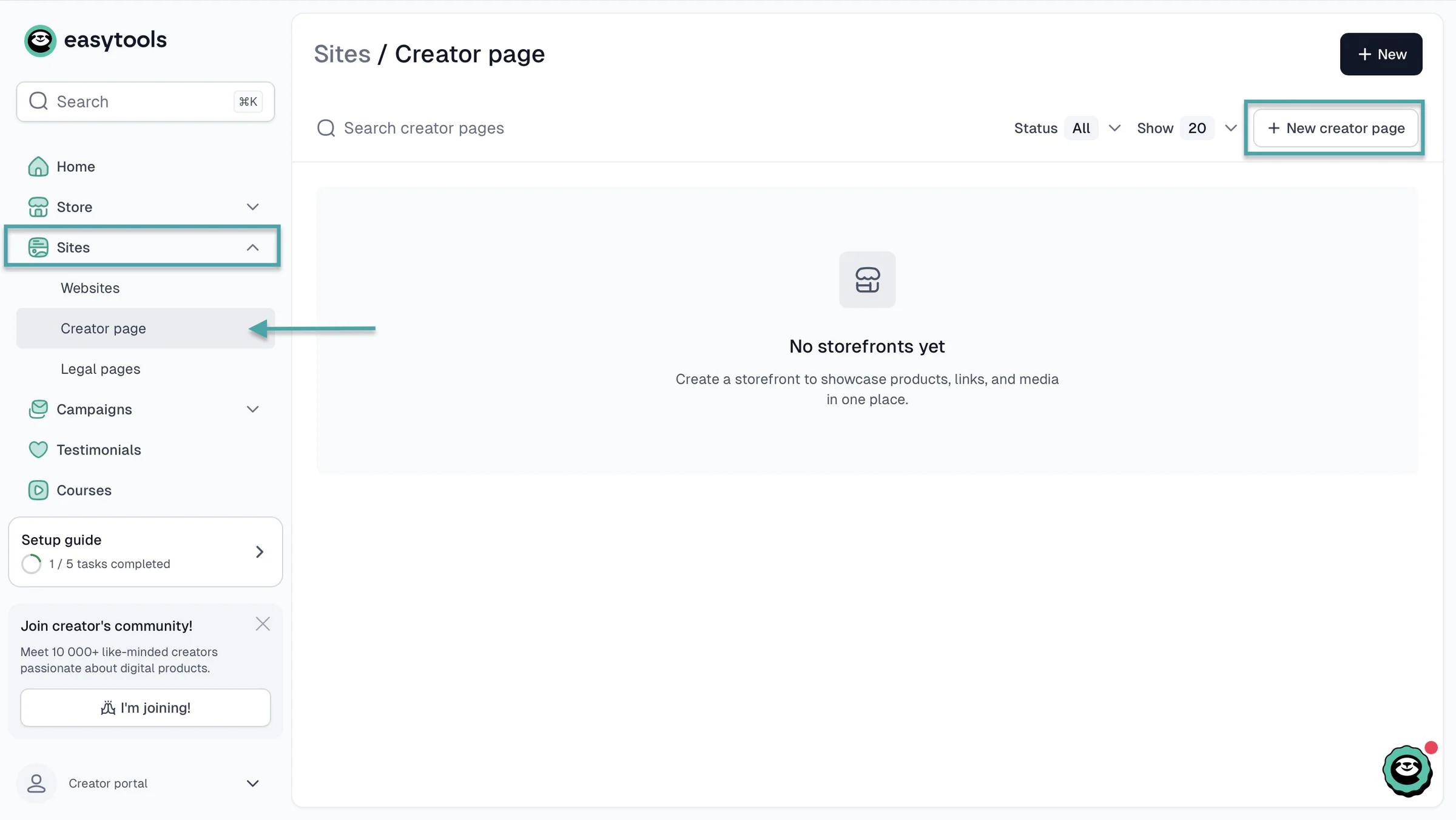
Click “Sites” in the sidebar and select “Creator page.” In the new window, click “+ New creator page” at the top right corner.
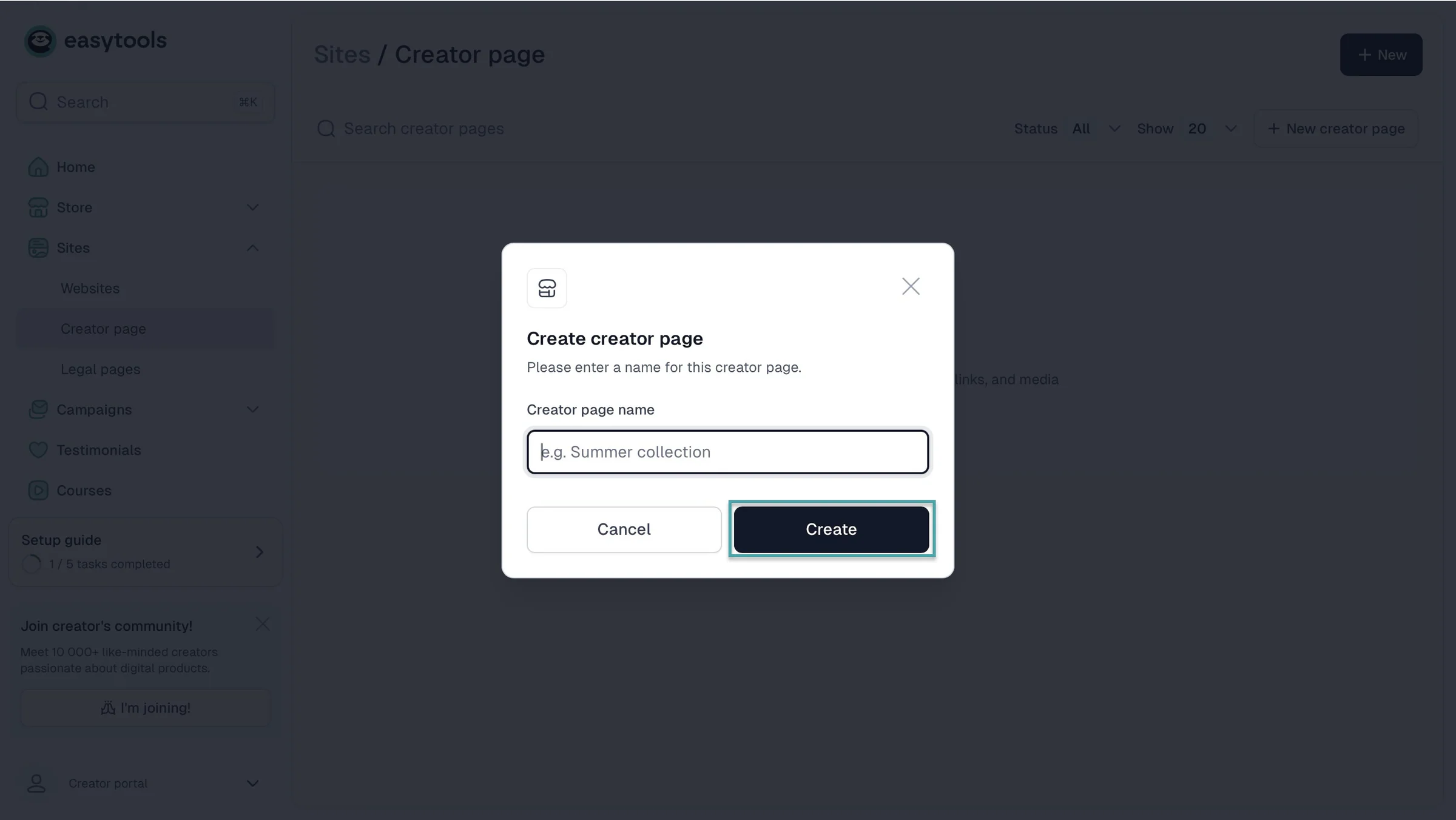
In the pop-up window, enter your creator page name and click “Create.”
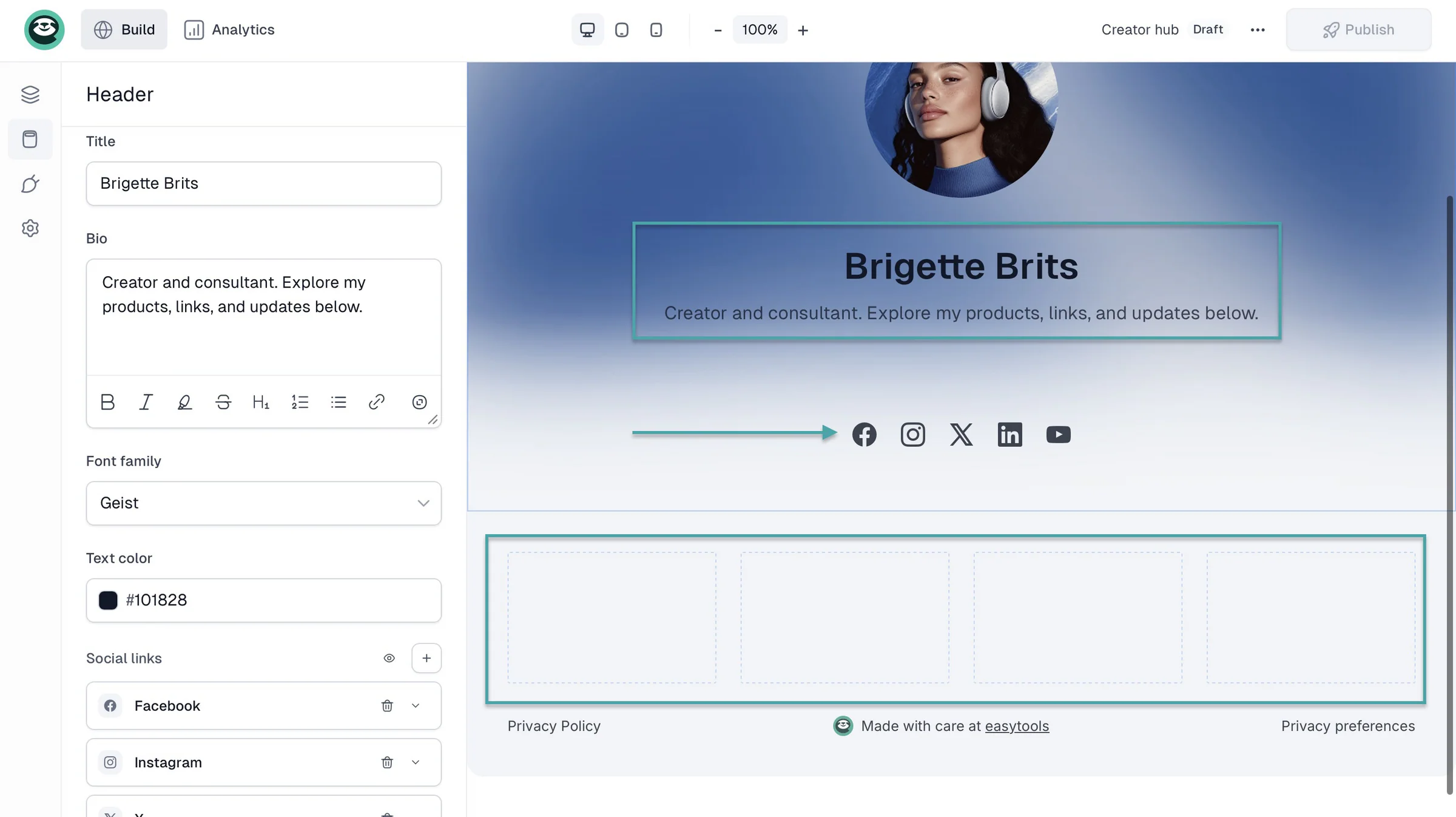
In the edit window, Easytools lets you add your bio, social links, website link, Buy Me a Coffee link, your digital products on sale, collect emails, and more.
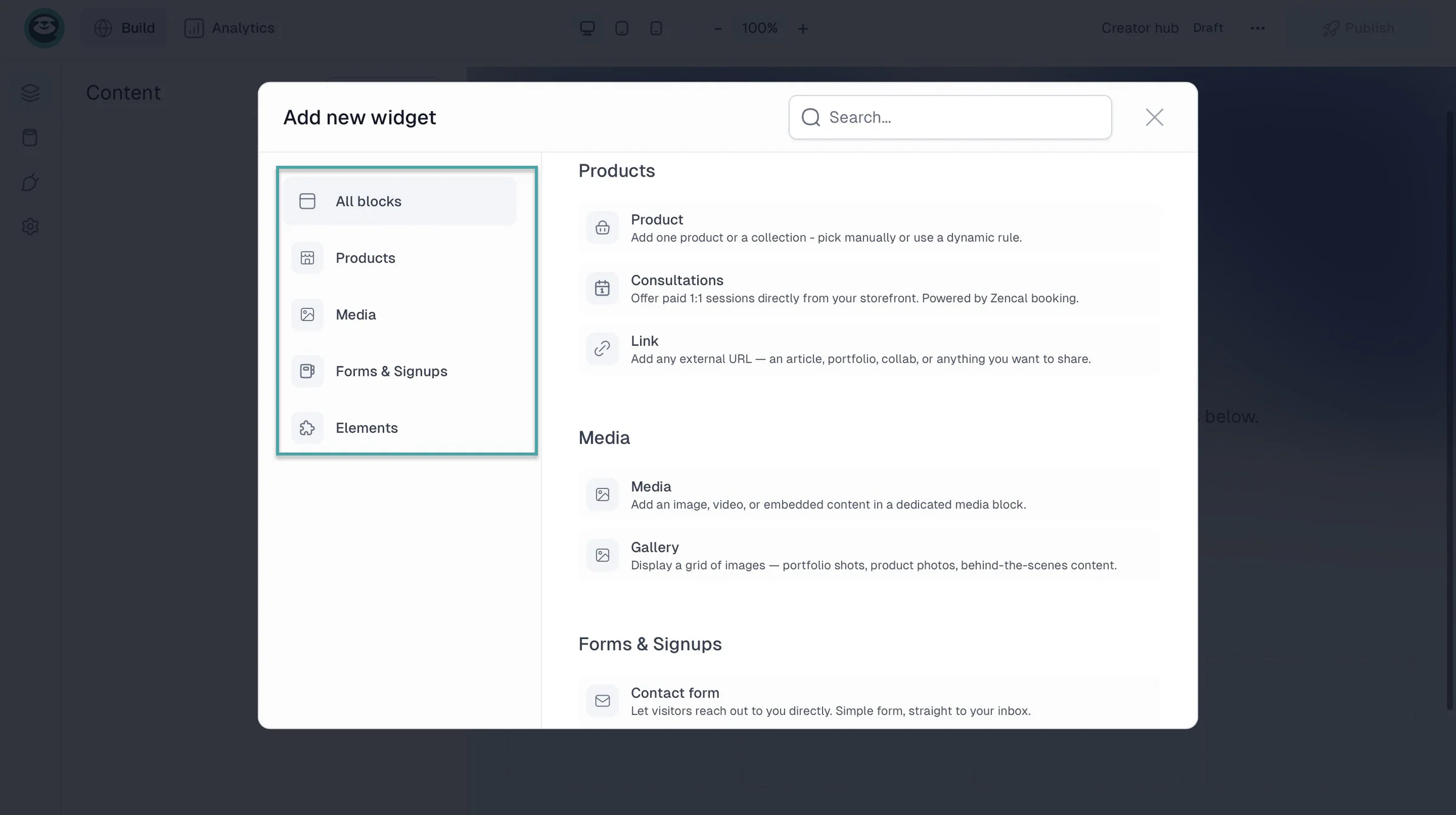
You can add widgets for a product checkout or a collection of your products, media files, contact forms, newsletter signup, and lead magnet download.
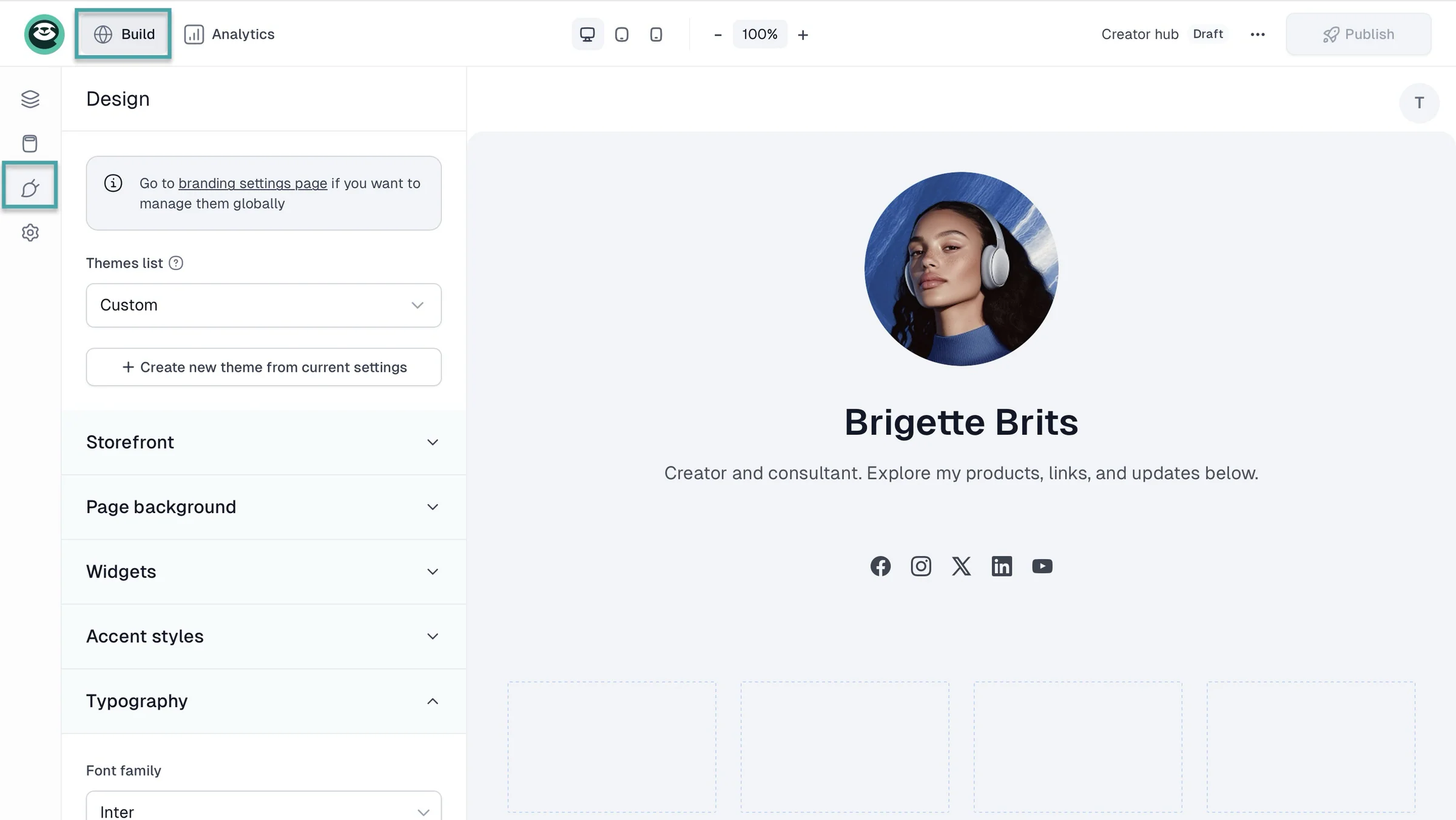
You can add your own designs with your branding and customize the domain name, too.
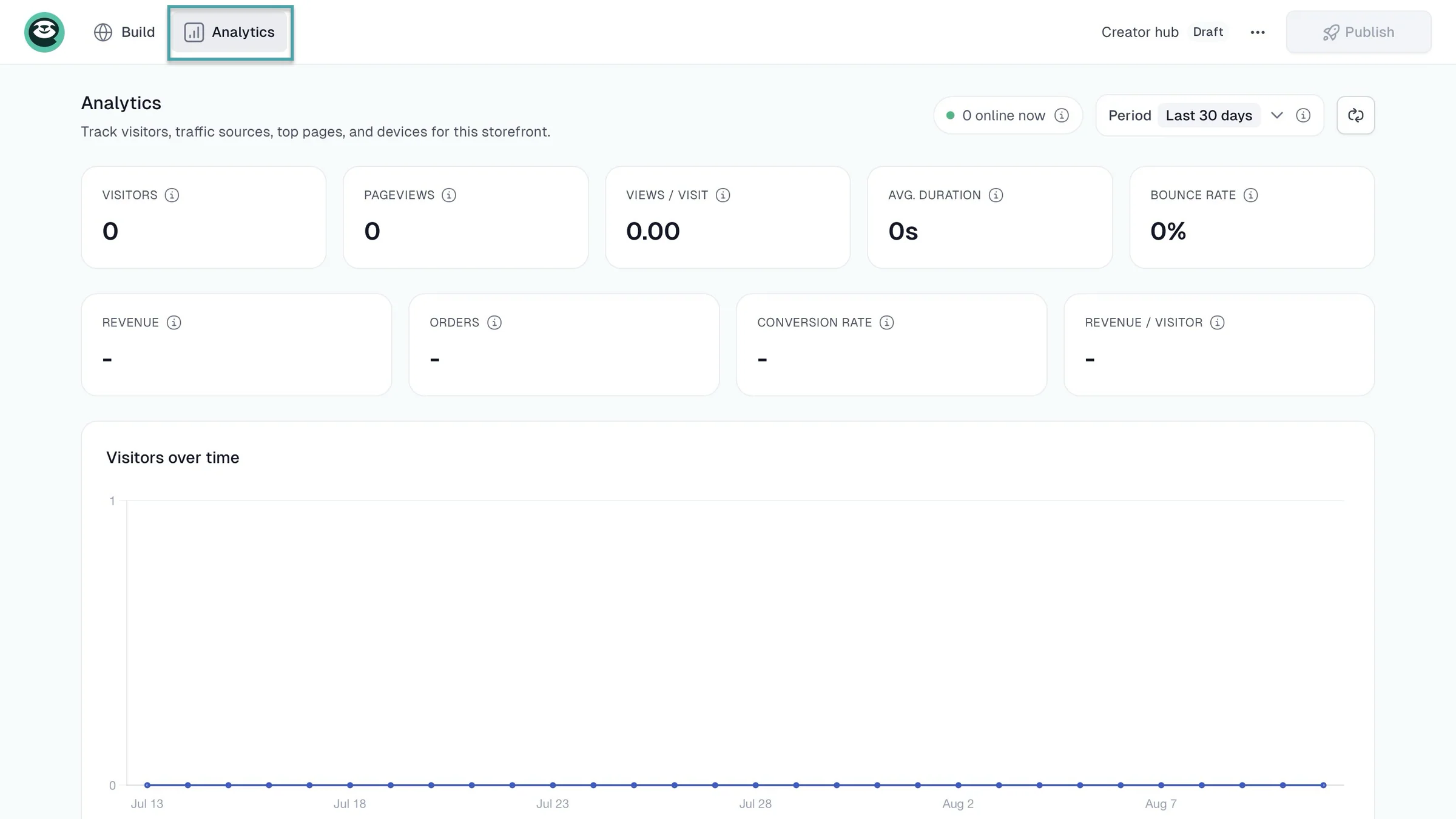
Your creator page also comes with a dedicated analytics window to help you track page visits, revenue, orders, conversion rate, traffic sources, affiliates, devices, and more.
2. Campaigns
The campaigns feature lets you create mailing lists, execute email marketing campaigns, send newsletters, set up email automations, import audiences, and more.
Let me walk you through how to set up email automation with the campaigns feature.
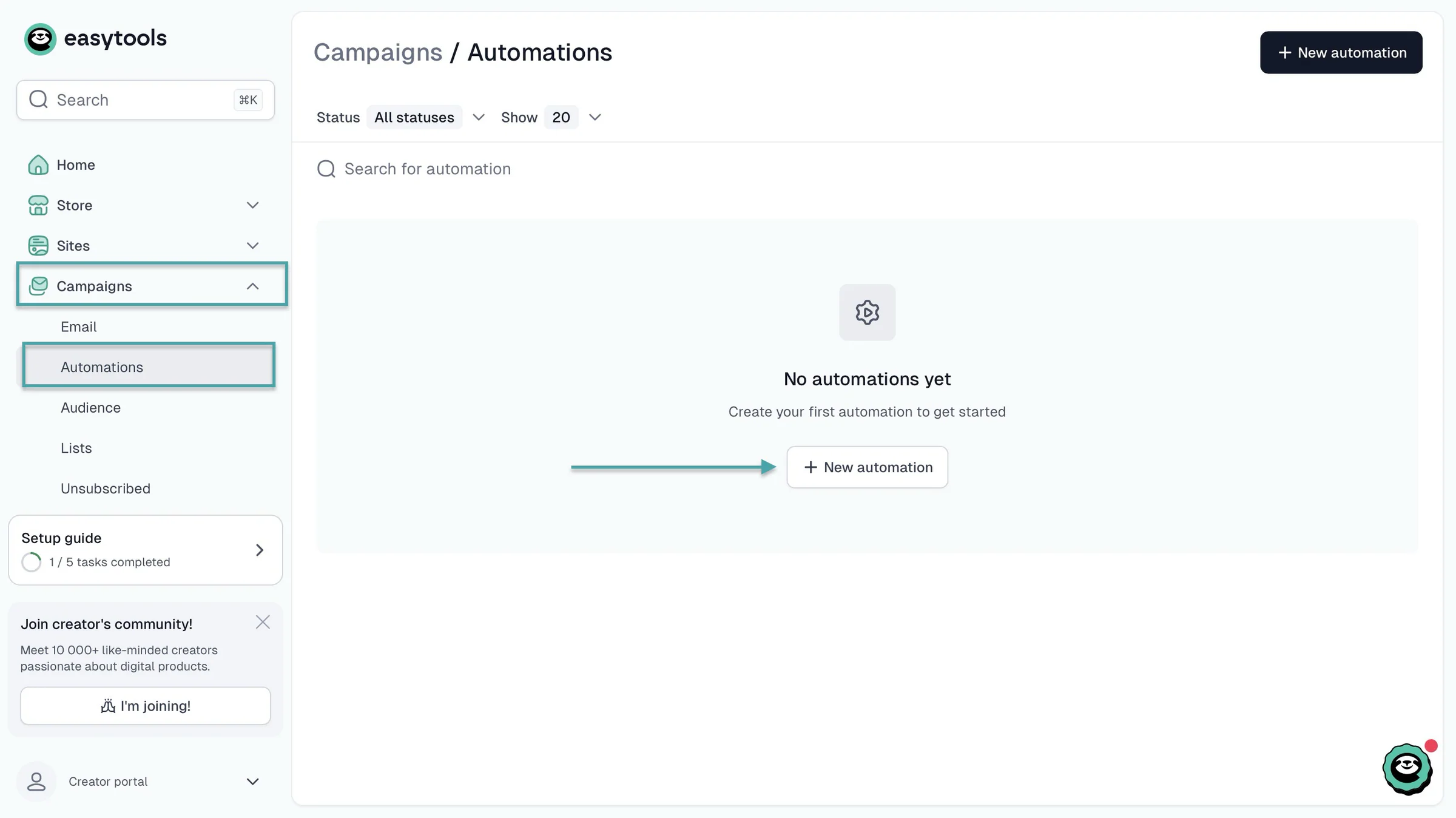
Start by clicking “Campaigns” in the sidebar. Then, select “Automations.” In the new window, click “+ New automation.”
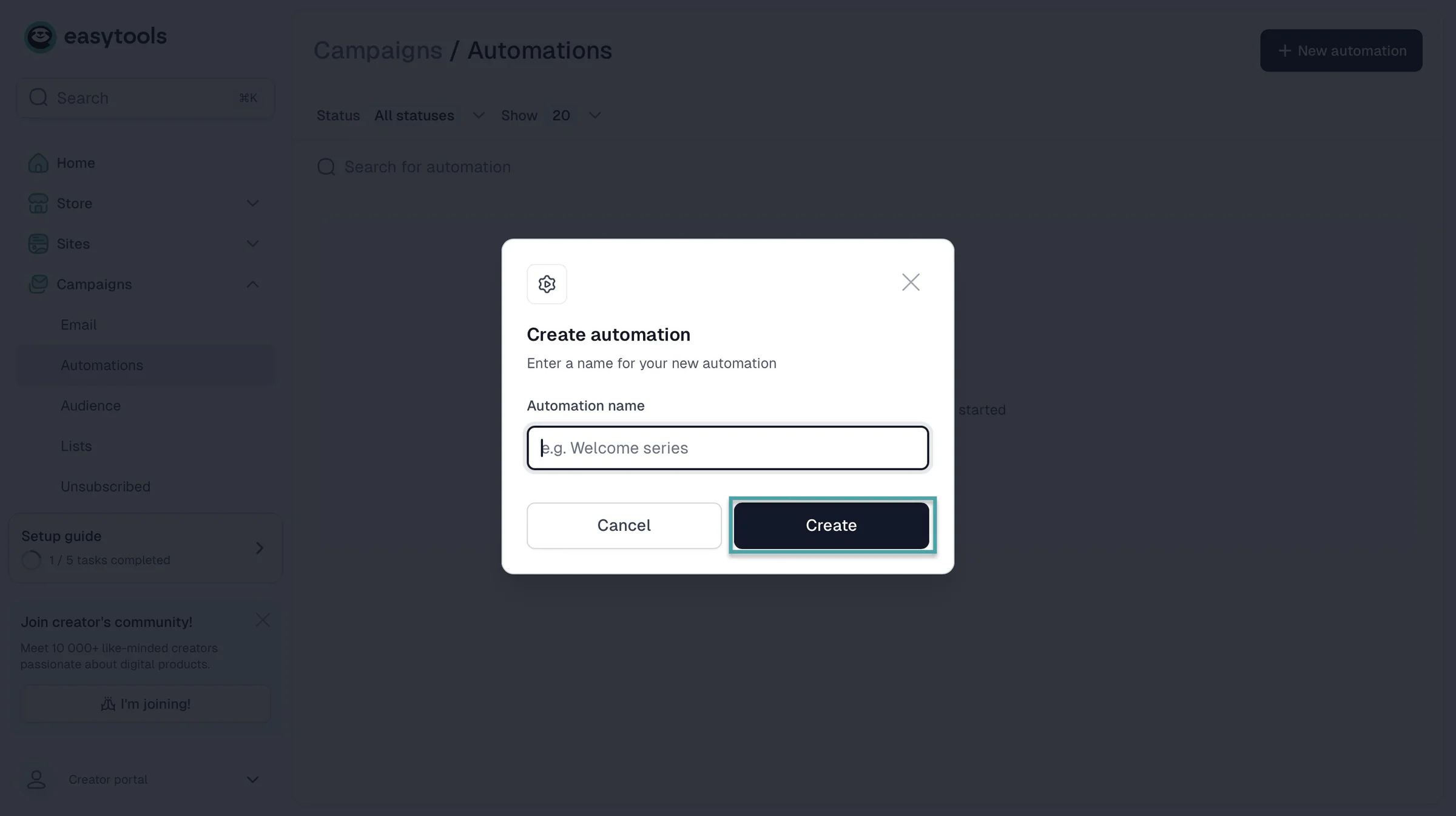
In the pop-up window, enter the automation’s name and click “Create.”
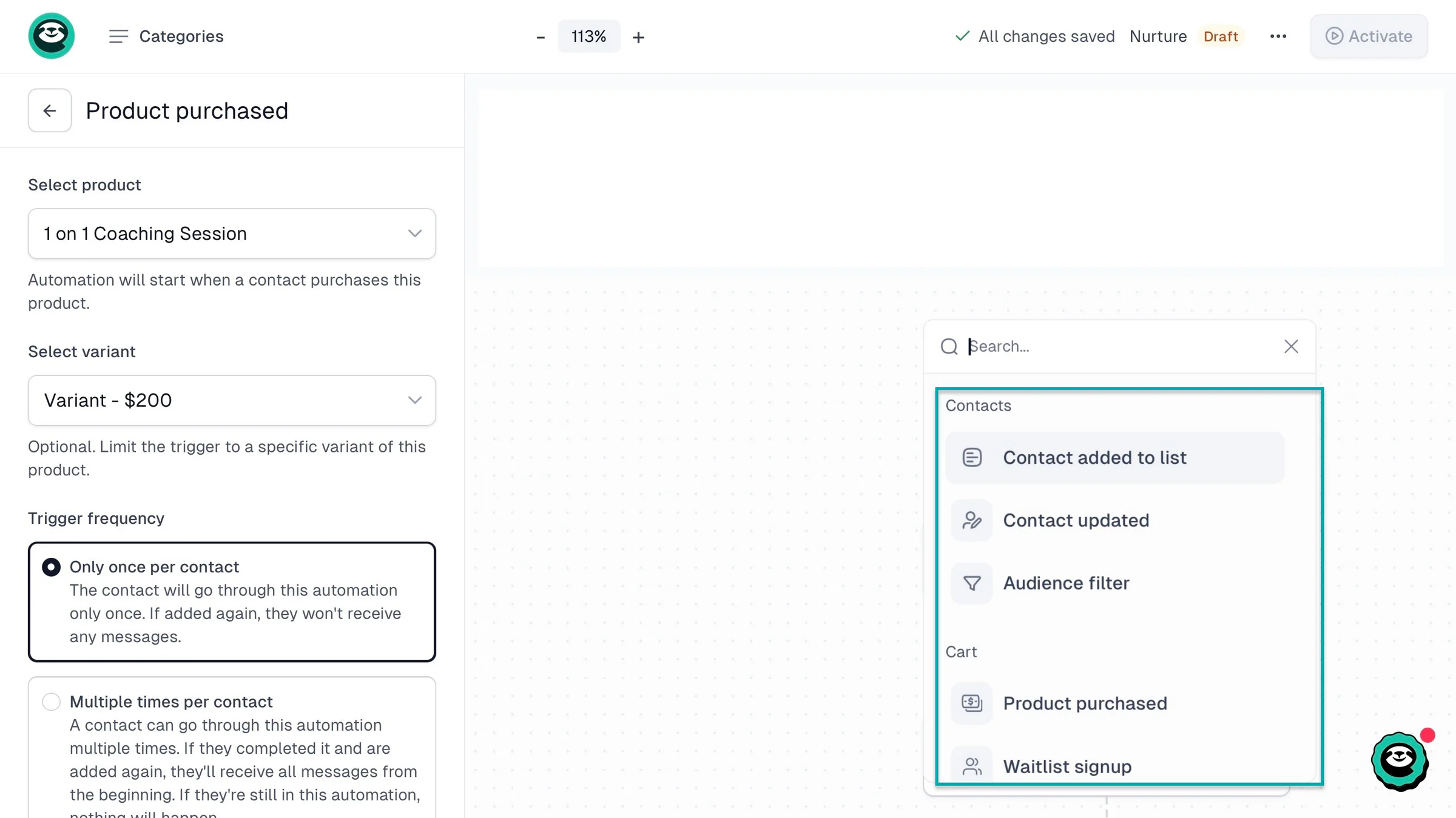
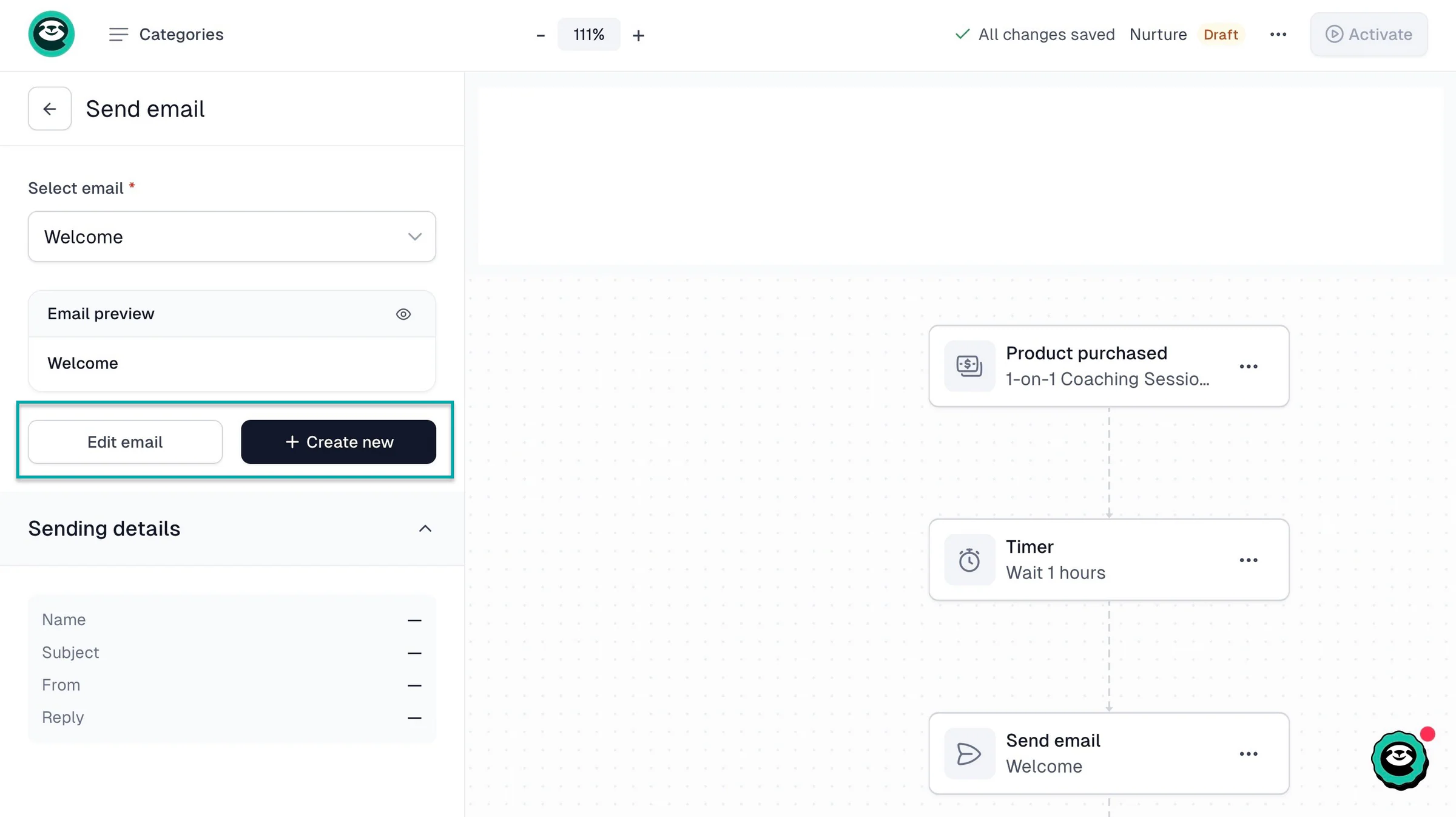
In the new window, select a trigger. It can be contact- or checkout-related. Let’s go with when a contact makes a purchase.
Easytools lets you add the specific checkout product, its price variants, and the trigger frequency. You can always click between two nodes to add a new action or trigger to your email automation workflow.
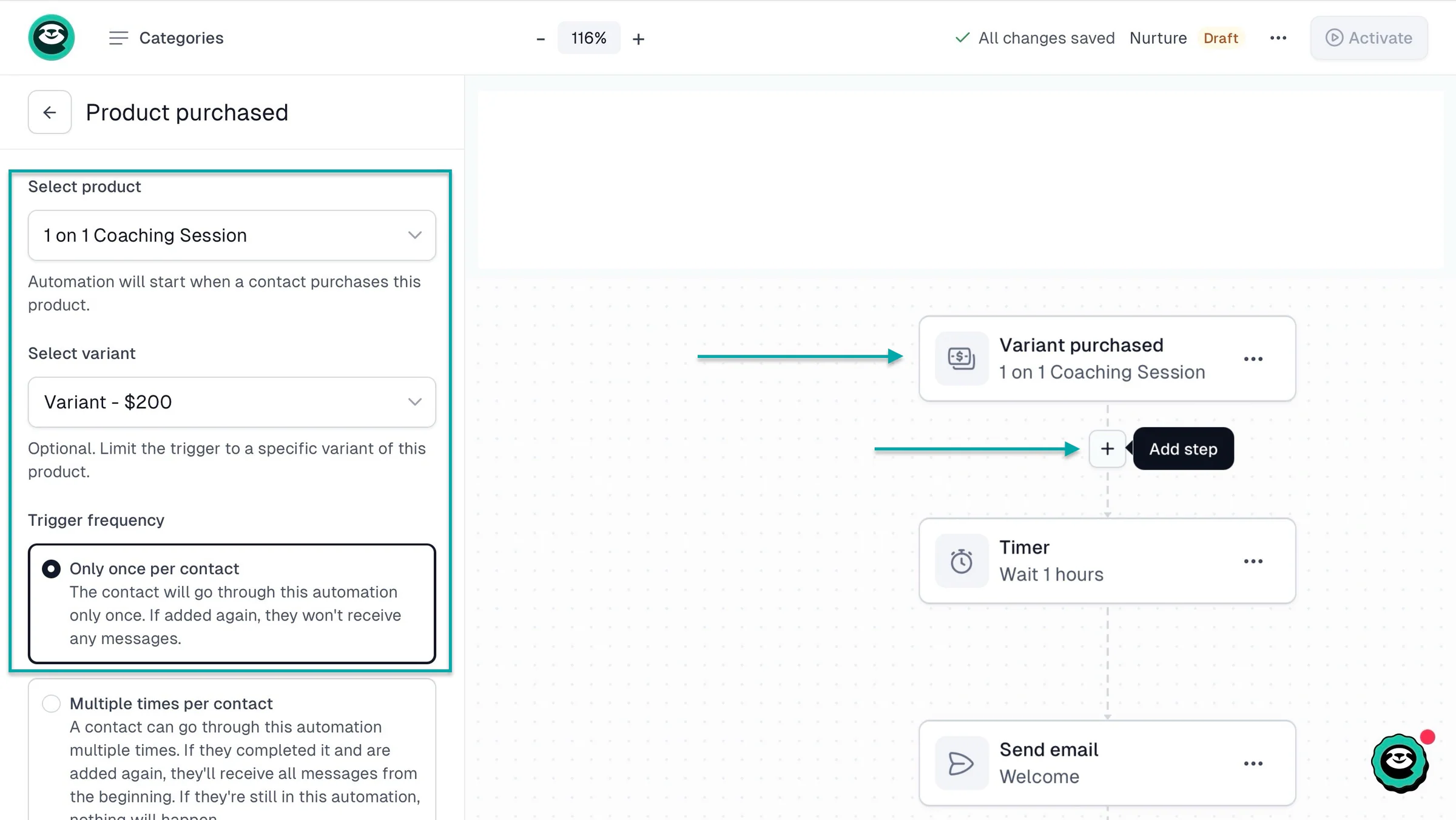
And by clicking on “Send email,” you can create or edit the message to send.
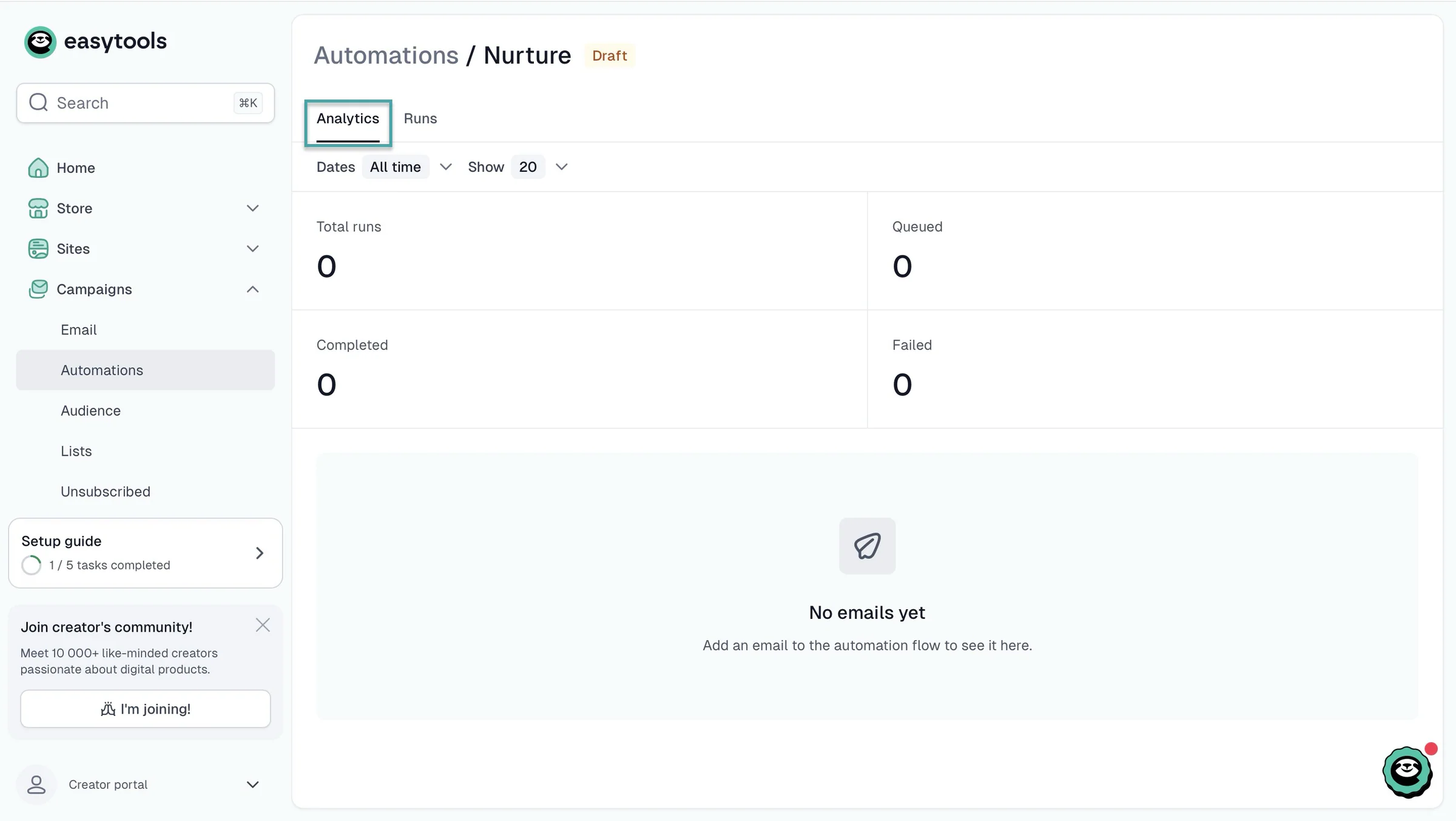
For that specific email automation you just created, click the meatballs menu (•••) at the top corner of the window and select “Metrics.” You can then view the analytics like the number of runs, queued, completed, and failed emails for that very automation.
3. Store
On Easytools, the store feature goes beyond just creating product checkouts for selling digital products. You can also view orders, import customers, offer discounts, add affiliates, and more.
Let me show you how to add a digital product and set up a donation widget afterwards.
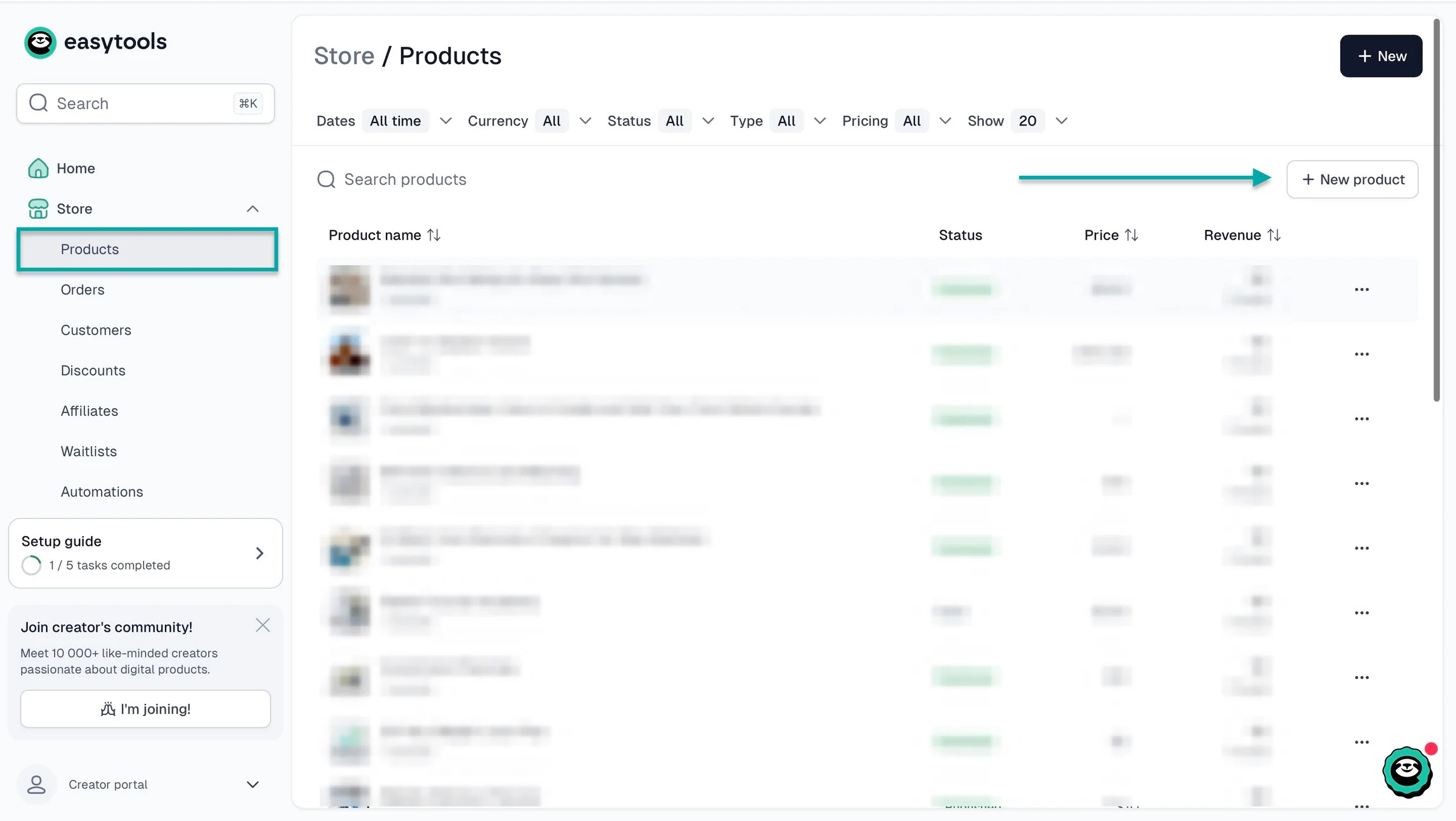
First, select “Store” in the sidebar and click “Products.” After that, click “+ New product” in the right corner of the window.
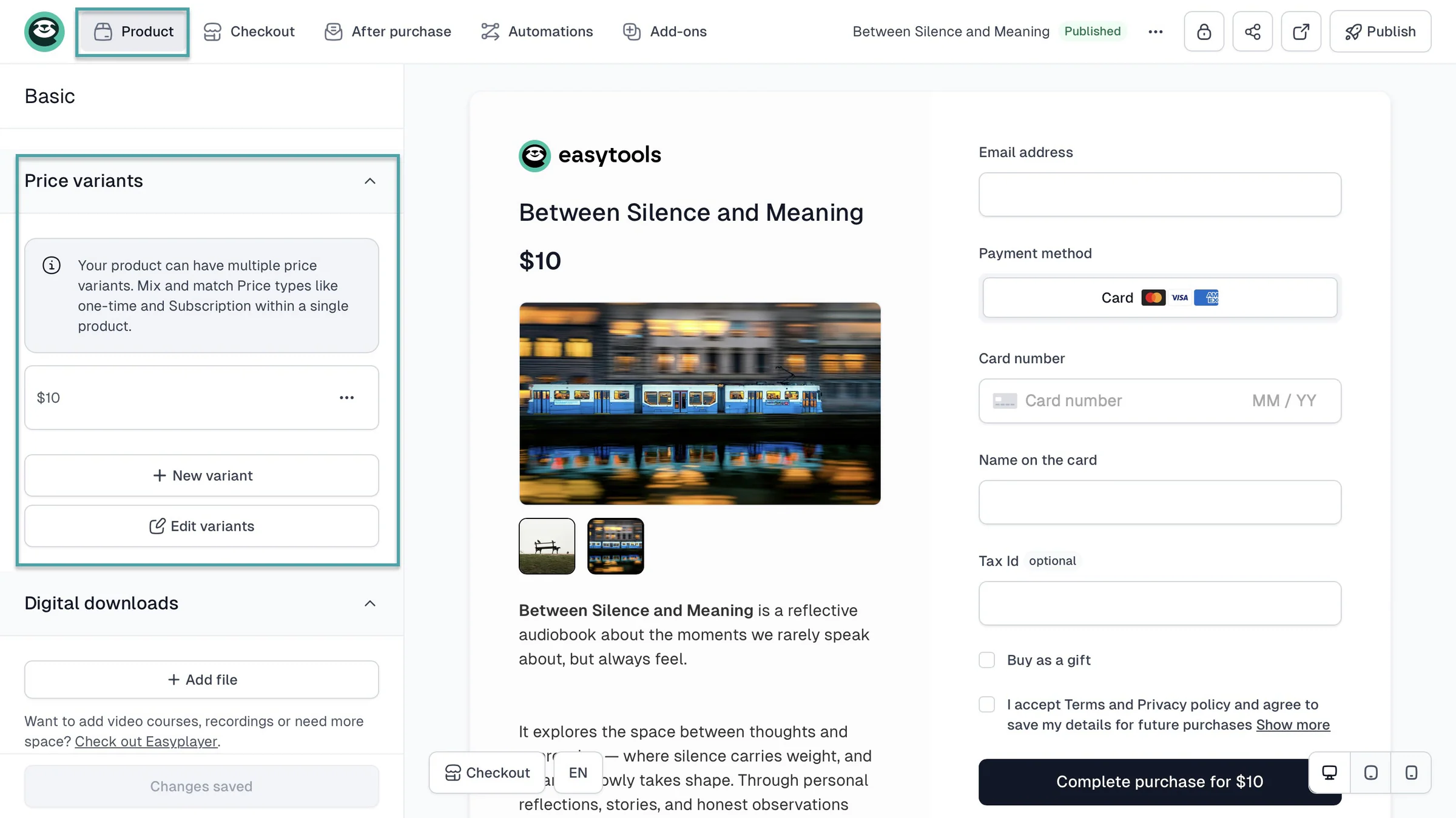
This will take you to the checkout editor to add the product name, description, price, and its variants (if any), and upload downloadable files.
Say you’d like to add a Buy Me a Coffee widget to your page, click the Easytools logo at the top left to exit that window.
Then, on the homepage, scroll down to “Legacy Tools” and click that. Now, select “Donation” and from here, click “+ New donation.”
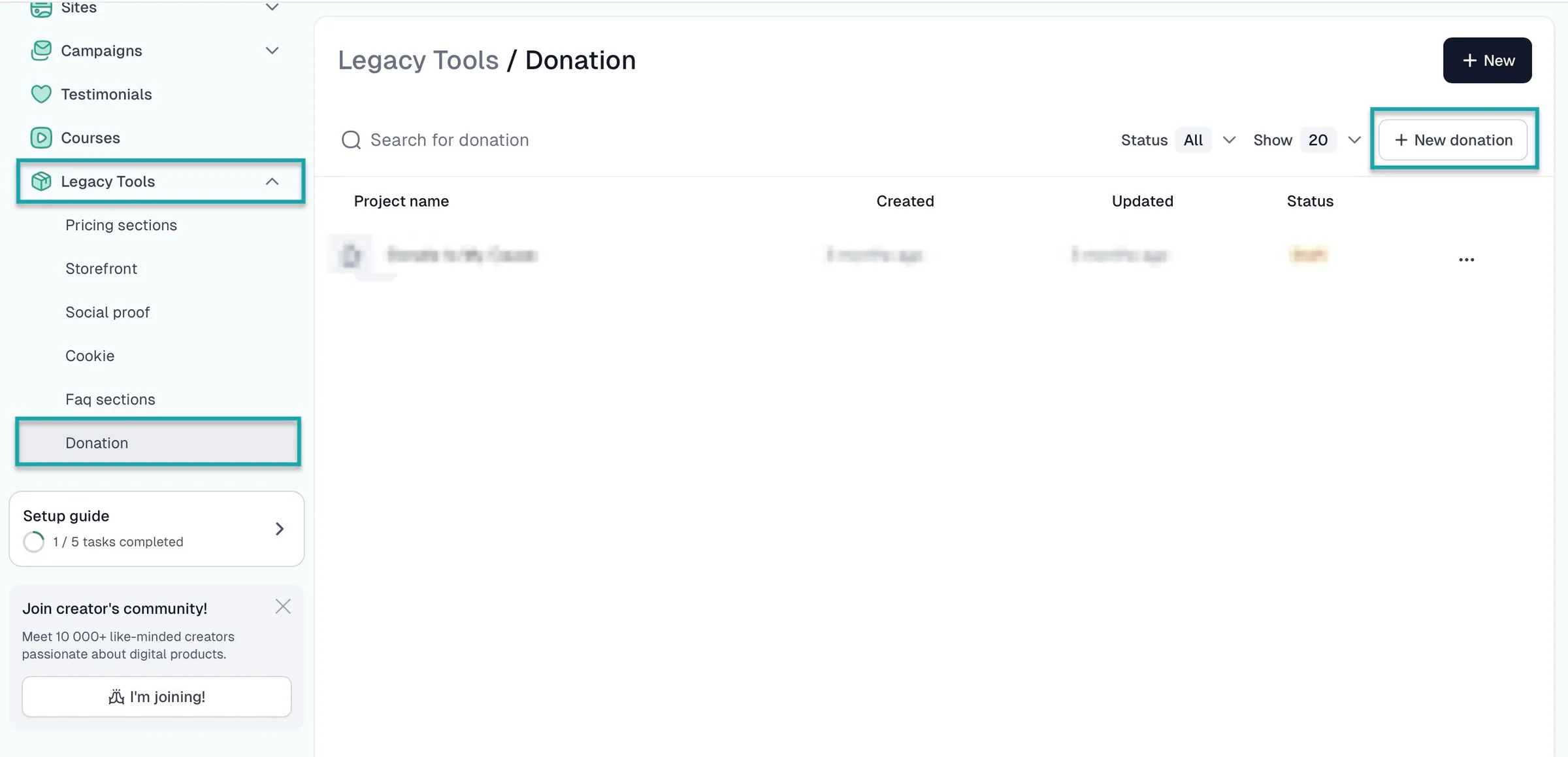
In the pop-up window, add the project name and hit “Create.” Fill out the necessary details in the new window and click “Connect to product” in the navigation bar.
Now choose “Get products” to select the product we just created. Then, hit “Publish.”
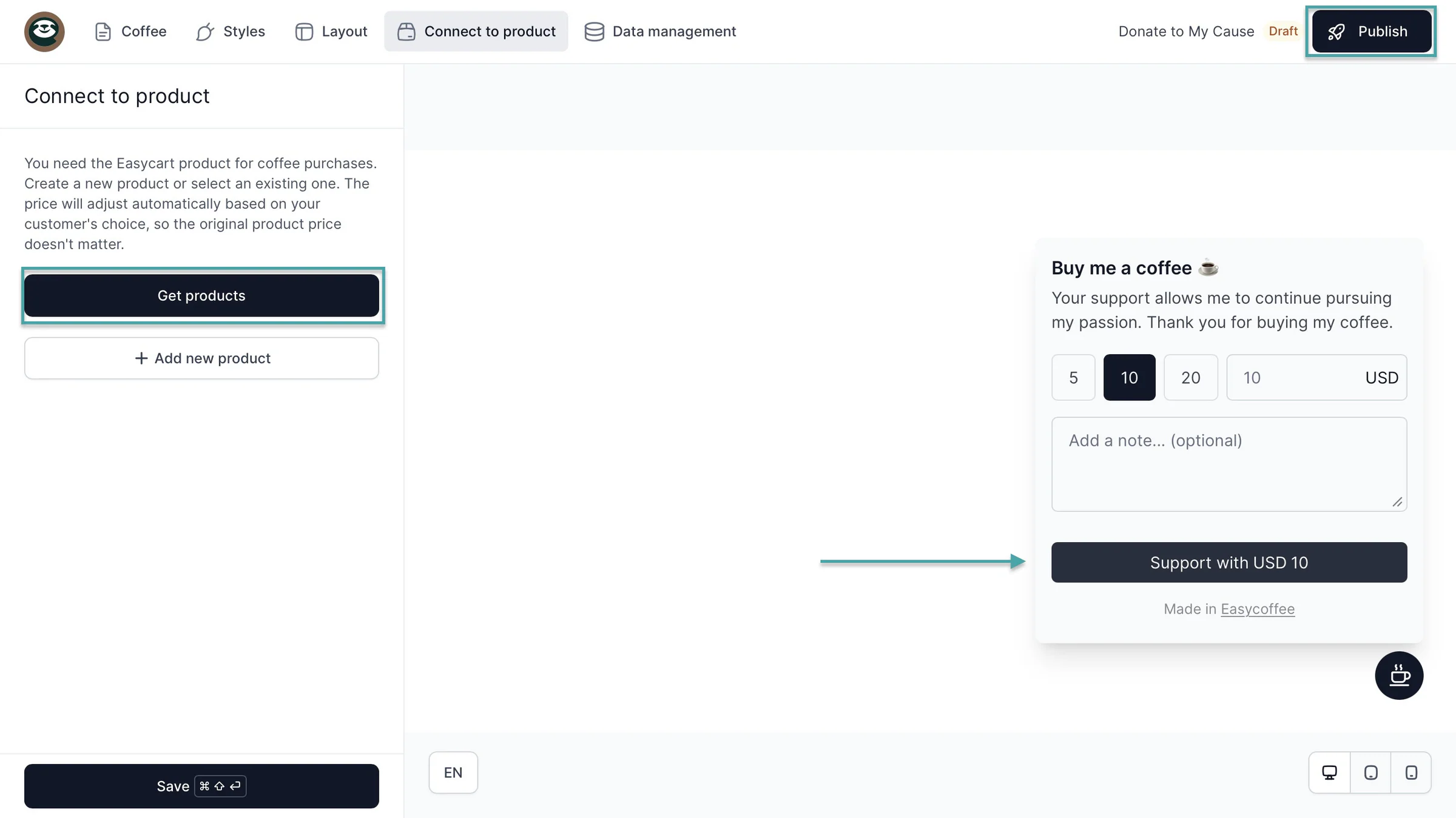
That’s it.
What I liked vs what I didn’t like
What I loved 👍
✅ The creator page on the sites feature goes beyond the simple tip jar capabilities, so your visitors and followers get a complete experience of your brand.
✅ Offers a 14-day free trial and a Starter plan at $0/month, so beginning creators can test tools before fully committing.
✅ Built-in email marketing feature means you won’t pay extra for marketing campaign tools and save hours of juggling between standalone tools.
✅ Lets you add donation widgets and social proof on your product checkouts for more conversions.
✅ Integrates with Mailchimp, HubSpot, Pipedrive, Zapier, Make, WordPress, WooCommerce, ConvertKit, Circle, Discord, GetResponse, Airtable, Furgonetka, Zencal, and more, so you can connect Easytools with the tools you already use.
What I didn’t like 👎
❌ The site features, email automation tool, and the Buy Me a Coffee widget are only available on the Creator and Professional plans, but you still get unlimited checkouts on the Starter.
Best for
- Creators and online entrepreneurs who want tools to sell and market digital products and services beyond the tip-jar model.
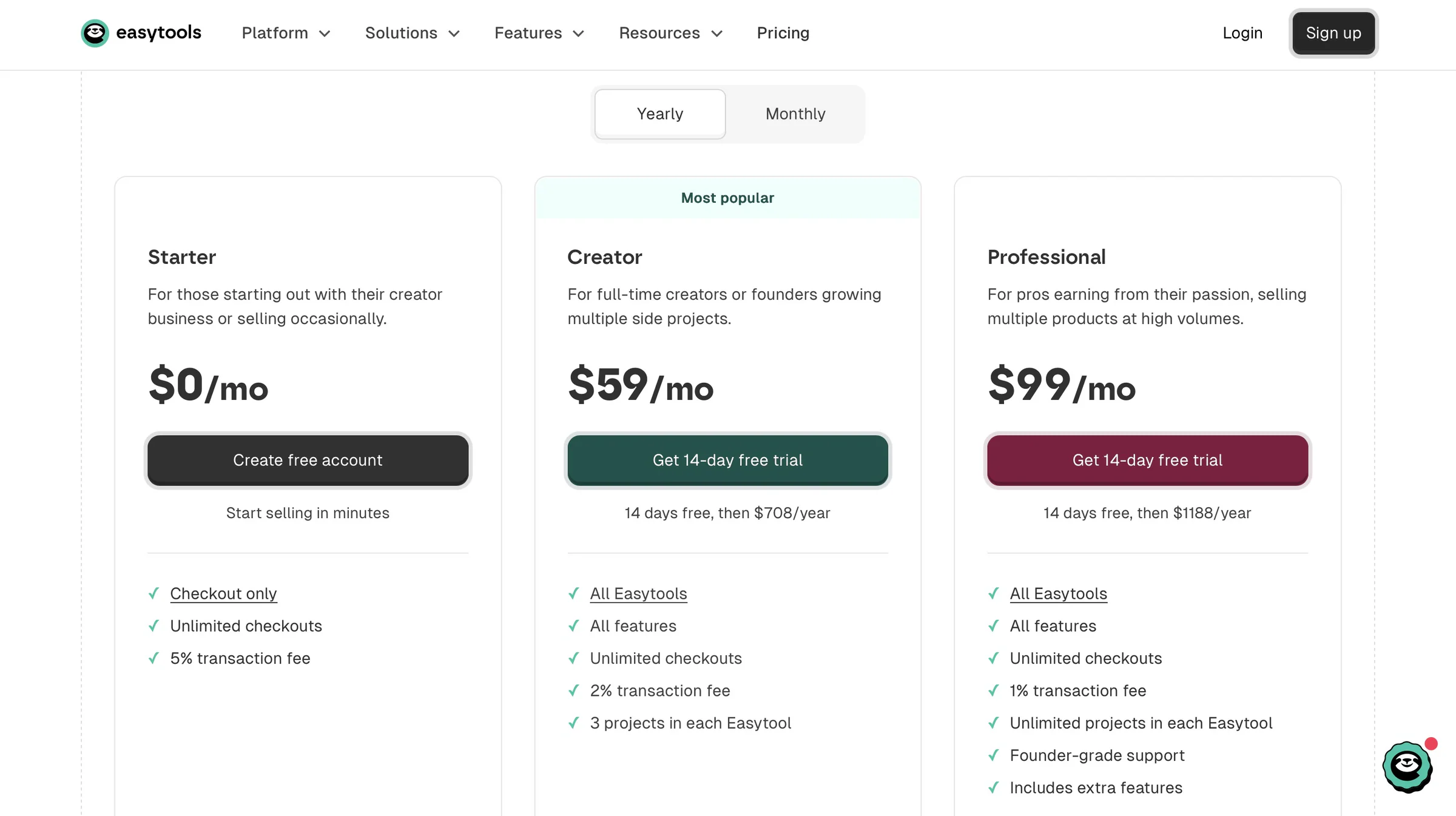
Pricing
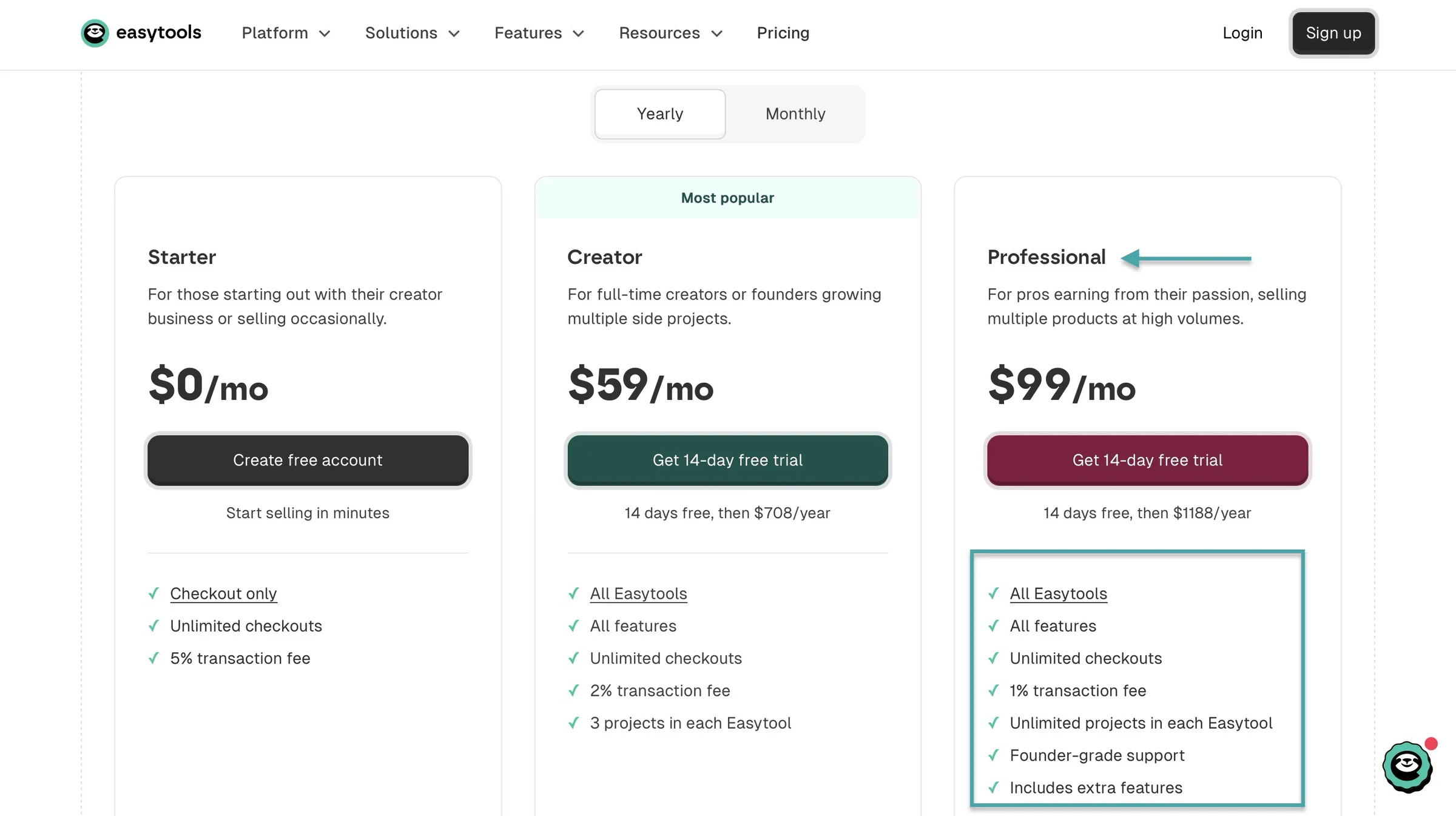
- Starter: $0/month
- Creator: $59/month
- Professional: $99/month
2. Patreon
- Personal rating: ⭐️⭐️⭐️⭐️ 4.6/5 - You need to have a loyal following, or you won’t earn much starting out.
- Ease of use: ⭐️⭐️⭐️⭐️ 4.5/5 - I was able to set up my shop in a few minutes, but I feel the icon-only interface can take some time to get used to.
- AI capabilities: Uses AI-powered Autopilot to automate promotional activities such as encouraging free members to upgrade, sending upgrade emails, and reducing cancellations.
- Ways to monetize: Memberships, digital products, one-time purchases.
- Free trial: No - it’s free, but you pay a 10% platform fee on successful transactions.
- Starting plan: Free - $0/month
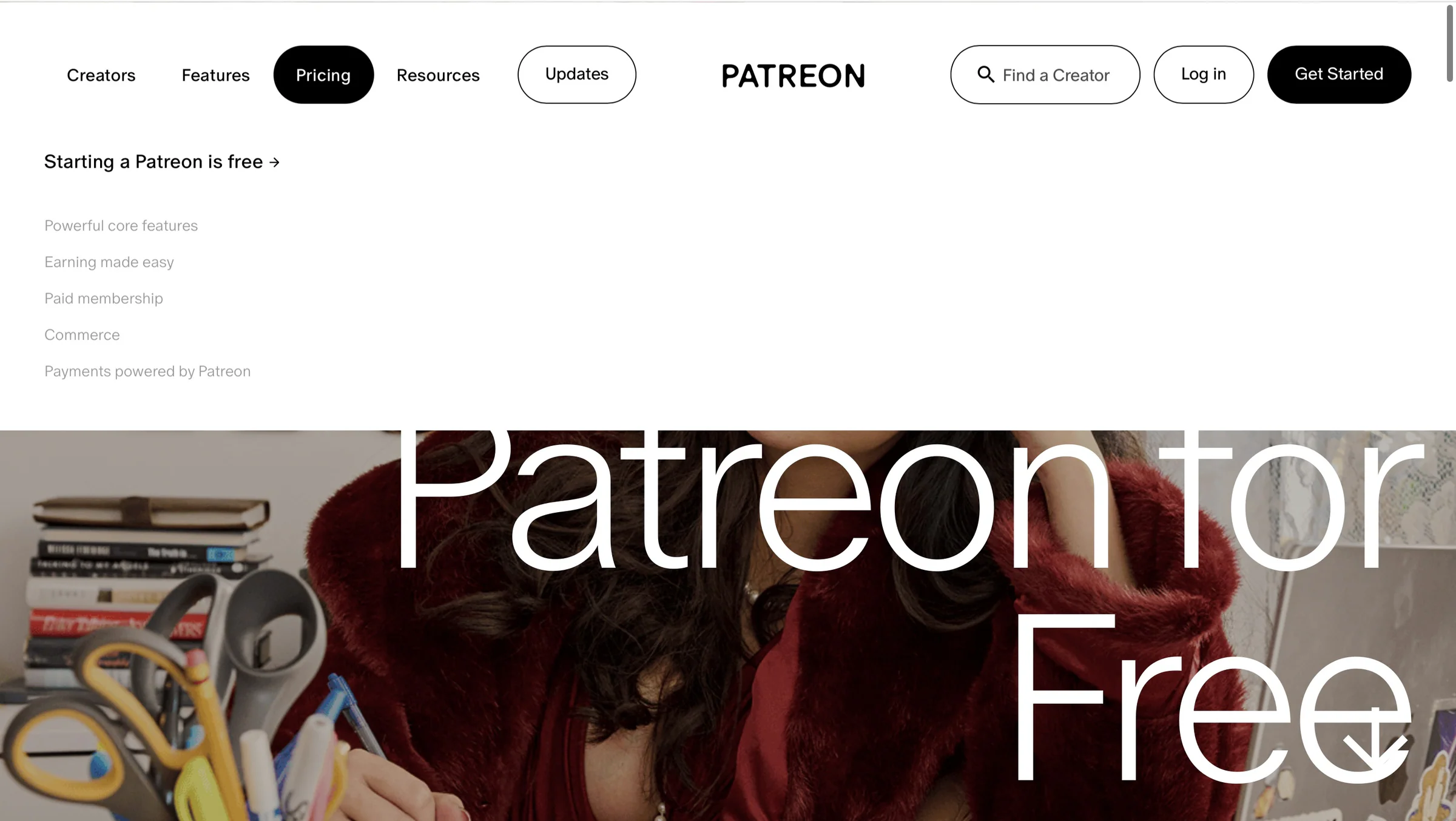
Among our list of Buy Me a Coffee alternatives is Patreon.
It’s a tiered membership model and crowdfunding platform where creators offer exclusive content to subscribers who pay recurring fees.

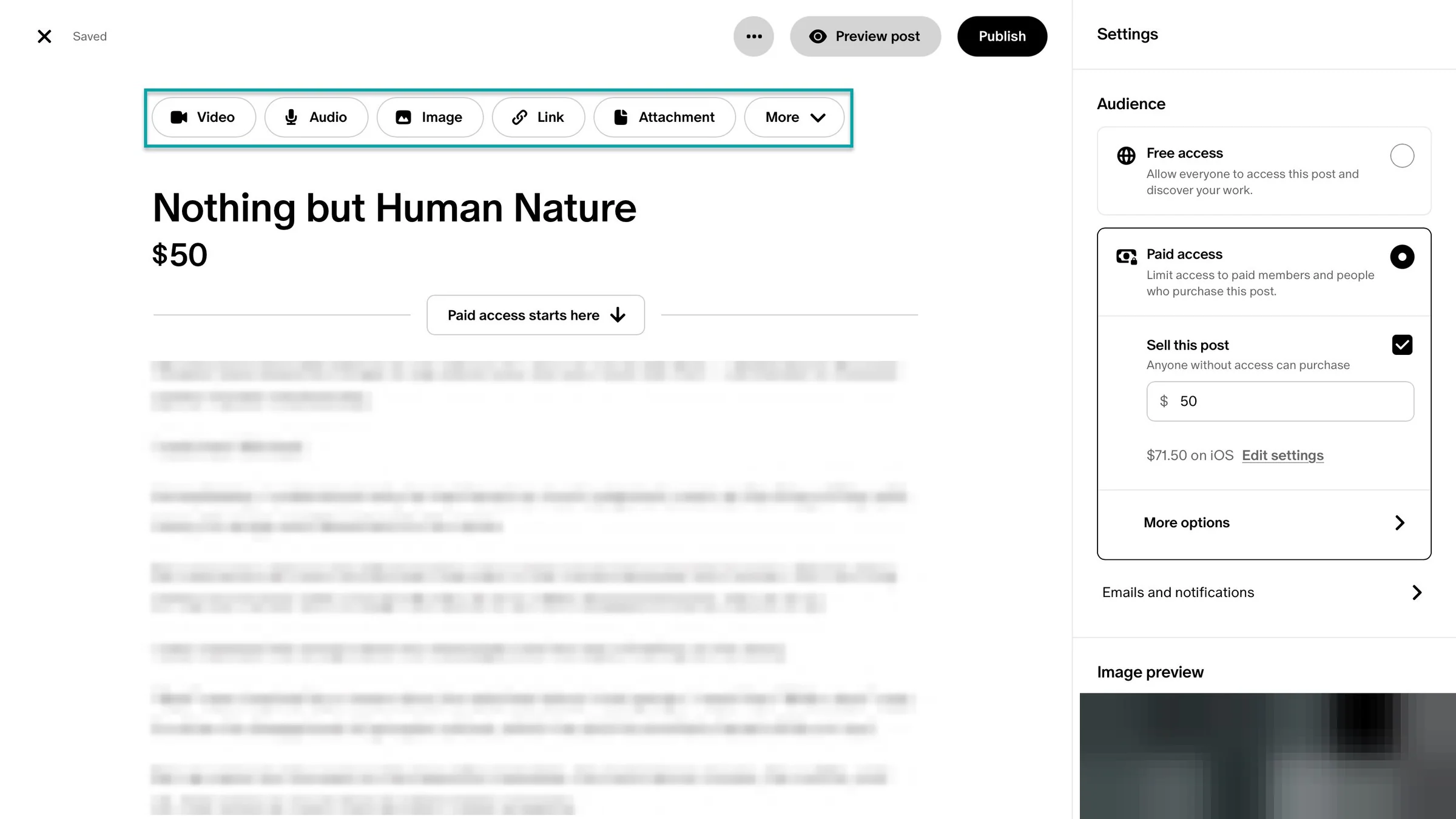
Like most Buy Me a Coffee alternatives, Patreon lets you create digital products. You can add video, audio, image, URL, attachments, polls, or livestream.
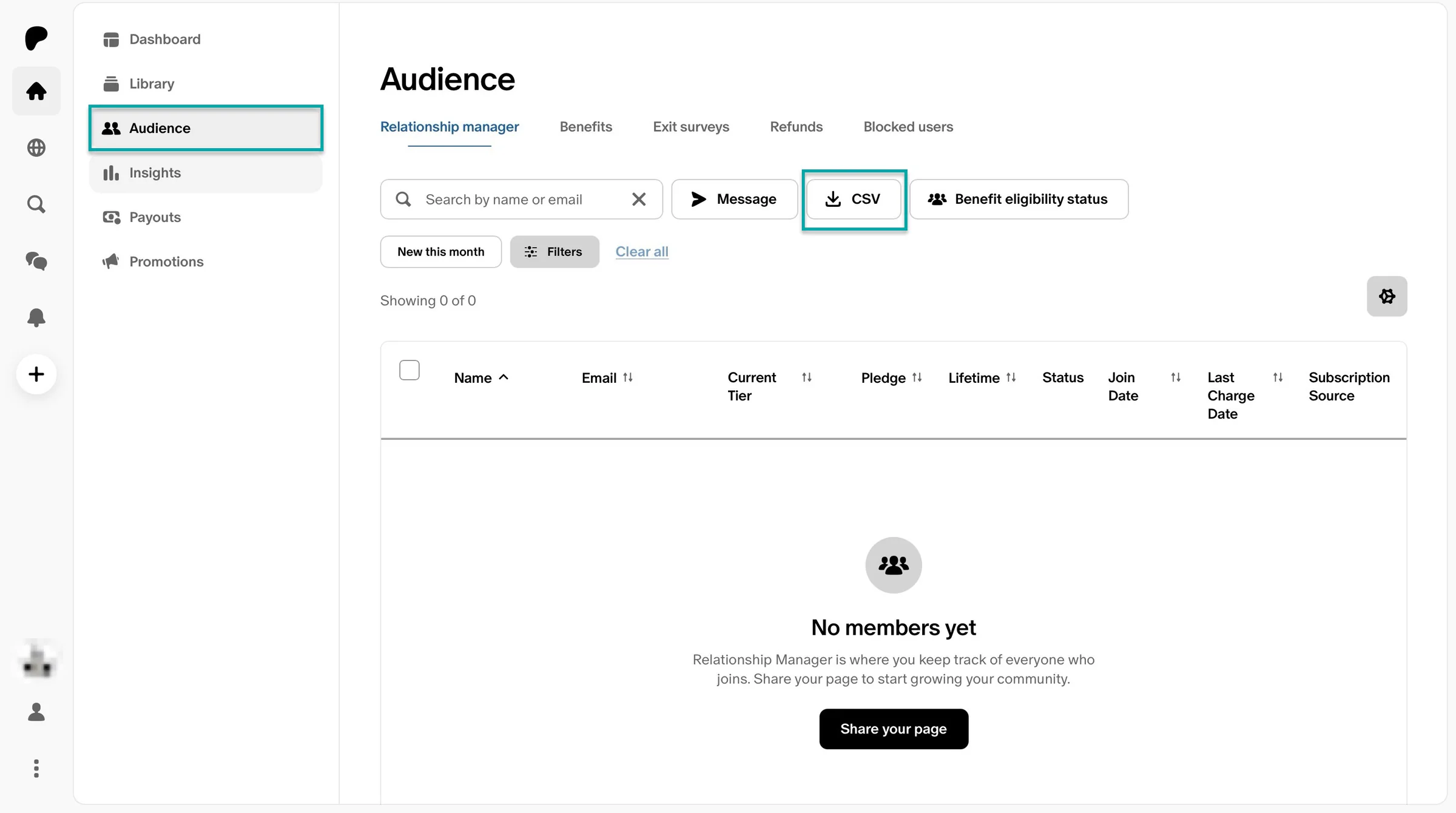
You can also manage your audience. Send them collective messages, show them the benefits you offer, add new members, and block users.
If you have an email list, you can import it via a CSV file to the platform.
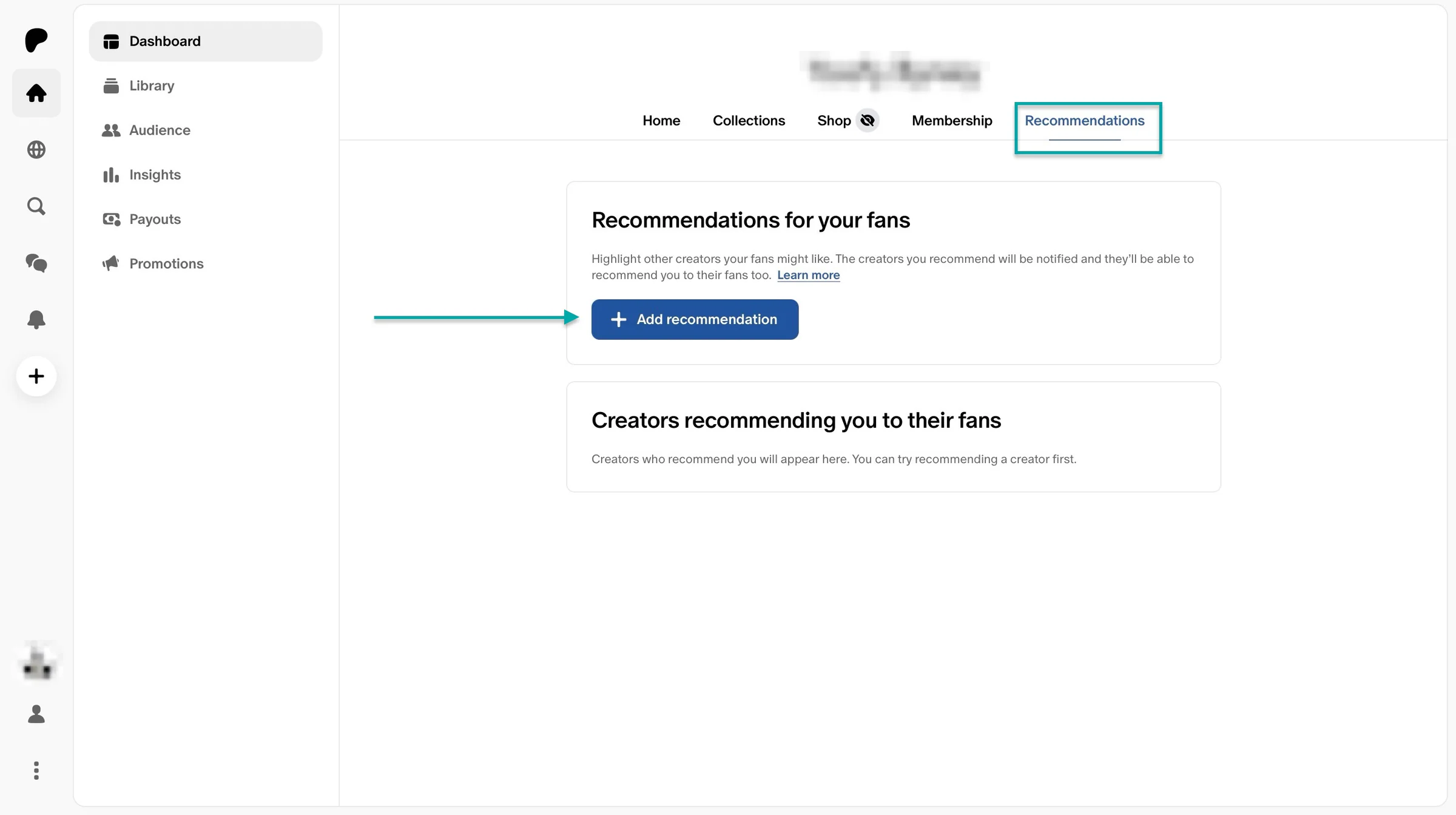
You get to see an overview of your collections, online shop, memberships you’re offering, and any recommendations you have for your fans.
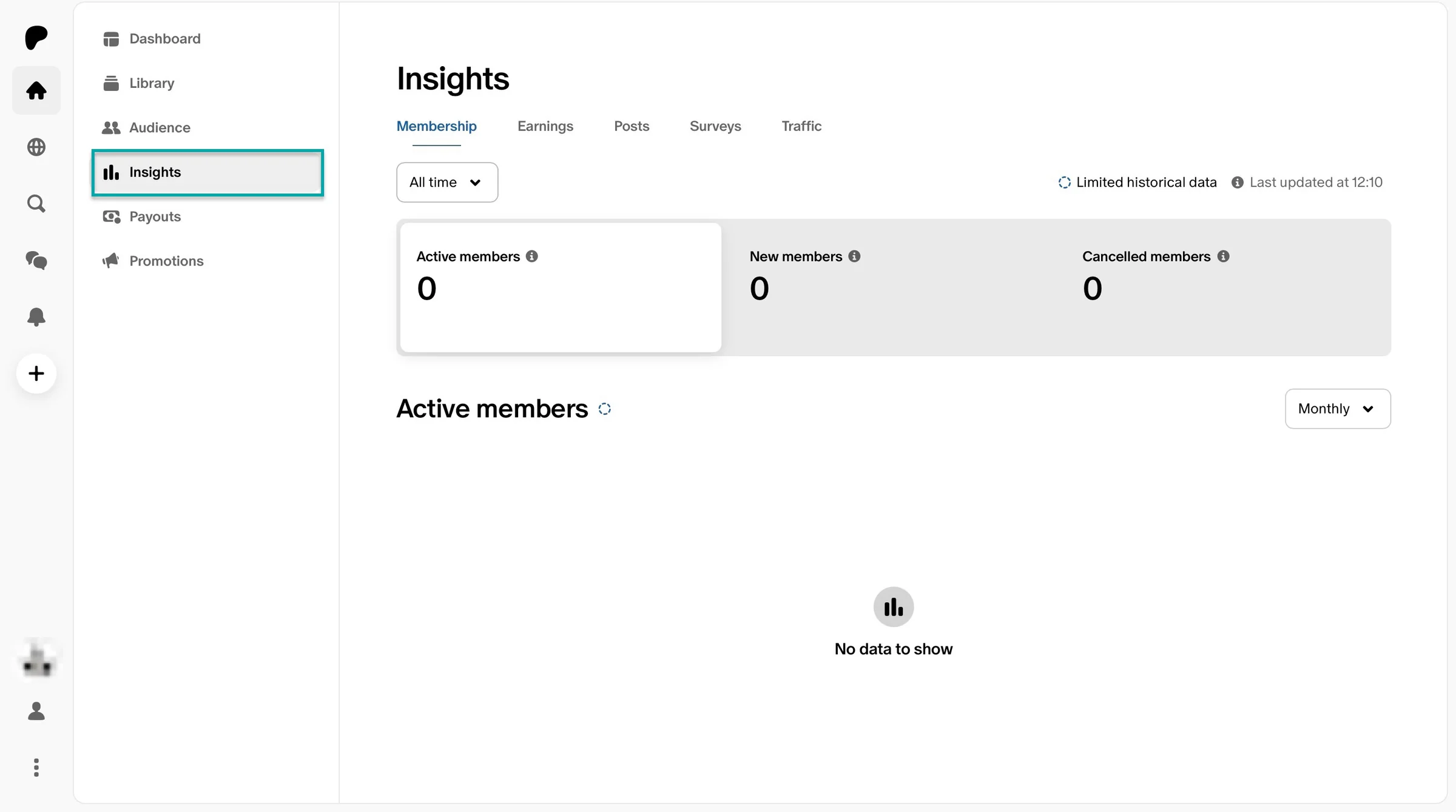
This Buy Me a Coffee alternative lets you see membership insights too. It can be your earnings, surveys, and traffic.
So that you do more of what’s working and stop doing what’s not.
What I loved about Patreon
1. Product
With Patreon’s product, you can sell to your fans. It could be video episodes, tutorials, digital downloads (game mods and 3D print templates), seasonal collections, and more.
Here’s how.
First, click on the “+” sign after the notification icon. Now, select “Product.”
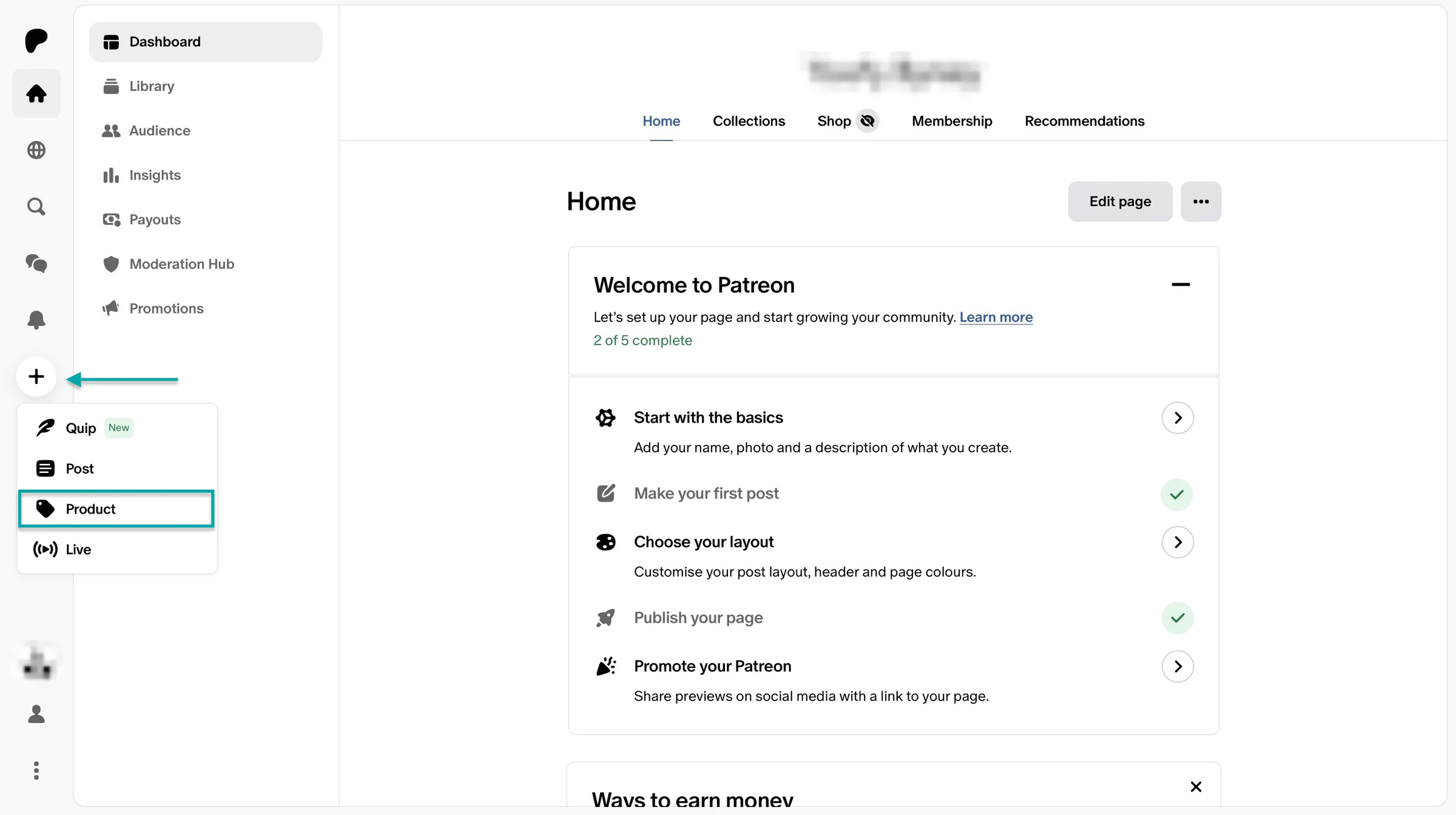
In the new window, add the product title and price. You can also make access free.
Click “Customize” at the bottom right of the page to upload an image from your device.
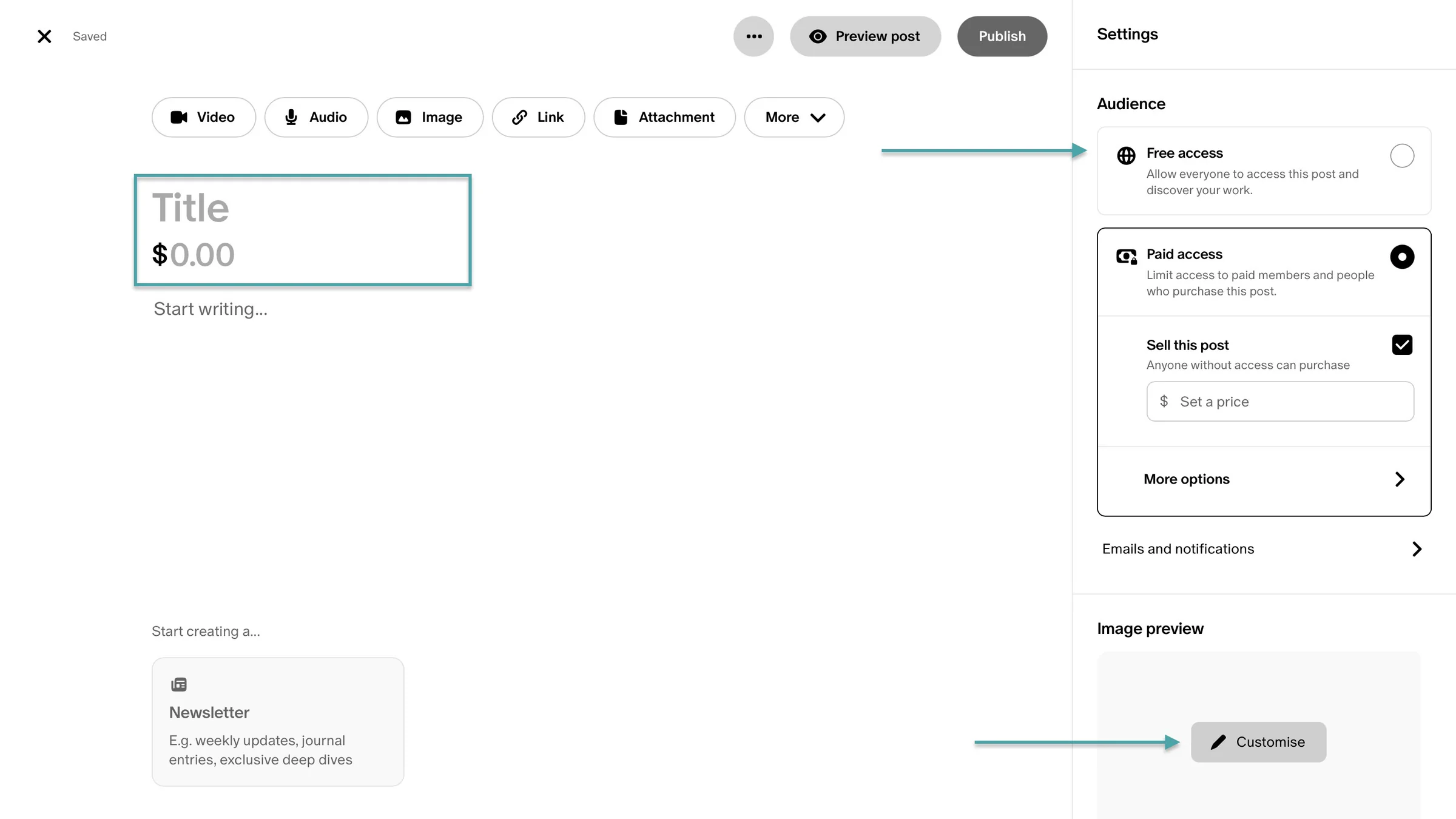
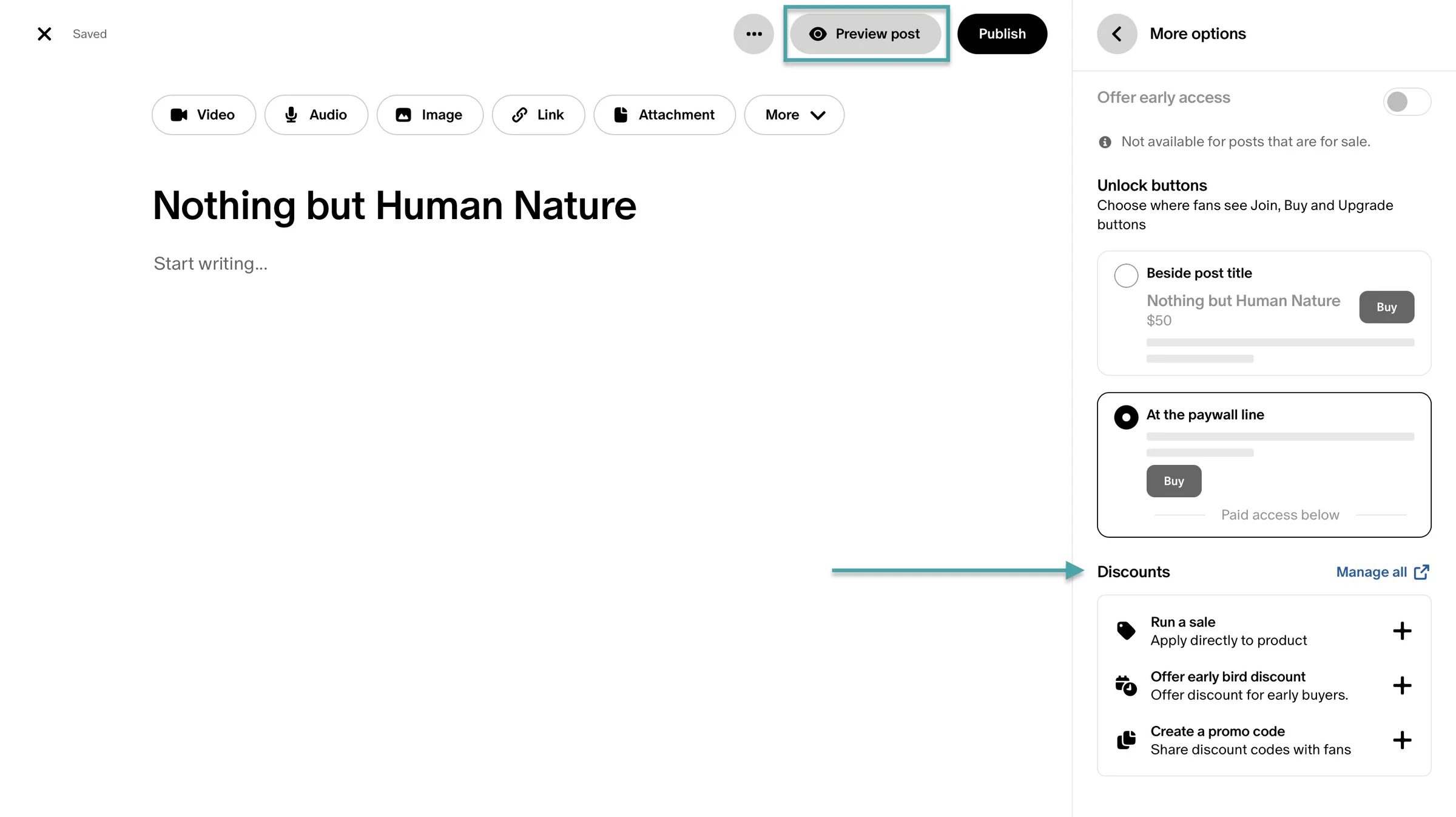
Then, click on the tabs in the navigation bar to upload the relevant file. After you’ve finished editing, click “Preview post” to get an idea of how it’ll look once you’ve published it.
You even offer discounts.
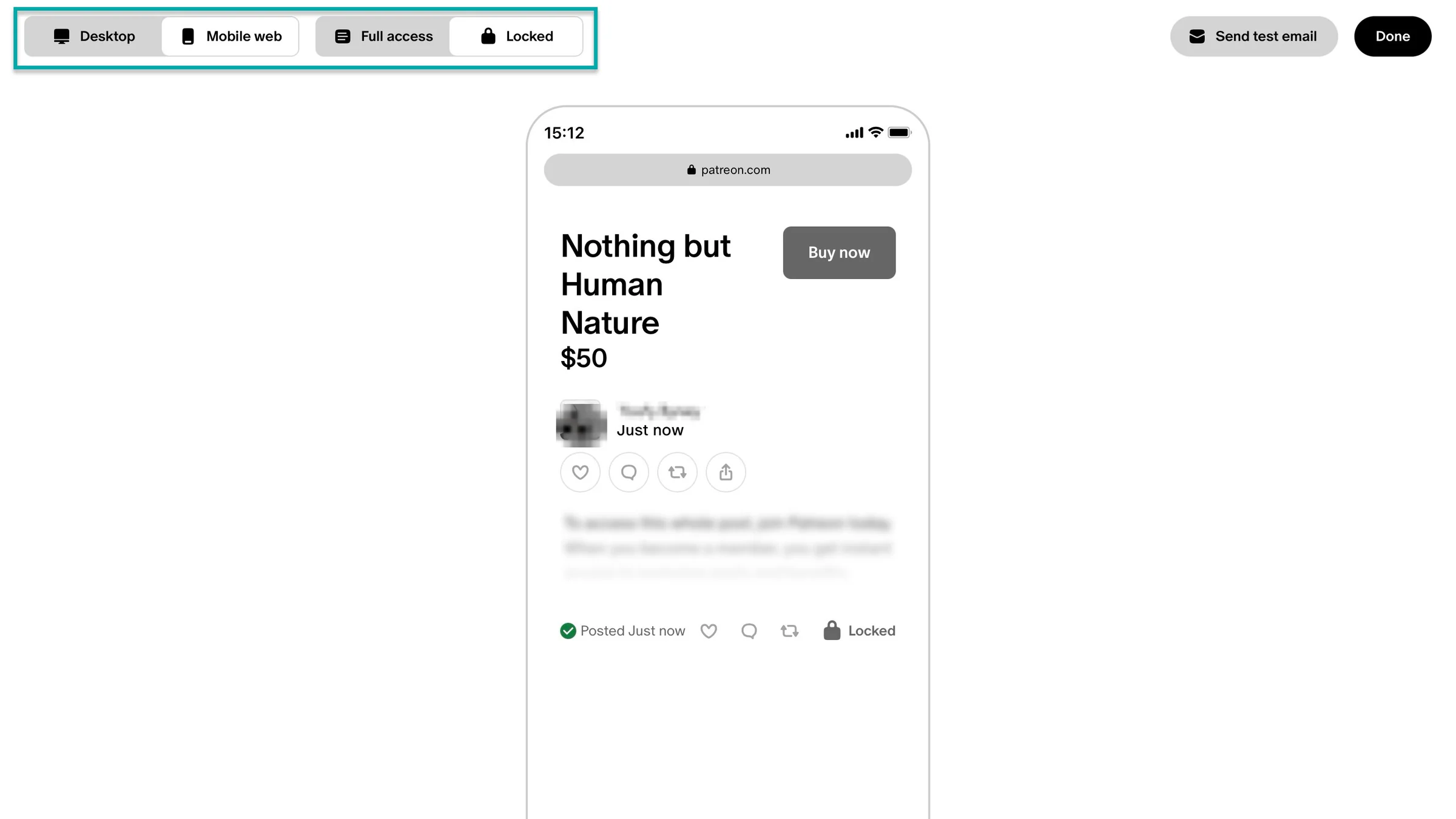
In the new window, set the view to desktop or mobile mode. Locked or full access mode.
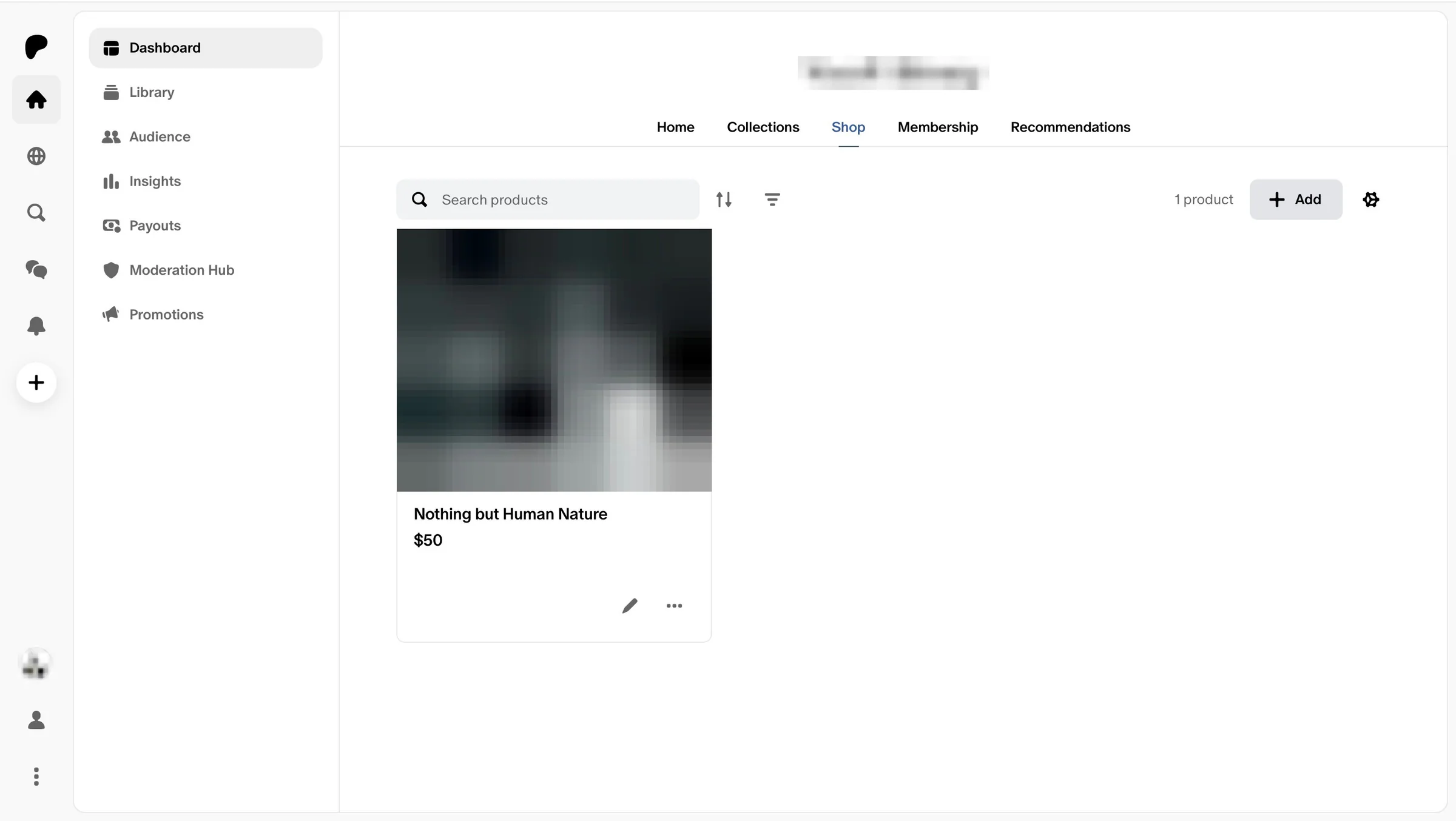
After the preview, publish or make further edits. Patreon will display the product after it’s published.
2. Membership
Patreon is popular for its tiered memberships that let creators earn recurring income from their fans. So let me show you how to go about that.
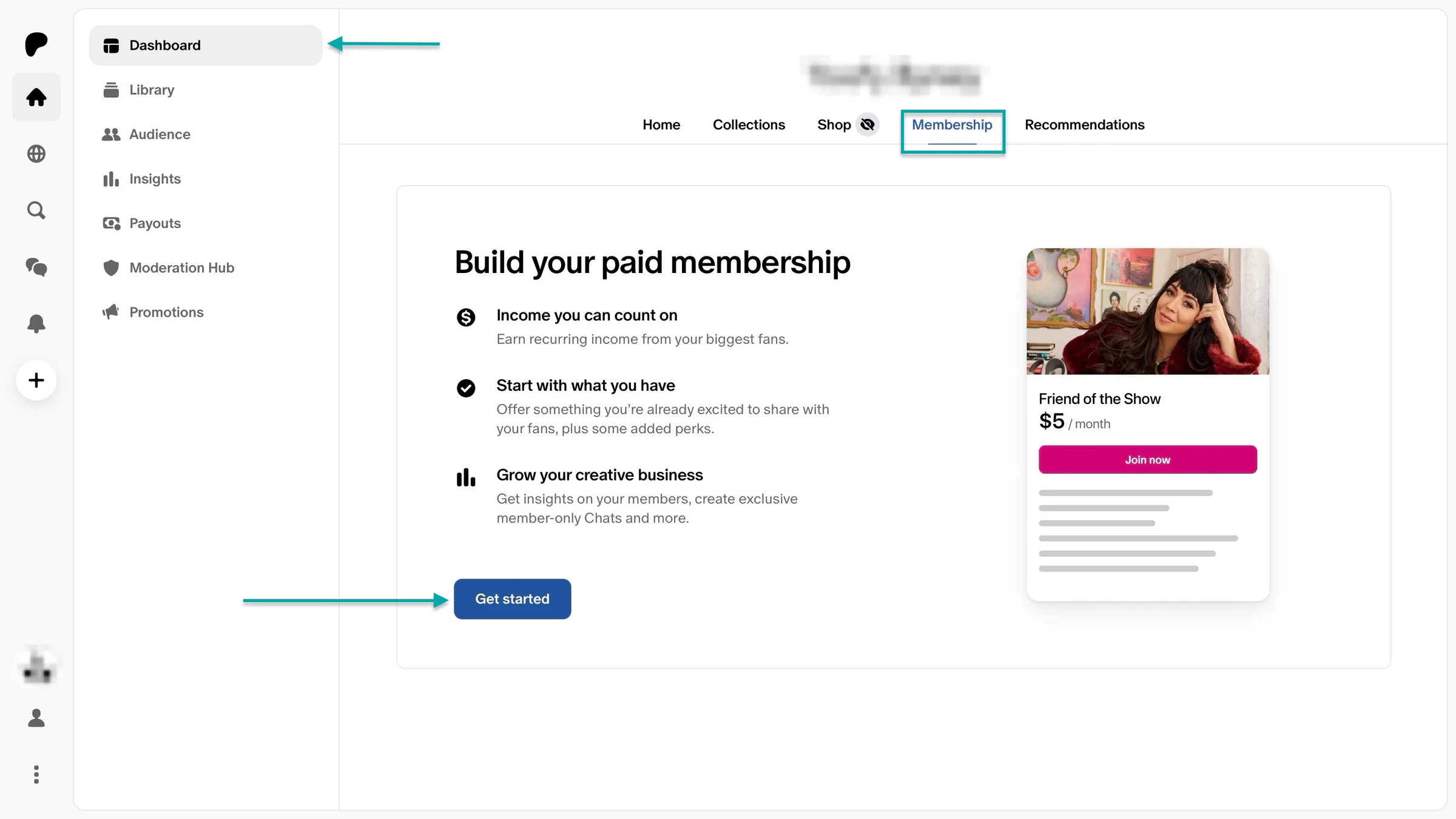
Right from the dashboard, click “Membership” and then the “Get started” button.
In the new window, name the tier, add the monthly price, description, and cover image.
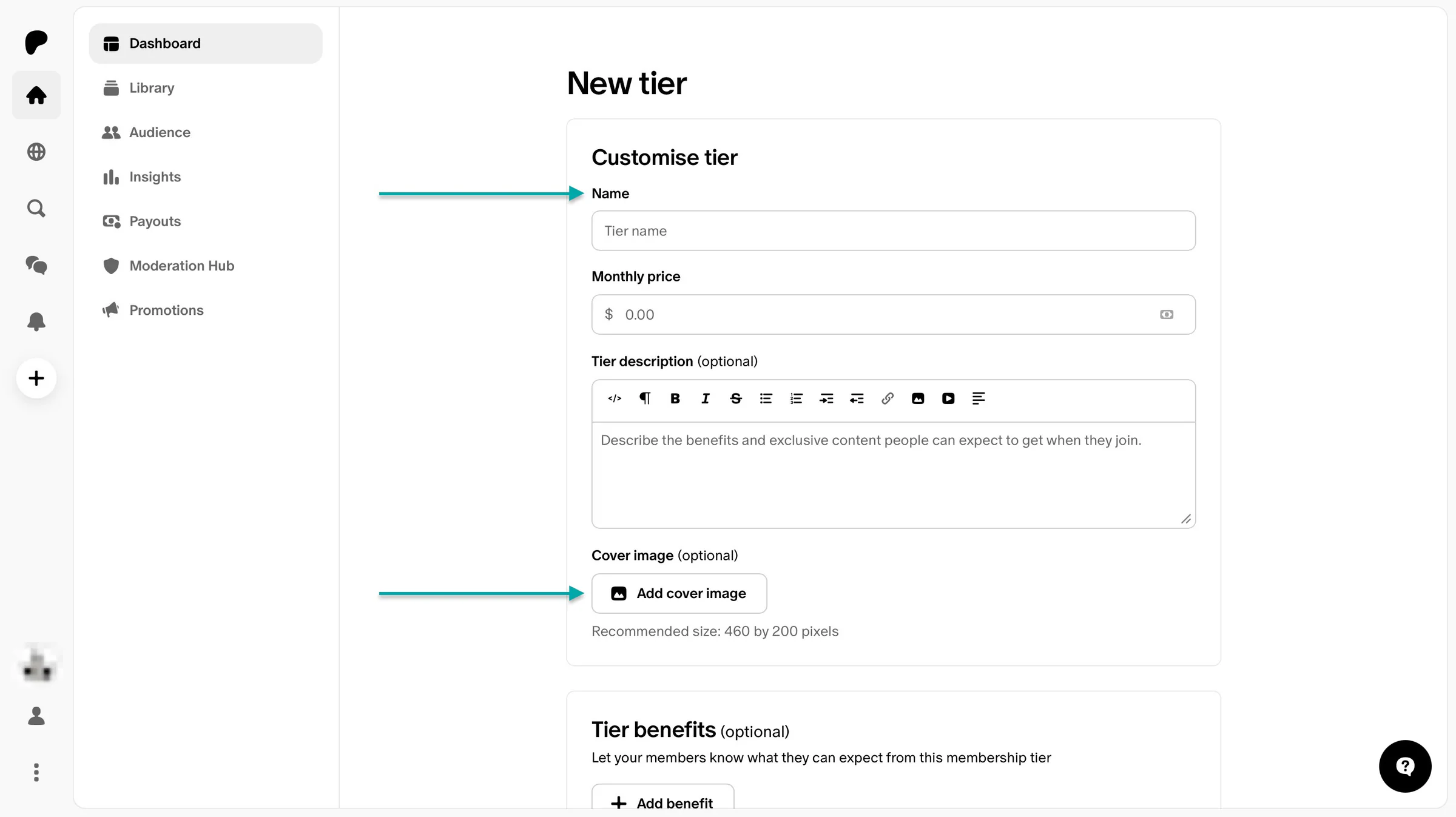
Then scroll down to add tier benefits. Click “+ Add benefits.”
Now select from the recommendations. After that, enter the title and category of the benefits you chose and click “Add benefit.”
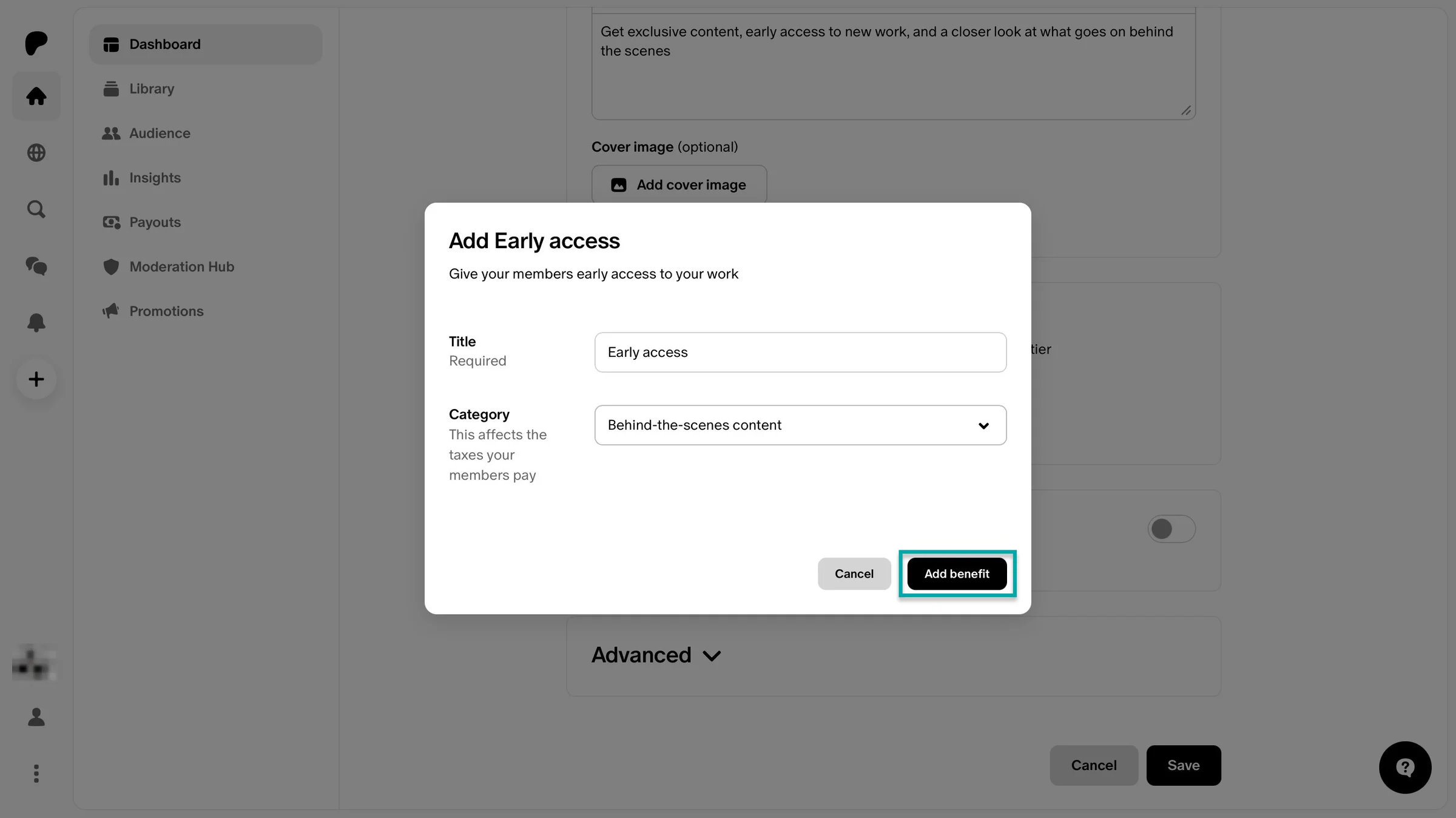
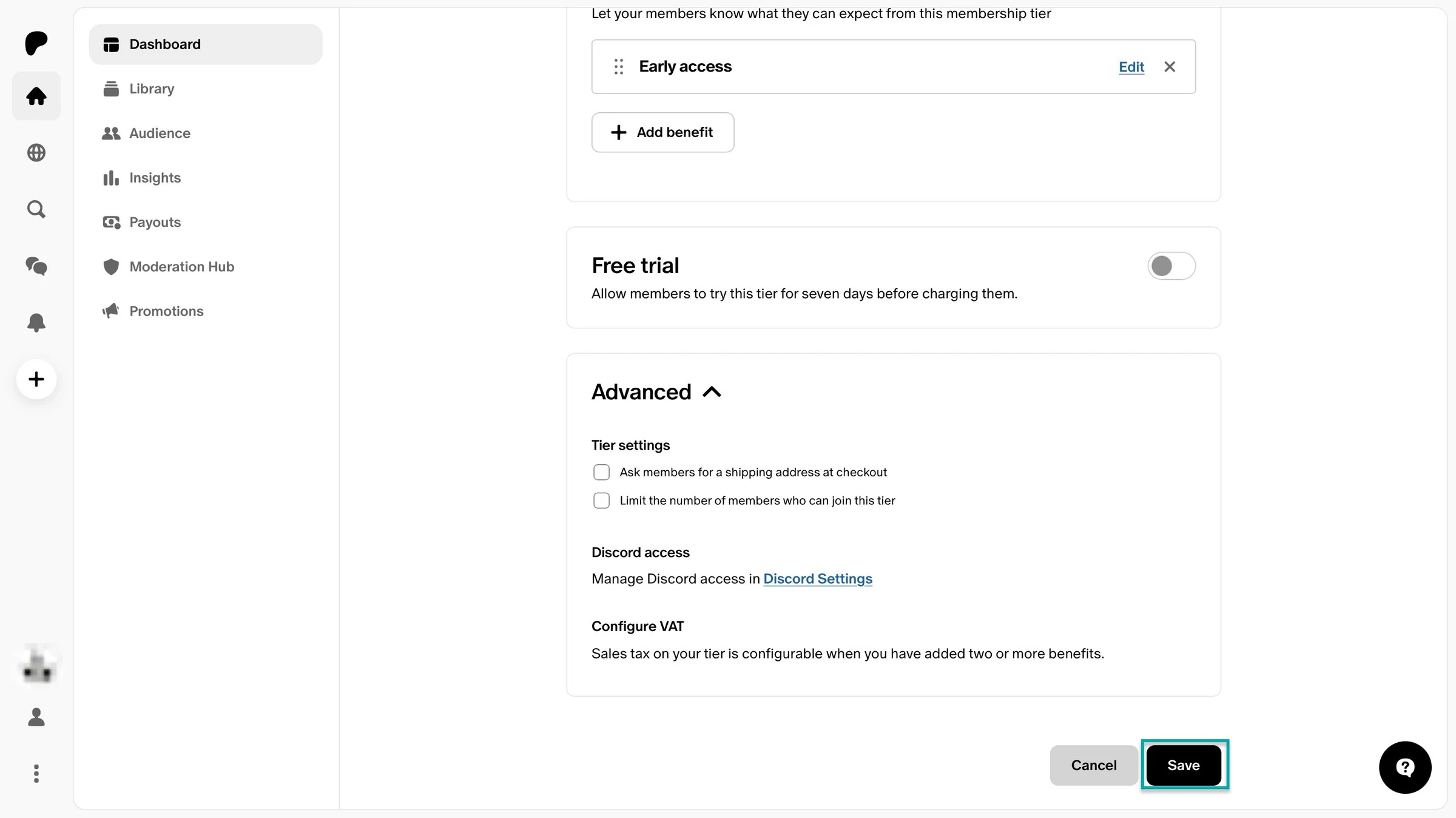
You can add as many benefits as you want. You could even toggle the switch to offer a free trial.
Next, click the dropdown arrow beside “Advanced” and tick the additional options if necessary. You can also manage Discord access in this section.
Finally, finish the setup by clicking “Save.”
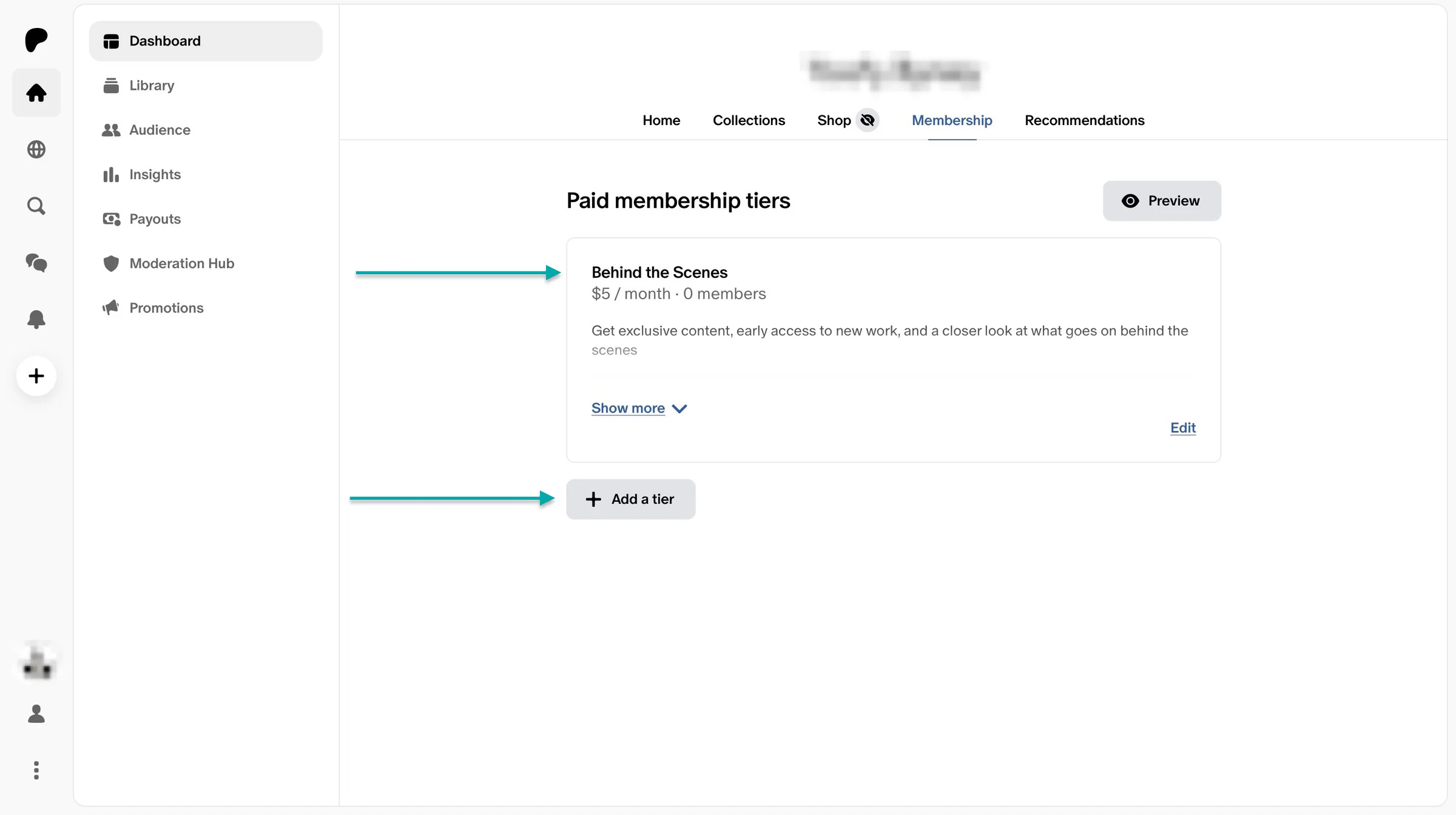
In the new window, click “Preview” to see how Patreon will show your membership tier to your potential subscribers. You can also click “Edit” to make further changes.
Click “+ Add a tier” to add multiple tiers with additional benefits.
3. Insights
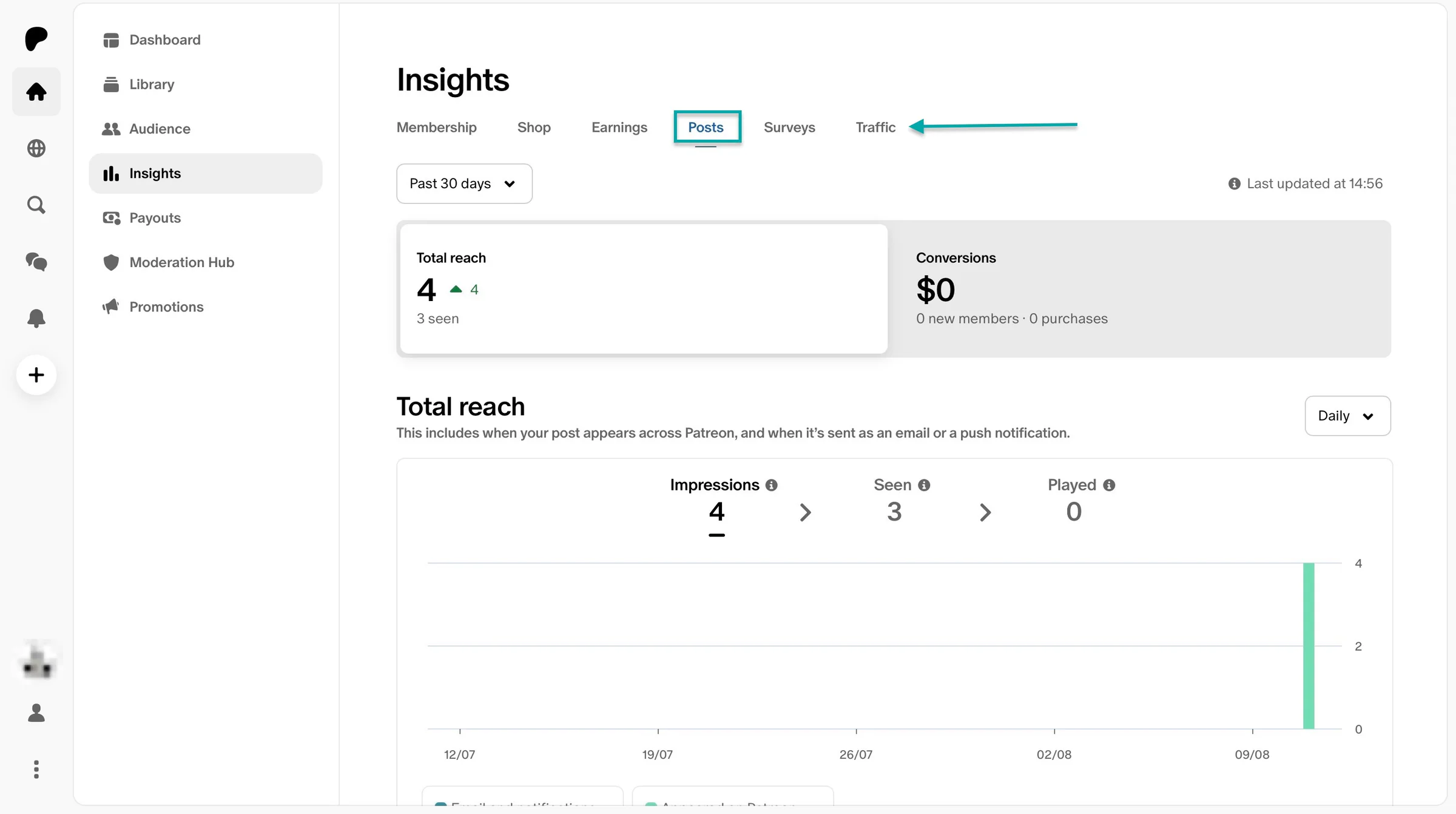
Its insights feature gives you an overview of your memberships, shop earnings, monthly earnings details, post reach, conversions, survey results, and traffic metrics.
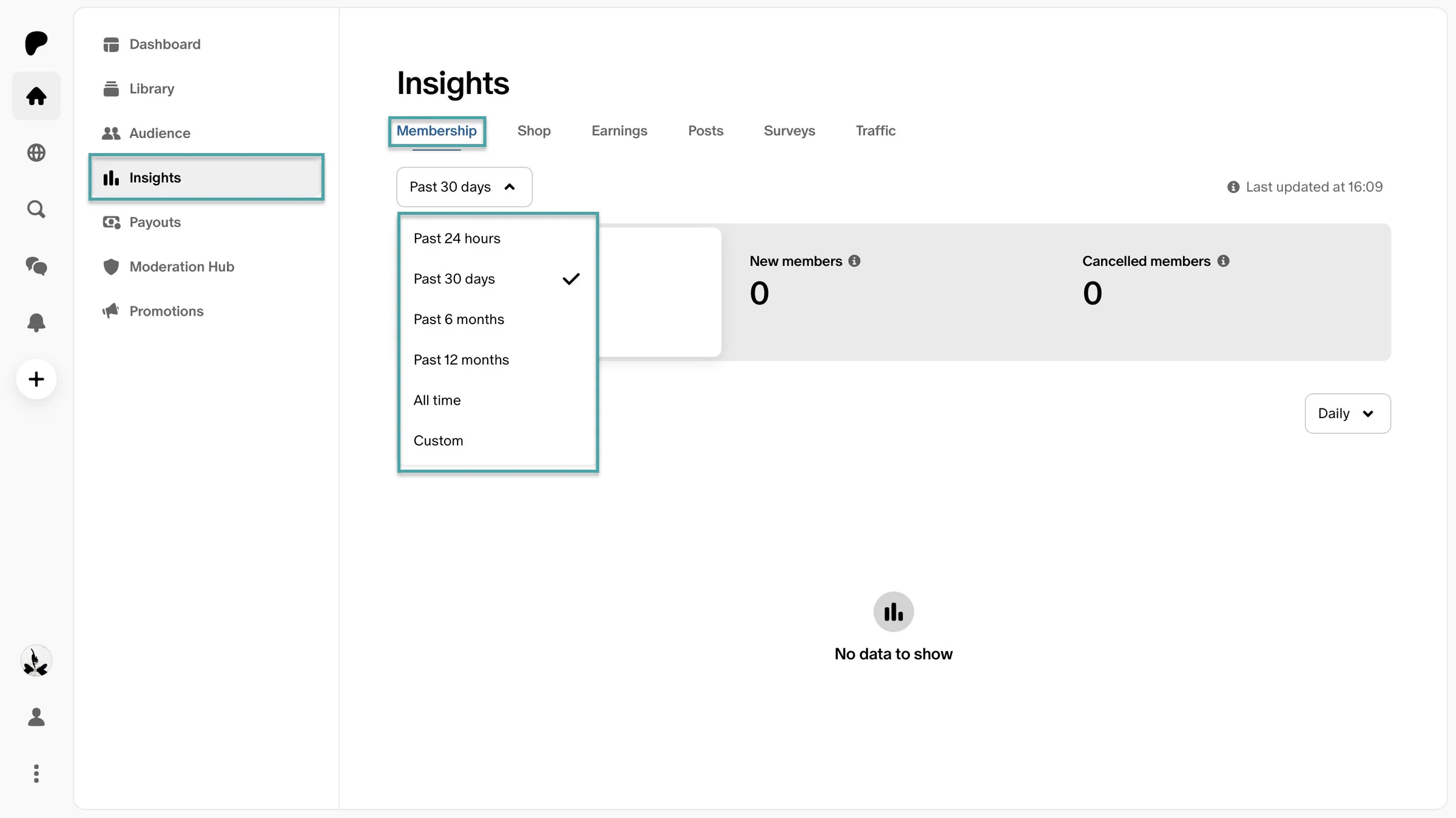
Click “Membership” in the navigation bar to see the number of active, new, and cancelled members.
Choose to view daily, monthly, or yearly insights on your memberships.
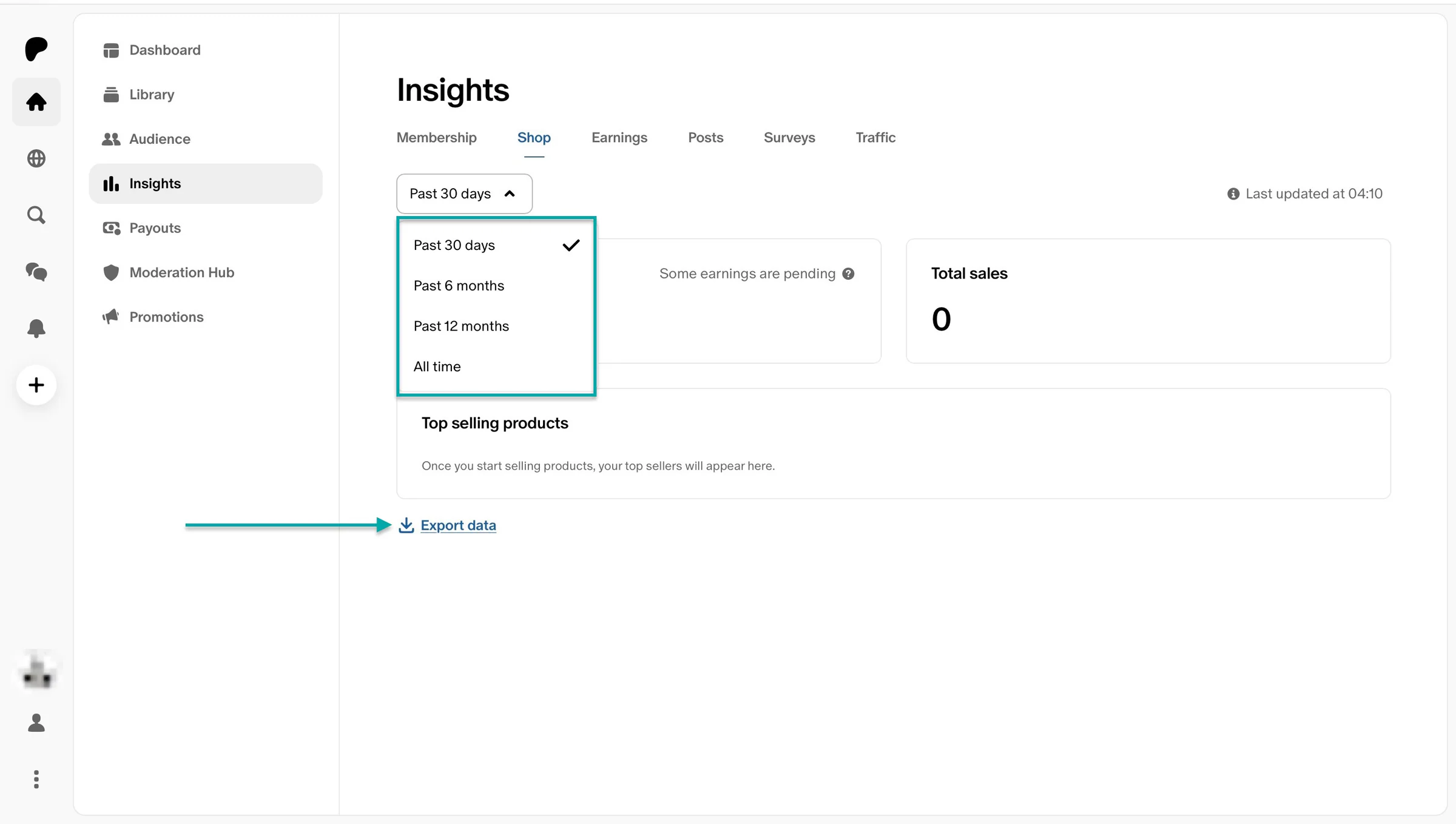
Move to the next tab, “Shop,” to see shop earnings and total sales. It also shows your top-selling products, and you can click “Export data” to download it to your device.
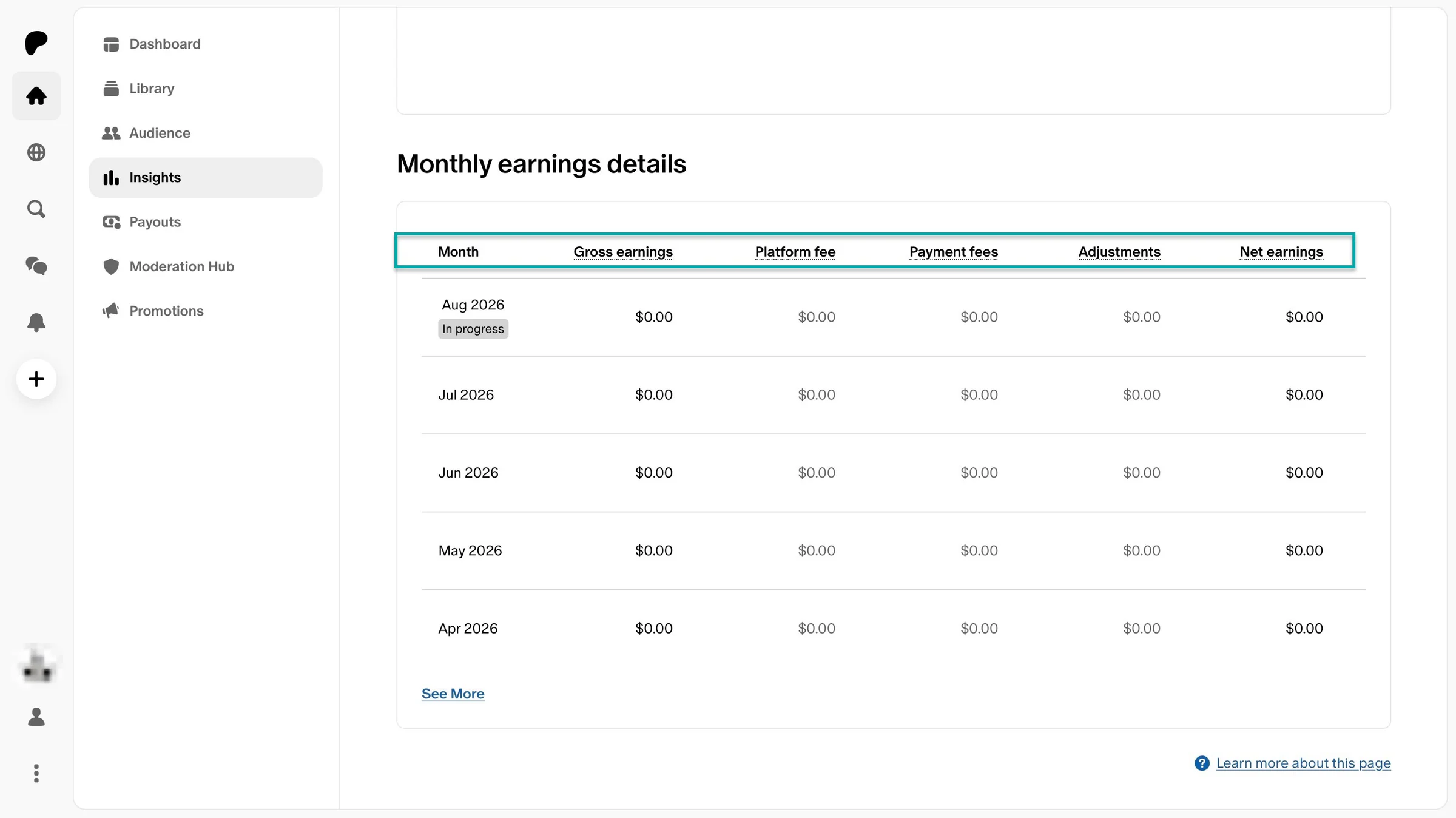
The “Earnings” tab will give you a detailed monthly overview of your earnings from your membership tiers.
You can click the tabs “Posts,” “Surveys,” and “Traffic” to access more information.
What I liked vs what I didn’t like
What I loved 👍
✅ Lets you sell multiple paid memberships and digital products for free.
✅ Offers you a chance to earn steady, reliable, recurring income from your fans through membership and product sales.
✅ Lets you own your subscriber contact list and information so you can stay in touch with your audience even if you decide to leave Patreon.
What I didn’t like 👎
❌ Patreon takes a flat 10% platform fee on all processed memberships and shop sales.
❌ It’s built around memberships, so it may not be the best fit for selling one-off digital products and services.
Best for
- Creators with a loyal following who want to monetize their audience through a subscription-based community.
Pricing
- Free: $0/month
3. Ko-fi
- Personal rating: ⭐️⭐️⭐️⭐️ 4.7/5 - Has a vibrant, minimalist interface that makes accepting support from your audience simple.
- Ease of use: ⭐️⭐️⭐️⭐️ 4.8/5 - Very easy to use, with most features clearly labelled in the sidebar.
- AI capabilities: Currently, Ko-fi doesn’t offer native AI creator tools.
- Ways to monetize: Tips, digital products, memberships, commissions.
- Free trial: No - Offers a free plan with a 0% service fee on one-time tips.
- Starting plan: Standard - $0/month.
We can’t discuss Buy Me a Coffee alternatives without mentioning Ko-fi. It’s a support-first platform that also lets creators earn through memberships, a creator shop, and commissions.
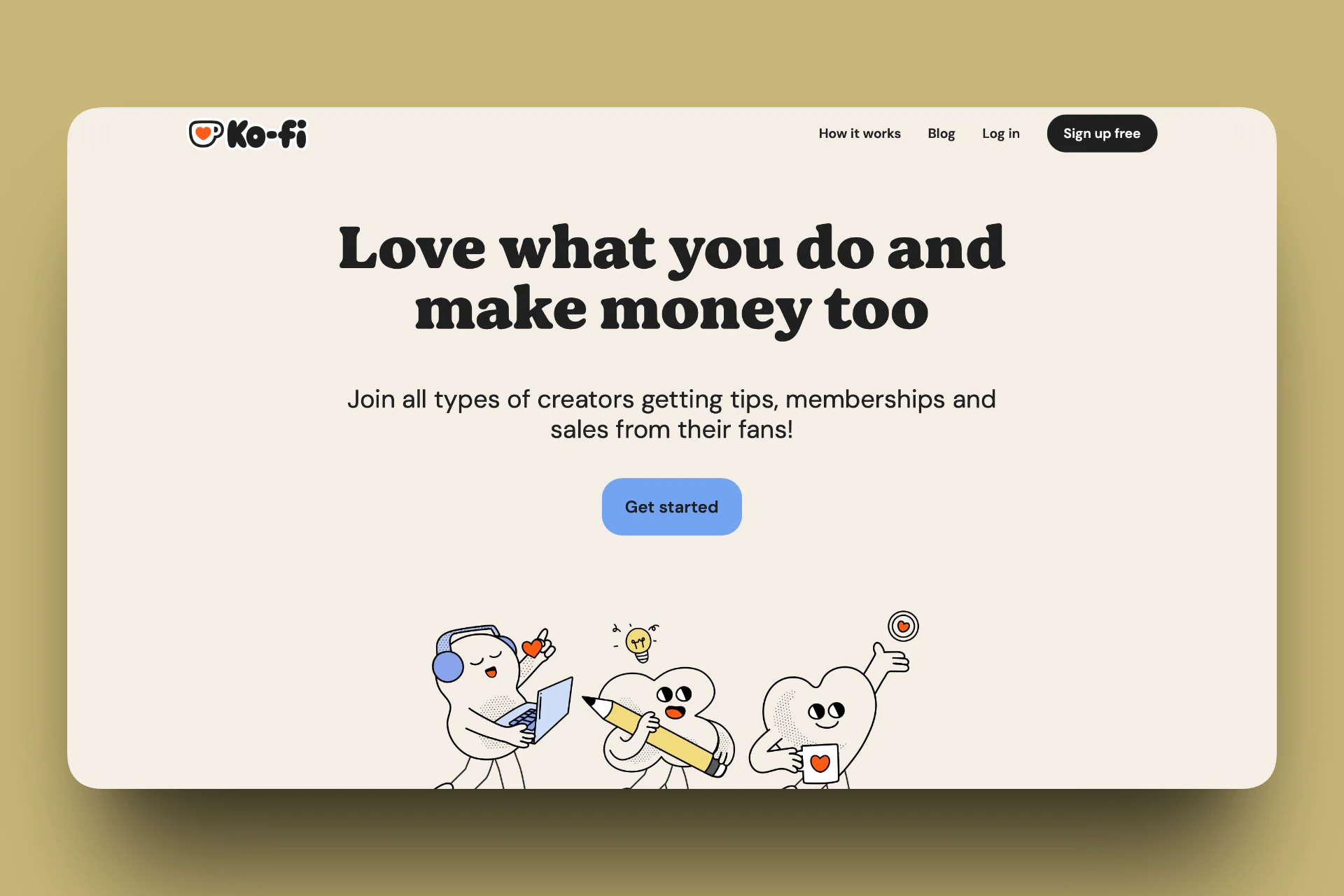
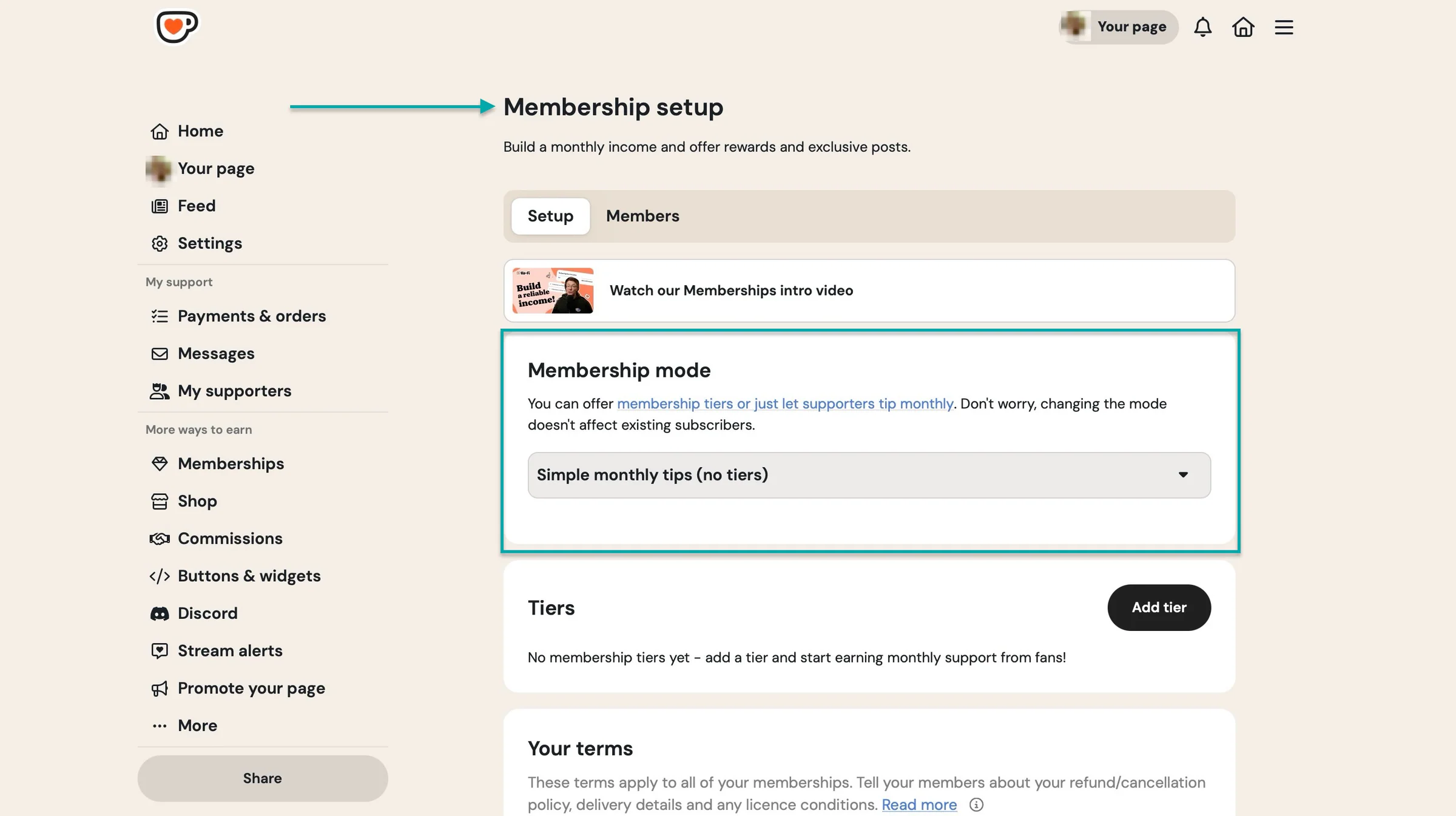
Ko-fi lets you set up membership tiers or just receive monthly tips from your supporters. You just have to offer rewards and exclusive content.
But membership tiers and tips aren’t the only way to earn on this Buy Me a Coffee alternative.
It also lets you sell digital and physical products.
You can even view the metrics on your shop orders. That can help you keep track of both your shop’s earnings and inventory.
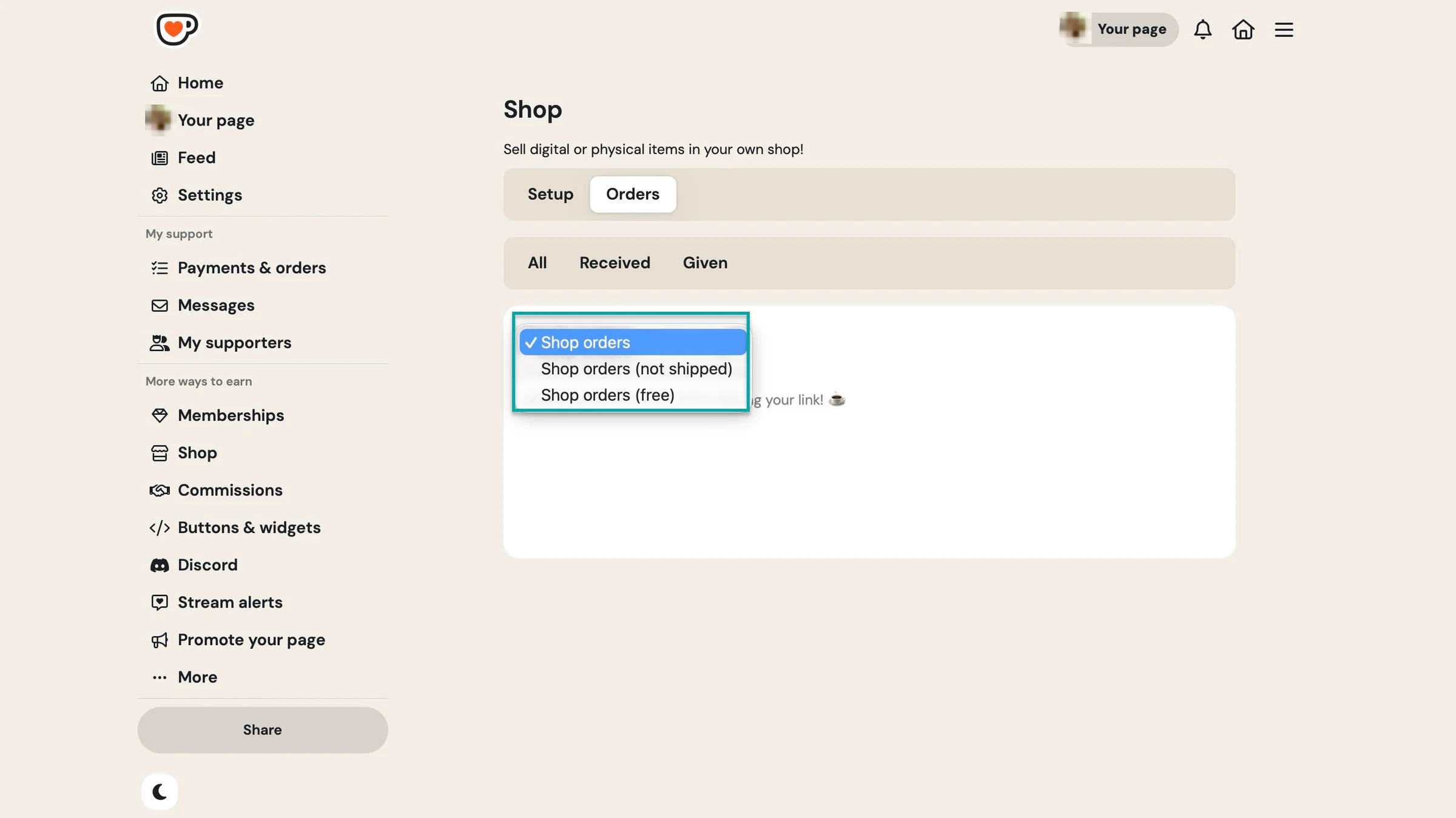
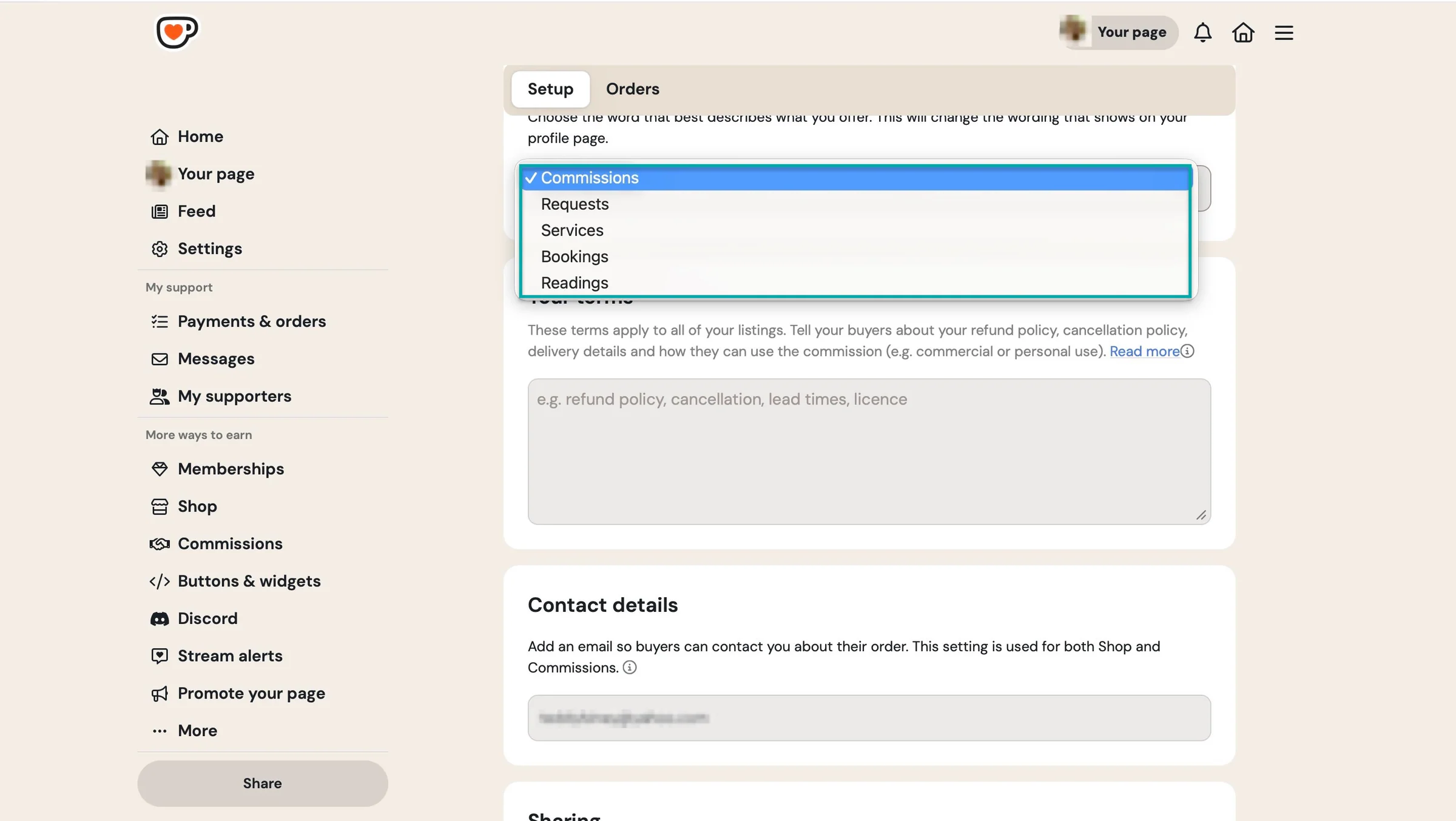
And your fans and supporters can request something unique from you. It could be painting, writing, music (song covers), a service (like consultation), or anything they know you can offer.
You can add your own listings so fans and potential buyers know what’s up for grabs.
What I loved about Ko-fi
1. Shop
The shop feature lets you sell digital products like wallpapers, high-resolution photos, Canva templates, planners, e-books, behind-the-scenes videos, tutorials, and more.
Here’s how to go about it.
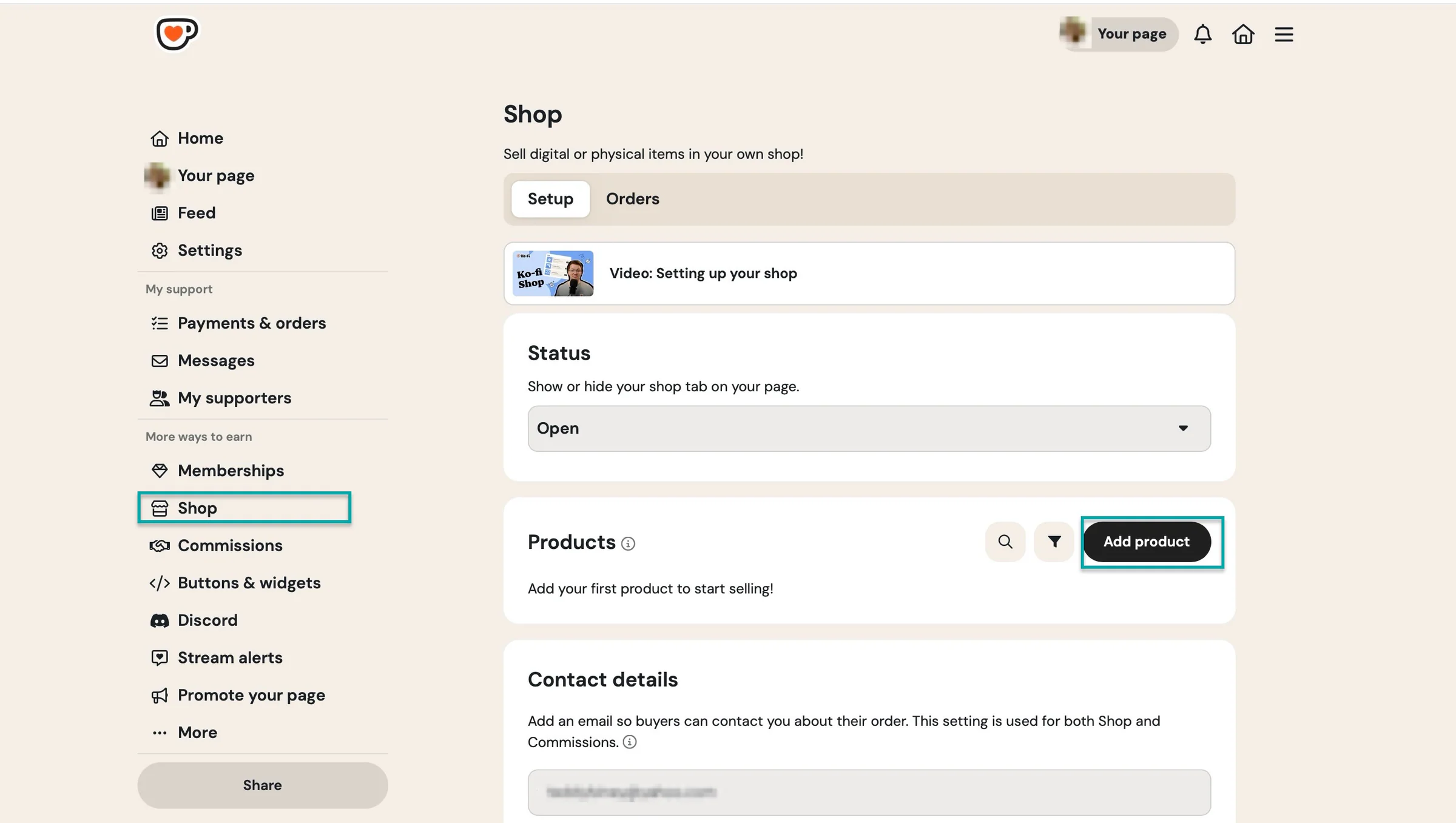
Select “Shop” in the sidebar. After that, click “Add product.”
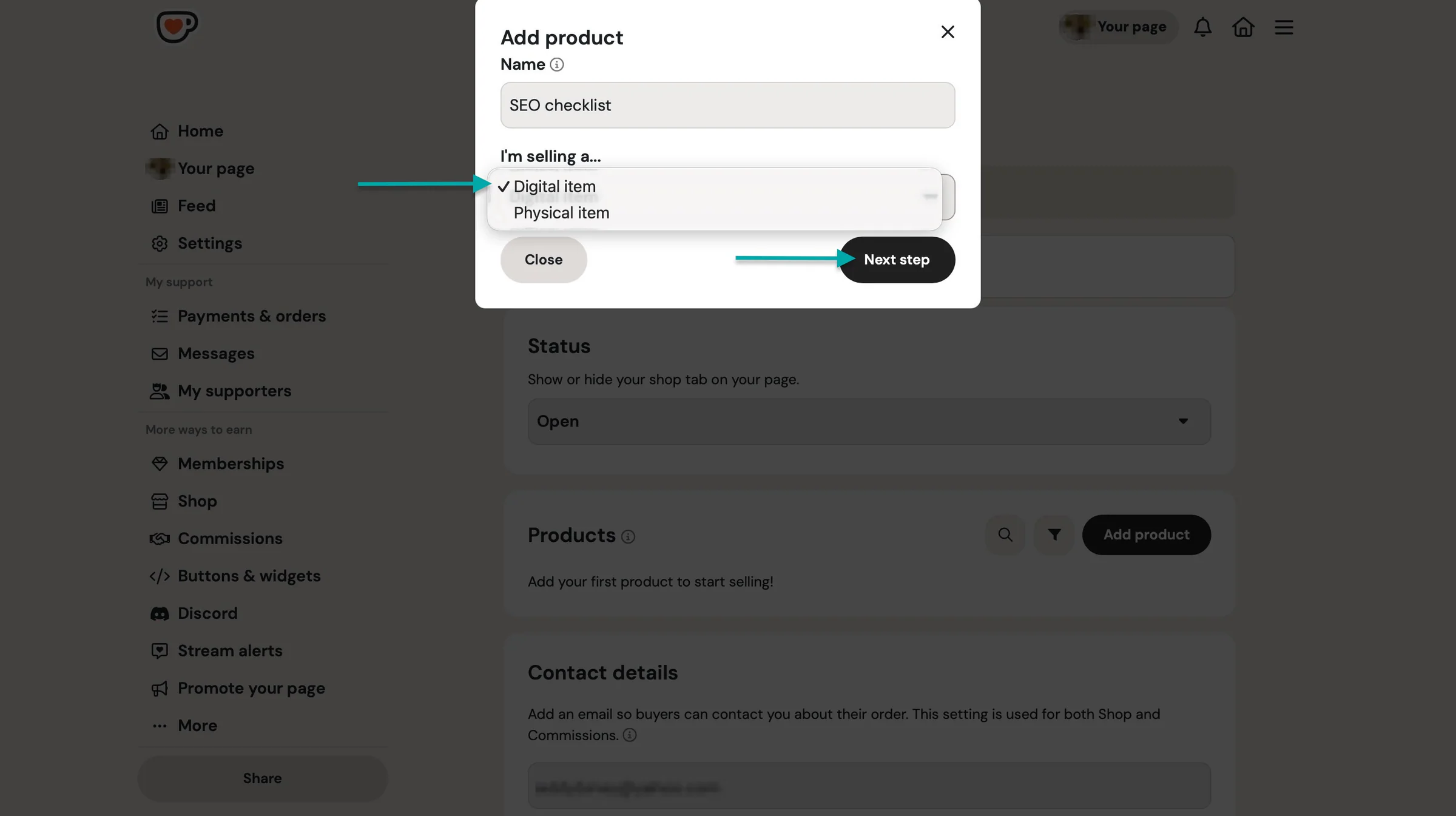
In the pop-up window, enter the product name and select “Digital item.” Choose “Physical item” if that’s what you’re selling. After that, click “Next step” to proceed.
In the new window, add the product description, up to 20 preview images, and a product summary.
Then, scroll down to add a price. You can upload a file or share the URL if your product is on another platform.
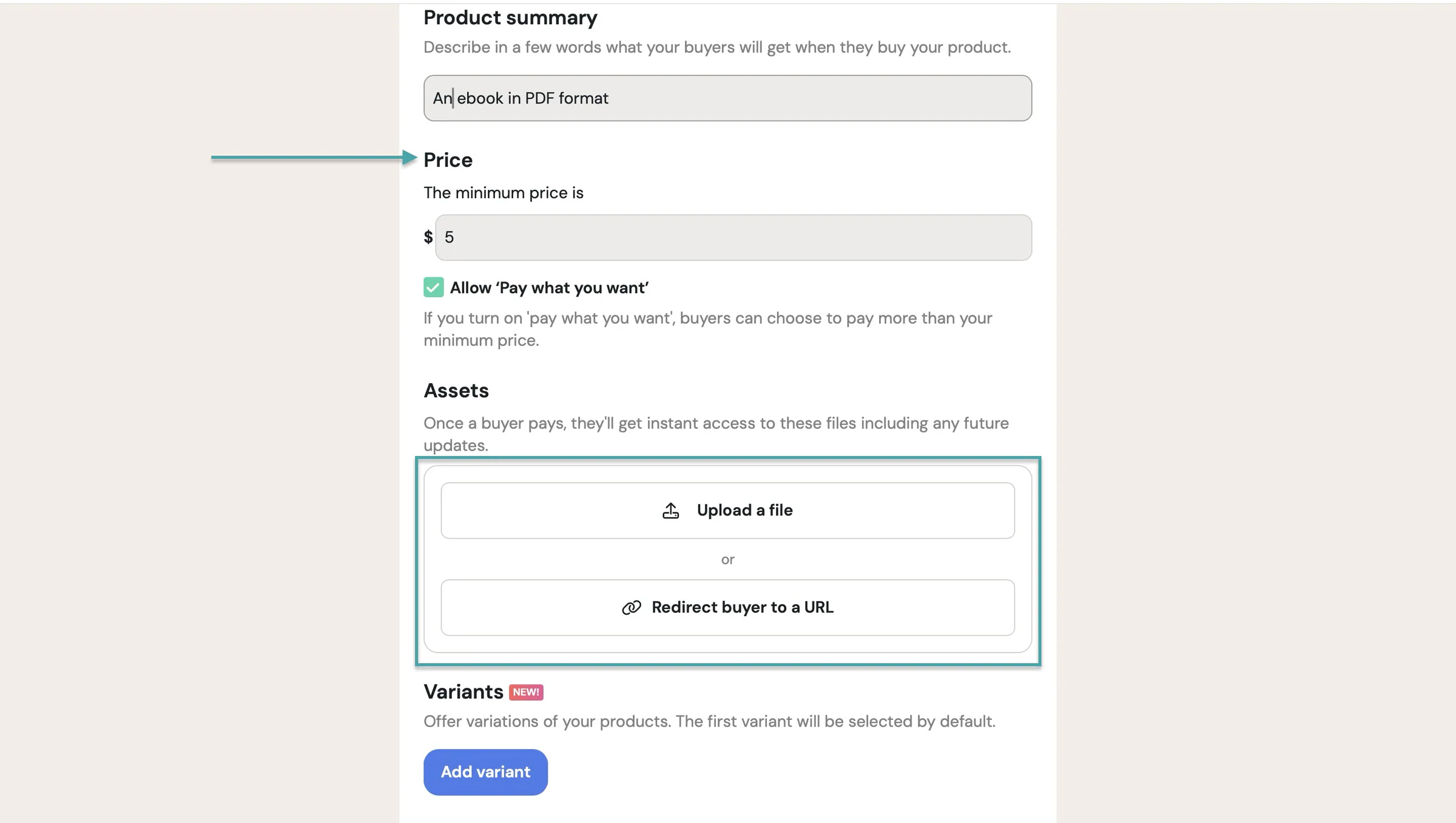
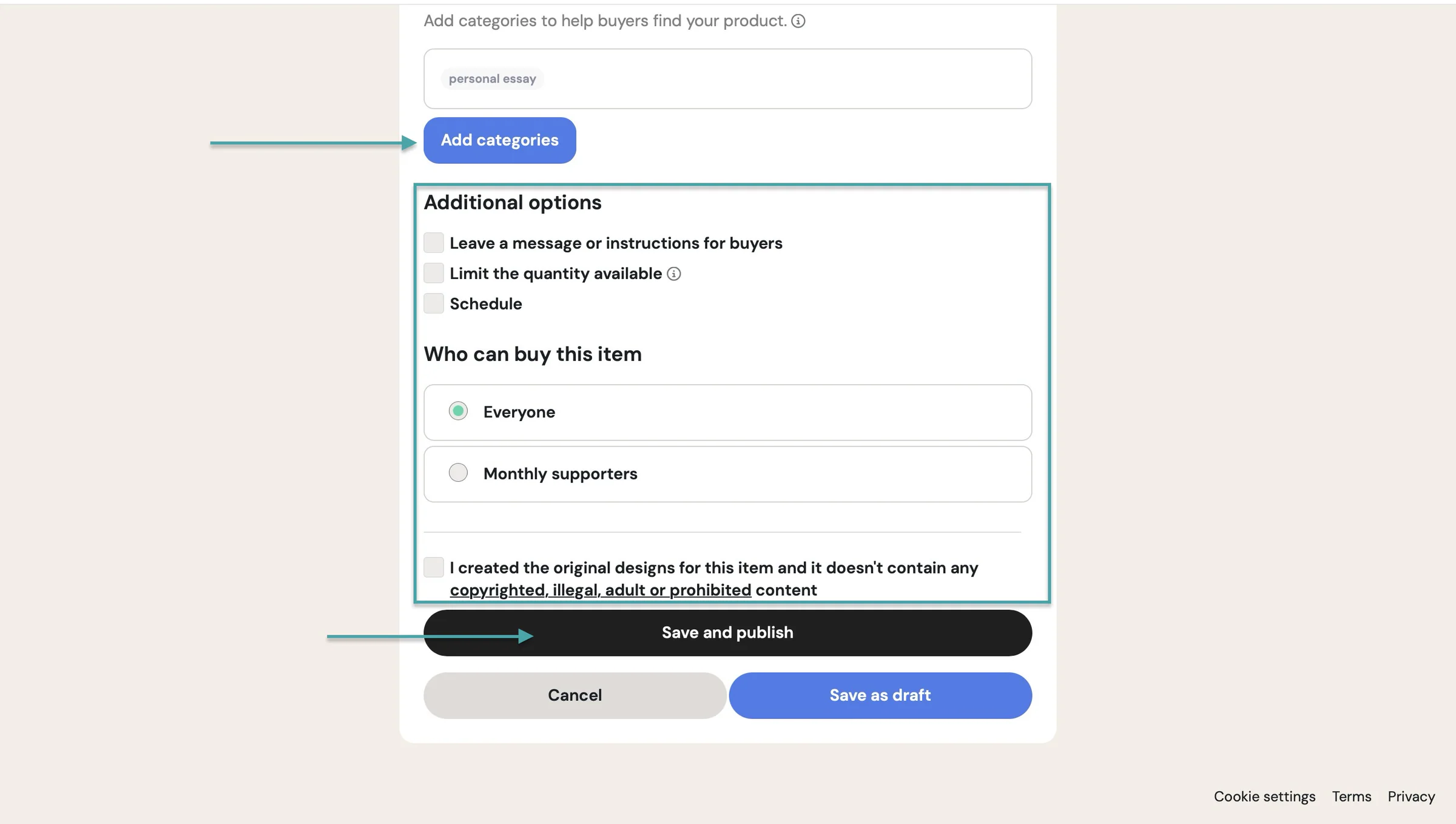
Continue by adding variants of the product or embedding a media file like a YouTube video, audio, or other content to showcase it. From here, add up to 5 categories or tags to help potential buyers find your product.
Now, tick in the boxes under “Additional options” if they apply. Then, choose to sell the product to the general public or your monthly subscribers.
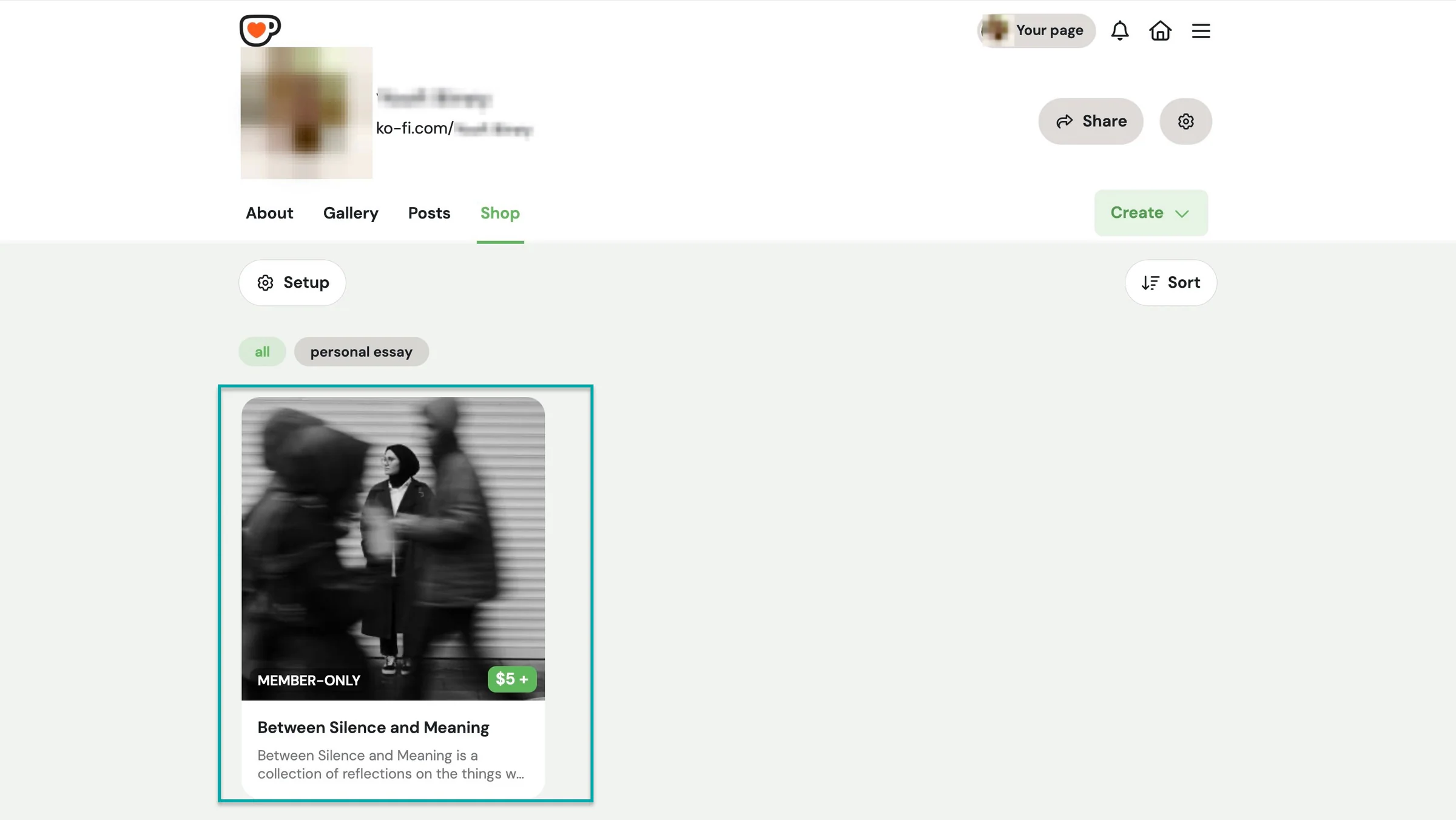
After that, click “Save and publish.”
Ko-fi will publish your product checkout on your shop.
2. Memberships
Ko-fi’s memberships let you offer your subscribers exclusive content and benefits in exchange for recurring monthly support. It can be in the form of membership tiers or just monthly tips.
Let’s create membership tiers.
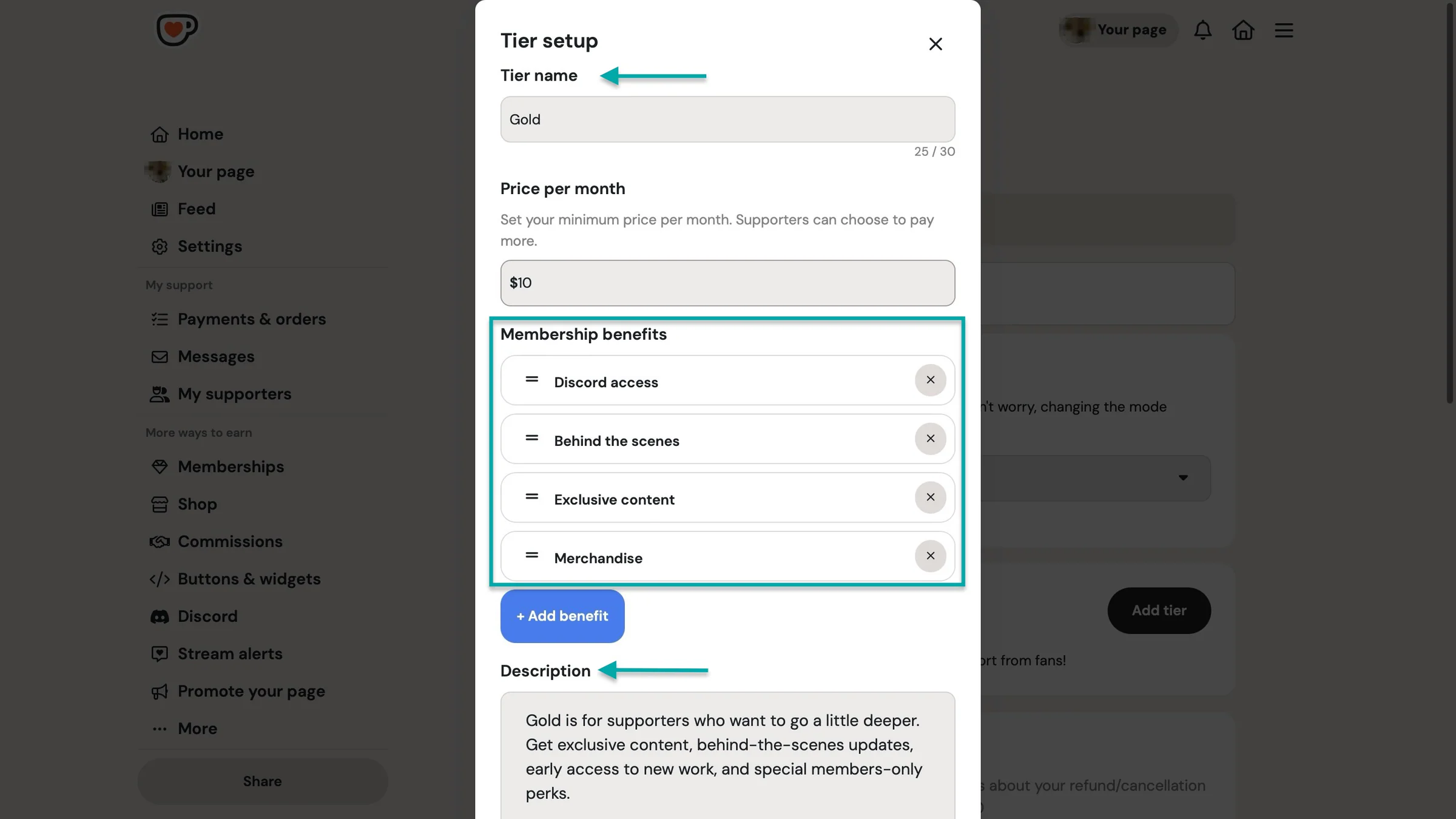
Start by selecting “Memberships” in the sidebar. Then, under “Membership mode,” select “Membership tiers” and click “Add tier.”
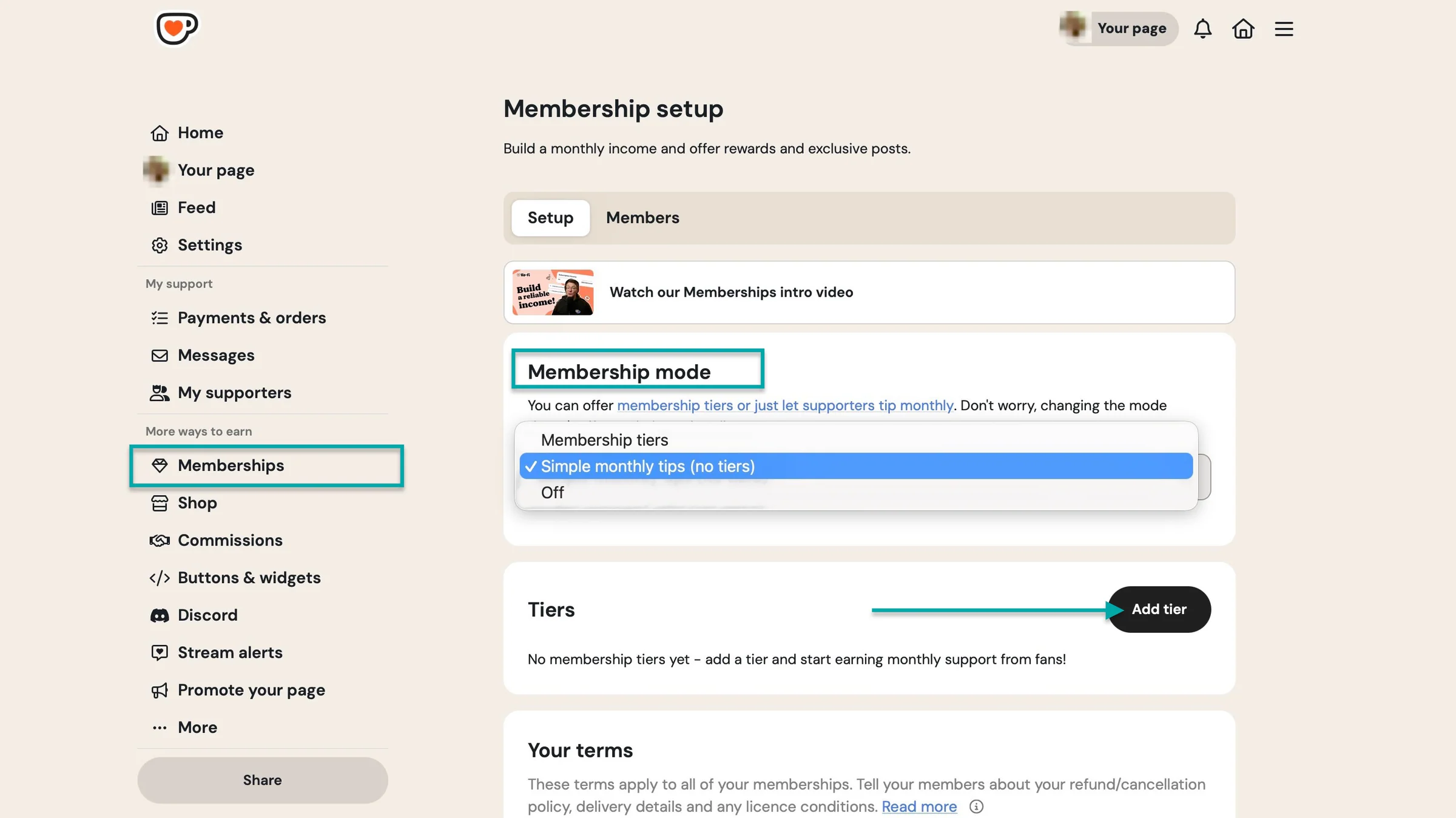
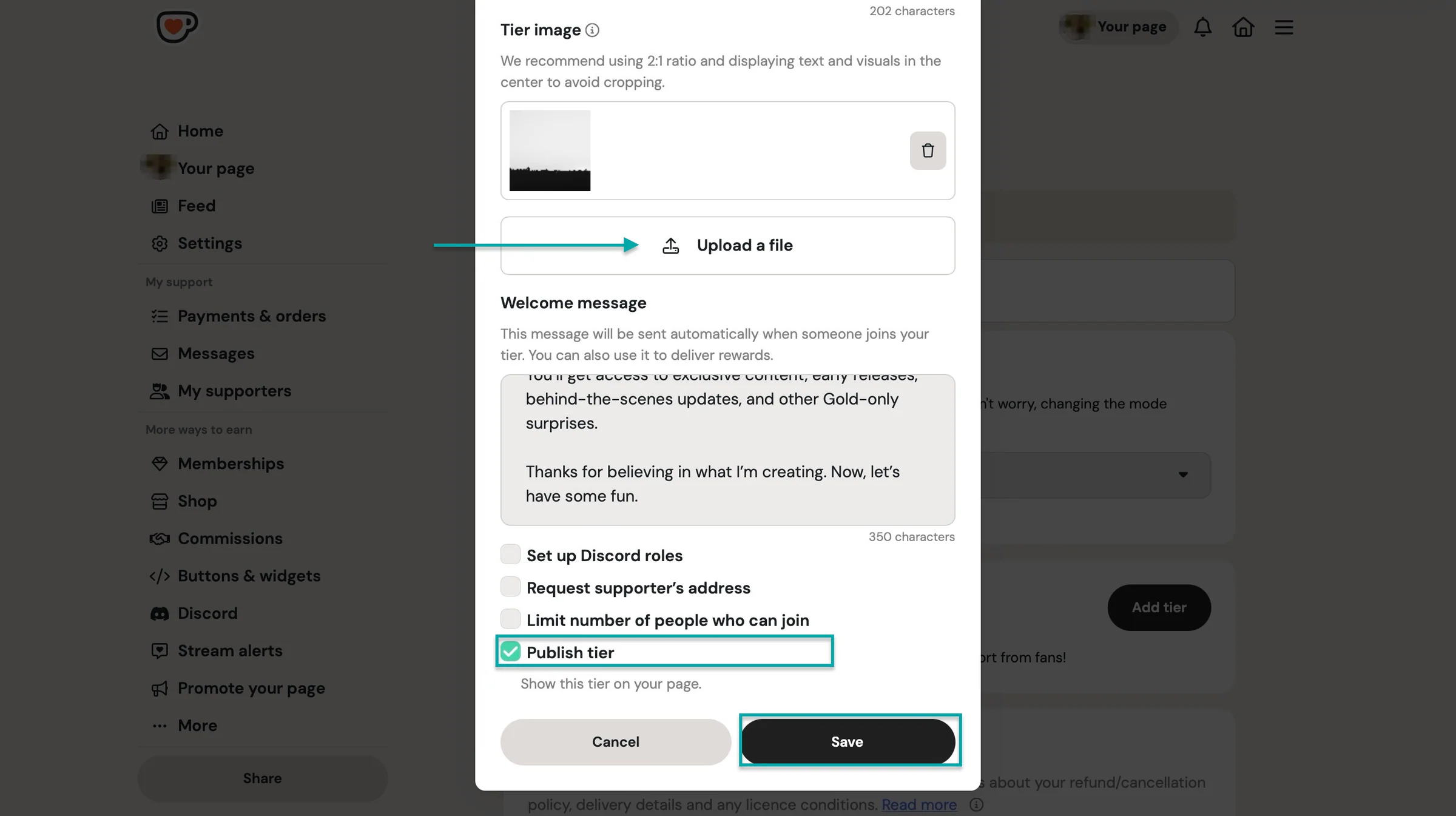
In the pop-up window, add the tier name, price, perks or benefits, description, image, and welcome message.
You can then tick the boxes that apply. Let’s go with “Publish tier.” And to finish, click “Save.”
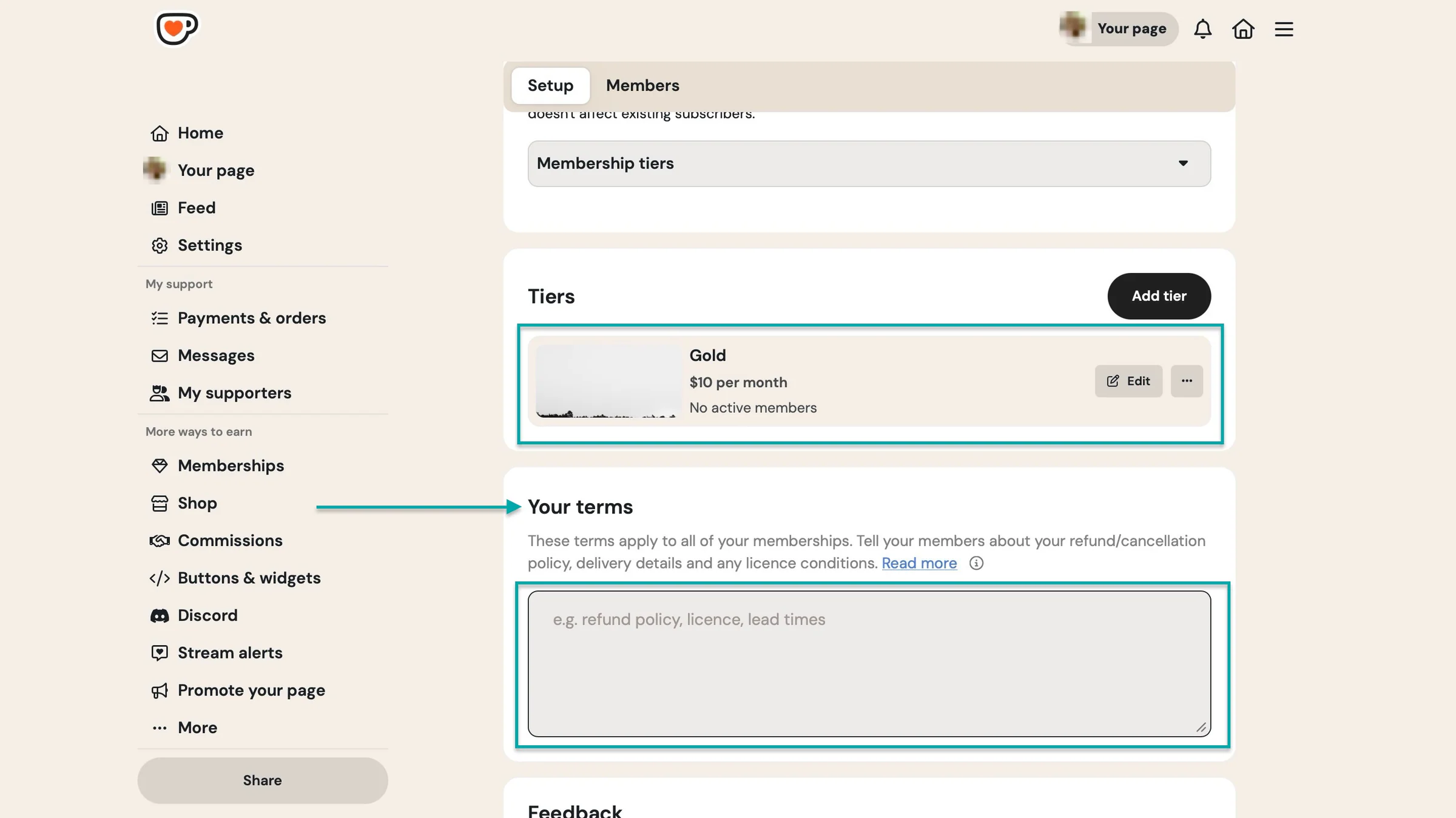
Ko-fi will add the tier you just created to your membership list. You can then set your terms by clicking in the text box below.
3. Commissions
With the commissions feature, you can list services you offer for a fee, and fans can request and pay for those services directly through your Ko-fi page.
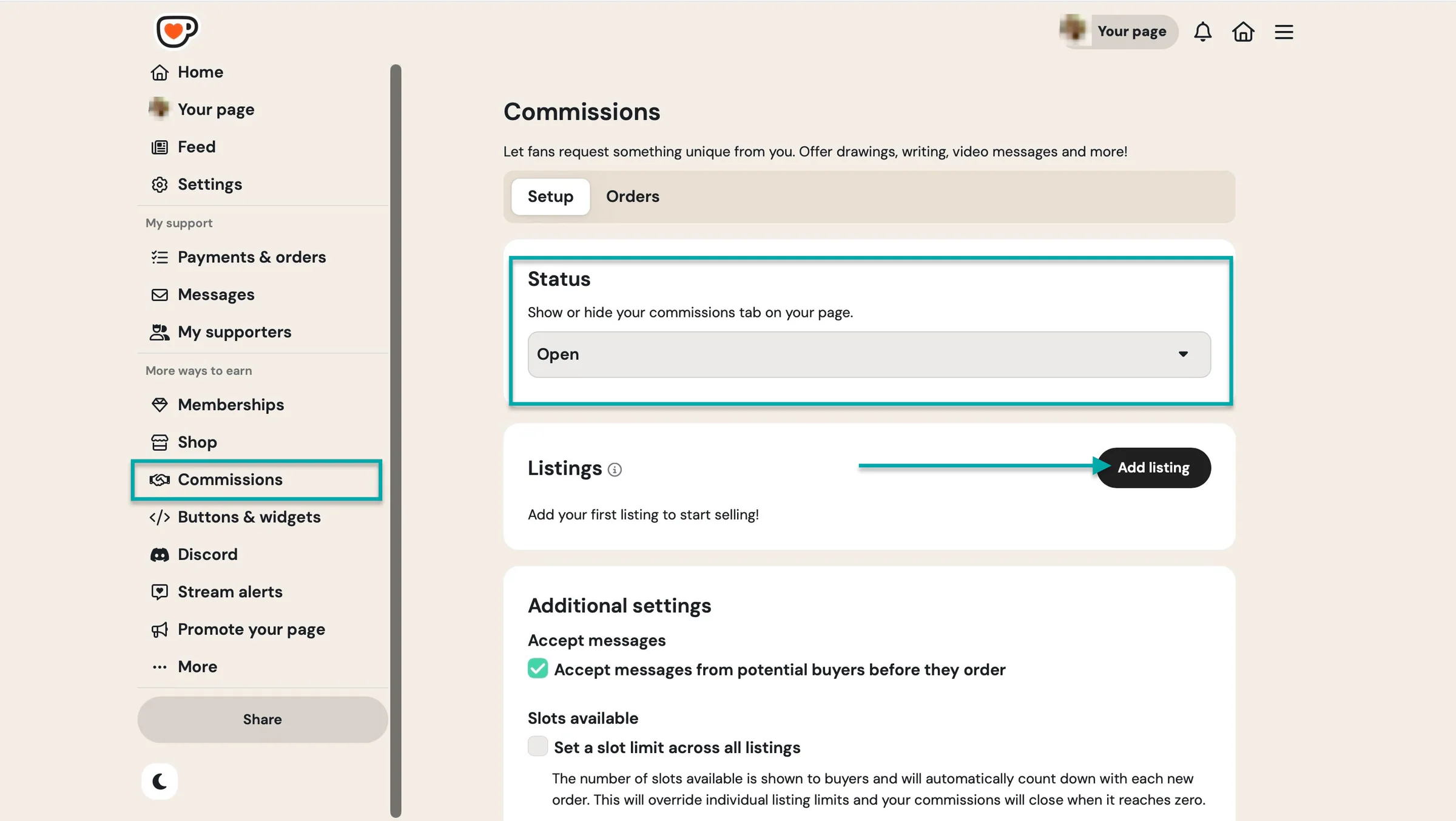
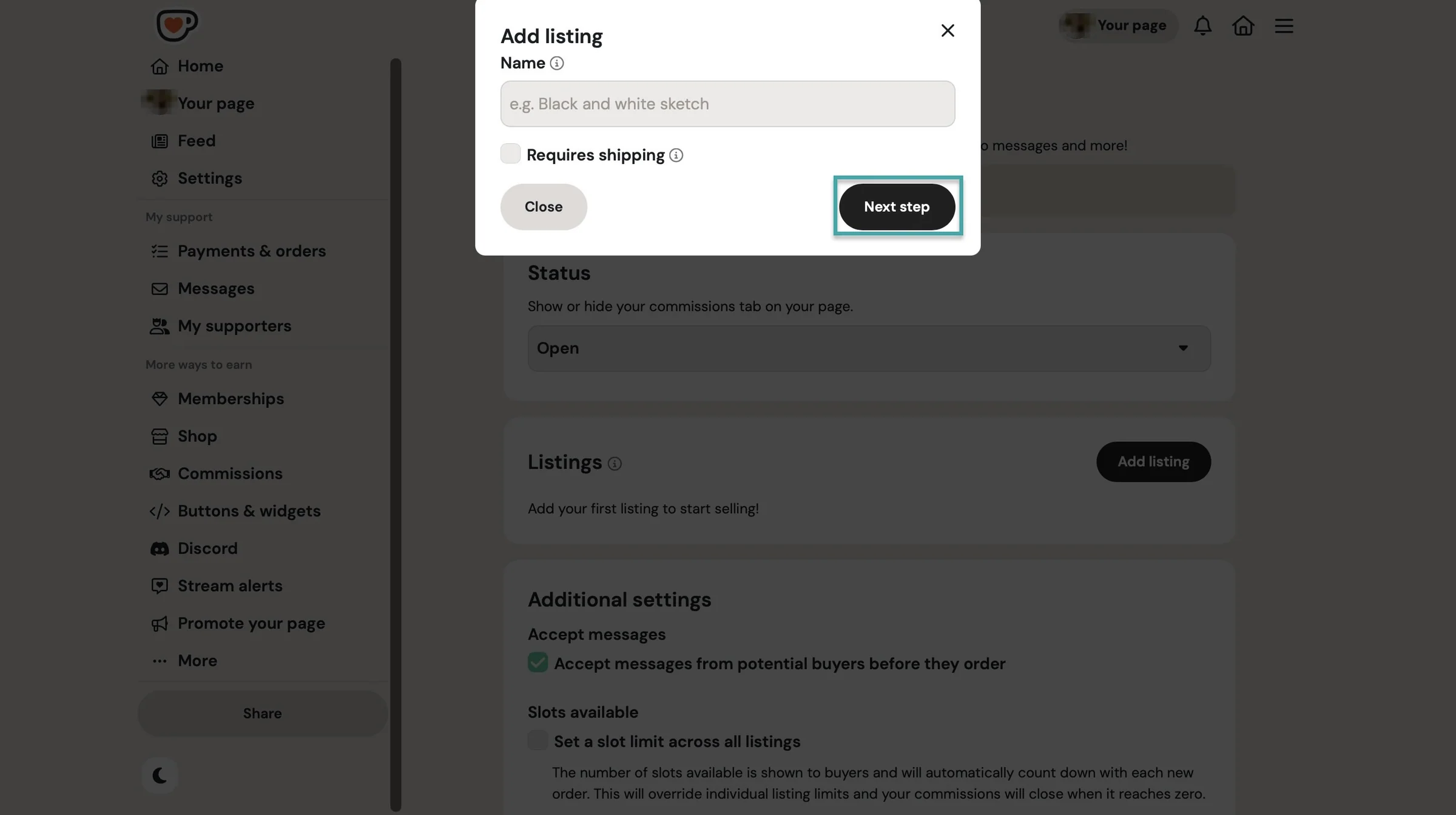
It’s simple to set up. First, select “Commissions” in the sidebar. Make sure “Status” is set to “Open” and click “Add listing.”
In the pop-up window, enter the listing name and indicate if it requires shipping. After that, click “Next step.”
In the new window, enter the listing’s description, add instructions for the buyer, and up to 20 images.
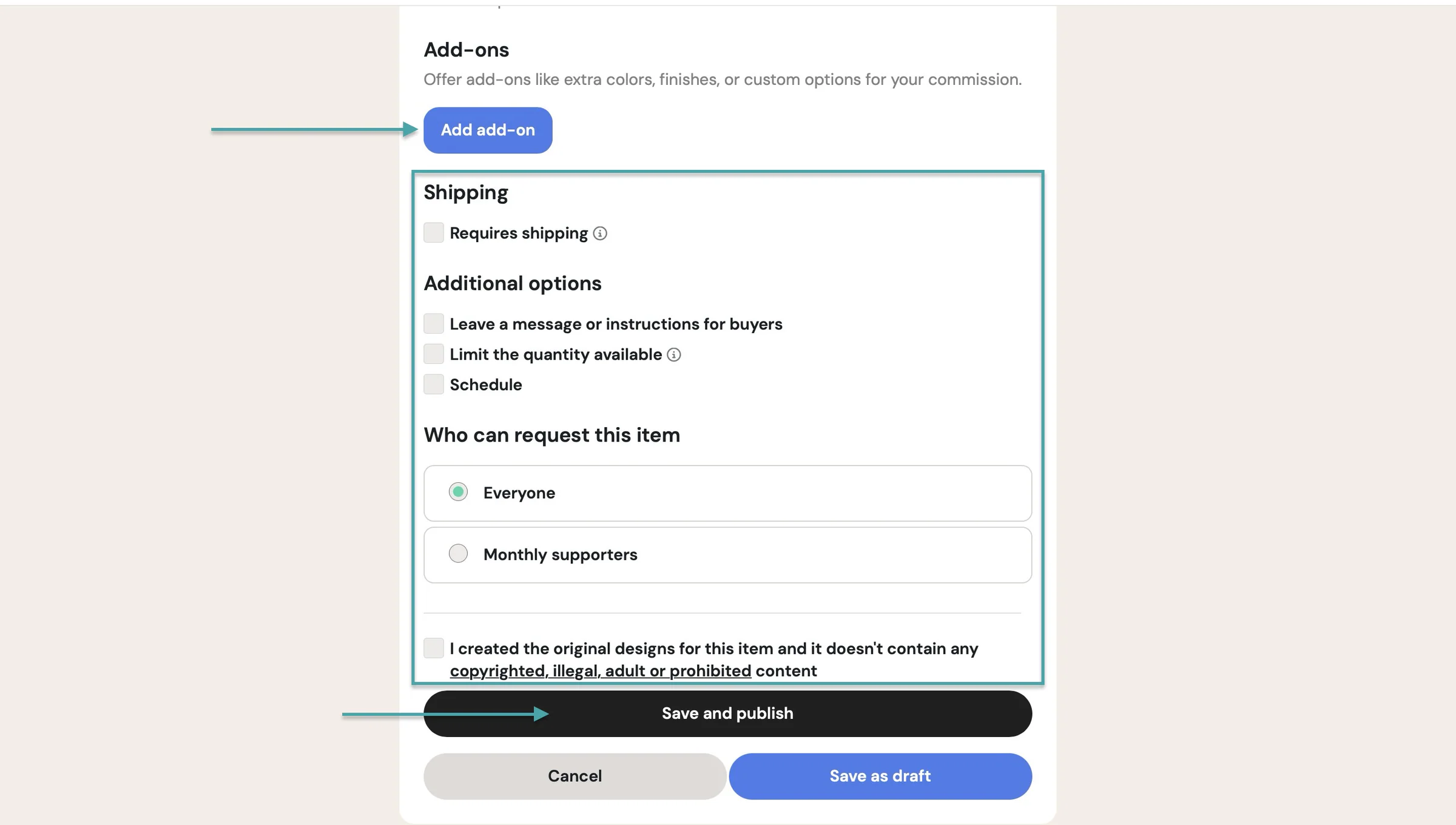
Scroll down to add the price (and allow pay-as-you-want). Next, include add-ons to your commission and tick the boxes that apply.
And you decide to offer the listing to the public or to your monthly subscribers.
To finish, click “Save and publish.”
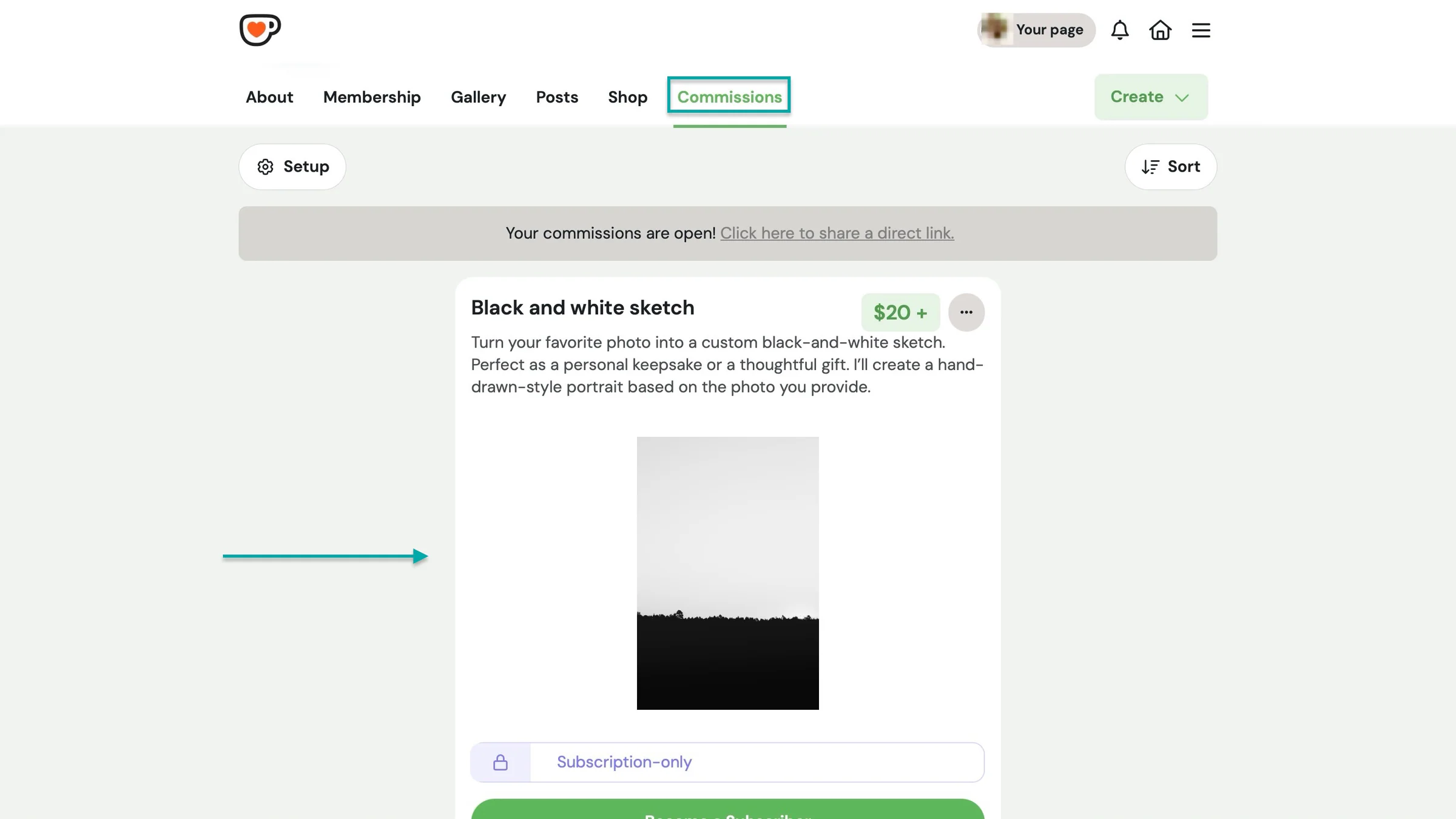
Ko-fi will add the listing to your commissions.
What I liked vs what I didn’t like
What I loved 👍
✅ Has a minimalist interface which helps you set up shop items and membership tiers easily.
✅ It’s free to use, and the platform only takes a 5% service fee on shop sales, memberships, monthly tips, and commissions.
✅ Ko-fi doesn’t charge you fees on donations, and the money is paid directly to your account.
What I didn’t like 👎
❌ Has no automatic tax handling like Easytools, so Ko-fi leaves sales tax, VAT calculation, and compliance entirely up to the creator.
Best for
- Creators and beginners wanting a cost-effective platform to accept audience support and sell memberships, services, and products.
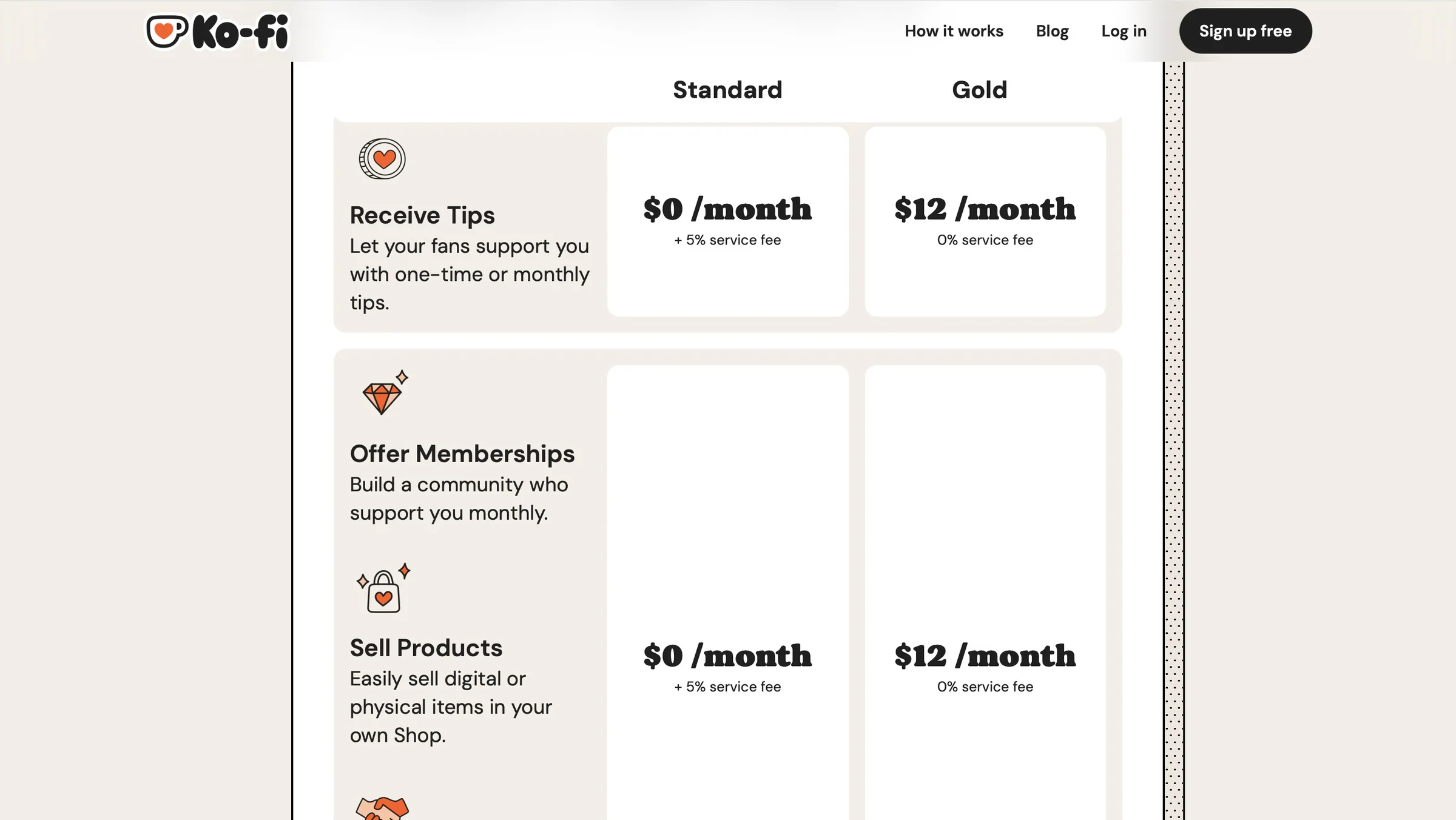
Pricing
- Standard: $0/month
- Gold: $12/month
4. Gumroad
- Personal rating: ⭐️⭐️⭐️⭐️ 4/5 - Has the basic but essential features needed to sell digital products.
- Ease of use: ⭐️⭐️⭐️⭐️ 4/5 - It’s easy to use, but some features could be grouped or better organized to make the sidebar feel less cluttered.
- AI capabilities: Uses AI agents to build and update custom profile pages and product landing pages, and its AI-powered features also include content/voice-related functionality.
- Ways to monetize: Digital products, memberships, subscriptions, and services
- Free trial: No - Some features become available only after you meet certain sales requirements.
- Starting plan: Free: $0/month - Takes a percentage of each sale
Gumroad also makes it to our list of the best Buy Me a Coffee alternatives. It’s a revenue-share platform for selling and marketing digital products, with built-in tools for creator collaboration.
Gumroad lets you add pages like home, about me, FAQs, and more. Each of these pages gets its own unique URL.
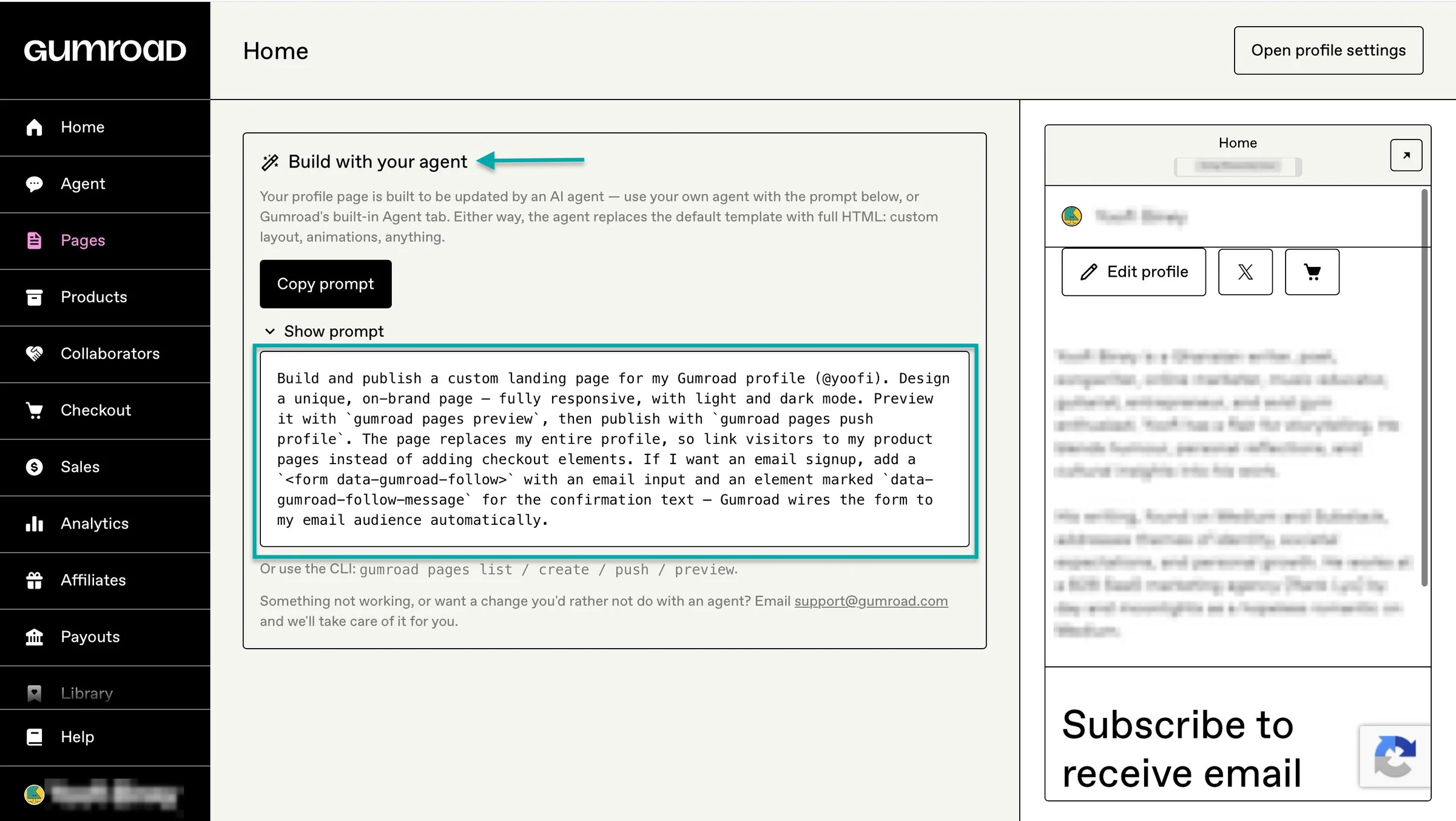
You can also build it with the platform’s built-in AI agent. It actually provides you with a prompt you can copy and use.
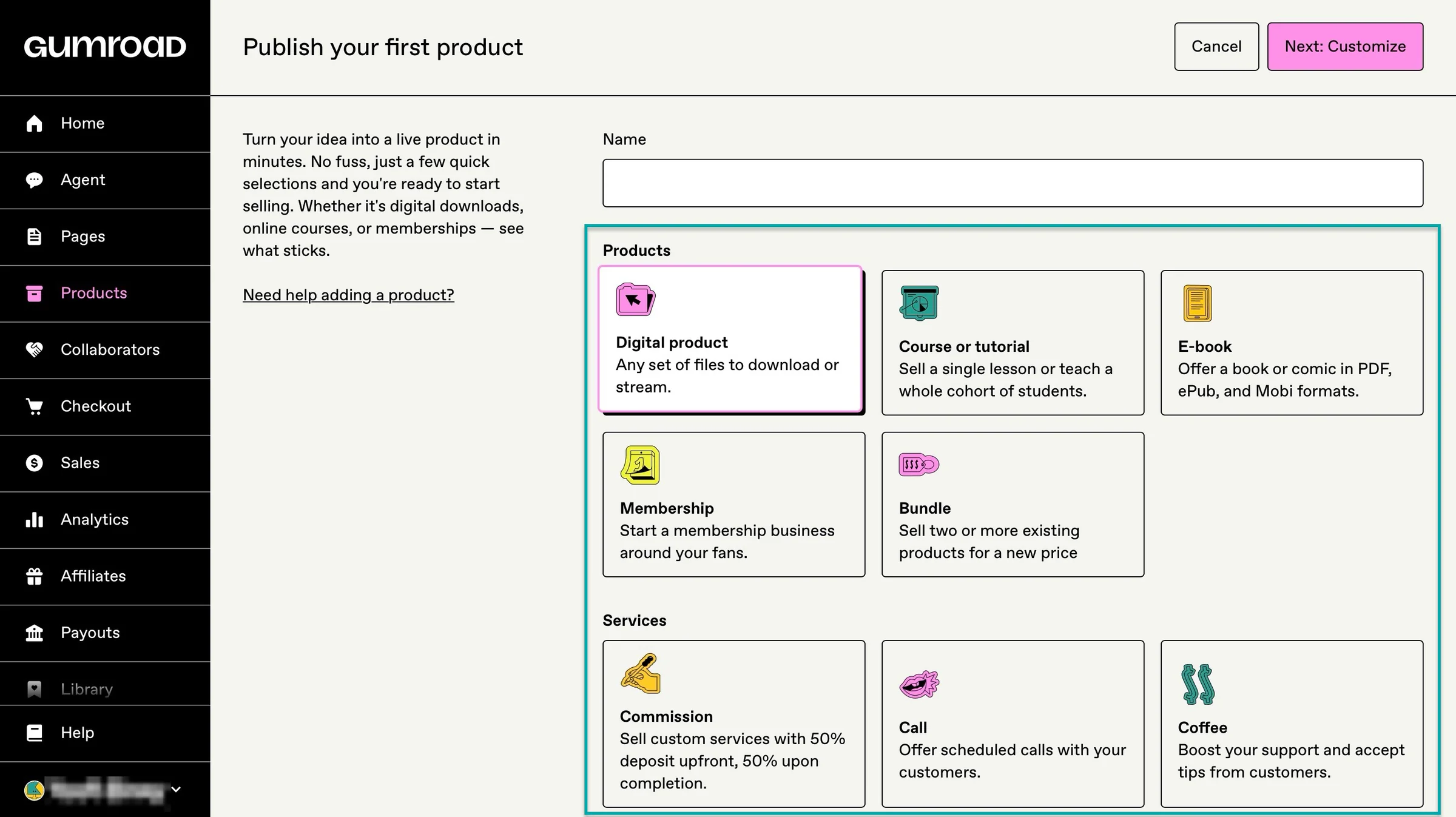
On this Buy Me a Coffee alternative, you can sell e-books, memberships, online courses, and services.
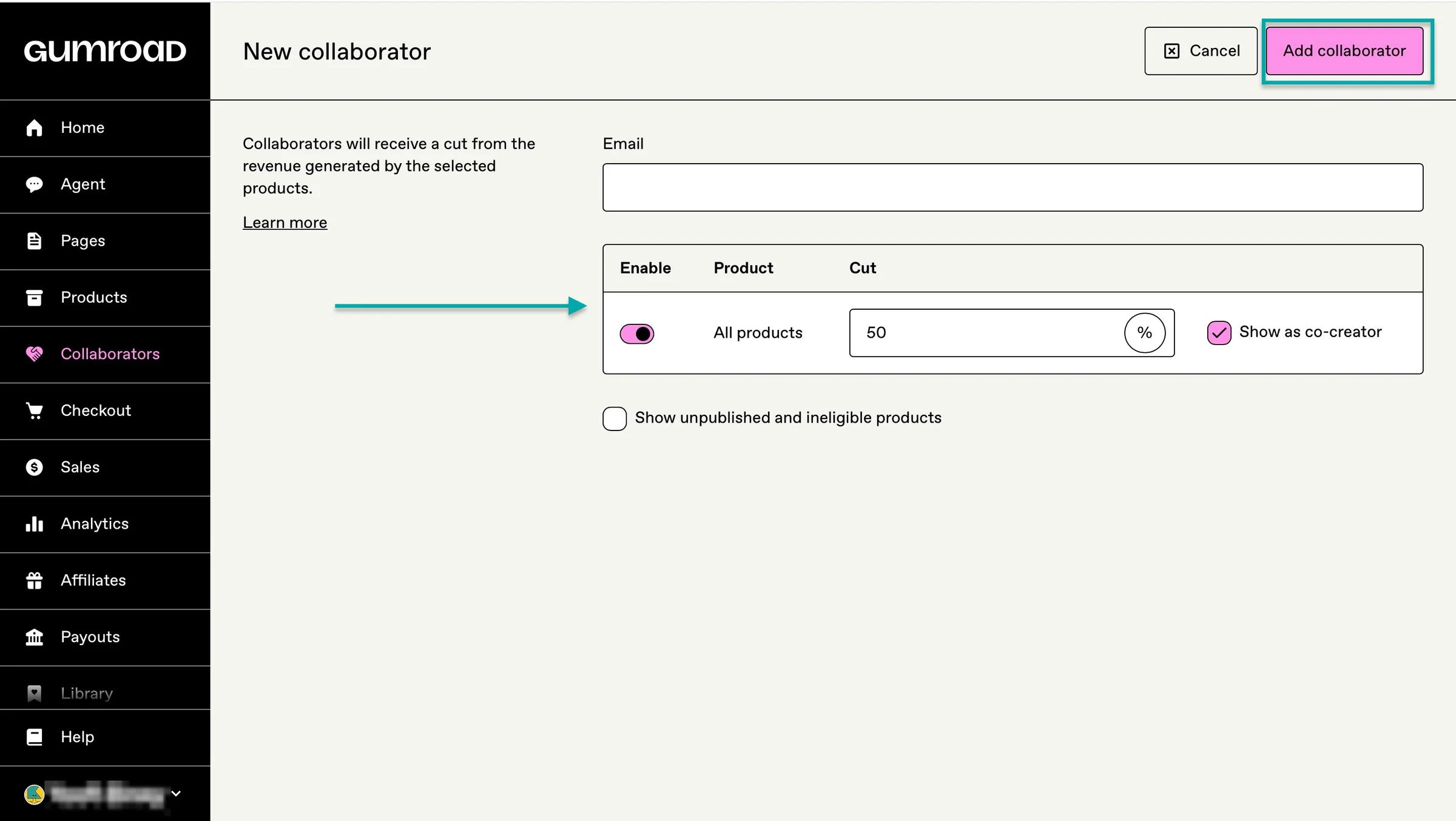
You can also add a collaborator on Gumroad for those projects and creations where you aren’t the only one. This helps the co-creator to automatically receive a cut when you make sales.
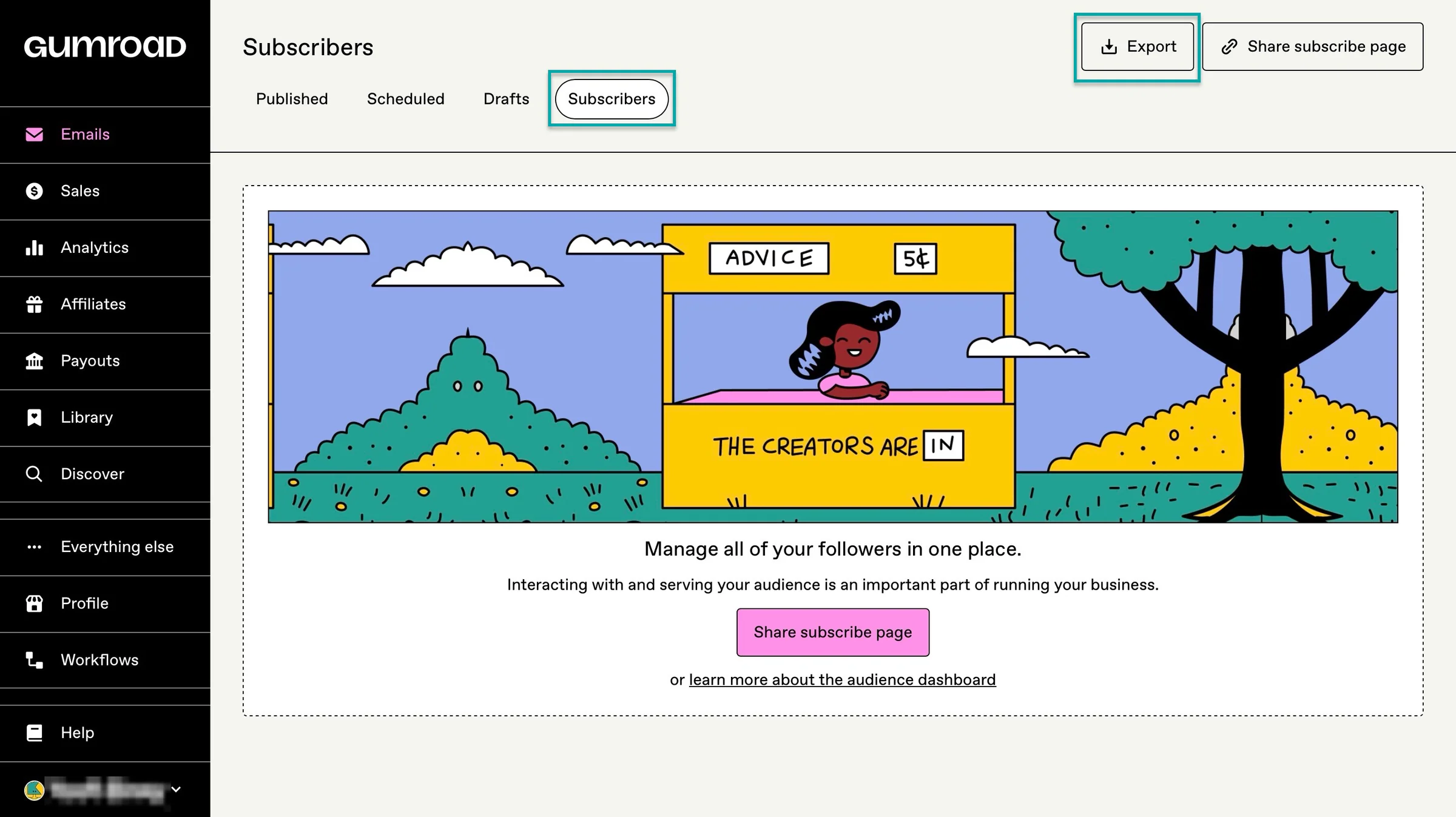
To help you stay in touch with your buyers and subscribers, Gumroad lets you manage your audience in one place.
You can send them your email campaigns too.
That’ll definitely help your sales before you start bringing buyers in organically.
What I loved about Gumroad
1. Pages
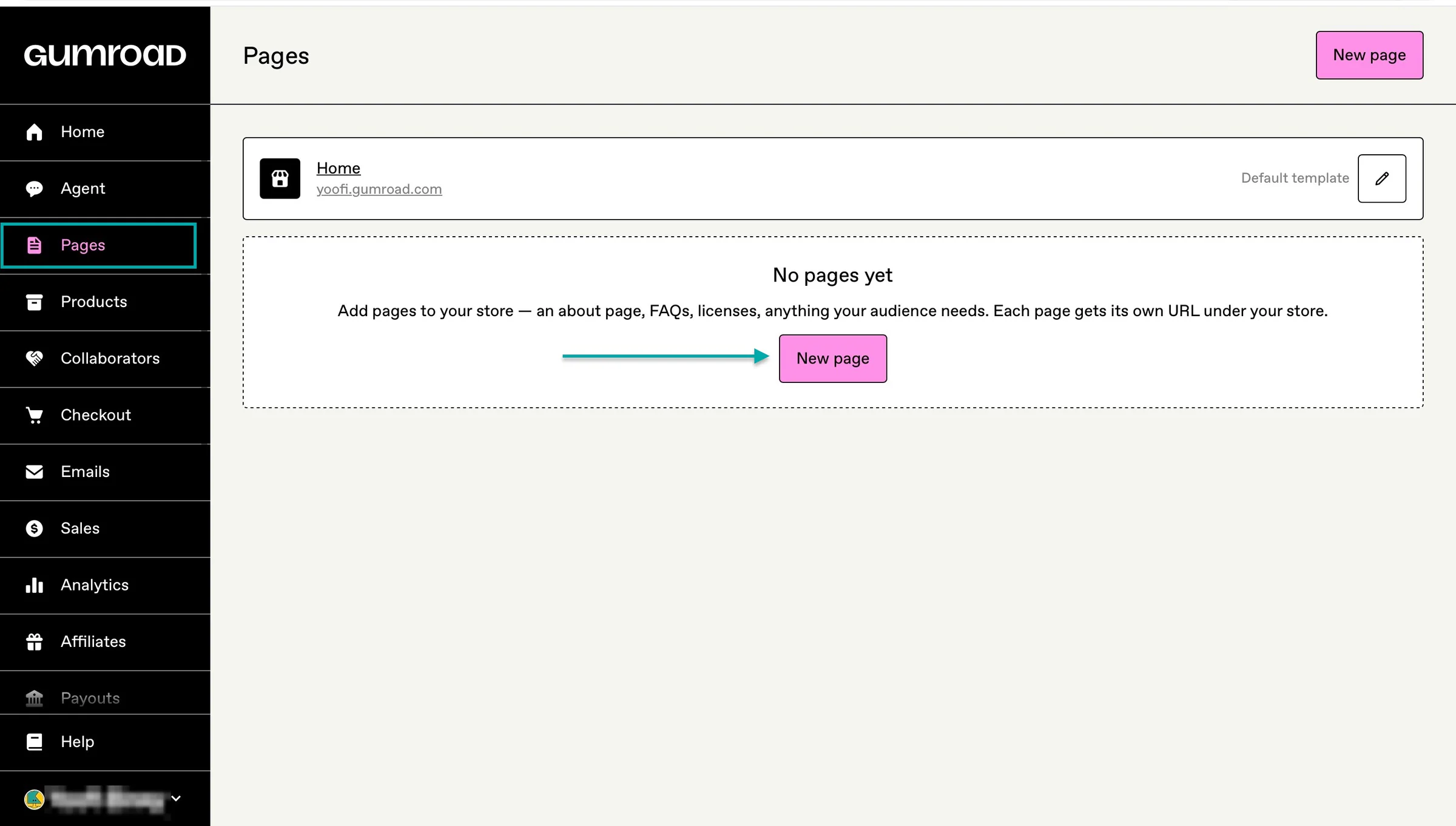
Gumroad’s pages lets you create customizable spaces where you can showcase your products, tell your story, and give potential customers more reasons to buy.
Click “Pages” in the sidebar and select “New page.”
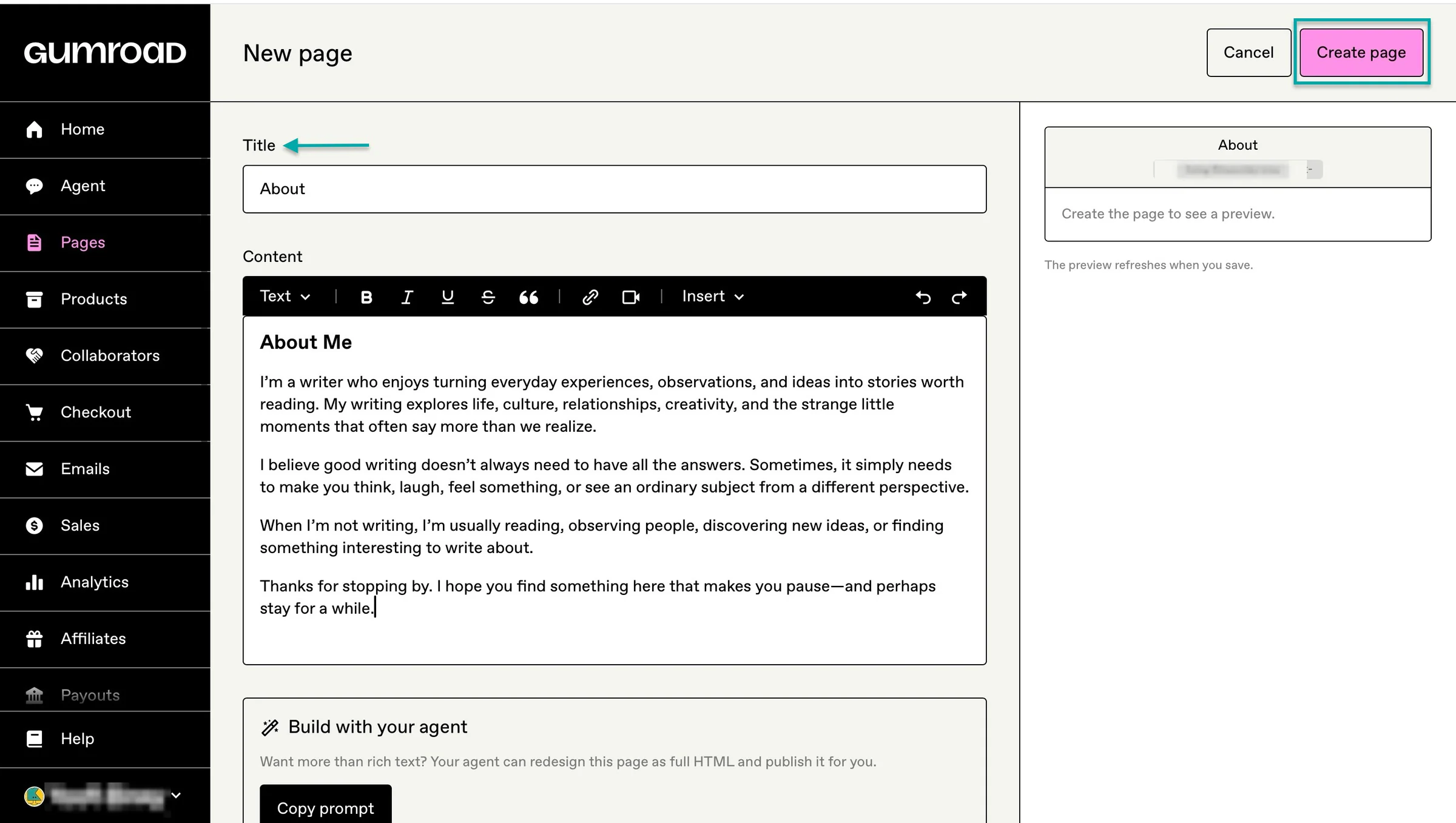
In the new window, enter the page’s title and add the relevant content. Now, hit “Create page” at the top right corner of the window.
After this, make important edits and hit “Save changes.” Or click the preview icon in the left-side minimized section to see it in full screen.
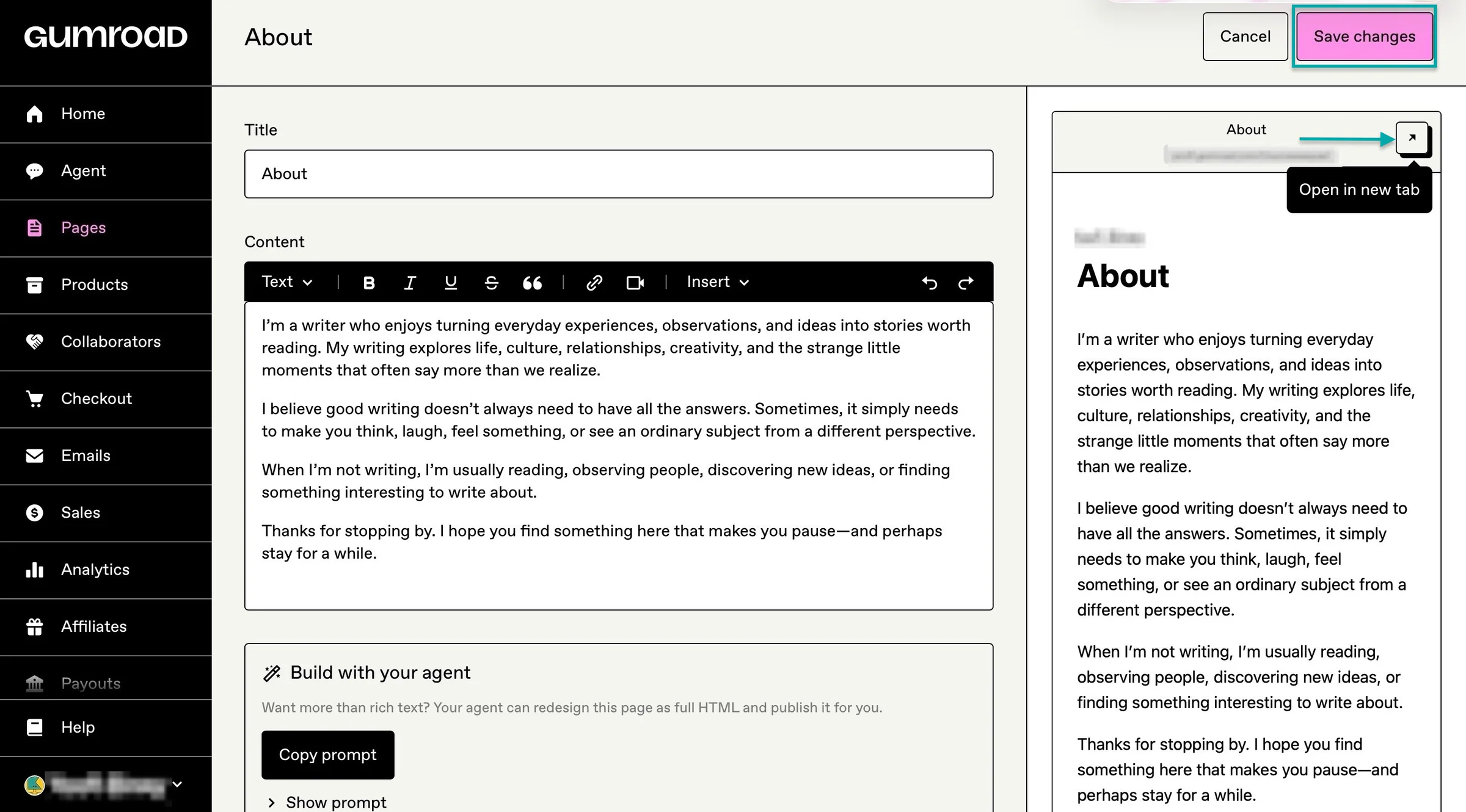
Gumroad will display the page you just created.
2. Products
The products feature lets you sell digital products and services. You can even bundle two or more products and sell them at one price.
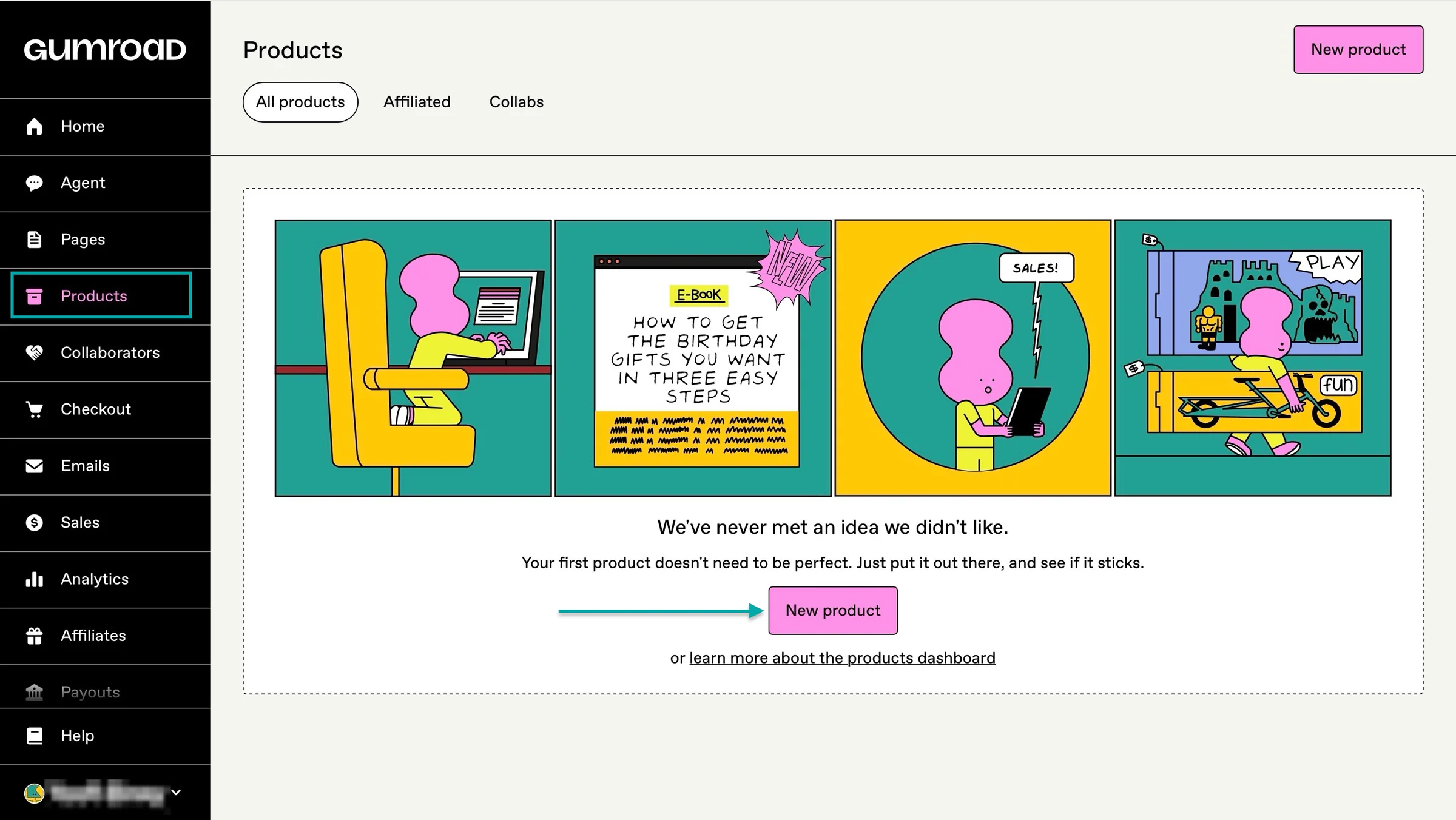
This is how to add a product on Gumroad.
Select “Products” in the sidebar and click “New product.”
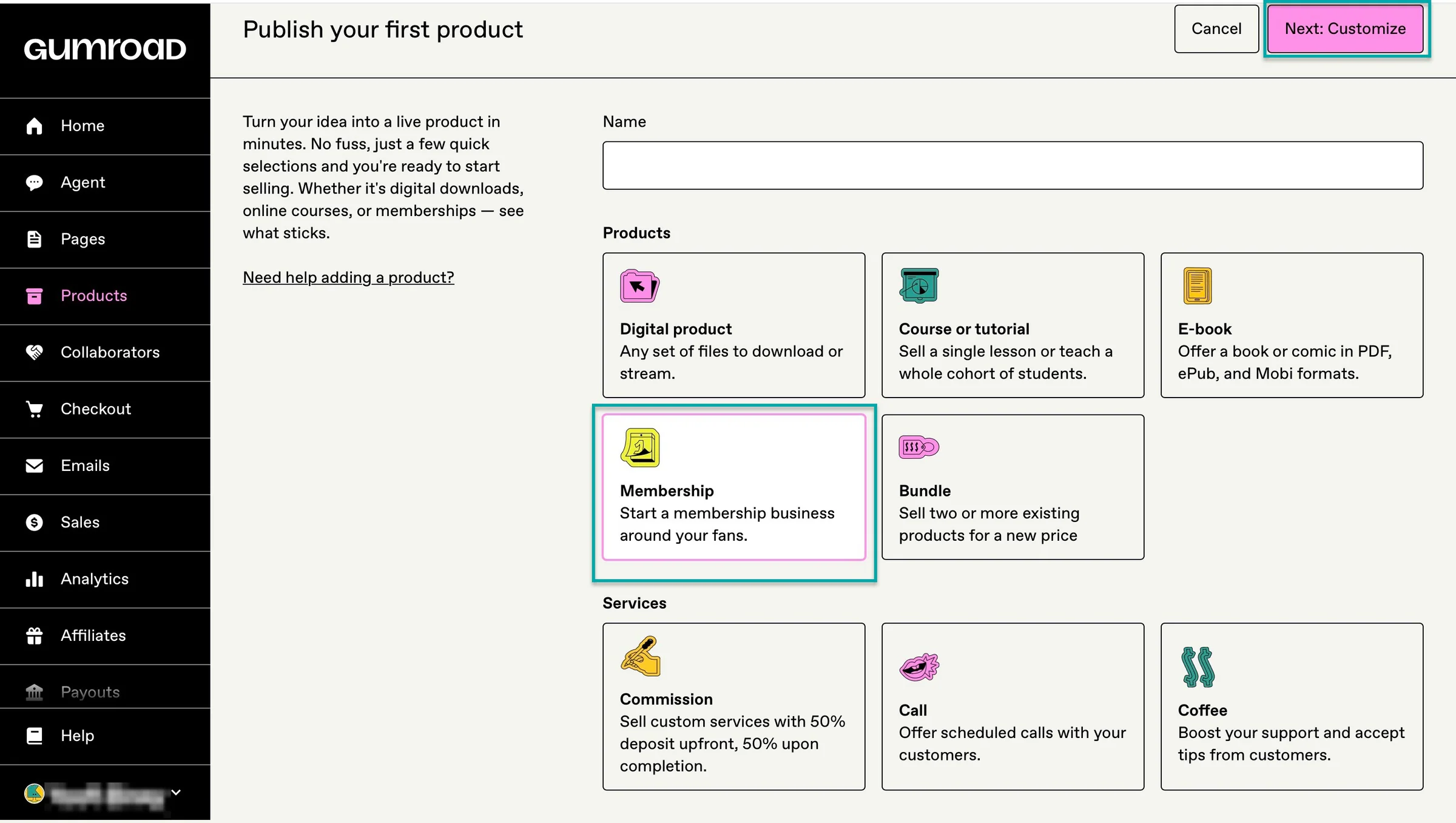
Next, enter the name of the product, select the type, and add the price. For the product type, let’s add a membership. After that selection, proceed by clicking “Next: Customize.”
In the new window, add the membership description and add a custom URL. Then upload a cover image and thumbnail.
Next, toggle the switches to connect a dedicated membership platform. You can also add membership tiers. From here, toggle the switches that apply in the settings section.
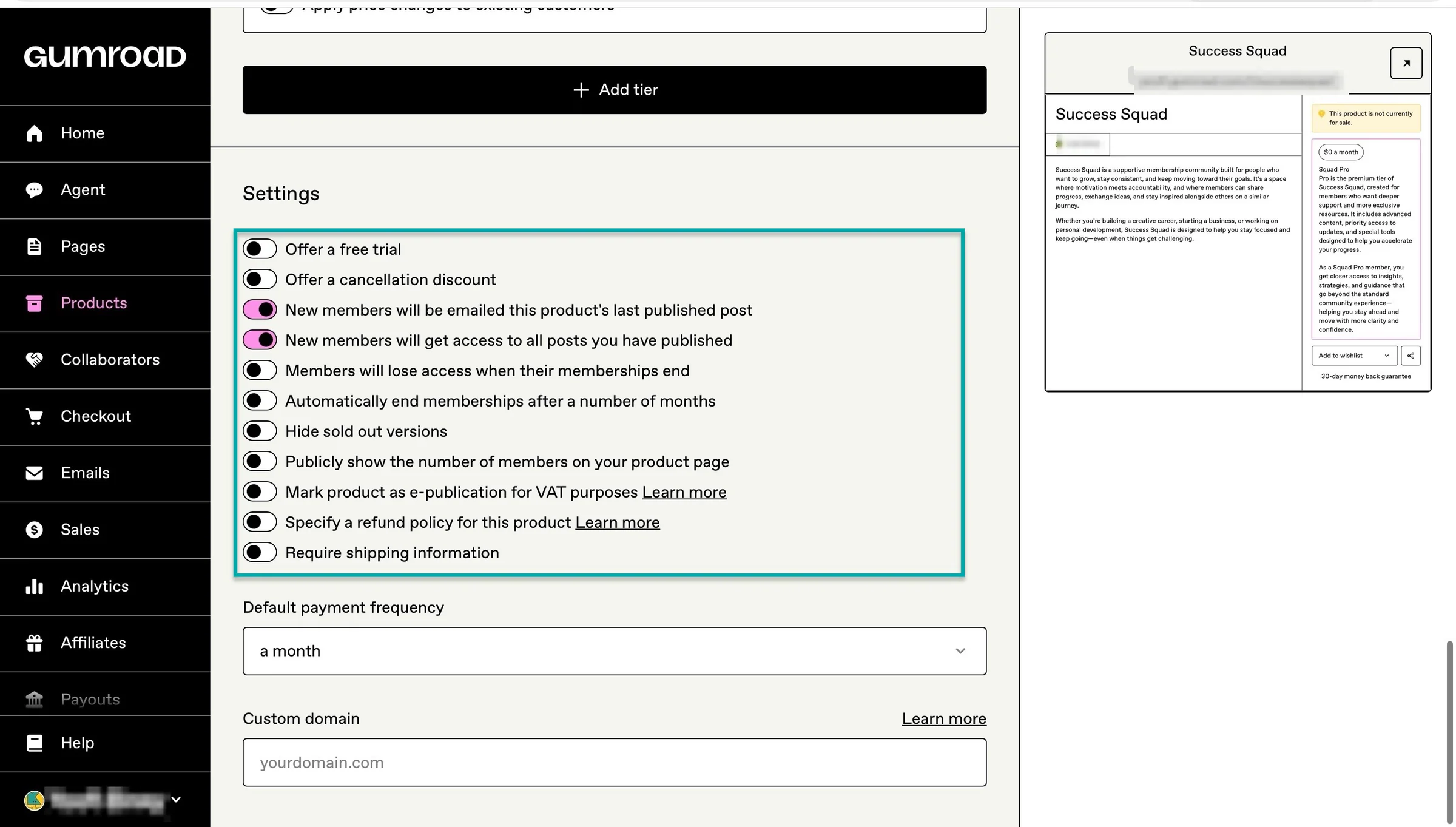
Finally, choose a default payment frequency and a custom domain. Once you’re done, click “Save and continue.”
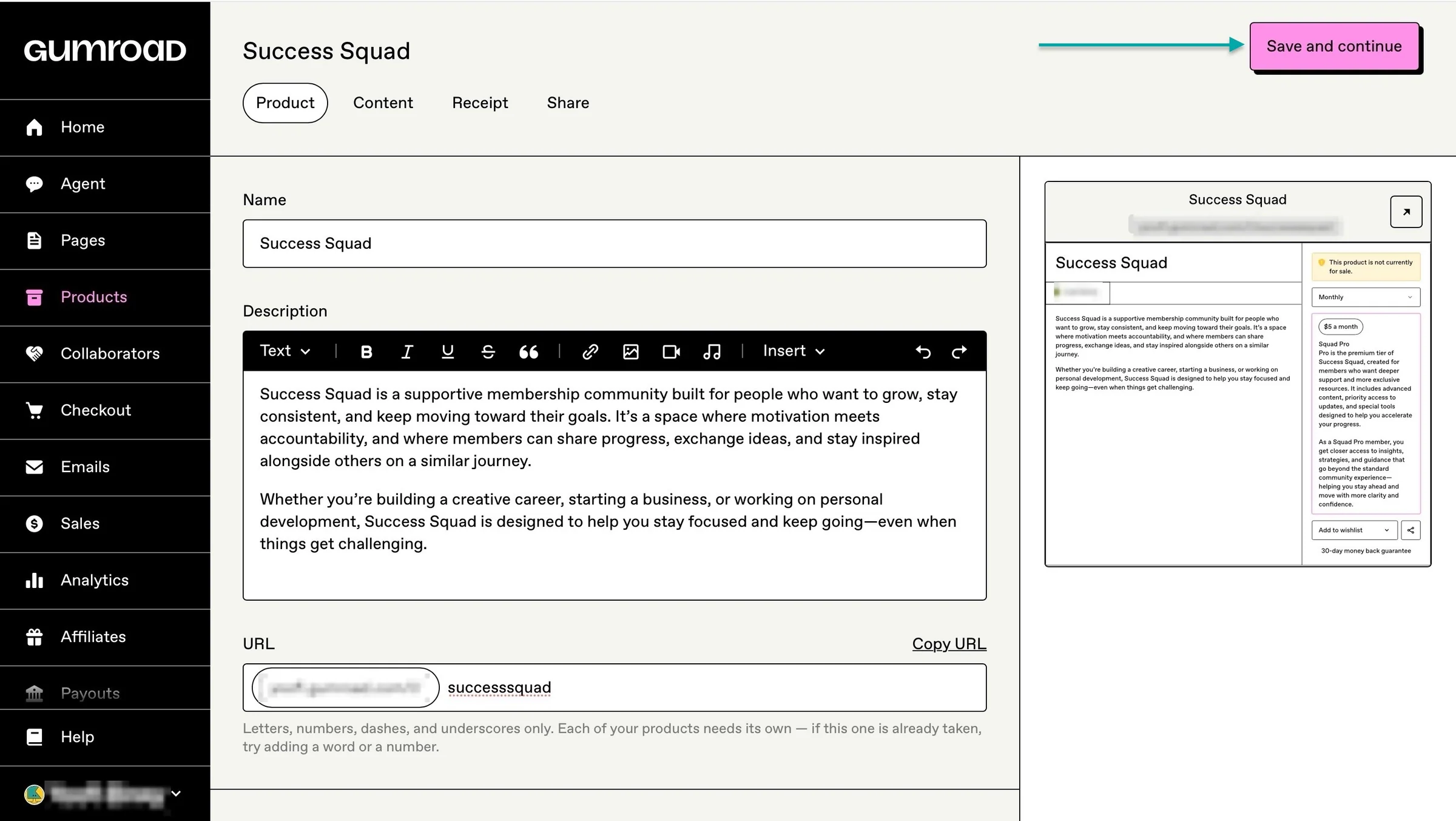
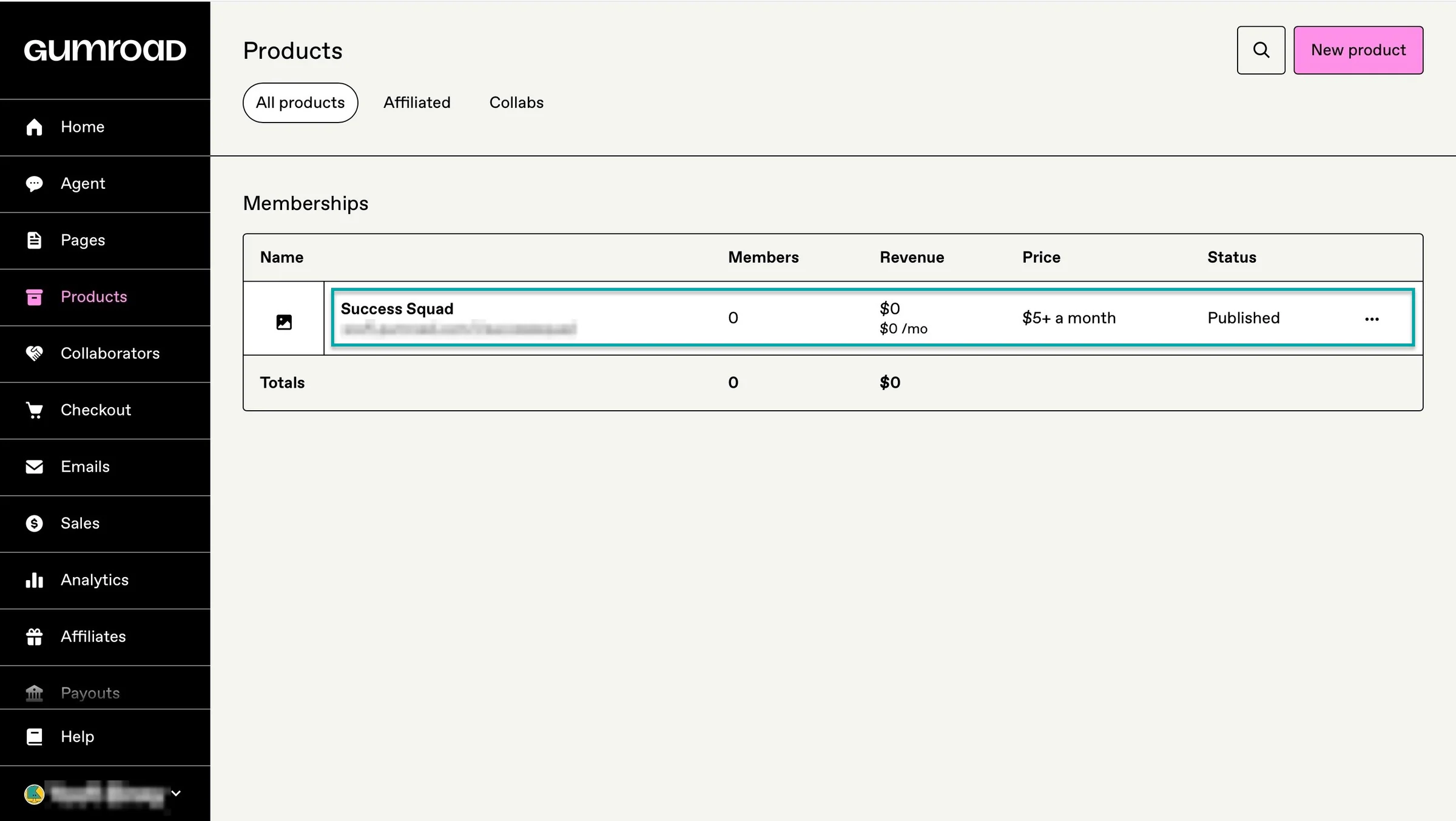
In the new window, add content if applicable and click “Publish and continue.” And that’s it, you’ve created a membership on sale.
3. Emails
Its email feature lets you communicate directly with your audience. It comes in handy when you want to promote a membership, share updates, or stay in touch with your customers.
Just keep in mind that, like the AI agent feature, you can’t send emails until you’ve made $100 in sales and received a payout.
Here’s how you can send your first email to your audience.
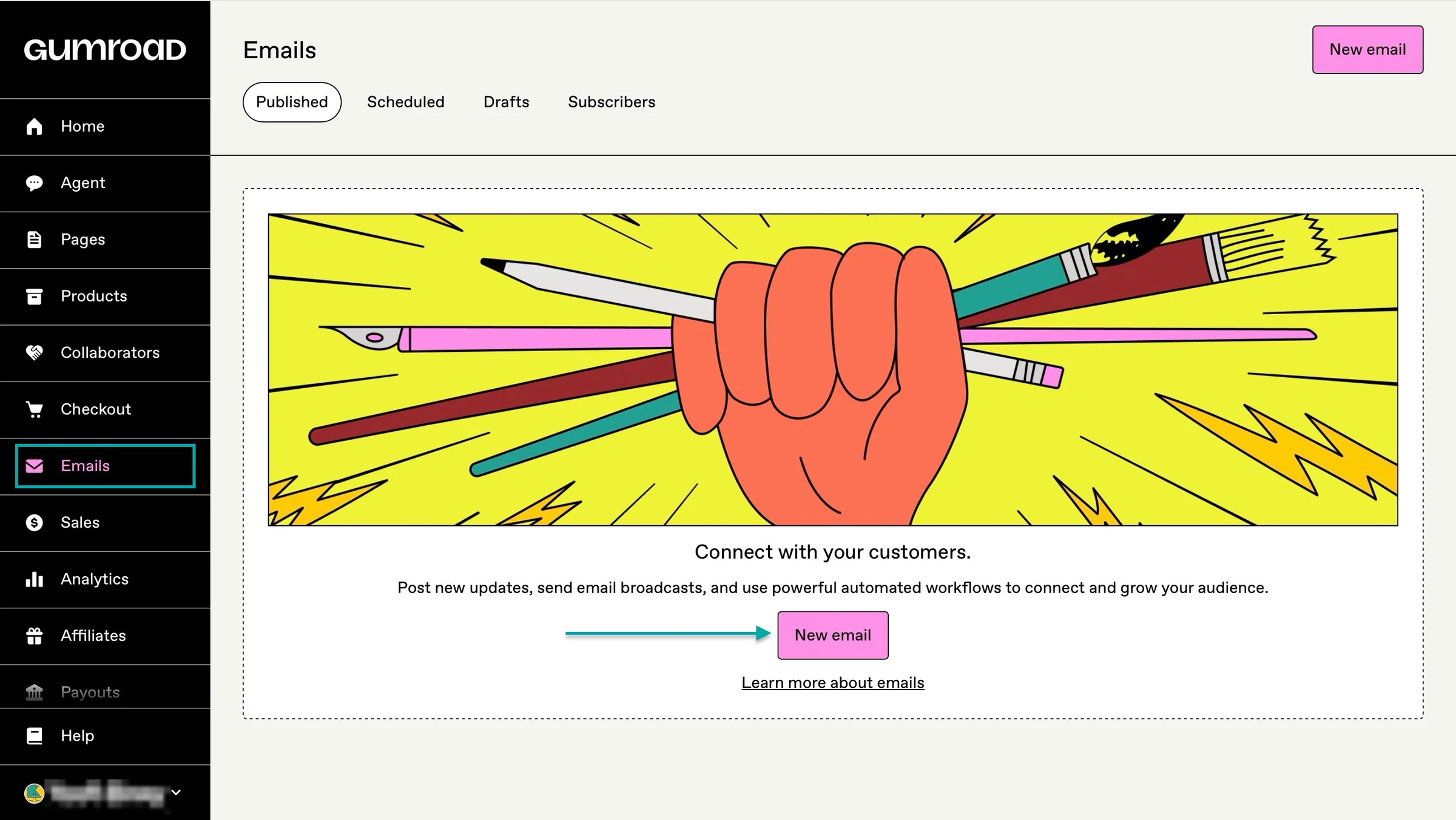
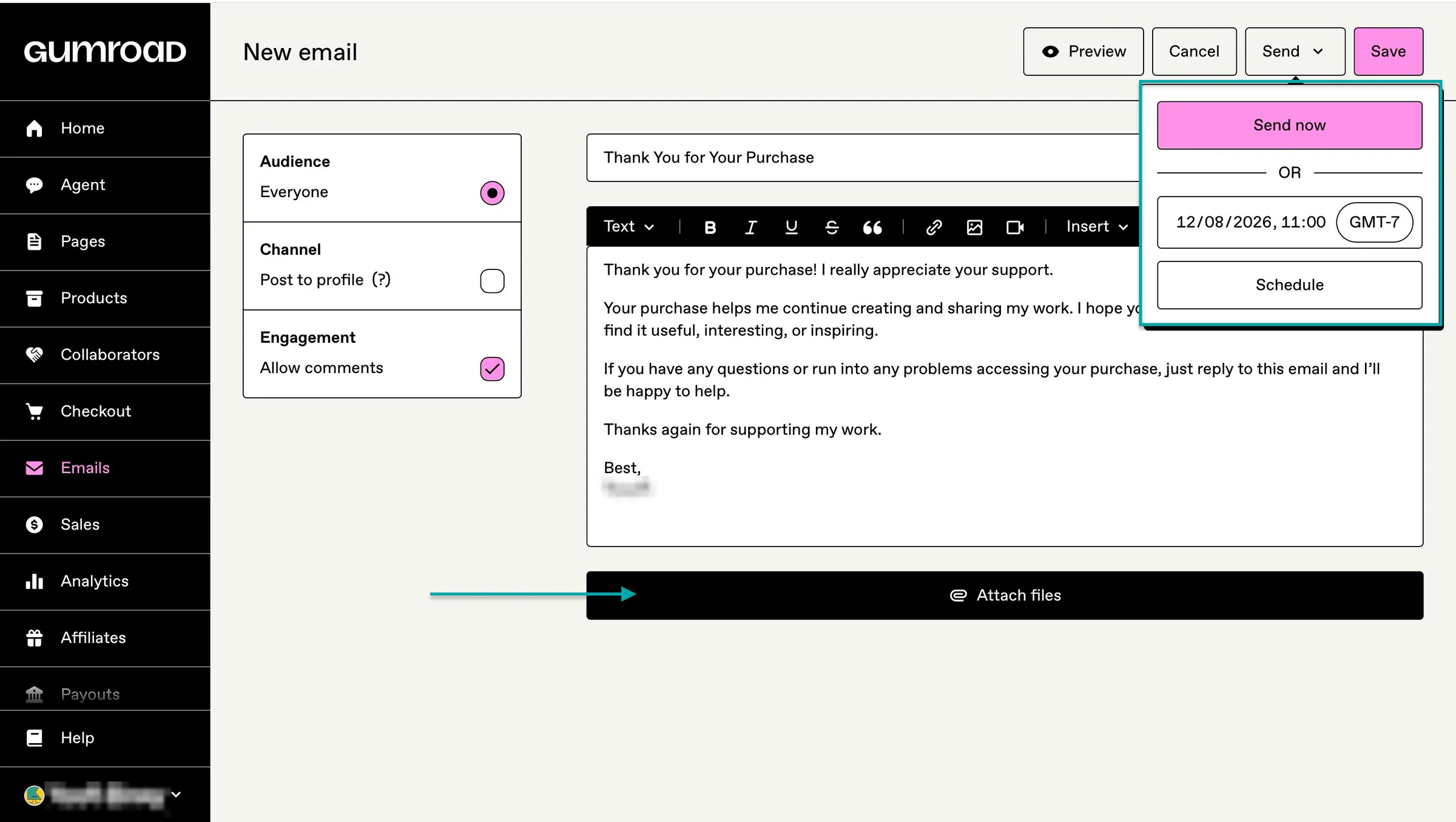
Select “Emails” in the sidebar and click “New email.”
Now, enter the email heading/title and add its content.
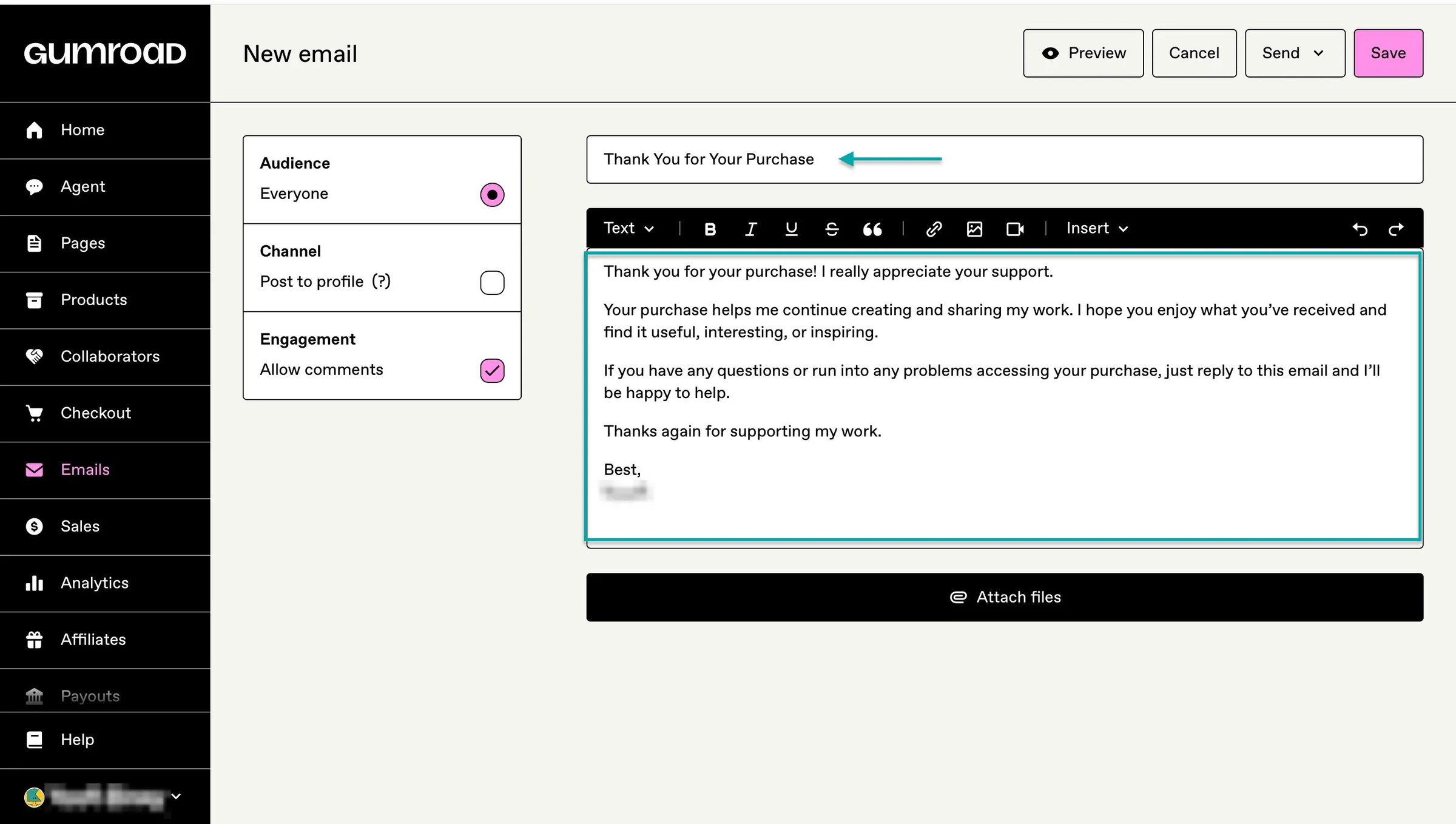
You can then choose to send it immediately or schedule it and attach files.
What I liked vs what I didn’t like
What I loved 👍
✅ Has a built-in marketplace that can help you reach new customers.
✅ Has no monthly subscription fee, so you only pay when you make a sale.
✅ Lets you collaborate with other creators and automatically split revenue when a product you created together makes a sale, which can help reduce disputes over how the money is divided.
What I didn’t like 👎
❌ Gumroad’s AI agent and email feature only unlock once you’ve made $100 in sales and completed your first payout, which means you don’t get to use them upfront.
❌ Its features can feel cluttered and poorly organized, so you may find yourself moving around without getting much done.
Best for
- Creators who primarily want to sell digital products and services while reaching new customers through a built-in marketplace.
Pricing
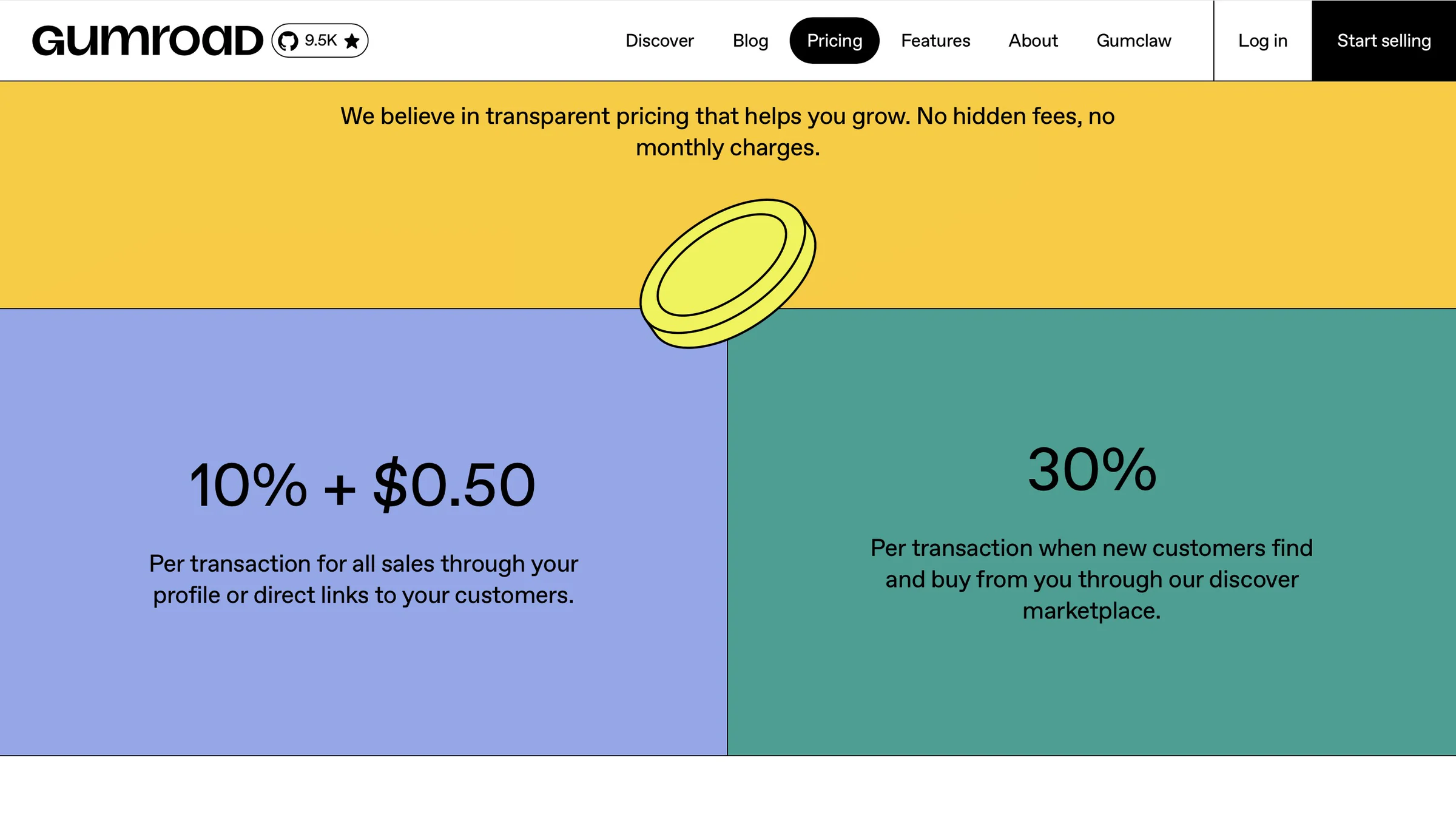
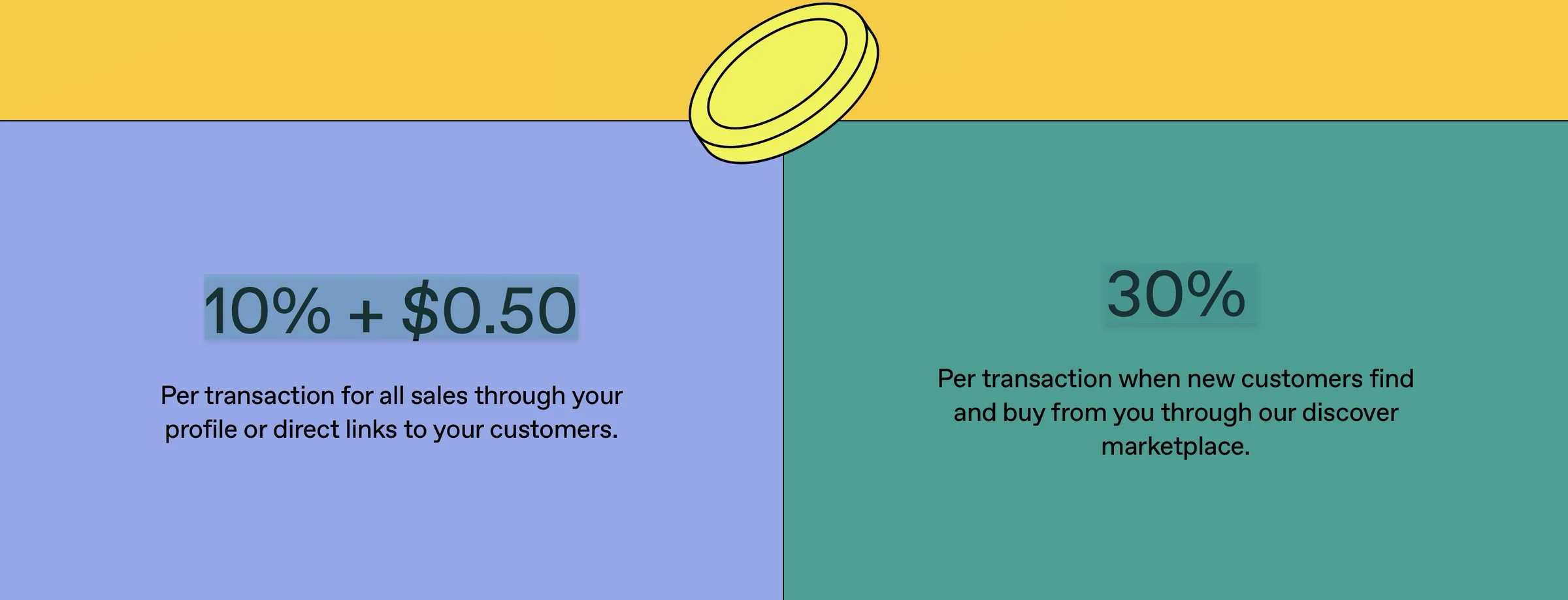
- 10% + $0.50 per transaction for all sales through your profile or direct links
- 30% per transaction when new customers find and buy from you through Gumroad’s Discover marketplace
5. Ghost
-
Personal rating: ⭐️⭐️⭐️⭐️ 4.6/5 - Monetizing is not very straightforward.
-
Ease of use: ⭐️⭐️⭐️⭐️ 4.7/5 - It’s intuitive, but I feel there are more functions in the Settings section than where they actually matter.
-
AI capabilities: No - Ghost doesn’t have native, built-in AI writing assistants, content generators, or AI chat widgets inside its editor.
-
Ways to monetize: Paid memberships/subscriptions, tips/donations, pay newsletters/content, advertising and product sales through integrations like Shopify.
-
Free trial: Yes, 14-day trial for all paid plans
-
Starting plan: Starter - $15/month + 1,000 members + free custom domain
Ghost is also on this list of the best Buy Me a Coffee alternatives.
It’s an open-source content management system (CMS) and blogging platform built for independent creators, publishers, and writers. Ghost also gives you full ownership of your content, audience, and revenue.
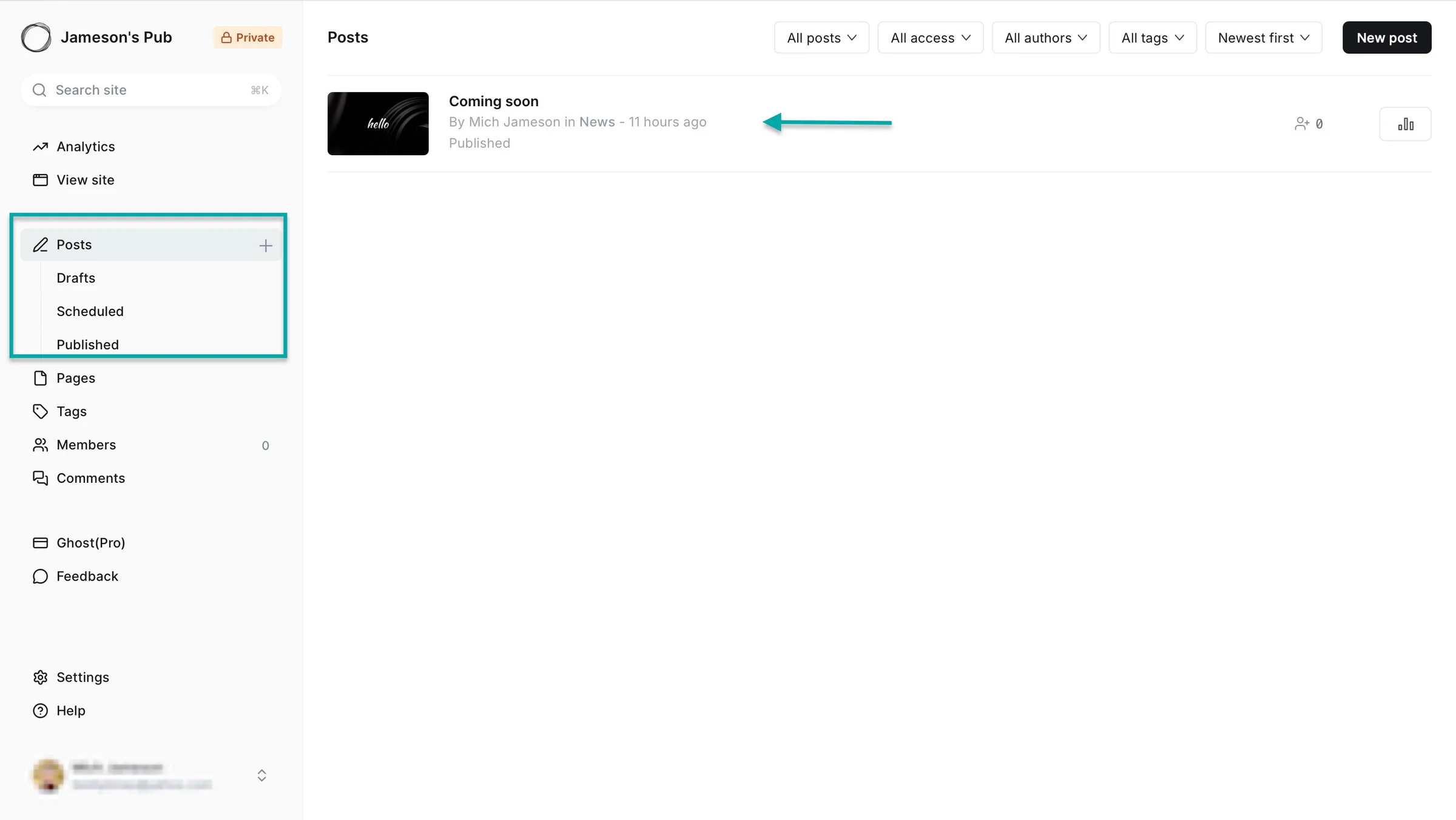
As a publishing platform, Ghost lets you post articles. You can view them as drafts or published posts. And you can also schedule them for a later date.
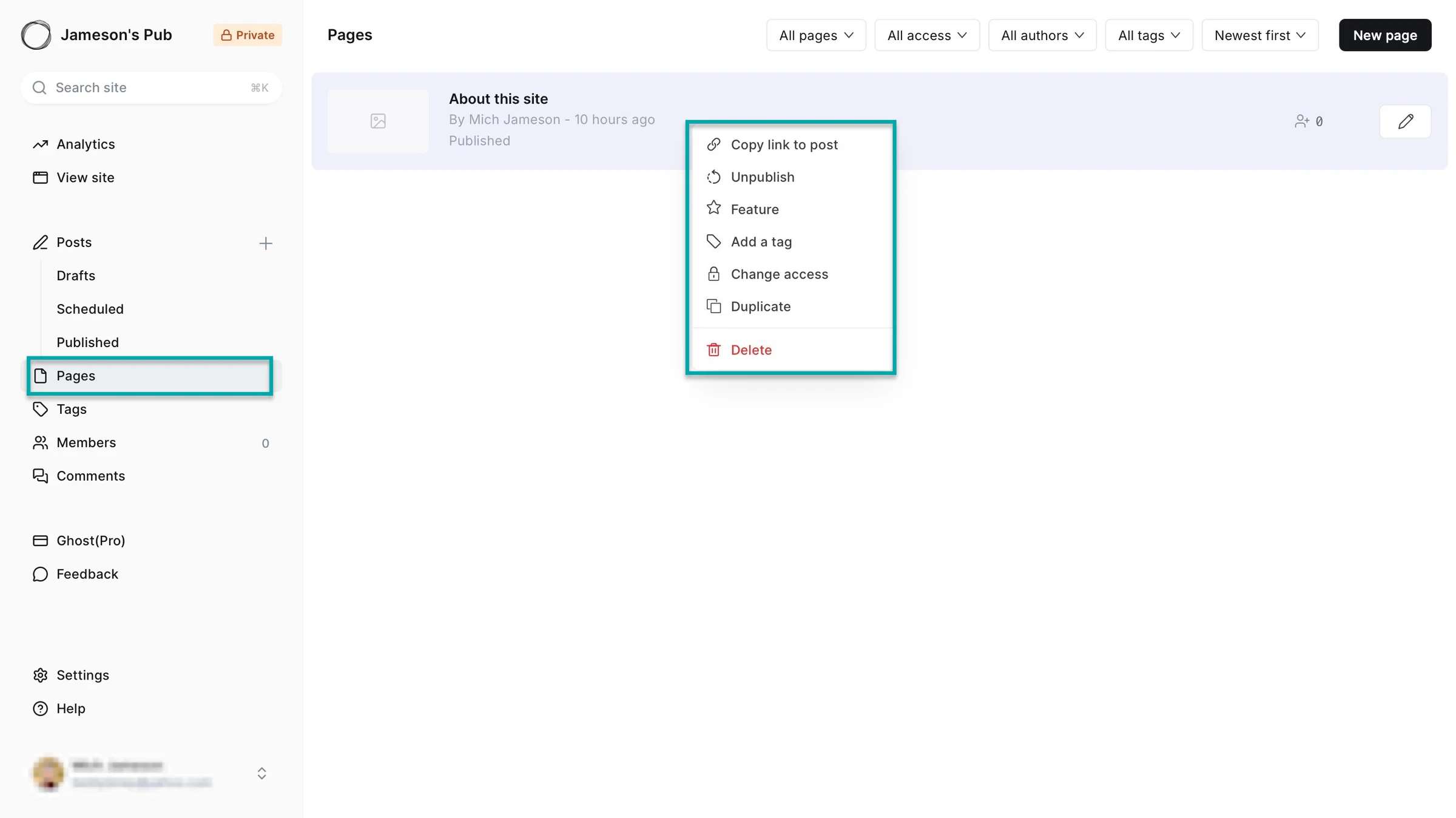
You can add standalone pages for permanent website information. These may include an About page, contact page, sign-up page, and privacy policy. Ghost even lets you unpublish, duplicate, and delete pages.
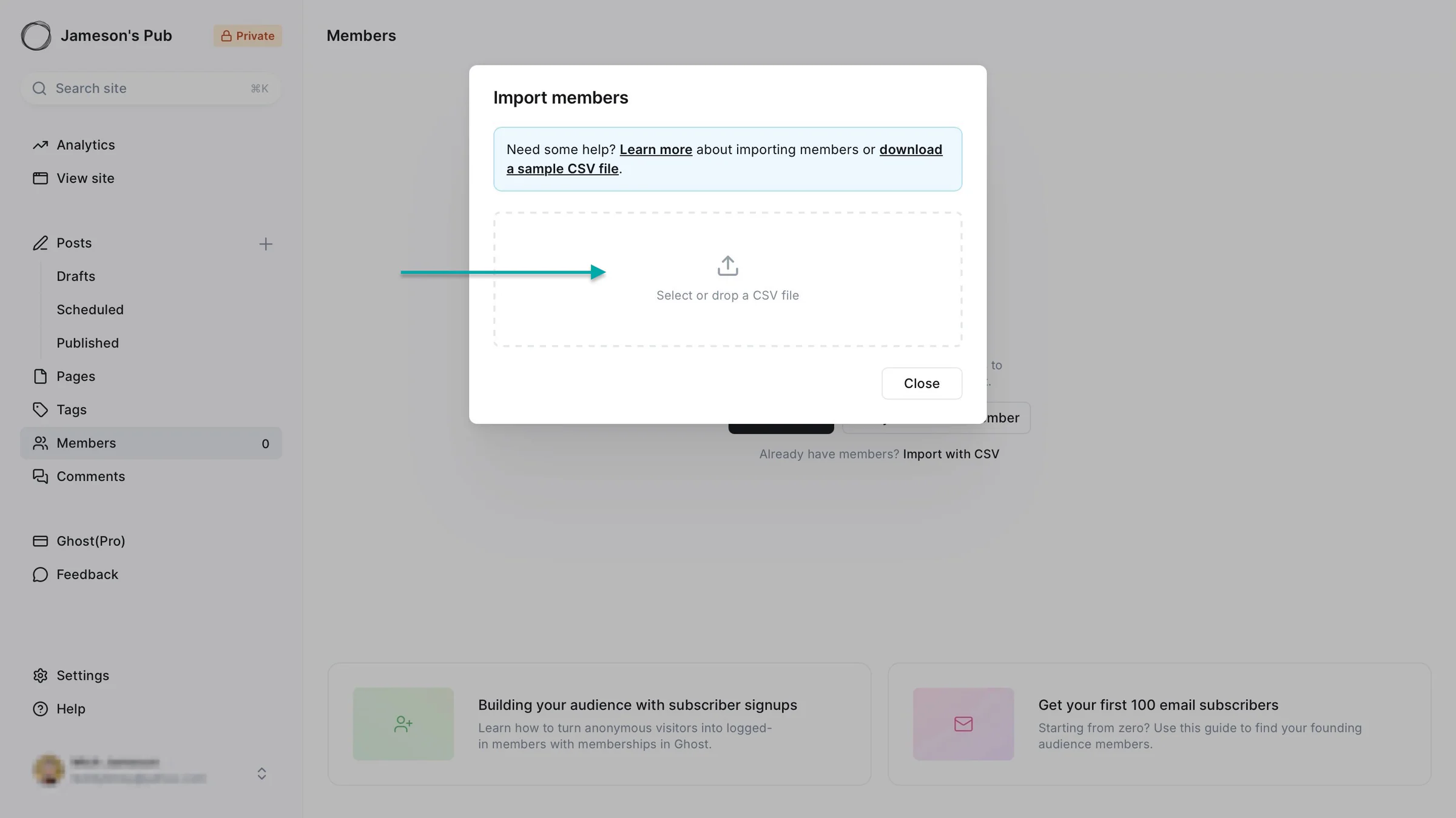
You can add new members on Ghost. If you already have an audience, you can import them through a CSV file.
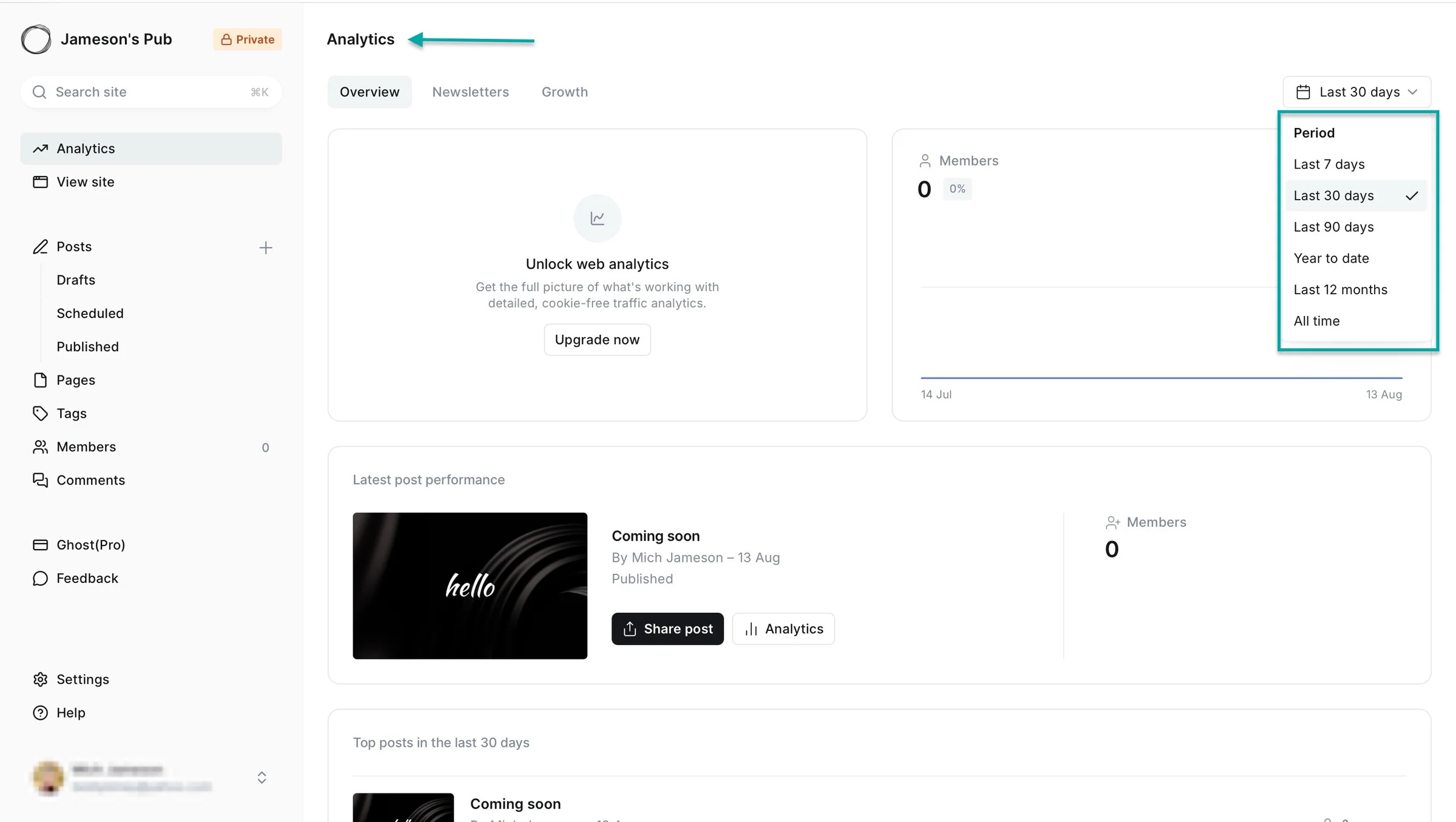
And of course, you’d like to know how your posts and website perform. Ghost lets you view analytics for your content and website over different time periods.
What I loved about Ghost
1. Posts
Posts lets you publish articles on your Ghost-supported website. To use the feature, click “Posts” in the sidebar.
In the posts section, select the “All posts” tab to view draft, published, email only, scheduled, and featured posts.
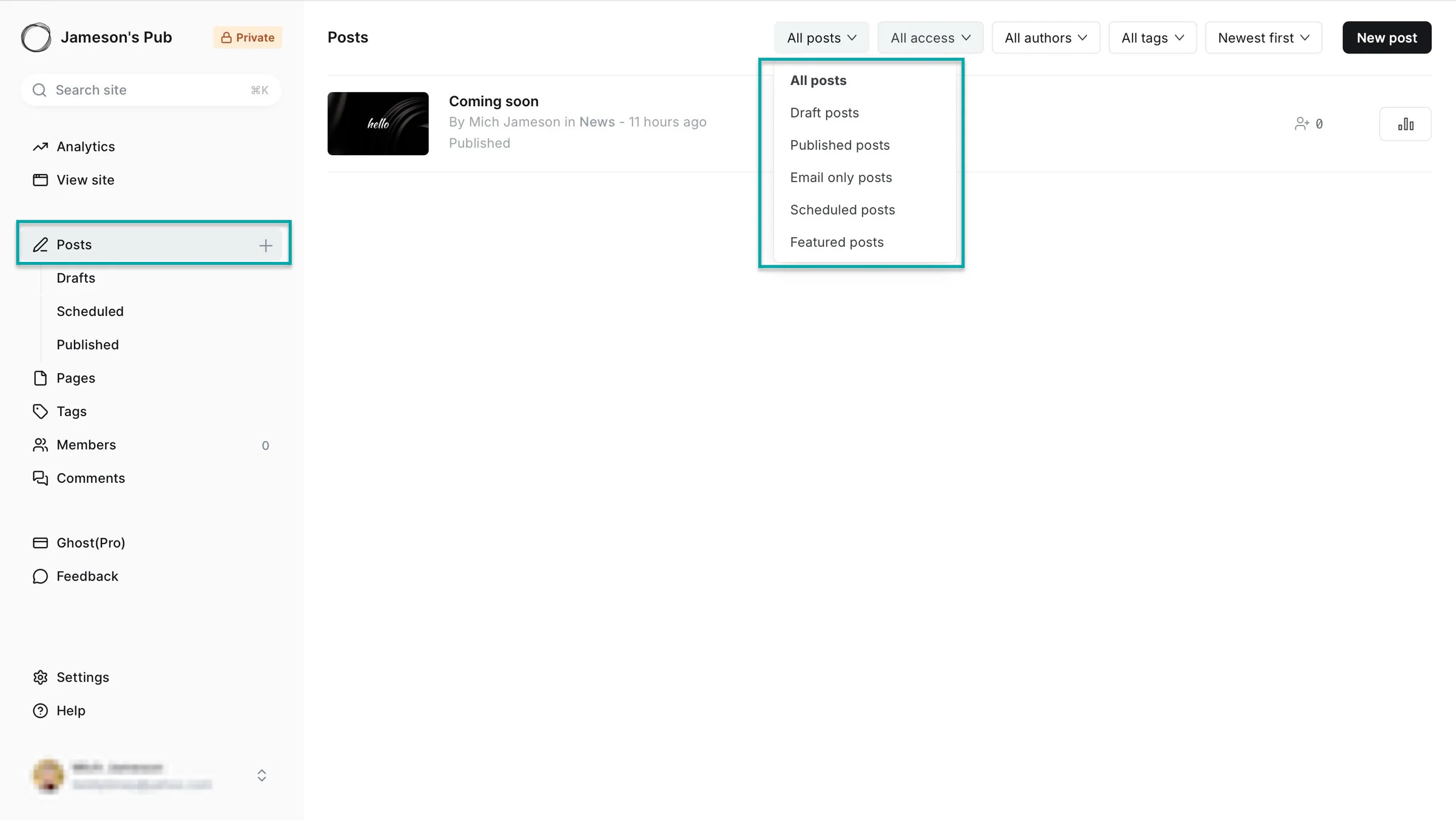
Select the “All access” tab to view which posts have public, members-only, or paid members-only access.
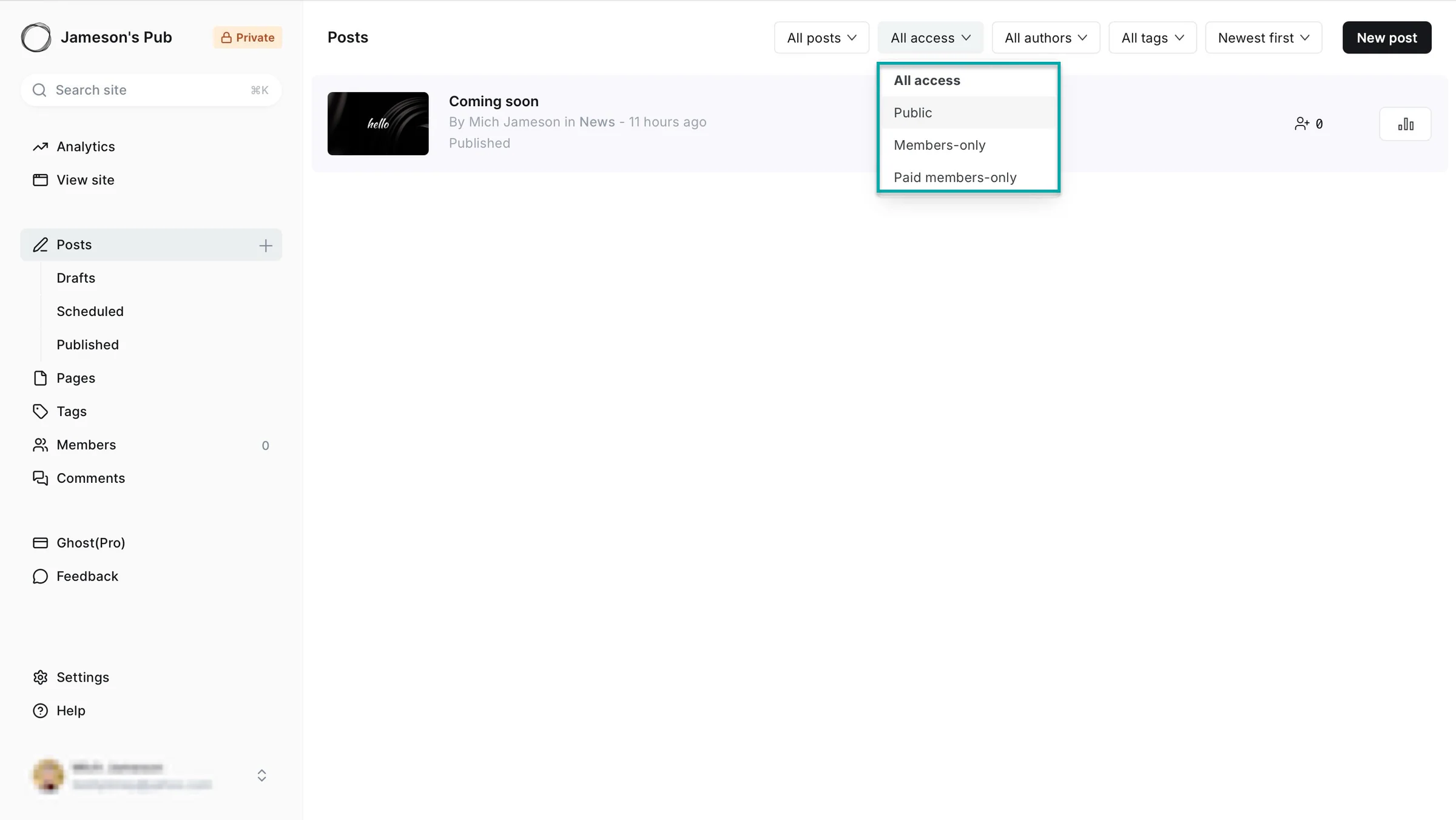
Click on any of the posts listed in the window to make further edits and additions. And select “New post” to write a new one.
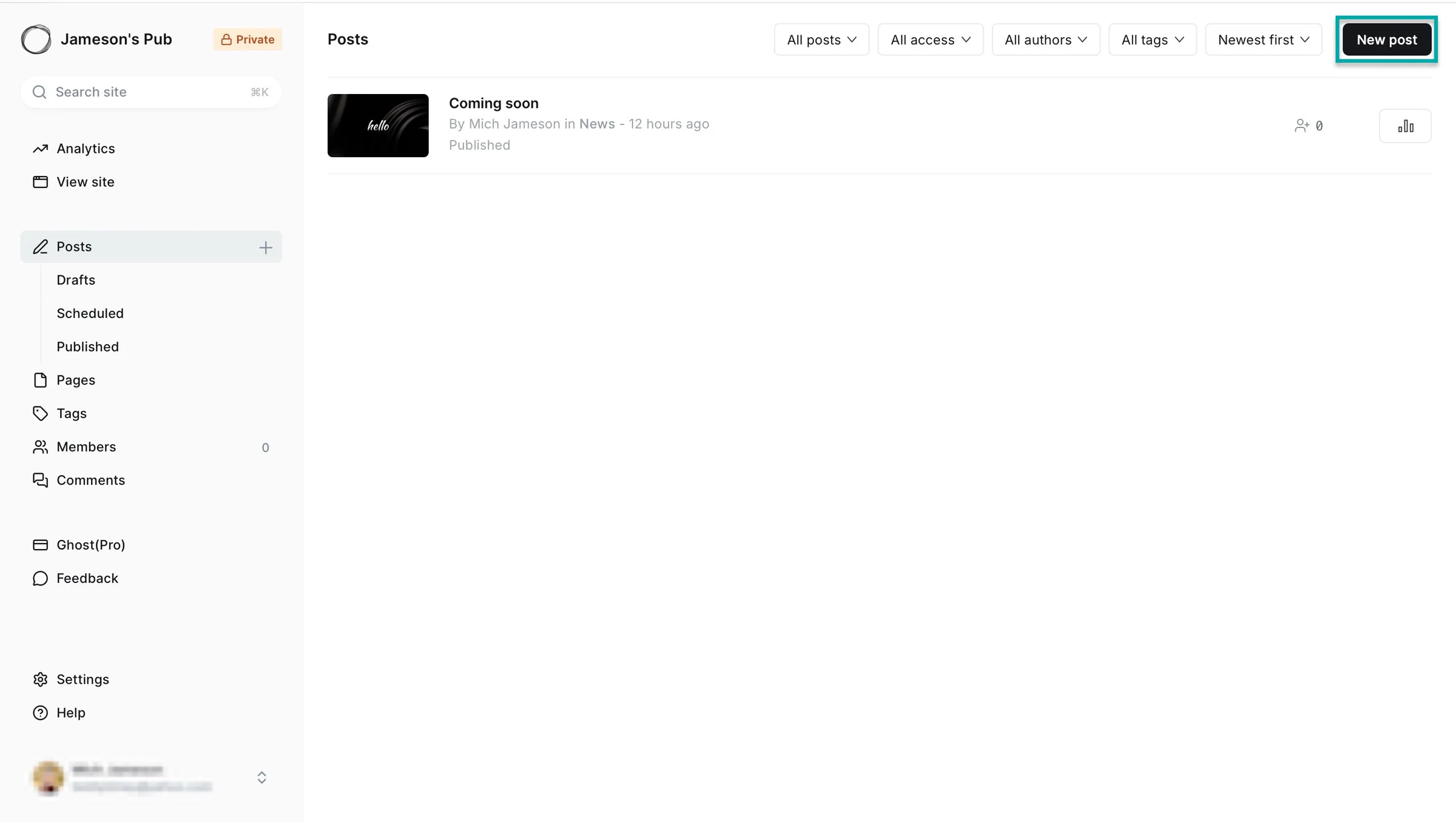
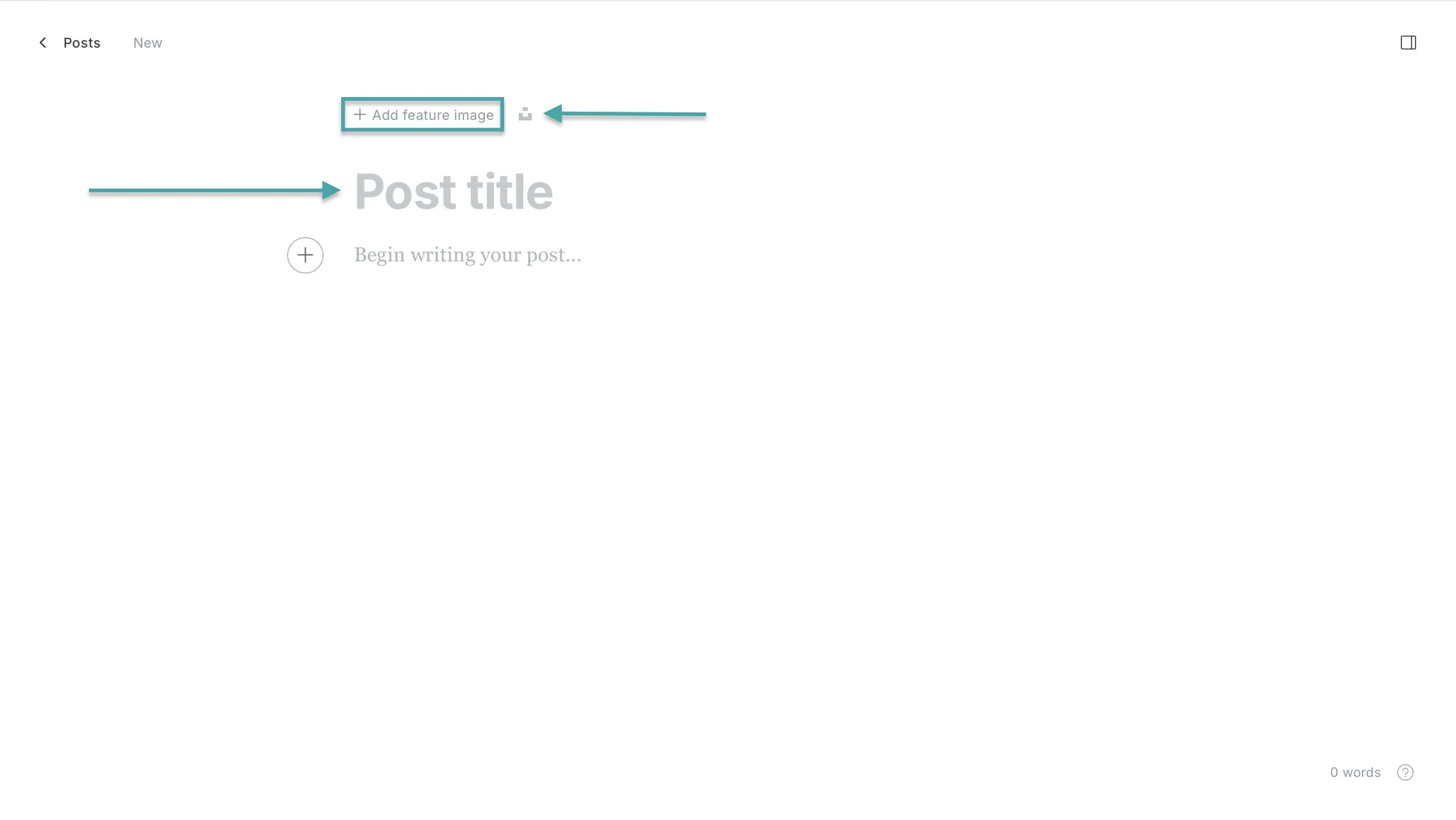
In the post editor (if you clicked the button to create a new one), you just have to add a title and the content. Ghost integrates with Unsplash, so you can click its icon to add an image.
But if you have an image on your device, click “+ Add feature image” to upload it.
2. Members
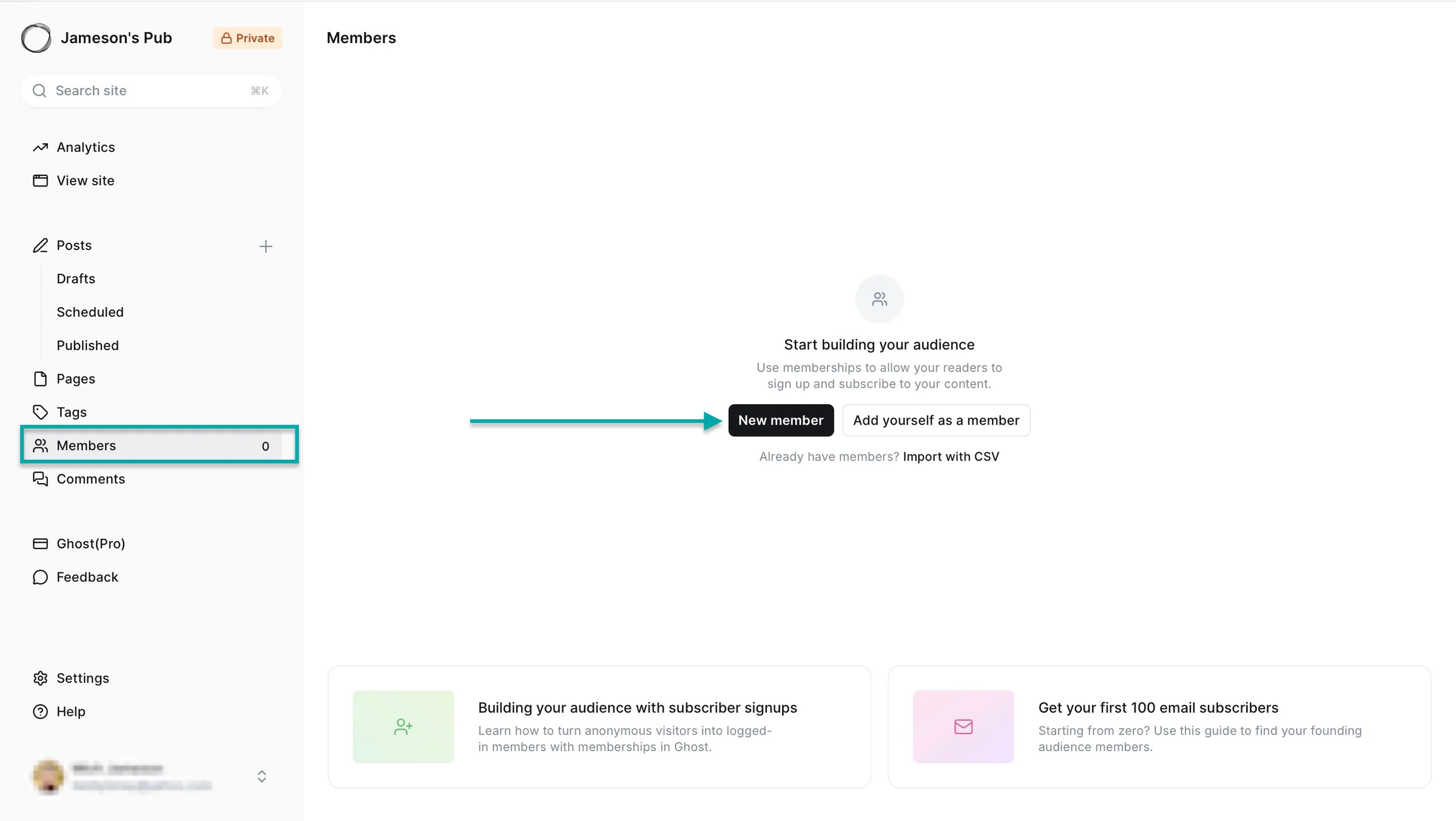
The members feature lets you add new audiences or import one via a native CSV file. Let me walk you through how it works.
Click “Members” in the sidebar and select “New member.”
In the new window, enter the member’s name and email address. Then add labels and a note that’s visible only to you.
Toggle the switch to let them receive the applicable newsletter and click “Save” at the top right corner of the window.
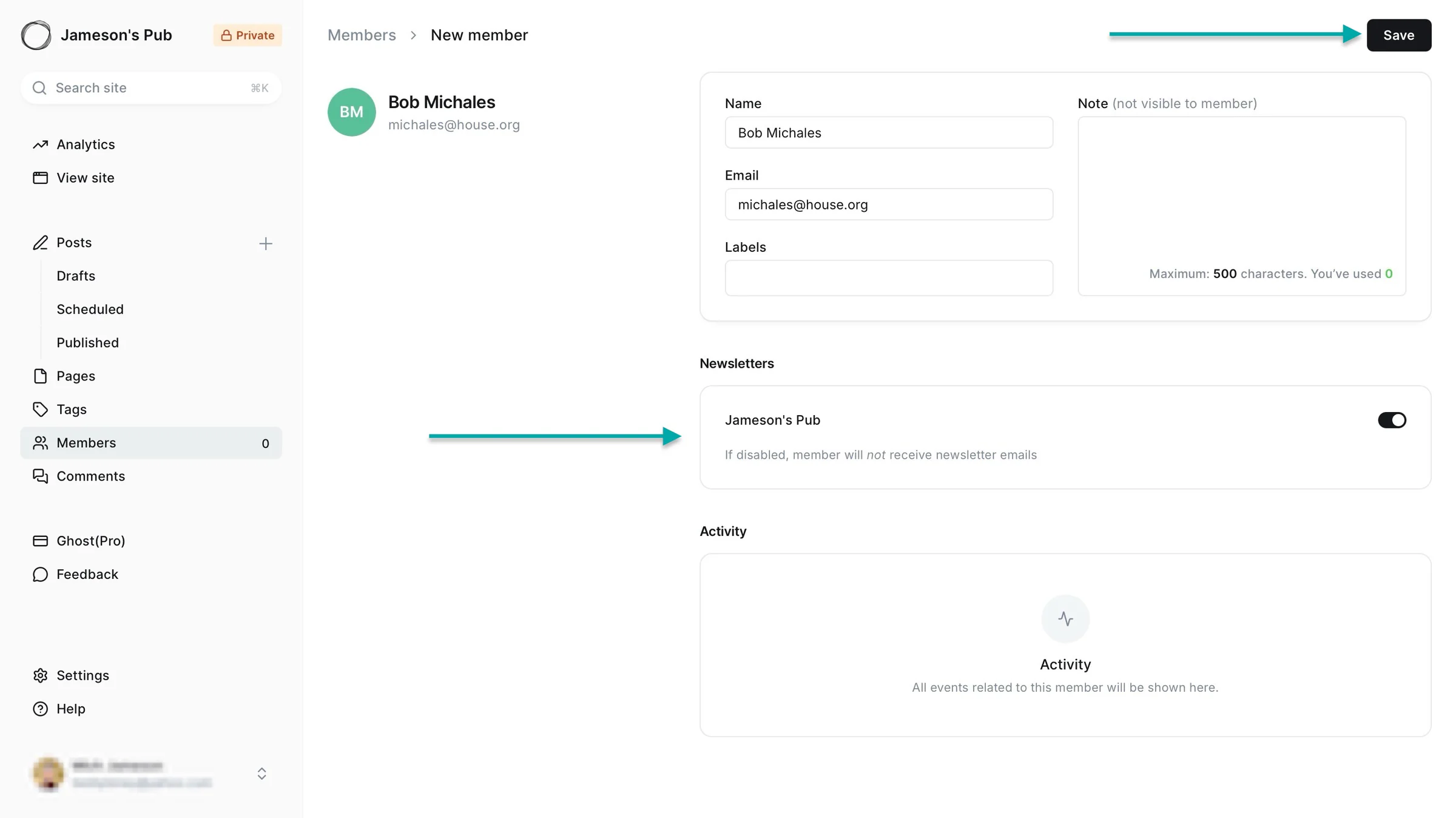
After that, you can make edits to the member’s profile.
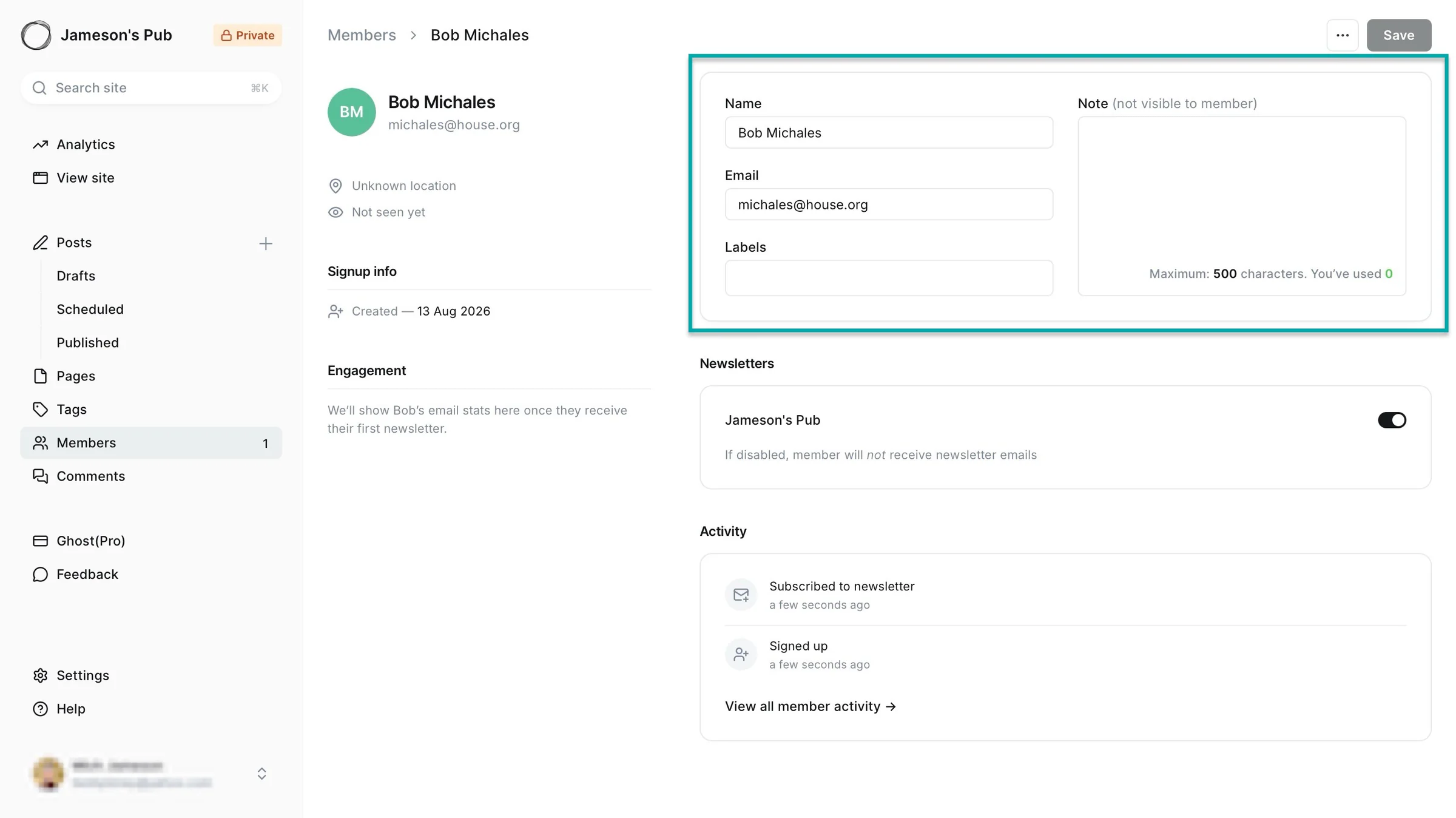
Ghost will also list the member you just added in the main members section.
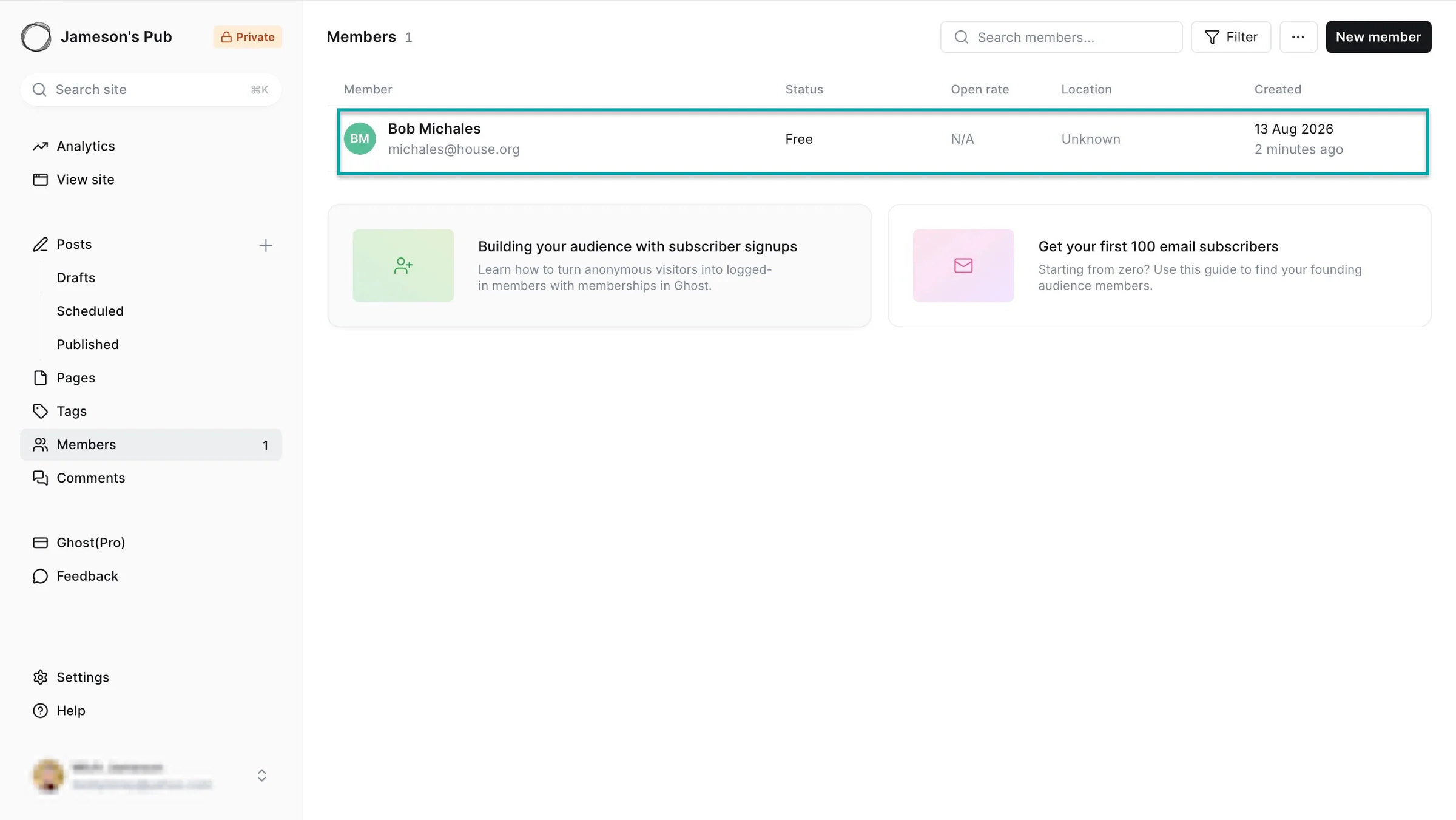
3. Analytics
Ghost’s analytics feature gives you an overview of your website, member count, and your post performance.
The “Overview” tab, for example, shows all three items I listed above. Right from that window, you can click on any of them to view their analytics.
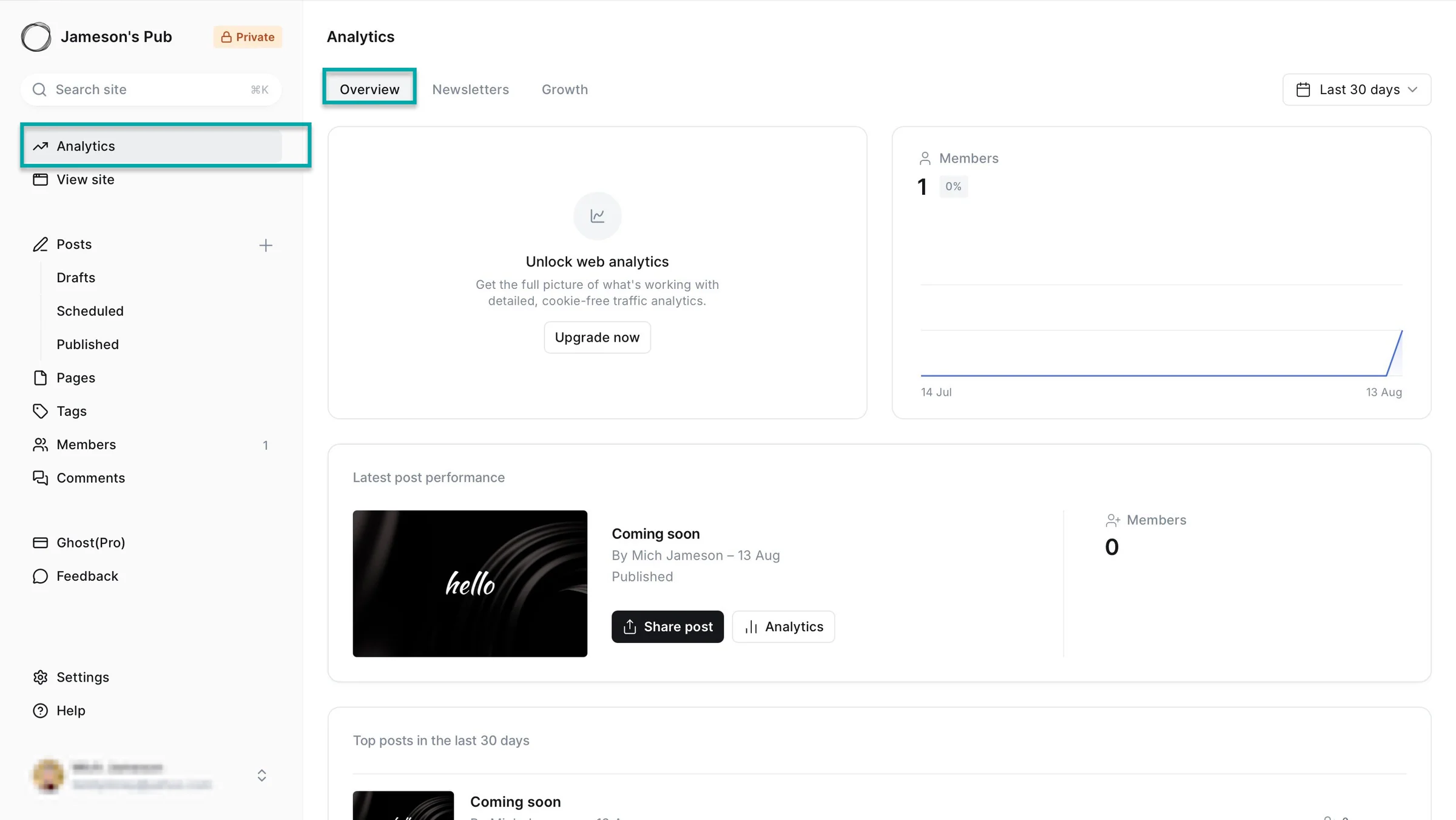
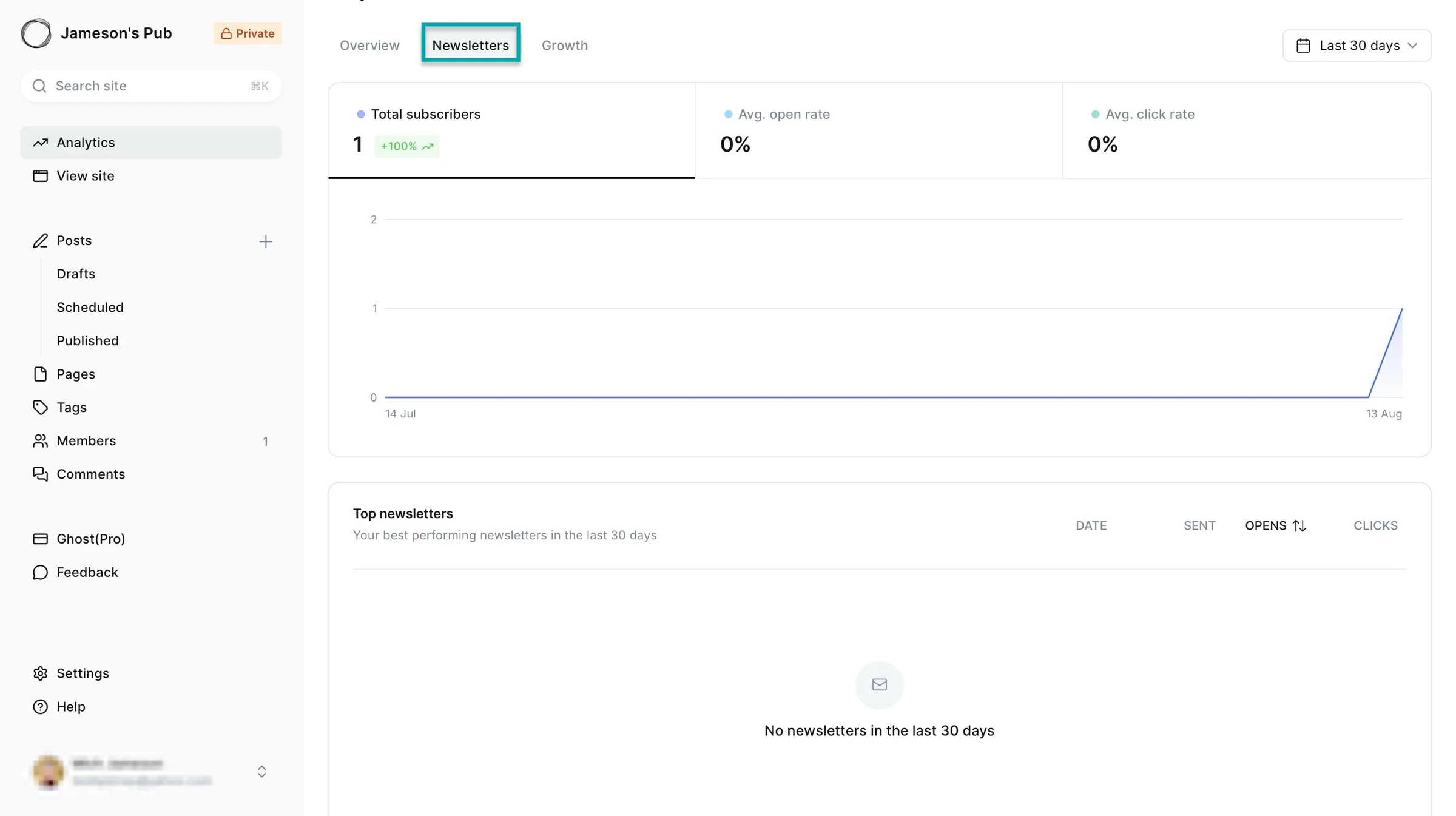
The “Newsletters” tab shows you the analytics for subscribers, your average open rate, and average click rate. You can also view a list of your top newsletters.
Lastly, you can view total members and top content by clicking the “Growth” tab.
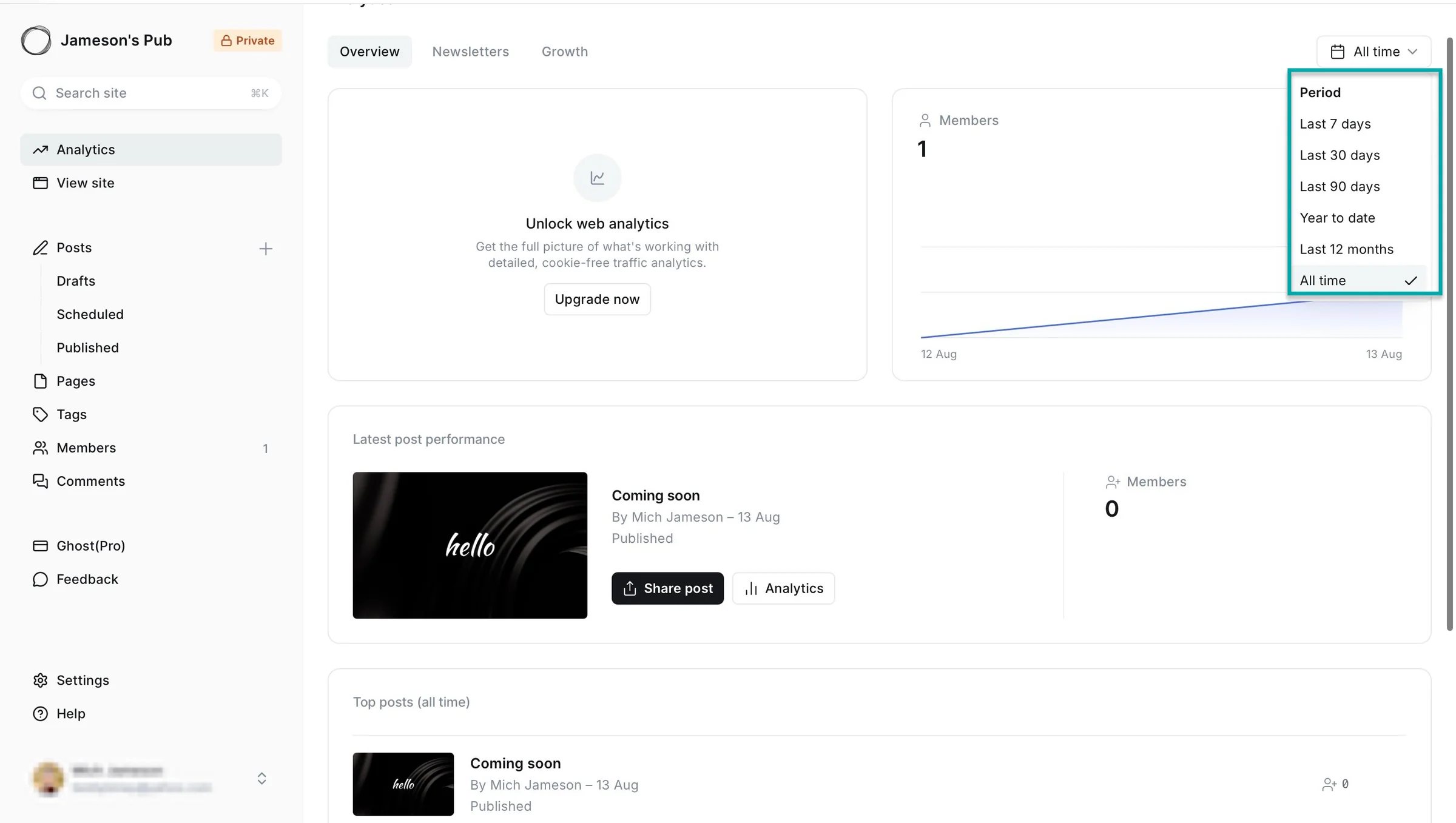
And for all analytics, you can choose specific periods to view. You can view all-time, year-to-date, yearly, quarterly, monthly, and weekly analytics.
What I liked vs what I didn’t like
What I loved 👍
✅ Charges 0% transaction fees on your subscription revenue so you only pay Stripe’s payment-processing fees.
✅ Lets you own your audience so you can collect and manage member information and export your members, giving you more control over them.
✅ Like Easytools, you can add social account links of Facebook, LinkedIn, X (formerly Twitter), Bluesky, Mastodon, TikTok, Instagram, and YouTube to expand your online reach.
✅ Integrates with Zapier, Slack, Unsplash, Pictura, PayPal, Stripe, GitHub, Mailchimp, and you can add custom integrations to connect Ghost with other tools you use.
What I didn’t like 👎
❌ It’s excellent for publishing and memberships, but not as well suited to selling a wide variety of digital products as platforms like Easytools, so you need third-party tools or integrations for more advanced product sales.
Best for
- Writers and publishers who want to own their audience, content, and subscription revenue.
Pricing
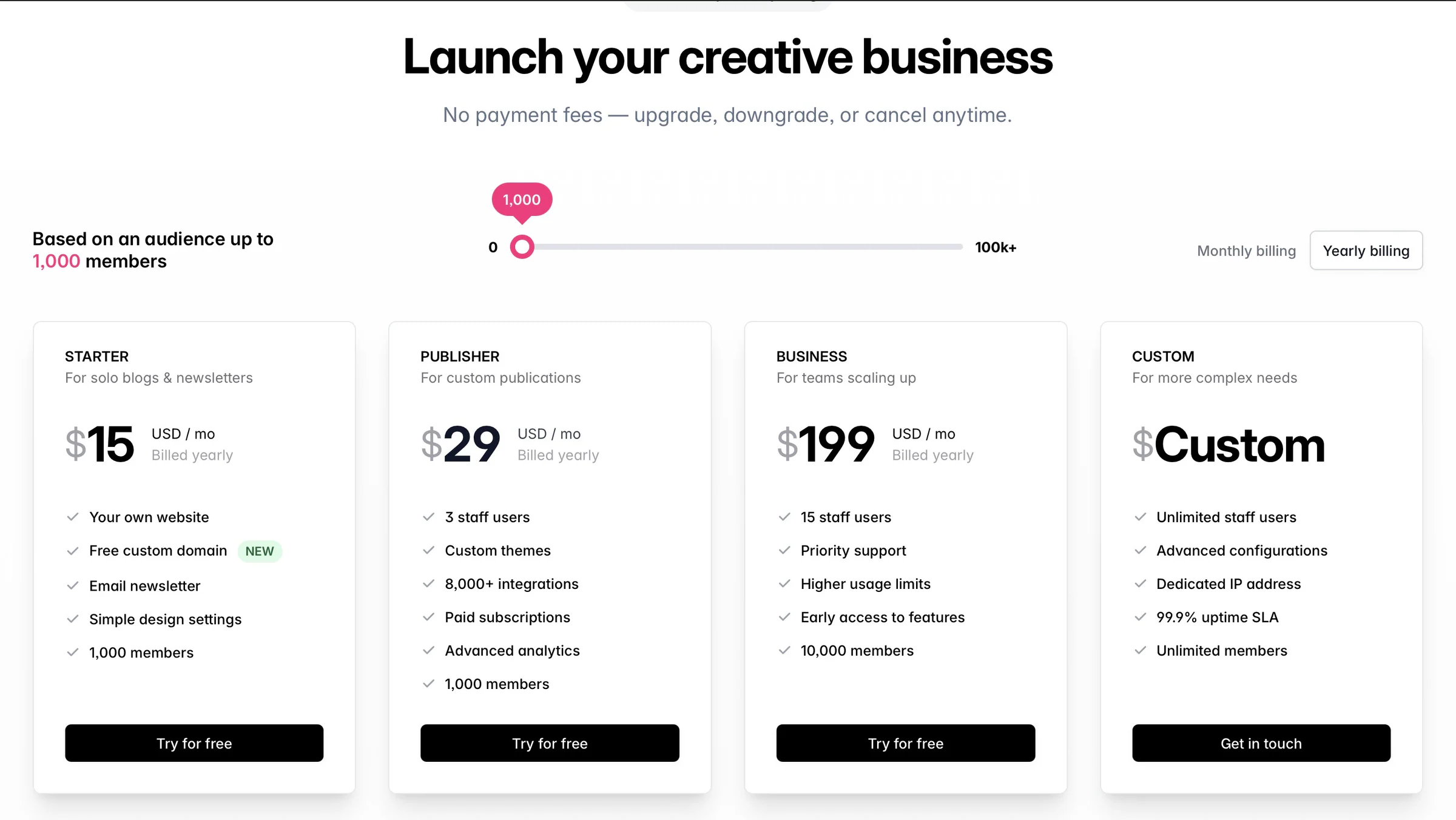
- Starter: $15/month
- Publisher: $29/month
- Business: $199/month
- Custom: Contact for pricing
6. Fourthwall
- Personal rating: ⭐️⭐️⭐️⭐️ 4.5/5 - It has most of the necessary tools to help you sell digital products and membership tiers online.
- Ease of use: ⭐️⭐️⭐️⭐️: 4.5/5 - Intuitive, but the numerous options for site design and customization can feel overwhelming.
- AI capabilities: Uses Eli, an Anthropic-powered AI business assistant, to answer questions about your shop, analyze orders and sales, provide marketing advice, after which it makes changes like creating promotions, editing products, and adjusting prices. It also supports an MCP connection to AI tools such as Claude.
- Ways to monetize: Membership tiers, digital and physical products, and donations/tips.
- Free trial: No - offers a free plan with no monthly subscription.
- Starting plan: Free - $0/month
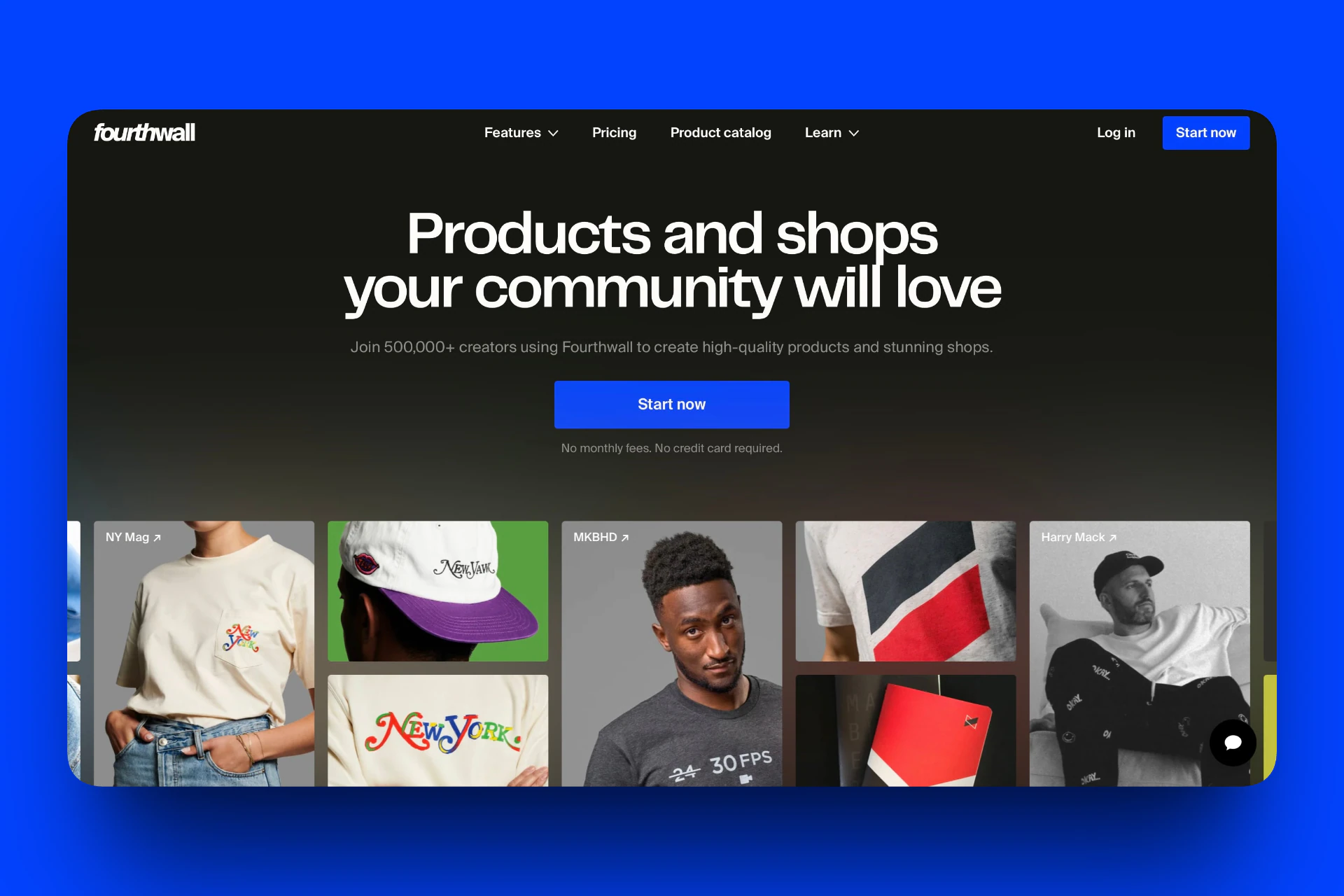
Another tool on our list of the best Buy Me a Coffee alternatives is Fourthwall.
It’s an all-in-one platform that lets creators build a custom-branded website, sell physical and digital products (files and guides), and offer memberships. It handles production, shipping, and customer support, so creators can sell without upfront costs.
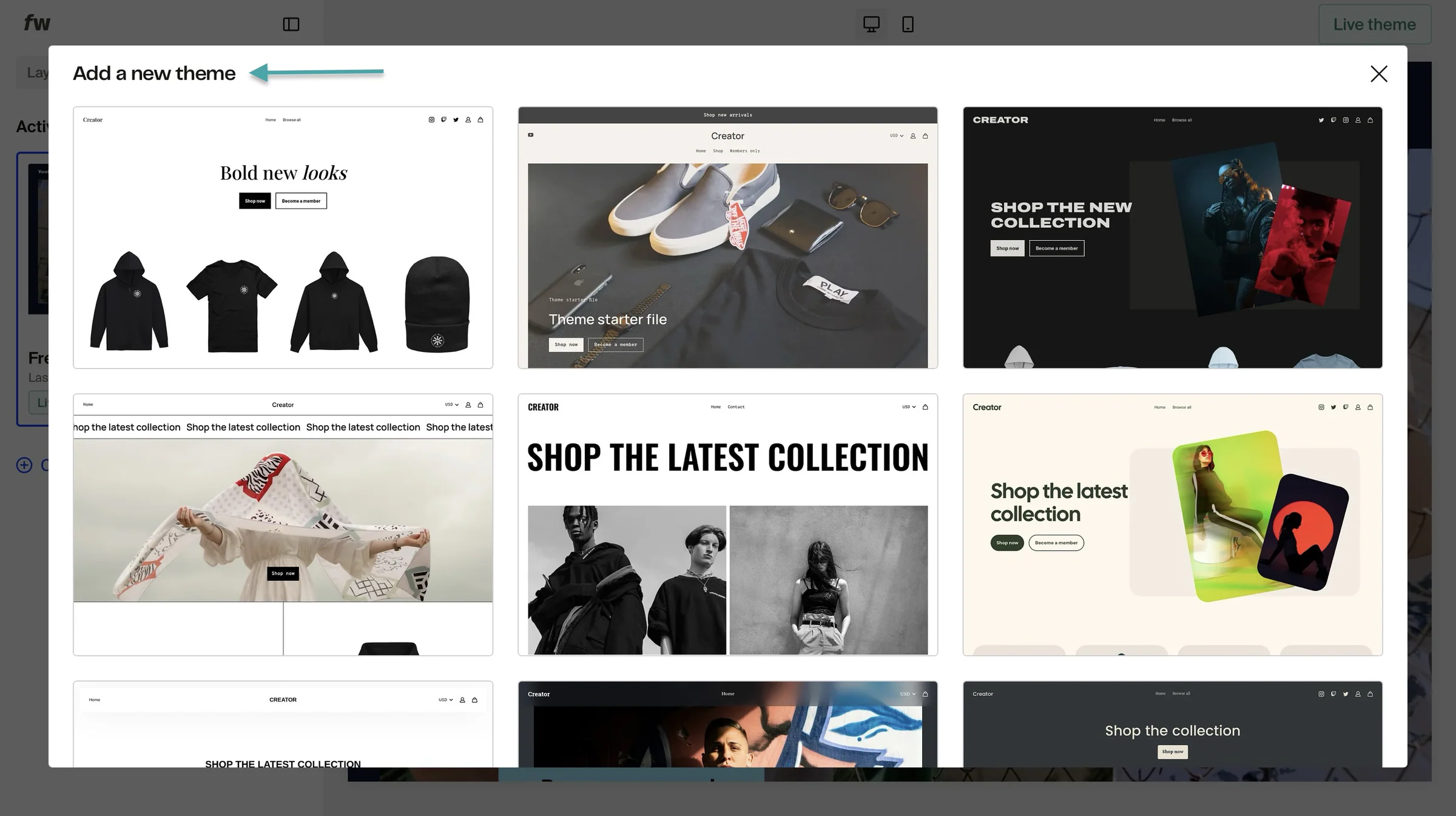
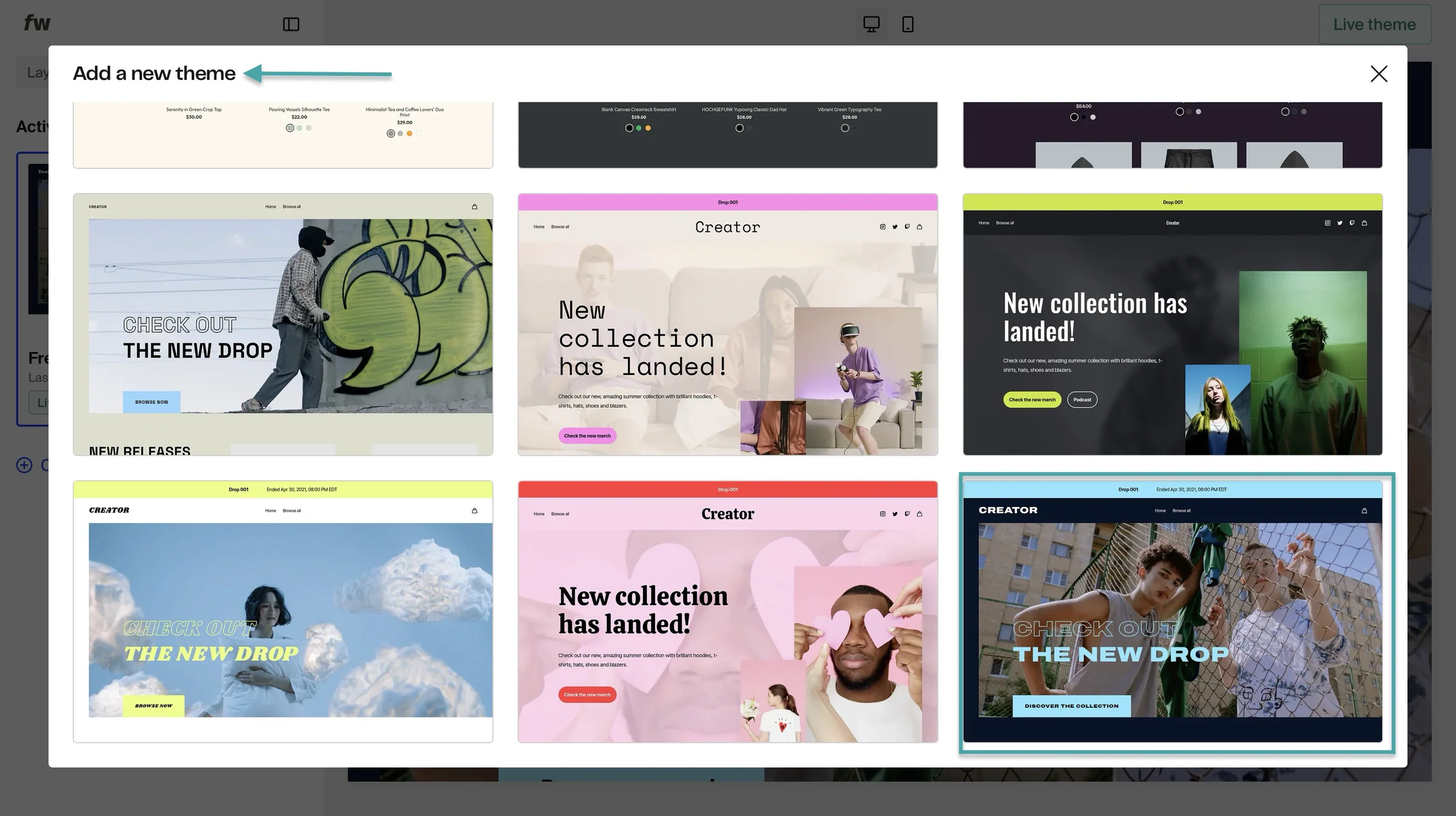
This Buy Me a Coffee lets you design a website. You can select themes from its native template library and make edits.
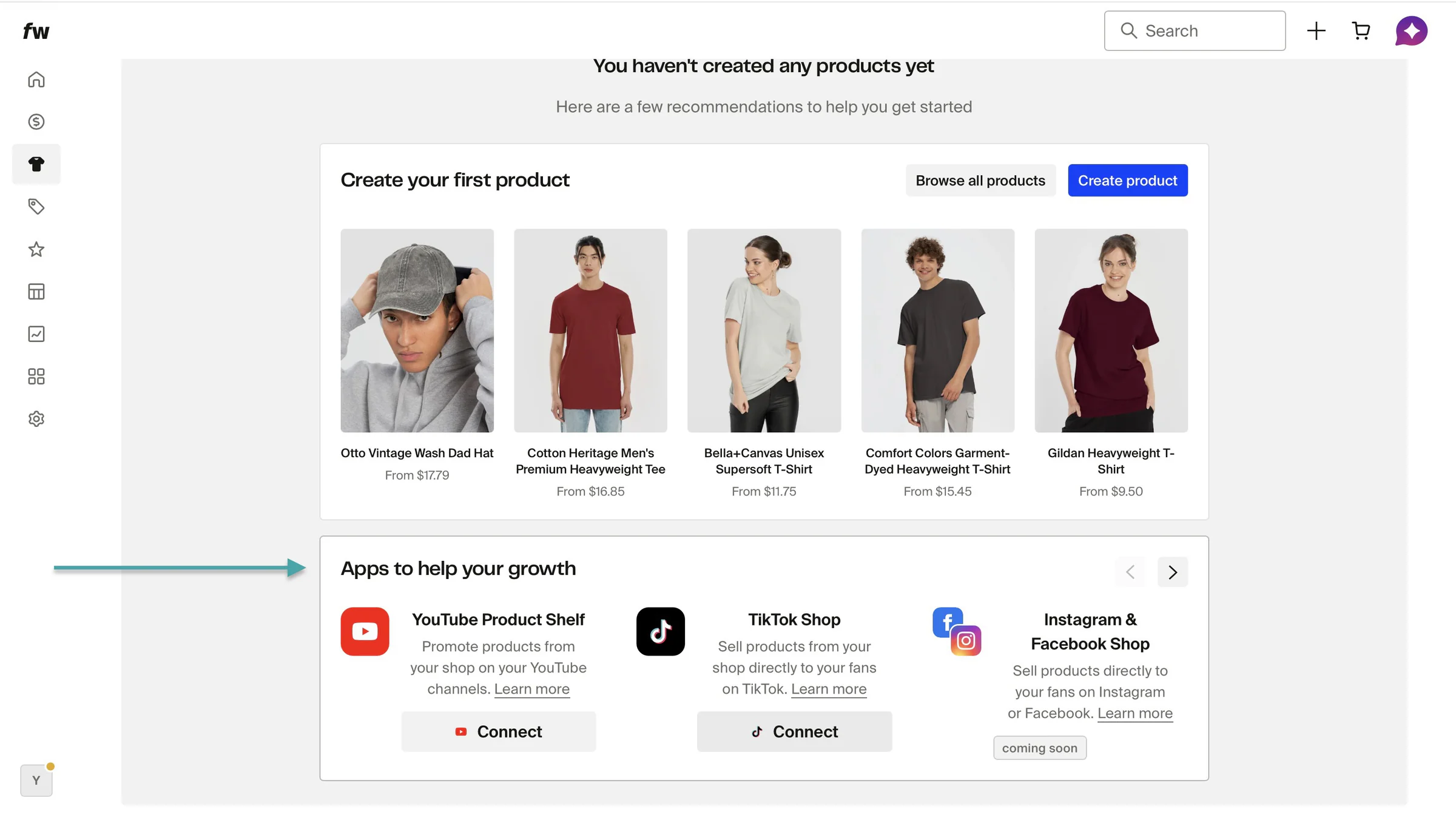
On Fourthwall, you can create and sell physical products. This Buy Me a Coffee alternative even lets you connect social media stores like TikTok Shop, YouTube Product Shelf, and more.
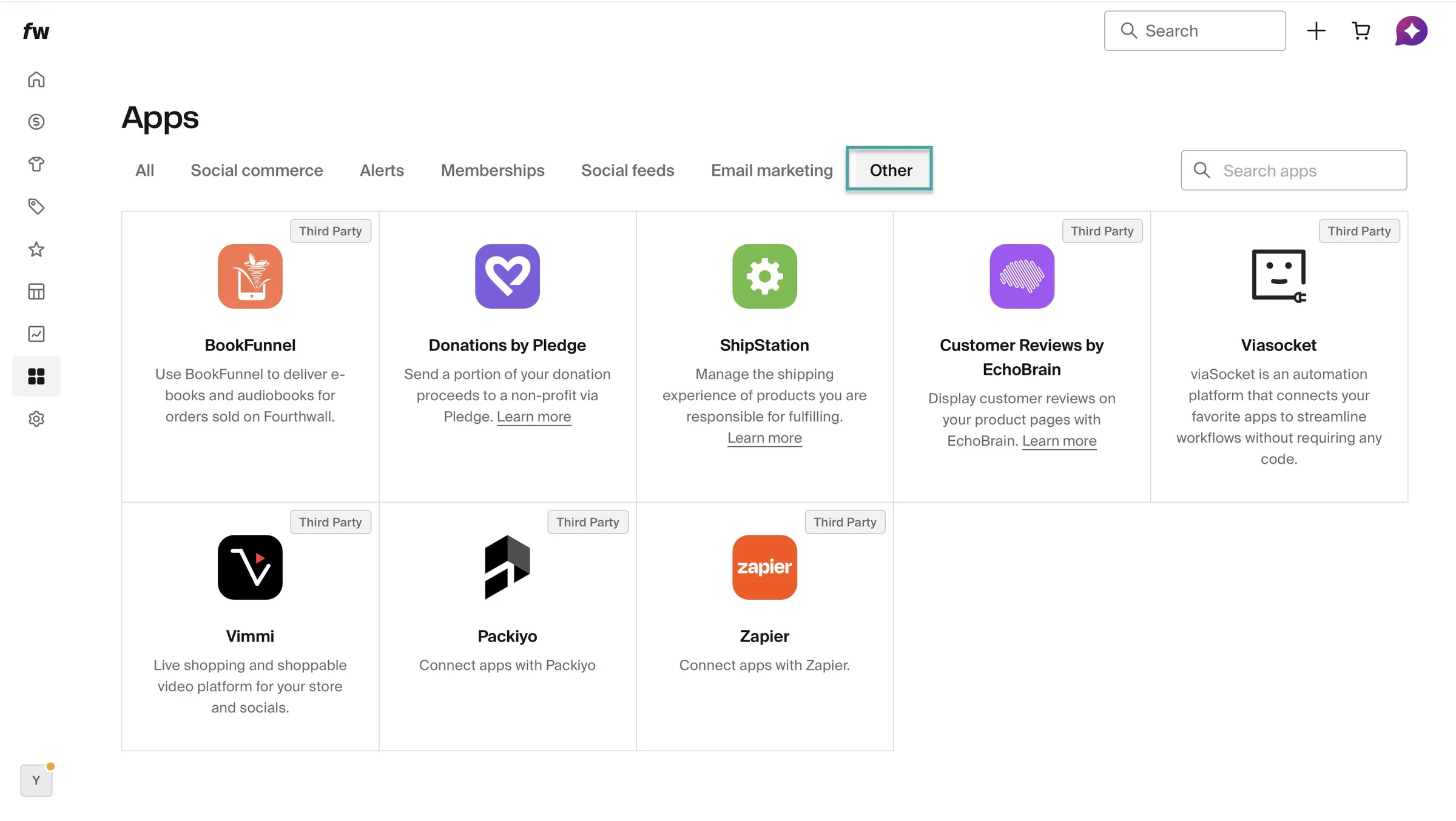
On Fourthwall, there is a dedicated space to connect third-party tools. This means you don’t have to switch from the tools you’re already using.
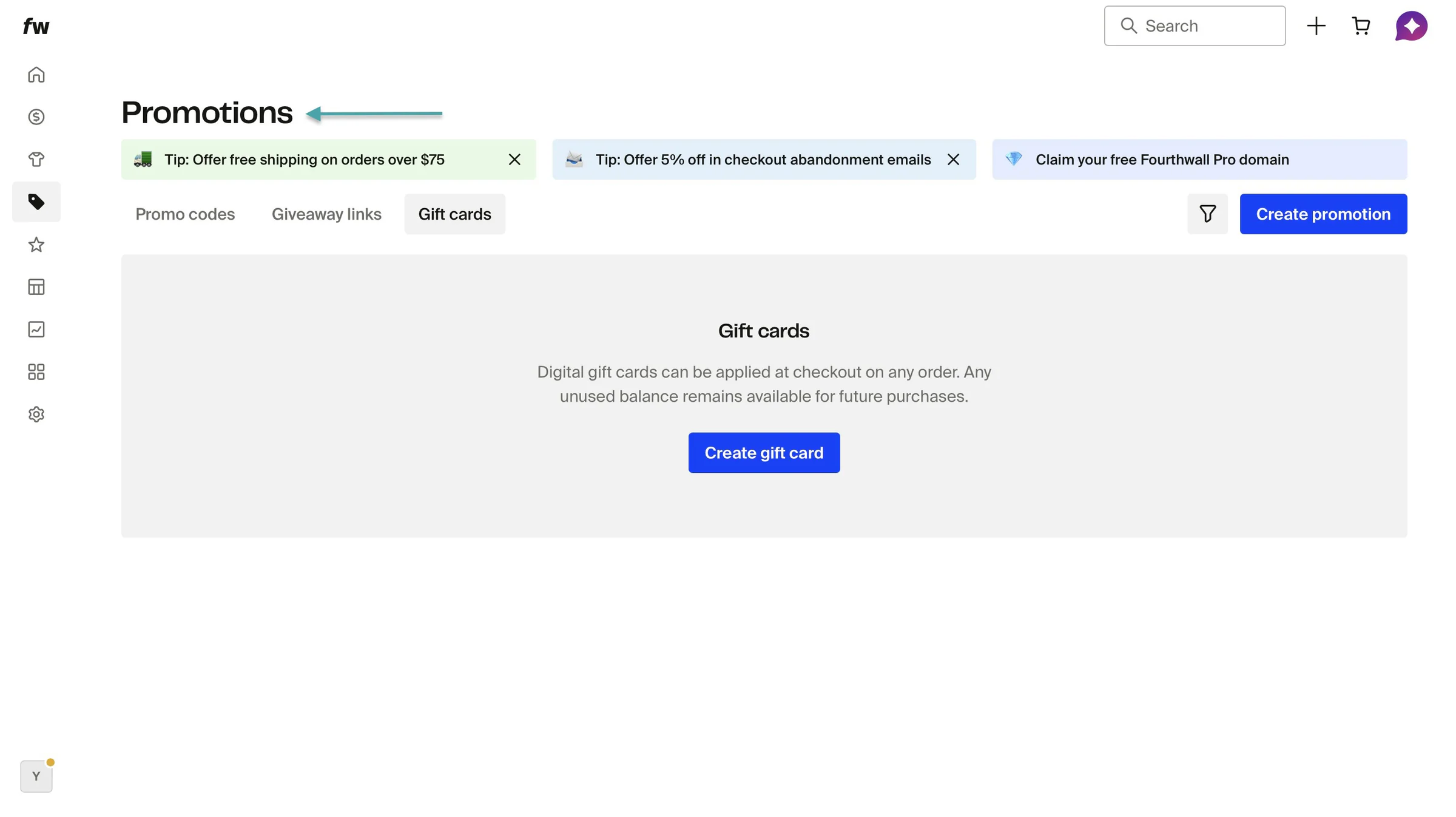
You can also create promo codes, giveaway links, and gift cards. This will help you increase sales.
Like Patreon and Ko-fi, Fourthwall lets you create membership tiers. You can add members, send them messages, and monetize video series.
What I loved about Fourthwall
1. Site design
On Fourthwall, you can build and design custom websites to sell memberships and products. Click “Site design” in the sidebar to get started.
Then, select a theme.
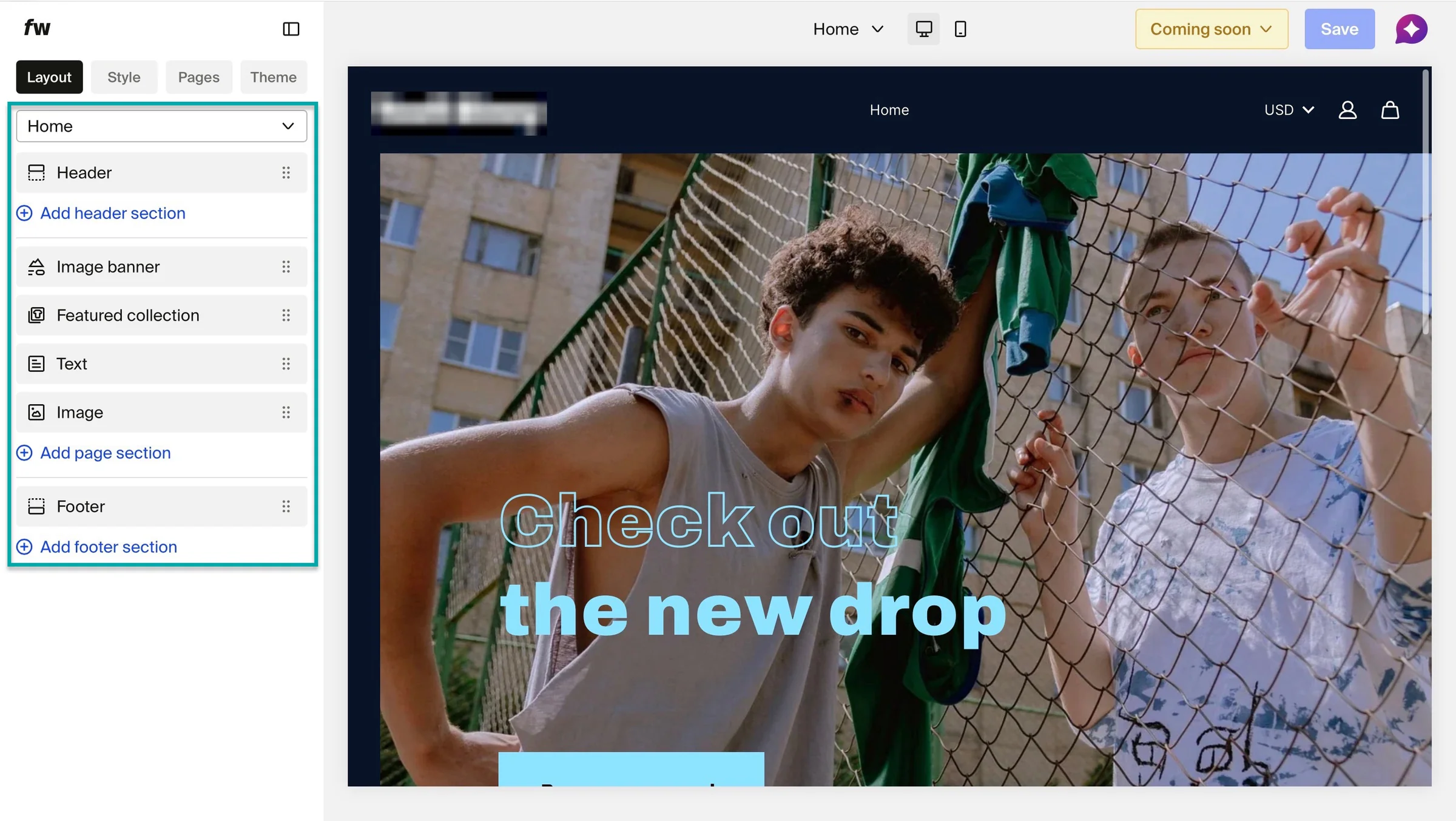
In the site editor, select any of the items in the sidebar to edit or customize.
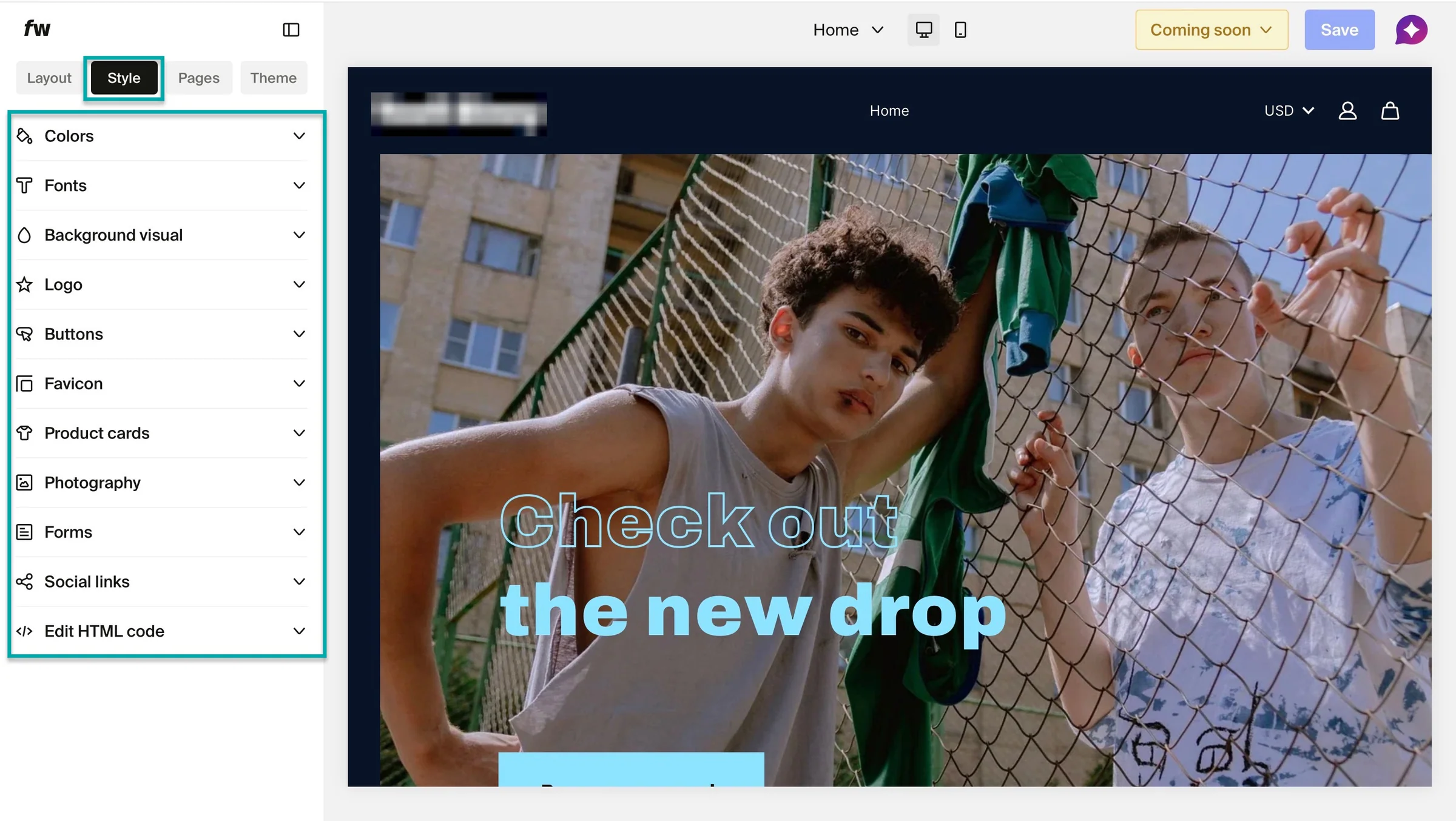
You can click the “Style” tab to work on colors, fonts, social links, favicons, and more.
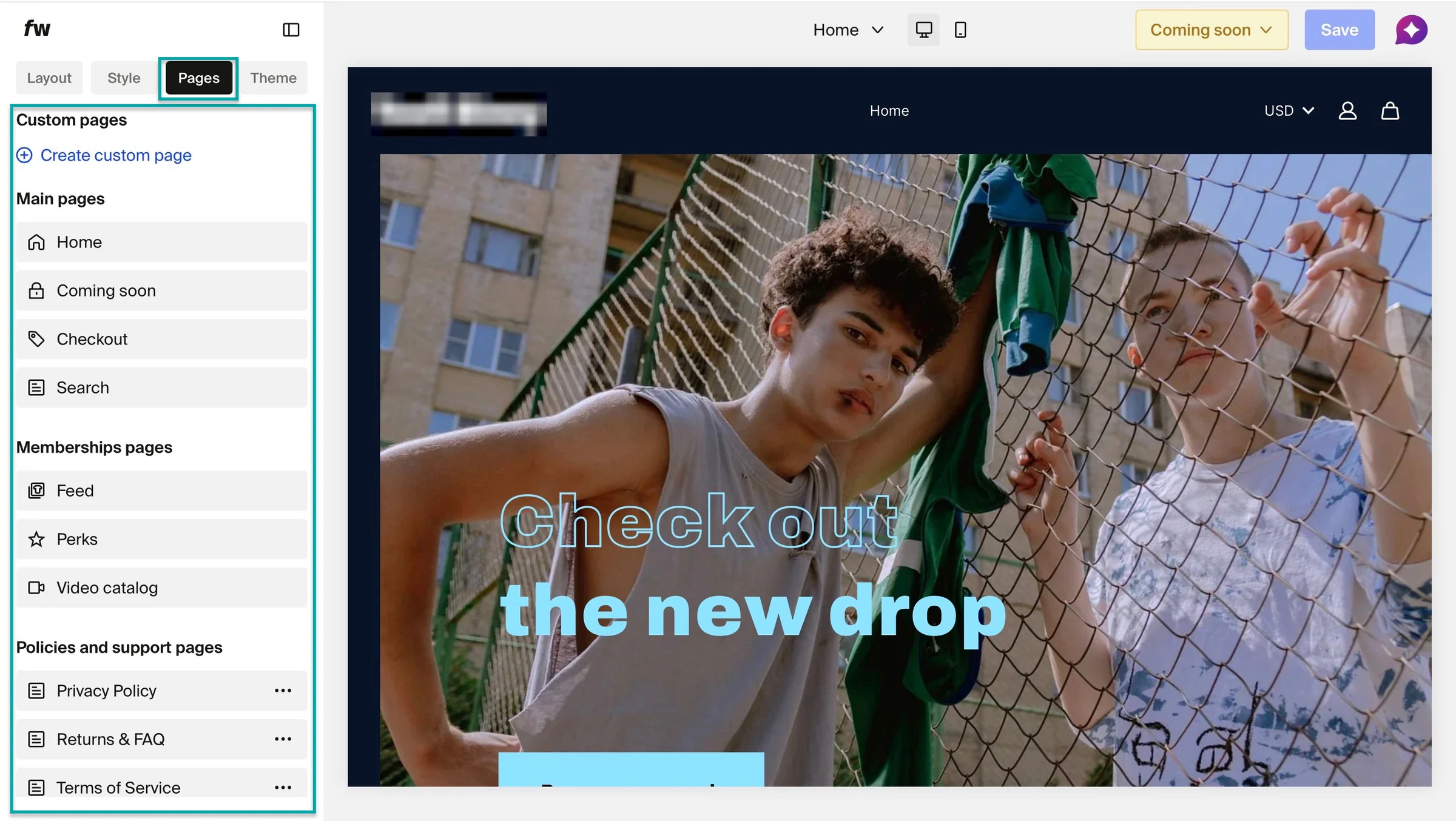
Click “Pages” to create custom pages.
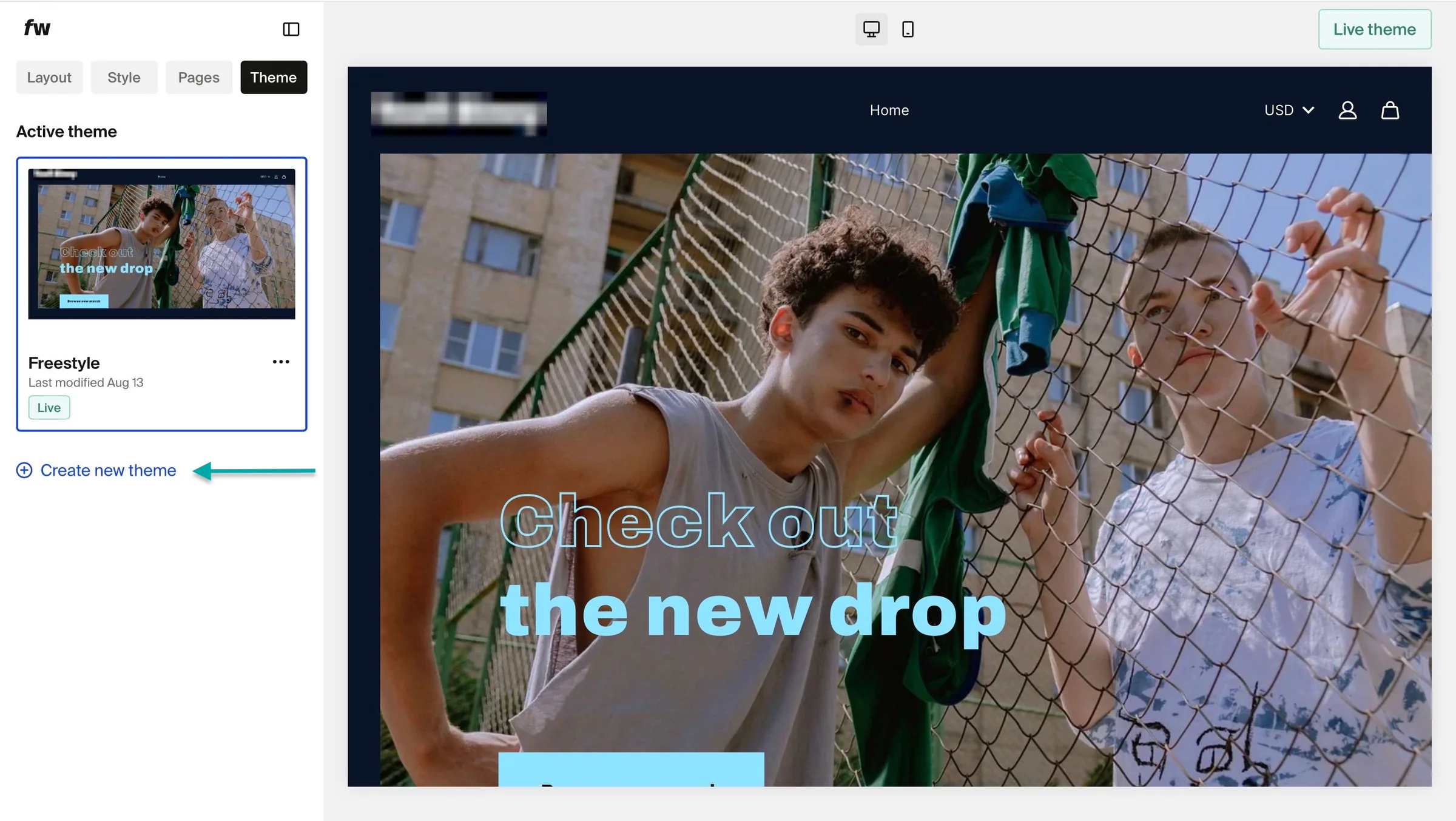
The “Themes” tab to choose or create a new theme if the current one isn’t the best fit.
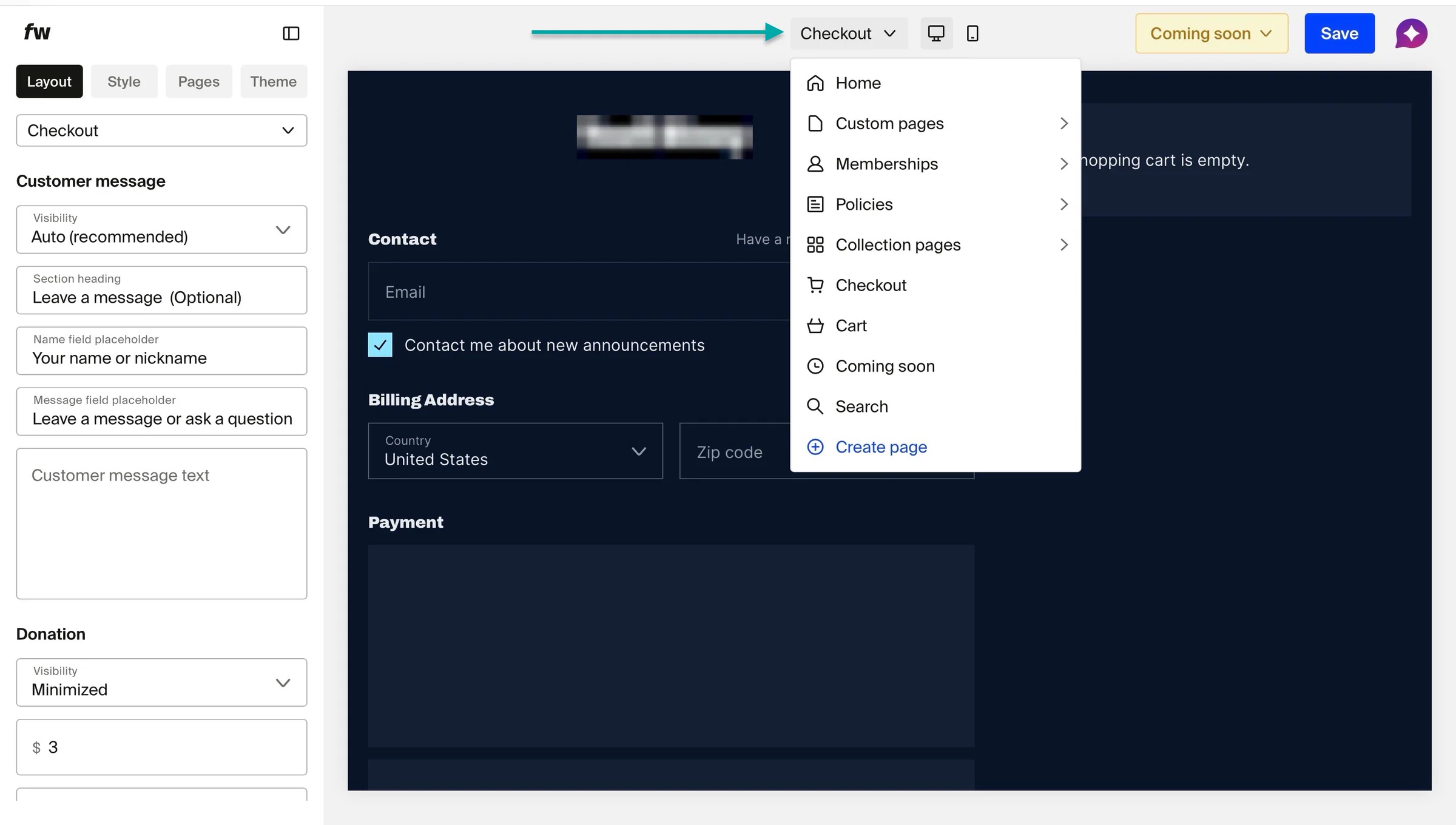
You can also click the dropdown arrow at the top-center of the window to see more options. These choices are the same ones you get when you click the “Pages” tab, though.
2. Products
Fourthwall’s products feature lets you sell print-on-demand or custom physical merchandise. Here’s how to start selling on the platform.
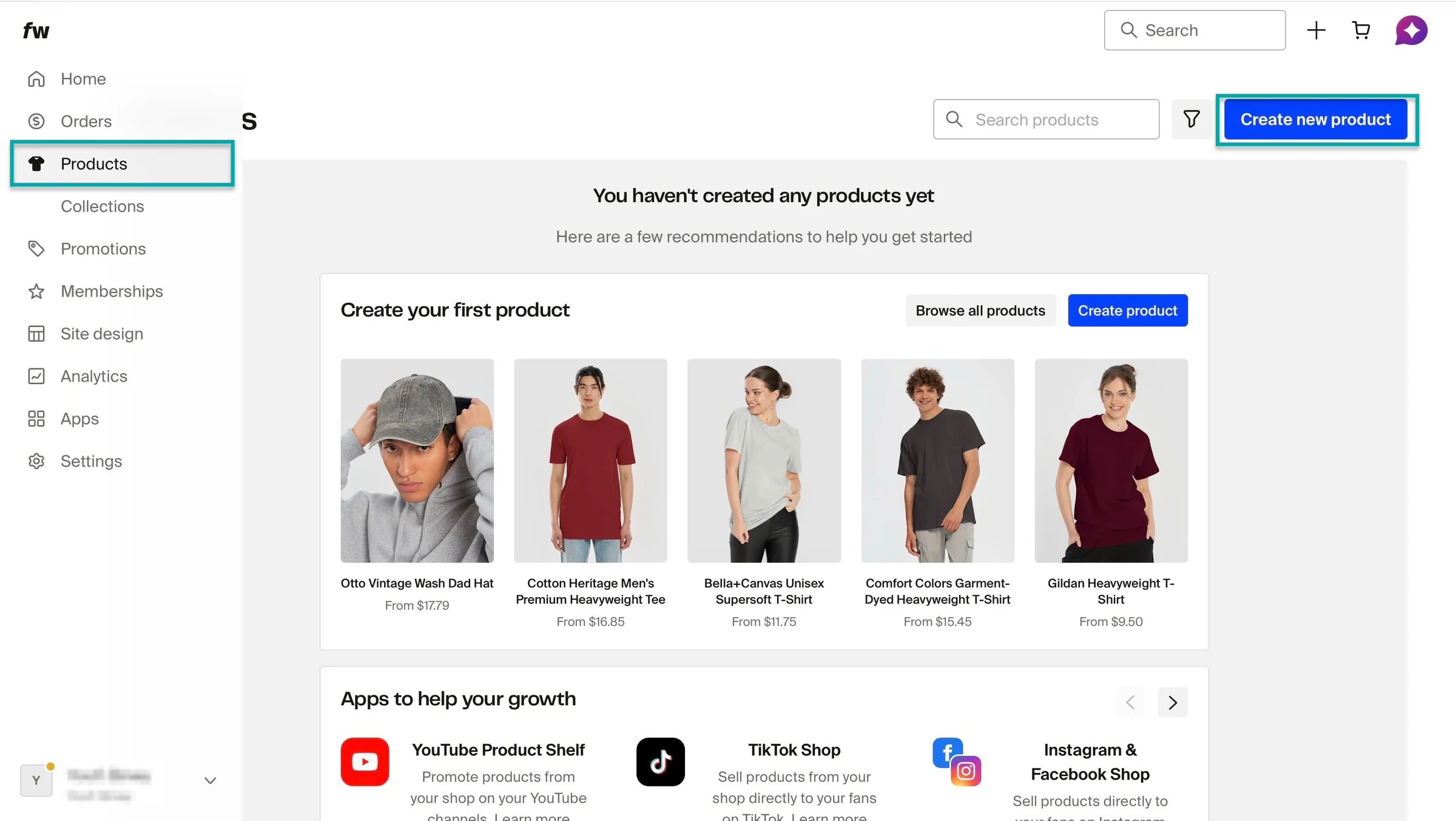
Click “Products” in the sidebar and select “Create new product.”
In the pop-up window, you can design a new product, sell something you already have, or sell a digital product. Let’s go with “Sell something I have.”
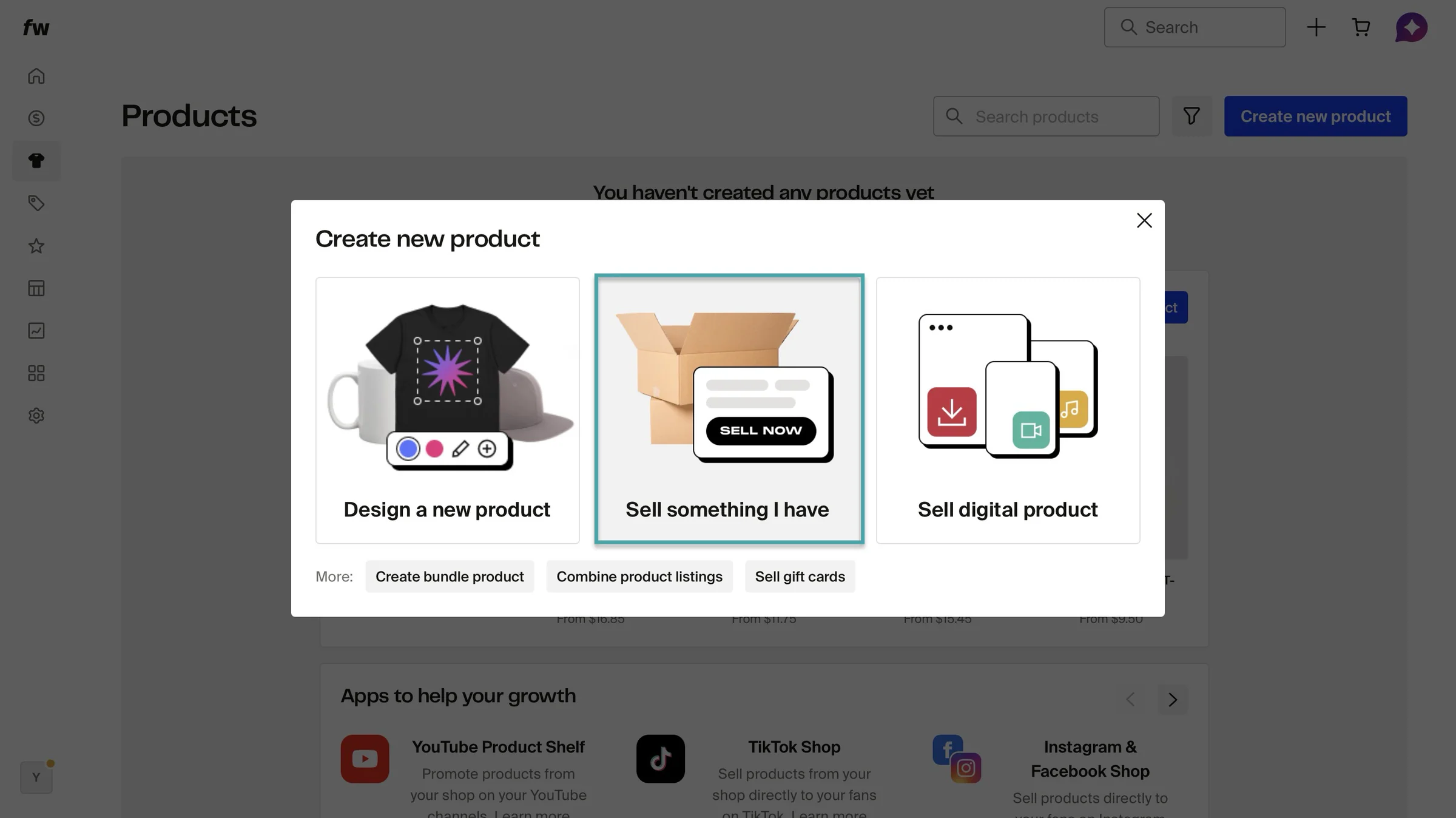
In the new window, add the product name and description, and select the product category. After that, scroll down and add the selling price.
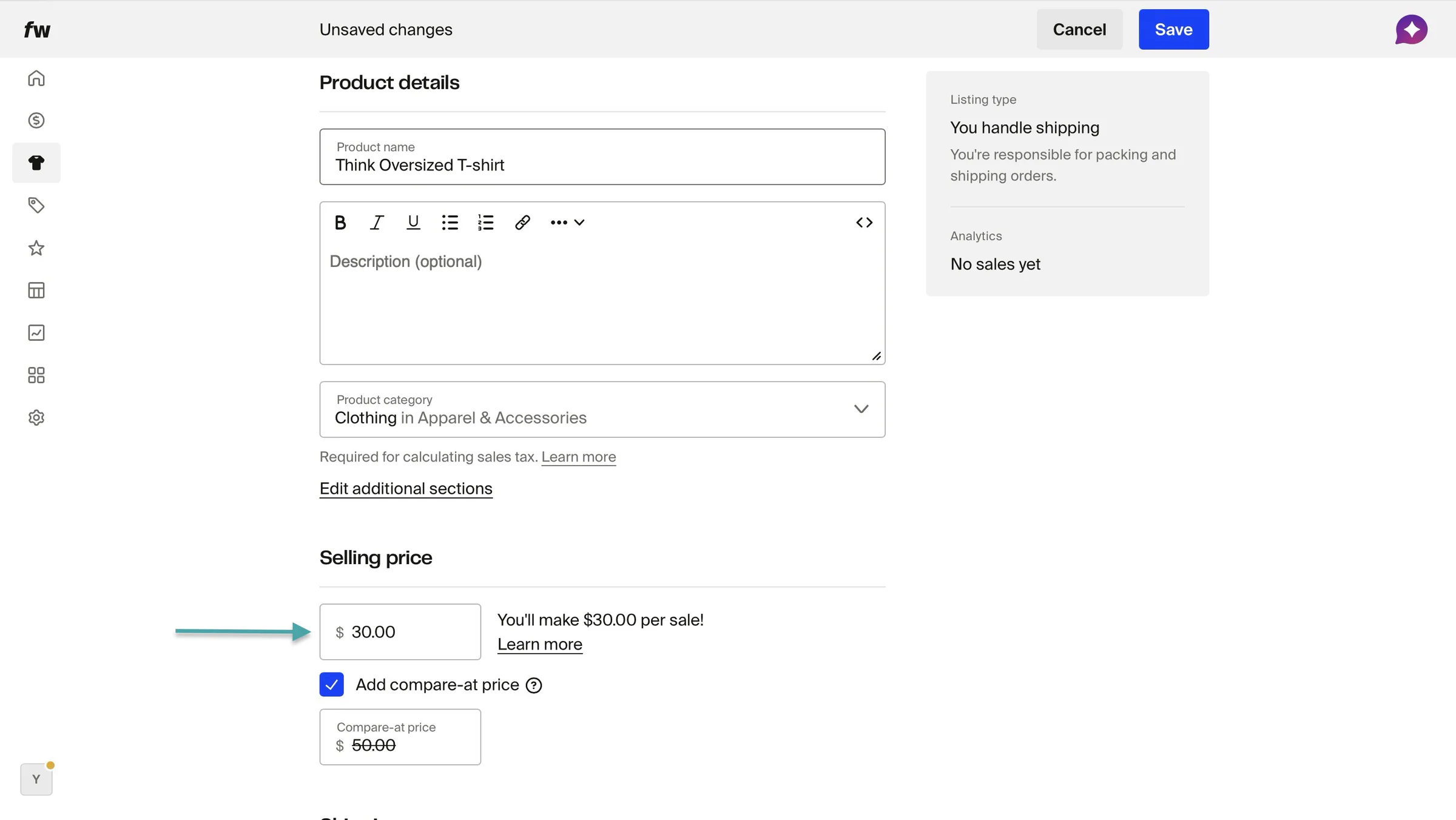
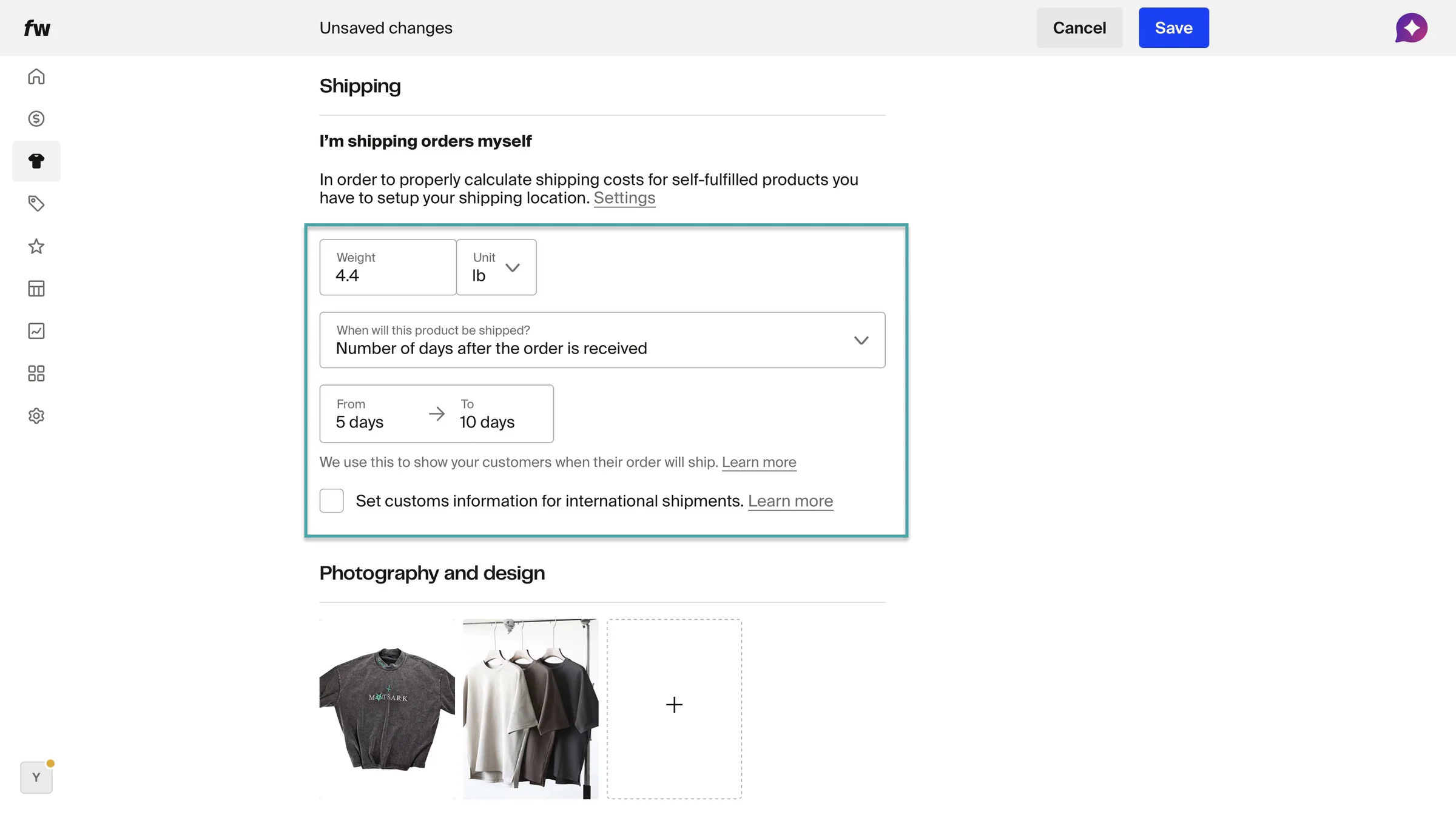
You can also add a compare-at price. From here, add shipping details like weight and shipping duration. Once you’re done, click “Save” at the top right corner of the window.
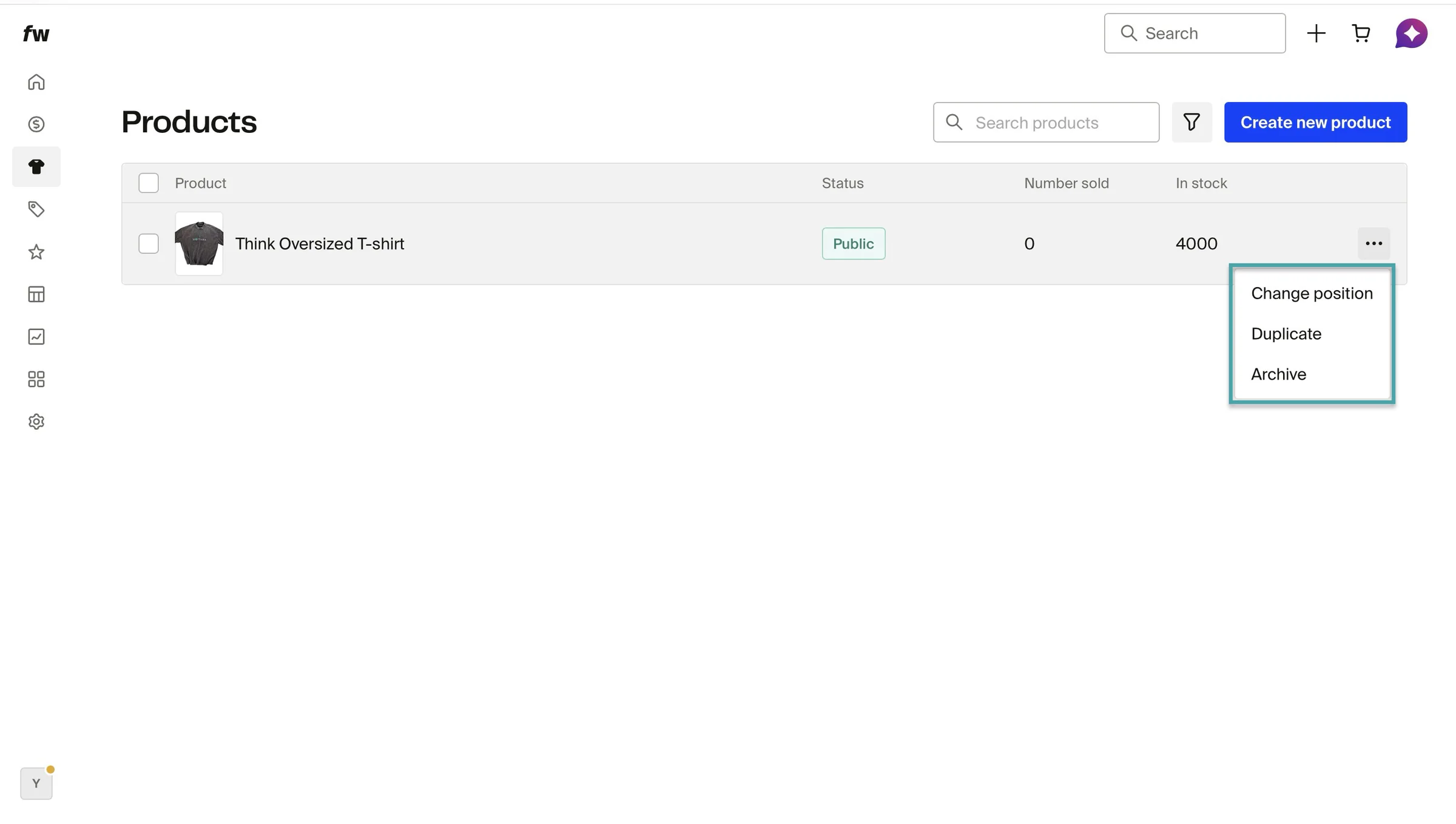
Fourthwall will create your product; you can change its position on your product list (if you have more listed), duplicate it, or archive it.
3. Memberships
Like we already said, you can use the membership feature to offer paid tiers. Here’s how.
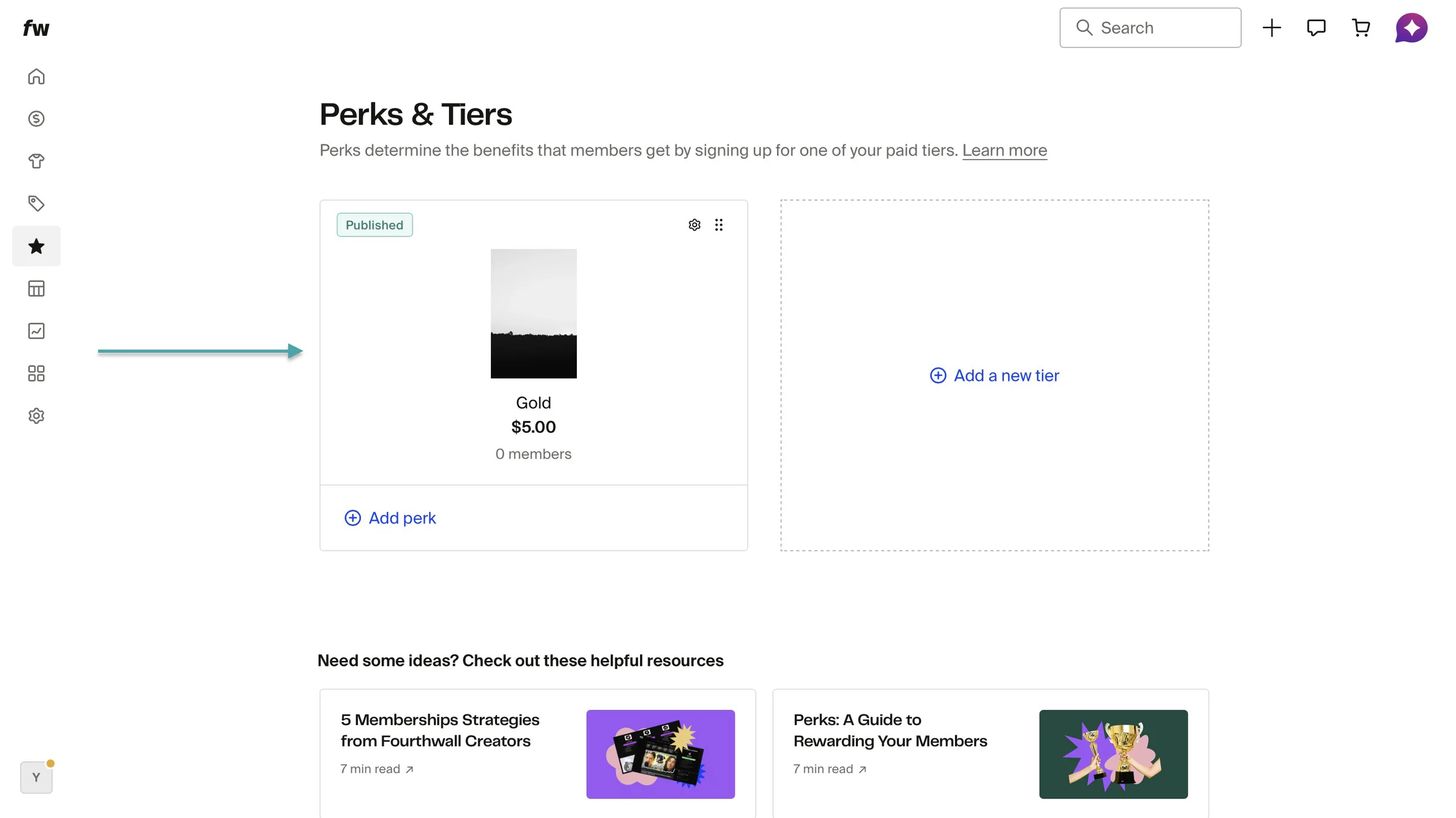
Select “Memberships” in the sidebar. Then, click “Create tiers.”
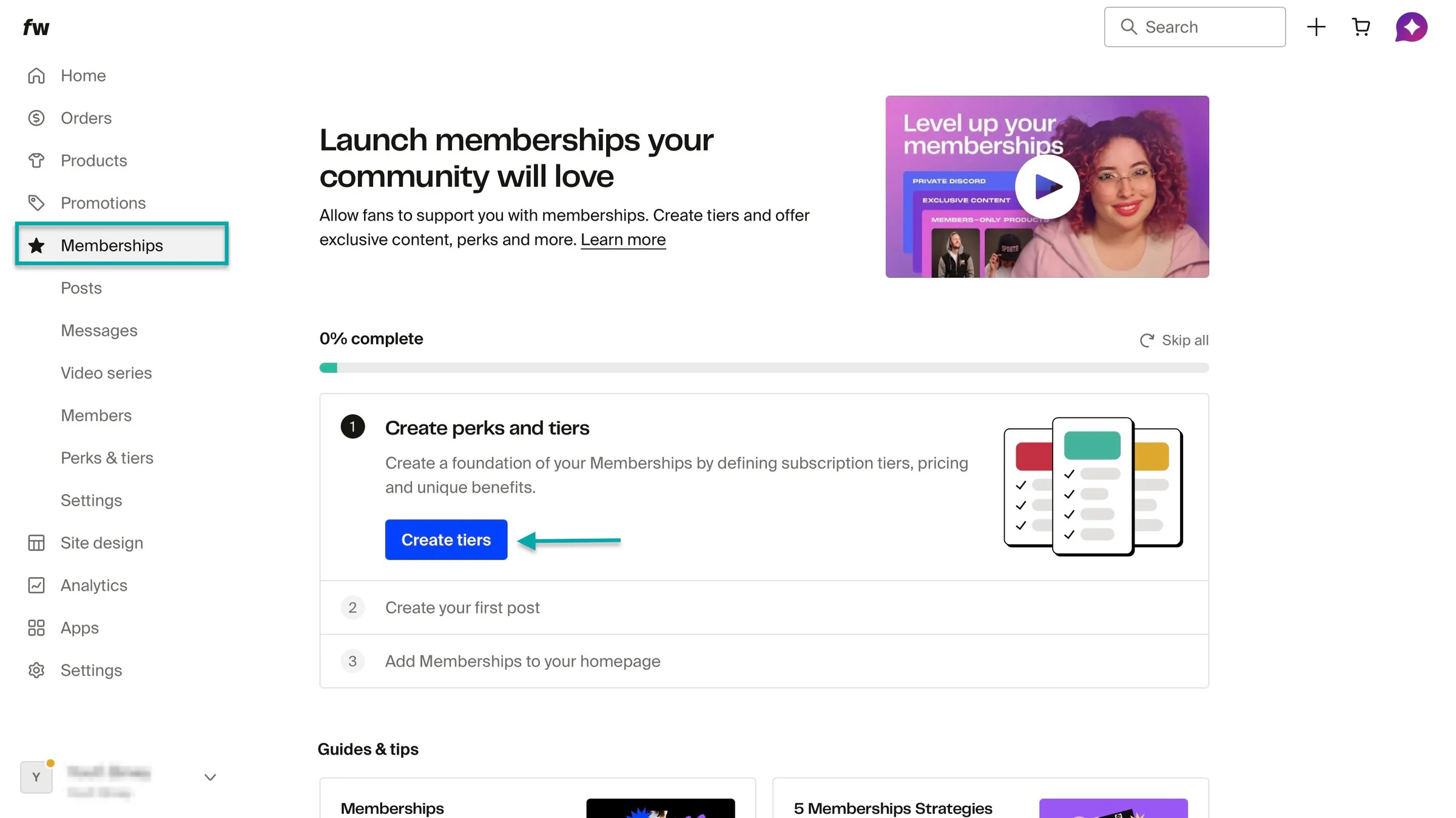
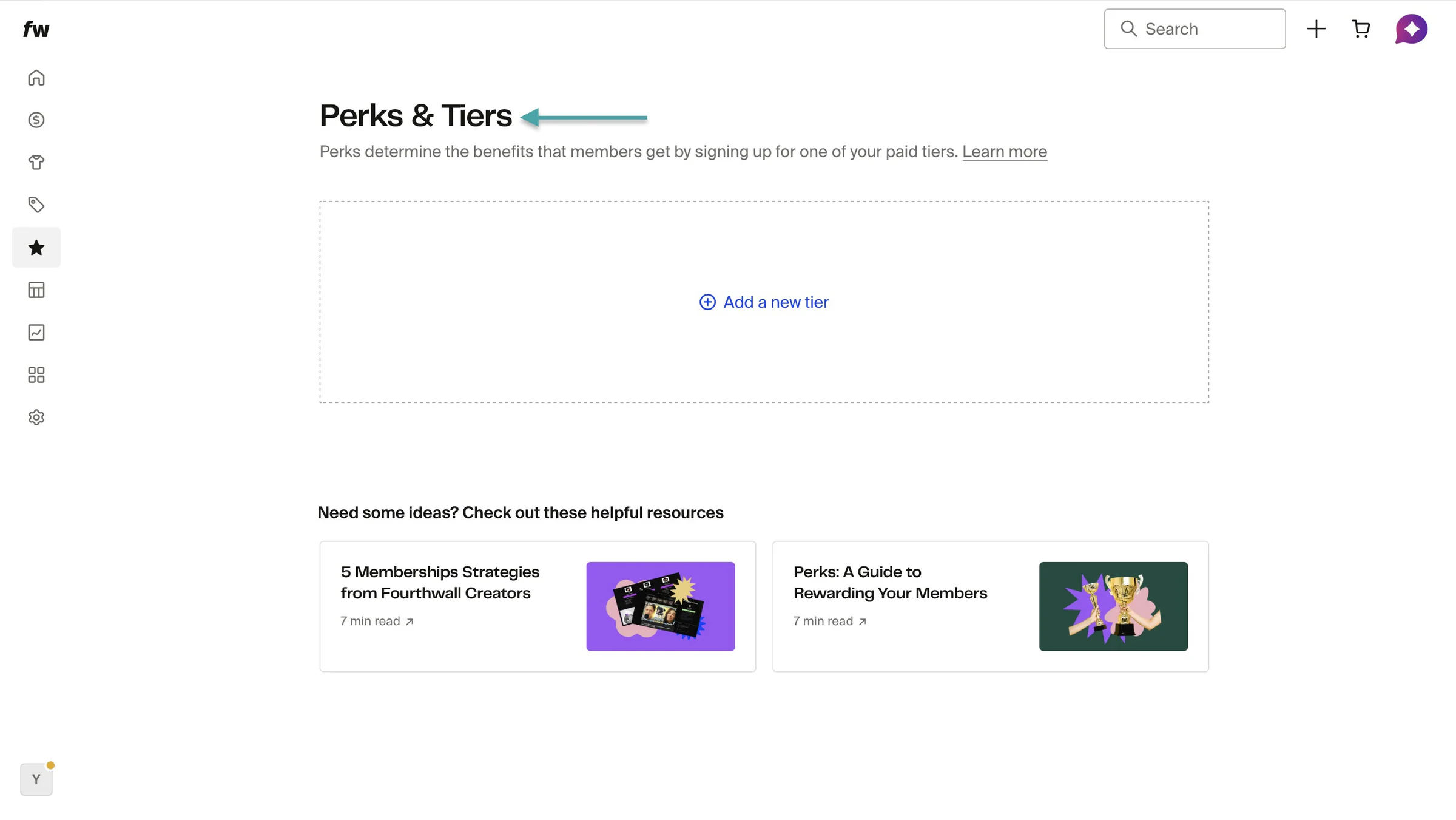
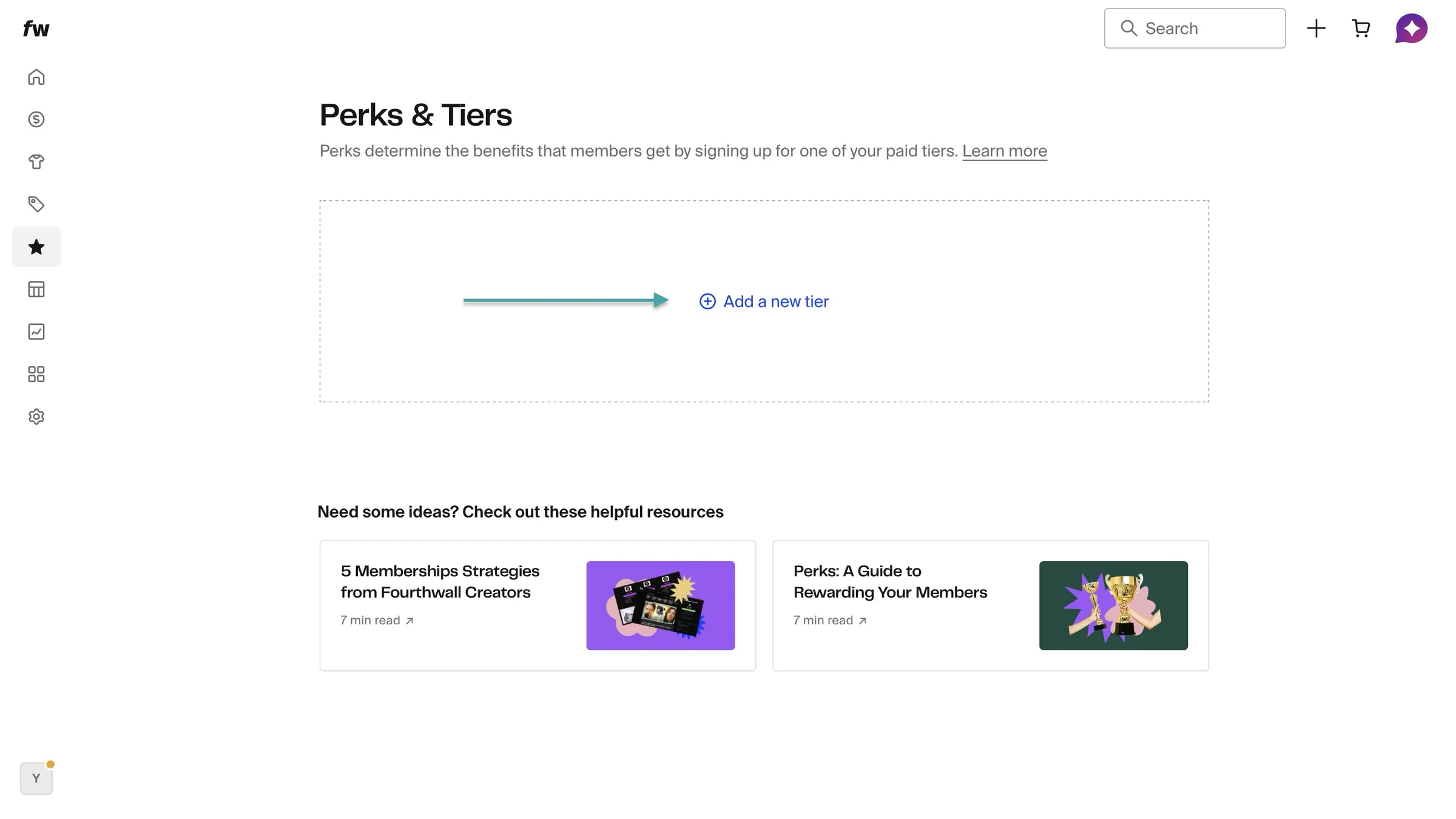
In the new page, click “+ Add a new tier.”
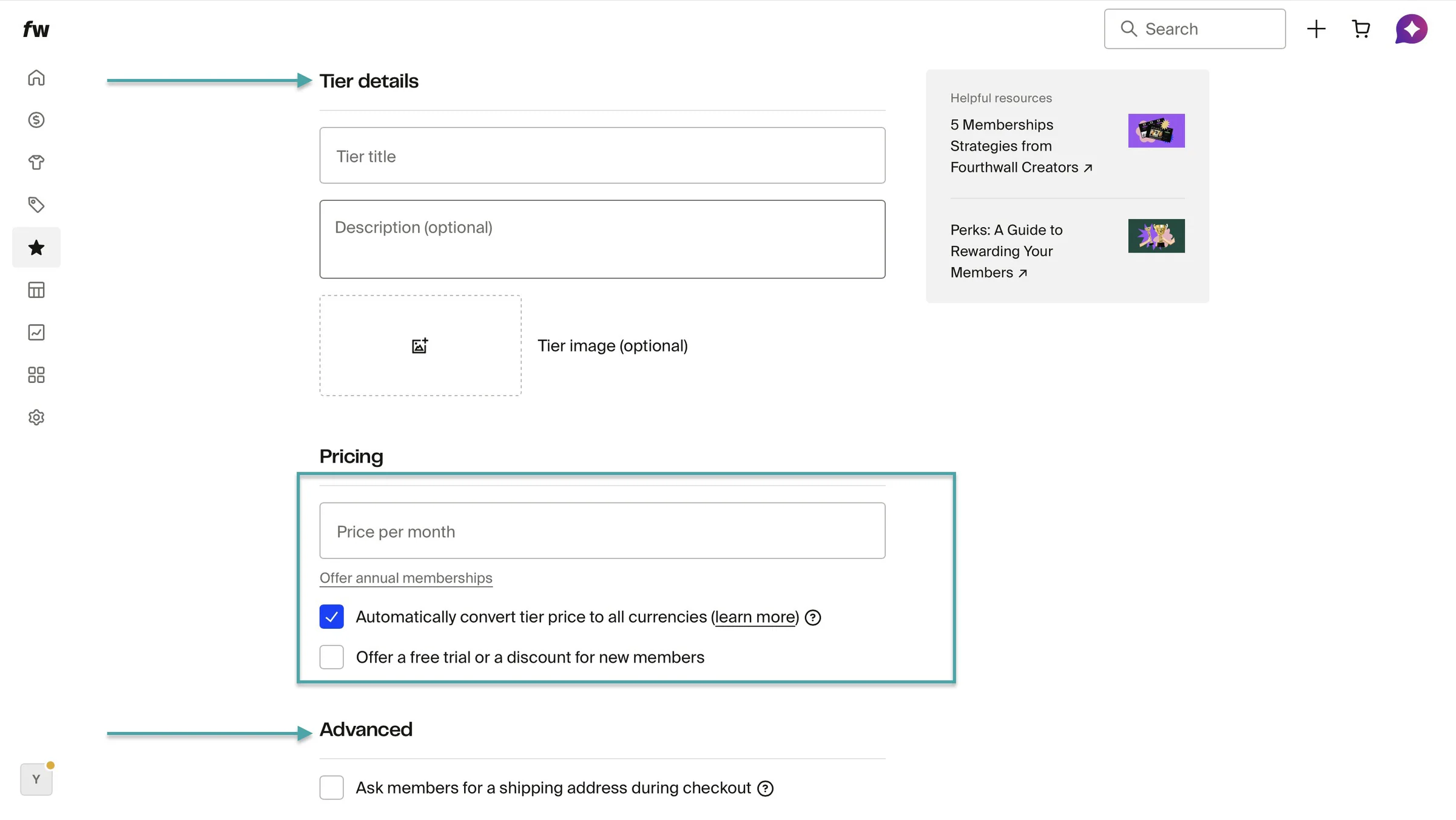
Enter tier title, description, image, and pricing. You can offer a free trial or a one-time discount.
You can also choose to ask members for a shipping address during checkout.
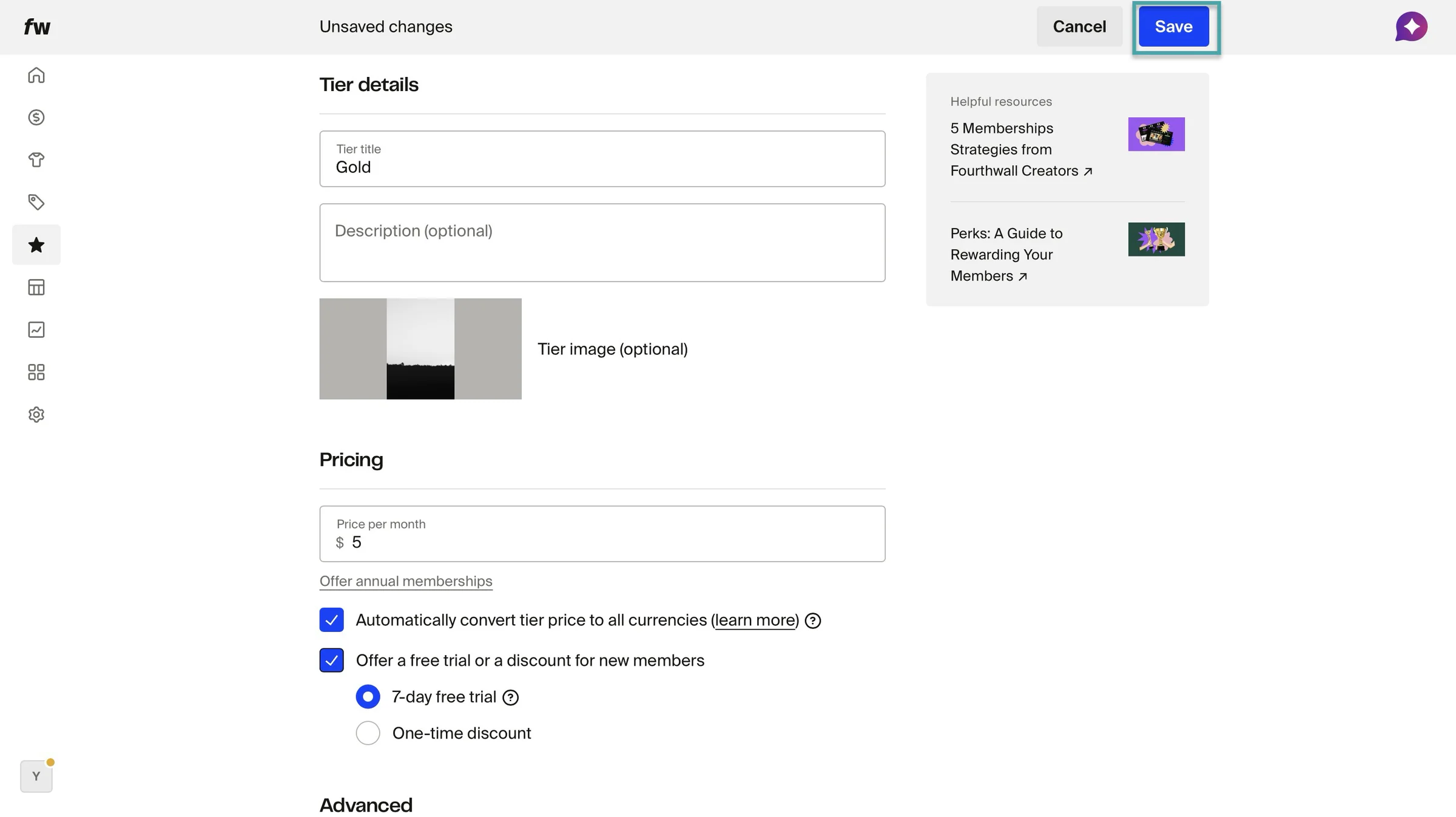
Once you’ve added all these, go ahead and click “Save.”
Fourthwall will list the tier you just created. You can always create more tiers.
What I liked vs what I didn’t like
What I loved 👍
✅ Has an intuitive layout and interface, so you can set up your products quickly.
✅ Offers a free plan with no monthly subscription fee, so you can test the platform before fully committing.
✅ Integrates with Etsy, Twitch gifting, X Shops, TikTok Shop, Meta Ads, Twitch Merch Train, YouTube Product Shelf, beehiiv, and more, making it easier to sell across different platforms.
✅ Lets you create promo codes, giveaway links, and gift cards to help promote your products and increase sales.
What I didn’t like 👎
❌ Editing with the site design feature can feel overwhelming because there are so many nonessential options.
Best for
- Content creators and online entrepreneurs needing to sell digital and physical products from one storefront.
Pricing
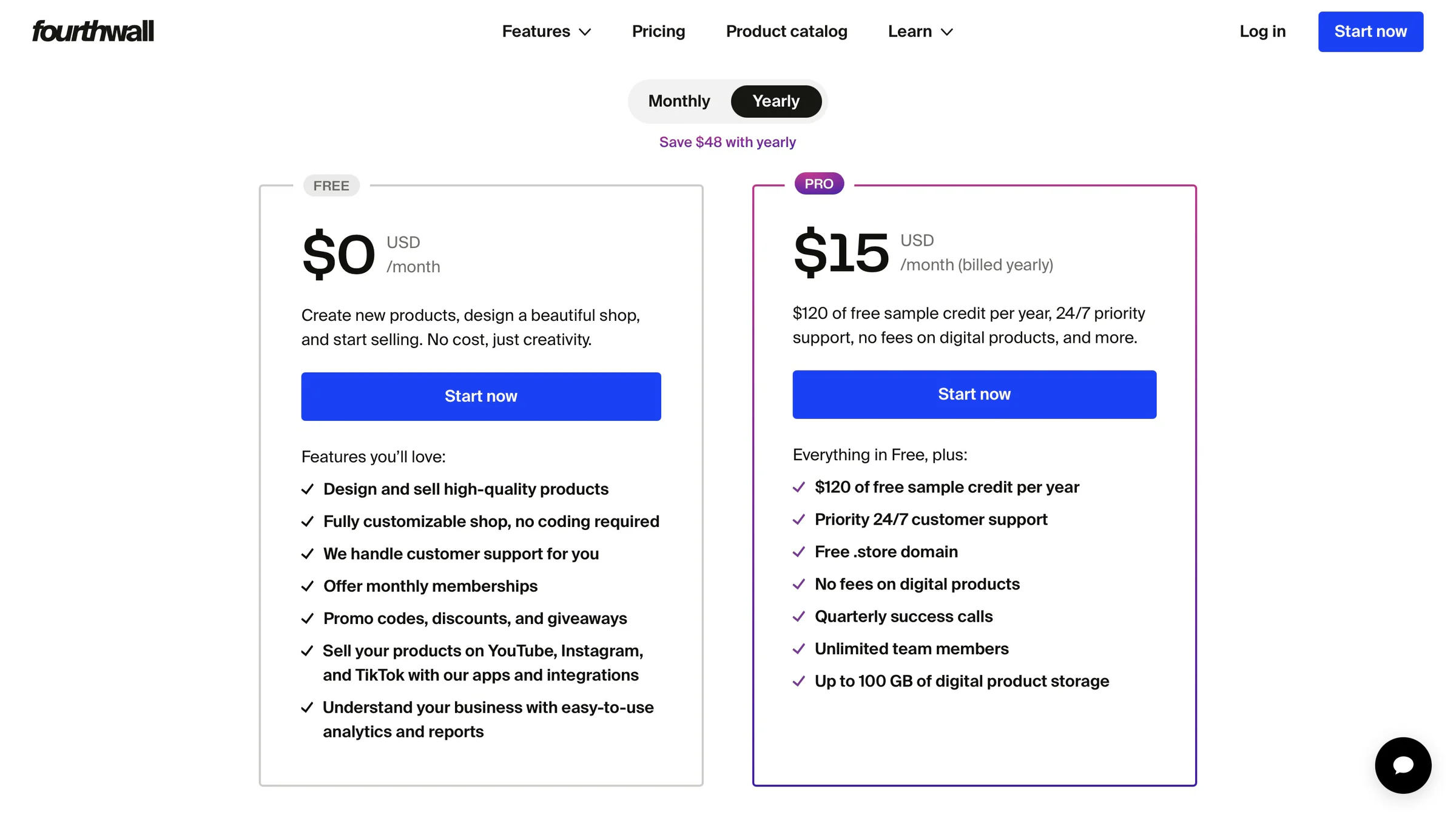
- Free: $0/month
- Pro: $15/month
Additional Buy Me a Coffee alternatives we tested
Apart from these Buy Me a Coffee alternatives we’ve discussed, we also tested other platforms like:
7. Substack - Best for monetizing newsletters and written content
8. Memberful - Best for adding memberships to existing websites
9. Liberapay - Best for recurring donations from supporters
10. Kickstarter - Best for crowdfunding creative projects
11. Indiegogo - Best for crowdfunding products and business ideas
12. Stripe Payment Links - Best for accepting simple online payments
13. Podbean Patron - Best for monetizing podcasts through listener support
14. Memberstack - Best for building no-code membership websites
15. Outseta - Best all-in-one solution for memberships, CRM, email, and payments
16. Stan Store - Best for creators selling products through social media
17. beehiiv - Best for growing and monetizing newsletters
18. SellNow Kit - Best for selling digital downloads and online resources
19. PayPal Payment Links - Best for creators needing simple payment collection
20. WPForms - Best for creating custom payment and donation forms on WordPress
Easytools vs. Ko-fi vs. Buy Me a Coffee vs. Patreon: Which is better?
Easytools is a better choice compared to Ko-fi, Buy Me a Coffee, and Patreon. Especially if you want an all-in-one platform to sell, market, and grow your online business beyond tips and memberships.
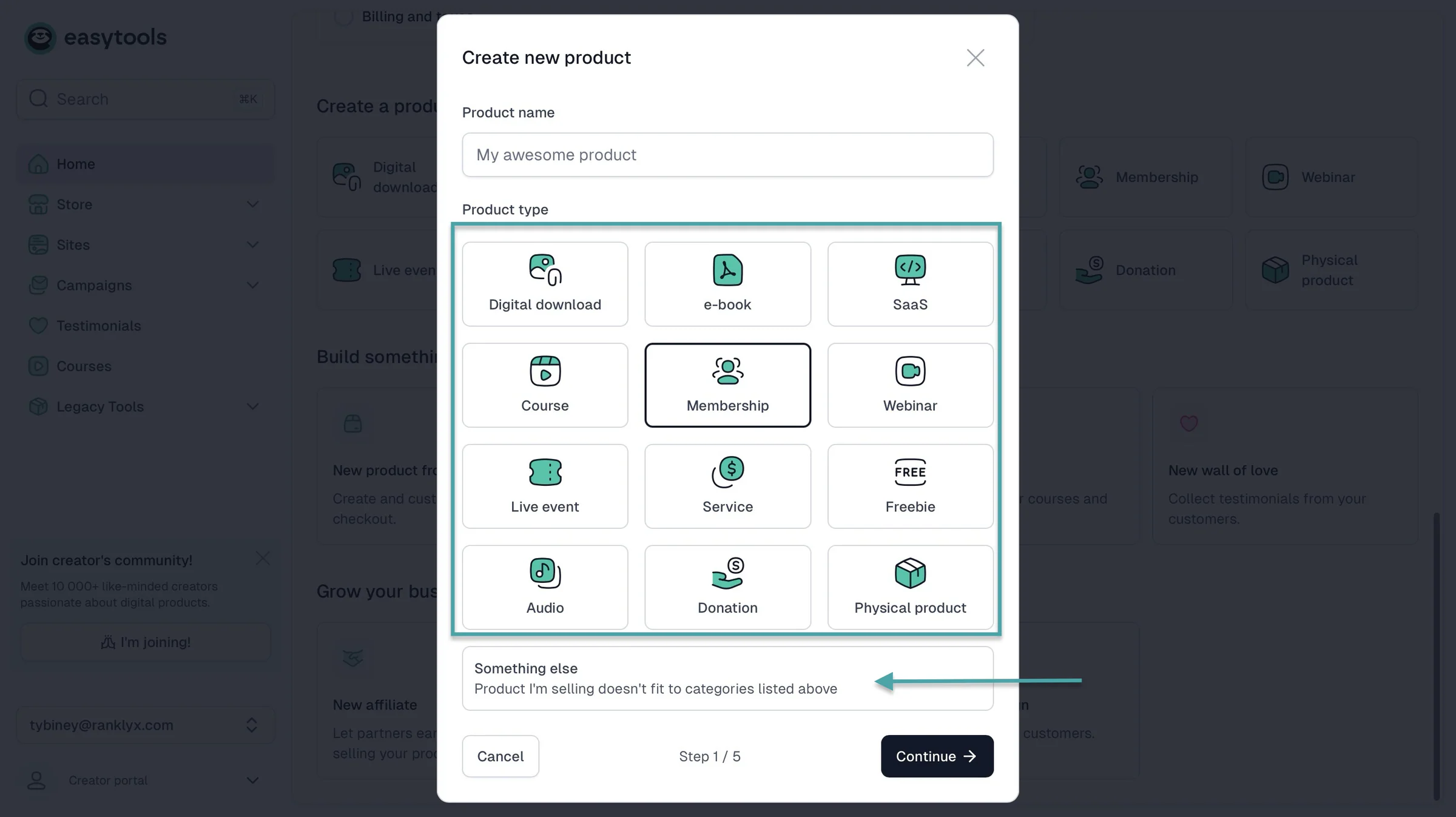
For starters, the purpose of using a tip jar is to monetize your audience. Easytools offers you more monetization methods. You can sell paid memberships and subscriptions.
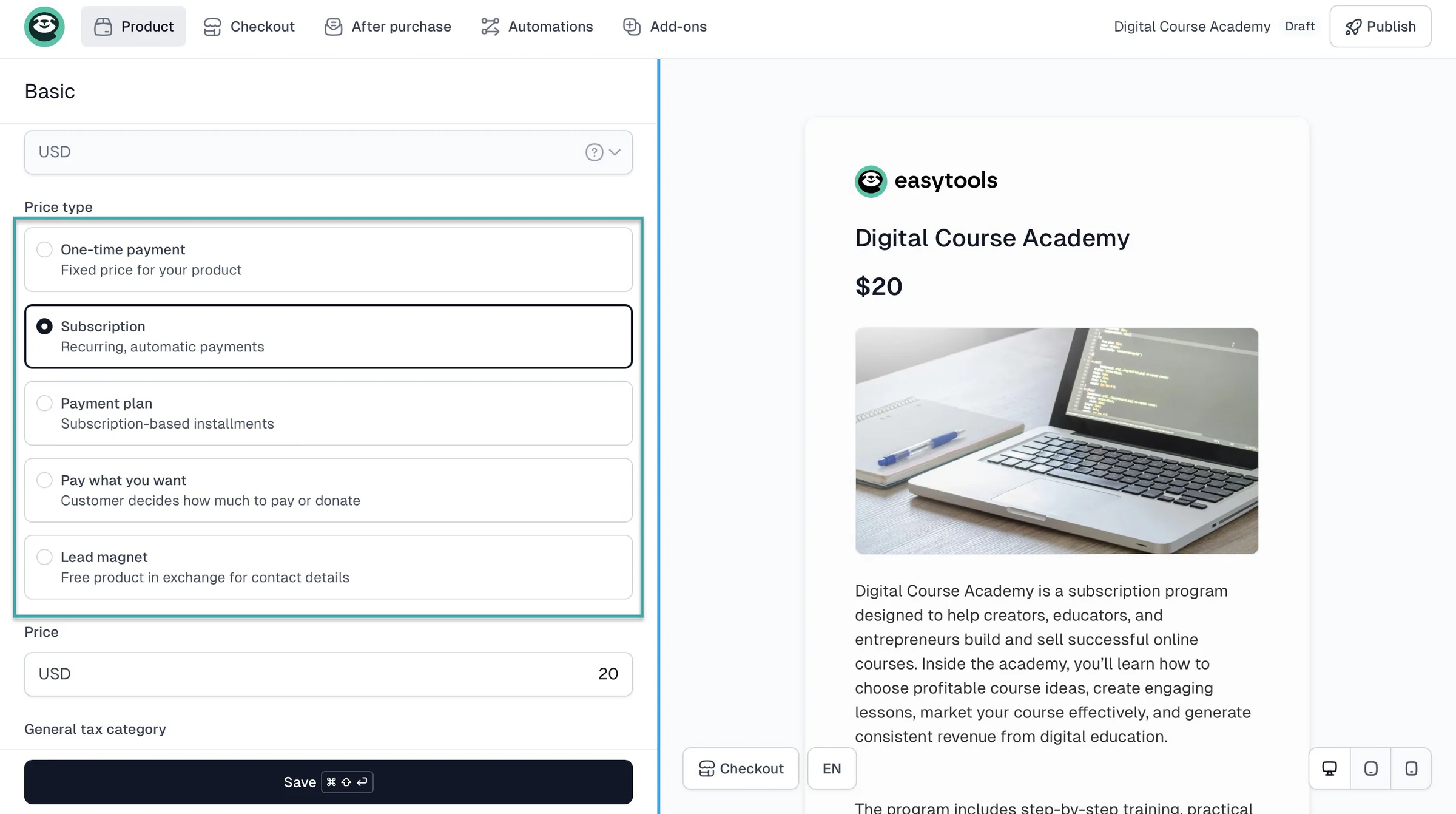
You can sell events, webinars, Notion templates, planners, e-books, online courses, services, and digital downloads like PDFs and SaaS.
Kamila Paradowska made $13,000+ a day selling her online course on Easytools.
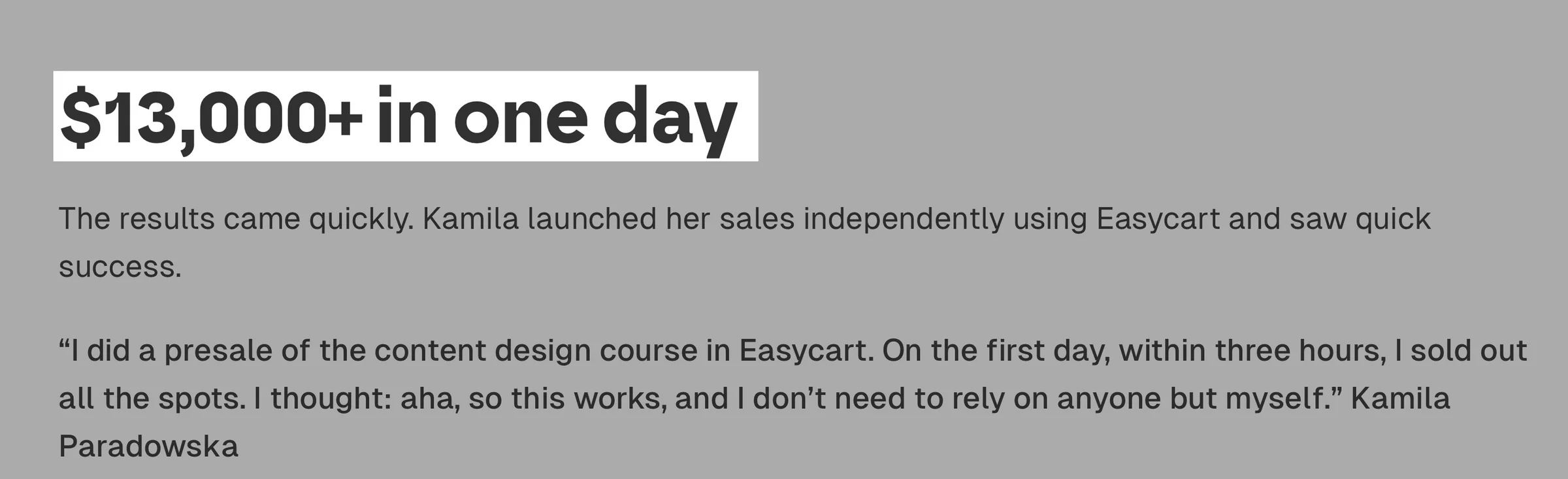
And that’s possible because Easytools has a conversion-focused checkout tool that’s designed to help you sell more.
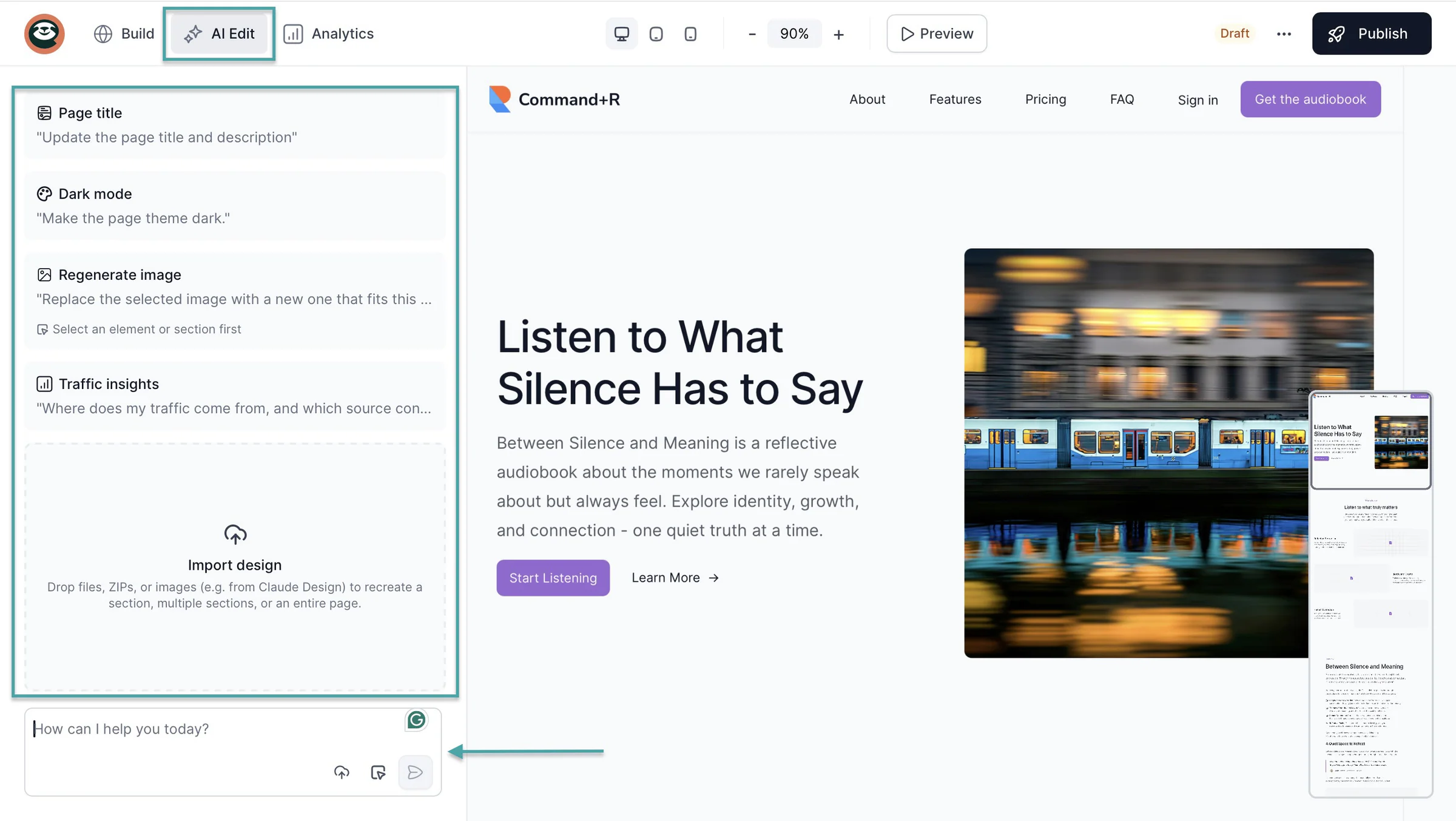
Apart from more monetization options, you can build a creator page and a multi-page website on Easytools. You can do this by entering a natural language prompt, and AI will generate your landing page in less than 5 minutes.
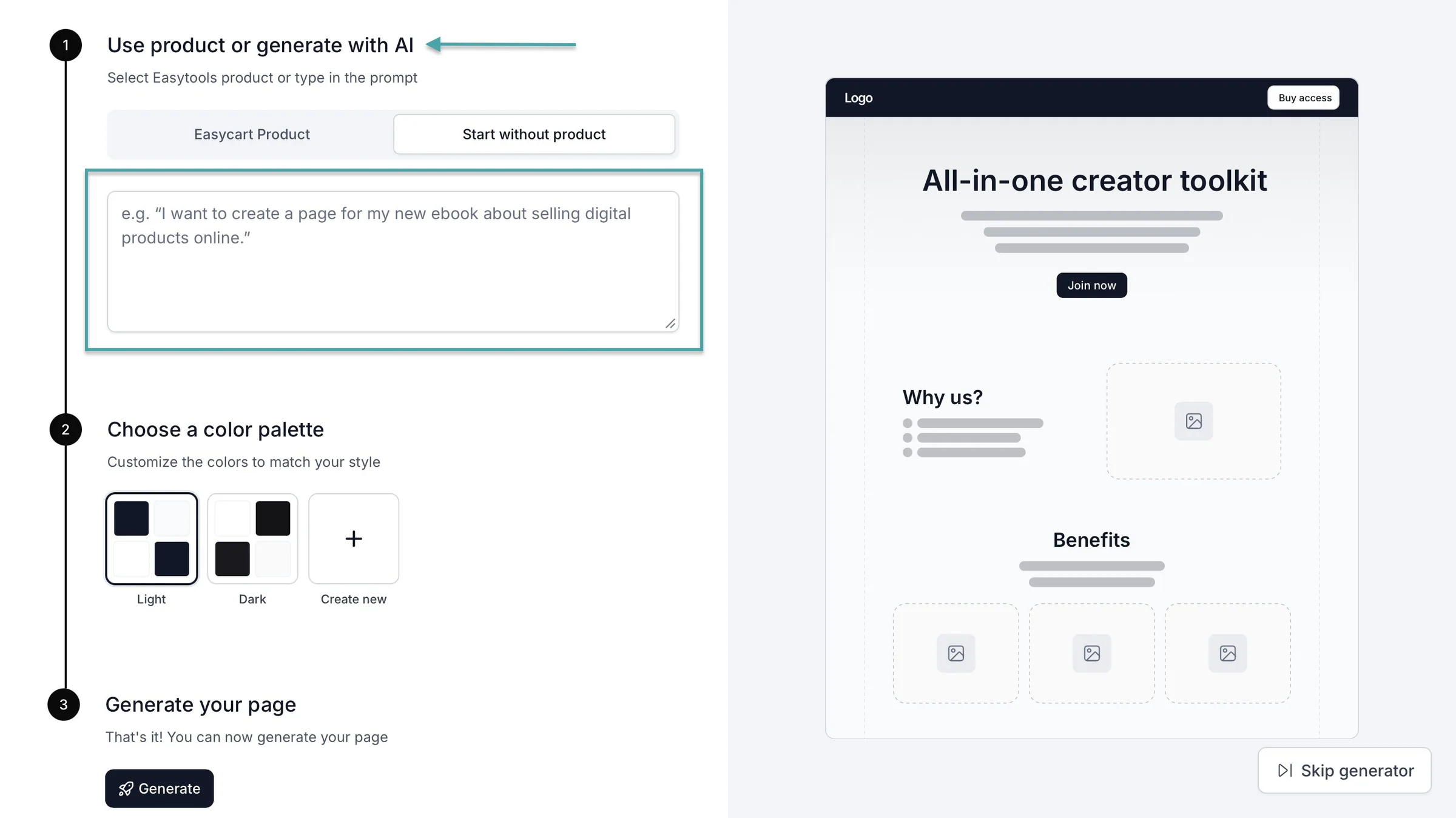
Easytools lets you build a landing page to market and sell your digital products. You can even add a Buy Me a Coffee widget for donations, a FAQ section, testimonials, legal pages, and more.
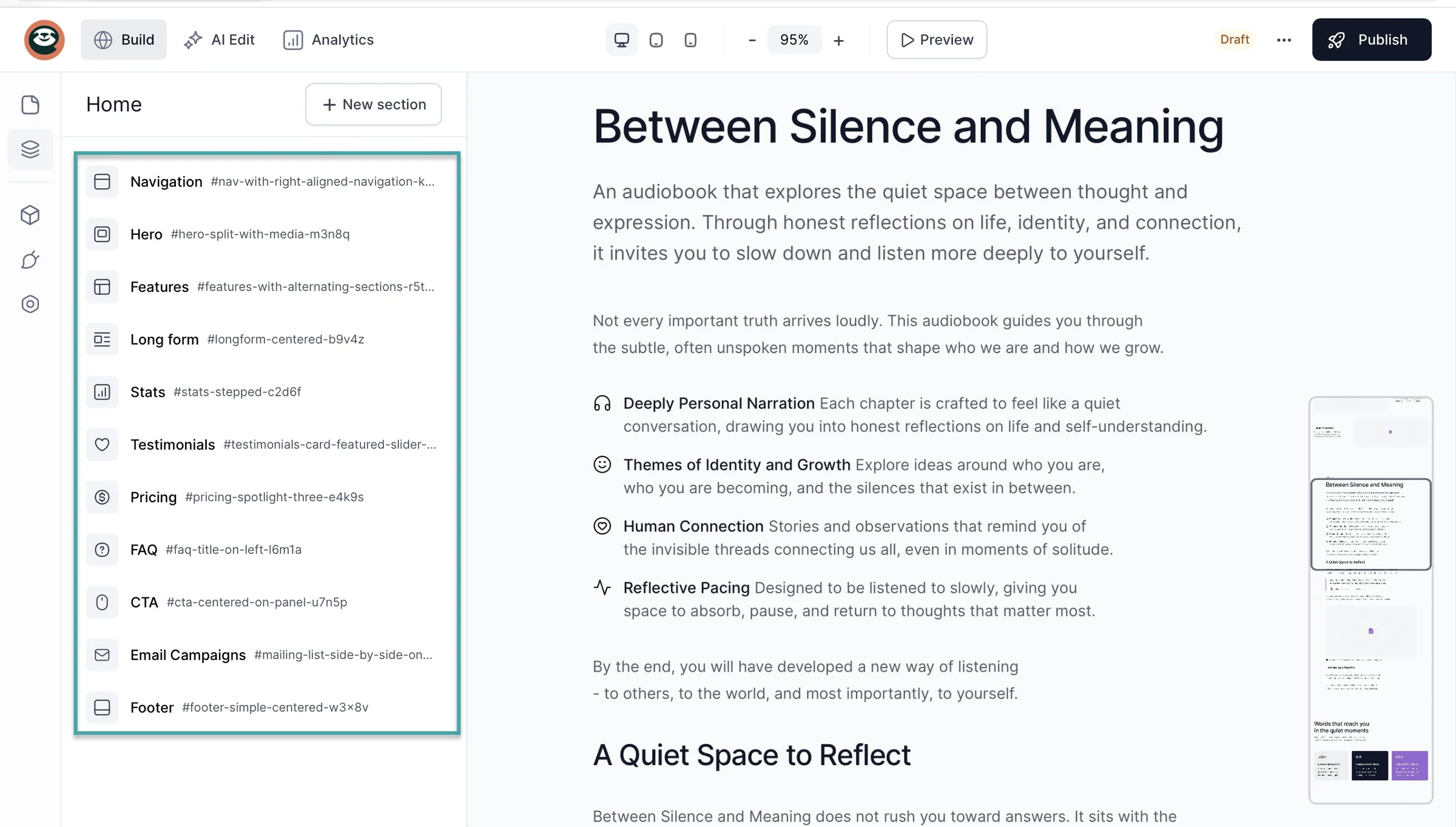
Buy Me a Coffee MCP gives AI agents a way to interact with the platform.
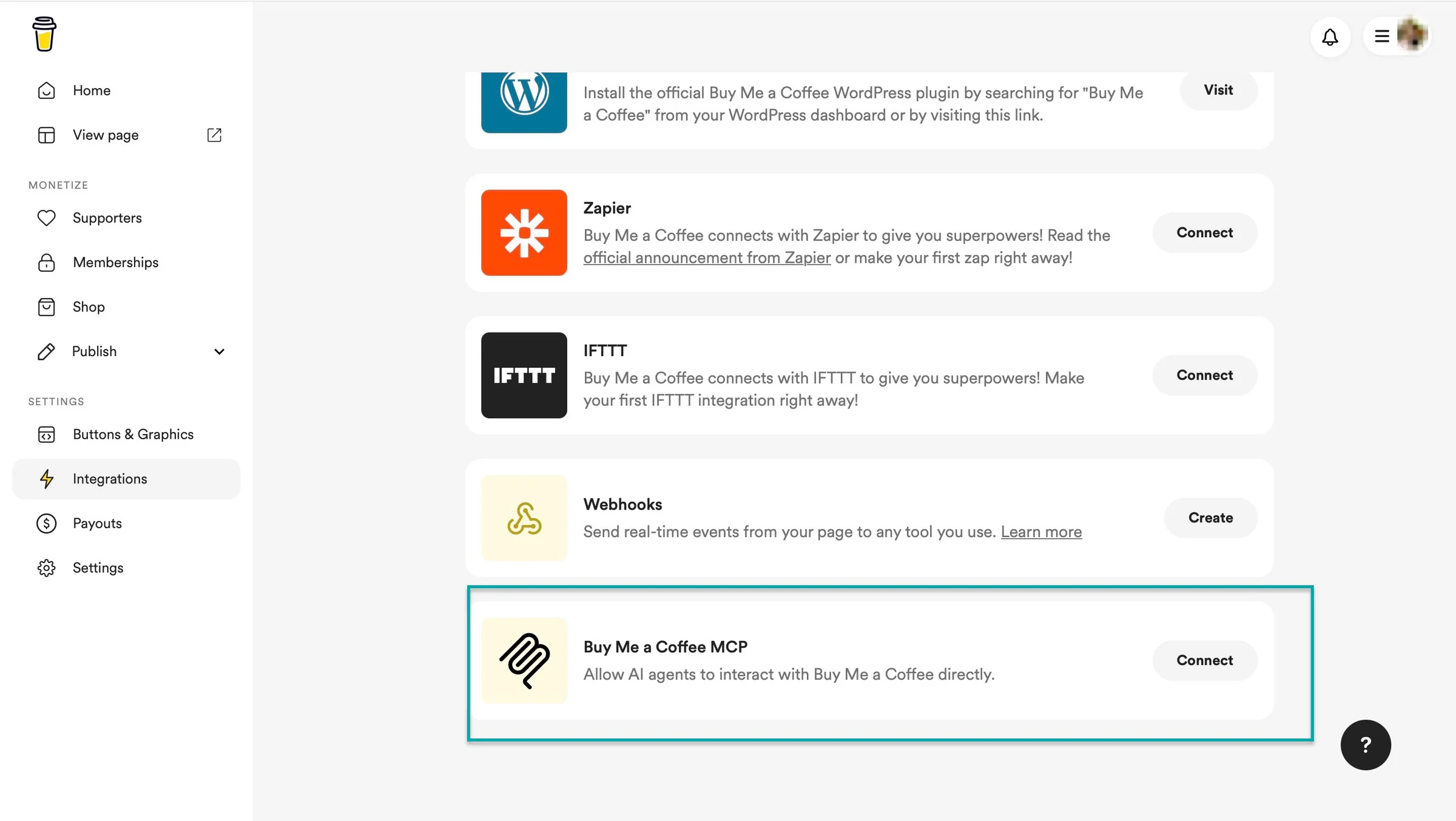
Easytools also connects to Claude and other AI assistants via MCP, so you can manage products, revenue, and subscriptions in plain language.
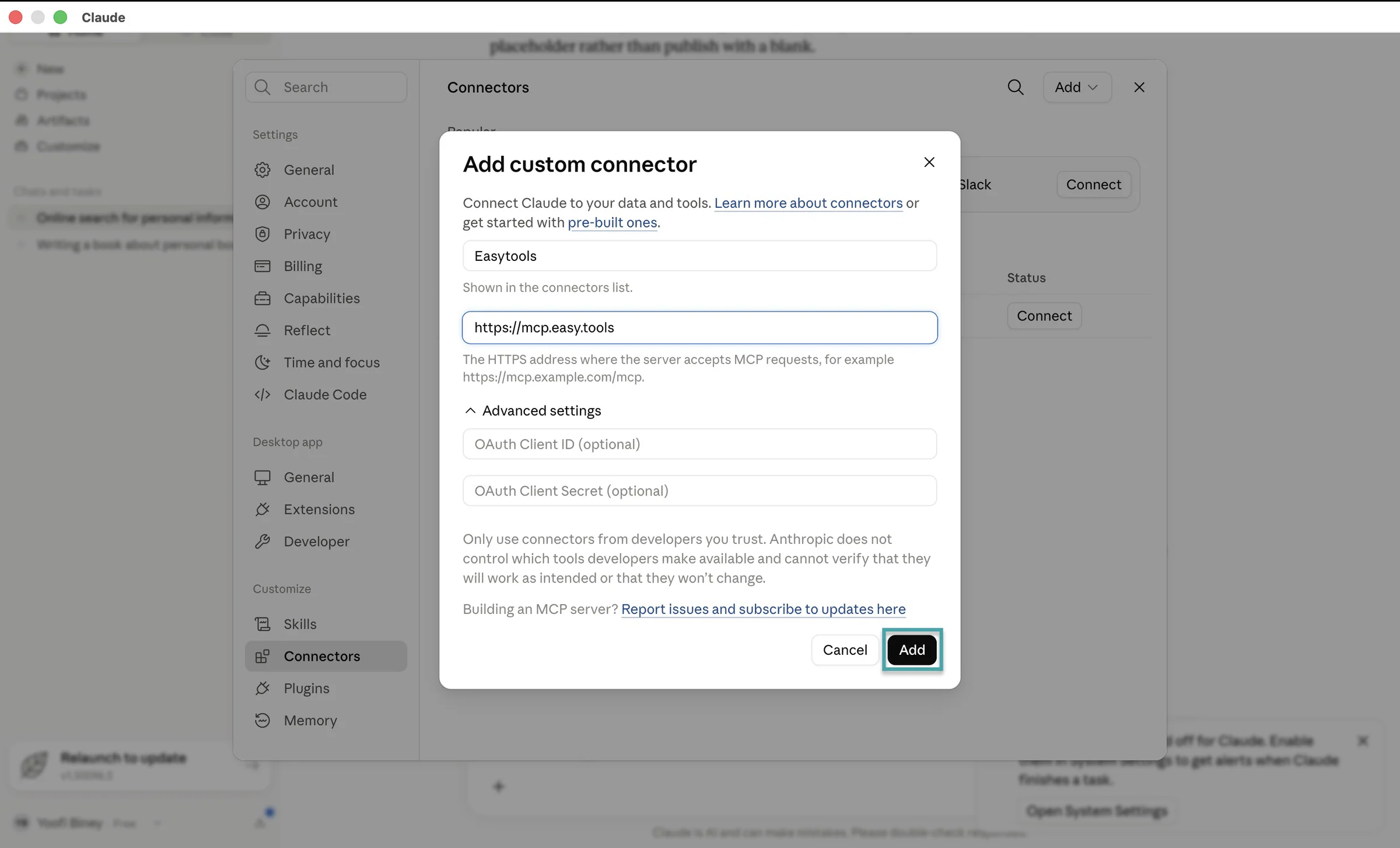
But Easytools uses AI beyond basic interaction. It uses AI for website generation (drafting landing pages), image creation, writing product descriptions, recommending lesson modules, writing copy, creating email campaigns, and website edits.
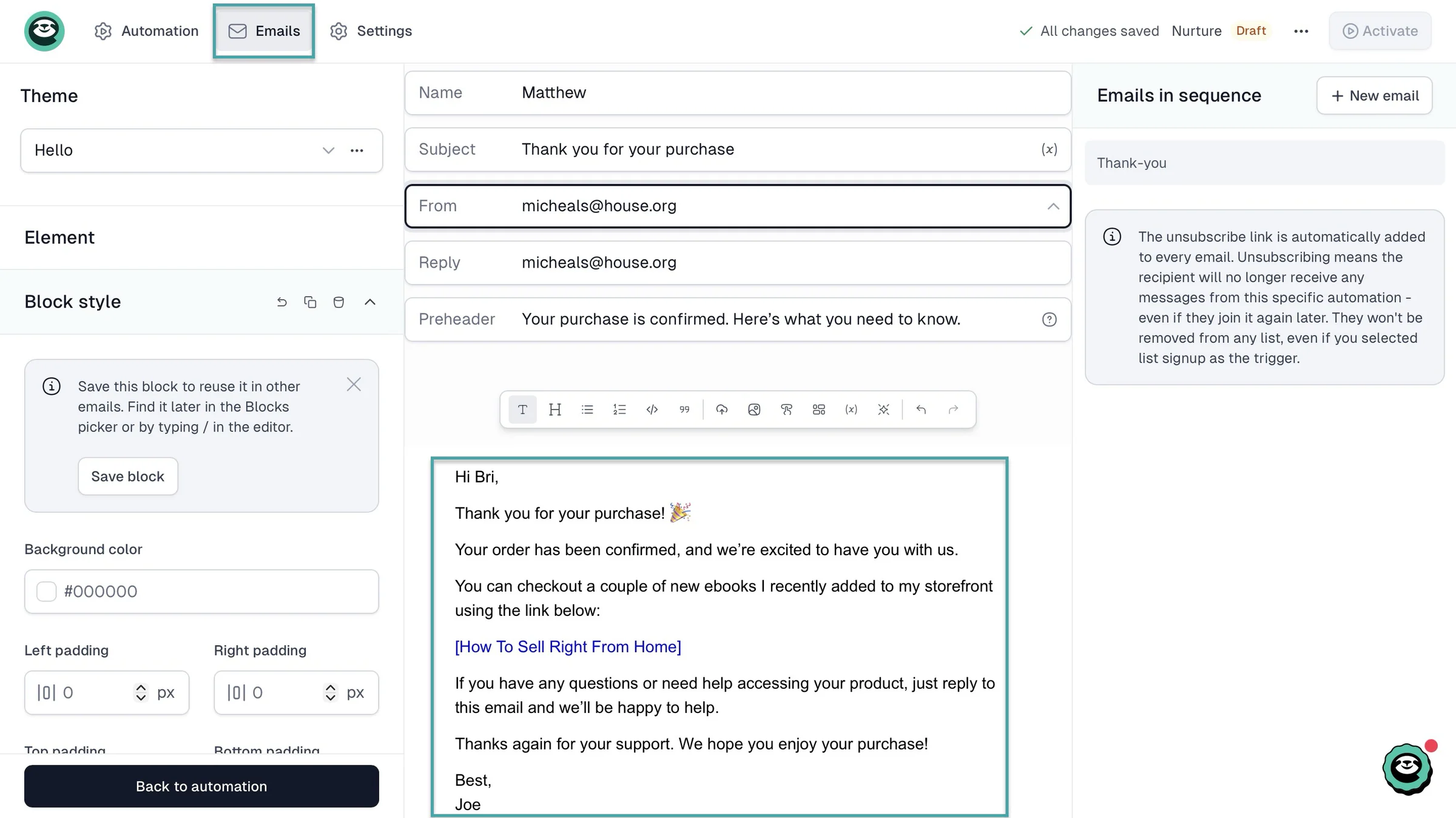
All platforms help you interact with your audience, but Easytools lets you automate email marketing and campaigns.
You can set up an automation workflow that sends customers messages when they buy your products.
You can even add a pre-written email to the workflow.
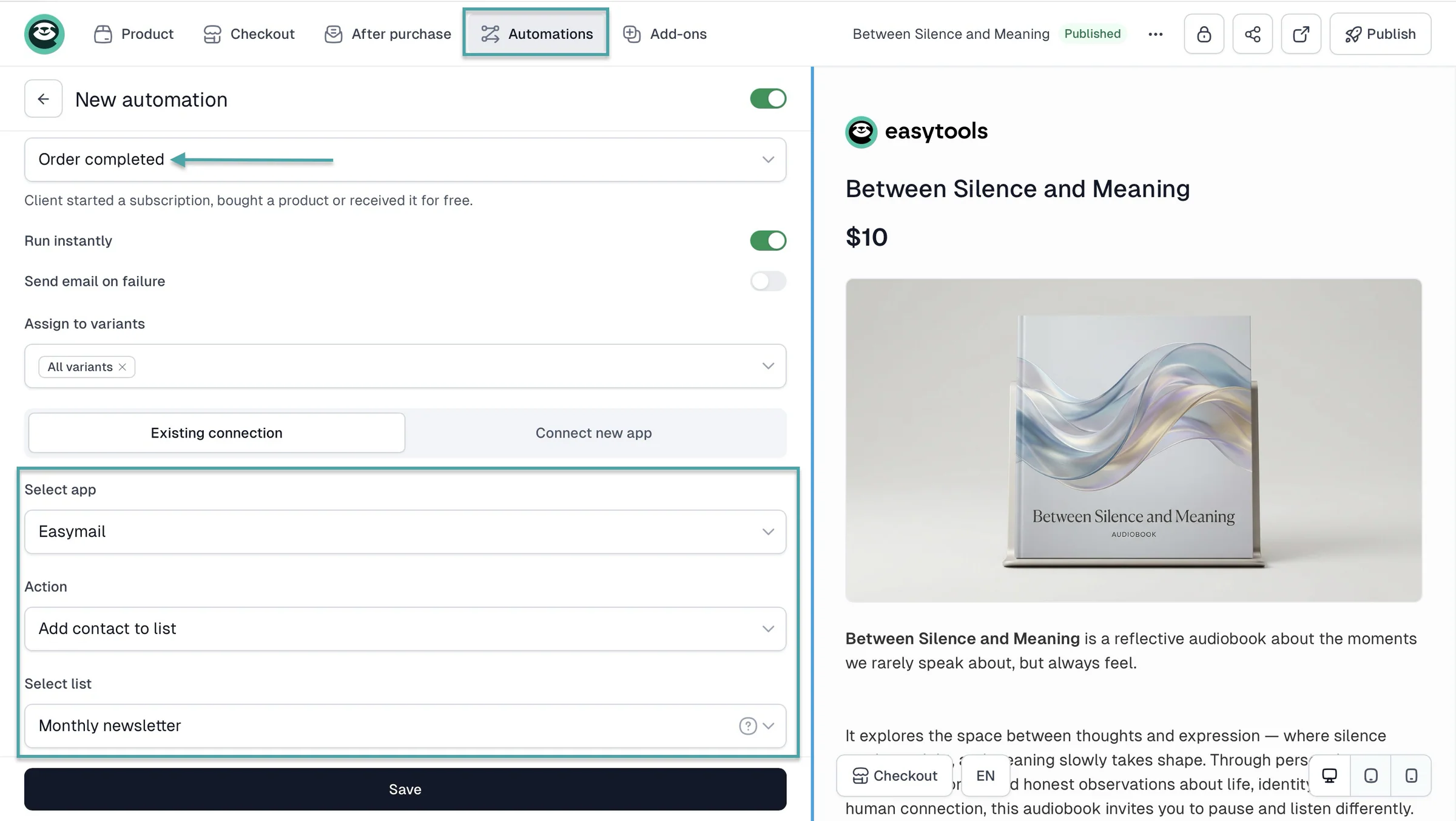
You can also set up an automation at checkout that will add customers to your email list.
Or a contact form on your landing page where they can subscribe to your email newsletter.
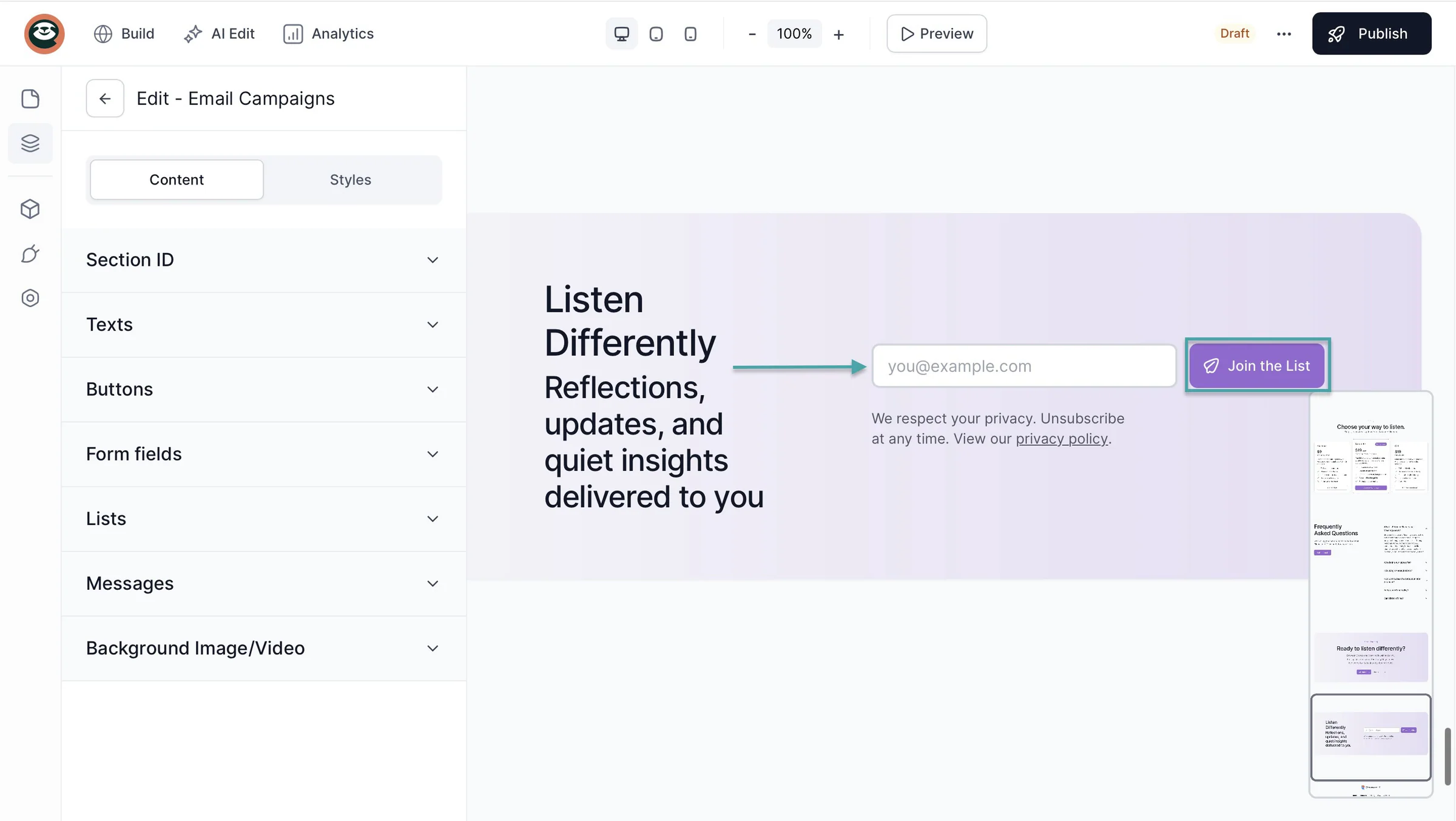
That way, you can sell more products to them or let them know if you have new ones on sale.
To sum it all up, Easytools is better than Ko-fi, Buy Me a Coffee, and Patreon because it gives you more of the tools you need to sell, market, and grow your online business.
How to choose the right Buy Me a Coffee alternative
To choose the right Buy Me a Coffee alternative, you should:
- Consider your goals
- Think about pricing
- Look for built-in marketing tools
- Check and evaluate the platform’s customization options
Let’s look at each point in detail.
1. Consider your goals
The first step to finding the right Buy Me a Coffee alternative is to consider your new goals.
Like most creators, you probably started out asking your audience for support. Now you want to do more than just ask them to buy you coffee.
Perhaps you want to switch to a Buy Me a Coffee alternative to sell digital products. If that’s the case, then the best choice should offer you the tools to sell more.
Tools like a 1-page checkout with order bumps, cross-sells, upsells, scarcity counters, and social proof/testimonials. That’s because:
- Order bumps: Lets you offer customers an additional product at checkout
- Cross-sells: Lets you recommend related products customers may also want
- Upsells: Lets you offer customers a more expensive or upgraded product.
- Testimonials: Lets you show positive feedback from past customers to build trust and social proof.
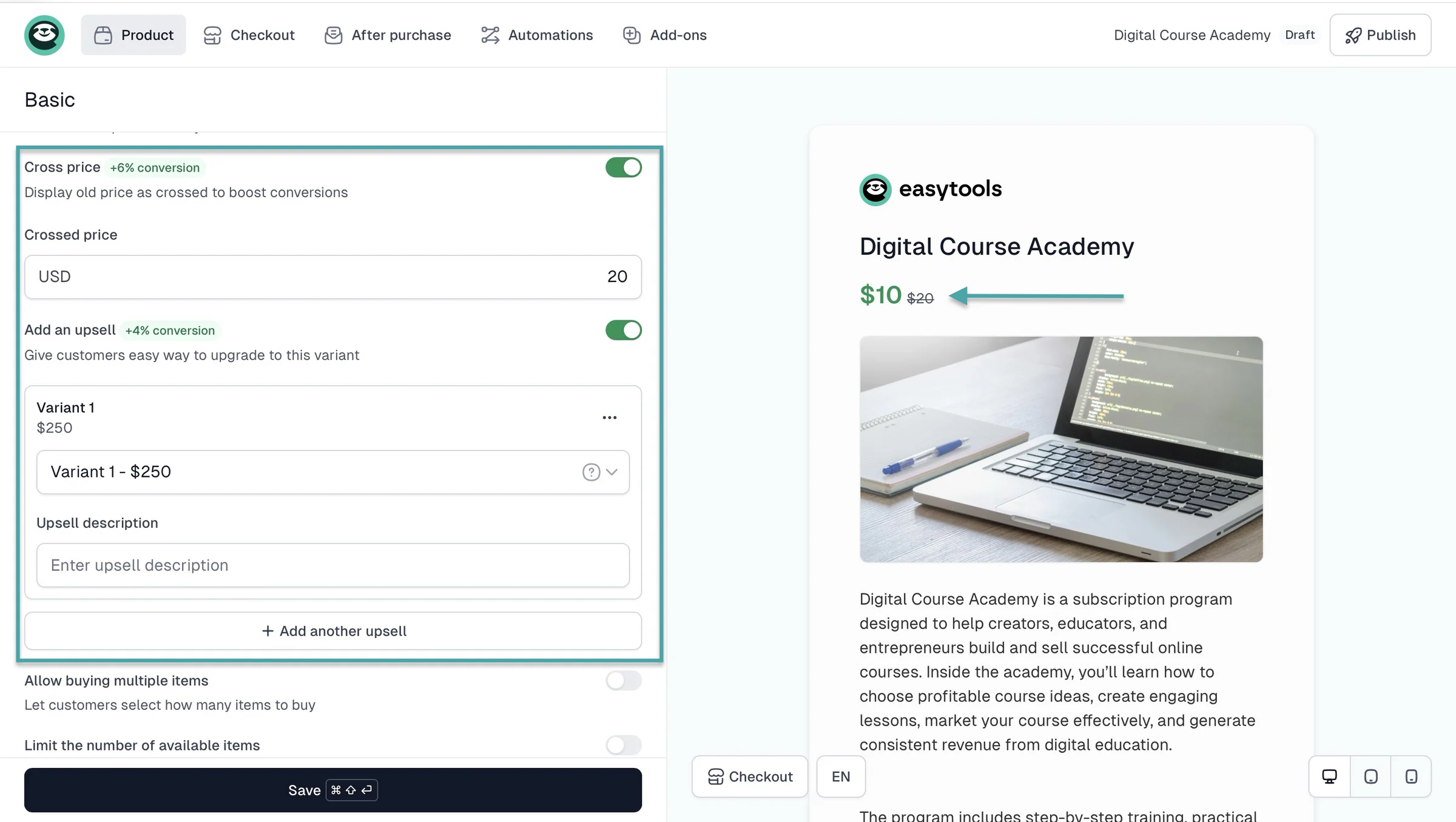
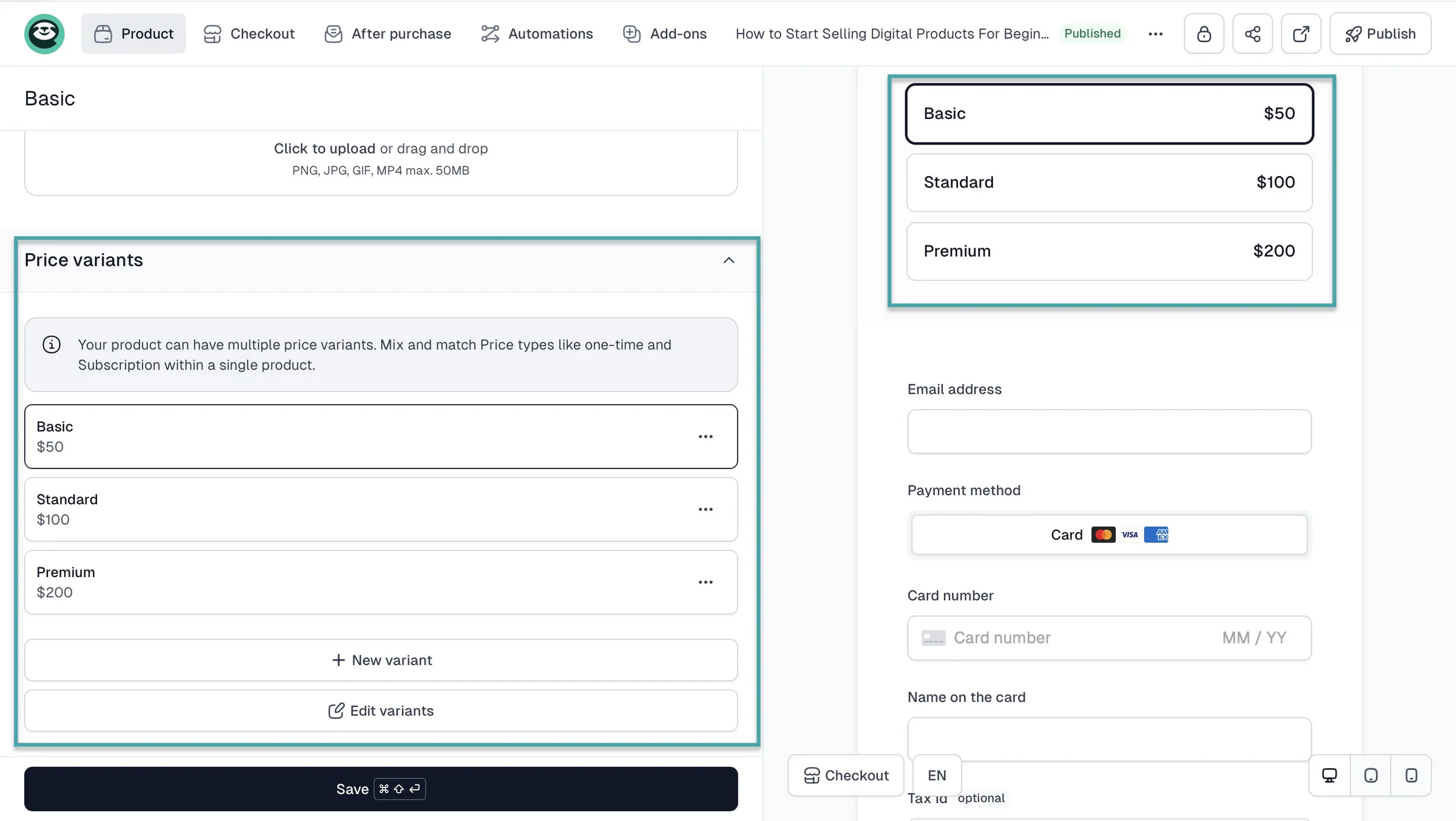
Or flexible pricing options like pay-as-you-want, one-time, subscription, and price variants.
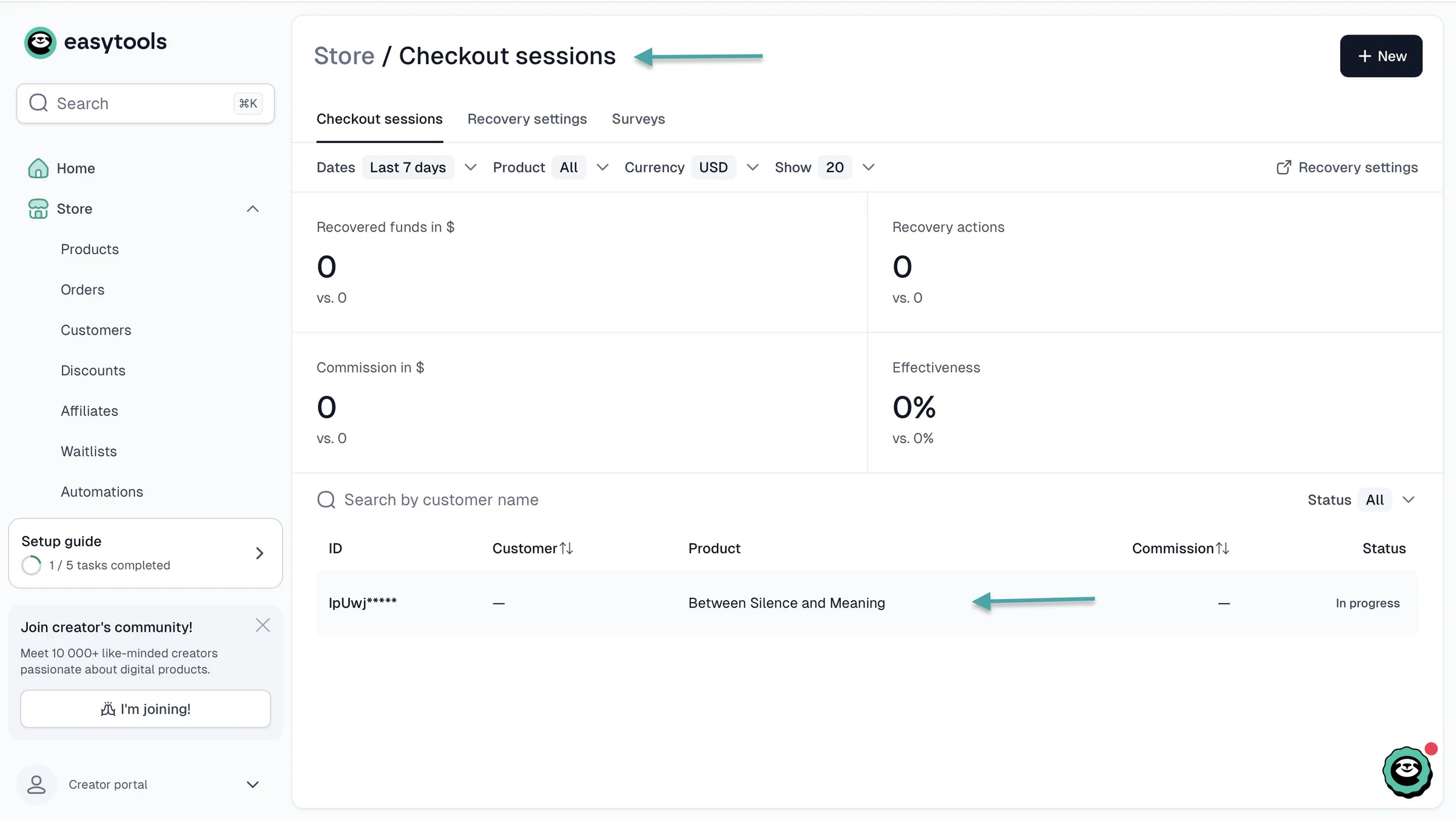
You also need a tool to recover abandoned checkouts so you don’t lose potential sales.
The right Buy Me a Coffee alternative should offer email automation to help you nurture existing customers and sell to them again.
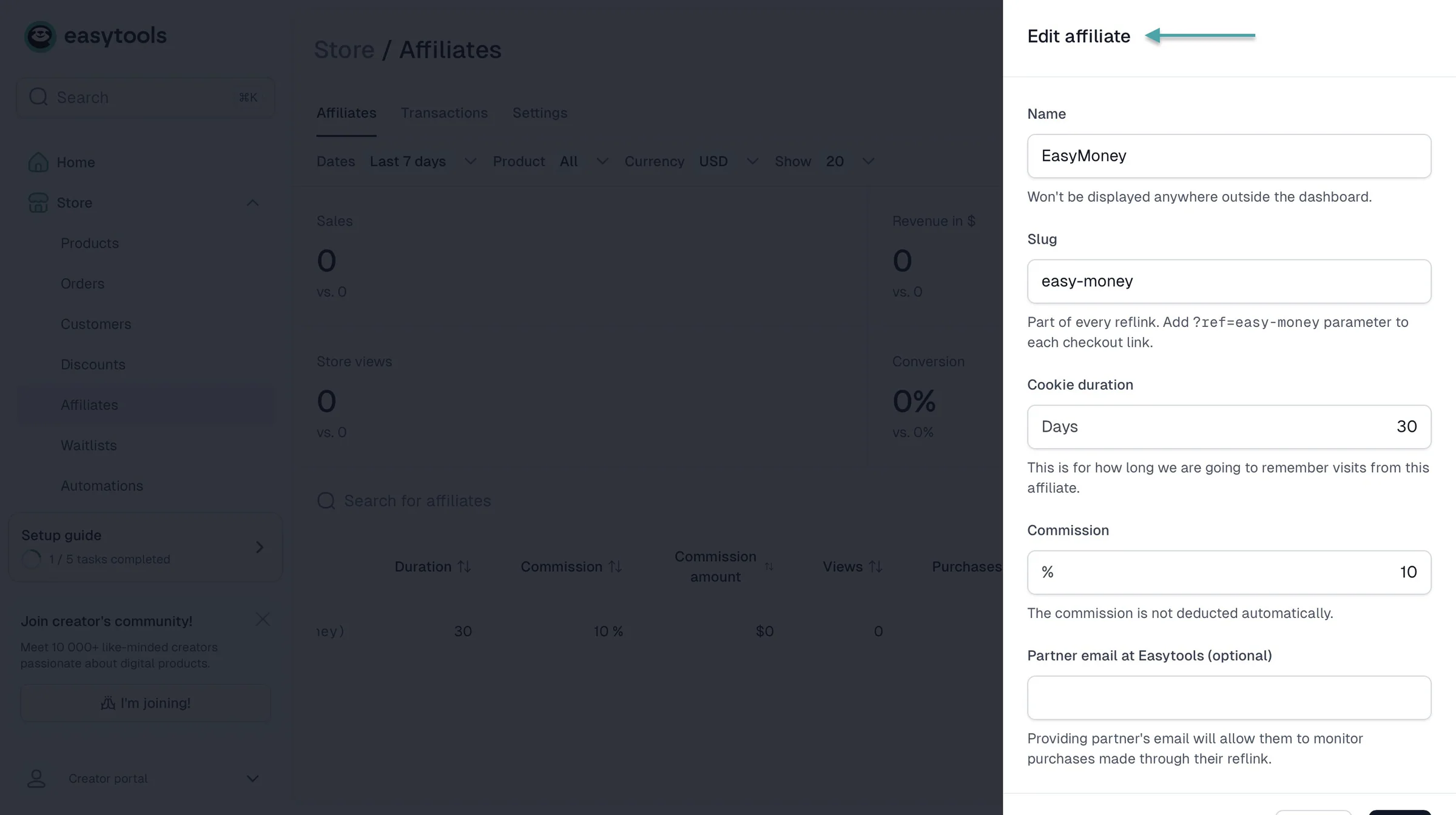
It should also offer affiliate marketing so you can get other people to promote your products.
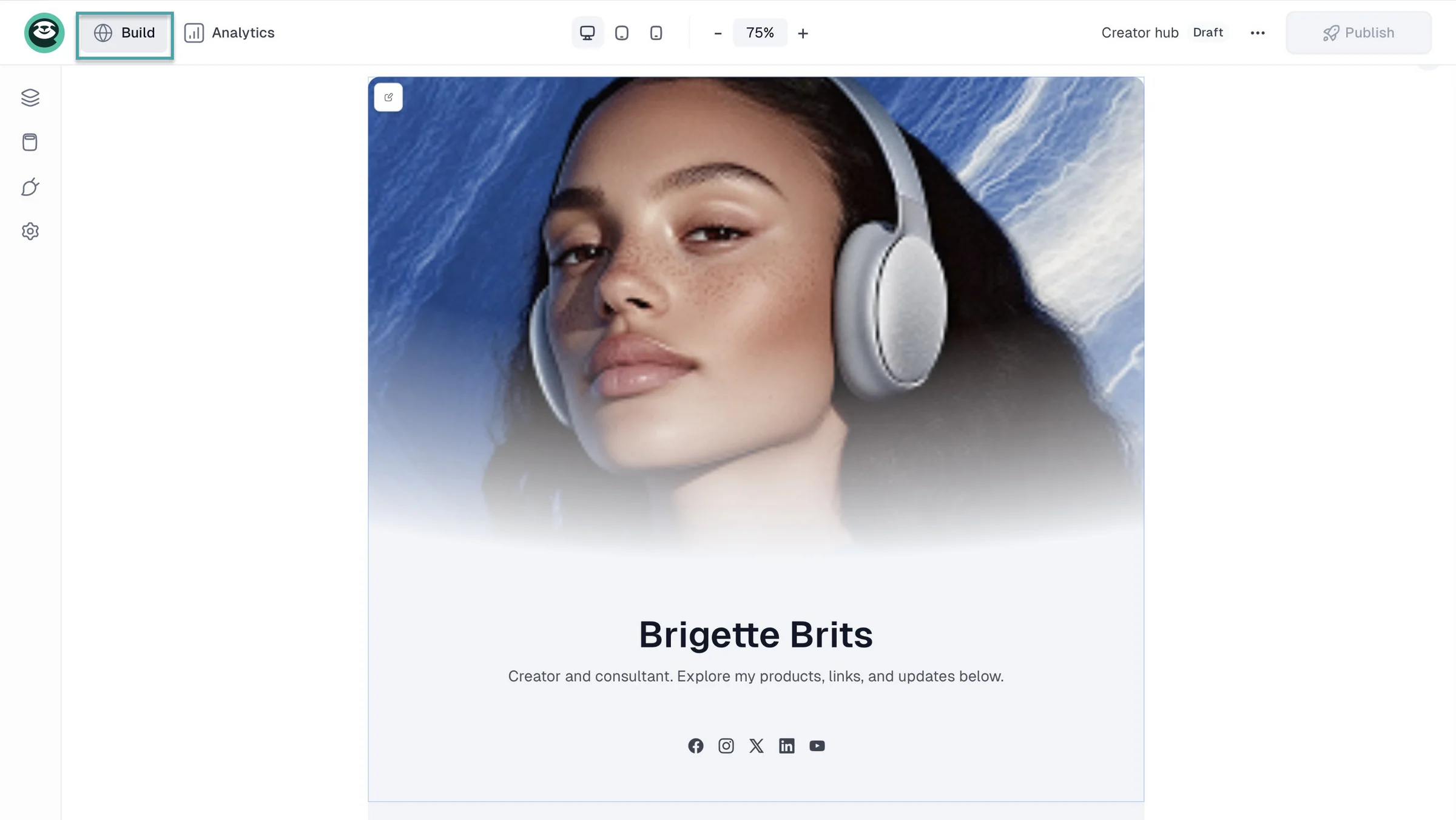
And finally, if your goal is to build an audience, the platform you choose should offer a creator page or a website.
Here’s a table to sum it all up.
| Your goal | What to look for | Why it matters |
|---|---|---|
| Sell digital products | Digital product sales, downloads, and a checkout | Lets you sell products instead of relying only on tips. |
| Increase sales | Order bumps, cross-sells, upsells, and testimonials | Helps you increase the value of each purchase and build trust. |
| Offer flexible pricing | One-time payments, subscriptions, pay-what-you-want, and price variants | Lets you choose the pricing model that works best for your audience. |
| Recover lost sales | Checkout recovery | Helps you follow up with people who started a purchase but didn’t complete it. |
| Build an email list | Email marketing and automation | Lets you stay in touch with customers and promote new products. |
| Grow through referrals | Affiliate marketing | Lets other people promote your products in exchange for a commission. |
| Sell beyond digital products | Physical products, services, courses, events, or memberships | Gives you more ways to monetize as your business grows. |
| Build a proper online presence | Creator page, landing pages, or a website | Gives your audience a place to discover your products and learn more about you. |
So don’t just pick a platform based on what Buy Me a Coffee lacks, but choose one by considering your own goals.
2. Think about pricing
You should think about pricing because the cheapest Buy Me a Coffee alternative isn’t always the cheapest once you start making sales. That’s why you should consider the monthly fee, transaction fees, Stripe payment-processing fees, and whether you’ll need to pay for extra tools.
For example, Easytools offers a free Starter plan, but it charges a 5% transaction fee. Its paid Creator plan costs $59/month and reduces the transaction fee to 2%, while the Professional plan costs $99/month and reduces it to 1%.
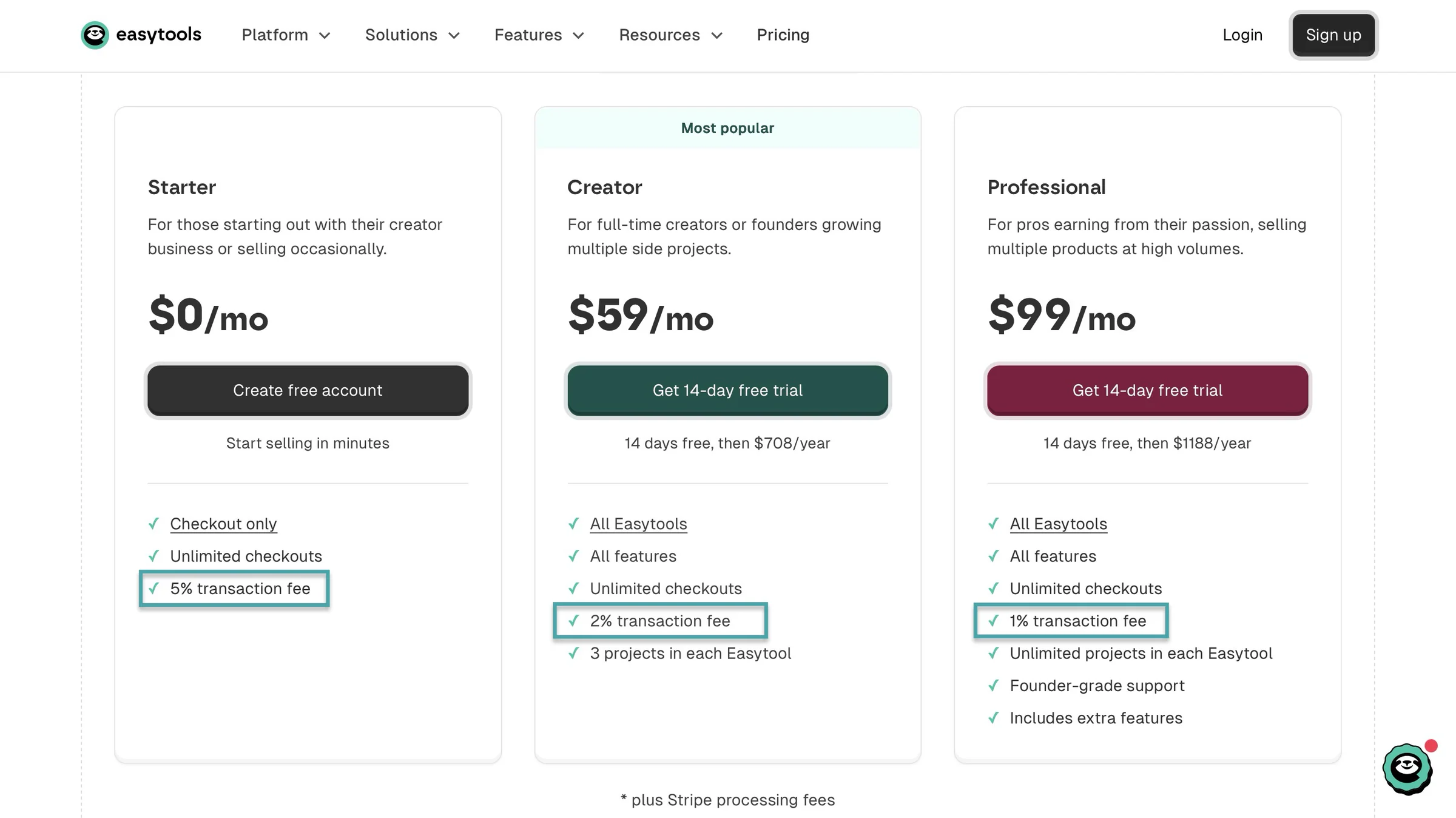
Paid plans include all Easytools features.
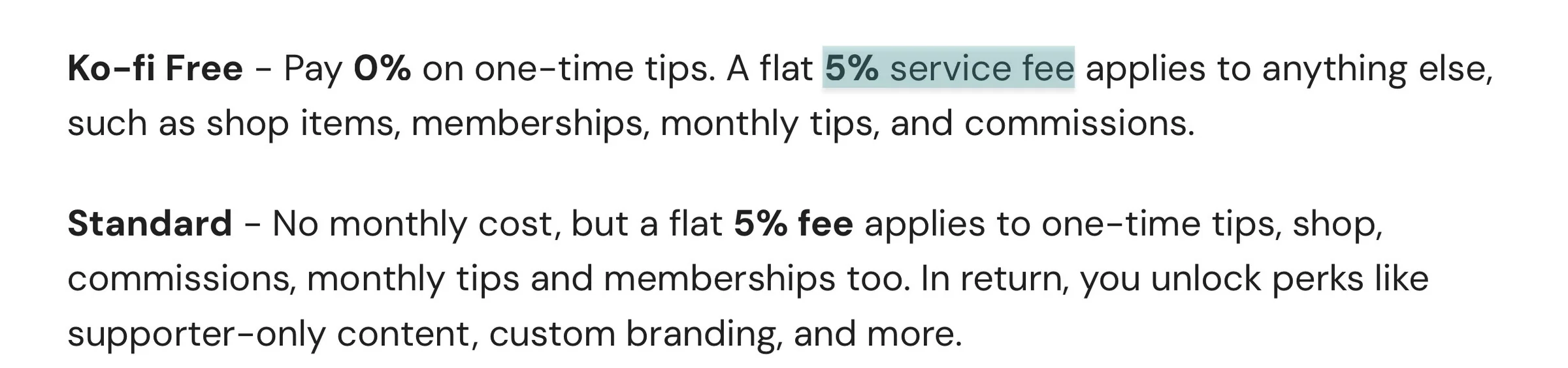
Ko-fi has a free plan and takes a 5% service fee on memberships/subscriptions, shop sales, and commissions. Its Gold plan costs $12/month and removes the service fee.
Gumroad doesn’t charge a monthly fee, but takes 10% + $0.50 on sales made through your profile or direct links. If a customer discovers you through Gumroad’s Discover marketplace, the fee is 30%.
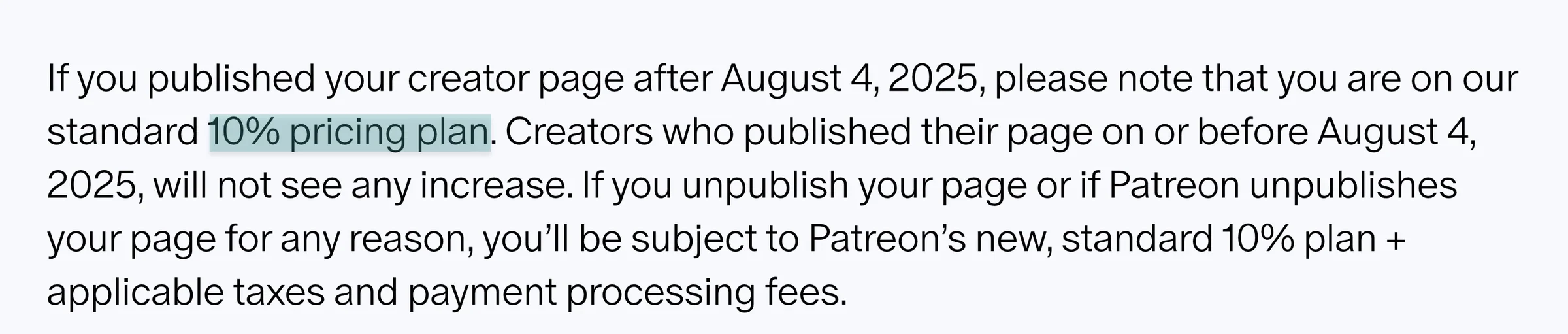
Patreon takes a 10% platform fee for creators on its standard plan, before Stripe payment processing and other applicable fees.
Ghost works differently. It charges a monthly subscription across four plans ($15, $29, $199) and custom pricing, instead of taking a percentage of your membership revenue.
So yes, Ghost charges 0% transaction fees.

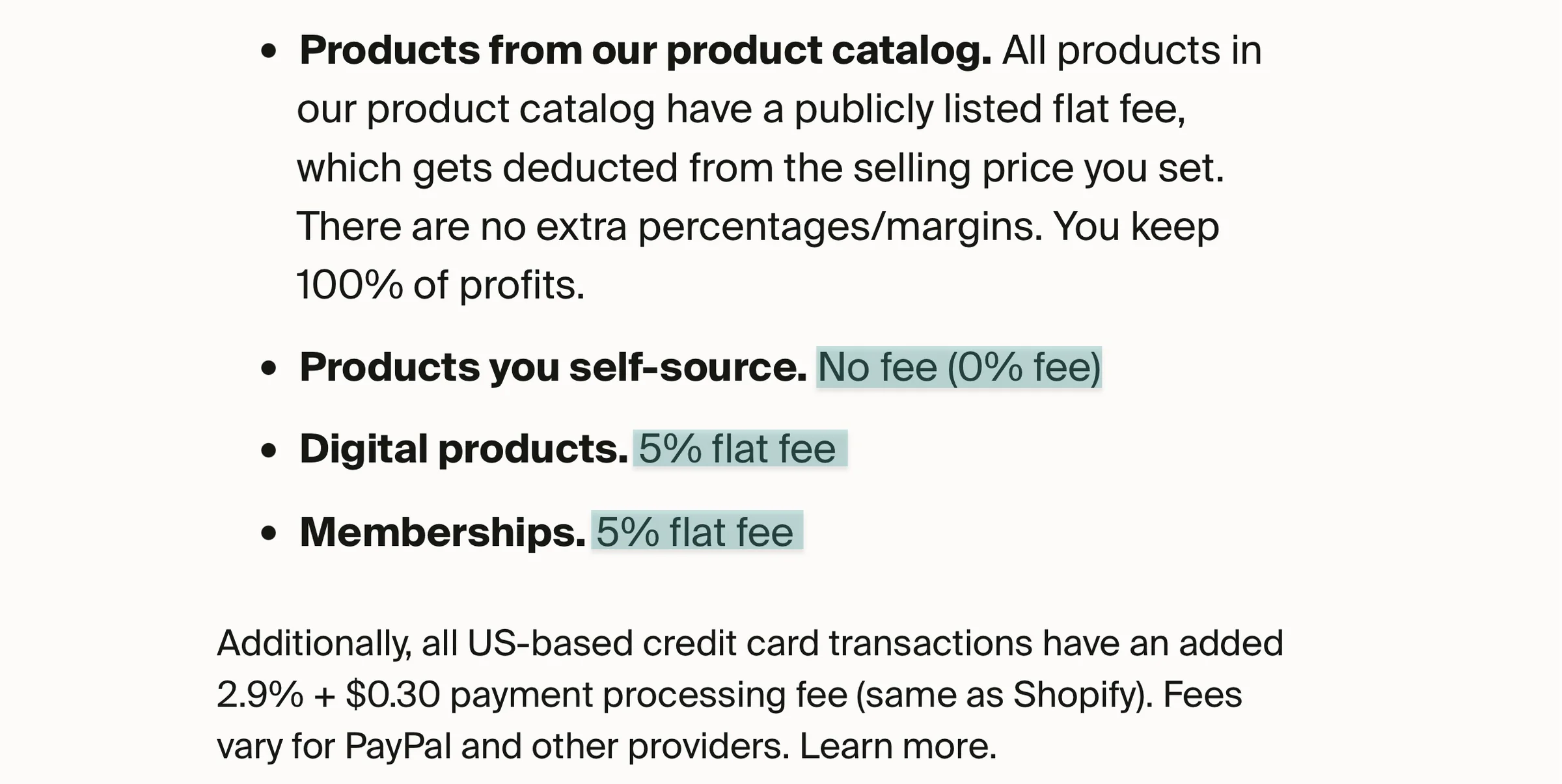
Finally, Fourthwall also has no monthly subscription. It charges a 5% platform fee on digital products and memberships, while products from its catalog have their own product costs.
But like I said before, the cheapest Buy Me a Coffee alternative isn’t automatically the best choice. A $0/month platform isn’t necessarily the cheapest if you’re giving up a large percentage of every sale.
In the same way, a $99/month platform isn’t necessarily expensive if it replaces several other tools you would otherwise have to pay for.
Imagine your $2,000 monthly revenue eventually becomes $10,000.
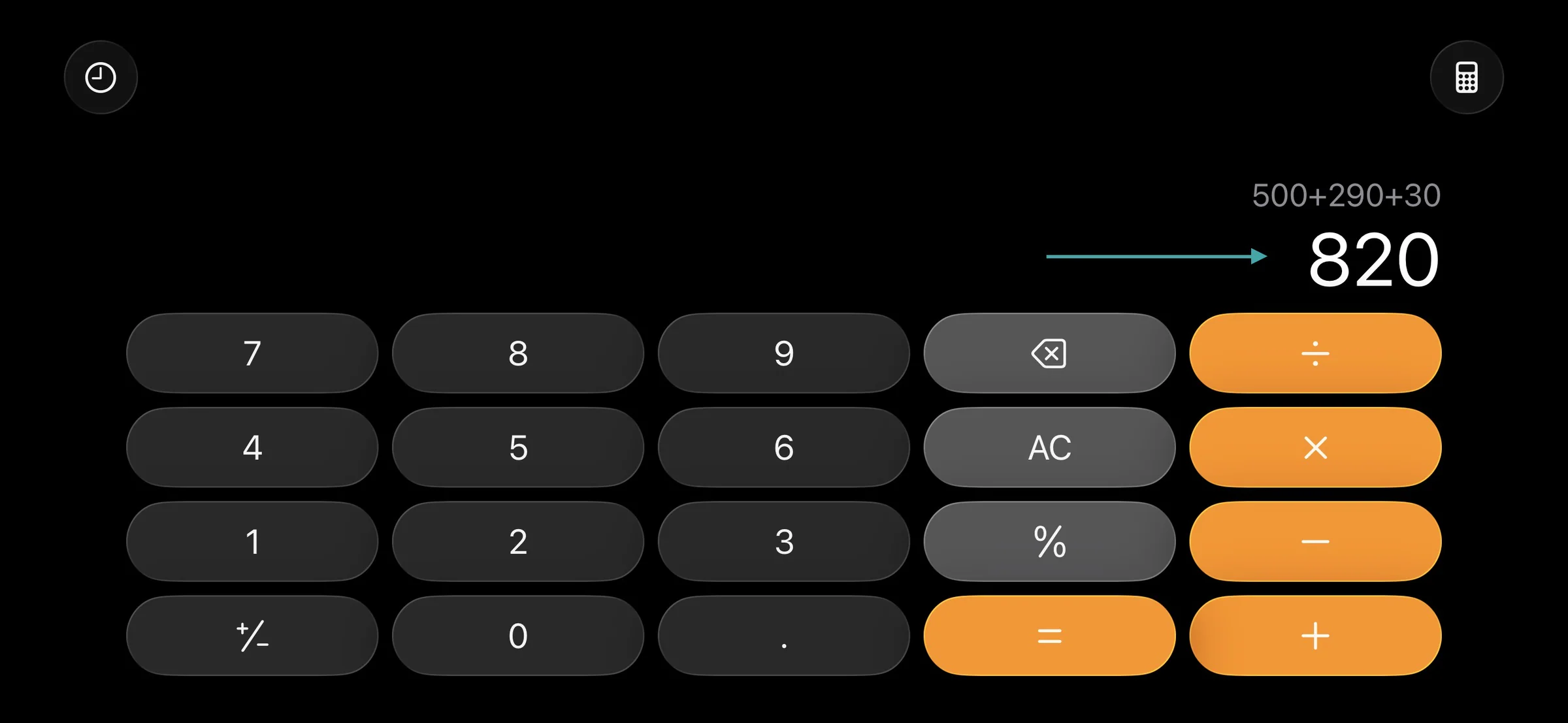
At that point, a percentage-based fee becomes expensive. For example, a 10% fee on $10,000 in monthly sales is $1,000 every month.
A 5% fee is $500, and even after adding Stripe’s payment-processing fees, you’d still pay less than $1,000. It would be $820
So, don’t just compare the starting prices. Thoroughly looking at pricing will help you choose a Buy Me a Coffee alternative that offers the best value without eating into your profits.
3. Look for built-in marketing tools
Apart from helping you sell digital products, the right Buy Me a Coffee should also help you market them. That’s why you should look for built-in marketing tools.
They should be tools that will help you reach your audience, turn visitors into customers, and bring buyers back.
Easytools, for example, offers email marketing. So you can send updates, promotions, and product recommendations to your audience.
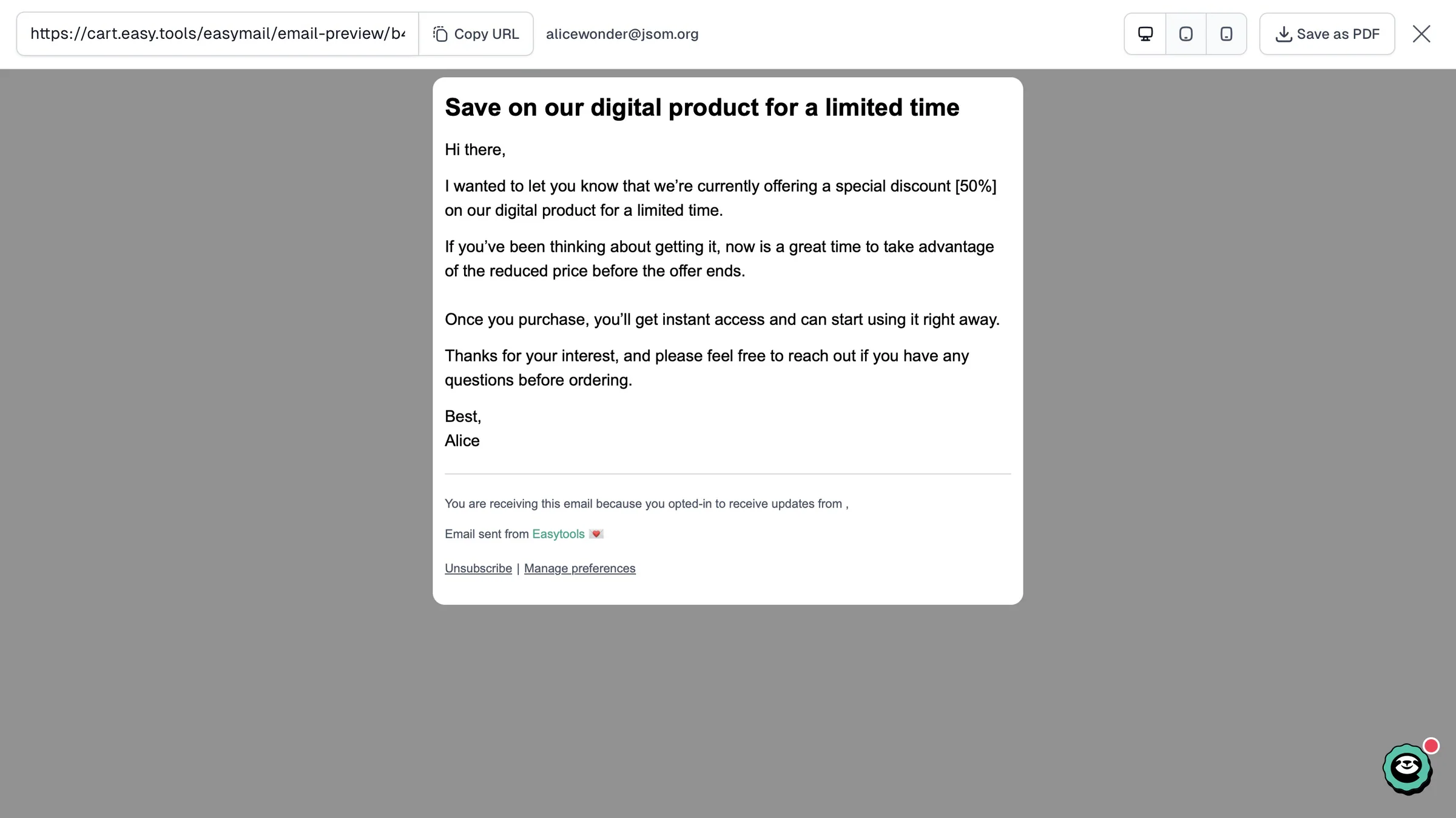
It also offers email automation so that buyers can automatically receive messages after signing up for a subscription or making a purchase.
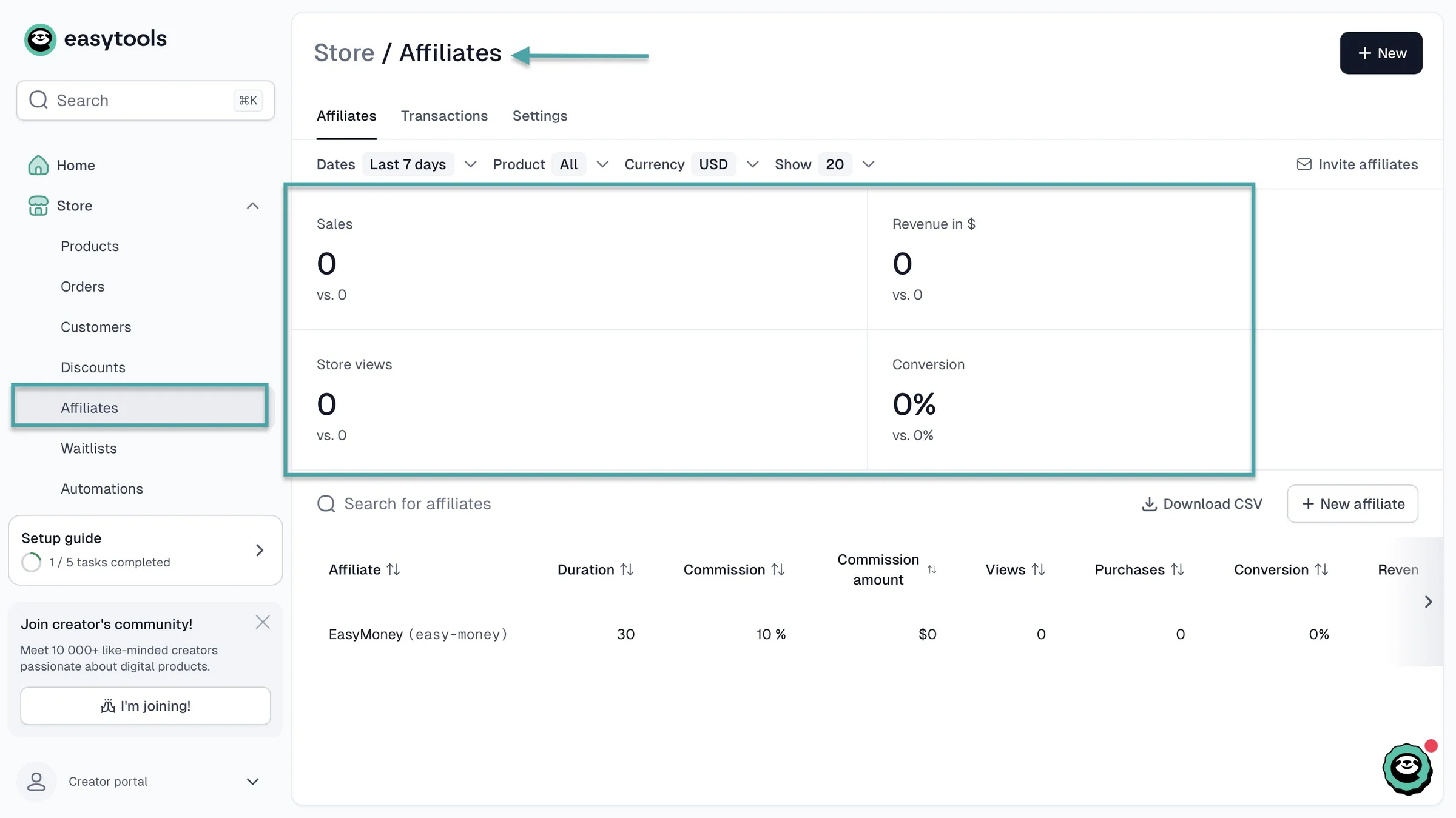
You’d also need an affiliate marketing feature. That way, others can promote your products in exchange for a commission.
The right Buy Me a Coffee alternative will even offer you analytics just for affiliate marketing. Seeing the affiliates driving the most clicks, views, and sales will show you which promotions are worth your time.
Discounts and promo codes are also another built-in feature the right platform would offer. You should have these tools to run special offers and encourage people to buy.
Even built-in marketing tools like testimonials, upsells, cross-sells, and abandoned checkout recovery will help you increase sales and grow your business. So choose a Buy Me a Coffee alternative that offers all these.
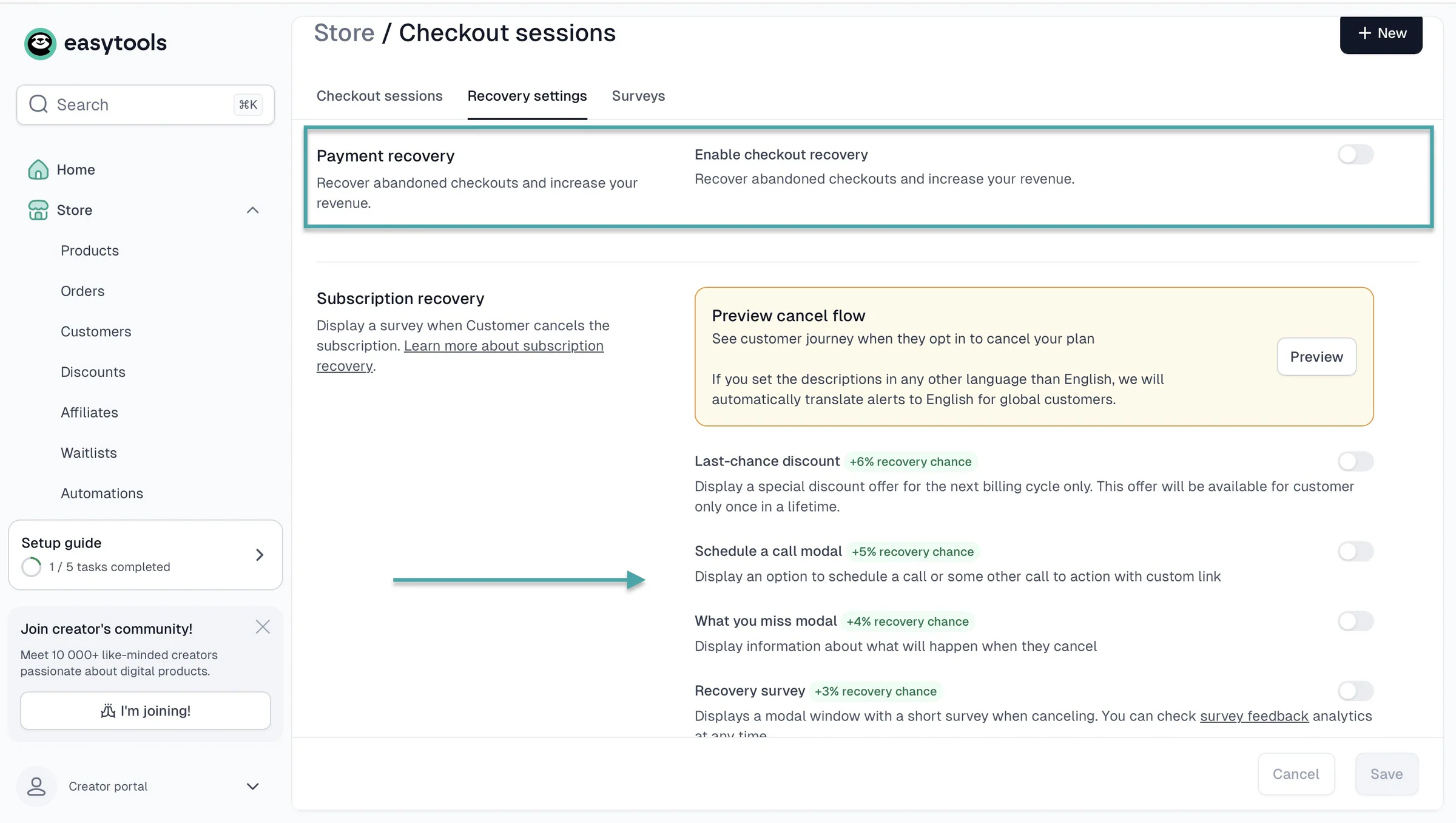
Pro tip: The more marketing tools you have built into the platform, the less you’ll have to rely on separate tools to promote and sell your products.
4. Evaluate customization options
Finally, you should evaluate customization options when choosing the right Buy Me a Coffee alternative. Trust me, you want your creator page, checkout page, landing page, and storefront to look and feel like your brand, not like everyone else’s page.
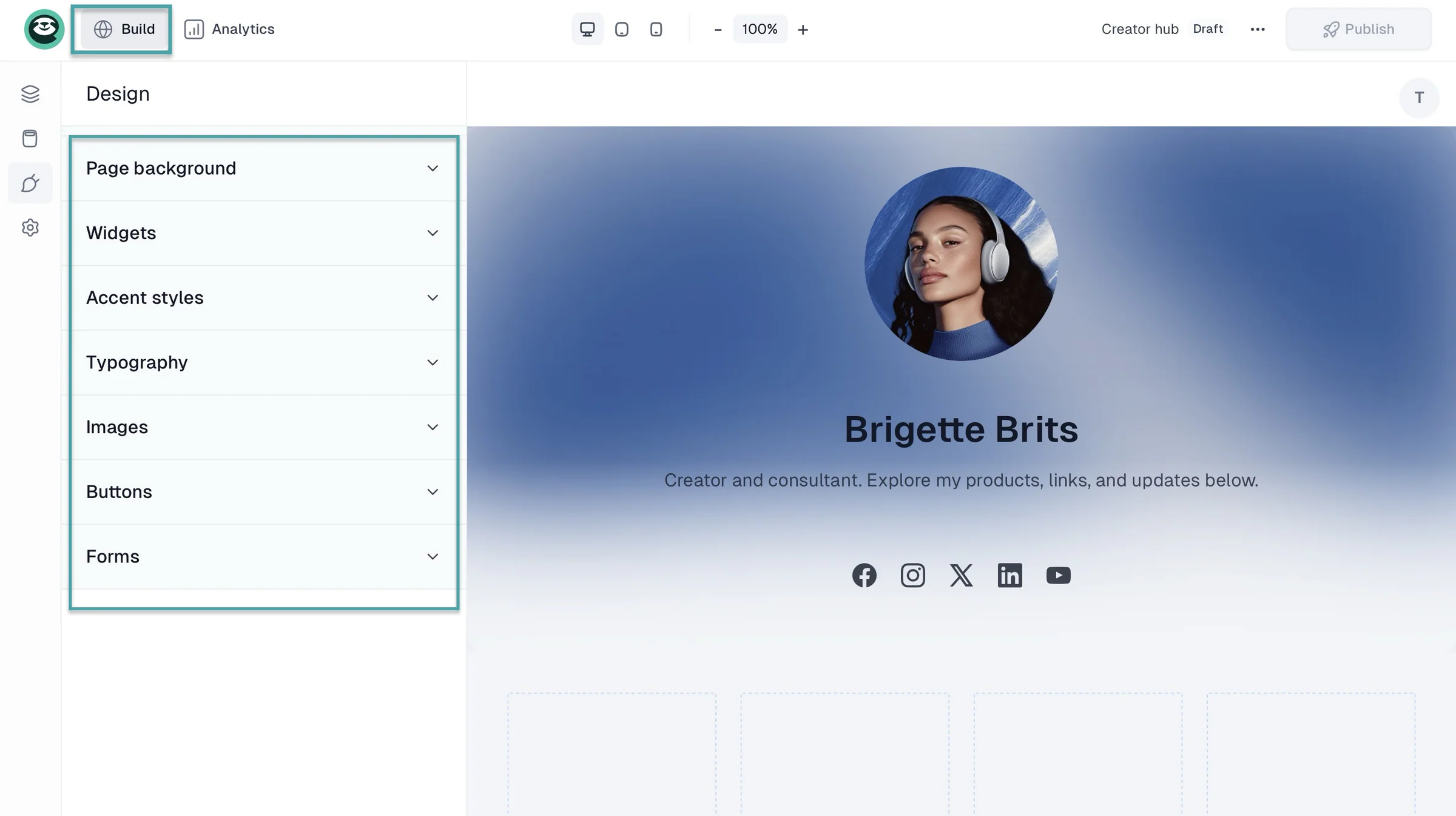
On Easytools, for example, you can customize your creator page. The platform lets you customize widgets, accent styles, your storefront, page background, typography, buttons, and forms.
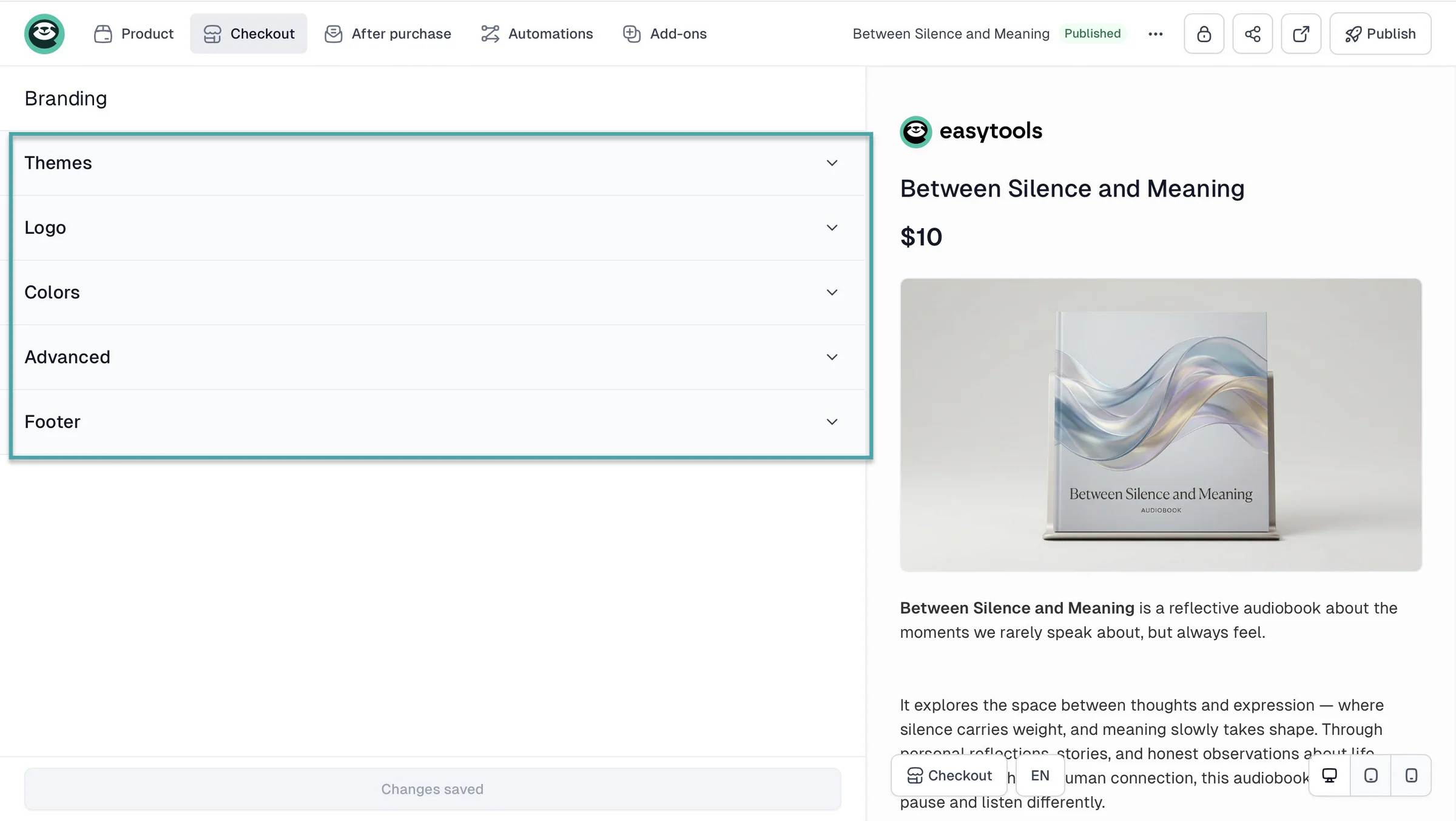
You also have tools to customize your checkout. You can change or add themes, your logo, colors, custom CSS, and footer text.
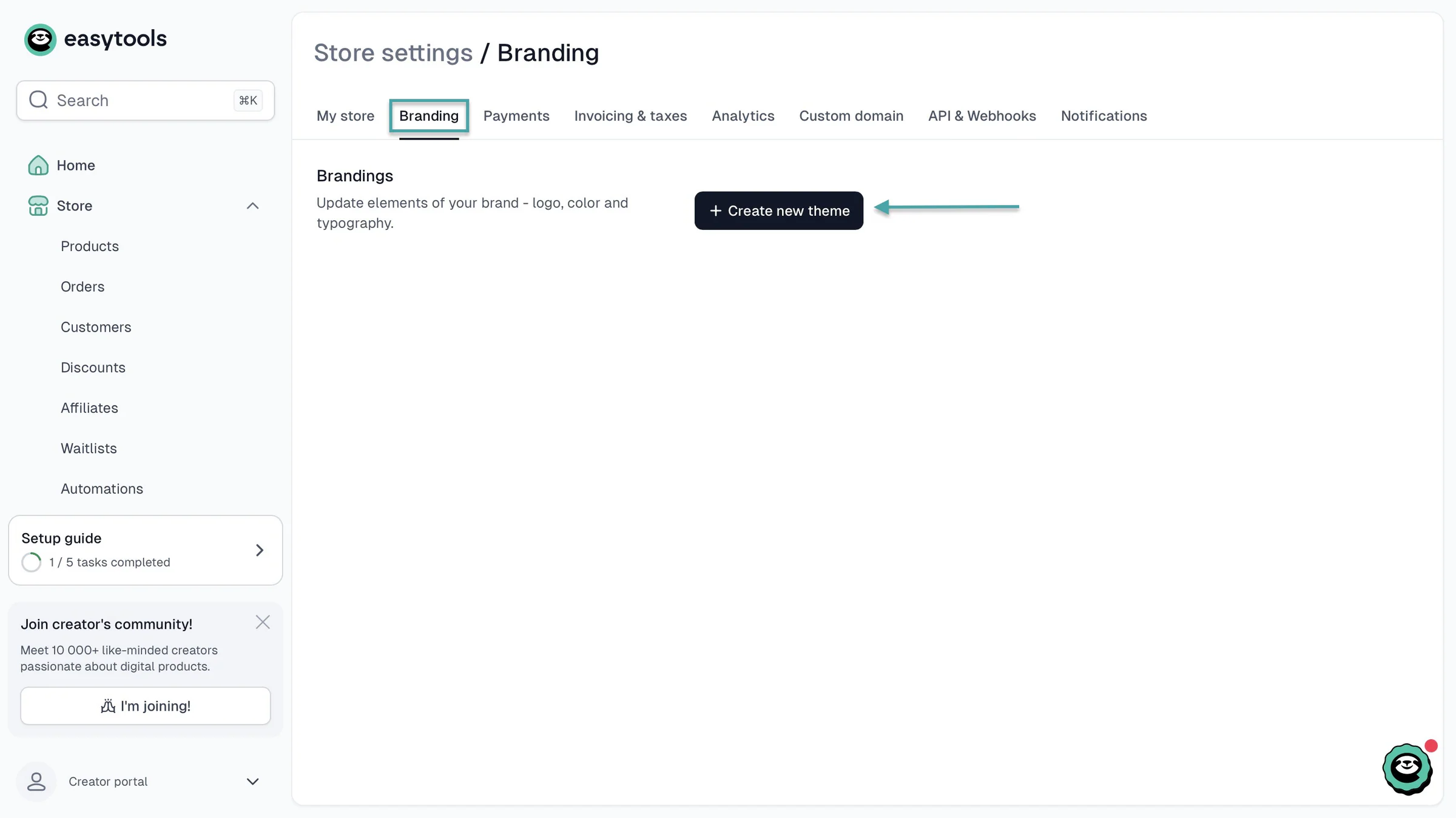
You can even create and add your own themes.
And you can customize themes, fonts, scroll animations, roundings, colors, and add custom CSS to your Easytools landing page.
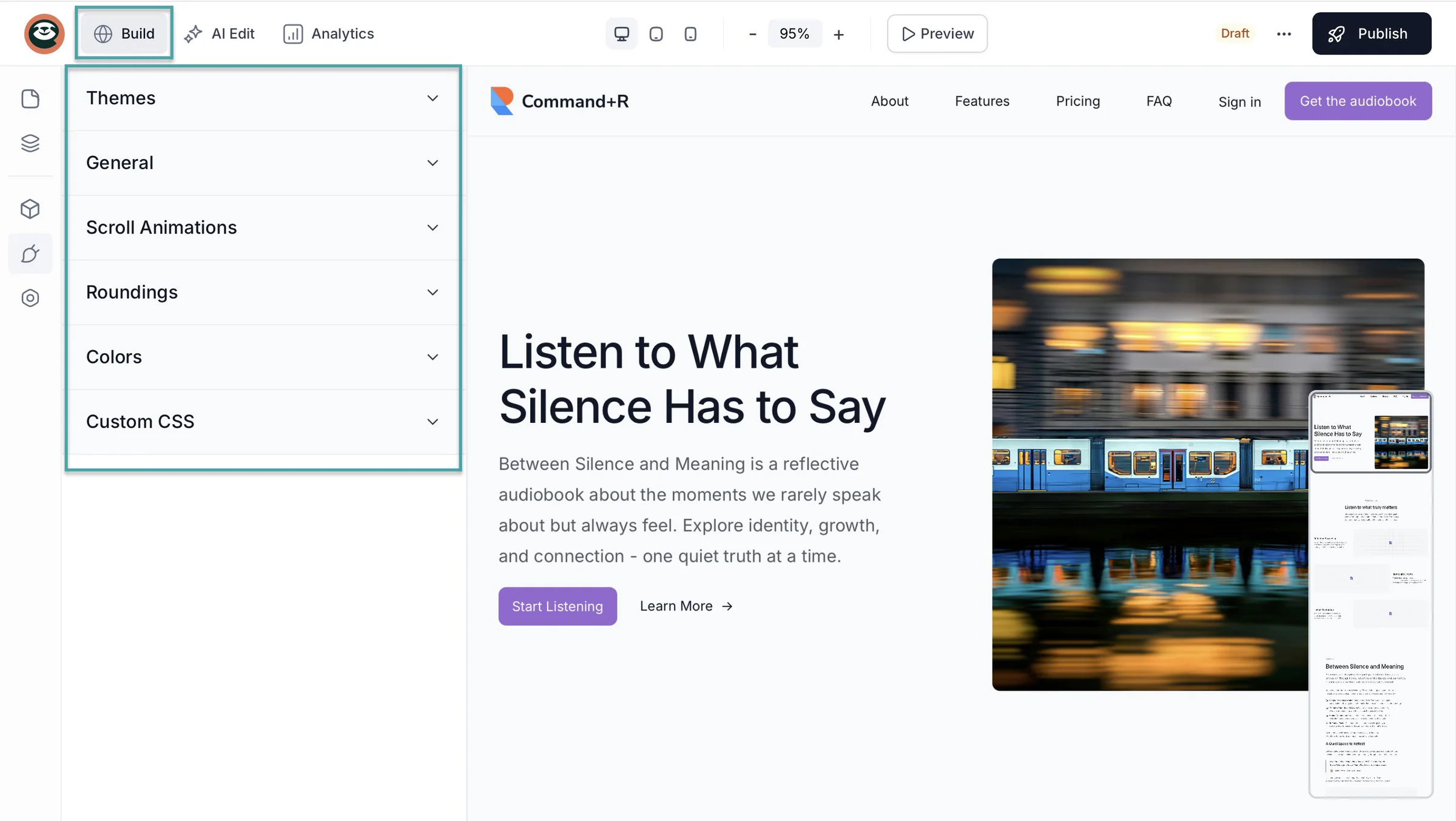
But keep in mind that the right Buy Me a Coffee alternative should give you enough customization to build a professional online presence without feeling overwhelming.
Choose the best Buy Me a Coffee alternatives
If you reached this stage, you deserve a coffee.
We looked at the best Buy Me a Coffee alternatives. Then, we considered four factors to help you choose the right one.
You should consider your goals, pricing, built-in marketing tools, and customisation options.
And remember that the right Buy Me a Coffee alternative should take your online business to the next level. It should help you sell more and build an audience.
We’ve given you everything you need to make the right choice. But, as always, the final decision is your cup of tea.
FAQs
What are the best Buy Me a Coffee alternatives?
The best Buy Me a Coffee alternatives are Easytools, Patreon, Ko-fi, Gumroad, Ghost, and Fourthwall. As an all-in-one tool for selling digital products and services, Easytools justifies its inclusion in this list.
Which Buy Me a Coffee alternatives charge the lowest fees?
Buy Me a Coffee alternatives that charge the lowest fees are Easytools, Ko-fi, Ghost, and Fourthwall. For its Creator and Professional paid plans, Easytools takes a 2% and 1% transaction fee, respectively.
Are there any free Buy Me a Coffee alternatives?
Yes, there are free Buy Me a Coffee alternatives. They include Easytools, Patreon, Ko-fi, Gumroad, and Fourthwall. Easytools, for example, has a free Starter plan that charges you only 5% transaction fee.
Can I sell digital products with Buy Me a Coffee alternatives?
Yes, you can sell digital products with Buy Me a Coffee alternatives. You can sell membership tiers, digital downloads, services, and more on Easytools, Patreon, Ko-fi, Gumroad, Ghost, and Fourthwall. On Easytools, you can also sell webinars and events.
Do Buy Me a Coffee alternatives support recurring subscriptions?
Yes, Buy Me a Coffee alternatives like Easytools, Patreon, Ko-fi, Gumroad, Ghost, and Fourthwall support recurring subscriptions.
Which Buy Me a Coffee alternatives are best for beginning creators?
The best Buy Me a Coffee alternatives for beginning creators include Easytools, Patreon, Ko-fi, Gumroad, and Fourthwall. That’s because they offer free plans allowing beginners to test the platform before fully committing.
Which Buy Me a Coffee alternatives integrate with email marketing tools?
Buy Me a Coffee alternatives that integrate with email marketing tools are Easytools, Patreon, Ko-fi, Gumroad, Ghost, and Fourthwall. For example, Easytools integrates with Mailchimp, ConvertKit, GetResponse, MailerLite, ActiveCampaign, and SendGrid. Fourthwall integrates with Mailchimp, Klaviyo, Kit, and beehiiv.
Do Buy Me a Coffee alternatives support PayPal and Stripe?
Yes, Buy Me a Coffee alternatives support PayPal and Stripe. To help creators get more sales, Easytools offers a conversion-optimized checkout built on Stripe.
Can I migrate from Buy Me a Coffee to another platform?
Yes, you can migrate from Buy Me a Coffee to another platform. Make sure you move to an alternative that’s an upgrade. For instance, a Buy Me a Coffee alternative will be worth the migration if it offers you more ways to monetize.
Can I use multiple Buy Me a Coffee alternatives at the same time?
Yes, you can use multiple Buy Me a Coffee alternatives at the same time. If you have a digital product on Easytools, you could copy the checkout URL and share it on Ko-fi when adding a product. That way, you can use Ko-fi to showcase your product while sending customers to Easytools to complete the purchase.