Changelog
We just launched order bumps 🔥
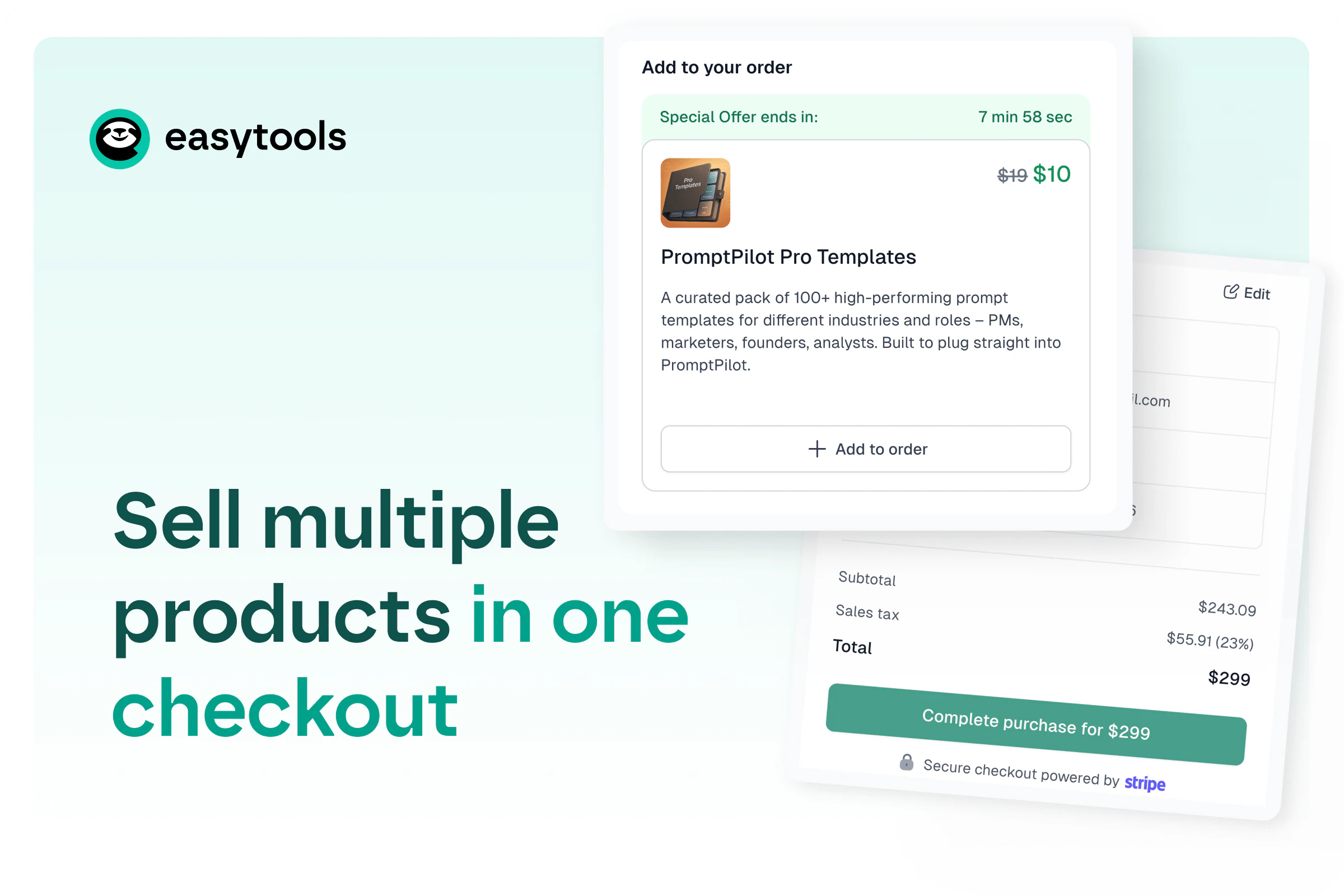
Sell multiple products in a single Easytools checkout with order bumps. Add pre‑payment add-ons, set time time limits and increase order value.
Published
One checkout. Multiple products.
Easytools checkout used to be single-product: you could offer variants (e.g. monthly vs annual access) and bundle those variants in an upsell to nudge people toward a specific option. You could also offer extra products post‑purchase as a cross-sell before they hit the thank-you page.
But you couldn’t combine two completely different products before payment - like two different ebooks - in one checkout.
Now you can. One cart, one payment, multiple products.
Order bumps to increase cart value
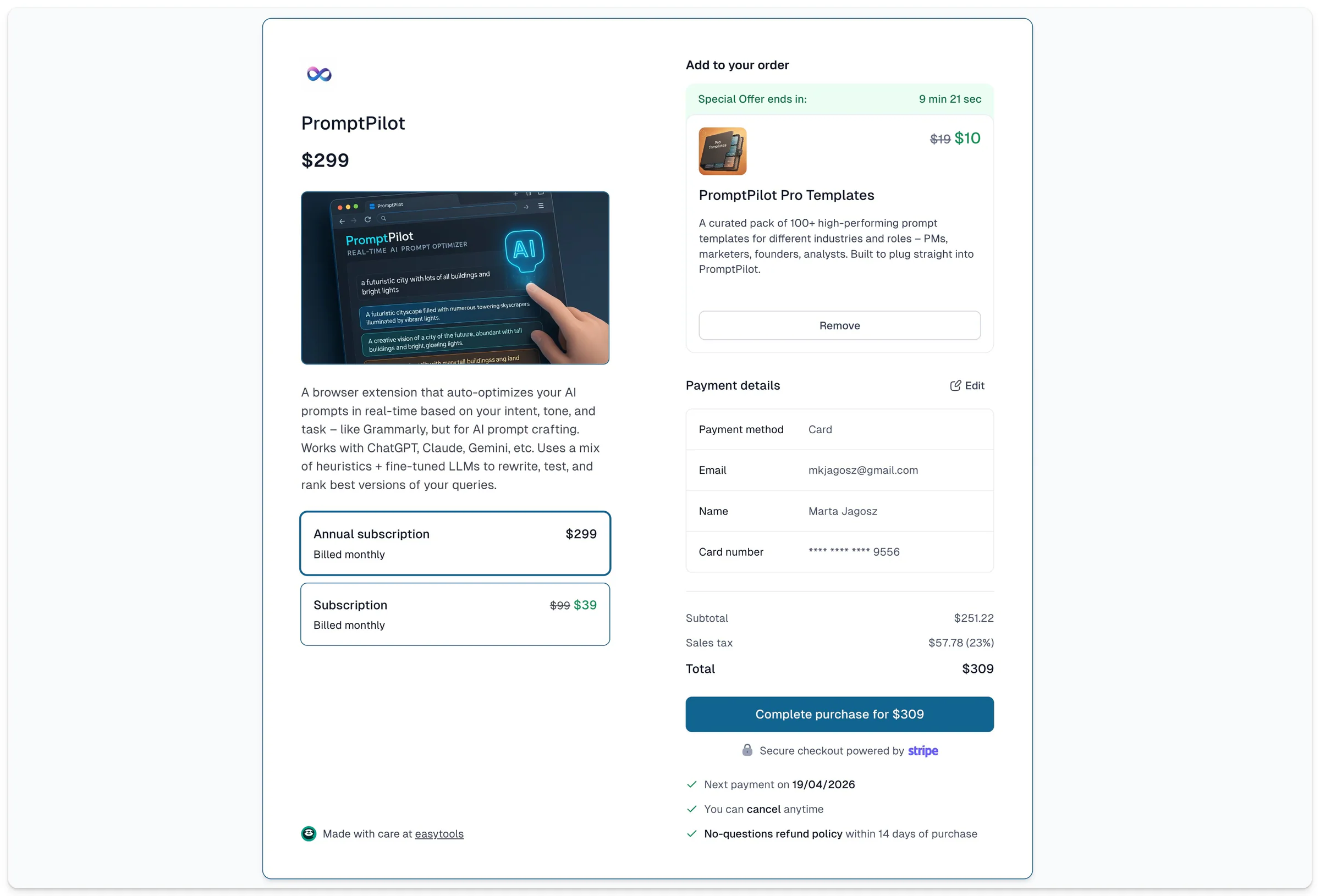
Order bumps let you offer additional products right in the checkout, before the payment happens. Why does it matter? Because it means you can increase cart value without sending people to another page or relying on post‑purchase activities.
So once you’ve put in the effort to bring customers in, you now have everything you need to make the most of it and convert them into profitable clients.
This change - being able to show multiple products in one checkout - took a big rebuild across our whole ecosystem, but the outcome is simple: you can stack your best add-ons at the exact moment the buyer’s already committed.
Make the add-on compelling
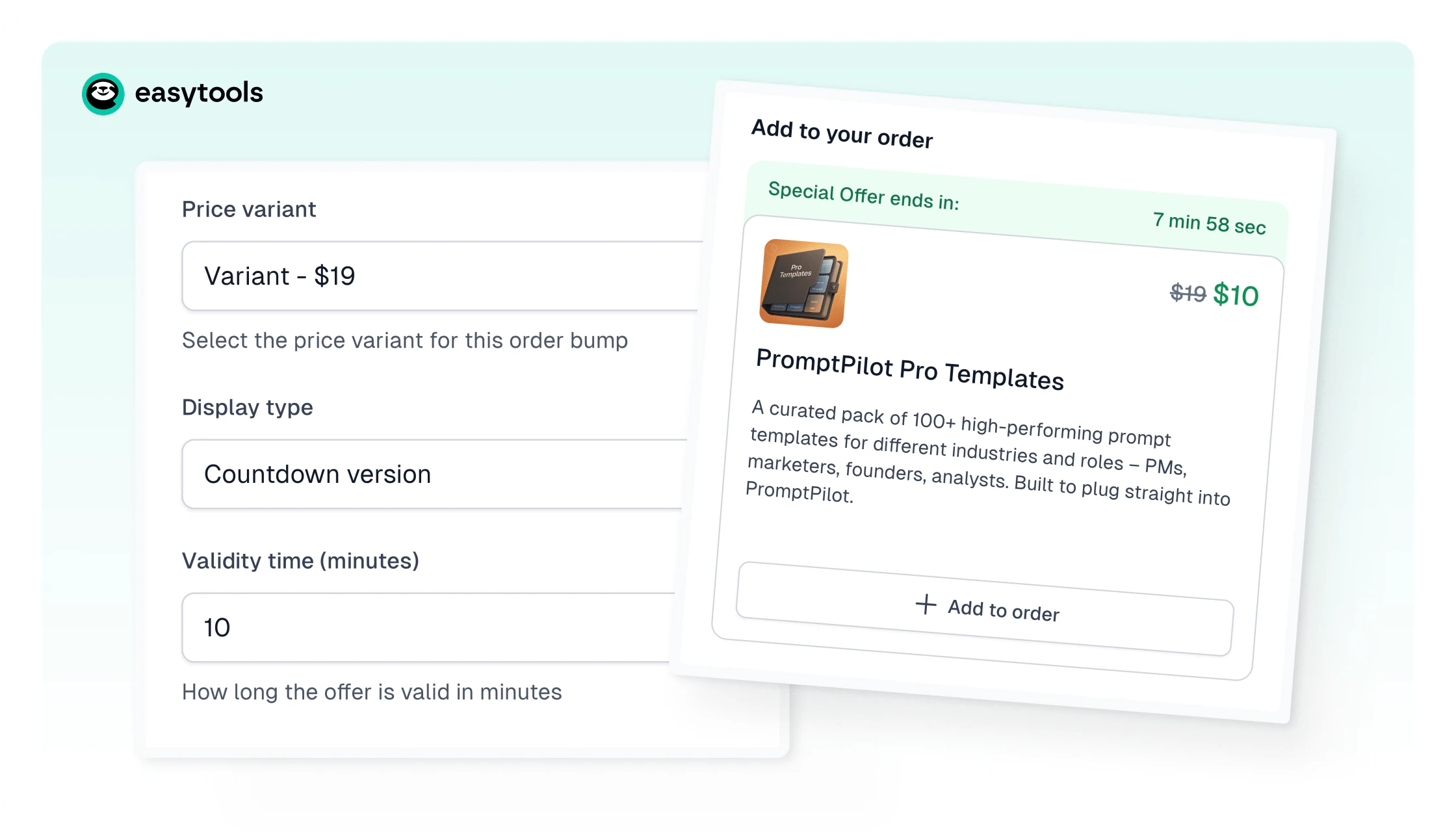
To enable an order bump, you simply choose the extra product(s) from your list, and you’re live. You can add more than one bump and mix one-time items and subscriptions - your call. You can also pick a layout, edit the description, add a special promo, and set how long the offer stays available.
Two rules: all products in the cart need to use the same currency, and the order bump itself can’t be a subscription.
Clean summary & no tax confusion
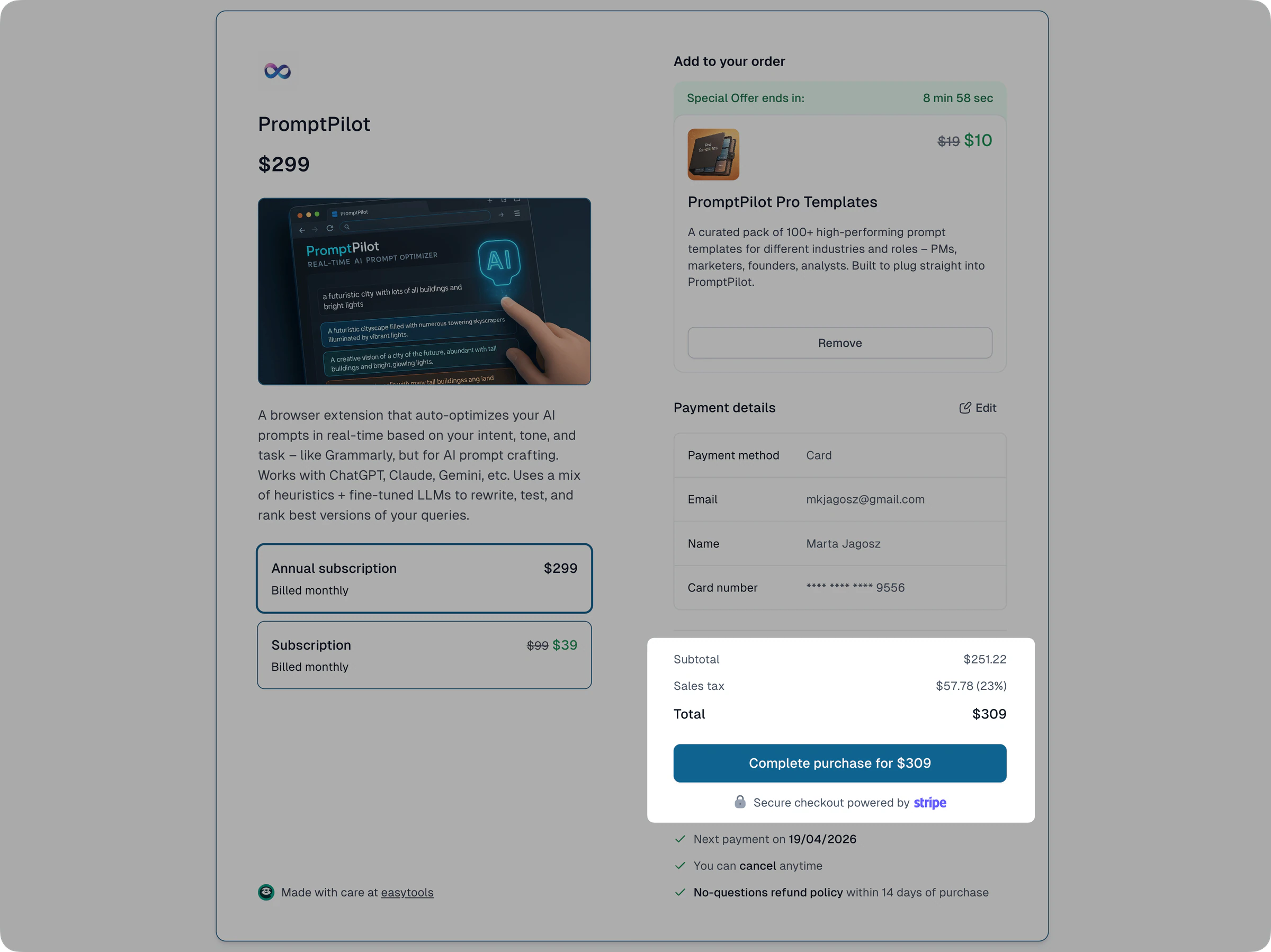
When someone adds a bump, they do it on the very same page - no redirects, no extra steps. The purchase summary updates instantly to show every item clearly, and we calculate VAT per product and display it so totals stay transparent.
After purchase, customers get access to everything on the same thank-you page - and all products (with their tax rates) show up clearly on the invoice too.
Go ahead, try it in your checkout - enable an order bump and add your first extra offer! Want to learn more? Read details on how our order bumps work.