Selling online
How to successfully sell templates online in 5 practical steps (Beginner-friendly guide)
Learn how to sell templates online in 5 practical steps: pick a profitable niche, create templates people want, choose where to sell, price them right, and market them to get your first sales.

Two decades back, I would have said you’d be better off trading in stocks. My advice wouldn’t have been to sell templates online.
But now, both Notion and Canva have their own template marketplaces. Canva’s creator marketplace, for example, grew to 6,400 creators across 112 countries, producing 2 million templates.

We could say they produced all those templates for the love of it.
Except people like Thomas Frank and Easlo have made hundreds of thousands, even millions, selling templates online.
What if it’s uncharted territory for you? Well, that’s why I’ve written this step-by-step guide to show you how to sell templates online.
And I’ve gone even further to discuss the common mistakes to avoid. You just have to keep reading.
TL;DR
-
To sell templates online, you should
- Choose a profitable template niche
- Create useful templates people want to buy
- Choose where to sell templates online
- Set your prices and create a product page that converts
- Market your templates and get your first sales
-
You can sell templates in niches like:
- Business and finance
- Social media and marketing
- Productivity
- Career and education
- Weddings and events
-
The price of templates is between $10 and $30+, and it depends on
- What your template does
- Its usefulness
- What competitors charge for similar templates
How to sell templates online
The 5 practical steps to sell templates online are:
- Choose a profitable template niche
- Create useful templates people want to buy
- Choose where to sell templates online
- Set your prices and create a product page that converts
- Market your templates and get your first sales
Let’s look at each step in detail.
Step 1. Choose a profitable template niche
The first step to selling templates online is to choose a profitable niche. Some profitable template niches you can choose are:
- Business and finance
- Social media and marketing
- Productivity
- Career and education
- Weddings and events
Business and finance templates help people and organizations manage their money, track expenses, create budgets, and plan their finances. Some examples are invoice templates, monthly budget spreadsheets, expense trackers, and financial projection templates.
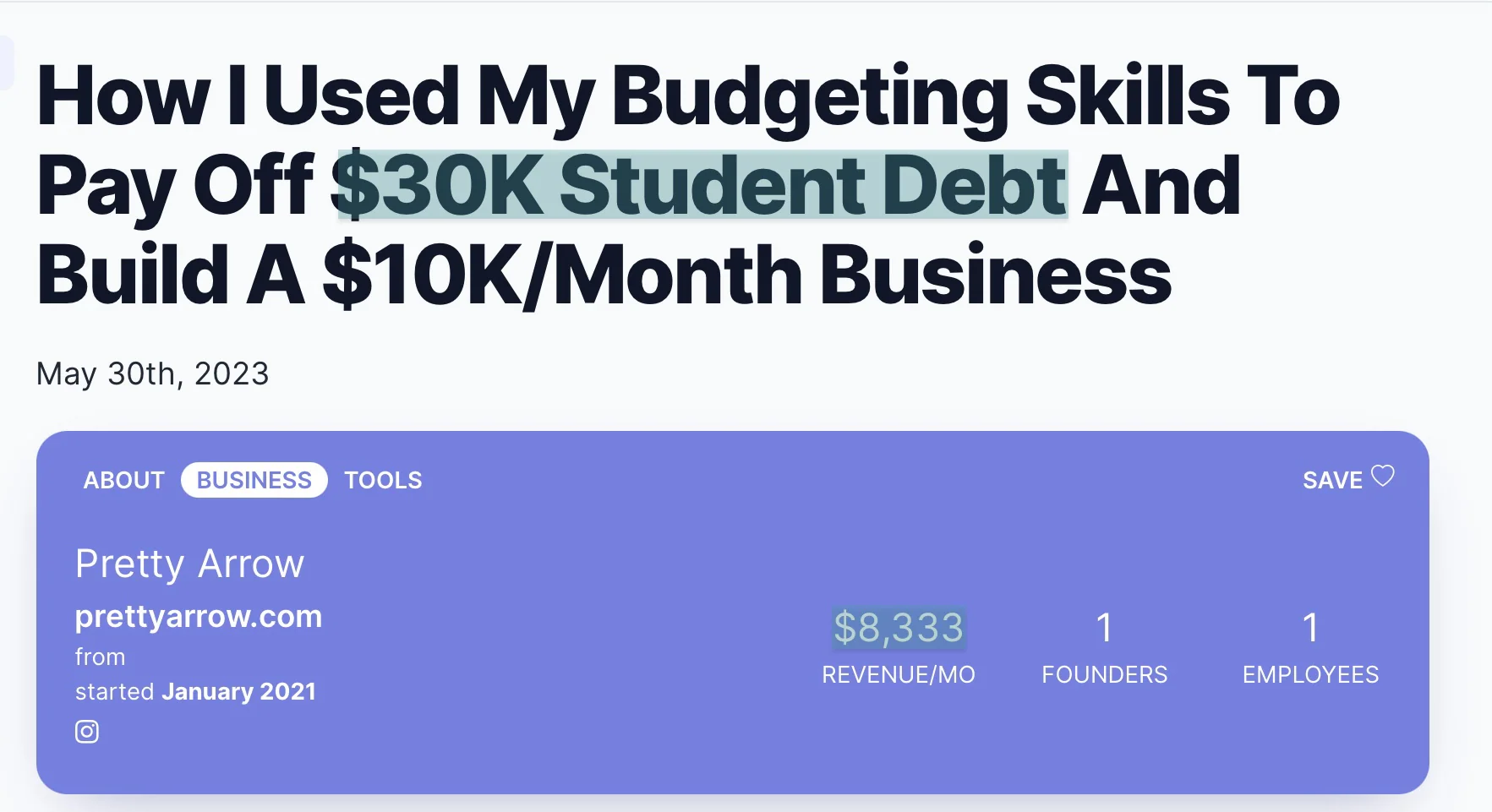
Emily McDermott, founder of PrettyArrow, started selling budgeting templates made with Google Sheets and Excel. The niche is so profitable that she paid off $30,000 in debt.
She also makes about $8,300+ per month.
Social media and marketing templates help businesses and content creators promote their products and services without designing everything from scratch. Think Instagram post templates, Pinterest graphics, media kits, and content calendars.
Katya Varbanova sold editable Canva templates through her business, Viral Content Templates. She made $105,000 in revenue within 5 months, selling templates designed to help businesses create engaging social media content.
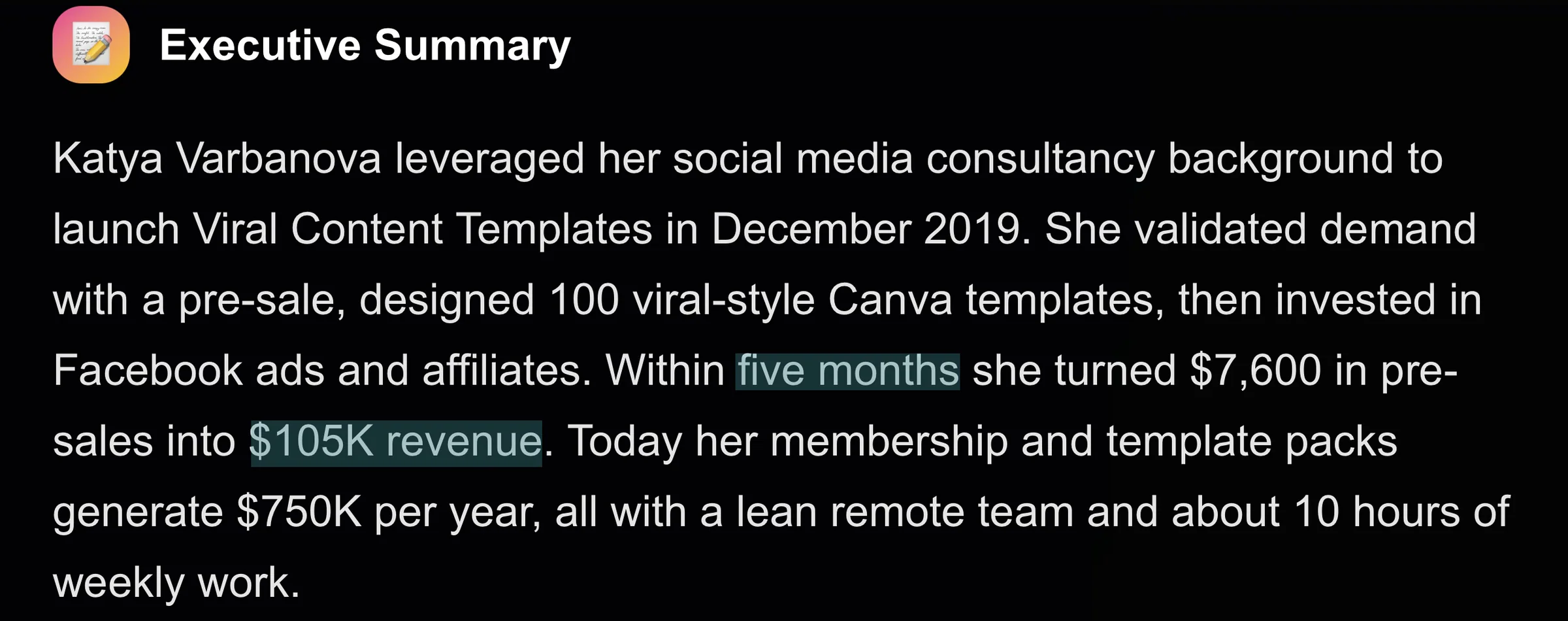
And her business has grossed $1.4M since its launch.

Productivity templates help people organize their schedules, manage tasks, track goals, and get things done. Digital planners, habit trackers, project management dashboards, and weekly schedules are all productivity templates.
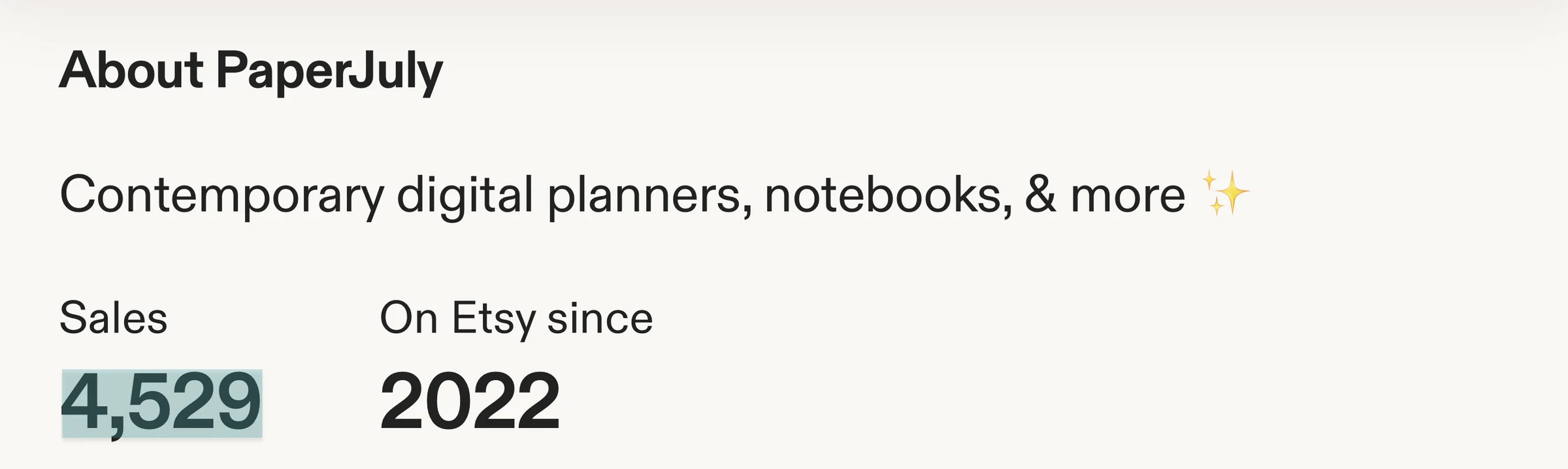
Dalia, founder of PaperJuly, sells digital planners and notebooks designed to help people stay organized and achieve their goals. Since she started her shop, she has recorded 4,500+ sales with a 4.8-star rating.
Career and education templates help job seekers, students, and teachers prepare documents, organize lessons, and save time on repetitive tasks. You’ve got resume templates, cover letters, lesson planners, study schedules, and worksheets.
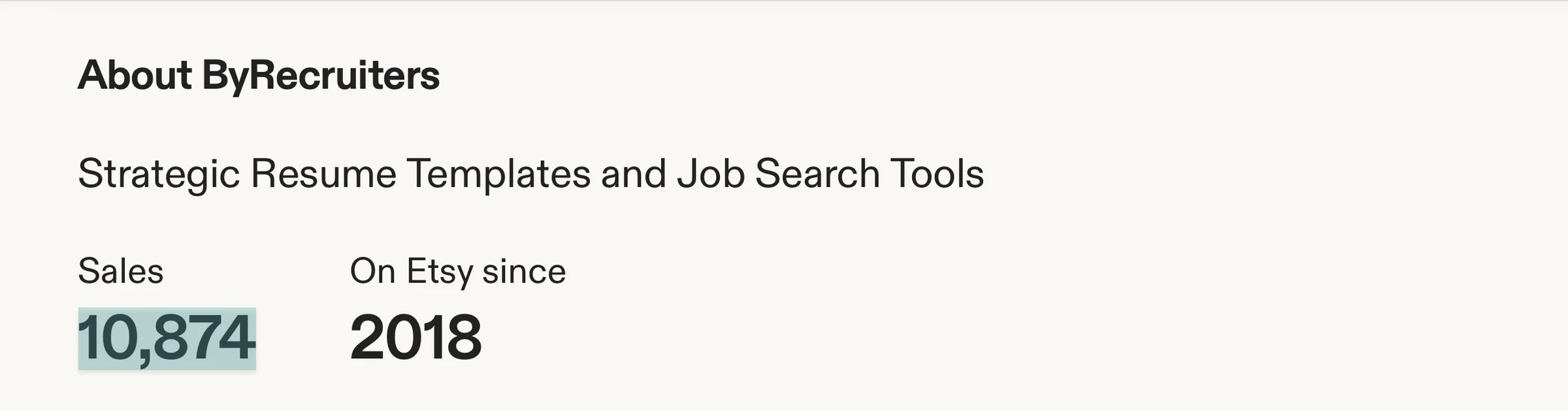
Ana Colak-Fustin, founder of ByRecruiters, turned her recruitment experience into a business selling editable resume templates. Ana has sold 10,800+ resume templates.
And just one template generated $17,000.

Finally, wedding and event templates help people plan celebrations and create invitations and decorations. It can also help them create other event materials without paying someone to design everything for them.
Examples are wedding invitations, seating charts, welcome signs, bridal shower games, and birthday invitations.
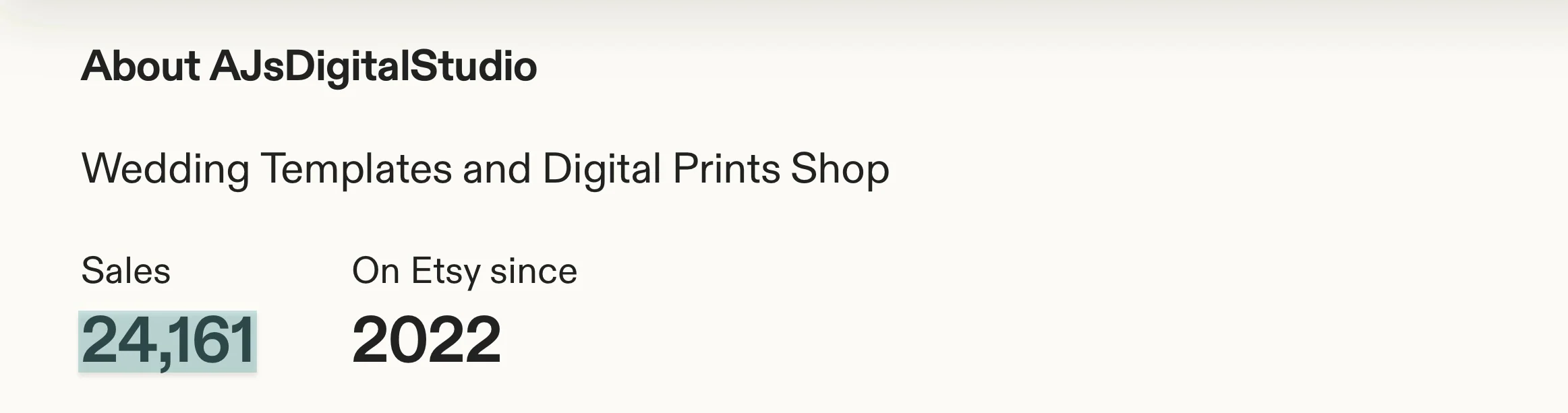
Aaron James, the creator behind AJsDigitalStudio, started designing Canva templates for his own wedding before turning them into a business. His shop sells wedding newspaper templates, signs, crosswords, and games, and has had 24,000+ sales.
To sum this up and help you understand it properly, here’s a table. It shows the template niches, their examples, and why they’re profitable.
| Template niche | Examples | Why it can be profitable |
|---|---|---|
| Business and finance | Invoice templates, budget spreadsheets, business planners | Businesses and freelancers regularly need tools to manage their finances and operations. |
| Social media and marketing | Instagram templates, content calendars, media kits | Businesses and creators need marketing materials to promote their products and services. |
| Productivity | Notion dashboards, project trackers, weekly planners | People pay for tools that help them save time and stay organized. |
| Career and education | Resume templates, cover letters, lesson planners | Job seekers, teachers, and students need resources to accomplish specific goals. |
| Weddings and events | Invitations, seating charts, wedding planners | People organizing events often want affordable, customizable designs. |
Now that you know some profitable template niches, how do you choose one?
First, start with what you know. For example, if you’re a graphic designer, you might find it easier to sell social media templates than financial spreadsheets.
Aaron James started creating event templates after his own wedding. And Ana Colak-Fustin is an experienced corporate recruiter who has received and reviewed 30,000+ resumes.

So yes, start with your knowledge and experience.
Next, check whether people are buying templates in your preferred niche. Visit marketplaces like Etsy and search for templates you want to sell.
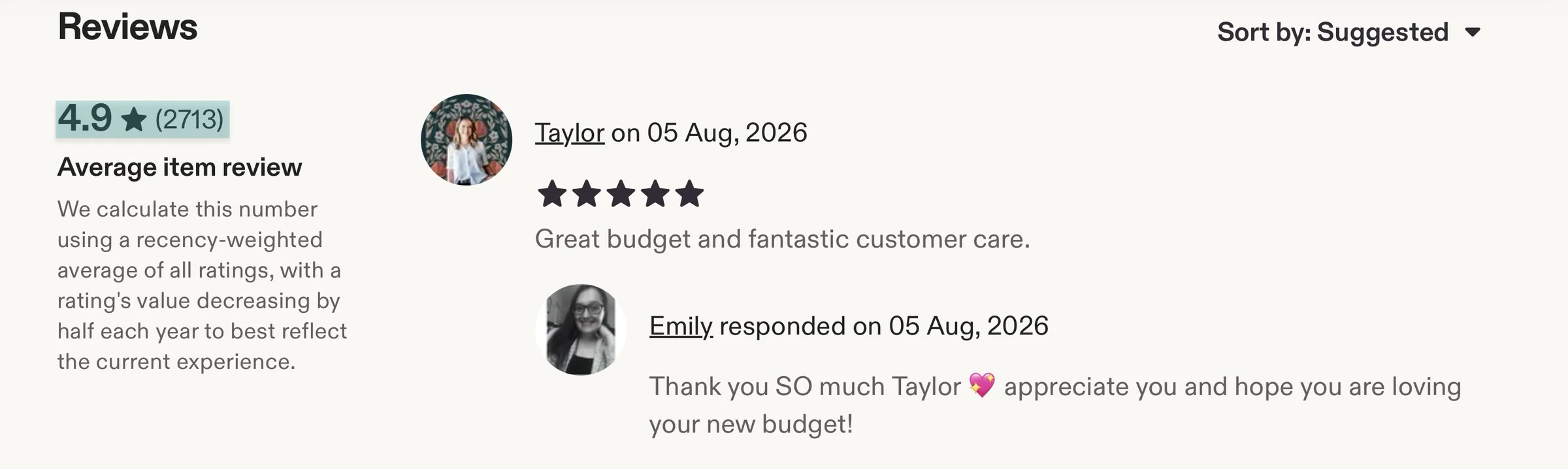
Look at customer reviews, sales figures, and the prices sellers charge. Take Emily’s PrettyArrowCo. It has a 4.9-star rating from 2,700+ reviews.
Finally, pay attention to the competition. If hundreds of sellers offer similar templates, find out what customers complain about in their reviews.
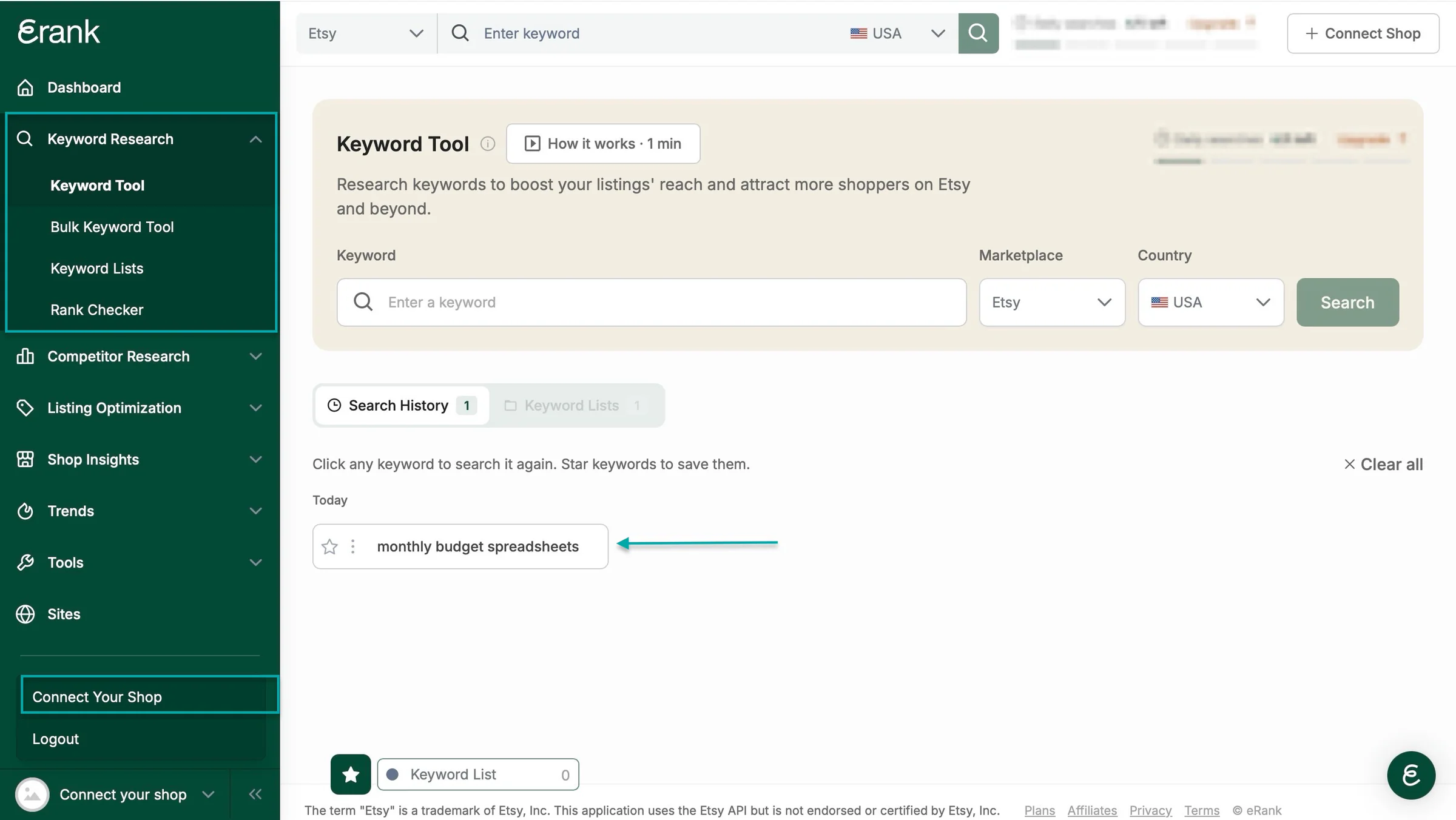
This can help you identify gaps in the market.That’s what Emily McDermott did. She used keyword research to discover that budgeting spreadsheets had high demand but less competition than printable budget planners.
You can use tools like eRank or Alura to research search demand and competition on Etsy.
All in all, choose a niche you know something or a lot about. A niche with demand. And one that lets you create something that stands out from the competition.
Step 2. Create useful templates people want to buy
Now that you’ve chosen a niche, it’s time to create your templates.
You don’t need to be a professional designer to sell templates online. But you do need to create something people will find useful.
Remember, customers pay for a shortcut that saves them time, effort, or frustration.
Now, to create useful templates, you should:
- Choose the right template-creating tool
- Make your templates easy to customize
- Give buyers enough variety without overwhelming them
- Test your templates before selling them
Here’s what I mean.
1. Choose the right template-creating tool
You can use Canva, Notion, Google Sheets or Microsoft Excel, Google Docs or Microsoft Word. The one you use depends on the type of templates you want to create.
Canva, for instance, is best for social media graphics, invitations, presentations, media kits, and other visual templates.
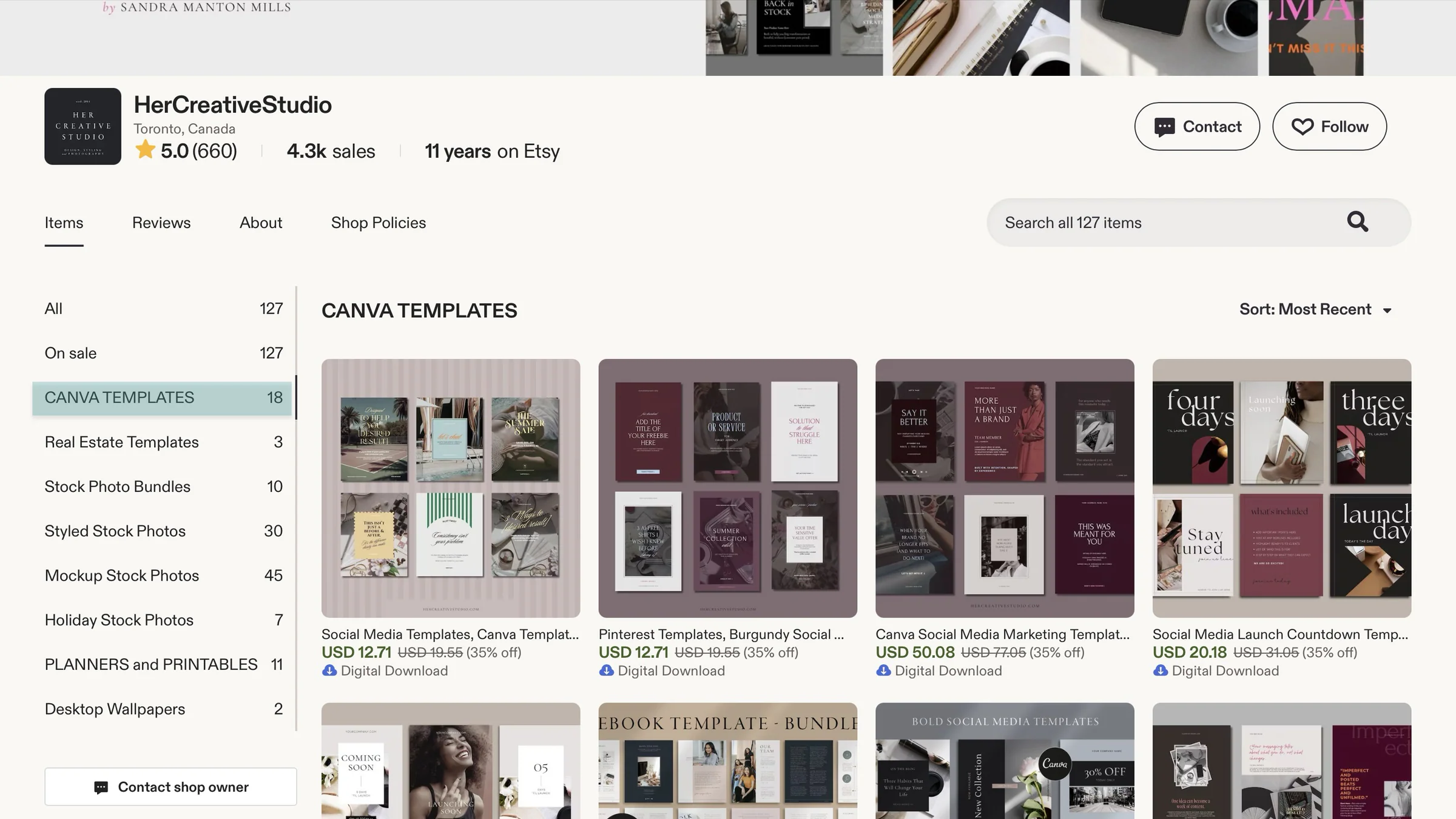
Photographer, graphic designer, and HerCreativeDesign online shop owner, Sandra Manton Mills, uses Canva. She even has 18 listings of Canva templates on Etsy.
Google Sheets or Microsoft Excel is useful for budget spreadsheets, expense trackers, financial planners, and business calculators.
I’ve already said Emily McDermott uses Google Sheets and Excel. She’s used that tool to create and sell 29,000+ templates.

Notion works for project management dashboards, content planners, habit trackers, and productivity systems.
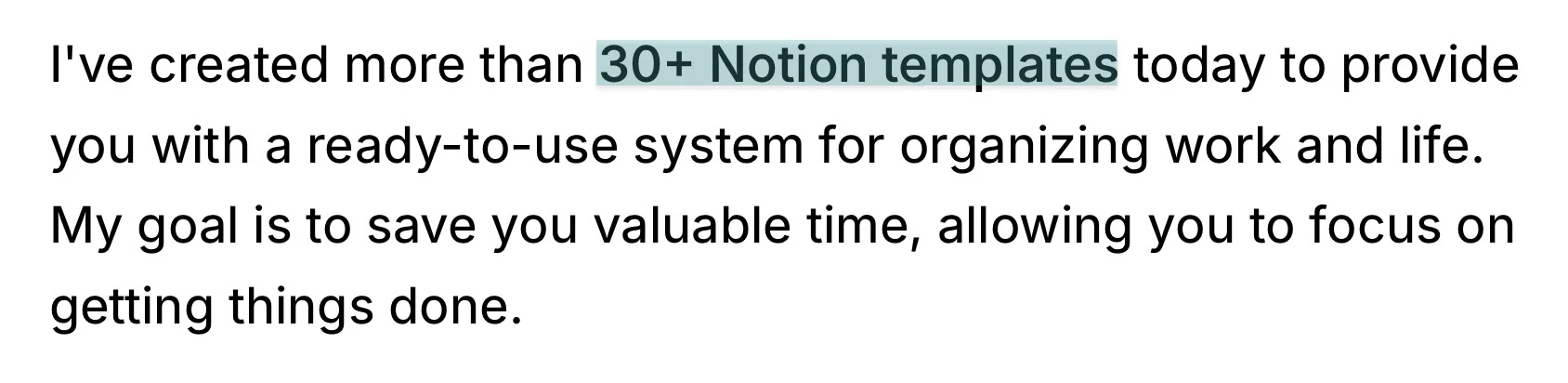
Jason Ruiyi Chin, A.K.A. Easlo, creates Notion templates for personal productivity and organization. He has created 30+ templates with this tool.
Microsoft Word or Google Docs is good for resumes, cover letters, business documents, and other text-based templates.
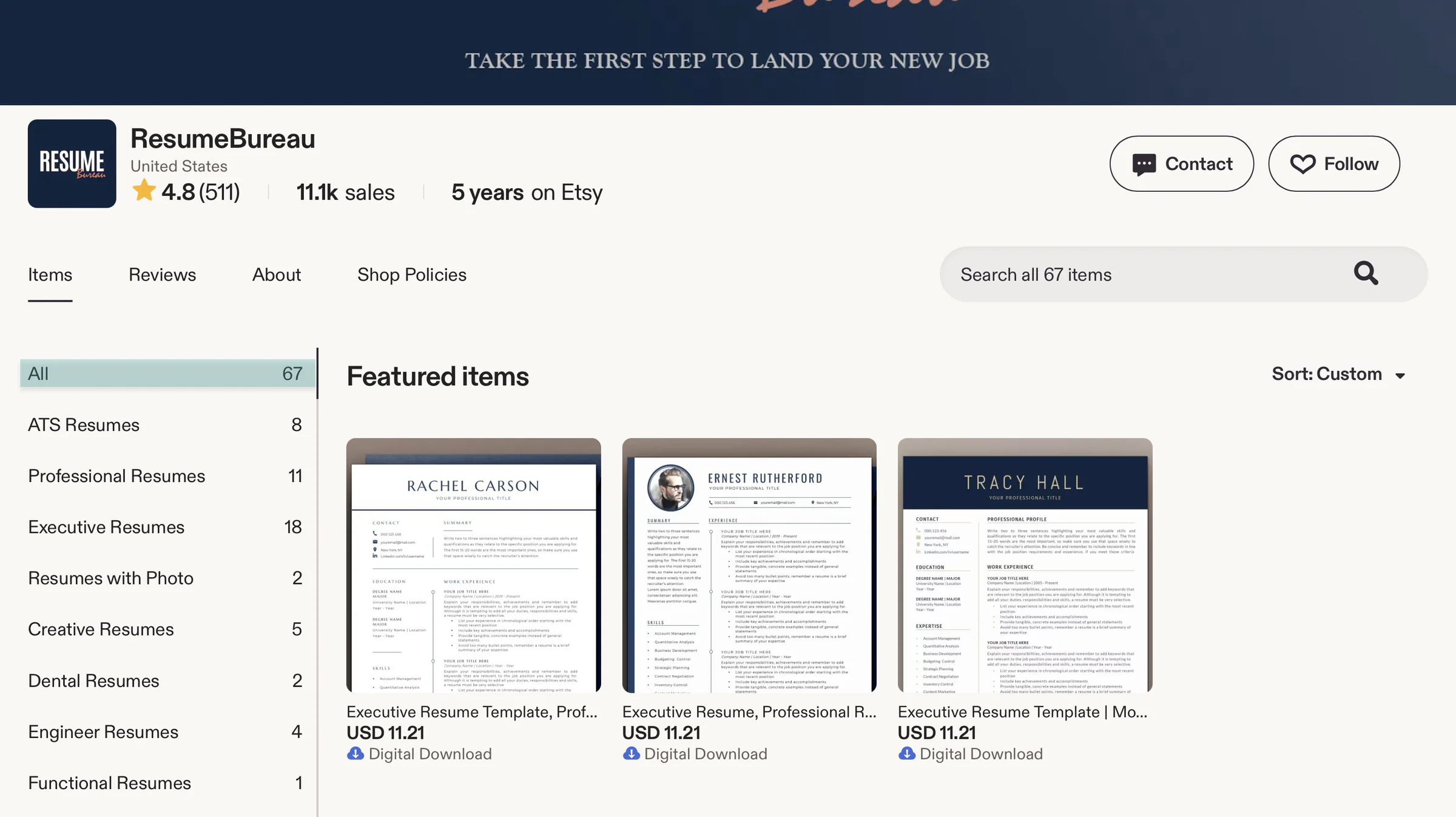
Renata, founder of the ResumeBureau shop, creates professional resume templates. Her shop has 67 listings that she created with Microsoft Word.
Customers can also edit the template with Word.
Like these creators, choose one that suits your product and learn enough to create templates that work properly.
2. Make your templates easy to customize
Now that you know the right tool to use, make sure you create templates that are easy to customize. Your customers should be able to edit your templates without spending hours figuring out how they work.
You can use clear placeholders like “Your Business Name” or “Insert Photo Here.”
Choose readable fonts like Arial, Calibri, Open Sans, or Lato. Avoid using too many fonts in one template. Two are usually enough.
You can use one for headings and another for the main text.
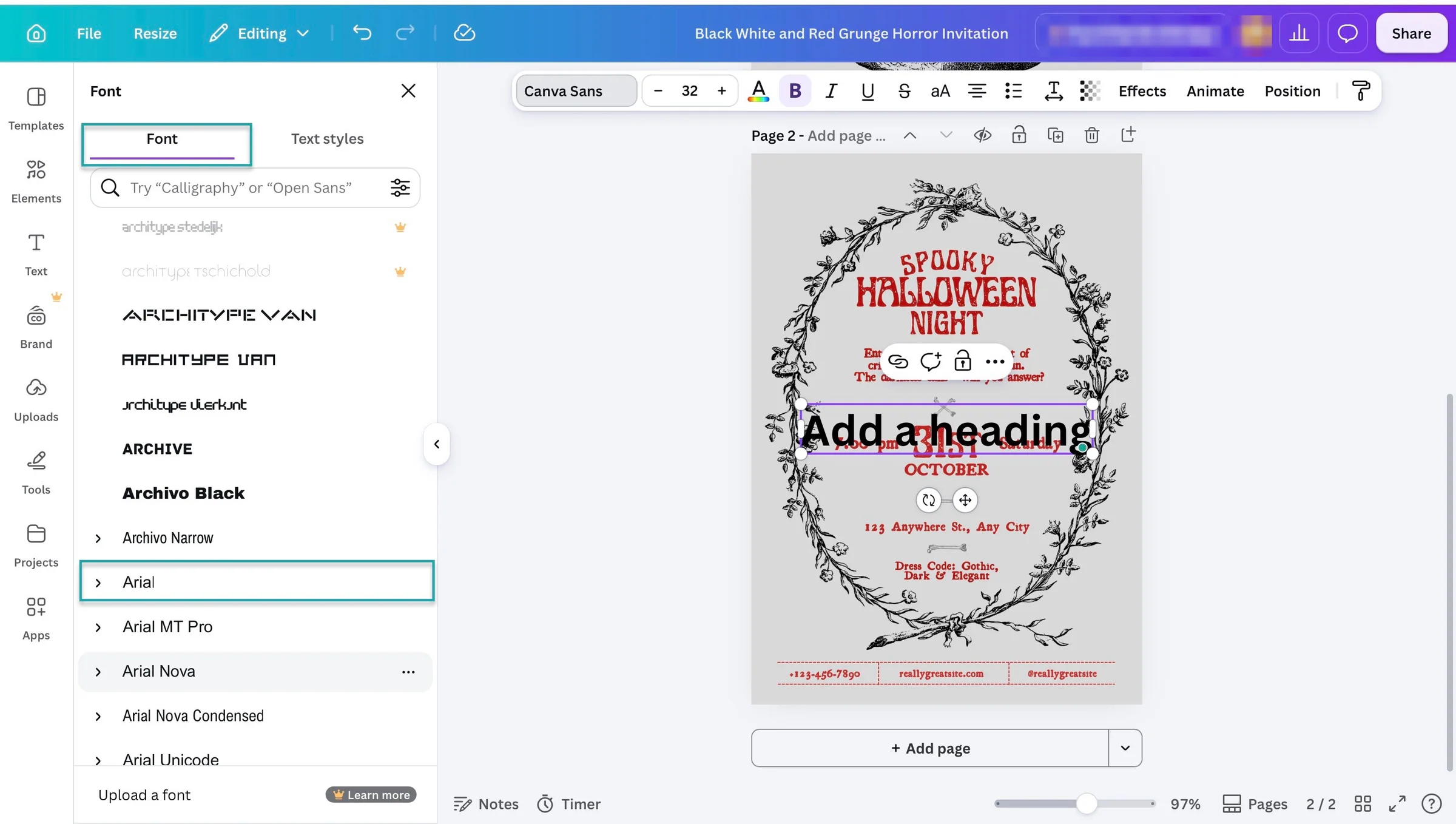
Keep the layout organized by grouping related information, using consistent spacing, and leaving enough space between sections.
For example, in an invoice template, keep the business details at the top, the list of products or services in the middle, and the payment information at the bottom.
Finally, make it easy for buyers to change colors, images, and text. In Canva, use editable text boxes, separate image frames, and a consistent set of colors.
That way, buyers can replace them with their brand colors.
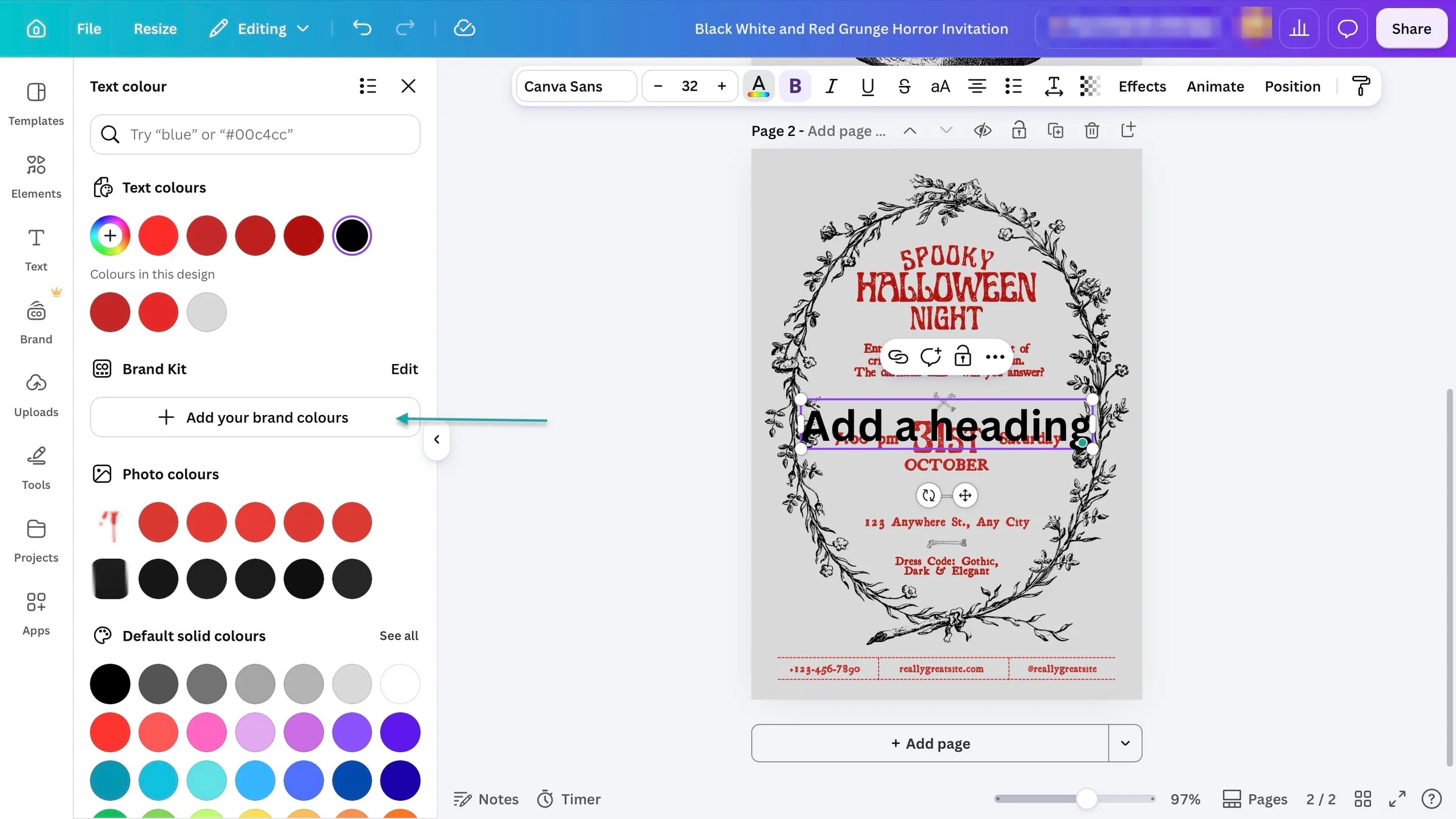
In Word, use built-in heading styles and tables where appropriate so buyers can edit the content without rebuilding the layout.
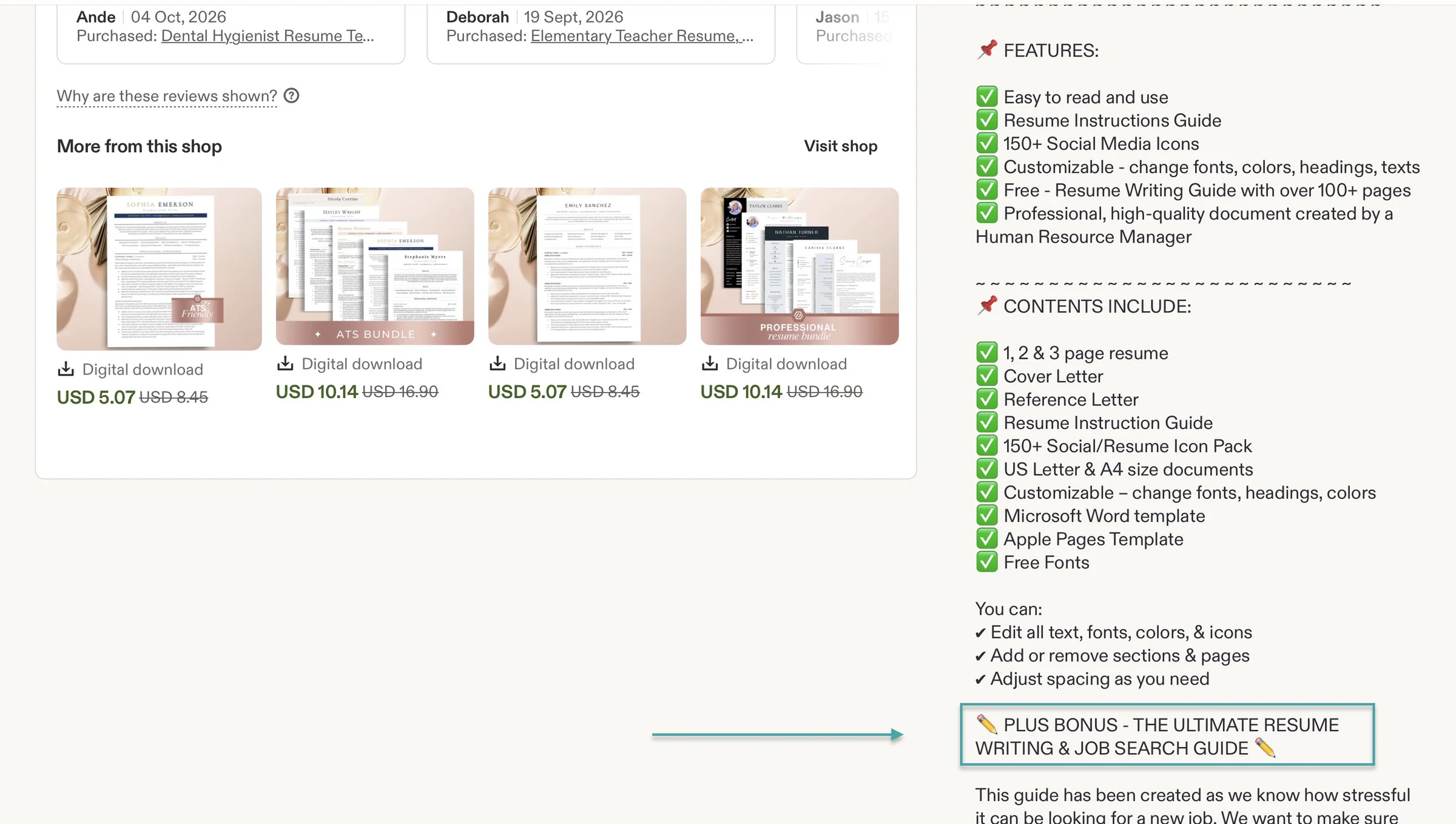
You can also include a short instruction guide explaining how to access and edit the templates. This is especially helpful for buyers who aren’t familiar with the tool you’re using.
For example, the online shop GetHiredNow adds a resume instruction guide with its editable Microsoft Word templates. The guide helps customers customize their resumes, while the package also includes tips on writing resumes and cover letters.
3. Give buyers enough variety without overwhelming them
You can also sell a single template or package several related templates into a bundle. What matters is that the contents make sense for the customer.
For example, a bundle for small business owners could include an invoice template, an expense tracker, and a monthly budget spreadsheet.
A social media bundle for restaurants could include promotional posts, menu announcements, and special-offer graphics.
Social media templates for hair salons? Add templates for promoting discounts, showcasing hairstyles, announcing new services, and sharing customer testimonials.
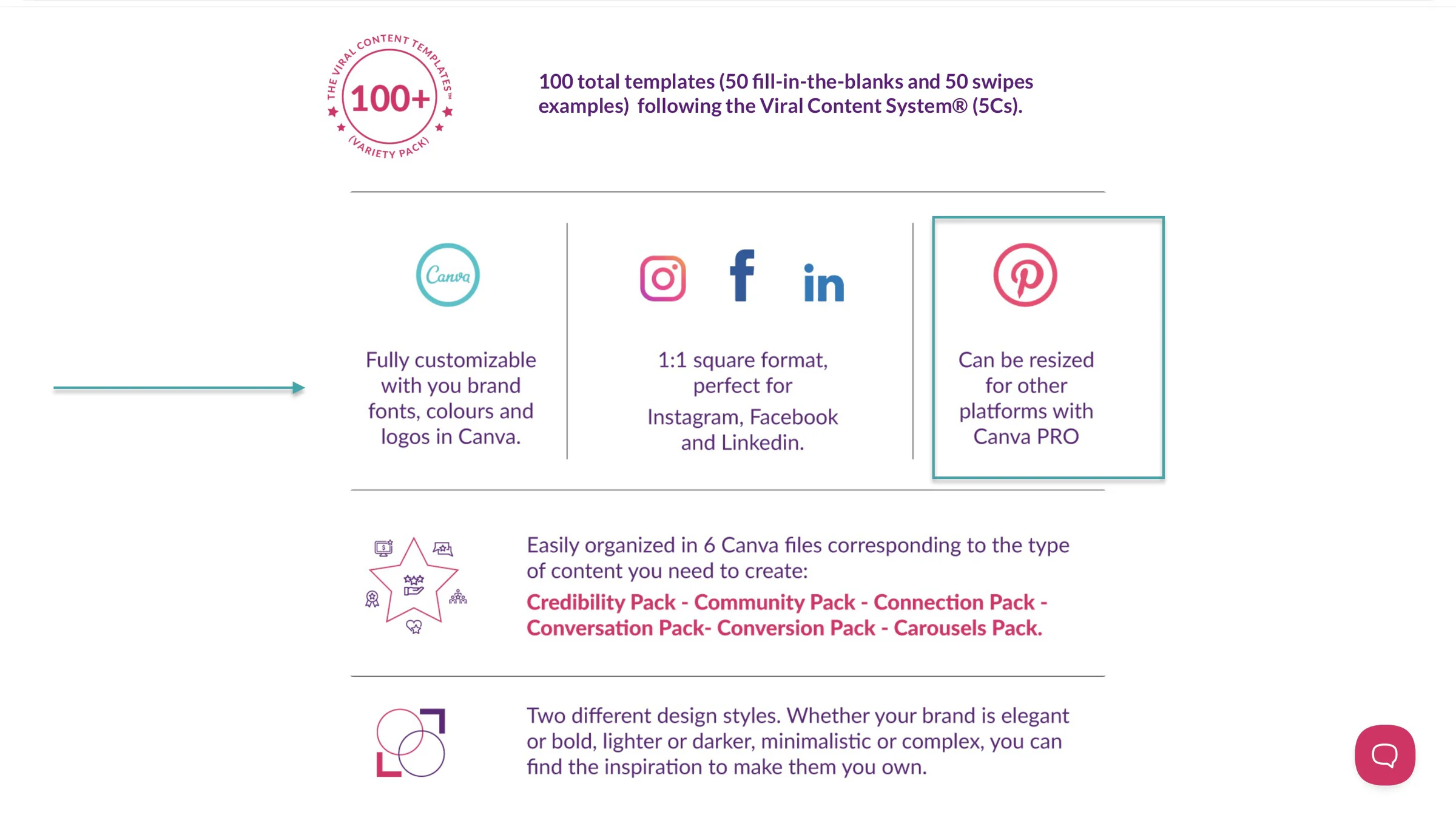
Katya Varbanova, for example, created a pack of 100 editable Canva templates that helped businesses create engaging social media content.

Her templates can even be resized for other platforms. And that’s an extra benefit.
Each template should have a purpose, though. Don’t add 50 nearly identical designs just to make your bundle look bigger.
Buyers should understand what they’re getting and why they’ll find it useful.
4. Test your templates before selling them
Before listing your templates for sale, use them yourself or ask a few people in your target audience to try them.
Check that links work, formulas calculate correctly, text can be edited, and the formatting doesn’t fall apart when someone changes the content. Ask testers whether anything is confusing or difficult to use, then fix the problems they find.
Finally, make sure your designs are original and that you have the necessary rights to use any fonts, images, graphics, or other elements included in them. If you’re using Canva, read its rules for creating and selling designs.
You don’t have to create dozens of templates before you start selling. Begin with a small collection of useful, well-made templates and improve them based on customer feedback.
Maliha, founder of The Side Blogger, told Michelle Schroeder-Gardner in an interview that she listed 5 Canva templates when she started out.
In a nutshell, create something that helps your buyers get a job done more easily. That’s how you get a template that people want to buy.
Step 3. Choose where to sell templates online
Now that you’ve created your templates, the next step is to decide where to sell them.
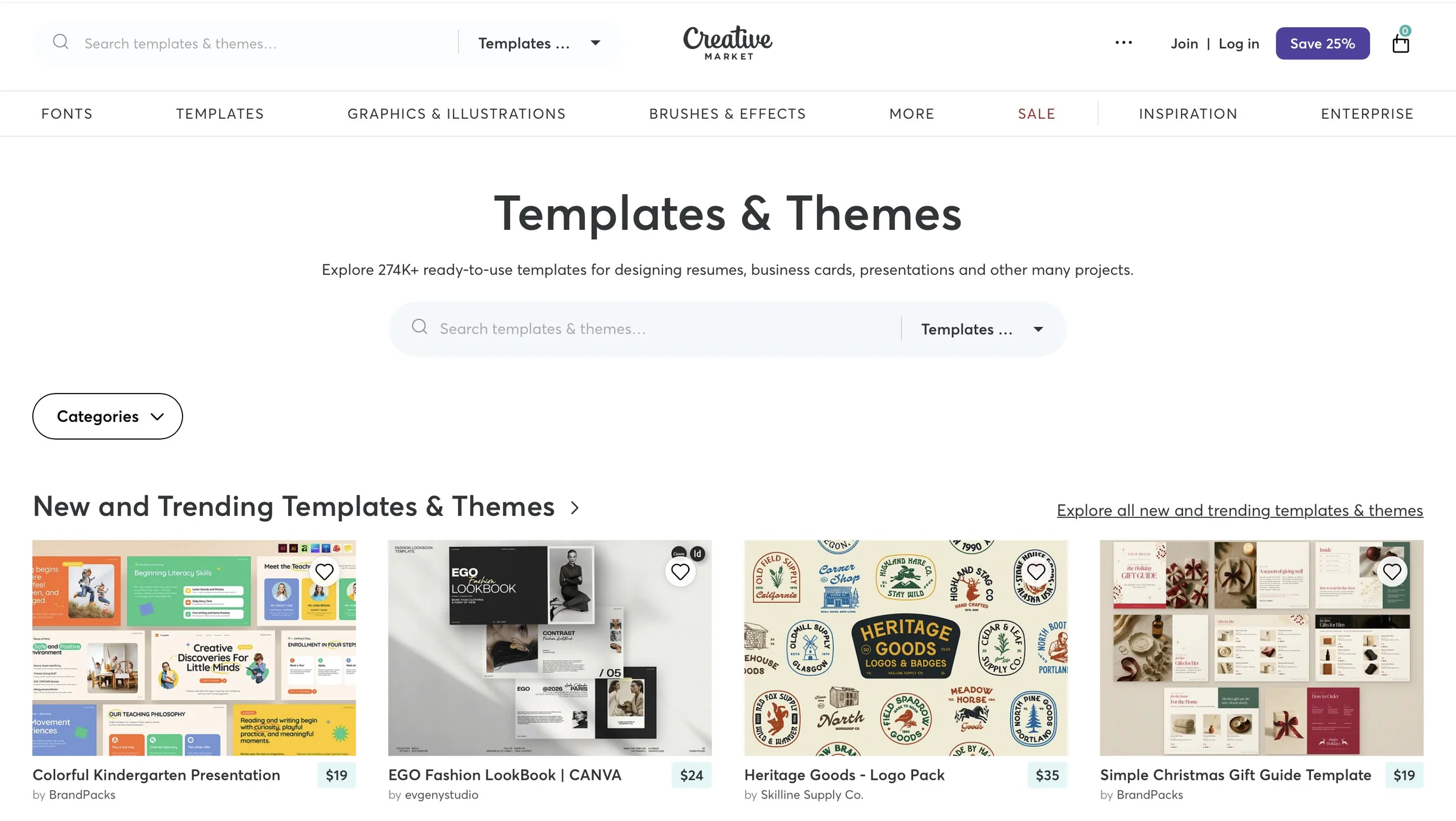
You can use platforms like Etsy, Creative Market, Notion Marketplace, and Easytools to sell templates online.
Here are some options to consider:
| Platform | Templates you can sell | What to consider | Plans and fees | Best for |
|---|---|---|---|---|
| Etsy | Canva templates, spreadsheets, planners, resumes, invitations | Buyers can discover your templates through Etsy search, but you have limited control over the shopping experience. | Free: $0/month + set-up fee + $0.20 listing fee + 6.5% transaction fee | Creators who want built-in shoppers |
| Creative Market | Presentation templates, graphic designs, branding kits | It’s geared toward creative assets, but you need to apply with a portfolio, and the team reviews and approves them before they can sell/open a shop. | Free to list and sell + 50% default commission per sale | Designers with a portfolio |
| Notion Marketplace | Notion dashboards, planners, productivity systems | You can reach Notion users directly, but there are no customizable checkout discounts, product bundles, or landing pages | Free to list and sell + 8% fee of the template price + $0.40 per sale. | Notion template creators |
| Easytools | Notion templates, Canva, spreadsheets, resumes, invitations, branding kits, presentation templates, planners, checklists, graphic designs, and other digital templates/downloads | You can build your own customizable checkout, storefront, multi-page website, creator page, automate delivery, and use marketing tools, but you’ll need to attract your own visitors. | Starter: $29/month + 3% transaction fee + unlimited products + unlimited customers and unlimited campaigns + 1 domain name + 2,500 marketing contacts | Creators who want their own storefront and will bring their own traffic |
Marketplaces are good for discovery because people visit them specifically to shop for products, including digital templates.
But discovery isn’t the only thing that matters.Marketplaces come with risks. If Notion Marketplace, for example, shuts down, your store could disappear along with it.
And if the Creative Market increases its commission per sale, you have little choice but to accept the changes or leave.
Your own store gives you more control over your business. You get:
a. Independence: You can sell your templates anywhere online. You can send customers to your store from your website, social media accounts, and email newsletters.
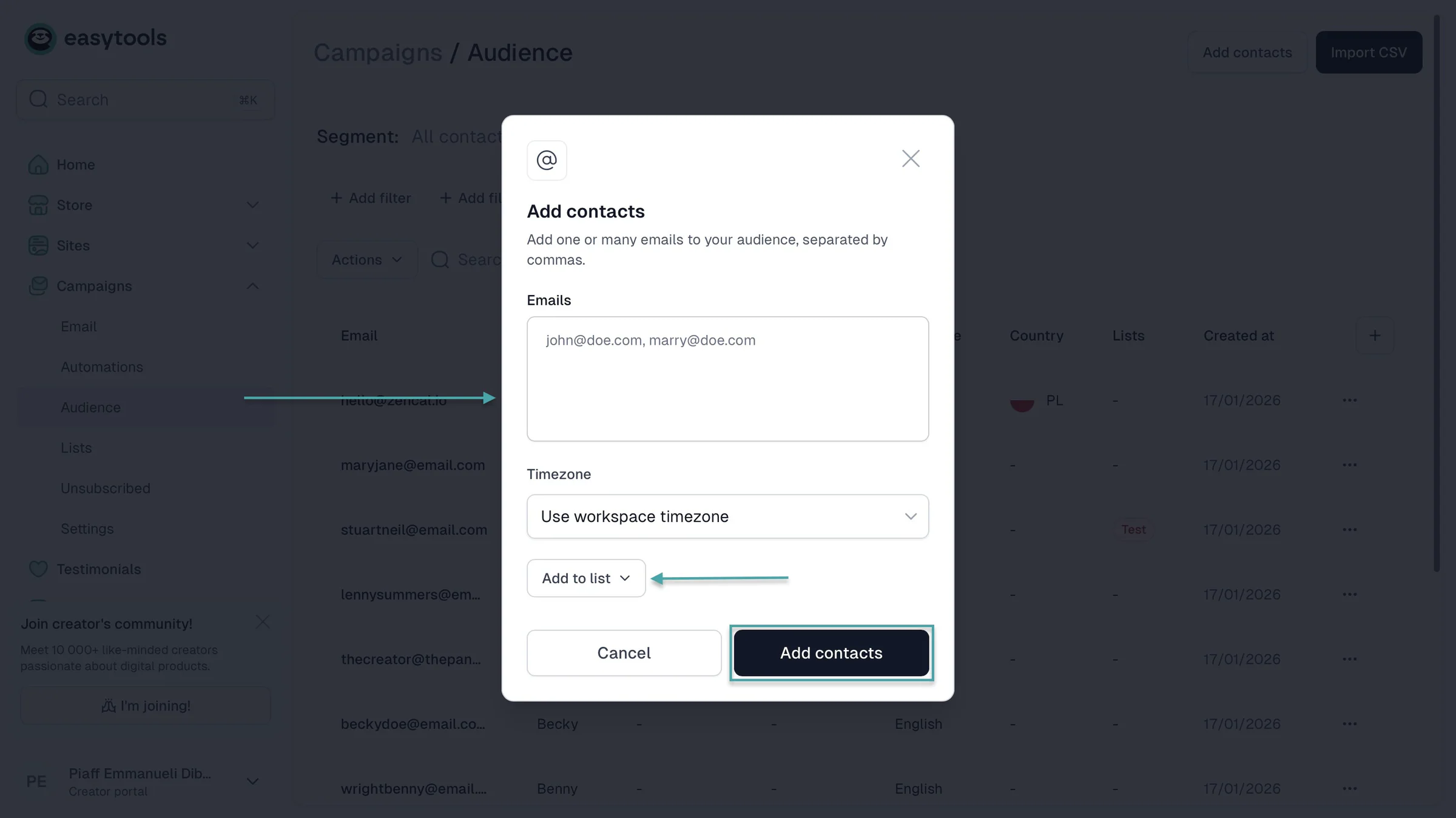
b. Ownership of your customers: You can build your own email list instead of depending on a marketplace to keep you connected to buyers. On Easytools, for example, you can build your customer list and export it whenever you need to.
c. Peace of mind: If a marketplace changes its fees or commissions, restricts your account or shuts down, you still have your own store as another place to sell. Your entire business isn’t at the mercy of one platform.
Also, the right platform gives you the tools to market your templates, make sales, and grow your business.
Here’s what to look for:
- A customizable creator page
- Email marketing tools
- Upselling, order bumps, and cross-selling features
- Automatic template delivery and follow-up emails
- Abandoned checkout recovery
- Affiliate marketing tools
- Analytics
Now let me explain each of these must-have features in detail.
1. A customizable creator page
A creator page can introduce your business and brand to potential customers. You could share useful links, collect email signups, offer free template downloads, and sell templates.
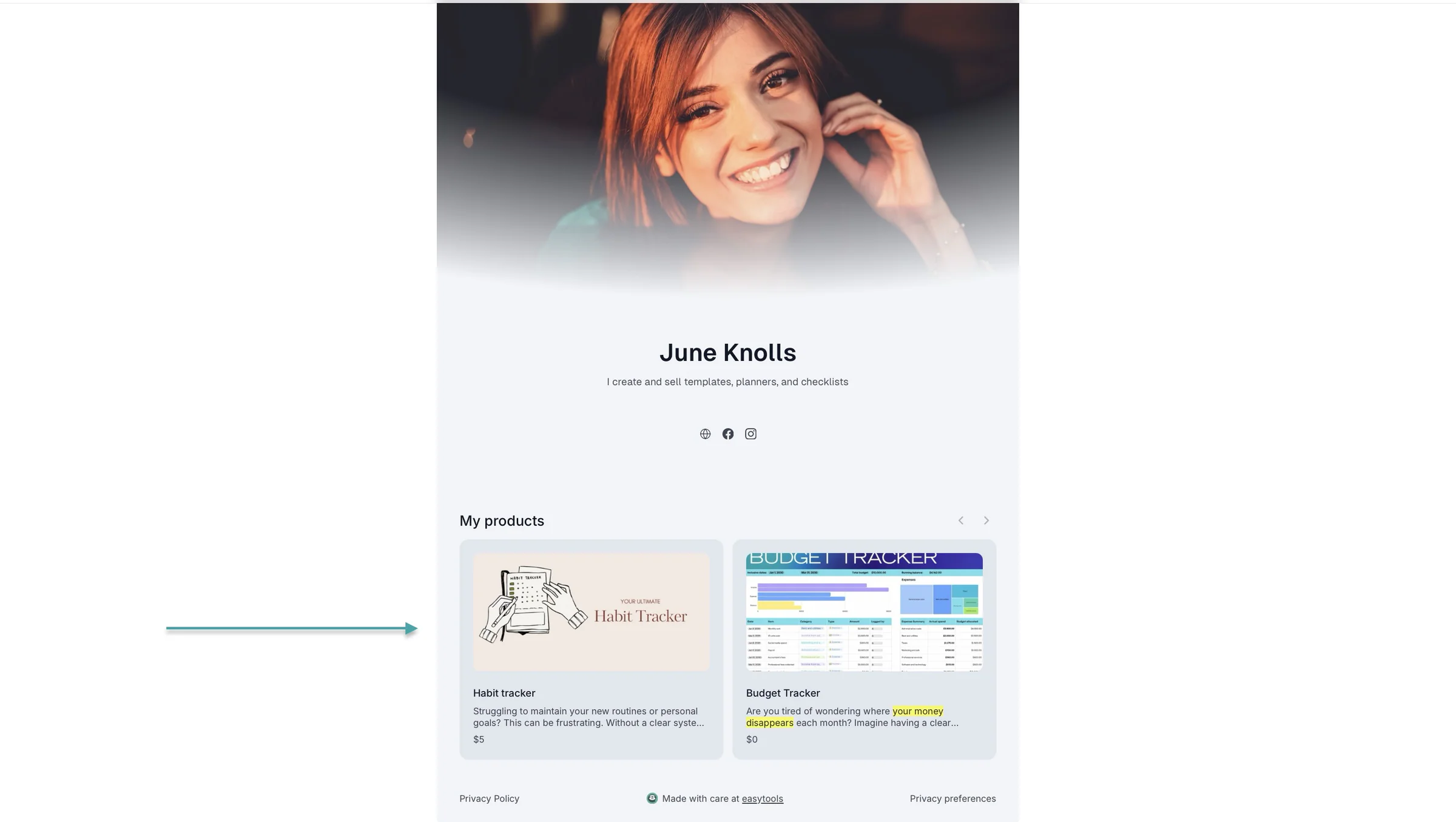
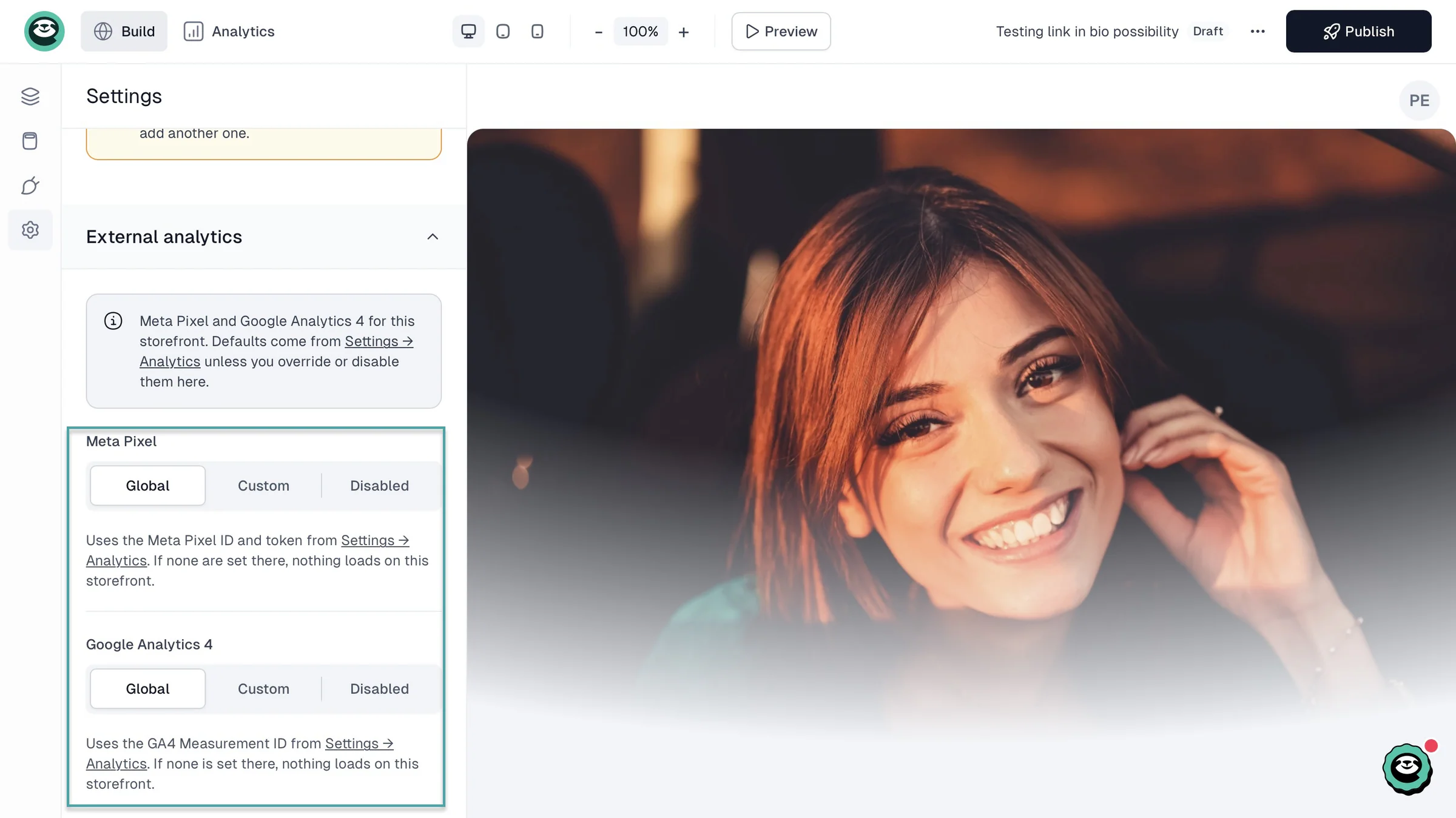
With the right platform, you can add links to your social media profiles and connect tracking tools like Meta Pixel and Google Analytics.
2. Email marketing
Not everyone who visits your storefront will buy something immediately. That’s why it’s useful to have a platform that lets you collect email subscribers and market your templates to them.
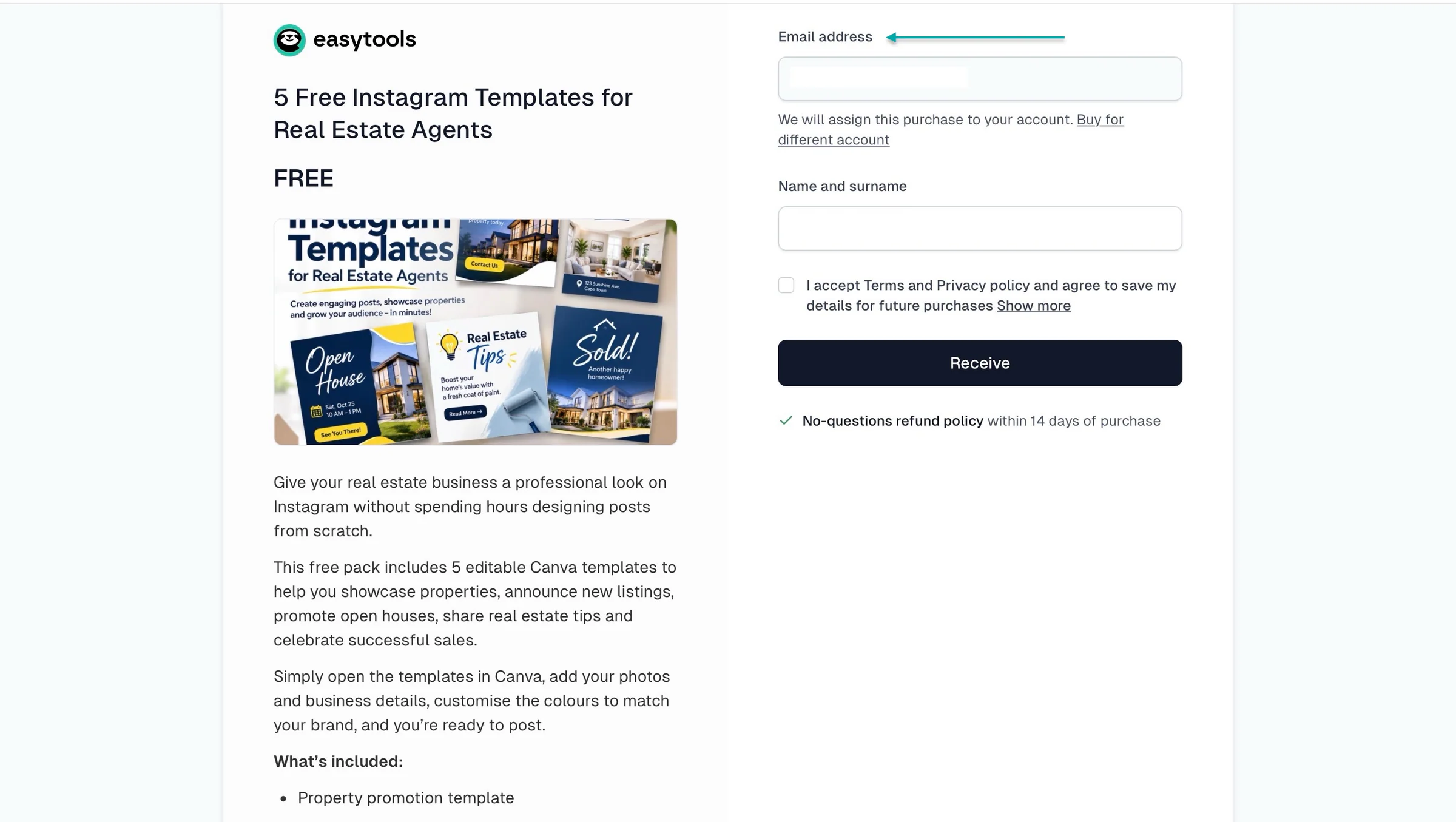
You could offer 5 free Instagram templates in exchange for visitors’ email addresses and permission to send them marketing emails.
When you have a bundle of 30 templates, you can promote it to those subscribers.
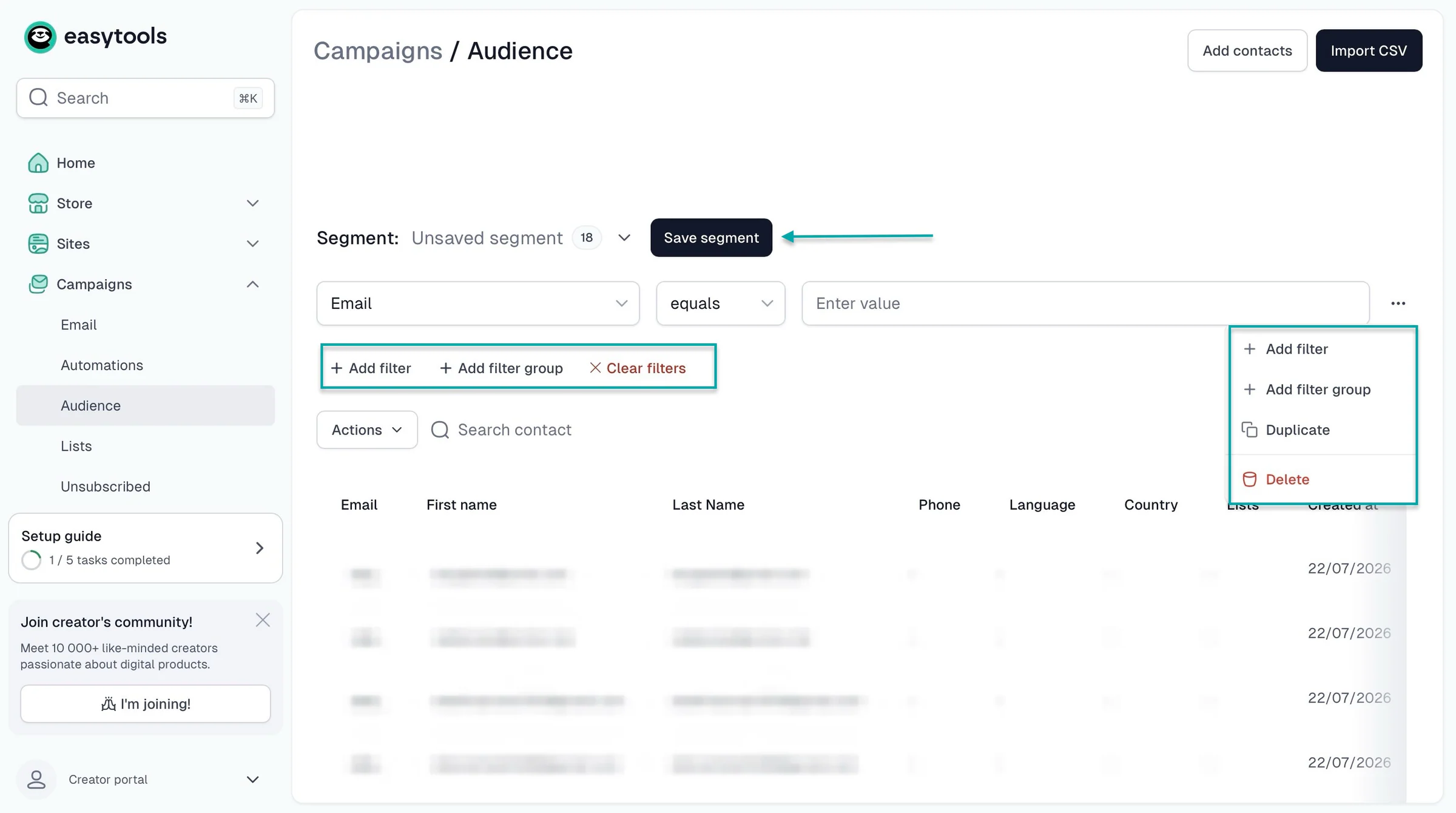
A good platform should also let you group subscribers based on their interests or previous purchases and track sales from your emails.
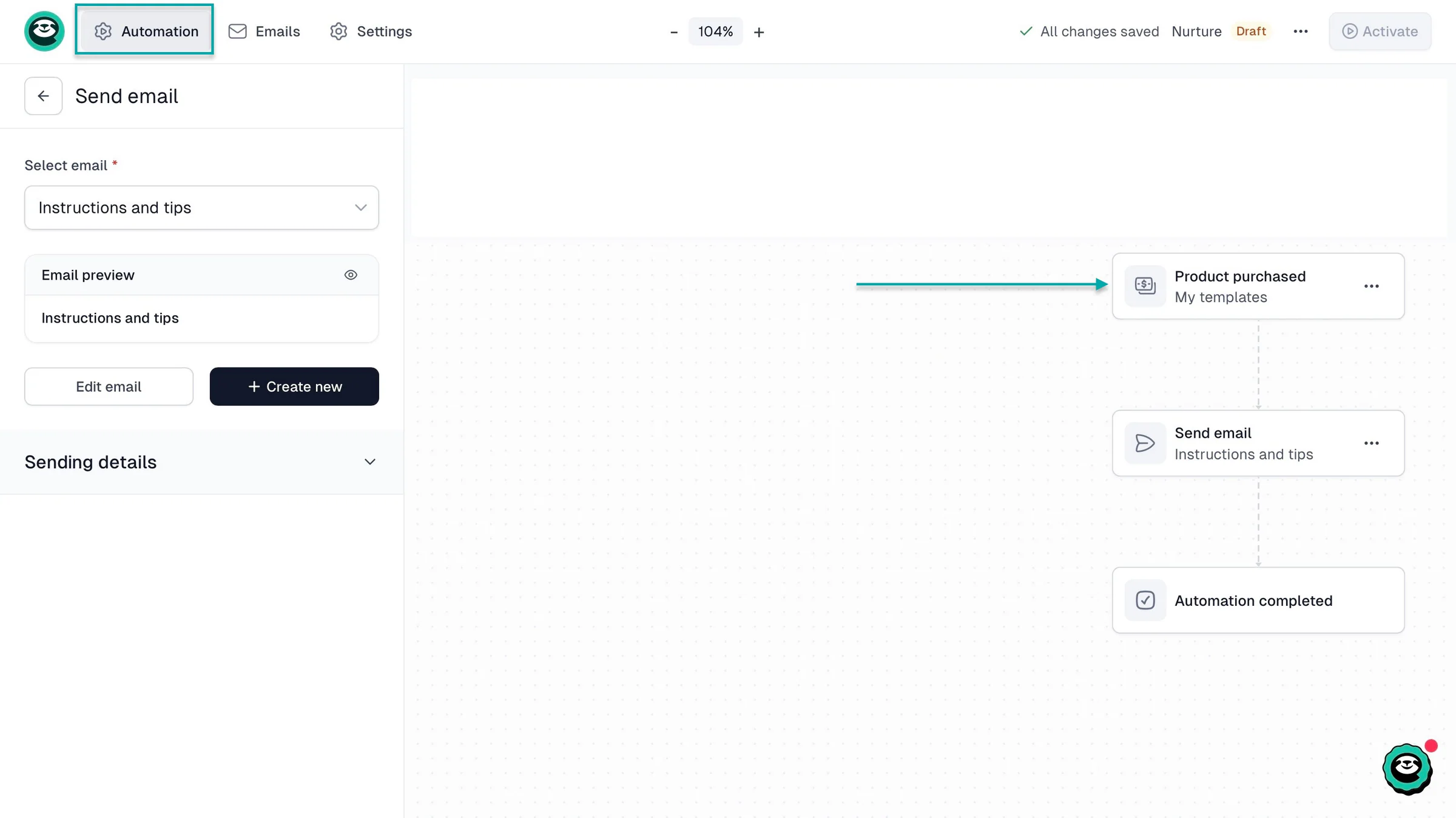
3. Automatic template delivery and follow-up emails
Choose a platform that automatically delivers purchased files or access links after payment.
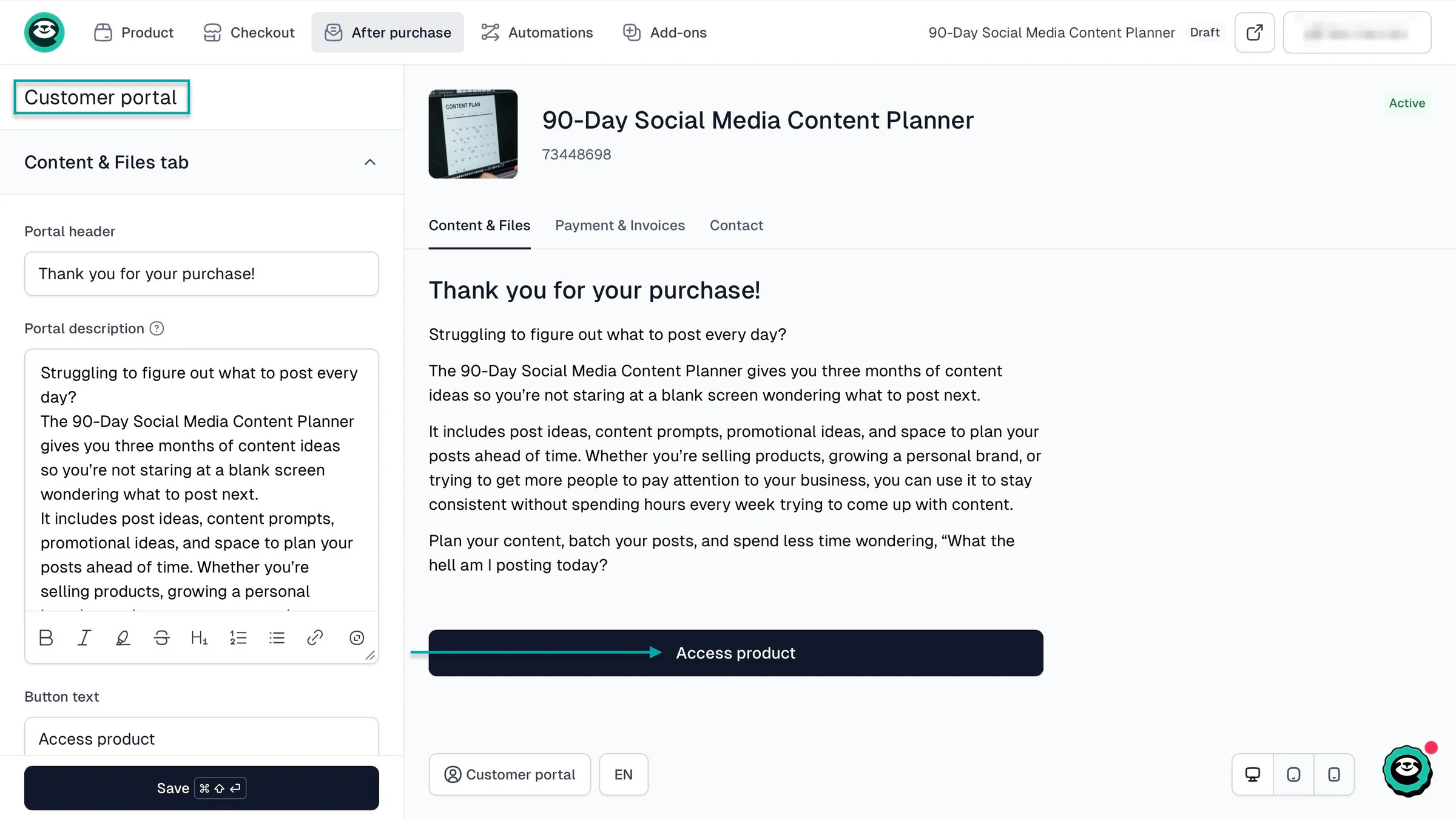
It should also let you automate follow-up emails.
For example, after someone buys your Notion planner, you could automatically send them instructions on how to duplicate it and tips on using its features.
4. Upselling, order bumps, and cross-selling
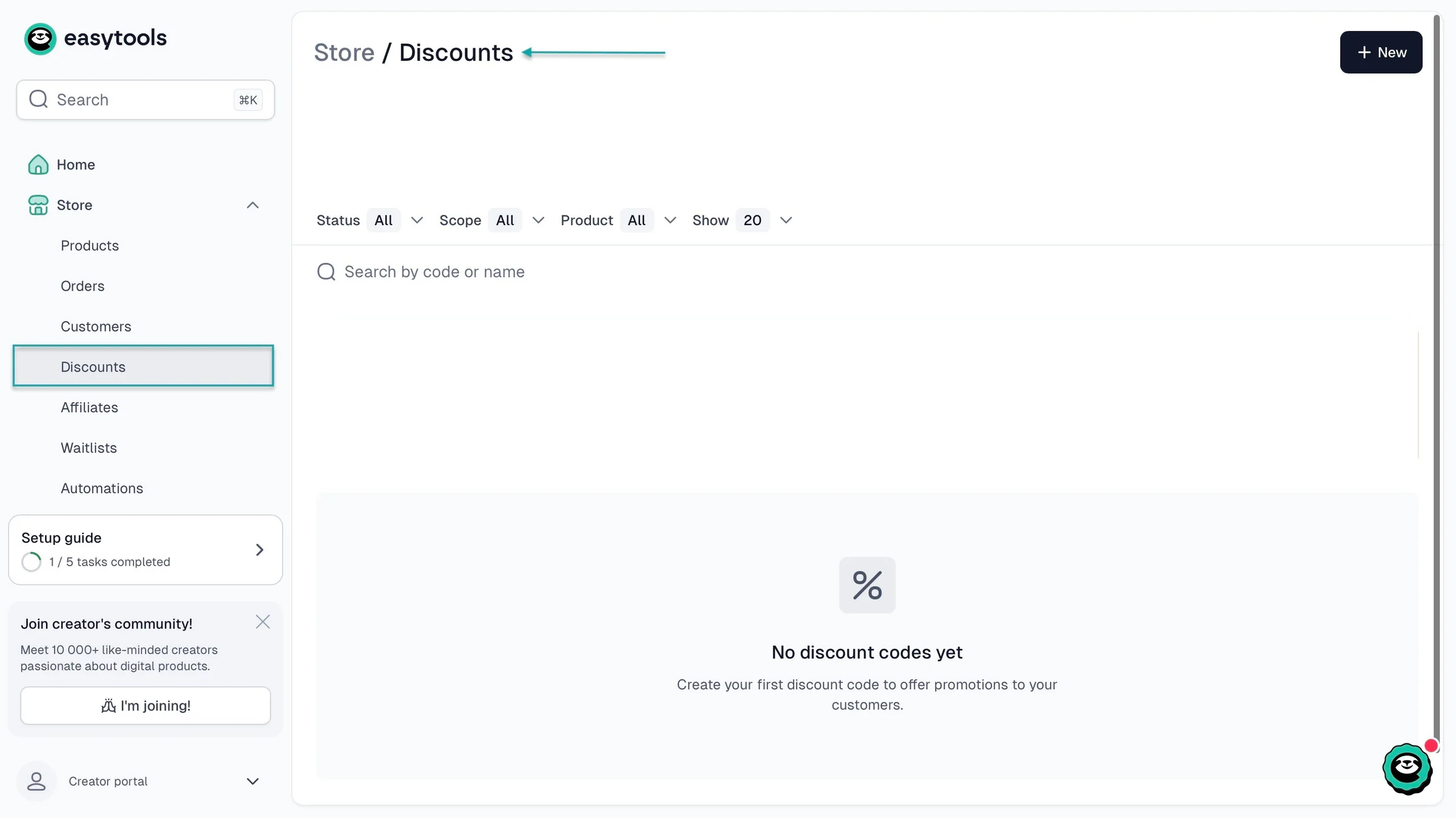
Look for a platform that lets you recommend additional templates to customers before or after they buy.
Suppose you’re selling a $15 business budget template. You could offer customers a bundle that includes an expense tracker, invoice template, and financial dashboard.
The platform should also support discount codes and promotional offers to help you encourage purchases.
5. Abandoned checkout recovery
Some customers will add your templates to their checkout but leave without paying.
A platform with abandoned checkout recovery can automatically remind eligible customers to complete their purchases.
For example, someone might start buying your $25 wedding planner but leave before paying. A reminder email could encourage them to return and finish the purchase.
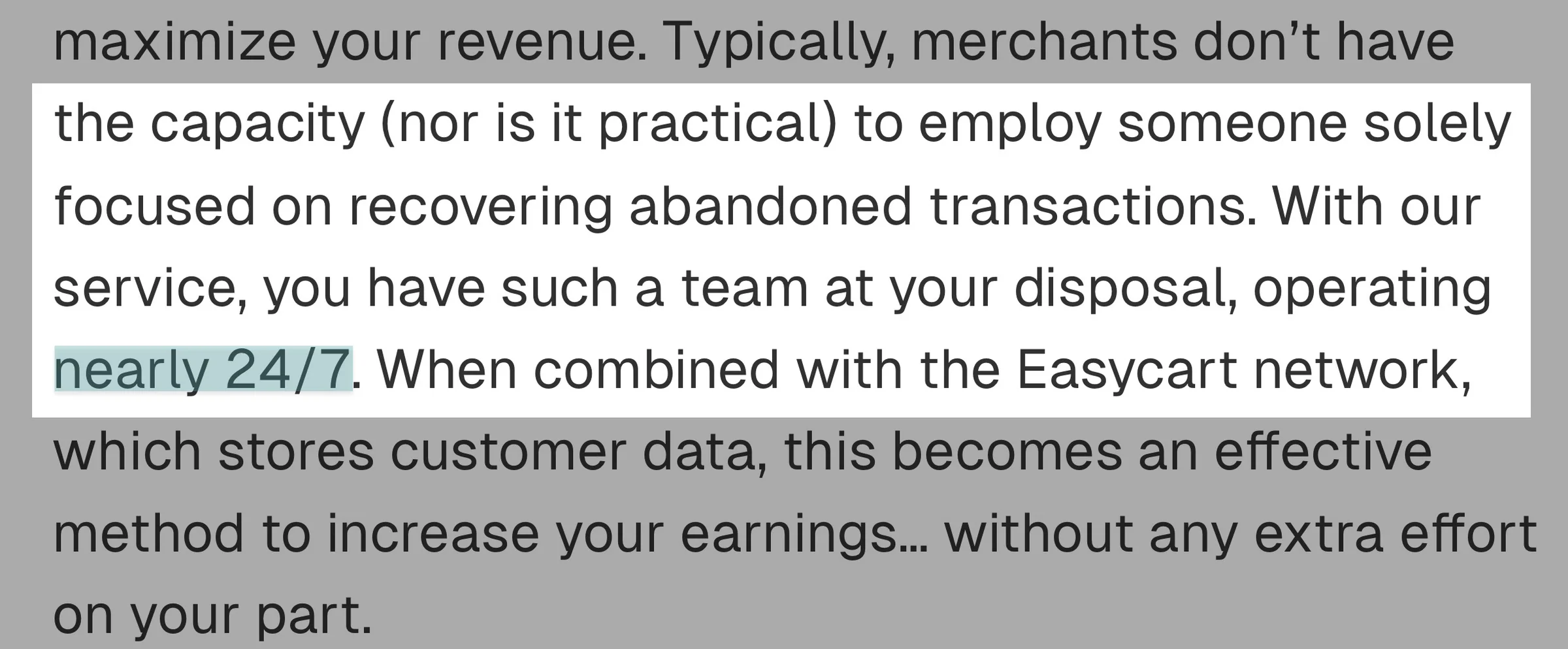
Easytools, for example, has a team that handles checkout recovery nearly 24/7. They’ll help you get back customers who abandoned checkout with no extra effort from you.
6. Affiliate marketing
You can also get other people to help you sell your templates.
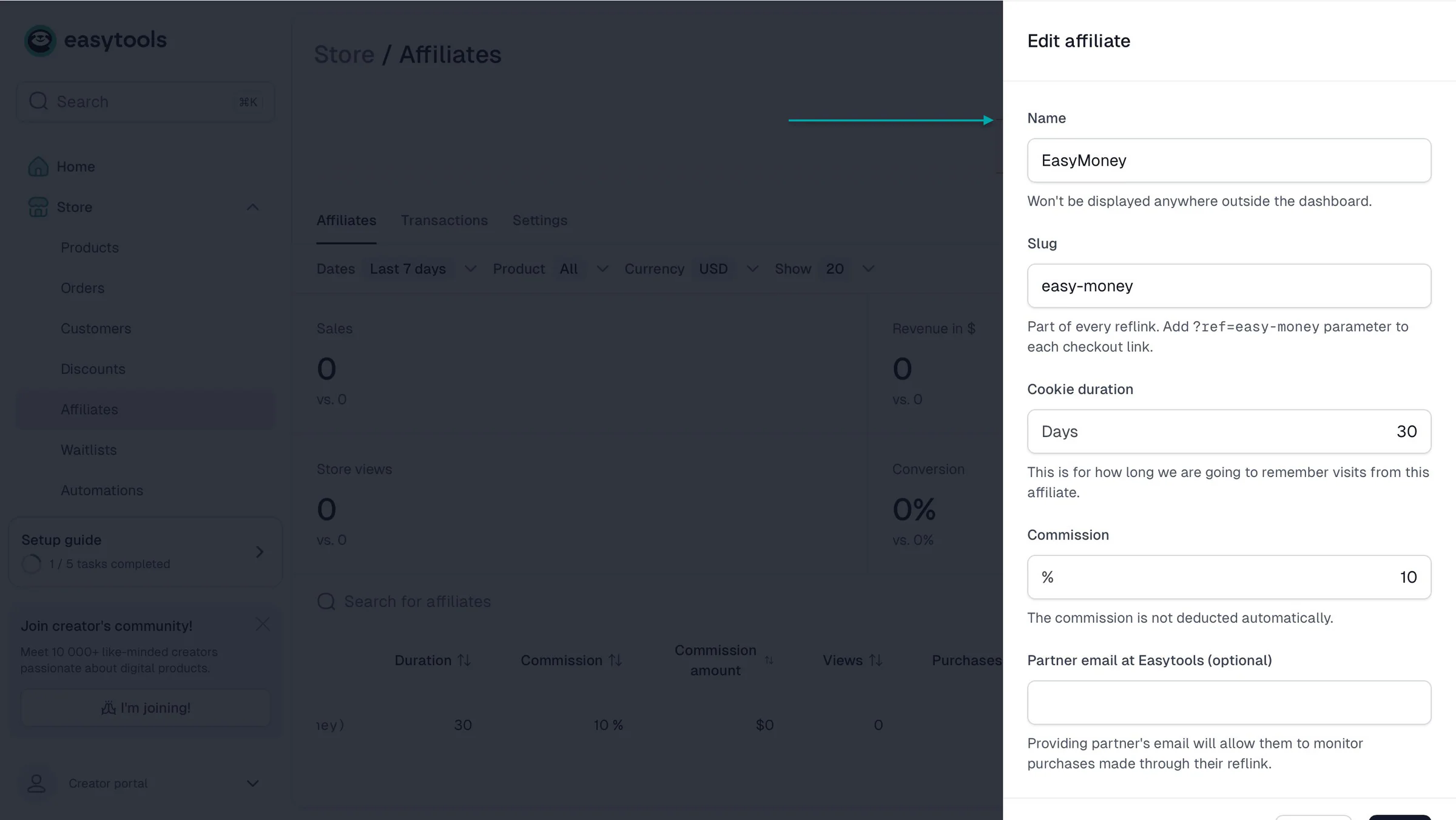
Look for a platform that lets you create an affiliate program, generate referral links, set commissions, and track sales.
For example, if you sell social media templates, you could partner with marketing educators who recommend your products to their audiences.
They earn a commission when someone buys through their referral link, and you get another way to reach potential customers.
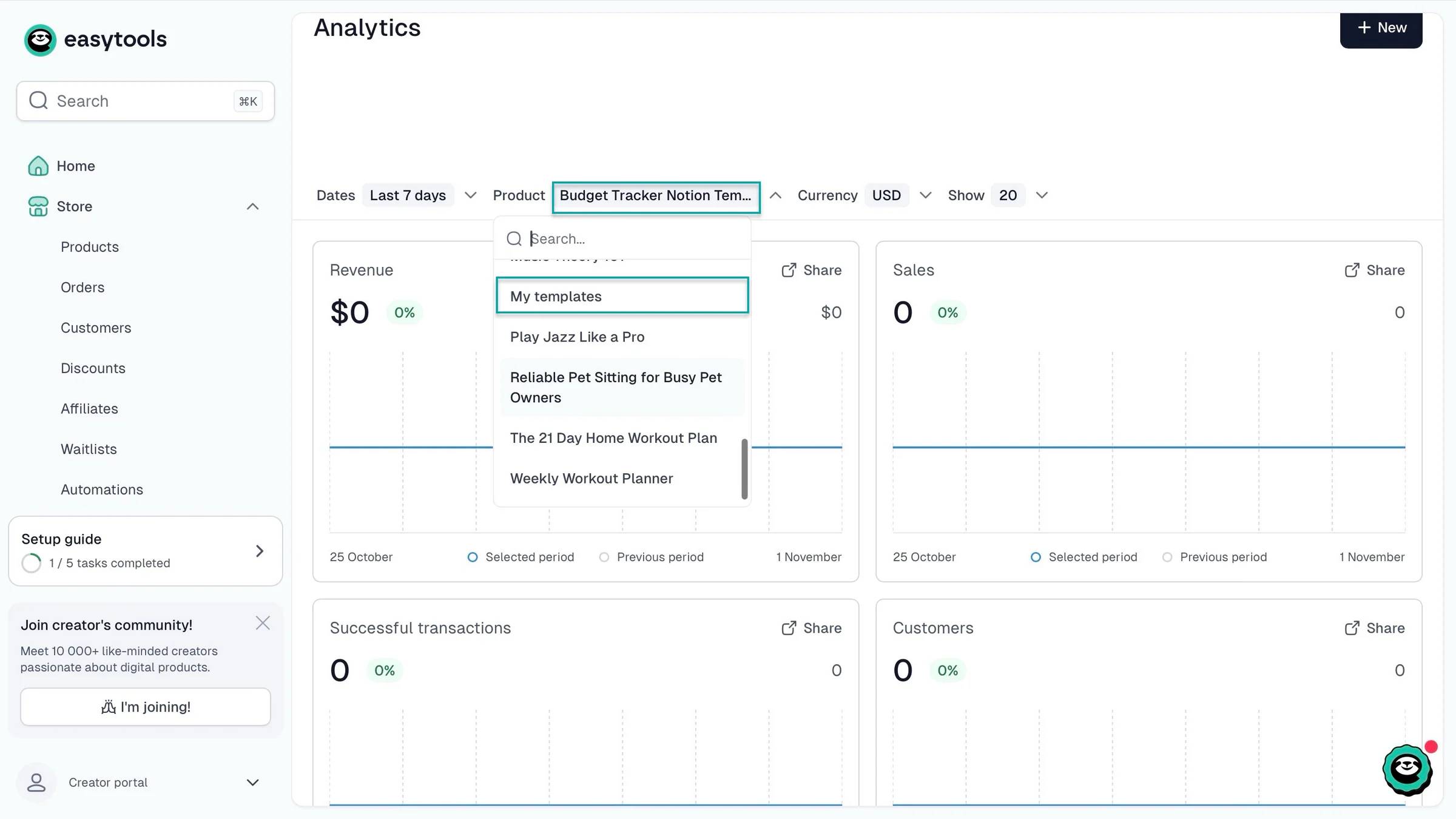
7. Analytics
Finally, choose a platform that shows you how your template business is performing.
You should be able to track sales, revenue, customers, and checkout activity.
For example, if your Instagram templates consistently generate more revenue than your presentation templates, you can use that information to decide what to create next.
It’s also useful to see where your website visitors come from and which marketing campaigns generate sales.
Choosing a platform with these tools can save you from having to move your business elsewhere when you start getting more customers.
Step 4. Set your prices and create a product page that converts
In the last step, you chose a platform. In this step, I’ll help you set your price and create a product page that converts leads into paying customers.
The questions this step will answer are:
- What prices give you the best chances of making a sale?
- How do you create a product page that converts?
1. Set your prices
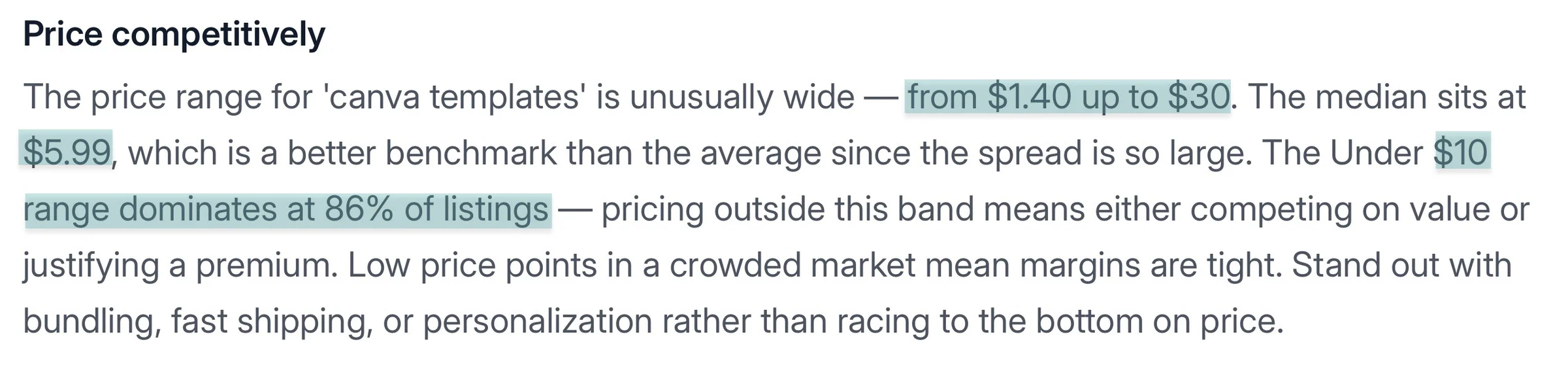
RankHero puts the price range of Canva templates at $1.40 to $30. It also says the median is $5.99 and prices under $10 dominate 86% of online listings.
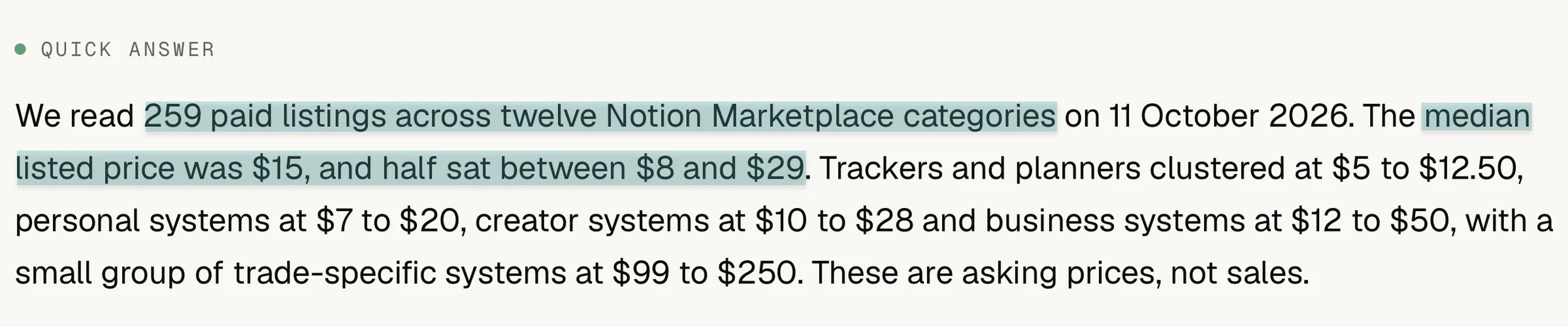
IImagined analyzed 259 paid Notion templates and found a median price of $15. Half were priced between $8 and $29.
What I realized from both pieces of research is that pricing depends on what your template does, how useful it is, and what similar products cost. If you’re just starting out, I’d recommend pricing a simple template between $5 and $10.
Depending on the template niche, you could set the price from $49 to $150+. Here’s a table that shows a niche-by-niche breakdown.
| Niche | Typical price range | Who to sell to | What to expect |
|---|---|---|---|
| Business and finance | $49–$150+ | Business owners, finance managers, freelancers and agencies | Buyers are often willing to pay more for templates that save them time or help them manage money. For example, a financial model or accounting dashboard can be worth $100 if it saves a business hours of work. |
| Social media and marketing | $29–$79 | Content creators, marketing managers and agencies | Businesses and creators need templates to plan content, manage customers, and track results. You can sell individual templates or bundle several together. You can charge more for templates that help people save time or grow their business. |
| Weddings and events | $15–$45 | Couples planning weddings and event planners | People planning weddings want to keep everything organized without adding more stress. They buy templates for budgets, guest lists, seating plans, and vendor details. They’re often willing to pay for designs that make planning easier, but most only need them for one event. |
| Career and education | $10–$29 | Students, job seekers and teachers | Students and job seekers usually have limited budgets, so they may be less willing to pay high prices. Resume templates, study planners and job application trackers are also widely available. You have a better chance of charging more if you create templates for a specific group, like medical students. |
| Productivity | $5–$35 | Students, professionals and people who want to stay organised | There are plenty of free planners and habit trackers online, so it’s difficult to charge much for basic templates. More detailed tools, like project management systems and Notion dashboards, can sell for more if they offer something useful that free alternatives don’t. |
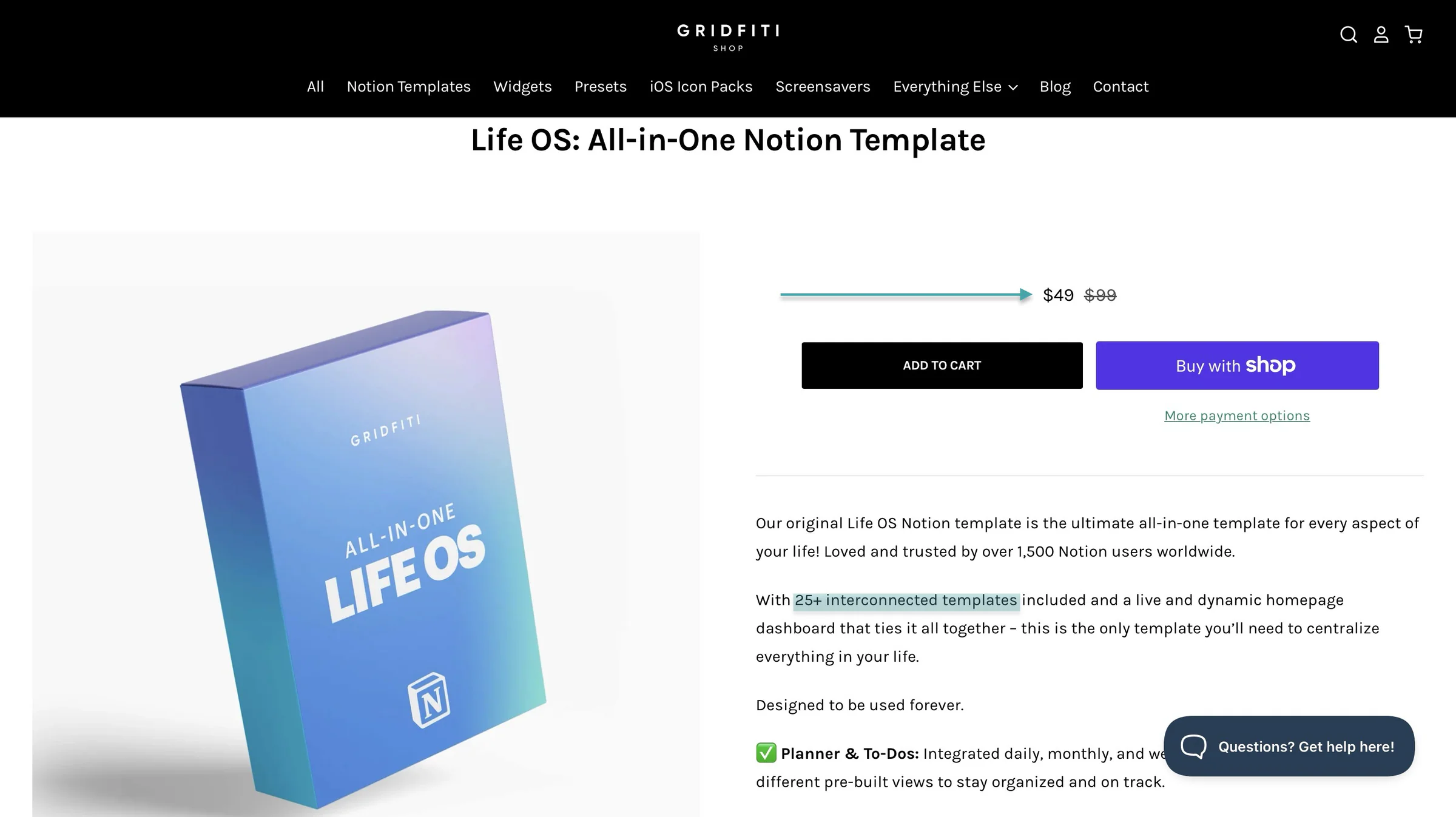
For more detailed templates or bundles, you can start between $15 and $30+. An example is Gridfiti shop’s “Life OS Notion template.”
It has 25+ bundled templates, and it sells for $49 on Notion Marketplace.
These aren’t fixed prices, though. You can always adjust them based on what customers are willing to pay.
You can also offer different packages. For example, sell a single resume template for $9, a resume and cover letter bundle for $19, and a complete job application kit for $29.
That gives customers options depending on what they need and how much they’re willing to spend.
2. Create a product page that converts
You’ve set the price, and now it’s time to sell. A product page can help you do that, but you have to optimize it to convert leads.
Here’s how. First, use a clear product title. It’ll tell potential customers exactly what you’re selling.
Instead of calling your product “The Ultimate Business Toolkit,” use something like “Small Business Budget Spreadsheet for Google Sheets.”
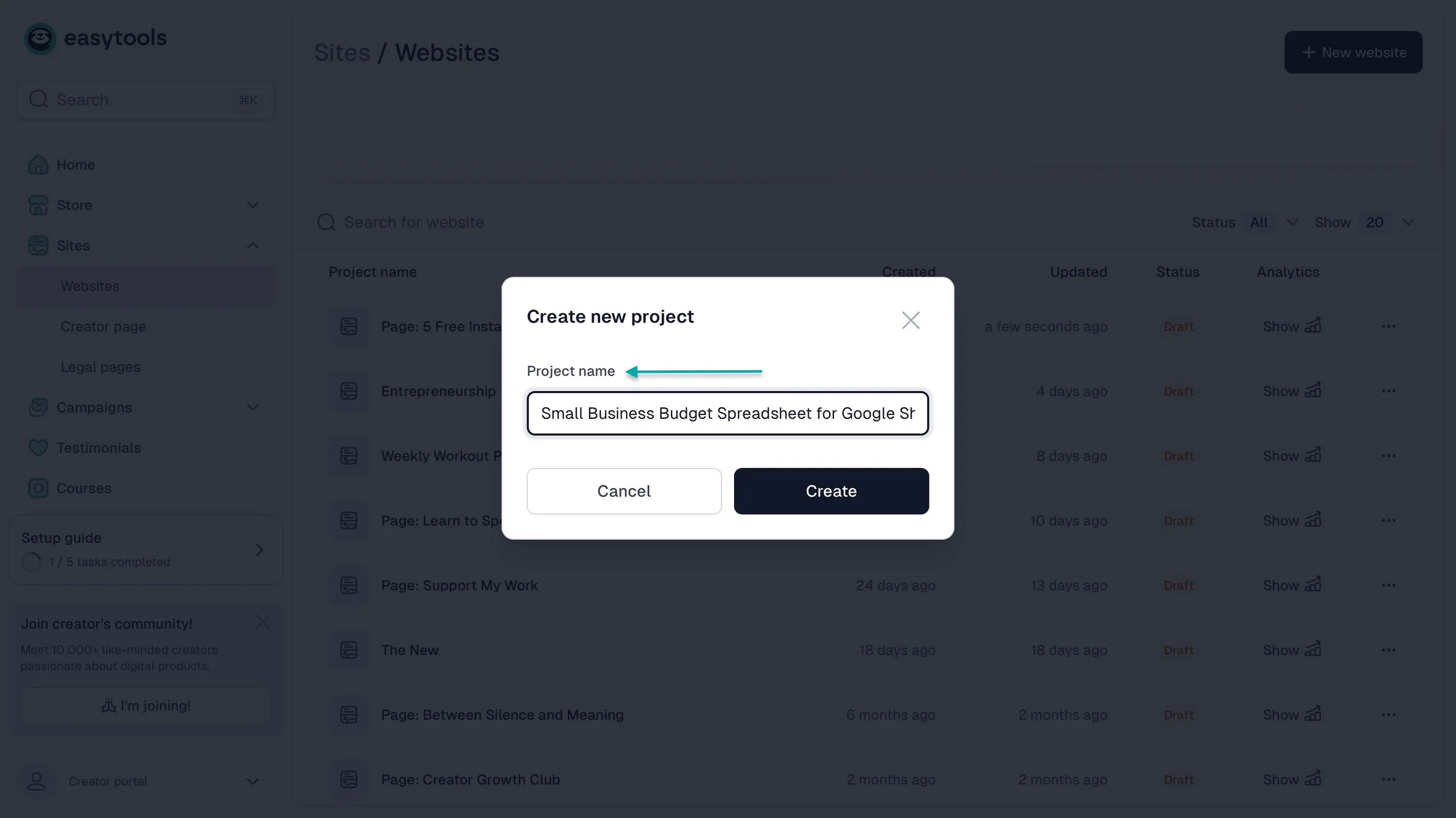
The second title tells customers what the template does and which software they’ll need.
Next, add a description that explains who the template is for, the problem it solves, and exactly what the buyer gets.
It could be something like:
“Keep track of your business income and expenses without building a spreadsheet from scratch. This Google Sheets template includes a monthly budget, expense tracker, and dashboard that automatically calculates your totals.”
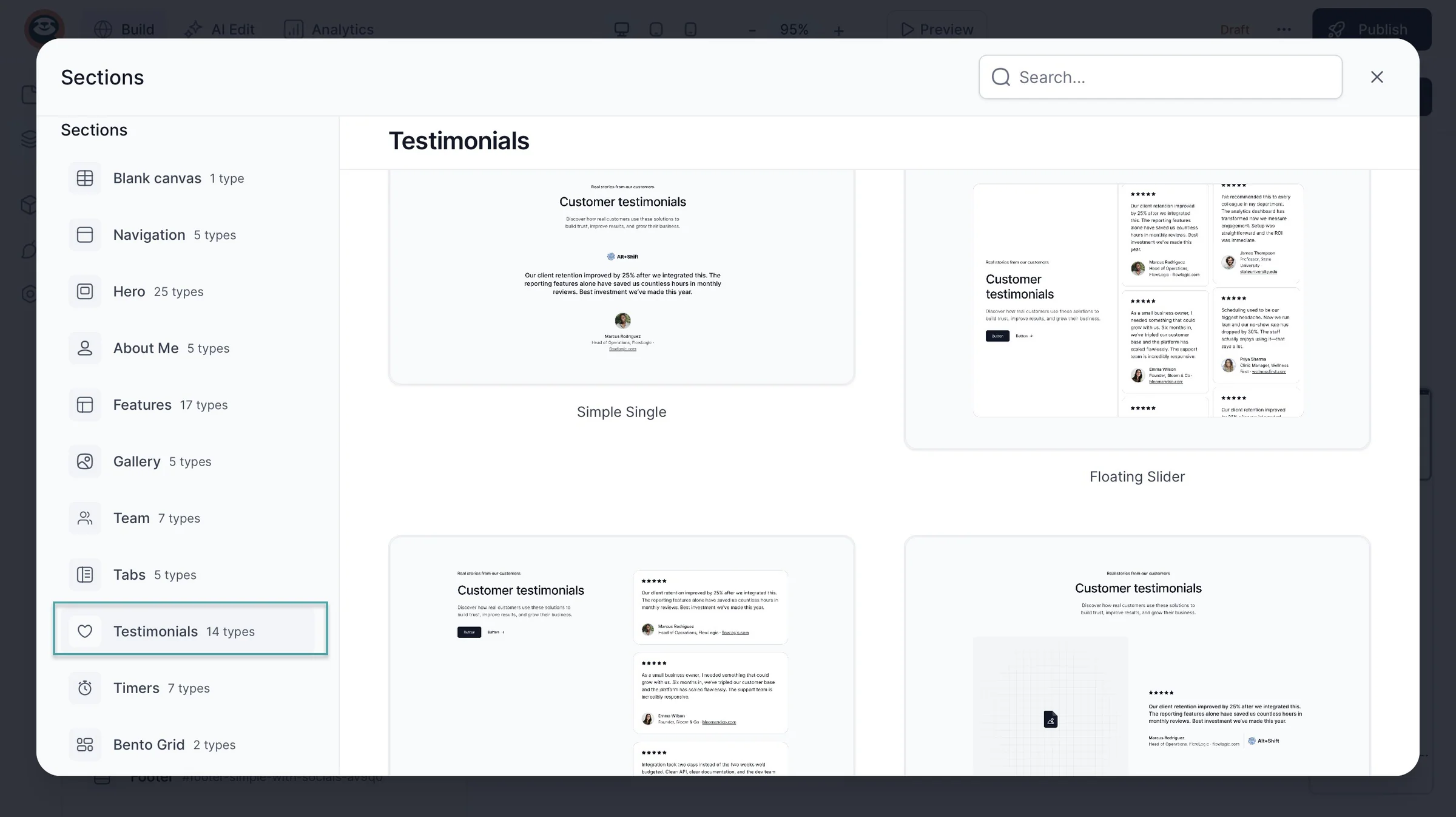
You should also use testimonials to show potential buyers that your templates have worked for other people. Ask customers for feedback and add their reviews to your product page.
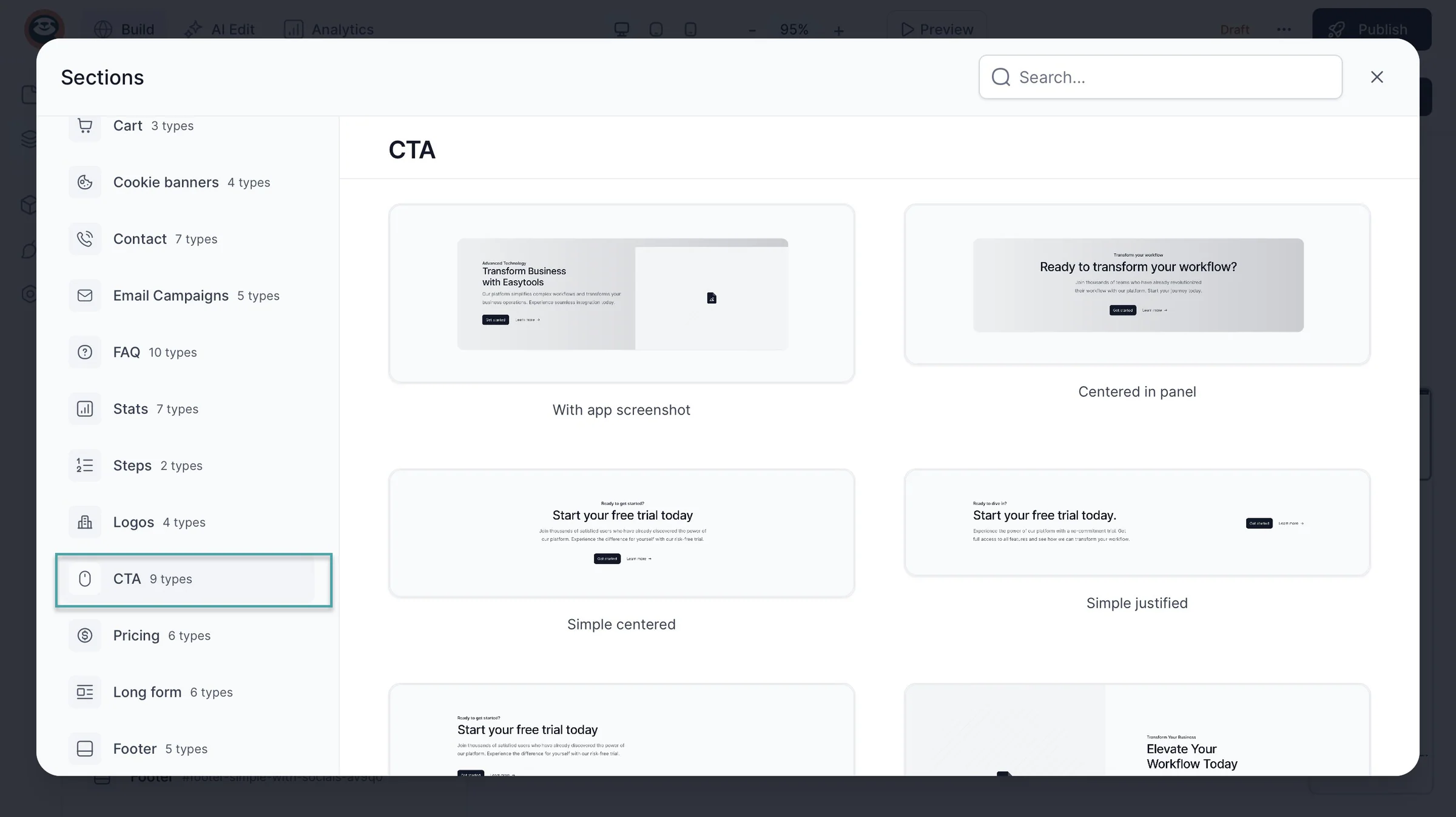
Use a clear and strong buy button or CTA. That makes it easy for customers to purchase your templates.
And your buy button should be easy to find, especially on mobile devices. Use straightforward text like “Buy Template” or “Get the Bundle.”
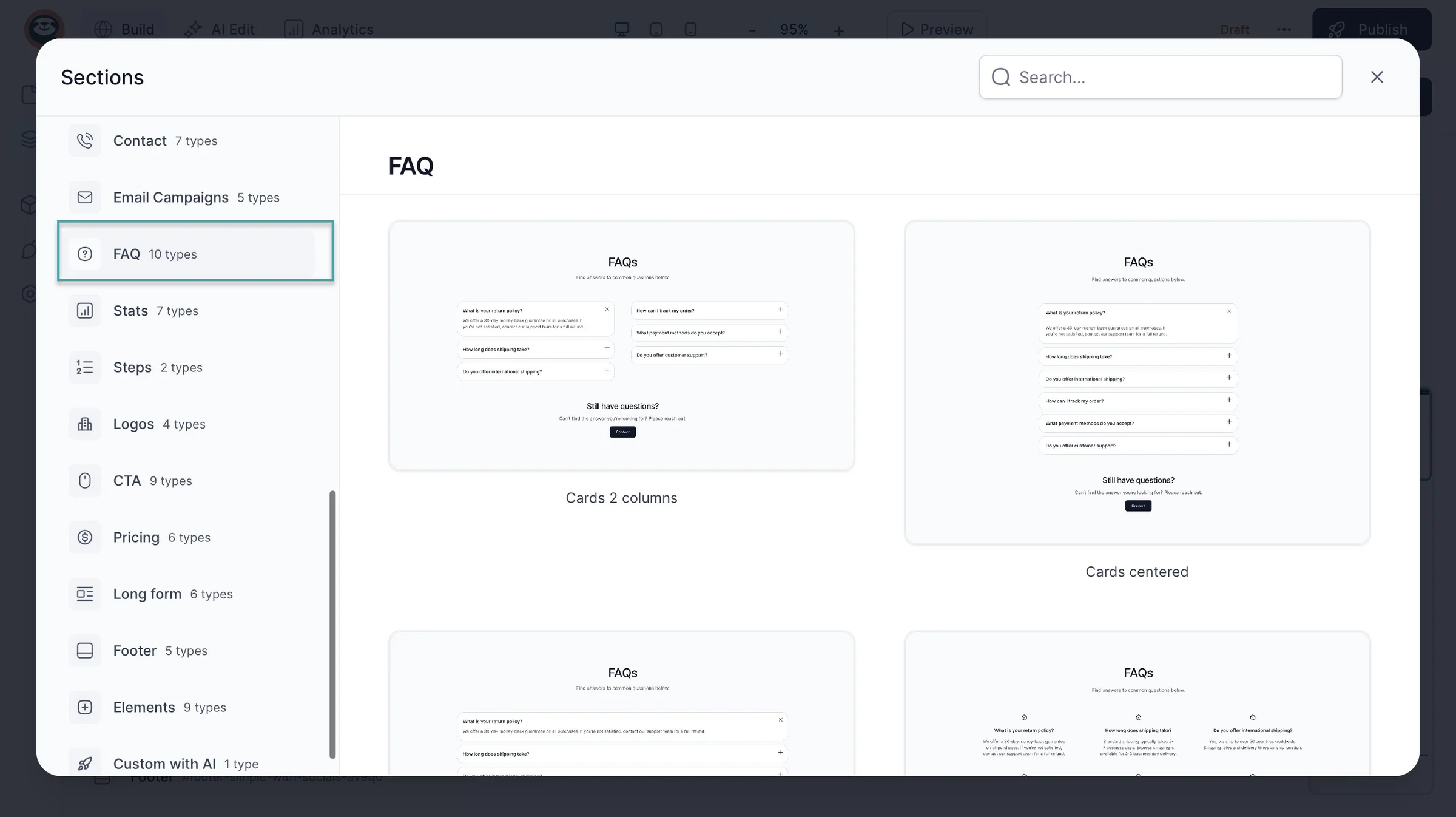
Finally, add FAQs. Let customers know whether the templates are editable.
Or how they’ll receive them, whether they need paid software, and whether they can use them commercially. Answer these questions on the product page so people don’t have to contact you before buying.
Step 5. Market your templates and get your first sales
In this guide to help you sell templates online, we got to the point where you show people what you’re selling.
Start by listing your template checkout on your link-in-bio. On Easytools, for example, you can add it to your creator page.
The creator page has your title (which can be your name), bio, and links to your social media accounts.
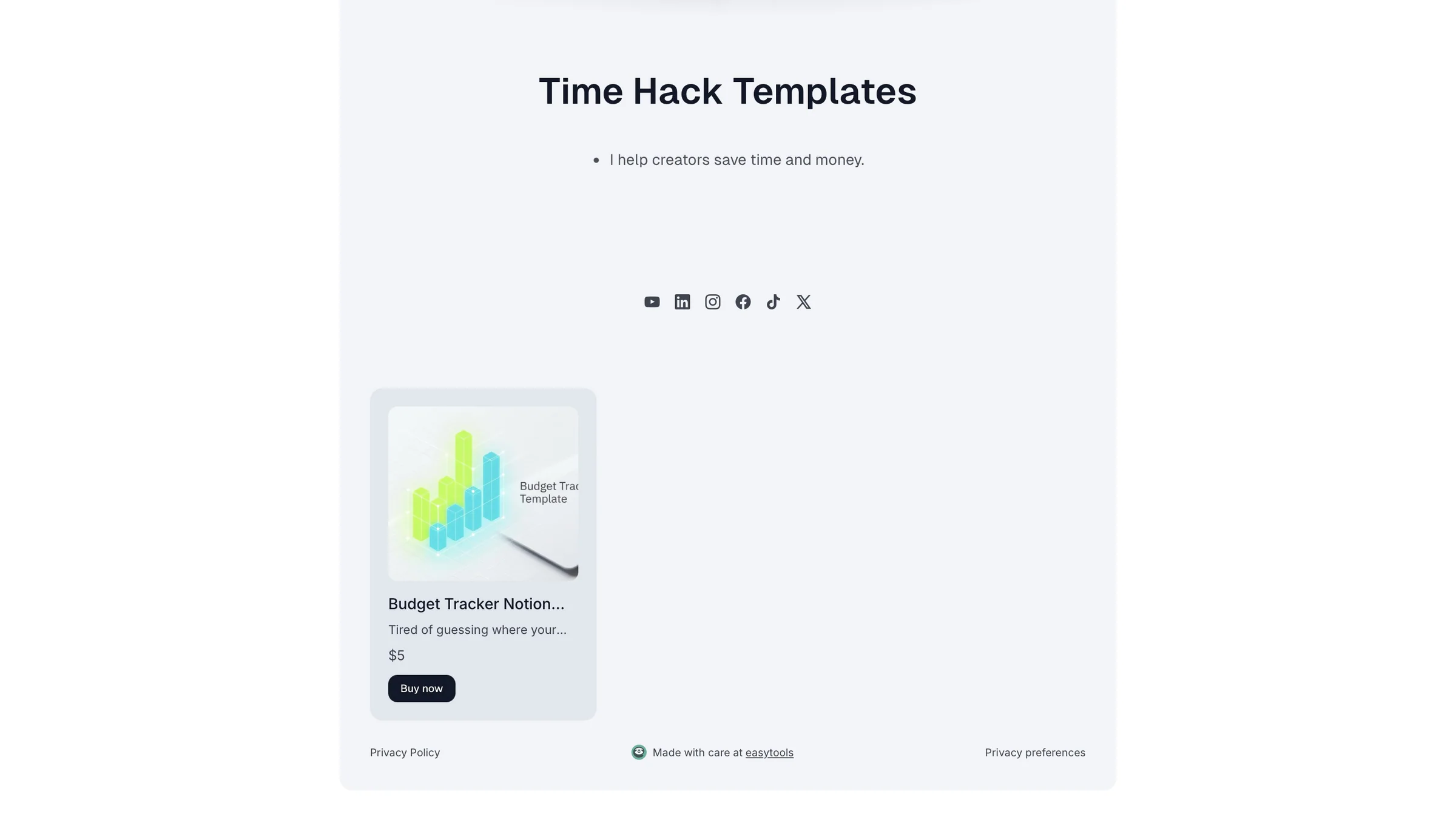
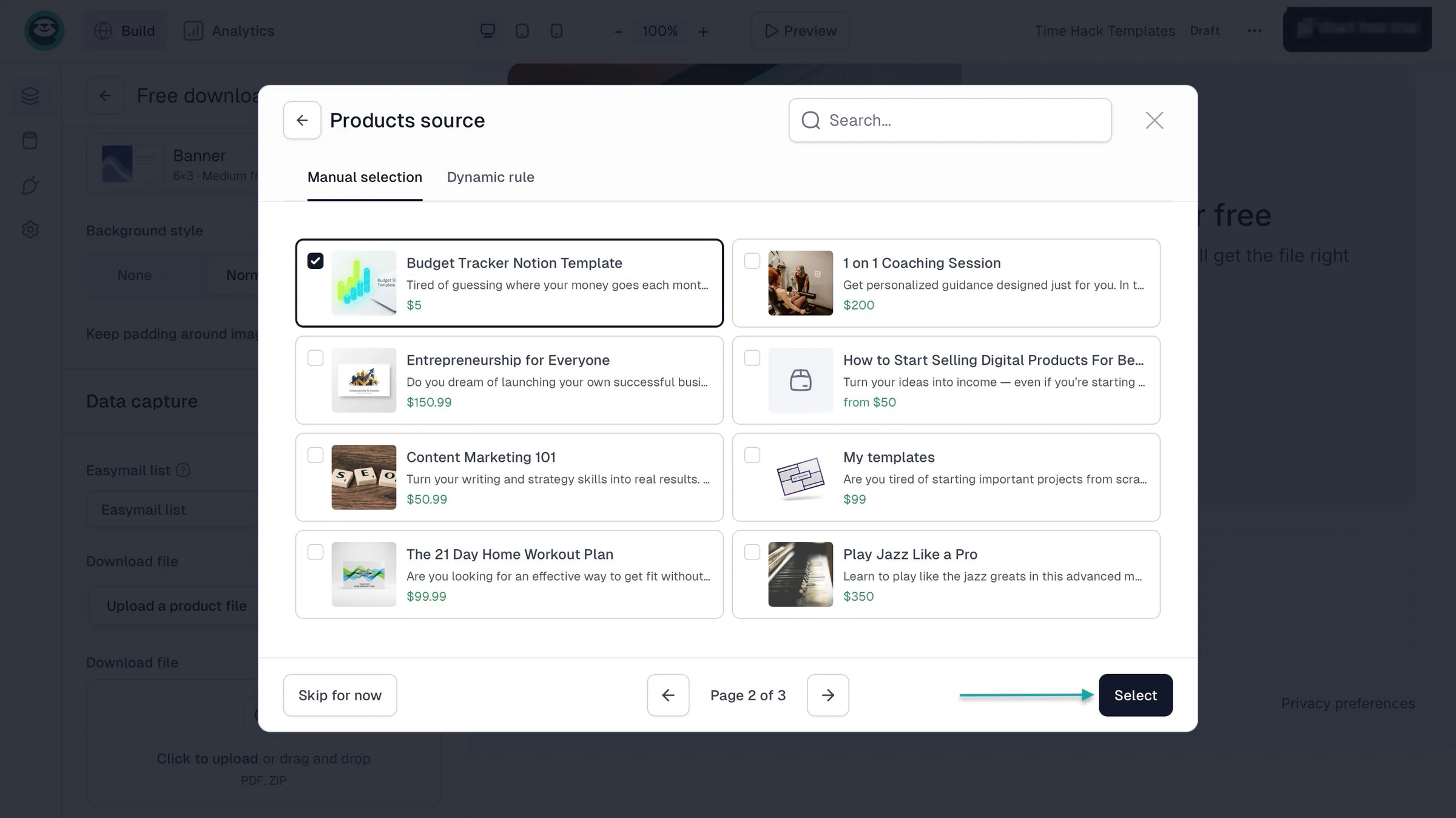
You can click the rectangular boxes under the social media icons to add your template. Select the template from your digital product list.
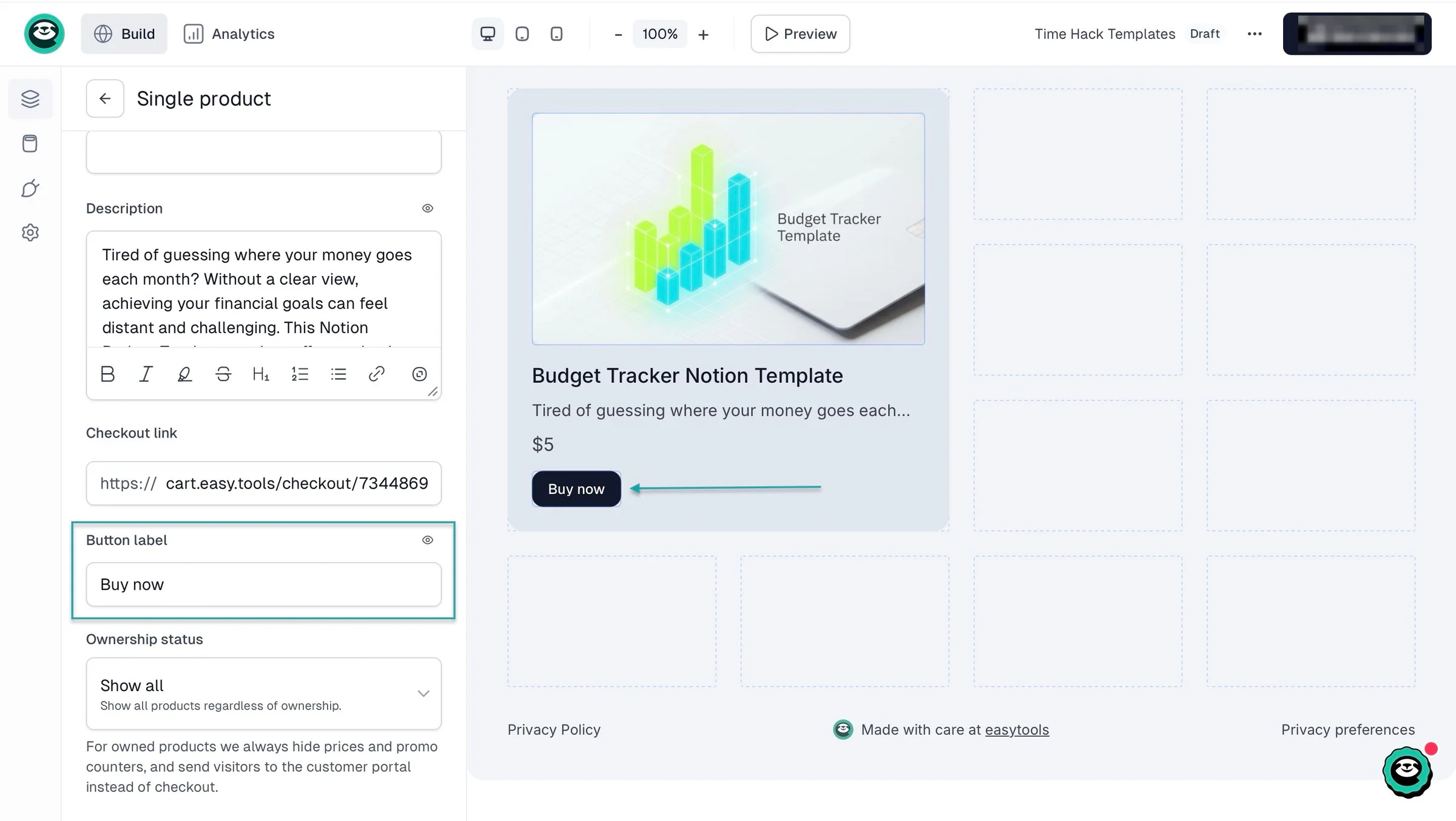
You can also add a clear and strong CTA to nudge buyers to buy from you.
The good thing is Easytools collects your customer’s email address when they buy from you.
They’re automatically added to your email list for your email marketing campaigns.
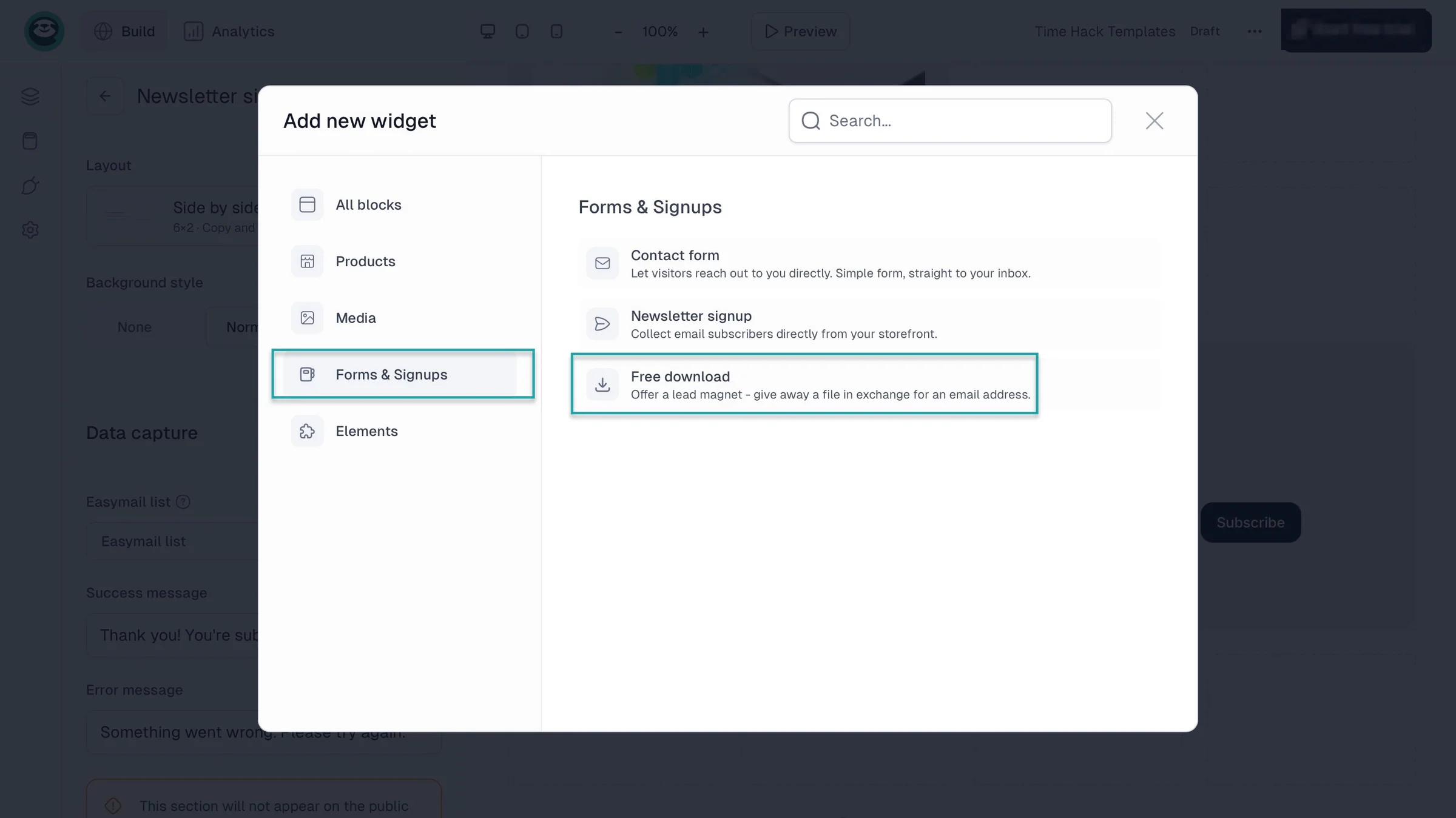
But let’s say they didn’t make the purchase even after you added the product on your creator page. For situations like that, add a newsletter signup form.
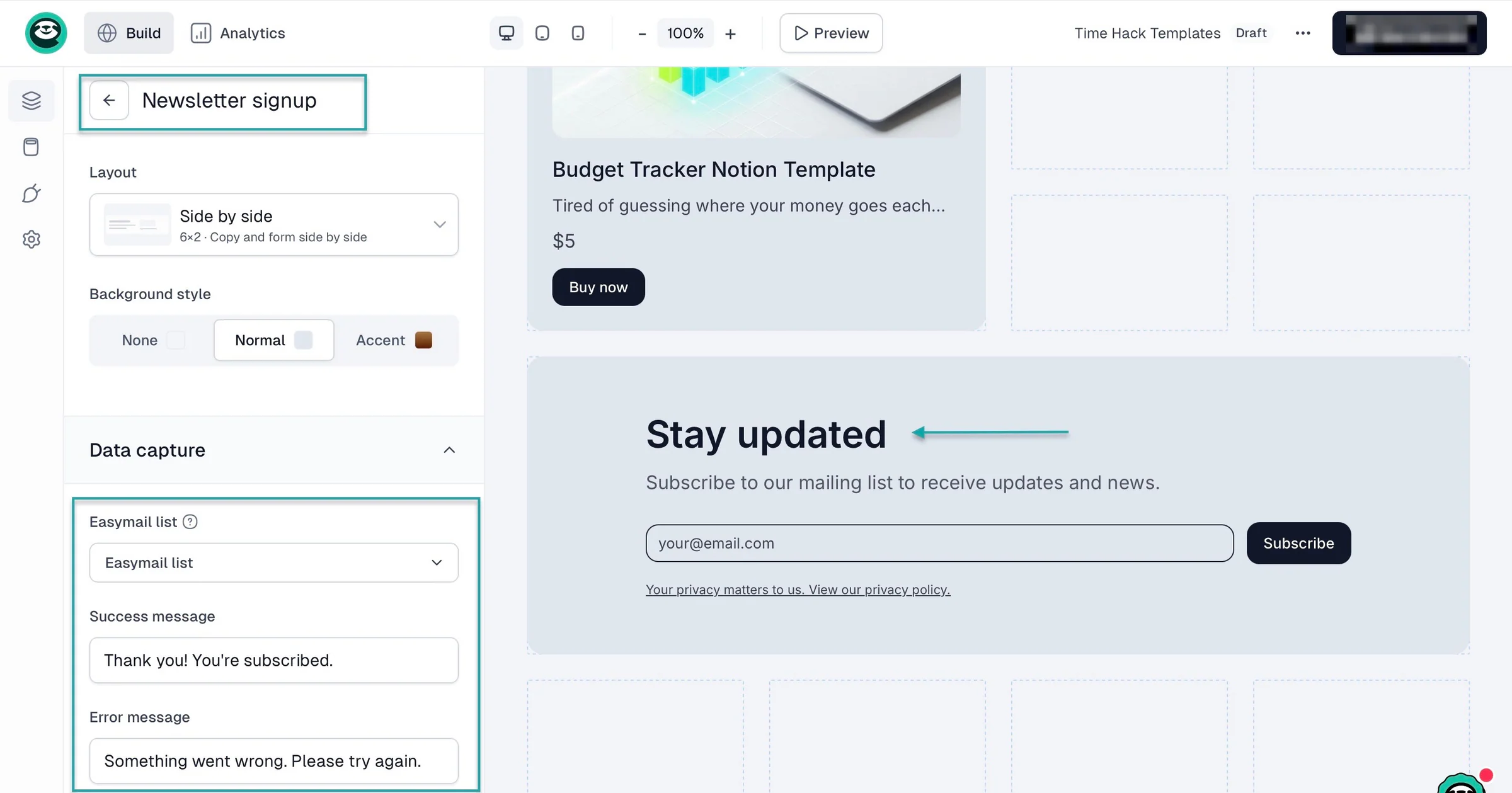
You can also add a lead magnet that customers can download for free in exchange for their email addresses.
In step 3, we talked about how the right platforms can offer affiliate marketing features, upselling, order bumps, email automation, and product pages for marketing.
Well, you can use those tools with your creator page, landing page, and there’s more.
You can look for communities where people discuss problems your templates can solve.
If you sell budgeting templates for small businesses, you could join Facebook groups where business owners discuss managing expenses.
Then answer questions, share useful advice, and recommend your templates when they’re relevant and the community allows promotion.
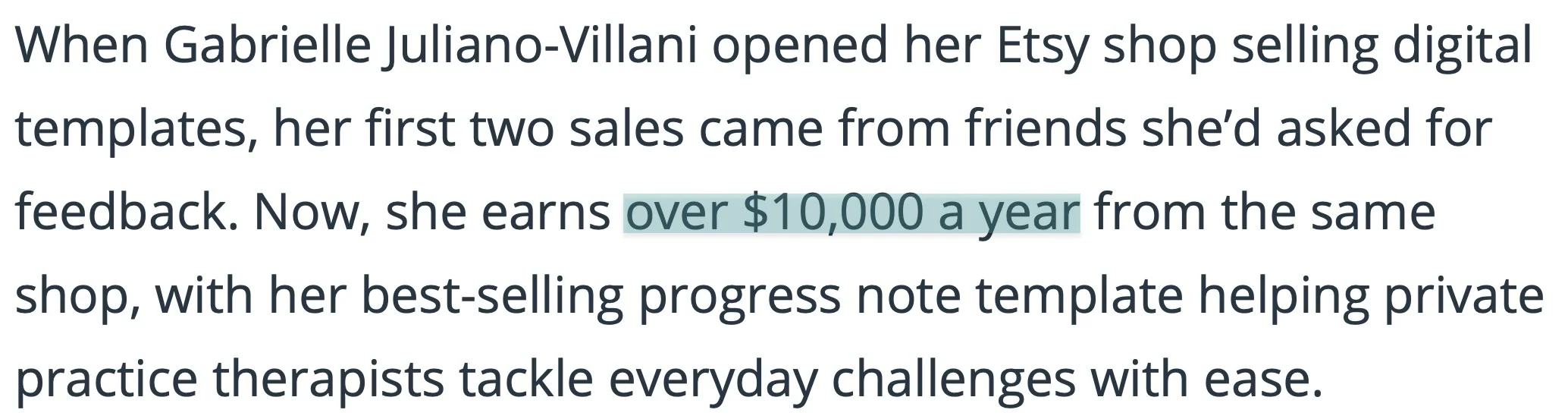
Gabrielle Juliano-Villani, for example, sells templates that help therapists with progress notes and other paperwork. So, she promoted her templates in therapist Facebook groups where self-promotion was allowed.
Gabrielle said in a DollarSprout interview that Facebook groups were her most effective marketing channel. Her template shop was making $10,000+ annually at the time of the interview.
Apart from specific groups on Facebook and other online communities, share your templates on Pinterest.
You can create Pins showing your designs, use descriptive titles, and link each Pin to your product page.
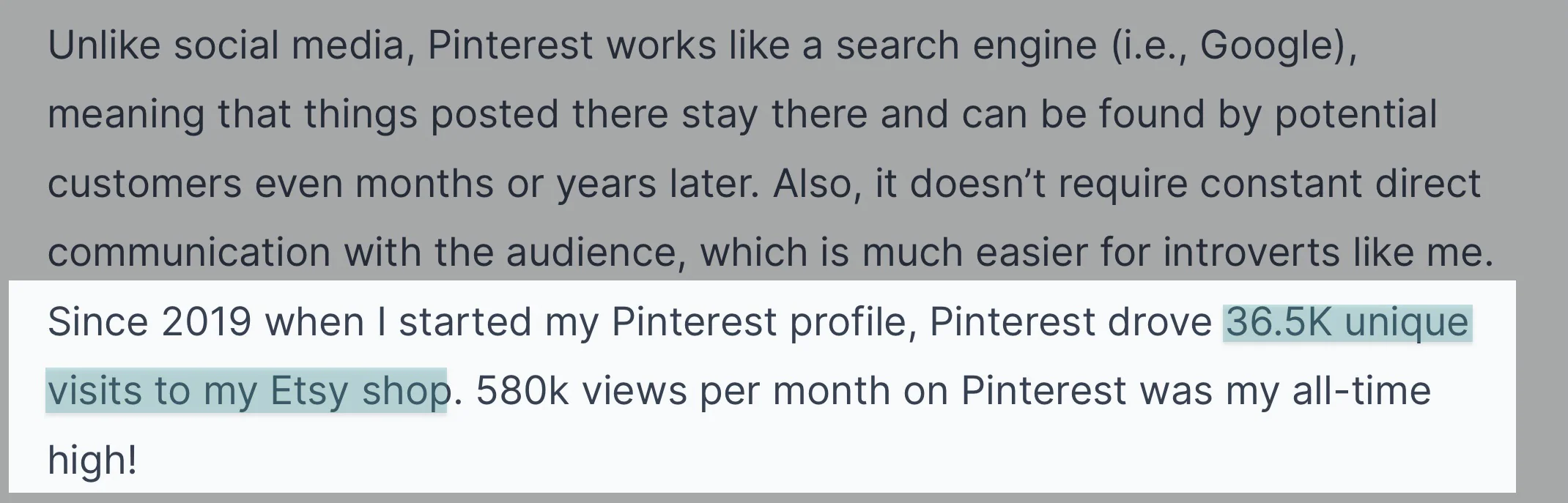
Ana Colak-Fustin used Pinterest to promote her resume templates. In a Starter Story interview, she said Pinterest had driven 36,500 unique visits to her online shop.
YouTube is another platform you can use. You could create a tutorial showing people how to organize their weekly tasks in Notion.
Or go further by showing viewers how to build a simple system themselves. Then introduce your template as an option for those who don’t want to start from scratch.
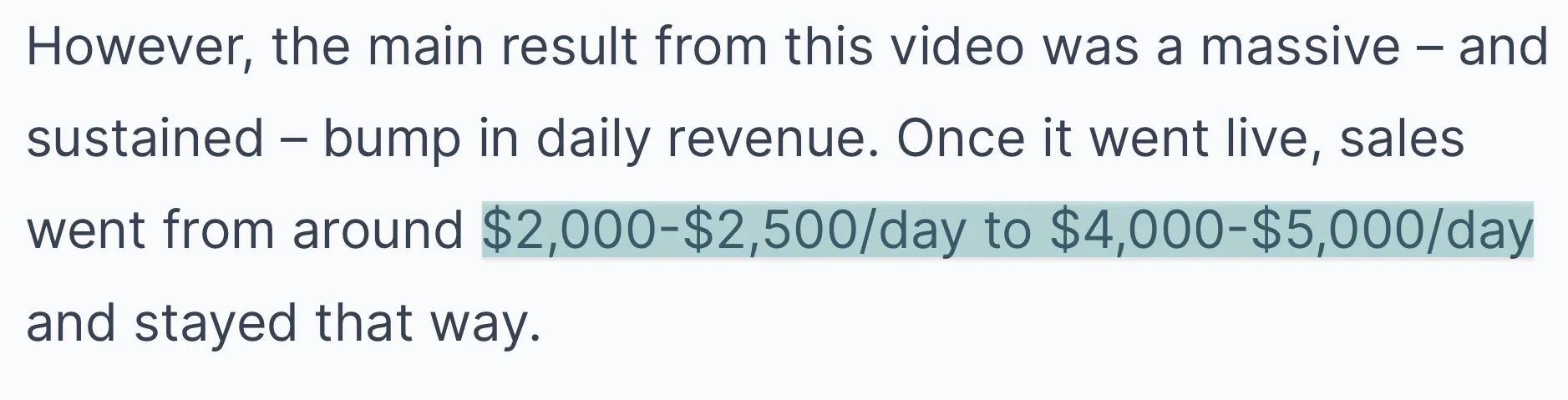
Thomas Frank, for example, created YouTube tutorials teaching people how to use Notion. He published a video promoting his Ultimate Brain template that helped increase daily sales from around $2,000–$2,500 to $4,000–$5000.
The thing is, this final step is crucial. And that’s because without marketing, your target audience may not find out about your templates.
Now, when your marketing gathers steam and you start getting sales, track where your customers come from and focus on the methods that bring in sales.
Common mistakes to avoid when selling templates online
It’s been quite the journey getting here. But we can’t finish this conversation about selling templates online without touching on common mistakes to avoid.
These 4 come to mind:
- Thinking a free platform is cost-effective
- Try to solve every problem
- Set your price too low or too high
- Fail to nurture your customers and leads
Let me help you make more sense of it by tackling each mistake in detail.
1. Thinking a free platform is cost-effective
This is one of the common mistakes to avoid because it can actually be expensive to make when selling templates online.
It makes perfect sense to assume without doing the maths that a platform must be cost-effective only because it’s free to use.
Easytools’ Starter plan is $29 per month with a 3% transaction fee. Etsy is free to use with a $0.20 listing fee and a 6.5% transaction fee.
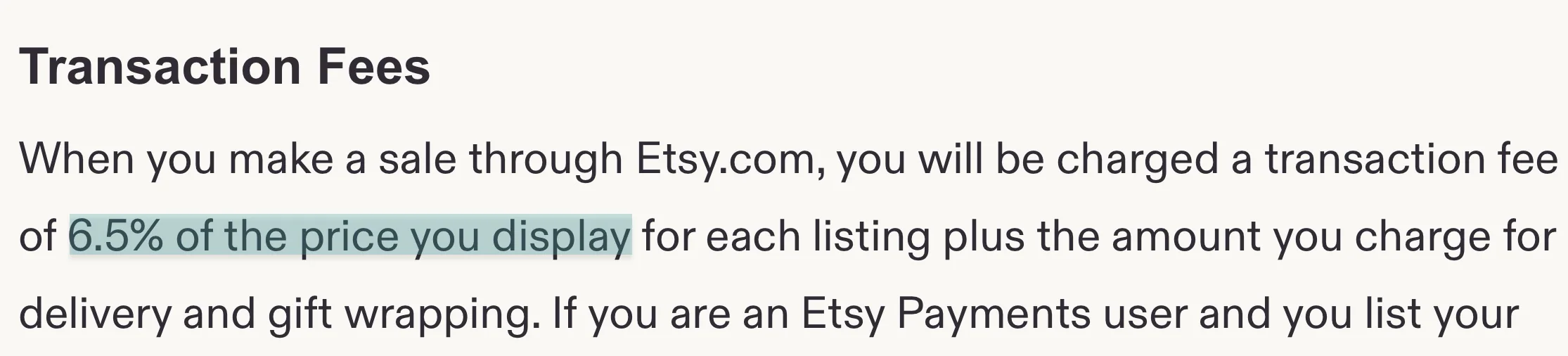
You may get the impression that Etsy is more cost-effective. Is it?
Let’s say you sell a $10 Notion template on Etsy. And 100 customers buy from you. That’s $1,000.
The platform then takes $65. Let’s not forget you already paid a listing fee. For fairness, let’s put the total at $65 that you’ve had to pay before Stripe processing fees, set-up fees, offsite ads fees, and more.
If you used Easytools, 3% of $1,000 is $30. Let’s add the platform fee of $29 that you paid to create unlimited product checkouts, campaigns, add 1 domain name, and use 2,000 AI credits to that.
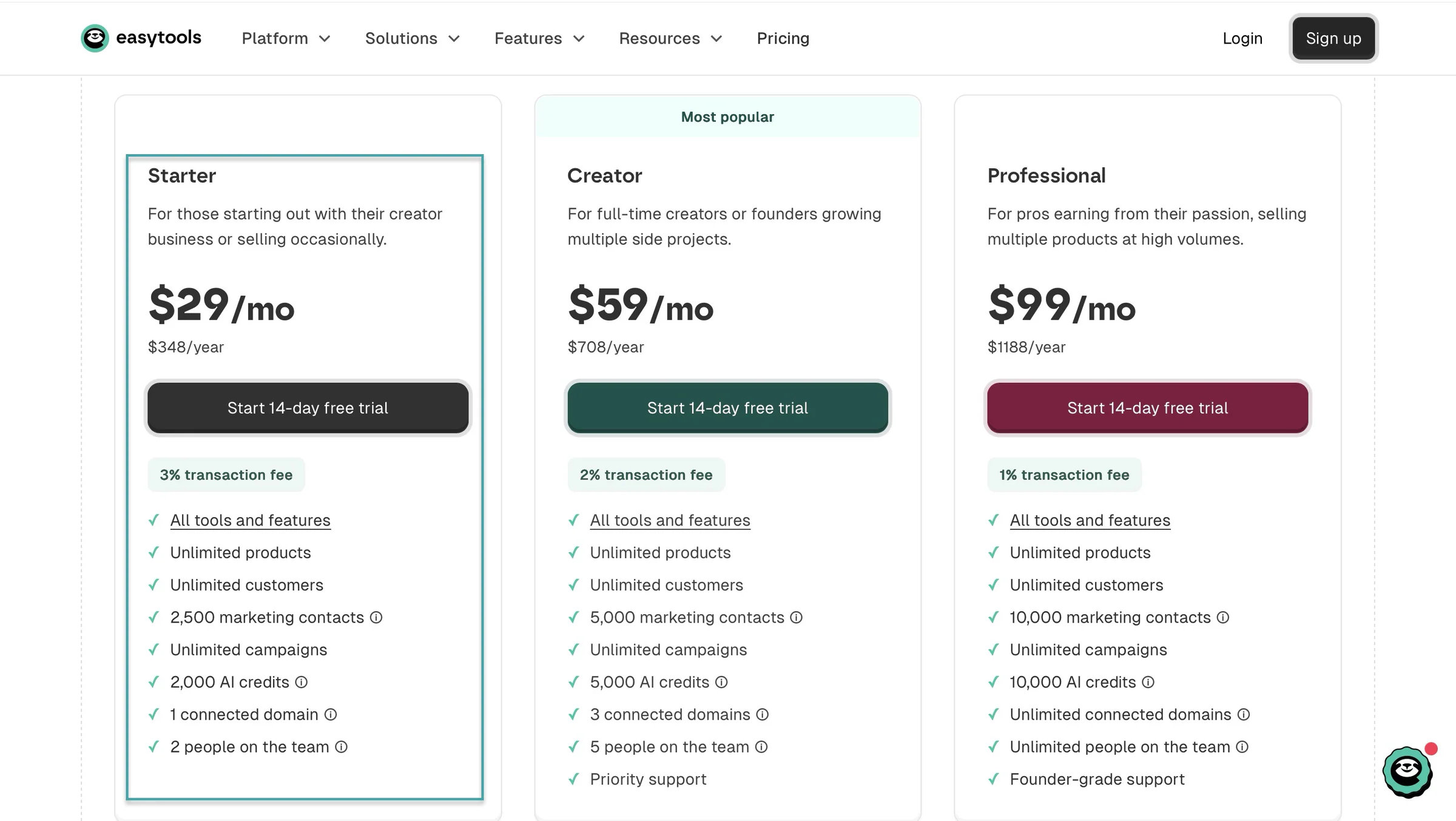
It’s $59. Maybe $6 isn’t a big deal, but when you sell more and that turns into $600 or $6,000, that’s something.
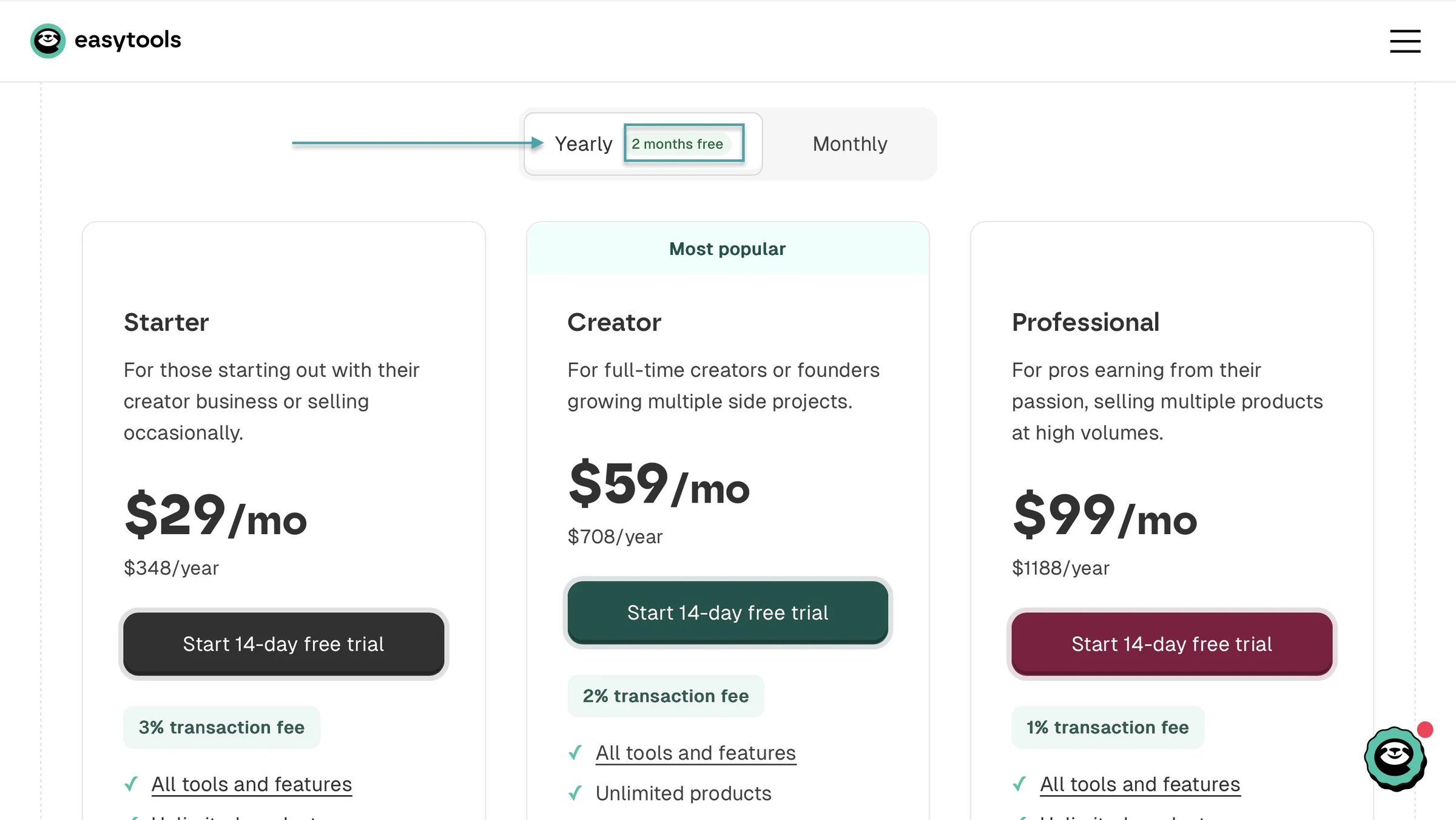
Oh, and Easytools gives you 2 months free when you choose the annual plan. So instead of paying $348 over 12 months, you’d pay $290.
That’s another $58 in savings.
So don’t assume a platform is the better option because it has no platform fees. If anything, make the effort to check the numbers.
And think about the features you get and the freedom your own storefront offers for paying.
2. Try to solve every problem
It’s possible to think the broader the problems your templates solve, the more you can make, but that’s not true.
You need to stick to a profitable niche and provide specialized solutions for that. Easlo stuck to productivity templates. Ana Colak-Fustin stuck to social media templates.
If you keep creating different templates to solve different problems in the same niche, you can even bundle and sell them.
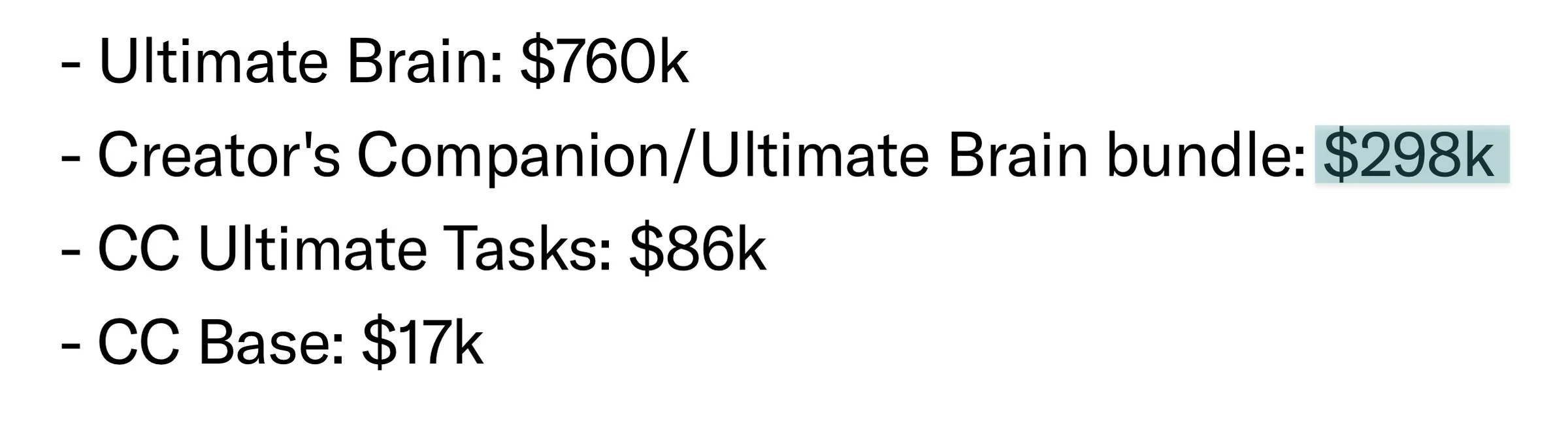
For example, Thomas Frank made $298,000 selling a bundle of two Notion templates: Creator’s Companion and Ultimate Brain.
You can also diversify your income by creating YouTube videos, as Thomas Frank does.
So avoid the temptation of offering a template that solves almost every problem.
3. Set your price too low or too high
We’ve already settled on the market rate for templates. It’s $1.40 to $30. But of course you can push it a little further by adding more value to your templates.
The common mistake to avoid, though, is to set your price too low or too high. You may think if it’s affordable enough you’d get more customers, but sadly that may actually go against you.
Or that customers are willing to pay more. When you’re starting out, it’s better to build trust and offer value before you ask for more.
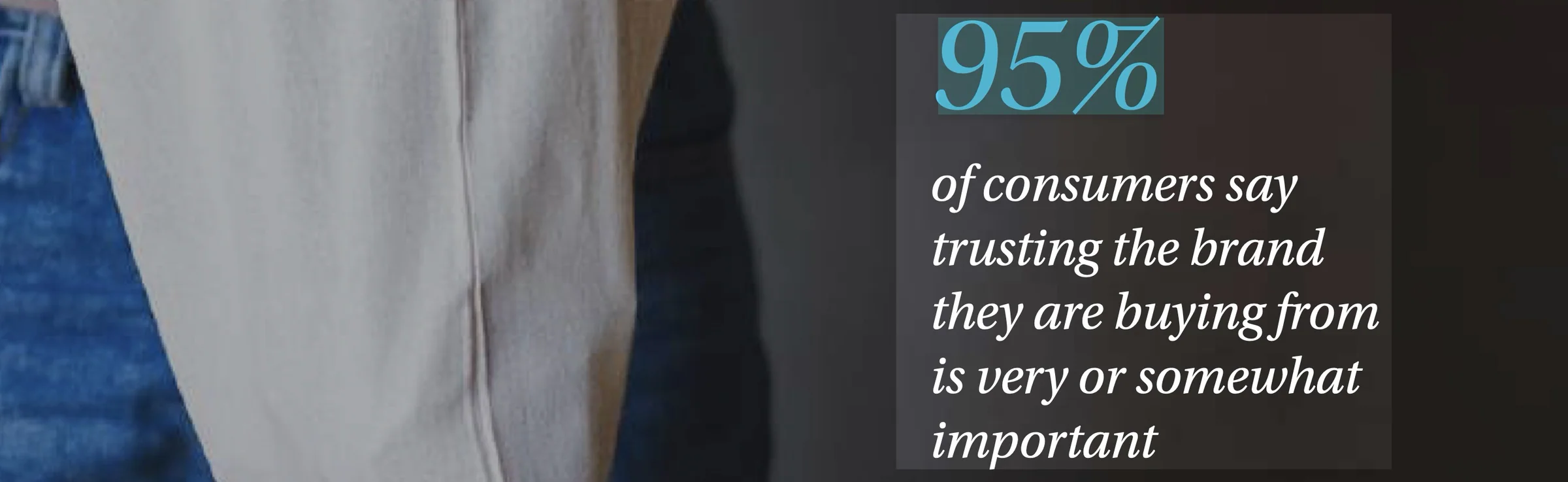
According to NielsenIQ’s 2025 Consumer Outlook survey, 95% of consumers say trusting the brand they’re buying from is important. And the quality of the product is also the biggest factor influencing that trust.
Also, just because it’s cheap doesn’t mean people will want it. Successfully selling templates online isn’t just about pricing but a combination of what you’re offering, the platform you use, and your marketing efforts.
So the better option would be to stay within the going rate or what your competition is charging.
4. Fail to nurture your customers and leads
This is the single reason why you should choose a platform that has built-in tools for nurturing leads and staying in touch with your customers.
But it’s easy to assume that discovery of your product is more important than keeping leads warm.
Retaining customers means you can sell more to them. This will help you grow your business.
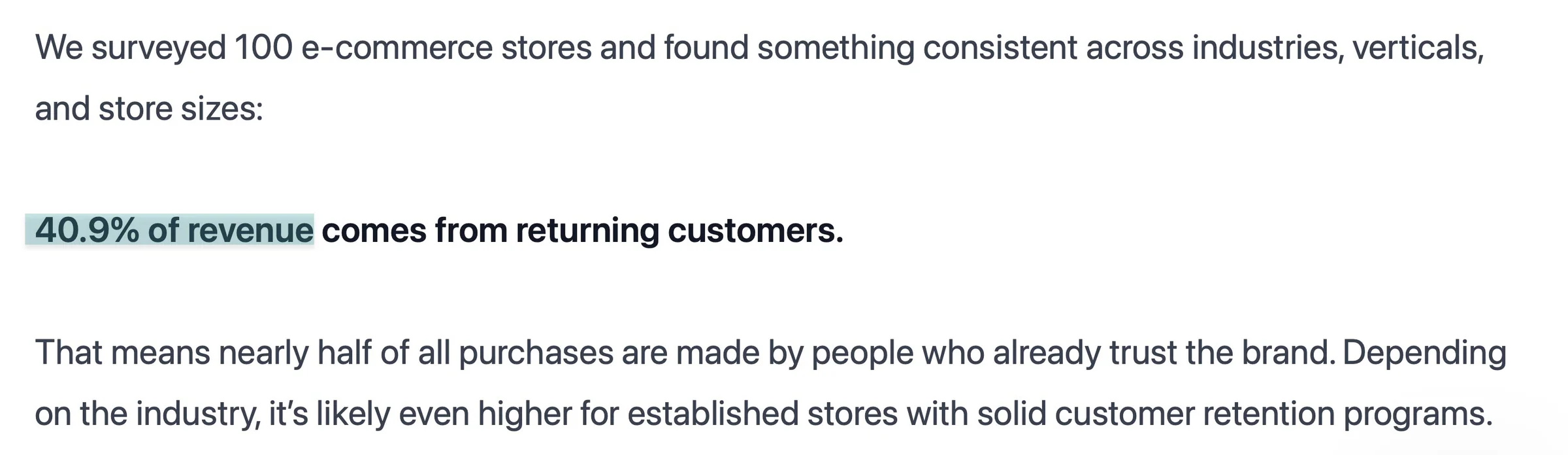
And a ThoughtMetric survey found that 40.9% of business transactions come from return customers.
Also, these are the buyers who can give you detailed testimonials to drive more sales. So remember that for sales to keep happening, you have to build an active relationship with your leads and customers.
Start selling templates online
In this guide, I walked you through 5 practical steps to sell templates online.
First, we chose a profitable template niche. Then, we looked at how to create templates people want to buy.
After that, we covered where to sell your templates, how to price them, and how to create product pages that convert. Finally, we discussed ways to market your templates and get your first sales.
And of course, I also covered a few common mistakes you should avoid.
Now it’s up to you to put what you’ve learned into practice. Start small, take your time, and build from there.
Go easy.
Frequently asked questions about selling templates online
What are the best platforms to sell templates online?
The best platforms to sell templates online are Etsy, Notion Marketplace, Easytools, and Creative Market. Easytools offers all-in-one tools for creating storefronts, accepting payments, delivering templates automatically, running email campaigns, and tracking sales to sell and market templates online.
How much money can I make selling templates online?
You could make anywhere from $100 to $10,000+ selling templates online. How much you earn depends on the platform you use, your prices, the number of customers you attract, and how well you market your templates.
Do I need a website to sell templates online?
No, you don’t need a website to sell templates online. You can list your products on marketplaces like Etsy, Creative Market, and Notion Marketplace, where customers can find your templates. Easytools lets you create your own storefront without building a website from scratch. You can then copy and share your storefront URL anywhere online so customers can discover and buy your templates.
Can I sell templates online without design experience?
Yes, you can sell templates online without design experience. Tools like Canva, Notion, and Google Sheets make it easier to create templates without advanced design skills. But you still need to learn how to make your templates useful, easy to edit, and visually appealing.
How much should I charge for templates?
You can start by charging $5 to $10 for simple templates and $15 to $30+ for more detailed templates or bundles. Your pricing depends on what your template does, how useful it is, and what similar products cost. And always test different prices to see what customers are willing to pay.
Do I need a business license to sell templates online?
No, you don’t always need a business license to sell templates online. Whether you need a business license depends on your country, state, or local laws. Some places allow you to start selling as an individual, while others require business registration or permits. Check your local requirements before you start selling.
Can I sell templates online without an audience?
Yes, you can sell templates online without an audience. On Easytools, you can publish a creator page and share the link anywhere online. Potential customers can learn about your brand and templates through your creator page. You then add a newsletter signup form to collect email addresses and build an audience.
How do I protect my templates from unauthorized copying?
You can protect your templates from unauthorized copying by keeping your original files private, using appropriate sharing permissions, and clearly stating your licensing terms. Tools like Adobe Acrobat Pro can restrict some actions on PDFs. Platforms like Easytools let you control access to gated content.
How long does it take to make my first template sale?
It takes 7 days to 12 weeks or longer to make your first template sale. It depends on demand for your templates, your pricing, competition, and how effectively you promote them.
Can I use AI to create templates to sell online?
Yes, you can use AI to create templates to sell online. For example, you can use AI to brainstorm layouts, write placeholder text, or generate design ideas. Just make sure your templates are useful, editable, and accurate. Just make sure the AI tool and any images or other materials you use allow you to sell what you create.