E-commerce
27 min read20 best Etsy alternatives in 2026! Features, pricing, pros, and cons
Explore the top Etsy alternatives for selling digital and handmade products, including Shopify, Gumroad, Sellfy, and Easytools. Learn how to choose the right platform based on fees, marketing tools, and long-term growth.
- Written by
- Marta Jagosz
- Reviewed by
- Katarzyna Chmielniak
- Updated on
- April 28, 2026
- Published on
- April 24, 2026


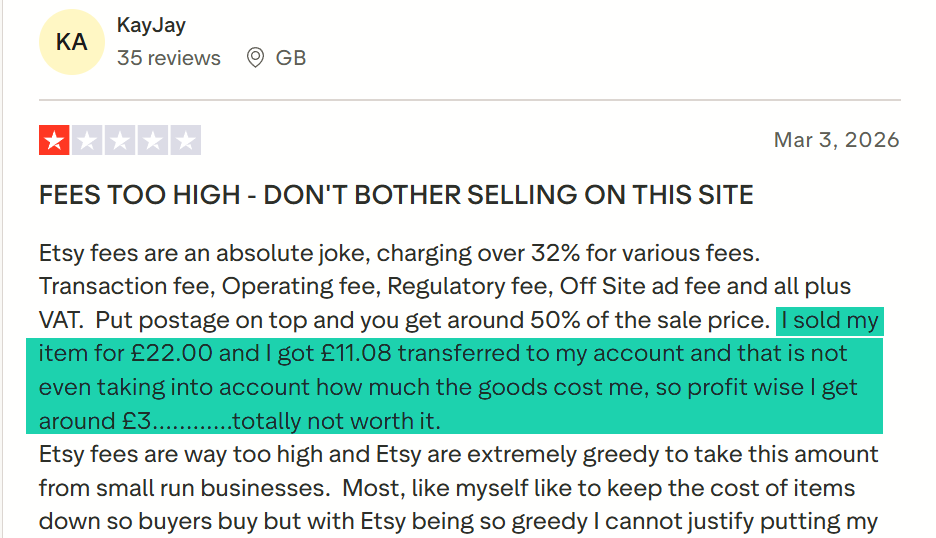
KayJay is a former Etsy seller. He sold his item for £22.00 and received £11.08 from the platform. This means he lost half!
And when he looked at how much the items cost him, he realized his profit was only around £3.
That’s frustrating. That’s why others like him are looking for Etsy alternatives.
Reasons for considering a switch may be different, but most online sellers want a better solution.
To spare you the hassle, I put together a list of the 20 best Etsy alternatives I recently tried.
Keep going.
TL;DR
-
The best Etsy alternatives are:
-
1. Easytools
-
2. Shopify
-
3. Gumroad
-
4. Big Cartel
-
5. Bonanza
-
6. Storenvy
-
When choosing the right Etsy alternative, you should look at marketing tools, digital product support, and consider monthly pricing and transaction fees. You should also think about long-term brand building.
Best Etsy alternatives compared
| Platform | Marketing tools | Custom Storefront | Digital product support | Listing fees | Starting plan | Best for |
|---|---|---|---|---|---|---|
| Easytools | Affiliate marketing Coupons and Discounts Cross-sells and upsells Order bumps Email marketing Checkout recovery | Yes: Fully customizable. You can customize the style and layout, add a logo and profile picture, and choose a theme. | Yes: E-books, online courses, Notion templates, services, live events, SaaS, webinars and events, subscriptions and memberships, digital downloads (PDFs, software), audio content, coaching and consultations. | None: $0 | Starter: $0/month + 5% transaction fee + unlimited checkouts | Digital creators seeking to sell digital products, launch their stores, and websites. |
| Shopify | SEO tools Emails Automation Segmentation Shopify Inbox | Yes: fully customizable store with full branding control | Yes: Digital downloads, services. | None: $0 | Basic: $19/month + 10 inventory locations | Entrepreneurs building a full-scale online store who want complete control over branding and products. |
| Gumroad | Email marketing Discounts Affiliate marketing Upsells | Yes: Can customize colors, upload a logo, font. | E-books, membership, bundle, courses, services. | None: $0 | Free + 10% + 0.50 | Independent creators who want a quick way to start selling online and collaborate on products. |
| Big Cartel | Automatic discount Discount codes Product sharing options | Yes: Can customize themes, domain, profile image. | Music, digital art, e-books, templates, patterns. | None: $0 | Gold: $0 + 5 physical products. | Artists, authors, and musicians seeking to sell digital products, subscriptions, or print-on-demand items with built-in marketing features. |
| Sellfy | Email marketing campaign Discount codes Upselling | Yes: You can select themes, adjust colors, create custom pages, add modules. | Yes: E-books, templates, planners, LUTs, presets, videos-on-demand, online courses, software and code, audio and music, subscription, digital art and design | None: $0 | Starter: $22/month + unlimited products. | Artists, authors, and musicians seeking to sell digital products, subscriptions, or print-on-demand items with built-in marketing features. |
| Storenvy | Promotional discounts Vouchers Automated abandoned cart recovery SEO tools | Yes: you can add a custom domain, theme, fonts, and image gallery. | Limited: relies heavily on physical products. | None: $0 | Free: $0/month + Custom storefront marketplace | Small brands and indie sellers who want both a standalone store and access to a marketplace-style discovery feature. |
Best Etsy alternatives
1. Easytools
- Personal rating: ⭐️⭐️⭐️⭐️⭐️ 4.8/5 - You can create fully customizable checkouts in a matter of minutes and start selling.
- Key advantage: It’s an all-in-one platform - You can sell various digital products, create your own storefront and landing page, collect testimonials, build an email list, market, and promote products.
- Potential drawback: It doesn’t focus heavily on physical products, but it still works perfectly fine.
- Listing fee: None - $0
- Starting plan: Starter - $0/month + 5% transaction fee + unlimited checkouts
We are starting this list of the best Etsy alternatives with Easytools.
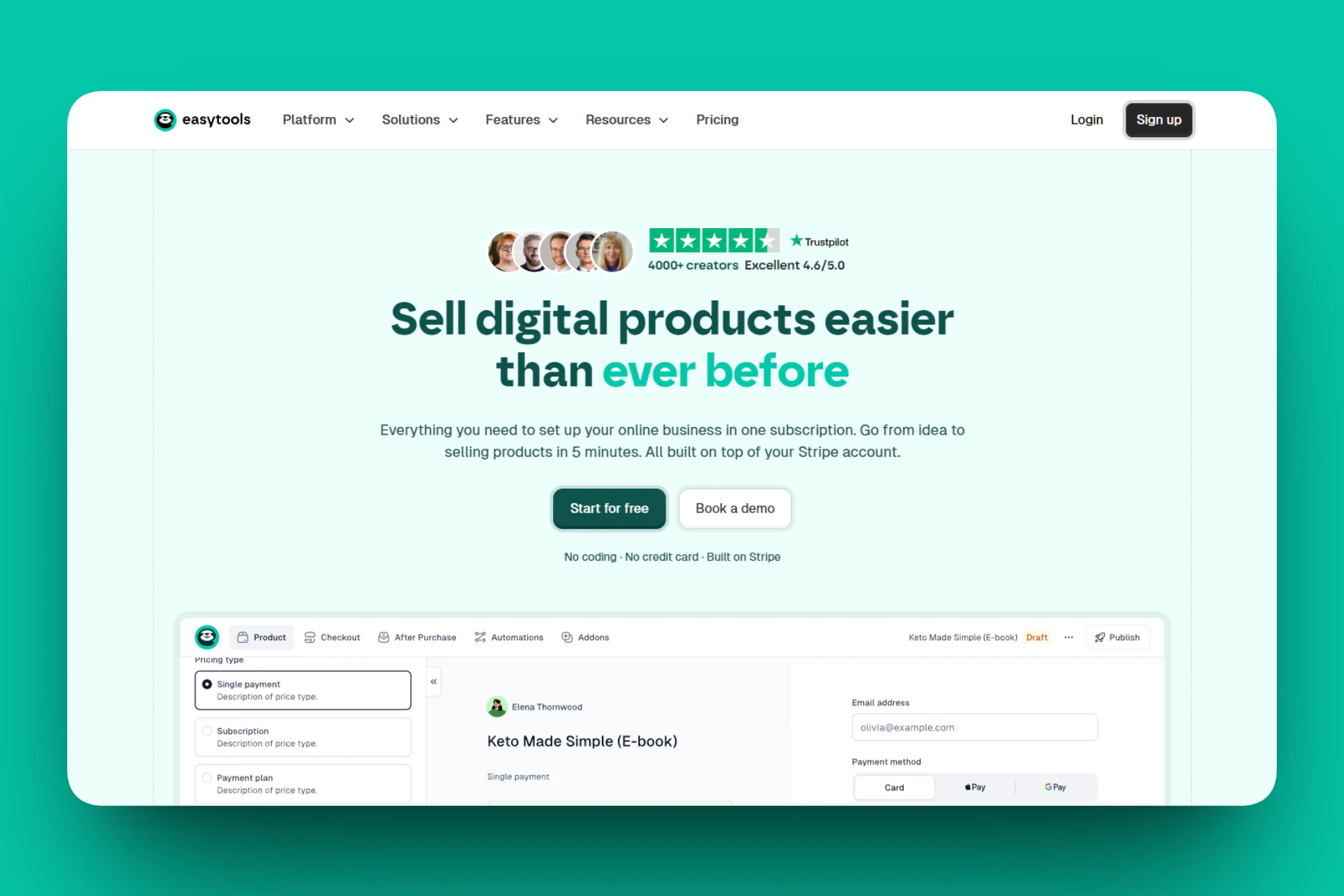
It is an all-in-one platform used by 4,000+ creators to sell digital products like e-books, online courses, PDFs, digital downloads, and Notion templates.
You can use the AI builder to create professional websites for your products. It also has a suite of tools to help manage testimonials, checkouts, legal pages, gated content, and many more.
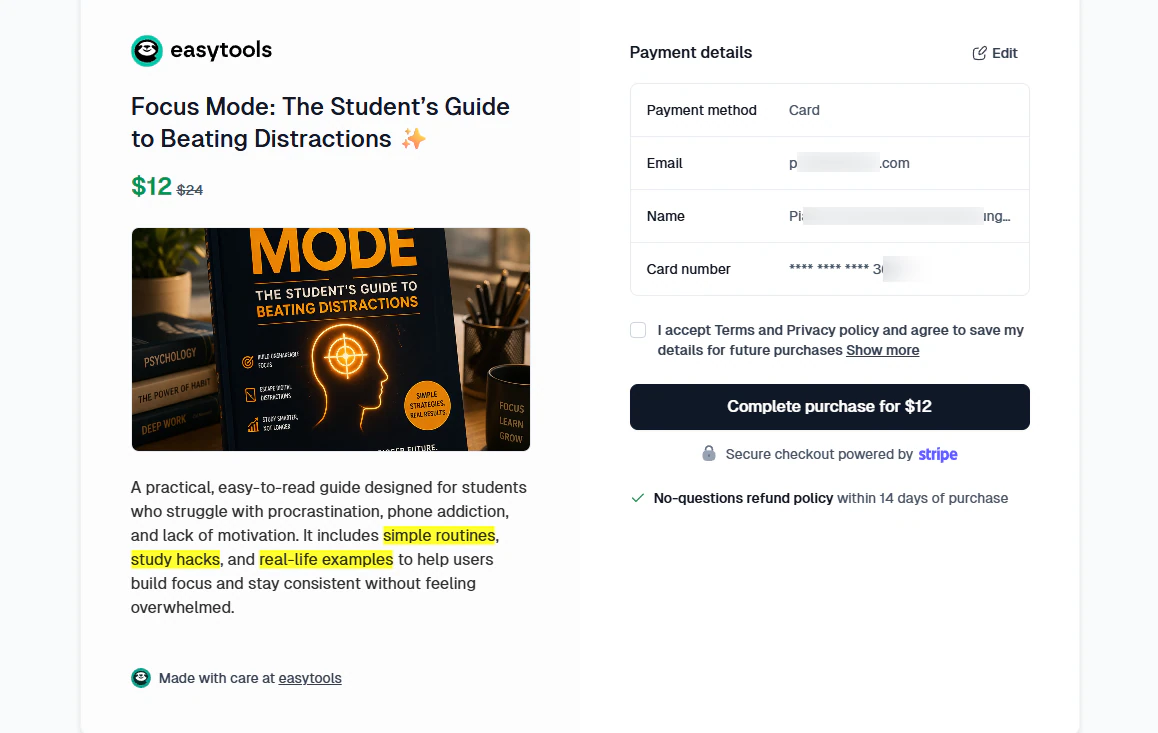
When you create a product on Easytools, you can customize your checkout to your liking to make it look more professional.
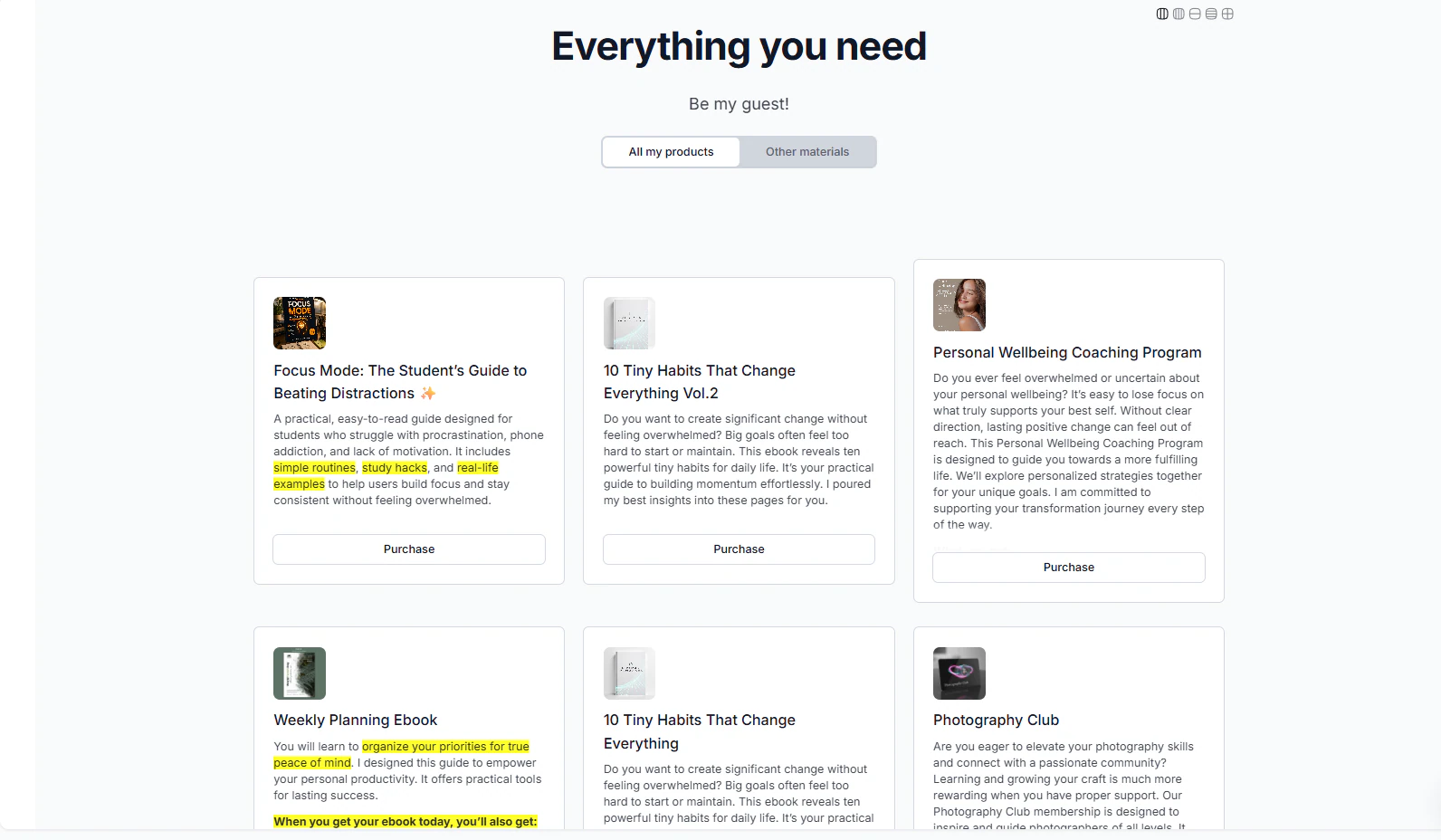
You can also have your own storefront to display all the products you sell.
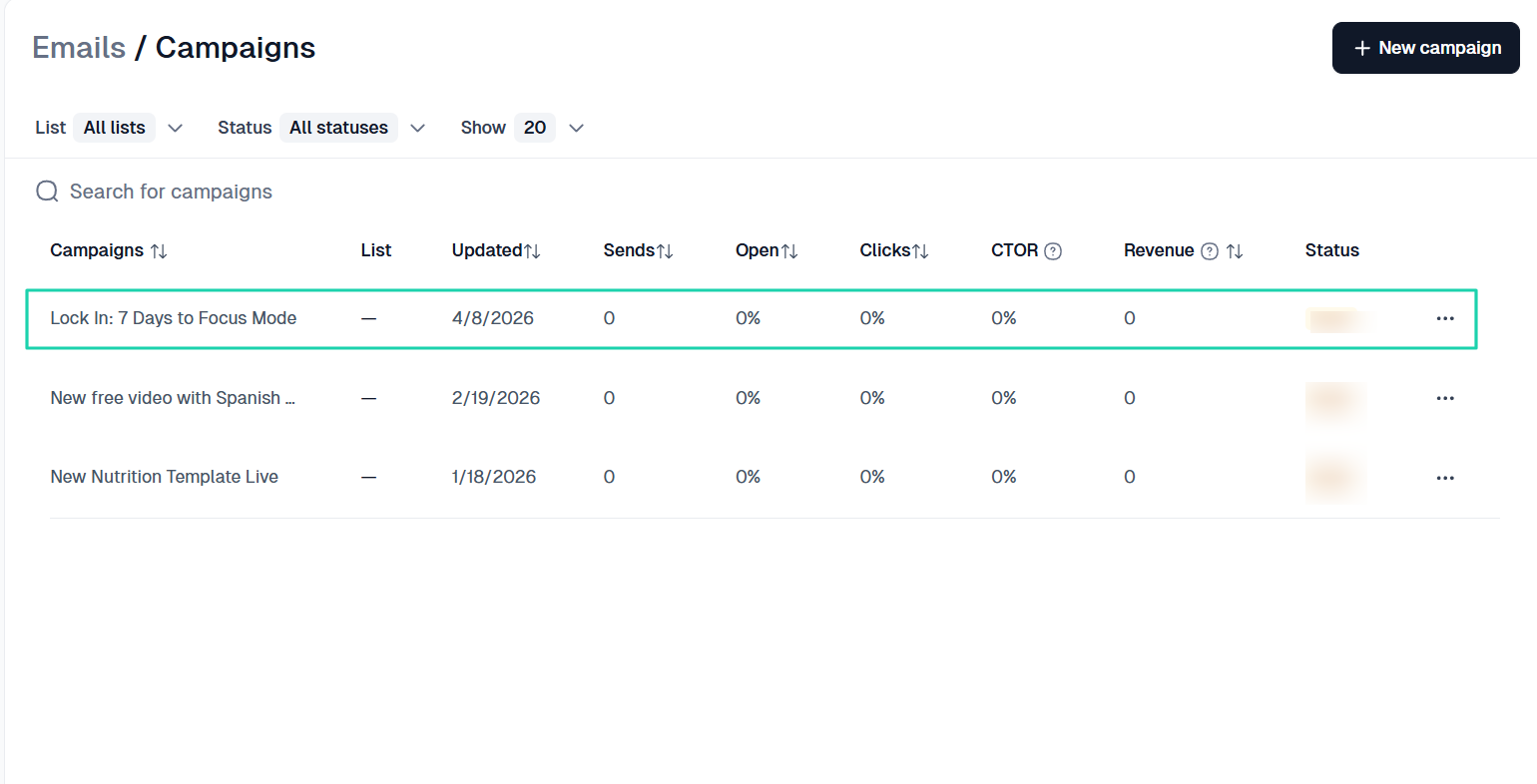
The platform automatically collects customers’ email addresses when they make a purchase. With this email list, you can send email campaigns and track their performance.
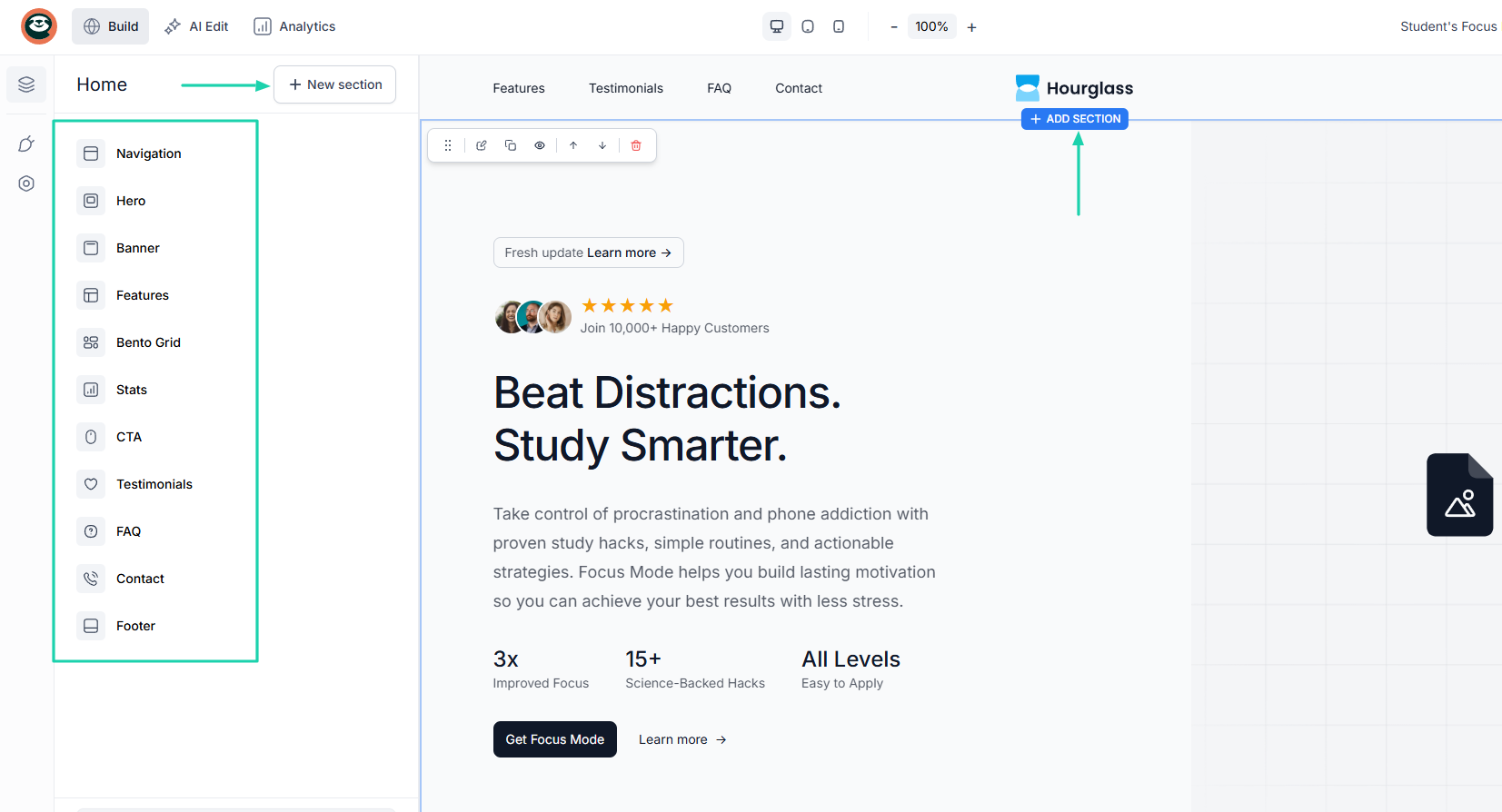
Now, if your goal is to scale, you will need a website for your product. This makes you more professional and gives you more control over customers.
Now, let me share with you a few reasons why 4,000+ creators love Easytools.
[fs-toc-omit]What I loved about Easytools
1. Store
Thanks to Easytools’ store feature, you can create and sell all sorts of products, from physical goods to digital ones like e-books, PDFs, templates, courses, and more.
For this tutorial, we will focus on creating a digital product.
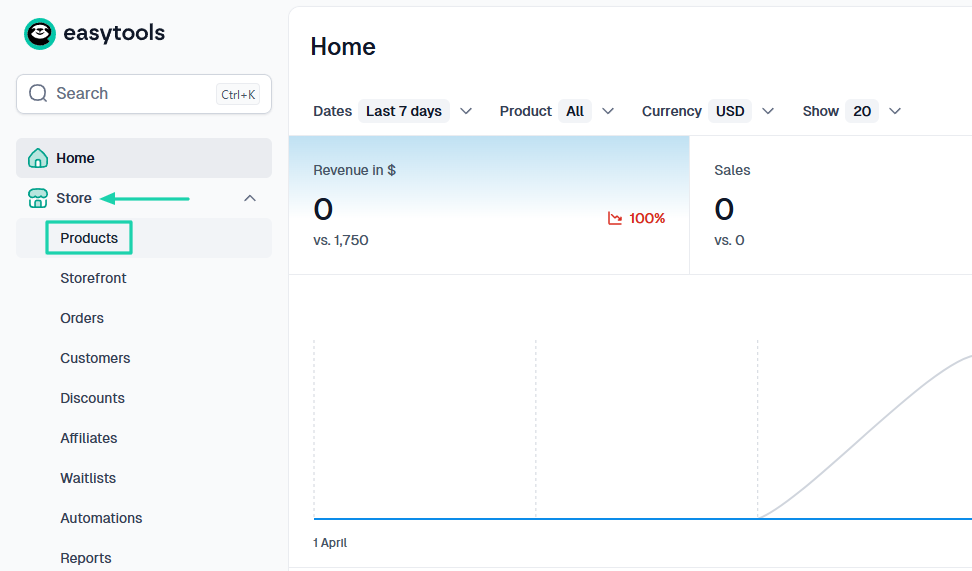
Under “Store,” select “Products.”
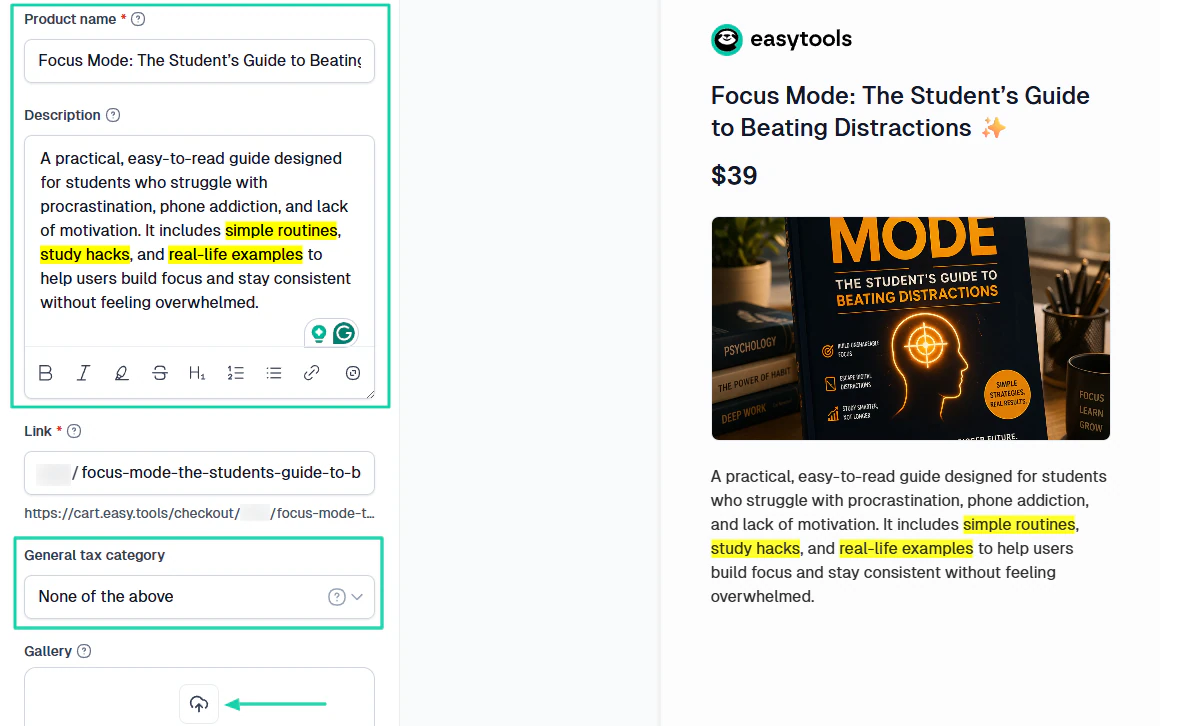
Whether it’s a guide, an e-book, or a template, the process is the same. You need to enter the product name and description and add an image.
You can also choose the general tax category.
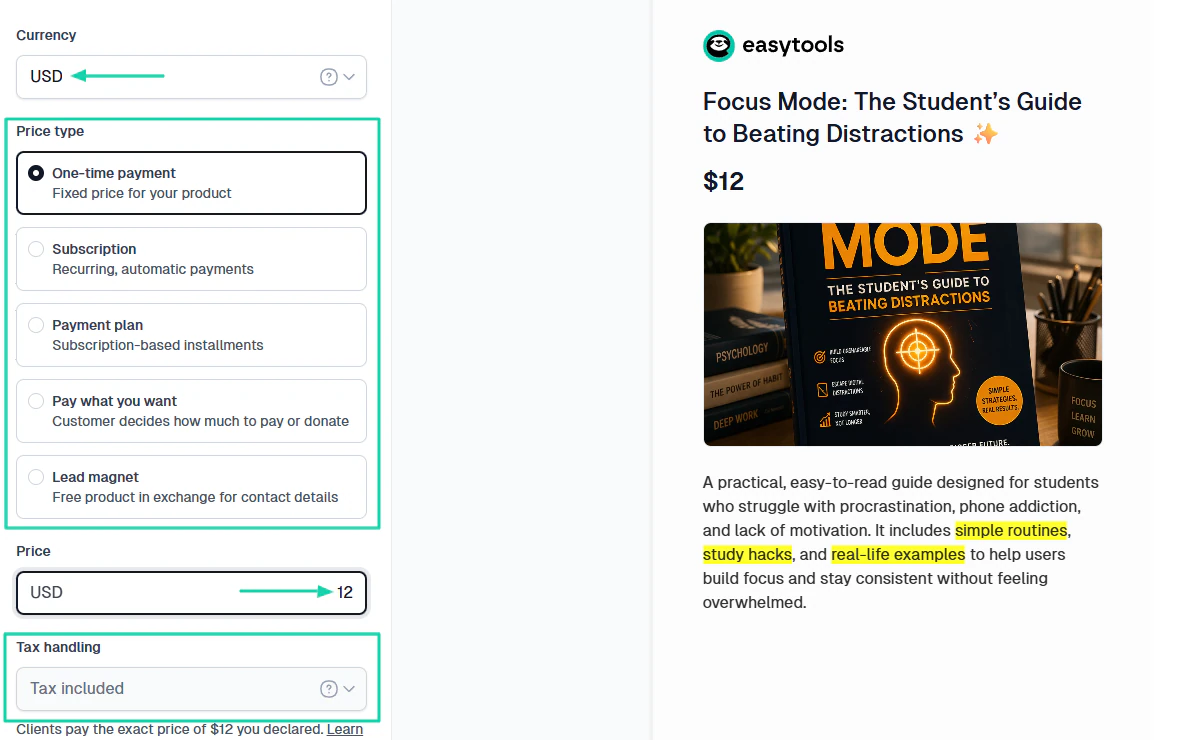
Next, specify the currency, price type, and the exact price of your product. Easytools lets you choose how you want the tax to be handled.
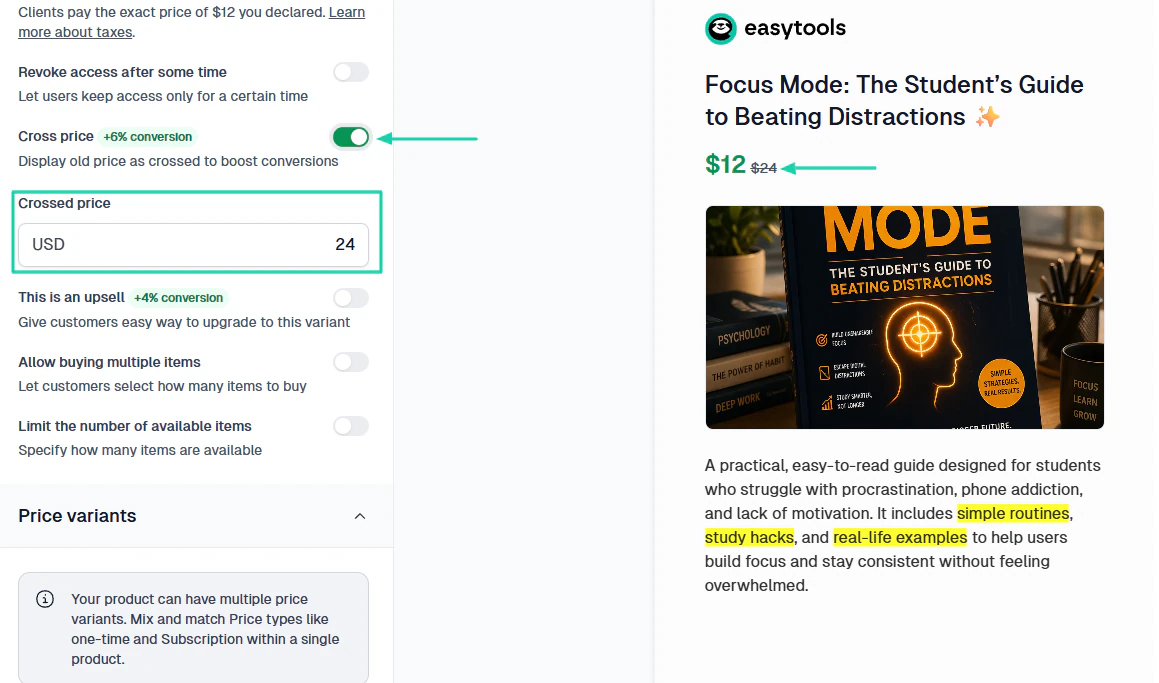
To boost conversions, you can enable the cross-price feature. It will display the old price as crossed.
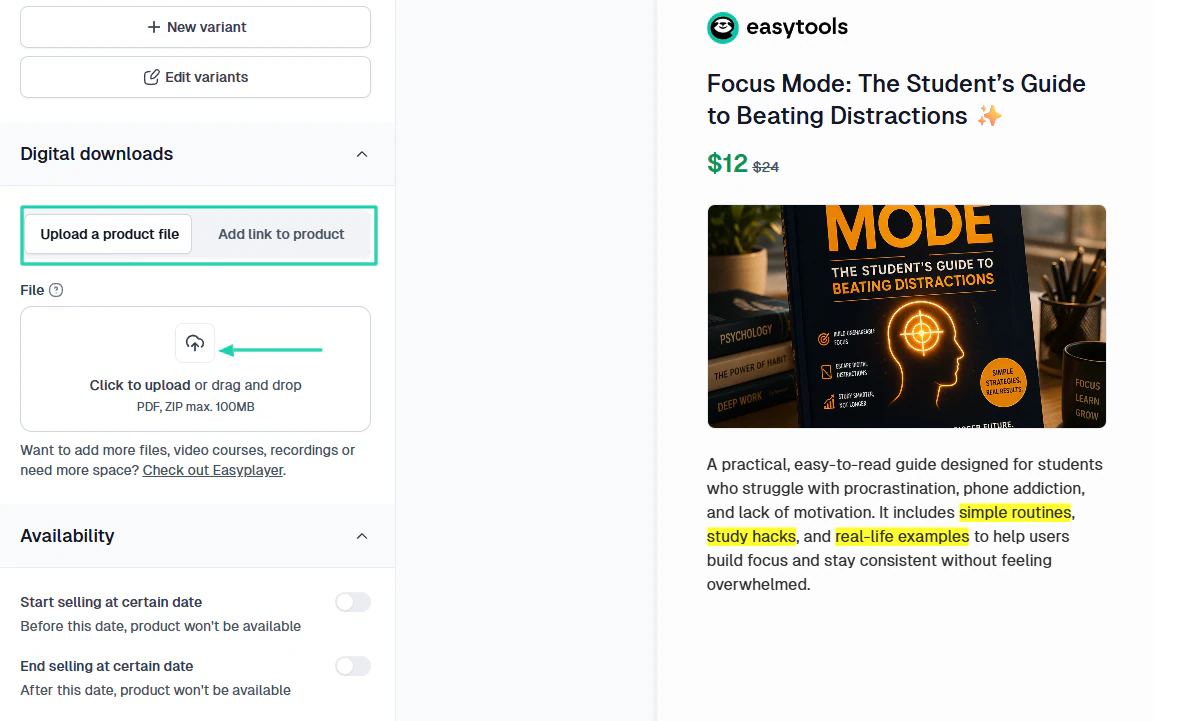
Now, you either upload your product file or add a link to it.
That’s it! This is what customers will see.
2. Email
When a customer makes a purchase, Easytools automatically collects their email address. This can help you send campaigns in order to build a relationship with them, upsell, and maximize customer lifetime value.
You can find this feature under “Email” in the sidebar menu.
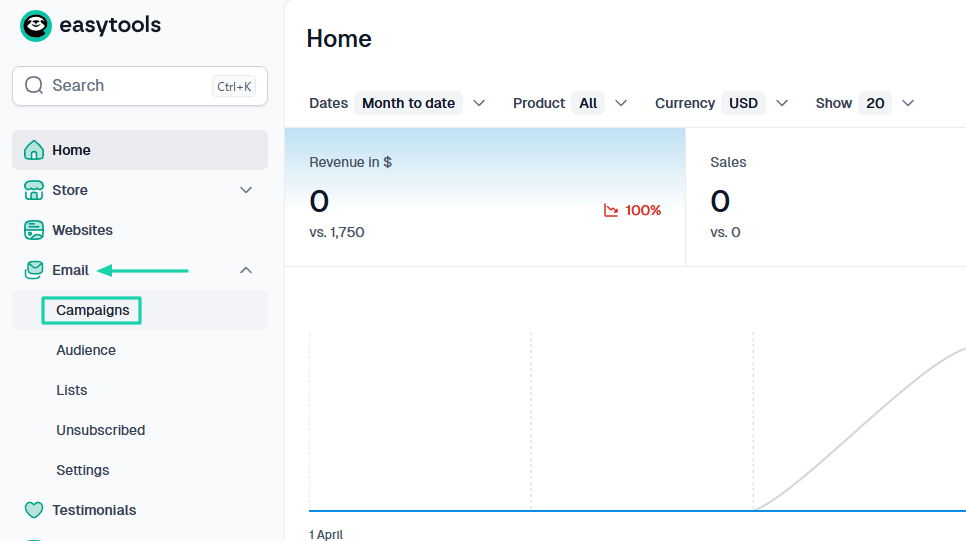
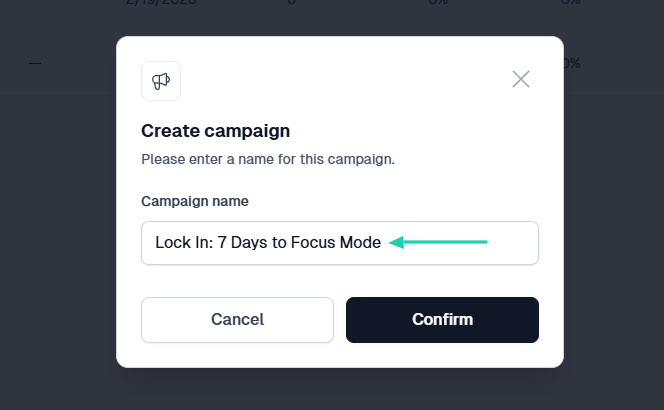
Start with a campaign name.
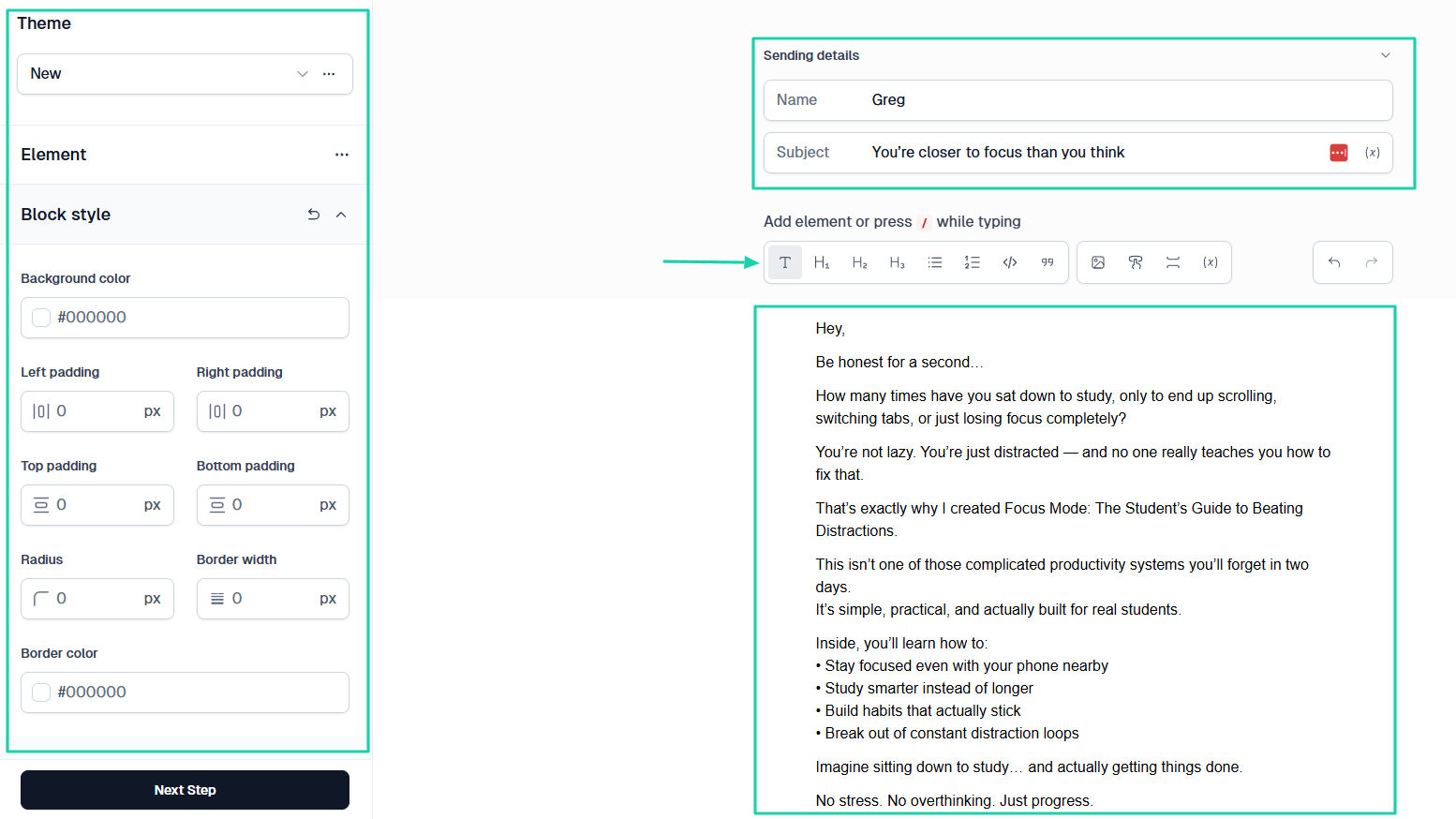
On the left side, you can adjust your theme and style.
On the right side, you will enter the sending details, including the sender’s name and subject. Then you add your message.
Remember, you can insert images, files, and links in your email.
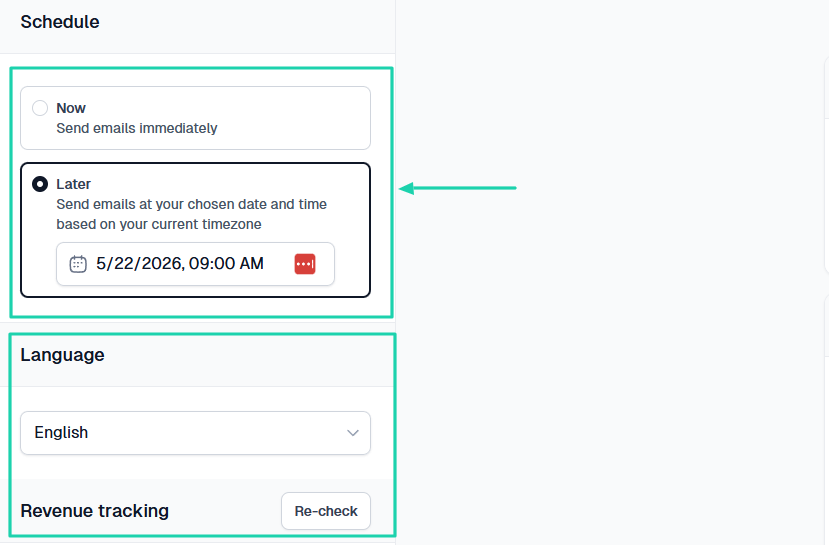
It’s time to decide when to send your email(now or later). In case it’s later, select the date and time.
You also need to select your preferred language.
It’s ready! You will be able to track email performance, including clicks, opens, sends, and even revenue if you added a product link to the email.
3. Websites
A professional seller needs more than a simple checkout. With the websites feature on Easytools, you can create a fully customizable landing page for your business.
Let me show you how.
Click “Websites” in the sidebar menu.
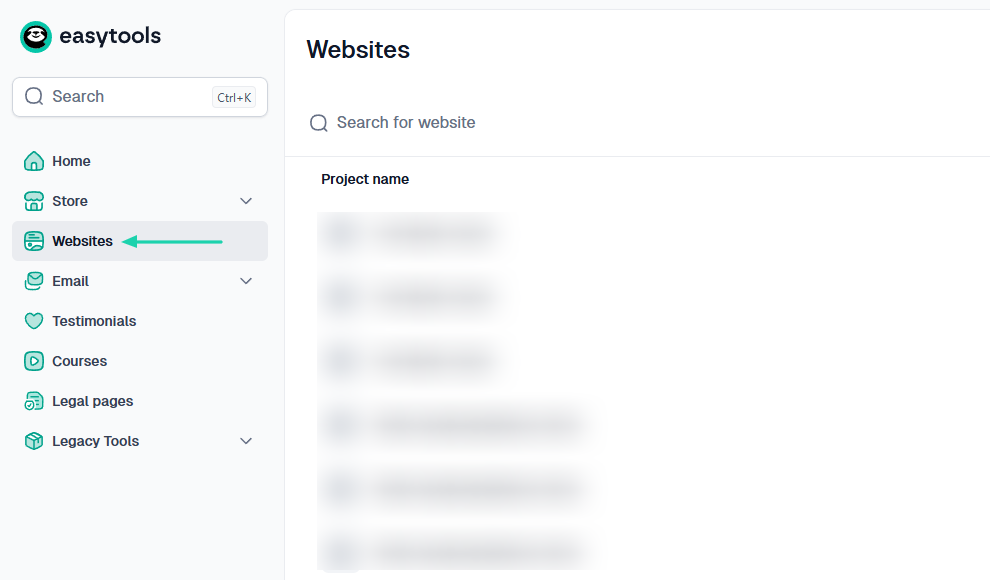
Name the project.
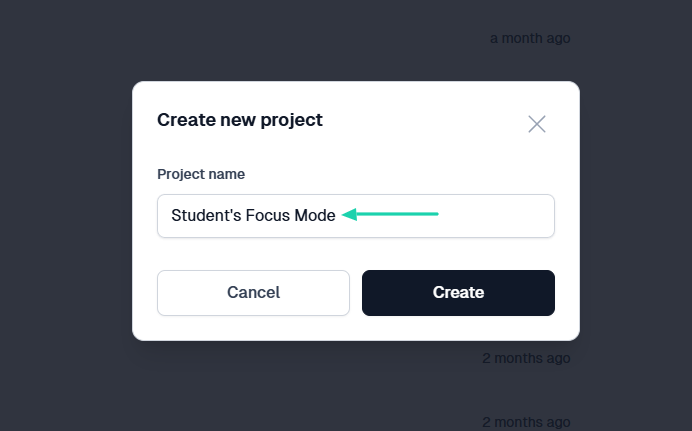
Since we’ve already created a product, I’ll select it and let Easytools generate the landing page.
But in case you don’t have any, you will simply describe how you want the landing page to be, and the AI builder will do the rest.
Now that you’ve selected the product, choose your preferred color palette and click “Generate.”
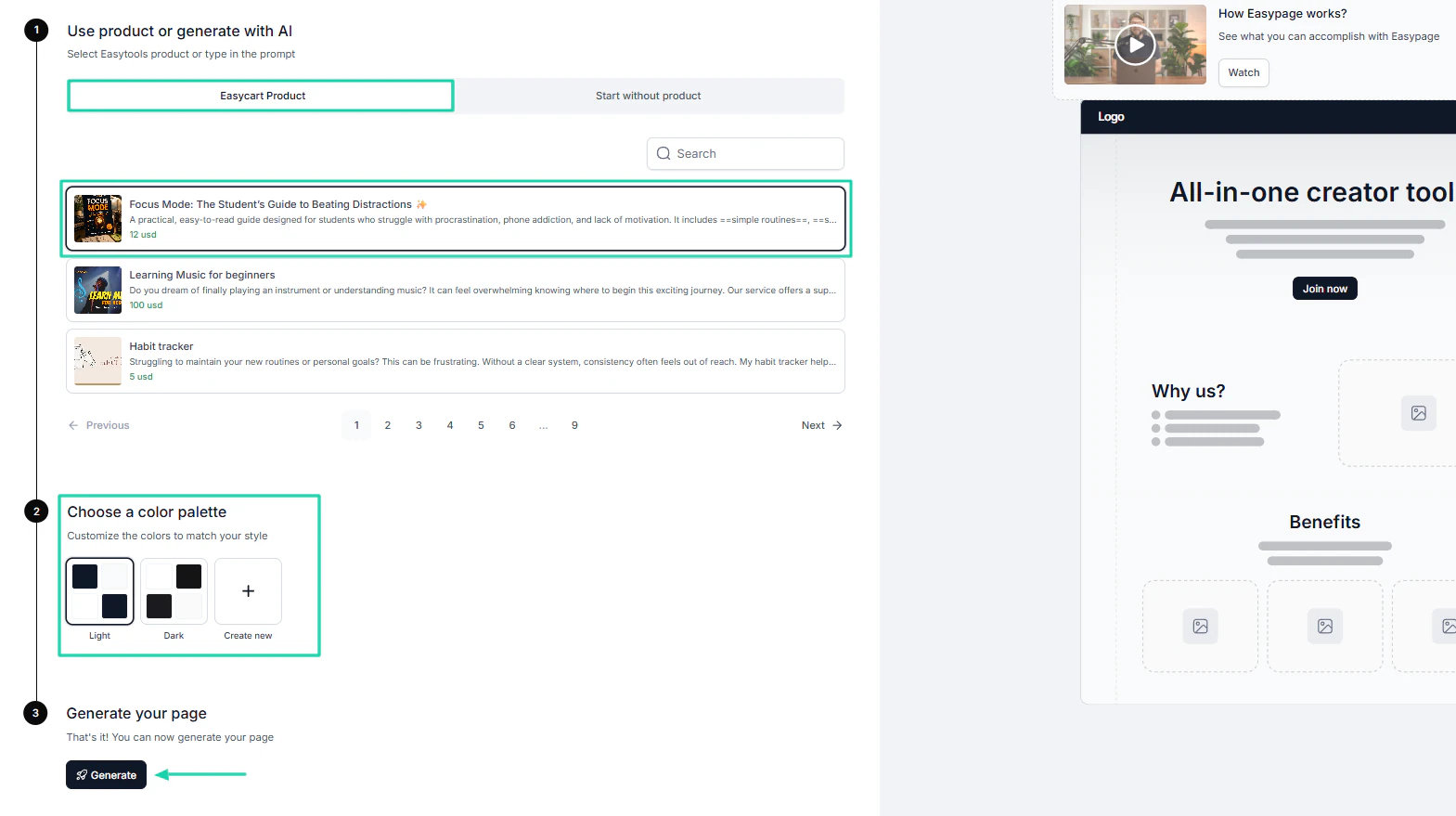
AI will generate your landing page and fill it with content in less than a minute. You can then customize it to your liking.
For example, you can edit or add new sections, edit text, or images.
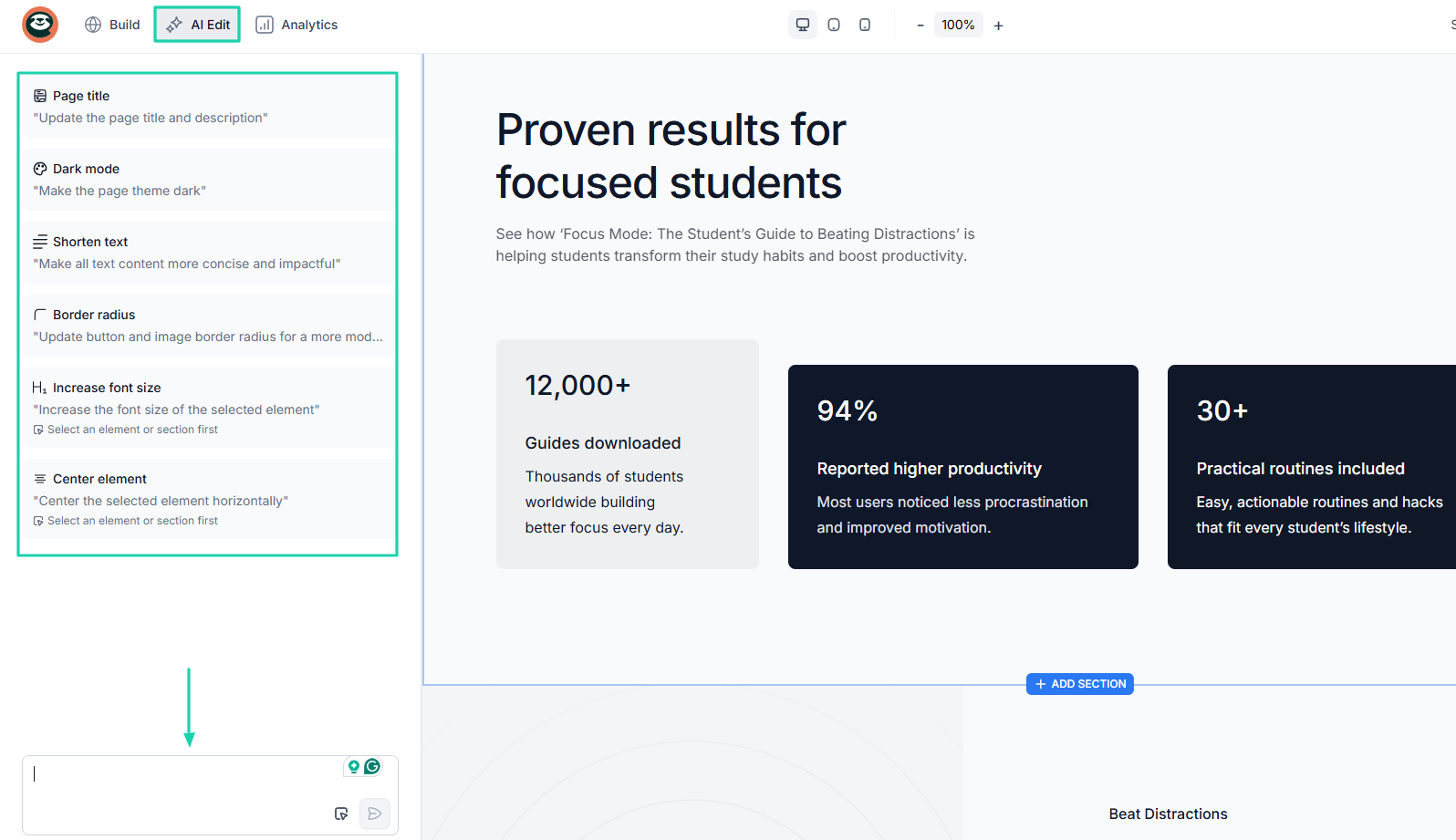
To go faster, you can even use the AI Edit. It can shorten text, edit mode, and update the page title.
But what’s more interesting is you can simply describe the change you want in the “edit box,” and the AI will do just that.
[fs-toc-omit]What I liked vs what I didn’t like
What I loved 👍
✅ Allows you to sell physical products and a variety of digital products like e-books, online courses, templates, PDFs, services, SaaS, webinars, among others.
✅ Lets you customize your checkout by adding a logo, choosing brand colors, theme, and displaying testimonials.
✅ Creates a landing page in less than 5 minutes.
✅ Allows you to use AI to edit landing page: text, mode, position, images, and more.
What I didn’t like 👎
❌ You can only send emails to your Easytools customers, but after you send a few campaigns, you will be able to add new contacts
[fs-toc-omit]Best for
- Digital creators seeking to sell digital products, launch their stores, and websites.
[fs-toc-omit]Pricing
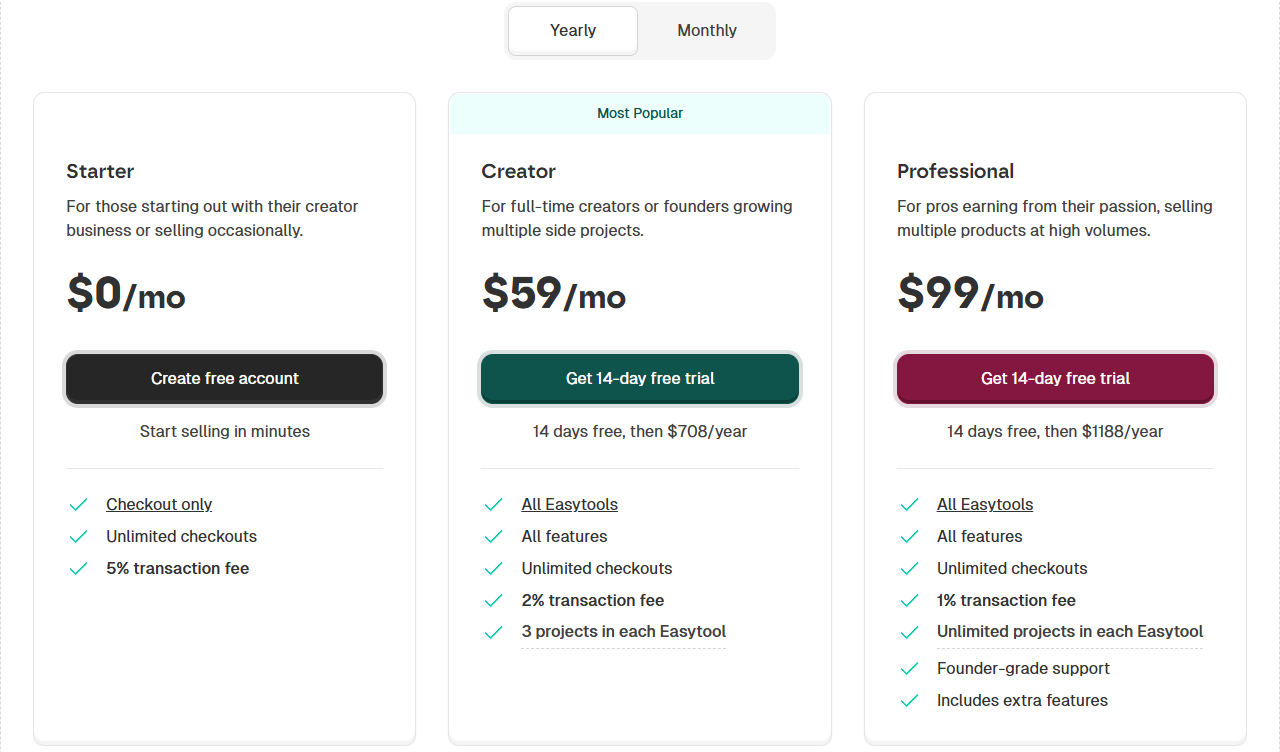
- Starter: $0/month
- Creator: $59/month
- Professional: $99/month
2. Shopify
- Personal rating: ⭐️⭐️⭐️⭐️⭐️ 4.6/5 - It seems easy to launch, manage, and scale online stores without requiring coding skills.
- Key advantage: It has a massive app ecosystem of over 13,000 apps.
- Potential drawback: You may need to understand at least the basics of SEO to promote your store and products.
- Listing fee: None - $0
- Starting plan: Basic - $19/month + 10 inventory locations
```
Our next Etsy alternative is Shopify. It is an e-commerce platform that integrates with 13,000+ commerce apps, enabling merchants to design, build, and manage online stores.
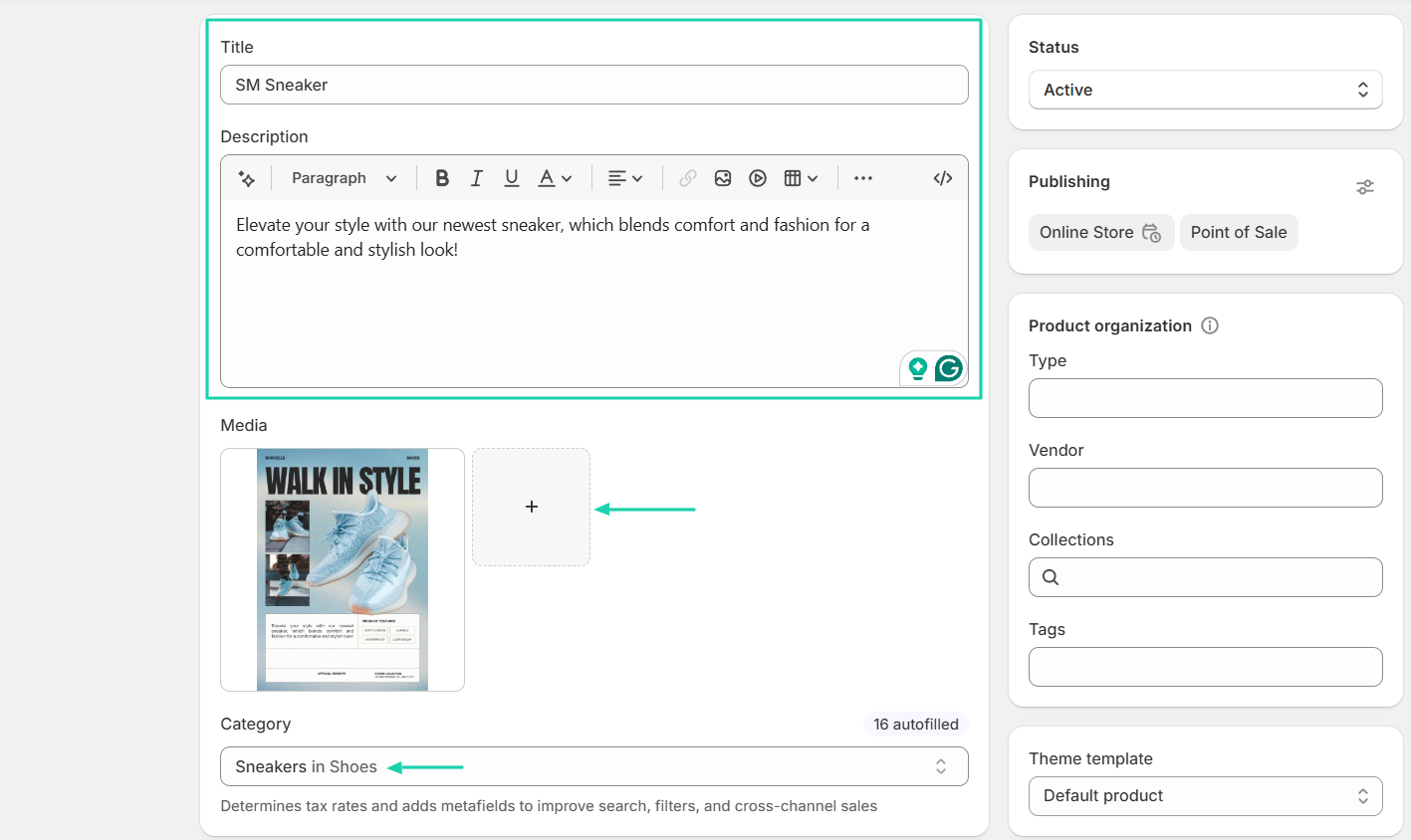
To create a product on a Shopify store, you will need to provide the product’s name, description, price, category, and images.
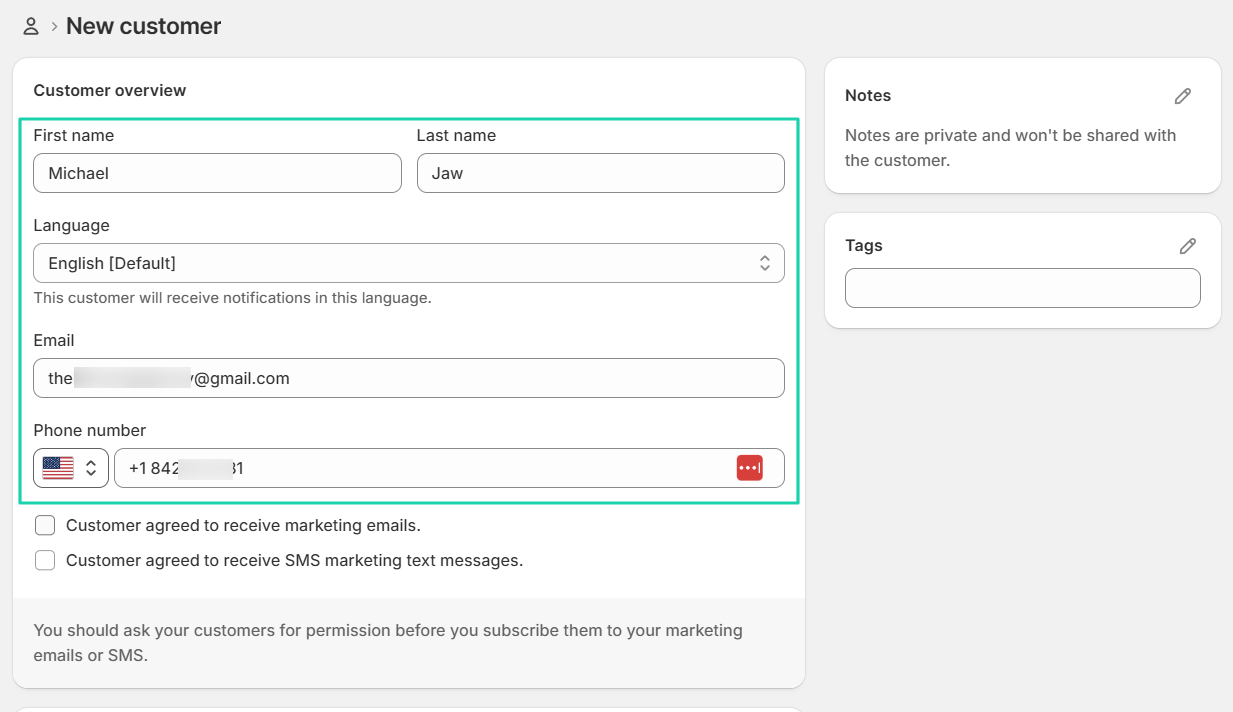
You can add customers manually by simply entering their name, language, email, and phone number.
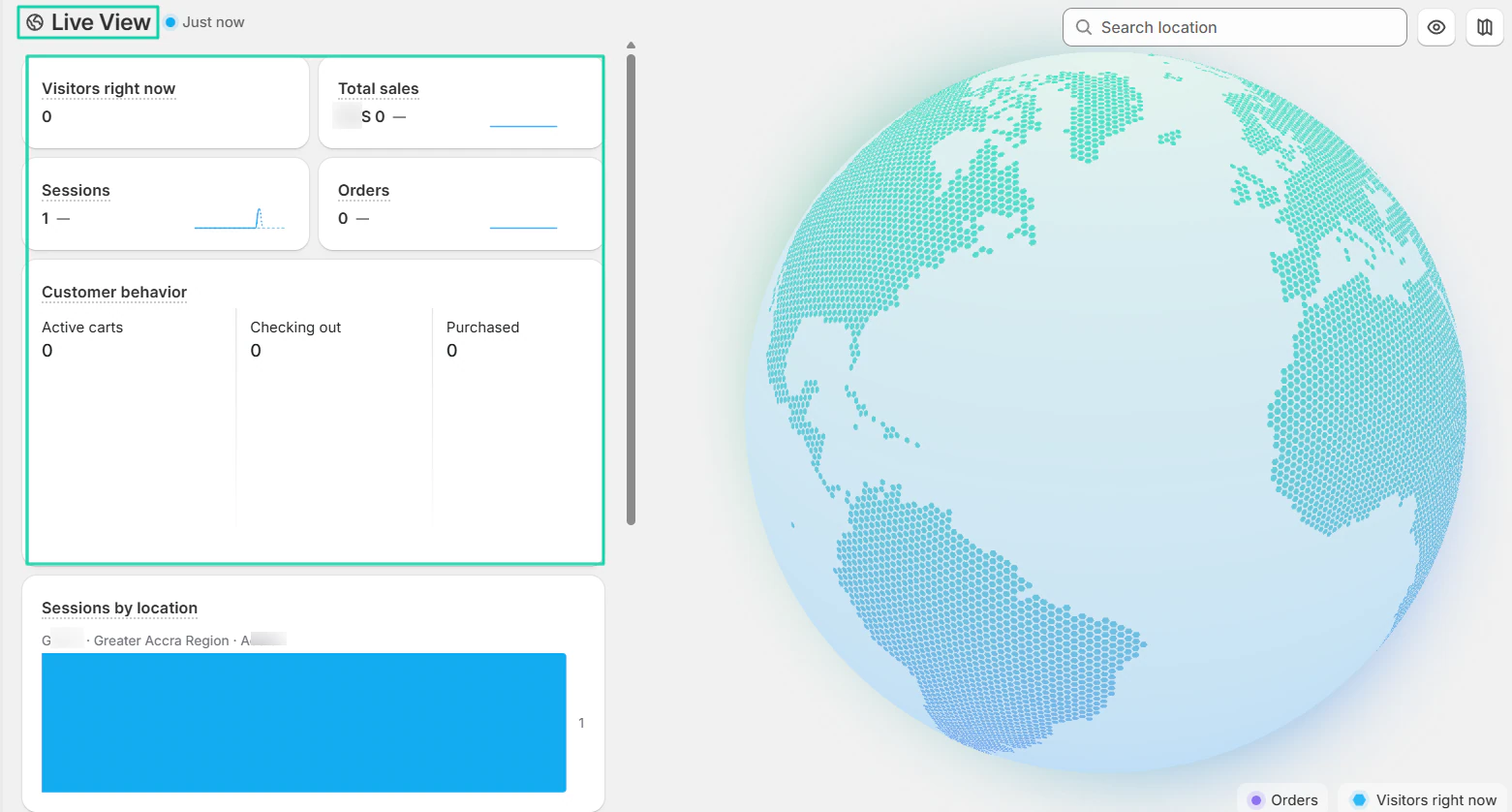
When it comes to analytics, you can have access to live view. In other words, you can see your store’s visitors in real time.
You even get to see their behavior.
[fs-toc-omit]What I loved about Shopify
1. Products
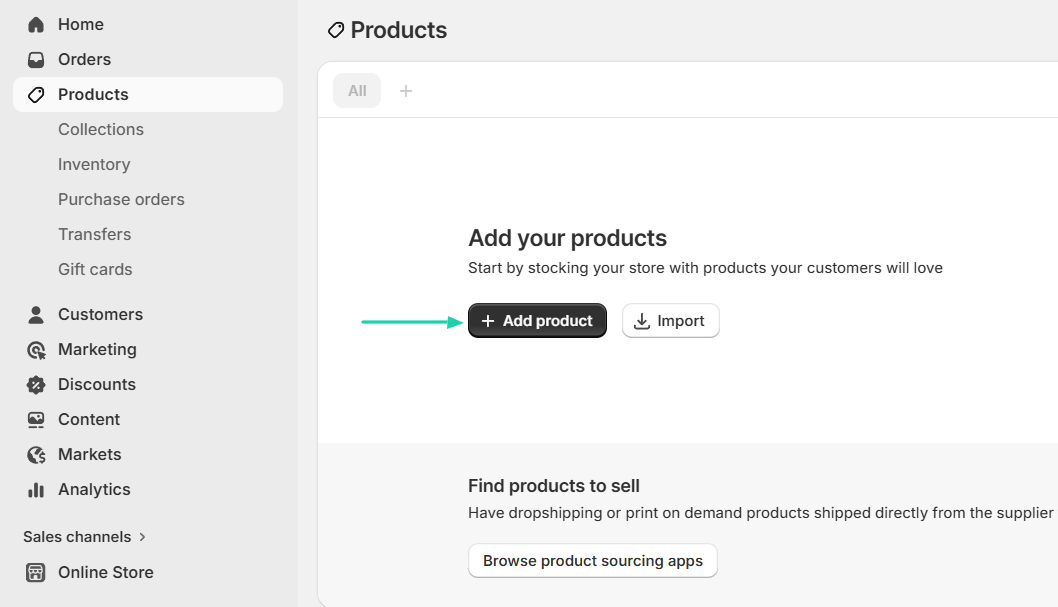
Shopify’s products feature is the first feature we will review. It lets you add or import your products. You can also browse product sourcing pages to find products to sell.
Let’s rather add a product!
Enter the title and description of the product. Then, you add media and choose the category.
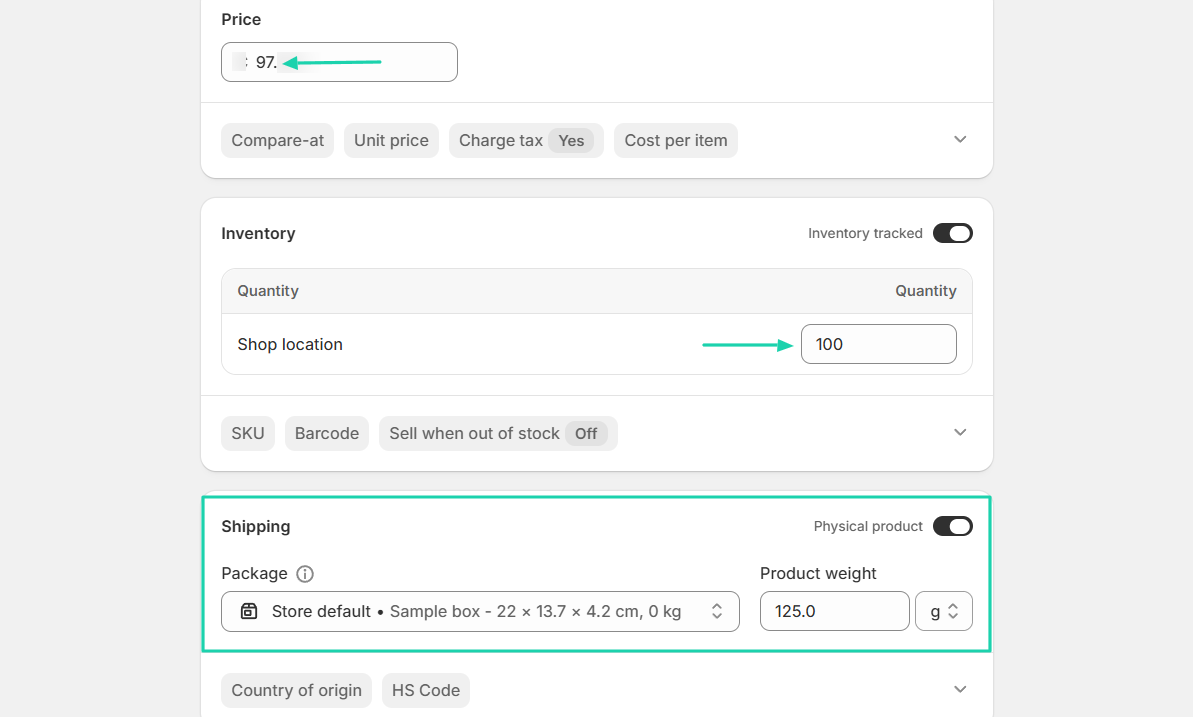
Next, add the price, specify the quantity, and if it’s a physical product, add its weight.
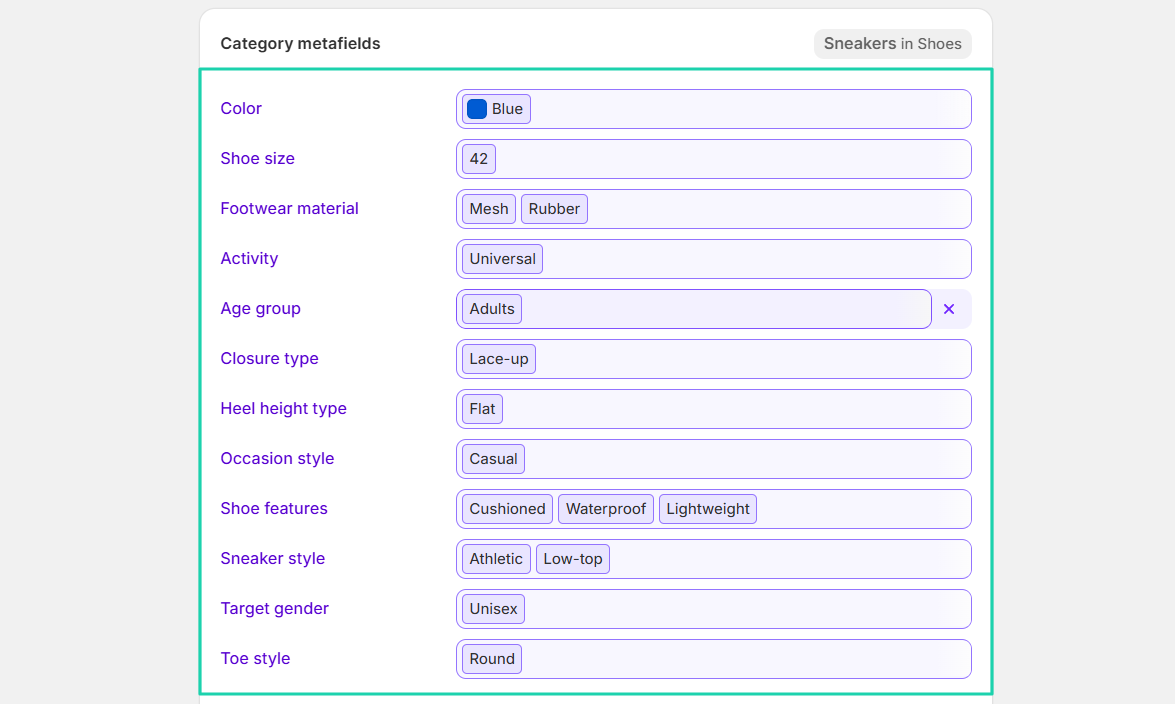
You can adjust the various category metafields for each product.
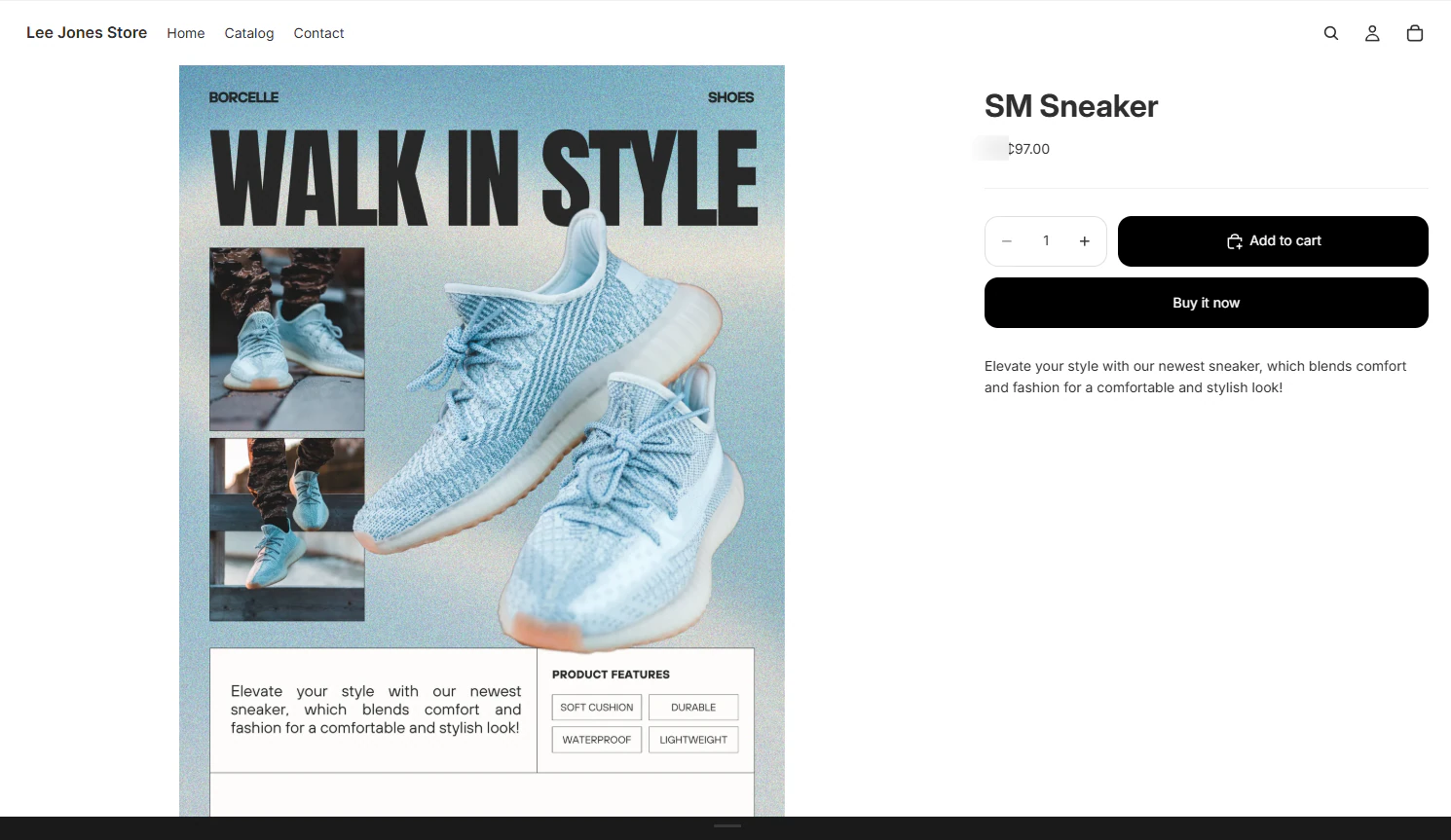
That’s it! Your product now exists in your store.
2. Customers
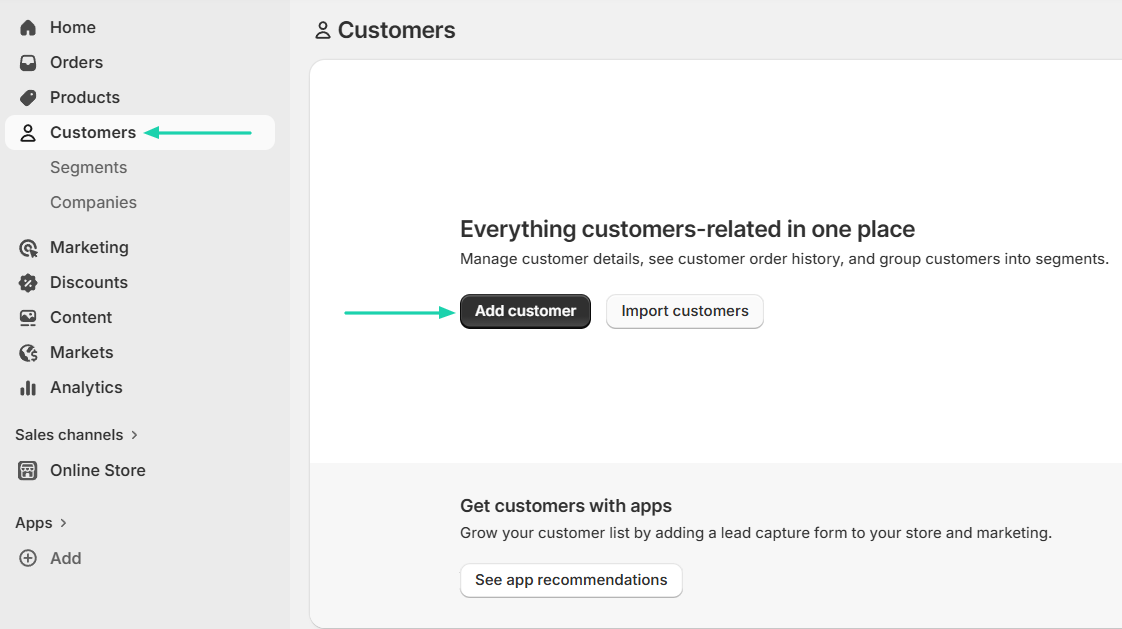
The customers feature lets you manage customer details, view customer order history, and group customers into segments.
You can manually add customers or import them.
Let’s add them.
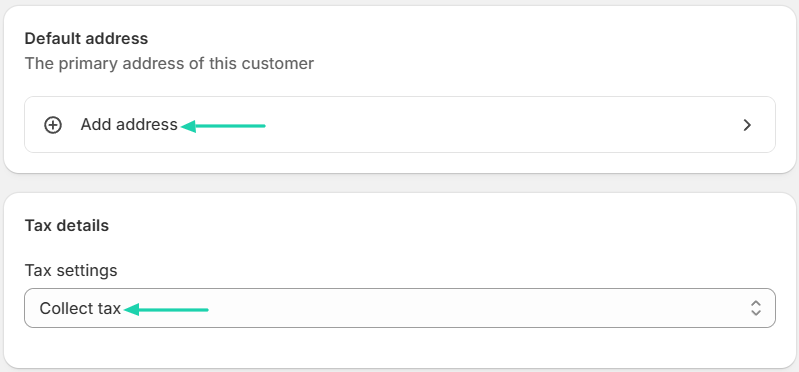
You will enter the customer’s first and last name, email address, phone number, and language.
You can also add your customer’s address and adjust the tax settings.
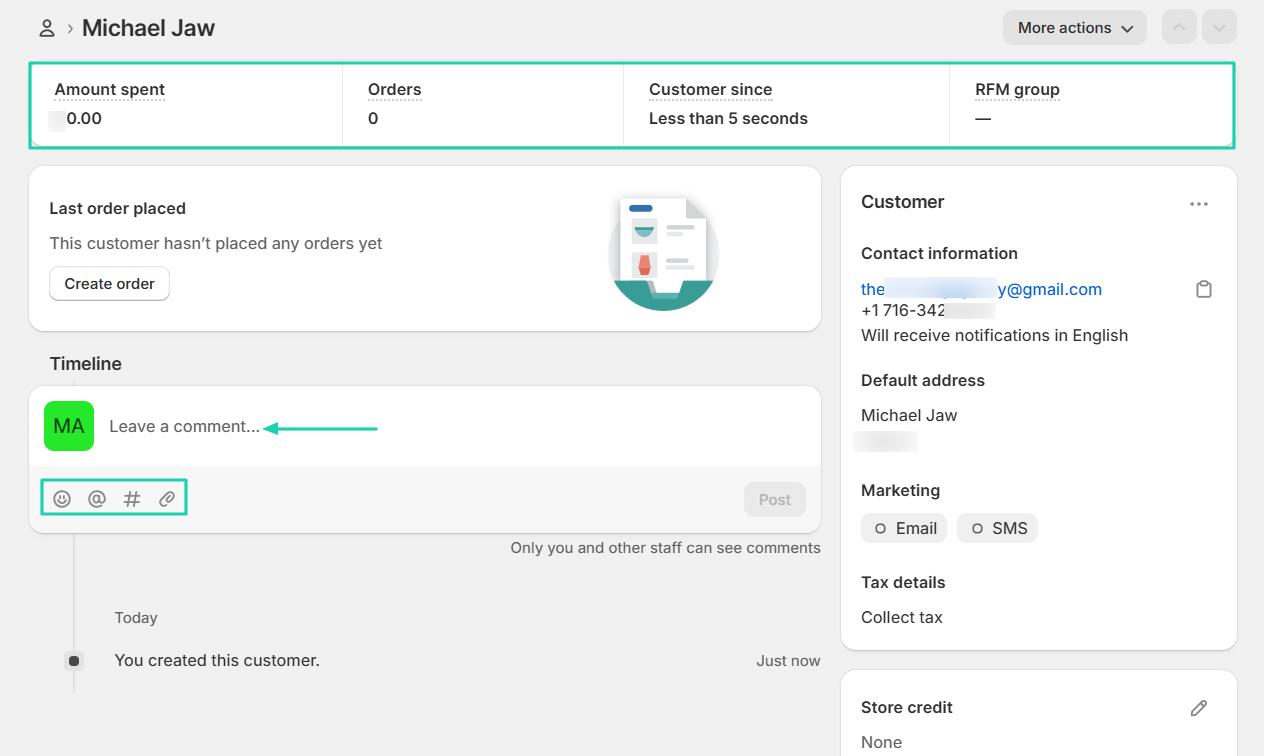
Once you have customers on the platform, you can track how much they spend, the number of orders, and how long they’ve been your customers.
You can also leave comments on customers’ timelines, add files or emojis, or tag staff.
3. Analytics
The analytics feature on Shopify shows insights like gross sales, return customer rate, orders fulfilled, and total sales over time.
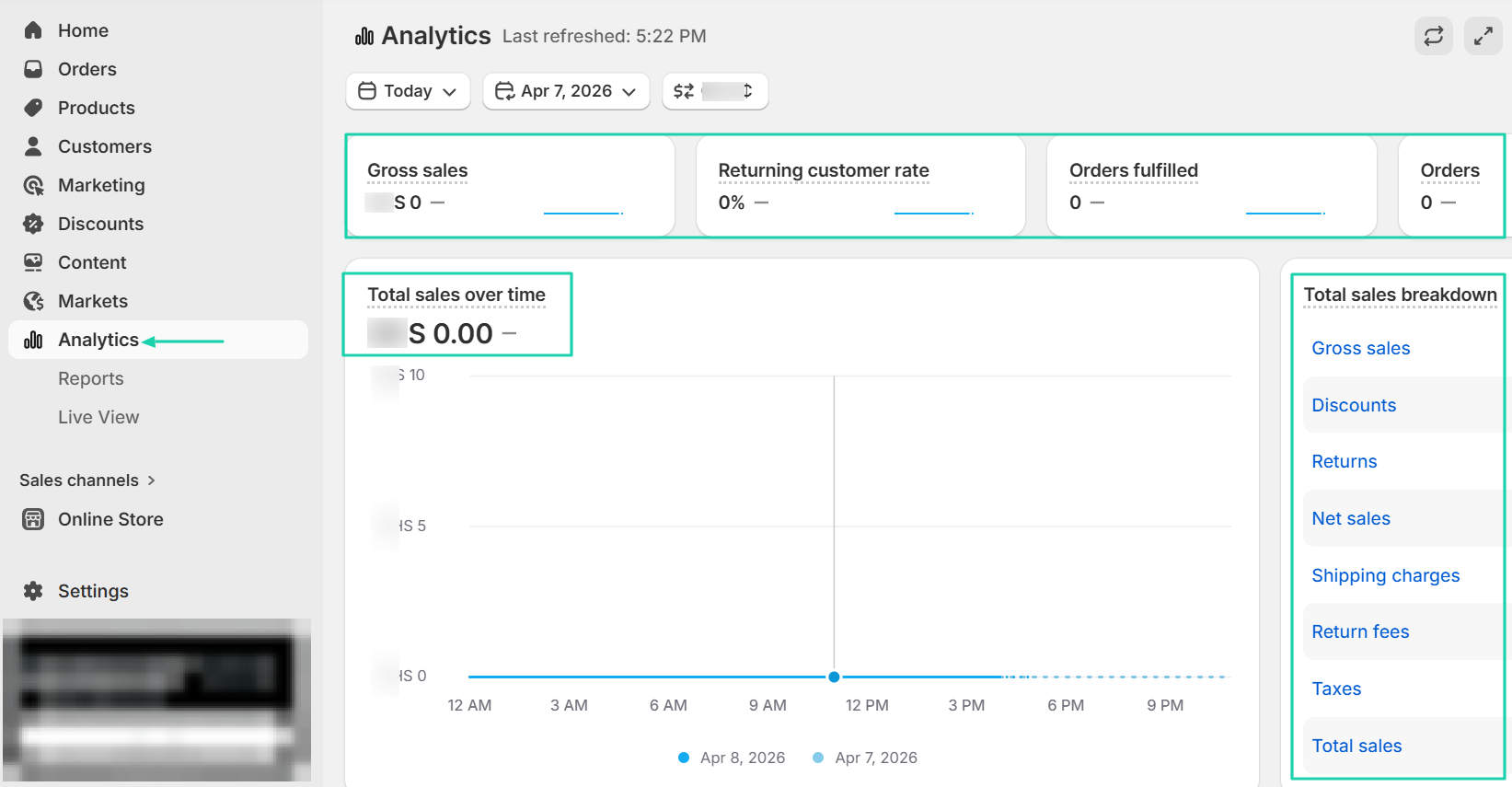
It also displays the average order value over time, total sales by product, conversion rate over time, and conversion rate breakdown.
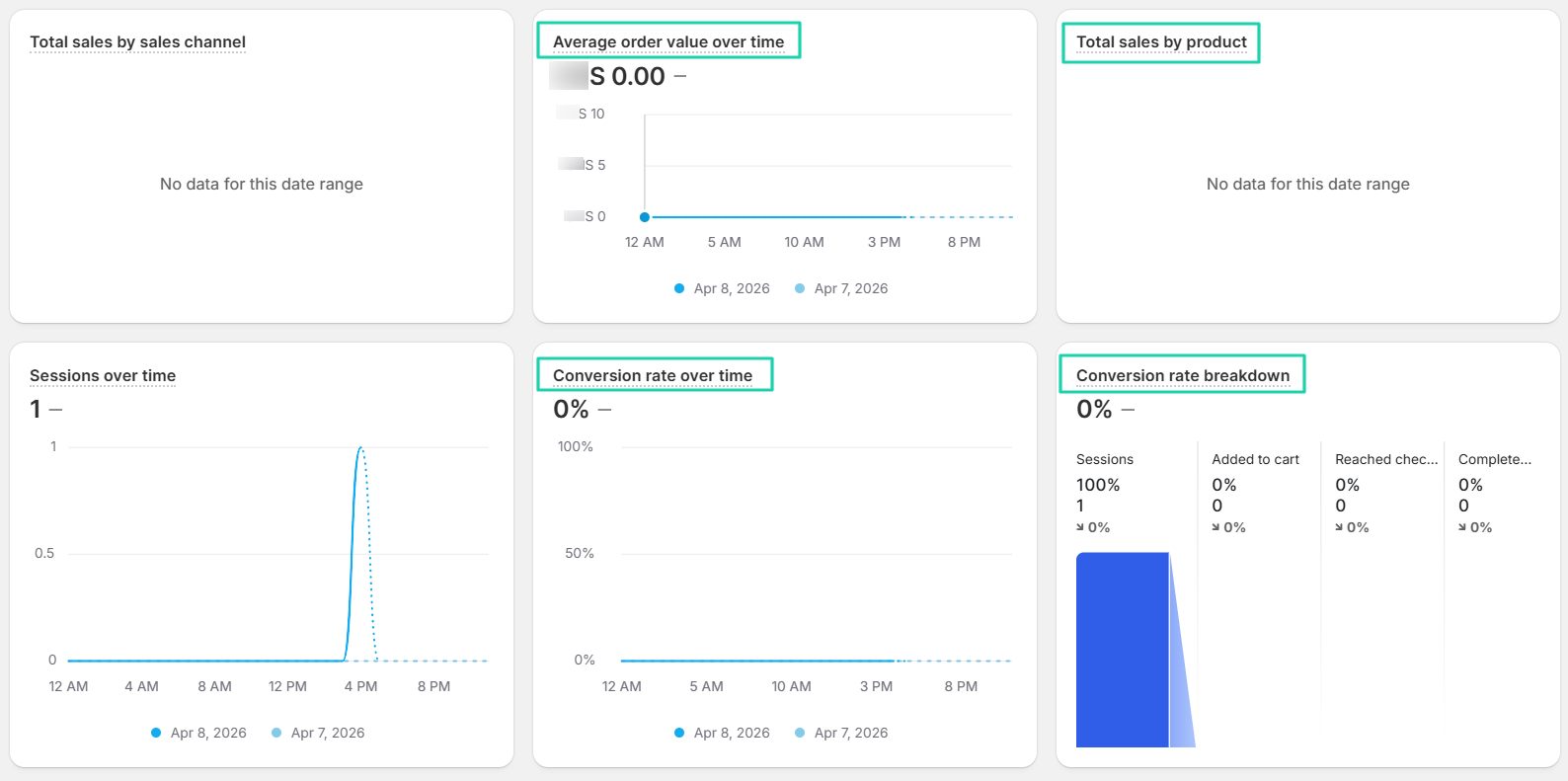
On top of that, you can see visitors in real time, total sales, sessions, and orders.
[fs-toc-omit]What I liked vs what I didn’t like
What I loved 👍
✅ Lets you find other products to sell by browsing product sourcing apps available.
✅ Its dashboard offers rich analytics, including a total sales breakdown that includes gross sales, net sales, discounts, taxes, and shipping fees.
✅ Comes with the live view feature that shows visitors in real time.
What I didn’t like 👎
❌ You can only customize the checkout on the Plus plan, which costs $2,300/month.
[fs-toc-omit]Best for
- Entrepreneurs building a full-scale online store who want complete control over branding and products.
[fs-toc-omit]Pricing
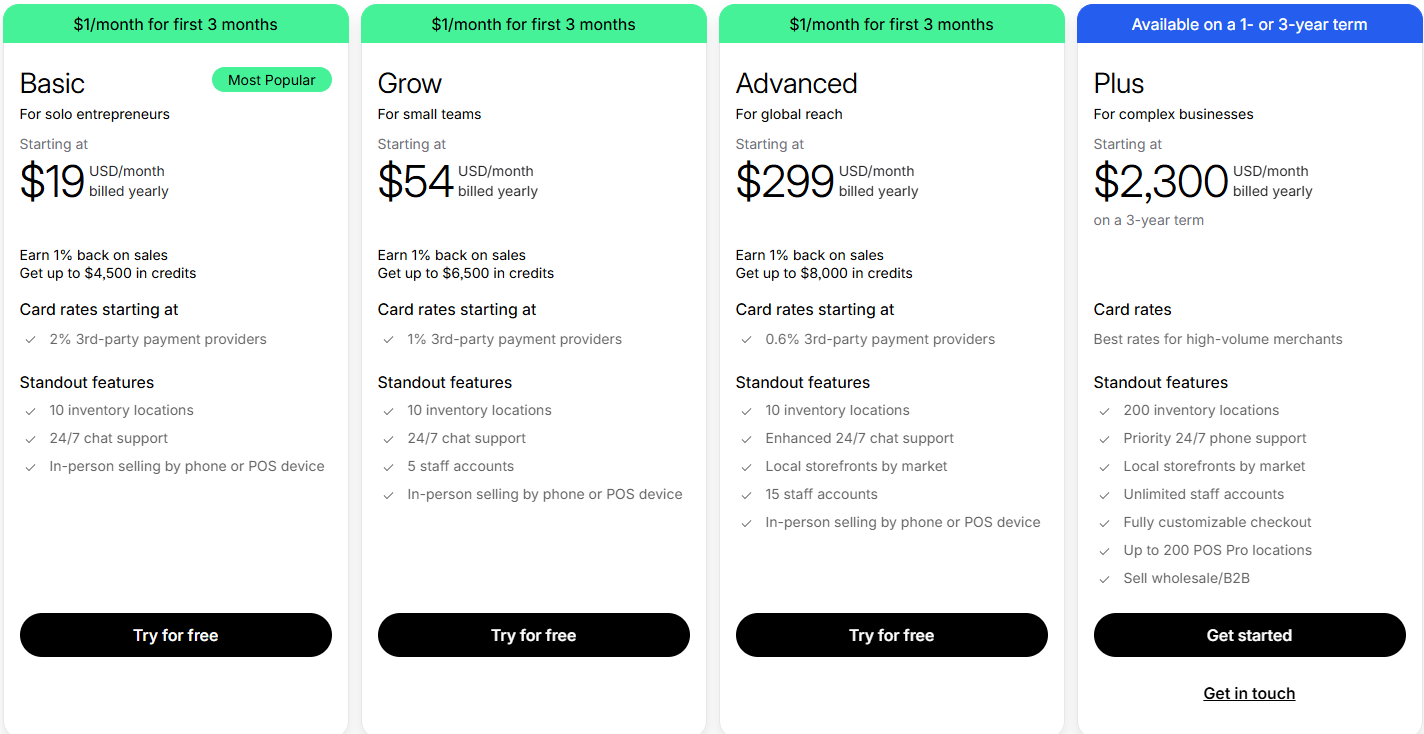
- Basic: $19/month
- Grow: $54/month
- Advanced: $299/month
- Plus: $2,300/month
3. Gumroad
- Personal rating: ⭐️⭐️⭐️⭐️⭐️4.6 /5 - It’s simple to use. Even as a first timer, you won’t struggle to add your product.
- Key advantage: Its ease of use and built-in email marketing.
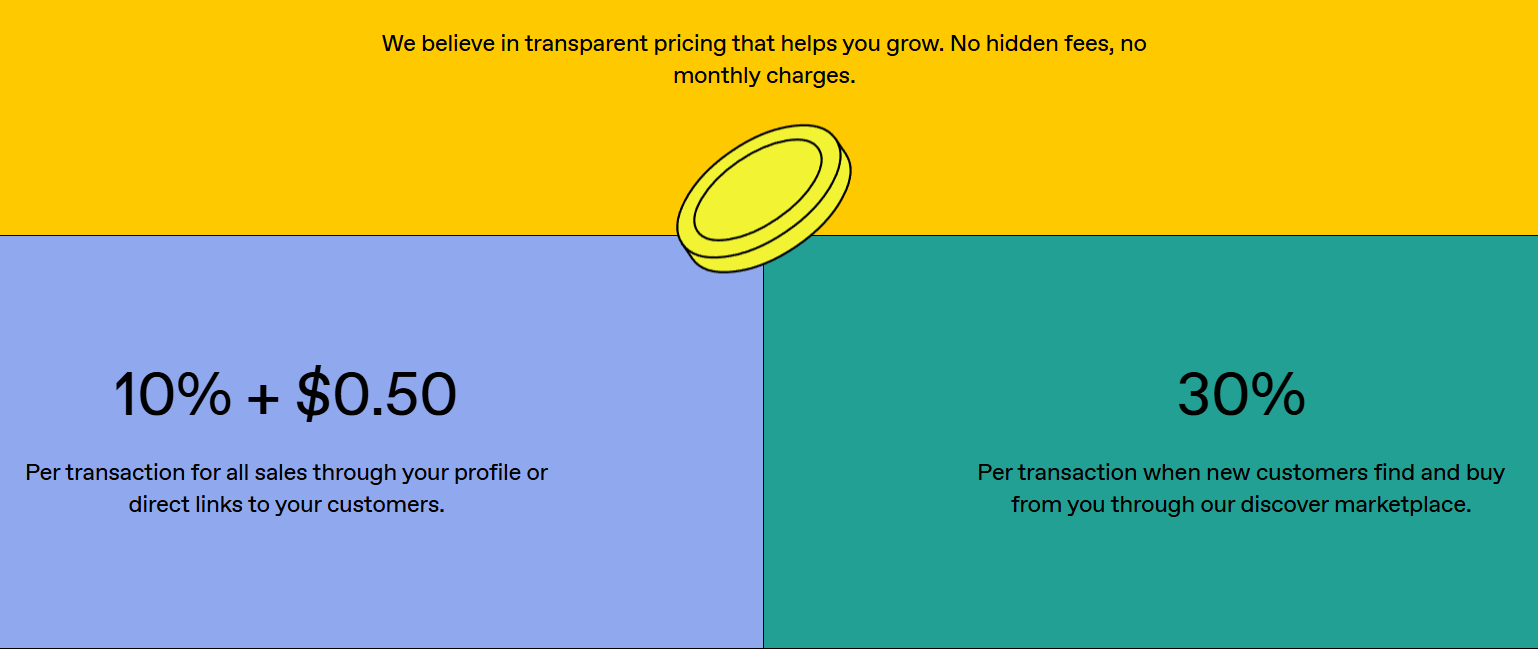
- Potential drawback: High transaction fees - It charges 10% and 30%, depending on how customers discovered your products.
- Listing fee: None - $0
- Starting plan: Free - 10% + 0.50
```
We will continue this list of Etsy alternatives with Gumroad. It is a marketplace platform with over 10k+ live stores selling digital products and services directly to customers.
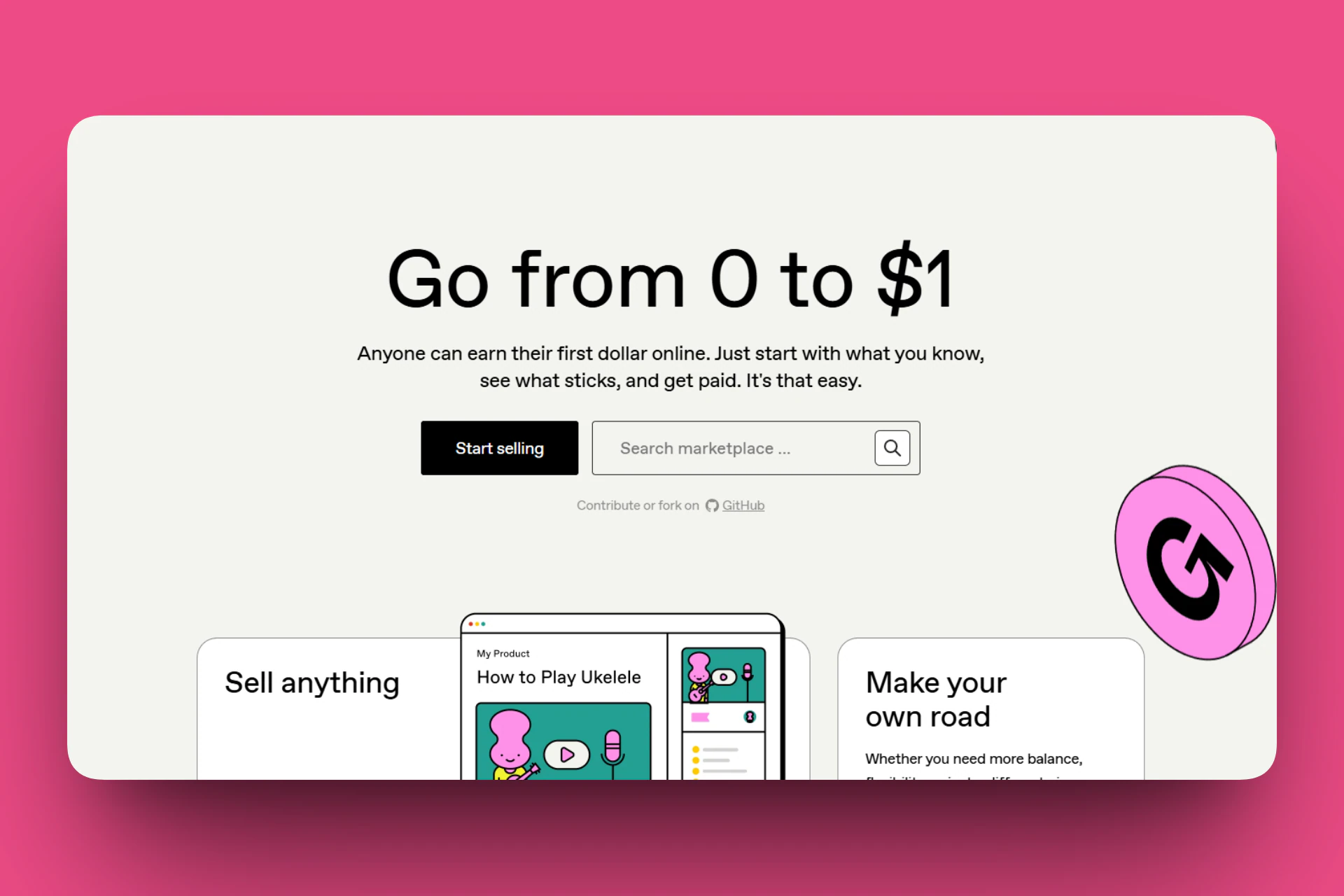
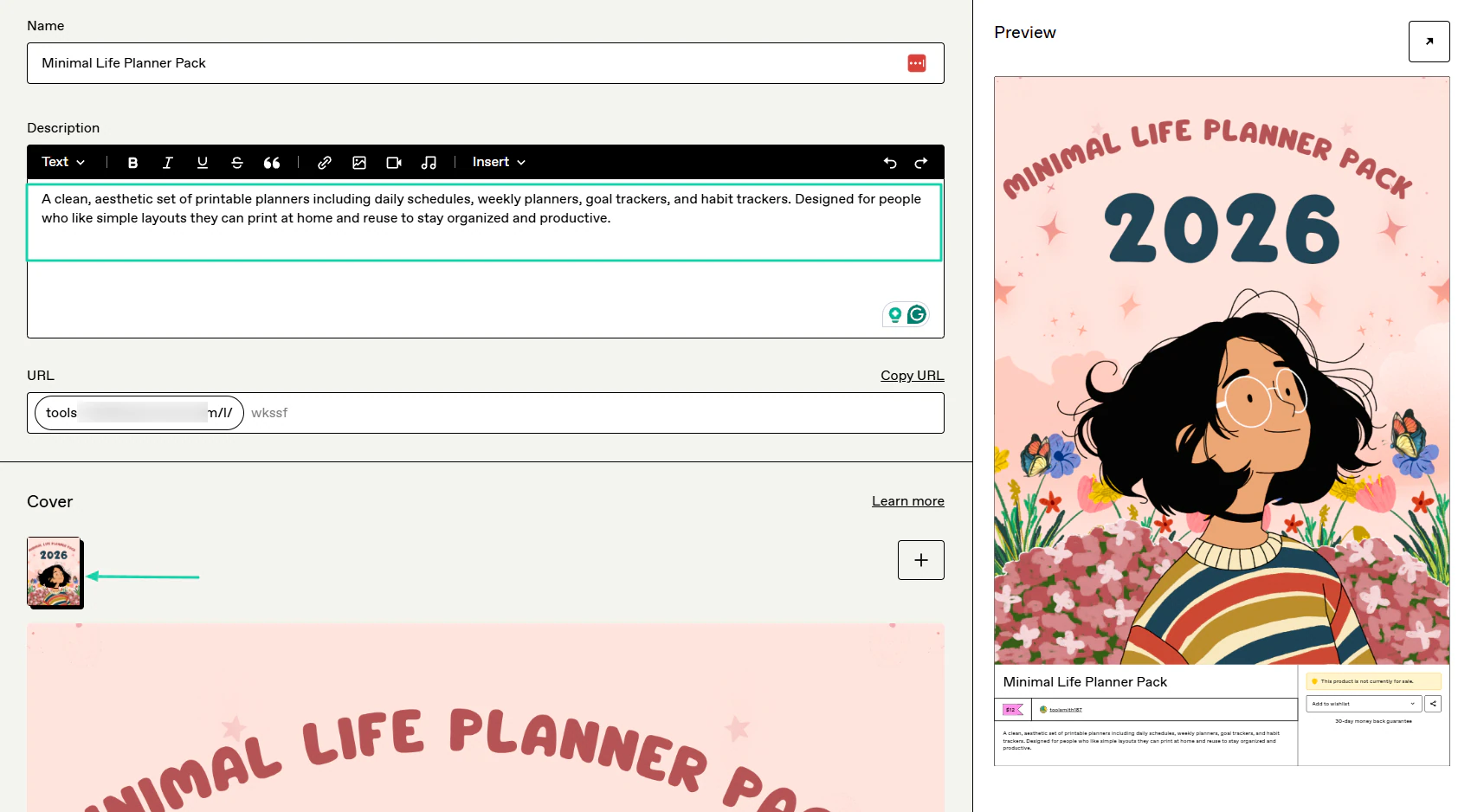
After providing the product’s name, description, image, and price, you will simply upload the product file, and that’s it.
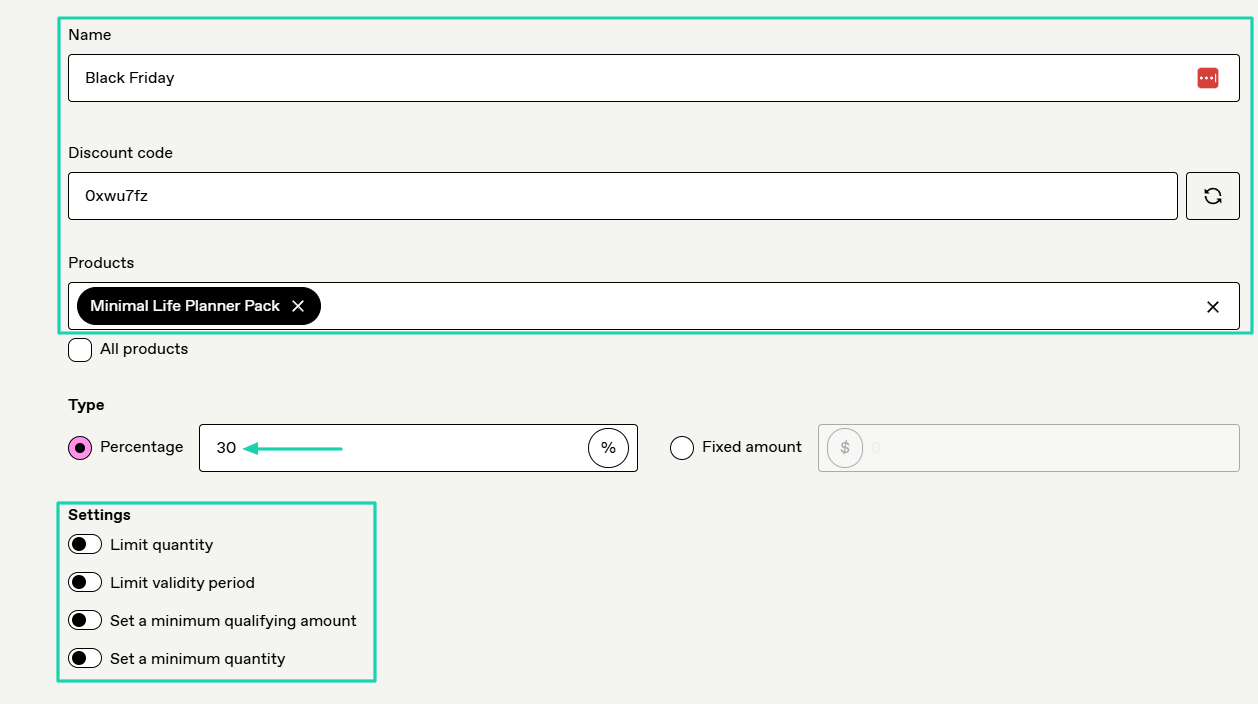
When you want to create a discount, you give it a name and a code. Then choose your preferred products and the discount percentage.
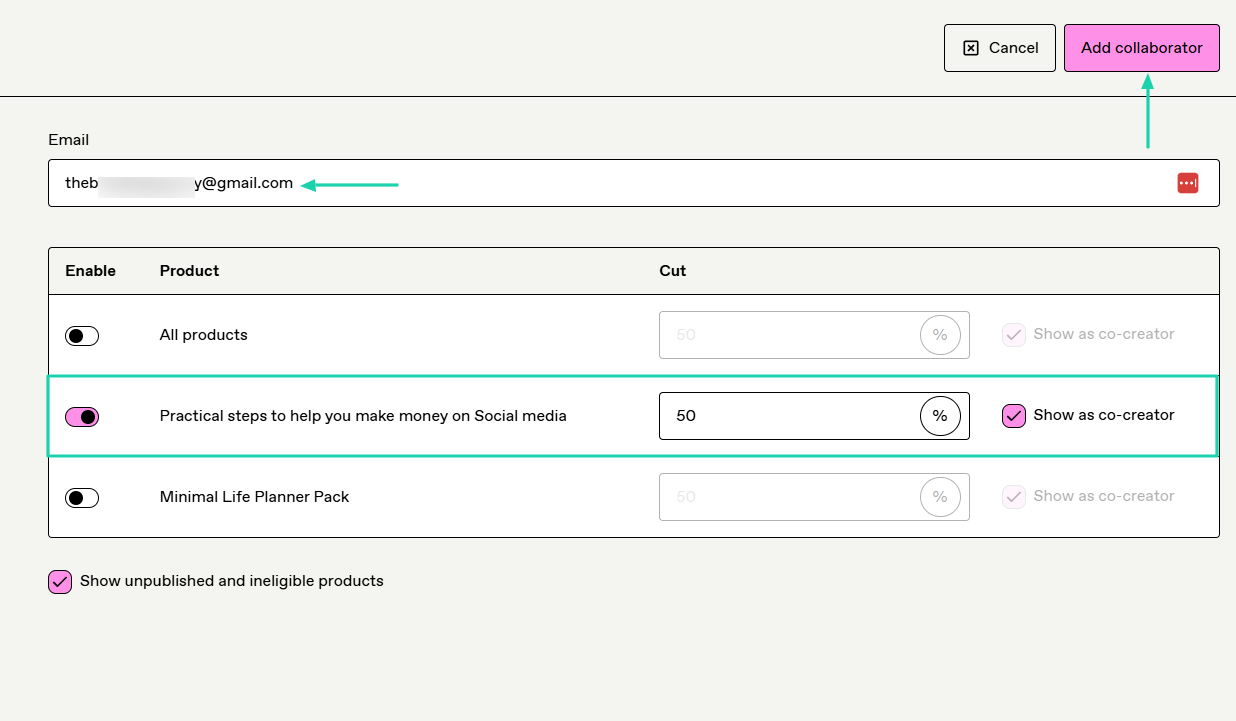
Now, if you did not create a particular product alone, you can add your collaborator and decide how much they should get from the sale.
[fs-toc-omit]What I loved about Gumroad
1. Products
On Gumroad, you can sell digital products, memberships, e-books, courses, and bundles. You can also sell services like commissions, consultation calls, or virtual coffee chats.
Let’s dive deeper!
Find “Products” in the sidebar menu.
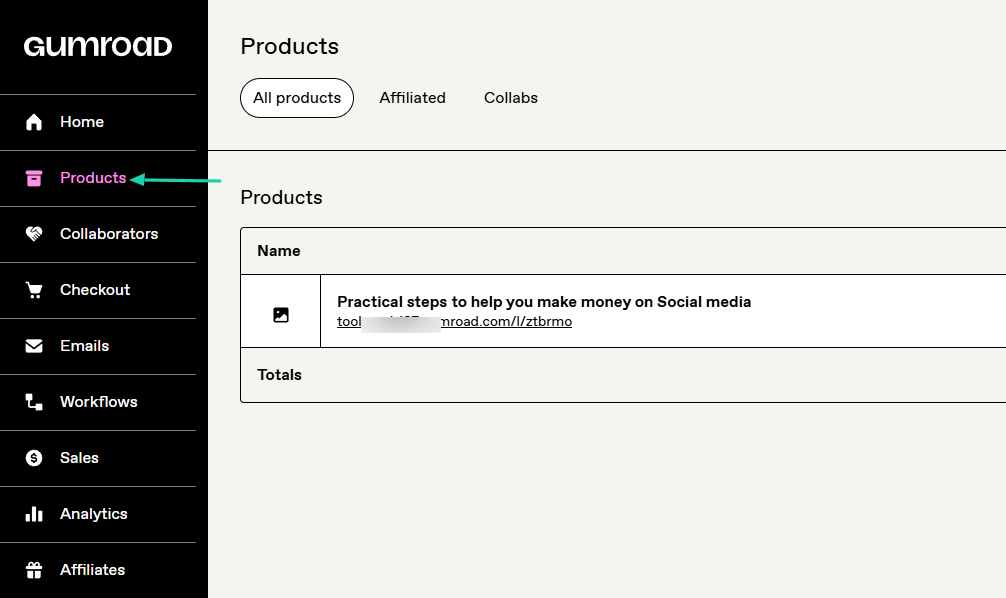
Name the product, choose the product type, and add the price below.
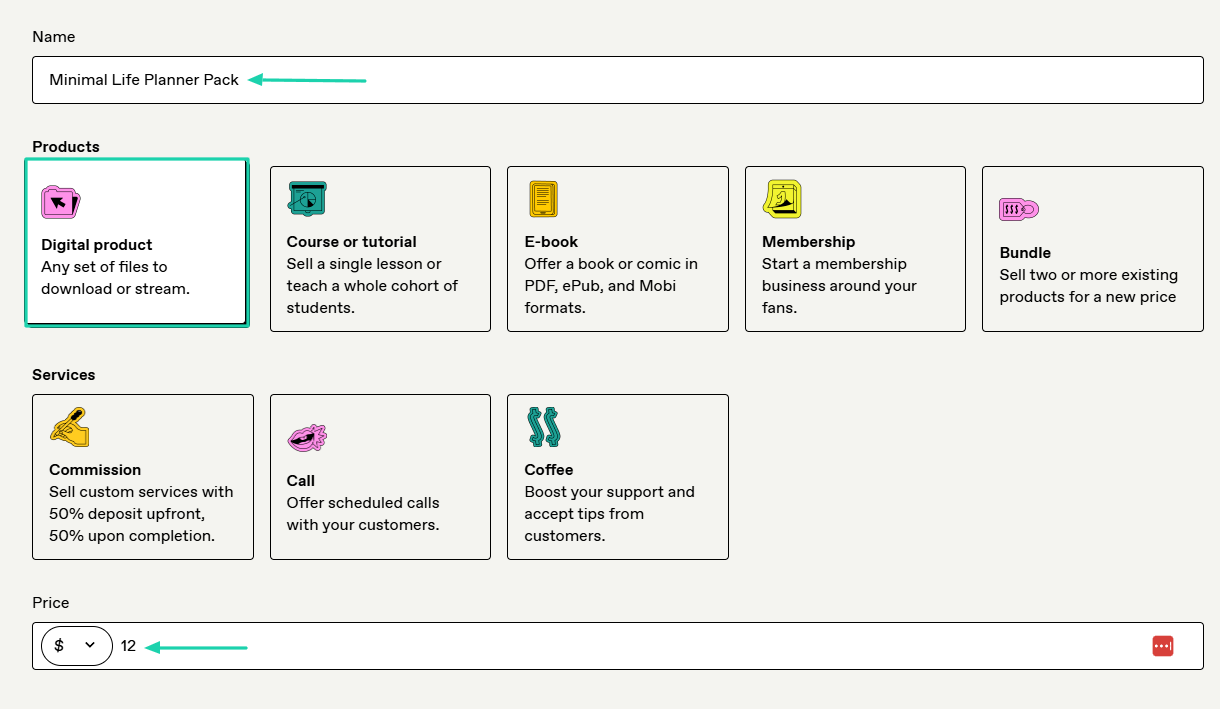
Enter a description and a cover image.
Now, you will upload your file(s). It could be existing product files, computer files, embedded media, or Dropbox files.
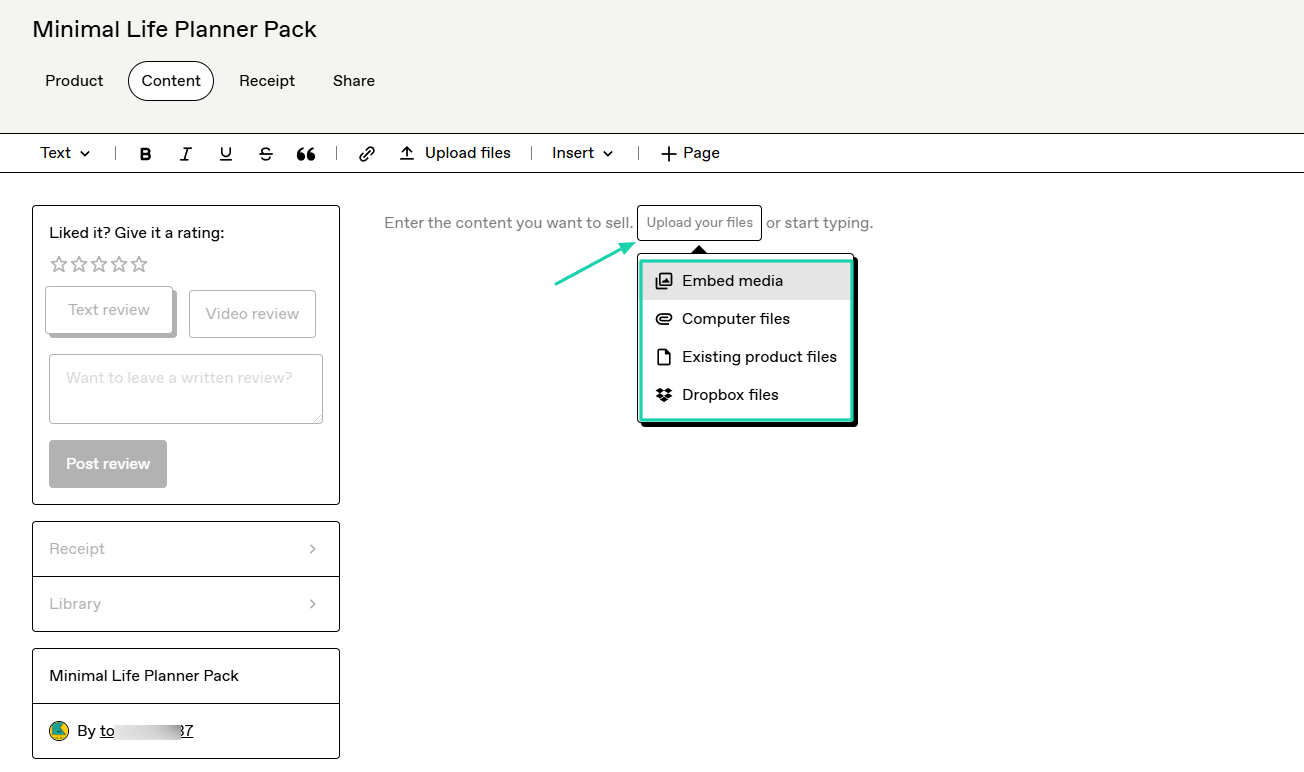
Once ready, you publish it, and this is pretty much what customers will see.

2. Checkout
The next feature to look at on Gumroad is checkout. It lets you create discounts, checkout forms, and upsells.
Let’s use it to create a discount.
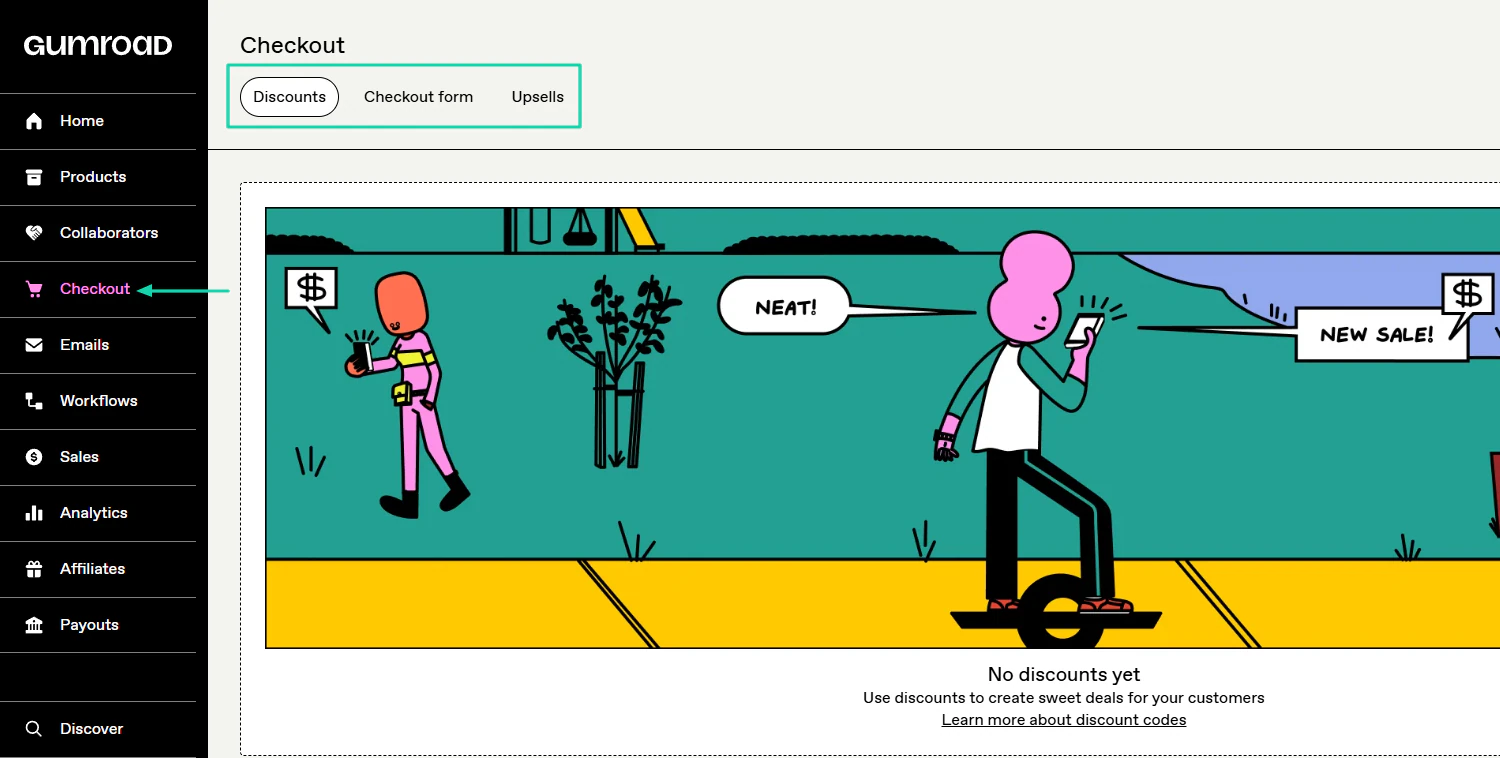
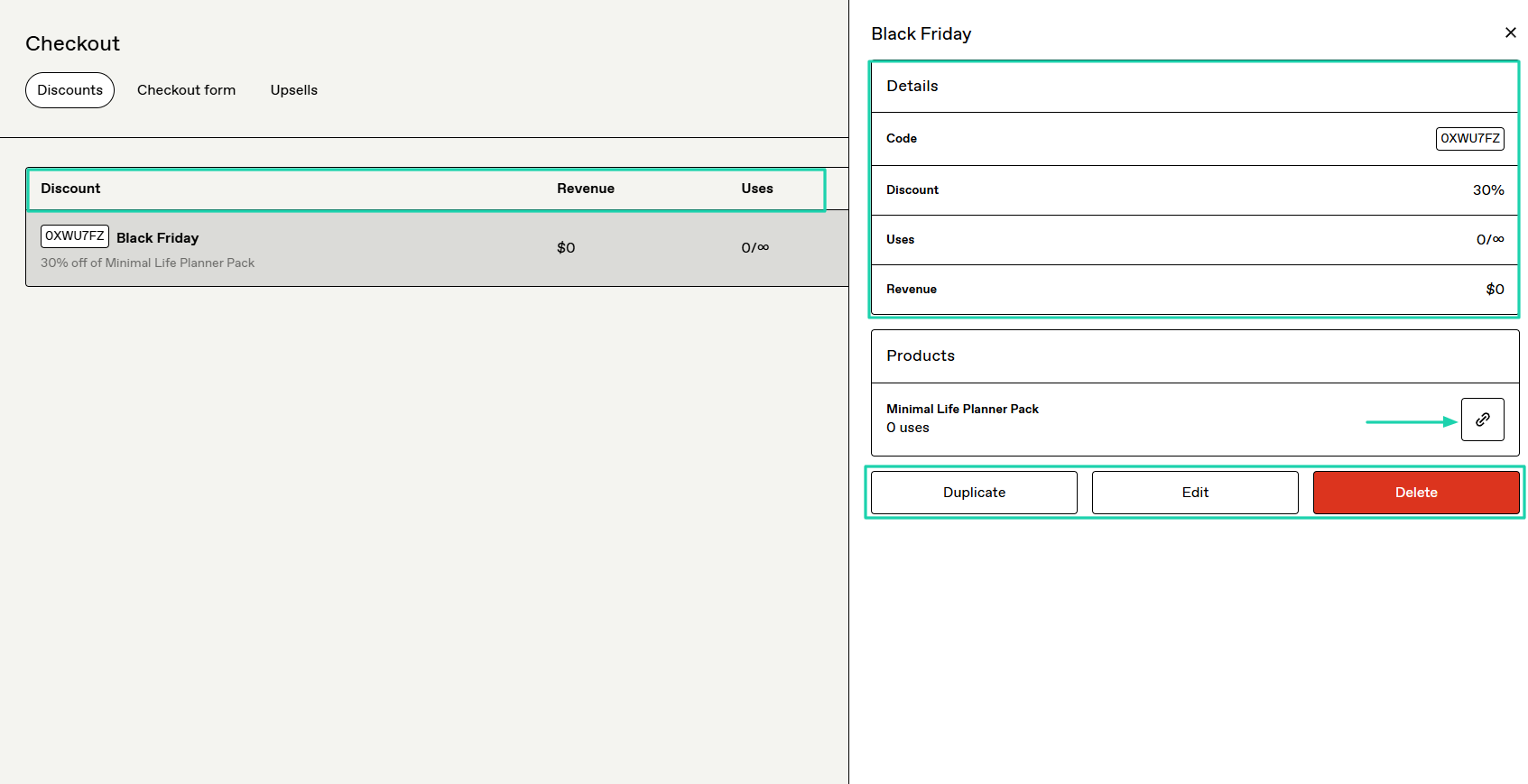
To create it, name the discount, add the code, and select the products you want the discount applied to.
Then choose the discount type and adjust its settings. For instance, you can limit the validity period or set a minimum qualifying amount.
Once the discount is ready, you can track the revenue and the usage. You can even copy the link and share it.
3. Collaborators
Thanks to the collaborators feature on Gumroad, you can share your revenue with the people who helped create your products.
This is how to do it. First, click “Collaborators.”
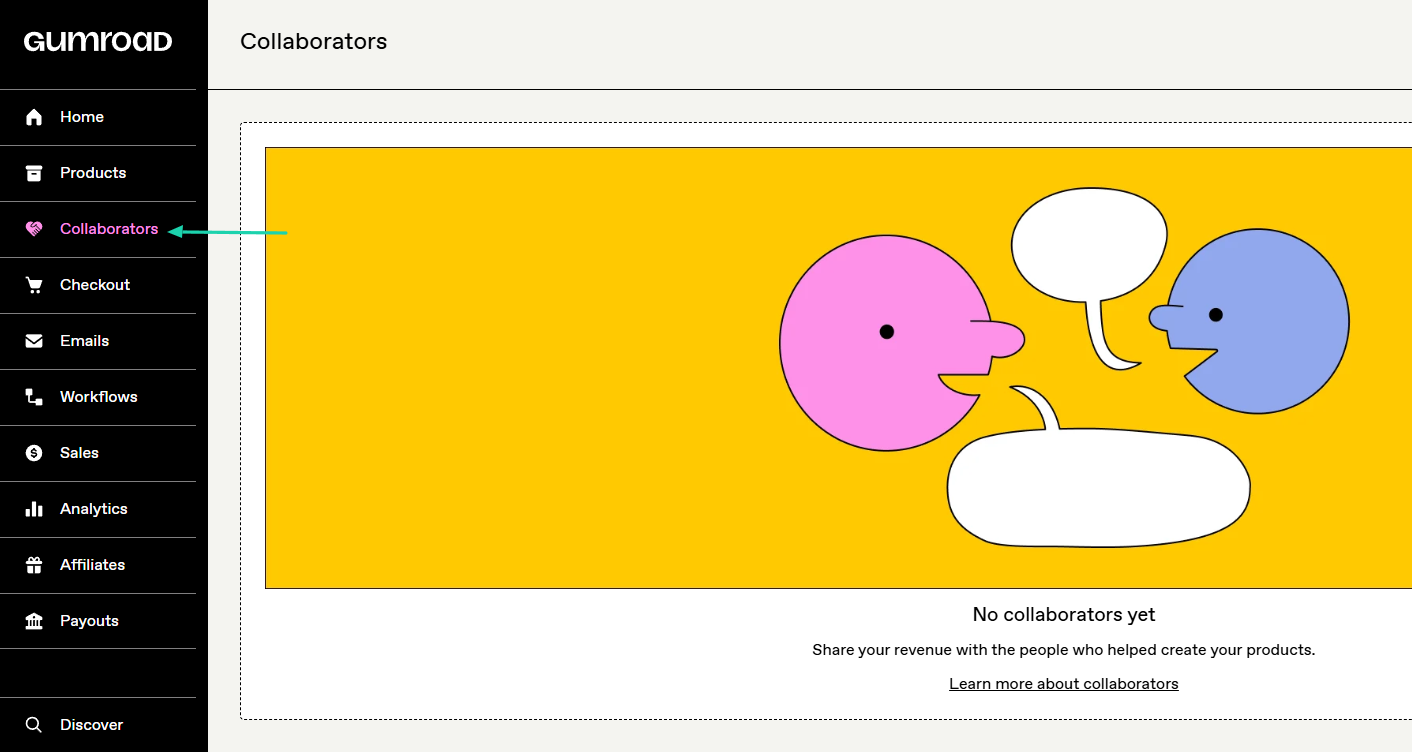
On the far right of the interface, click “Add collaborator.”
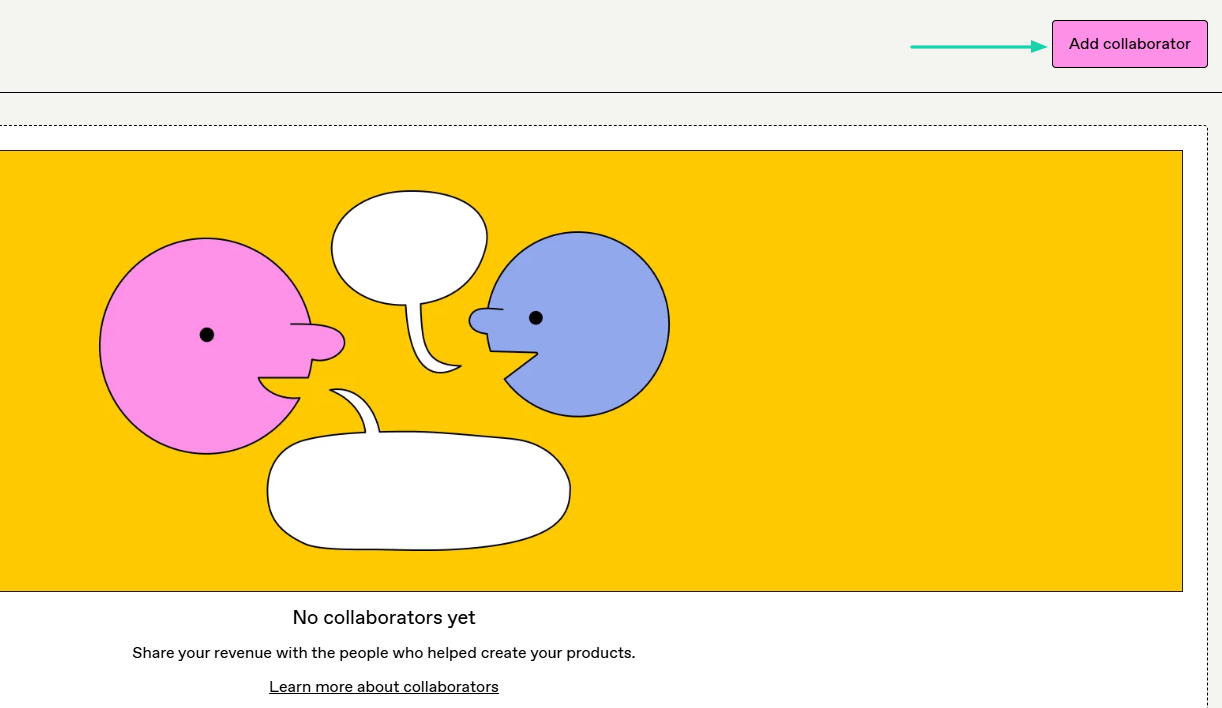
You will simply add their email address, select the product(s) you collaborated on with them, and specify their cut.
Once you’re done, you can add them as collaborators.
[fs-toc-omit]What I liked vs what I didn’t like
What I loved 👍
✅ Has an easy setup with a straightforward interface, making it easy to create digital products.
✅ Can upload files from many sources: computer, existing files, and embed media, or Dropbox files.
✅ Allows you to add people as collaborators on your products and lets you specify their cut.
What I didn’t like 👎
❌ High transaction fees. The platform takes either 10% or 30% per sale, depending on how customers discover your product.
❌ Requires a minimum of $10 before you can receive your payouts.
[fs-toc-omit]Best for
- Independent creators who want a quick way to start selling online and collaborate on products.
[fs-toc-omit]Pricing
- Free: 10%+0.50 per transaction for all sales via your profile or direct links
- 30% per transaction if buyers discover the item through the Gumroad marketplace
4. Big Cartel
- Personal rating: ⭐️⭐️⭐️⭐️⭐️ 4.3/5 - You can add both physical and digital products to your storefront.
- Key advantage: Affordability - You can start selling up to 5 products for $0.
- Potential drawback: Limited product listing - Even on the highest plan, you can’t exceed 500 products.
- Listing fee: None - $0
- Starting plan: Gold - $0 + 5 physical products.
Among the Etsy alternatives, we can mention Big Cartel.
It’s an e-commerce platform with 6M+ products, enabling creators to build storefronts and sell digital, physical, and print-on-demand goods.

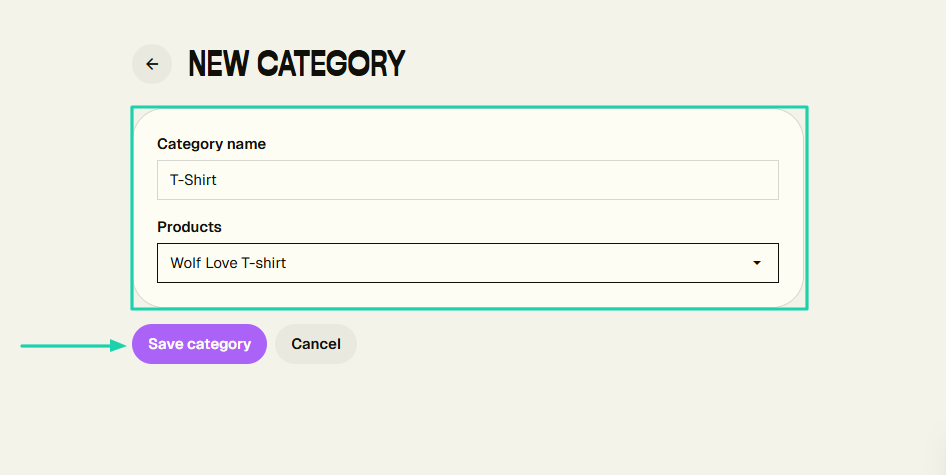
The platform lets you create categories to arrange all the products you sell.
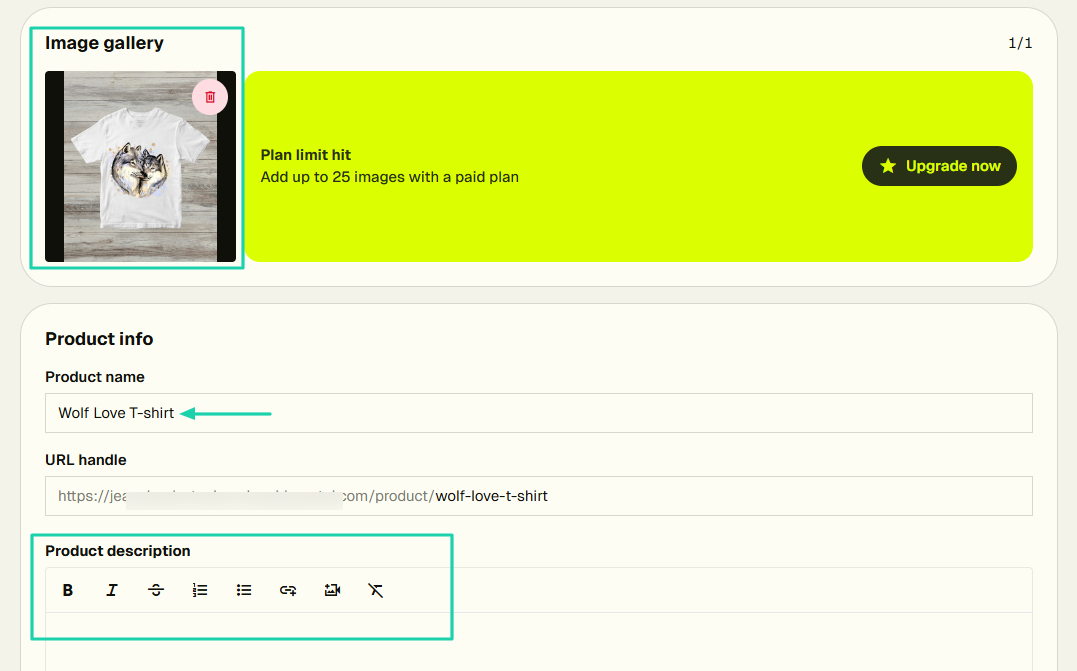
You can sell both physical and digital goods. When you sell a physical good, you only need to add images and product info.
Then the price and shipping details should follow.
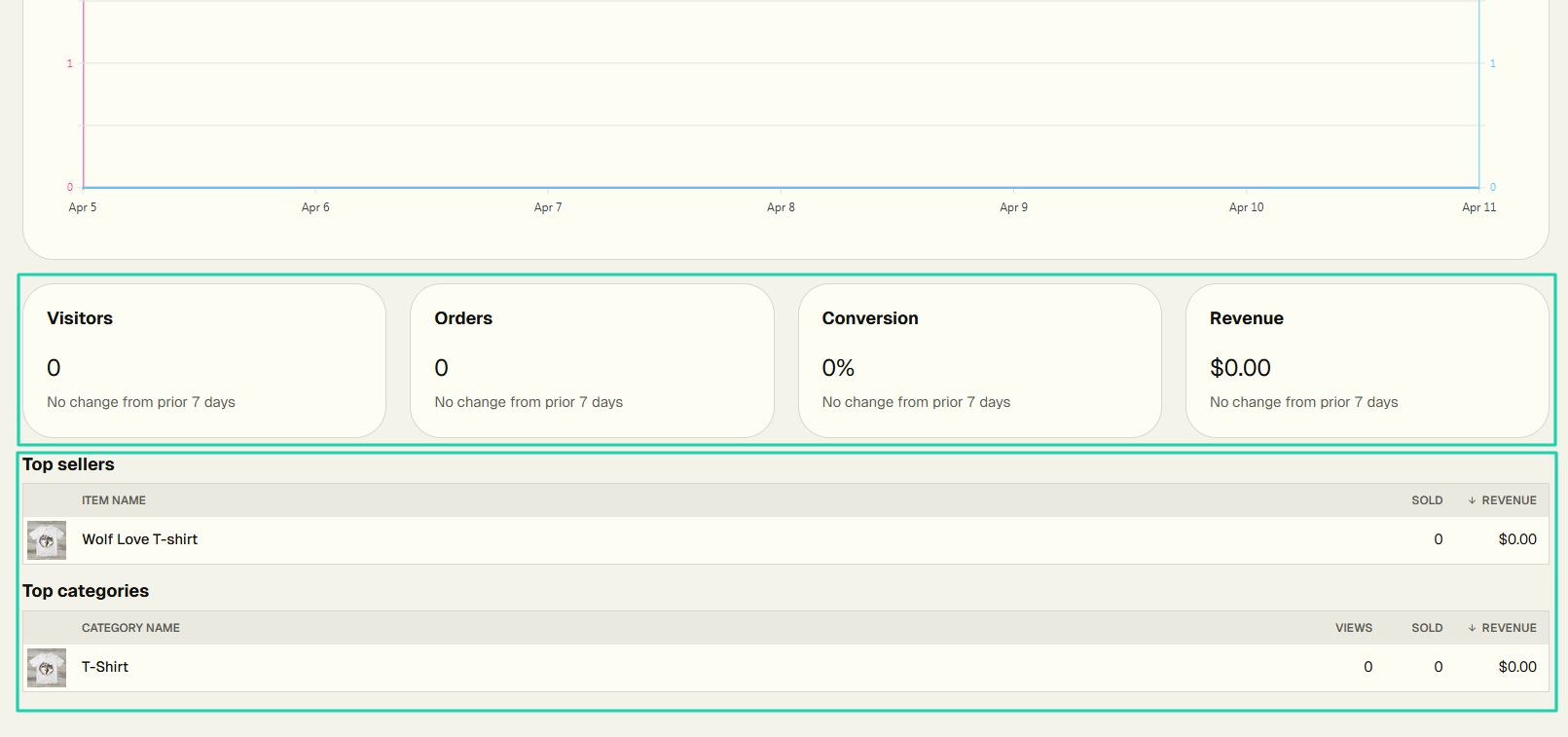
It has a dashboard that displays insights like visitor count, orders, conversions, and revenue.
[fs-toc-omit]What I loved about Big Cartel
1. Products
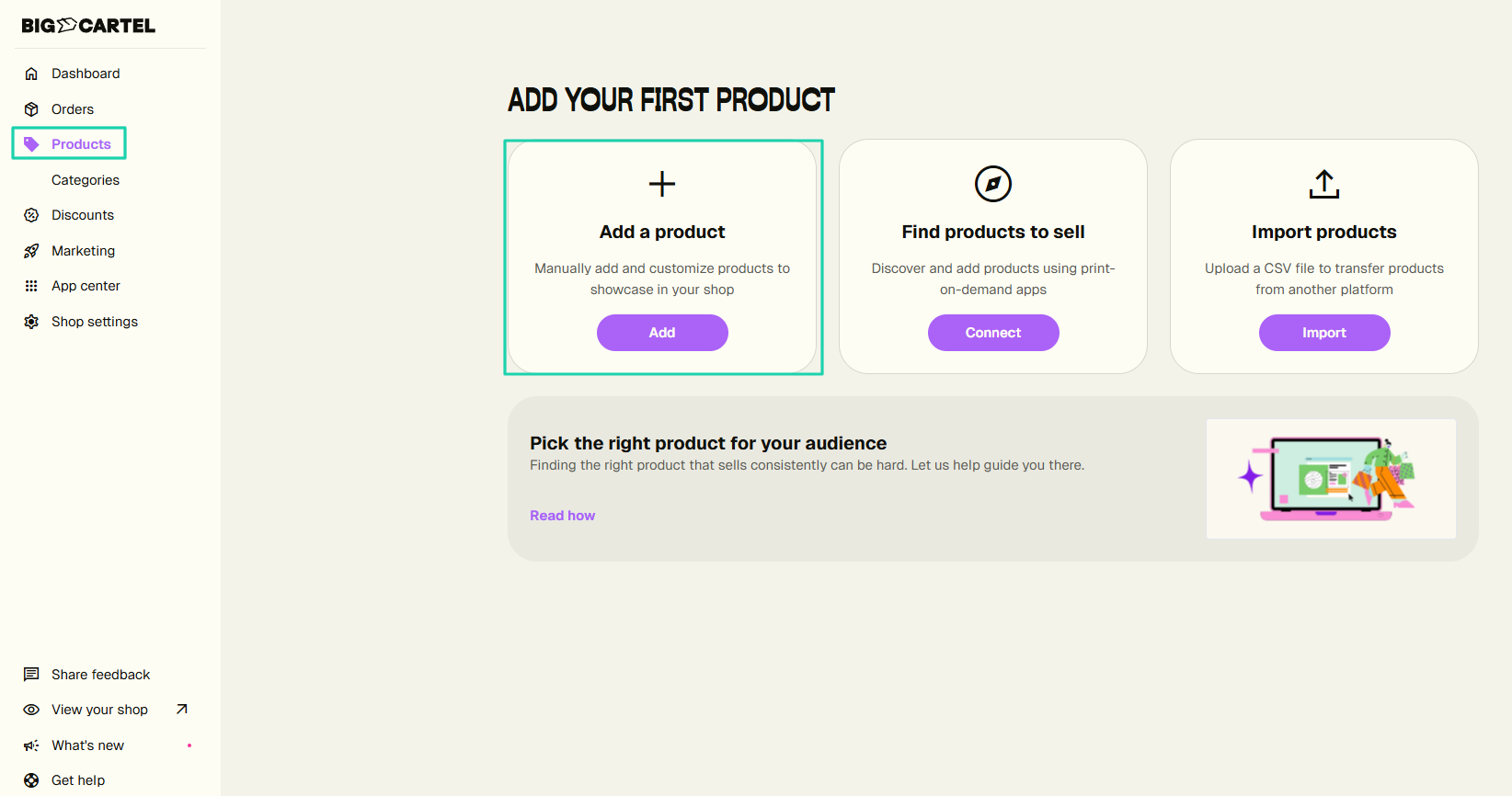
Without wasting much time, we will review Big Cartel’s products feature. It gives you three options: add a product, find products to sell, and import products.
Let’s add!
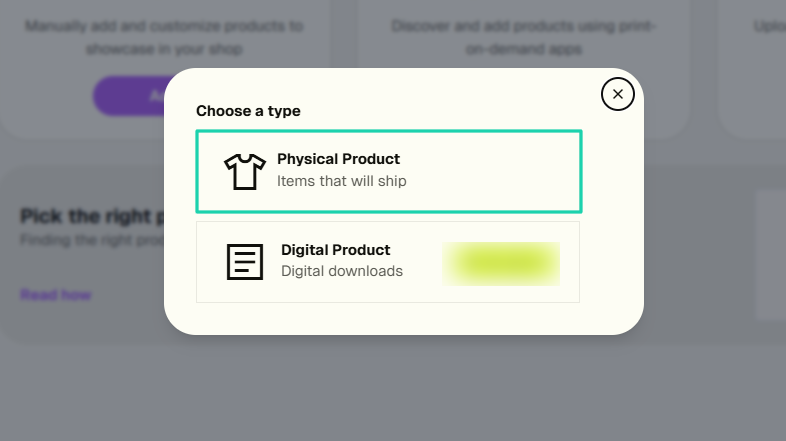
You can choose between adding a physical or a digital product. We will choose the physical one.
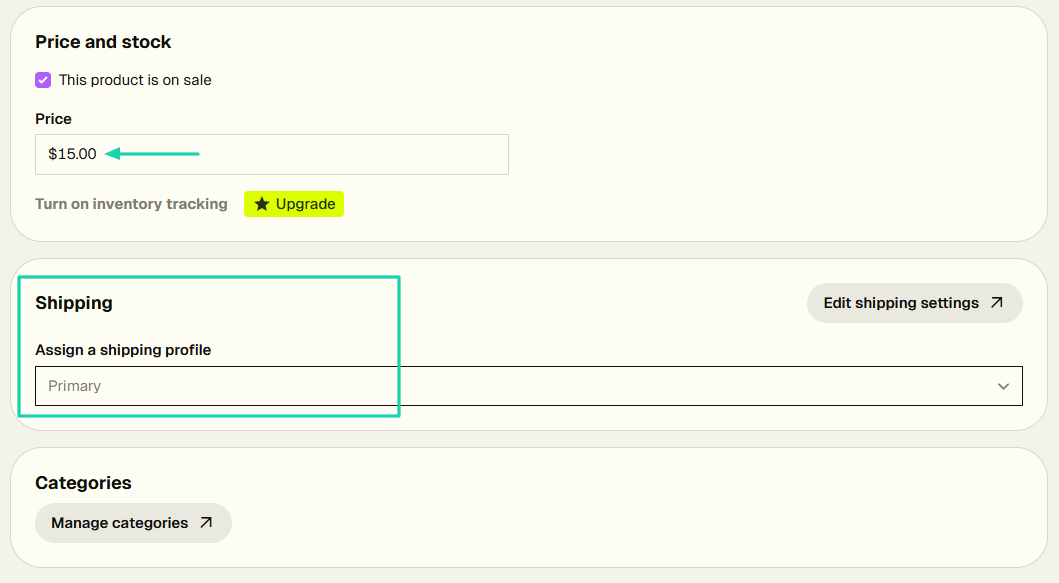
You can add an image, product name, and description.
Then you set the price and can assign a shipping profile.
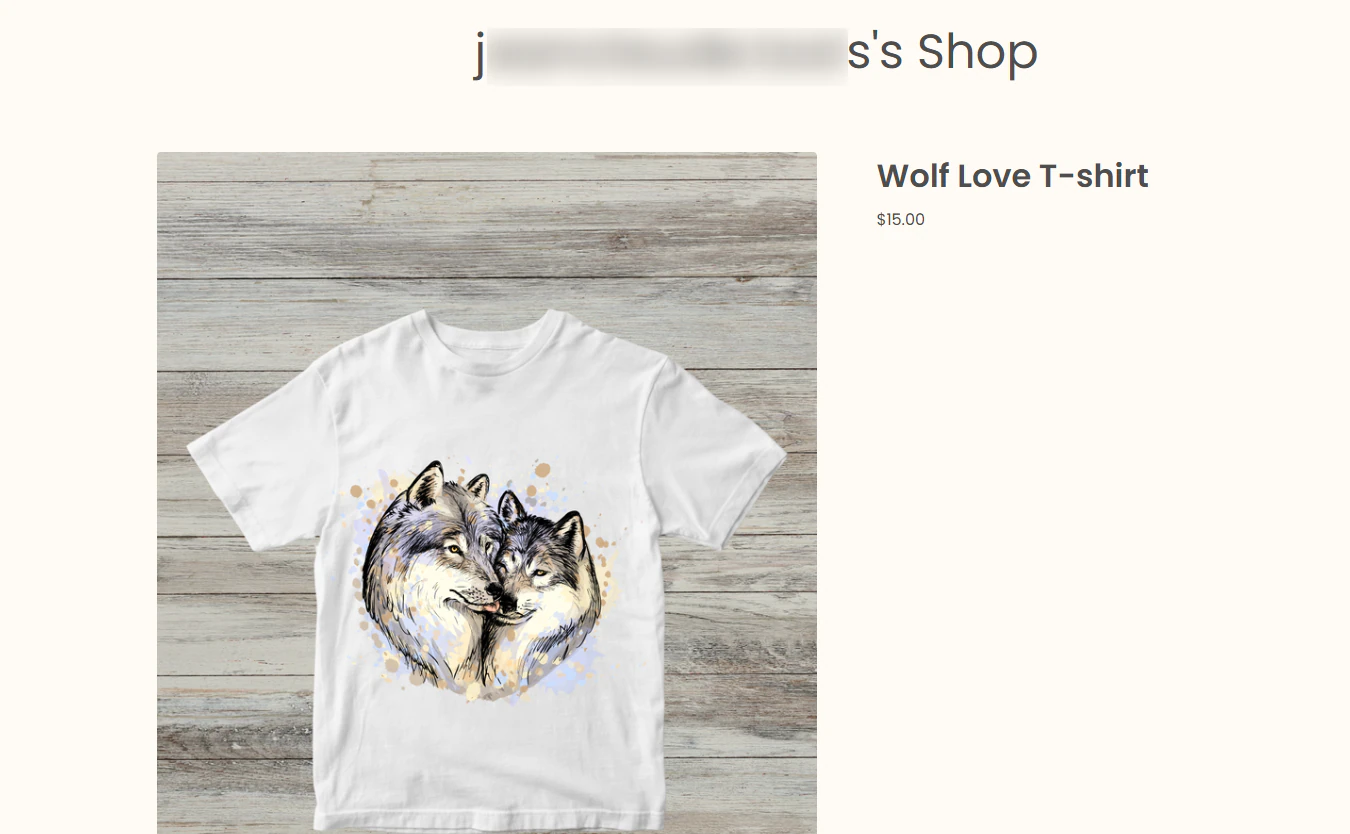
Your item is ready!
2. Categories
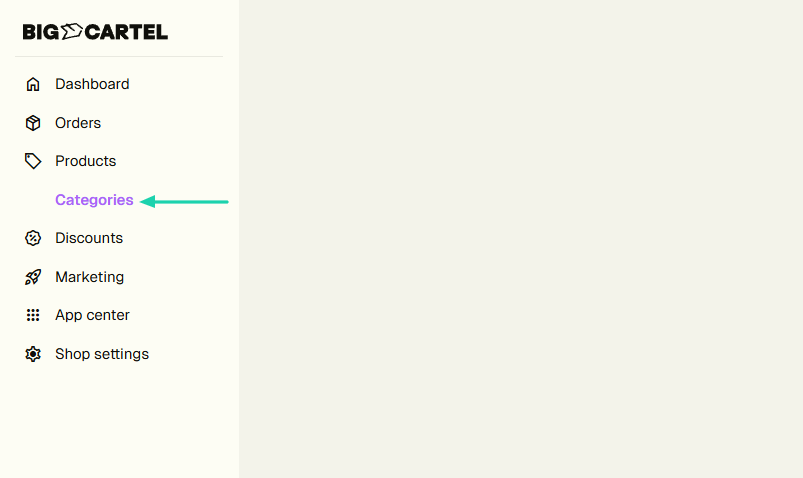
When you create many products, it can be difficult for customers to find specific products in seconds. On Big Cartel, you can create categories to organize your store.
In the sidebar menu, click “Categories.”
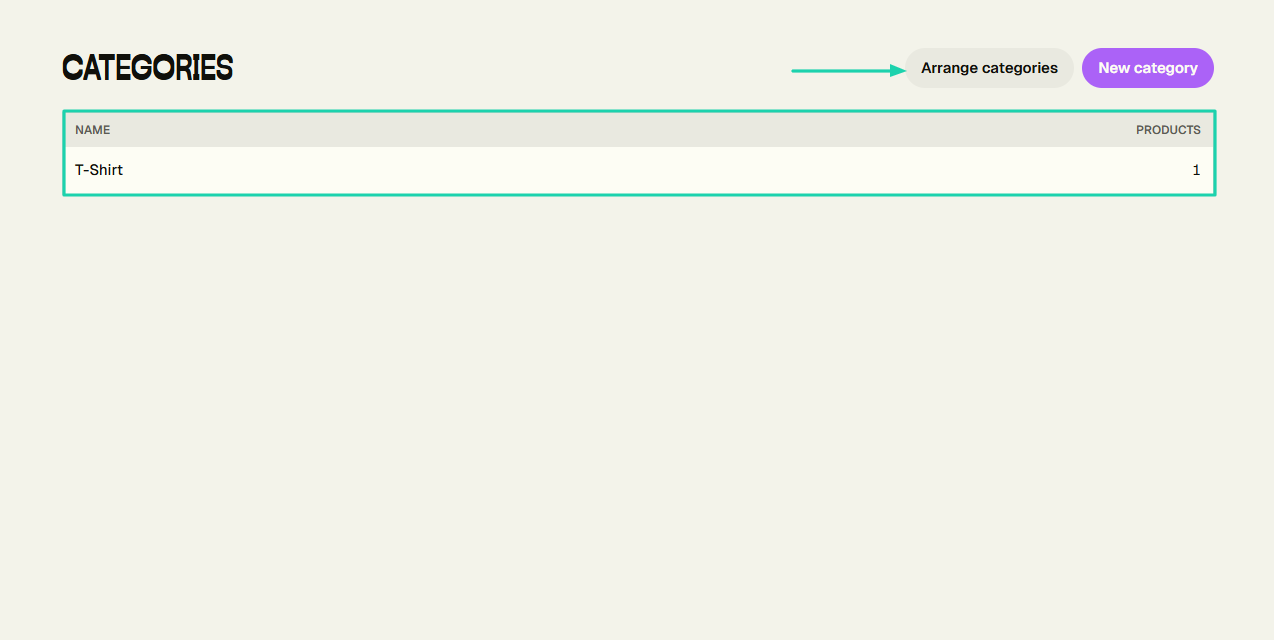
Name the category and choose the products.
You’ve created a category! When you have many categories, you can arrange them.
3. Dashboard
Big Cartel also includes a dashboard that provides insights into your store’s performance. To view it, click “Dashboard” in the sidebar menu.
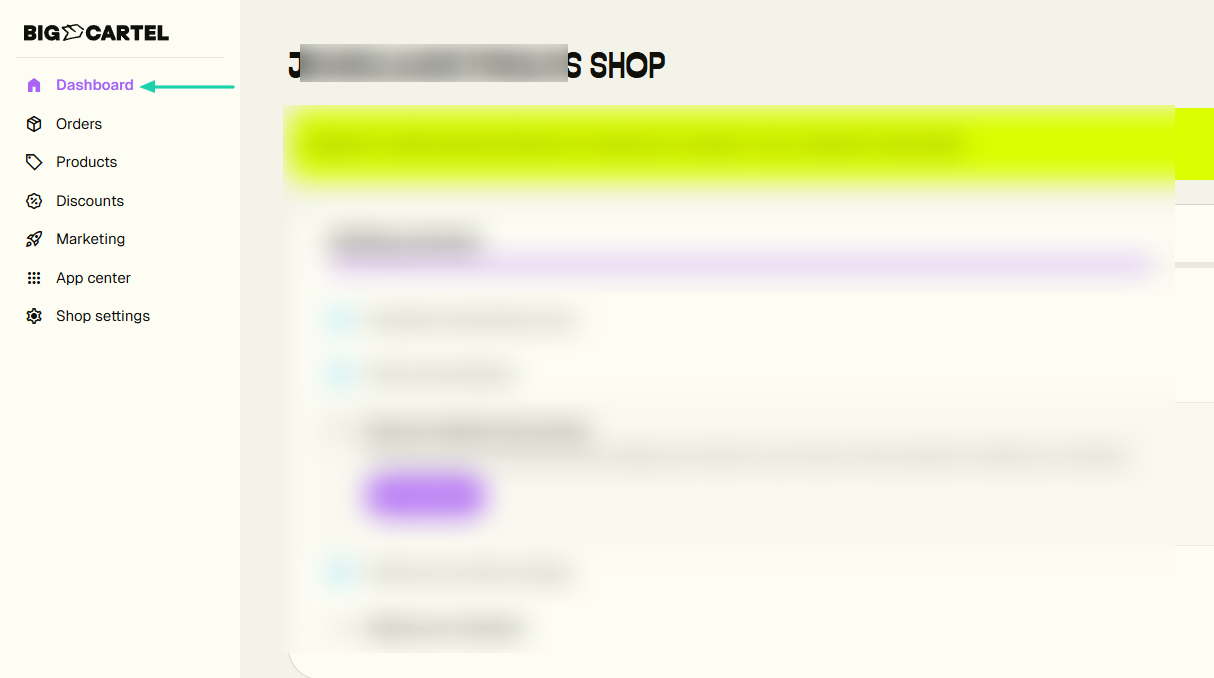
It has a graph that tracks activity over a specific period of time (e.g., the last 7 days).
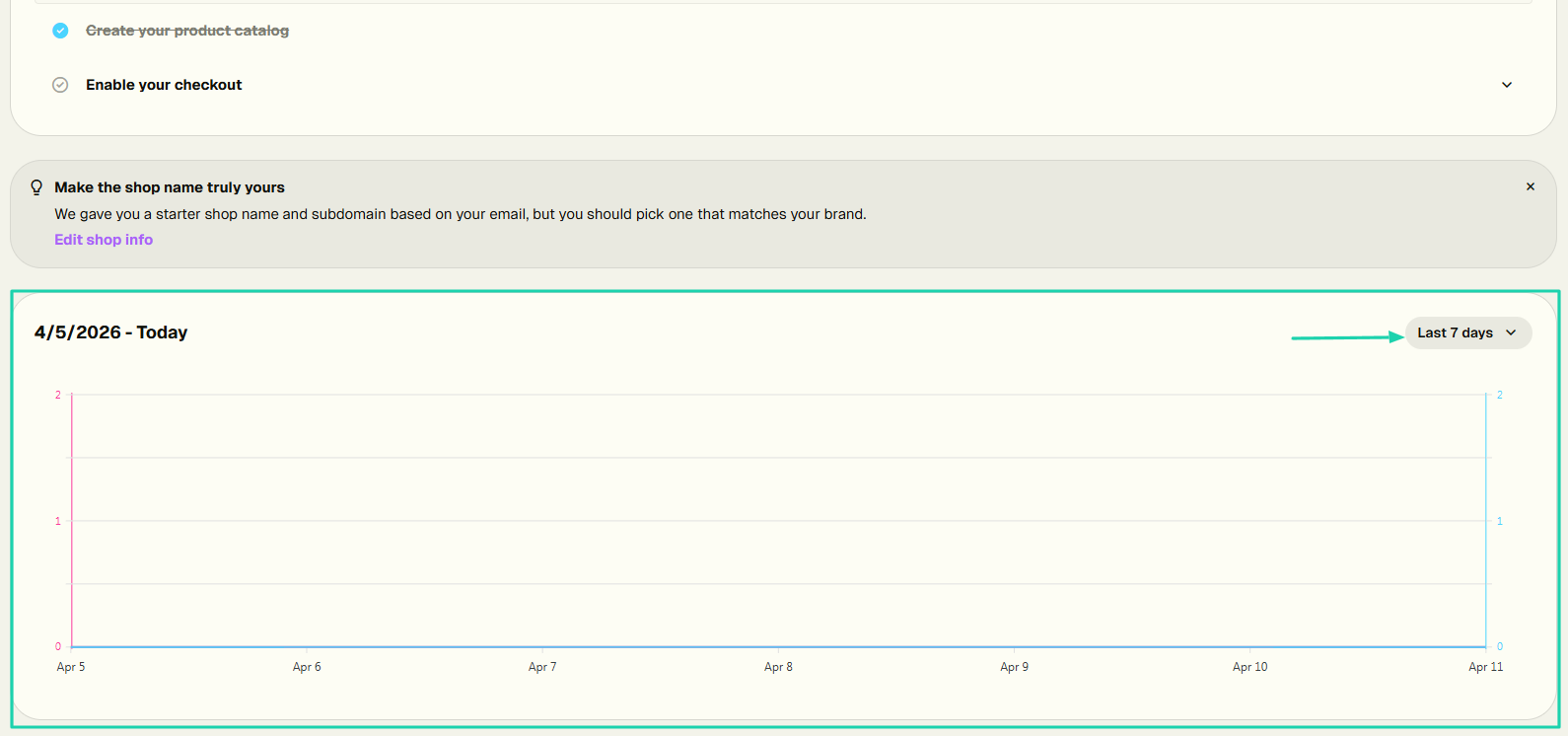
You can see the number of visitors, orders, conversions, and revenue over the specific period.
It also shows your top sellers and top categories, along with their view counts, item sales, and revenue.
[fs-toc-omit]What I liked vs what I didn’t like
What I loved 👍
✅ Displays the item selling the most, with the number of sold items and revenue.
✅ Lets you hide certain products from your shop.
✅ Has a simple and clean interface, which makes it easy to understand the platform at first glance.
What I didn’t like 👎
❌ Most features, like orders, discounts, or marketing, require an upgraded plan before you can use them.
[fs-toc-omit]Best for
- Independent artists and small sellers with limited product catalogs who want a simple, low-cost storefront.
[fs-toc-omit]Pricing
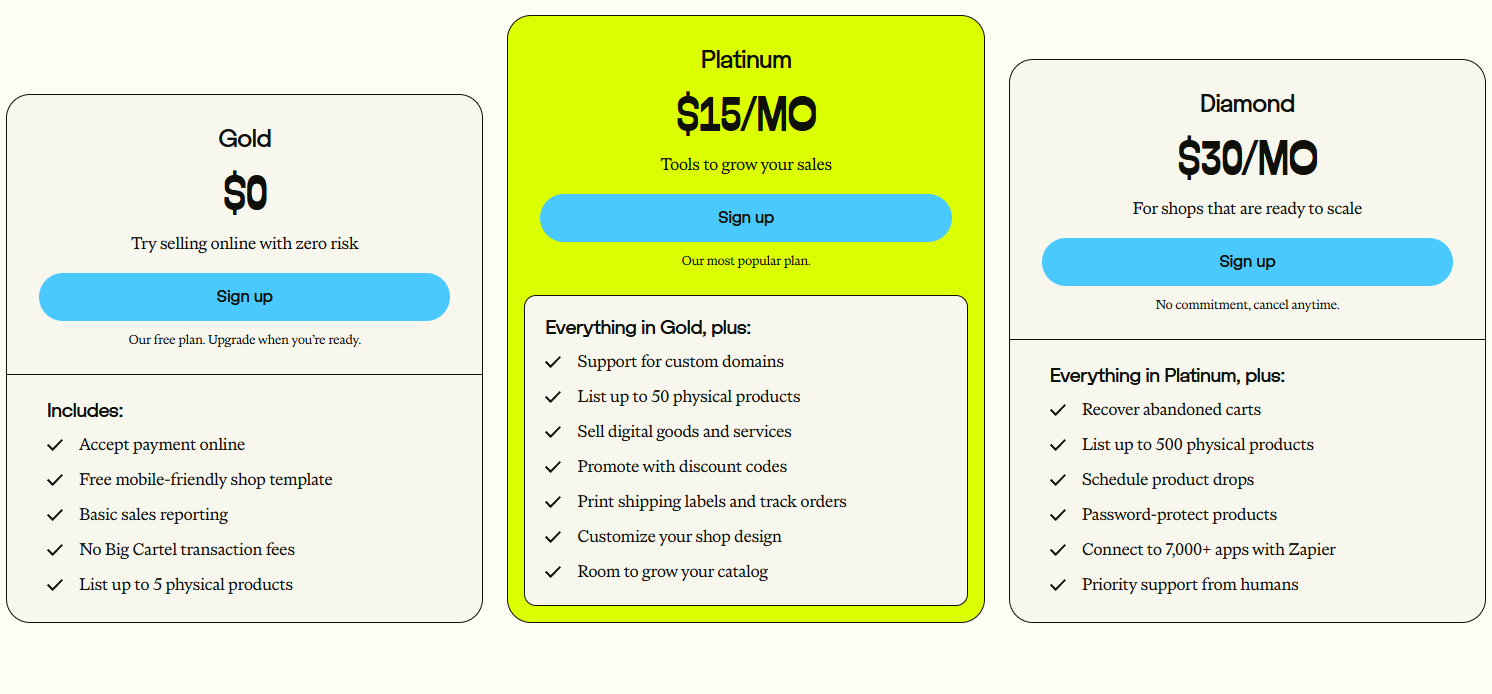
- Gold: $0/month
- Platinum: $15/month
- Diamond: $30/month
5. Sellfy
- Personal rating: ⭐️⭐️⭐️⭐️⭐️ 4.5/5 - I created an online store with ease.
- Key advantage: You can enable PDF stamping after uploading your product files to protect them from being shared after purchase.
- Potential drawback: Minimal customization - Storefront design options feel very basic.
- Listing fee: None - $0
- Starting plan: Starter - $22/month + unlimited products.
We will now review Sellfy, another Etsy alternative. It is also another e-commerce platform used by creators to build online stores and sell digital products and subscriptions.
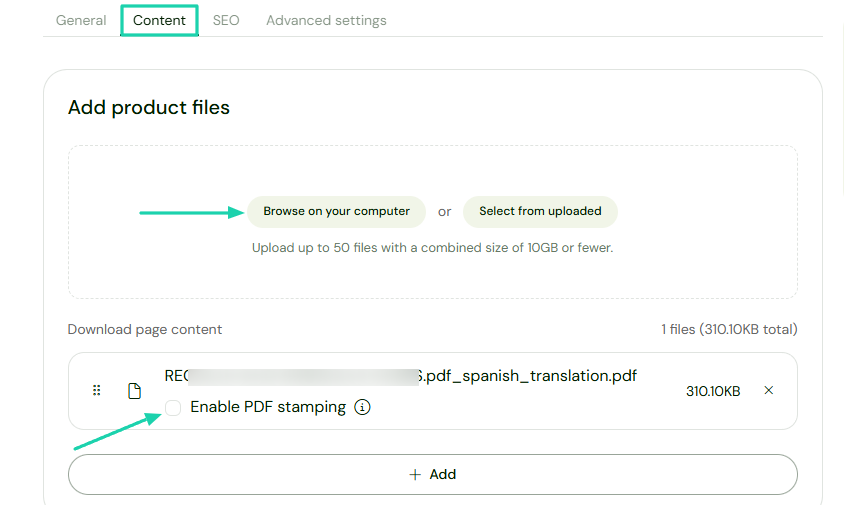
When you upload a product file, Sellfy lets you enable PDF stamping to protect your product.
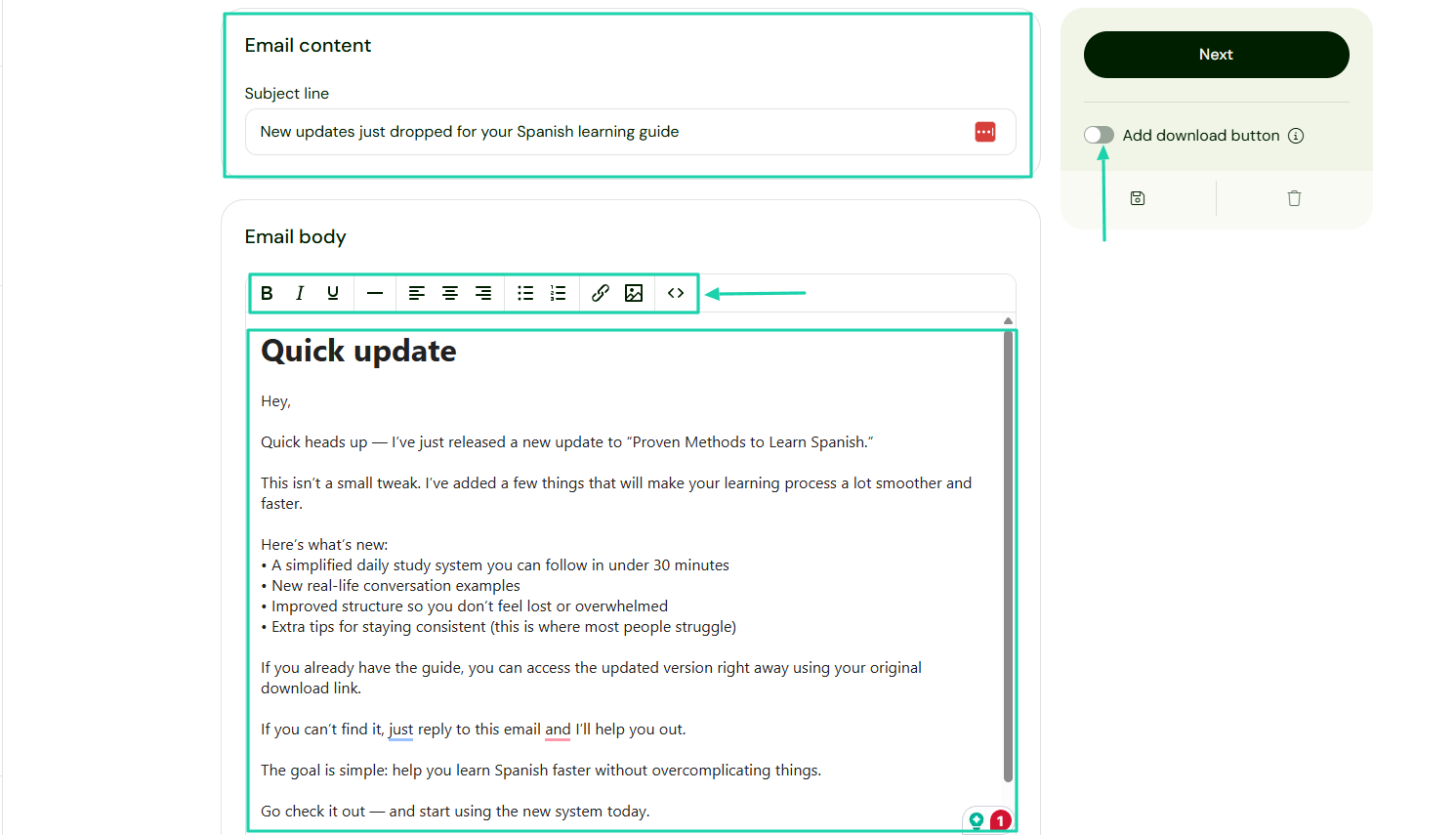
It’s also possible to launch marketing campaigns. You will need a subject line and email body.
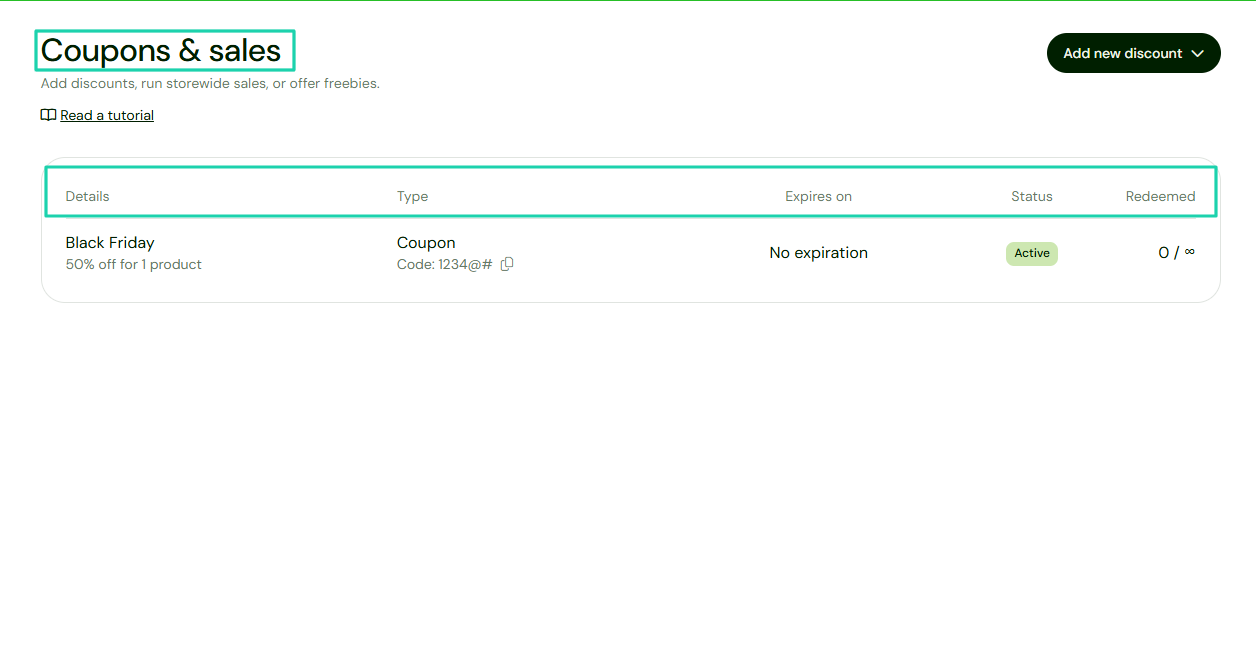
Sellfy also allows you to create coupons.
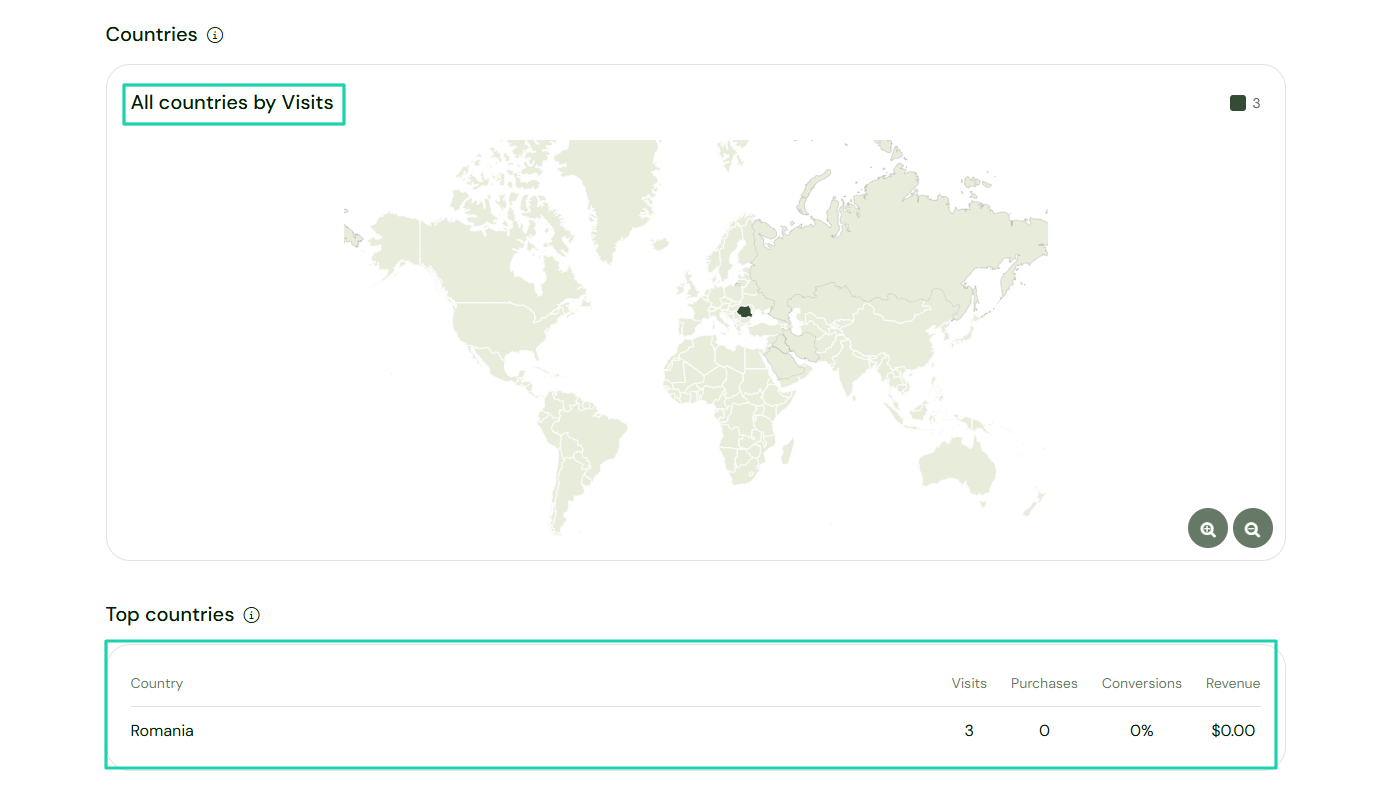
In terms of analytics, you can actually see all countries by visits.
[fs-toc-omit]What I loved about Sellfy
1. Products
Sellfy’s products feature lets you sell digital products, print-on-demand items, subscription products, physical products, and freebies.
Let’s quickly see how it works.
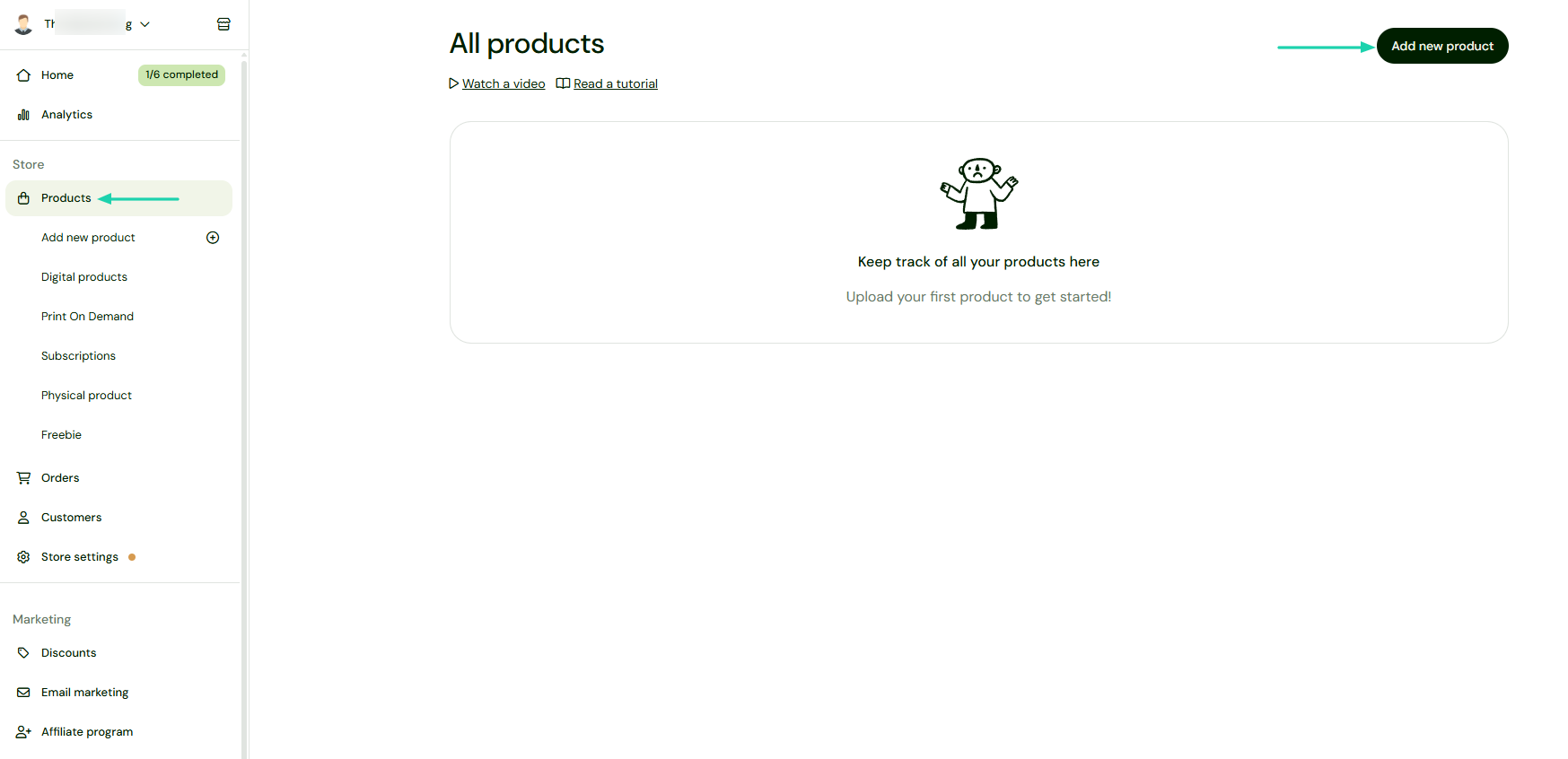
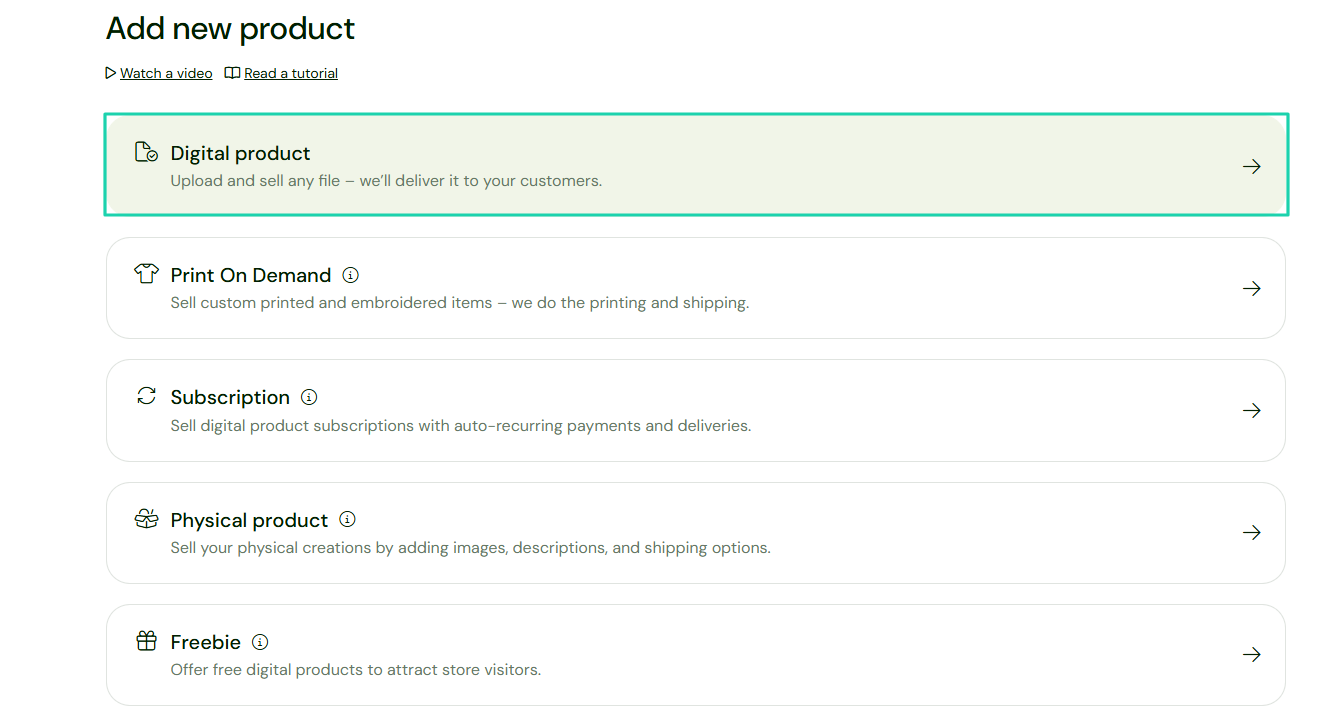
The first step is to click “Products” in the sidebar menu and “Add new product” on the far right.
We will choose “Digital product.”
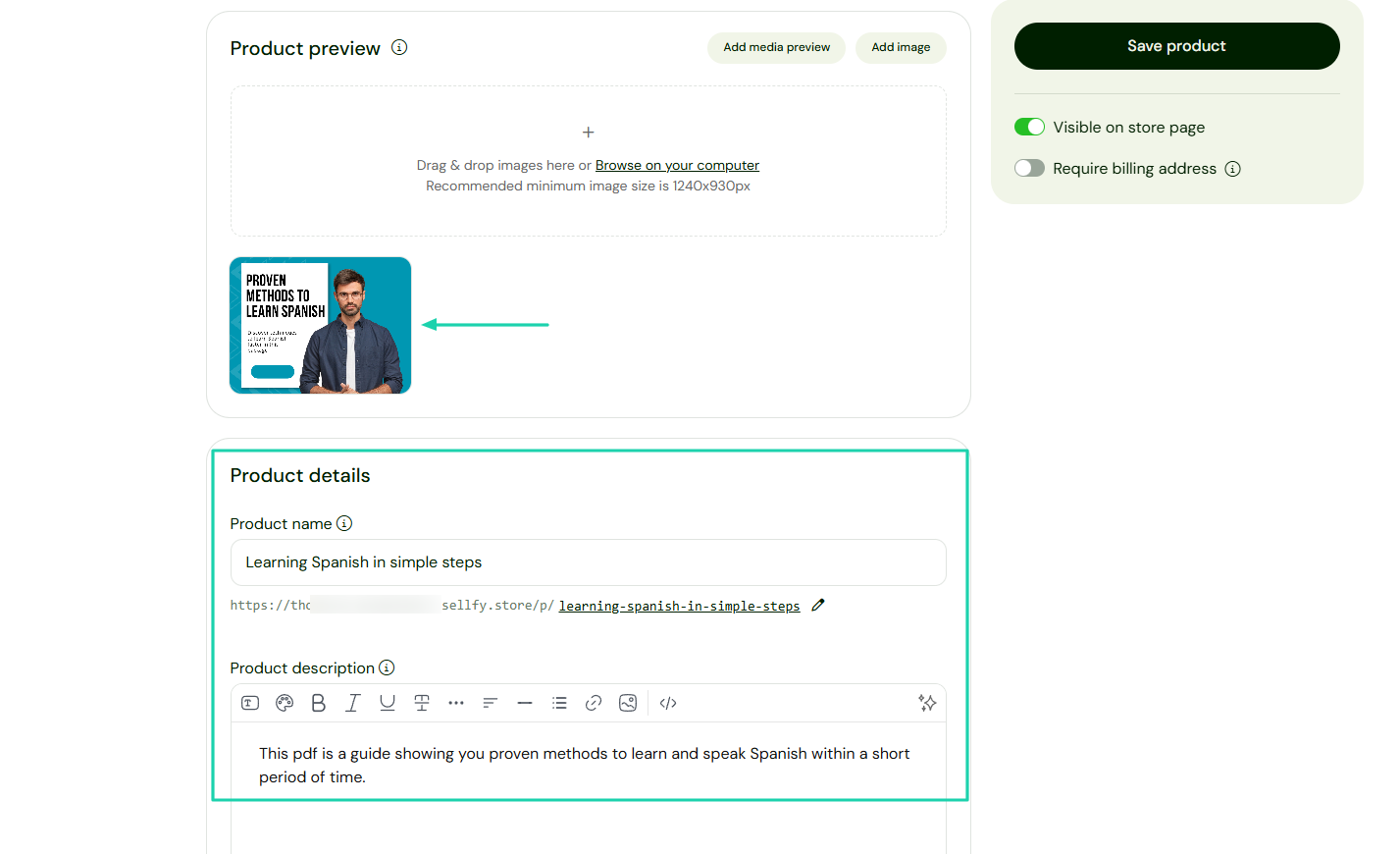
Once you add the product image, you will enter other details, like the name and description.
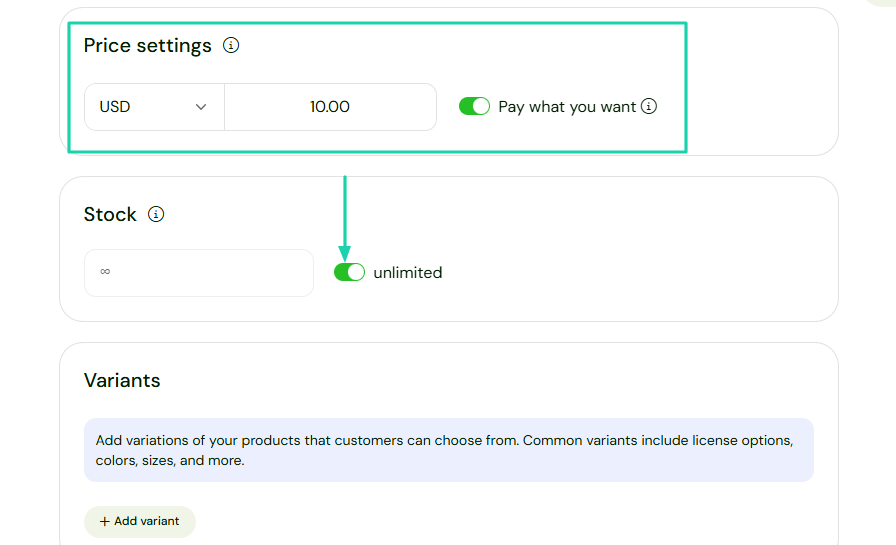
It’s time to set the pricing. You can, for example, enable the Pay-what-you-want button if you don’t want a fixed price.
Under “Stock,” you can limit the number of orders that can be placed for this item. You can make it unlimited.
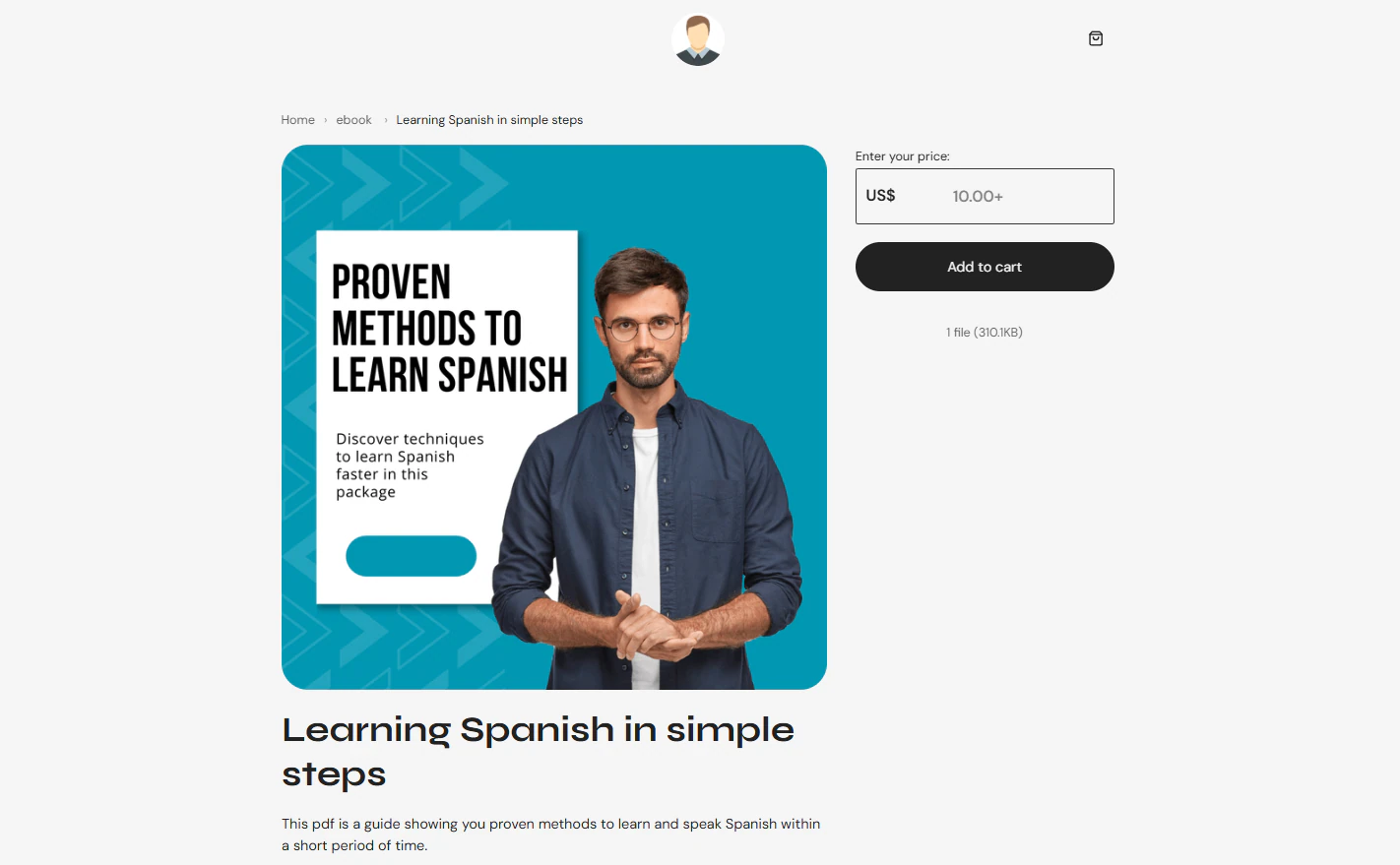
Under “Content,” you will add the product files by either browsing on your computer or selecting from the uploaded ones.
Once uploaded, you can enable PDF stamping.
Your store is ready!
2. Email marketing
With Sellfy’s email marketing feature, you can send targeted campaigns, product updates, and newsletters directly to customers.
Here’s an example. Click “Email marketing” in the sidebar menu.
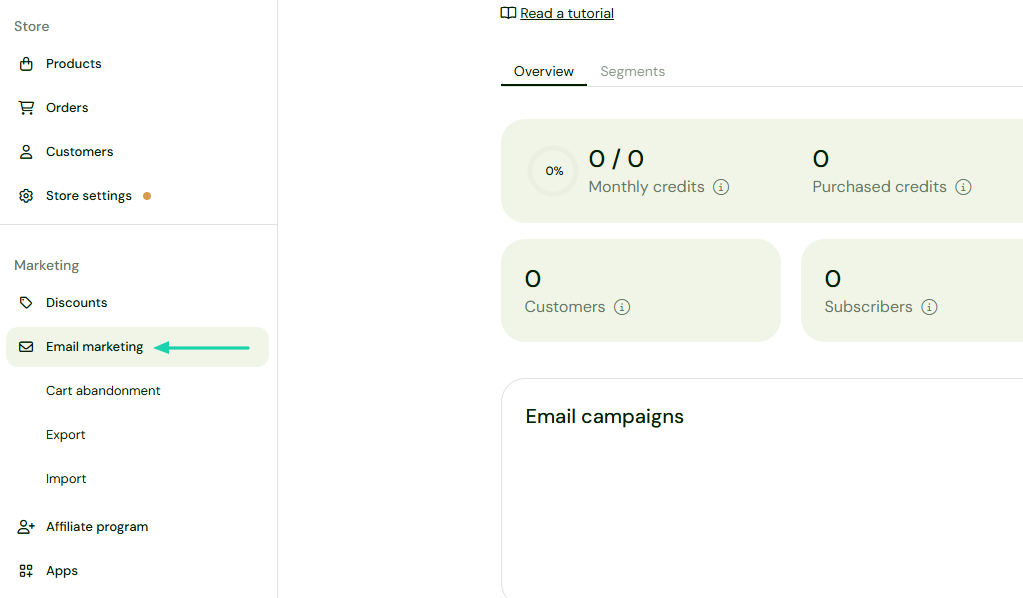
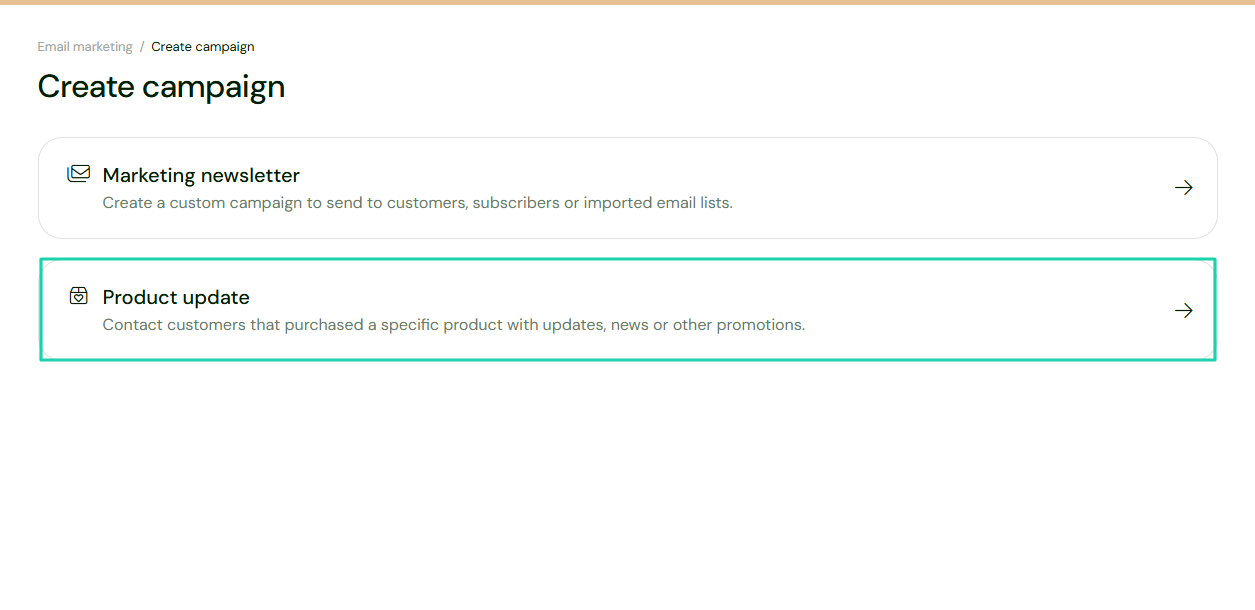
We’ll choose to send a product update.
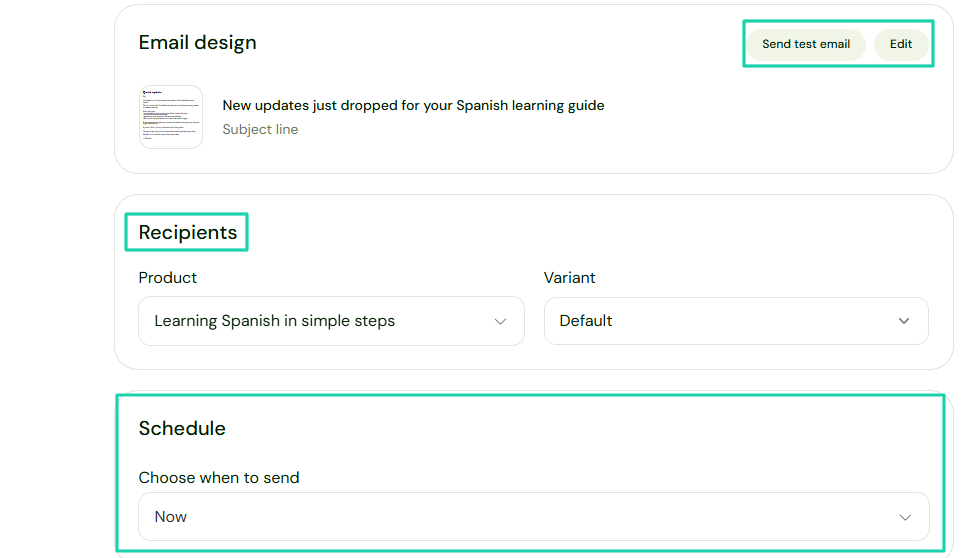
It starts with the subject line, then the email body. You can add files or images to the message. You can also add a download button.
After that, you will choose the recipients and when to send the email. But if you’re still not satisfied, you can edit it or send a test email.
3. Analytics
I’ll end this Sellfy review with its analytics feature. It displays a dashboard that lets you track all your product metrics.
To better understand it, click “Analytics.”
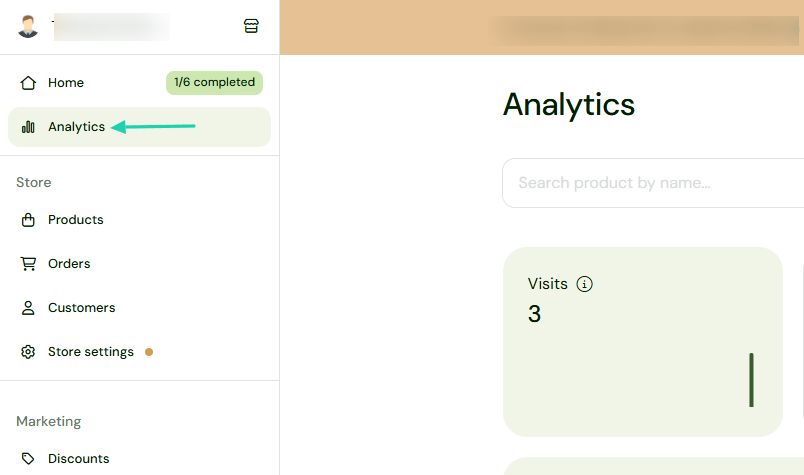
You can search for a product by name and enter a specific period. The dashboard shows all your visits, purchases, conversions, and revenue.
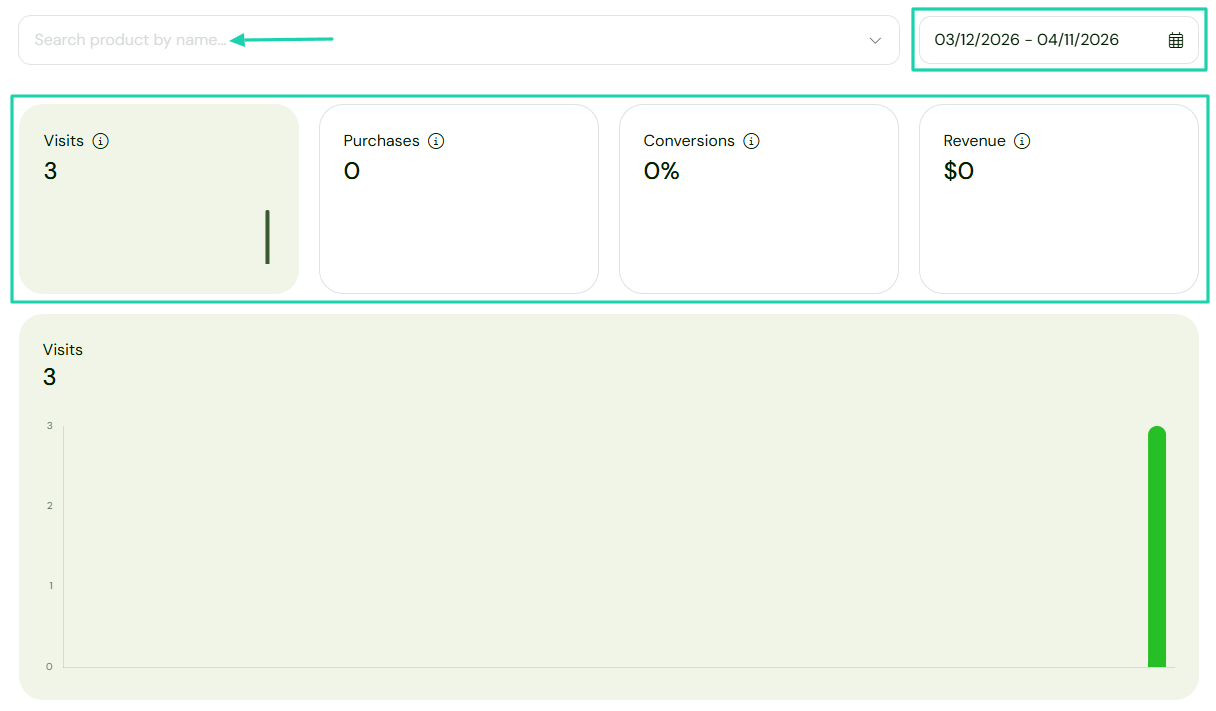
It also shows all countries by visits, along with the top countries by number of visits, purchases, conversions, and revenue.
[fs-toc-omit]What I liked vs what I didn’t like
What I loved 👍
✅ Has a clean and simple interface, making it easy to navigate and sell your products.
✅ Lets you enable PDF Stamping to prevent products from being shared after purchase.
✅ Tracks the performance of each product, showing their number of visits, conversions, and revenue.
What I didn’t like 👎
❌ Uses an email credit system. Once you run out of credits, you need to buy more before you can send emails.
[fs-toc-omit]Best for
- Artists, authors, and musicians seeking to sell digital products, subscriptions, or print-on-demand items with built-in marketing features.
[fs-toc-omit]Pricing
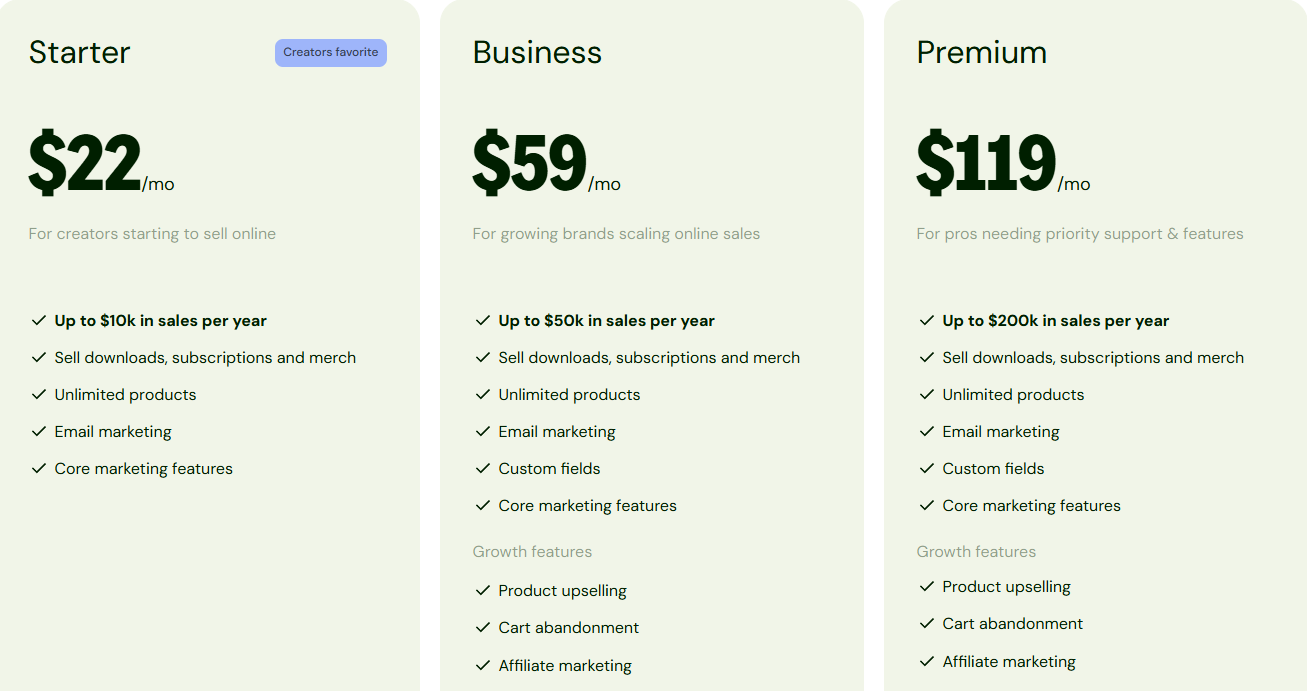
- Starter: $22/month
- Business: $59/month
- Premium: $119/month
6. Storenvy
- Personal rating: ⭐️⭐️⭐️⭐️ 3.8/5 - Though you can sell physical goods, the platform doesn’t feel really intuitive.
- Key advantage: free forever with a customizable storefront and access to a social marketplace.
- Potential drawback: Marketplace traffic is much lower compared to Etsy.
- Listing fee: None - $0
- Starting plan: Free - $0/month + Custom storefront marketplace
When discussing Etsy alternatives, we can’t ignore Storenvy.
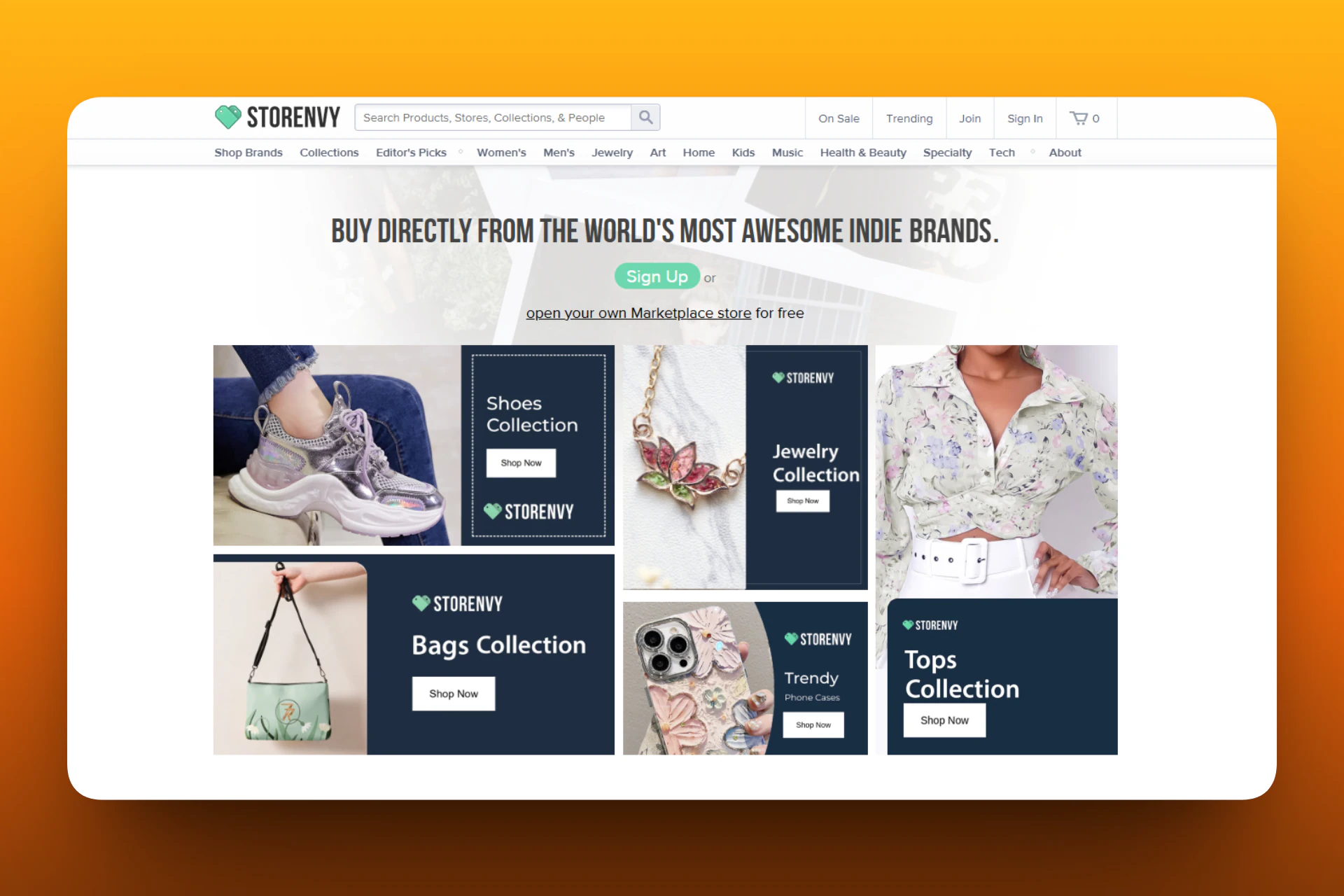
It’s an e-commerce and marketplace platform used by 7k+ Indie brands to sell physical goods through a marketplace store.
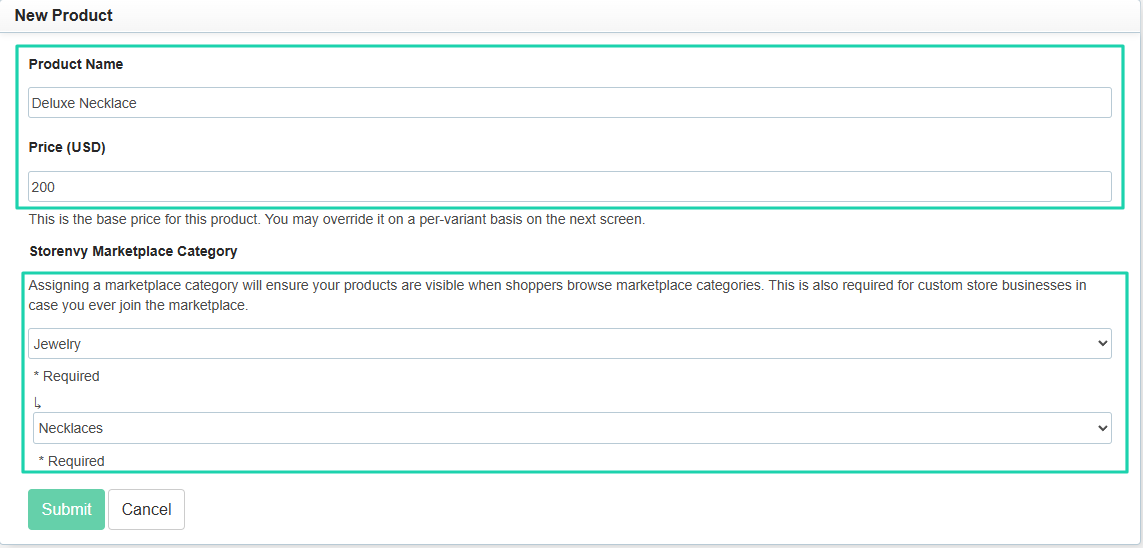
Before you add your product to your store, you need a name, a price, and a category.
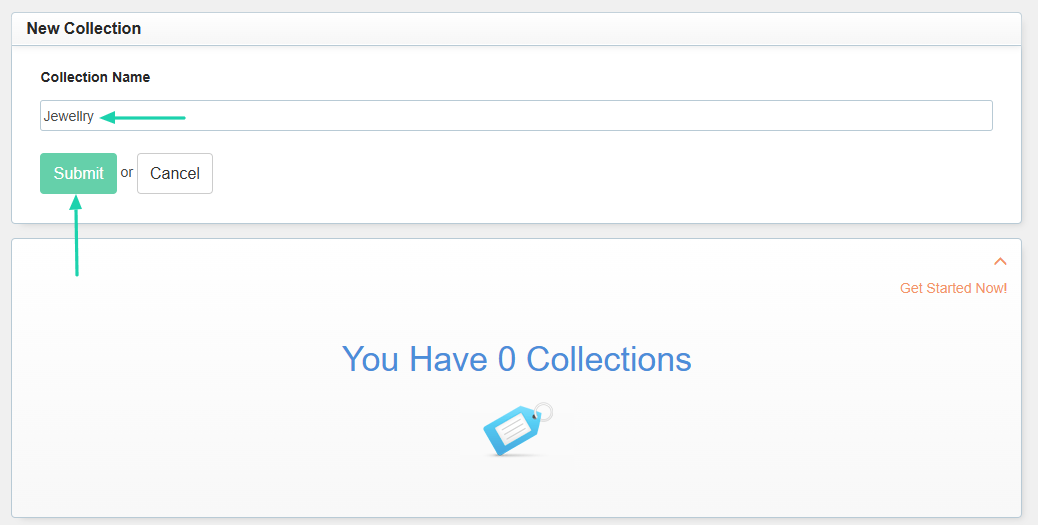
To organize all your products, you can create collections.
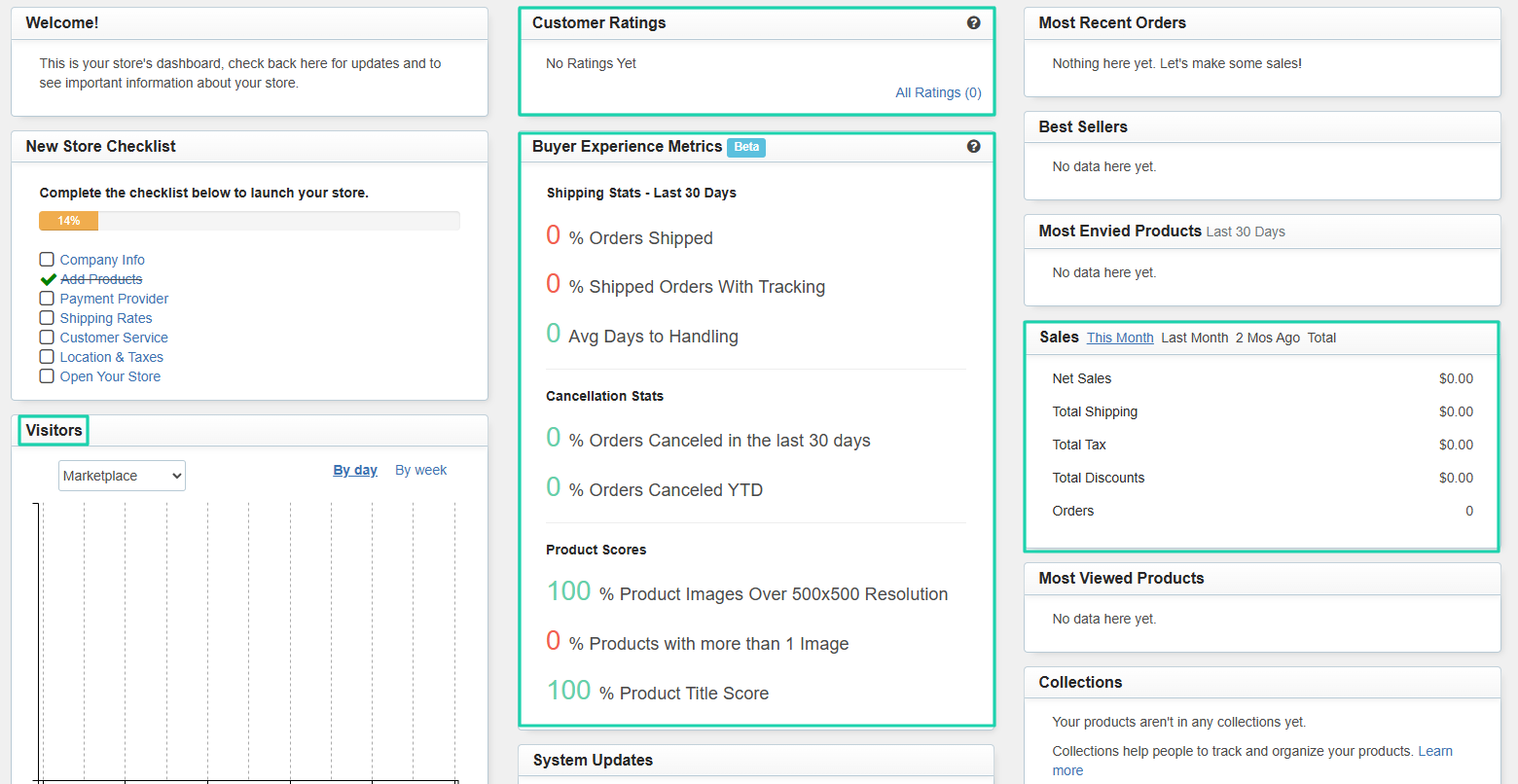
And if you take a look at Storenvy’s dashboard, you will see buyer experience metrics, customer ratings, and all your sales.
[fs-toc-omit]What I loved about Storenvy
1. Products
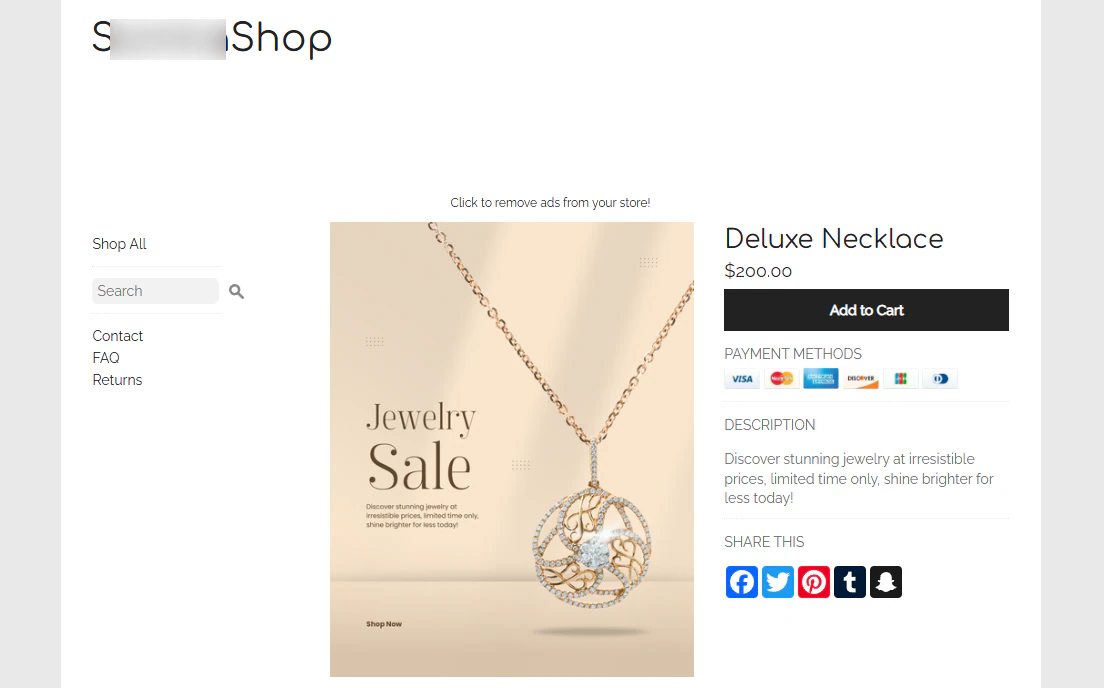
The products feature on Storenvy is heavily focused on physical products. Let’s quickly review how it works.
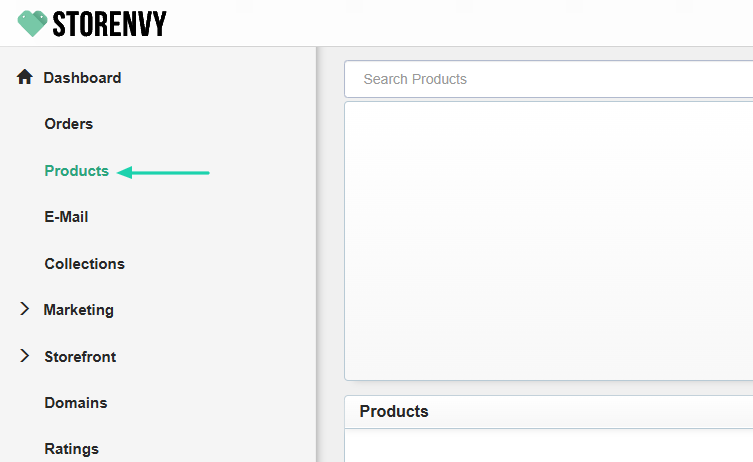
First, click “Products.”
Enter the product name and price, and select the marketplace category.
You can add shipping notes, tags, and product images.
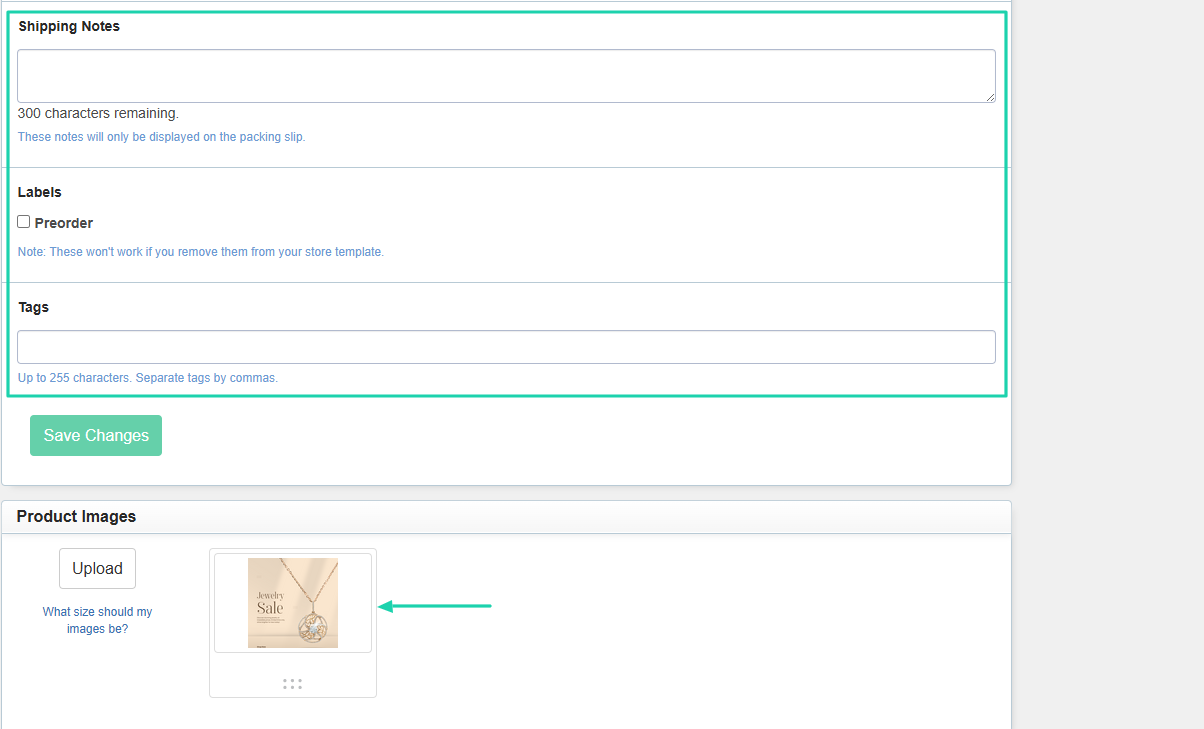
The product is ready!
2. Collections
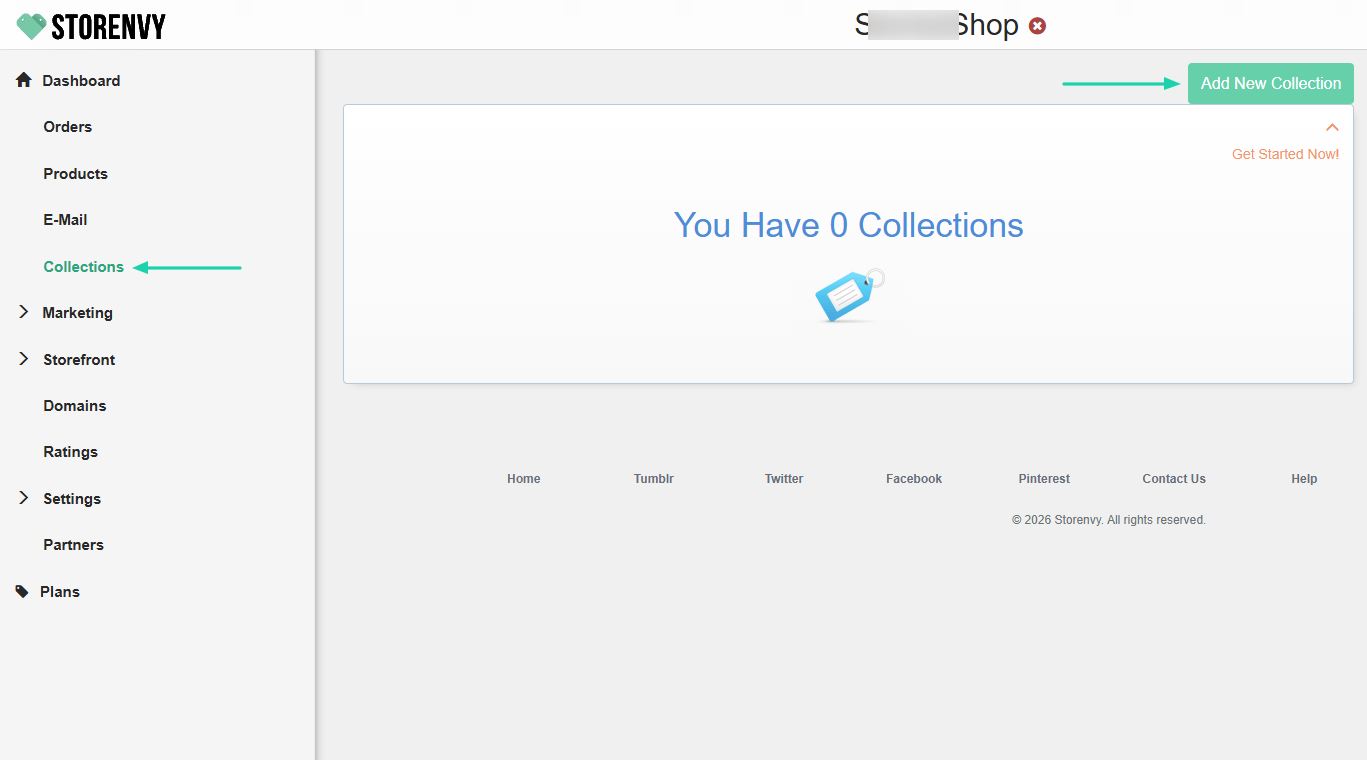
Collections on Storenvy are simply ways to create categories or groups of similar products.
To create one, click “Collections” in the sidebar menu, then select “Add New Collection.”
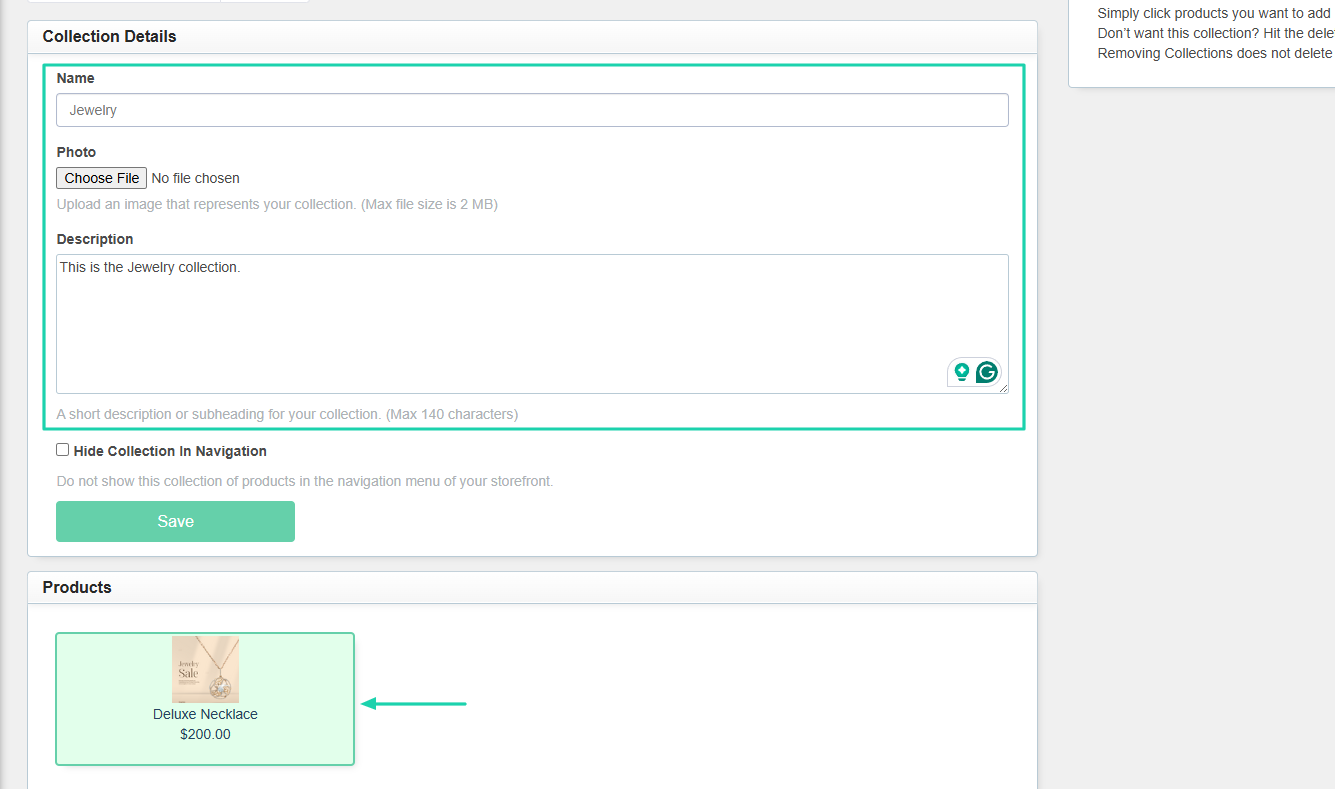
Enter the collection name and hit the “Submit” button.
You can add more collection details, like a photo and a description. Below, select the products you want from the collection.
3. Dashboard
Another interesting feature of Storenvy is the dashboard. This is where you see important information about your store.
To access it, click “Dashboard” in the sidebar menu.
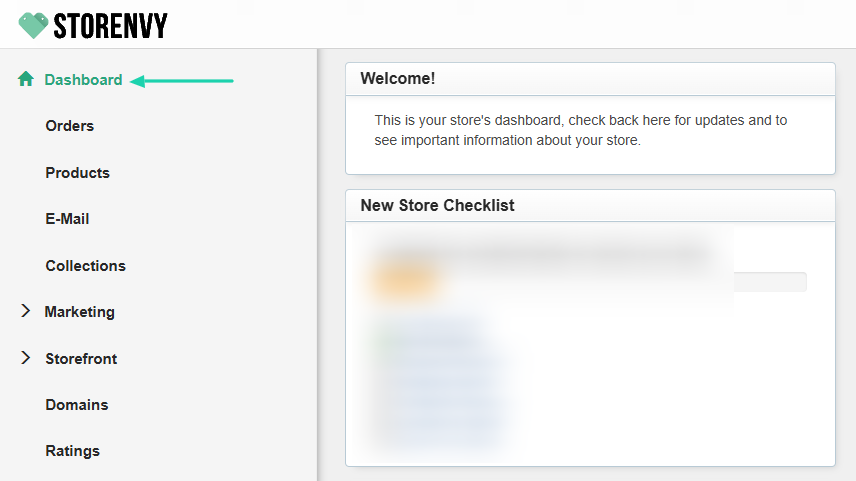
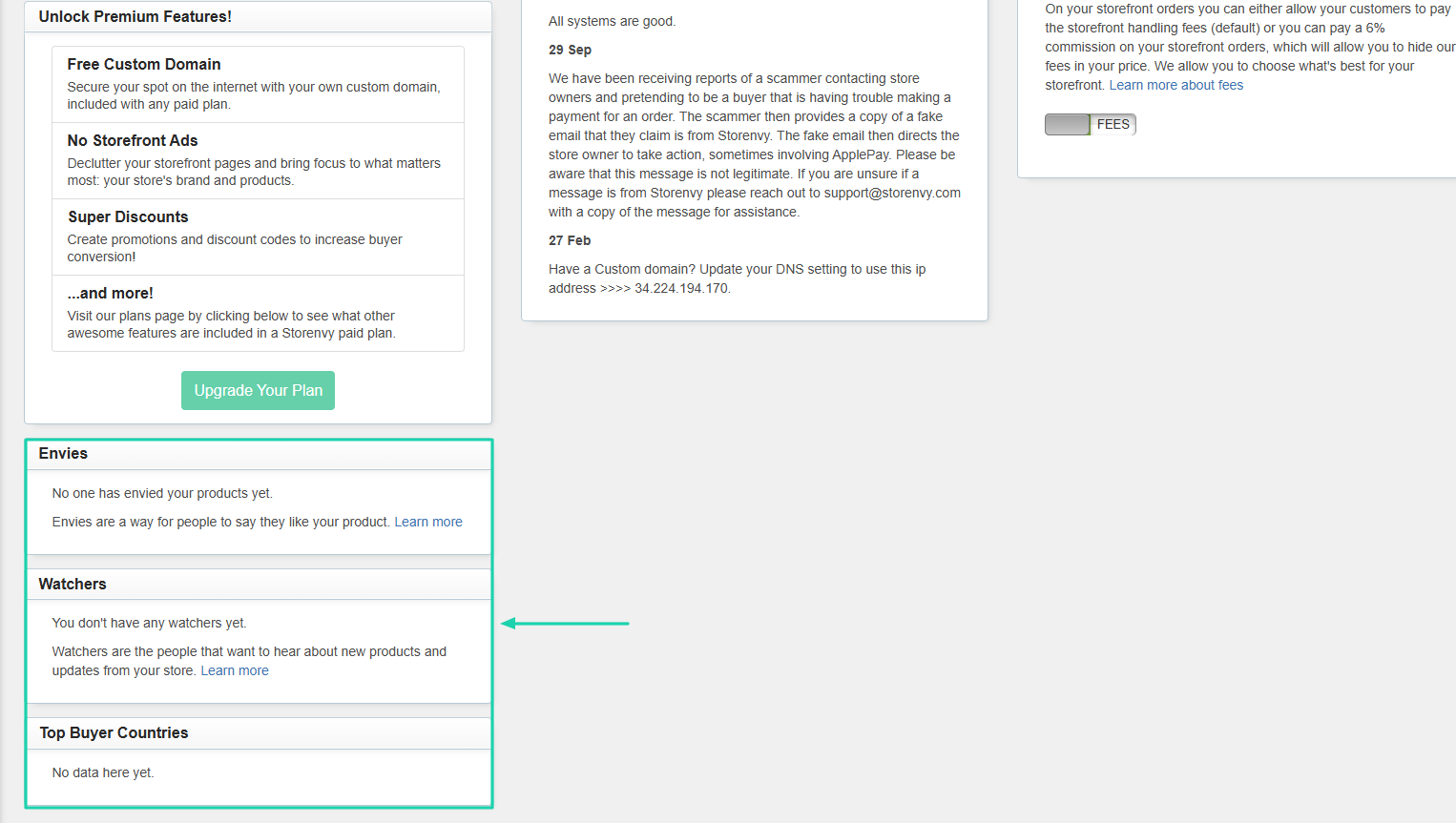
It shows your customer ratings, all your sales, and buyer experience metrics, including shipping stats, cancellation stats, and product scores.
You will also see your number of envies, watchers, and top buyer countries.
[fs-toc-omit]What I liked vs what I didn’t like
What I loved 👍
✅ Allows you to directly post products on Facebook, Twitter, Pinterest, and TikTok.
✅ Can create a product in 5 steps.
✅ Comes with a dashboard that shows all customer ratings.
What I didn’t like 👎
❌ The interface feels outdated and not very intuitive, making navigation seem limited.
[fs-toc-omit]Best for
- Small brands and indie sellers who want both a standalone store and access to a marketplace-style discovery feature.
[fs-toc-omit]Pricing
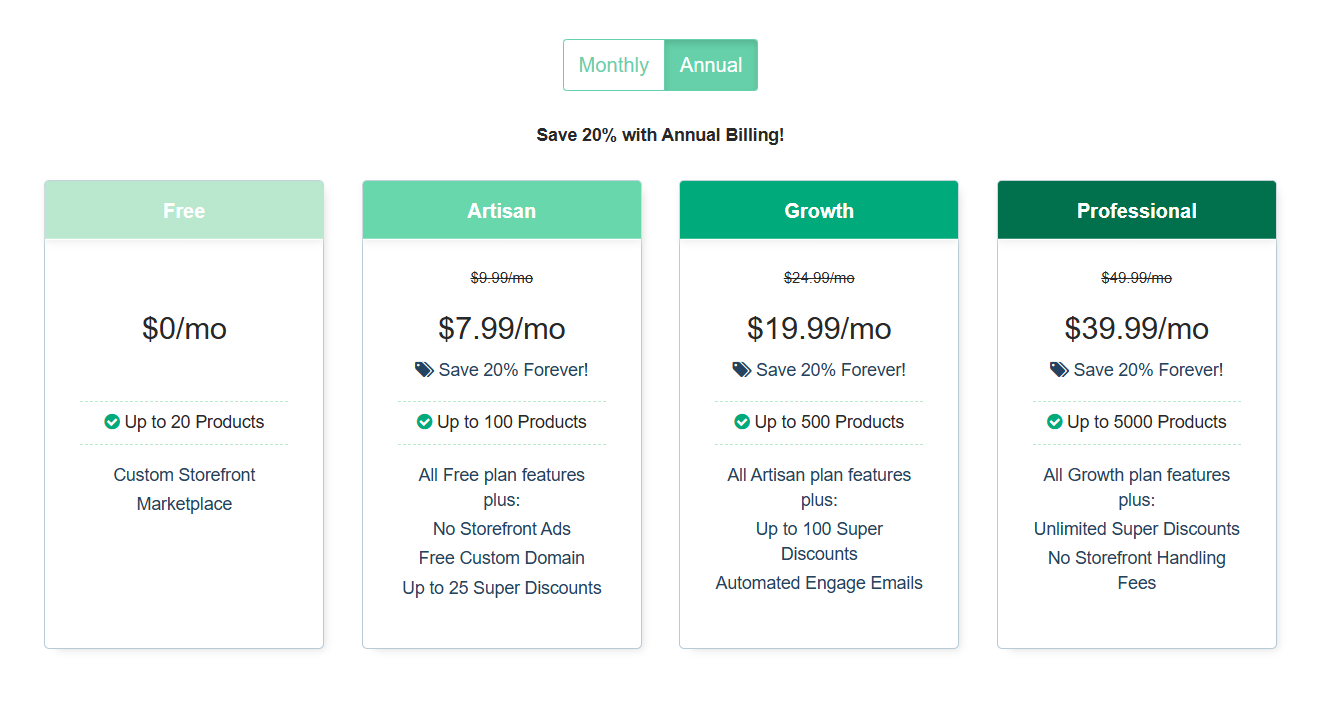
- Free: $0/month
- Artisan: $7.99/month
- Growth: $19.99/month
- Professional: $39.99/month
Other Etsy alternatives I tried
Aside from the ones I covered above, there are other Etsy alternatives you can check out. Here are some:
7. Payhip - For selling digital products with a simple storefront
8. Squarespace Commerce - For sleek, branded websites with built-in selling
9. Wix eCommerce - For flexible WordPress-based online stores
10. WooCommerce - For scaling ecommerce brands with advanced features
11. BigCommerce - For scaling ecommerce brands with advanced features
12. Ko-fi Shop - For accepting support directly from their audience
13. Podia - For courses, downloads, and memberships in one place
14. Stan Store - For link-in-bio storefronts for digital products
15. Lemon Squeezy - For selling digital products with built-in payments and tax handling
16. Creative Market - For design assets sold to large audiences
17. Design Bundles - For selling discounted design resources and bundles
18. Redbubble - For selling print-on-demand designs across multiple products
19. Society6 - For artwork on premium home decor products
20. ArtStation Marketplace - For selling professional 3D, game, and digital assets
How to choose the right Etsy alternative
Here are the following factors to consider when choosing the right Etsy alternative:
- 1. Look at marketing tools
- 2. Check digital product support
- 3. Consider monthly pricing and transaction fees
- 4. Think about long-term brand building
Let’s take a look at each point in detail.
1. Look at marketing tools
Looking at marketing tools is probably the very first thing to do before choosing your Etsy alternative.
If you’ve already been selling products, then my point will easily resonate with you. Many sellers (especially beginners) fail to make sales, not because of bad products but because no one sees them.
That’s why the alternative you choose should let you market your products. If not, you will definitely struggle no matter how good your product is.
A good Etsy alternative should allow you to build your email list. It should automatically collect customers’ emails when they make a purchase.
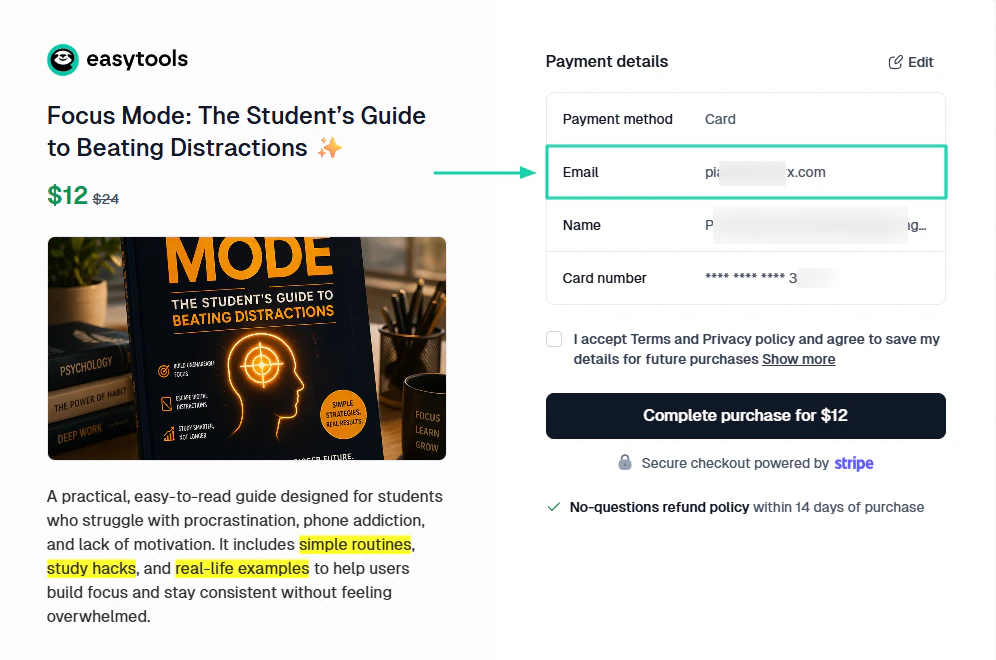
This way, you, as a seller, can launch email campaigns whenever you want to, and also track their performance.
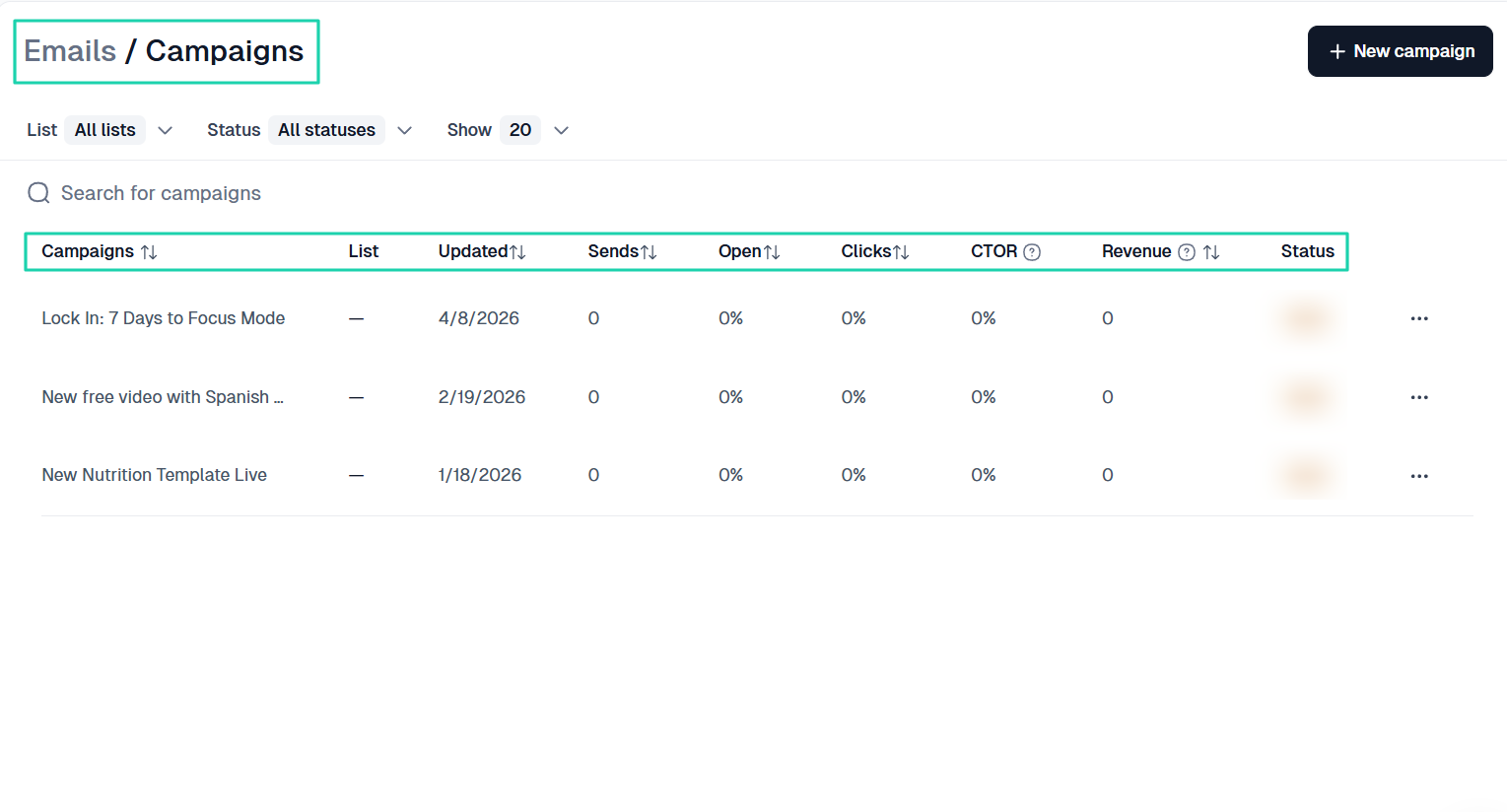
Aside from building an email list and sending campaigns, the platform should also let you create discounts and promotions.
Customers love it when they feel they’re getting so much for less.
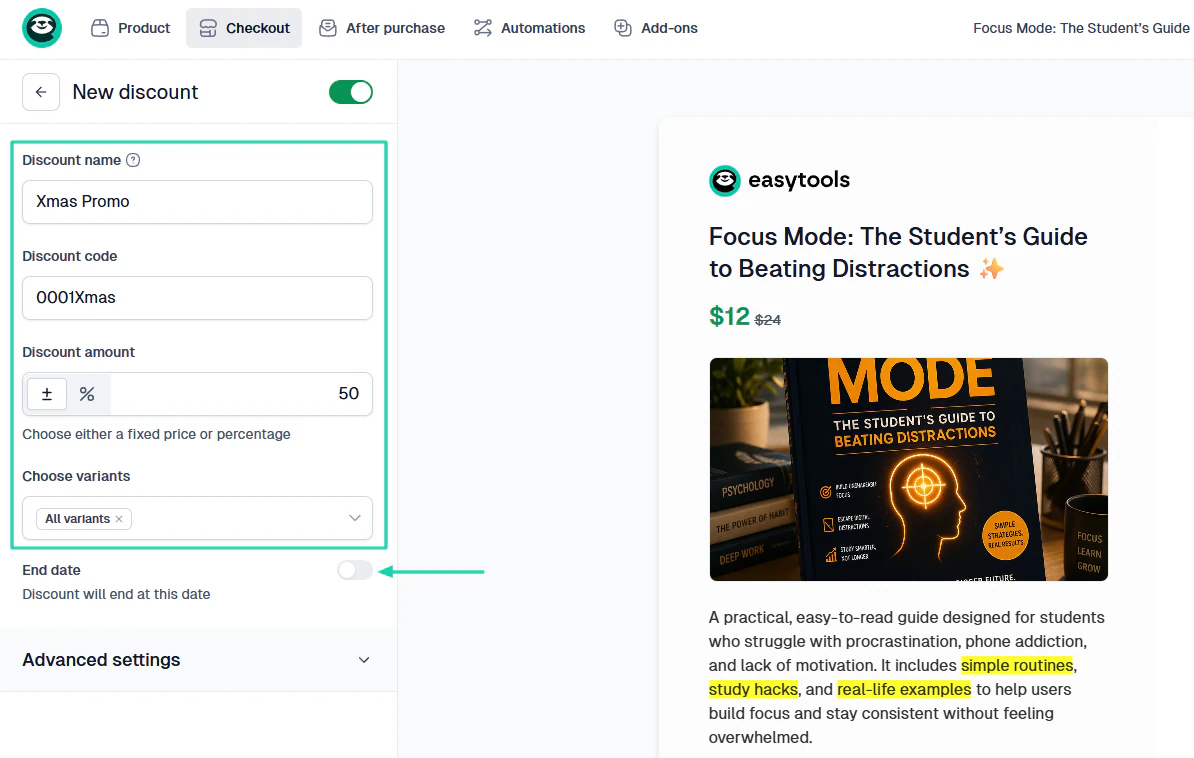
The right Etsy alternative will let you provide a discount code for customers. Easytools, for example, also lets you add the discount amount and even specify the promotion period.
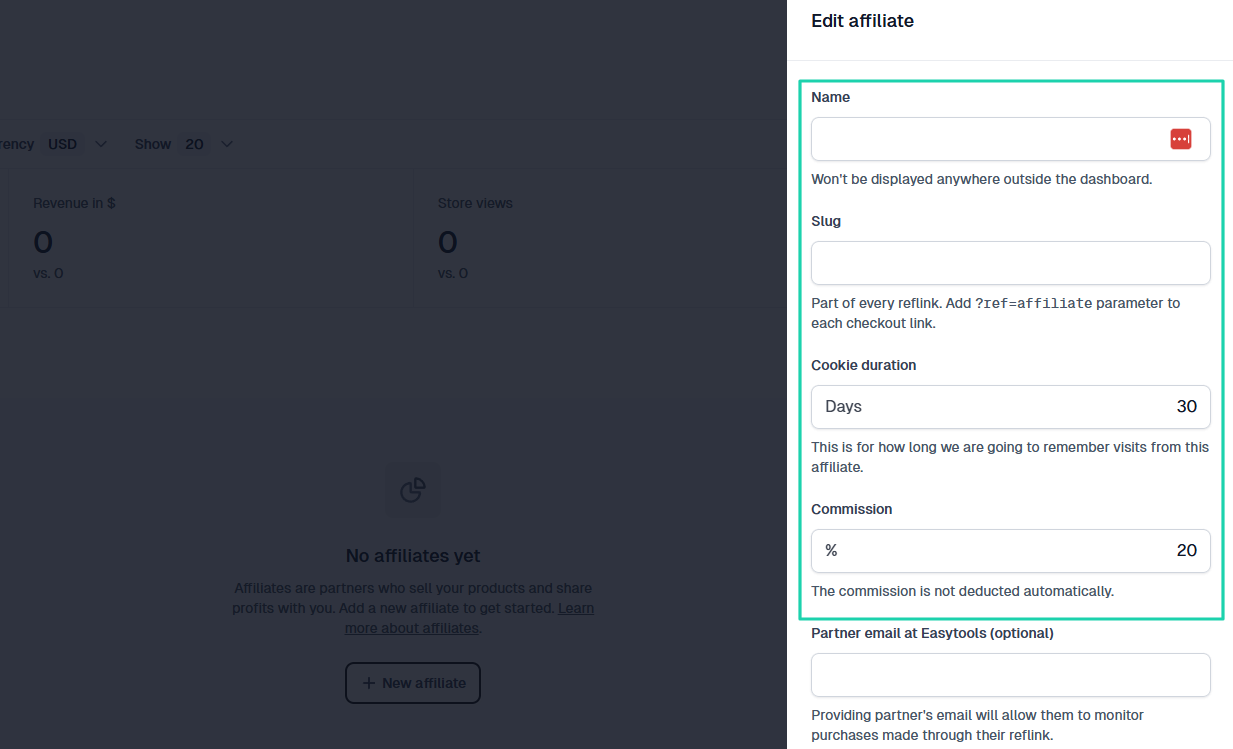
Now, when you’re just starting out or want to make a large number of sales, I suggest you try affiliate marketing.
Other people will promote your product and receive a commission anytime a customer purchases through their affiliate link.
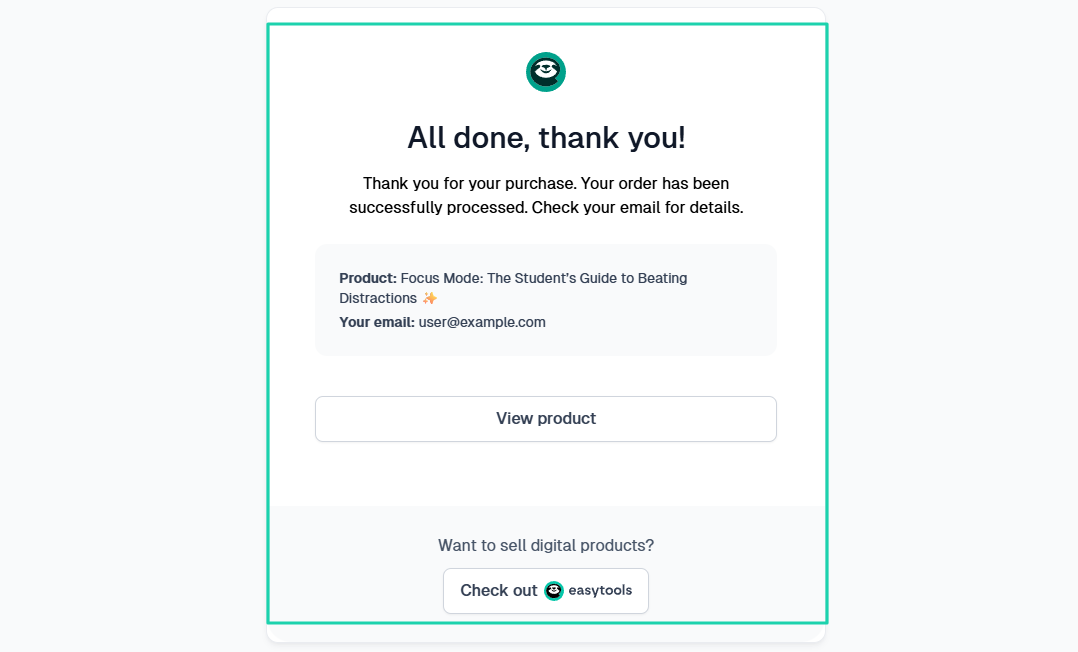
Cross-sells, upsells, and order bumps are also great marketing tools. With these tools, you can propose your other products to a customer after they make a purchase.
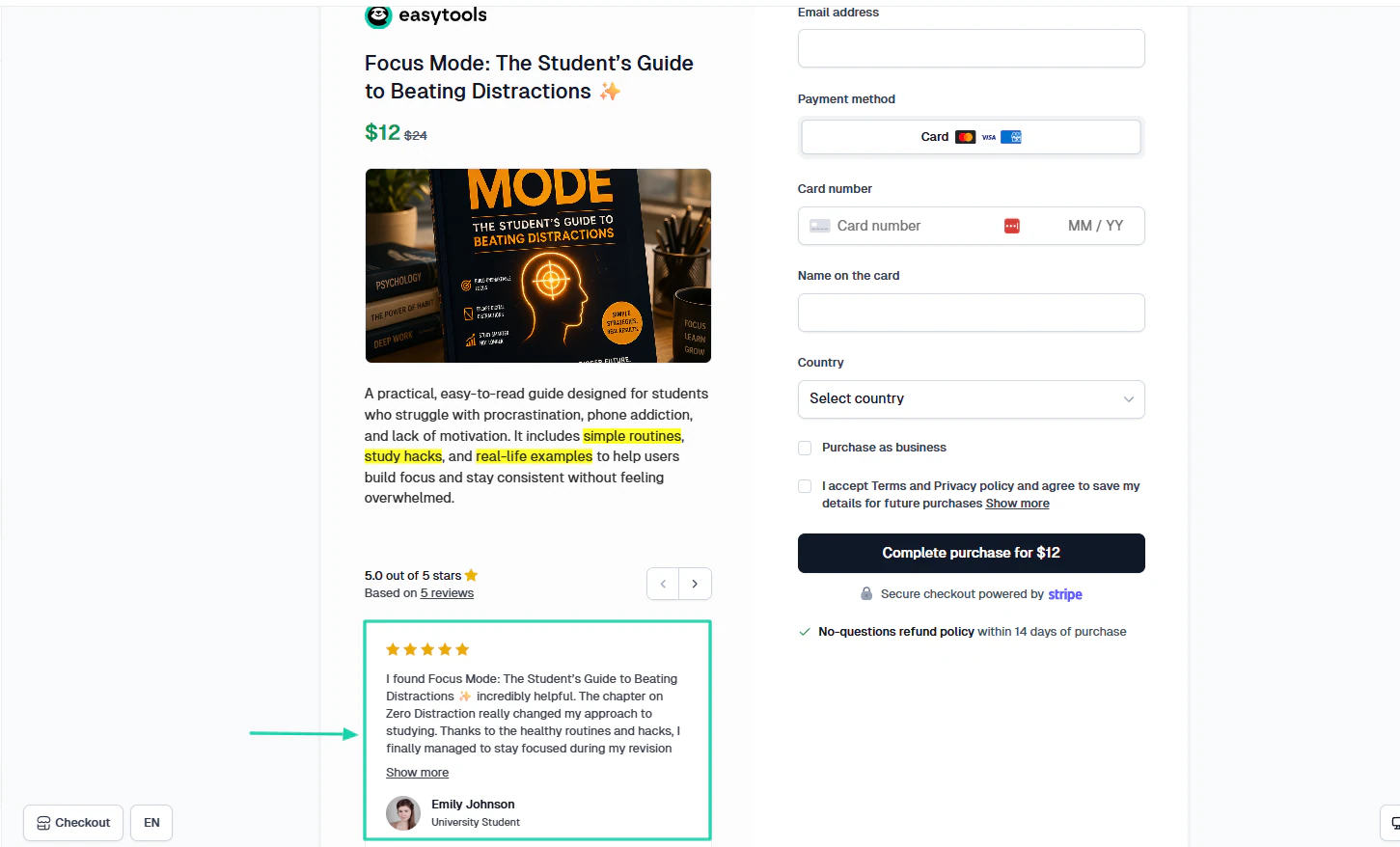
There are still other tools that are great for marketing, like testimonials. Having a platform that allows you to collect and display them is definitely a great deal.
By displaying social proof in your checkout, you increase trust and conversions by at least 9%.
What you need to understand is that marketing tools help you build a whole system that maximizes your chances of success. A tool that lacks this will only make you struggle and prevent you from scaling.
But this is just the first step.
2. Check digital product support
The next step in choosing the right Etsy alternative is to check the digital product support. Before we go any further, here is a list of the digital products you can sell, their difficulty levels, and their best use cases.
| Product type | Difficulty level | Best use case (when to sell it) |
|---|---|---|
| PDFs / E-books | ⭐⭐ (Low–Moderate) | When you want to share knowledge or guides in a simple format. Great for beginners testing ideas. |
| Printables | ⭐ (Very Low) | When targeting quick, low-cost sales (planners, checklists). Ideal for passive income starters. |
| Templates (e.g. Notion) | ⭐⭐ (Moderate) | When solving a specific problem (productivity, budgeting). Works well with niche audiences. |
| Design Assets | ⭐⭐⭐ (Moderate–High) | When you have design skills and want repeat sales from creators (fonts, UI kits, logos). |
| Online courses | ⭐⭐⭐ (Moderate) | When you want to teach in-depth skills and charge higher prices. Requires trust and content quality. |
| Memberships / Subscriptions | ⭐⭐⭐⭐ (High) | When you can provide ongoing value (exclusive content, communities). Best for long-term income. |
| Software / Apps | ⭐⭐⭐⭐⭐ (Very High) | When solving a technical problem at scale. High effort, but highest earning potential. |
| Bundles (Multiple Products) | ⭐⭐⭐ (Moderate) | When you want to increase perceived value and boost average order size. |
| License-Based Products | ⭐⭐⭐ (Moderate) | When selling assets for commercial use (music, code, graphics). Good for B2B or creators. |
With a good Etsy alternative, you can sell all those digital products.
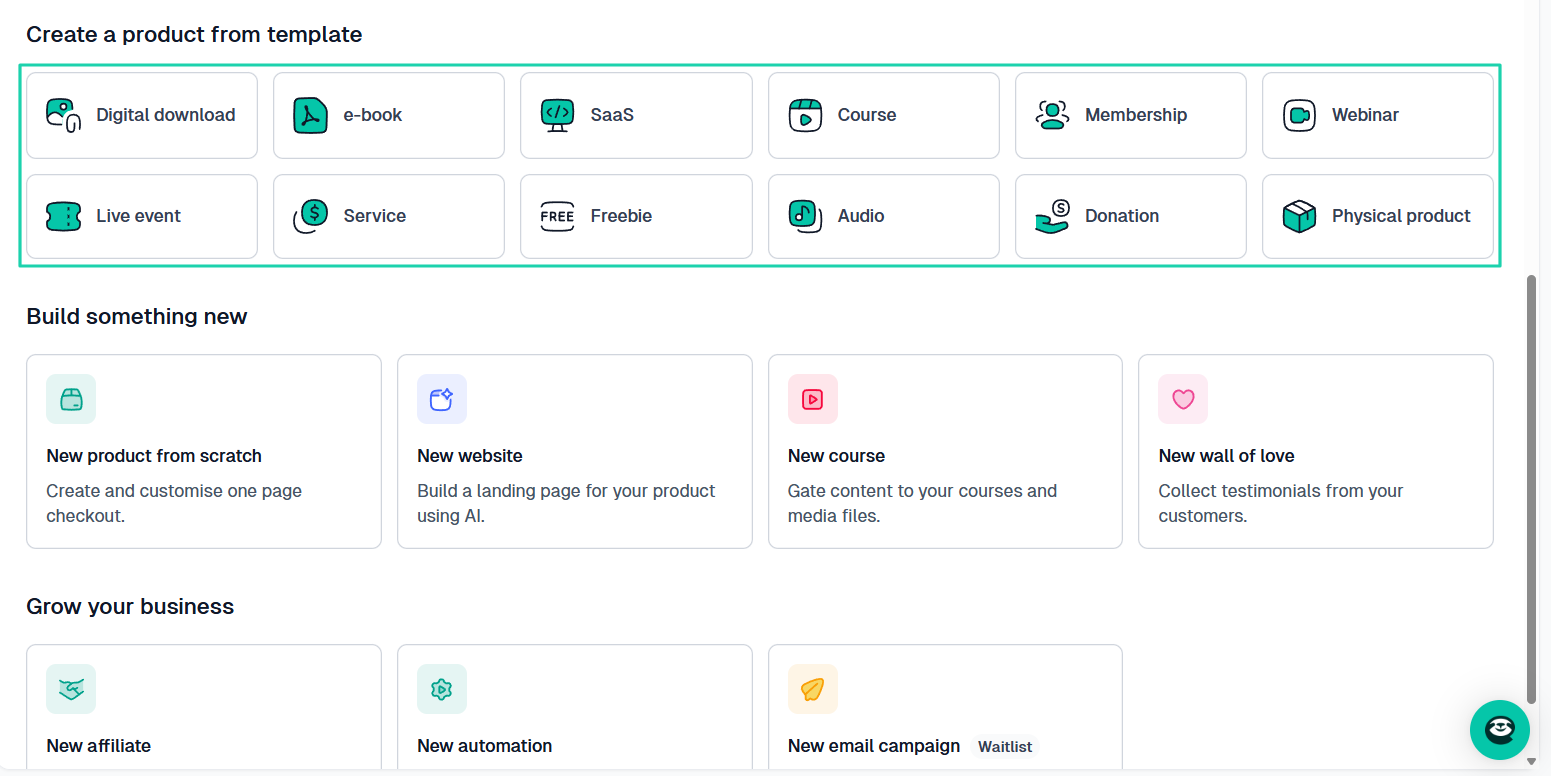
Now, just because a platform claims to support digital products doesn’t mean it is actually built for it.
Yes, it might support digital downloads, but the question is:
- Does it make selling digital products easier, more scalable, and more professional?
Because again, there is a difference between:
“You can upload a file,” and “This platform is built for digital sellers.”
And if you’re an Etsy (or former) Etsy seller, it’s no news for you that the platform is mostly limited to simple downloads.
With physical products, you’re likely to deal with shipping, inventory, and logistics.
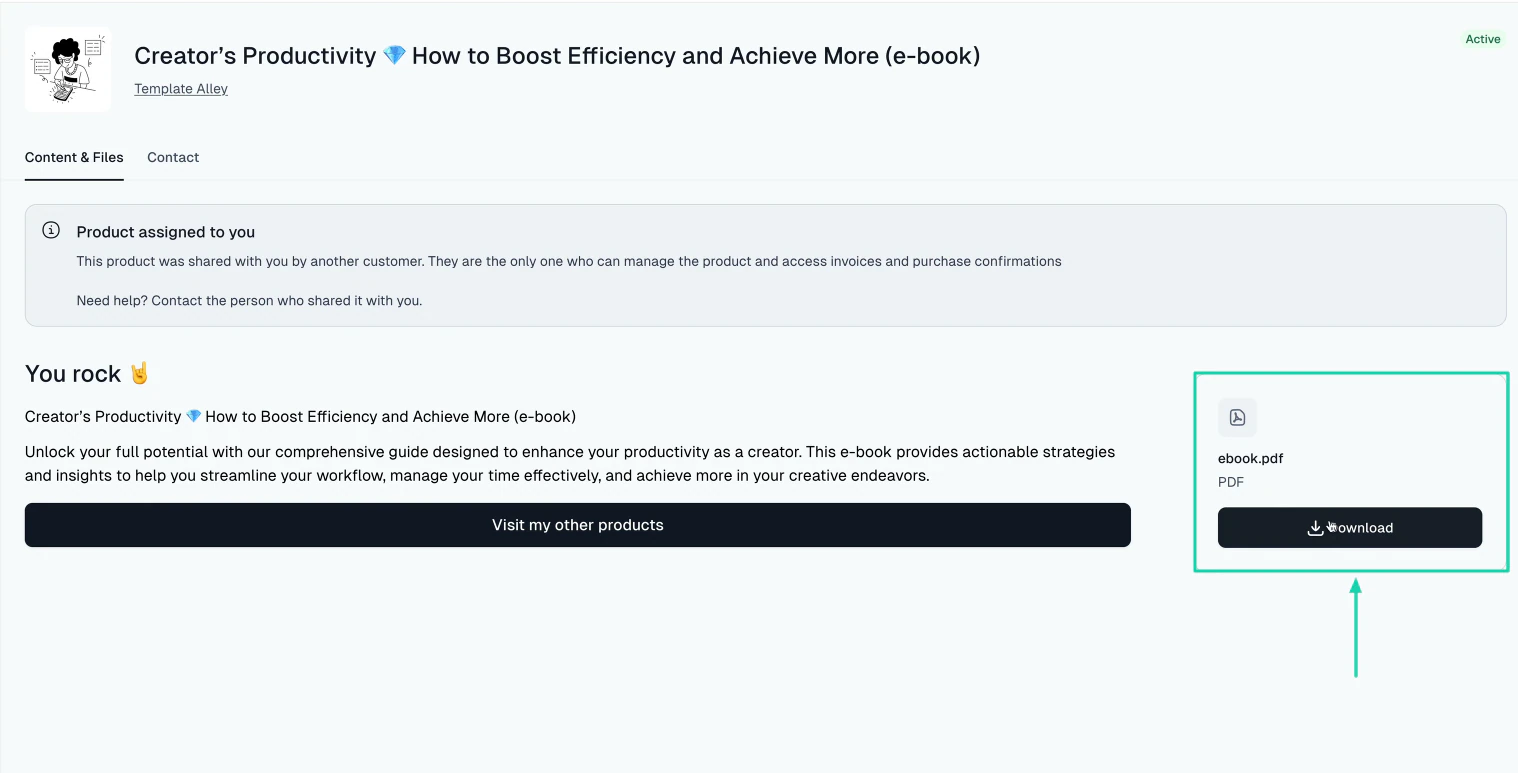
When it comes to digital products, one of the most common features to look for in an Etsy alternative is file delivery and automation.
Customers need instant access to their portal after making a purchase.
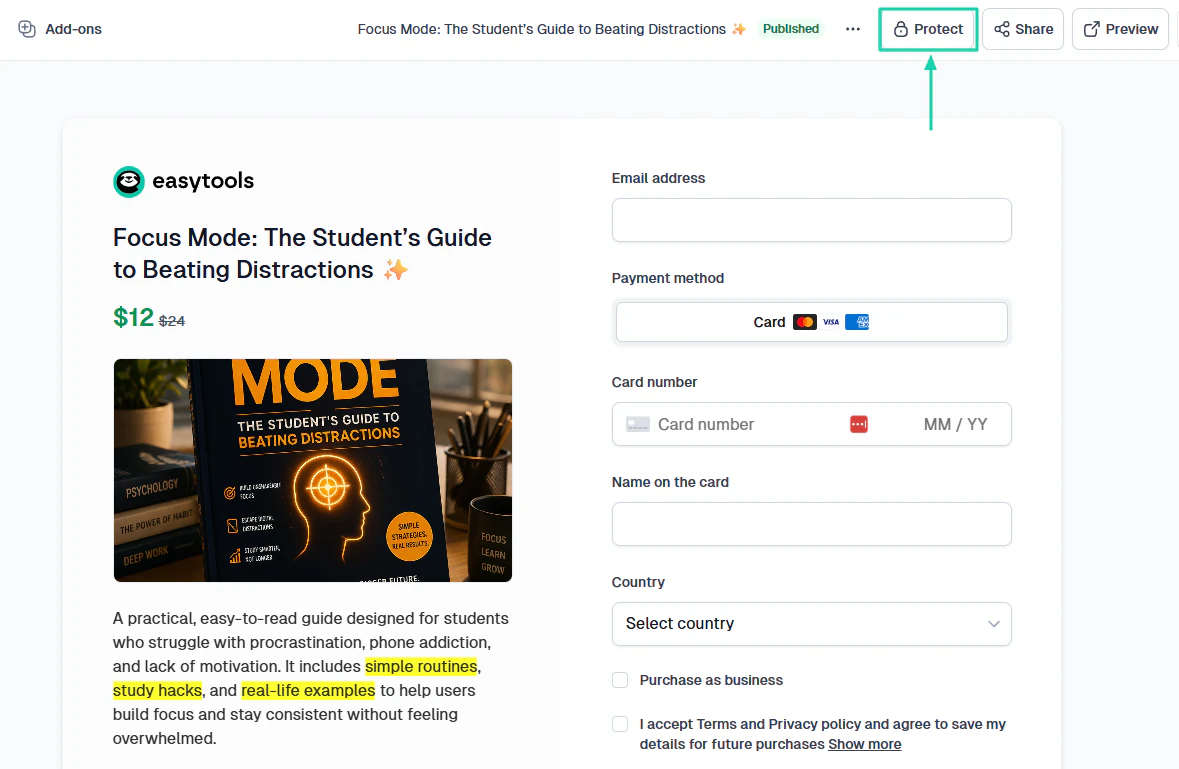
Another thing to look at is content protection and security. Not everyone should just access your digital products.
Choose an Etsy alternative that allows you to gate your content, secure file hosting, or stamp PDFs.
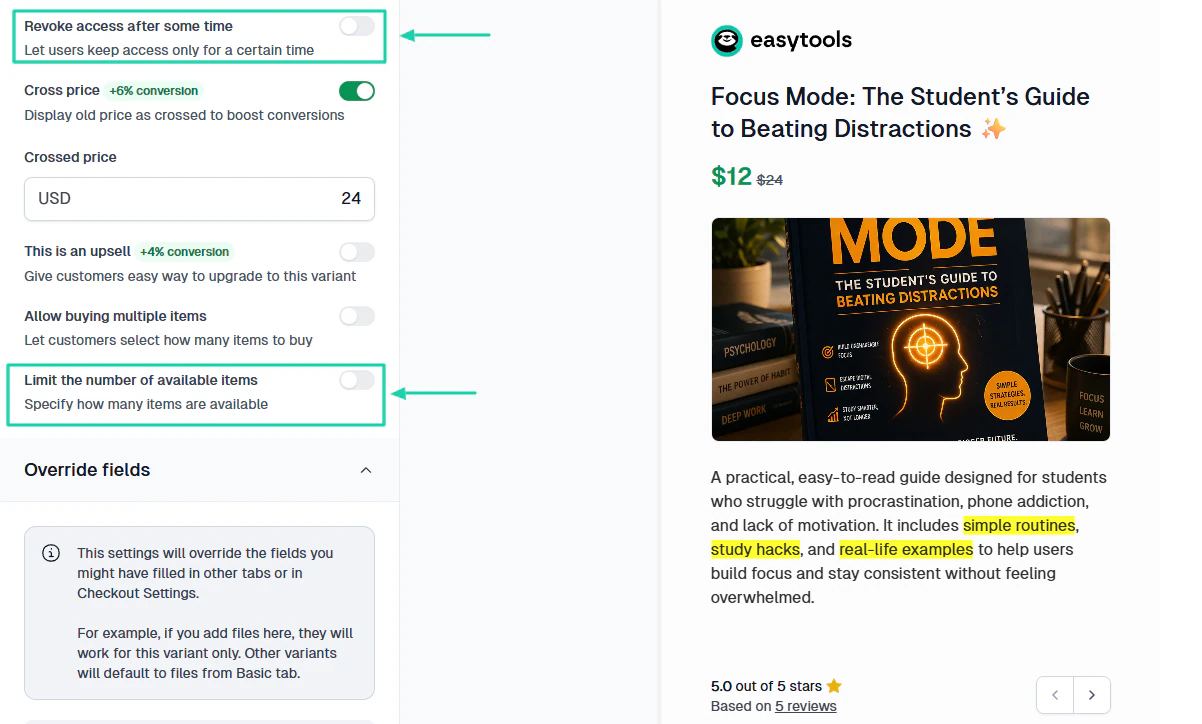
On platforms like Easytools, you can revoke access after a period and even limit the number of available items.
The thing is, checking digital product support is vital to your business growth. This is a must if you want to scale.
The next step will give you more clarity.
3. Consider monthly pricing and transaction fees
You can’t choose the right Etsy alternative without considering the transaction fees and what you’re likely to spend every month.
You must avoid being in a situation where you make little to no profit from the products or items you sell because of the platform you choose.
Since we are discussing Etsy alternatives, it’s important to bring up its core fees.
- Listing fees ($0.20)
- Transaction fees (6.5% per sale)
- Payment processing (varies based on the location of your bank account)
- Offsite Ads (12%-15%, Participation is mandatory for shops selling over $10,000 annually.)
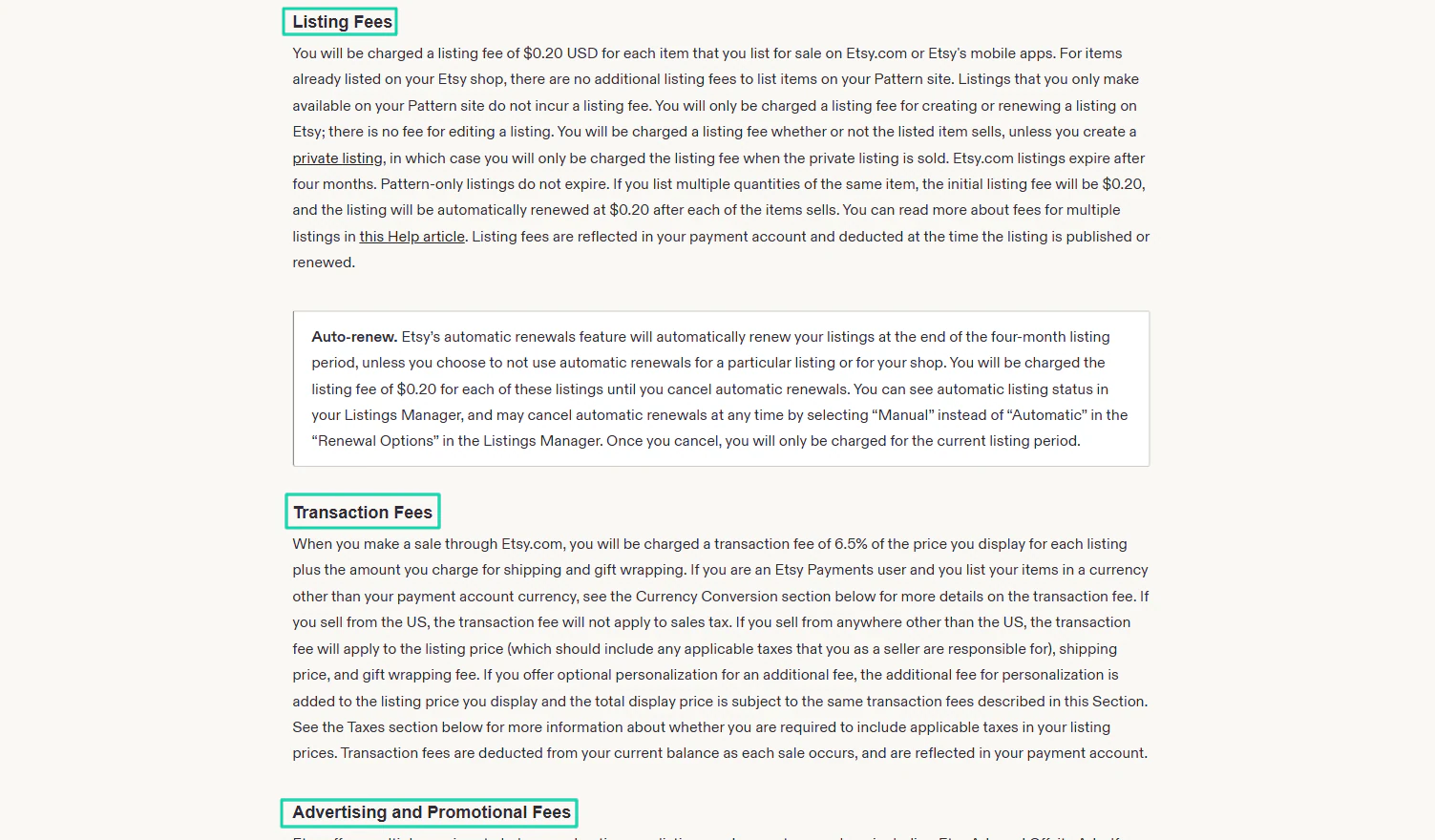
In other words, Etsy charges you before, during, and after the sale. This simply means that your profit gets hit multiple times per transaction. To illustrate, for a $50 product, you may lose about $12 or more.
But say you choose Gumroad as your Etsy alternative. You should know that the platform charges you 10% + $0.50 per transaction for all sales through your profile or direct links to your customers.
And 30% per transaction when customers buy from you through the Gumroad marketplace.
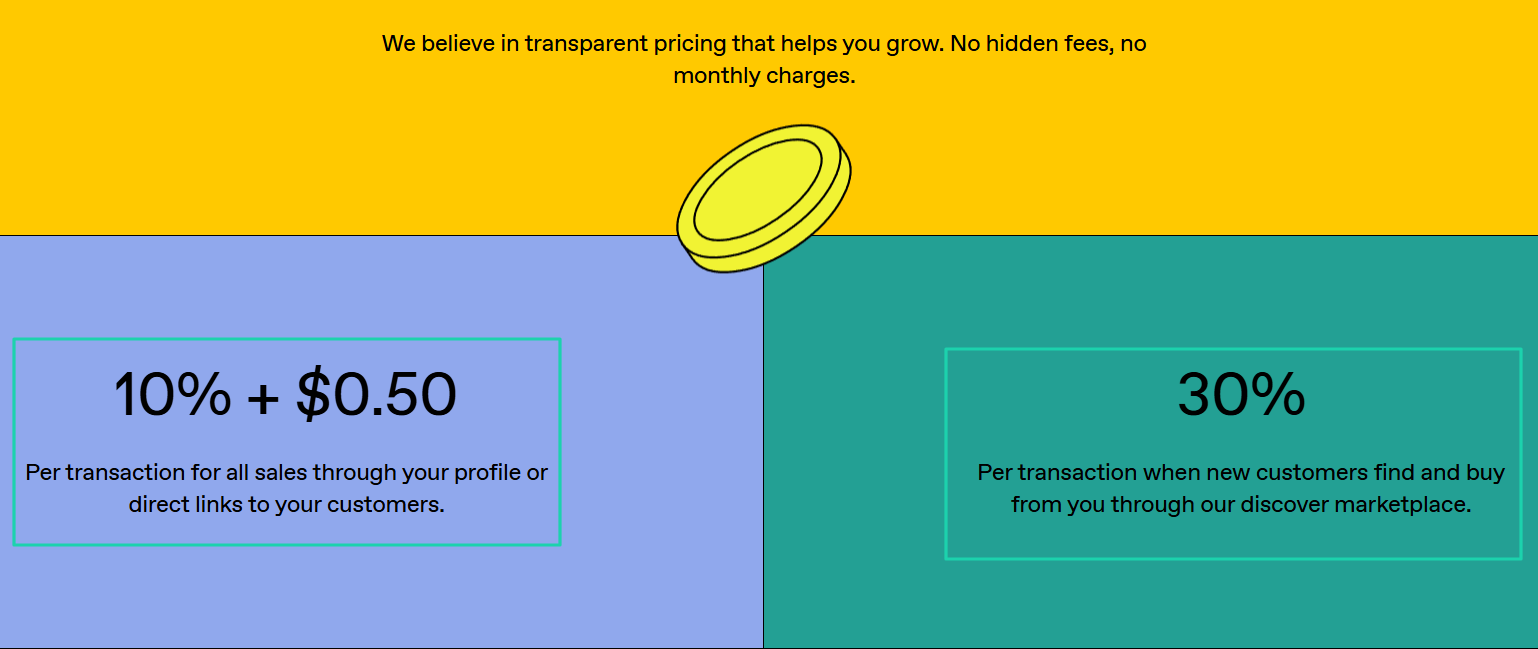
Taking the same example as Etsy($50 product), you’re likely to lose either $5.50 or $15, depending on how customers find your product.
Easytools takes a different approach. It charges only 5% per sale and doesn’t require a monthly commitment on its Starter plan.
With Easytools, you’ll pay about $2.50 in transaction fee on a $50 product plus Stripe processing fees. That’s really cost-effective.
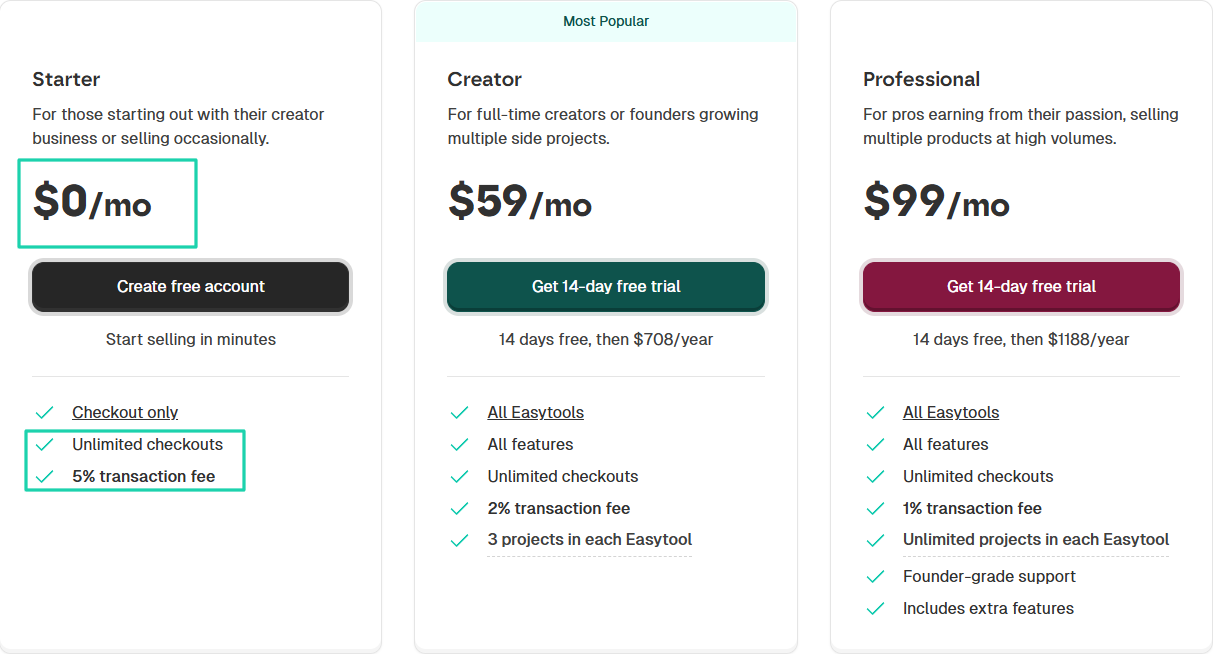
The table below will help you understand better what I shared above.
| Revenue | Etsy (6.5%) | Gumroad (10% + $0.50/order) | Easytools (5%) |
|---|---|---|---|
| $1,000 | $935 | $890 | $950 |
| $5,000 | $4,675 | $4,450 | $4,750 |
| $10,000 | $9,350 | $8,900 | $9,500 |
| $20,000 | $18,700 | $17,800 | $19,000 |
| $50,000 | $46,750 | $44,500 | $47,500 |
You may earn way less than what is on the table with Etsy and Gumroad if you factor in other fees (marketplace, offsite ads, and payment processing).
So, you see that when you do such calculations, you have an idea of how much you will spend in the long term. This can help you prepare better.
Now, there is one more point we need to look at.
4. Think about long-term brand building
You’ve looked at marketing tools, digital product support, and monthly pricing and transaction fees, but that’s not all to choose the right Etsy alternative.
You need to think about long-term brand building. If you only think about making your first sale fast, you will eventually hit a ceiling.
As you grow, the question should change from “how do I make sales?” to “how do I build something that lasts?”
When you build a brand, people recognize you, trust you, and come back to buy again. And there are important aspects to consider:
- You don’t rely on algorithms
- You don’t compete only on price
- You can launch new products faster
So, you will definitely make way more money while retaining full control, and this is what you consider.
Now, let me dive a bit deeper into this section.
One of the most important pillars of long-term brand building is audience ownership. Not all platforms let you collect emails or contact customers directly.
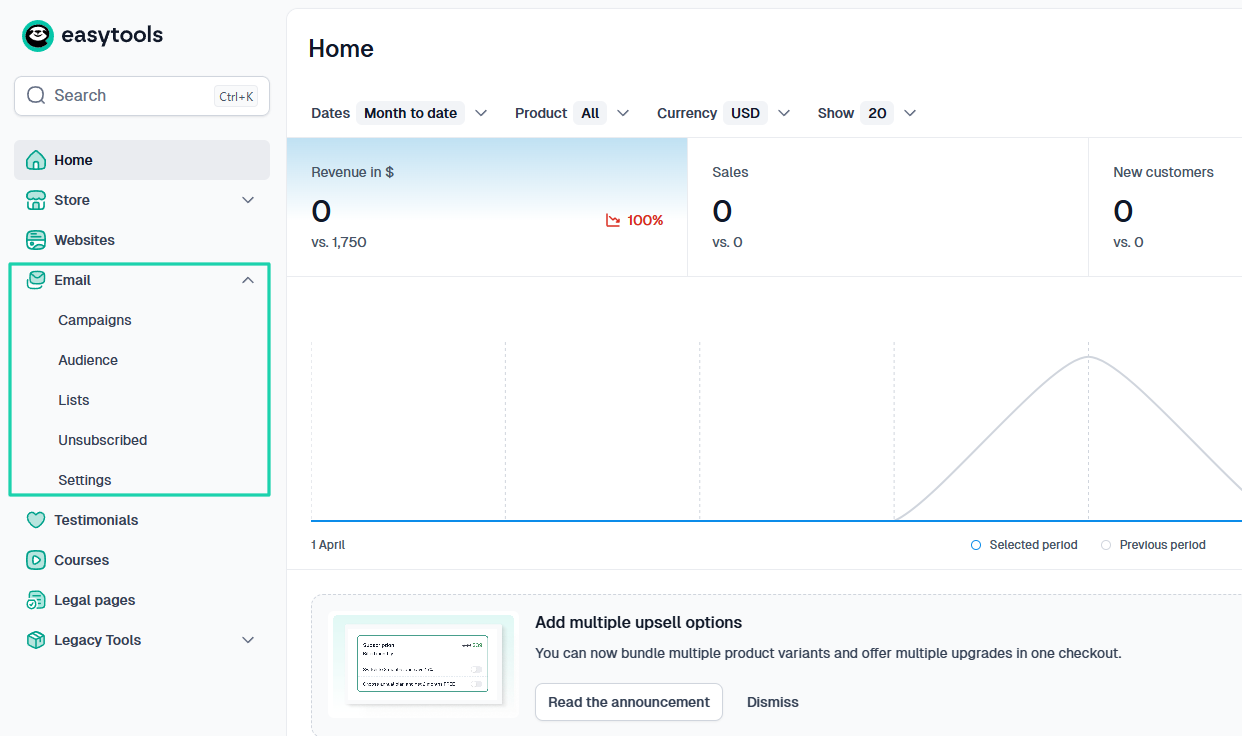
If the platform you choose doesn’t offer such features, know you’re building on borrowed ground.
The problem with not having audience ownership is that if a platform disappears today, you will lose access to your customers. But if you own your audience, you can move anywhere without any issue.
Aside from that, you should choose an Etsy alternative with great brand customization options, and I’ll tell you why.
If your store looks like everyone else’s, you compete on price, but if the brand stands out, you compete on value.
For that reason, your platform should, for instance, customize your checkout: add your own logo, choose your own theme, and brand colors. This alone can boost your conversions.
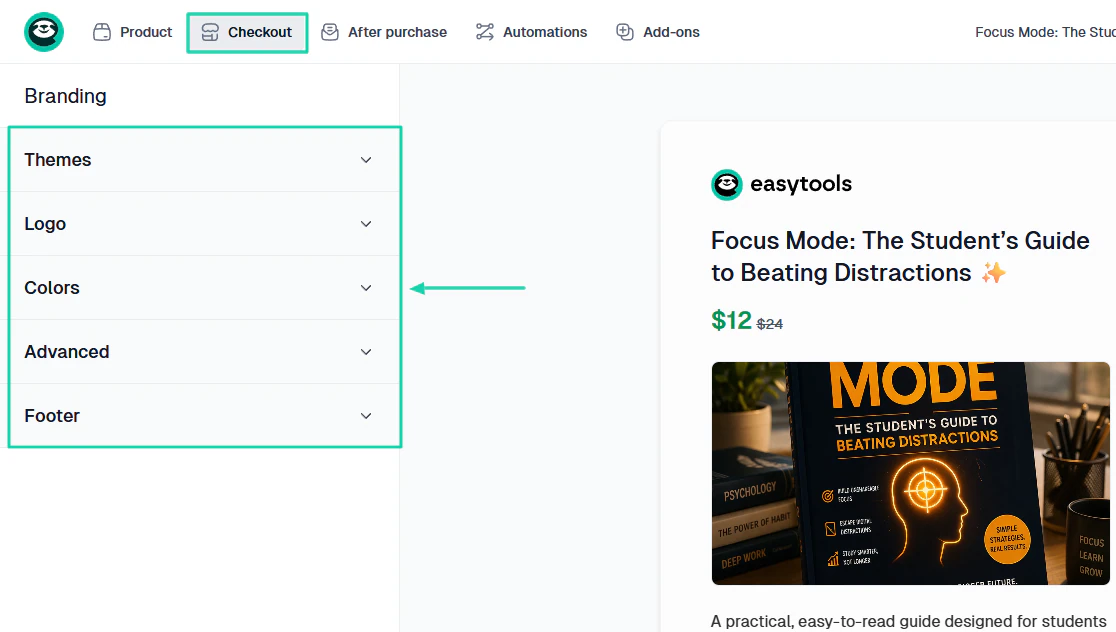
The goal isn’t just to sell once. It’s about making customers return again and again, and that’s the power of long-term brand building.
You should choose a platform that allows you to build customer relationships. It should have the ability to:
- Send newsletters
- Send updates
- Launch new products to past buyers
- Offer loyalty perks
With that, you’re sure to be in the game for a long time.
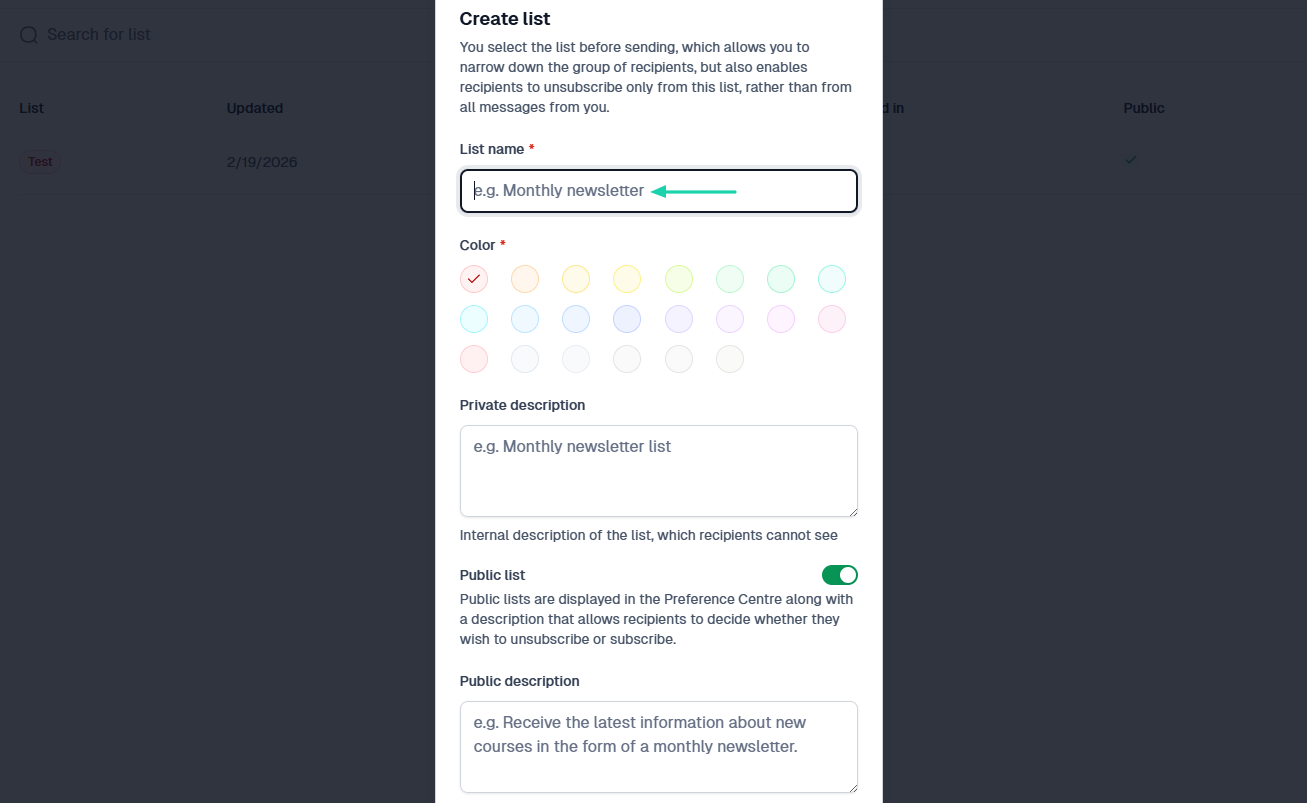
The truth is, you simply can’t think long-term without thinking about scalability.
What if in the next two years, selling your physical items is no longer profitable as it used to be? And you want to offer online courses, e-books, and membership programs?
Will you switch to a different platform again?
These are questions you should anticipate now. But if you want my opinion, you should think ahead of your time.
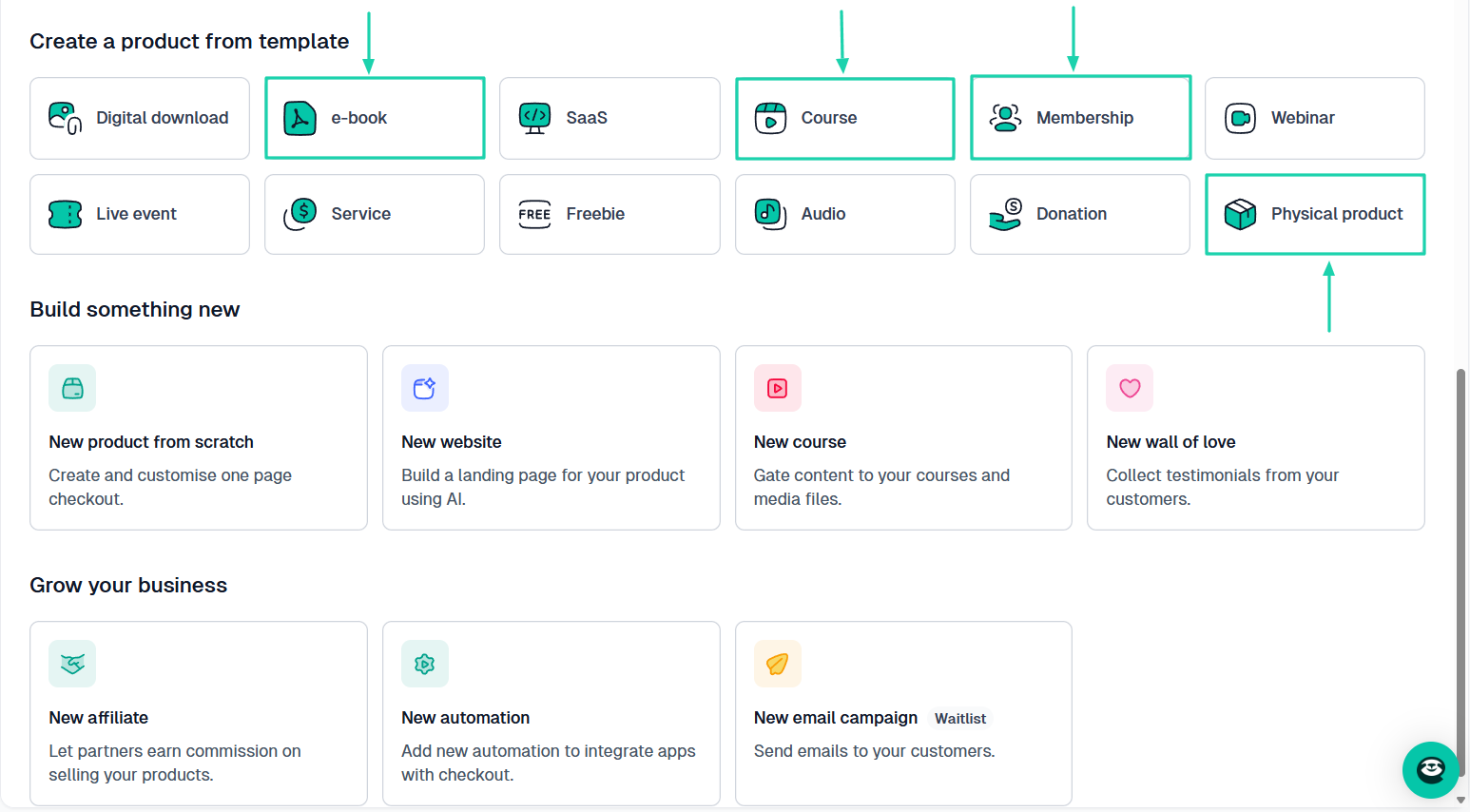
That means, to be safe, you should pick an Etsy alternative now that lets you sell all these product types (physical and digital) so you don’t have to switch later.
{{cta-banner-1}}
I want you to understand that the goal is not just to make one more sale today. It is to build something that still works a year from now.
Select the best Etsy alternatives
Selecting the best Etsy alternative isn’t difficult.
As I mentioned in the article, you simply look at marketing tools, digital product support, monthly pricing, and transaction fees. You also keep long-term brand building in mind.
That’s basically it!
The good news is that you already have a list of platforms you can choose from, including Easytools, Shopify, Gumroad, Big Cartel, Bonanza, and Storenvy.
I’ve done my job!
Choosing the best Etsy alternative is now your responsibility.
I write similar articles here at Easytools. Check them out.
- Top alternatives to Patreon
- Top tested Podial alternatives
- Best Teachable alternatives
- The popular Gumroad competitors I tested
- The 7 best platforms to sell e-books
FAQ
What are the best free Etsy alternatives?
The best free Etsy alternatives are Easytools, Gumroad, Big Cartel, and Storenvy. Easytools makes the list because it’s an all-in-one platform that’s cost-effective and has a suite of tools to help you sell effectively.
Should beginners start with Etsy or Etsy alternatives?
Beginners should start with Etsy alternatives like Easytools. They can start selling without spending any money on the platform, unlike Etsy, which comes with listing fees.
Do Etsy alternatives charge listing fees?
No, Etsy alternatives like Easytools do not charge listing fees. You can start creating and selling your product without spending a dollar. The platform charges only a 5% transaction fee once you start making sales.
Which Etsy alternatives offer better branding options?
The Etsy alternative offering better branding options is Easytools. You can fully customize your checkout page, add testimonials, a logo, brand colors, and a theme, and even use custom CSS.
Can I sell digital products on Etsy alternatives?
Yes, you can sell digital products like e-books, online courses, templates, PDFs, services, and live events on Etsy alternatives like Easytools.
Are Etsy alternatives better for scaling a handmade business?
Yes, Etsy alternatives like Easytools are better for scaling a handmade business. That’s because they have low transaction fees (5% and 2%, depending on the plan). They also offer advanced customization options and provide full control over customer data.
Are Etsy alternatives better for international sellers?
Yes, Etsy alternatives like Easytools are better for international sellers. It offers low transaction fees and provides greater control over branding. It also offers many great marketing tools, including campaigns, affiliate marketing, upsells, and cross-sells.
Can I migrate my Etsy store to Etsy alternatives?
Yes, you can migrate your Etsy store to Etsy alternatives like Easytools. It will simplify your migration process.
Which Etsy alternatives allow custom online stores?
The Etsy alternatives that allow custom online stores are Easytools, Sellfy, Storenvy, and Shopify. You can add your custom domain and logo, choose your brand colors, display testimonials, and more.
Which Etsy alternatives are best for digital creators?
The best Etsy alternatives for digital creators are Easytools, Gumroad, and Sellfy. On Easytools, for example, digital creators can use it to sell e-books, create online courses with AI, build Notion templates, create PDFs, offer memberships, host live events, and more. They can also build a website for their product and customize it to their liking.