Blog
6 best Gumroad alternatives to use in 2026
6 best Gumroad alternatives: 1. Easytools, 2. Payhip, 3. Thinkific, 4. Podia 5. SendOwl, 6. Sellfy, …

I wouldn’t be surprised if you’ve already used or simply heard about Gumroad as a popular platform for selling digital products.
If you’re reading this article on Gumroad alternatives, you may be considering a switch, which I understand. Their transaction fee alone is 10% + $0.5 per sale, and 30% if the customer discovered your product on their marketplace.
And oh, you can’t sell event tickets or process payments for live events you host. Things you can easily do with alternatives like Easytools.
Also, if you’re starting, you need to earn at least $10 before you can receive payouts.

So, I did a lot of research, tested many tools, and carefully selected the six best Gumroad alternatives. I’ll review their features and pricing plans, and share my experience with each tool.
I’ll also show you how you can choose the best Gumroad alternative.
Let’s go!
TL;DR
The best Gumroad alternatives are:
- Easytools
- Payhip
- Thinkific
- Podia
- SendOwl
- Sellfy
To choose the best alternative, you should consider the product type, evaluate payment gateways, review integrations, and assess customer management and relationship tools.
Best Gumroad alternatives compared
6 best Gumroad alternatives
1. Easytools
We are starting the list of the best Gumroad alternatives with Easytools.
It’s an all-in-one platform for selling all sorts of digital products, from e-books to PDFs. You can also create online courses with modules and lessons using Easytools artificial intelligence.
Aside from online courses, the platform lets you market and sell SaaS, services, and physical products.
It also provides a suite of tools for managing checkouts, legal documents, customer reviews, taxes, and gated content, just to name a few.
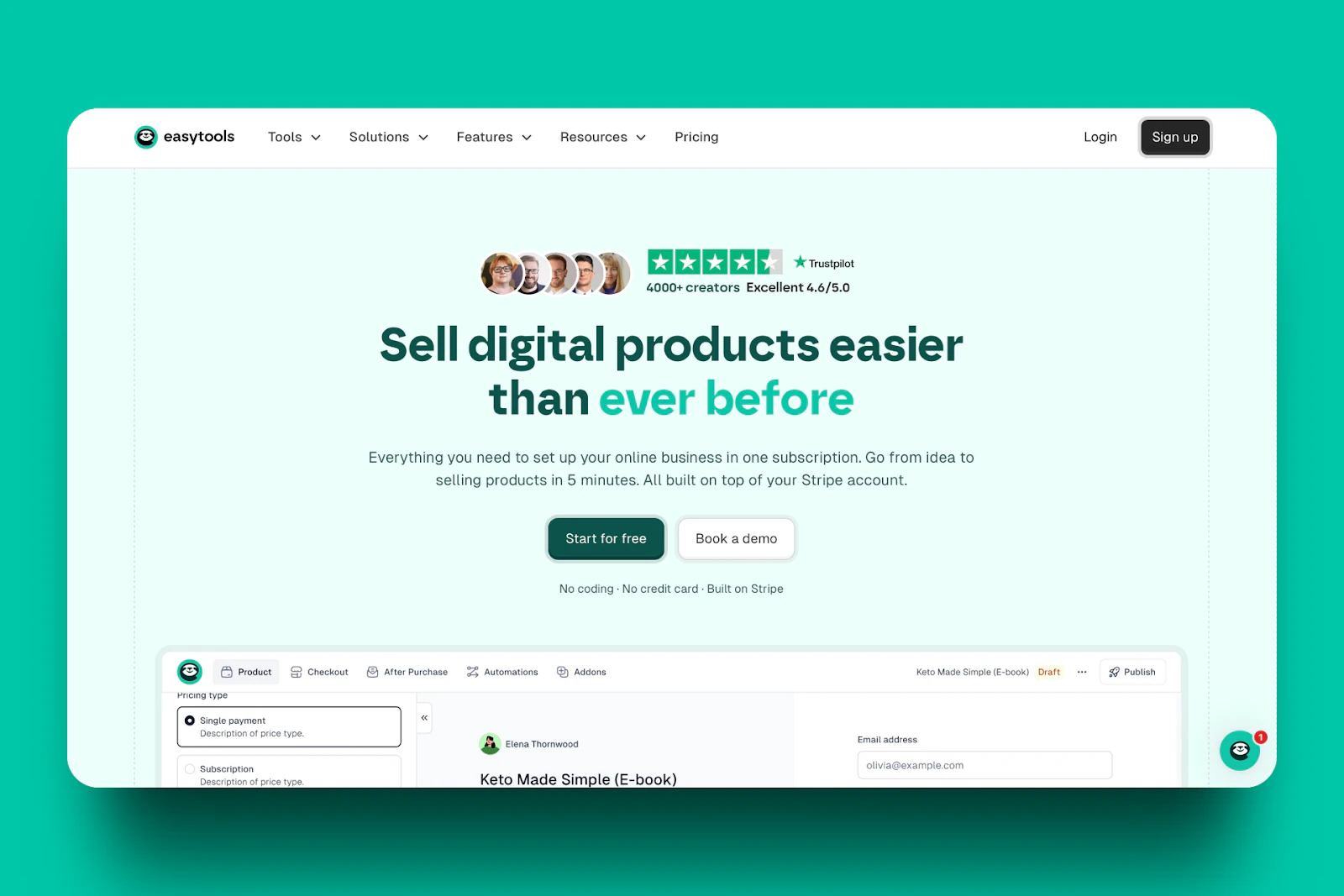
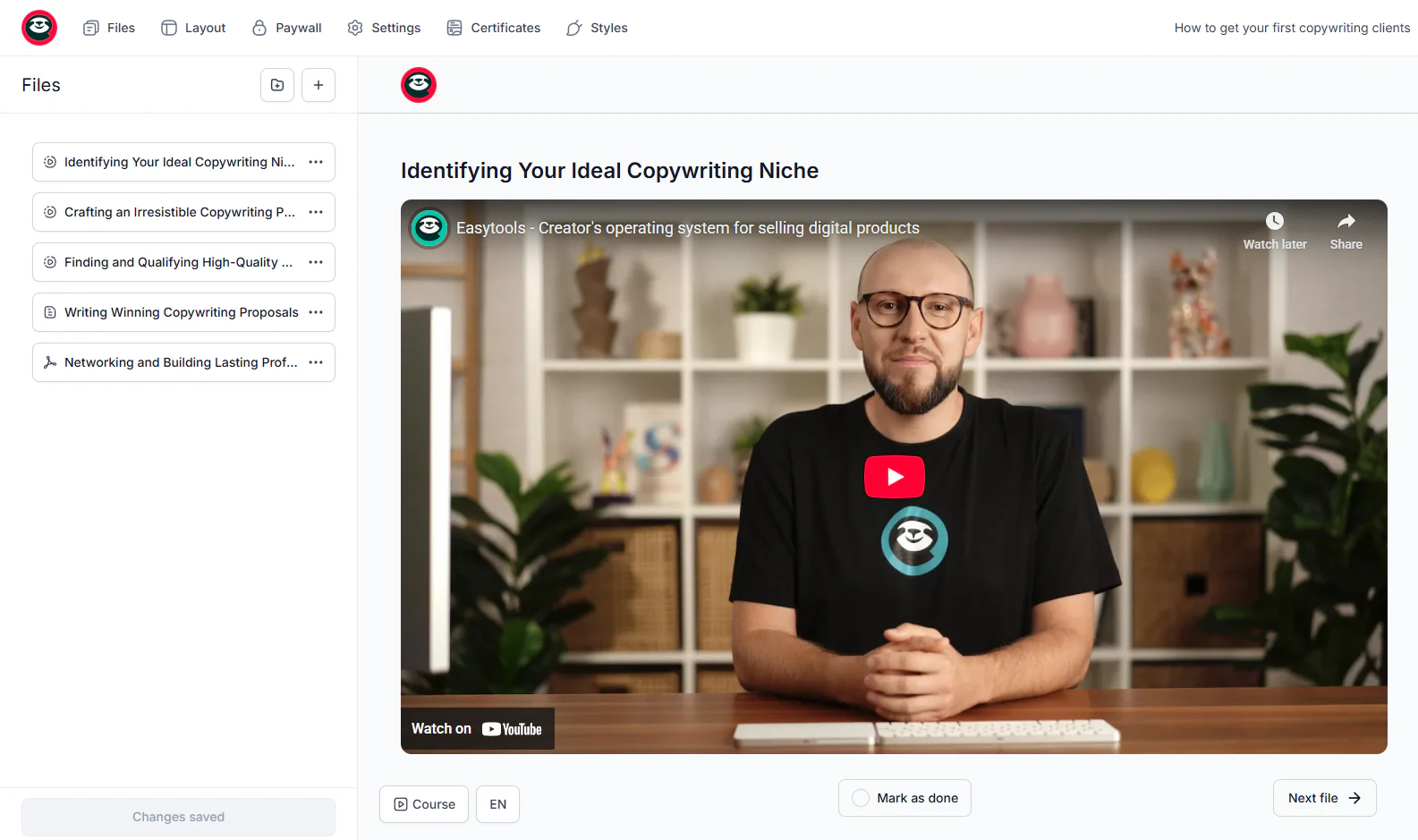
Creating an online course is probably one of the easiest actions you can take on Easytools. You don’t need to do much beyond naming the course and uploading your videos.
You can even use the built-in AI to generate your course outline.
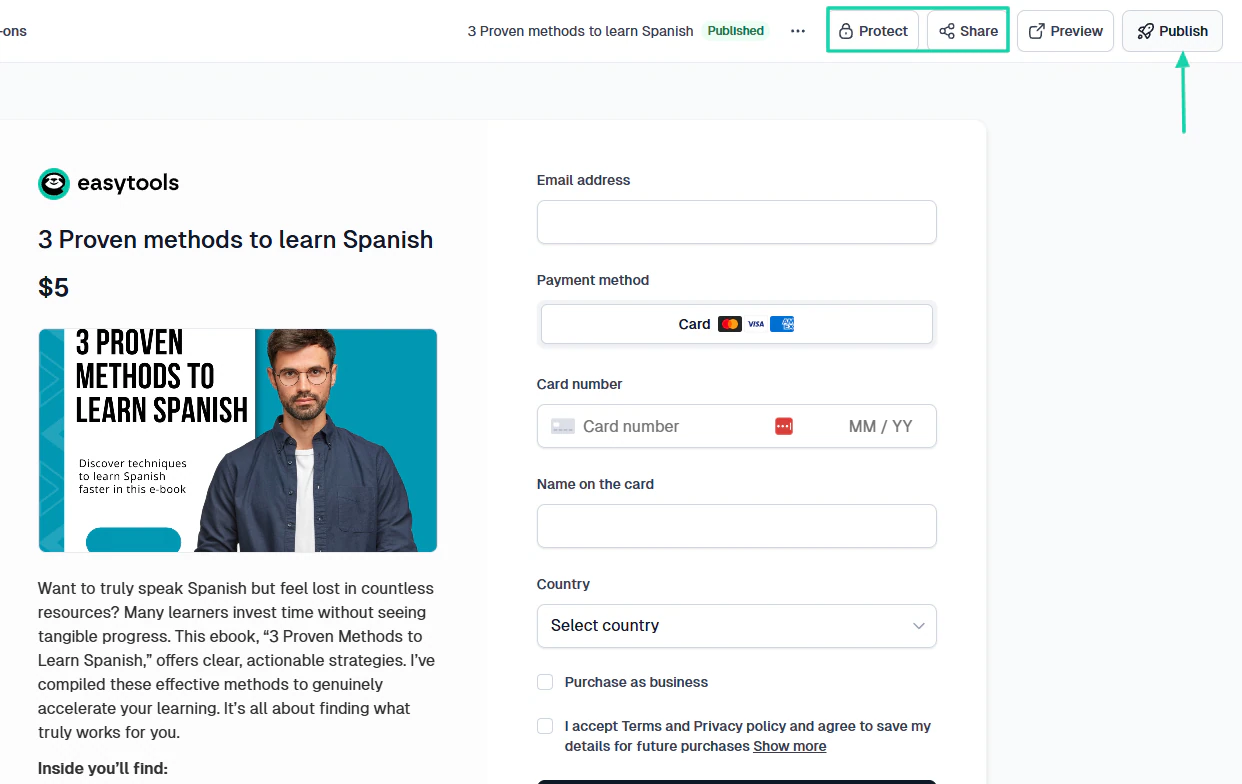
When you sell a digital product like an e-book on Easytools, you can protect it so that only authorized customers can access it.
But sometimes, to appear more professional, you may need a landing page displaying what you’re selling. Easytools helps you do that in less than 5 minutes.

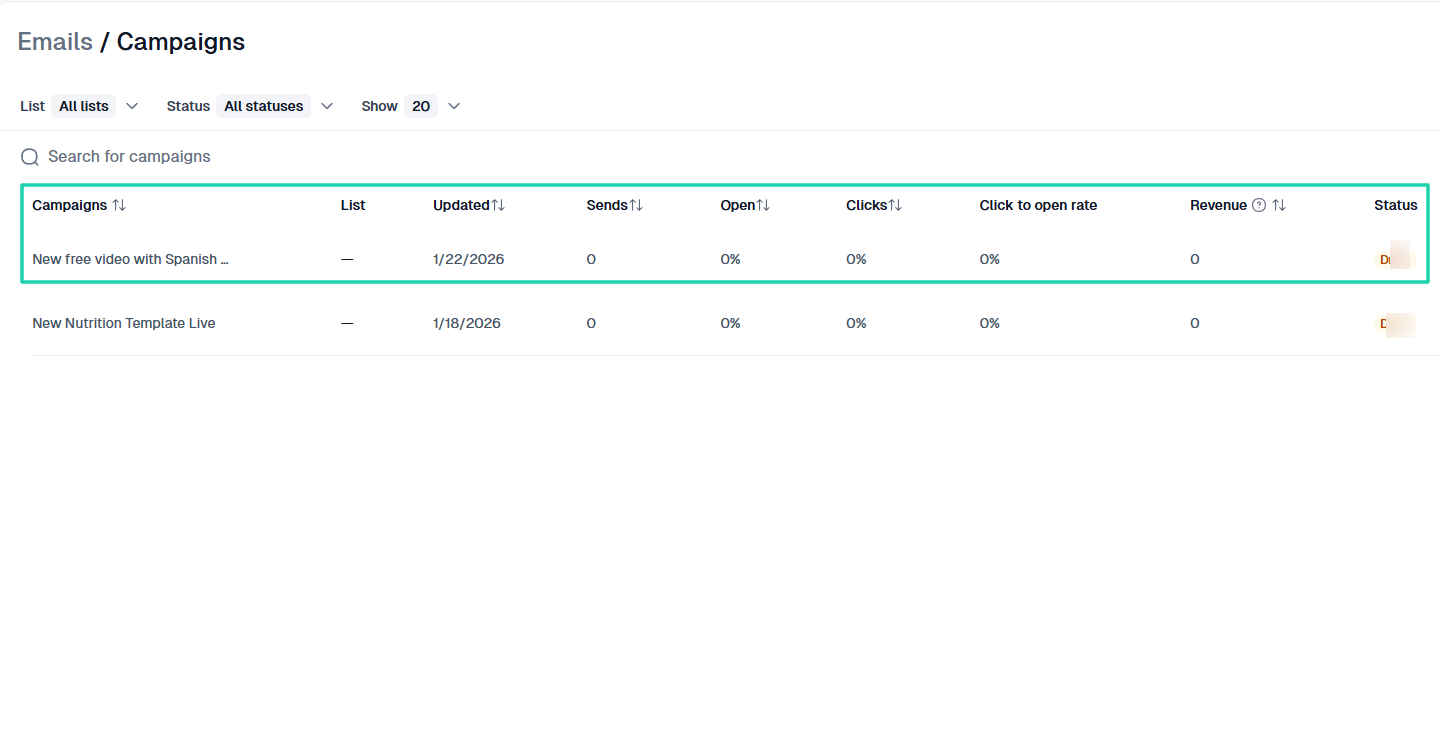
Another interesting action you can take when using Easytools is to send email marketing campaigns. You can use the platform to send emails to your existing email list and track its performance.
What I loved about Easytools
1 . Store
When describing Easytools, I mentioned you could create and sell all sorts of digital products. That’s not all!
Using Easytools’ store, you could also market e-books, courses, SaaS, services, audio, memberships, live events, or more.
Let’s look at how to create and sell an e-book on Easytools.
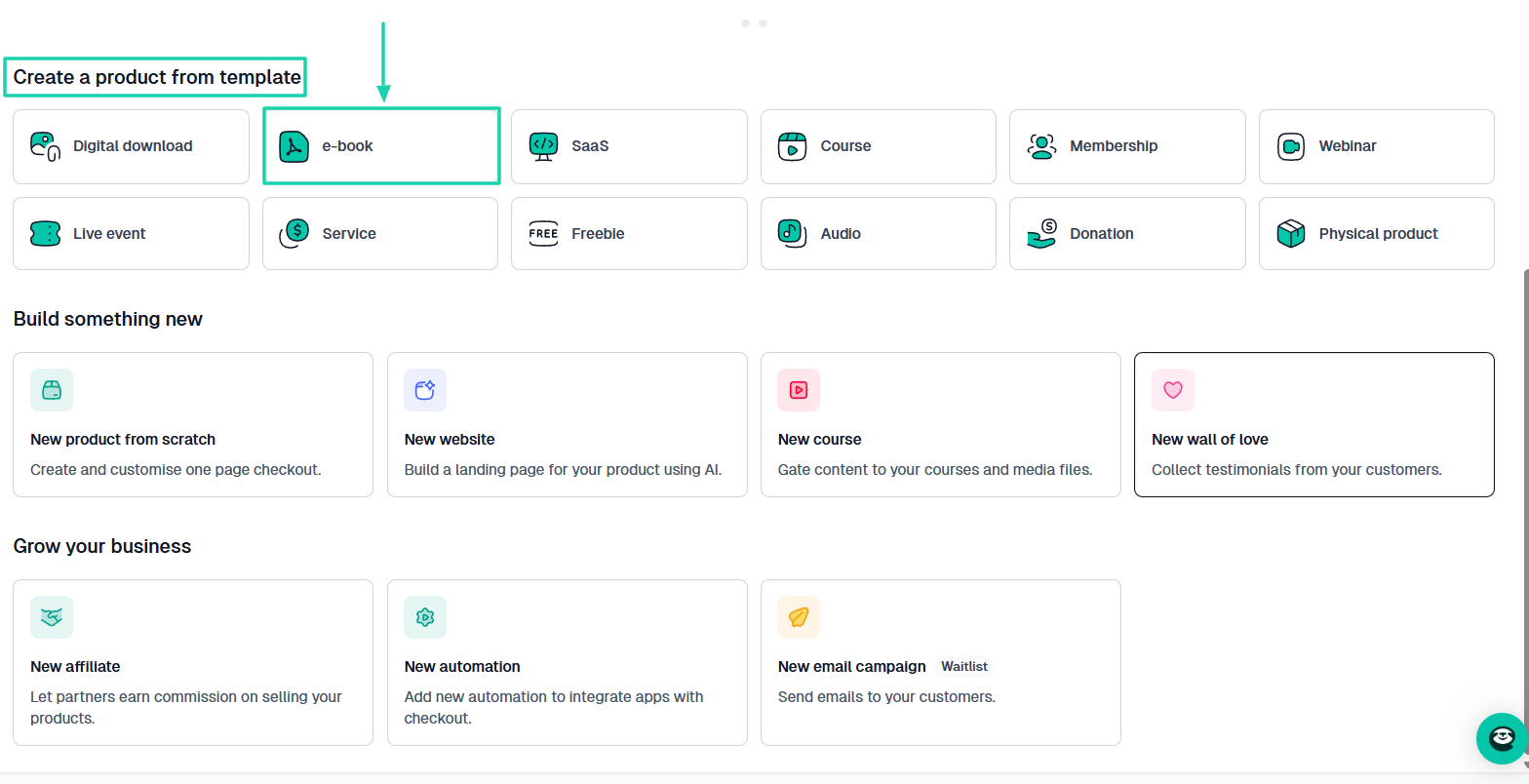
First, choose “e-book” right from the homepage.
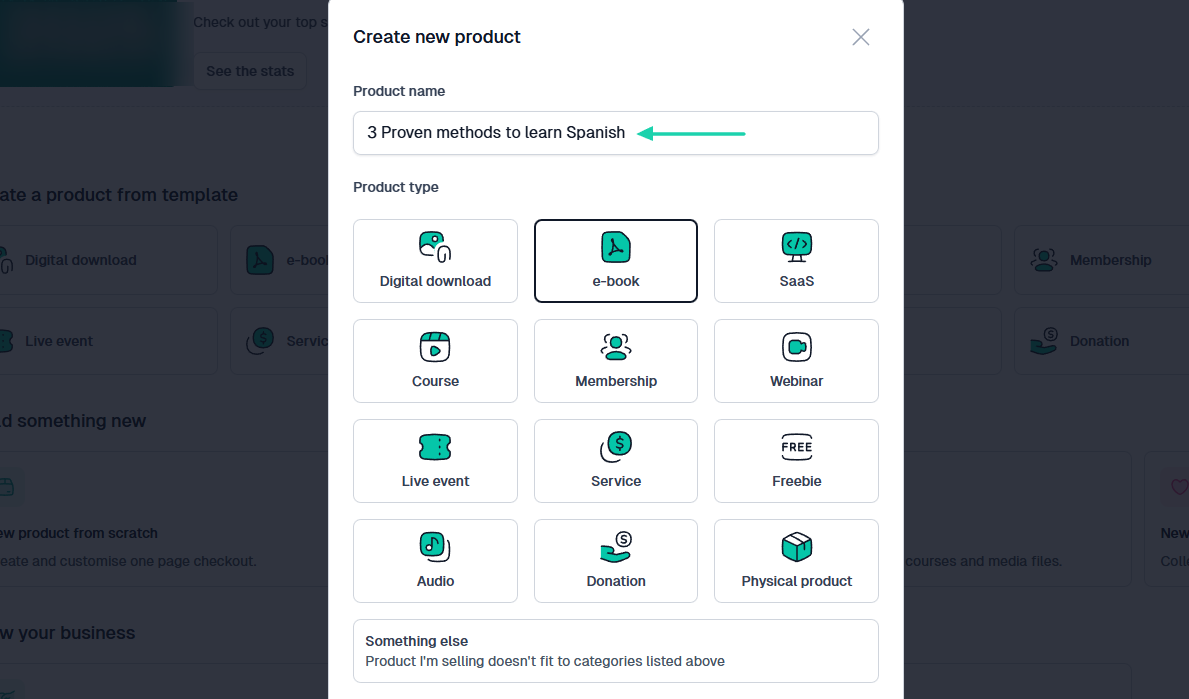
Next, add the product name.
Choose the currency, price your e-book, and specify how the platform should handle the tax.
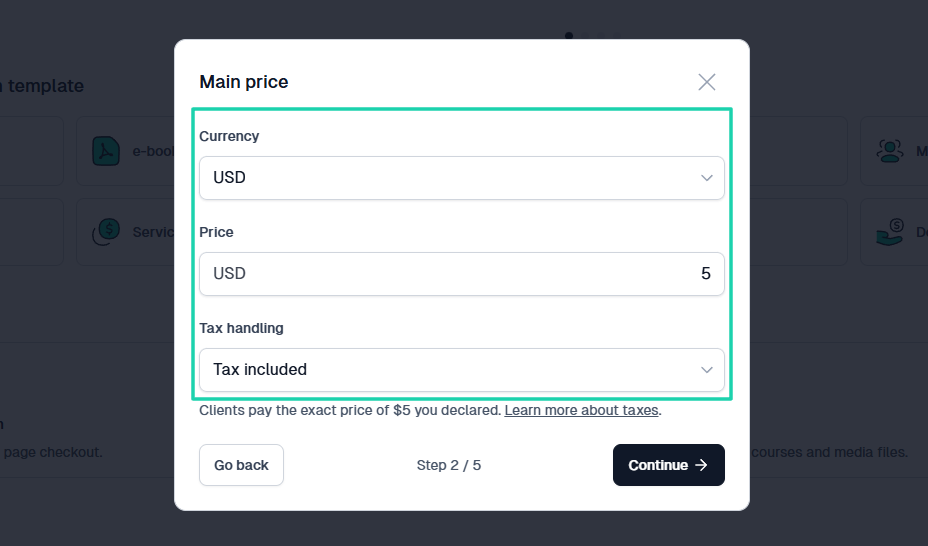
add product price
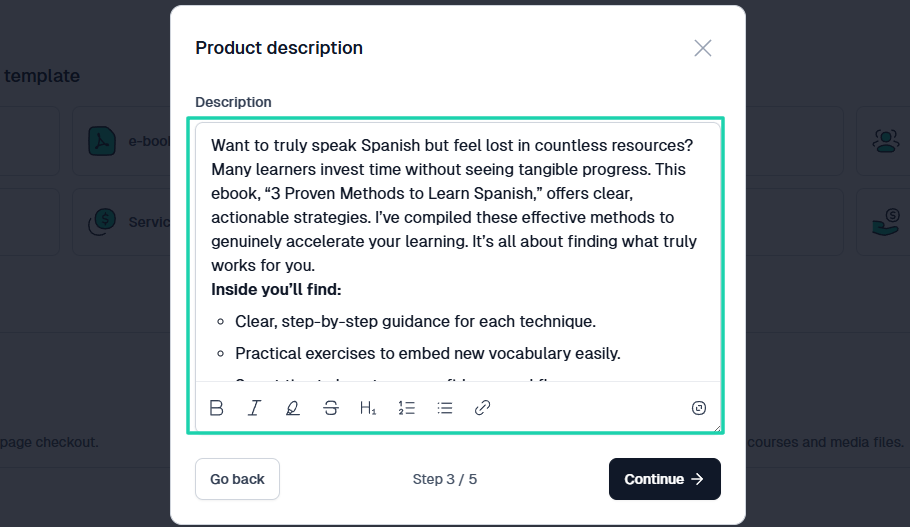
Easytools will generate a description for your e-book. You may still tweak it to your liking.
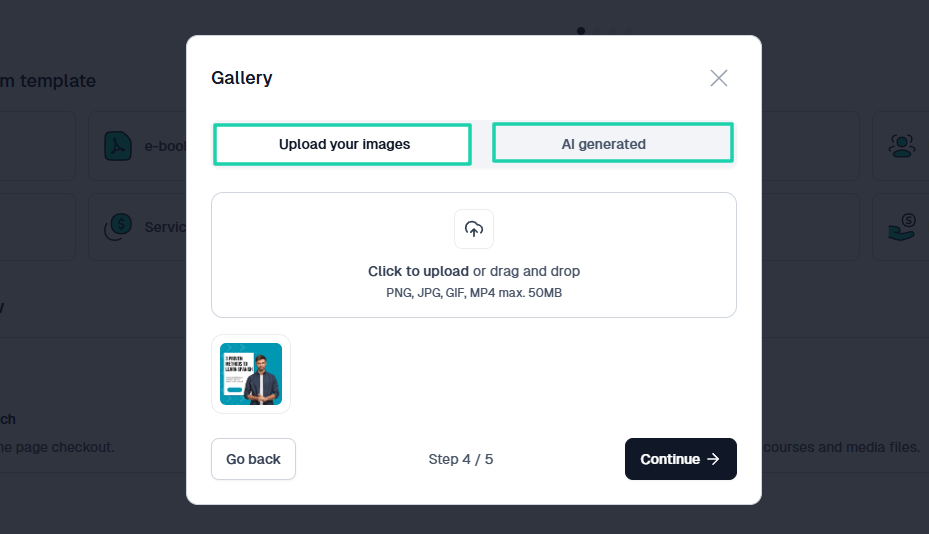
Now, you can upload your e-book image. If you don’t have any, no need to panic! AI can generate one for you instantly.
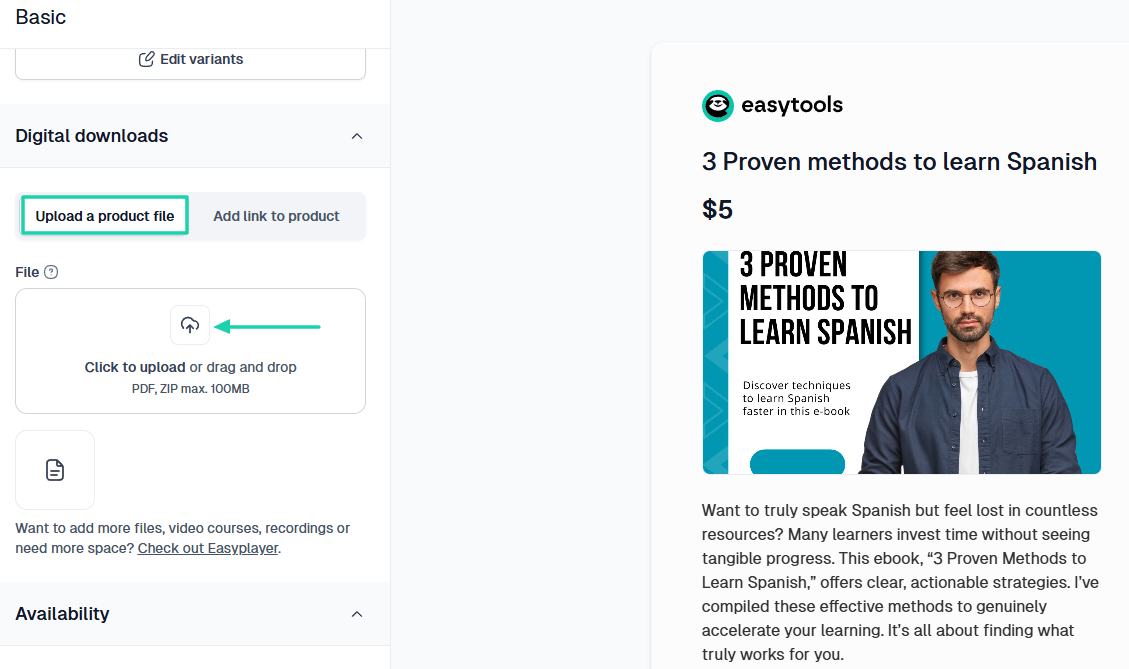
It’s now time to upload your product file under Digital downloads.
Once you’re done, you can decide to gate your e-book and share it on all your various platforms after you’ve hit the “publish” button, of course.
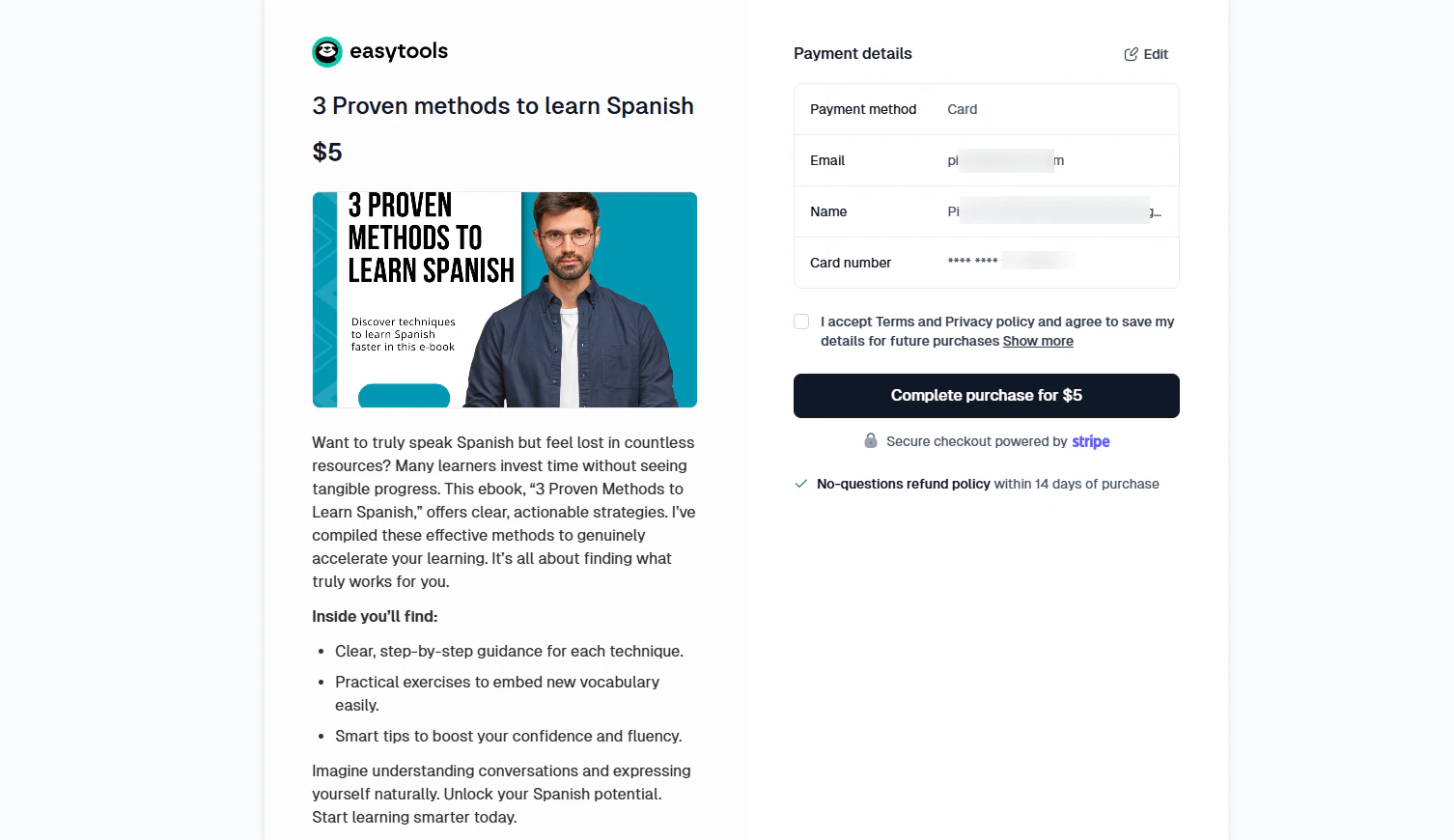
This is what the checkout page will look like.
2 . Landing pages
Generally, having a website as a creator gives you more weight in business. Customers see you as a professional.
Using our platform, you can create beautiful landing pages to showcase all your products and services.
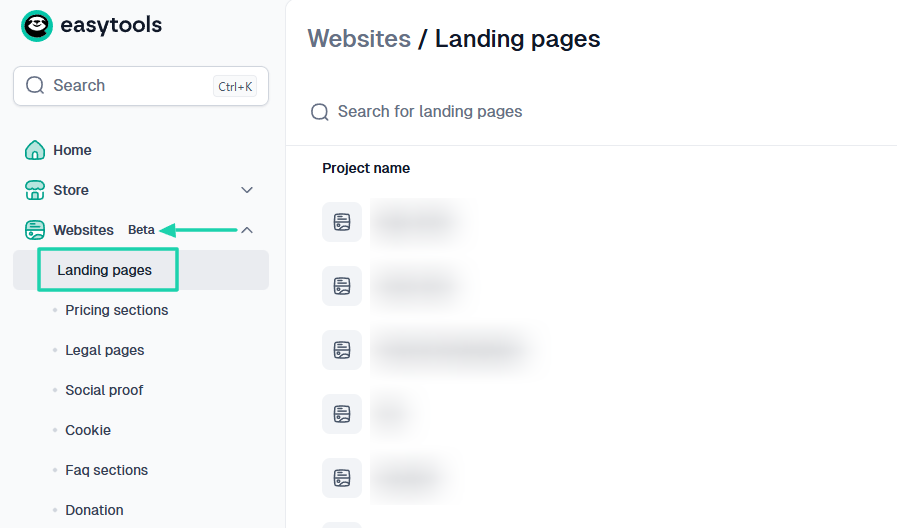
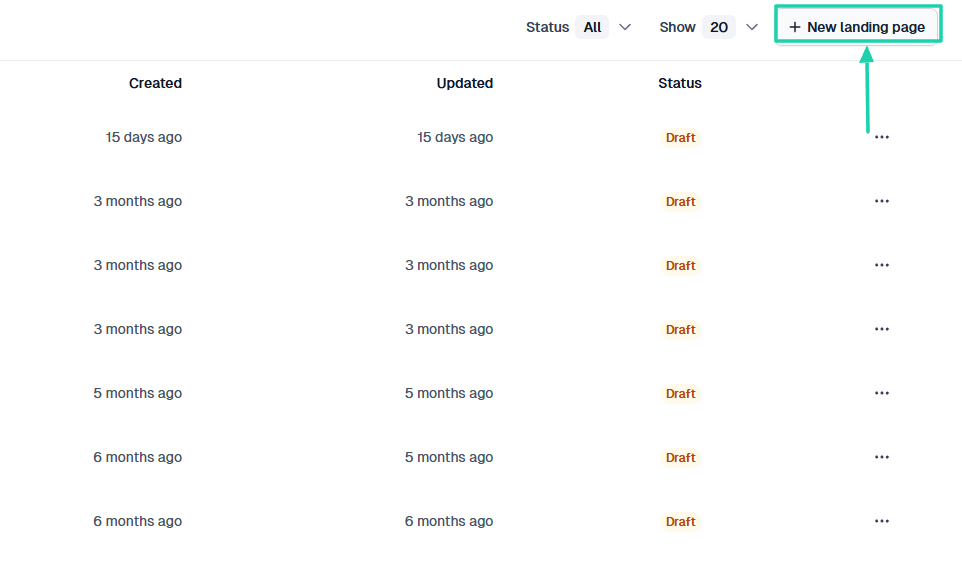
Let’s create one. Locate “Websites” in the sidebar menu and click “Landing pages.”
On the far right of the interface, click “+ New landing page.”
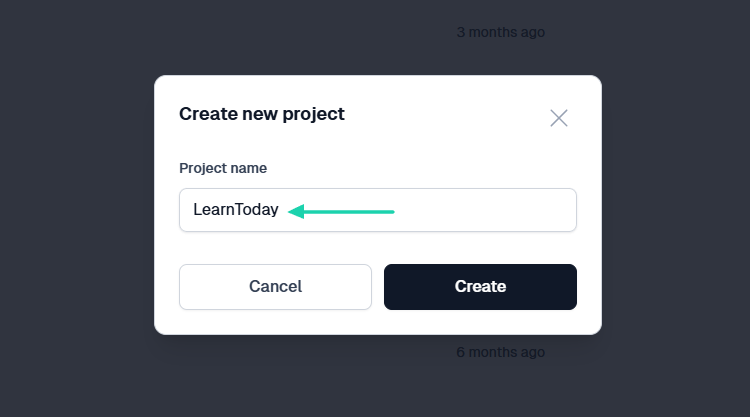
After that, name the project.
If you’ve already created a product on Easytools, you can select it and allow AI to generate its landing page.
For this demonstration, let’s use the e-book we created earlier: “3 Proven Methods to Learn Spanish.”
Once you’ve selected a digital product, choose the preferred color palette and click “Generate your page.”
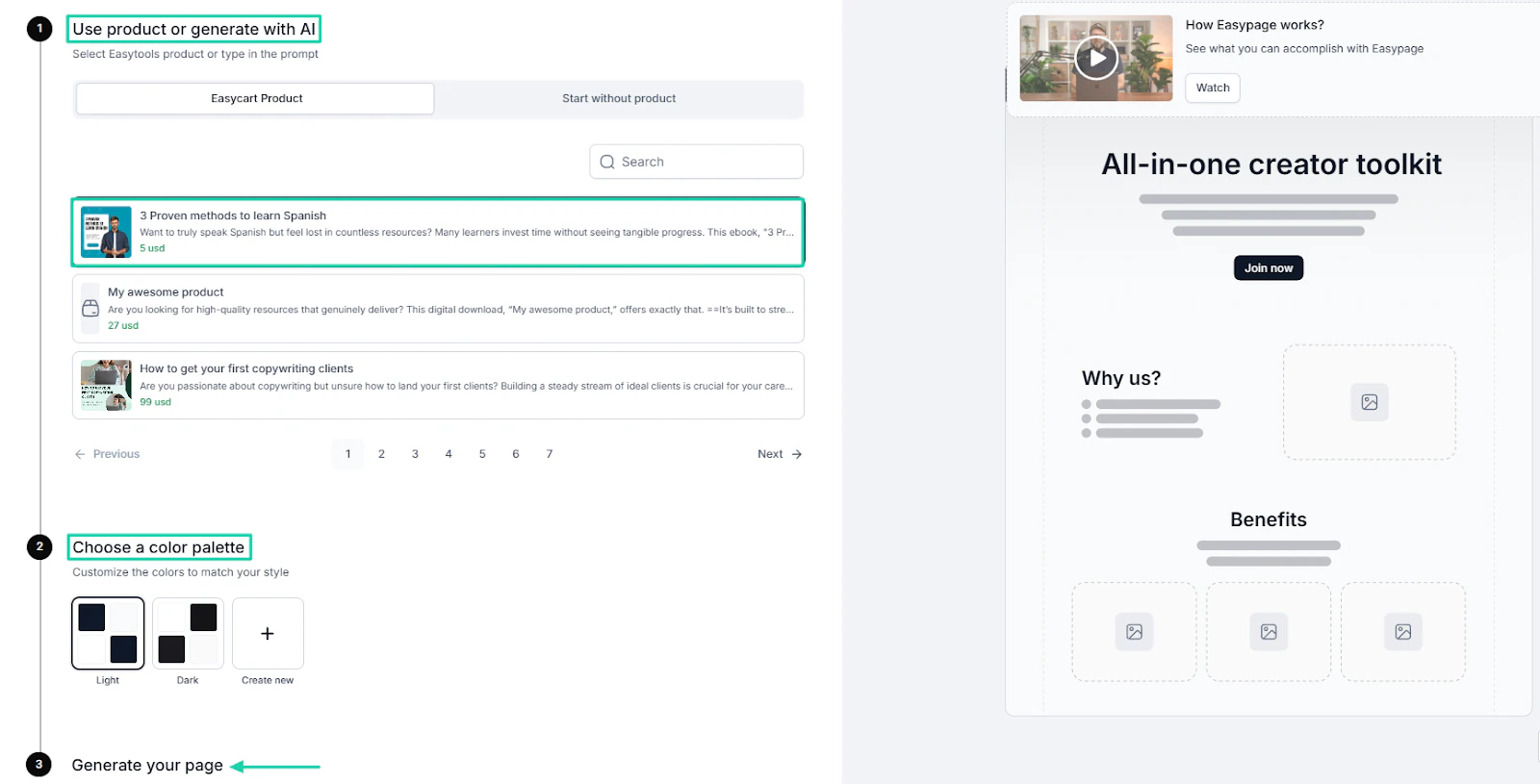
After about 2 minutes, the landing page will appear. You can then adjust everything to your linking: text, button, sections, etc.
You can watch this video to help you get started creating your landing page.
3 . Campaigns
On Easytools, you can send email campaigns to your existing customers and track their performance.
After all, being able to reach out to your customers is a business advantage. You can get them to buy other products, or simply share updates.
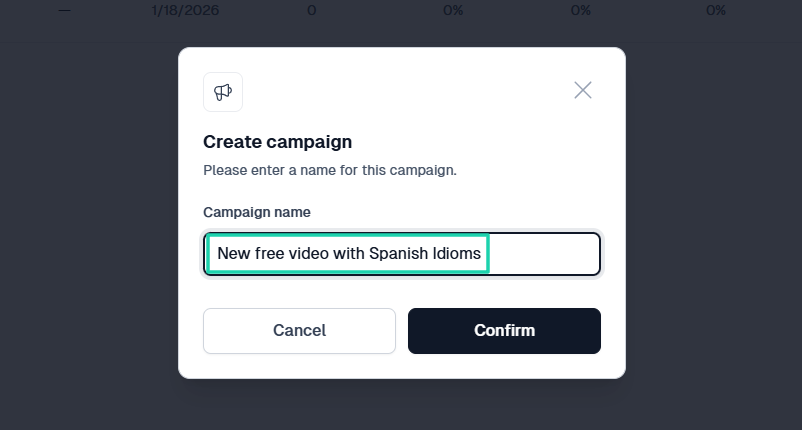
To do so, click “Campaigns” after locating Email in the sidebar menu.
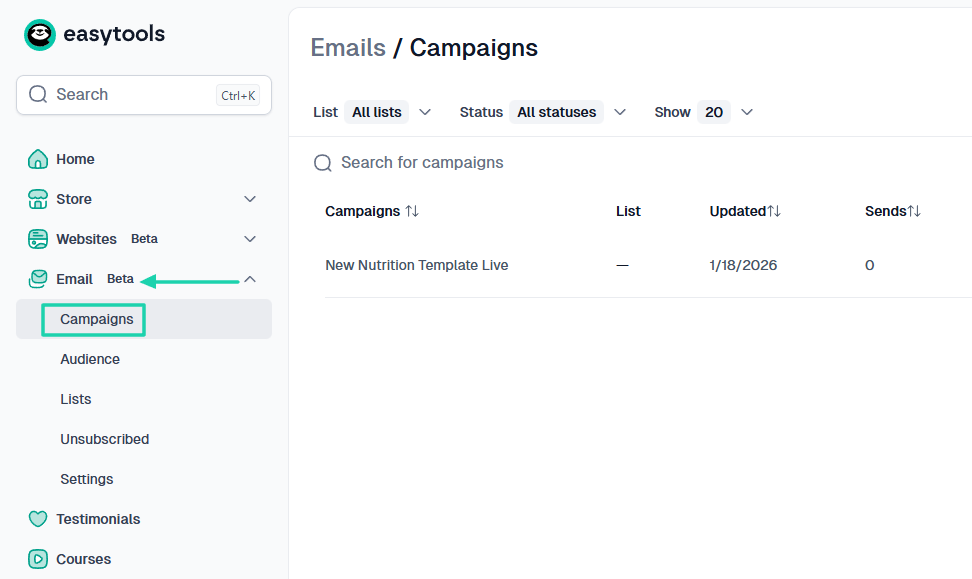
Give your campaign a name.
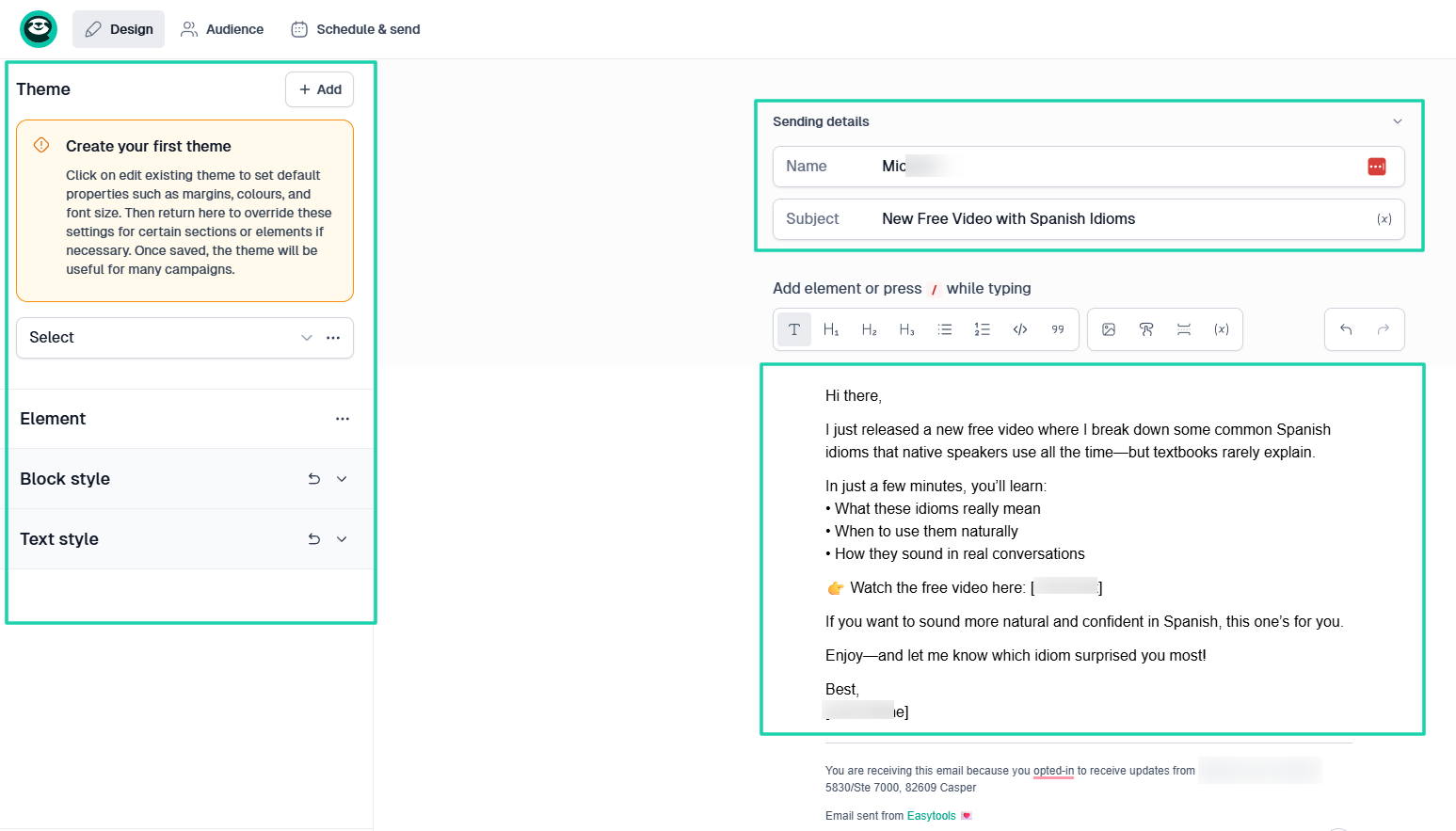
On the left side of the interface, you can add a theme, element, or simply adjust your text style. And on its right side, you can enter the sending details: name and subject.
Right below that, you can craft your email and even add a link if you want to sell something.
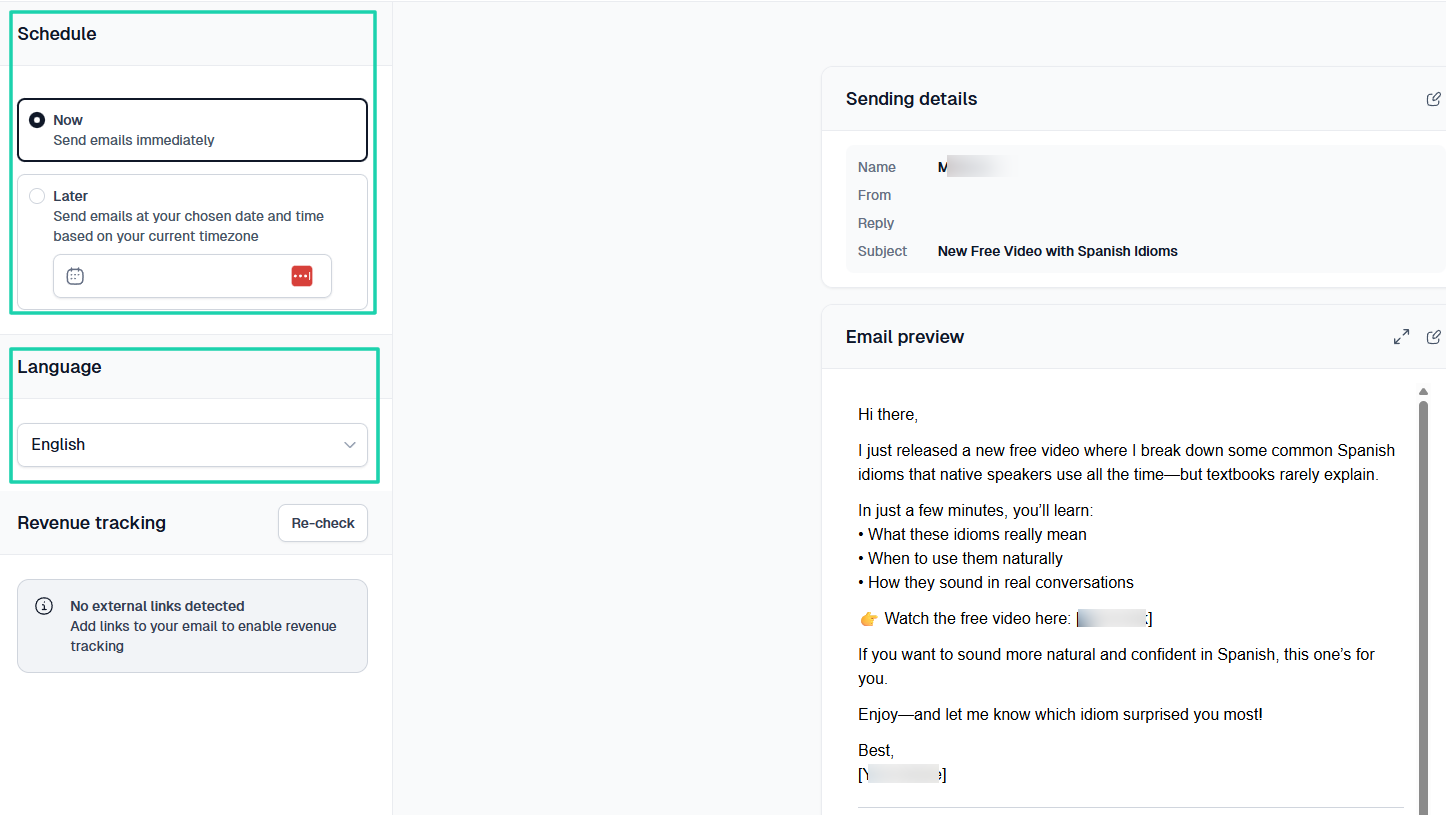
Next, choose when you want the campaigns to be sent and the language.
After sending your campaign, you can track its performance in Easytools. It’s possible to track the number of emails, the percentage of clicks and opens, and the revenue.
What I liked vs what I didn’t like
What I loved 👍
✅ Allows you to sell and market all sorts of digital products: e-books, PDFs, courses, templates, memberships, or any digital downloads.
✅ Creates a landing page for your digital products in under 2 minutes.
✅ Lets you send emails to your existing email list, in which you can add your theme, images, elements, buttons, and links, among others.
✅ Allows you to collect testimonials and display them at checkout to increase conversions.
What I didn’t like 👎
❌ The email and websites features are still in beta, but they both work smoothly.
Best for
- Creators and solopreneurs seeking a no-code platform to sell e-books, online courses, PDFs, Notion templates, collect testimonials, and receive payments easily.
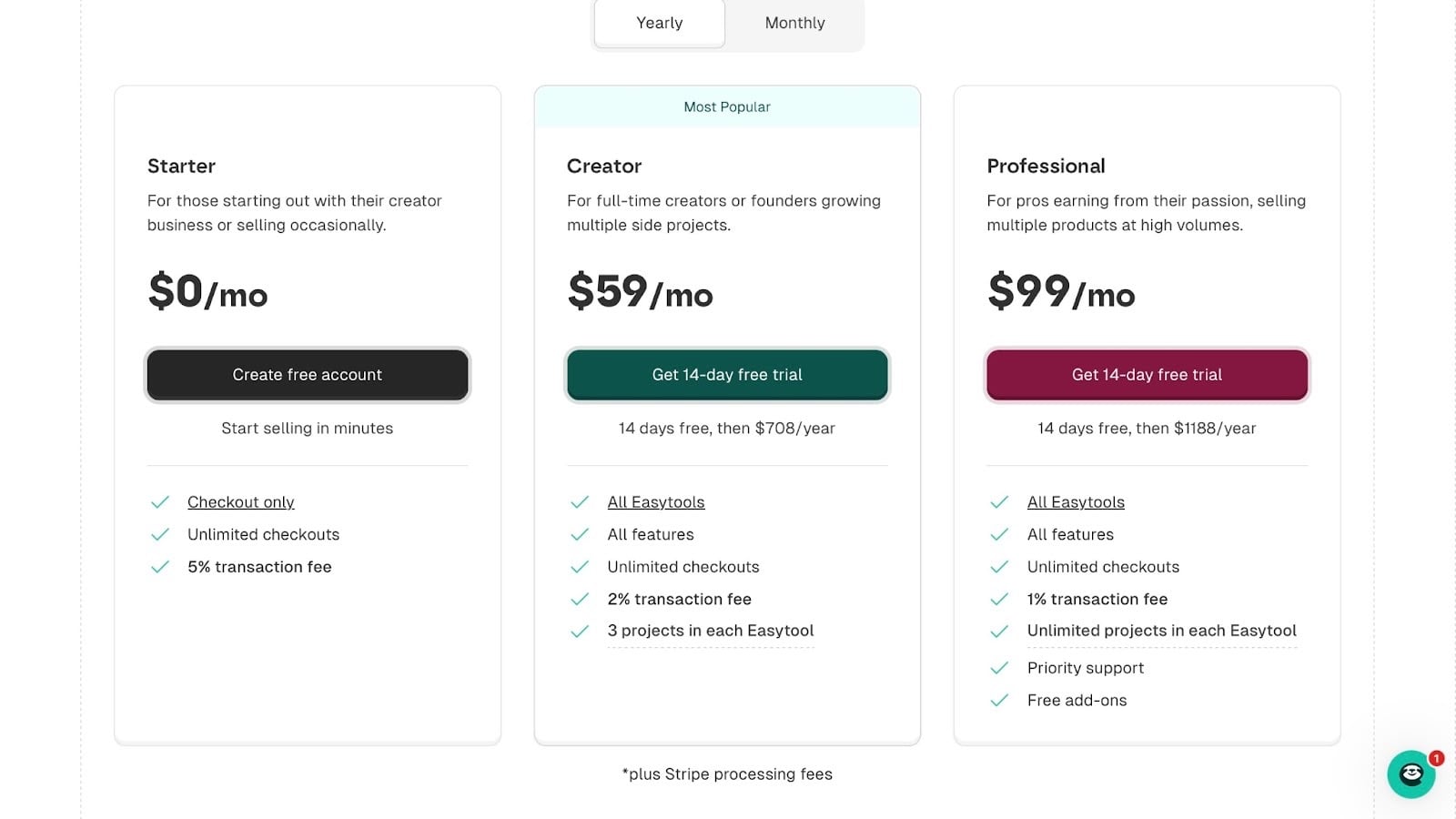
Pricing
- Starter: $0/month
- Creator: $59/month
- Professional: $99/month
2. Payhip
Next on the list of the best Gumroad alternatives is Payhip.
It is an e-commerce platform with a marketplace that has over 130,000 creators selling digital downloads, memberships, online courses, and physical products.
The platform handles EU and UK Value Added Tax (VAT), file hosting, digital delivery, and payment processing.

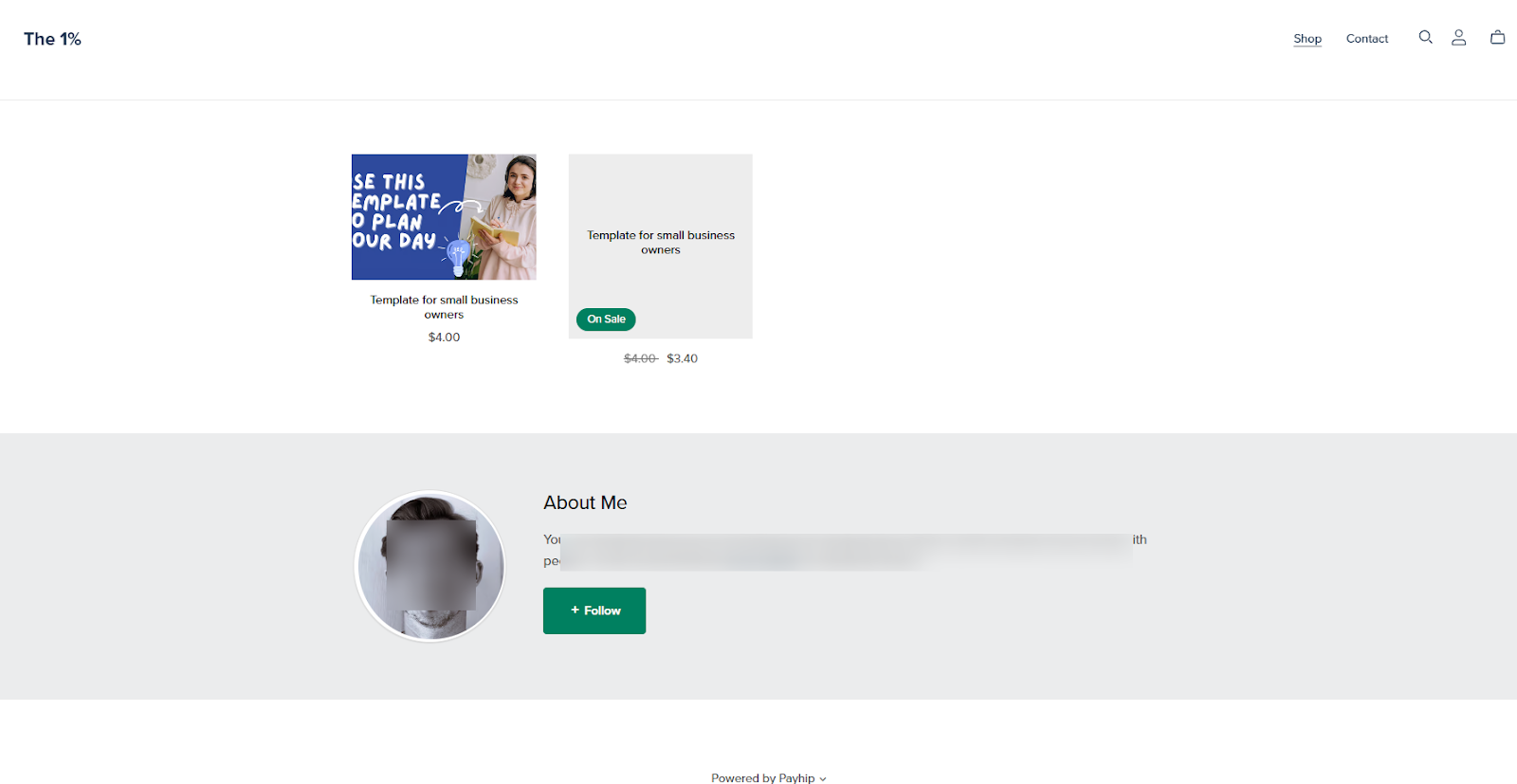
You can create a storefront where customers can browse your products, select what they want, and make a purchase.
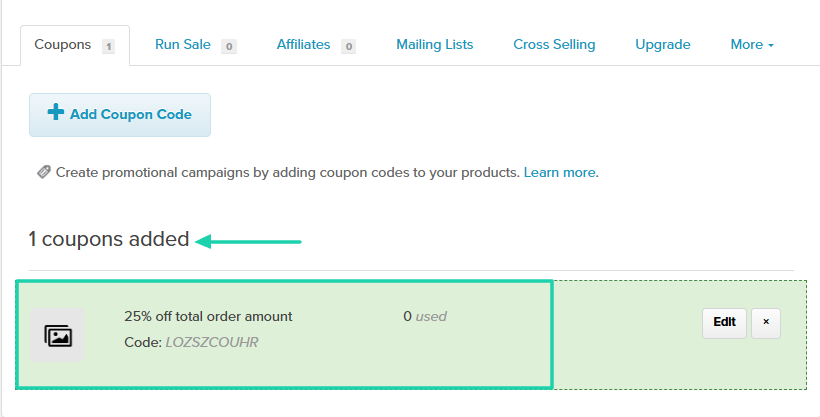
You can also create a promotional campaign by adding coupons.
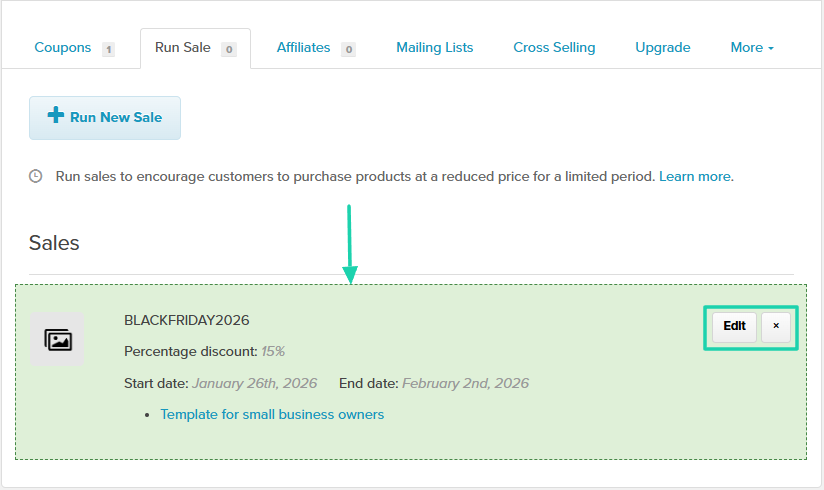
If you want to motivate customers to buy my products on Payhip, just run a sale.
Come up with a name and specify the percentage discount and the period.
What I loved about Payhip
1 . Products
This is the most common feature you’re likely to notice everywhere. We can’t review these Gumroad alternatives without mentioning their main feature: Products.
On Payhip, you can add your digital product, membership, or course to its marketplace or sell it via a storefront.
Adding a product is the first option Payhip will propose right after you sign in.
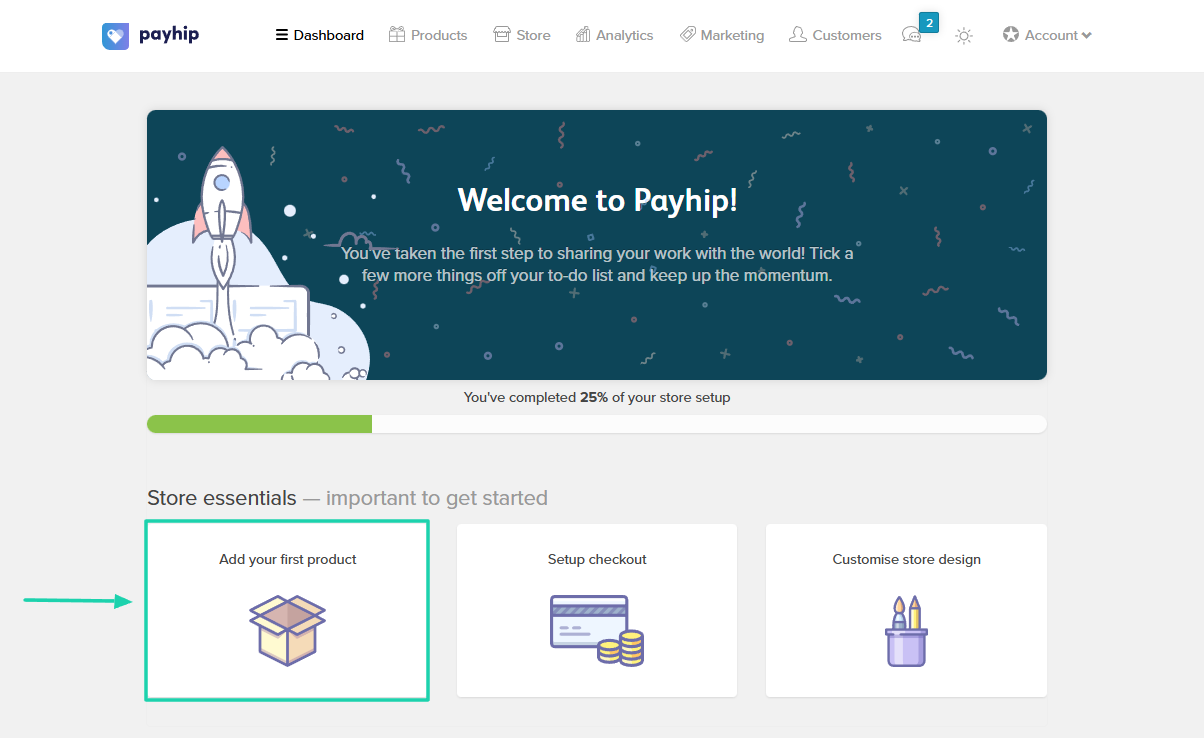
Now, select your product type. It can be a course, a membership, a physical product, or a digital product.
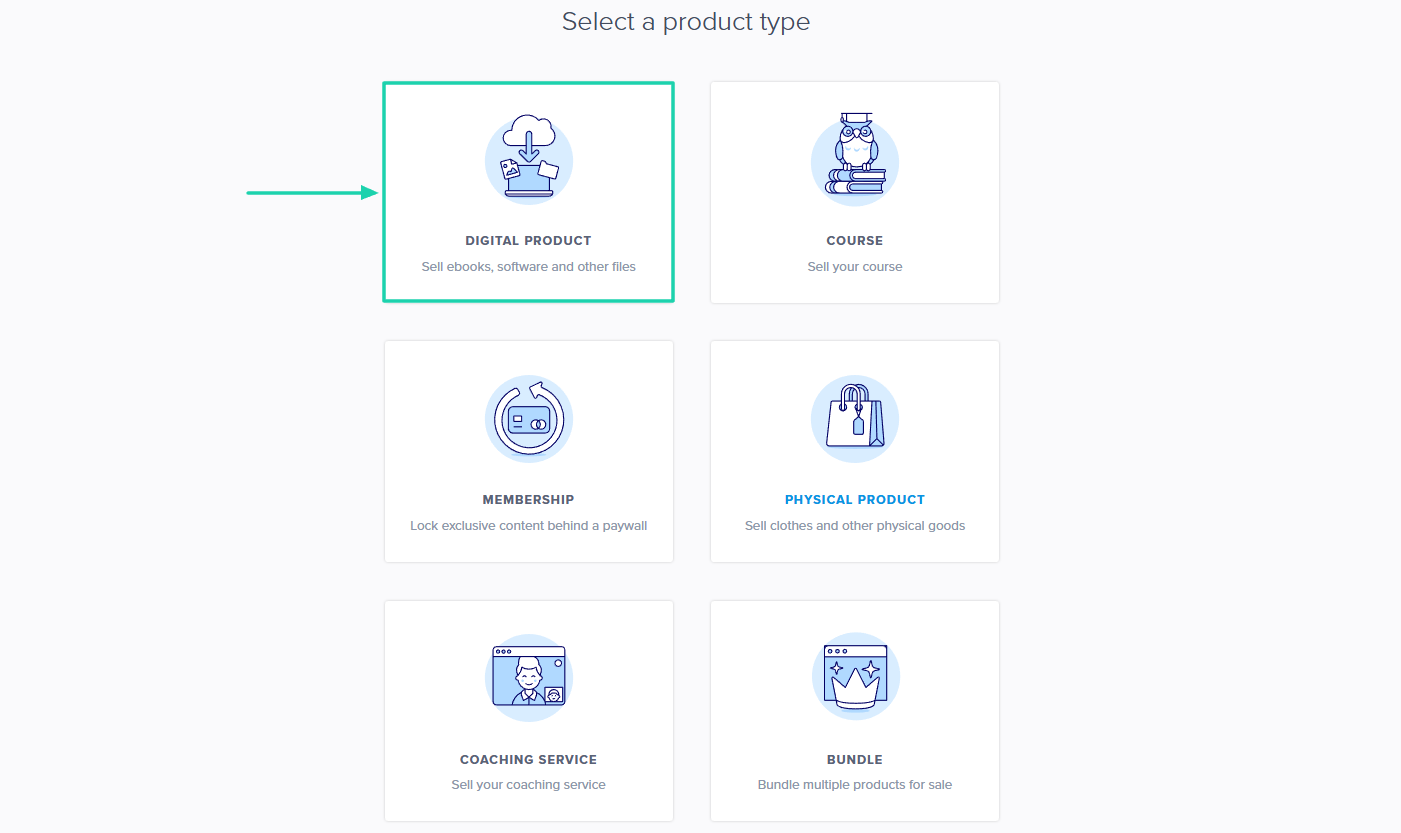
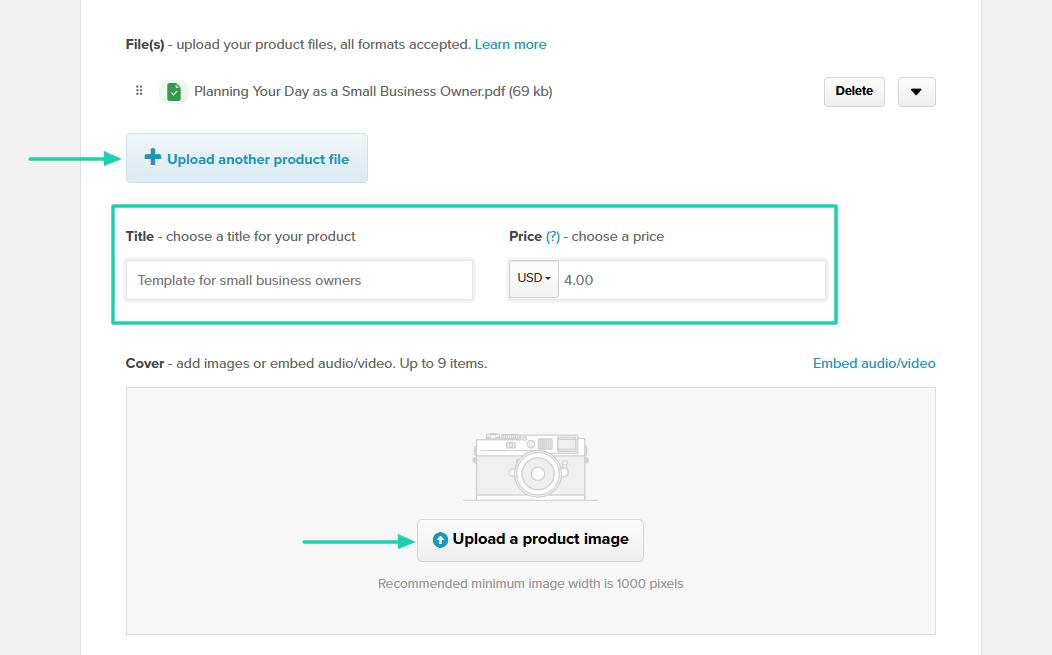
Since we are on digital products, we will upload a template PDF, add its title and image, and then set a price.
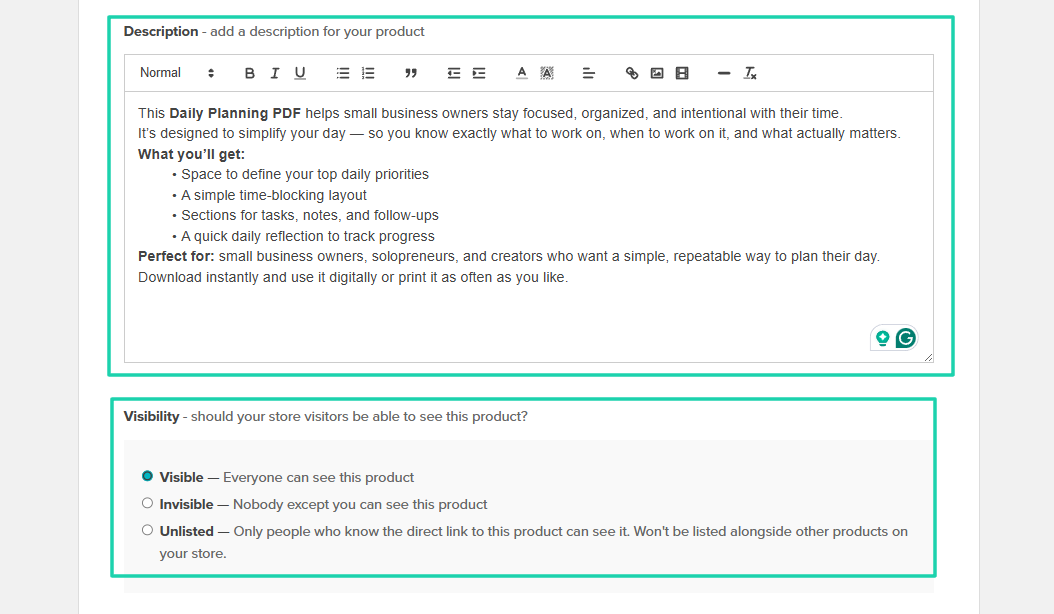
Then you can add a description for your product and define who can see it.
Your PDF is ready!

2 . Coupons
Payhip lets you create coupon codes to run promotions on your products. The way it works is that you offer discounts to customers who have specific codes.
To create one, I will go to marketing and click “Add coupon code.”
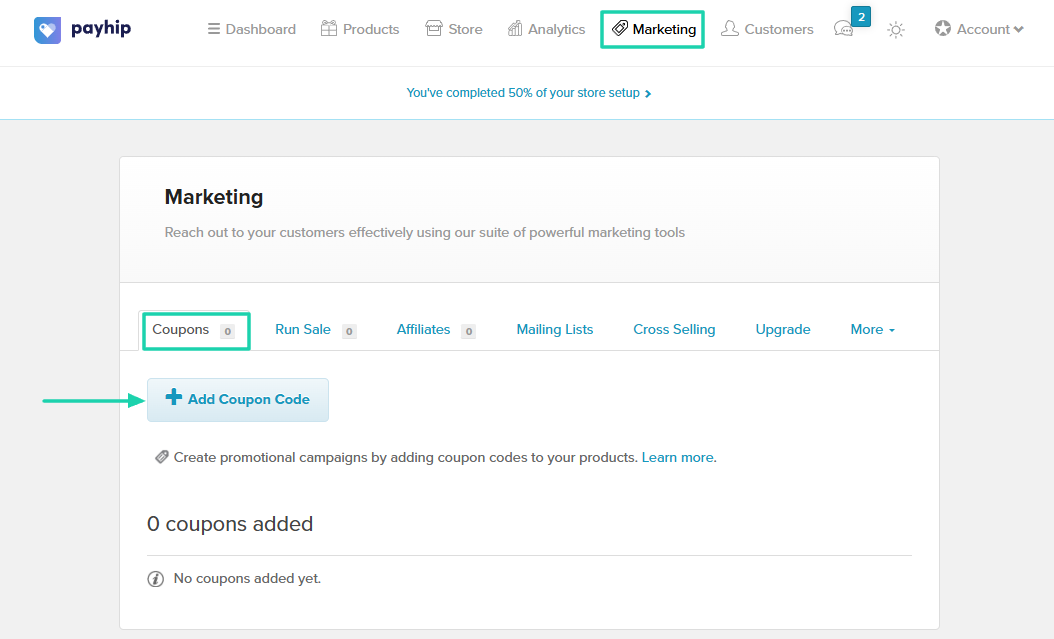
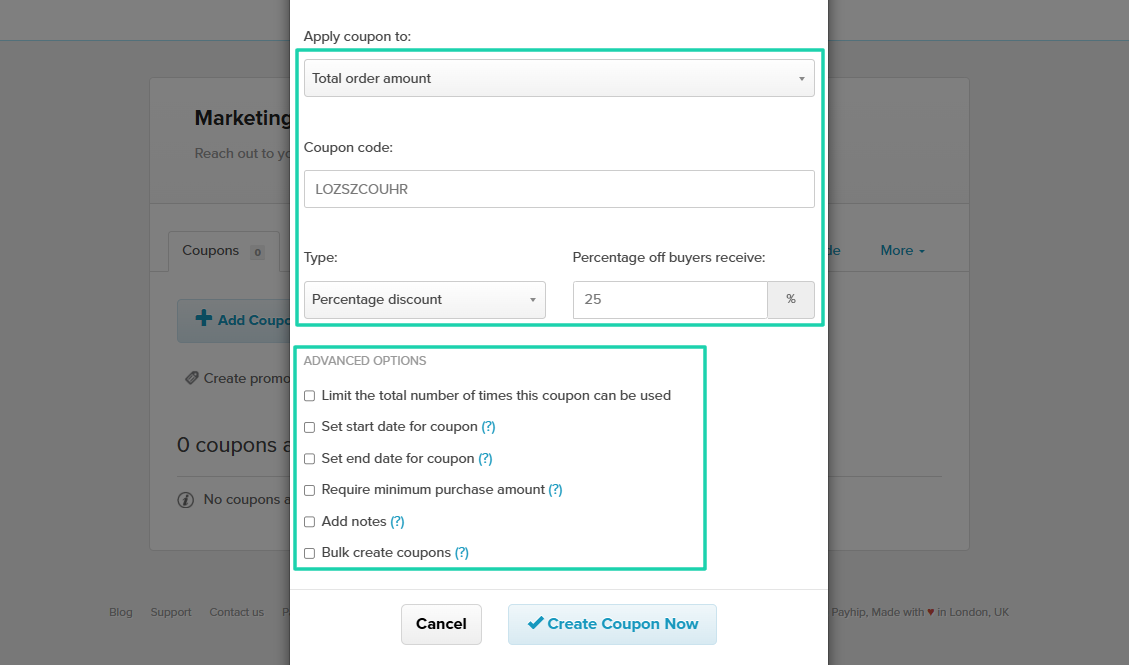
I will choose which products to apply the coupon to, enter my coupon code, choose the type, and specify the discount.
There are also advanced options, like limiting the number of times customers can use the coupon and setting start and end dates for it.
My coupon has been added successfully!
3 . Run sale
Another feature of Payhip is run sale. This is something you do to encourage customers to purchase products at a reduced price for a limited time.
Click “+ Run New Sale.”
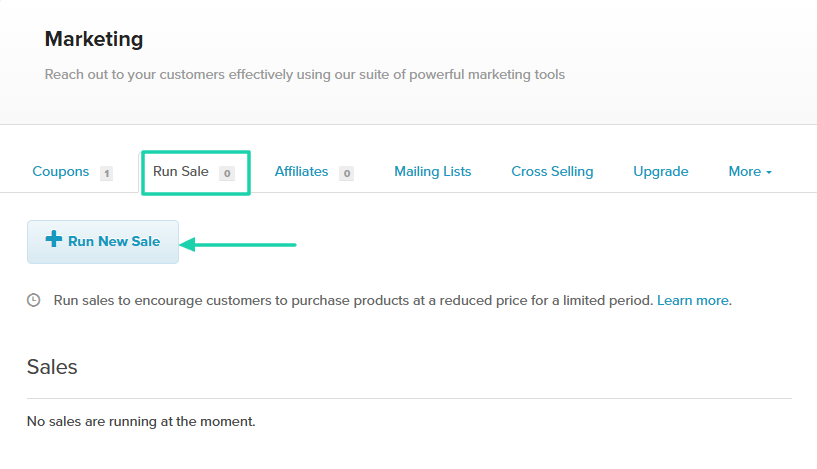
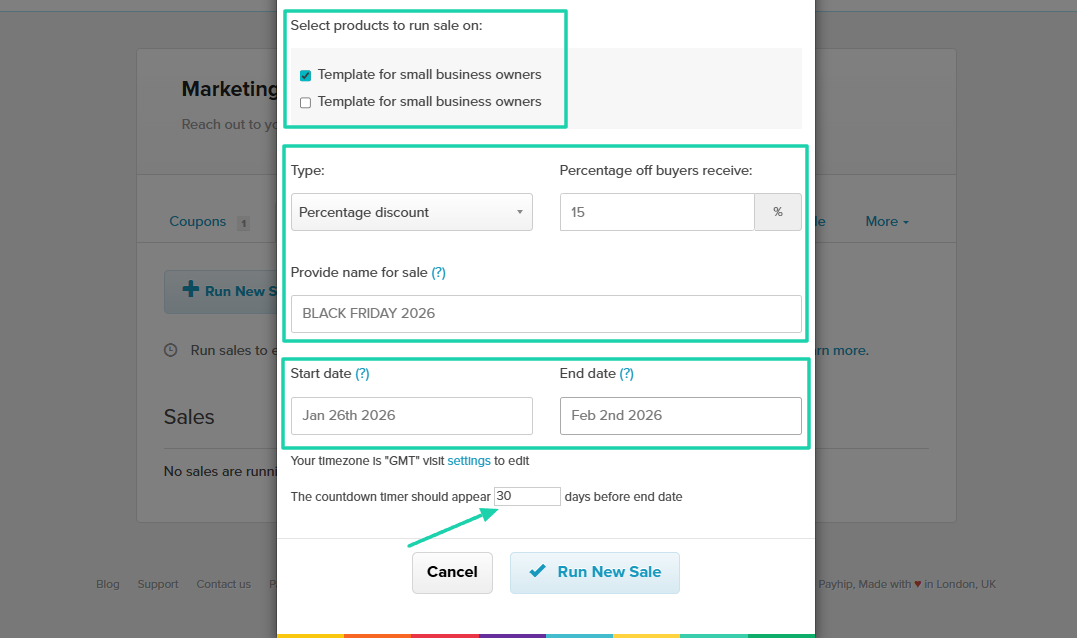
Next, select products to run sales on, choose the type, specify the discount, and provide a name for your sale.
Below, you could also specify the start and end date of your sale, and when the countdown timer should appear.
That’s all it takes to run a sale! But you can still edit or delete it.
What I liked vs what I didn’t like
What I loved 👍
✅ Has many marketing features like coupons, running sales, mailing, cross selling.
✅ The analytics track your daily performance, showing daily views and daily sales.
✅ Allows you to create blog posts, handle visibility, and add an author name.
What I didn’t like 👎
❌ The platform lacks a modern feel: its interface and feature layouts feel dated.
Best for
- Beginners who want a free way to start selling downloads and memberships with VAT handling and built-in marketing tools.
Pricing
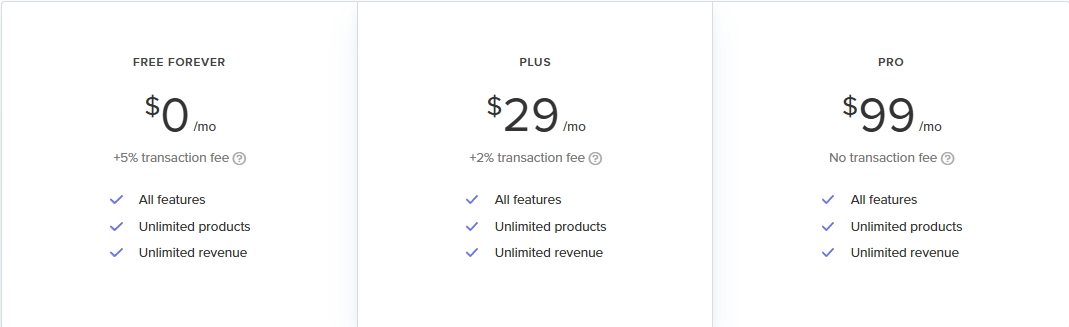
- Free Forever: $0/month + 5% transaction fee
- Plus: $29/month + 2% transaction fee
- Pro: $99/month
3. Thinkific
Among the best Gumroad alternatives, there is Thinkific. It’s a popular platform used by businesses and creators to sell courses, build membership programs, or host communities.
It has its own built-in payment processor called Thinkific Payments.

You can create your community on Thinkific. You can post messages, add emojis, and files.

Creating a landing page is also an option when you want to display your digital products.

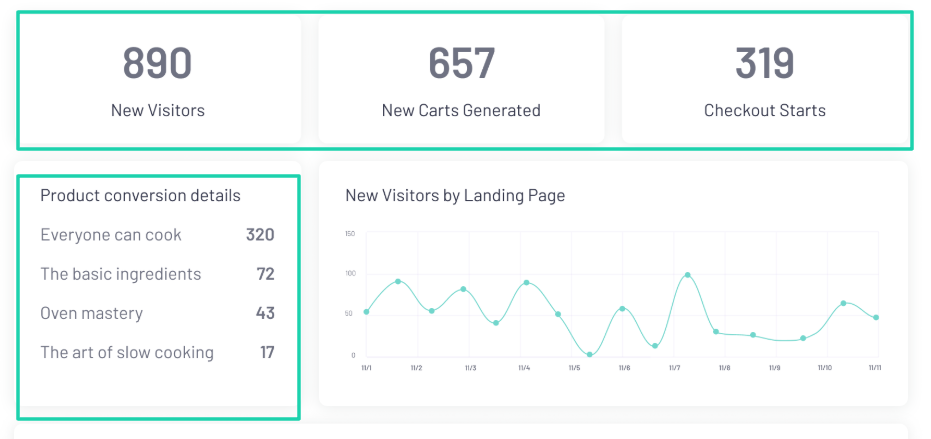
Thinkific also shows you analytics under marketing, where you see the number of website visitors, new carts generated, and checkout starts.
What I loved about Thinkific
1 . Products
Like I said earlier, one feature we will continue to review is the products feature. Thinkific won’t be an exception.
It lets you add courses, coaching, webinars, and digital downloads on a landing page.
Right after you sign in, the first thing to do is click “Create.”
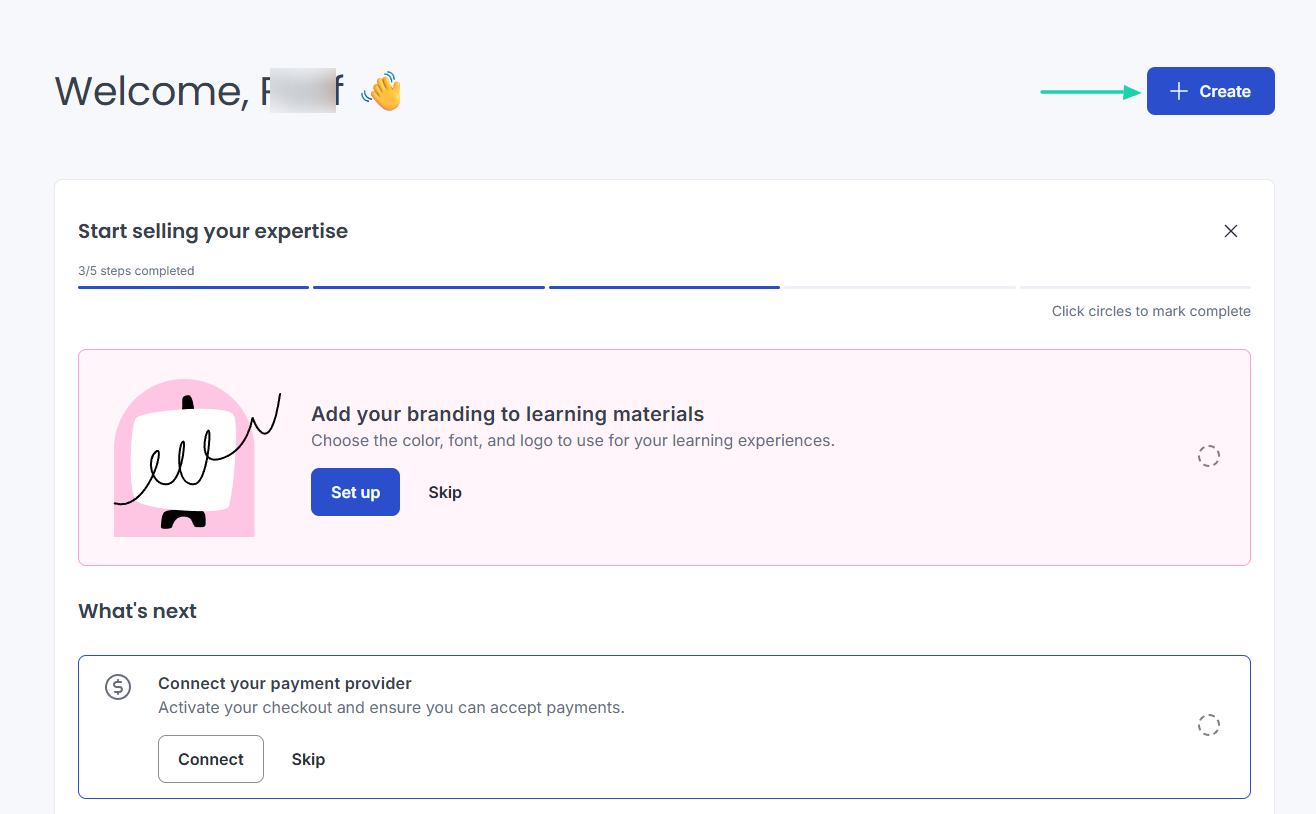
select create button on gumroad alternative
Among all the different product types, we will choose “Digital downloads.”

Specify the product type, upload the file, name it, and add a description.

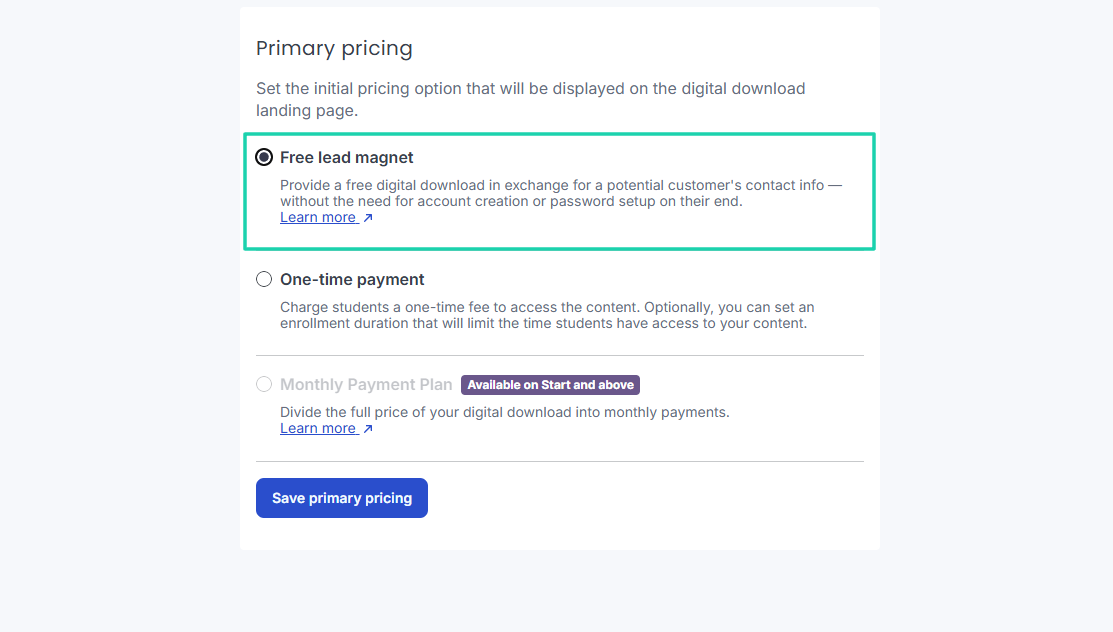
You can now set the initial pricing option to display on the landing page. It can be a free lead magnet, a one-time payment, or a monthly payment plan.
My free e-book is ready!
2 . Landing page
With Thinkific, you can also create landing pages, which is a great way to drive traffic. Website visitors can see what you sell and choose what they want.
In the sidebar menu, under Channels, find Landing pages.

You can choose the landing page theme.

You can use AI to generate some content, or do it yourself.
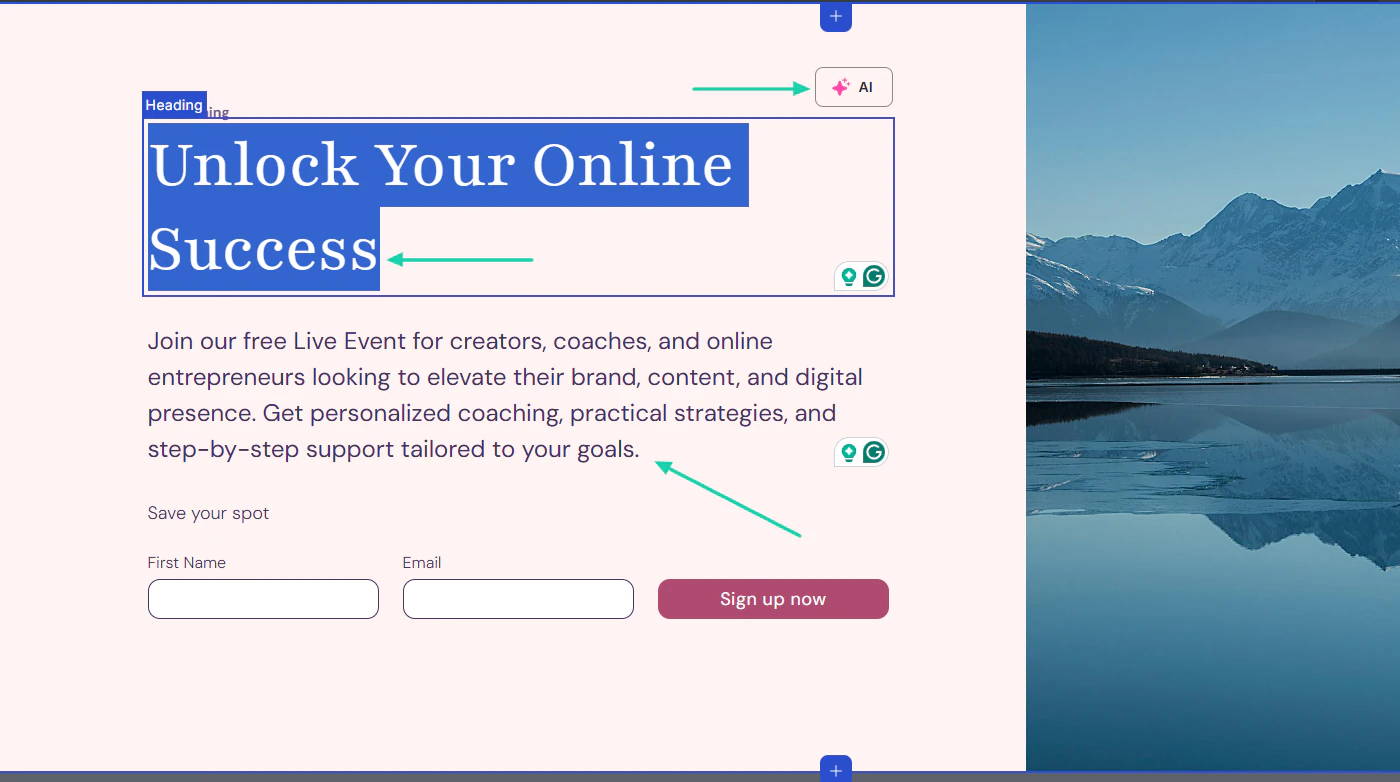
Below, you can upload your image and adjust the information.

You have your landing page!

3 . Marketing
Thinkific has a dedicated analytics section. You can view insights into marketing, orders, revenue, enrollments, and engagement.
Let me show you how the marketing feature works

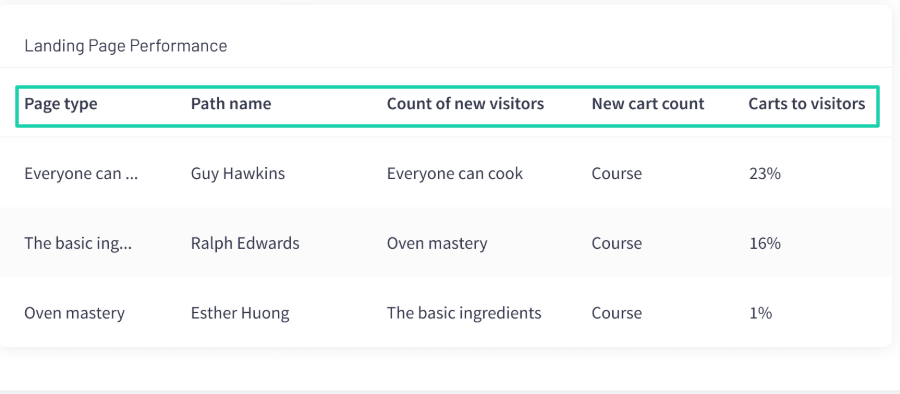
The dashboard displays the number of new visitors, new carts generated, and checkout starts. Under that, you can see all your product conversion details.
But it also shows your landing page performance. You will see the page type, path name, number of new visitors, new cart count, and the number of carts per visitor.
What I liked vs what I didn’t like
What I loved 👍
✅ Has solid analytics to track the number of website visitors and landing page performance.
✅ The platform makes it easy to create digital products thanks to its artificial intelligence.
✅ Allows you to build a lead magnet and displays all leads with their status and the date they were added.
What I didn’t like 👎
❌ Thinkific doesn’t offer any free plan, which makes it difficult for new creators to test the platform before committing.
Best for
- Educators and creators whose primary goal is to create and sell advanced online courses.
Pricing
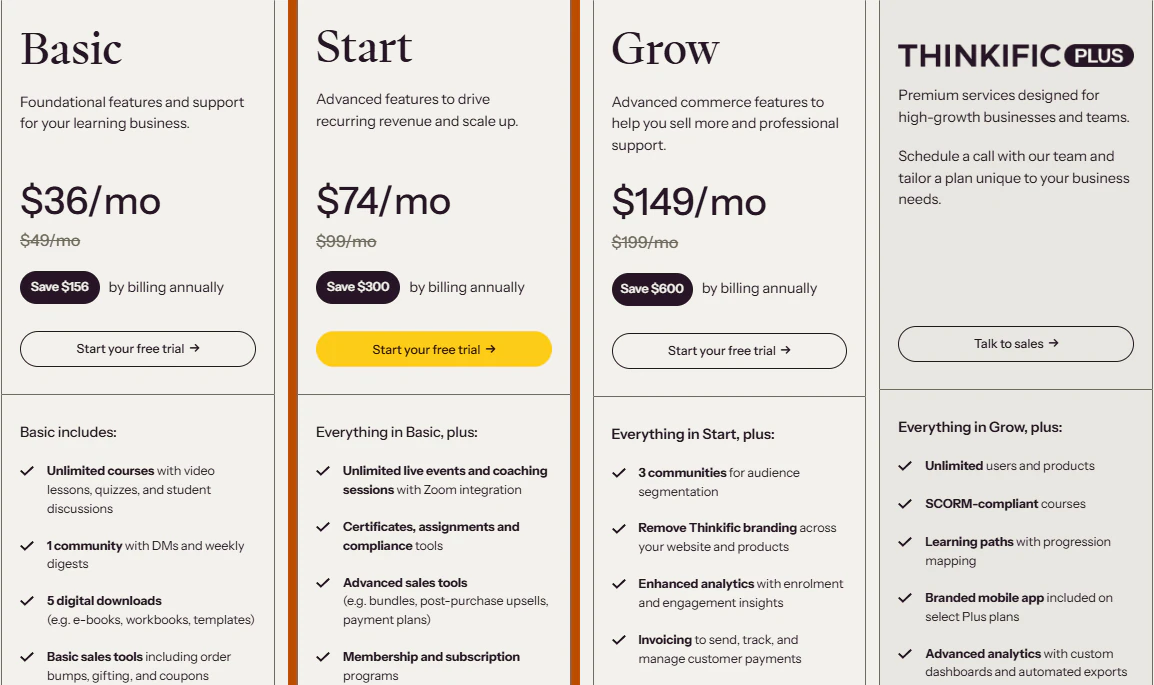
- Basic: $36/month, billed annually
- Start: $74/month, billed annually
- Grow: $149/month, billed annually
- Thinkific Plus: Contact for pricing
4. Podia
We cannot continue this list of the best Gumroad alternatives without mentioning Podia.
It’s an all-in-one platform with 150,000+ creators who use it to create online stores and websites, combined with email marketing.
You can also use Podia to write and publish blog posts, host a community, and track all the notifications across these channels.

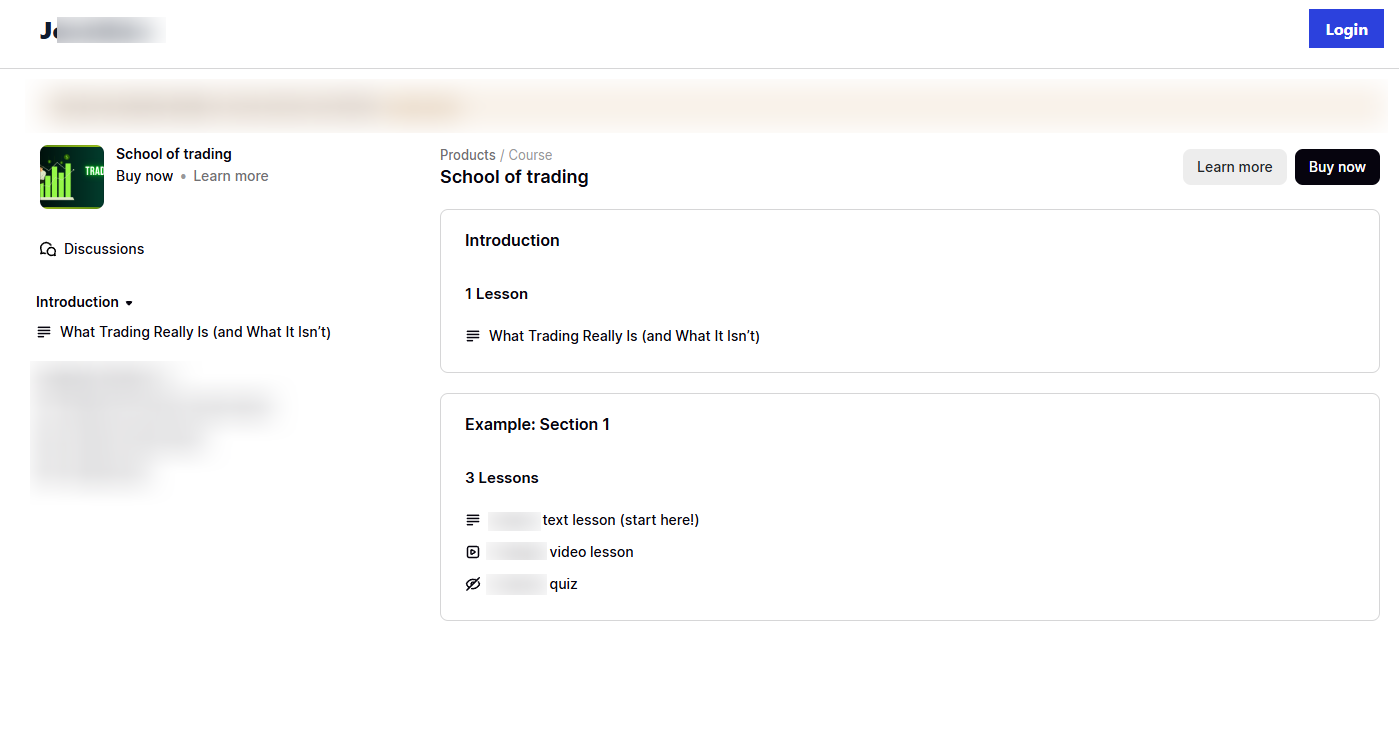
One of the digital products you can create on Podia is an online course.
In case you have an existing email list, you can send a message from within the platform.
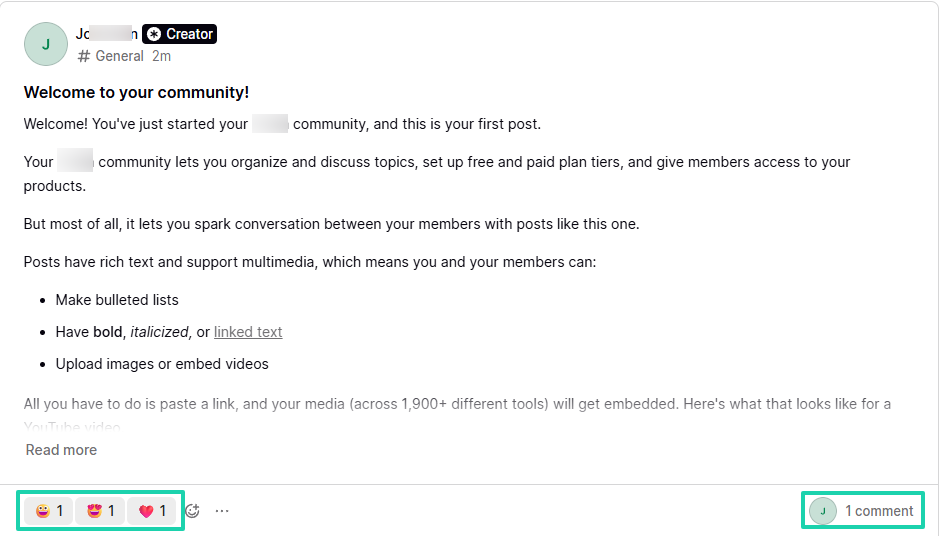
You can also use Podia to host a community for group interaction.
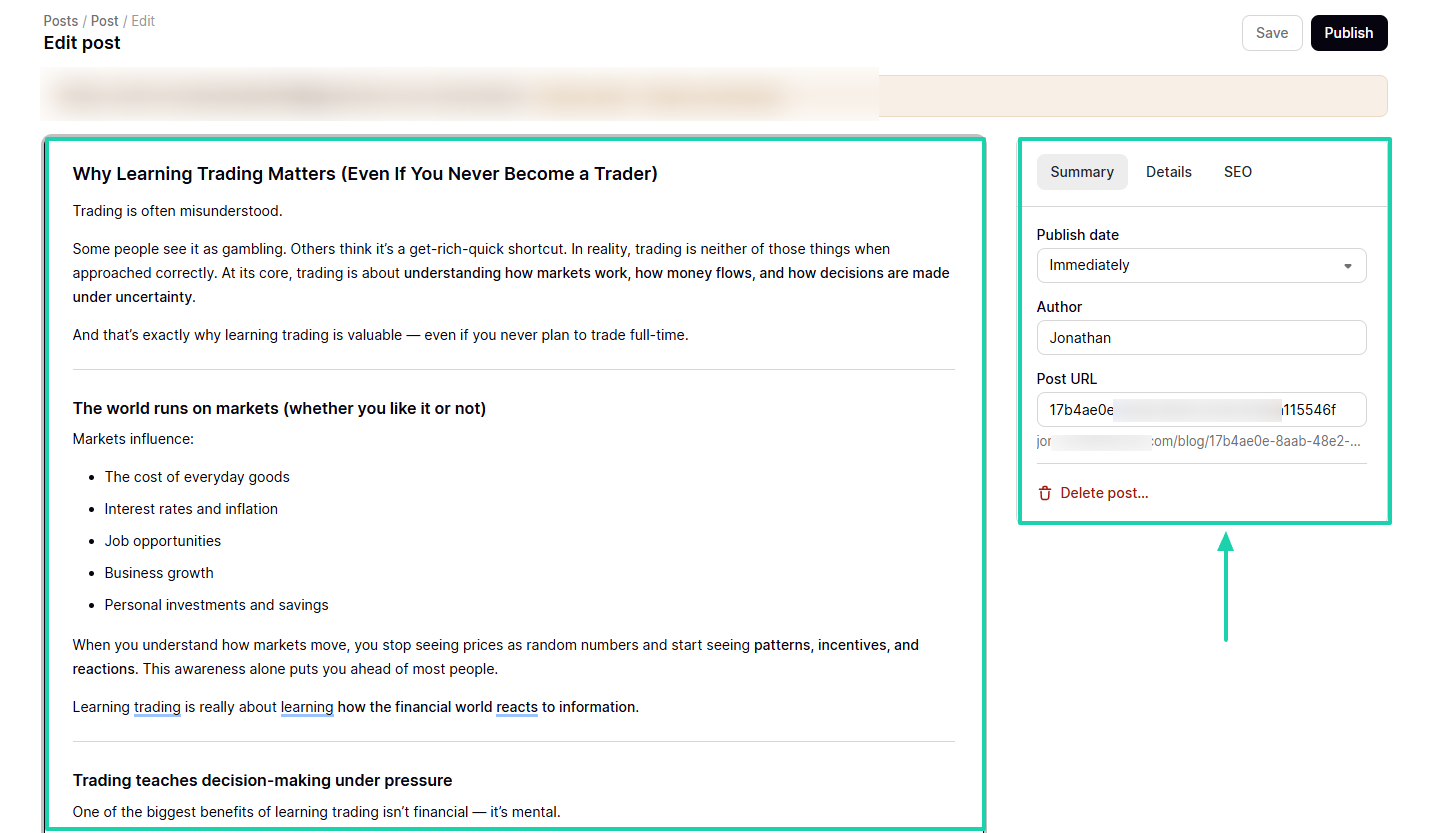
There’s also the possibility of writing blog posts and deciding when to publish them.
What I loved about Podia
1 . Products
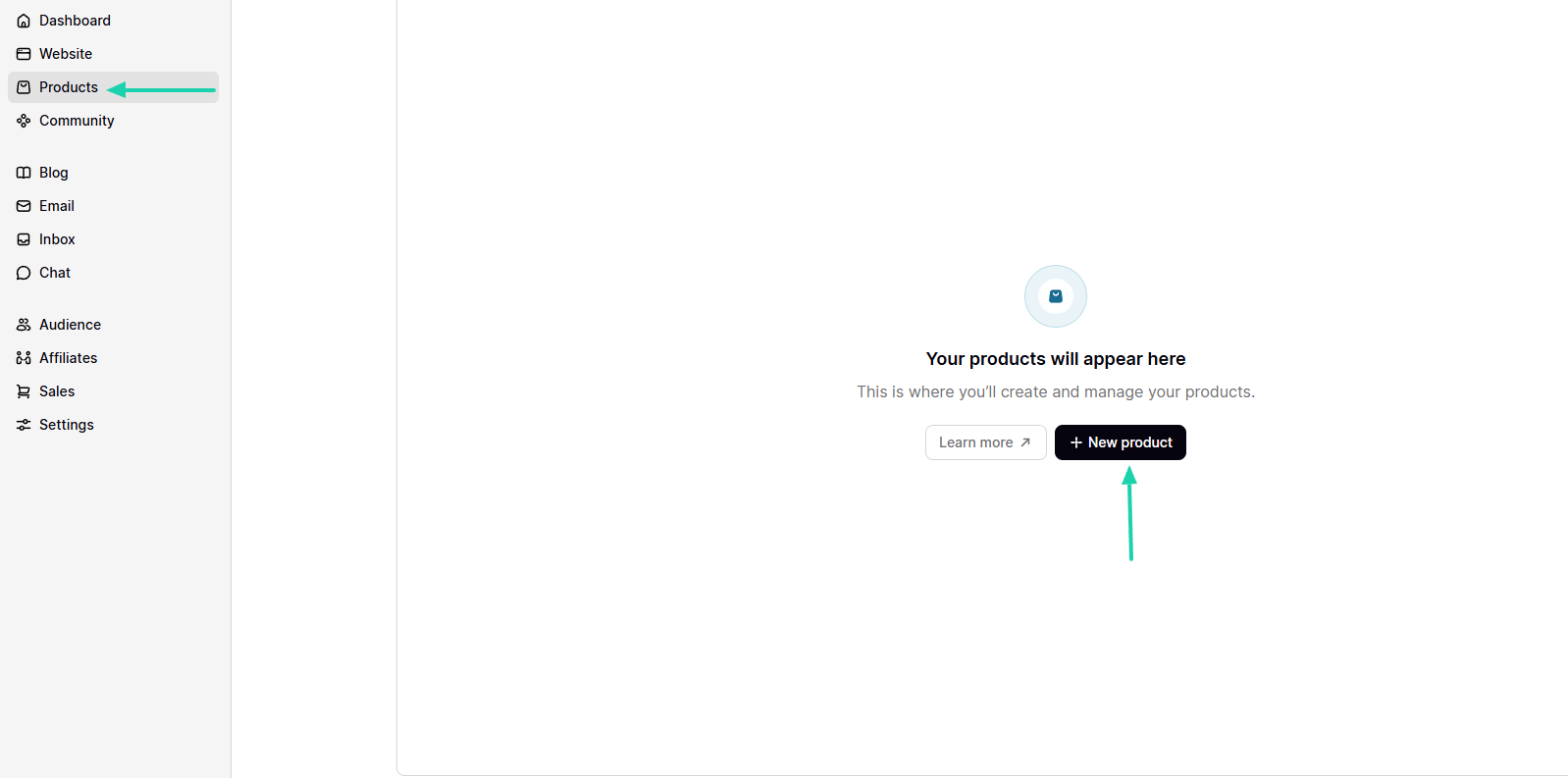
By now, it should be evident that the first feature to review is the products feature. When you sign up for Podia, you will access their home interface.
Find products in the sidebar menu and click “+ New product.”
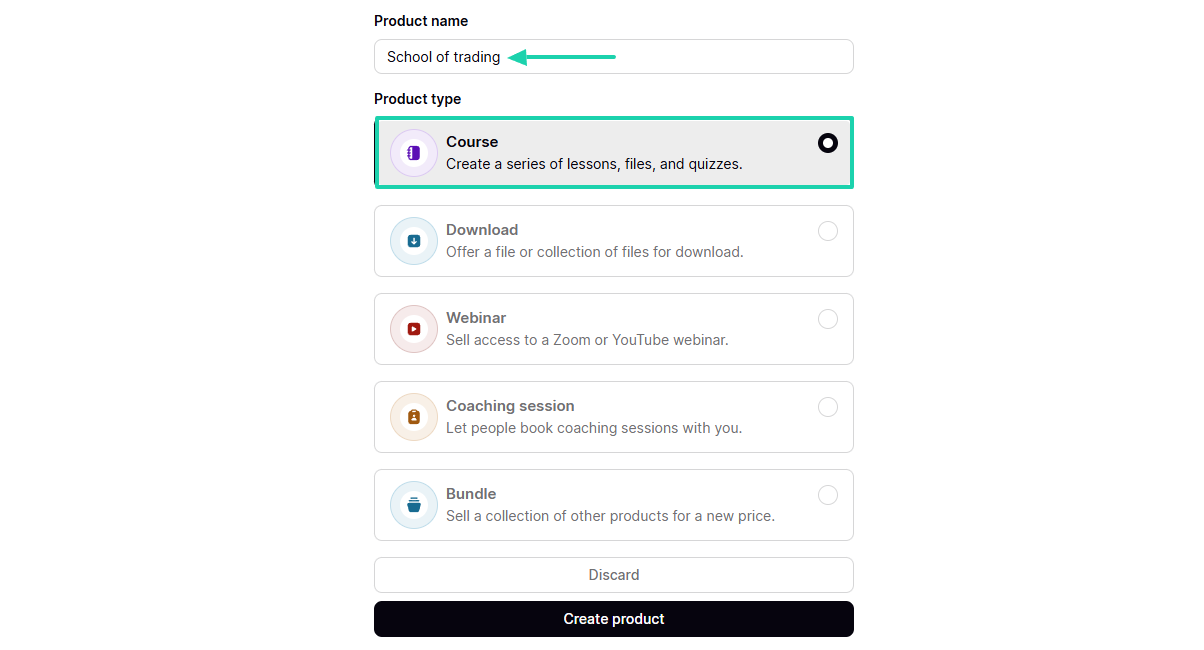
Add your product name and choose the product type. Let’s go with a course.
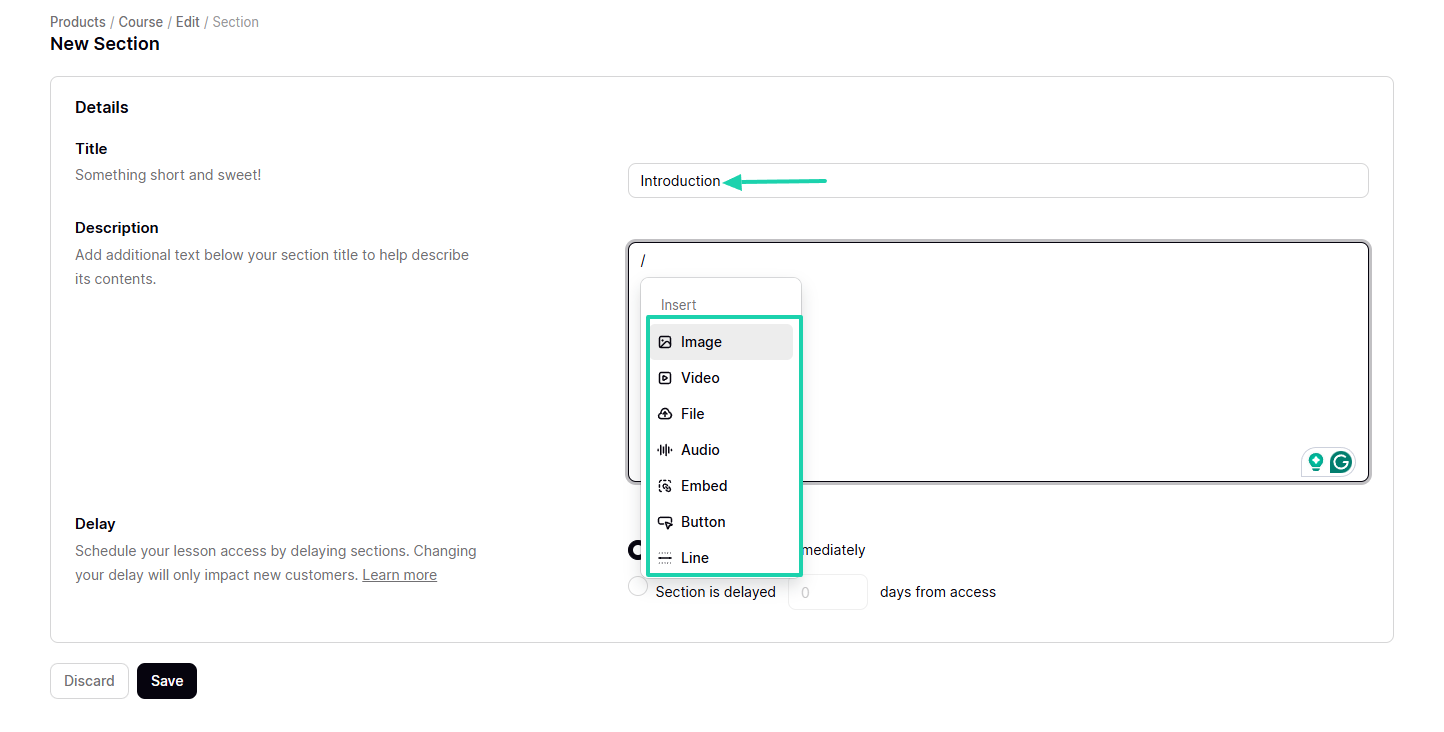
A course is divided into sections. Under each section, you can enter your title and description, which could be a simple text, an image, a video, or a file.
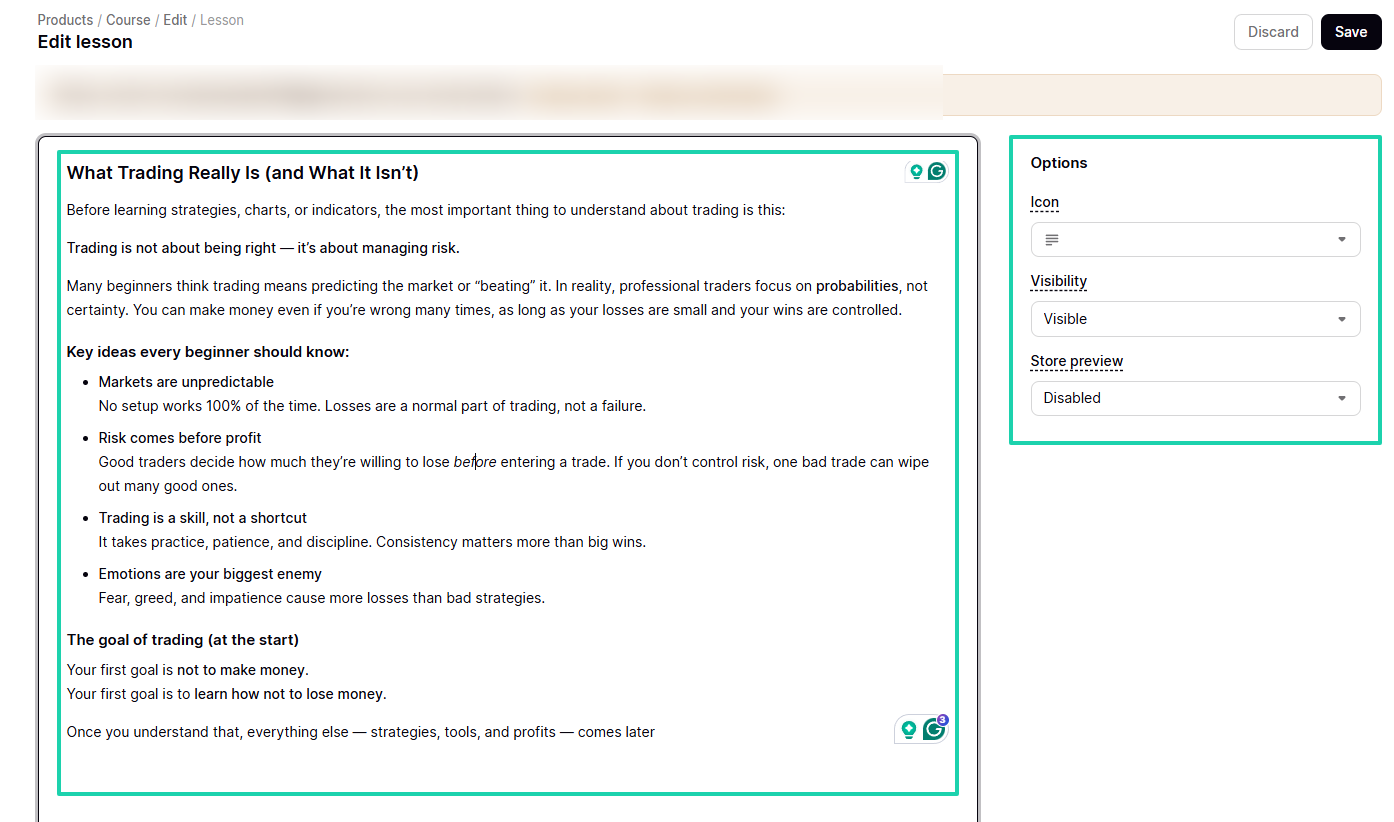
Then you can add your lesson. On the right side of the interface, you can adjust visibility options and preview your store.
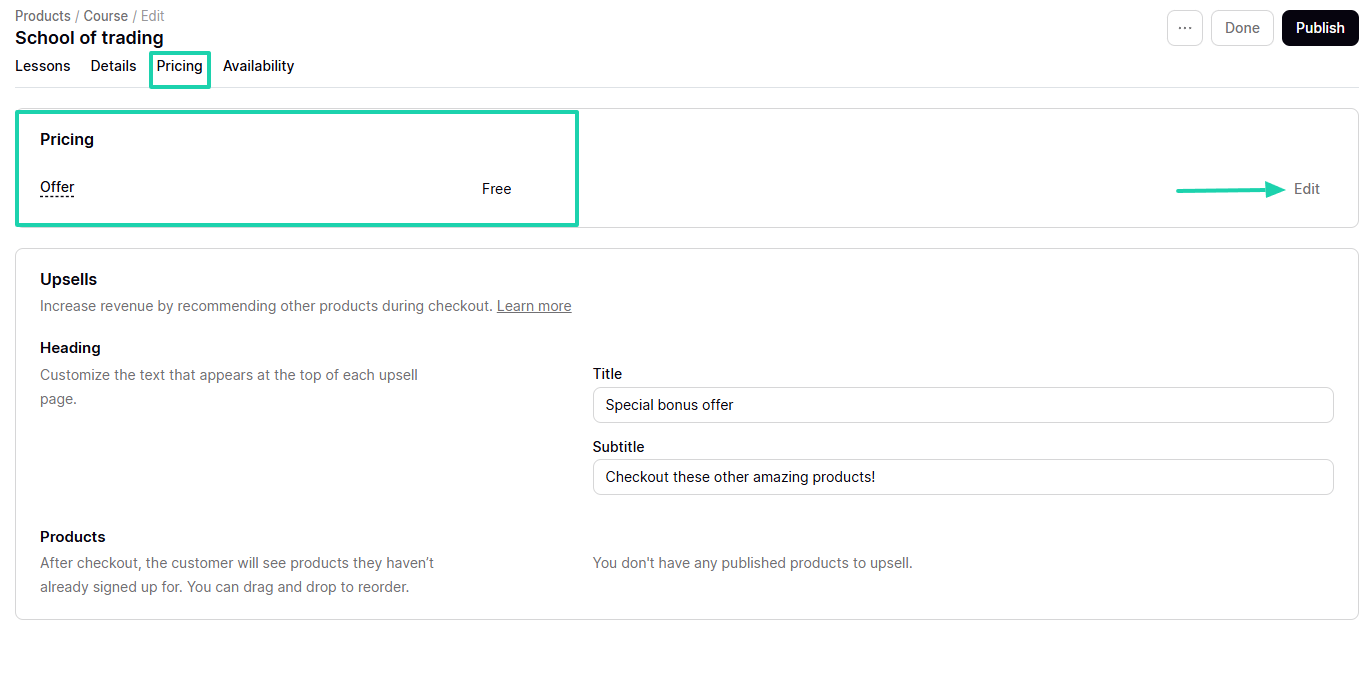
Next, you need to choose your course price. You can make it free, for example, or enter an actual price.
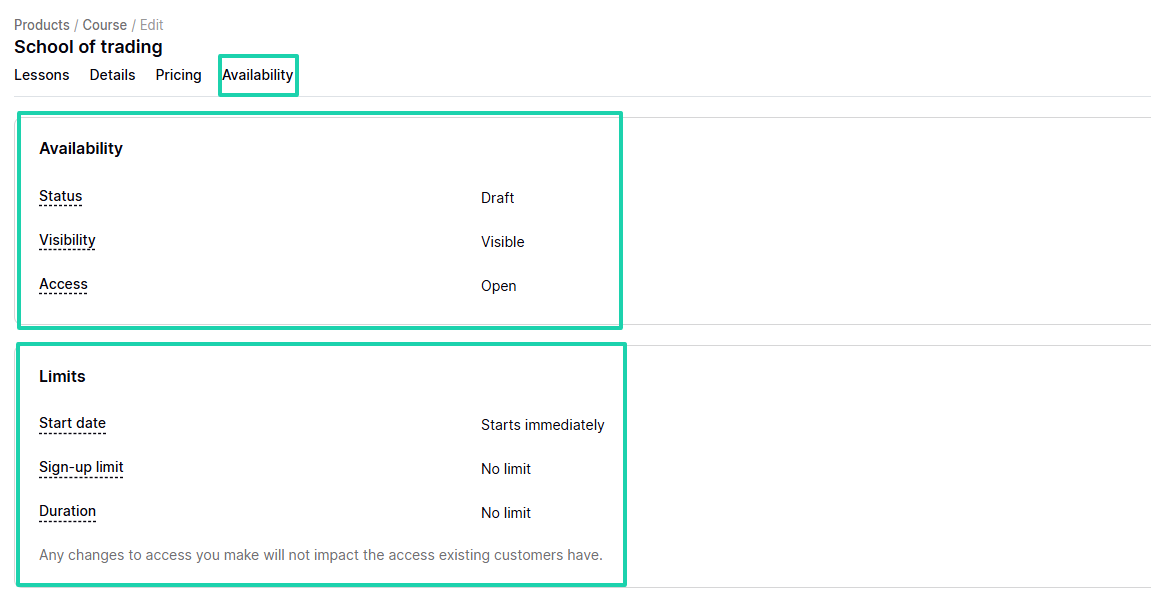
Under Availability, you can adjust the course’s status, visibility, and access. You can also set the start date, specify the sign-up limit, and duration.
Your course is ready!
2 . Community
I mentioned earlier that you could create a community on Podia. It’s a great thing, especially when you want to create engagement or have a recurring revenue stream.
Now, click Community in the sidebar menu and go to Create community after naming it.

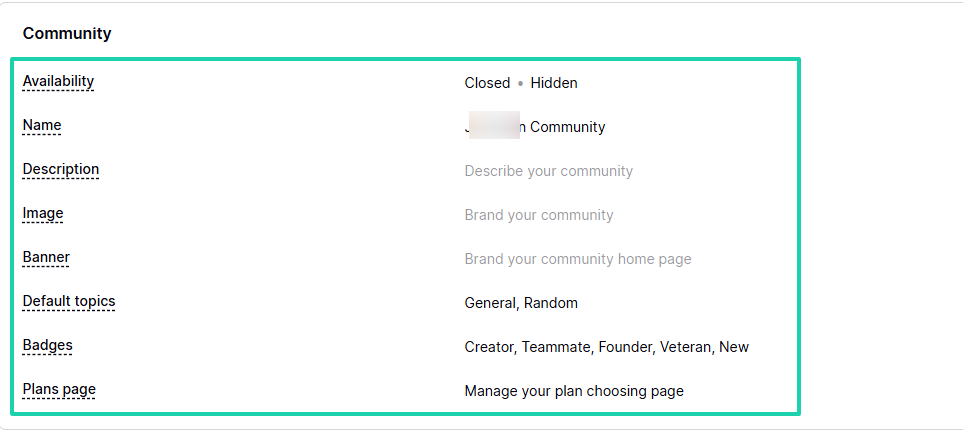
You can adjust the community’s availability, name, and description, and add an image and a banner. You can also choose the community’s default topics and the different badges.
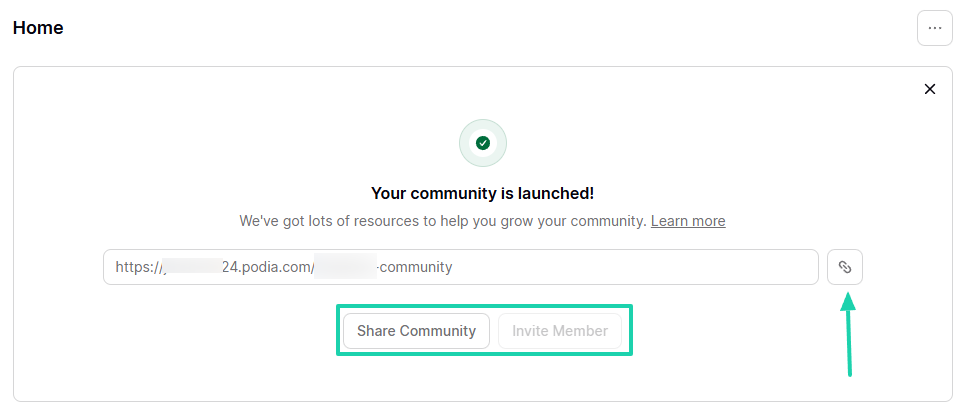
When your community is launched, you can copy the link, share the community, or invite members.
Members can react with emojis or post comments.
3 . Blog
One way people can learn about your product is when you talk about it. On Podia, you can write blog posts and publish them from within.
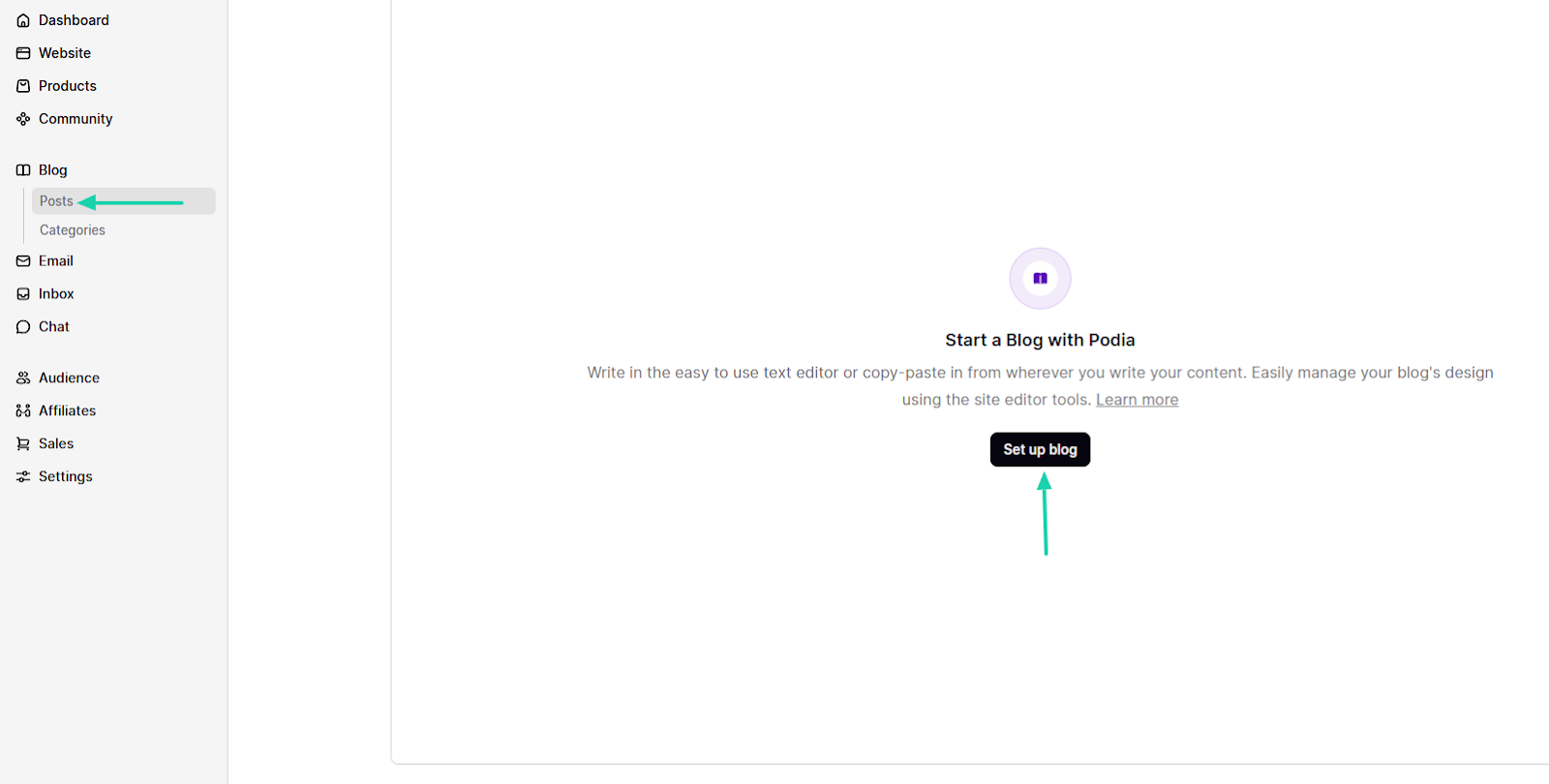
Let’s see how! Select “Blog” in the sidebar. After that, click “Posts,” then go to “Set up blog.”
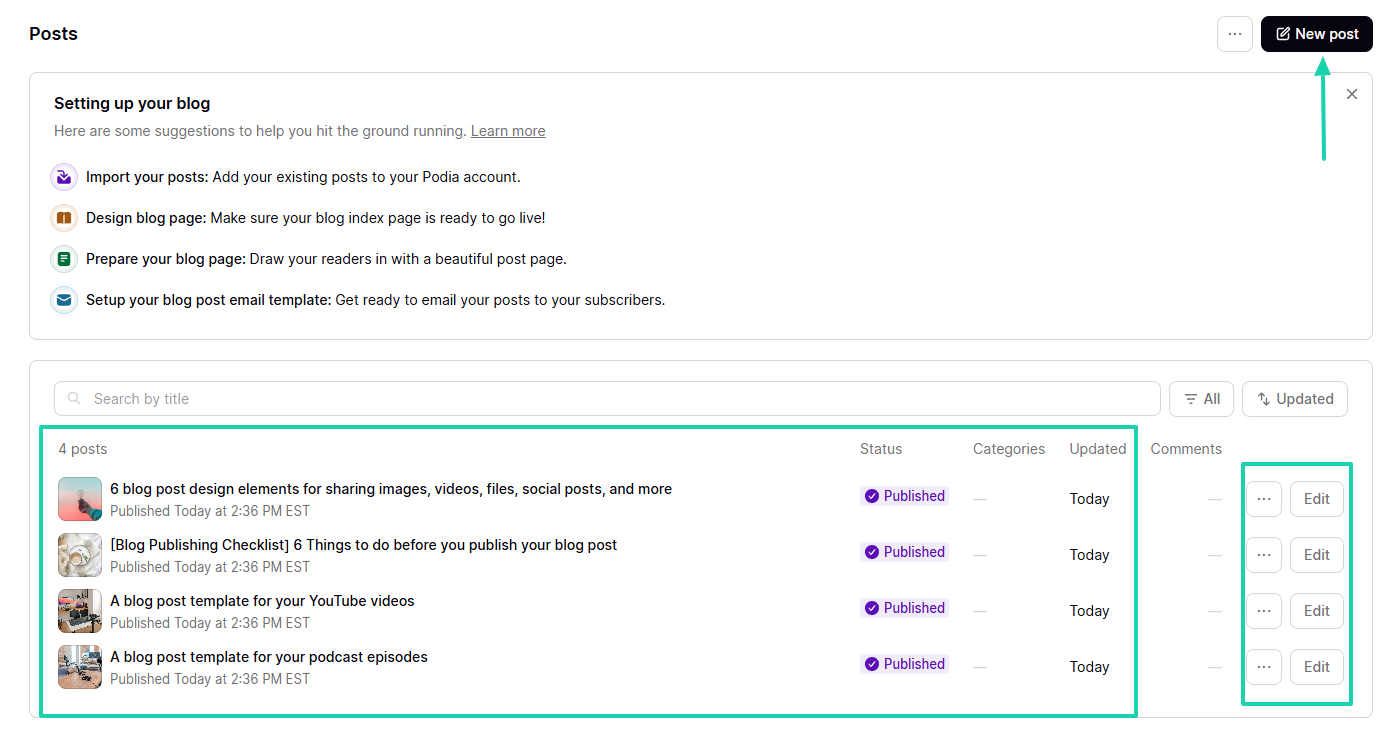
There are already published blog posts you can use and edit. But if you want to start from scratch, click “New post” on the far right of the interface.
Start writing, and when you’re done, you can schedule the publish date.
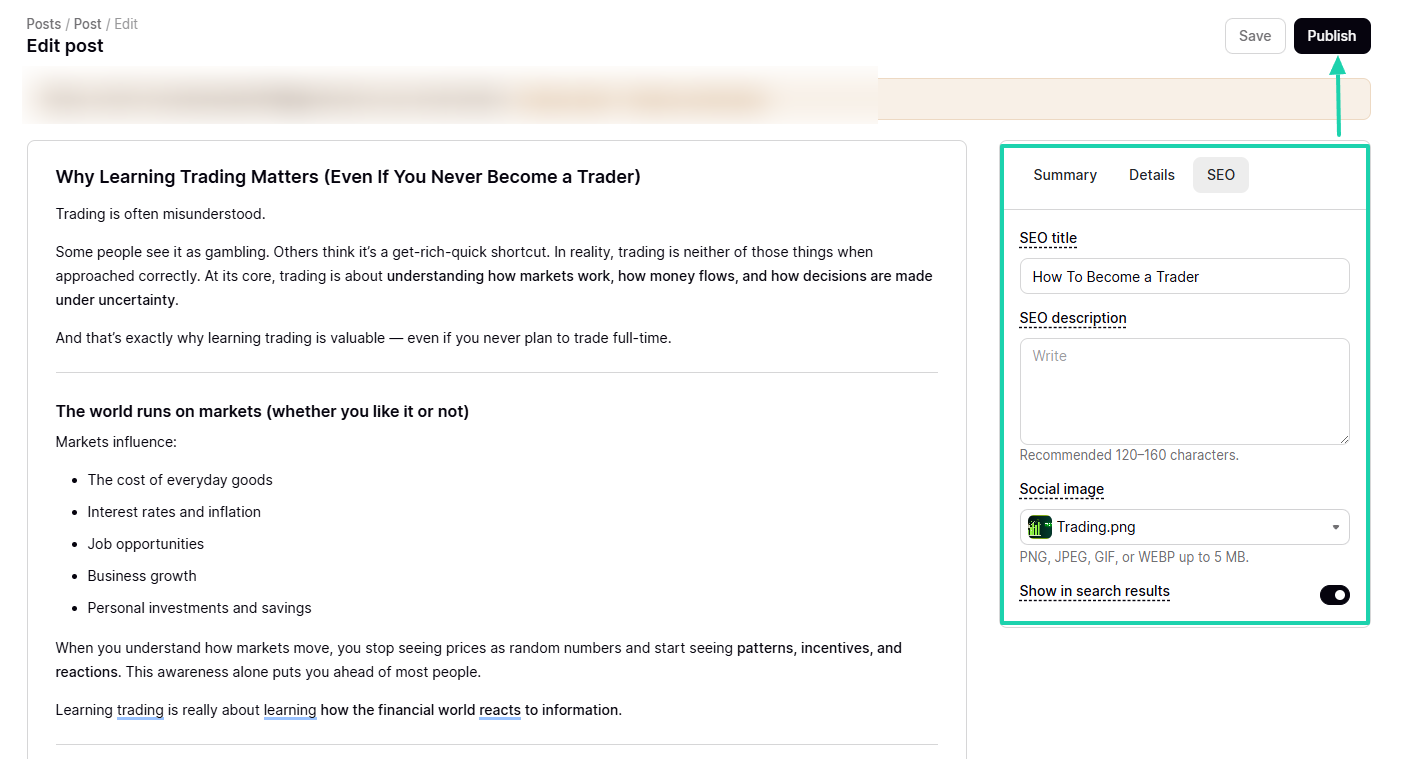
Before you publish your blog post, you can add the SEO title, SEO description, and an image. You can only hit the Publish button when everything is ready.
What I liked vs what I didn’t like
What I loved 👍
✅ The dashboard shows insights about your audience, community, and sales.
✅ Offers many templates to create a website: email lander, link page, or full website.
✅The platform allows members of your community to upload images and videos when they add comments.
✅ Comes with the Notification inbox, where you track notifications for all posts, discussions, and comments across your blog and community.
What I didn’t like 👎
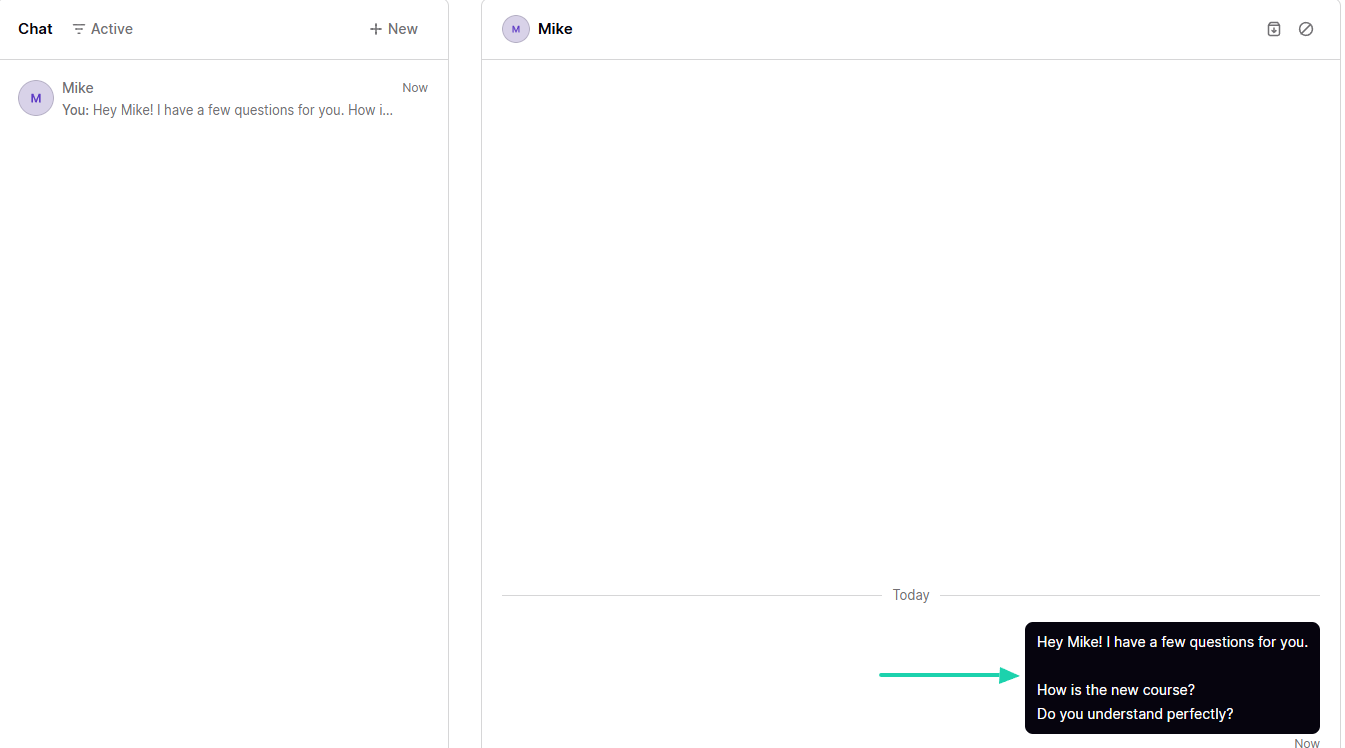
❌ The chat experience is poor. You can only send texts; no emojis, links, or images.
❌ The platform doesn’t have a built-in AI tool that can generate course outlines, lessons, or content, so creating an online course takes time.
Best for
- Small businesses and non-technical creators who want to sell courses and digital downloads using an online store and create a community.
Pricing
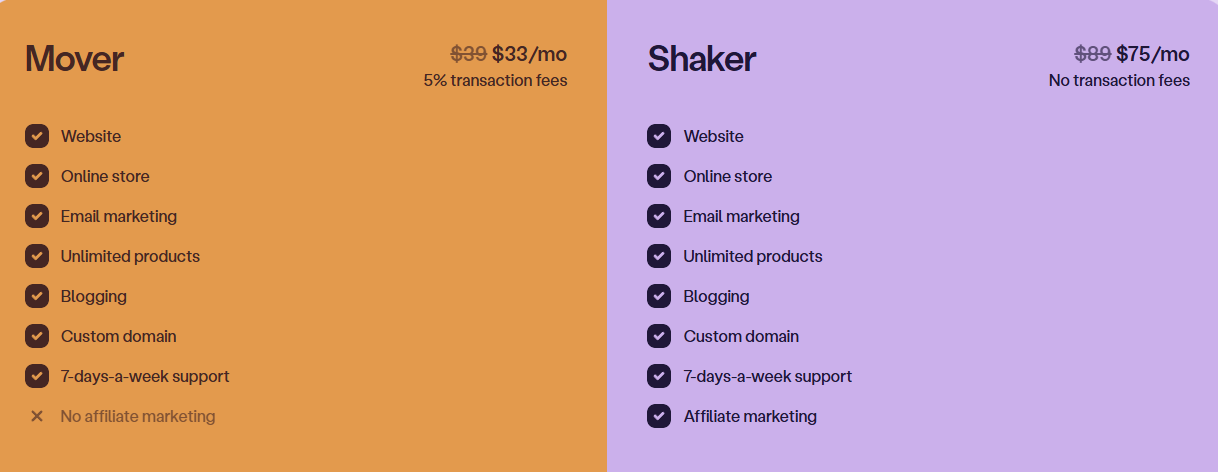
- Mover: $33/month + 5% transaction
- Shaker: $75/month
5. SendOwl
SendOwl is also among the best Gumroad alternatives. It is a digital product delivery system that handles various digital products like PDFs, videos, and memberships without hosting them.
It can connect with your existing website and has a social commerce and community storefront called Webspot, where you can display your digital products, memberships, affiliate links, and livestreams.
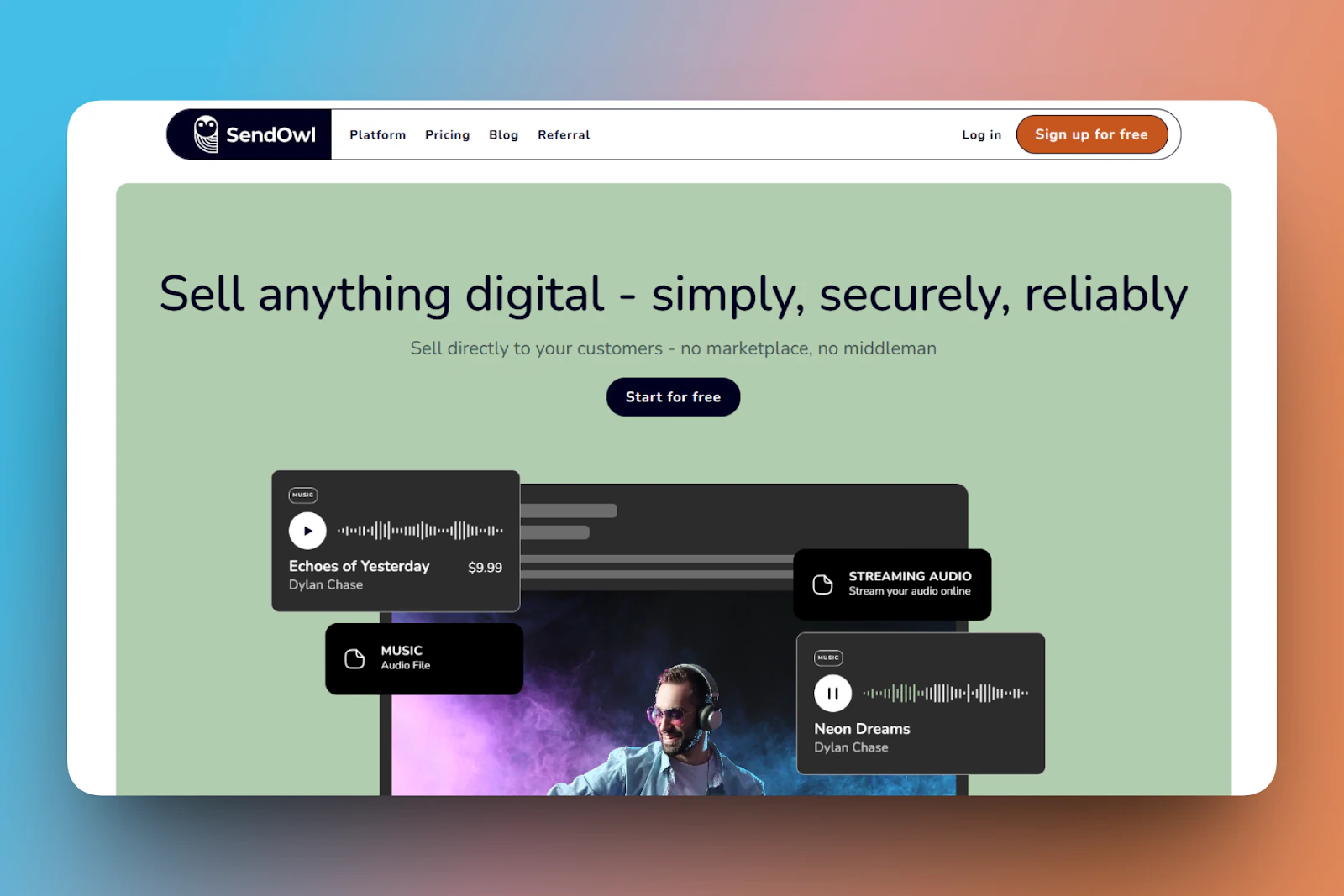
When you create a storefront on SendOwl, you upload your profile picture and add the products you want to sell.

You can also create a simple PDF, like a template or newsletter and sell it.

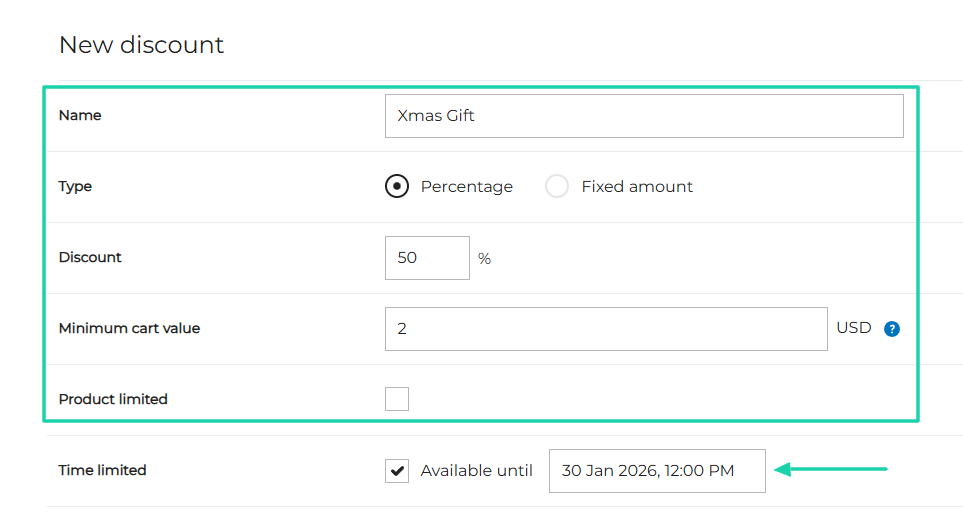
And if you want to create a discount for your customers, you can give it a name and choose the type. You can also specify the discount and whether it should be time-limited.
It is indeed time-limited, so you should specify the period.
What I loved about SendOwl
1 . Products
The platform can’t be a proper Gumroad alternative if it doesn’t let creators add or market their products.
SendOwl’s products feature lets you add digital files, streaming content, services, coaching, and subscriptions.
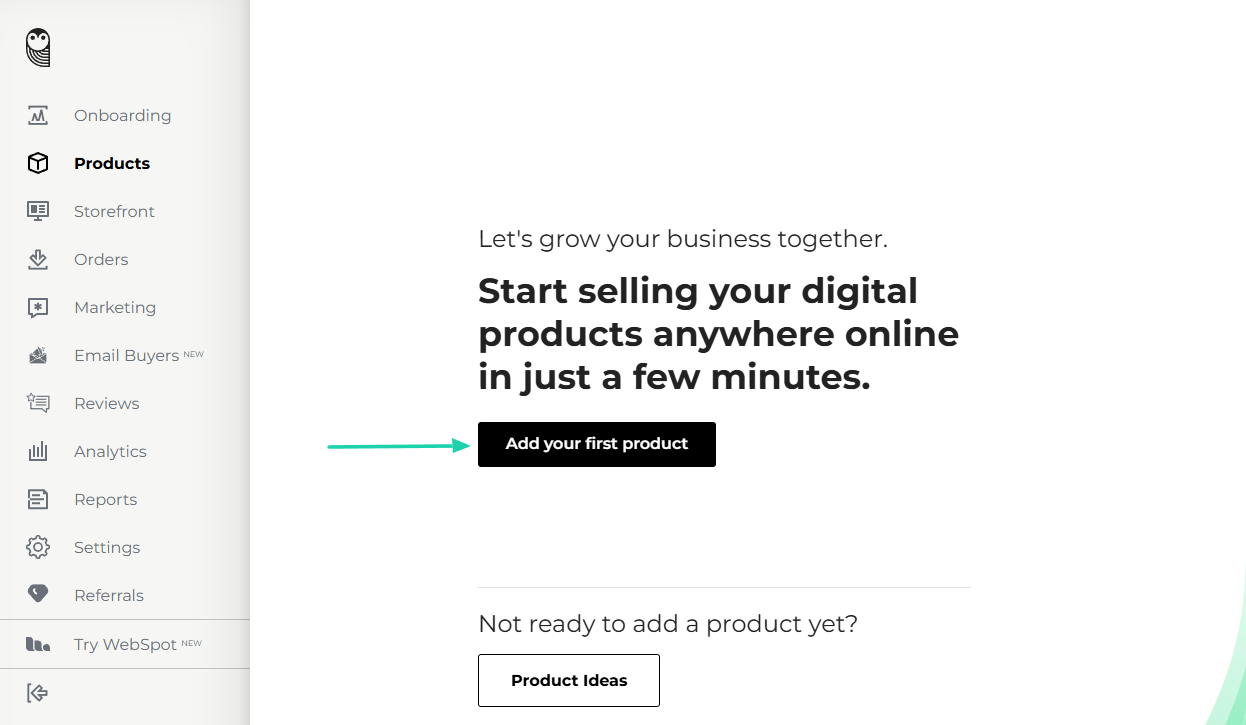
By the way, this is the first action SendOwl wants you to take when you sign in.
Click “Add your first product.”
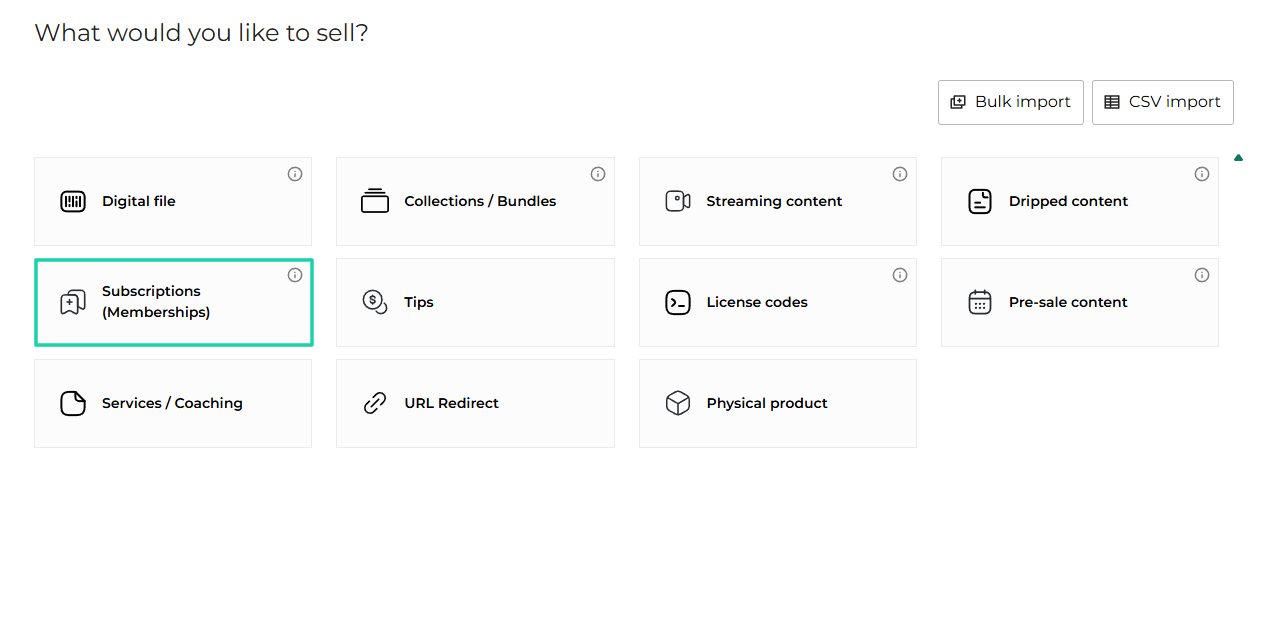
We’ve talked about courses a lot. Now, let’s choose Subscriptions (Memberships) as our product type.
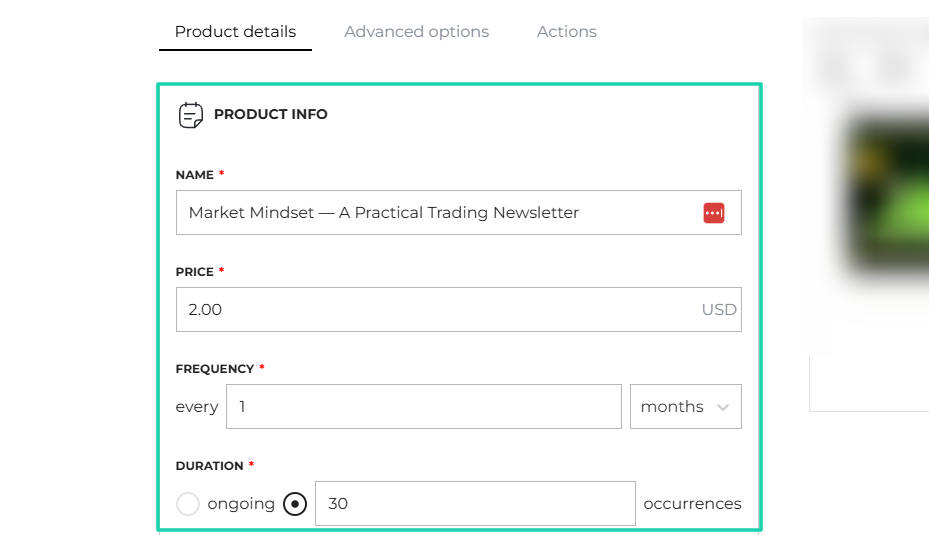
Enter the product details: name, price, frequency, and duration.
Now, choose the category and enter the subcategory. You can also specify the trial period, add a description, and a detailed summary of your product.
For example, if it’s a newsletter, go into details explaining everything potential customers may need to know.

It is ready!
2 . Storefront
Among the features SendOwl can boast of, there is Storefront. You can create one and display your preferred products in the order you choose.
You will need a seller nickname, description, and a storefront profile image.
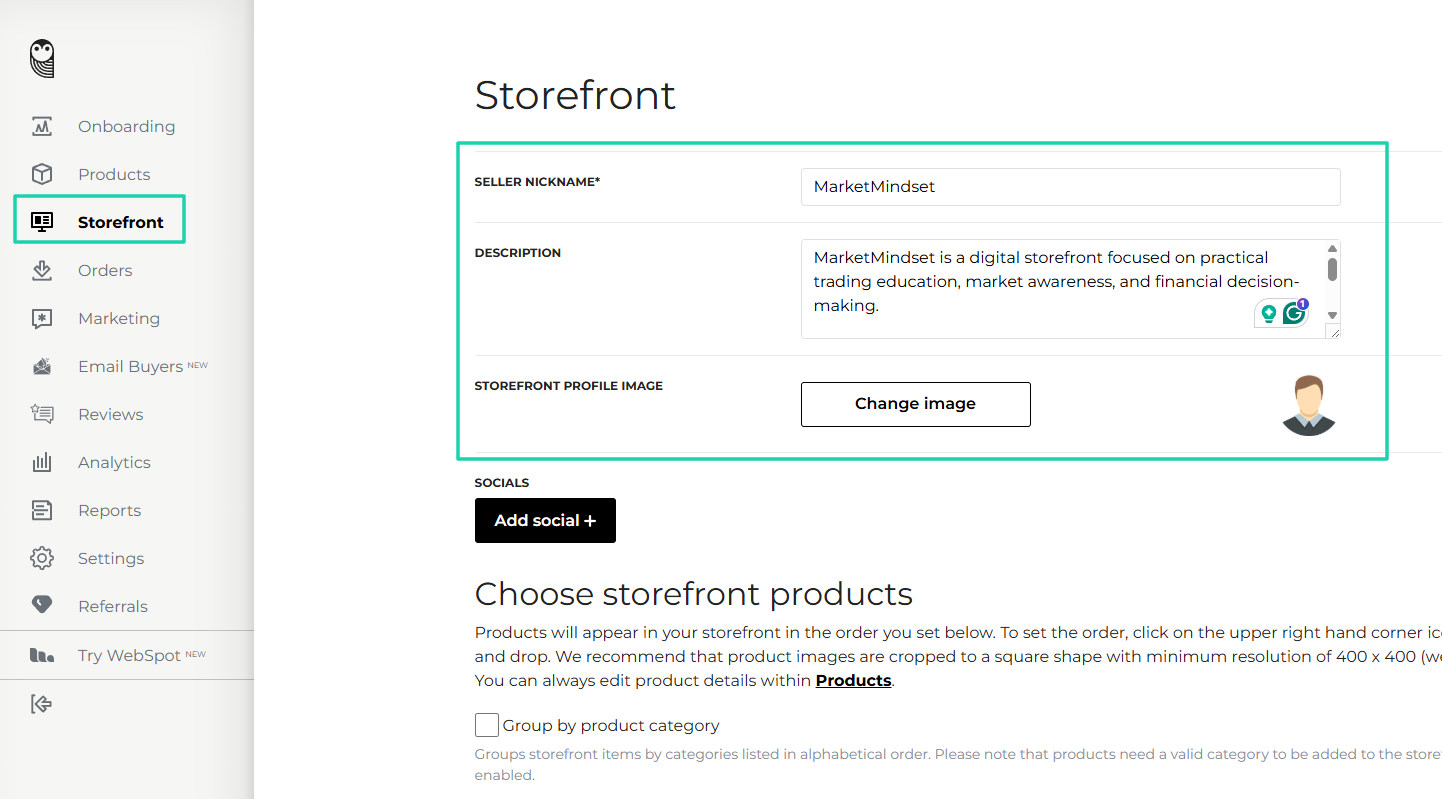
In the settings, you can group by product category and show “Best Sellers” and “Newest Products” on your storefront.
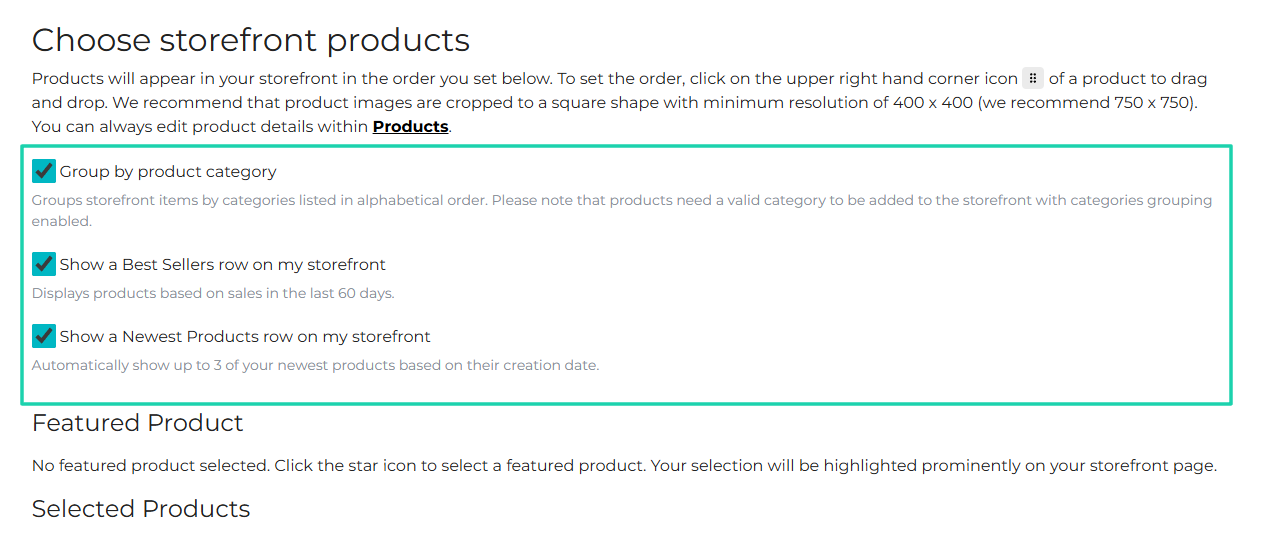
Then, after you choose the products you want to display, you can hit the “Publish storefront” button.
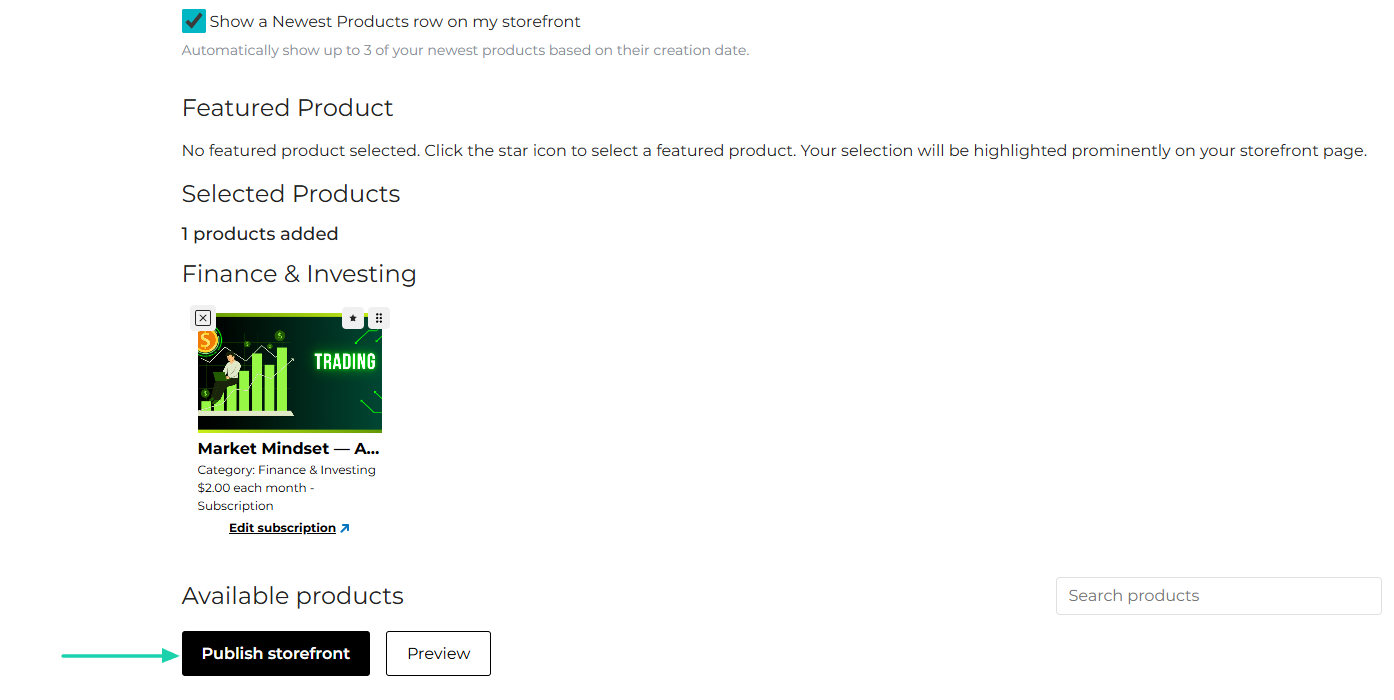
There you go!
3 . Discount codes
On SendOwls, you can create discount codes for your customers. When they use it at checkout, they will receive a discount immediately.
This is how to create one.
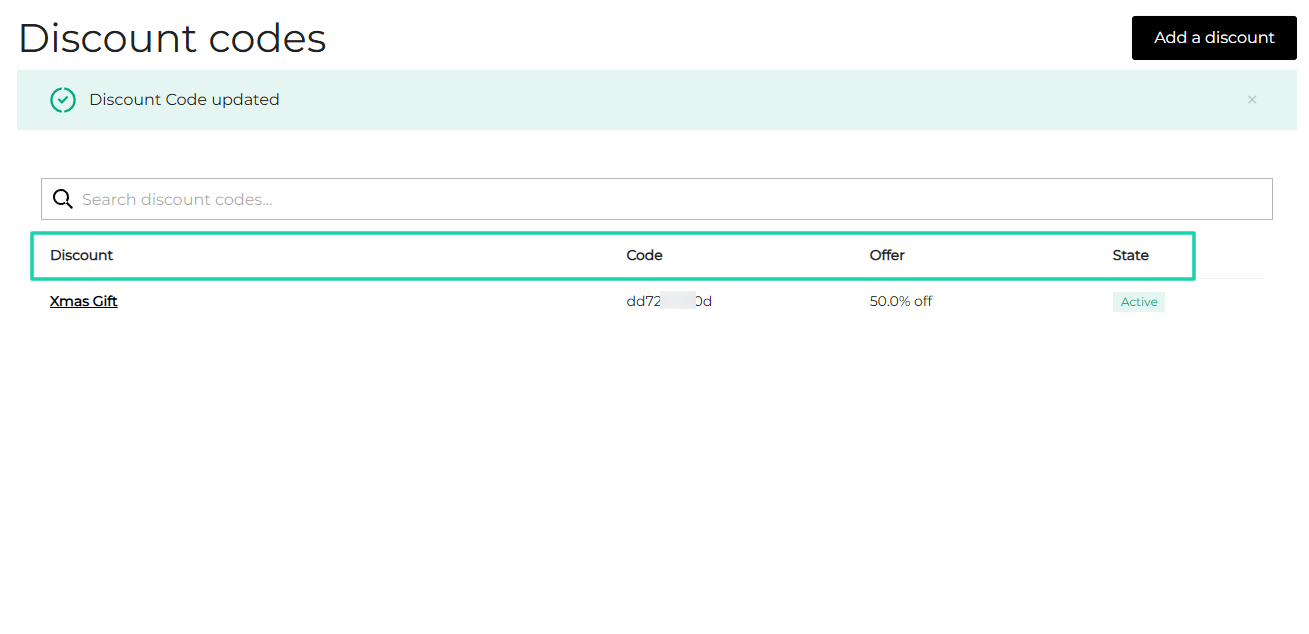
You find “Marketing” in the sidebar menu and choose “Discount codes.” Then you click “Add a discount” on the far right side of the interface.
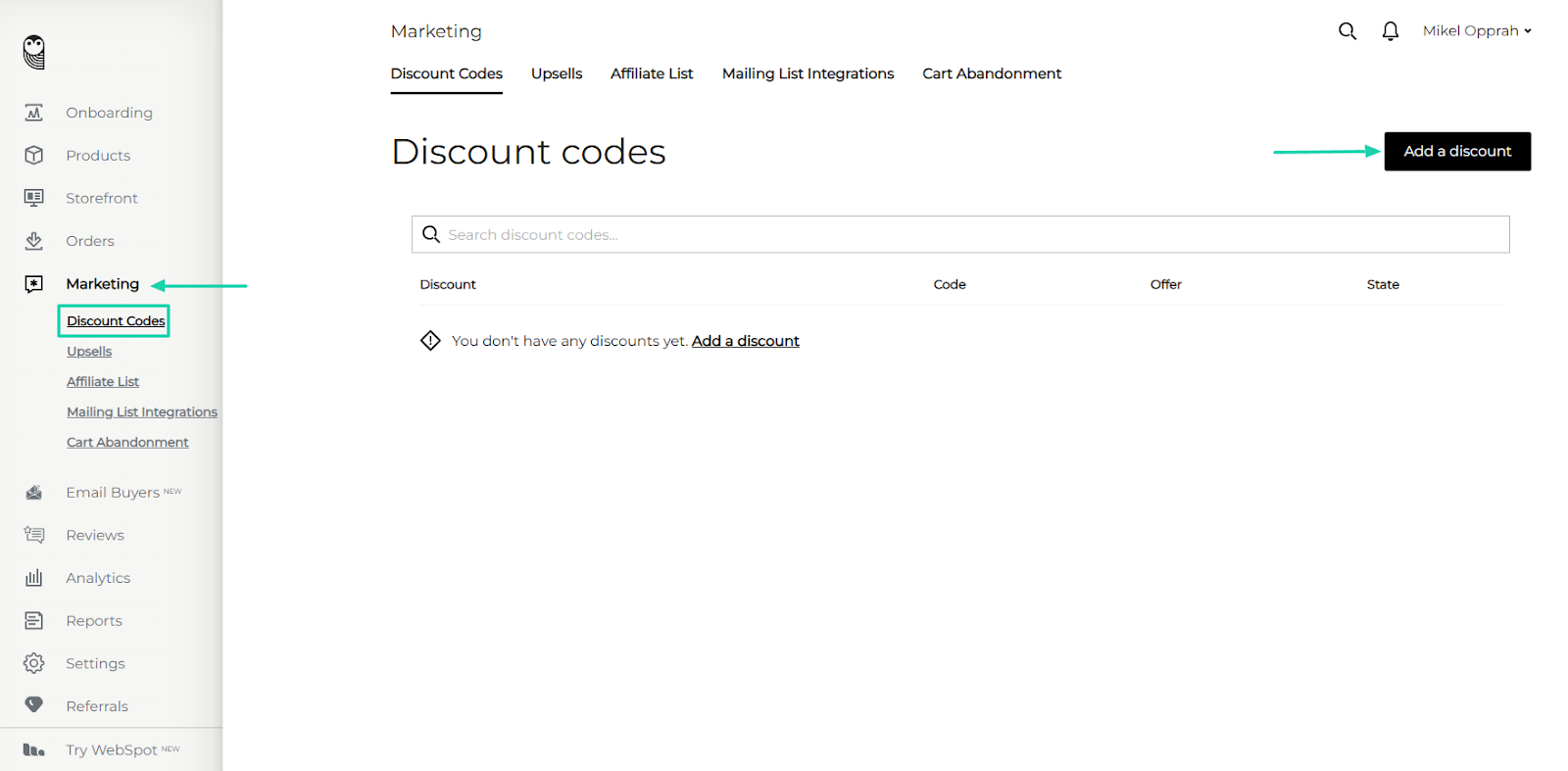
After that, enter the discount name and percentage and choose the type. Next, specify the minimum cart value and the period during which you want the discount to be valid.
You should decide how to use the discount and whether the code should be custom or auto-generated.
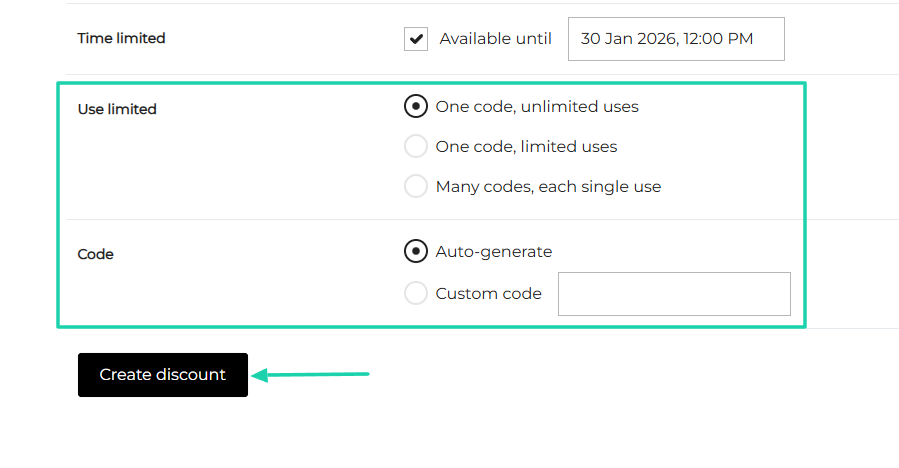
You have your discount code!
What I liked vs what I didn’t like
What I loved 👍
✅ Allows you to automatically connect your storefront to many socials: Instagram, Twitter, LinkedIn, Facebook, and Linktree.
✅ Let’s you ask buyers for reviews when they make a purchase.
✅ Has a dedicated section where you can view all your reviews.
✅ The analytics show your best-selling products.
What I didn’t like 👎
❌ SendOwl Storefront doesn’t allow you to showcase more than 10 products.
❌ No native website builder. It seems to be designed for embedding into an existing site.
Best for
- Technical sellers and creators who need advanced protection features, like PDF stamping, to sell digital products.
Pricing
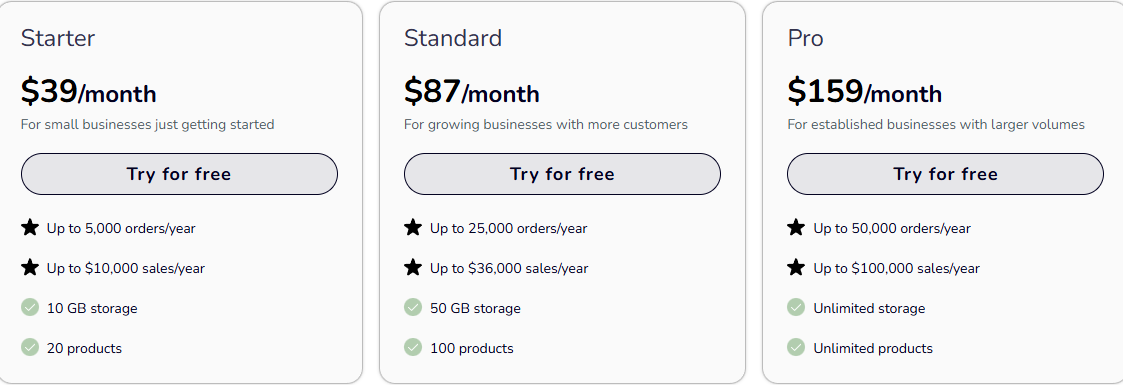
- Starter: $39/month
- Standard: $87/month
- Pro: $159/month
6. Sellfy
We wrap up this list of the best Gumroad alternatives with Sellfy, another e-commerce platform for selling digital products, physical merchandise, and print-on-demand items.
You can launch an e-commerce website using the Sellfy online store builder.

If you create a digital product (like a PDF) on Sellfy, you only need to upload an image or file, name it, and set a price.

The platform lets you create upsells and customize the pop-up message.

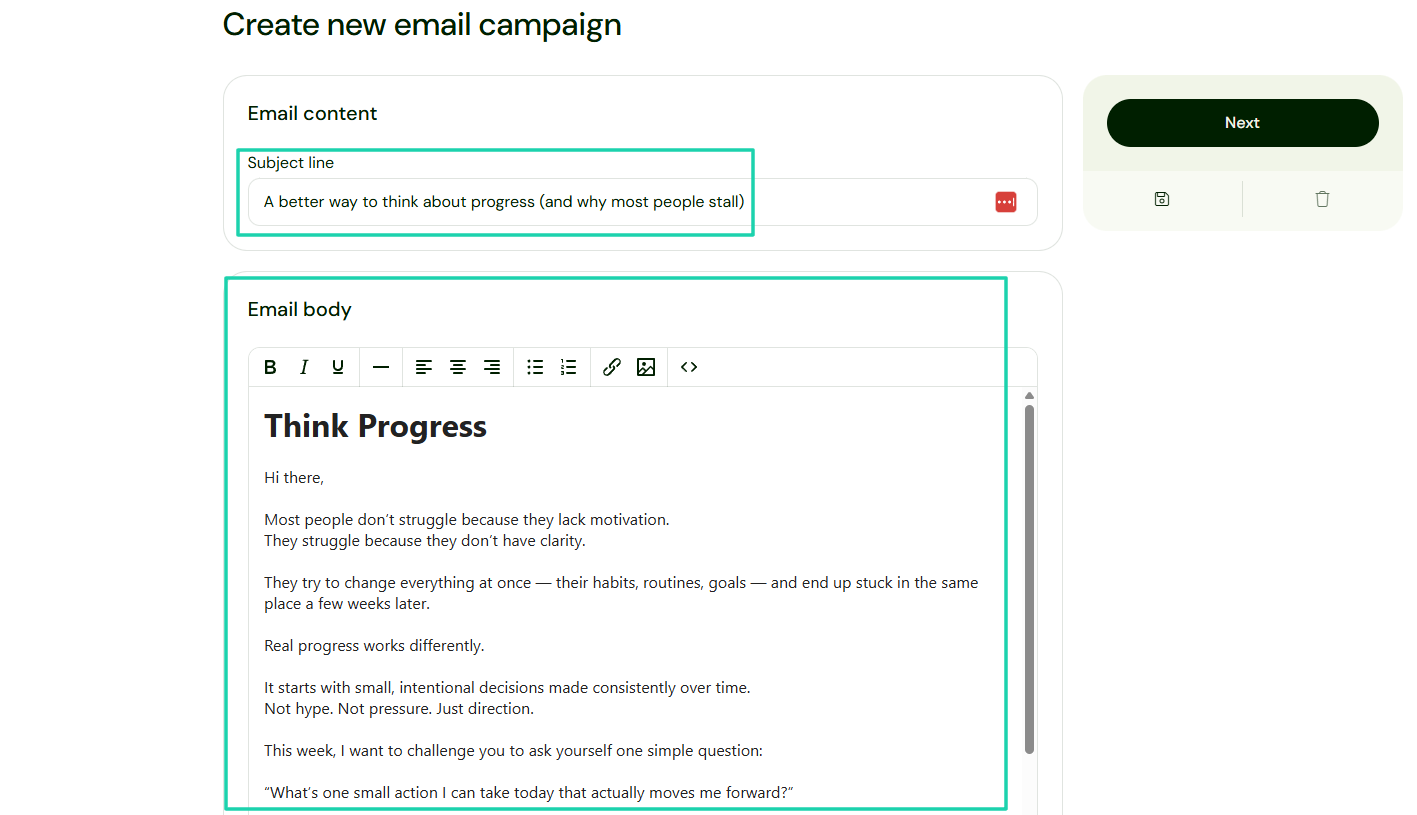
Sellfy also allows you to create email campaigns. The way you do it is by entering your subject line and email body. Then you simply select recipients and schedule the email.
What I loved about Sellfy
1 . Products
Though Sellfy is the last platform we are reviewing in this article, we will still start with its products features, as we did with the other Gumroad alternatives.
The platform lets you add digital products, print-on-demand, freebies, subscriptions, and physical products.
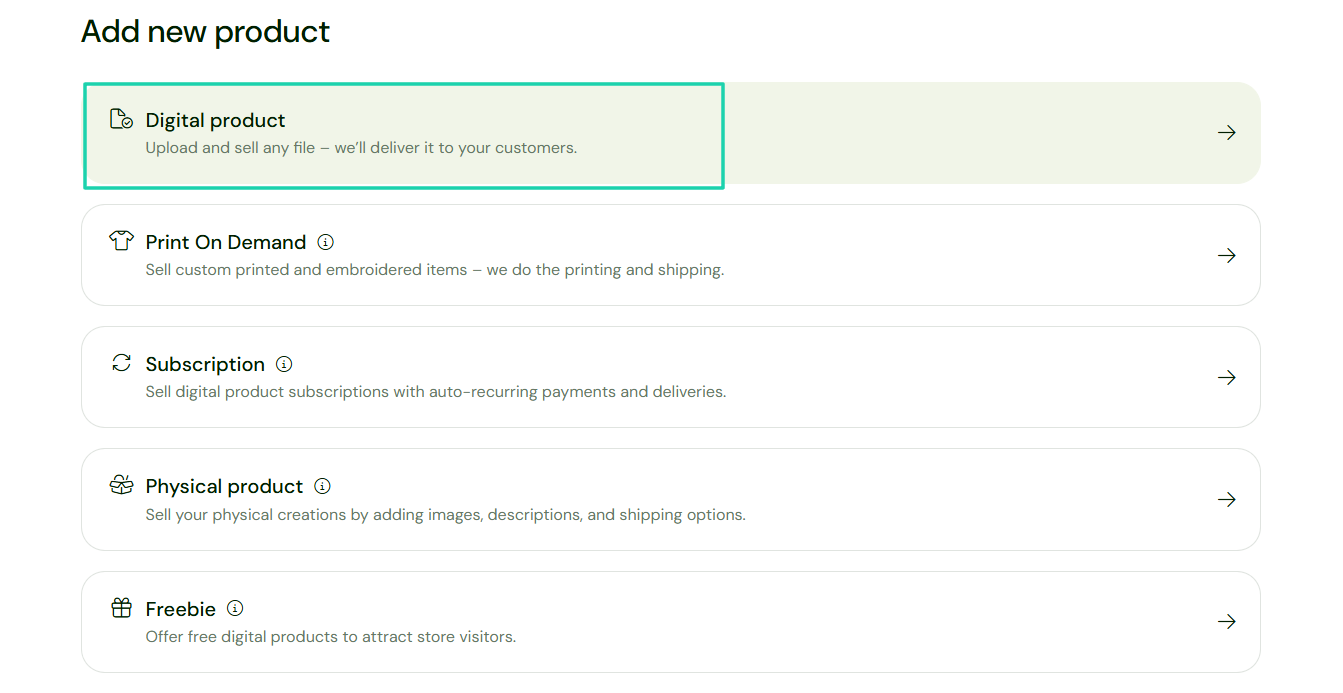
Without wasting time, let’s jump right into it! After signing in, go to “Add new product.”
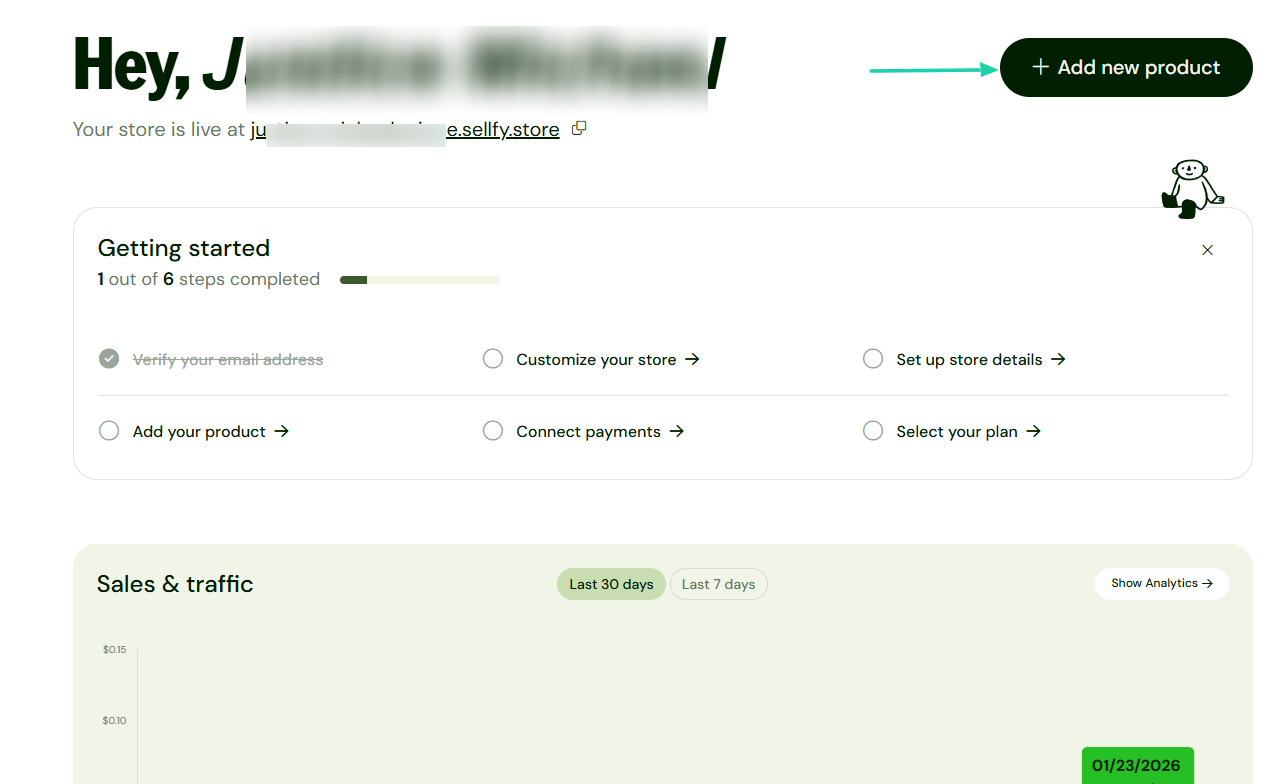
For this round, we will choose to add a digital product.
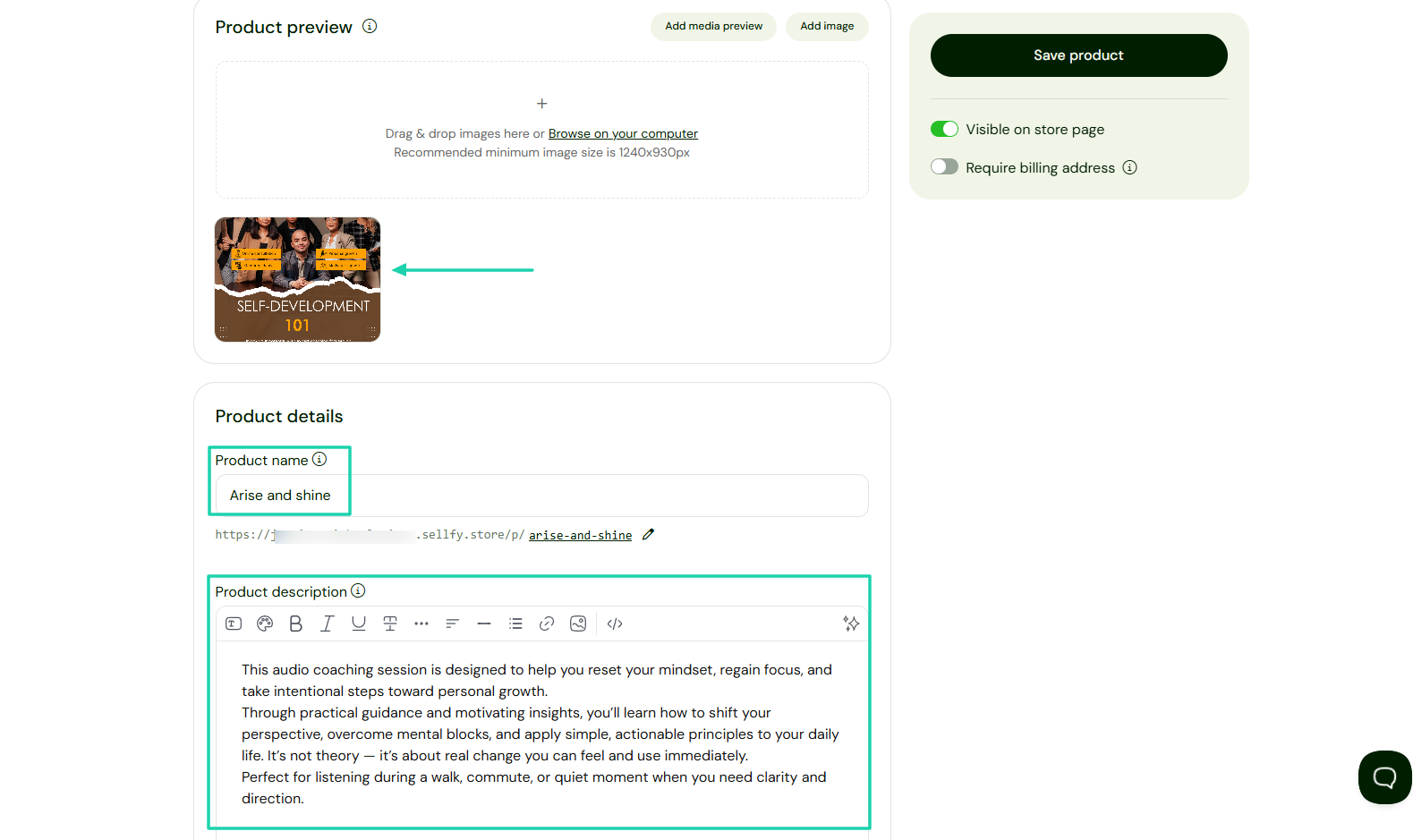
Upload your product image, add a name, and a description.
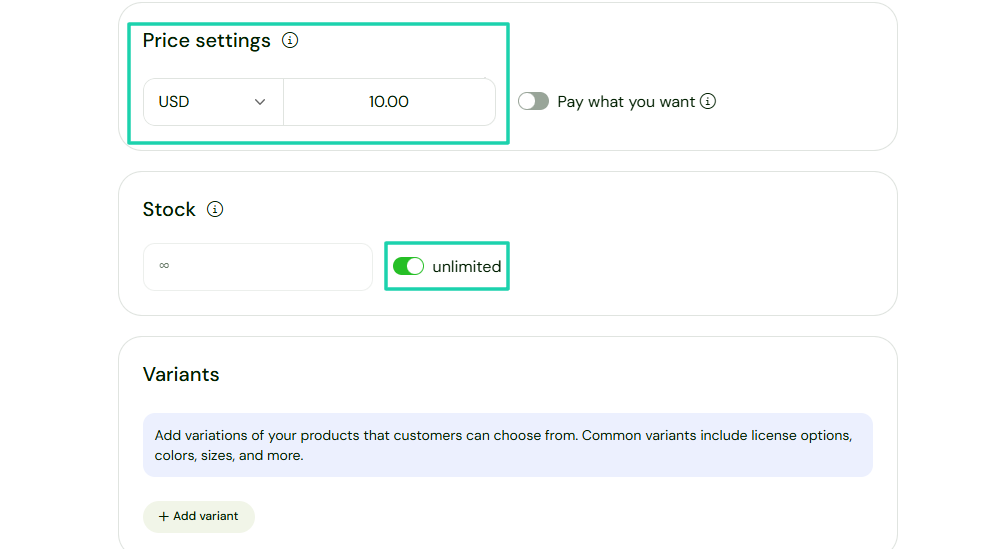
Under Price settings, you can enter your price and specify whether the product is limited or unlimited.
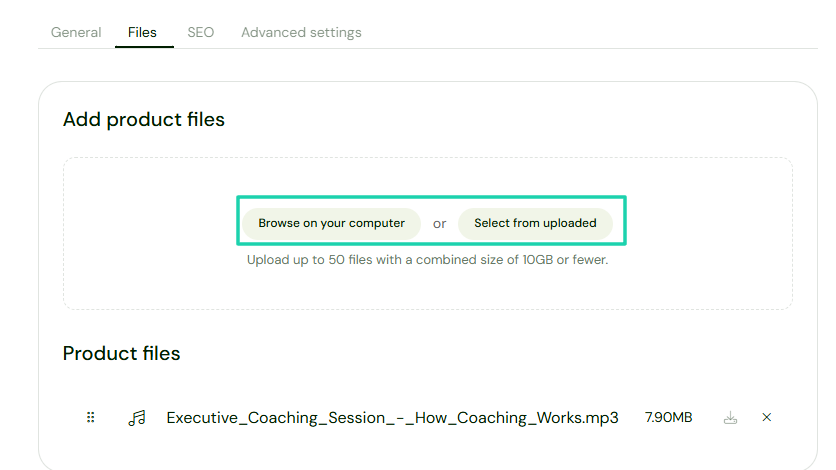
Now, you can add your product files. Let’s upload our audio.
That’s it! The checkout is ready.
2 . Email marketing
Sellfy offers a solution to reach out to customers: email marketing. You can use it to notify customers and subscribers of launches, deals, or updates.
Let me show you a practical example. Select “Email marketing” in the sidebar menu and click “Create campaign” on the right side of the interface.
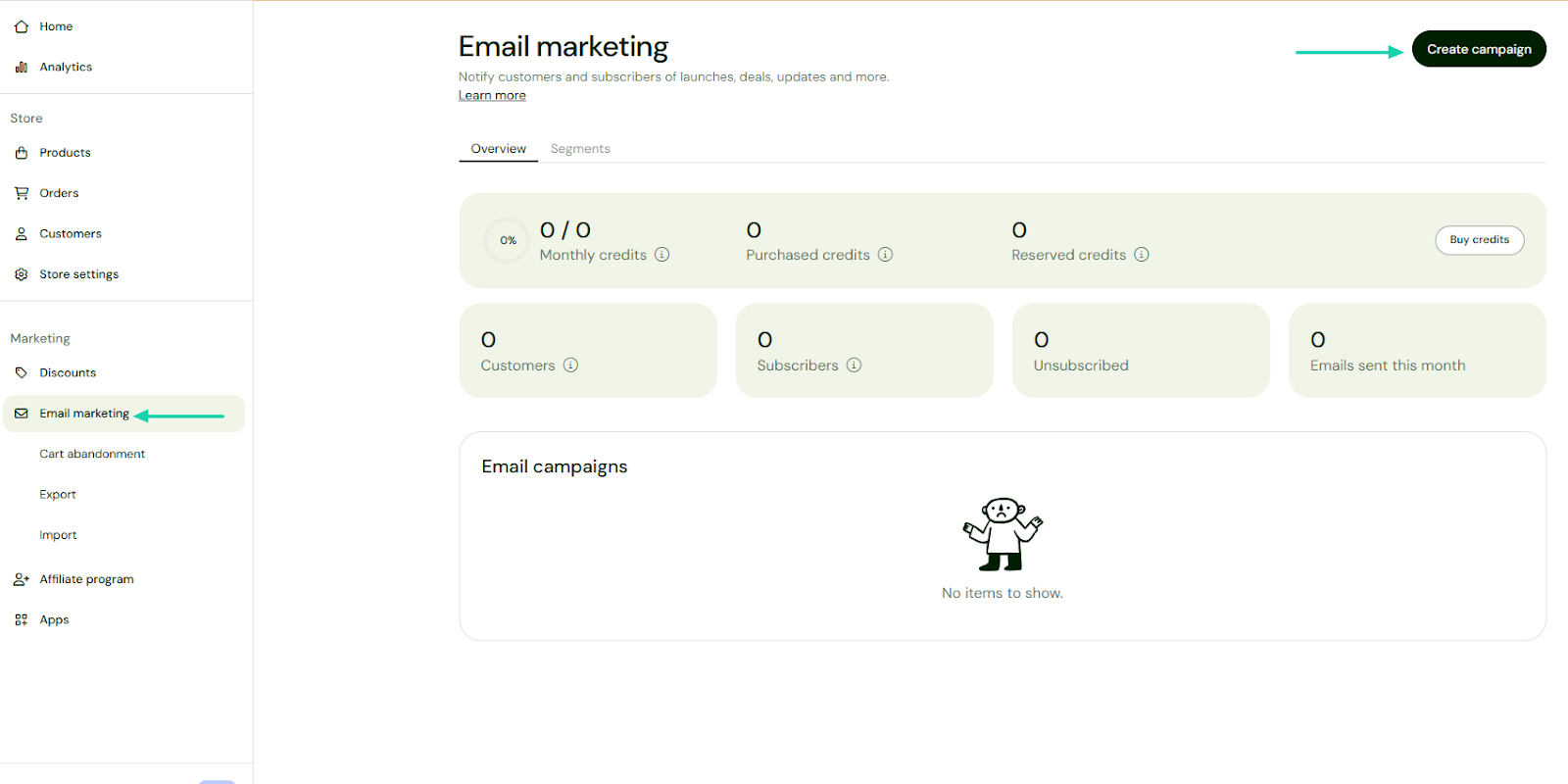
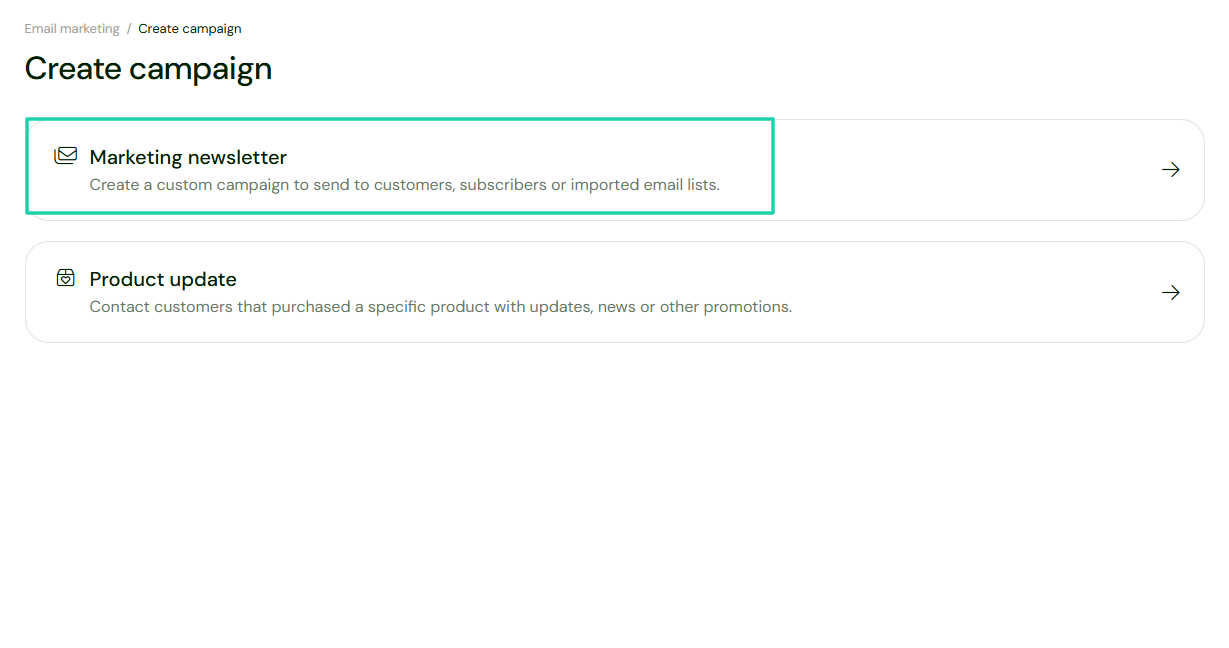
There are two types of campaigns:
- Marketing newsletter
- Product update
Let’s go with the first one.
Add your subject line and craft your email body. Inside the email body, you could add images or links.
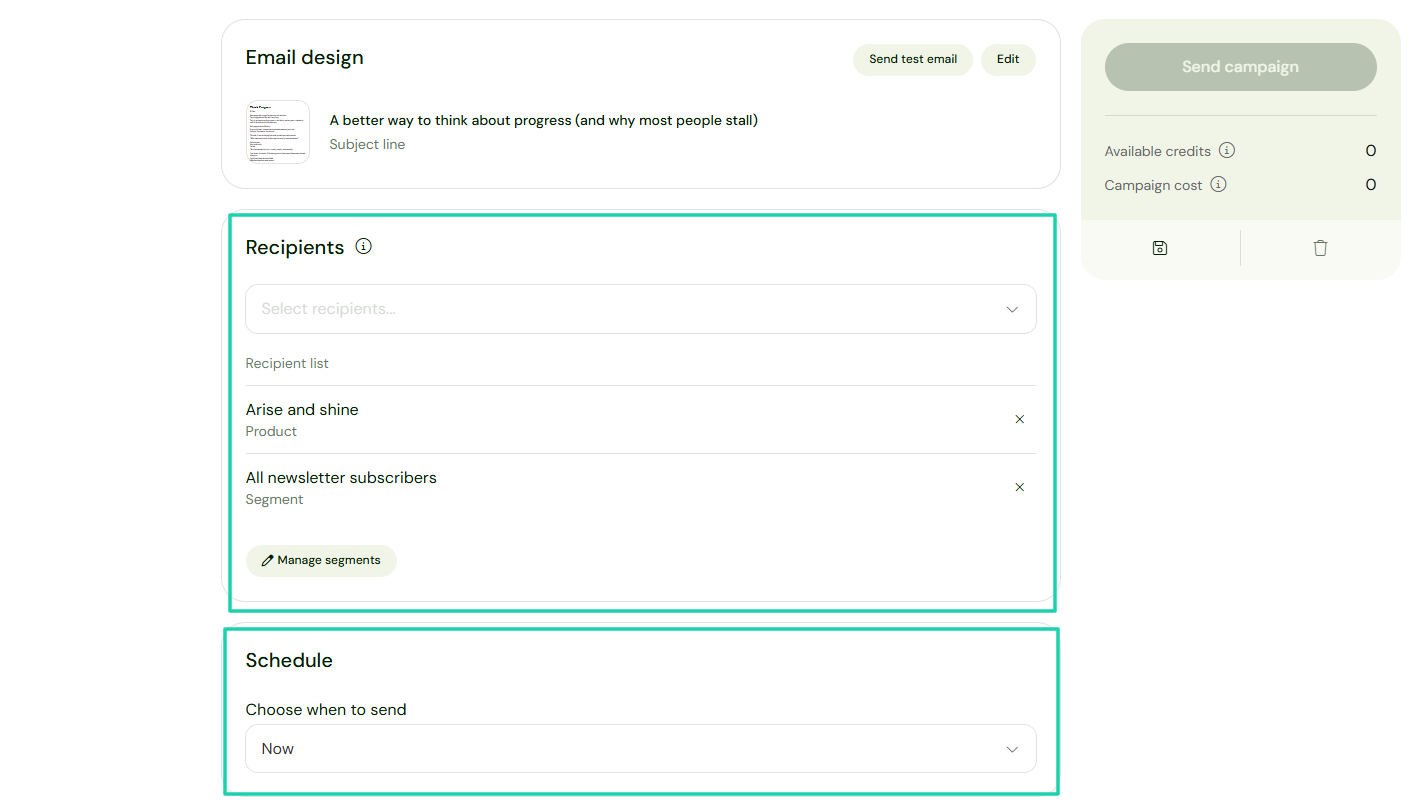
You will now choose recipients and when to send your campaign. That’s it!
3 . Upselling
Sellfy has another marketing feature called Upselling. You offer an extra product and encourage buyers to buy it at a special price.
To do it, click Upselling in the sidebar menu.

Enter a name for your upsell, and choose the product the platform should show it for.
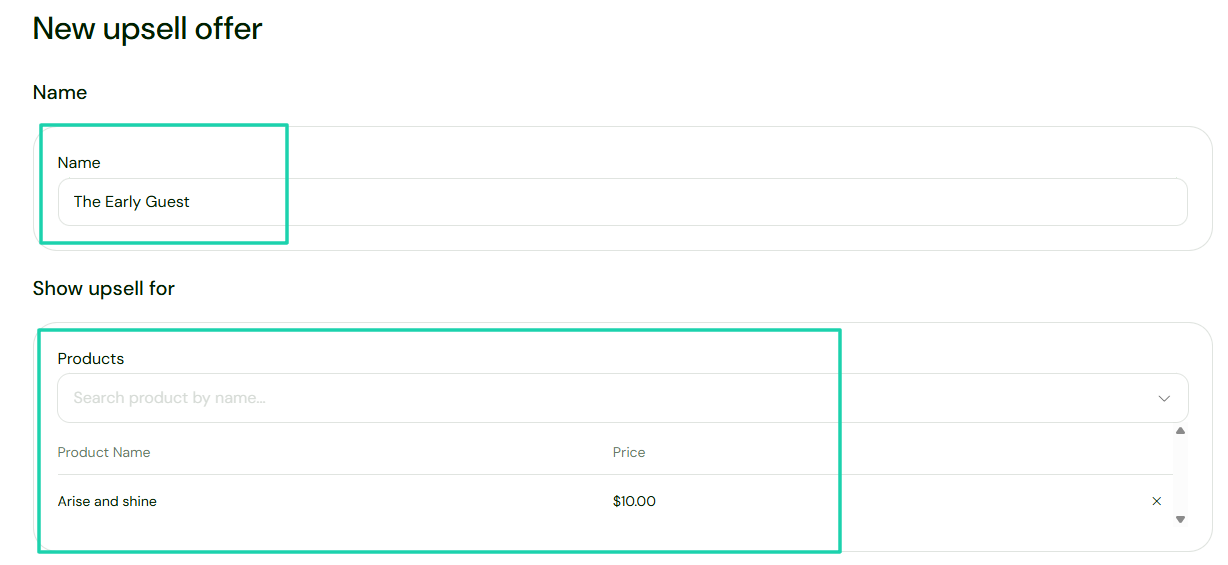
Then you select the product offered, enter the discount, and an expiration date, if there is one.
You can also customize the upsell pop-up message.
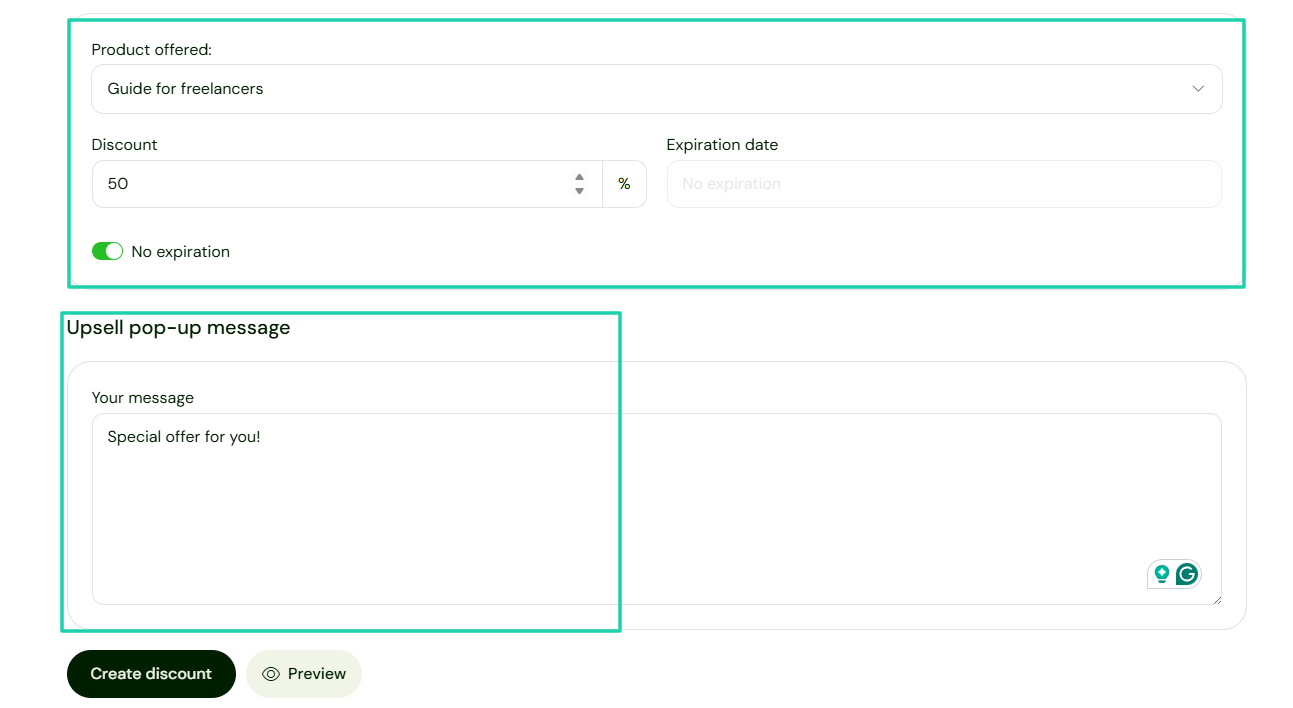
This is the upsell pop-up message the buyer will see.
What I liked vs what I didn’t like
What I loved 👍
✅ Has a neat interface, simple, and well-organized. All the features are easy to locate.
✅ Charges no transaction fees.
✅ Comes with a simple dashboard that shows all your visits, purchases, and revenue.
What I Didn’t like 👎
❌ The platform only supports two payment processors: Stripe and PayPal, which can be a limitation.
❌Has very limited integration capabilities. It only integrates with five tools.
Best for
- Digital creators and artists seeking a platform to set up a store quickly and sell digital products and print-on-demand merchandise.
Pricing
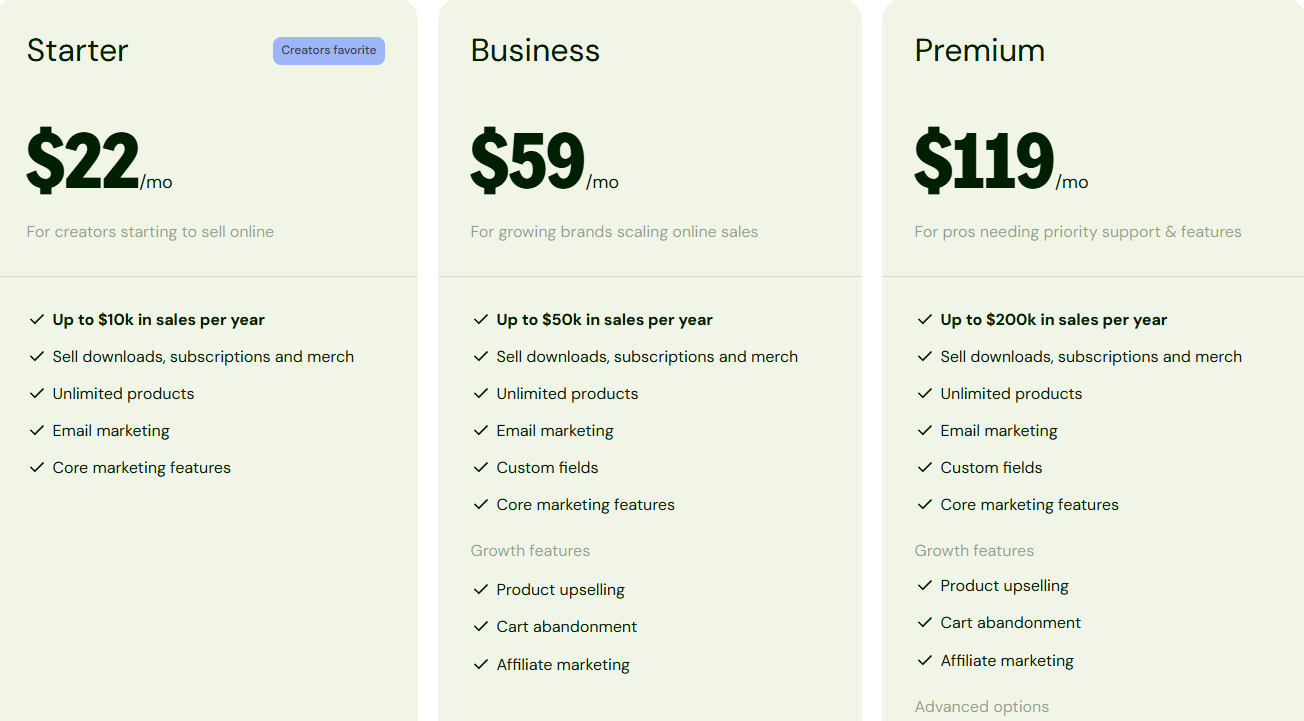
- Starter: $22/month
- Business: $59/month
- Premium: $119/month
Other alternatives to Gumroad worth mentioning
The first six Gumroad alternatives I reviewed earlier are not the only ones out there. I just didn’t want this article to be too long.
Below is a list of an additional 10 alternatives to Gumroad.
- Teachable
- Kajabi
- LearnWorlds
- Skool
- Patreon
- Whop
- Shopify
- Etsy
- Samcart
- Paddle
How to choose the best Gumroad alternative
If you want to choose the best Gumroad alternative, you should:
1. Consider product type
2. Evaluate payment gateways
3. Look at integrations
4. Check customer management and relationship tools
Let’s go a bit deeper, shall we?
1. Consider product type
Choosing the best Gumroad alternative starts with considering the product type.
Why? Because what you’re selling influences every other choice you make.
Before I really explain everything, let’s take a look at the product types you can sell on most Gumroad alternatives:
Not all platforms are all-in-one like Easytools, where you can sell all these products.
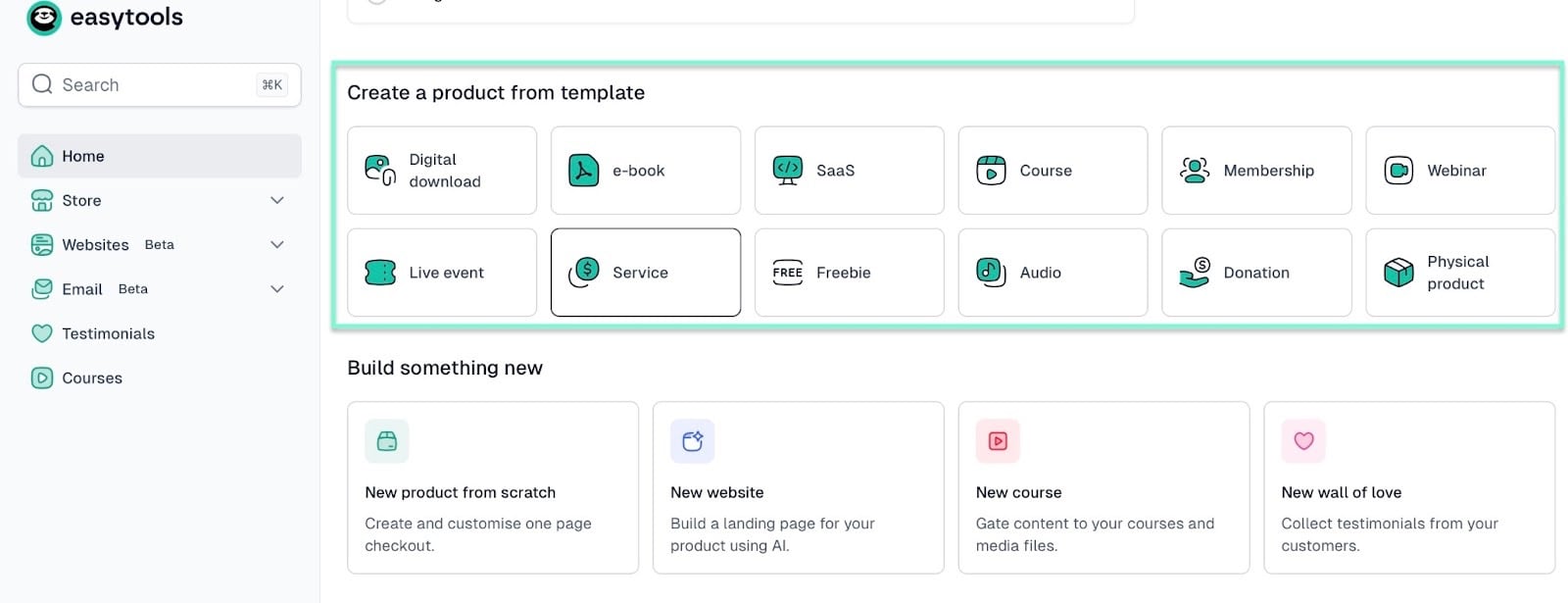
The thing is, the right Gumroad alternative is a perfect fit based on the product type you sell (or want to sell).
For example, if you want to sell physical products, Thinkific isn’t an option. The reason is that the platform doesn’t support it.
And if your goal is simply to sell an online course or a digital download, choosing Skool won’t help.
Now, say you’re a solopreneur seeking to sell physical products, digital downloads, and online courses. It’ll be an advantage to use Gumroad alternatives that let you sell many product types without switching platforms.
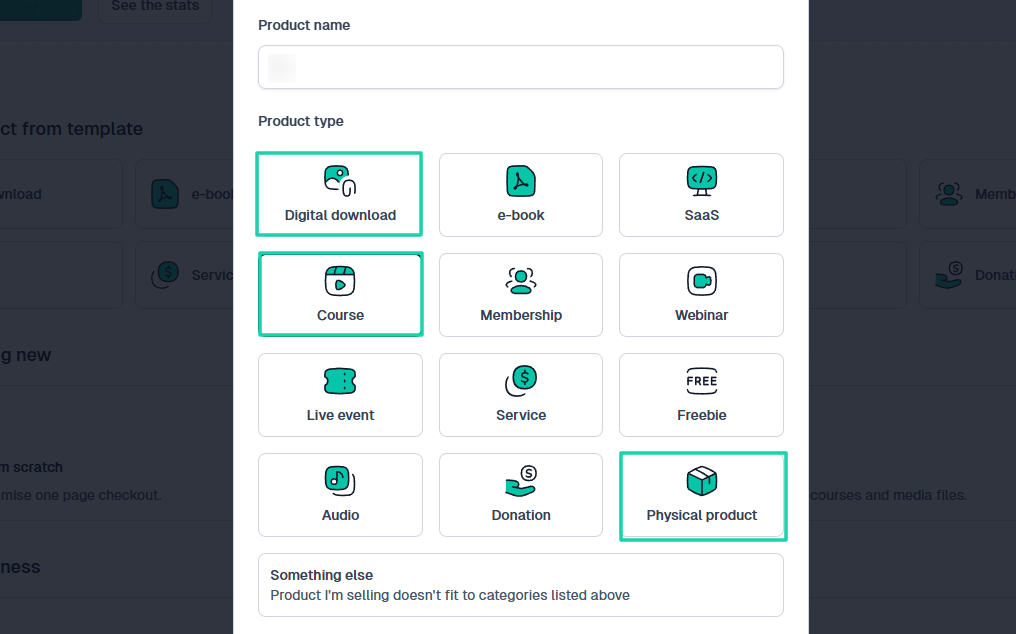
I want you to understand that the platform you choose can either limit you or boost your efficiency.
Let me now take this a step further and explain to you how product type influences your choice.
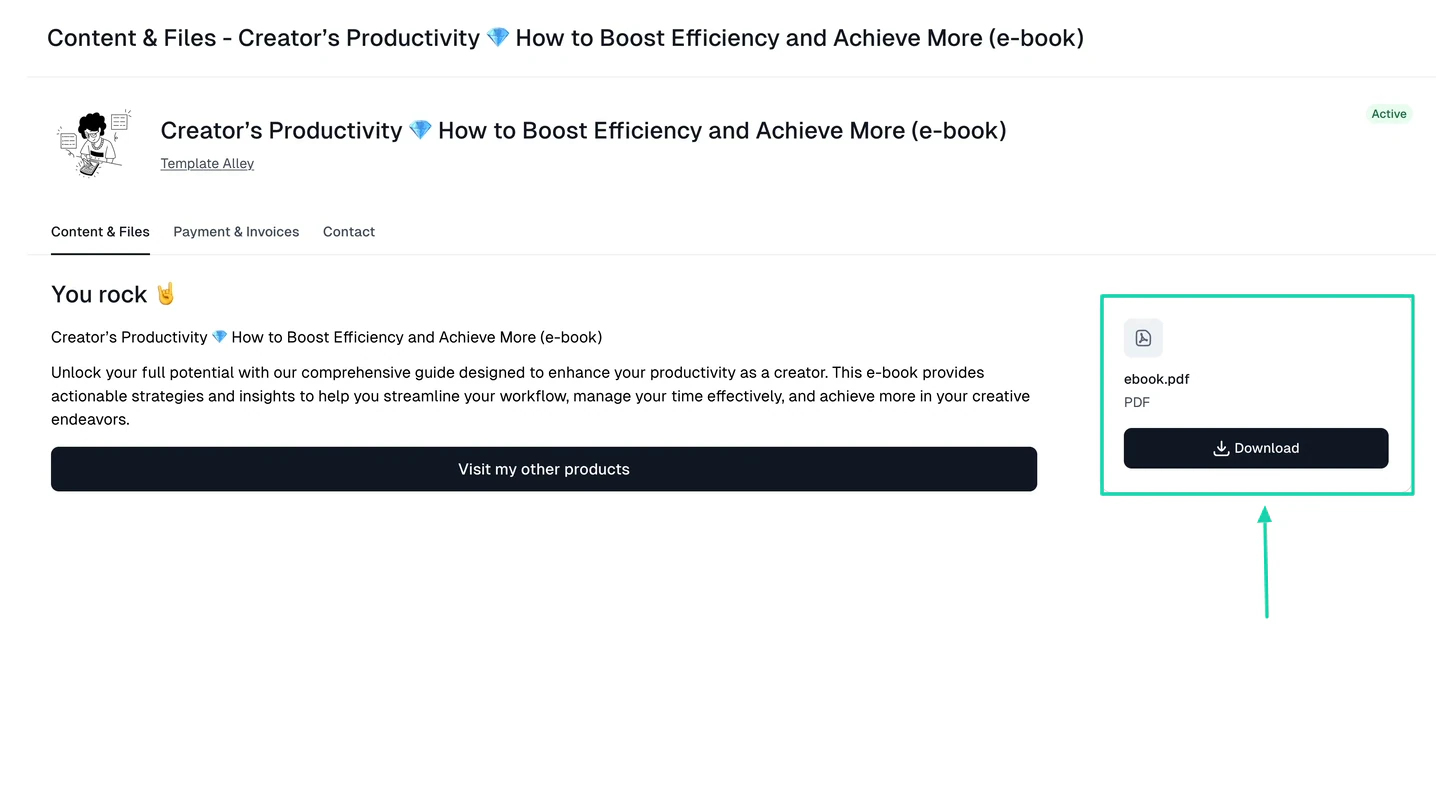
If you’re selling one-off digital downloads like e-books, templates, or PDFs, you need a platform that provides instant delivery. If not, customers won’t be able to get files immediately after purchase, which can be frustrating.
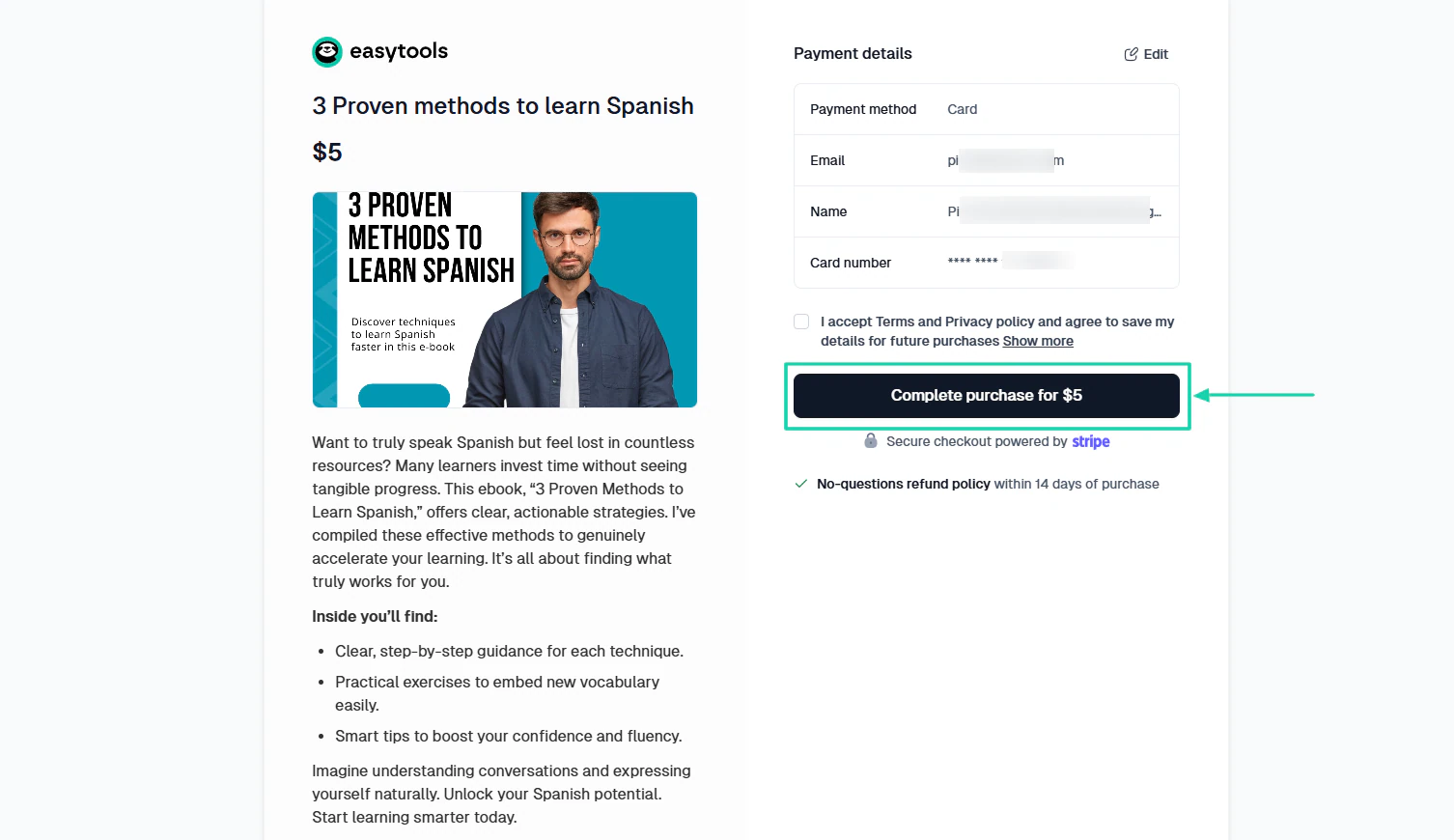
The platform must also allow you to create a very simple checkout page.
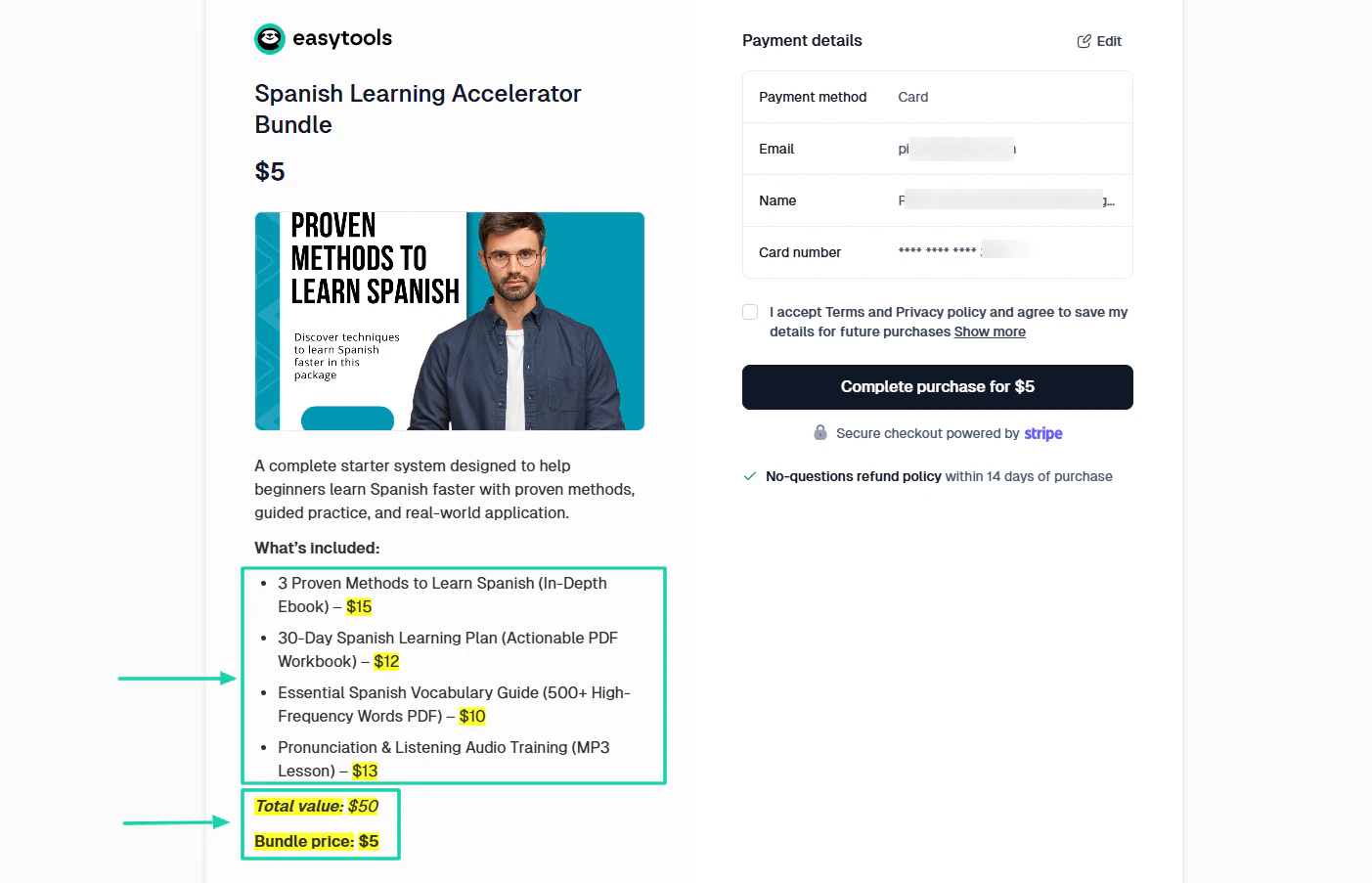
As a creator, you may want to bundle several digital downloads and sell them at a very affordable price. You need to use a platform that lets you do that.
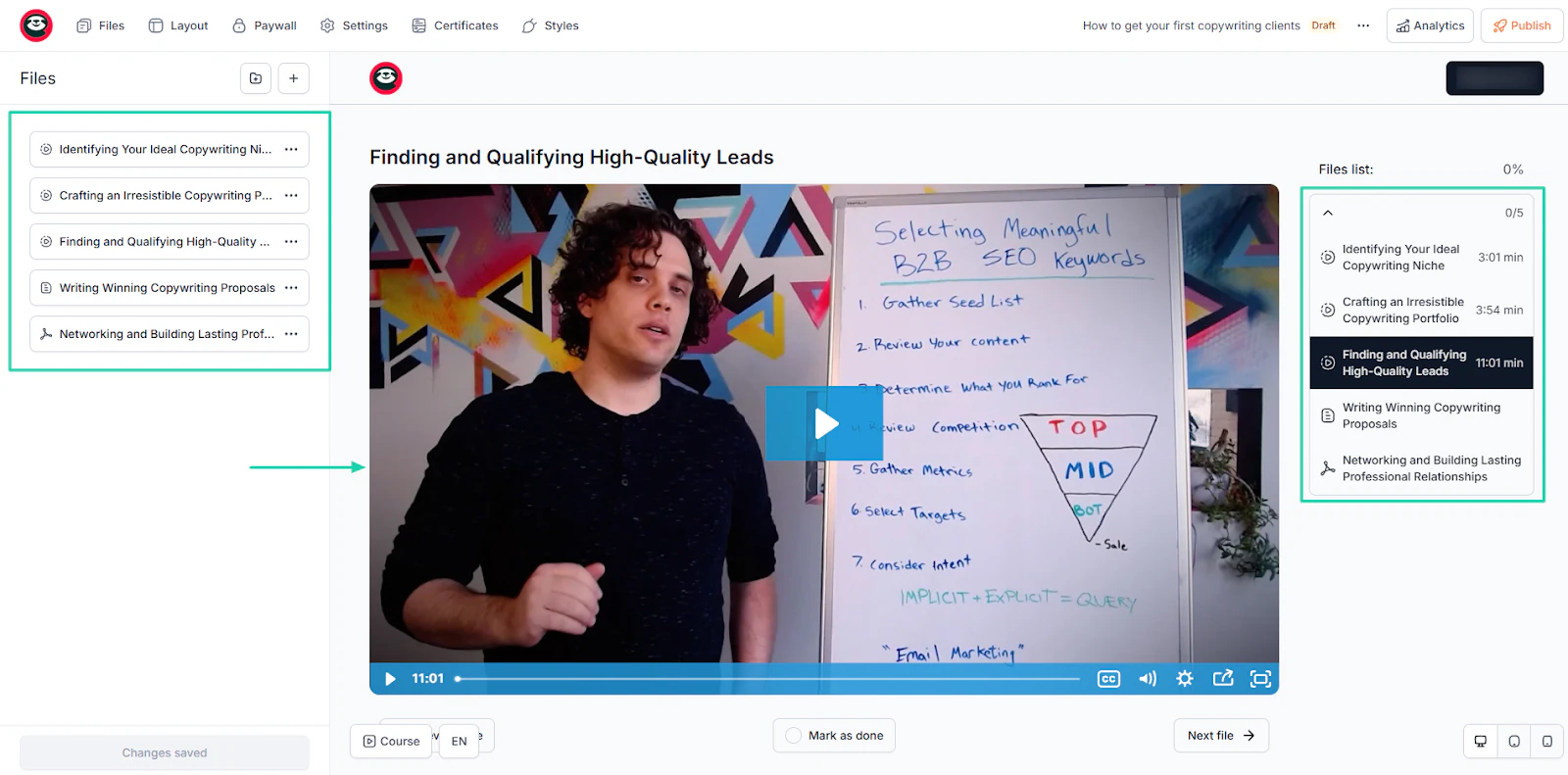
But if you’re more into online courses, the requirements might differ. For a start, the platform should let you upload your video courses and structure your lessons or modules
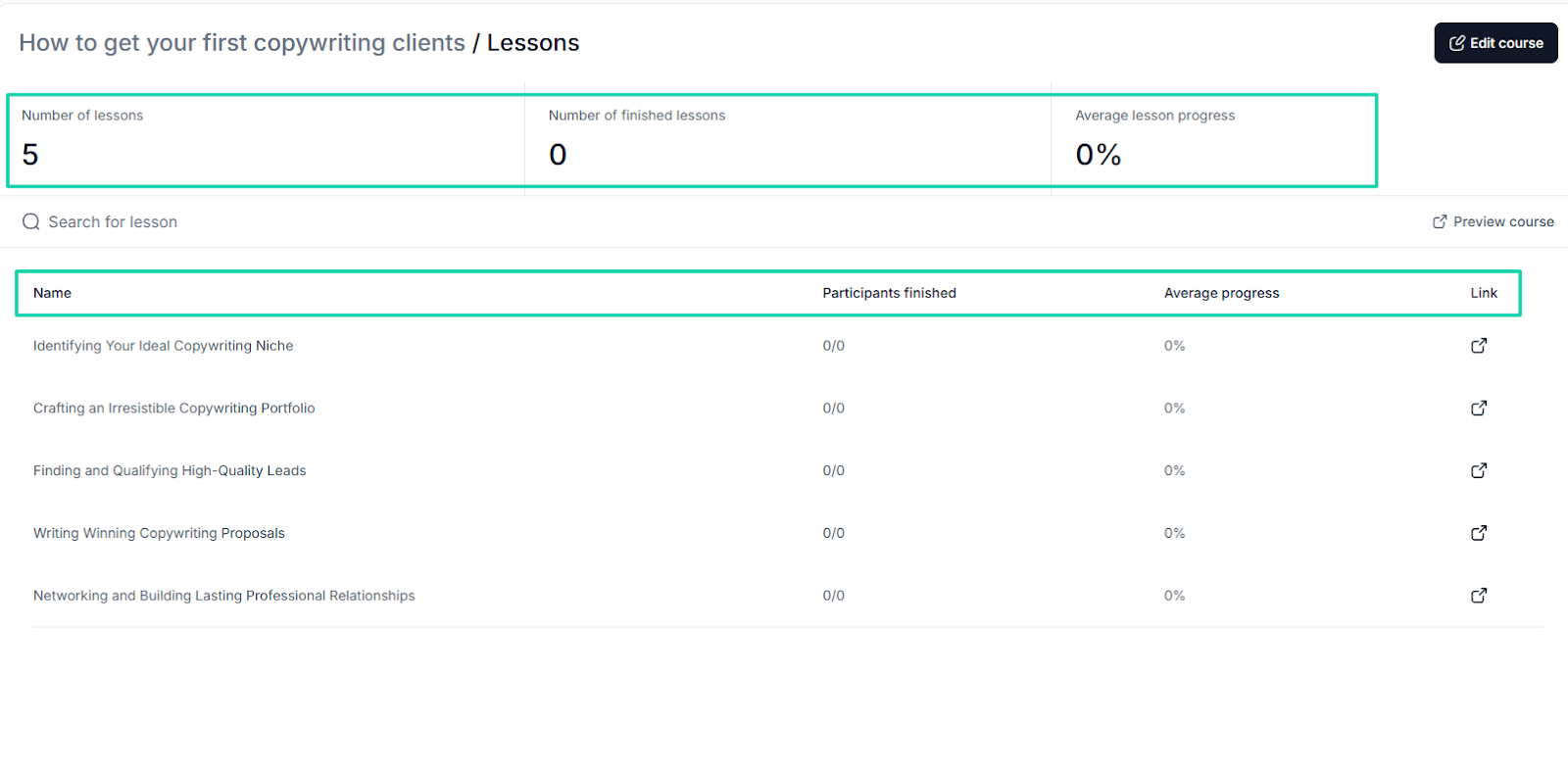
It’s also a must to access your course’s analytics dashboard. You won’t miss important details, like the number of lessons completed, the number of participants, and average progress.
Such details help you monitor your progress.
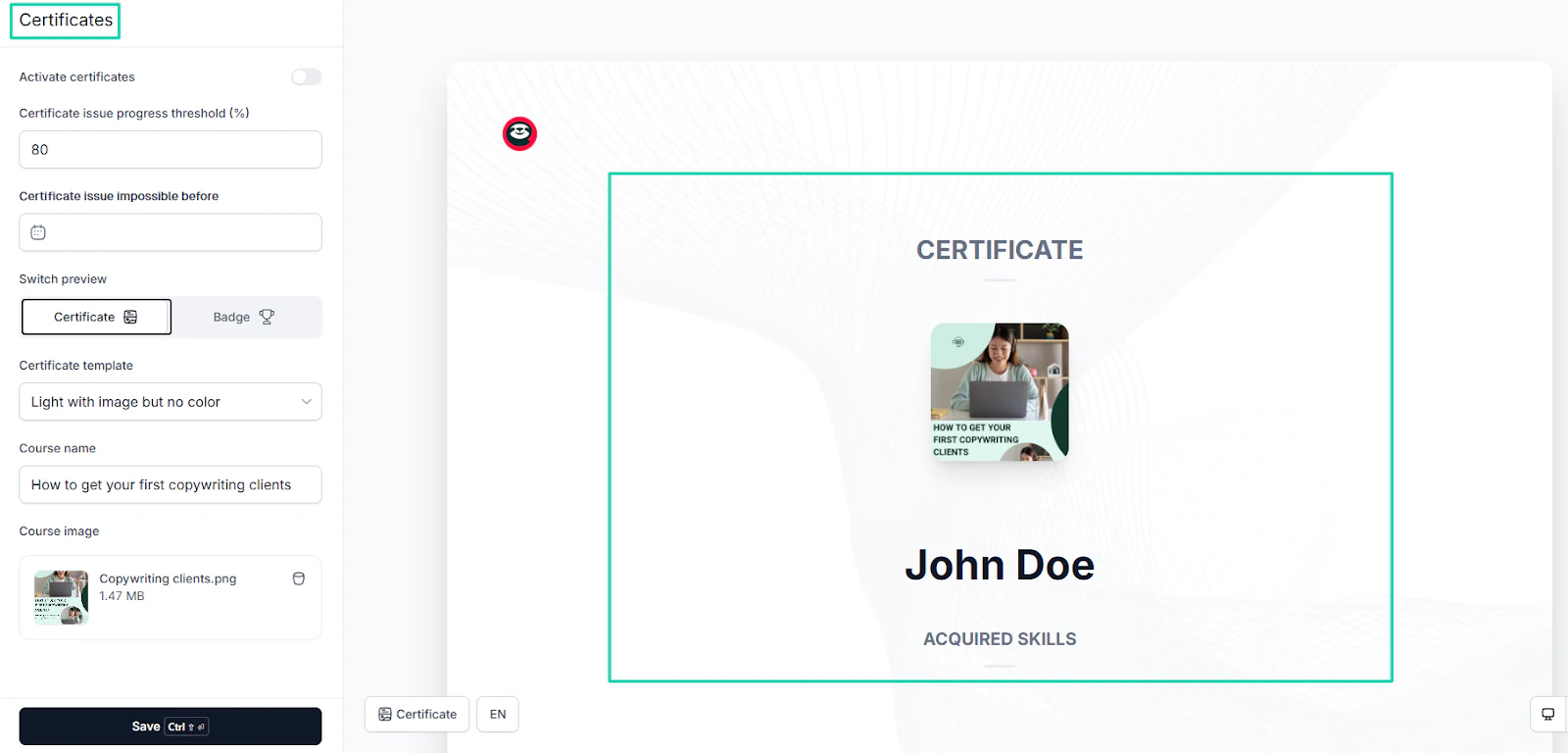
Automatically issuing certificates upon course completion should also be a feature of the platform you choose.
Everything I’ve shared with you so far is just an attempt to help you understand the importance of knowing your product type. When you do, check whether the platform offers features that help you sell your product seamlessly.
But let’s avoid having a long section to read. I’m going to share a table with more product types, the necessary features for each, and the Gumroad alternatives that support them well.
The idea here is to find a Gumroad alternative that not only supports your product type but also lets you sell with ease.
Check out the video below to learn how to publish and secure your online courses on Easytools.
Now let’s move on to step two.
2. Evaluate payment gateways
Considering the product type isn’t enough when choosing the best Gumroad alternative. The next step is to evaluate payment gateways.
In case you didn’t know, a payment gateway is a digital service that allows creators and businesses to accept and process payments. It could be credit cards or any other payment methods
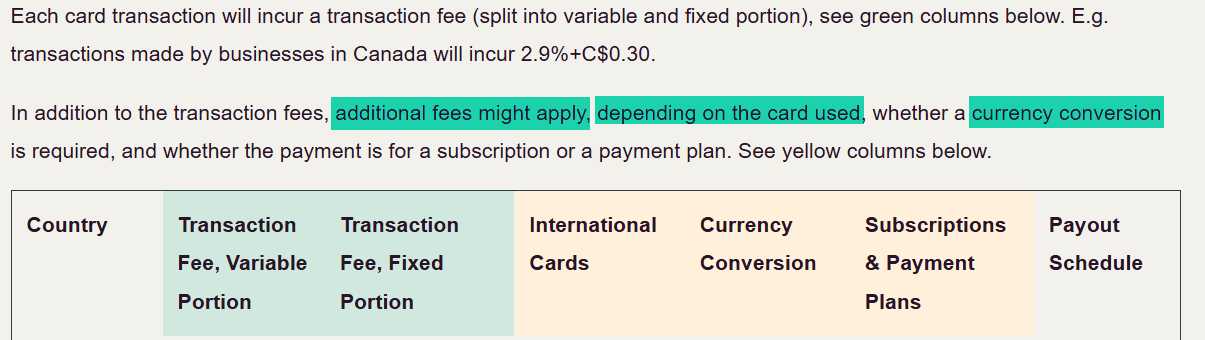
For instance, Thinkific uses its built-in payment processor, Thinkific Payments. It charges a fee of 2.9% plus 30 cents per credit card payment.

It doesn’t stop there. Additional fees might apply depending on the card you use to make your purchase, or if you need a currency conversion.
You need to evaluate payment gateways since many creators mistakenly choose a platform because it supports their product. They don’t check whether the platform’s payment system supports their customers.
Easytools supports many payment methods that are handled within your Stripe account:
- Cards
- Google Pay
- Apple Pay
- Blik
- Przelewy 24 (all quick transfers in Poland)
- PayPo
- Klarna
- iDEAL (quick transfers in the Netherlands)
- EPS (quick transfers in Austria)
- Bancontact (quick transfers in Belgium)
Gumroad supports direct bank deposits for most countries. If direct deposits are unavailable, PayPal transfers are the only payment option.
You must understand that payment gateways directly affect conversion rates, refunds, taxes, and even how much money you keep.
Did you know, for instance, that about 17% of online shoppers have recently abandoned an order because the checkout process was complicated?

That’s why it’s important to find Gumroad alternatives that have 1-click purchases. Features like that make it easy for customers to buy products.
They simply enter their details and hit the “final button.”
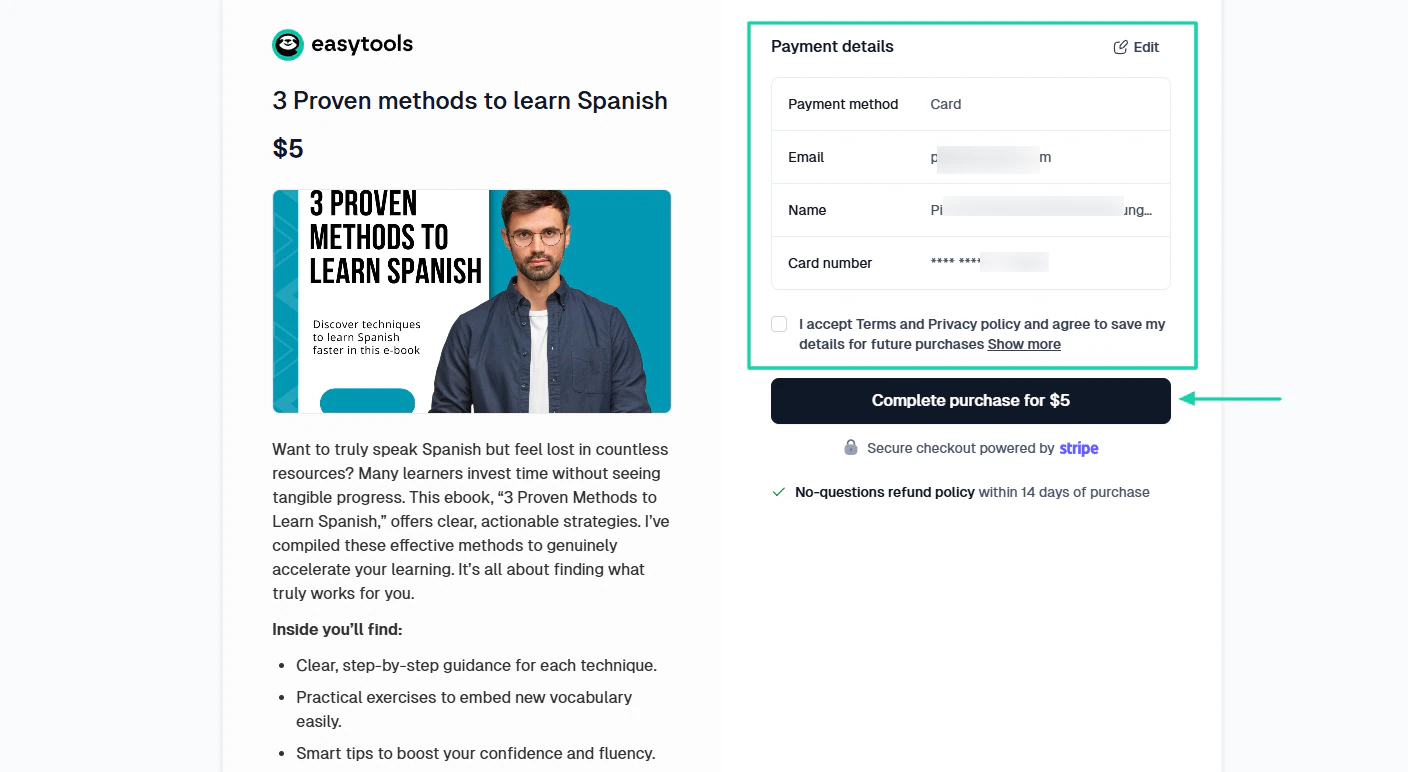
Customizing your checkout page is also another way to reduce checkout abandonment.
Think about it! Would you feel confident entering your card details on a page that doesn’t look like it’s part of the creator’s site? I don’t think so!
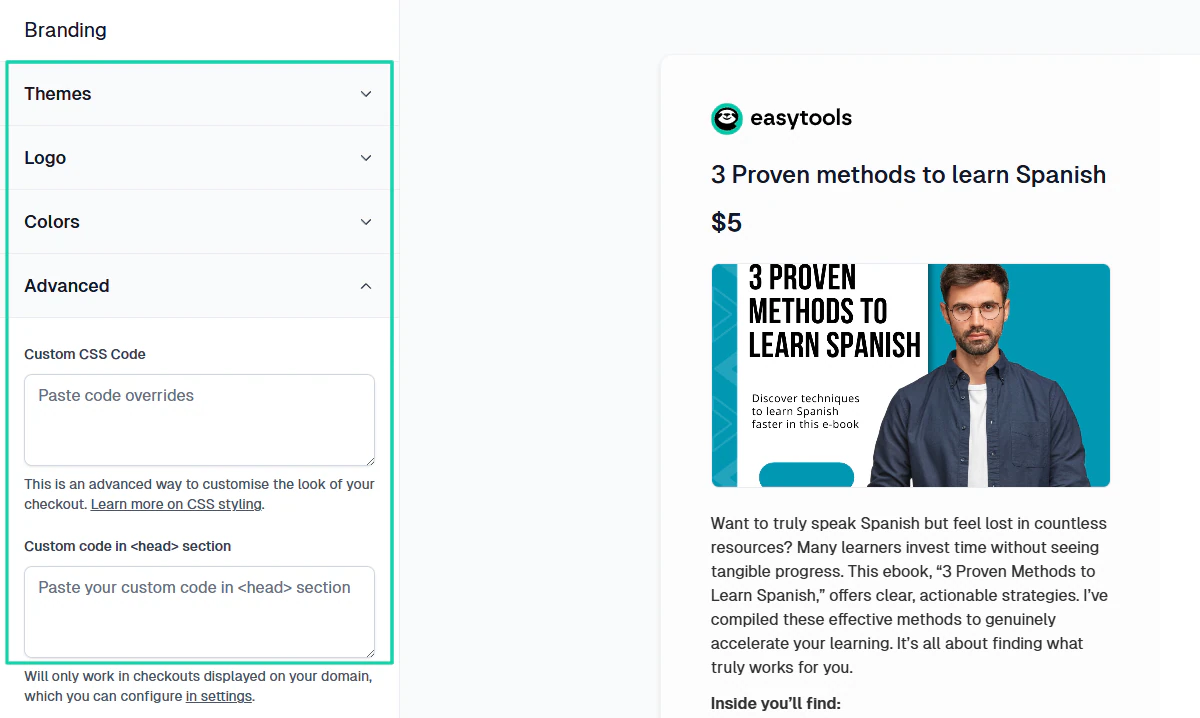
With Easytools, you can add a logo, theme, colors, custom fields, and even use CSS for advanced customization.
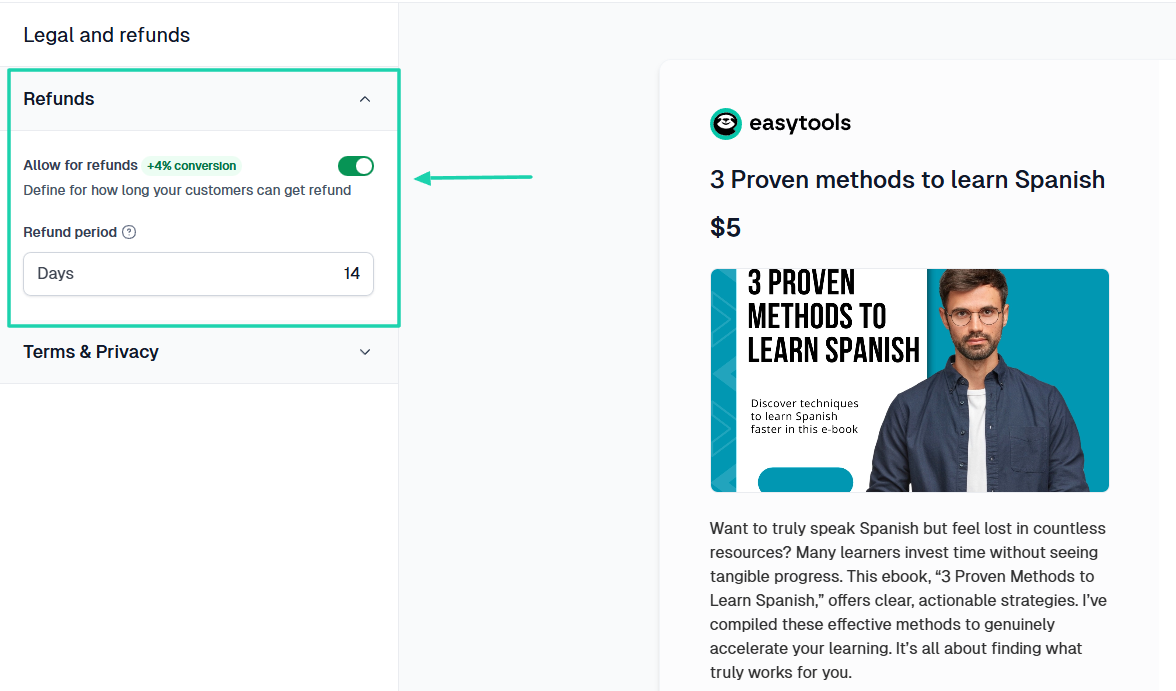
You can also allow for refunds and specify the refund period. This alone can increase your conversion by +4%.
Another interesting feature that can boost your conversion by 6% is the checkout recovery.
Our system can identify abandoned payments, and you can encourage customers to finalize their payments by offering a discount.
You can see it in action in the video below.
And we might as well talk about the transaction and processing fee, since this is about payment gateways
After all, you don’t want to choose Gumroad alternatives with fees that eat into your profits.
You’re probably aware that Gumroad charges a flat fee of 10% + $0.50 per transaction for sales made through your profile or direct links to your customers.
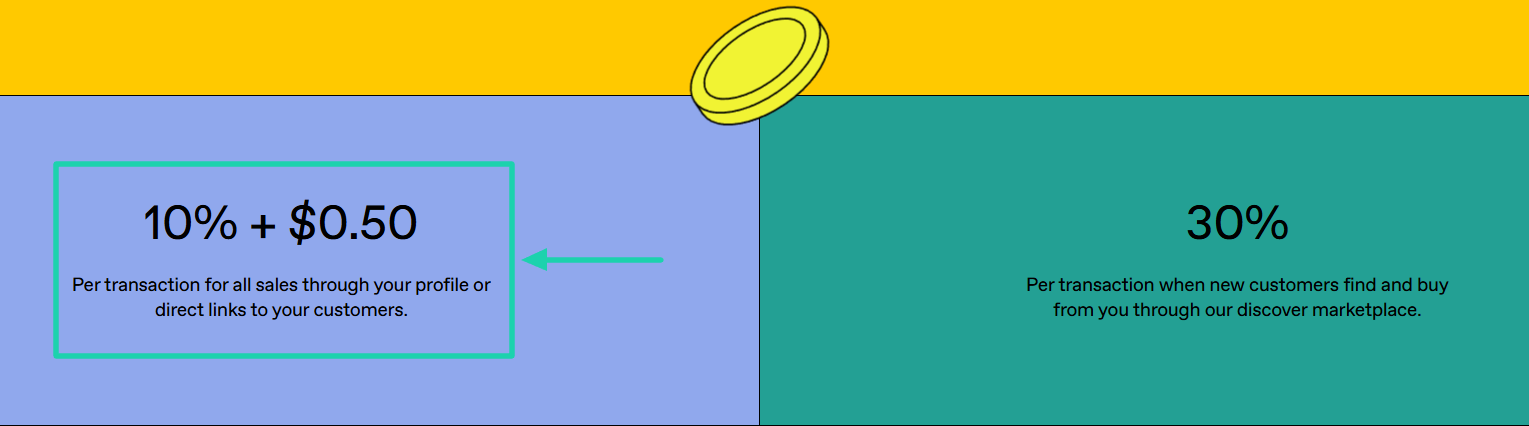
This means that if you sell an online course at $100, Gumroad will take $10.50. You will be left with $89.50.
And if new customers find and buy from you through Gumroad’s marketplace, you will be charged 30%. This means, for every $100, Gumroad will take $30.
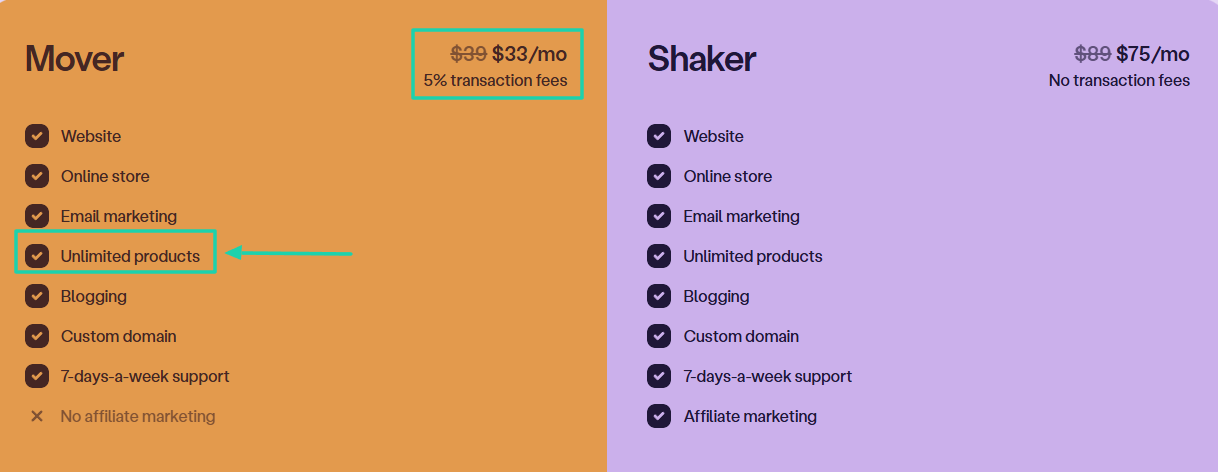
To sell the same digital product on Podia, you need to be on their first plan, which costs $33/month. Aside from that, the platform takes a 5% transaction fee.
With the same online course example we used earlier, you will spend $38 (monthly plan: $ 33 + $5 in transaction fees). Technically, for a $100 sale, you will be left with $62.
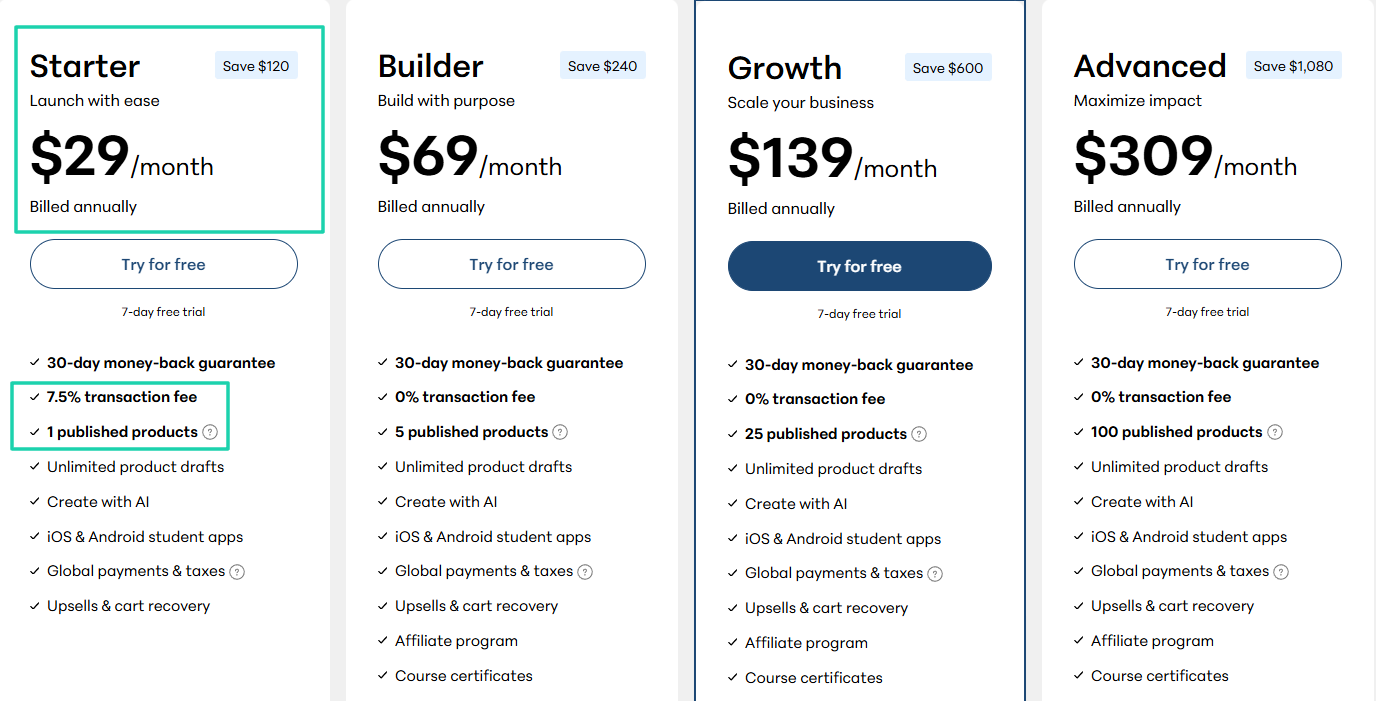
Let’s look at another example, Teachable. It costs $29/month to publish one product, and the platform will also collect 7.5% of transaction fee.
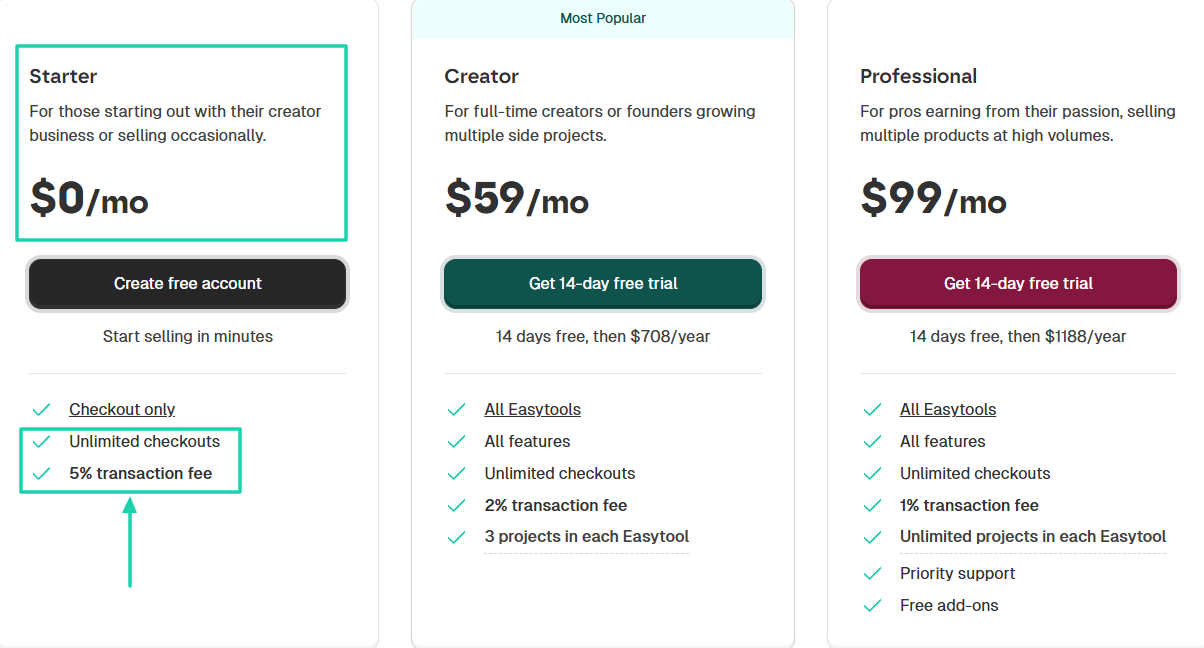
With Easytools, you don’t need to spend any dollars or be on any monthly plan to start selling. You have unlimited checkouts, and the platform charges only 5% in transaction fees.
So when you make $100, Easytools only collects $5.
Let me show you what it looks like on a table.
This comparison is just an example to help you visualize how much you can make as you scale.
Choose the platform that has the customer’s experience in mind. Not all Gumroad alternatives are built like that.
This short video from PayPal explains what a payment gateway is in more depth.
If you think this is interesting, then get ready to enjoy the next step.
3. Look at integrations
Looking at integration capabilities is the next step to choosing the best Gumroad alternative.
The platform you’re considering should fit into your existing workflow and grow with your business.
The question is, how do you check that? Simple.
By assessing the platform’s integration capabilities. If you don’t, you may choose the wrong Gumroad alternative, which will probably become the bottleneck.
Hear me out! I’m not suggesting that the platform you choose should integrate with 200+ third-party apps. Far from it!
All I’m saying is that as a creator, there are actual connections you can’t do without.
Integrations with popular CRMs like HubSpot and Pipedrive. Or email marketing apps like Mailchimp and ConvertKit, and automation software like Zapier.
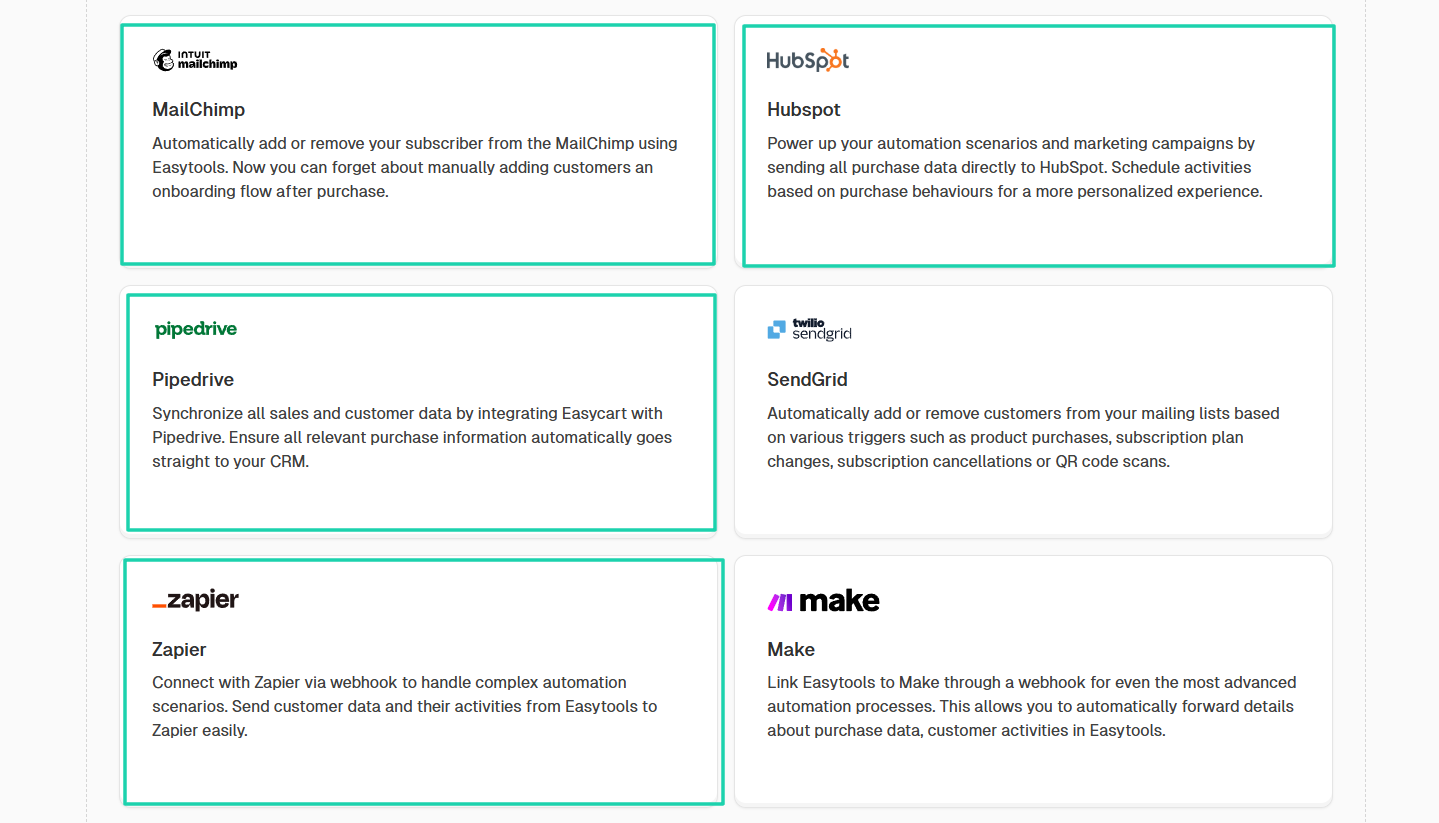
You can also enhance your email campaign with tools like MailerLite.
But I also wish your platform could integrate with tools like WooCommerce!
This integration lets you create automation workflows to manage orders. It can also issue invoices, update stock levels, and much more.
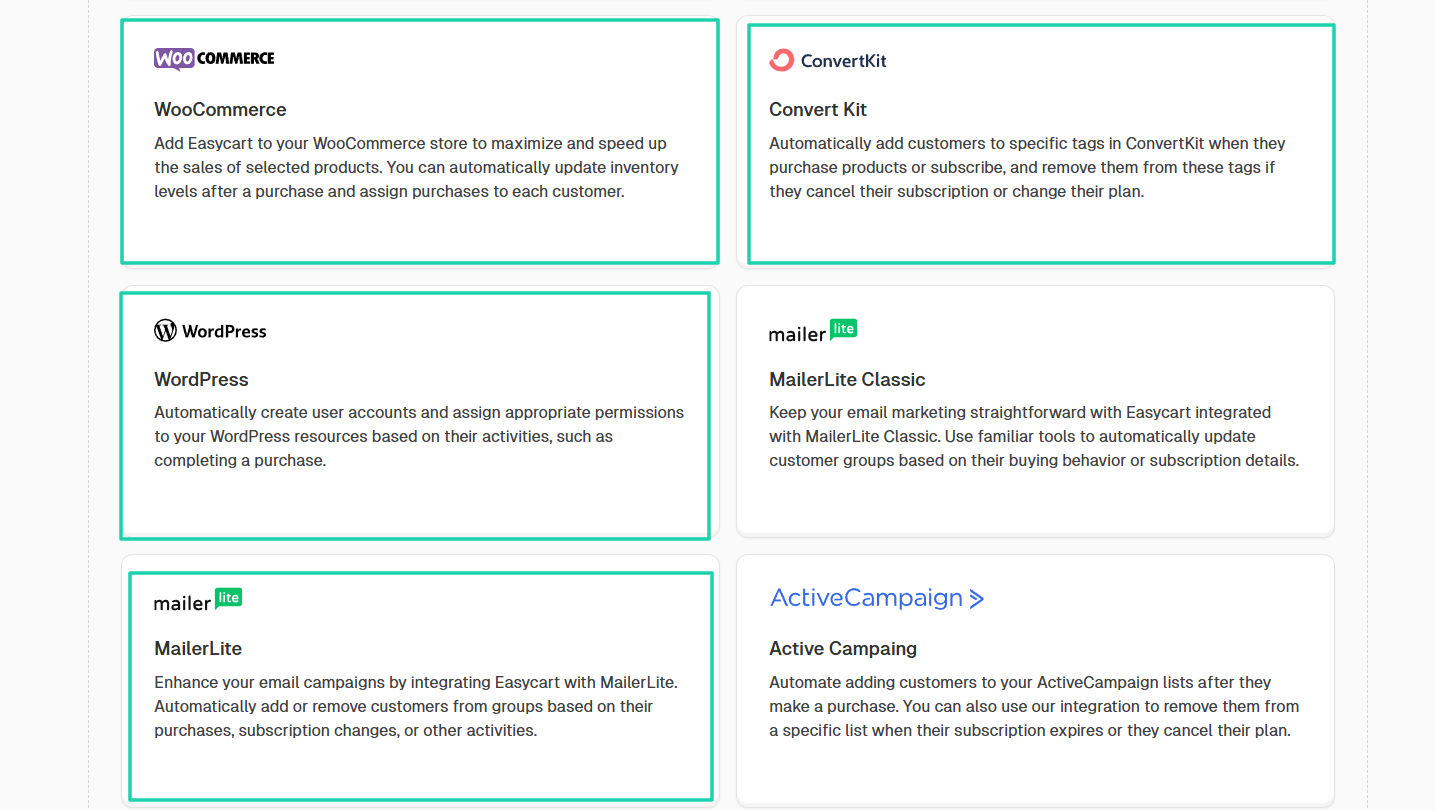
To learn how to integrate a WooCommerce store with Easytools to increase your sales conversions, you can watch the video below.
Still on integrations, I can’t ignore community tools because I know how crucial they are to creators. Whether you like it or not, as a creator, you’re going to find it difficult to scale without a community.
That’s why you should choose a platform that integrates with tools like Circle and Discord if you’re planning to scale.
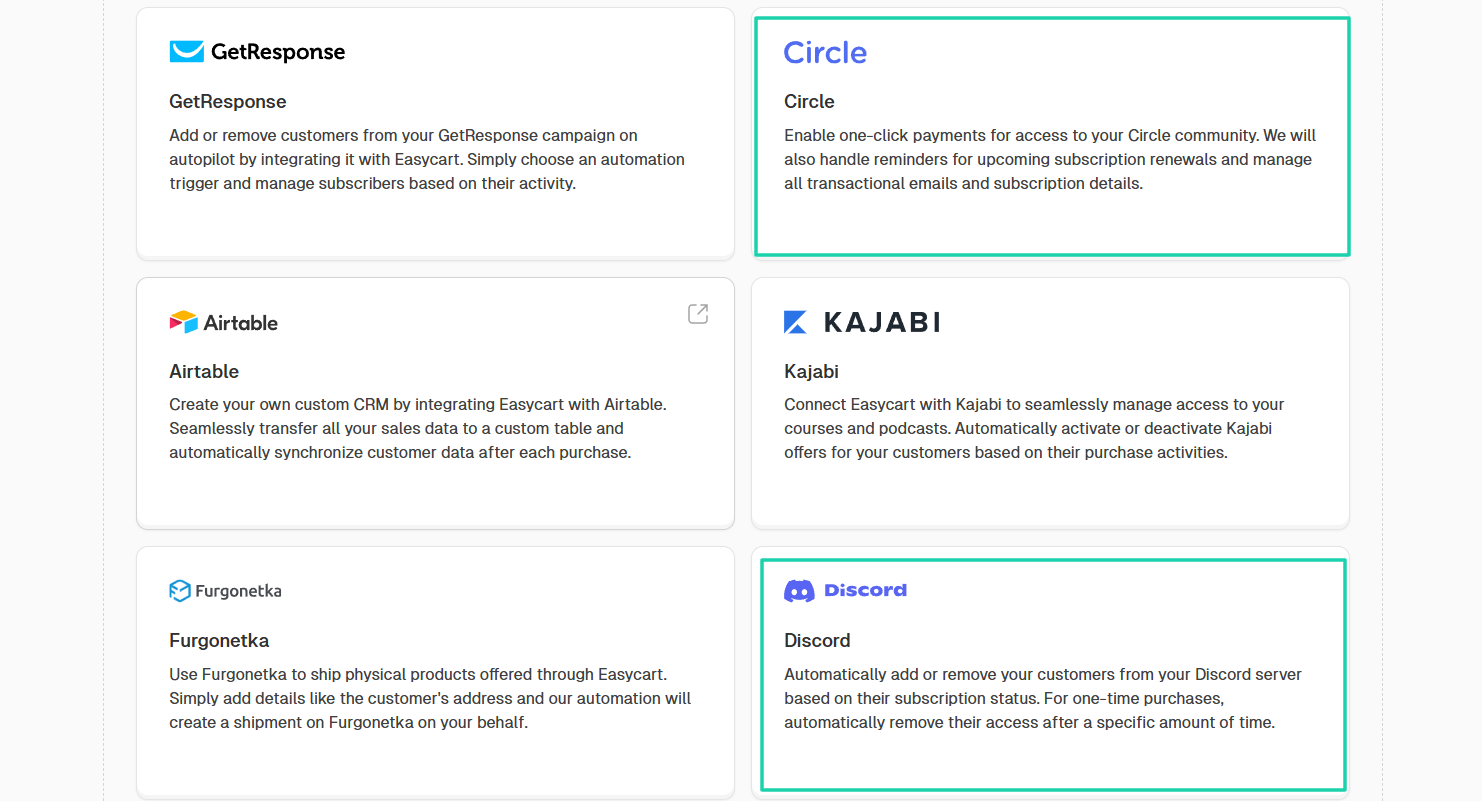
I can still mention many other third-party tools you need to integrate with, but that’s not the goal.
The idea is to show you the integrations that can make a difference in your business, especially if growth is your goal as a creator.
But if that’s not the case, you can simply jump this step and focus on the next step.
4. Check customer management and relationship tools
This is our last factor to consider when choosing a Gumroad alternative. You should check customer management and relationship tools.
At this stage, I can assume you have:
- The right product type
- The right payments
- The right integrations
But you will still lose money if you can’t properly manage customers.
If you don’t want that to happen, choose a platform that provides a customer portal. So that customers can access all their purchased products and update payment details.
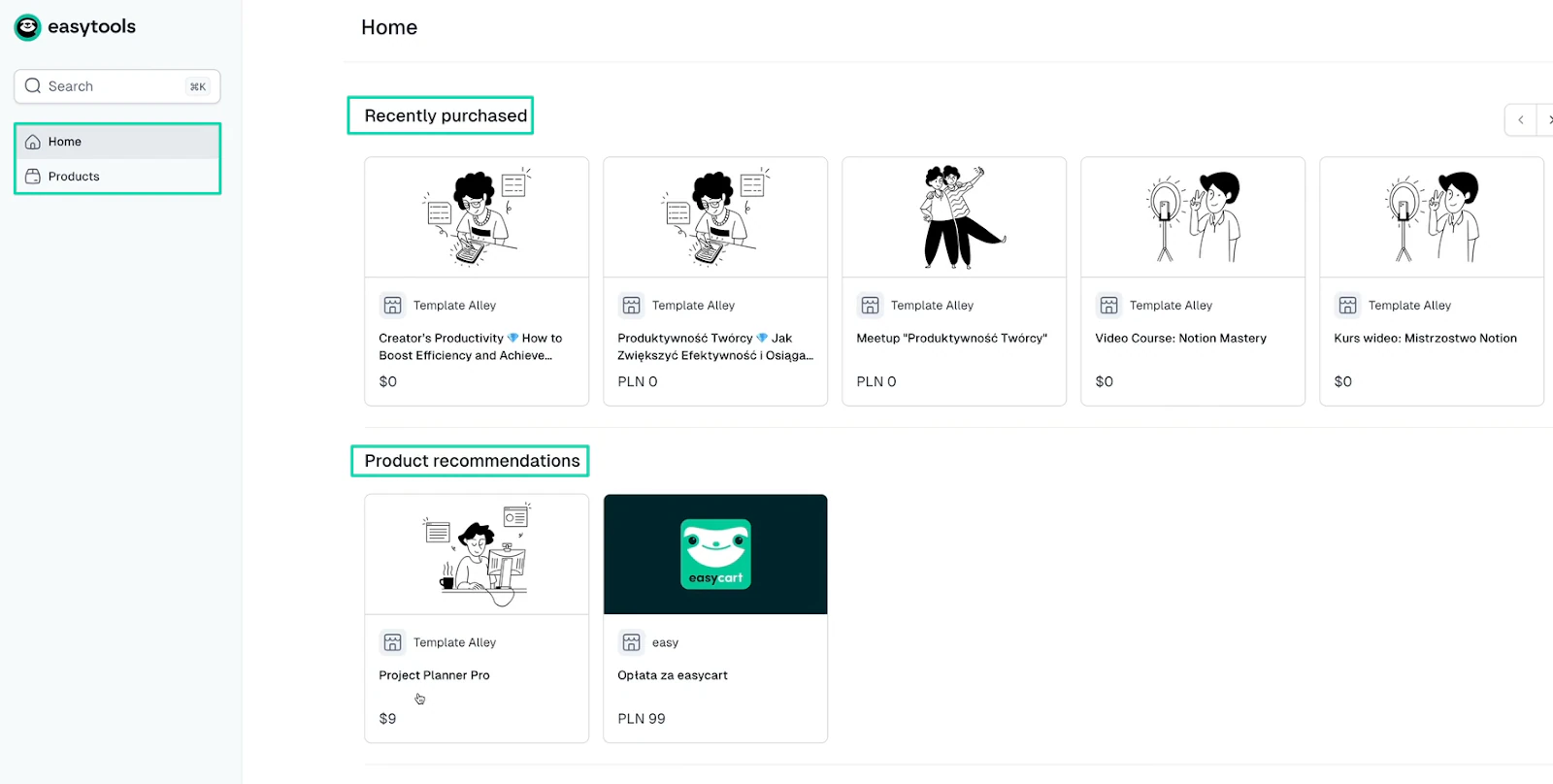
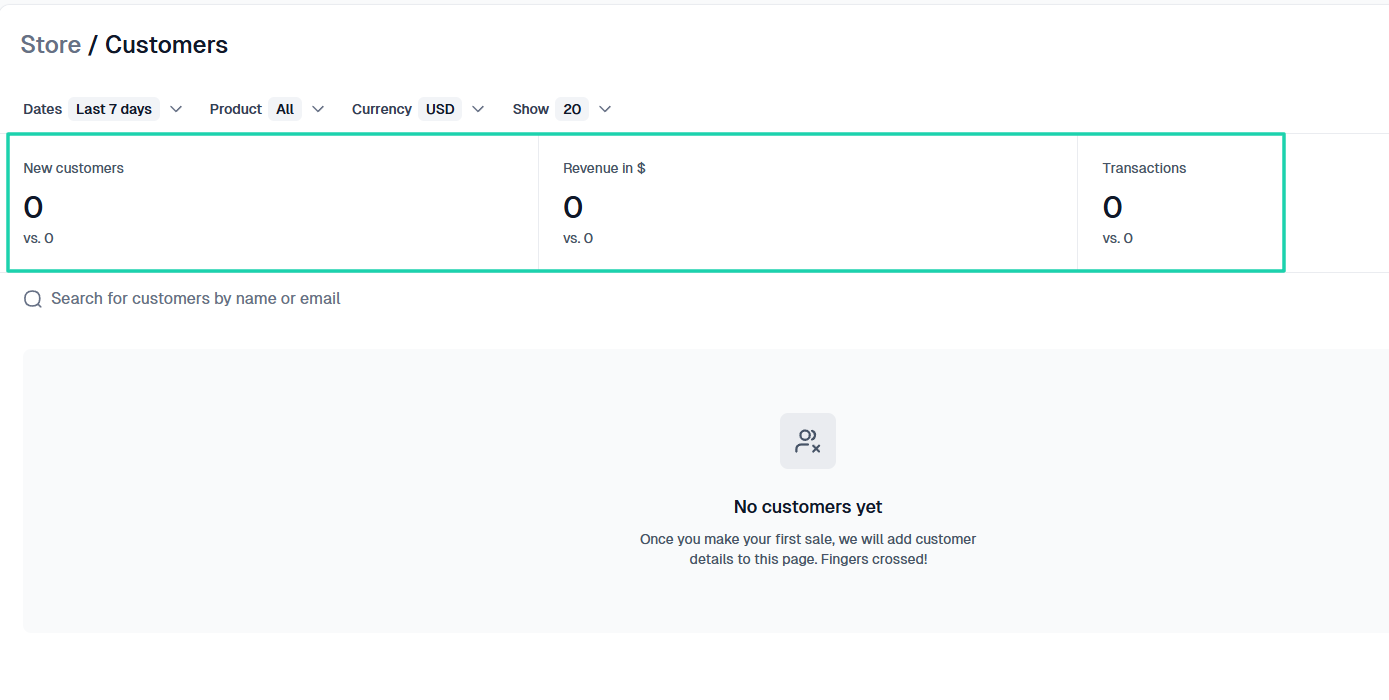
On the platform, there should be a dedicated customer section. A section to view the number of new customers over a certain period.
Another way to check how much you make from their purchase, and the number of transactions.
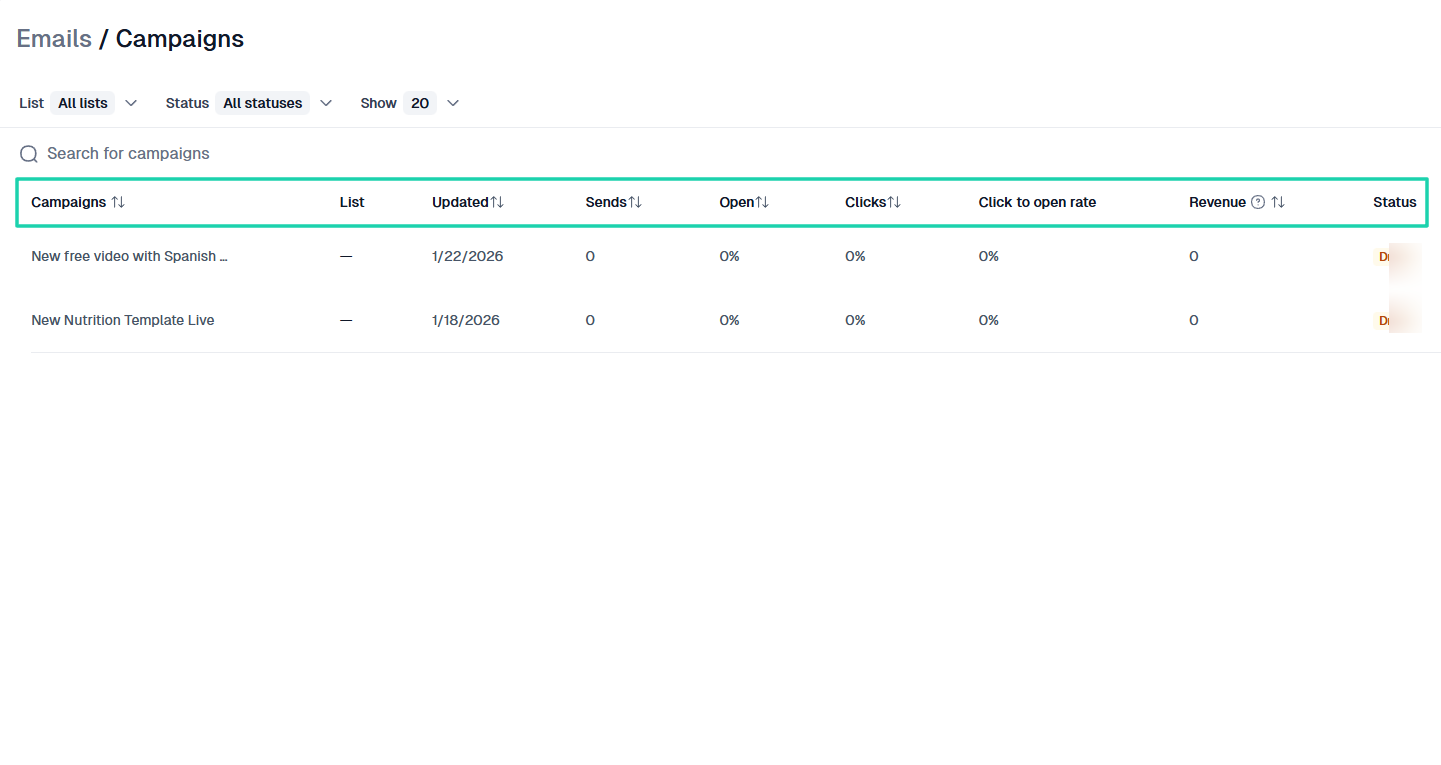
A good replacement for Gumroad should also be a platform that lets you send emails to your existing customer list. Perhaps you want to sell them something or simply give an announcement or reminder.
If it’s indeed a good platform, you should expect to see the percentage of customers who click and open your emails. And if you add a link to the product you sell in the email, you should track the revenue you make from it.
You should know that customers love to feel part of the business they patronize. If you want to manage them properly, one thing you can do is ask for testimonials.
Your platform should let you customize your request form and preview how it will look on the customer’s end.
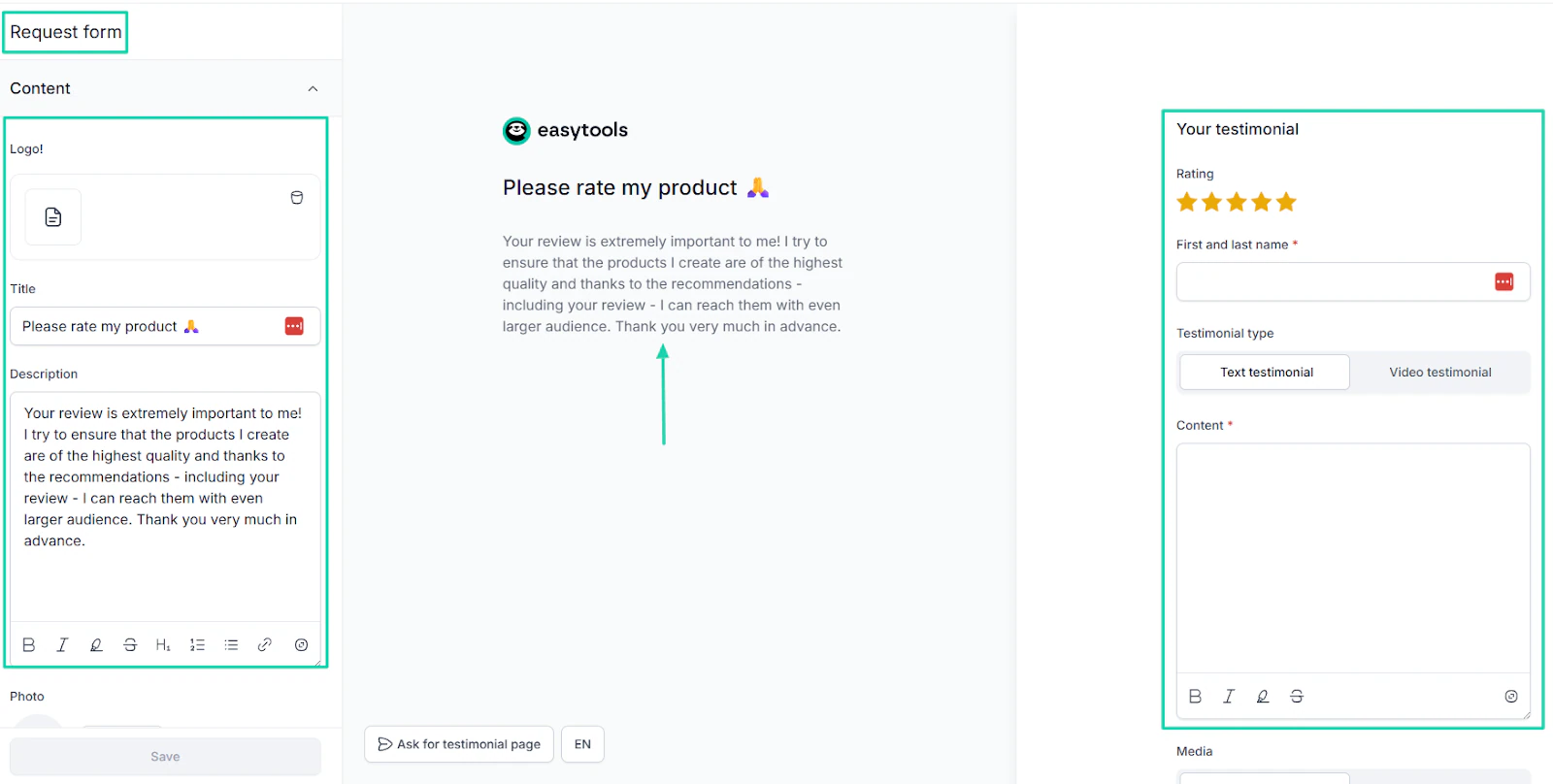
There are many actions you can take when managing customers.
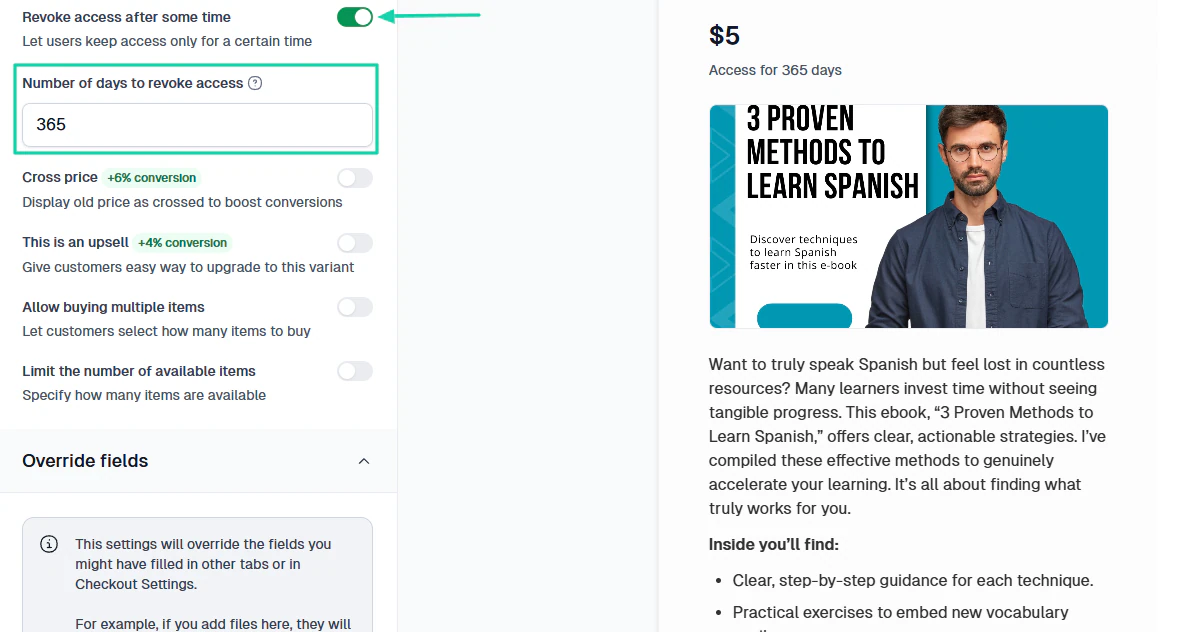
Sometimes you want to create a sense of urgency when selling a digital product. Knowing that a particular course will expire after 3 months can boost conversions.
It’d be great to have a platform that lets you revoke access after some time.
Now, I know you don’t want to lose your customers, and the truth is, no creator wants that. Especially when those customers are on a subscription plan.
You want money coming in every month, so losing a customer means losing money. It’s as simple as that.
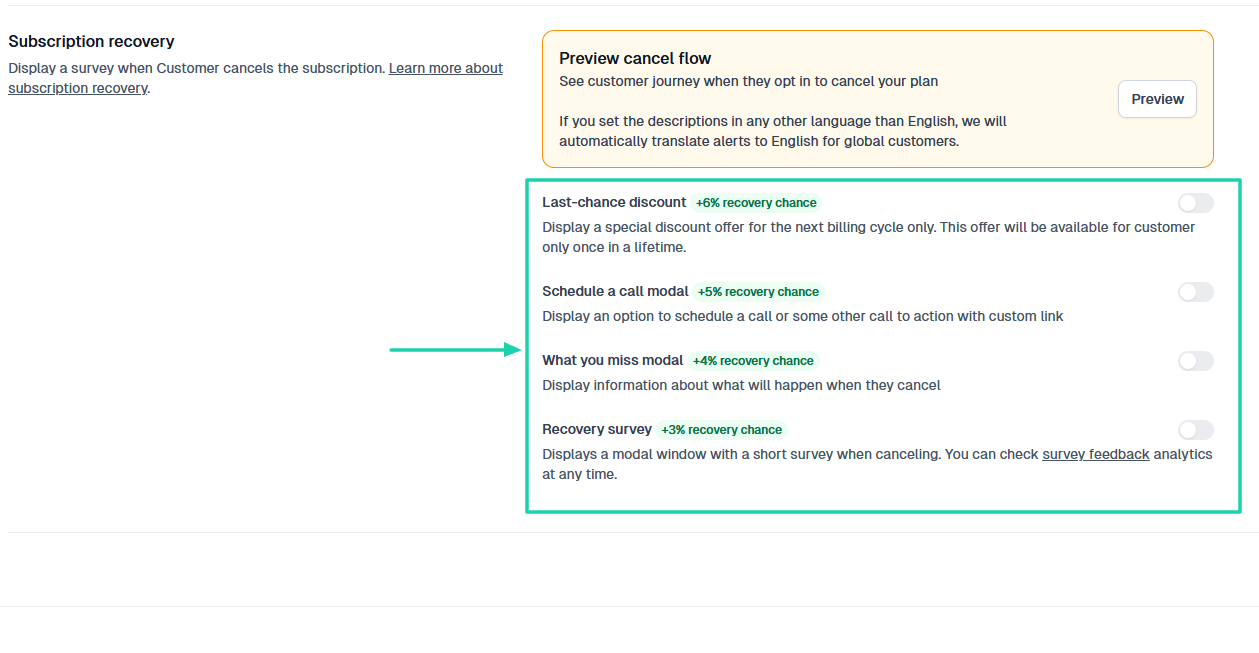
So it’s best that the Gumroad alternative has some features that can prevent customers from canceling their subscriptions.
For example, when a customer wants to cancel a subscription, you can enable the platform to display:
- A last-chance discount offer
- An option to schedule a call
- Information about what will happen when they cancel
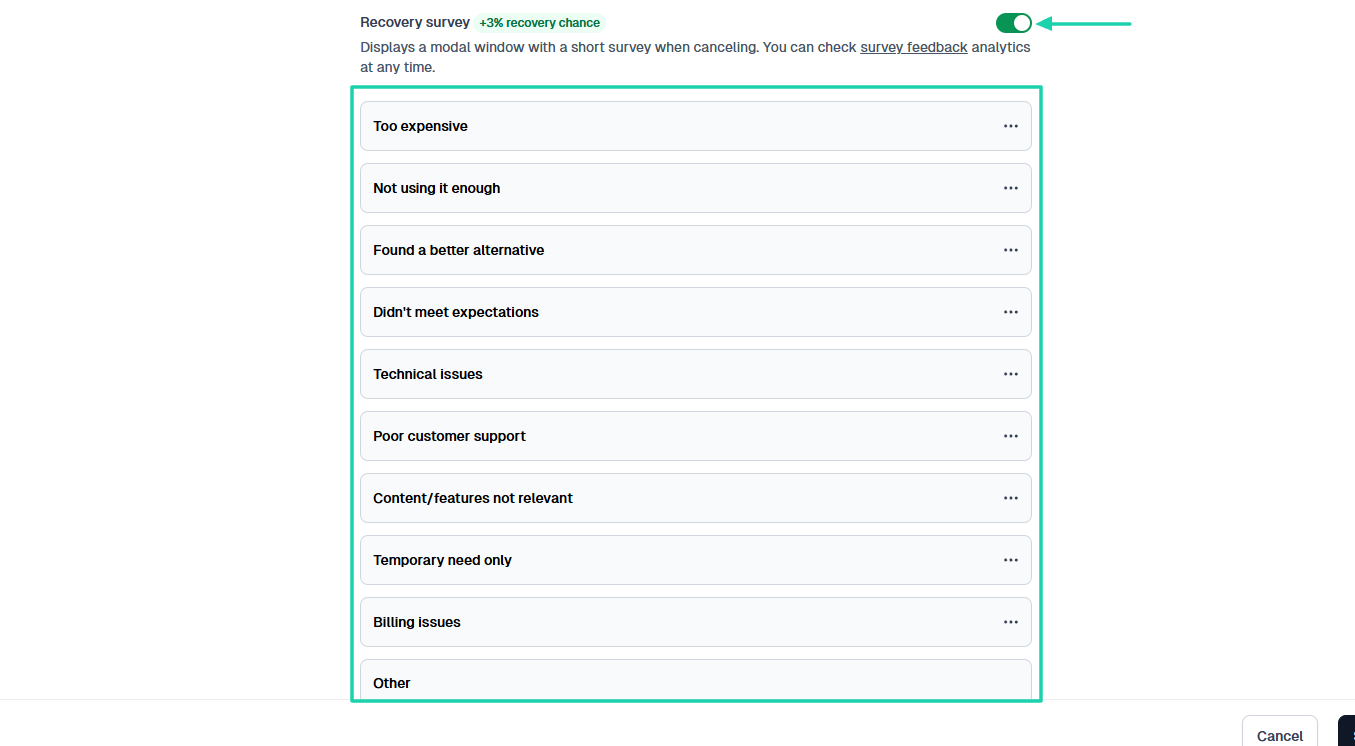
Displaying a recovery survey is also a great way to discourage some customers from leaving.
For instance, one may choose “Too expensive.” With this information, you can propose other, more affordable options to the customers.
Remember, customers are the core of your business. Treat them well, and your business will thrive.
Select the best alternative to Gumroad
There you go! This article was about the best Gumroad alternatives.
I shared my top six, from Easytools, Payhip, Thinkific, and Podia. Then I wrapped up with SendOwl and Sellfy.
It’s actually pretty easy to choose the best Gumroad alternative.
Simply consider your product type, evaluate payment gateways, review integrations, and assess customer management and relationship tools.
I’ve done the hardest job. Yours is to choose now!