Blog
LearnWorlds vs Thinkific: Which is better in 2026? (Full comparison)
LearnWorlds vs Thinkific in 2026: Compare features, pricing, courses, memberships, digital downloads, and marketing tools to choose the best platform.
Both LearnWorlds and Thinkific are well-known competitors in the digital space. You can use them to sell digital products: online courses, online coaching, membership programs, or any digital downloads.
Though they share some similarities, they’re still very different, and each one has its unique touch.
If you still don’t know which one to use in 2026, then grab your seat and get a taste of this great piece of work I prepared for you. Everything is based on my experience after using both tools for 12 days.
We will also review their marketing features, payment gateways, and integrations.
LearnWorlds vs Thinkific: which platform is better?
Keep reading!
Key Takeaways
- I tested both LearnWorlds and Thinkific thoroughly and concluded that Thinkific is better. Yes, they are both intuitive, but Thinkific is a more all-in-one platform, as you can sell online courses, digital downloads, membership programs, and more. LearnWorlds, however, is good for online courses only and struggle for other digital products.
- After using both tools, I can say that Thinkific is better than LearnWorld if you are selling digital downloads (e-books, templates, PDFs, etc)
- LearnanWorlds is better than Thinkific for selling online courses. It comes with advanced features like gradebooks, five course layouts, automation, and reviews.
LearnWorlds vs Thinkific: Quick comparison
LearnWorlds vs Thinkific: Which is better for selling online courses?
LearnWorlds is good for selling online courses as you can launch your course with AI and use features such as interactive video, assessments, and SCORM support. It also lets you create quizzes, landing pages, and e-commerce tools, as well as offers, gifts, or custom deals.
Thinkific is also a great online course platform because it’s intuitive and allows you to create unlimited courses with the base plan. Plus, it has features similar to LearnWorlds, including quizzes and landing pages.
After testing both tools myself, I can say that both LearnWorlds and Thinkific are good tools for selling online courses. They let you price your online course, see the number of students and their progress, and track revenue. However, LearnWorlds was better because you can choose between five different course players and create a learning path (you build course sequences to guide your students through a specific topic or goal).
LearnWorlds vs Thinkific: Which is better for online coaching and membership programs?
Thinkific has a dedicated section for coaching and webinars. It lets you create your events and coaching details, host your coaching sessions, and engage with participants directly in Thinkific.
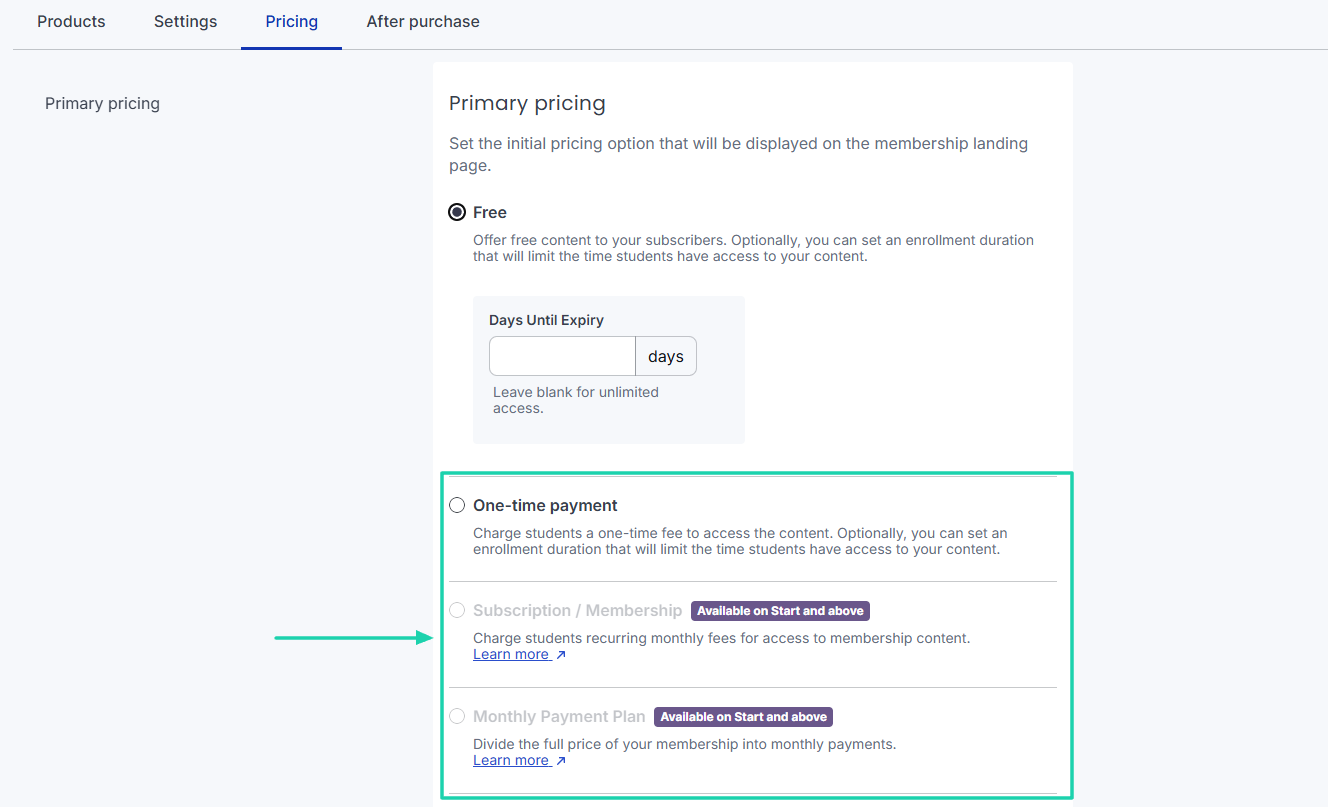
Also, it helps you create memberships, add and sell products, and charge a one-time payment, a monthly payment plan, or a subscription. Plus, you can host and interact with your community right inside Thinkific; no need for Discord, Slack, or a Facebook group.
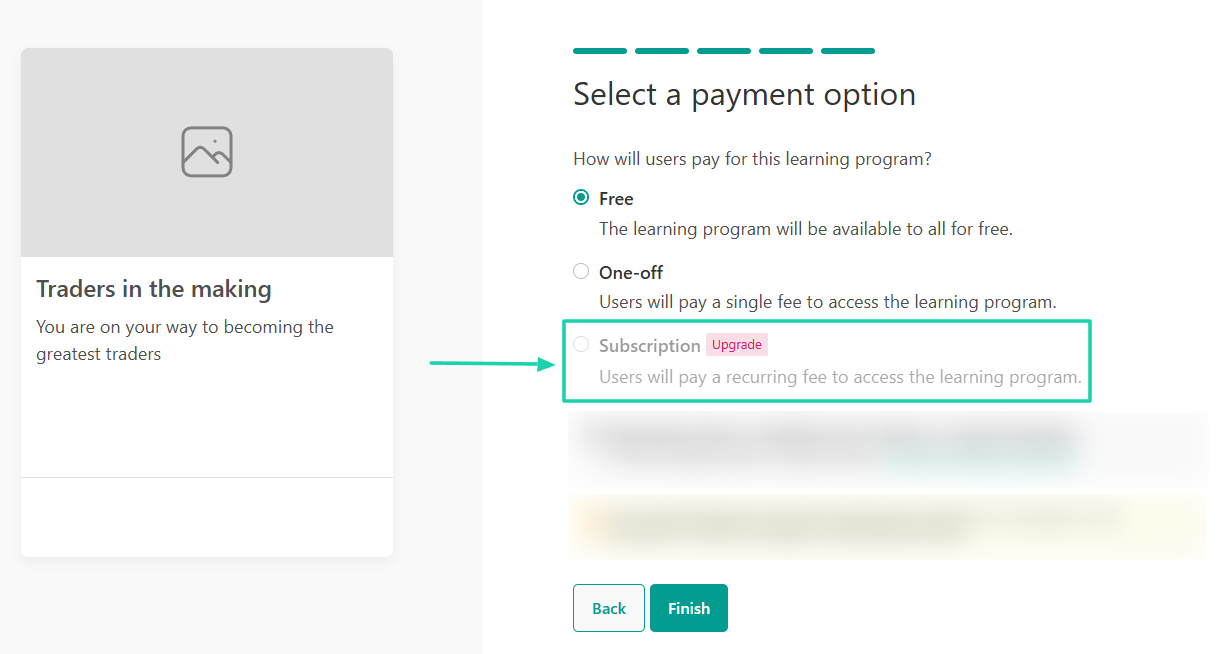
I struggled to find a section dedicated to memberships in LearnWorlds. The only option I found was called Programs/Subscriptions, where I could create a subscription and receive monthly payments through Stripe and PayPal.
But even then, the program was directly related to ‘courses.’ I had to add a course to a subscription and offer a monthly subscription. Nevertheless, just like with Thinkific, I could create a community platform to organize events and interact with students.
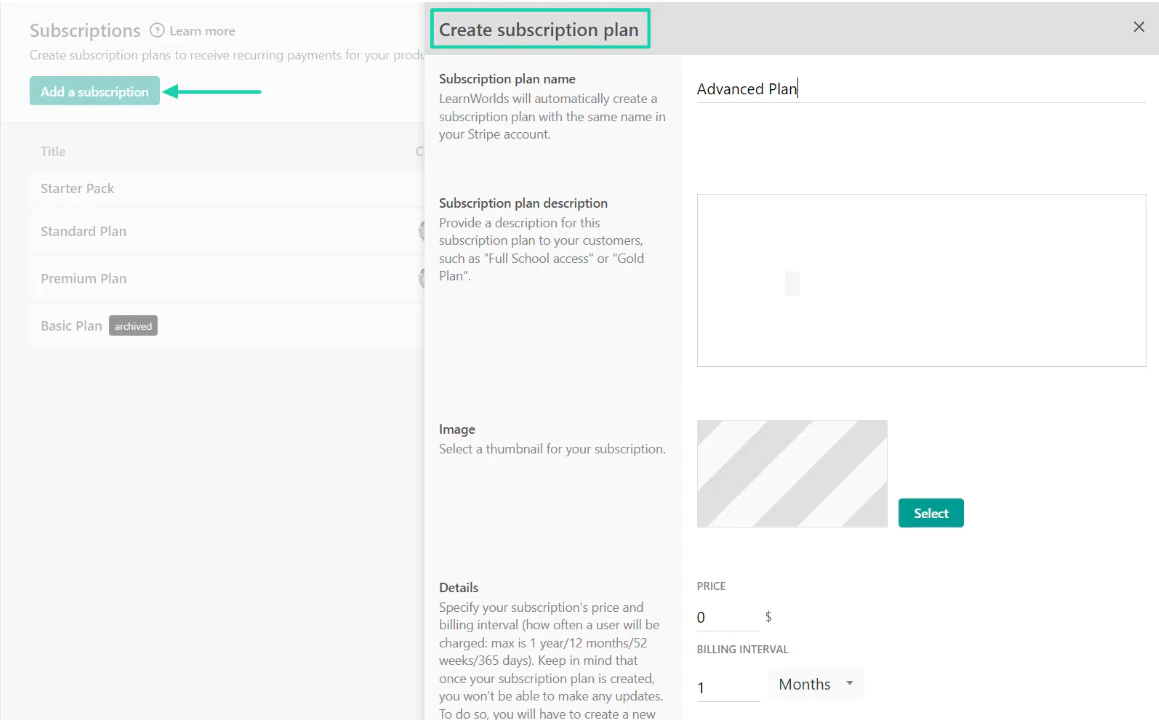
My verdict is that Thinkific is a better online coaching tool and membership platform than LearnWorlds because it offers more flexibility. You can host live coaching sessions in Thinkfic and create standard coaching programs that are not tied to courses.
Thinkific vs LearnWorlds: Which is better for selling any type of digital download?
You can sell an impressive list of digital downloads on Thinkific: checklists, e-books, frameworks, guides, resource lists, and templates.
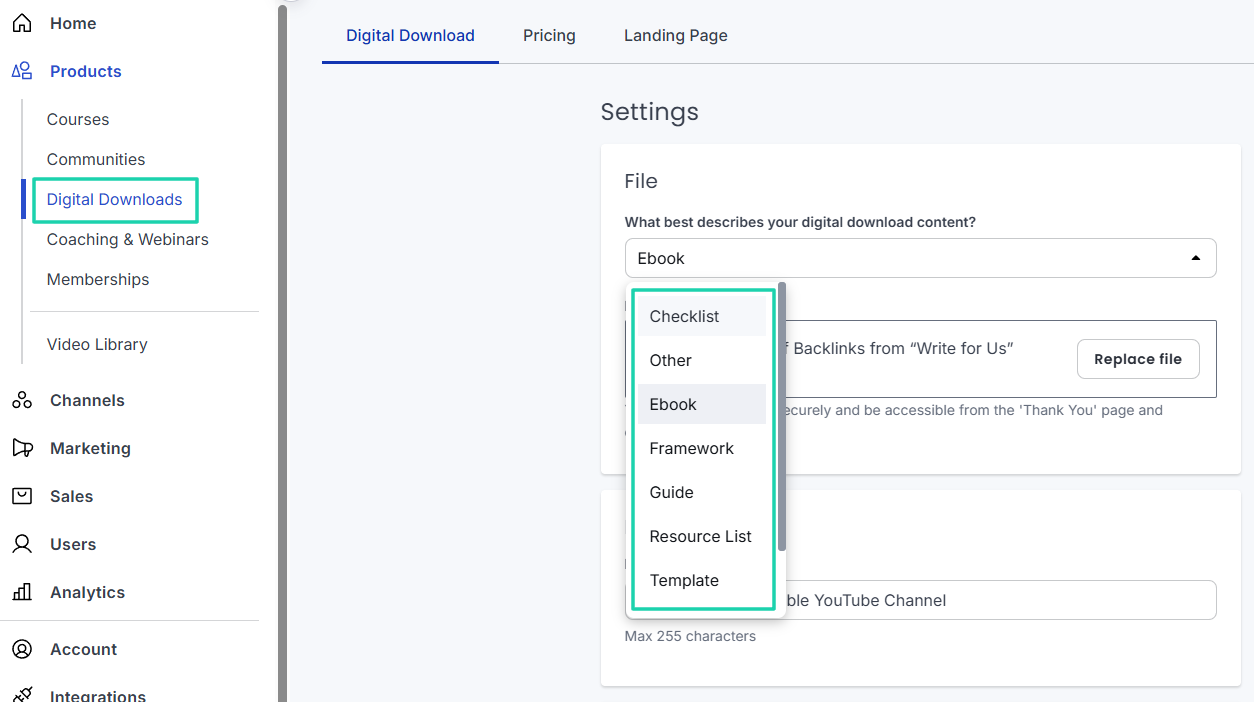
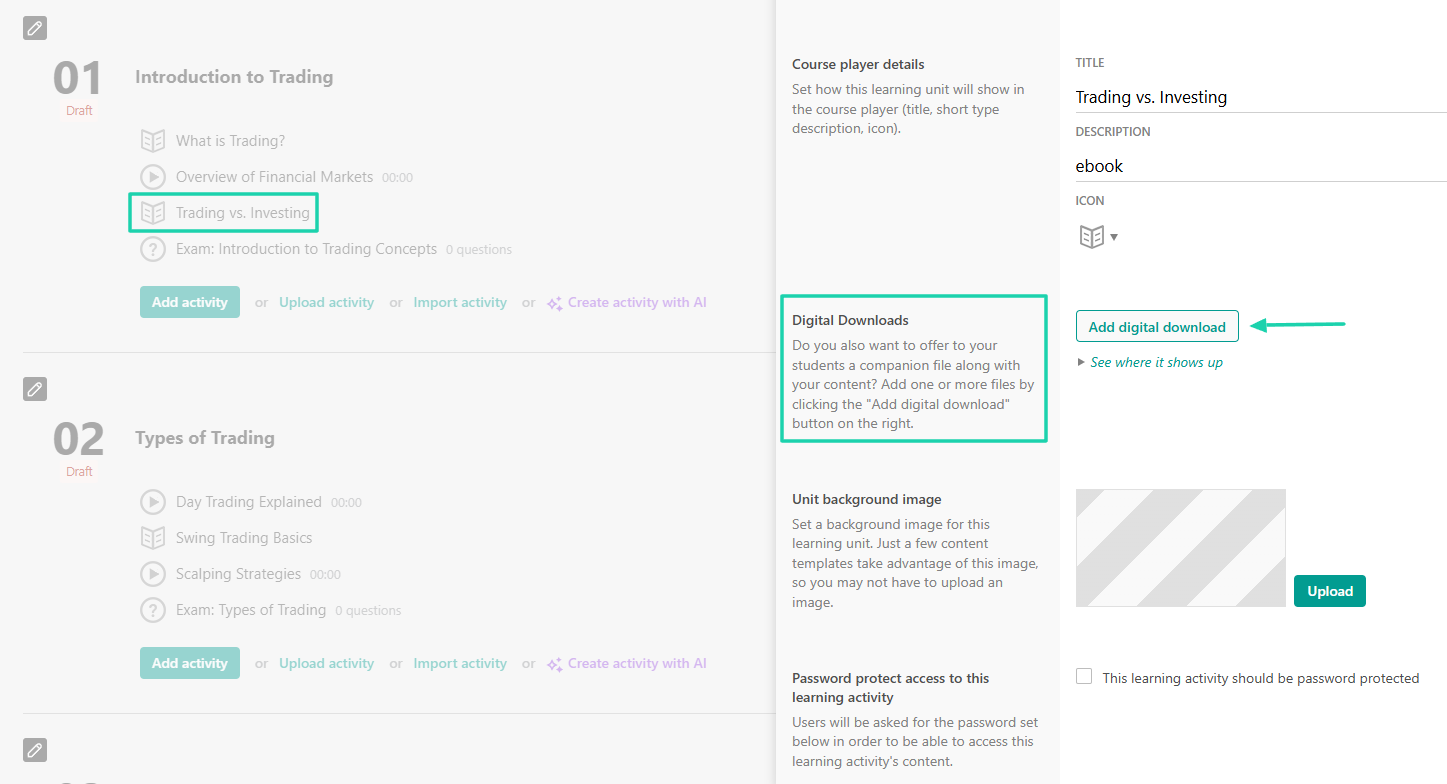
But LearnWorlds only lets you add digital downloads to courses. You cannot sell a standalone e-book or template, for instance.
In this round, I believe Thinkific is better than LearnWorlds for selling digital downloads. It lets you sell PDFs, e-books, digital arts, templates, checklists, and other resources.
What is LearnWorlds?
LearnWorlds is an AI-powered online learning platform (LMS) that helps creators and educators build, market, sell, and deliver online courses.
You can create courses and programs and use the grade-book to manage students’ grades in exams, assignments, and certifications.
Creators can even build a website thanks to the available templates. They’ll customize it by editing the pages, columns, fonts, and buttons, among others.
You can also make different spaces for course discussions. This is where students and teachers can collaborate.
Now, what about Thinkific?
What is Thinkific?
Thinkific is a popular platform creators use to sell digital products and services such as online courses, coaching sessions, memberships, and digital downloads.
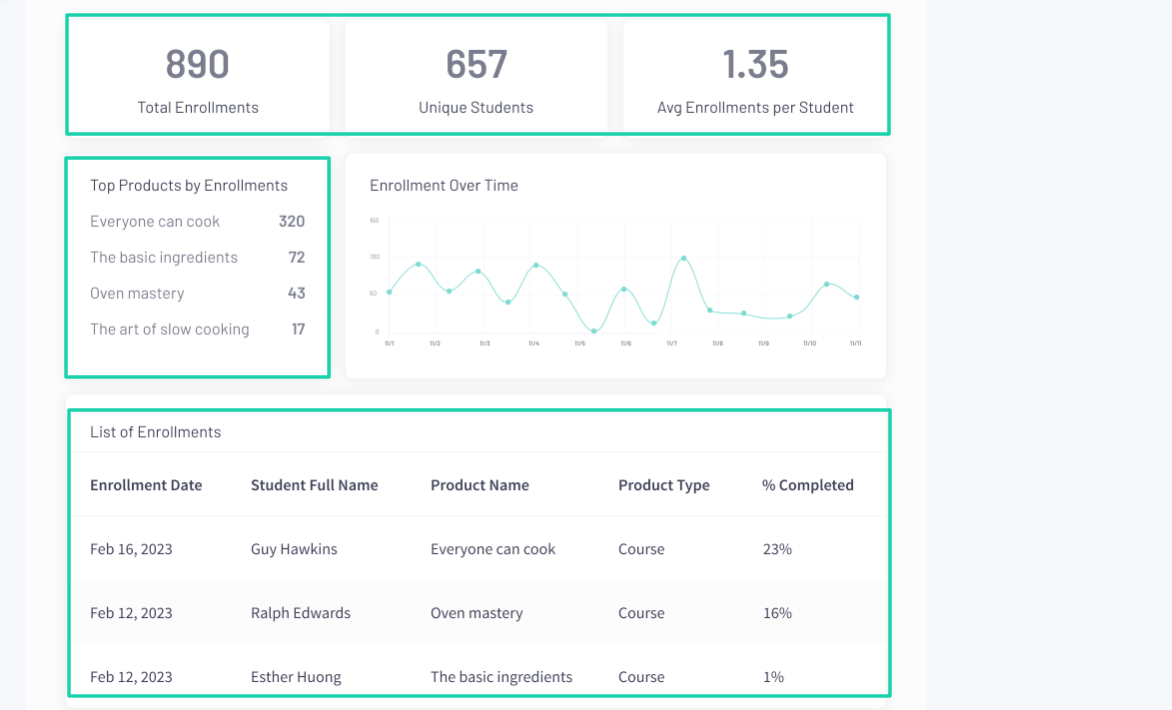
With its analytics, the creator will track the total number of enrollments, top products, sales, and revenue. The platform has a dedicated section for sales where you can create bundles, coupons, invoices, and orders.
I could mention more features, but I want us to review them in the showdown below.
LearnWorlds vs. Thinkific: Feature-by-feature comparison
1. Online course creation and delivery
Let’s start the LearnWorlds vs Thinkific comparison with online course creation and delivery.
With LearnWorlds, you name your course or use its AI assistant for suggestions. Then, upload a catchy cover image.
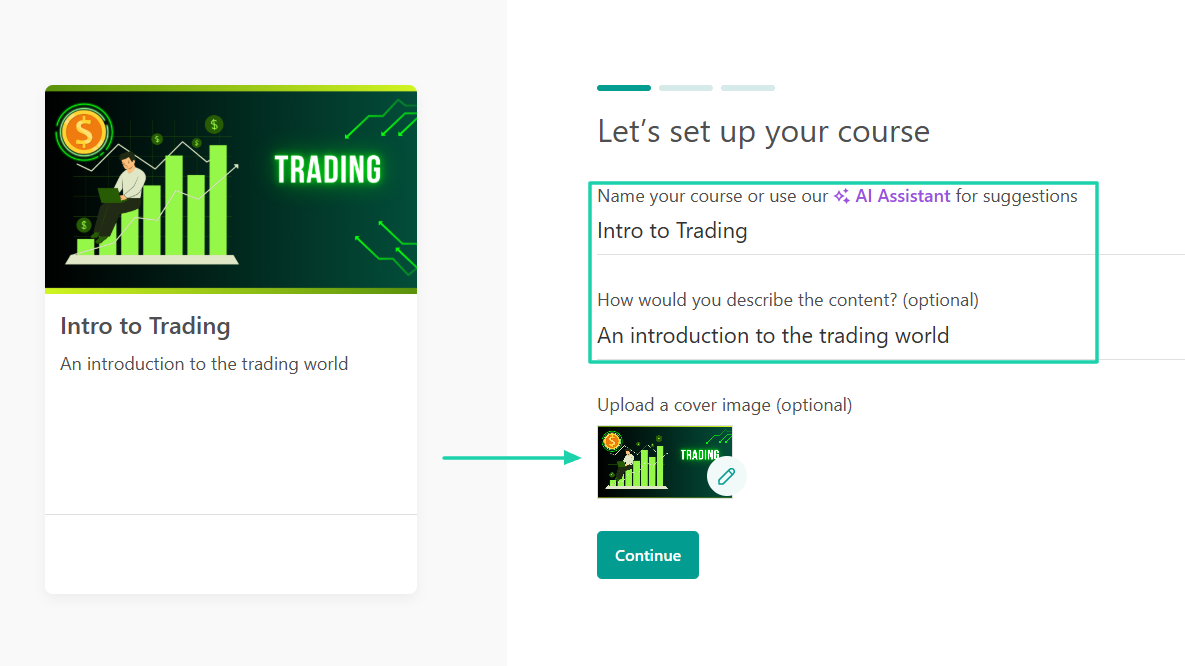
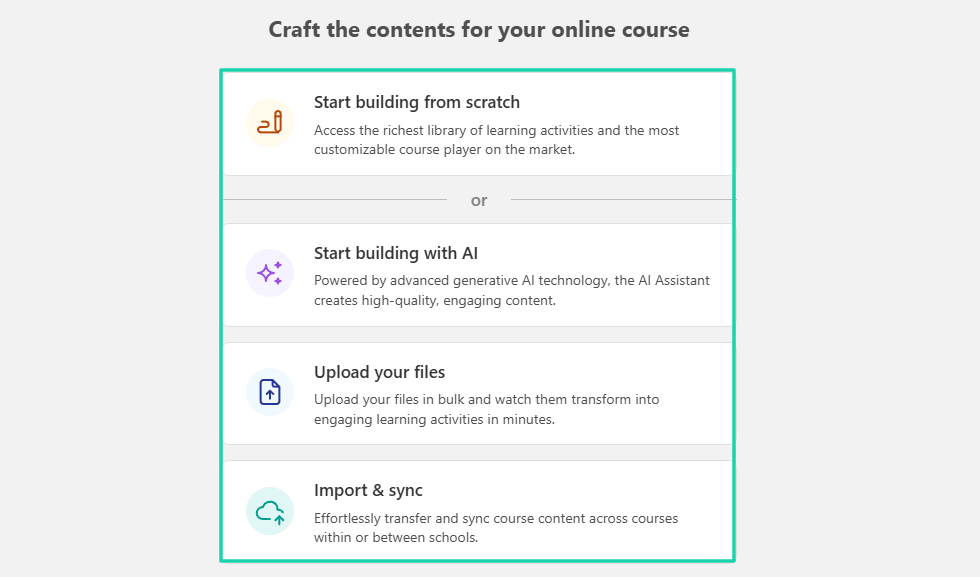
To craft the contents for your online course, LearnWorlds offers four options:
- Start building from scratch
- Start building with their AI
- Upload your files
- Import and sync
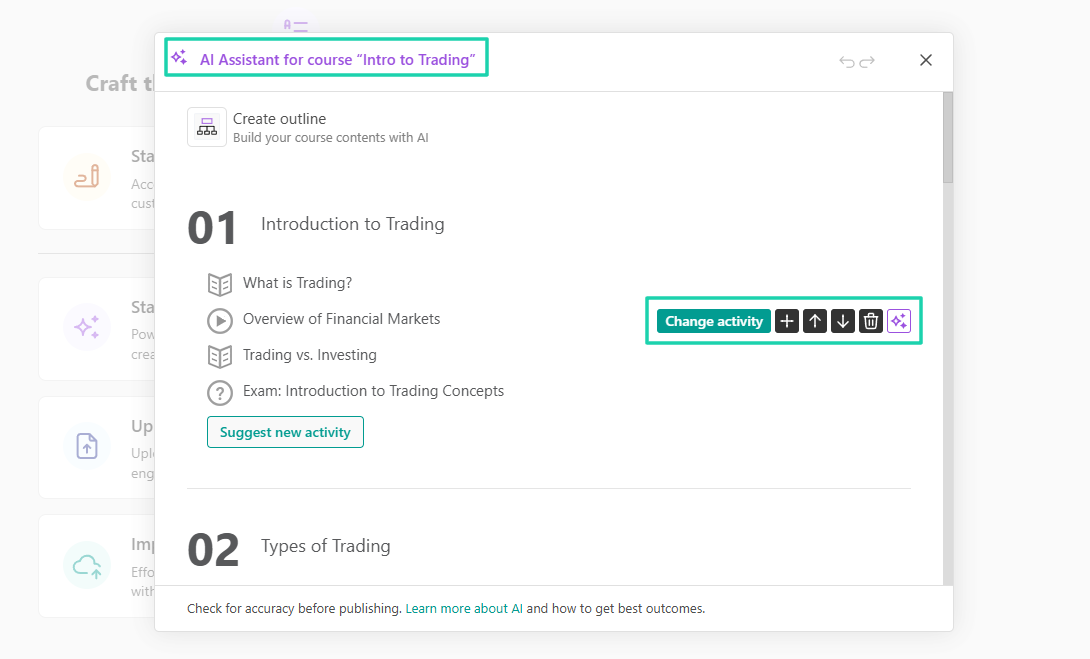
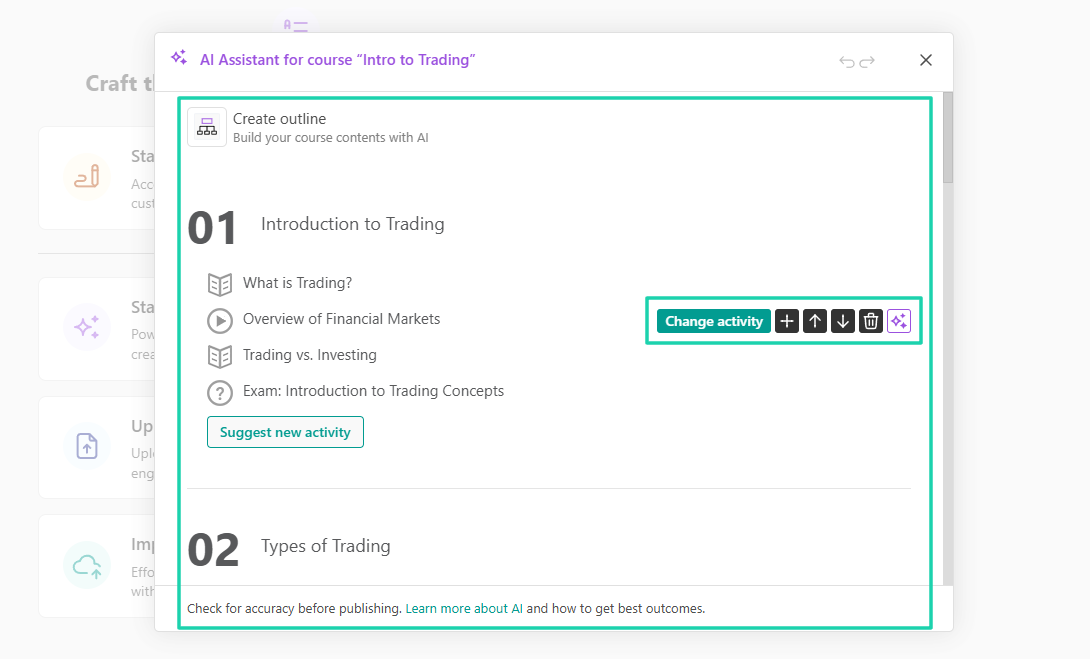
But let’s say you choose to build with AI. It will create the full course outline. The outline already includes sections you can change or edit, but you also have the option to create new ones.
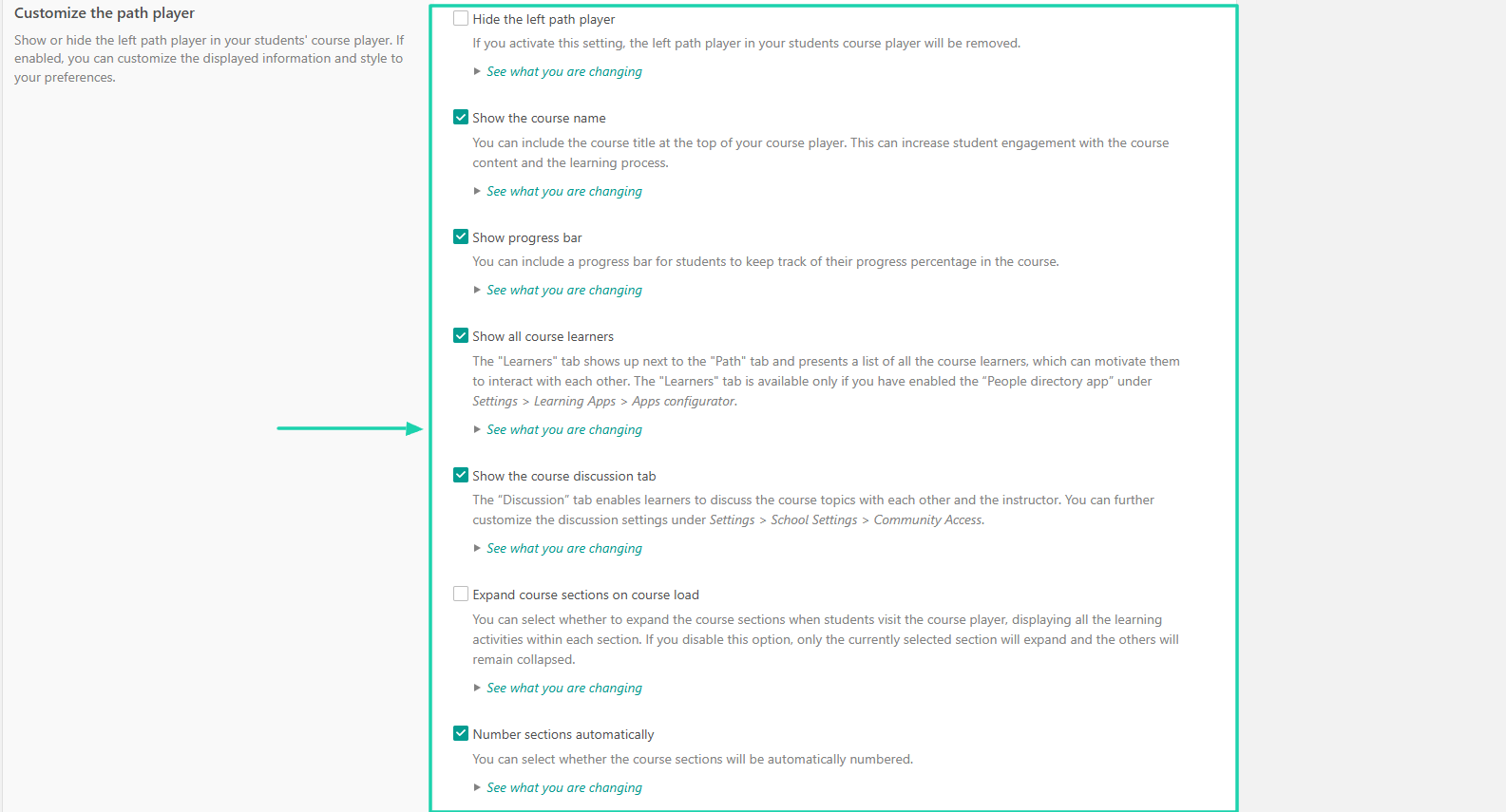
Top digital product selling platforms like LearnWorlds also give you access to many customization options. For instance, you can decide to show:
- The course name
- Progress bar
- All course learners
- The course discussion tab
- Expand course sections on the course load
- Number section automatically
Here is what the course I created looks like.
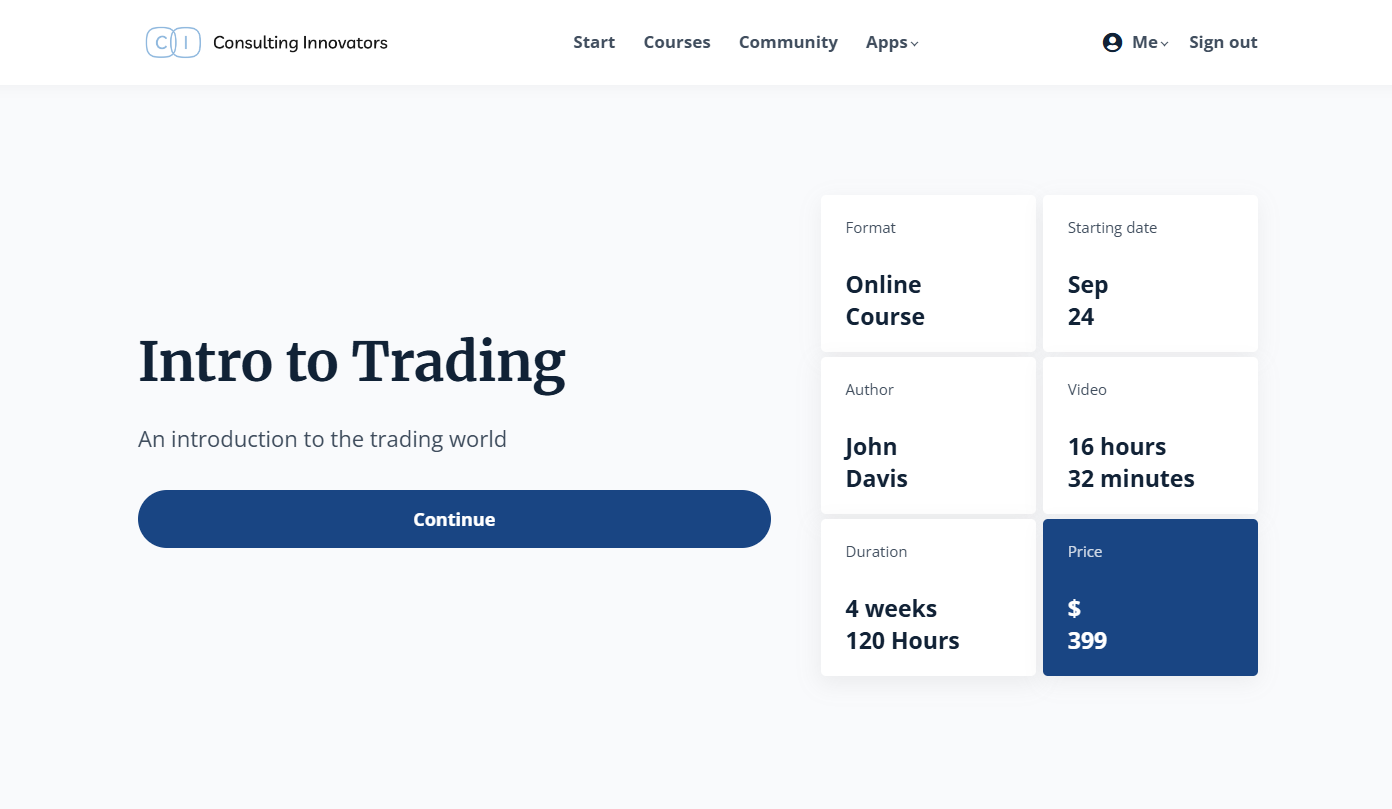
I think I gave you a pretty good idea of how online course creation and delivery work inside LearnWorlds.
Let’s now see how it works in Thinkific.
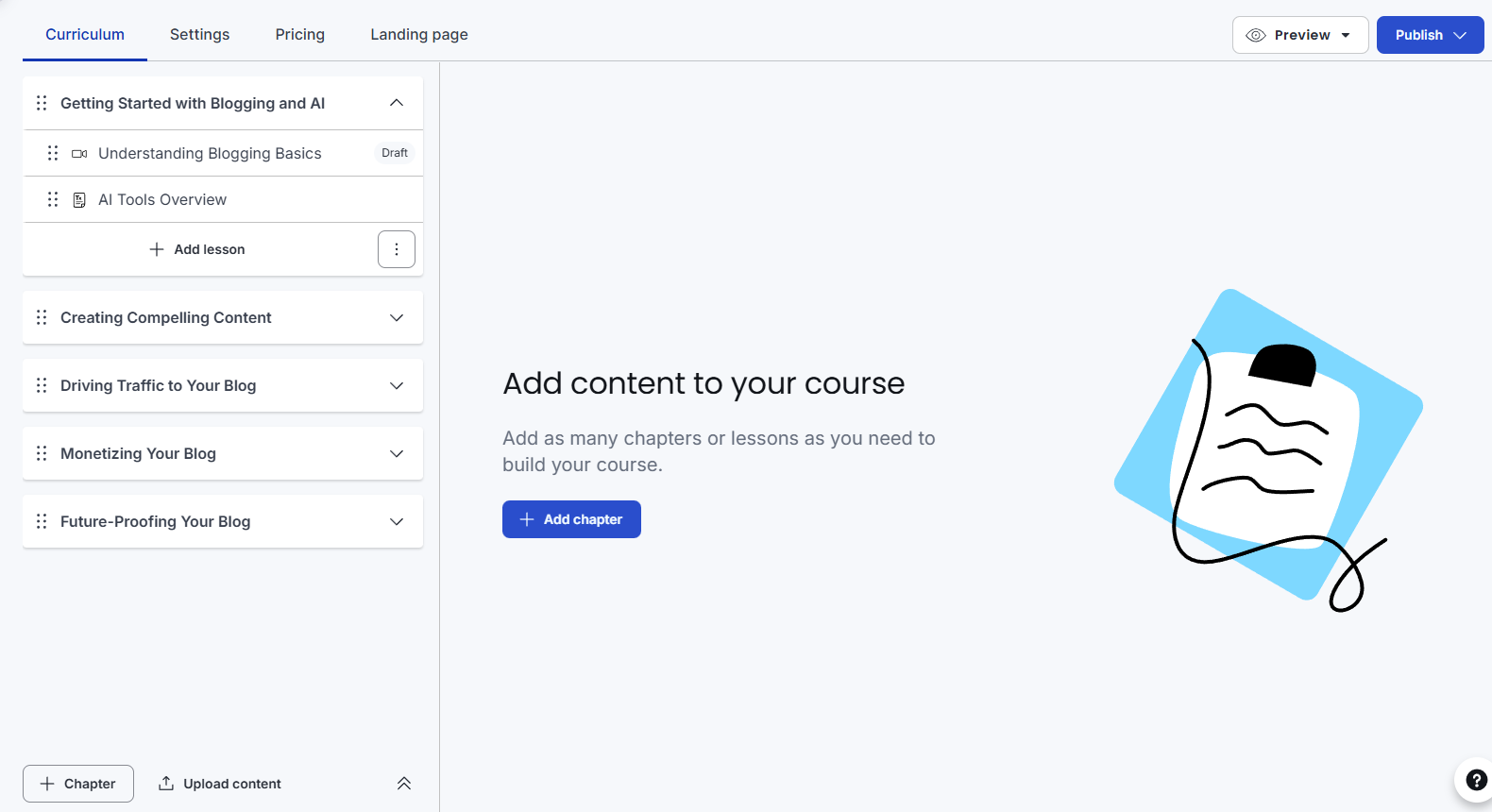
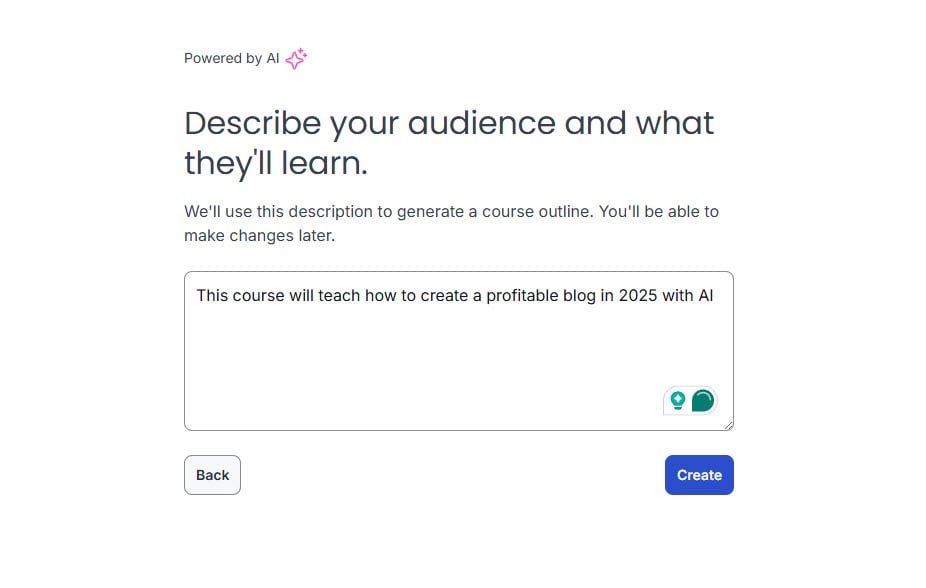
For Thinkific, I start by describing my audience and what they’ll learn. This is what the AI will use to generate a course outline.
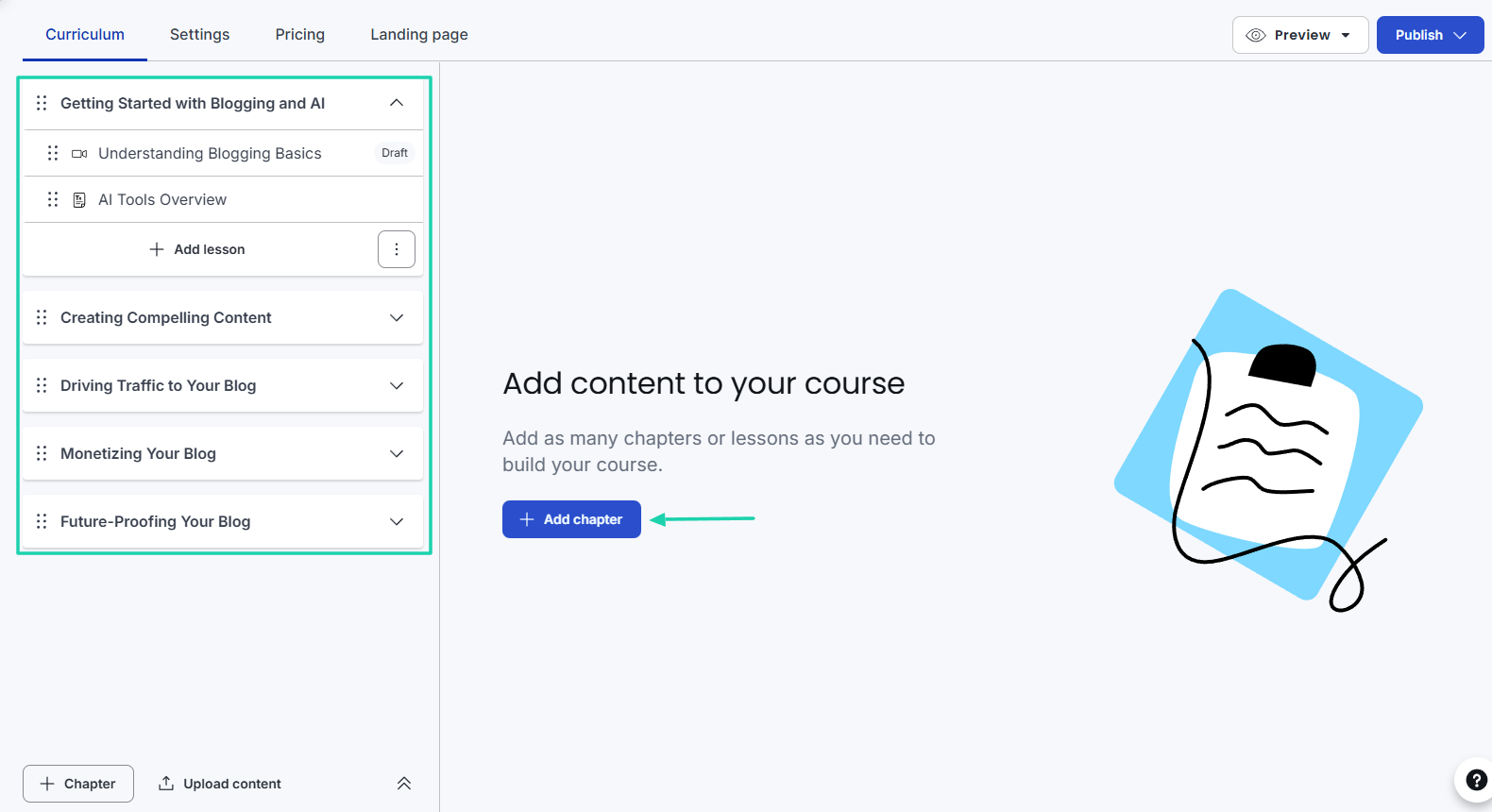
Once the course curriculum is ready, you will be able to add videos, PDFs, or other key resources.
Among some of the settings, I saw that I could change the course player appearance to suit my content. I could also change the theme and site colors.
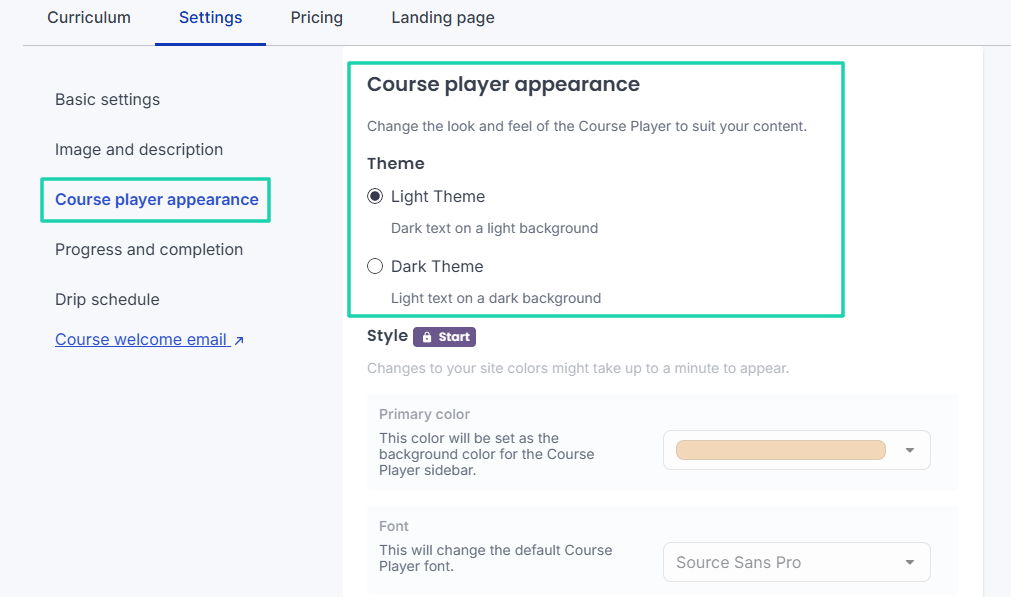
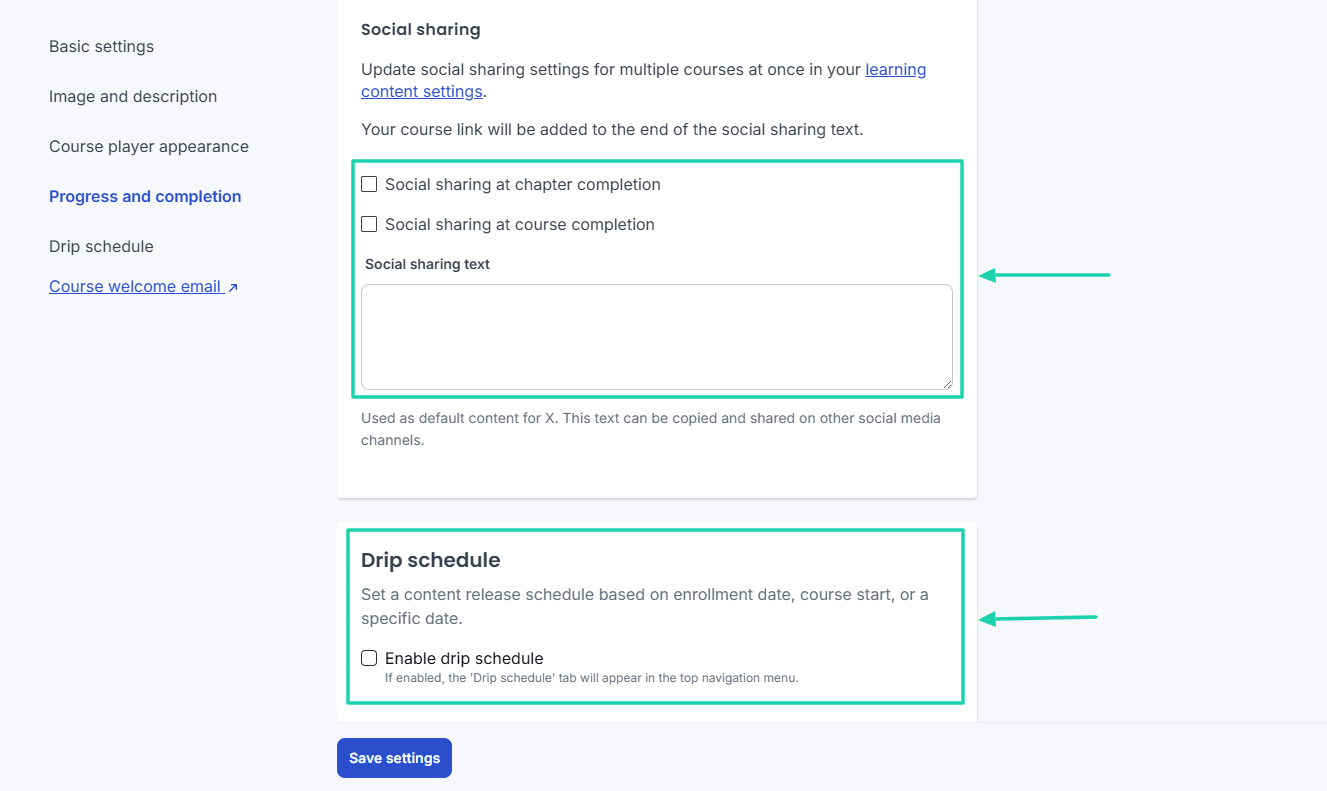
There is also the drip schedule feature that basically lets you set a content release schedule based on enrollment date, course start, or a specific date.
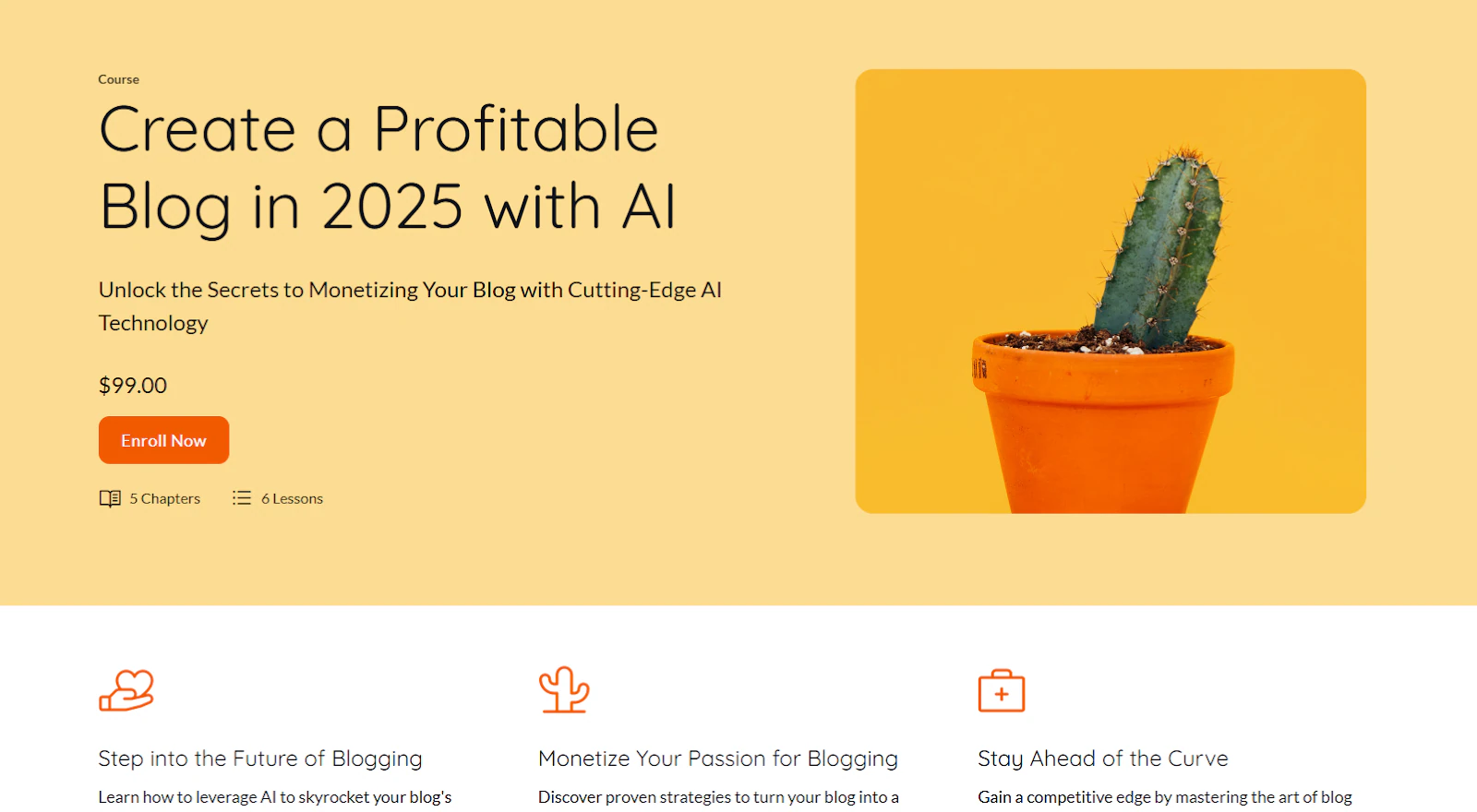
Once done with all your settings, you’ll have a course similar to this.
Both LearnWorlds and Thinkific are intuitive platforms. They have almost the same features, and the students get a top learning experience.
Ease of use and top features were also the elements we had in mind when we created Easytools, a better alternative to LearnWorlds and Thinkific. We made it so easy to use that any creator or coach would feel like an expert when launching a course.
First, you choose your design and let our AI create the online course curriculum. Of course, you can also enter yours manually.
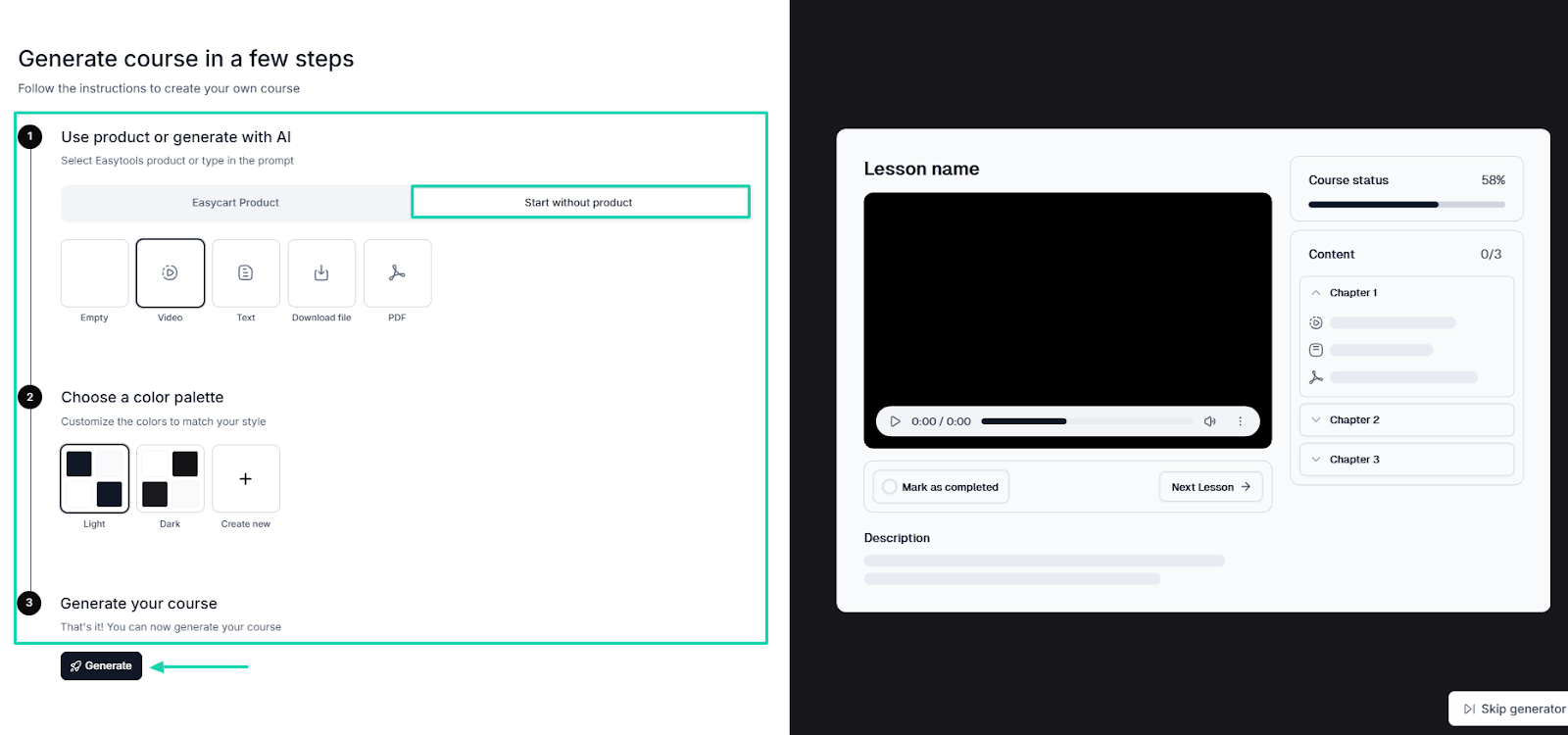
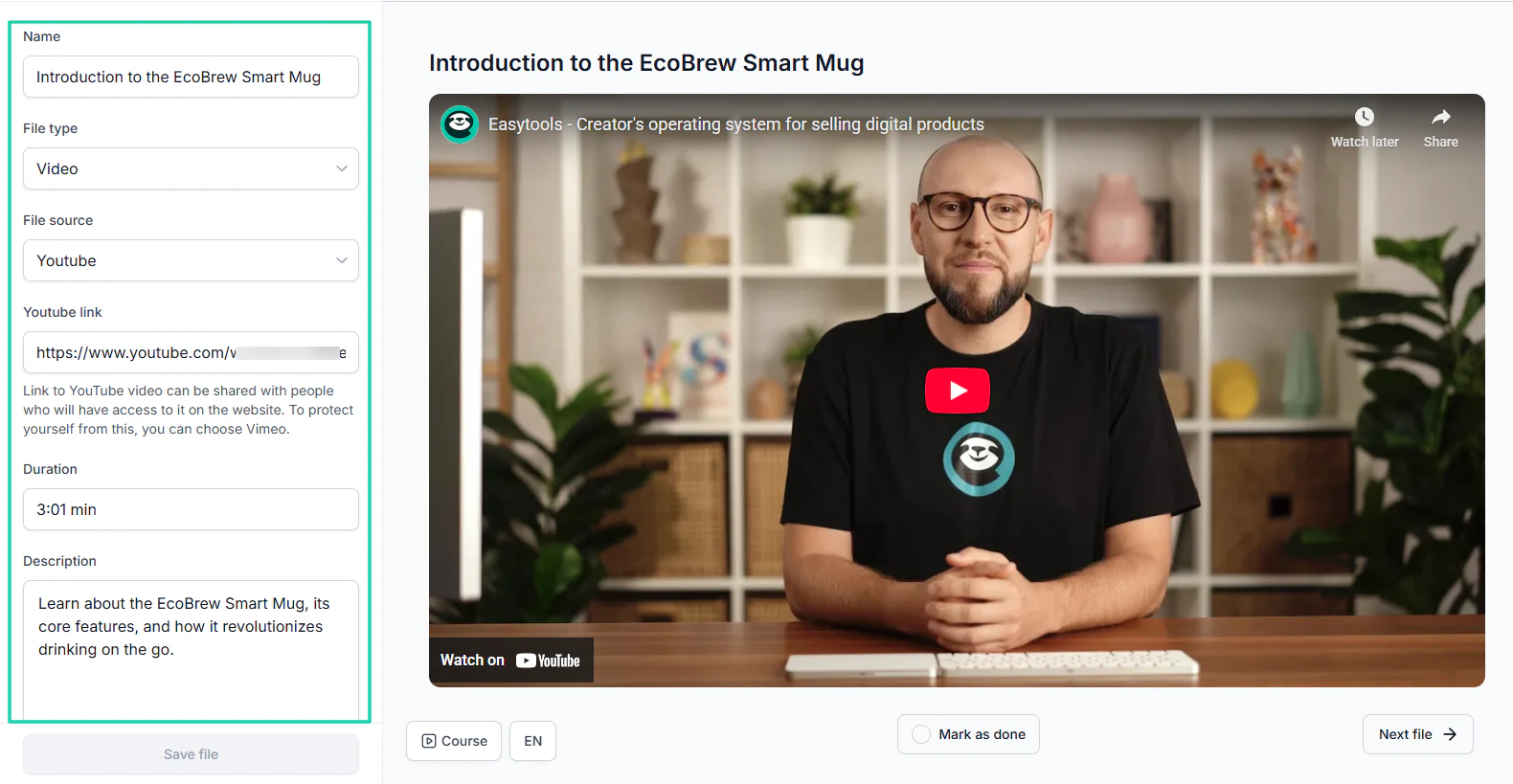
For example, I used a video for the lesson below. I named the curriculum section, selected video as the file type, and entered the video link.
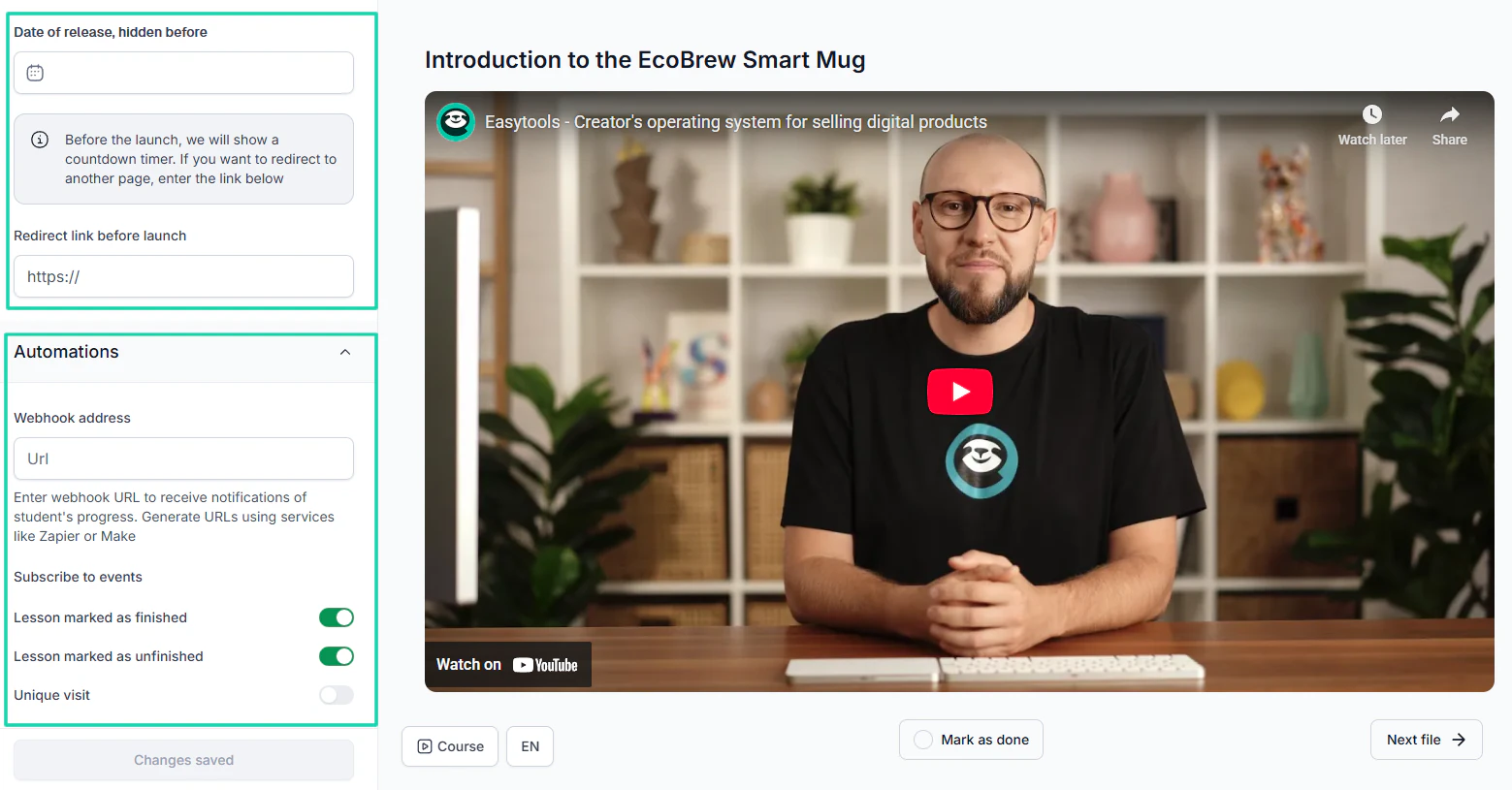
You also have more options, like entering a release date that’s hidden until a specific date. And when it comes to automations, you can enter your webhook URL to receive notifications of students’ progress.
Want to see Easytools in action? Check the video below and see how Greg creates a stunning online course.
2. Memberships and communities
A membership is a program or plan where participants pay you regularly in exchange for a service or product. They can pay you weekly, monthly, or yearly.
For instance, you can create a membership program for new SaaS founders. Participants pay you $50 per month, and once a week, you share tips and strategies to help them grow their businesses.
What about community?
If membership is the plan they pay for, the community is simply the people and the place they discuss. You interact with them, send them messages, host 1-1 or group sessions, etc.
The LearnWorlds vs Thinkific comparison checks if they allow you to sell a membership plan and interact with the community directly inside the platforms.
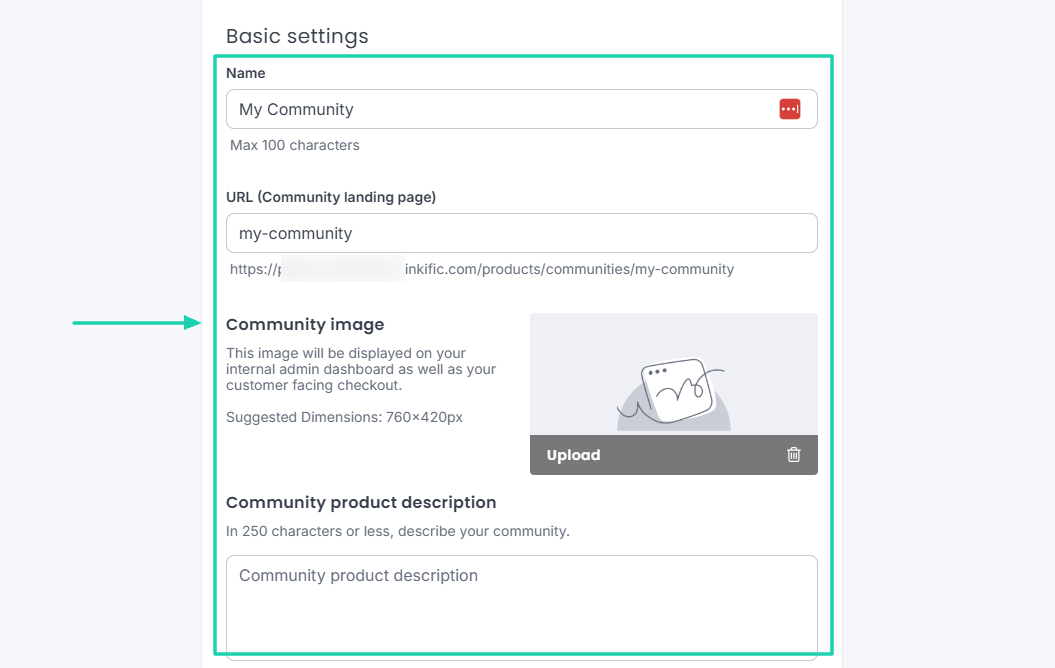
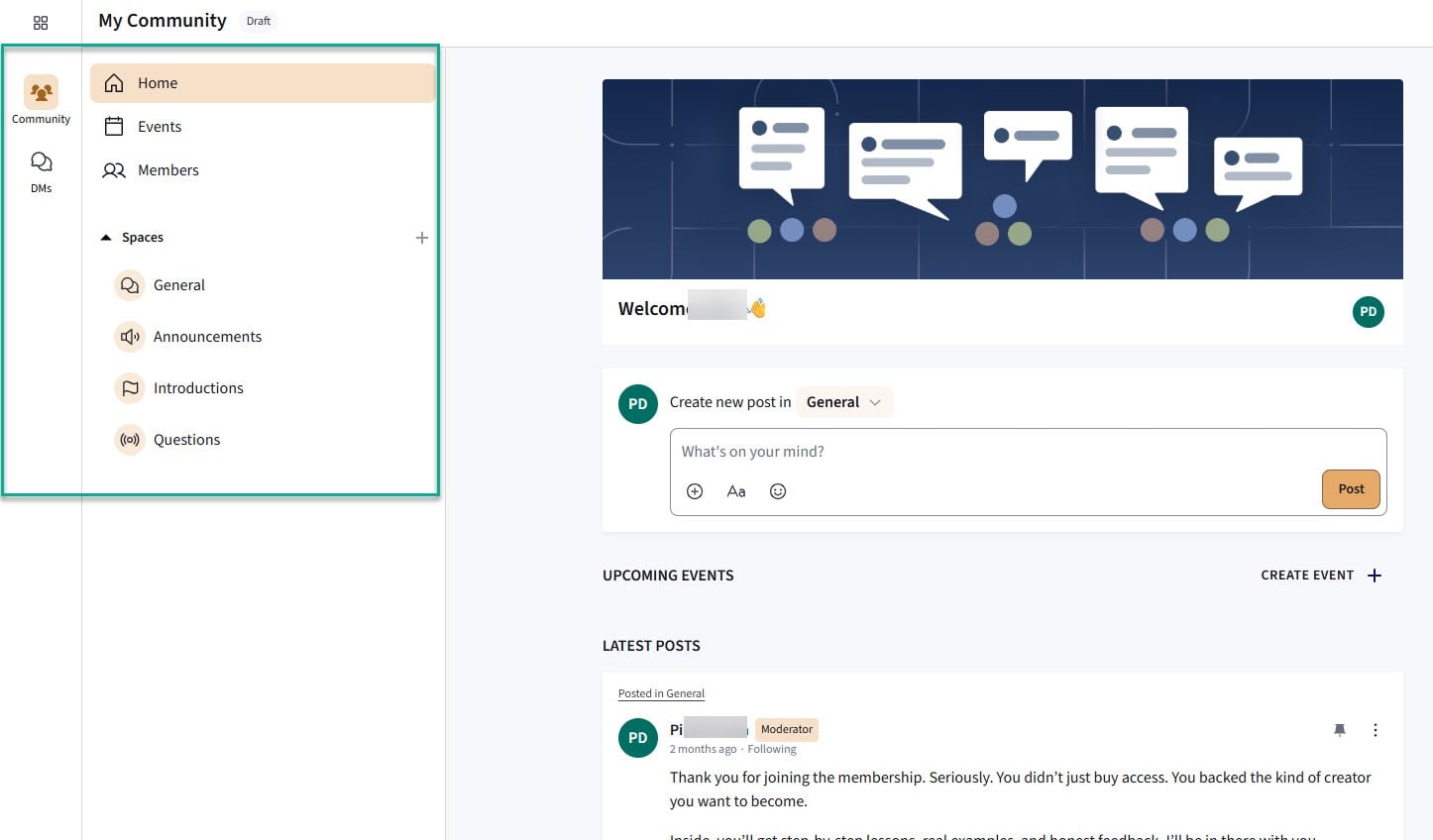
In Thinkific, you first name the community, upload a community image, and enter a description.
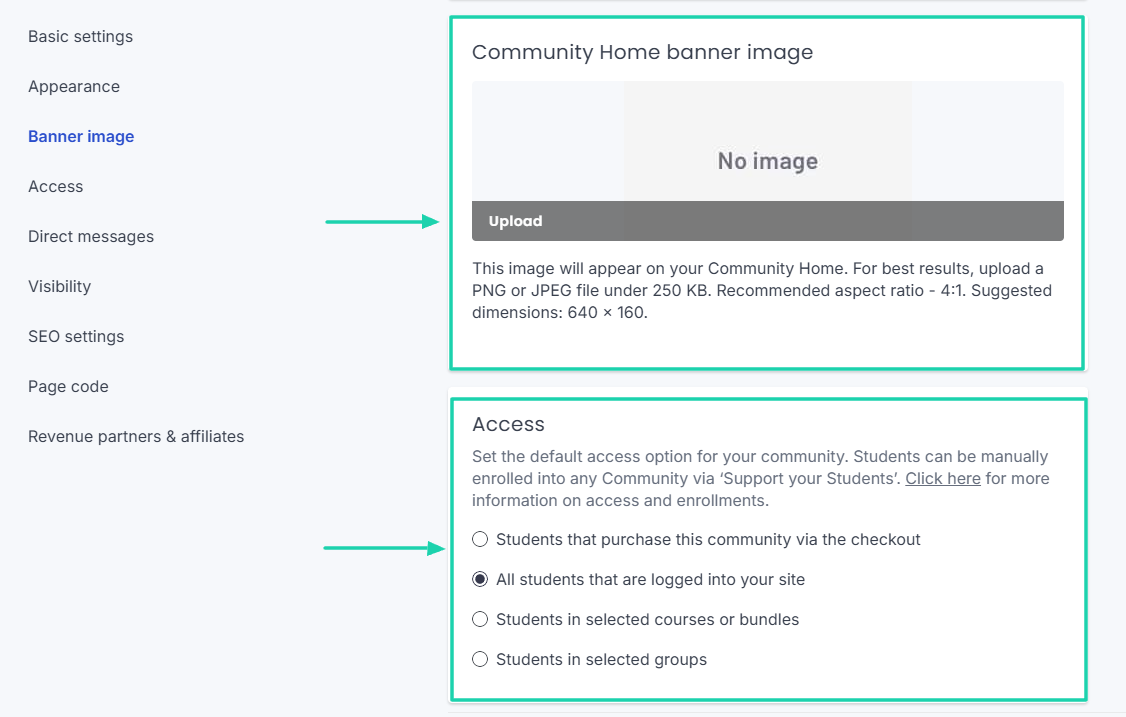
Upload a community home banner image and adjust access controls. For example, you may decide that students must first log in to your site before accessing the community.
Then, customize your community to fit your brand.
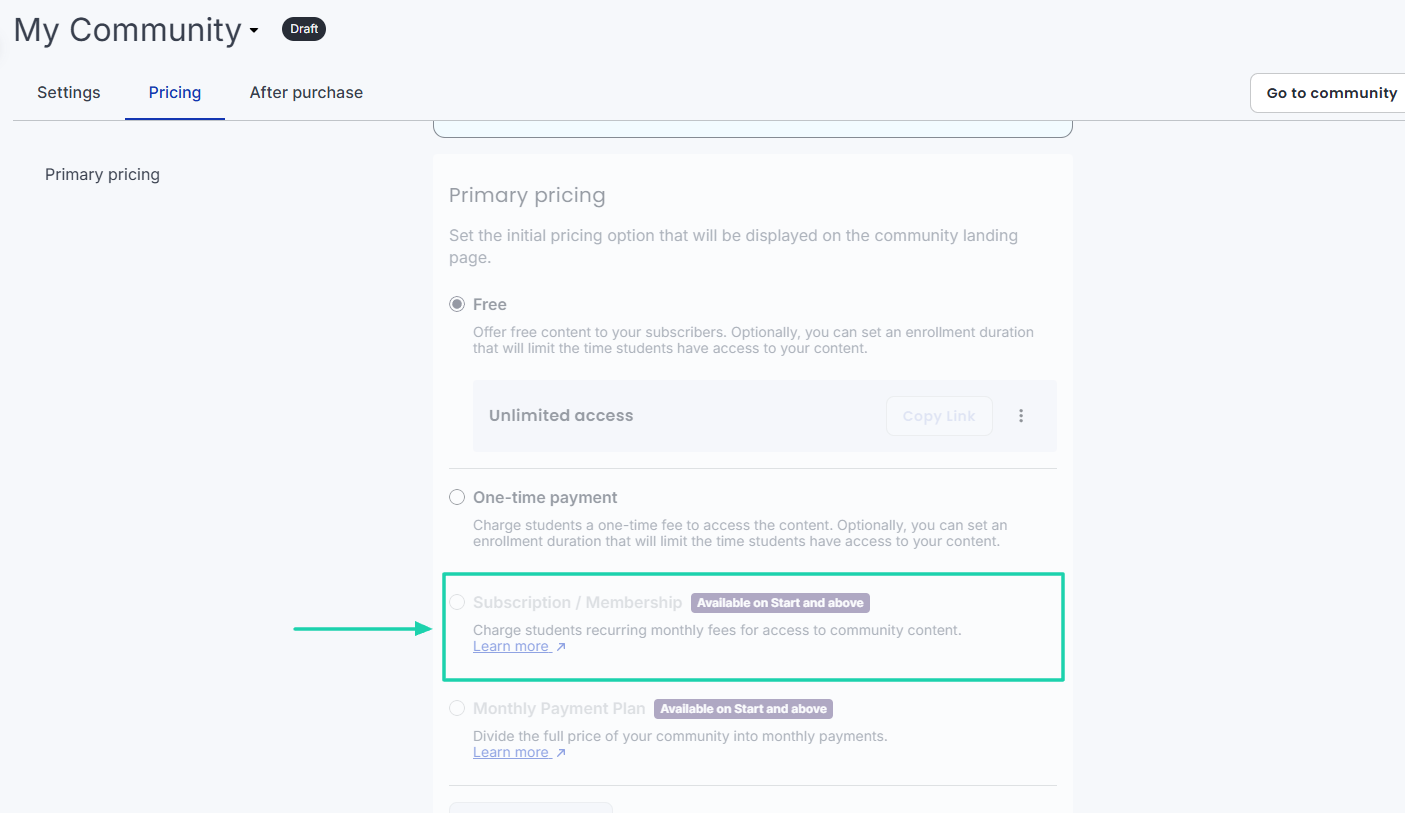
Now, select your preferred subscription mode: free, one-time payment, or subscription.
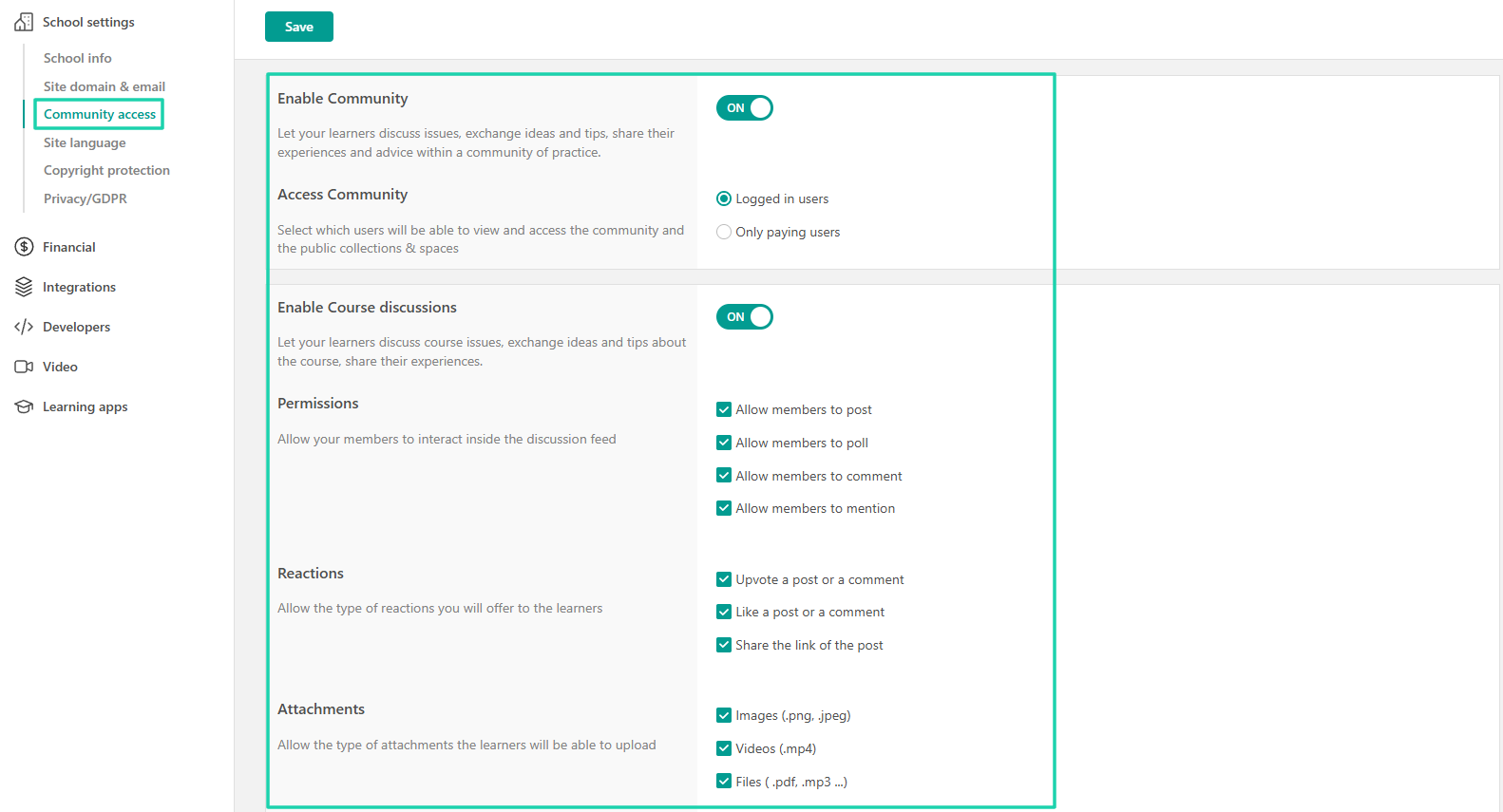
With LearnWorlds, you first need to enable Community from the School settings.
Then, select your preferred options for your community. For instance, choose who has access to your community, adjust permissions, or specify the types of attachments students can upload.
After that, return to the dashboard to customize your community.
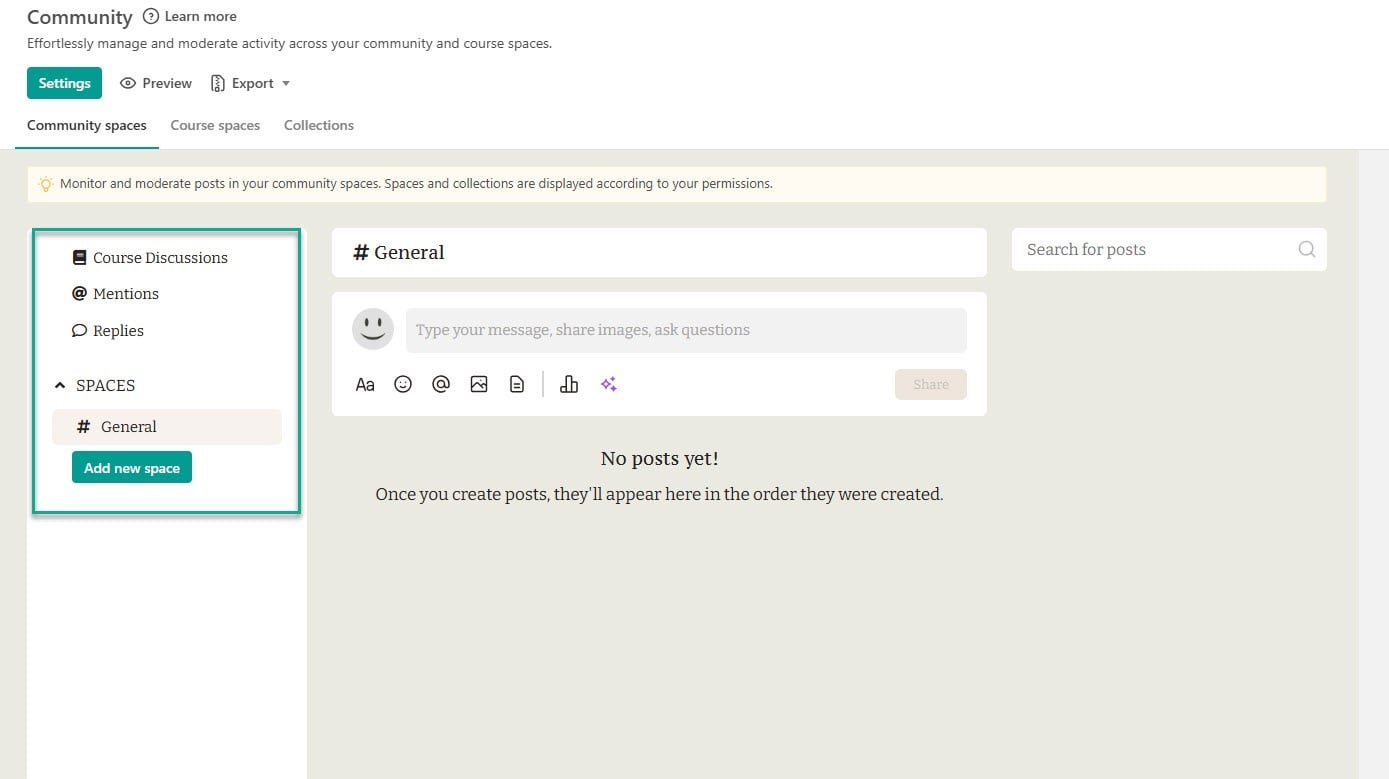
Then, you need to create what LearnWorlds calls a “learning collection.” This is a space where you organize your different courses into collections and control who has access to what. As mentioned earlier, LearnWorlds ties subscriptions to courses.
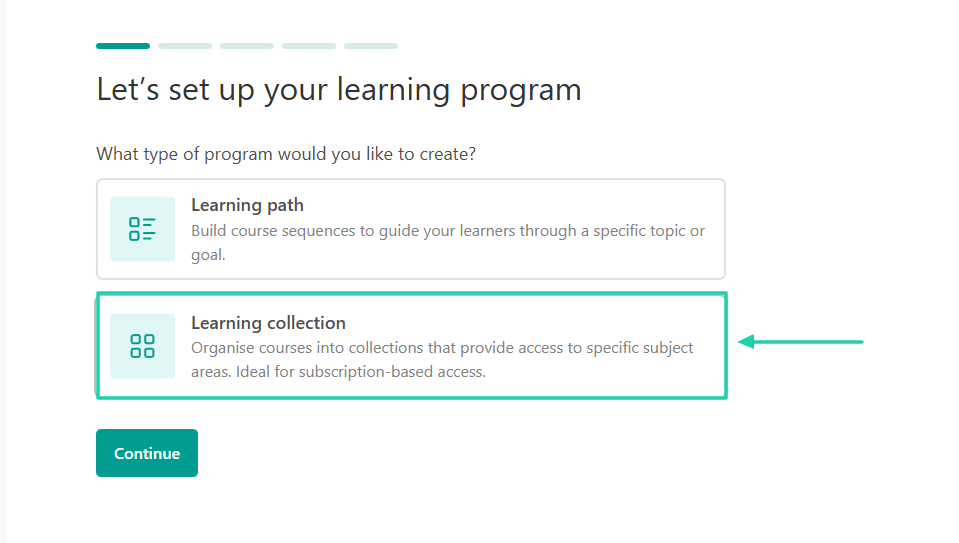
It’s when you reach where you select a payment option that you can choose a subscription model.
3. Digital downloads: Guides, templates, audio, e-books, bundles
Another key area in this LearnWorlds vs. Thinkific comparison is whether each platform lets you sell digital downloads.
Basically, digital downloads are ready-made files like guides, templates, audios, e-books, or bundles that customers can purchase and download instantly. There is no shipping.
For instance, if you are a graphic designer, you can create and sell an e-book on the best design platforms. And when people buy it, they will get the e-book in PDF format.
Now, let’s see if both platforms let you sell digital downloads.
Thinkific has it well-located in its sidebar menu. Some of its digital downloads include:
- Checklist
- e-book
- Framework
- Guide
- Resource list and
- Template
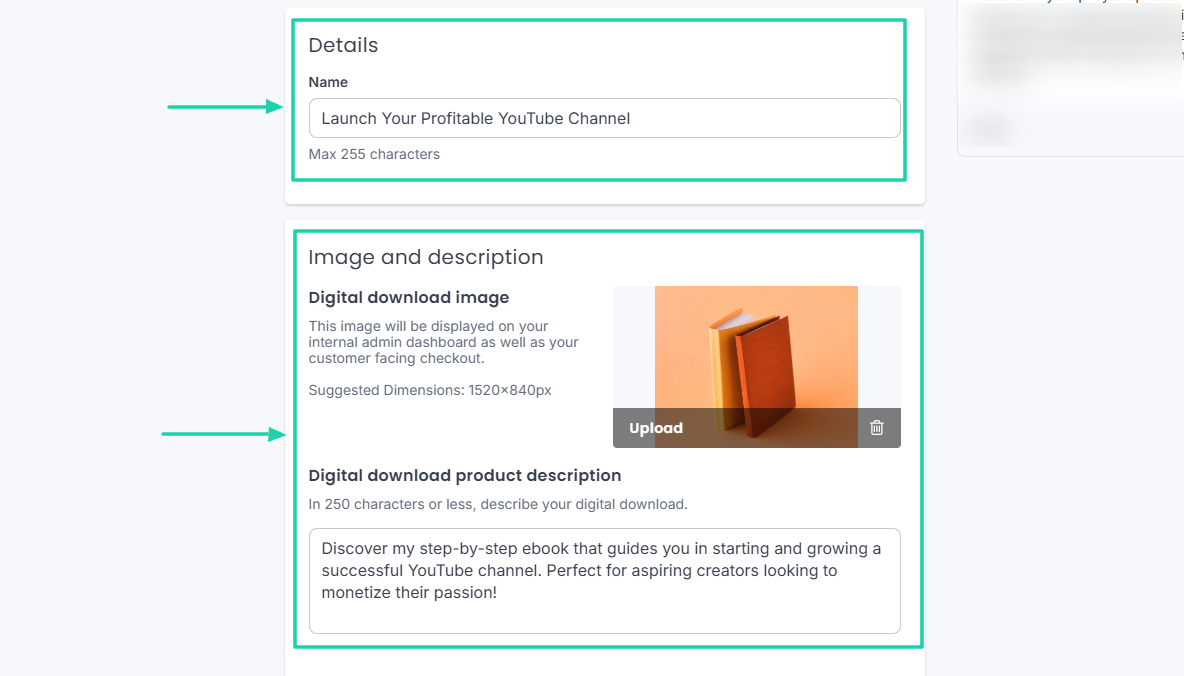
When you choose a digital download option, name it, add an image, and write a description.
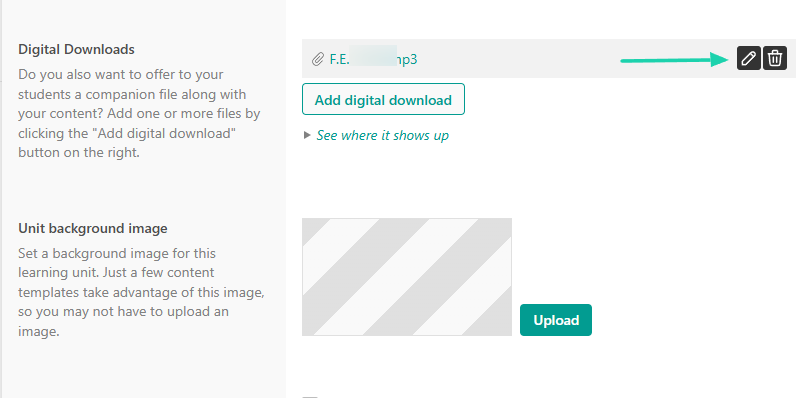
But LearnWorlds has a different approach. You cannot sell digital downloads, such as ebooks, as standalone products. You can only add them to a course as a resource, like a template students can download for free to practice what you taught them.
You could also edit or delete the file.
At this point, you already know that I like comparing software, just as I did with Kajabi vs Teachable or Thinkfic vs Teachable. Now, let’s also compare Learnworlds vs Thinkific vs Easytools.
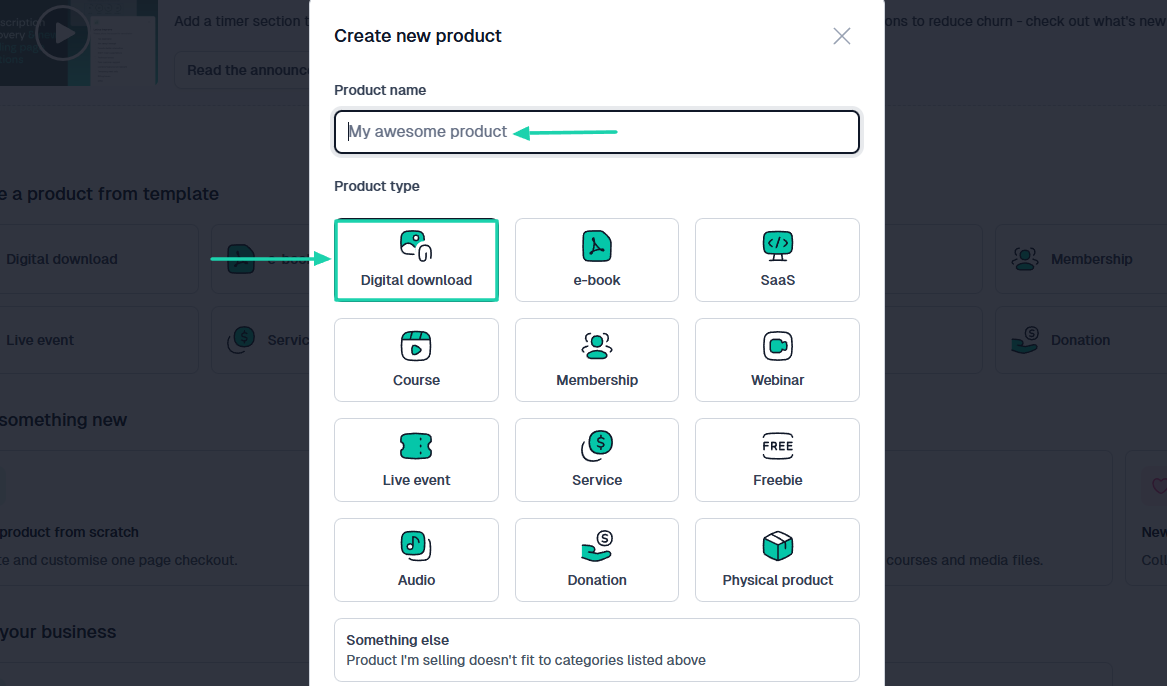
From your Easytools dashboard, click ‘create a new product,’ select ‘digital download’ and name your product.
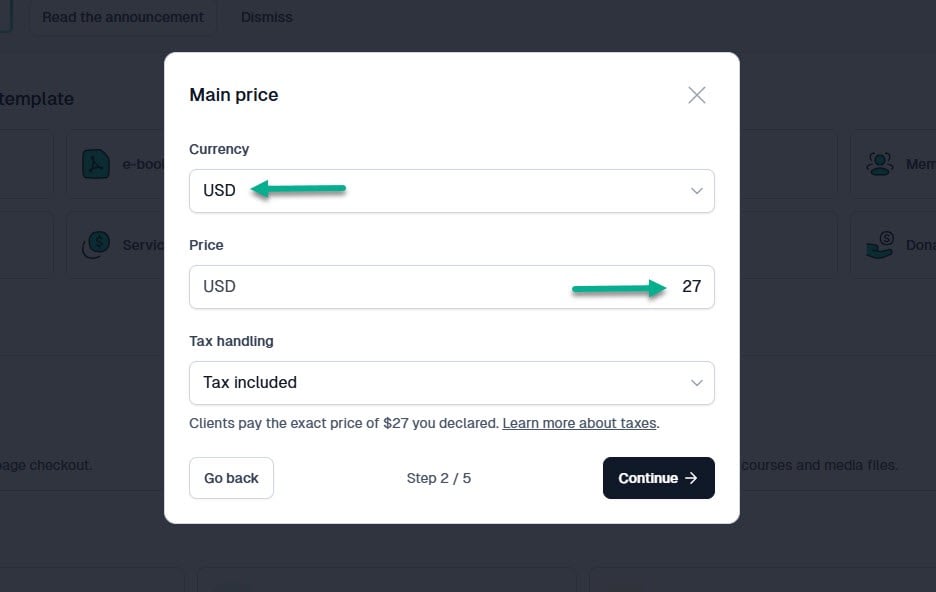
Then, select your currency and enter your price.
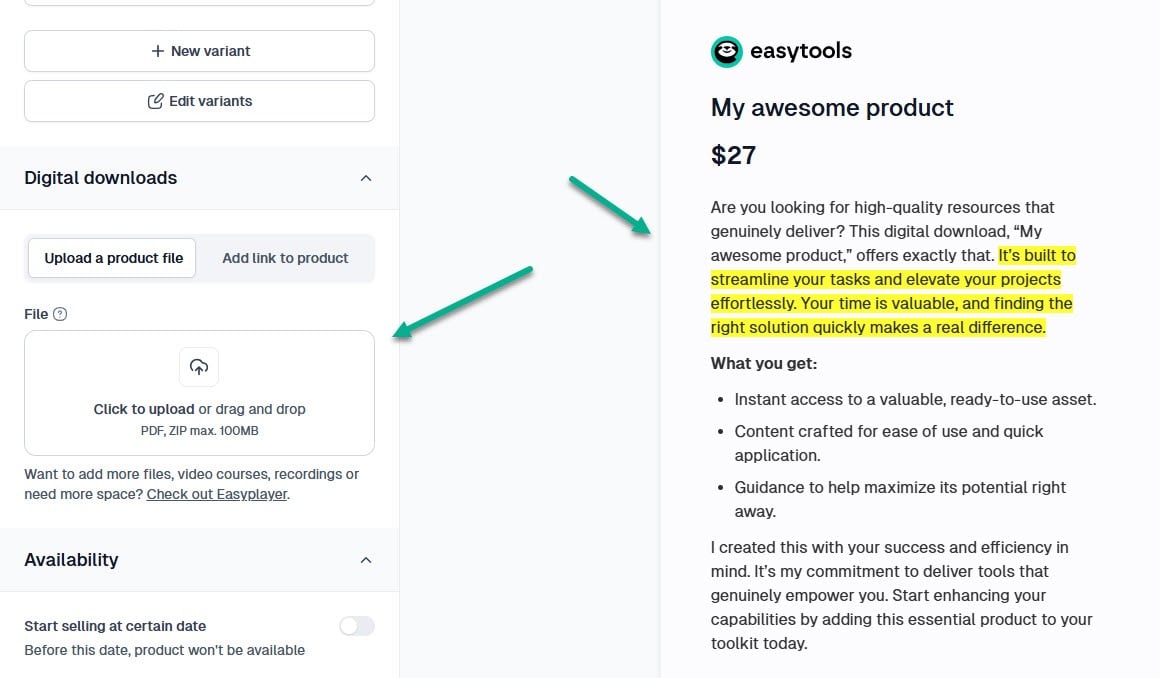
Our AI tool then comes in to help. It will automatically generate a product description based on your product name. Of course, you can replace it with your own description.
Go to the product settings and upload your digital download. This is the product Easytools will automatically send to your customers after the purchase.
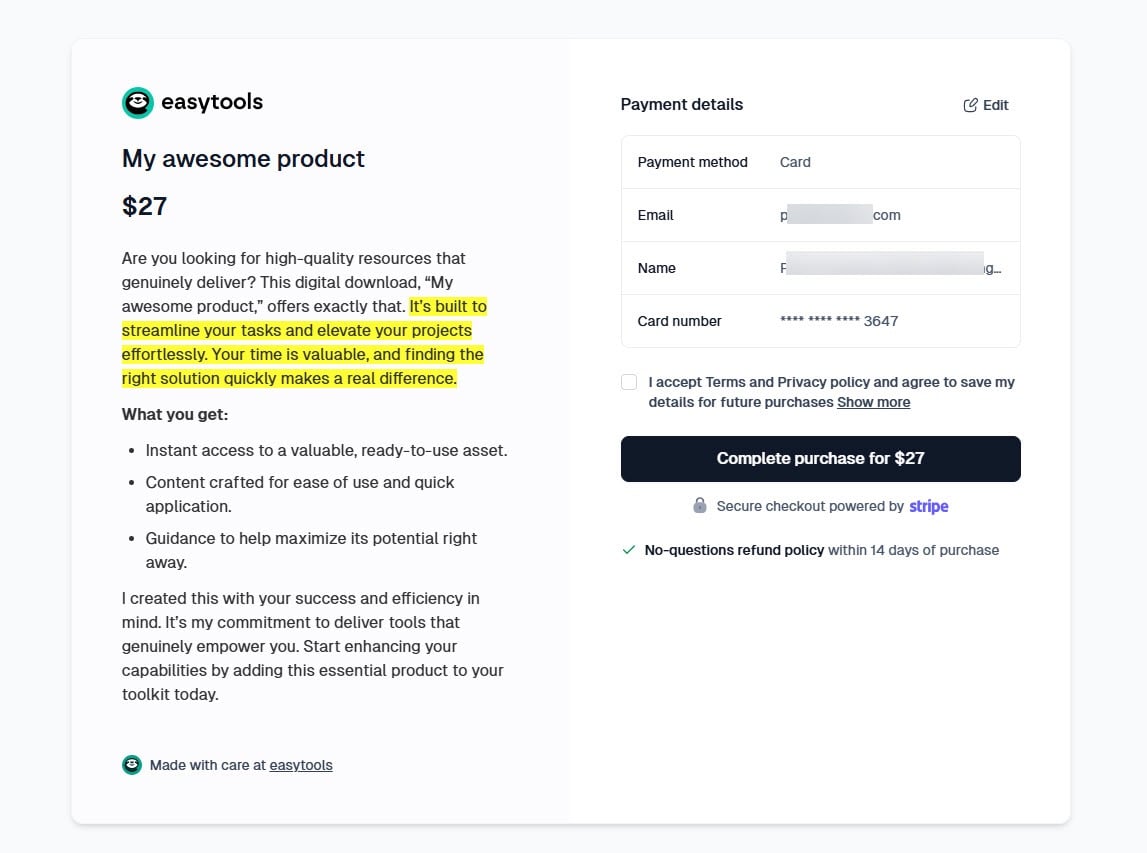
And your sales page will be similar to this.
4. Marketing tools
This LearnWorlds vs Thinkific discussion cannot be complete without covering marketing features that help you promote your products, build relationships, and generate more revenue. It’s tools like email automation, funnels, upsells, etc.
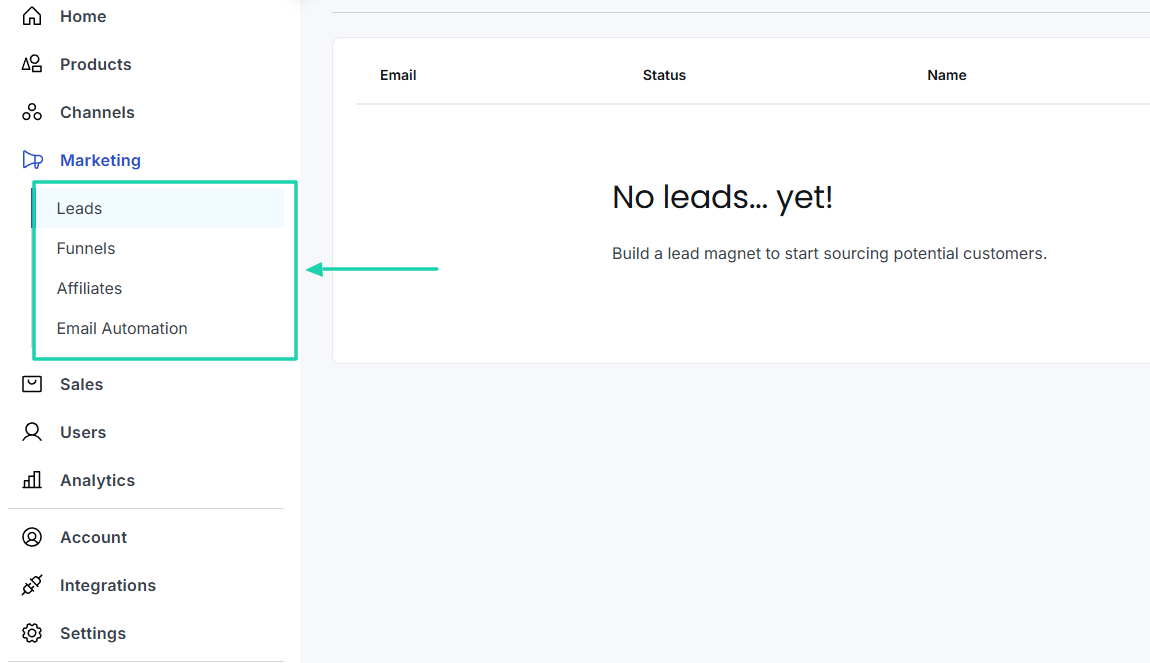
I checked what each platform offered, and I saw that Thinkific had four main marketing tools:
- Leads
- Funnels
- Affiliates and
- Email automation
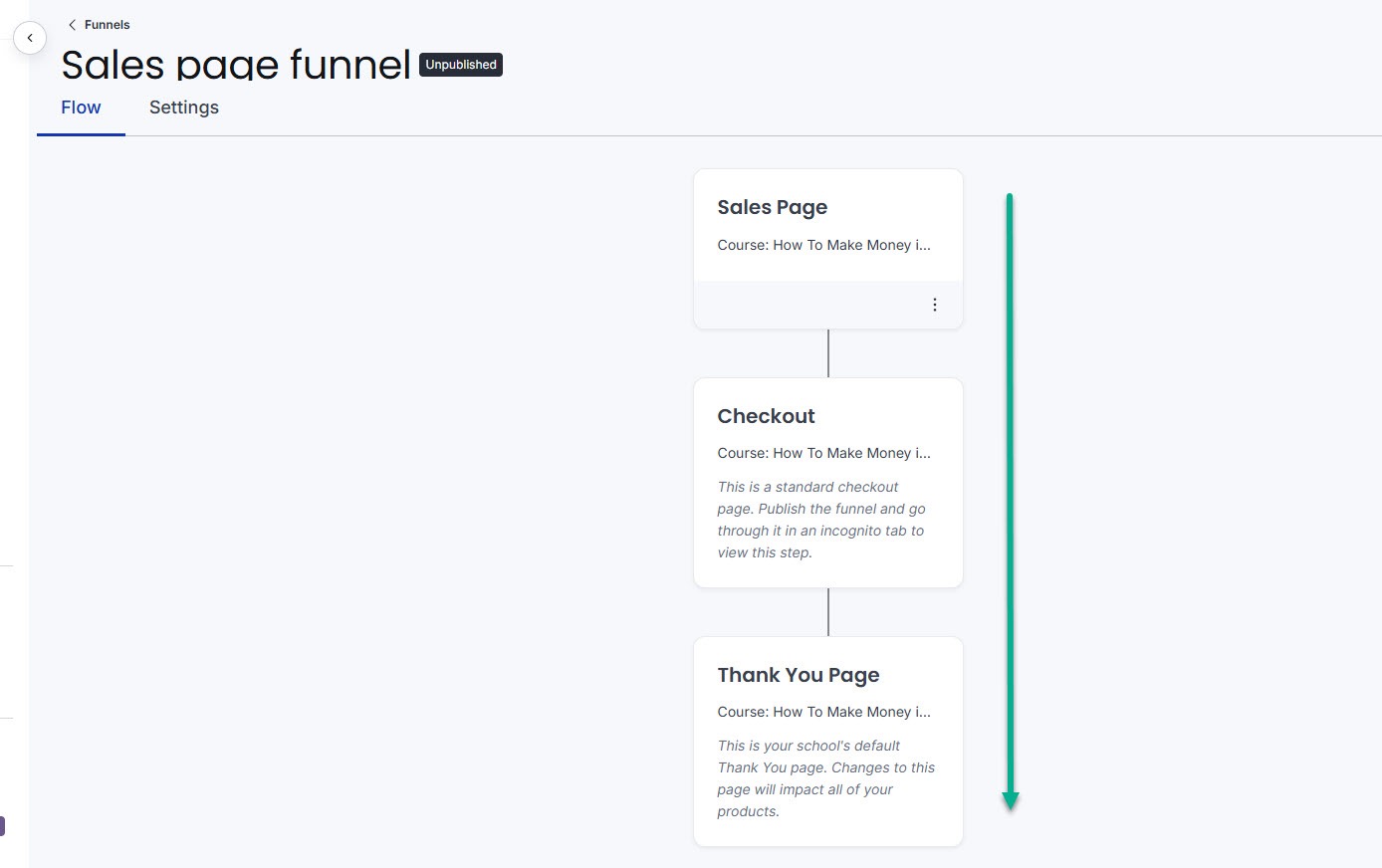
With funnels, for instance, you set up a sales flow. When someone purchases a product, they see an upsell or the checkout page, and finally the thank-you page.
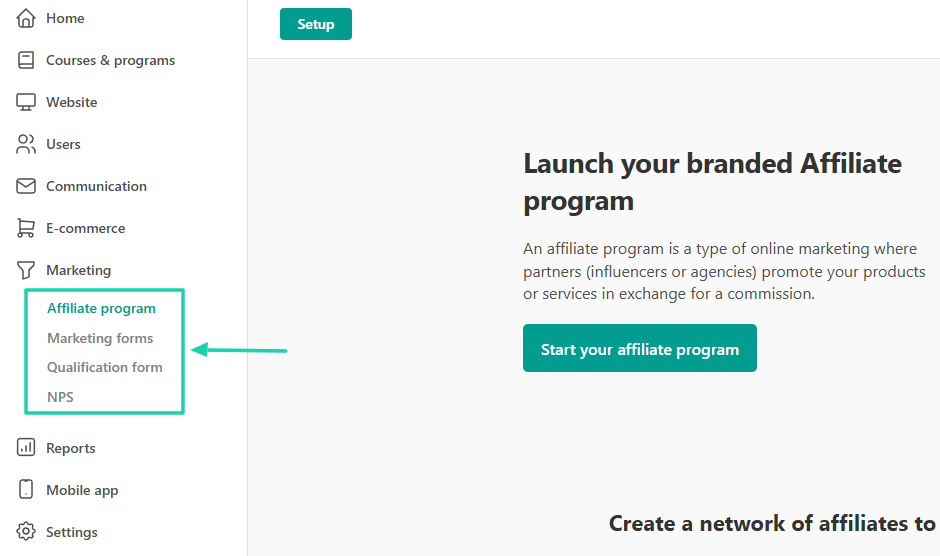
LearnWorlds also offers four marketing features:
- Affiliate program
- Marketing forms
- Qualification forms and
- NPS
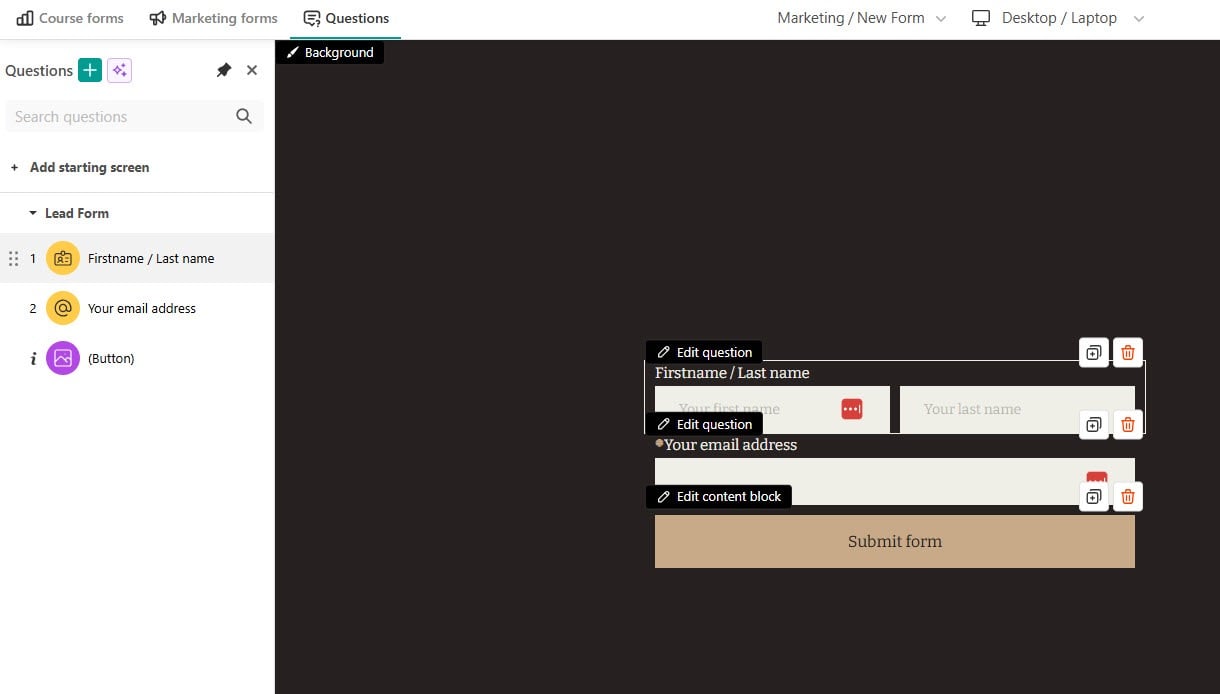
Using marketing forms, you can create a form that collects important information, such as names and email addresses, and embed it on your website.
The only marketing tools they both have in common are email marketing and affiliate marketing. Aside from it, the rest of the features are different.
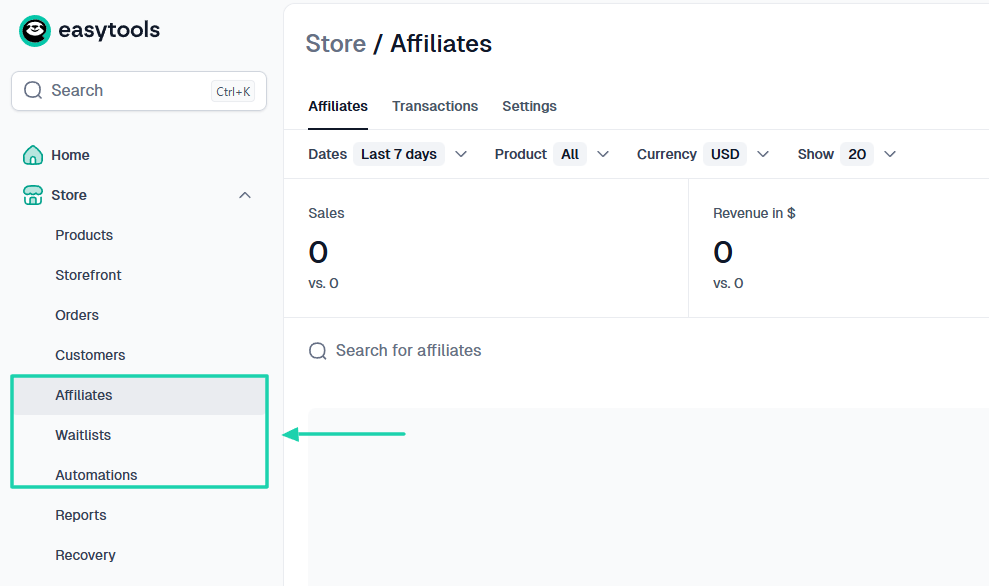
I cannot help but mention Easytools when discussing marketing tools. It has so much to offer, between affiliate marketing, waitlists, and automations.
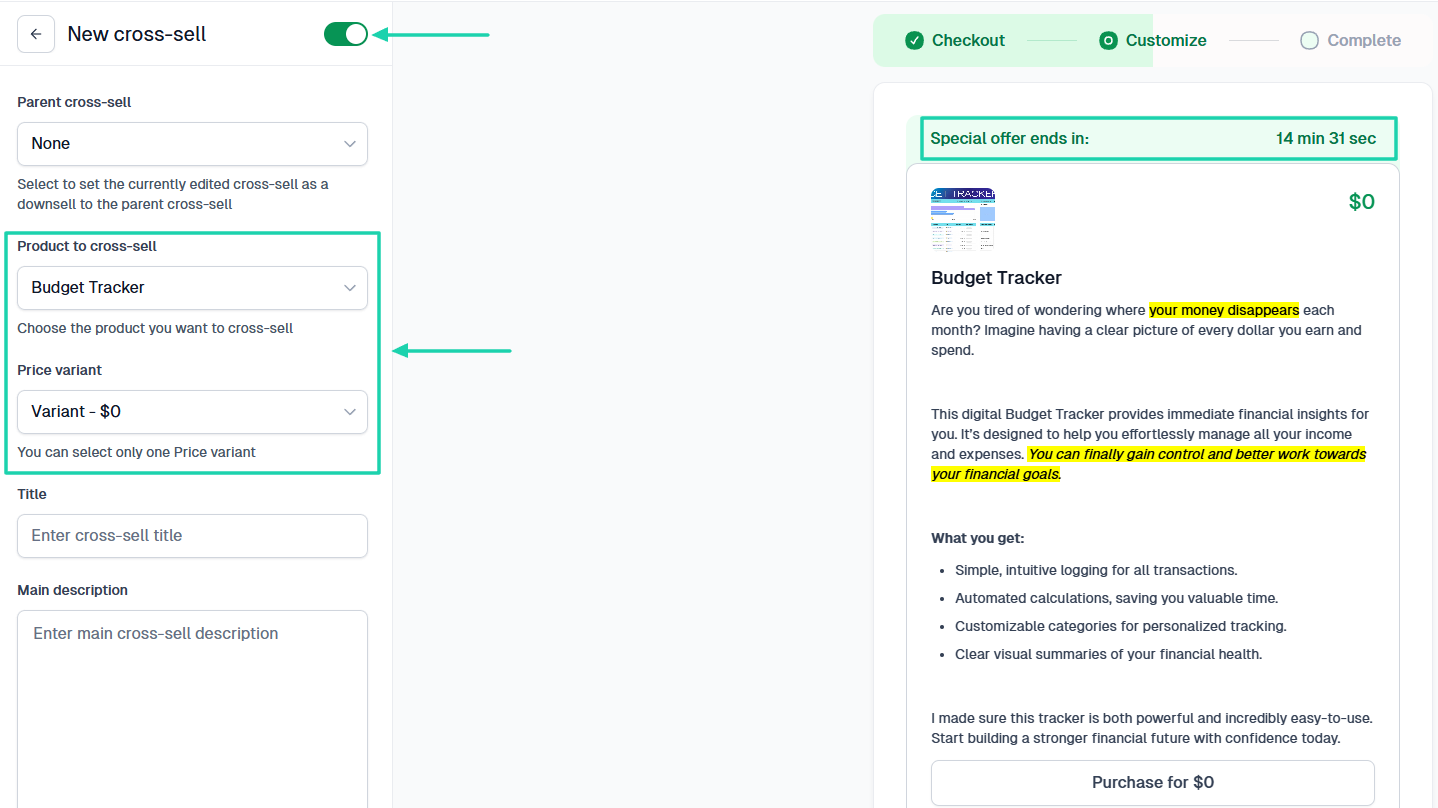
Another great marketing tool is cross-sell. These are upsell products shown after a transaction, on the thank-you page, and in the purchase confirmation email. You will simply select the product you want to cross-sell and add the price variant.
5. Creator analytics and reporting
The LearnWorlds vs Thinkific comparison continues with creator analytics and reporting.
Creators want to see the amount of revenue generated, the number of sales, or the number of marketing emails they sent. They also want to see which product is profitable and how many customers they got over a specific period.
Both LearnWorlds and Thinkific allow creators to analyze their efforts.
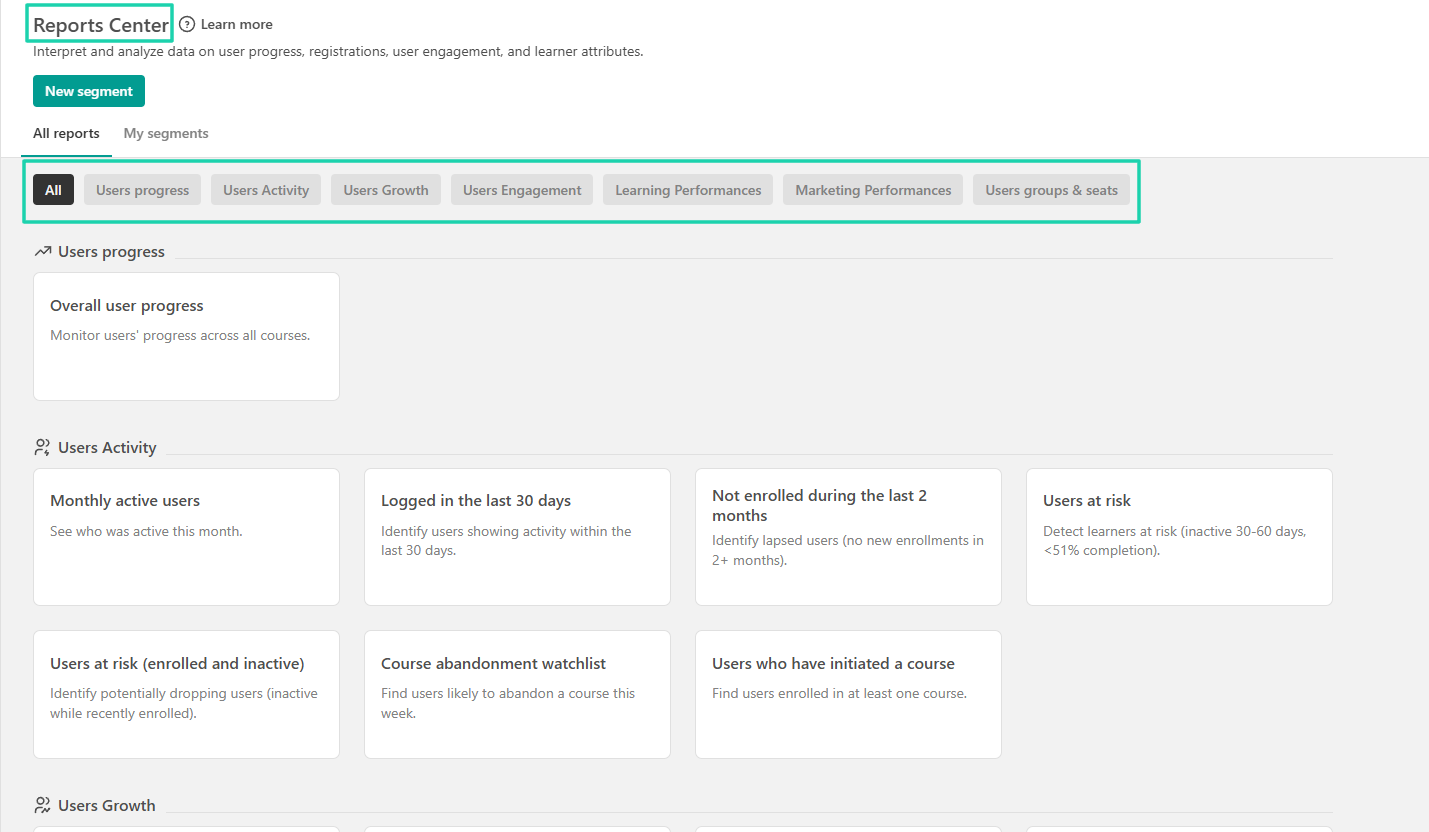
On LearnWorlds, you will go to the Reports Center. This is where you see all reports, including user progress, user activity, user engagement, and learning performance, just to name a few.
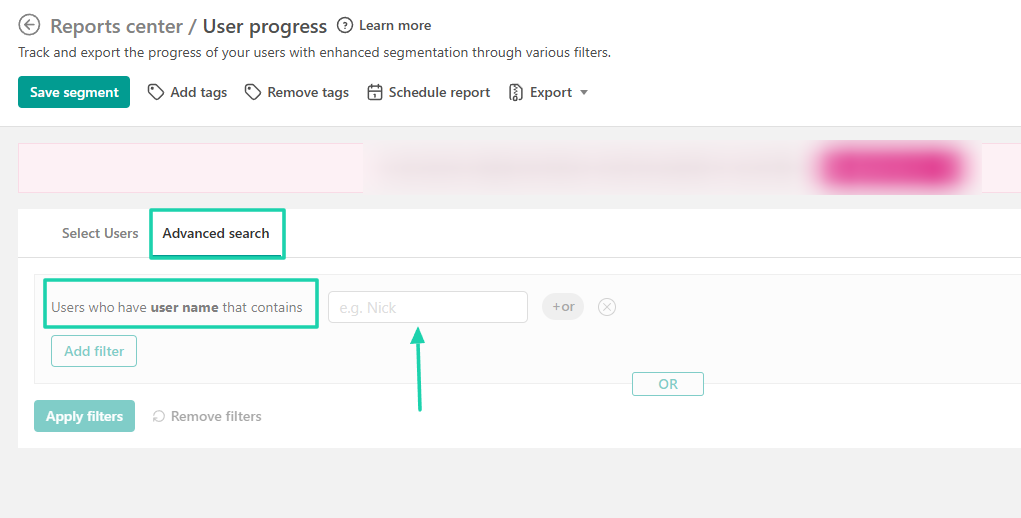
For instance, to access the user progress report, you must apply filters such as course, average score, and progress. You can also enter the user email, user name, or tag.
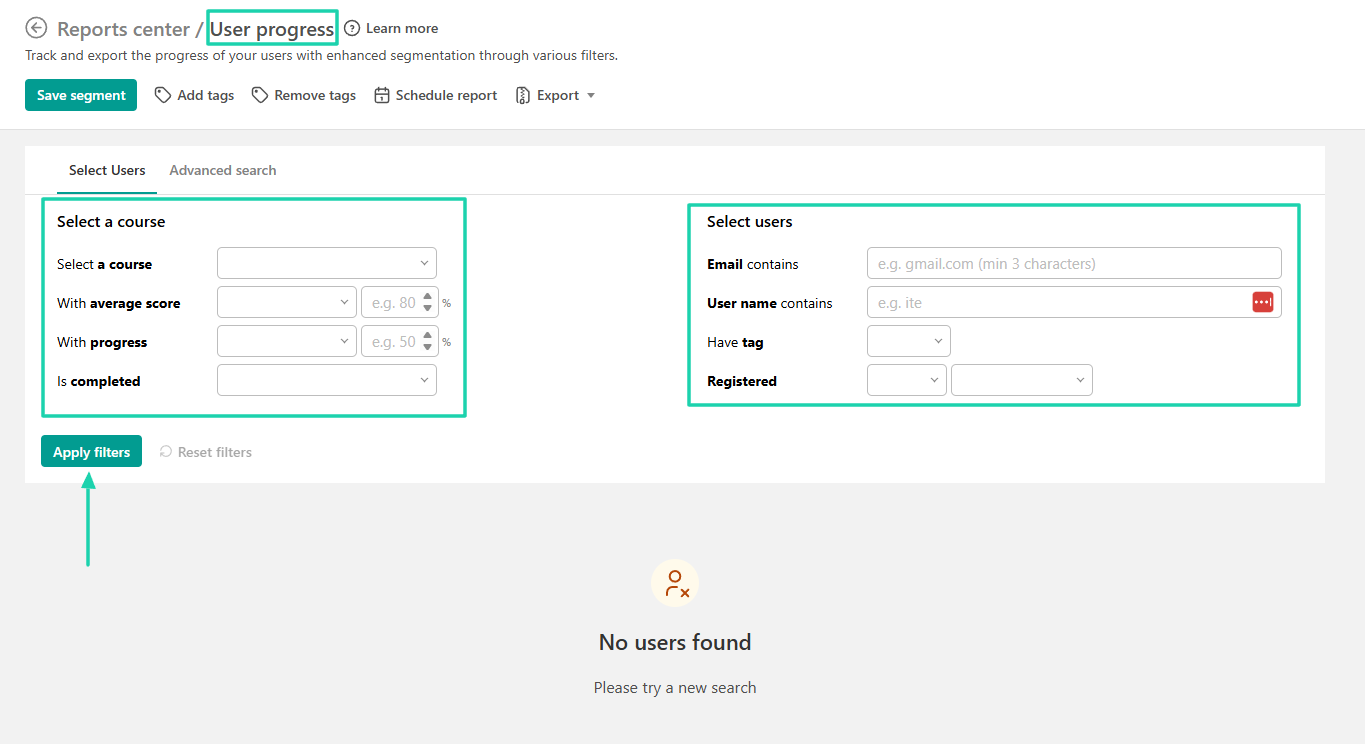
The platform also has advanced search functionality. With this option, you can enter a user name that contains a specific word.
Now, what does it look like in Thinkific?
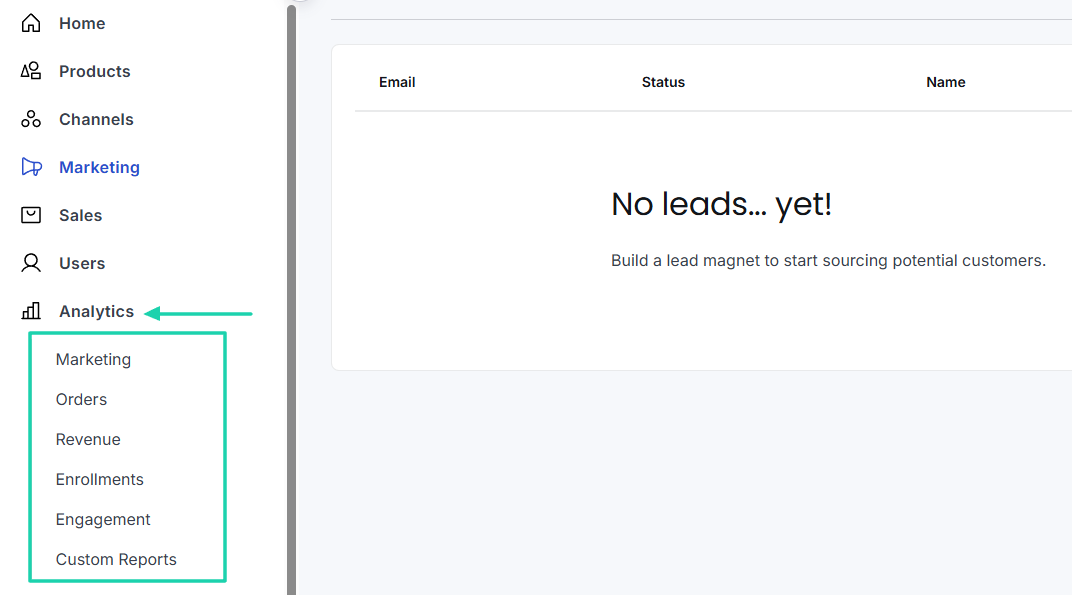
It’s more organized, with all the analytic dashboards on the left side of the interface:
- Marketing
- Orders
- Revenue
- Enrollments
- Engagement
- Custom reports
The enrollment report shows the total number of enrollments, the number of unique students, and the average enrollment per student.
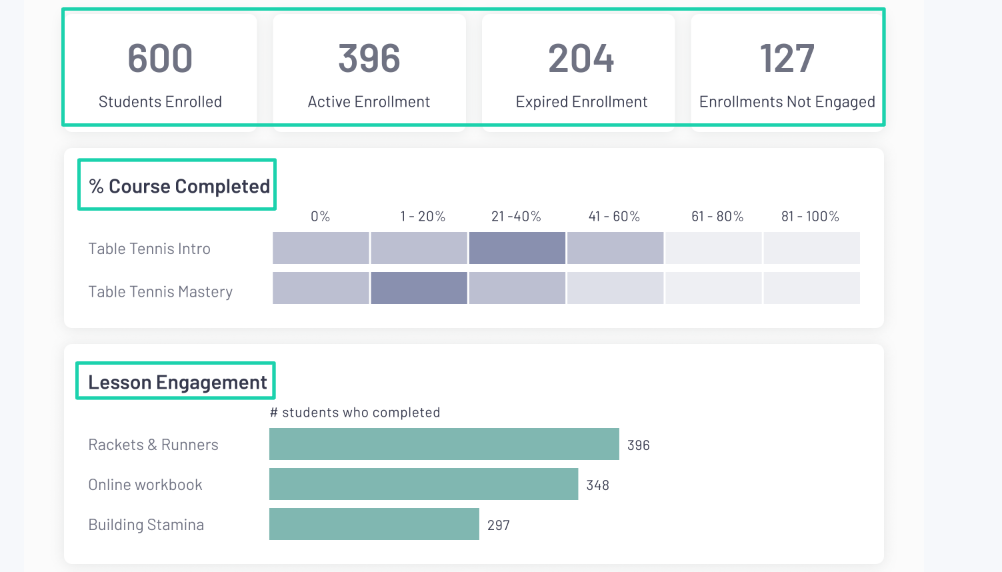
The engagement analytics displays the number of students enrolled, active enrollment, expired enrollment, and enrollment not engaged. It also displays the percentage of the course completed and the lesson engagement with the number of students who completed the lessons.
I find the analytics reports in Thinkific to be more dynamic than those on LearnWorlds. As a creator, you need to know how much you make and what partners are growing or destroying your business.
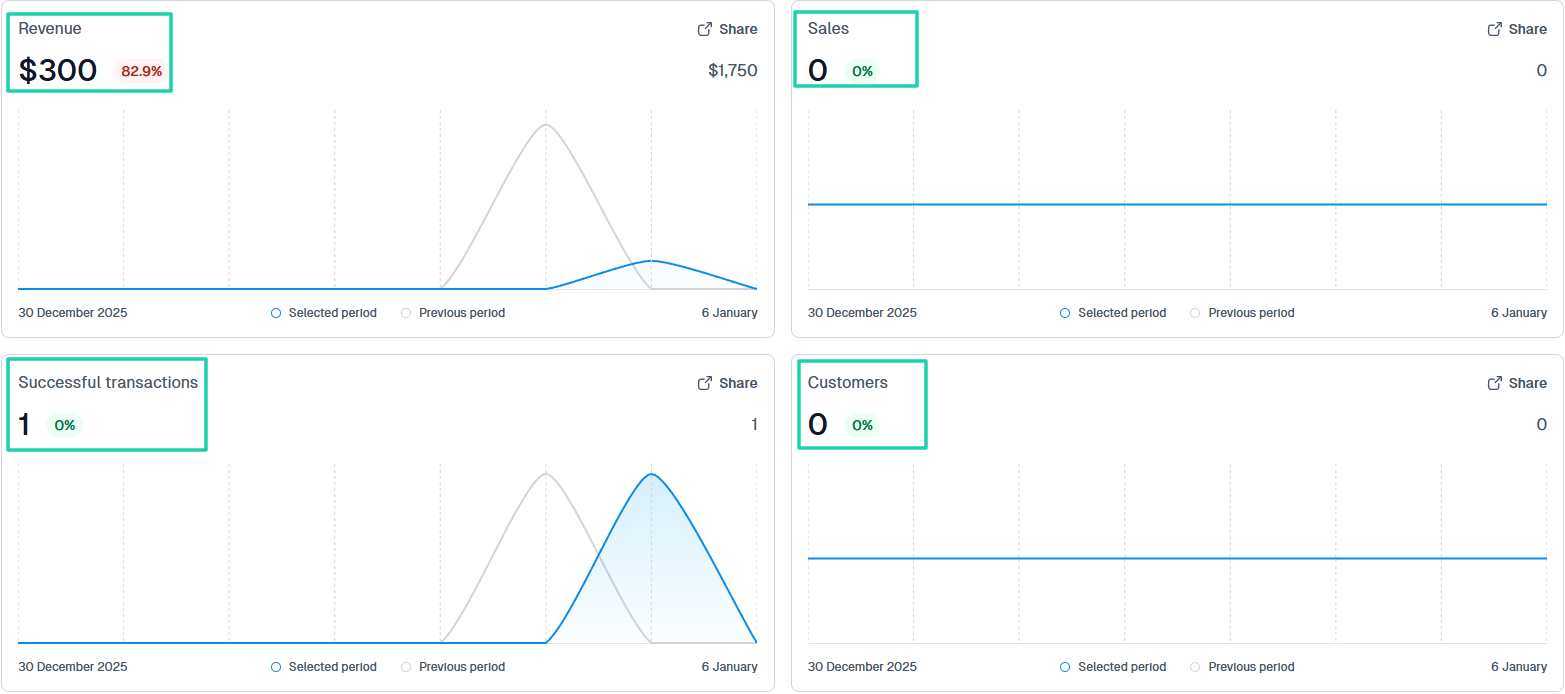
Now, with Easytools, the Analytics report displays your total revenue, number of sales, successful transactions, and customers.
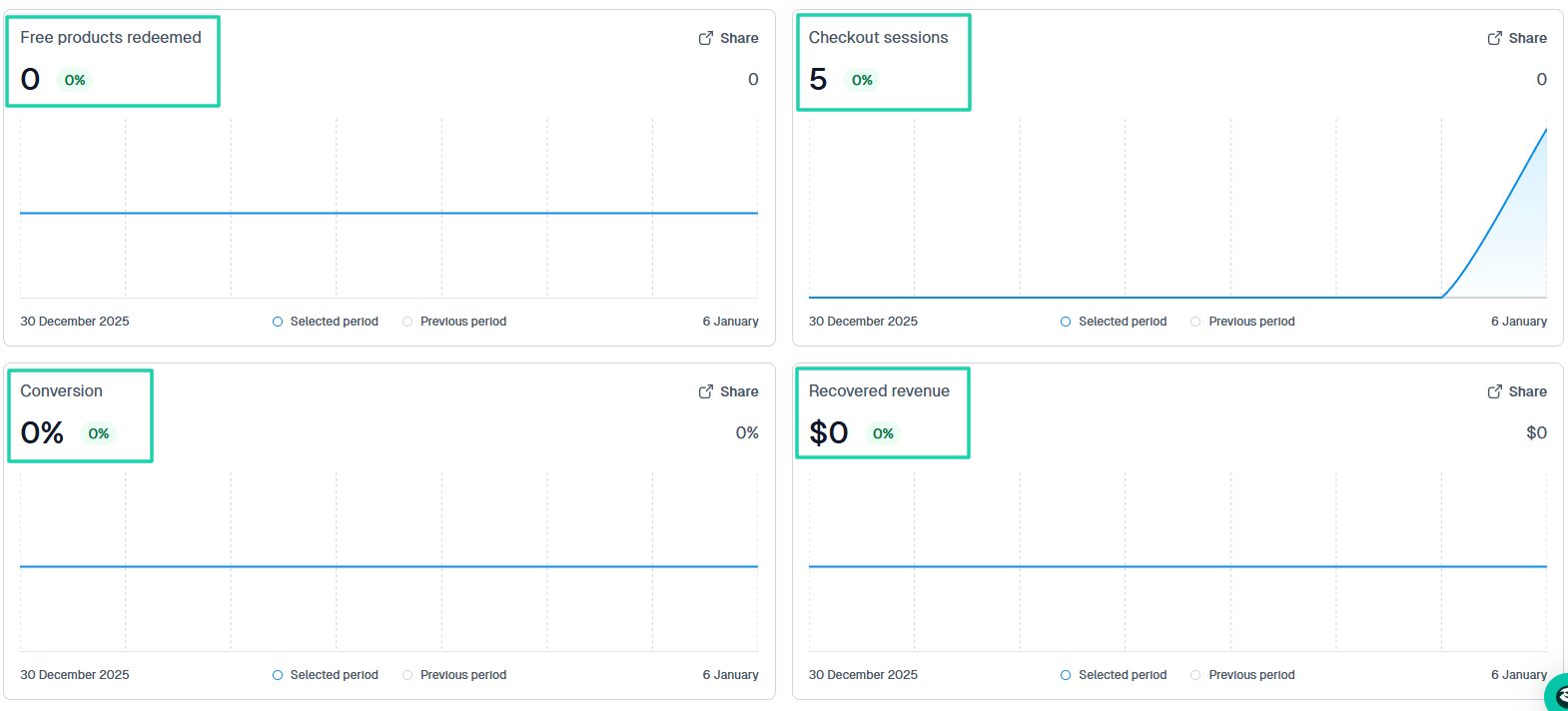
You can also see the number of free products redeemed, the number of checkout sessions, your conversion rate, and recovered revenue.
6. Transactions and payment collection
To continue the LearnWorlds vs Thinkific comparison, we must understand how each platform handles payments. You don’t want to sell digital products on platforms that struggle to collect payments.
So, how does each platform collect payments from your customers?
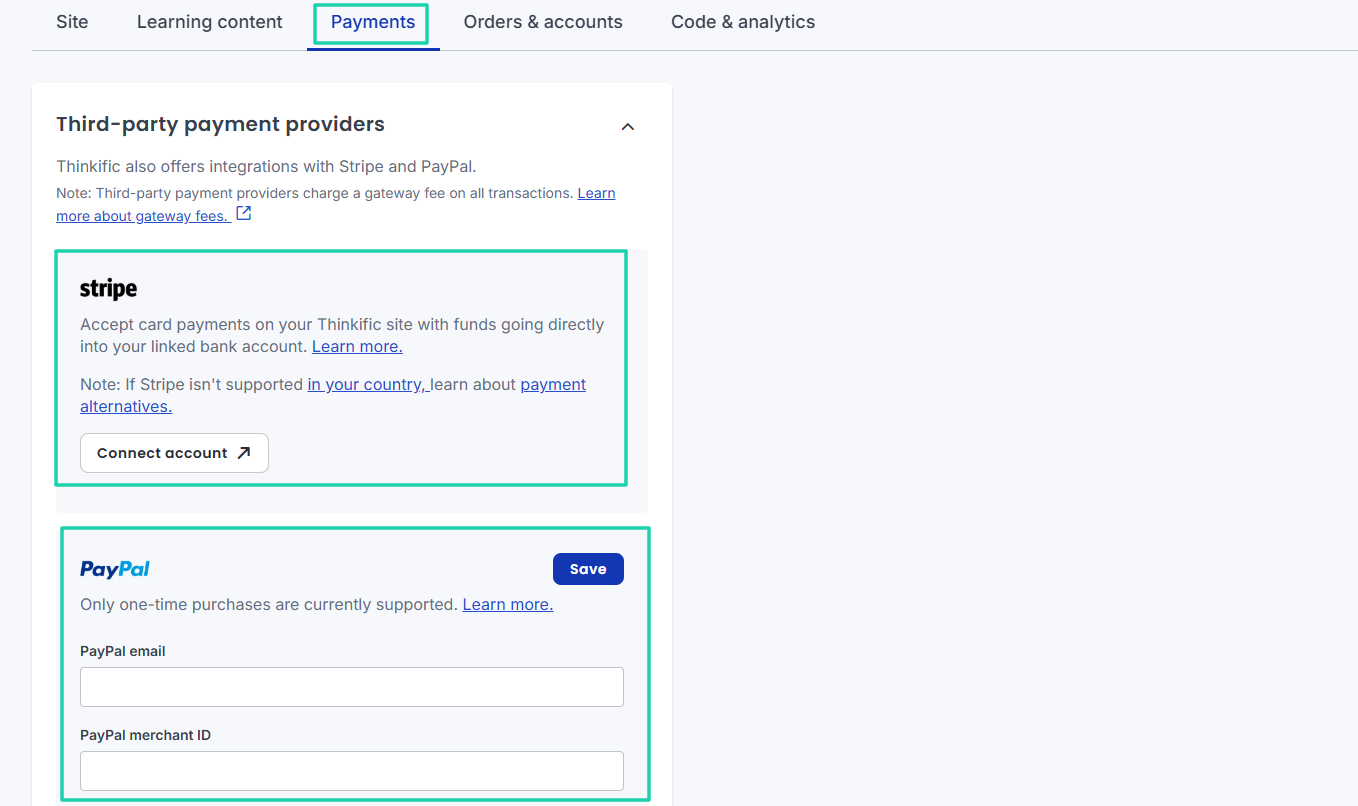
First, Thinkific integrates with Stripe and PayPal, though PayPal only supports one-time purchases.
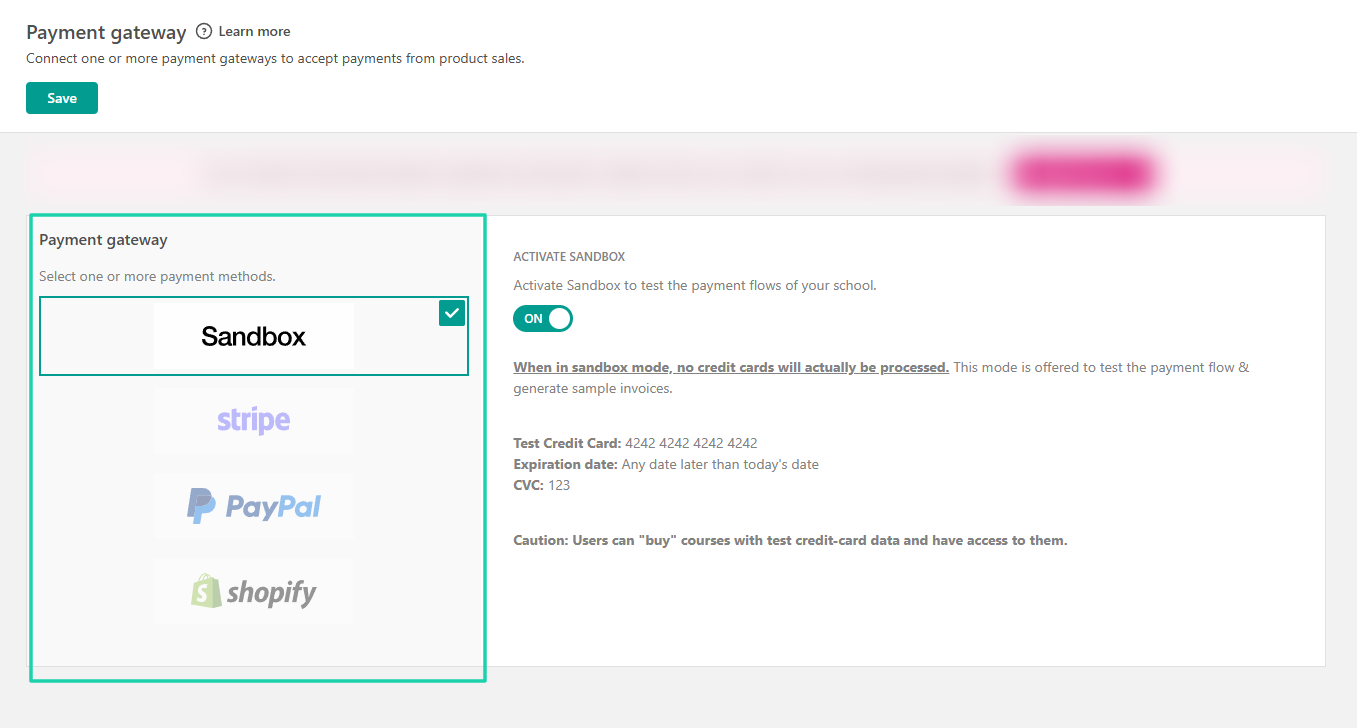
On the other hand, LearnWorlds integrates with payment gateways such as Stripe, PayPal, and Shopify. Sandbox is just to test the payment flows of your school.
Since we are discussing payments, I must say Easytools offers a variety of payment methods:
- Stripe
- Card
- EPS (Stripe), popular in Austria
- Bancontact (Stripe), popular in Belgium
- Apple Pay
- Google Pay
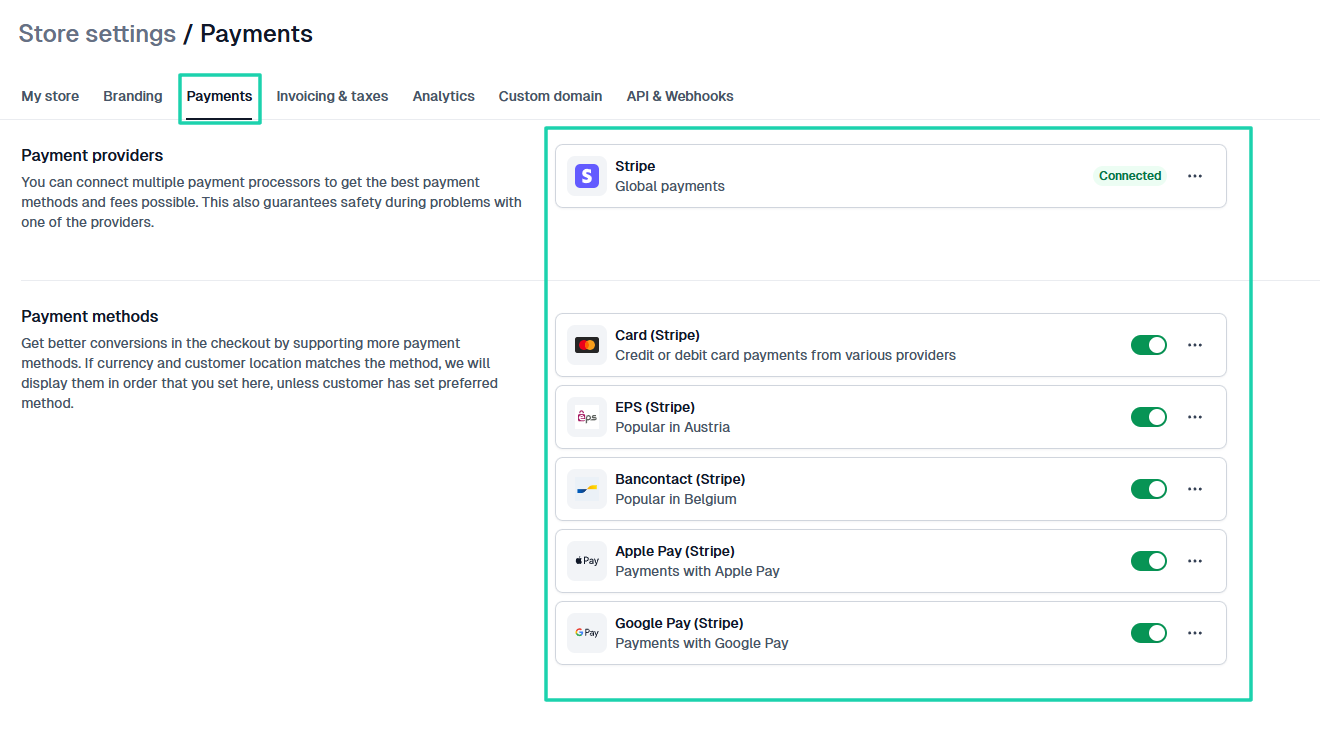
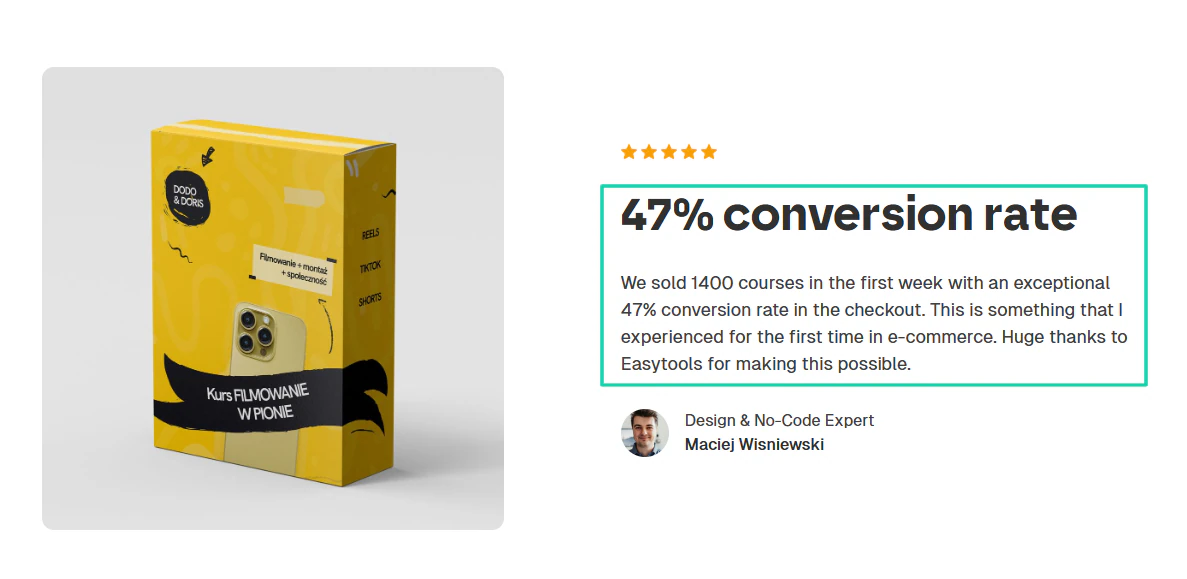
Supporting more payment methods can improve checkout conversions. These are the same methods Filmowanie w pionie used when they sold 1400 courses in just 7 days and had a 47% conversion rate.
Check out this video to learn how to set up your first checkout page.
7. Integrations
Now, let’s compare integrations between LearnWorlds and Thinkific. You want these platforms to integrate with your current tools and workflow.
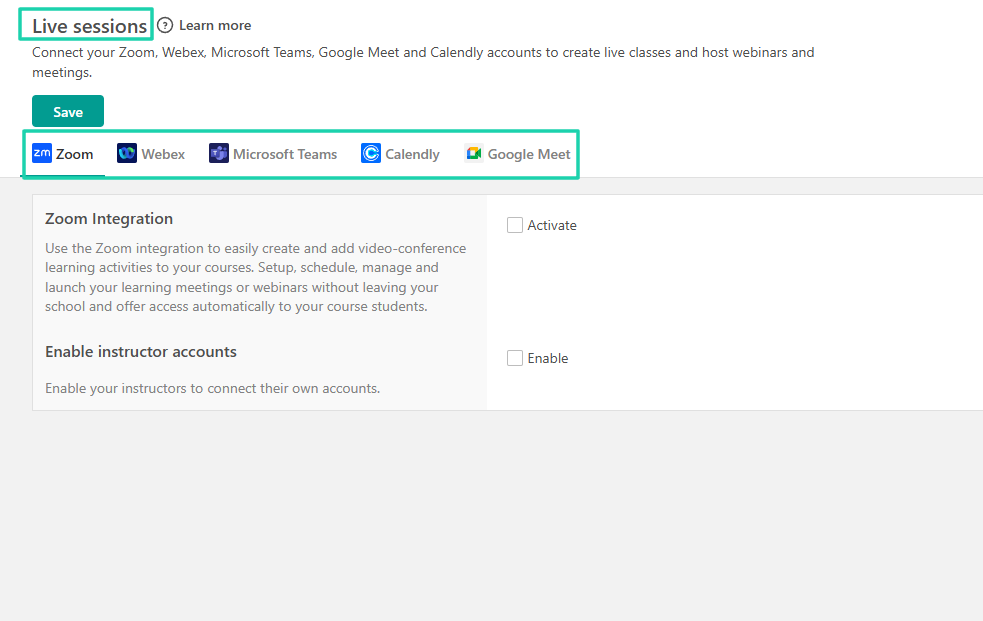
LearnWorlds categorizes its integrations into Affiliates, CRMs, Analytics, Email integrations, Zapier, and more.
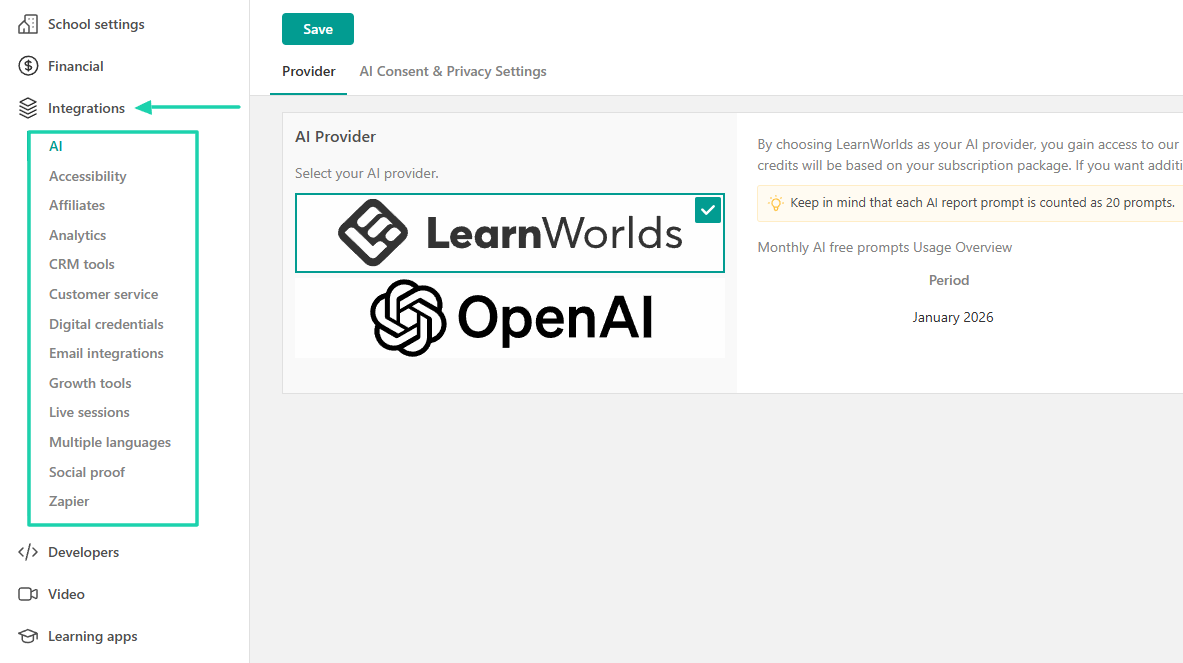
If you click the Live sessions category, you will see Zoom, Webex, Microsoft Teams, Calendly, and Google Meet.
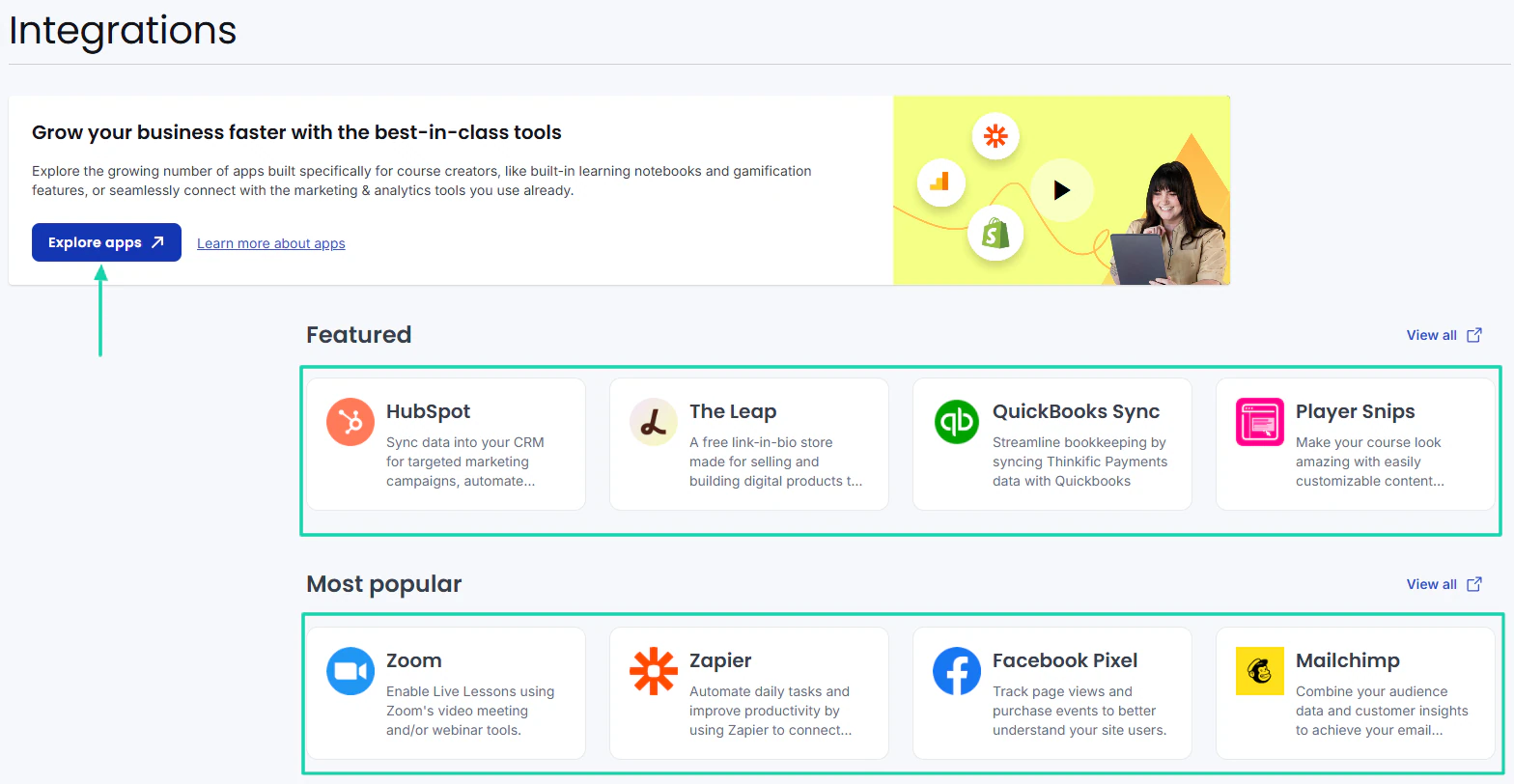
Thinkific, on the other hand, directly shows you the tools you can integrate with: HubSpot, The Leap, QuickBooks, Zoom, and Zapier. You can also go to “Explore apps” to access more tools.
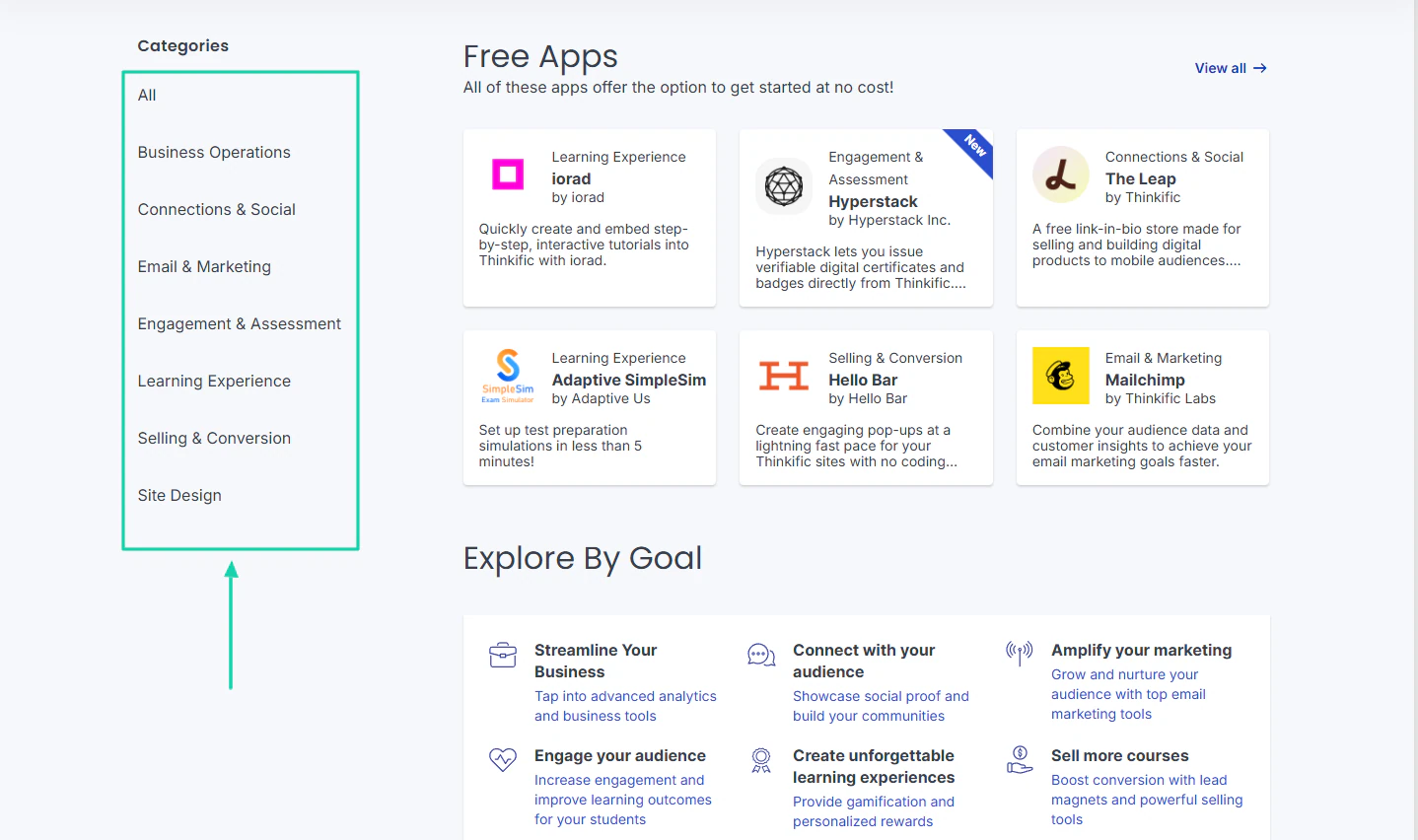
There, it’s now identical to LearnWorlds. The integrations are also grouped in categories: Business operations, connections and social, email marketing, learning experience, and site design, among others.
Thinkific and LearnWorlds have good integration options. They both connect with Zapier and can therefore access more than 4,000 apps.
Thinkific vs LearnWorlds: Pricing comparison
Now, the real question: how much do LearnWorlds and Thinkific cost?
Before sharing LearnWorld’s pricing plans, it’s worth noting that it offers a 30-day free trial to help you get started. Now, for the plans, you have:
- Starter: $24/month + $5 per course enrolment
- Pro Trainer: $79/month
- Learning Center: $249
- High Volume and Corporate: Custom pricing
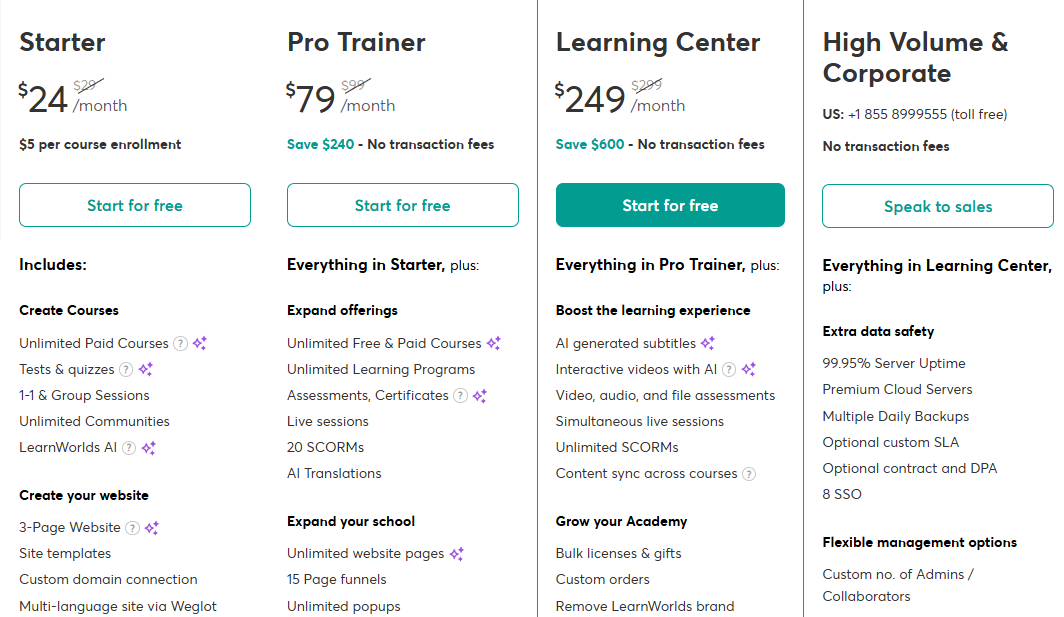
The first plan, costing $24/month, allows you to create unlimited paid courses, 1-1 and group sessions, and unlimited communities. The catch is that you spend $5 per course enrollment. This means that when 100 people enroll, you pay an extra $500 on top of the $24.
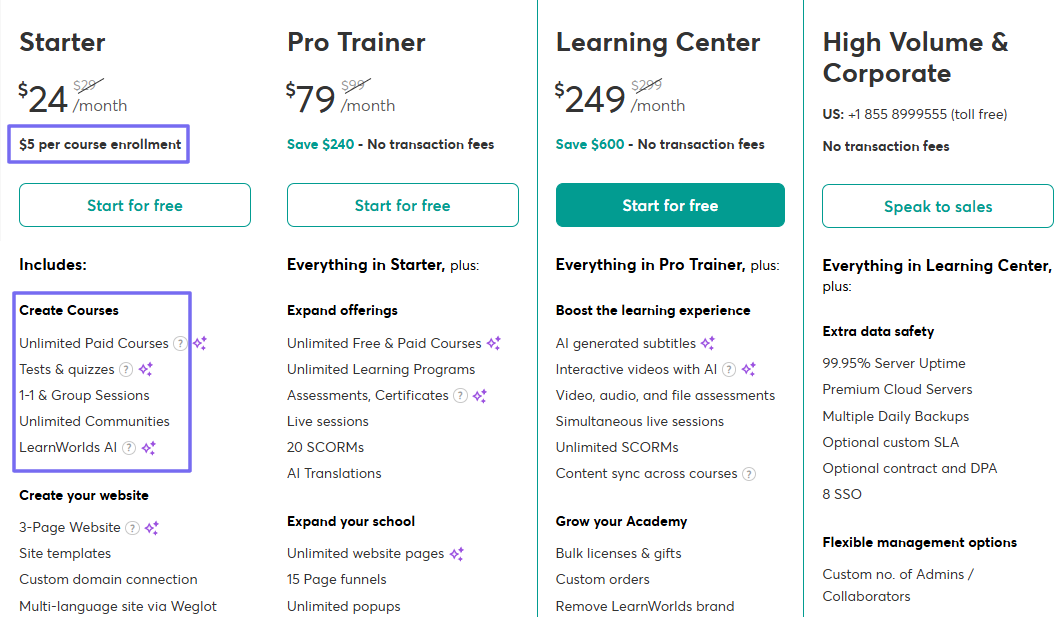
But higher tiers don’t charge transaction fees.
On the other side, you have Thinkific, which also offers a 30-day free trial. It comes with four tiers as well:
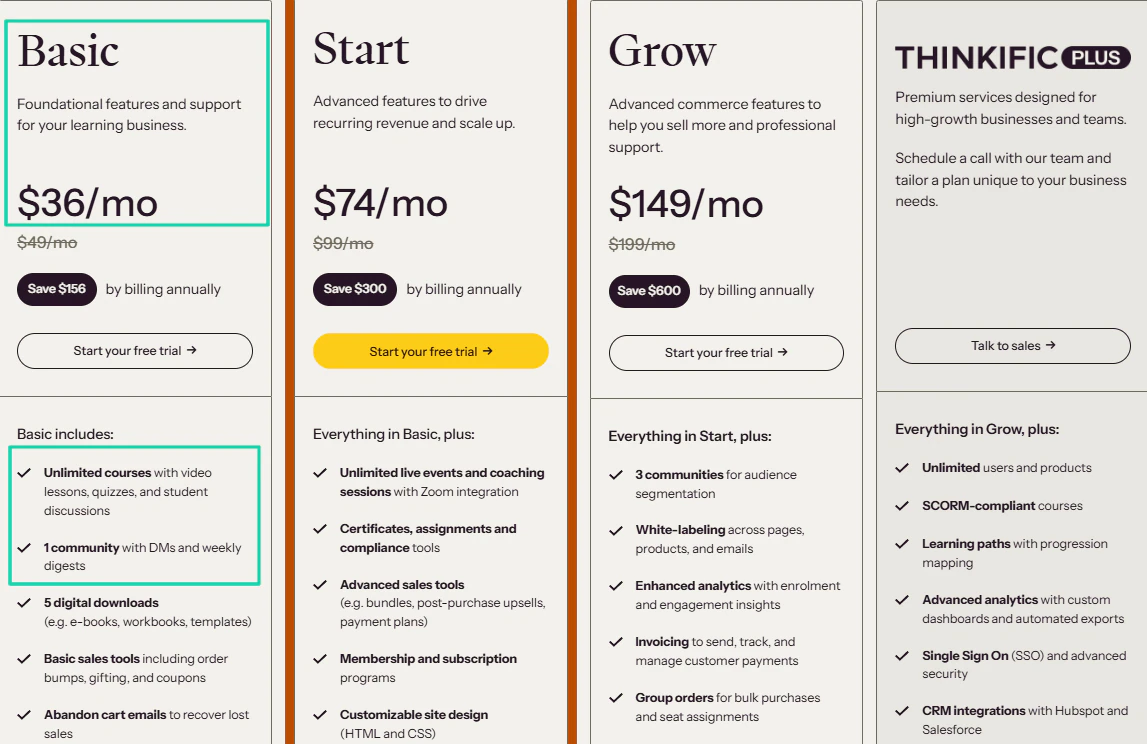
- Basic: $36/month
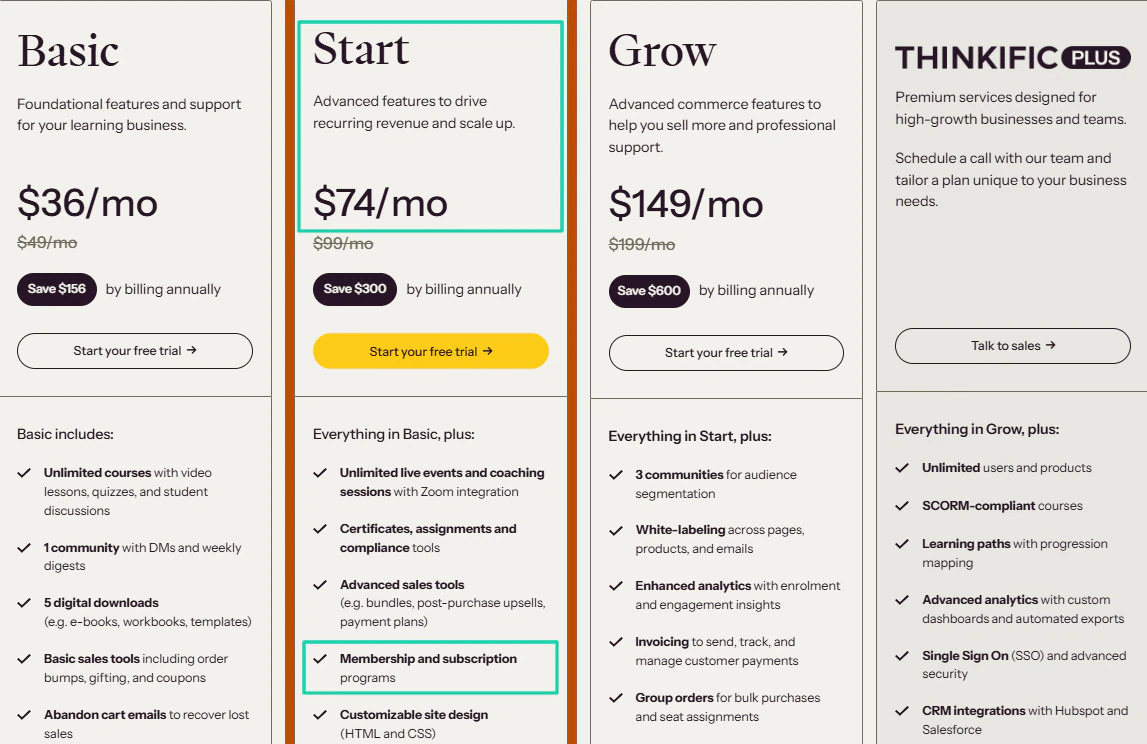
- Start: $74/month
- Grow: $149/month
- Thinkific: Custom pricing
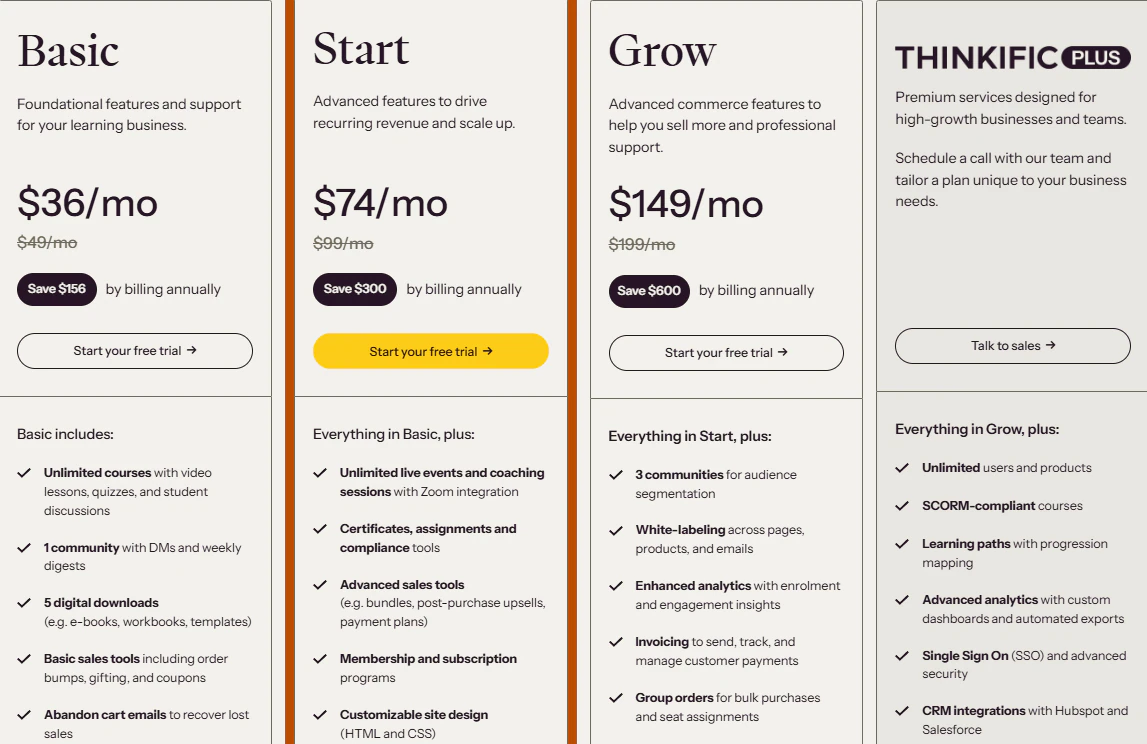
Thinkfic doesn’t take transaction fees across all its plans.
Its Basic plan, at $36/month, includes unlimited courses and 1 community, but no memberships. Meanwhile, LearnWorlds has unlimited communities.
Now, if you want to create memberships on Thinkific, you need to upgrade to the Start plan, which costs $74/month. But the number of memberships you can create is not specified.
So, when we only consider pricing and not the features each plan includes, LearnWorlds is definitely more expensive than Thinkific. The $5 course fee per enrollment on the first plan suggests that you’ll spend a lot as more people enroll.
However, when we dive deeper into what each plan offers, LearnWorlds may have an advantage.
For instance, if we only focus on memberships, the platform already offers unlimited membership from its first plan ($24/month). But it’s only available on Thinkific’s Start plan at $74/month.
Overall, I’d say LearnWorlds is more expensive than Thinkific, and isn’t the best option if you also want to sell digital downloads.
LearnWorlds vs. Thinkific: Which is the best tool for you?
I tested both LearnWorlds and Thinkific thoroughly and concluded that Thinkific is better.
Yes, they are both intuitive, but Thinkific is a more all-in-one platform, as you can sell online courses, digital downloads, membership programs, and more. LearnWorlds, however, is good for online courses only and struggle for other digital products.
Throughout this article, we compared the two products by considering how people typically use them. We set up an online course, started a membership program, and sold other digital products.
We also check their marketing tools and the analytics that help creators make important decisions.
Last but not least, we slightly compared both tools with Easytools, a better alternative. Now is your turn to choose the platform that will help you make money online.
We cover similar comprehensive articles that help online creators. Check out the ones below: