Blog
6 best AI website builders in 2026! Features, pricing, pros, and cons
best AI website builders: 1. Easytools, 2. Hostinger AI Website Builder, 3. WordPress.com AI Website Builder, 4. Wix AI Website Builder

Why would you spend money hiring a web developer? When you can just use an AI website builder to get the same result, faster and cheaper?

Yes, you read that right. I said, “faster and cheaper.”
The best part is you don’t even need any technical know-how. One good AI website builder, and you’re good to go.
That’s why I tested about 11 AI website builders and ended up selecting six of the absolute best.
I’ll show you how to use each platform to build a website. Then, I’ll discuss their strengths and weaknesses.
At the end of the article, you’ll be able to choose the best AI website builder.
Let’s go!
TL;DR
-
AI website builders are no-code tools that use artificial intelligence to generate and design complete, functional websites within minutes.
-
The best AI website builders are:
- 1. Easytools AI Website Builder - Best for digital content creators
- 2. Hostinger AI Website Builder - Best for e-commerce
- 3. WordPress.com AI Website Builder - Best for enterprises
- 4. Wix AI Website Builder - Best for SaaS companies
- 5. 10Web - Best for WordPress users
- 6. Durable - Best for local service providers
-
To choose the best AI website builder, check AI features, consider ecommerce capabilities, assess pricing plans, and evaluate customization options.
6 best AI website builders
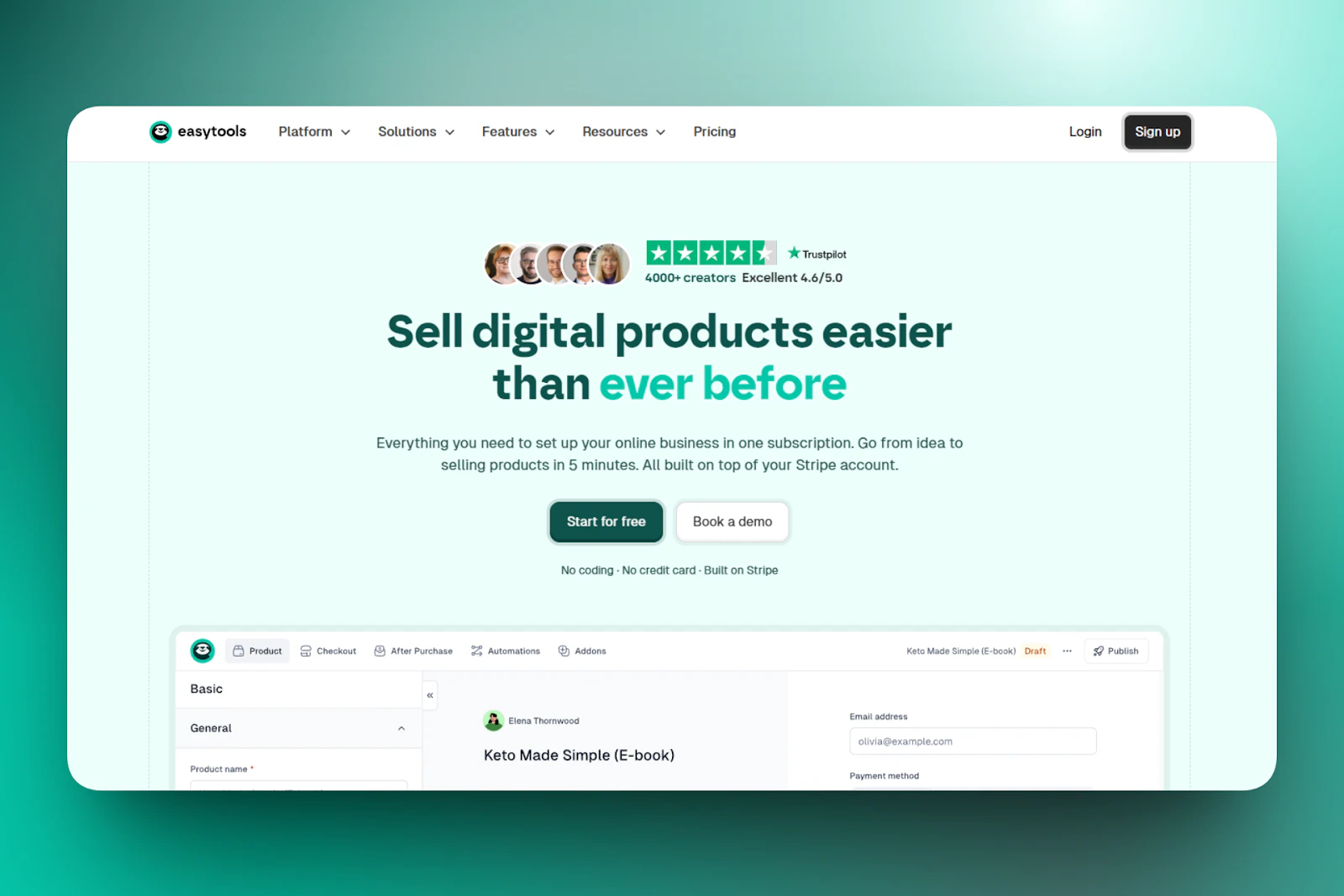
1. Easytools AI Website Builder - Best for digital content creators
First on my list of the best AI website builders is Easytools.
It’s an all-in-one, no-code platform that lets you create high-converting websites and sell digital products like e-books, PDFs, and Notion templates.
You can add testimonials, legal pages, cookies, pricing and offer pages, FAQ, tickers, and cookies to your website.
You can also use it to collect emails and then send email campaigns directly from Easytools, with no external integrations.
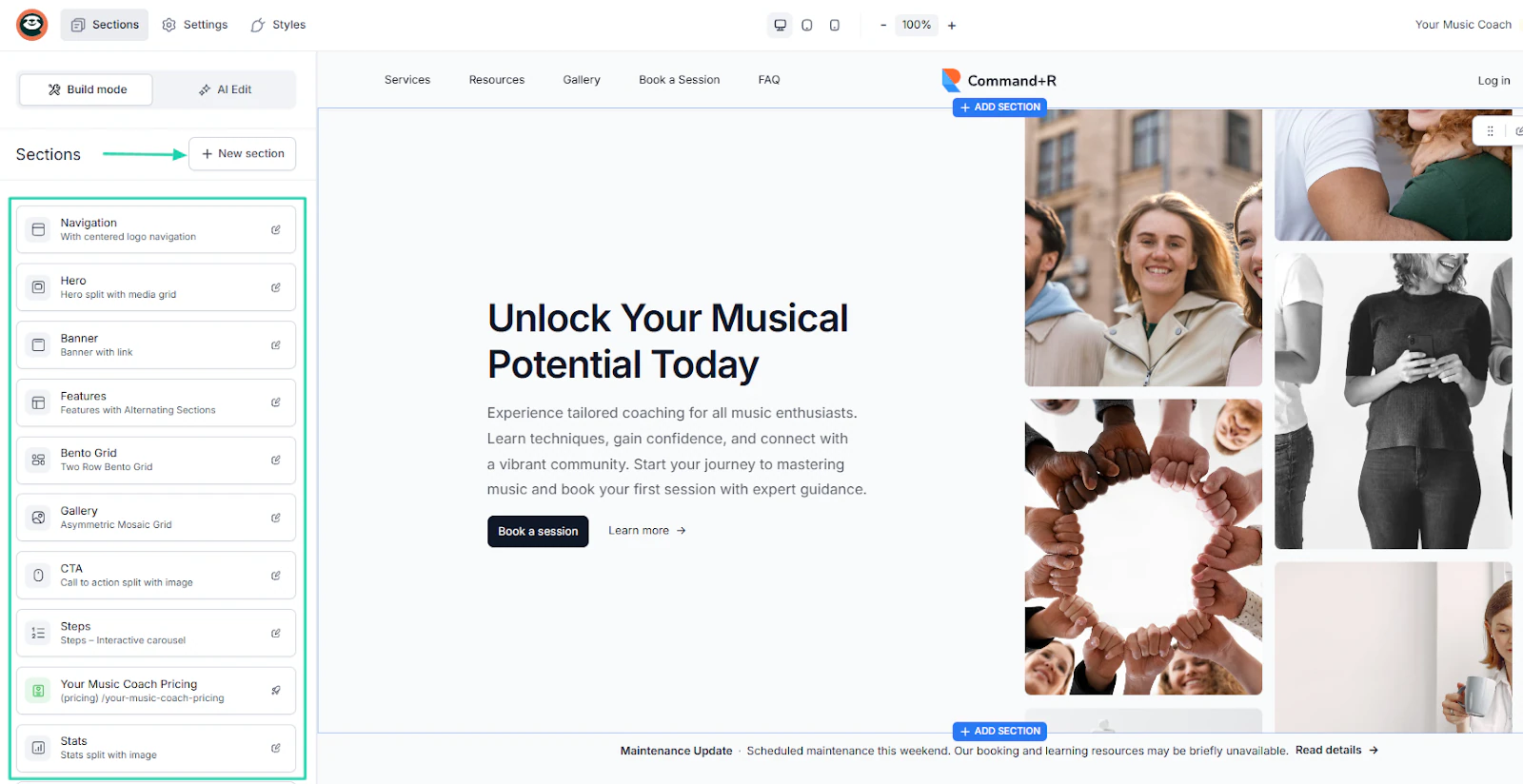
After generating your website from one single prompt, you can use the drag-and-drop builder to add sections, CTAs, texts, and images, among others.
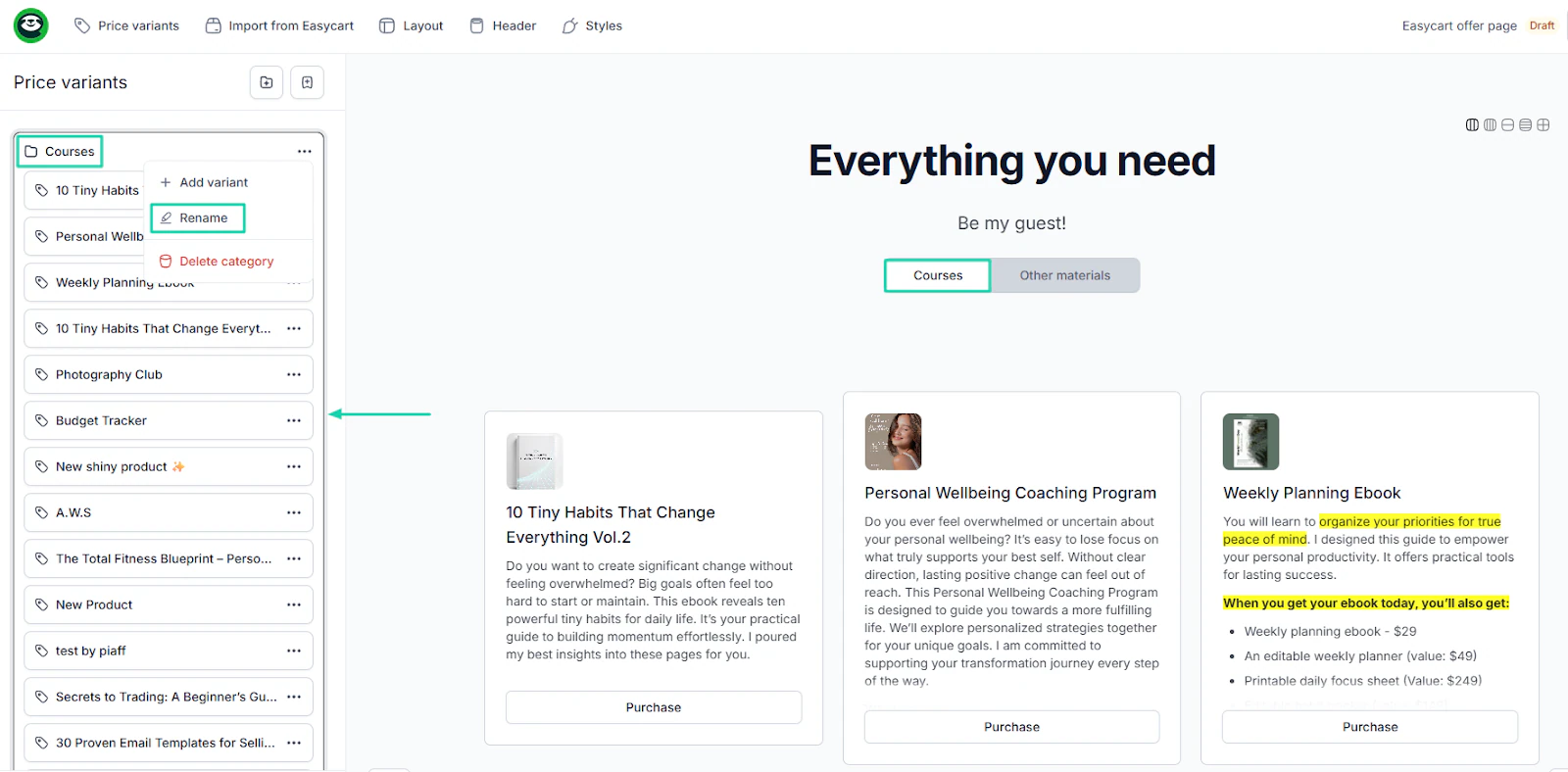
When you have many products, an online store is the best option. Easytools lets you create one and organize all your products the way you want.
Remember, this is a store you can showcase on your website.
What’s more, you can use AI to create your courses with modules.
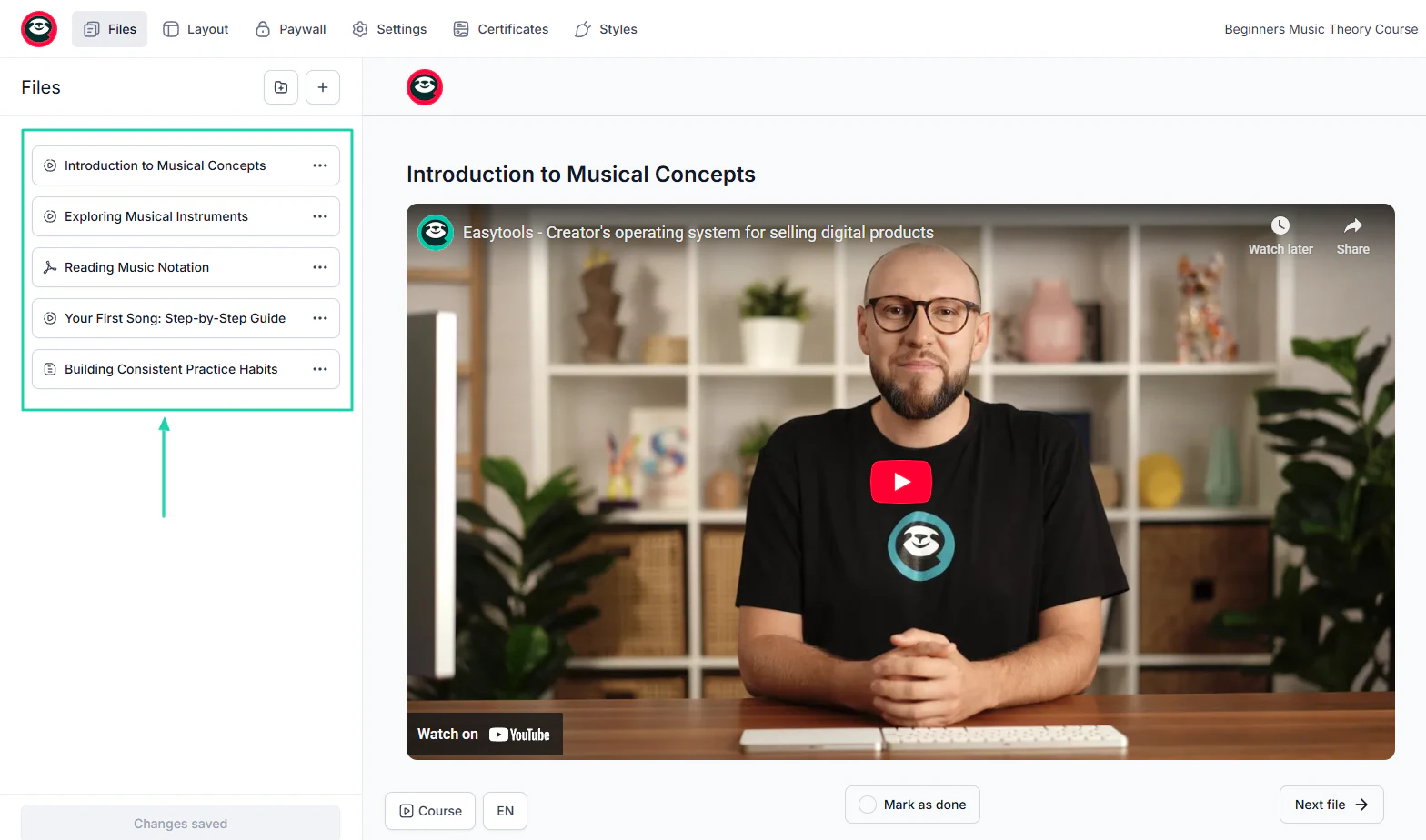
You can set it so that only your customers or members can access it. And the platform lets you automatically issue certificates upon course completion.
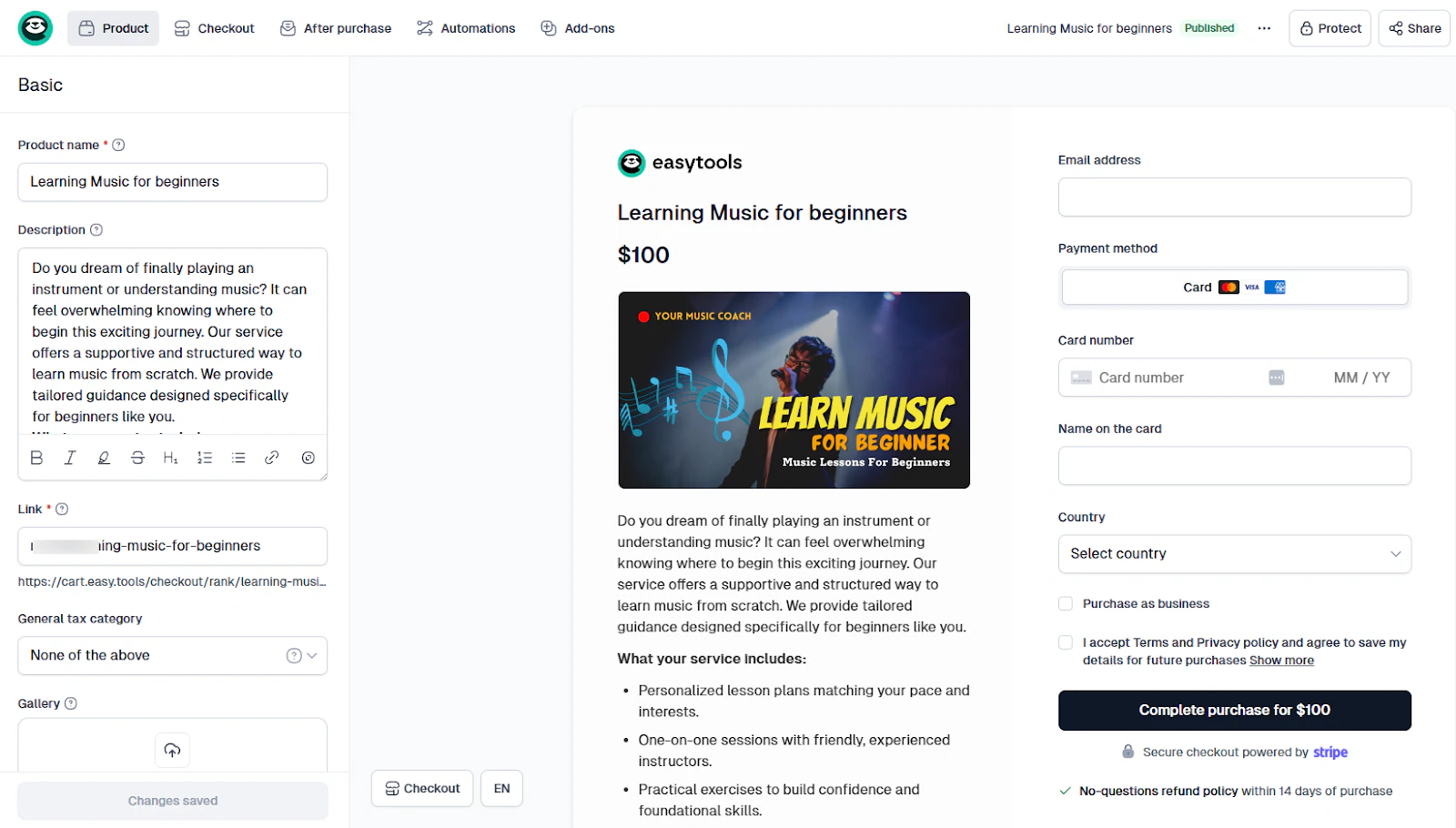
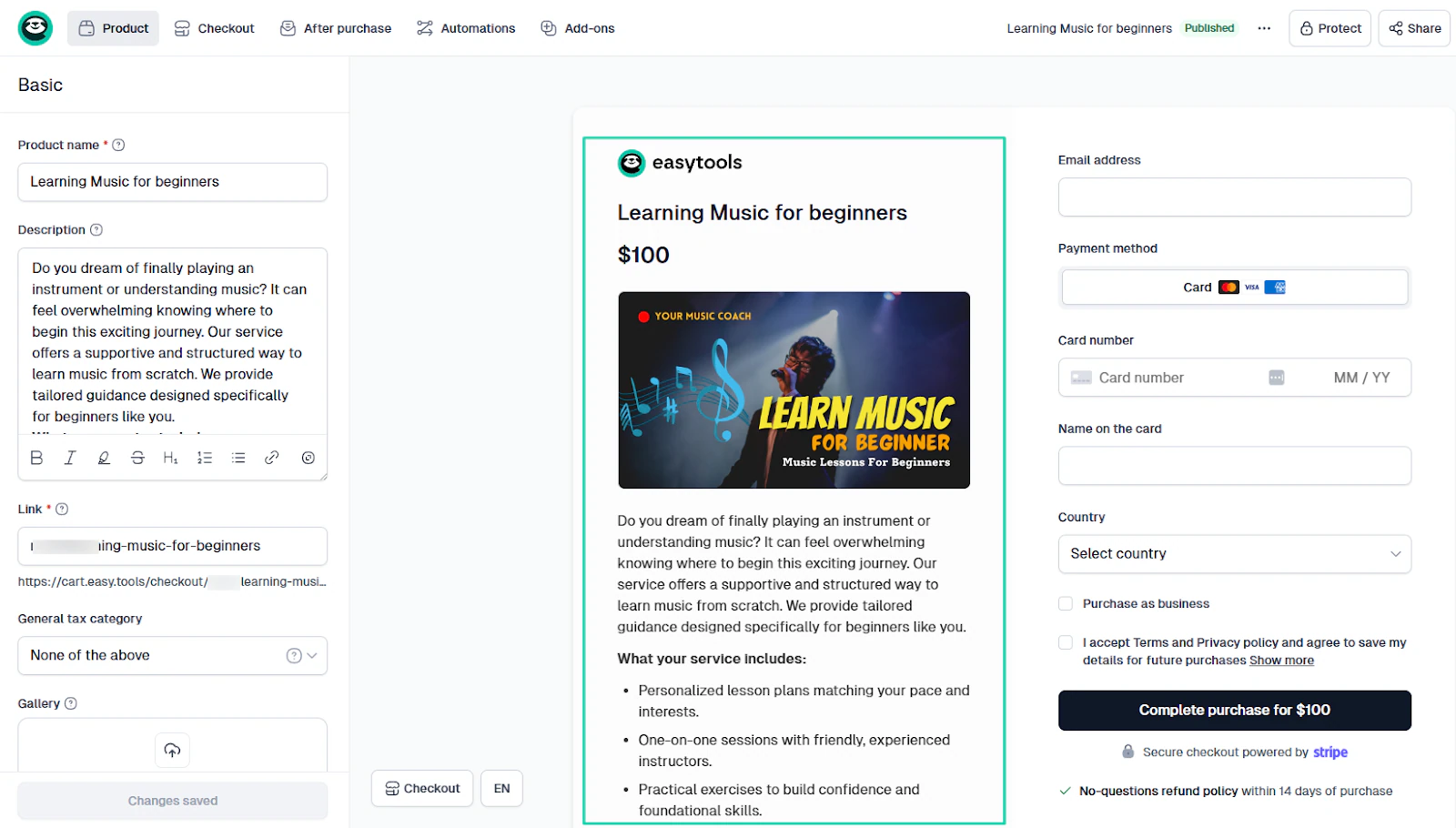
To collect payments, you can create a checkout, specifying your price, product name, and description.
What I loved about Easytools AI Website Builder
1. Websites
A website makes everyone look professional, whether you’re a creator, influencer, or freelancer. This feature on Easytools lets you generate one with a single prompt.
Here’s how it works.
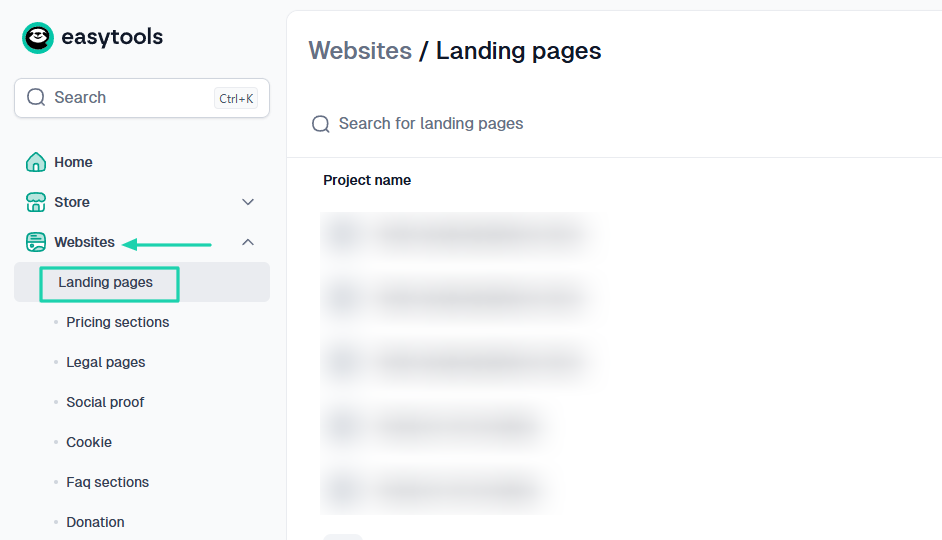
In the sidebar menu, click “Websites” and under it, select “Landing pages.”
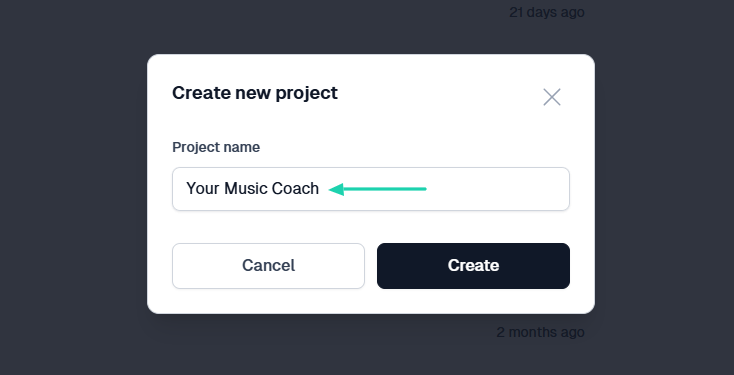
In the pop-up window, name the project.
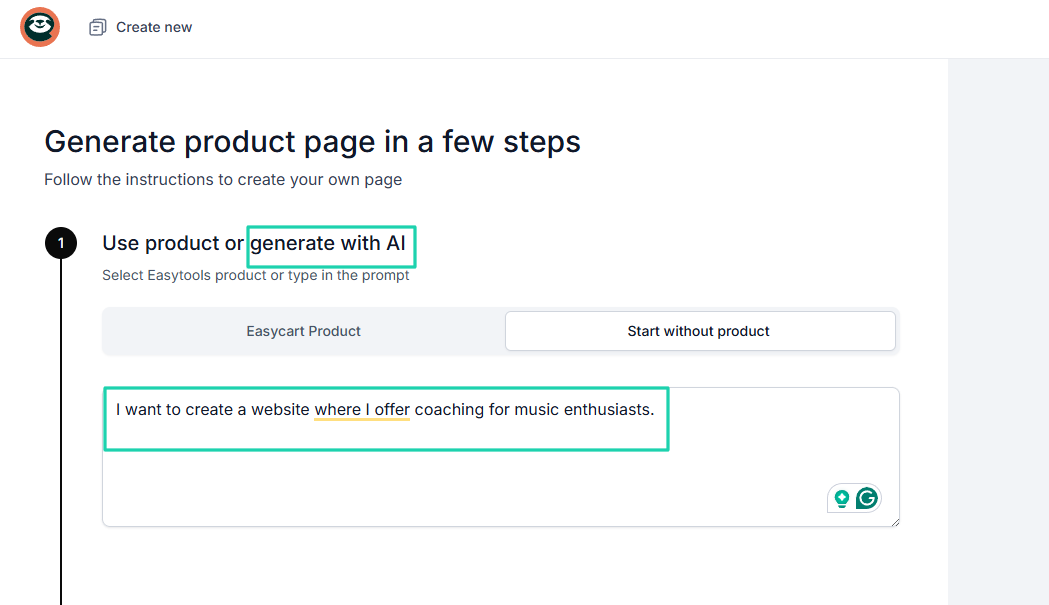
In the new window, simply enter a natural language prompt to let the AI generate the website. It can be:
“I want to create a website where I offer coaching for music enthusiasts. The website should explain my services, share learning resources, and allow people to book coaching sessions.”
Then, I simply choose a color palette and click “Generate.”
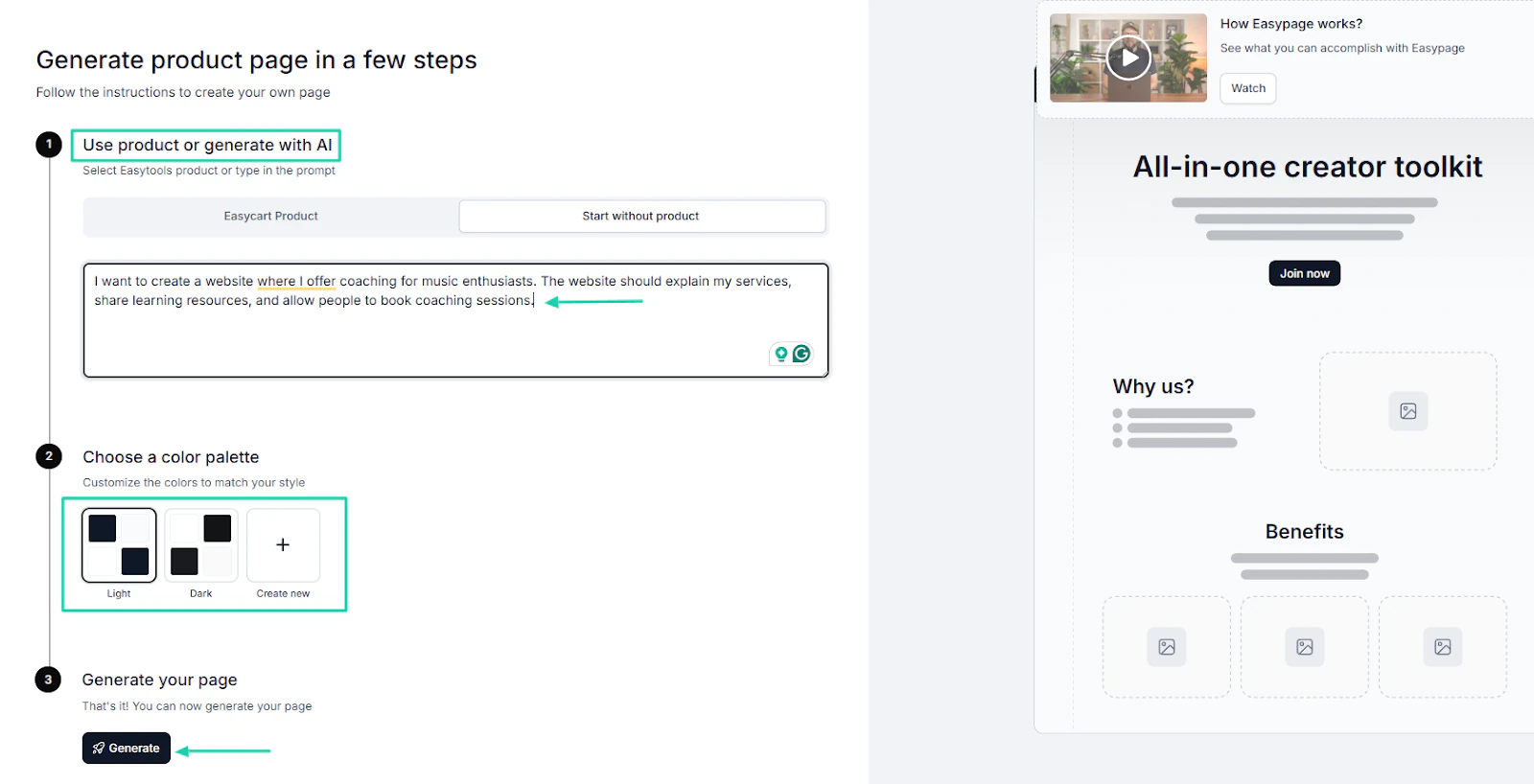
In less than 2 minutes, the website will be ready!
And here’s the best part: AI won’t build it from scratch. Instead, it draws on a vast library of proven elements to create a page that fits your product.
So an e-book page won’t look the same as an online course page since it’ll be tailored to what you’re selling.
You can add new sections by clicking “New sections.” Or simply use the drag-and-drop menu to add elements like CTAs, stats, texts, or images to the website.
You can manually edit texts, images, or videos.
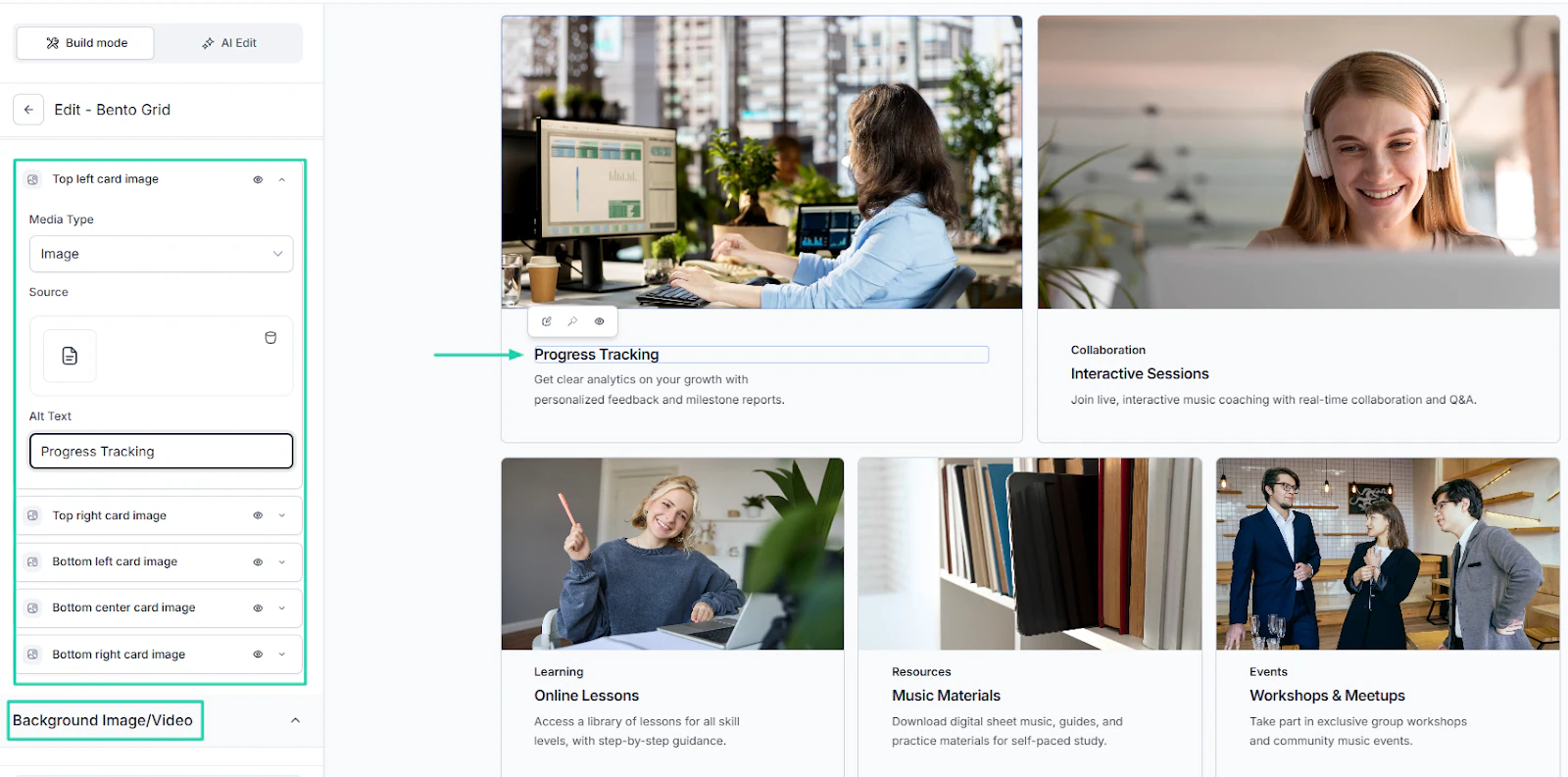
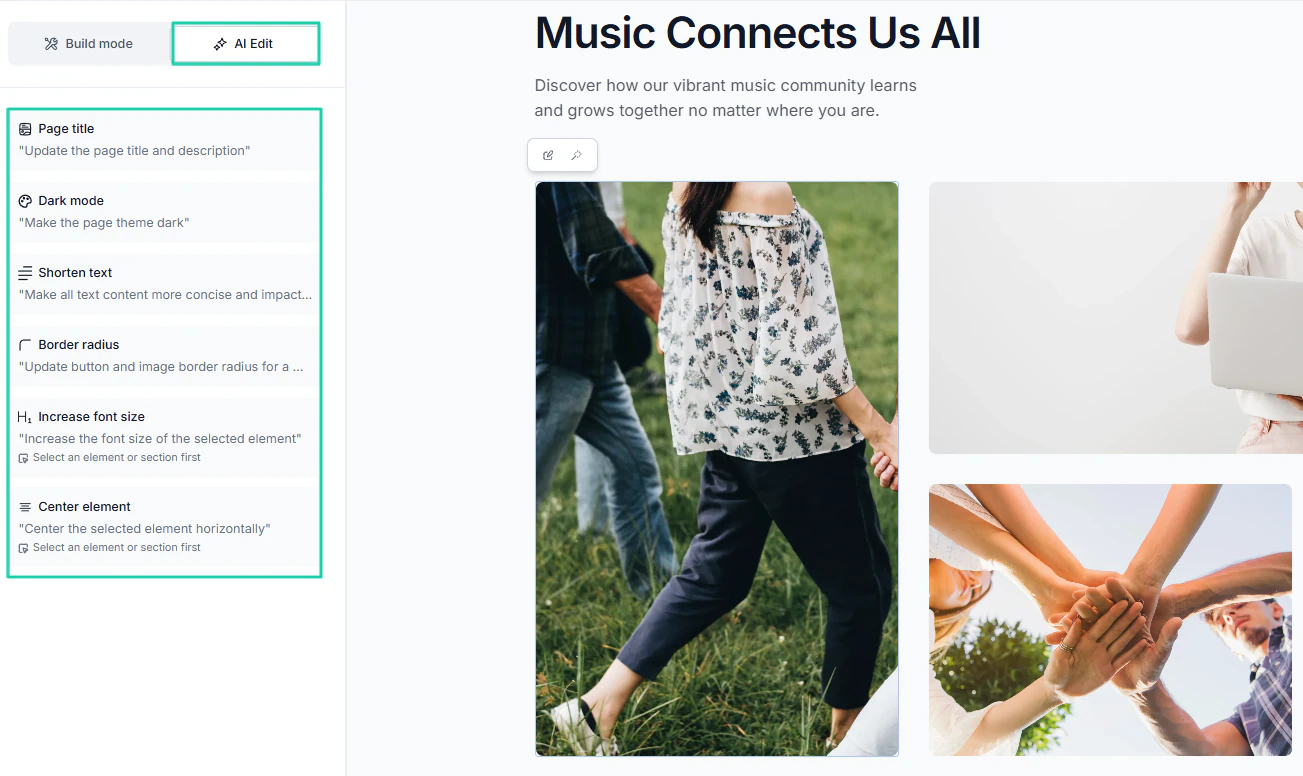
But in case you’re more comfortable with AI, you can use it to edit everything: the page title, theme, text, size, and more.
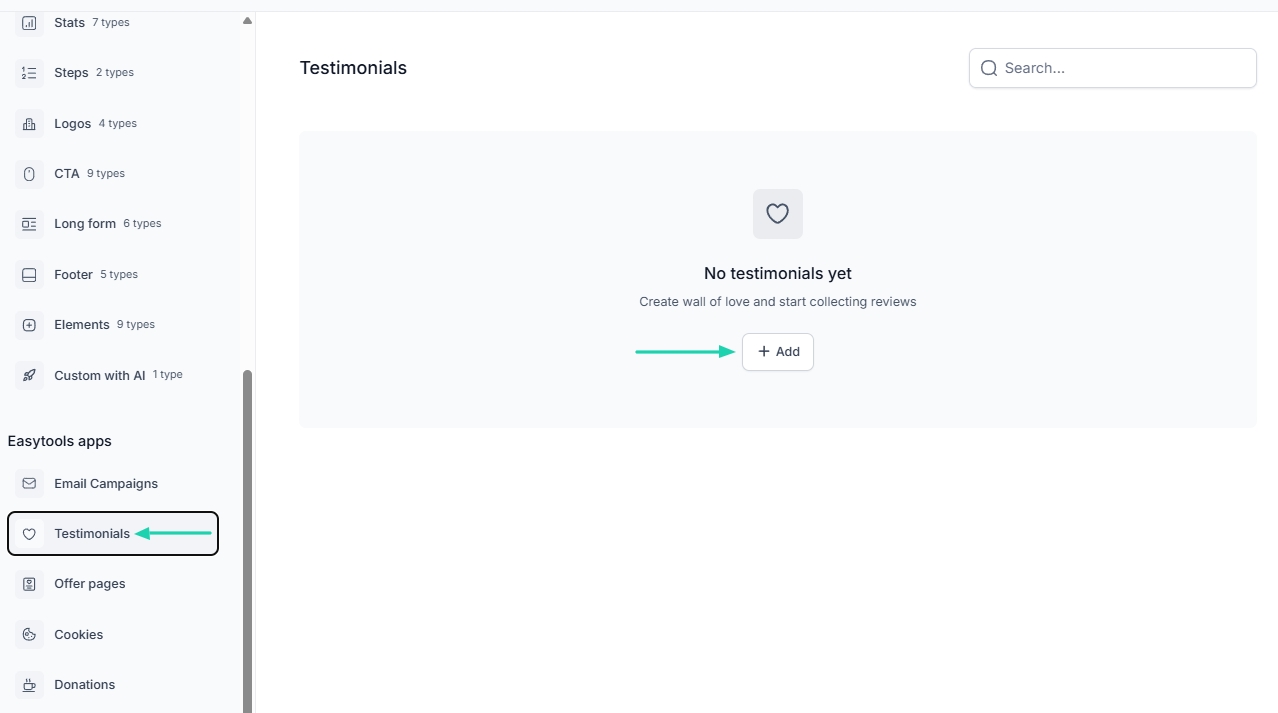
You can also add testimonials to your website.
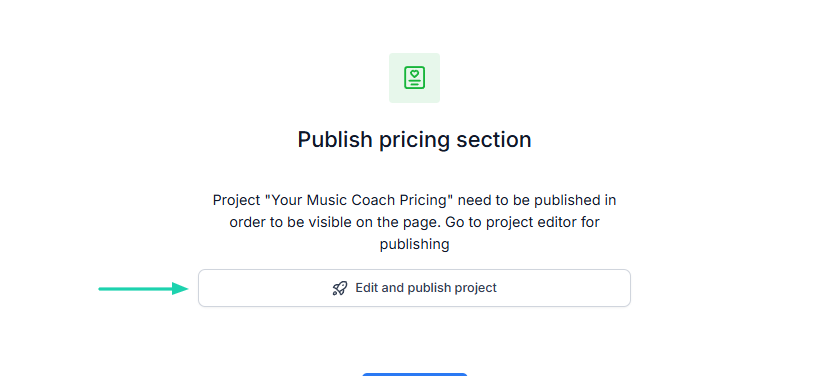
And even publish a pricing section.
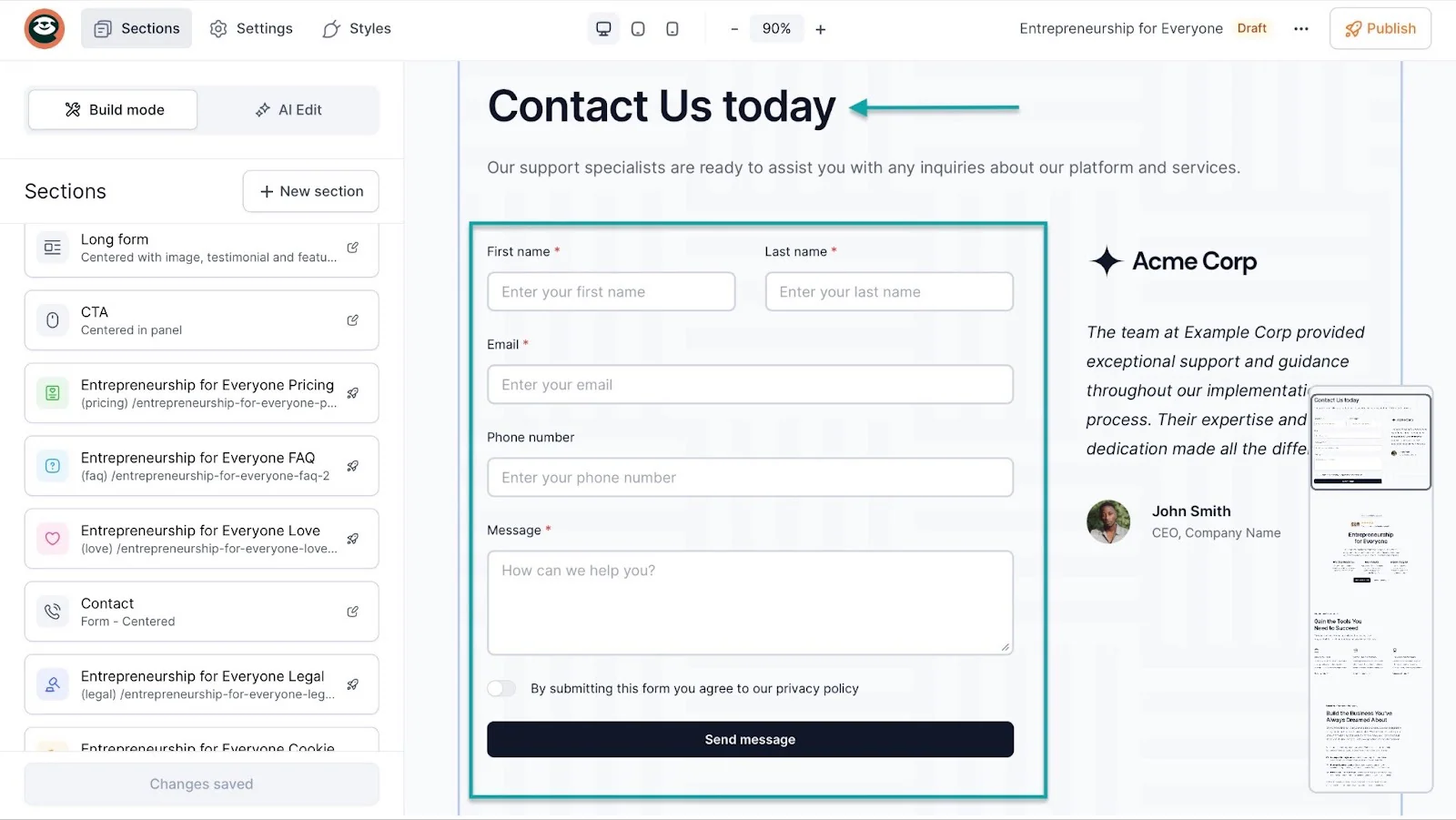
You can also add a newsletter signup form or a contact form, and send email campaigns directly from Easytools, with no external tools or integrations.
2. Store
With the store feature on Easytools, you can create a storefront, which is basically an online store where you display all the digital products you sell.
It’s a great thing if you’re a creator selling many digital products.
To create one, go to “Store,” then click “Storefront” under it.
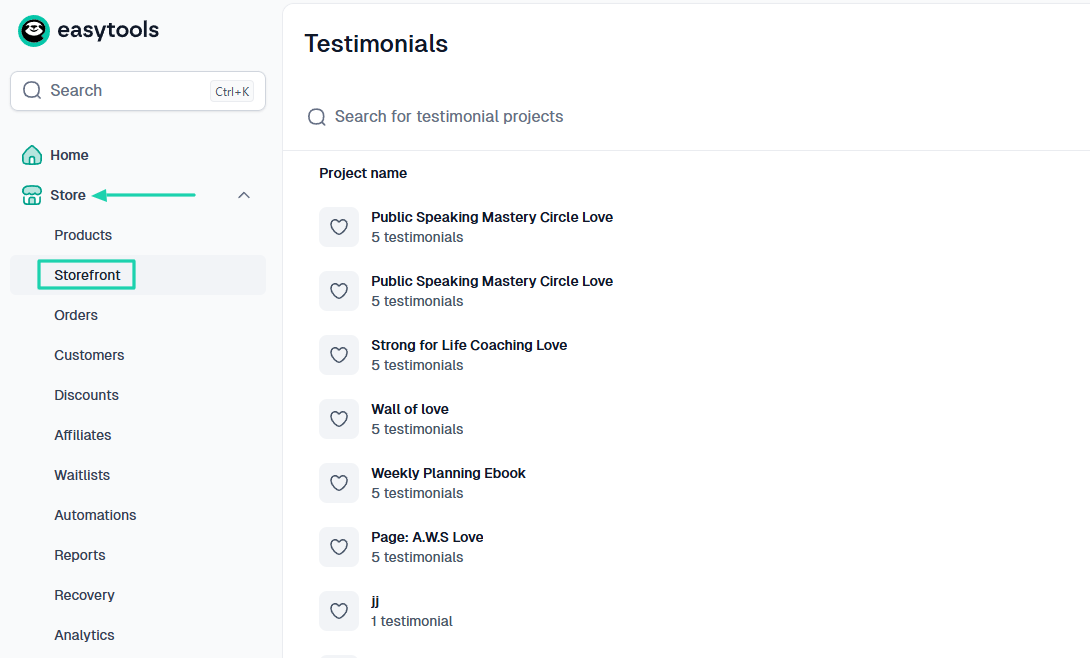
Easytools automatically generates a storefront for you. You can then add (or hide) products to it.
Here’s how. Start by clicking “Edit.”
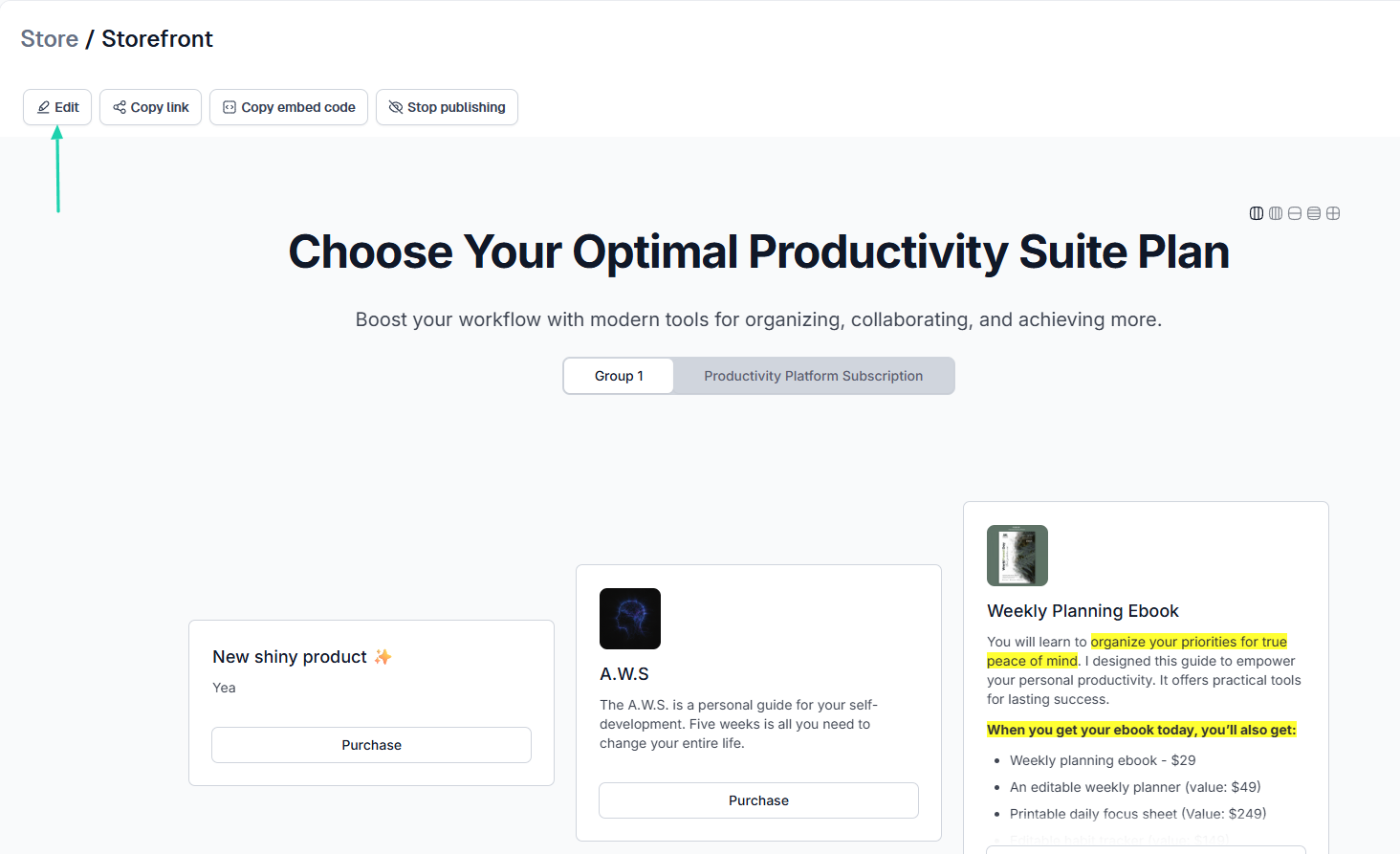
You will see all your products. You can rename the category and choose which product to place under that category.
For example, if the category is “Courses”, you can decide to only add courses under that. This way, everything’s organized.
You can also customize your storefront layout.
For example, you can choose to lay out your products as links. But there are many other layout options, like “Grid,” “List,” “Basic,” or “Magnified.”
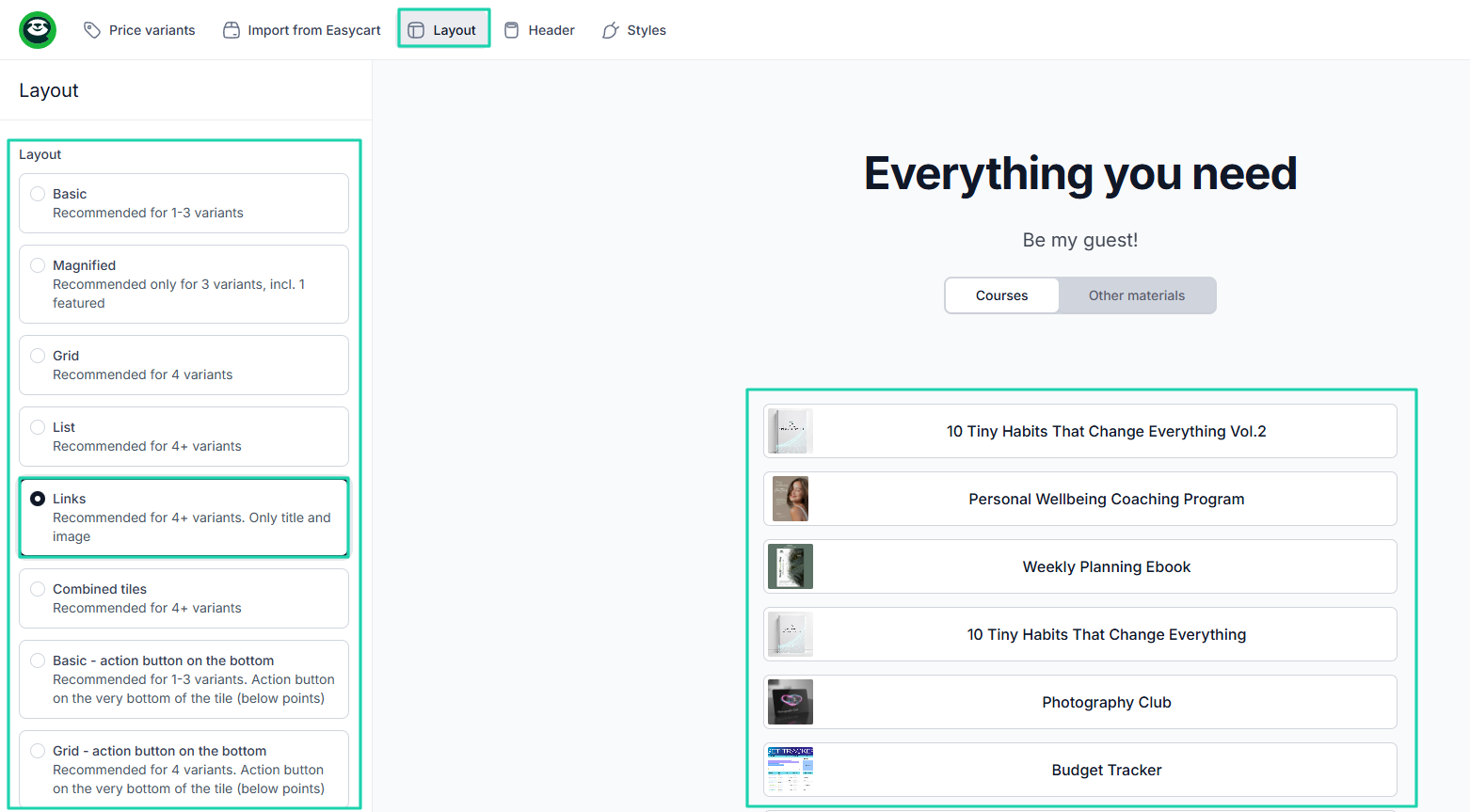
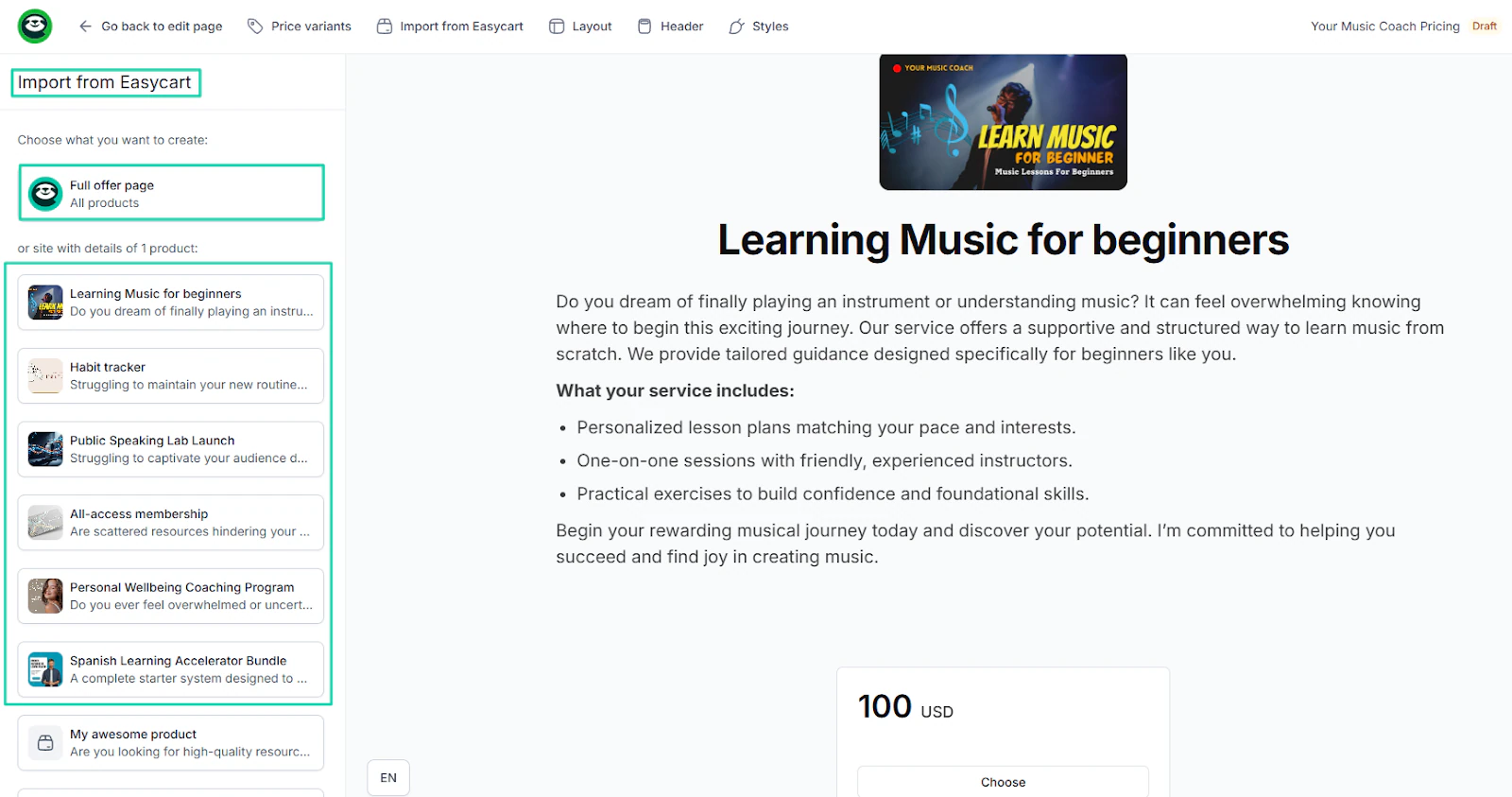
But do you know what’s super cool? You can add your store to your website.
This way, customers who come to your website can see all the digital products you sell.
3. Courses
Another interesting feature of Easytools is courses. Creators can create courses with modules using artificial intelligence. And the process is pretty simple.
In the sidebar menu, click “Courses.”
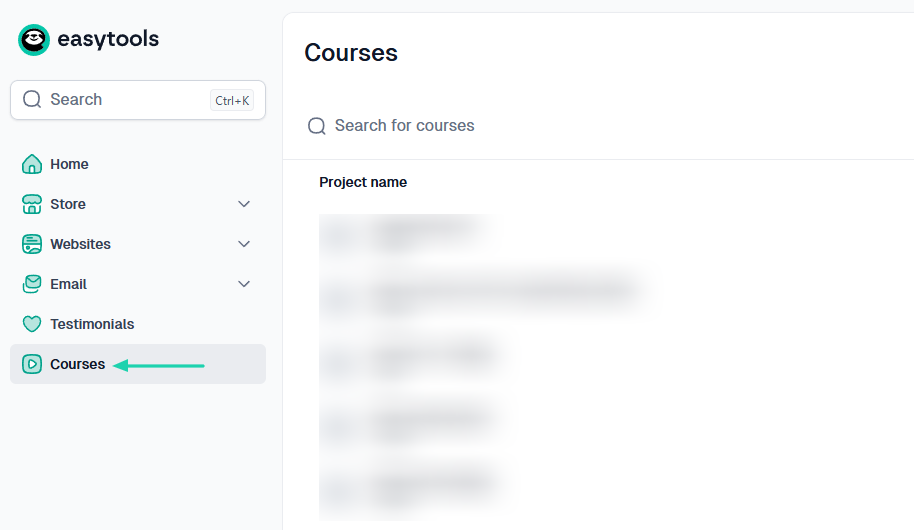
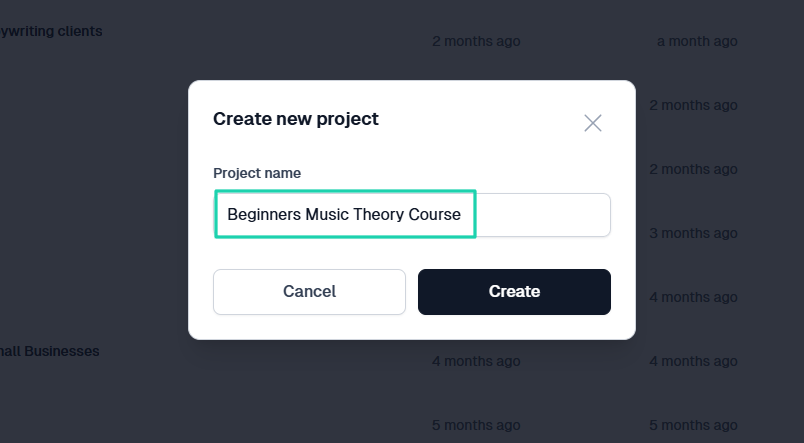
In the pop-up window, name your course. Once you’ve done that, click “Create.”
On Easytools, there are two ways to generate a course. You can start with a product if you already have one, or without one.
Let’s go with the “Easycart product” option. Then choose a color palette and click “Generate.”
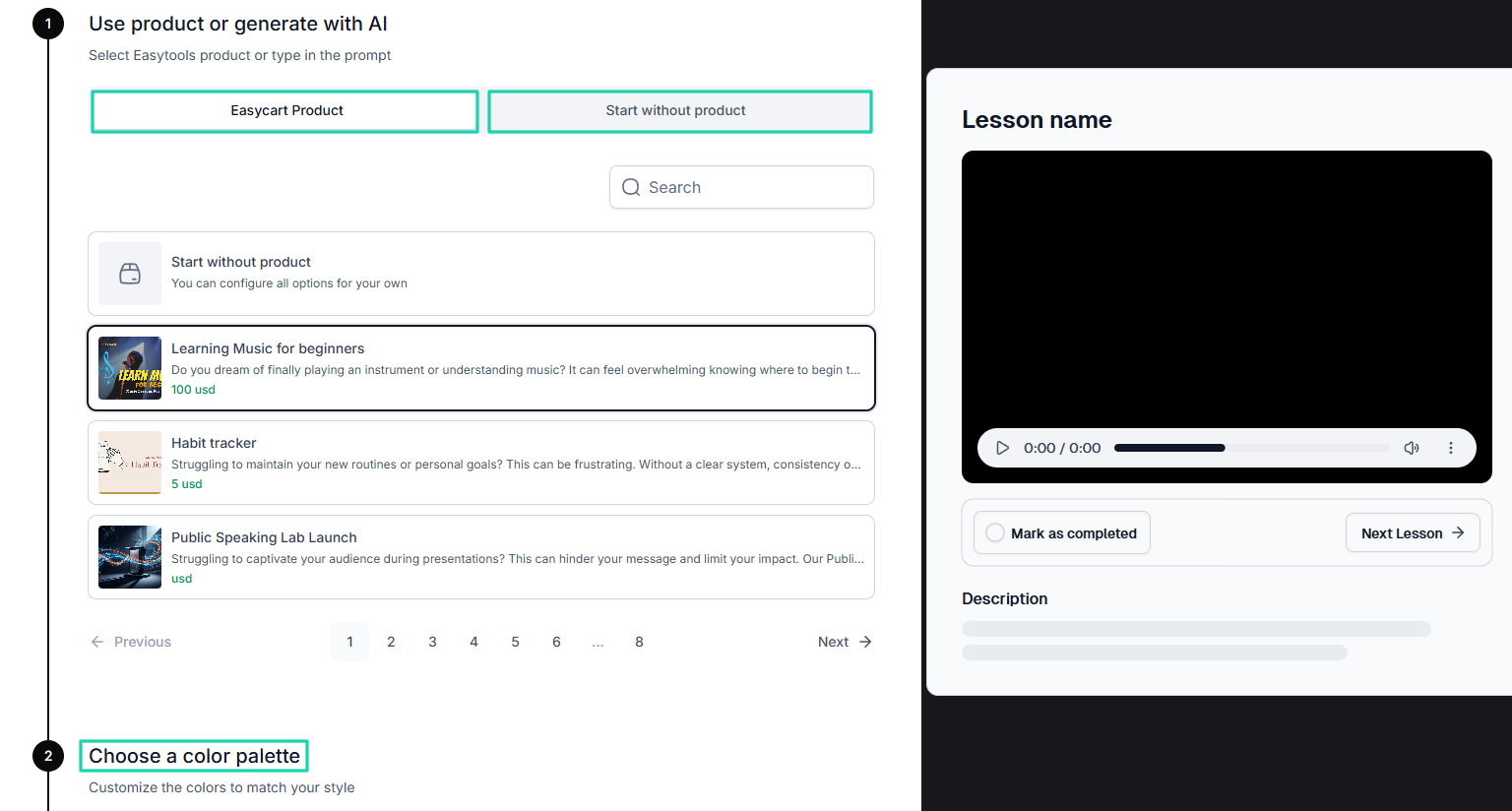
The AI will propose modules for your courses that you can still edit. You can add your course videos as well.
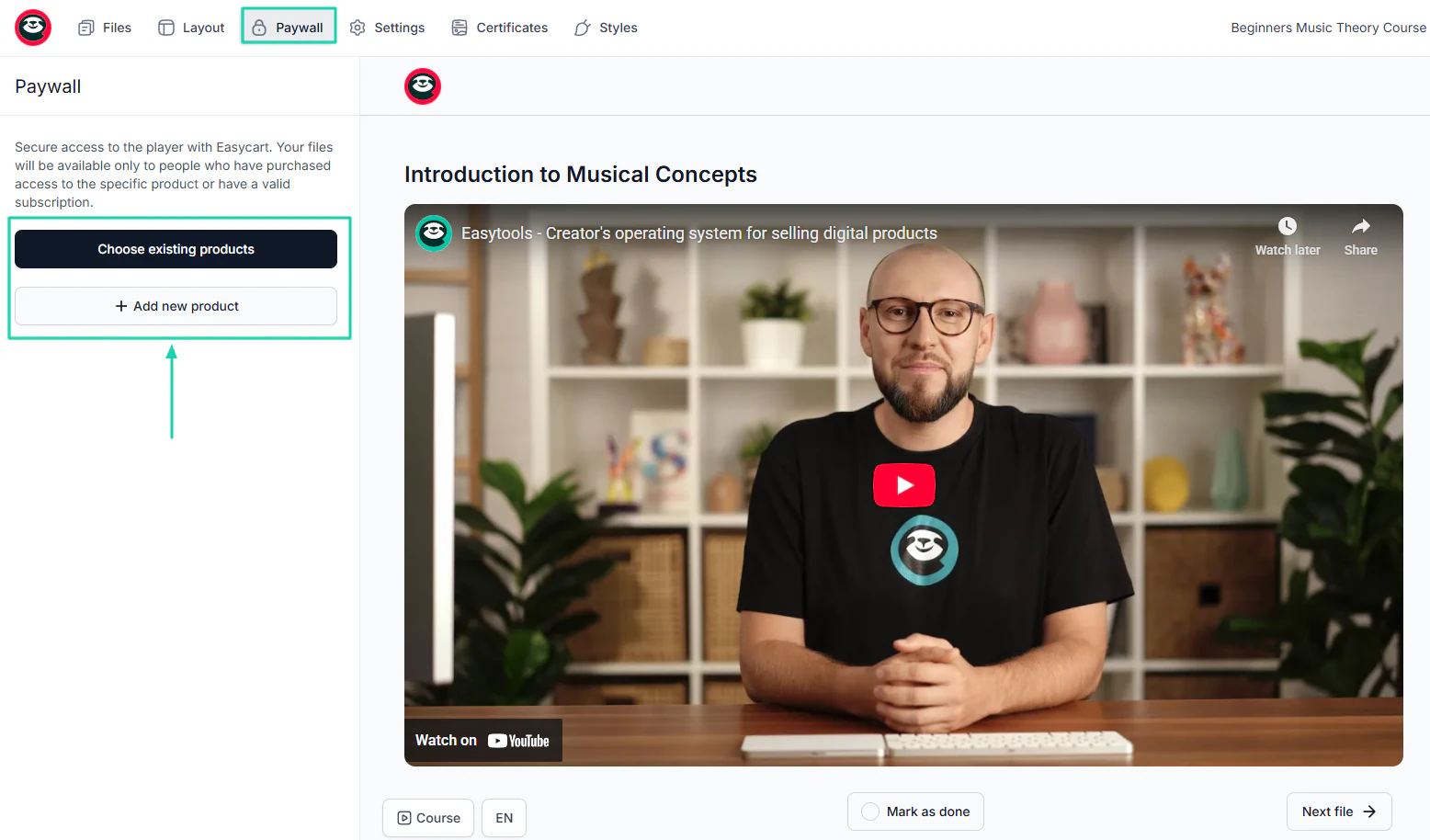
Under “Paywall,” you can add existing products or new products. So that only people who purchase access to those specific products can view the files.
And you can easily create a checkout for your course. Customers who pay will be able to access the course.
What I loved vs what I struggled with
What I loved 👍
✅ Generates the website in less than 5 minutes, saving you time.
✅ Can create multiple customizable checkouts for as many digital products as you want to sell.
✅ Can connect your online store to your website, so customers and website visitors can see what you sell, which makes buying easy for them.
✅ The AI can generate courses with modules and let you offer certificates automatically upon completion, which can increase its value.
✅ Allows you to collect testimonials and display them on websites or checkouts for social proof.
What I struggled with 👎
❌ Although transaction fees apply, the platform combines multiple tools in one place, which significantly reduces the need for additional subscriptions.
Best for
- Creators and influencers seeking to build a high-converting website and sell a range of digital products.
Pricing
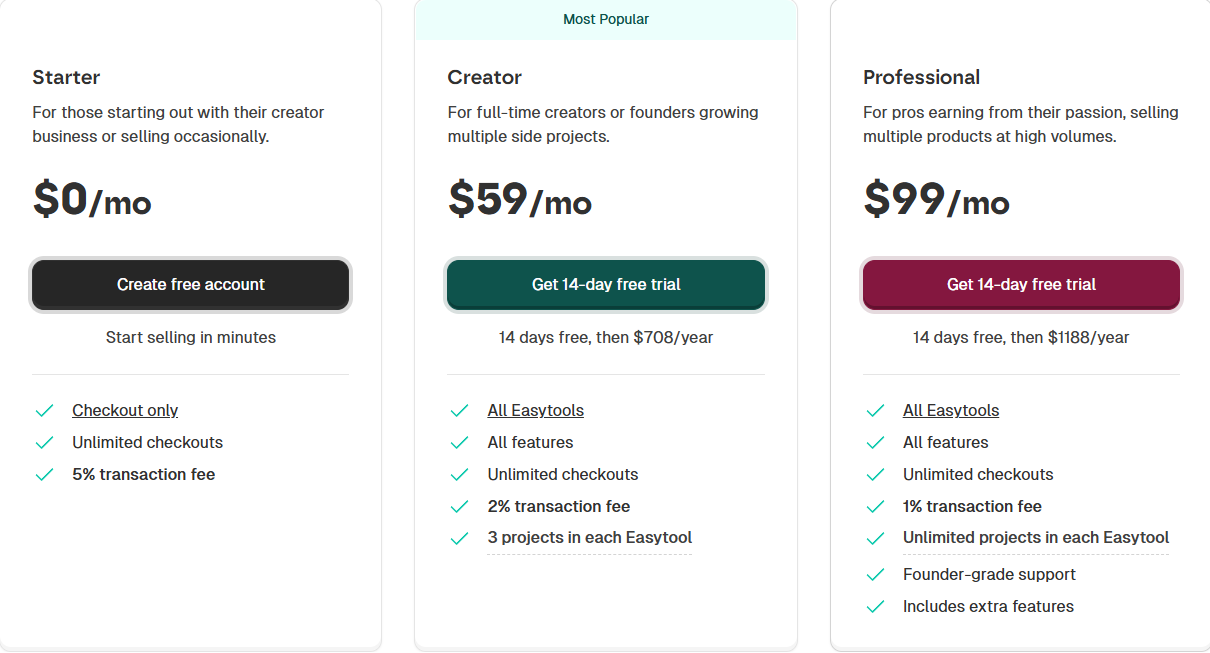
- Starter: $0/month + 5% transaction fee
- Creator: $59/month + 2% transaction fee
- Professional: $99/month
2. Hostinger AI Website Builder - Best for e-commerce
The list continues with Hostinger, another AI website builder.
It’s a popular web hosting provider with over 4 million customers. It offers solutions like shared and cloud hosting, domain registration, and an AI-driven website builder.
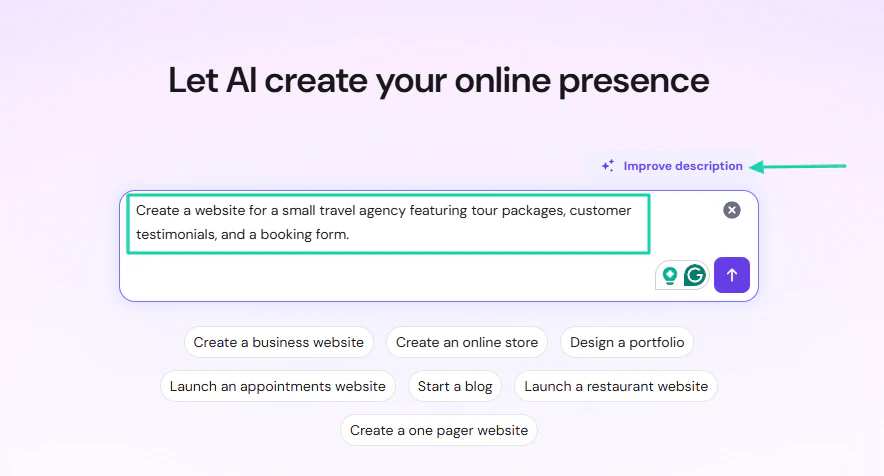
Generating a website starts with a prompt. But in case you feel like your description isn’t good enough, you can let its AI improve it.
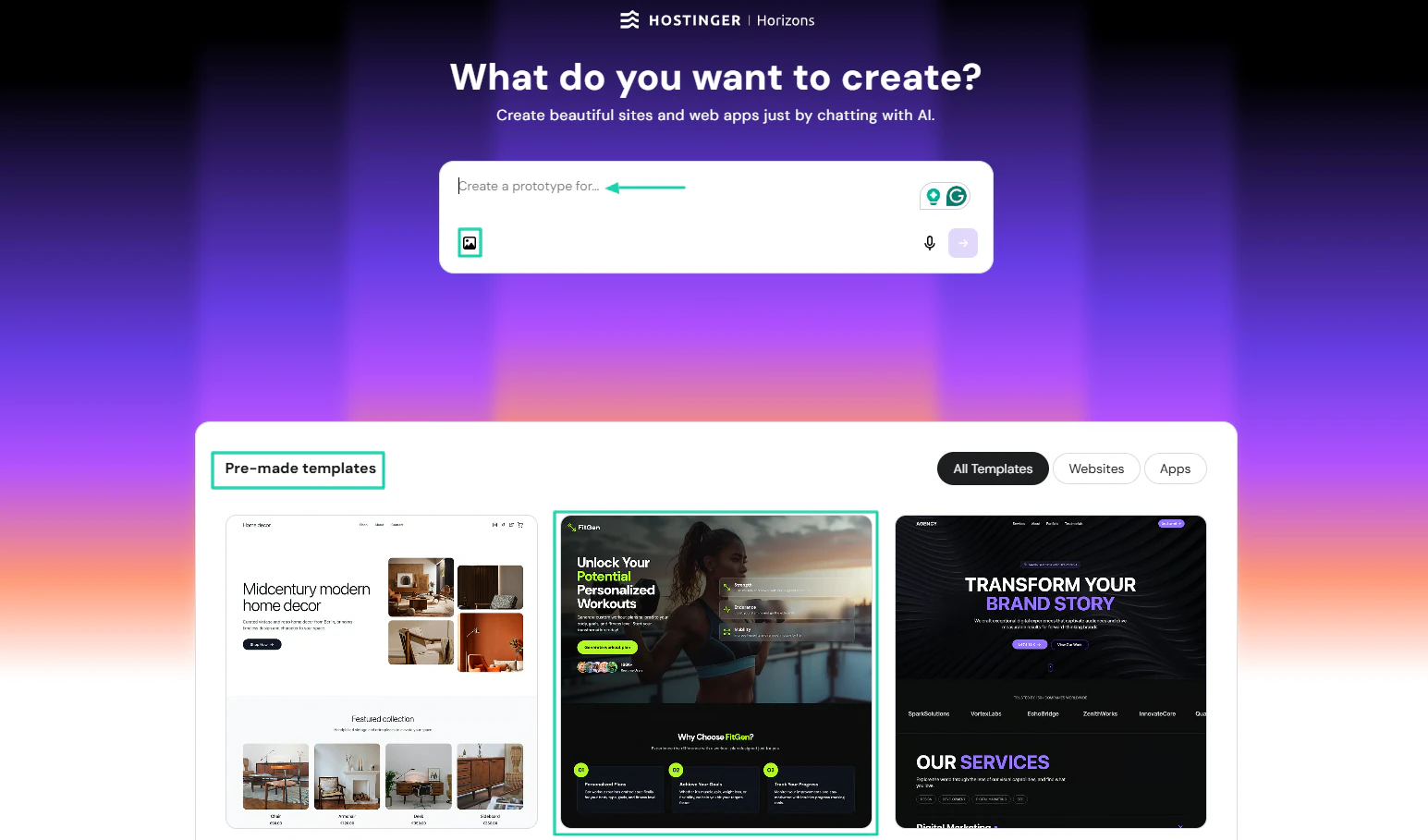
Hostinger, through its horizons feature, offers a list of pre-made templates for both websites and applications.
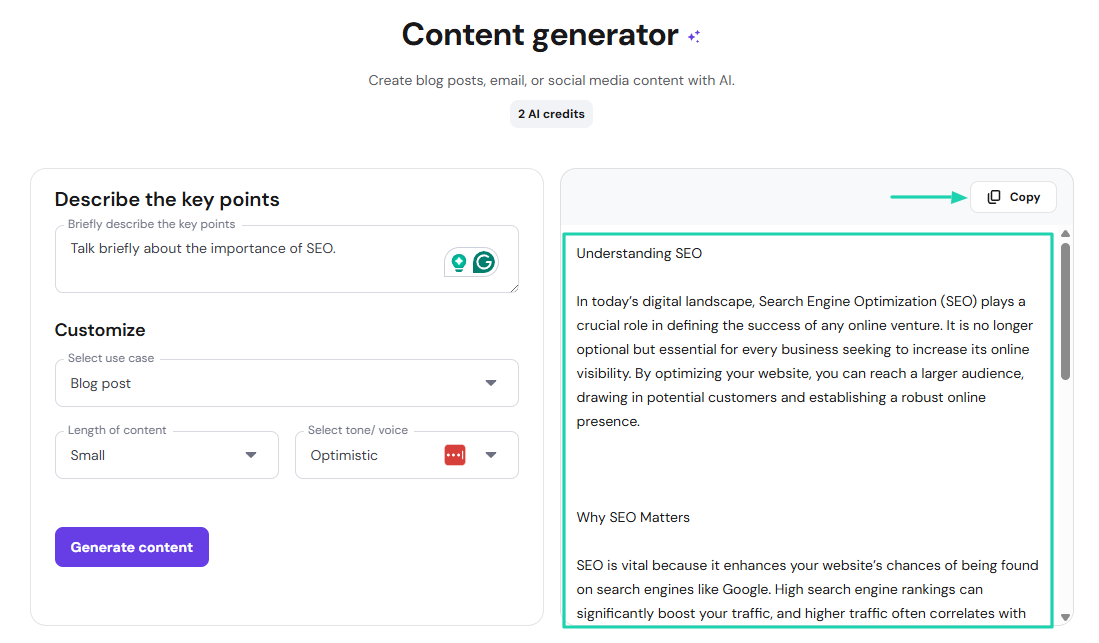
Using the platform, you can generate blog posts with the AI’s help. You only have to describe the key points and choose the tone the AI should use.
What I loved about Hostinger AI website builder
1. Websites
We will kick off this review with Hostinger’s websites features. It lets you enter a prompt and suggest ways to improve your description.
Here’s a sample prompt:
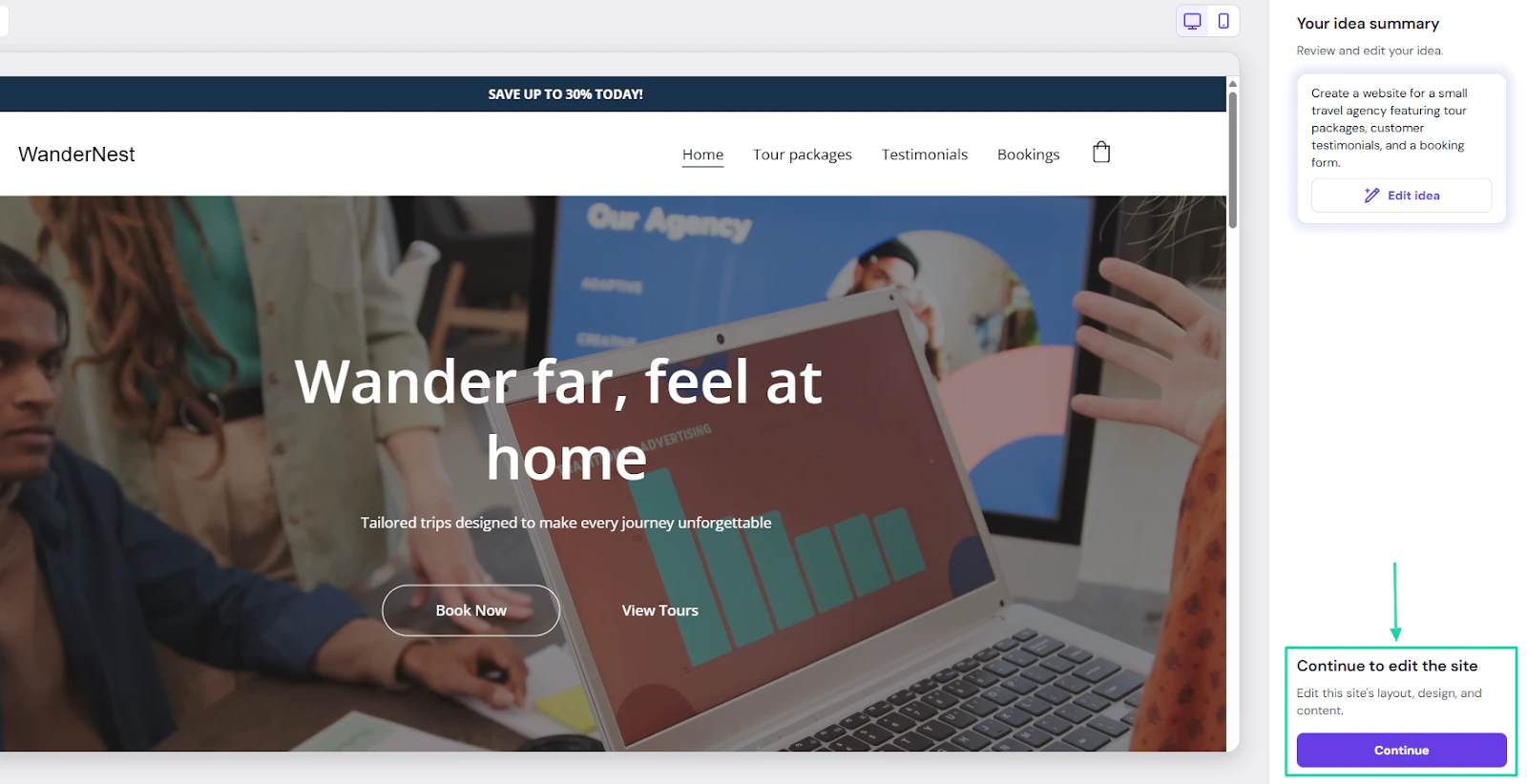
“Create a website for a small travel agency featuring tour packages, customer testimonials, and a booking form.”
It generated the website. To edit it, you must head to the right side of the website and click “Continue to edit the site.”
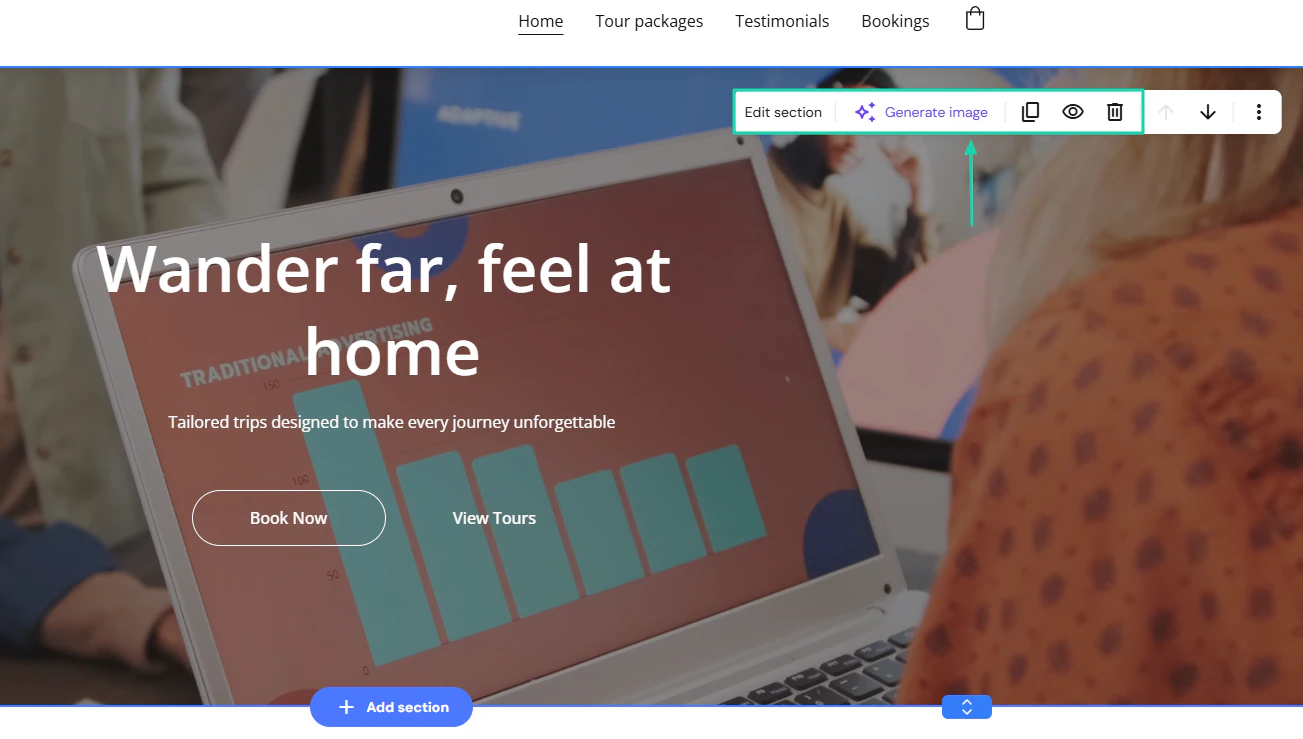
You can edit sections, copy, delete, or generate images.
On the left side of the interface, you can add elements and pages, use AI tools, and apply SEO practices.

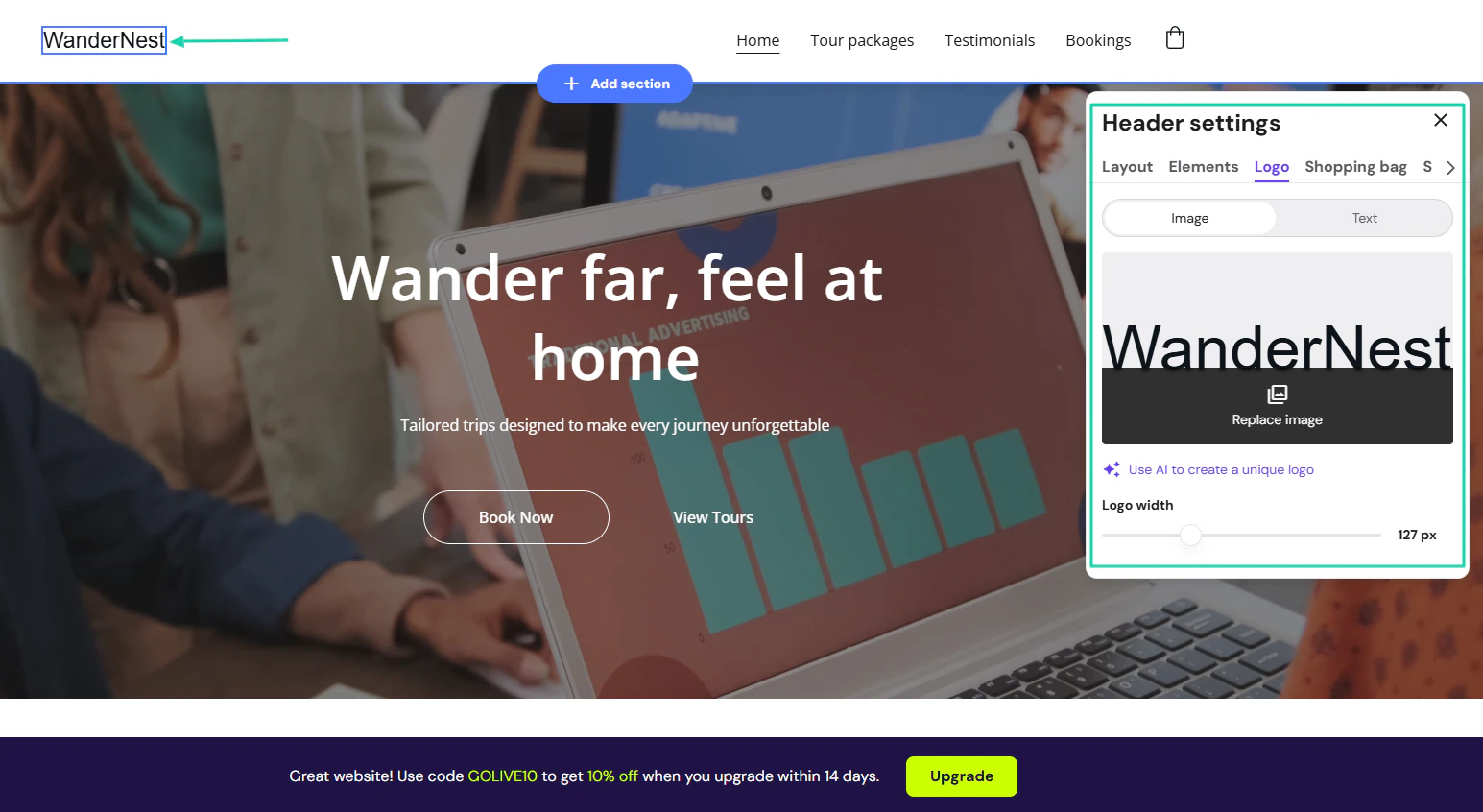
You can also add a logo or use AI to create a new logo.
2. Horizons
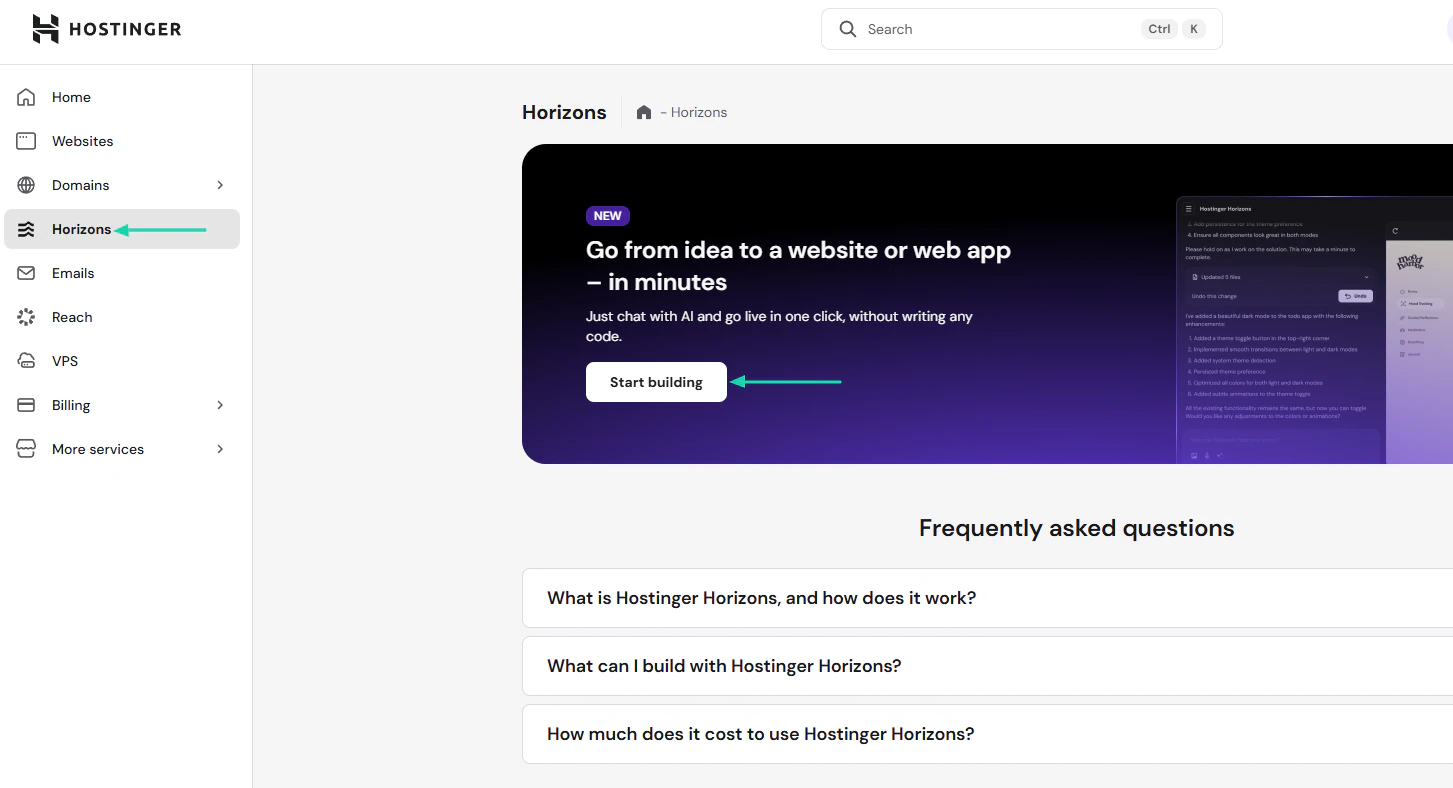
Hostinger offers horizons. It’s a feature that lets you chat with AI to generate a website or a web application.
It also offers many pre-built templates.
To use it, click “Horizons” in the sidebar. In the new window, select “Start building.”
You can describe what you want to create or even add an image. You can scroll down to choose from a list of templates.
Let’s choose the second template.
Now, you can click “Use template.”
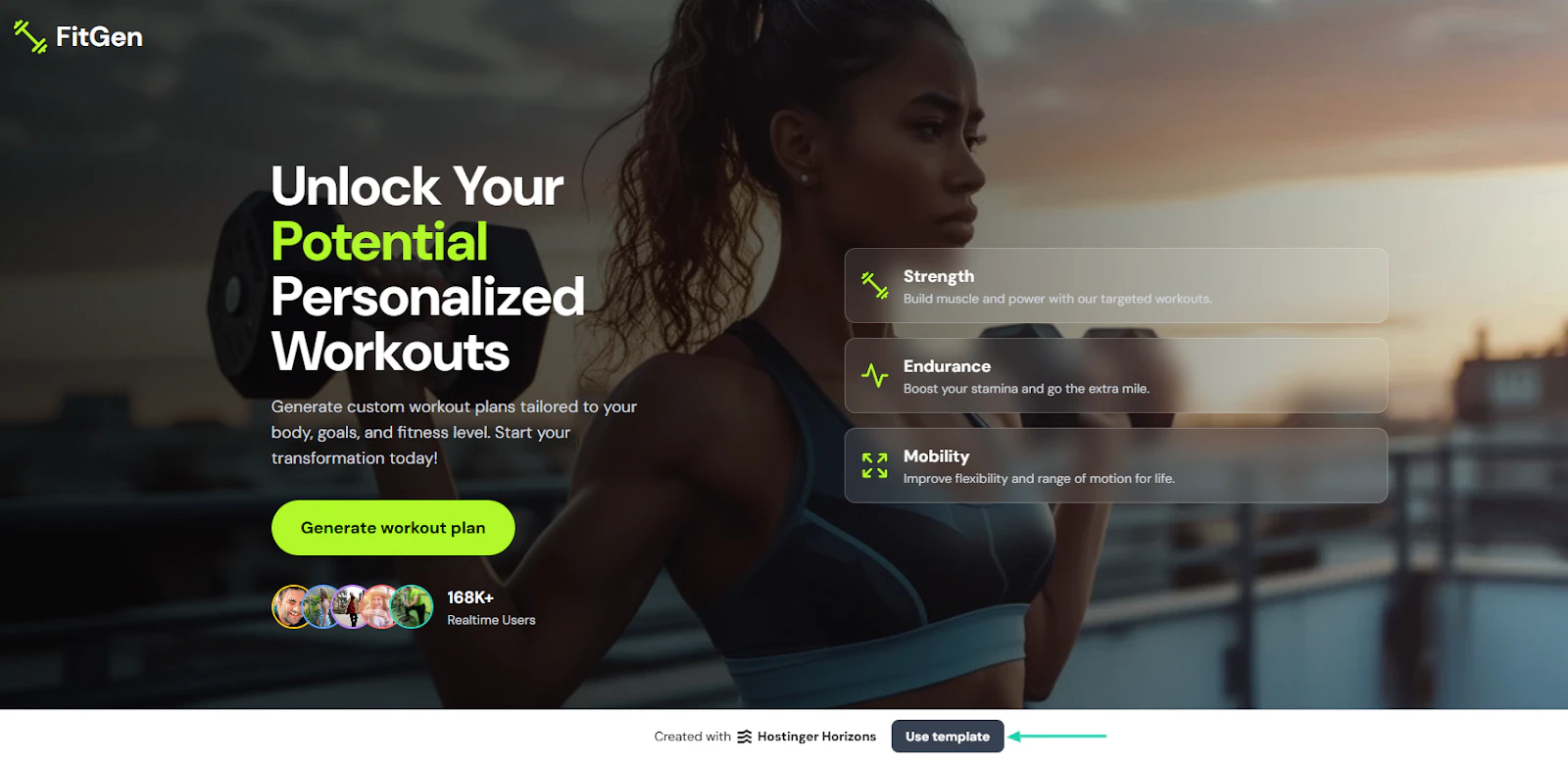
It’s time to edit the content.
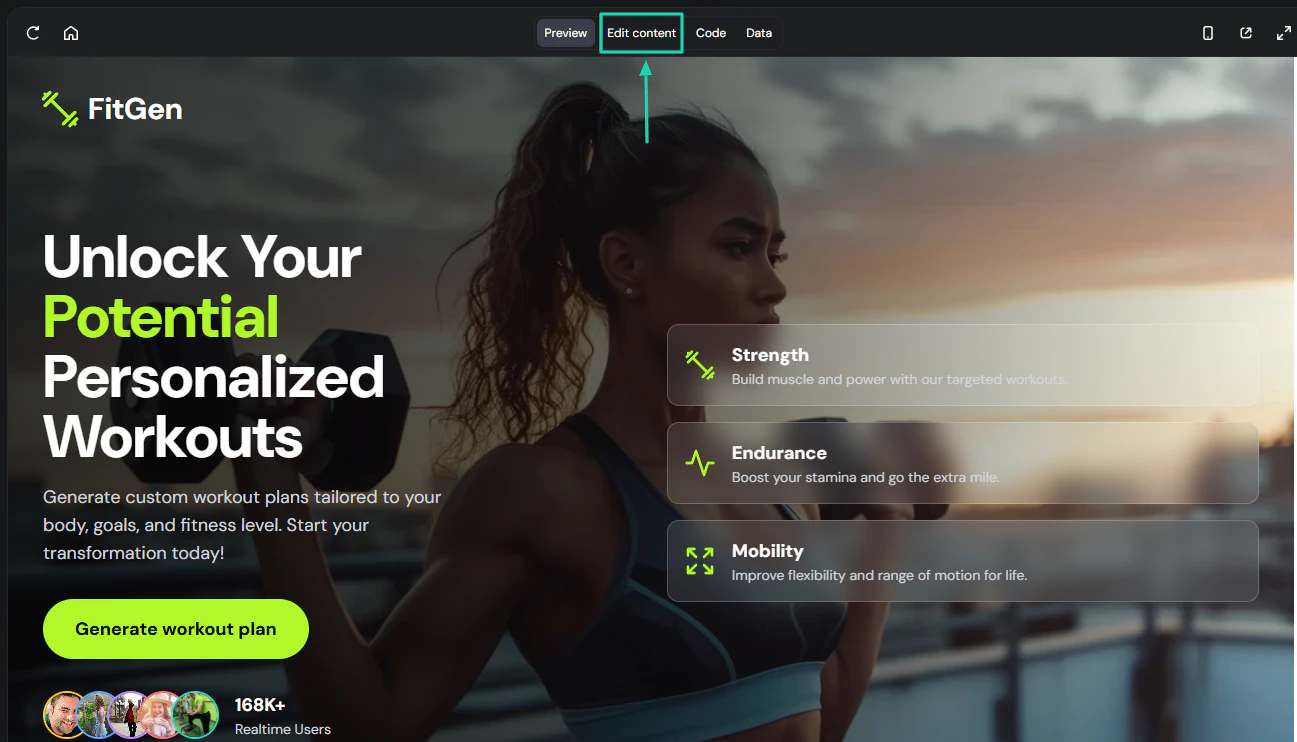
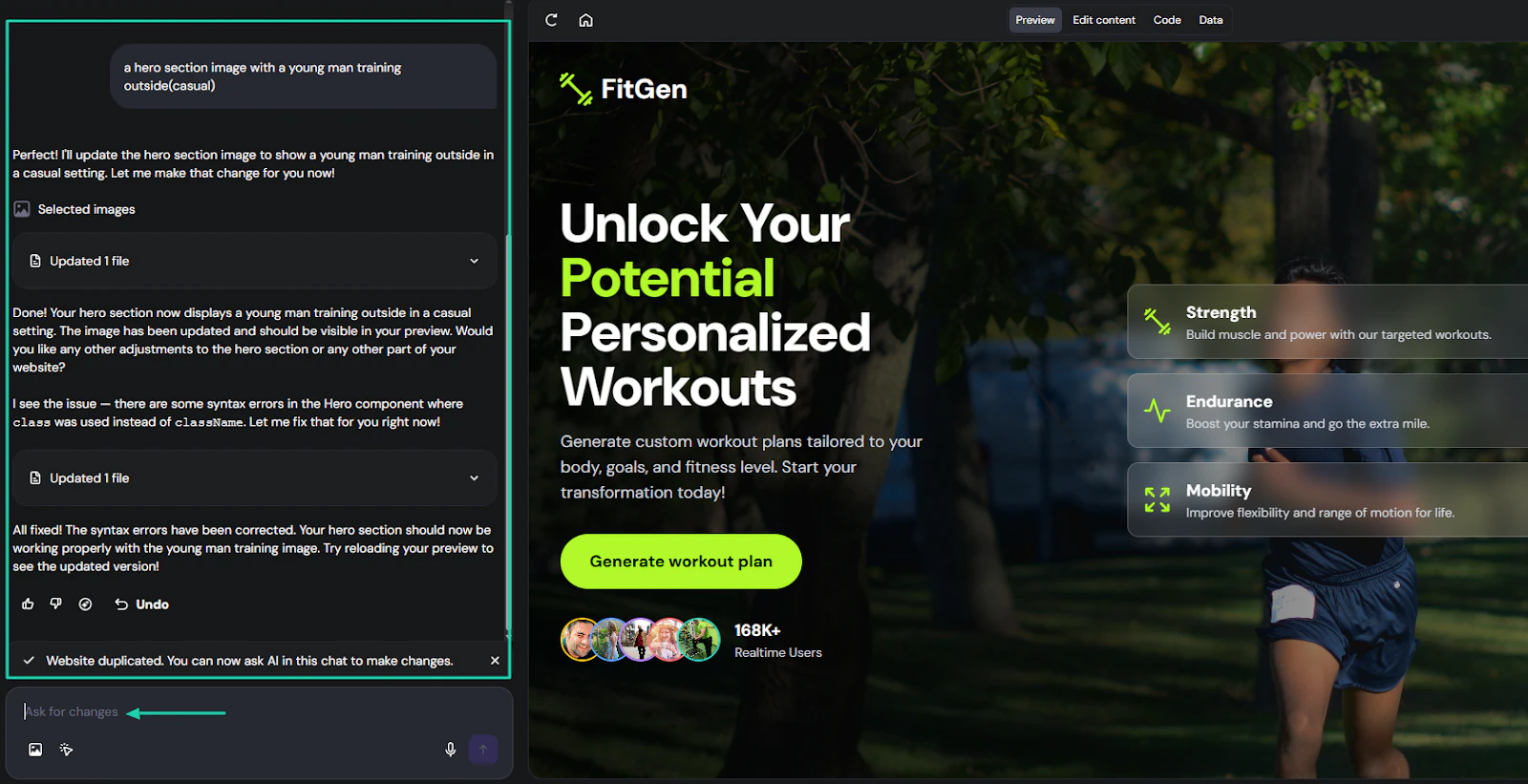
To edit the content, you will chat with AI on the left side and describe the changes you want.
3. Content generator
Hostinger offers many other services, including AI tools. The list includes “Image generator,” “Background remover,” “QR generator,” “Content generator,” and others.
Let’s go with the “Content generator.”
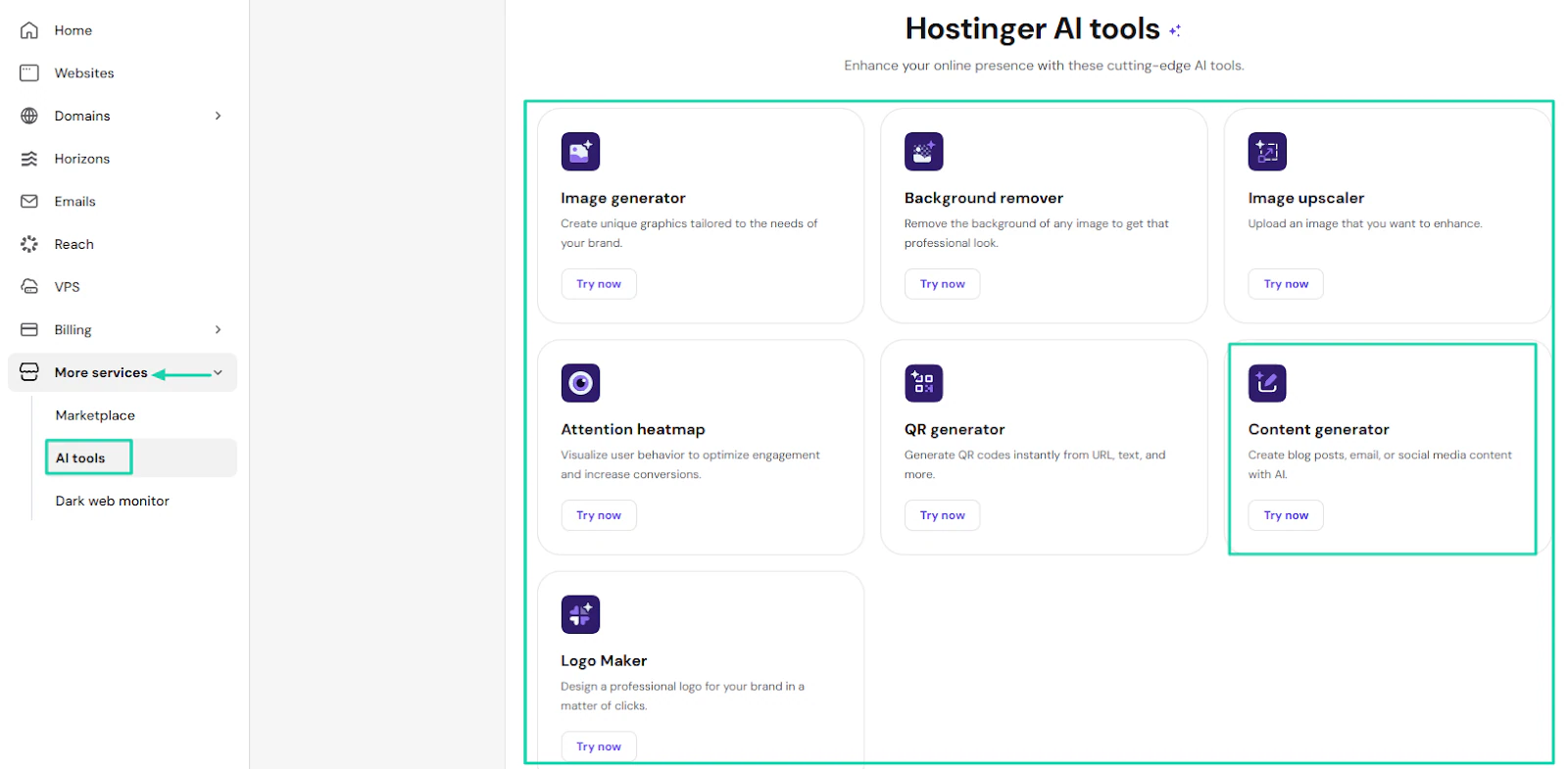
After selection, describe the key points, pick the use case, specify the length of the content, and choose the tone.
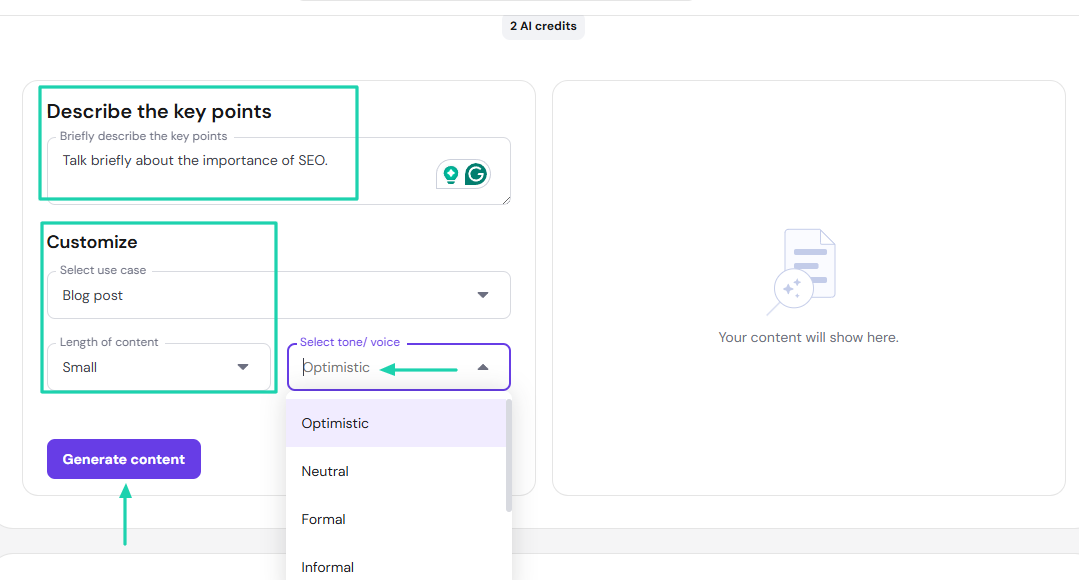
And the AI will generate the blog post. You can go ahead and copy it.
What I loved vs what I struggled with
What I loved 👍
✅ Can improve prompt description
✅ Offers a variety of AI tools: image generator, logo maker, background remover, content generator, among others.
✅ Has many pre-made templates for both websites and apps.
What I struggled with 👎
❌ Has technical terms like VPS that may be difficult to understand for non-tech users.
Best for
- Small to medium business owners seeking an easy-to-manage web hosting solution.
Pricing
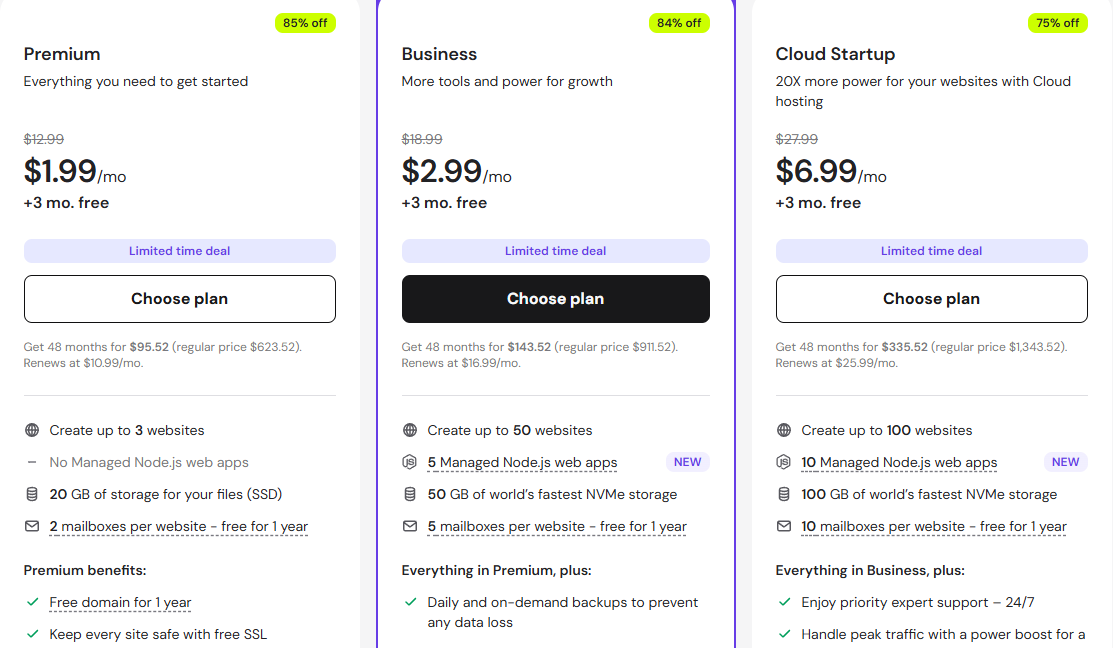
- Premium: $1.99/month
- Business: $2.99/month
- Cloud Startup: $6.99/month
3. WordPress.com AI Website Builder - Best for enterprises
WordPress also makes my list of the best AI website builders.
It’s a popular open-source content management system, with about 409 million visitors each month. It allows you to create and publish website content via a visual interface.
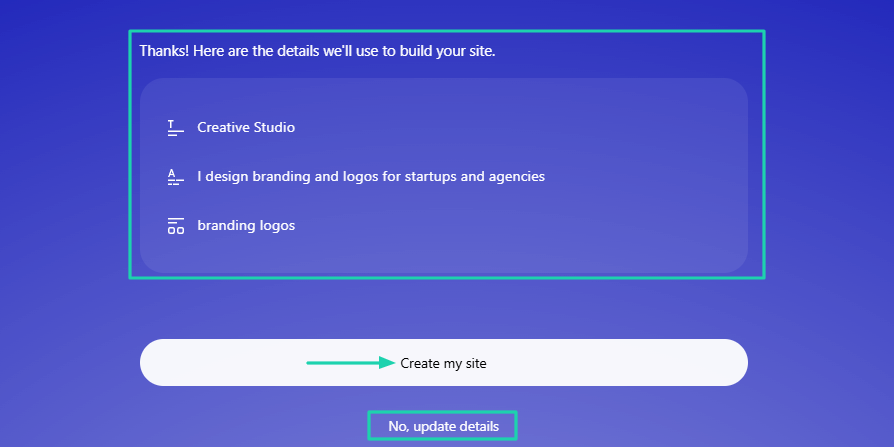
It gathers details before generating a website. But you can still update those details in case anything is missing.
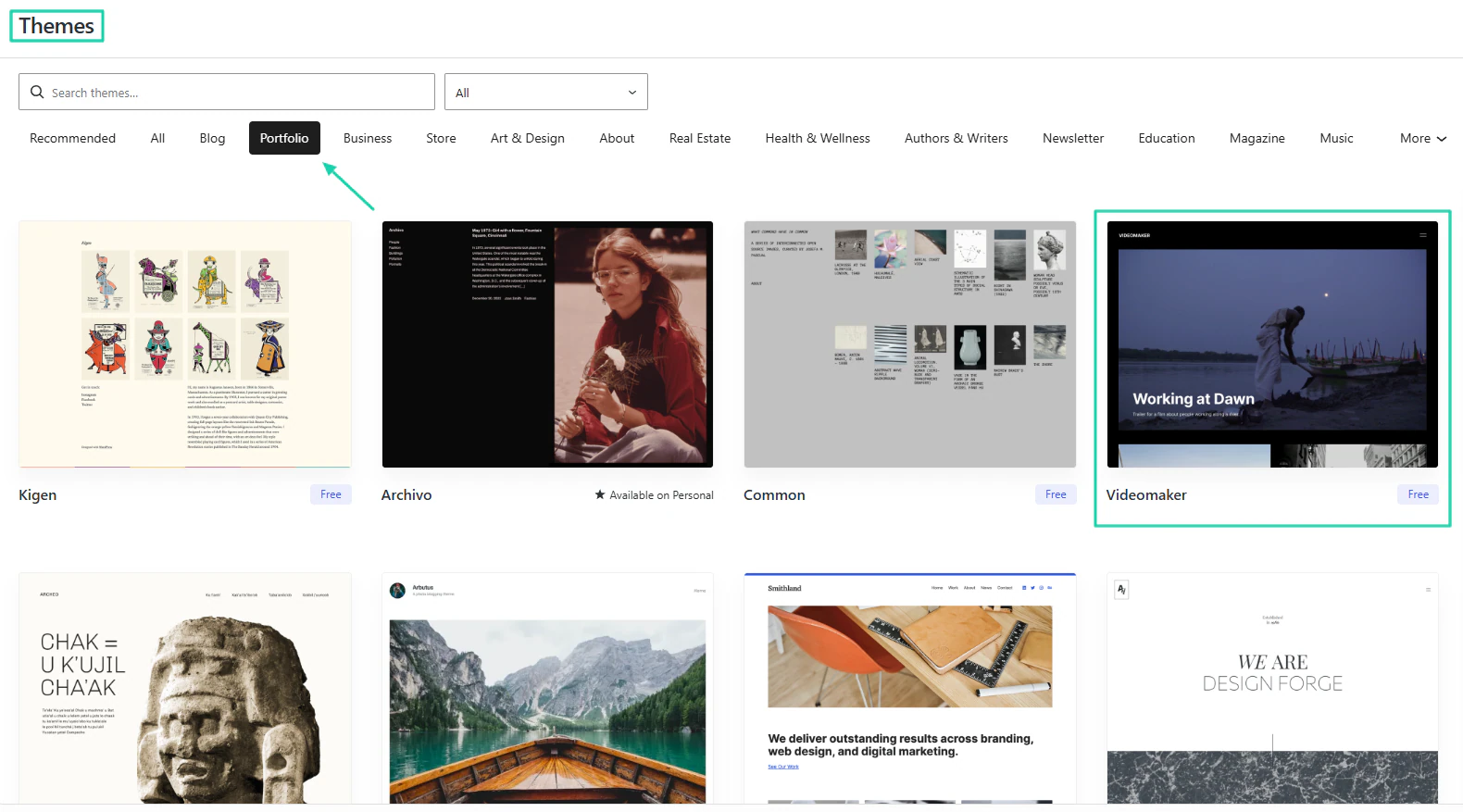
It also offers many themes you can choose from and adapt to your website.
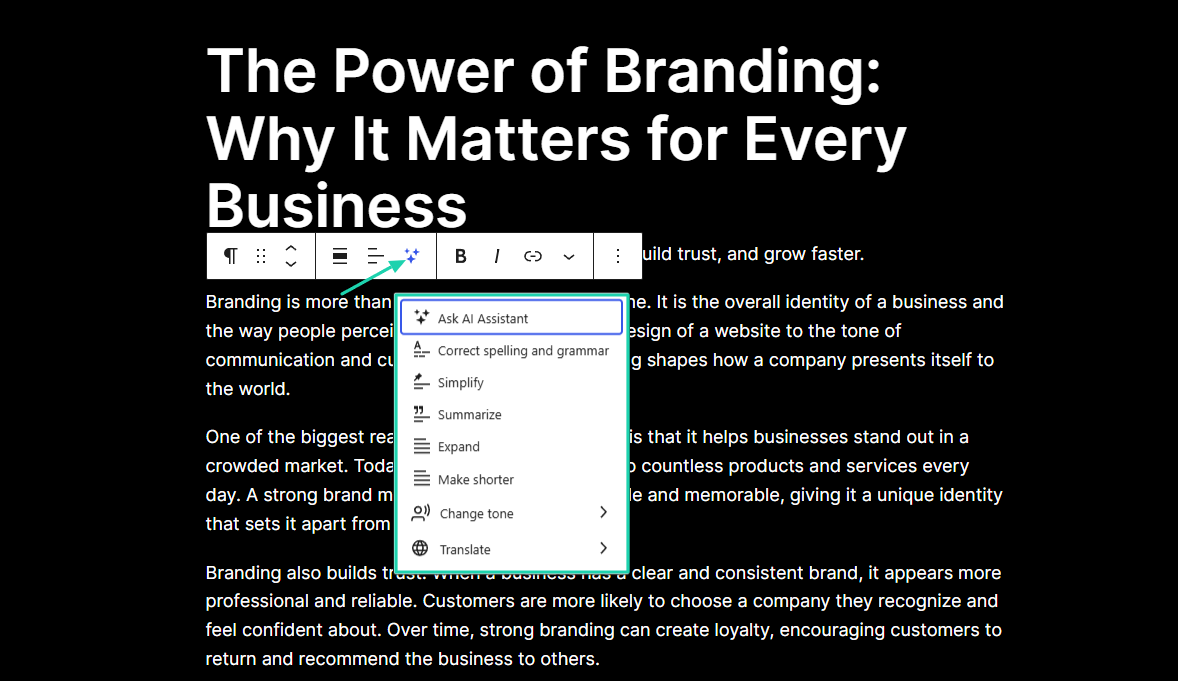
You can write a full blog post on WordPress and use AI to refine it.
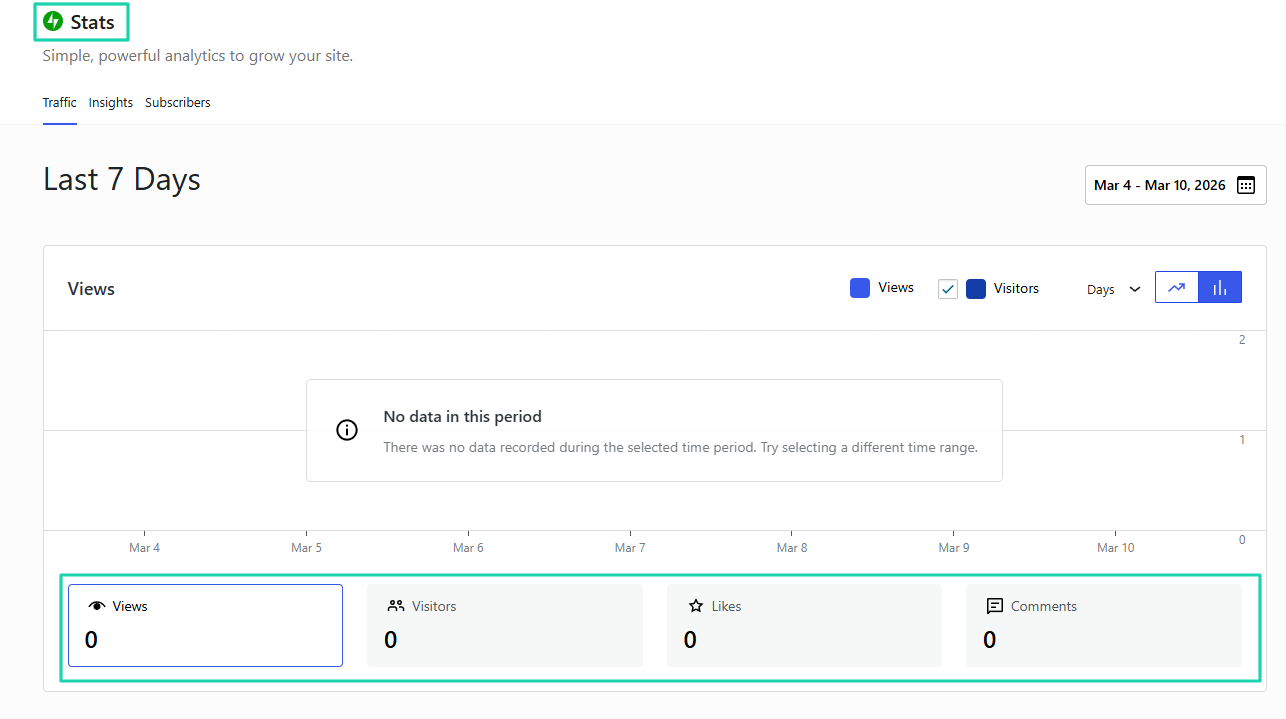
WordPress displays the number of views, visitors, likes, and comments.
What I loved about WordPress AI website builder
1. Editor
We are now going to look at how to create a website on WordPress. And the very first thing after signing up is to select the second option: Build with AI.
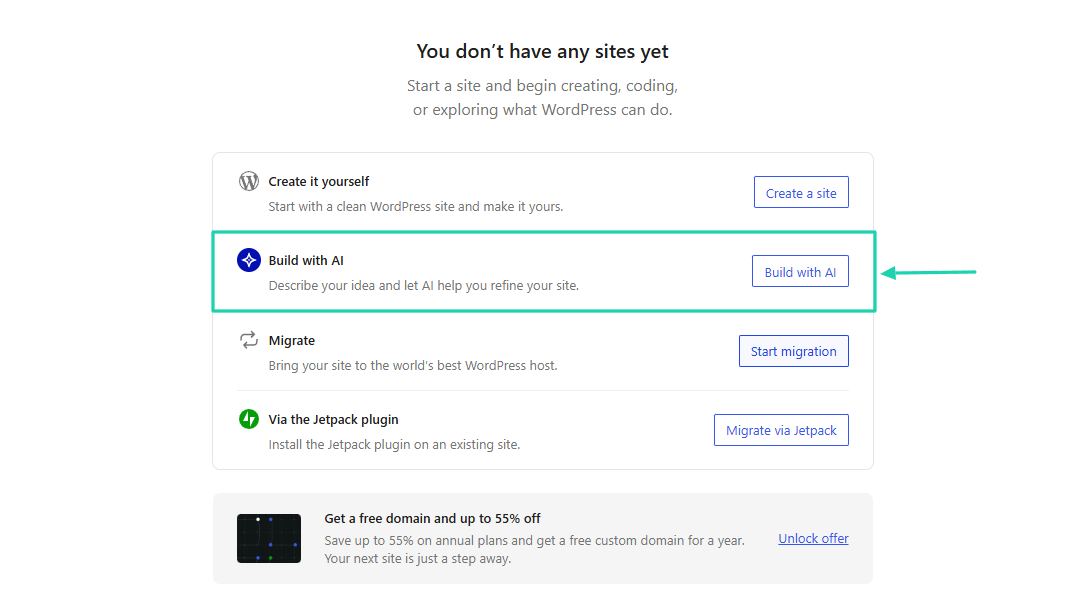
Here’s a prompt you can use:
“Create a portfolio website for a freelance graphic designer showcasing projects, services, and contact information.”
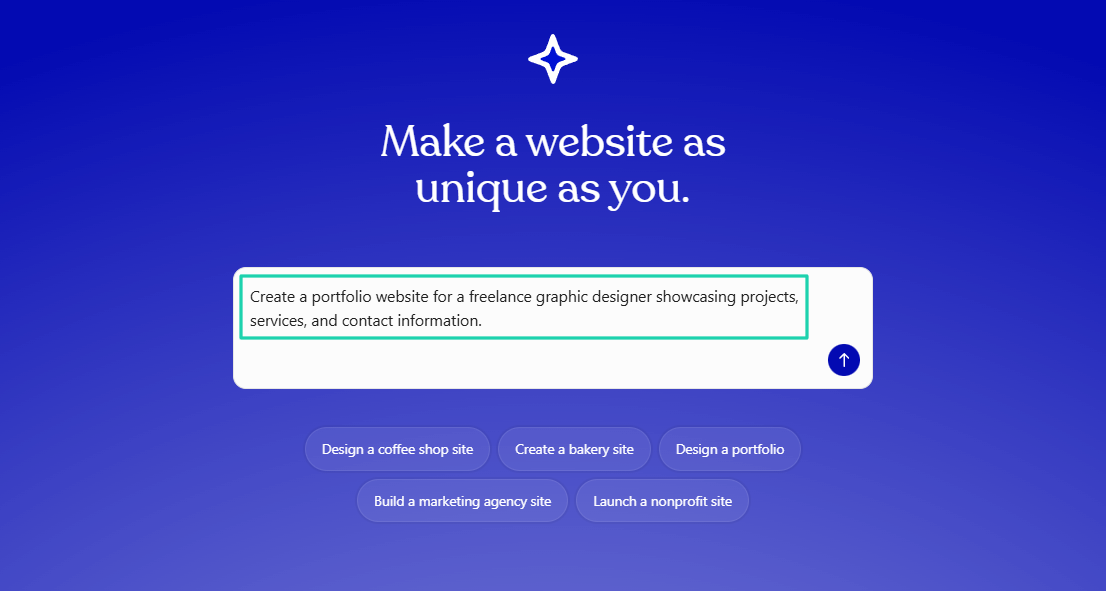
The AI will ask you questions to gather more details.
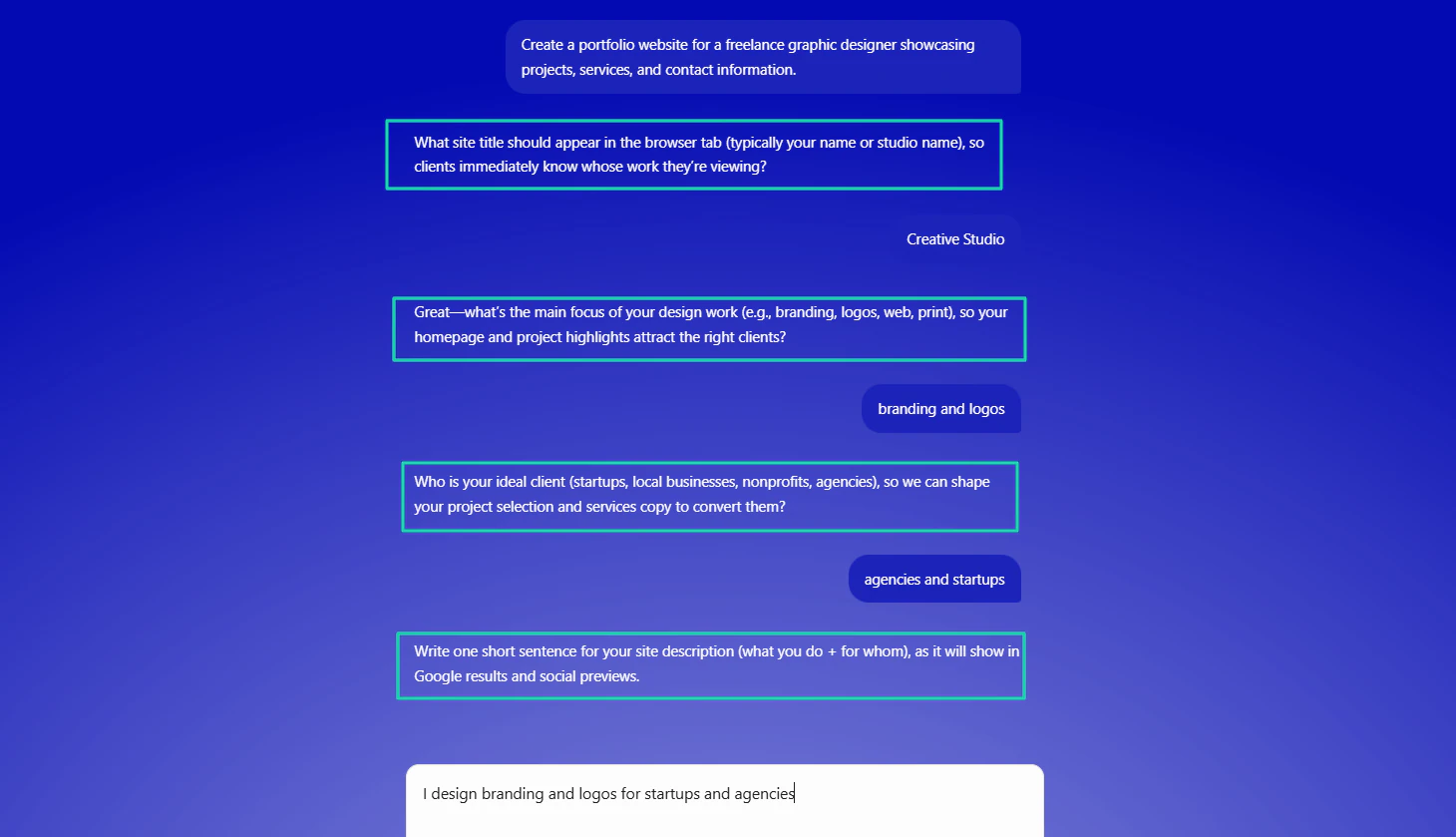
Once it has all the details, it will show them to you in case you want to update them. If not, click “Create my site.”
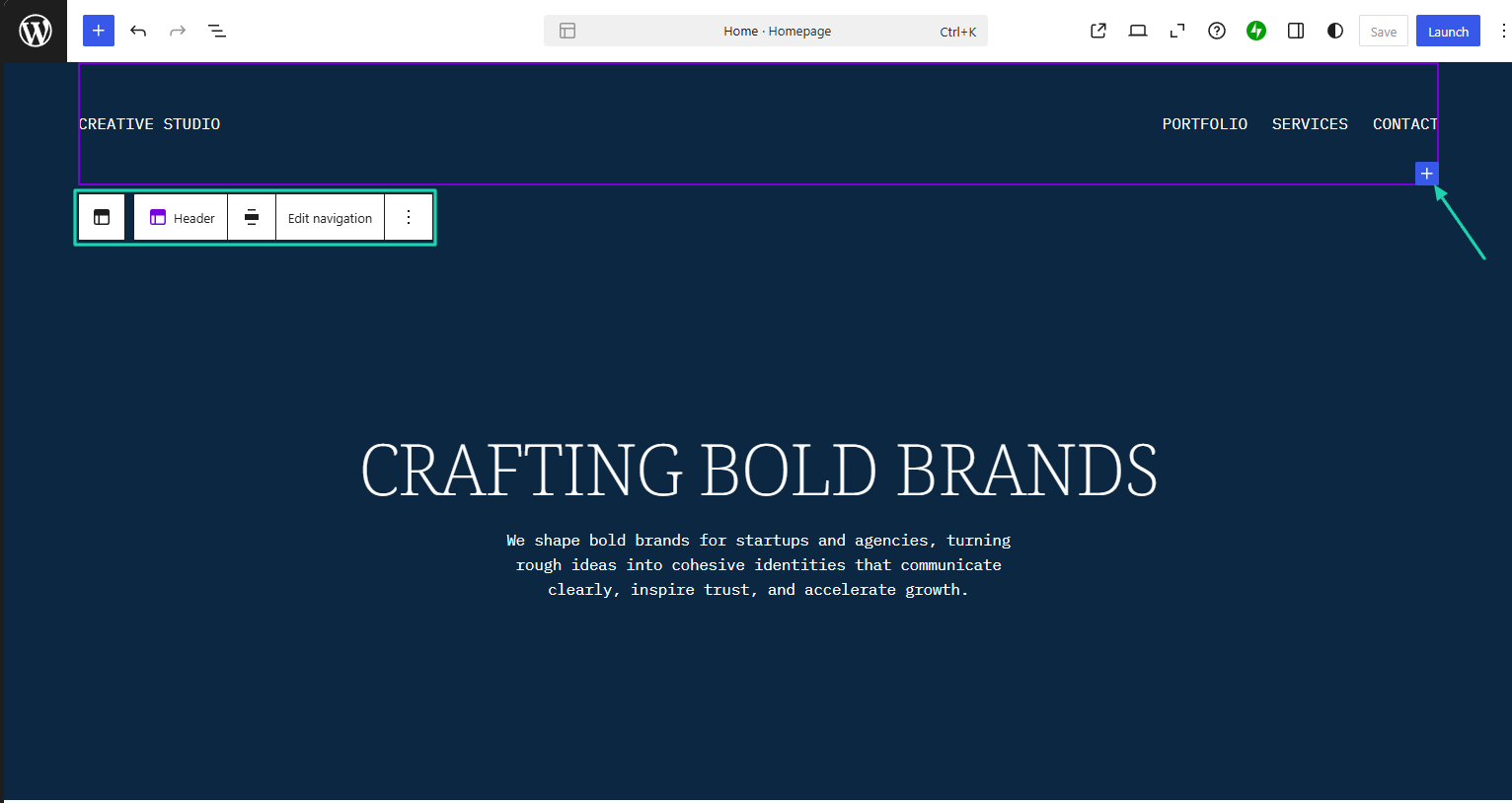
You can add a new section, edit navigation, or the header.
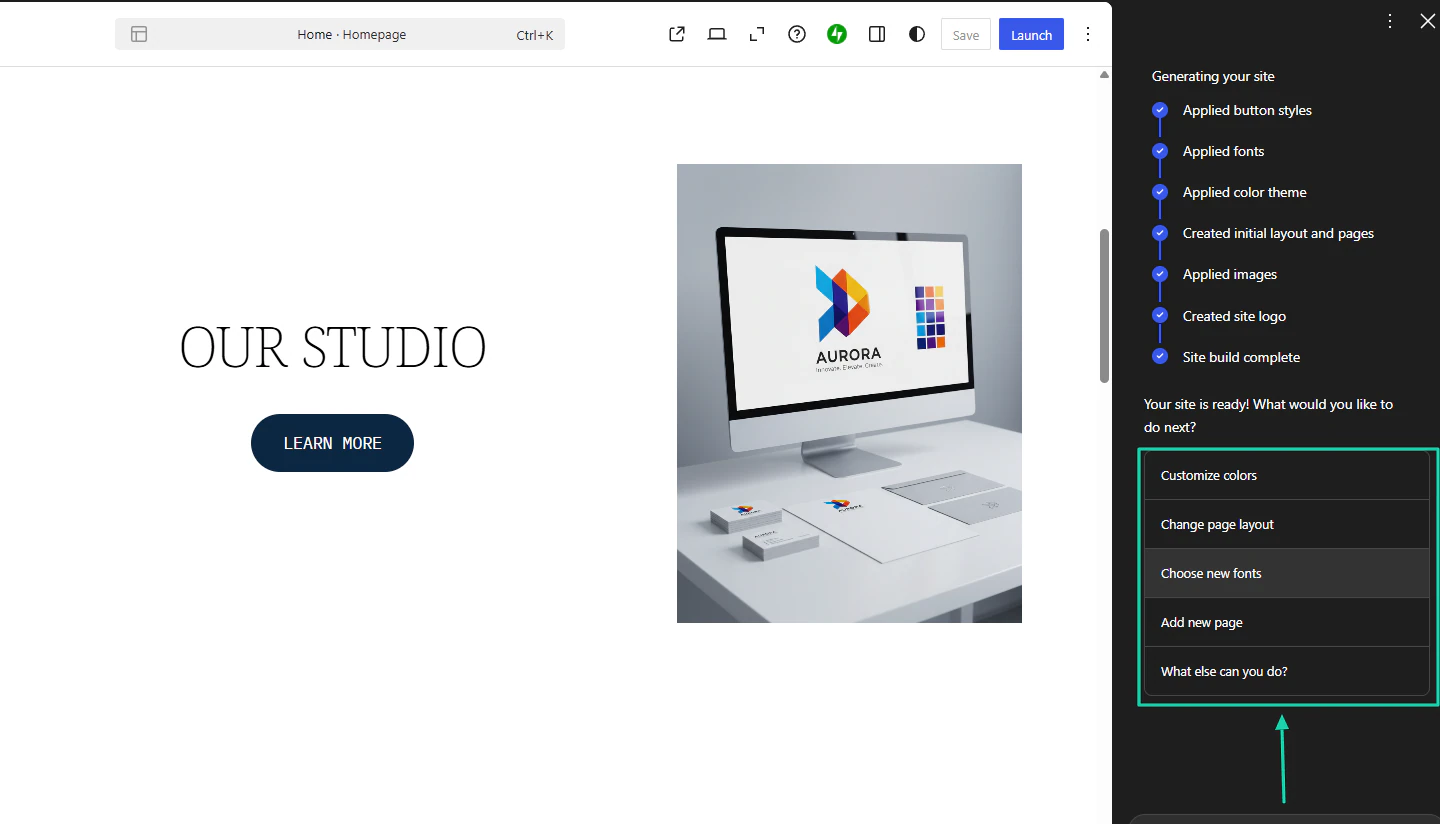
On the right sidebar, you have options to customize colors, change page layout, choose new fonts, or add a new page.
2. Themes
After generating your website with AI, one of the actions you can take is to choose a new theme. You do that to personalize your website.
To do it, click Themes.
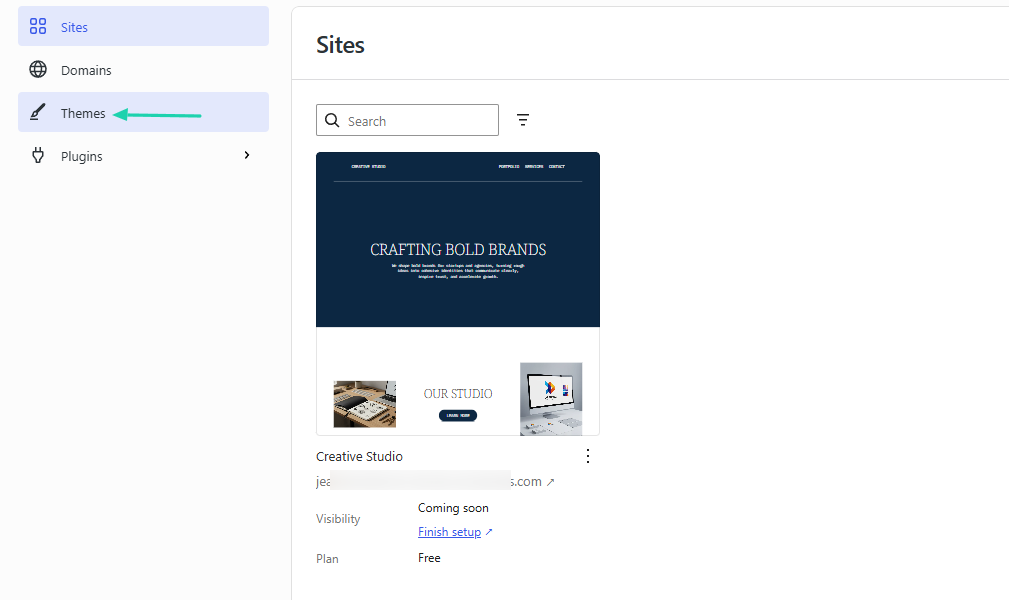
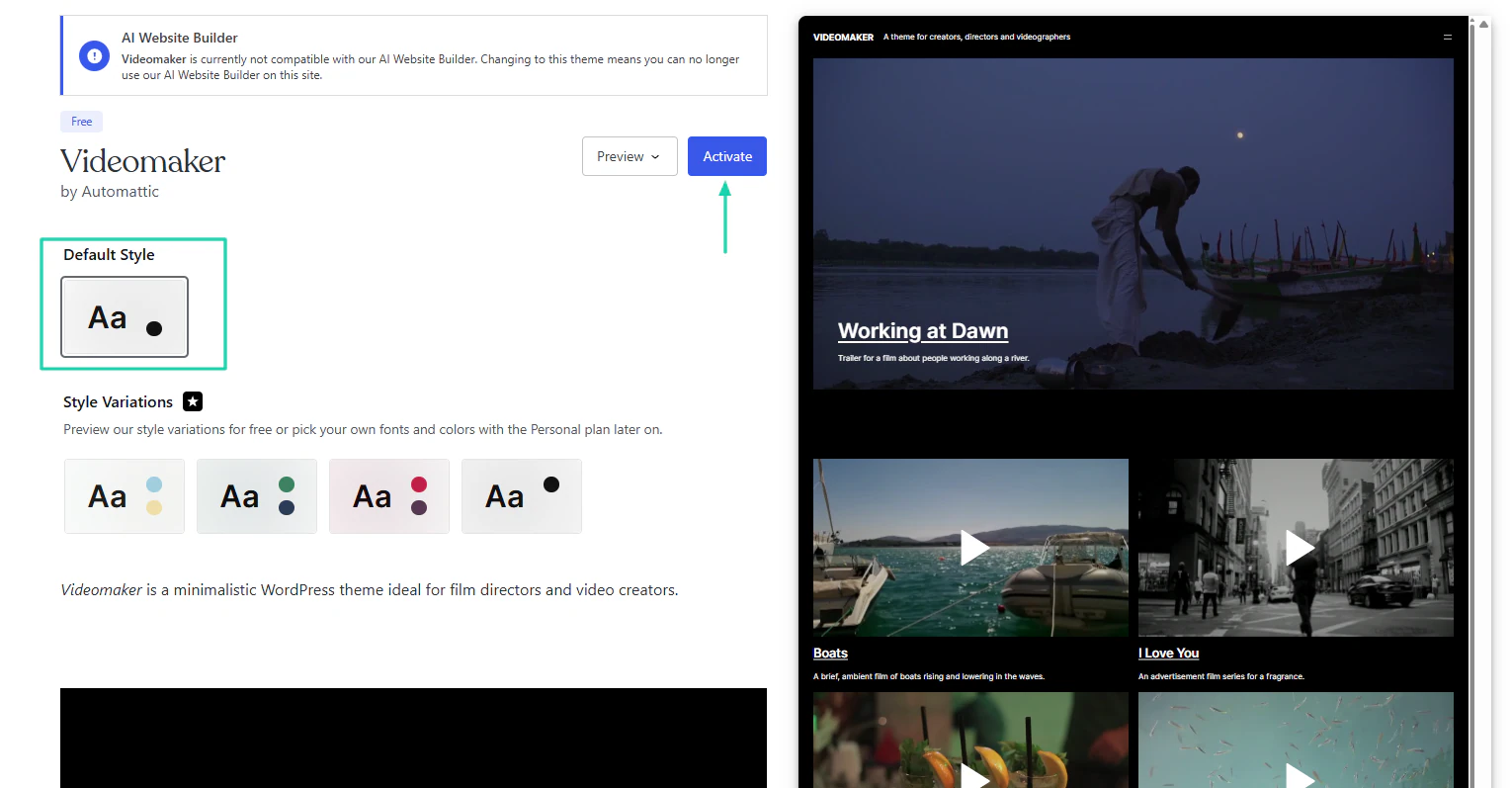
WordPress offers many themes for blogs, businesses, portfolios, health and wellness, and many more.
Let’s go with a theme from the “Portfolio” section.
Choose the style and simply click “Activate.”
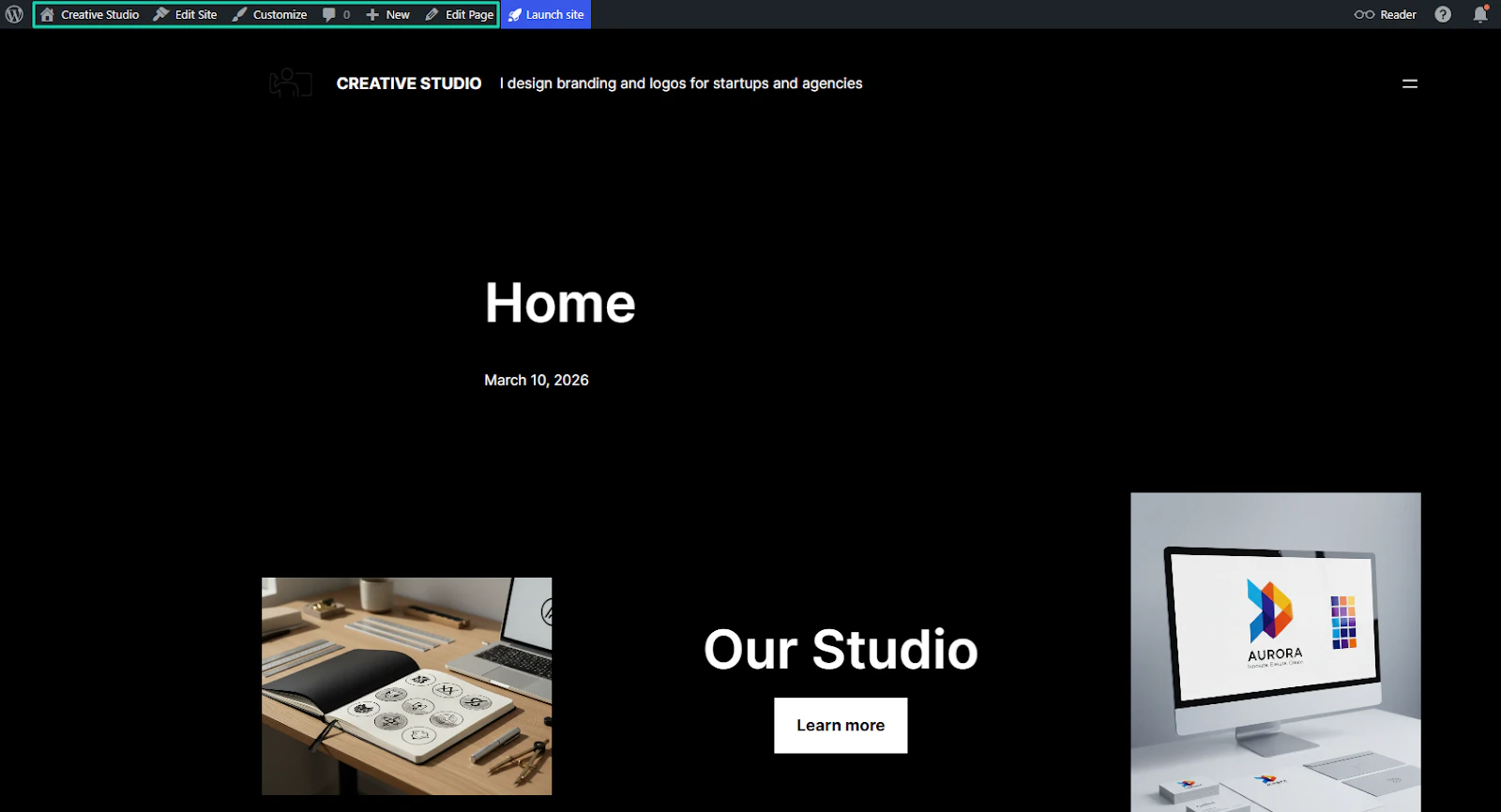
You have your new theme. You can still edit the site or page.
3. Posts
Writing a blog post is one of the actions you can take on WordPress. You can do that and use AI to help you in the process.
Go to “Write blog post.”
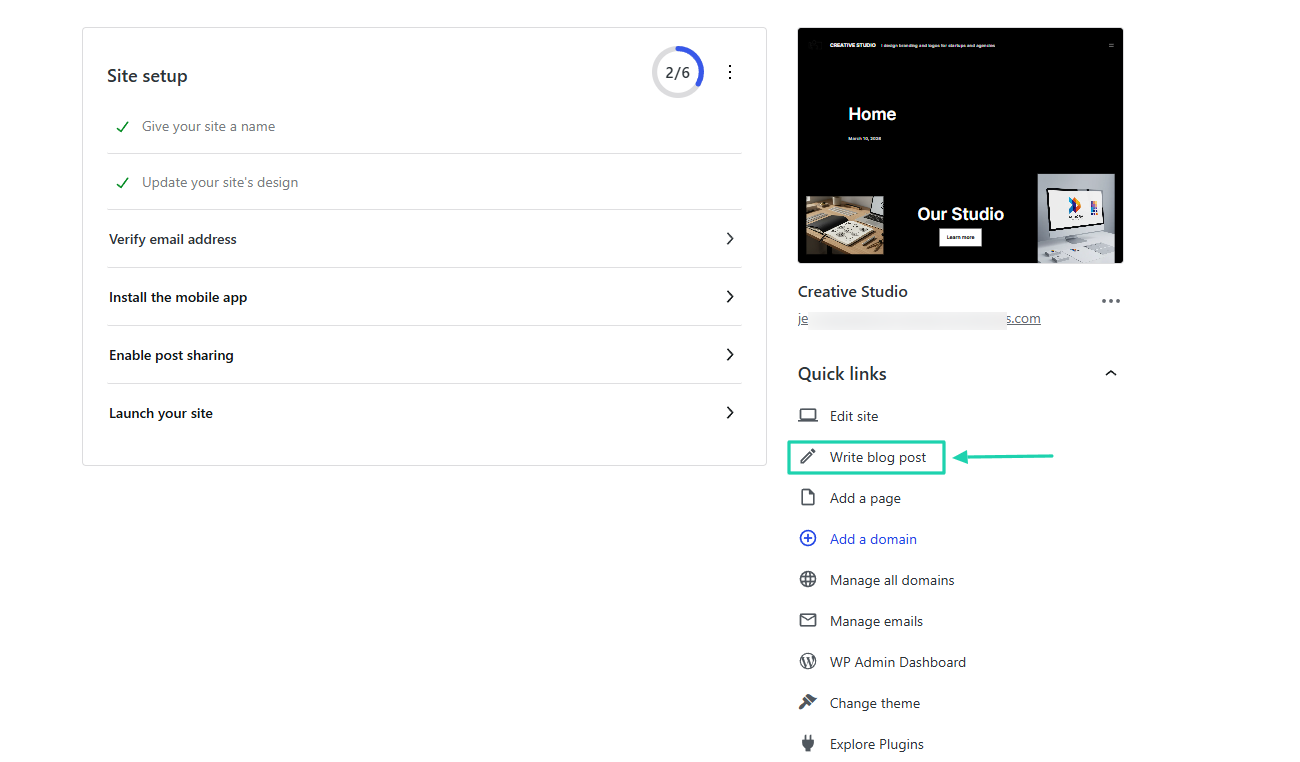
You can enter your title and write your post. Then you can adjust the text or background color, and the font size.
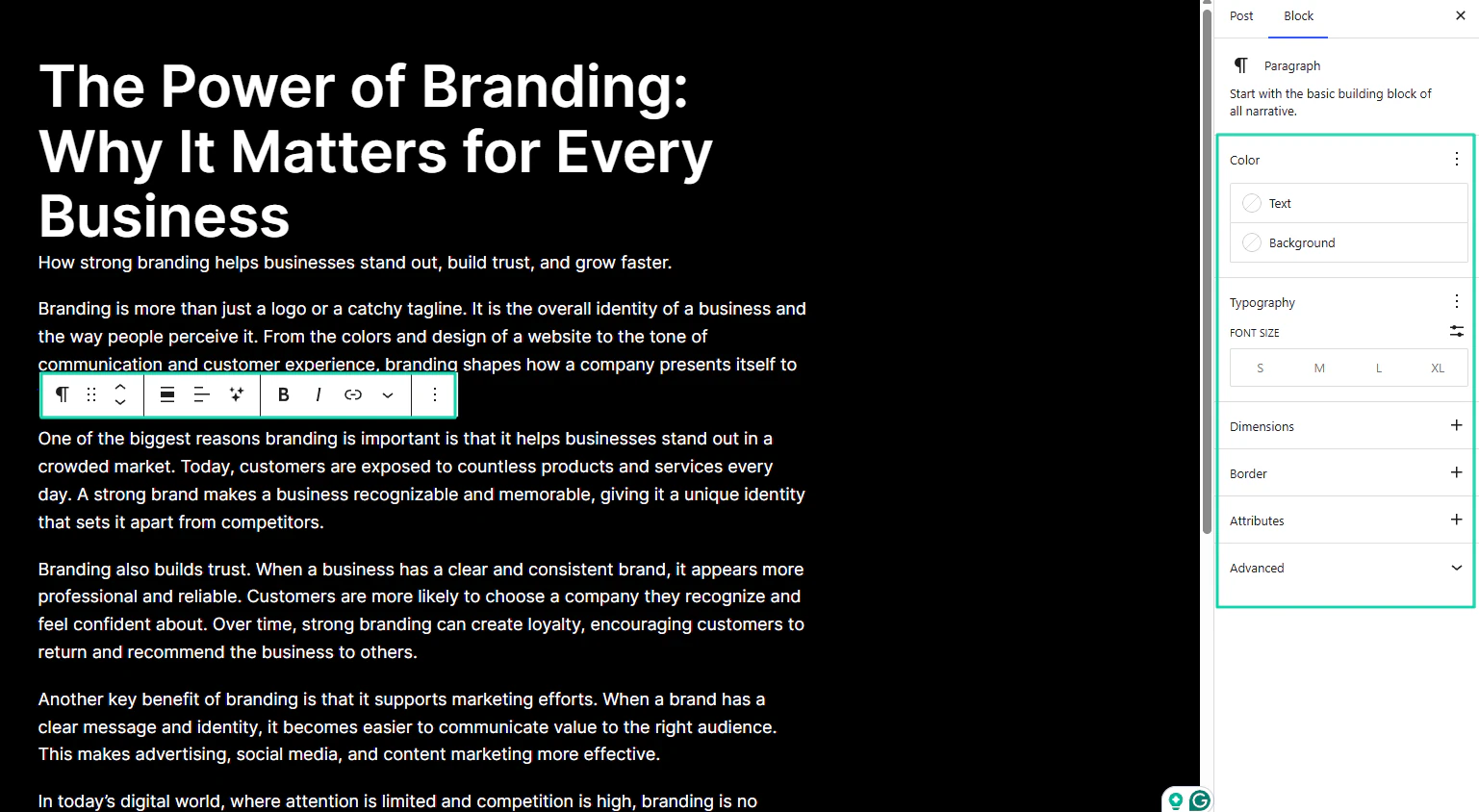
You can use an AI assistant, summarize the blog post, expand it, or even change the tone.
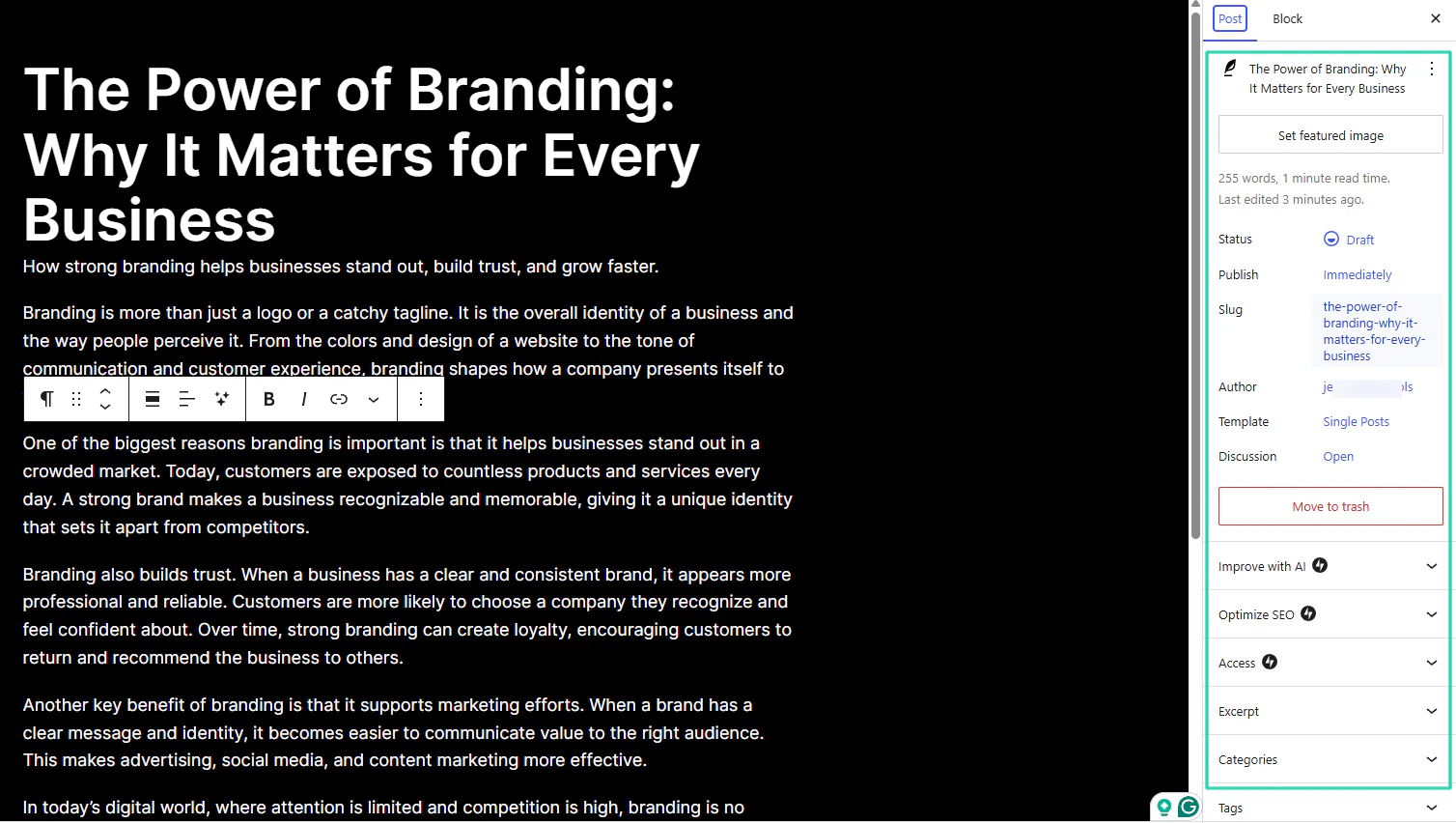
You can also set the featured image, manage access, enhance the post with AI, or optimize it for SEO.
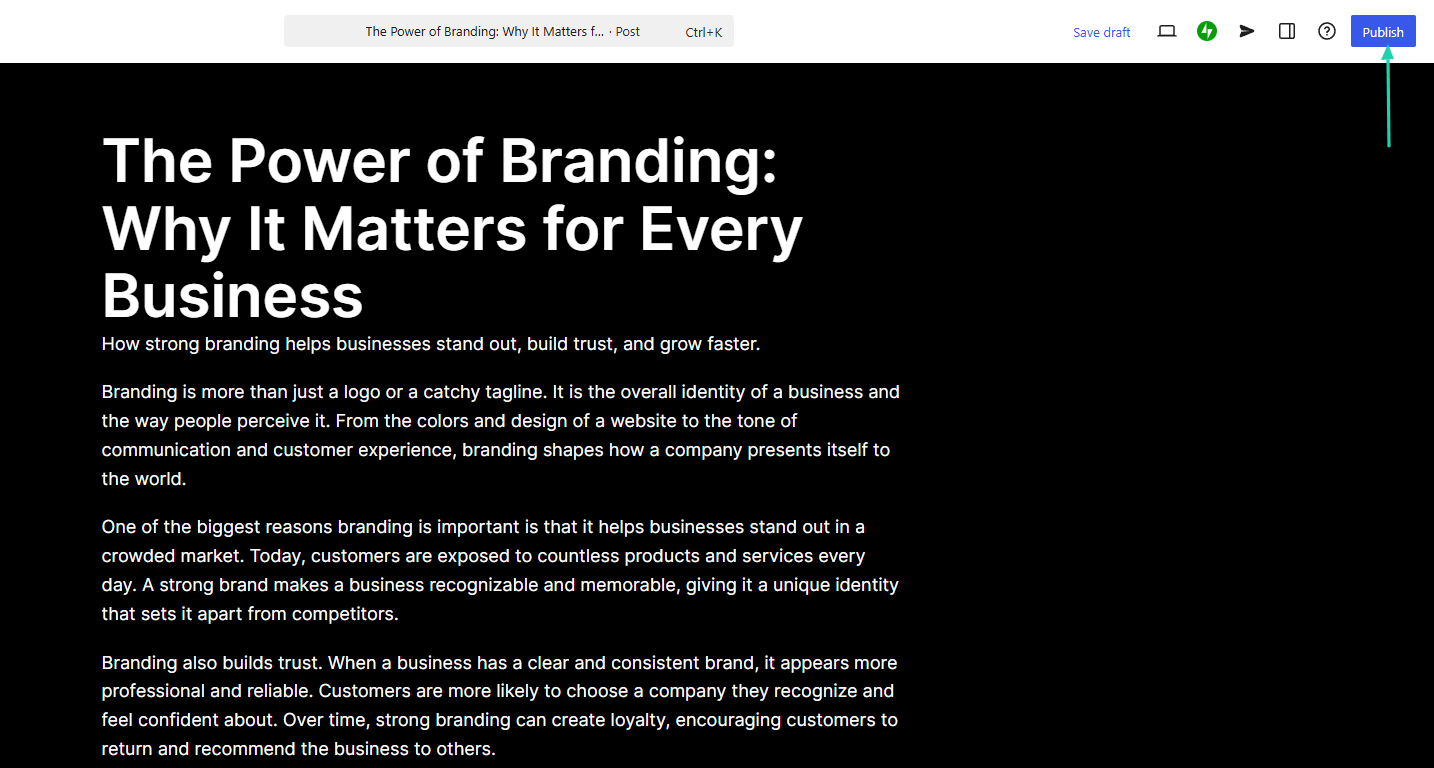
And when you’re done, you can hit “Publish.”
What I loved vs what I struggled with
What I loved 👍
✅ Gathers details about the website and summarizes everything before generating.
✅ Offers a long list of themes, from blog, portfolio, business, to health and wellness.
✅ Can improve blog posts with AI and optimize with SEO.
What I struggled with 👎
❌ There is a steep learning curve, so a non-tech user may need to watch some tutorials.
Best for
- Individuals and content-driven enterprises seeking to build websites and manage heavy content.
Pricing
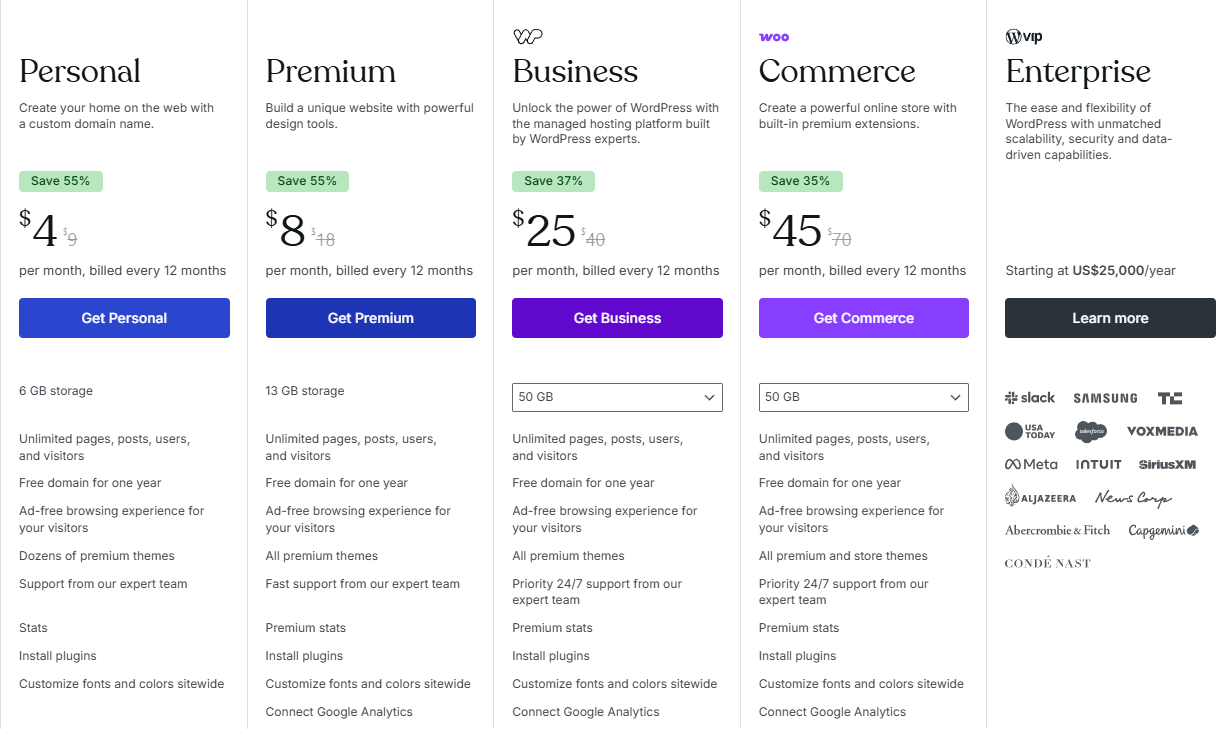
- Personal: $4/month
- Premium: $8/month
- Business: $25/month
- Commerce: $45/month
- Enterprise: Contact for pricing
4. Wix AI Website Builder - Best for SaaS companies
The next AI website builder we will review is Wix.
It’s a cloud-based website builder with over 2000 customizable templates. That lets you create and design sites with the Wix AI feature and drag-and-drop customization.
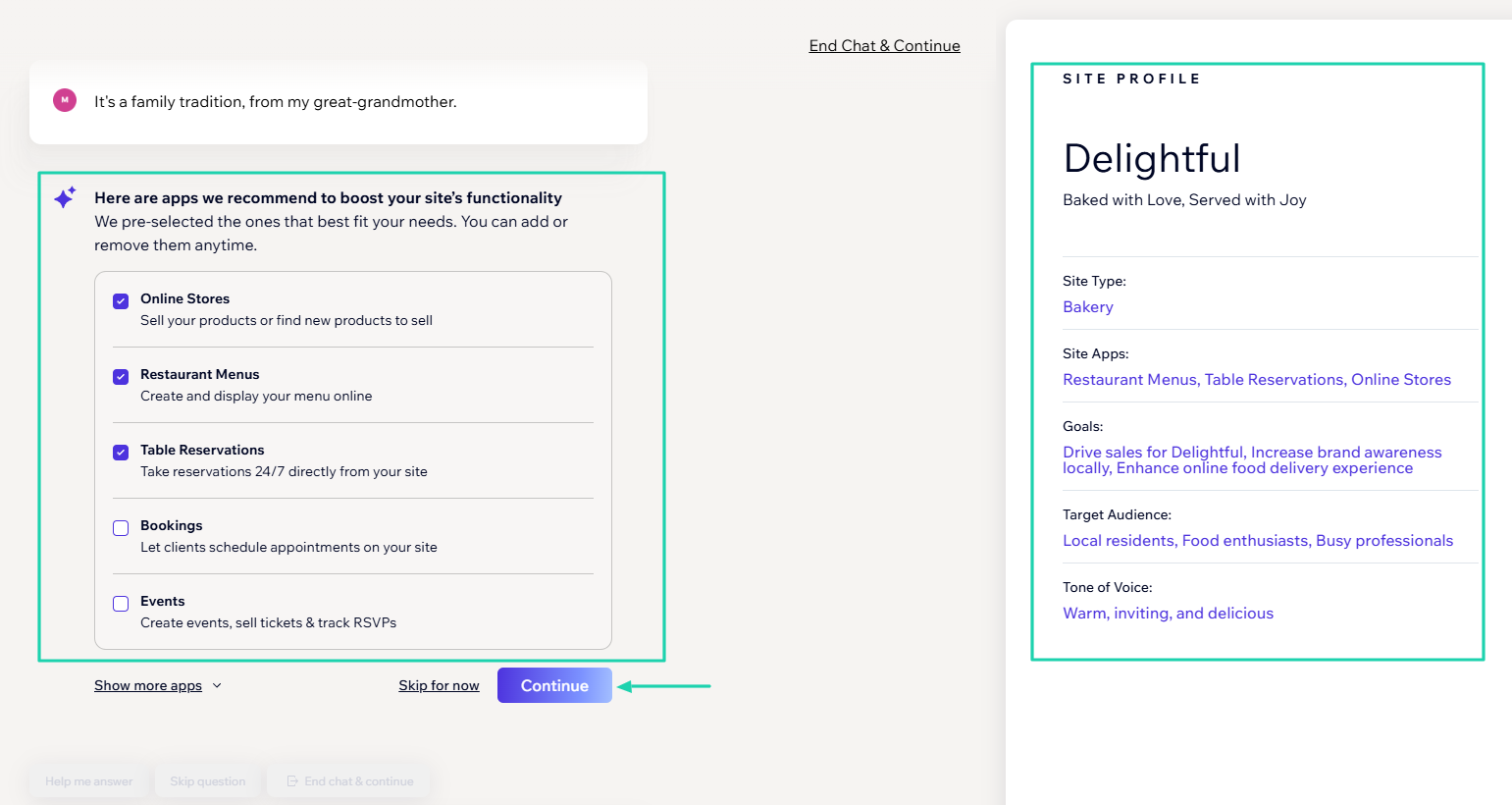
Wix shows details of your site profile after summarizing it. Then it generates the website.
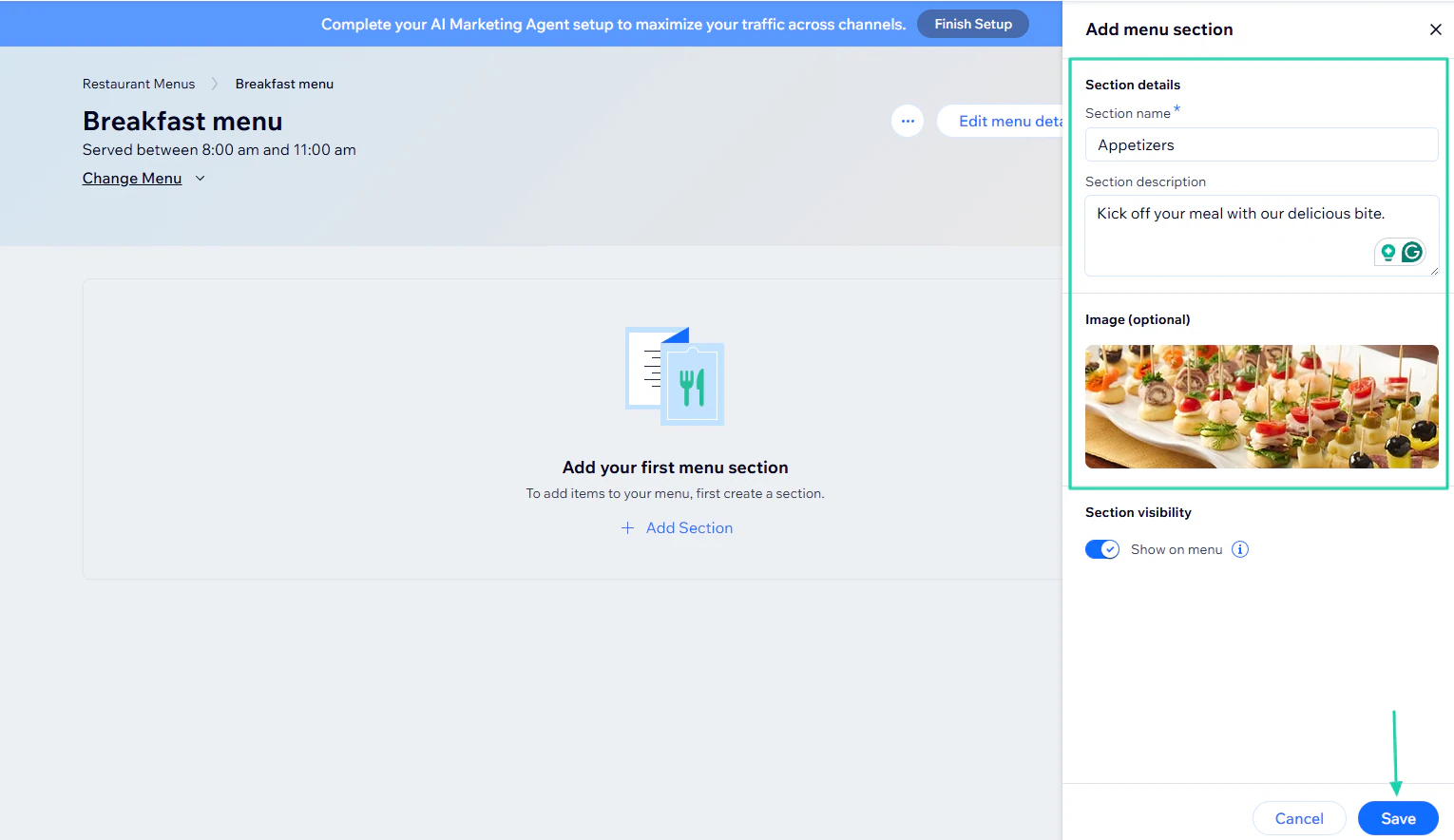
If your website is a restaurant, for example, you can add a menu under the catalog feature. You will name the section, add a description, and an image.
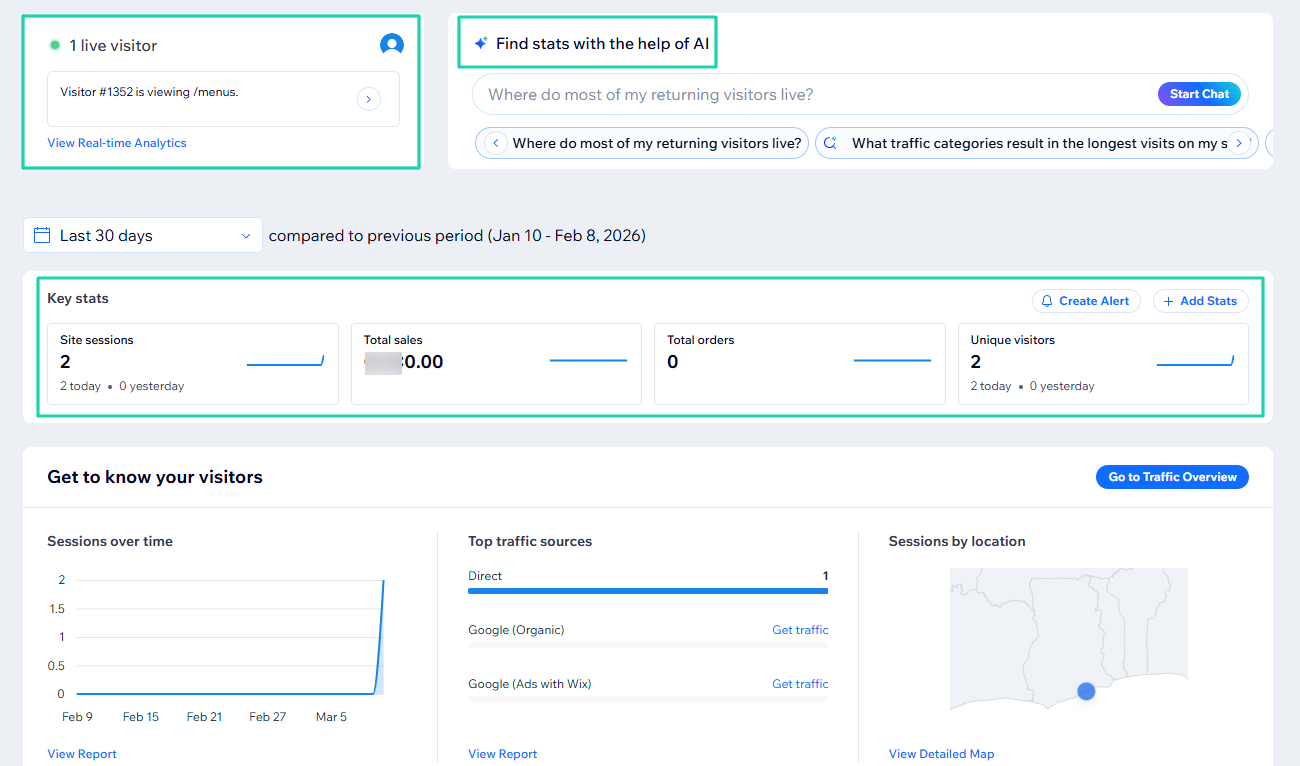
Using the platform, you can see the number of live visitors and find stats with the help of AI.
What I loved about Wix AI website builder
1. Wix ADI (Artificial Design Intelligence)
Creating a website on Wix is not much different from creating one on WordPress. Before the platform generates it, you need to chat with AI.
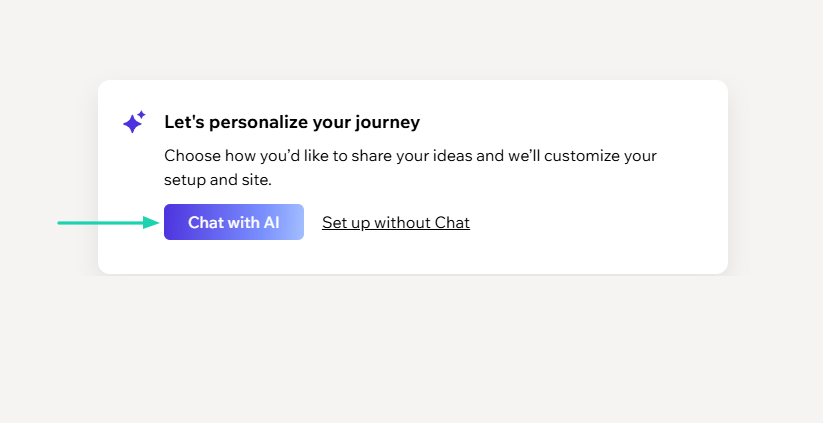
In this scenario, the description is “I want to create a website for a local bakery that displays the menu, featured products, location, and online ordering.”
The AI will start asking you more questions.
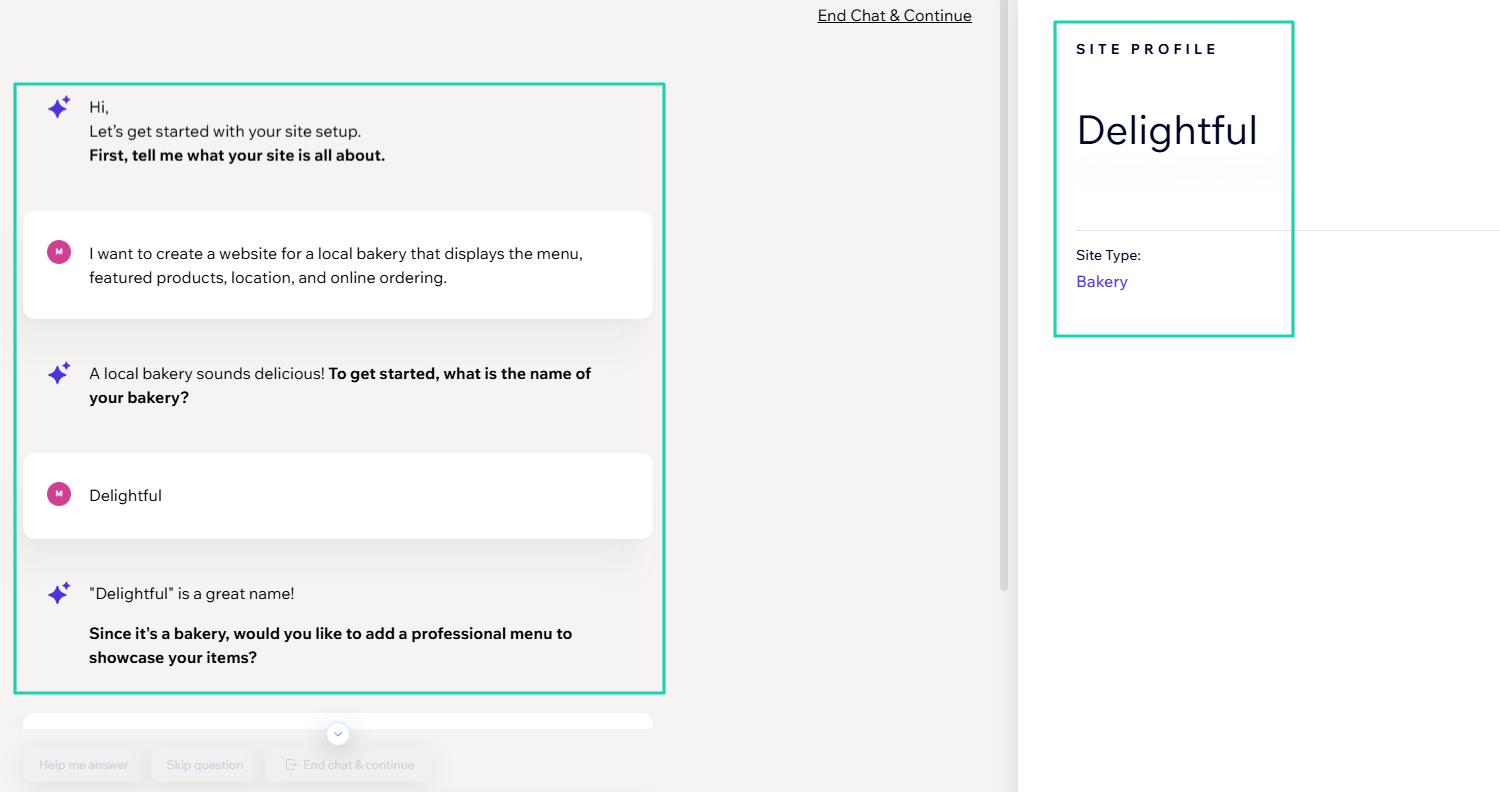
Once it is ready, you will see the site profile on the right side and check all details.
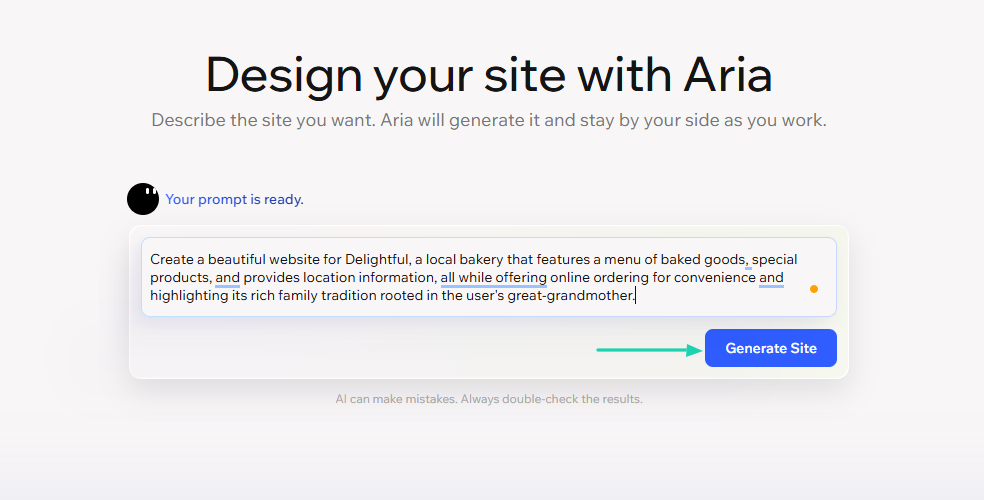
Now, the AI will improve your previous prompt. You can then click “Generate site.”
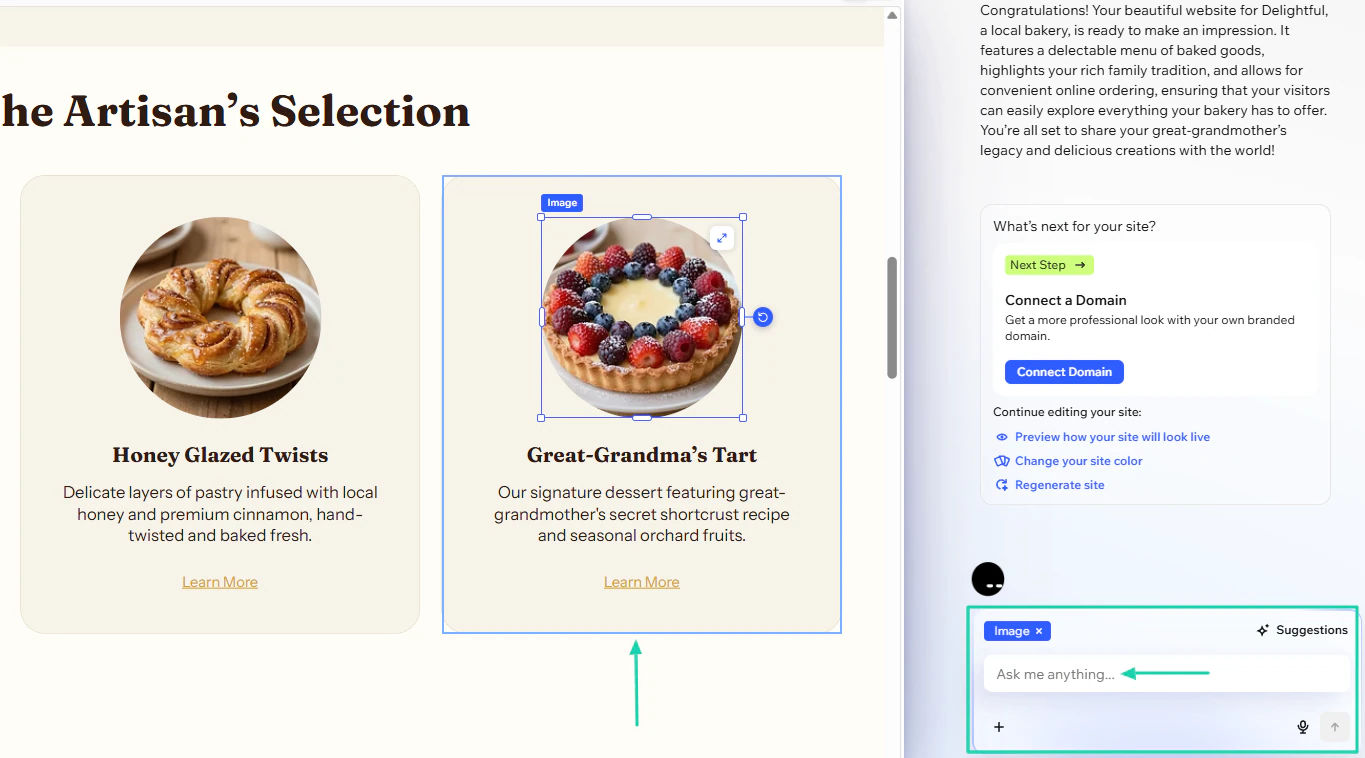
There you go! Now, you can add sections, change the layout, or replace the background.
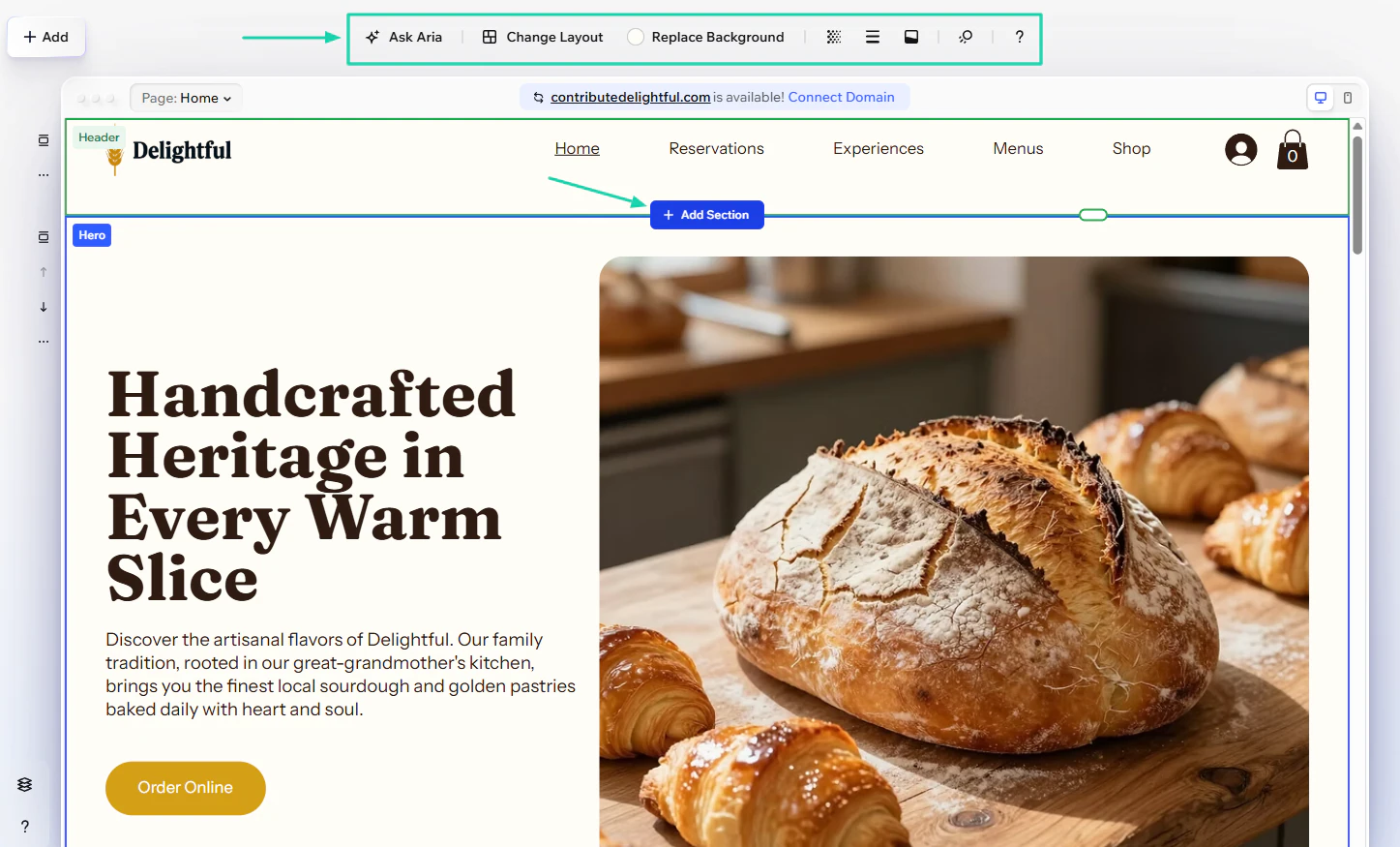
You can edit text or images and ask AI to make those changes.
2. Catalog
Using Wix’s catalog feature, you can add and showcase all your products. For instance, in our context, we can create a menu for our online restaurant.
You can add the menu with AI or just use your phone.
But let’s add it manually.
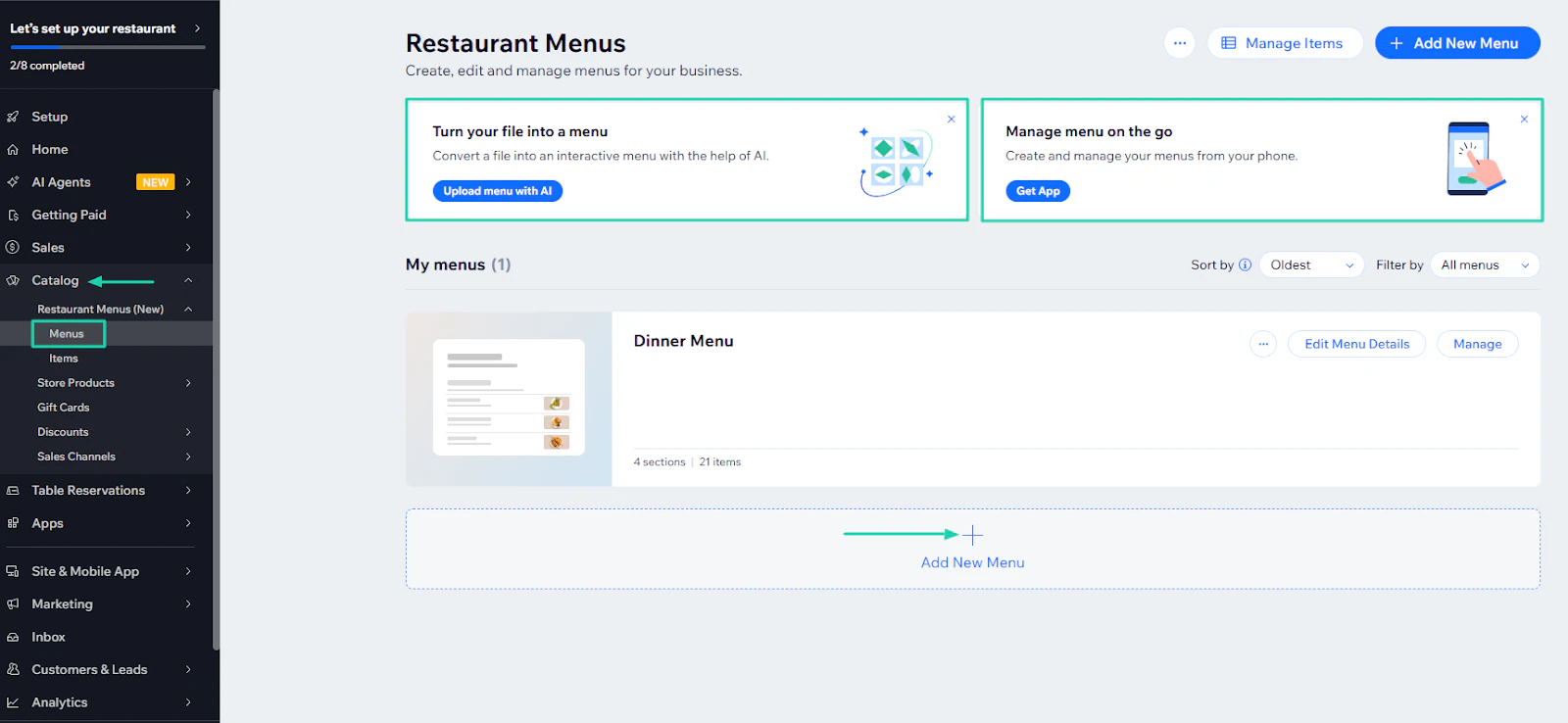
Name your menu and add a description.
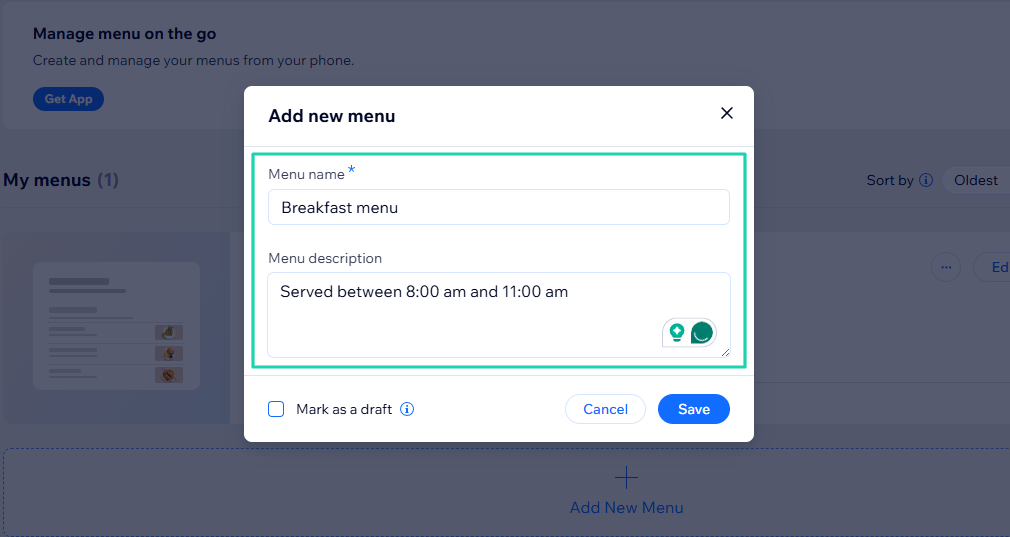
Next, upload media if the image you want to add isn’t available.
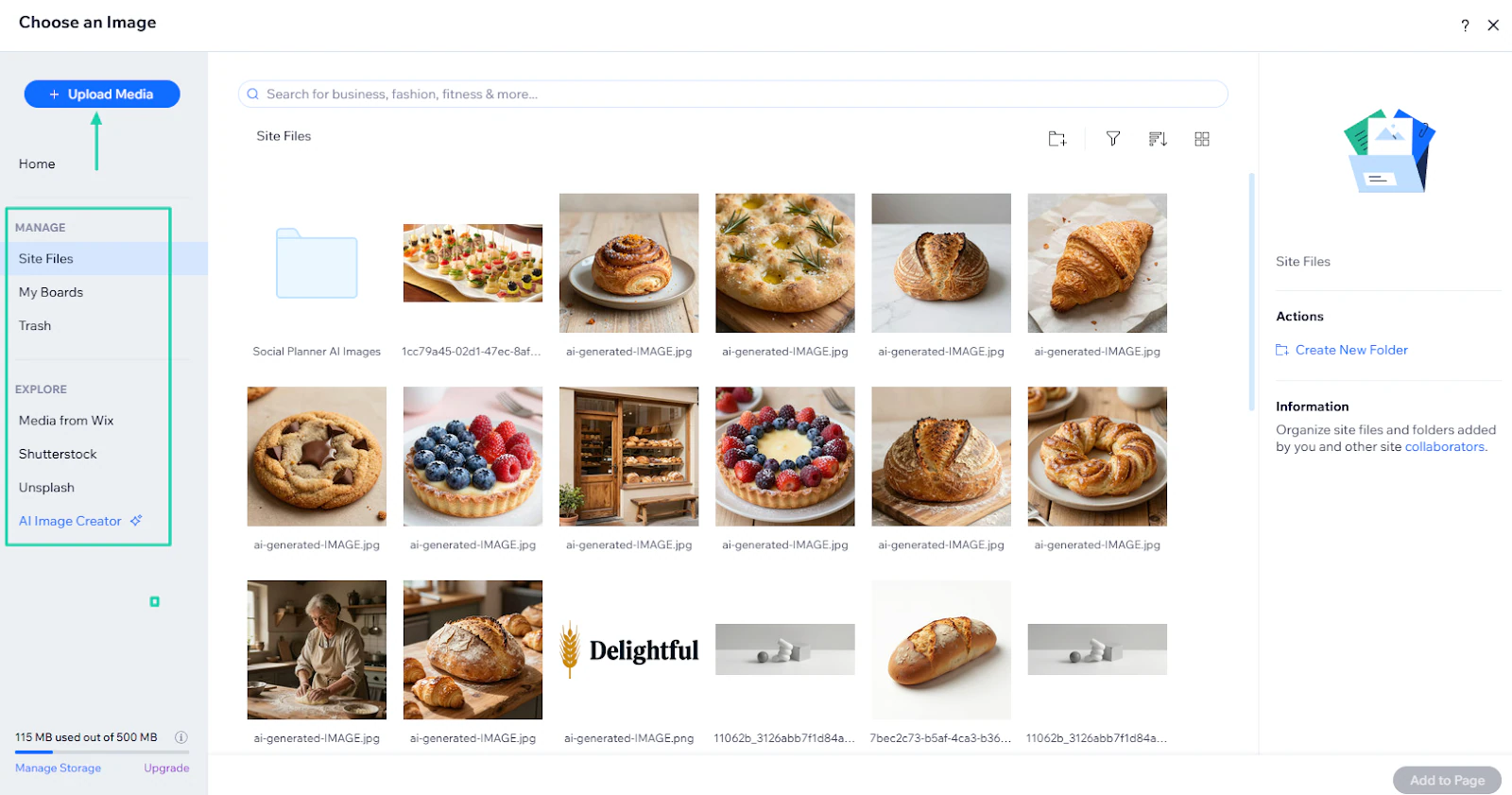
That’s it! You will then name the section, add a description, and upload an image.
Then, click “Save.”
3. Analytics
To gain great insights into your website performance, you need to access analytics tools. Wix offers this feature.
You can find it in the sidebar menu.
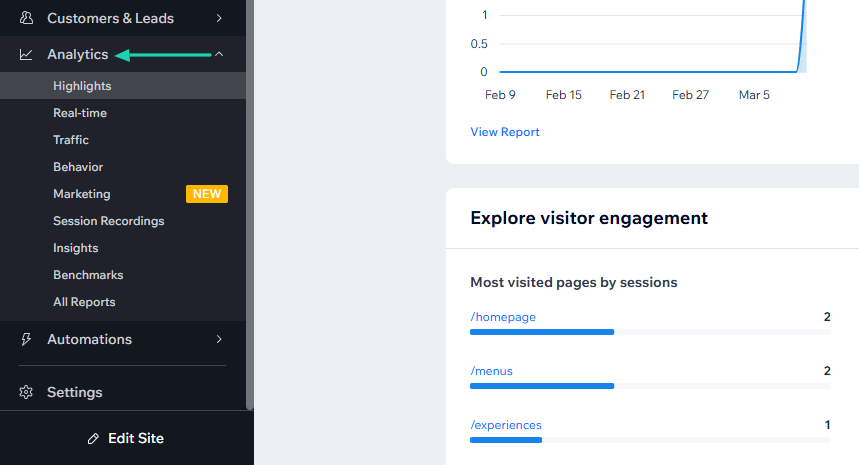
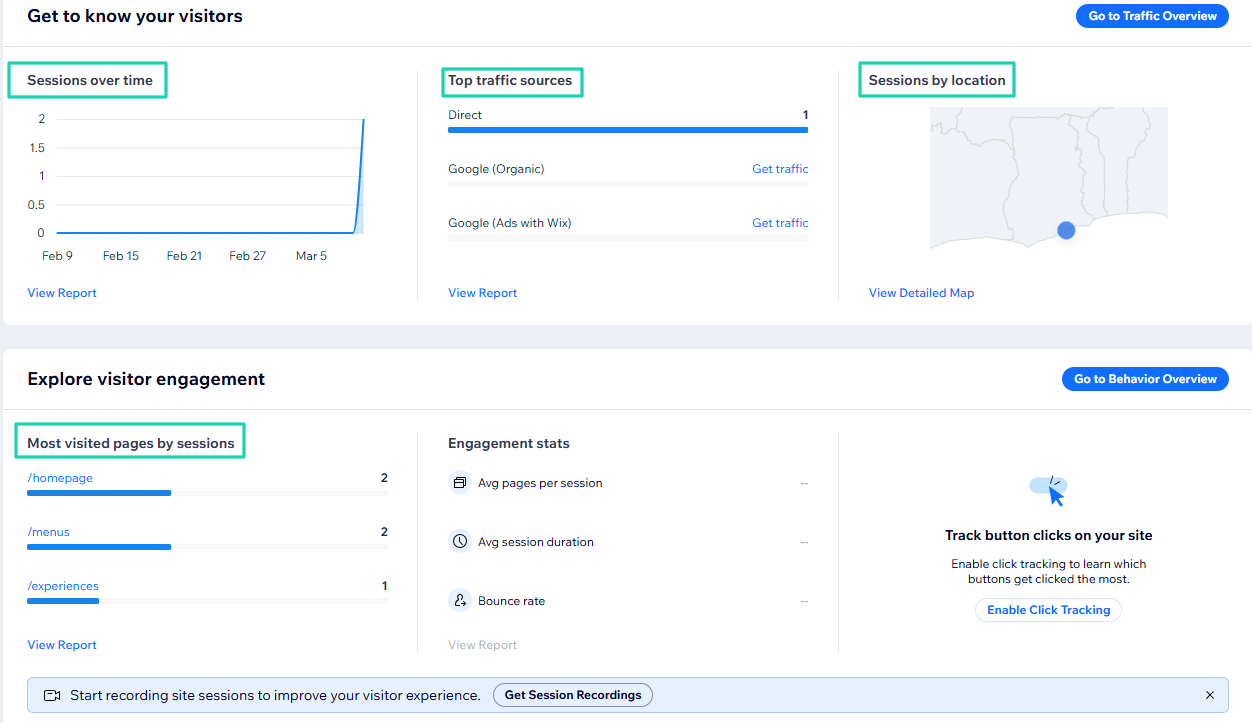
You can see the number of live visitors, along with key stats like site sessions, total sales, total orders, and unique visitors.
You can also see the number of sessions over time, top traffic sources, sessions by location, and the most visited pages by sessions.
What I loved vs what I struggled with
What I loved 👍
✅ Shows a preview of the website before generating it, so you can have an idea of how visitors will see it.
✅ Can replace background or change layout with AI when editing.
✅ Lets you add a catalog for your website.
✅ Shows website visitors in real-time.
What I struggled with 👎
❌ You’ll get generic designs if your prompt isn’t specific enough or if you give AI vague answers.
Best for
- Small business owners who want an all-in-one solution that manages hosting, security, and design in one place.
Pricing
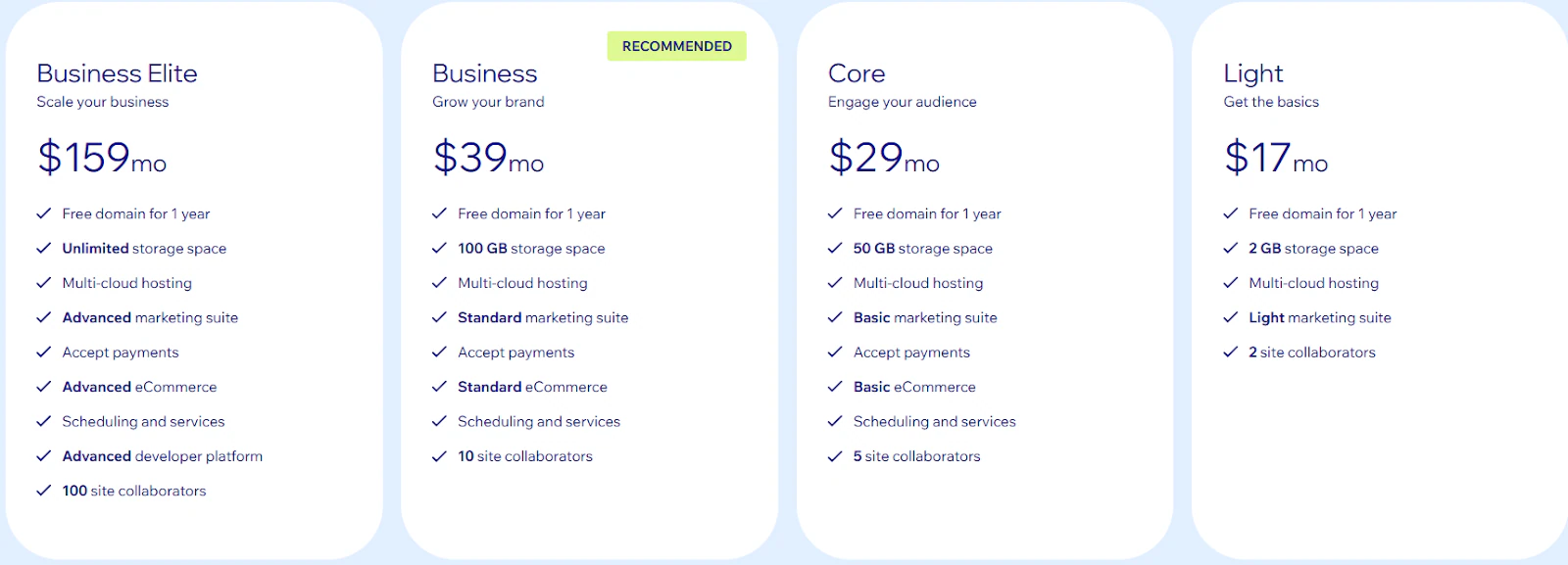
- Light: $17/month
- Core: $29/month
- Business: $39/month
- Business Elite: $159/month
5. 10Web - Best for WordPress users
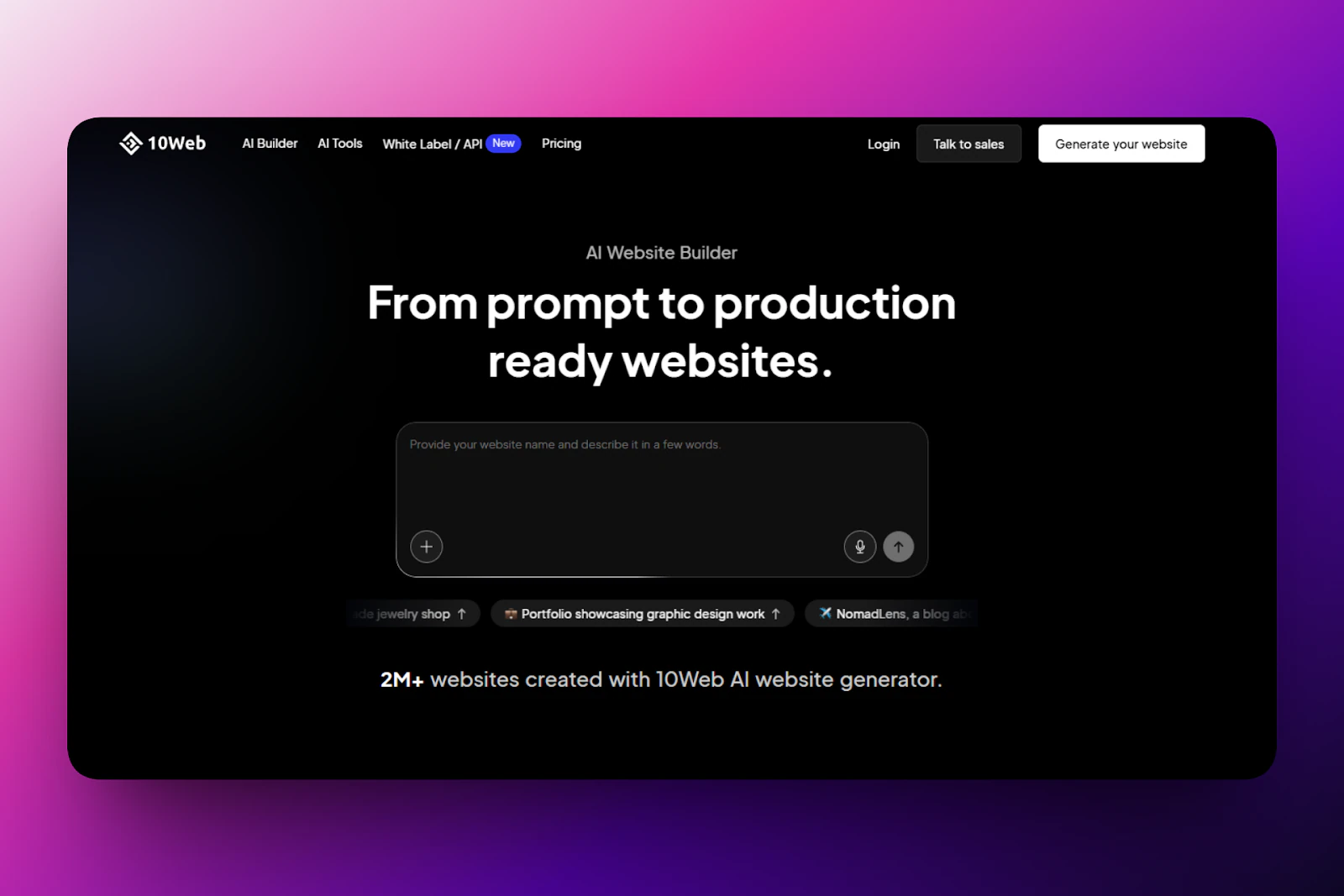
We are now going to look at 10Web, another AI website builder. 10Web is an all-in-one website builder and hosting platform used by 2M+ creators to create and manage WordPress websites.
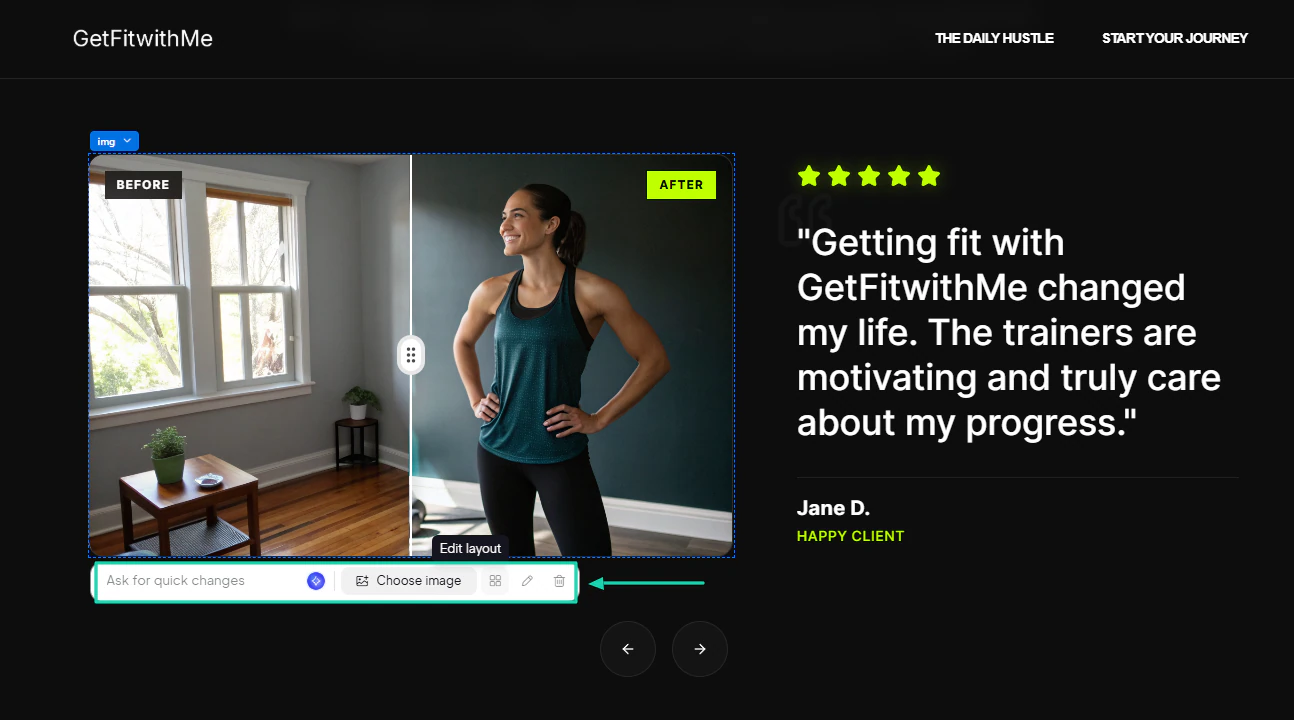
After generating a website, you can select the piece of content you want to edit and ask AI to make those quick changes.
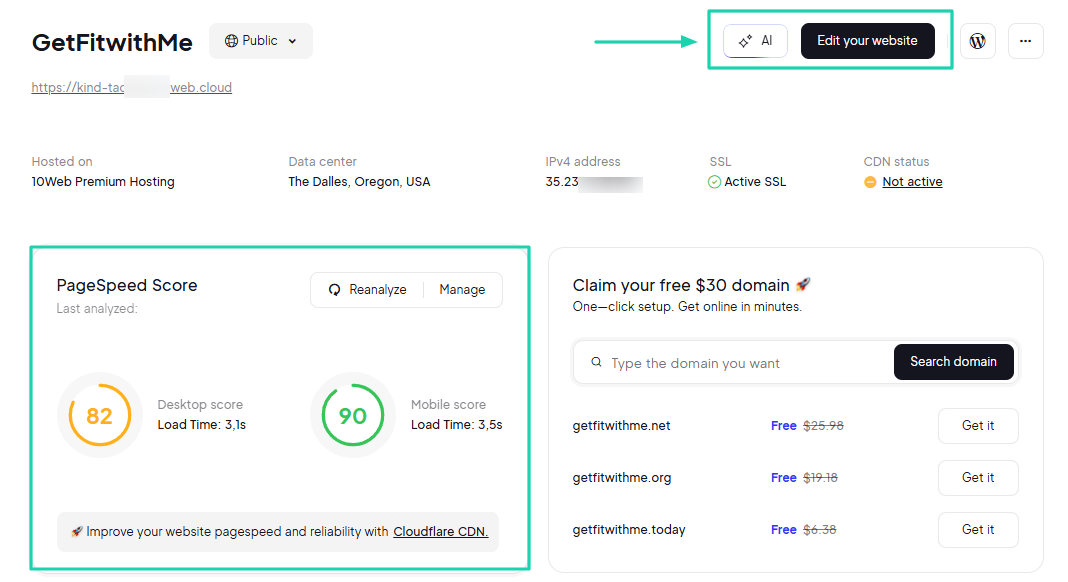
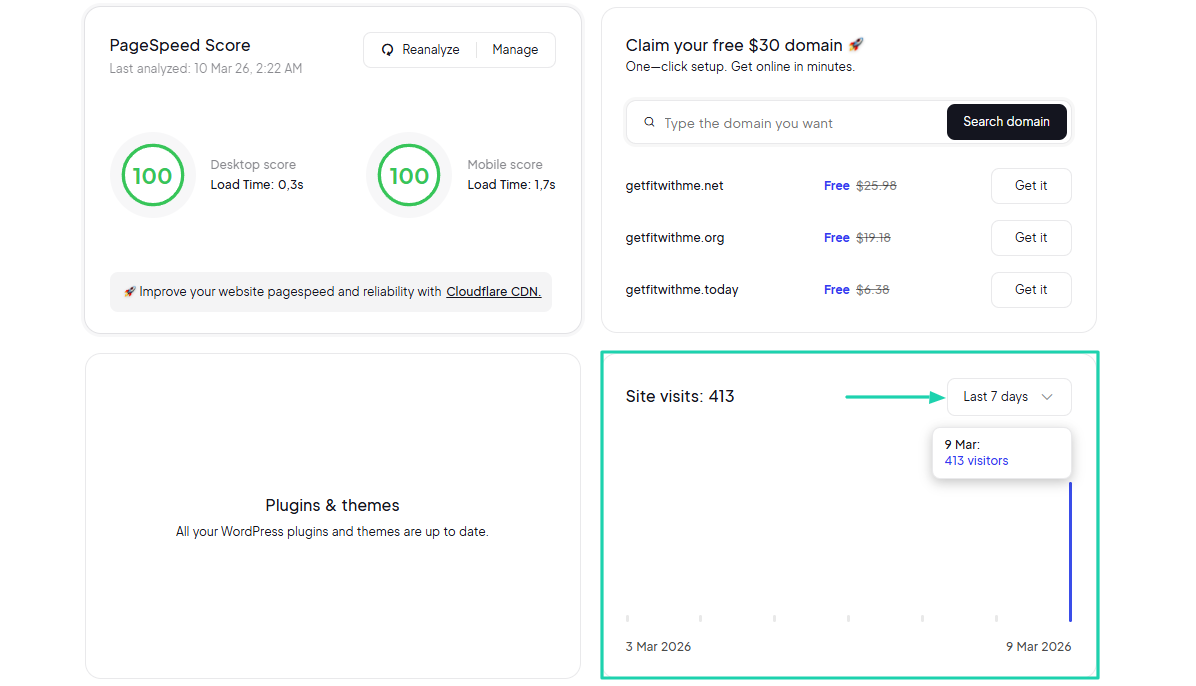
The platform shows your “PageSpeed Score.” It displays for both desktop and mobile.
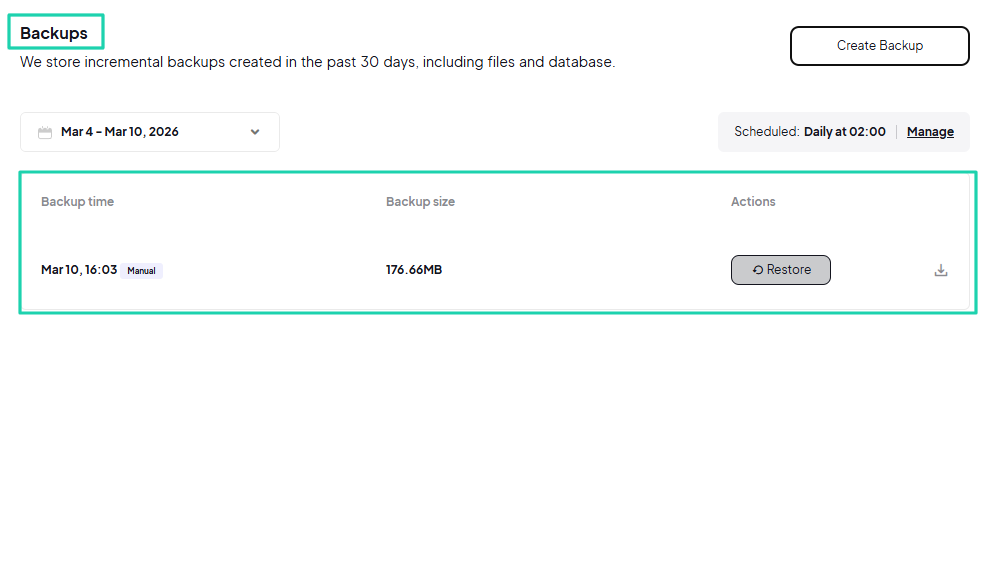
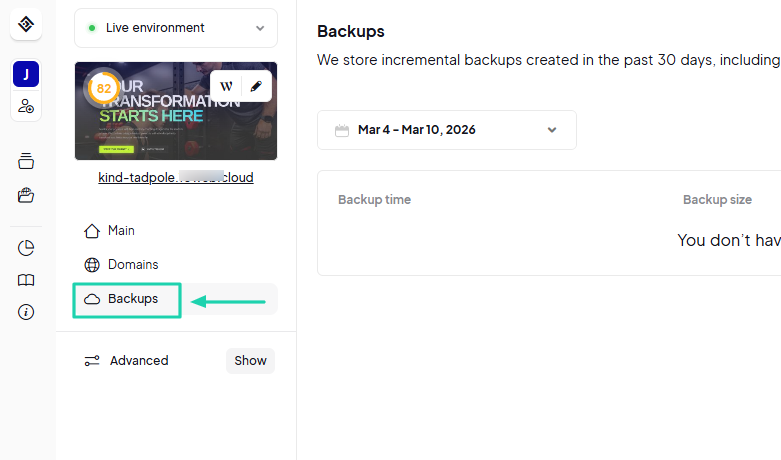
You can also schedule and create backups to prevent data loss.
What I loved about 10Web
1. AI website builder
Without wasting more time, let’s review 10Web’s AI website builder. After you sign up, you need to enter a prompt.
There you go:
“Create a personal brand website for a fitness coach with workout programs, blog posts, and booking for training sessions.”
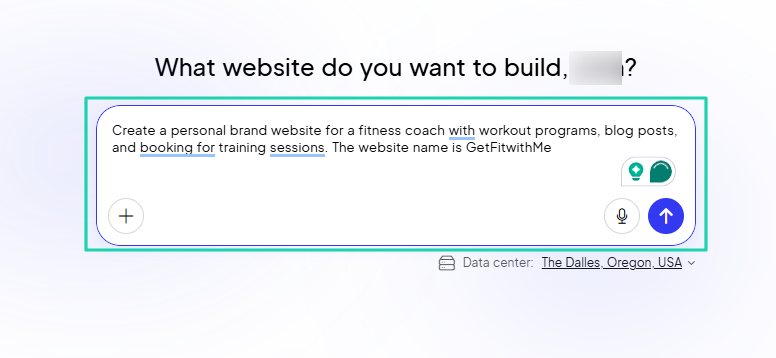
The AI will create a structure that you can still customize. But if everything is on point, you can click “Start building.”
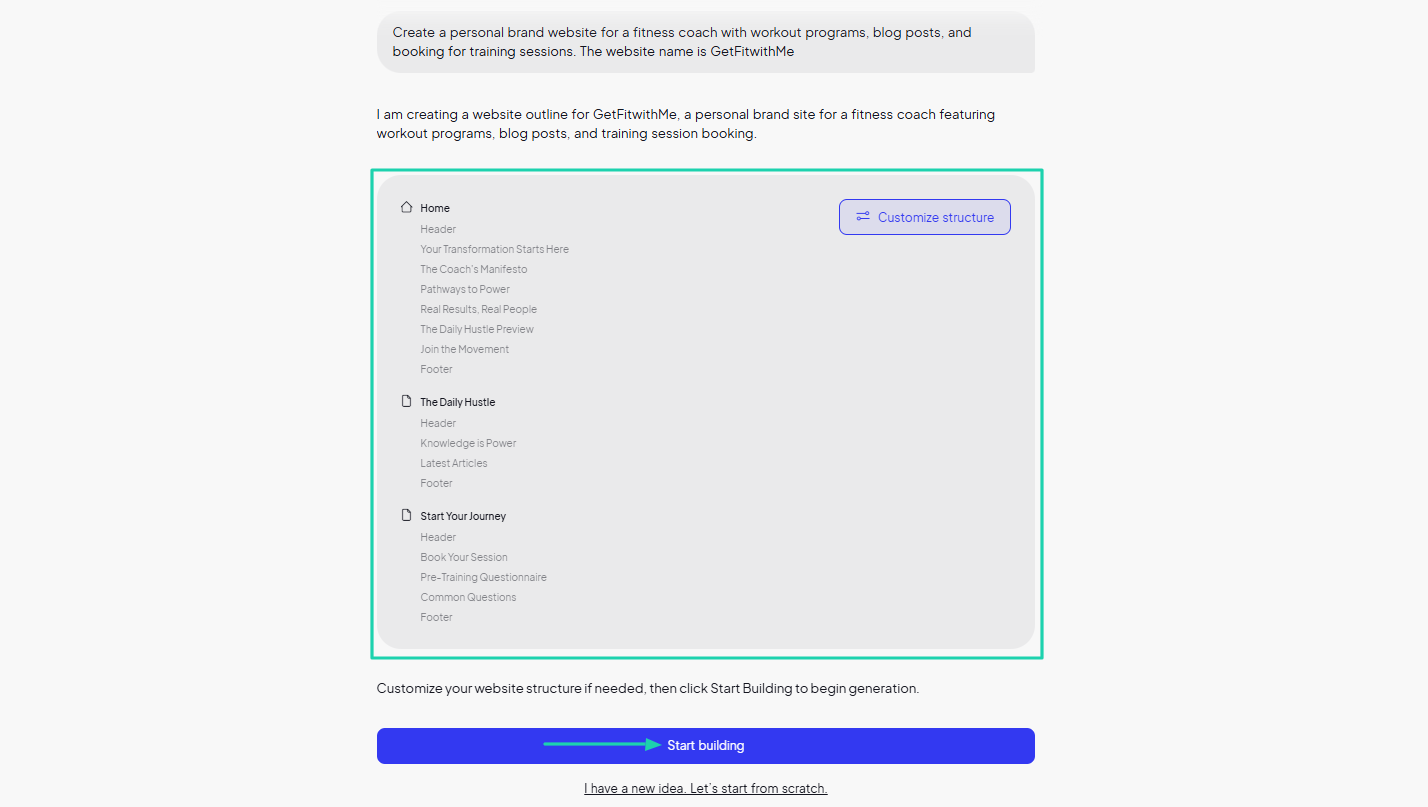
The website is ready! On the left side, you can chat with AI to make some changes.
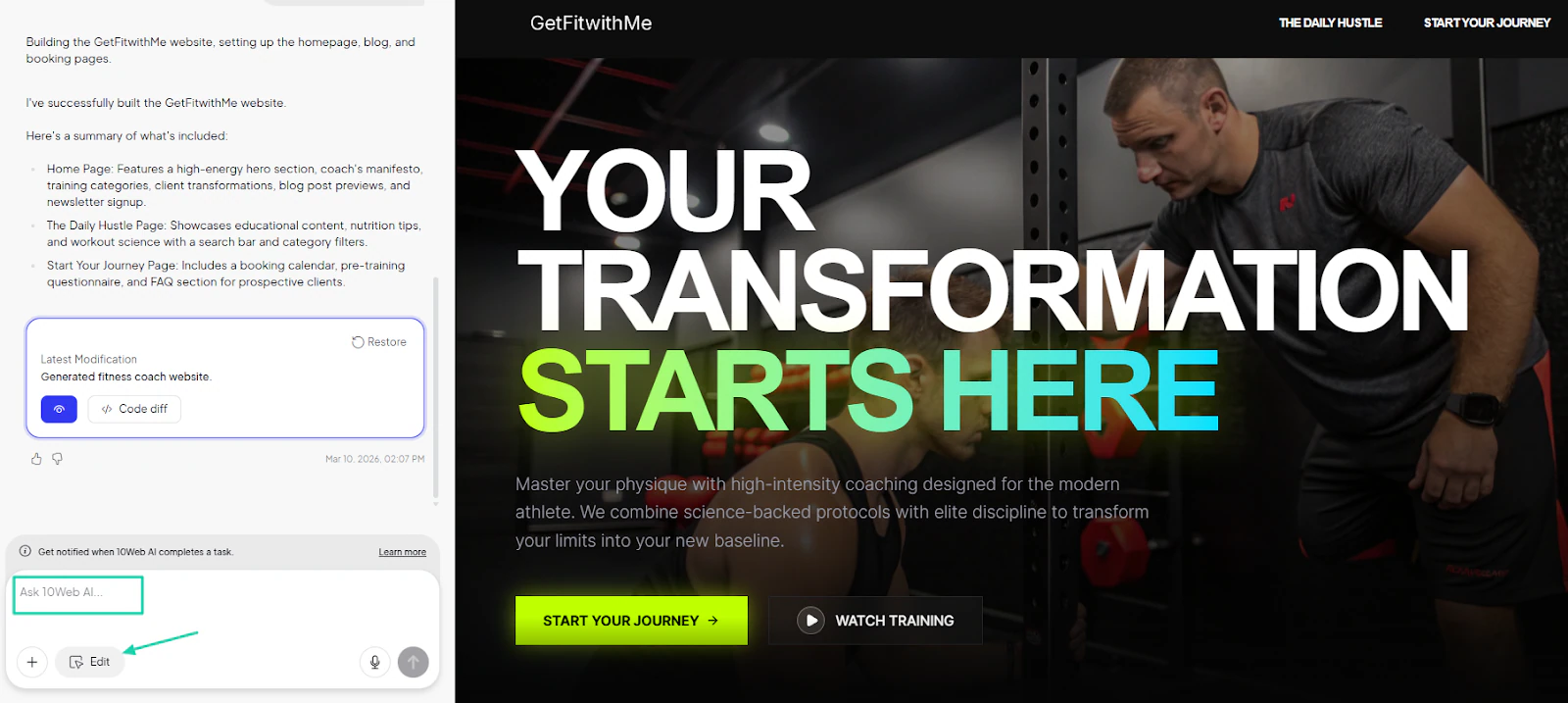
Whenever you want to edit something on the website, you first need to click the far right button “Select to edit.”
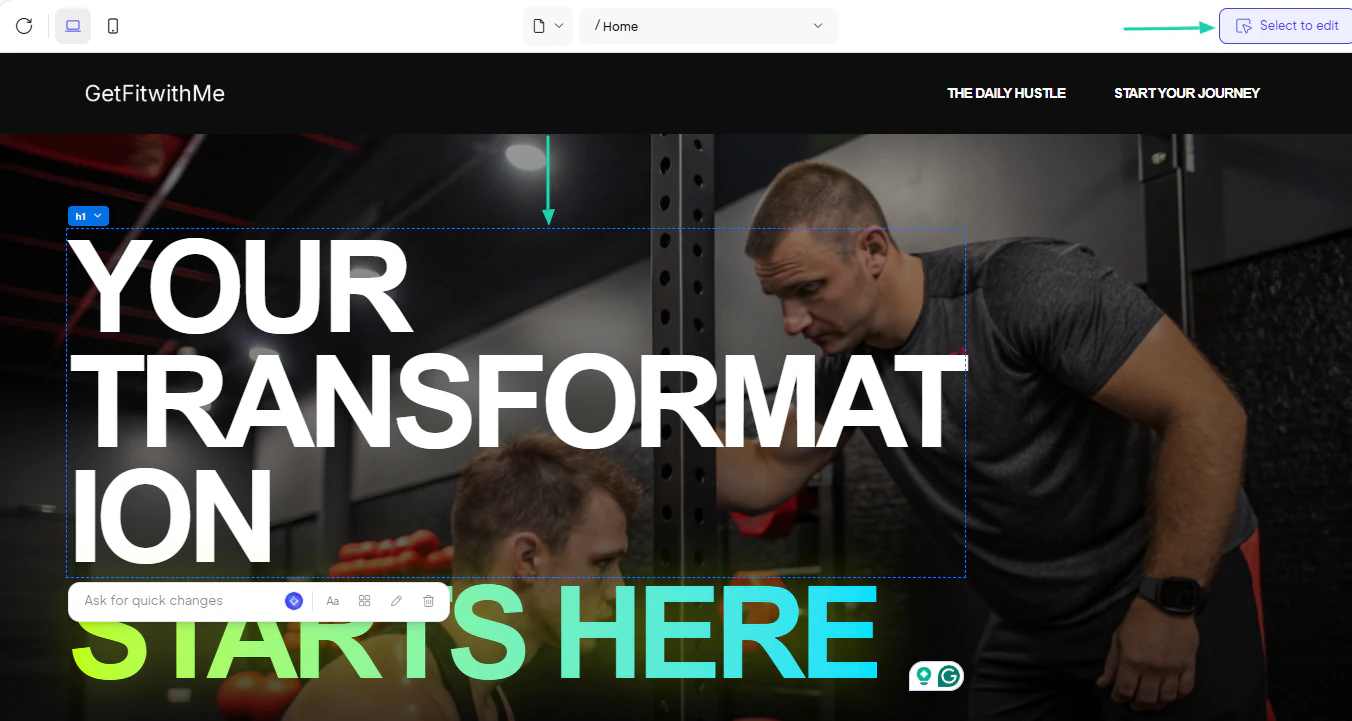
For instance, if you select an image, you can ask AI to make the necessary changes.
2. Manage
With this feature, you can manage the page’s performance. You can check how fast the page loads for website visitors.
Click “Manage” on your website.
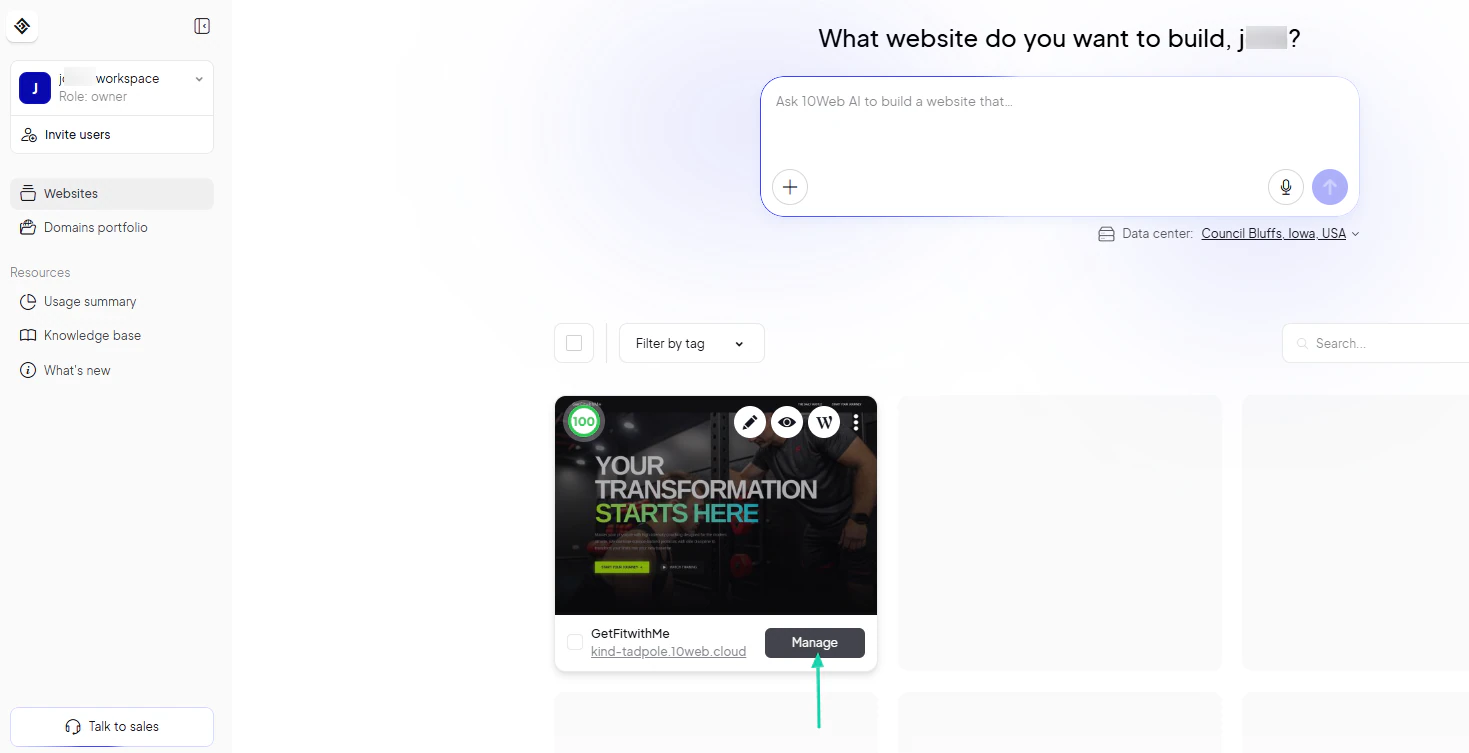
You will see the “PageSpeed Score” for both desktop and mobile. You can also still edit your website and use AI.
You can also see the number of site visits over a certain period.
3. Backups
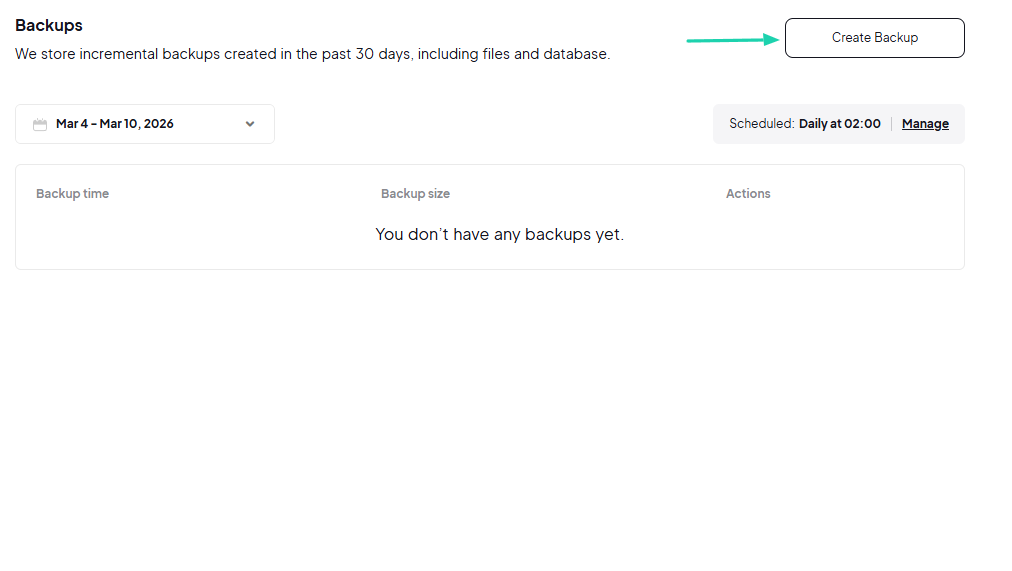
Another feature of 10Web is real-time backups. It automatically runs backups according to a specific schedule to prevent data loss. But you can also create one manually.
Click Create Backup.
You have created your backup!
What I loved vs what I struggled with
What I loved 👍
✅ Can ask AI for quick changes when editing the website content.
✅ Analyzes the Page speed score for both desktop and mobile.
✅Shows the number of site visits over a specific period.
What I struggled with 👎
❌ Looks limited, so there isn’t much you can do on the platform aside from generating a website.
Best for
- Small businesses and individuals seeking a user-friendly website builder with intuitive editors.
Pricing
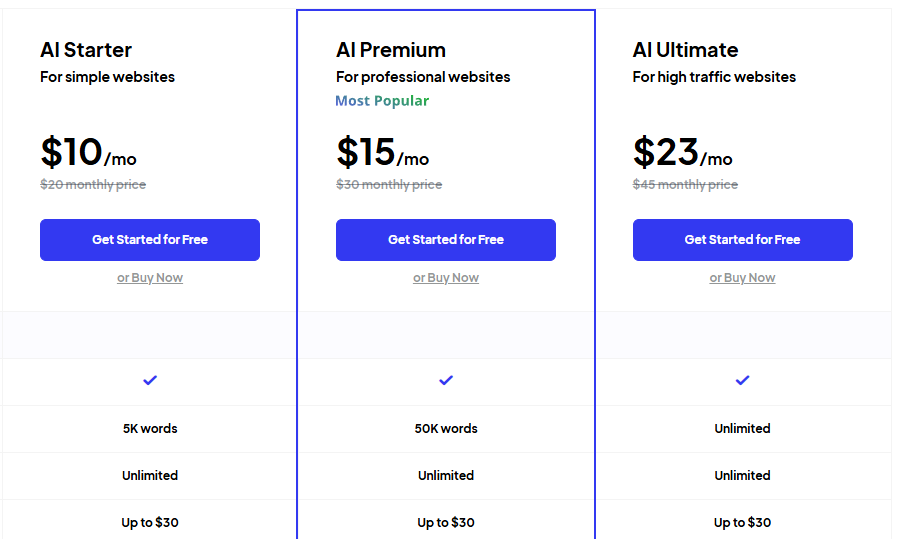
- AI Starter: $10/month
- AI Premium: $15/month
- AI Ultimate: $23/month
6. Durable - Best for local service providers
Sixth on my list of the best AI website builders is Durable.
It comes with an AI business partner assistant that helps you with marketing, sales, finance, and customer service tasks.
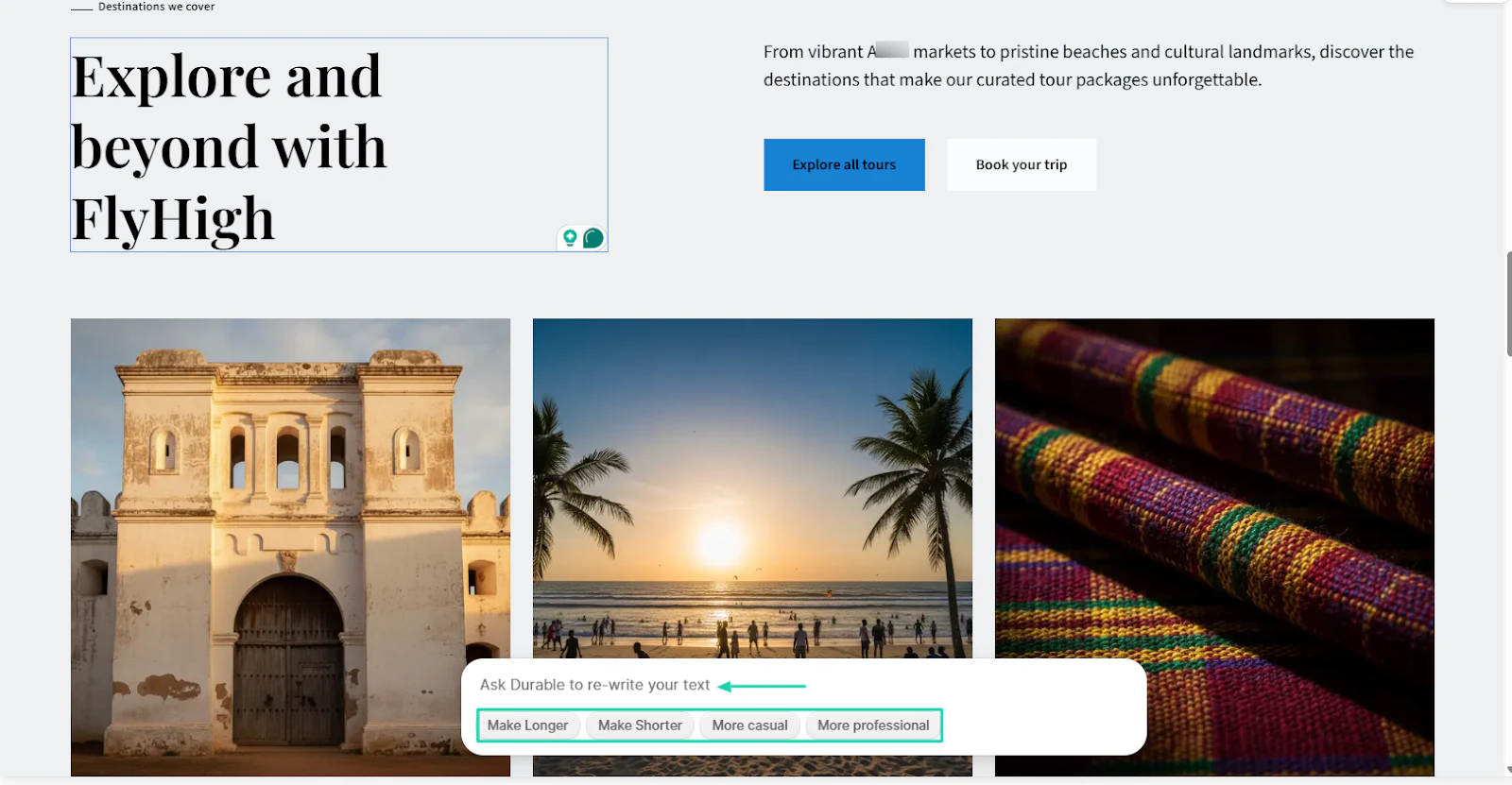
You can use its AI to rewrite your text. For instance, it can make the text shorter and longer or even more professional.
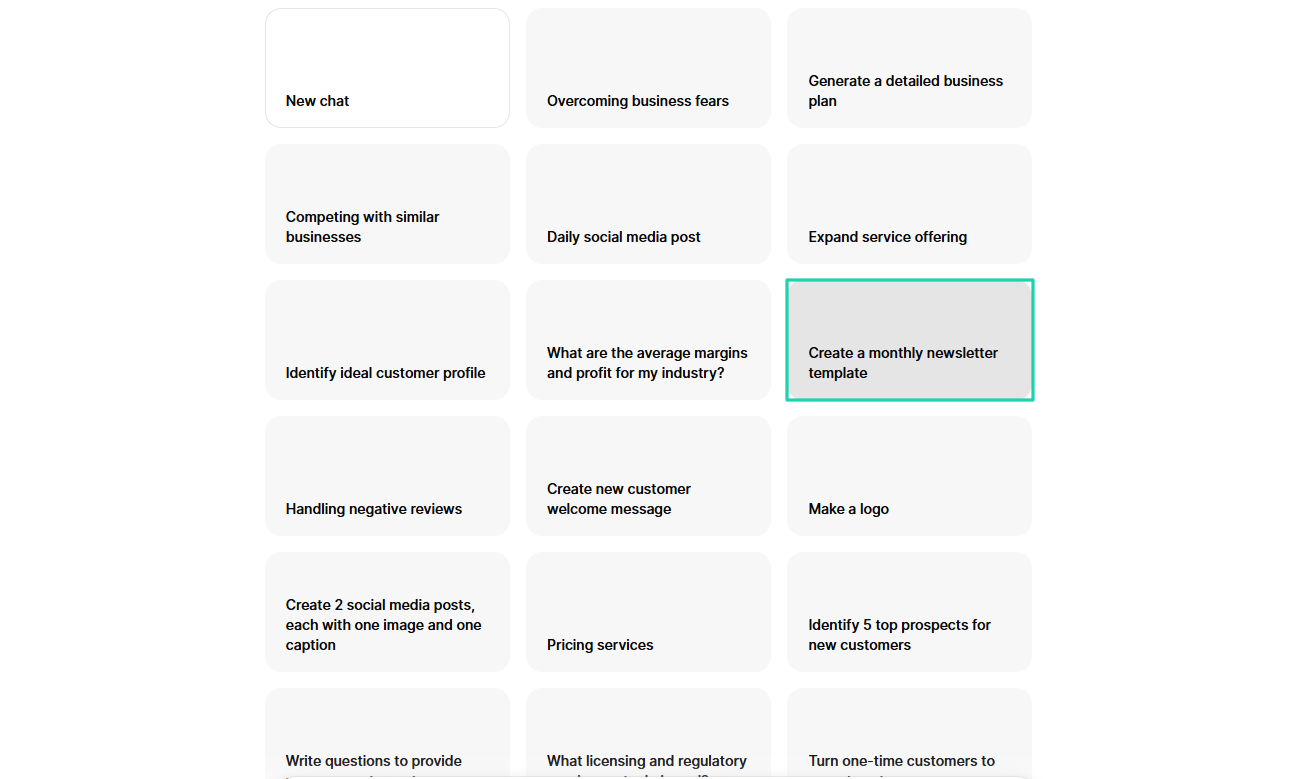
Its AI partner can help you create a monthly newsletter, make a logo, or generate a detailed plan, and more.
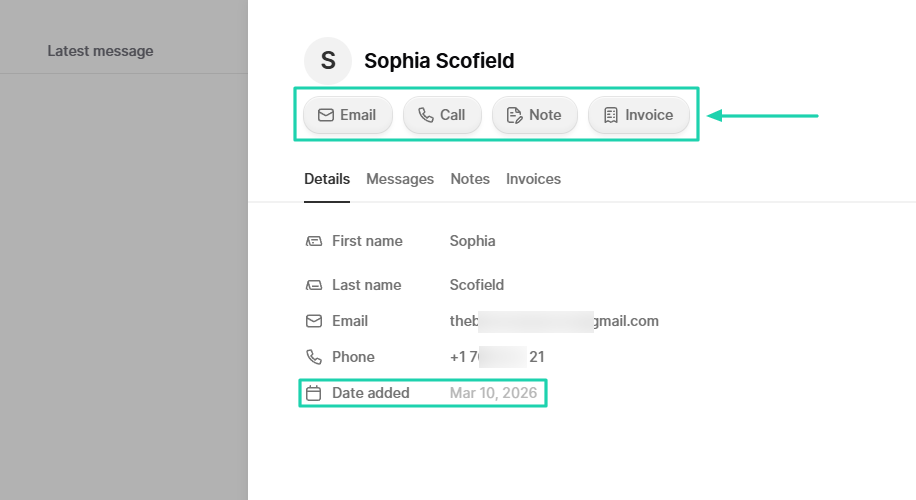
With contacts on Durable, you can email or call them. You can also write a note or send an invoice.
What I loved about Durable
1. AI website builder
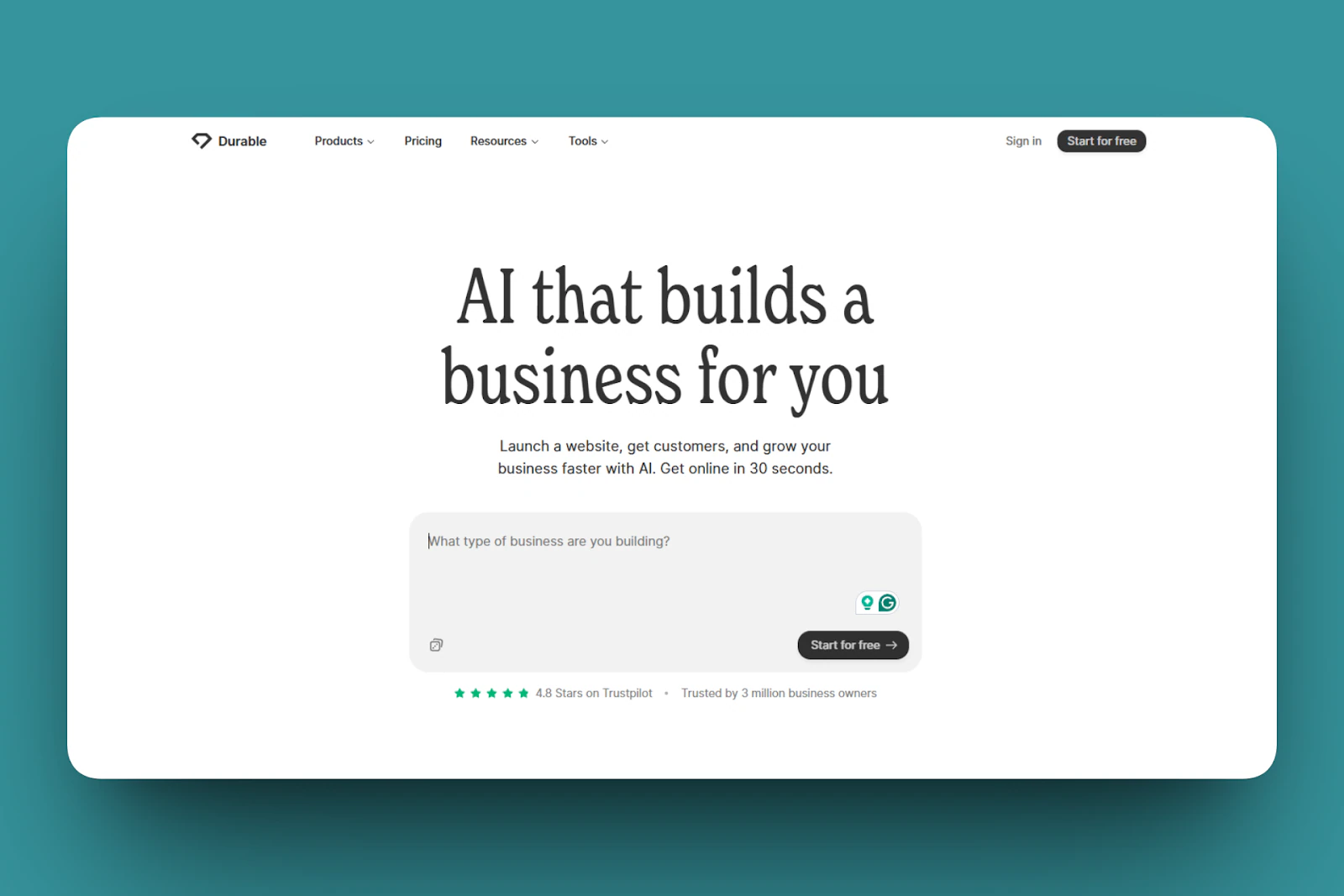
Before you generate your website on Durable, you must describe the type of business you’re building.
Here’s a description you can use:
“Create a website for a small travel agency featuring tour packages, customer testimonials, and a booking form.”
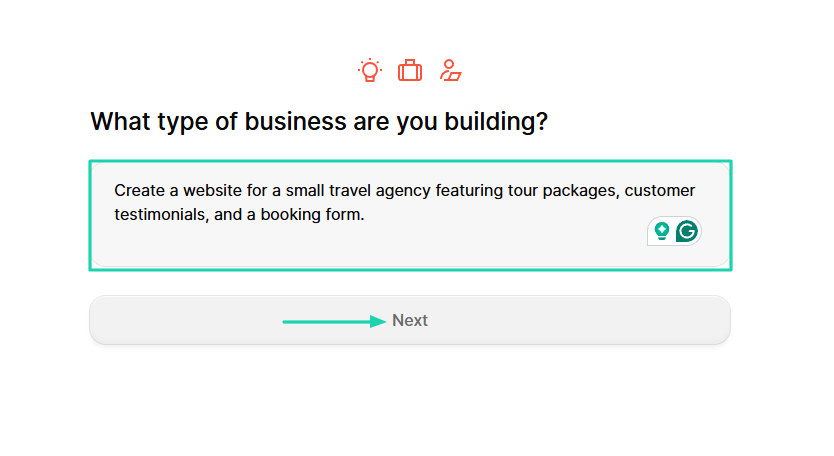
You will name the business.
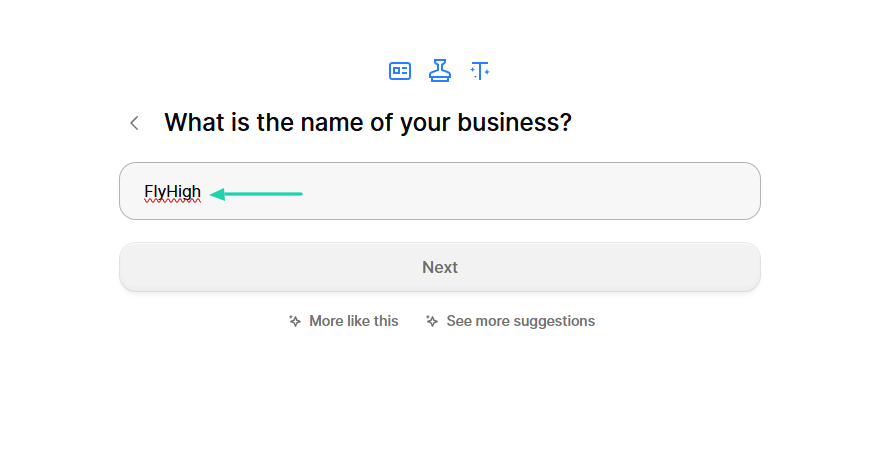
Then, the AI will summarize everything. If everything is on point, you can click “Start building.”
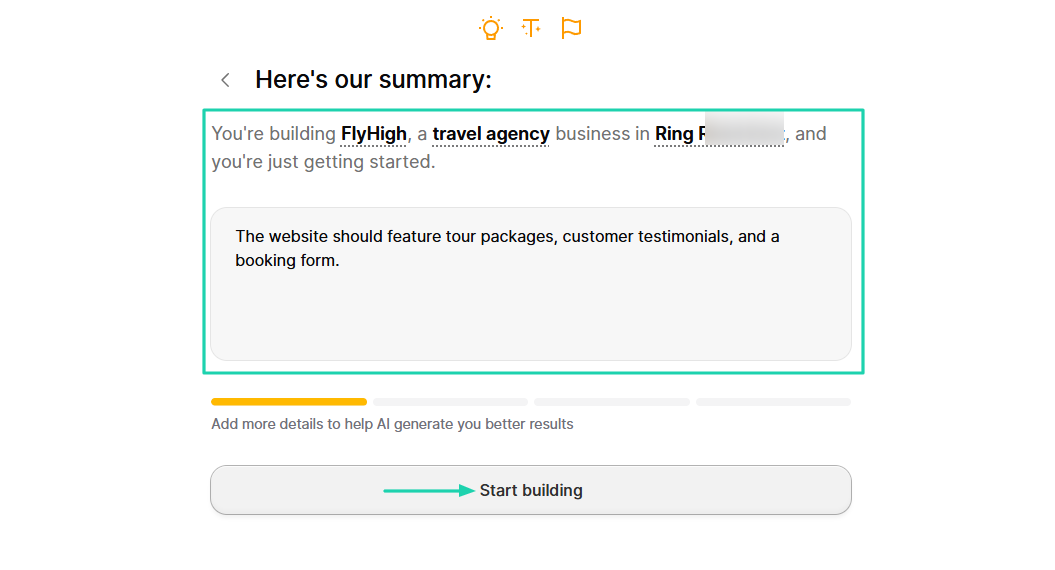
Now that it is ready, go to “Edit website.”
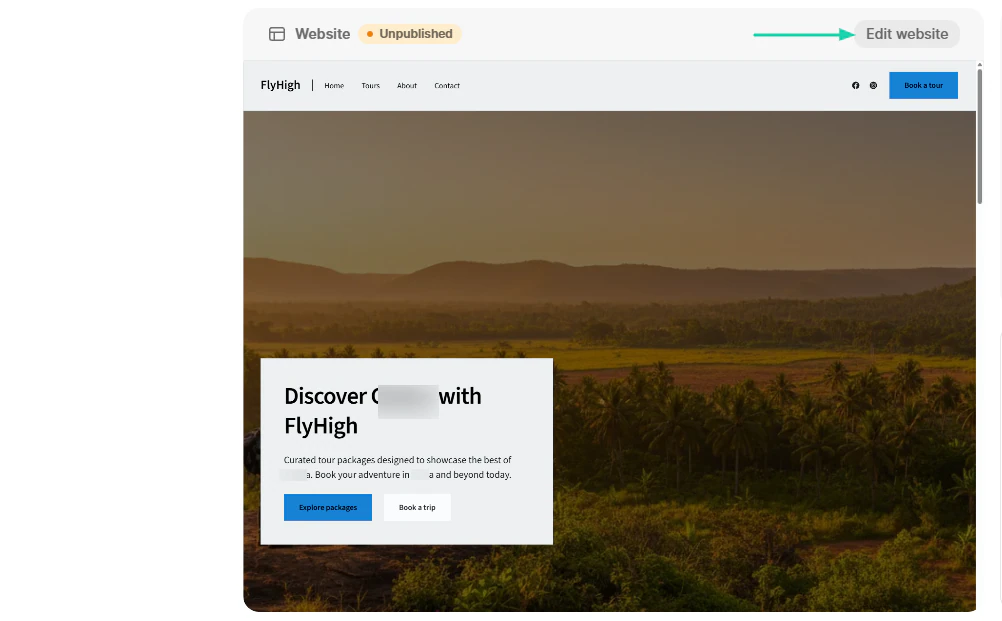
You can, for instance, ask the AI to rewrite the text. It can make it longer, shorter, more casual, or professional.
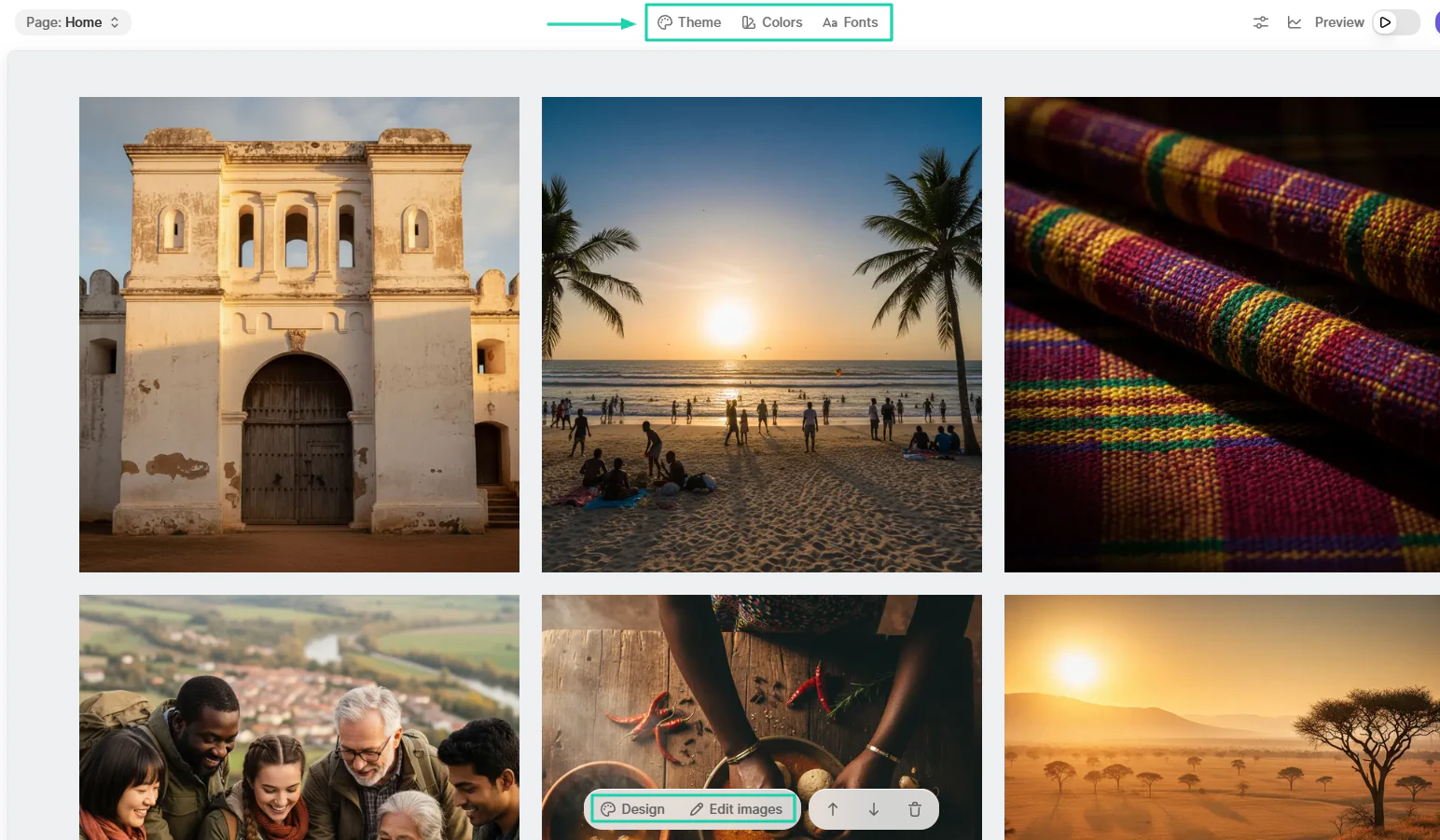
You can also customize the theme, colors, and fonts.
2. AI partner
As its name states, the AI partner is a feature that acts like your AI business partner, helping you with marketing, sales, or customer service tasks.
Let’s try it.
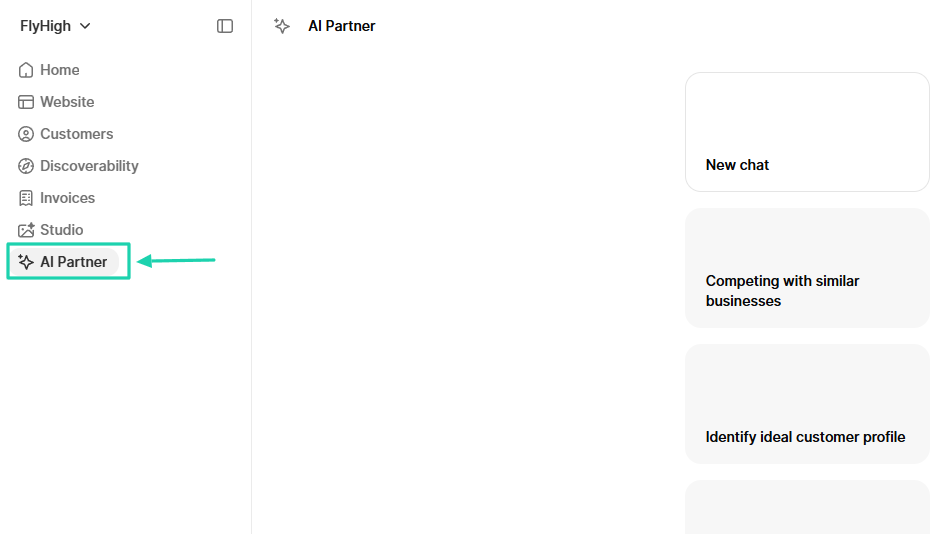
In the sidebar menu, you will locate the feature.
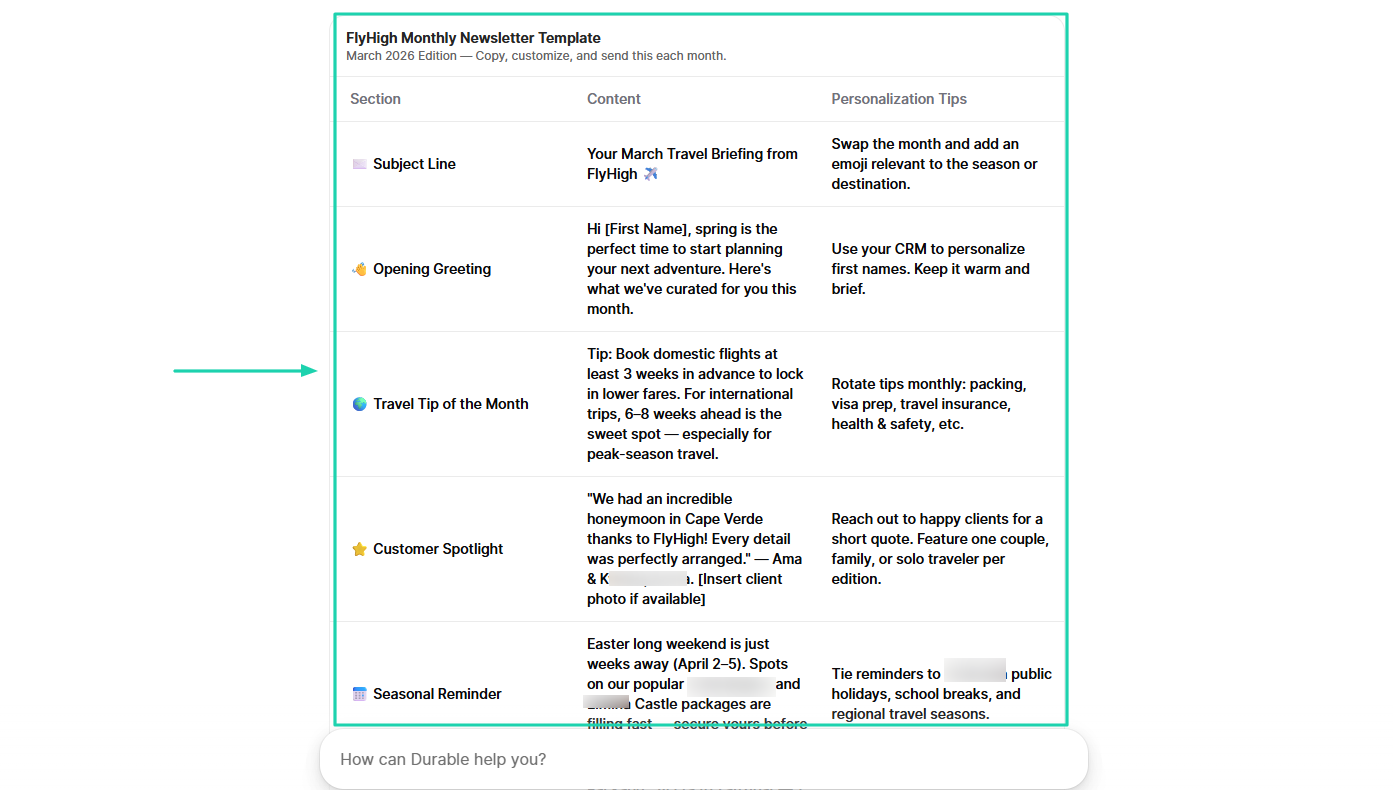
Instead of starting a chat with it, we are going to choose an action it can take. For example: create a monthly newsletter template.
Based on your business, it will generate the newsletter. You can simply copy it.
3. Customers
Durable has a customers feature. It lets you add your customers and take many actions, like reaching out to them. We will add one just to test the tool.
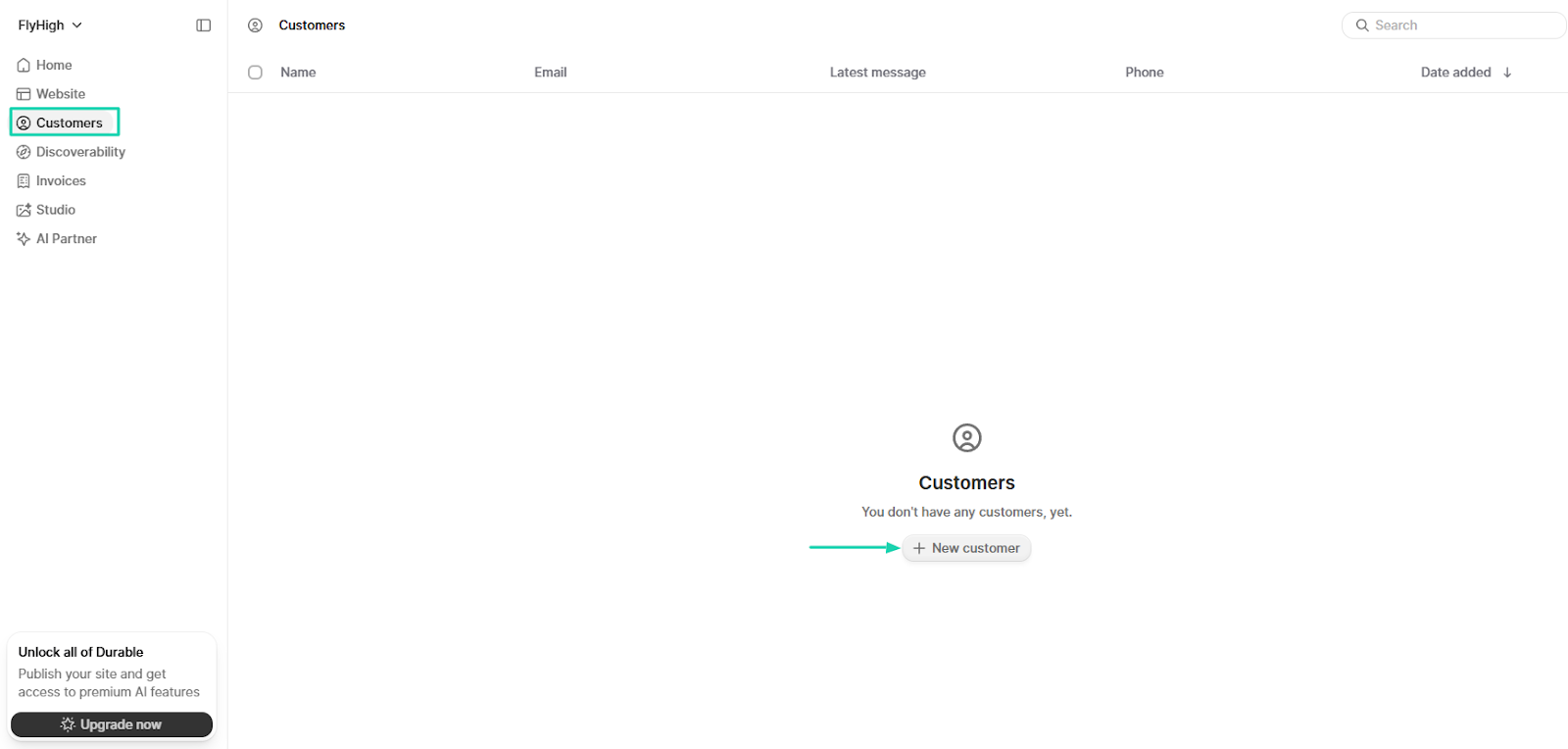
Enter the customer’s details: first and last name, email, and phone number.
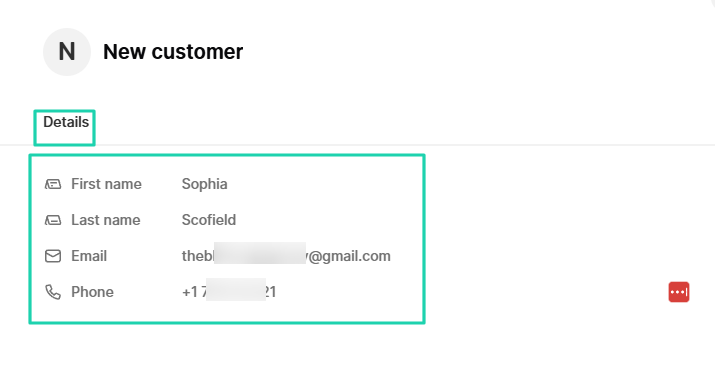
Once you’ve added the customer, you can now send an email, note, invoice, or call them. You will also see the date you added them.
What I loved vs what I struggled with
What I loved 👍
✅ Lets you rewrite texts by changing the tone or length.
✅ Comes with an AI partner that can create social media posts, newsletters, logos, images, and much more.
✅ Allows you to add contacts, email, and call them.
✅ Has a studio where you can describe the image and let AI generate it.
What I struggled with 👎
❌ Limited design customization, so you can mostly get generic designs and rigid layouts.
Best for
- Service-based small business owners seeking to create websites and build customer relationships.
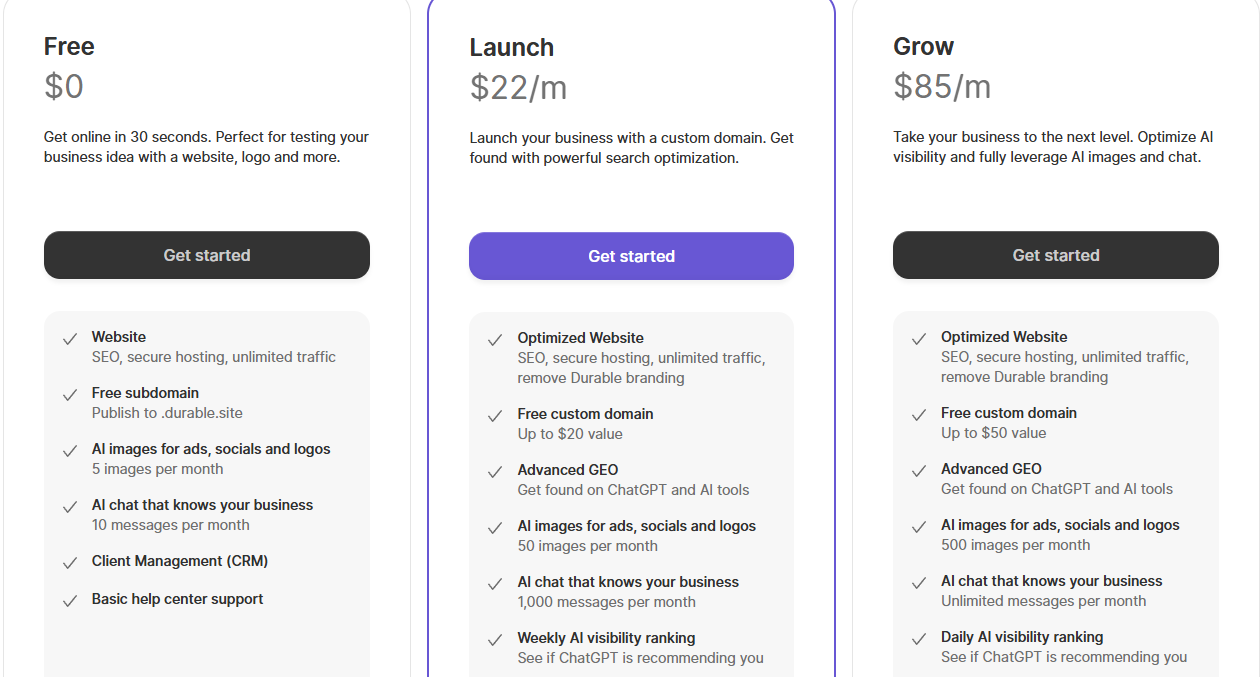
Pricing
- Free: $0/month
- Launch: $22/month
- Grow: $85/month
Best AI website builders compared
What are AI website builders?
AI website builders are tools that use artificial intelligence to design and build websites on your behalf. The AI can generate website layouts, designs, text, and even images. There is no need for technical knowledge when using AI website builders.
For example, with Easytools, you can enter a single prompt to generate your website within minutes.
You can create and adjust your website’s blog posts on WordPress with the help of AI.
With Wix, you can track website visitors in real time and access key stats.
Here’s the importance of AI-powered website builders:
- It saves time
- No coding required
- Cost-effective
- Easy customization
- Helps small businesses and creators
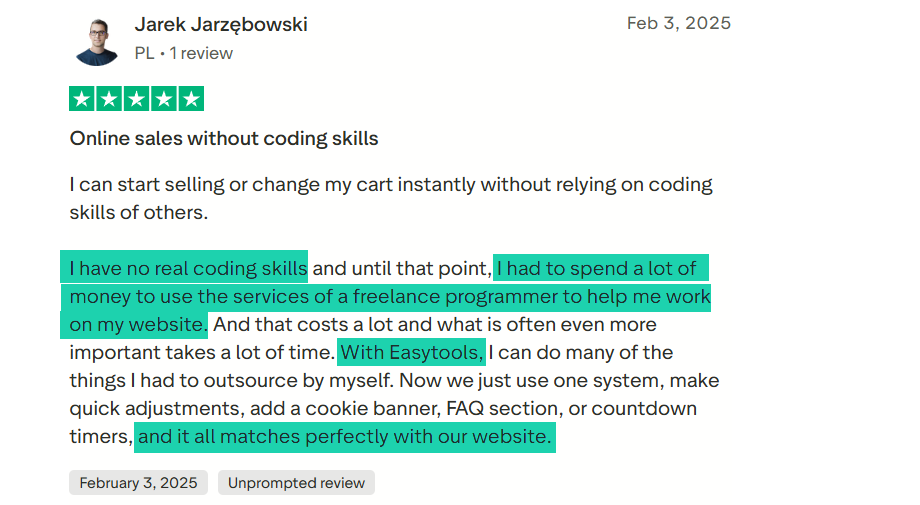
One person who benefited from an AI website builder is Jarek, founder of HR Espresso. He had no real coding skills at first and had to spend a lot of money on a programmer to work on his website.
Then he found Easytools. He is now able to work on his website on his own, and everything is just fine.
You can watch this step-by-step tutorial to learn how to create a high-converting website with AI on Easytools.
You will see that AI site generators make it fast and easy for anyone to create a professional website.
{{cta-banner-1}}
How to choose the best AI website builder
To choose the best AI website builder, you must consider the following:
1. Check AI features
2. Evaluate customization options (designs, layouts, branding)
3. Assess pricing plans
4. Check SEO-optimization capabilities
We can’t just stop there. I need to give you more clarity.
1. Check AI features
The very first thing I’d recommend is to check AI features before choosing the best AI website builder.
That’s what sets AI website builders apart from traditional ones. Not all platforms have the same level of automation, even when they all claim to have “AI website building.”
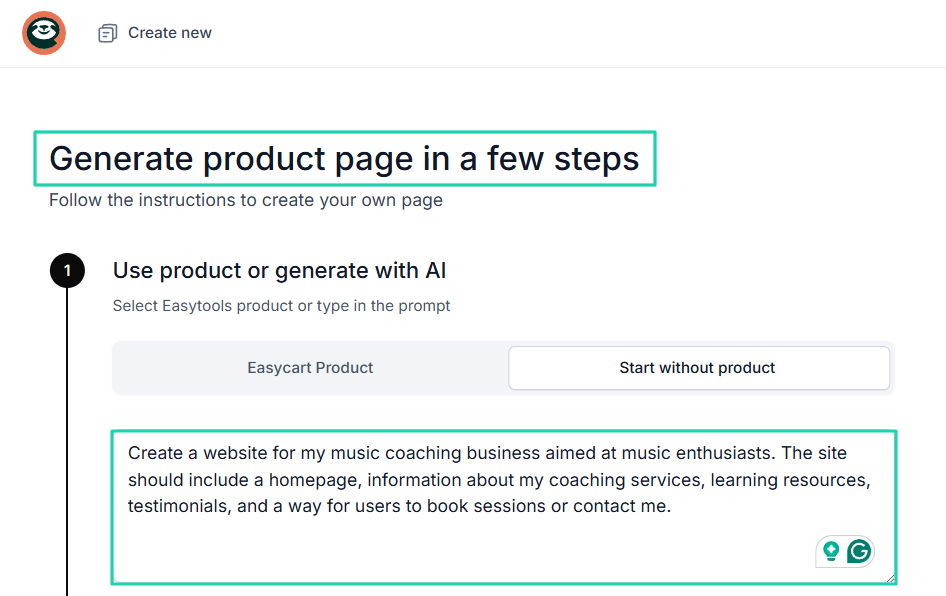
The very first AI feature a good platform should have is AI generation. The tool should be able to generate a complete website from a few prompts.
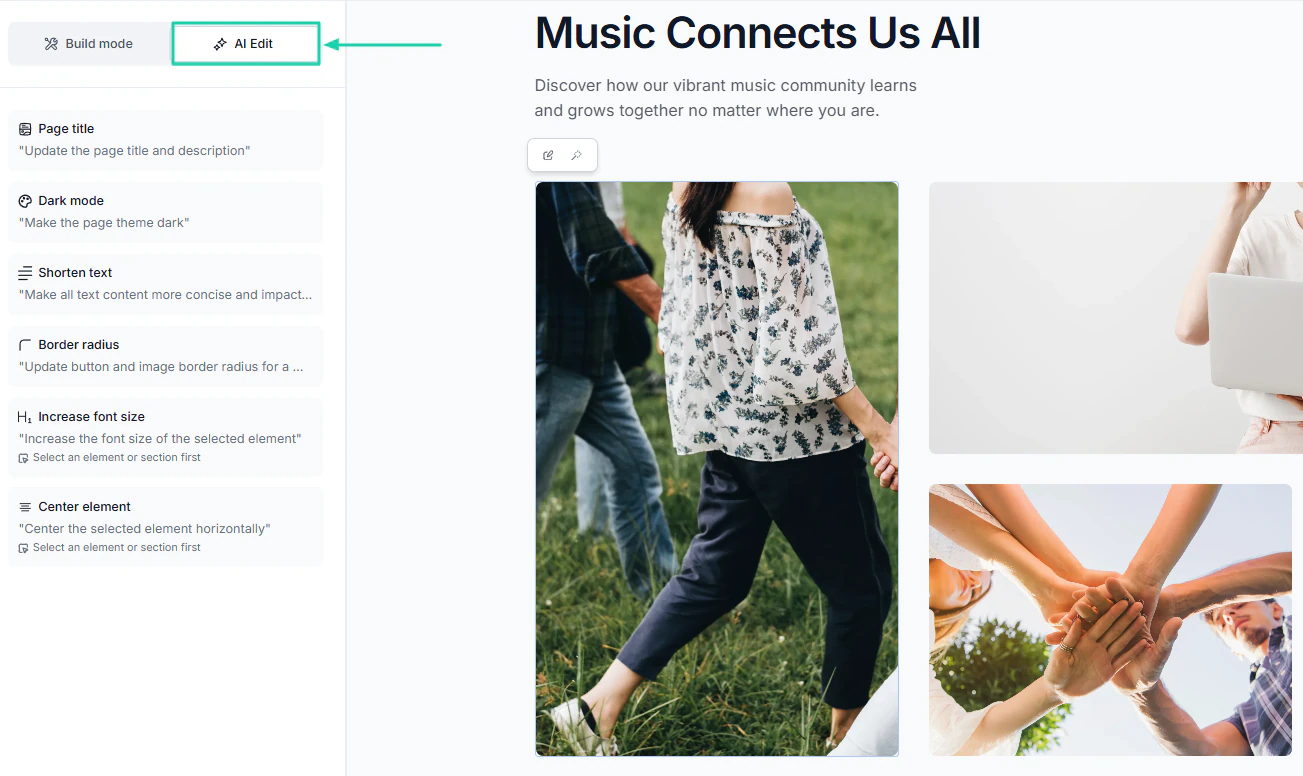
Another must-have feature is AI edit. It lets you edit the website content and design.
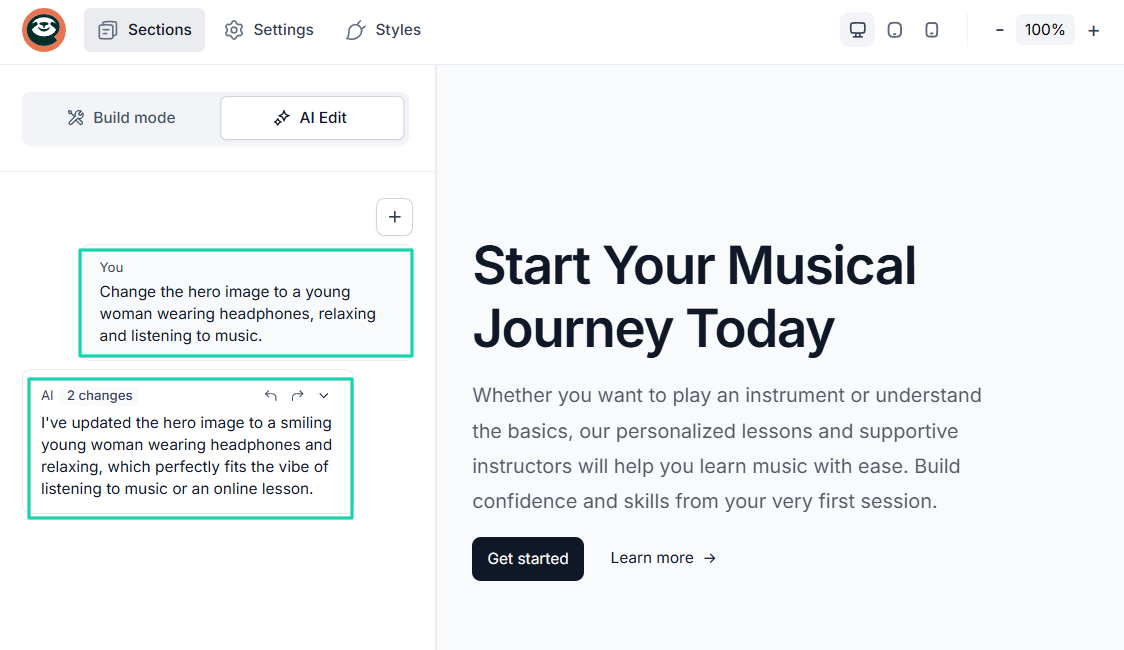
You can be more specific when editing with AI by entering prompts. For instance, you may have a perfect idea of how you want the hero image to look. You should easily describe it.
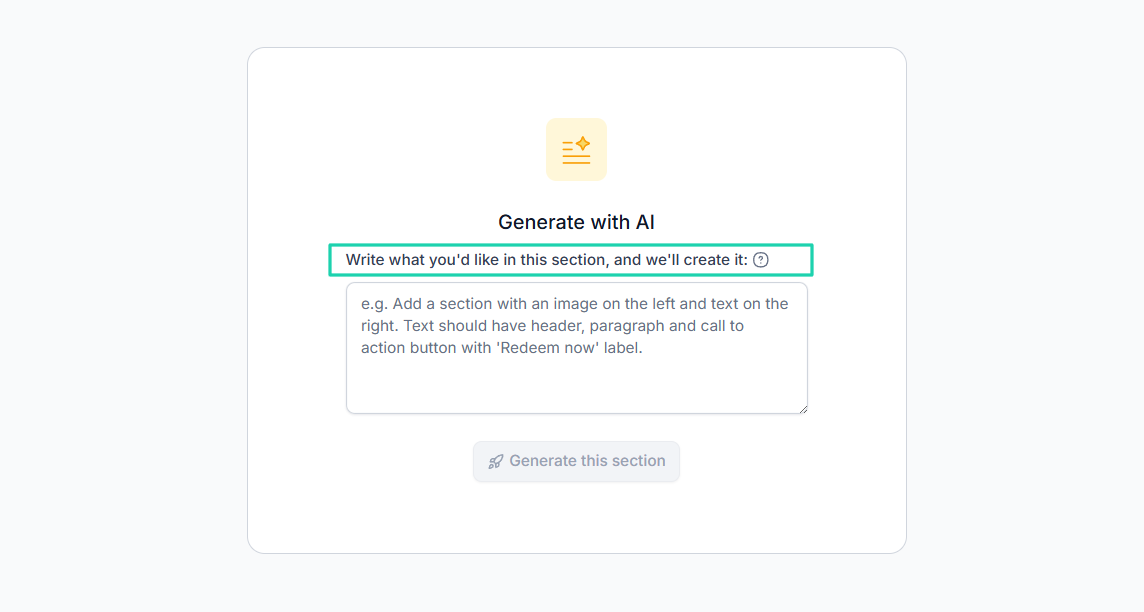
Websites are divided into sections. For that reason, there should be a way to describe what you want under each section using AI.
There may be other AI features to consider, but it all depends on your goals and needs. The ones I mentioned above are the ones you need.
But let’s not get stuck here. There are other factors to consider.
2. Evaluate customization options
Evaluating customization options will help you choose the best AI website builder.
You see, AI will create the first version of your website. But to make it unique, professional, and personalized, you need to be able to customize it.
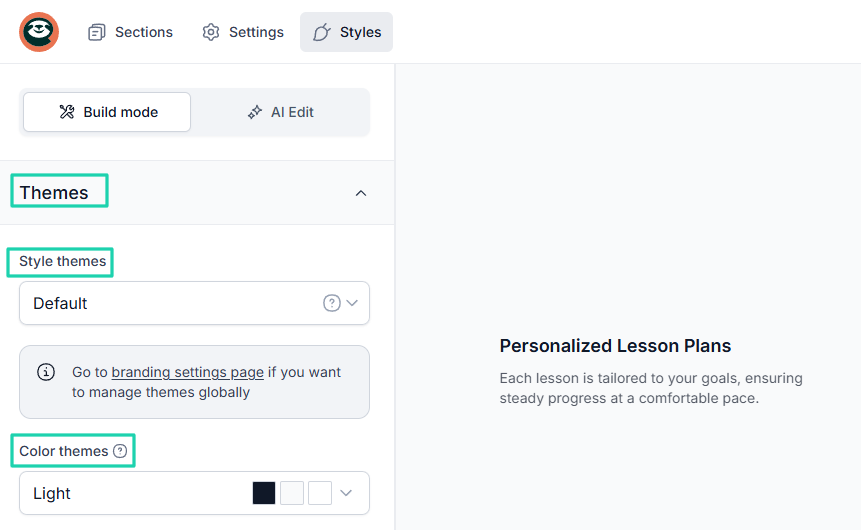
For instance, you can personalize the style and color theme to match your style.
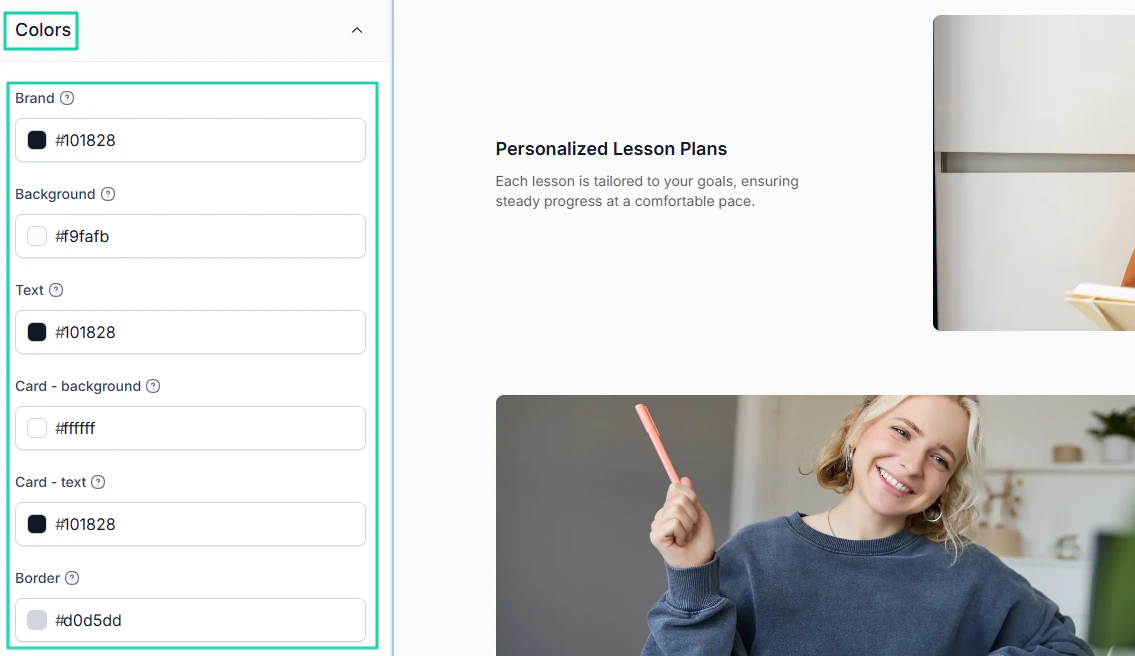
Being able to customize the brand, background, and text colors truly makes you feel like you own the website.
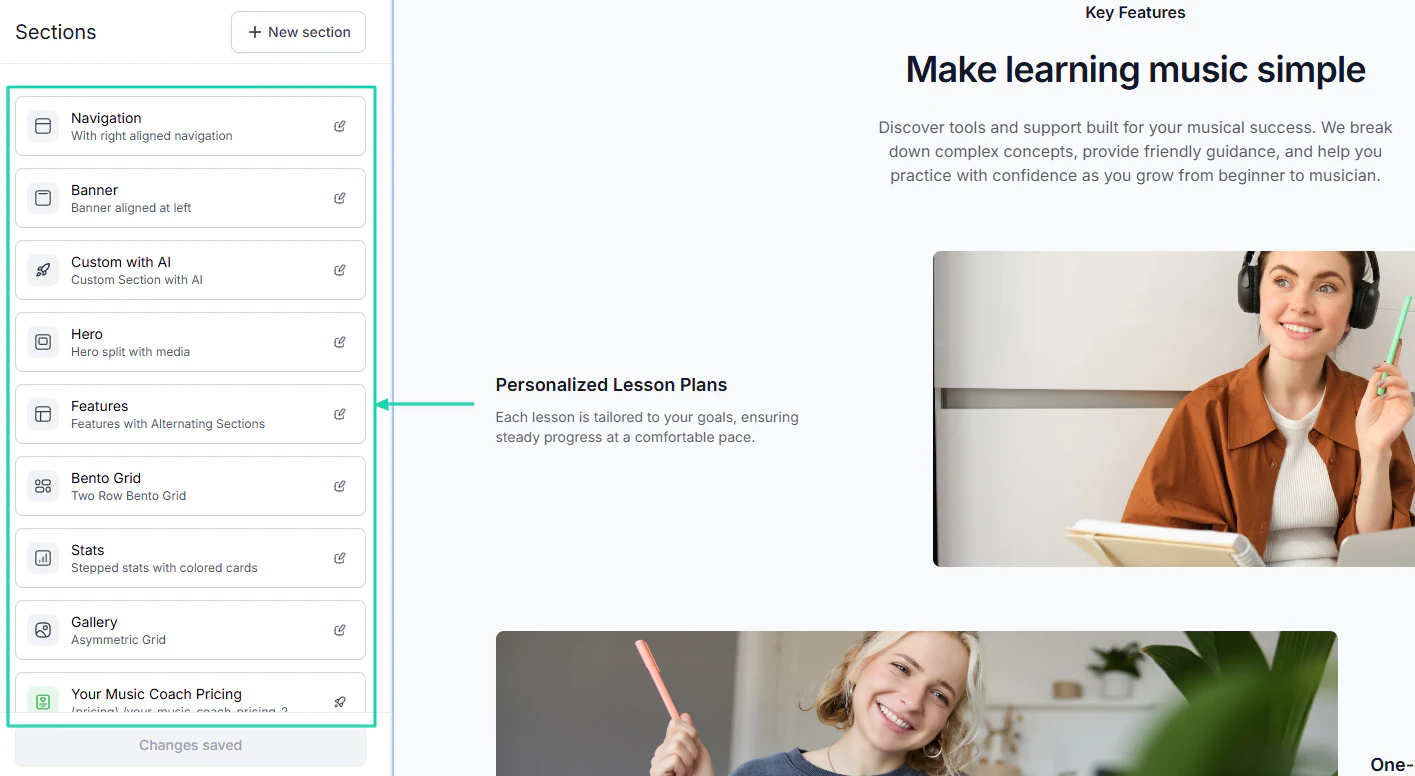
Now, many AI website builders offer drag-and-drop editors that let you move elements such as text, buttons, and sections.
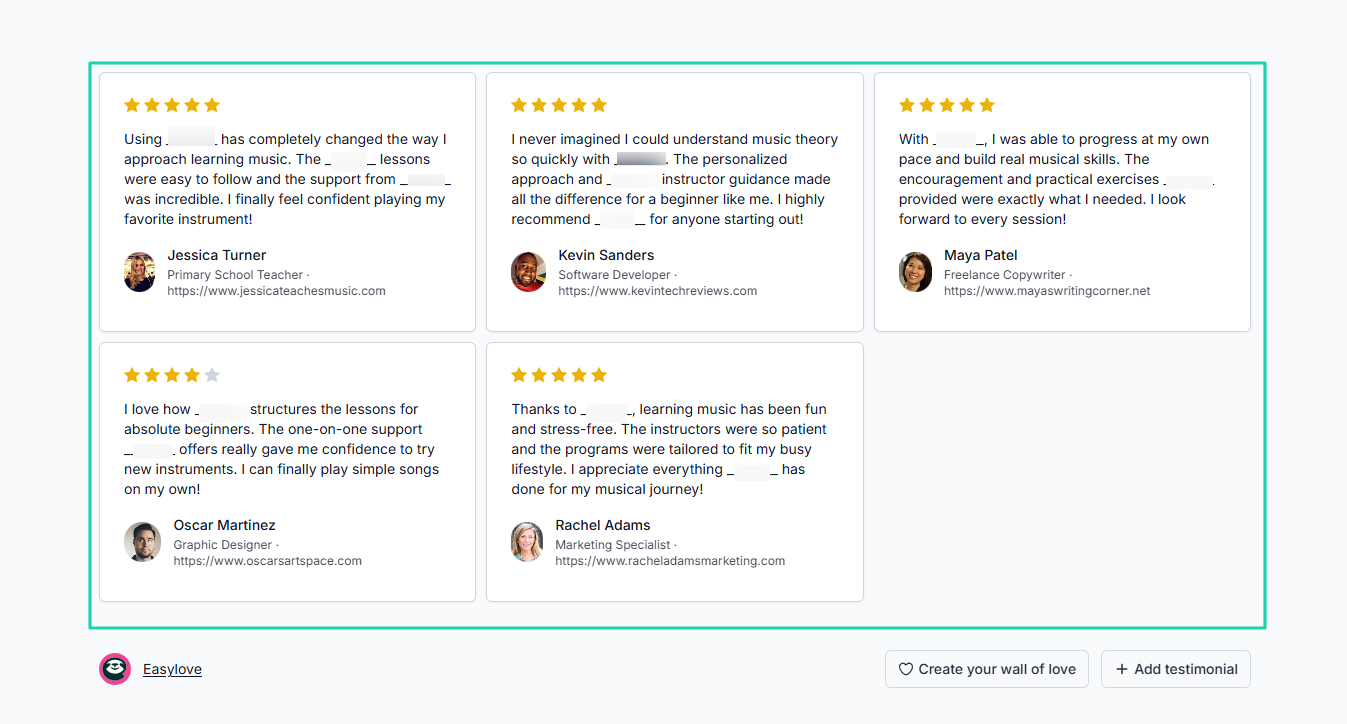
Also, most websites come with a testimonials page. Even if you were creating a membership site, you’d still need to display people’s experiences/reviews.
So, check whether the tool lets you do that.
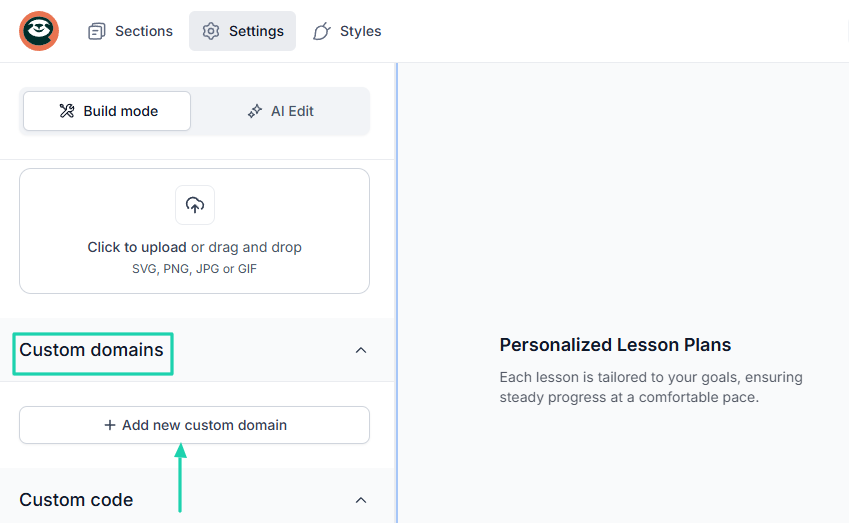
We can’t talk about customization without mentioning the domain. You should be able to add your own domain so it really feels like yours.
Imagine being able to add testimonials, legal pages, FAQ, Tickers, Pricing, and Offers to your website. This level of customization can increase your conversion rate.
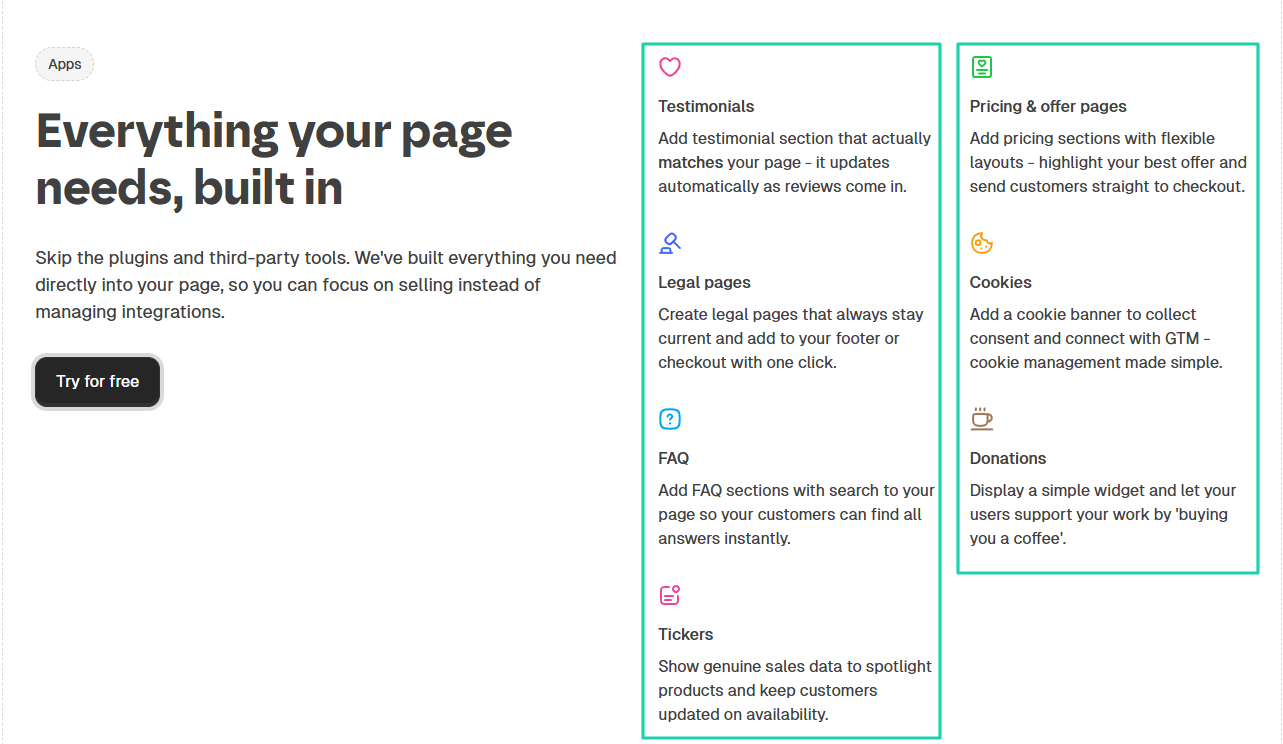
The bottom line is that the platform you choose should offer great customization options. You should look at branding, design, and layout.
3. Assess pricing plans
Pricing plans are among the most decisive factors when choosing an AI website builder.
The point is that many typical builders only let you create your website. They don’t have built-in SEO and marketing tools. So you’ll very likely spend on extra tools that will integrate with your content management system (CMS).
This will quickly increase your monthly cost.
So to prevent that, you need to choose an AI website builder that fits your business.
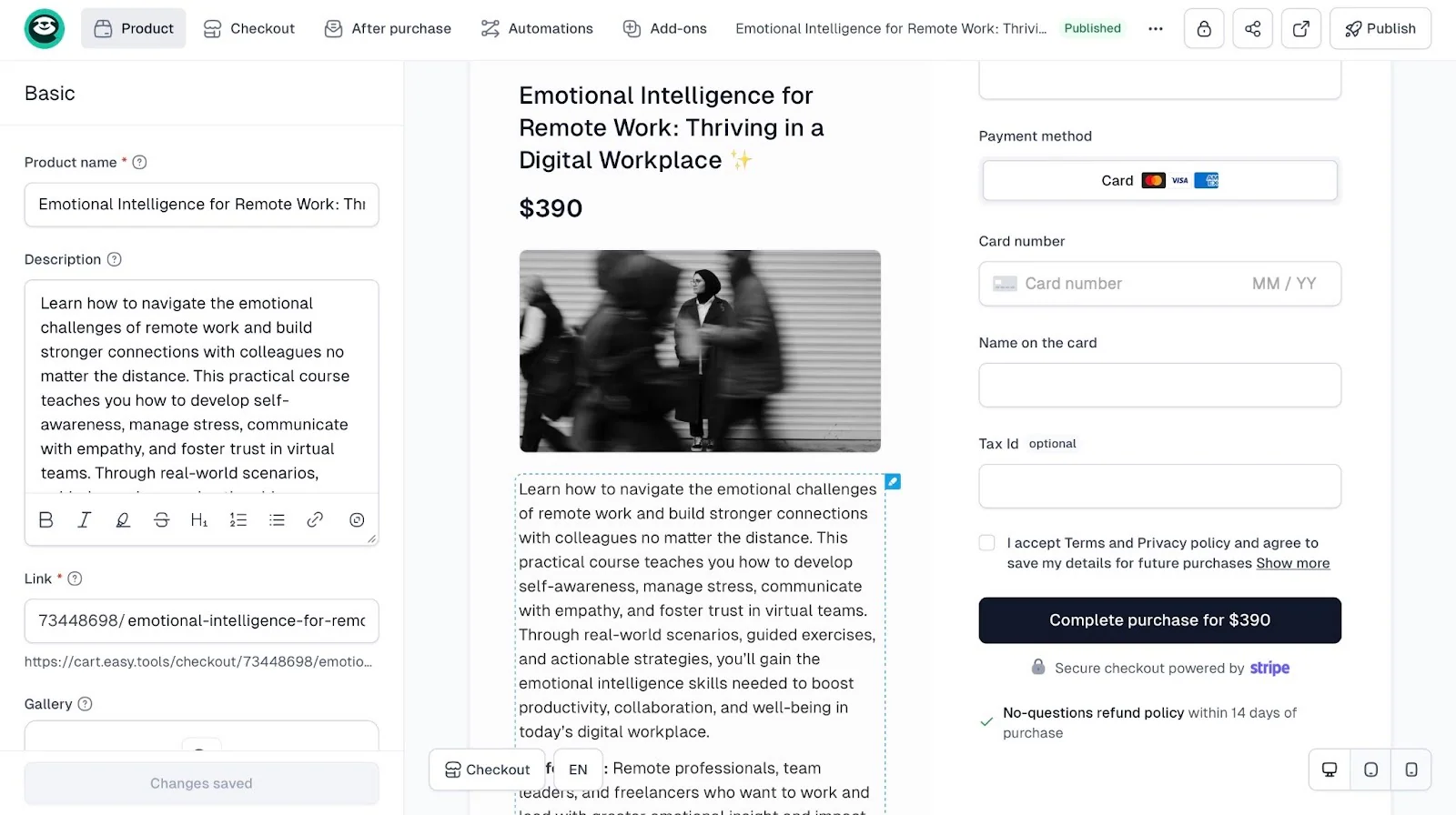
For example, let’s say you are a content creator who wants to sell digital products like e-books, Canva templates, Notion templates, or online courses. Aside from generating a website, you’ll also need storefronts and checkouts to market and sell.
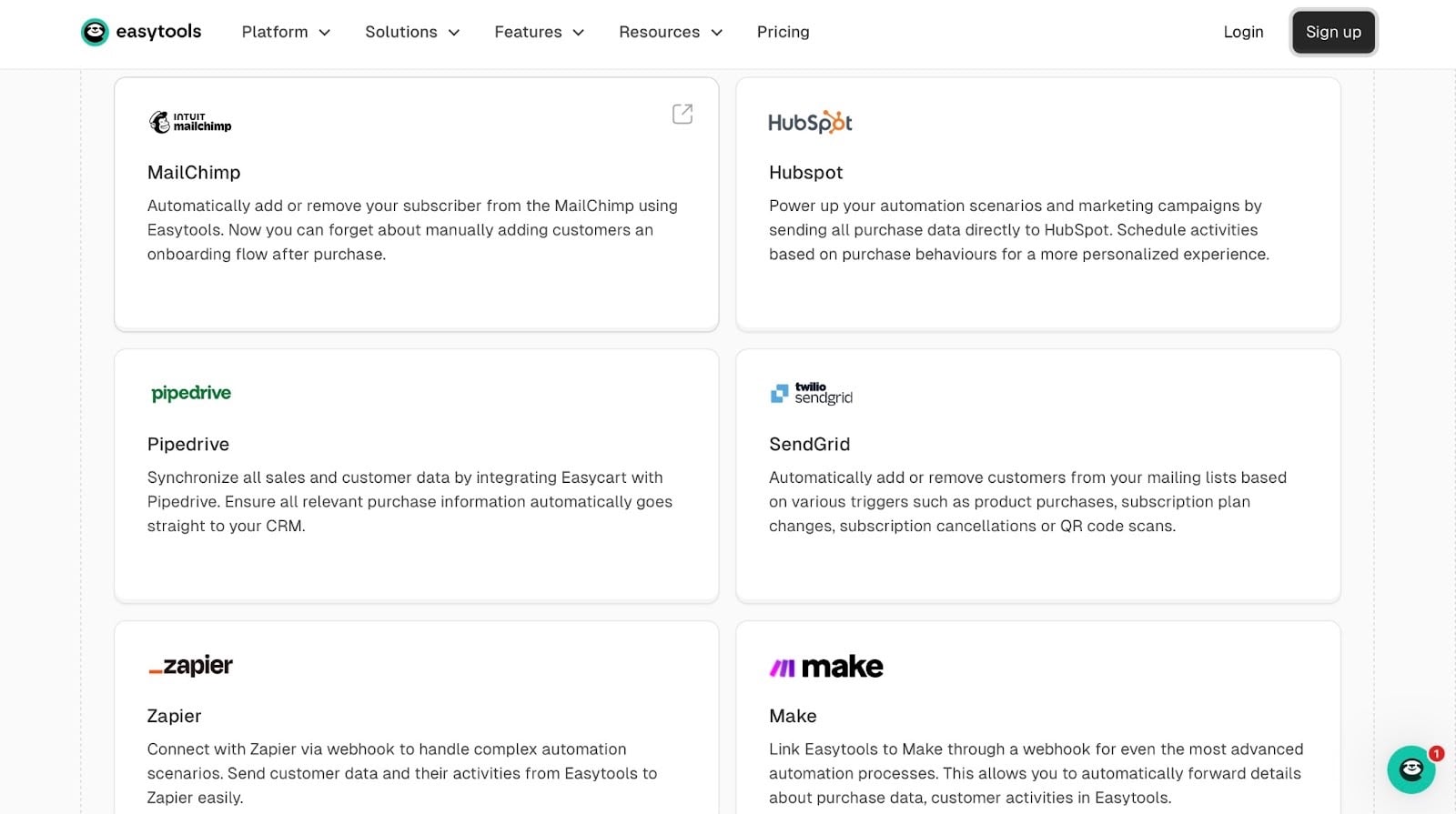
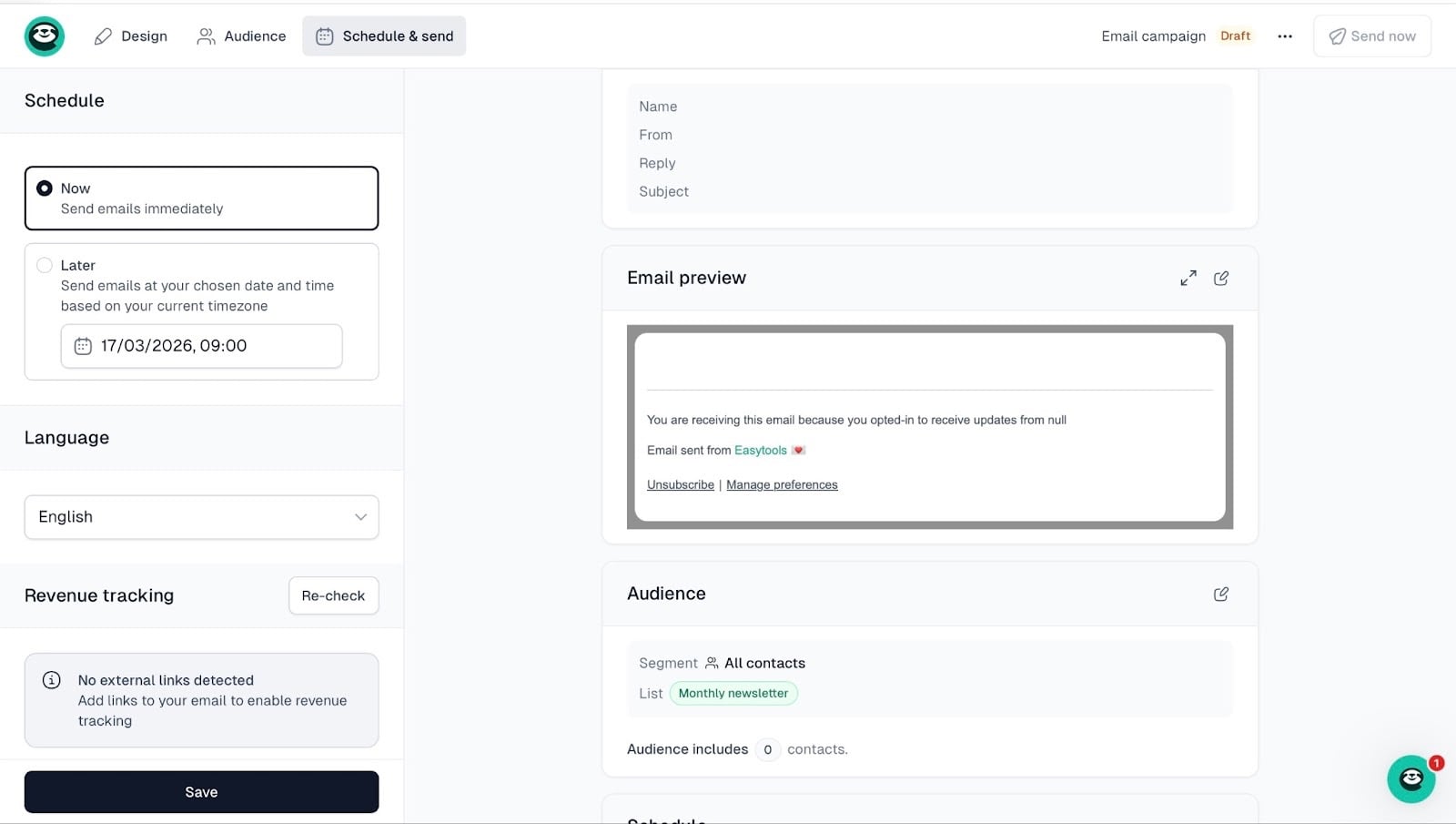
Say you have a newsletter form on your landing page, you don’t need to integrate with external platforms like MailerLite, Mailchimp, or ActiveCampaign.
All data from the form can go directly to our Easymail, and then you can use it to send campaigns, all inside Easytools.
Simply put, your AI website generator should let you:
- Build a website
- Create and sell digital products
- Deliver files automatically after purchase
- Create checkout pages and customize them
- Run email campaigns
- Track orders and sales
- Collect and share testimonials
- Publish courses and content
- Promote and retain customers
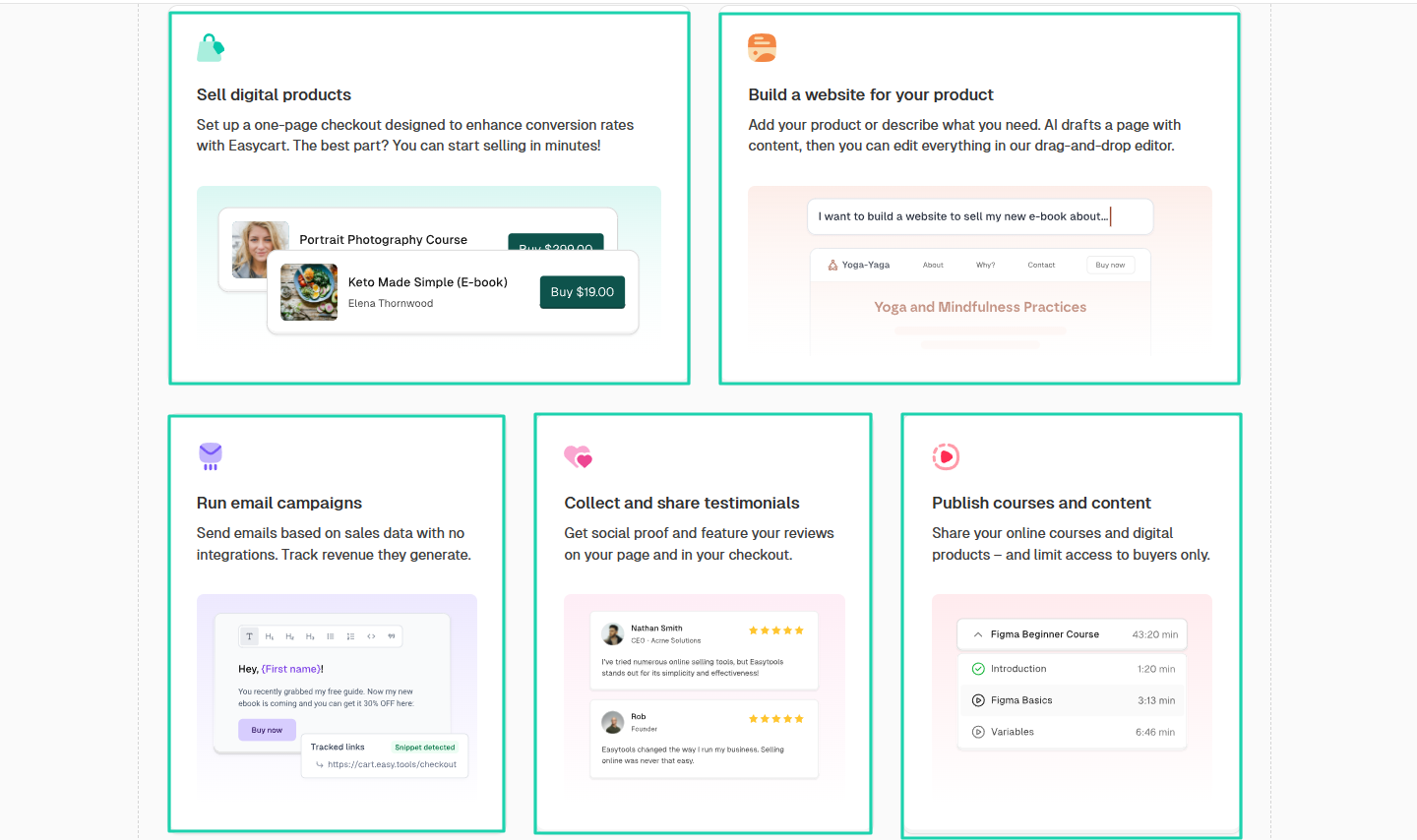
The beauty of it is that all the tools are integrated into one platform. Digital creators won’t have to rely on many different tools to run their online business.
{{cta-banner-1}}
This is why evaluating value over cost is important. By choosing a tool that can save you from paying for many subscriptions, you’re helping your business thrive.
4. Check SEO-optimization capabilities
If you really want to choose the best AI website builder, you should also check SEO optimization capabilities.
SEO optimization is important because it:
- Increases visibility
- Drives organic traffic
- Improves user experience
- Builds credibility and trust
- Supports long-term growth
- Targets the right audience
- Boost conversion
This list should help you understand how crucial it is to use an AI website builder with these capabilities.
After all, you’re not building a website just for the fun of it. You need to look professional and get more customers.
So, no matter how beautiful your website is, if people can’t find it on search engines, it will struggle to attract visitors.
For that reason, the platform should allow you to manually edit SEO settings. And you should be able to add page or Open Graph (OG) titles, page descriptions (OG descriptions), and OG images.
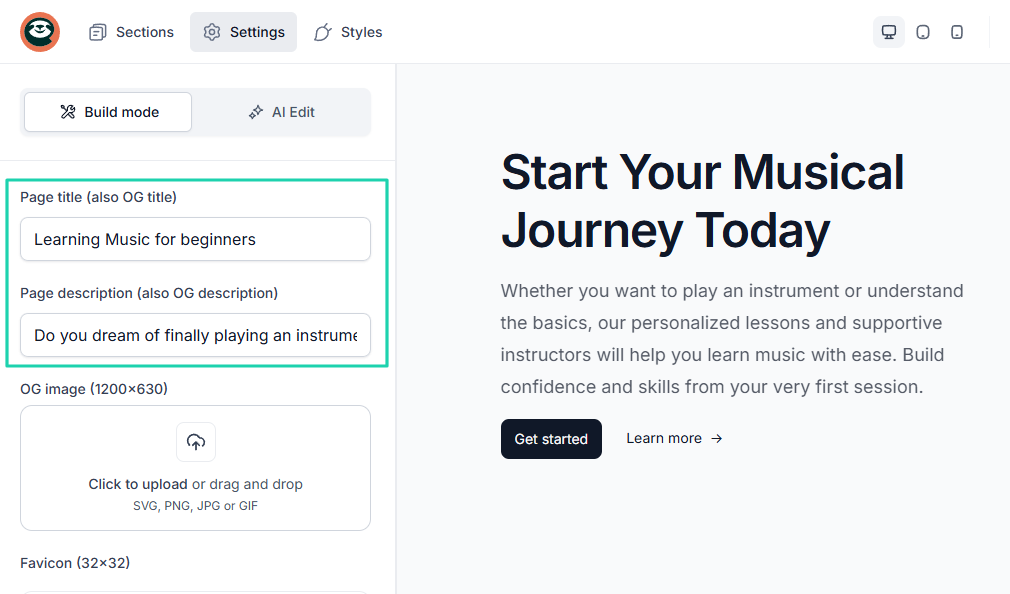
You see, search engines use your page titles to help define a page’s content. This may influence your visibility.
Below is a short YouTube video by Exposure Ninja discussing page titles and descriptions.
This alone is one of the most important on-page SEO practices. Google uses this title to show your website in the search results.
The point is to choose an AI website builder that attracts visitors. Eventually, those visitors will convert into paying customers.
Select the best AI website builder
To wrap things up, select the best AI website builder by checking AI features, customization options, pricing plans, and SEO-optimization capabilities.
This article lists six platforms that can help in this sense: Easytools, Hostinger, WordPress, Wix, 10Web, and Durable. They all offer unique capabilities.
For creators who simply want a basic website, most AI website generators will work well.
But for creators who want to build a website, sell digital products, and grow their audience, Easytools is an all-in-one solution.
And remember that choosing an AI website based on your goals and needs is how you win!