E-commerce
42 min read6 best Thinkific alternatives in 2026! We tested them all
Compare the best Thinkific alternatives like Easytools, Teachable, LearnWorlds, Udemy, Mighty Networks, and Systeme.io. Learn how to choose the right platform for your online course business.
- Written by
- Krzysztof Piekarz
- Reviewed by
- Bartosz Maciejewicz
- Updated on
- July 3, 2026
- Published on
- June 4, 2026


An online course platform has to go beyond just hosting courses. Because hosting and student management alone don’t work for most creators anymore.
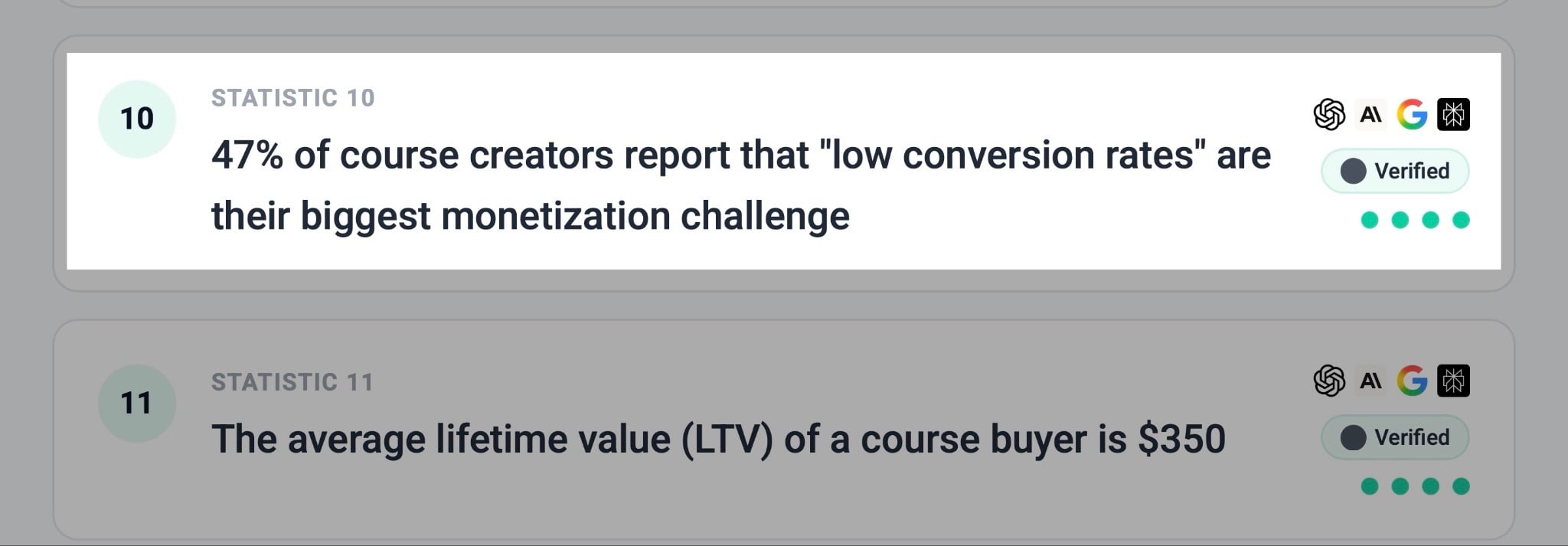
Not when 47% of course creators say low conversion rates are their biggest barrier in revenue generation.
Course creators want all-in-one solutions for creating, marketing, and selling online courses. And Thinkific works fine, but it’s not the best fit for everyone.
Especially when there are Thinkific alternatives with a broad suite of essential tools, built-in email marketing, and conversion-focused checkouts.
So, to help you find the best Thinkific alternatives worth your time, I spent 10 days testing many tools. Out of the bunch, I’ve carefully picked the best six.
I’ll review each tool in depth and show you how to choose the right one.
Let’s go!
TL;DR
-
The 6 best Thinkific alternatives are:
-
1. Easytools
-
2. Teachable
-
3. LearnWorlds
-
4. Udemy
-
5. Mighty Networks
-
6. Systeme.io
-
Easytools is better than Thinkific, Udemy, and Teachable because it offers the necessary features every course creator needs and is very cost-effective.
-
To choose the right Thinkific alternative, you should consider your budget, assess your feature needs, evaluate your technical skills, and factor in your monetization goals.
Best Thinkific alternatives compared
| Platform | Key features | What you can sell | Main drawback | Free trial | Starting plan | Best for |
|---|---|---|---|---|---|---|
| Easytools | Websites, Store, Testimonials, Checkout, Campaigns, Courses, Analytics, Checkout recovery, Automation, Analytics, Pricing models, 1-click purchase | Online courses, digital products, e-books, SaaS products, PDFs, Notion templates, memberships, webinars, coaching programs, digital downloads, communities, services. | The website feature is only available with the Creator and Professional plans, but the Starter plan offers unlimited checkouts | ✅ | Starter: $0/month + 5% transaction fee + unlimited checkouts | Course creators and entrepreneurs seeking to sell online courses alongside digital products while building their email list. |
| Teachable | Course builder, coaching products, quizzes, certificates, affiliate marketing, upsells, cart recovery, AI tools, student management | Courses, coaching products, digital downloads, communities, memberships, bundles. | High transaction fees on the Starter plan(7.5% aside from the $29/month) | ✅ | Starter: $29/month + 7.5% + 5 products. | Independent educators who want a simple platform to sell digital courses and coaching programs. |
| LearnWorlds | Interactive videos, quizzes, SCORM support, certificates, white-label website builder, analytics, communities, AI tools. | Courses, memberships, coaching sessions, training programs, digital academies. | You can’t sell other digital products as standalone products. | ✅ | Starter: $24/month + $5 per course enrollment + unlimited paid courses. | Training companies that need interactive learning experiences with advanced customization and analytics. |
| Udemy | Marketplace access, built-in audience, course hosting, certificates, analytics, and mobile learning | Online courses and educational programs. | Limited control over branding and strong competition in the marketplace. | ❌ | No starting plan. It operates on a revenue-share model. | Instructors and experts seeking to access a large existing marketplace and prefer audience reach. |
| Mighty Networks | Community spaces, courses, events, livestreaming, chat, gamification, memberships, mobile apps | Memberships, communities, courses, coaching programs, live events, masterminds | High cost (starts at $79/month) and limited course customizations. | ✅ | Launch Plan: $79/month + run courses. | Community leaders and membership businesses who want to combine courses with member engagement. |
| Systeme.io | Funnel builder, email marketing, automations, blogs, affiliate management, course hosting, landing pages. | Courses, memberships, digital products, webinars, funnels, email campaigns, affiliate offers. | The interface and design flexibility are less polished than those of other course creation platforms. | ❌ | Free: $0 + 3 sales funnels. | Small online businesses seeking an all-in-one system for marketing, selling, and automating products and services. |
6 best Thinkific alternatives
1. Easytools
- Personal rating: ⭐️⭐️⭐️⭐️⭐️ 4.8/5 - Aside from selling courses and all sorts of digital products, I could also build an email list, a professional website, and collect testimonials.
- Ease of use: ⭐️⭐️⭐️⭐️⭐️ 4.9/5 - It uses AI to generate the entire course curriculum and lets you edit with minimal effort.
- Marketing tools: Affiliate marketing, order bumps, upsells, cross-sells, 1-click checkouts, email marketing, automated email flows, testimonials, checkout recovery, price variants/pricing models.
- Key integrations: Circle, Discord, HubSpot, Pipedrive, Airtable, Mailchimp, Zapier, Make, SendGrid, WordPress, MailerLite, ActiveCampaign, GetResponse, Zencal.
- Free trial: Yes, 14-day trial period for both the Creator and Professional plans.
- Starting plan: Starter - $0/month + 5% transaction fee + unlimited checkouts
We are starting our list of the best Thinkific alternatives with Easytools.
It’s an all-in-one platform designed to create and sell digital products such as courses, e-books, Notion Templates, PDFs, memberships, live events, and services.
It also offers a suite of tools to manage checkouts, handle payments, manage tax and legal documents, gate content, and manage testimonials, among others.
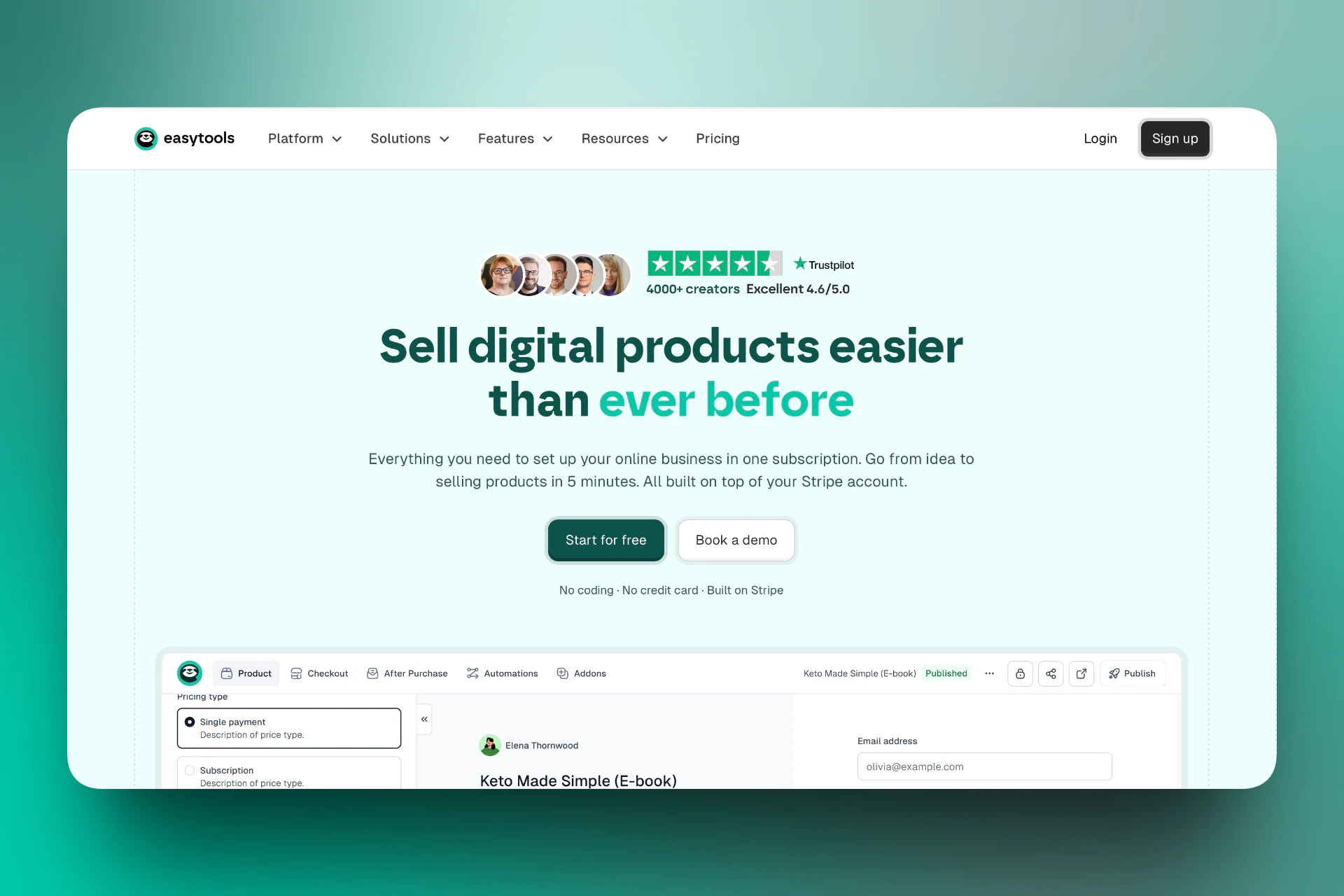
You can generate modules and lessons using artificial intelligence and attach certificates after course completion.
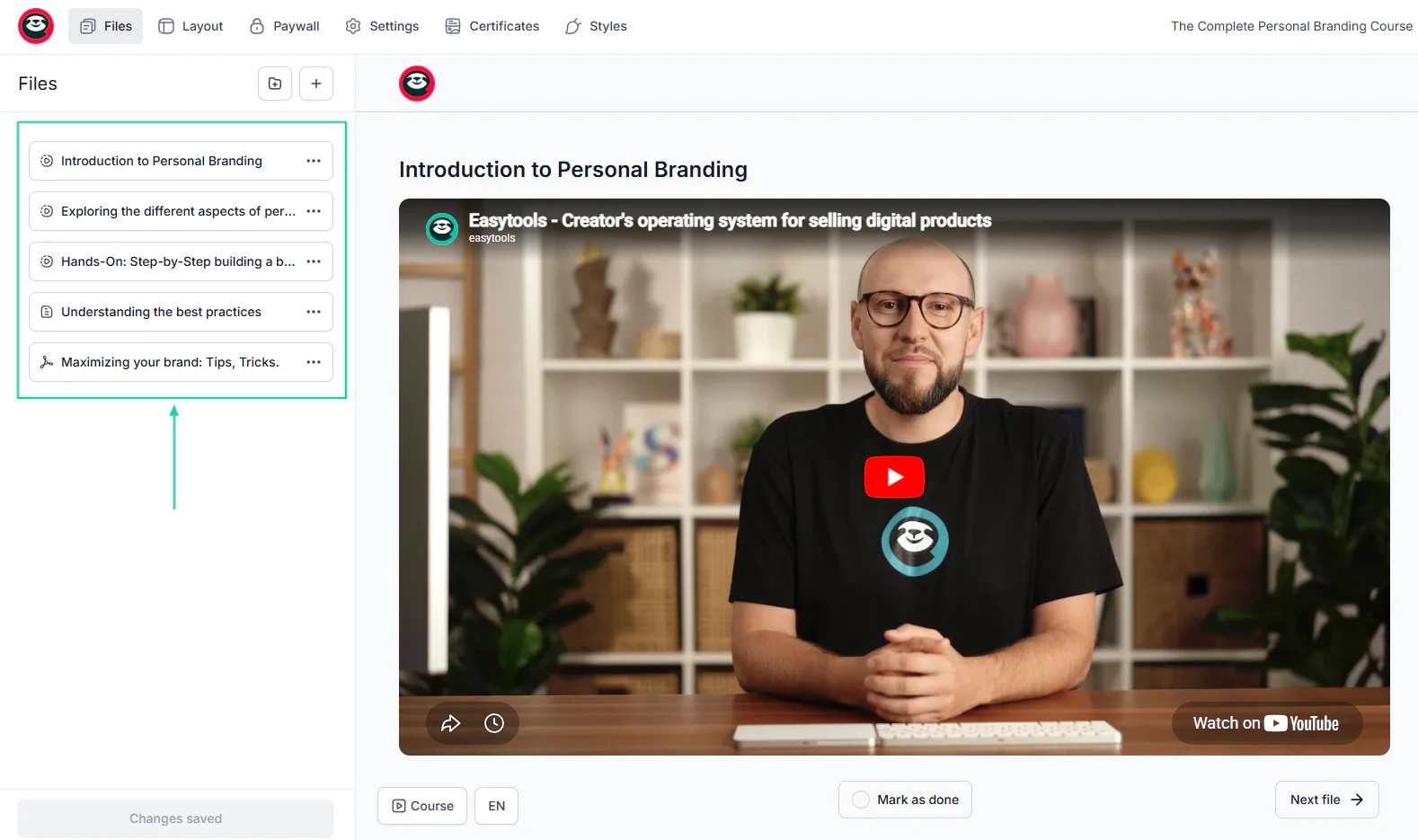
You can also create a professional website to promote your products or services.
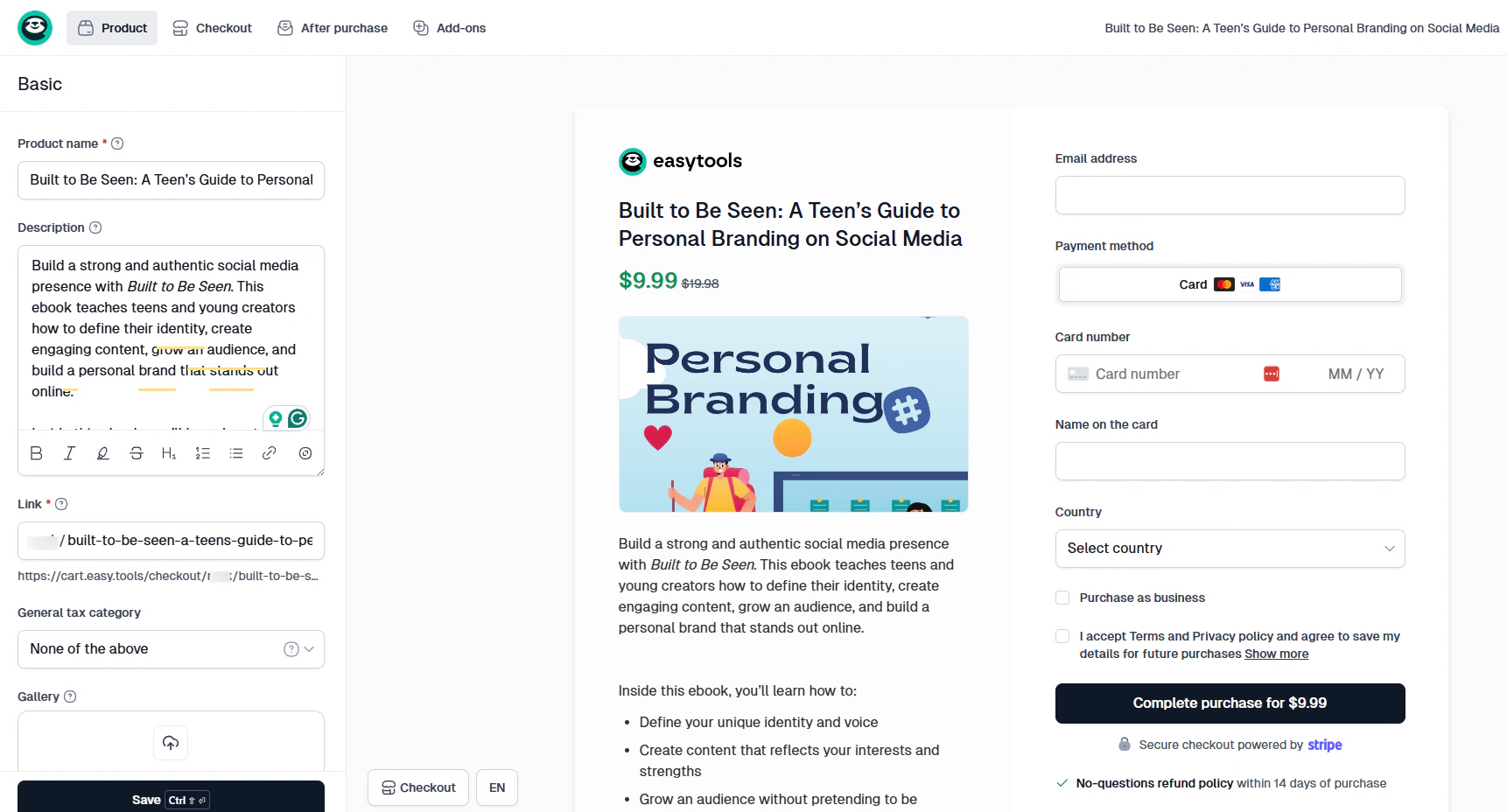
Easytools lets you create fully customizable checkouts for the products you sell.
When you run an email marketing campaign, the platform lets you track its performance. You can also create automations so that customers receive a specific email from you after certain actions.
[fs-toc-omit]What I loved about Easytools
1. Courses
One thing you can do with Easytools is create courses. What’s amazing is that the artificial intelligence will lay out a curriculum based on your course topic.
You can also customize it however you want.
Here’s how to create a simple course.
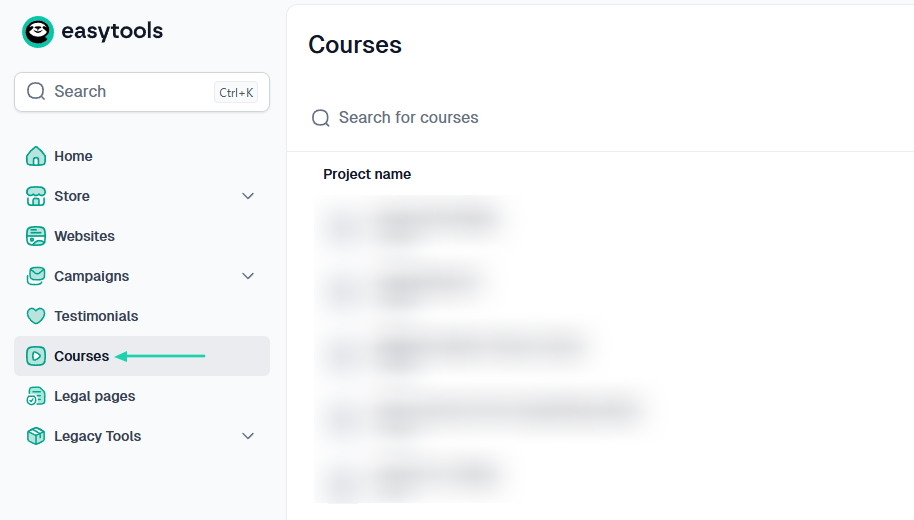
After signing in, head to “Courses” in the sidebar menu.
Next, you name your course and hit “Create.”
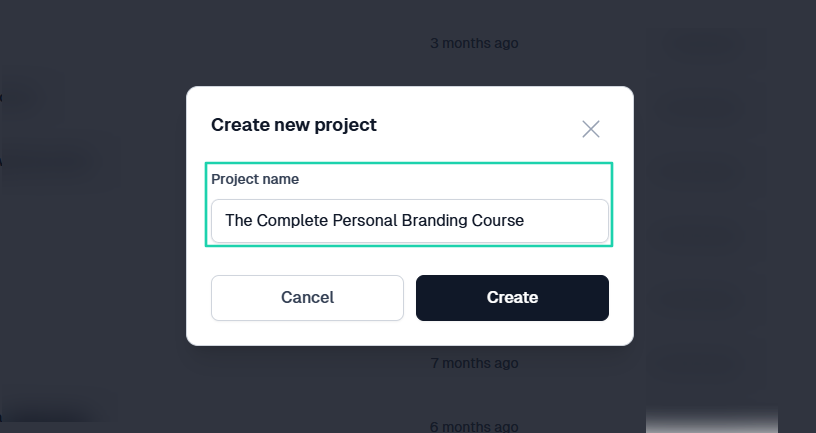
You can select your course type and a color palette. Once done, click “Generate.”
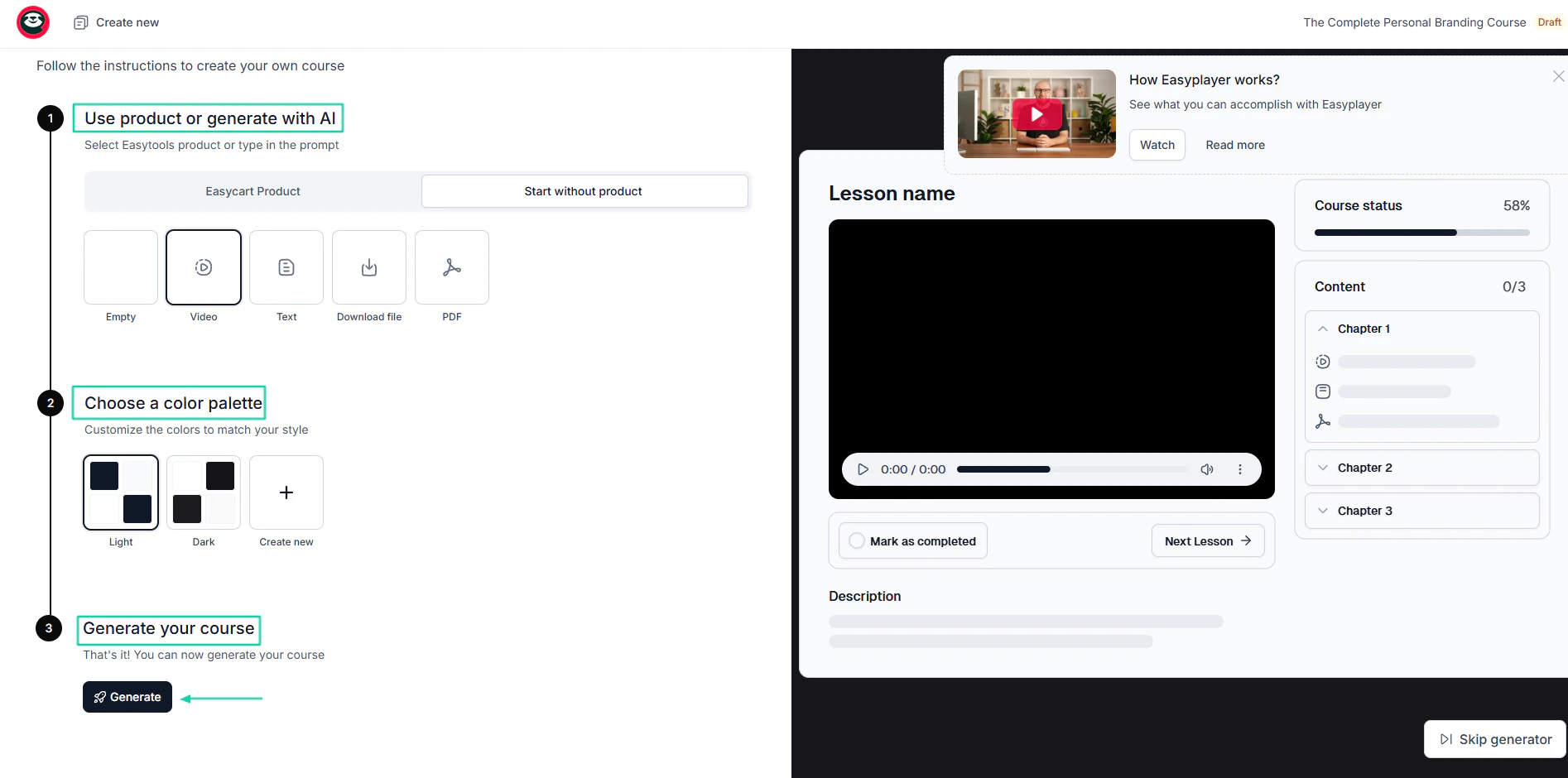
The AI will develop a complete curriculum (modules and lessons).
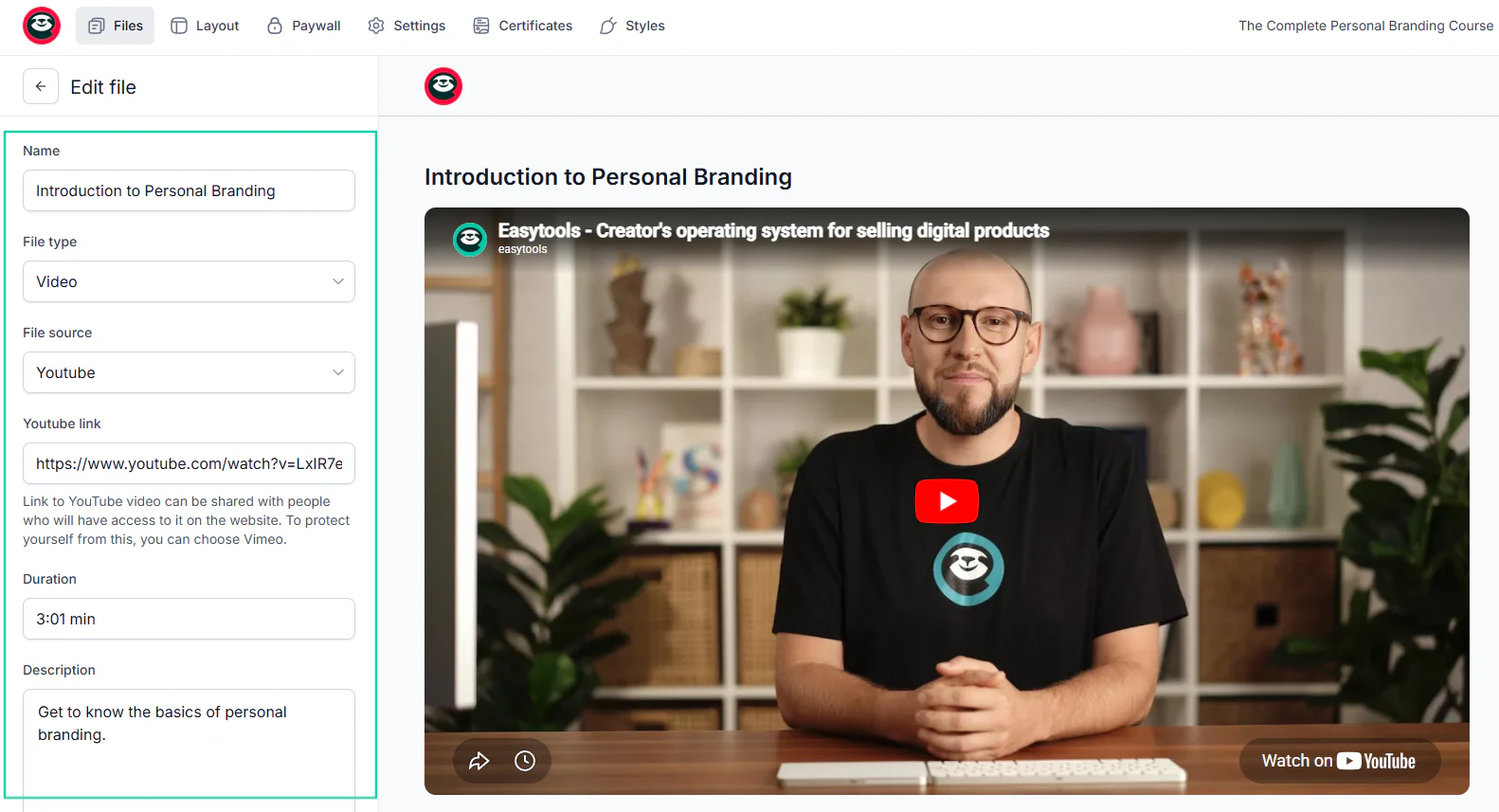
It’s time to adjust each lesson. You can start with the lesson name, description, file type, and source. You can also add the link and specify the lesson.
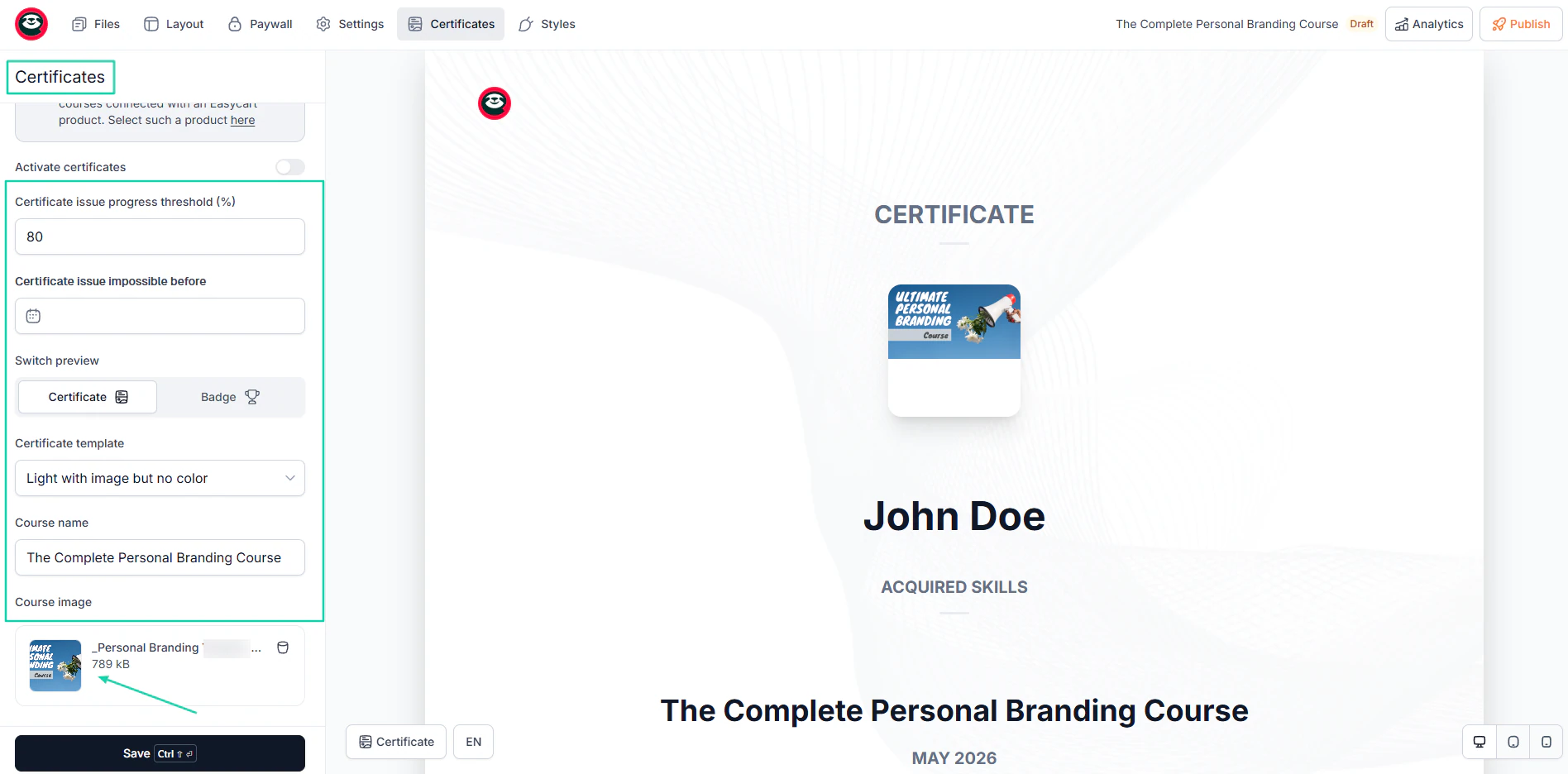
That’s not all. You can prepare and customize certificates for your students that you’ll issue upon course completion.
Simply choose a template, add the course name, and an image.
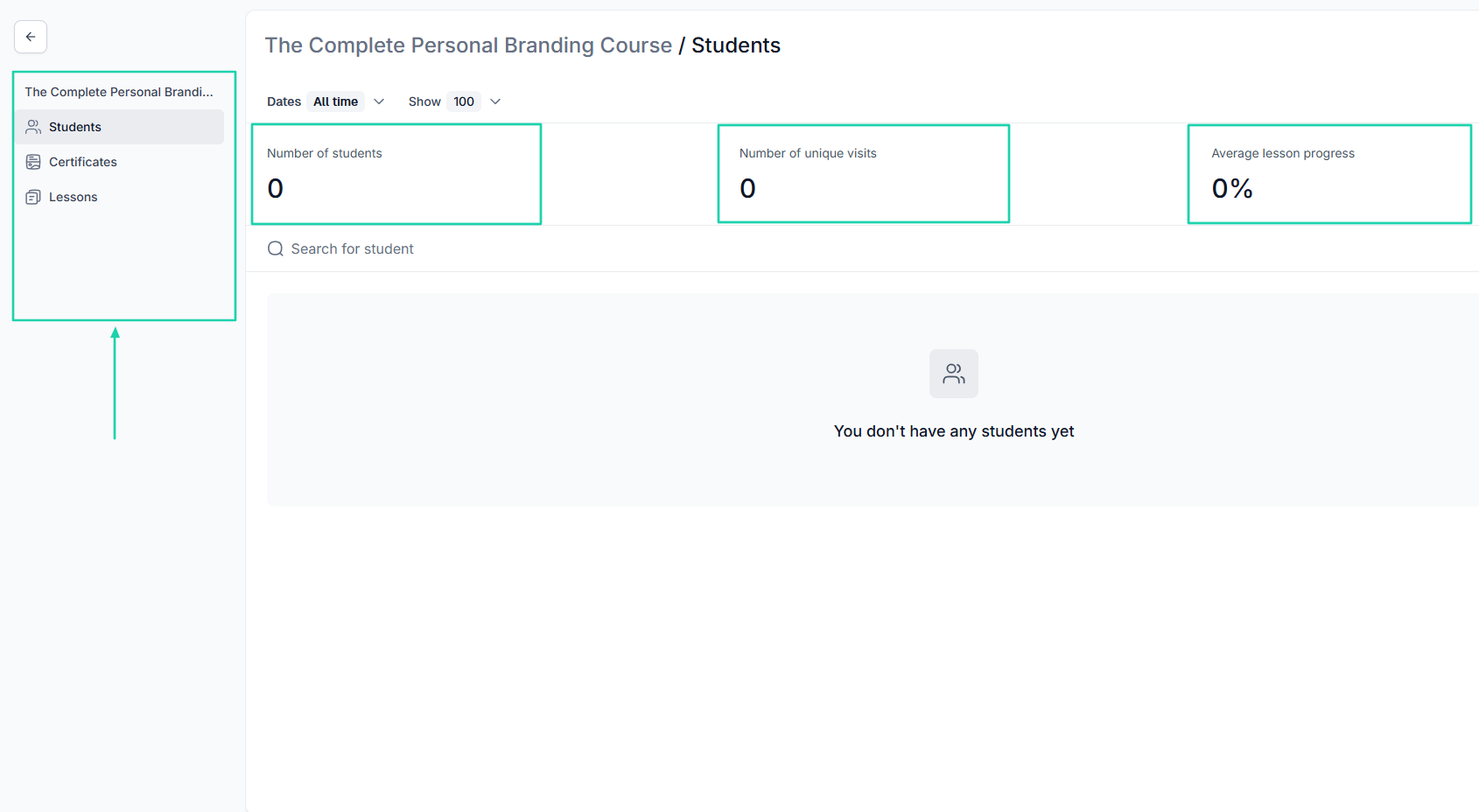
You also have access to students’ analytics, where you can track the number of students, their unique visits, and average lesson progress.
2. Campaigns
After creating a course, you need to market and promote it. Thanks to the campaigns feature, you can send emails to contacts or customers to promote your course or other products.
You can even set up an automation just for that. Here’s how to go about it.
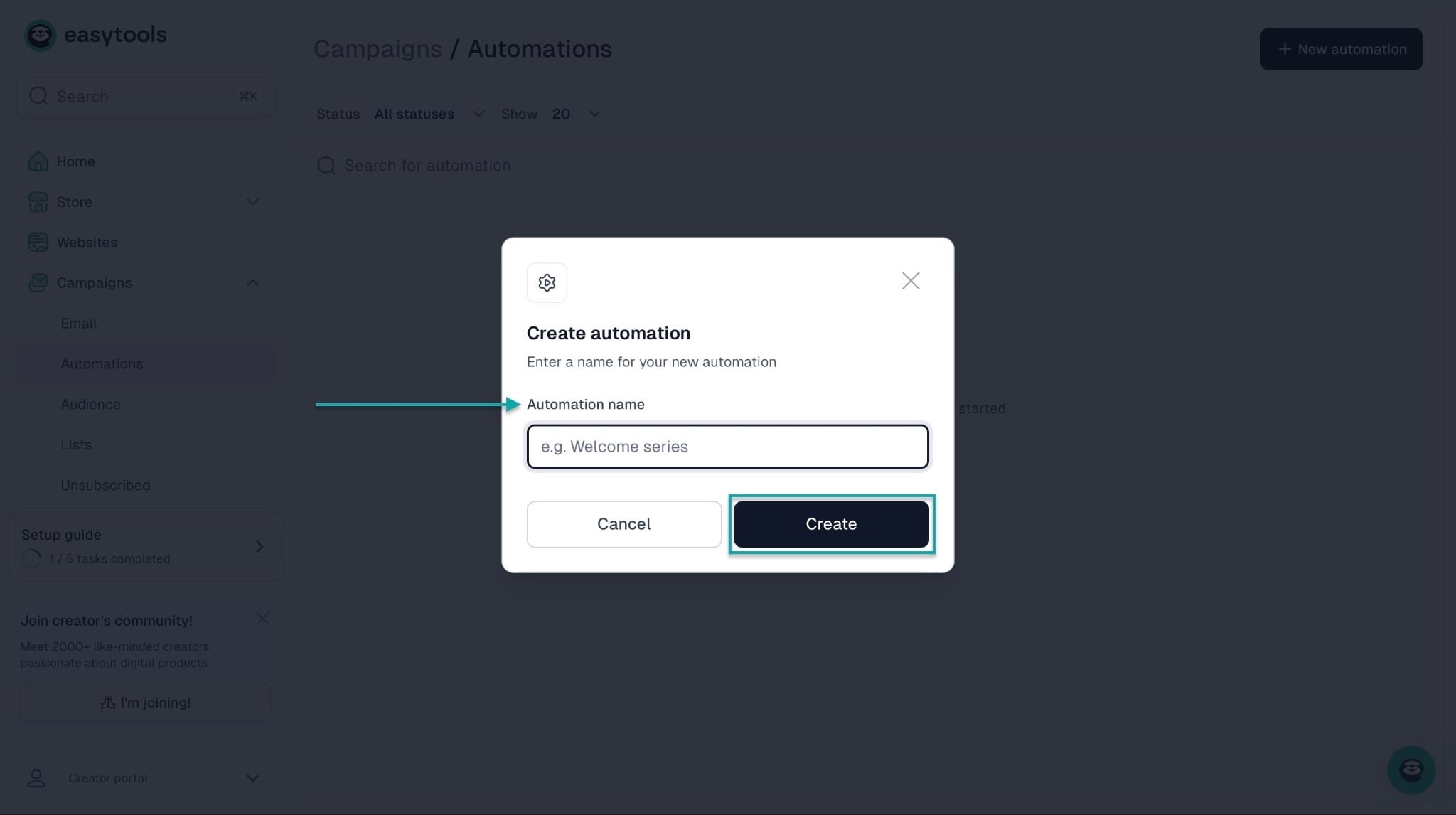
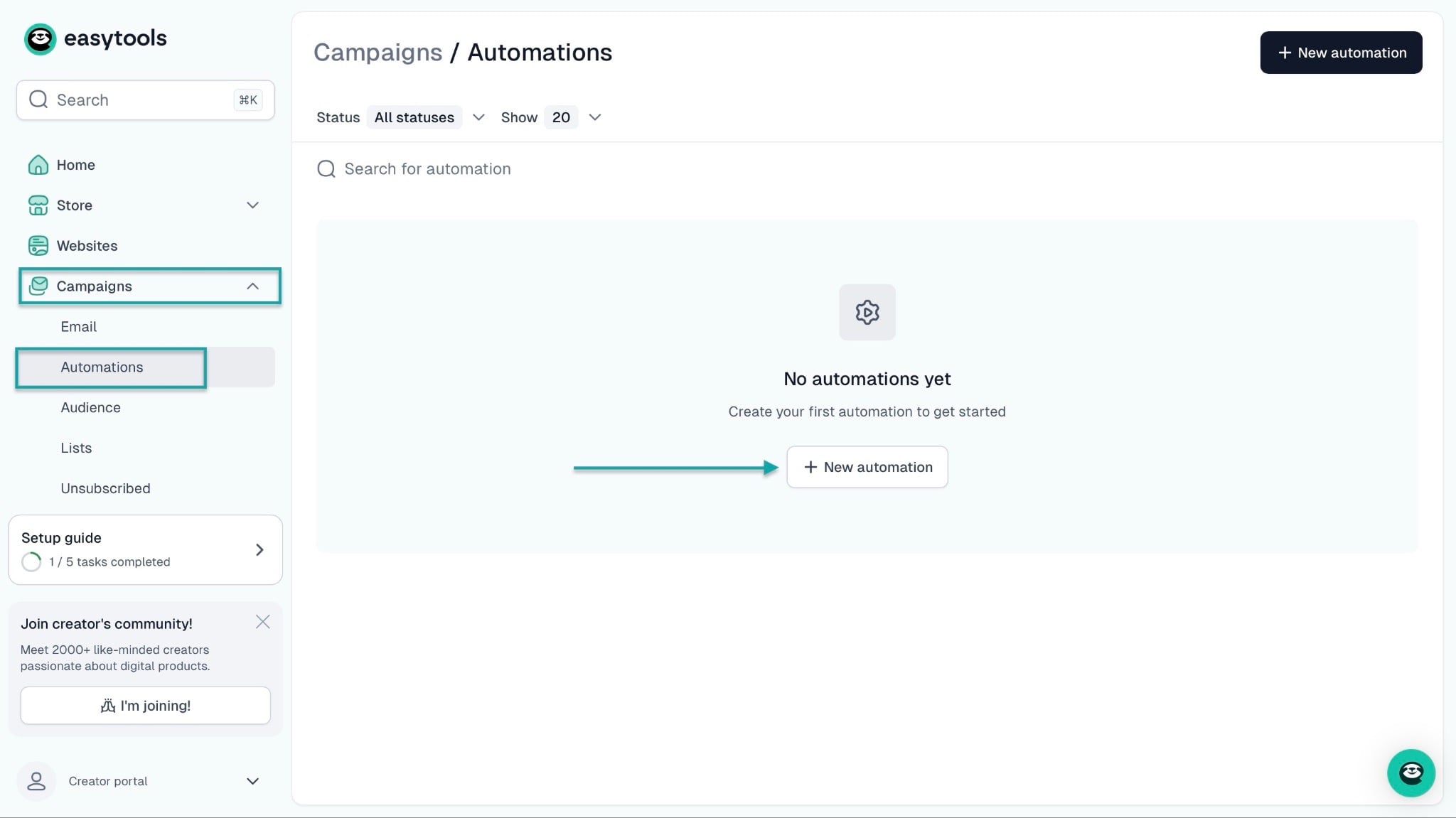
Right from the homepage, click “Campaigns” and select “Automations.” Now, click “+ New automation.”
In the pop-up window, give the automation a name, then click “Create.”
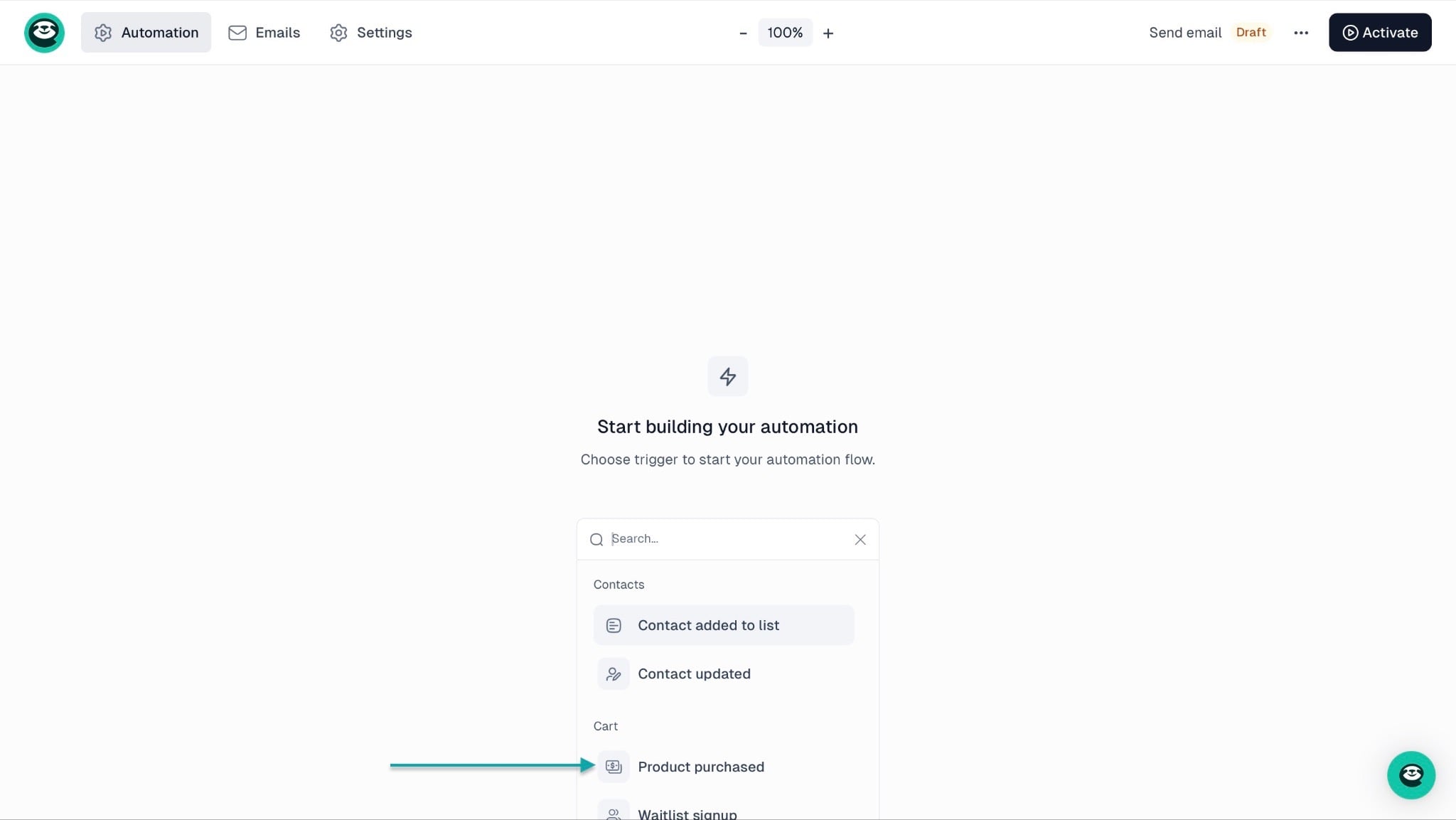
In the new window, move your cursor to the middle and click in the box to add a trigger. Let’s go with “Product purchased.”
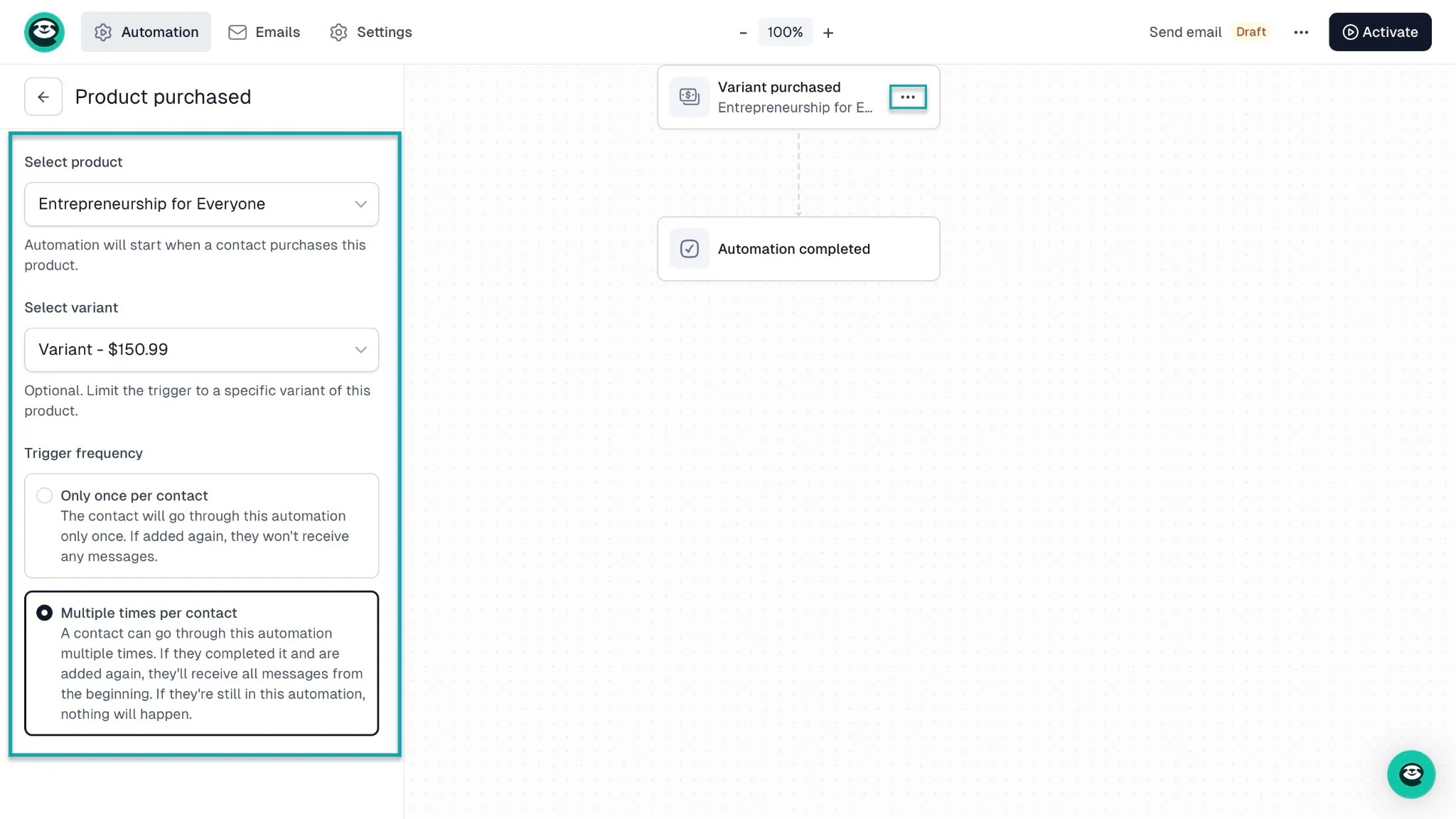
From here, select the checkout product. Once you’ve done that, pick its price variants, if any, and choose the trigger frequency.
You can also change the trigger by clicking the meatballs menu on the second node.
Continue by clicking “Emails” in the navigation bar. After that, select an email to edit if you already have a list or “+ New email” to create one.
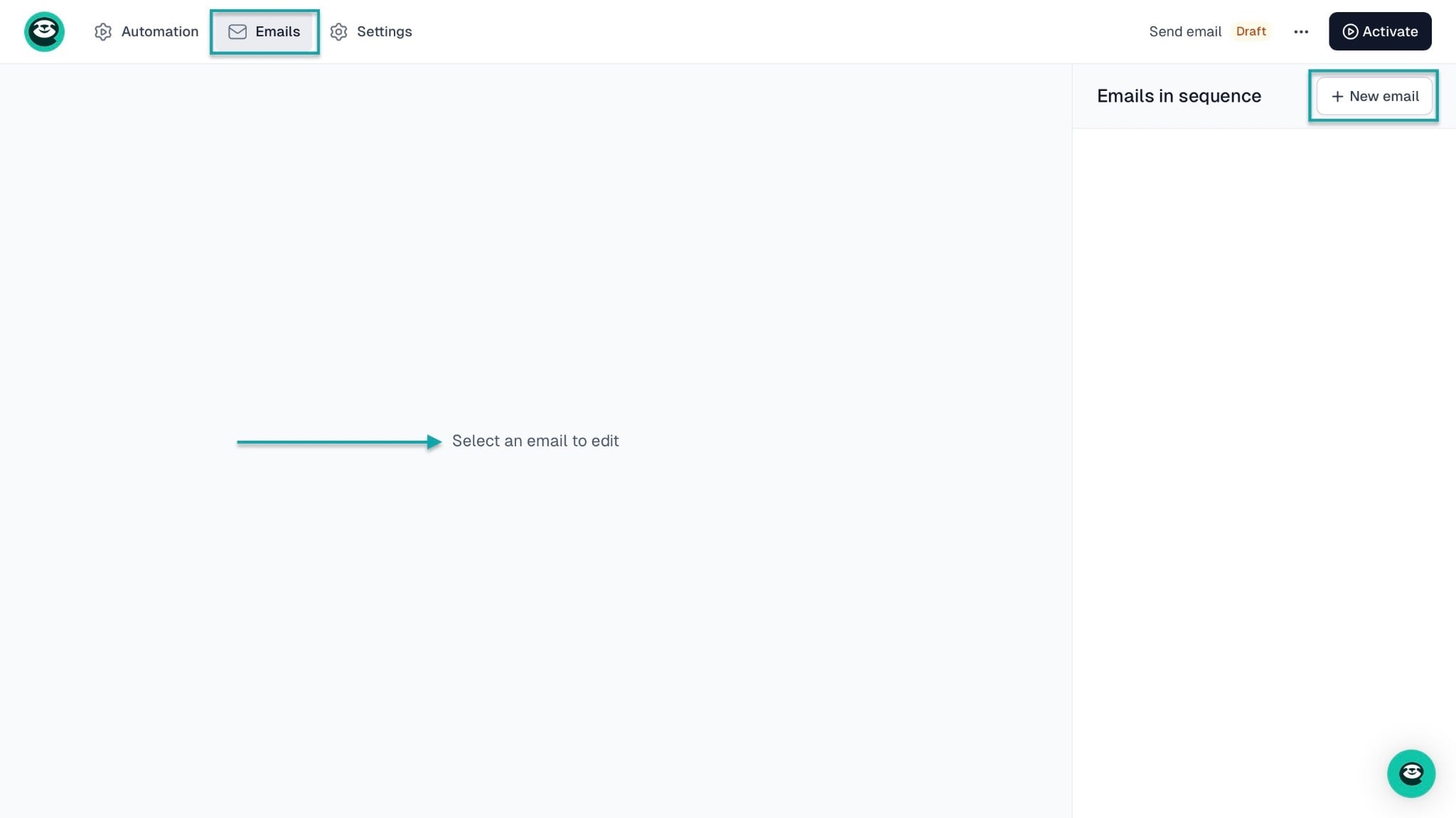
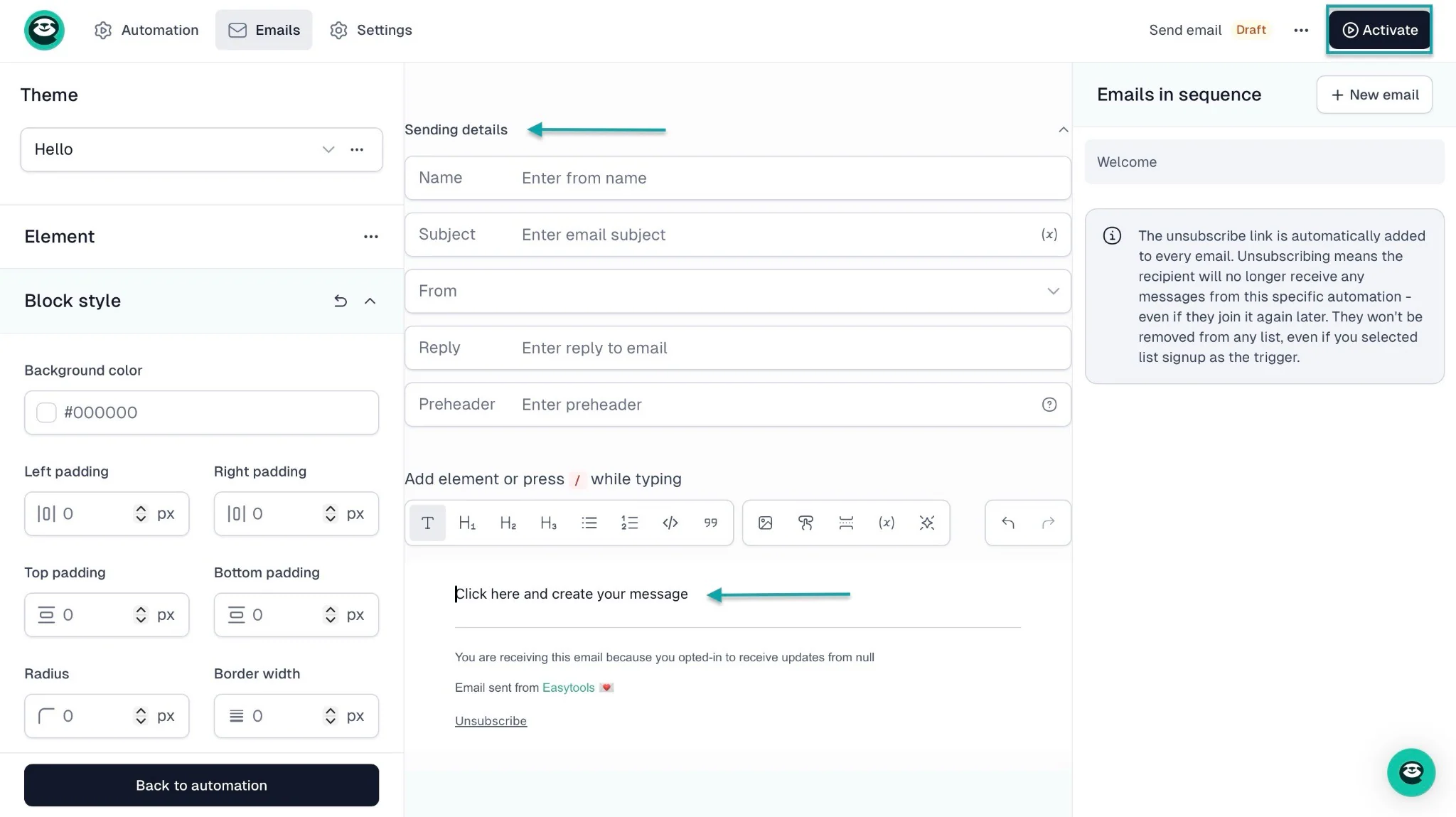
In the pop-up window, name the email and click “Create email” to move to the next step. In the new window, add the sending details and click the typing area to create your message.
Finally, click “Activate” at the top right corner of the window.
3. Websites
Another way you can promote and sell your products or services is through a professional website. With Easytools, you can build one without technical skills.
AI will provide you with a draft that you can then edit and fill in with your content.
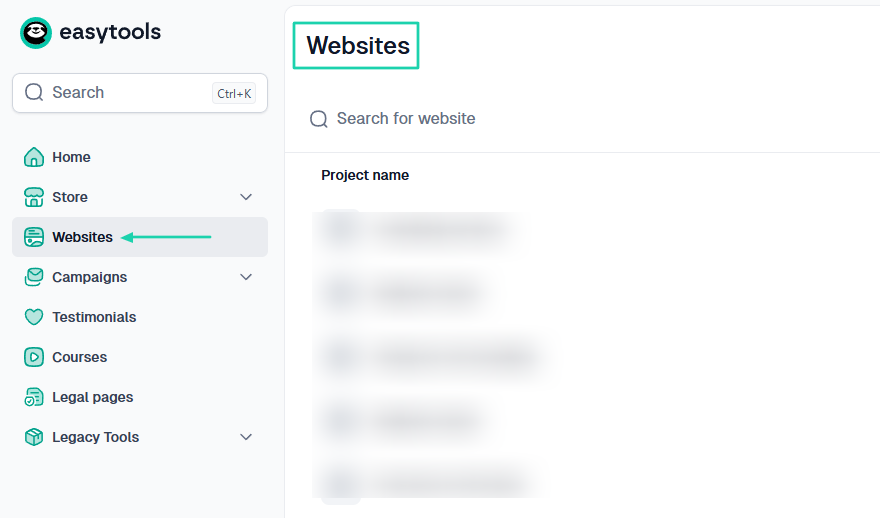
To do that, first go to “Websites” in the sidebar menu.
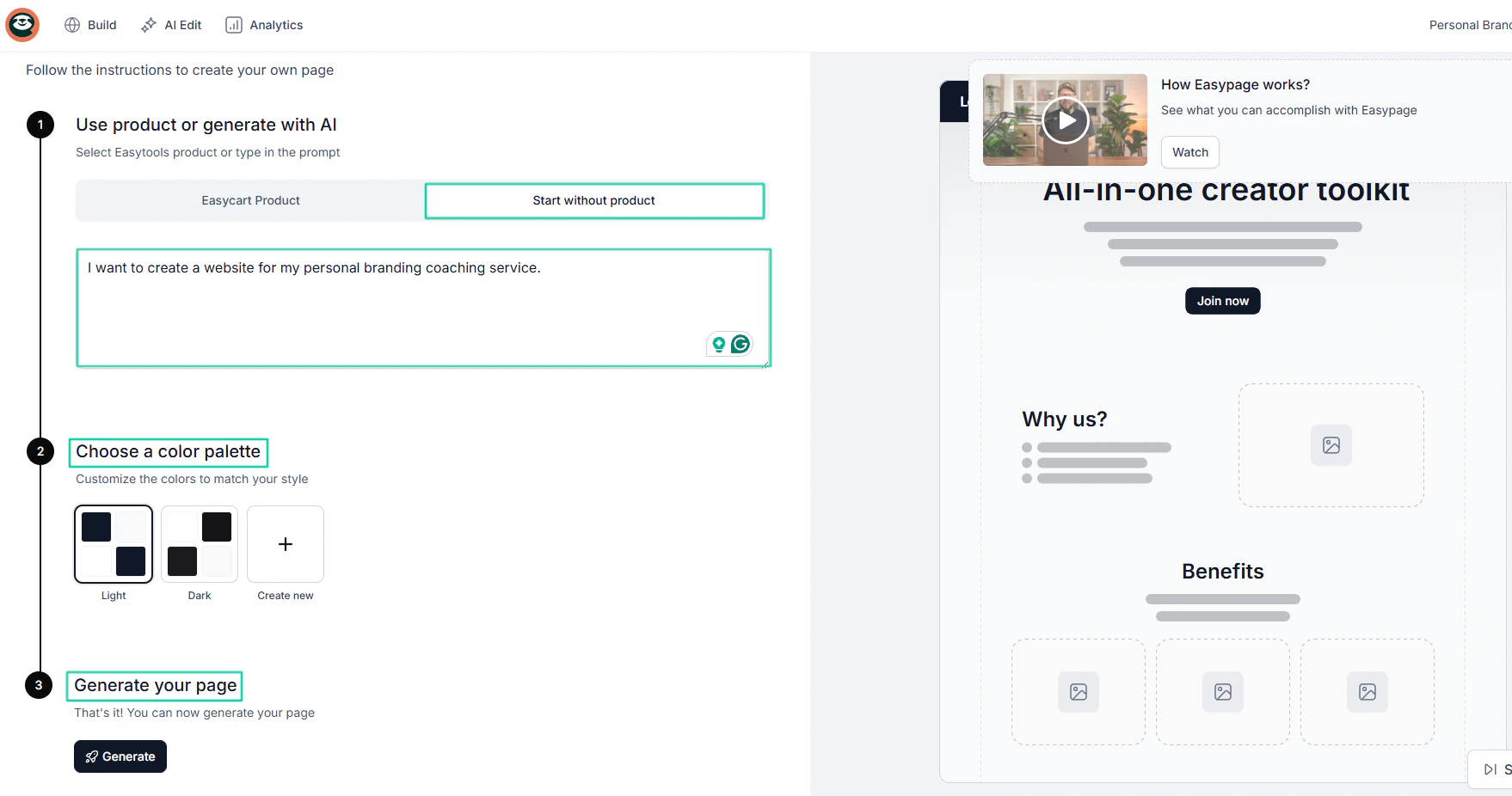
In the new window, simply describe how you want your website to be in natural language. For example: “I want to create a website for my personal branding coaching service.”
Then you choose a color palette and click “Generate.”
Your website will be ready in a matter of minutes. You can add or remove sections.
Easytools lets you edit manually or using AI. You can edit the page title, text, mode, images, and more.
Using AI, you can simply describe what you want to edit and sit back.
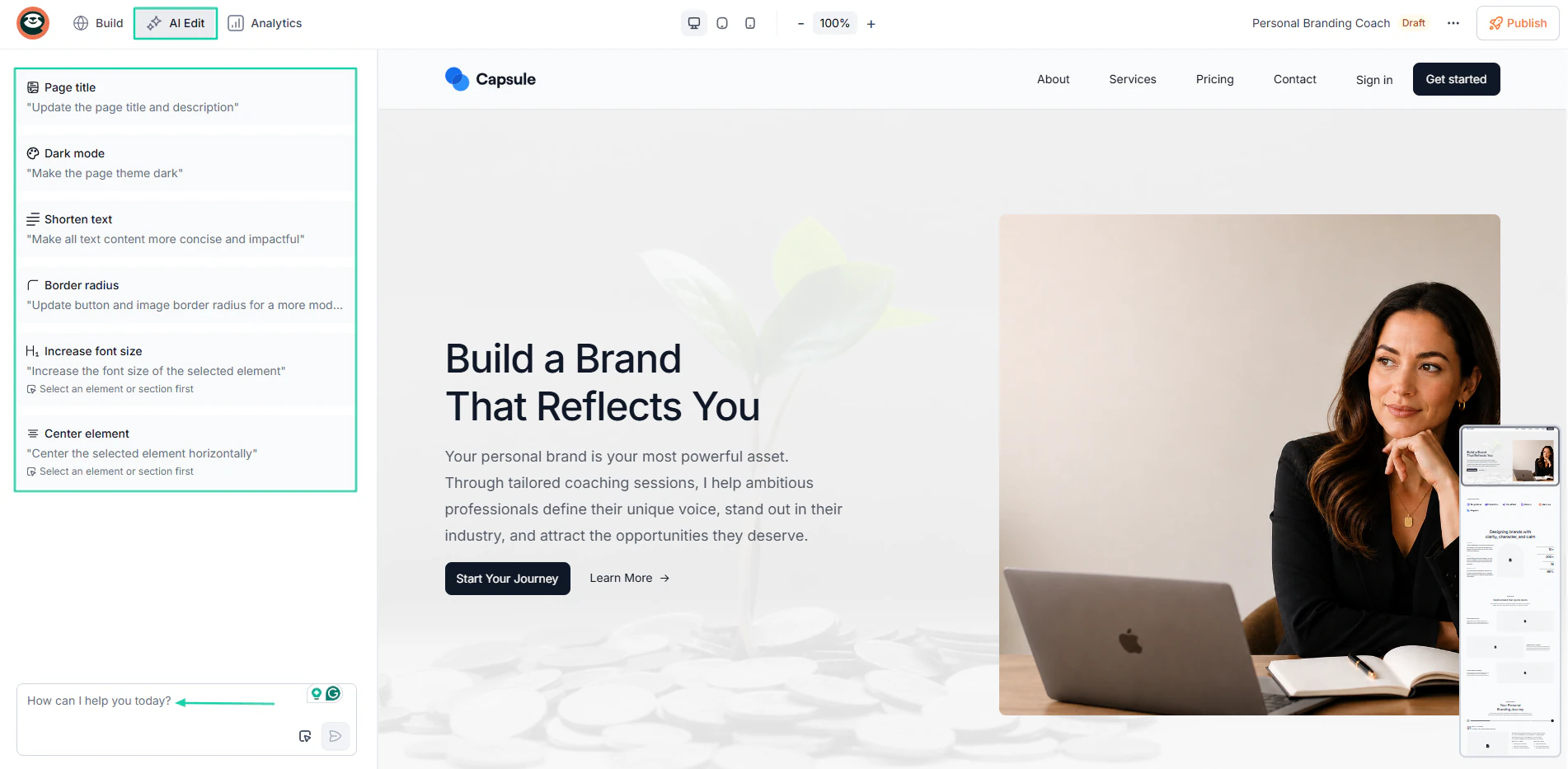
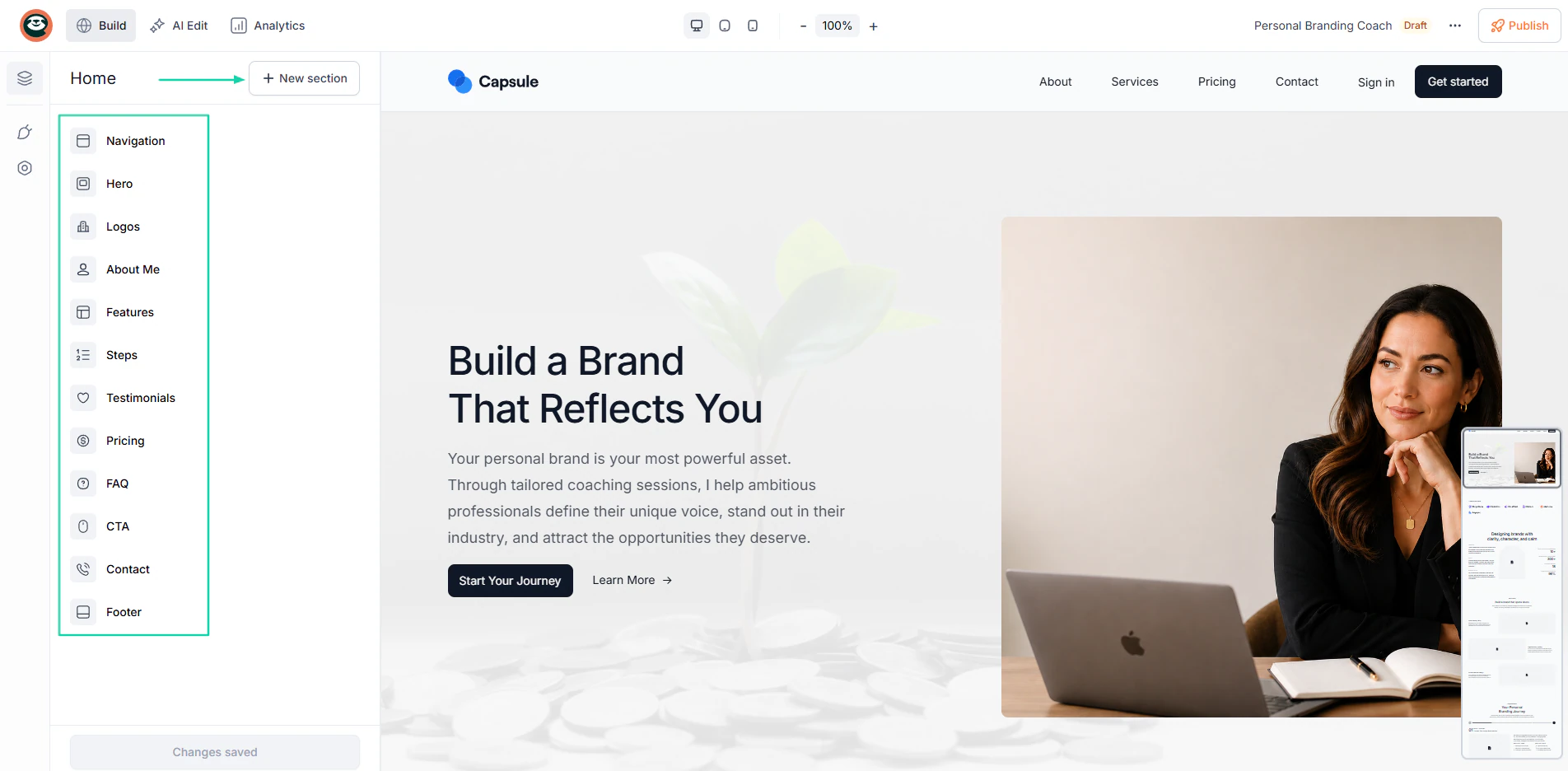
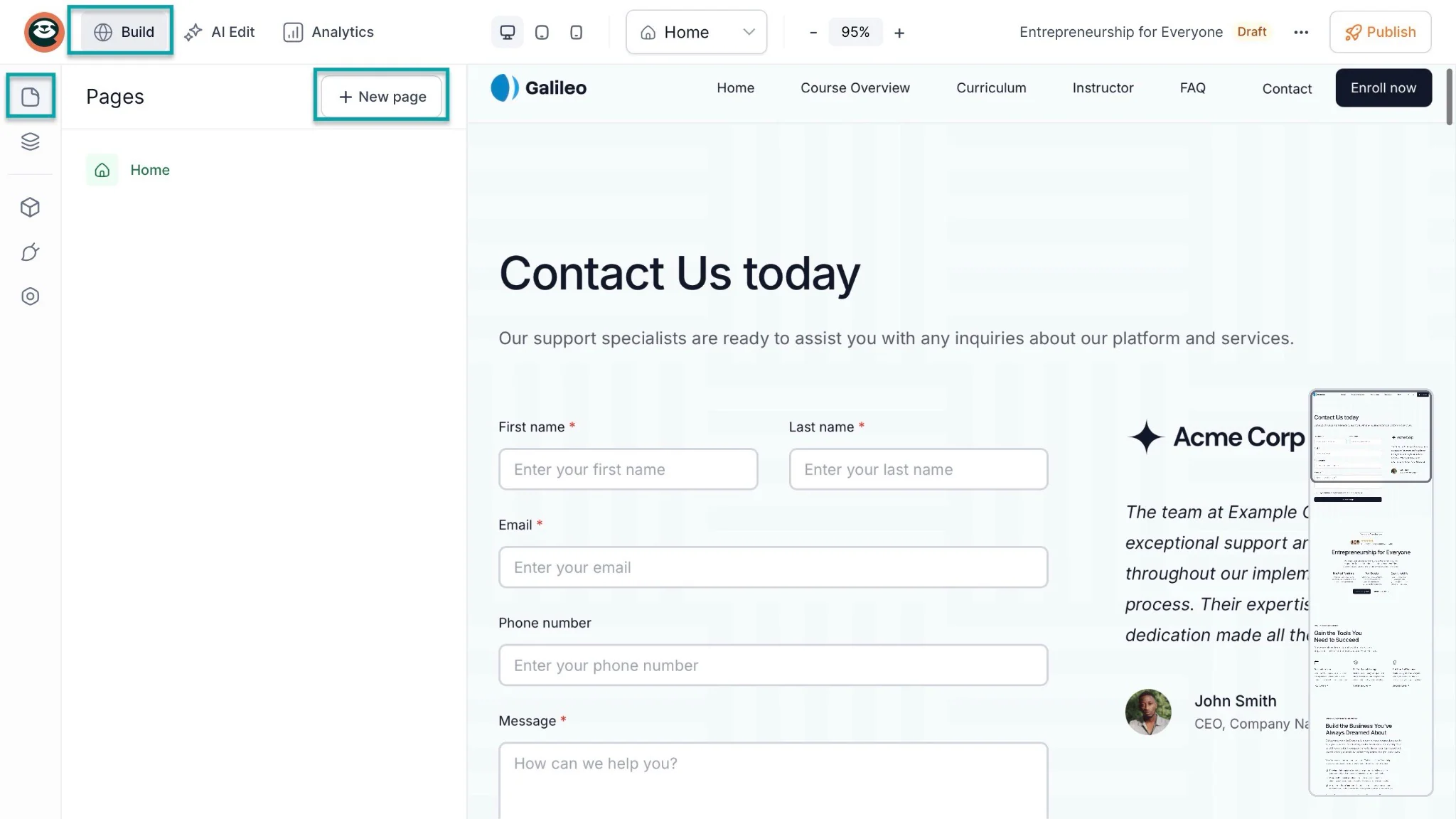
To add more pages to your website, click “Build” in the navigation bar. Then select the first item in the sidebar.
After that, click “+ New page.”
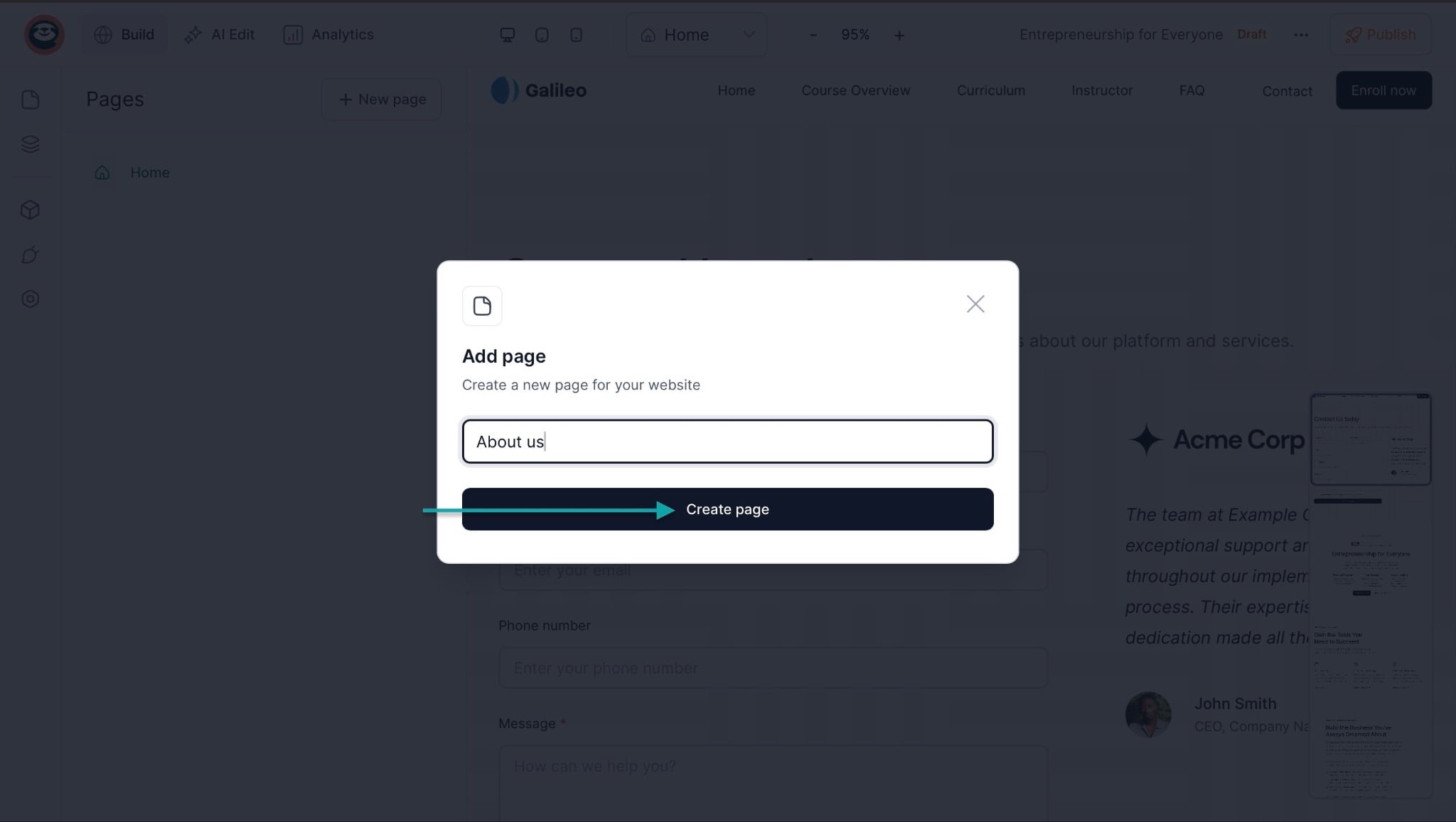
In the pop-up window, name your course and click “Create page.”
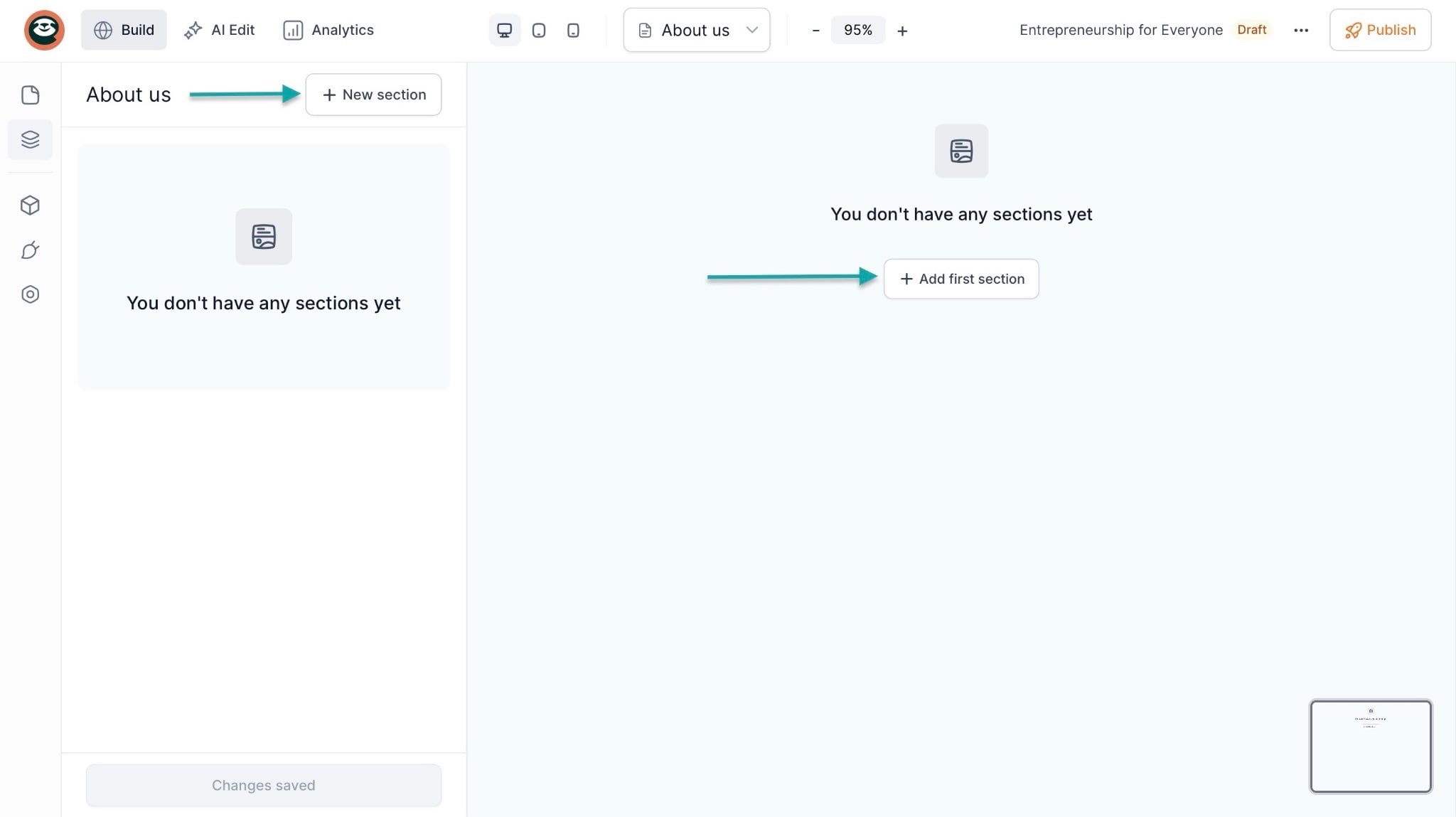
You can then add more sections to the new page by clicking “+ New section” or selecting “+ Add first section.”
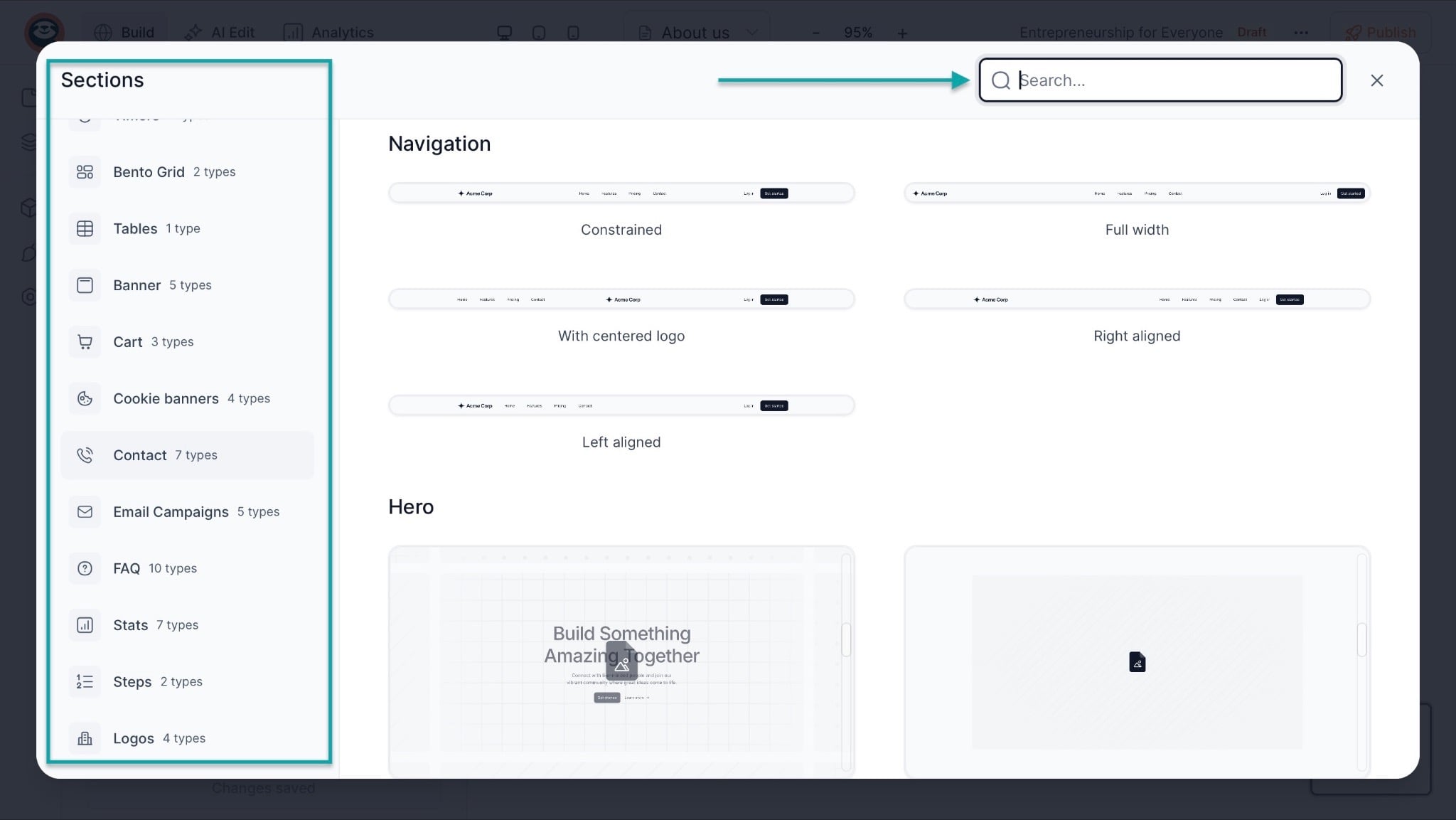
Just like the homepage, you can add sections for contacts, logos, testimonials, banners, CTAs, and more. You can also use the search bar to find sections to add.
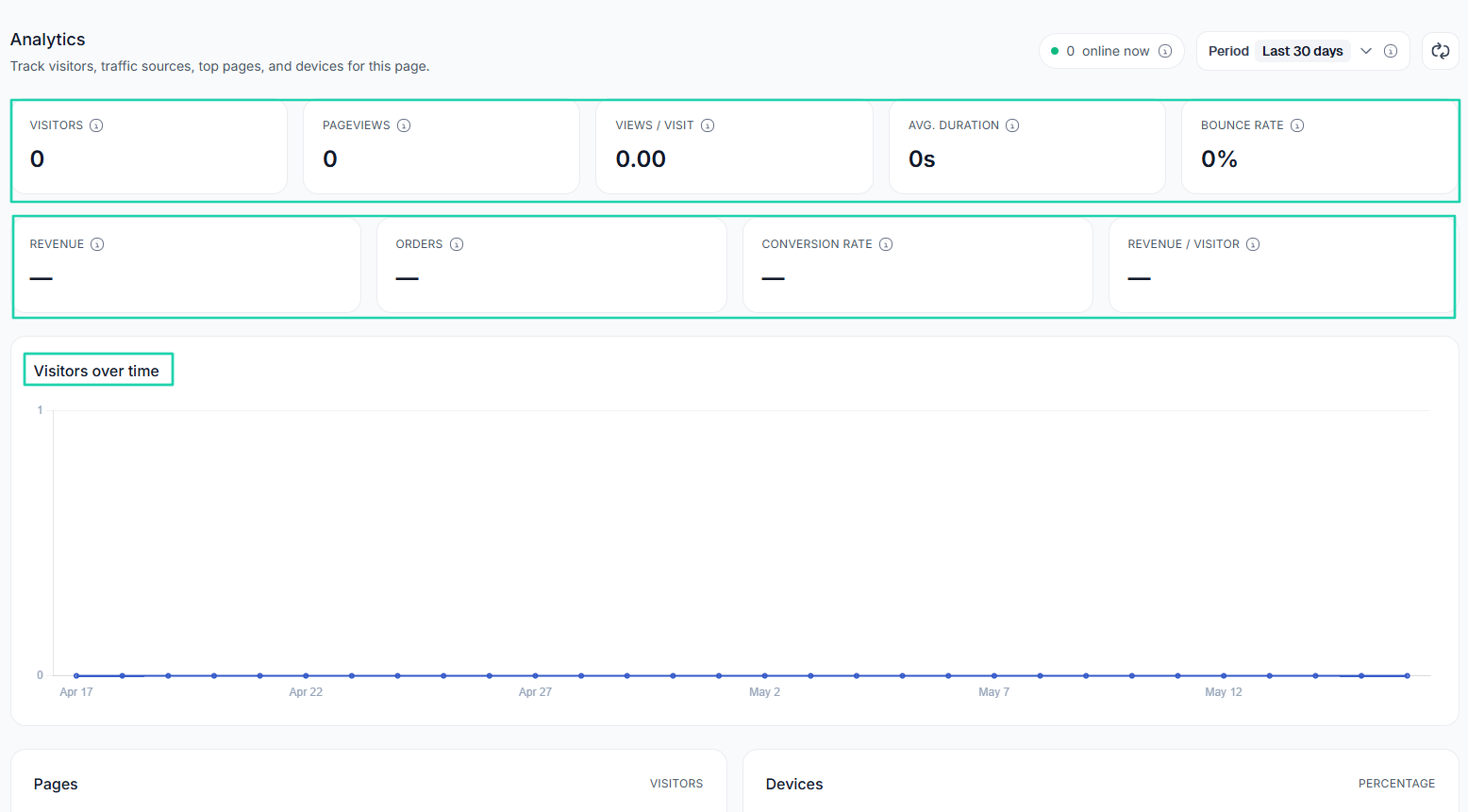
Once your website is live, you can track visitors, traffic sources, views, and bounce rate through its built-in analytics. It also tracks revenue, orders, and conversion rate.
[fs-toc-omit]What I liked vs what I didn’t like
What I loved 👍
✅ Generates modules and lesson plans using AI, helping you in the whole course creation process.
✅ Allows you to sell and market digital products like e-books, online courses, guides, PDFs, Notion Templates, and more.
✅ Uses artificial intelligence to build a professional website within minutes.
✅ Lets you build an email list (manually, through your landing page, or automatically via your checkout) and run campaigns.
What I didn’t like 👎
❌ You can only build landing pages on the paid plans (Creator and Professional), but the Starter plan lets you create unlimited checkouts.
[fs-toc-omit]Best for
- Course creators and entrepreneurs seeking to sell online courses alongside digital products while building their email list.
[fs-toc-omit]Pricing
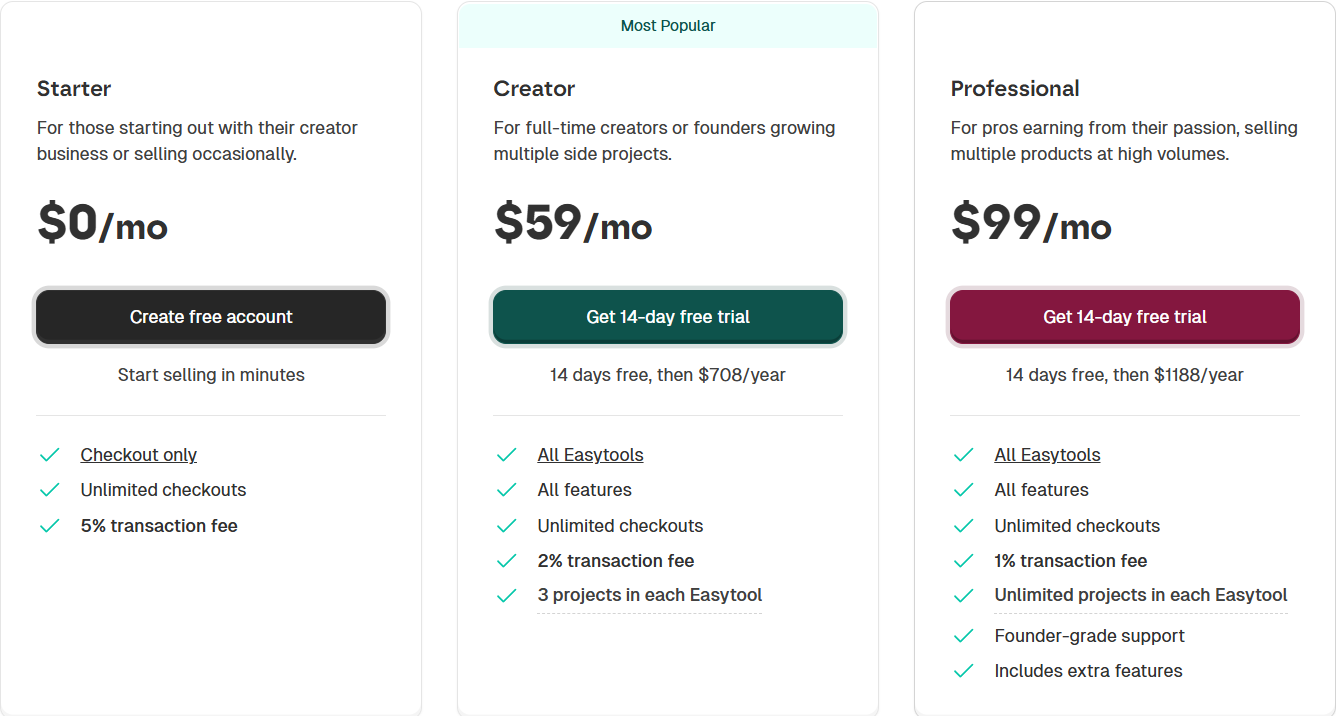
- Starter: $0/month
- Creator: $59/month
- Professional: $99/month
2. Teachable
- Personal rating: ⭐️⭐️⭐️⭐️ 4.5/5 - I could create digital courses, have access to marketing tools, and manually add students or import them.
- Ease of use: ⭐️⭐️⭐️⭐️ 4.5/5 - You can create courses and coaching programs in simple steps.
- Marketing tools: Email marketing, coupon codes, upsells, order bumps, abandoned cart recovery, and affiliate marketing.
- Key integrations: Mailchimp, Zapier, Google Analytics, Shopify, and ConvertKit.
- Free trial: Yes, 7-day free trial for the Starter, Builder, and Growth plans.
- Starting plan: Starter - $29/month + 7.5% + 5 products.
Next on our list of the best Thinkific alternatives is Teachable.
It’s an online course platform that lets you build, host, sell, and market digital courses and coaching programs through customizable school websites.

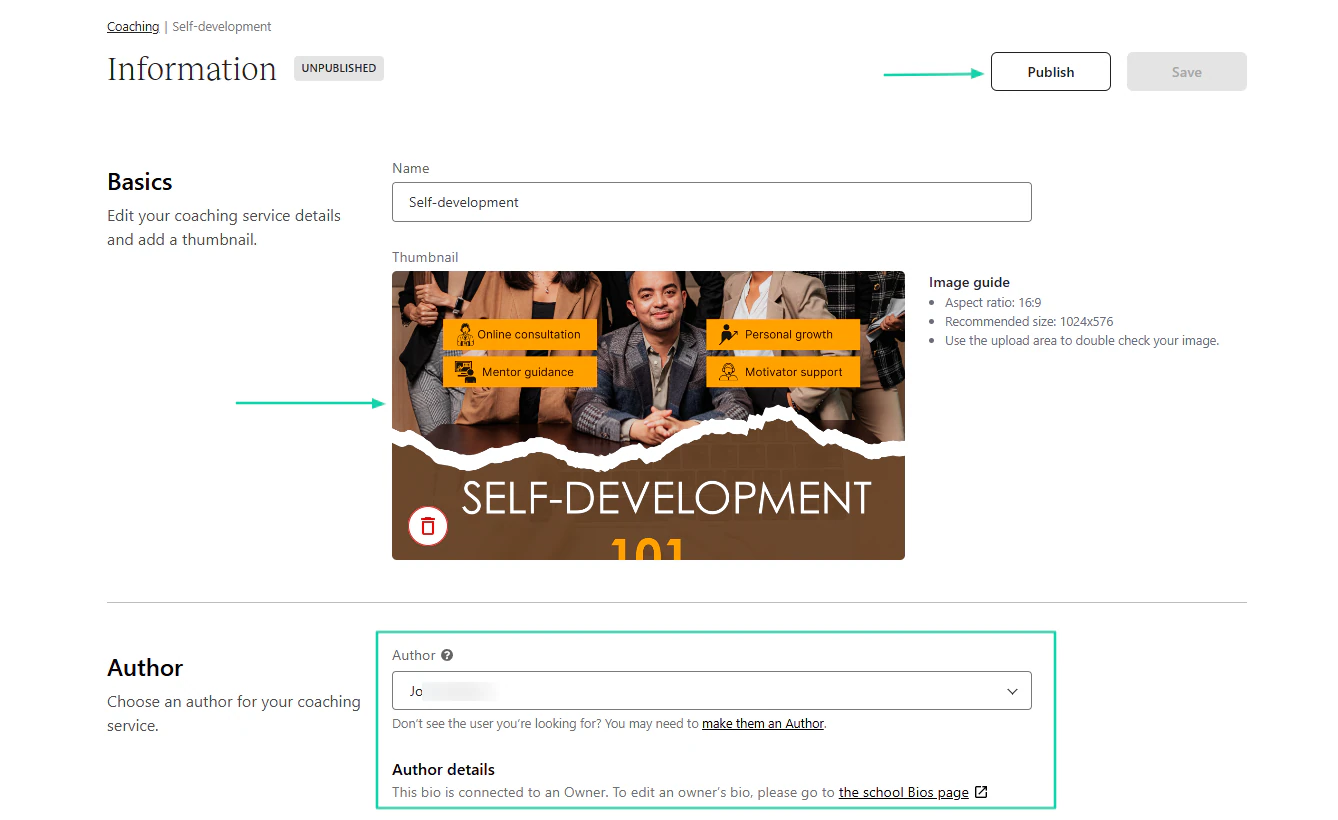
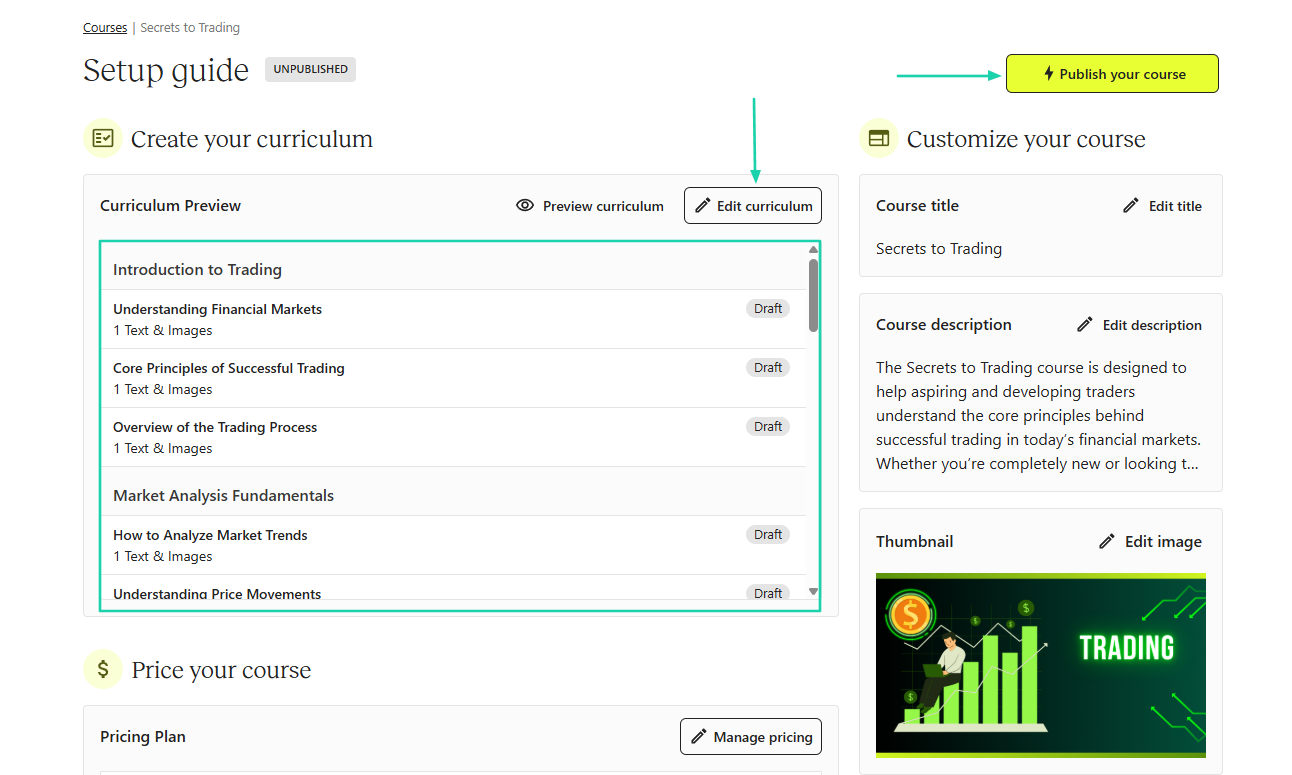
Before you publish your coaching offer, you’ll need to add your details as a coach alongside a thumbnail.
When building your course, Teachable will help with the curriculum, but you can still edit it.
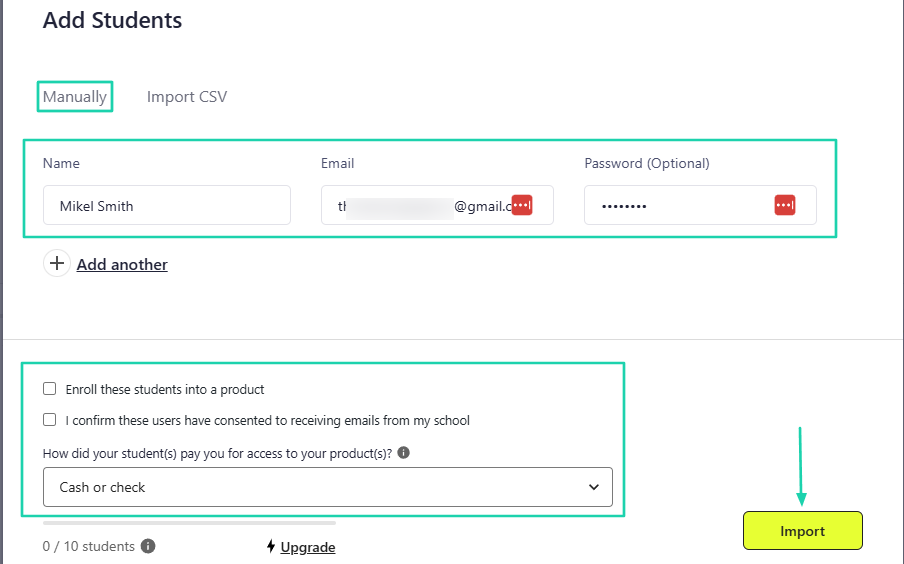
The platform lets you add your own students either manually or through CSV.
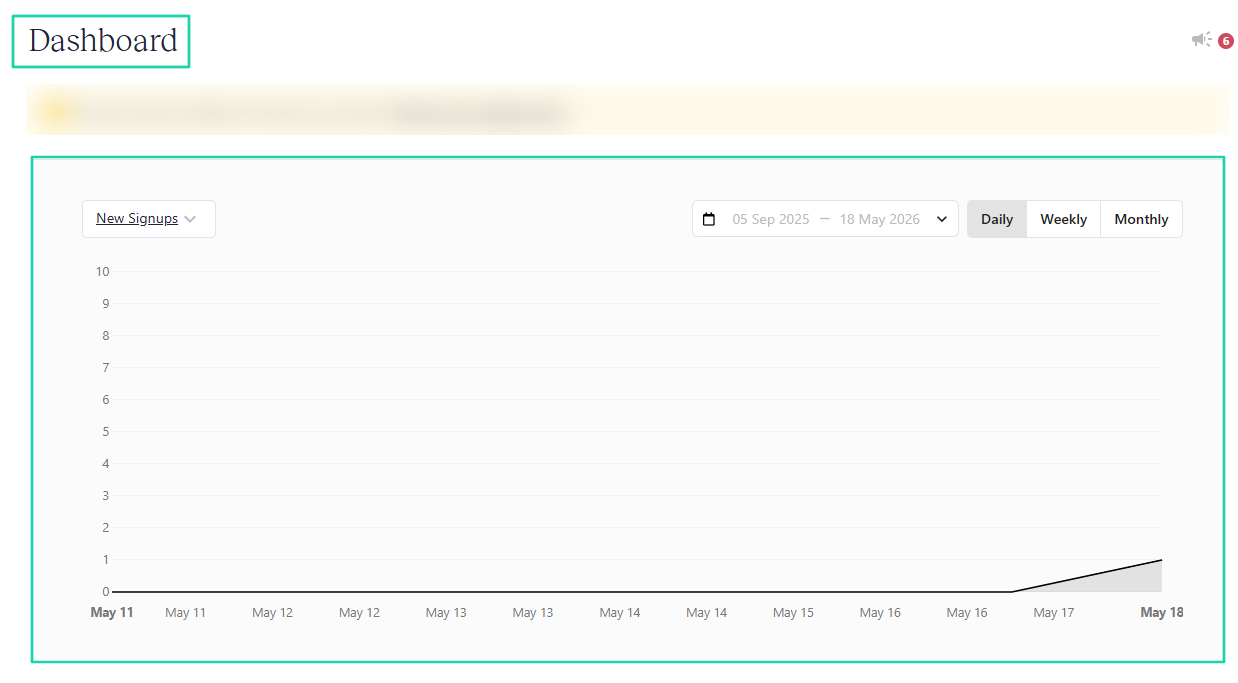
It also comes with a dashboard that displays a graph of your daily, weekly, or monthly new signups.
[fs-toc-omit]What I loved about Teachable
1. Coaching
Teachable offers many digital products you can create and sell, including coaching programs. It lets you create and sell coaching offers.
Here’s how to create a coaching program on Teachable. Under “Products,” find “Coaching.”
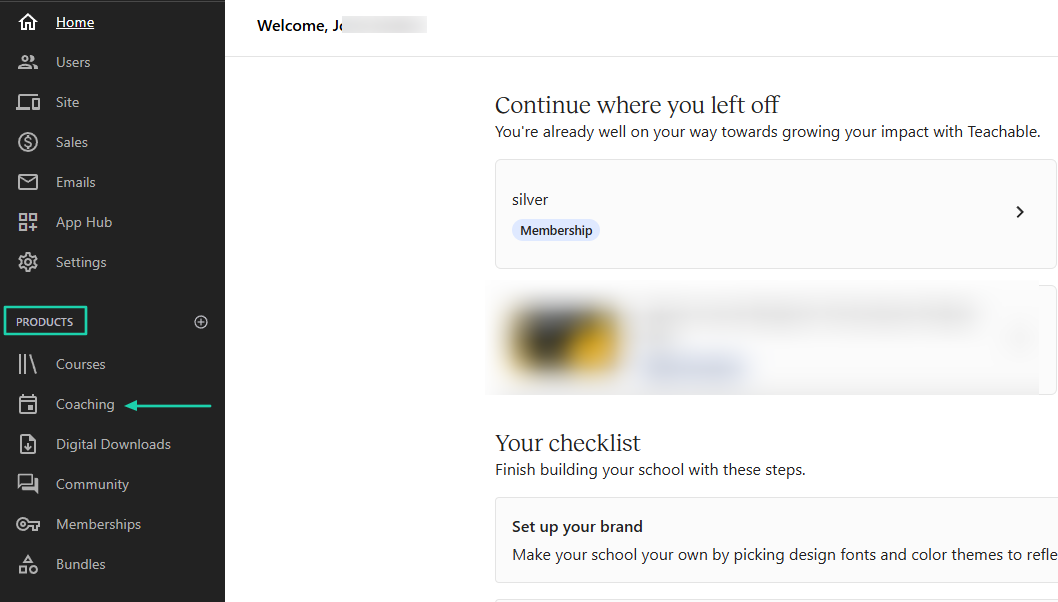
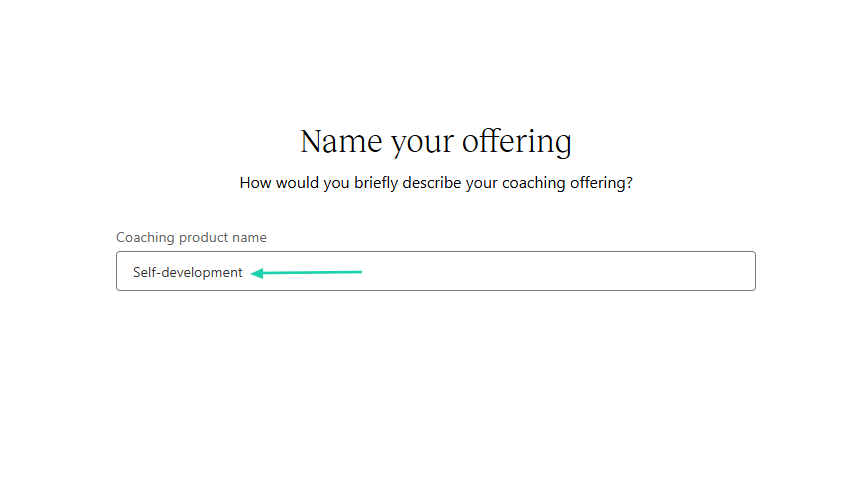
In the new window, name your offering.
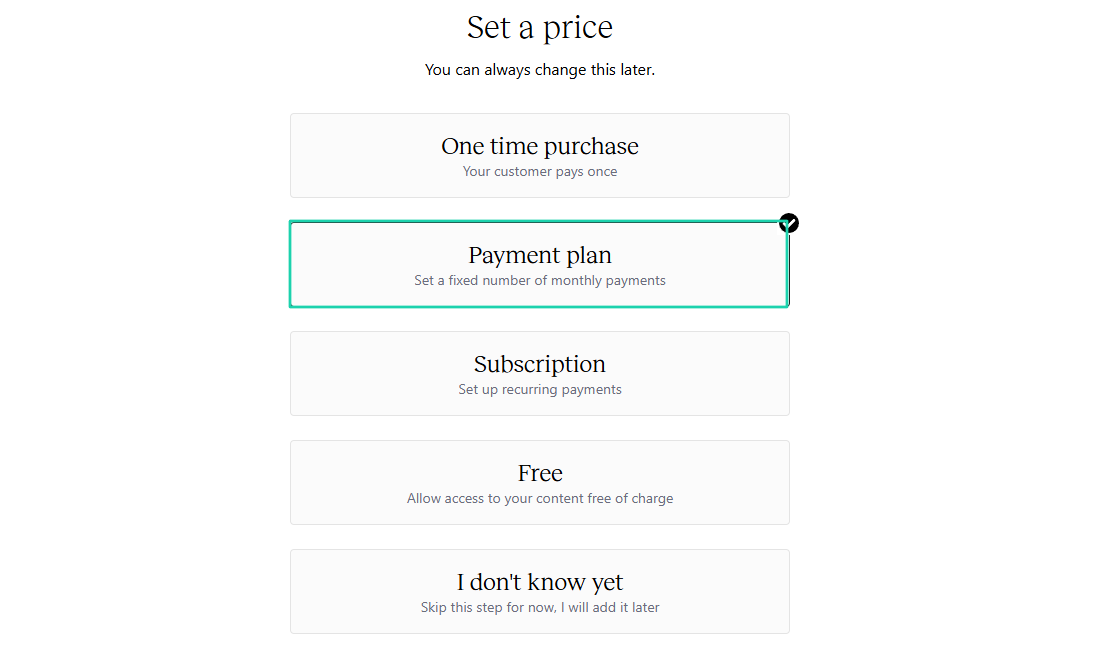
Then, set a price. Let’s go with a payment plan.
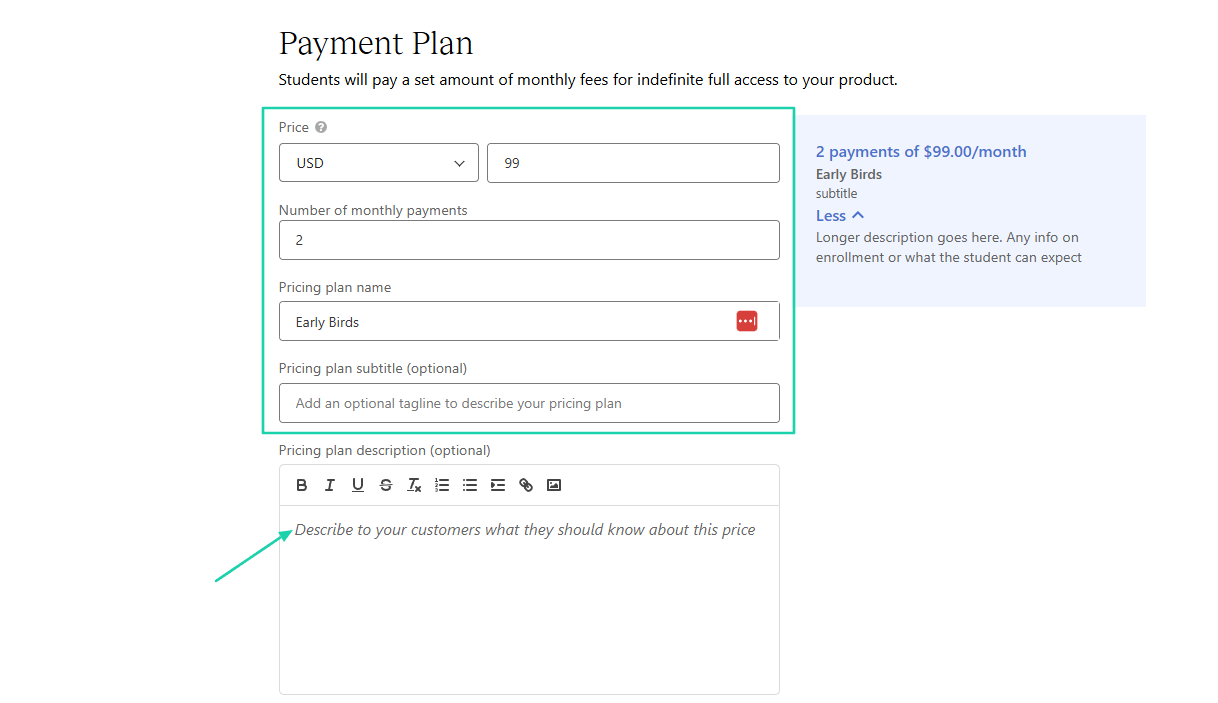
You need to specify your price, the number of monthly payments, and the pricing plan name. You can also add a description below for your customers.
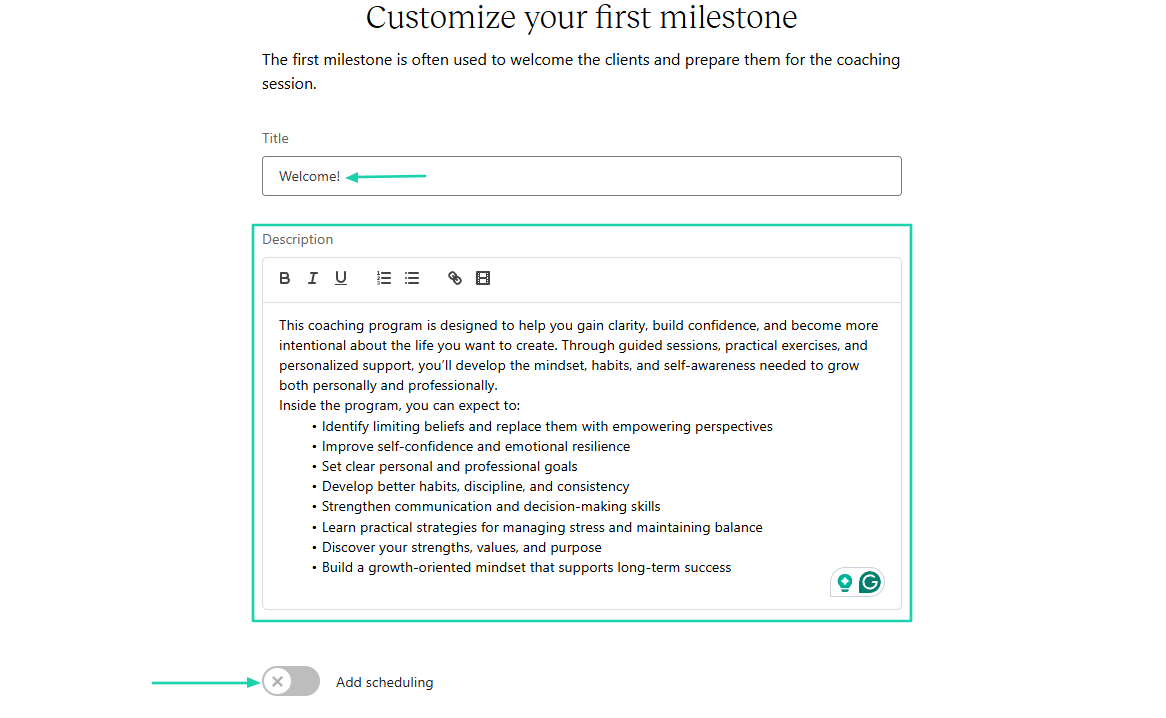
Now, customize your first milestone by adding a title and description. It’s also possible to enable scheduling right from there.
From here, add a thumbnail and the author’s details. Once everything looks good, hit the “Publish” button.
2. Courses
The next feature we will look at on Teachable is courses. Here’s how to create a course there.
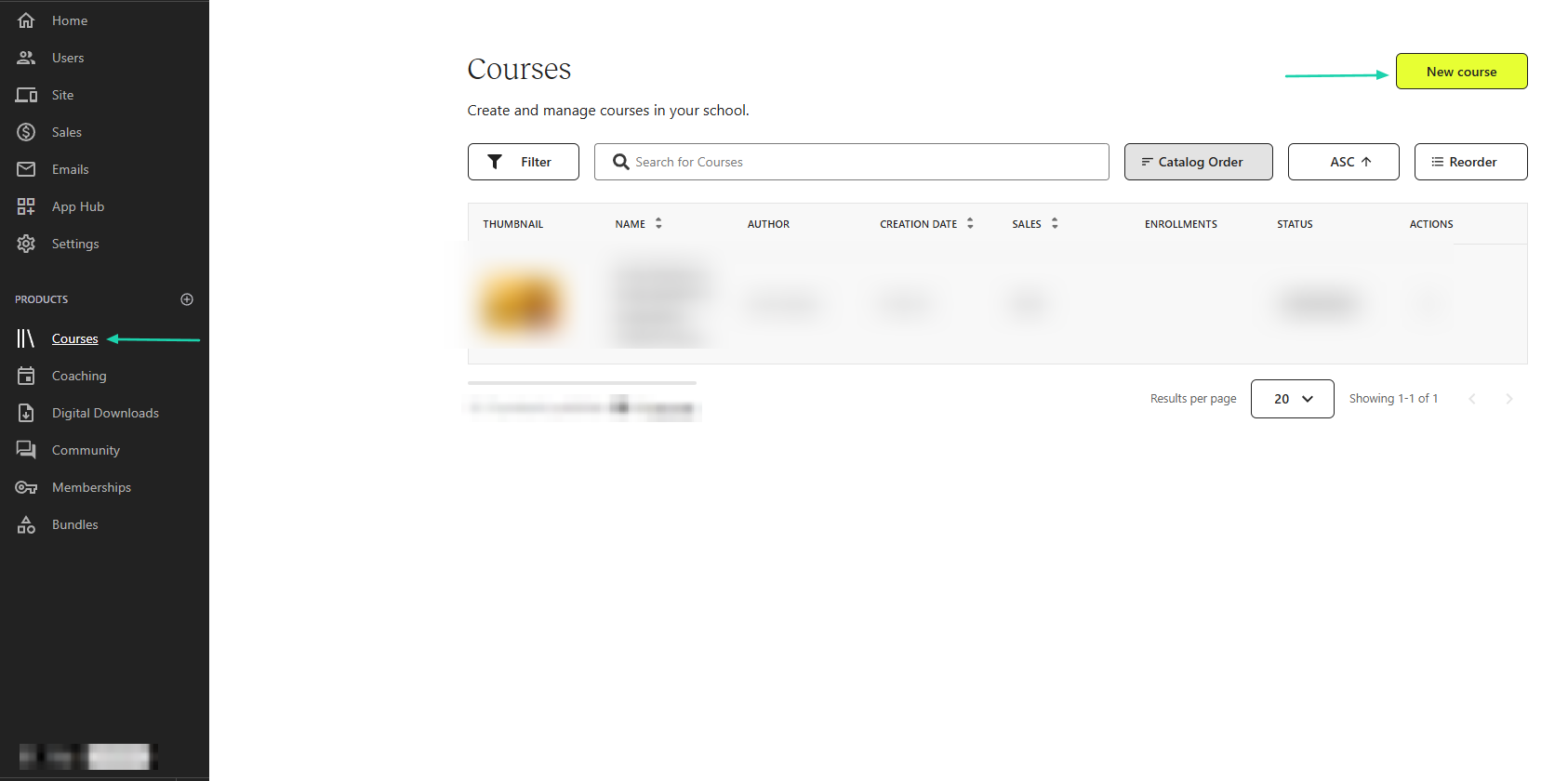
Under “Products,” click “Courses.”
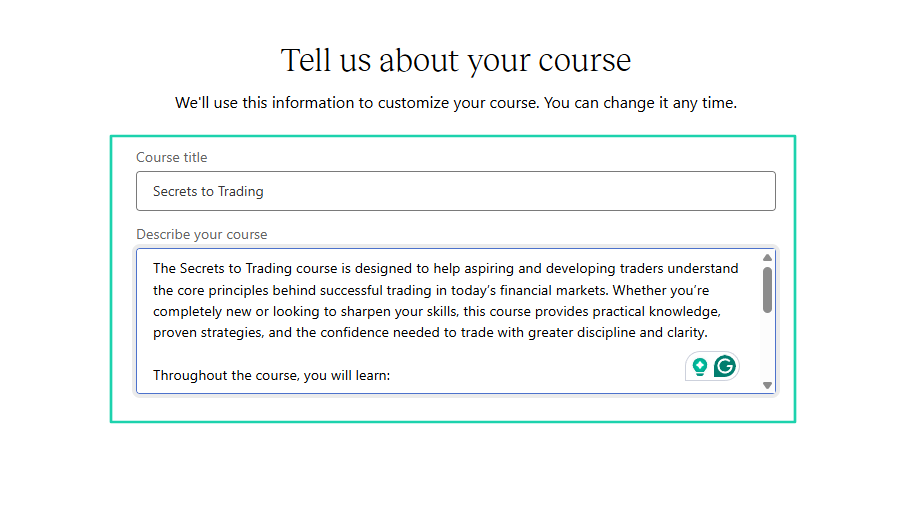
Add a course title and a description.
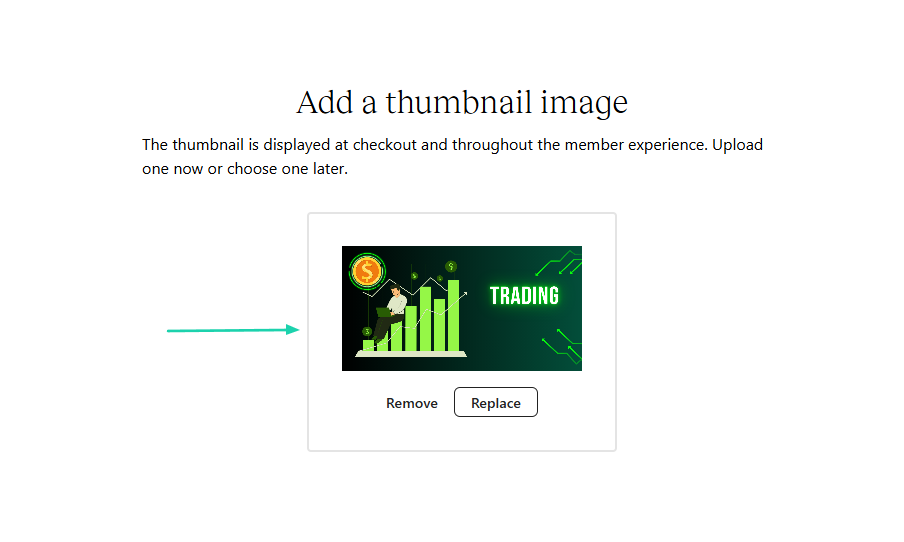
Then, upload a thumbnail image for your course.
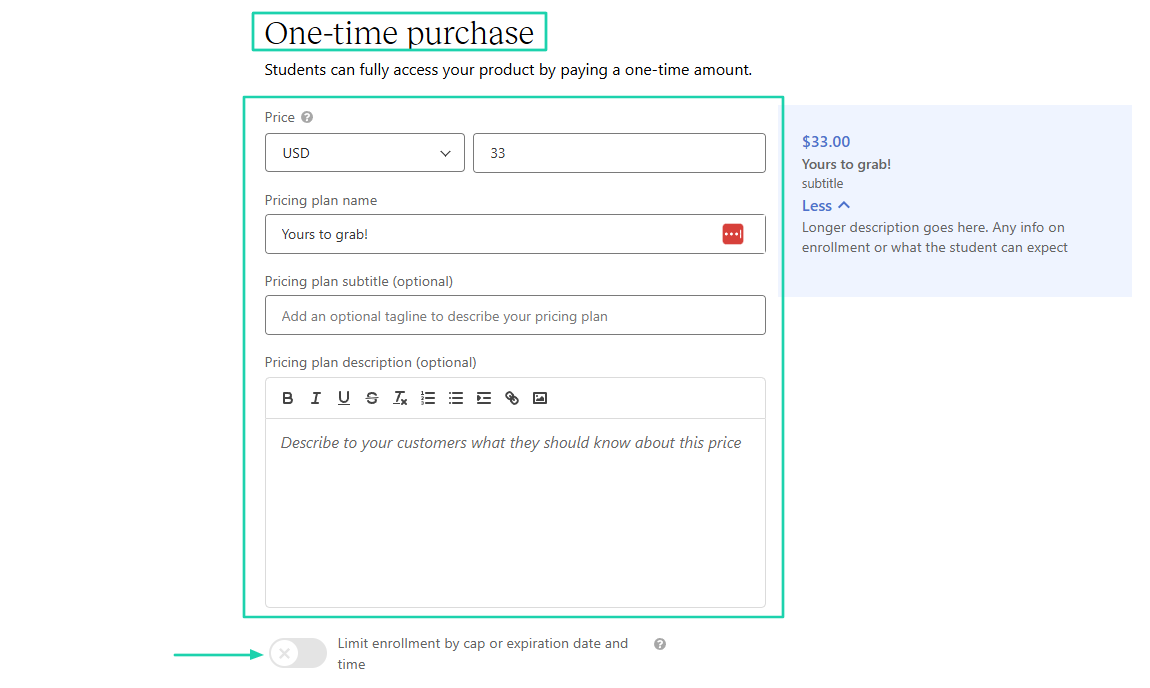
After choosing a price type, enter the price, pricing plan name, and description. You can also limit enrollment by cap or expiration date and time.
Teachable will propose a curriculum that you can edit. The last thing to do is publish your course.
3. Users
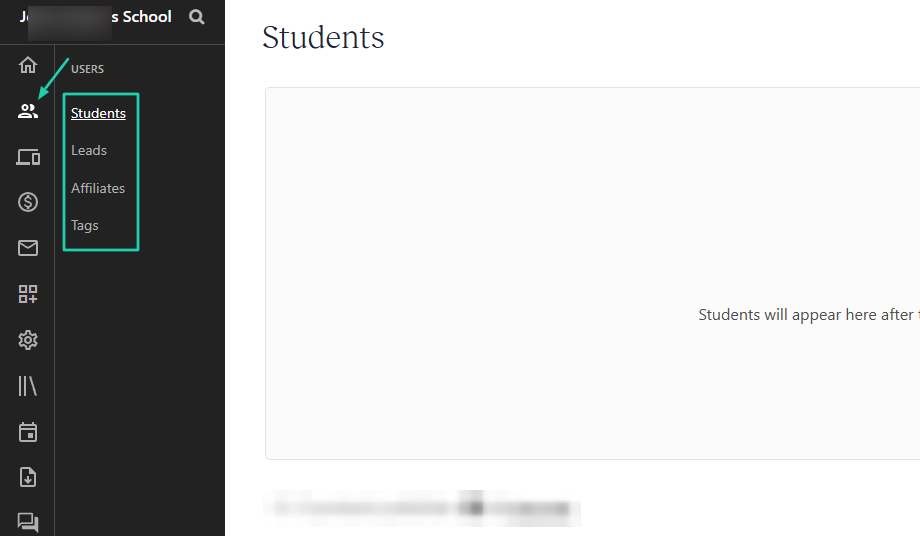
Through the users feature on Teachable, you can add students, leads, affiliates, or tags. In this walkthrough, let’s add a student.
First, locate “Users” in the sidebar. Then, click “Students.”
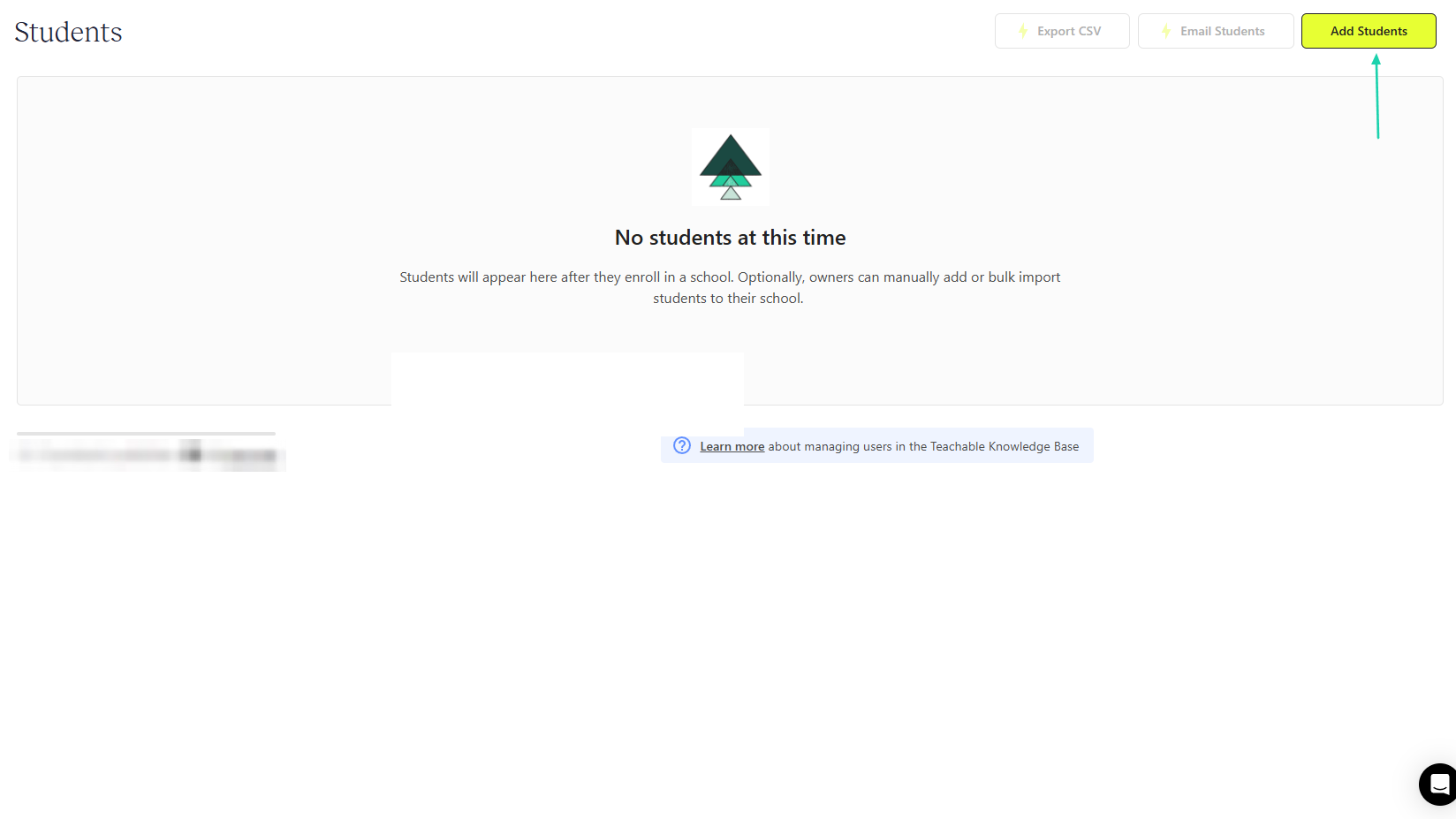
On the top far right of the interface, you will click “Add Students.”
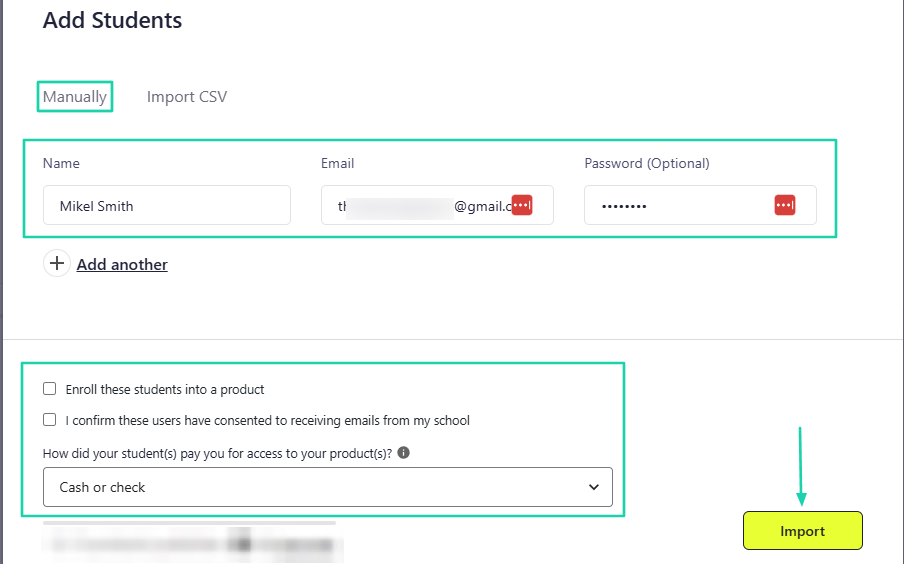
You can do that manually or import a CSV file. To do it manually, enter the student’s name, email, and password.
Then you can, at the same time, enroll the student into a product and specify how they paid for access to your products.
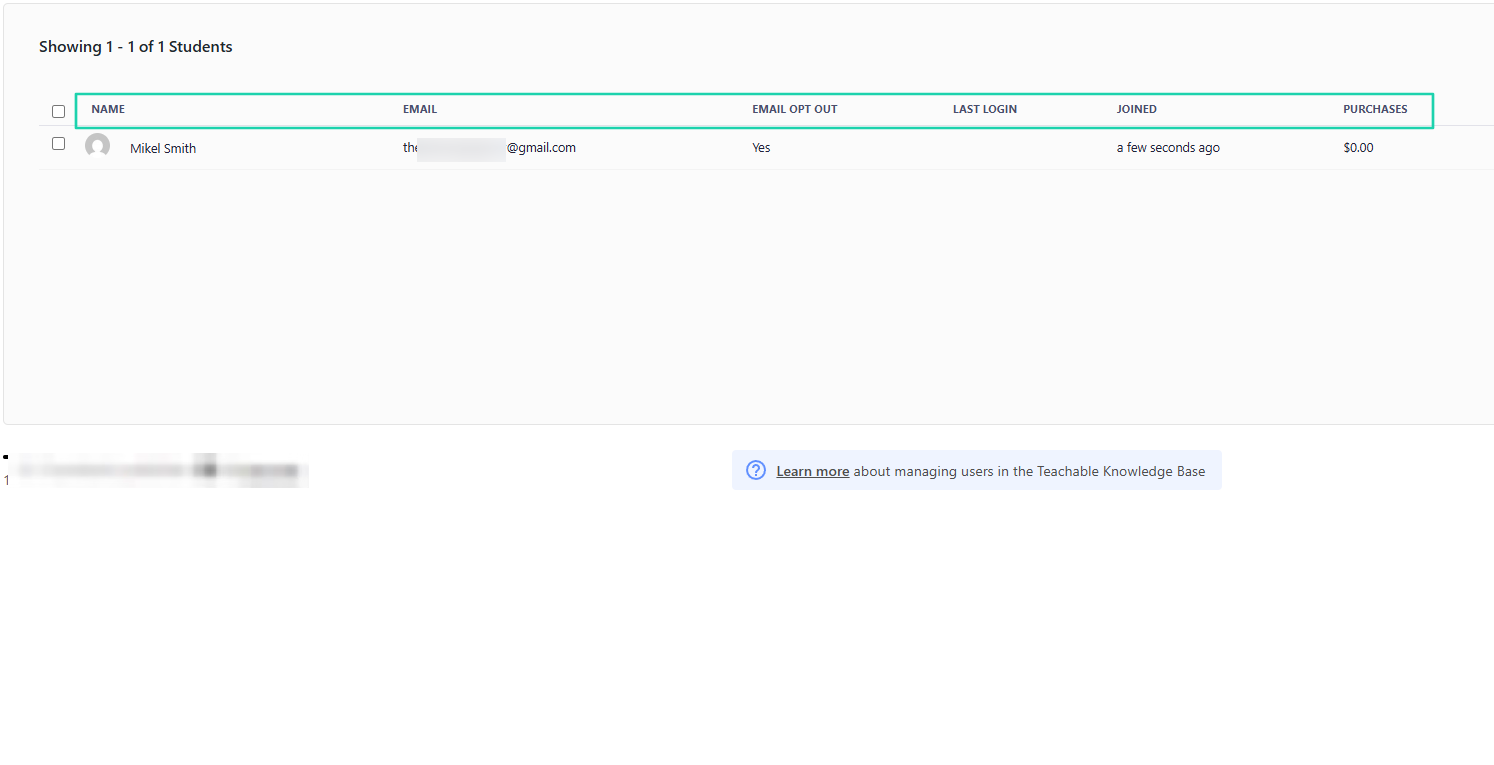
That’s it! You have your student on the platform.
[fs-toc-omit]What I liked vs what I didn’t like
What I loved 👍
✅ You can create courses and limit enrollment by cap or expiration date and time.
✅ Lets you add your scheduling link when creating a coaching offer.
✅ Allows you to add students manually and automatically enroll them into products.
What I didn’t like 👎
❌ High transaction fees because the platform takes 7.5% on its lowest plan, aside from $29/month.
[fs-toc-omit]Best for
- Independent educators who want a simple platform to sell digital courses and coaching programs.
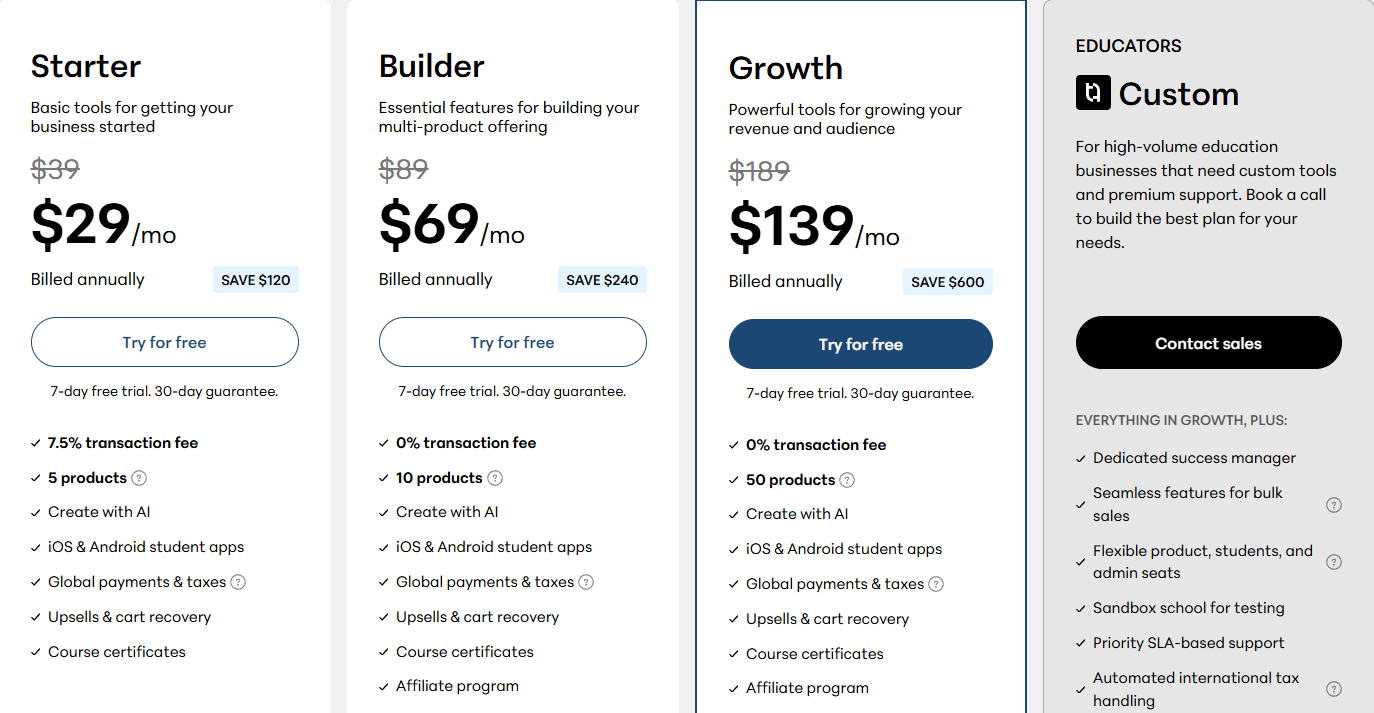
[fs-toc-omit]Pricing
- Starter: $29/month
- Builder: $69/month
- Growth: $139/month
- Educators: Contact for pricing
3. LearnWorlds
- Personal rating: ⭐️⭐️⭐️⭐️ 4.6/5 - It is very interactive and offers many advanced course features.
- Ease of use: ⭐️⭐️⭐️⭐️ 4.3/5 - You can use AI to create lessons and add activities.
- Marketing tools: Email marketing, coupons, pop-ups, sales funnels, affiliate marketing, and lead capture.
- Key integrations: CoverKit, Mailchimp, Zoom, HubSpot, Google Meet, Microsoft Teams, Shopify.
- Free trial: Yes, a 30-day free trial on all its plans.
- Starting plan: Starter - $24/month + $5 per course enrollment + unlimited paid courses.
Also on our list of the best Thinkific alternatives is LearnWorlds. It’s a cloud-based learning management system (LMS software) and website builder.
It helps create interactive online schools with features like video-based learning, assessments, white-label branding, and advanced student analytics.
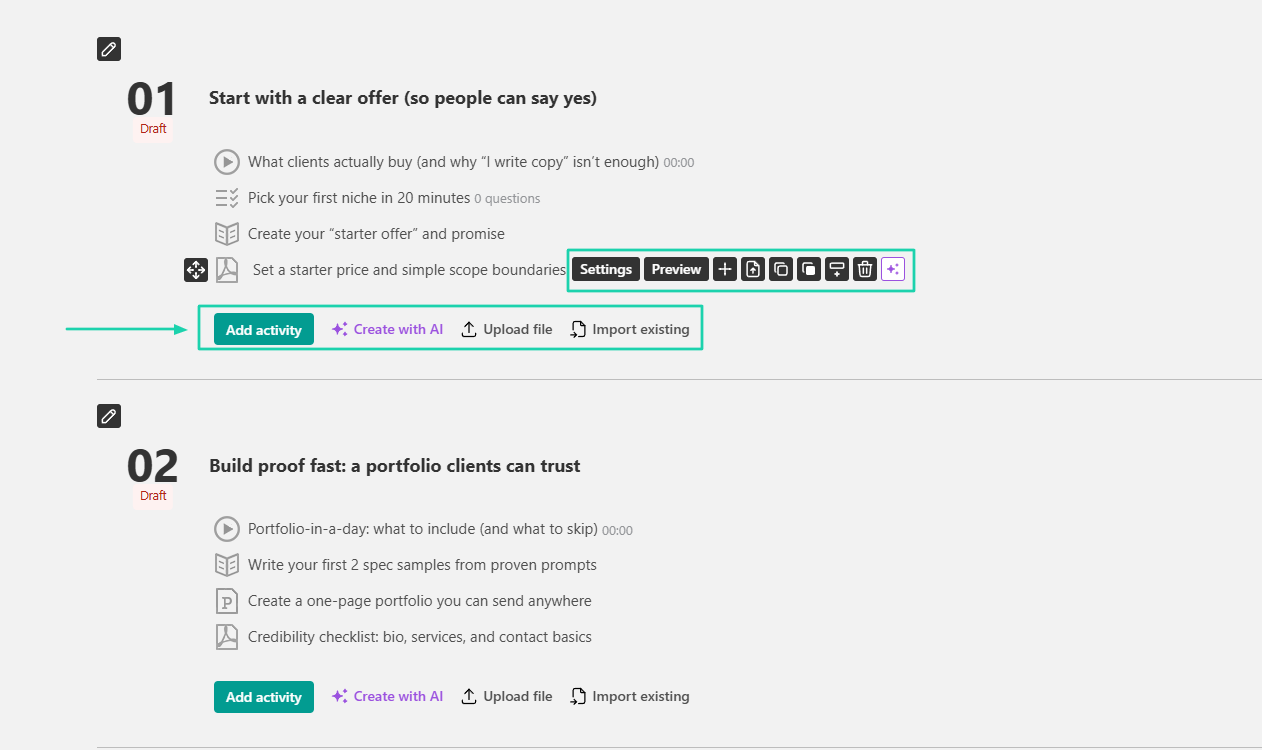
After creating a course, you can add activities manually or use AI to create them.
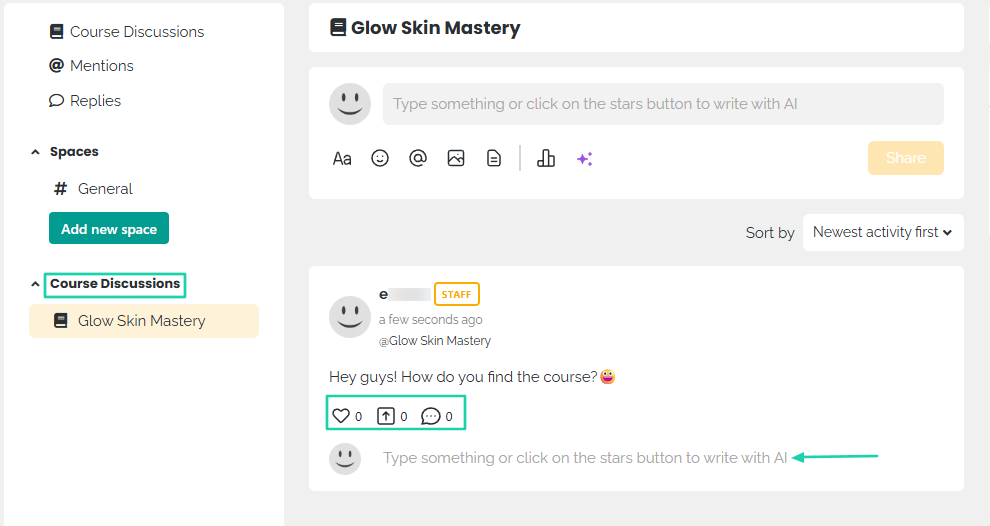
LearnWorlds offers a space for course discussions where students can interact by sharing files, images, or emojis.
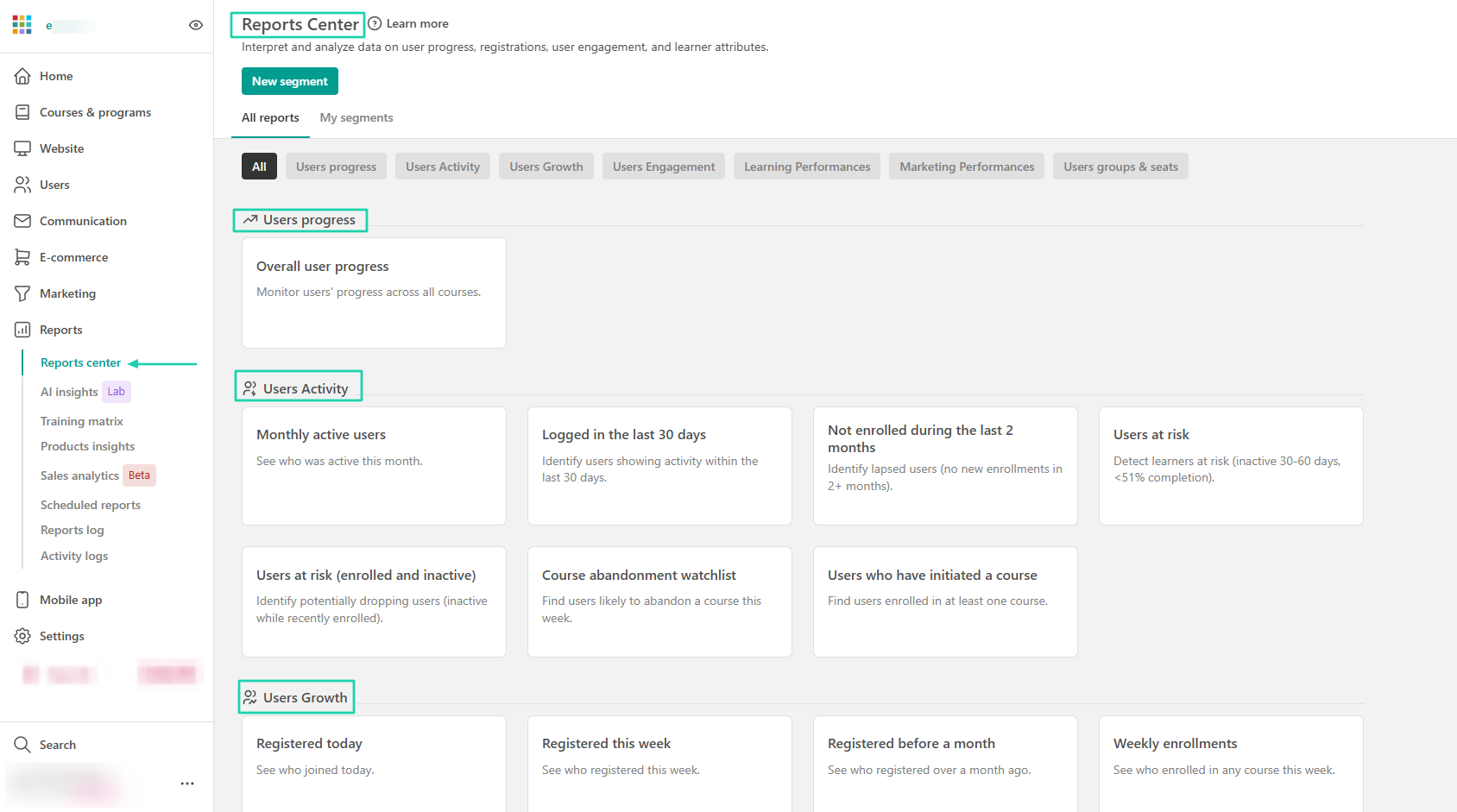
It also has a large reports center where you can view reports on user progress, activity, and growth.
[fs-toc-omit]What I loved about LearnWorlds
1. Courses
LearnWorlds is mainly focused on courses. It lets you build them with its AI assistant or license ready-made ones from other providers.
Let me walk you through how you can build your own course on LearnWorlds.
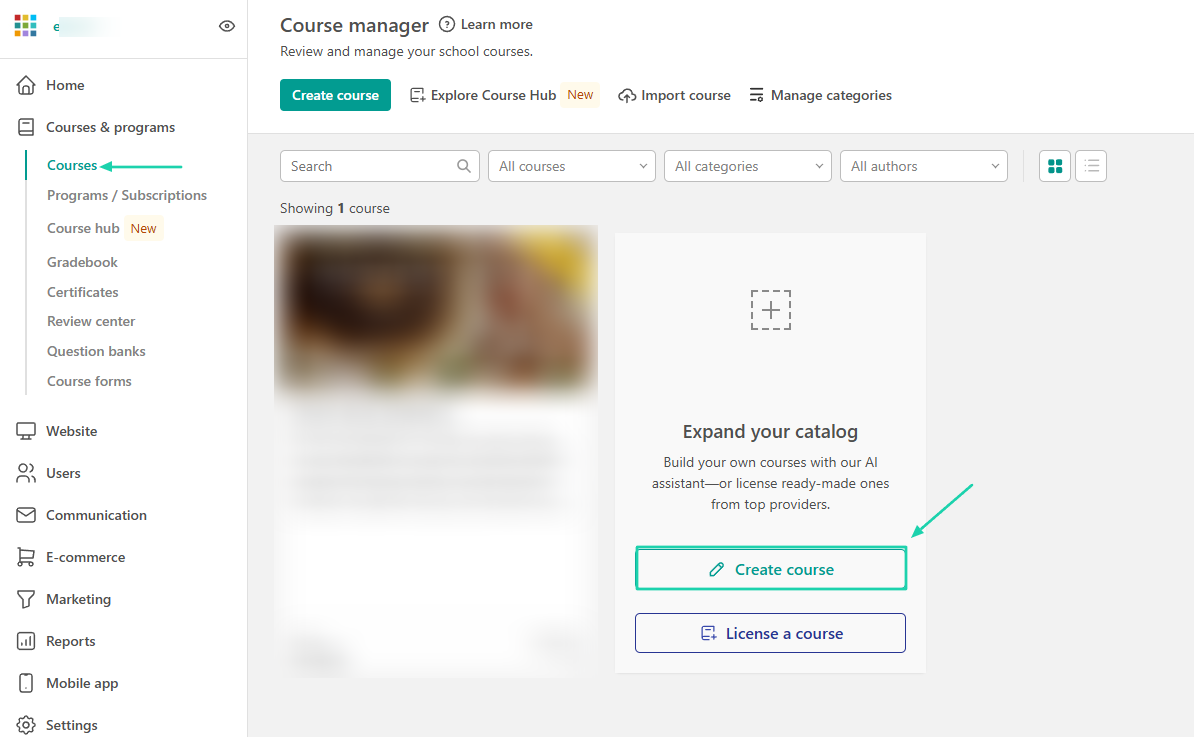
Begin by clicking “Courses” in the sidebar and then selecting “Create course.”
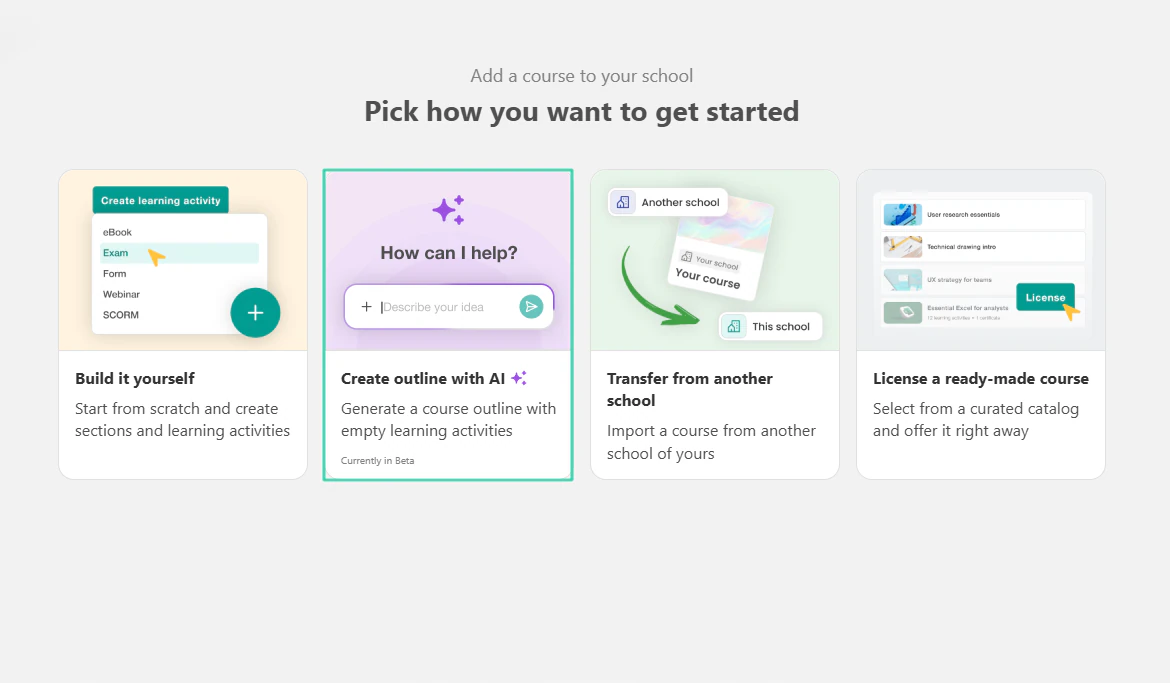
There are many ways to get started. Let’s go ahead and create our outline with AI.
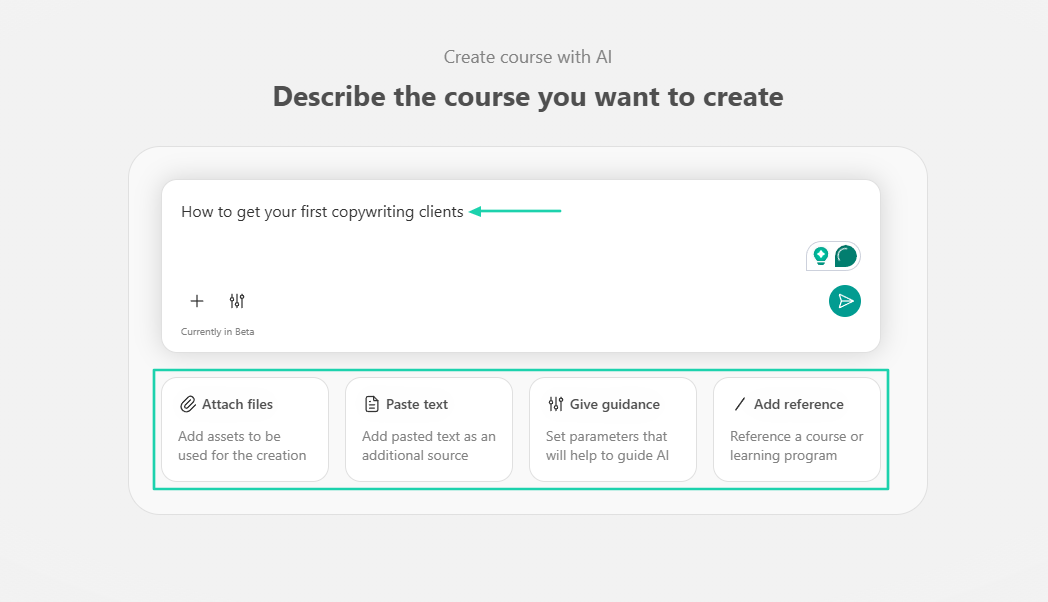
First, describe the course you want to create. You can attach a file, paste text, give guidance, or add a reference.
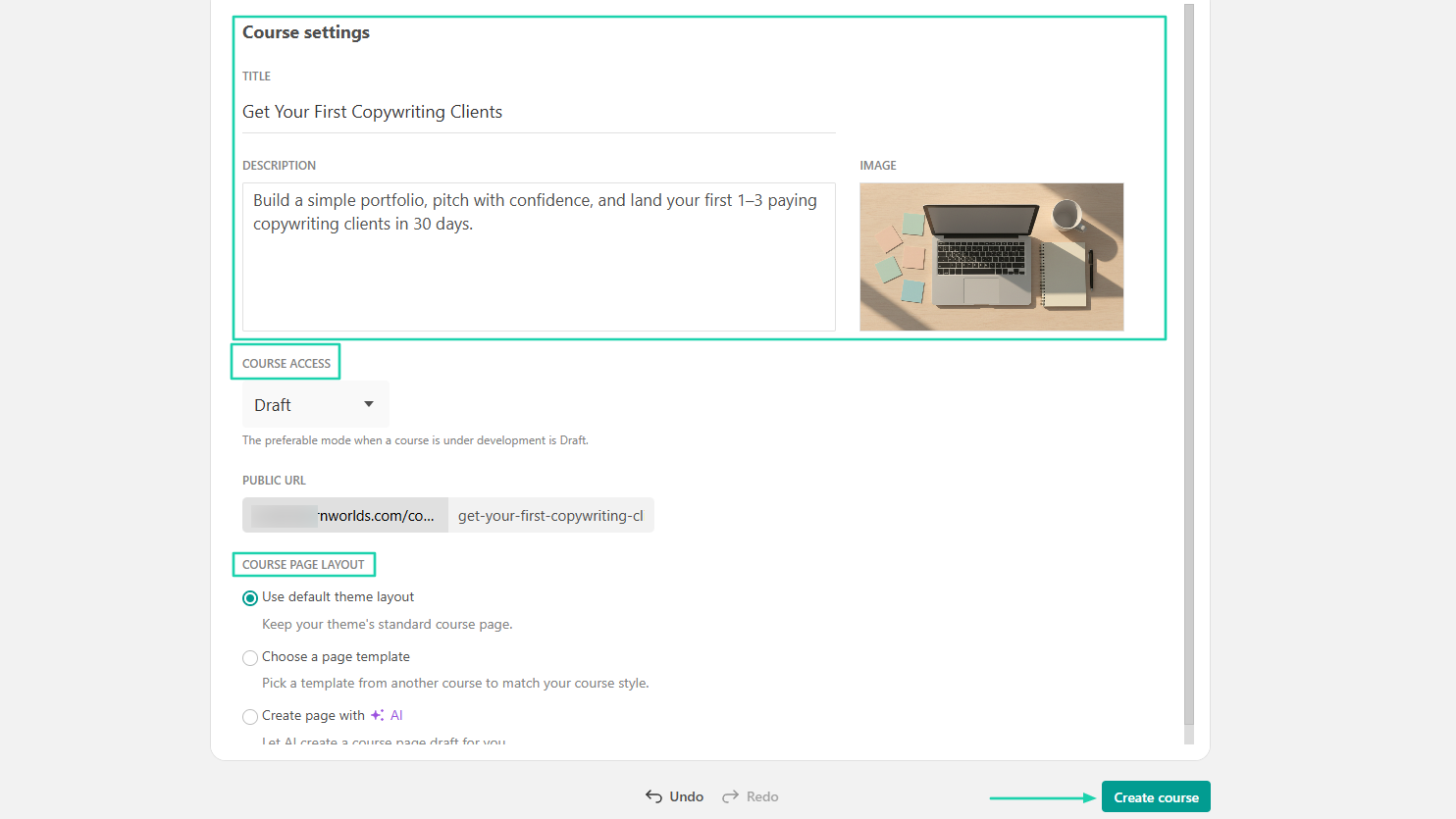
After that, you will see the title, description, and image in the course settings. You can edit any of those. You can also manage the course access and the course page layout.
Once done, click “Create course.”
You can add activities, upload files, or import existing ones. You can also delete some lessons, edit them, or create some activities with AI.
The course is ready, and you can still make edits.
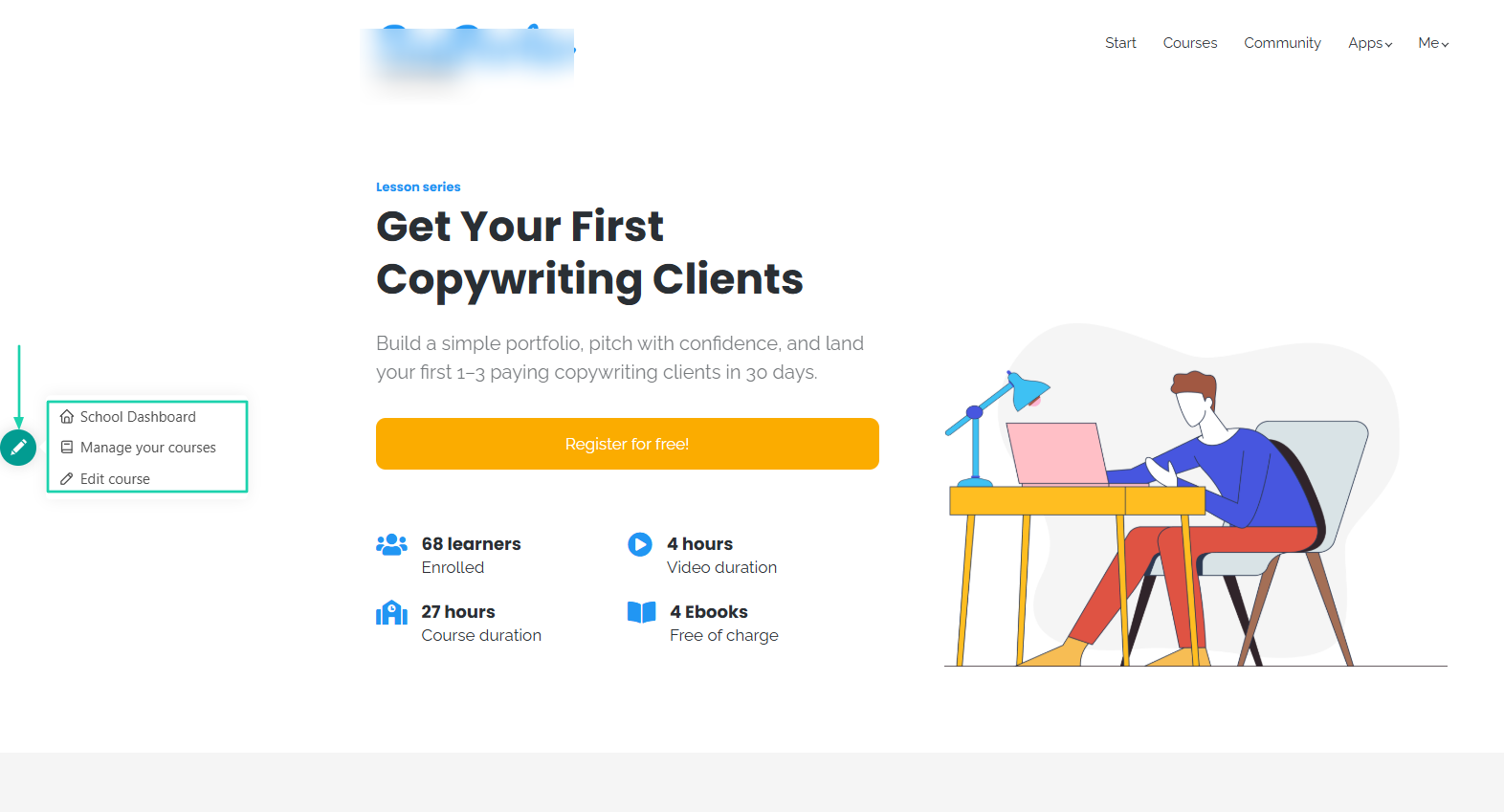
2. Community
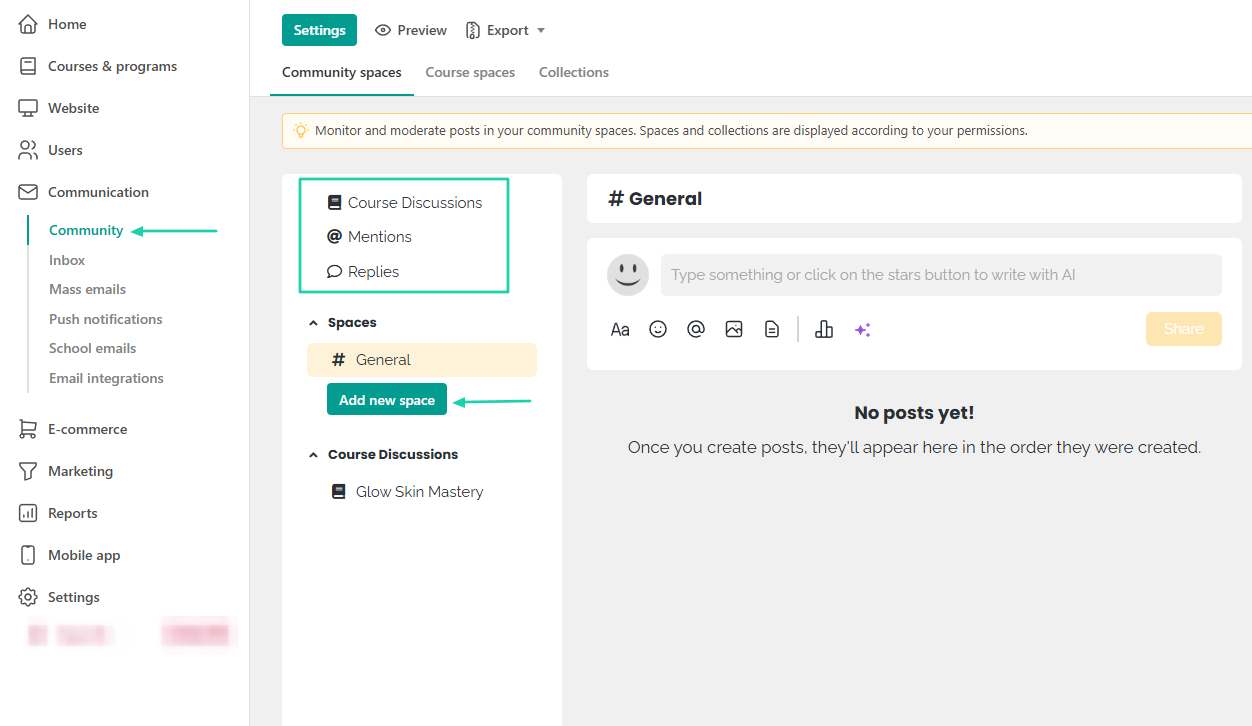
LearnWorlds has a built-in community feature where you can create course discussions, see mentions and replies, and add spaces.
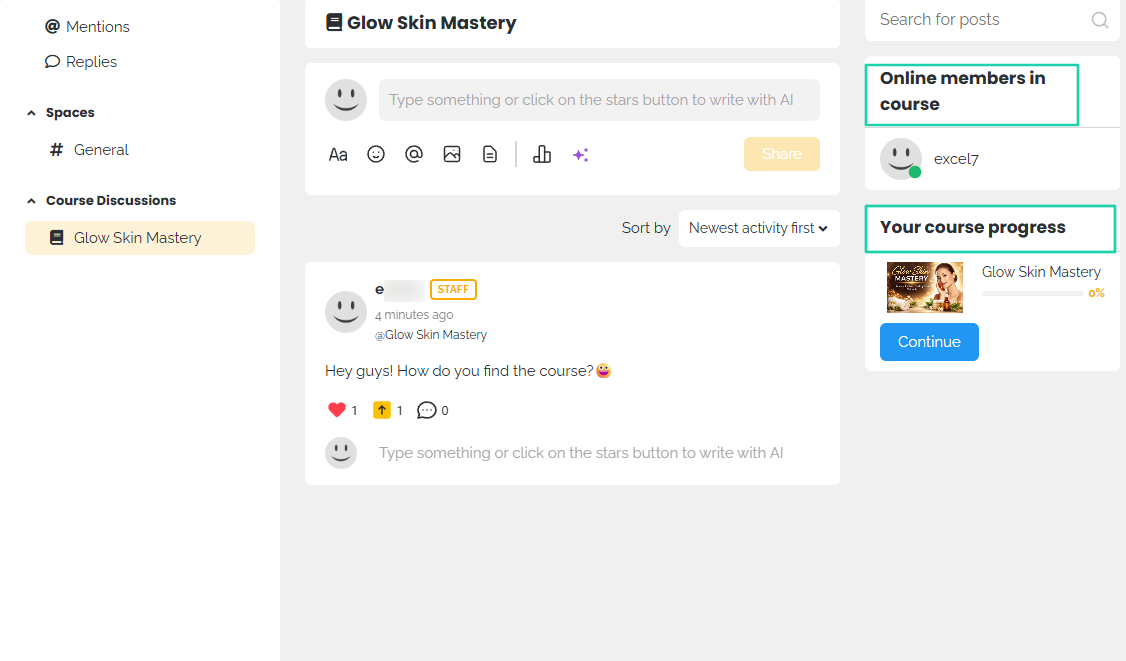
You can, for instance, head to a course discussion, select the course, and leave messages with emojis or images. People can react and reply.
As a member, you can see the other online members in that same course and even your course progress.
3. Reports
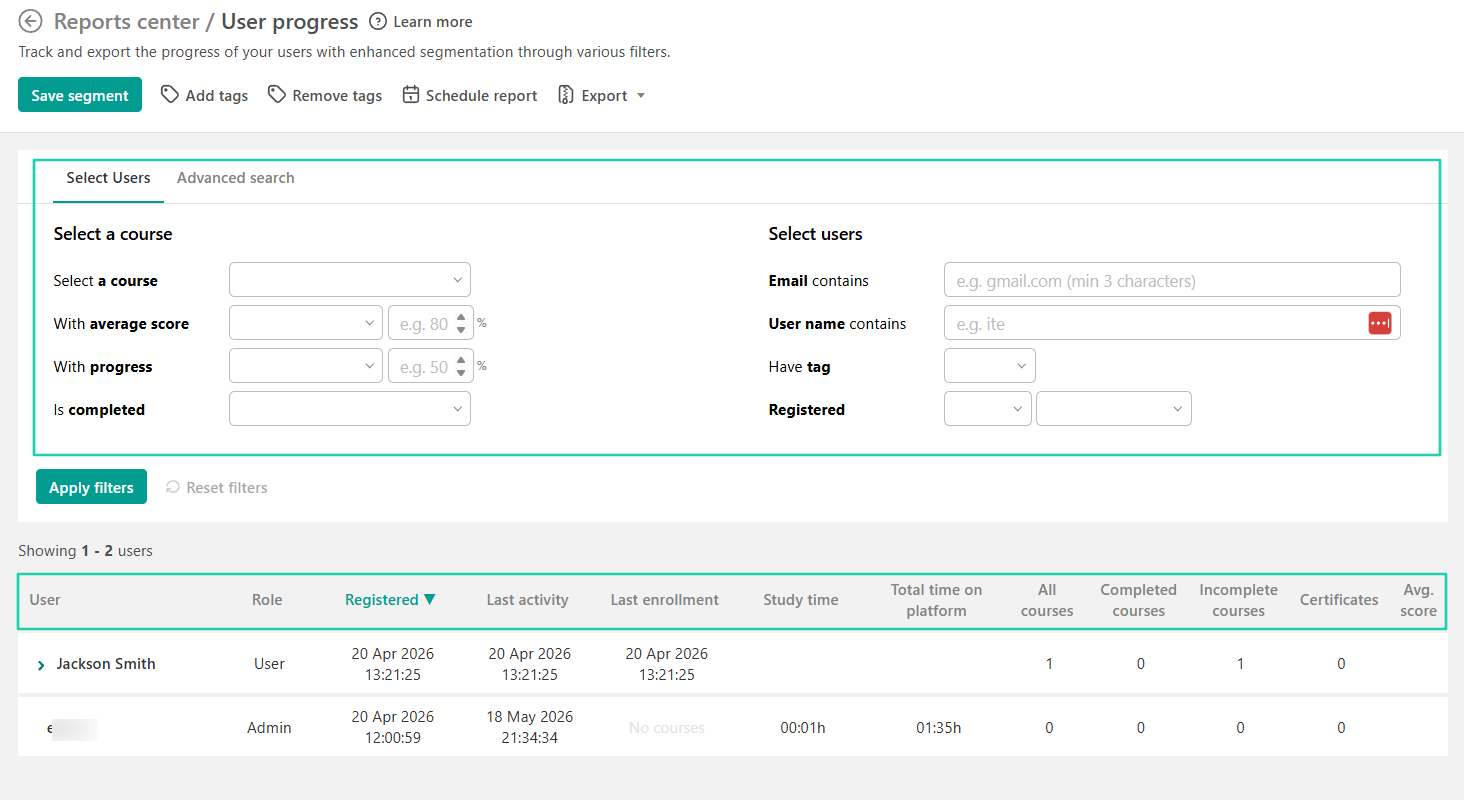
The platform has a report center where you can view reports on users’ progress, activity, growth, and more.
For instance, the user’s progress report shows the user’s name, role, and registration date. You also see their study time, all courses (completed and incomplete), and their average score.
You can apply specific filters to search a user report.
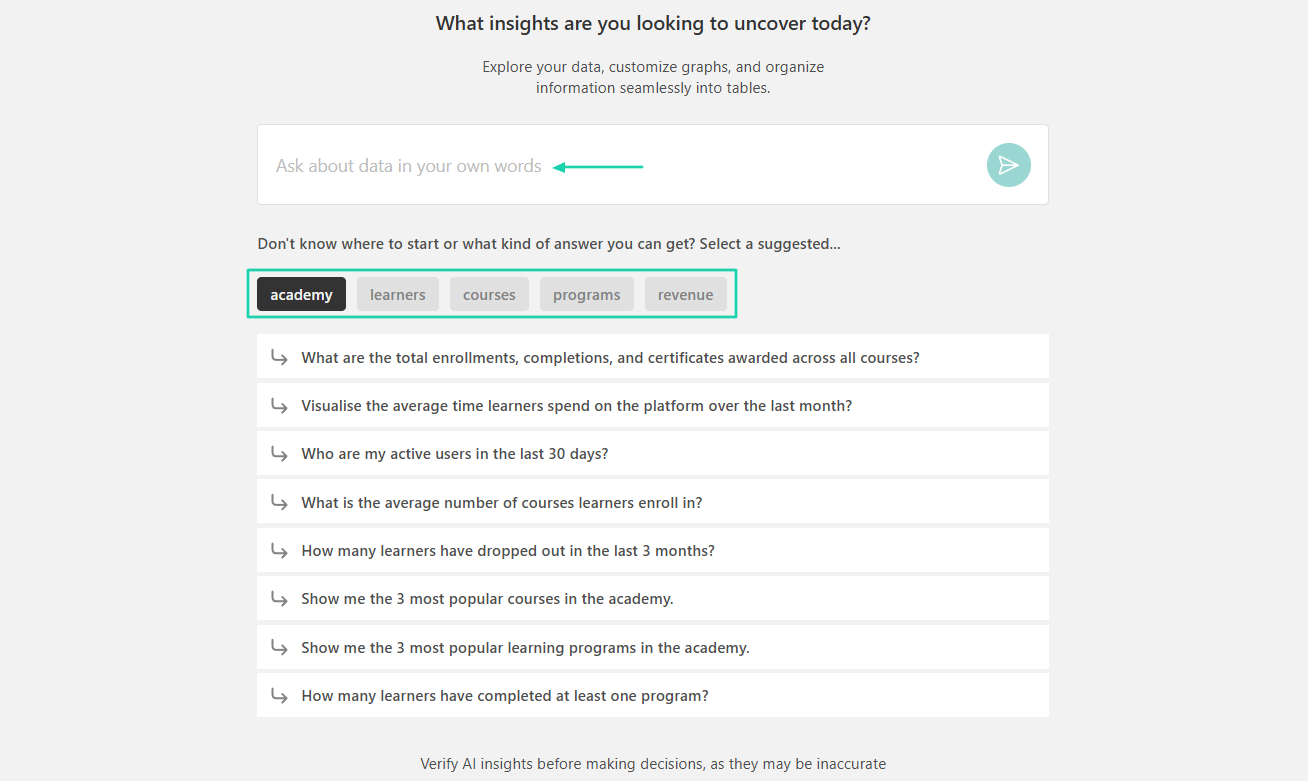
LearnWorlds also gives you access to AI insights. You can check insights about the academy, learners, courses, programs, or revenue.
Simply describe it or choose among the pre-made questions.
[fs-toc-omit]What I liked vs what I didn’t like
What I loved 👍
✅ Offers many advanced features for courses, such as gradebook, course forms, question banks, and others.
✅ Allows you to license ready-made courses.
✅ Uses AI to create outlines and add activities.
✅ Has a built-in community, allowing students to have course discussions.
What I didn’t like 👎
❌ The AI generation is still in beta mode.
❌ You can’t sell other digital products(e-books, PDFs, templates) as standalone products.
[fs-toc-omit]Best for
- Training companies that need interactive learning experiences with advanced customization and analytics.
[fs-toc-omit]Pricing
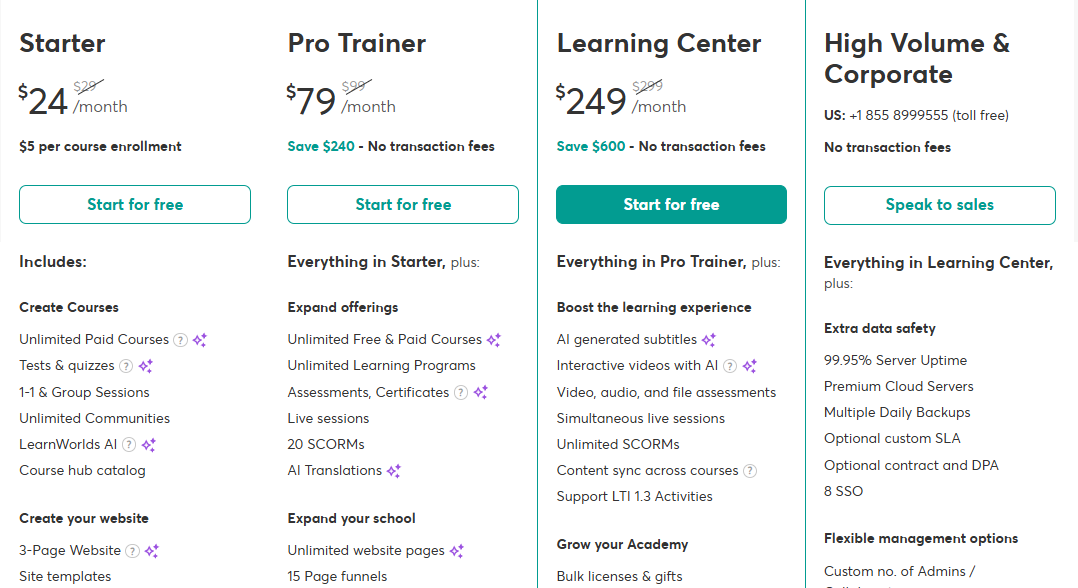
- Starter: $24/month
- Pro Trainer: $79/month
- Learning Center: $249/month
- High Volume and Corporate: Contact for pricing
4. Udemy
- Personal rating: ⭐️⭐️⭐️ 3.9/5 - Though it is user-friendly, it takes too many steps to create a course.
- Ease of use: ⭐️⭐️⭐️⭐️ 4/5 - It shares tips on how you can create good content.
- Marketing tools: Marketplace promotions, discount coupons, affiliate promotions, SEO visibility, and email announcements.
- Key integrations: Notion, Salesforce, TalentLMS, LearnUpon, Slack, Microsoft Teams.
- Free trial: No, the platform is totally free.
- Starting plan: No plan - It operates on a revenue-share model.
Udemy also makes our list of the best Thinkific alternatives.
It’s a global online learning marketplace allowing instructors to create and publish video-based courses. The platform already has enrolled students who purchase and access training in various subjects.
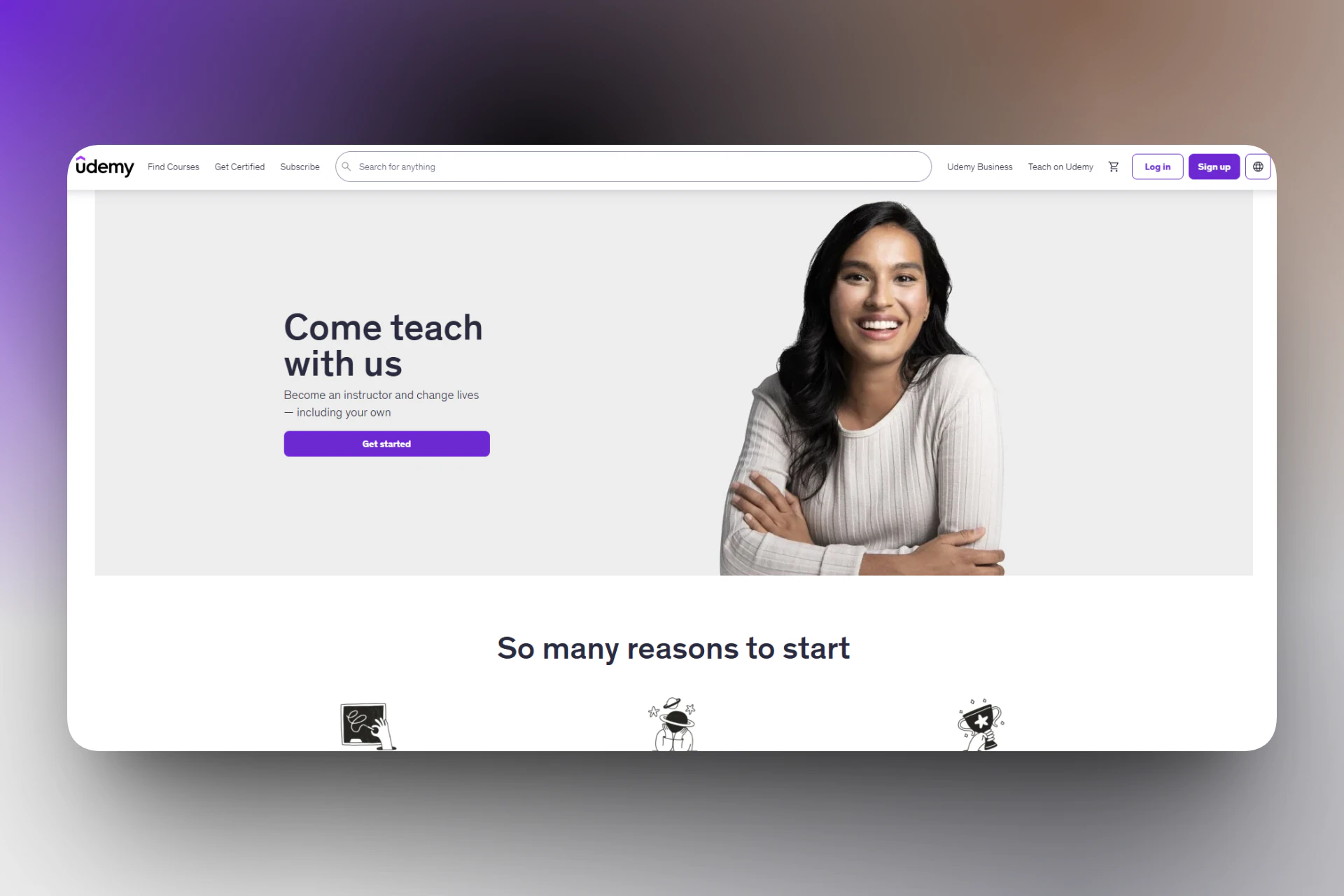
Udemy hosts your course and makes it available on its marketplace.
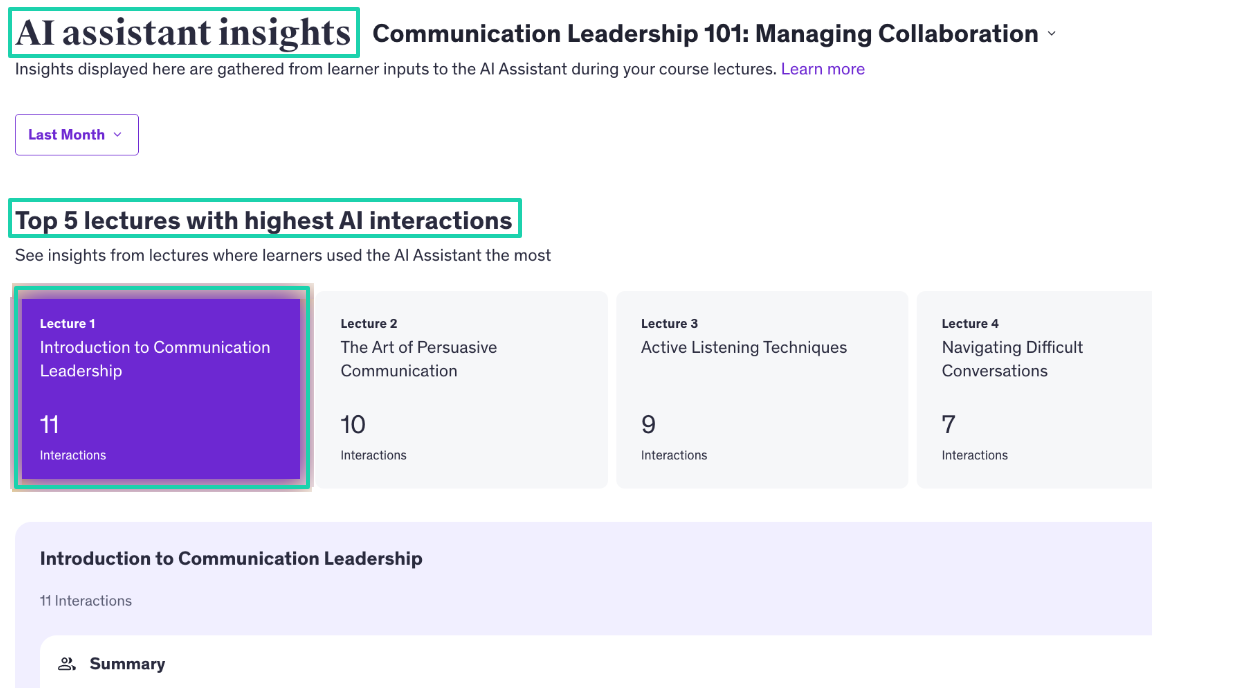
Its AI helps you identify the lectures where learners use the AI assistant the most.
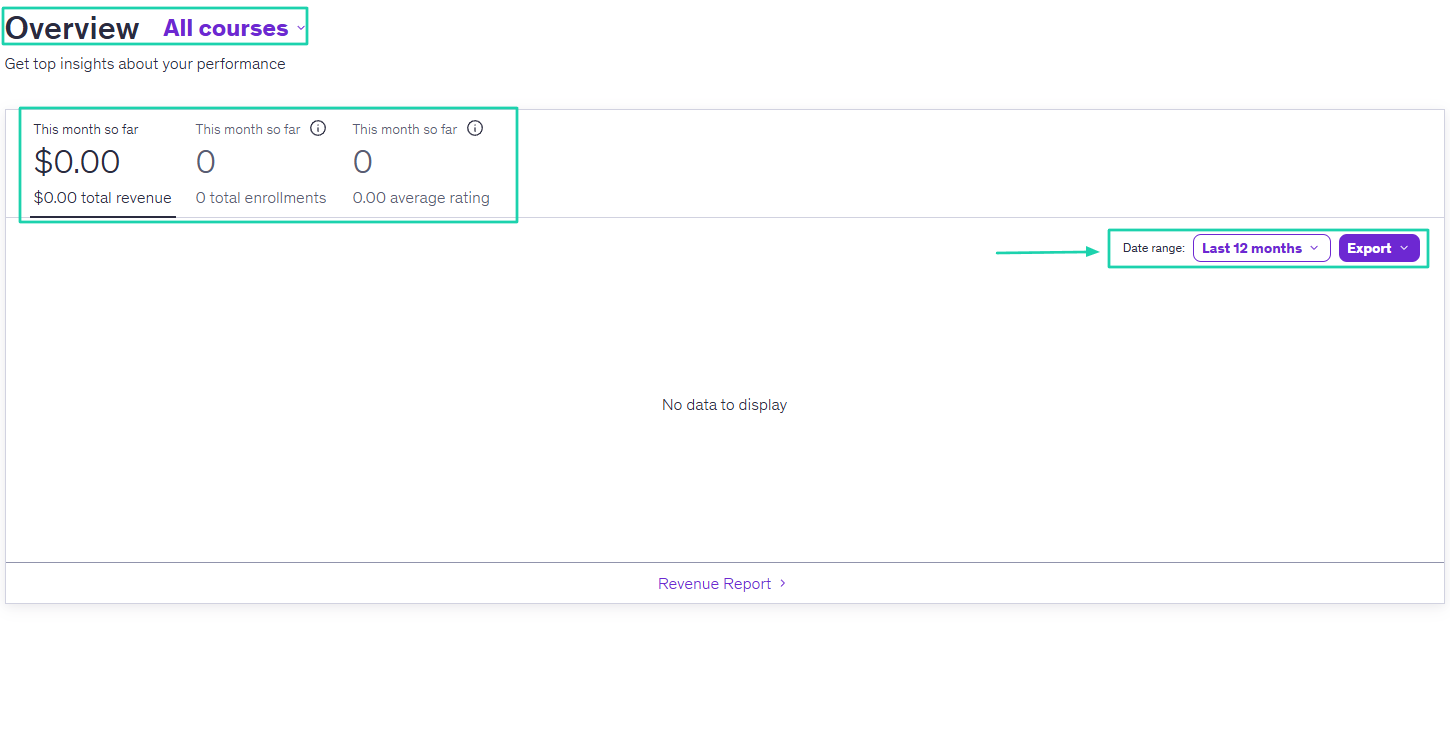
What’s more, Udemy shares key details about your course performance every month.
[fs-toc-omit]What I loved about Udemy
1. Courses
The main reason why people become instructors on Udemy is to create and sell their courses. I’ll show you how to do just that.
After signing in, click “Courses,” then go to “Create Your Course.”
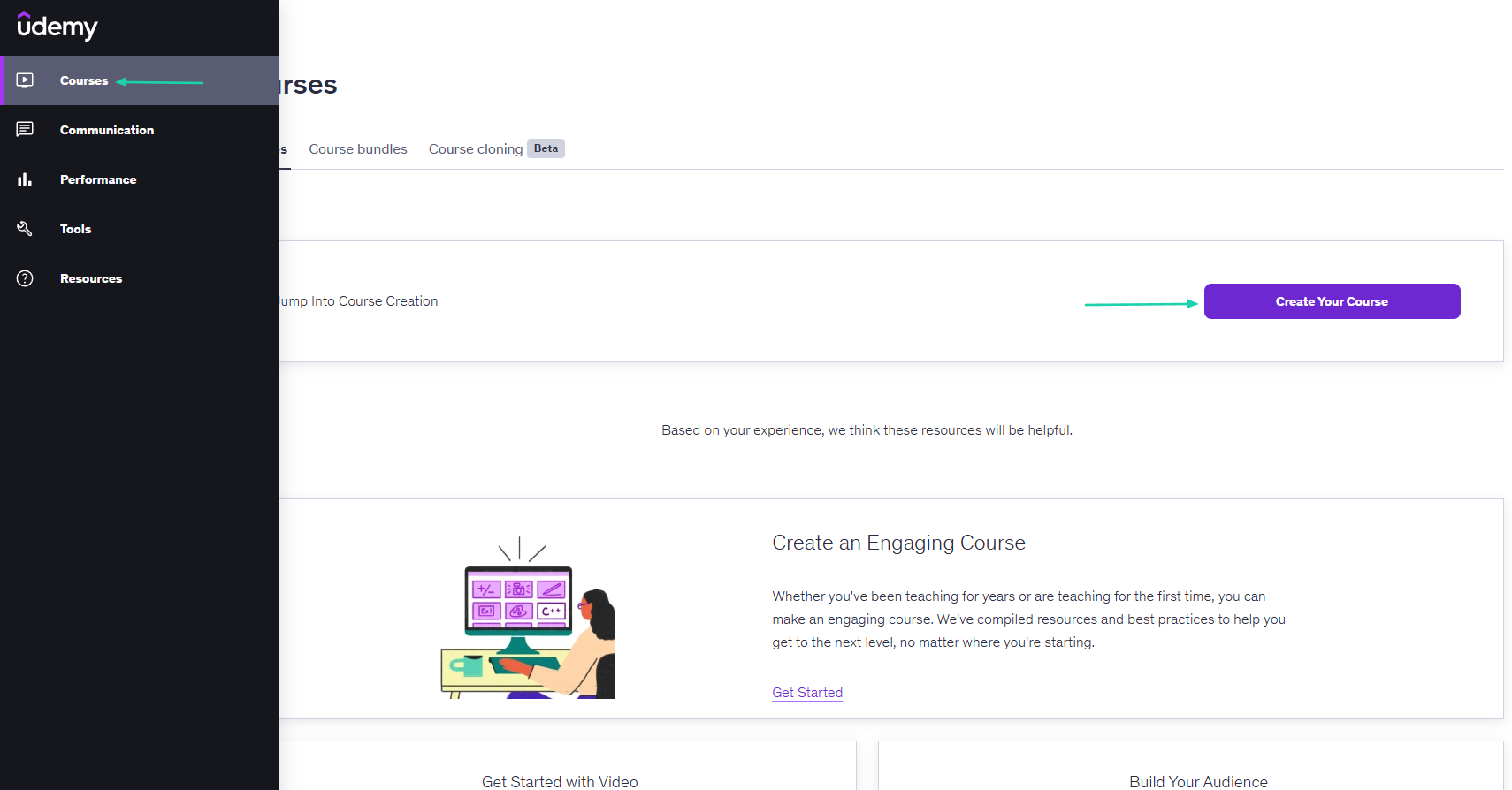
You can create a course or practice test. Let’s continue with the course.
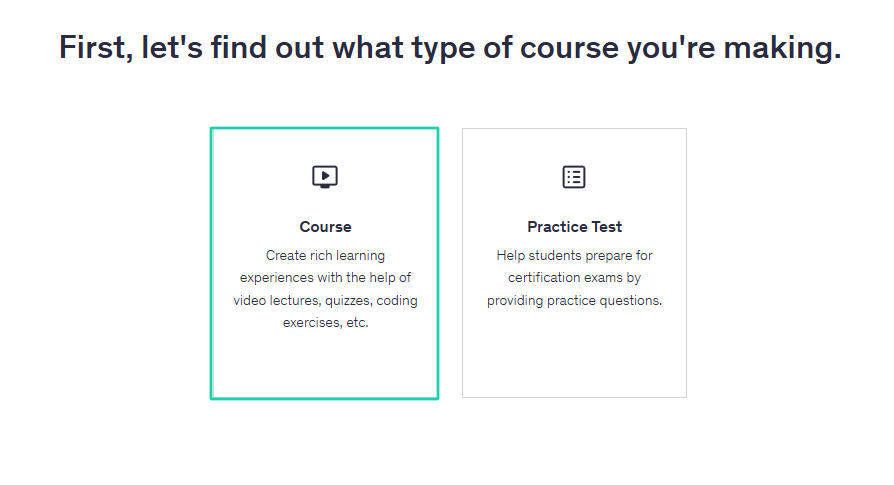
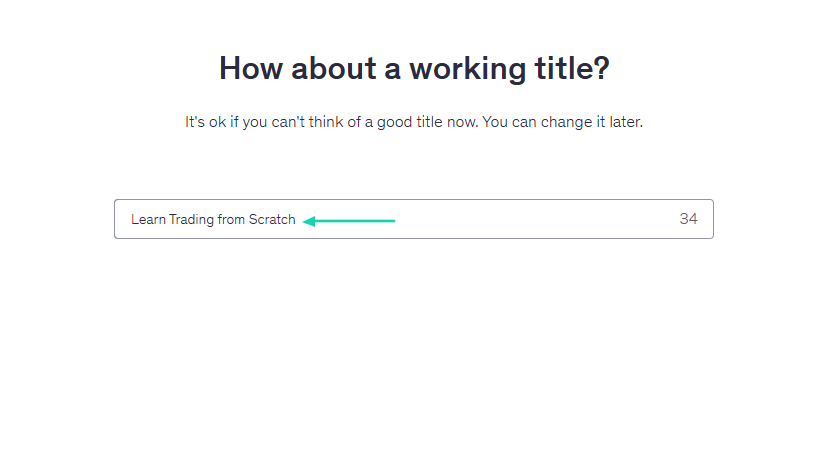
Time to provide a course title.
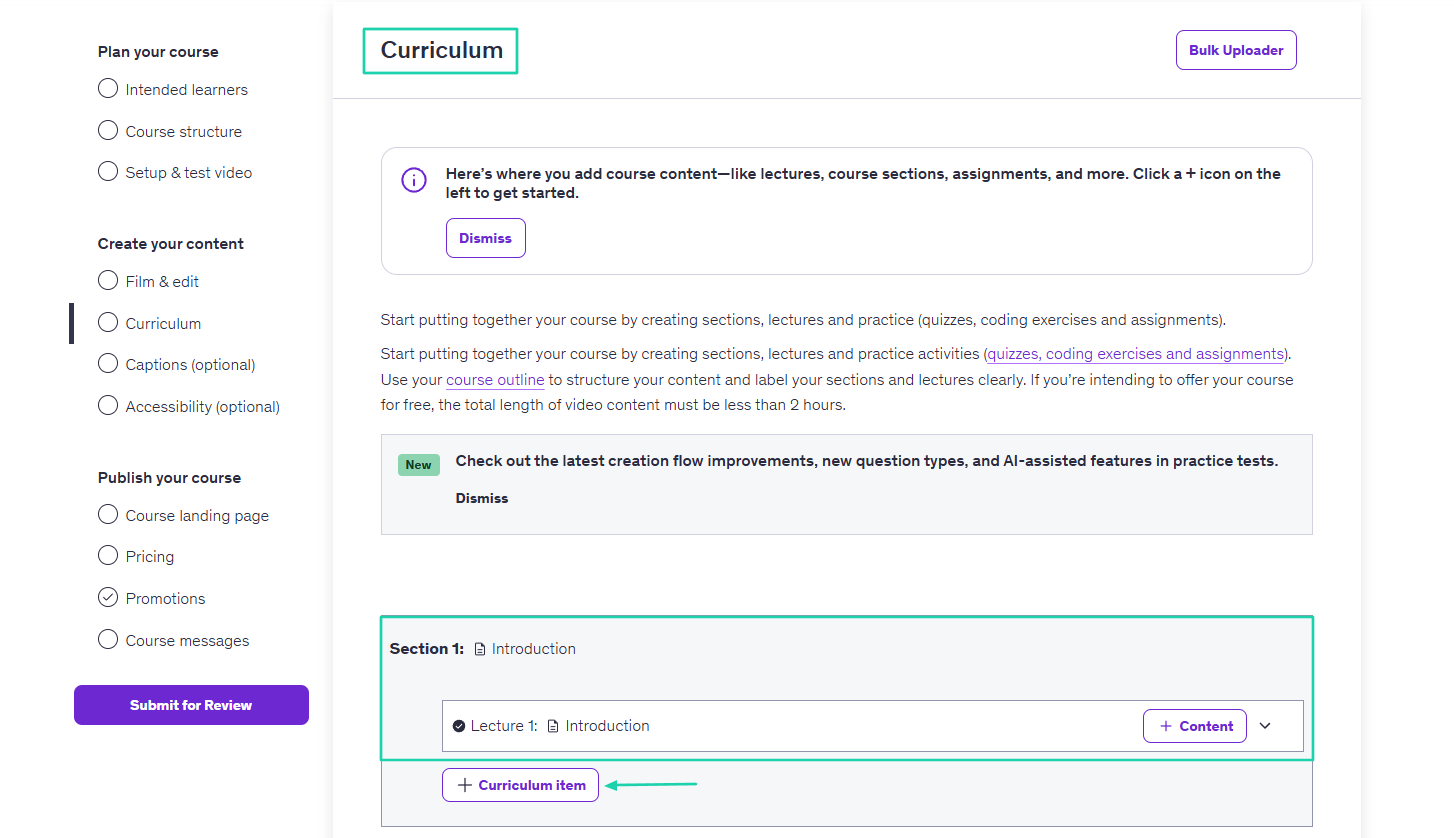
Next, you will need to work on your curriculum. You can add lectures, course sections, and even assignments.
After that, you will provide details for your landing page: course title, subtitle, description, and image.
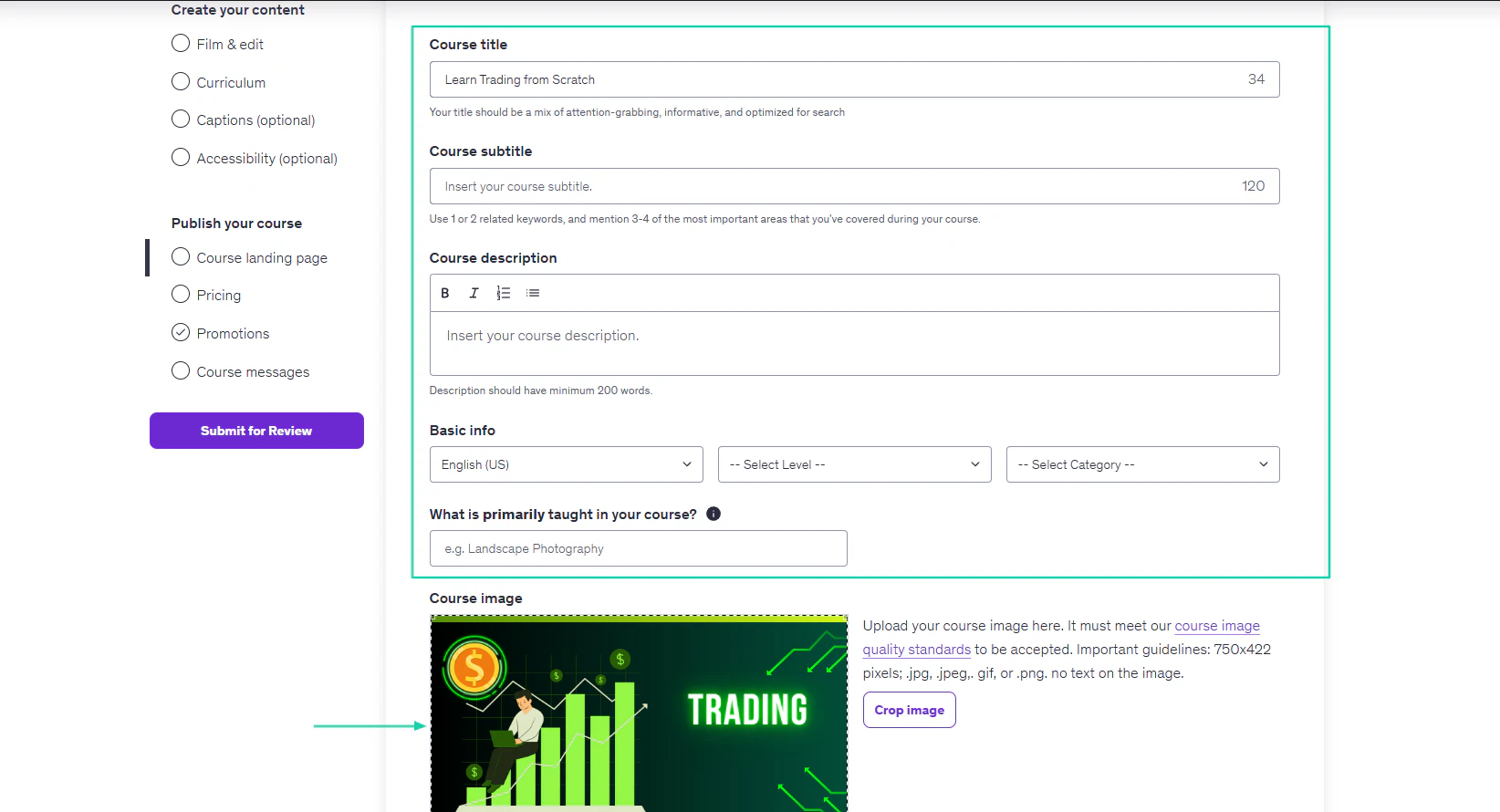
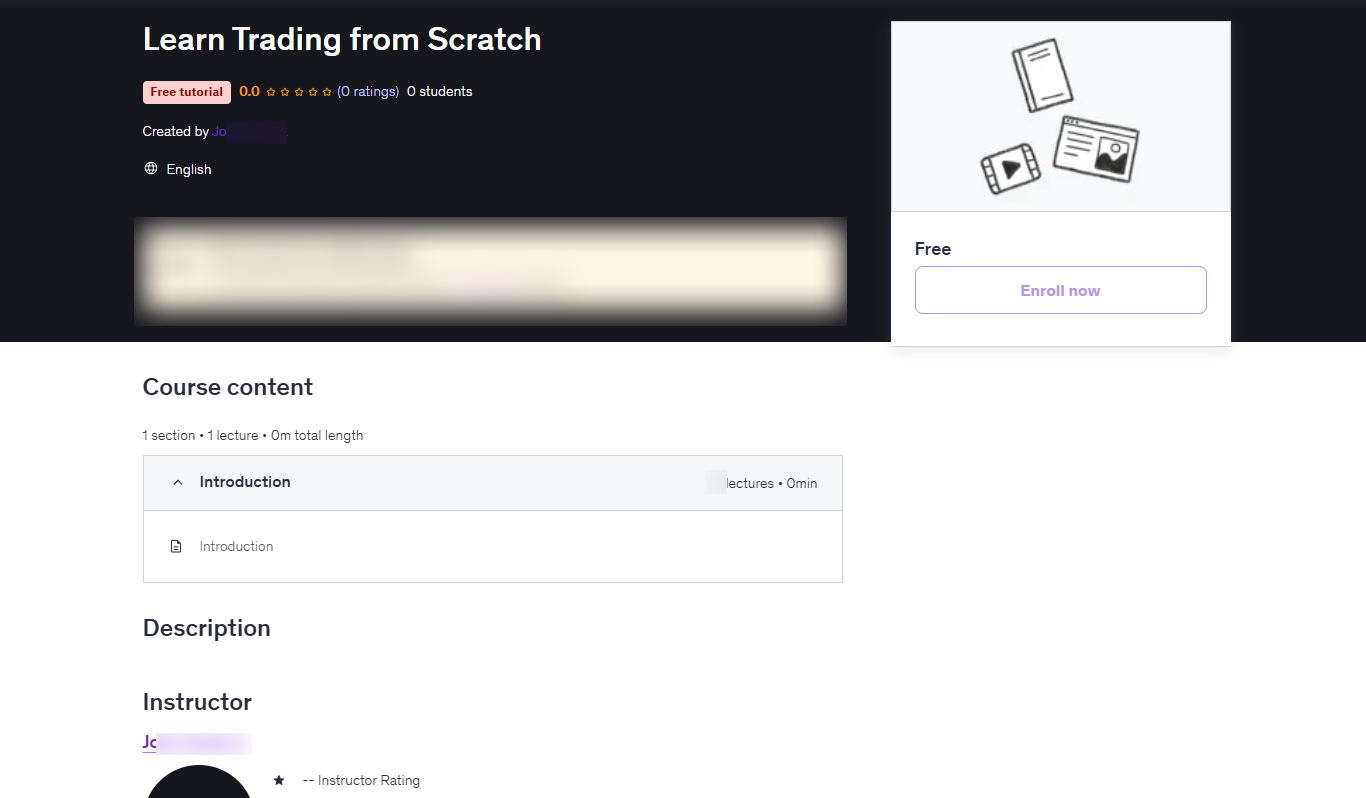
Below is an idea of how the course may look once published on Udemy.
2. AI Assistant Insights
The next feature to review on Udemy is AI Assistant Insights. It gathers insights from learners during course lectures and lets you access them.
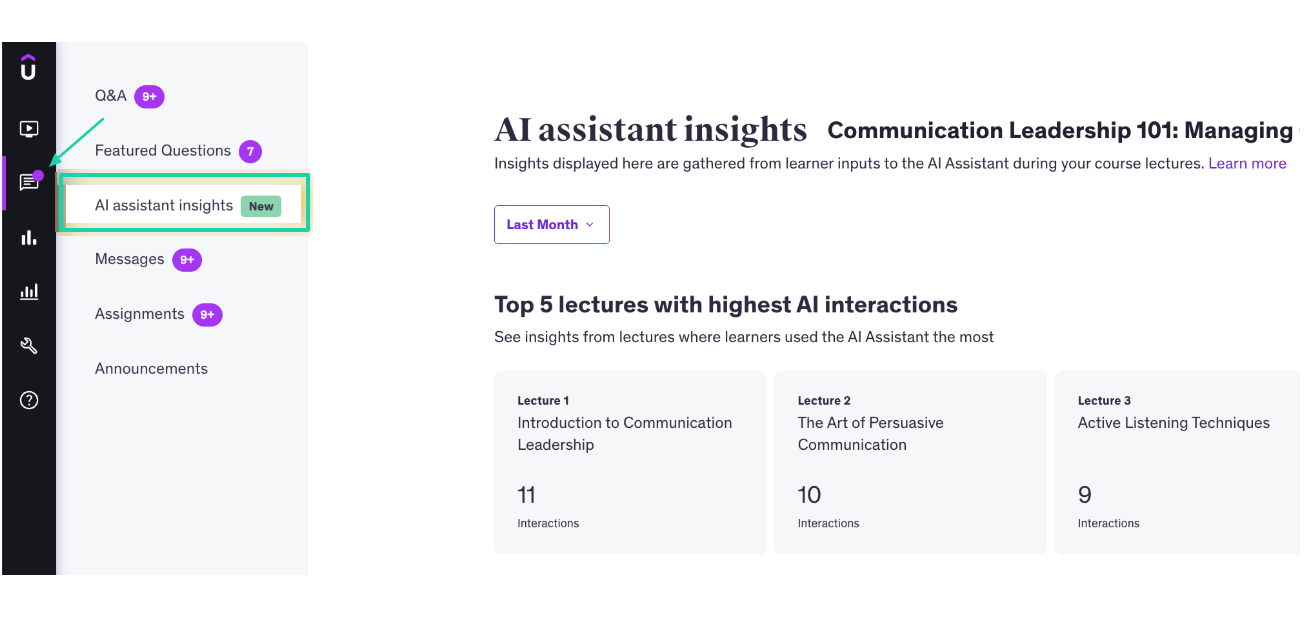
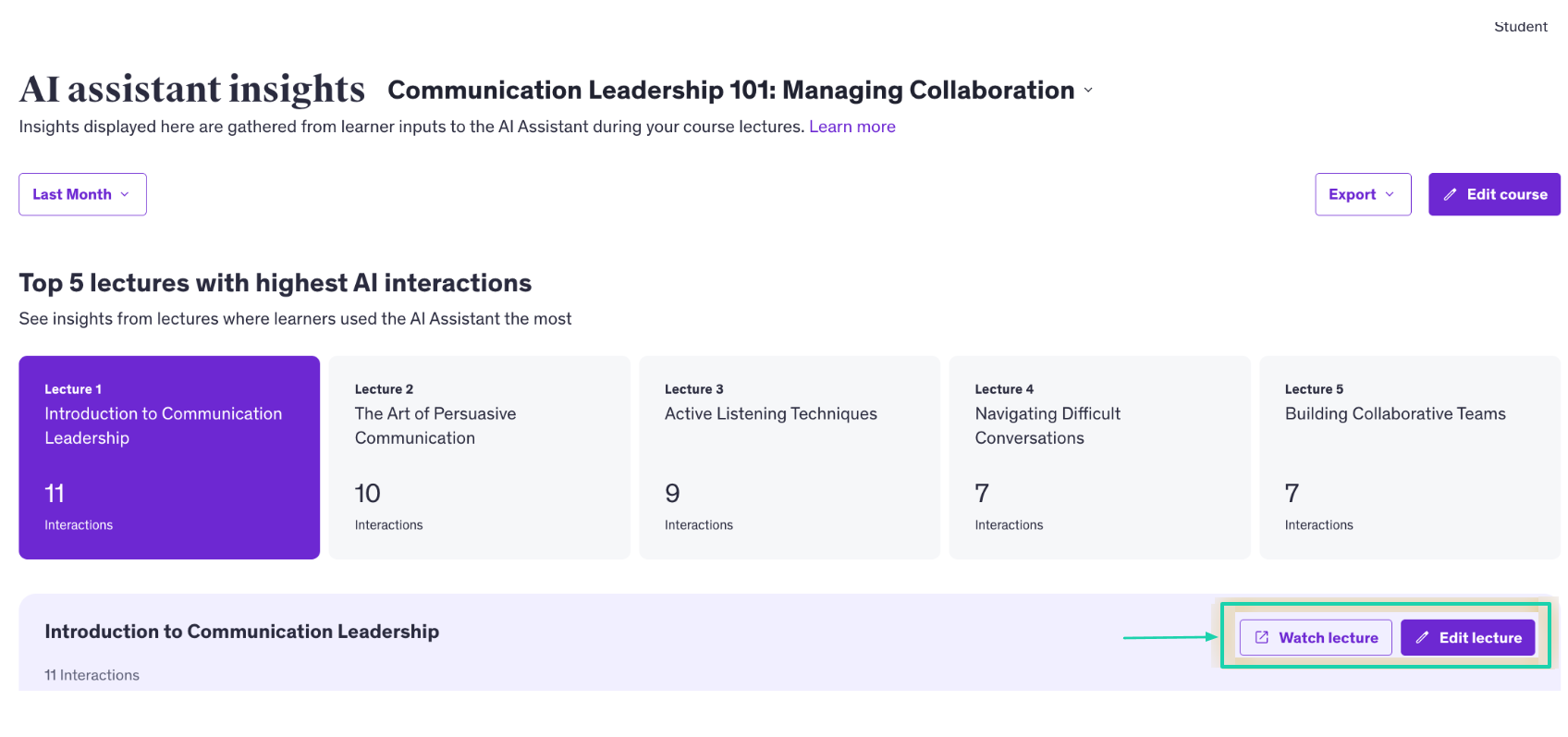
For instance, it can display your top lectures with the most AI interactions, along with their counts.
Right from there, you can watch the lecture as well and even edit it.
3. Performance
As its name implies, this feature on Udemy helps you see your performance as an instructor. It works for all your courses as well as individual ones.
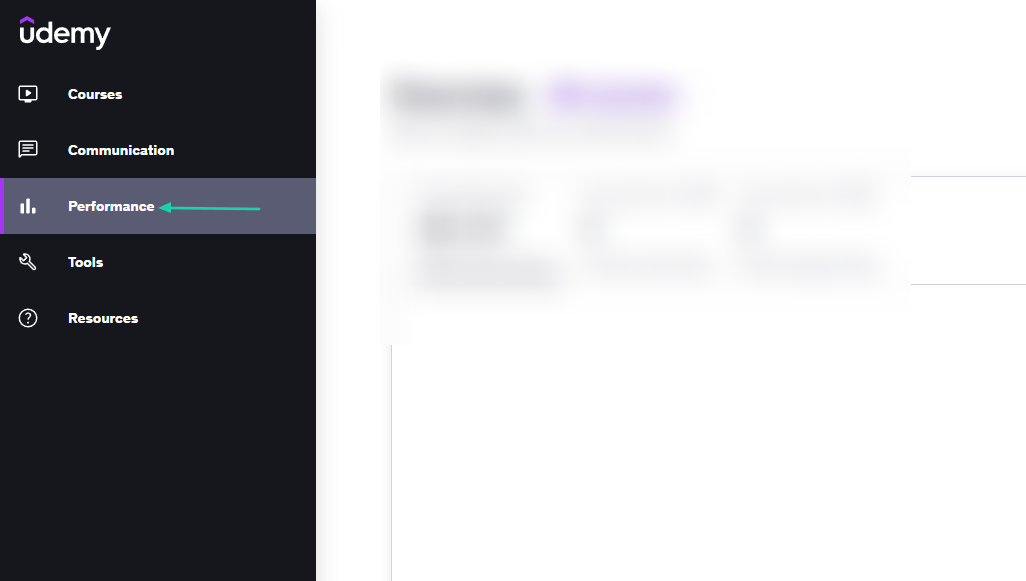
Start by clicking “Performance” in the sidebar.
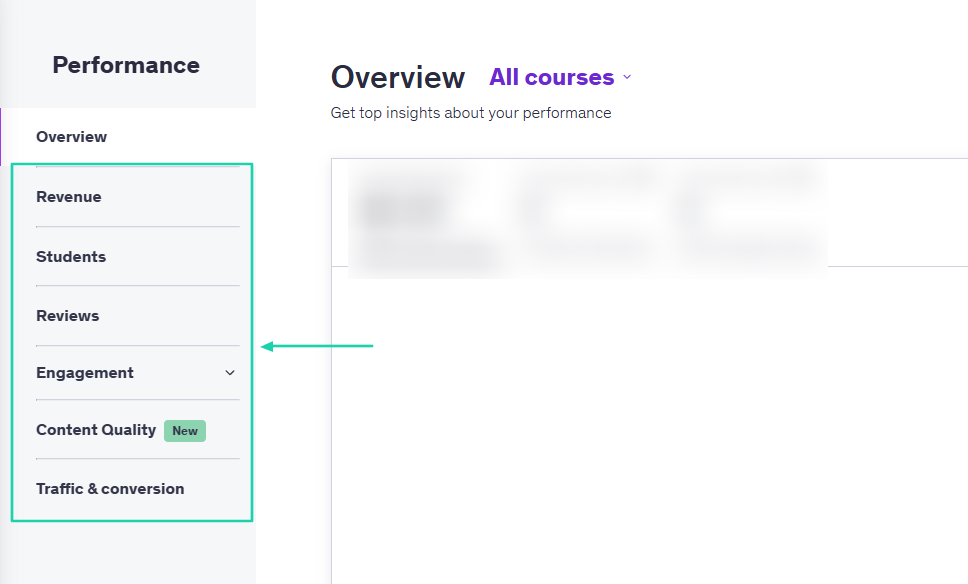
You will see an overview of your monthly revenue, total number of enrollments, and average rating. You can adjust the date range and even export such data.
You can also have access to other performance metrics: revenue, students, reviews, engagement, content quality, and traffic and conversions.
[fs-toc-omit]What I liked vs what I didn’t like
What I loved 👍
✅ Comes with a large built-in marketplace and handles hosting and payments.
✅ Offers analytical tools to help identify the most profitable topics.
✅ Has an AI assistant gathering insights from course lectures.
What I didn’t like 👎
❌ Courses are subject to review, which means the platform can accept or reject them.
❌Too many steps to create a course, which can overwhelm the course creator.
[fs-toc-omit]Best for
- Instructors and experts seeking to access a large existing marketplace and prefer audience reach.
[fs-toc-omit]Pricing
-
Free: $0/month
-
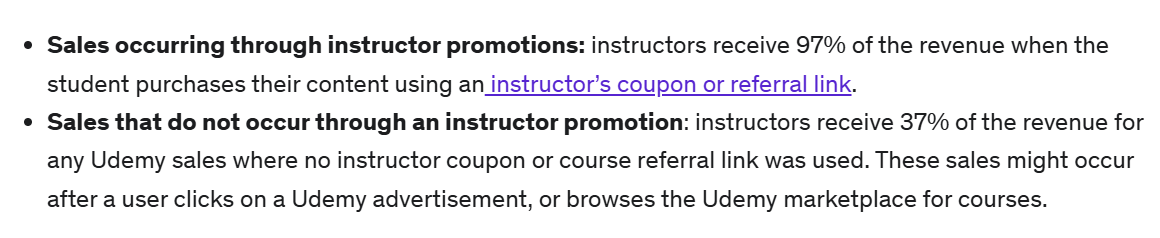
Instructors earn a 97% revenue share when students make a purchase using their coupon or referral link. They earn a 37% revenue share when sales come directly through Udemy’s marketplace or ads.
5. Mighty Networks
- Personal rating: ⭐️⭐️⭐️⭐️ 4.3/5 - You can create a paid community and add your courses.
- Ease of use: ⭐️⭐️⭐️⭐️ 4.5/5 - The platform generates lessons from the topic you give.
- Marketing tools: Community engagement tools, email broadcasts, subscriptions, event promotion, and member onboarding sequences.
- Key integrations: Zoom, ConvertKit, Zapier, Mailchimp, HubSpot, Google Analytics.
- Free trial: Yes, 14-day free trial for the Launch and Scale plans.
- Starting plan: Launch Plan - $79/month + run courses.
We can’t talk about Thinkific alternatives without mentioning Mighty Networks.
It’s a community-first platform that combines membership communities, online courses, paid subscriptions, and group discussions. All in a single branded social-learning environment.
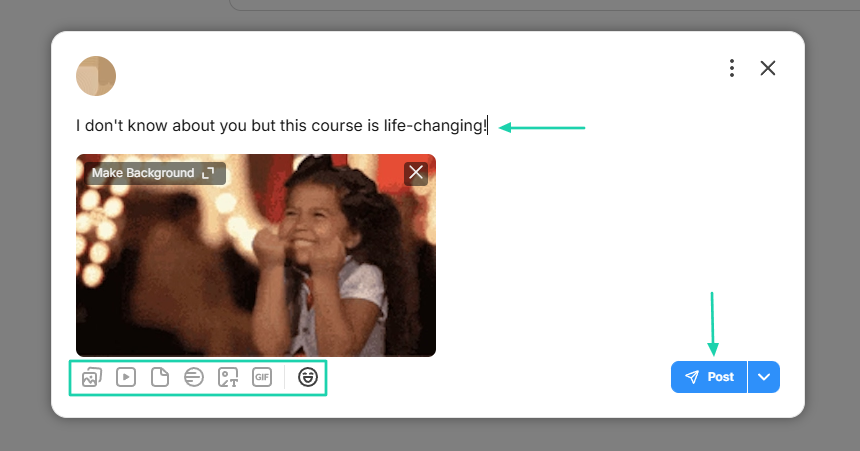
You can share posts in your community by adding GIFs and uploading images, videos, or files.
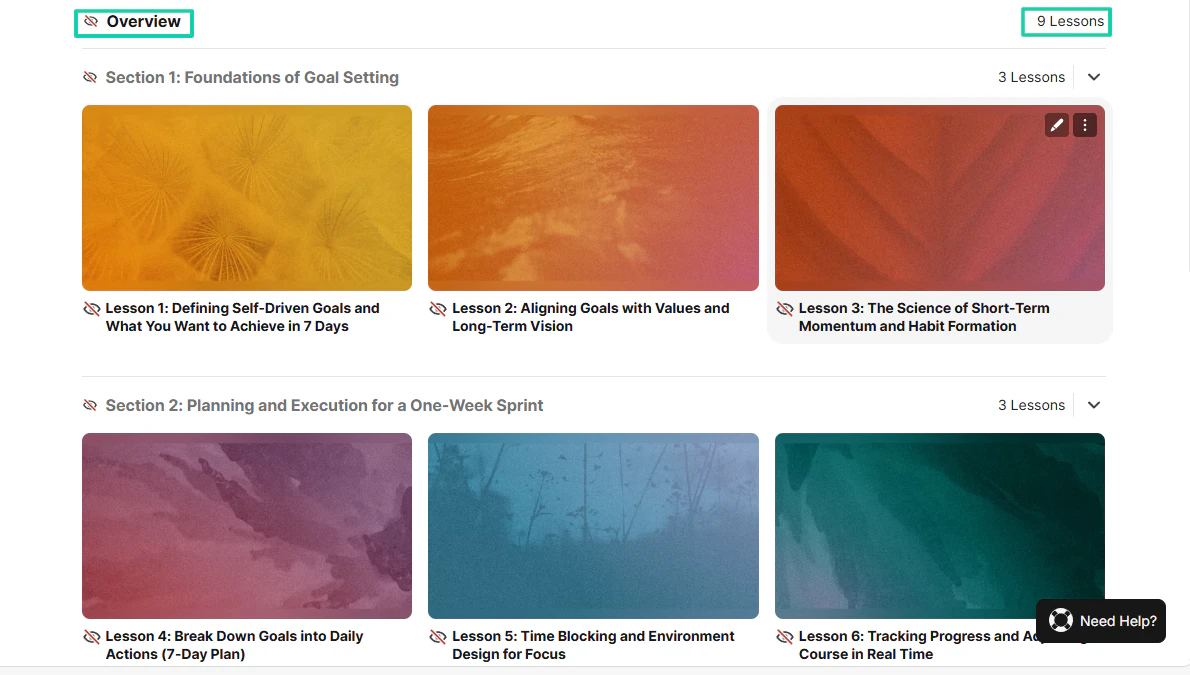
When it comes to building a course, you choose the topic, and the platform generates lessons.
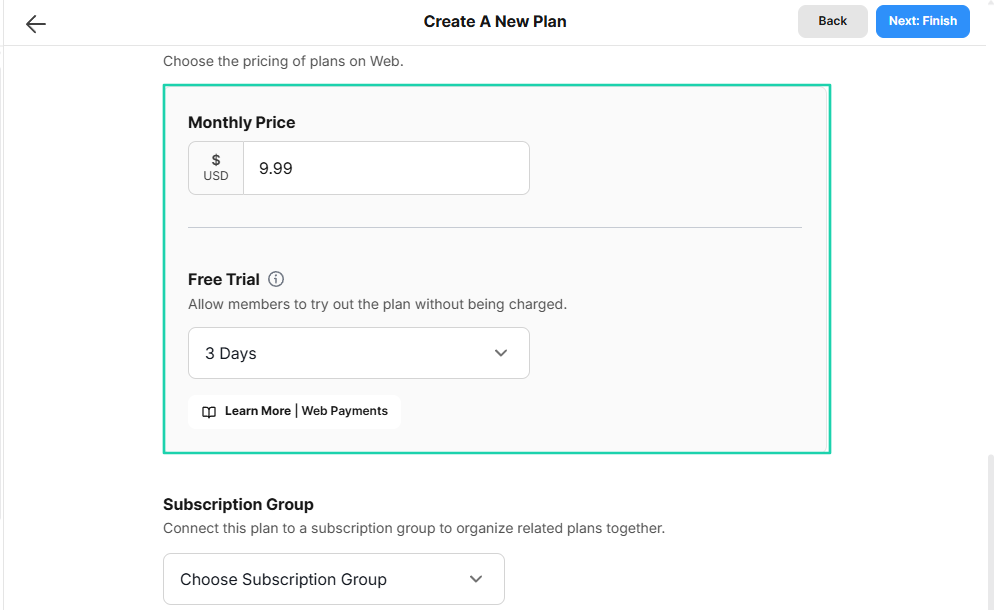
You can also create a paid space, set your price, and allow members to try it out.
[fs-toc-omit]What I loved about Mighty Networks
1. Courses
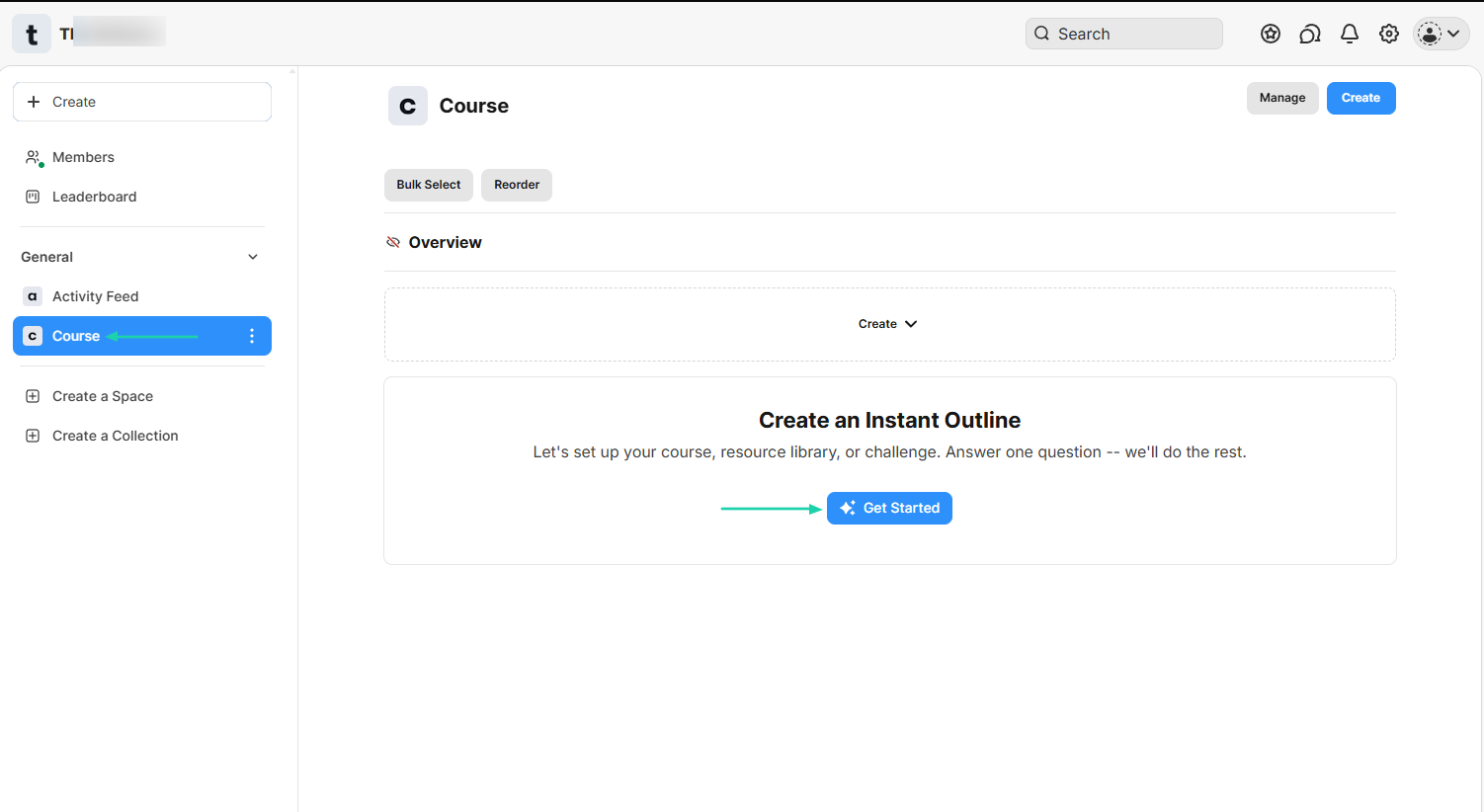
With Mighty Networks, you can set up courses and use its artificial intelligence to create an instant outline.
That’s what we will do. Click “Course” in the sidebar and select “Get Started.”
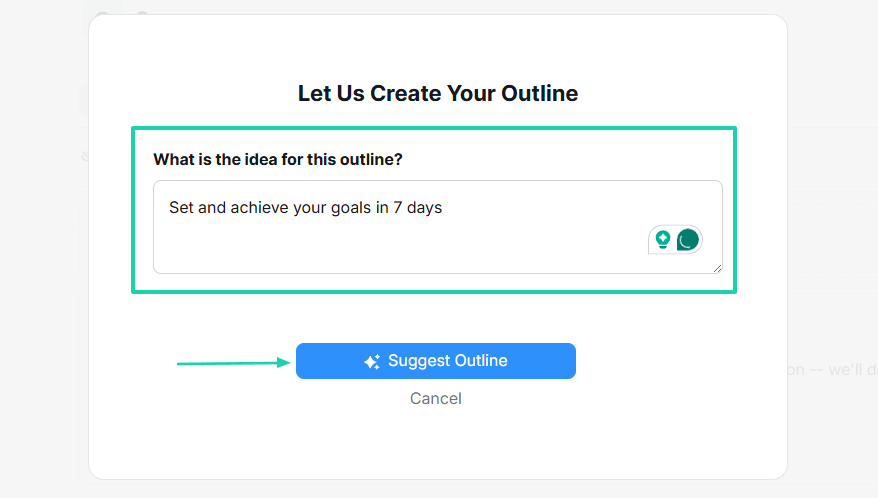
You will simply add the idea for the outline.
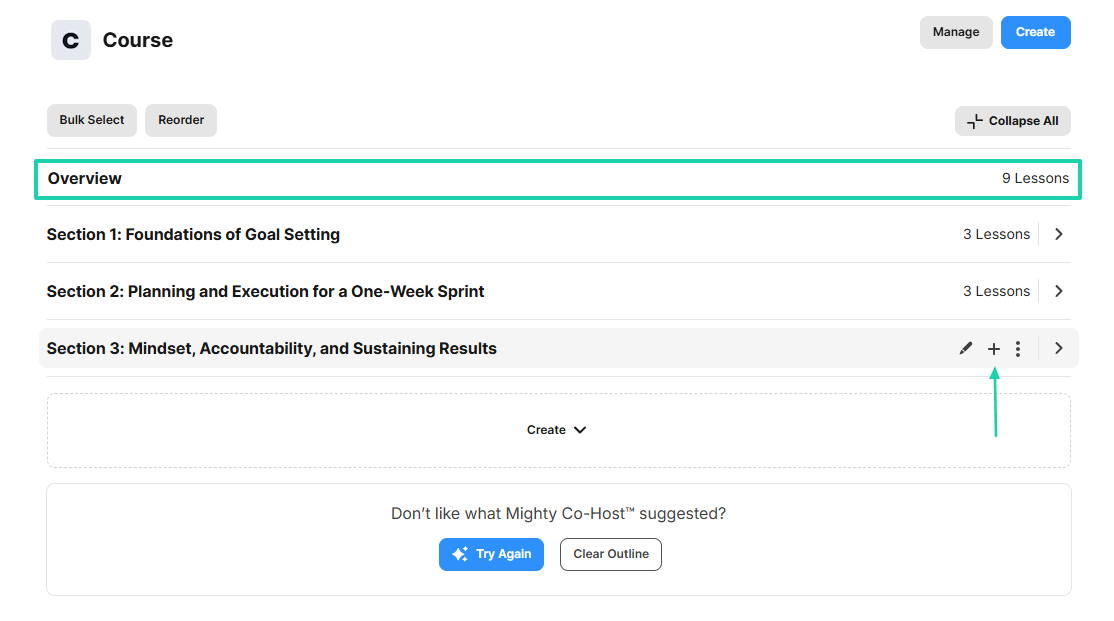
The AI will create the overview and add lessons to it.
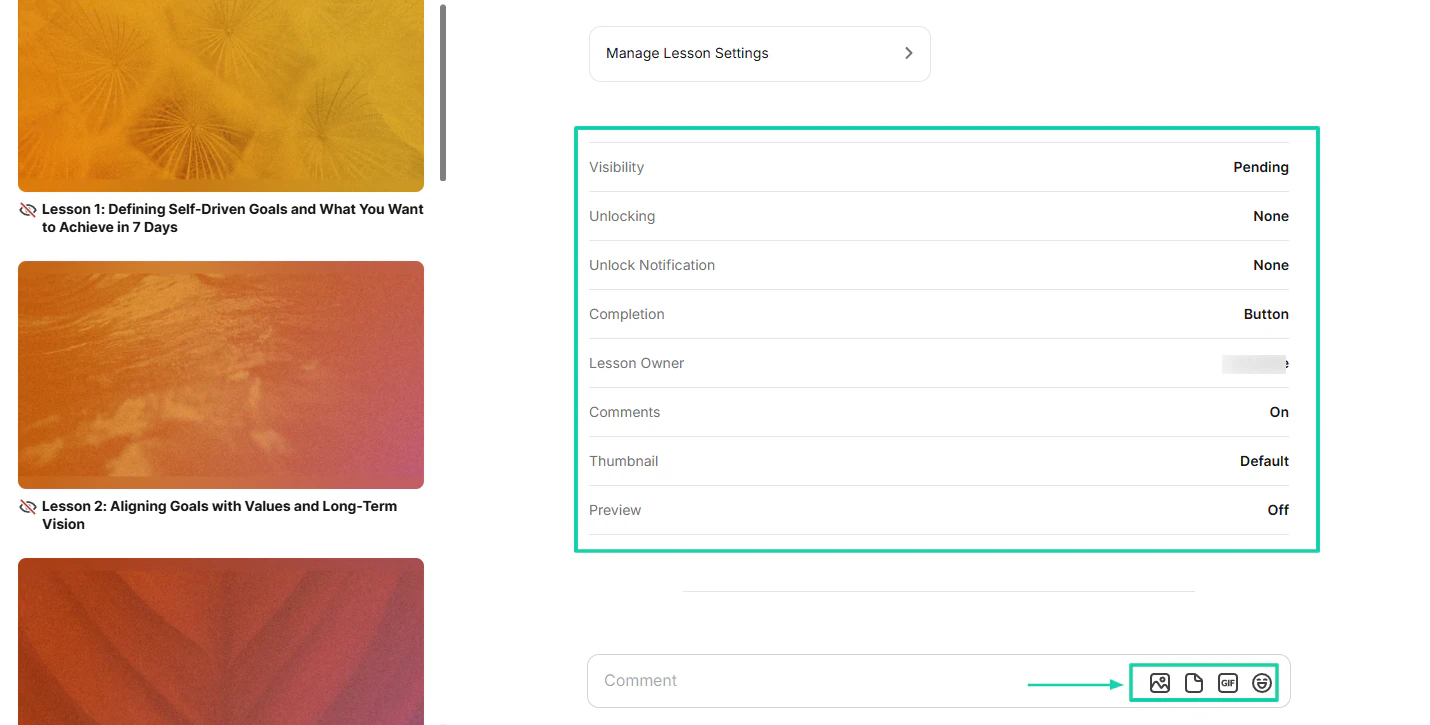
You can edit those lessons, choose a host, and adjust the lesson settings.
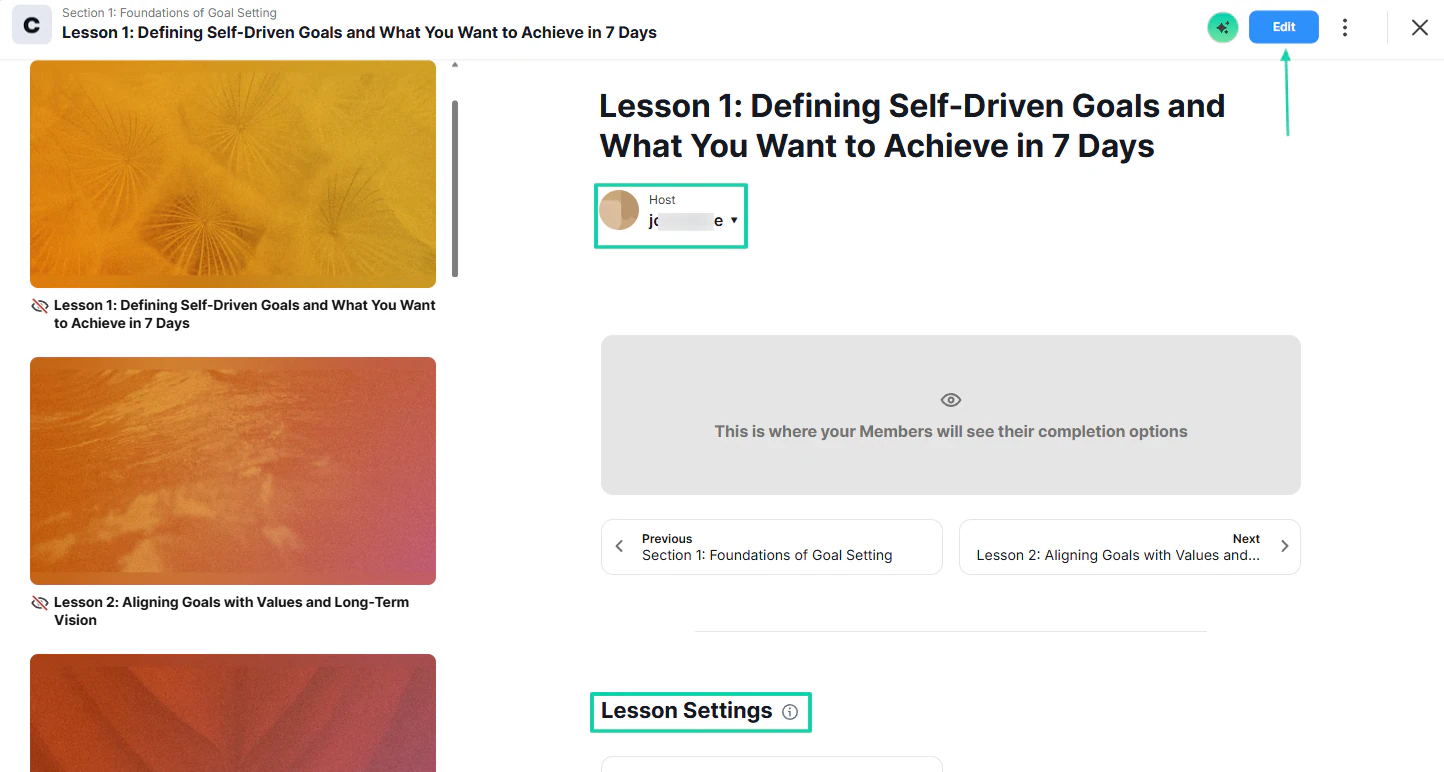
Some of the lesson settings include visibility, completion, comments, thumbnail, unlock notification, and others.
You can add images and files.
Your course is ready! You can also add other lessons.
2. Activity Feed
The activity feed works as a central stream where members share or see posts, questions, or articles from the community.
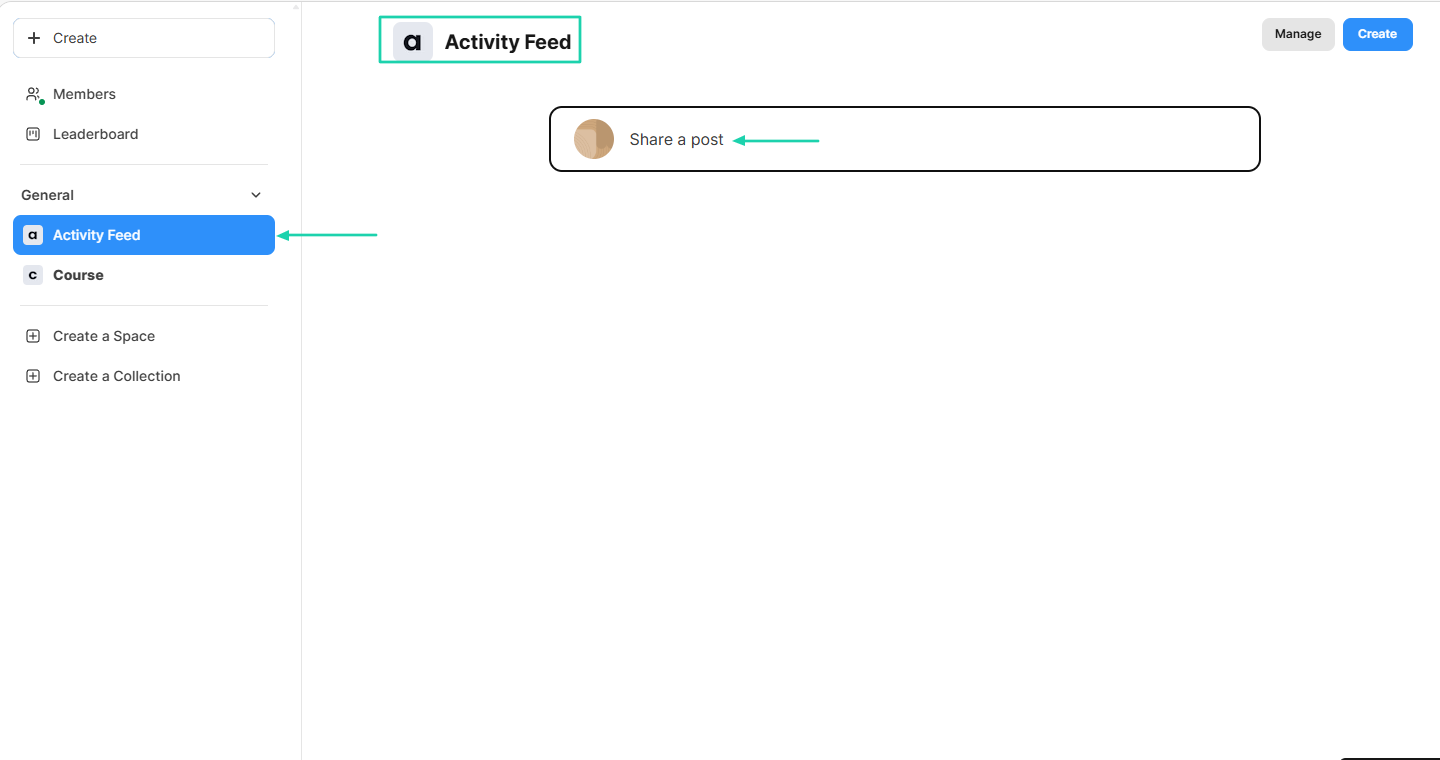
When you share a post, you can add images, emojis, videos, or GIFs.
Members can see your posts and react through likes or comments.

3. Spaces
Spaces are like subcommunities where you can host specific content, conversations, courses, or events. It’s possible to create them on Mighty Networks.
Go to “Create a Space.”

There are various templates you can use (in case you don’t want to build your own). One of them is “Chat.”
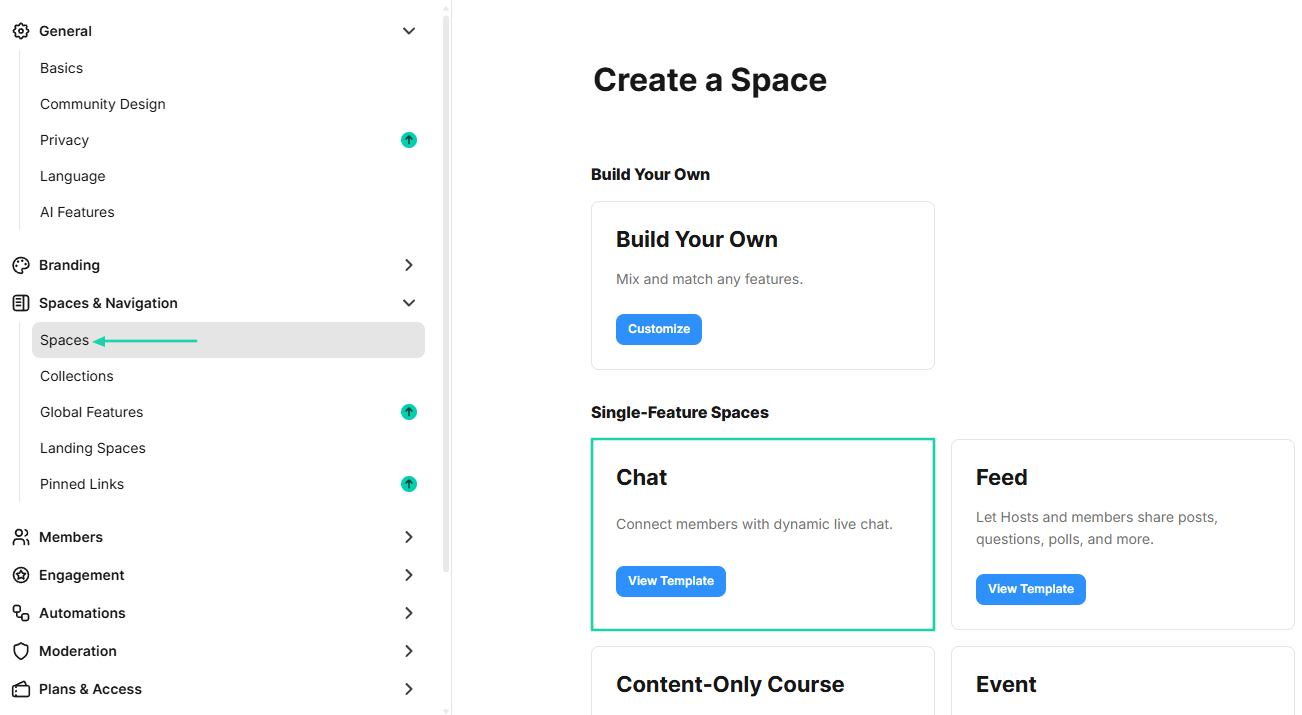
After clicking on that template, name the space and add a tagline. Then, decide who can see the space.
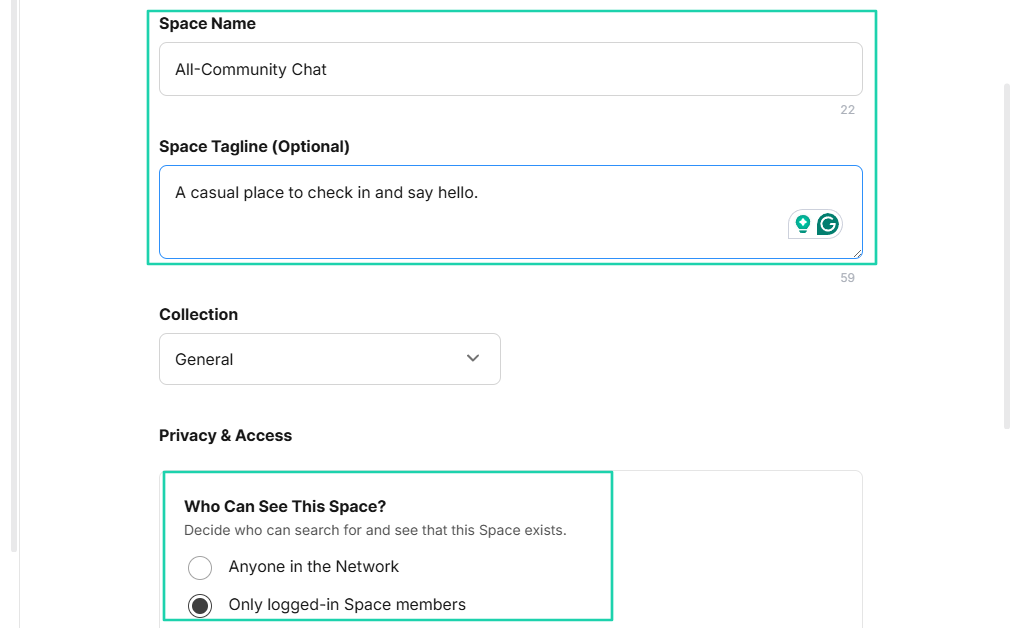
You can make it a paid space, add a monthly price, and offer a free trial.
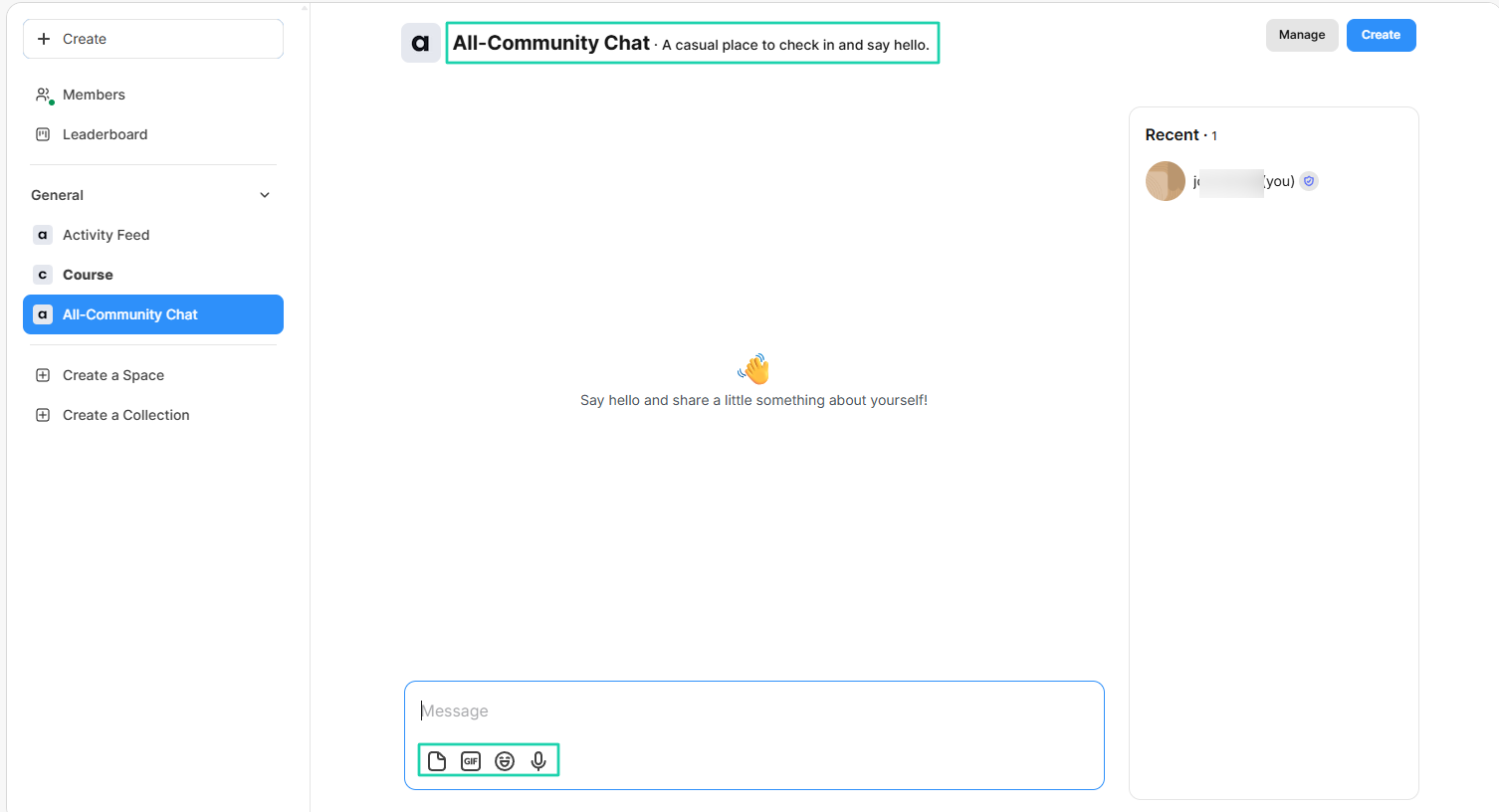
Your space is ready. Members can record voice notes, upload files, use GIFs, and use emojis.
[fs-toc-omit]What I liked vs what I didn’t like
What I loved 👍
✅ Generates course outlines and lessons with artificial intelligence.
✅ Allows you to create spaces and add plans, so only paying members will access them.
✅ Lets you share posts with images, videos, polls, files, emojis, GIFs.
What I didn’t like 👎
❌ It’s more community-focused than course-focused.
❌ Has so many subfeatures inside features, making the user’s experience overwhelming at first.
[fs-toc-omit]Best for
- Community leaders and membership businesses who want to combine courses with member engagement.
[fs-toc-omit]Pricing
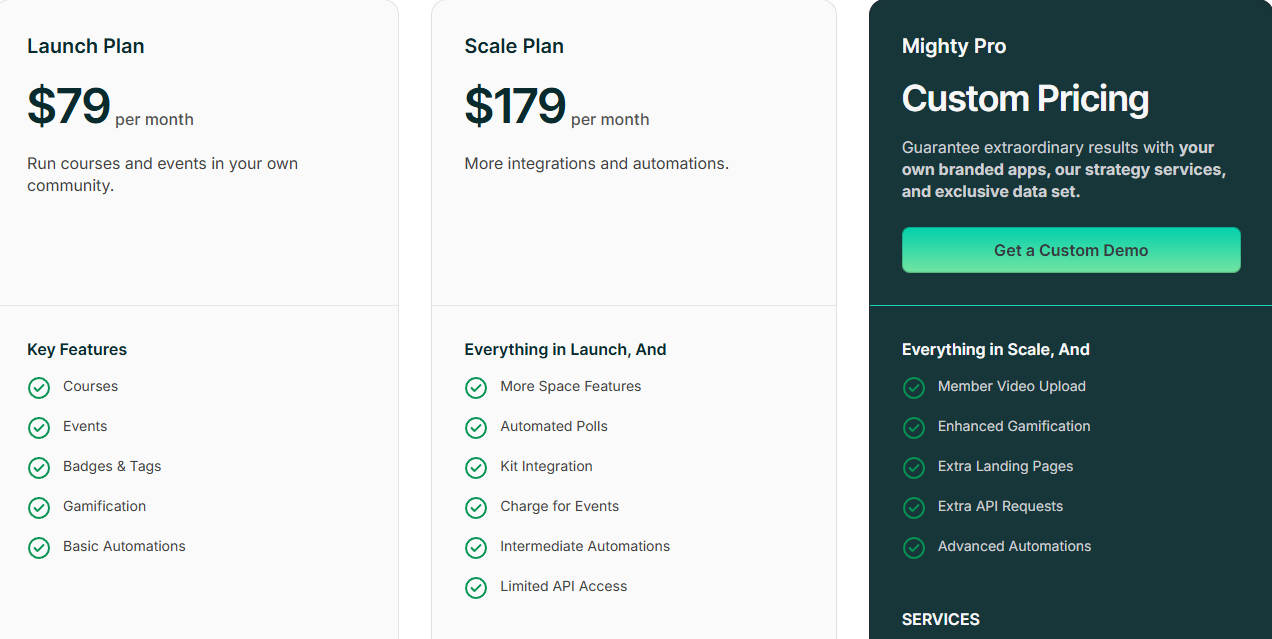
- Launch Plan: $79/month
- Scale Plan: $179/month
- Mighty Pro: Contact for pricing
6. Systeme.io
- Personal rating: ⭐️⭐️⭐️⭐️ 4/5 - It offers many sales and marketing tools for free.
- Ease of use: ⭐️⭐️⭐️ 3.8/5 - It is not highly intuitive. But it lets you choose from pre-made templates and themes.
- Marketing tools: Sales funnels, Email campaigns, marketing automations, affiliate management, upsells, downsells.
- Key integrations: ActiveCampaign, Google Analytics, Zapier, Mailchimp, WebinarJam.
- Free trial: No, it has a free forever plan.
- Starting plan: Free - $0 + 3 sales funnels.
Systeme.io is the final platform on our list of the best Thinkific alternatives.
This is an all-in-one online business platform that integrates:
- sales funnels
- online course hosting
- automation workflows
- website building
- affiliate management
- and digital product sales tools
The platform offers templates for your courses. You only have to edit them.
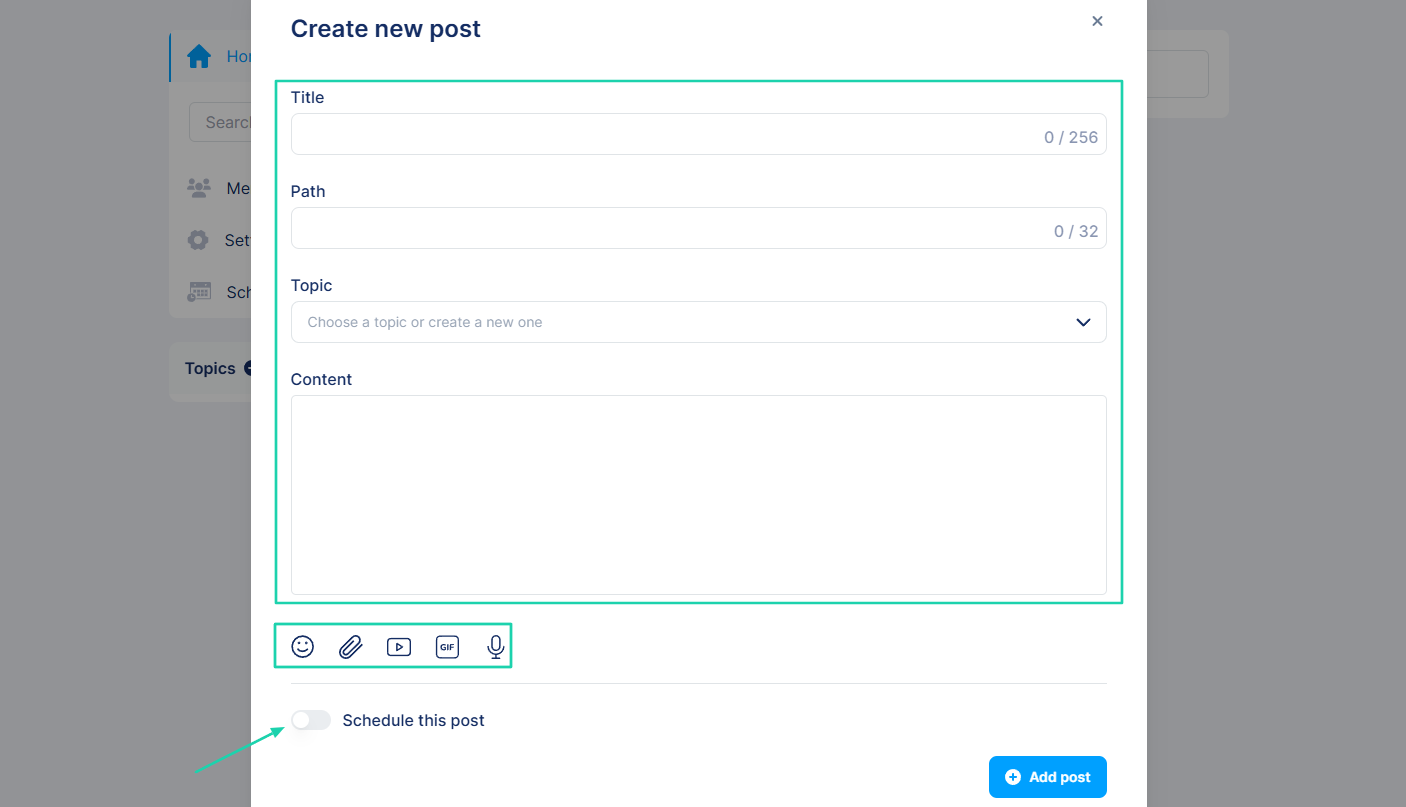
In your community, you can create a post by adding a title, content, and choosing a topic. You can also record audio, add files or videos, and schedule that post for later.
What’s more, you can use Systeme.io to sell physical goods and let it handle the inventory and shipping.
[fs-toc-omit]What I loved about Systeme.io
1. Courses
The courses feature on Systeme.io allows you to create, host, and sell online courses. You can set up automated drip content and manage course access.
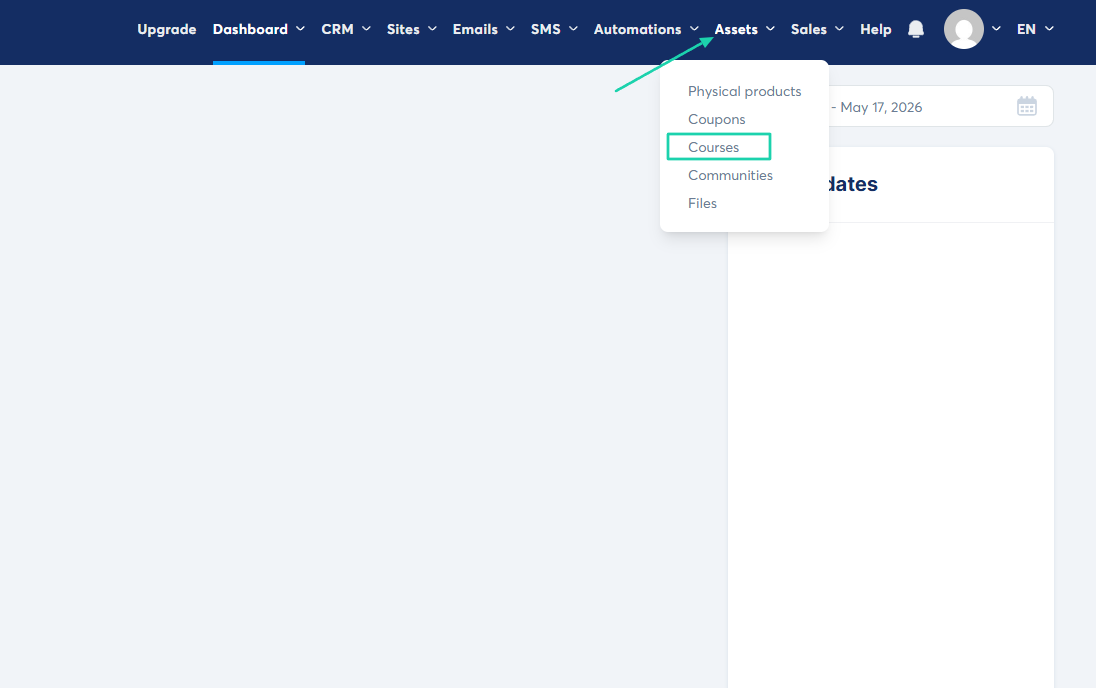
You will find the feature located under “Assets.”
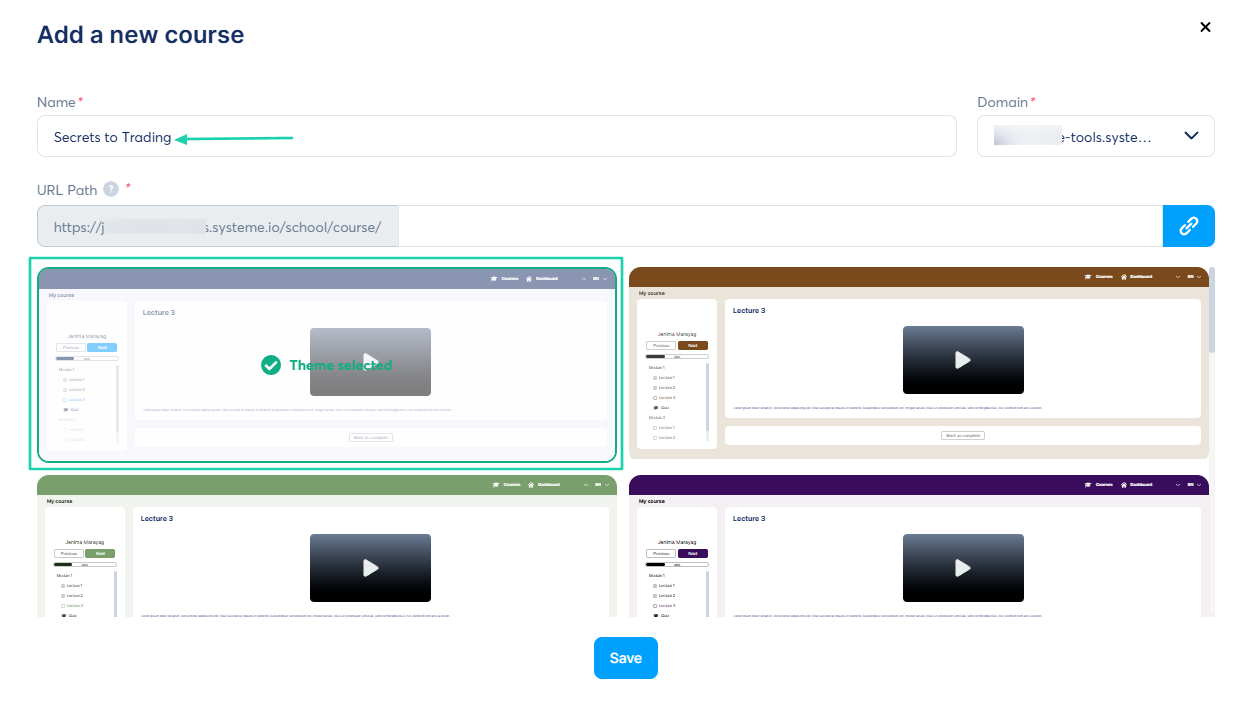
Let’s name our course and choose a theme.
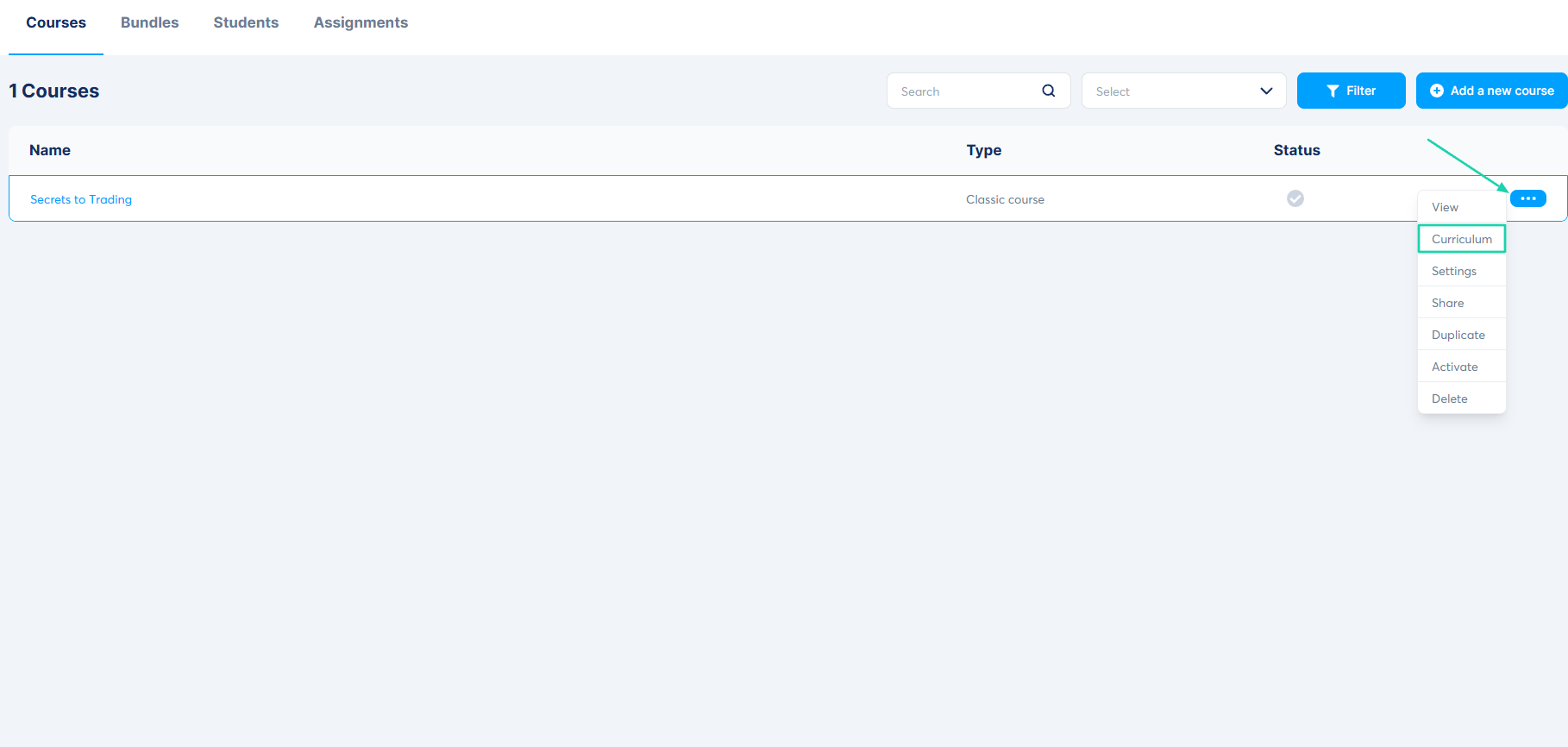
Next, click “Edit” and go to “Curriculum.”
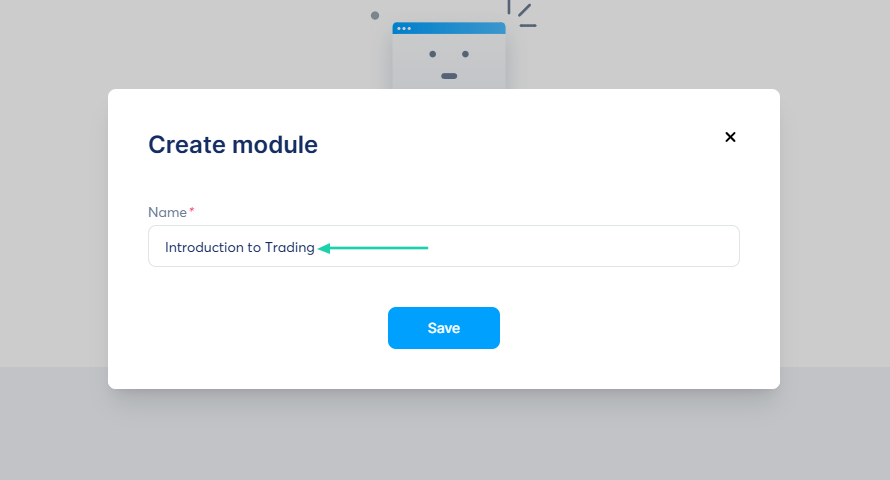
Creating a module starts with a name.
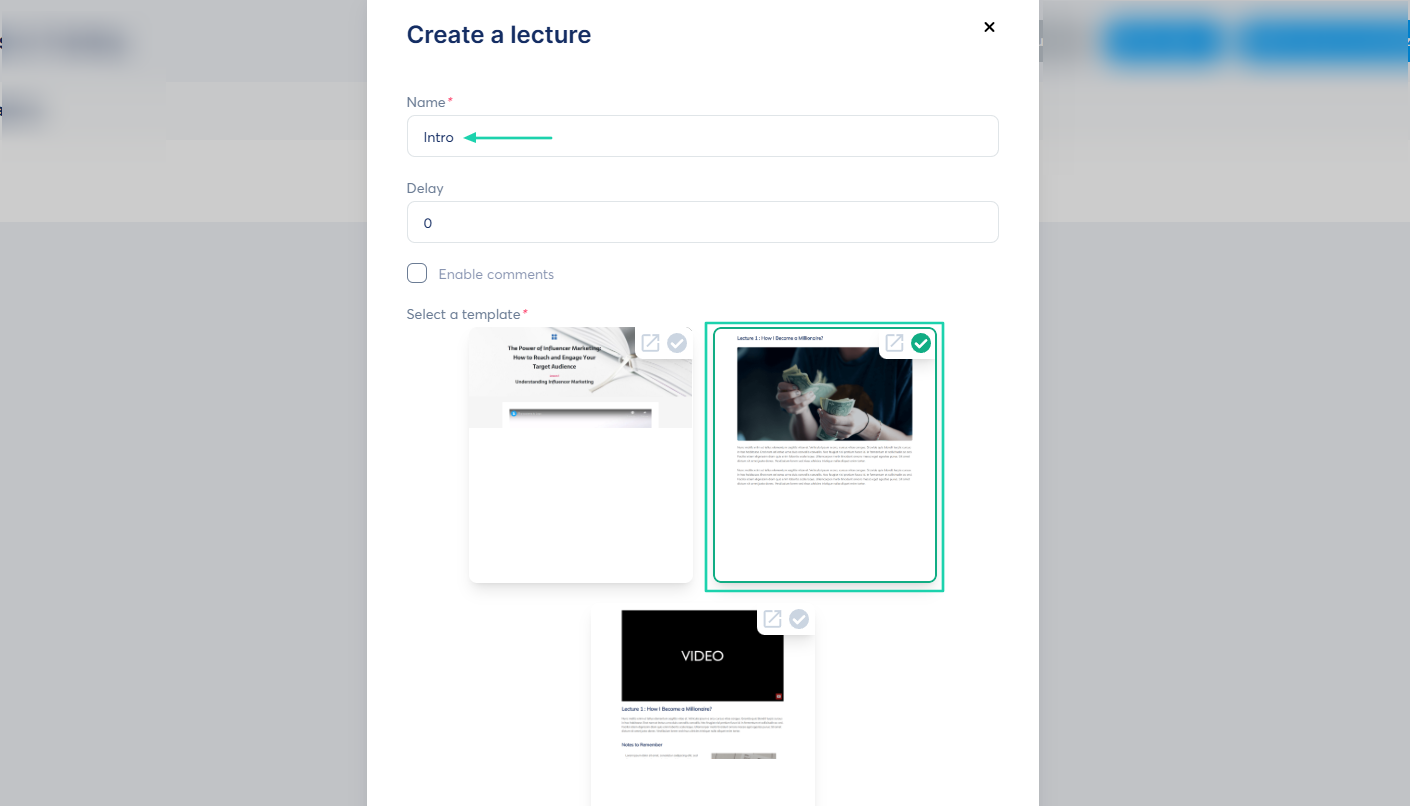
Then you name the lecture and select a template.
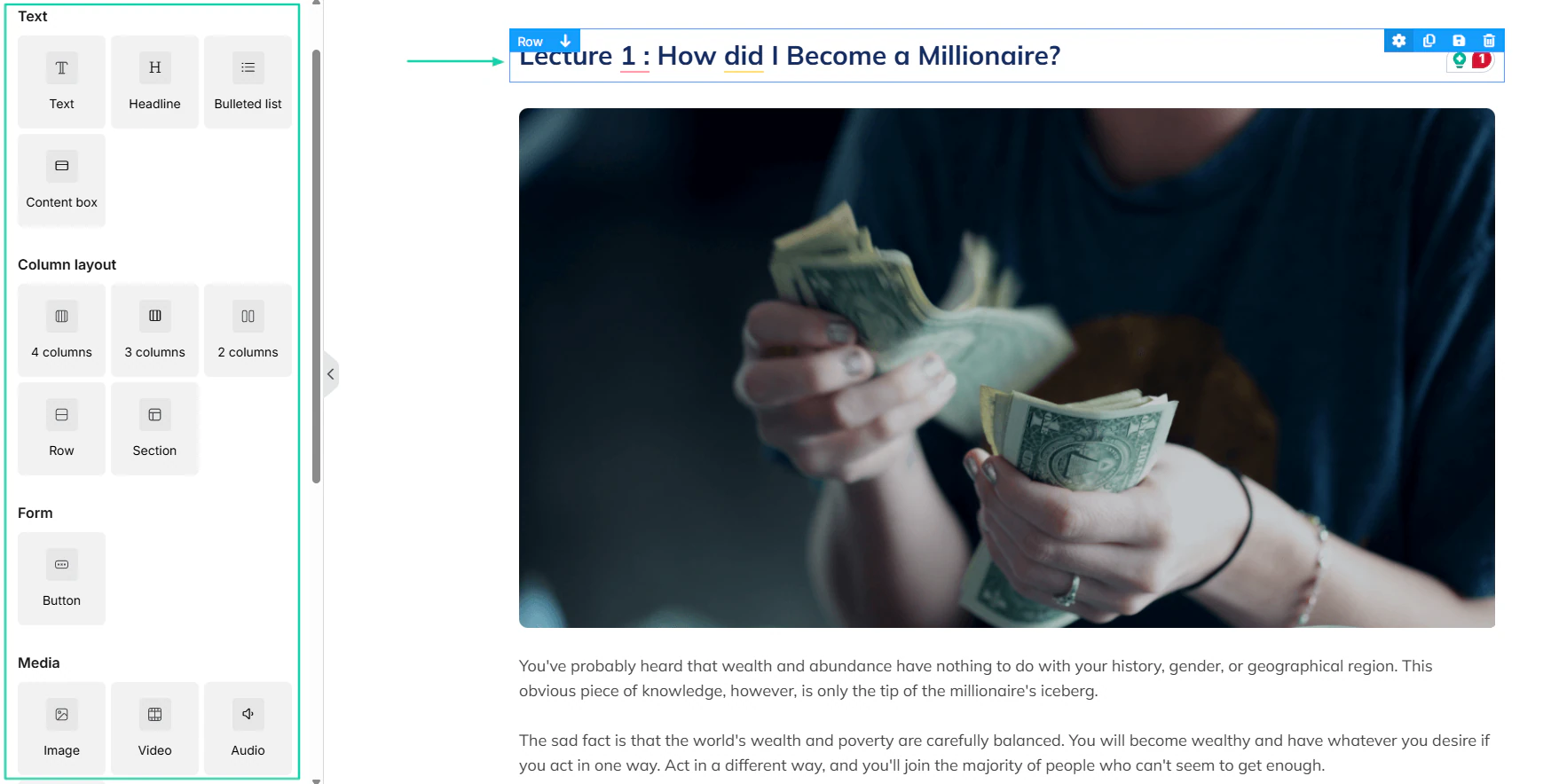
That’s it! You can still edit the lecture to your liking: change text, form, media, and column layout.
2. Physical products
Beyond courses, Systeme.io allows you to sell tangible goods through your sales funnel or website. Let’s see how to add a physical product.
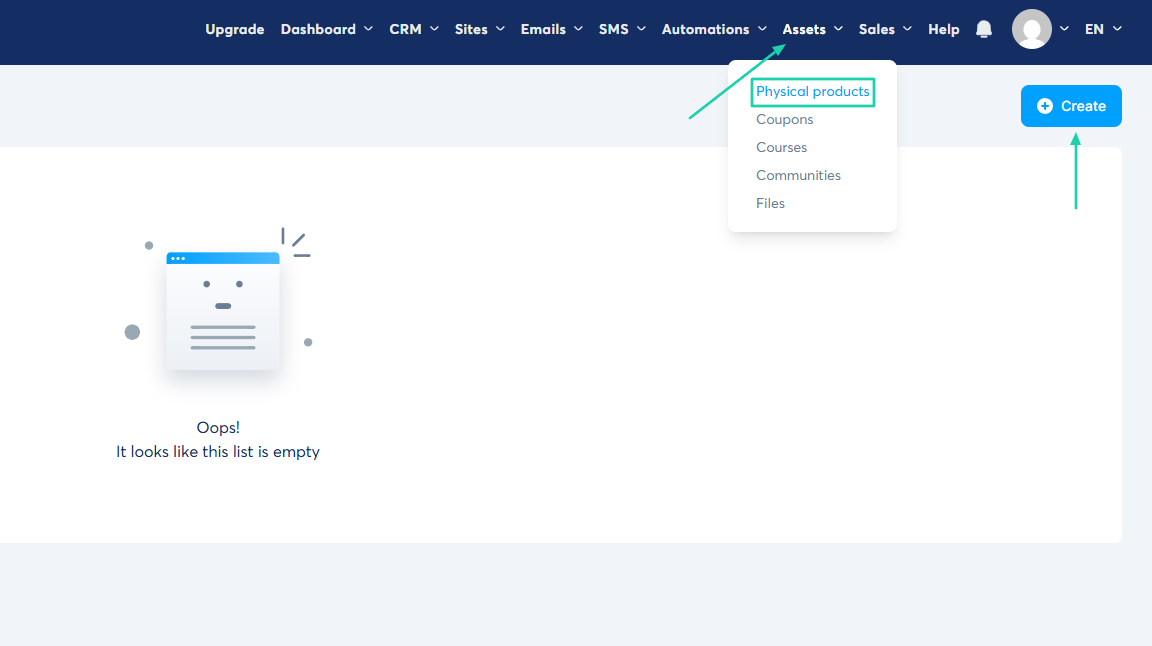
Under “Assets,” find “Physical products.” Click “Create.”
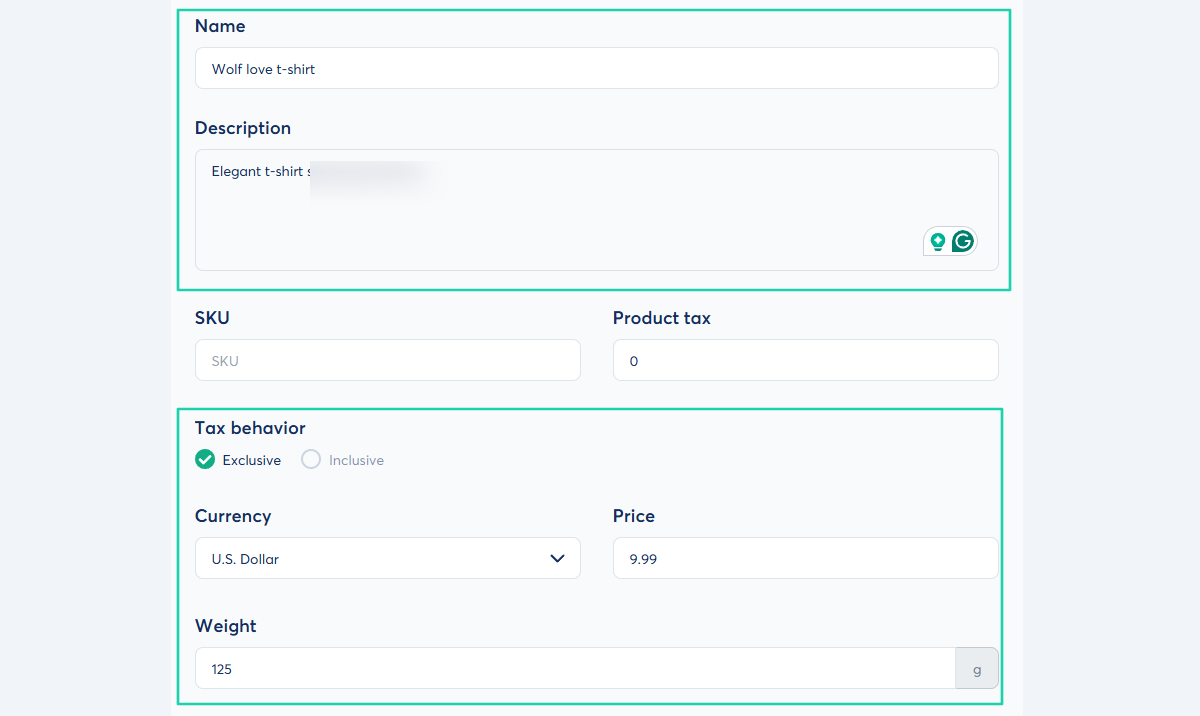
Name the product, add a description, and add tax. You will also choose the currency, set a price, and specify the product’s weight.
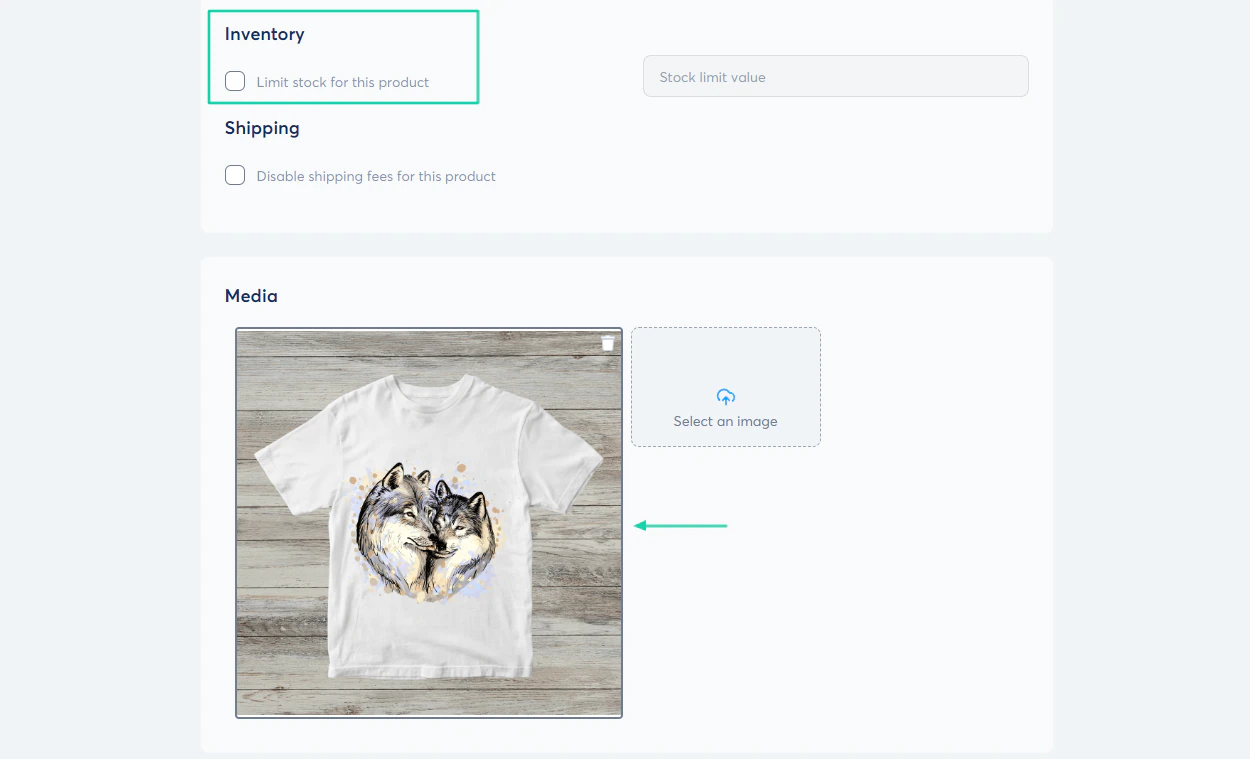
You can add your product image and decide to limit the stock. That’s it!
3. Communities
Thanks to the communities feature, you can create a private or public discussion space on Systeme.io. The goal is to allow members to interact with one another.
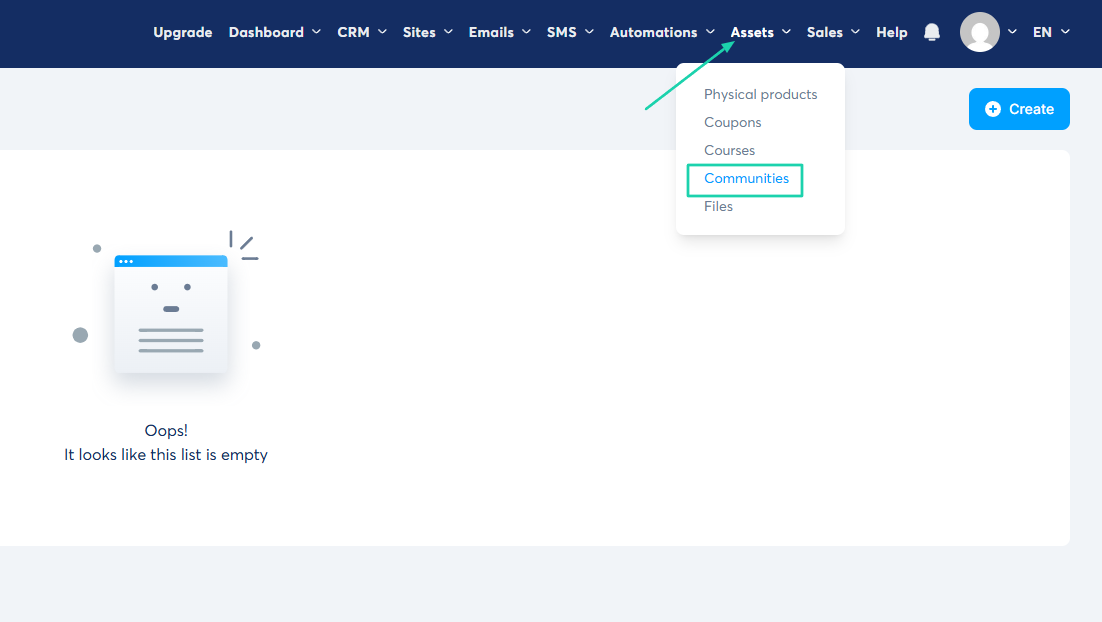
Let’s try it. Click “Communities” under “Assets.”
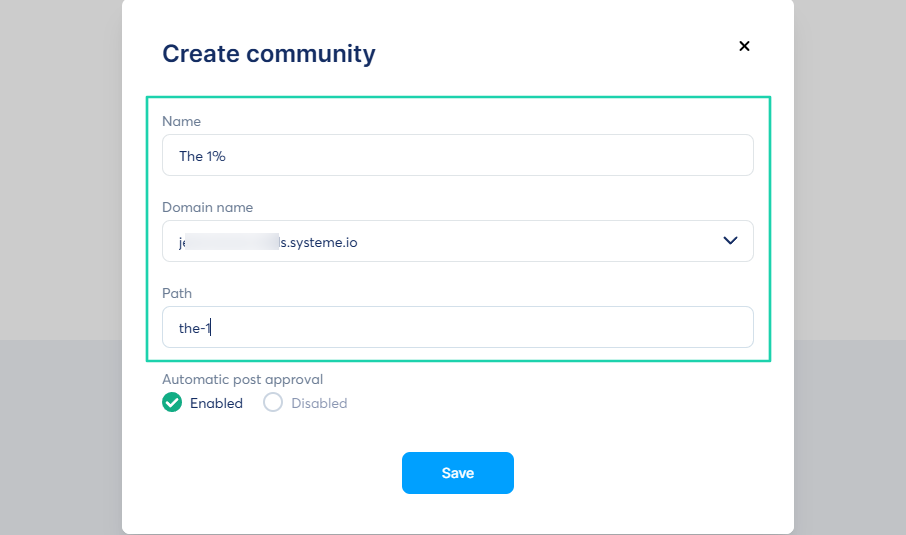
Name the community and select your domain name.
Your community is ready. You can view your members, adjust settings, and schedule posts or share them instantly.
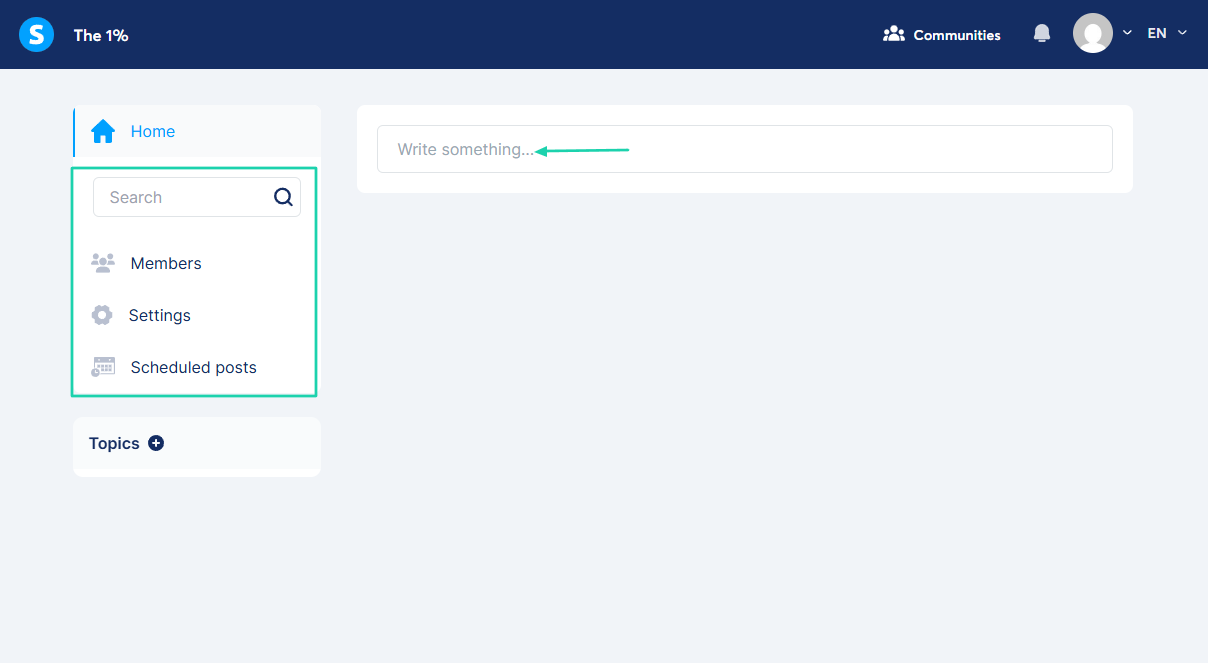
To create a post, you will need a title, topic, and content. You can add emojis or GIFs, upload files, videos, or record audio.
[fs-toc-omit]What I liked vs what I didn’t like
What I loved 👍
✅ Comes with various themes and pre-made templates for courses.
✅ Lets you create a community, share posts, record messages, add images, files, or videos.
✅ Allows you to sell physical products and manage inventory.
What I didn’t like 👎
❌ Difficult to preview physical products right after creating them, which can affect the creator’s experience.
[fs-toc-omit]Best for
- Small online businesses seeking an all-in-one system for marketing, selling, and automating products and services.
[fs-toc-omit]Pricing
- Free: $0/month
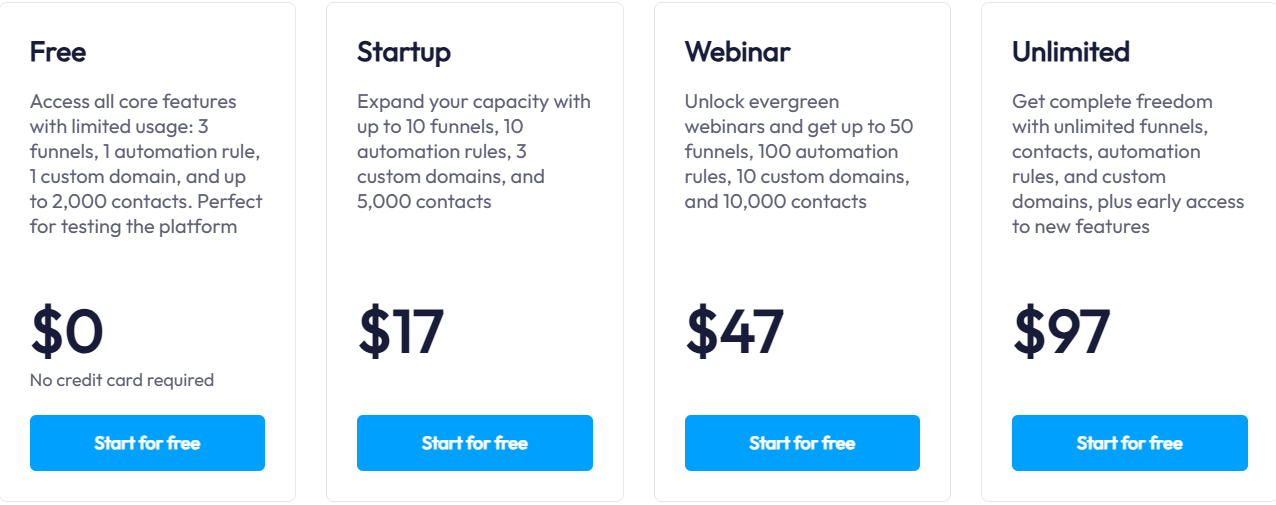
- Startup: $17/month
- Webinars: $47/month
- Unlimited: $97/month
Easytools vs. Thinkific vs. Udemy vs. Teachable - Which is better?
Easytools is better than Thinkific, Udemy, and Teachable because it offers the necessary features every course creator needs to sell and market digital products.
These features include:
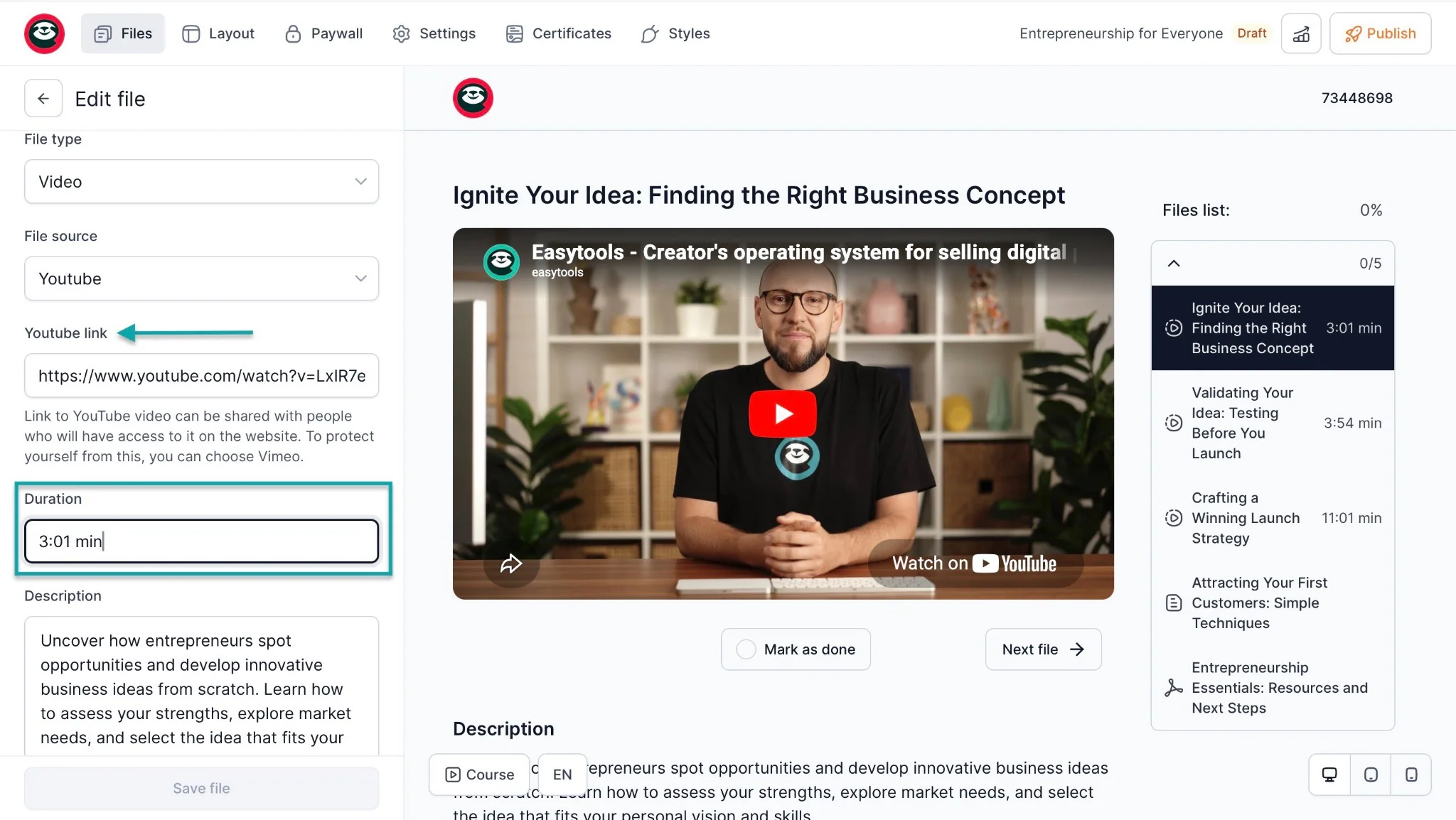
Courses: for creating online courses. Easytools uses AI to suggest lesson modules, descriptions, and optimal video lengths. You can add video links from YouTube (unlisted/private), Vimeo, Wistia, Bunny.net, and more.
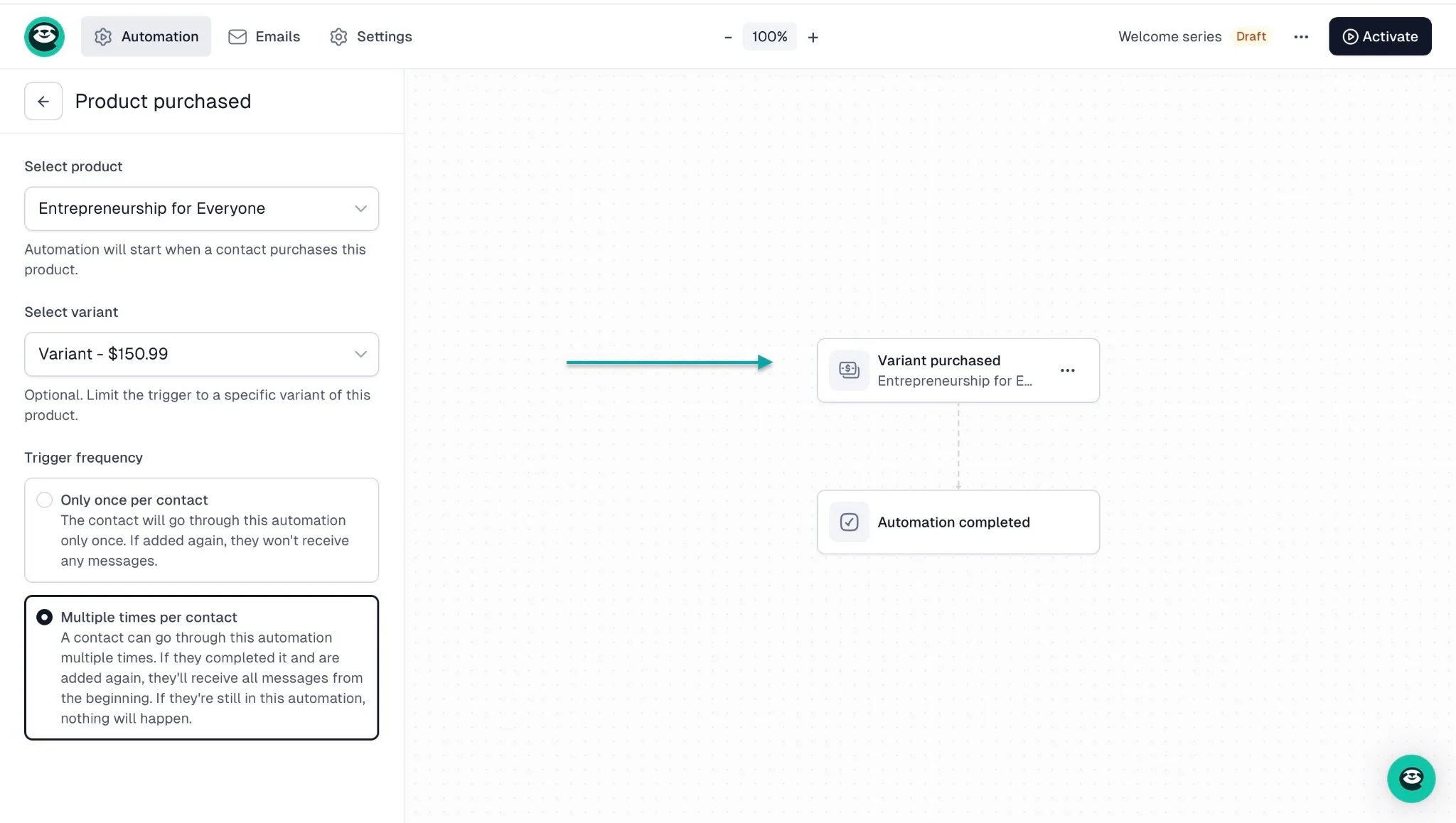
Campaigns: this is a built-in email marketing feature. You can use it to build an email list.
You can also automatically add buyers’ emails directly at checkout (Easycart). Or set up an automation in the campaigns feature so customers receive an email from you based on a trigger.
Store: lets you create conversion-focused checkouts for your digital products. You can connect the course player to your checkout to automatically secure access to it.
You can also set up automations so that customers are automatically added to your Circle community after they purchase a subscription or membership.
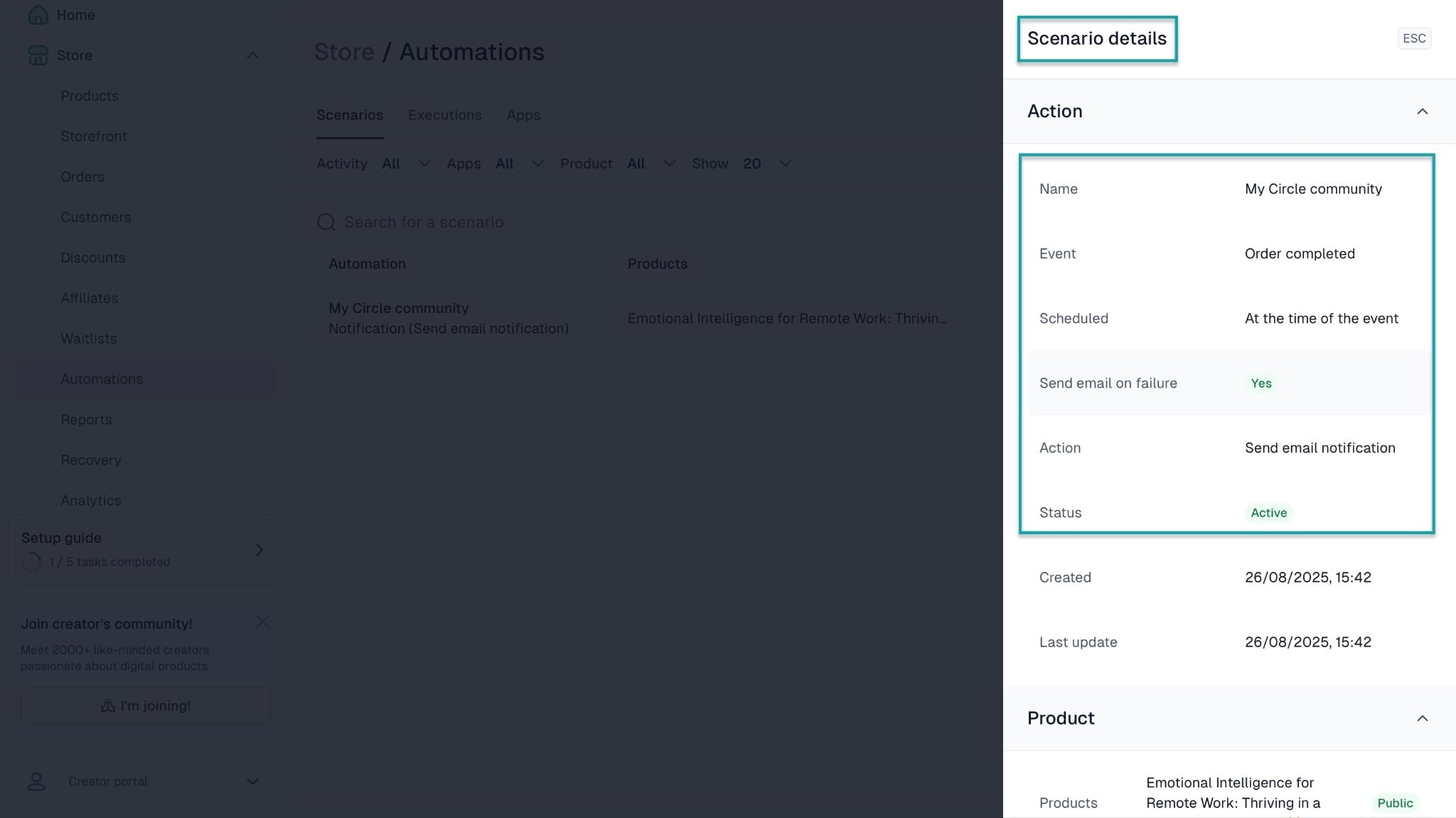
Websites: lets you create landing pages and websites for every digital product you sell. For example, if you create a checkout page for a course, an e-book, a SaaS product, and more.
You can add checkouts, brand logos, social proof, donation widgets, legal pages, CTAs, FAQs, long-form marketing content, and more.
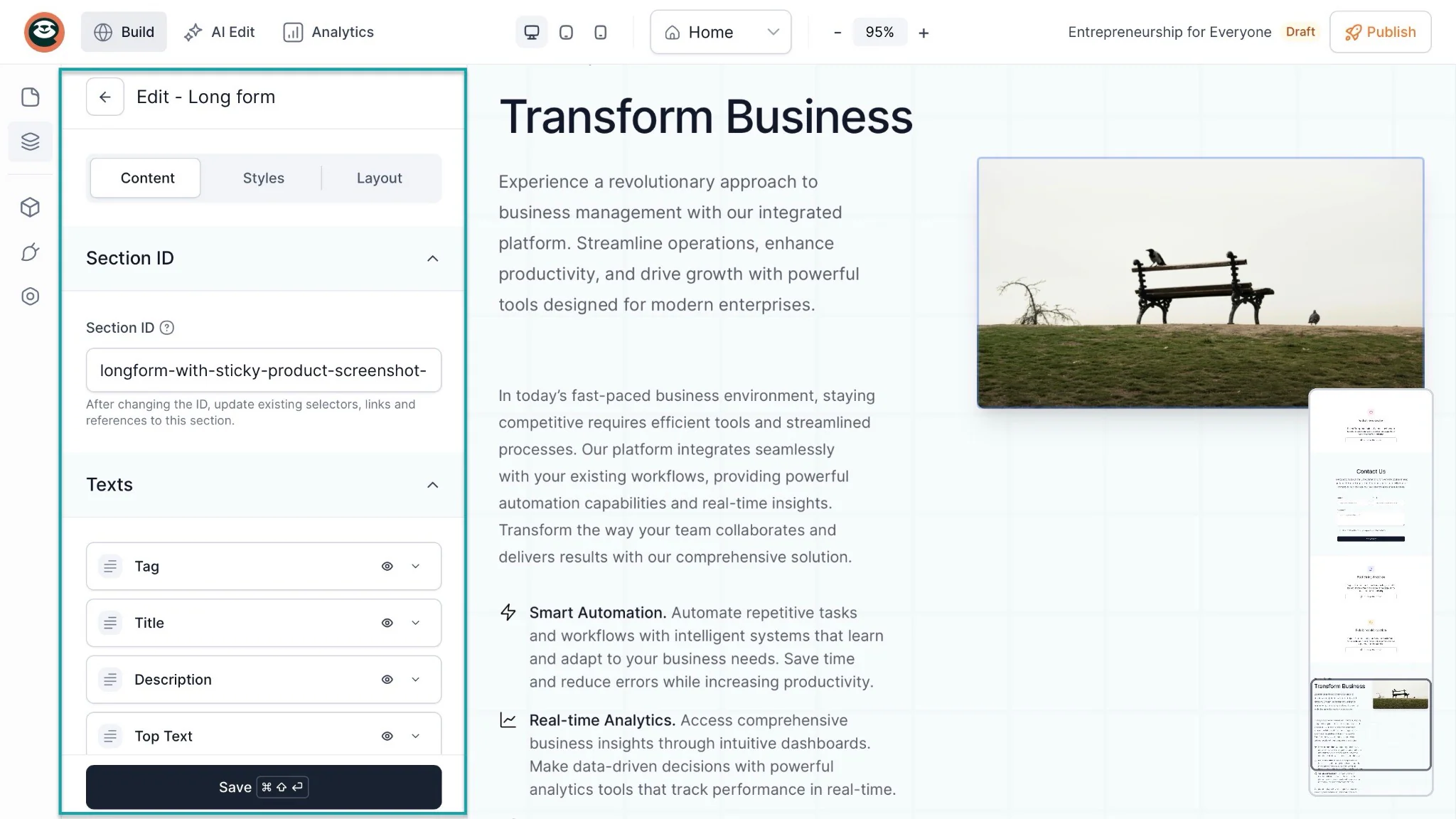
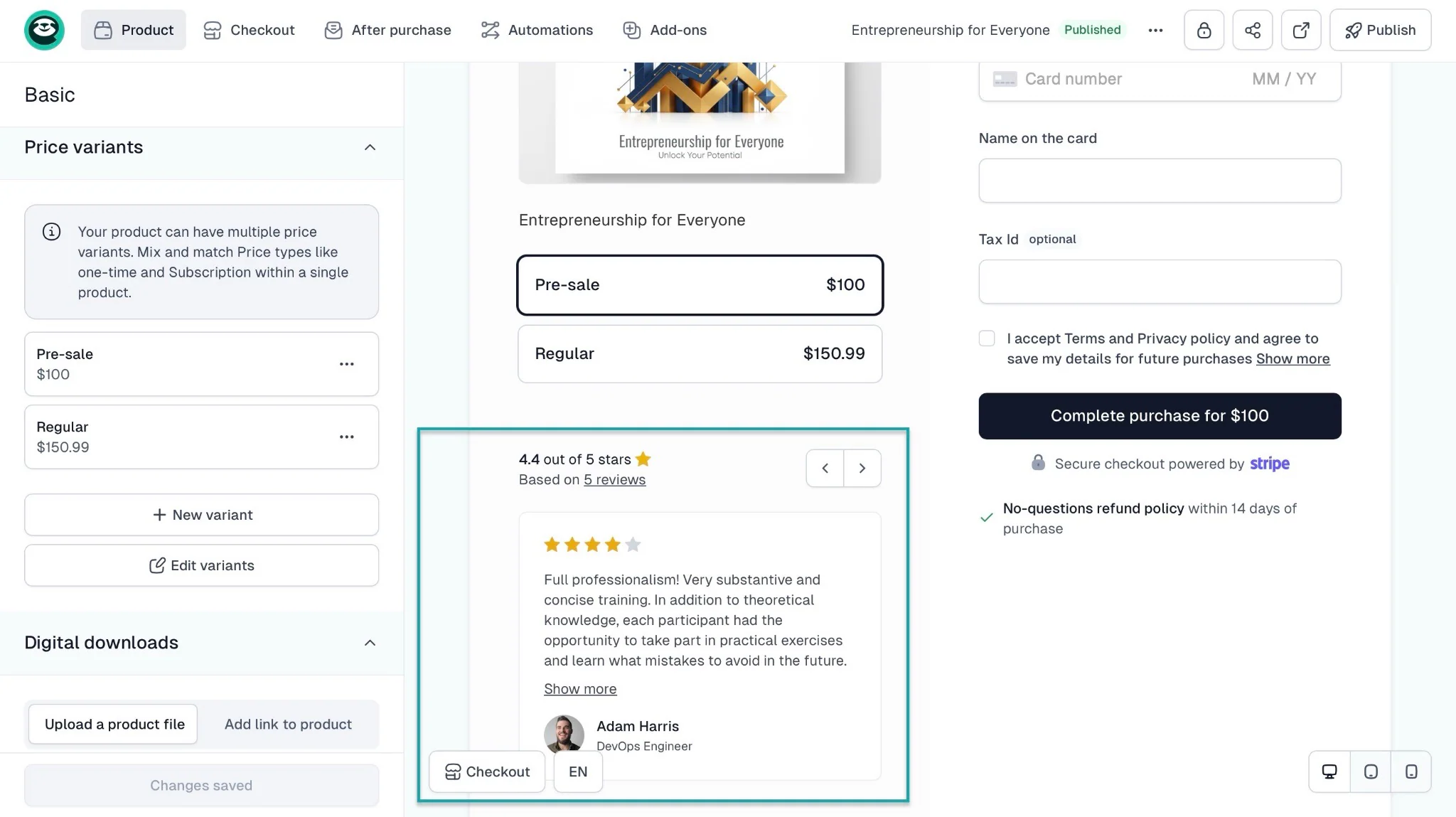
Testimonials: lets you add social proof to your landing pages and checkouts for more conversions. The testimonial feature is how your customers express their love for your service or product.
Udemy has a minimalist interface, but it takes so many steps just to create a course.
Teachable is somewhat similar to Easytools in that it offers some of the necessary features course creators need. But it still doesn’t have features like testimonials.
Thinkific may let you add testimonials on its website, but it doesn’t have a native and automated “collect testimonial” button. This means you’ll have to add them yourself.
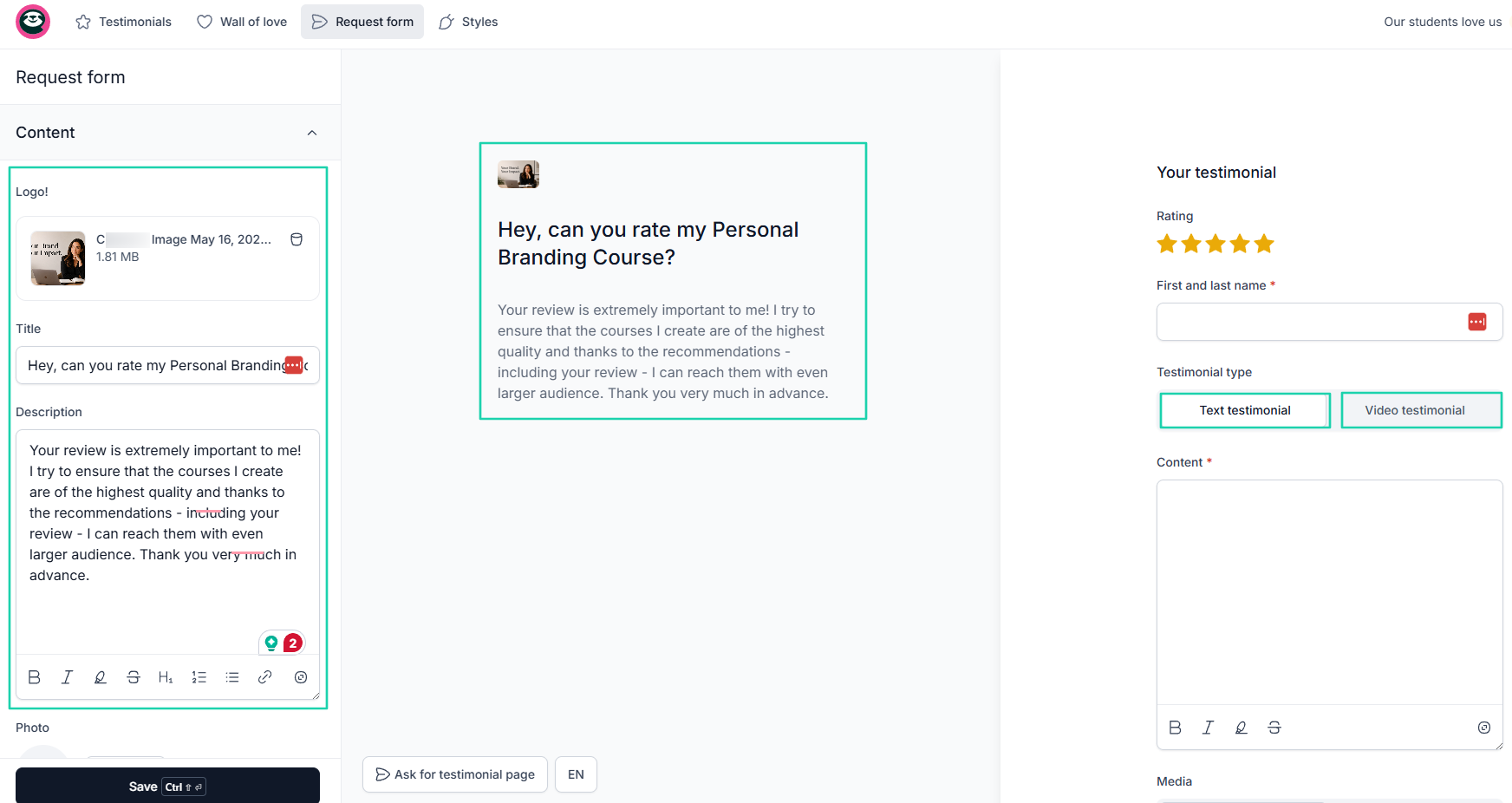
But Easytools lets you easily collect and display testimonials.
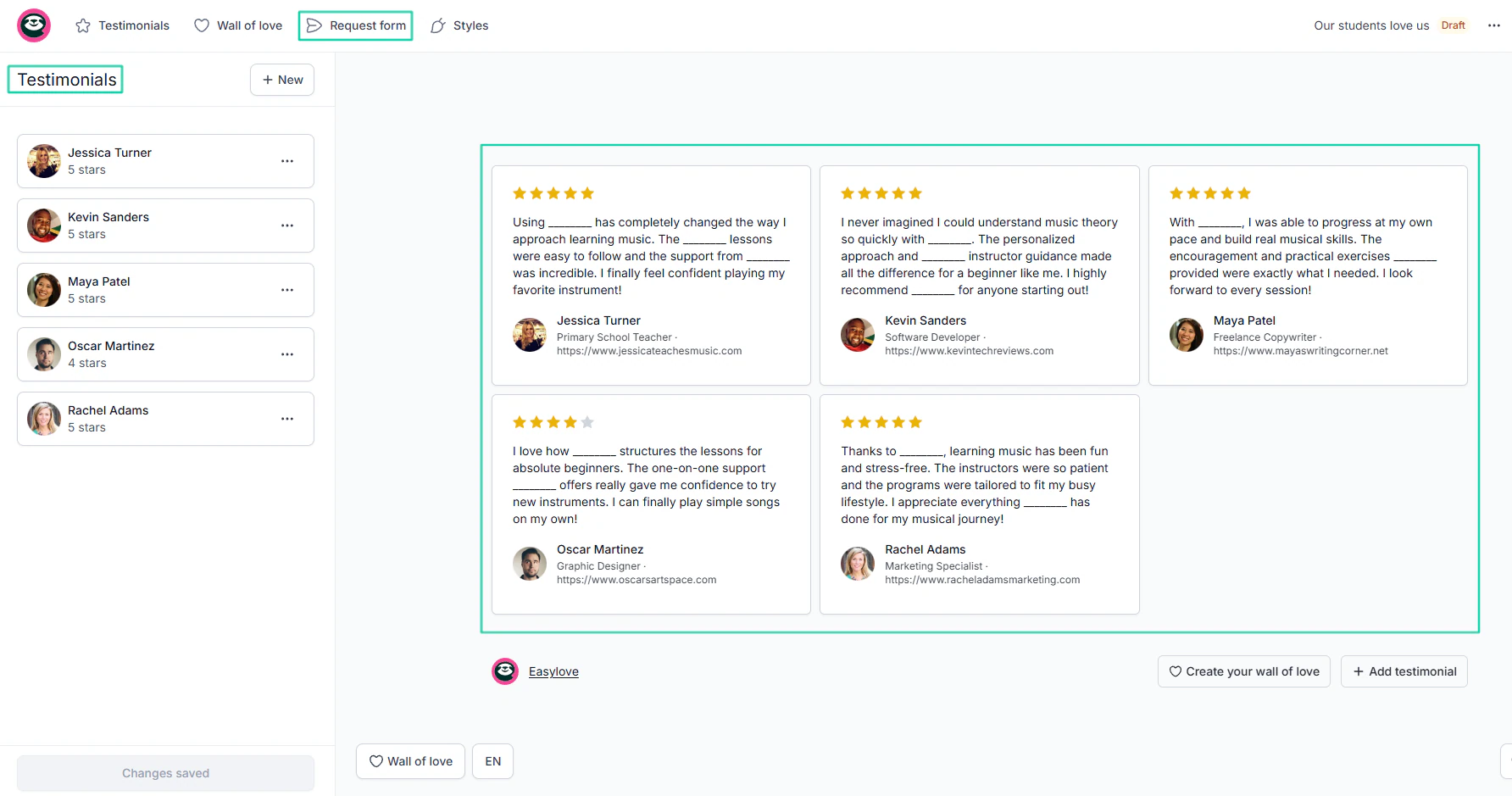
You can customize the request form and specify whether you want your students or customers to share their testimonials as text or video.
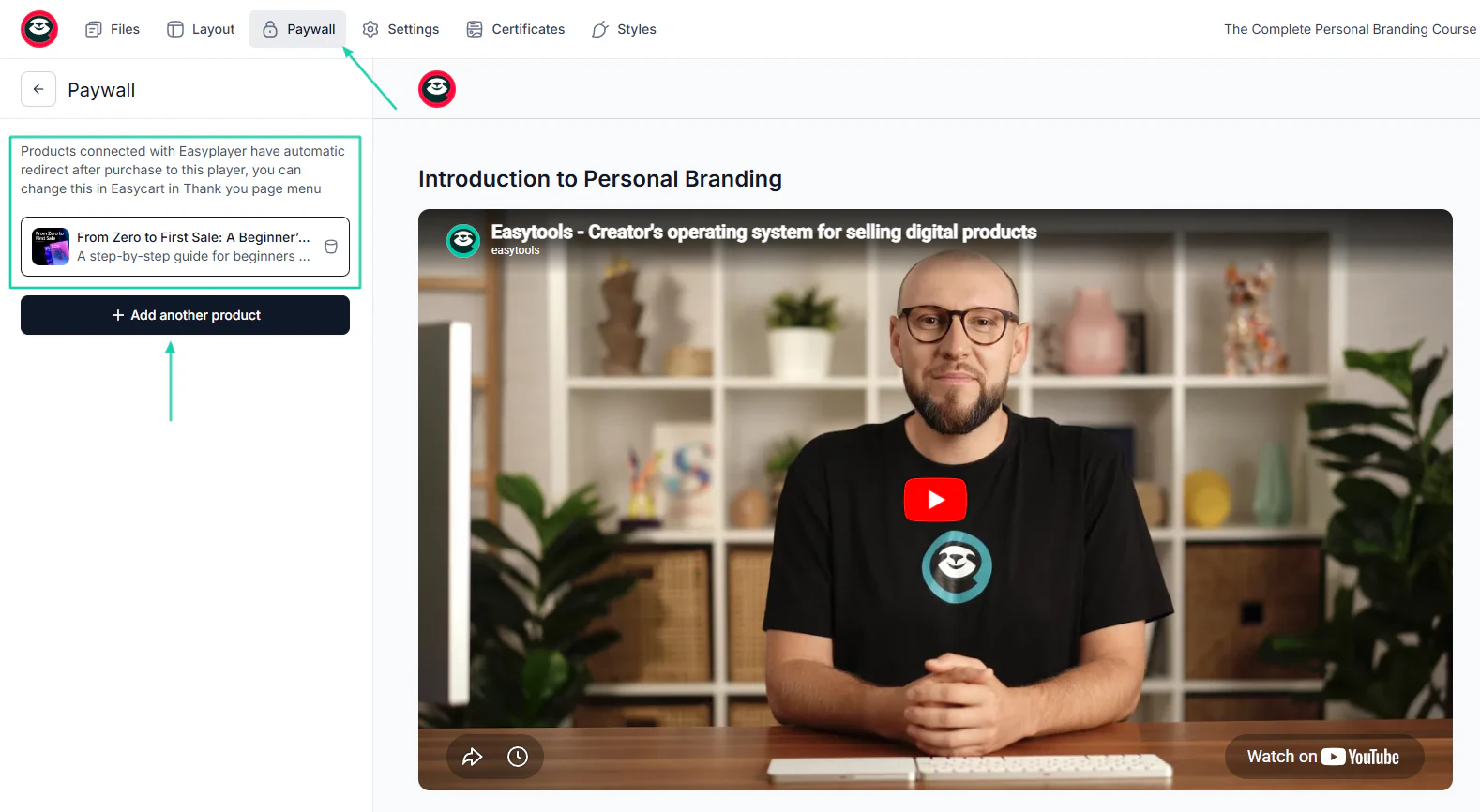
Aside from that, Easytools lets you connect your course to multiple products through its paywall. The advantage is that anyone who buys the linked product will automatically access the course from their own customer portal.
All of this clearly shows the edge Easytools has over the other tools.
How to choose the right Thinkific alternative
There are four aspects to consider before choosing the right Thinkific alternative. The list goes as follows:
- Consider your budget
- Assess your features
- Evaluate technical skill level
- Factor in monetization goals
Now, let’s dive into each one.
1. Consider your budget
Choosing a Thinkific alternative without considering your budget is like choosing a car without looking at how much money you have saved.
Many of these course creation platforms offer great features. But you can’t consider just that. You should choose an alternative to Thinkific that fits your budget.
To do that, you should ask yourself:
- How much will the platform cost me every month?
- Can I comfortably afford this platform long term?
- Will pricing increase as my audience grows?
- Are transaction fees included?
- Will I need extra software later?
- Does this platform replace other subscriptions?
The best approach is to compare at least three different platforms, especially their pricing plans.
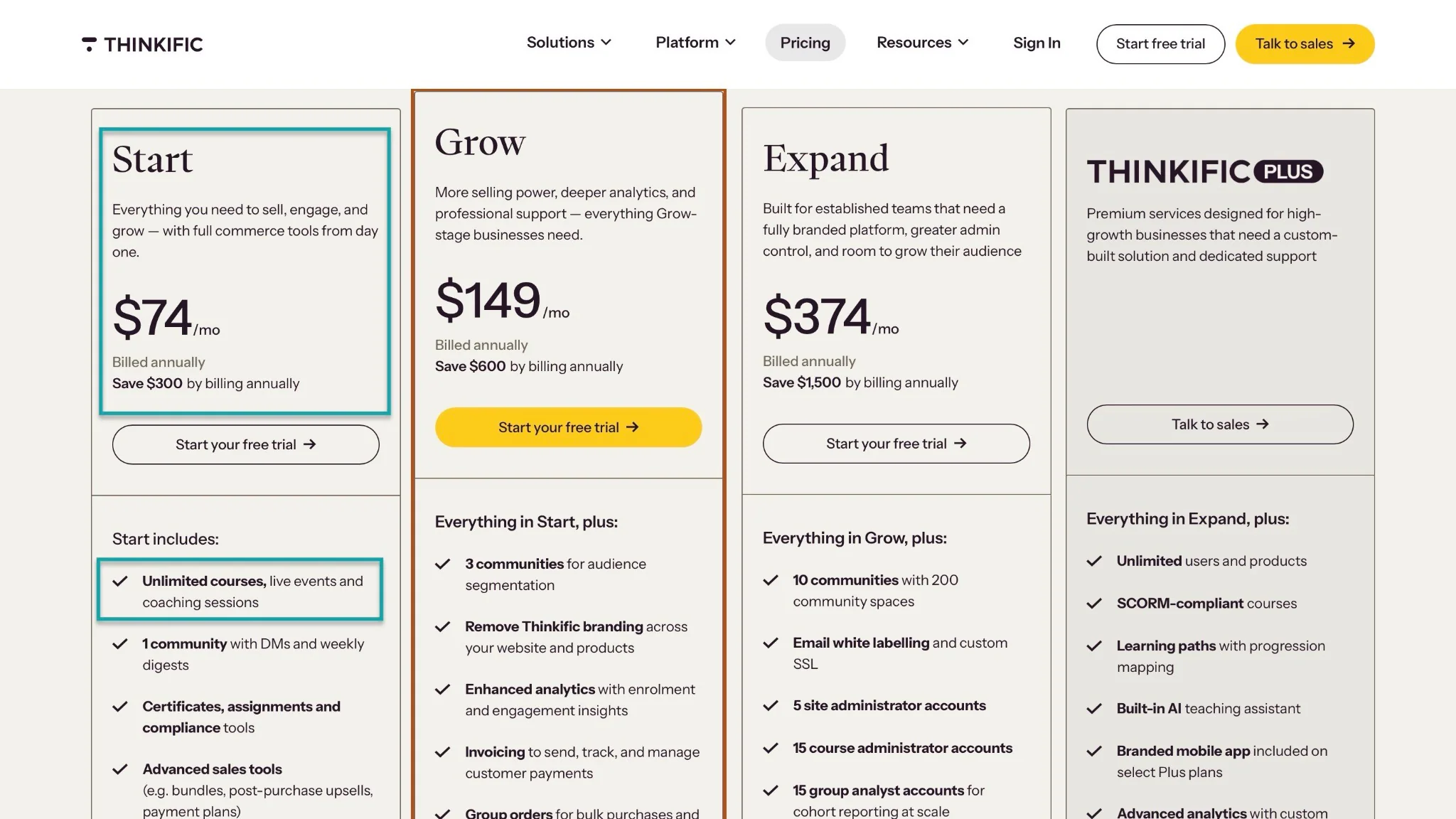
Let’s start with Thinkific. Its basic plan costs $74 per month (billed annually) and includes unlimited courses, live events, and coaching sessions.
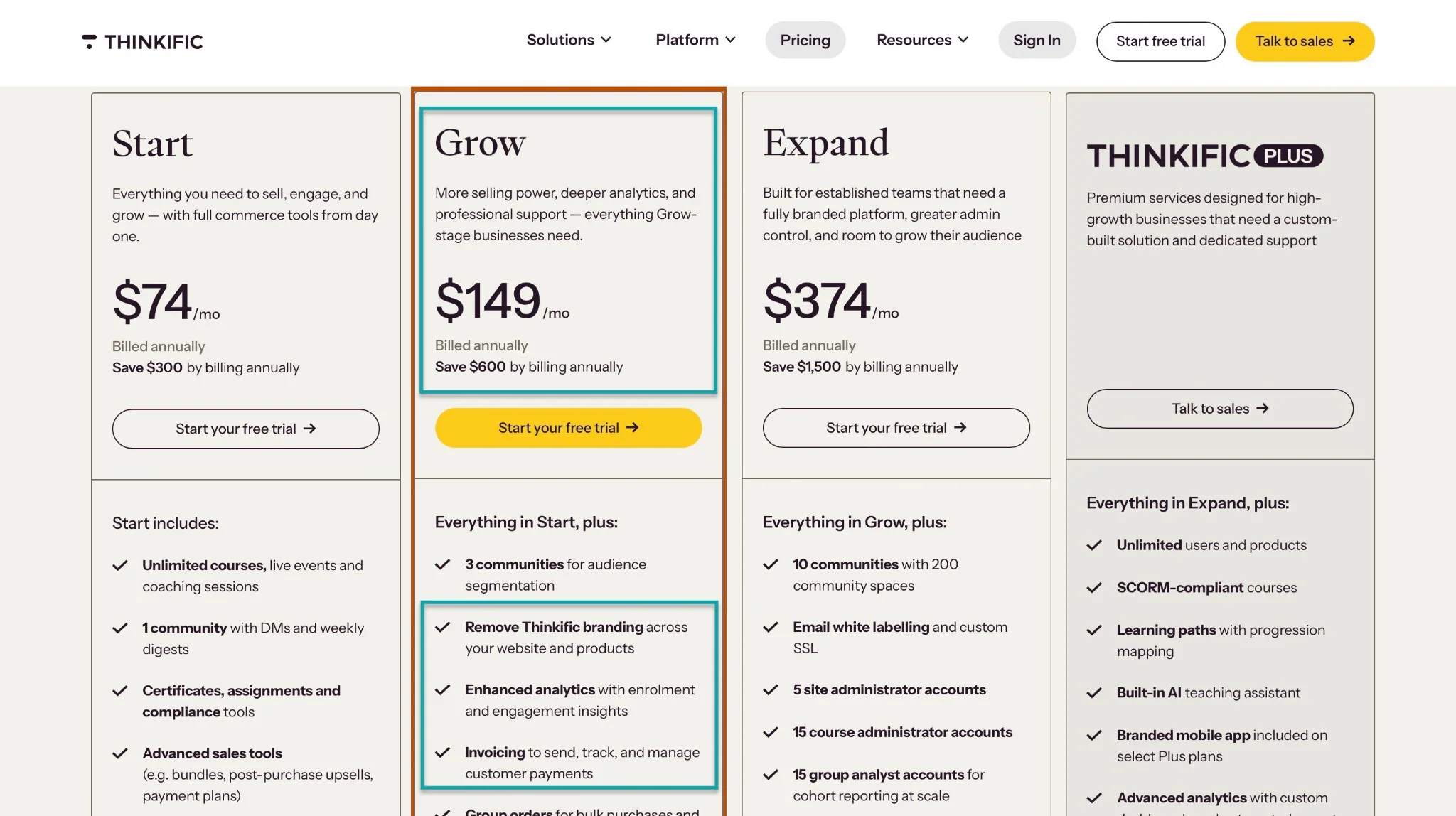
Now, if you want to remove Thinkific branding and use your own logo, you’ll need to upgrade to the next plan, Grow at $149 per month.
And if you have a team and need greater administrator control, you’ll be best suited for the Expand plan at $374 per month.
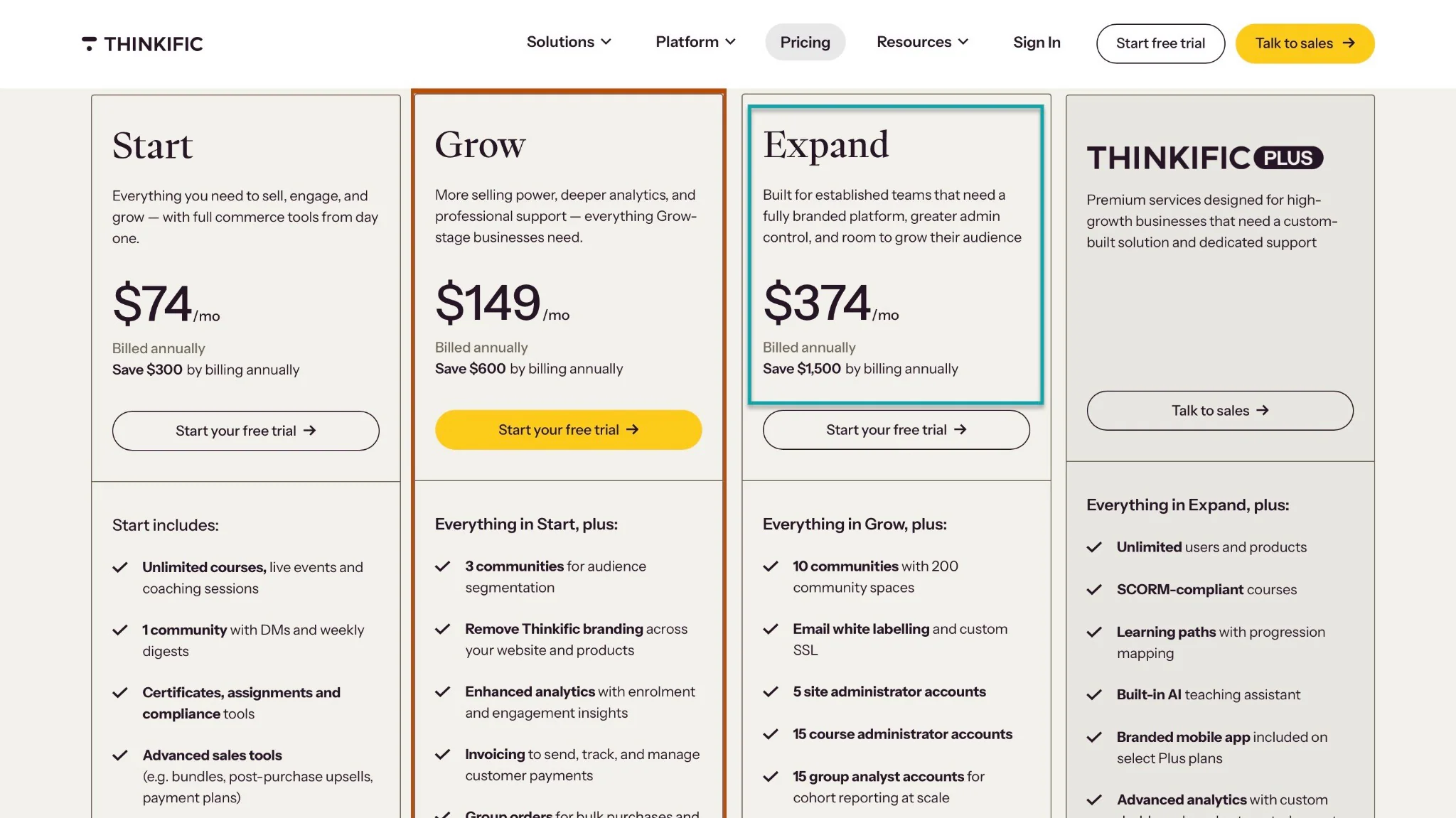
Honestly, you don’t have to spend this much when other Thinkific alternatives charge less for even better offers.
Now, there is also Teachable. Aside from the $29/month you pay on the starter plan, the platform charges you a 7.5% transaction fee.
It only gives you access to 5 products.
To give you a clear picture, if you make $100, Teachable will take $36.50 ($29 + $ 7.50). What you get is $63.5.
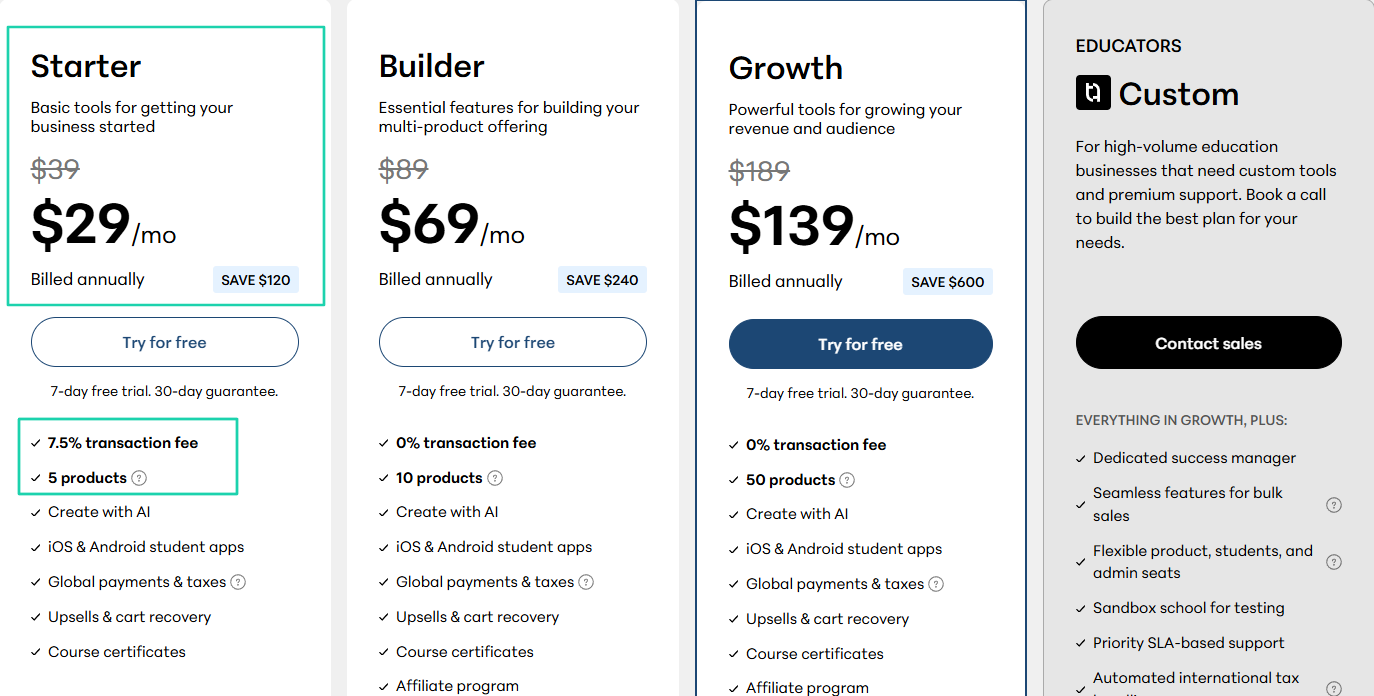
As a beginner, this may be too much, and those who find it expensive usually look for Teachable alternatives.
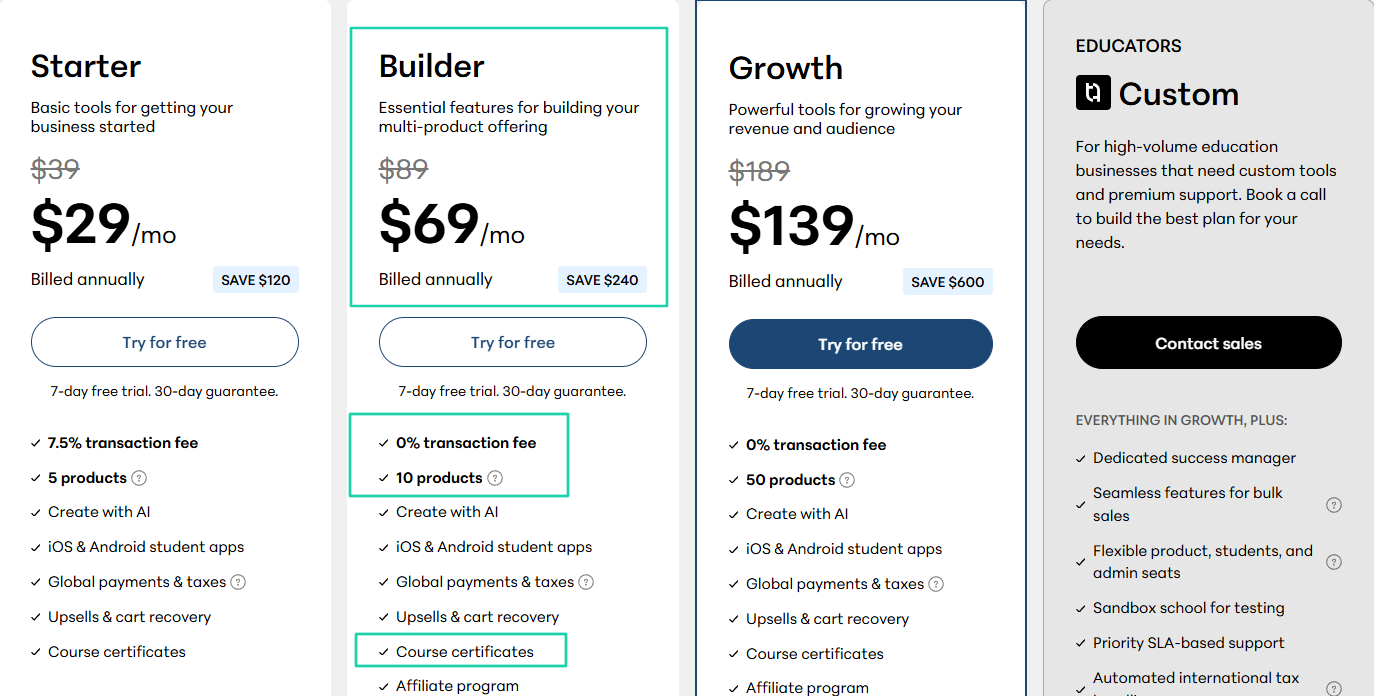
Now, with the Builder plan, you have access to 10 products and can issue course certificates. This costs $69/month with no transaction fees.
A better option than Thinkific and Teachable here is Easytools. For starters, it lets you start selling with no monthly commitment and only charges a 5% transaction fee.
And you have unlimited checkouts.
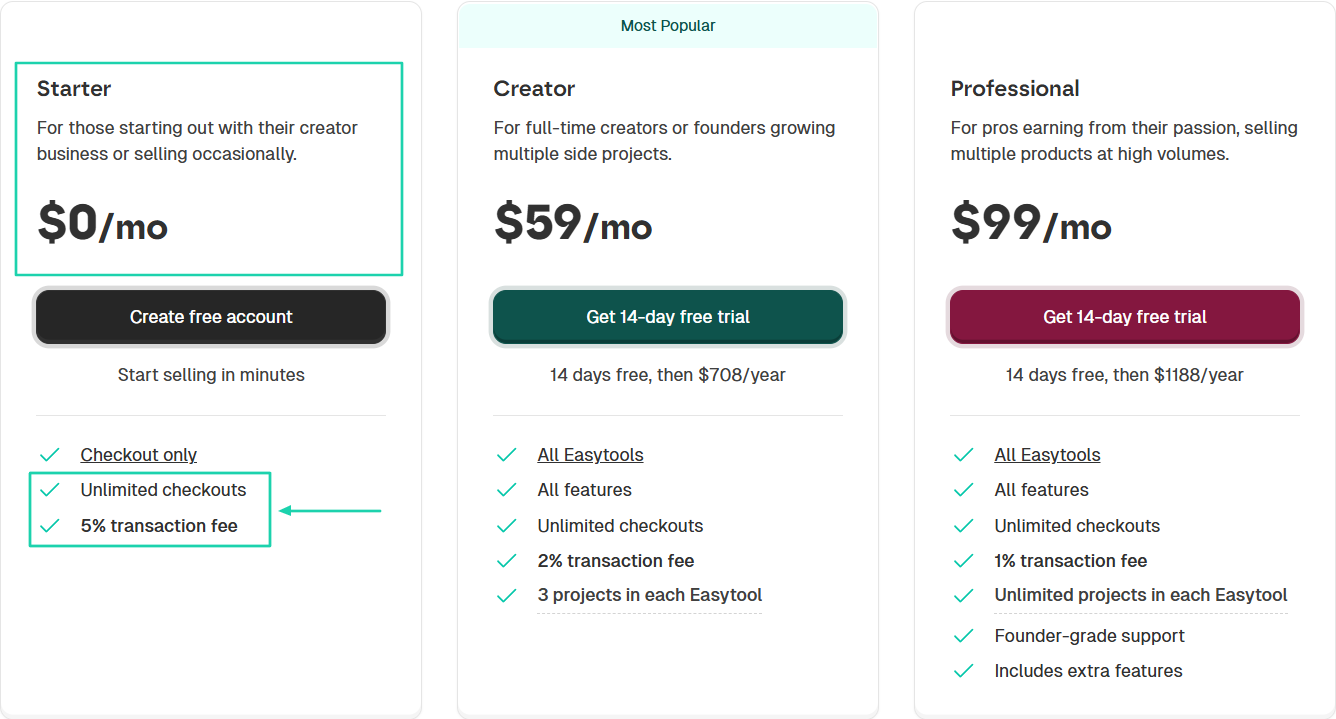
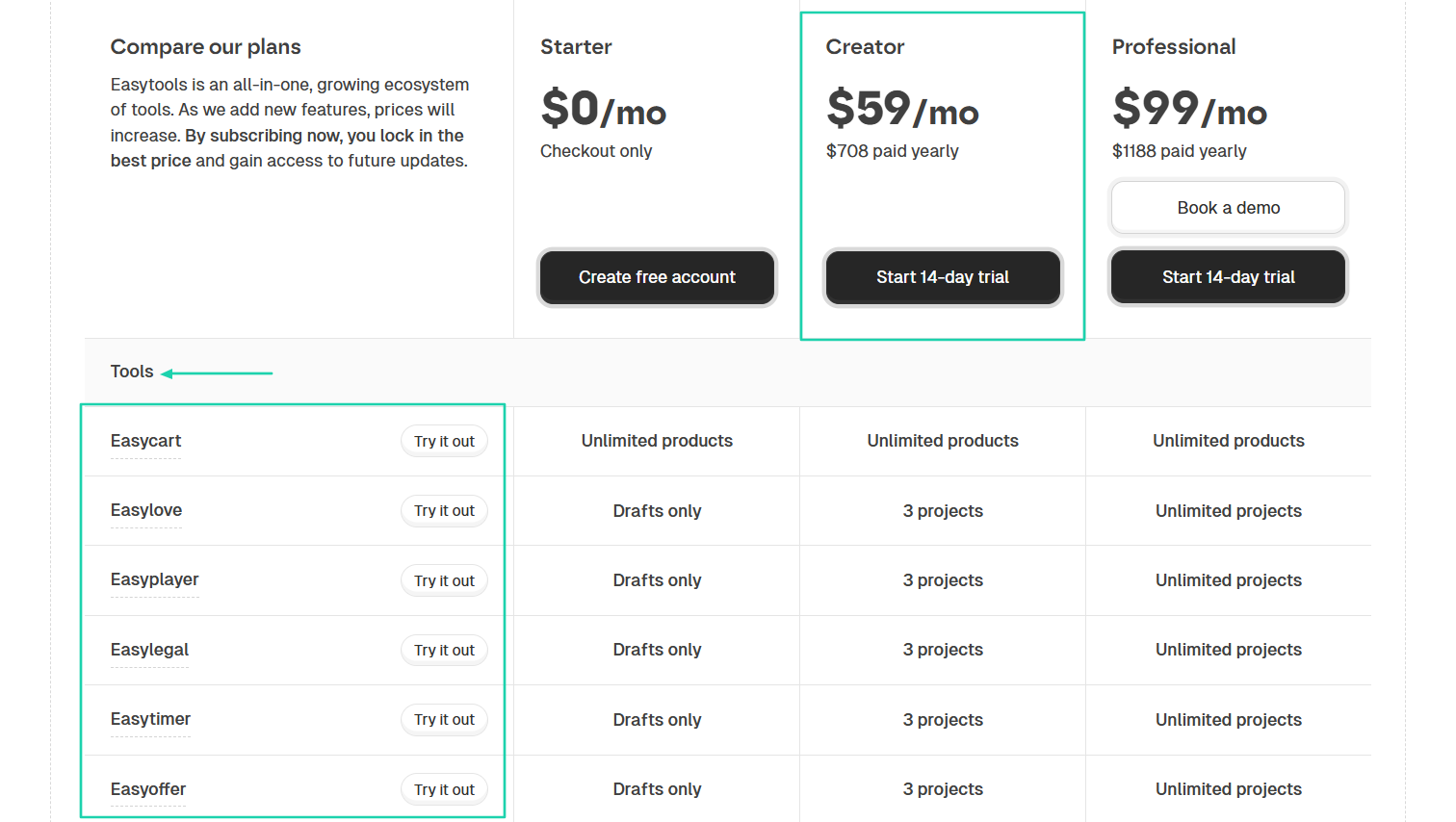
With its Creator’s plan, which is at $59/month, you have access to all Easytools features:
- Course builder
- Online store and 1-click checkout
- Websites
- Email campaigns
- Testimonials
- Legal docs
There are many other features, like affiliates, checkout recovery, sales automation, branding and styles, promos, and discounts.
Now, let’s be more practical!
How much will it cost you to create courses and issue certificates upon completion?
Well, it depends on the platform you choose:
- Thinkific → $74/month
- Teachable → $69/month
- Easytools → $59/month
You see, affordable online course platforms like Easytools are often enough for new creators. But budget alone isn’t the only factor to consider when choosing the right platform.
Let’s move on to the next.
2. Assess your features
Assessing your features will also help you choose the right Thinkific alternative. In other words, you must choose software based on your business needs.
The thing is, not every platform is built for the same purpose.
For instance, some online coaching platforms, like Mighty Networks, focus heavily on communities. On the other hand, others like LearnWorlds are optimized for corporate LMS software.
Some will prioritize automation while others will prioritize simplicity.
To avoid making mistakes, the key is to understand what features you genuinely need.
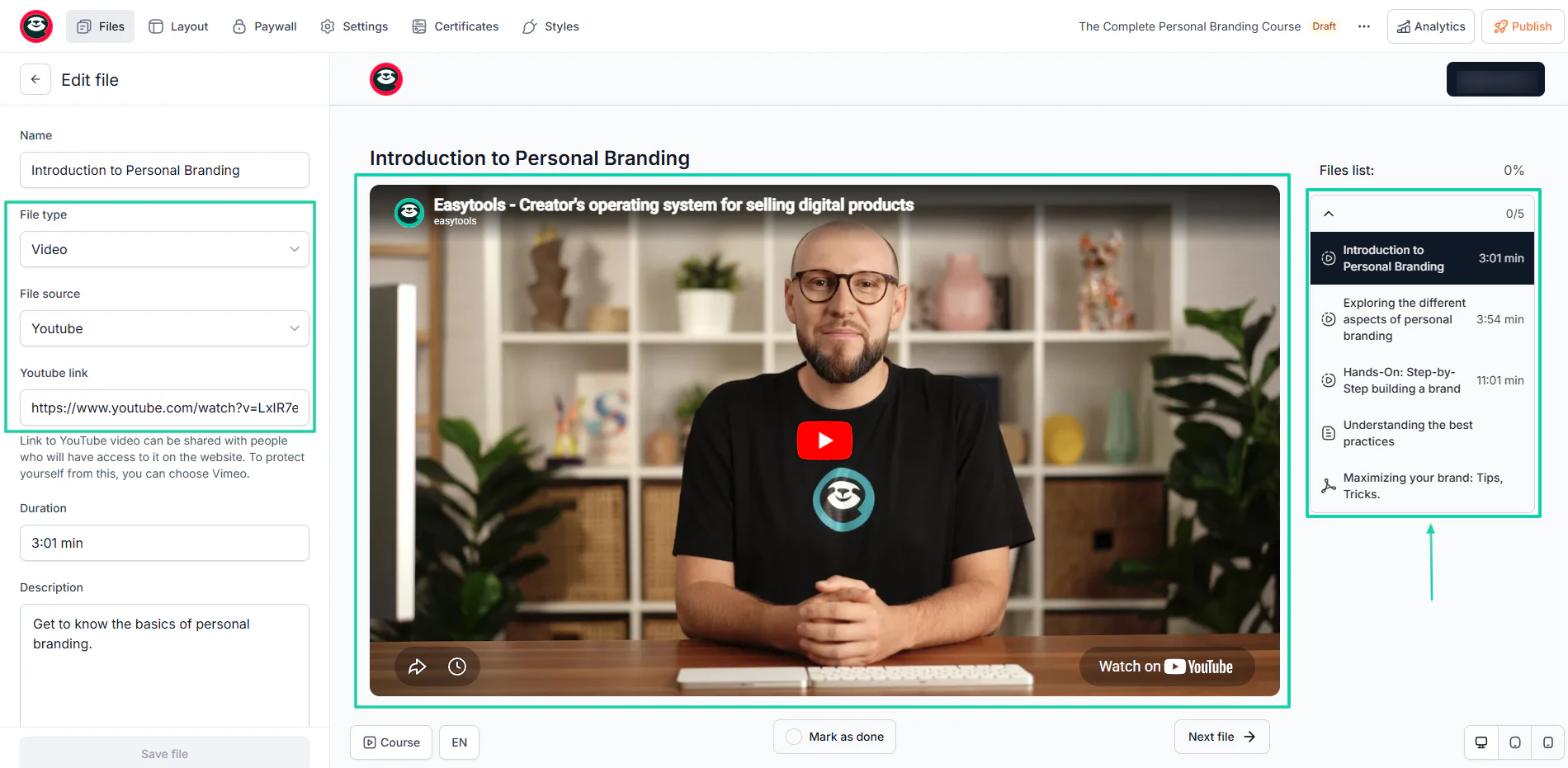
For instance, when it comes to course creation, you can’t do without video hosting and course organization.
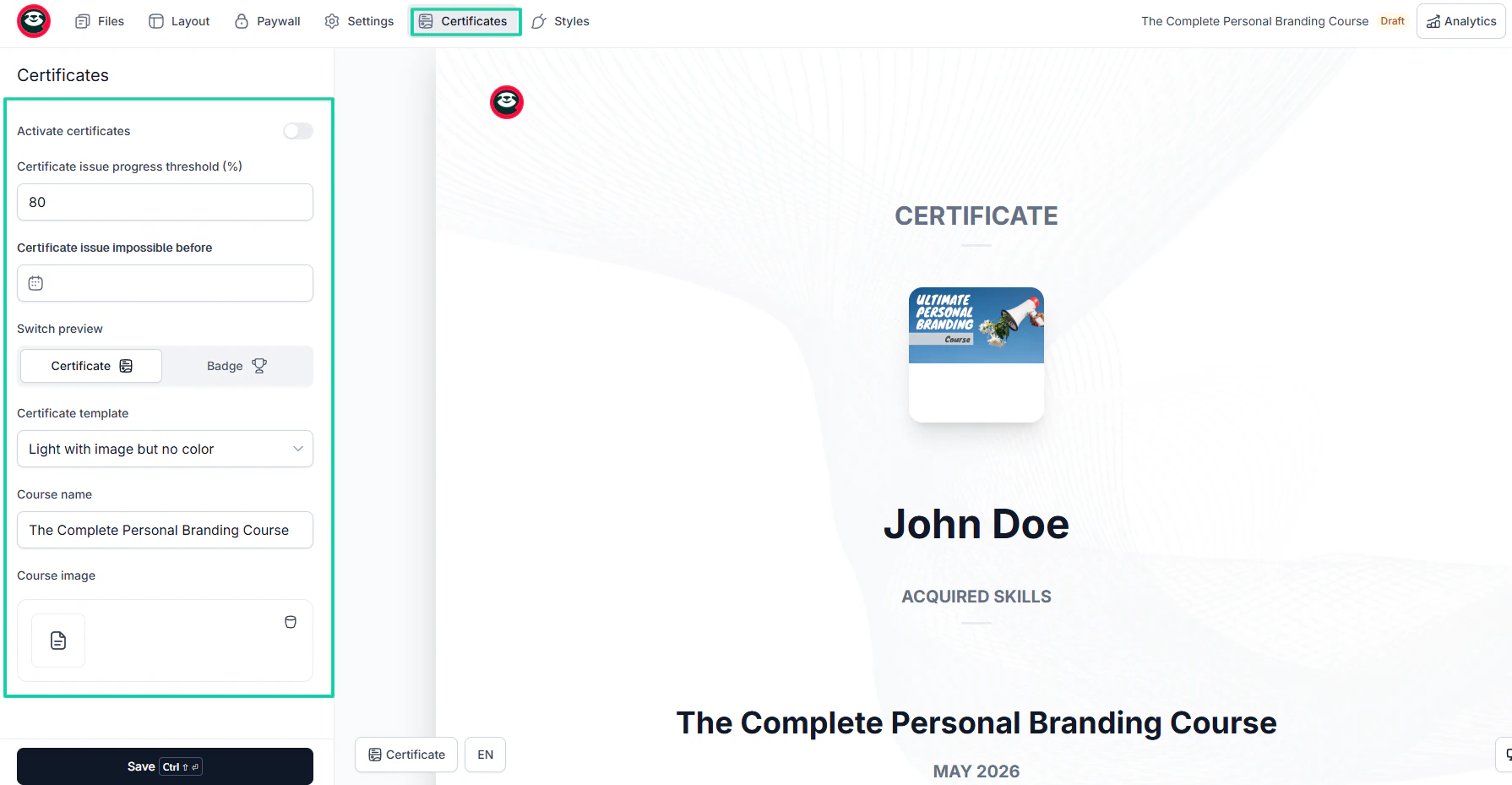
You also need to offer certificates upon course completion.
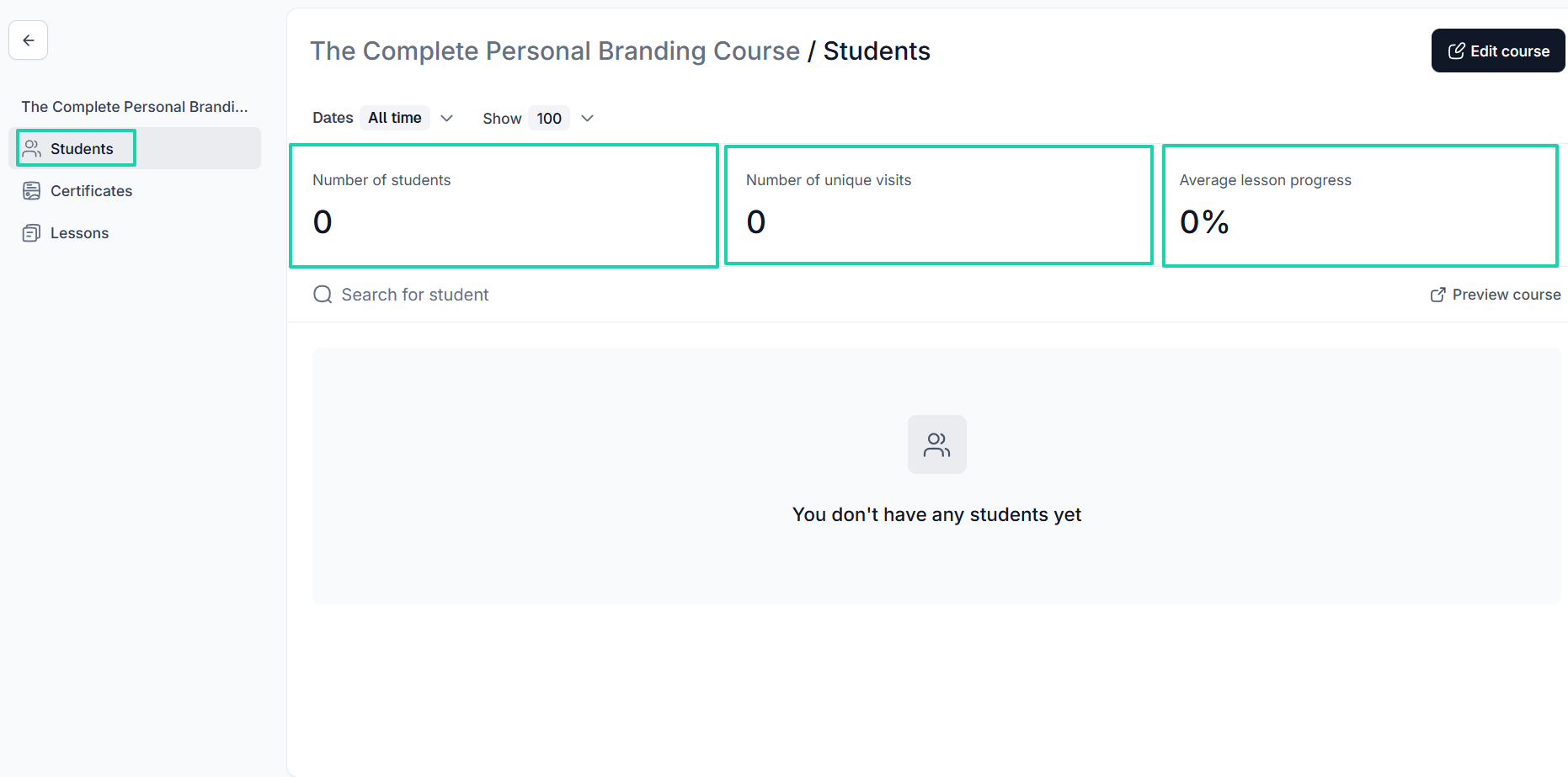
Also, the best online course platforms will let you track your students’ progress.
At least with these features, you can easily create your courses. But you also need marketing features.
The good news is that some course creation platforms offer built-in marketing systems.
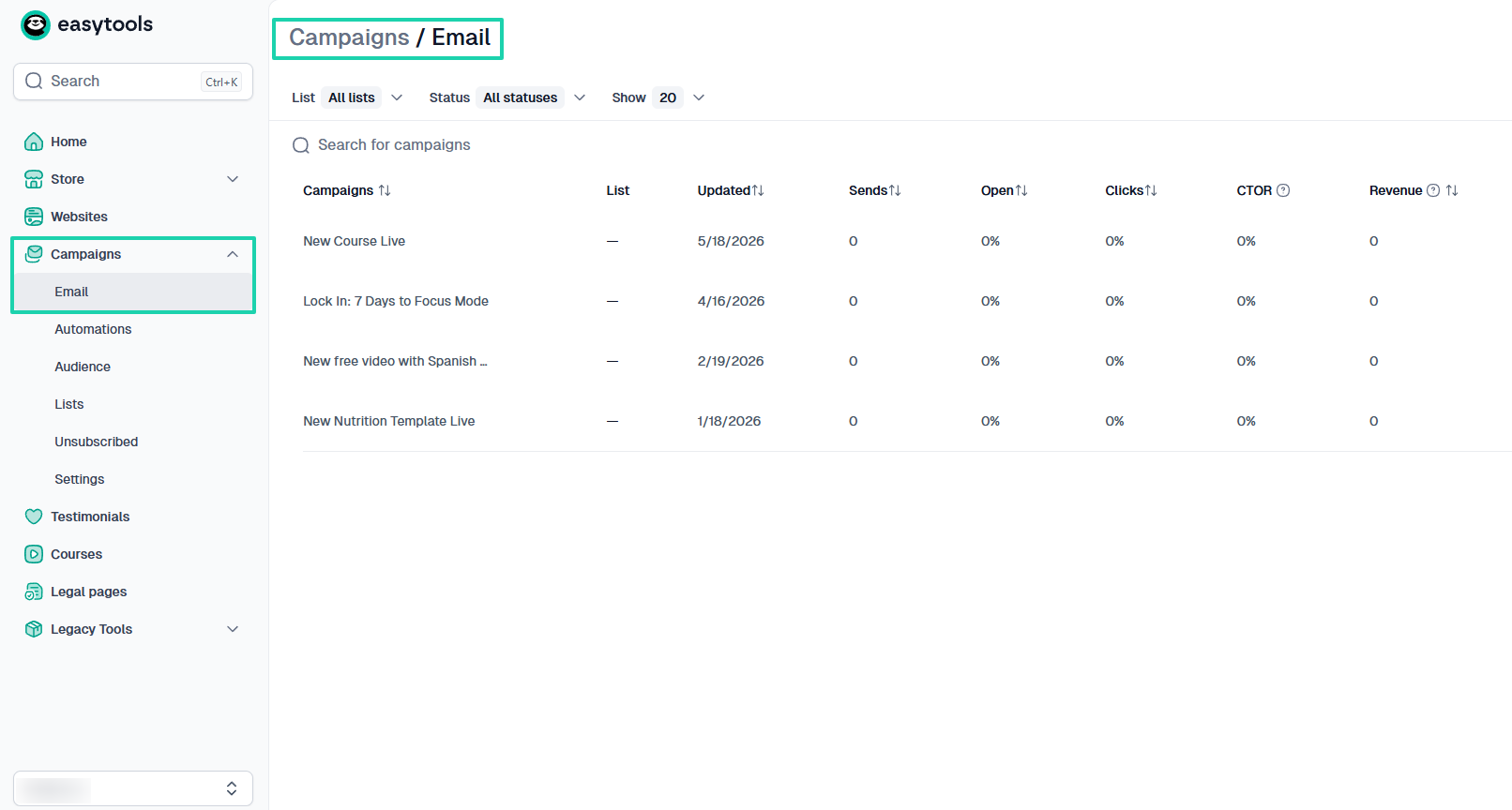
The email campaigns feature is, without a doubt, a must if you need a Thinkific alternative. You need a platform that lets you build your own email list and regularly send emails to customers or students.
Landing pages are also an excellent marketing feature to look for. For instance, if you are a coach or consultant, you can use it to promote your services.
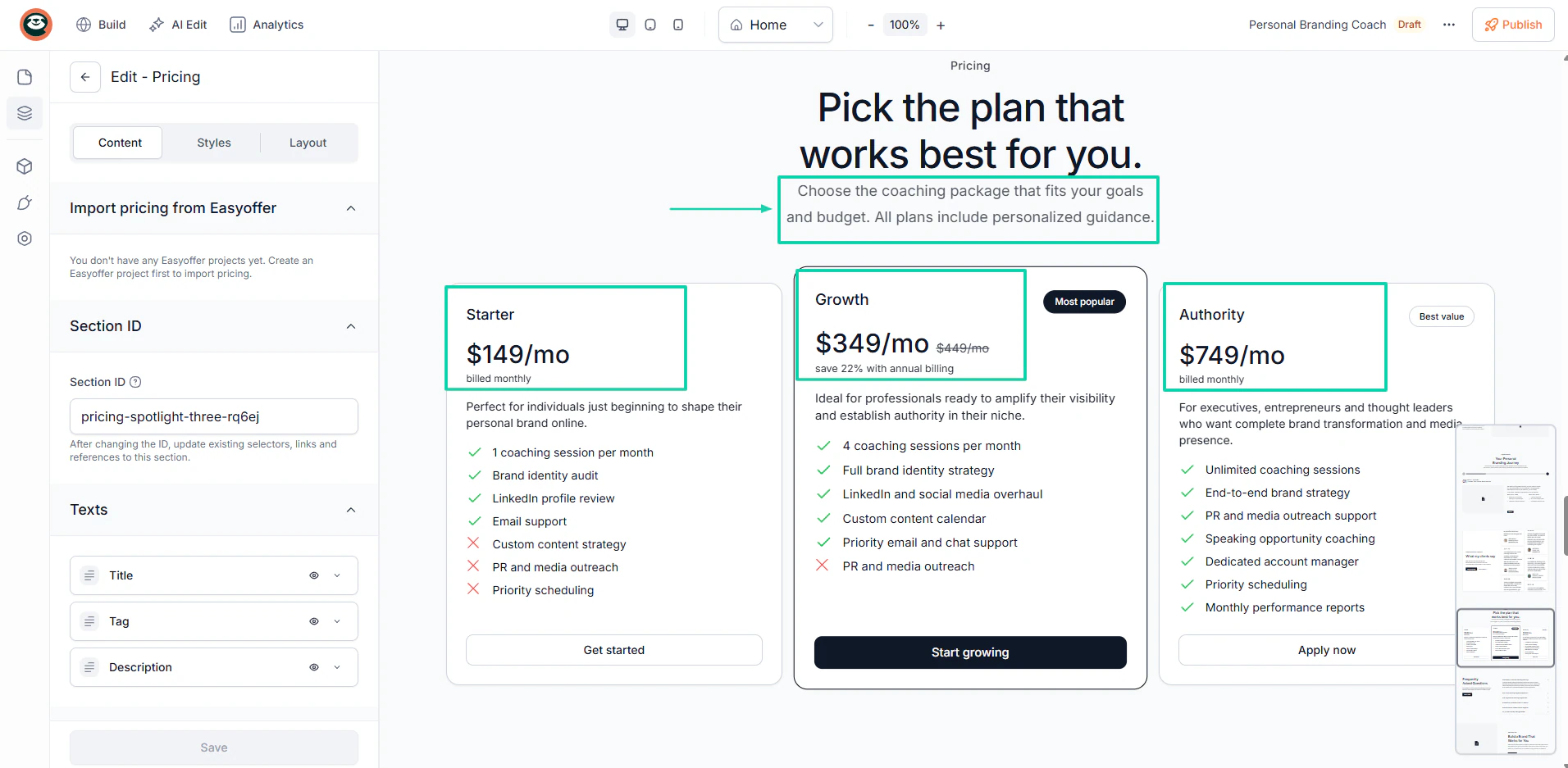
You can also use it to showcase and sell digital products, capture leads, collect testimonials, offer free lead magnets, and build an email list.
There are other features like affiliates, upsells, and automation workflows that an alternative to Thinkific should offer.
But you shouldn’t choose a platform for its sheer number of features.
More features don’t always mean a better platform. So choose a platform that fits your needs.
Entrepreneurs, coaches, beginners, and course creators might only need the features I listed earlier.
While large creator businesses may need premium e-learning platforms with more advanced features and founder-grade support
3. Evaluate technical skill level
In case you don’t know, not all Thinkific alternatives are user-friendly. That’s simply the truth!
Some online course platforms are designed for creators with zero teaching experience, while others expect users to understand coding, websites, integrations, or even automations.
That’s precisely why you should evaluate the technical skill level of your Thinkific alternative.
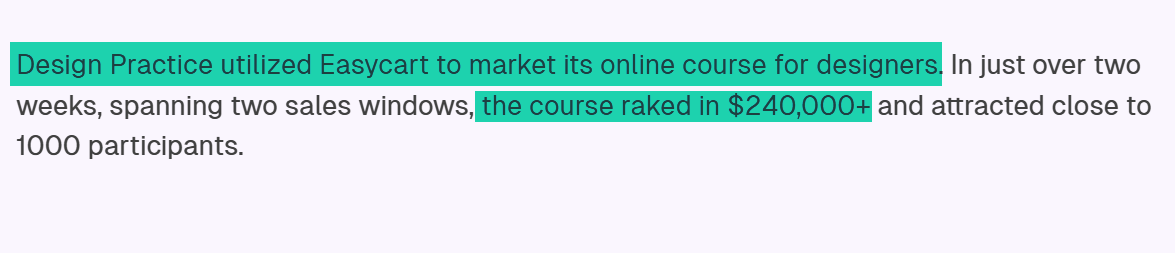
That alone can influence the success of your course. Aga and Paulina understood that when they chose Easytools. They wanted a platform with a user-friendly sales configuration and the ability to launch their course sales in minutes.
That’s why, after choosing the right platform to market their online course for designers, they made $240,000+ in just over two weeks.
But hear me out.
If you choose the wrong platform for your technical skill level, you’ll end up spending more time troubleshooting software than actually building courses.
That’s why you should look for platforms that offer easy checkout setup.
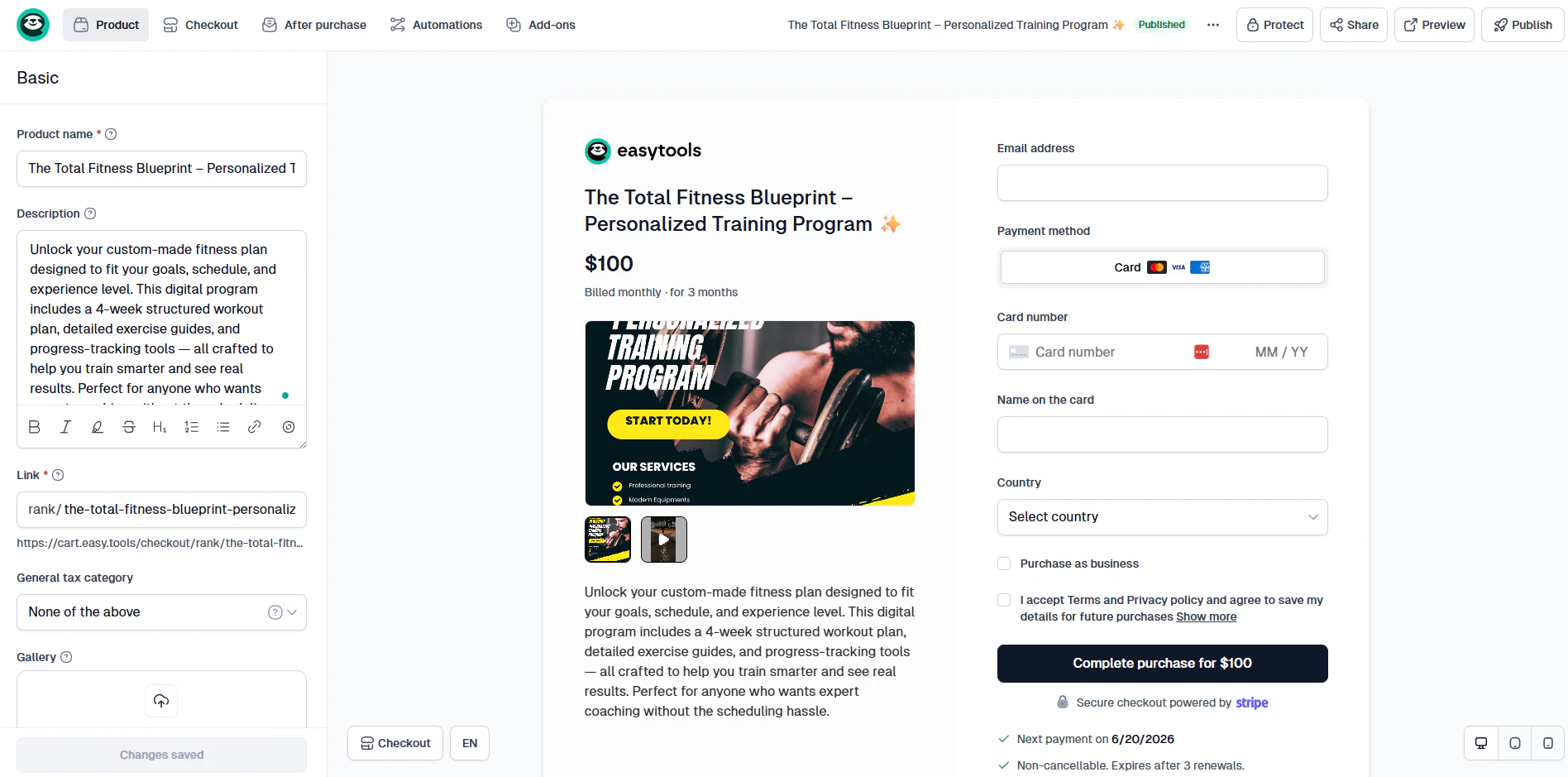
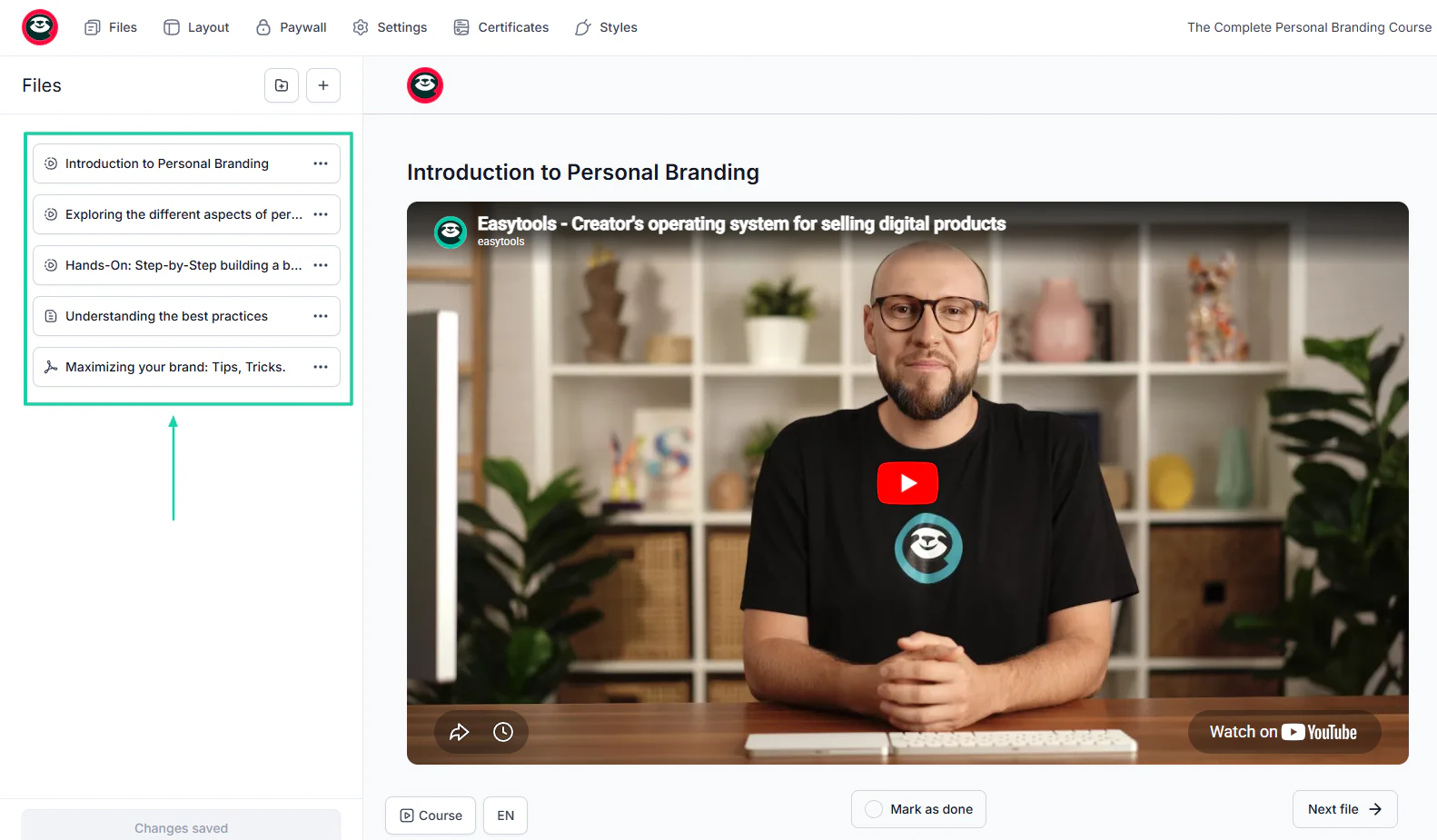
Creating a course shouldn’t be a struggle, especially now that we are in the AI era. With a good Thinkific alternative, your curriculum will be ready in less than 5 minutes.
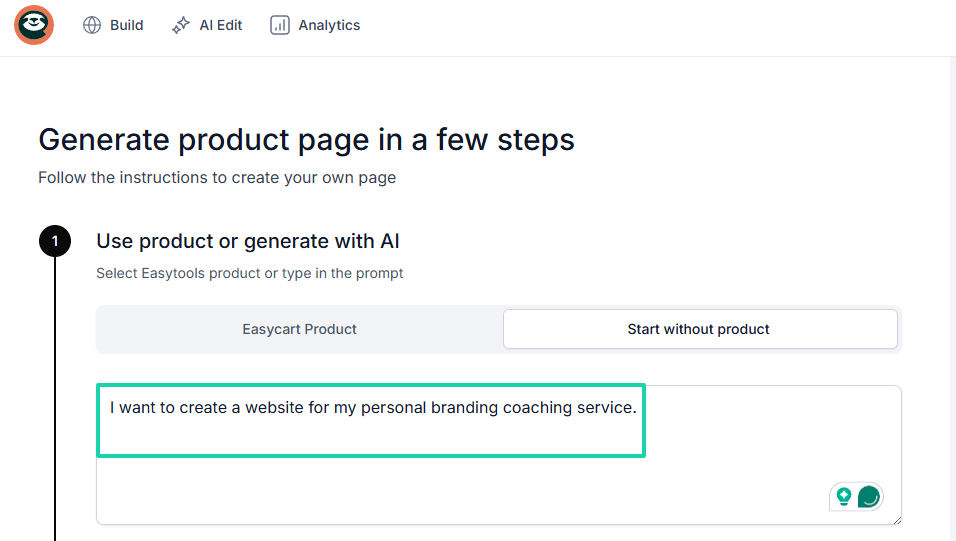
The same is true when building websites. You should just be able to describe the kind of websites you want to build and let the AI handle the rest.
No need for coding skills.
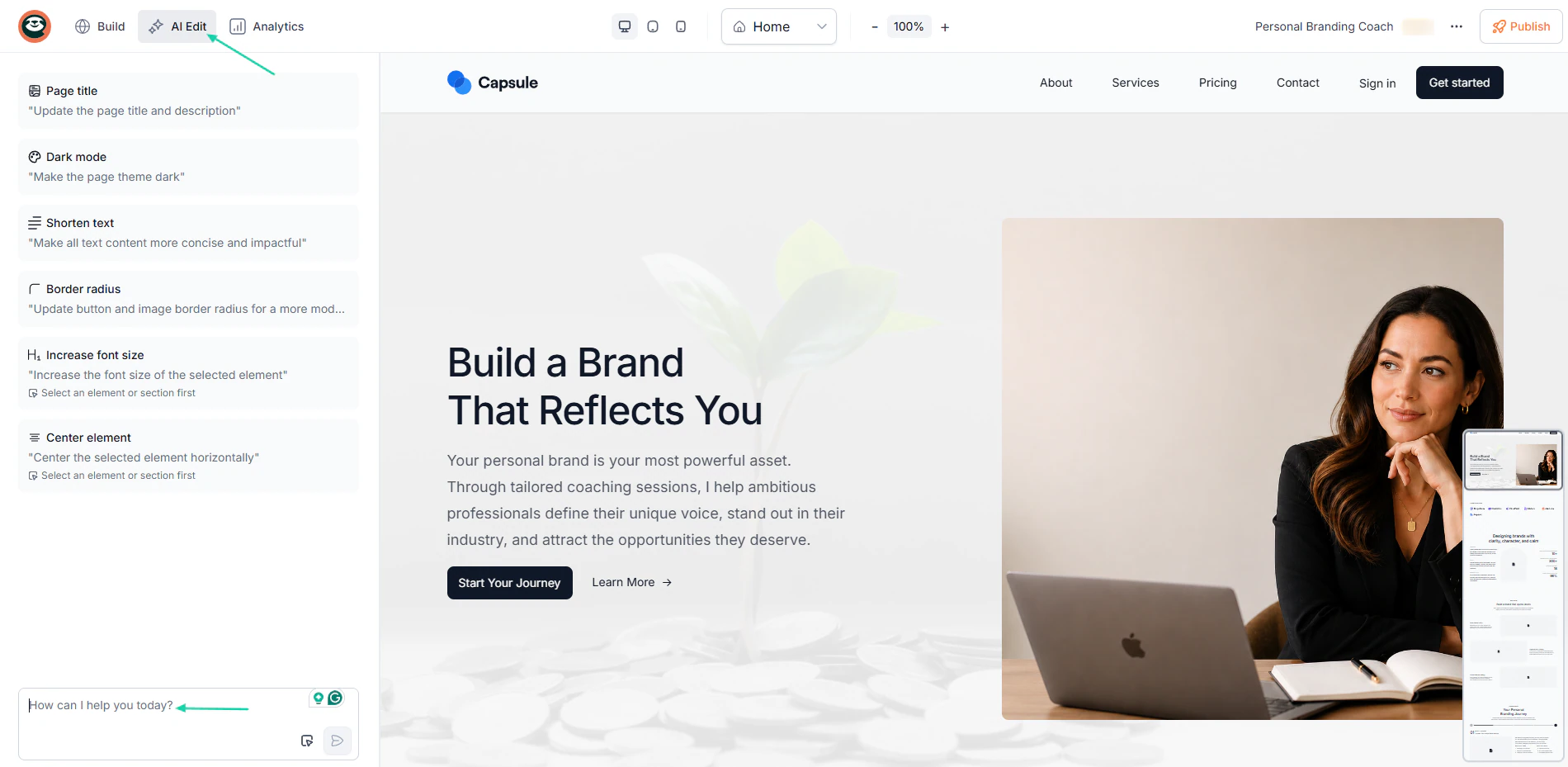
Once on your website, you should still use AI to edit.
You may have noticed that in this section, I focused more on non-technical creators. The reason is that most creators aren’t tech-savvy, so they choose simpler systems.
Because simplicity helps them:
- Launch faster
- Stay consistent
- Focus on marketing
- Spend more time creating content
- Avoid burnout
And finally, when evaluating technical skills, you should choose a platform not just for yourself. It should also be for your students.
You want them to have a great experience.
4. Factor in monetization goals
Your monetization strategy should play a huge role when choosing between Thinkific alternatives.
The truth is, each course platform has its own business model. The optimization differs depending on what you choose.
A platform like LearnWorlds, for instance, isn’t designed for digital products apart from courses. That’s its main focus.
So, you can’t just go in there thinking about selling e-books.
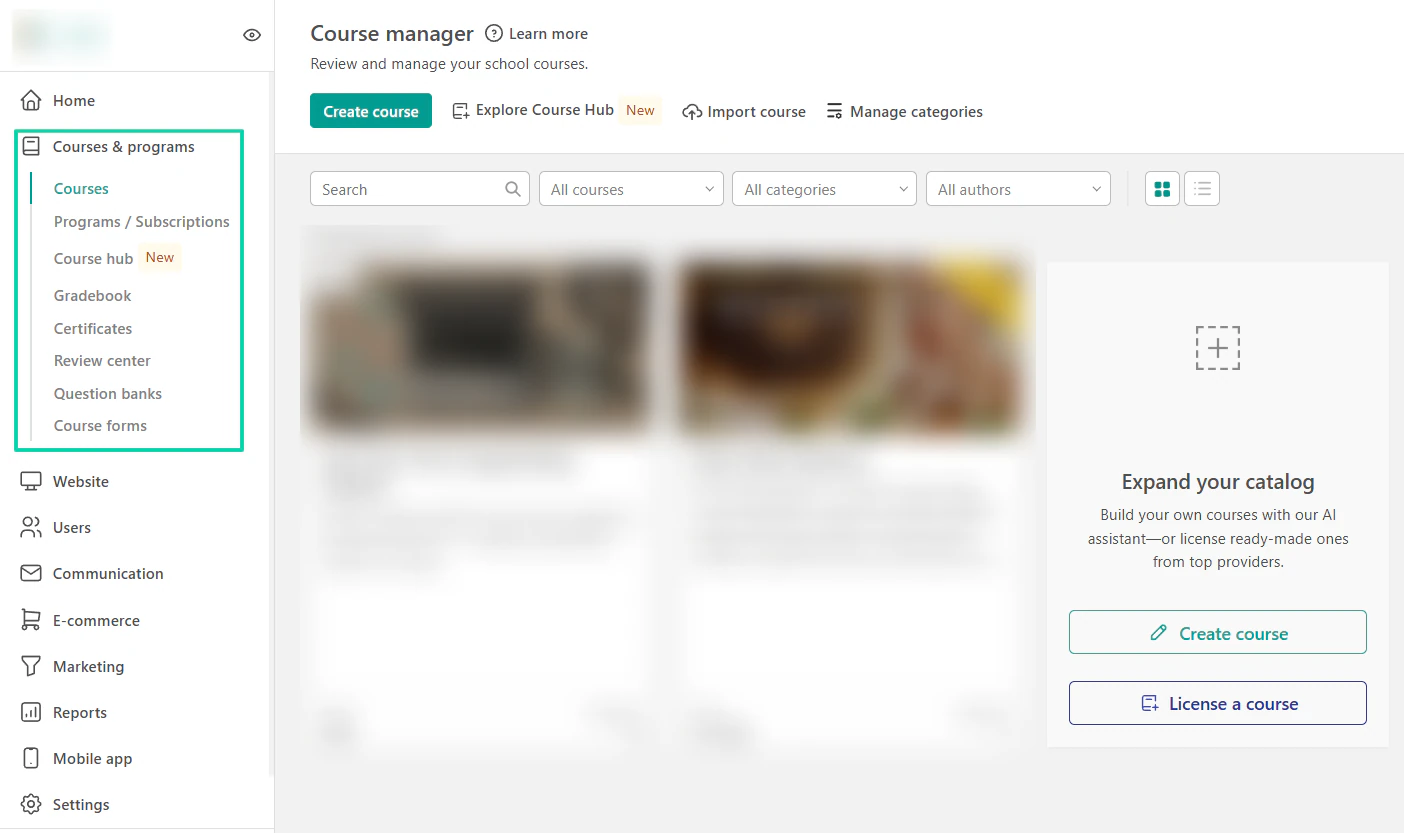
This is just an example.
But other platforms work better for digital products, courses, memberships, coaching businesses, SaaS, and webinars.
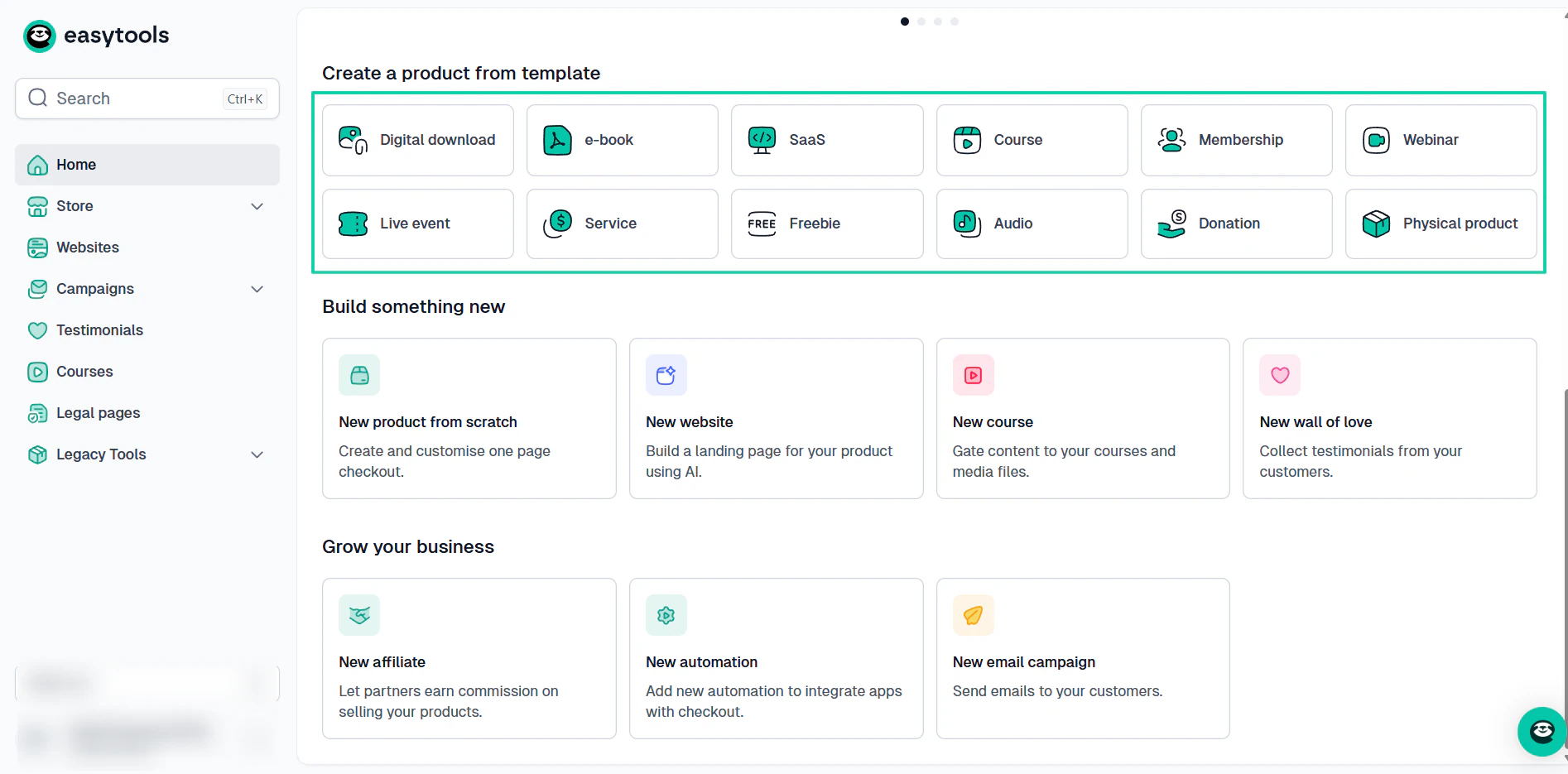
So, first determine your monetization goals.
For instance, if you want to build a membership business, you’ll need to consider membership site platforms.
If your goal is to run a coaching business, then you have to look at some of the best online coaching platforms.
But say you want to sell digital products alongside courses. Your best bet is an all-in-one creator platform.
If you understand things this way, you’ll choose a platform that aligns with your revenue strategy, making long-term growth easier.
Now, here’s a table showing the different monetization goals, the features you should prioritize, and the best types of platforms.
| Monetization Goal | Features You Should Prioritize | Best Type of Platform |
|---|---|---|
| Sell digital products alongside courses | Product hosting, bundles, checkout flexibility, and email marketing | [All-in-one creator platforms](https://www.easy.tools/player) |
| Sell standalone courses | Course hosting, smooth checkout, student management, and email capture | Traditional online course platforms |
| Build a membership business | Community tools, subscription billing, live events, member engagement | Membership site platforms |
| Run a coaching business | Scheduling, live sessions, messaging, and client management | Online coaching platforms |
| Scale with funnels and marketing | Email automation, landing pages, upsells, webinars, analytics | Marketing-focused course creation platforms |
| Train employees or teams | Compliance tracking, certifications, reporting, and team management | LMS software/learning management systems |
| Build a creator community | Group discussions, gamification, livestreams, member feeds | Community-first e-learning platforms |
Also, when factoring in monetization goals, you have to think long term. You don’t choose a platform because of your current situation.
Ask yourself:
- Will I add memberships later?
- Do I want to build a community?
- Will coaching become part of my business?
- Do I plan to scale aggressively?
- Will I need advanced automation eventually?
Choosing the wrong platform may mean migrating to a better one, and that can be challenging. Think about migrating courses, videos, student data, automations, payment systems, and more.
To avoid that, choose a platform that supports both your current goals and your future growth plans.
Select the best Thinkific alternatives
What a journey we had.
This article is proof that there are many great Thinkific alternatives. Some of them are Easytools, Teachable, LearnWorlds, Udemy, Mighty Networks, and System.io.
They don’t have the same capabilities. That’s why I also shared with you how to choose the right Thinkific alternative.
As a gentle reminder, you should consider your budget, assess the features you need, evaluate your technical skill level, and factor in monetization goals.
By following the steps I shared above, you’ll have no doubt you’ve selected the best Thinkific alternative.
FAQs
What are the best Thinkific alternatives?
The best Thinkific alternatives are Easytools, Teachable, LearnWorlds, Udemy, Mighty Networks, and Systeme.io. Easytools, for example, has a 4.6-star rating on Trustpilot. That’s because it’s a no-code platform with an all-in-one suite of tools for selling and marketing digital products.
Are there free Thinkific alternatives?
Yes, there are many free Thinkific alternatives, such as Easytools and Udemy. With Easytools, there is no monthly commitment, and it charges only 5% in transaction fees. Udemy has a revenue share model. The platform takes a cut from instructors based on how students found their online courses.
Which Thinkific alternatives are best for beginners?
The Thinkific alternatives best for beginners are Easytools and Teachable. You can create, sell, and market courses and other digital products in simple steps. Also, with Easytools, beginners can use the free Starter plan to test the platform before fully committing.
Which Thinkific alternatives offer free plans?
Some Thinkific alternatives, like Easytools, offer free plans. You can start with no upfront costs and only be charged a 5% transaction fee.
Which Thinkific alternatives offer built-in marketing tools?
The Thinkific alternatives that offer built-in marketing tools include Easytools, Teachable, and Systeme.io. Easytools, for example, offers a campaigns feature for email marketing. It also offers affiliate management, upsells, landing pages, cross-sells, price models, and more.
What are the easiest Thinkific alternatives to use?
The easiest Thinkific alternatives to use are Easytools and Teachable. They offer simple steps for creating and promoting digital courses, with no coding required. And with Easytools, you can create a checkout for a digital product in four simple steps. The platform can automatically build an accompanying landing page when you select that option after creating the checkout page.
Are Thinkific alternatives worth switching to?
Yes, some Thinkific alternatives like Easytools are worth switching to. Aside from creating courses with AI, it offers a suite of tools to sell other digital products, build a website and storefront, collect testimonials, and manage legal documents. You can also build your own email list and run campaigns.
Can I make money with free Thinkific alternatives?
Yes, you can make money with free Thinkific alternatives like Easytools. You can build a website to promote and sell your products and services, create unlimited customizable checkouts, and run campaigns.