Selling online
The 20 best ClickFunnels alternatives we recommend in 2026! (We tested them all)
Looking for a ClickFunnels alternative? We tested 50 platforms and picked the 20 best for building funnels, selling products, and automating your marketing — with features, pricing, pros, and cons.

A good sales funnel should attract people, turn them into customers, get them to buy more, and keep them coming back.
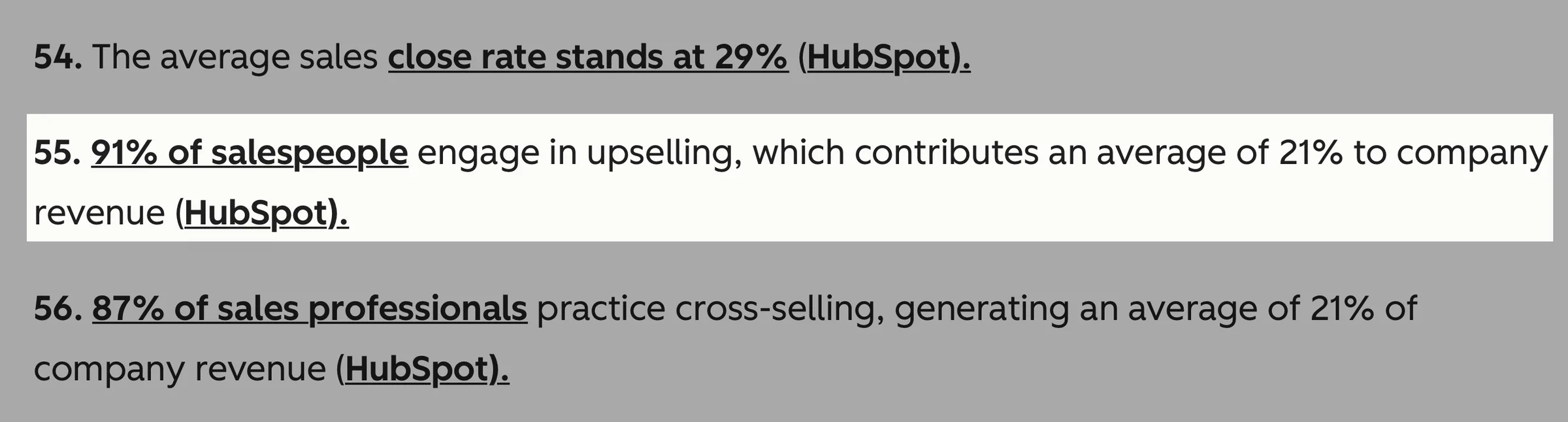
For example, upselling contributes an average of 21% to company revenue. That’s why 91% of salespeople use it.
The best ClickFunnels alternatives do exactly this and more. So, my team and I did the heavy lifting and tested 50 of them.
We narrowed that down to the 20 best ClickFunnels alternatives worth your time. In this guide, we’ll talk about them and help you choose the right one for your online business.
Let’s get into it.
TL;DR
-
The best 20 ClickFunnels alternatives are:
- Easytools
- Systeme.io
- Podia
- Kartra
- ThriveCart
- Stan Store
- GoHighLevel
- Kajabi
- Leadpages
- GetResponse
- SamCart
- Unbounce
- Instapage
- HubSpot
- Whop
- Shopify
- CartFlows
- Builderall
- Wix
- FunnelKit
-
To choose the right ClickFunnels alternative, you should
- Choose based on what you’re selling
- Look at the checkout experience
- Think beyond funnels
- Compare total cost
How we chose the ClickFunnels alternatives on our list
Here’s how we selected the ClickFunnels alternatives on our list:
- We chose platforms that let creators guide customers through the sales process, from discovering a product to buying it, receiving it, and even getting an upsell.
- We also selected ClickFunnels alternatives that are easy to use for both creators and their customers. After all, if the buying process is too complicated, customers may abandon checkout.
- My team and I also looked for alternatives that offered free plans or trial periods, so you can test the platform before committing to a paid plan.
- Since business growth is important, we chose ClickFunnels alternatives with automation and AI capabilities. This way, you can focus on creating while the platform handles some of the repetitive work for you.
Best ClickFunnels alternatives compared
| Platform | Key features | What you can sell | Sales journey | Starting plan | Best for |
|---|---|---|---|---|---|
| Easytools | Checkout pages, landing pages, storefront, digital products, courses, coaching, memberships, email marketing, automation, website builder, upsells, cross-sells, order bumps | Digital downloads, Notion and Canvas templates, checklists, courses, coaching, memberships, subscriptions, live events, webinars, services | Lets you take customers from landing pages, creator pages, or newsletters, and offers checkout, payment, automated email follow-ups, and product delivery from one platform. | Starter: $0/month + 5% transaction fees + unlimited checkouts | Creators who want an all-in-one platform for selling and marketing |
| Systeme.io | Sales funnels, landing pages, email marketing, automation, courses, memberships, webinars, upsells, affiliate management | Digital products, courses, memberships, coaching, physical products | Lets you build the funnel, capture leads, nurture them with email, sell through checkout, and deliver courses or other products. | Free: $0/month + 2,000 contacts + 0% transaction fees | Beginners who want an affordable all-in-one funnel platform |
| Podia | Website builder, digital products, courses, coaching, memberships, email marketing, community, upsells | Digital downloads, courses, coaching, memberships, subscriptions | Helps you attract visitors with your website, capture leads, sell products, collect payments, and deliver courses or memberships. | Mover: $42/month + 5% transaction fees + unlimited customers | Creators selling courses, digital products, and memberships |
| Kartra | Funnels, landing pages, email/SMS, automation, checkout, memberships, courses, webinars, analytics, affiliate management | Digital products, courses, memberships, coaching, subscriptions | Gives you tools to build the entire customer journey, from lead capture and automated follow-ups to checkout, upsells, and product delivery. | Essentials: $52/month + 5% transaction fees + 10,000 emails/month | Businesses that need advanced funnels and marketing automation |
| ThriveCart | Checkout pages, funnels, order bumps, upsells, downsells, A/B testing, abandoned-cart recovery, subscriptions, affiliates | Digital and physical products, courses, subscriptions | Focuses heavily on converting buyers at checkout, then uses bumps, upsells, downsells, and automation to increase order value. | ThriveCart Standard - $47/month + unlimited products and funnels | Businesses focused on checkout optimization and increasing sales |
| Stan Store | Creator storefront, digital products, courses, coaching, memberships, bookings, subscriptions, AutoDM; advanced funnels and email on Pro | Digital products, courses, coaching, memberships, subscriptions | Lets creators send social-media audiences to a storefront where they can discover offers, buy, book a service, or join a membership. | Creator: $29/month + 0% transaction fees | Social-media creators who want a simple storefront and link-in-bio |
| GoHighLevel | CRM, funnels, websites, email/SMS, automation, pipelines, calendars, AI, payments, courses, communities | Services, courses, memberships, digital products and other offers | Connects lead generation, CRM, follow-ups, booking, sales pipelines, payments, and delivery, making it particularly useful for managing leads through the whole sales process. | Starter: $97/month | Agencies, marketers and businesses that need CRM and marketing automation |
| Kajabi | Courses, coaching, memberships, communities, funnels, landing pages, email marketing, automation, checkout, analytics | Courses, coaching, memberships, communities, digital products | Connects landing pages, email marketing, funnels, checkout, and product delivery so experts can turn an audience into paying customers and members. | Basic: $143/month + 5 products + 2,500 contacts | Coaches, educators and experts building knowledge-based businesses |
| Leadpages | Landing pages, websites, forms, A/B testing, analytics, AI page creation, lead capture, integrations | Lead-generation offers, digital products, services and other offers | Primarily helps you turn visitors into leads through conversion-focused landing pages, then connects those leads to your CRM or email marketing tools. | Pro: $29/month + 25 pages + 90-day analytics + 12,000 AI credit/month | Businesses and marketers focused on landing pages and lead generation |
Best ClickFunnels alternatives
1. Easytools
- Personal rating: ⭐️⭐️⭐️⭐️ 4.9/5 - Automates the sales process so you can focus on creating digital products and services.
- Ease of use: ⭐️⭐️⭐️⭐️ 4.9/5 - It’s intuitive with clearly labelled features and tools.
- AI capabilities: Uses AI to help you build websites, create images, write copy, run email campaigns, recommend course lessons, and make website edits. With MCP, you can also use AI assistants like Claude to manage products, revenue, and subscriptions with everyday language prompts.
- Monetization options: One-time payments, memberships, subscriptions, courses, webinars, events, services, SaaS and licenses, digital downloads (PDFs, Notion templates, planners, e-books), price variants, discounts, and affiliates.
- Free trial: Yes - 14-day free trial for both its Creator and Professional paid plans
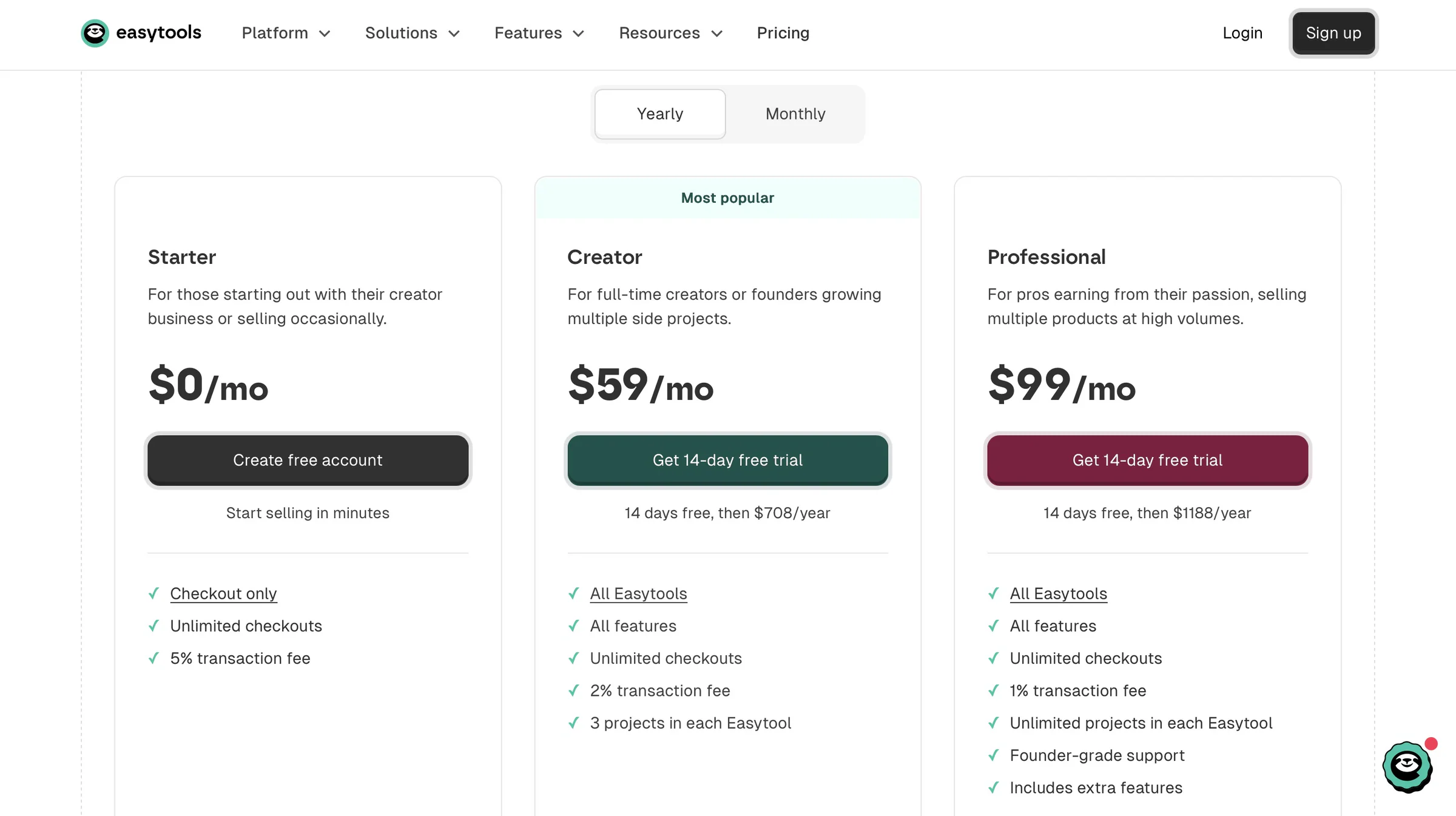
- Starting plan: Starter - $0/month + 5% transaction fee + unlimited checkouts
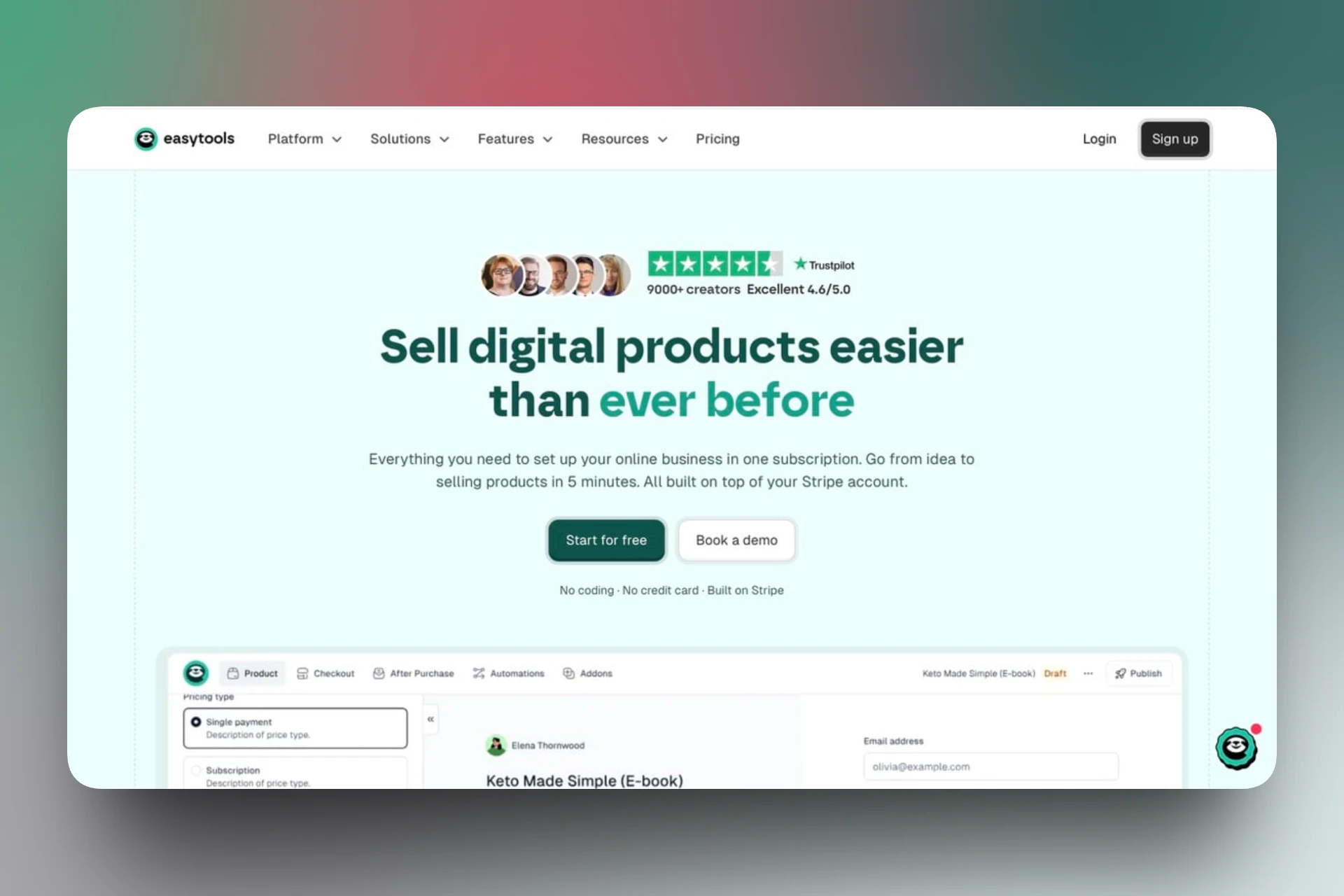
Easytools makes our list of the best ClickFunnels alternatives.
It’s an all-in-one, no-code platform for selling and marketing digital products and services. Easytools makes it easy to sell and market with customizable, high-converting checkouts, creator pages, multi-page websites, email automation, product delivery, analytics, and more.
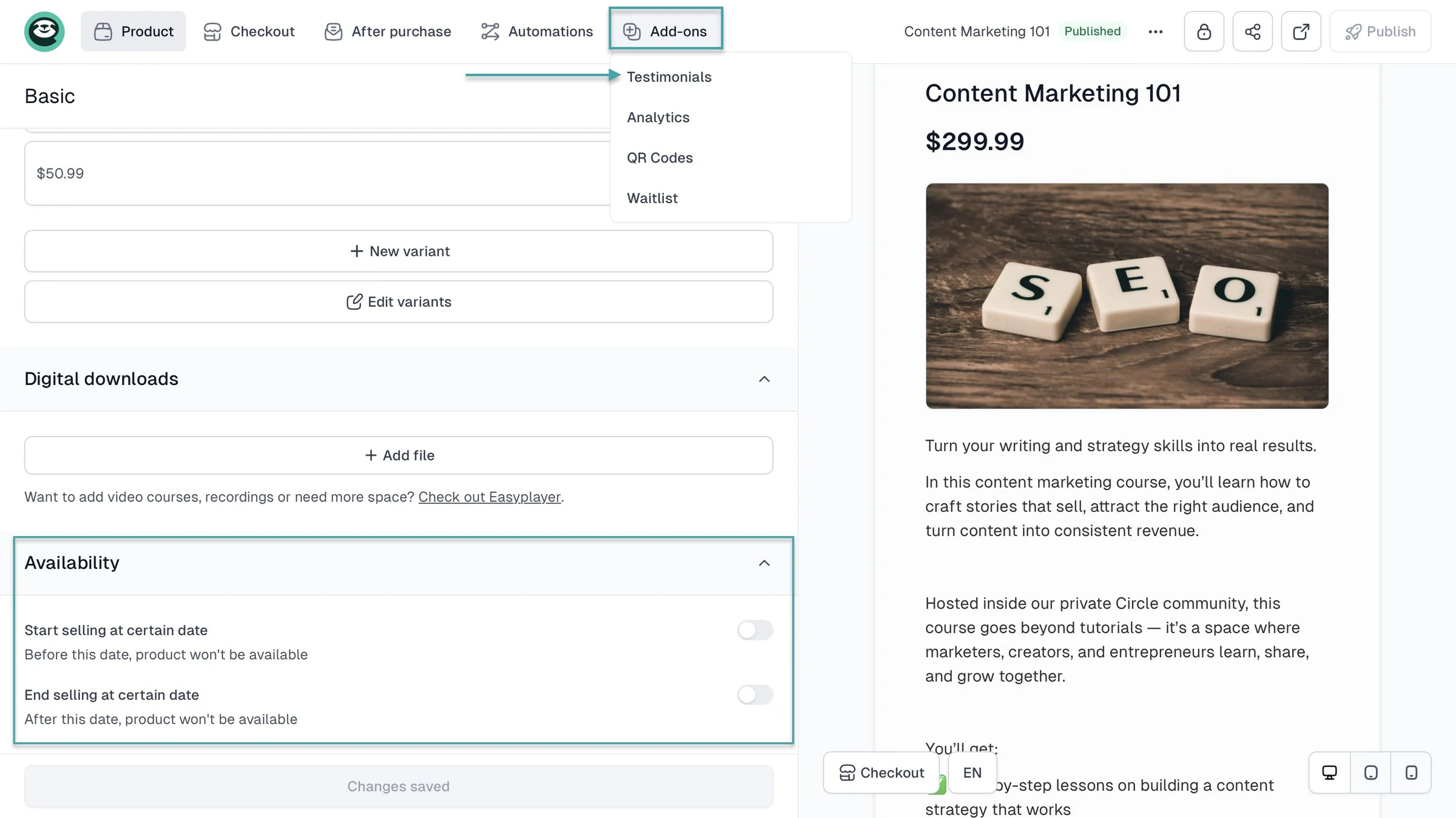
You can also create conversion-optimized checkouts to sell e-books, online courses, templates, digital downloads (SaaS, PDFs), live events, webinars, services, and more. On every checkout you create, you can add order bumps, cross-sells, upsells, cross-price, countdown timers, testimonials, and more.
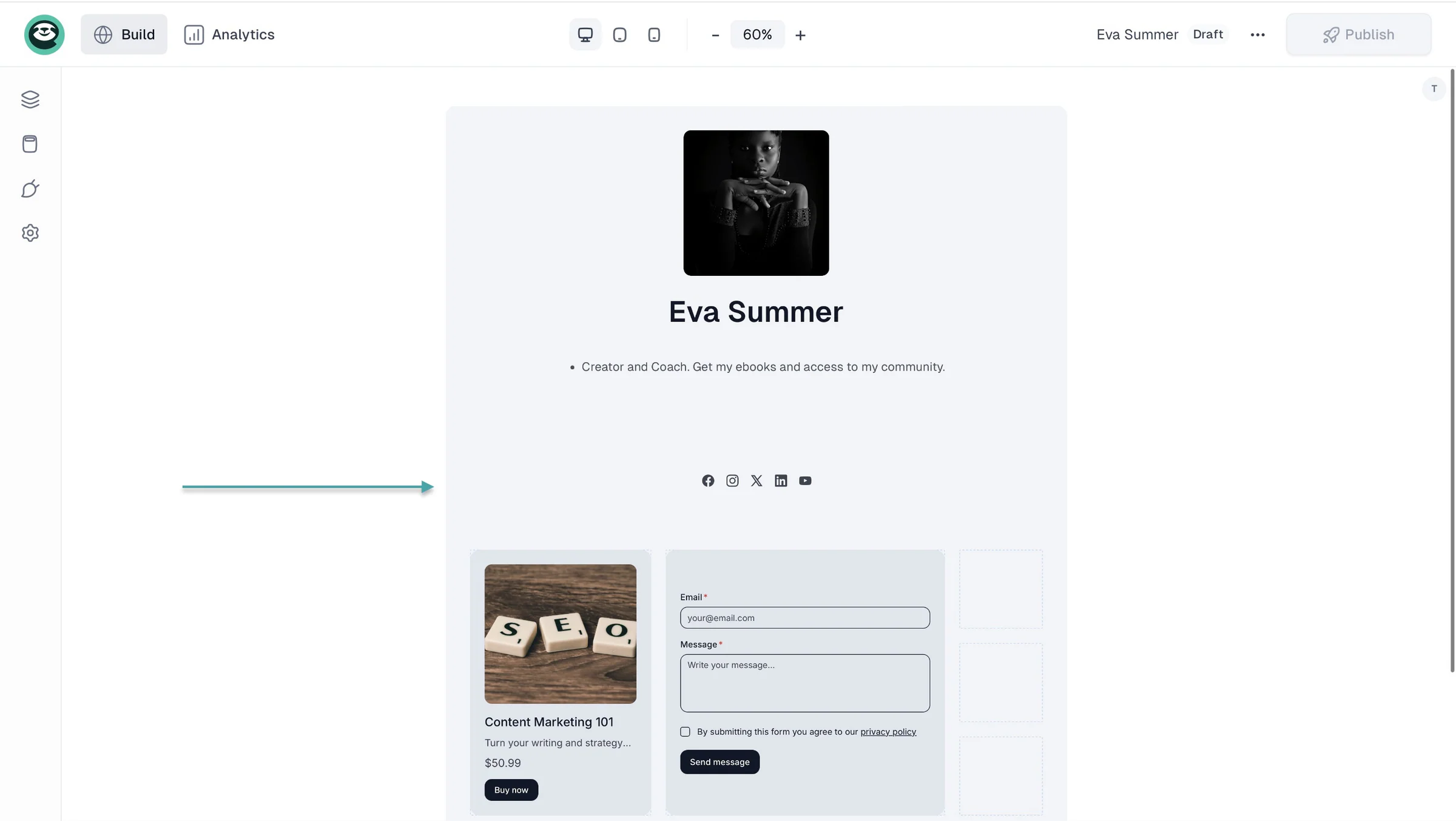
On Easytools, you can add a creator page that’s like a link-in-bio with all your social media links and a storefront with boxes showing your products on sale. With just a click of the button, visitors to your creator page can buy from you.
With your AI-generated multi-page website, you can add an about us page, products or services page, contact page, blog hub, and more.
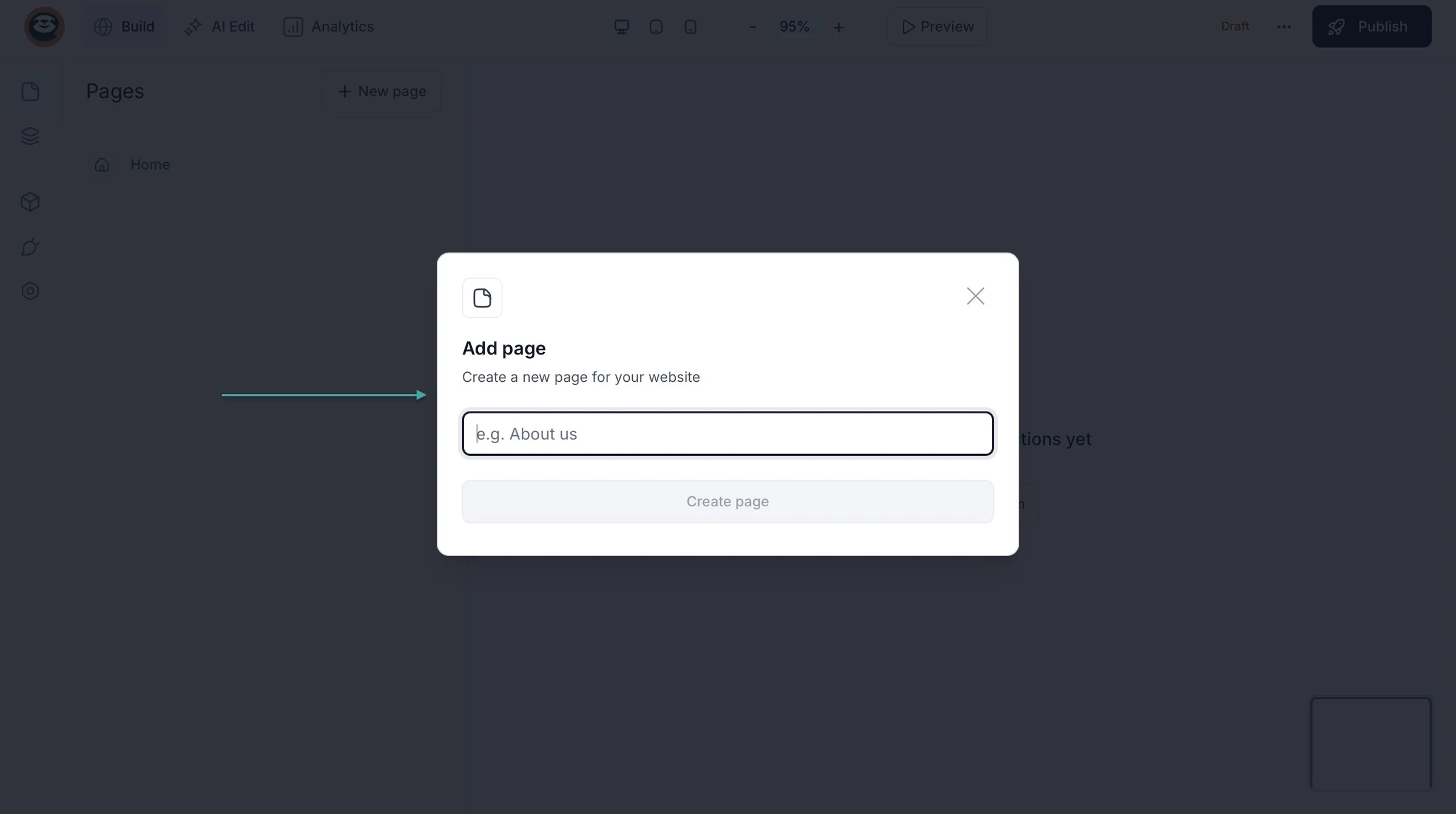
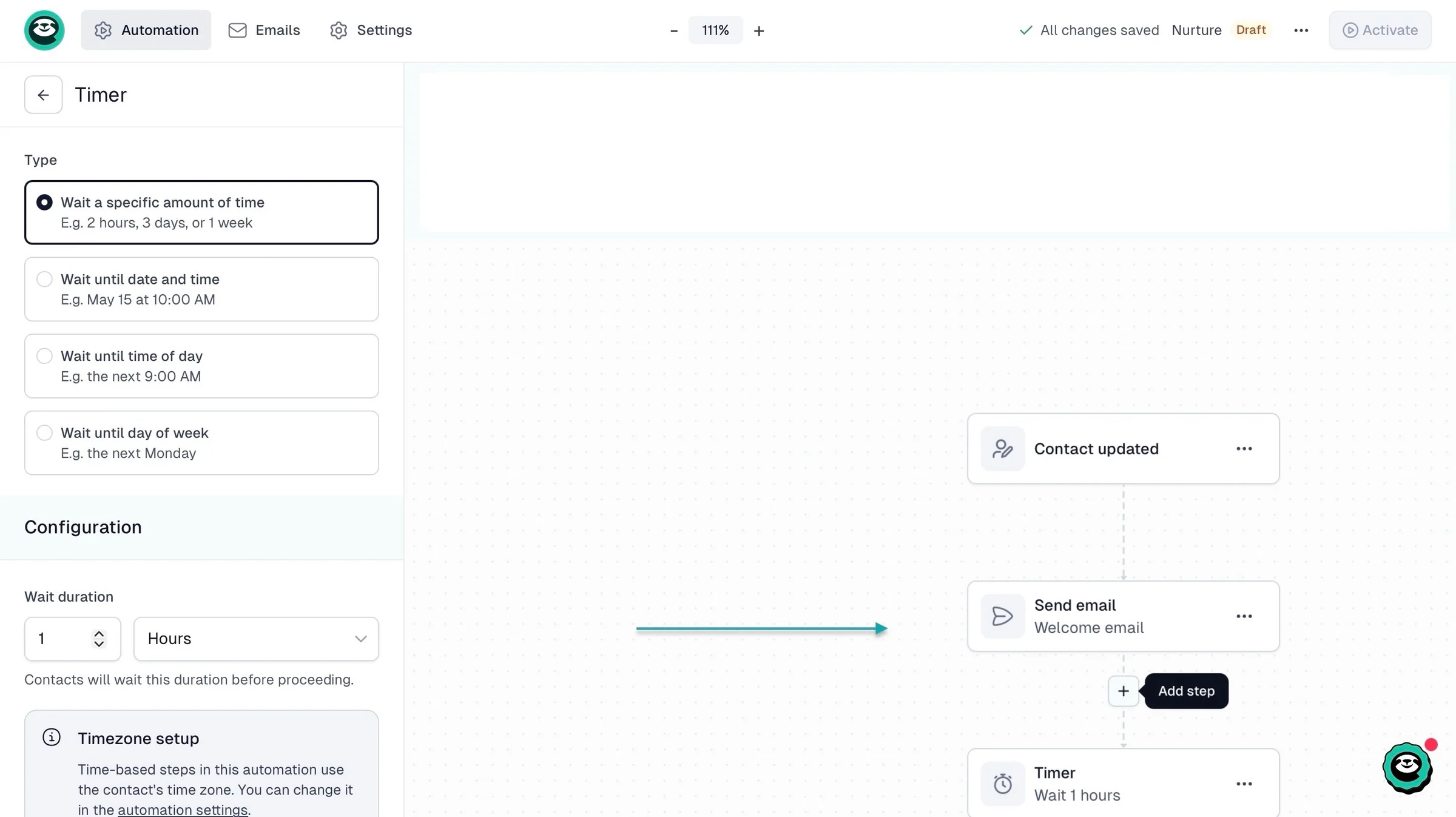
Apart from automated sales and product delivery, Easytools lets you create an email workflow so that you can add new customers to your email list and send them a welcome or thank-you message.
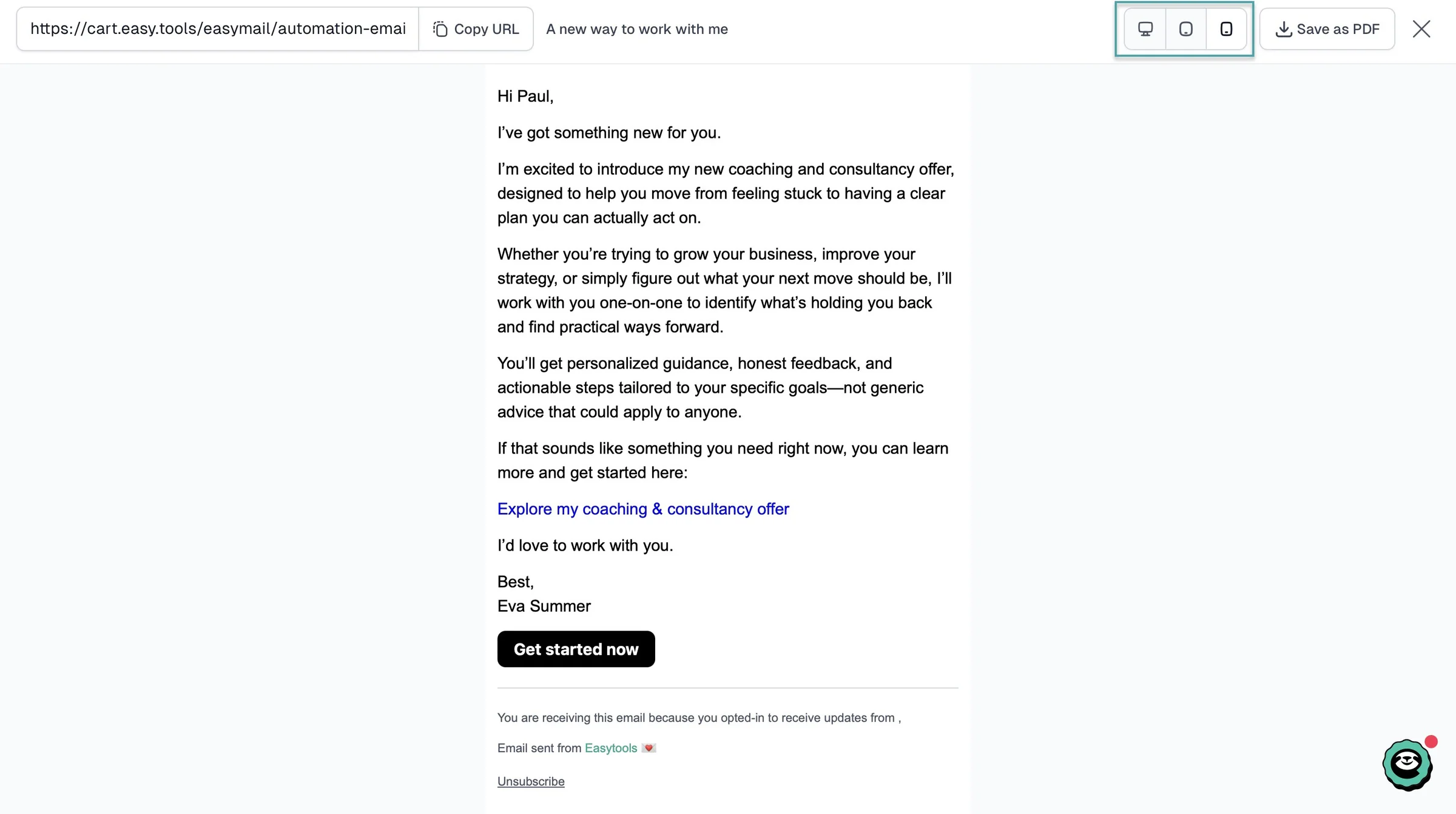
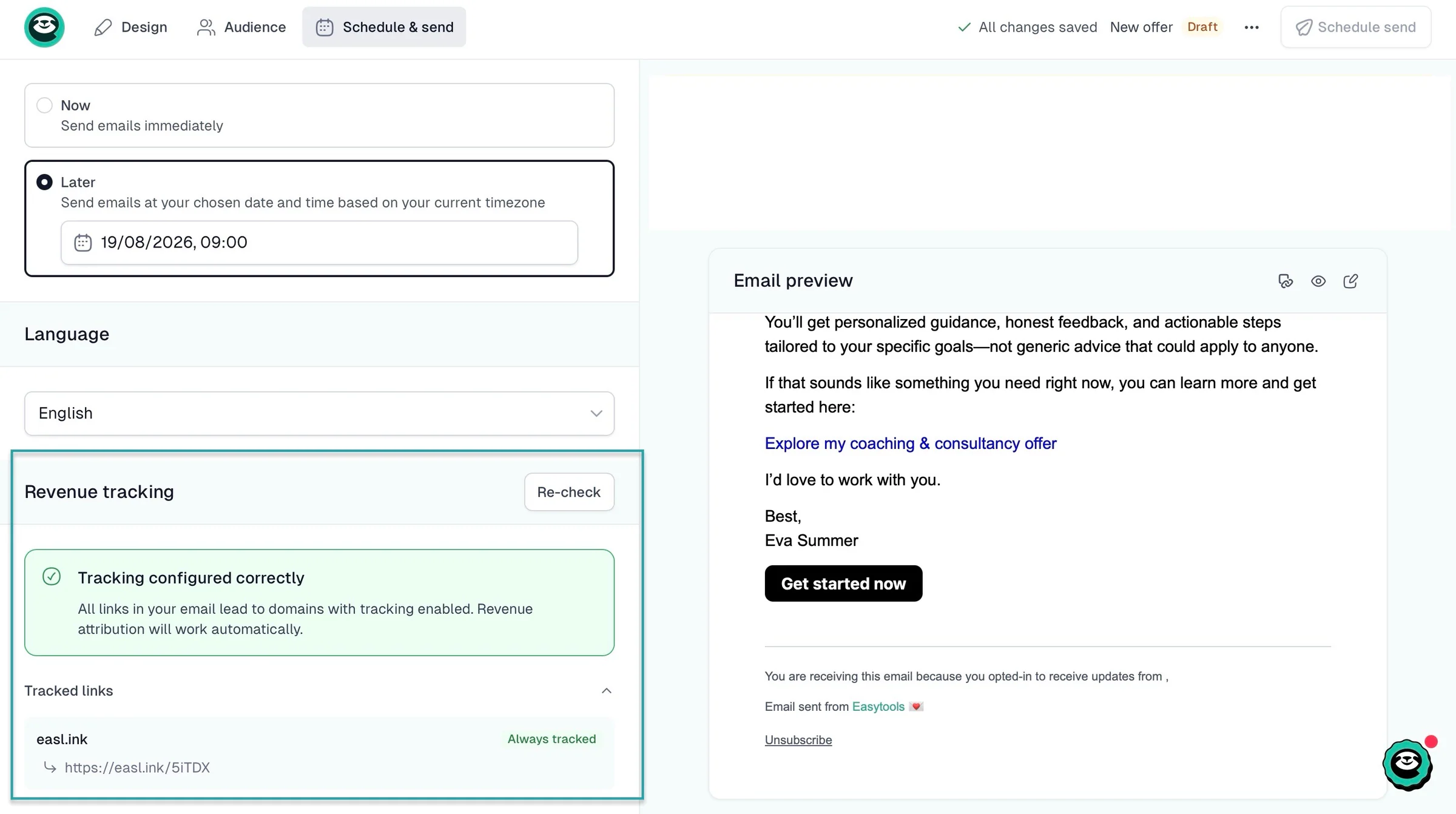
You can tell your customers about your new coaching or consultancy offer and add the link so they can access it directly from the newsletter. Easytools will automatically track your revenue from the URL you added.
You can even preview it to be sure it’s mobile-optimized. You want your potential customers to read your email on their phones and take action immediately.
What I loved about Easytools
1. Store
Easytools’ store feature lets you create customizable, conversion-focused checkouts. It also lets you manage orders, customers, affiliates, sales automation, checkout recovery, discounts, waitlists, and more.
Let me show how the 1-page checkout works.
To create a checkout, first click “Store,” select “Products,” and then “+ New product” at the top right corner of the window.
In the checkout editor, add your product title and description. Next, add the price type. It could be a one-time payment, subscription, payment plan, pay what you want, or lead magnet.
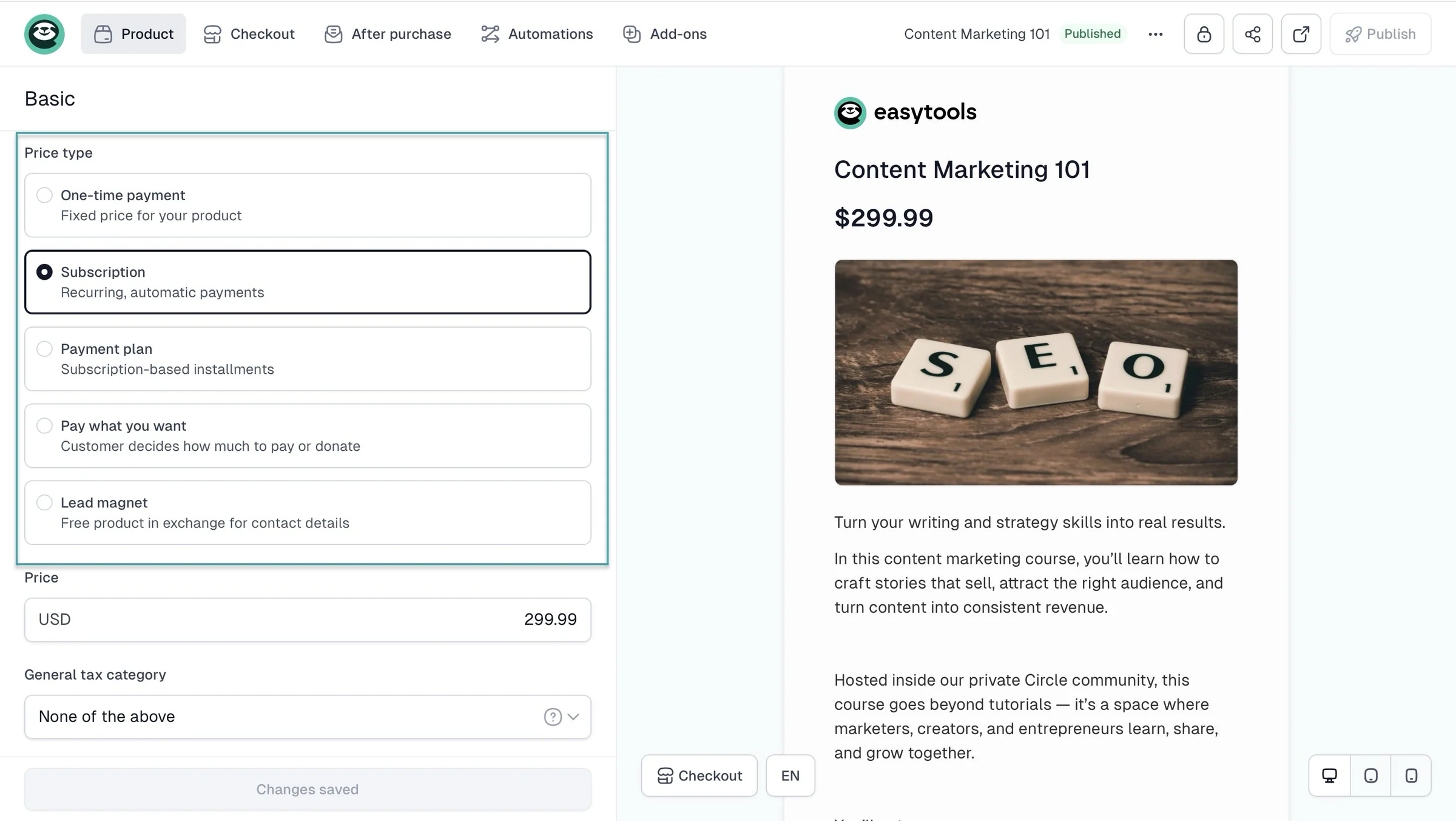
Then, select the general tax category. Easytools handles global tax for you.
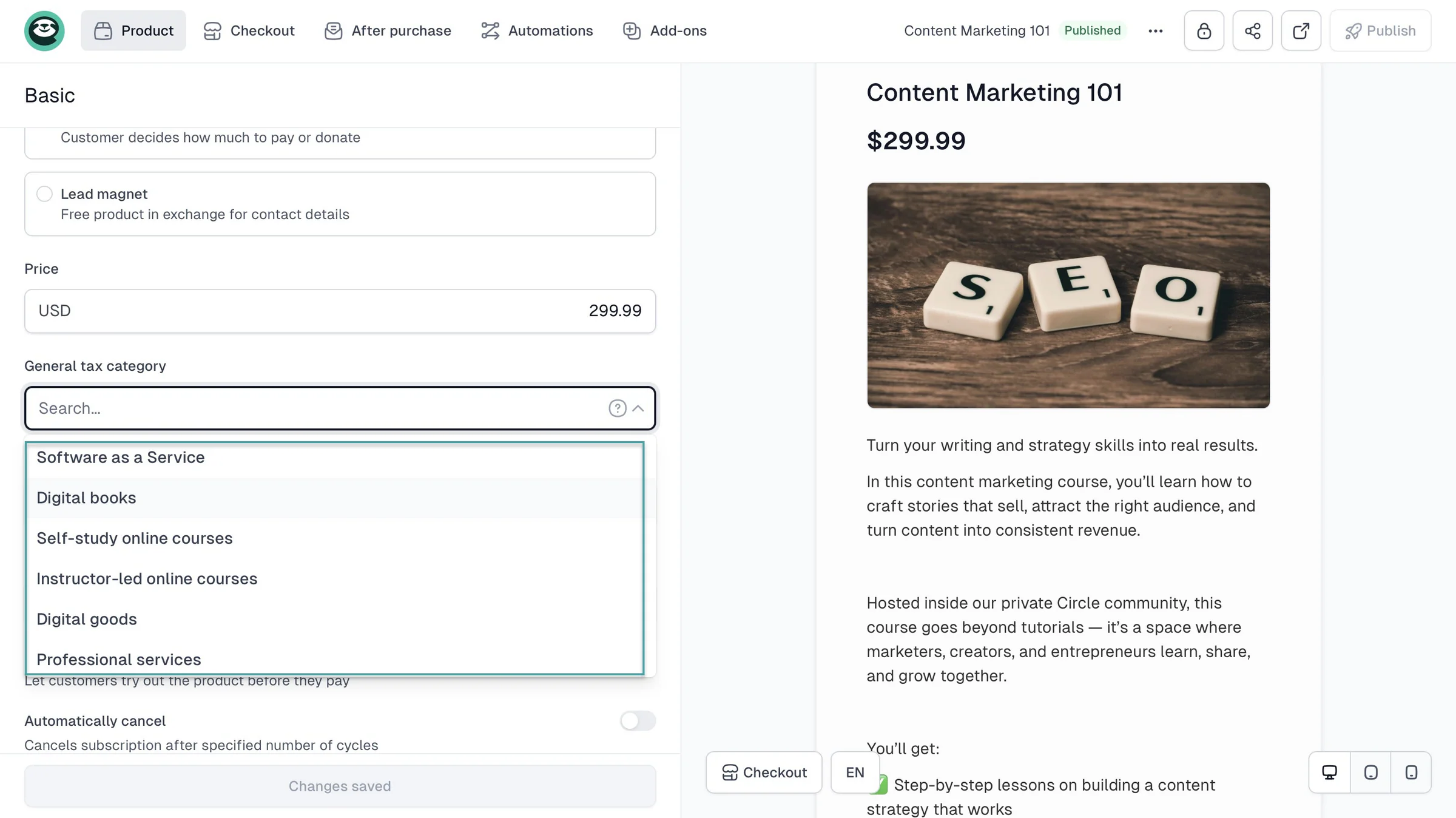
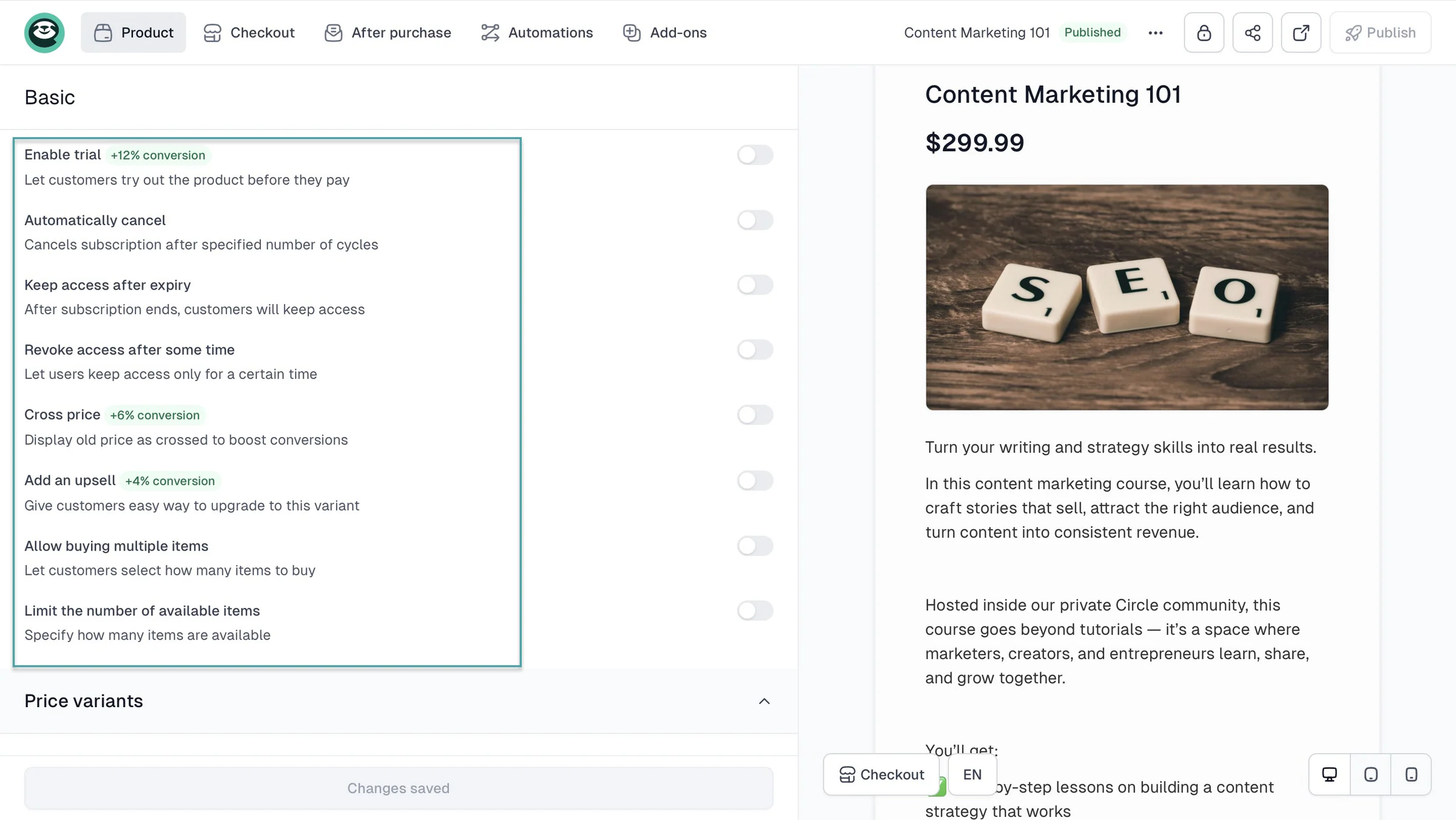
If you choose subscription as the price, you can enable a trial to increase lead conversion by 12%. You can also enable cross-price and add an upsell to increase conversions cumulatively by 10%.
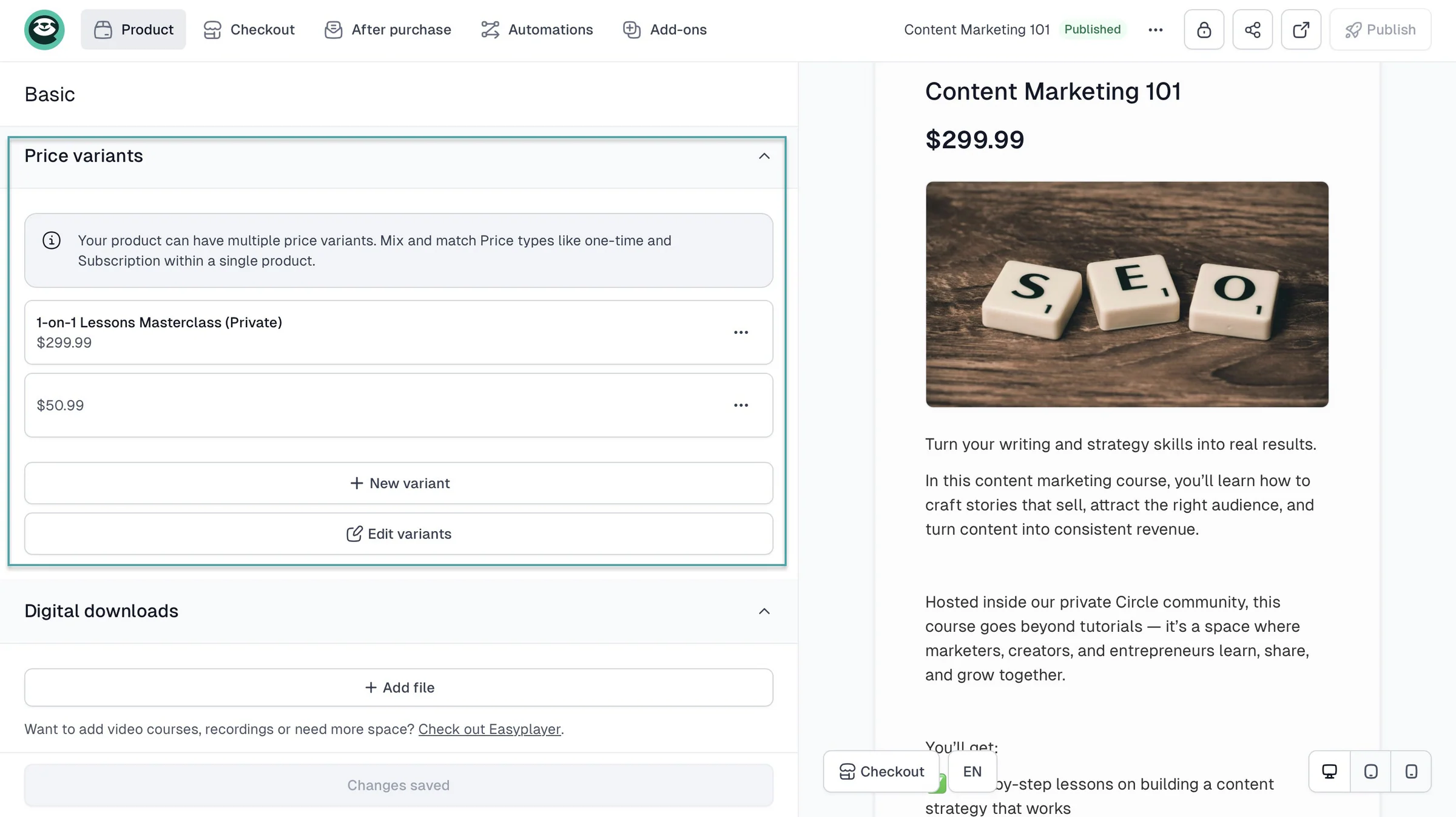
On this ClickFunnels alternative, you can add and edit price variants so that your customers pay for different tiers based on your offers.
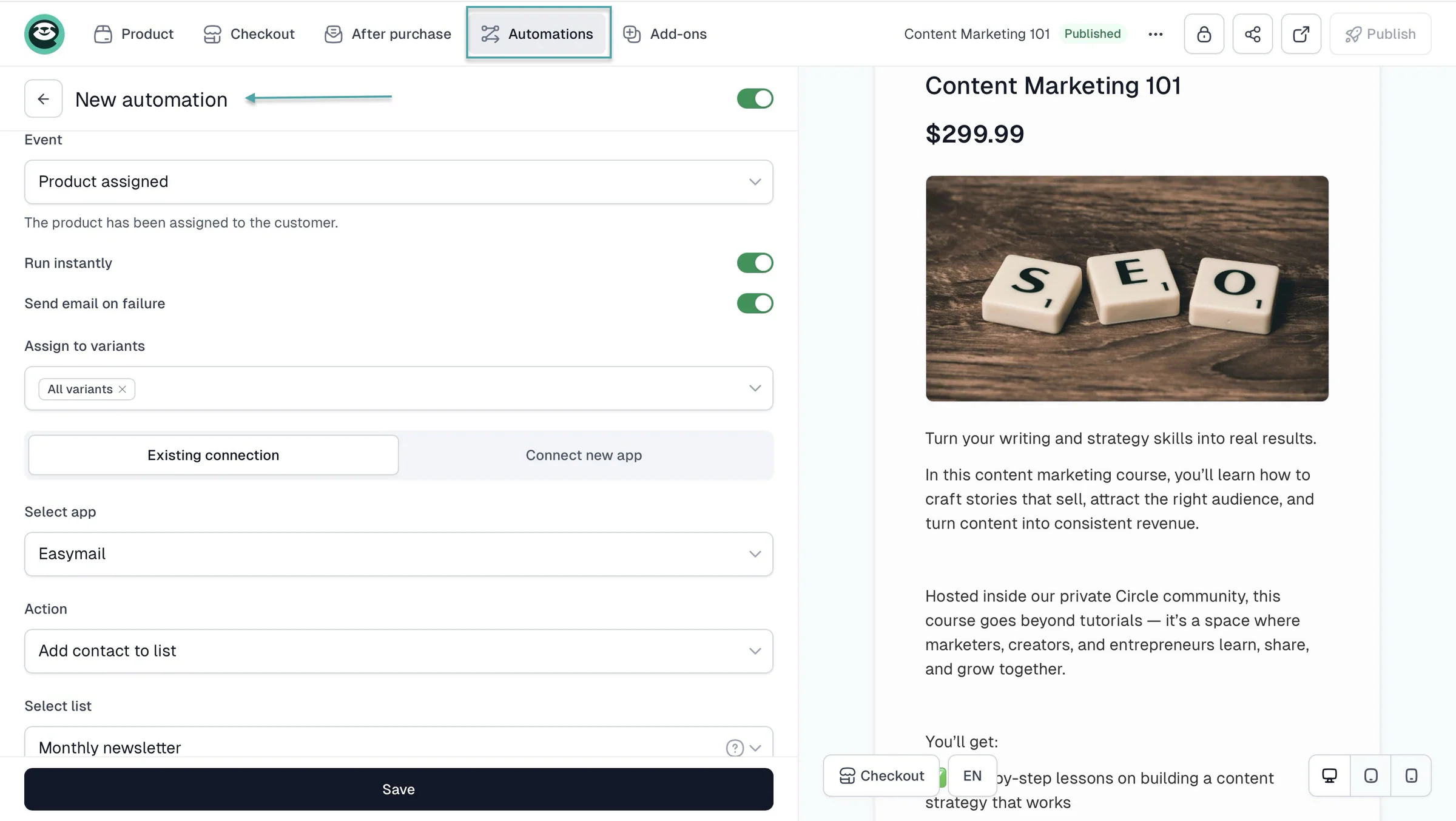
You can set a countdown timer, add more form fields, customize after-purchase notifications, include testimonials, QR codes, and add automations like lead email capture.
2. Sites
The sites feature lets you create a multi-page website, a creator page, and a legal page. All of this should help you sell more or convert leads.
Here’s how to sell through your creator page.
Start by clicking “Sites” in the sidebar. Then select “Creator page.” After that, click “+ New creator page” at the top-right corner of the window.
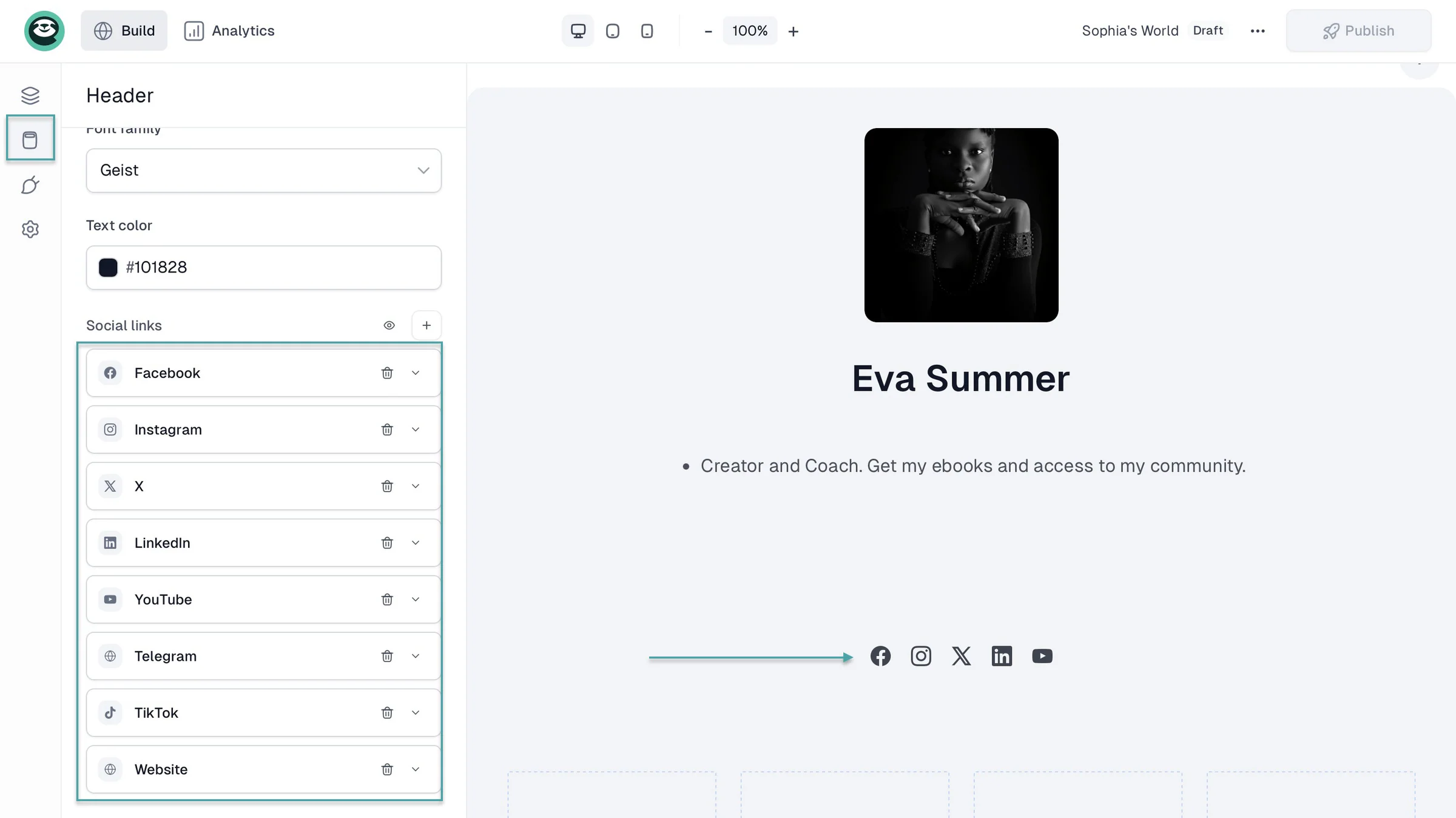
In the edit window, click the “Header” icon to add your name, bio, image, and social media links.
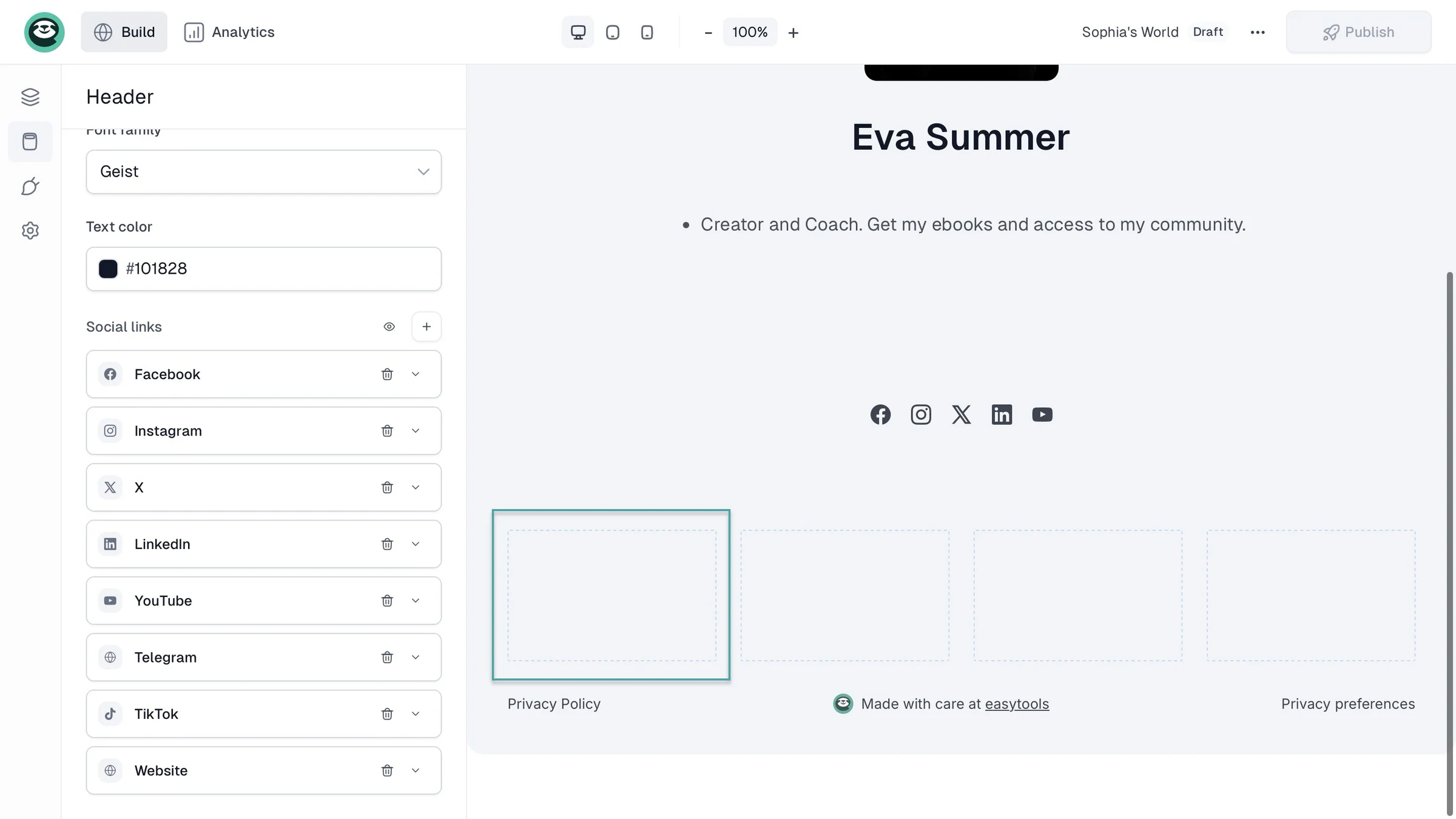
Now, click in any of the rectangular boxes below the social media icons to add one of your checkout products.
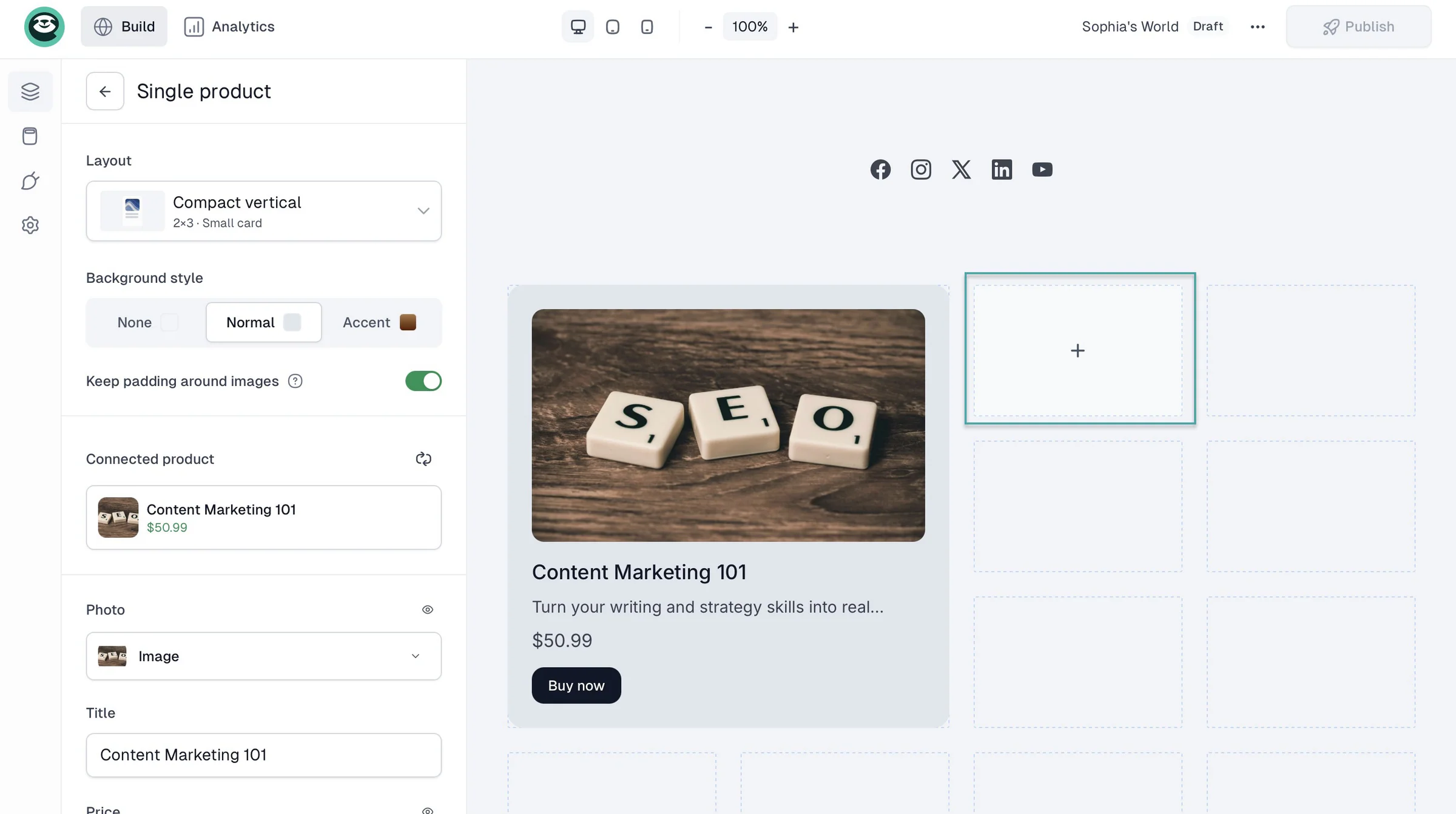
Apart from products, you can also add media, contact forms, a newsletter signup, and more. To add all three, just click in the boxes (like you did before) and select the relevant item/widget.
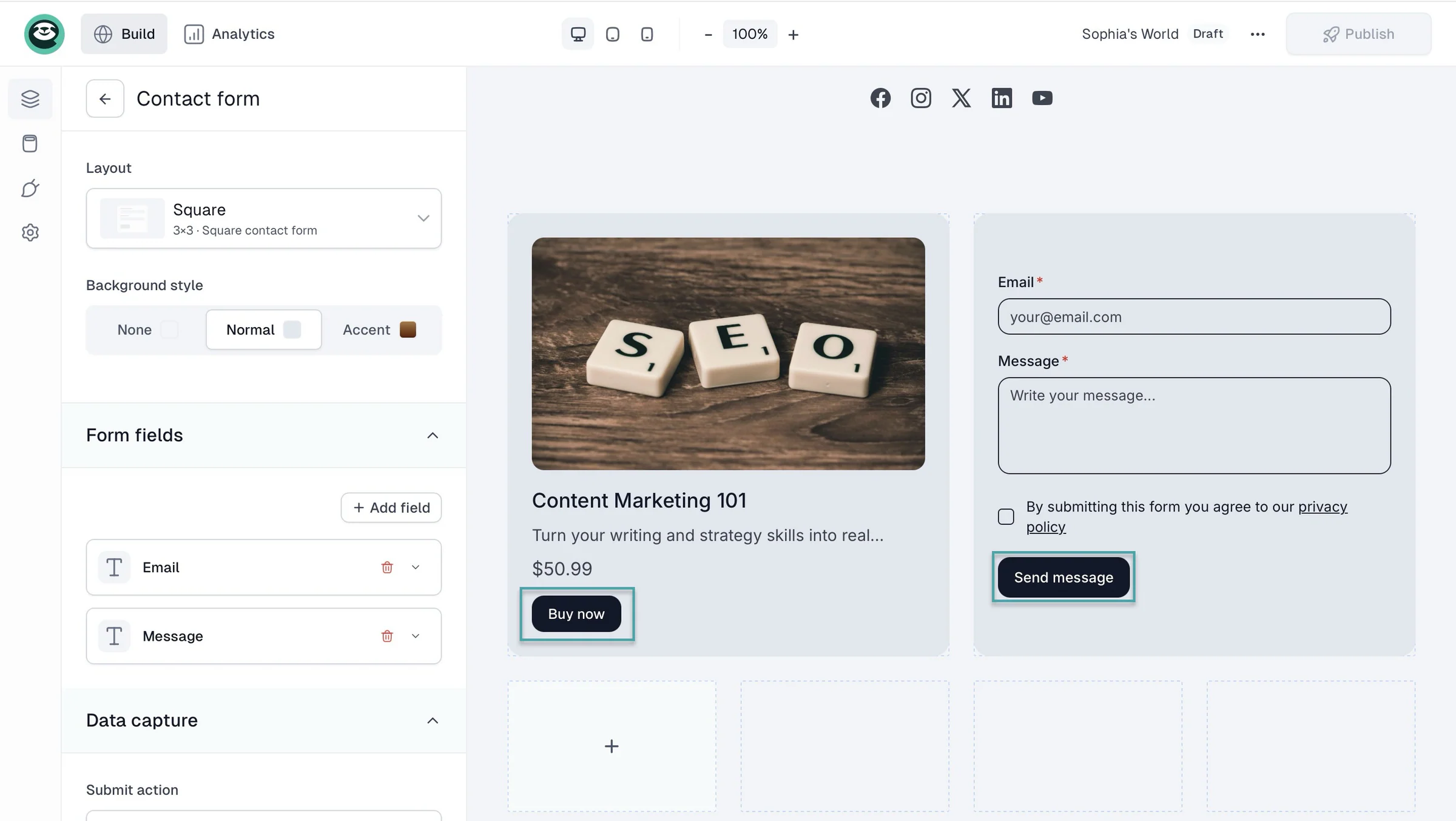
Your creator page visitors will only have to click on the call-to-action (CTA) buttons like “Buy now” or enter their contact information in your sign-up forms and hit “Send message.”
3. Campaigns
Easytools helps capture leads on your checkout, website, and creator page. The campaign feature turns those leads into paying customers.
You can do this by setting an email workflow automation. Click “Campaigns” in the sidebar and select “Automations.” Now, click “+ New automation” at the top-right corner of the window.
In the pop-up window, add the automation name and click “Create.”
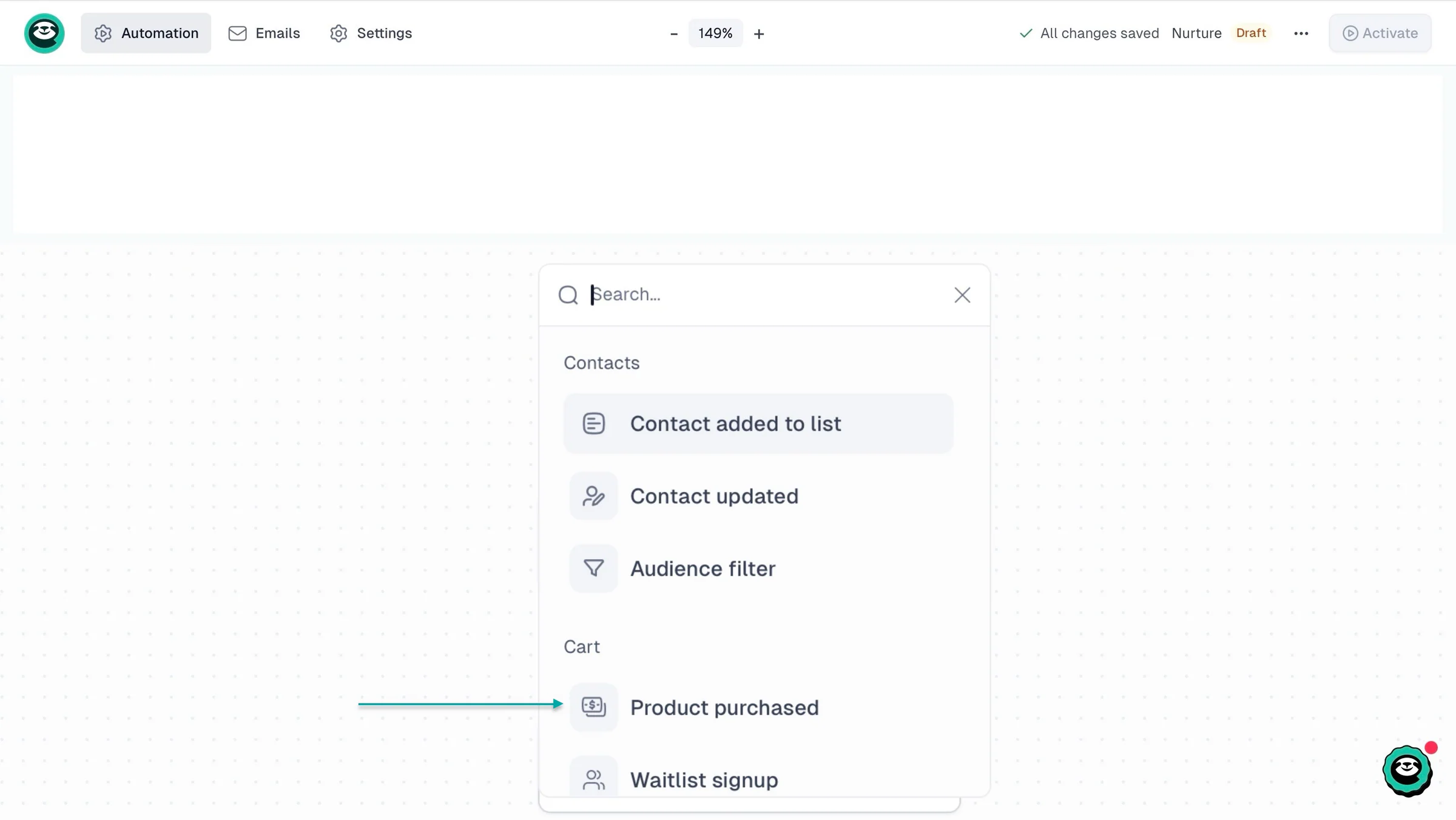
In the new window, select a contact- or cart-related trigger. Let’s go with “Product purchased.”
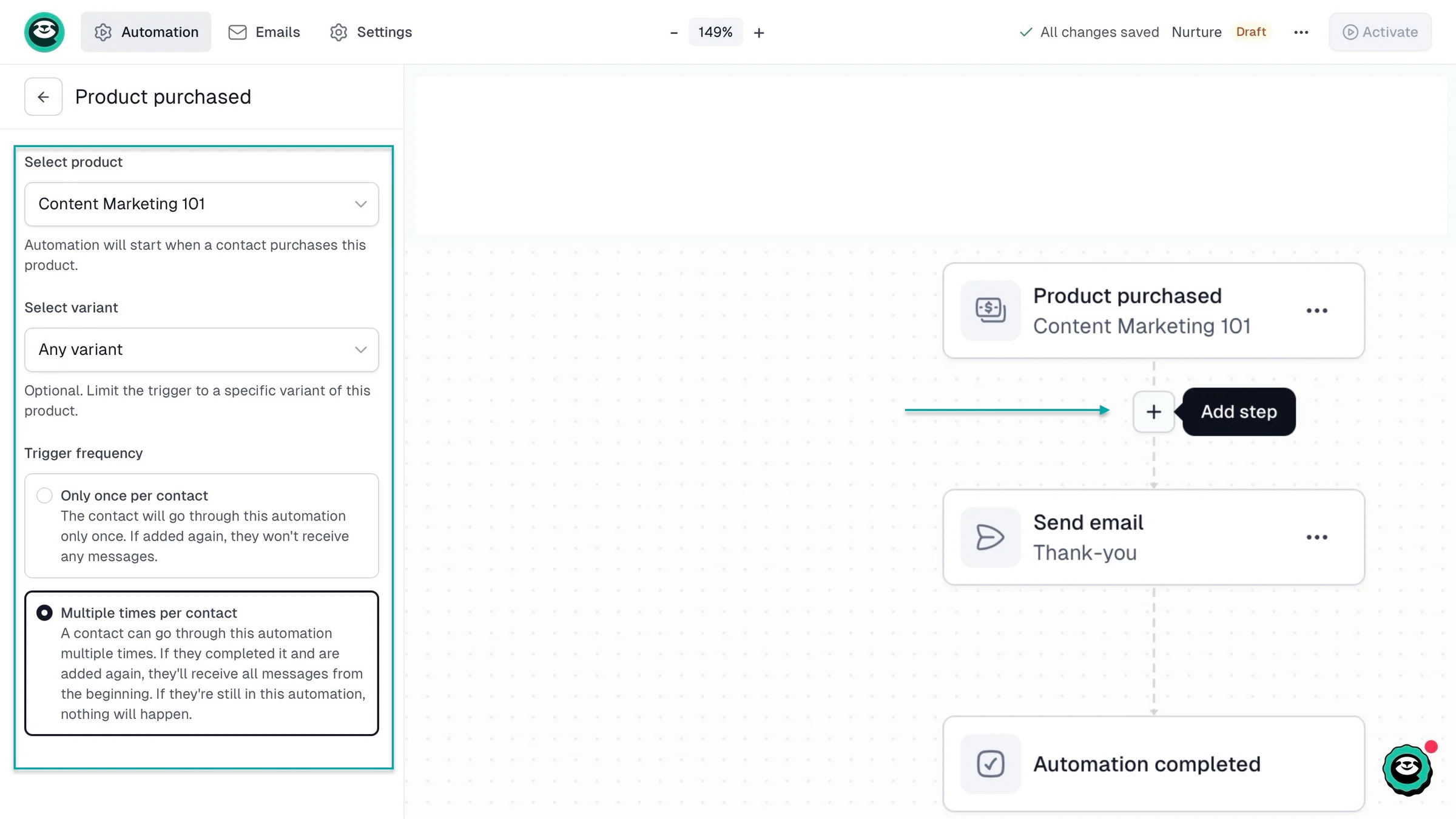
In the sidebar, add a checkout product, select a price variant (if any), and choose frequency. Then, choose the next step in your workflow automation by clicking the “+” icon.
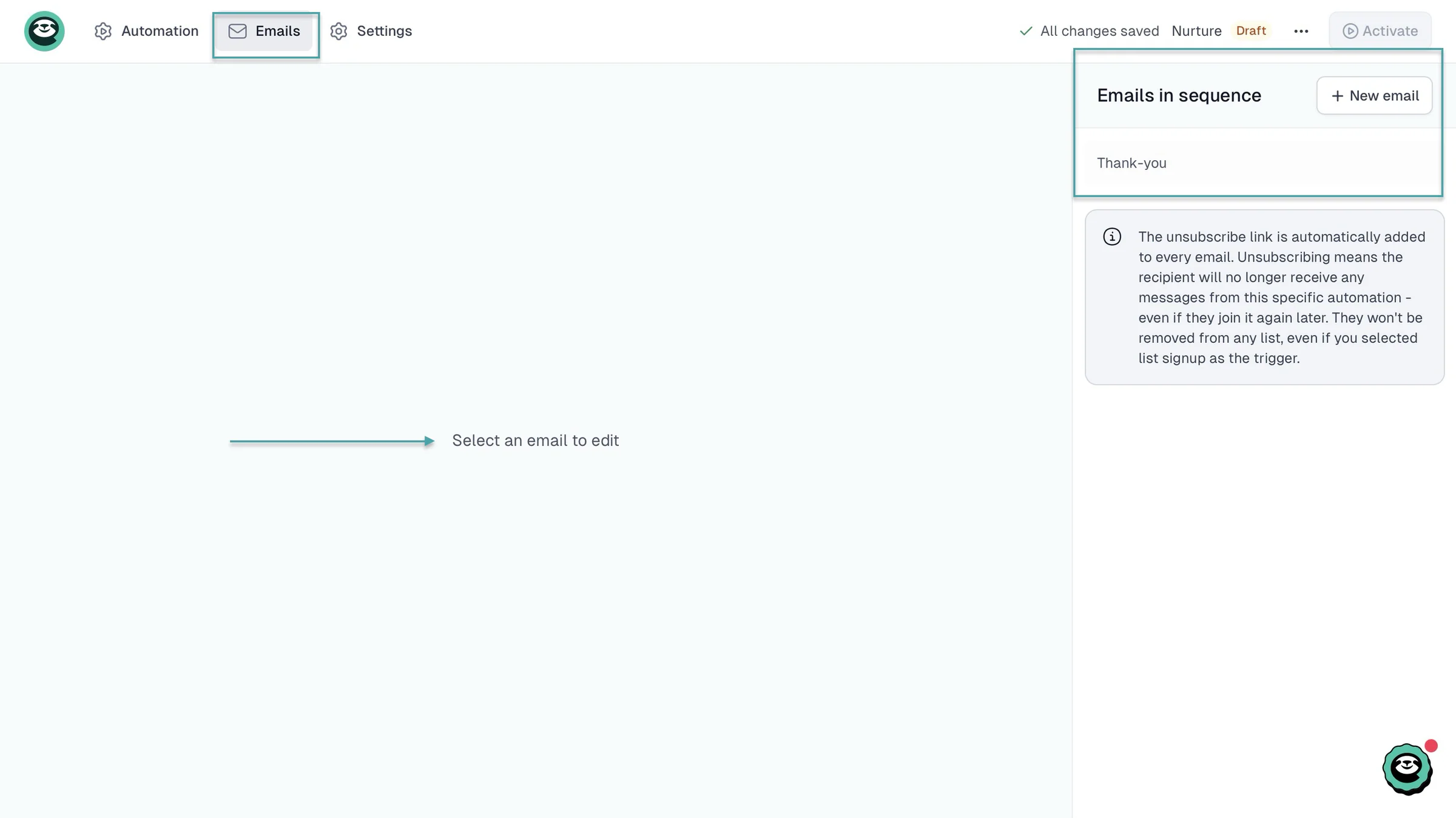
You can then select “Emails” in the navigation bar and then “+ New email” to select or create a new message. Clicking “Send email” in your workflow will also open that email edit window.
You can also turn leads into paying customers by sending them a newsletter and adding your checkout link. You can schedule the email, and Easytools will track the revenue that the hyperlinked URL generates.
What I liked vs what I didn’t like
What I loved 👍
✅ Lets you capture contacts of leads from your checkout, multi-page website, and creator page so you can follow up with newsletters to turn them into paying customers.
✅ Handles product delivery, payment, checkout recovery, testimonial collecting, and more after you do the initial setup so you can focus on other tasks.
✅ Offers a 14-day trial and free plan so beginners, creators, coaches, consultants, and more can test the platform before fully committing.
✅ Offers no-code all-in-one tools and integration with third-party software to sell and market digital products and services so you can maximize your revenue and grow your business.
What I didn’t like 👎
❌ You can only use the sites and campaigns features on the Creator and Professional paid plans, but you can create unlimited checkouts with the free Starter plan.
Best for
- Creators who want to sell and market digital products and manage their business from one platform.
Pricing
- Starter: $0/month
- Creator: $59/month
- Professional: $99/month
2. Systeme.io
- Personal rating: ⭐️⭐️⭐️⭐️ 4.5/5 - It’s a great platform, but creators with more complex needs may eventually outgrow it.
- Ease of use: ⭐️⭐️⭐️⭐️ 4.4/5 - Has a minimalist interface, but features like rules and workflows, courses and files, physical products, and coupons can be merged to declutter.
- AI capabilities: Uses AI to help create sales funnels, write marketing copy, generate content, and build pages faster.
- Monetization options: Digital products, courses, memberships, coaching, physical products, subscriptions, upsells, downsells, and course bundles.
- Free trial: No - Has a free plan.
- Starting plan: Free - $0/month + 2,000 contacts + 0% transaction fees.
Systeme.io is next on our list of the best ClickFunnels alternatives.
It’s an all-in-one platform that lets you sell digital products, build funnels, create courses, and handle your email marketing from one place.
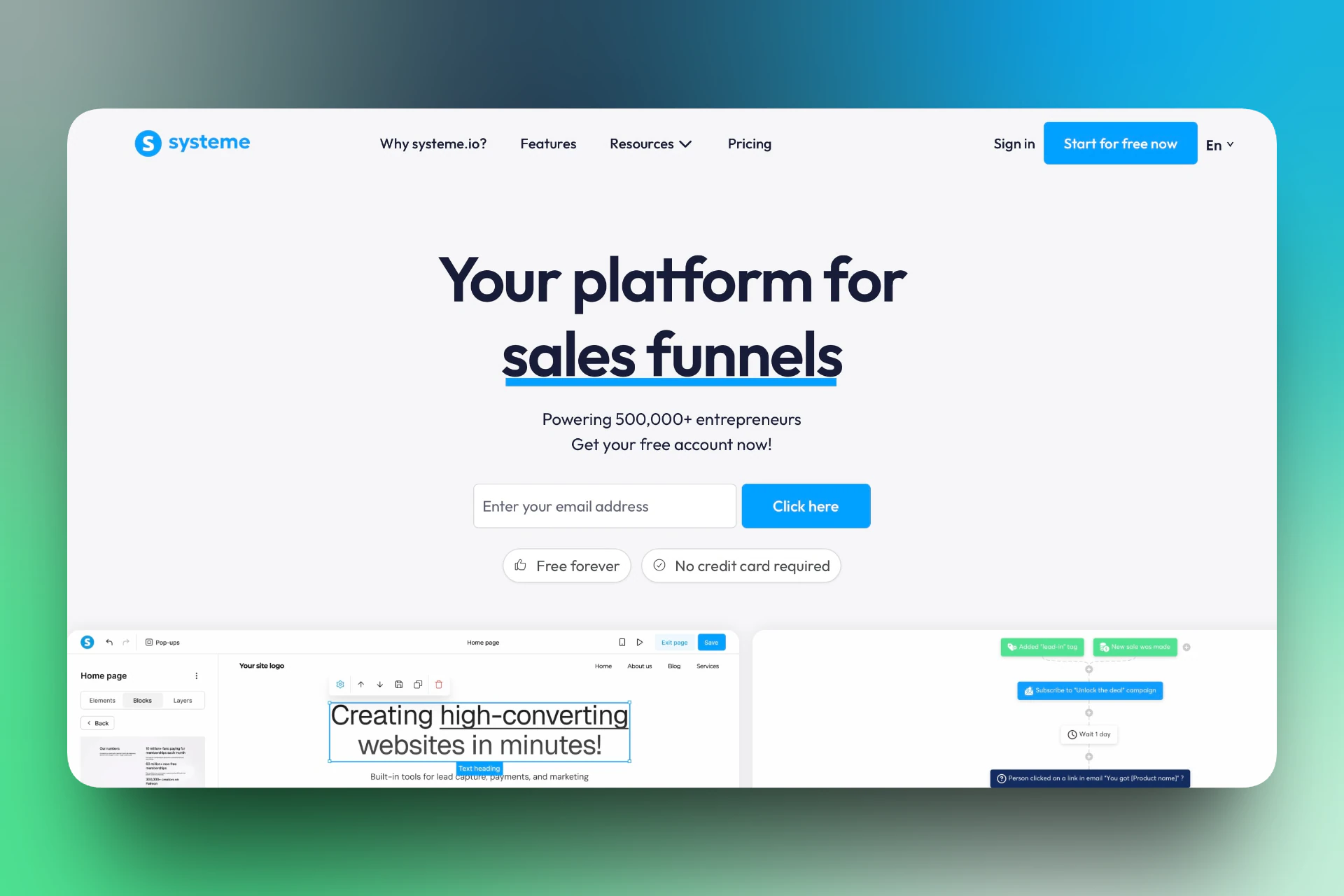
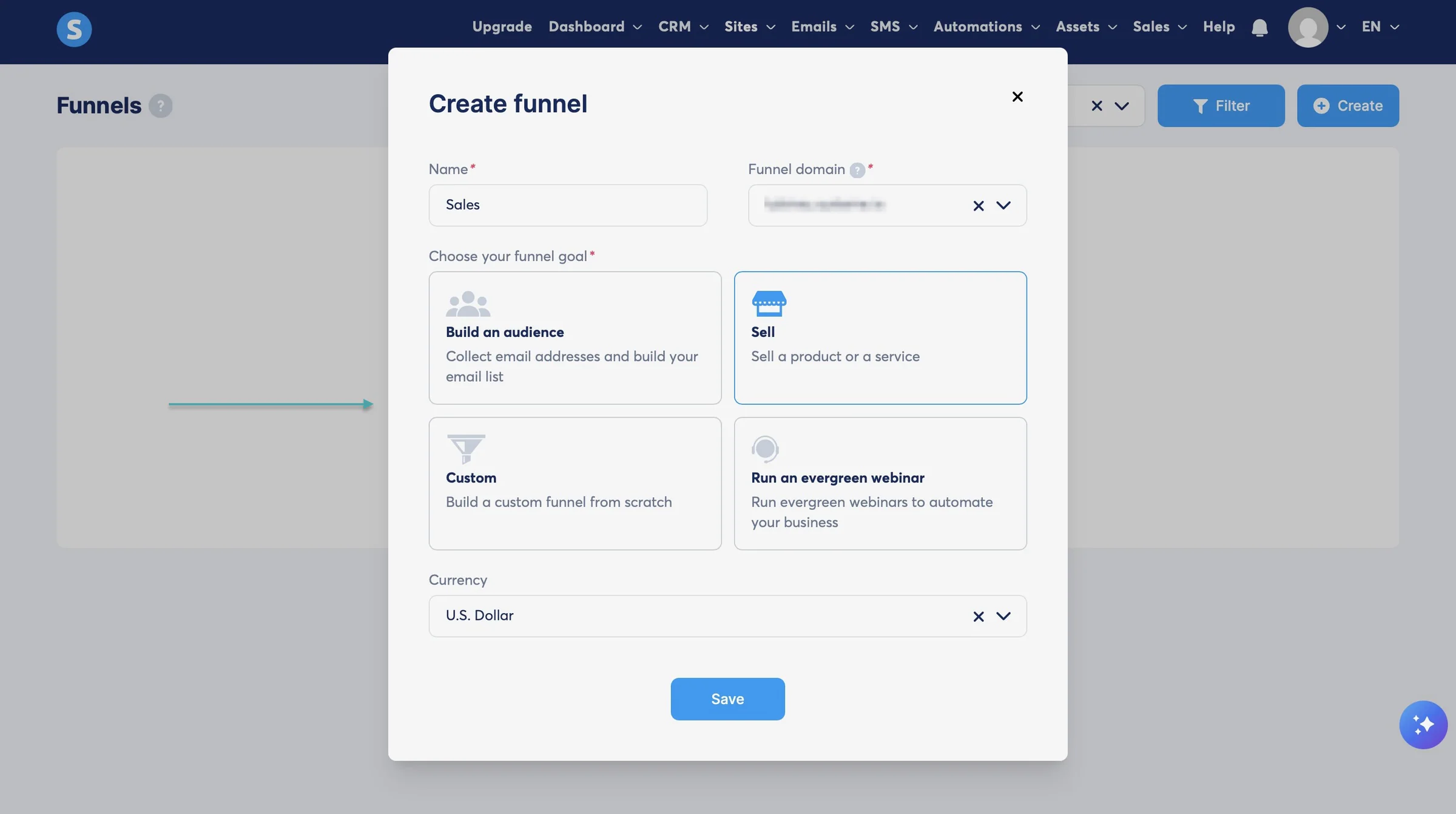
Like Easytools, this ClickFunnels alternative lets you create a series of pages and steps that guide someone from first discovering your offer to actually buying it. You can create a sales funnel to sell a digital product, build an audience, run a webinar, and more.
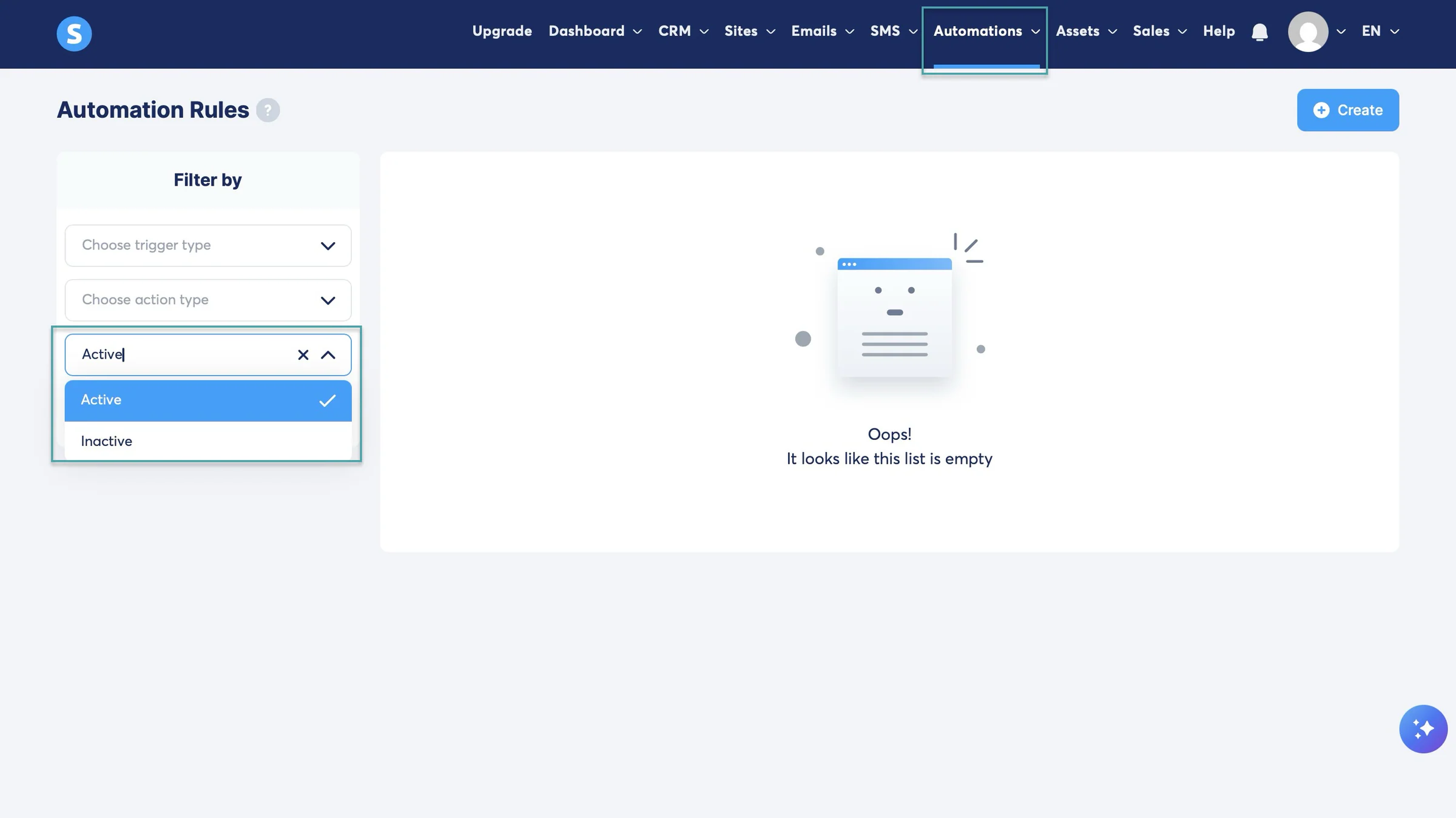
You can also create automations. Systeme.io lets you set the trigger and the action. There’s an inactive or active option if you want your automation to run or pause it when you don’t need it.
To nurture leads, it lets you create and send email campaigns, newsletters, and check statistics like the number of emails sent, bounce rate, open rate, and spam reports.
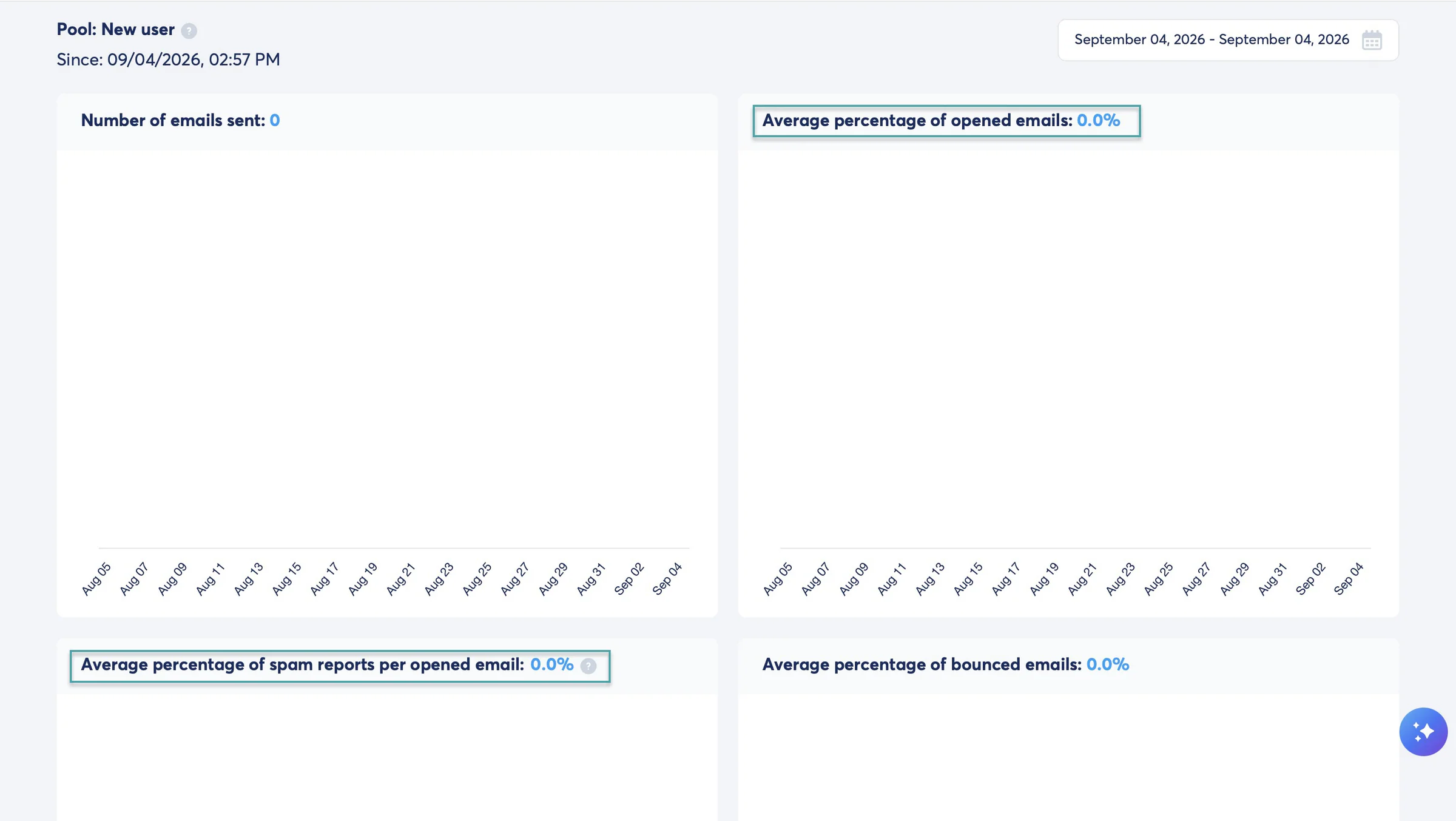
Systeme.io offers a dashboard that shows affiliate statistics. You can check live updates and the number of leads you have.
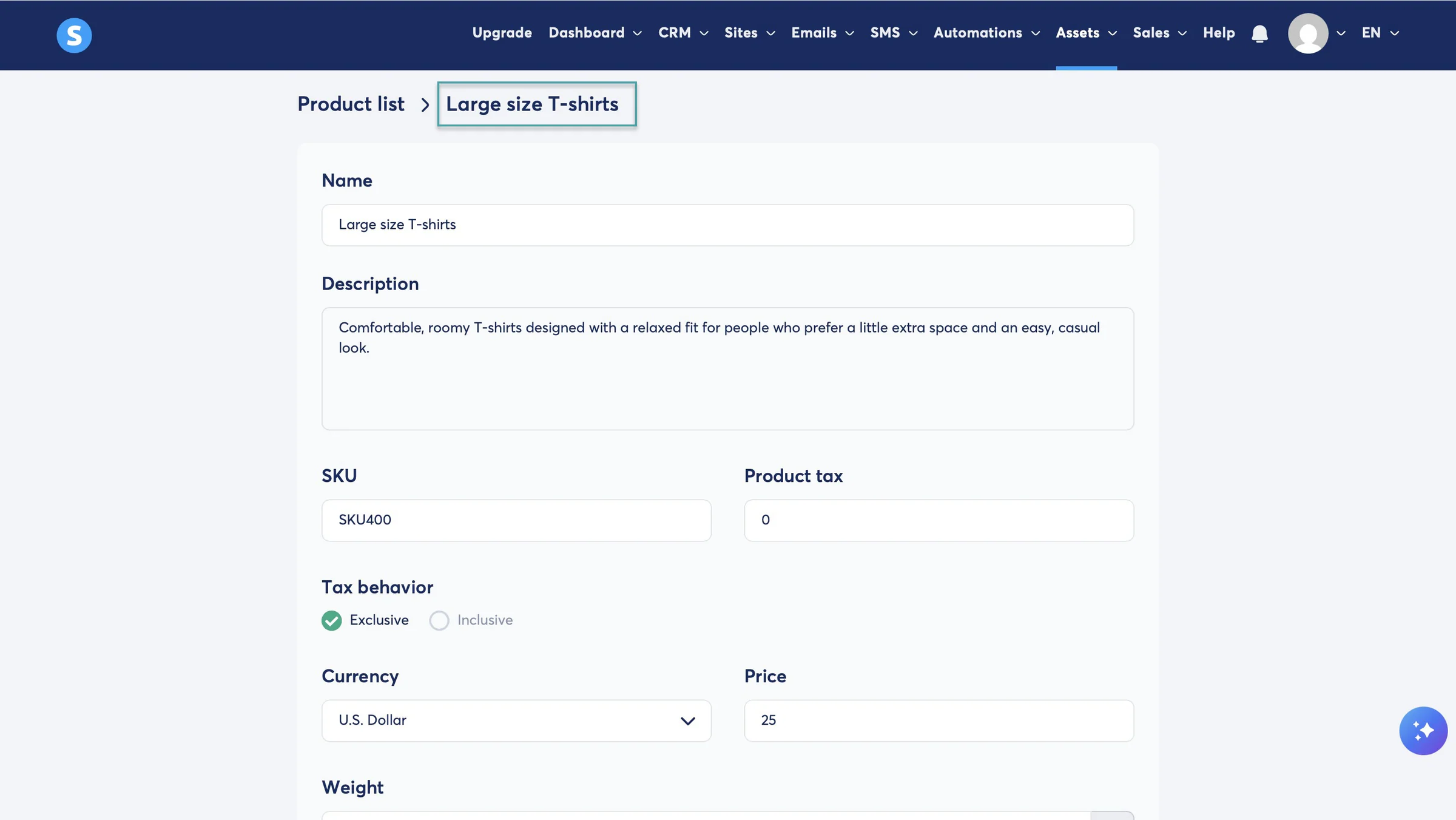
But you only get leads and affiliates because the platform lets you sell digital and physical products.
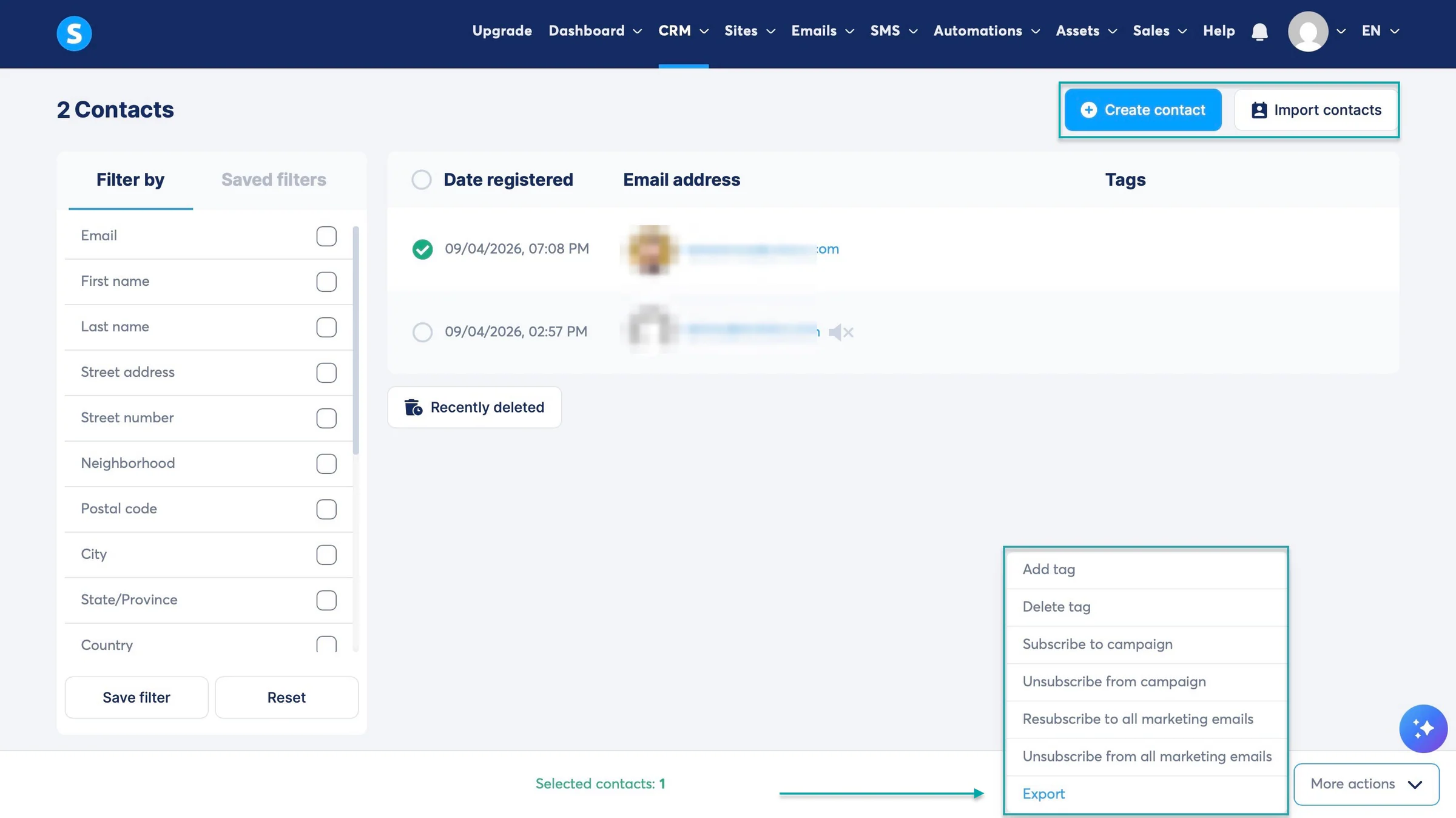
You can manually add or import customer contacts to the platform. Then subscribe customers to a particular email campaign.
The platform also allows you to export your contacts.
What I loved about Systeme.io
1. Assets
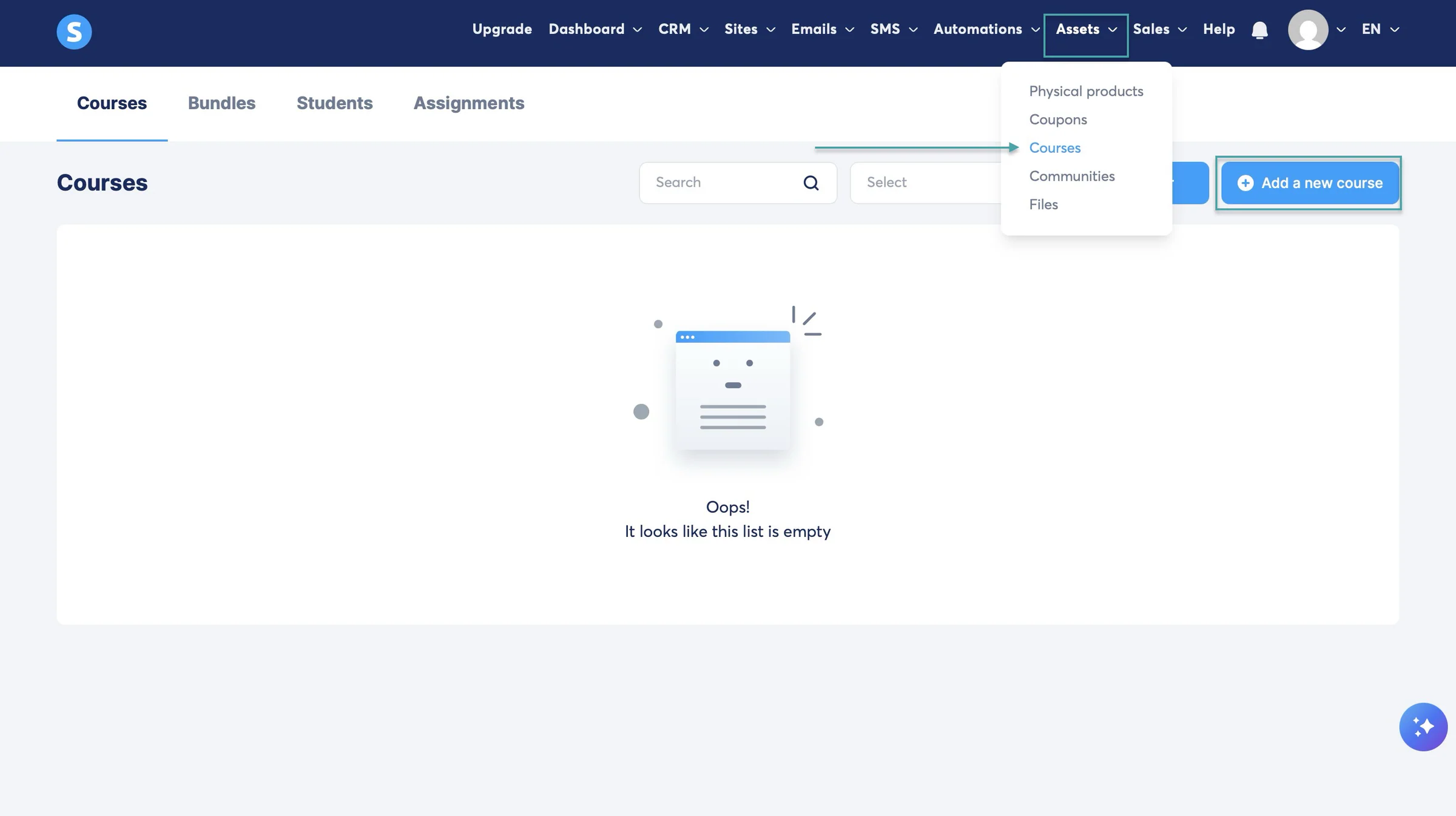
With the assets feature, you can sell physical products, coupons, build communities, and create online courses.
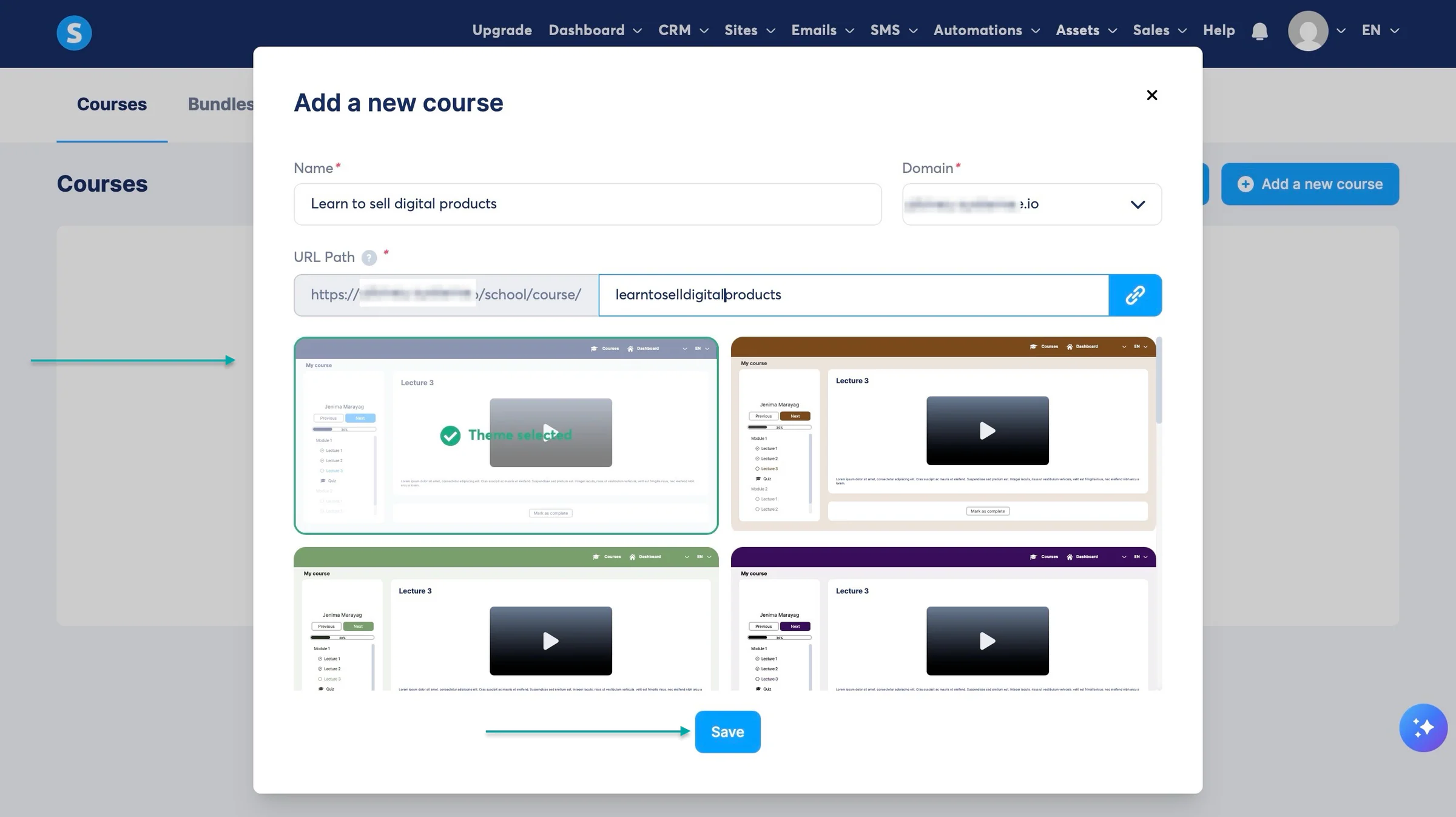
Let’s create a course. Click “Assets” in the navigation bar. Choose “Course” in the dropdown menu and click “+ Add a new course.”
In the pop-up window, enter the course’s web domain and URL path (if it’s already indicated on the form). After that, select your preferred theme and click “Save.”
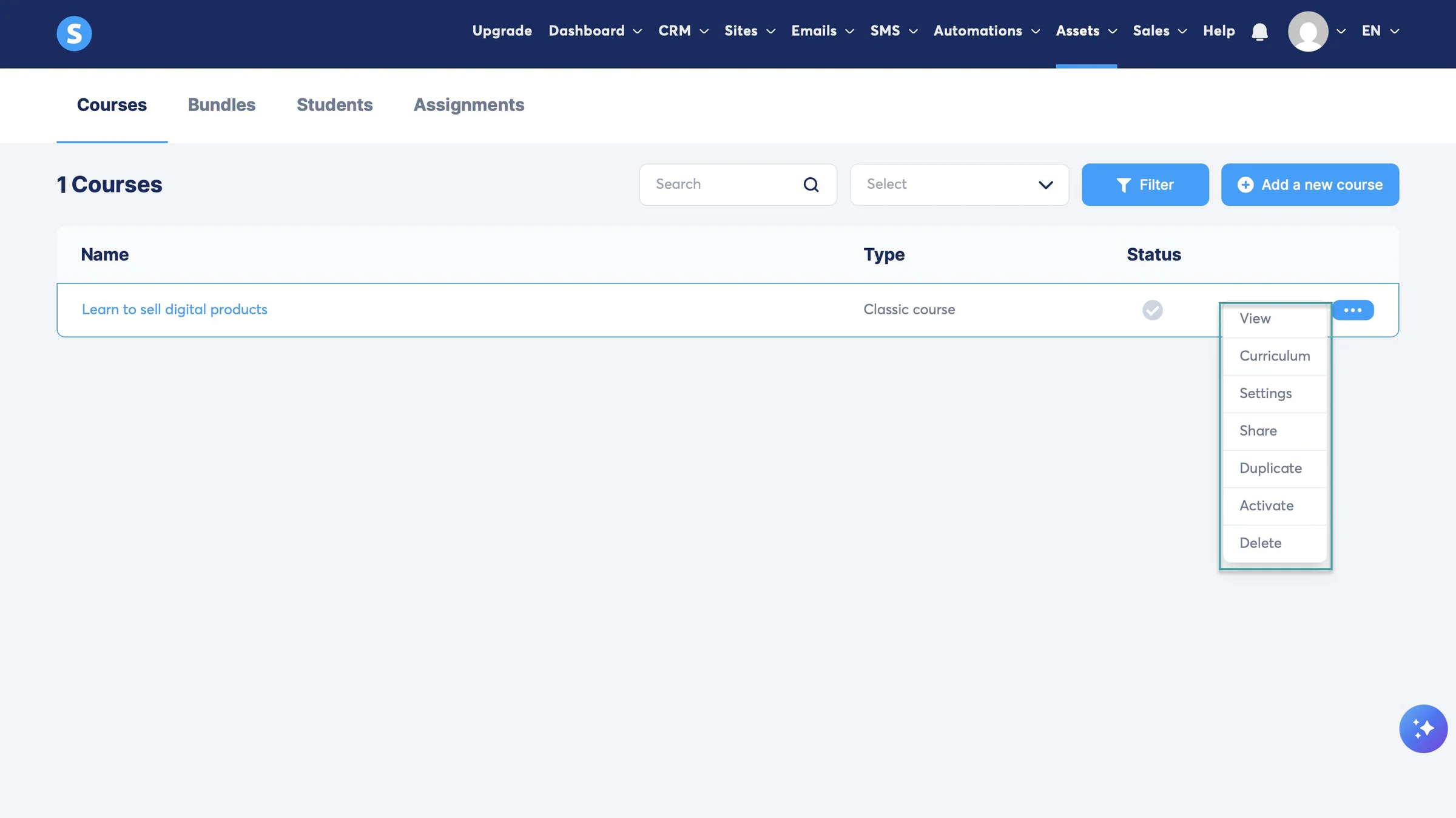
Systeme.io will create your course and list it. Click the meatballs menu (•••) to view the course, work on its curriculum, go to its settings, share it, duplicate it, activate it, or delete it.
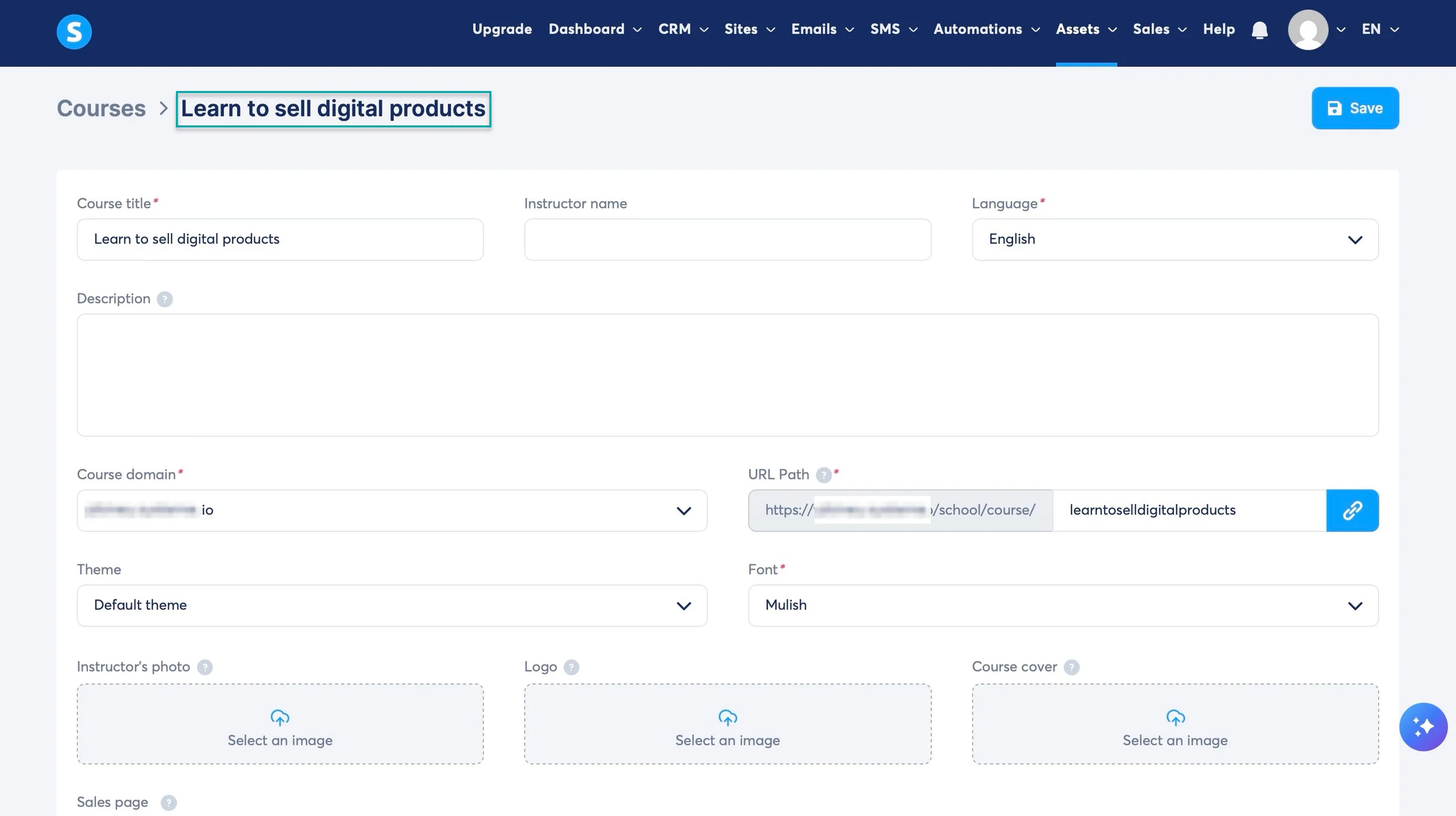
If you click “Settings,” you can add the instructor’s name and photo, course description, logo, cover, domain, language, and more.
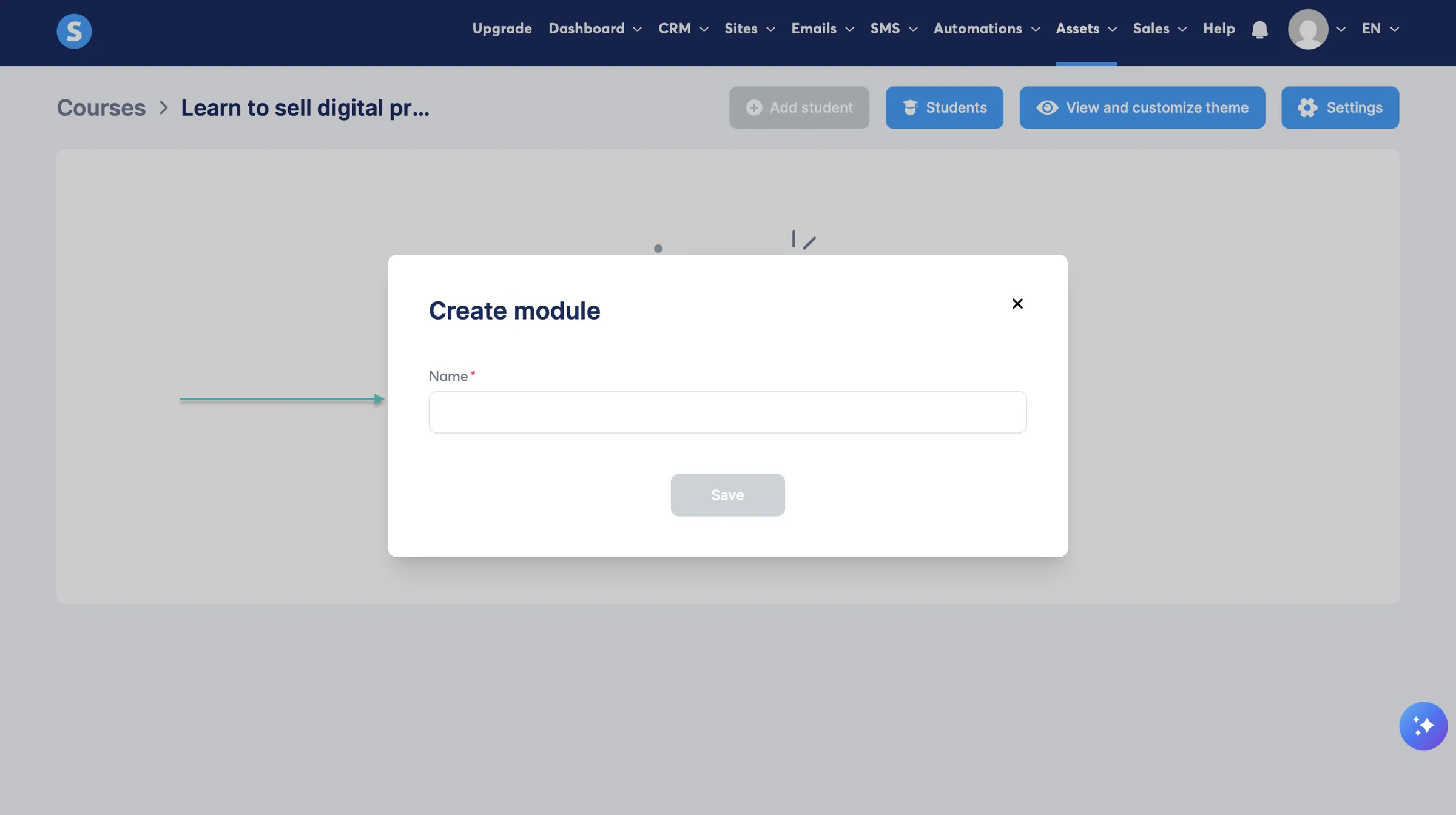
If you click “Curriculum,” you can add course modules, students, and view and customize themes.
2. Sites
Its sites feature lets you create websites, sales funnels, creator stores, and blogs. Let me show you how to create a website on Systeme.io in a few simple steps.
First, click “Sites” in the navigation bar and select “Website” from the dropdown menu. Then, in the new window, click “+ Create” at the top-right corner.
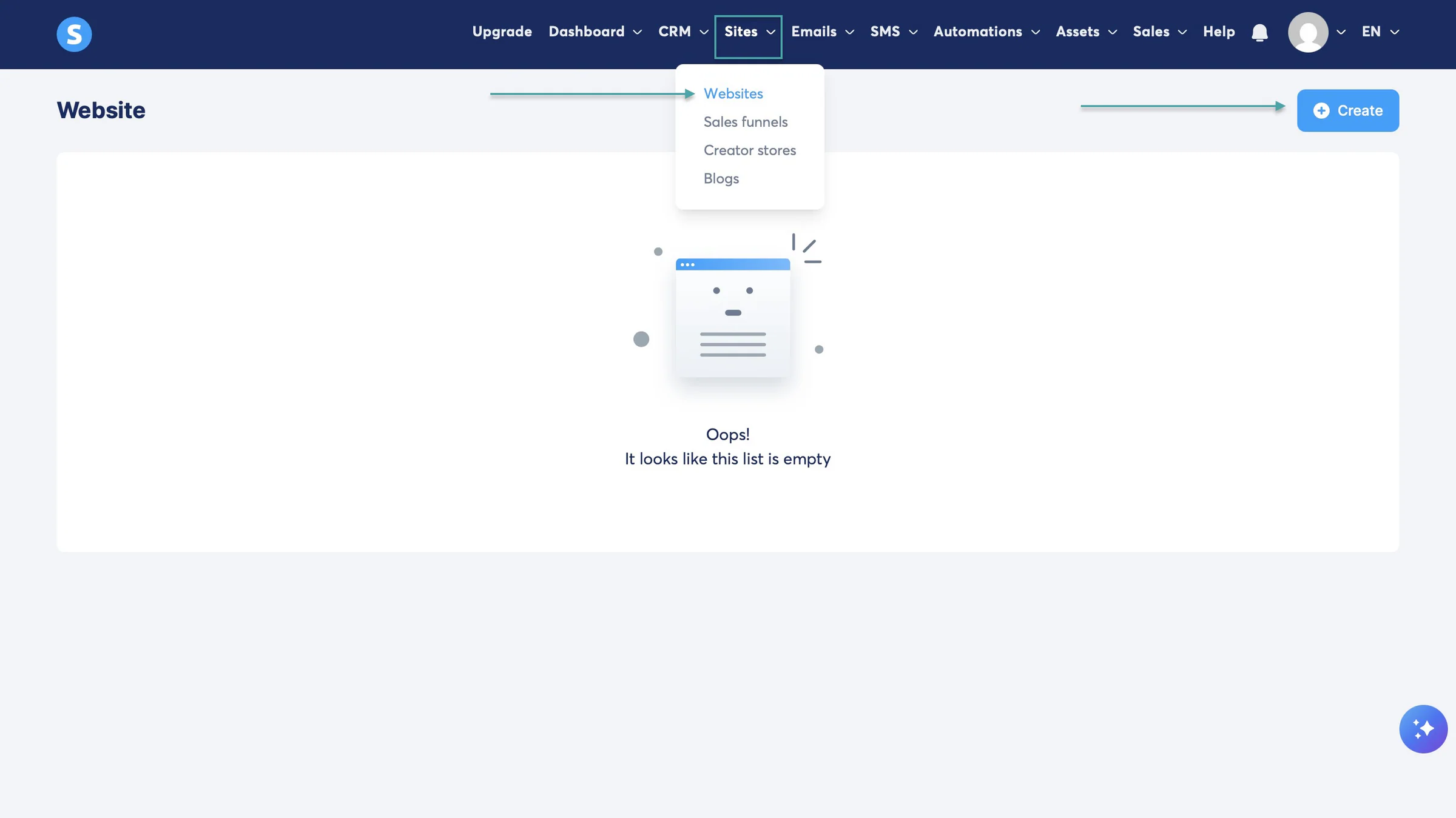
In the pop-up window, enter the website’s name and domain, and select your preferred language.
Once you’ve done that, click “Save.”
Systeme.io will create your website. Now, select a website template or create from scratch. Let’s go with the first template and save.
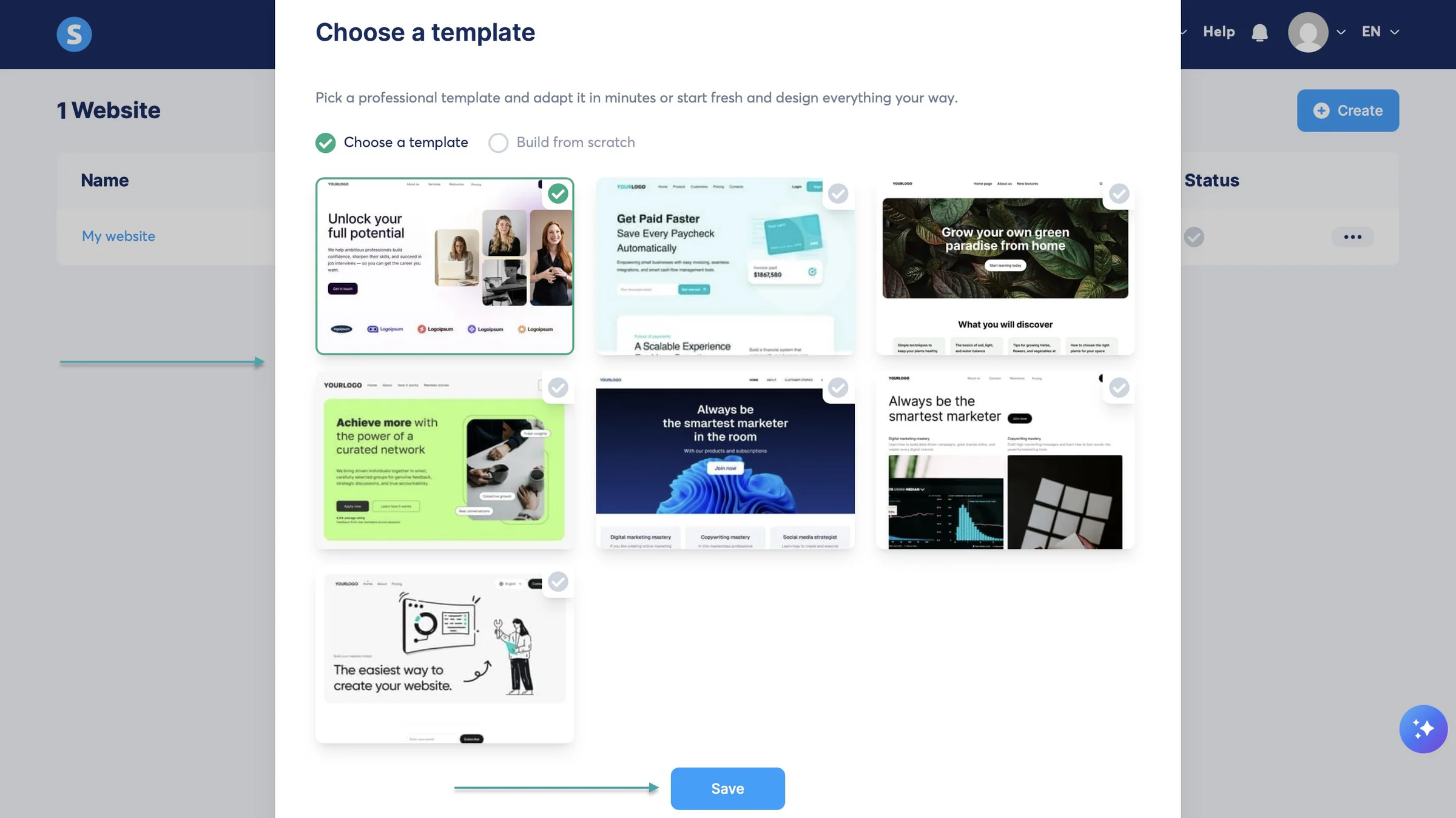
That will take you to the website editor. Click the relevant pages to add edits, and select the “+” on top of the sidebar to add new pages.

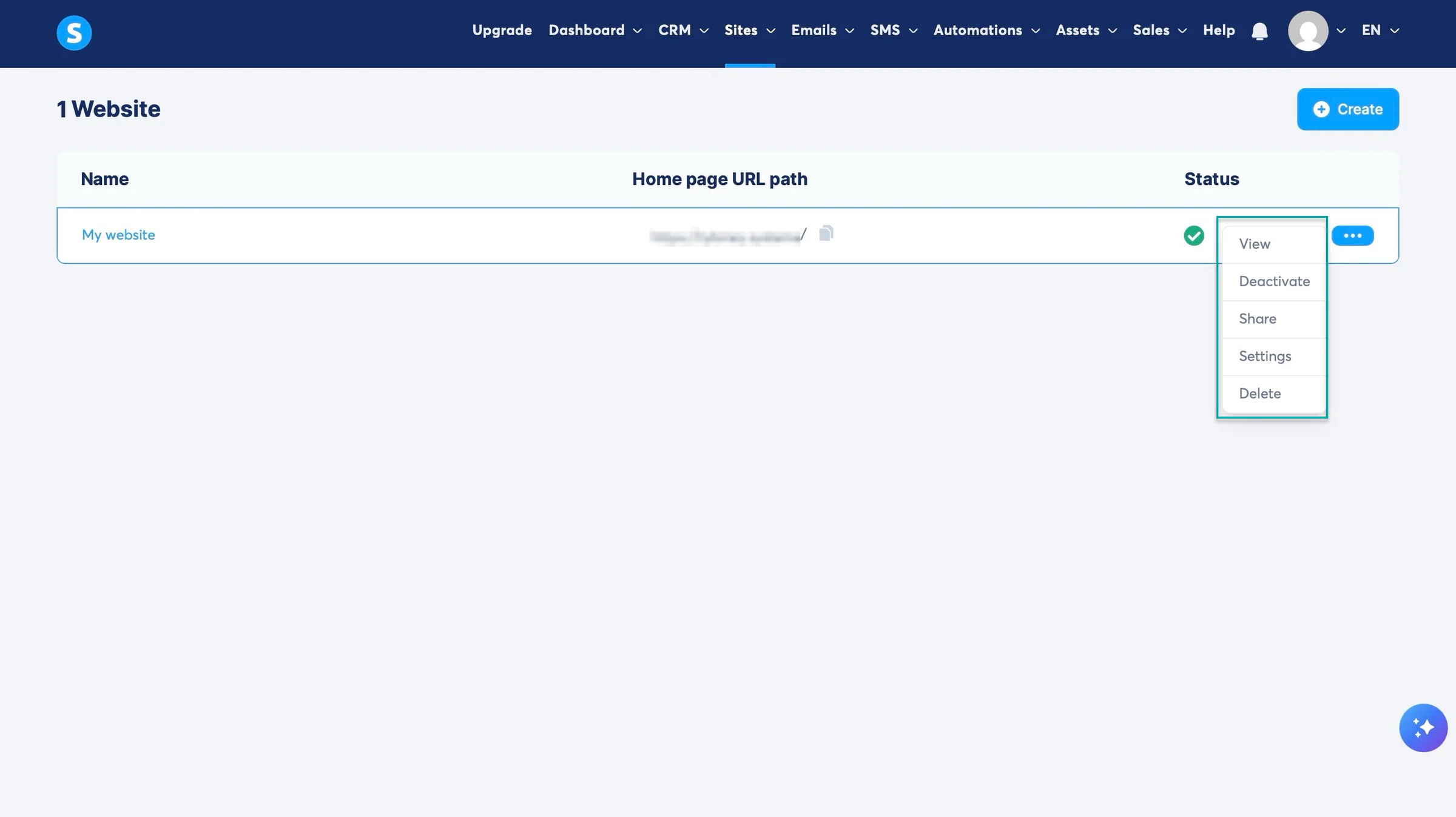
After editing, click “Save” and exit the website editor. You can always click the meatballs menu (•••) to view, deactivate, share, go to the website’s settings, or delete it.
3. Automations
Like Easytools’ campaign feature, Systeme.io’s automation lets you create a trigger-and-action workflow.
Here’s how.
Click “Automations” in the navigation bar, select “Workflow,” and then “+ Create.”
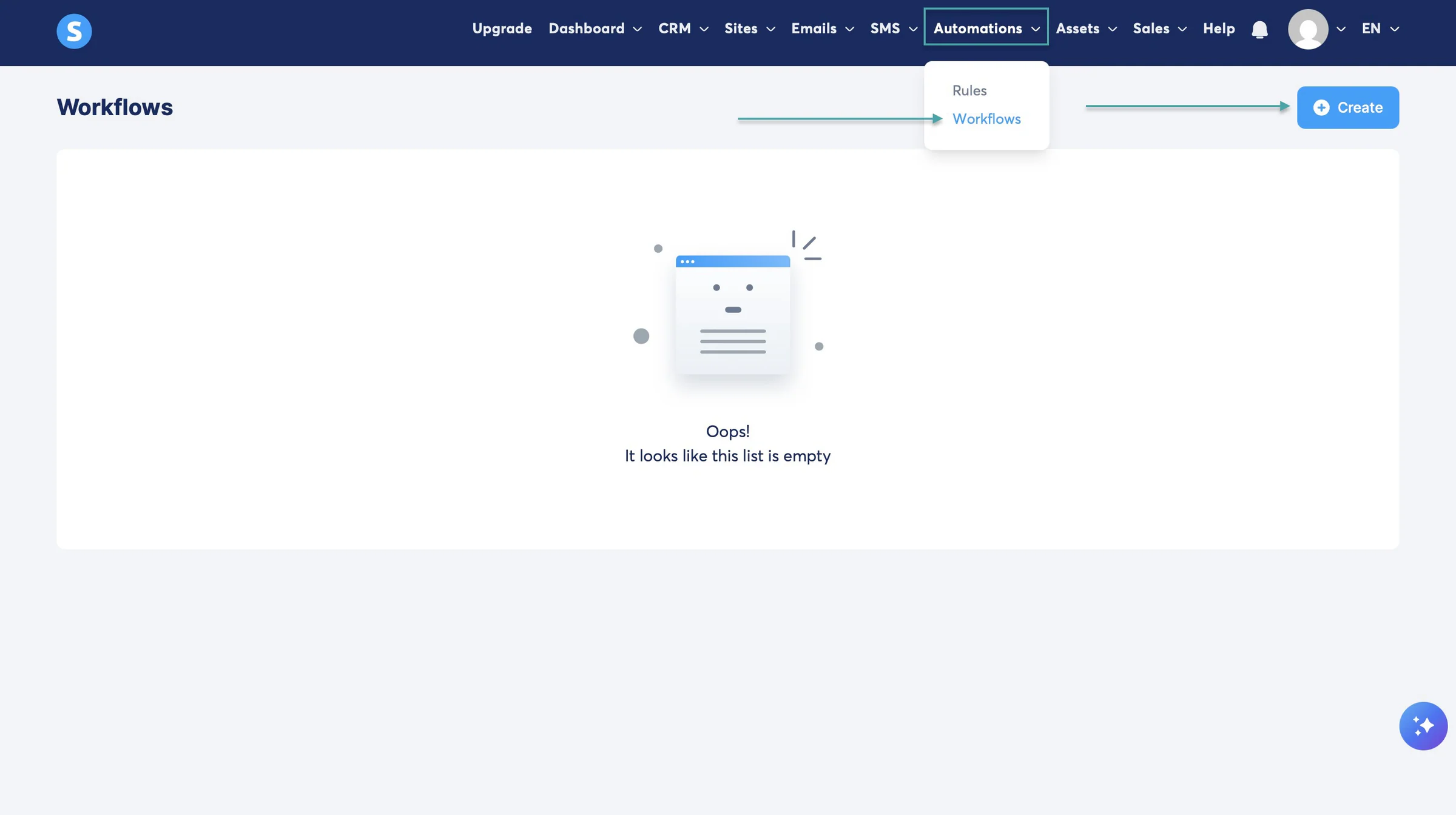
In the pop-up window, enter the workflow’s name and click “Save.”
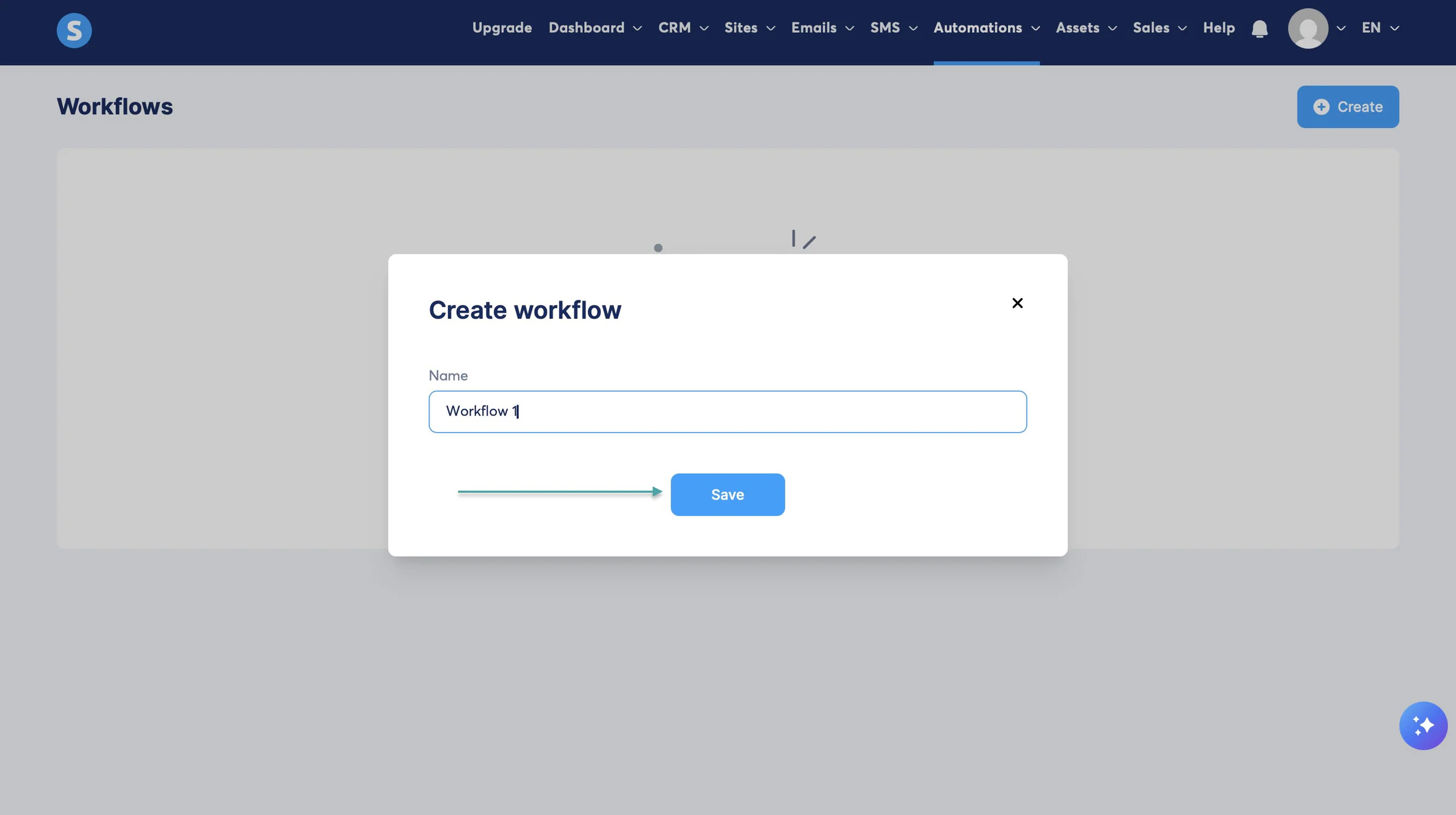
After Systeme.io creates the automation, click the meatballs menu (•••) and select “Edit.”
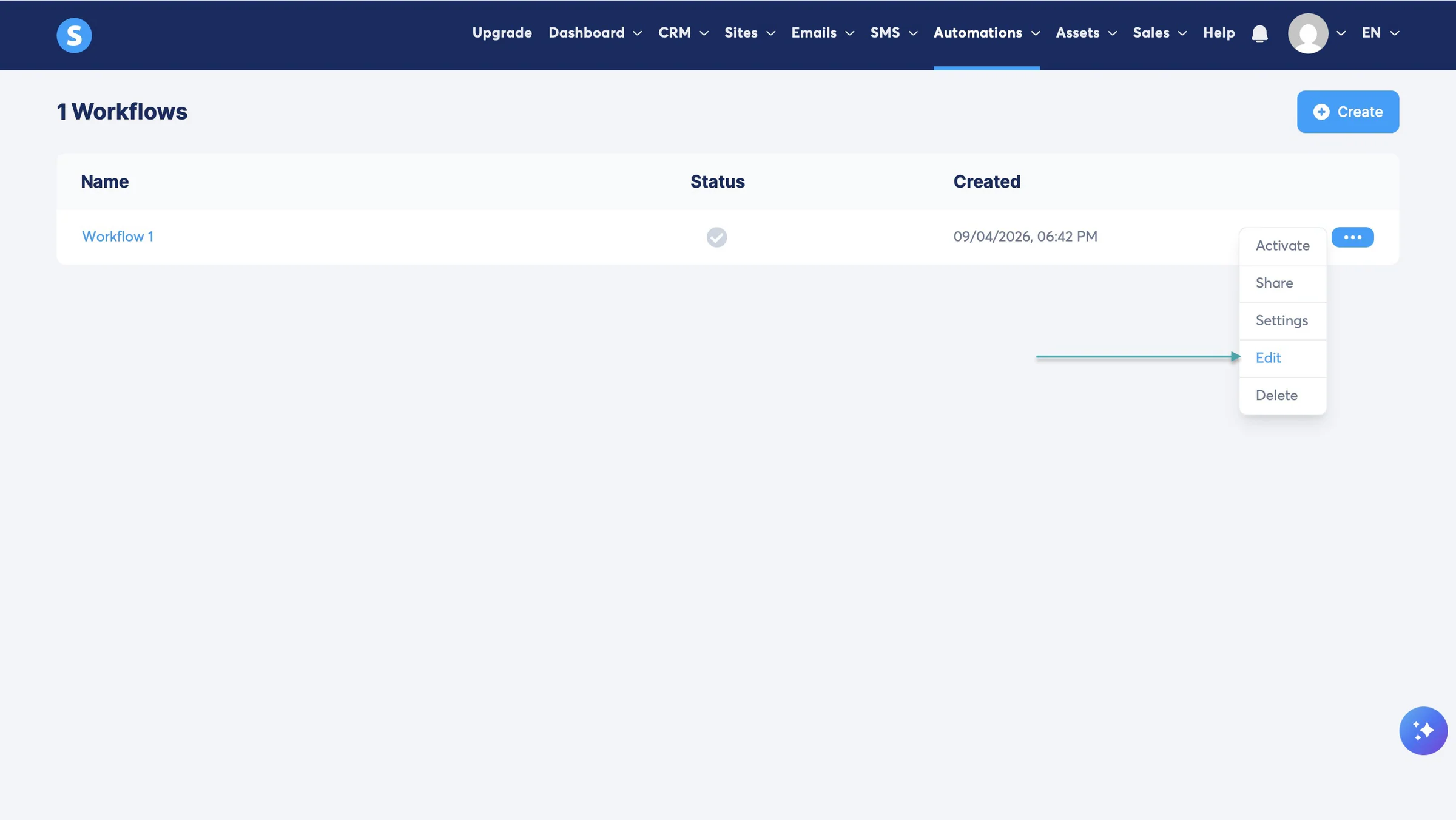
In Systeme.io’s workflow builder, click “+ Add a trigger” on the whiteboard and select it in the pop-up window. There are trigger types related to contacts, forms, courses, sales, email, events, community, and tracking.
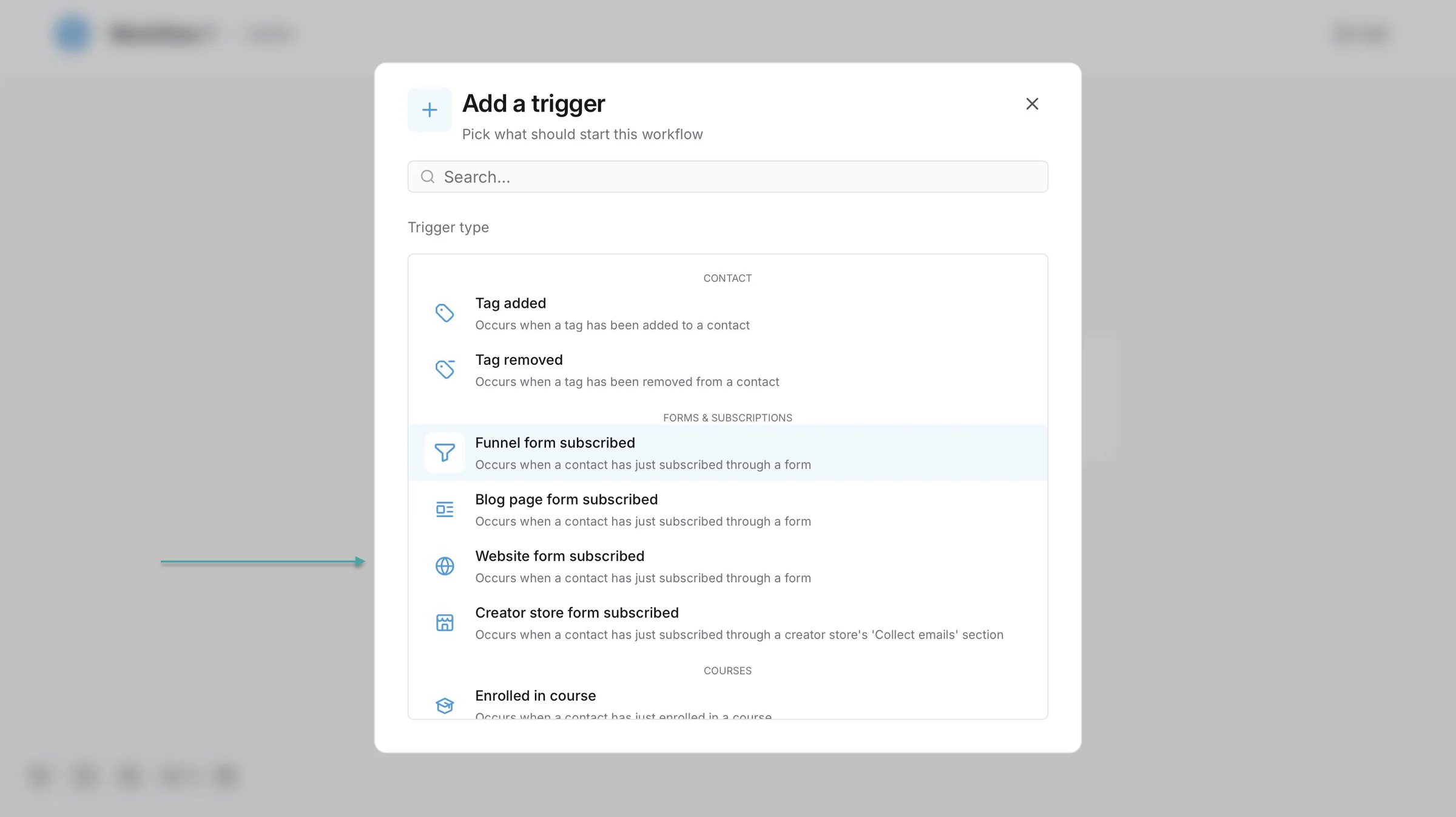
Pick a trigger, add the necessary details, and click “Create.” Now, you can add another trigger.
Or click the “+” to add a step like an action, decision, or delay.
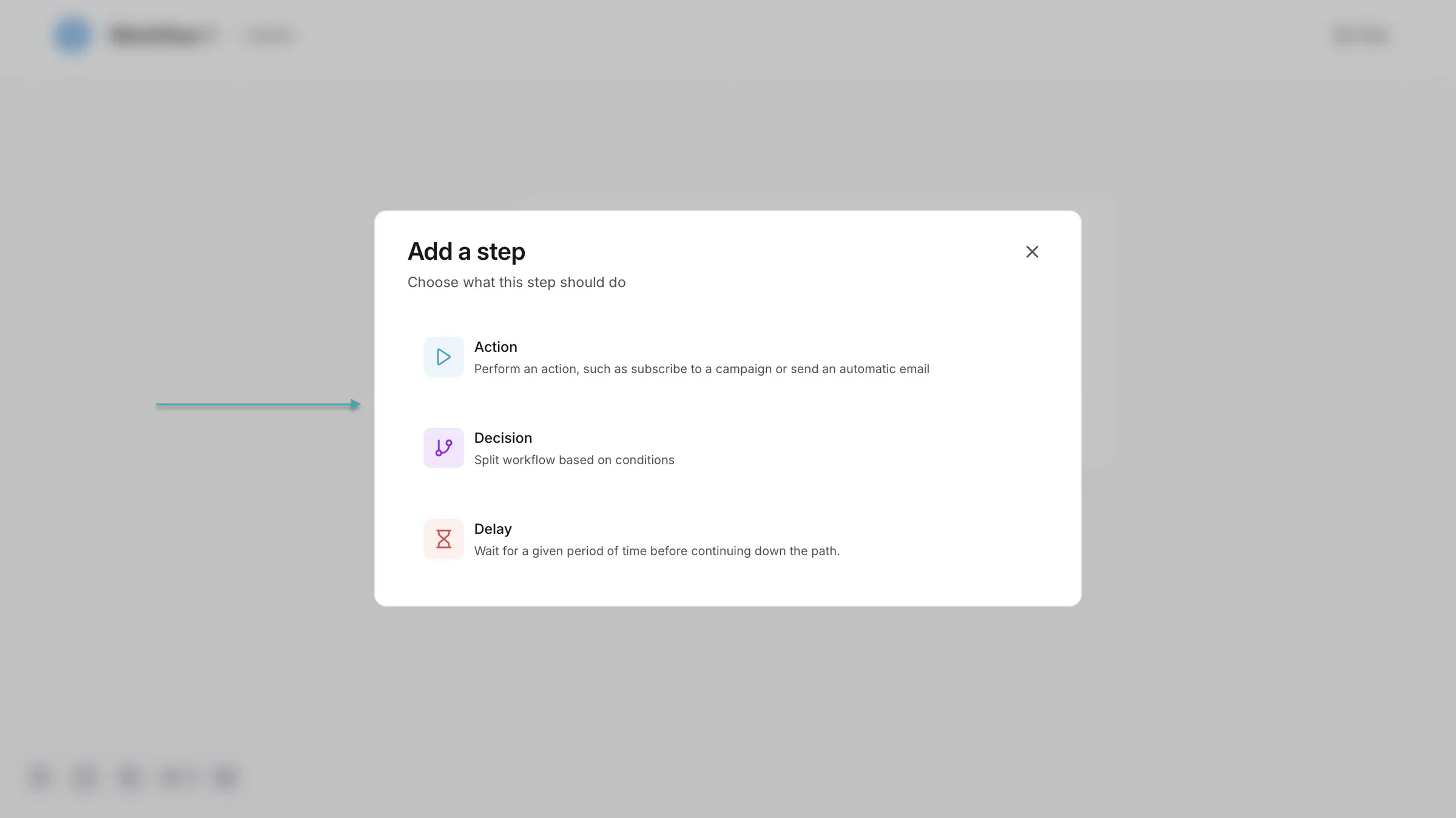
Once you’re done editing the workflow, click “Exit” at the top right corner of the window to close the editor.
What I liked vs what I didn’t like
What I loved 👍
✅ Offers a free plan with unlimited emails and file storage, which means you can get started without paying for extra storage or email capacity.
✅ Takes no transaction fees, so apart from platform and the payment processor’s fees, you keep what you earn.
✅ Like Easytools, it helps automate your sales process, including checkout, payment, and digital product delivery, so you can spend less time handling things manually.
What I didn’t like 👎
❌ Has basic email marketing, limited integrations, less design flexibility, and analytics, so it may not be the best fit for businesses and creators who need specialized tools.
Best for
- Beginners and small businesses who want an affordable all-in-one funnel platform
Pricing
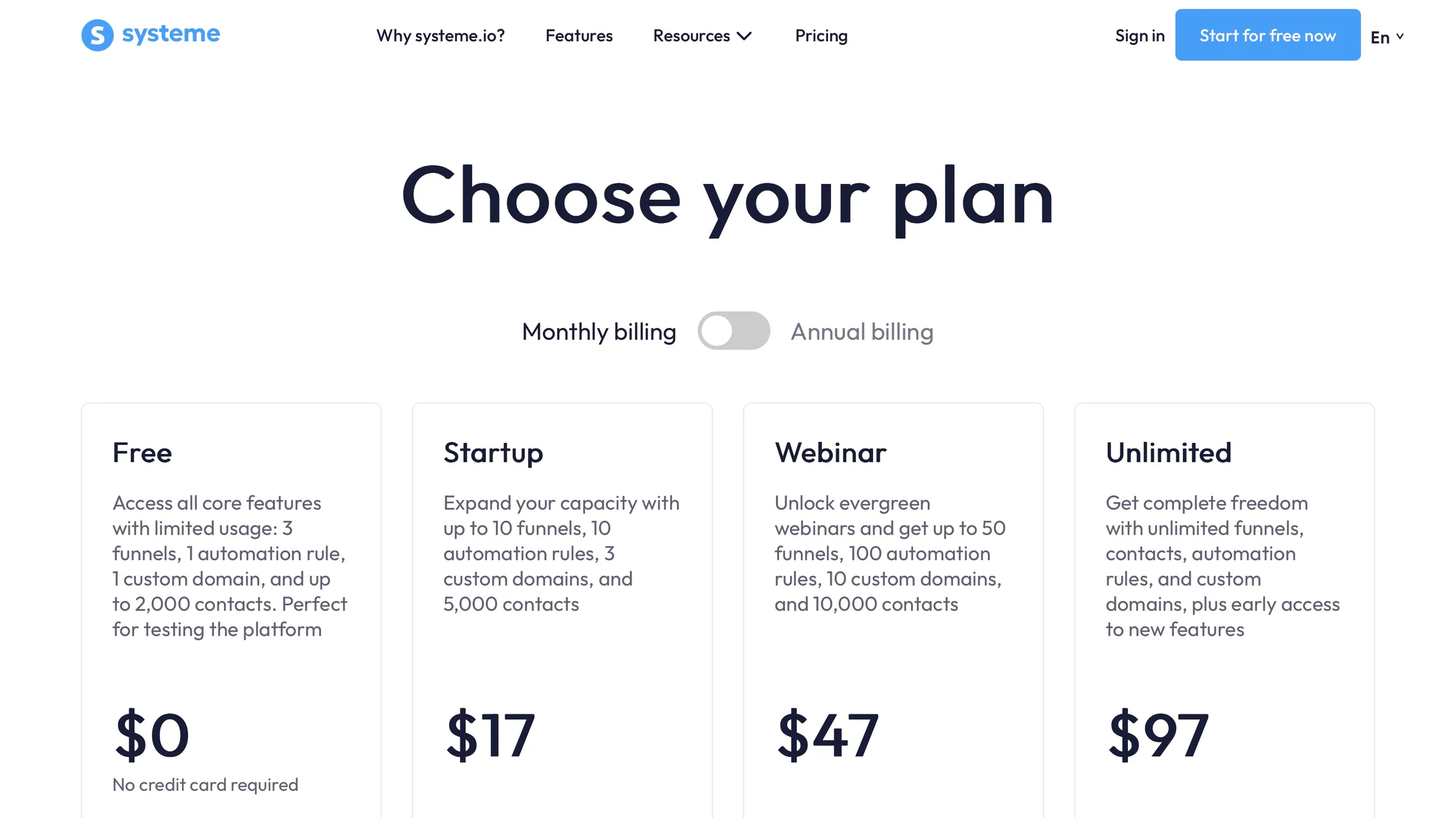
- Free: $0/month
- Startup: $17/month
- Webinar: $47/month
- Unlimited: $97/month
3. Podia
- Personal rating: ⭐️⭐️⭐️⭐️ 4.7/5 - It’s a solid all-in-one platform for creators who want to manage their website, products, email, and community from one place.
- Ease of use: ⭐️⭐️⭐️⭐️ 4.5/5 - You can access most features in a few clicks, but setting up everything can involve more steps than you might expect.
- AI capabilities: No native AI capabilities, so creators rely on third-party tools like Copy.ai for sales copywriting and integrations like Asyntai for AI-generated content or chatbots.
- Monetization options: Courses, digital downloads, coaching, events, memberships, and bundles, payment plans, subscriptions, coupons, upsells, and affiliate marketing.
- Free trial: Yes - A 30-day free trial.
- Starting plan: Mover - $42/month + 5% transaction fees + unlimited customers
Our list of the best ClickFunnels alternatives will be incomplete without Podia.
It’s an all-in-one platform that lets you sell digital products, courses, coaching, and memberships. It also gives you the tools to build a website, grow an audience, and manage a community from one place.

Podia lets you create and sell courses, digital downloads, coaching sessions, and product bundles. That way, you can sell different types of products and services from one place.
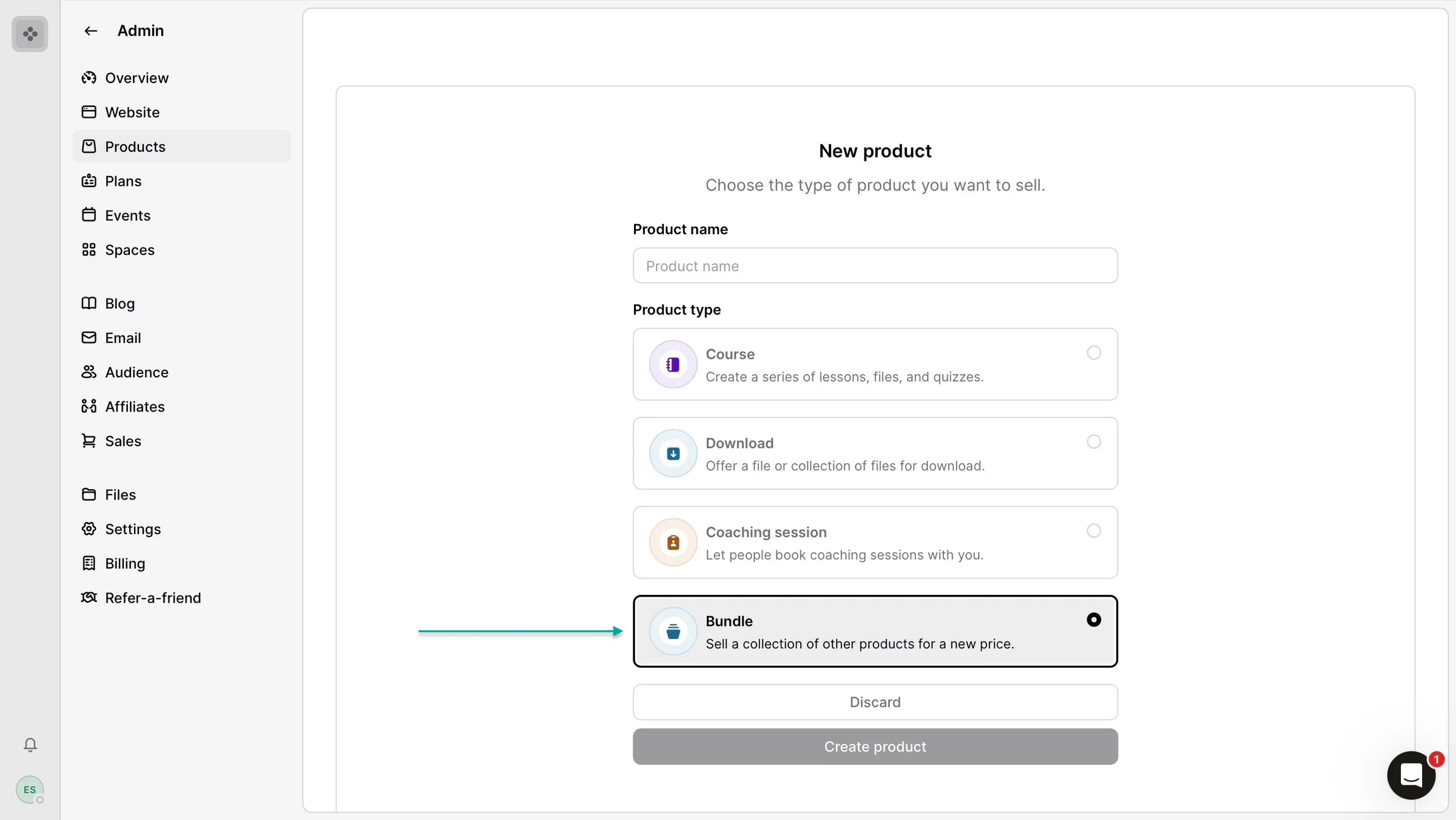
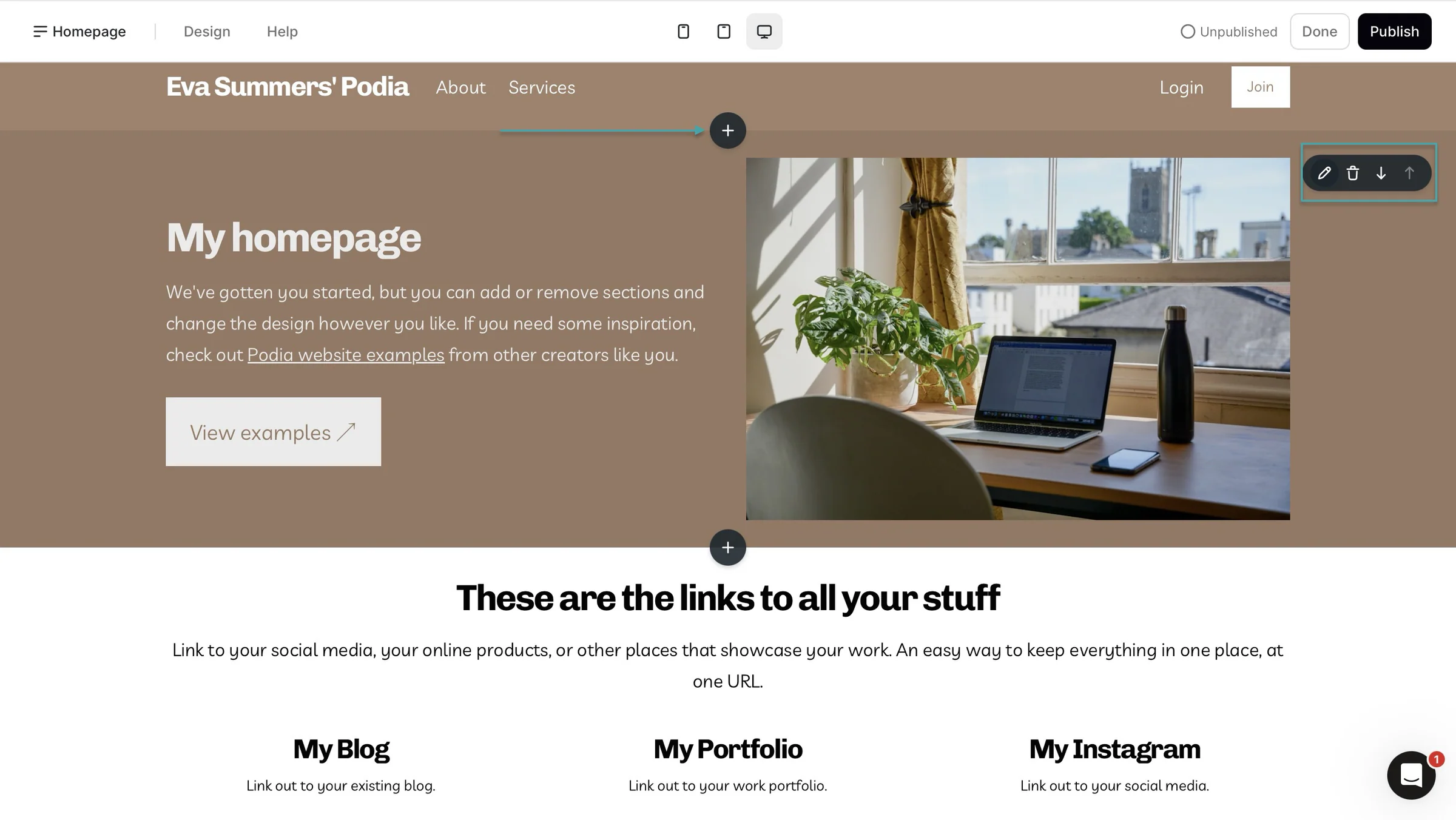
You can also add community spaces to communicate with your customers and share announcements. For example, you could create a space for course discussions, updates, or general community conversations.
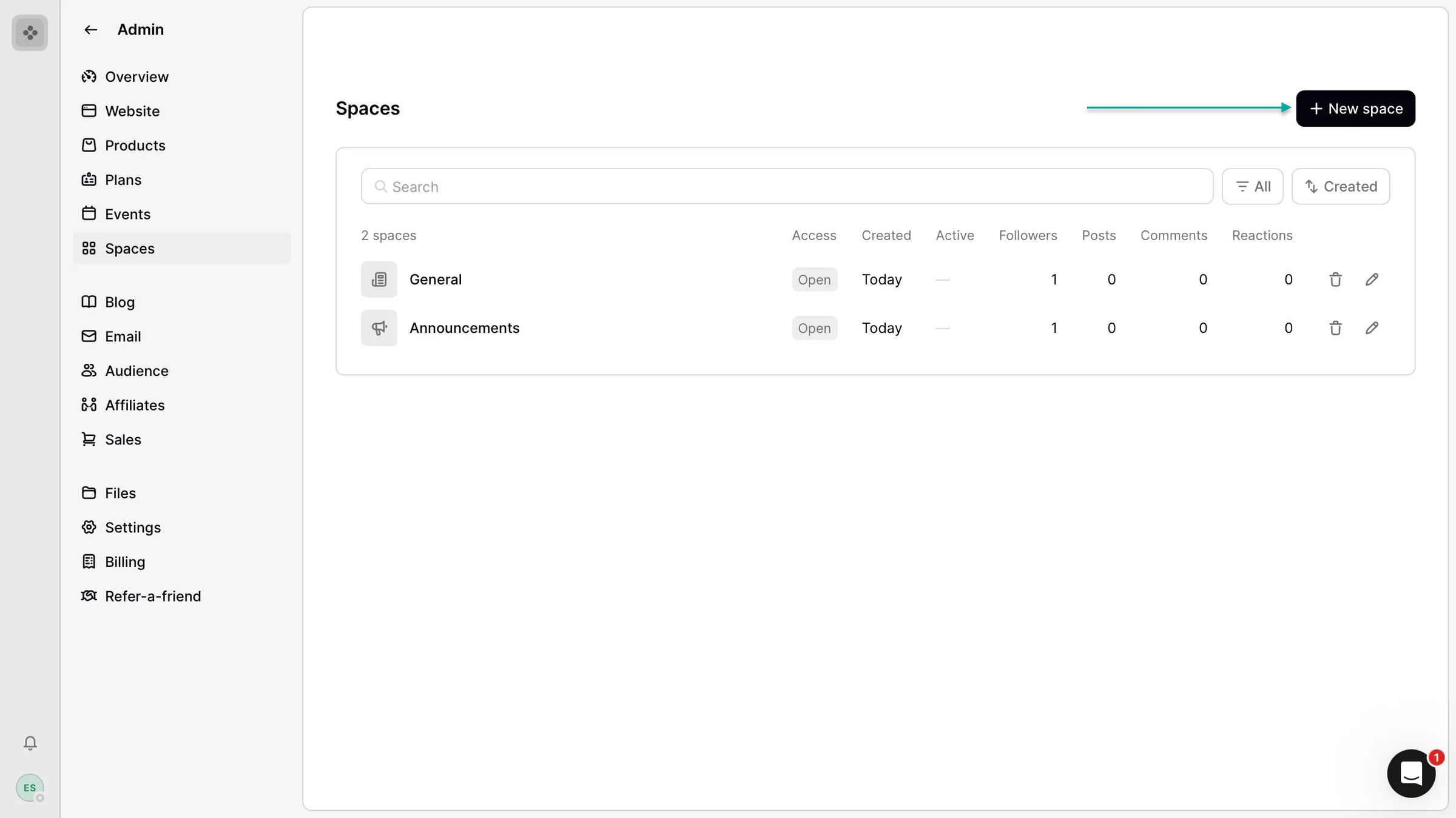
This ClickFunnels alternative also lets you build a website from scratch or choose from templates for an email lander, link page, or landing page.
You can add pages and sections, change your website colors, and customize your site’s overall look.
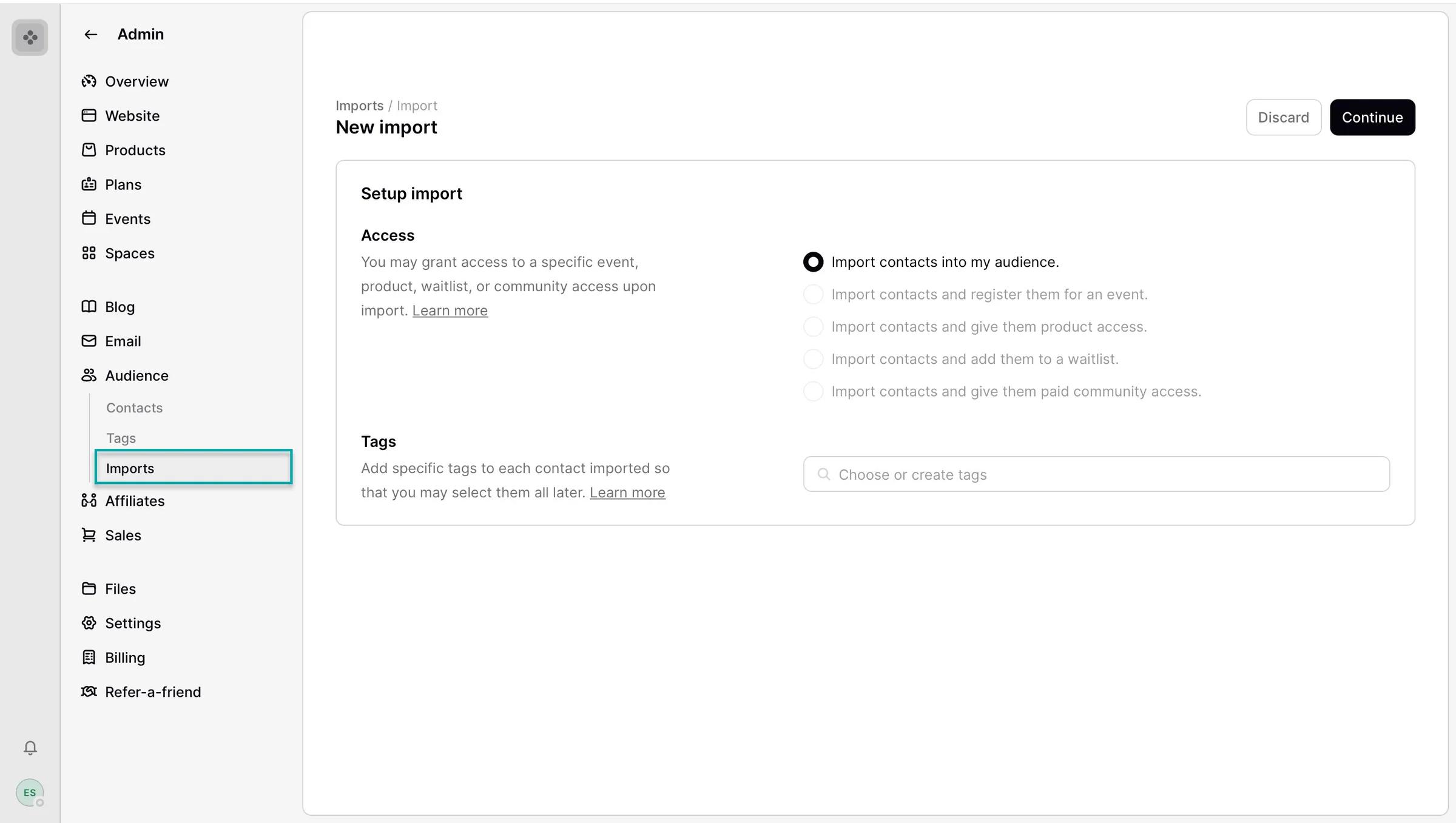
Like Easytools and Systeme.io, Podia lets you add contacts or customers. You can also import contacts directly from your computer, making it easier to bring your existing audience onto the platform.
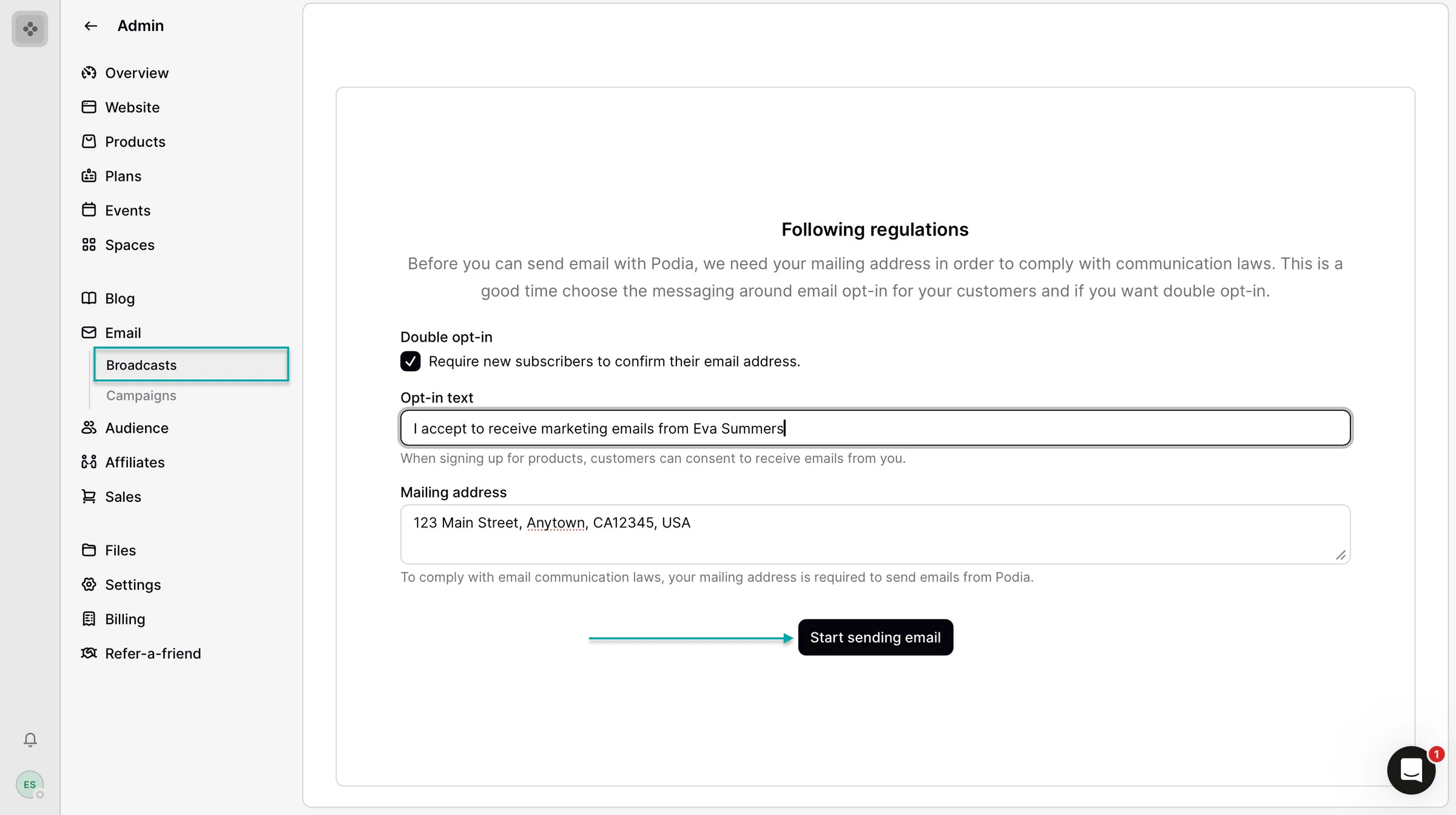
Lastly, it lets you send out emails to your contacts and audience. You can ask new subscribers to confirm their emails.
You can also include opt-in text so that people clearly agree to receive your emails before they’re added to your list.
What I loved about Podia
1. ProductsPodia’s products feature lets you create, sell, and manage courses, digital downloads, bundles, memberships, and more.Here’s how to create your first digital product on Podia.
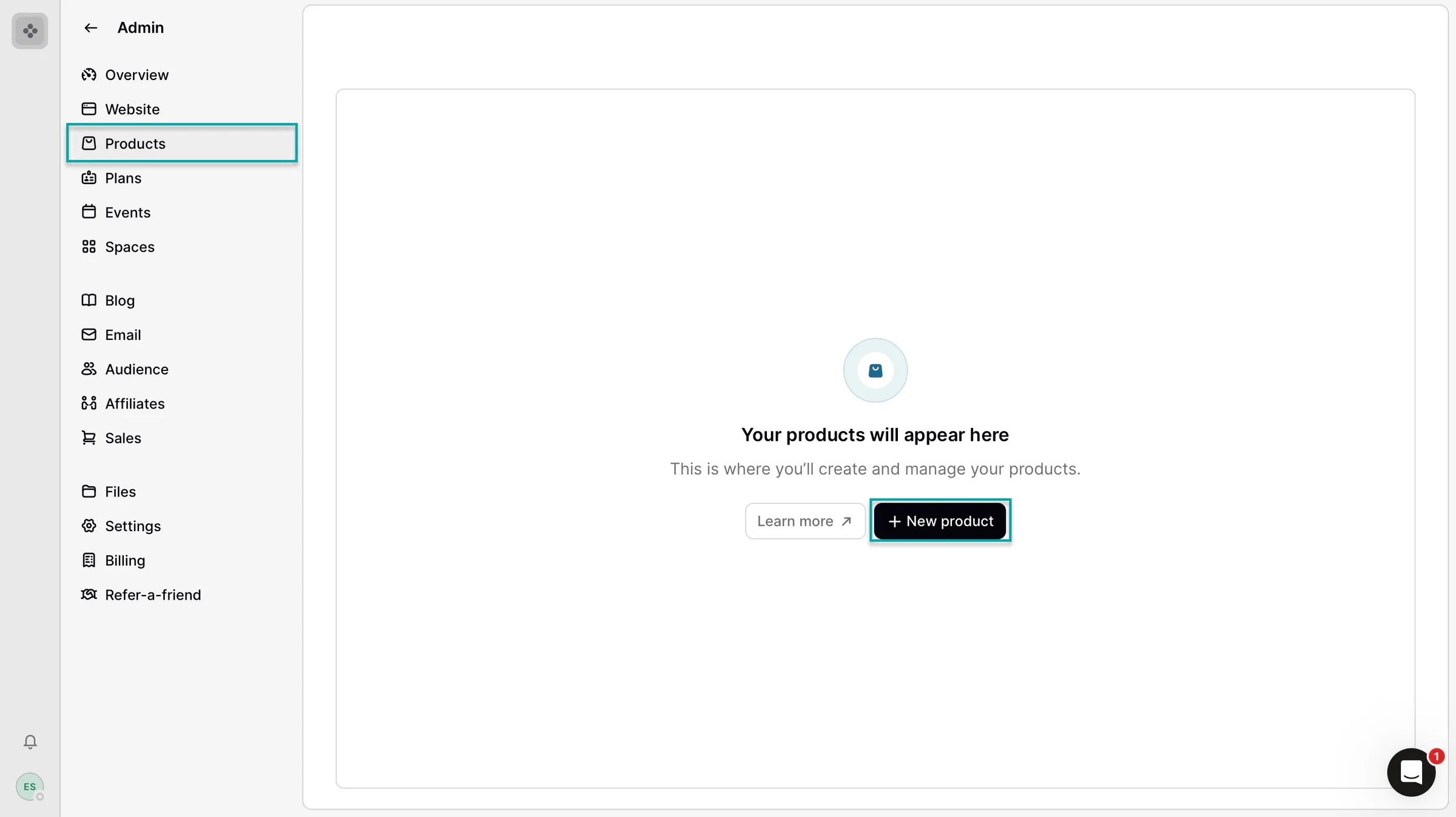
Select “Products” in the sidebar and click “+ New product.”
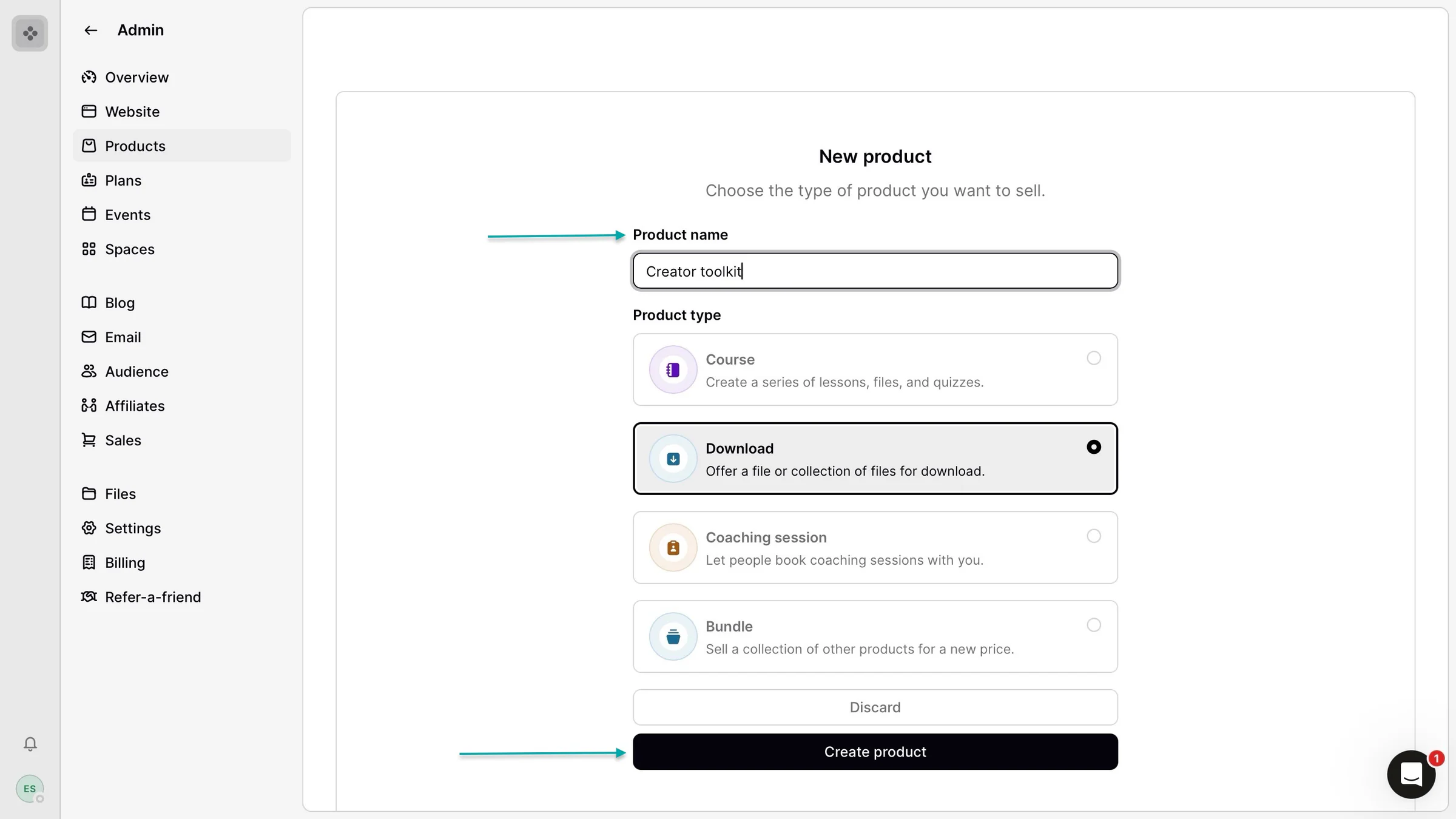
In the new window, add the product name and select a type. Let’s go with “Download.”
Now, click “Create product” to proceed.
You can then click “Choose files” to upload them from your computer.
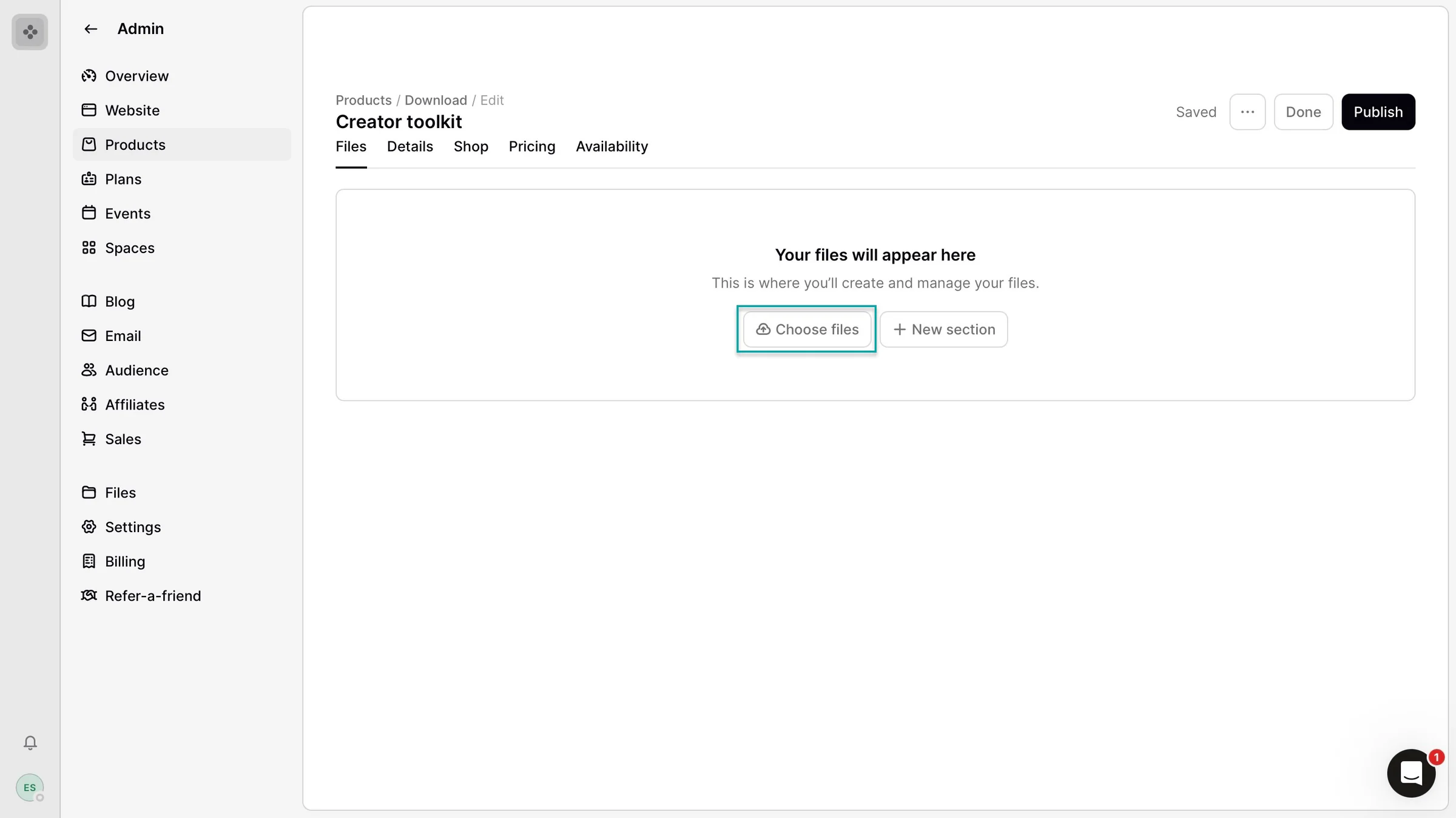
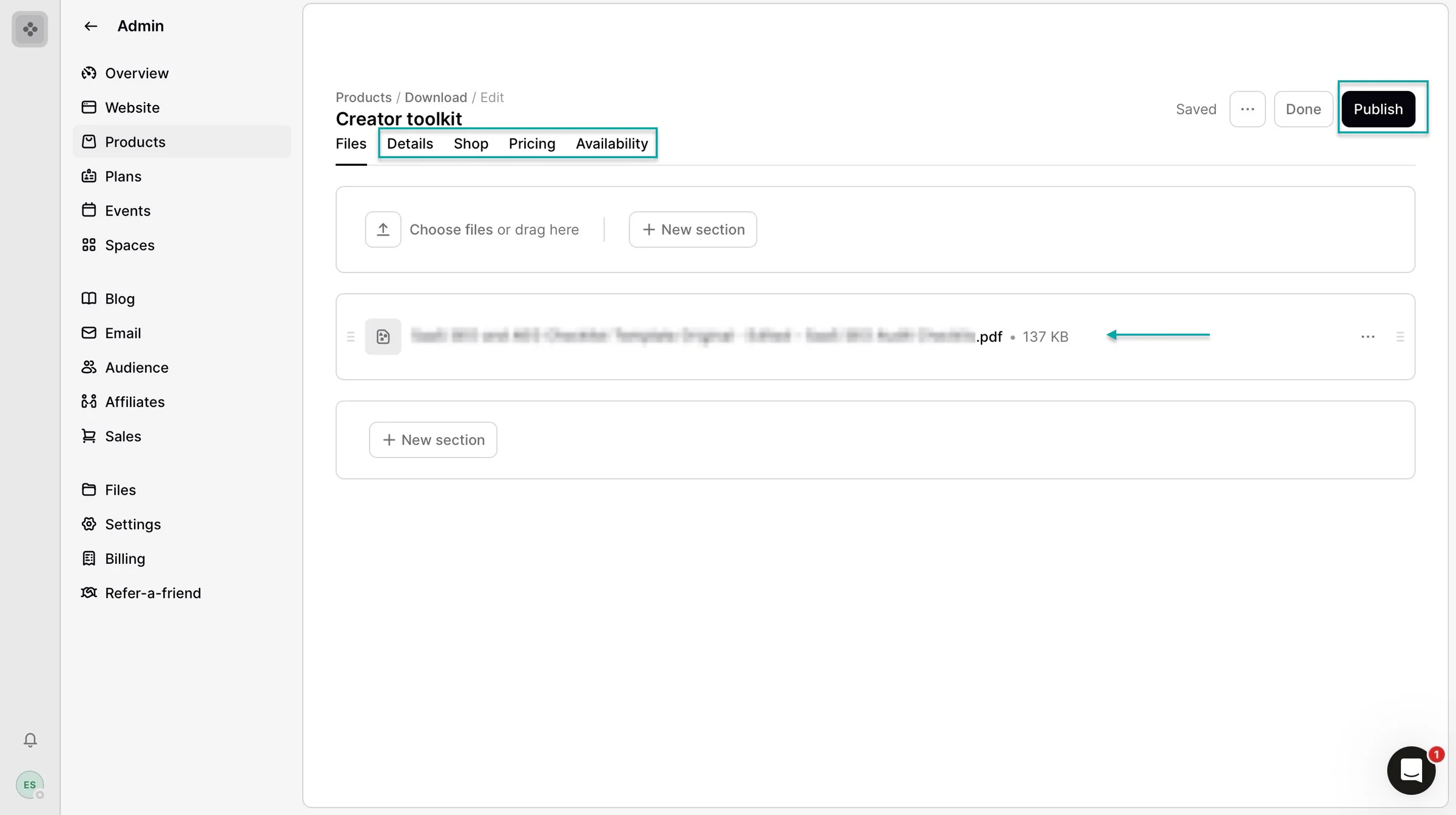
After adding your files, you can use the tabs in the navigation bar to configure the rest of your product.
The Details tab lets you edit the product name, URL, categories, image, and other information. The Shop tab lets you customize your product’s shop page.
The Pricing tab is where you can set your price and add upsells. Finally, the Availability tab lets you control when and how your product is available, like its visibility, start date, and signup limits.
Once you’ve made all the edits and additions, click “Publish.”
2. Website
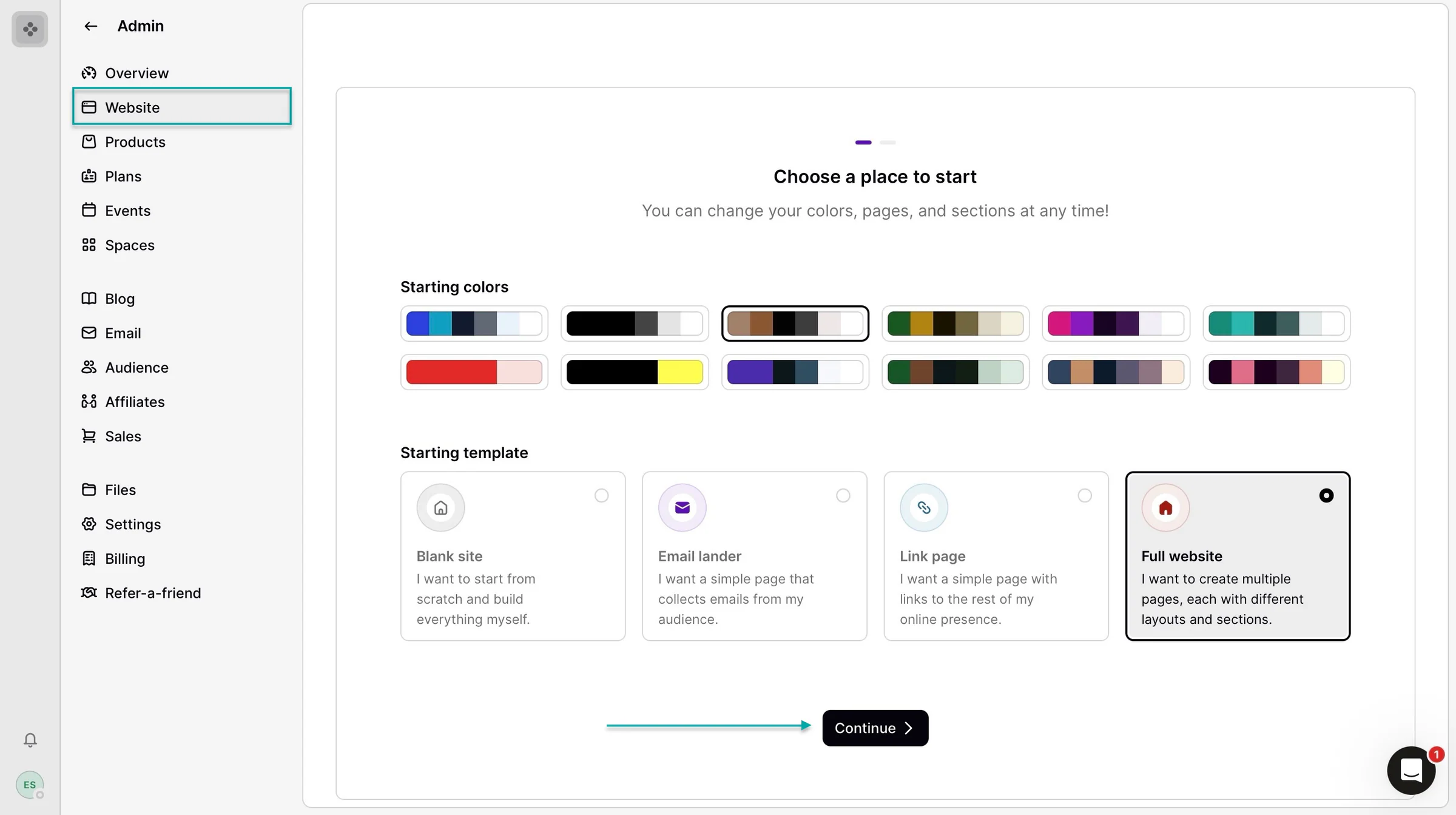
The website feature lets you build a site from scratch or start with templates such as an email lander, link page, or full website.
Here’s how. Begin by clicking “Website” in the sidebar. Then select a starting color and template, and click “Continue” to proceed.
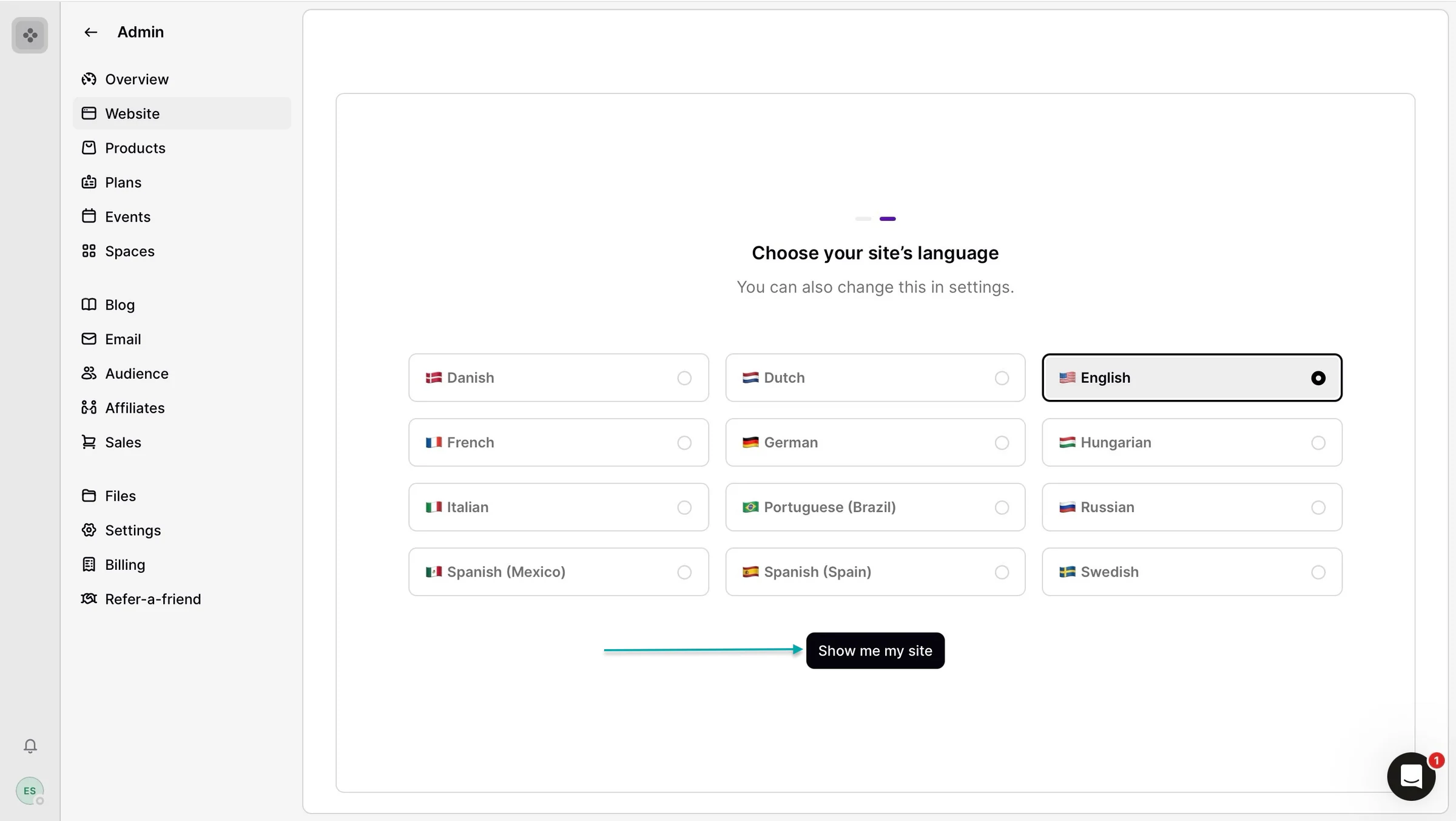
Next, select your site’s language and click “Show me my site.”
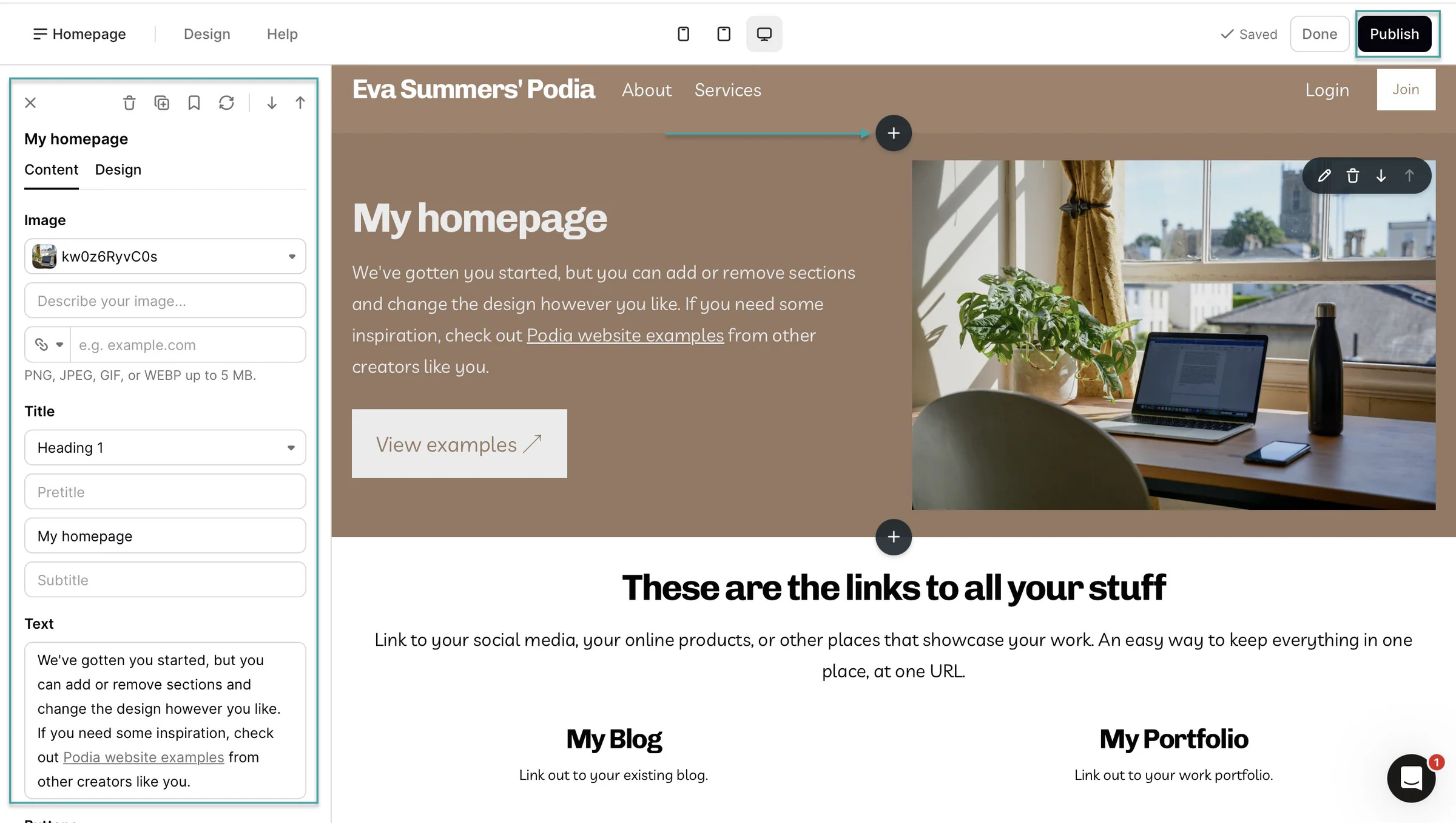
Podia will generate your site based on the options you selected. In the website editor, move your cursor over the section you want to edit and click the pencil icon when it appears.
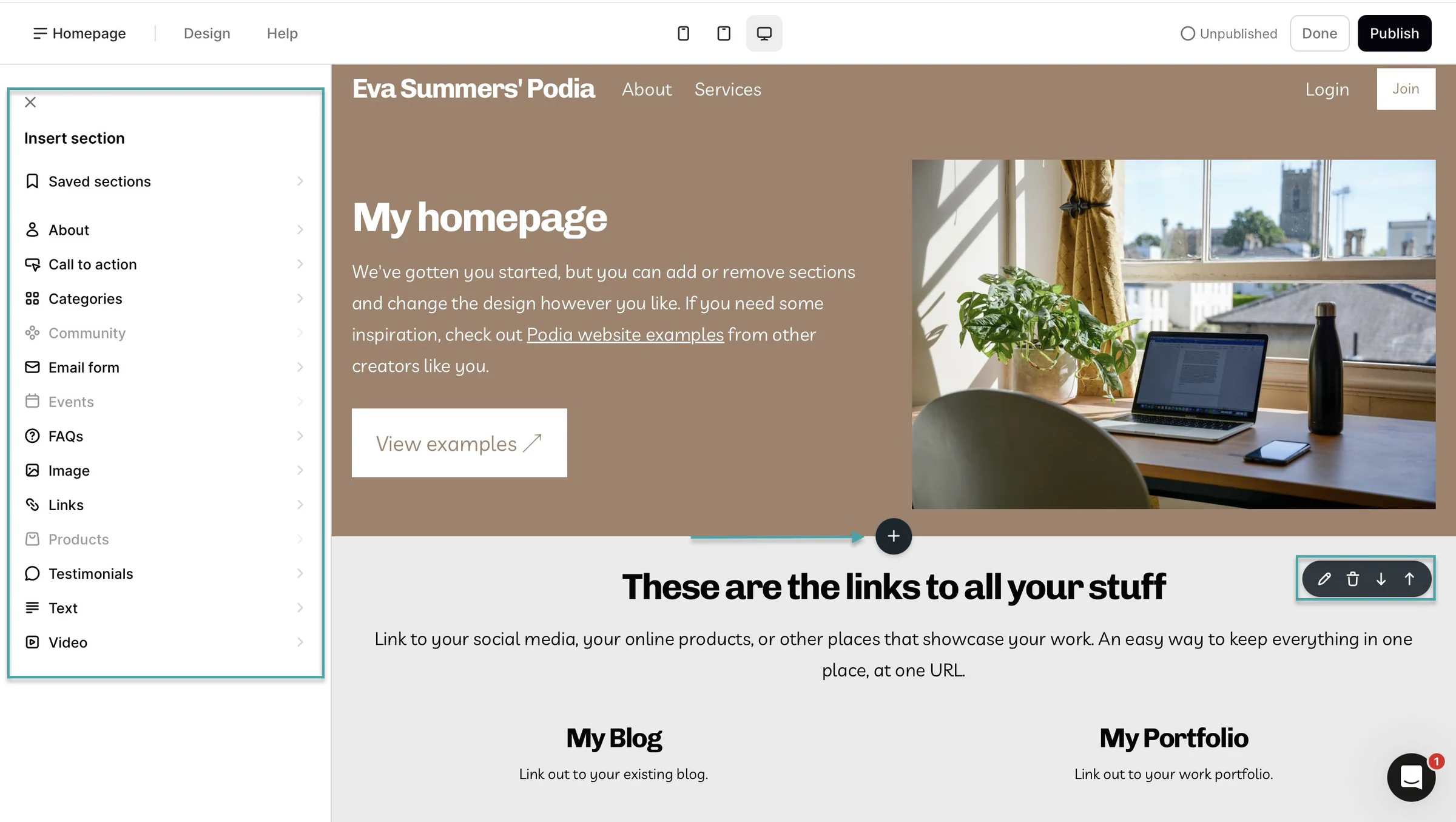
You can also click the “+” sign to add new sections. Once you’ve made your edits and additions, click “Publish” to make your changes live.
3. EmailWith Podia’s email feature, you can send marketing emails to your audience. Let me walk you through how to create one.
Select “Email” in the sidebar and choose “Broadcasts.” Then click “+ New Broadcast.”
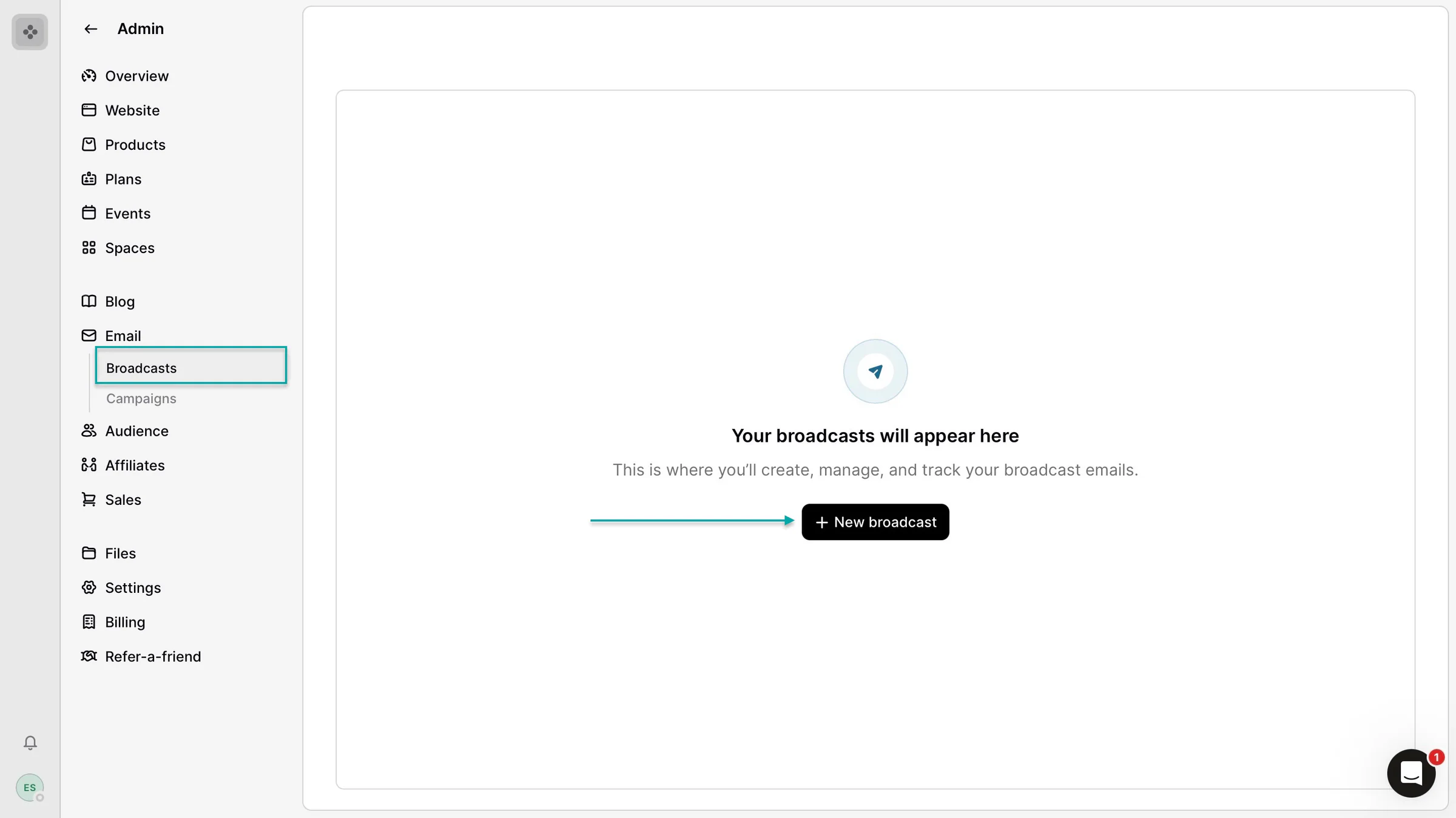
Add the broadcast name, subject line, preview text, and recipients.
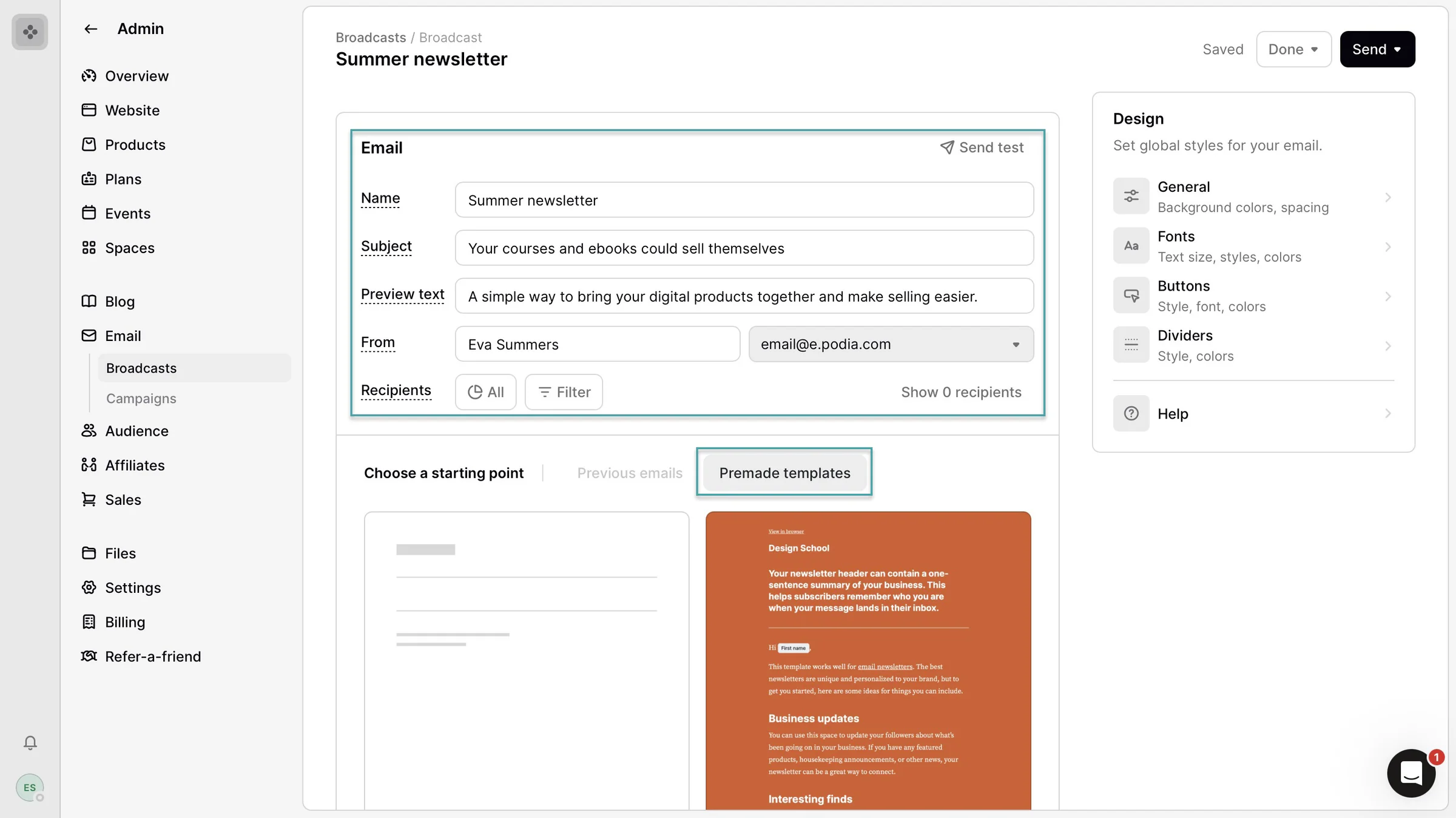
Next, choose a premade email template and click “Apply template.”
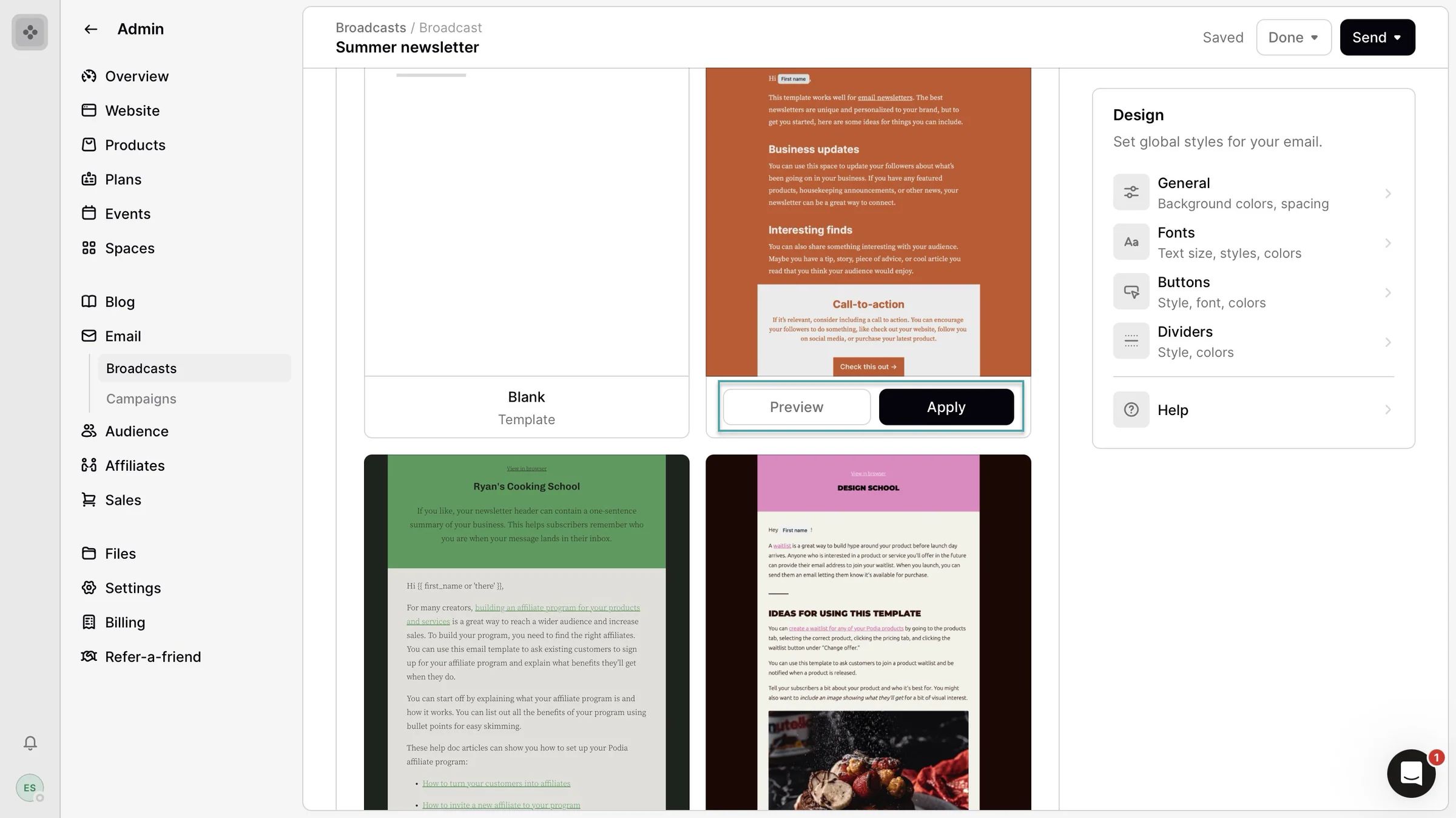
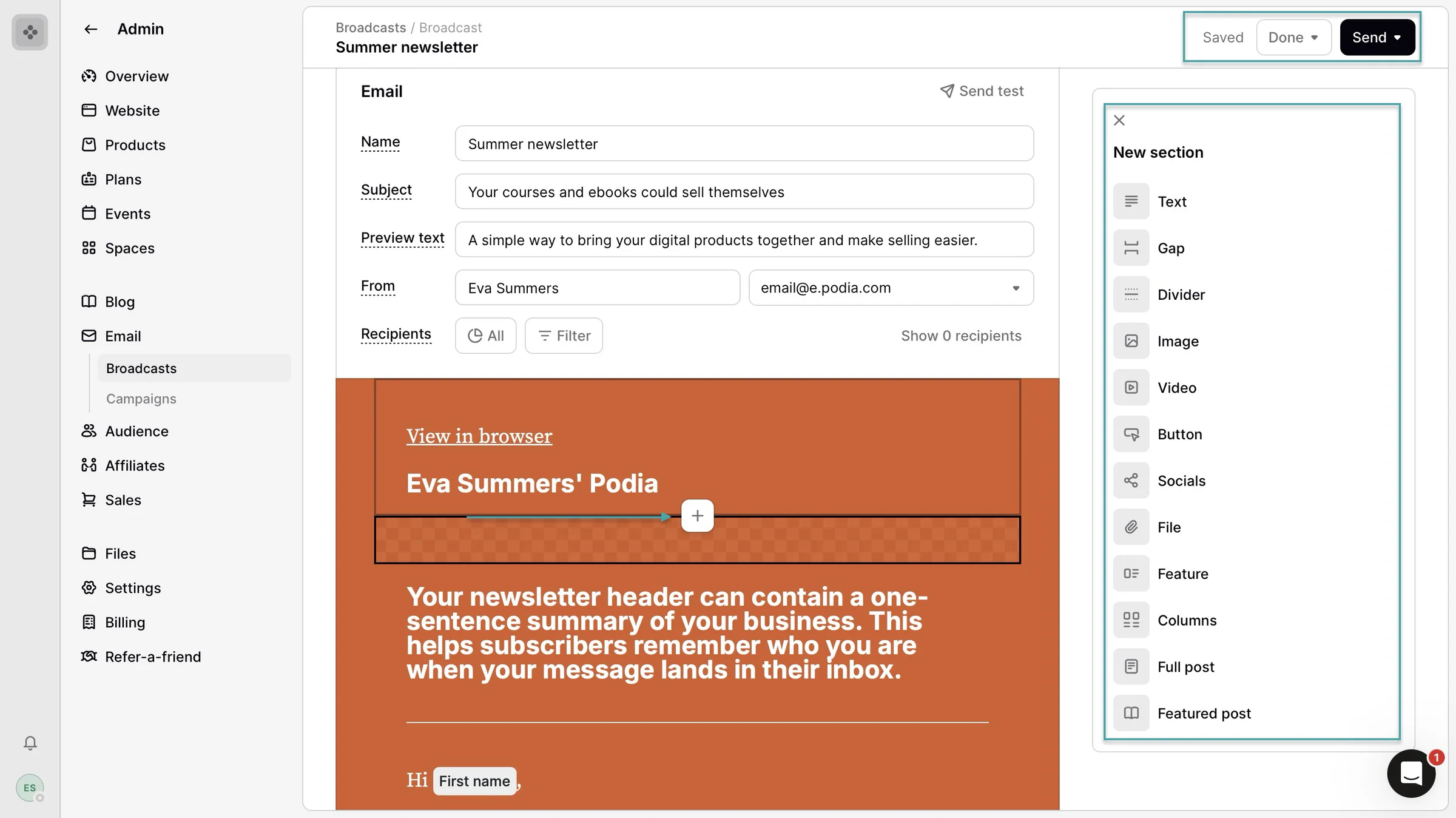
You can then edit the template. Click the “+” icon to add new sections, or click directly on an existing element to change its content.
Once you’re done, you can send yourself a test email before sending it to your audience. When everything looks good, send it immediately or schedule it for later.
What I liked vs what I didn’t like
What I loved 👍
✅ Doesn’t charge transaction fees on its Shaker and Earthquaker paid plans: you only pay the payment processor’s fees, so you keep more of each sale.
✅ Has in-tool tutorials to help you with setup, so you don’t have to figure everything out on your own.
✅ Offers a 30-day free trial, giving you plenty of time to test its features before committing to a paid plan.
What I didn’t like 👎
❌ Useful features, like affiliate marketing, upsells, and assistants, are locked behind higher-tier plans, so you’ll need to upgrade as your needs grow.
Best for
- Creators selling courses, digital products and memberships
Pricing
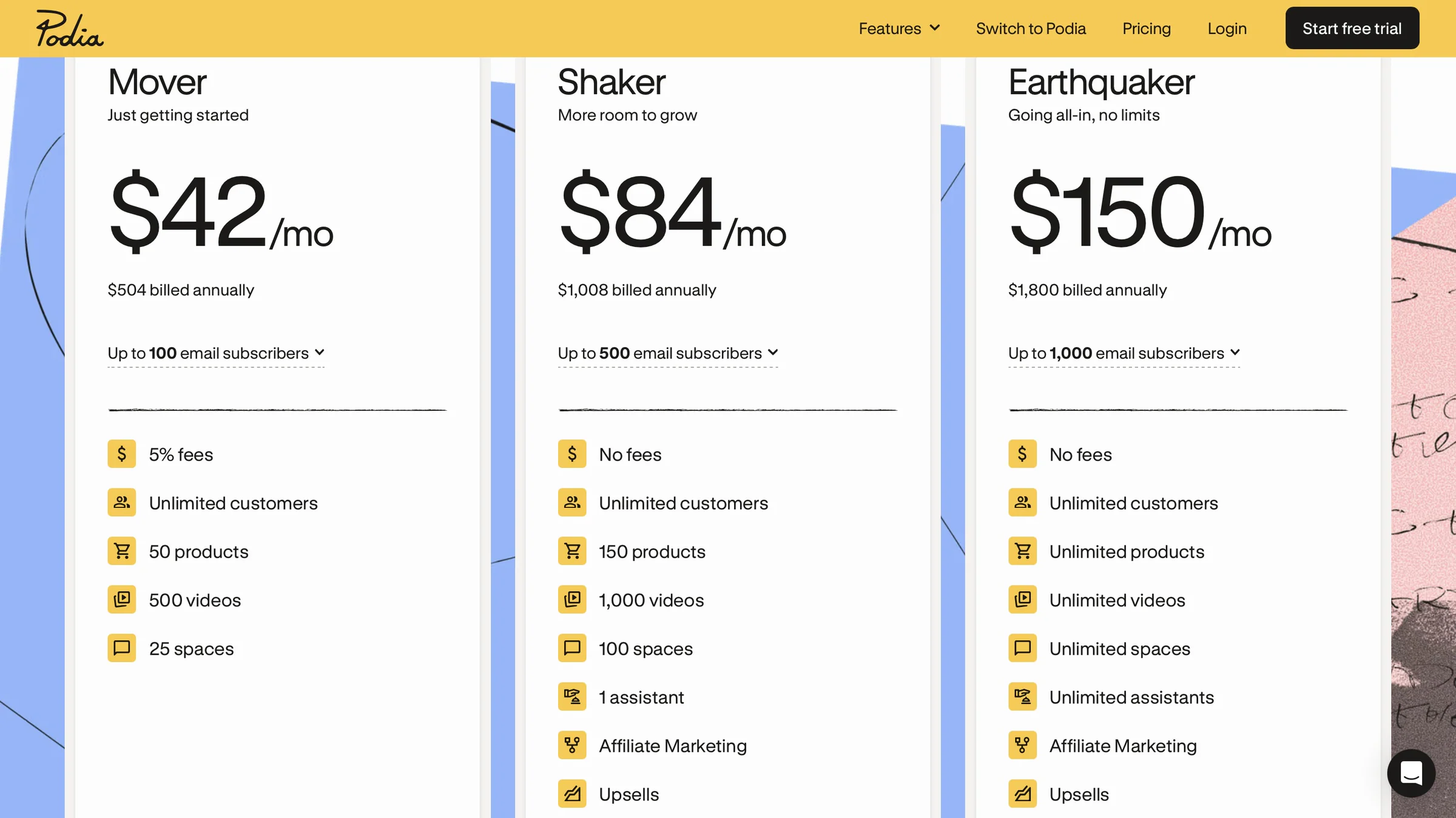
- Mover: $42/month
- Shaker: $82/month
- Earthquaker: $150/month
4. Kartra
- Personal rating: ⭐️⭐️⭐️⭐️ 4.7/5 - Has an in-tool resource center that caters to users who need help learning how to use Kartra’s features and getting started with the platform.
- Ease of use: ⭐️⭐️⭐️⭐️ 4.5/5 - Has coach marks so you see tooltips that highlight specific features and explain what they do, so you can set up everything quickly.
- AI capabilities: Kartra’s AI helps you generate and improve marketing copy for your pages, emails, and SMS messages.
- Monetization options: Courses, memberships, consultations, coaching services, and physical products through one-time payments, subscriptions, installments, trials, and upsells.
- Free trial: Yes - 14-day free trial.
- Starting plan: Essentials - $52/month + 5% transaction fees + 10,000 emails/month
We can’t talk about ClickFunnels alternatives without mentioning Kartra.
It’s an all-in-one marketing platform that lets you build websites and sales funnels, and sell digital products and services. And you also can run automations and sequences, manage your email marketing, and customer journeys from one place.

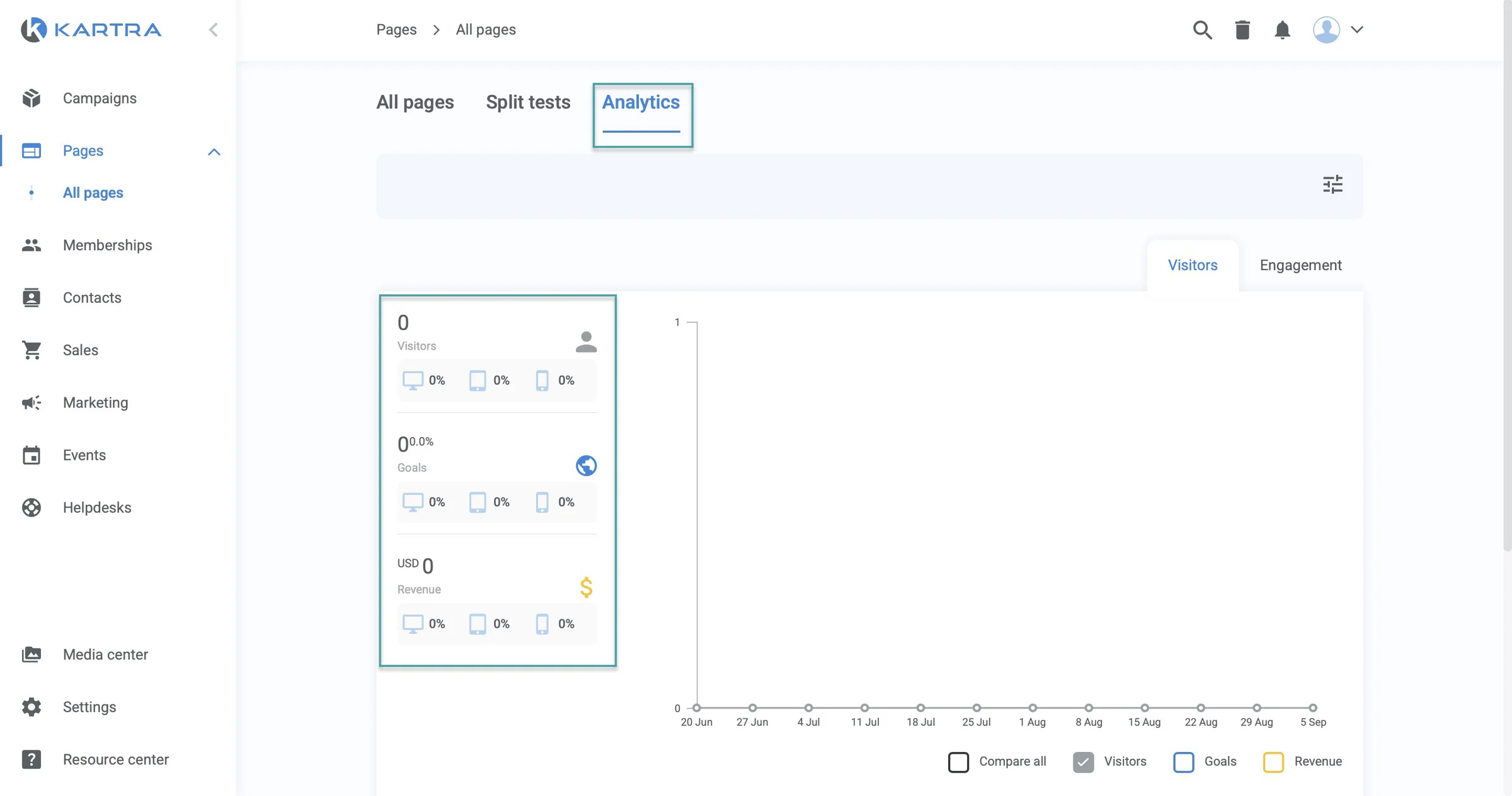
You can build landing pages, opt-in pages, sales pages, or even complete websites with Kartra. And, like Easytools, you get page analytics to see how many people are visiting your pages and how they interact with them.
You can track things like visitors, goals, revenue, time spent on a page, and scroll depth.
It also lets you sell services and digital products, including courses, memberships, consultations, and downloadable resources.
You can set your pricing and payment options, deliver products after purchase, and create discount coupons to encourage more sales.
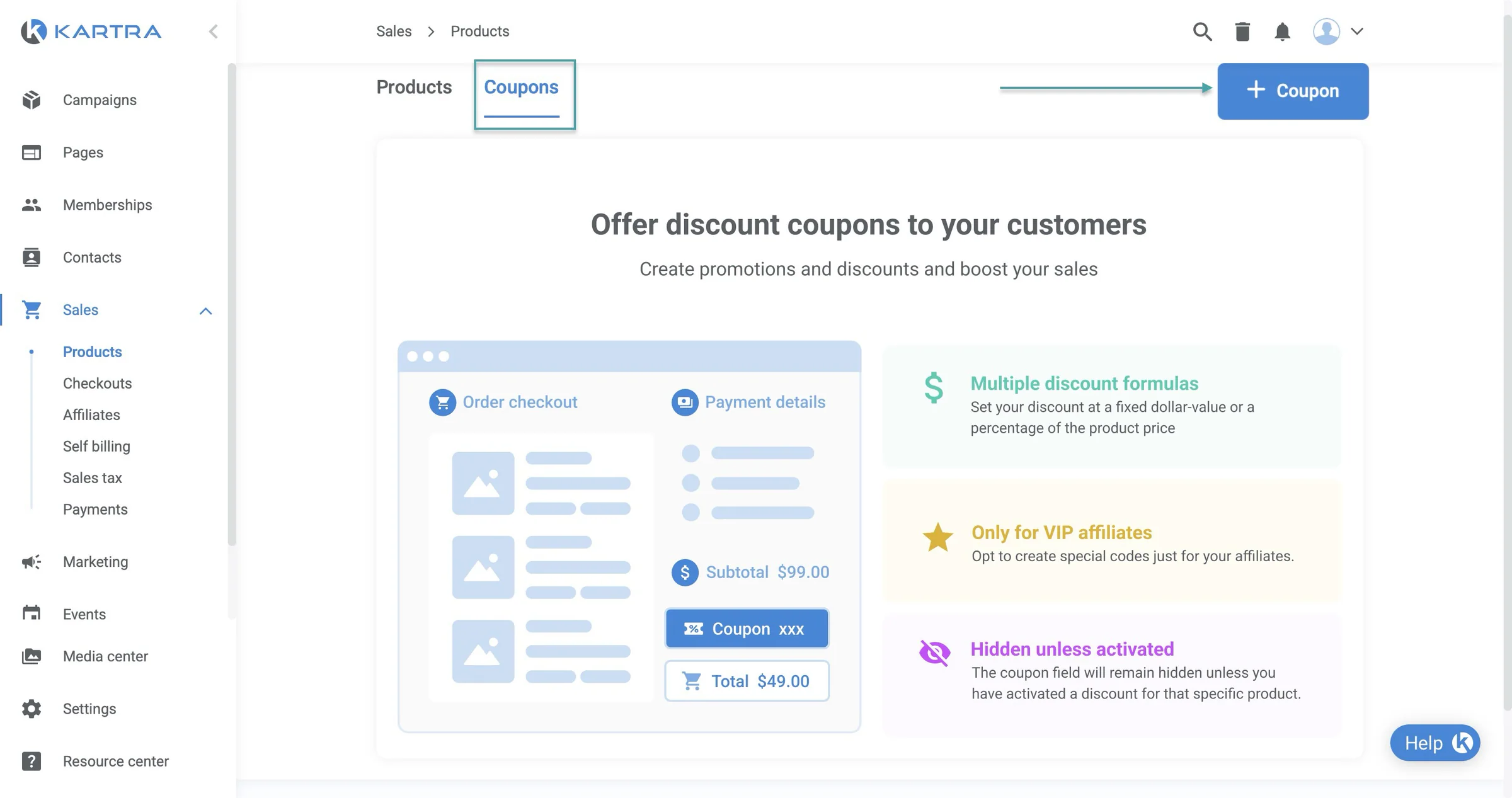
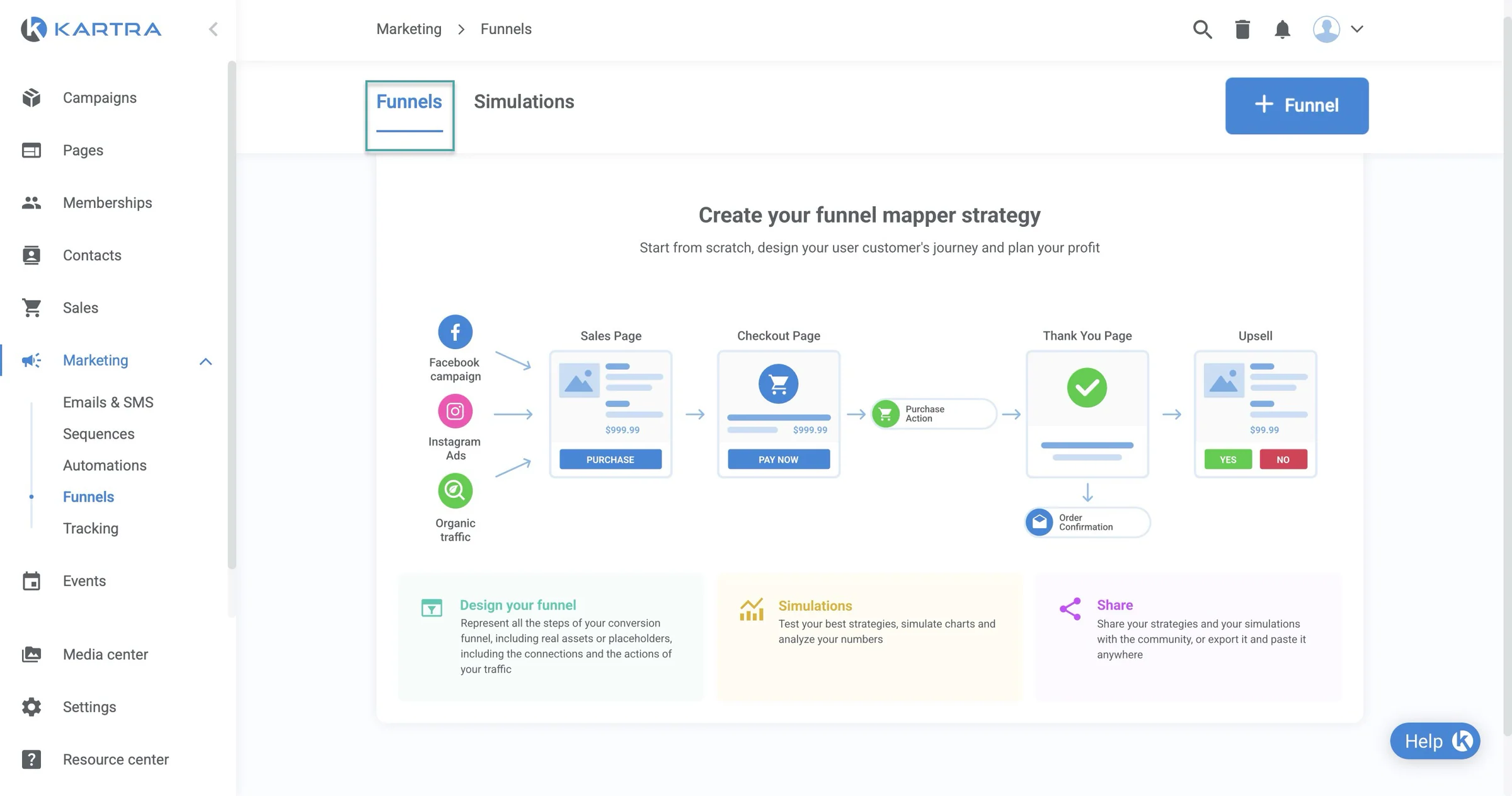
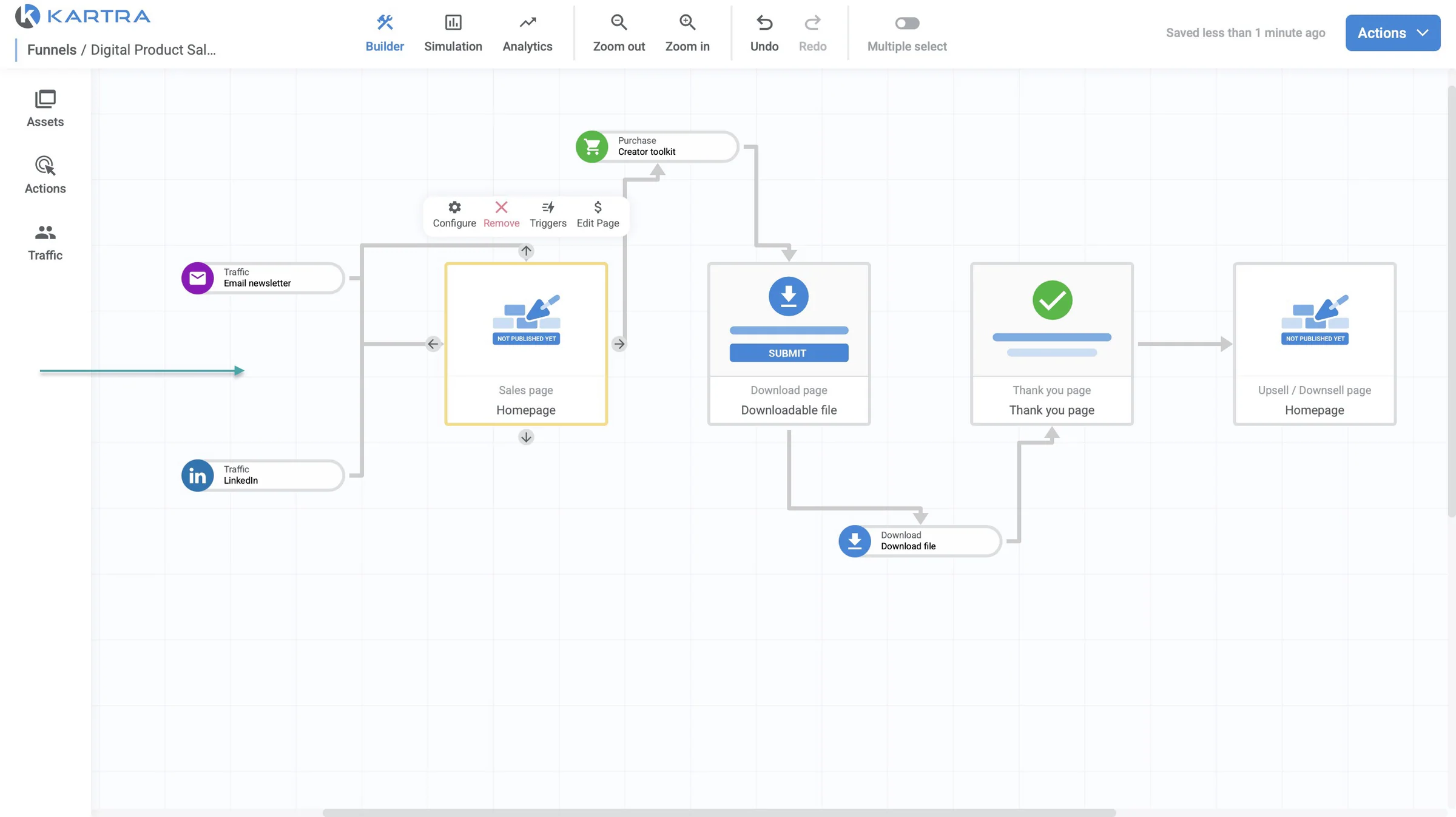
Like ClickFunnels, Kartra also has a funnel mapper that lets you visually plan your customer journey. You can map out your funnel, from traffic sources and landing or sales pages to checkout, product delivery, and upsells.
So you can see how the different stages of your funnel fit together.
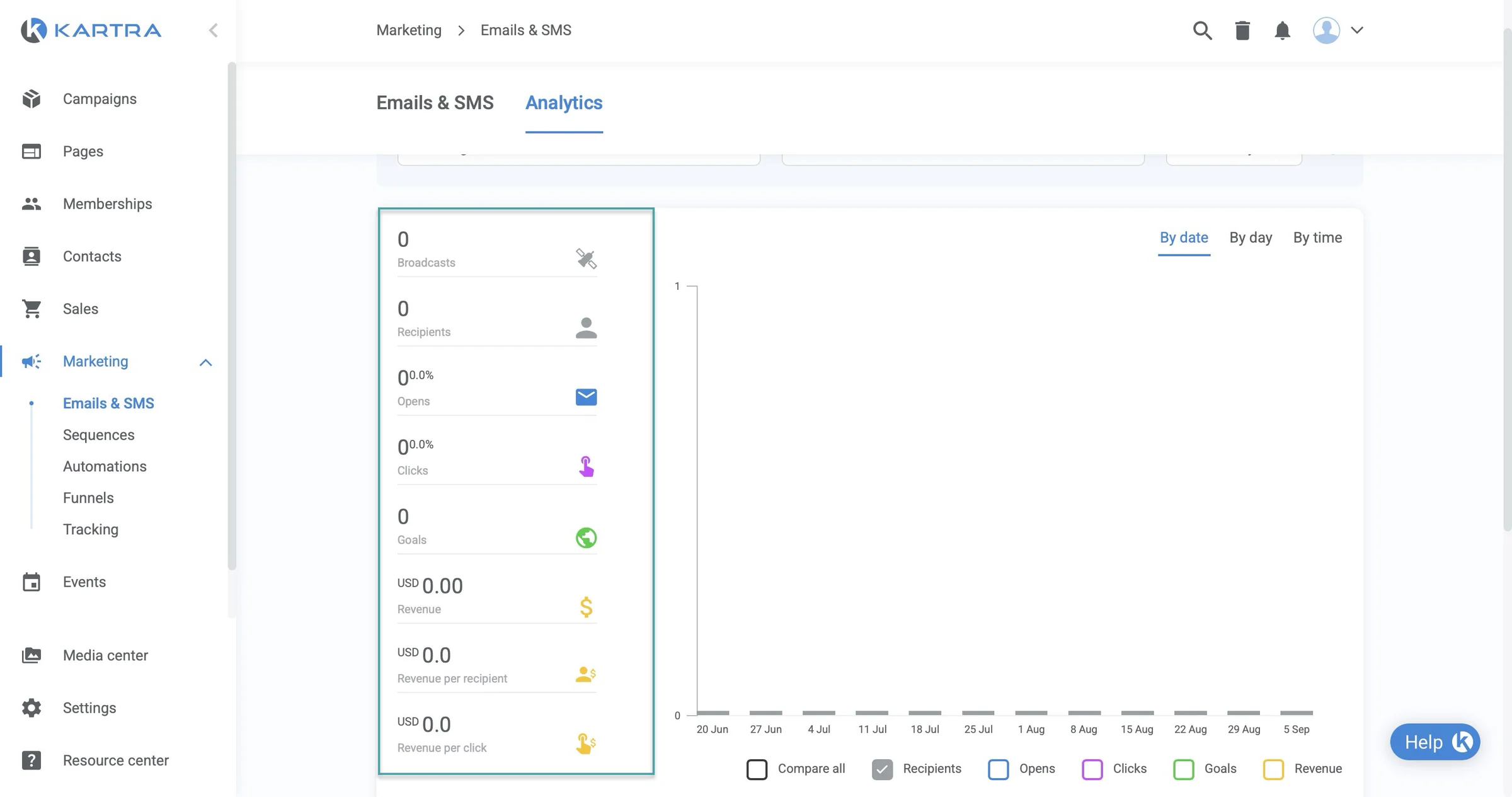
You can also send emails and SMS messages directly from the platform. And, similar to Easytools, it gives you analytics to see how your campaigns are performing.
You can track metrics such as email opens, clicks, bounces, unsubscribes, goals, and revenue.
What I loved about Kartra
1. ProductsYou can use the products feature to create and offer digital products and services to your customers.
Here’s how to do it. Select “Sales” in the sidebar, choose “Products” from the dropdown menu, and click “+ Product” in the top-right corner of the window.
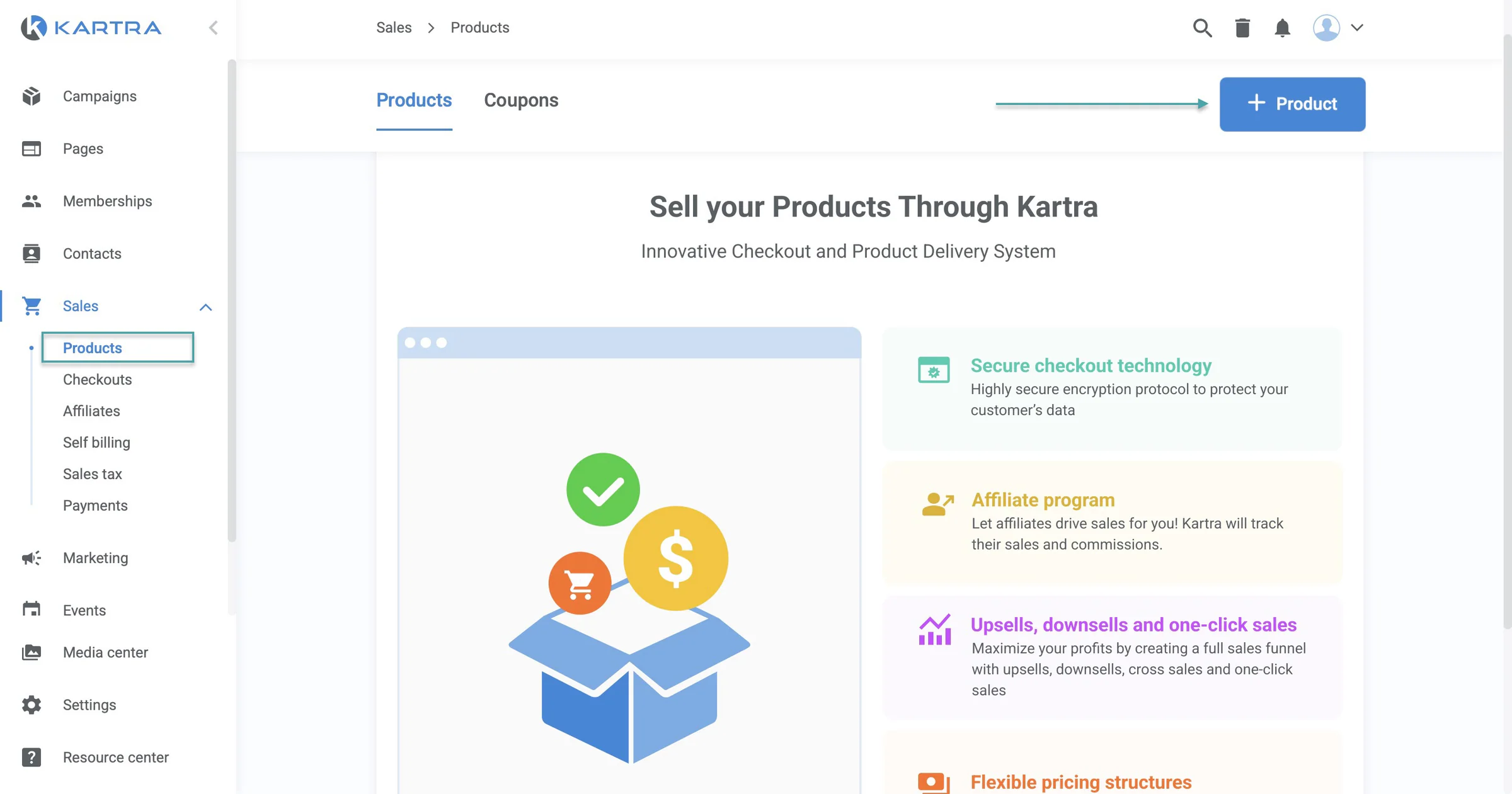
In the new window, enter the product name and choose the product type. Let’s go with “A downloadable file.” Then click “Select file.”
You can choose a file from your media library or upload a new one. Kartra supports different file types, like documents, images, videos, and audio.
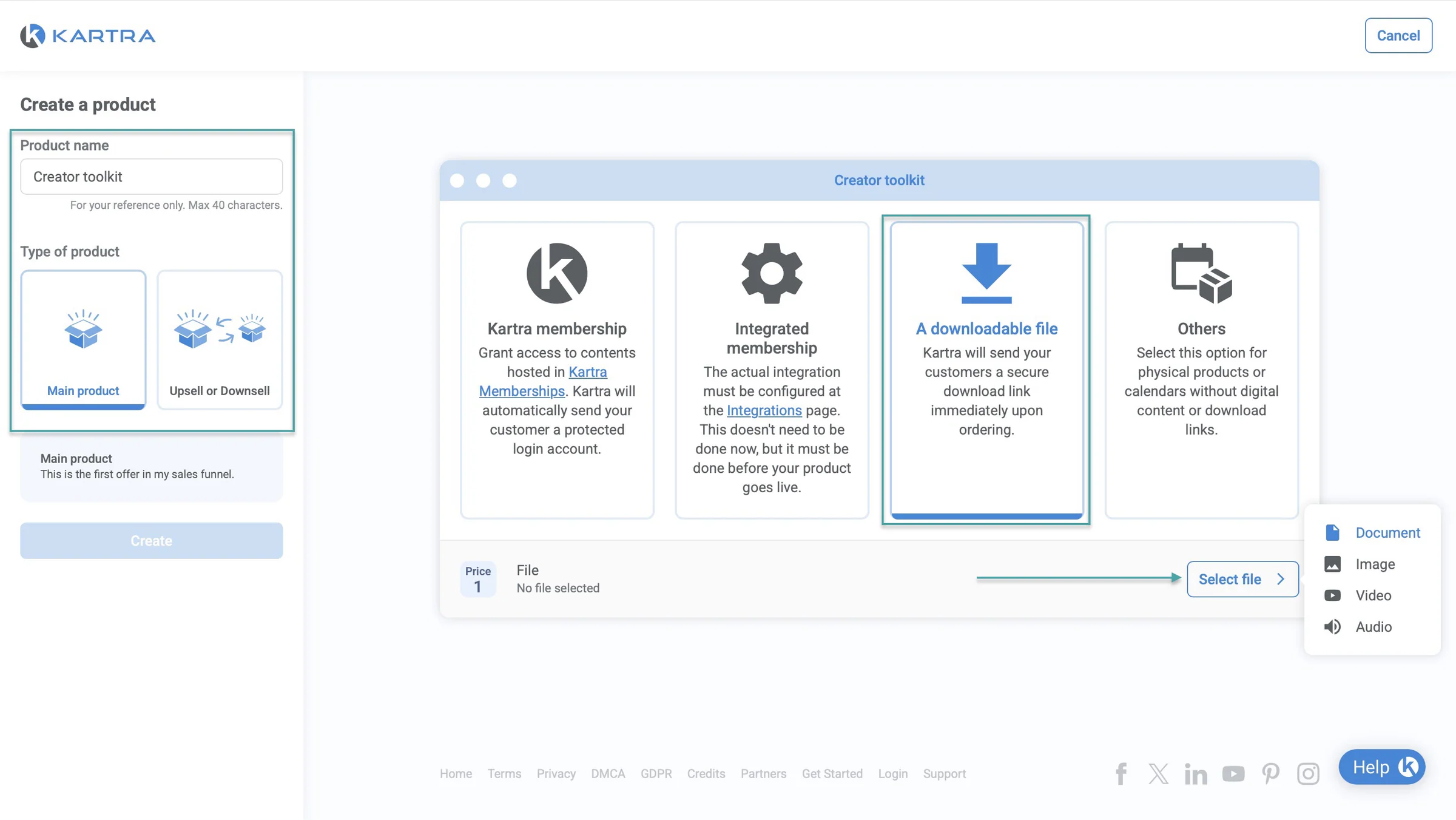
Let’s add a document. After you click it, Kartra will load your “Document library.”
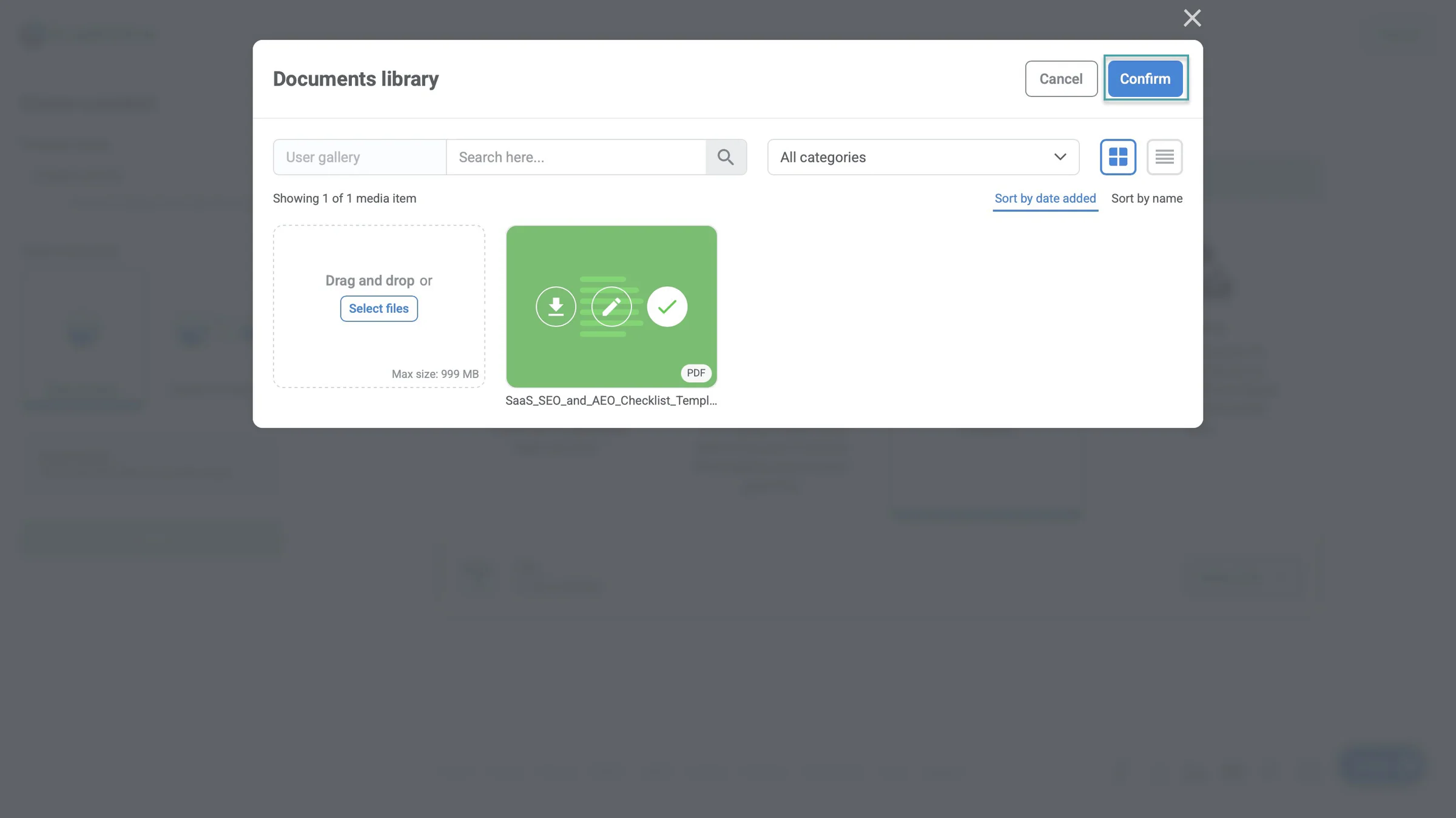
Click “Select files” in the upload area of the pop-up window to add a document. Once it’s uploaded, select the file and click “Confirm.”
Once you’ve uploaded the file, select it and click “Confirm.”
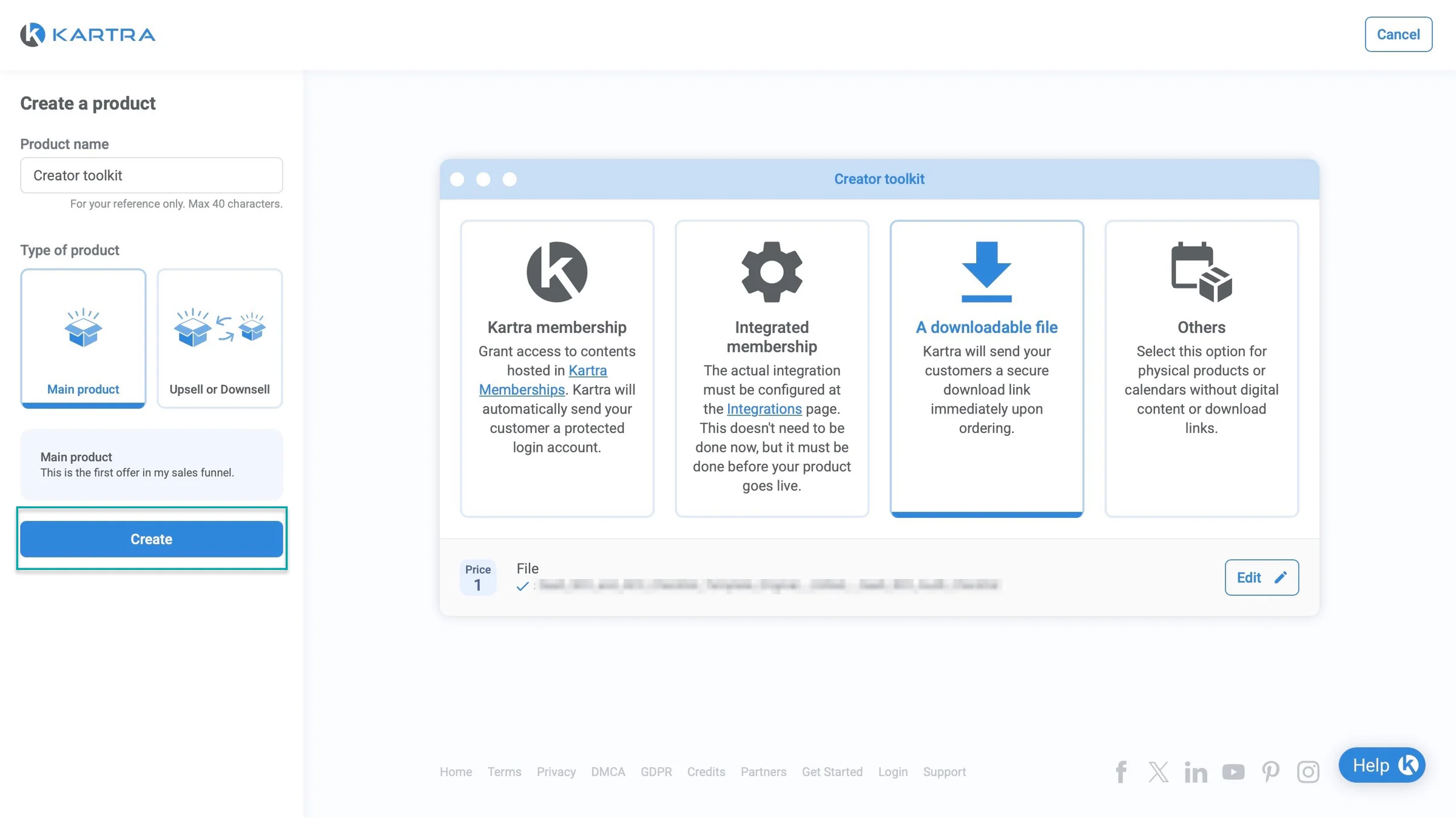
To finish creating the product, click “Create” in the left sidebar.
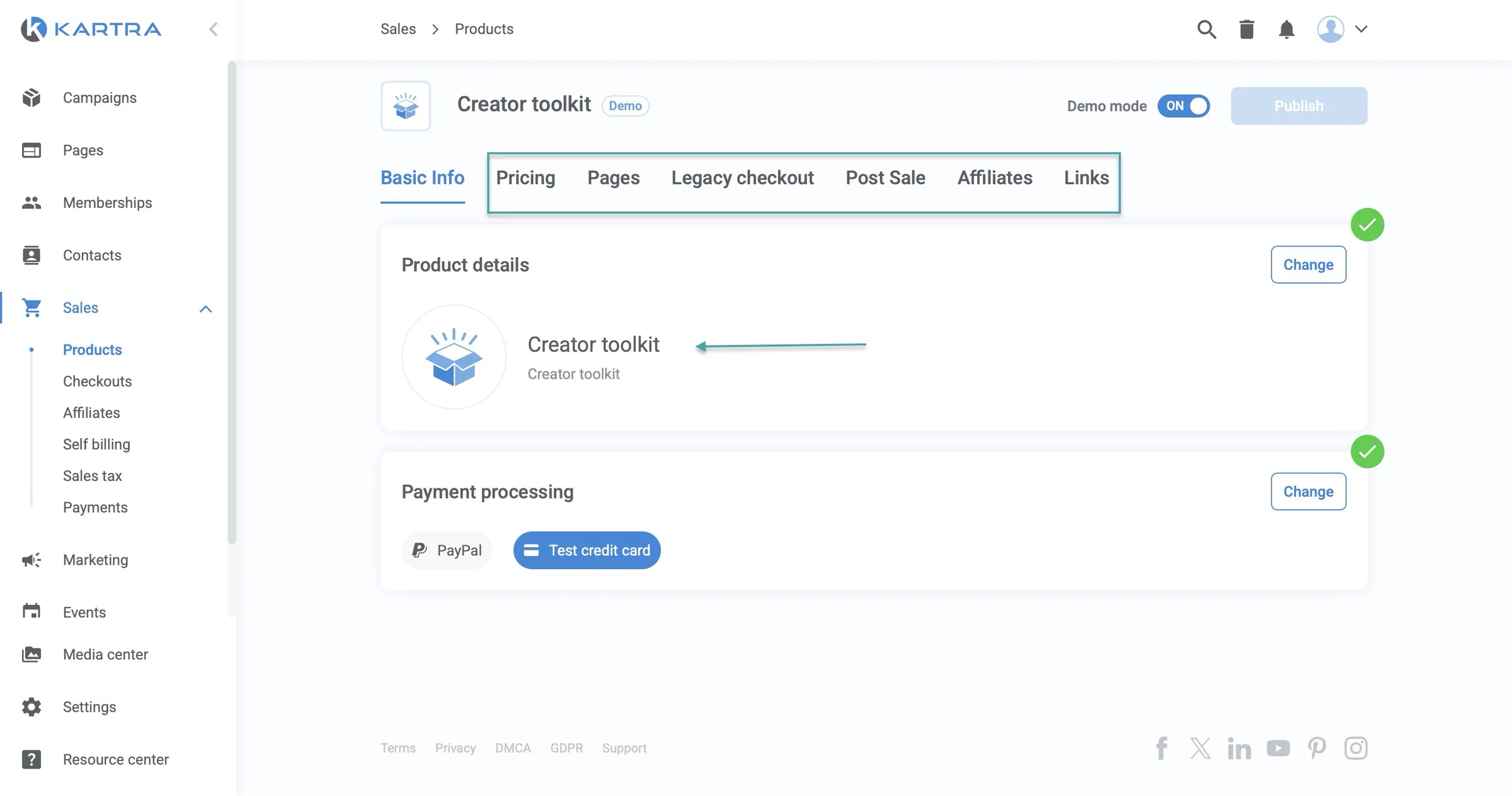
Kartra will create the product and take you to the rest of the setup. From there, you can configure things like pricing, checkout, pages, affiliate settings, and what happens after a customer makes a purchase.
You can also get shareable links for your offer.
2. Pages
The pages feature lets you build landing pages, opt-in pages, sales pages, or websites. You can start from a blank page or choose from Kartra’s template library.
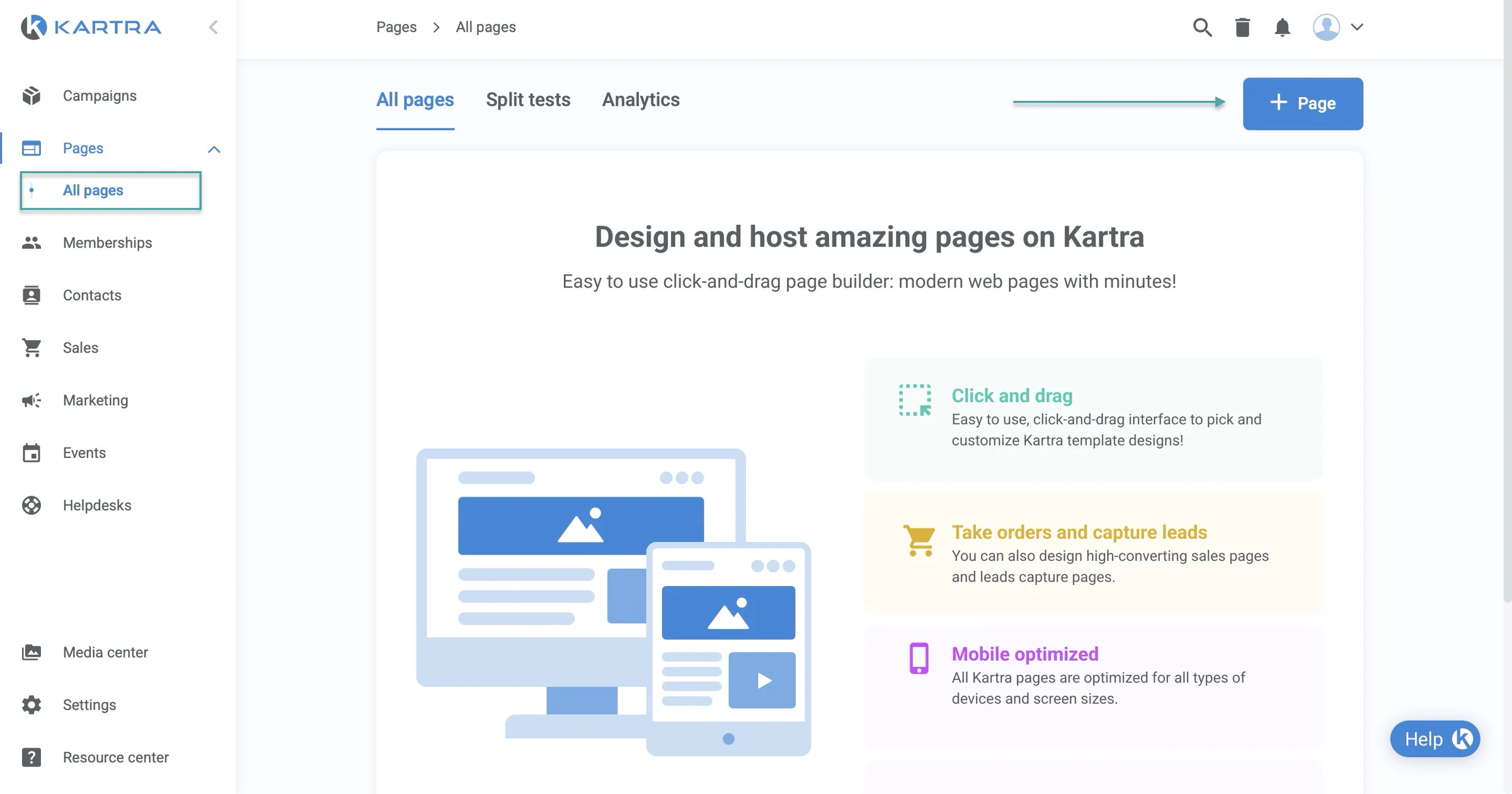
Let’s build a website. First, select “Pages” in the sidebar, then “All pages,” and click “+ Page” in the top-right corner of the window.
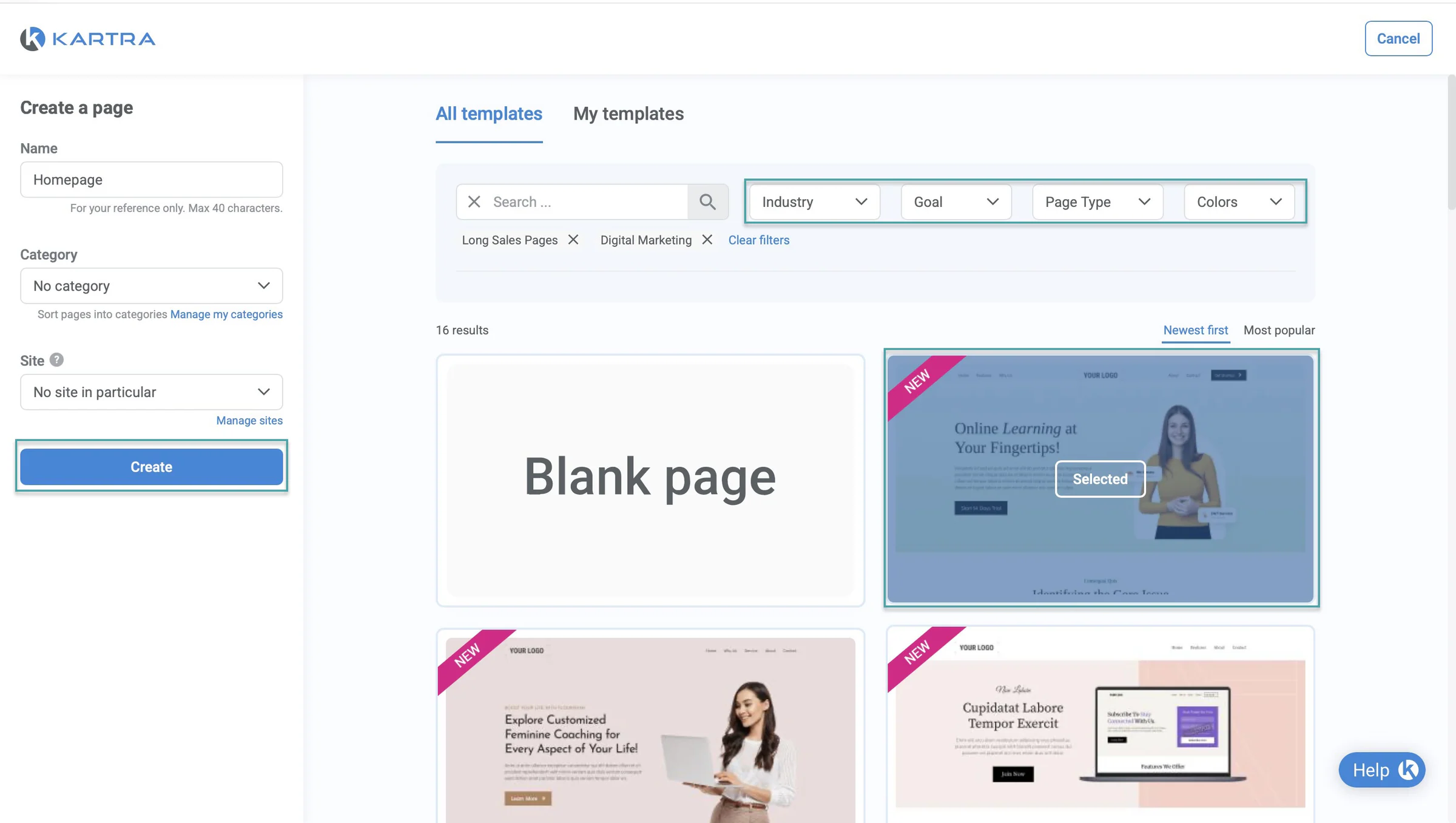
In the new window, enter the page name. You can also assign the page to a category and site.
After that, choose a page from Kartra’s template library.
You can filter the templates by industry, goal, page type, and color to find one that fits what you’re trying to build. Once you’ve found a template you like, click “Create” in the sidebar.
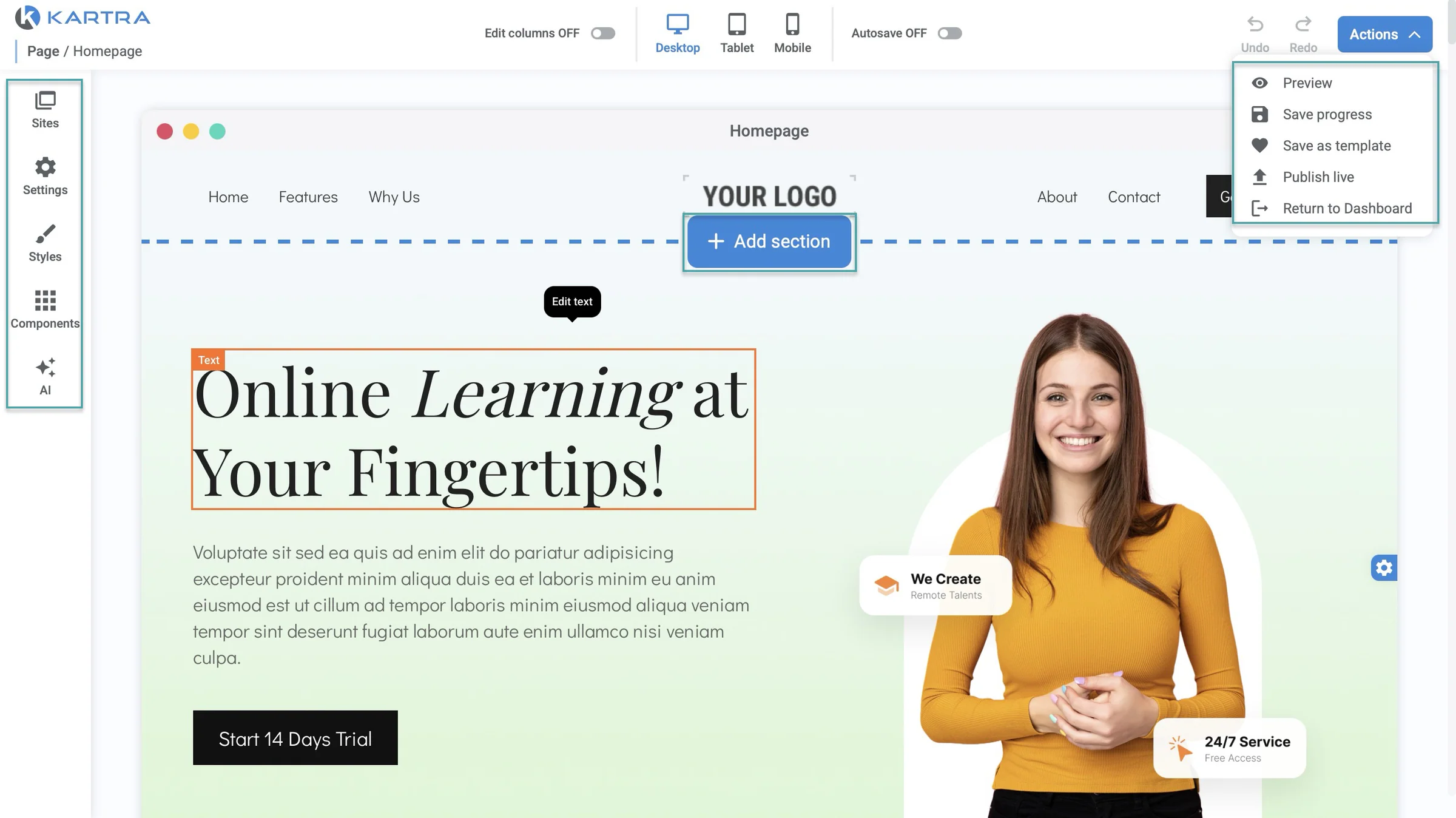
In the Pages editor, add and edit pre-designed sections, columns, and components. Include new sections using the “+” icon and edit individual elements directly on the page.
And adjust the column layout using the column editing controls. You can also use Kartra AI to generate personalized messaging for your pages.
Once you’re done making your edits and additions, click “Actions” to preview the page, save your progress, publish the page, or return to the dashboard.
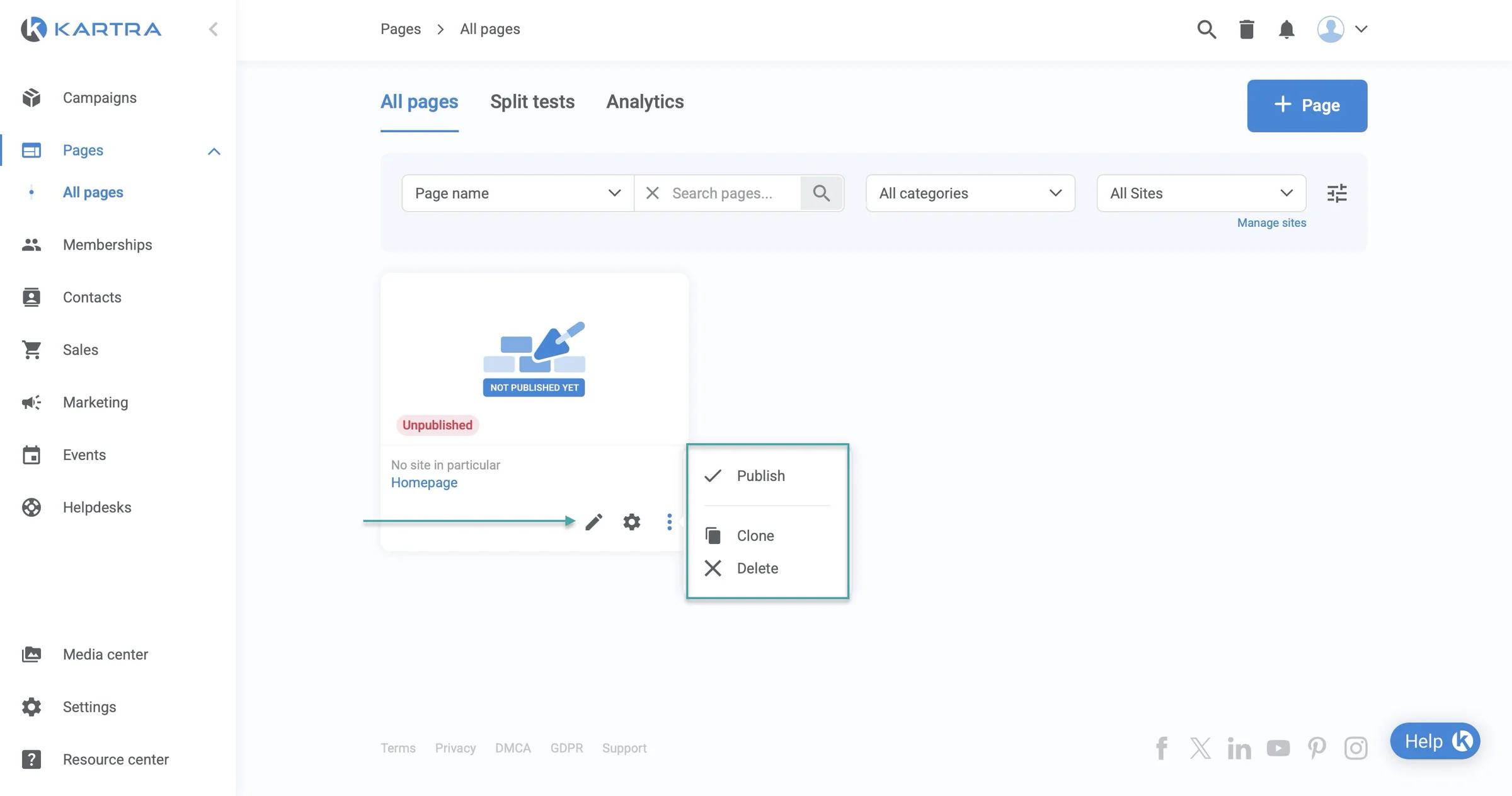
Kartra will list your page in the pages section. You can click the pencil icon to edit it. You can also click the settings icon to manage its configuration.
Clicking the kebab menu (three horizontal dots) shows options like publish, clone, or delete.
3. Funnels
Using the funnels feature, you can create a visual representation of your sales process or buyer journey.
Here’s how. Select “Marketing.” Then, “Funnels.”
Now, click “+ Funnel.”
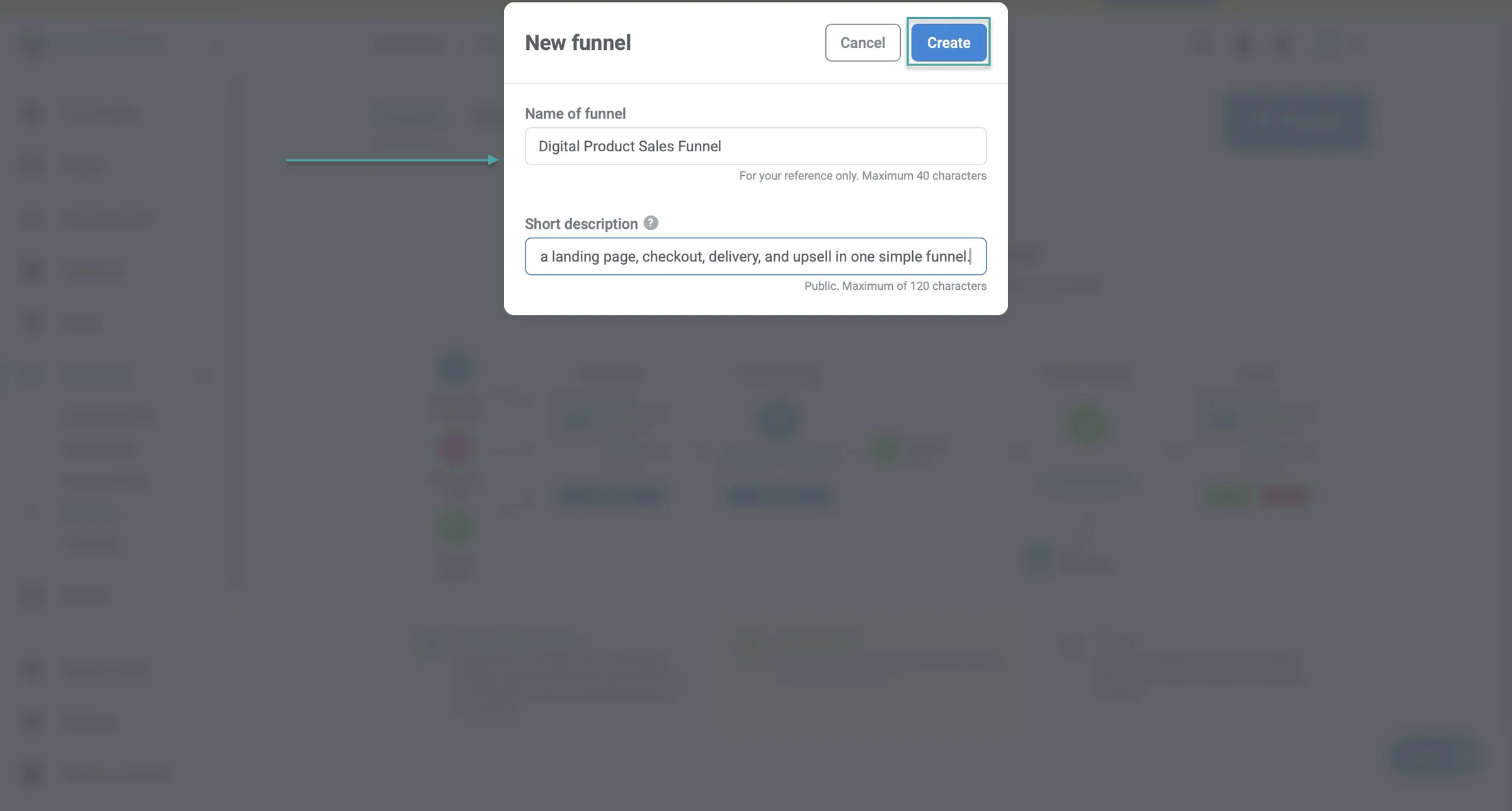
In the pop-up window, enter the funnel’s name and add a short description.
In the funnel builder, add traffic sources, assets, and actions to create a sales funnel. Then, connect these elements to visualise user flow.
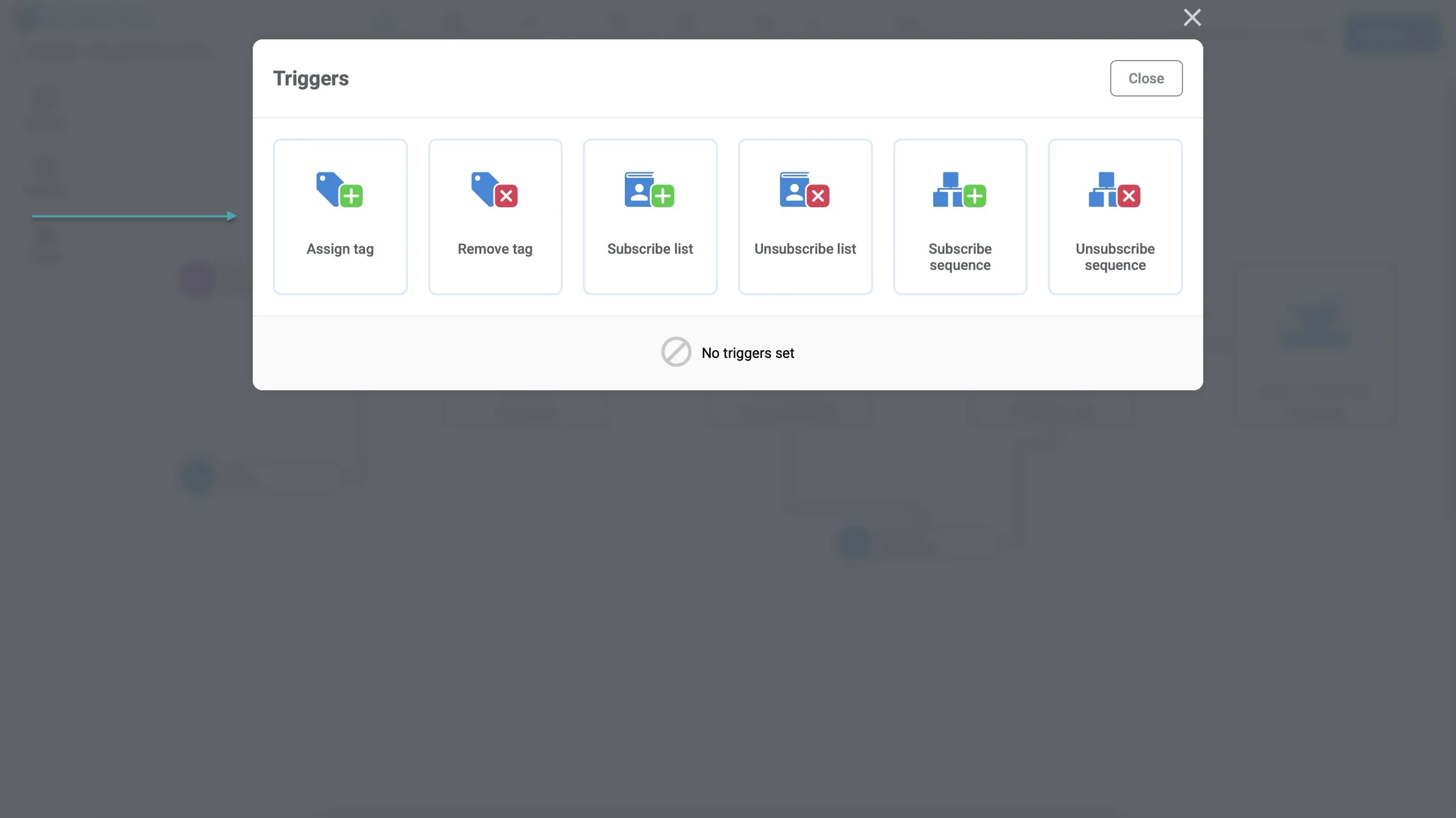
You can also set triggers.
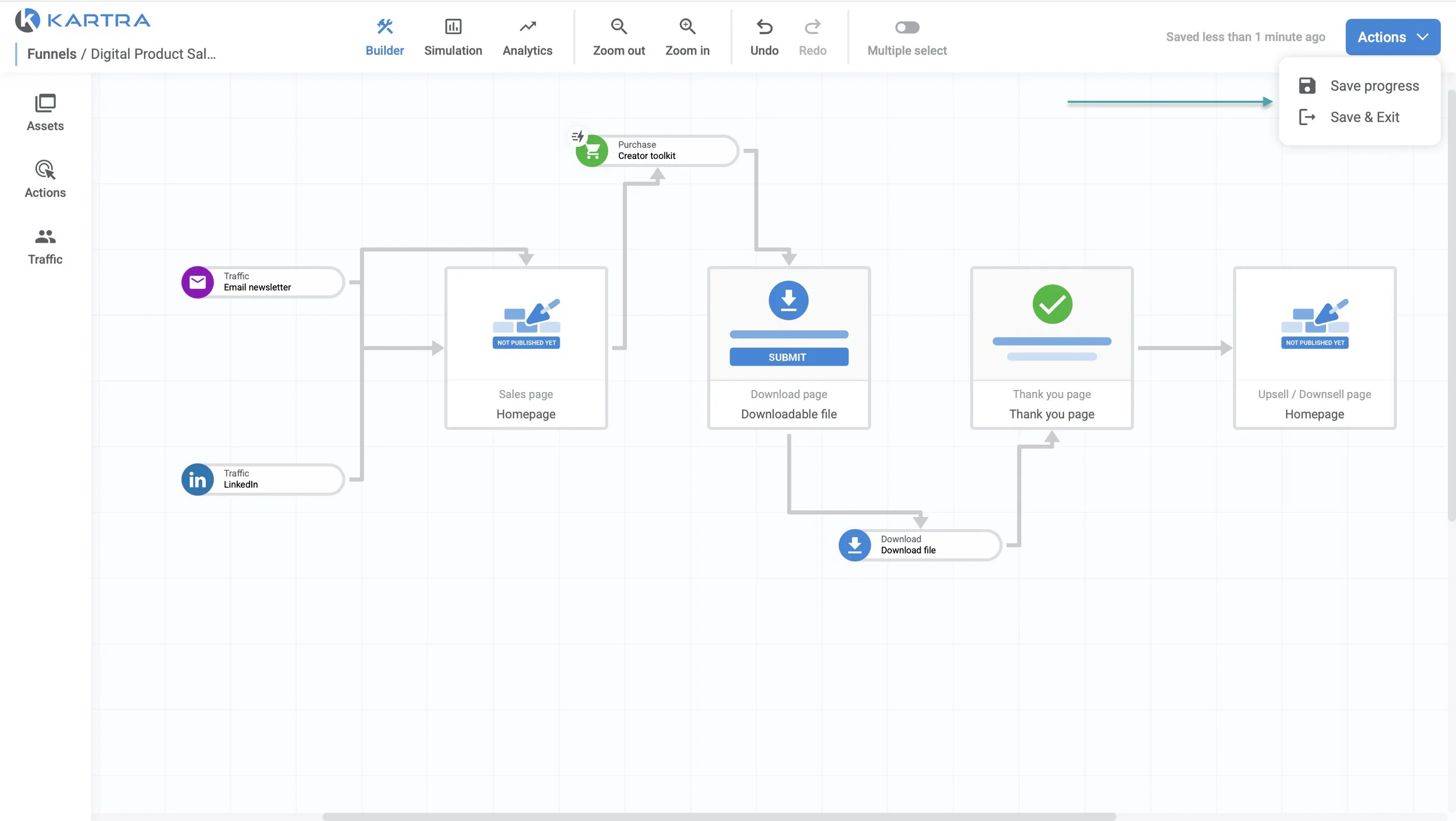
And save your progress.
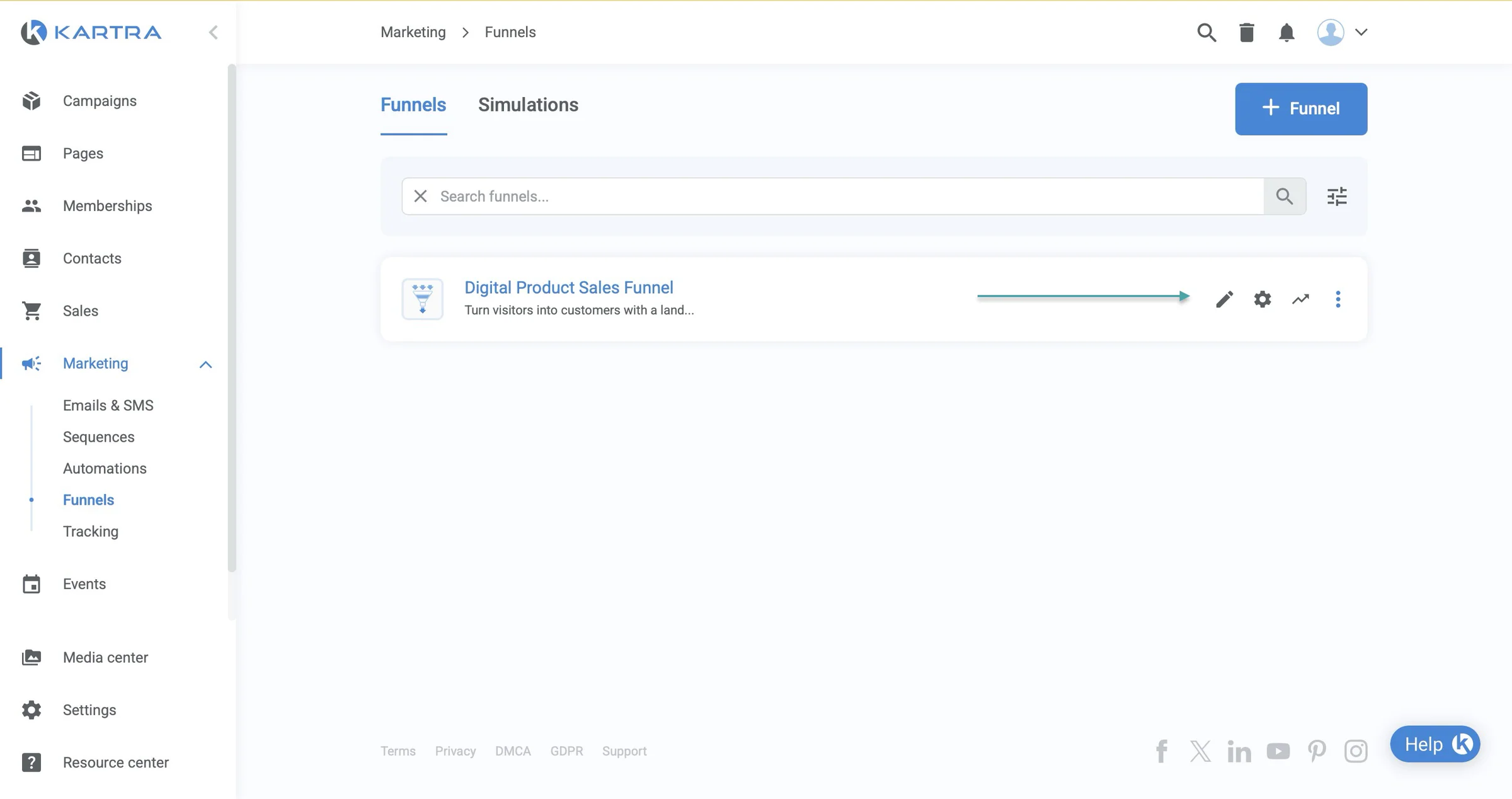
Kartra will list your sales funnel. Click the kebab menu (three horizontal dots) to share it, clone it, or delete it. You can also edit, check its settings, and view analytics by clicking the relevant icons.
What I liked vs what I didn’t like
What I loved 👍
✅ Has onboarding prompts to guide new users through the interface so setup of funnels and pages is less tasking.
✅ Offers 0% transaction fees on its Started and Growth paid plans so you can keep more of the revenue you make from your sales.
✅ Has certified partners that can help you with business consulting and strategy, API & IPN custom coding, B2B & B2C lead generation, and more, so you can get expert help when you need to set up or scale your business.
What I didn’t like 👎
❌ Although it offers a 14-day free trial, some important features like funnel simulation, funnel analytics, affiliate and calendar tools, and automations are locked and can only be accessed on a paid plan.
Best for
- Businesses that need advanced funnels and marketing automation
Pricing
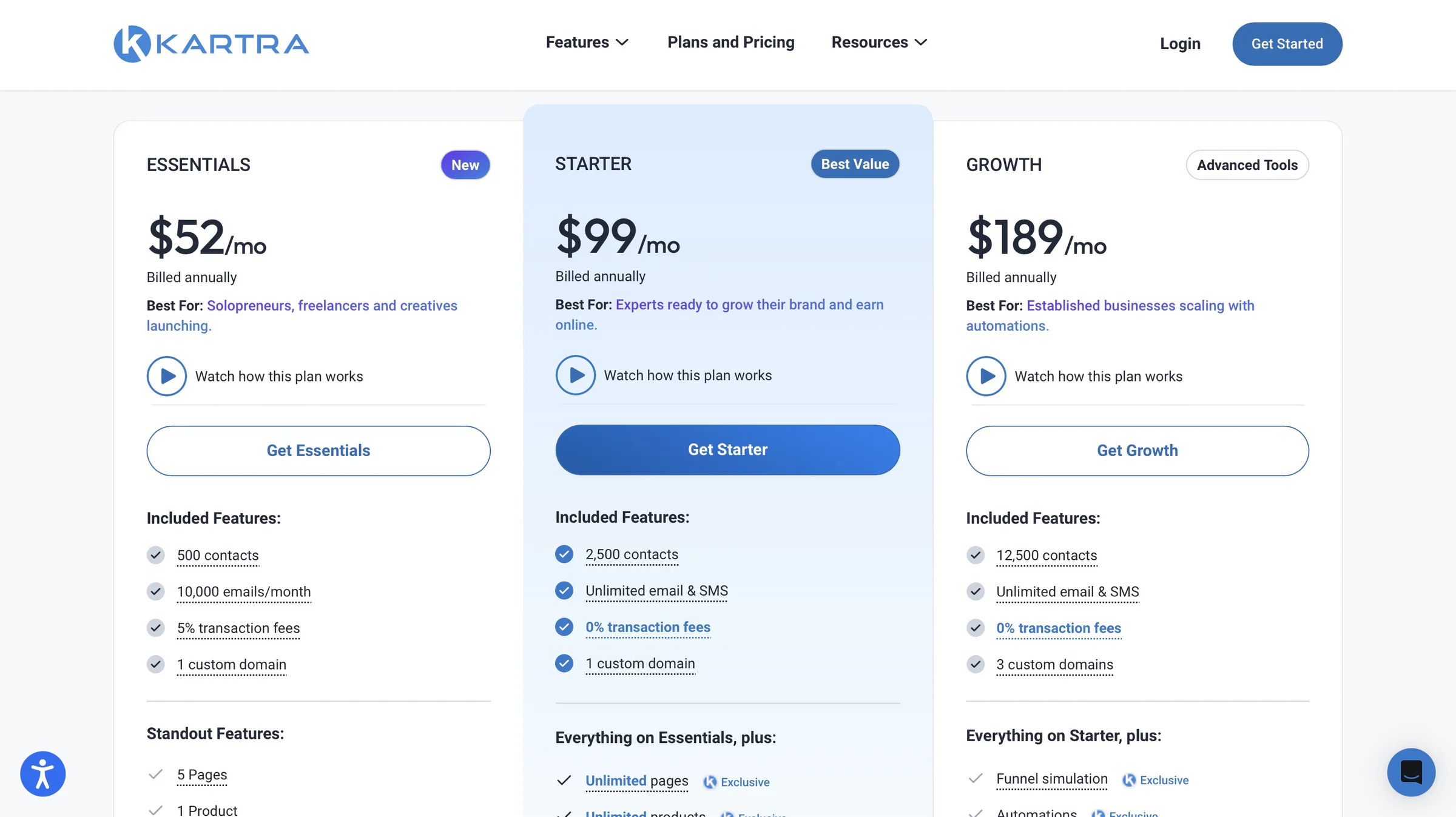
- Essentials: $52/month
- Starter: $99/month
- Growth: $189/month
5. ThriveCart
-
Personal rating: ⭐️⭐️⭐️⭐️ 4.4/5 - You can create a sales funnel for each product.
-
Ease of use: ⭐️⭐️⭐️⭐️ 4.5/5 - Has a minimalist interface and short videos to help you set up integrations.
-
AI capabilities: Uses AI to help create visuals and is adding AI-powered moderation, analytics insights, and AI-generated quizzes to its creator platform.
-
Monetization options: Digital and physical products, courses, memberships, subscriptions, and physical products using one-time payments, payment plans, upsells, downsells, order bumps, and affiliate sales.
-
Free trial: Yes - a 30-day free trial.
-
Starting plan: ThriveCart Standard - $47/month + unlimited products and funnels
We’ve also got ThriveCart on our list of the best ClickFunnels alternatives.
It’s a checkout and sales platform that lets you sell digital and physical products, create upsells and bump offers, and automate parts of the buying process from one place.
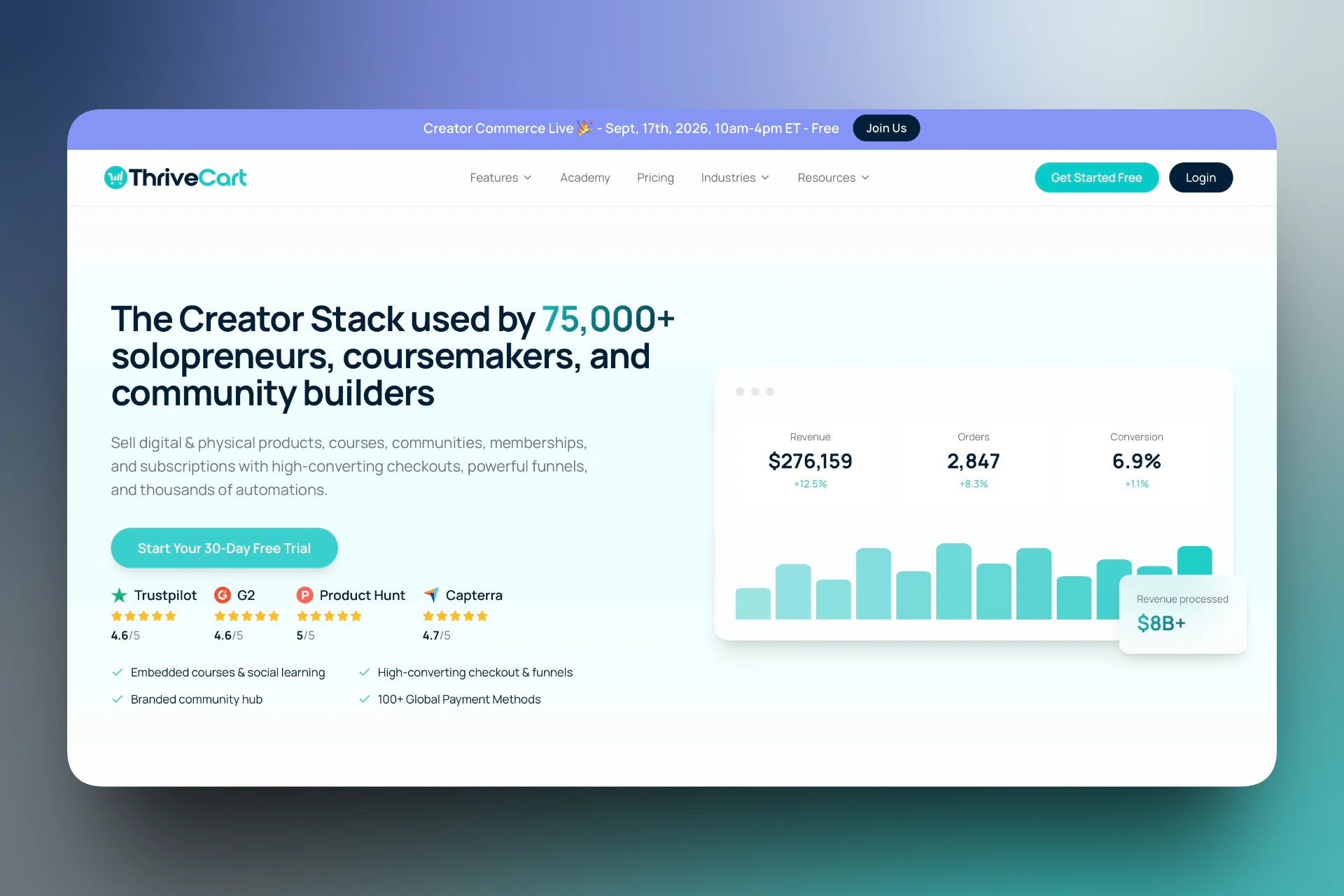
You can create and sell digital and physical products on ThriveCart.
This ClickFunnels alternative lets you create upsells, downsells, A/B tests, bump offers, and coupons. This means you can make your checkout process better and get more value from every sale.
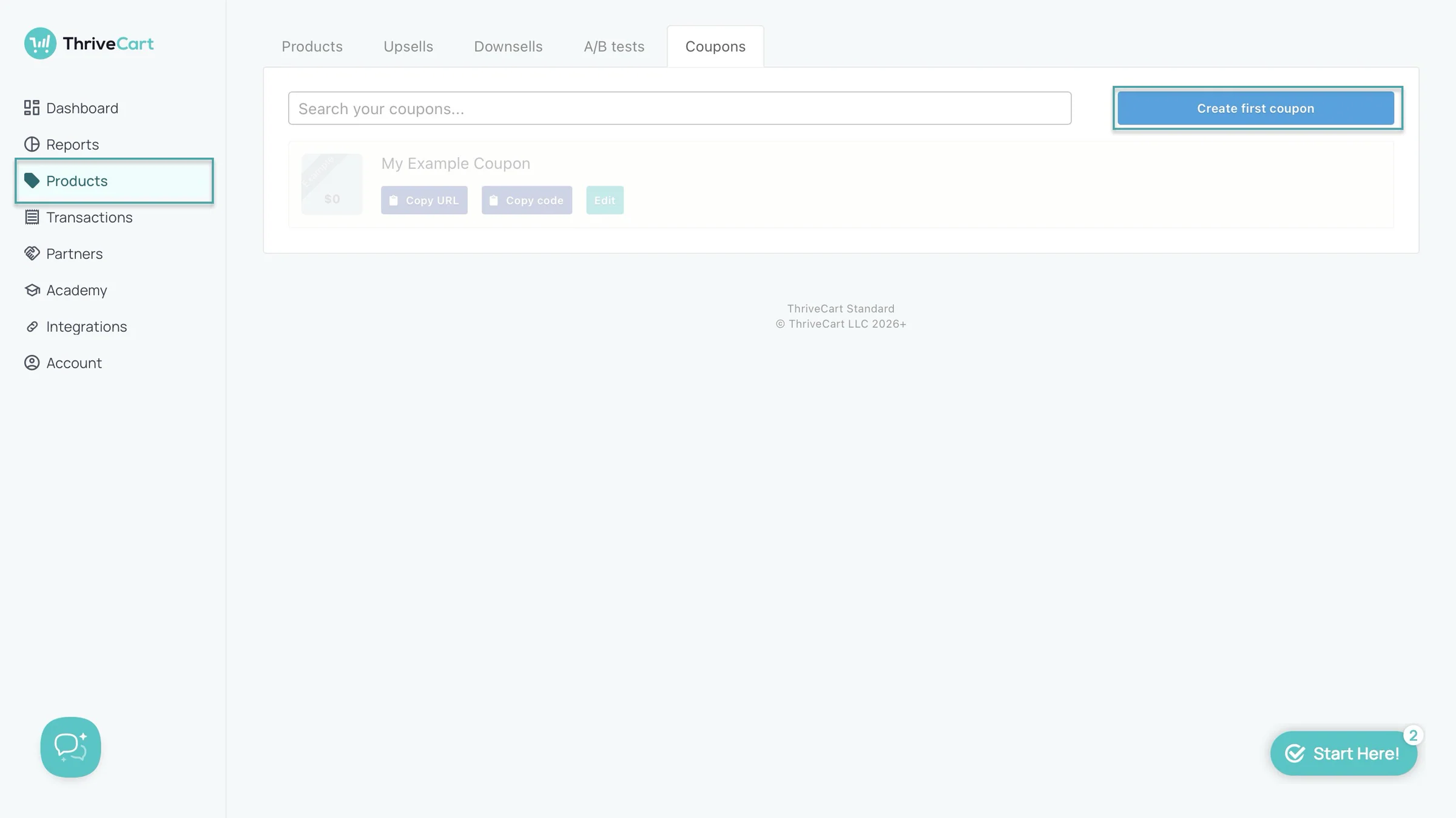
You can create projects and courses. Projects will act like folders that store your courses. You can bundle them with other products.
And you can add students and team members too.
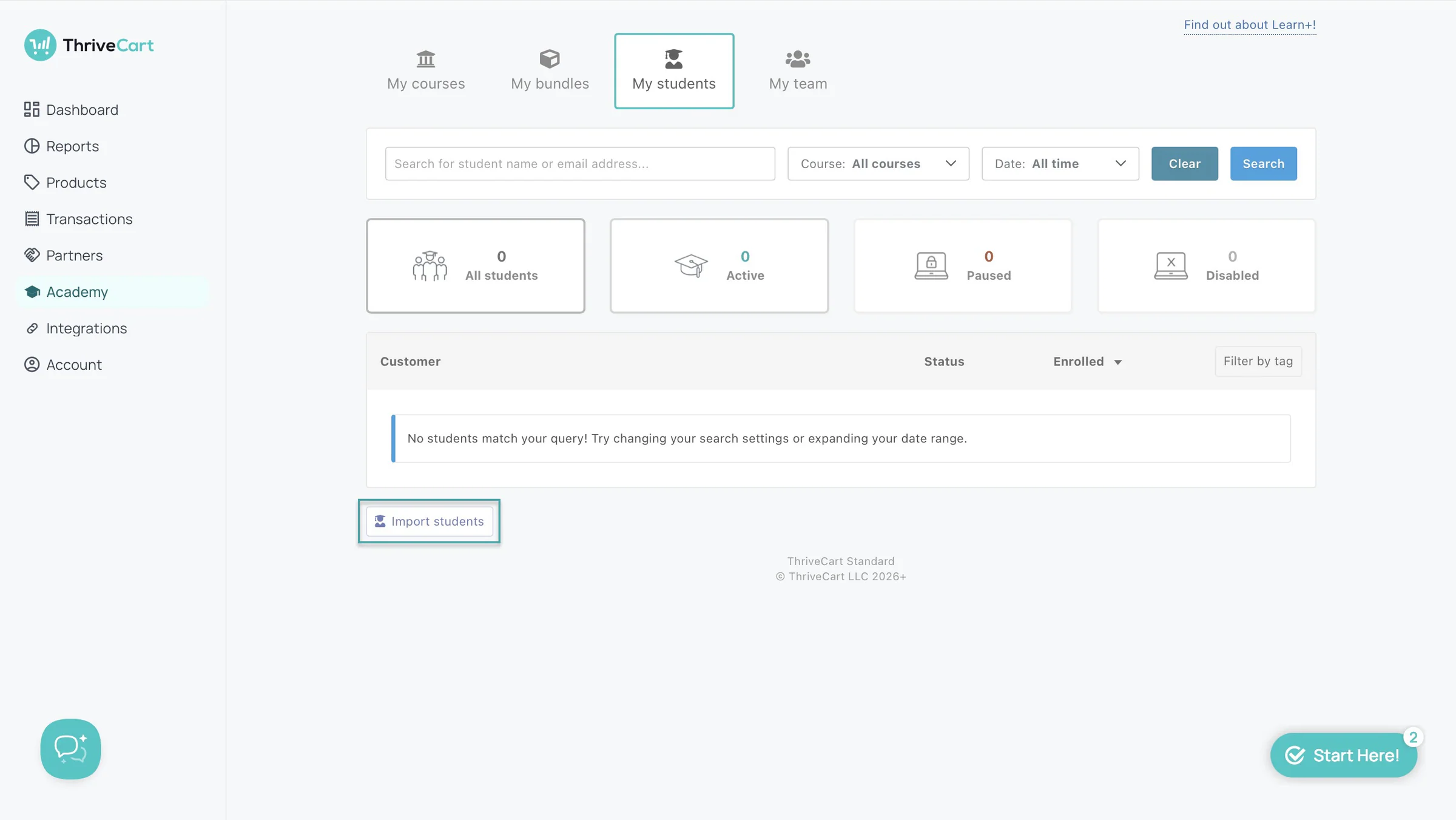
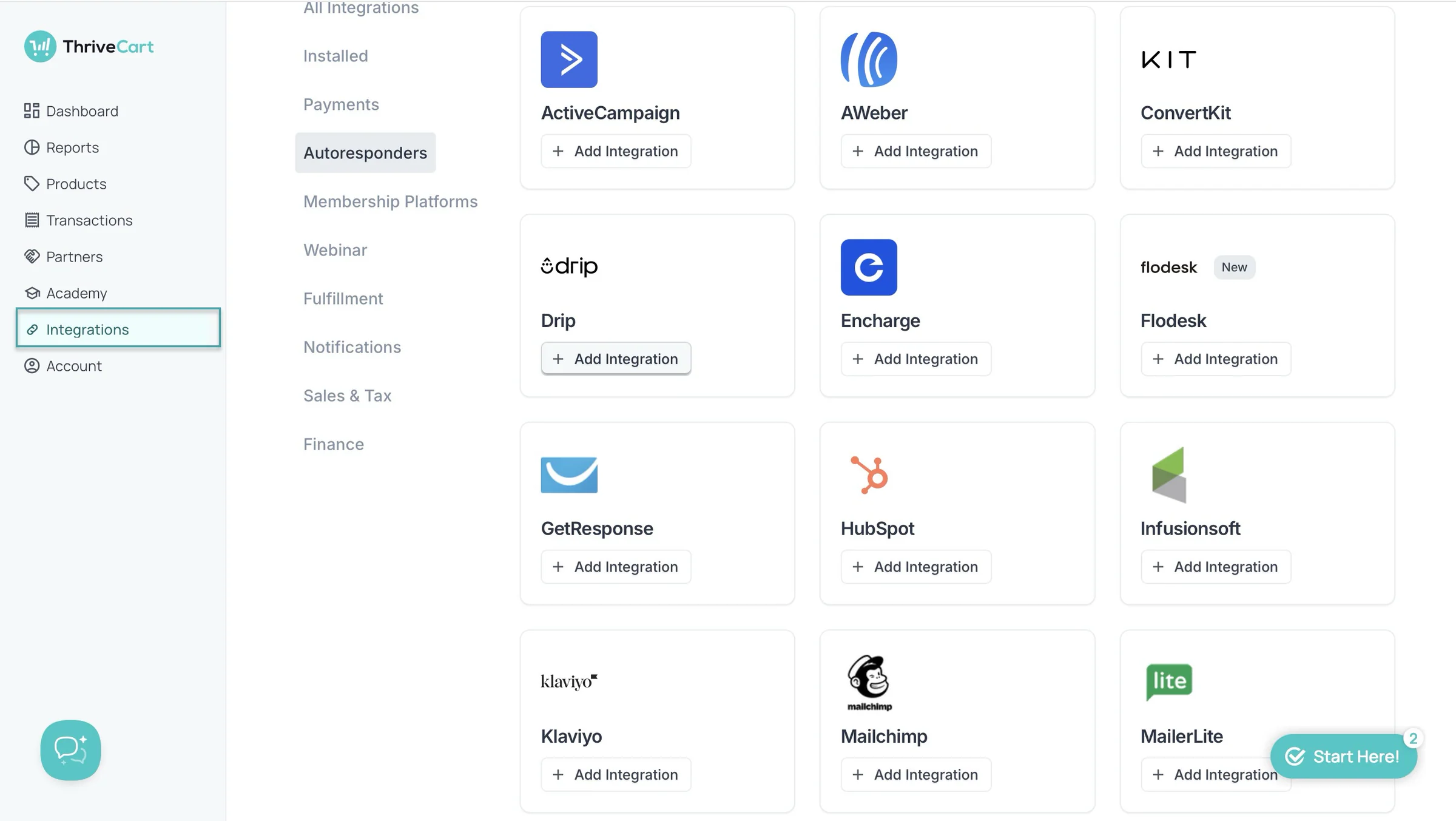
Like Easytools, ThriveCart lets you integrate with third-party tools like ActiveCampaign, ConvertKit, GetResponse, HubSpot, Mailchimp, MailerLite, and more.
What I loved about ThriveCart
1. Products
ThriveCart’s products feature lets you create, sell, and market digital and physical products. Let me show you how to sell digital products on this ClickFunnels alternative in a few simple steps.
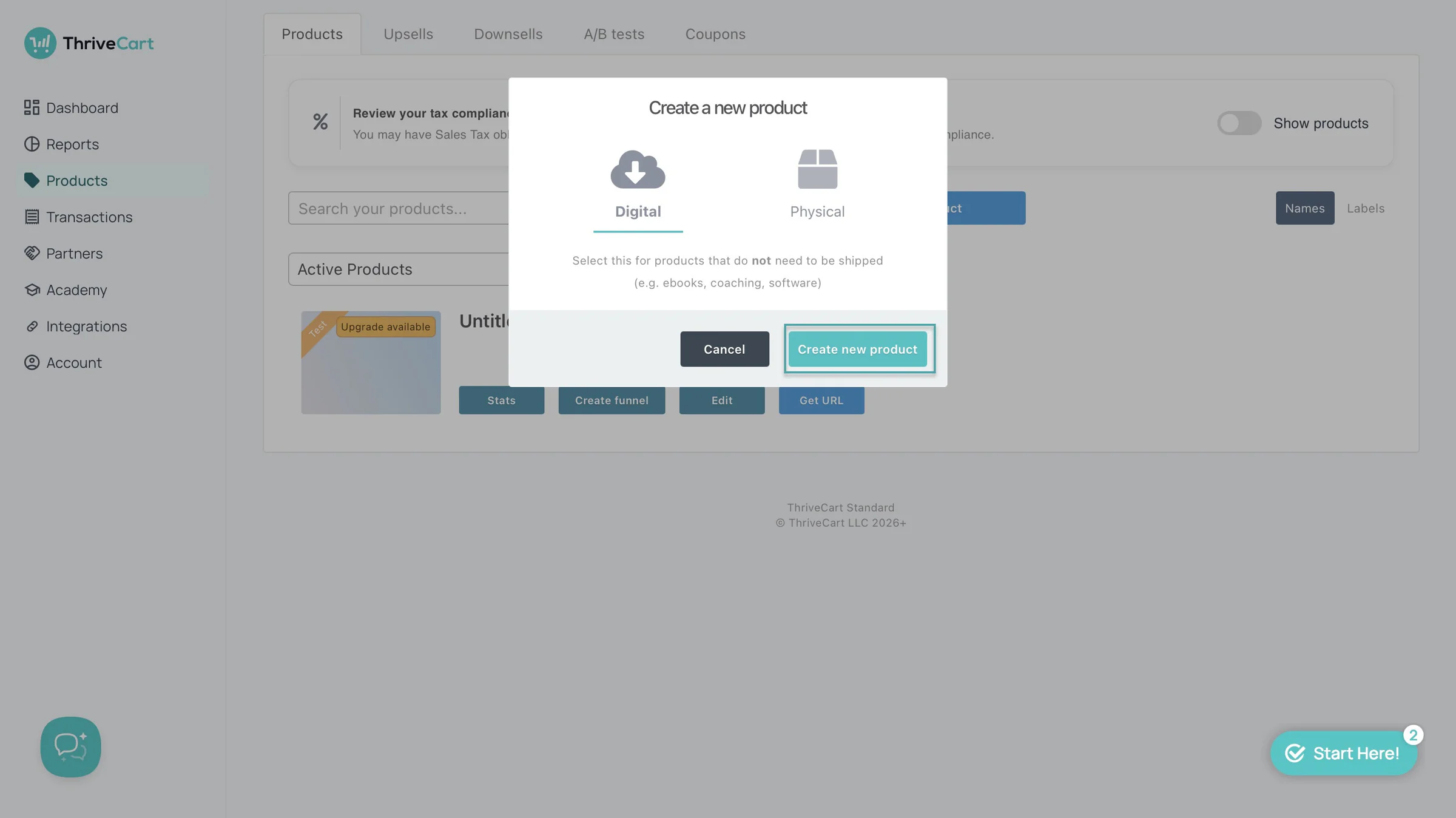
Click “Products” in the sidebar. Then, select “Create product.”
In the pop-up window, select “Digital” and click “Create new product” to proceed.
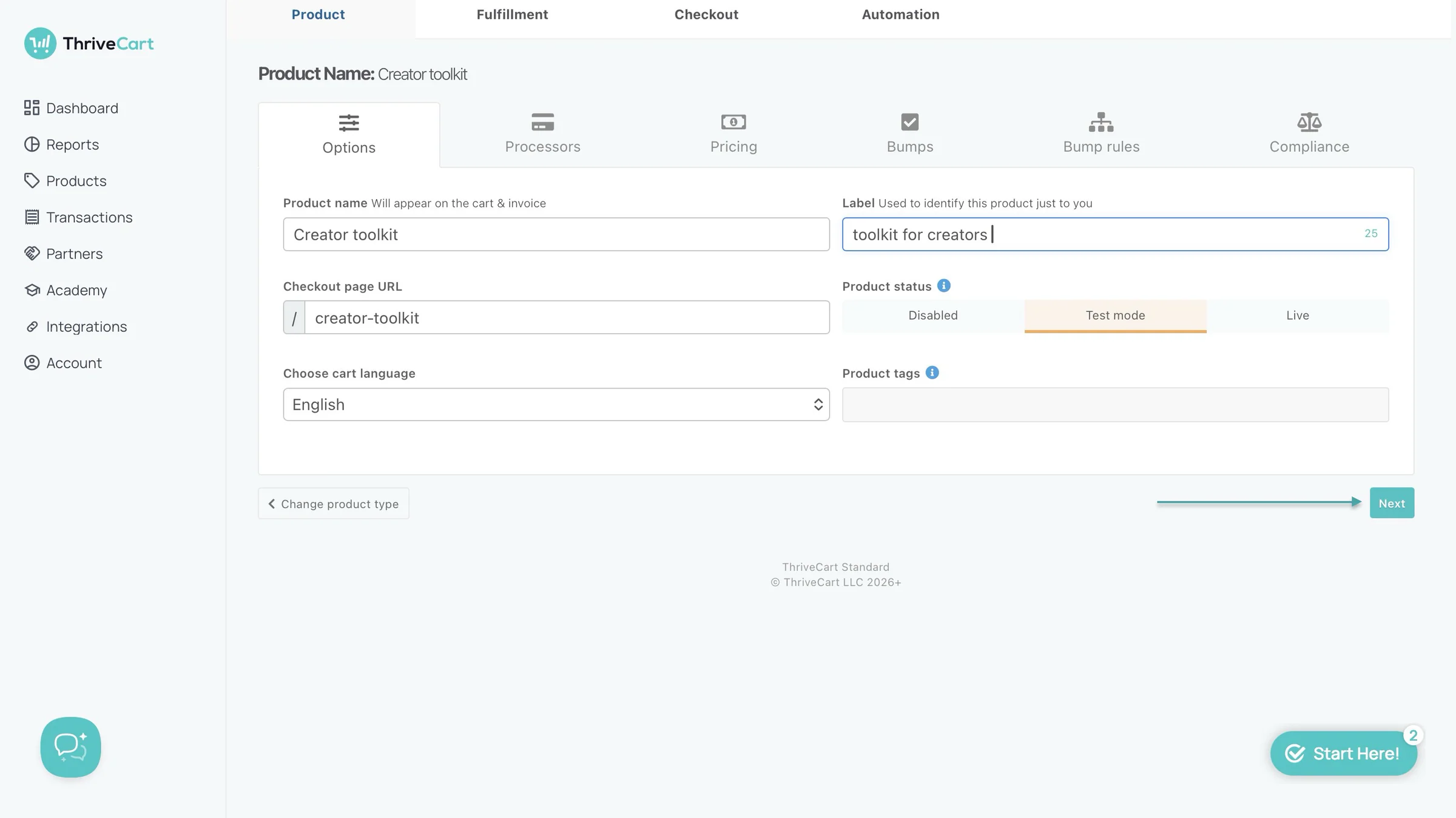
Now, add the product name, checkout language, and label. Continue by clicking “Next.”
After that, add a payment processor. On ThriveCart, you can add Stripe, PayPal, or Authorize.net. Then move on to the next tab and set your payment type and price.
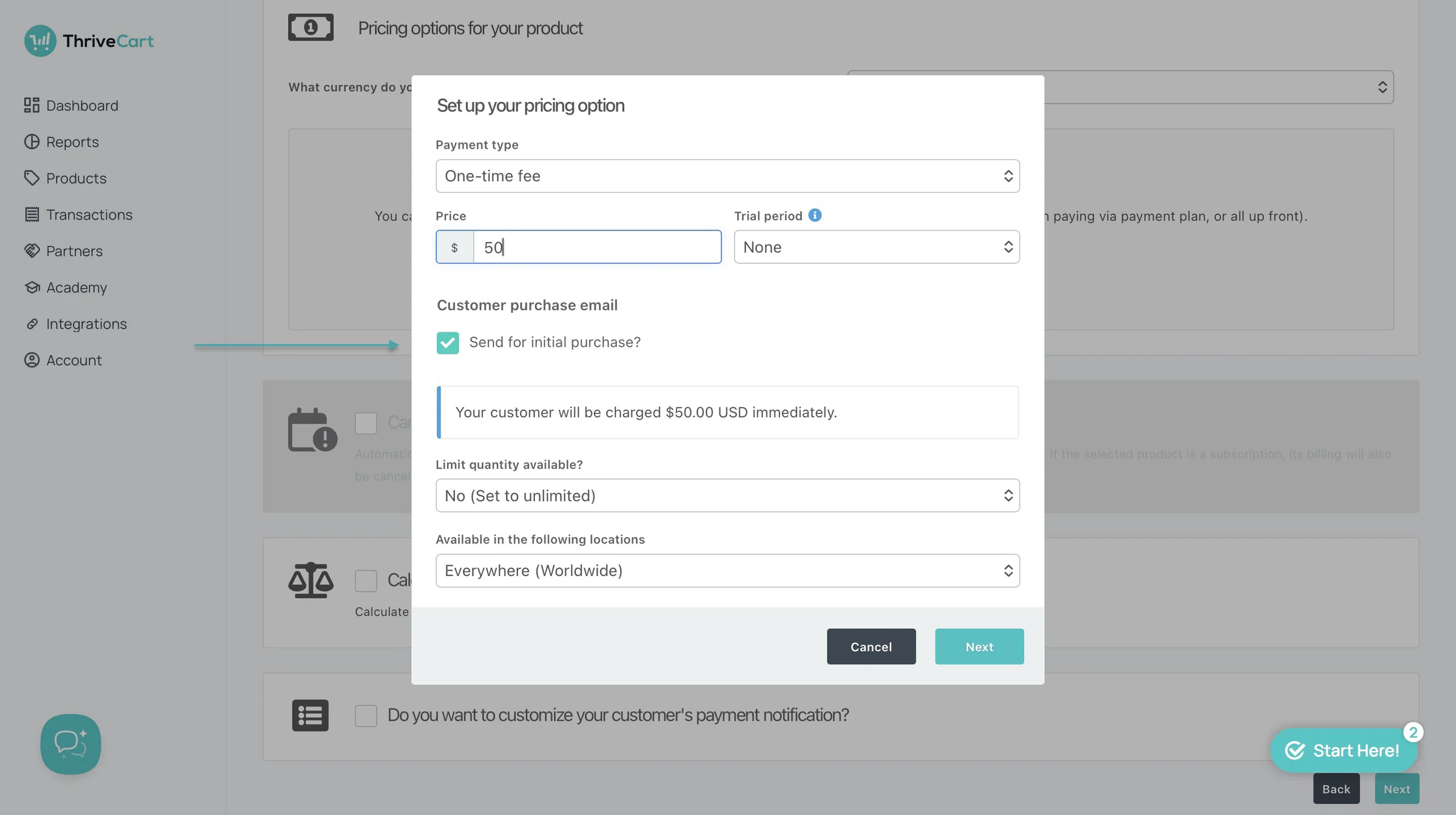
In the next tab after pricing, add a bump offer and move to the next tab to add bump rules.
Finally, fill in the compliance form and save everything.
After all this, click the “Fulfillment” tab to set up product delivery.
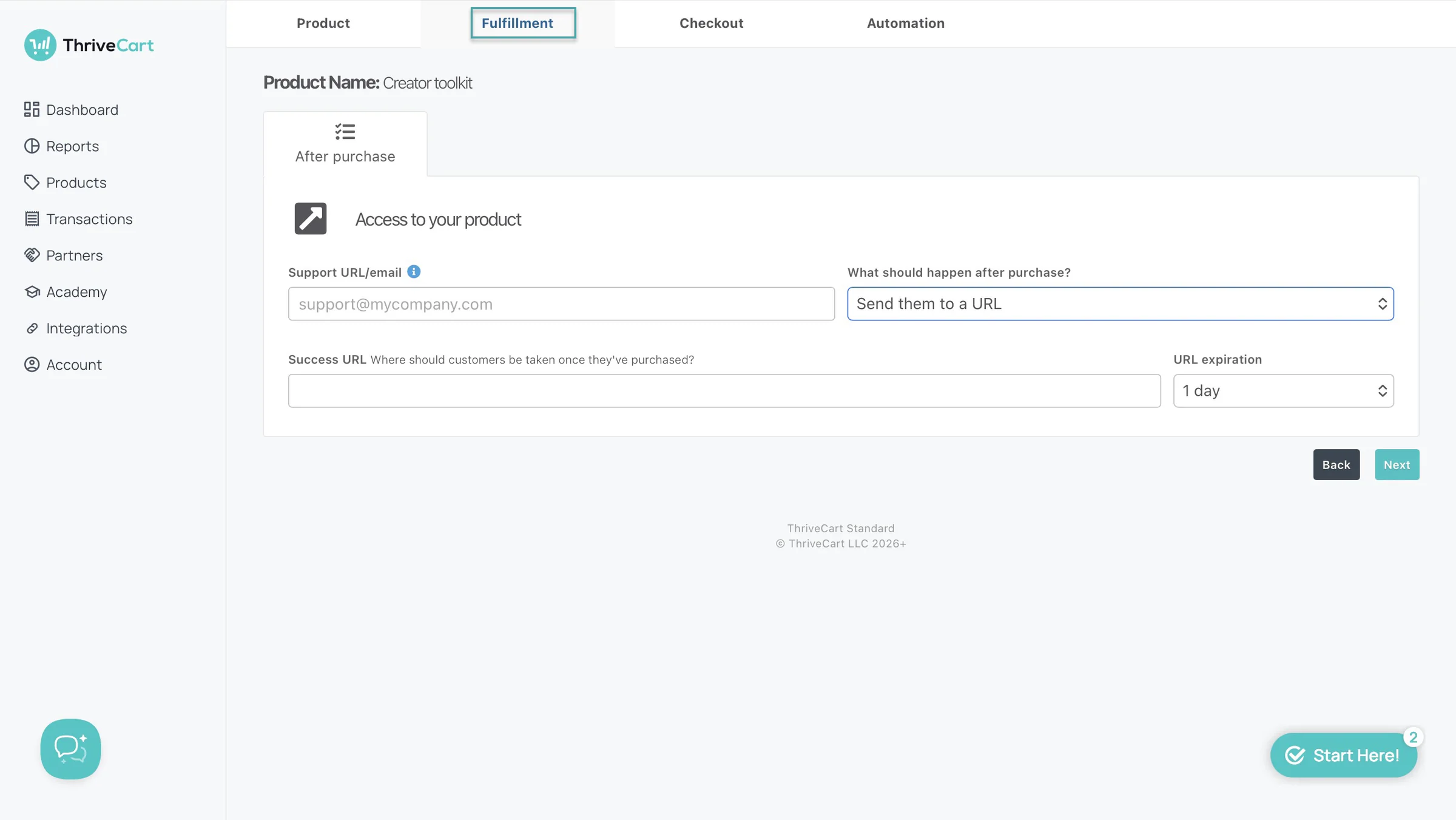
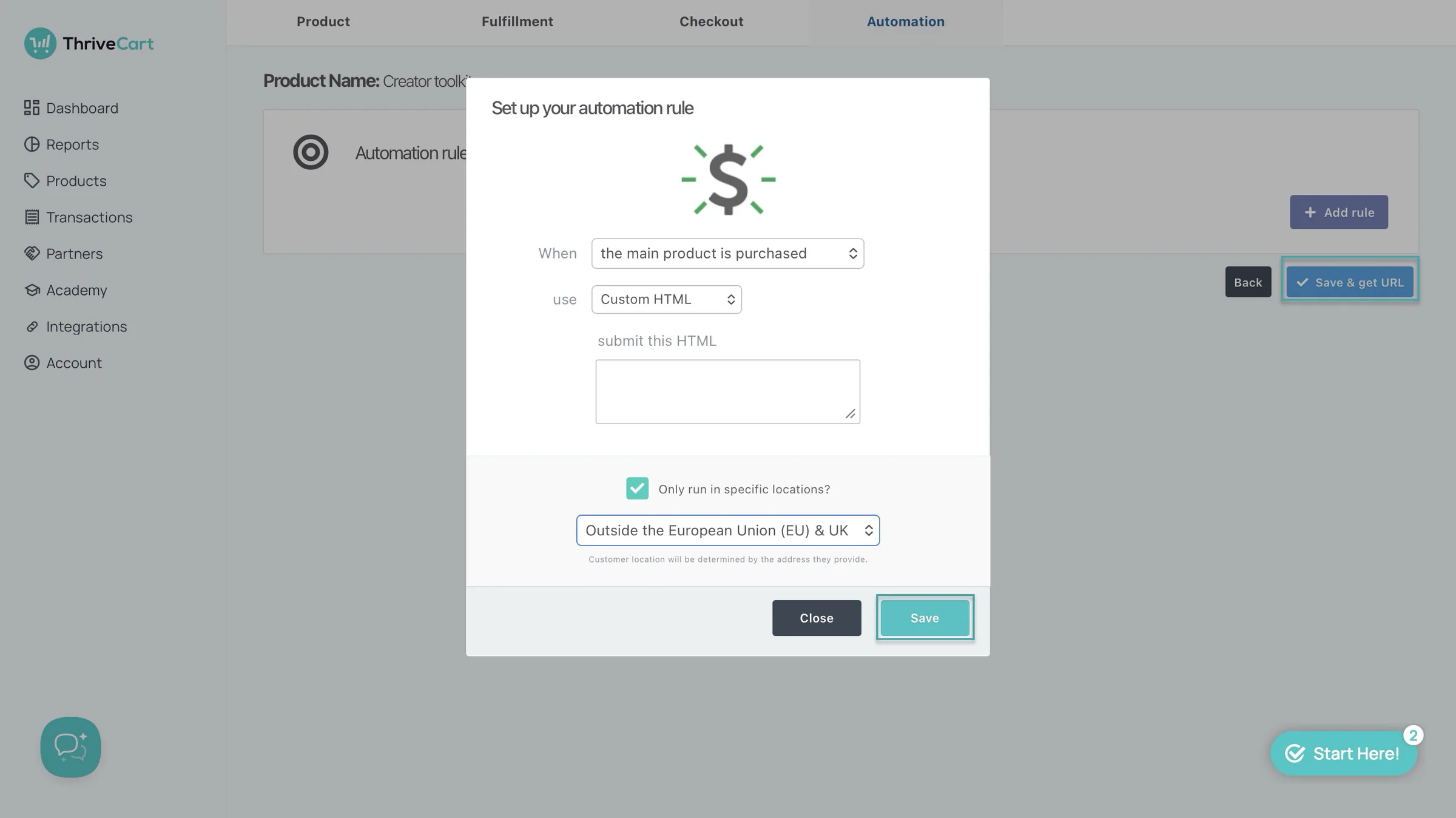
You can then design checkout and set up an automation to capture lead contact or sign them up for a webinar (if you’re offering one). Next, click “Save & get URL” to finish setting everything up.
2. Learn
The learn feature lets you create projects. And within those, you can create and add courses. Here’s how.
Click “Academy” in the sidebar and select “Learn.” Then, click “+ Create new project.”
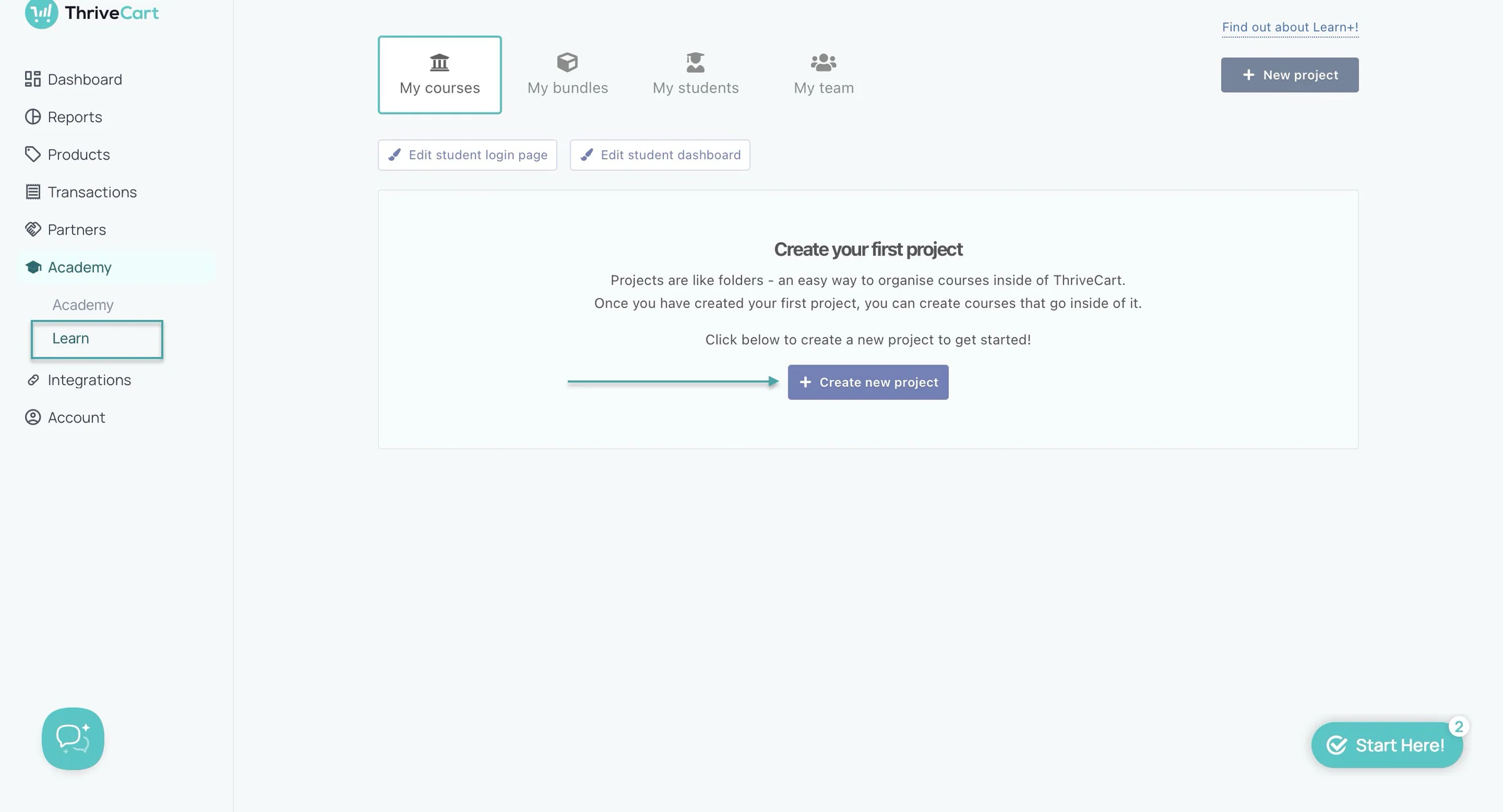
In the pop-up window, enter the project’s name and click “+ Create my project.”
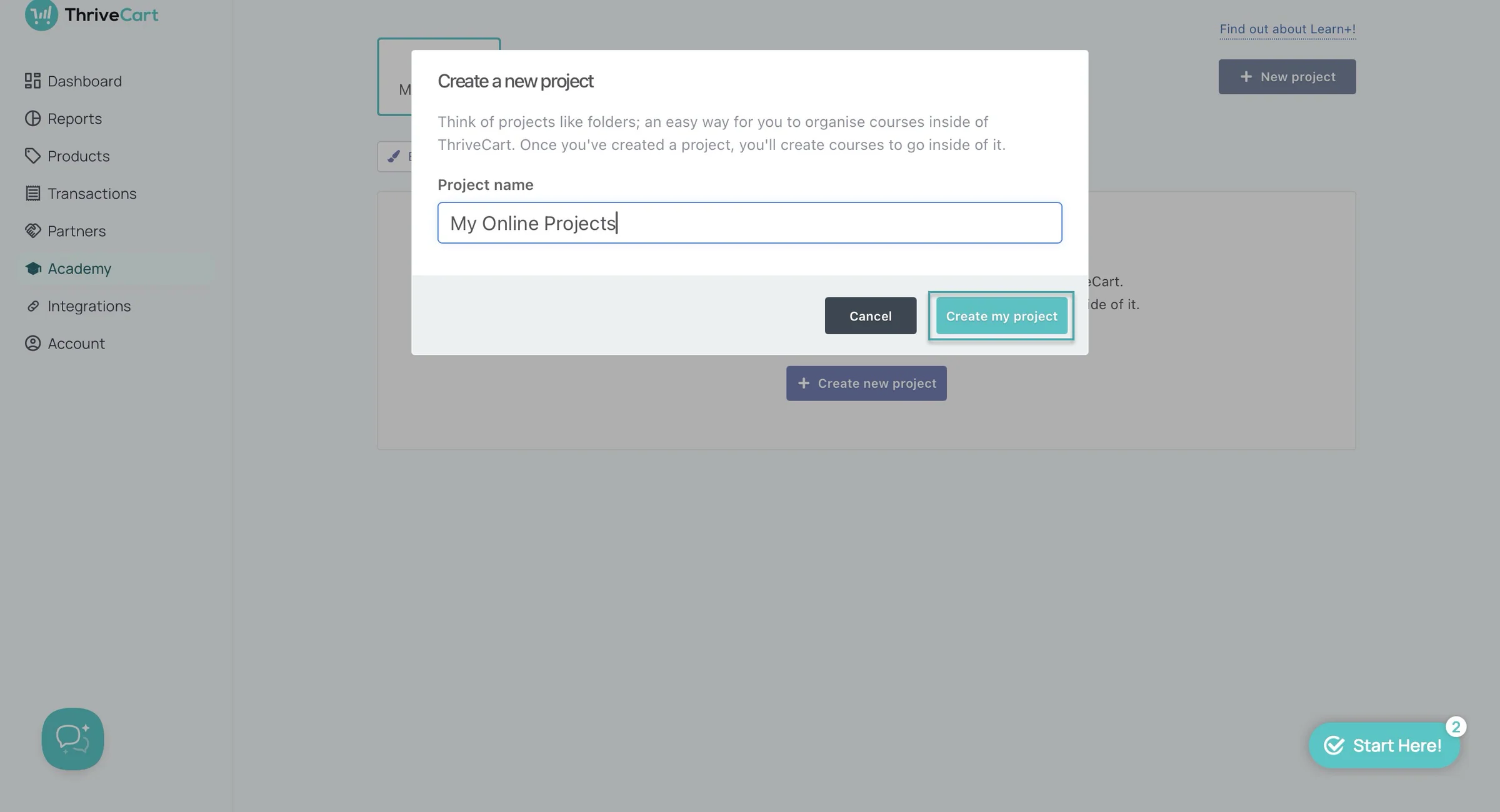
Now that you’ve created the project, let’s add a course by clicking “+ Create new course.”
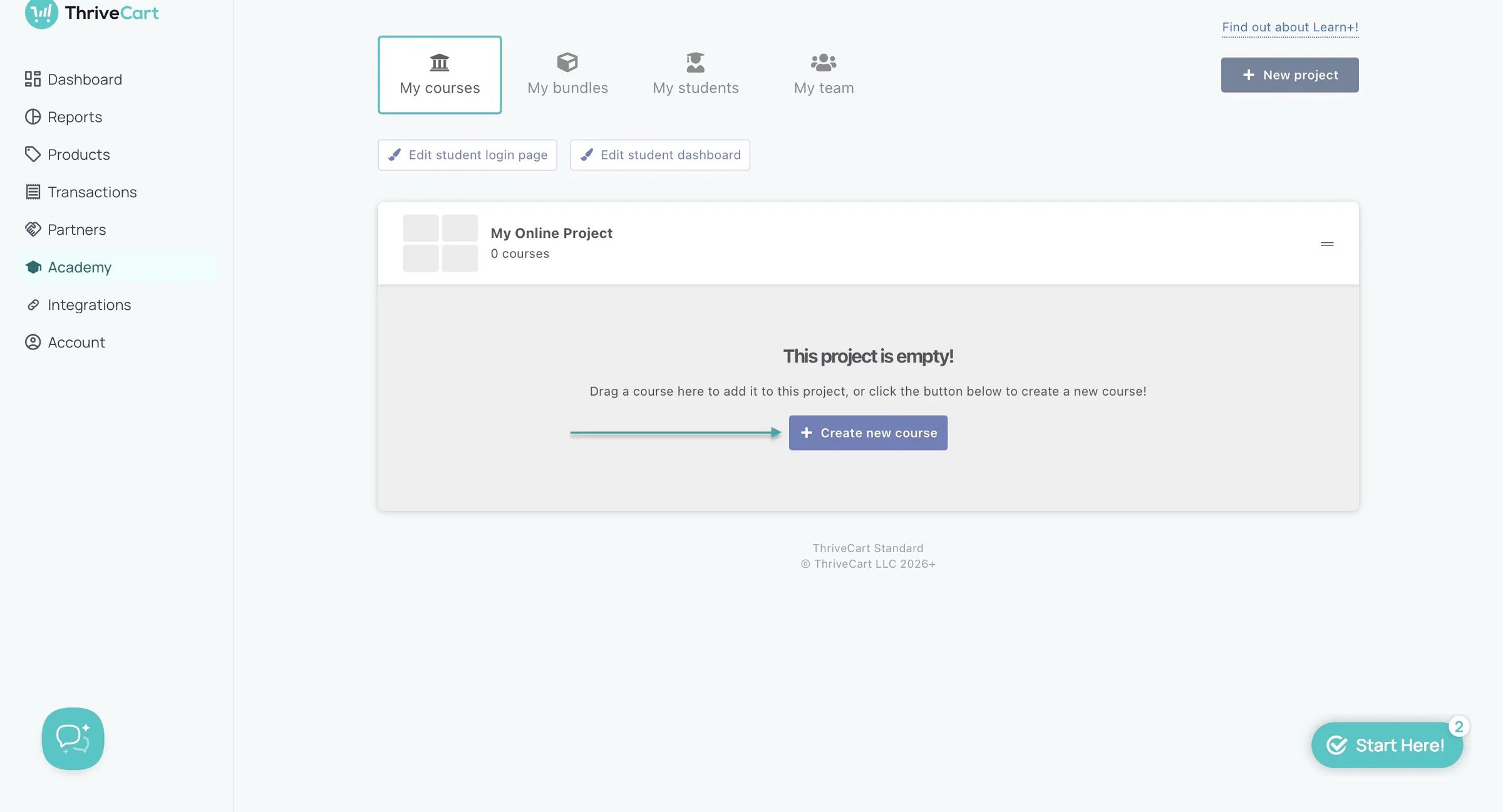
This will load the course form. Enter your course’s name, author, description, a URL or an email, select the default language, and upload its logo.
Once you’ve done all of this, click “Create my course.”
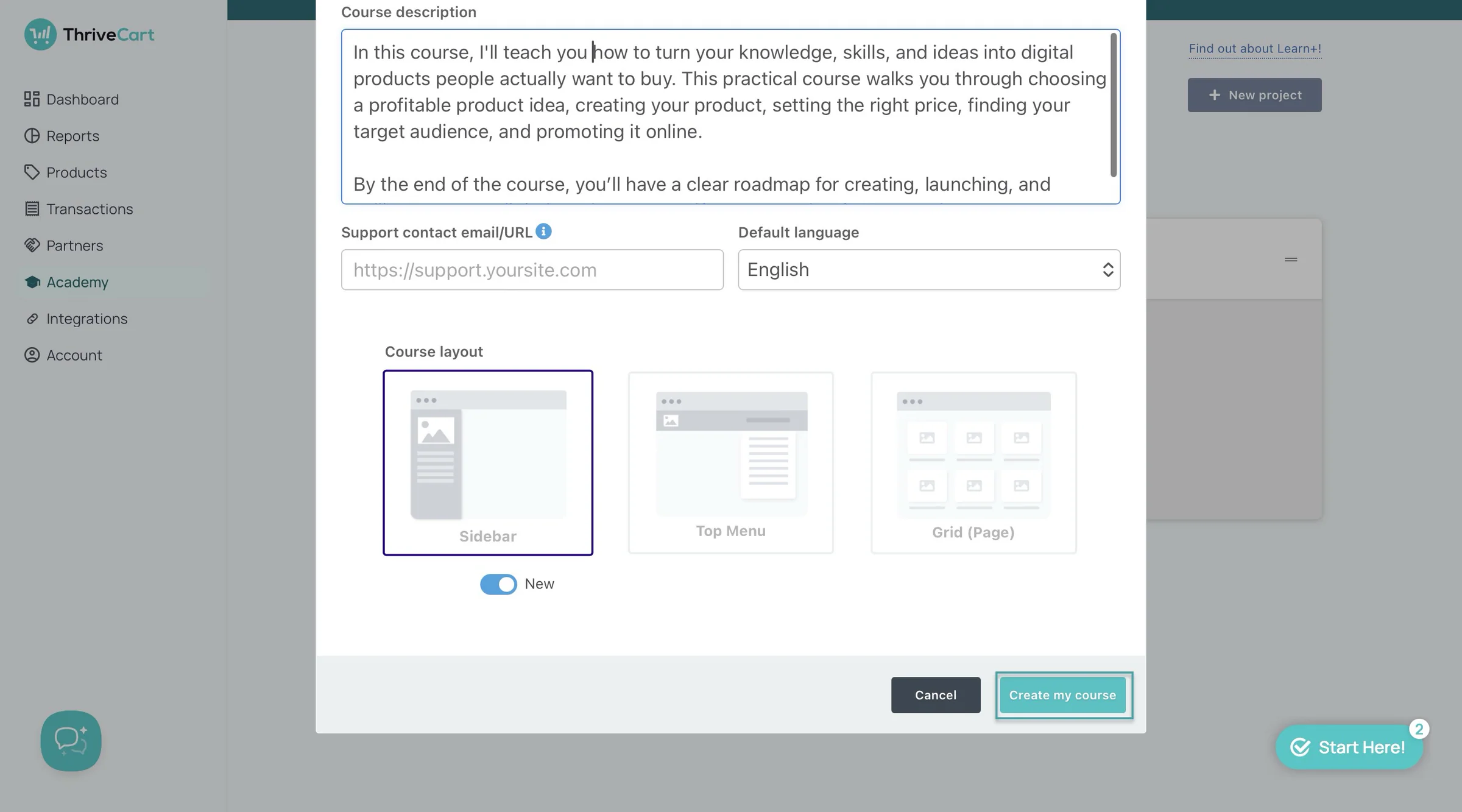
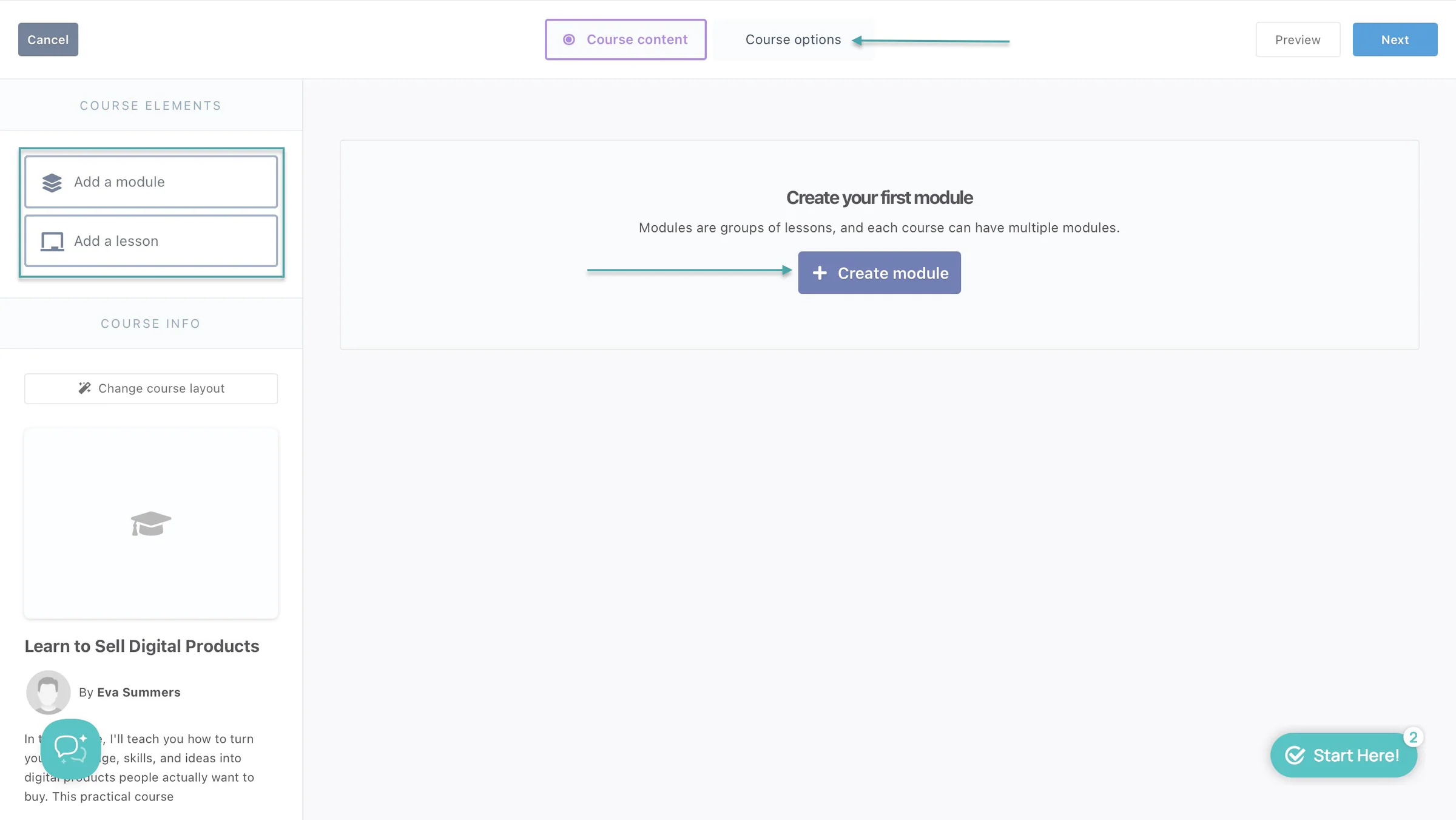
This will take you to the course edit window. Add lessons, create modules, and change course layouts.
You can then preview it and add or edit course options or settings. Once you’ve done all of this, click “Save and exit” in the “Course options” section.
ThriveCart will automatically add the course you just created to your project.
3. Integrations
Like the name implies, the integration lets you connect ThriveCart with third-party tools like Stripe, PayPal, Authorise.net, ActiveCampaign, AWeber, ConvertKit, Drip, Encharge, Flodesk, and more.
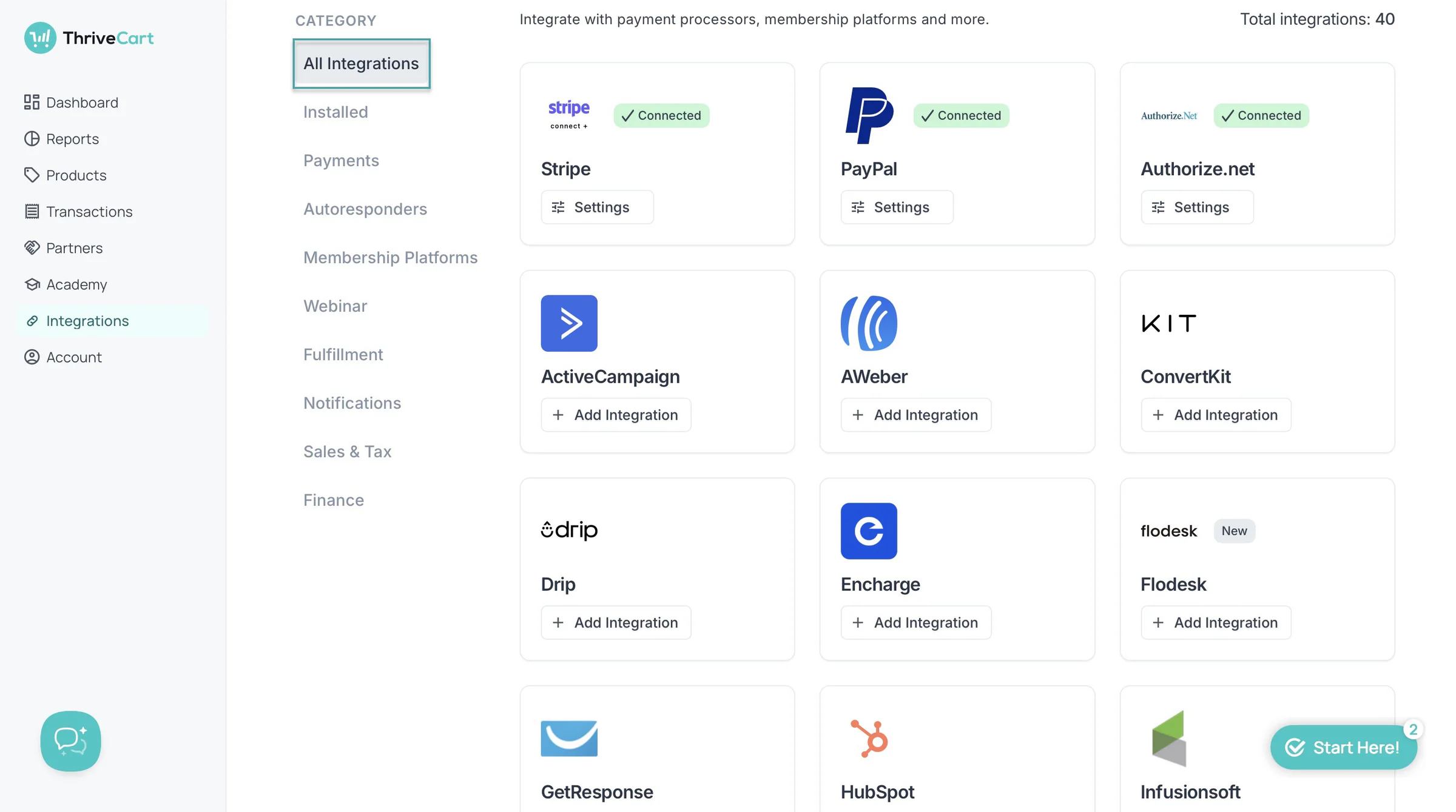
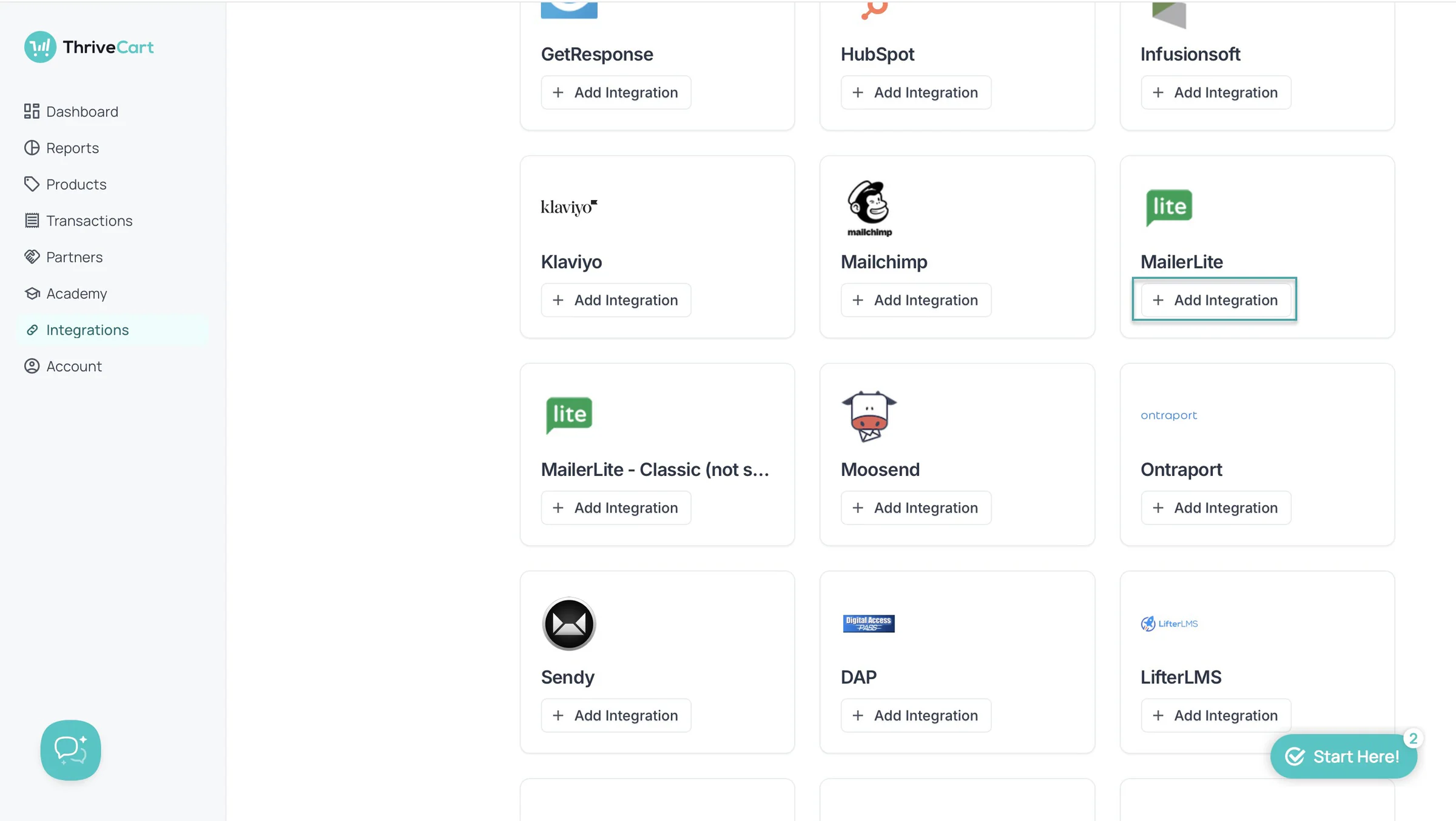
Let’s connect ThriveCart to MailerLite. When you are in the Integrations section, scroll down to find MailerLite.
Then, click “+ Add Integration” right under its name.
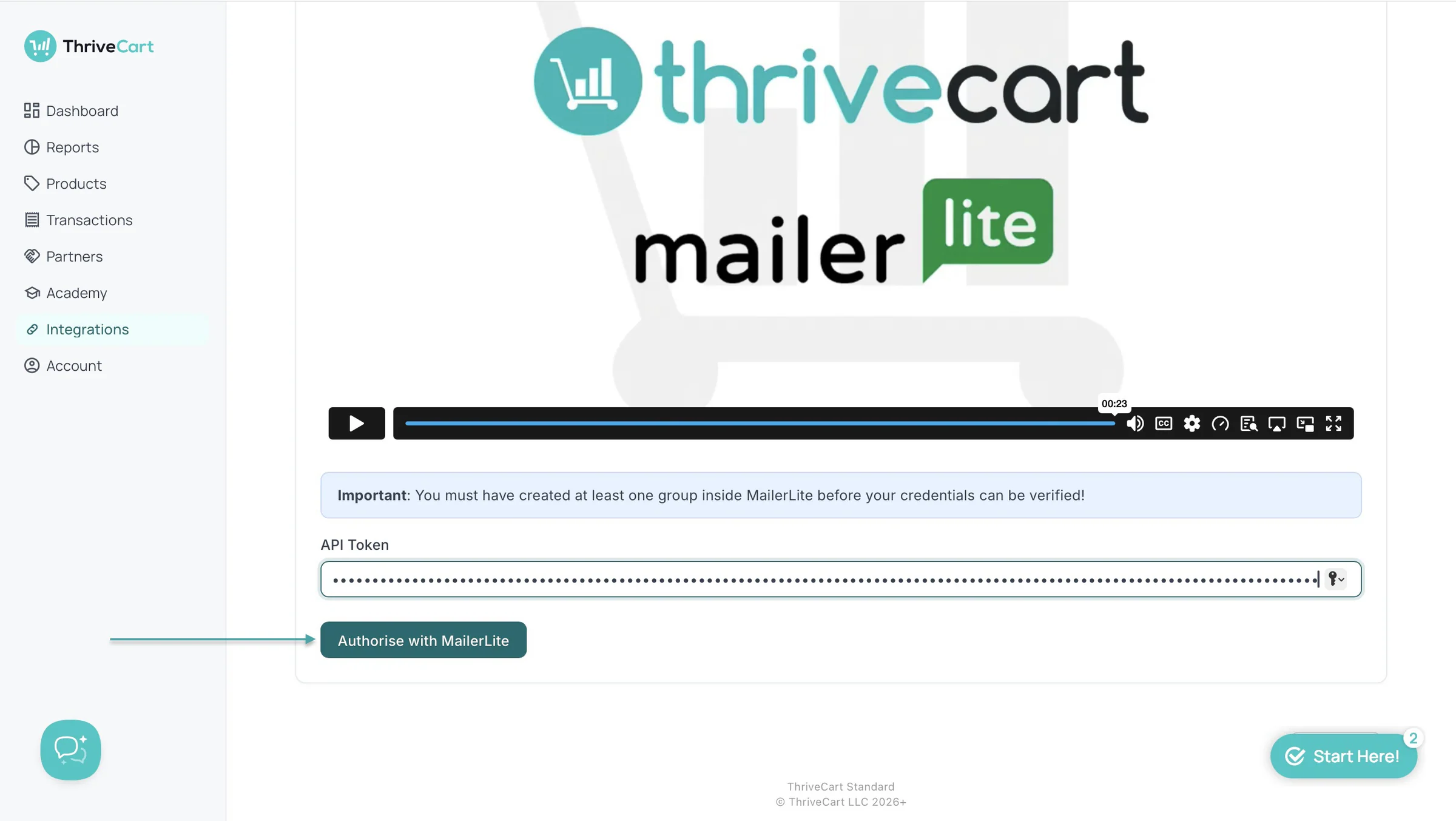
Now, go to MailerLite, click “Integrations” in the sidebar, and copy the API Token. Return to ThriveCart and paste it into the text box and authorize it.
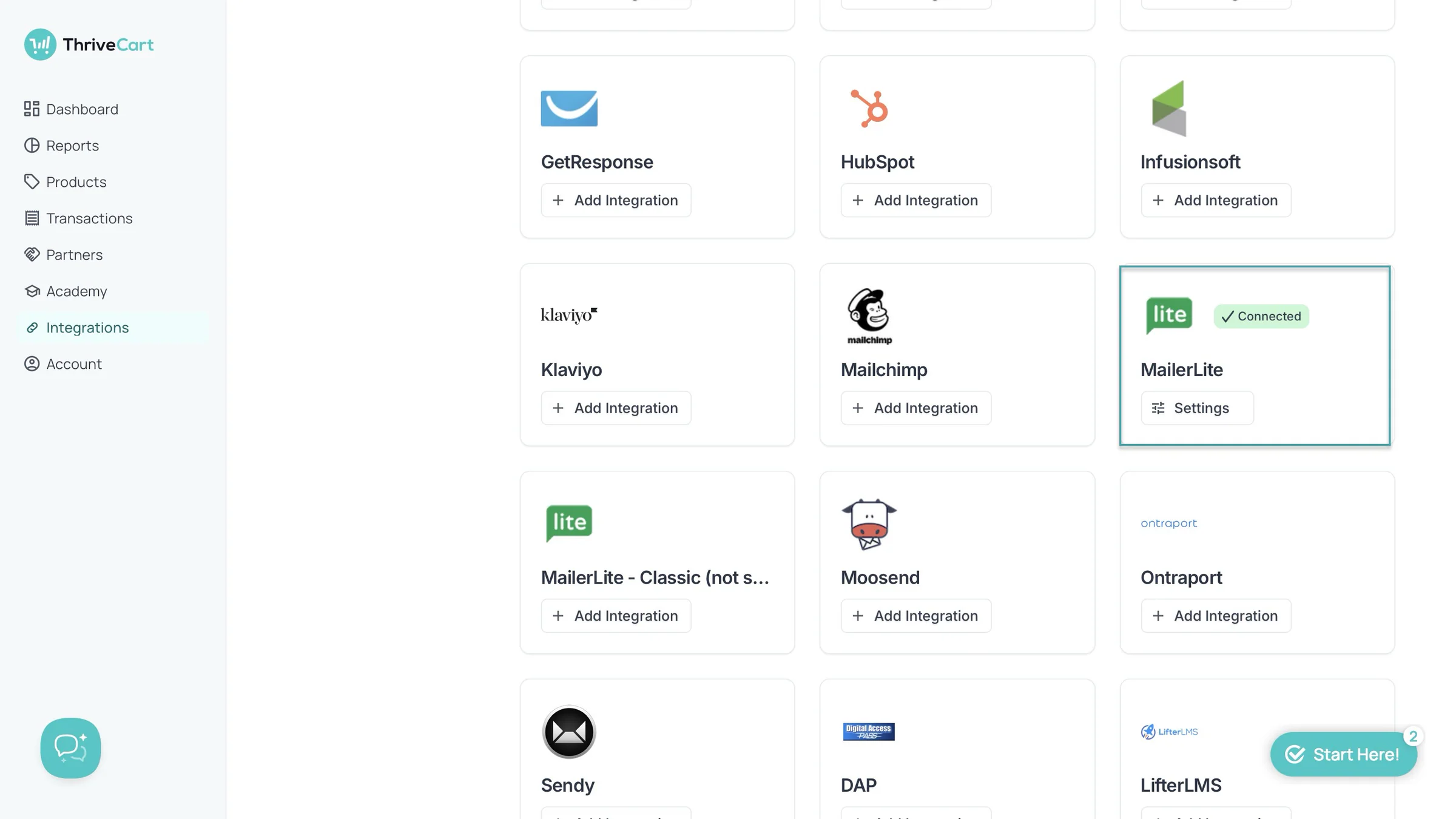
ThriveCart will then connect with your MailerLite account. You can automatically add customers to different groups based on what they buy, so you can send them the right emails without doing it manually.
What I liked vs what I didn’t like
What I loved 👍
✅ Has ThriveIQ to guide you with setup, so you don’t have to figure everything out on your own.
✅ Offers upsells, downsells, order bumps, coupons, and A/B testing to help you get more from every sale.
✅ Lets you create and manage affiliate programs, so you can get other people to promote your products and earn commissions.
What I didn’t like 👎
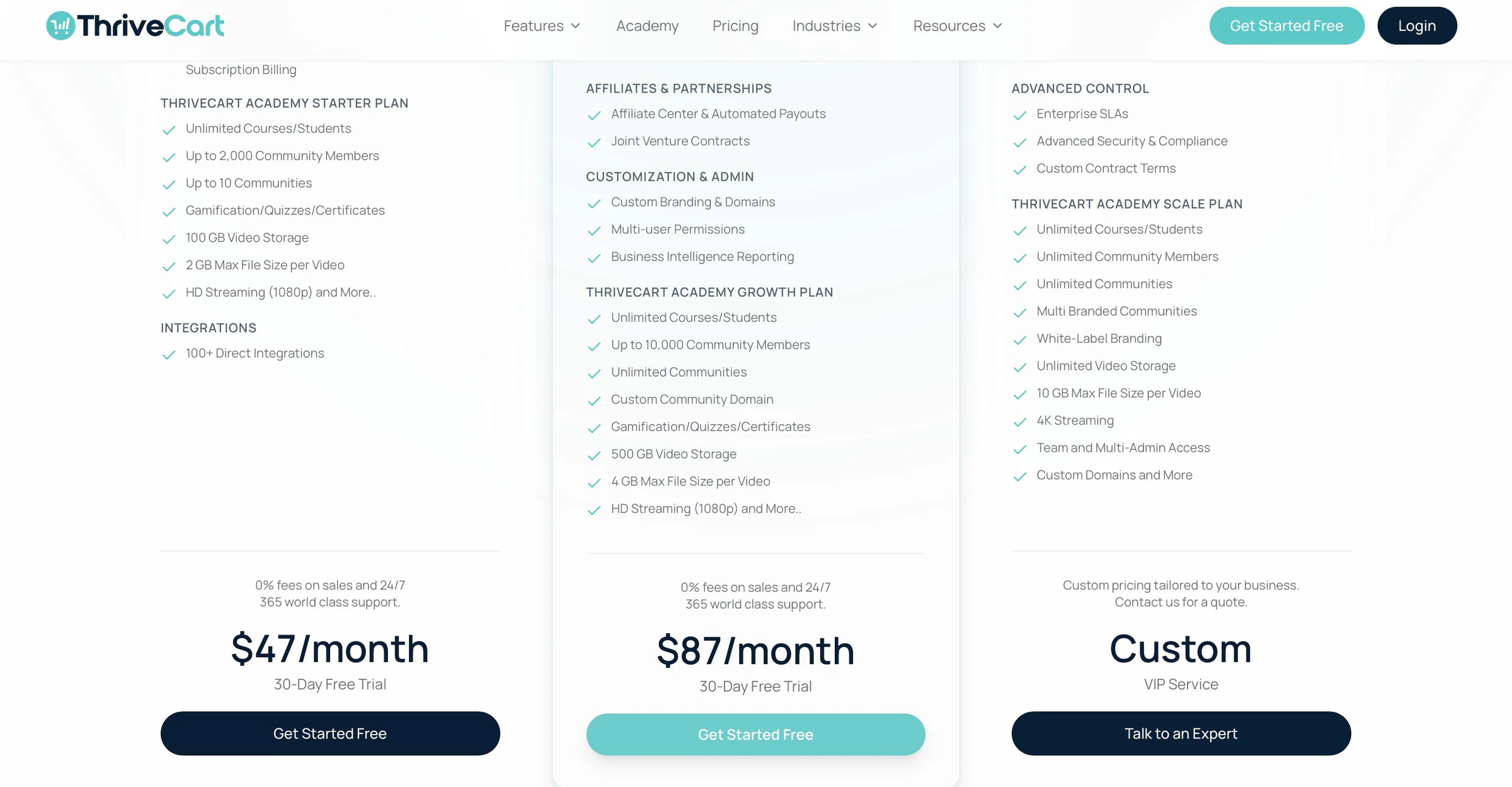
❌ You can only use affiliate marketing and access reports for subscriptions, funnels, coupons, products, and sales on the ThriveCart Pro+ and Enterprise plans, so you’ll need to pay more to unlock them.
Best for
- Businesses focused on checkout optimization and increasing sales
Pricing
- ThriveCart Standard: $47/month
- ThriveCart Pro+: $87/month
- ThriveCart Enterprise: Contact for pricing
6. Stan Store
- Personal rating: ⭐️⭐️⭐️⭐️ 4/5 - It’s a solid option for creators who want a simple way to sell products and manage their creator page from one place.
- Ease of use: ⭐️⭐️⭐️⭐️ 4.7/5 - It’s intuitive, easy to navigate, and its templates, tutorials, and straightforward setup make it easy to get started.
- AI capabilities: Offers an AI Twin that creators can train with their content and voice to provide personalized guidance and coaching to customers.
- Monetization options: Digital downloads, courses, coaching calls, memberships, webinars, and personalized products, with tools like funnels, order bumps, payment plans, and affiliate sales to increase revenue.
- Free trial: Yes - a 14-day free trial.
- Starting plan: Creator - $29/month + 0% transaction fees
Stan Store is also on our list of the best ClickFunnels alternatives.
It’s an all-in-one creator platform that lets you build a storefront, sell digital products, offer coaching and memberships, and manage your customers from one place.
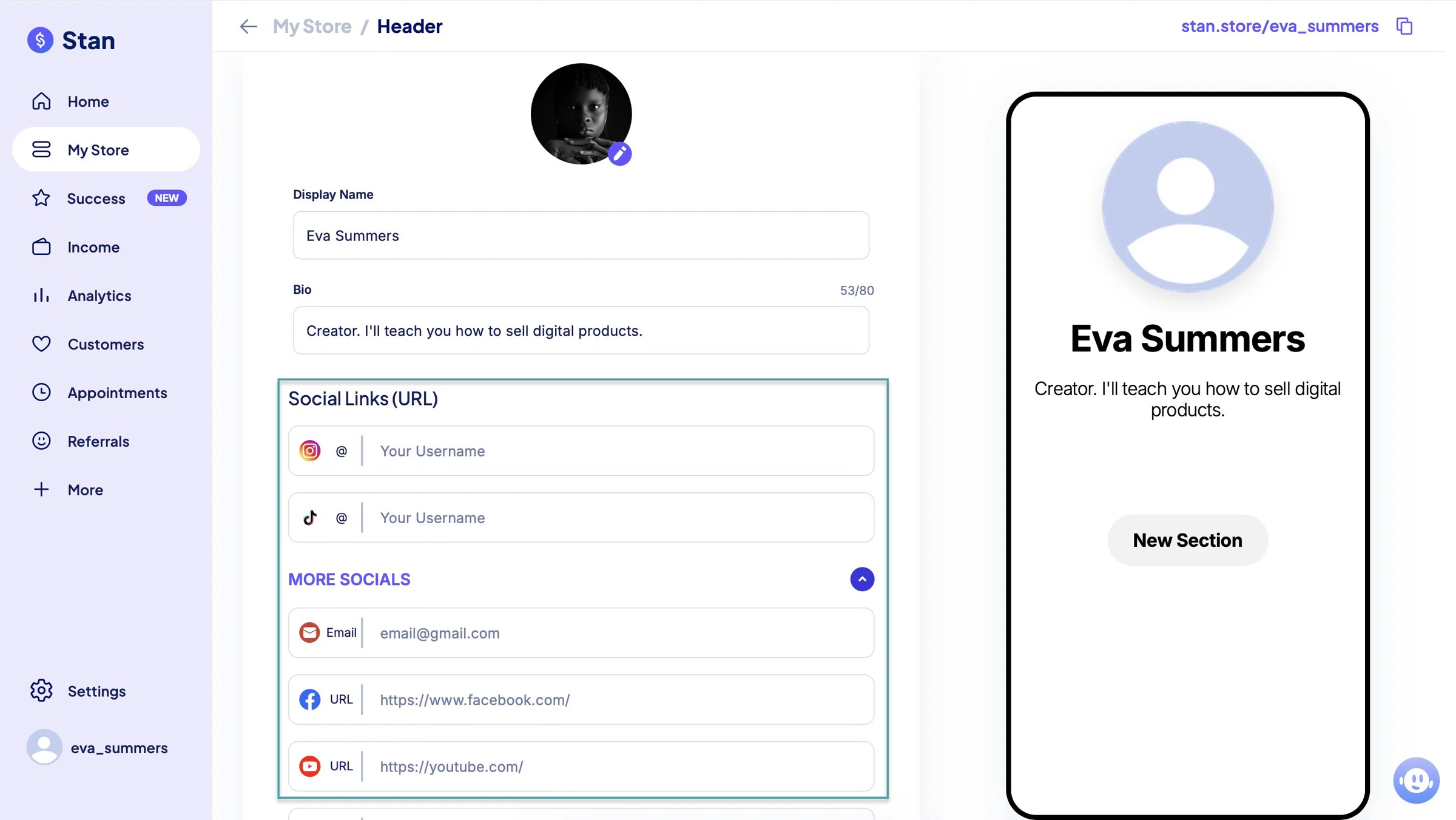
Like Easytools, Stan Store lets you create a creator page that works as both a storefront and a link-in-bio page. You can add links to your socials, including Instagram, TikTok, Facebook, YouTube, LinkedIn, Pinterest, X (formerly Twitter), and more.
So that your audience can find your content, social profiles, and products in one place.
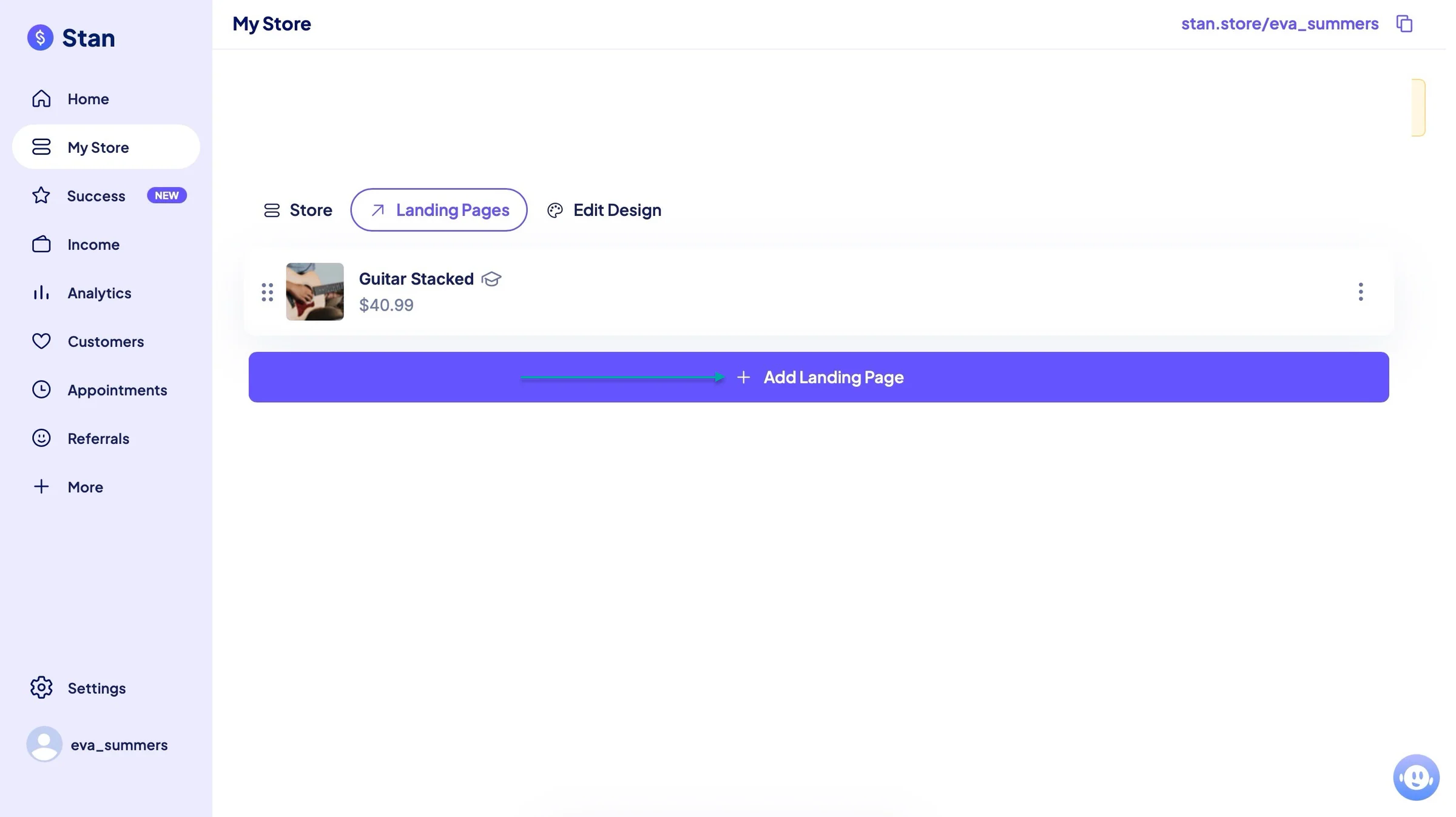
You can add landing pages too. This will help you create dedicated pages for promoting your products, collecting leads, or sending visitors to a specific offer.
Stan Store also lets you add customers manually or import them by uploading a CSV file. That way, you can bring your existing customer list into Stan Store without adding everyone one by one.
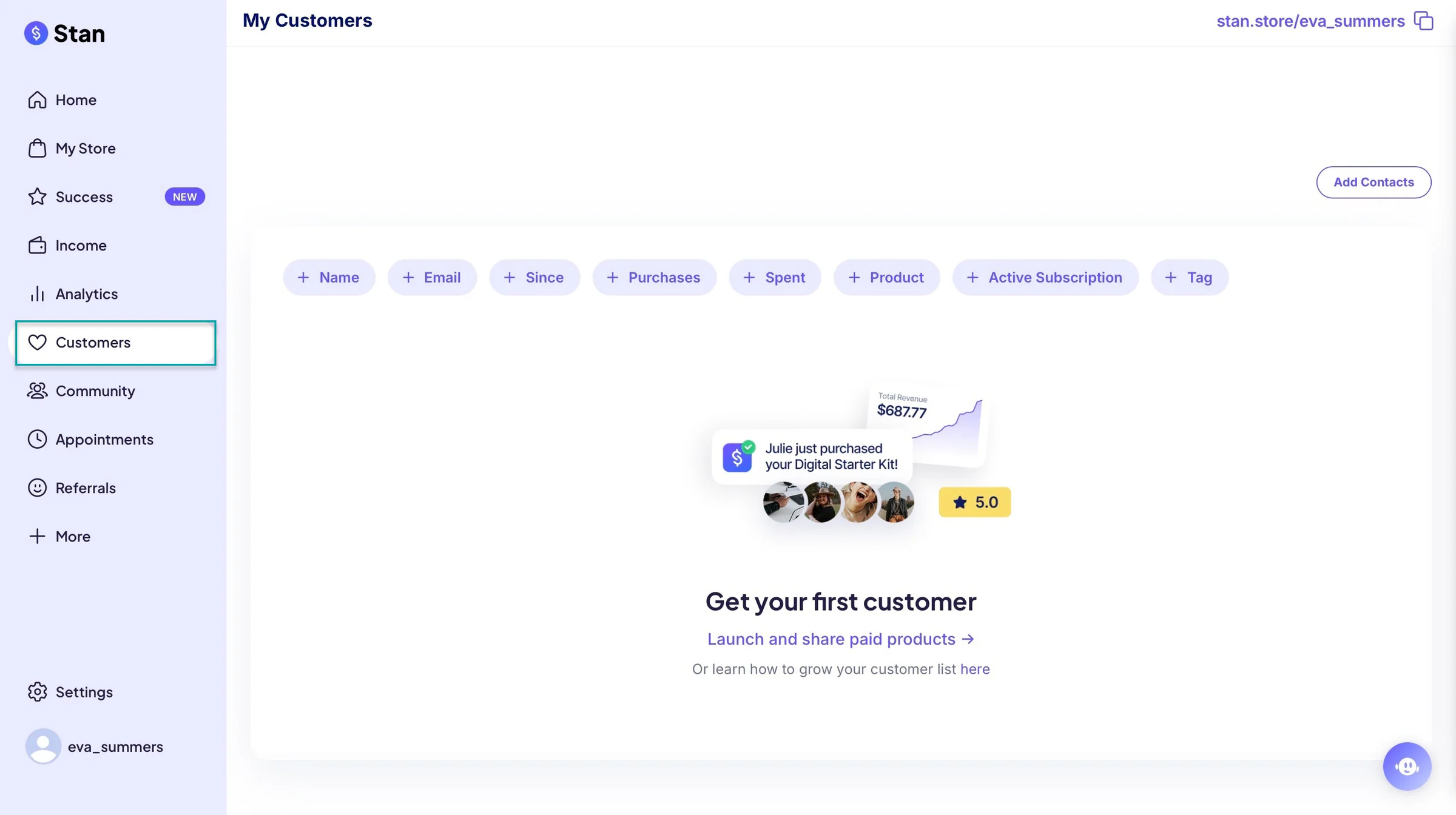
The platform also has tutorial videos that guide you through setup and show you how to use its features to grow your business.
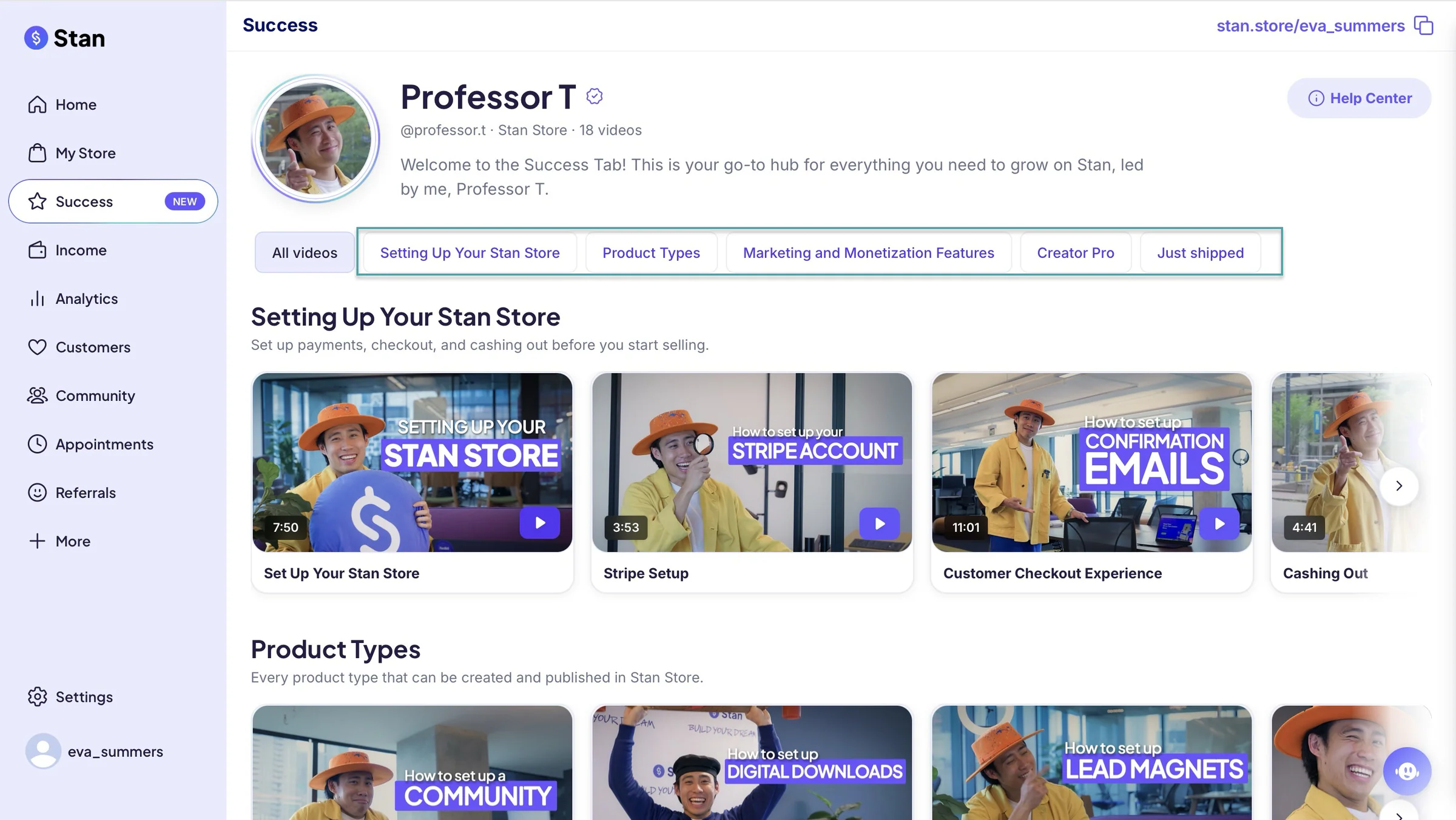
What I loved about Stan Store
1. My store
The my store feature lets you add a bio, social media links, and create digital products for sale. Let me show you how.
Select “My Store” in the sidebar. Click the pencil icon to edit your profile picture, add a bio description, and add social media links.
In the edit window, add your image, display name, bio, and social links. You can add more social media URLs and click “Save.”
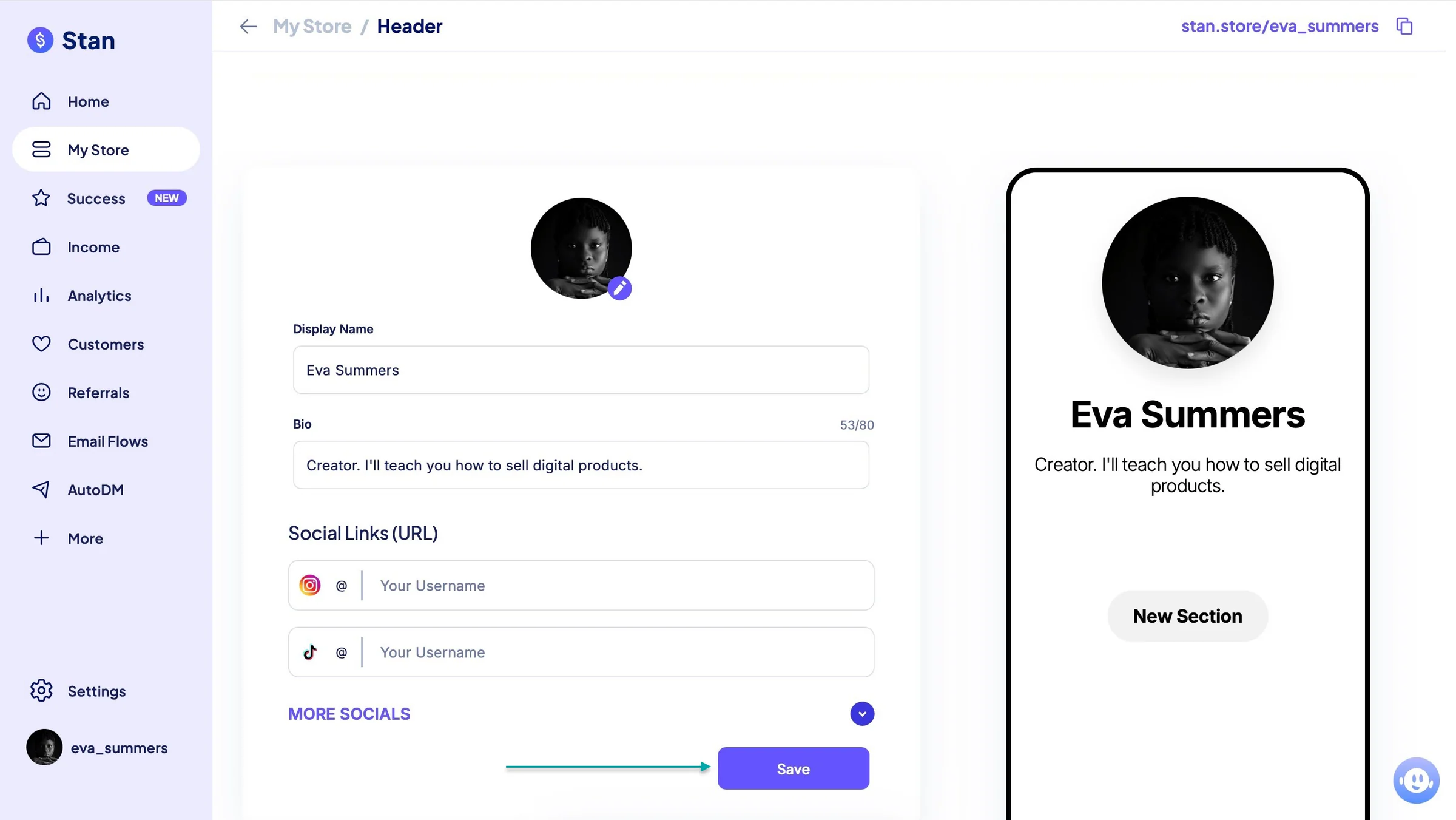
Once you’ve done that, click “+ Add Product.”
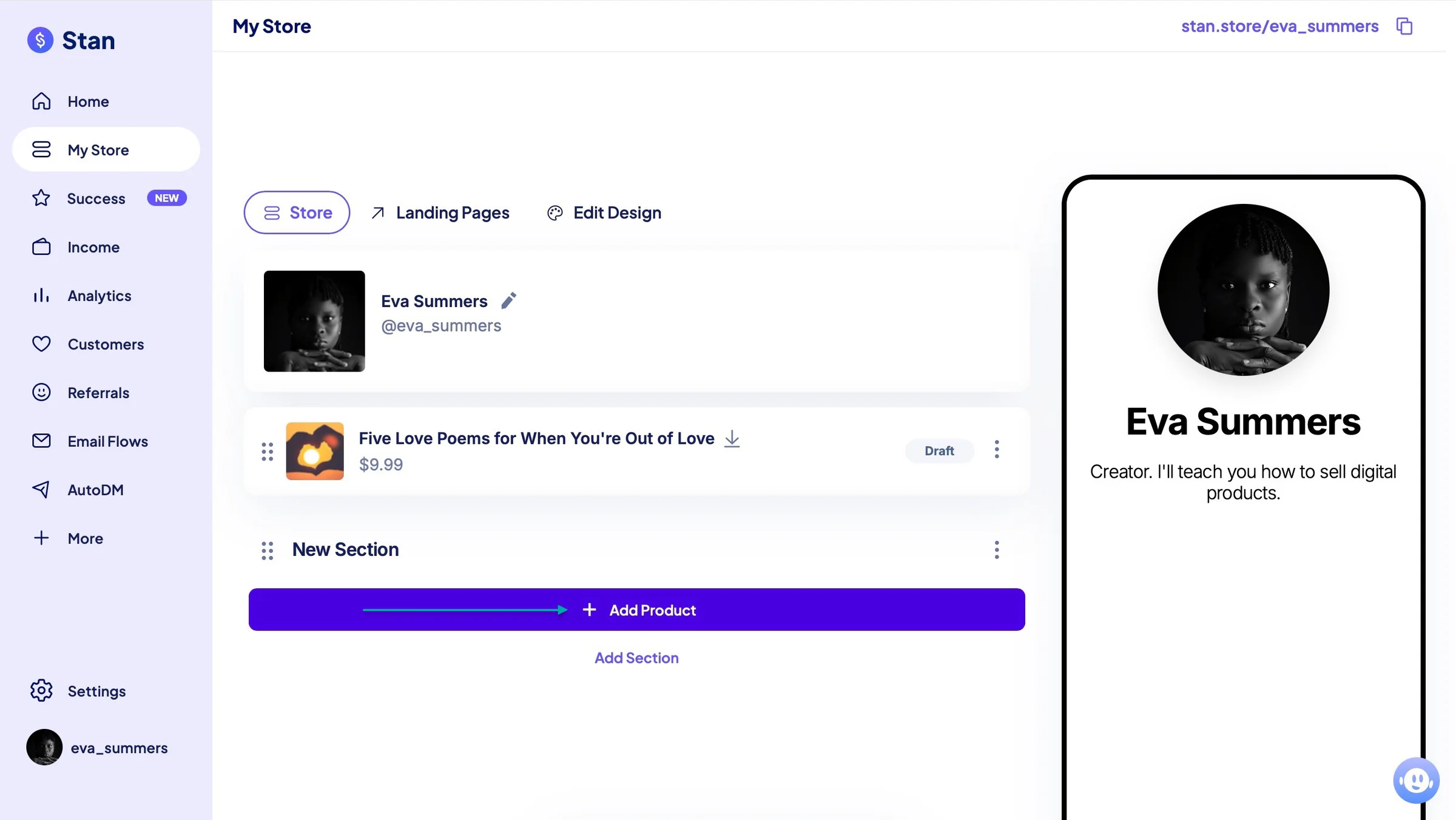
Let’s go with “Digital product” as the product type in the new window.
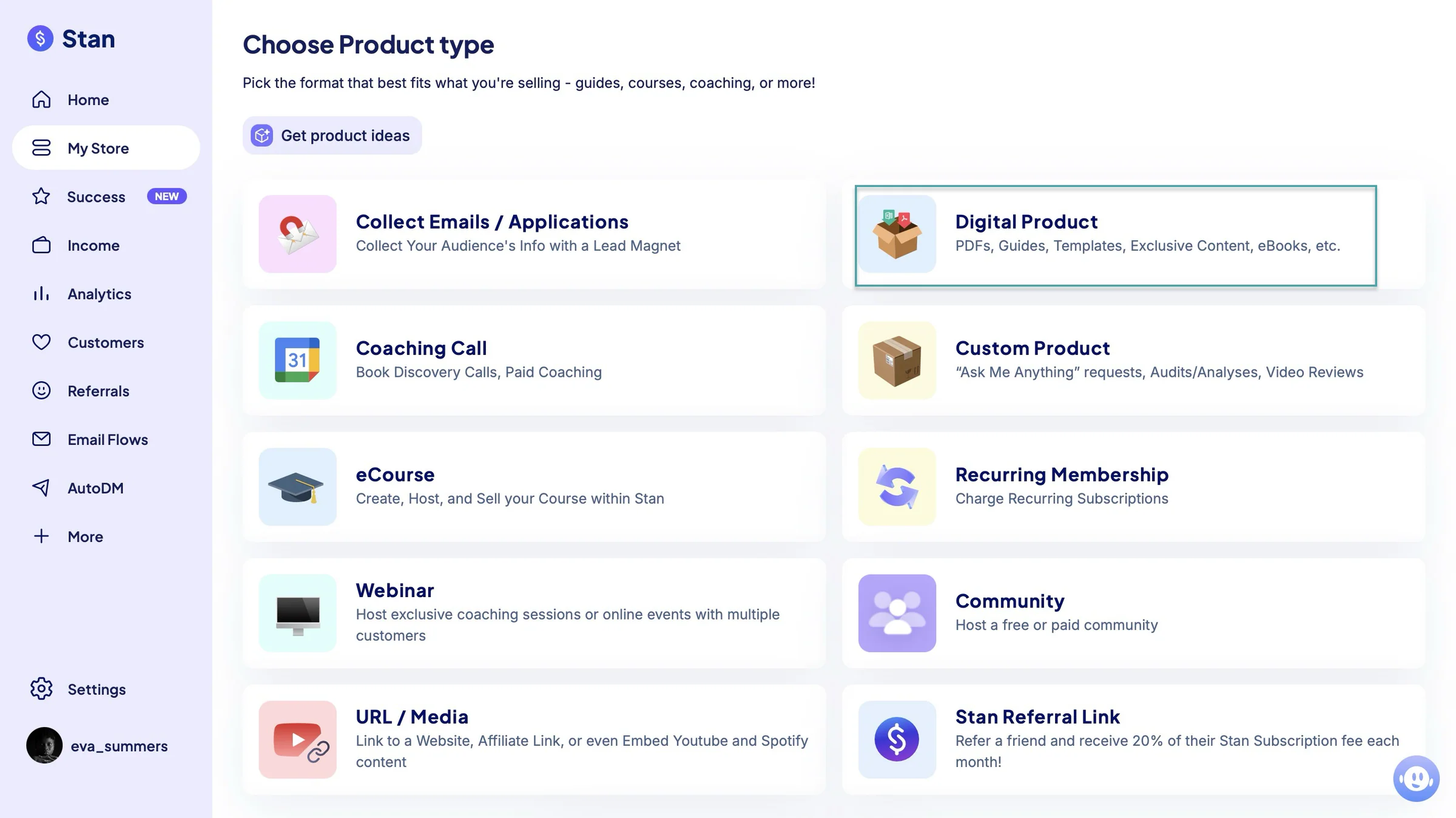
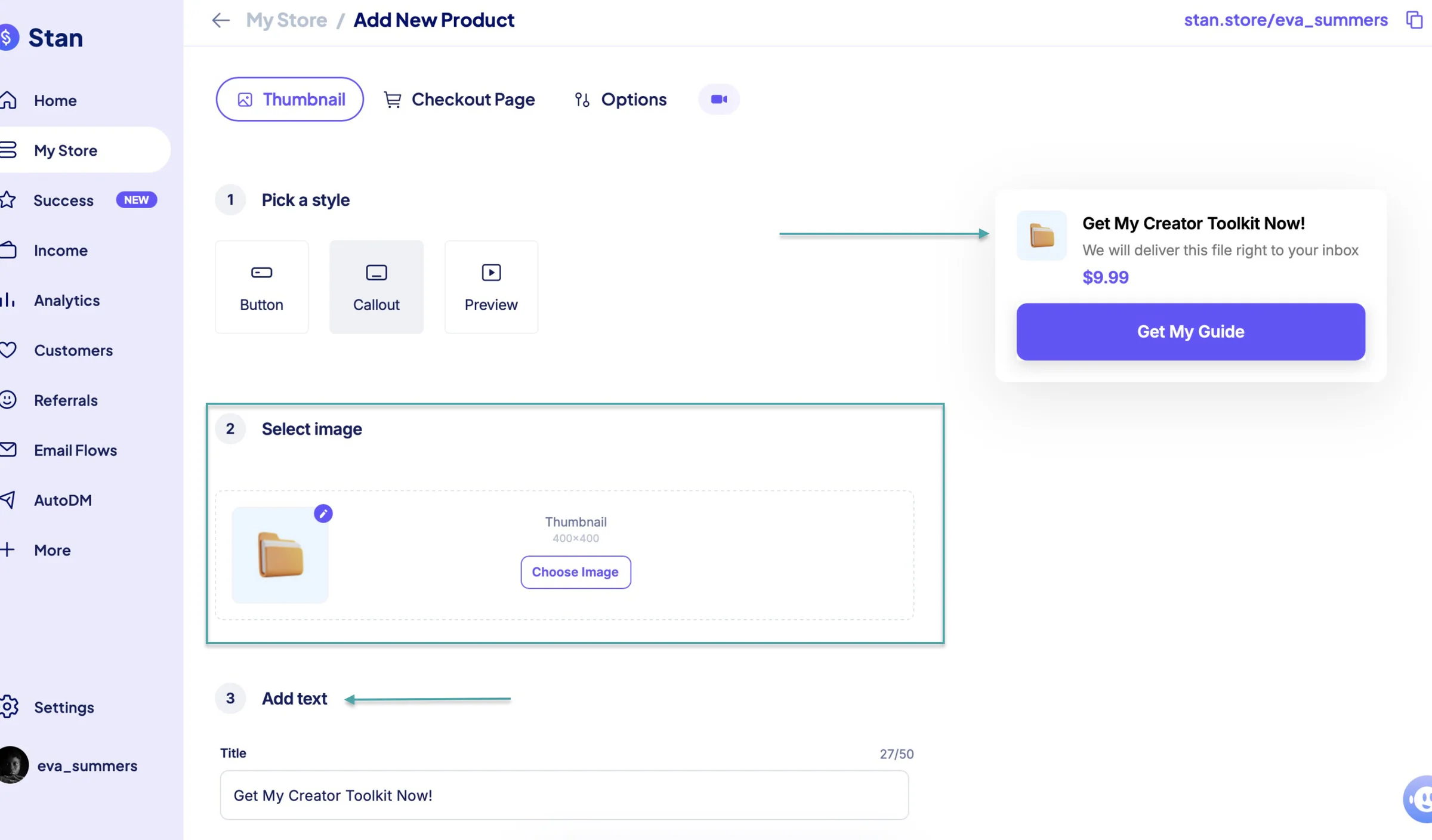
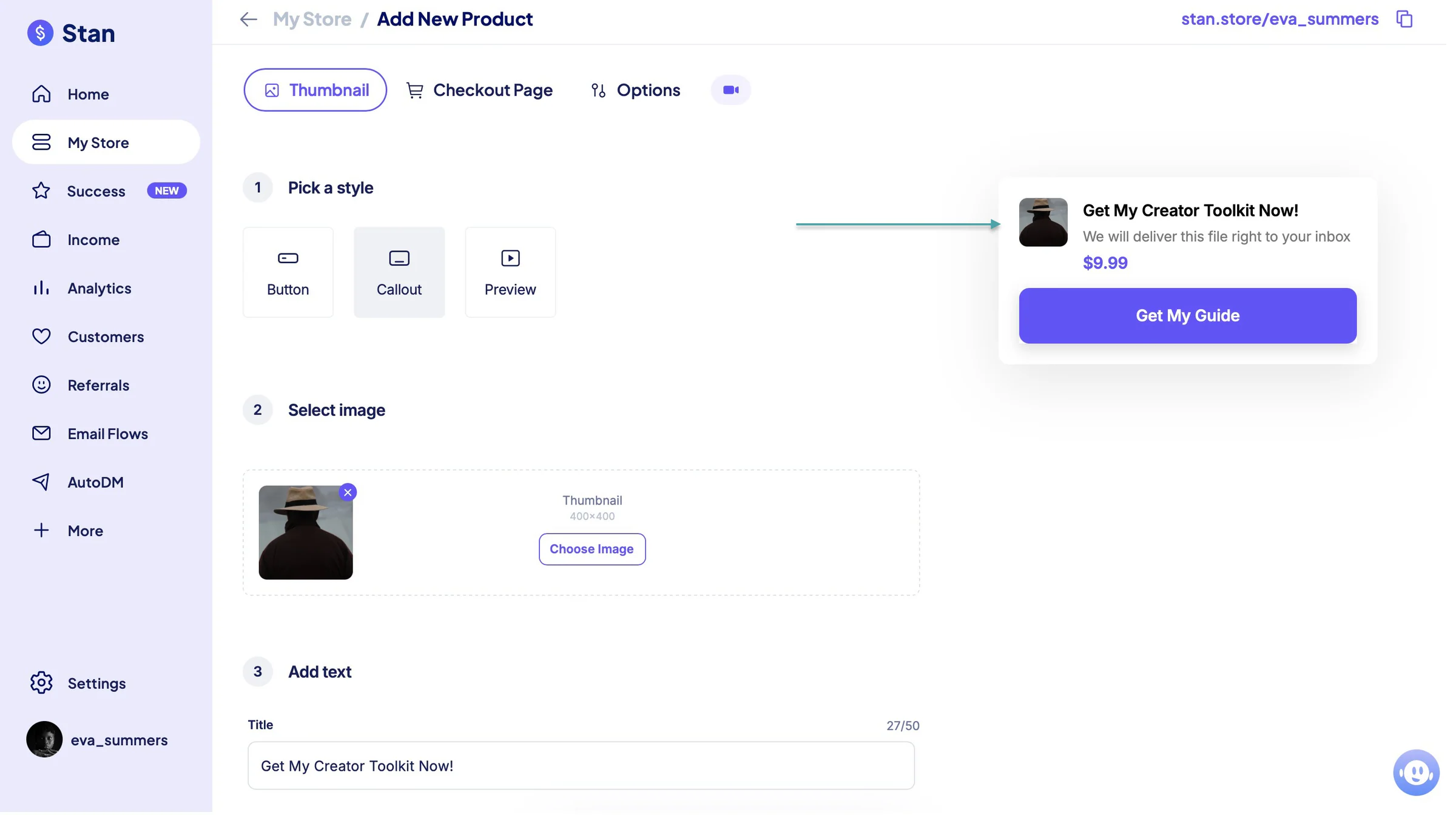
Next, pick a style, select a thumbnail from Stan Store’s template library, and add a CTA text.
Now, edit your checkout page in the next tab and add customer reviews, email flows, and more. After making these changes and additions, publish your digital products.
2. Landing page
Now that you’ve created a digital product, Stan Store lets you create a landing page to market it to customers.
Here’s how you build a landing page on the platform.
Click the “Landing Pages” tab in the My Store section. Next, click “+ Add Landing Page.”
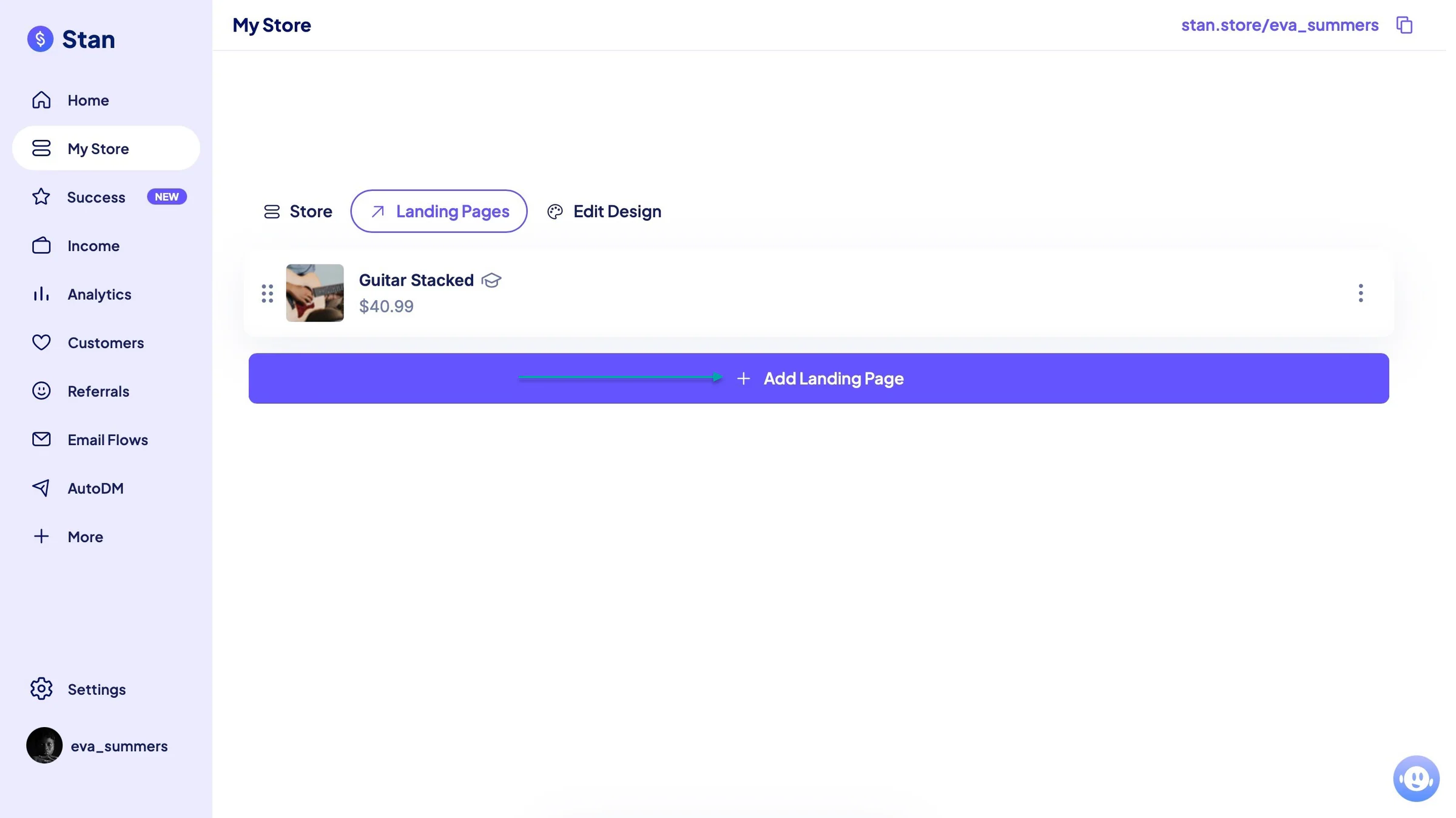
Select a product type. Then configure your checkout. Add a thumbnail, title, description, add new fields, and upload the file.
You can also click the “Options” tab and add reviews, email flows, order bumps, and more to the landing page.
Once you’ve added all these, click “Publish.”
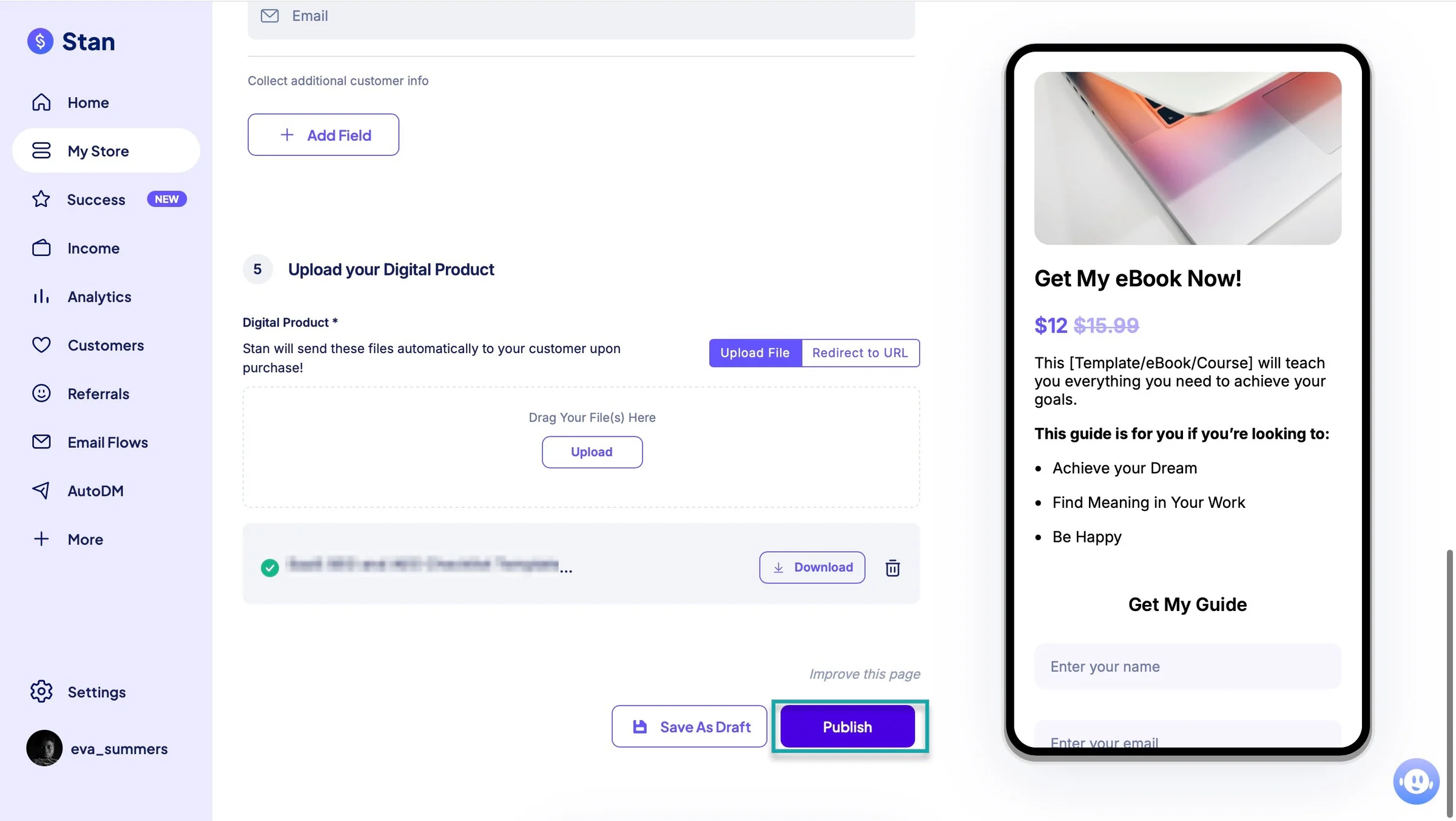
Stan Store will create your landing page.
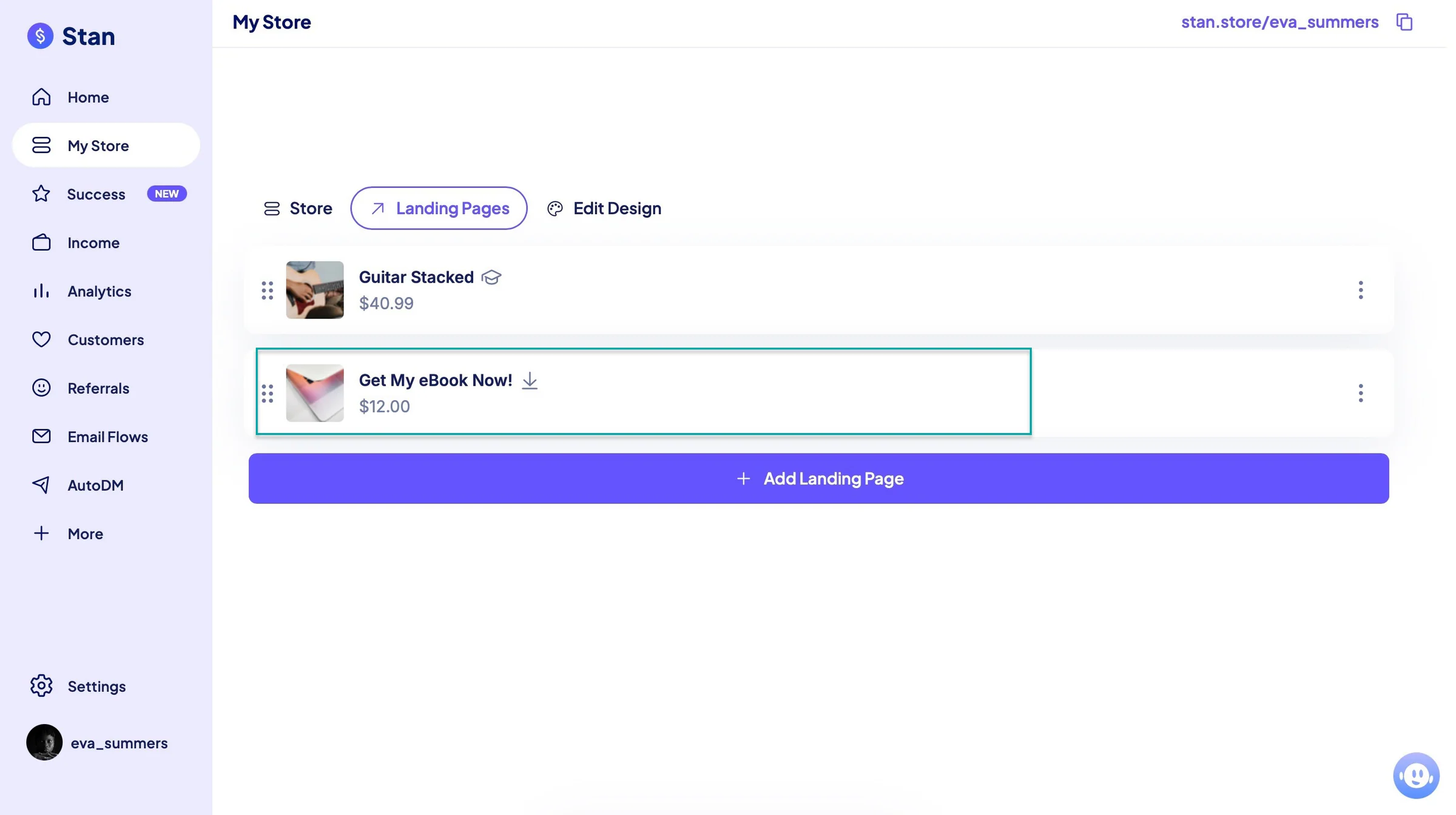
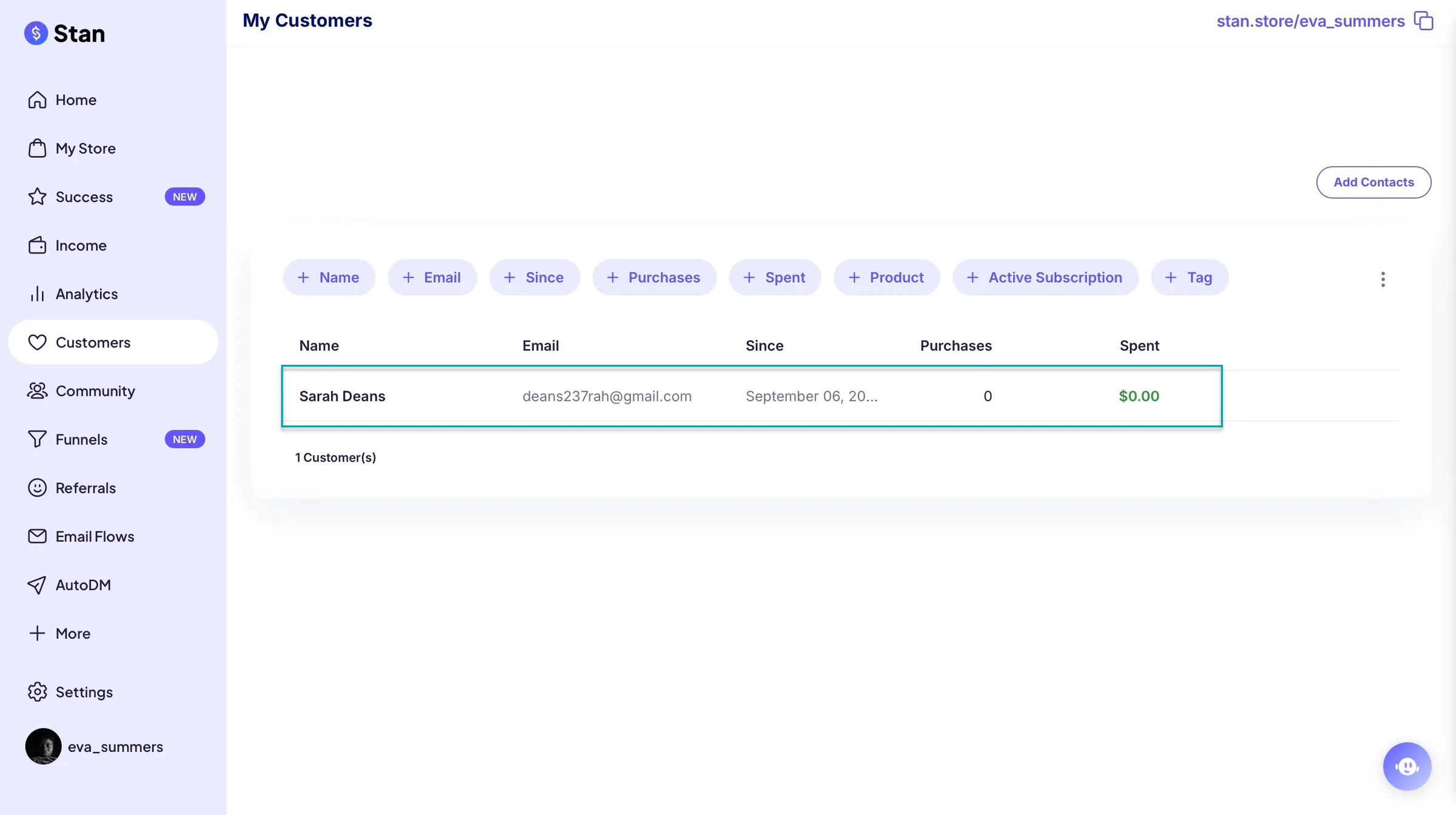
3. Customers
Stan Store’s customers feature lets you add contacts. You can add them manually or upload a list through a CSV file.
Here’s how to go about it. Click “Customers” in the sidebar and hit “Add Contacts” at the top-right corner of the window.
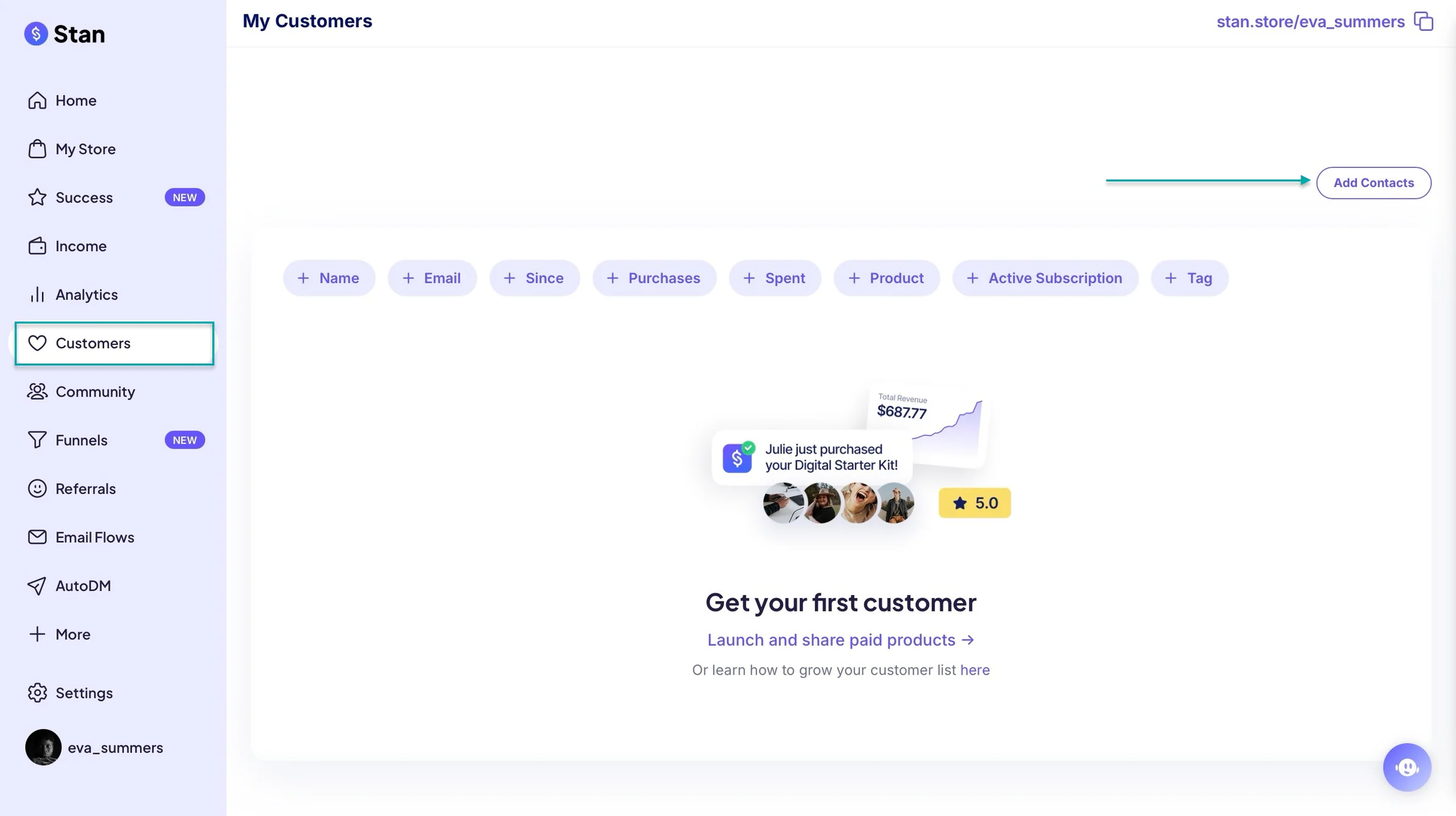
In the pop-up window, add the customer’s name, email, and phone number. You can also import a list through a CSV file by clicking “Upload.”
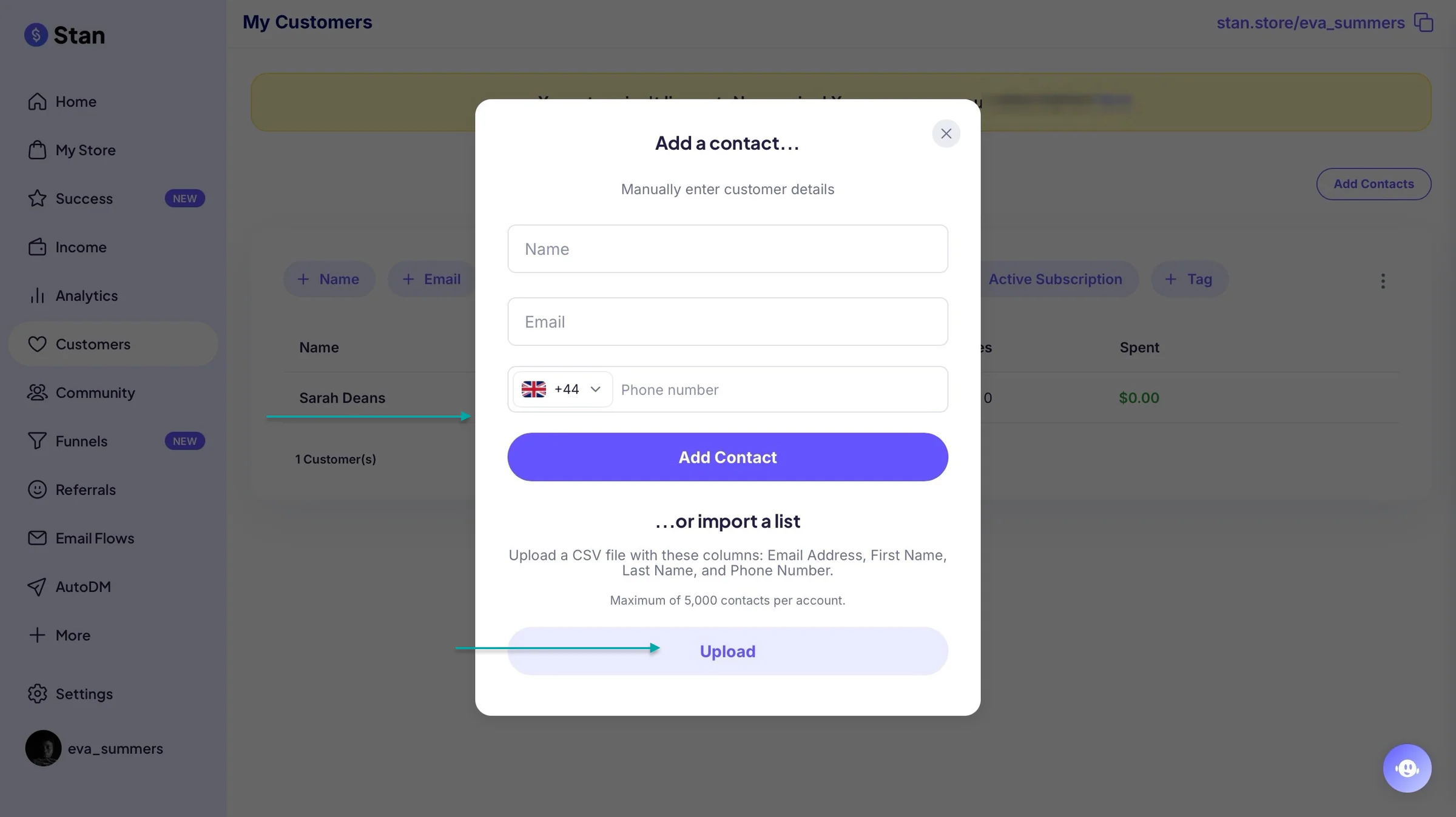
Once you add one or more contacts, Stan Store will list them in the customer section.
What I liked vs what I didn’t like
What I loved 👍
✅ Brings your products, social links, landing pages, and other creator tools together in one place.
✅ Lets you sell digital products, courses, coaching, memberships, and other offers from the same storefront.
✅ It’s simple to get started with, so you can create your storefront and start selling without dealing with a complicated setup.
What I didn’t like 👎
❌ You can only use Stan Store’s funnels and email flows features on its paid plan, so you’ll need to upgrade to access these tools.
Best for
- Social media creators who want to sell products and services directly from a simple storefront.
Pricing
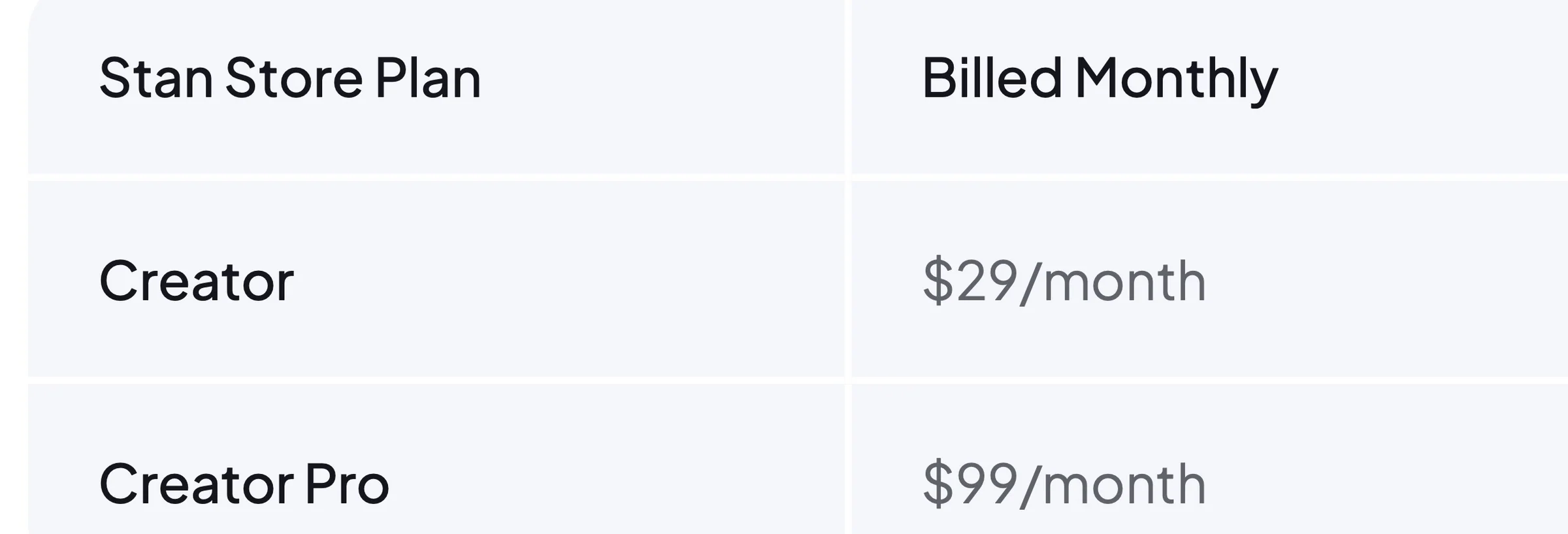
- Creator: $29/month
- Creator Pro: $99/month
Additional ClickFunnels alternatives we tested
Apart from the tools we’ve discussed, these are the additional ClickFunnels alternatives we tested:
7. GoHighLevel - Best all-in-one platform for marketing agencies and customer management
8. Kajabi - Best for creators selling courses, coaching, and memberships
9. Leadpages - Best for creating landing pages and generating leads
10. GetResponse - Best for email marketing, automation, and simple sales funnels
11. SamCart - Best for selling digital products with high-converting checkout pages
12. Unbounce - Best for creating and testing conversion-focused landing pages
13. Instapage - Best for paid advertising teams that need personalised landing pages
14. HubSpot - Best for businesses that want funnels connected to a powerful CRM
15. Whop - Best for creators selling digital products, communities, courses, and subscriptions
16. Shopify - Best for ecommerce businesses that need an online store and sales tools
17. CartFlows - Best for building sales funnels inside WordPress and WooCommerce
18. Builderall - Best for users who want a broad collection of marketing and business tools in one platform
19. Wix - Best for businesses that want to combine website building, ecommerce, and marketing tools
20. FunnelKit - Best for WooCommerce businesses that want advanced checkout and sales funnels
How to choose the right ClickFunnels alternative
To choose the right ClickFunnels alternative, you should:
- Consider what you’re selling
- Look at the checkout experience
- Think beyond funnels
- Compare total cost
Let’s look at each of these in detail.
1. Choose based on what you’re selling
To choose the right ClickFunnels alternative, start with what you actually want to sell.
Not every ClickFunnels alternative is built for the same product type, so choosing based on features alone can leave you paying for tools you’ll never use.
For example, if you sell e-books, templates, guides, or other digital downloads, you’ll want a platform that makes it easy to upload, sell, and deliver those products. Easytools and Stan Store are good examples for you if you want a simple way to sell digital products.
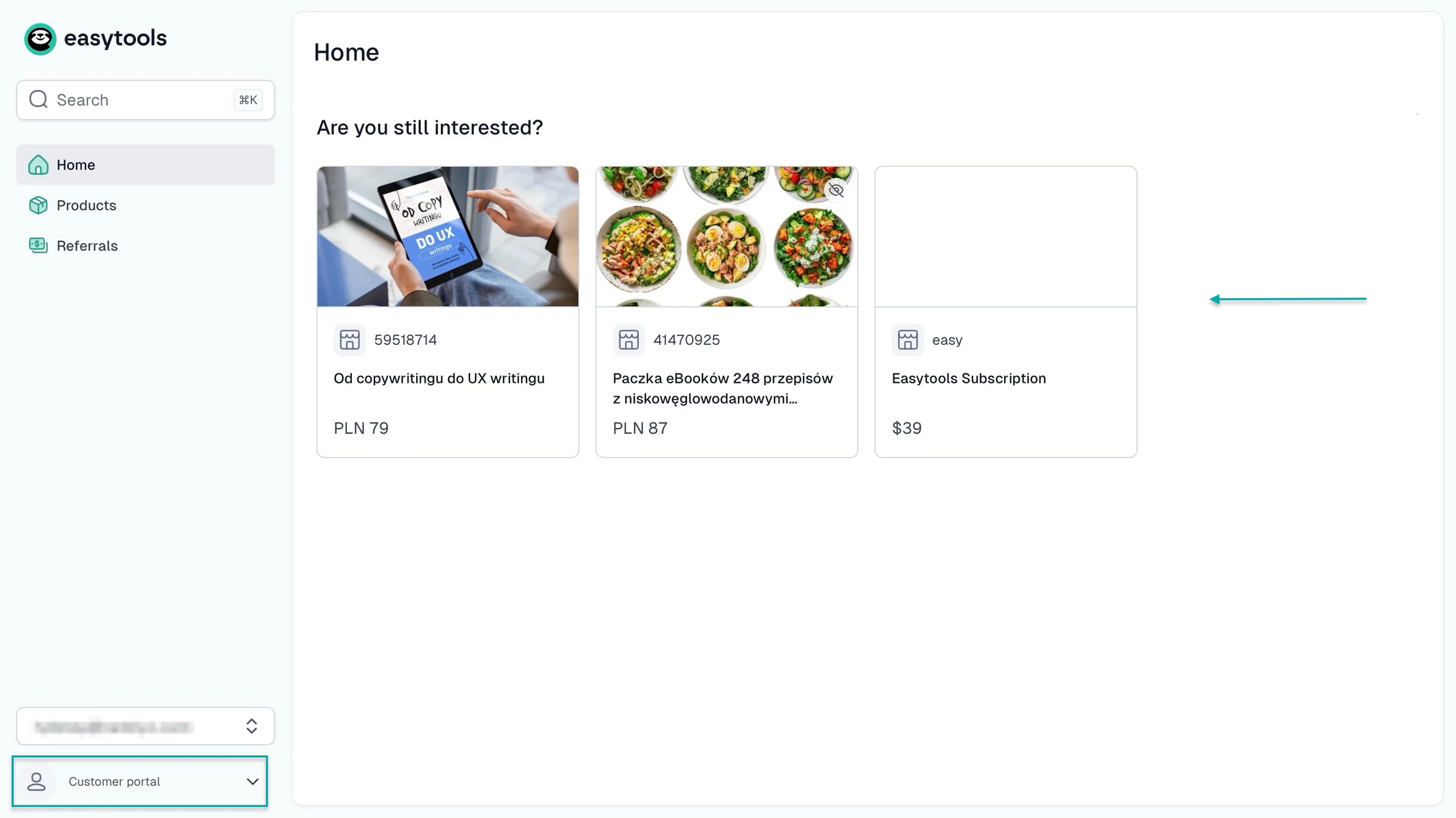
Easytools also has a customer portal where buyers can access the products they purchased. It’ll even show customers the products they intended buying but are yet to.
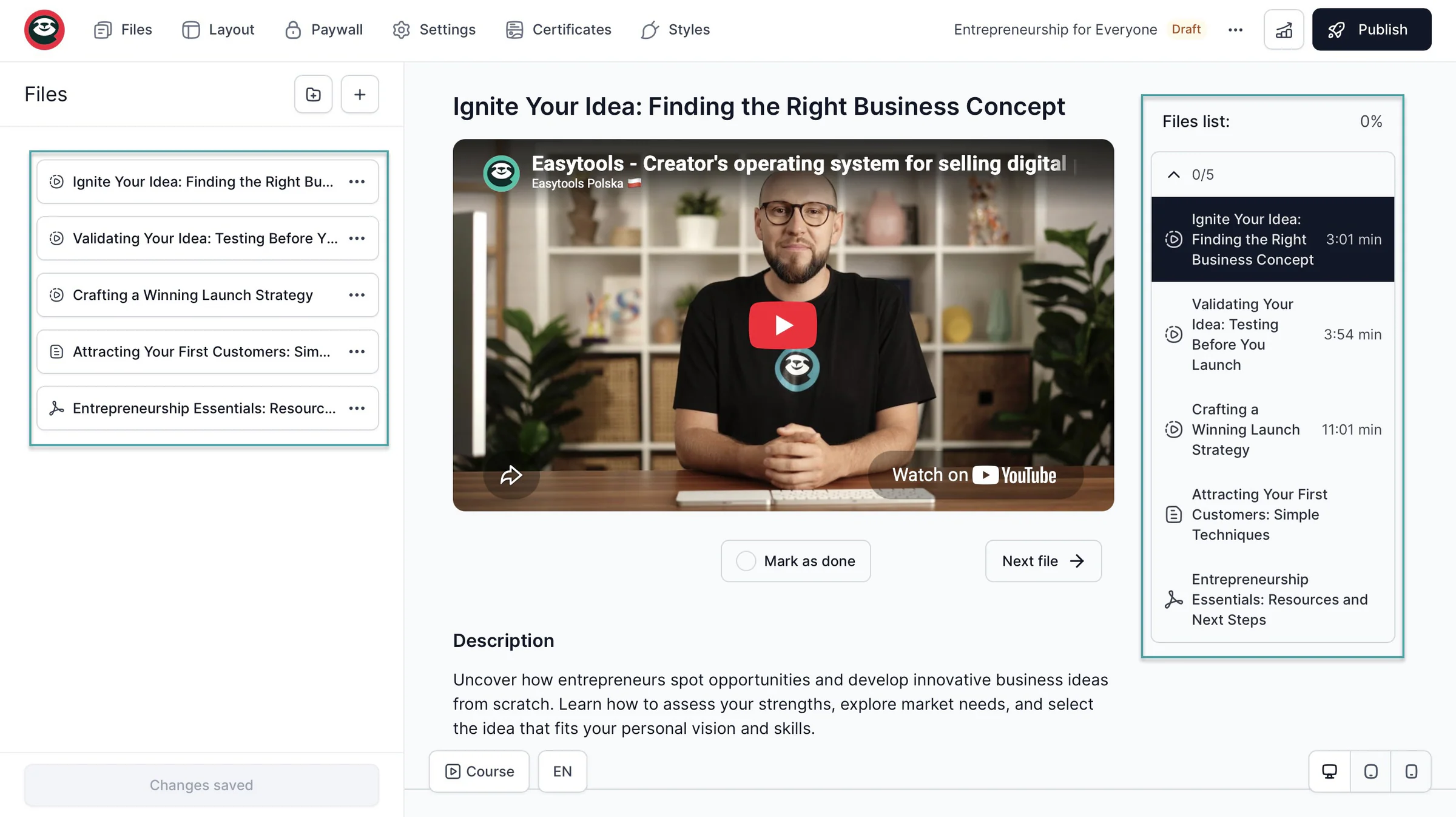
If you’re selling online courses, look for features like course builders, video hosting, quizzes, memberships, certificates, and drip content. Easytools, Systeme.io, and Podia are the ClickFunnel alternatives to use for this because they let you create and sell courses alongside other products.
If you’re selling memberships or subscription-based products, look for features like recurring payments and member management.
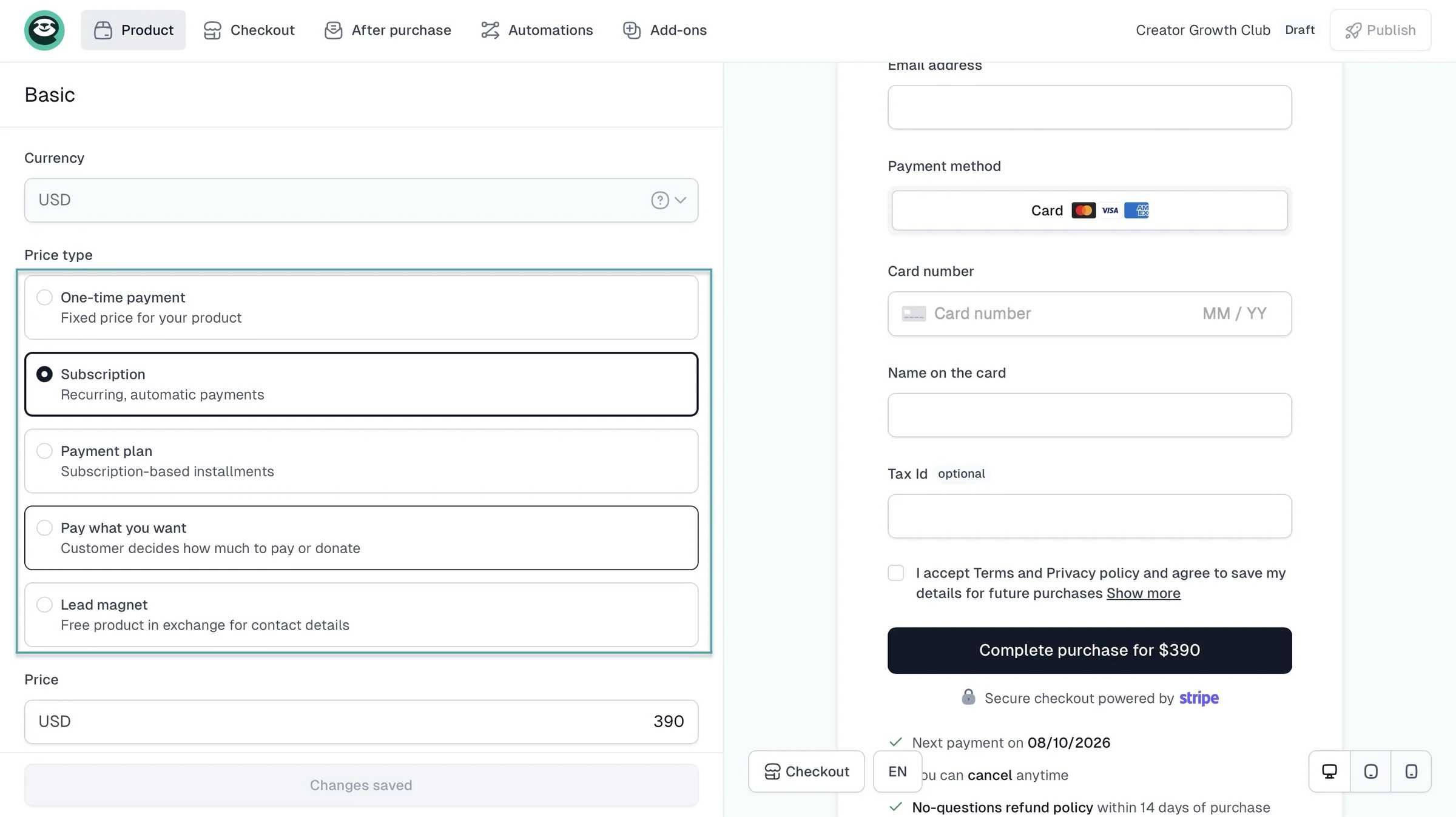
Also consider controls and automations that let you decide who gets access to your content.
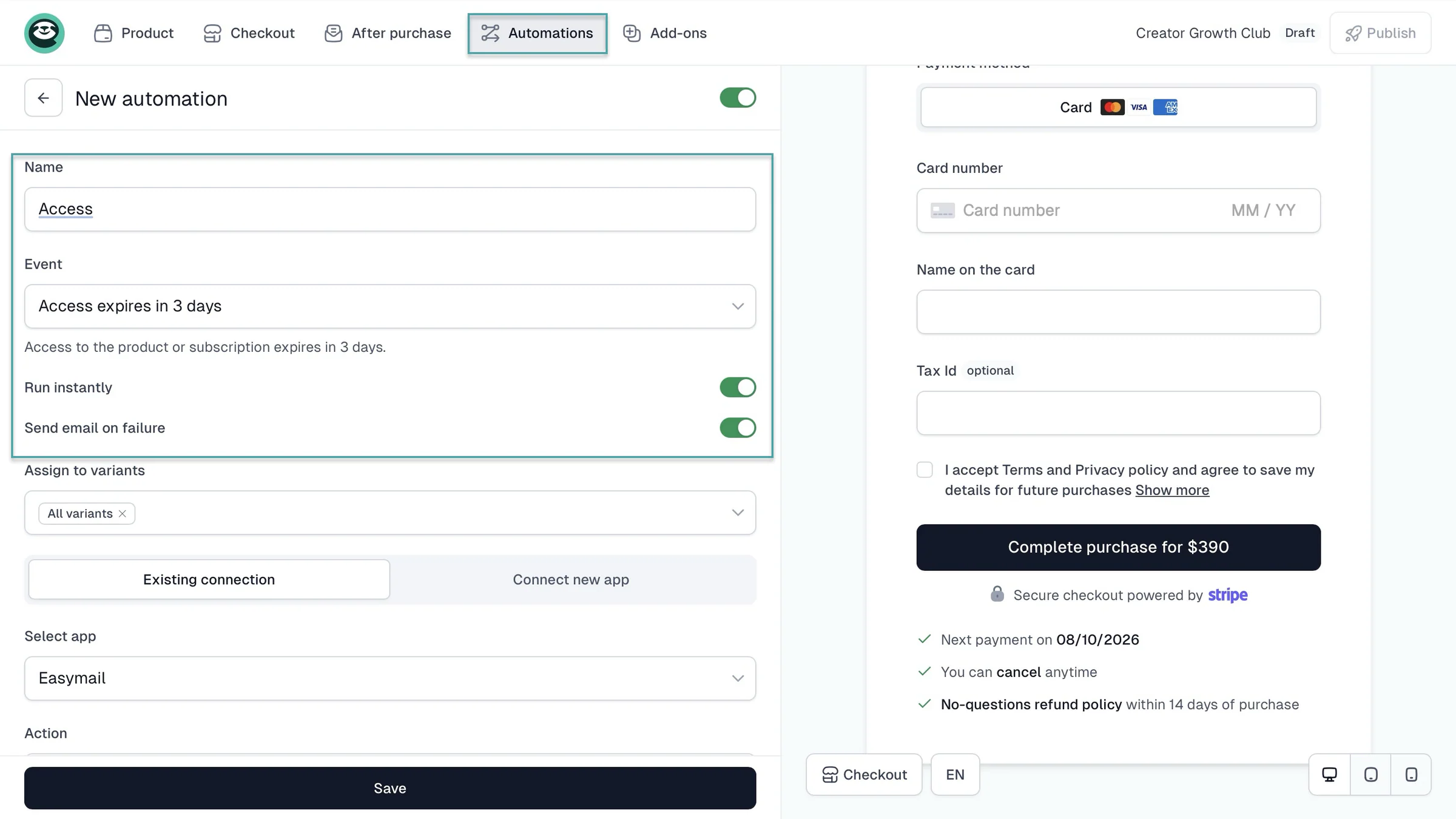
And if your main goal is selling products through a high-converting checkout, go for ClickFunnels alternatives that offer this. For example, Easytools focuses heavily on checkout optimization, upsells, cross-sells, price variants, timer countdown, and order bumps.
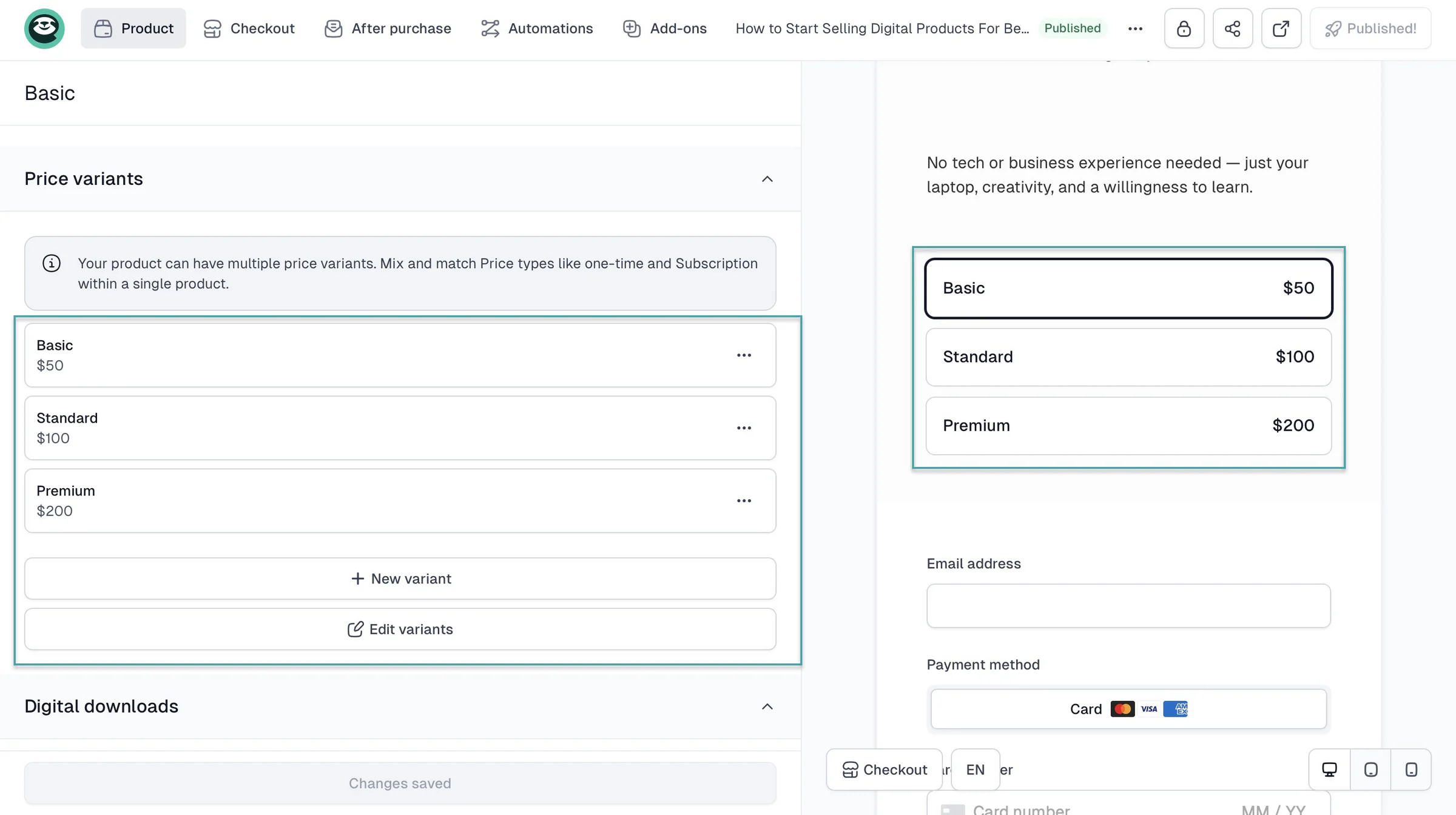
My point is to choose the platform that fits what you’re selling, not the one with the longest feature list.
2. Look at the checkout experience
You should look at the checkout experience before choosing a ClickFunnels alternative.
You want your customers to understand your checkout page. You also want them to pay using the methods they already use.
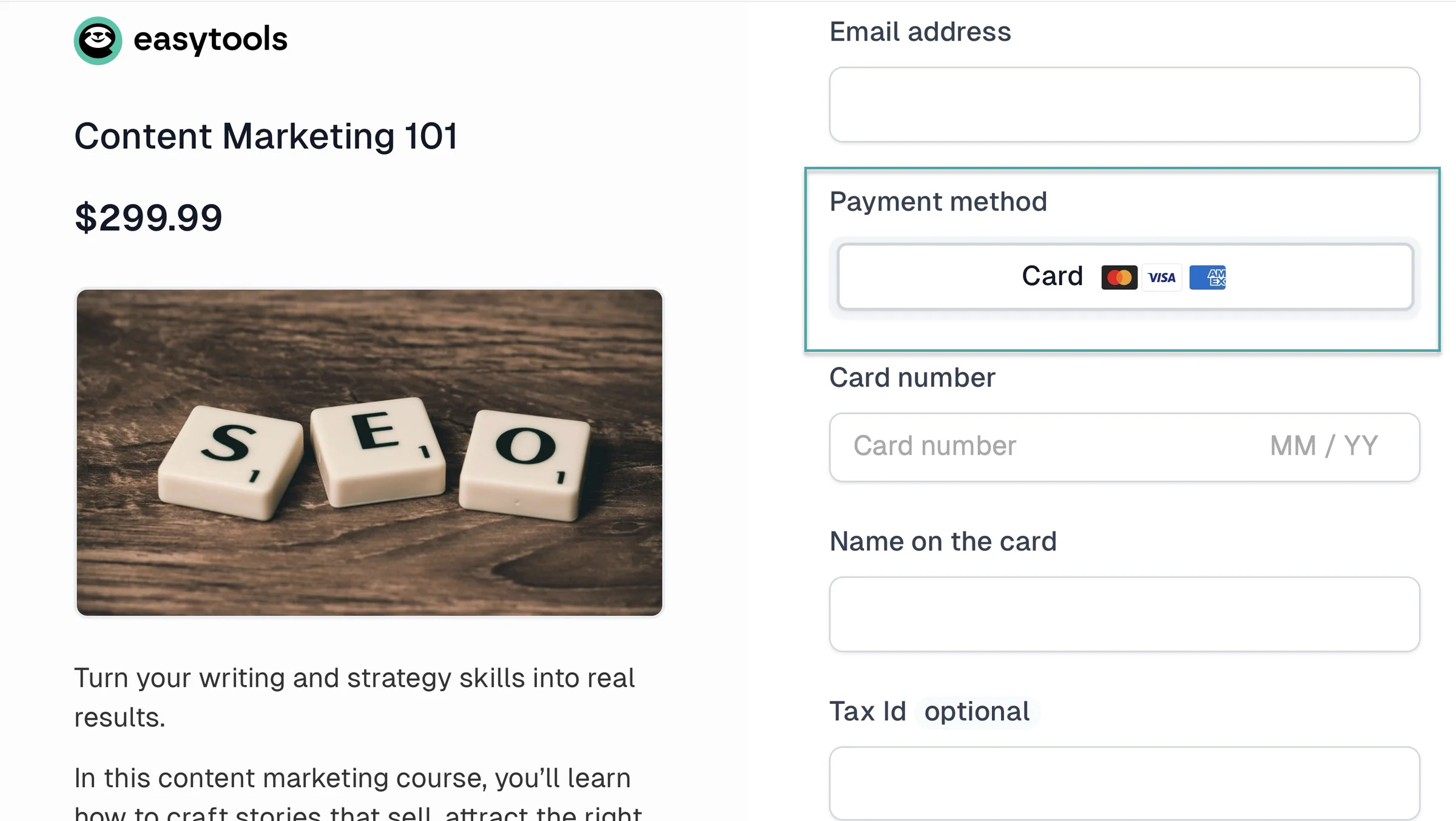
And the checkout should let you add order bumps, upsells, or cross-sells without making the buying process confusing.
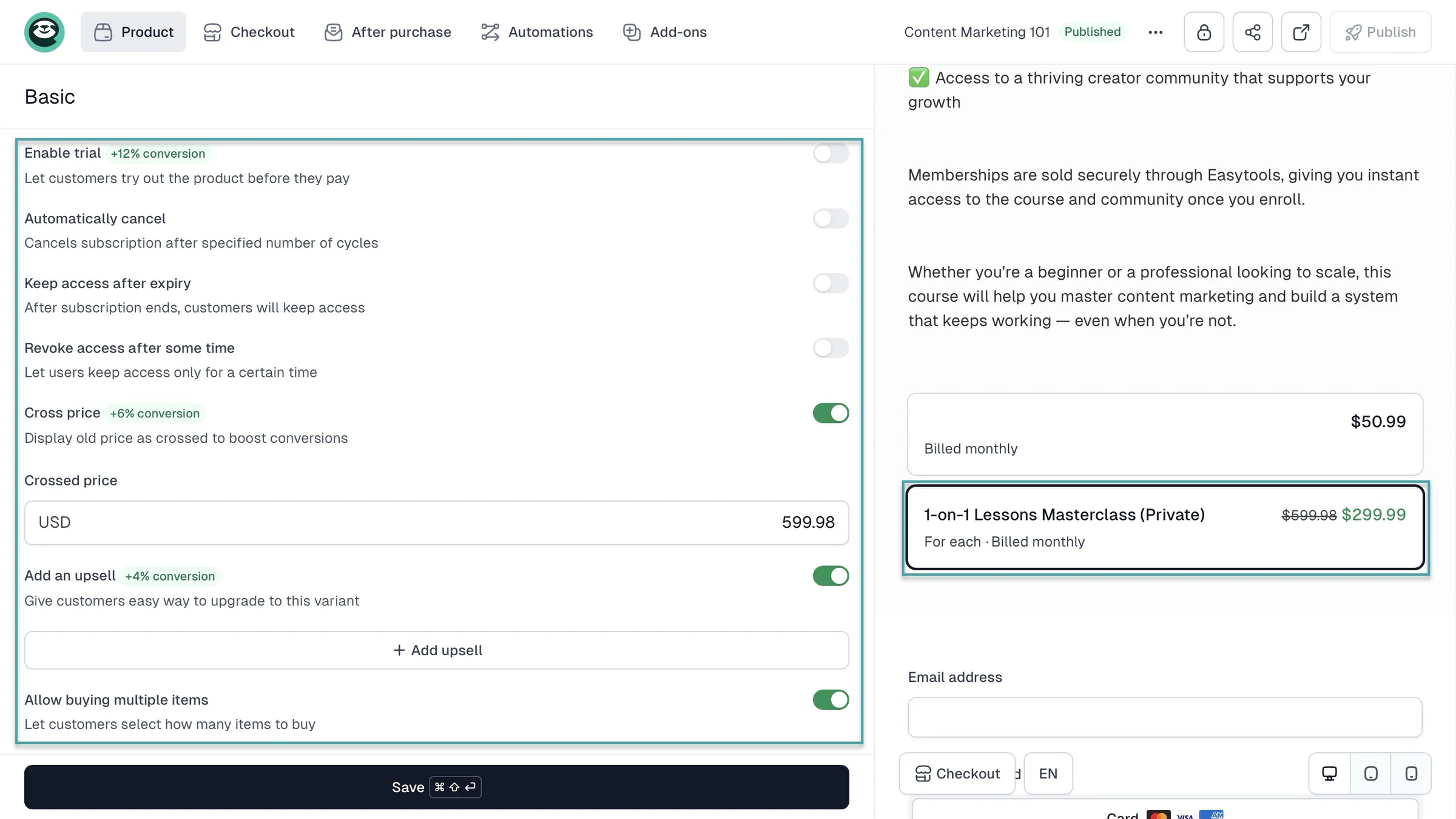
For example, Easytools gives you plenty of tools for improving your checkout, including order bumps, upsells, discounts, coupons, and testimonials.
This can be useful if you want to increase the value of each customer without sending them through a complicated process.
Easytools also lets you create checkout pages and websites for their digital products, or add them to their creator page.
Easytools’ creator page, for example, keeps things simpler, which can work well if you’re selling a few products from a link-in-bio page.
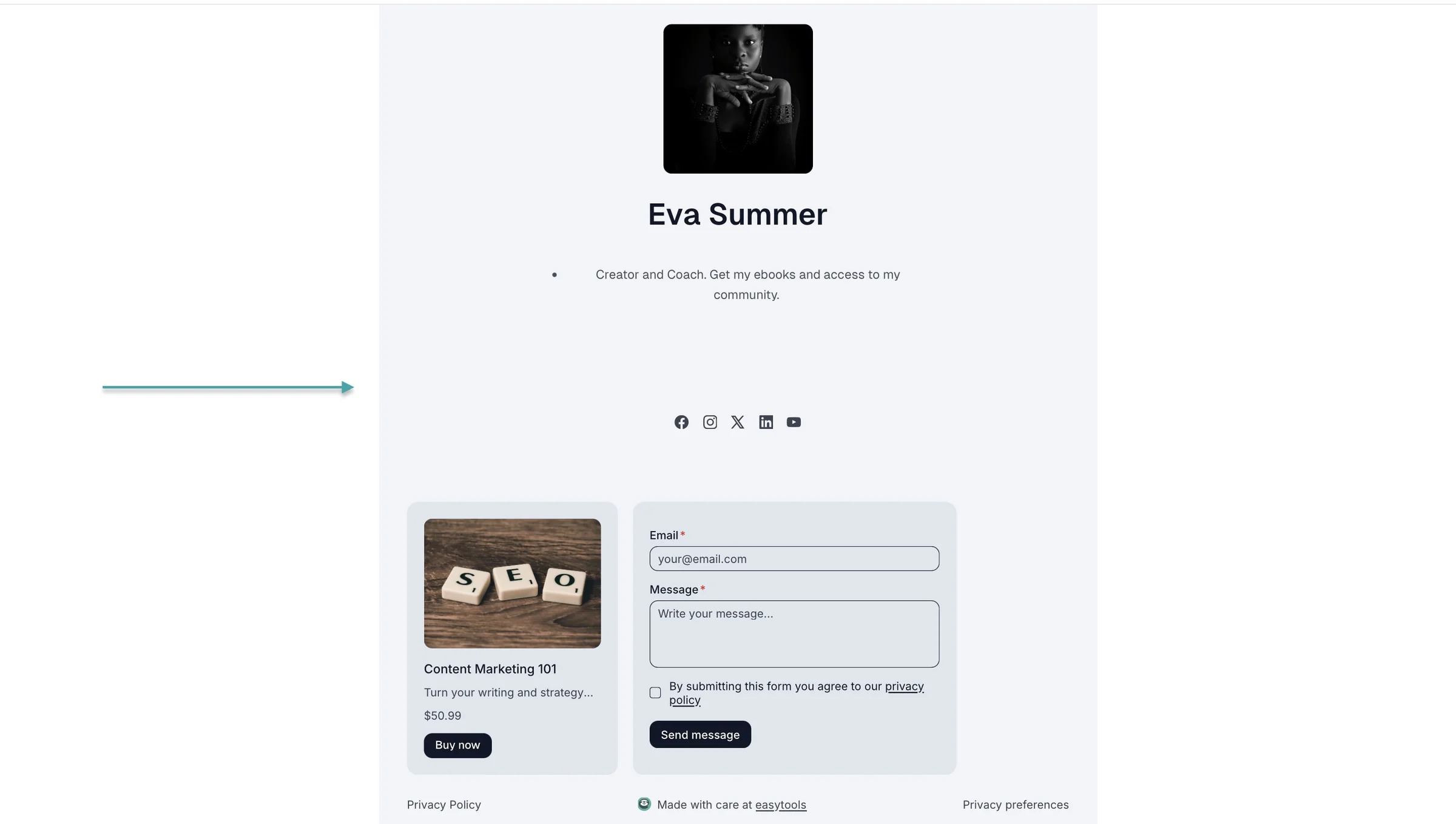
Remember that the checkout experience should ensure customers actually make the purchase and return for more.
3. Think beyond funnels
Funnels are useful, but they shouldn’t be the only thing you look at. So consider what you’ll need to run and grow your business after someone enters your funnel.
For example, you may need email marketing to follow up with leads, automation to handle repetitive tasks, and analytics to see what’s working.
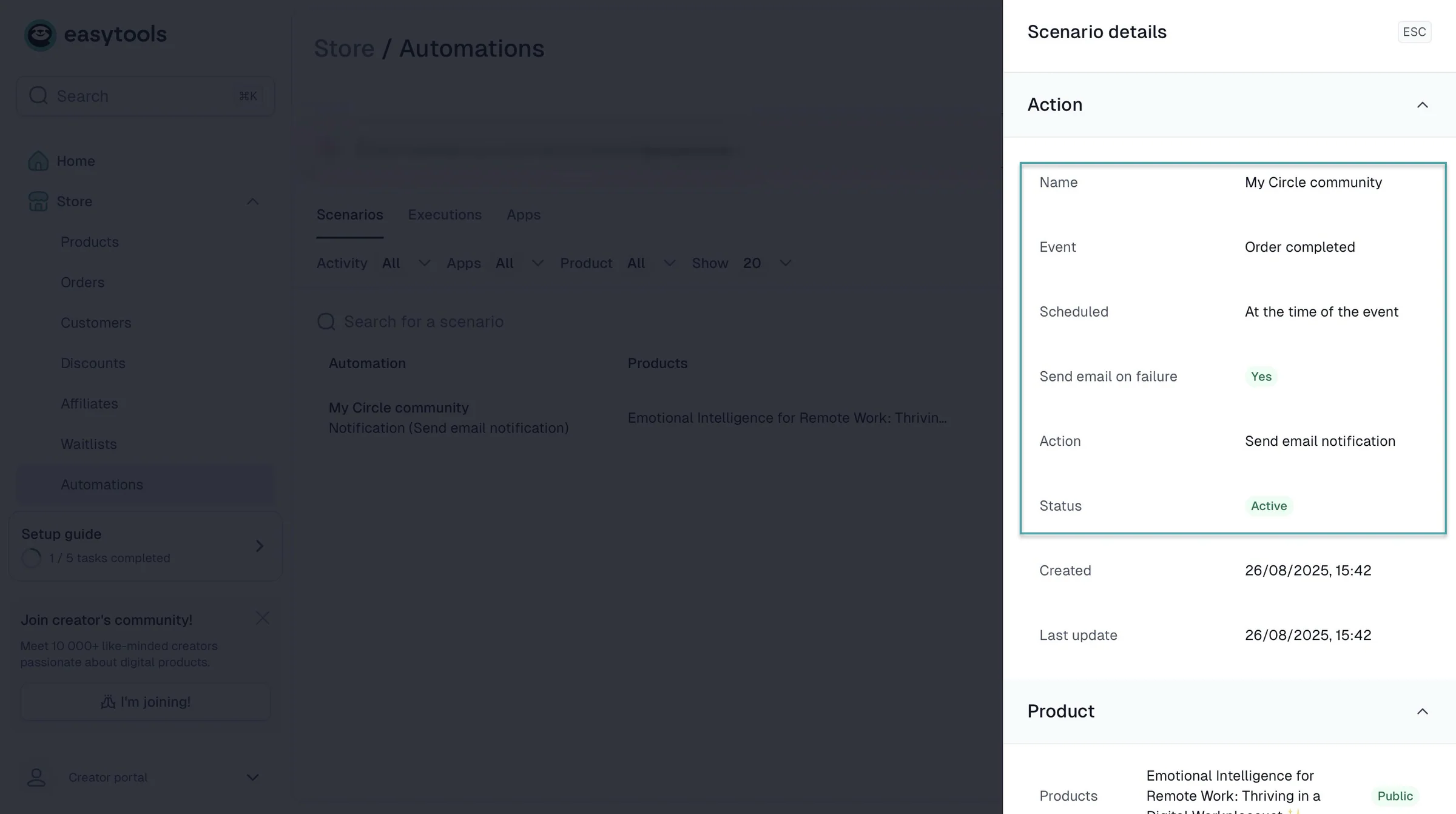
Easytools, for example, gives creators tools for selling digital products as well as email marketing and a multi-page website for those products. You can also add a checkout URL to a newsletter or product on sale on your website.
You can also optimize your landing page, checkout page, creator page, and newsletter for both web and mobile. This means your pages can work well for customers regardless of the device they use.
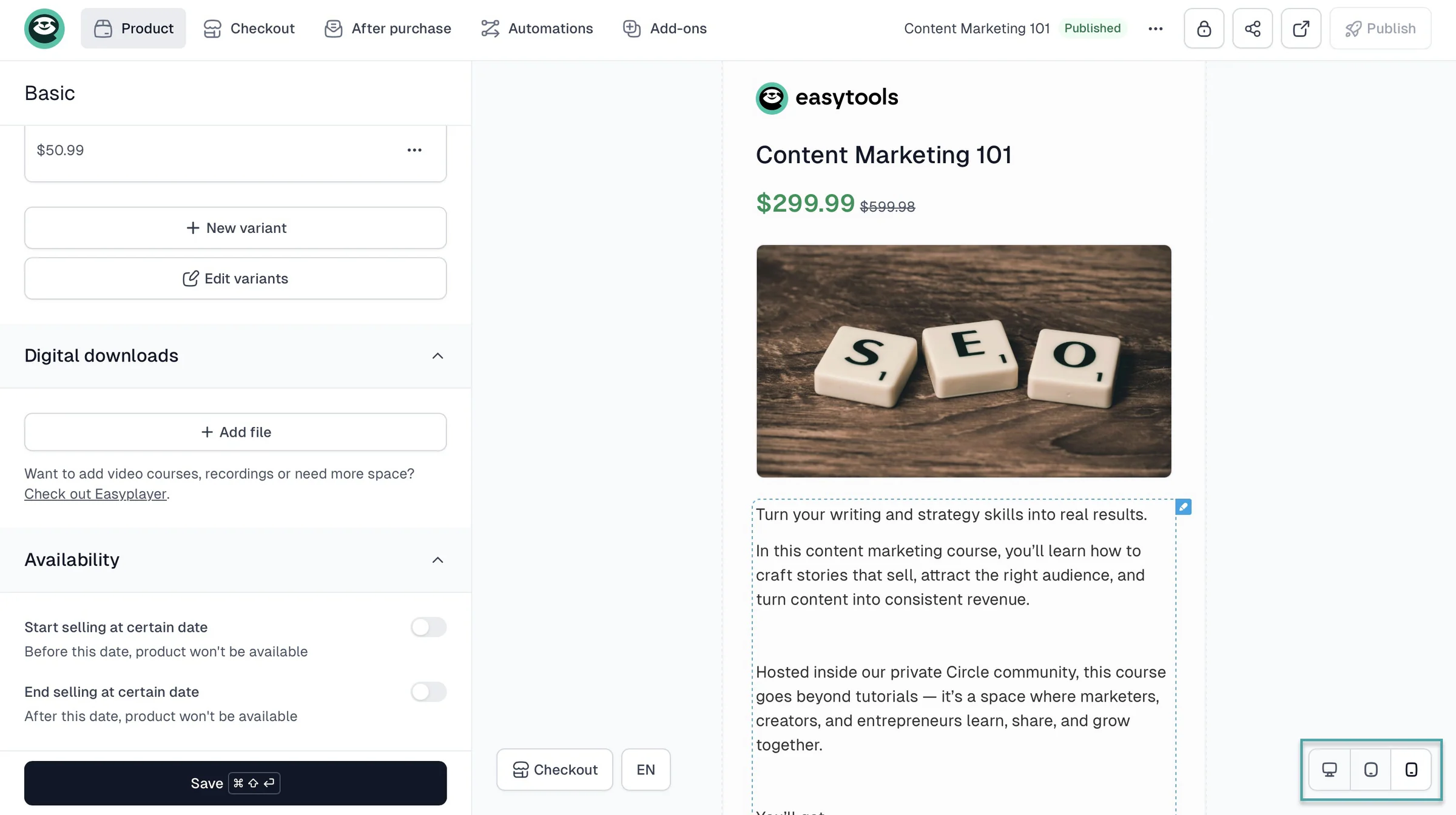
Beyond funnels, the right ClickFunnels alternative will let you automate parts of your business. Like sending emails after someone buys a product or giving customers access to a course automatically.
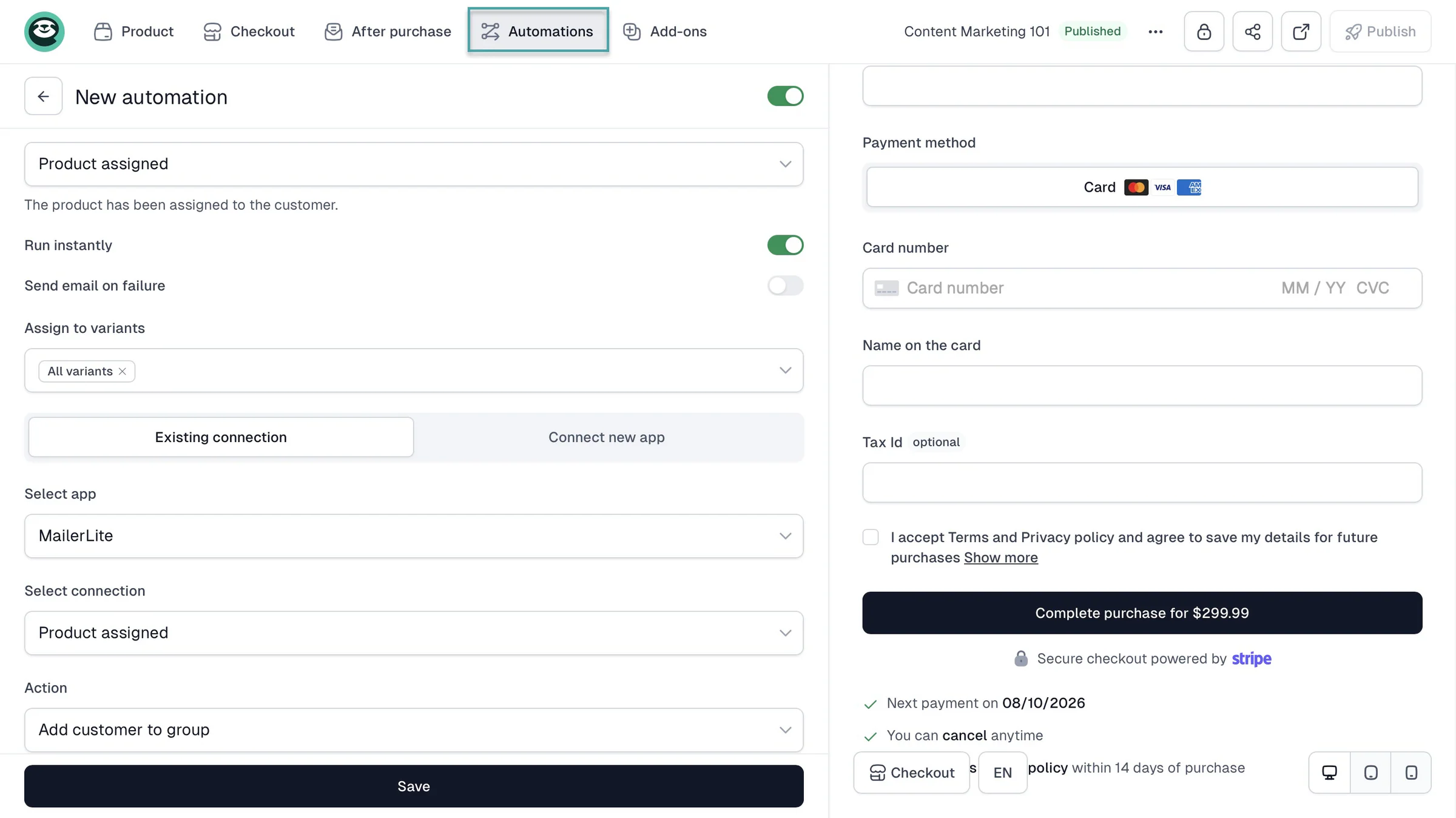
So, you don’t have to handle every step manually as your business grows.
The takeaway is to choose a ClickFunnels alternative that gives you the other tools you need to actually run and grow your business.
4. Compare total cost
When comparing ClickFunnels alternatives, don’t just look at the monthly subscription. Consider how much the platform will cost you as your sales grow.
For example, Podia’s Mover plan costs $42/month and charges a 5% transaction fee.
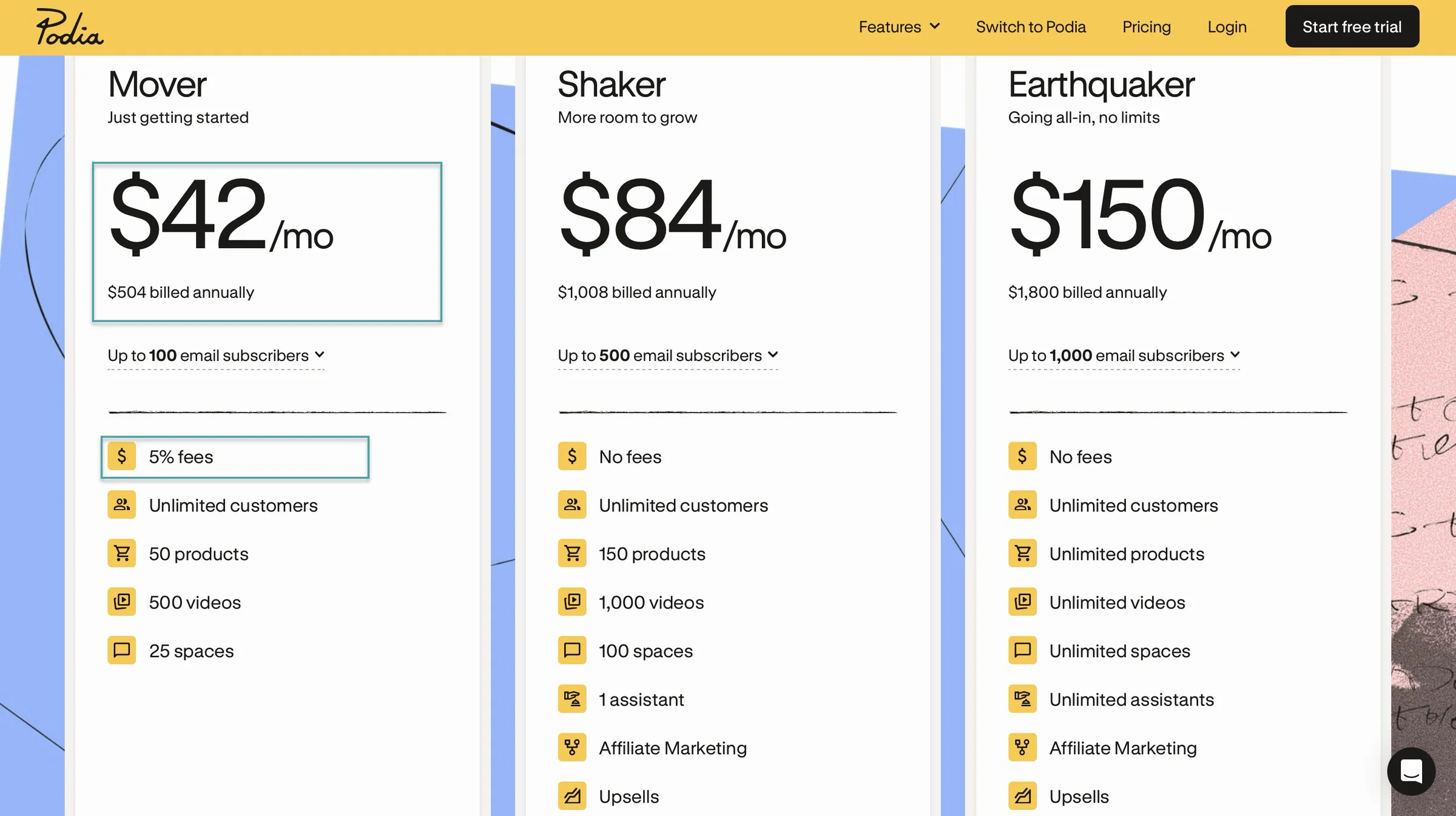
If you make $2,000 in sales in a month, that 5% fee comes to:
$2,000 × 5% = $100
Add the $42 subscription, and you’re paying $142 that month before payment processing fees and other costs.
Now imagine your sales increase to $5,000.
$5,000 × 5% = $250
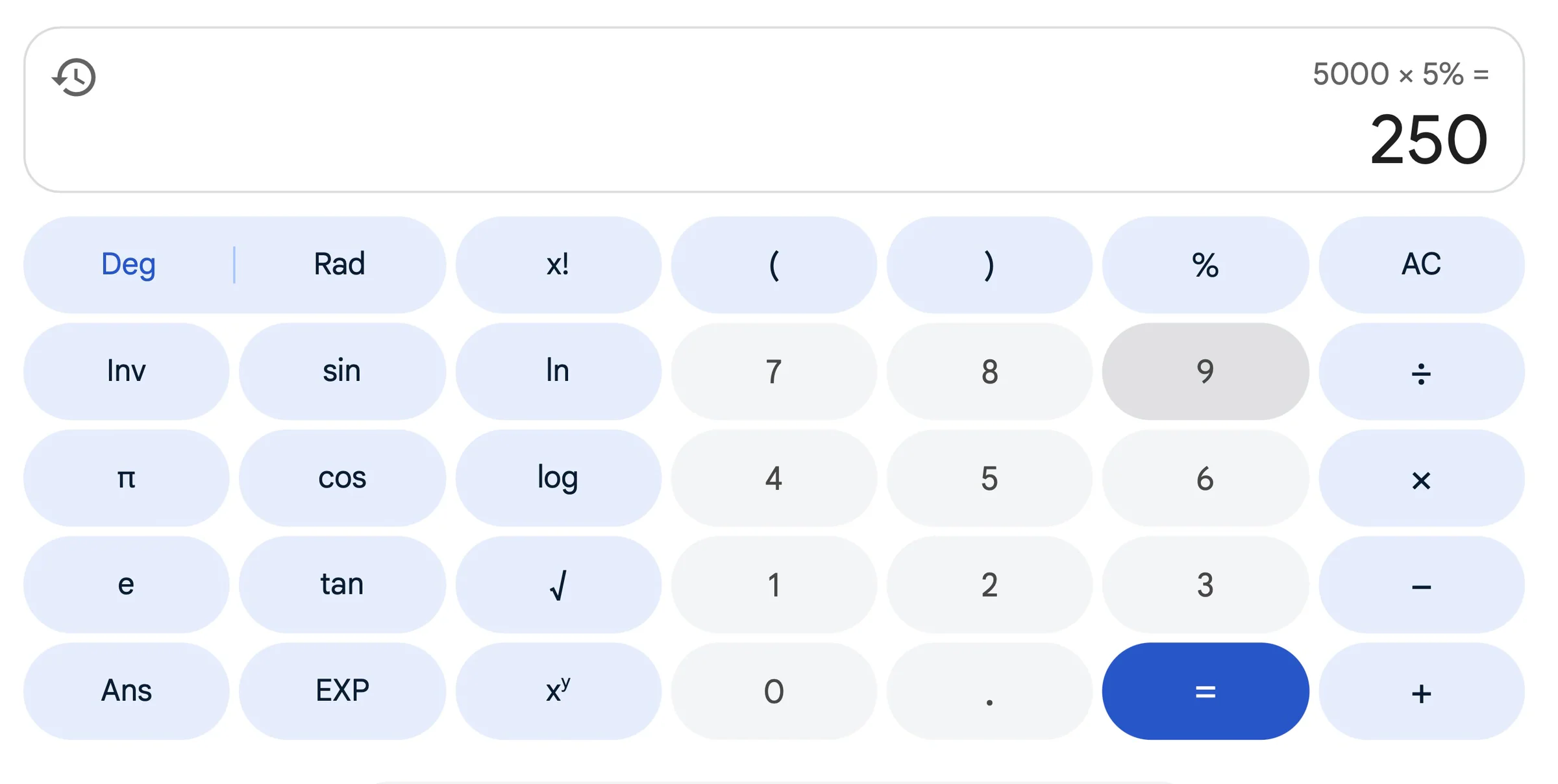
With the subscription, that’s $292 in platform costs.
This is where a transaction fee can start eating into your profits. The more you sell, the more you pay.
That doesn’t mean you should always choose the platform with the lowest monthly price, though.
Easytools, for example, gives you the all-in-one tools to sell and market their products from one place. You only pay 2% and 1% transaction fees on its Creator plan at $59/month and Professional plan at $99/month.
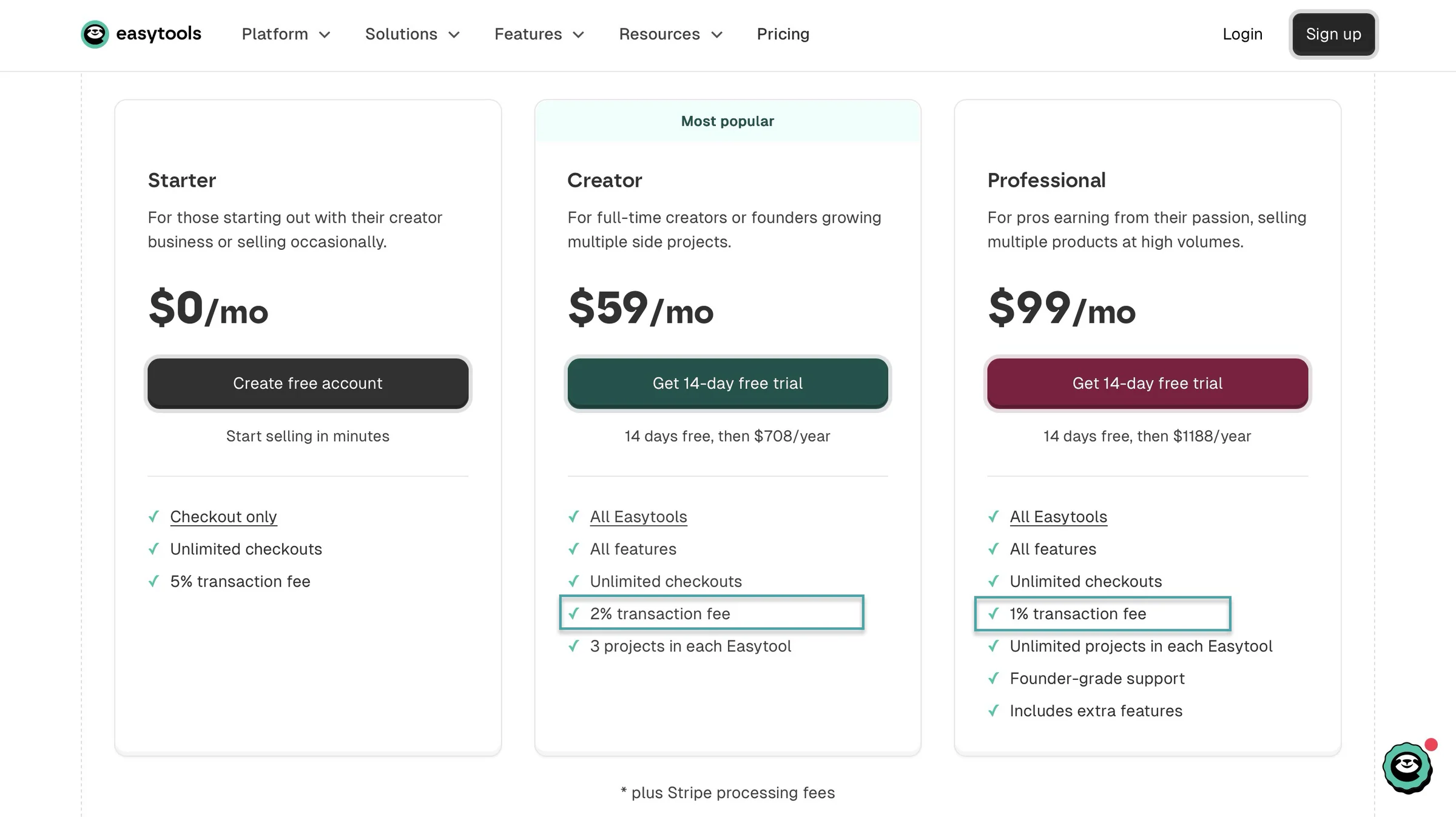
Easytools’ cost makes more sense because it offers you the tools to help you sell a lot and keep more of what you earn.
So, my point is to look at the total cost, not just the price of the plan. Before choosing, take your expected monthly sales and calculate:
Monthly subscription + transaction fees = your platform cost
Then compare that cost across the platforms you’re considering. It’ll give you a much better idea of which ClickFunnels alternative actually makes financial sense for your business.
Choose the best ClickFunnels alternatives
It’s good you’ve made it to the end because now you know the best ClickFunnels alternatives will help you do more than just build funnels.
They can help you sell products, collect leads, automate your marketing, and grow your business without complicating things.
The right choice depends on what you sell, how you want customers to buy from you, the features you need, and how much you’re willing to spend.
So take your time, compare your options, and choose the ClickFunnels alternative that fits your business, not just the one with the longest feature list.
FAQs
What are the best ClickFunnels alternatives?
The best ClickFunnels alternatives are Easytools, Systeme.io, Podia, Kartra, ThriveCart, and Stan Store. Easytools makes this list because it’s an all-in-one platform for selling and marketing digital products for even non-technical creators.
Are there ClickFunnels alternatives with a free plan?
Yes, there are ClickFunnels alternatives with a free plan. Examples are Easytools and Systeme.io. And with Easytools’ free plan, you can create unlimited checkouts. You only pay a 5% transaction fee on every sale.
What are the best ClickFunnels alternatives for email marketing?
The best ClickFunnels alternatives for email marketing are Easytools, Systeme.io, Podia, Kartra, ThriveCart, and Stan Store. With Easytools’ email marketing feature, for example, you can track revenue if you add the checkout URL to a newsletter.
Can I build sales funnels without ClickFunnels?
Yes. You can build sales funnels without ClickFunnels. For example, Easytools lets you create landing pages, sell products, collect leads, and set up email marketing and automation in one place. This means you can guide someone from discovering your offer to buying it without needing ClickFunnels.
What are the best ClickFunnels alternatives for selling digital products?
The best ClickFunnels alternatives for selling digital products include Easytools, Systeme.io, Podia, Kartra, ThriveCart, and Stan Store. Easytools offers you the funnel features you actually need, like landing pages, checkout pages, upsells, email follow-ups, and automation.