Online business
35 min read6 best SamCart alternatives in 2026! Features, prices, pros, and cons
Discover top SamCart alternatives including Easytools, Sellfy, Shopify, Payhip, Gumroad, and LearnWorlds. Compare features, pricing, and integrations to find the best checkout platform.
- Written by
- Adam Gospodarczyk
- Reviewed by
- Marta Jagosz
- Updated on
- May 1, 2026
- Published on
- April 30, 2026


SamCart says that you pay $79 to get all features upfront. And the price increases only as your business grows.
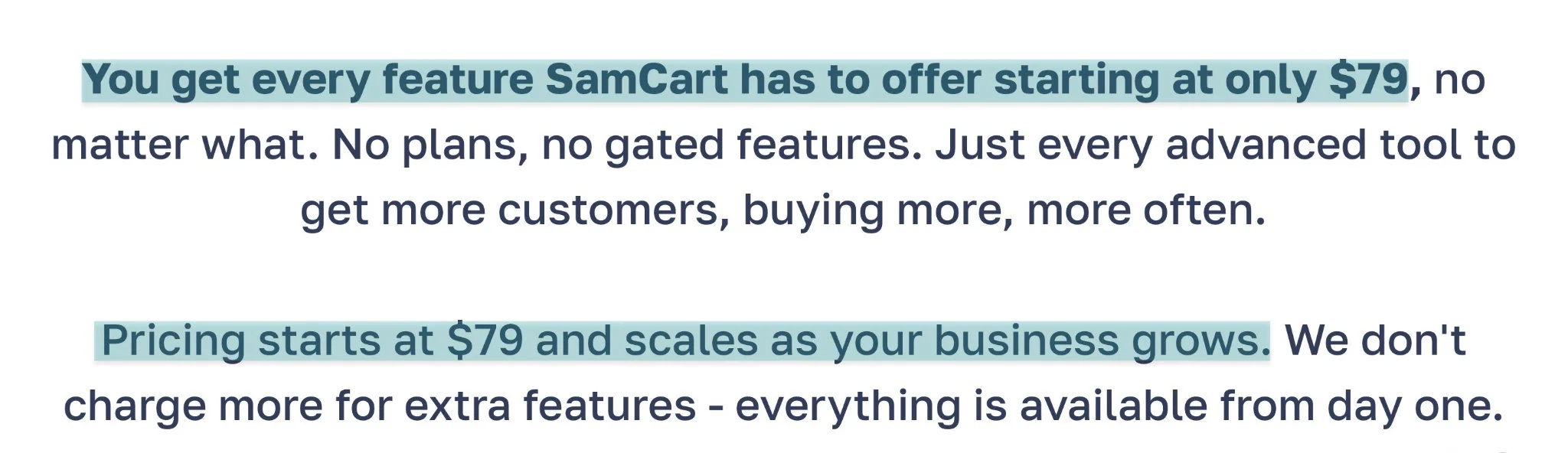
It sounds great, but the downsides are:
- You don’t need all those features, so you’re paying for something you may not use.
- Pricing scales with your business, which makes it harder to predict monthly expenses.
So it’s perfectly understandable if you’re looking for SamCart alternatives.
The good news is I tested and reviewed 6 of them over the past 10 days.
In this guide, I’ll break down the features, pricing, pros, and cons of these SamCart alternatives. I’ll also help you choose the right one for your business.
Let’s go.
TL;DR
-
The best SamCart alternatives are:
-
1. Easytools
-
2. Sellfy
-
3. LearnWorlds
-
4. Payhip
-
5. Shopify
-
6. Gumroad
-
To choose the right SamCart alternative, consider the types of products you sell, review pricing and transaction fees, assess integration with other tools, and evaluate sales and marketing features.
-
Easytools is the better SamCart alternative for creators, beginners, and scaling businesses who sell digital products and want optimized checkout conversions without complexity.
Best SamCart alternatives compared
| Platform | 1-click upsells | Affiliate management | Subscription billing | Checkout page builder | Starting plan | Best for |
|---|---|---|---|---|---|---|
| Easytools | ✅ Yes: It supports post-purchase upsells and cross-sells without re-entering payment details | ✅ Yes: Built-in affiliate system with tracking | ✅ Yes: It supports recurring payments (monthly, yearly, weekly, and daily) | Optimized checkout pages with high customization (conversion-focused) | Starter: $0/month + 5% transaction fee + unlimited checkouts | Creators, entrepreneurs, and startups seeking to sell various digital products online have a storefront and own their own website. |
| Sellfy | ⚠️ Limited: It works as a pop-up offer. | ✅ Yes: Built-in affiliate system with commission tracking | ✅ Yes: It supports subscriptions (monthly/yearly) | Storefront-based checkout with basic branding customization (no dedicated checkout builder) | Starter: $22/month + unlimited products | Artists and individuals seeking an all-in-one store to sell Print-on-demand merchandise and digital products. |
| LearnWorlds | ⚠️ Limited: Upsells via funnels, not true 1-click post-checkout | ✅ Yes: Built-in affiliate system. Tracks clicks and sets up commissions. | ✅ Yes: Memberships and subscriptions supported | Checkout integrated into page builder (drag-and-drop pages, limited checkout-specific control) | Starter: $24/month + $5 per course enrollment + unlimited paid courses. | Educators and businesses seeking a platform to build professional online academies. |
| Payhip | ✅ Yes: Through its built-in marketing tools. | ✅ Yes: Built-in affiliate system with commission tracking | ✅ Yes: It supports recurring subscriptions | Simple checkout pages with minimal customization (no templates or builder) | Free Forever: $0/month + 5% transaction fee + unlimited products | Solopreneurs and creators seeking to sell digital products and track sales. |
| Shopify | ⚠️ It works with apps. | ✅ Yes: Through the Shopify Affiliate Program | ⚠️ Limited: Subscriptions via apps | Theme-based checkout with customization via apps (advanced but limited without Shopify Plus) | Basic: €21/month, billed annually + 10 inventory locations | Businesses running large ecommerce operations with a focus on physical product brands. |
| Gumroad | ✅ Yes: Supports upsells and cross-sells without re-entering information. | Yes: Through affiliate links or the Gumroad Affiliate Program. | ✅ Yes: It supports recurring subscriptions | Very simple checkout with minimal customization (no templates or builder) | Free: 10% + 0.50 | Freelancers and independent creators seeking a simple solution to sell digital products through a marketplace. |
6 best SamCart alternatives
1. Easytools
- Personal rating: ⭐️⭐️⭐️⭐️⭐️ 4.8/5 - You can sell all sorts of digital products, create a storefront, and a website.
- Ease of use: ⭐️⭐️⭐️⭐️⭐️ 4.8/5 - It’s very easy to create and customize checkouts. You can also easily generate a website with AI.
- Digital products supported: E-books, online courses, PDFs, Notion templates, services, SaaS, webinars, live events.
- Integrations: HubSpot, Pipedrive, Airtable, Mailchimp, Zapier, Make, Circle, Discord.
- Starting plan: Starter - $0/month + 5% transaction fee + unlimited checkouts
The list of the best SamCart alternatives starts with Easytools.
It is an all-in-one platform that helps you sell physical and digital products, including e-books, Notion templates, online courses, PDFs, SaaS, live events, and webinars.
You can build product pages, add testimonials, gate content, collect payments, automatically deliver files or access, manage customers, and email lists, all from a single dashboard.
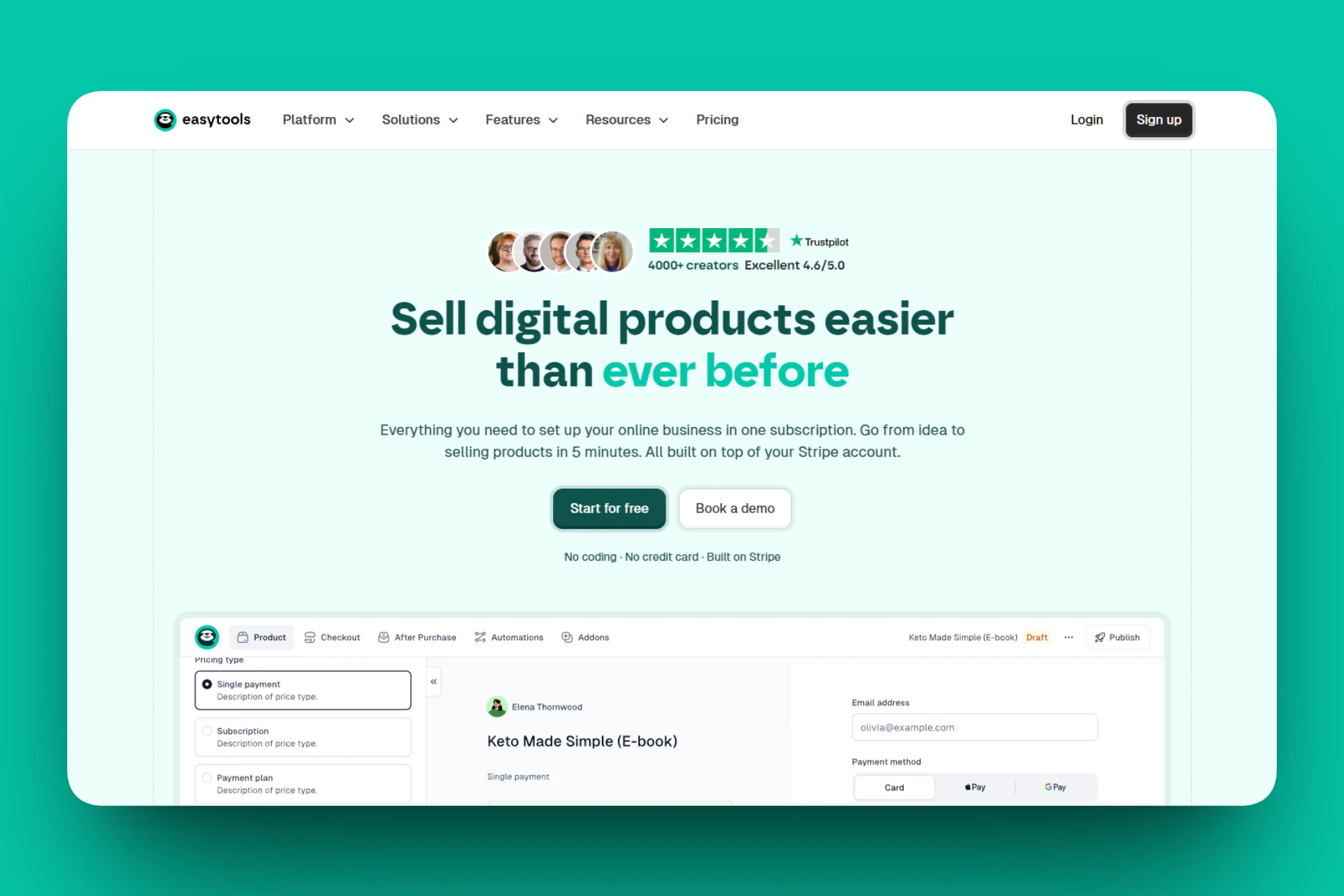
After creating your digital product, you can put it behind a paywall before publishing and sharing it.
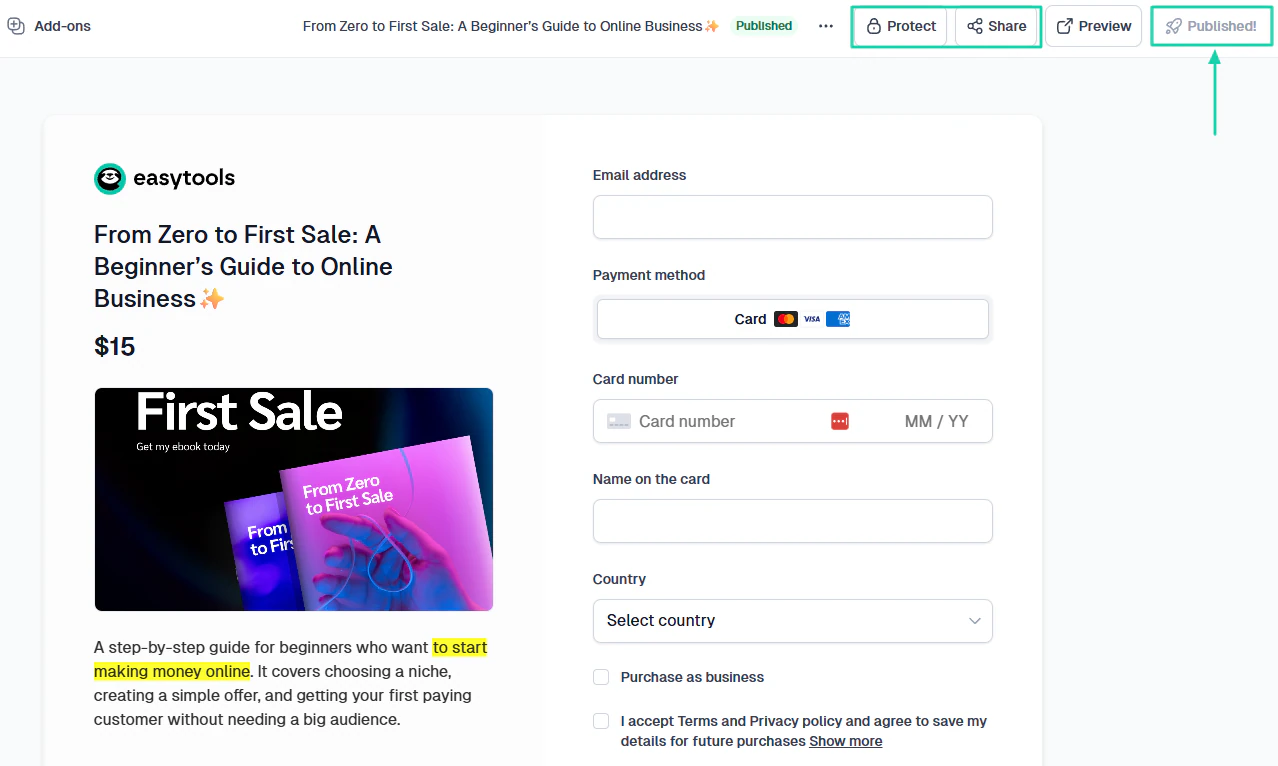
When you create and sell multiple products, you need an online store so people can see everything you have for sale. With Easytools, you can even customize your storefront.
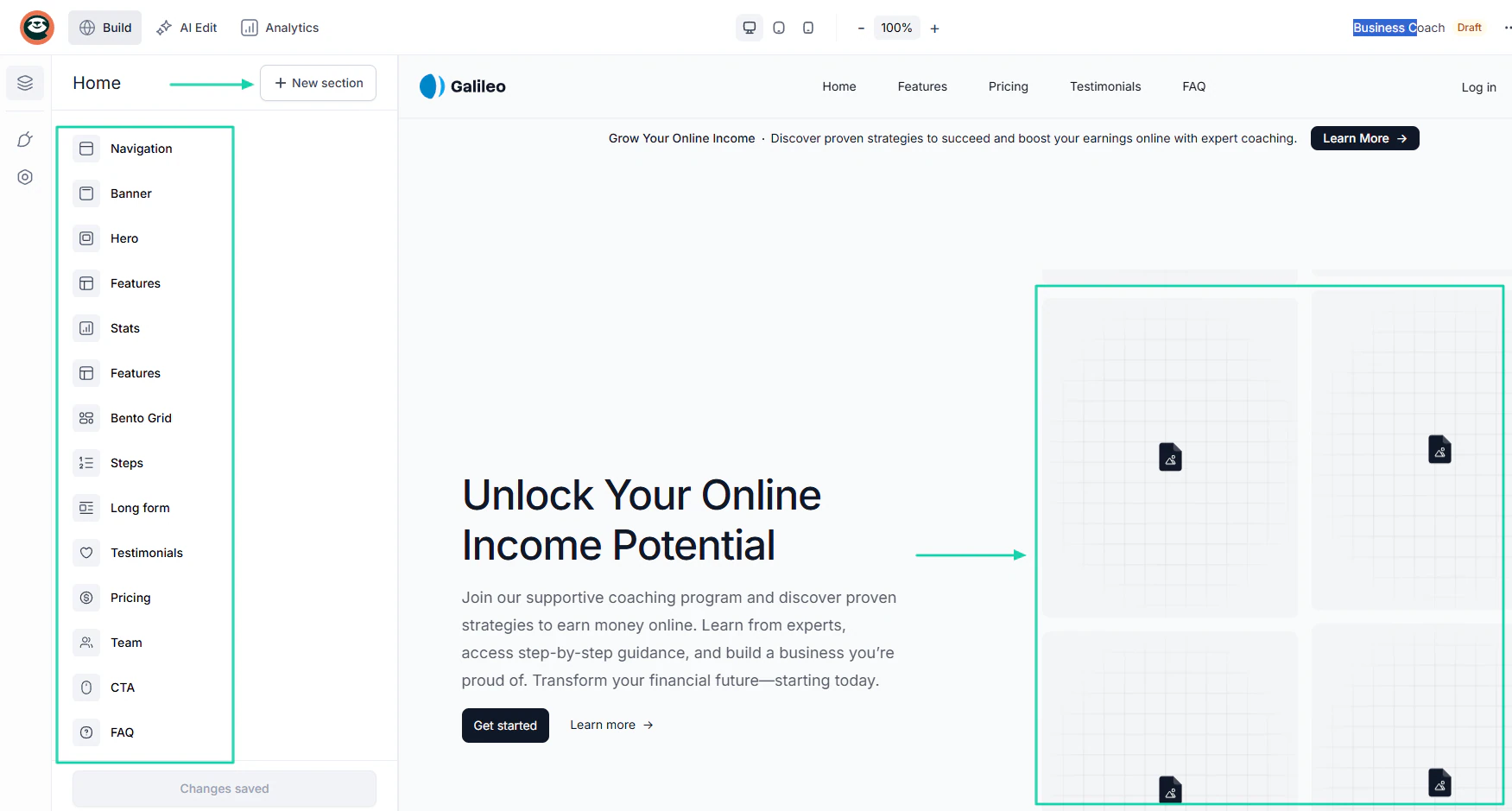
But you can take it to the next level by building your website with our AI. Then, you’ll customize it to your liking.
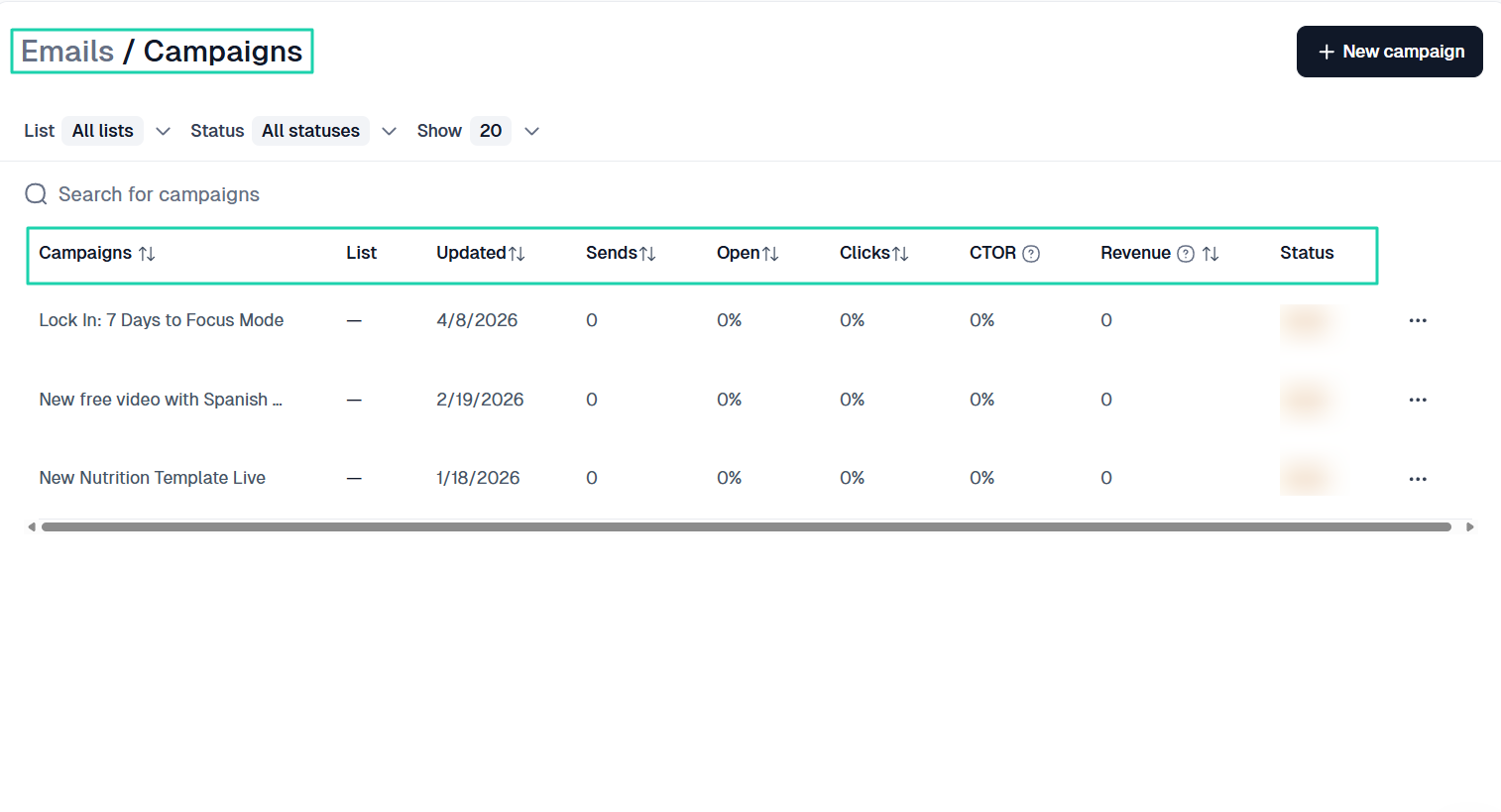
The platform also lets you send email campaigns to your customers and track the email performance.
[fs-toc-omit]What I loved about Easytools
1. Store
Easytools’ store feature lets you create and sell a variety of digital products, including e-books, online courses, Notion templates, and PDFs.
For this tutorial, I will show you how to create an e-book.
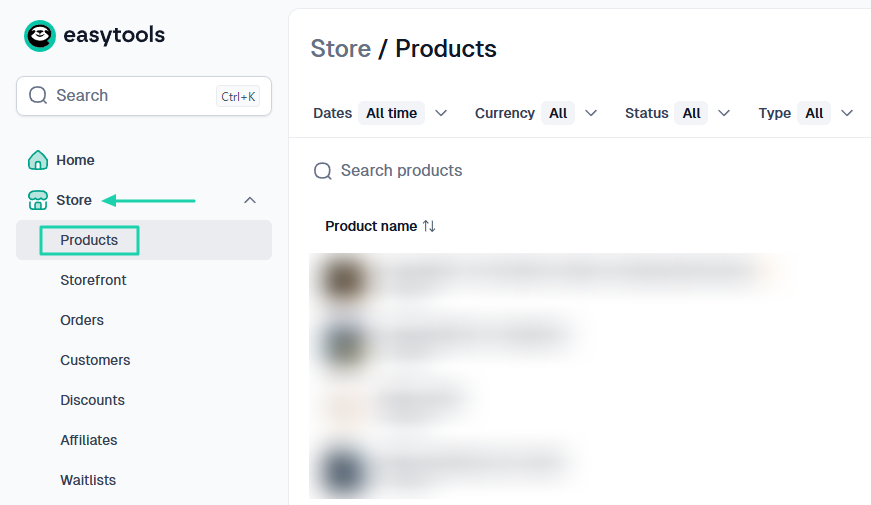
Start by clicking “Store” in the sidebar menu, then go to “Products.”
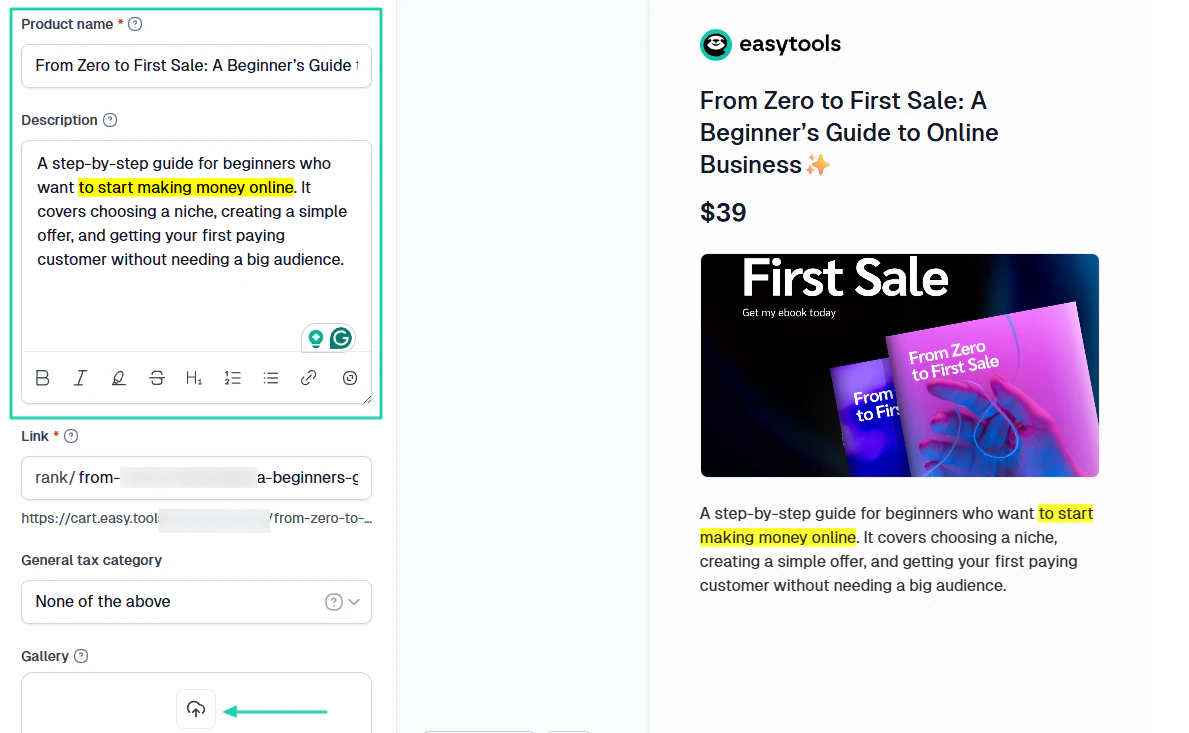
You have to enter your e-book name, description, and add an image.
The good news is that the right side of the interface shows a preview of your checkout.
Next, choose the currency and price type, then add your price. The platform lets you define how you want to handle the tax.
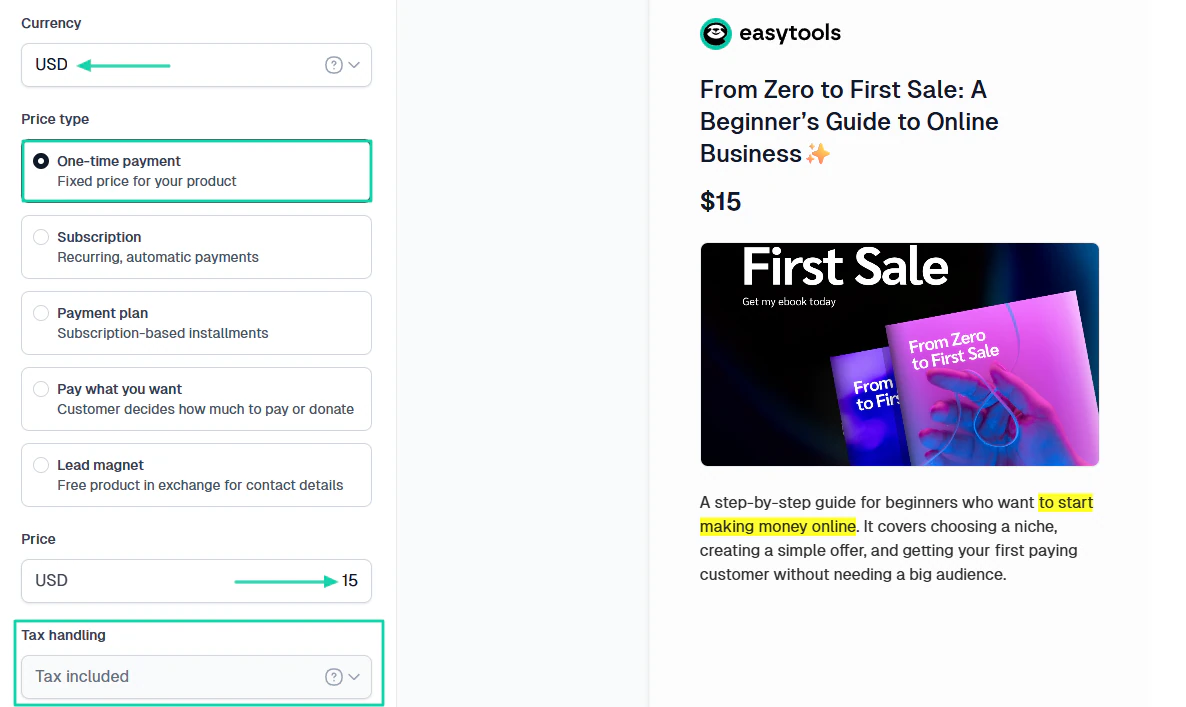
Now, under “Digital downloads,” you will upload your file. It’s also worth noting that you can add your product link.
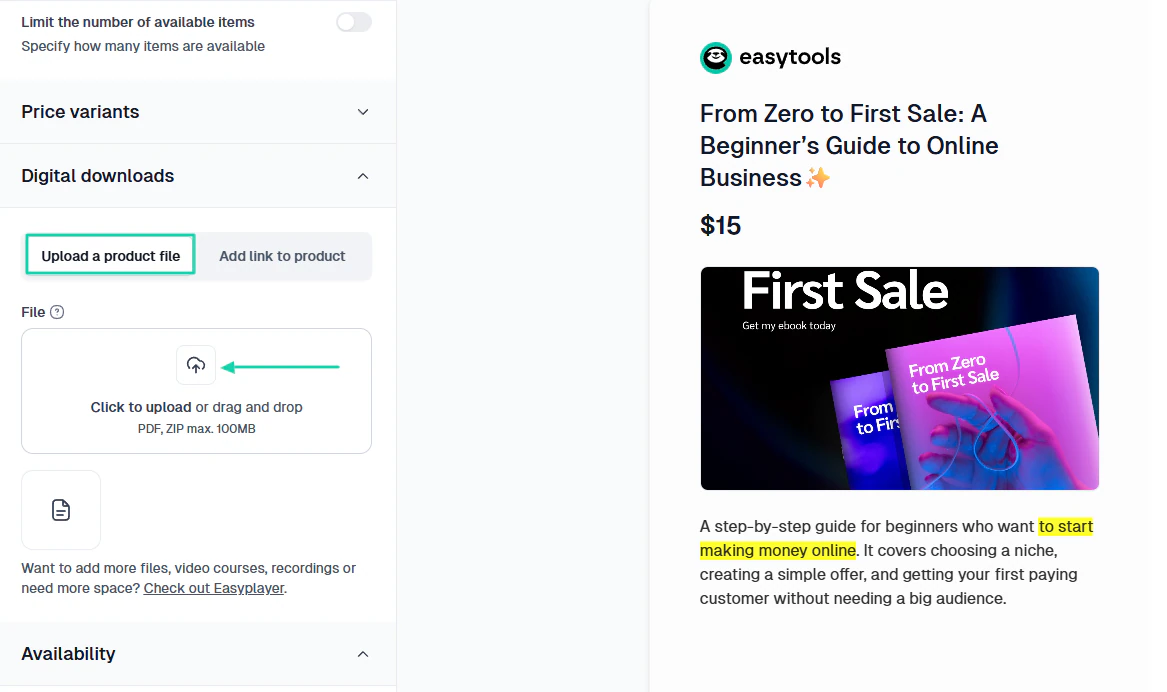
That’s basically it! You can now protect your content, publish, and share it.
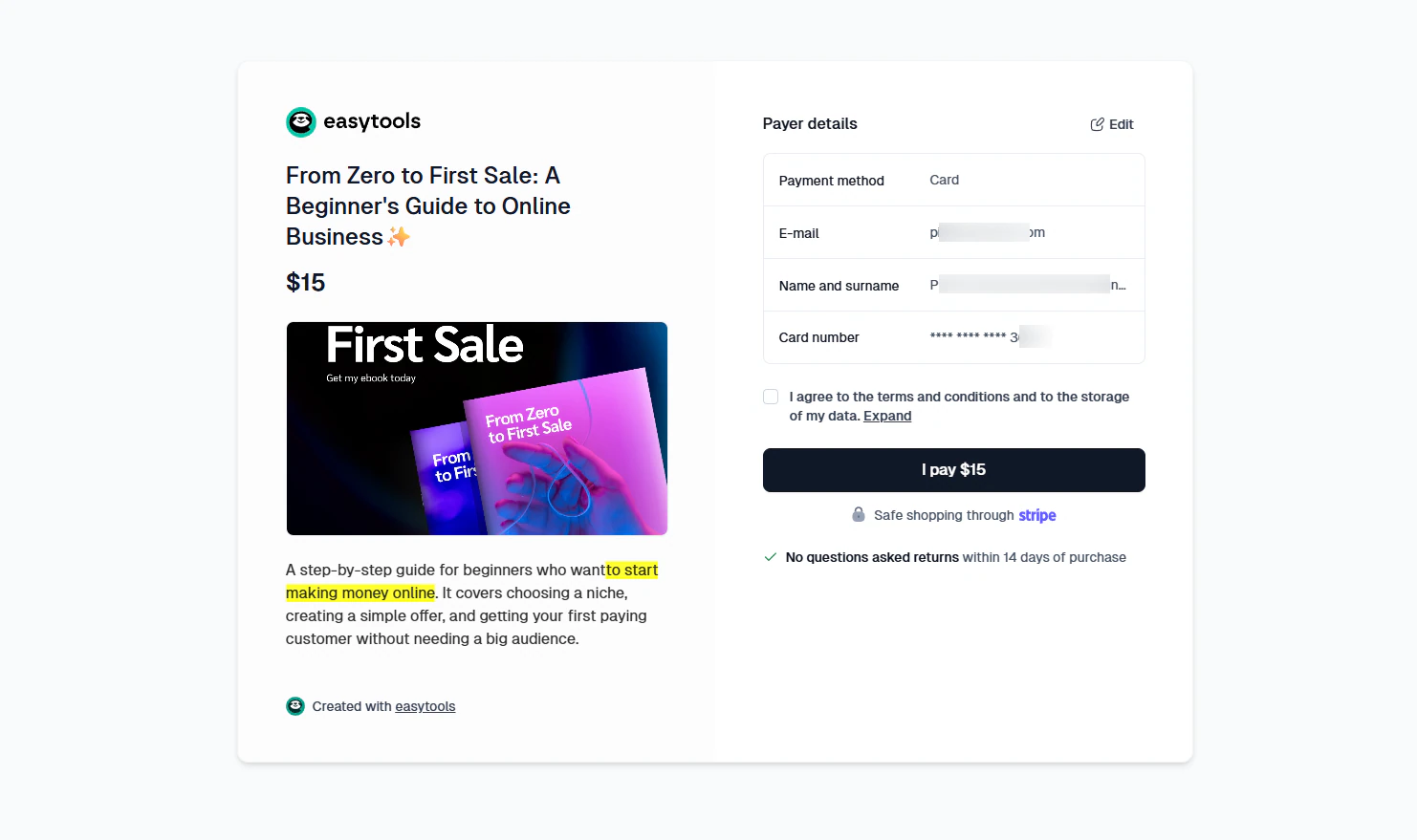
This is how the checkout page looks.
2. Email
Easytools’ email feature lets you send marketing campaigns to customers. You can add contacts manually, import them, or automatically collect them through Easycart.
Let me show you how.
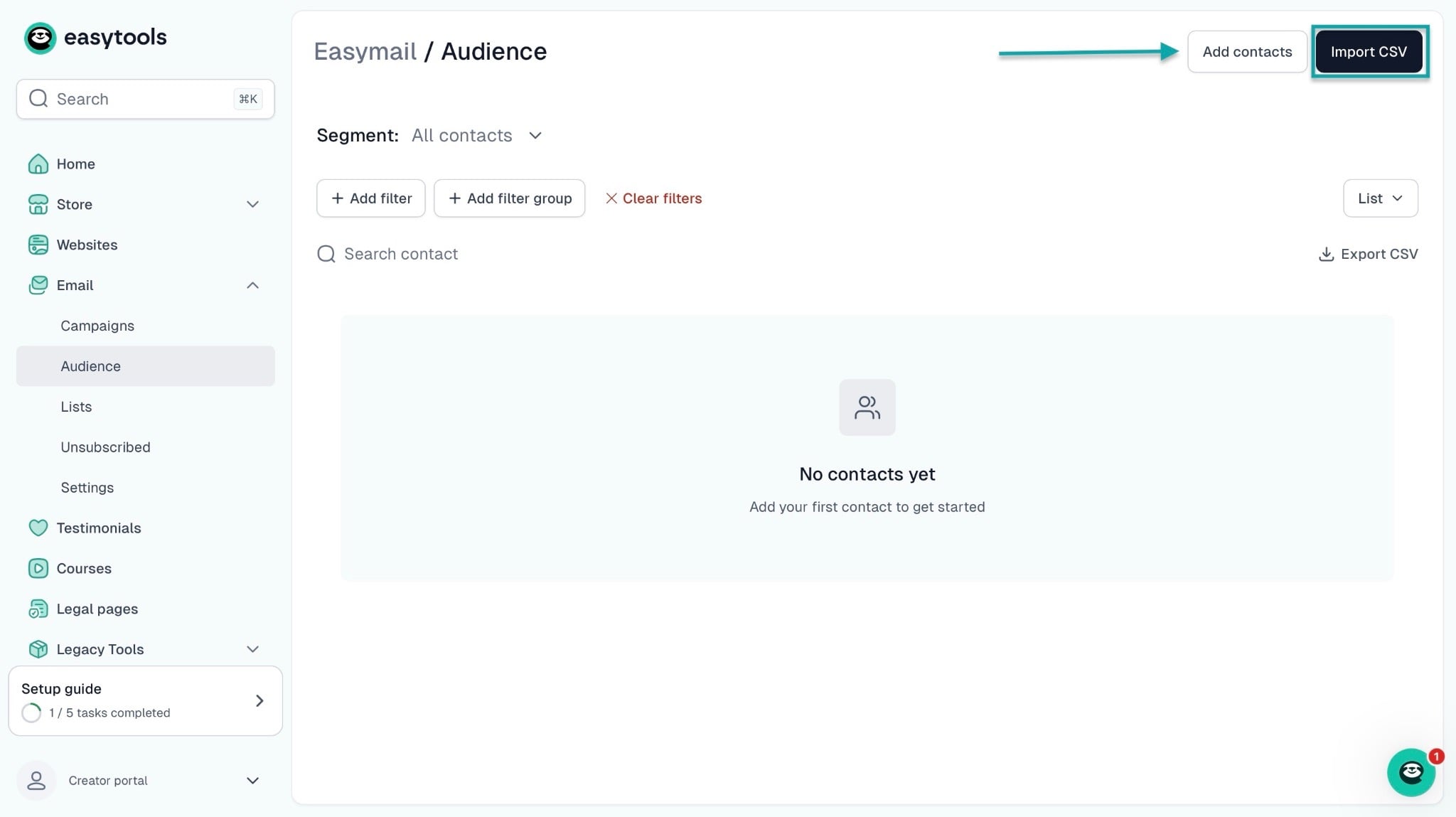
First, click “Emails” in the sidebar. Now, select “Audience.”
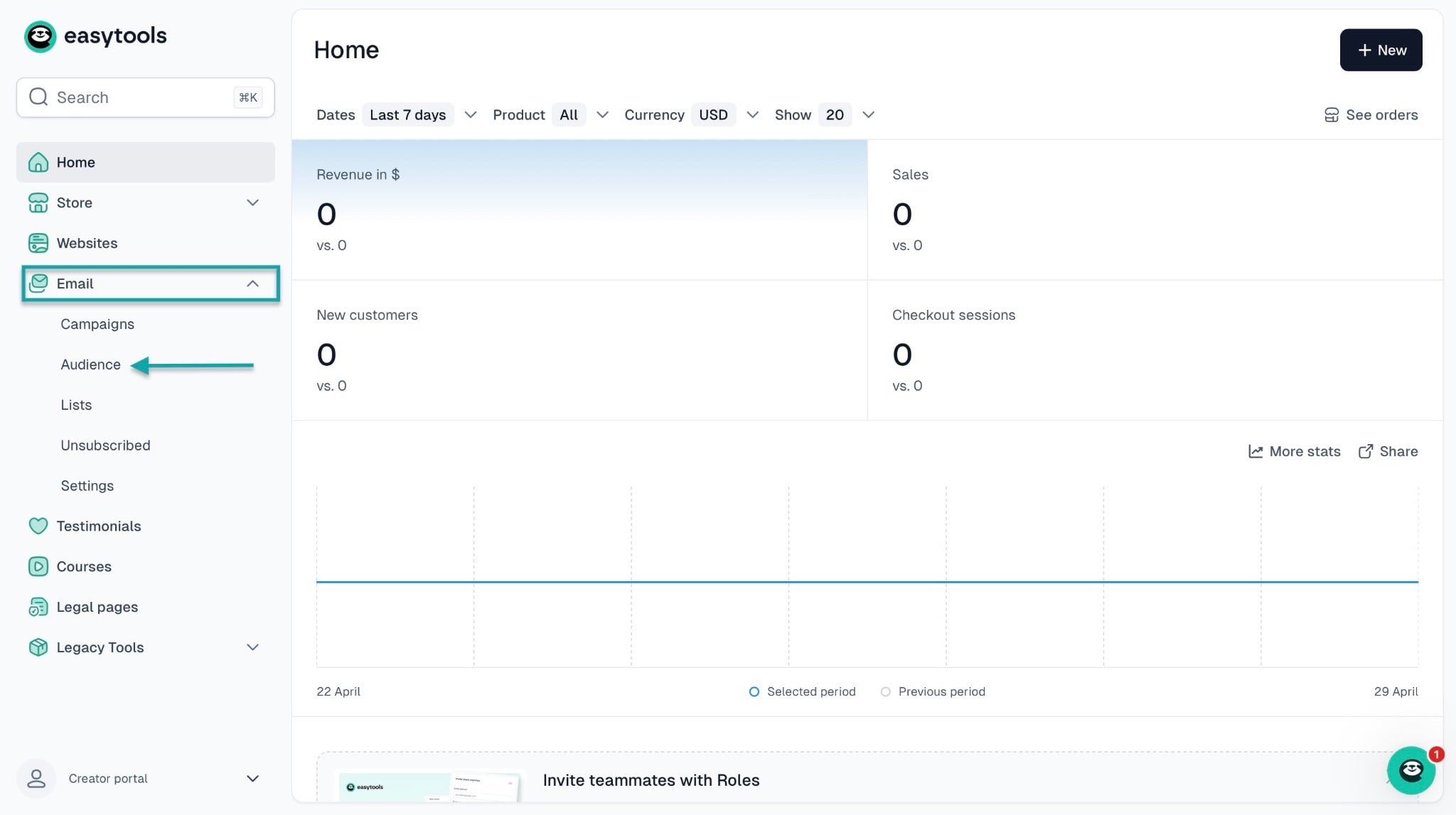
In the new window, click “Add contacts” at the top right corner of the window to add an email list manually.
You can also select “Import CSV” to upload an existing email list.
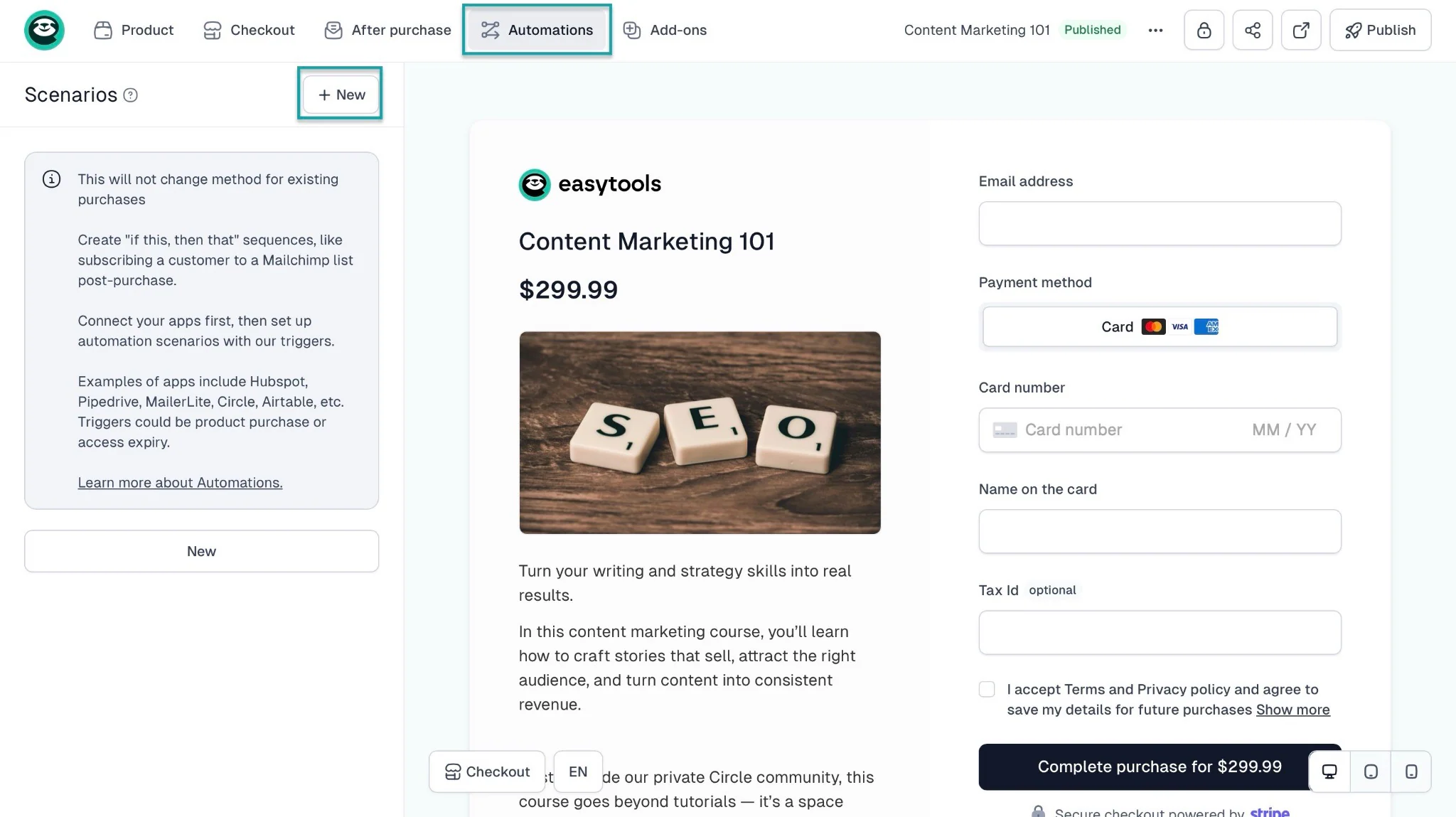
To automatically add customers to your email list via Easycart, go to “Store,” select “Products,” and choose a checkout you’ve already created.
In the checkout edit window, select “Automations” in the navigation bar and click “+ New.”
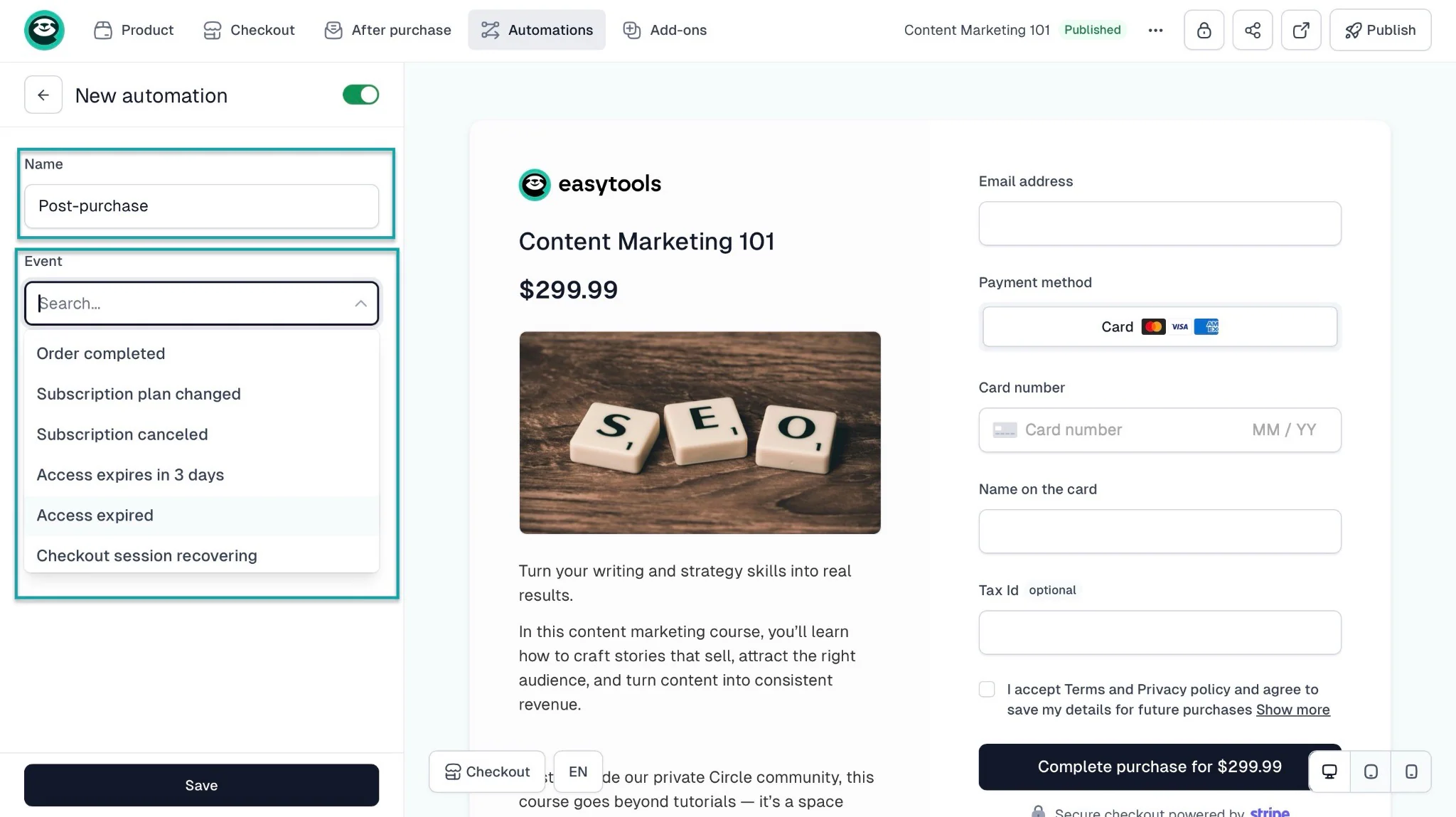
After that, give your automation a name and choose an event to trigger it. Let’s go with “Order completed.”
This means the automation will only happen after a customer makes a purchase.
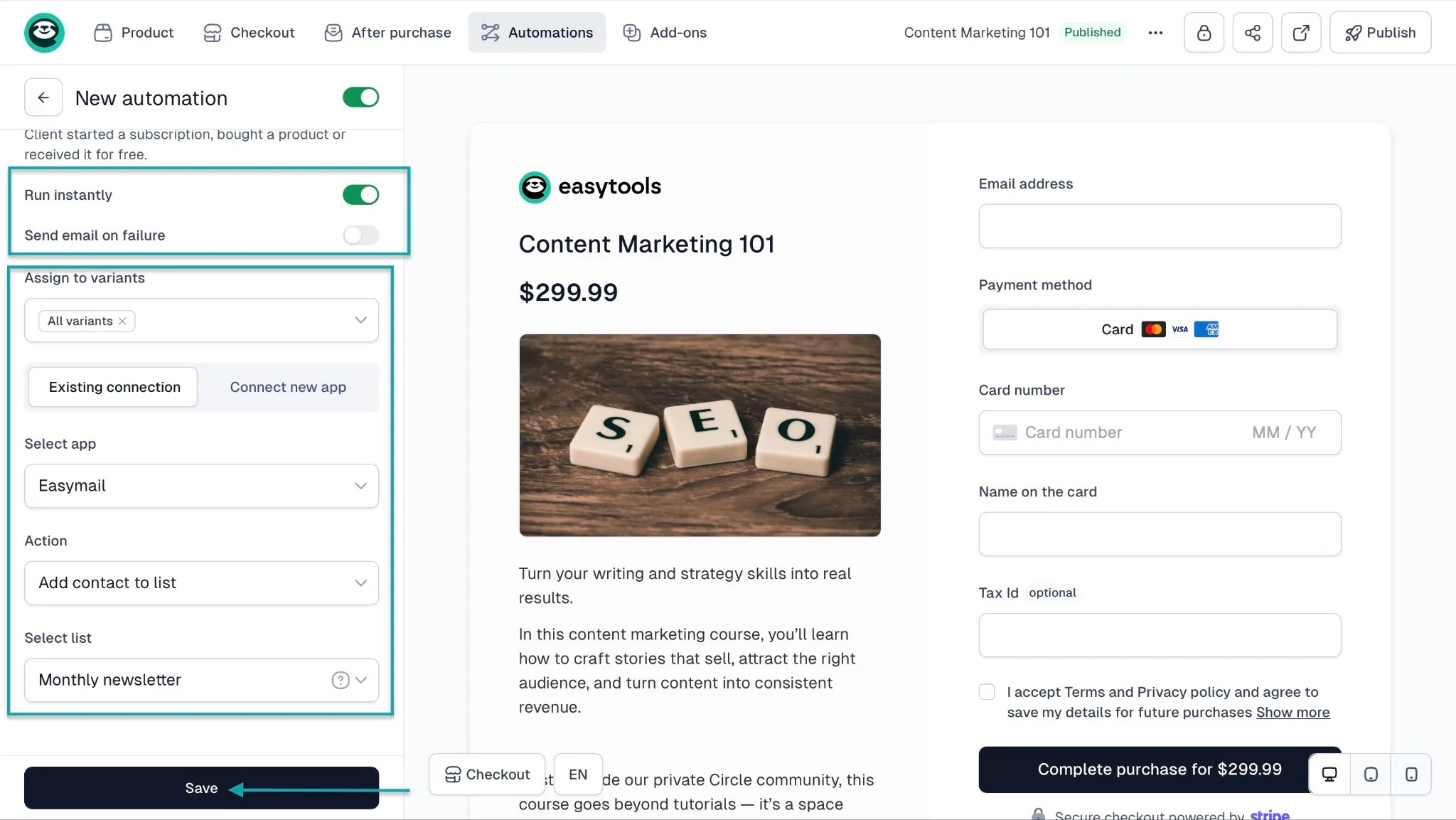
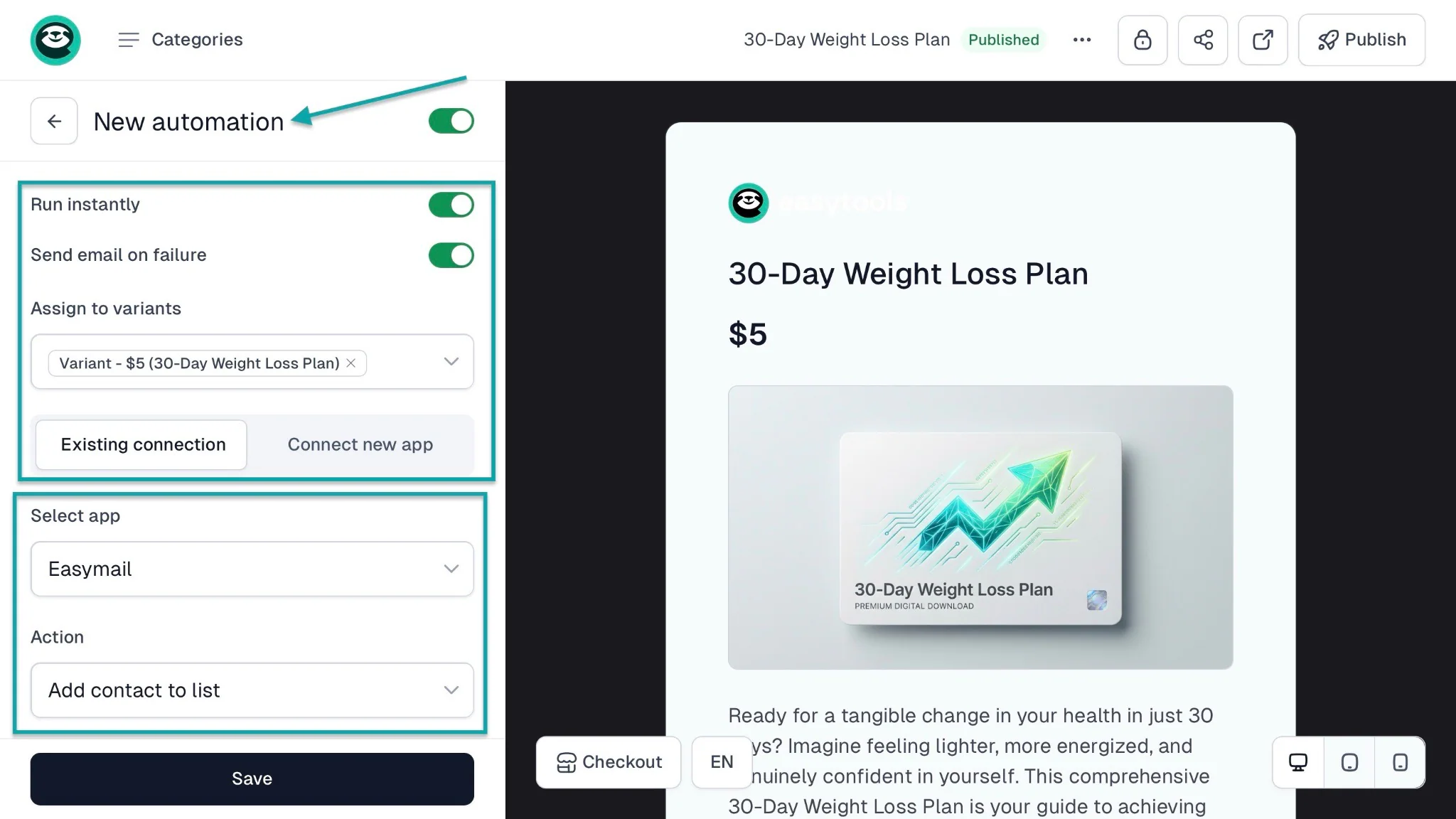
Once you’ve selected the trigger, keep the option on “Existing connection.” That’s the default. From here, assign the automation to a price variant.
Next, choose to run the automation instantly (or receive an email if it fails). Then, scroll down and select an app.
In this case, let’s go with “Easymail.”
Now, scroll down and select “Add contact to list.” For the next textbox, you’d have already created a list in the email feature.
In our case, let’s go with the list “Monthly newsletter.” Finally, click “Save” at the bottom of the window.
3. Websites
You can use Easytools to generate your own website with AI. Having a website is an advantage for creators, entrepreneurs, and any business owners.
You can sell your products and services there and show social proof. This helps you convert more prospects and leads into customers.
Let me show you how to create one.
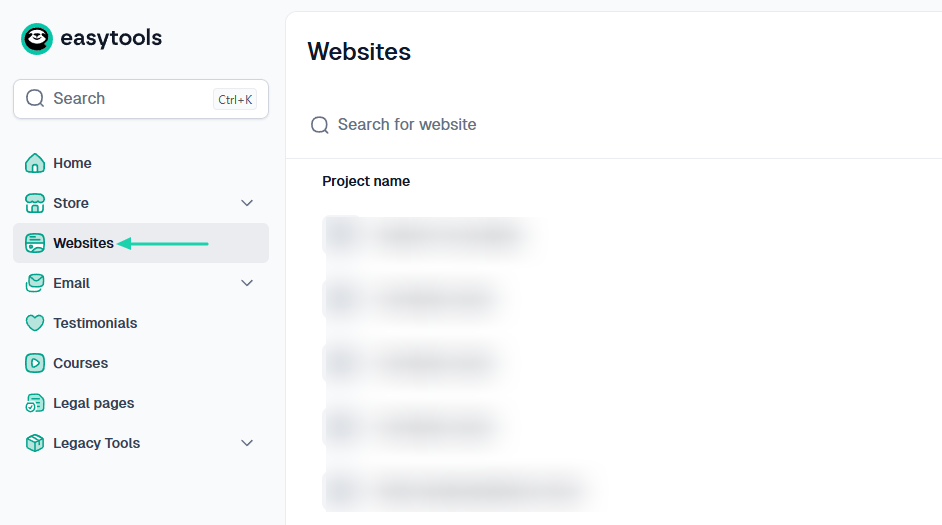
Click “Websites” in the sidebar menu.
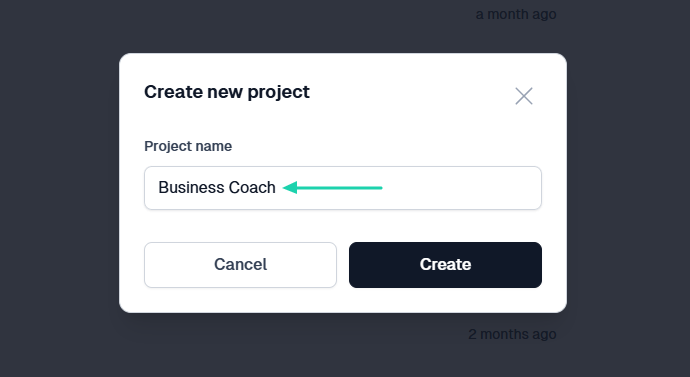
Name the project.
If you’ve already built a product on Easytools, you can simply select that product to generate a website.
Otherwise, you can start without a product and describe how you want the website to be.
Then, you’ll choose a palette and click “Generate.”
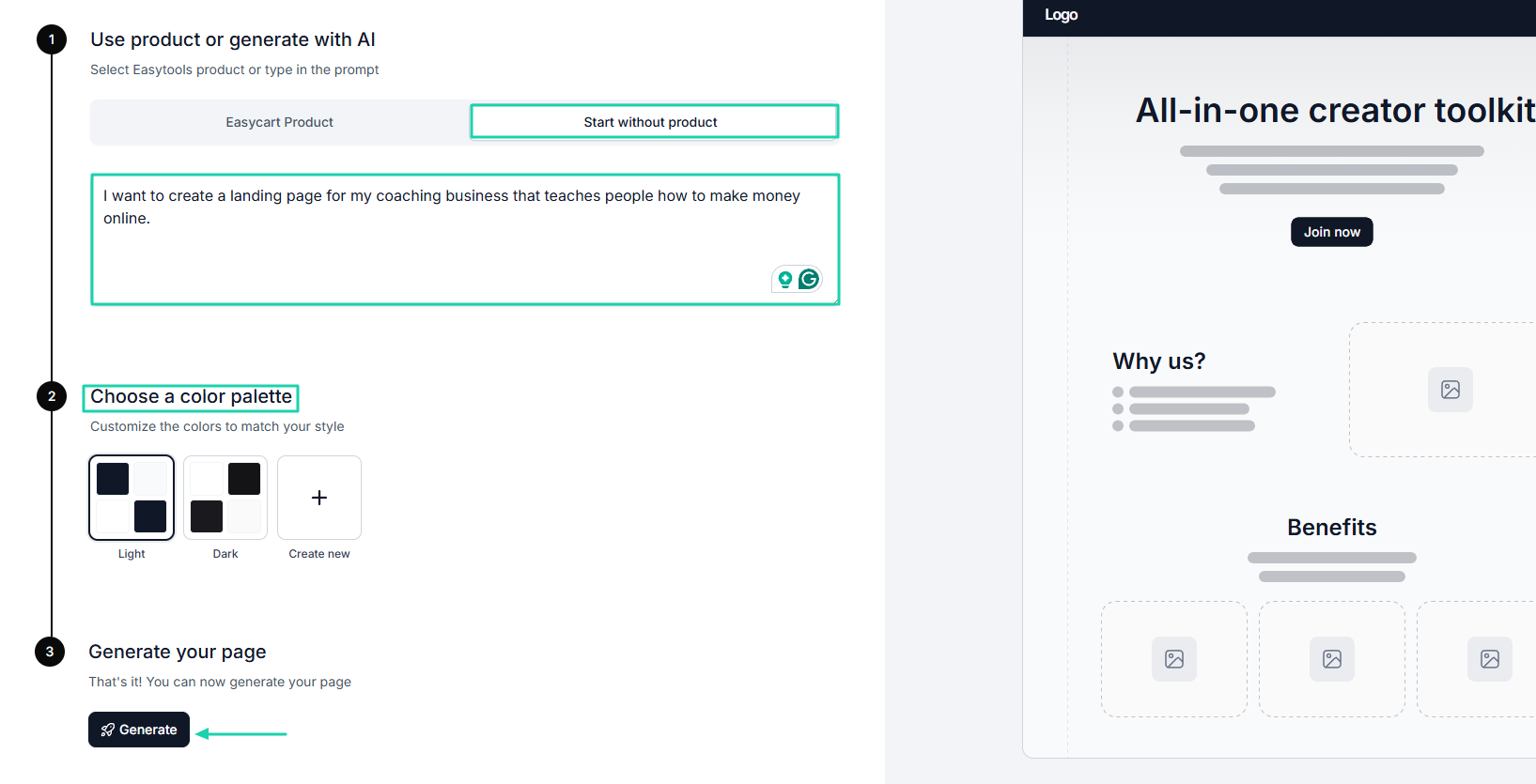
In about 5 minutes, AI will generate a full website. You can customize it by adding your own images or sections like stats, pricing, team, or CTA.
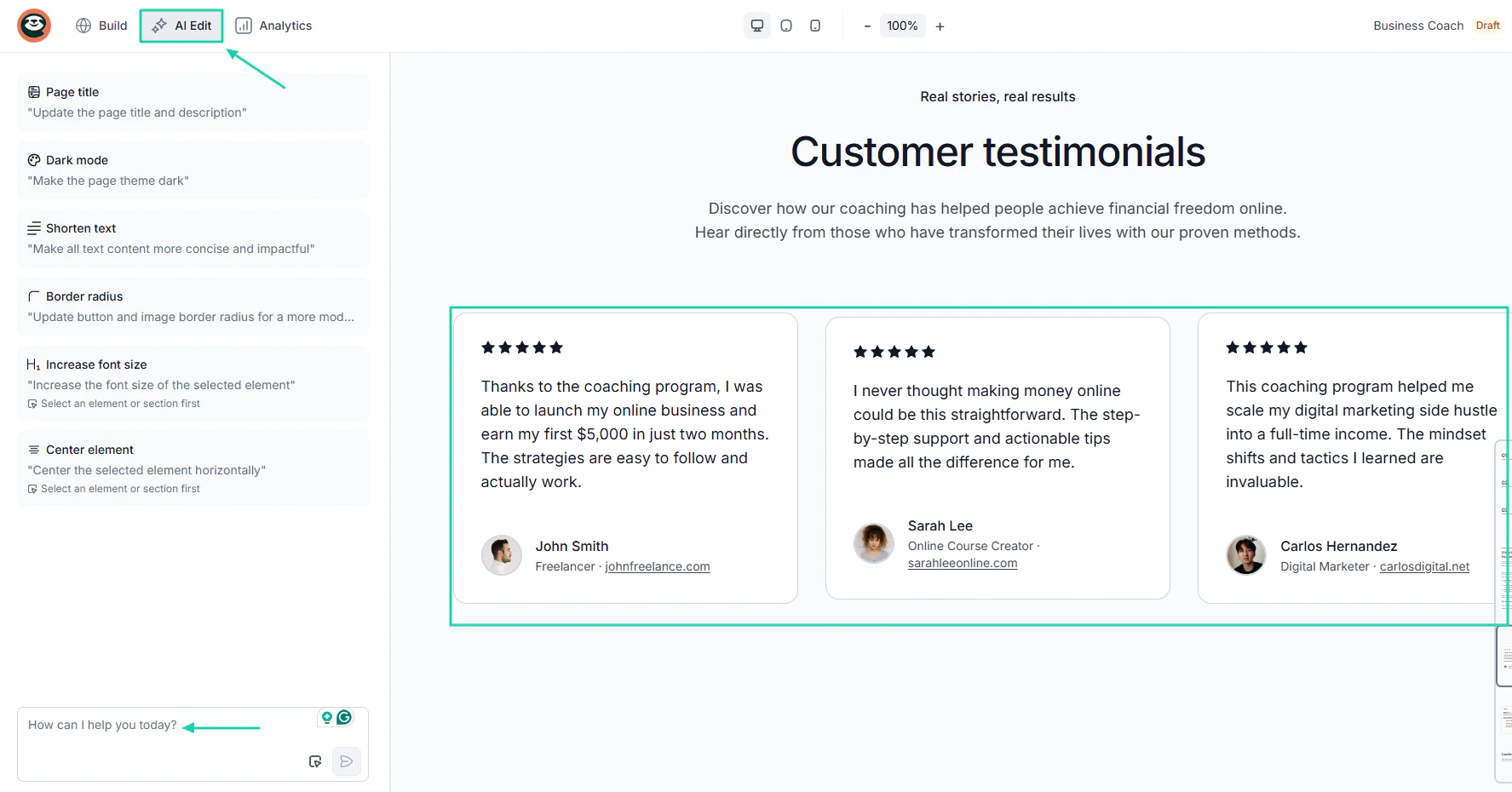
You can also use the AI Edit to make some quick changes. Simply describe the change.
On the website, you can edit, import, and display testimonials.
[fs-toc-omit]What I liked vs what I didn’t like
What I loved 👍
✅Lets you create unlimited checkouts for both physical and digital products like e-books, courses, templates, and PDFs, among others.
✅ Generates a fully customizable landing page in less than a minute.
✅ Automatically adds all your products to a storefront, so you can organize them and showcase everything you sell.
✅ Collects emails from customers after a purchase and adds them to a list.
What I didn’t like 👎
❌ You can’t build landing pages on the Starter plan, but you can still create unlimited checkouts.
[fs-toc-omit]Best for
- Creators, entrepreneurs, and startups seeking to sell various digital products online have a storefront and own their own website.
[fs-toc-omit]Pricing
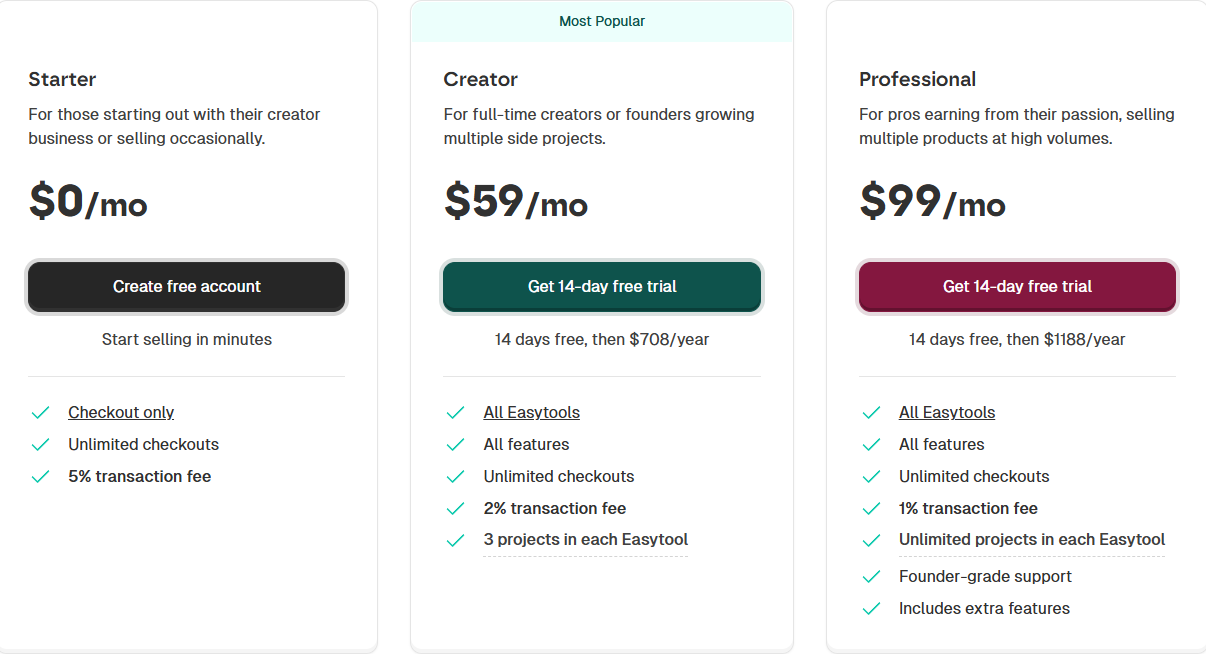
- Starter: $0/month + 5% transaction
- Creator: $59/month + 2% transaction fee
- Professional: $99/month + 1% transaction fee
2. Sellfy
- Personal rating: ⭐️⭐️⭐️⭐️⭐️4.5/5 -You can fully customize a print-on-demand product.
- Ease of use: ⭐️⭐️⭐️⭐️⭐️ 4.7/5 - It offers many product categories you can choose from.
- Digital products supported: Digital products, print-on-demand, subscription, physical products, and freebies.
- Integrations: Mailchimp, Google Sheets, ActiveCampaign, Pipedrive, Zoom, Gmail.
- Starting plan: Starter - $22/month + unlimited products
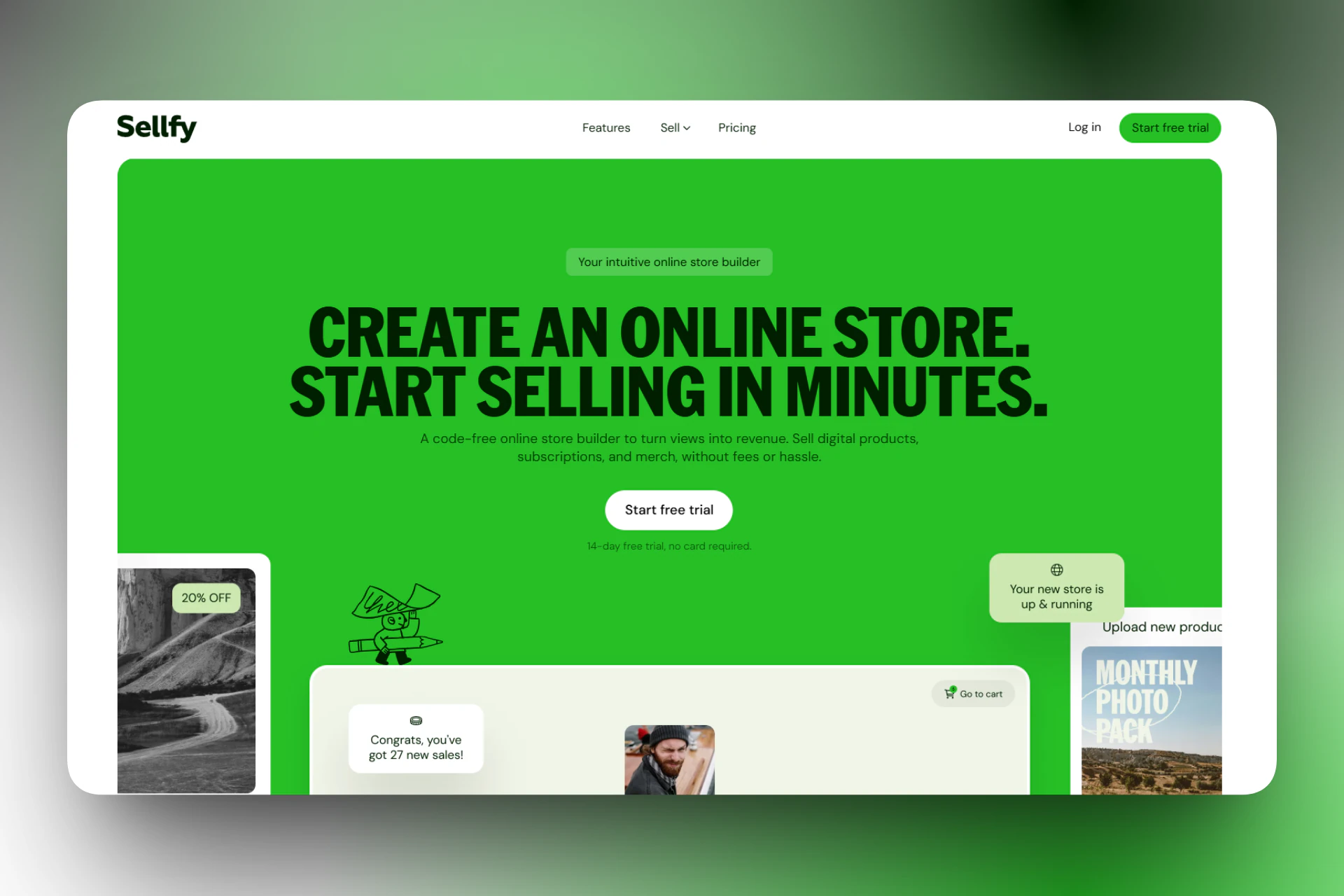
Next on our list of SamCart alternatives is Sellfy. It’s an ecommerce platform that combines digital product sales with built-in print-on-demand merchandise.
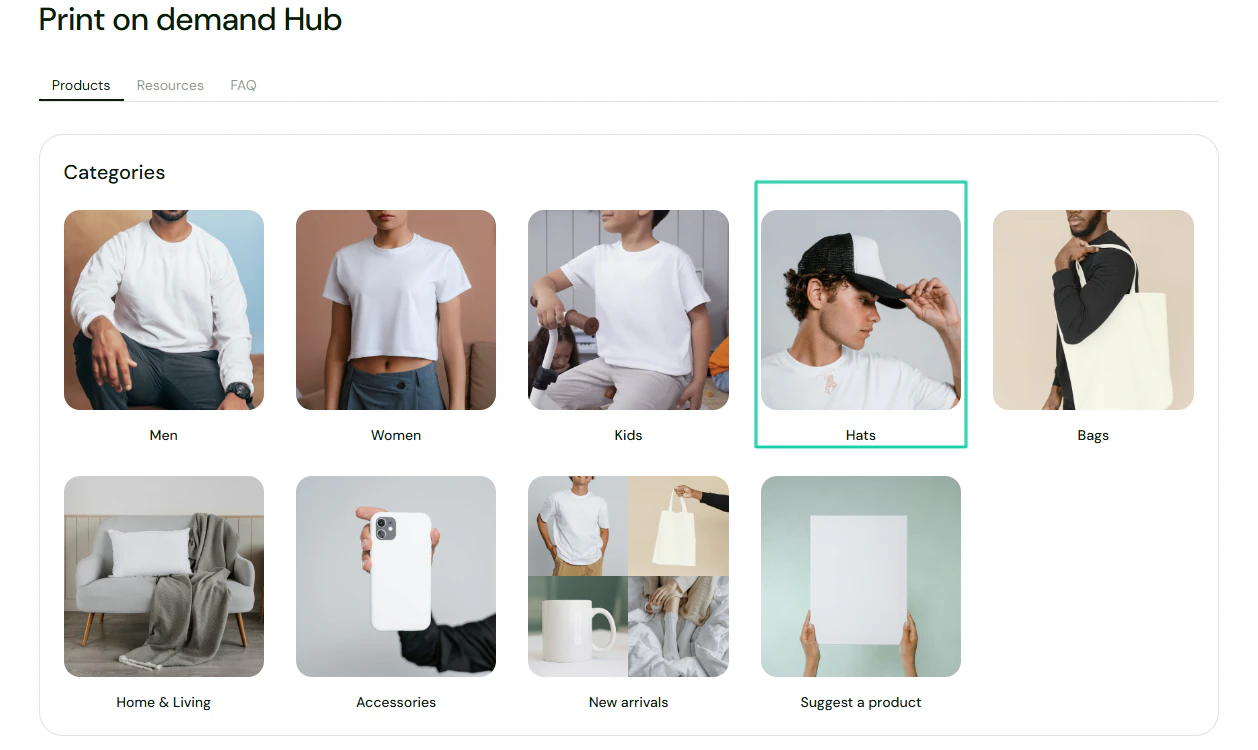
It comes with a print-on-demand hub, where you can view and select your preferred product category.
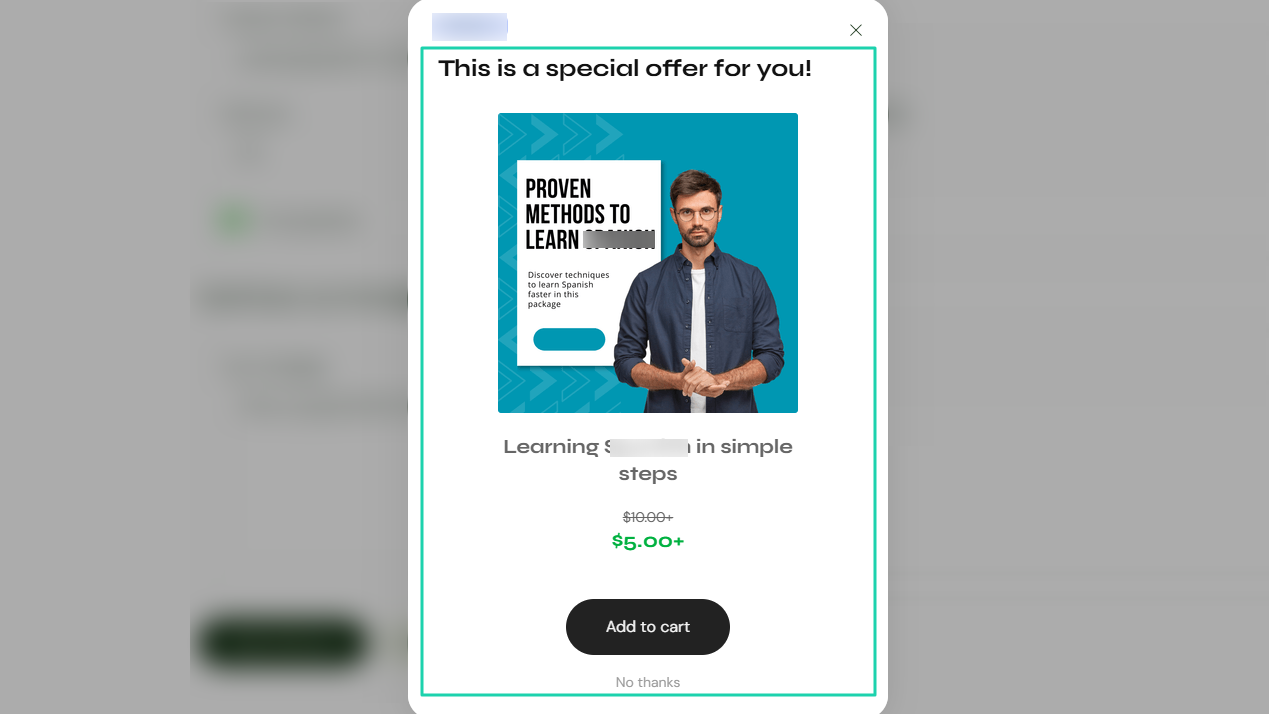
You can create upsells to propose other products to customers.
And when you want to reach out to your customers, you can send email campaigns.
[fs-toc-omit]What I loved about Sellfy
1. Products
With Sellfy’s products feature, you can add digital products, print-on-demand, subscriptions, physical products, and freebies.
This is how it works. Click Products and “Add new product.”
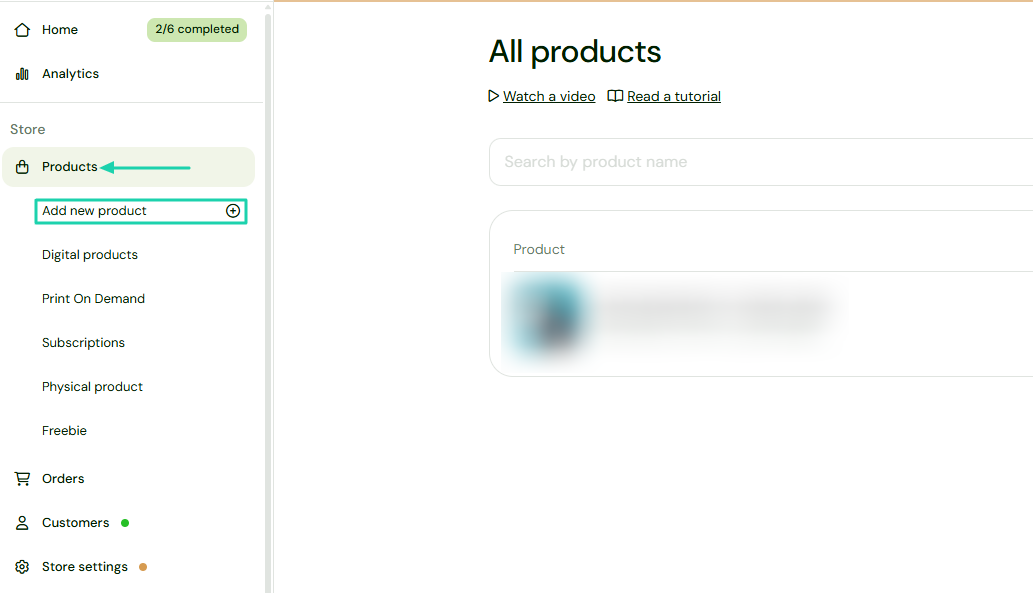
Let’s go with “Print On Demand.”
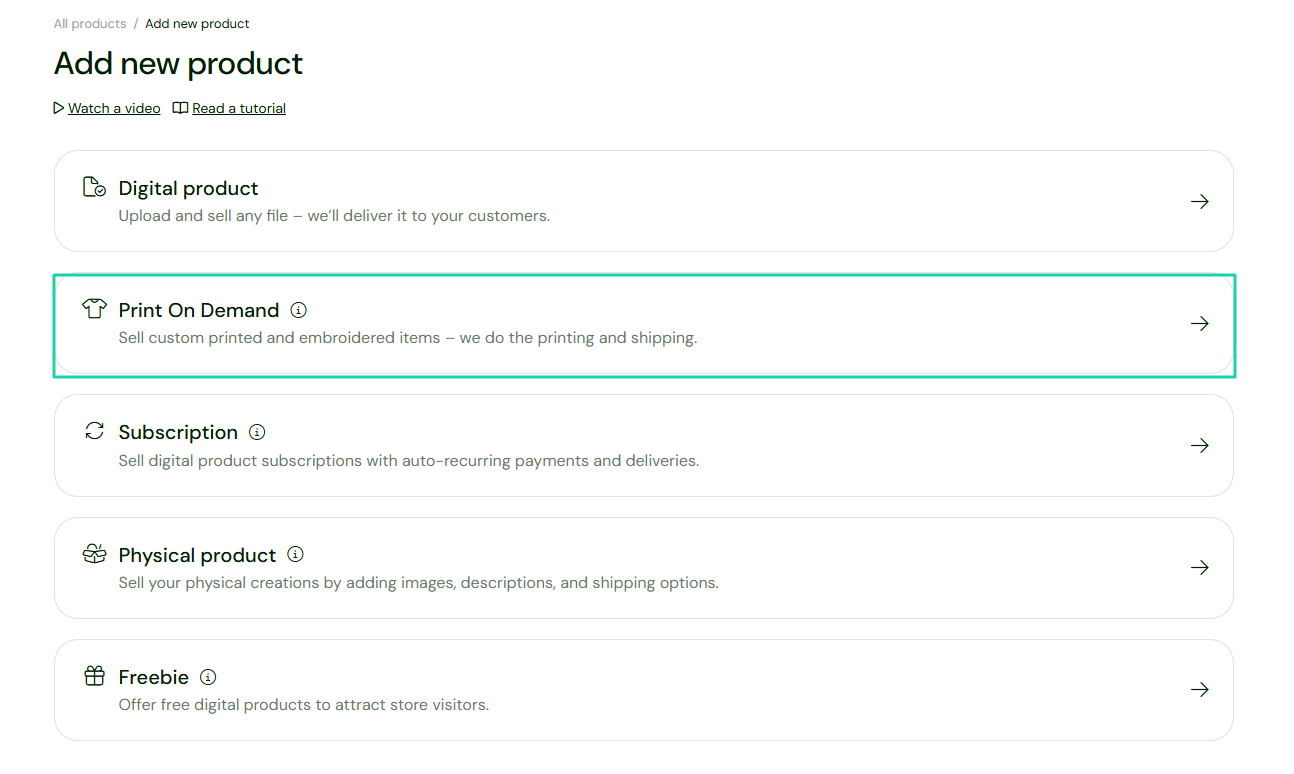
Next, you’ll choose a category. It can be “Hats,” for instance.
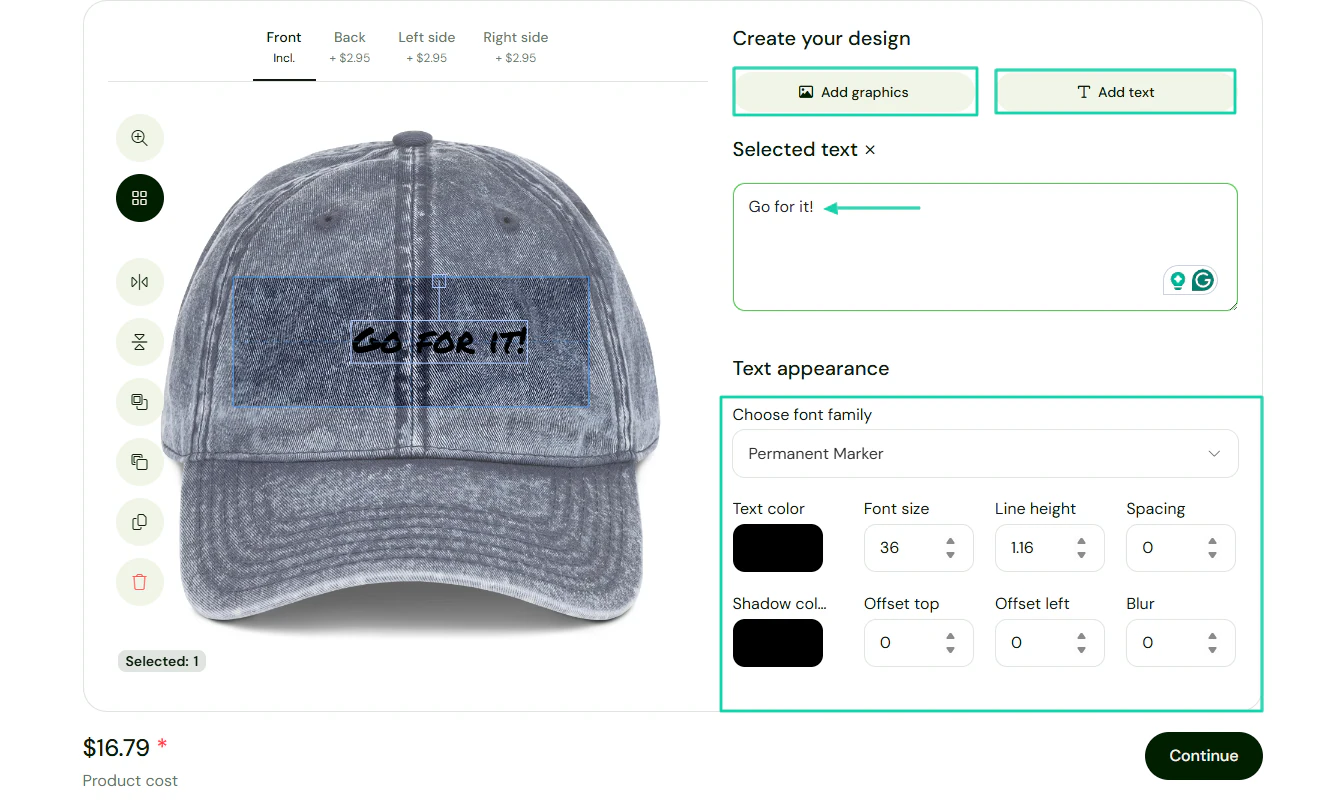
You can add graphics or text. You write the text in the box, and it appears on the hat.
You can customize the text appearance and colors.
Now add the product details, like name and description.
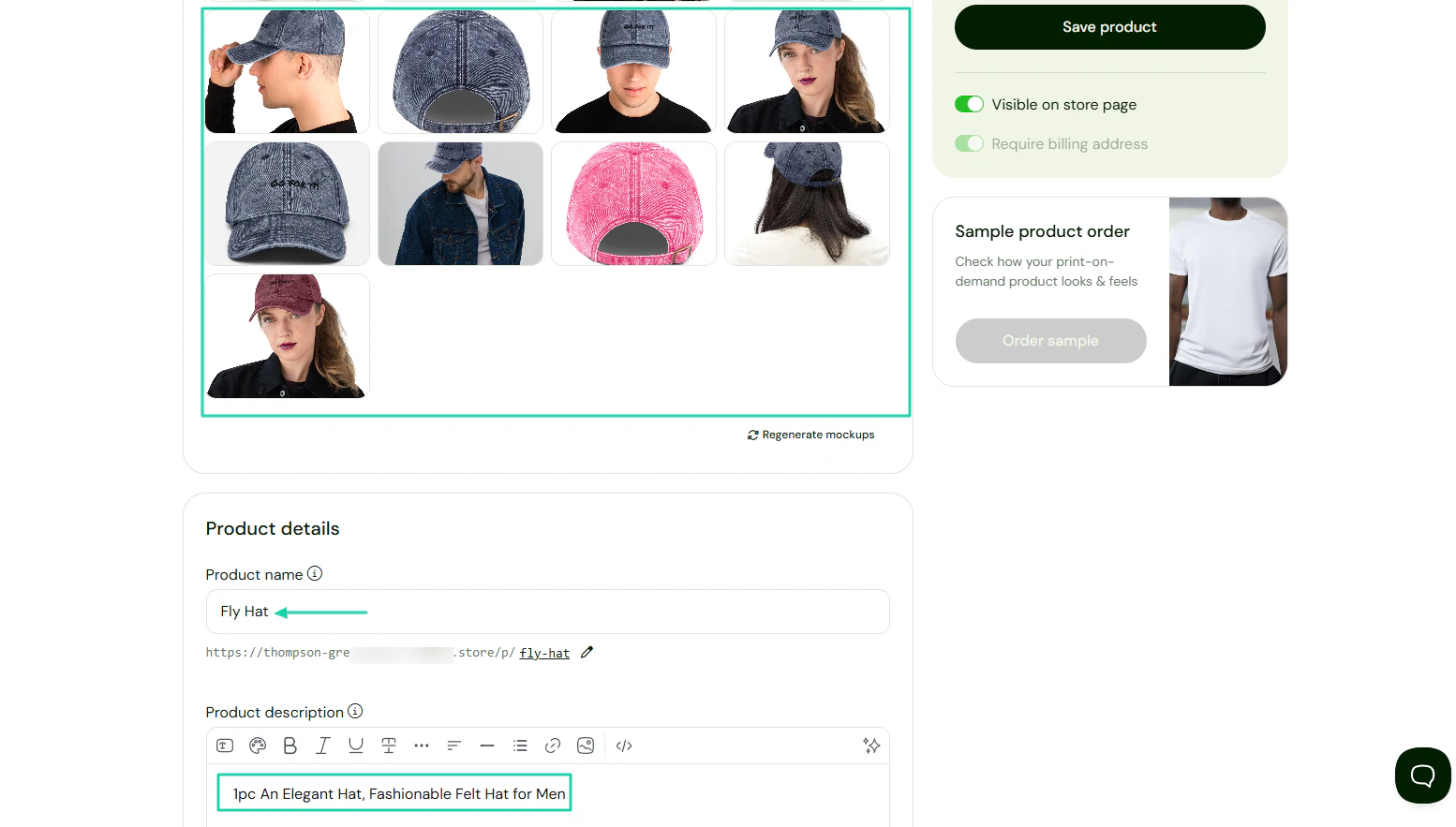
There you go! Below is the end result.
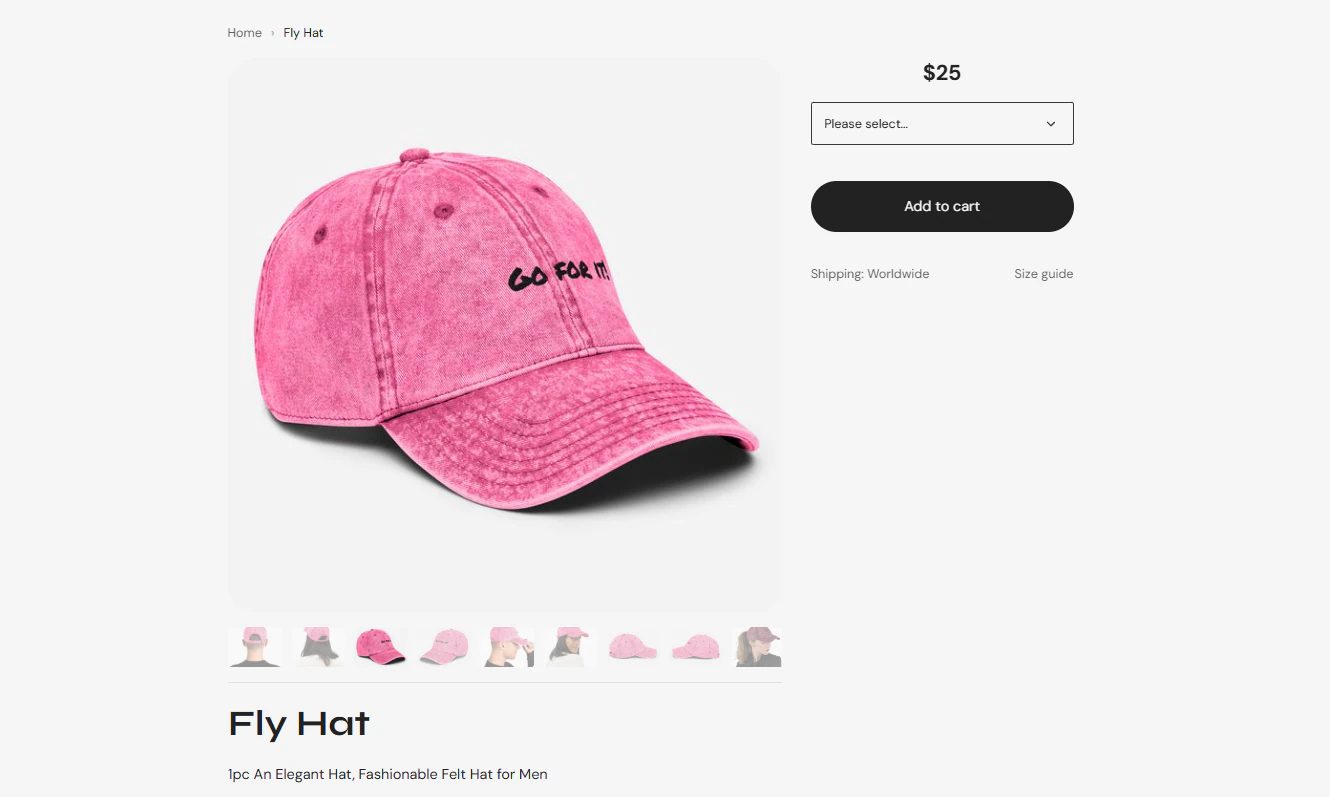
2. Discounts
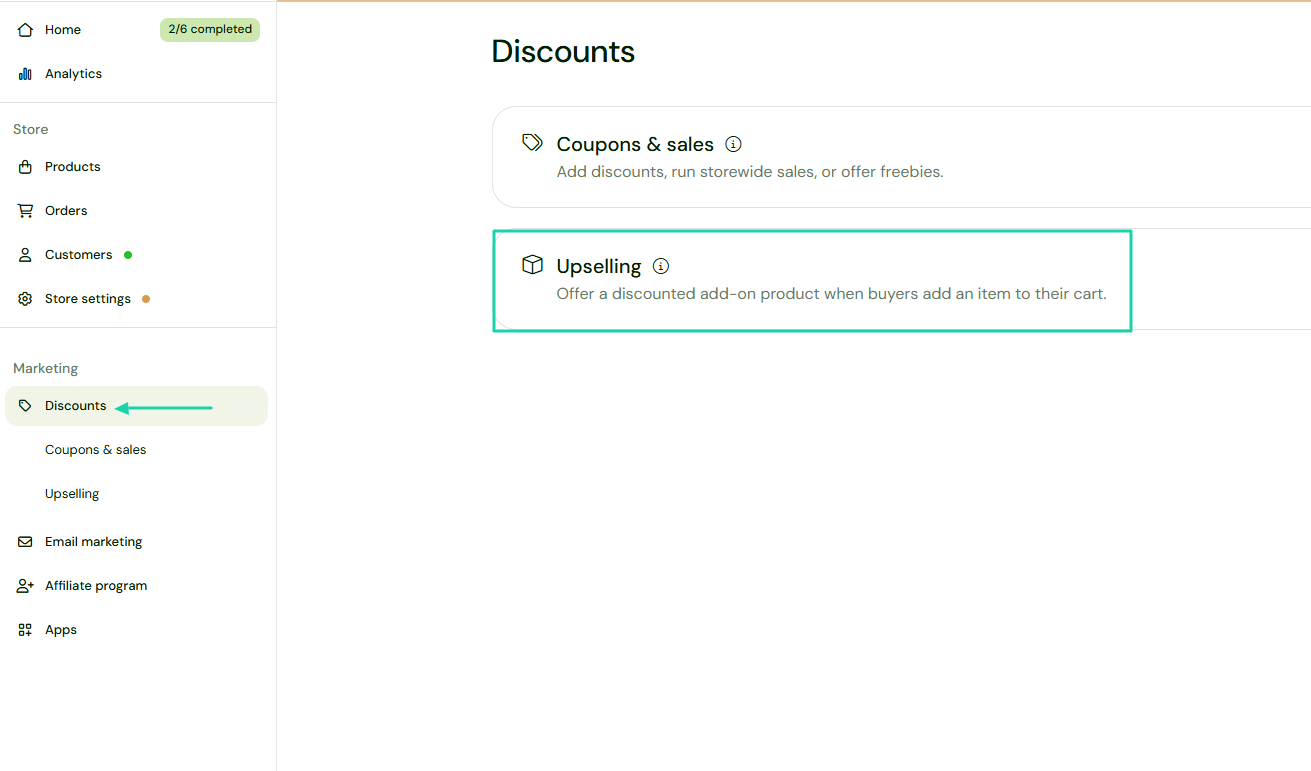
Sellfy’s discounts feature lets you create coupons and sales and offer discounted add-on products to customers.
That’s how you can use it. Find “Discounts” in the sidebar menu, then click “Upselling.”
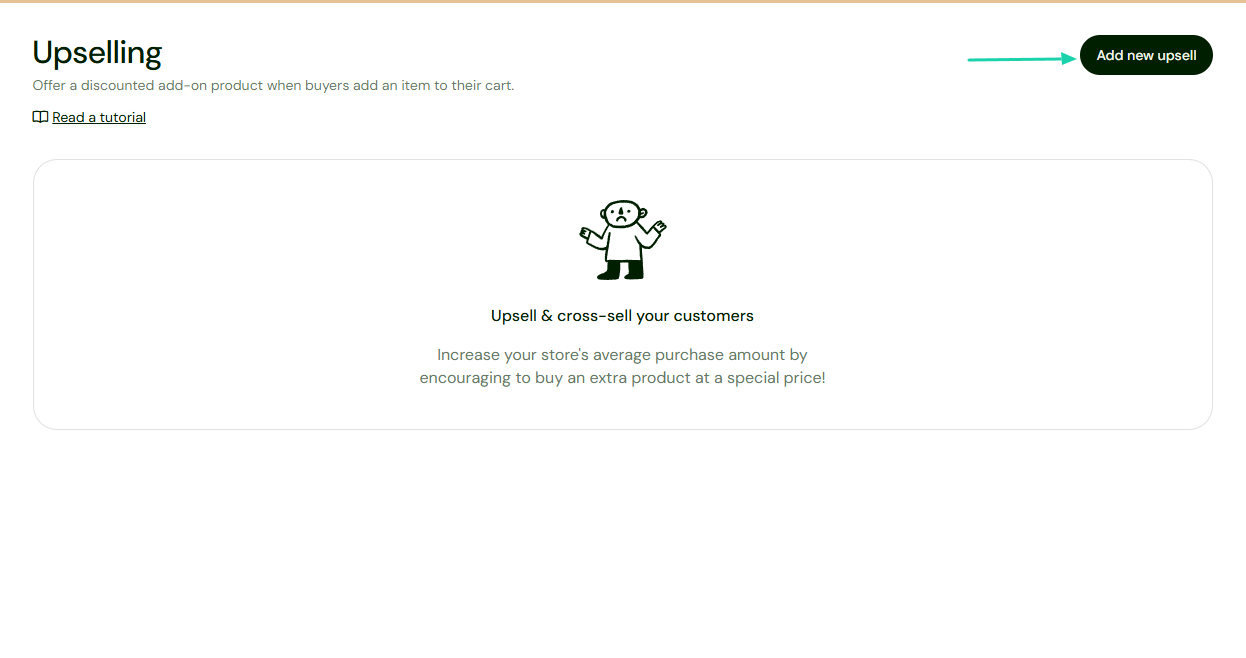
On the far right of the interface, select “Add new upsell.”
Name it, then select the product you will show as an upsell offer, including its name and price. Then add the product offered and specify the discount and expiry date, if any.
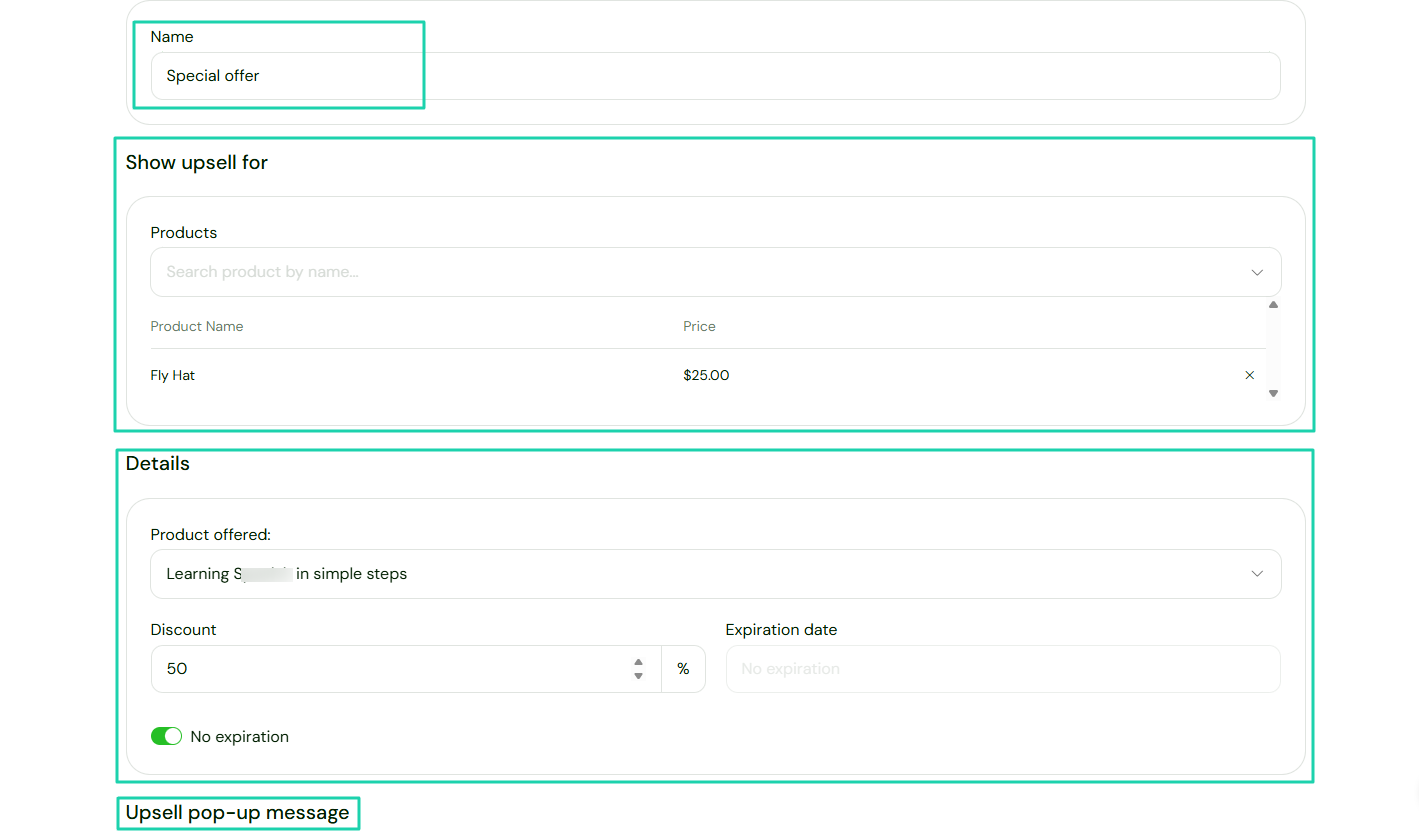
The product offered will just pop up after a purchase.
3. Email marketing
With Sellfy’s email marketing feature, you can reach out to customers and notify them of launches, updates, or deals.
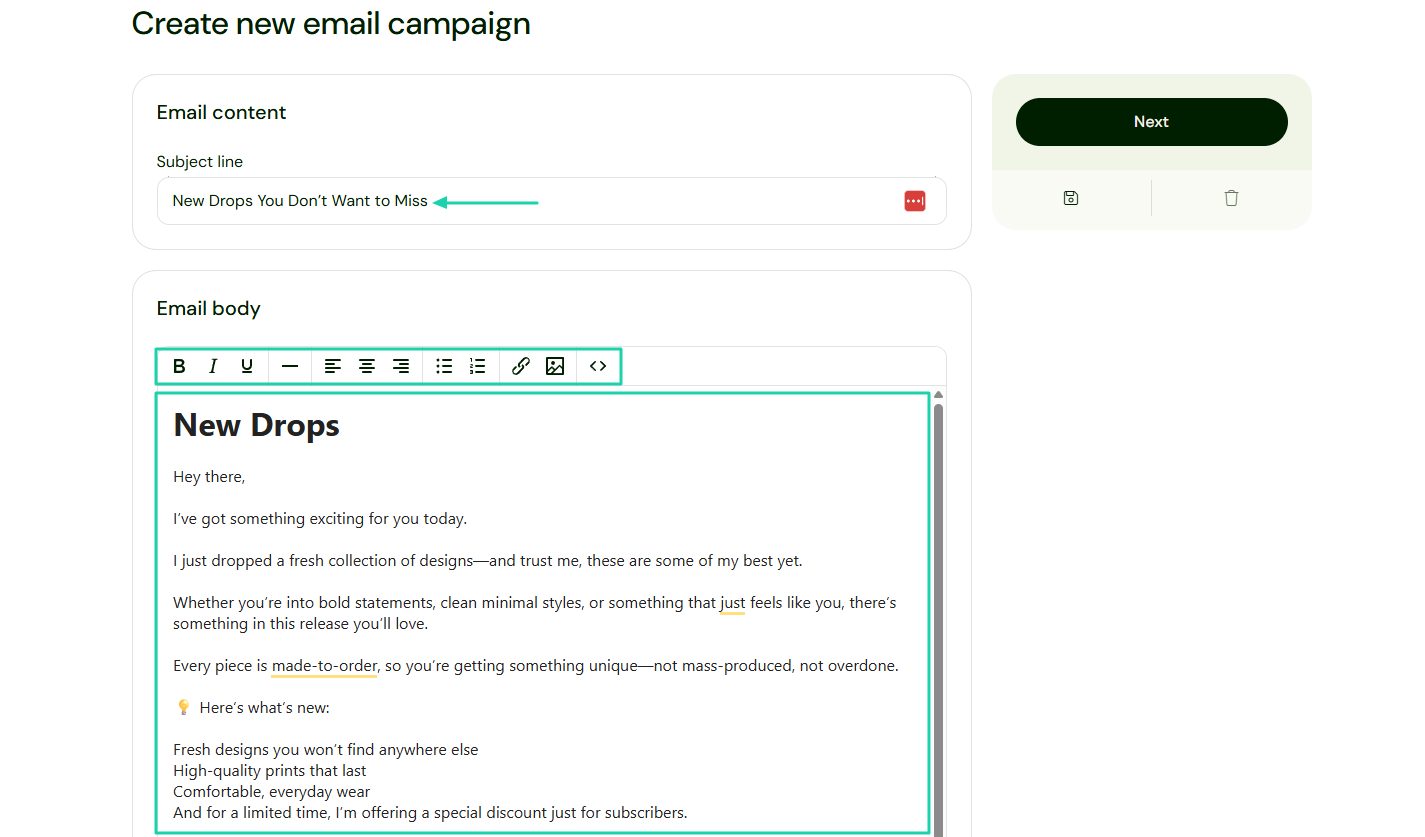
To use it, click “Email marketing,” then go to “Create campaign.”
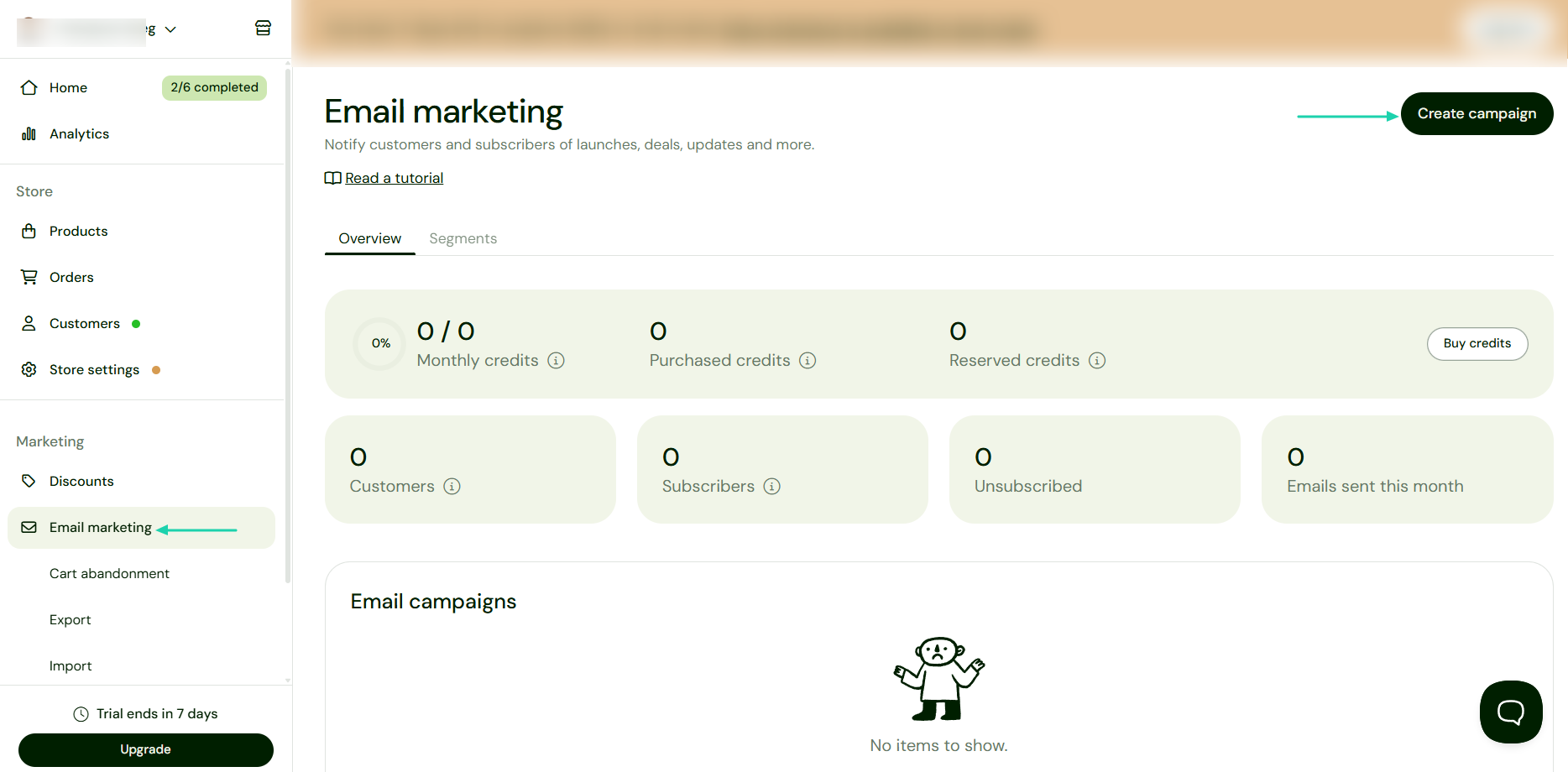
You have two options:
- Marketing newsletter
- Product update
Let’s go with the first one.
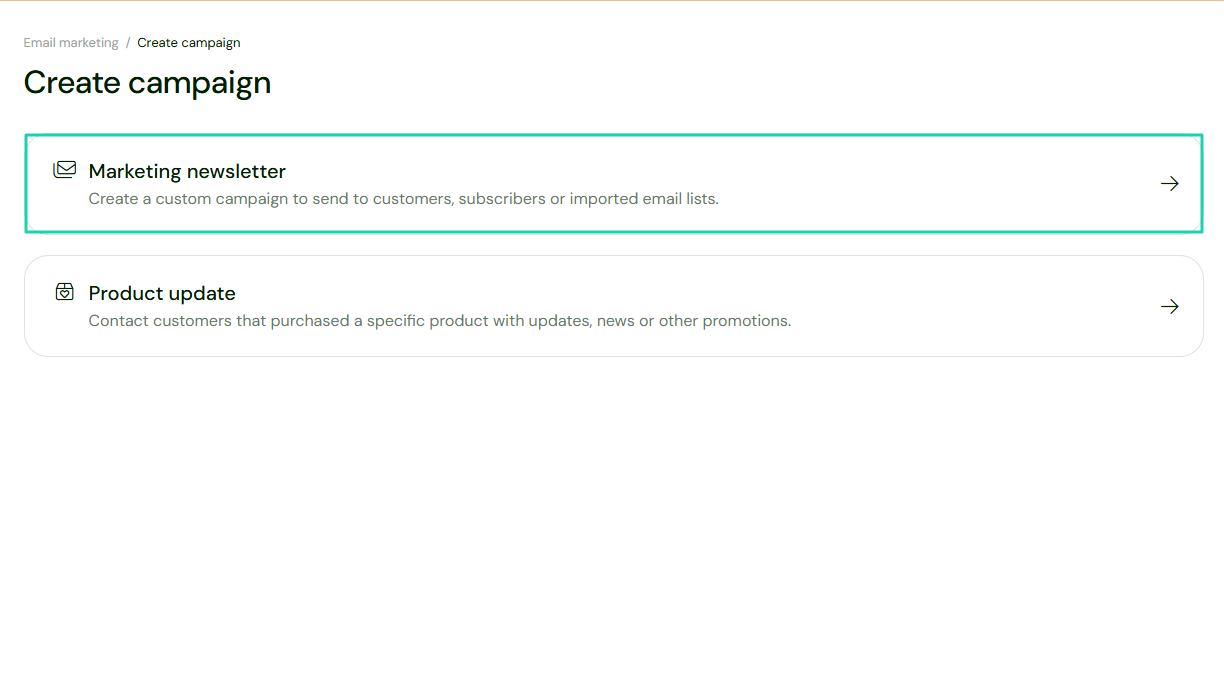
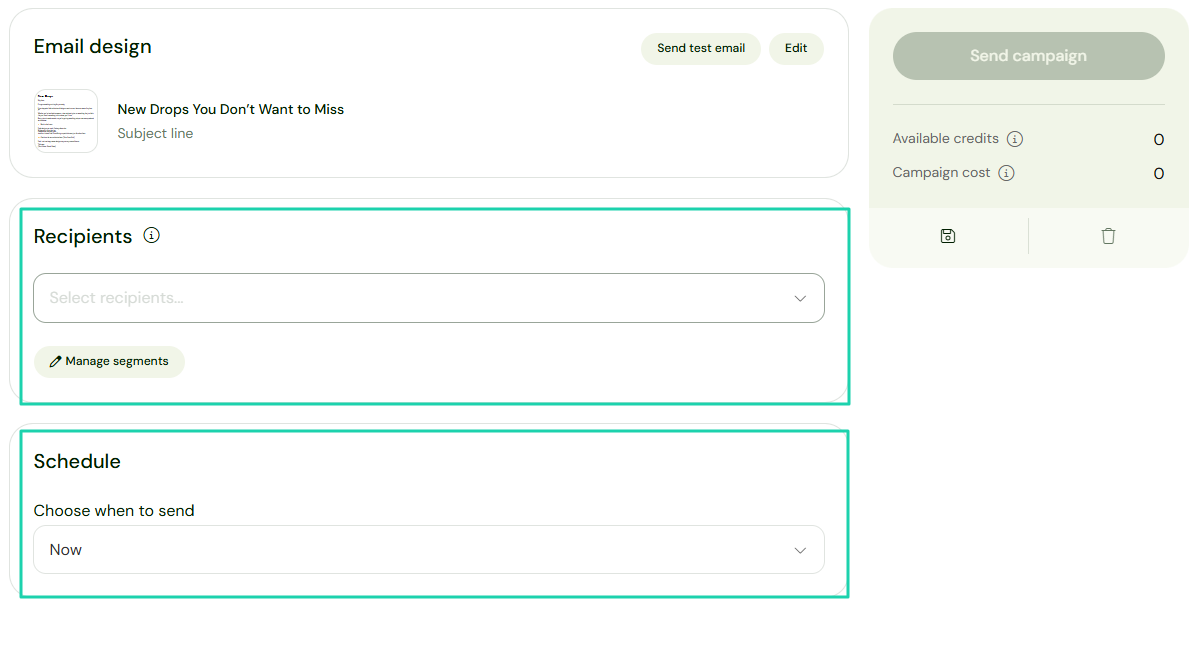
Enter your subject line and email body. You can insert images or links.
Then you select recipients and schedule the campaign.
[fs-toc-omit]What I liked vs what I didn’t like
What I loved 👍
✅ Has a clean and simple interface, making it easy to understand and use its features.
✅ Has a rich print-on-demand hub with many categories, from men, women, kids, accessories, and many more.
✅ Can create email campaigns for different audiences: newsletter subscribers, all buyers, or only specific buyers.
What I didn’t like 👎
❌ Requires a paid subscription even on its lowest plan.
[fs-toc-omit]Best for
- Artists and individuals seeking an all-in-one store to sell Print-on-demand merchandise and digital products.
[fs-toc-omit]Pricing
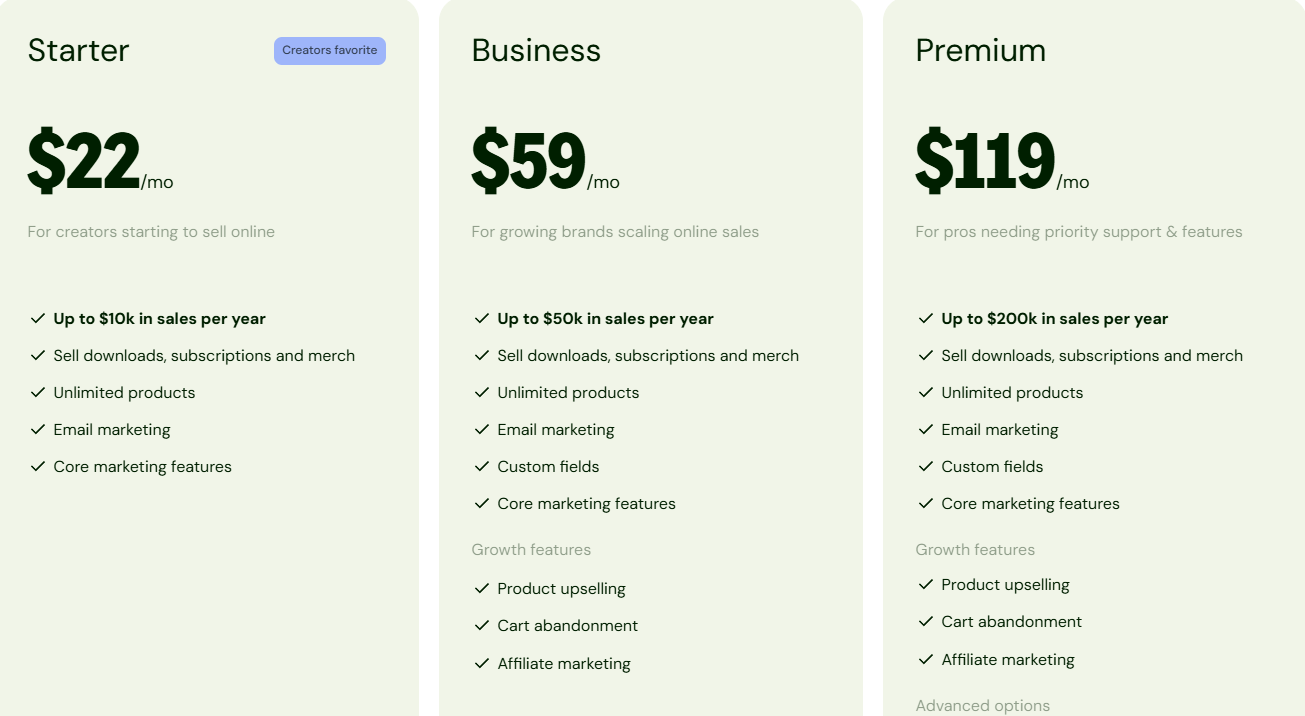
- Starter: $22/month
- Business: $59/month
- Premium: $119/month
3. LearnWorlds
- Personal rating: ⭐️⭐️⭐️⭐️⭐️ 4.6/5 - You can set up your online school and start adding online courses.
- Ease of use: ⭐️⭐️⭐️⭐️⭐️ 4/5 - You can easily use AI to build courses with modules. However, it has many advanced features that require time to understand.
- Digital products supported: Online courses, e-books, coaching programs, digital bundles, memberships.
- Integrations: Google Analytics, Mailchimp, HubSpot, Zoom, Stripe.
- Starting plan: Starter - $24/month + $5 per course enrollment + unlimited paid courses.
As we continue discussing Samcart alternatives, we can’t forget to mention LearnWorlds.
It’s an online course platform that comes with an interactive video player and a fully customizable online school.
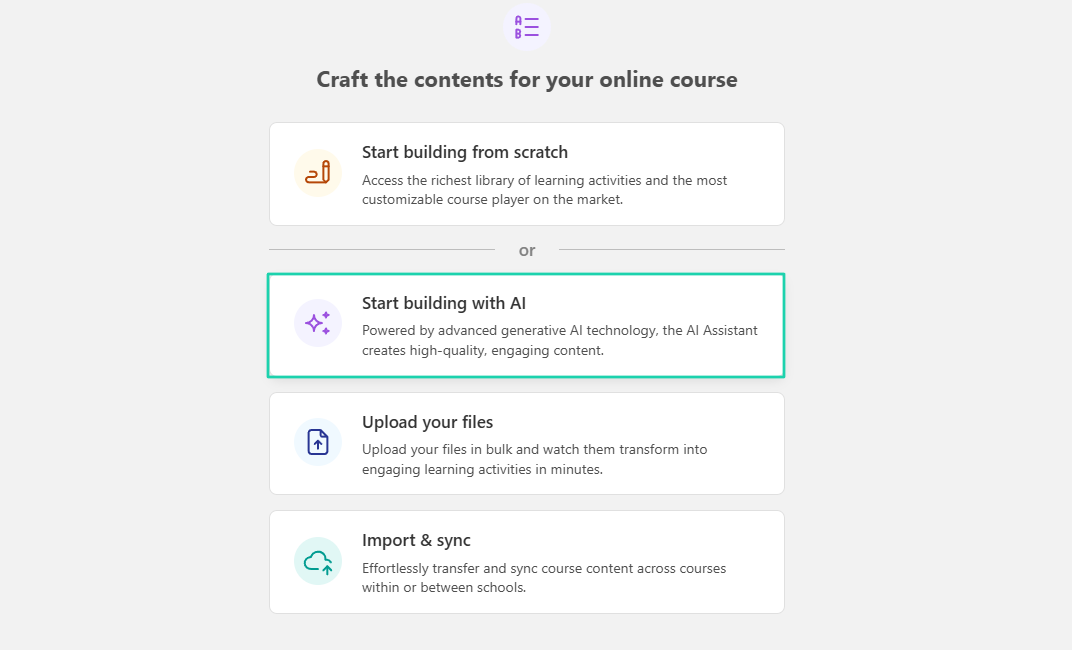
You can use AI to build your courses and modules.
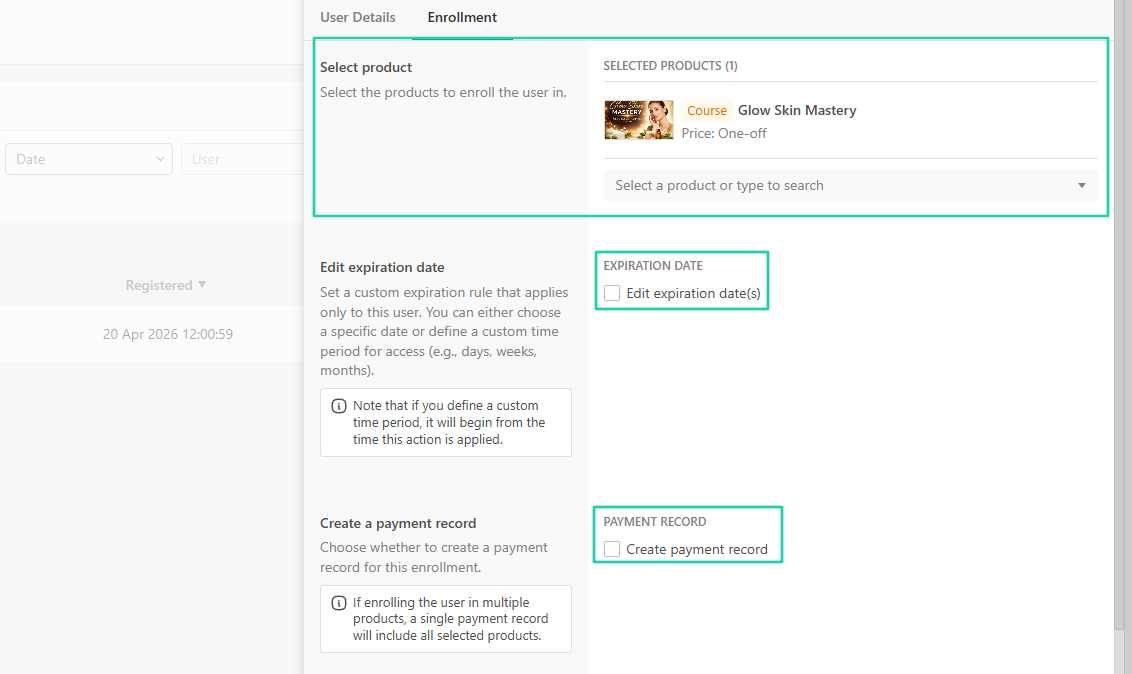
You can add users and enroll them at the same time. You simply choose their preferred course.
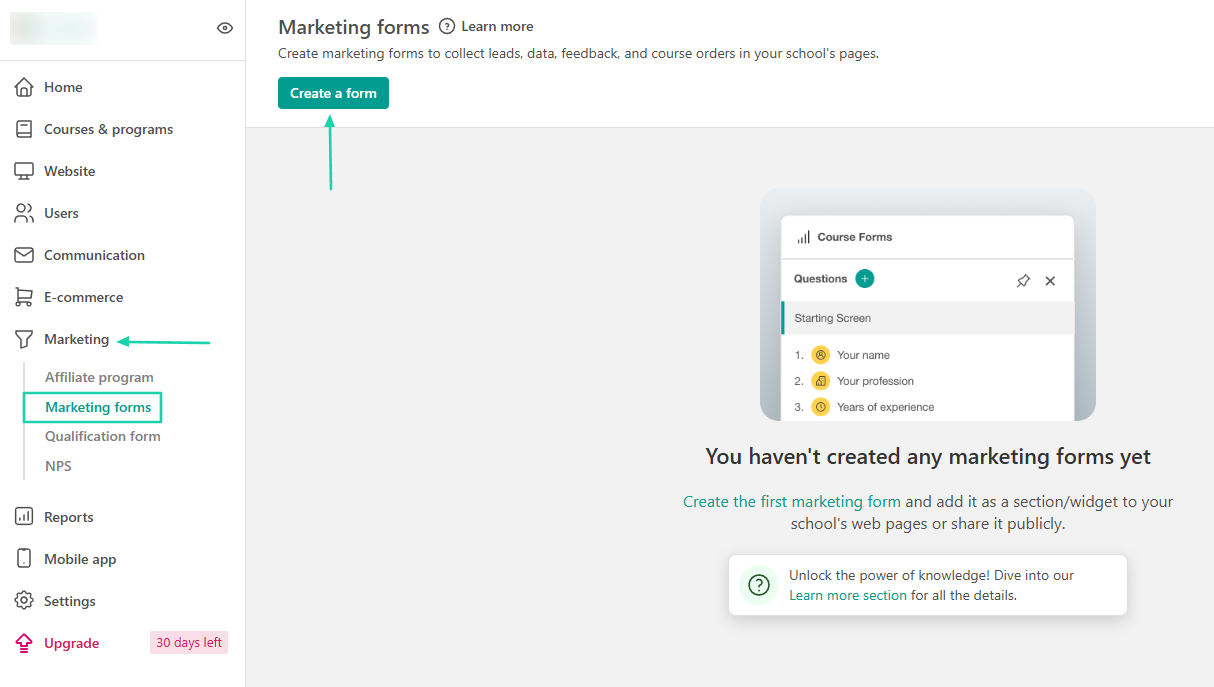
What’s more, LearnWorlds lets you create marketing forms to collect data or leads.
[fs-toc-omit]What I loved about LearnWorlds
1. Courses and Programs
LearnWorlds, through its courses and programs feature, lets you build courses using artificial intelligence. You can add modules, activities, and even quizzes.
Let’s build one.
Click “Courses” and go to “Create your first course.”
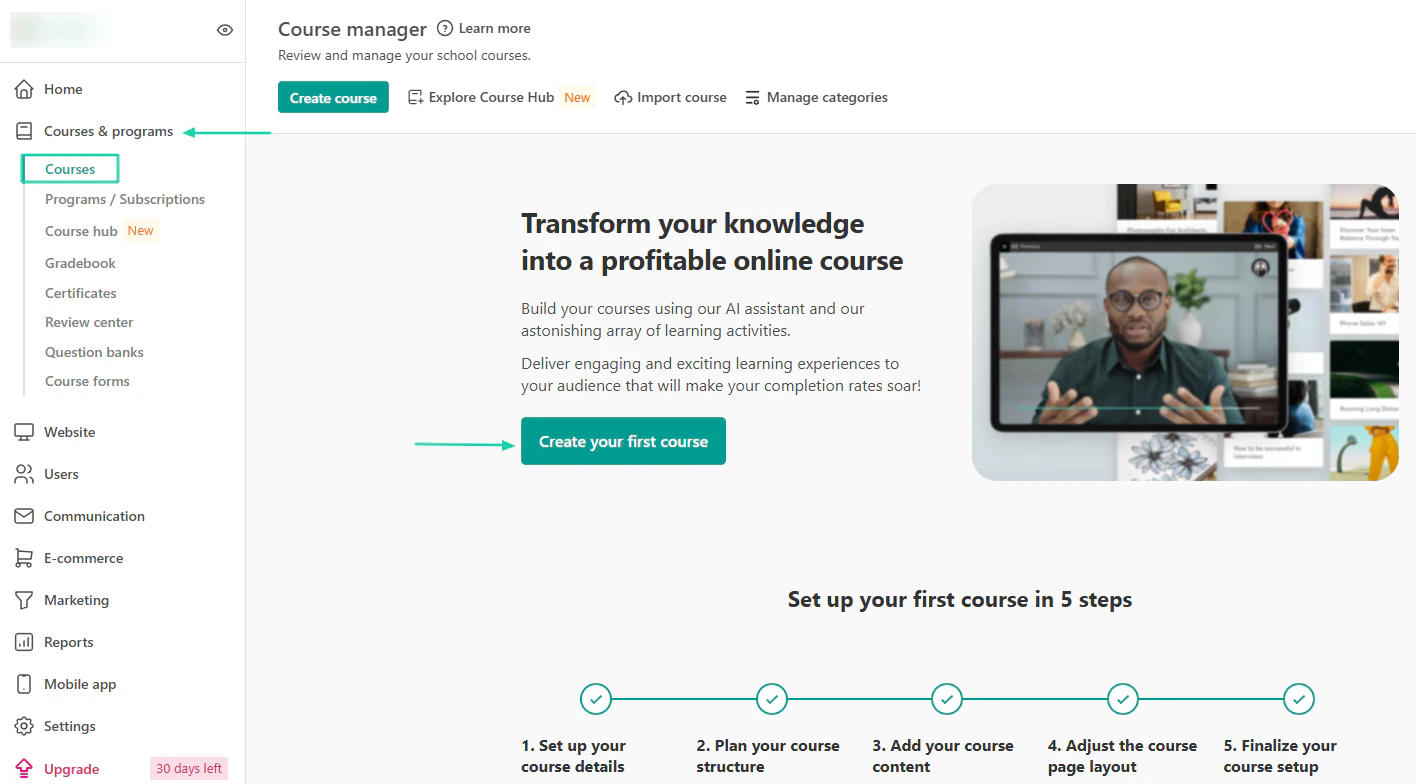
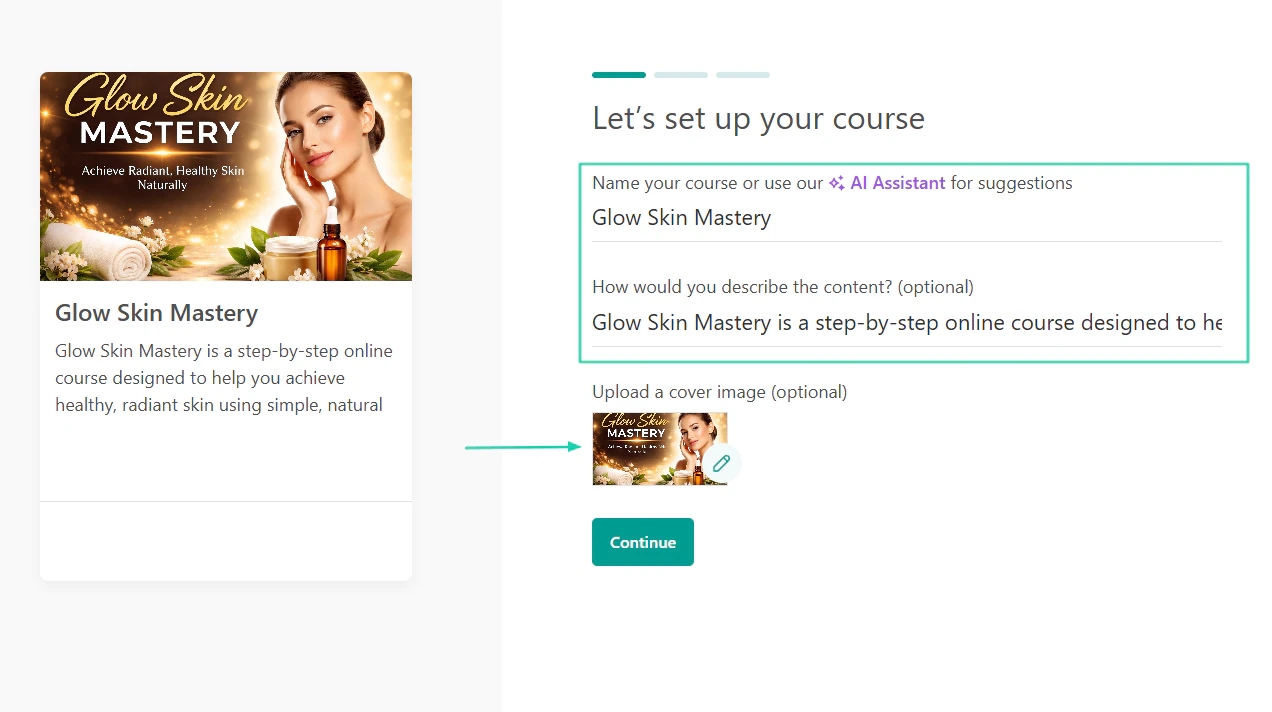
You have to name the course, add a description, and upload a cover image.
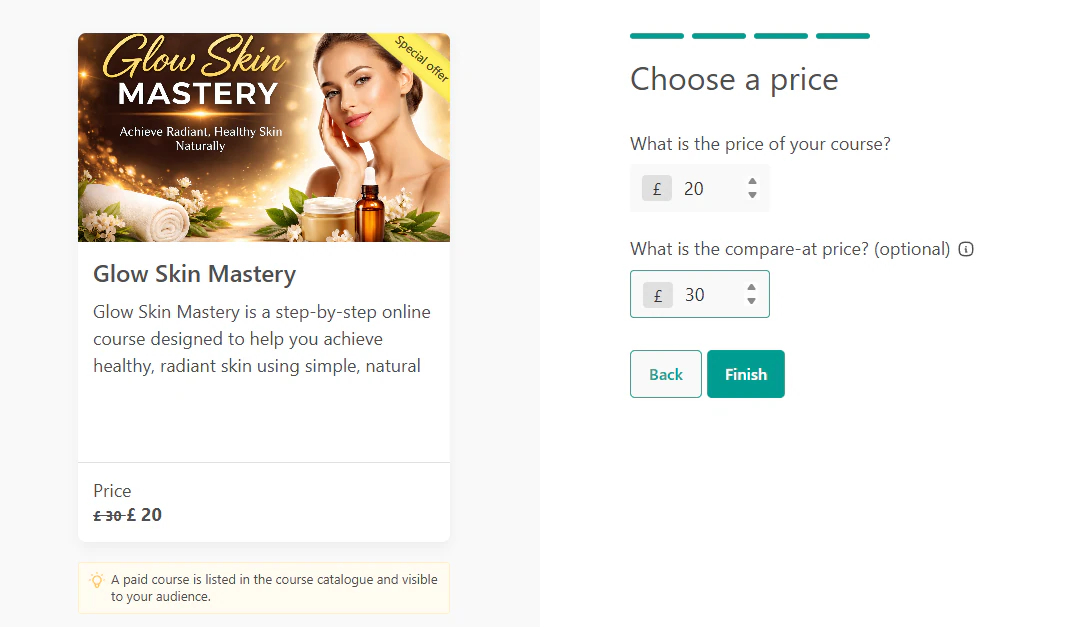
Then you choose a price and can add the compare-at price.
Time to craft the contents for your online course. Go to “Start building with AI.”
The AI will build the course outline with different modules. You can add questions, activities, or create them with AI. You can also add the content.
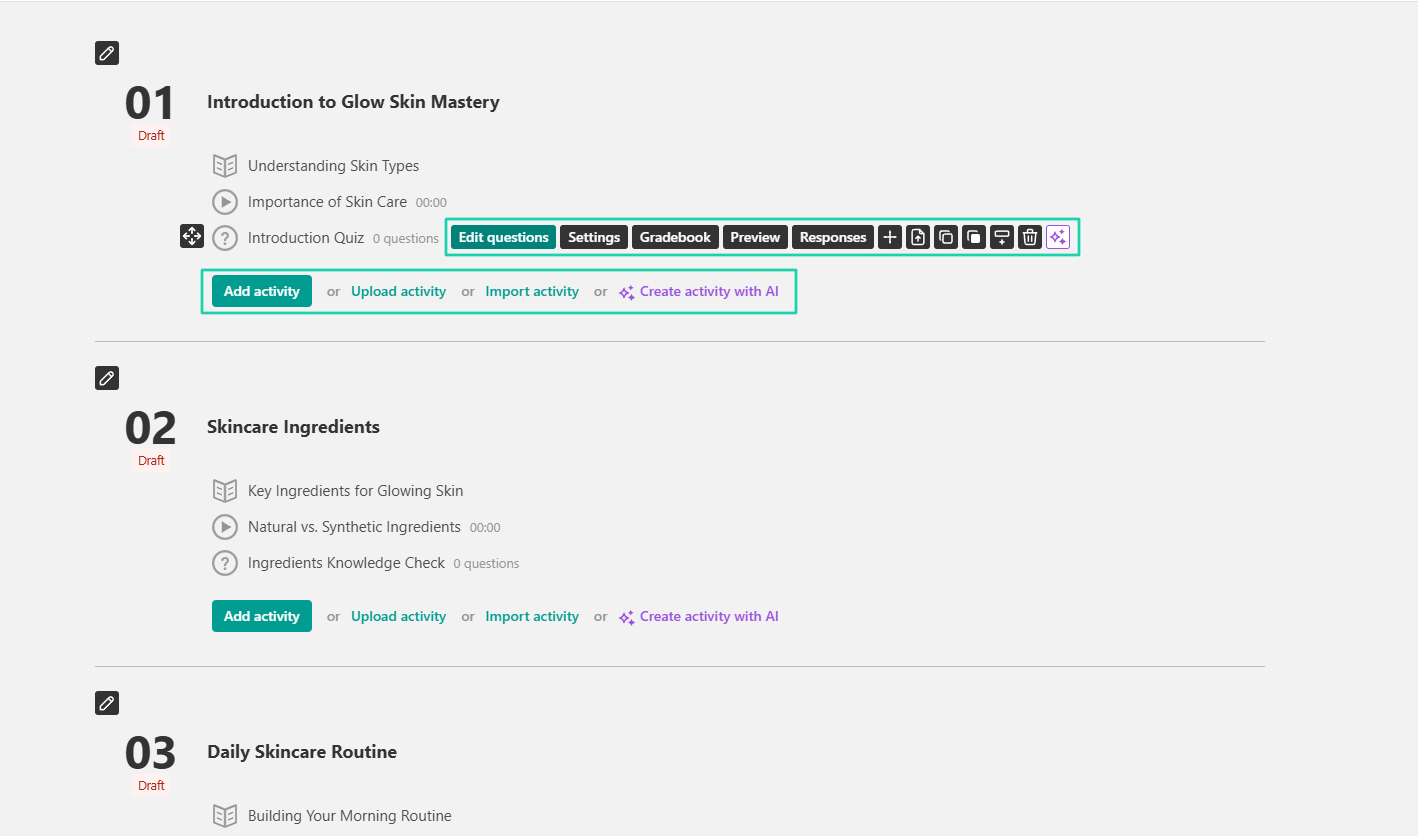
This is an idea of what it may look like from the customer’s end.

2. Users
Through the users feature, you can add all sorts of users: leads, customers, or staff. You can also specify their role.
Click “Users” in the sidebar.
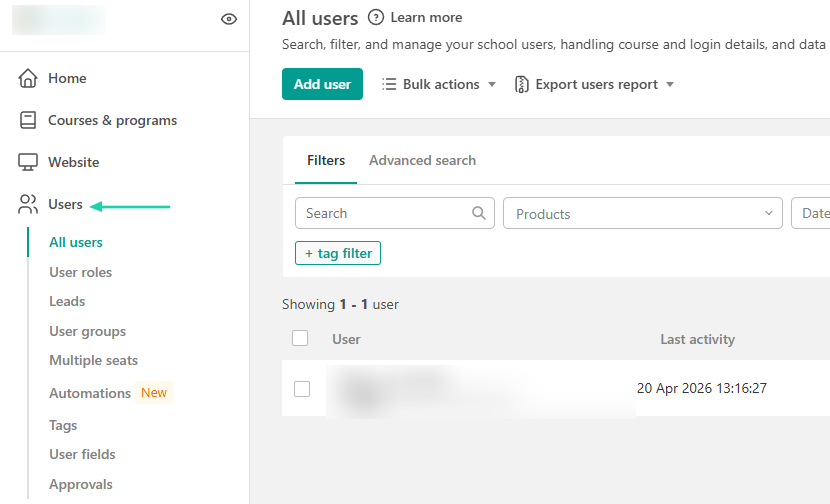
Enter the user’s details: first, last name, and email address. Then you specify the user role and enroll them.
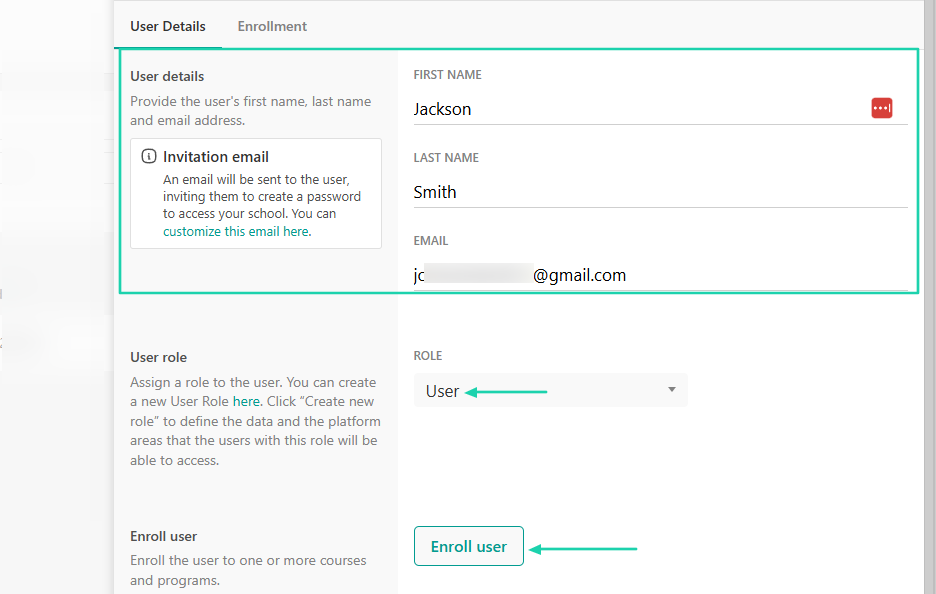
To enroll a user, you simply select the products, add an expiration date, and create a payment record.
3. Marketing forms
Using LearnWorlds’ marketing forms, you can create forms to collect leads, data, feedback, and course orders.
If you want to create one, click “Marketing” in the sidebar menu, then go to “Marketing forms.” Then “Create a form.”
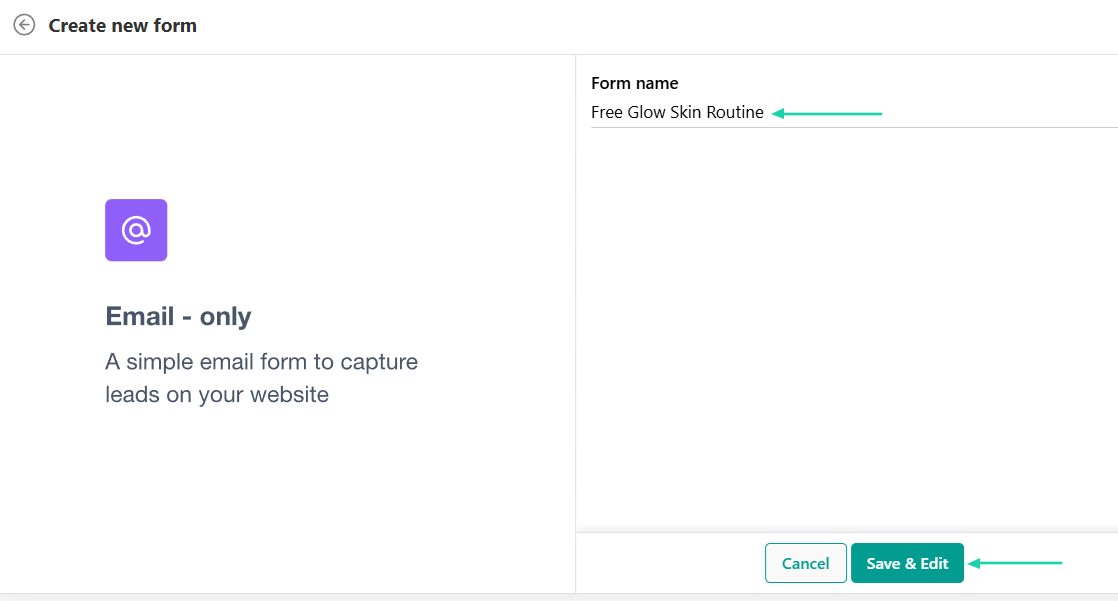
There are many types of forms you can choose from. We will choose “Email only” under “Lead Capture.”
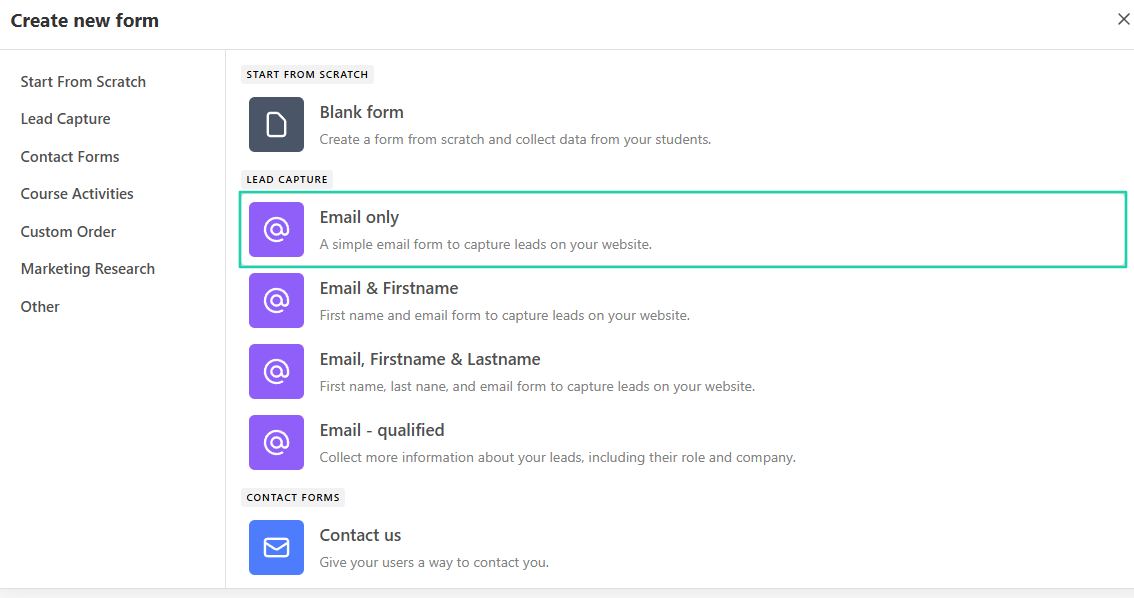
Enter the form name.
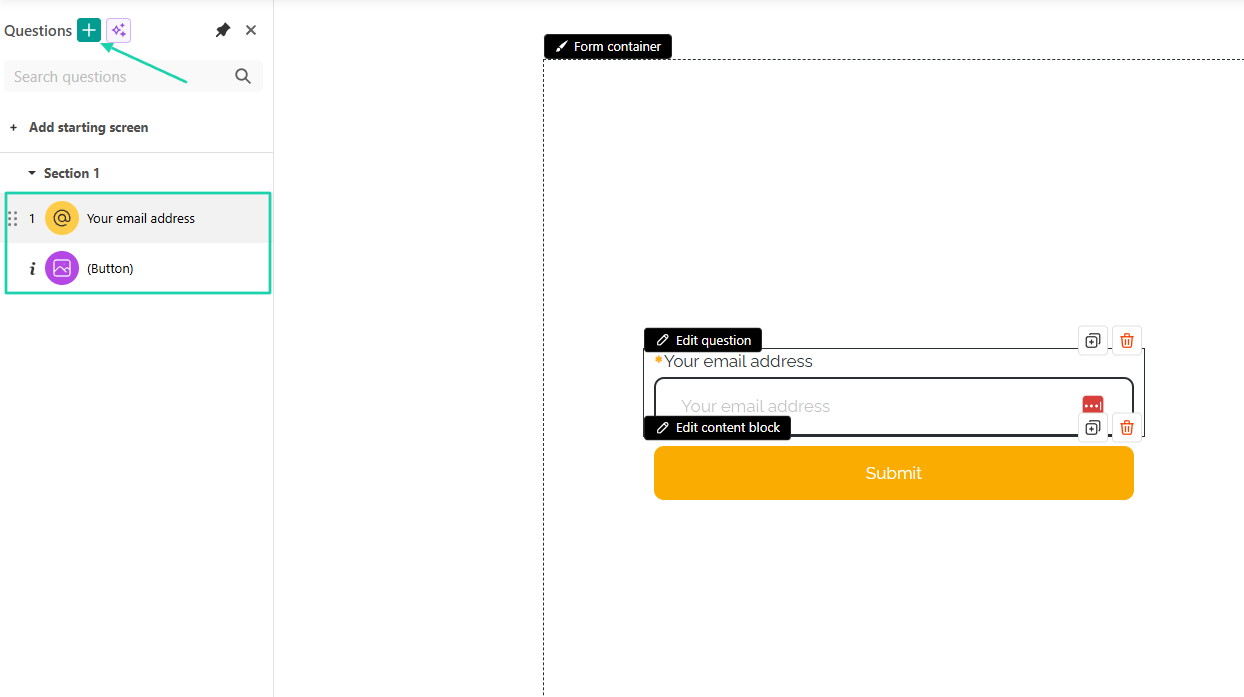
Your form is ready! You can add questions and arrange the properties as you like.
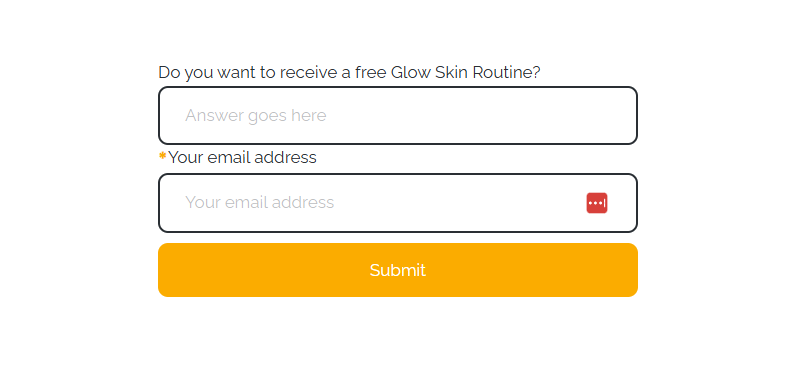
There you go!
[fs-toc-omit]What I liked vs what I didn’t like
What I loved 👍
✅ Lets you build a full course with modules using artificial intelligence.
✅ Allows you to add quizzes, course forms, and certificates to courses.
✅ Lets you enroll students in specific courses and choose an expiration date for each one.
✅ Offers a library of 150+ ready-made courses you can pay for and share with your learners.
What I didn’t like 👎
❌ You can’t sell digital products as standalone products. You can only insert them in your course.
[fs-toc-omit]Best for
- Educators and businesses seeking a platform to build professional online academies.
[fs-toc-omit]Pricing
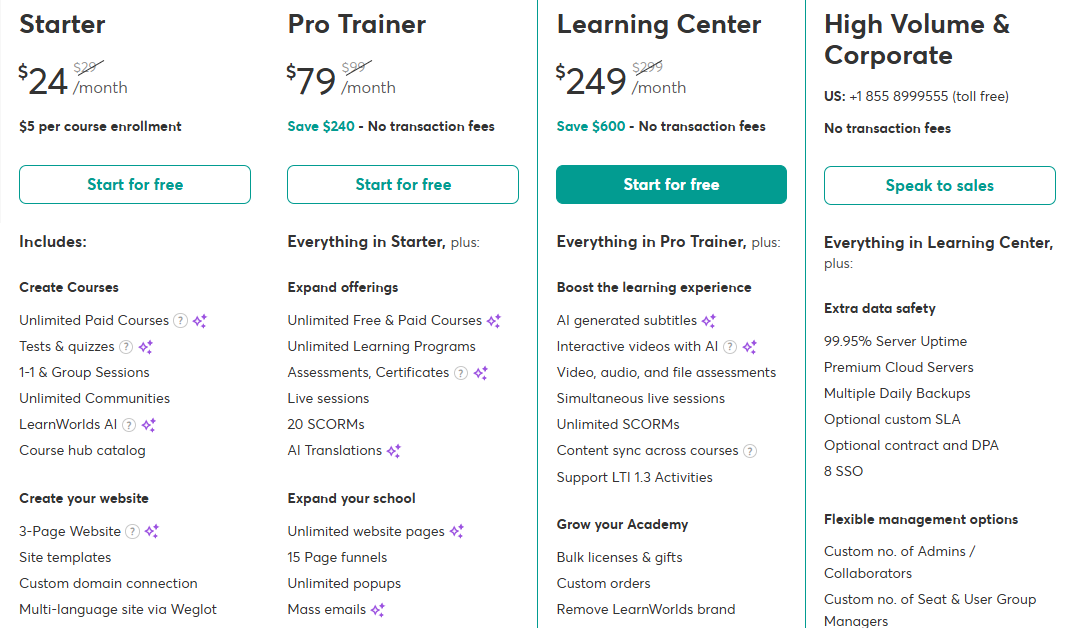
- Starter: $24/month + $5 per course enrollment
- Pro Trainer: $79/month
- Learning Center: $249/month
- High Volume and Corporate: Contact for pricing
4. Payhip
- Personal rating: ⭐️⭐️⭐️⭐️⭐️ 3.8/5 - Though you can sell both physical and digital products, the platform’s interface looks outdated.
- Ease of use: ⭐️⭐️⭐️⭐️⭐️ 4/5 - It is easy to add products and customize your storefront.
- Digital products supported: Digital and physical products, courses, bundles, memberships, and coaching services.
- Integrations: Zapier, WordPress, Wix, Squarespace, Zoom, Calendly.
- Starting plan: Free Forever - $0/month + 5% transaction fee + unlimited products
Payhip is next on my list of the best SamCart alternatives.
It’s an ecommerce platform with built-in marketing tools that lets you build a storefront to sell digital and physical products, bundles, membership, and coaching services.
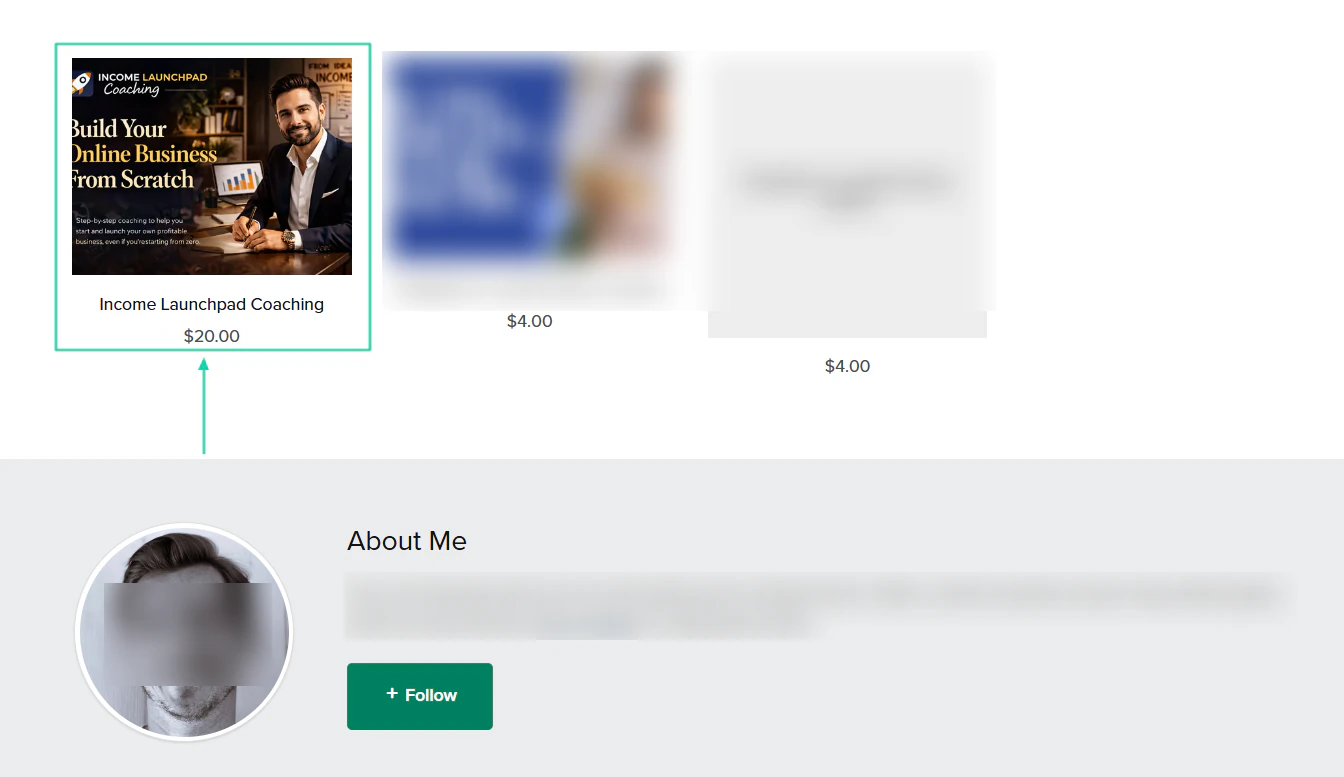
The products or services you sell will appear on your storefront once created.
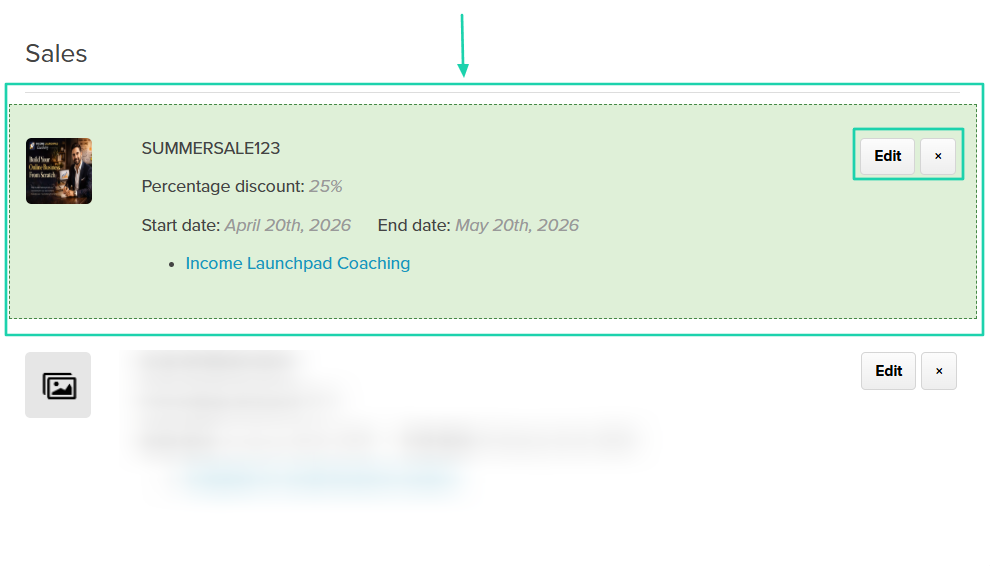
When you create a discount for a product or service, you specify the percentage discount and start and end dates.
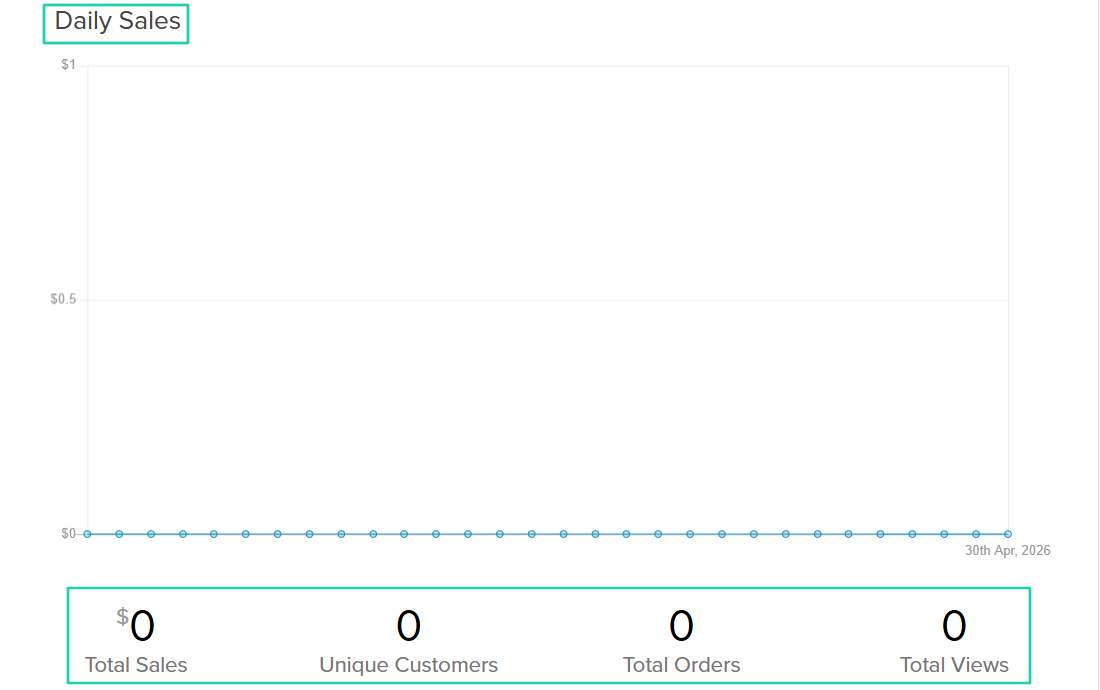
And if you sell every day, you have analytics to see your daily sales
[fs-toc-omit]What I loved about Payhip
1. Products
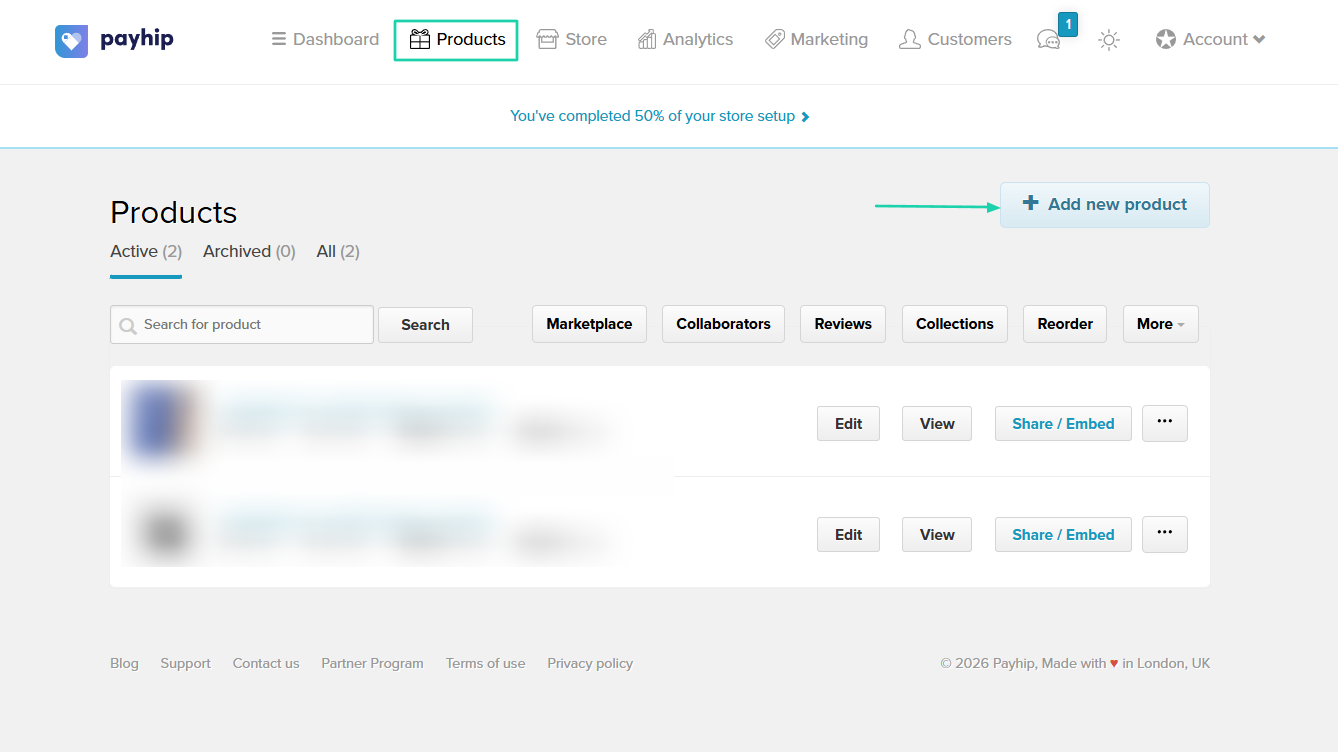
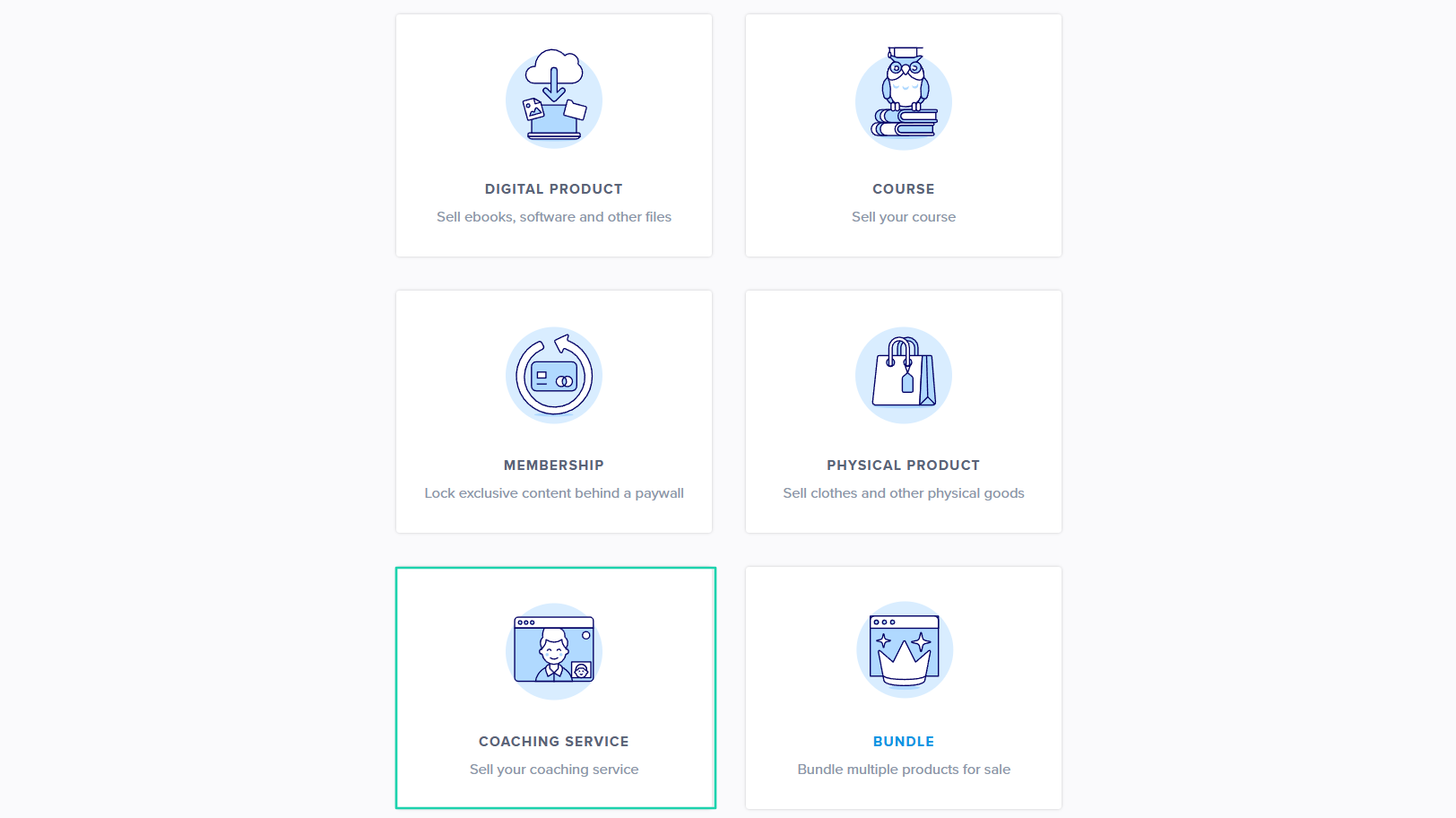
Payhip’s products feature allows you to sell coaching services, digital and physical products, courses, bundles, and memberships.
To add yours, go to “Add new product” after locating the feature.
Let’s choose a coaching service as our product type.
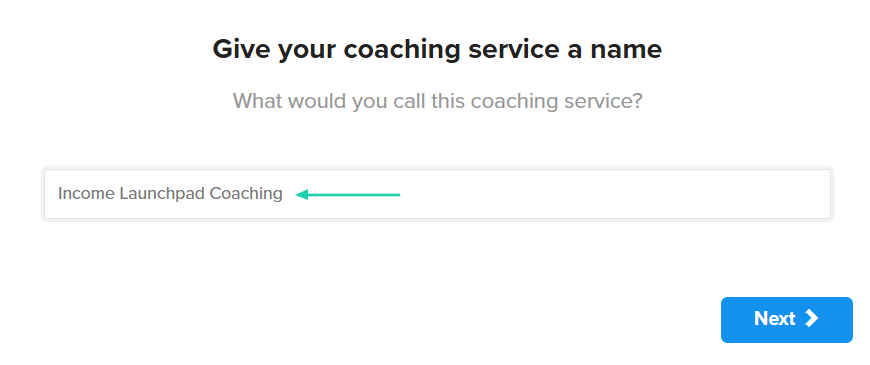
Give your coaching service a name.
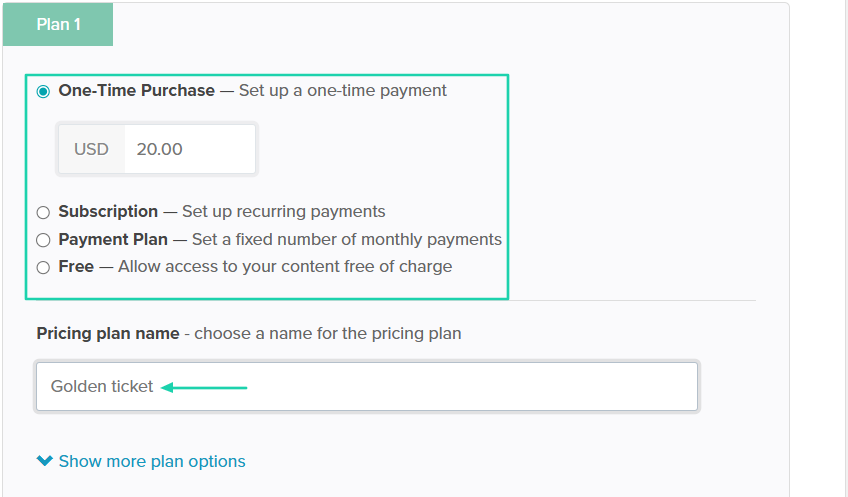
Next, you choose your preferred price type and add your price. You can even name your pricing plan.
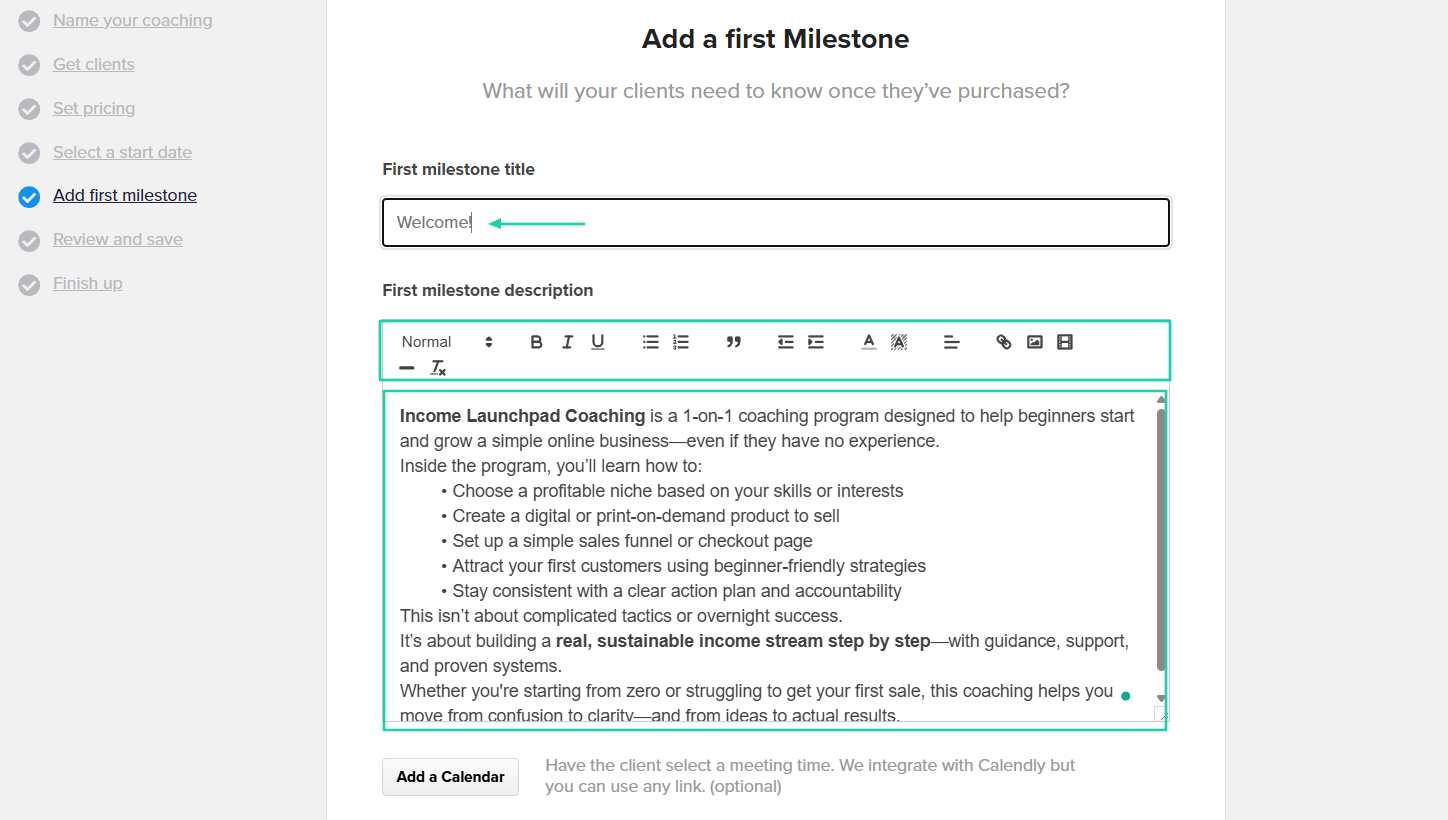
You can add the first milestone; both the title and description.
That’s it! Your product is in your store.
2. Marketing
Payhip’s marketing feature lets you create coupons, affiliates, upgrades, run sales, and build mailing lists. In our example, we will use it to run a sale.
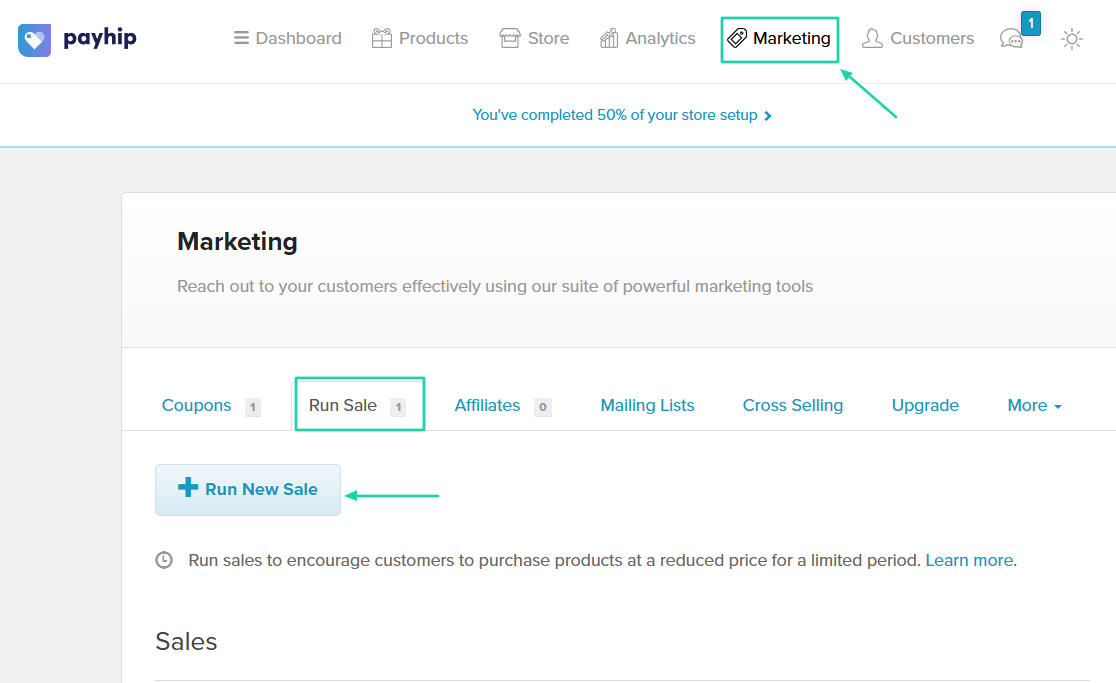
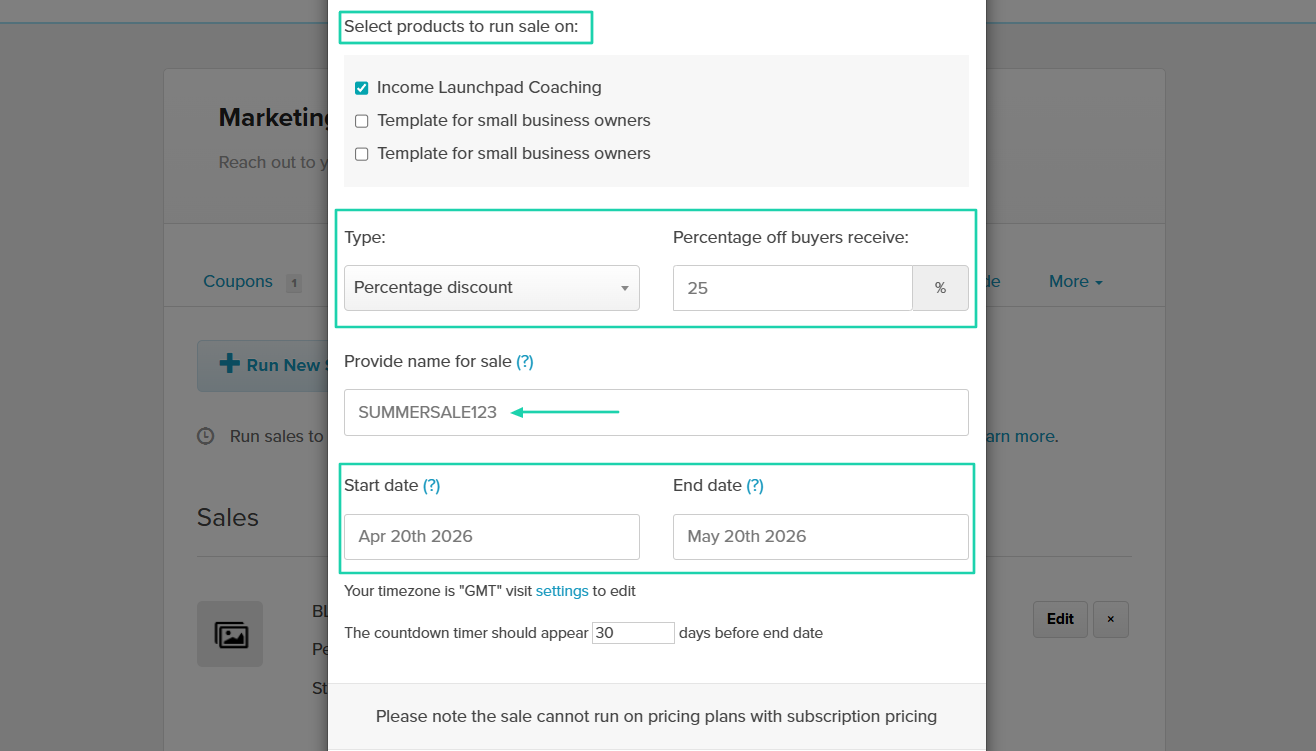
First, you select the products to run a sale on. Then choose the discount type, amount, and name. You can also add a start and end date for the discount.
Your discount sale!
3. Analytics
Now, let’s look at Payhip’s analytics feature. It shows your sales performance for all your products.
You can select a particular product for a specific time, and the dashboard will display your daily views for that period.
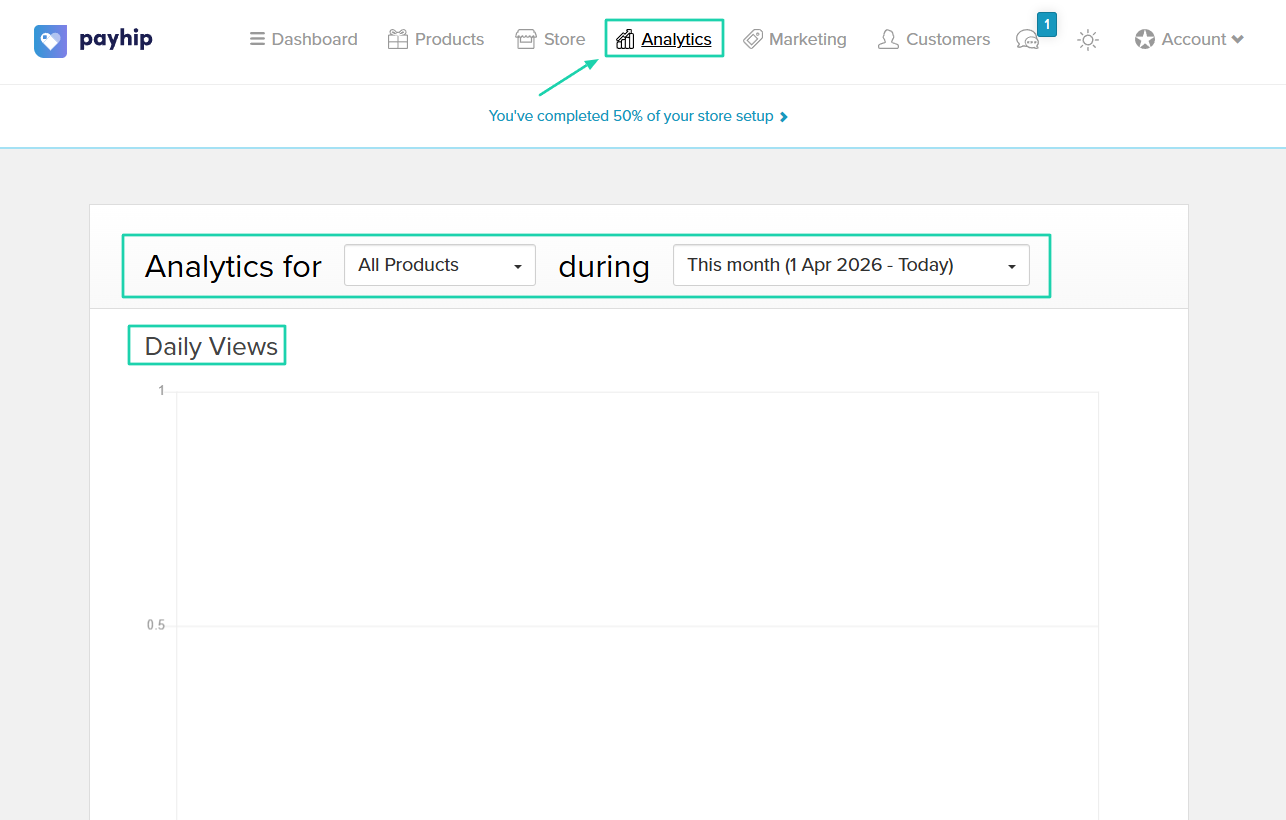
It also shows the total sales, unique customers, total orders, and total views.
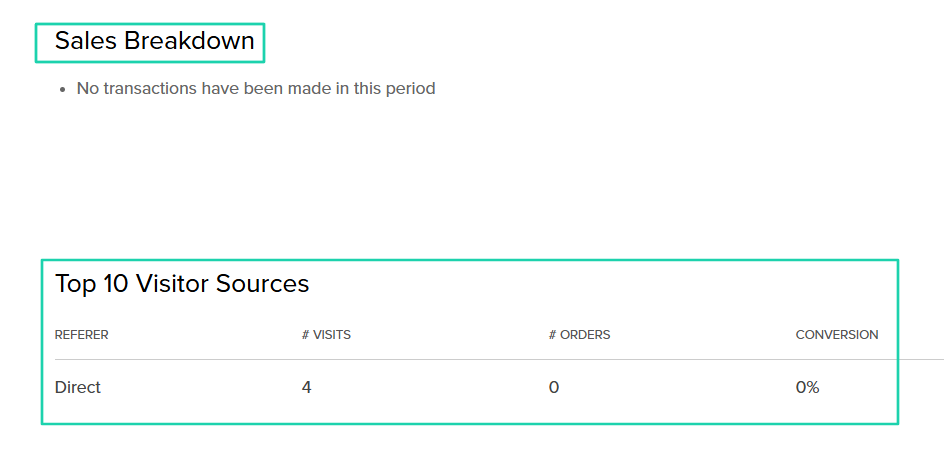
You will see your sales breakdown and the total visitor sources.
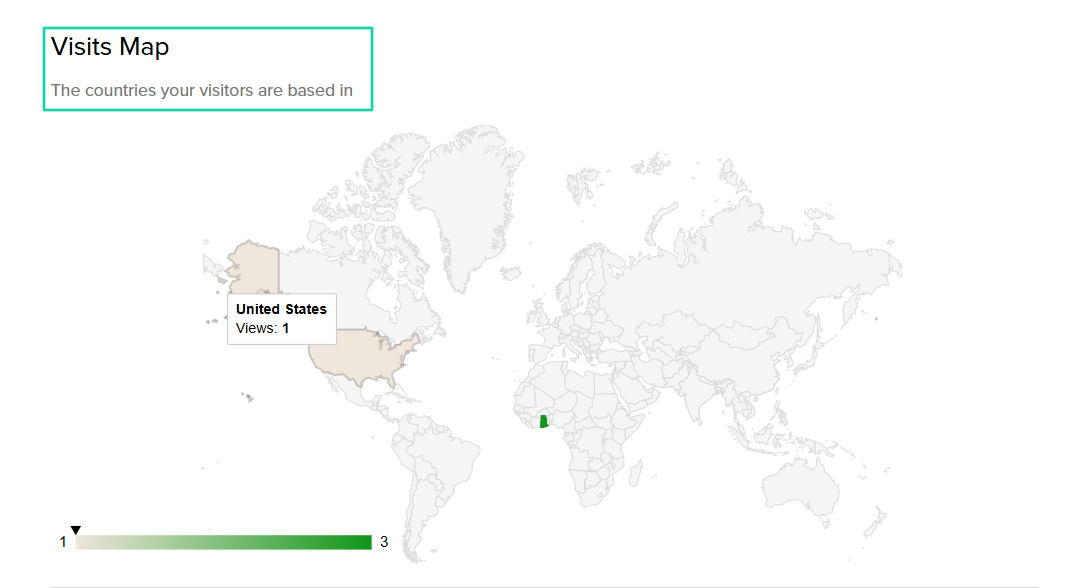
Aside from that, you will also see the countries your visitors are based in.
[fs-toc-omit]What I liked vs what I didn’t like
What I loved 👍
✅ Shows the different countries your customers are based in.
✅ Lets you create a discount for specific products in 2 steps.
✅ Offers many marketing features like coupons, run sales, upgrades, cross-selling, mailing lists, and affiliates.
What I didn’t like 👎
❌ The platform’s interface feels outdated and lacks a modern touch, which can affect the user’s experience.
[fs-toc-omit]Best for
- Solopreneurs and creators seeking to sell digital products and track sales.
[fs-toc-omit]Pricing
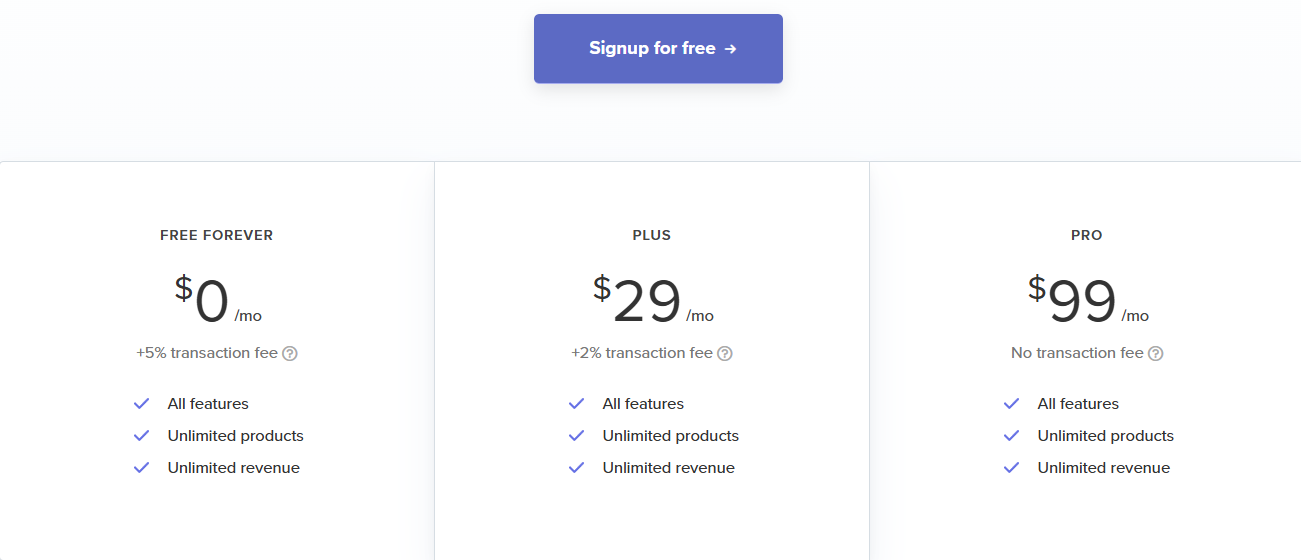
- Free Forever: $0/month + 5% transaction fee
- Plus: $29/month + 2% transaction fee
- Pro: $99/month + 0% transaction fee
5. Shopify
- Personal rating: ⭐️⭐️⭐️⭐️⭐️ 4.8/5 - You can add or import products or even find other products to sell on the platform.
- Ease of use: ⭐️⭐️⭐️⭐️⭐️ 4.3/5 - You can add your product in 3 steps.
- Digital products supported: Physical products, PDFs, e-books, audio, video, stock photos, and digital planners.
- Integrations: Facebook, Instagram, TikTok, Google Shopping, Amazon, and Mailchimp.
- Starting plan: Basic - €21/month, billed annually + 10 inventory locations.
Shopify is also on my list of the best SamCart alternatives.
It’s an all-in-one ecommerce platform that helps businesses create, customize, and manage online stores with an advanced inventory system.

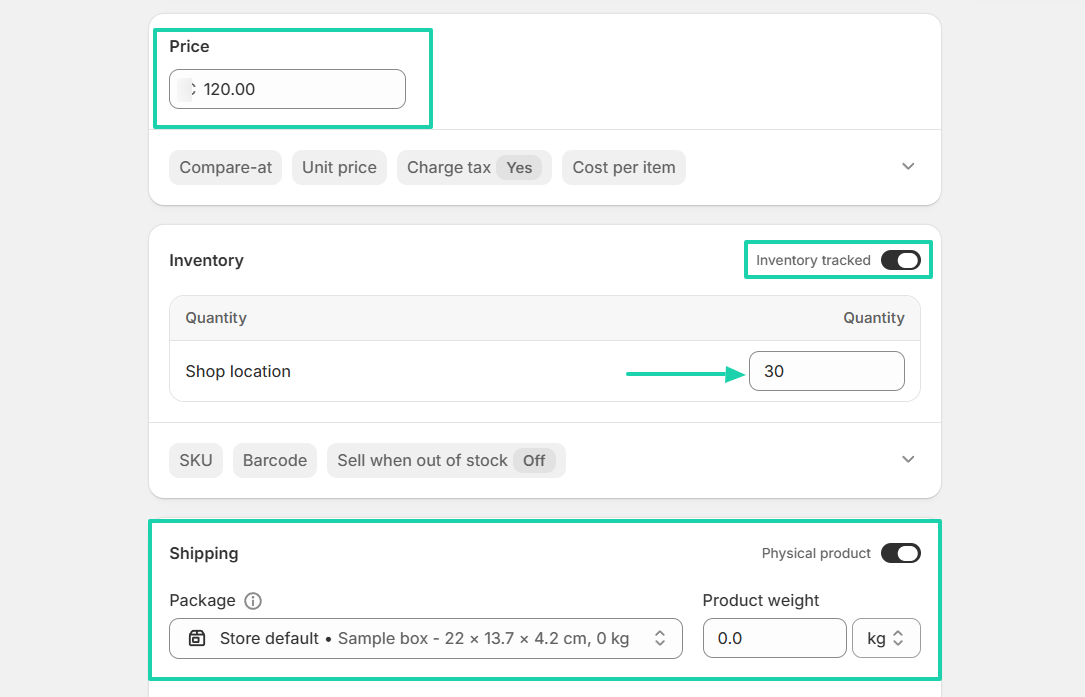
When adding your product, you can enable the inventory-tracking button and specify the product’s weight and quantity.
You can also manually add customers.
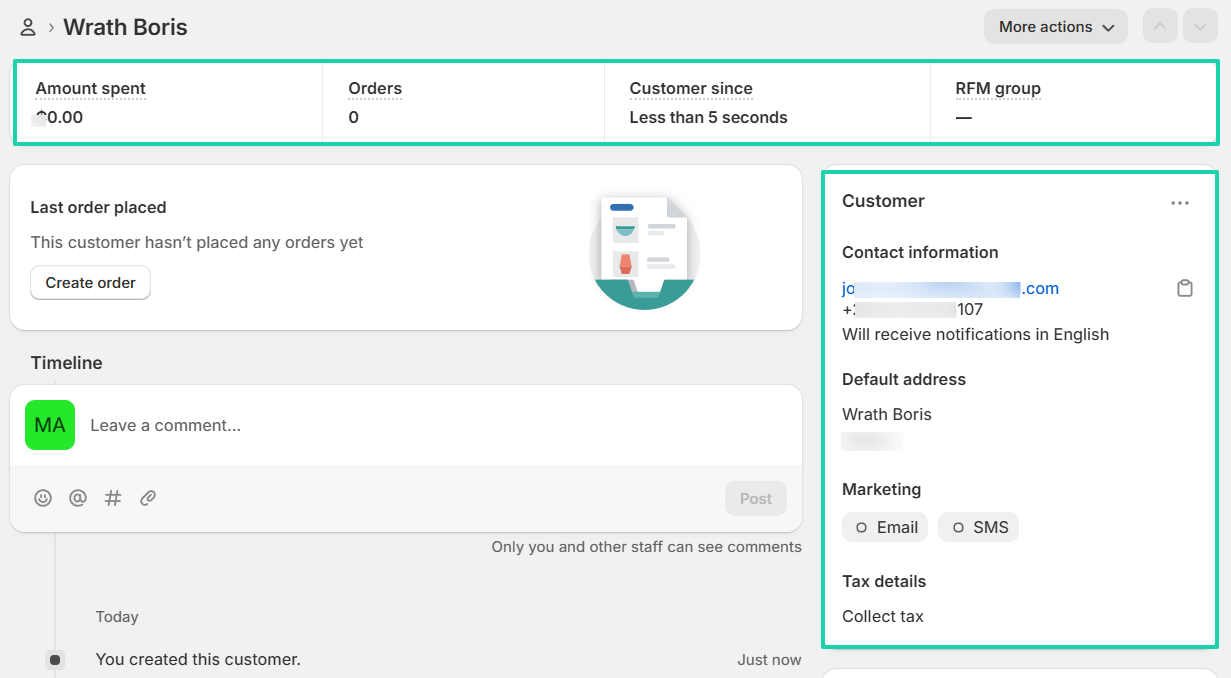
After you’ve added customers, you can then track how much they spend and how many orders they make.
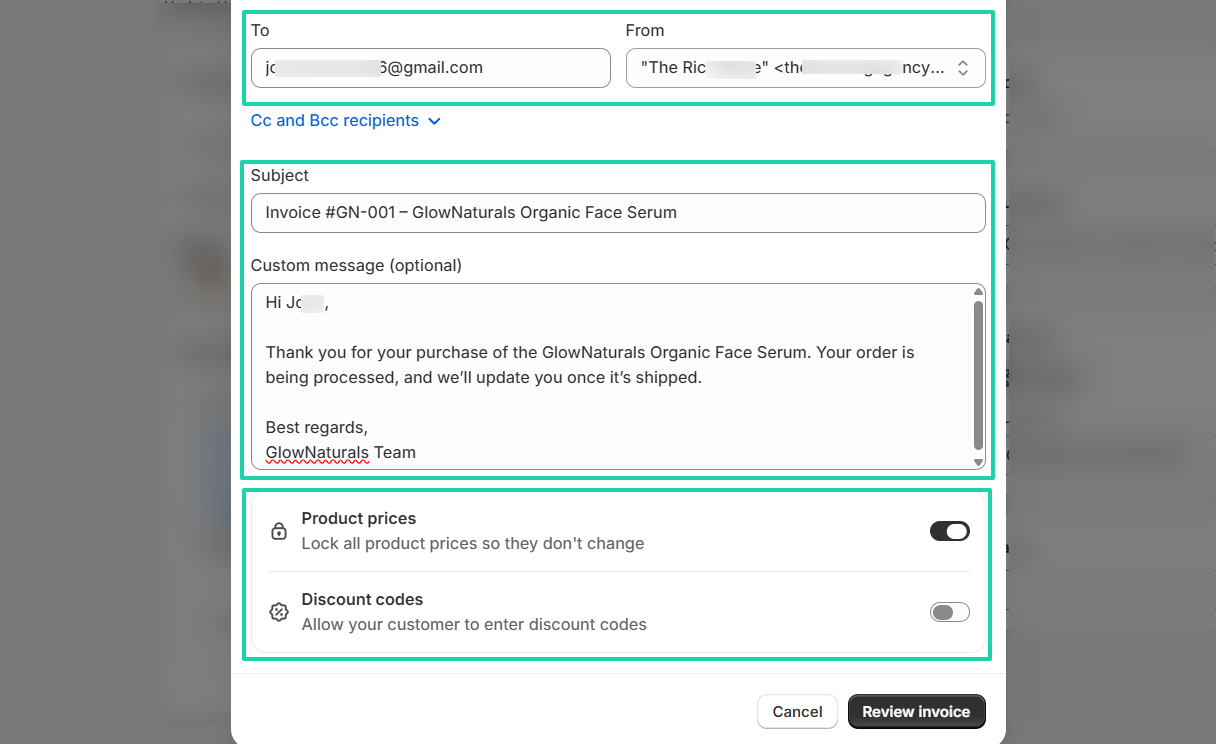
What’s more, you can create invoices and send them to customers.
[fs-toc-omit]What I loved about Shopify
1. Products
On Shopify, you first create a store, then you use the products feature to add your products. You can also import them or find other products to sell.
Let’s add a product.
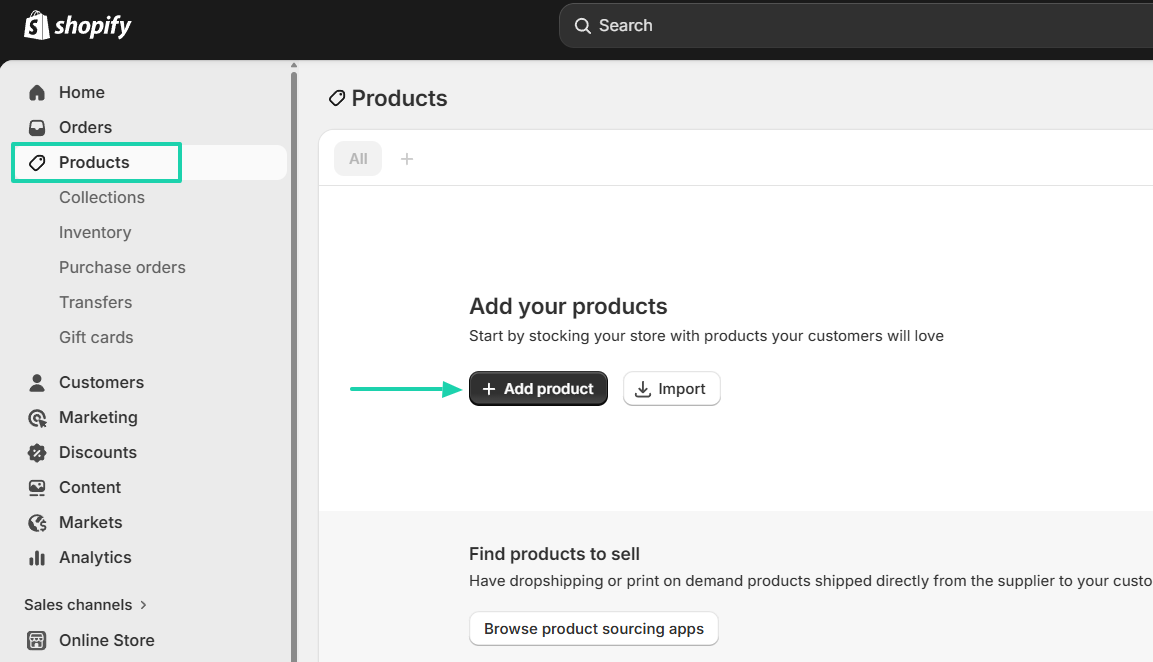
Name your product, add a description, an image, and a category.
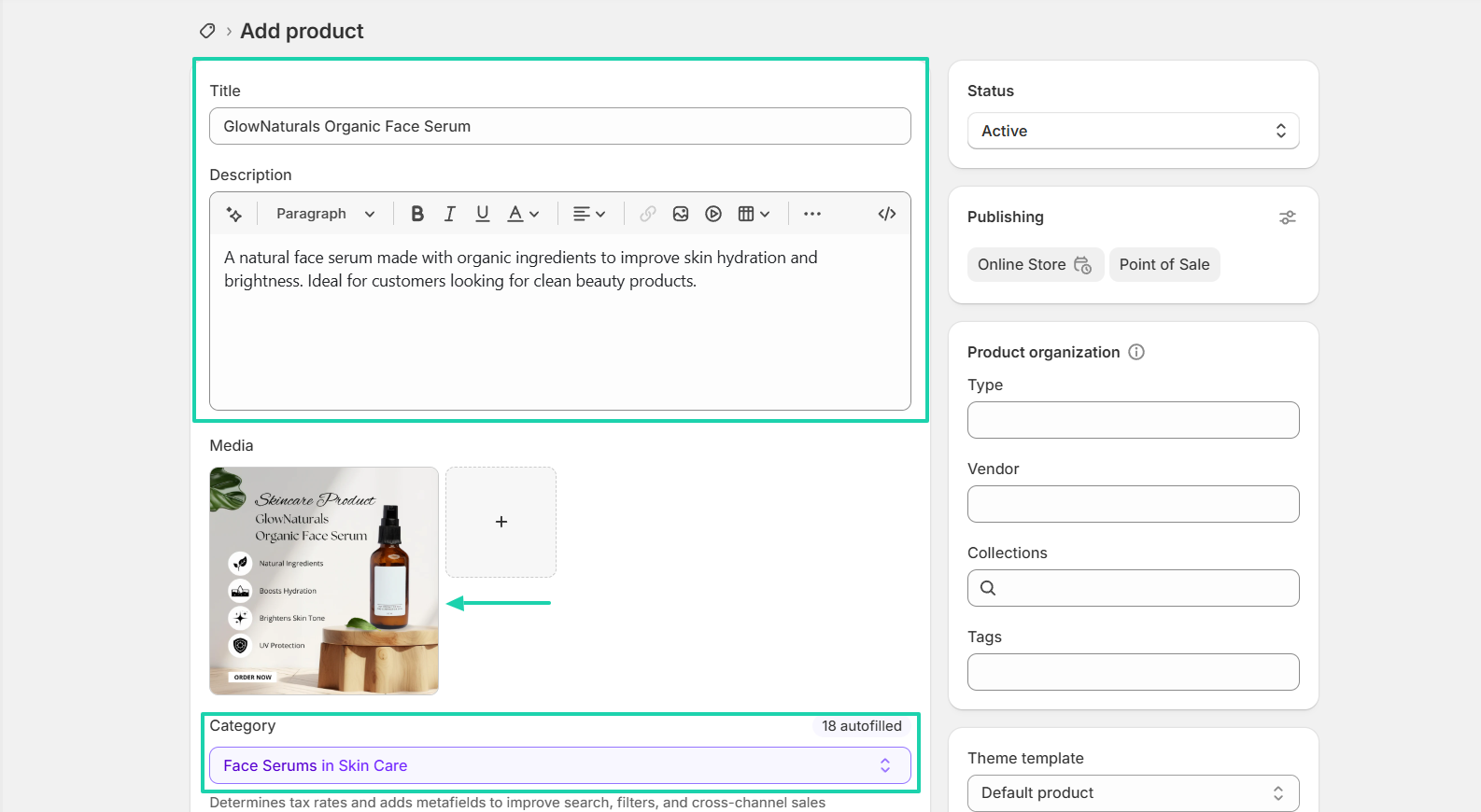
Next is your price. Then set the quantity, and enable the inventory tracking button. You can also adjust the shipping details.
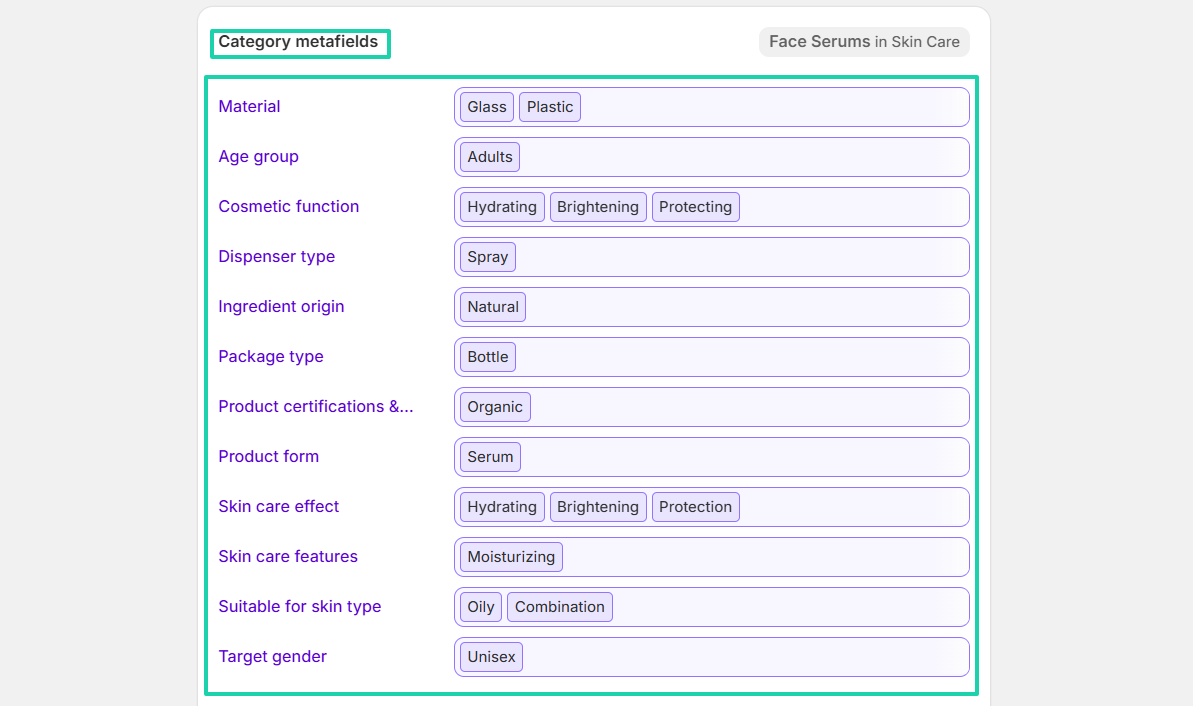
The AI will automatically fill the category metafields. You can still add other ones manually.
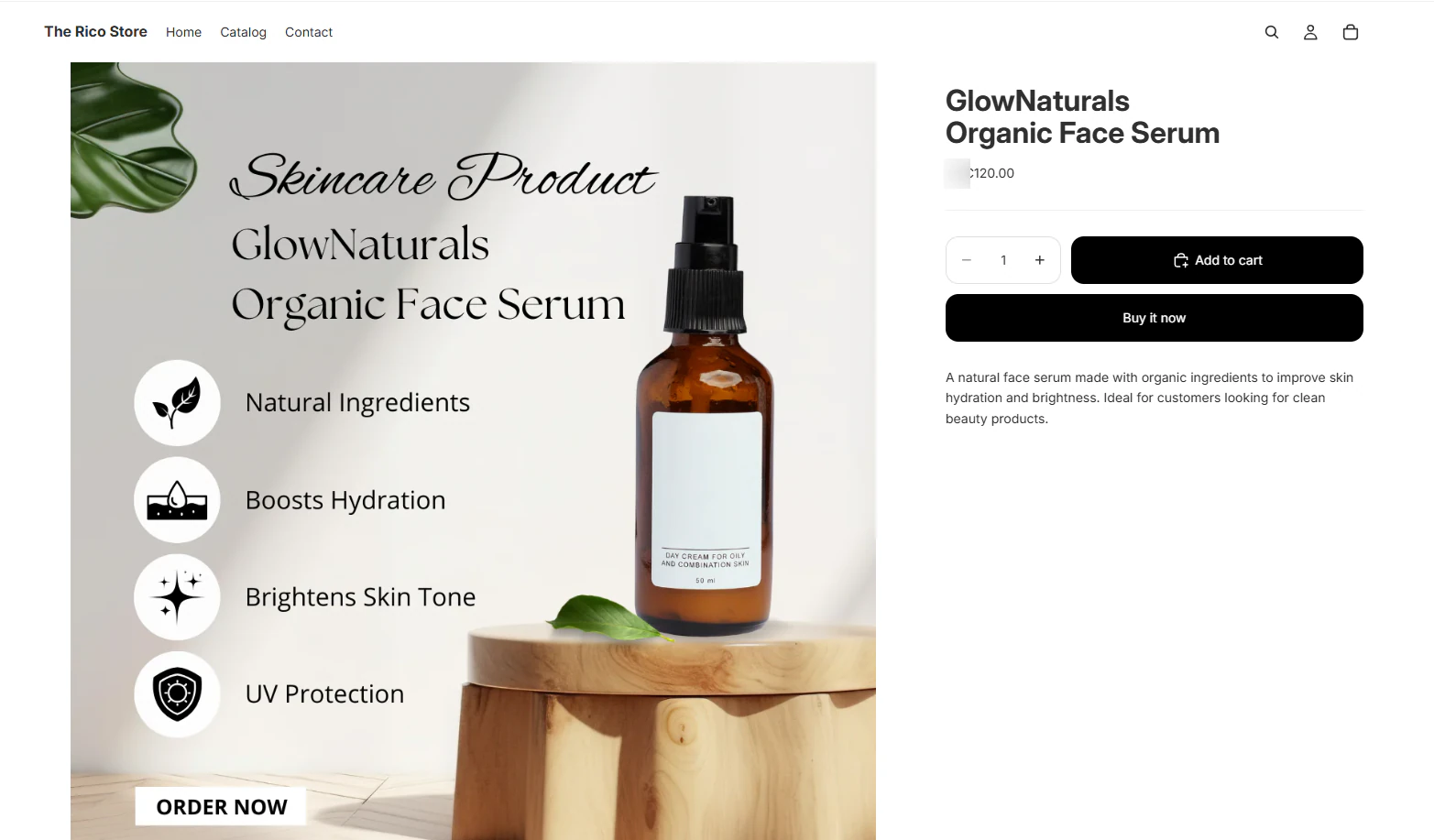
You have your product!
2. Customers
Shopify’s customers feature lets you add or import customers. You will manage their details and view their order history.
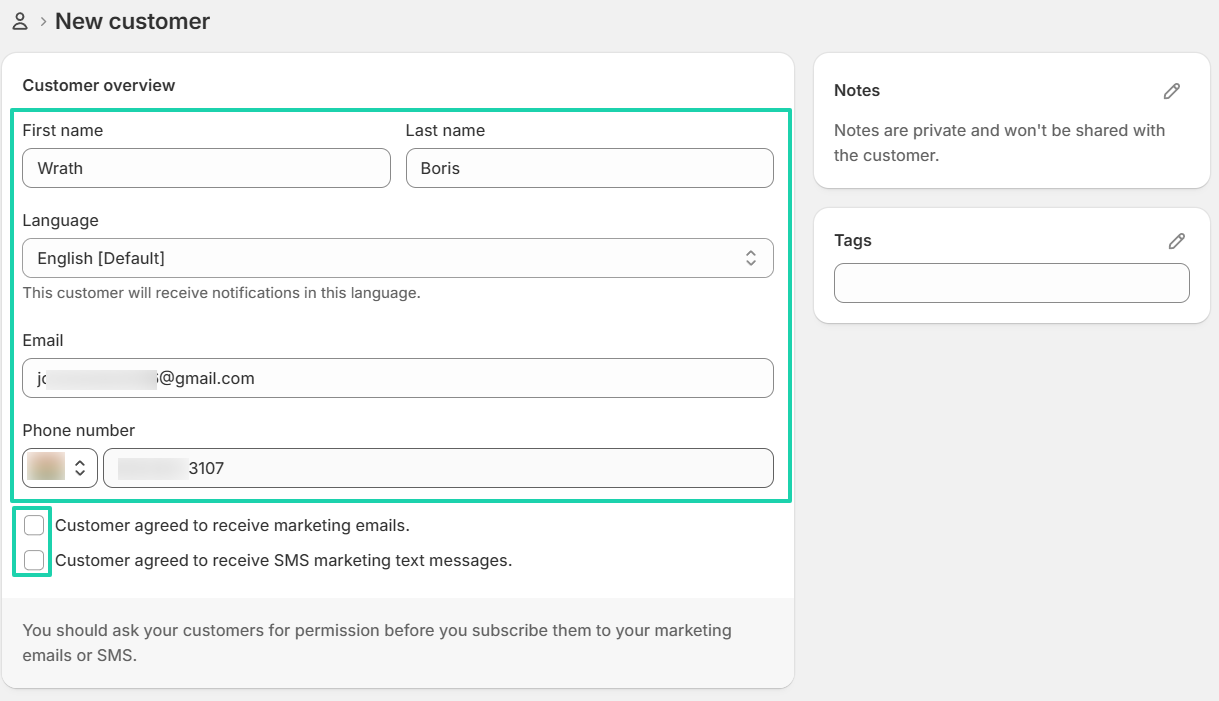
To add one, go to “Customers” in the sidebar menu. Then click “Add customer.”
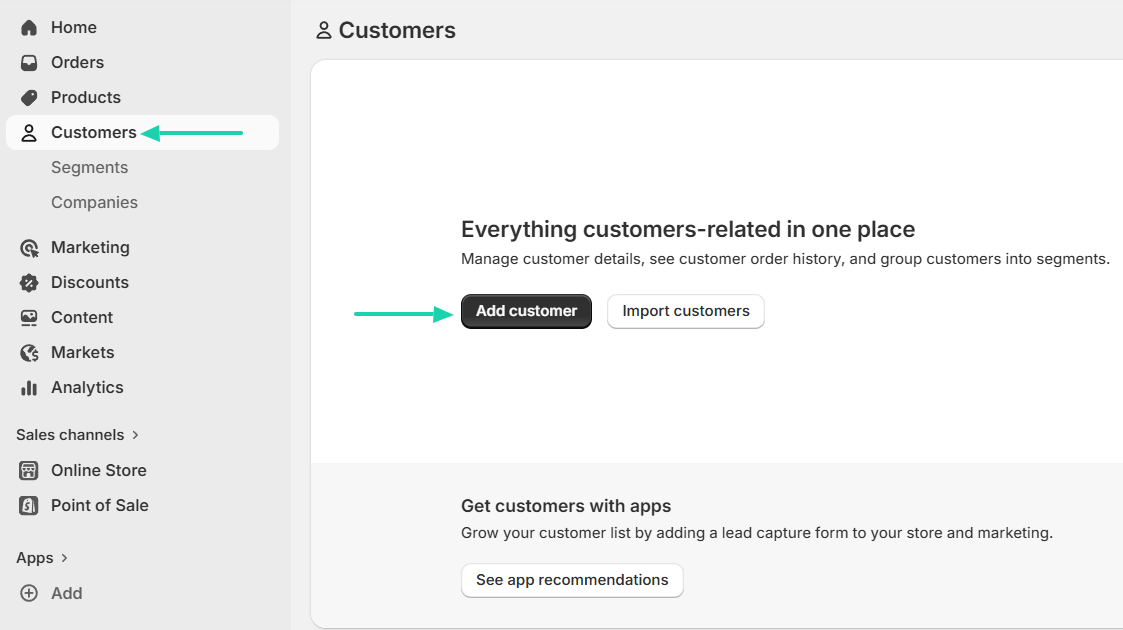
Enter their first and last name, email address, language, and phone number.
You can also specify whether the customer agreed to receive marketing emails or SMS marketing messages.
You can add the customer’s address and adjust tax details.
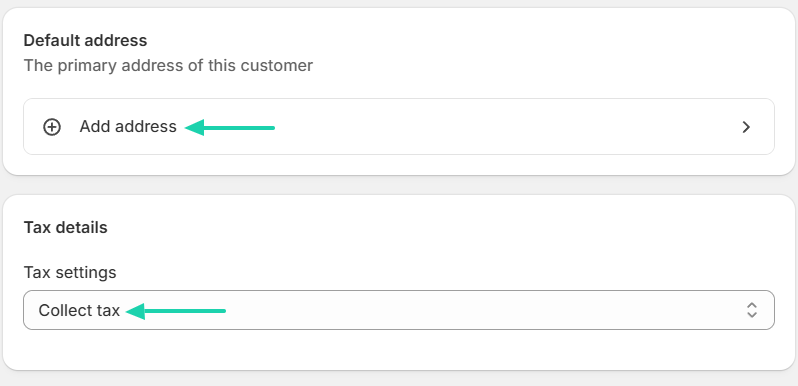
Now that you have your customer, you can track the amount spent and the number of orders. You can also view when they became customers and all their details.
3. Orders
The goal of creating and adding products is to sell. Shopify’s orders feature lets you create orders and invoices and email customers.
Let’s create one.
Click “Orders” in the sidebar menu, go to “Create draft order.”
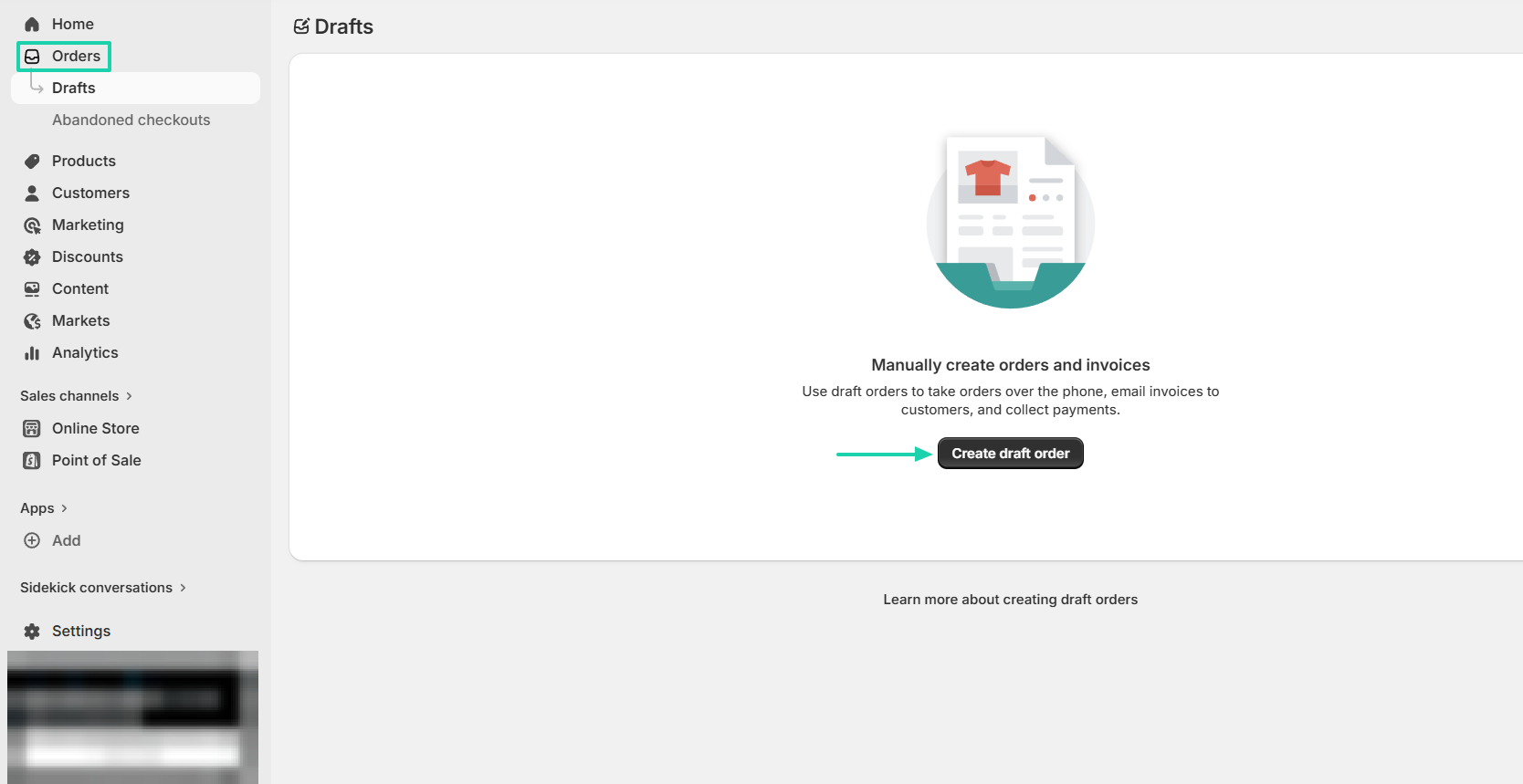
Browse and select the product you want to use for the invoice. Specify the quantity and see the total amount (tax included).
Once everything is okay, you can send an invoice or mark it as paid.
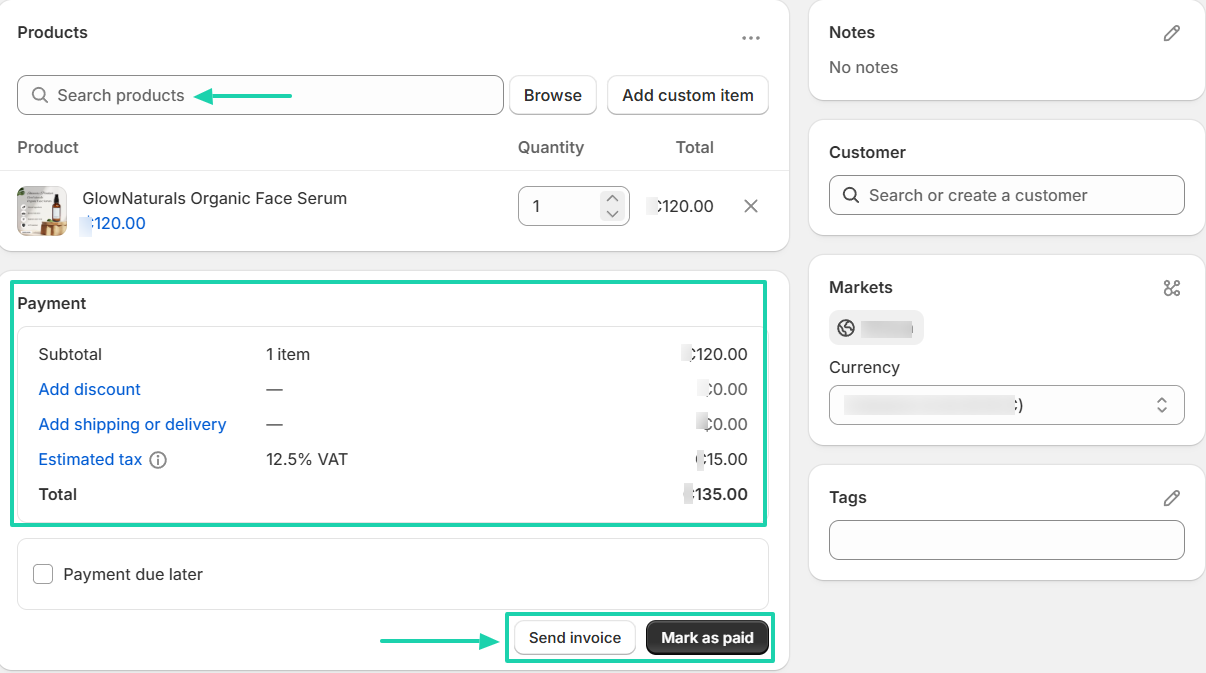
To send an invoice, enter the customer’s email address, add the subject, and the message. You can lock all product prices so they don’t change or allow customers to enter discount codes.
[fs-toc-omit]What I liked vs what I didn’t like
What I loved 👍
✅ Automatically fills product category metafields with AI.
✅ Tracks how much customers spent and the number of orders.
✅ Lets you create invoices, lock all product prices, and even add discount codes.
What I didn’t like 👎
❌ Lacks email outreach. You need third-party apps to send and receive emails.
❌ Offers only a 3-day free trial, which is a very short period to fully understand a platform.
[fs-toc-omit]Best for
- Businesses running large ecommerce operations with a focus on physical product brands.
[fs-toc-omit]Pricing
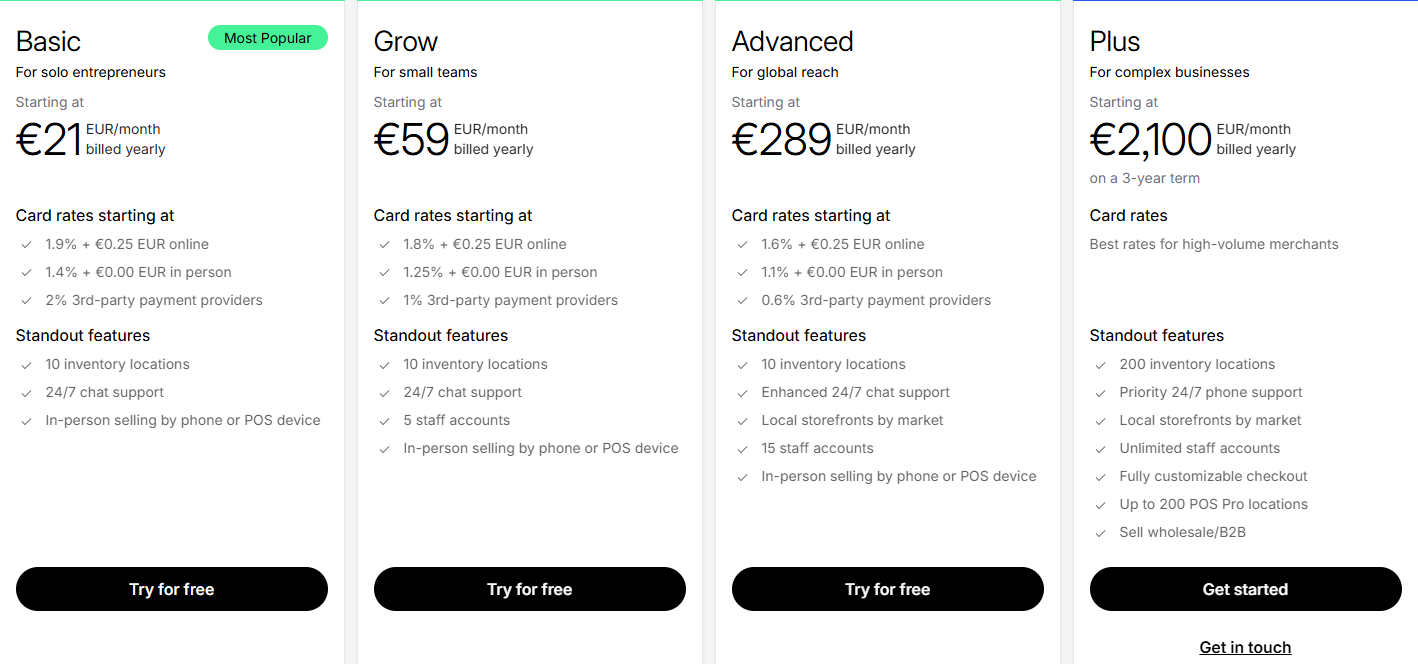
- Basic: €21/month
- Grow: €59/month
- Advanced: €289/month
- Plus: €2,100/month
6. Gumroad
- Personal rating: ⭐️⭐️⭐️⭐️⭐️ 4.2/5 - Aside from selling digital products and services, you can also send email campaigns to subscribers and customers. But it has high transaction fees.
- Ease of use: ⭐️⭐️⭐️⭐️⭐️ 4.5/5 - Has a user-friendly interface that helps you easily add products and understand all features.
- Digital products supported: Course or tutorial, e-book, membership, bundle, commission, call, or coffee.
- Integrations: Google Sheets, Airtable, WooCommerce, Telegram, Pinterest, Shopify.
- Starting plan: Free - 10% + 0.50
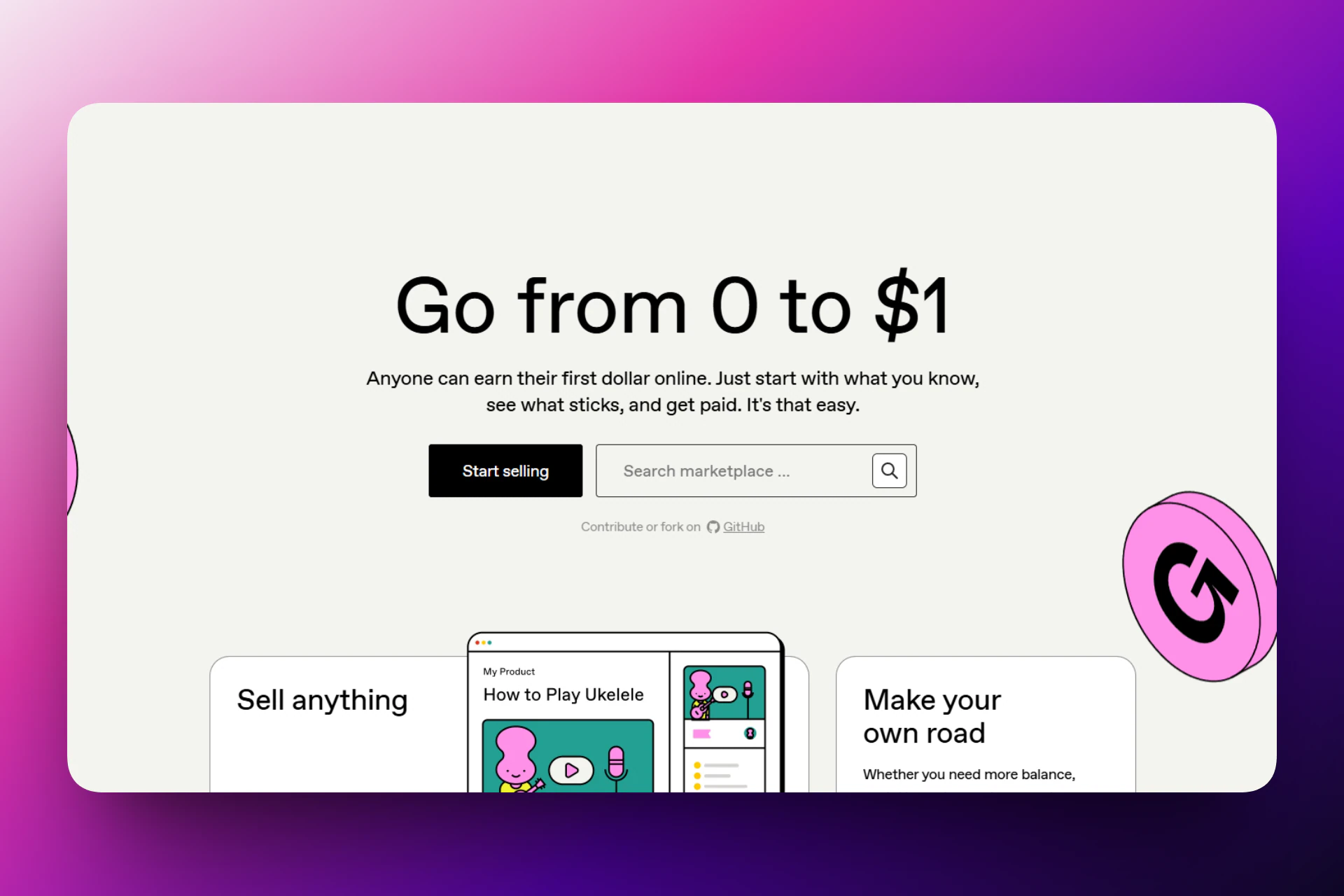
It is an ecommerce platform with an online marketplace for selling digital products, courses, e-books, and memberships. You can also sell bundles and services, like scheduled calls or commissions.
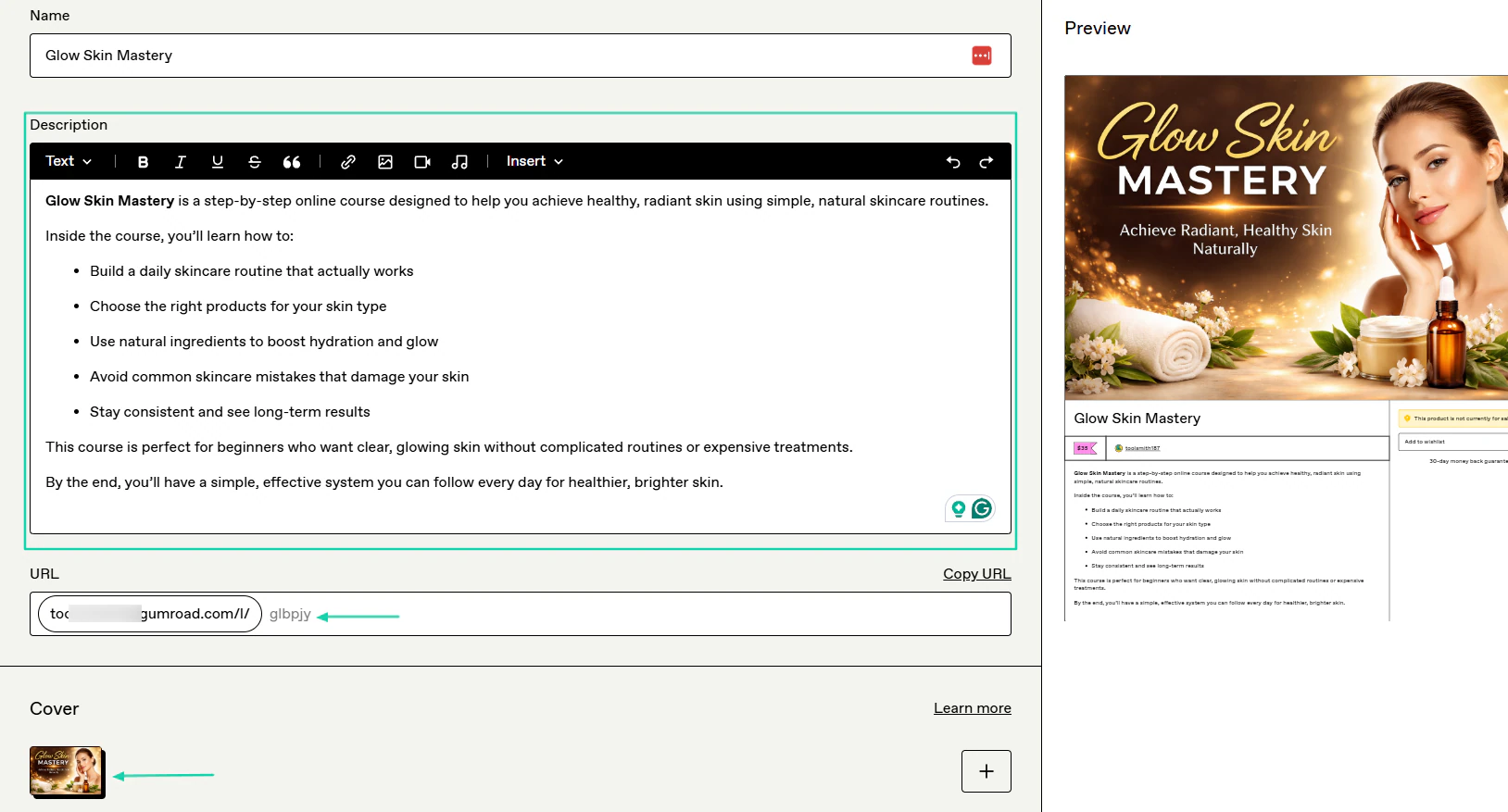
To create a digital product, you will name it, describe it, add a cover image, and upload files.
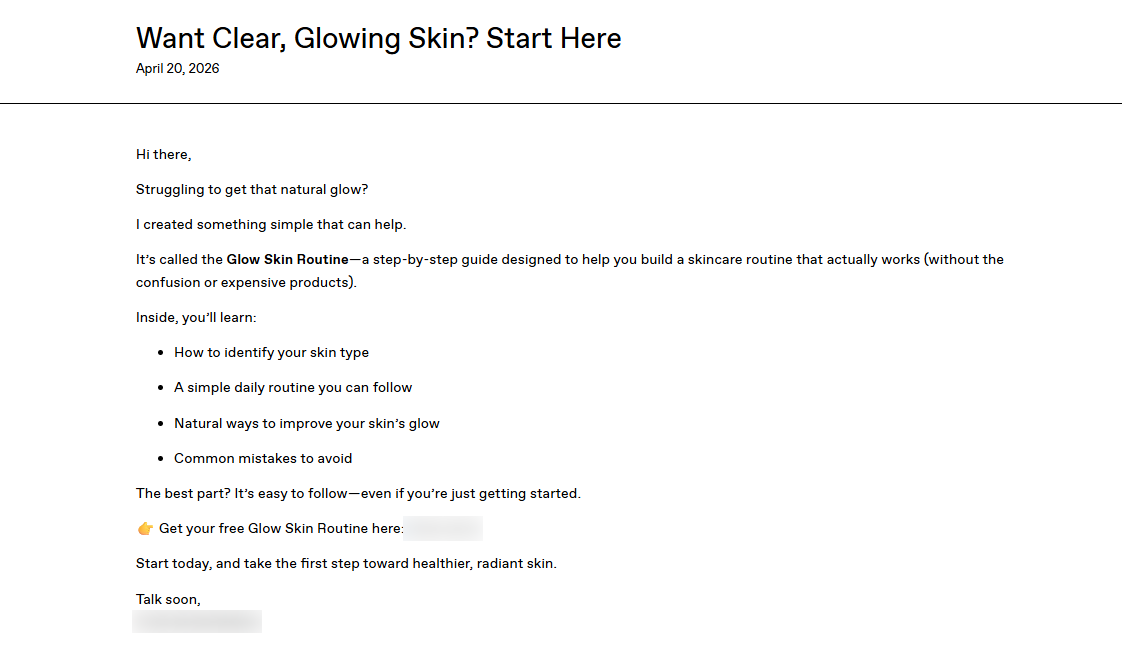
The platform lets you send emails to subscribers and existing customers.
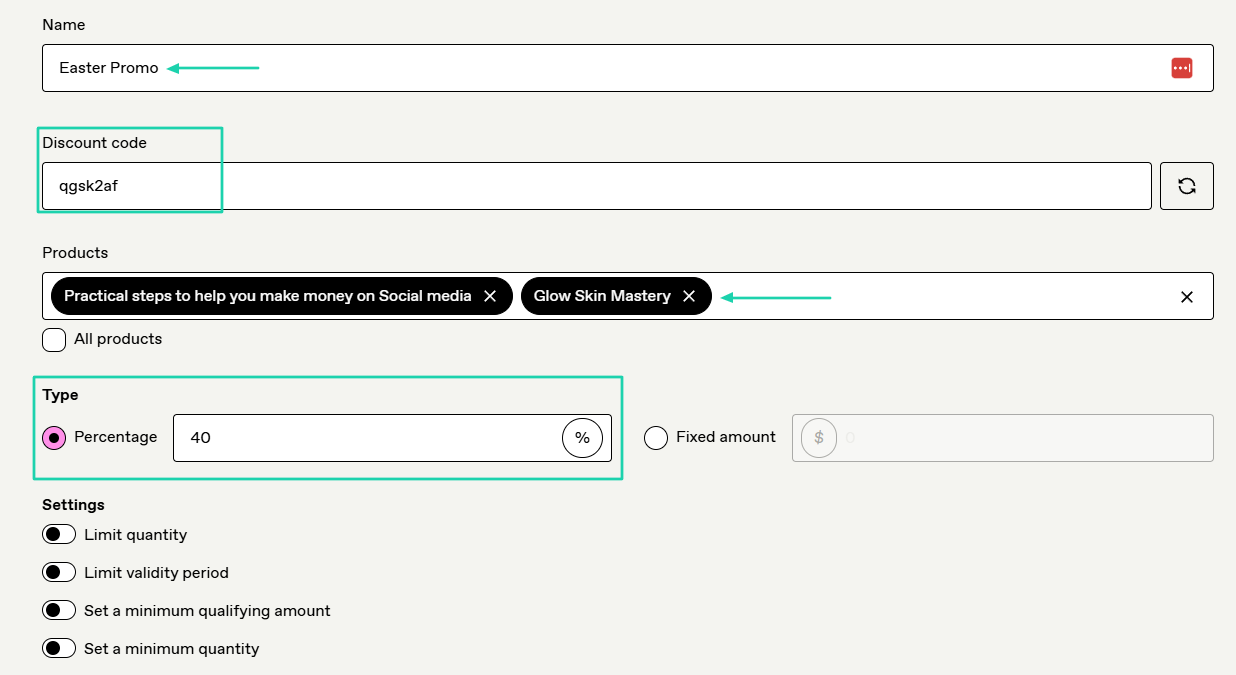
And create discounts for specific products.
[fs-toc-omit]What I loved about Gumroad
1. Products
Some of the products you can sell on Gumroad include courses or tutorials, e-books, memberships, and bundles.
Now, let’s add a product.
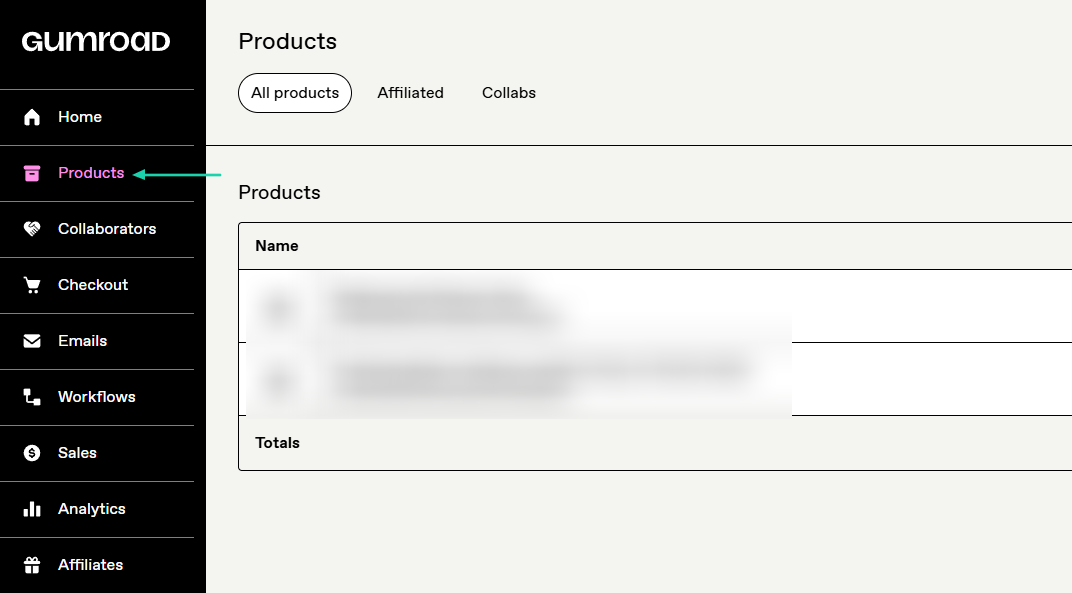
Select “Products” in the sidebar.
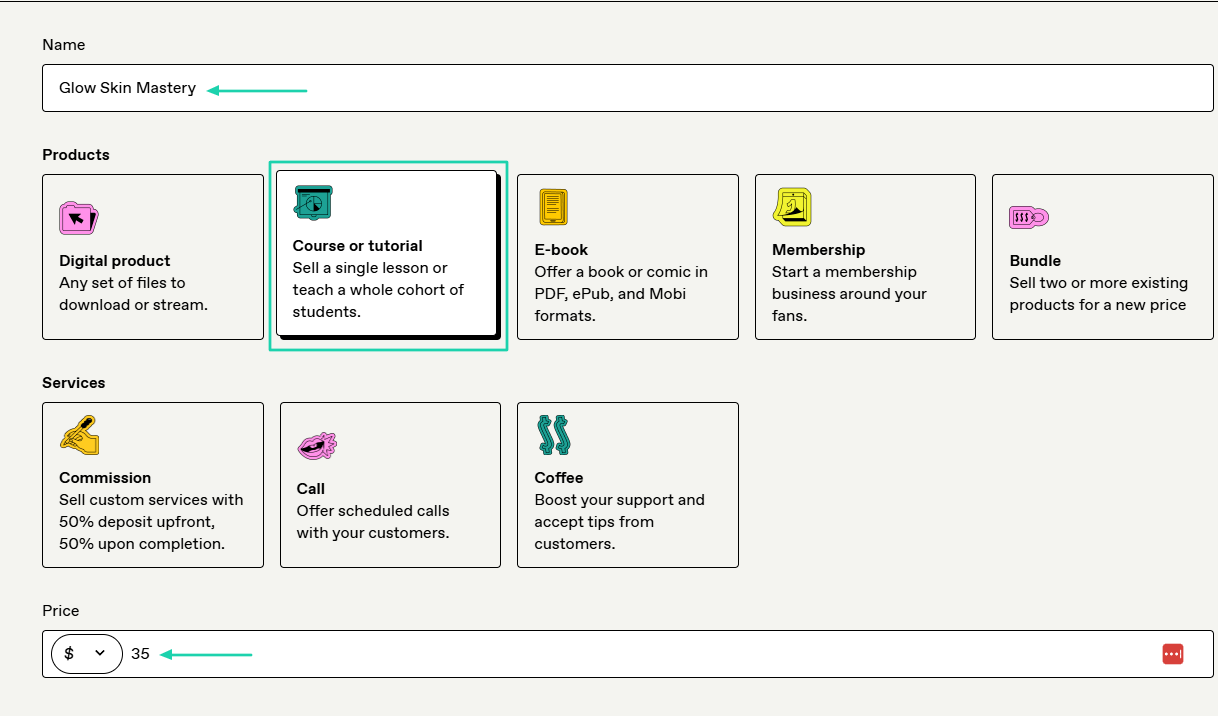
After that, name the product, choose a product type, and add your price. Let’s go with a course.
You will add a description and cover image.
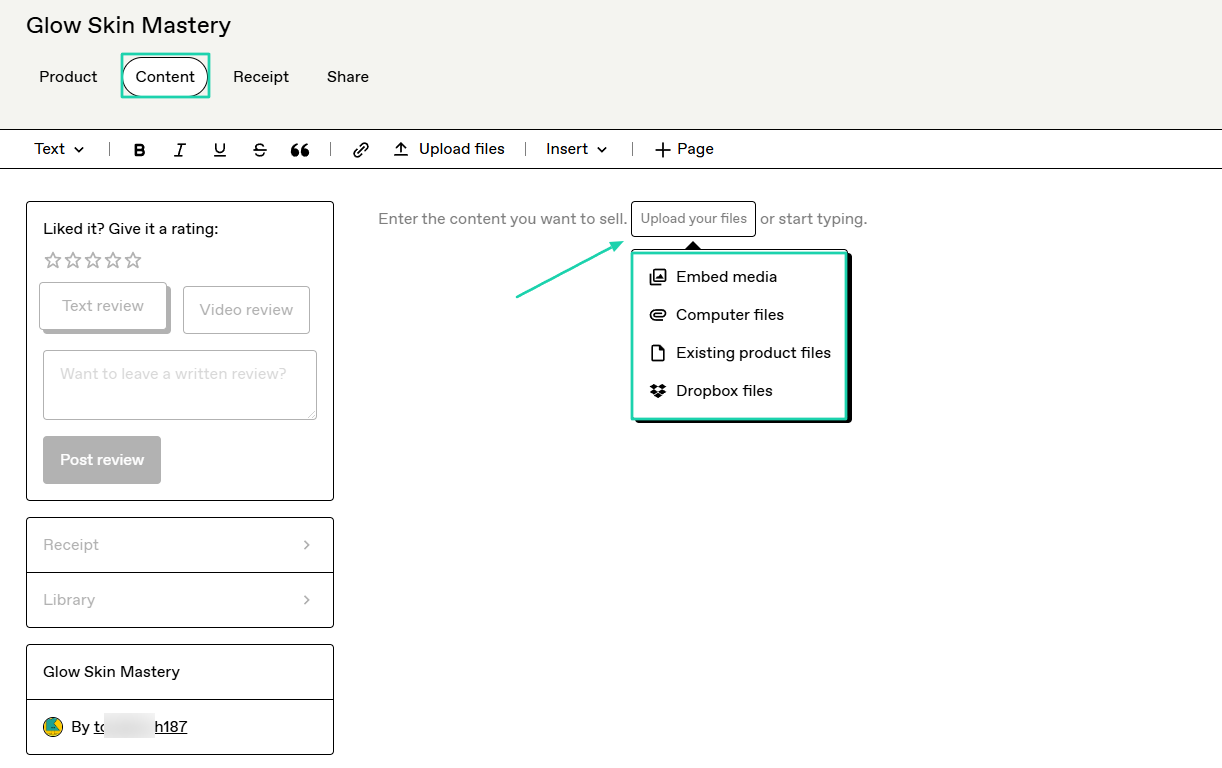
Then, you simply upload your files.
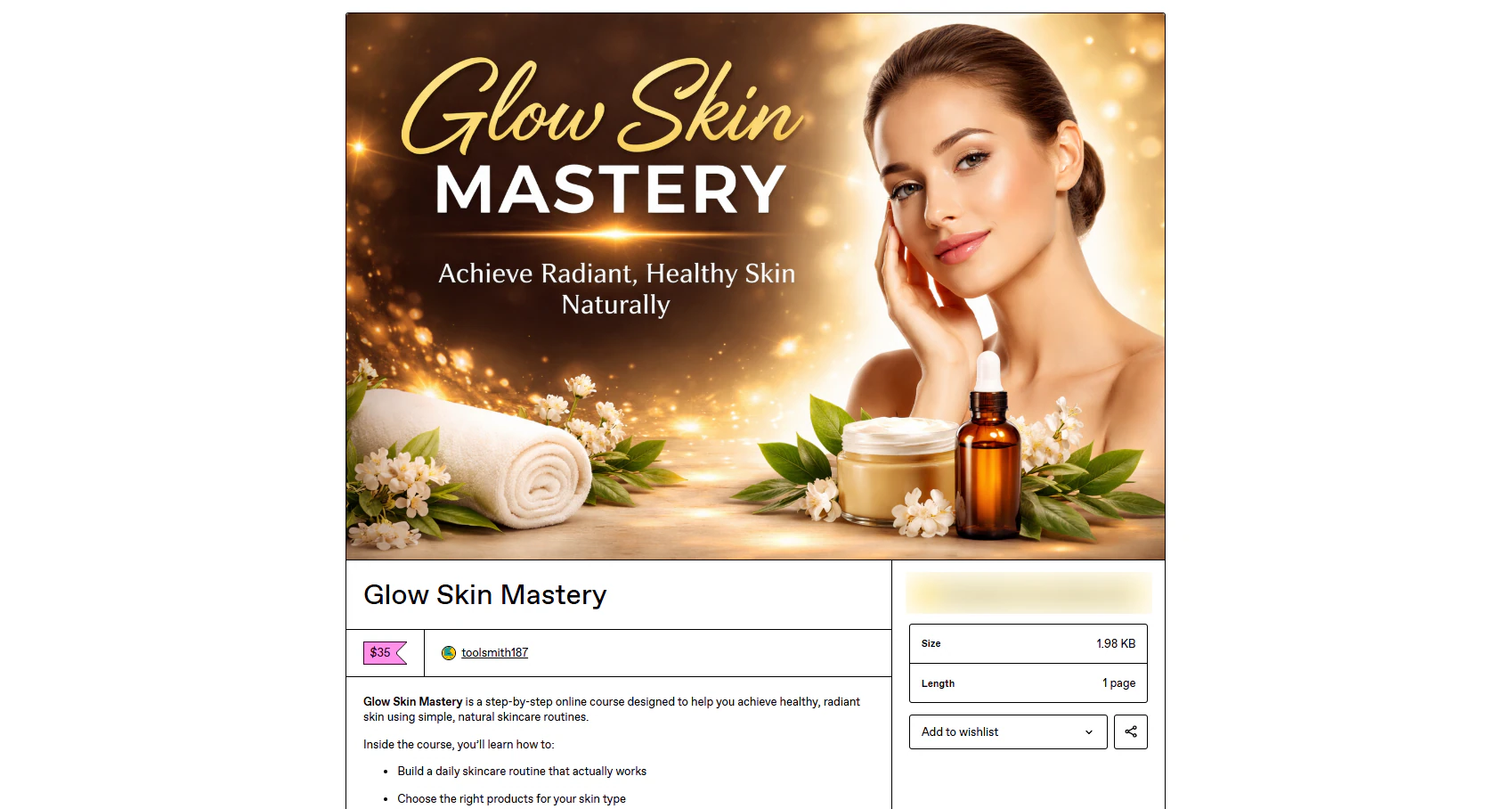
That’s basically it!
2. Emails
Gumroad also has an emails feature. This is what helps you stay in touch with your audience by sending emails.
Here’s how this works.
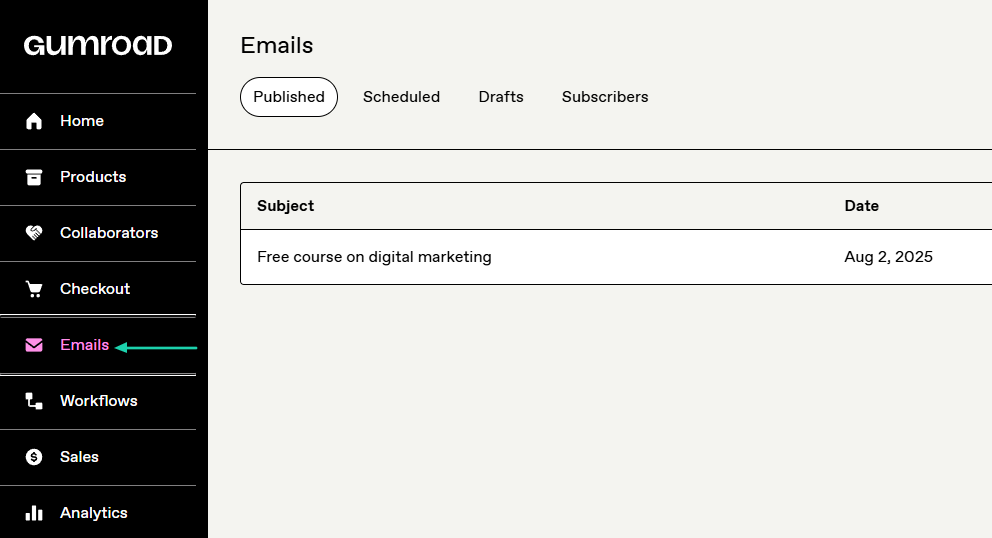
Click “Emails” in the sidebar menu.
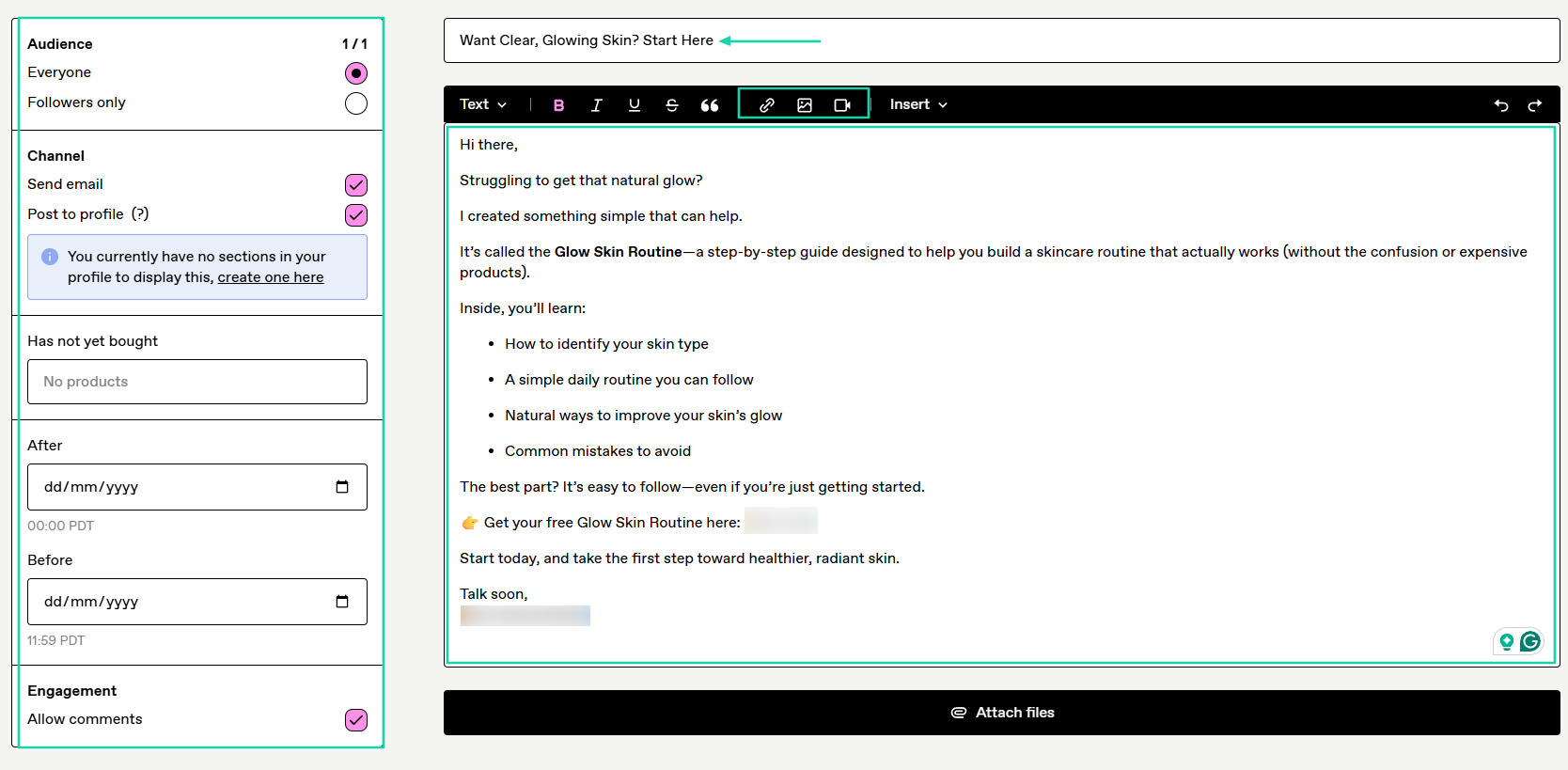
On the left, choose your audience and channel. On the right, enter the subject title and message. You can insert images, videos, or links.
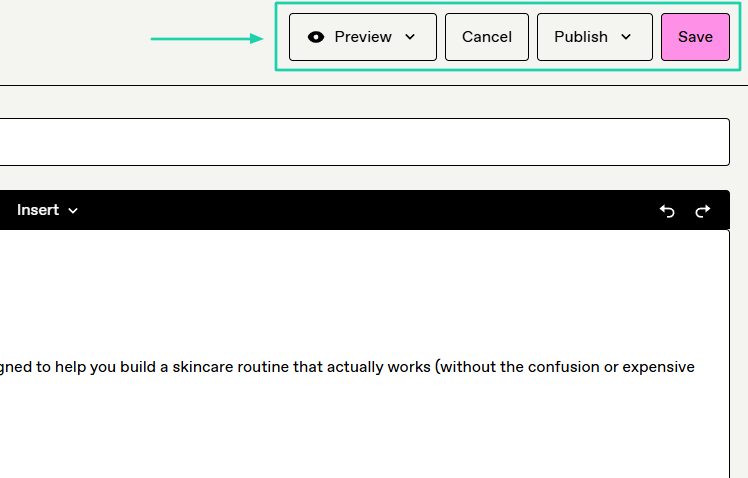
After that, you can preview the email, publish, or save it.
This is what customers and subscribers may see.
3. Checkout
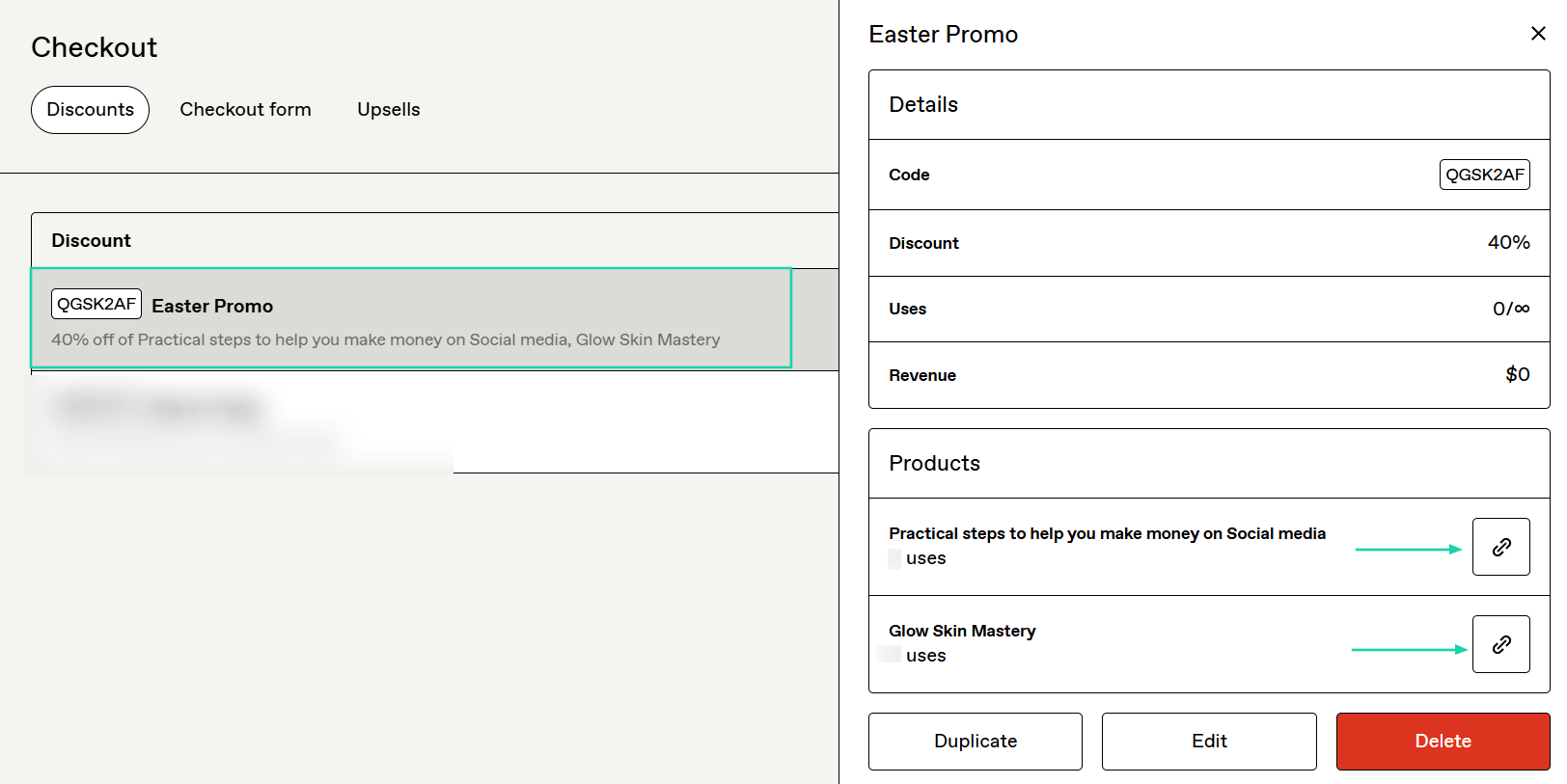
Thanks to Gumroad’s checkout feature, you can create discounts, a checkout form, and upsells. For this round, we will create a discount.
Click “Checkout” in the sidebar.
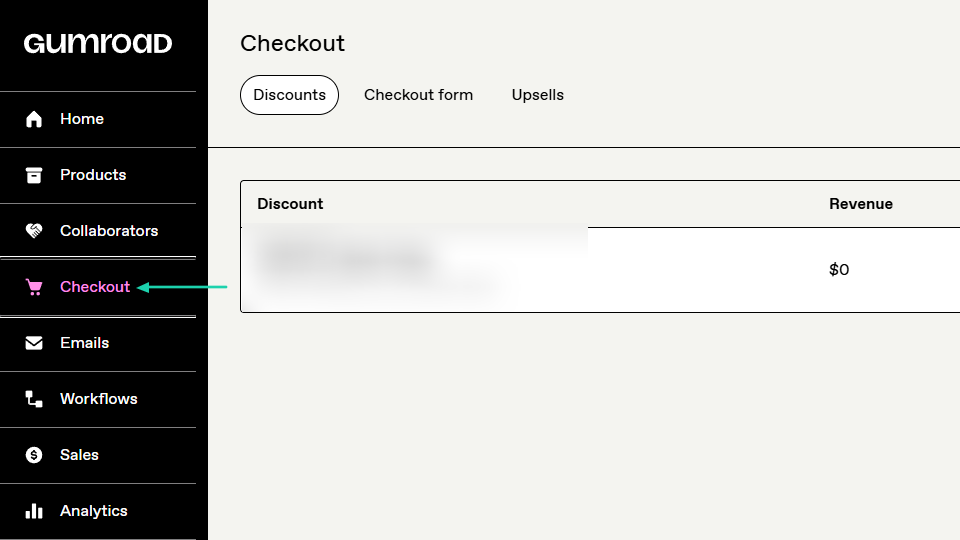
Now, name the discount, add a code, and select the products. Then choose the discount type and the percentage.
Your discount is ready! You can copy the different product links and share them.
[fs-toc-omit]What I liked vs what I didn’t like
What I loved 👍
✅ Has a clean interface and is easy to understand, so you can start selling on the spot.
✅ Lets you enable PDF stamping to protect your PDF files.
✅ Allows you to send email campaigns to customers, add images, links, and videos.
What I didn’t like 👎
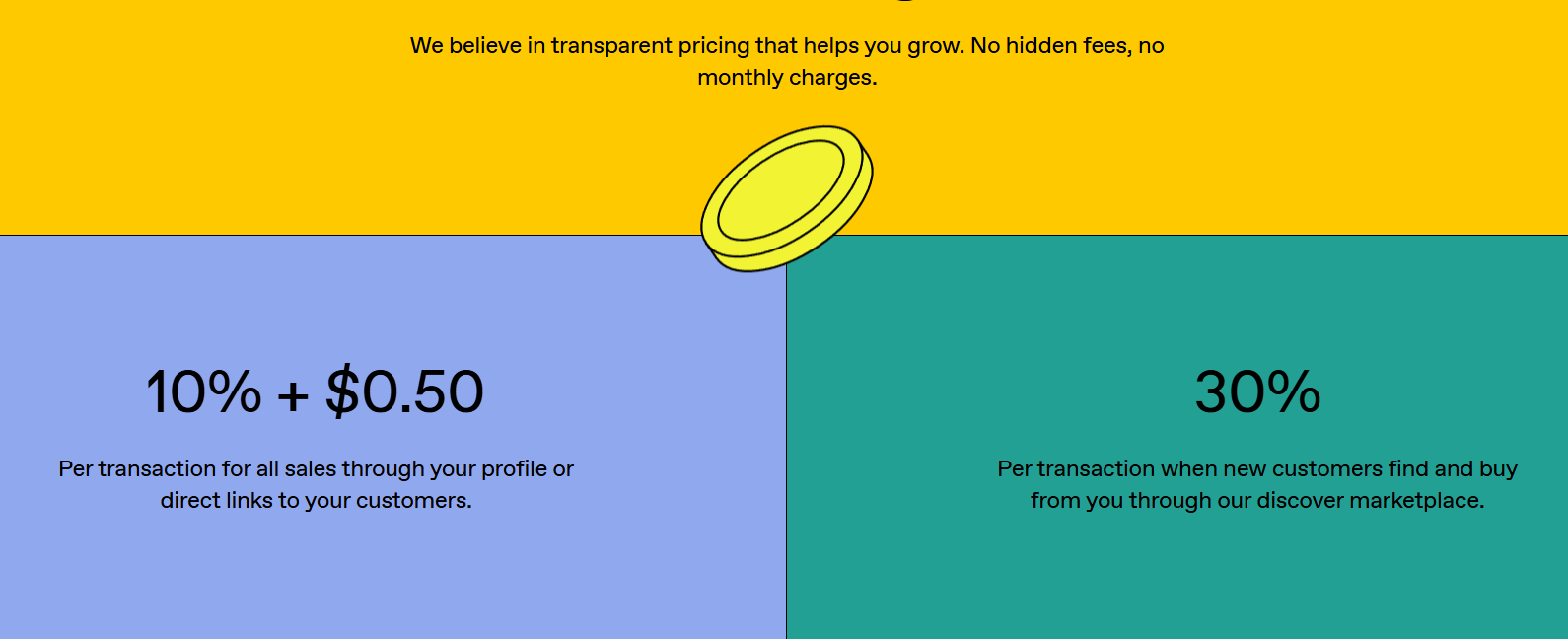
❌ High transaction fees. It collects 10% or 30%, depending on how the customer finds your product.
❌ Cannot receive payouts if you don’t have a minimum threshold of $100.
[fs-toc-omit]Best for
- Freelancers and independent creators seeking a simple solution to sell digital products through a marketplace.
[fs-toc-omit]Pricing
- Free: 10%+0.50 per transaction for all sales via your profile or direct links
- 30% per transaction if buyers discover the item through the Gumroad marketplace
Easytools vs SamCart vs Sellfy vs Gumroad - Which is better?
Easytools is better than SamCart, Sellfy, and Gumroad for many reasons.
Gumroad is the simplest but the least customizable. Easytools is simple and highly customizable.
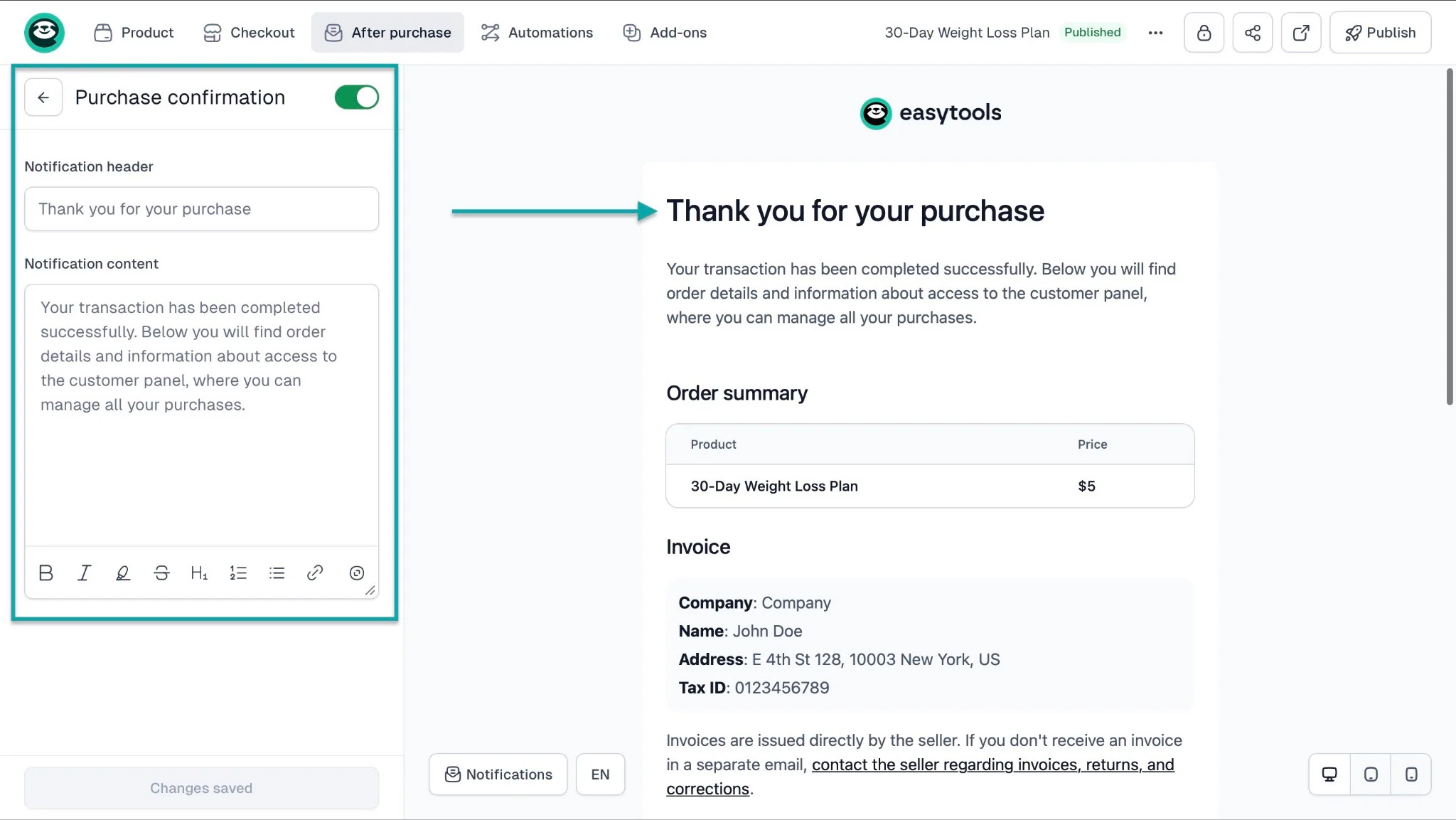
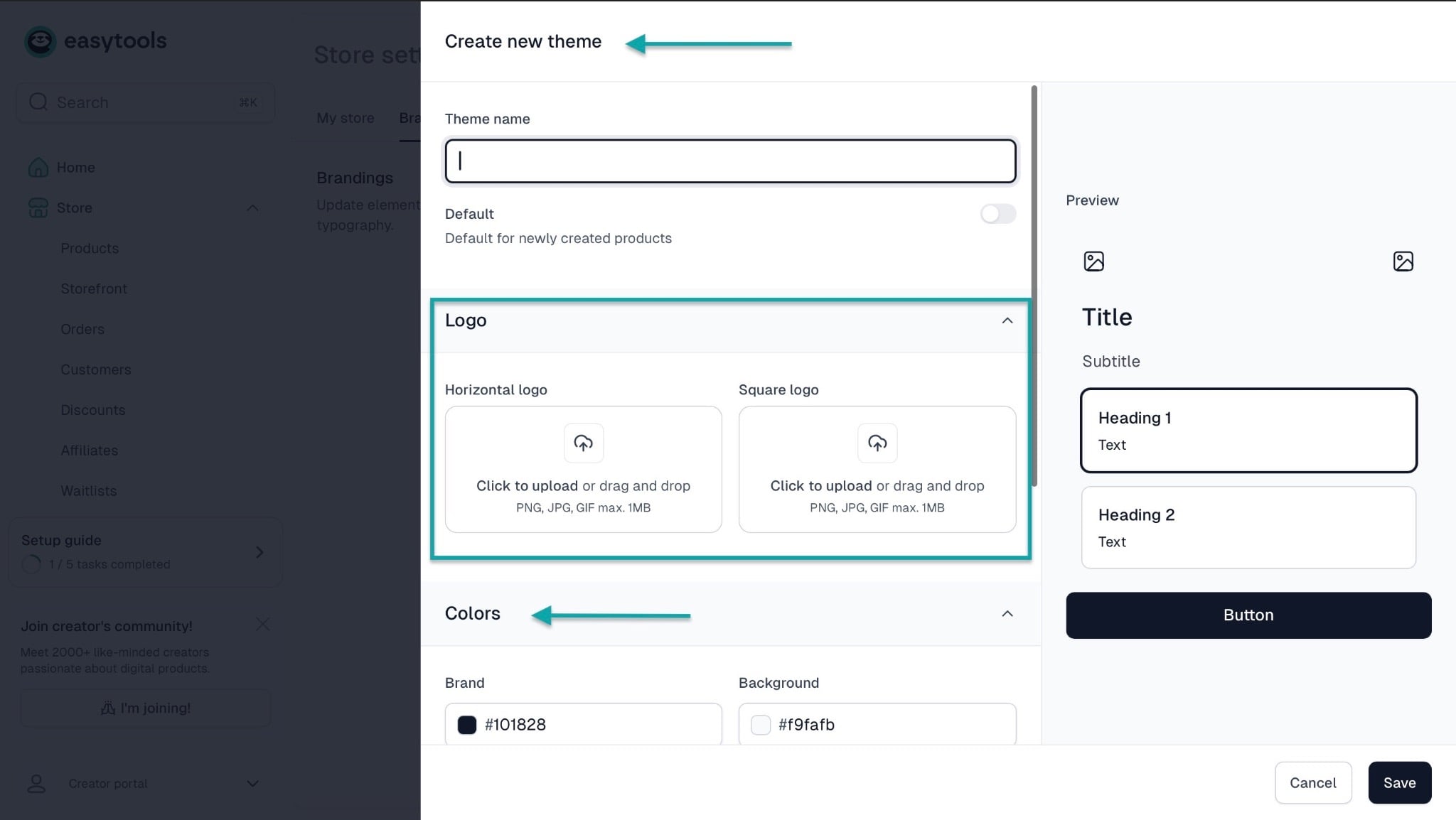
You can customize storefronts, websites, checkouts, the notifications your customers receive after purchase, and more.
For example, you can customize the theme, logo, colors, font size, and add a footer text.
Like Gumroad and Sellfy, Easytools has a built-in email marketing feature. You can even use the Easycart automation to build an email list.
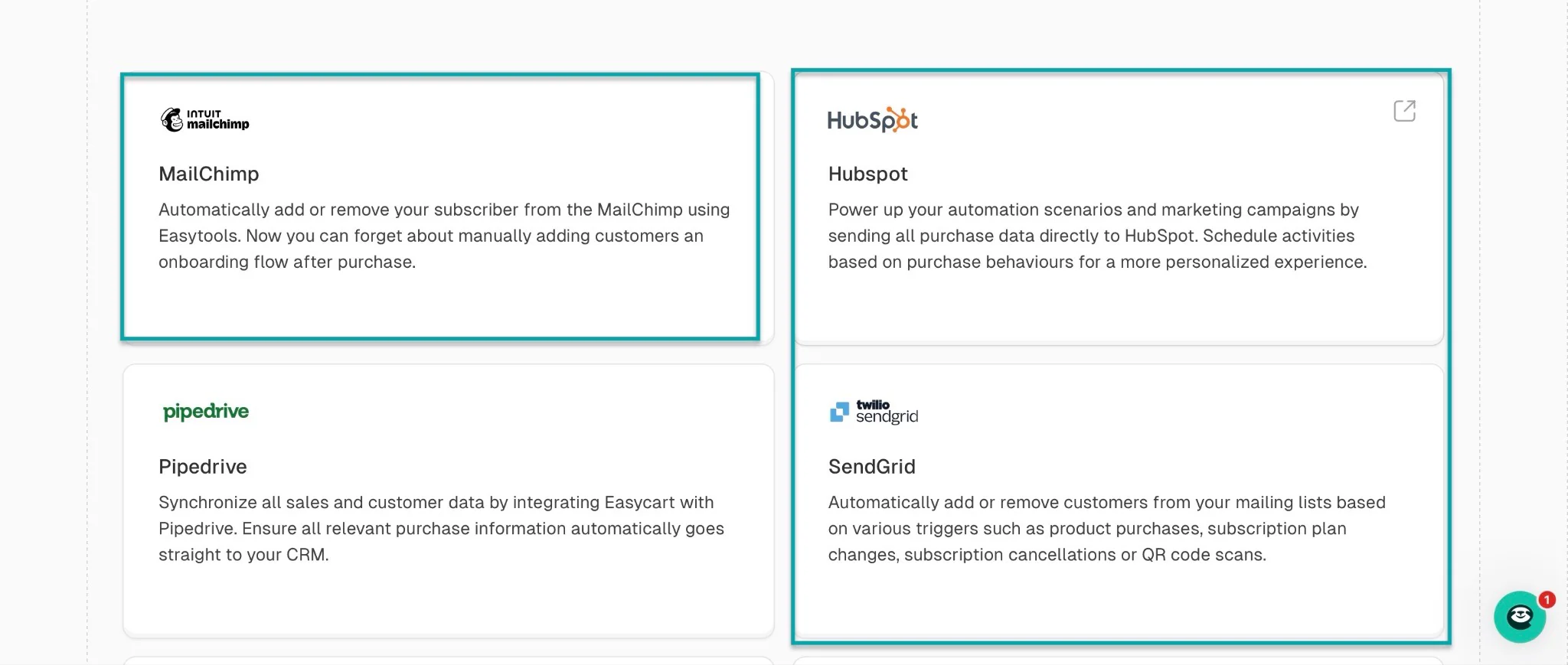
SamCart only integrates with email marketing tools, but so does Easytools.
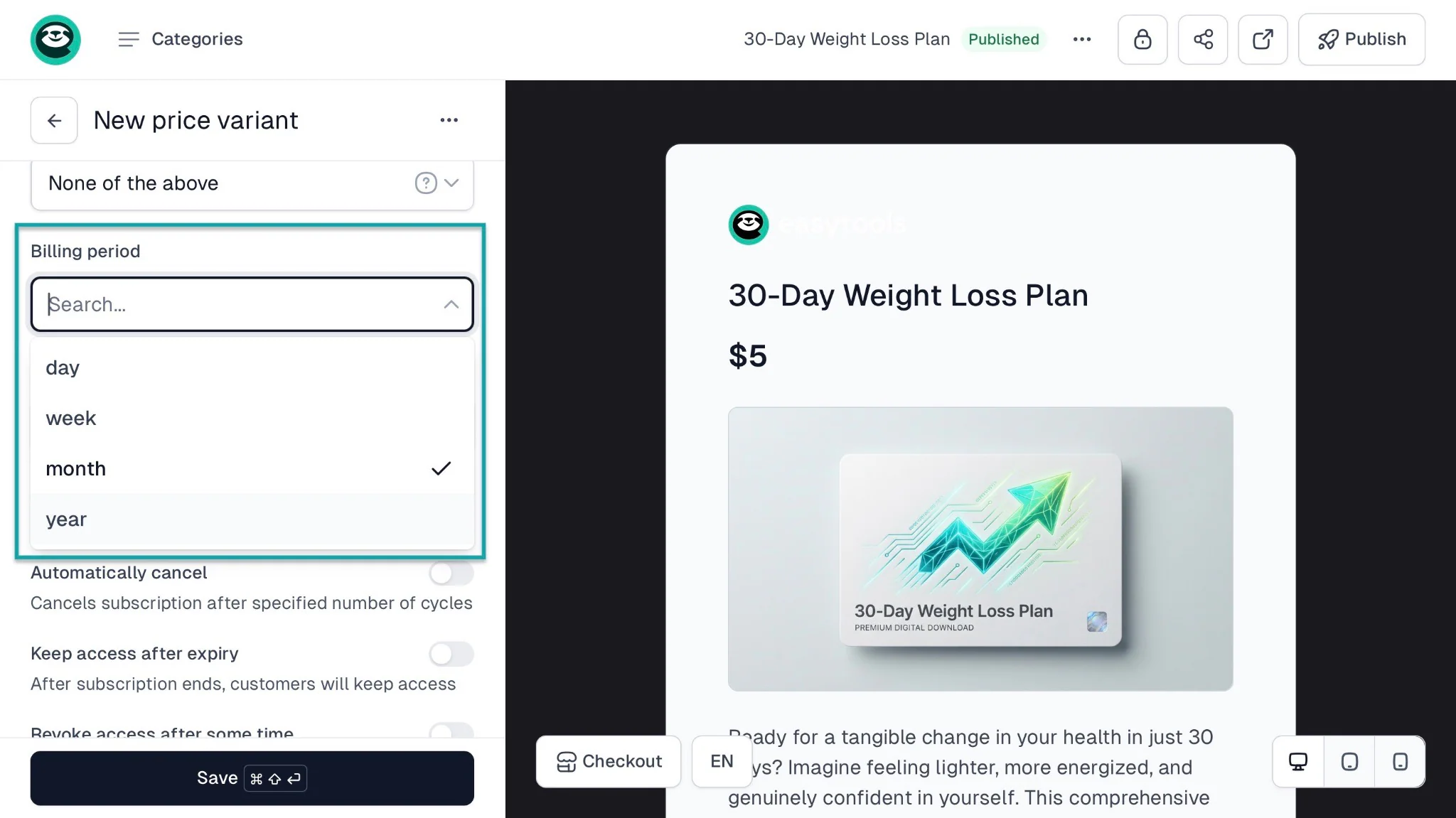
Sellfy supports only monthly and yearly subscriptions. On Easytools, you can sell subscriptions for yearly, monthly, weekly, and daily plans.
To help you get a clear overview of how Easytools, SamCart, Sellfy, and Gumroad compare, here’s a table:
| Feature Area | SamCart | Sellfy | Gumroad | Easytools |
|---|---|---|---|---|
| Core Purpose | High-conversion sales funnels for creators and businesses | Storefront for digital + physical products | Simple marketplace for digital products | All-in-one suite of tools for selling digital products + Conversion-focused checkout + monetization layer |
| Storefront / Website | Basic landing pages, funnel-based | Full online store with branding | Minimal product pages | Customizable and editable landing page and storefront (with an embed code) |
| Audience Discovery | ❌ No built-in marketplace traffic | ❌ No marketplace | ✅ Yes: built-in creator marketplace discovery | ❌ No marketplace (link shareable on your website, social media, community platforms, etc.) |
| Digital Products | ✅ Yes (courses, downloads, coaching) | ✅ Yes | ✅ Yes | ✅ Yes: E-books, digital downloads (PDF, SaaS), online courses, Notion templates |
| Physical Products | ⚠️ Limited | ✅ Yes (including print-on-demand) | ⚠️ Limited | ✅ Yes |
| Memberships / Subscriptions | ✅ Yes | ✅ Yes: Only supports monthly and yearly subscriptions | ✅ Yes | ✅ Yes (via Stripe integration). It supports recurring monthly, yearly, weekly, and daily subscriptions. Easytools also integrates with platforms like Circle and Discord |
| Email Marketing Tools | Basic integrations with tools like Drip, AWeber, GetResponse, Klaviyo, iContact, and ShipStation | Built-in email campaigns | Basic email features | Built-in email marketing feature (Easymail) + Integrations with external tools like Mailchimp, ActiveCampaign, MailerLite, GetResponse, SendGrid, etc. |
| Affiliate Marketing System | Strong built-in affiliate system | Basic affiliate system | ⚠️ Limited affiliate tools | Strong in-built affiliate system with robust analytic reporting and an intuitive dashboard |
| Marketing Automation | Strong (funnels, upsells, A/B testing) | Moderate (email + discounts + cart recovery) | Minimal | Strong - You can add scenarios, webhooks, automate delivery, message after purchase, and more |
| Upsells / Order Bumps | 1-click upsells and order bumps | ⚠️ Limited upsell features | ⚠️ Basic or none | ✅ Yes - conversion-focused (1-click) upsells, cross-sells, price variants, and order bumps |
| Customization Level | High (funnels + checkout design) | High (storefront design control) | Low–Medium (simple templates) | High ( checkout customization + website and storefront personalization ) |
| Analytics & Tracking | Strong funnel analytics | Sales + store analytics | Basic analytics | Strong conversion-focused checkout analytics |
| Payment Handling | Stripe, PayPal, Buy Now, Pay Later (BNPL) options | Stripe, PayPal | Stripe (Merchant of Record model) | Stripe-first (direct control) |
| Fee Structure | Monthly subscription | Monthly subscription | % per sale | Tiered % - it’s lower than marketplace models in many cases, so cost-effective |
| Ease of Use | Medium: Takes time to learn because features can be overwhelming at first | Easy: You can set up a store, upload products, and start selling with technical skills | Very easy: Simple interface and clearly named features | Very easy: You can start using most features in a few clicks. It also has a simple, modern layout. You can build a storefront, digital products, checkouts, and websites with no-code skills |
| Best For | Scaling businesses, optimizing revenue per customer | Creators building full product stores | Beginners testing digital products | Creators, beginners, and scaling businesses who sell digital products and want optimized checkout conversions without complexity. |
How to choose the right SamCart alternative
I’ll share four ways to help you choose the right SamCart alternative. It goes as follows:
- Consider the type of products you sell
- Check pricing and transaction fees
- Assess integration with other tools
- Evaluate sales and marketing features
Let’s look at each one at a time.
1. Consider the type of products you sell
To choose the right
SamCart alternative, you must consider the type of products you sell.
If you rush to pick a platform without being clear on what you are selling, you are making a mistake.
Many product types exist, and yours might probably fall in this list below:
- E-books
- Online courses
- Memberships
- Templates
- Audio
- Services
- Webinars
- Event tickets
- SaaS
- Physical products
- Print-on-demand
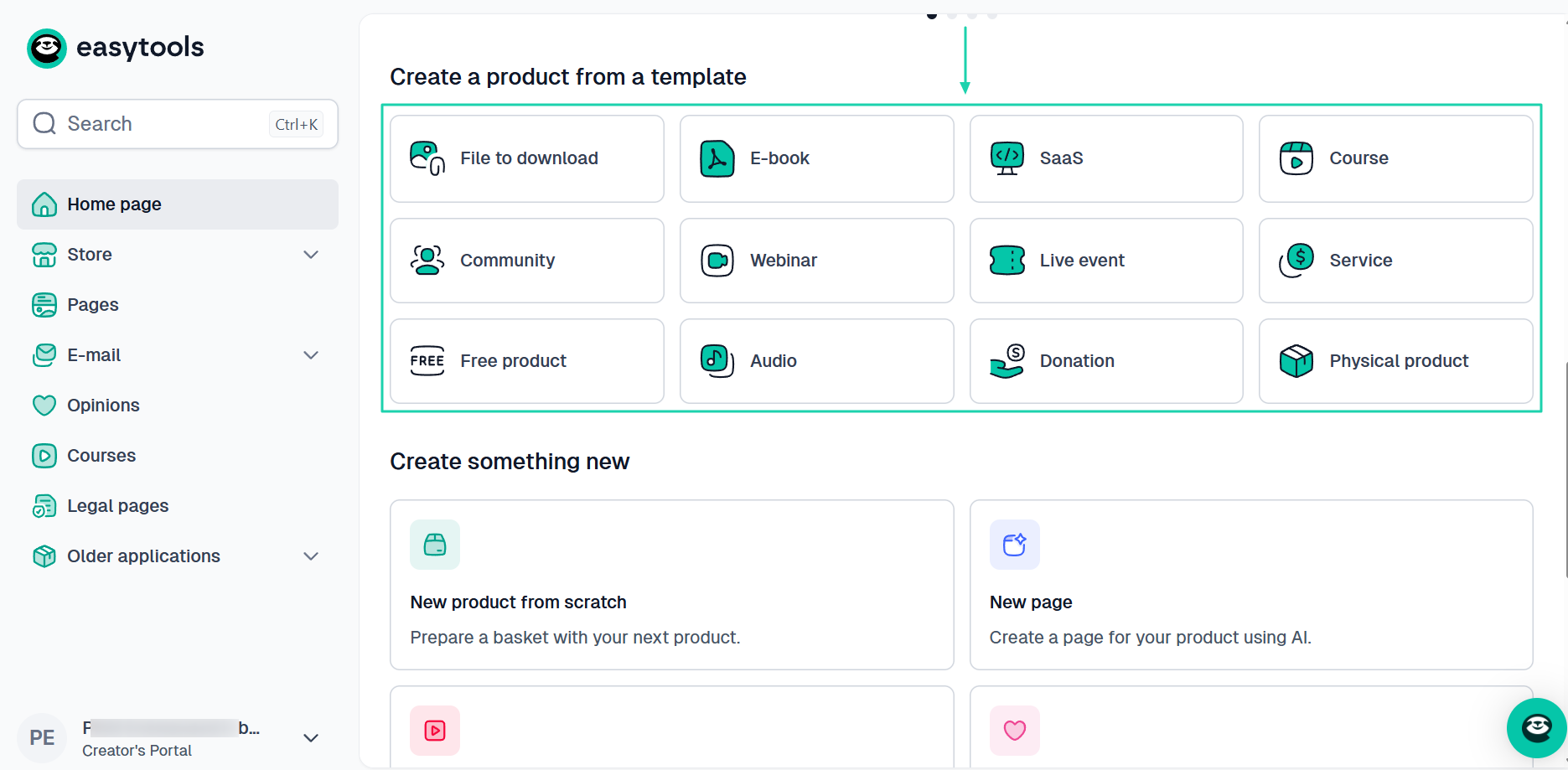
You should know that not all SamCart alternatives are built for the same purpose. Some are optimized for physical products, while others are for digital products.
And even when we say “digital products”, it may still vary depending on the platform.
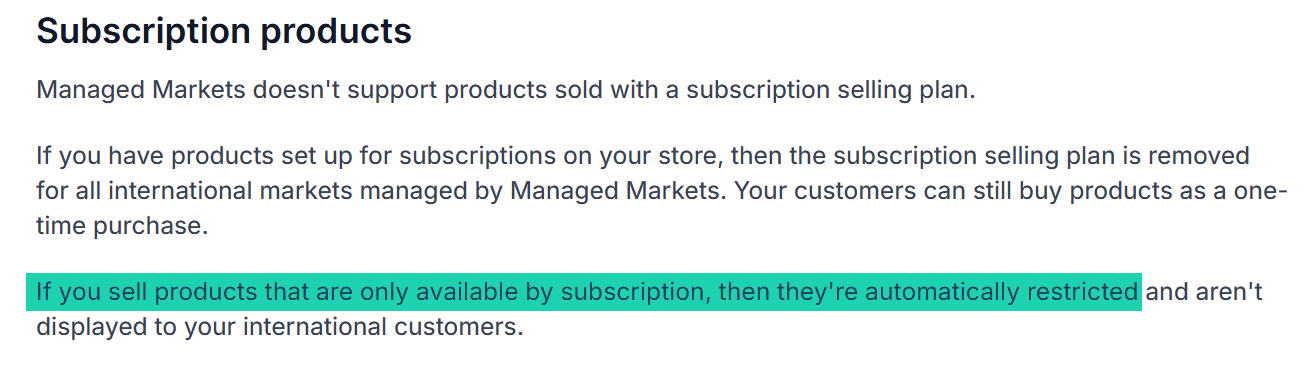
For instance, subscription products are prohibited on Shopify. This means that if you want to sell a membership program, Shopify isn’t an option.
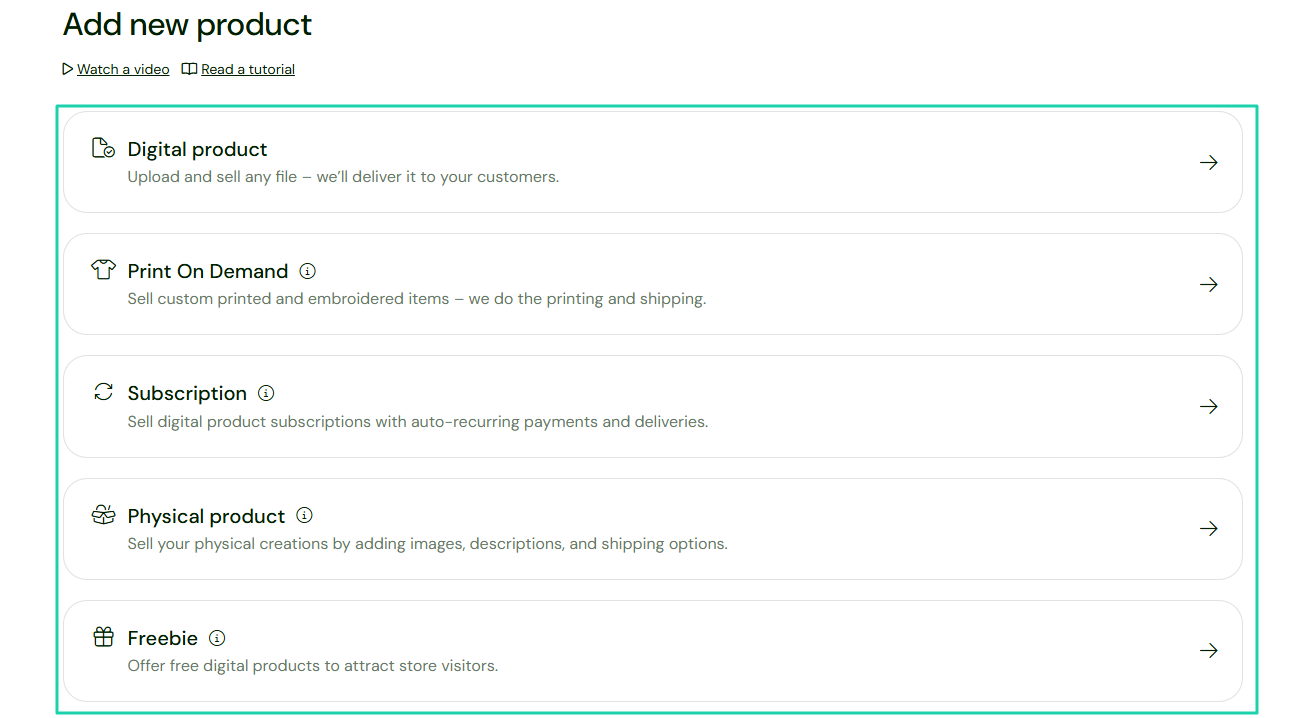
Another example is Sellfy. It supports four product types: digital, print-on-demand, subscription, and physical.
That also means that it doesn’t support, for instance, selling event tickets.
These are details you should know before choosing your SamCart alternative. If you ignore this, you might end up fighting the tool instead of growing your business.
Now, let me say a few more things.
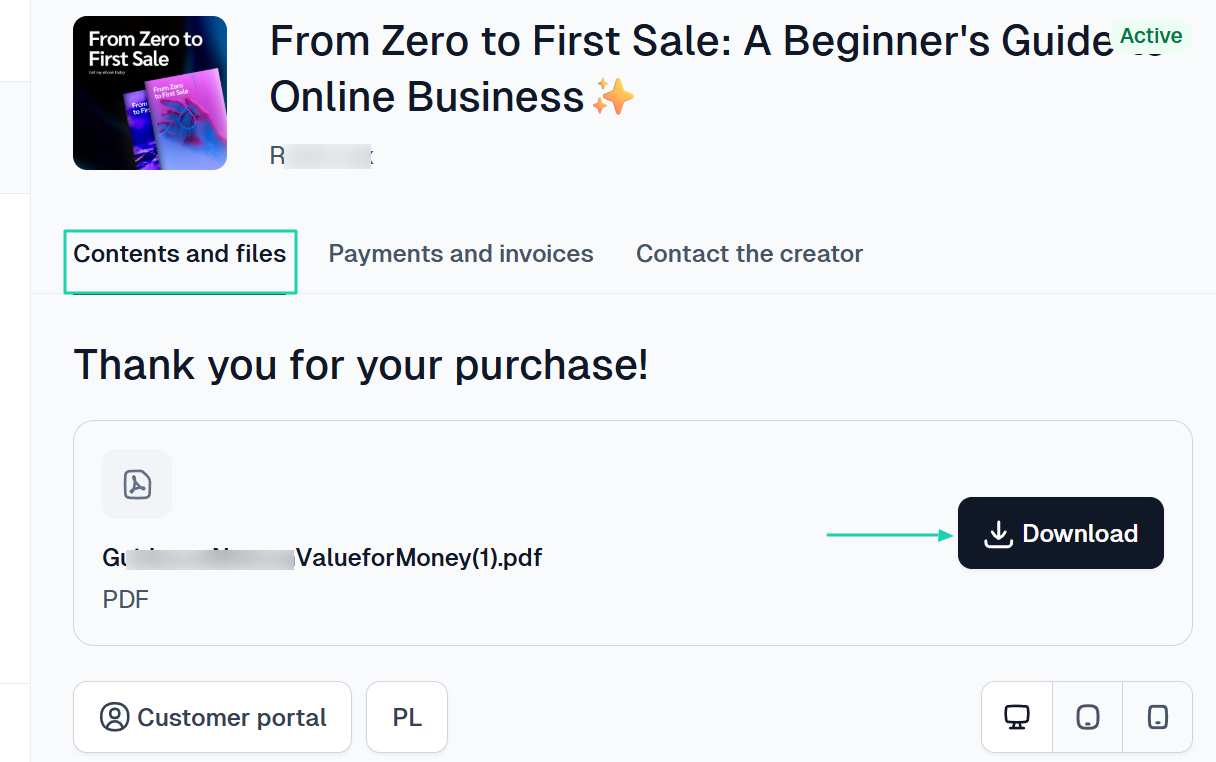
If you are trying to sell digital products like e-books, online courses, or Notion templates, the SamCart alternative you choose should support instant delivery.
It should provide a customer portal that allows customers to easily access their files after purchase.
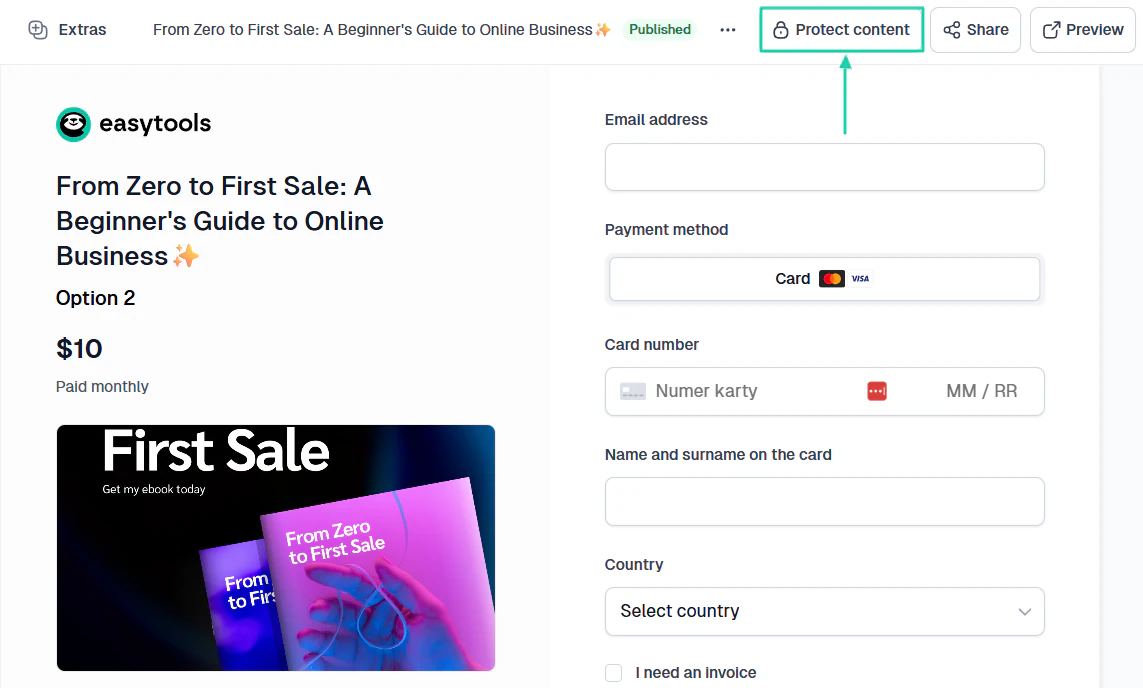
A non-negotiable feature is the ability to protect your content. This way, only those who make a purchase can access it, even if it’s within a membership.
Now, to sell physical products, you should think about order management. For example, you will track your sales and revenue.
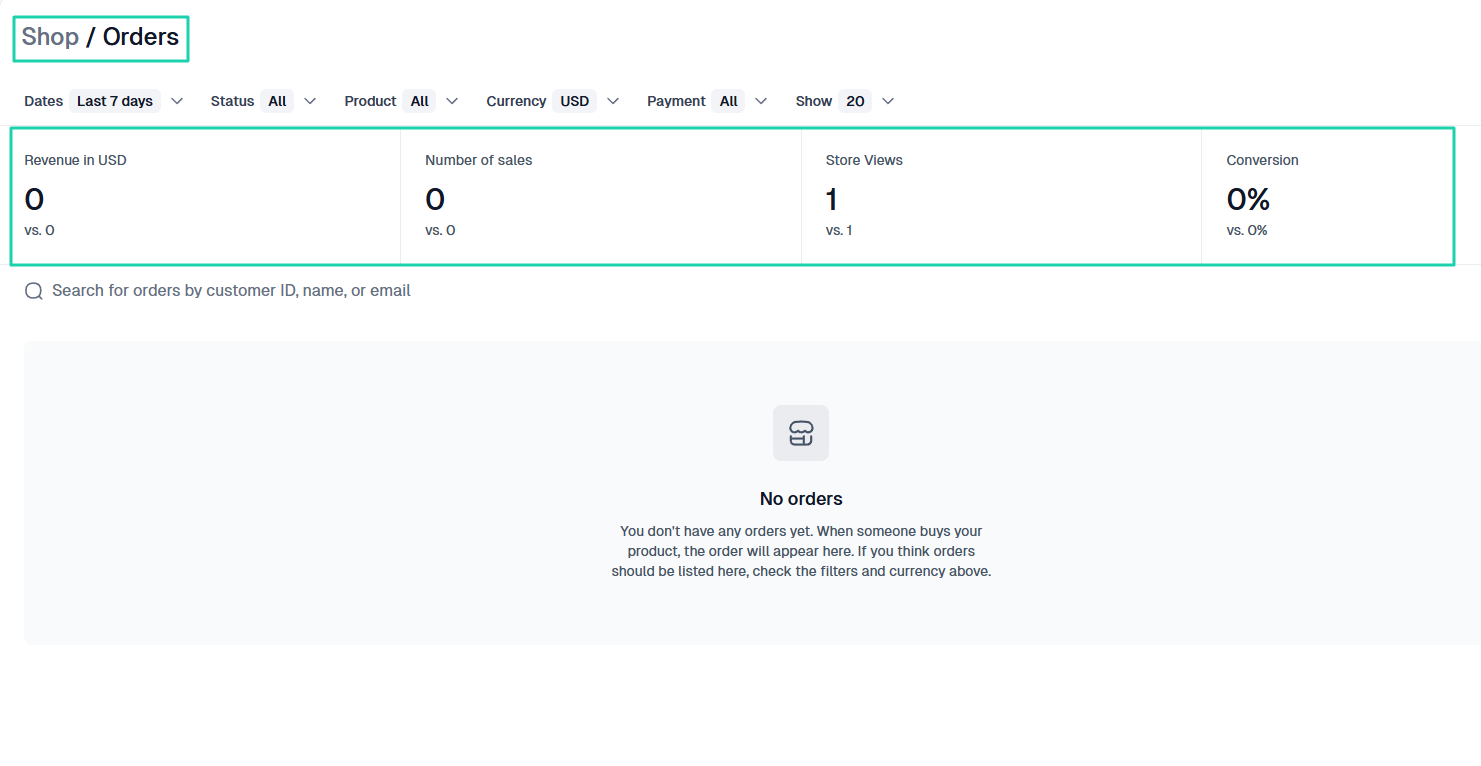
Of course, there may be other factors, like inventory or shipping integrations.
The point is to match the SamCart alternative to the product type.
Now, for more clarity, let me share the different product types, the key features required, and the risks of choosing the wrong platform in a table.
| Product type | Key features needed | Risk of choosing the wrong platform |
|---|---|---|
| E-books / Digital Downloads | Instant delivery, file hosting, secure download links | Customers don’t receive files → refunds and complaints |
| Online Courses | Video hosting/integration, memberships, drip content, upsells | Poor learning experience → low retention and refunds |
| Memberships | Recurring billing, content gating, and user management | Payment failures, access issues, and high churn |
| Templates (Design, Funnels, Docs) | File delivery, licensing options, easy checkout | Piracy risks, poor delivery experience |
| Audio (Music, Podcasts, Beats) | Streaming/download options, file protection, storage | Large file issues, slow delivery, bad UX |
| Services (Coaching, Freelancing) | Booking integrations, lead capture, CRM/email tools | Missed bookings, low conversions, and manual chaos |
| Webinars (Live/Recorded) | Registration pages, email reminders, and integrations | Low attendance, poor follow-up, lost leads |
| Event Tickets | Ticket generation, email delivery, QR codes (optional) | Confusion at entry, duplicate tickets, and a bad experience |
| SaaS (Software tools) | Subscription billing, user accounts, API integrations | Billing errors, access issues, and scaling problems |
| Physical Products | Shipping setup, order tracking, and inventory (if needed) | Delivery issues, customer complaints |
| Print-on-Demand | Fulfillment integration, automated order routing | Delayed fulfillment, manual errors, unhappy customers |
I hope everything I shared in the table will help you choose the right SamCart alternative. But you also need to check pricing and transaction fees.
2. Check pricing and transaction fees
You should check pricing and transaction fees when choosing a SamCart alternative.
Most SamCart alternatives typically range from $30 to $100+ per month. Easytools, Sellfy, LearnWorlds, and Payhip all offer cheaper starting plans than SamCart.
Like I said before, one of SamCart’s biggest challenges charges $79 per month after a 7-day free trial
And it doesn’t matter if you made $0 in monthly revenue.

So, in a month, if you sell a $10 digital product to five people, you will make $50. Unfortunately, that won’t be enough to pay your monthly fee.
The right SamCart alternative should let you decide on the features worth paying for. Before you fully commit to selling digital products, you shouldn’t be paying $79 per month.
Easytools, for example, gives you a 14-day trial.
This allows you to access the features you actually need to sell in a cost-effective way. Once you start making money, you can move to a paid plan.
Then, Easytools also offers a Starter plan at $0 per month. With that plan, you can create unlimited checkouts.
And when you actually make a sale, you only pay 5% transaction fee plus the usual Stripe processing fee.
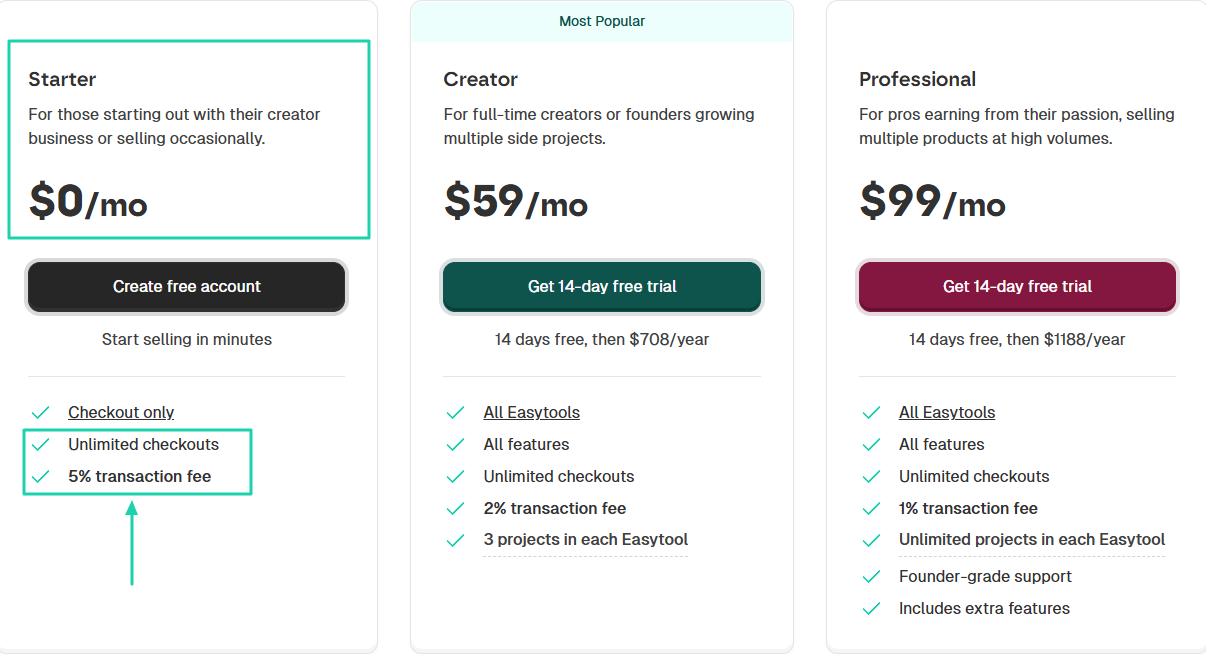
And for Easytools’ paid plans, Creator at $59 per month, you get features like:
- Websites (Easypage)
- Store (for digital products)
- Email (Easymail)
- Course builder (Easyplayer
- Testimonials (Easylove)
- Unlimited checkouts
- Checkout recovery
- Automations
- Affiliates
You get a lot more features than I’ve mentioned. Our Professional plan at $99 per month gives you the whole nine yards.
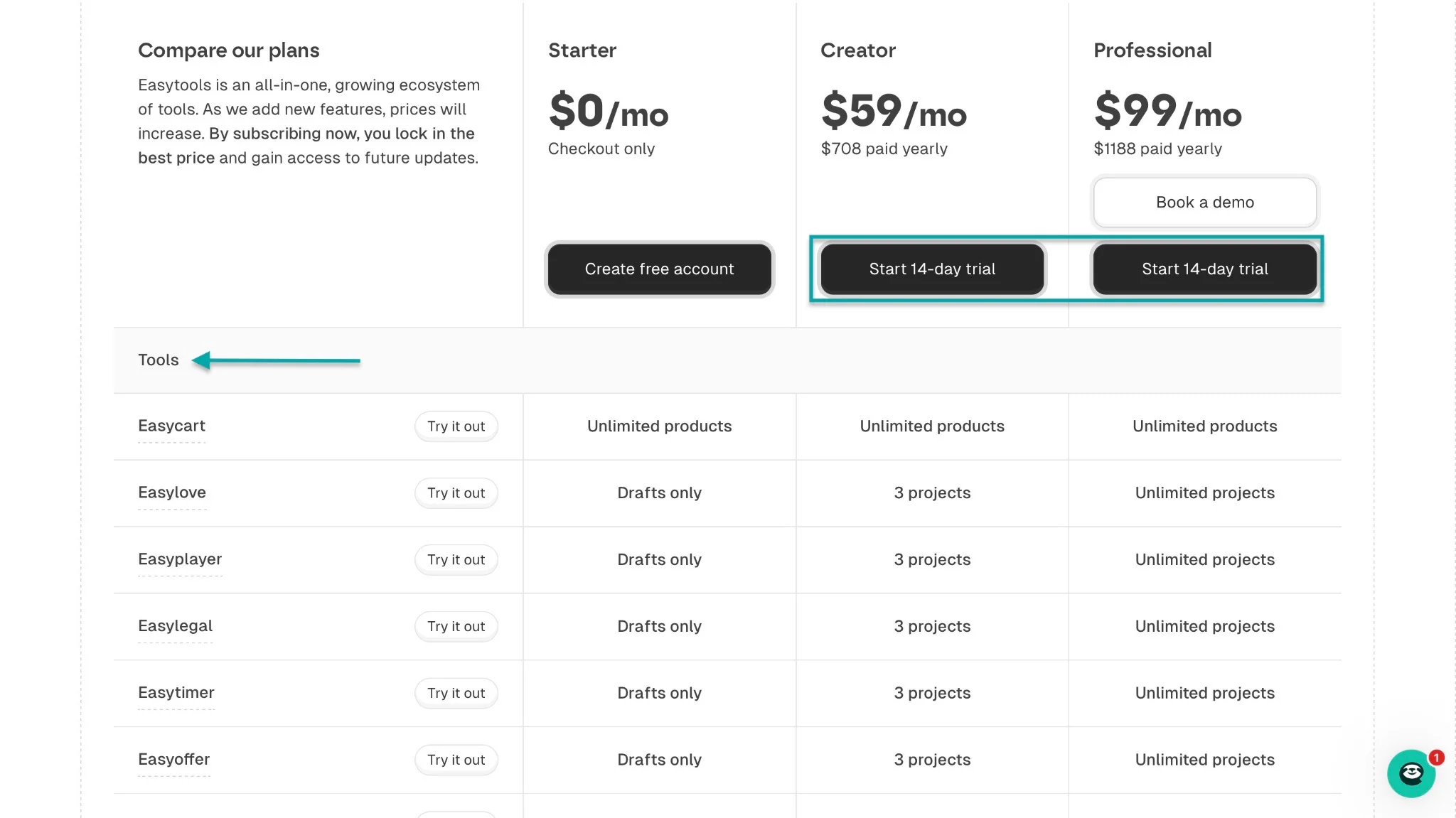
Also, Easytools will charge you as your business scales. If you’re on the Professional plan and your monthly revenue is $50,000, you still pay $99 per month.
With SamCart, a monthly revenue of that amount means you’ll pay $499 instead of $79.
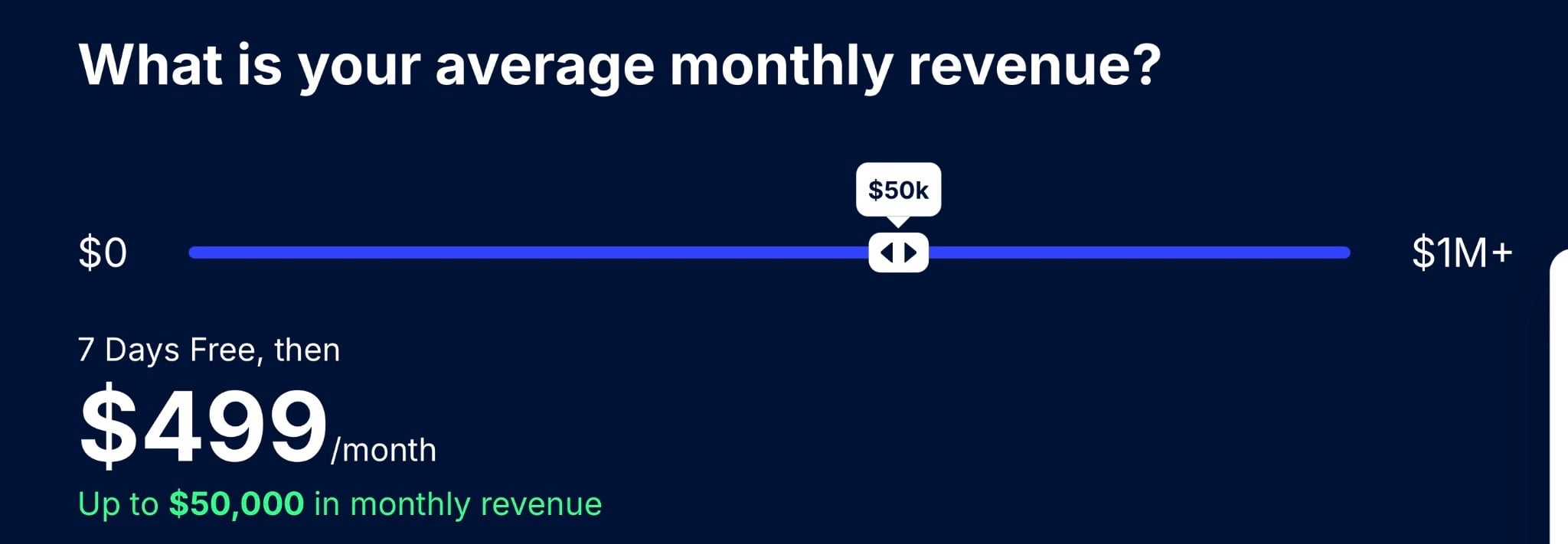
That’s because platform fees increase as your business grows. Even with a platform fee calculator, monthly expenses can be hard to predict.
Gumroad has a flexible pricing structure. It charges a flat 10% + $ 0.50 per transaction for all sales made through your profile or direct links.
If buyers find your product through the Gumroad Marketplace, the fee is 30% per transaction.
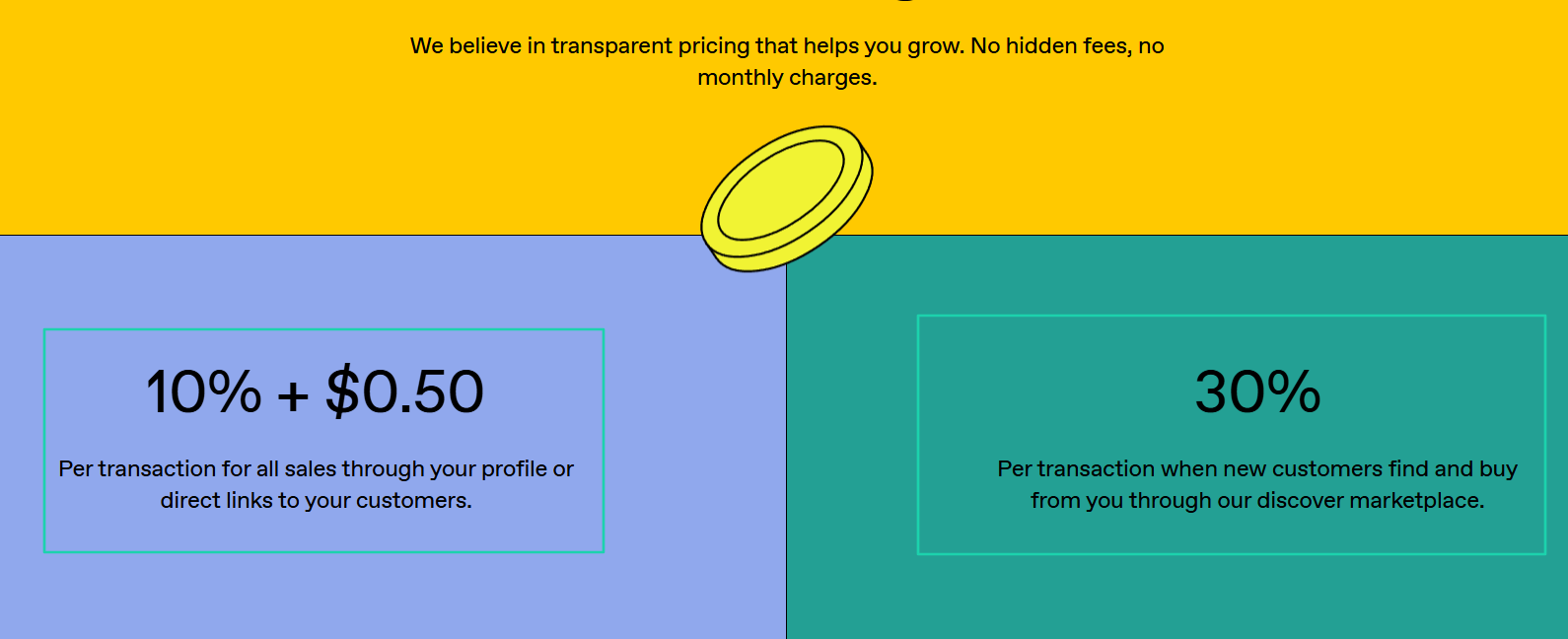
This means you can easily start selling, but as your business grows, fees of 10% to 30% will eat into your profits.
My point is: if you’re starting, choose a SamCart alternative that lets you properly test features before you commit. So that you can only pay for the features you actually need to sell.
And if your business is growing, go with the platform that won’t erode your profit margins.
Now, let’s move on to the next factor, which isn’t negligible.
3. Assess integration with other tools
By assessing integration with other tools, you can spot the right SamCart alternative.
This is important because no platform works alone. So, the SamCart alternative you choose must have strong integration capabilities.
Some key integrations to look for include:
- Email marketing tools such as Mailchimp, Mailer, ActiveCampaign, MailerLite, SendGrid, GetResponse, and ConvertKit
- CRMs such as HubSpot, Pipedrive, and Airtable
- Automation tools such as Zapier and Make
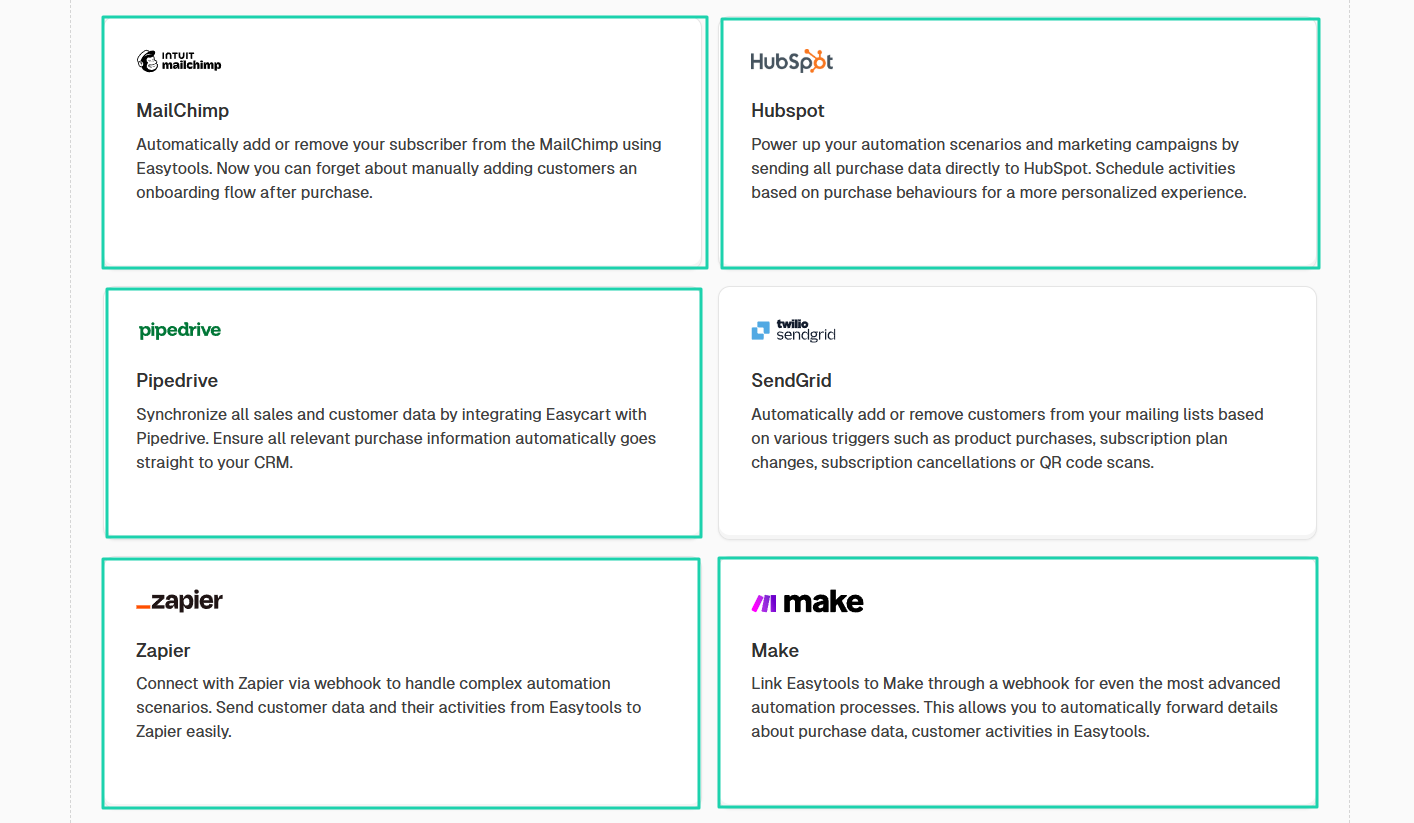
You should also look for integrations with community platforms like Circle or Discord.
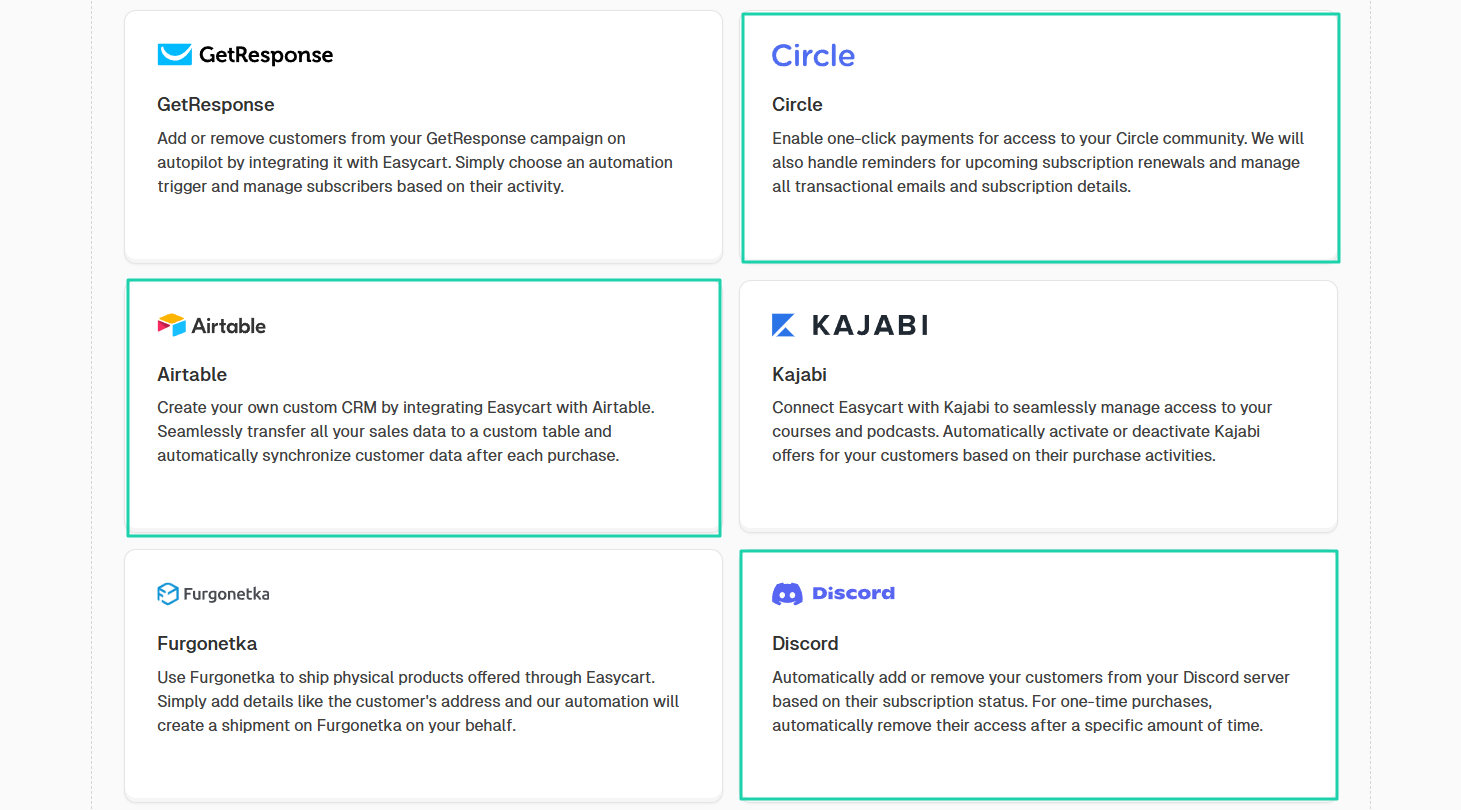
Now, when it comes to payment integrations, just make sure the SamCart alternative you choose supports many payment gateways. The most popular ones include Stripe and PayPal.
If a SamCart alternative offers all those integrations, it’s time to evaluate its sales and marketing features.
4. Evaluate sales and marketing features
Focusing on pricing and transaction fees alone when looking for a SamCart alternative might not be a great idea.
After all, your goal is to sell more. Therefore, you should make sure the platform you choose offers great sales and marketing features.
For instance, a 1-click upsell is a must-have for sales features. It allows you to present additional offers that customers can accept instantly.
With the upsell technique, you can offer upgrades.
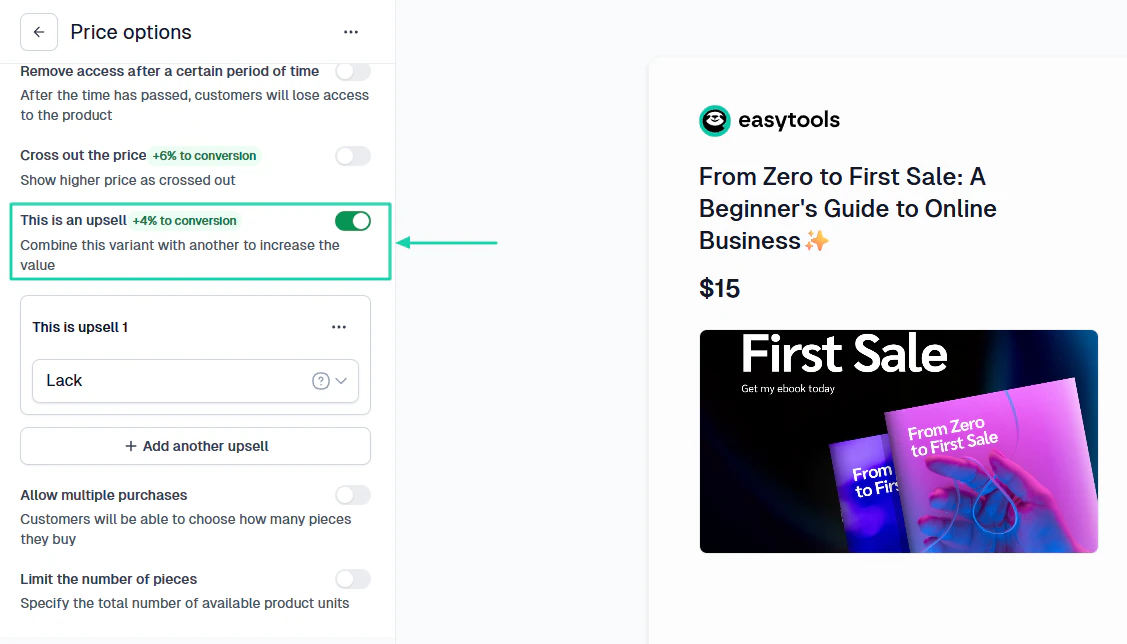
Using cross-sells, you can propose related products to customers after they make a purchase.
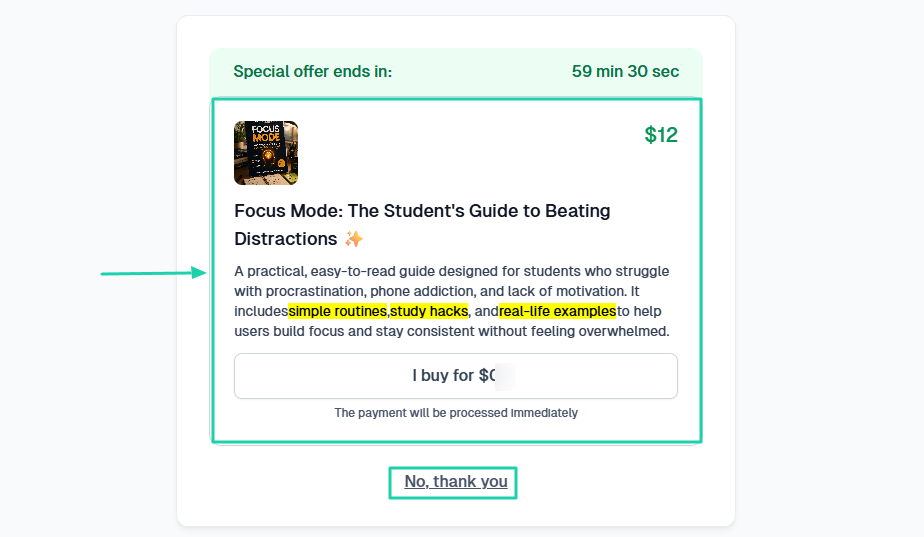
Both cross-selling and upselling are effective sales techniques worth implementing. Below is a YouTube video from the brand strategist Phil Pallen explaining their key differences.
Another sales technique is called an order bump. With that, you offer complimentary products right at the checkout, even before the customer makes a purchase.
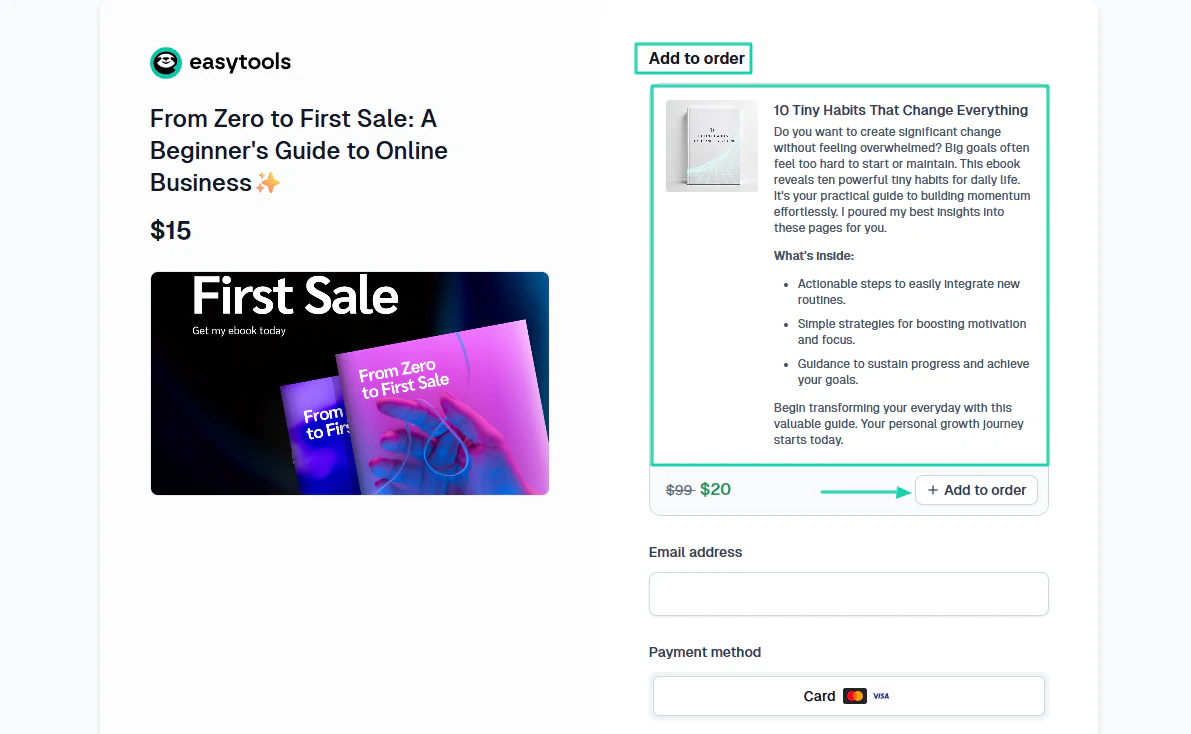
But I couldn’t end this sales section without mentioning landing pages. You can use it to guide customers toward buying your products or services.
Don’t choose a SamCart alternative that doesn’t let you build a landing page.

Now, let’s discuss a few marketing features a good SamCart alternative must offer.
One of the most important ones is email marketing. This is the feature that helps you build an email list, stay in contact with your customers, send email campaigns, and also track email performance.
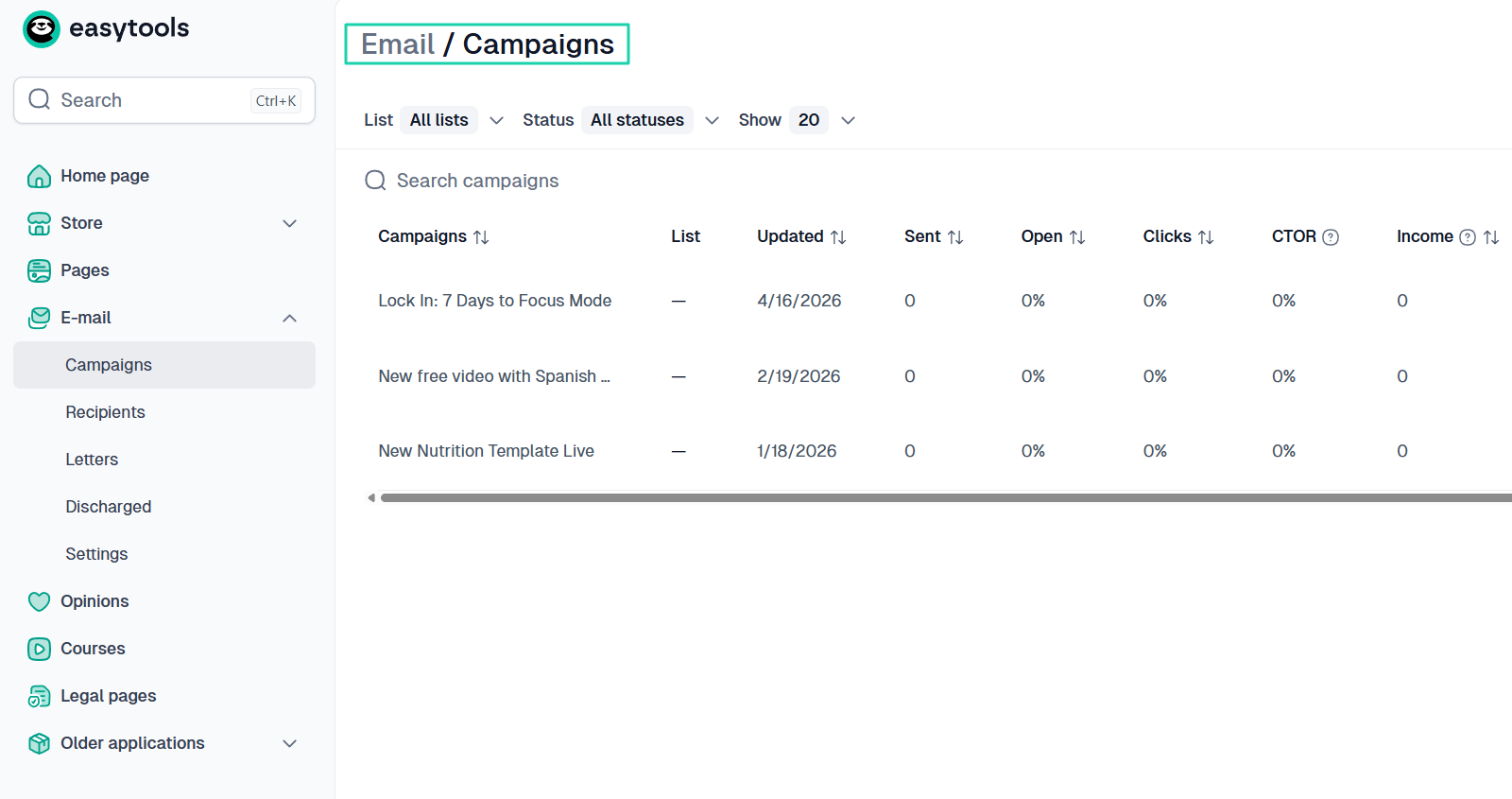
For instance, you can create a monthly newsletter list and engage your existing and potential customers.
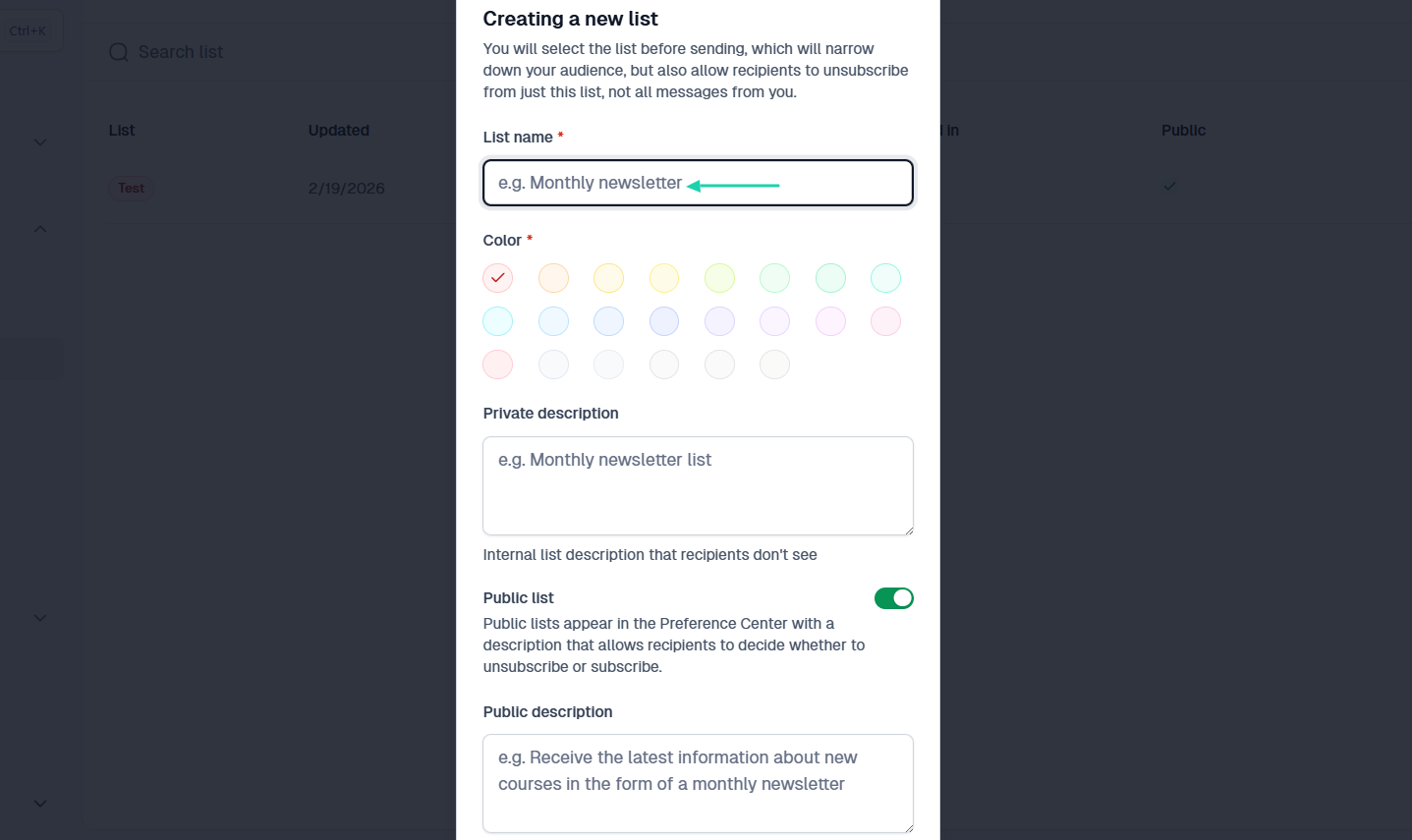
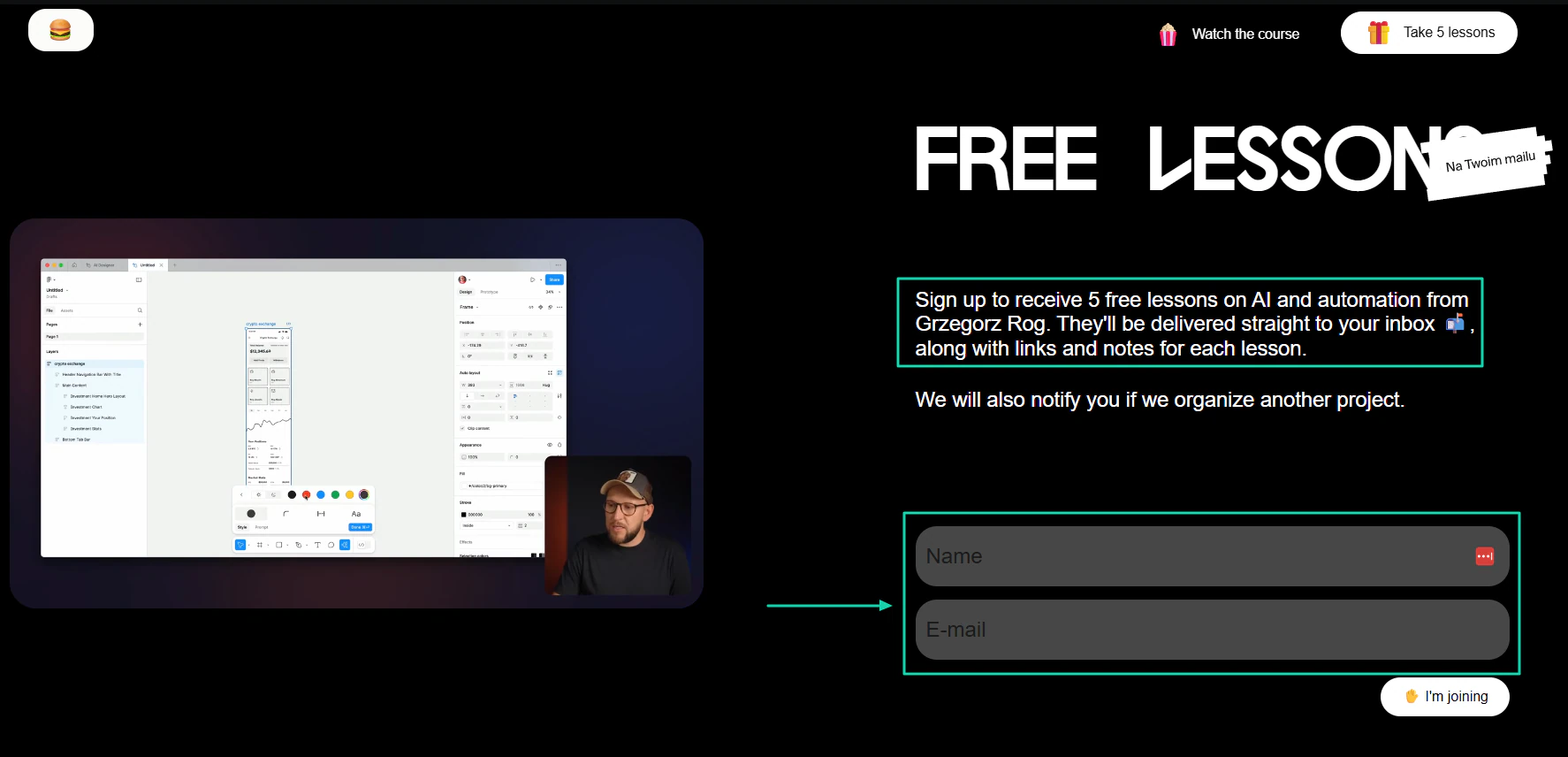
With the right SamCart alternative, you can create a lead magnet like Design Practice does. They offer you 5 free lessons on AI and automation in exchange for your name and email address.
This Design Practice course offers time-limited deals to boost conversions. It’s called “Motion Designer.” If you go to the checkout page, you’ll notice a countdown showing exactly when the offer will expire.
They also display how long the buyer will have access to the course.
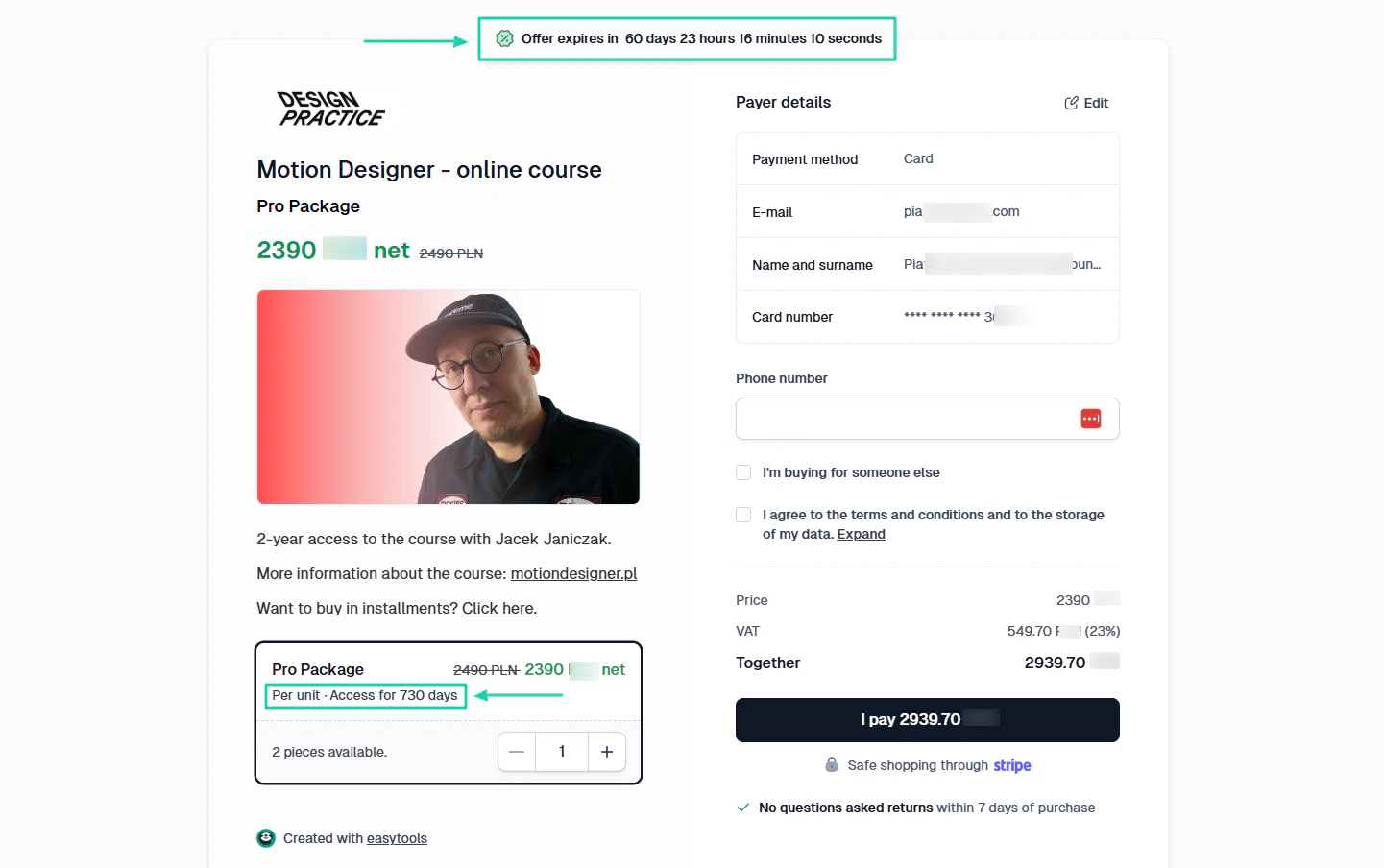
Being able to do the same on your SamCart alternative will definitely help.
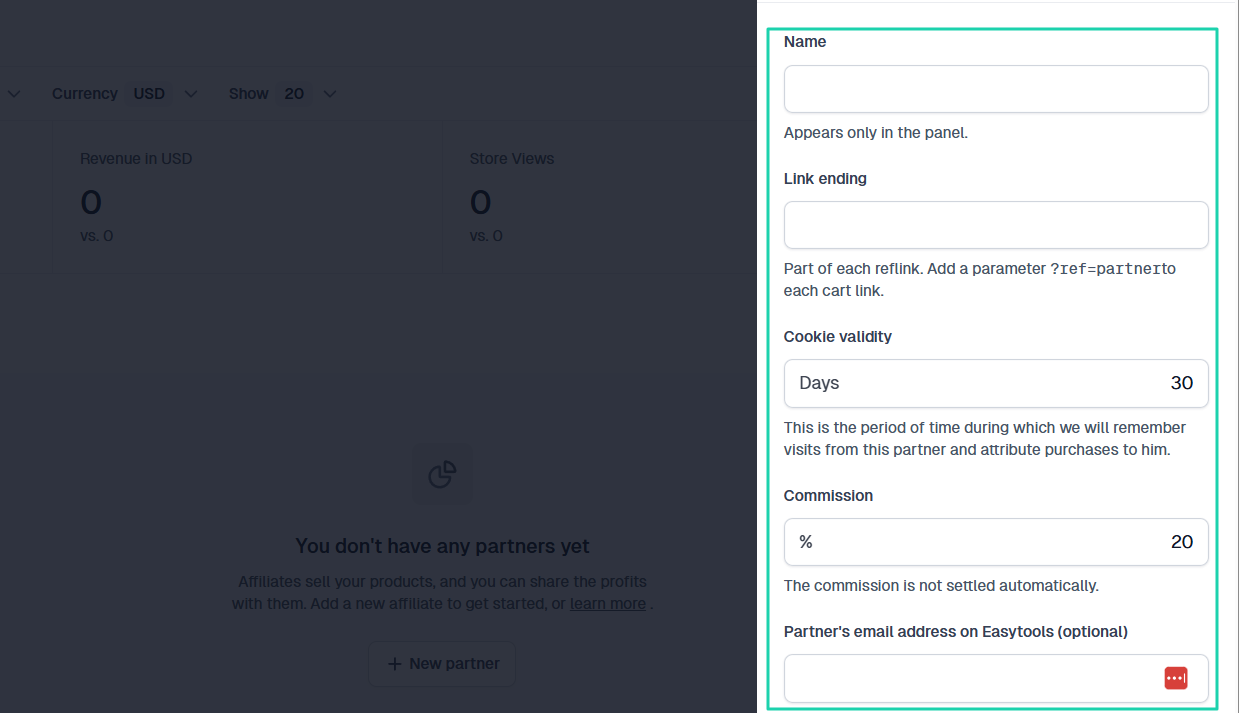
Now, as a creator, entrepreneur, or small business owner, one way you can multiply your income is through affiliate marketing.
Other people will promote your products or services and receive a commission. But of course, you determine how much they get.
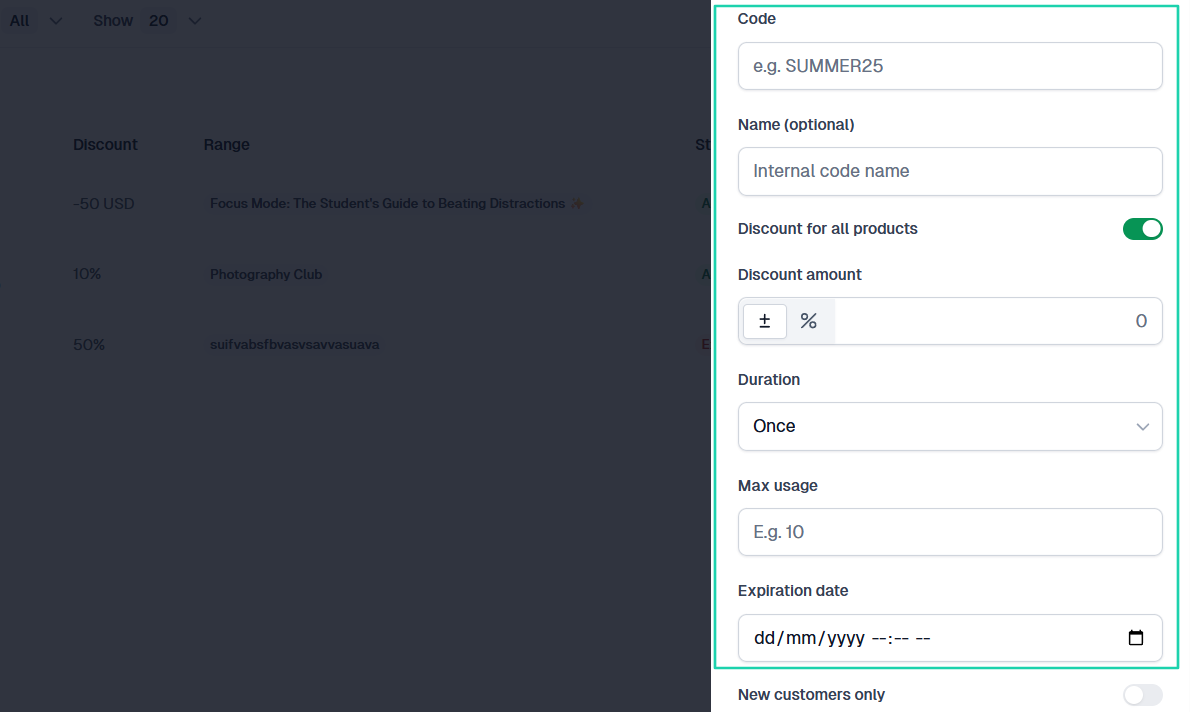
Another effective way to attract customers is by creating coupons and discounts.
Go with a SamCart alternative that lets you name your discount, specify the discount amount, and choose which products it should apply to.
Pro tip: In addition to the features above, it’s an advantage if the SamCart alternative you choose also lets you collect testimonials and display them.
Like I said, you evaluate sales and marketing features to gauge whether the platform has mechanisms in place to help you generate more revenue.
Select the best SamCart alternatives
In this guide, I listed and reviewed 6 SamCart alternatives worth your time. They were Easytools, Sellfy, Podia, Payhip, Shopify, and SendOwl.
I also shared how to choose the right one, with practical examples.
I said to consider the types of products you sell, pricing and transaction fees, the platform’s integration with other tools, and its sales and marketing features.
The right SamCart alternative is also the tool that makes everything feel easy, even if you’re starting or switching.
Trust me, easy is the way to go.
FAQs
What are the best SamCart alternatives?
The best SamCart alternatives are Easytools, Sellfy, LearnWorlds, Payhip, Shopify, and Gumroad. Easytools makes the list because it’s an all-in-one tool for selling and marketing digital products.
Are there free SamCart alternatives?
Yes, there are free SamCart alternatives like Easytools, Payhip, and Gumroad. Easytools, for example, has a Starter plan that’s absolutely free. You can create unlimited checkouts, and you only pay 5% transaction fee (and Stripe processing) on the digital products you sell.
Which SamCart alternatives are best for beginners?
SamCart alternatives best for beginners are Easytools and Payhip. Easytools especially has an intuitive interface. You can access its suite of tools in a few clicks. Plus, for beginners without an audience, Easytools offers a conversion-focused checkout, Easycart, to help them sell more.
What SamCart alternatives support affiliate programs?
The SamCart alternative that supports affiliate programs is Easytools. You can create affiliate links that will count purchases from referrals. You will simply add the affiliate’s email address and specify the commission.
Which SamCart alternative offers checkout customization?
The SamCart alternative that offers checkout customization is Easytools. You can add your logo, choose your brand colors, theme, and even display social proof. You can even personalize the message your customers receive when they purchase your digital products.