Online business
38 min read6 best ThriveCart alternatives in 2026! Features, prices, pros, and cons
Looking for a ThriveCart alternative? Compare the best options, including Easytools, Sellfy, Gumroad, Systeme.io, Payhip, and Lemon Squeezy, to find the right platform for selling digital products, SaaS, and online services.
- Written by
- Greg Rog
- Reviewed by
- Marta Jagosz
- Updated on
- July 3, 2026
- Published on
- June 13, 2026


There are alternatives to ThriveCart because checkout optimization isn’t the be-all and end-all feature.
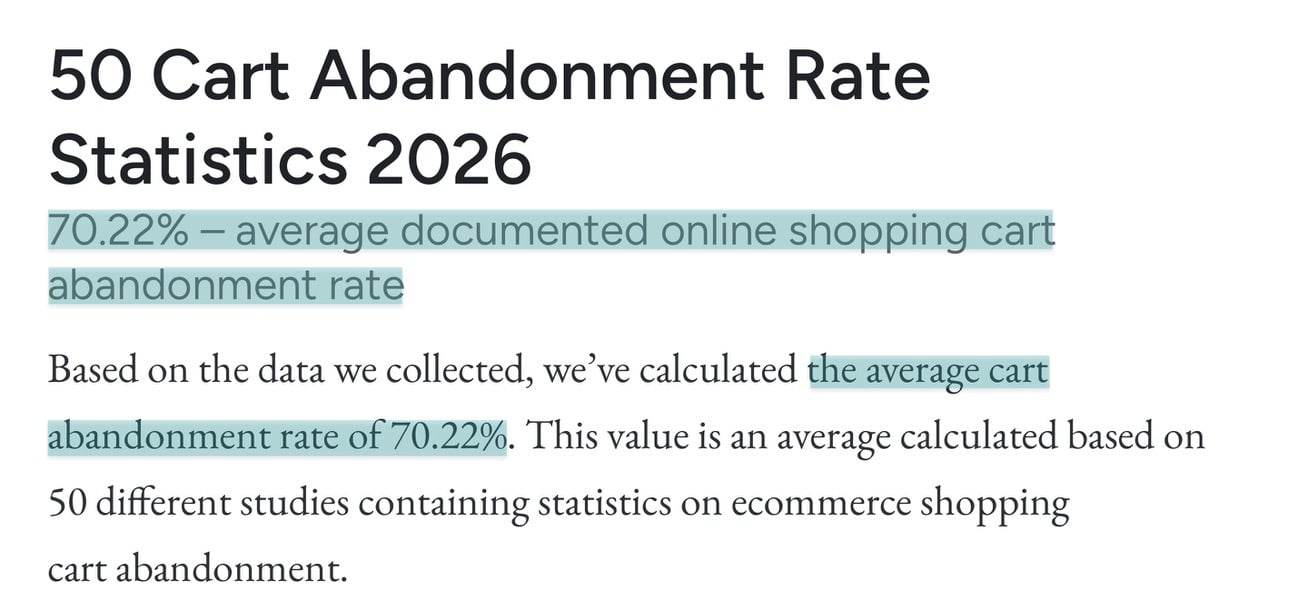
According to Baymard Institute, 70.22% of buyers who add an item to their checkouts never complete their purchase.
That’s why there are ThriveCart alternatives that offer an array of tools beyond the checkout.
From multi-page website building, standalone analytics for your landing page, to email marketing and automation, and more.
And I’ve done the heavy lifting for you by thoroughly researching 6 ThriveCart alternatives you should consider.
In this guide, I’ll discuss their features, pricing, pros, and cons. I’ll also show you how to choose the right ThriveCart alternative.
Let’s get into it.
TL;DR
- The six best ThriveCart alternatives are:
1. Easytools
2. Sellfy
3. Gumroad
4. Systeme.io
5. Payhip
6. Lemon Squeezy
-
To choose the right ThriveCart alternative, consider what you sell, assess the checkout features you need, check for integrations with other tools, and evaluate scalability.
-
Easytools is better than ThriveCart, Sellfy, and Systeme.io because it offers creators so many advantages. Like the highest number of product types, a highly customizable checkout, and the use of AI for course creation and website building.
How we chose these ThriveCart alternatives
Here’s how we chose these ThriveCart alternatives:
-
We looked for ThriveCart alternatives with stronger website-building capabilities, email marketing tools, and more advanced course features.
-
We also focused on platforms that offer key sales features, like cross-sells, upsells, order bumps, and other checkout-optimization tools.
-
We signed up for and tested each platform, paying close attention to what it shared in common with ThriveCart and where it took a different approach.
-
We evaluated each tool based on its features, ease of use, pricing, and overall value for creators.
-
Finally, we rated every ThriveCart alternative on this list and included brief explanations to show how we arrived at those ratings.
Best ThriveCart alternatives compared
| Platform | Key features | What you can sell | Biggest drawback | Why choose it over ThriveCart | Starting plan | Best for |
|---|---|---|---|---|---|---|
| Easytools | 1-click purchases, email marketing, sales automations, checkout recovery, pricing models, websites, testimonials, affiliates, promos and discounts, legal pages, time counters. | Digital products, subscriptions, online courses, e-books, memberships, PDFs, Notion templates, SaaS, live events, webinars, physical products, audio, services. | You can only use the websites feature on the Creator and Professional paid plans, but the Starter plan still offers you unlimited checkouts. | It functions as a true creator’s operating system, natively providing websites, built-in testimonial walls, legal and cookie generators, and automated content delivery. | Starter: $0/month + 5% transaction + unlimited checkouts | Digital product creators and online coaches seeking to sell a variety of products and services, and boost checkout conversions. |
| Sellfy | Online store, email marketing, subscriptions, print-on-demand, upselling, affiliate marketing. | Digital products, subscriptions, print-on-demand merchandise, and physical products | The lack of design flexibility and deep customization. | It offers a complete storefront and the ability to sell both digital and physical products from one place. | Starter: $22/month + unlimited products | Creators, designers, and entrepreneurs who want a solution to sell digital products and merchandise on their storefront. |
| Gumroad | Storefront, product delivery, email broadcast, affiliates, collaborators, workflows, emails, analytics. | Courses, digital products, memberships, e-books, bundles, commissions, calls and coffee. | It has high transaction fees. You either pay 10% or 30% depending on how the customer finds your product. | It’s very easy to launch, and you can start selling within minutes with no technical setup required. | Free: 10%+0.50 | Independent creators and freelancers who want a simple solution to start selling digital products on a marketplace. |
| Systeme.io | Sales funnels, email marketing, automation, courses, websites, memberships, affiliate management | Physical products, coupons, courses, communities, and files. | The interface isn’t as polished as competitors', and it has a steep learning curve. | It includes funnels, email marketing, automation, and course hosting on a single platform, and it's free on its first plan. | Free: $0 + 2,000 contacts | Course creators and marketers who need sales funnels and marketing automation alongside checkout features. |
| Payhip | Digital delivery, store, memberships, courses, affiliate management, subscriptions, coupons. | Digital products, memberships, courses, physical products, coaching and bundles. | The storefront customization is pretty basic and offers limited design options. | It offers a truly free, forever plan that gives you full access to all features. | Free Forever: $0/month + 5% transaction fee + unlimited products. | Creators and small business owners looking for a beginner-friendly selling platform with marketing tools. |
| Lemon Squeezy | Global payments, tax compliance, subscriptions, software licensing, customer management, digital delivery. | SaaS products, software, digital products, subscriptions. | Its high and non-transparent fee structure. | Besides creating simple checkouts, it handles global tax compliance and serves as a Merchant of Record. | Ecommerce: 5% + $0.50 + AI fraud protection | SaaS founders, software developers, and digital product businesses that sell internationally. |
6 best ThriveCart alternatives
1. Easytools
- Personal rating: ⭐️⭐️⭐️⭐️ 4.7/5 - It’s a very strong all-in-one platform that combines selling, marketing, and automation without requiring multiple tools.
- Ease of use: ⭐️⭐️⭐️⭐️ 4.8/5 - It has a clean interface and beginner-friendly setup and lets you use AI to build courses and websites.
- Checkout optimization: Excellent - 1-page checkout, mobile-friendly checkout, custom checkout pages, checkout recovery, and conversion-focused features.
- Revenue tools: Excellent - Order bumps, upsells, cross-sells, coupons, subscriptions, payment plans, bundles.
- Free trial: Yes - 14-day trial period for both the Creator and Professional plans.
- Starting plan: Starter - $0/month + 5% transaction + unlimited checkouts
First on our list of the best ThriveCart alternatives is Easytools.
It’s an all-in-one platform that helps creators sell online courses, e-books, memberships, PDFs, templates, live events, webinars, SaaS, and services.
It provides a range of tools to handle checkouts, gate content, and collect testimonials. Beyond that, it also offers automated tools for email campaigns, course delivery, legal document generation, and checkout conversion boosters.
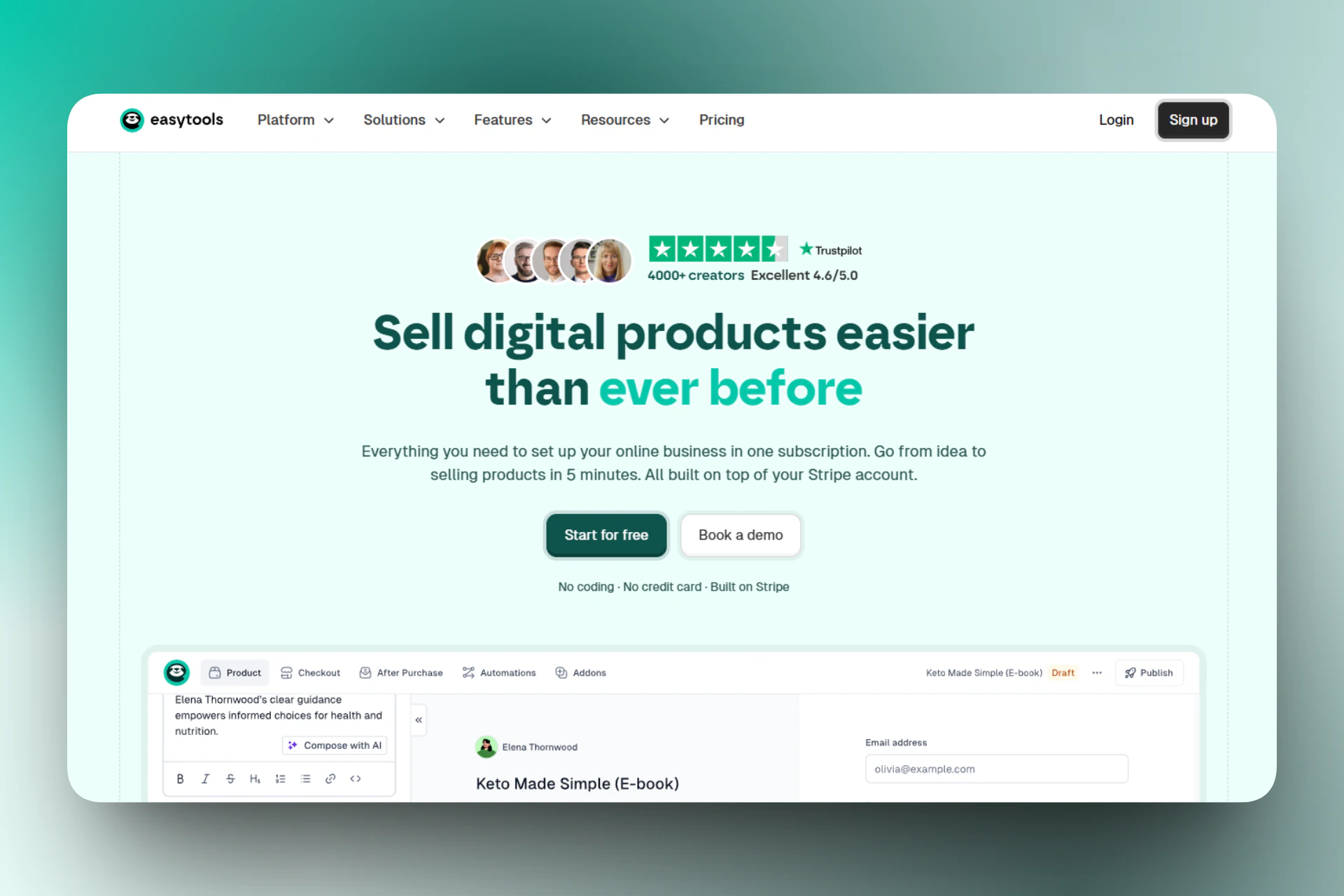
One amazing thing you can do at checkout is specify your product’s availability and even enable a countdown timer.
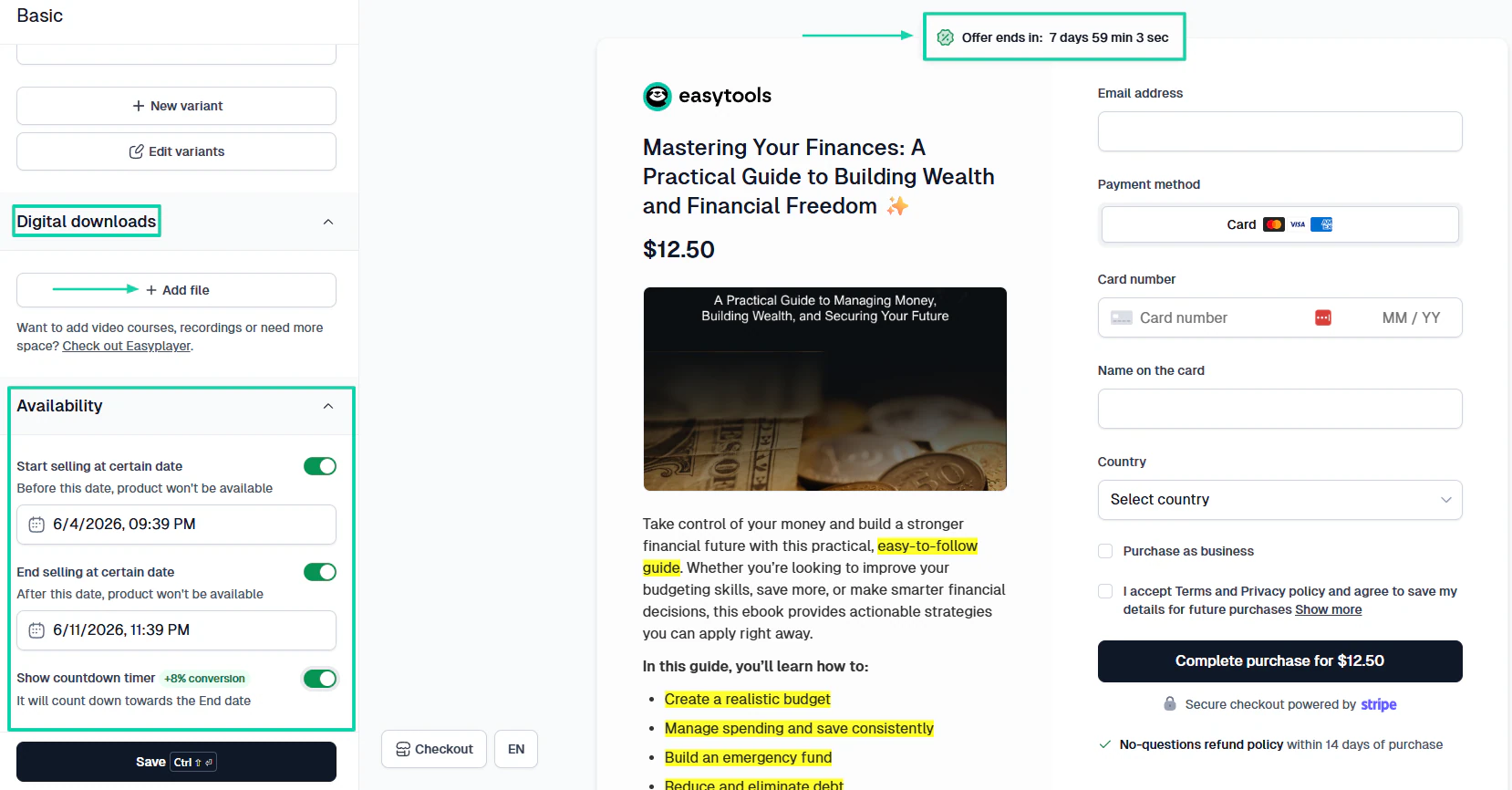
Easytools also lets you run automations. For instance, you can decide what happens after a customer purchases a product.
There is more. You can build a professional website to promote your products and services using AI.
And if you don’t have any technical skills, you can also edit any of the sections or elements with AI.
What’s more, you can connect your checkout to your website. This way, customers can easily purchase your products or services without leaving your website.
[fs-toc-omit]What I loved about Easytools
1. Store
Using the store feature on Easytools, you can create highly customizable checkouts for your physical and digital products or services. This includes e-books, courses, PDFs, memberships, templates, and webinars, among others.
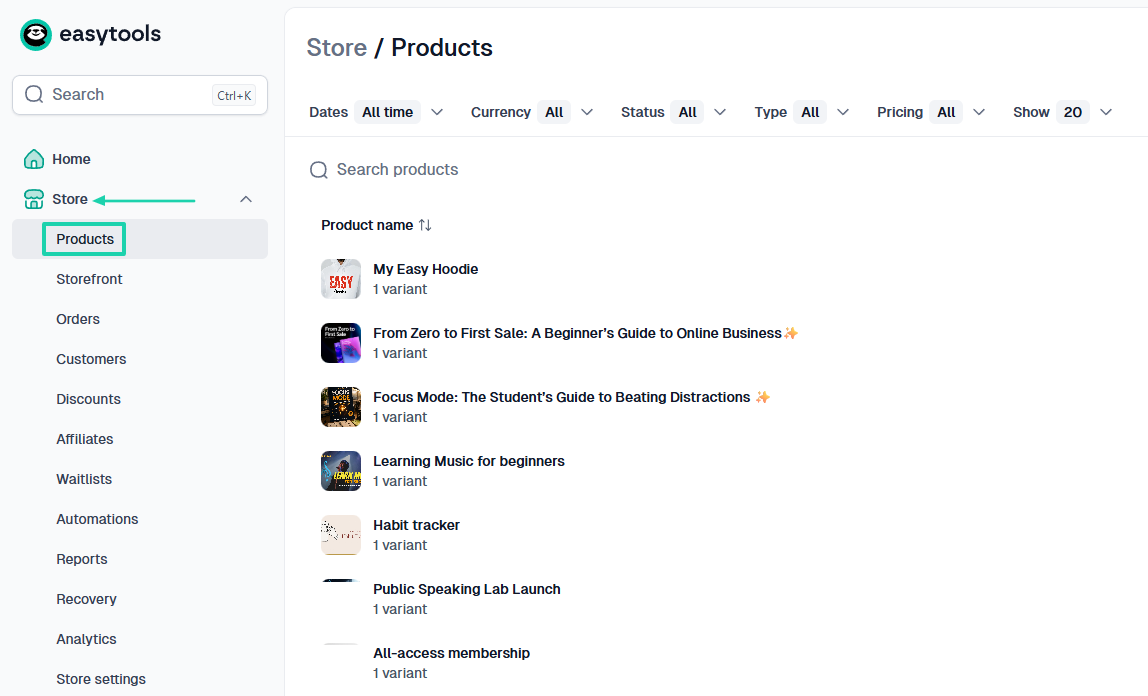
Let’s say you want to sell a PDF. First things first, click “Products” under “Store.”
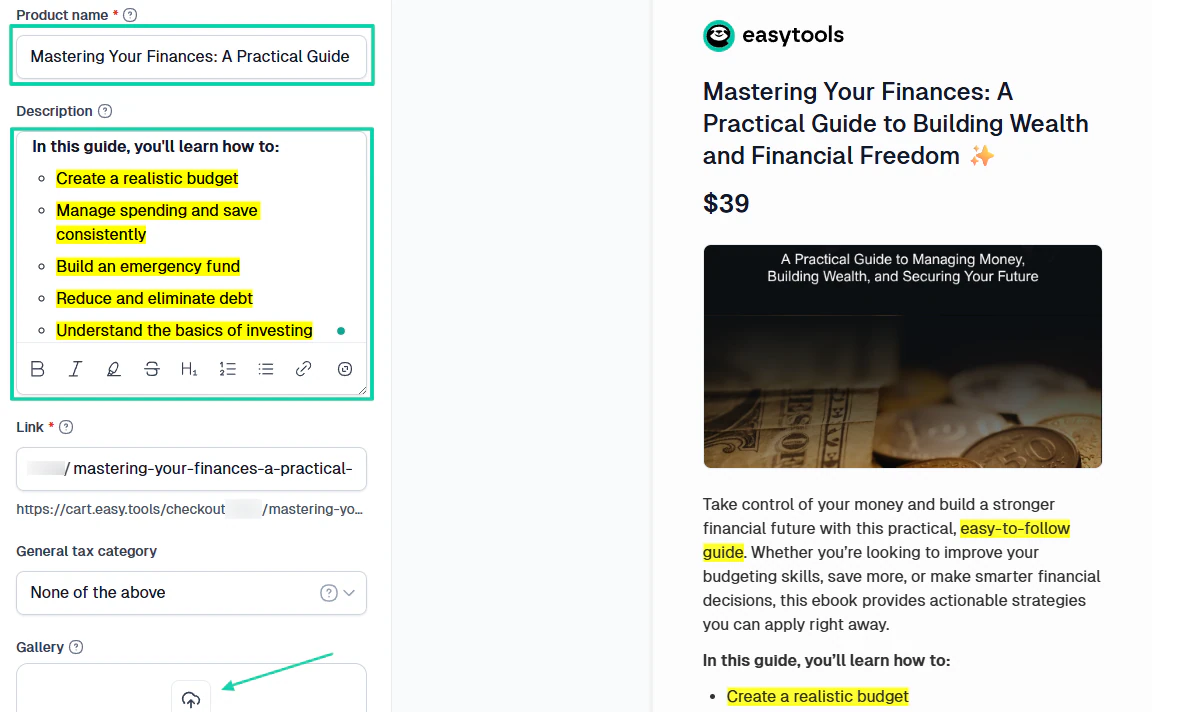
Next, name your PDF, add a description, and a cover image.
You will need to choose the currency, price, price type, and specify tax handling.
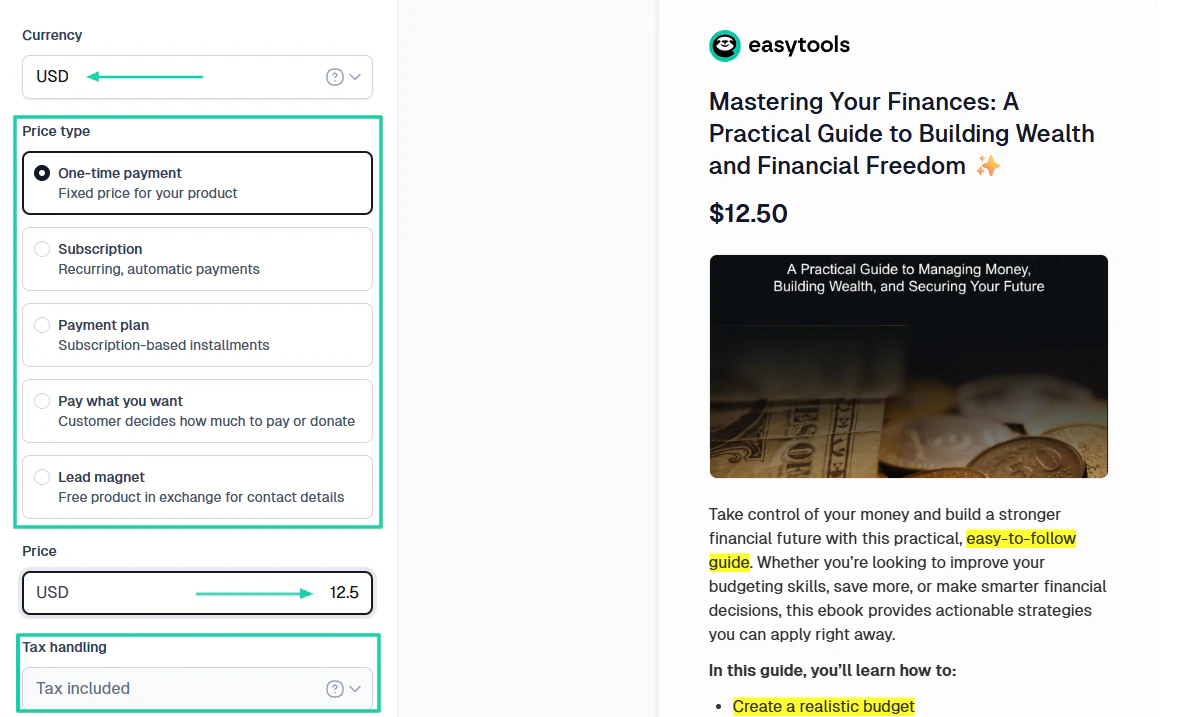
Then, you can upload a PDF.
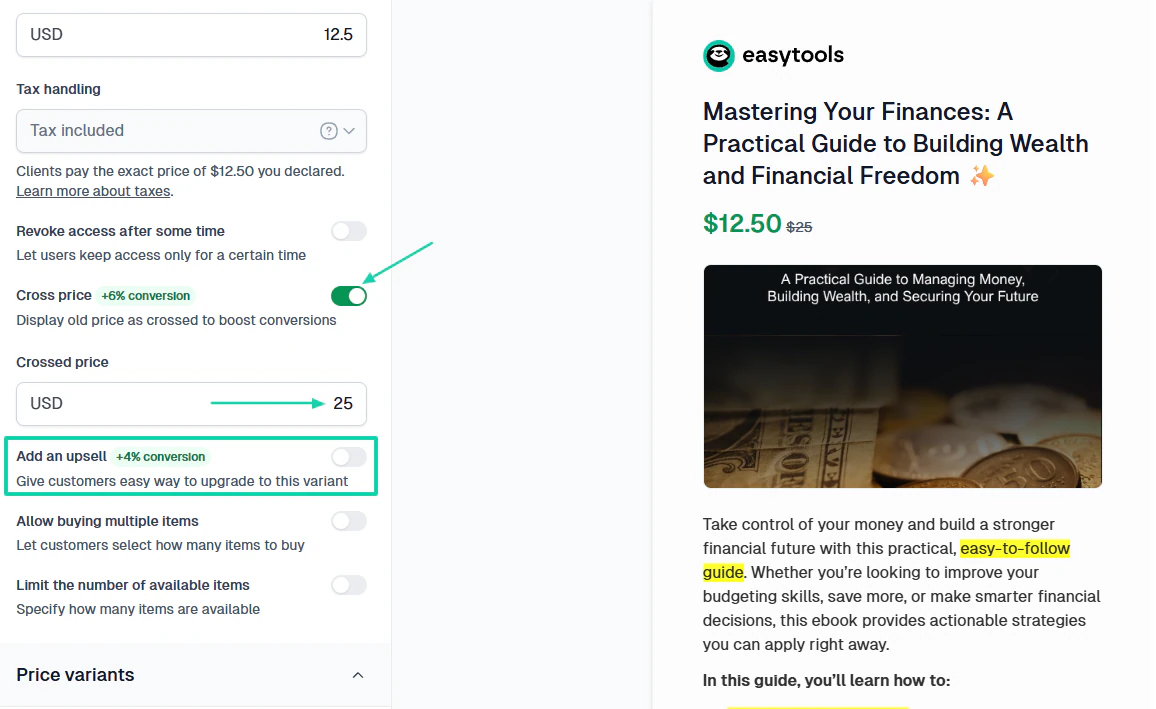
Below the upload area, you can enable the product’s availability and specify the exact period. To boost conversions, you can even add a countdown timer.
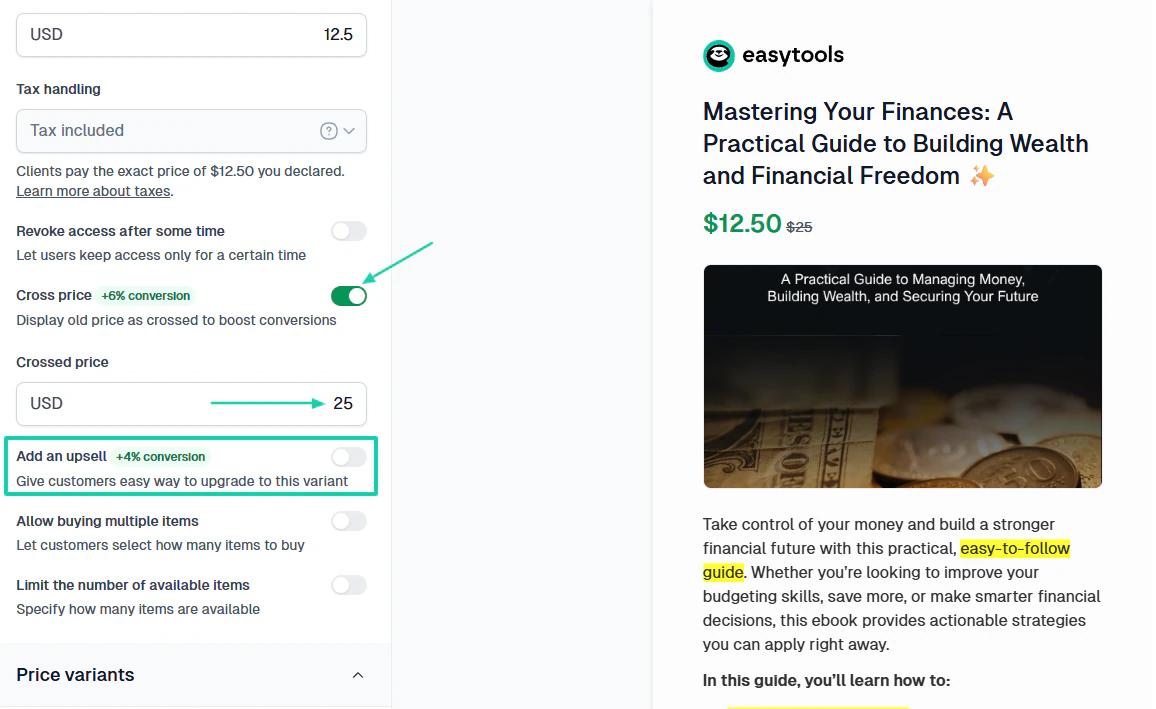
There are two other settings you can enable:
Cross-price: This is where you display an old price as crossed out to boost conversions.
Order bumps: Lets you offer an additional product (or service) on the checkout page before a customer completes their purchase.
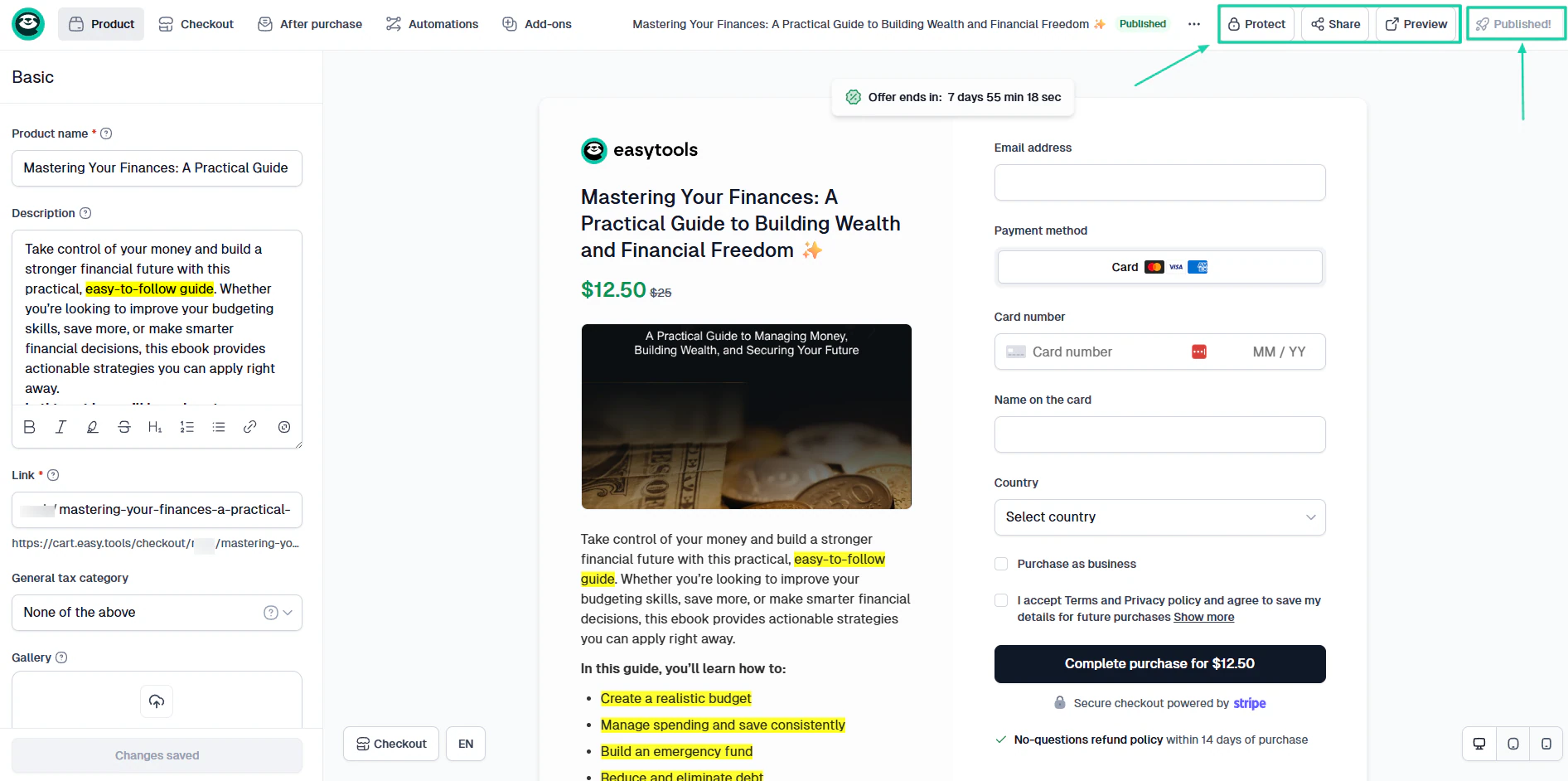
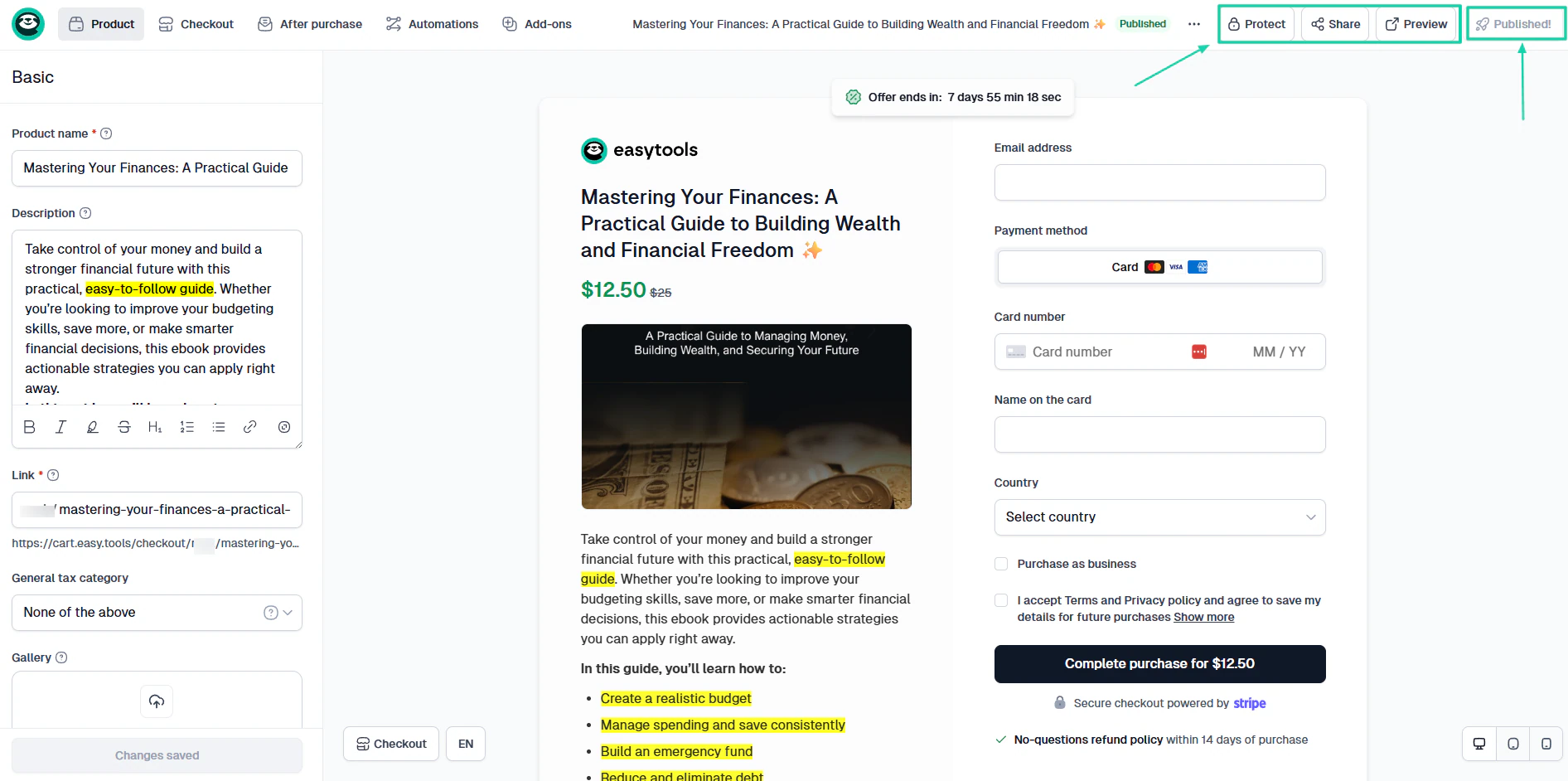
Once you are done, you can protect your file, preview the checkout, hit “Publish,” and share the link.
2. Automations
Easytools’ automations feature lets you simplify workflows by connecting to your existing apps and flows. It lets you create scenarios where you define what should happen and when.
Let me show you how it works.
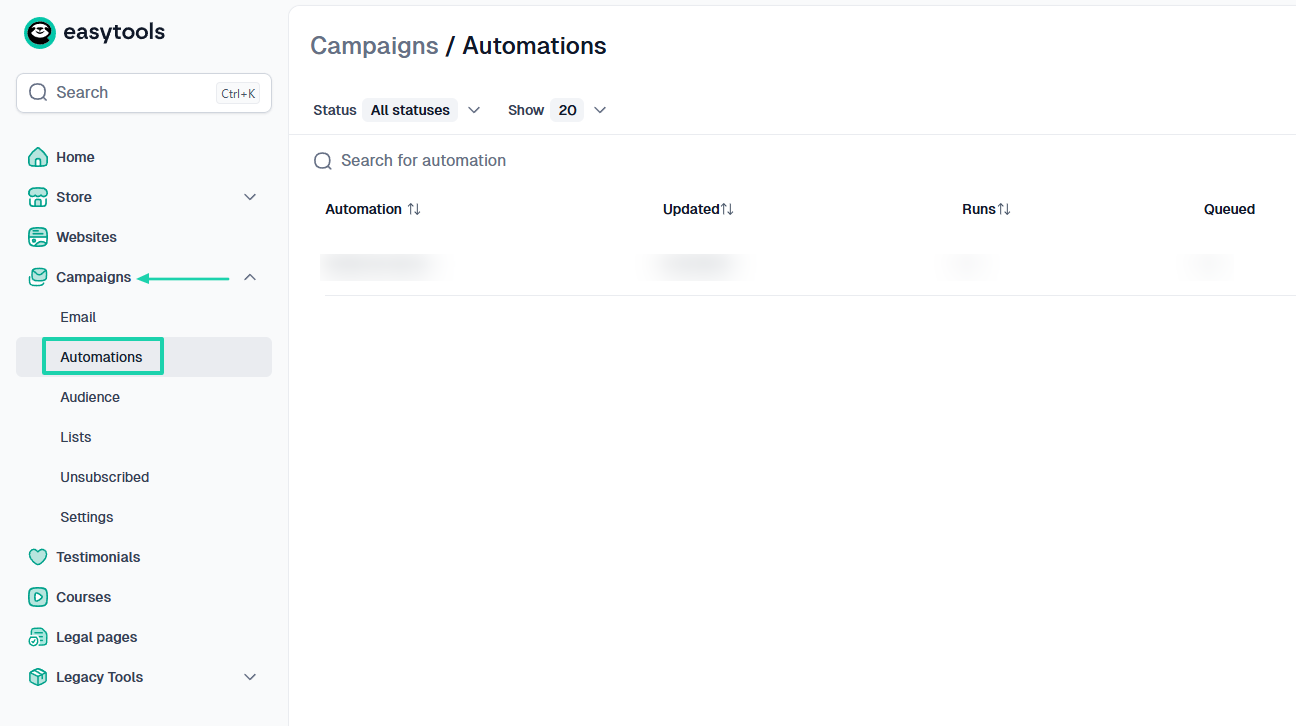
Under “Campaigns,” click “Automations.”
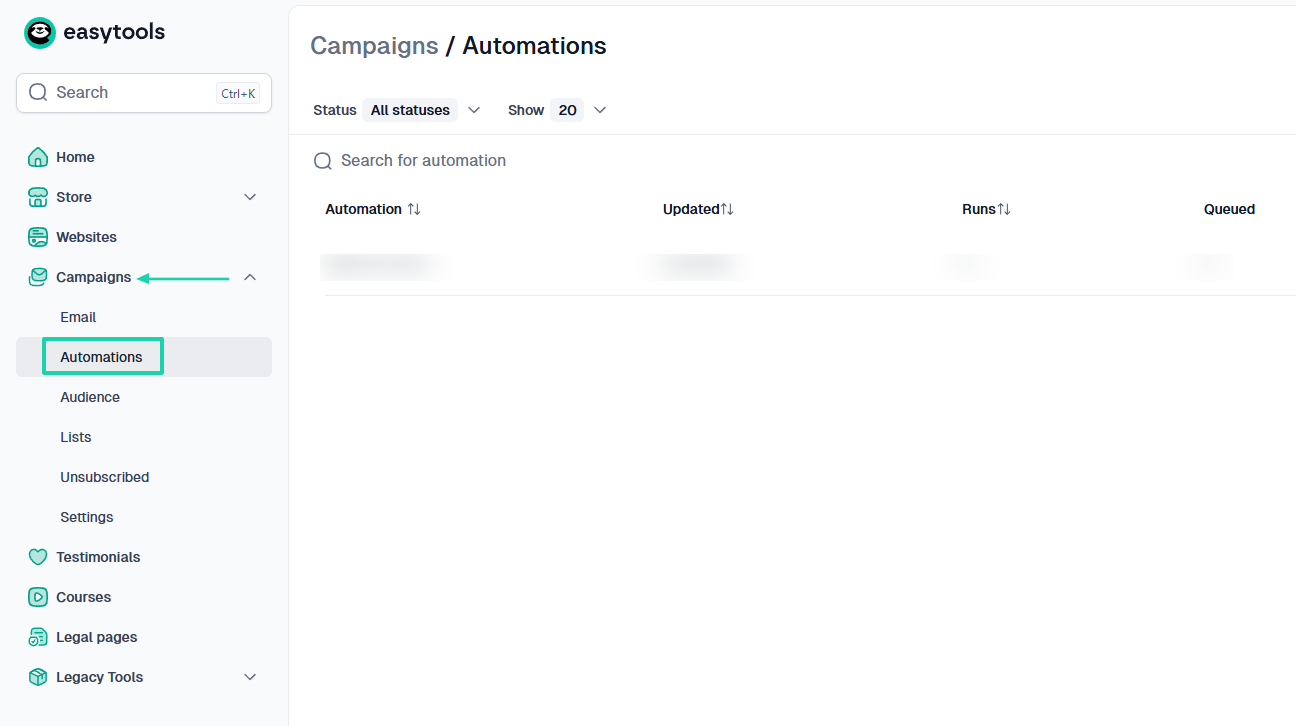
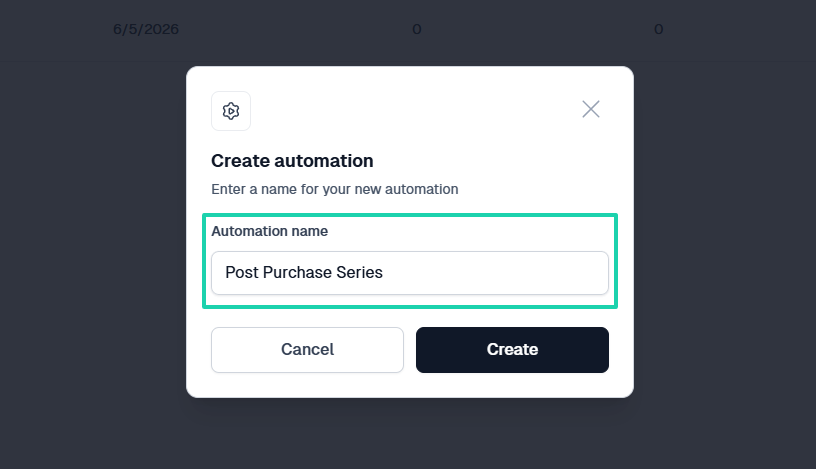
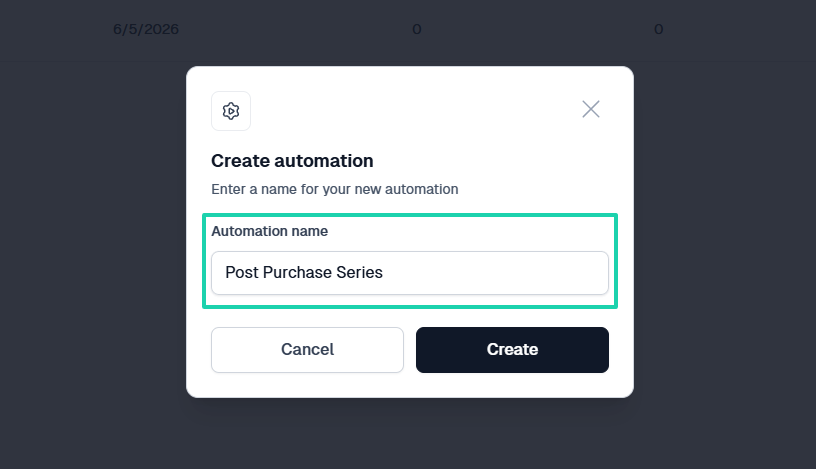
Enter your automation name.
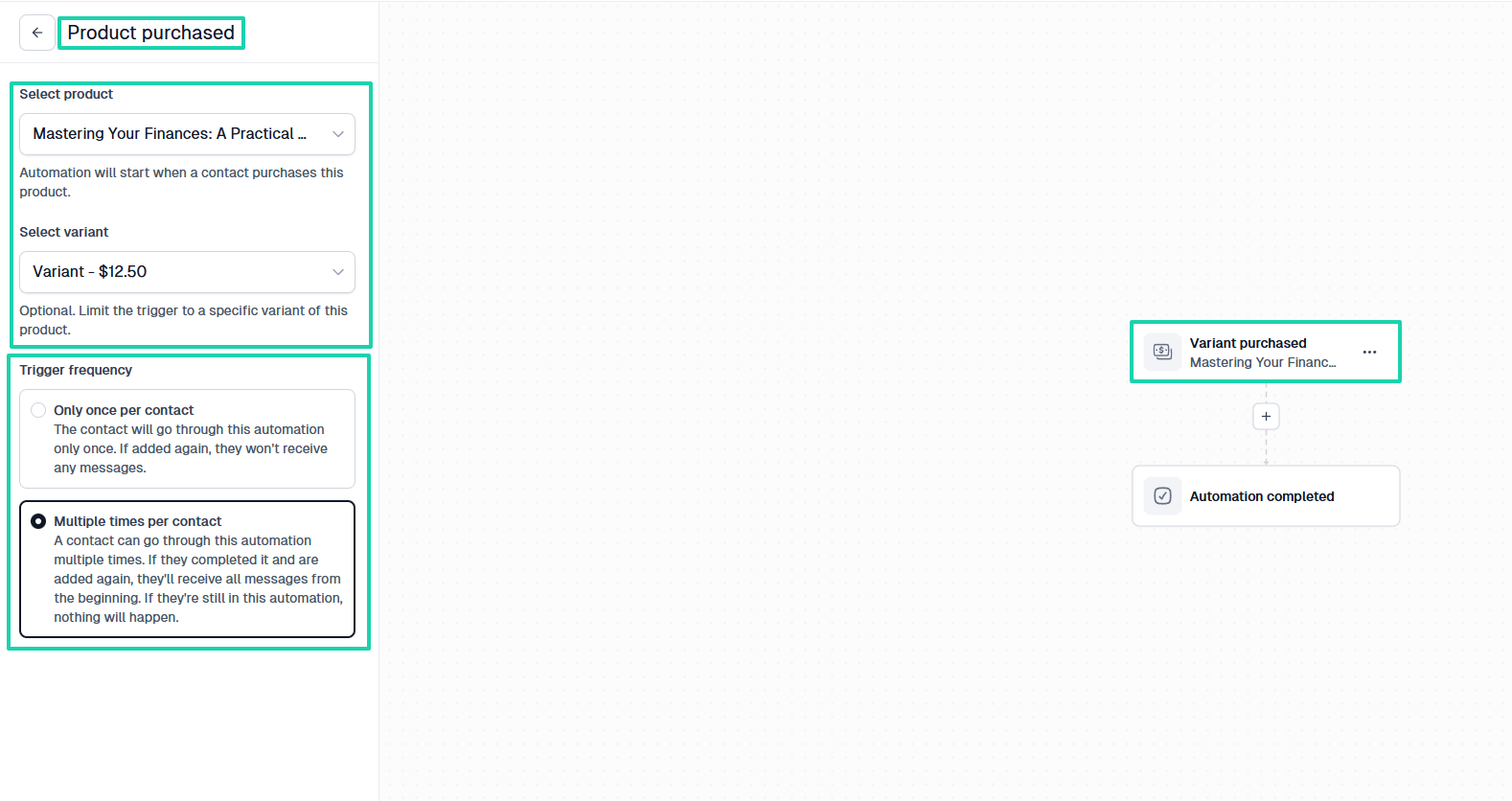
Now, you will choose the trigger, which can be “Product purchased.” You will select the exact product you want the automation to apply to, along with its variant.
You should also specify the trigger frequency. This could either be only once per contact or multiple times per contact.
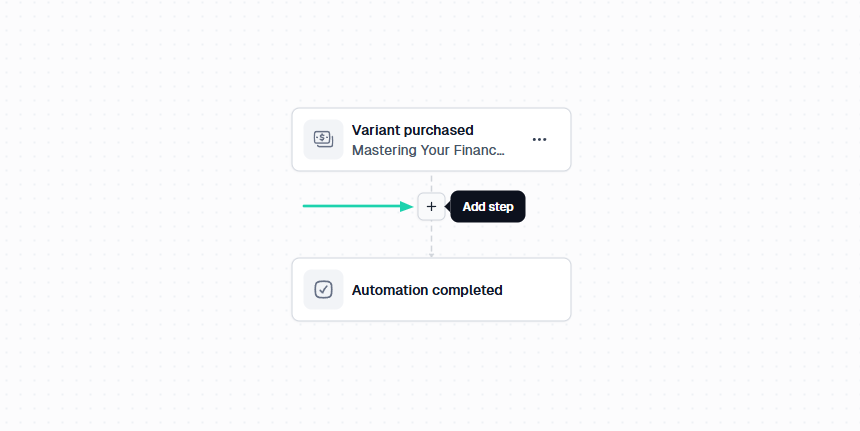
Now that you have the trigger, you can add another step. This will be the action.
For example, the action could be “Send email.” You will choose that email if you have it ready.
You also have the option to edit it or even create a completely new one.
This is your automation: anytime a customer purchases the product you selected, they will receive that particular email.
3. Websites
As a creator, coach, or entrepreneur, you will need a professional website to showcase your services and products. It builds essential credibility and gives you total ownership of your audience.
With Easytools, you can build a professional website within minutes using artificial intelligence. Let me show you how.
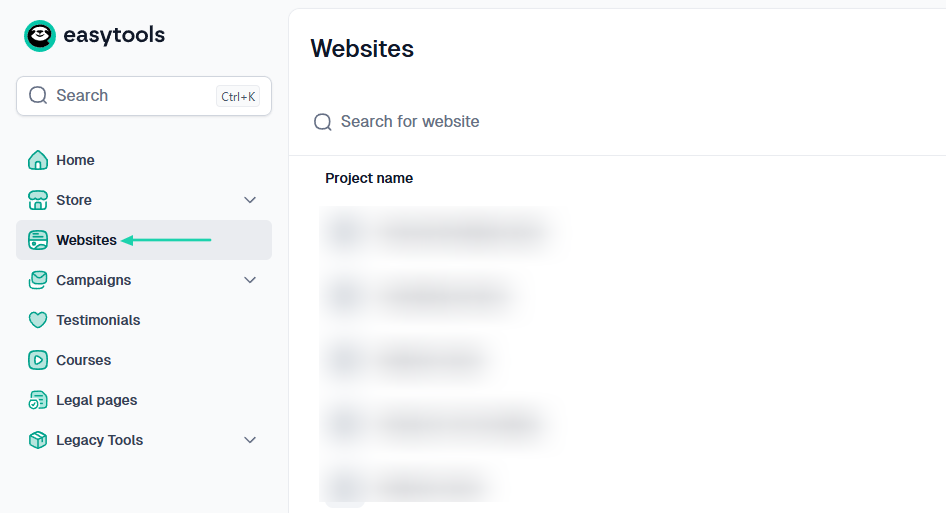
In the sidebar menu, click “Websites.”
Simply describe how you want your website to be in natural language. For example:
“Create a professional personal finance website that promotes my finance coaching services and sells digital products such as e-books, courses, and templates. The design should be modern, trustworthy, and optimized for lead generation and sales.”
Then you select a color palette and click “Generate.”
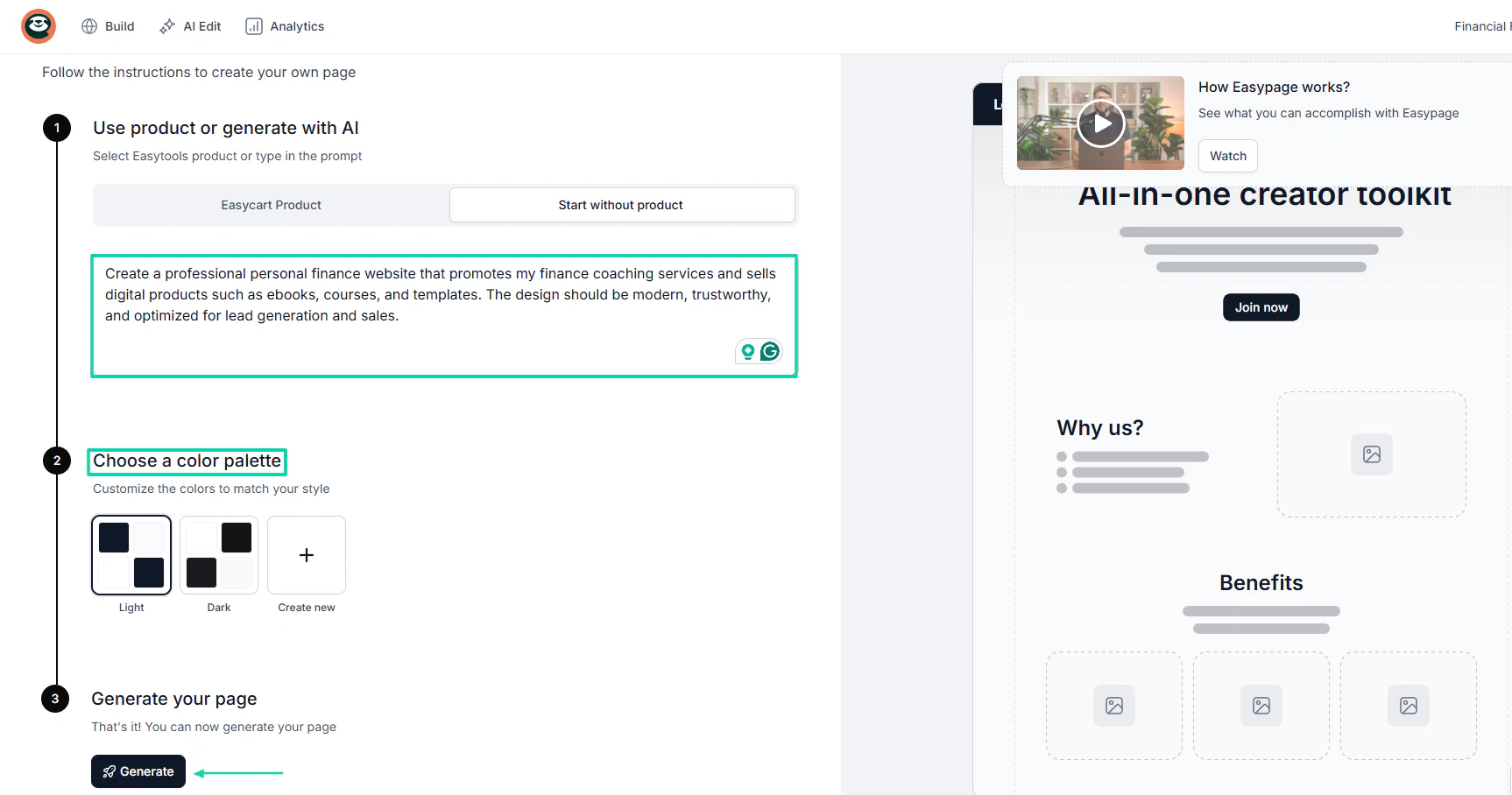
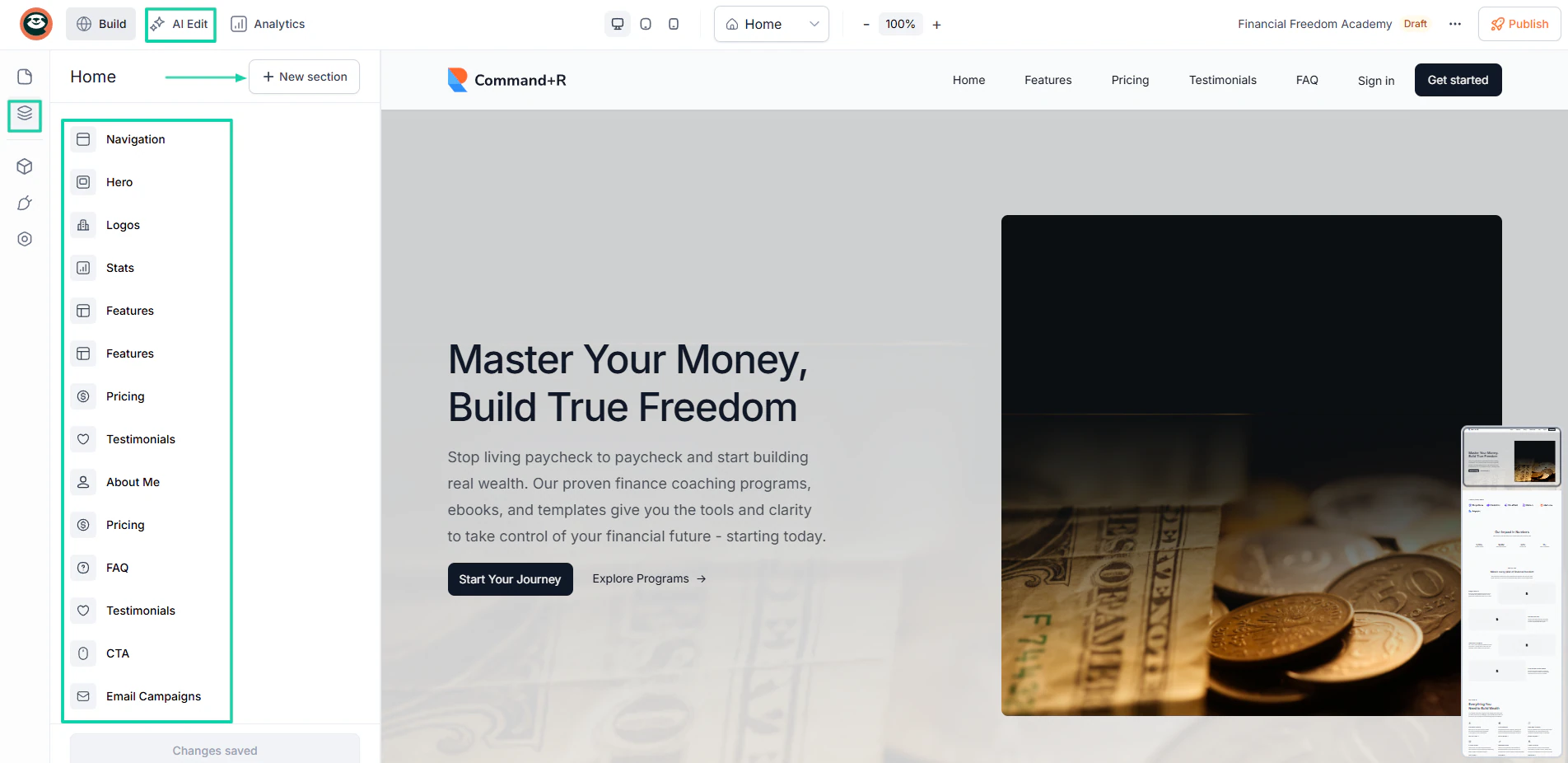
AI will generate the website in less than 5 minutes. You can add new sections (navigation, testimonials, features, pricing, FAQ, about me) in addition to the list.
You can also use AI to edit texts, fonts, sizes, sections, and much more.
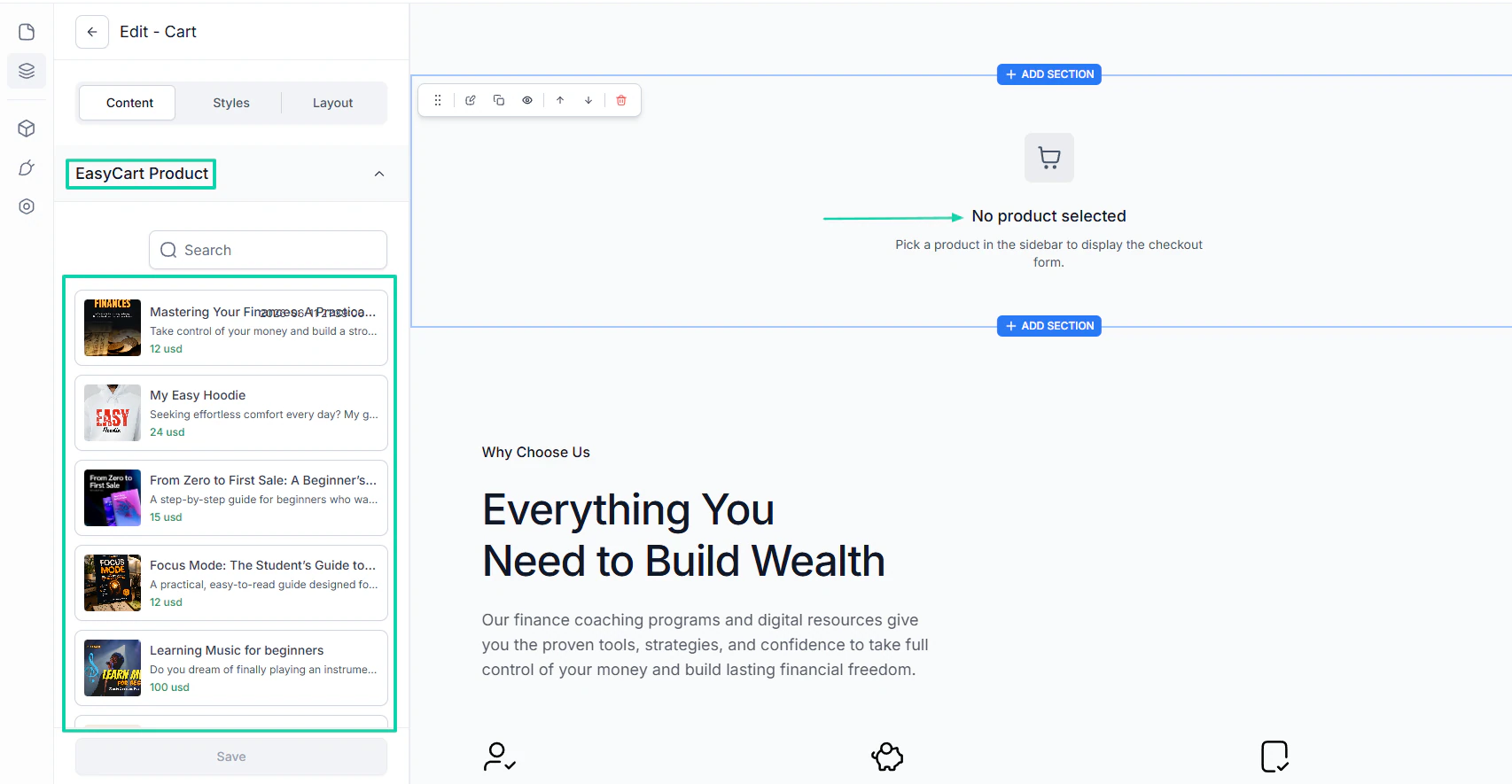
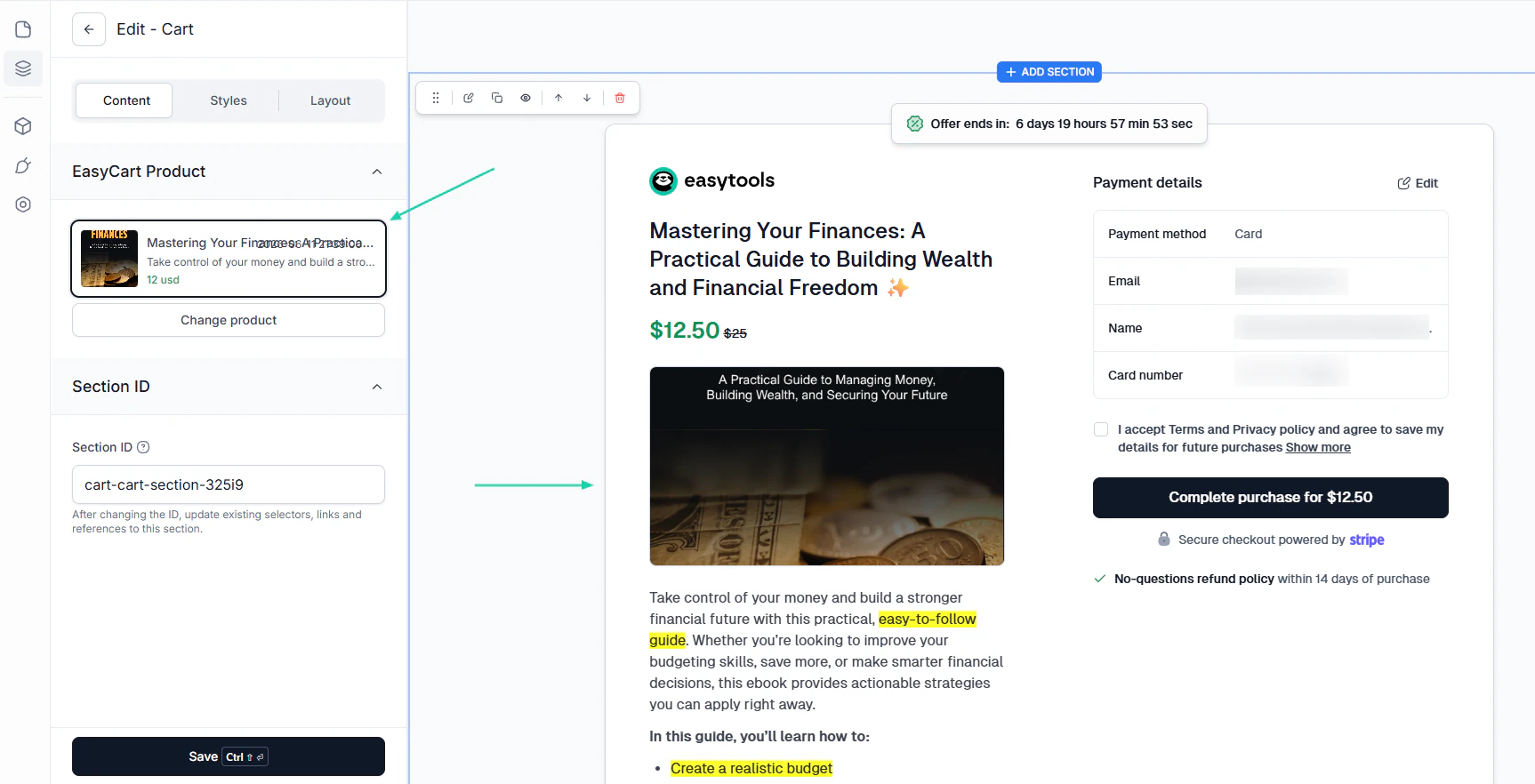
Another smart move is to connect your checkout to your website. This way, you can choose any of your products to be featured on the website.
When you choose a product, the entire checkout process will appear on the website, making it easier for customers to purchase directly.
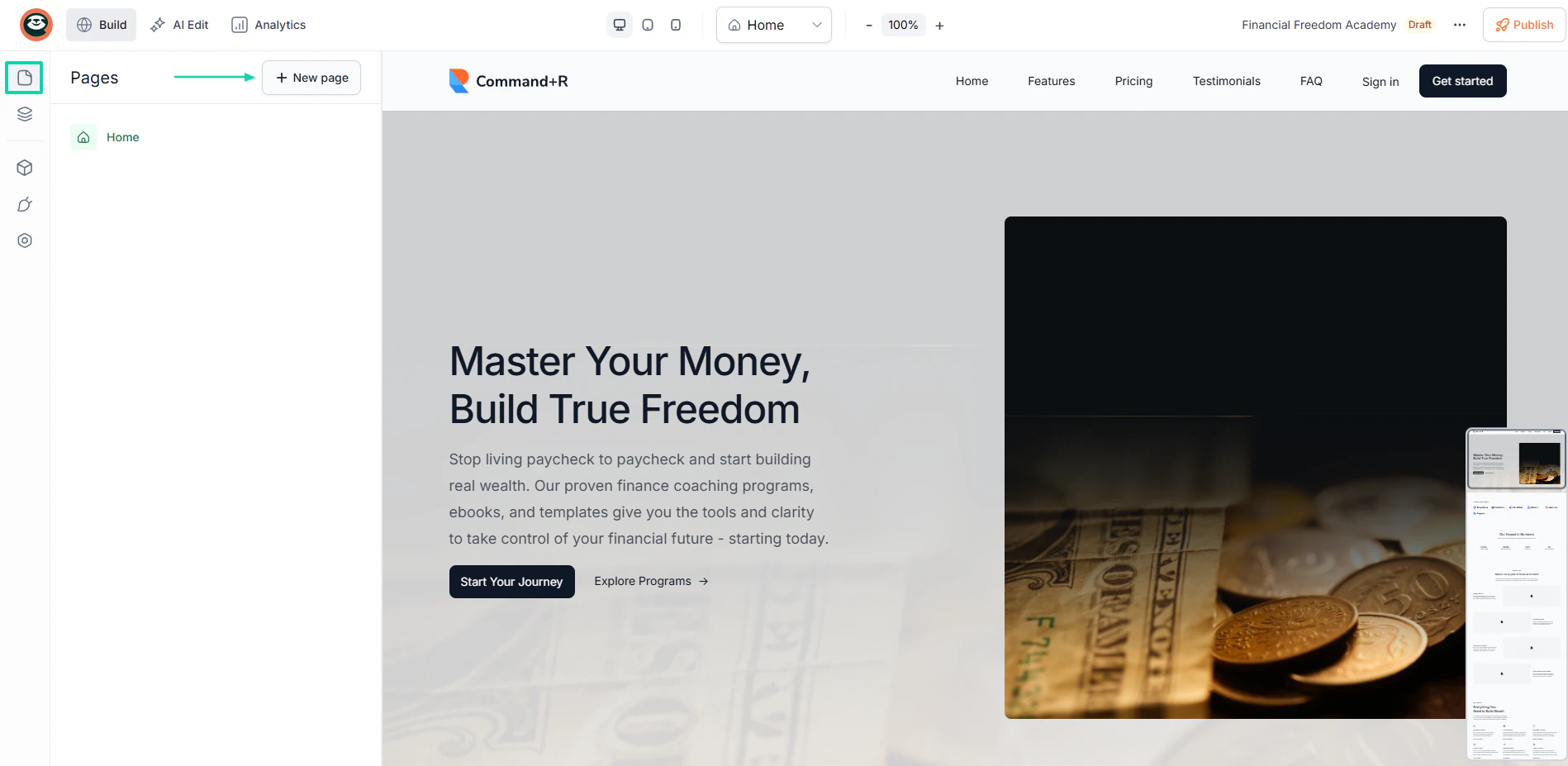
You can even add many pages to your website. Just select “Pages” in the sidebar and click “+ New page.”
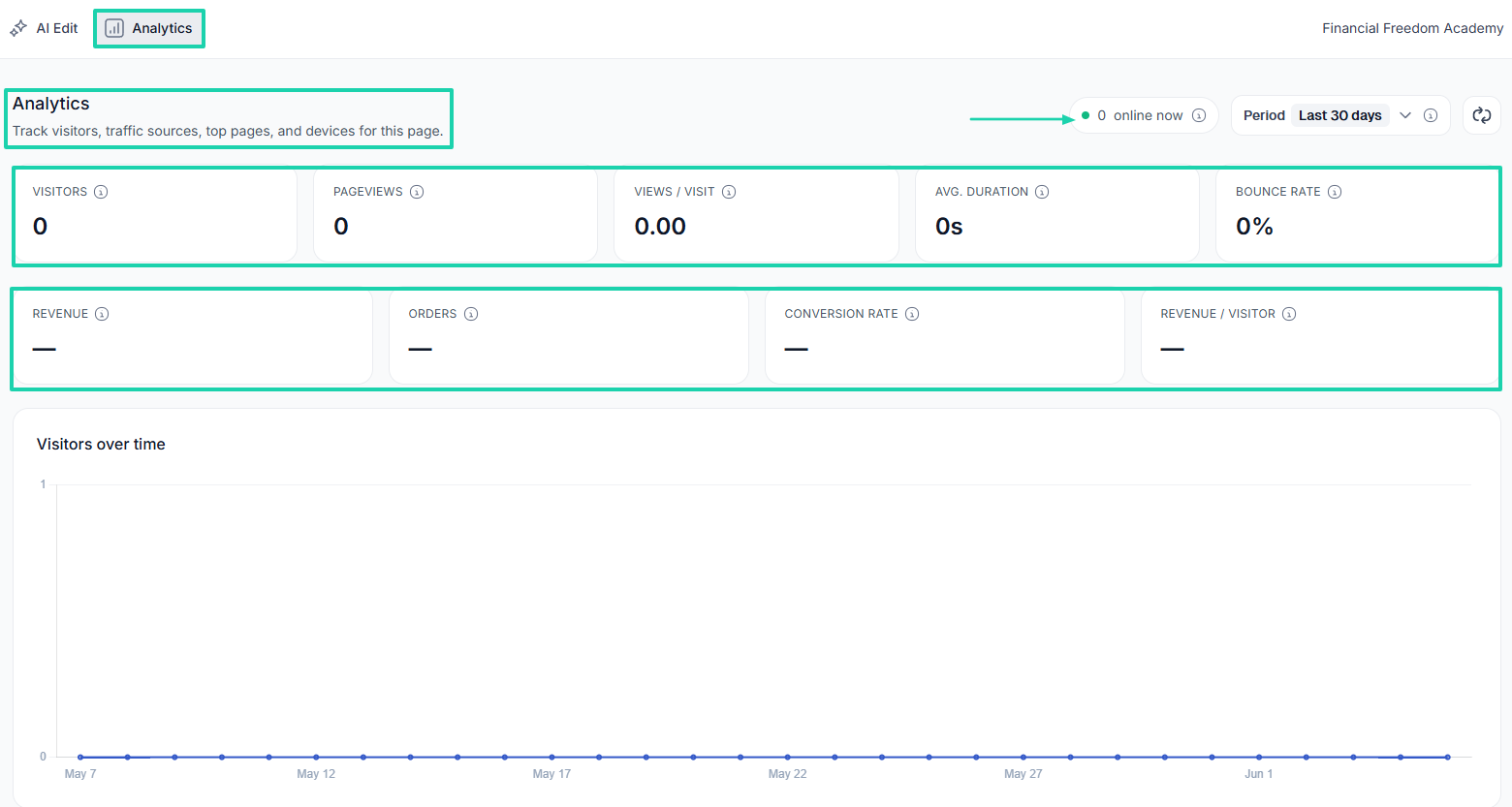
You also have access to analytics that track visitors, page views, average number of pages viewed per visit, average visit duration, and bounce rate.
You can also track your revenue, orders, conversion rate, and average revenue per unique visitor. All without any external integration.
[fs-toc-omit]What I liked vs what I didn’t like
First on our list of the best ThriveCart alternatives is Easytools.
It’s an all-in-one platform that helps creators sell online courses, e-books, memberships, PDFs, templates, live events, webinars, SaaS, and services.
It provides a range of tools to handle checkouts, gate content, and collect testimonials. Beyond that, it also offers automated tools for email campaigns, course delivery, legal document generation, and checkout conversion boosters.
One amazing thing you can do at checkout is specify your product’s availability and even enable a countdown timer.
Easytools also lets you run automations. For instance, you can decide what happens after a customer purchases a product.
There is more. You can build a professional website to promote your products and services using AI.
And if you don’t have any technical skills, you can also edit any of the sections or elements with AI.
What’s more, you can connect your checkout to your website. This way, customers can easily purchase your products or services without leaving your website.
[fs-toc-omit]What I loved about Easytools
1. Store
Using the store feature on Easytools, you can create highly customizable checkouts for your physical and digital products or services. This includes e-books, courses, PDFs, memberships, templates, and webinars, among others.
Let’s say you want to sell a PDF. First things first, click “Products” under “Store.”
Next, name your PDF, add a description, and a cover image.
You will need to choose the currency, price, price type, and specify tax handling.
Then, you can upload a PDF.
Below the upload area, you can enable the product’s availability and specify the exact period. To boost conversions, you can even add a countdown timer.
There are two other settings you can enable:
Cross-price: This is where you display an old price as crossed out to boost conversions.
Order bumps: Lets you offer an additional product (or service) on the checkout page before a customer completes their purchase.
Once you are done, you can protect your file, preview the checkout, hit “Publish,” and share the link.
2. Automations
Easytools’ automations feature lets you simplify workflows by connecting to your existing apps and flows. It lets you create scenarios where you define what should happen and when.
Let me show you how it works.
Under “Campaigns,” click “Automations.”
Enter your automation name.
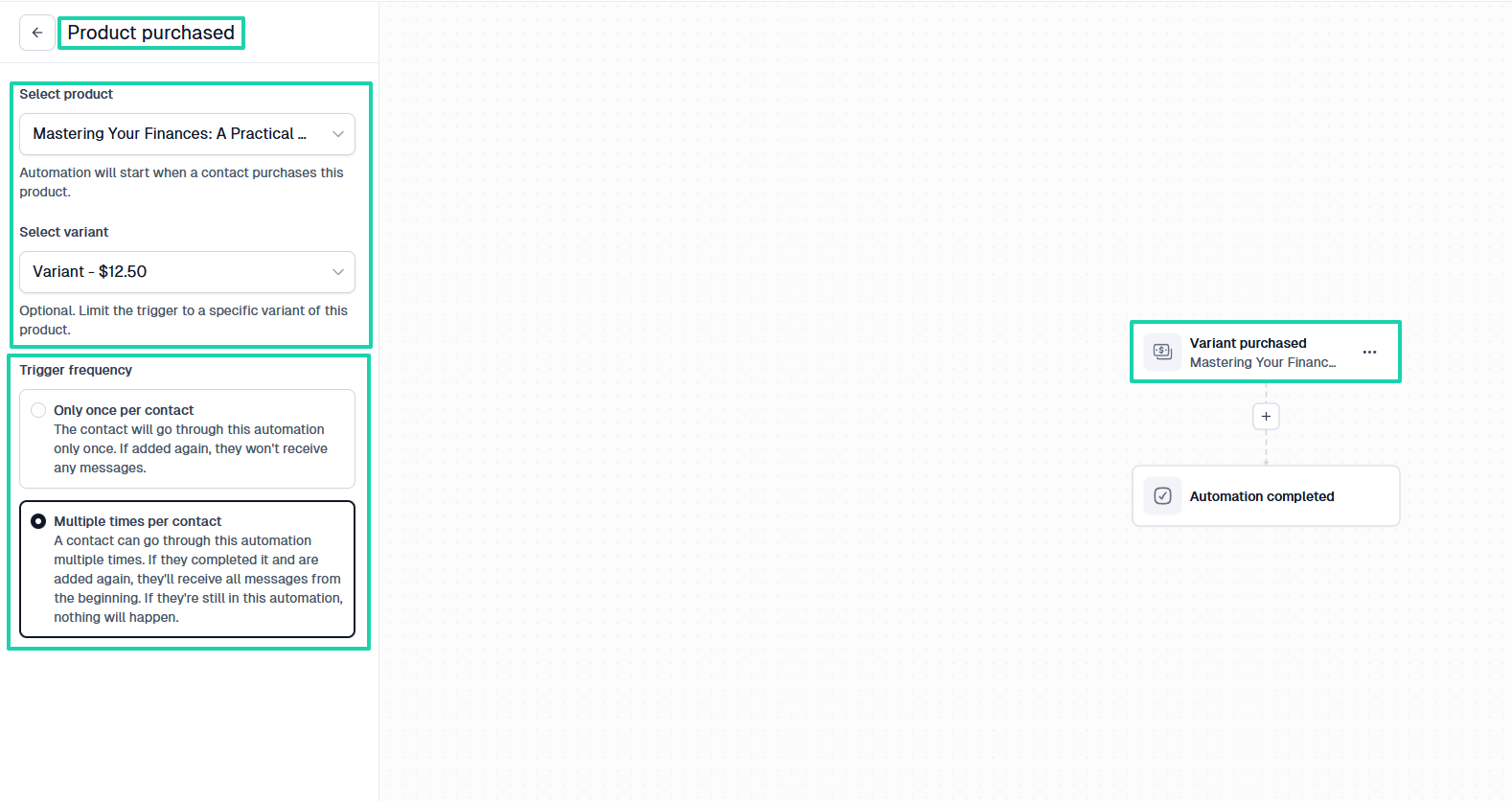
Now, you will choose the trigger, which can be “Product purchased.” You will select the exact product you want the automation to apply to, along with its variant.
You should also specify the trigger frequency. This could either be only once per contact or multiple times per contact.
Now that you have the trigger, you can add another step. This will be the action.
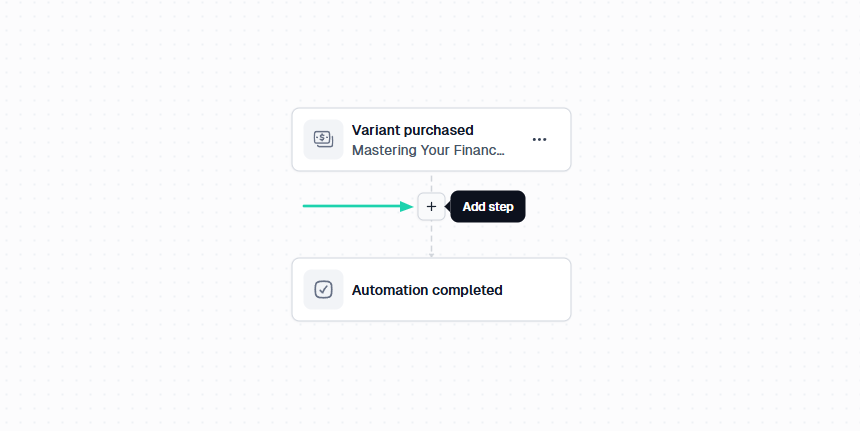
For example, the action could be “Send email.” You will choose that email if you have it ready.
You also have the option to edit it or even create a completely new one.
This is your automation: anytime a customer purchases the product you selected, they will receive that particular email.
3. Websites
As a creator, coach, or entrepreneur, you will need a professional website to showcase your services and products. It builds essential credibility and gives you total ownership of your audience.
With Easytools, you can build a professional website within minutes using artificial intelligence. Let me show you how.
In the sidebar menu, click “Websites.”
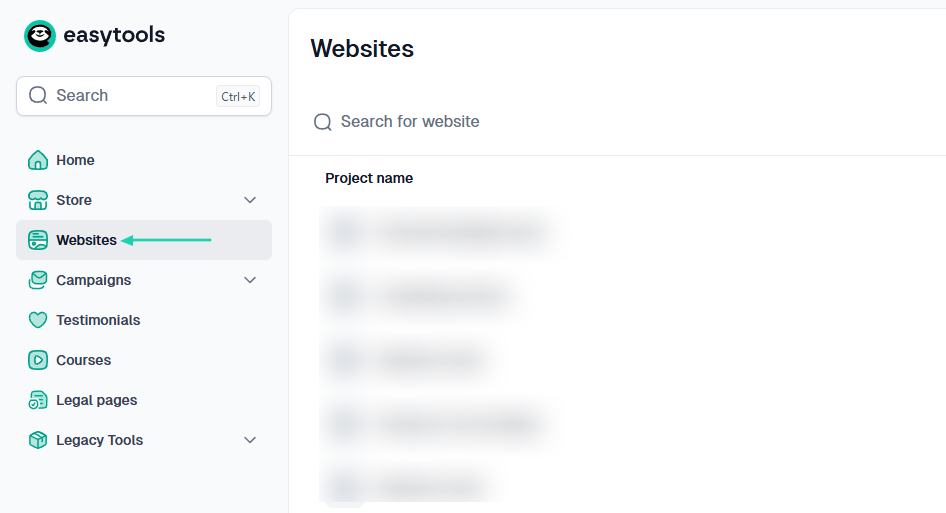
Simply describe how you want your website to be in natural language. For example:
“Create a professional personal finance website that promotes my finance coaching services and sells digital products such as e-books, courses, and templates. The design should be modern, trustworthy, and optimized for lead generation and sales.”
Then you select a color palette and click “Generate.”
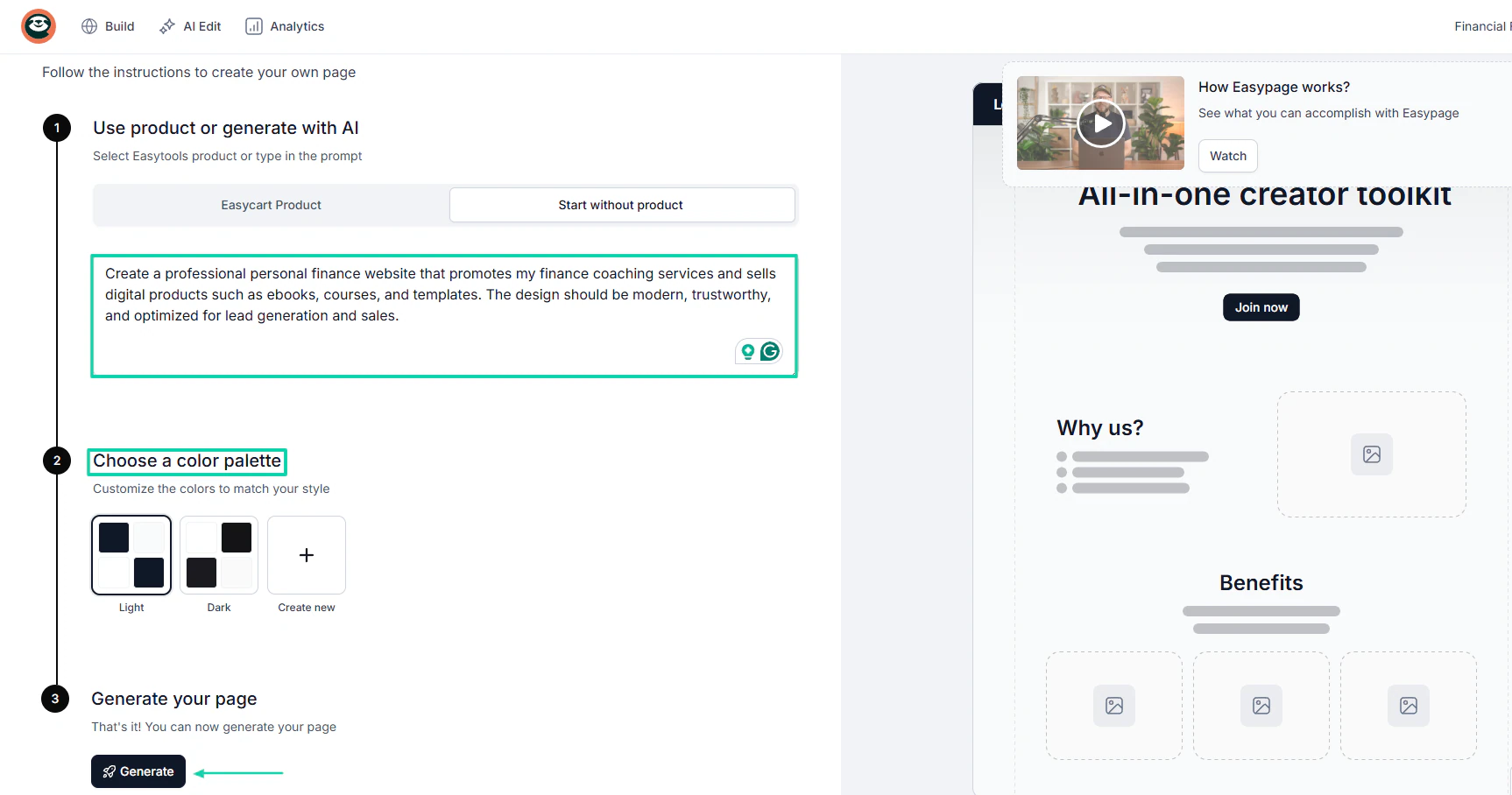
AI will generate the website in less than 5 minutes. You can add new sections (navigation, testimonials, features, pricing, FAQ, about me) in addition to the list.
You can also use AI to edit texts, fonts, sizes, sections, and much more.
Another smart move is to connect your checkout to your website. This way, you can choose any of your products to be featured on the website.
When you choose a product, the entire checkout process will appear on the website, making it easier for customers to purchase directly.
You can even add many pages to your website. Just select “Pages” in the sidebar and click “+ New page.”
You also have access to analytics that track visitors, page views, average number of pages viewed per visit, average visit duration, and bounce rate.
You can also track your revenue, orders, conversion rate, and average revenue per unique visitor. All without any external integration.
[fs-toc-omit]What I liked vs what I didn’t like
What I loved 👍
✅ Allows you to create and sell so many product types, including courses, e-books, PDFs, Notion templates, SaaS, live events, and webinars, among others.
✅ Offers features to boost checkout conversions: upsells, order bumps, testimonials, a countdown timer, and checkout recovery.
✅ Uses artificial intelligence to build websites in less than 5 minutes.
✅ Allows you to connect your checkouts to your website.
What I didn’t like 👎
❌ The websites feature isn’t available on the Starter plan, but you have access to unlimited checkouts.
[fs-toc-omit]Best for
- Digital product creators and online coaches seeking to sell a variety of products and services, and boost checkout conversions.
[fs-toc-omit]Pricing
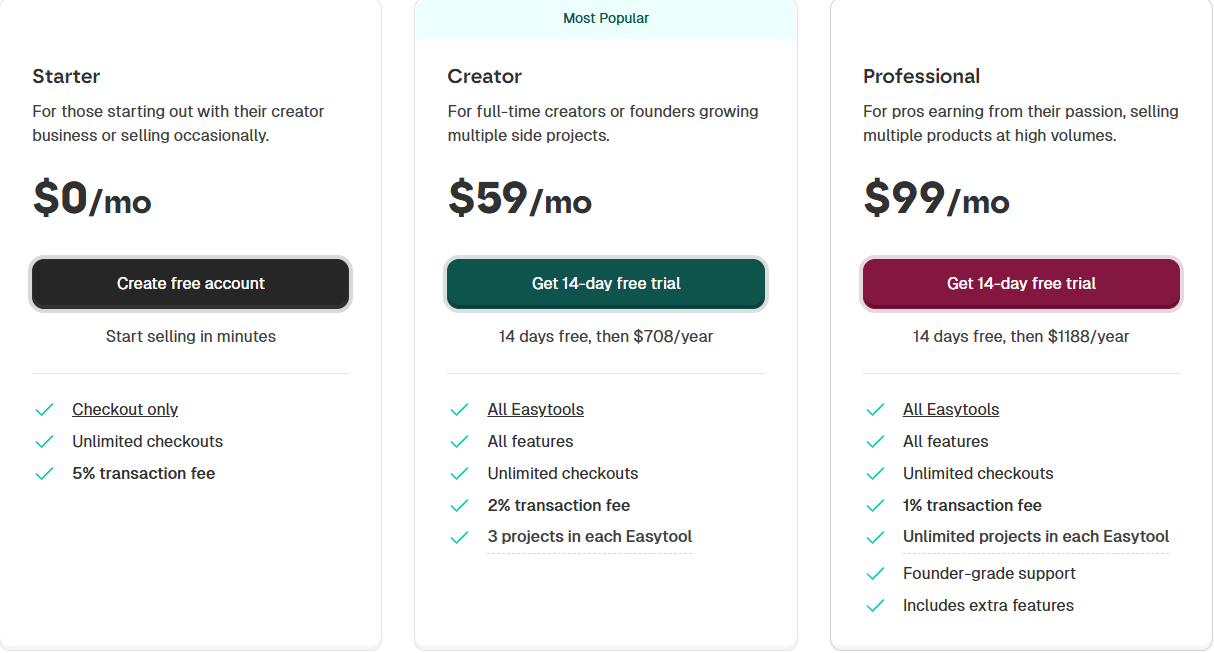
- Starter: $0/month + 5% transaction
- Creator: $59/month + 2% transaction fee
- Professional: $99/month + 1% transaction fee
2. Sellfy
- Personal rating: ⭐️⭐️⭐️⭐️ 4.5/5 - Offers a simple storefront with great built-in marketing tools.
- Ease of use: ⭐️⭐️⭐️⭐️ 4.7/5 - It’s easy to set up a store and start selling.
- Checkout optimization: Good - Mobile-friendly checkout, discount codes, and optimized purchase flow.
- Revenue tools: Good - Upselling, discount codes, subscriptions, and product bundles.
- Free trial: Yes, 14-day free trial on all subscription plans.
- Starting plan: Starter - $22/month + unlimited products
Next on our list of ThriveCart alternatives is Sellfy.
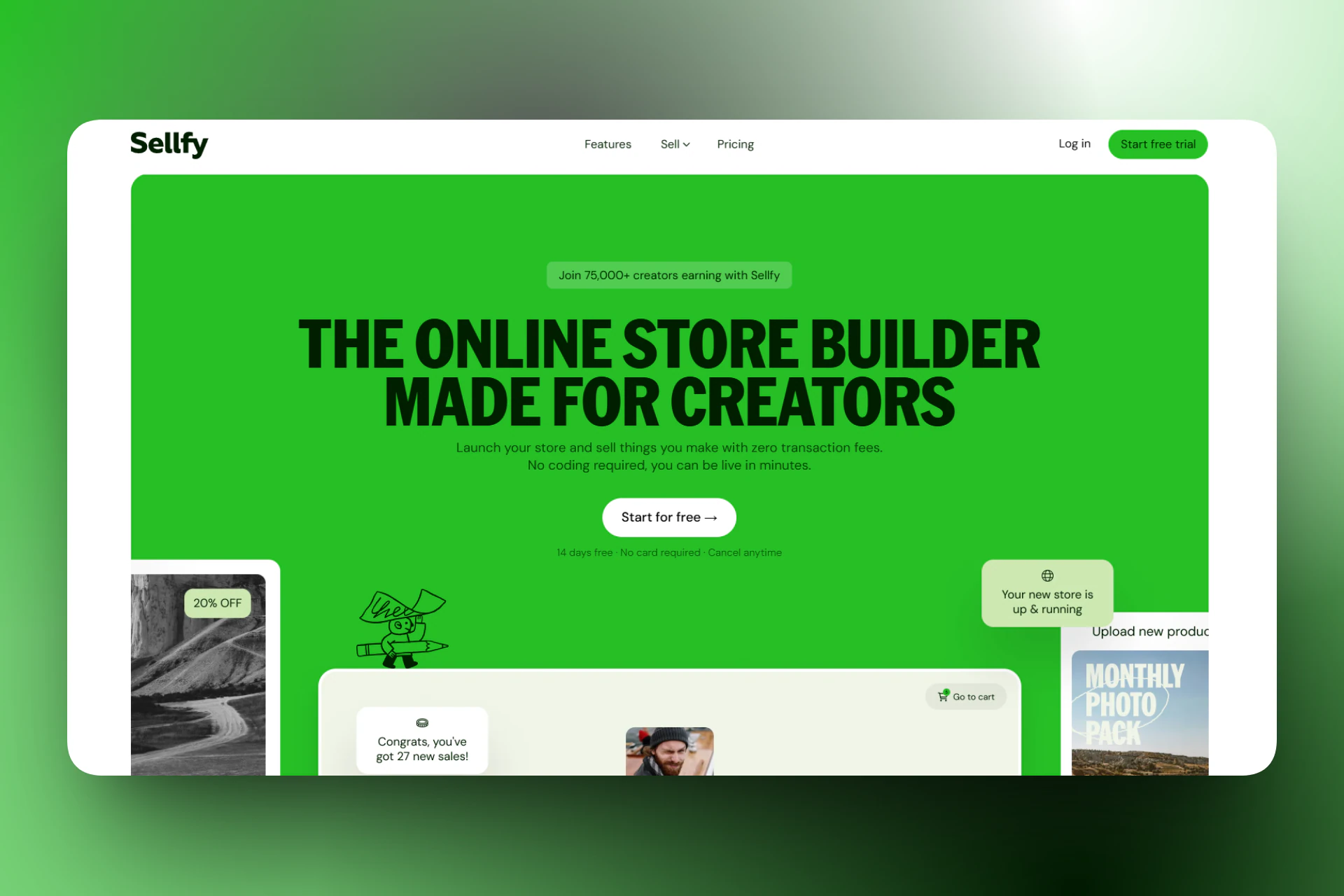
It’s an ecommerce platform designed for selling digital products, subscriptions, print-on-demand merchandise, and physical products. It provides a simple storefront, built-in marketing tools, and secure product delivery.
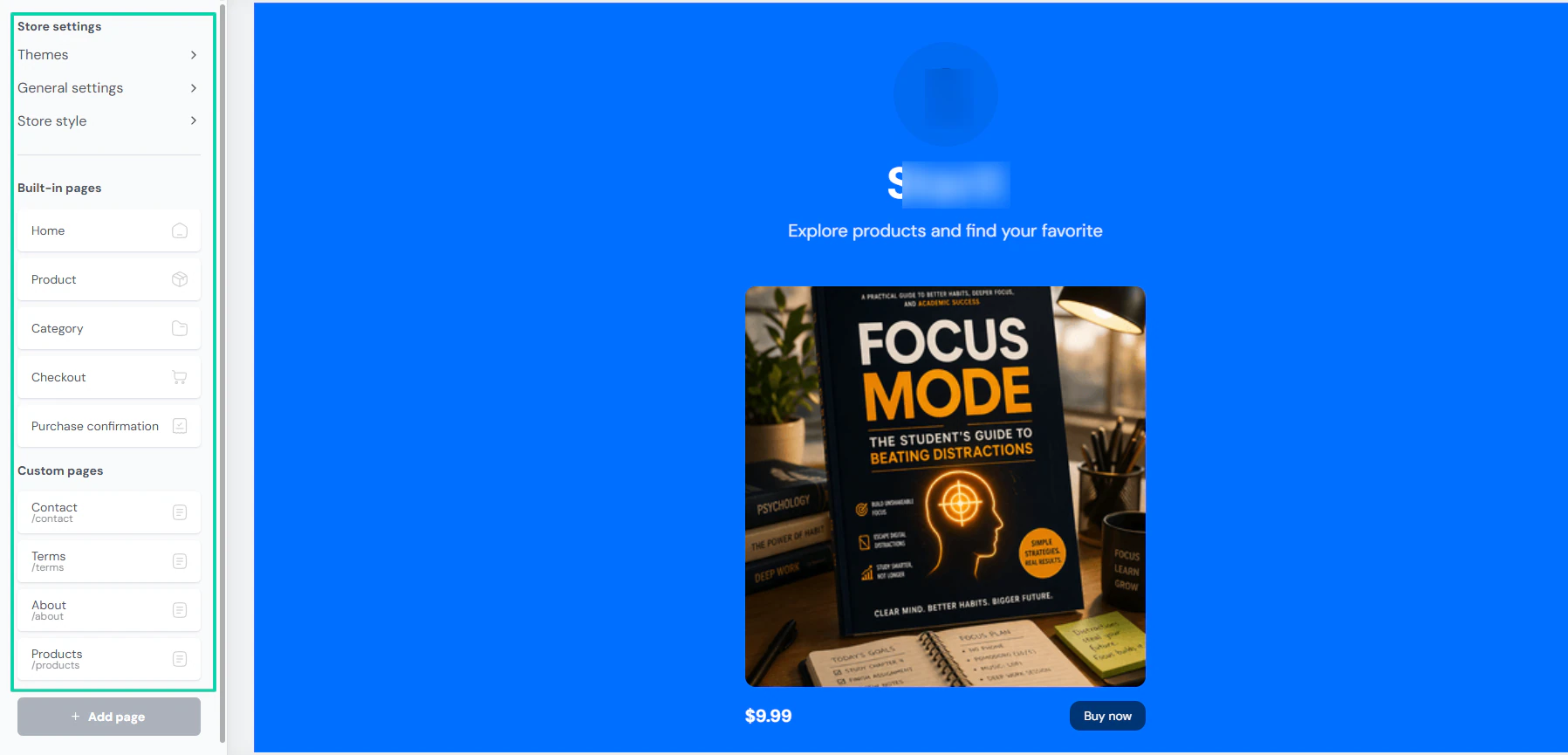
Sellfy lets you customize your store by choosing your theme, adjusting your store style, and adding built-in and custom pages.
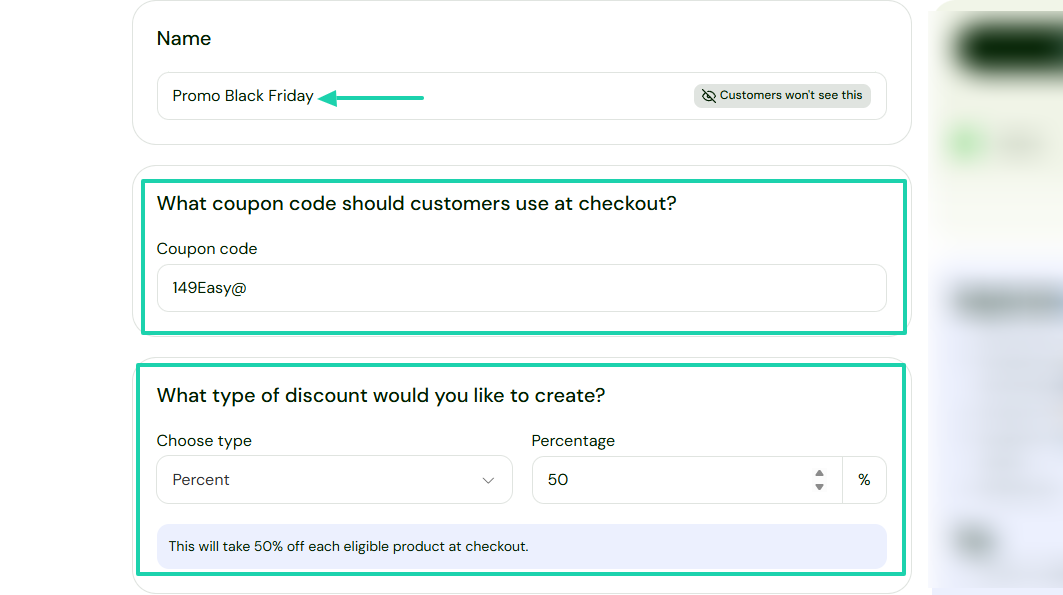
You can create a discount for the product you sell on your store. You’ll simply have to specify the discount type and percentage.
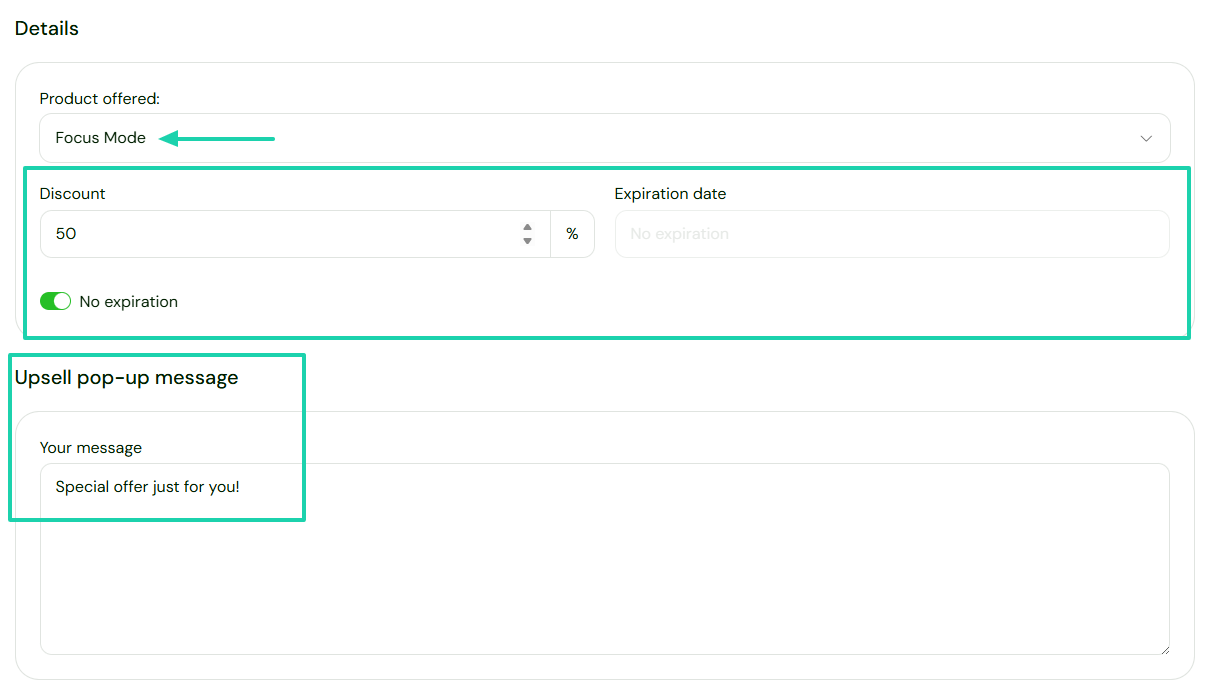
You can also create upsells and customize the upsell pop-up message.
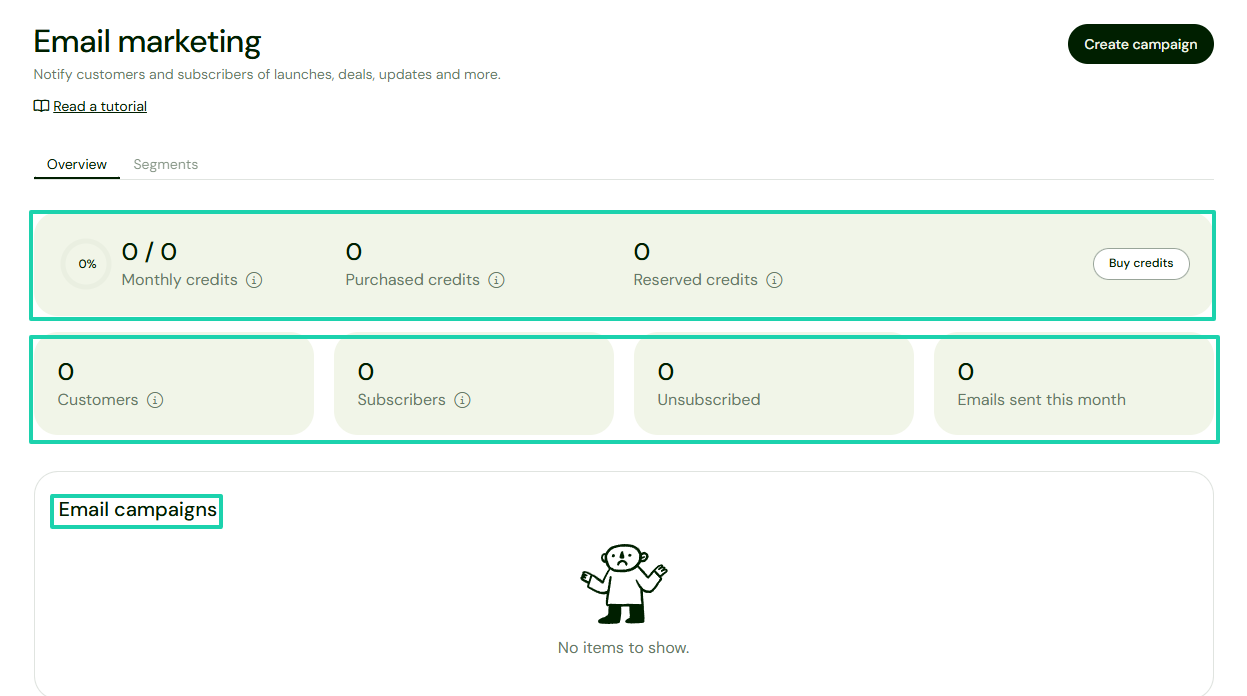
With the platform’s email marketing, you can track your credits, customers, and email campaigns.
[fs-toc-omit]What I loved about Sellfy
1. Products
The products feature lets you sell digital products, print-on-demand items, subscriptions, physical products, and freebies.
For this tutorial, we will add a digital product.
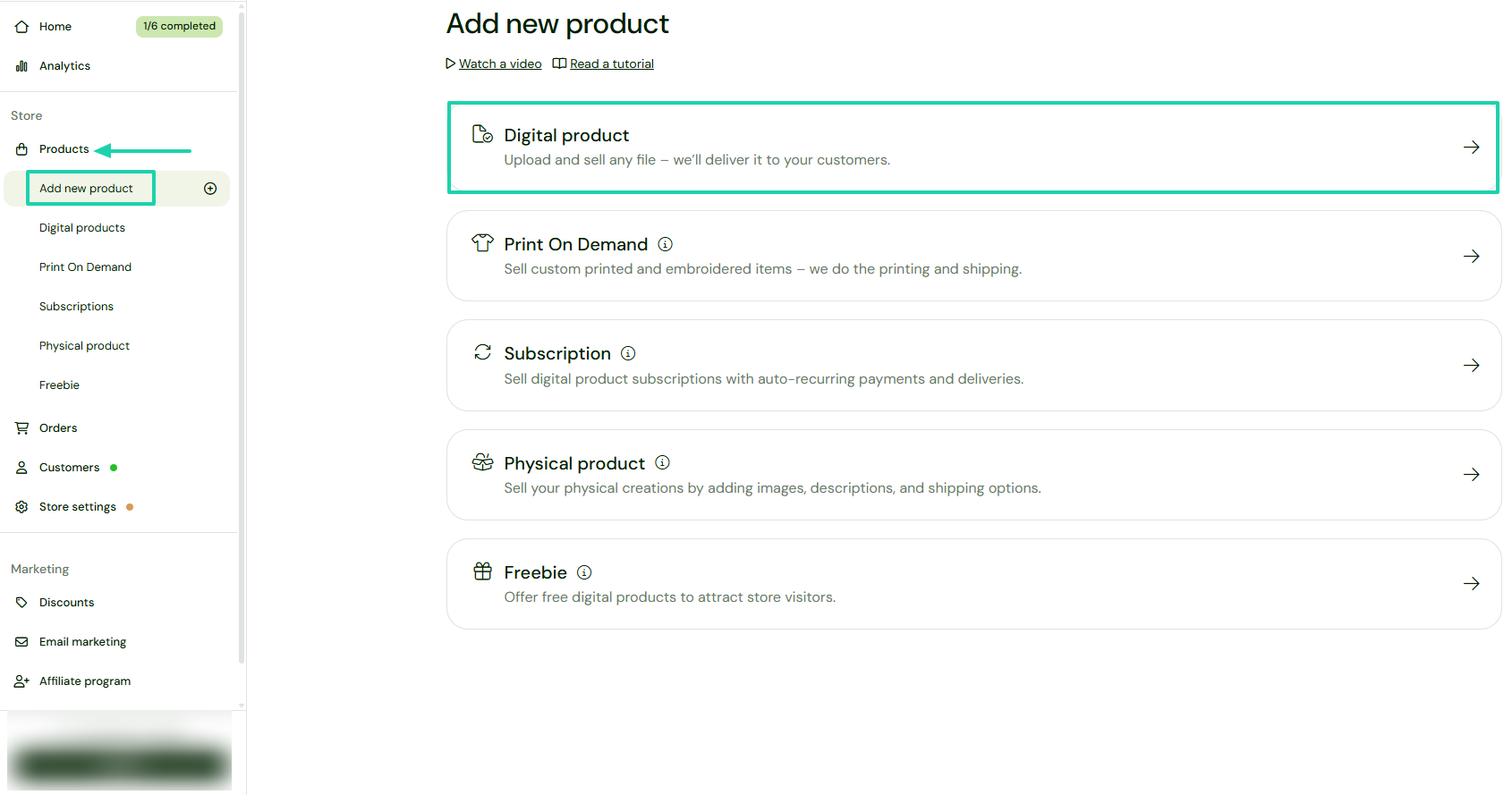
Find “Products” in the sidebar menu and click “Add new product.” Then go to “Digital product.”
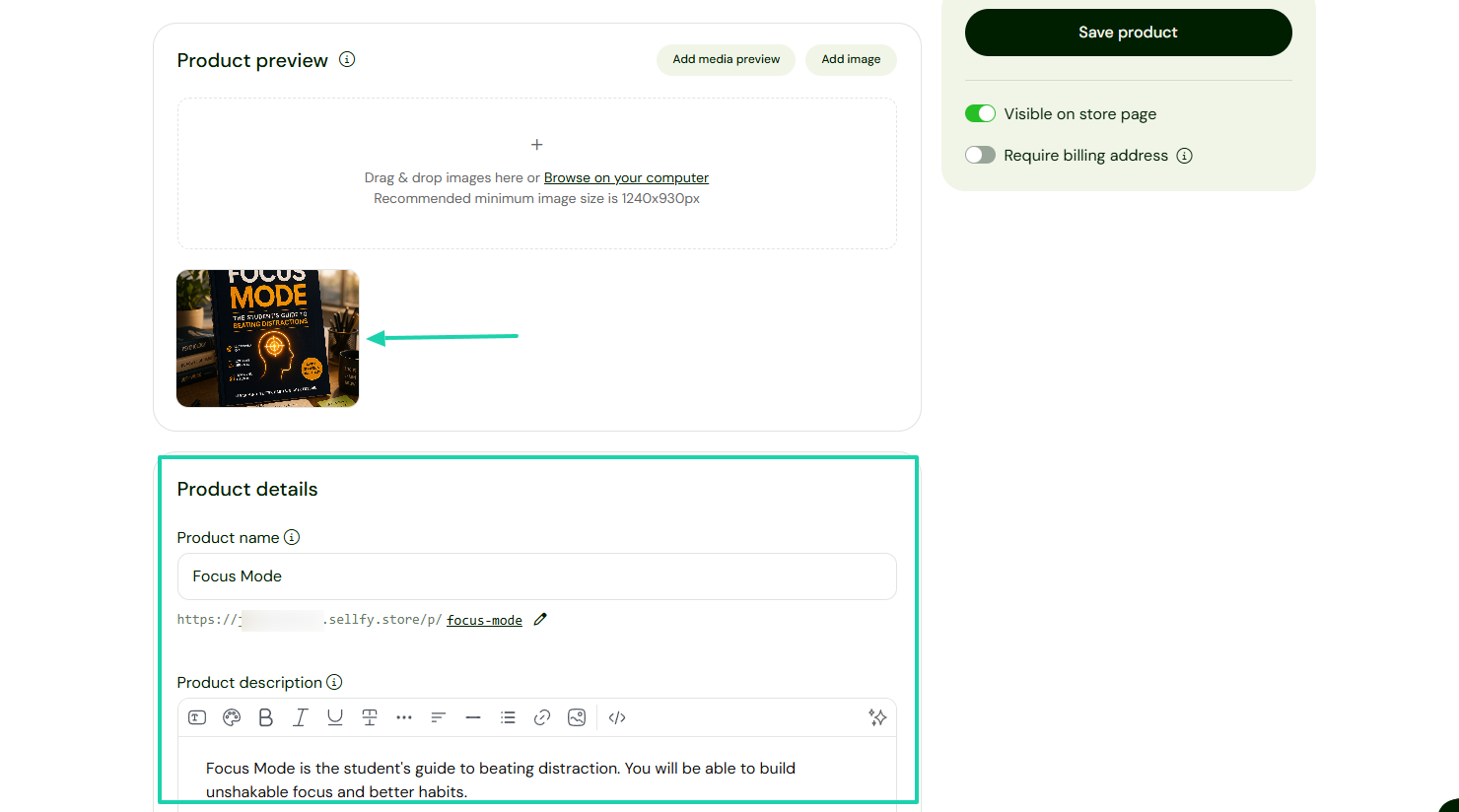
Add a cover image, name, and description.
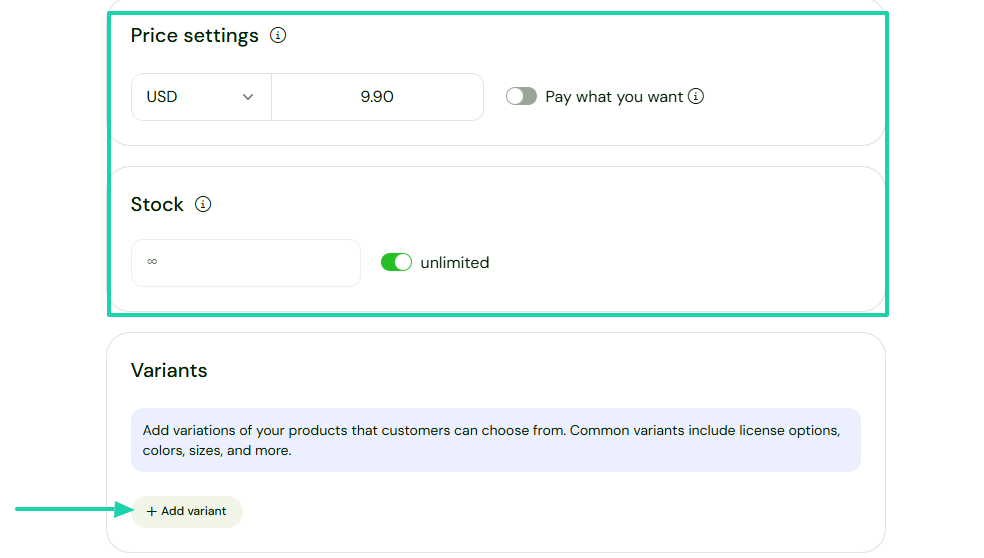
You will then add your price and specify the stock limit. Aside from that, you can also add variations of your product.
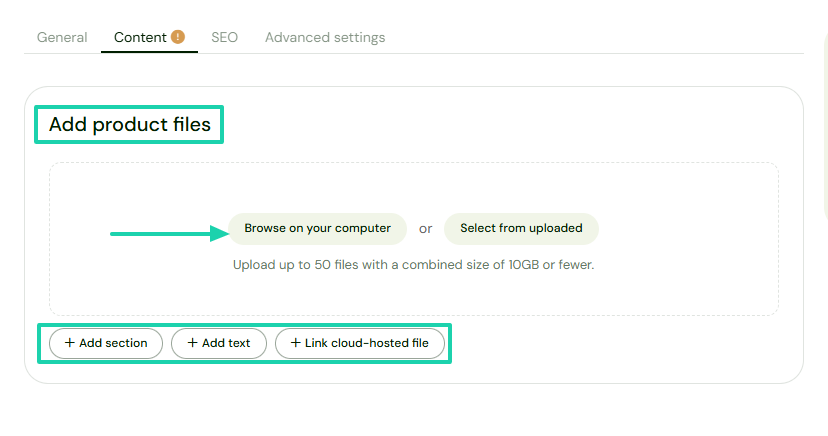
It’s time to add your product file by browsing on your computer or selecting from uploaded. You can add sections, text, or link cloud-hosted files.
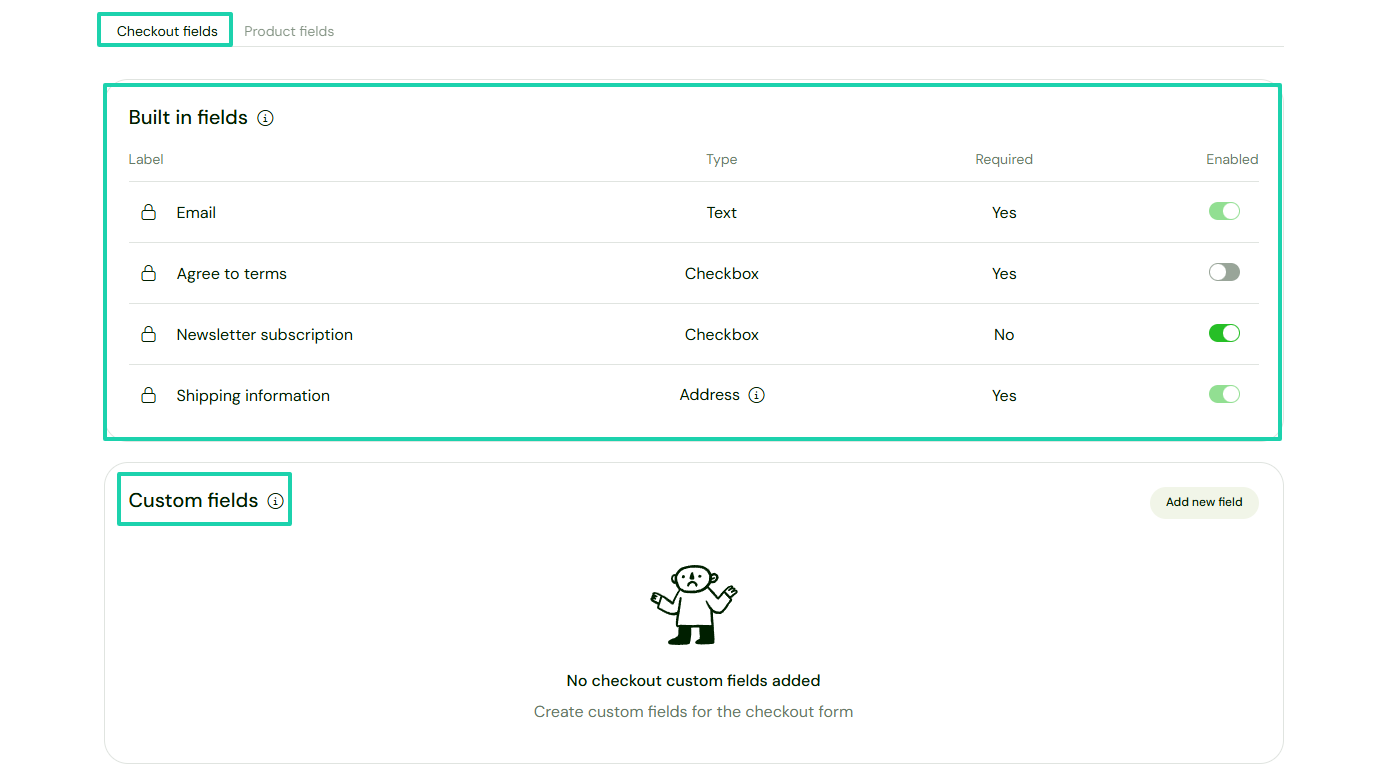
Under checkout fields, you can enable built-in fields like newsletter subscription, terms of service agreement, and shipping information.
You can also add custom fields.
Your product is ready on your store. You can still adjust the theme, style, and add additional pages like category, about, and purchase confirmation.
2. Discounts
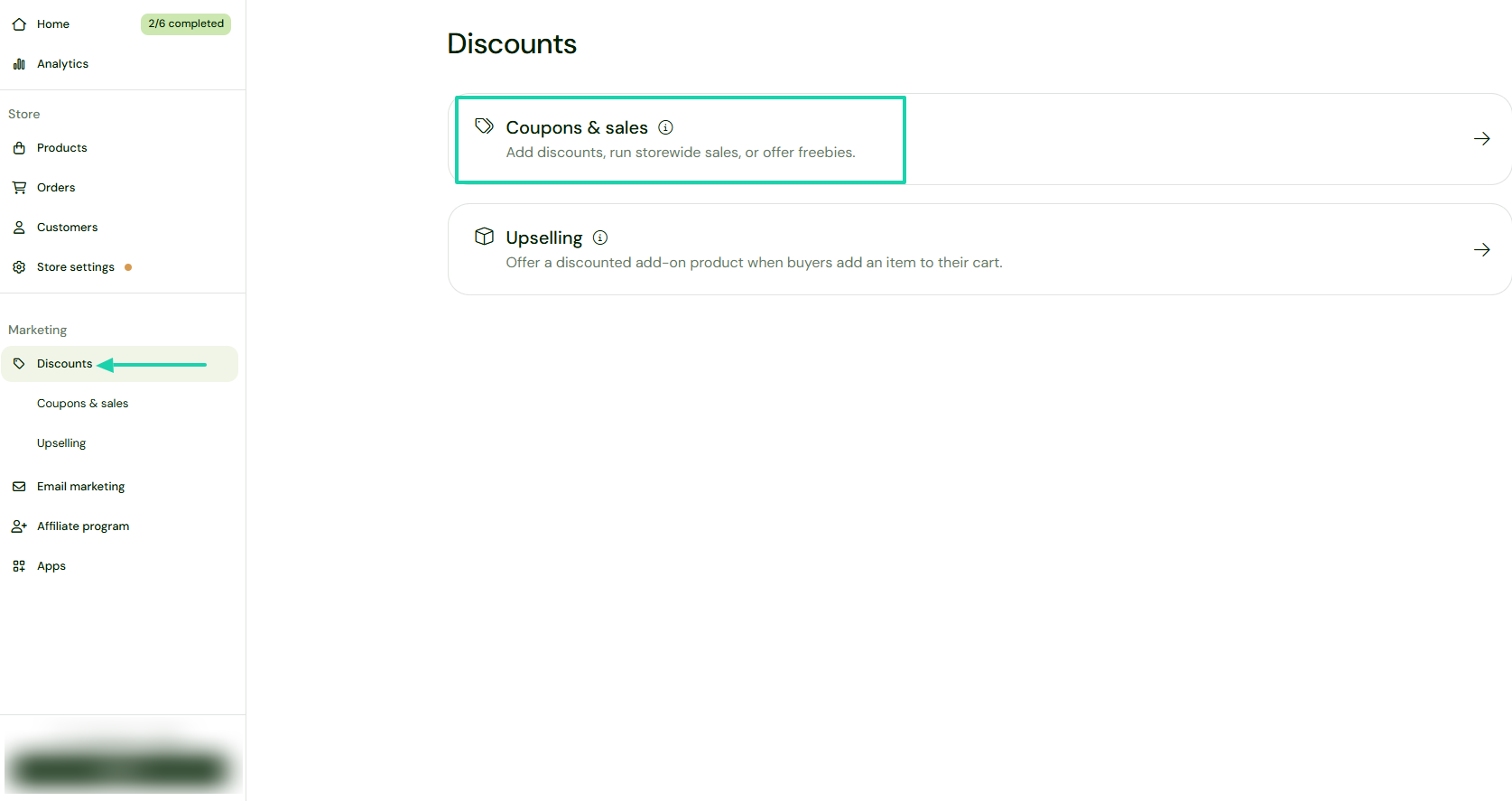
Thanks to the Discounts feature on Sellfy, you can add coupons and run storewide sales. You can also offer upsells.
Let’s create our discount by selecting “Coupons & sales.”
Name your discount, add a coupon code, choose a discount type and percentage.
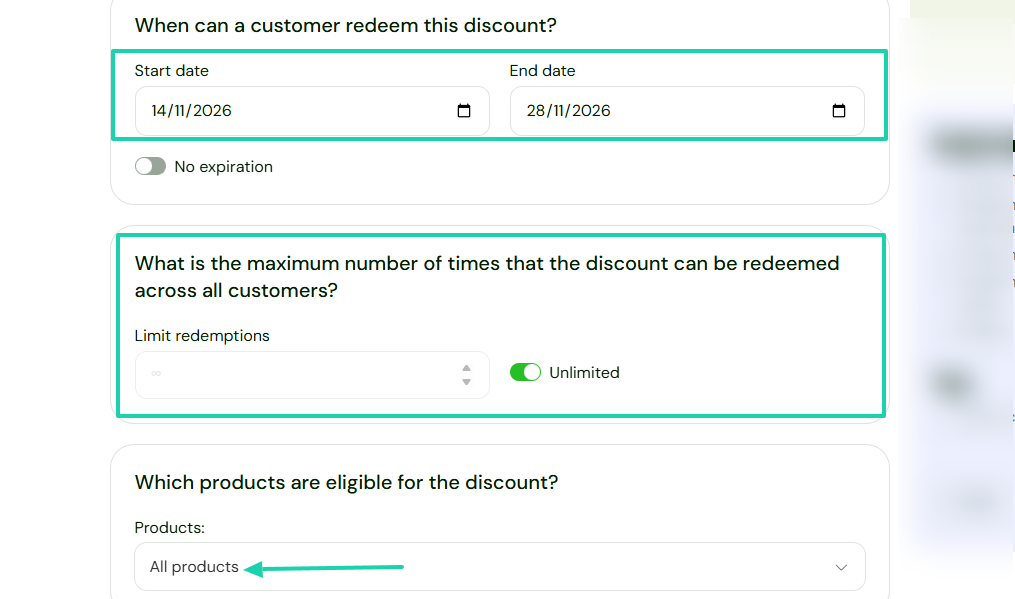
You can specify the start and end date of the discount and the maximum number of times that it can be redeemed.
The last step is to select the eligible products for the discount.
3. Upselling
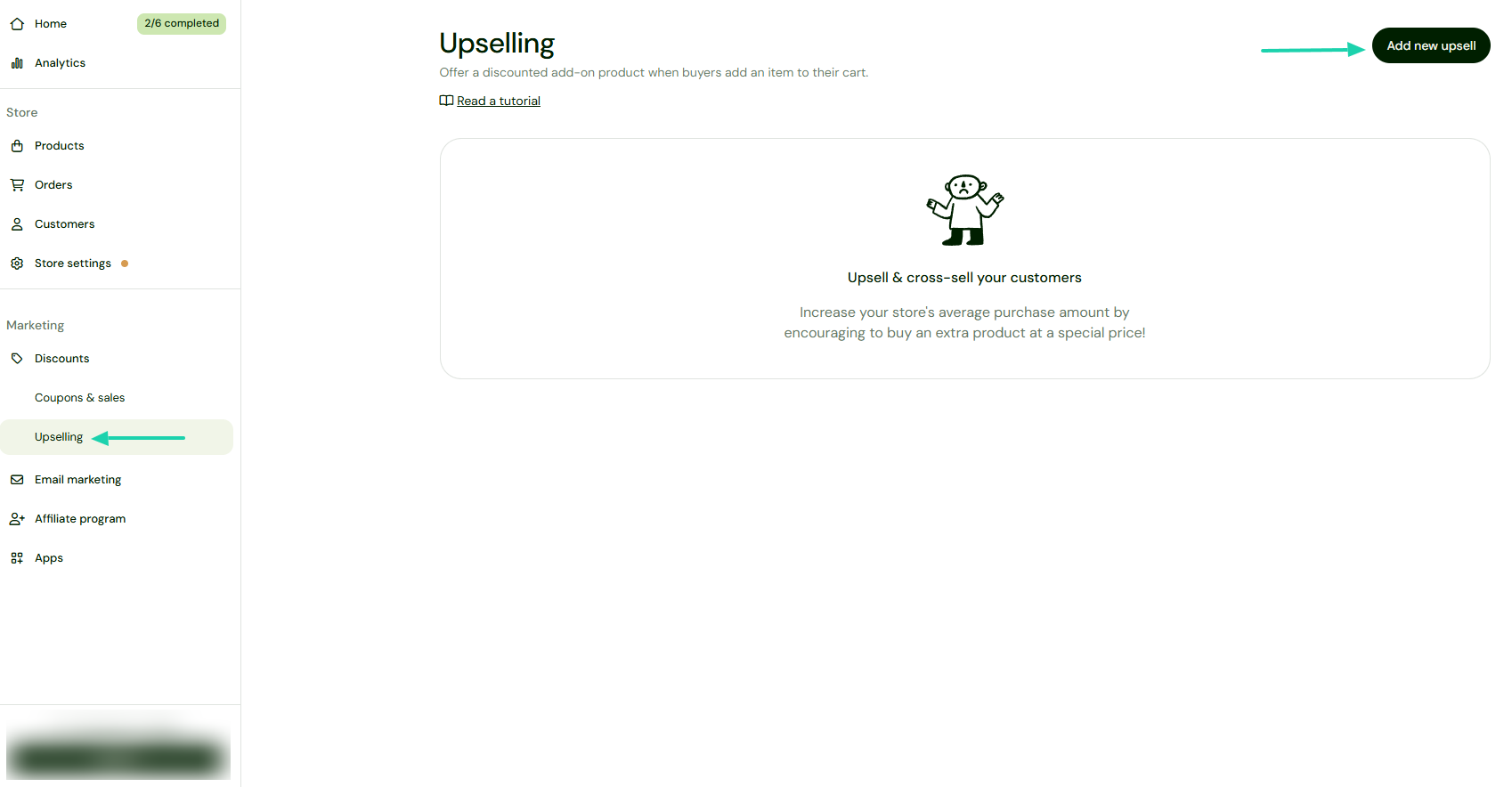
The last feature to review on Sellfy is upselling. It lets you offer a discounted add-on product when buyers purchase an item at checkout.
To do so, click “Upselling” in the sidebar.
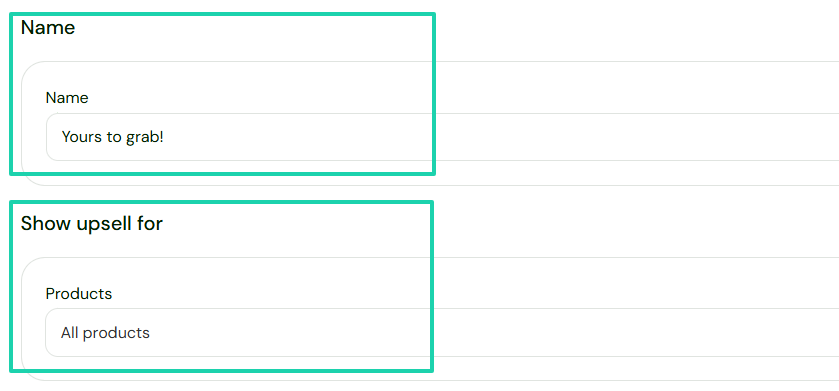
Enter a name, and choose the product that you want the upsell to apply to.
After you’ve chosen the product offered, enter the discount percentage and expiration date. Then add the upsell pop-up message.
[fs-toc-omit]What I liked vs what I didn’t like
What I loved 👍
✅ Very easy to use because of its clean interface.
✅ Lets you create custom fields for your checkouts.
✅ Lets you create coupons, sales, and offer upsells to help improve conversions.
What I didn’t like 👎
❌ You need to choose a paid plan to use it.
[fs-toc-omit]Best for
- Creators, designers, and entrepreneurs who want a solution to sell digital products and merchandise on their storefront.
[fs-toc-omit]Pricing
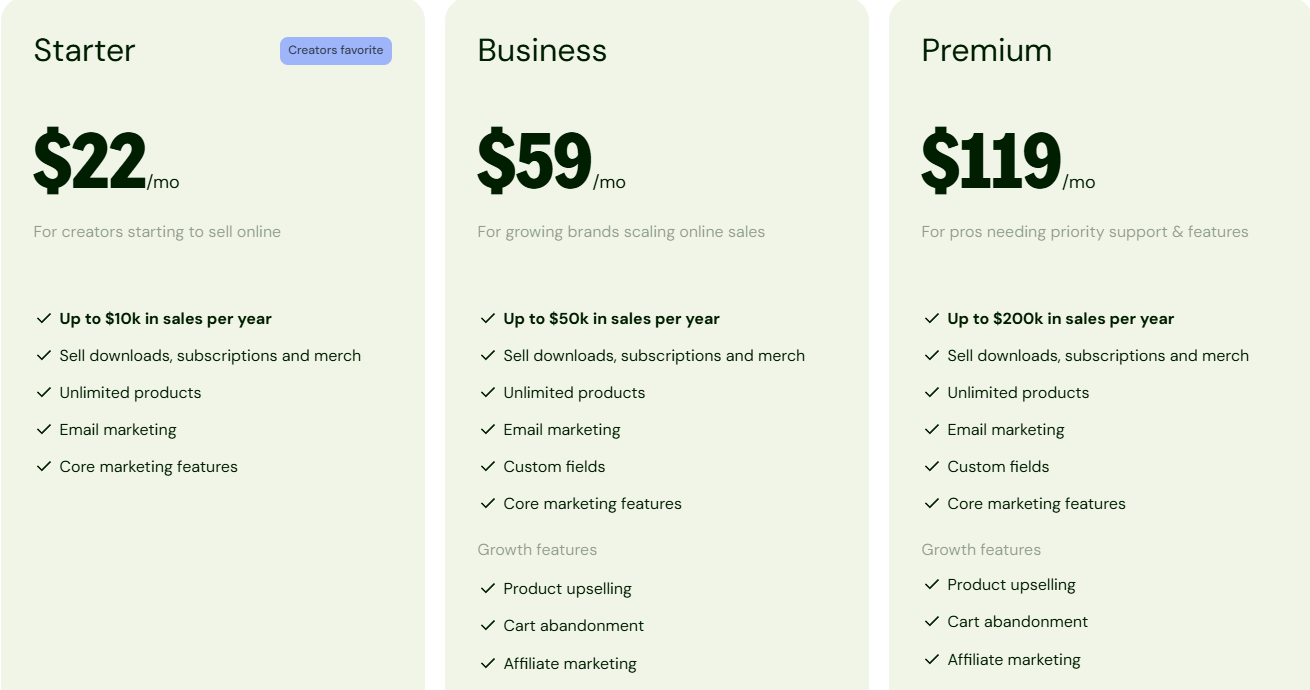
- Starter: $22/month
- Business: $59/month
- Premium: $119/month
3. Gumroad
- Personal rating: ⭐️⭐️⭐️⭐️ 4.6/5 - Helps you manage customers and sales with ease.
- Ease of use: ⭐️⭐️⭐️⭐️4.5/5 - Easy to launch and sell products within minutes.
- Checkout optimization: Good - Mobile-friendly checkout, simple purchasing experience.
- Revenue tools: Basic - Supports basic memberships, discounts, and product variants but lacks advanced upsell capabilities.
- Free trial: No - it operates on a pay-as-you-earn transaction fee model.
- Starting plan: Free - 10%+0.50
Gumroad is also on our list of the best ThriveCart alternatives.
It’s an e-commerce platform that helps you sell digital products, memberships, courses, and other online content directly to customers. It offers a simple setup process and handles payments, product delivery, and customer management.
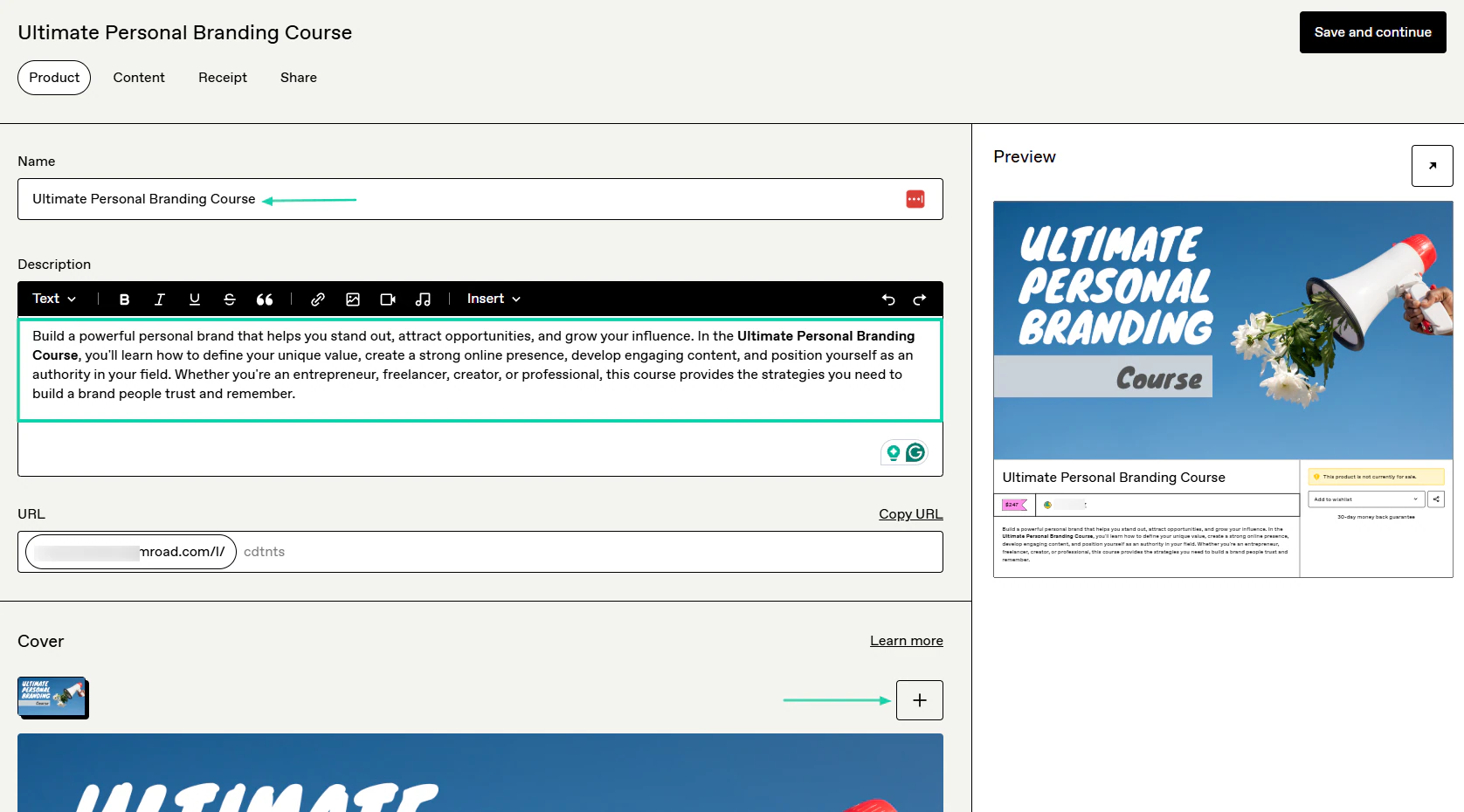
You can create a course there in a few steps and see its preview at the same time.
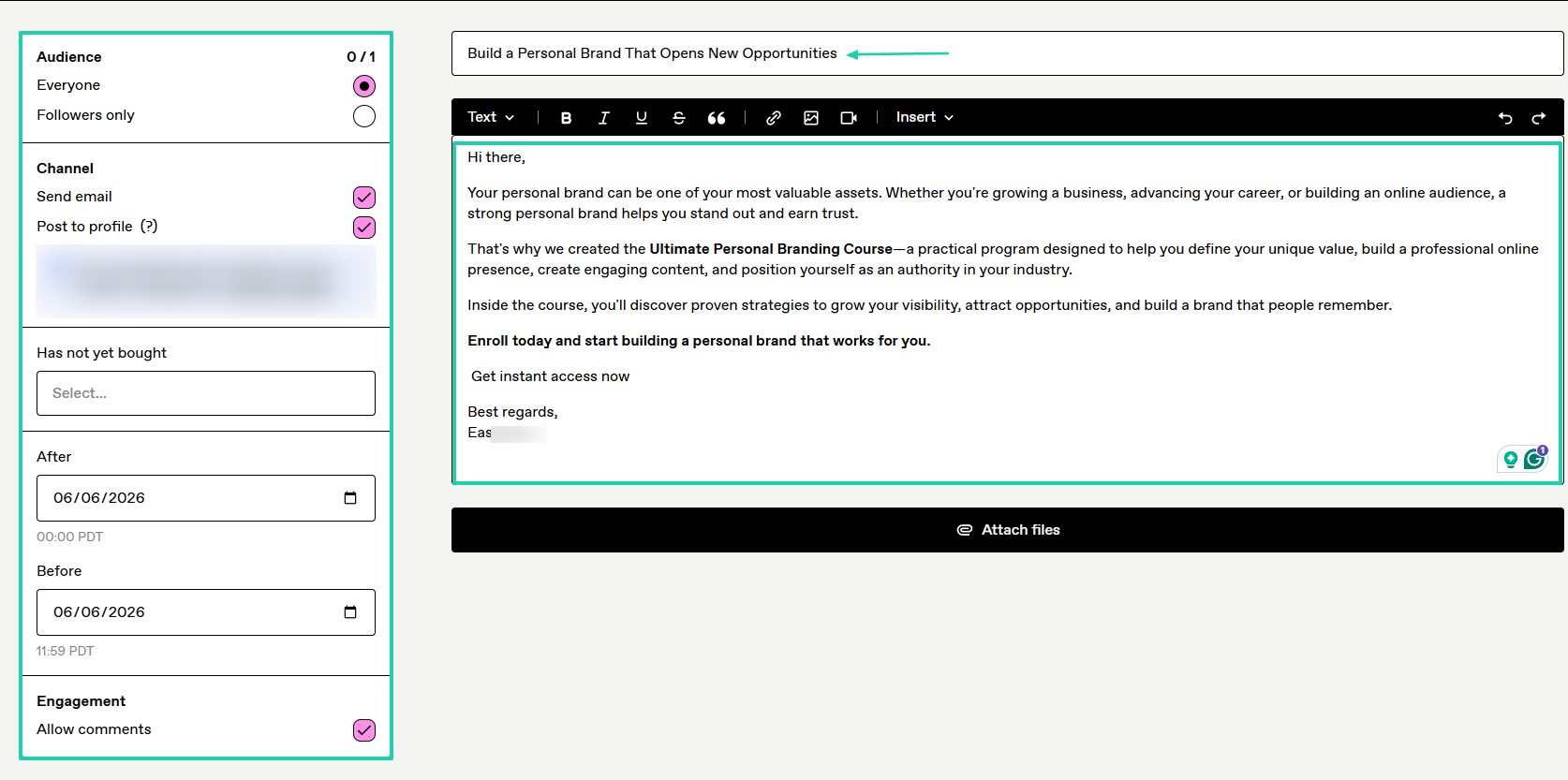
You can also use the platform to send emails.
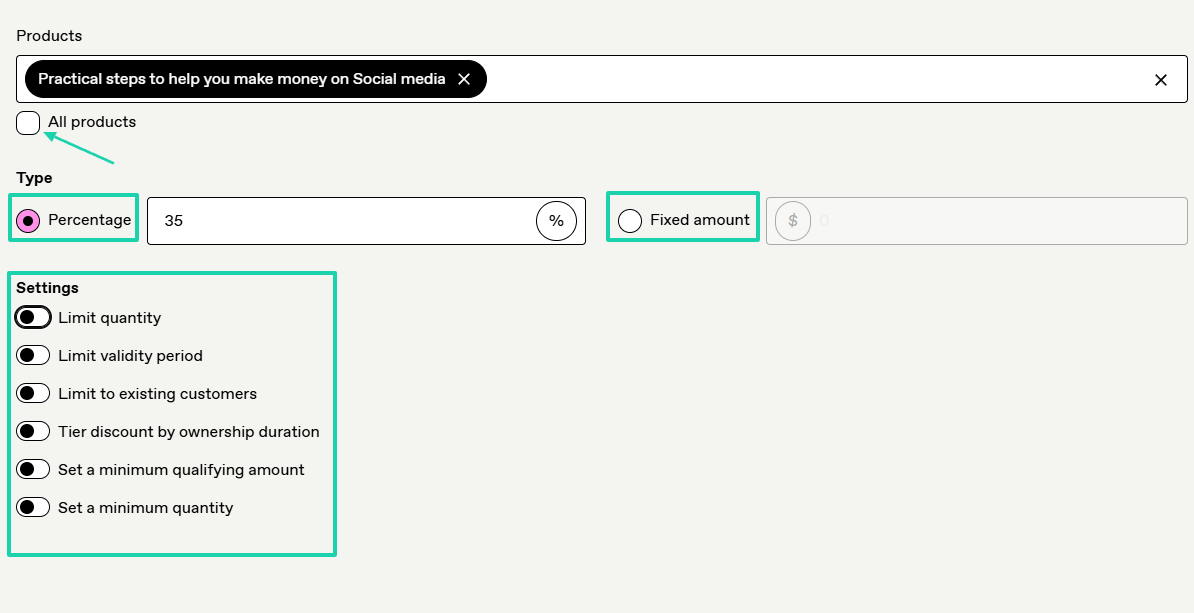
The discount you create can be either a percentage or a fixed amount.
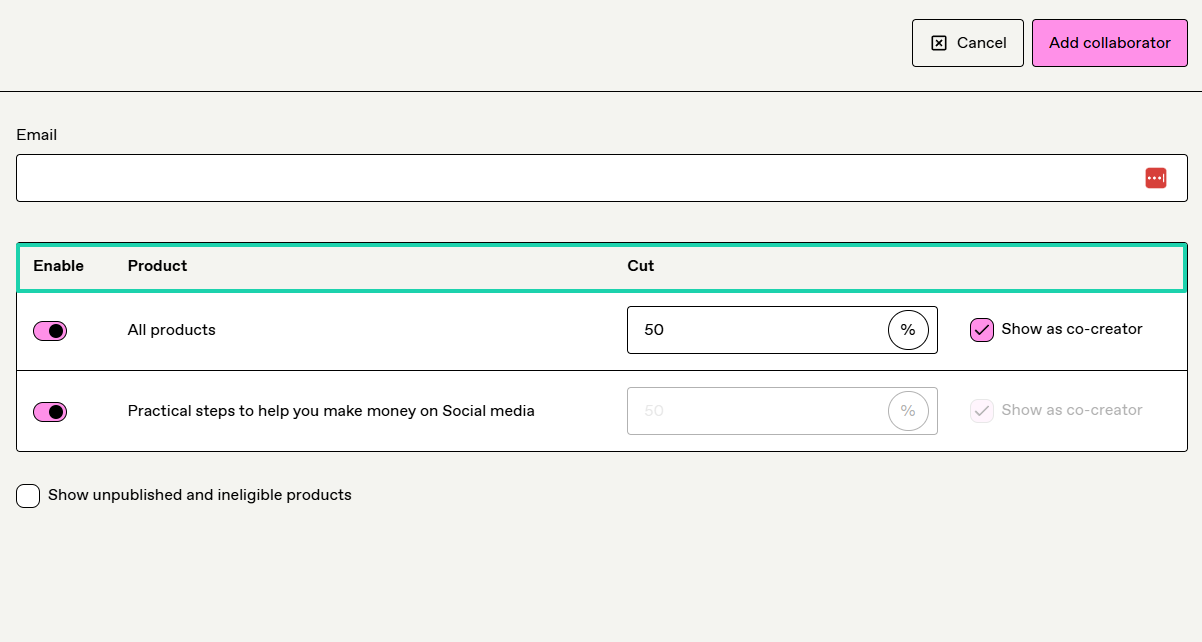
Now, if you collaborate with another creator on a product, you can add them to the platform, specify the product, and set their cut.
[fs-toc-omit]What I loved about Gumroad
1. Products
On Gumroad, you can sell courses, digital products, memberships, e-books, and bundles. It also supports services like commission, call, and coffee.
Let’s look at how you can sell a course on this ThriveCart alternative.
Click “Products” in the sidebar.
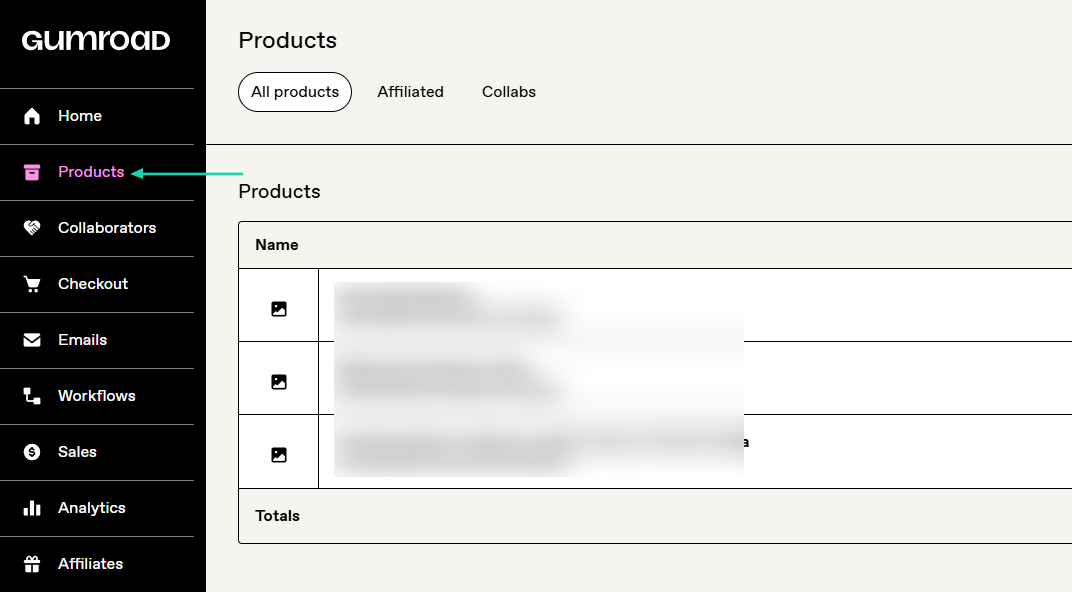
Choose “Course or tutorial,” then name it, and add a price.
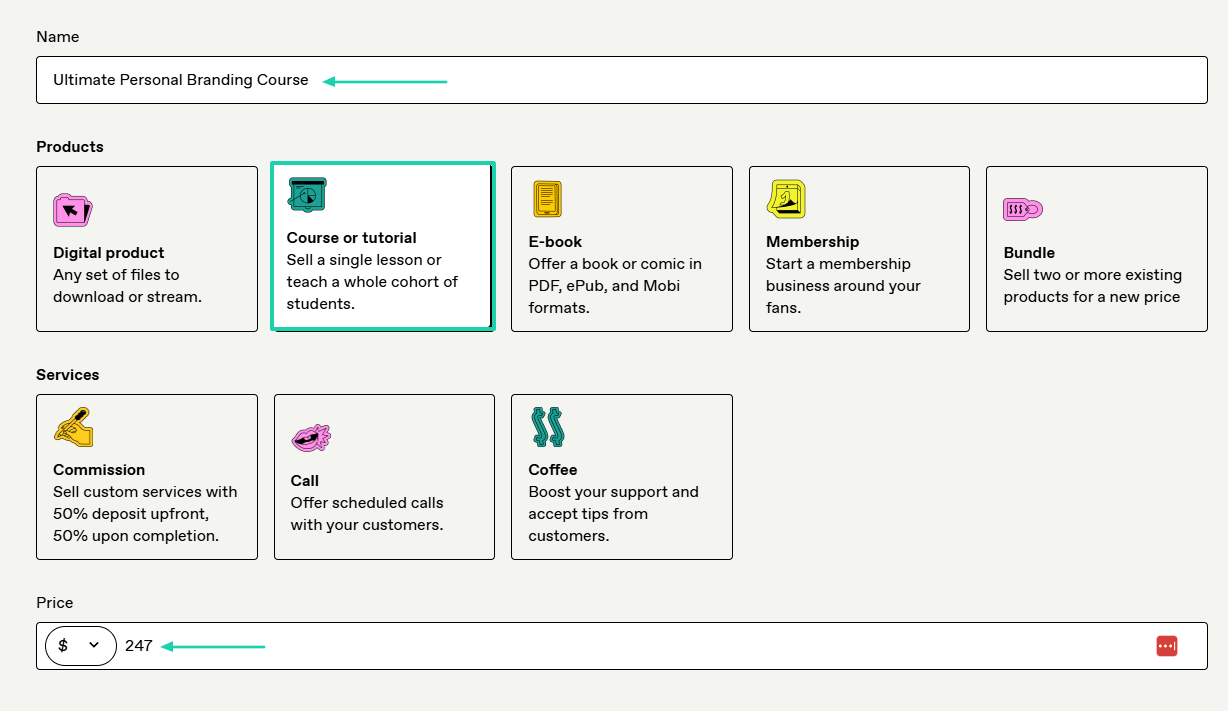
You can now add a description and cover image.
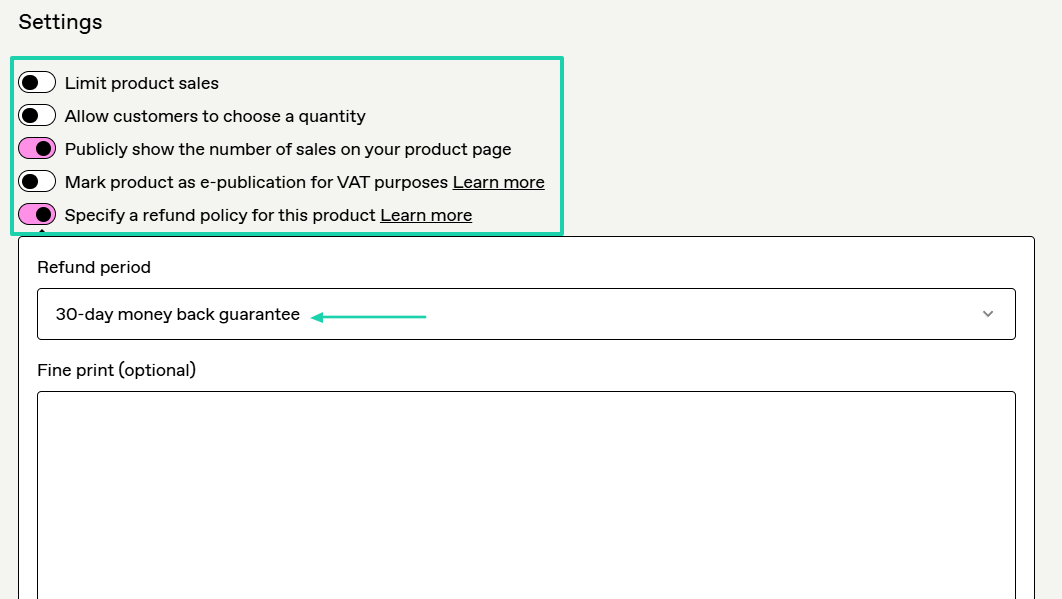
There are some settings you can enable, like publicly displaying the number of sales on your checkout page and specifying a refund policy.
You can even mention the refund period.
After that, you upload your files or start typing your course if that’s what you want.
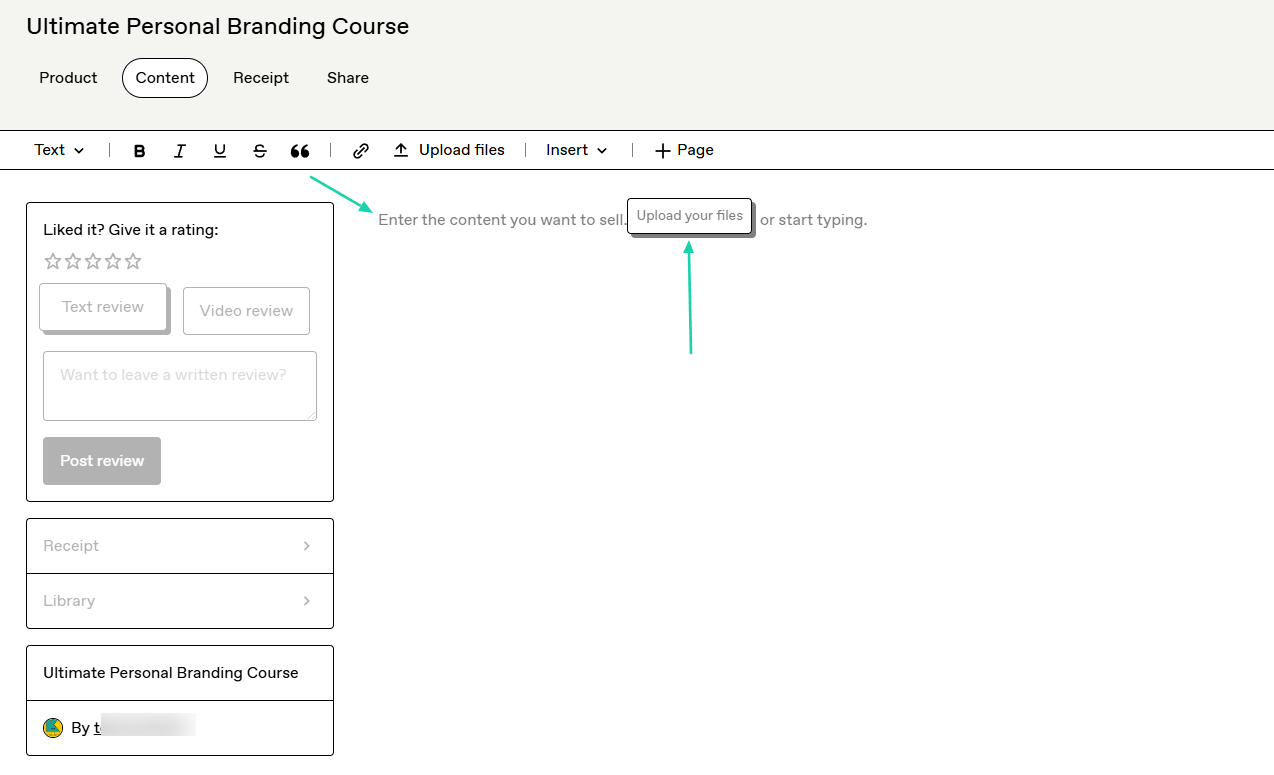
This is what the checkout may look like.

2. Emails
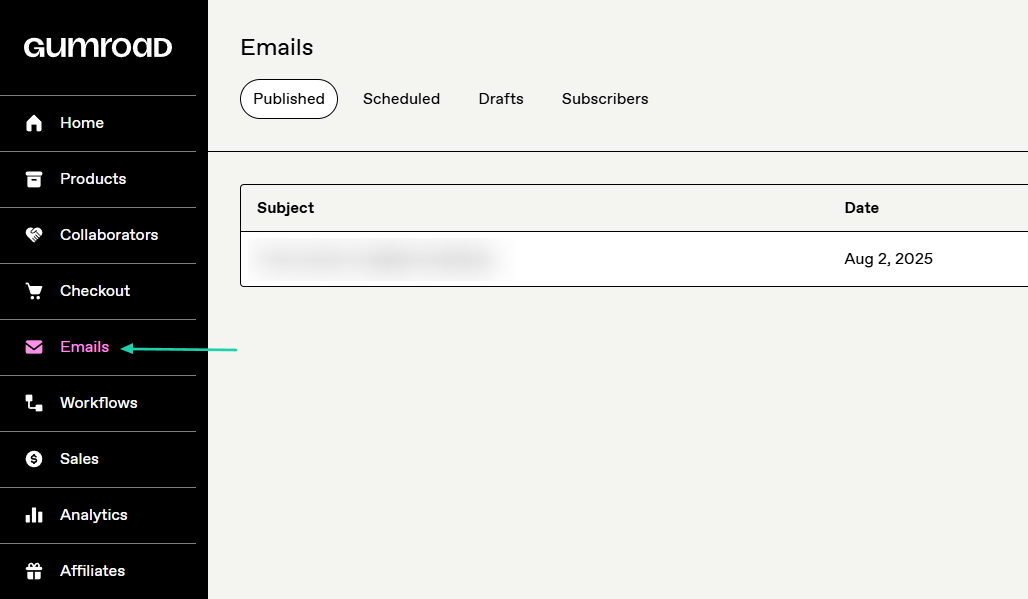
The Emails interface on Gumroad shows all your published emails, schedules, drafts, and subscribers. You can also craft your own emails from scratch and send them to your audience. That’s what we will do.
Find “Emails” in the sidebar menu.
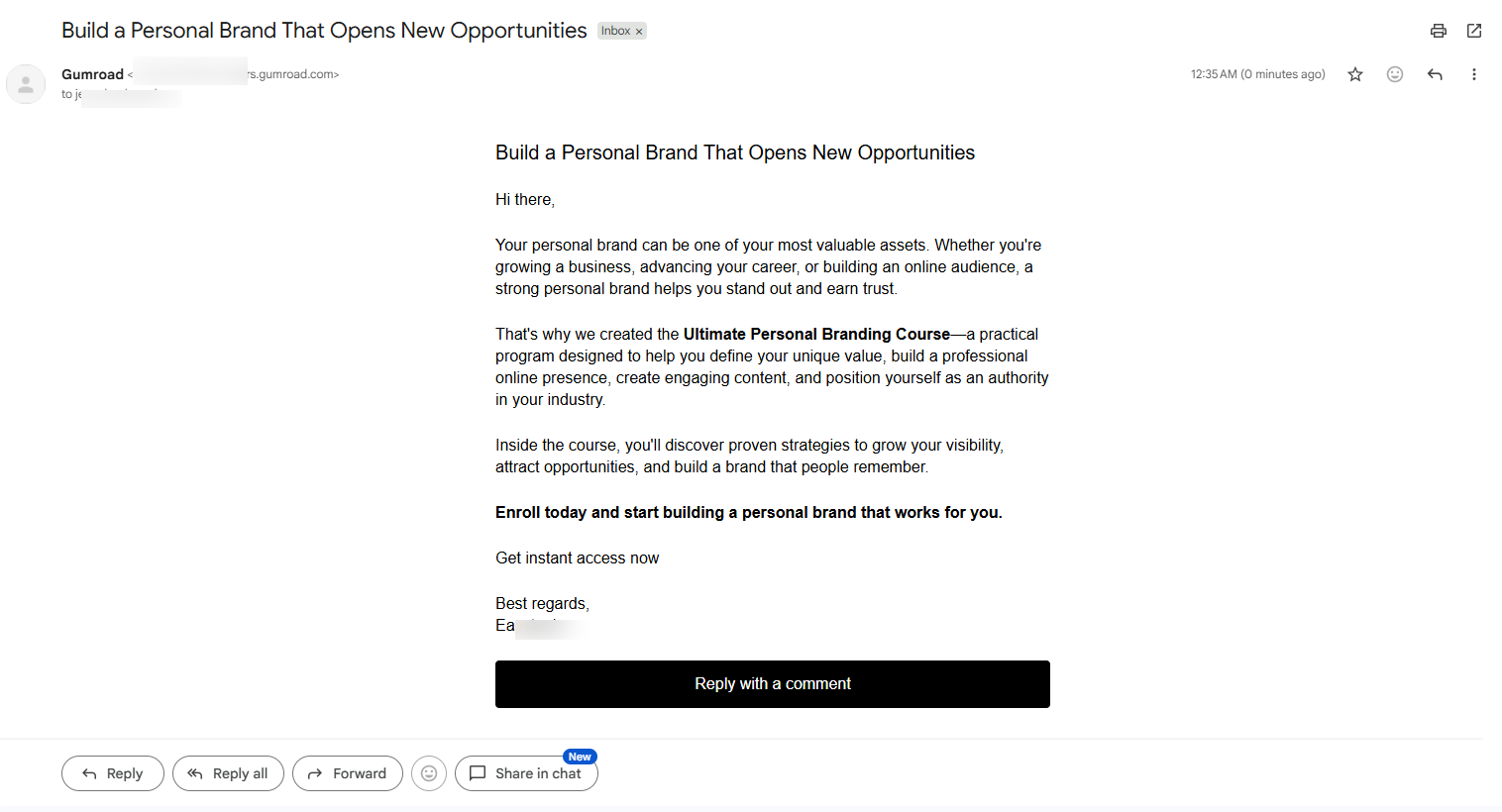
Enter the subject and the message. On the left side, you can choose who should receive the email and which channels to use.
You can also allow comments.
The selected contacts will receive the email.
3. Checkout
The checkout feature on Gumroad helps you create discounts, checkout forms, and offer upsells.
Let’s do that. Click “Checkout” in the sidebar.
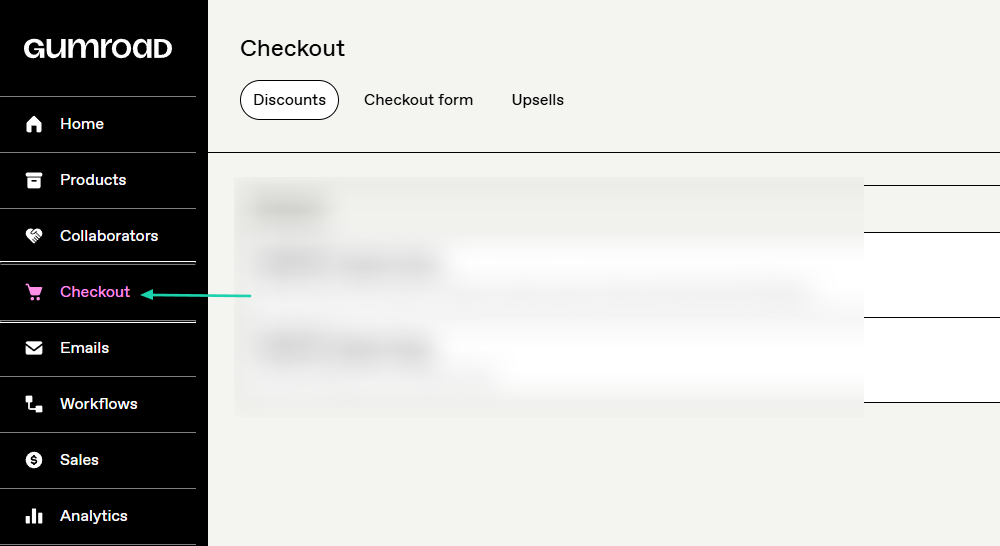
You’ll name the discount and add a discount code. Then you will choose the products to which the discount will apply.
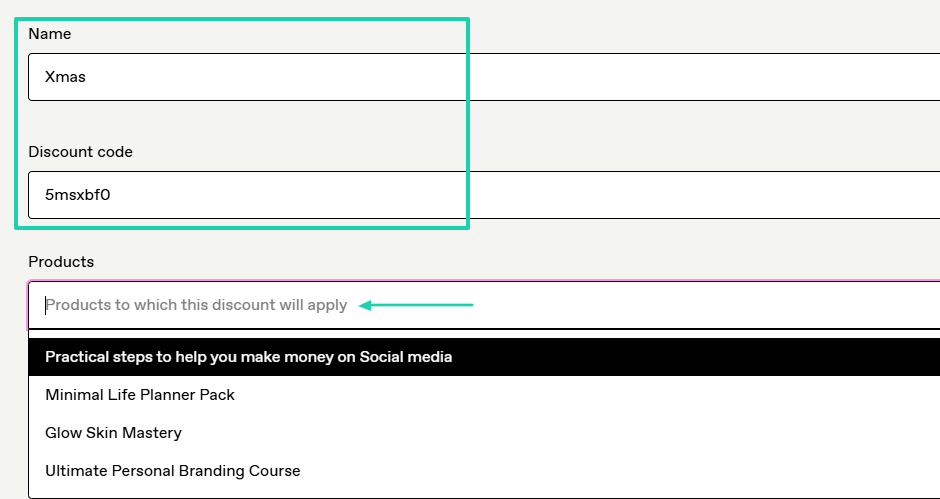
If it applies to all products, you can specify it.
Then enter the percentage if it’s the type you choose, or a fixed amount. You can also limit the product quantity, the validity period, and other settings.
You can also set a minimum qualifying amount and a minimum quantity.
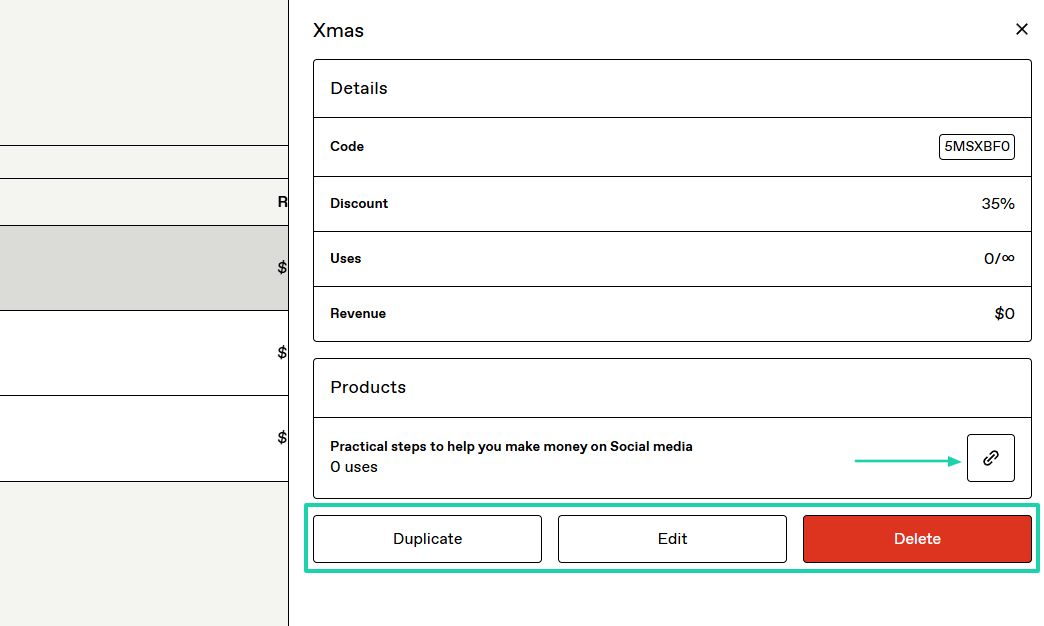
Once it is ready, you can copy the discount link. You can also duplicate, edit, or delete it.
[fs-toc-omit]What I liked vs what I didn’t like
What I loved 👍
✅ Has a minimal interface and is very user-friendly.
✅ Lets you publicly show the number of sales on your checkout page.
✅ Allows you to add a refund policy and specify the period.
✅ Allows you to add co-creators and specify their cut.
What I didn’t like 👎
❌ Has high transaction fees (10% and 30%).
❌ Requires a minimum threshold of $100 before you can get paid.
[fs-toc-omit]Best for
- Independent creators and freelancers who want a simple solution to start selling digital products on a marketplace.
[fs-toc-omit]Pricing
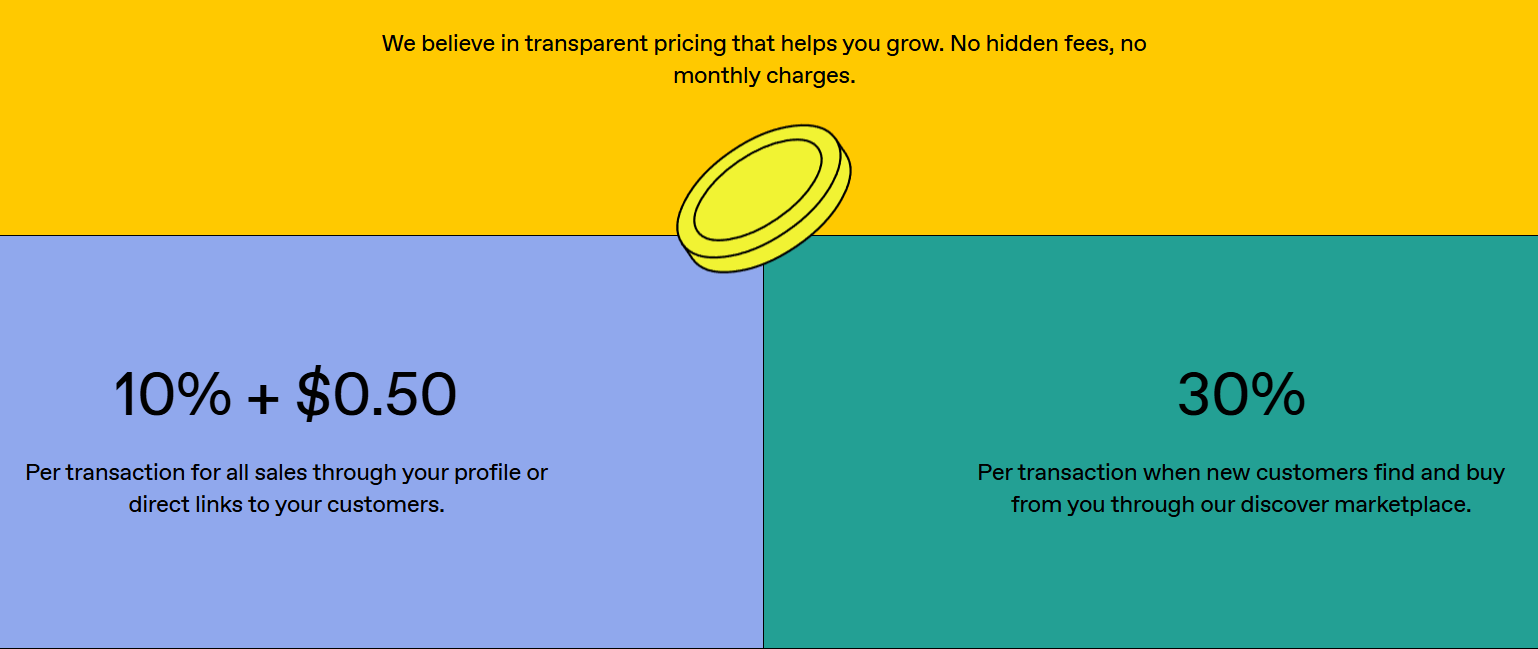
- Free: 10%+0.50 per transaction for all sales via your profile or direct links
- 30% per transaction if buyers discover the item through the Gumroad marketplace
4. Systeme.io
- Personal rating: ⭐️⭐️⭐️⭐️ 4.4/5 - Comes with great funnels, marketing automations, and templates for websites and emails.
- Ease of use: ⭐️⭐️⭐️ 3.8/5 - Some features are easy to use while others take some time to learn.
- Checkout optimization: Excellent - Conversion-focused checkout pages, funnels, mobile optimization, and checkout recovery features.
- Revenue tools: Excellent - Upsells, downsells, order bumps, subscriptions, coupons, and payment plans.
- Free trial: No - it offers a free forever plan.
- Starting plan: Free - $0 + 2,000 contacts
Also on our list of the best ThriveCart alternatives is Systeme.io.
It’s an all-in-one business platform that combines sales funnels, email marketing, online courses, websites, automation, and payment processing into a single solution.

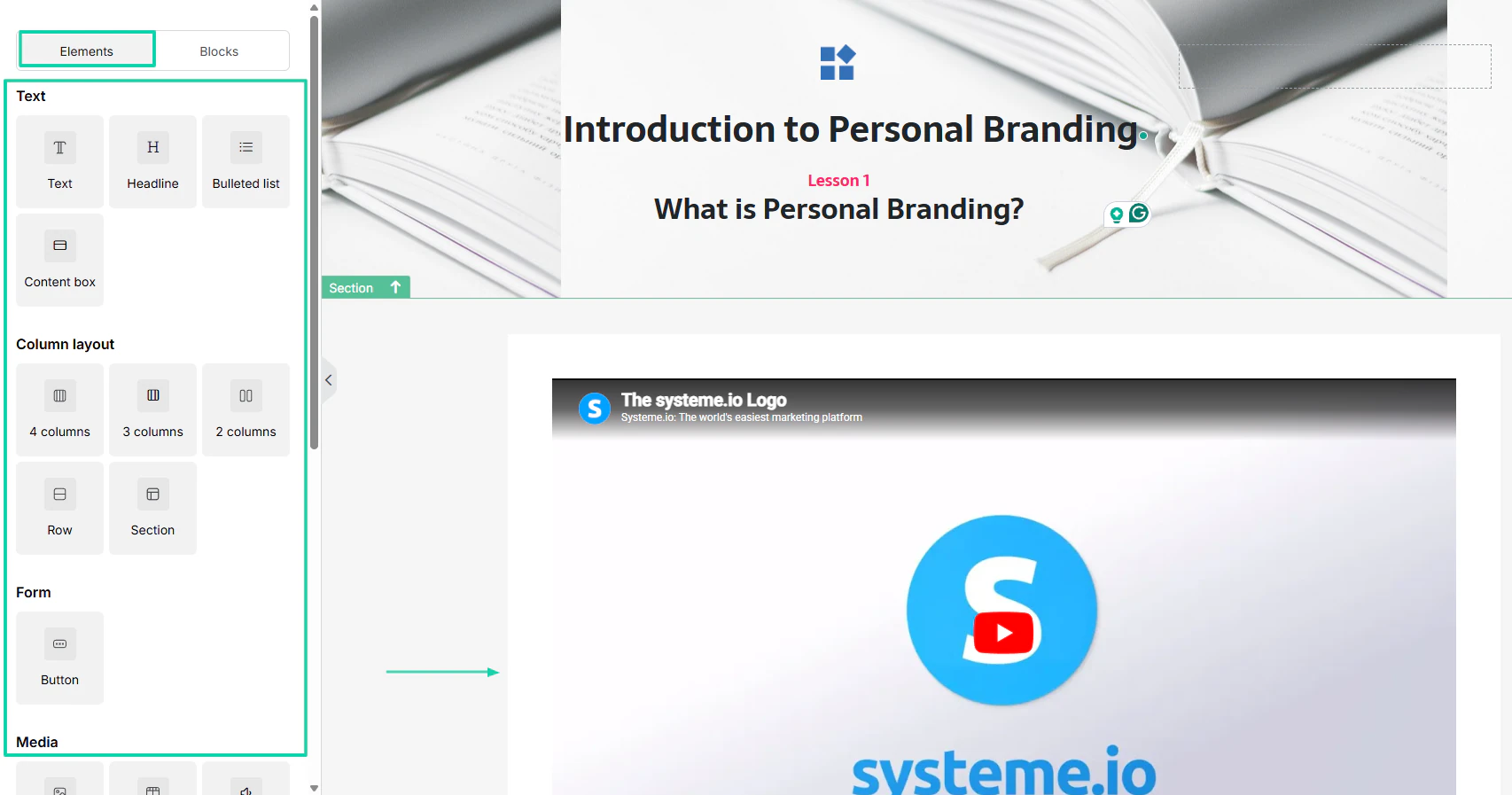
When you create a course, you can add many elements such as text, forms, column layout, and media.
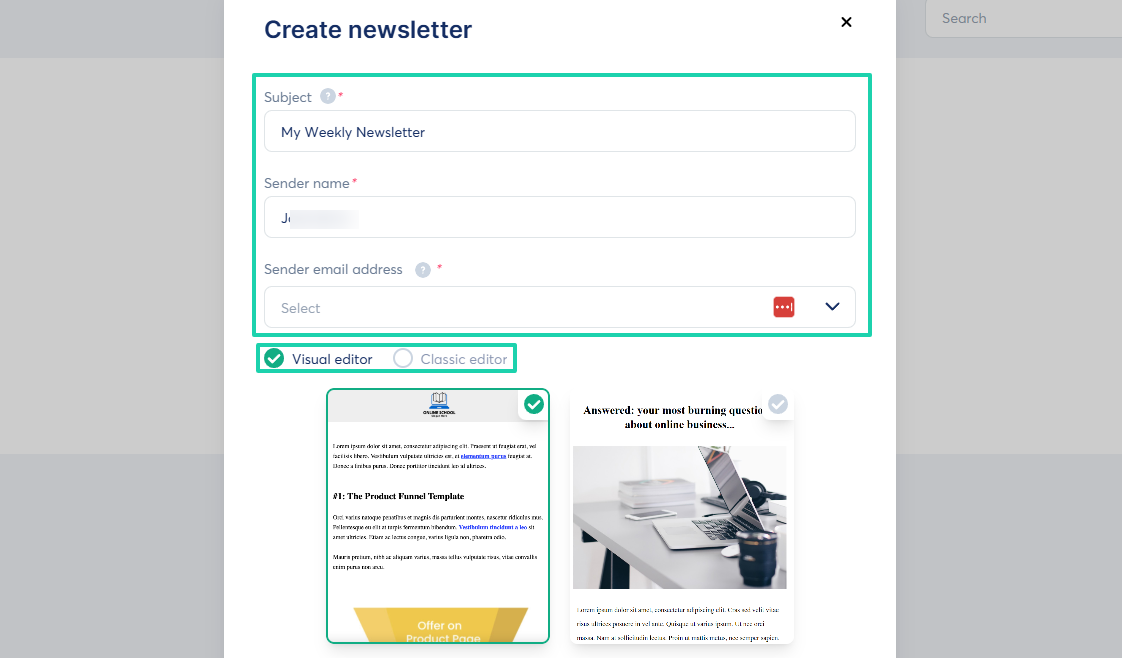
The platform lets you create a newsletter with visuals.
It has a couple of website templates you can choose from.

[fs-toc-omit]What I loved about Systeme.io
1. Assets
On Systeme.io, under the assets feature, you can offer physical products, coupons, courses, communities, and files.
Let’s choose the “Courses” for now.
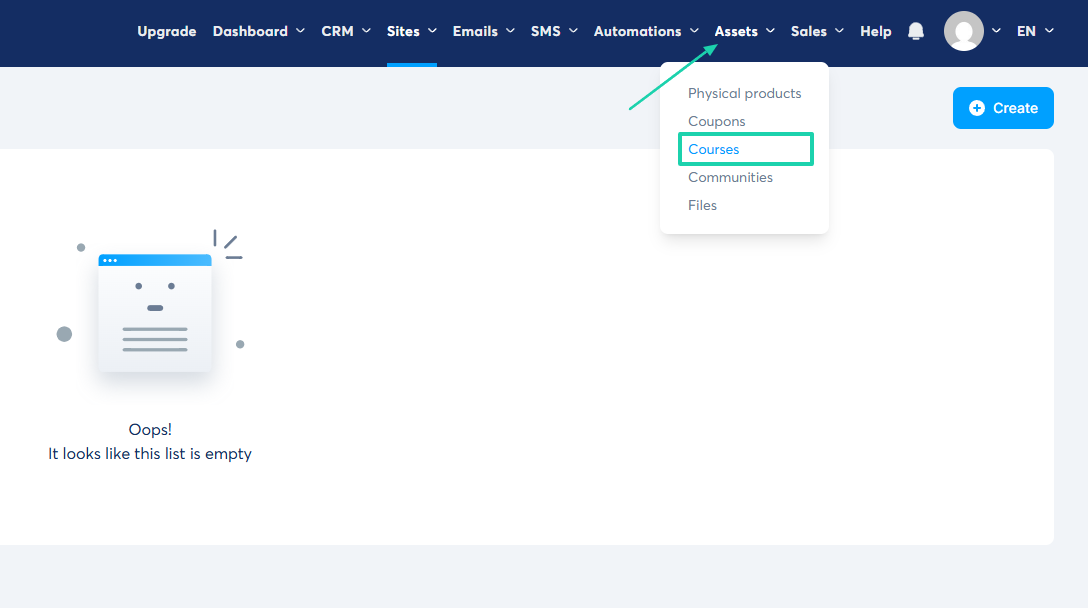
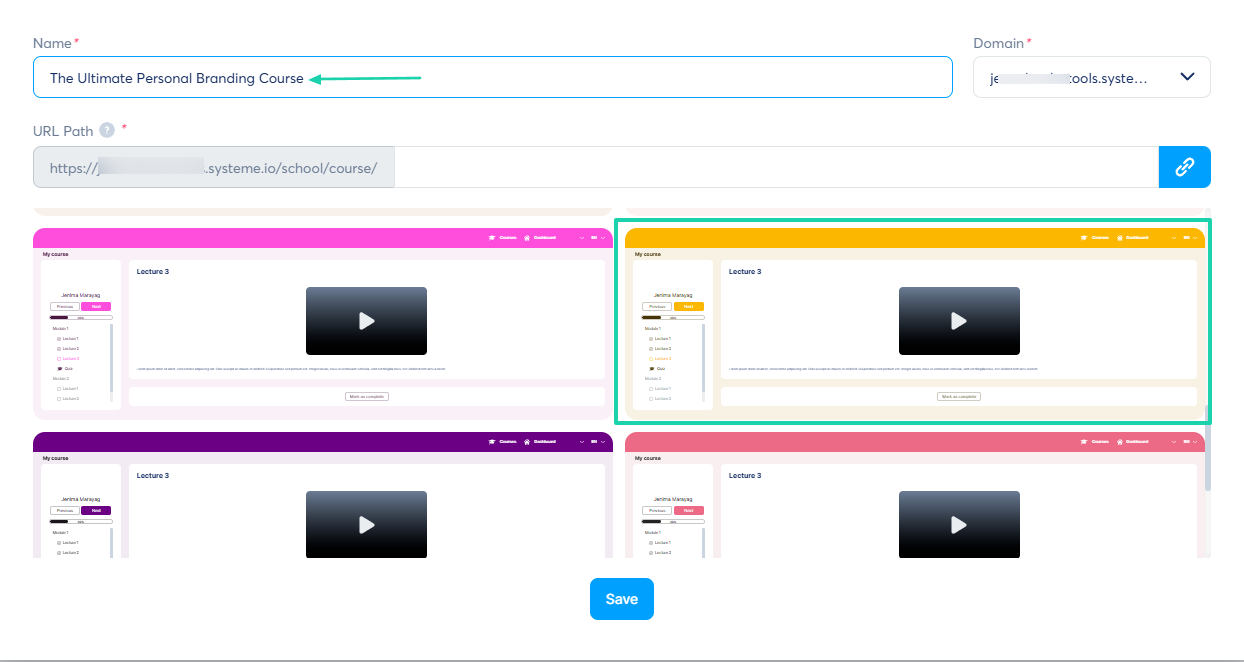
Name your course and choose a theme.
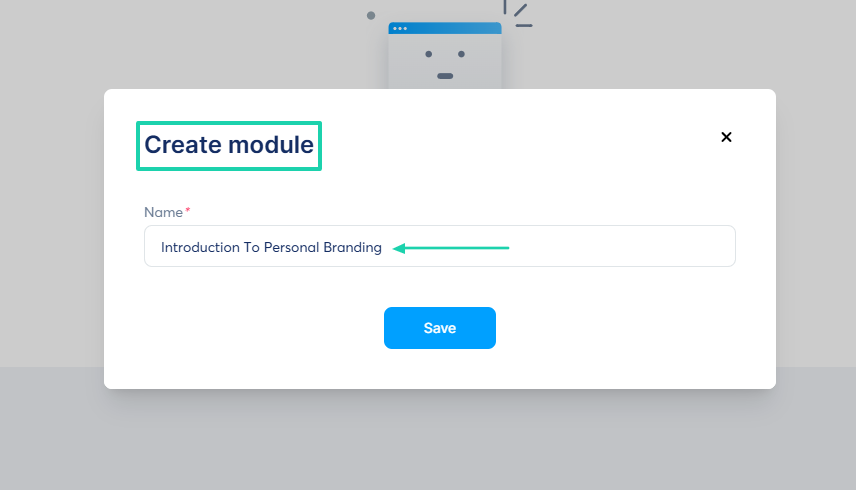
Next, to create a module, you’ll have to name it.
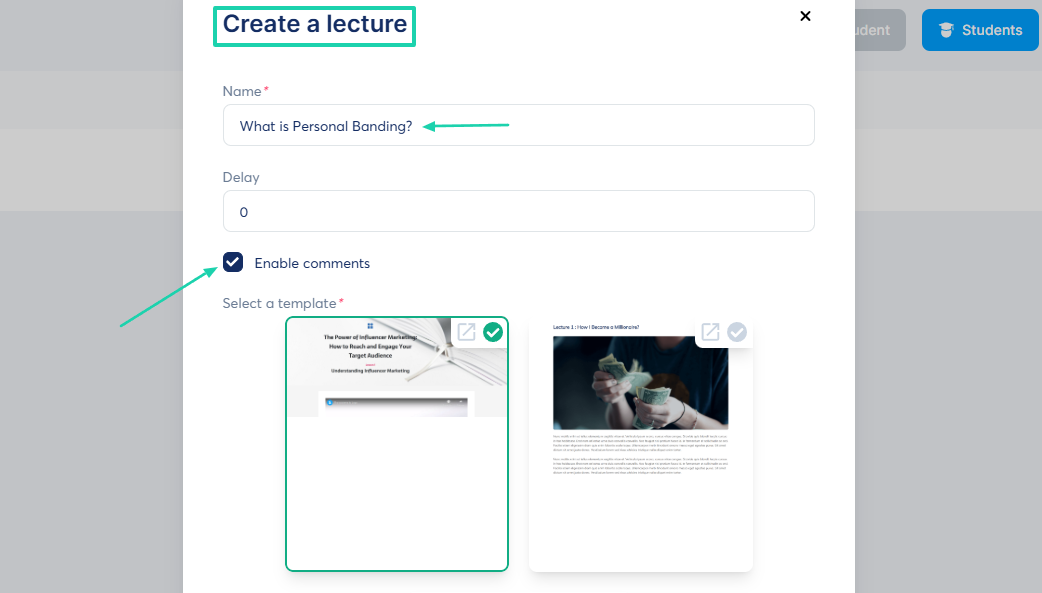
Then you’ll create a lecture. Enter a name, enable comments (optional), and choose a template for your lecture.
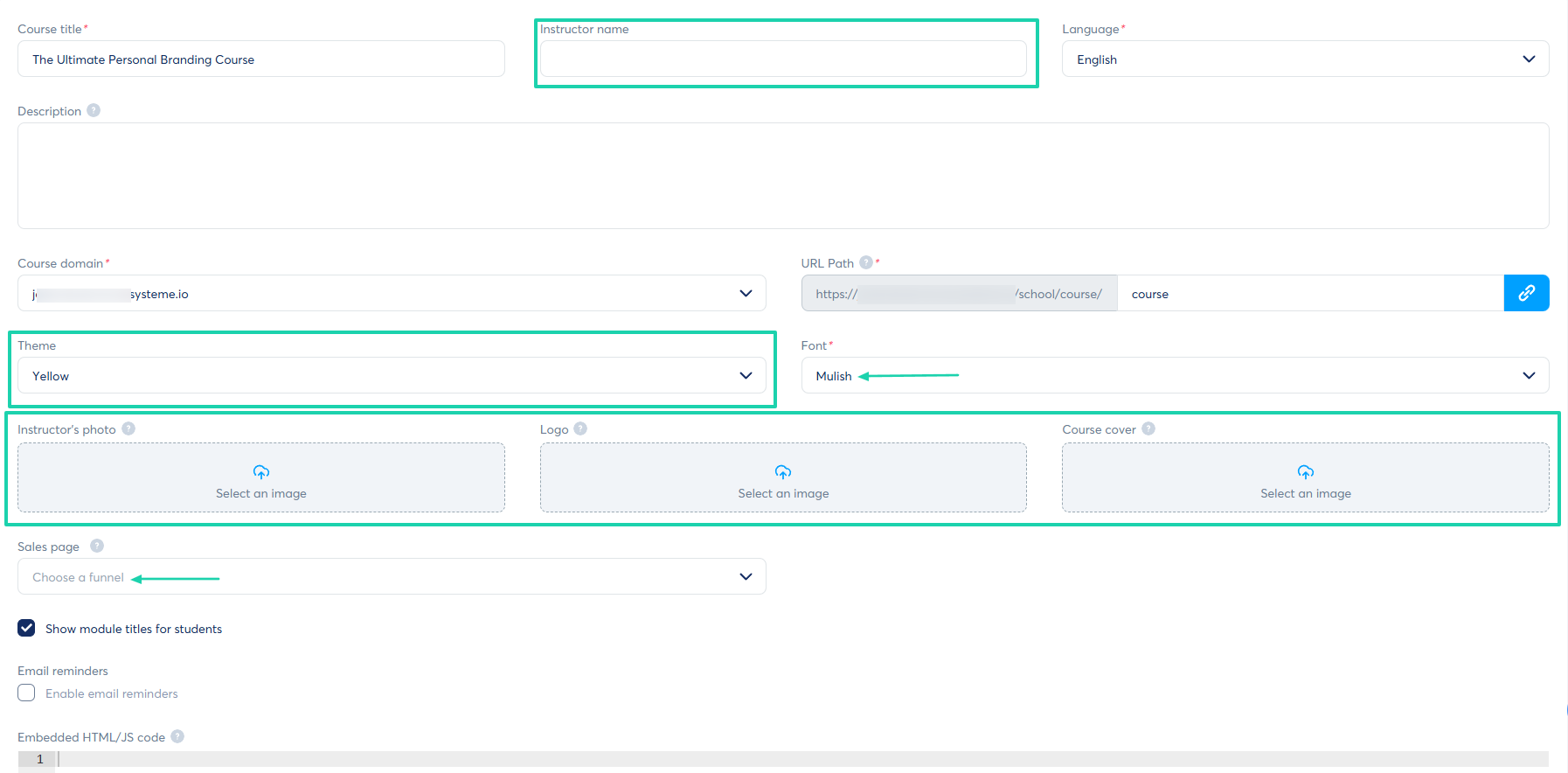
You can add the instructor name, theme, and font. You can also add the instructor photo, your logo, course cover, and link your course to a sales page by choosing a funnel.
Your course is ready! You can add text, content boxes, bulleted lists, column layouts, buttons, and media files like videos and images.
2. Emails
With the emails feature on Systeme.io, you can create and view your newsletters, campaigns, and access statistics.
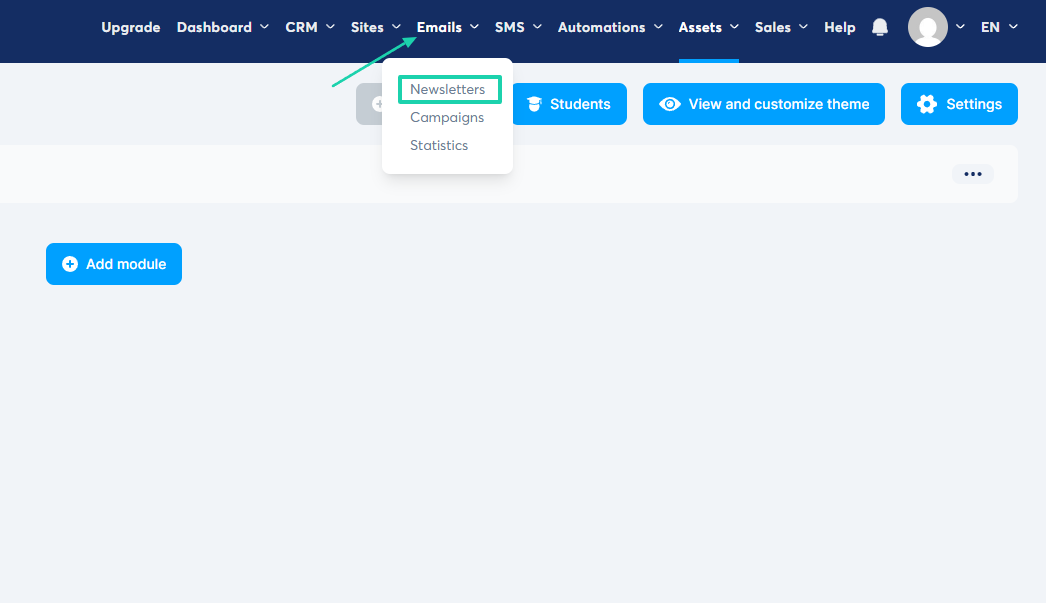
Now, let’s create a newsletter. Click “Emails” in the navigation bar and select “Newsletters.”
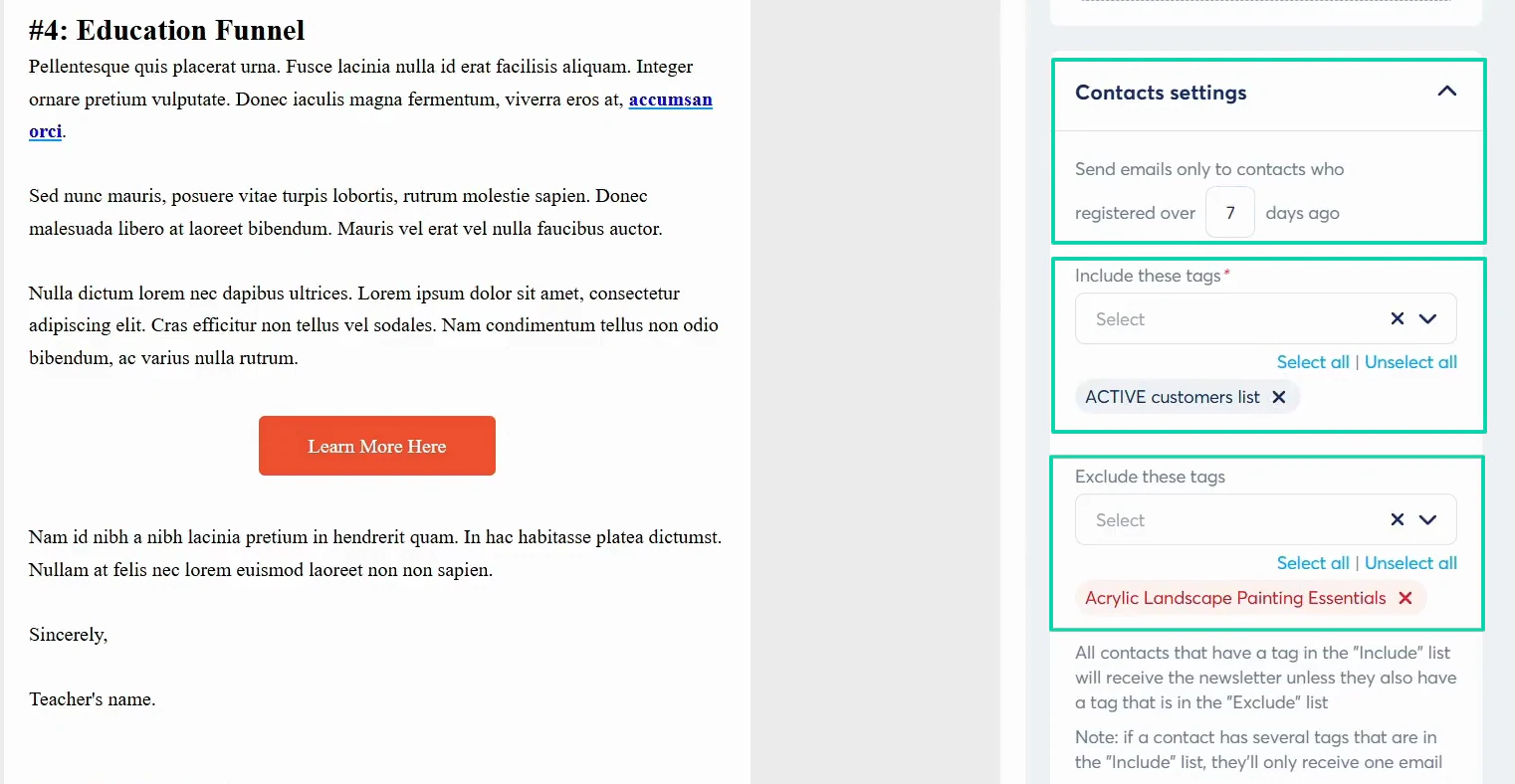
Add your subject, sender name, and email address. Then either use a visual editor or the classic editor and choose a template.
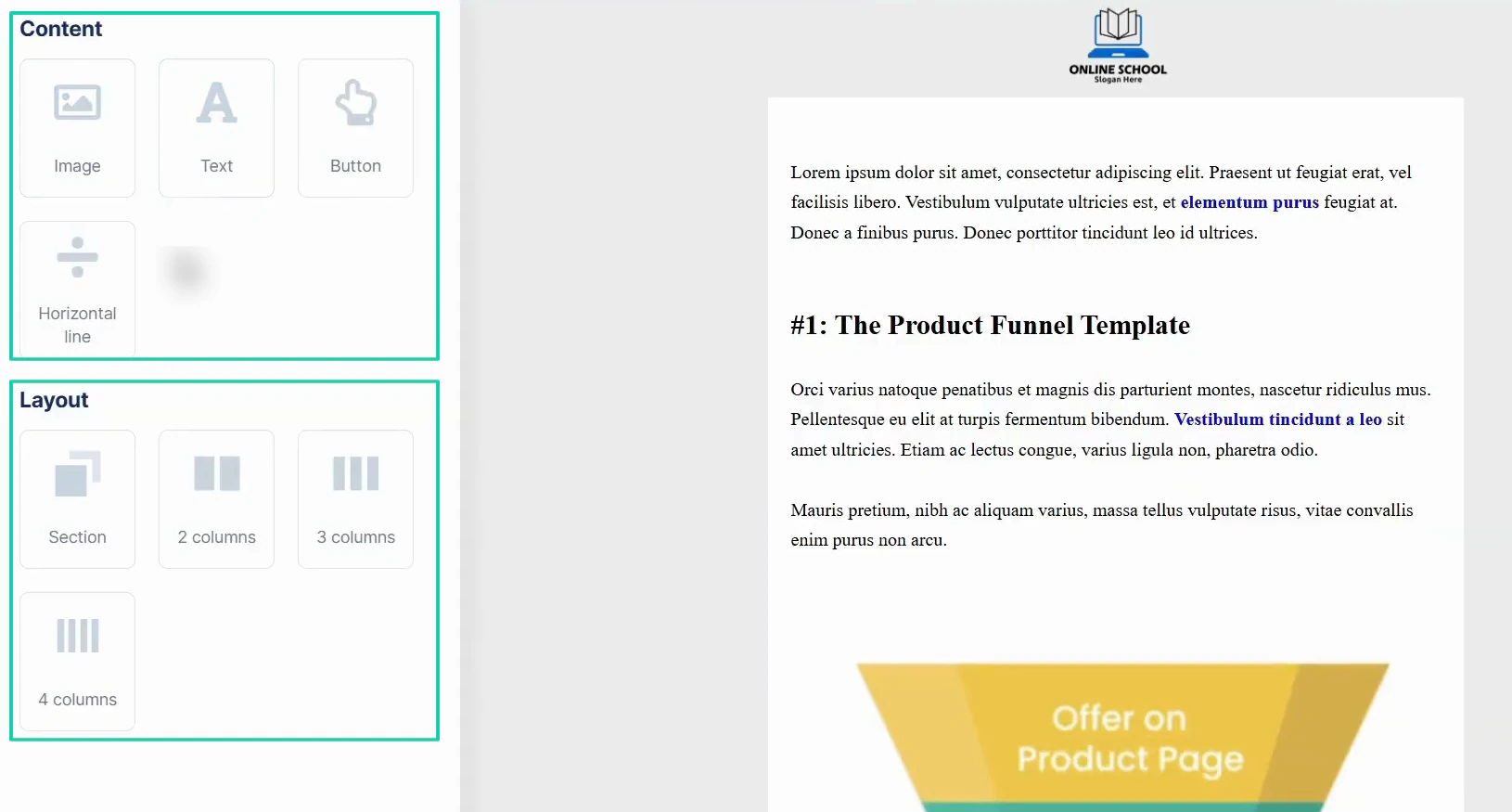
Next, you create your content. You can add images, text, buttons, and layout.
What remains is to specify the recipients of the email and to add or remove tags.
3. Websites
Now, let’s review the websites feature. Systeme.io allows you to build, manage, and publish fully integrated multi-page websites.
I’ll show you how.
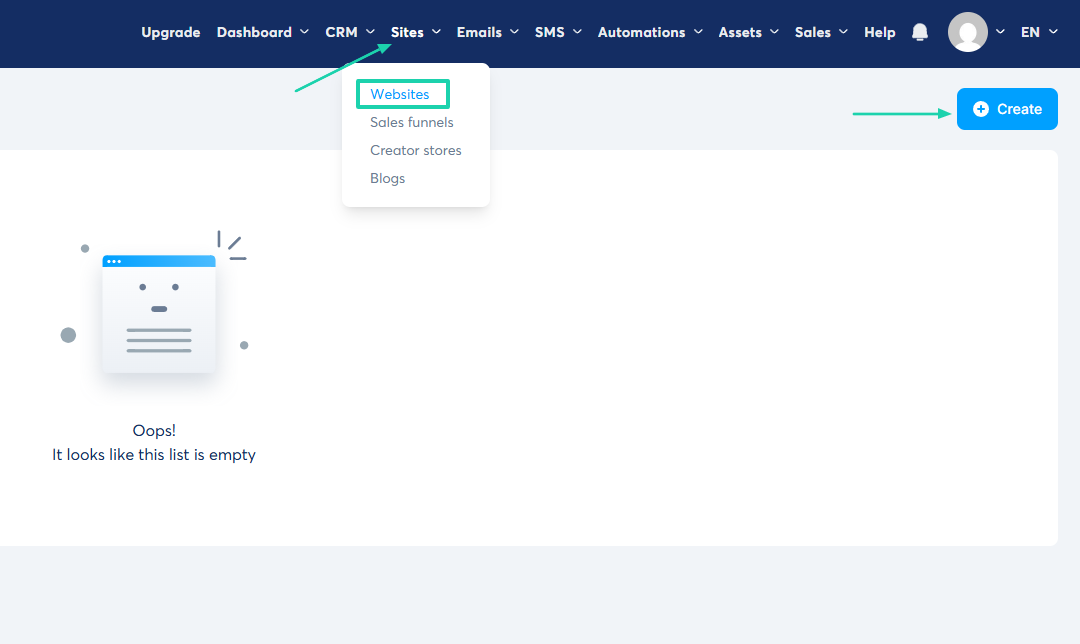
In the top bar menu, click “Sites” and go to “Websites.”
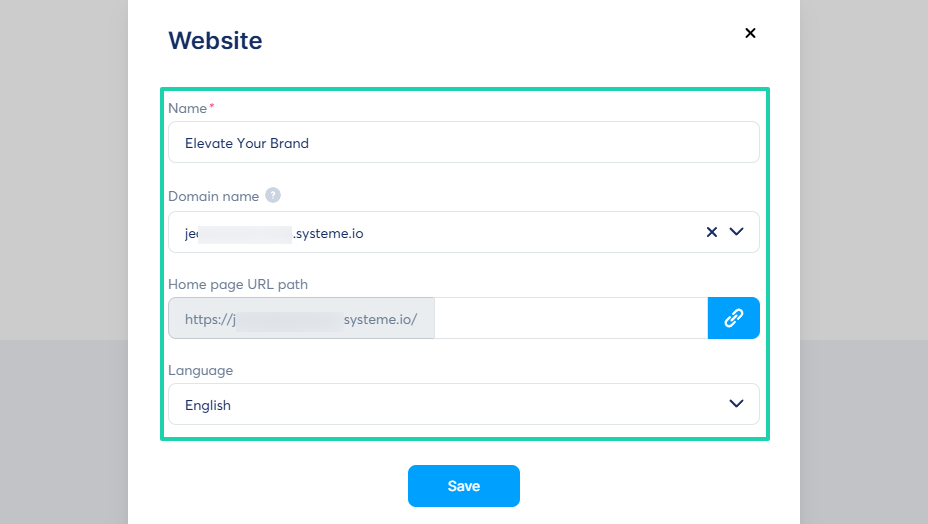
You’ll name your website, add your domain, and choose your preferred language.
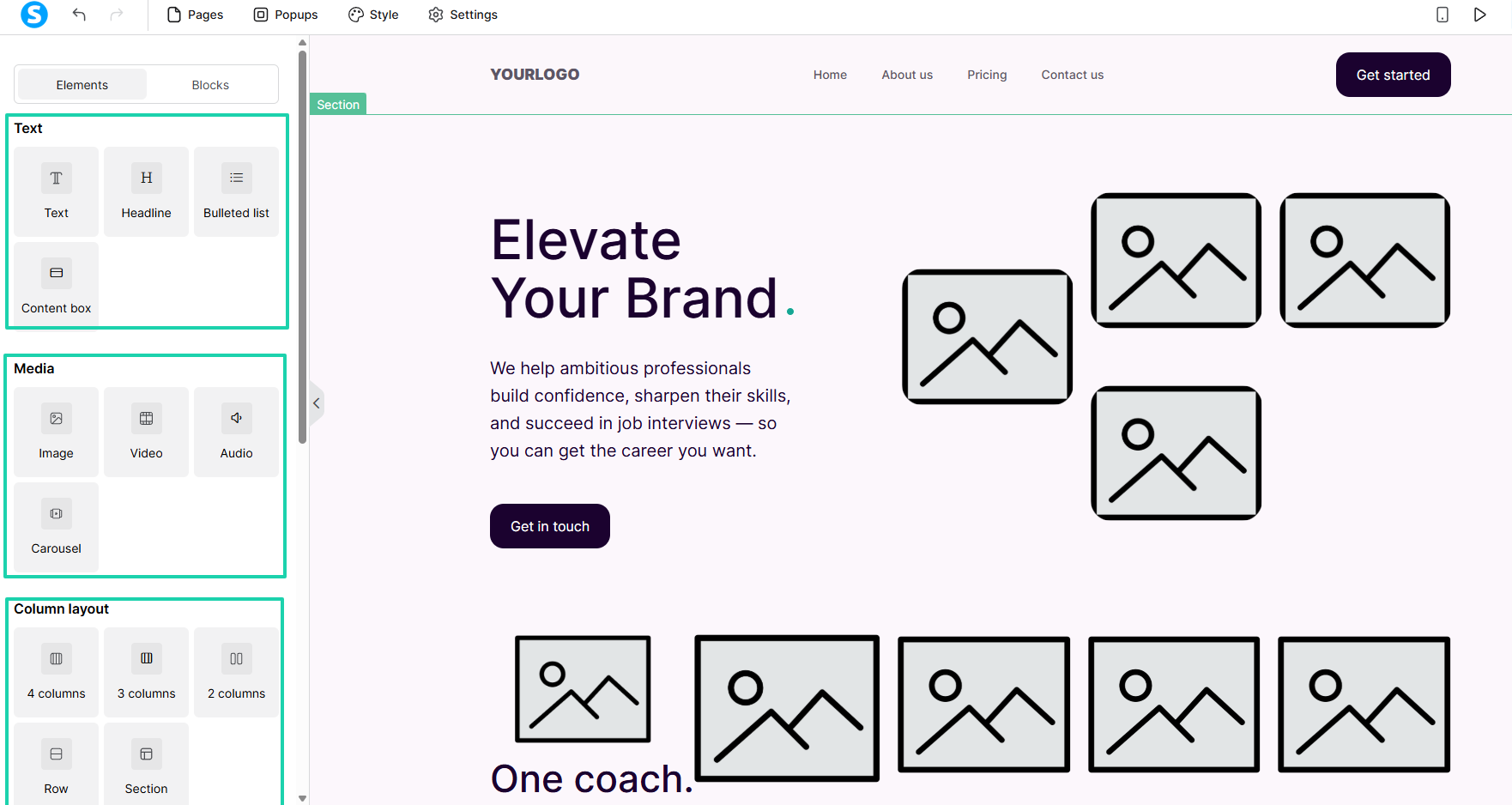
You can either pick a template or build from scratch. Let’s go with a template.
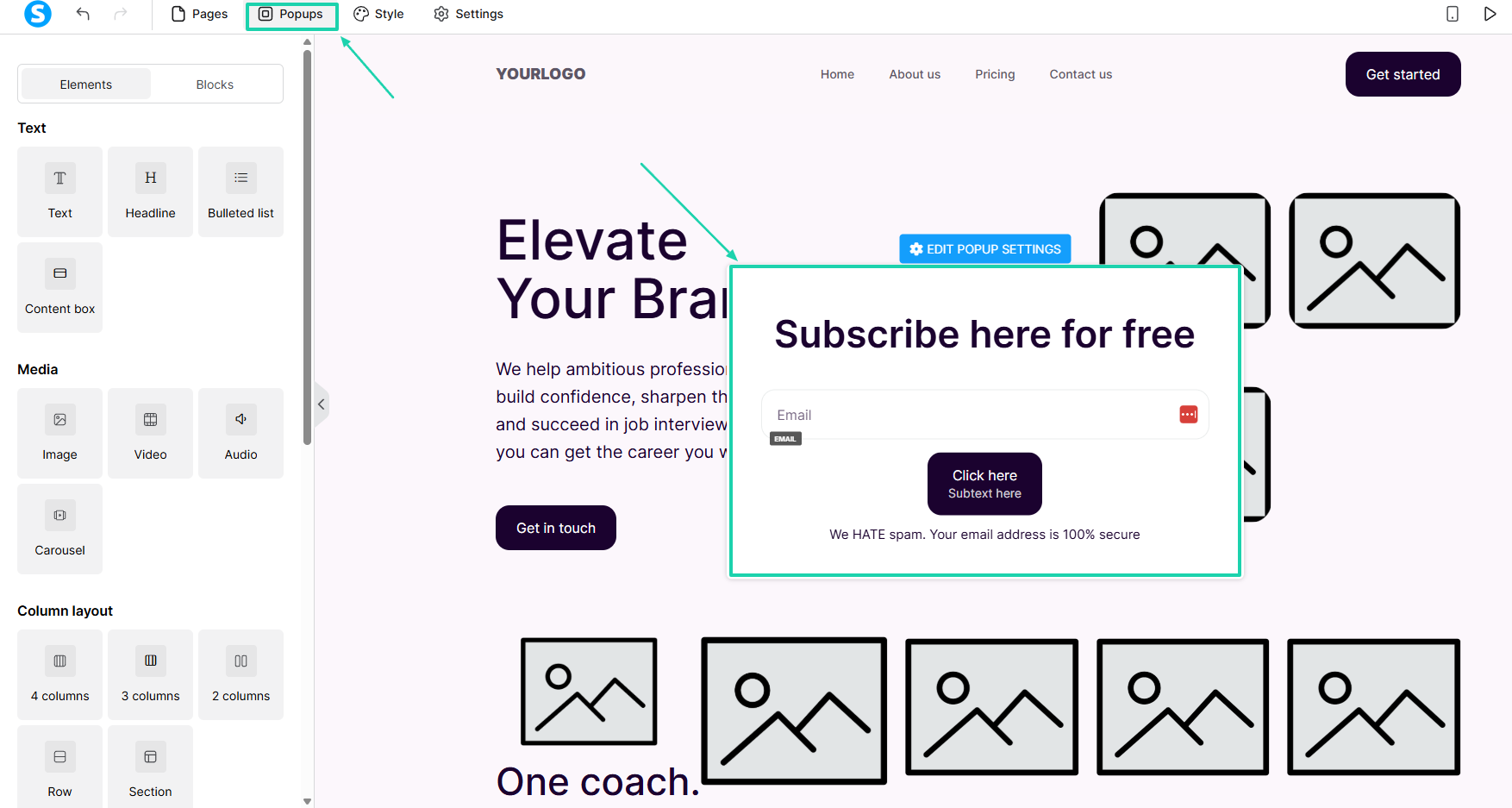
You can edit text and add blocks, images, videos, carousels, audio, or column layouts.
You can also add popups and edit their text.
[fs-toc-omit]What I liked vs what I didn’t like
What I loved 👍
✅ Lets you add the instructor’s name, photo, and enable comments.
✅ Offers templates for websites and newsletters.
✅ Lets you enable comments under your courses.
What I didn’t like 👎
❌Sending emails is a whole process, from verification to domain authentication.
[fs-toc-omit]Best for
- Course creators and marketers who need sales funnels and marketing automation alongside checkout features.
[fs-toc-omit]Pricing
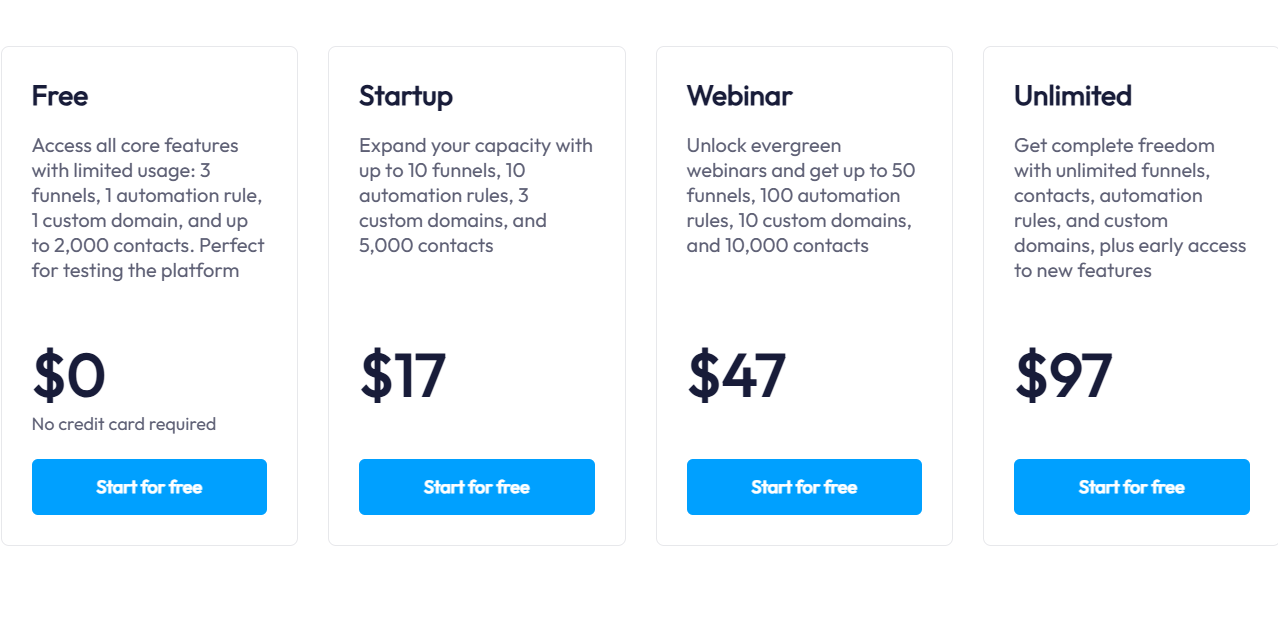
- Free: $0/month
- Startup: $17/month
- Webinar: $47/month
- Unlimited: $97/month
5. Payhip
- Personal rating: ⭐️⭐️⭐️⭐️ 4/5 - Offers a customizable store in which you can even add blog posts.
- Ease of use: ⭐️⭐️⭐️⭐️ 4.2/5 - Has a simple dashboard and quick setup process.
- Checkout optimization: Good - Mobile-friendly checkout, discount codes, and customer-friendly purchasing experience.
- Revenue tools: Good - Coupons, upgrades, subscriptions, affiliate management, and product bundles.
- Free trial: No - transaction fee on its free forever plan.
- Starting plan: Free Forever - $0/month + 5% transaction fee + unlimited products.
At number five on this list of the best ThriveCart alternatives is Payhip.
Payhip is an ecommerce platform that helps you sell digital downloads, online courses, memberships, coaching services, and physical products. It includes built-in payment processing, affiliate management, and digital product delivery.

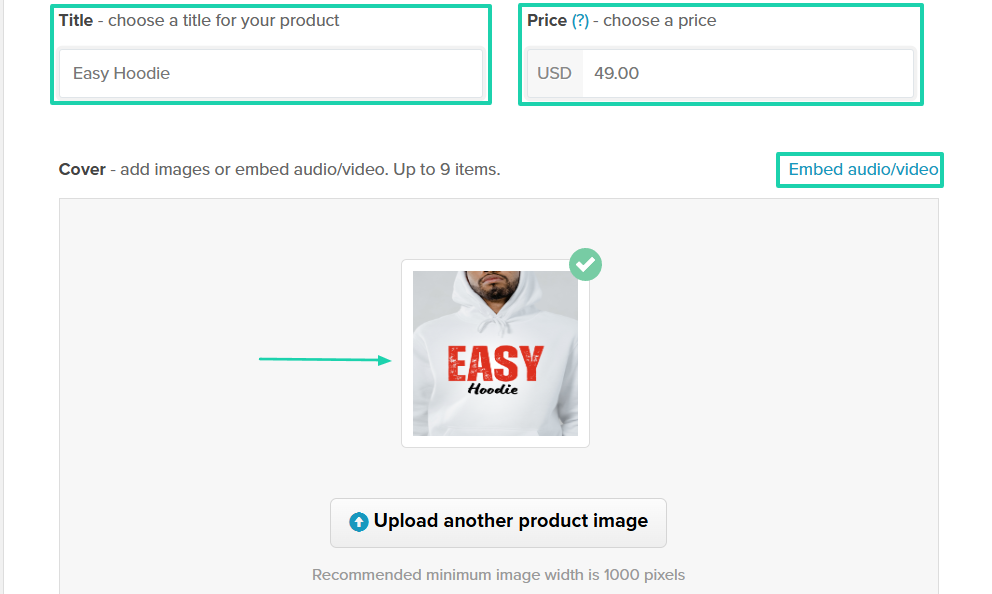
When you create a product, you can embed audio or video in the checkout process.
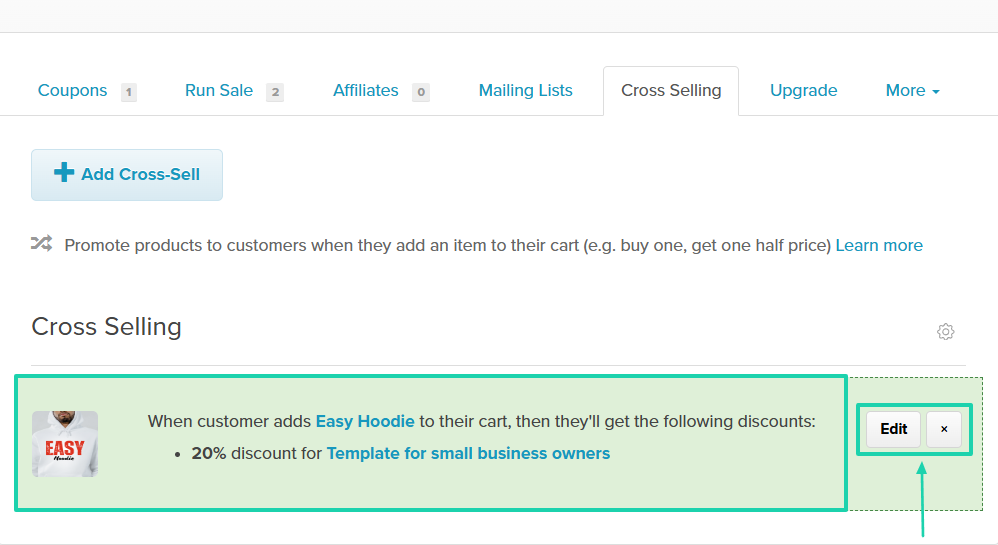
The platform lets you add cross-sells.
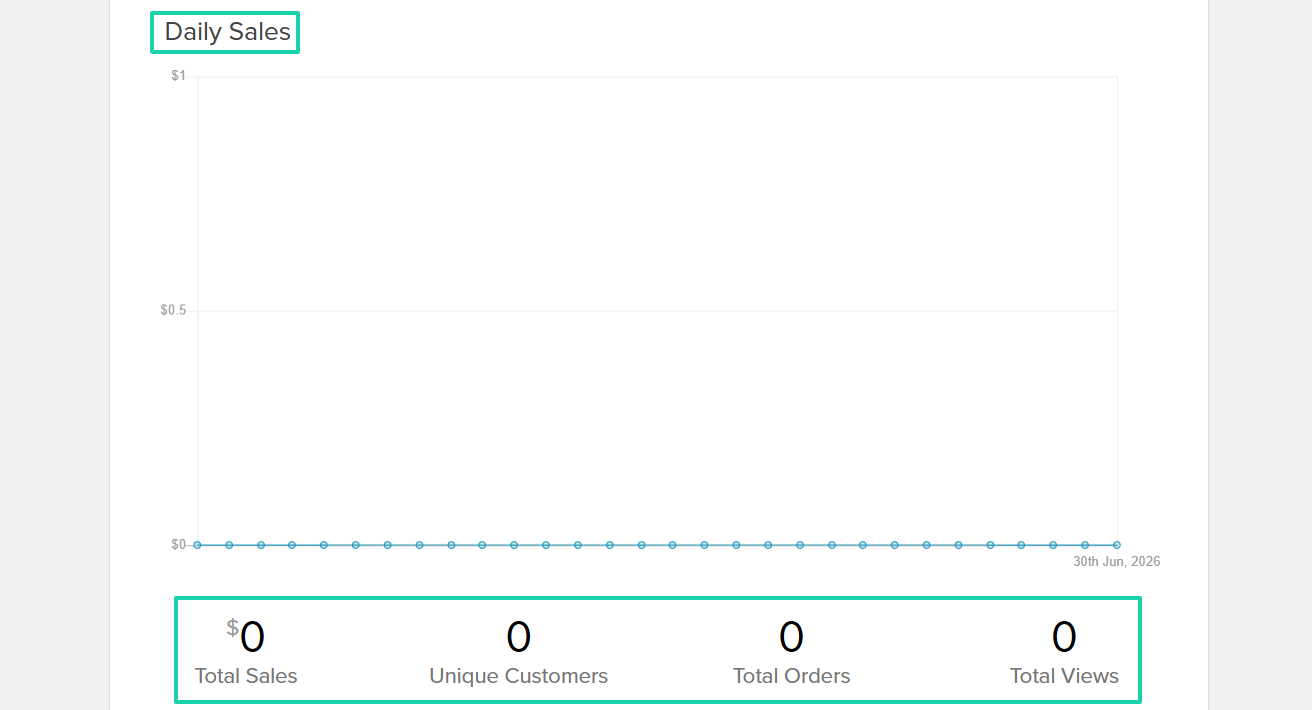
Anytime you make a sale, you’ll be able to track it, along with your views, customers, and orders.
[fs-toc-omit]What I loved about Payhip
1. Products
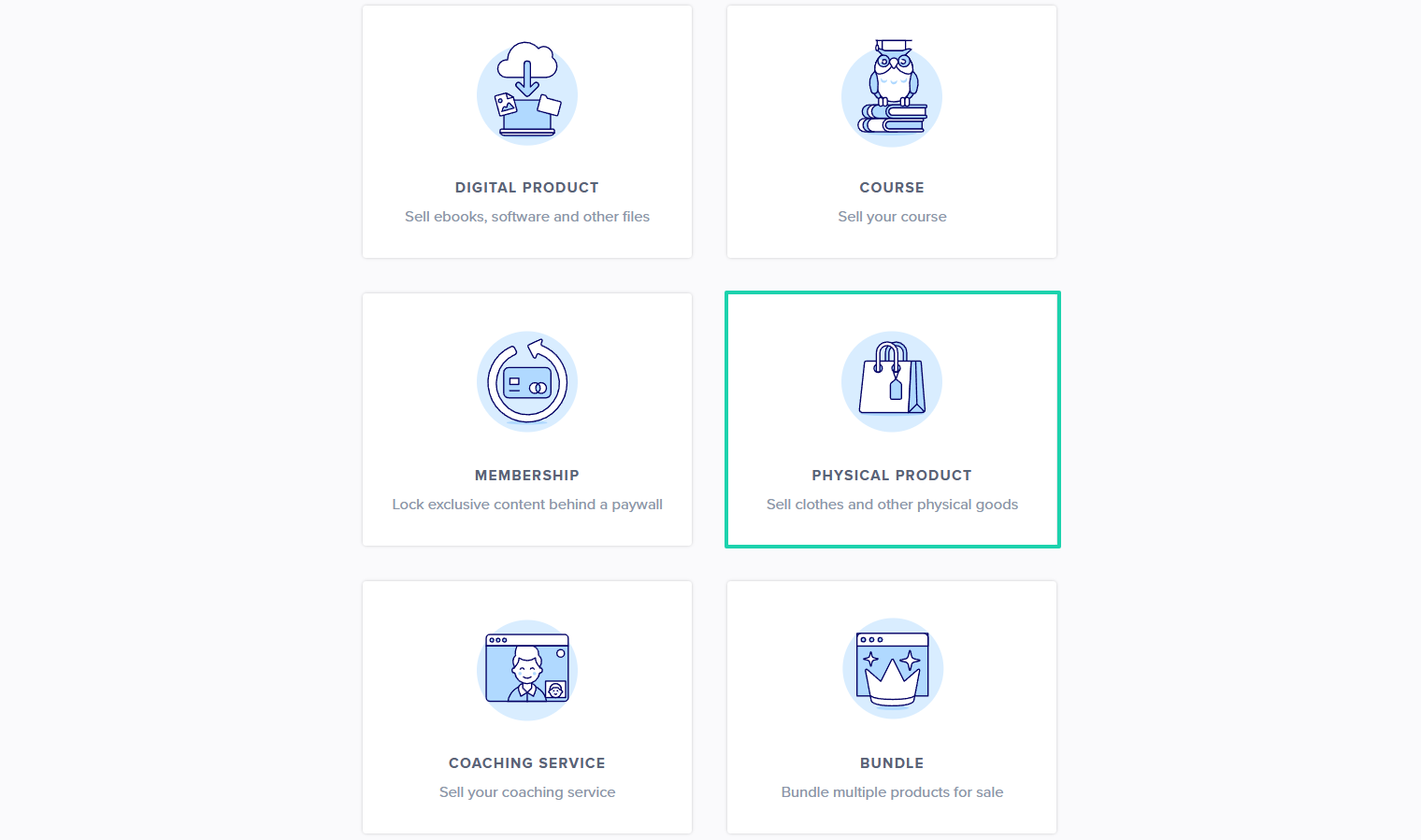
This is what you can sell on Payhip: digital products, memberships, courses, physical products, coaching, and bundles.
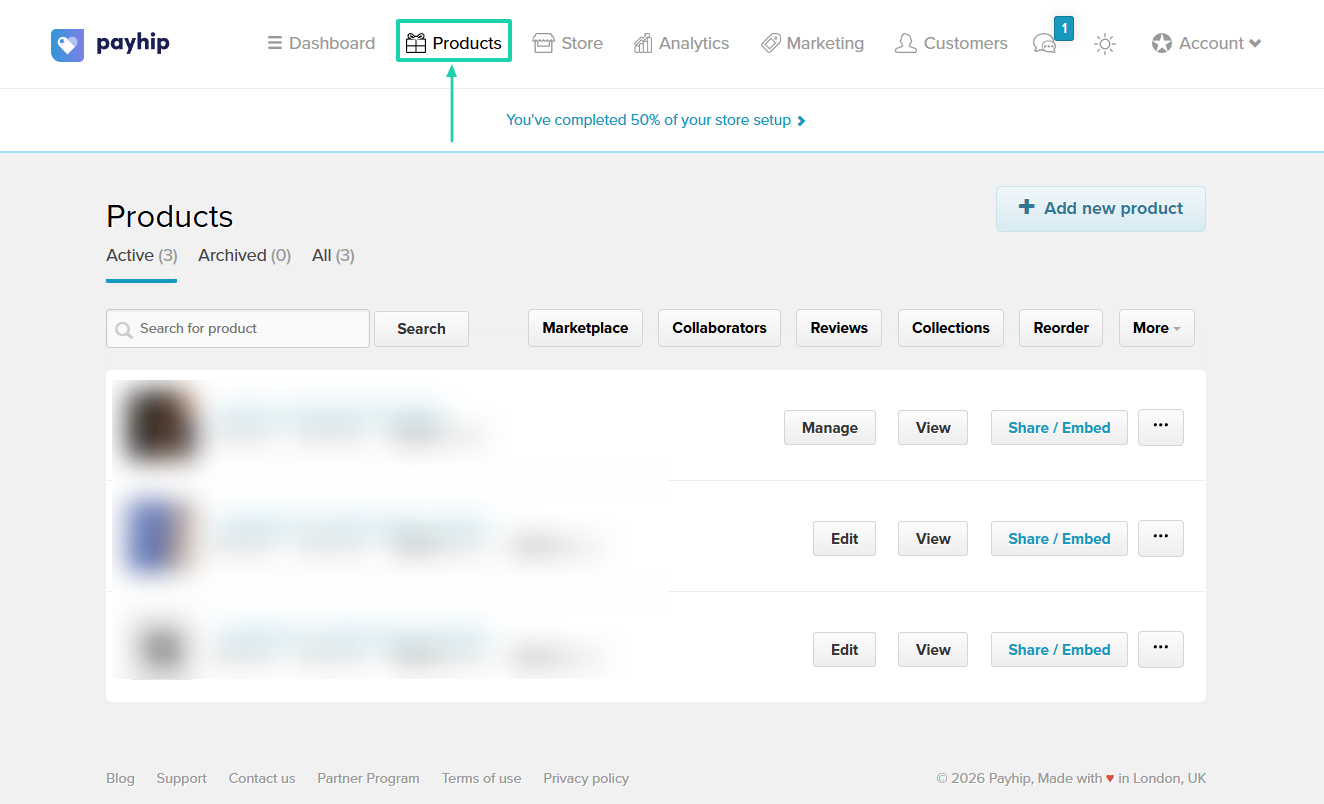
The way to do it is to click “Products” in the top-bar menu.
For this tutorial, we will choose “Physical Product.”
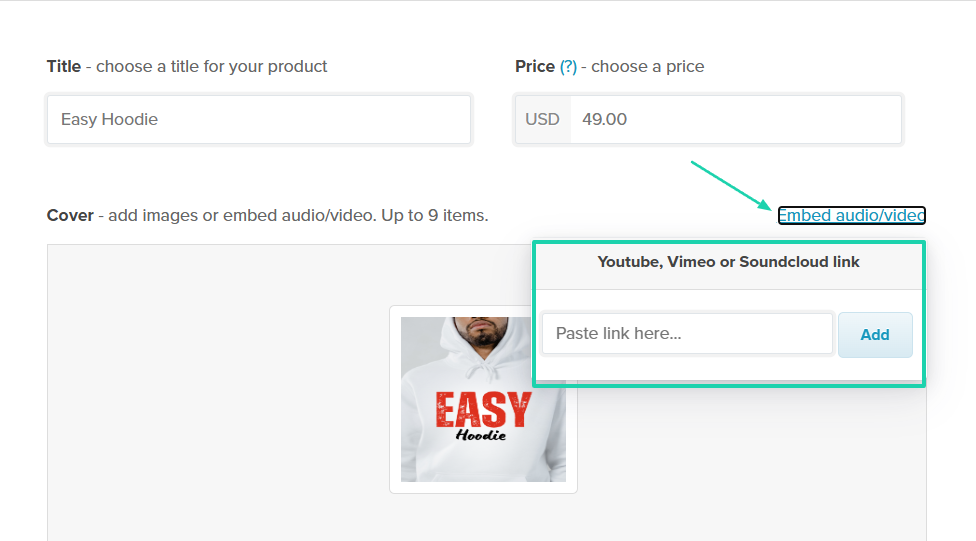
Then, enter the title, add a price, and upload a product image. You can also embed video or audio.
If you click on Embed audio or video, you will see a pop-up bar in which you can paste the link to your video or audio.
Next is the description. Also, you can add the product ID and its weight.
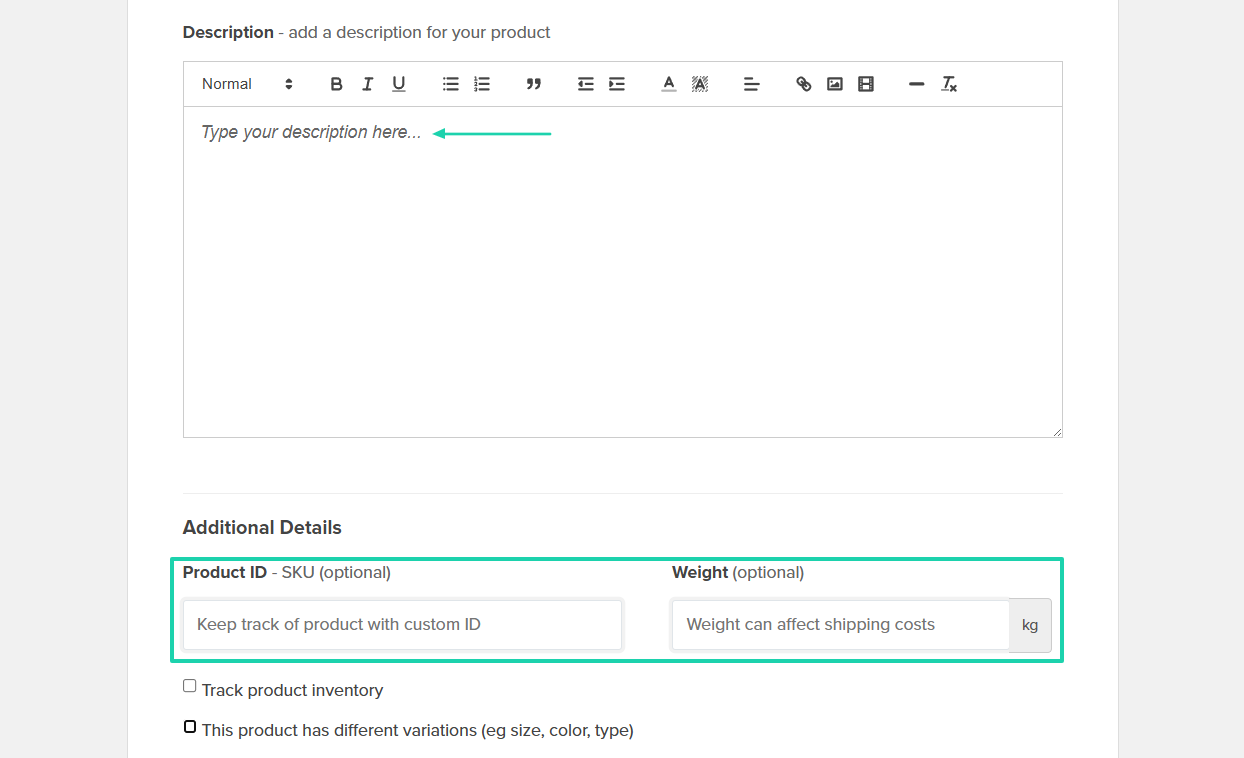
Your checkout is ready!

2. Marketing
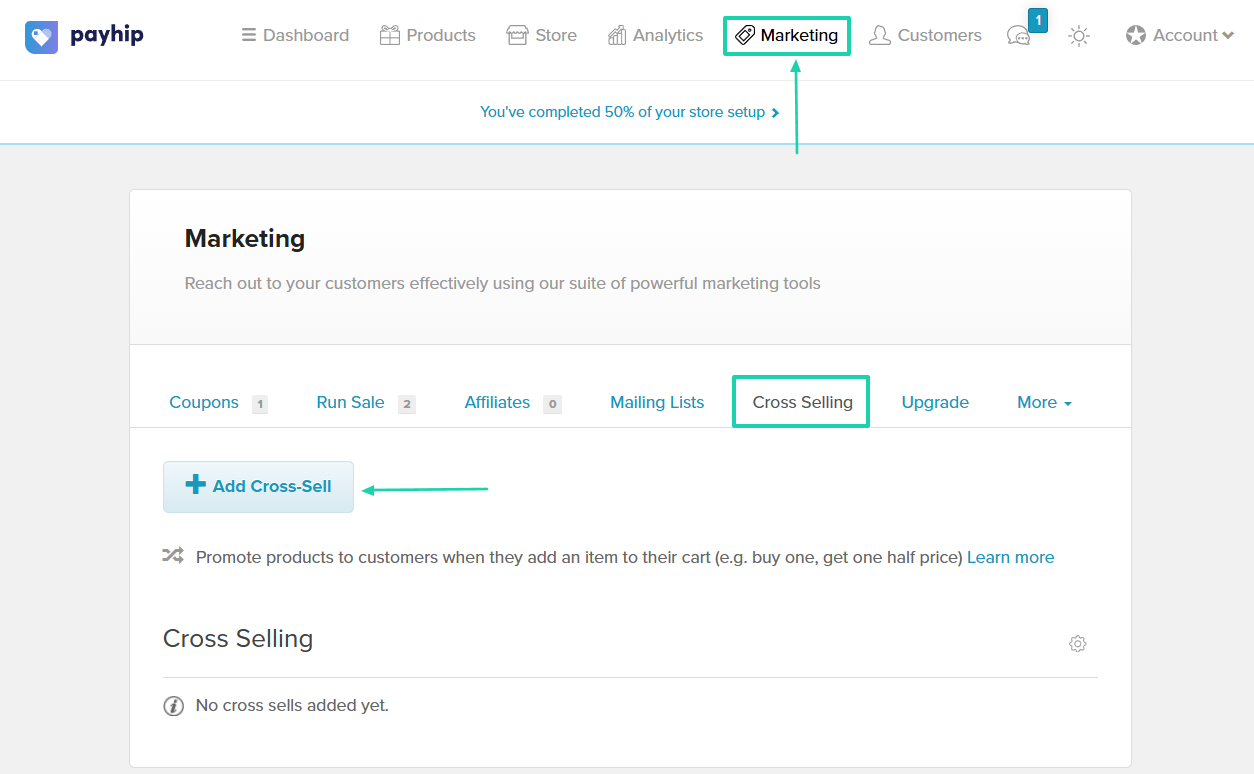
The marketing feature on Payhip allows you to offer coupons, upgrades, and cross-sells, and to run sales. You can also set up affiliates and mailing lists.
Let’s add a cross-sell.
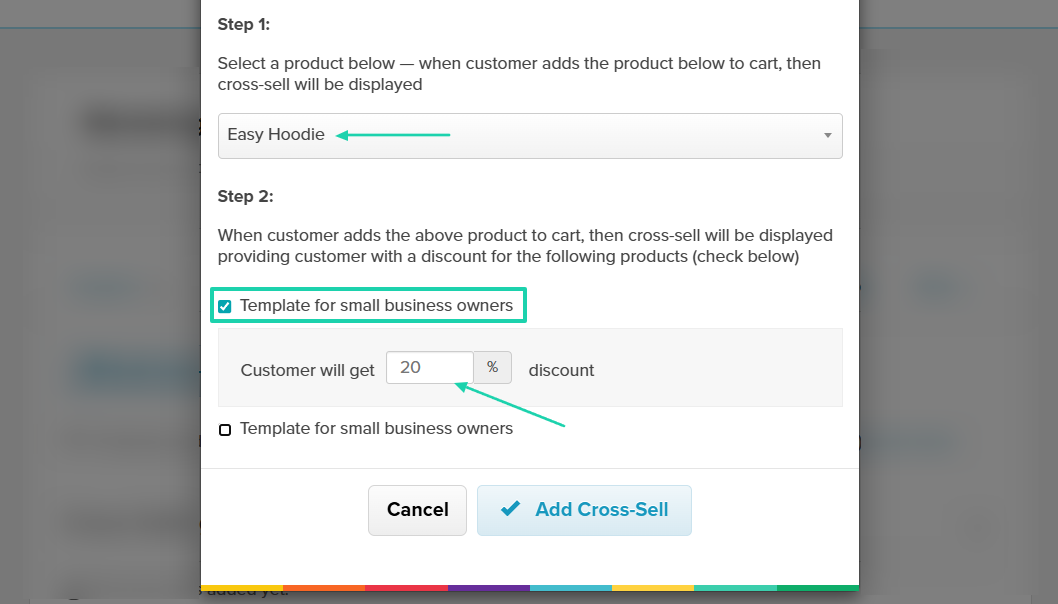
First, select the product to which the cross-sell will be applied. Next, select the cross-sell product and the discount customers will get.
You have it ready! You can still edit or delete it.
3. Analytics
Payhip’s analytics feature shows analytics for all your products or simply specific ones. You can, for instance, see how many times they are viewed each day.
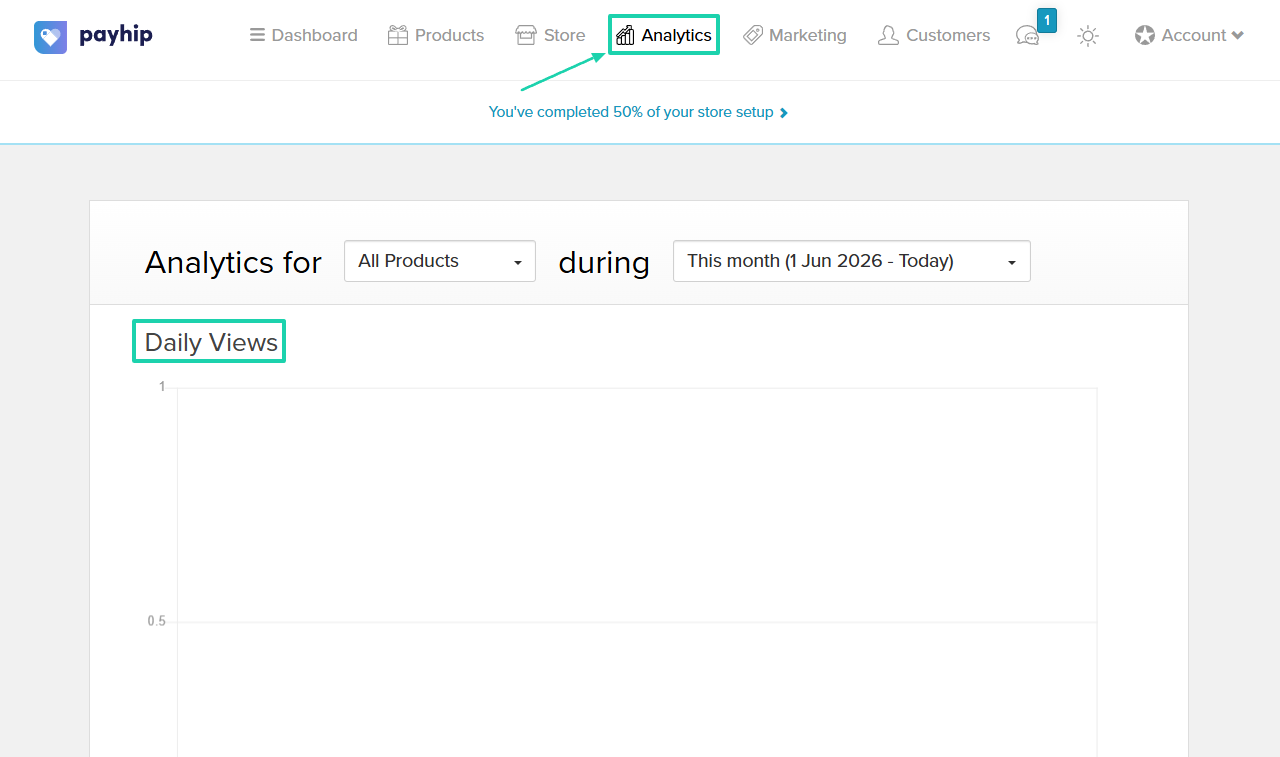
It also shows your daily sales: total sales, unique customers, total orders, and total views.
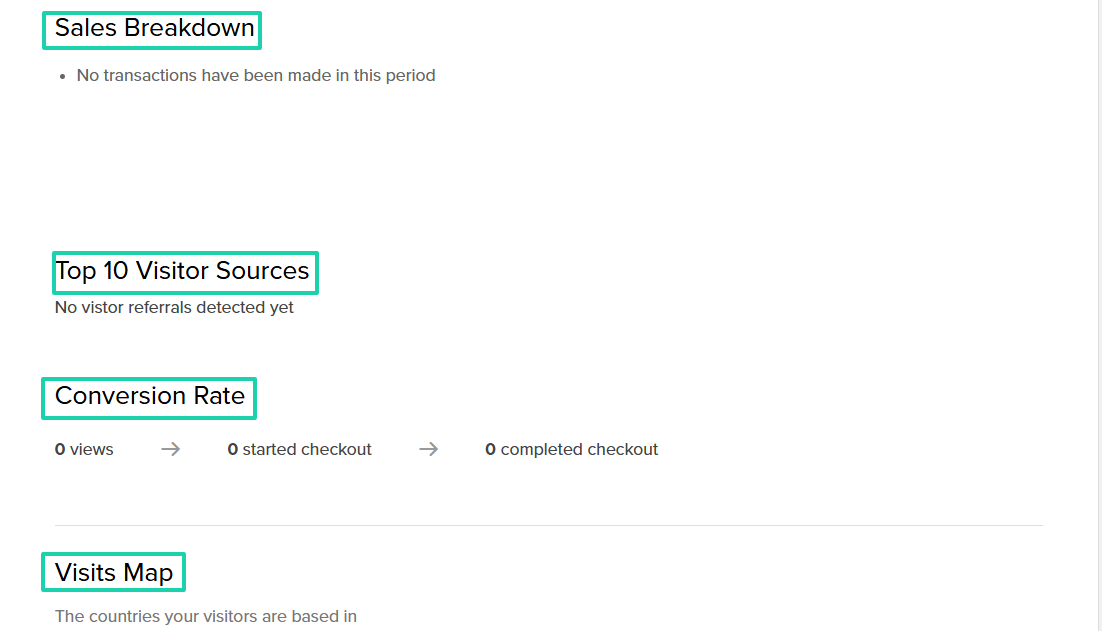
You will also see your sales breakdown, top ten visitor sources, conversion rate, and the different countries your visitors are based in.
[fs-toc-omit]What I liked vs what I didn’t like
What I loved 👍
✅ Lets you embed audio or video in your checkout.
✅ Comes with many marketing tools such as coupons, run sales, upgrades, cross-selling, mailing lists, and affiliates.
✅ Displays your conversion rate, including the number of views, how many started checkout, and how many completed.
✅ Lets you see on a map the different countries visitors are based in.
What I didn’t like 👎
❌ Cannot manually add or bulk import customers.
❌ Feels outdated with a lack of modern touches, which makes it not really user-friendly.
[fs-toc-omit]Best for
- Creators and small business owners looking for a beginner-friendly selling platform with marketing tools.
[fs-toc-omit]Pricing
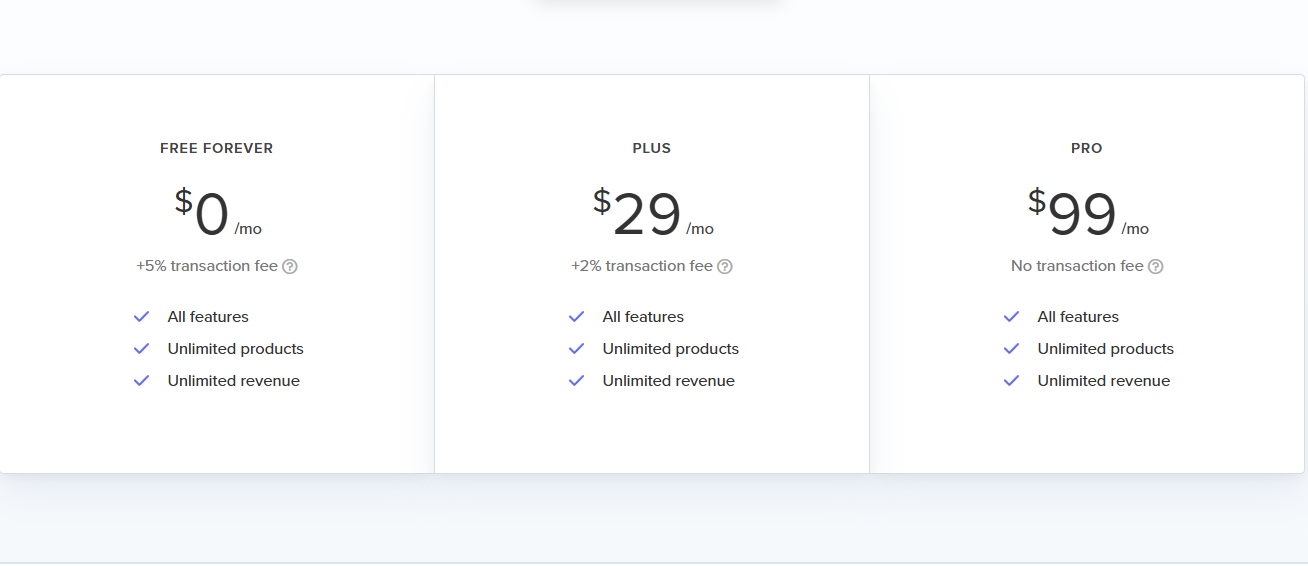
- Free Forever: $0/month + 5% transaction fee
- Plus: $29/month + 2% transaction fee
- Pro: $99/month
6. Lemon Squeezy
- Personal rating: ⭐️⭐️⭐️⭐️4.5/5 - You can create products and control who has access to them through license keys.
- Ease of use: ⭐️⭐️⭐️⭐️ 4.4/5 - You can easily create checkouts in 3 steps and start selling.
- Checkout optimization: Excellent - Optimized checkout, mobile-friendly experience, subscription management, and global payment support.
- Revenue tools: Good - Subscriptions, discount codes, bundles, and recurring billing options.
- Free trial: No - it operates on a pay-as-you-earn transaction fee model.
- Starting plan: Ecommerce: 5% + $0.50 + AI fraud protection
Lemon Squeezy also makes it to our list of the best ThriveCart alternatives.
It’s a merchant-of-record platform that helps businesses sell digital products, software, subscriptions, and SaaS products globally. It manages payments, tax compliance, subscriptions, and invoicing.

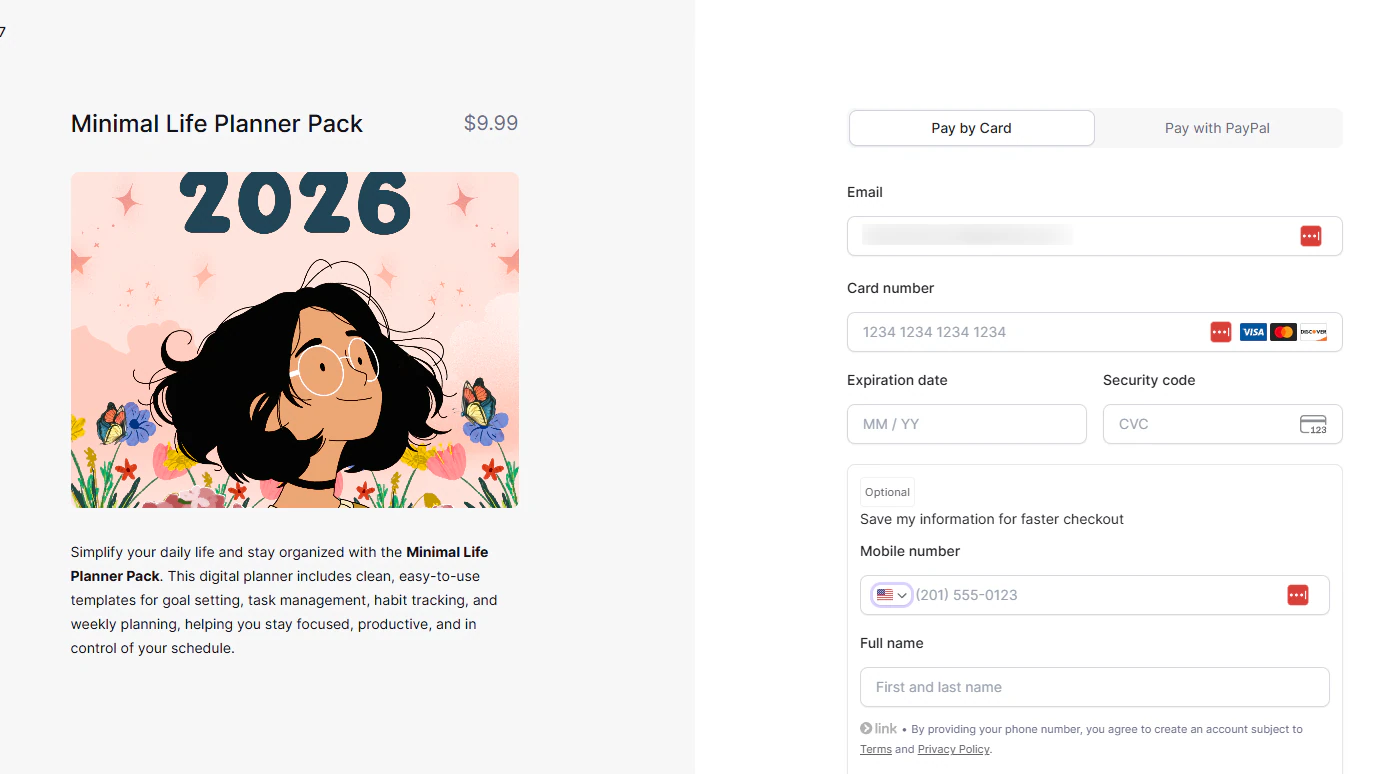
It lets you create simple checkouts for your products.
You can also create discounts for specific products and set a discount period.
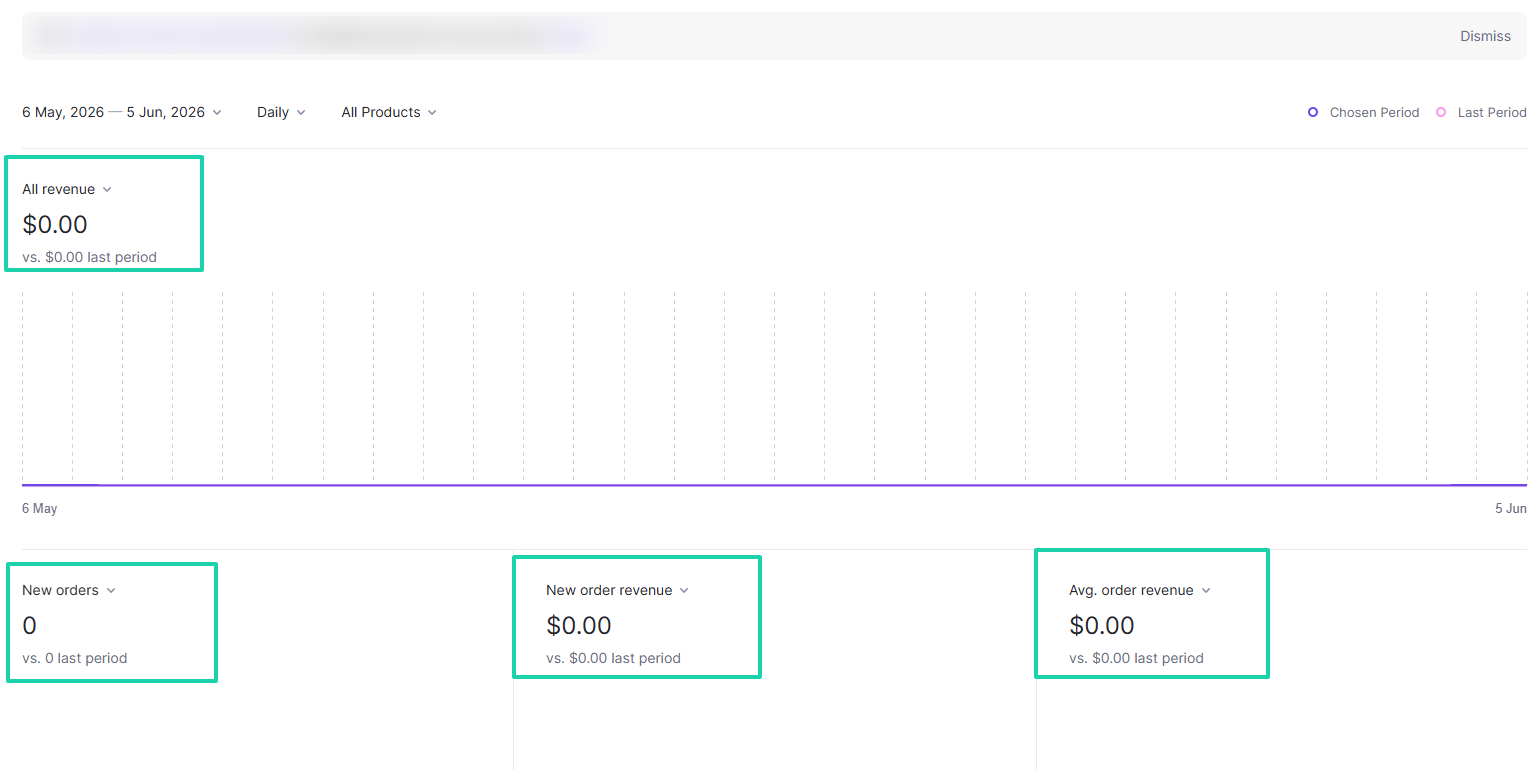
Lemon Squeezy also has a dashboard that shows you all your revenue.
[fs-toc-omit]What I loved about Lemon Squeezy
1. Products
Since we need to add products to create checkouts, here is what we’ll do without wasting much time.
Head to “Store” → “Products.” Then click “+ New Product.”

Name your new product and add a description.
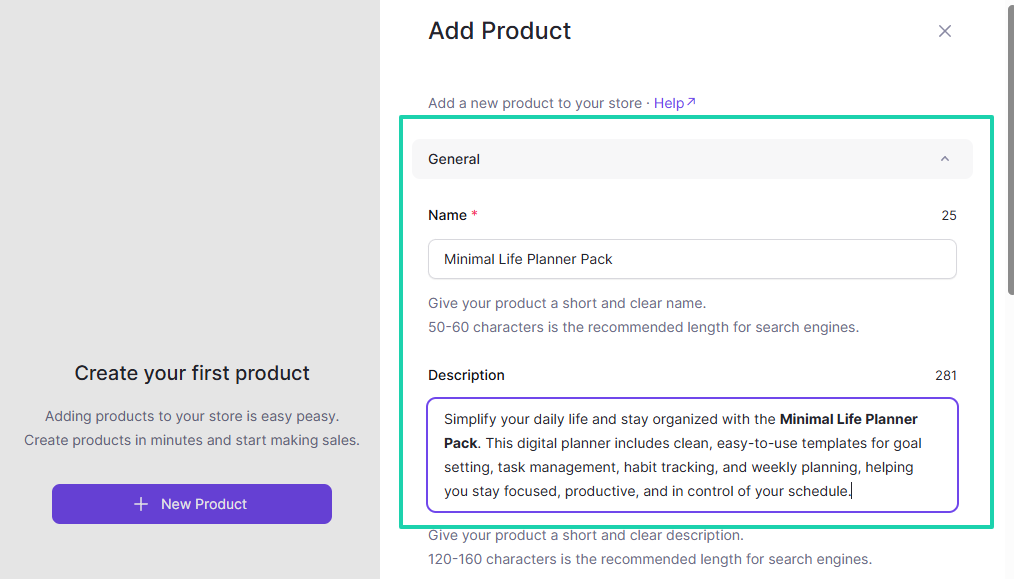
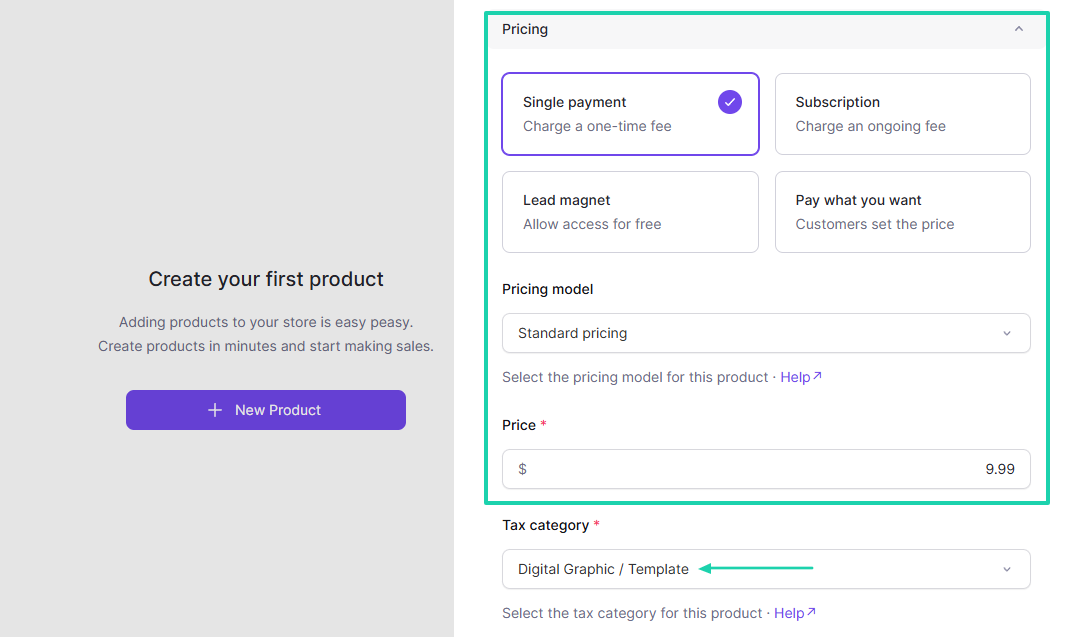
Choose your pricing type, model, and price. After that, select the tax category.
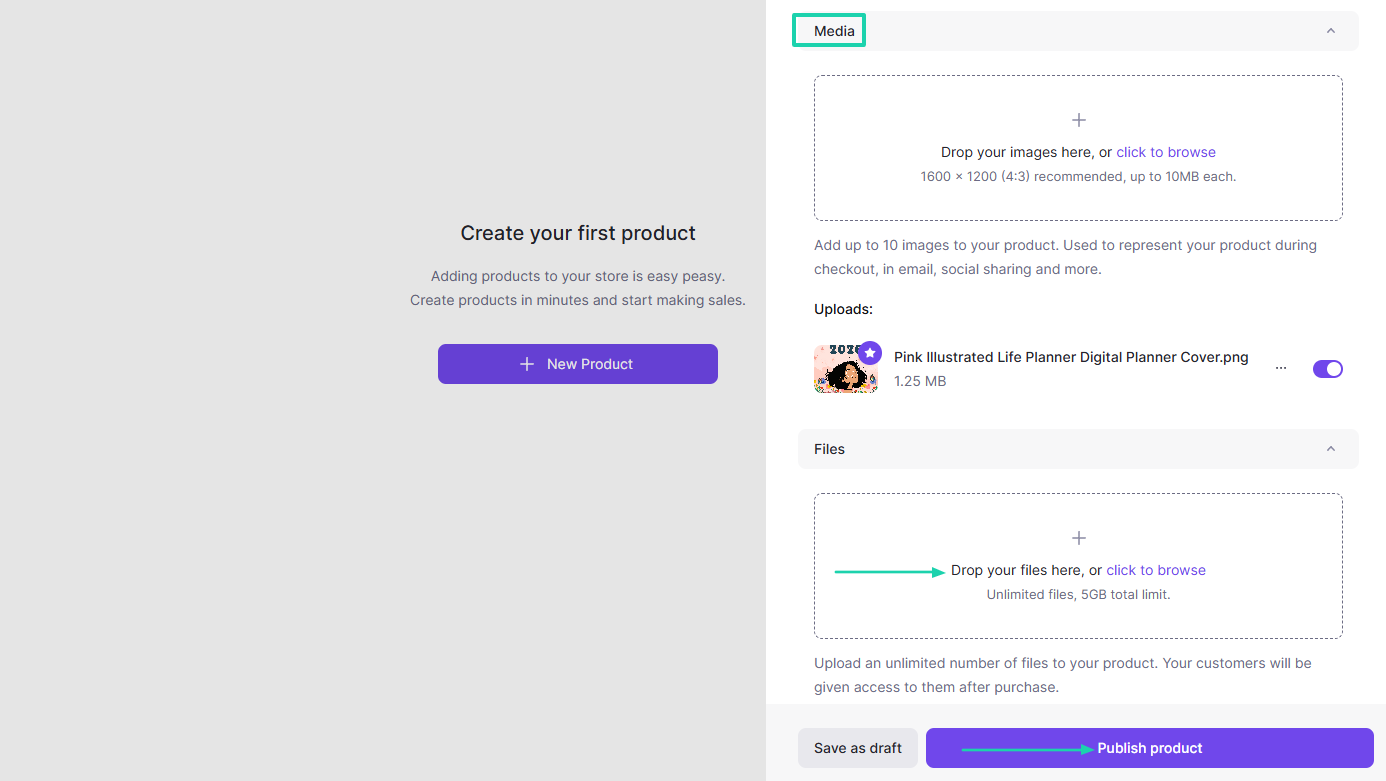
Under Media, add your images and files. Then hit “Publish.”
Your checkout page is ready!
2. Discounts
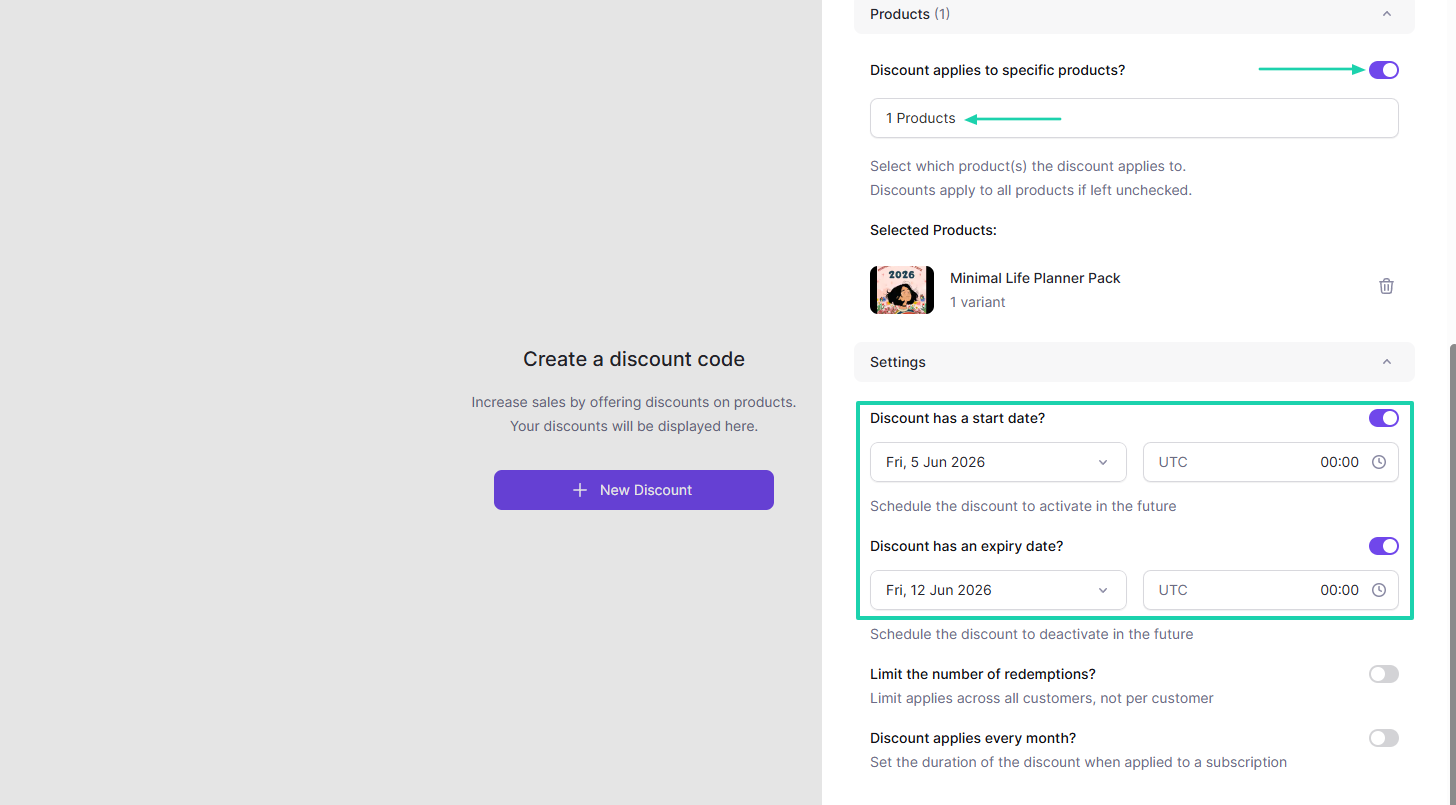
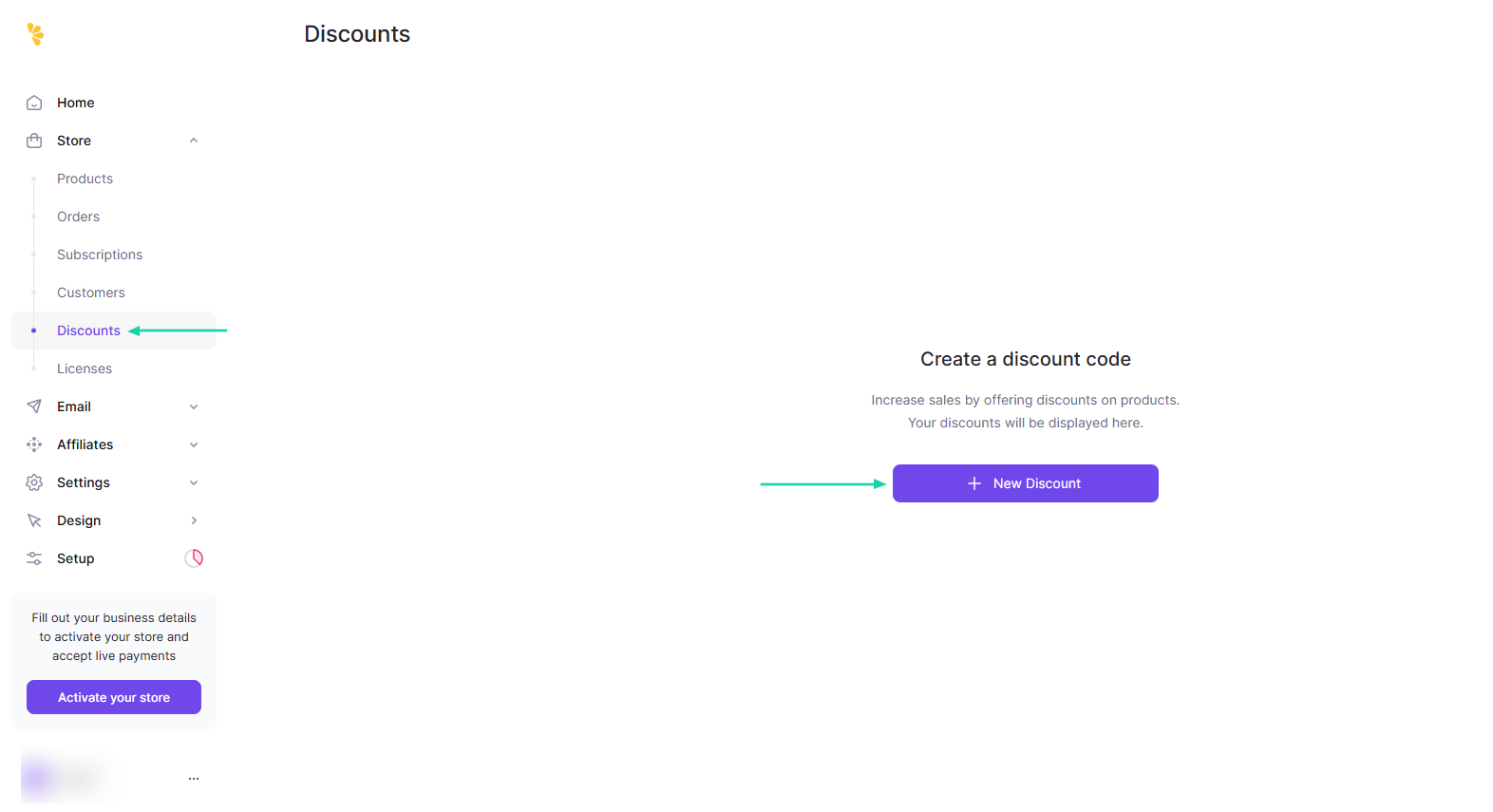
To increase sales on Lemon Squeezy, you can offer discounts on specific products by creating a discount code. Let’s do it!
In the sidebar menu, click “Discounts,” then go to “+ New Discount.”
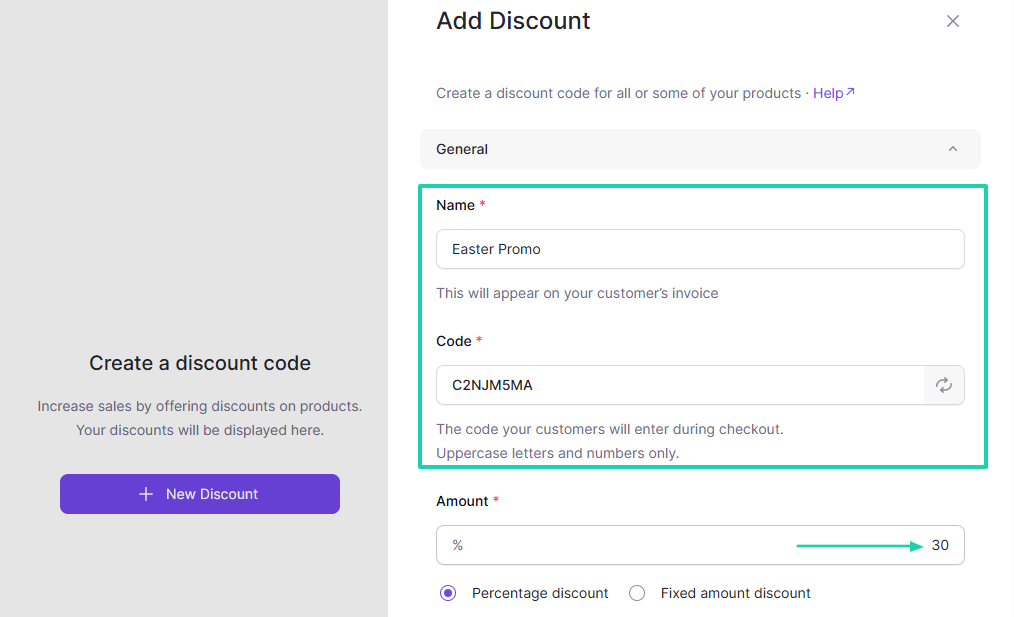
You will enter the discount name, code, and amount.
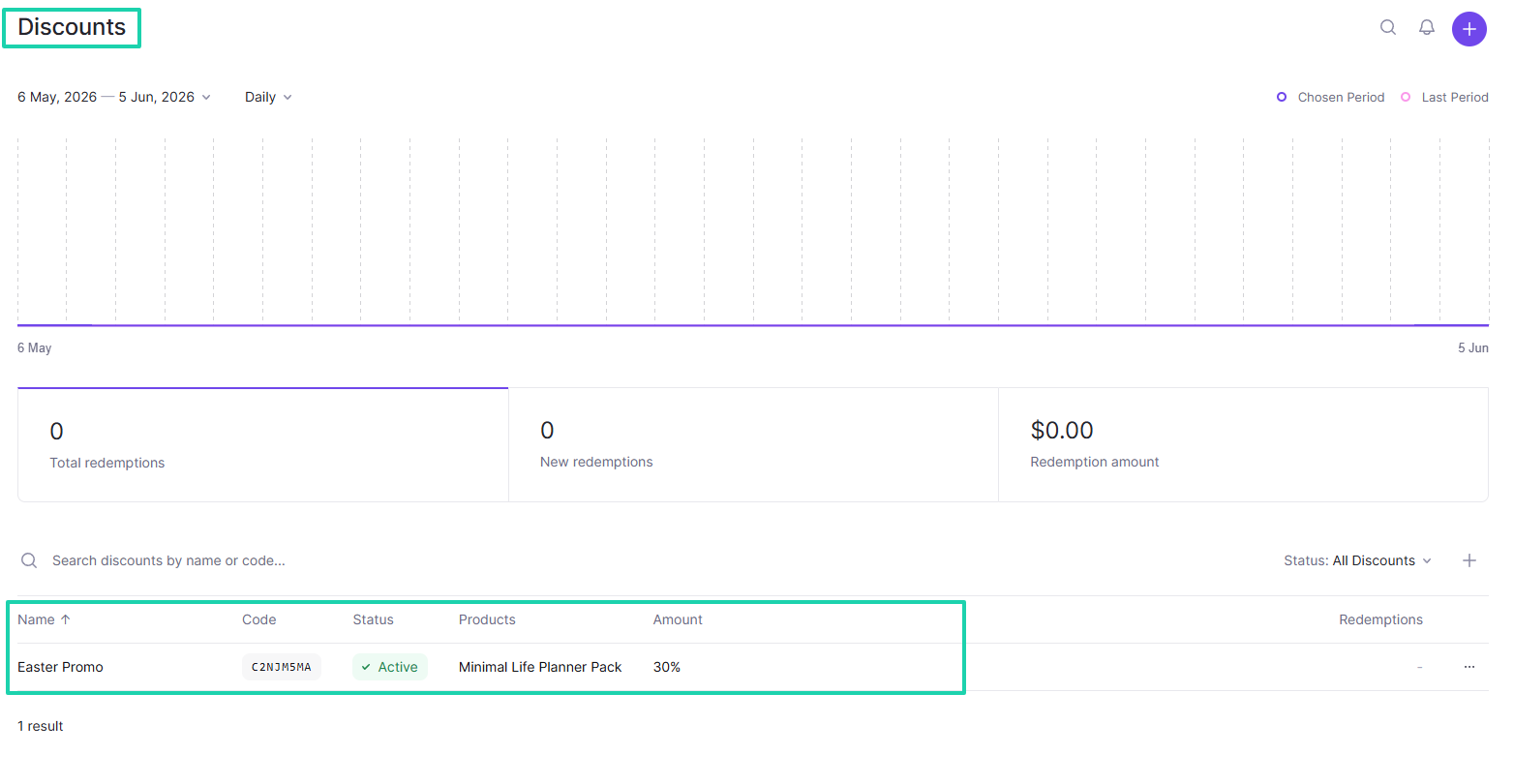
Then you choose the products on which the discount should be applied. Under “Settings,” you can set a start and expiry date.
Your discount is ready! Lemon Squeezy will start tracking it.
3. Home
Lemon Squeezy has a Home dashboard where you can view your revenue over a specific period. The dashboard configuration can be set to daily or weekly for all products or selected products.
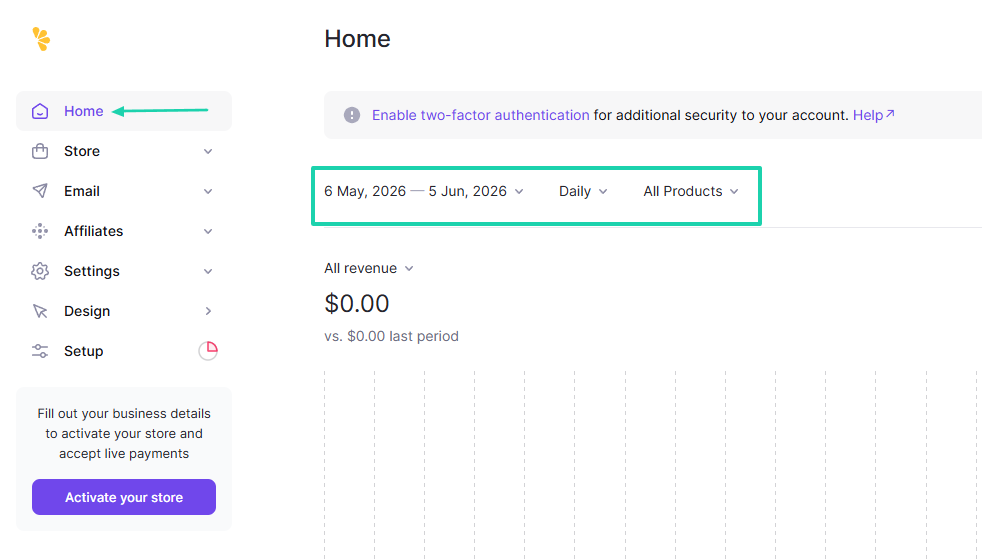
Aside from all revenue, you can also see the number of new orders, new order revenue, and average order revenue.
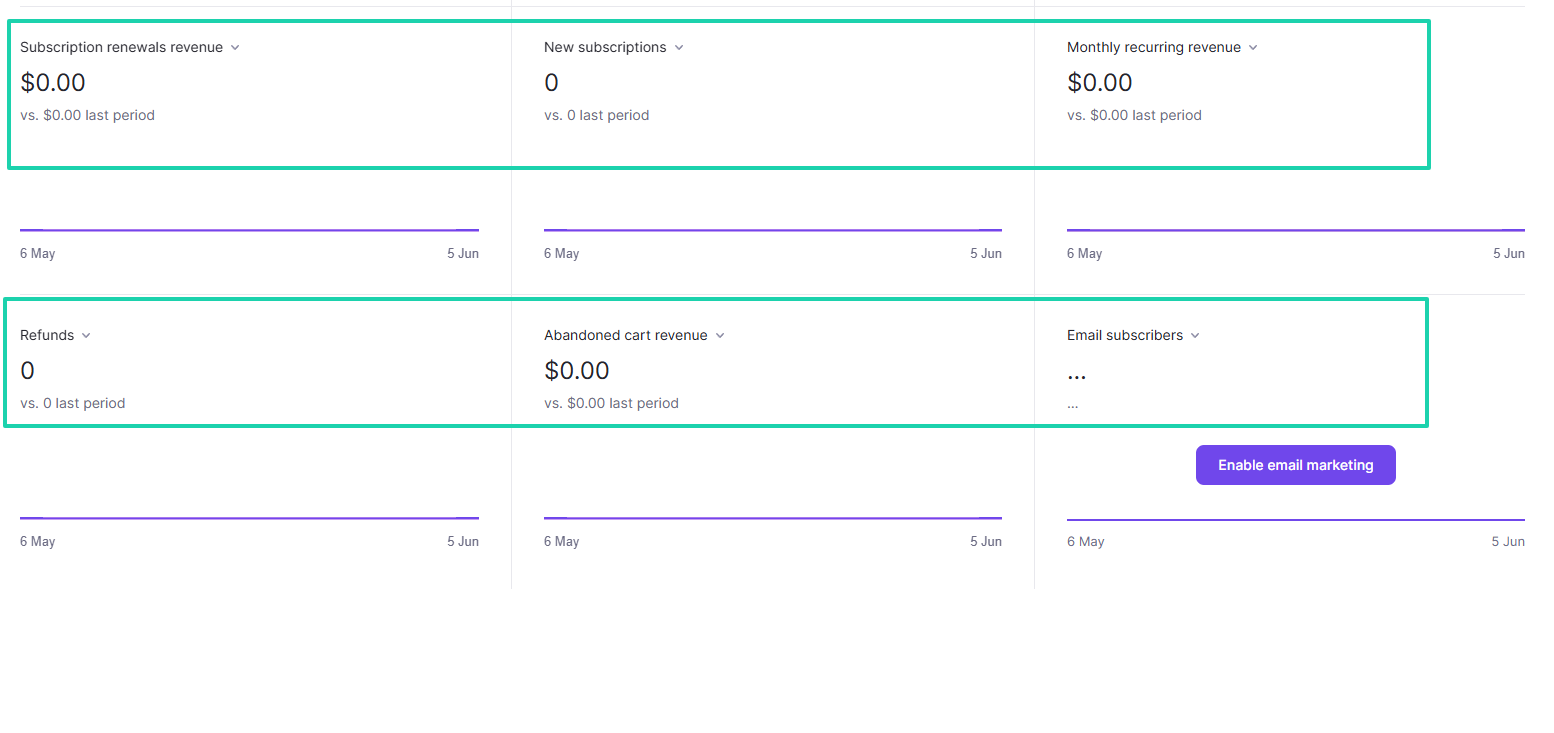
The dashboard also displays subscription renewal revenue, new subscriptions, and monthly recurring revenue.
You can also see the number of refunds, abandoned cart revenue, and email subscribers.
[fs-toc-omit]What I liked vs what I didn’t like
What I loved 👍
✅Has a simple process for creating and publishing products, all in one page.
✅ Lets you add up to 10 images of your products.
✅ Allows you to upload an unlimited number of files to your product.
✅ Allows you to set up license keys when creating products.
What I didn’t like 👎
❌ The platform doesn’t allow you to open a store and start selling on the same day. They will review it for some days before approving.
❌ Requires a Stripe account to verify your identity and start receiving payments.
[fs-toc-omit]Best for
- SaaS founders, software developers, and digital product businesses that sell internationally.
[fs-toc-omit]Pricing
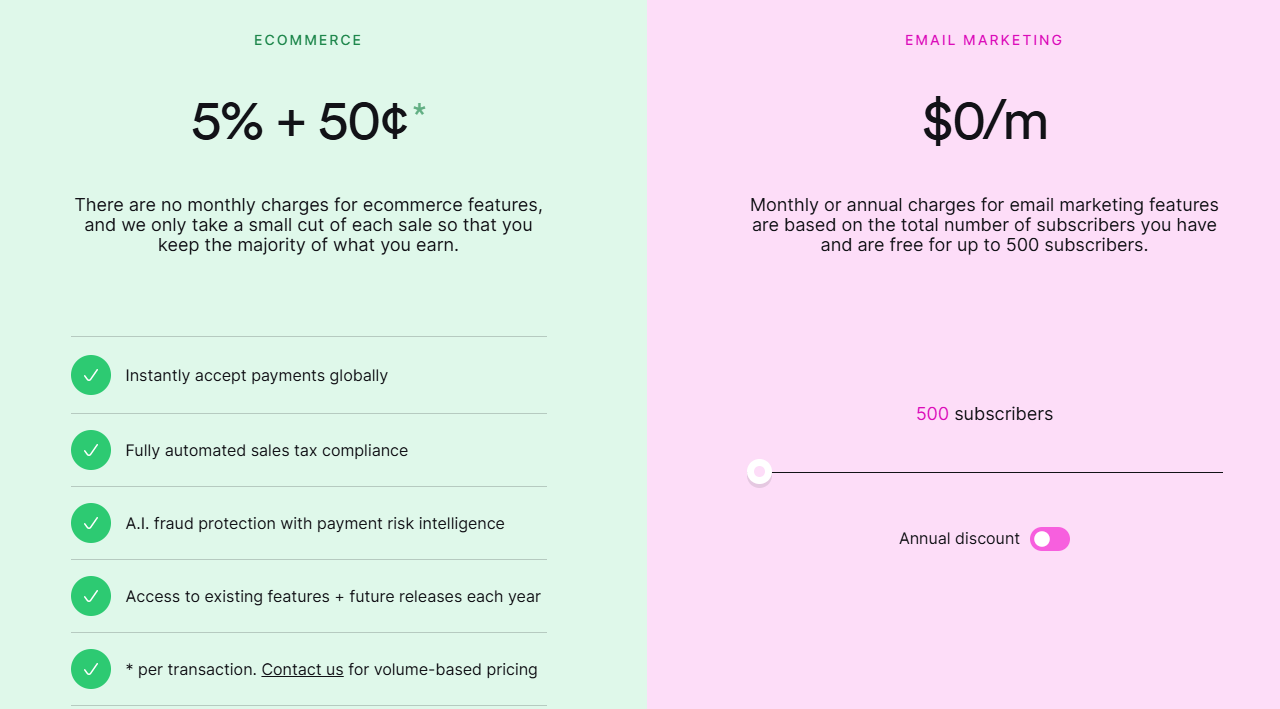
- Ecommerce: 5% + $0.50
- Email marketing: $0 for 500 subscribers
Easytools vs. ThriveCart vs. Sellfy vs. Systeme.io - Which is better?
Easytools is better than ThriveCart, Sellfy, and Systeme.io because it offers creators so many advantages, including the ability to easily scale their business.
Both Sellfy and Systeme.io only allow you to sell about five product types:
- Digital downloads
- Online courses
- Physical merchandise
- Coaching packages
- Services
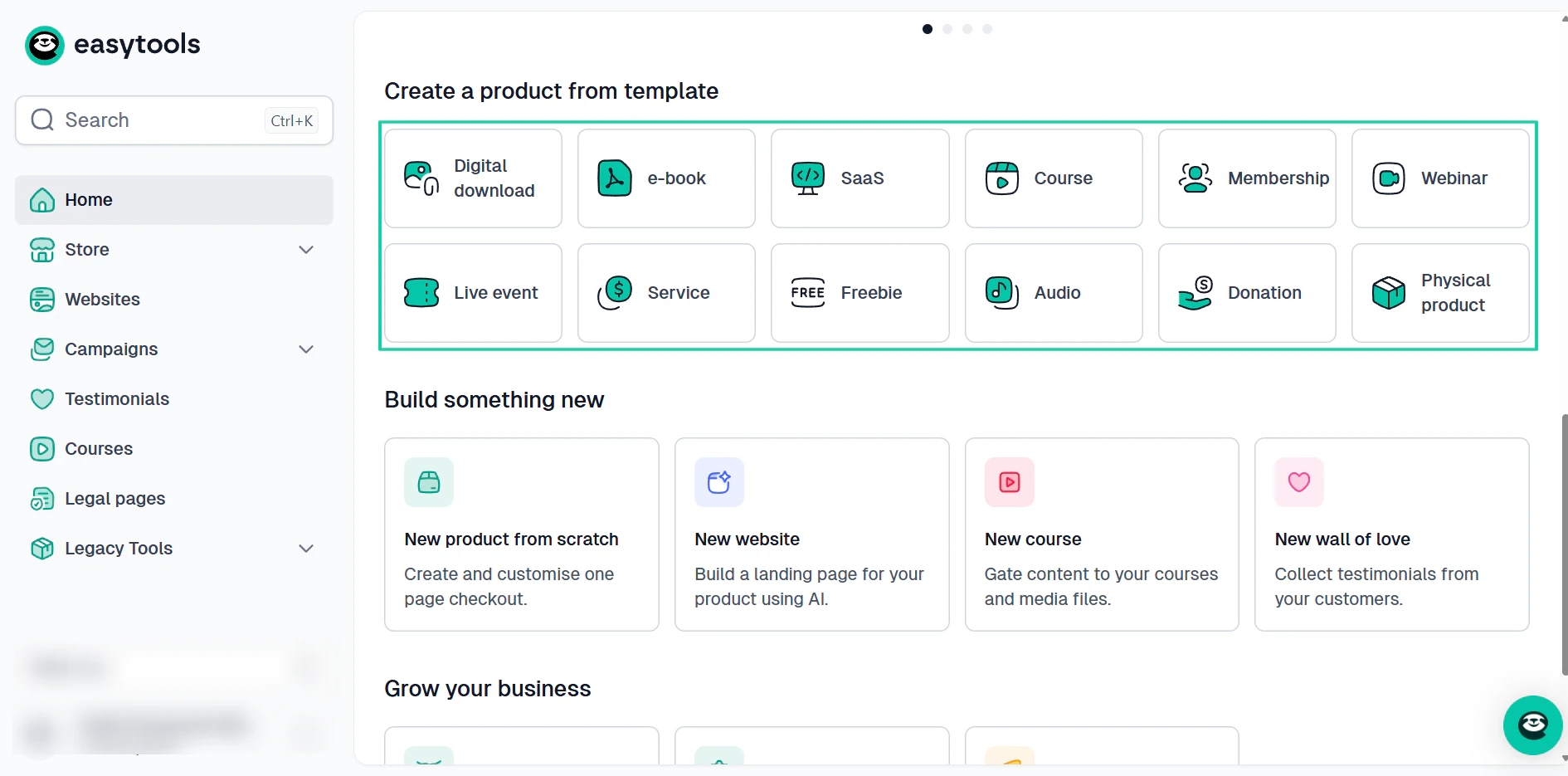
On the other hand, Easytools allows you to sell 10+ product types:
- Digital downloads (PDF and SaaS products)
- Online courses
- Webinars
- Live events
- Memberships
- Subscriptions
- Physical products
- Audio
- Services
- E-books
- Notion templates
This creates endless opportunities for creators with growing businesses.
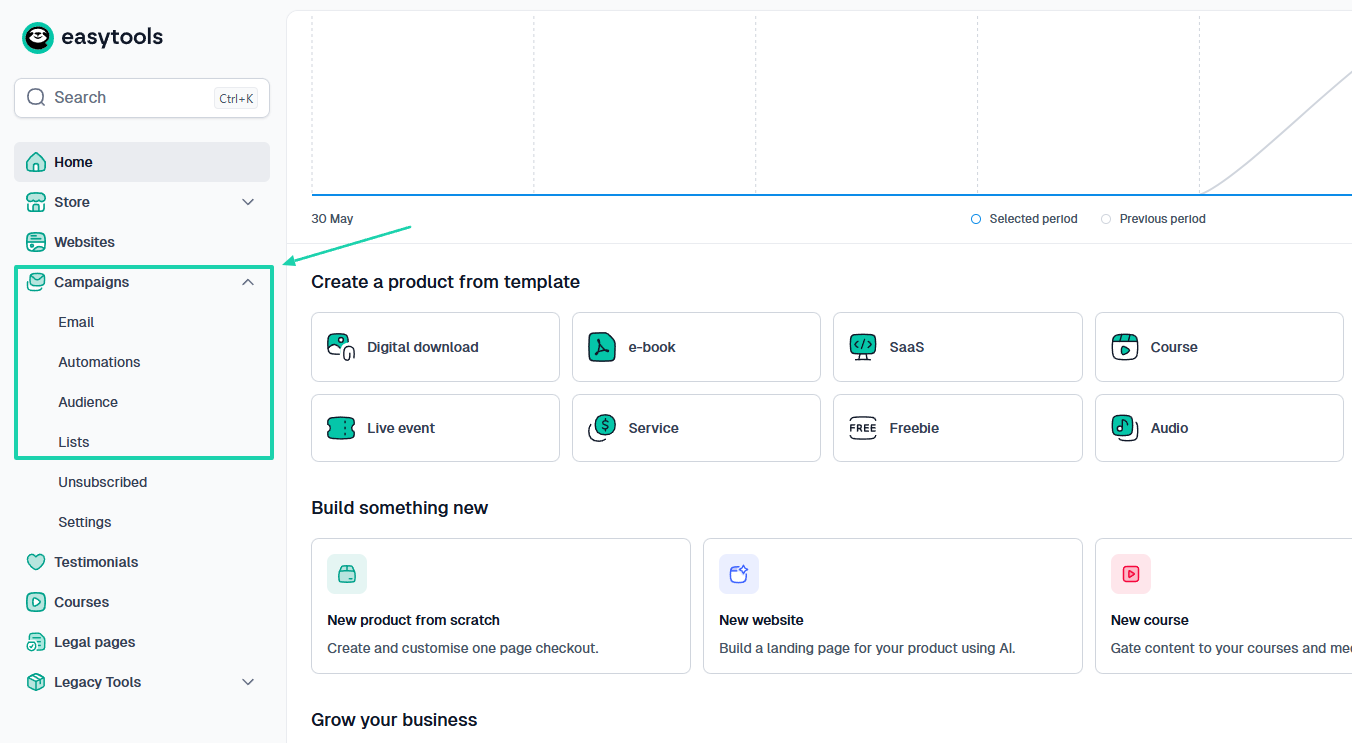
ThriveCart’s built-in email system is just too complex compared to Easytools’. Creators will easily find their way with Easytools.
They can run campaigns, automations, have their own newsletter, and build their audience with ease and intuition.
Everything is just there.
You can build courses on Systeme.io, but you need templates to do so.
They don’t offer built-in artificial intelligence for course creation.
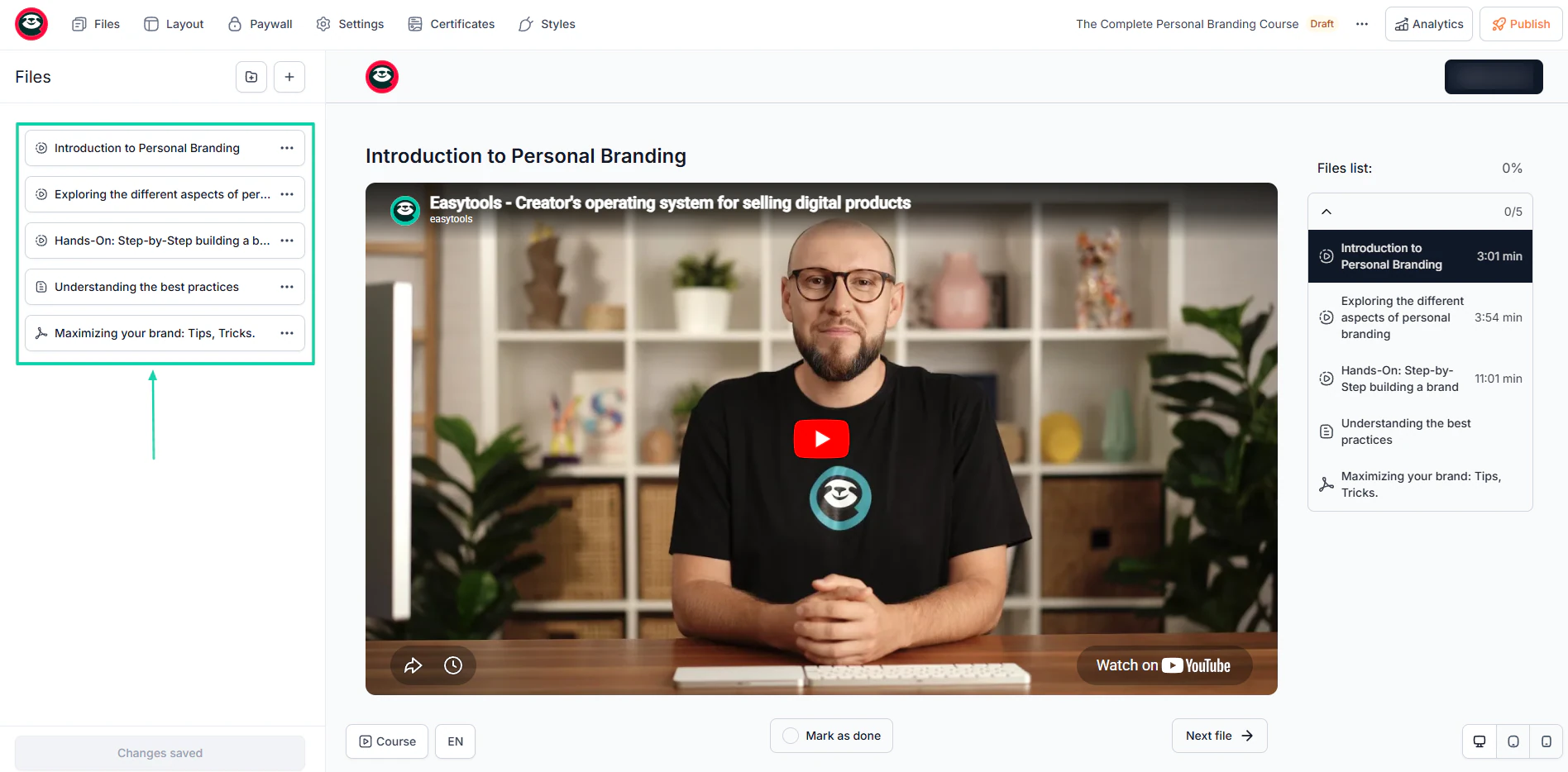
Which is simply not the case for Easytools. You can build your course, modules, and lessons using AI.
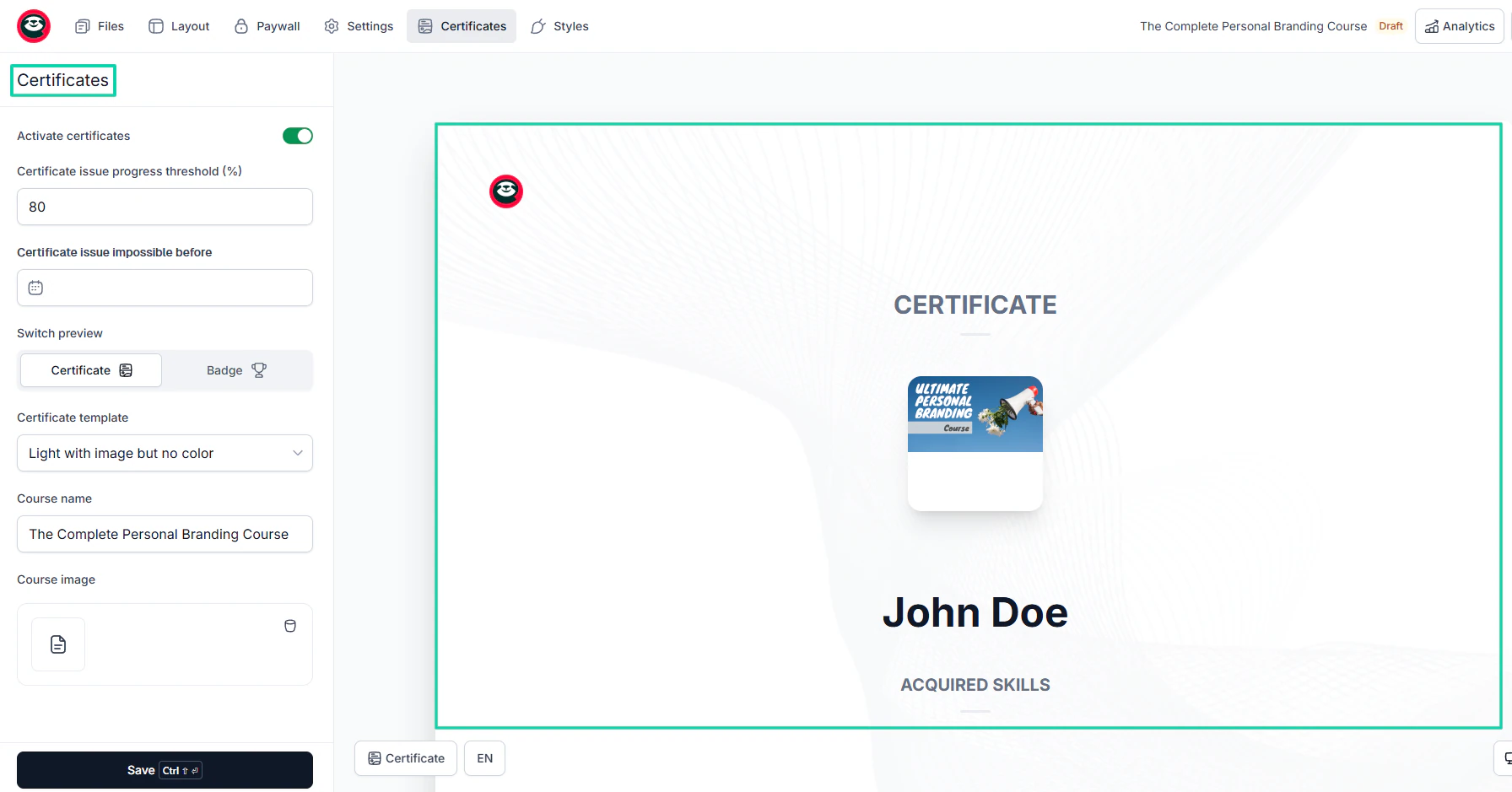
And you can even offer certificates upon course completion.
ThriveCart has a steeper learning curve centered around marketing funnels and order bumps. Systeme.io and Sellfy have great features to help you sell but don’t offer highly customizable checkouts.
And that’s where Easytools takes the win. It lets you match your checkout to your brand with so much ease.
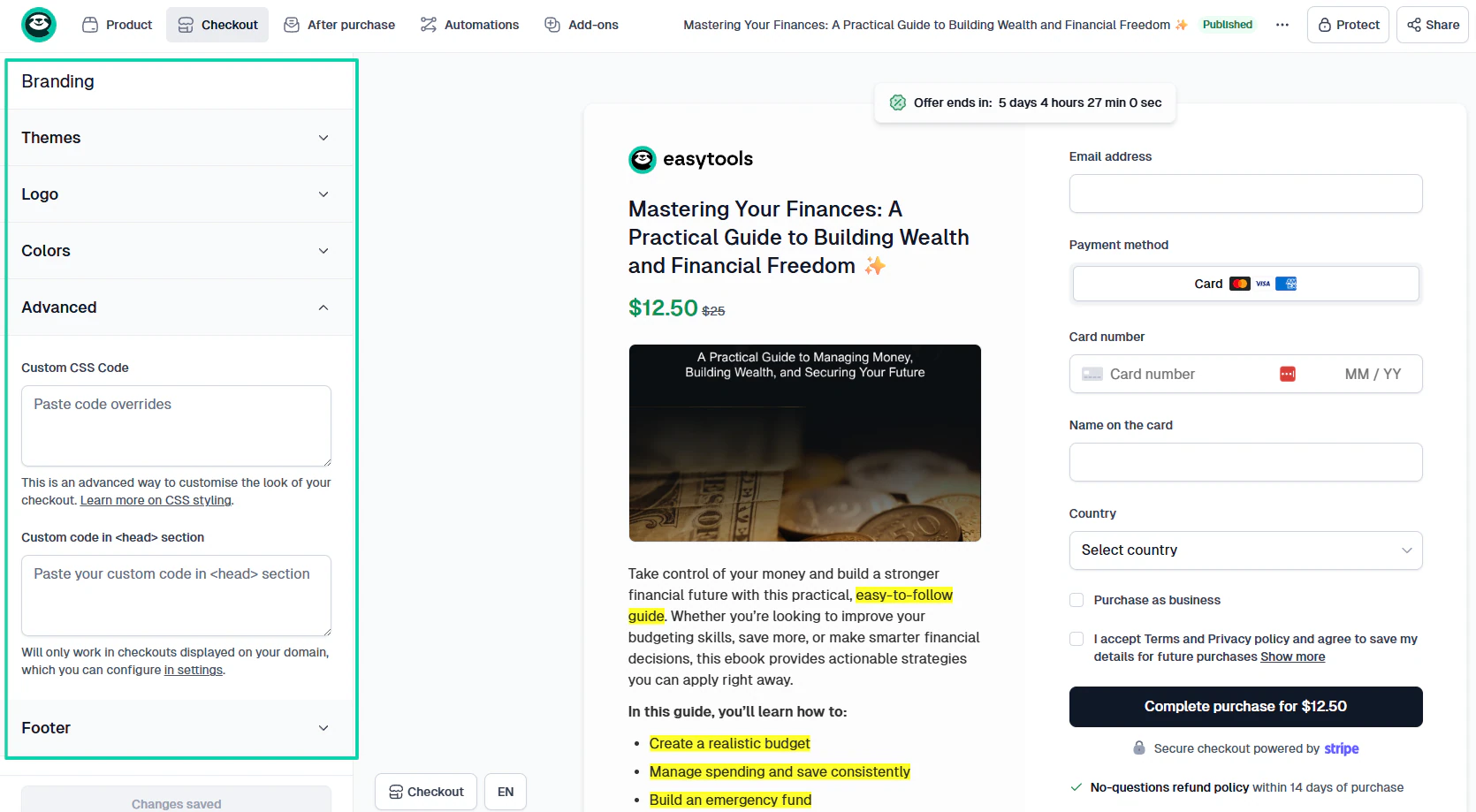
You can choose your preferred colors, themes, styles, add your logo, and also use custom CSS code.
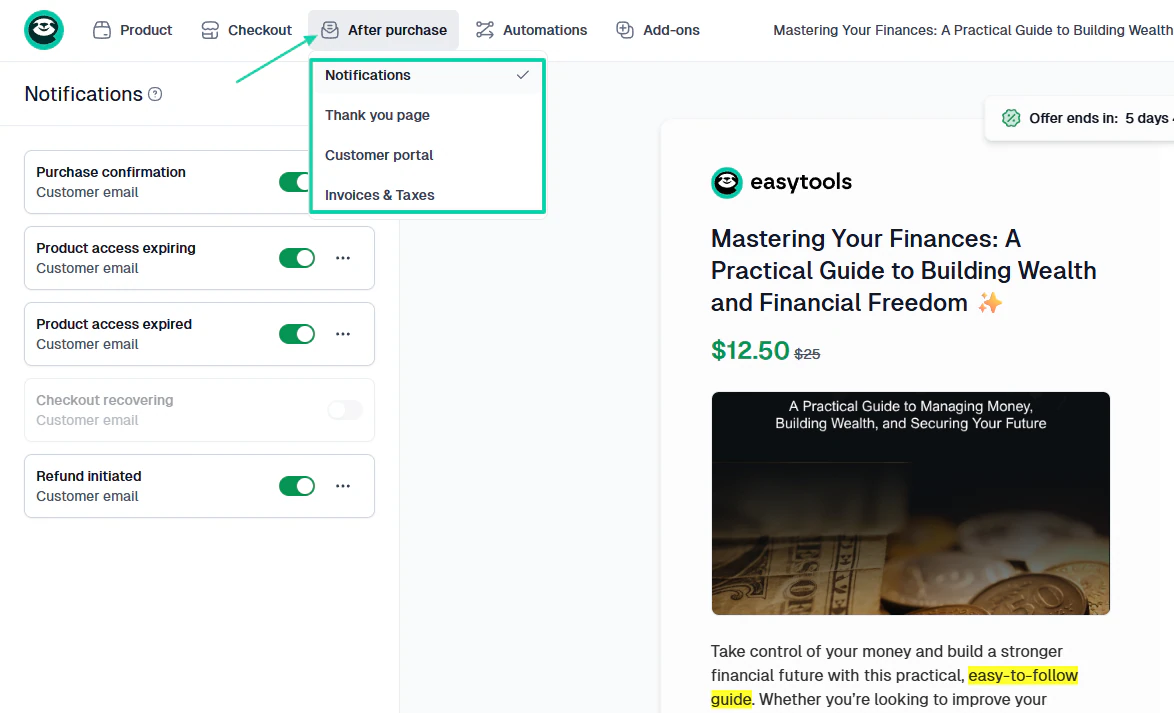
The “after purchase” experience is also important. Easytools ensures you can customize notifications, the thank-you page, the customer portal, invoices, and taxes.
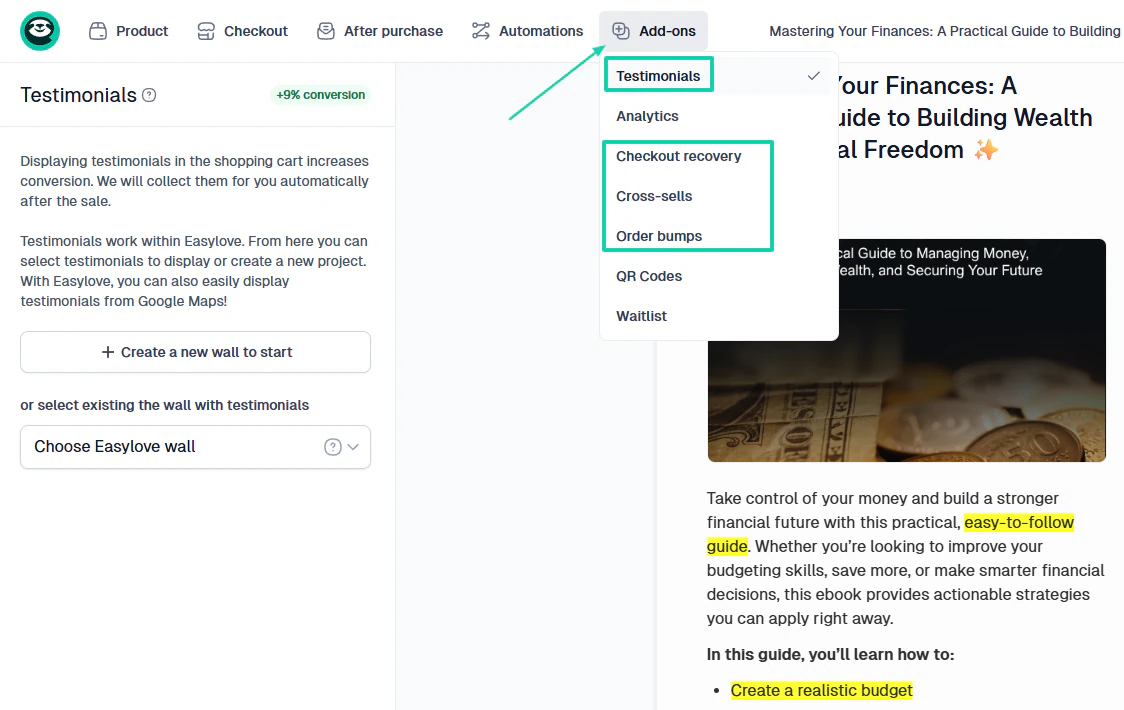
The customization options are so deep that you can add testimonials to your checkout, checkout recovery, cross-sells, and order bumps.
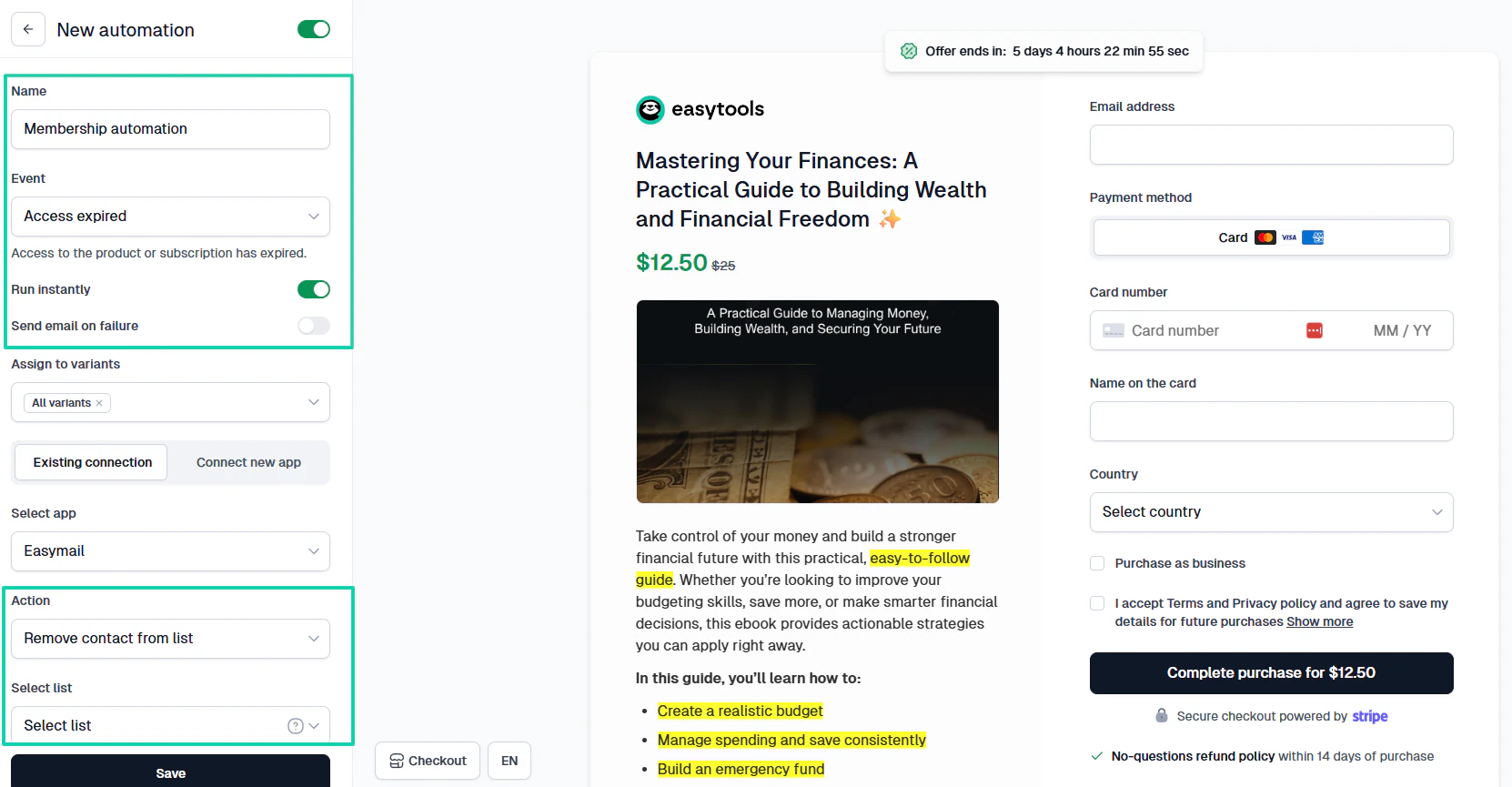
As if that wasn’t enough, you can also run automations.
The best part? It’s so simple and intuitive. You choose an event and an action, then you specify when the automation should run.
Easytools offers so many features that help creators, entrepreneurs, and small business owners boost their conversion rates.
How to choose the right ThriveCart alternative
There are four factors to consider when choosing the right ThriveCart alternative.
- 1. Consider what you sell
- 2. Assess the checkout features you need
- 3. Check integration with other tools
- 4. Evaluate scalability
Now, let’s discuss each factor in detail.
1. Consider what you sell
What are you trying to sell? That’s probably the very first question that will help you choose the right ThriveCart alternative.
I am saying this because each platform has different capabilities. In other words, choosing a tool without considering the types of products or services you offer can be a huge mistake.
Imagine, for instance, that you wanted to sell event tickets and physical products, and you chose Gumroad. That simply won’t work!
Because it’s forbidden on Gumroad.
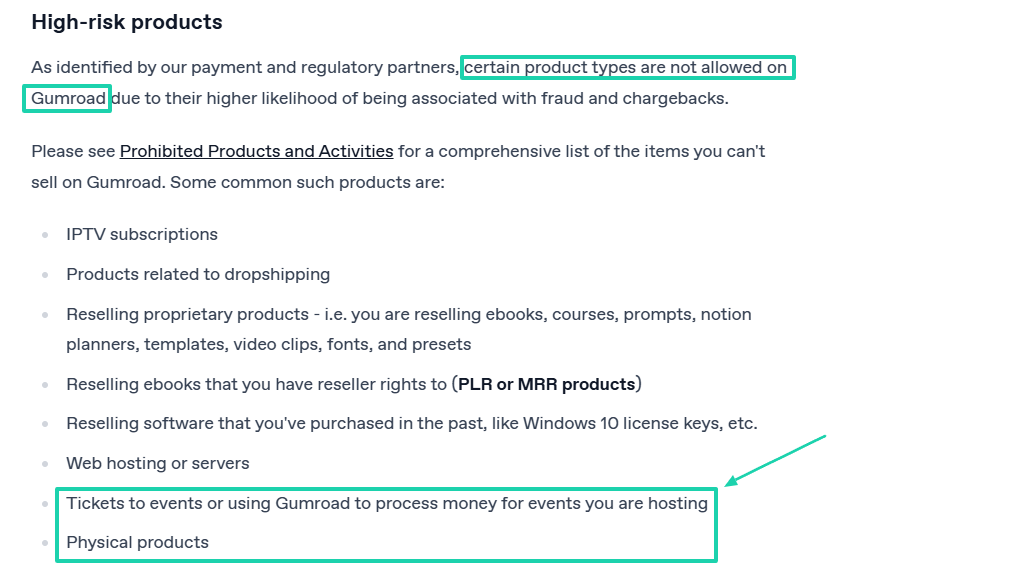
You see that if you had done your research, you would have chosen a platform without those restrictions.
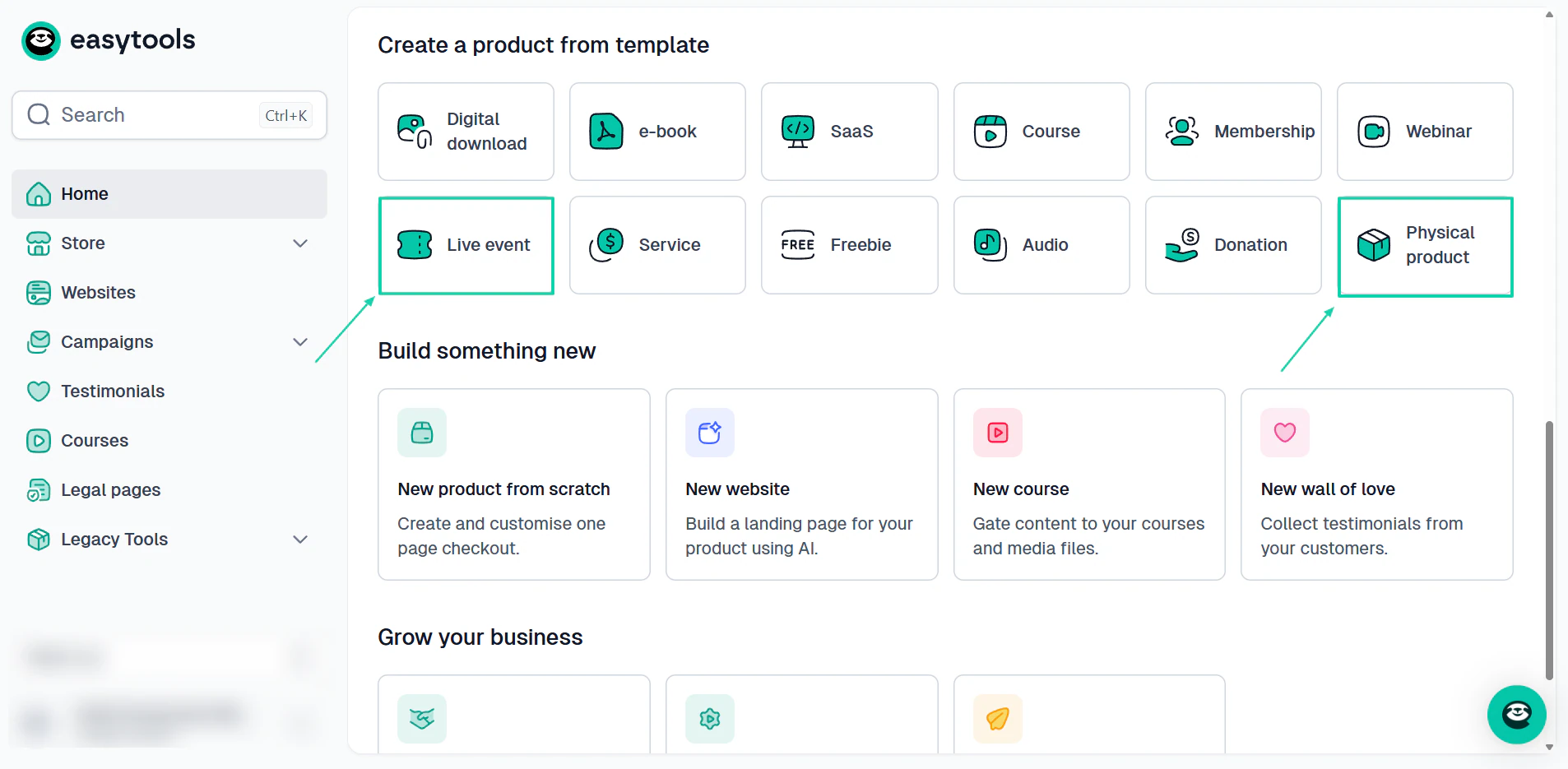
Speaking from experience, I can say with confidence that creators selling e-books, templates, or other resources need a platform that makes selling digital products simple and efficient.
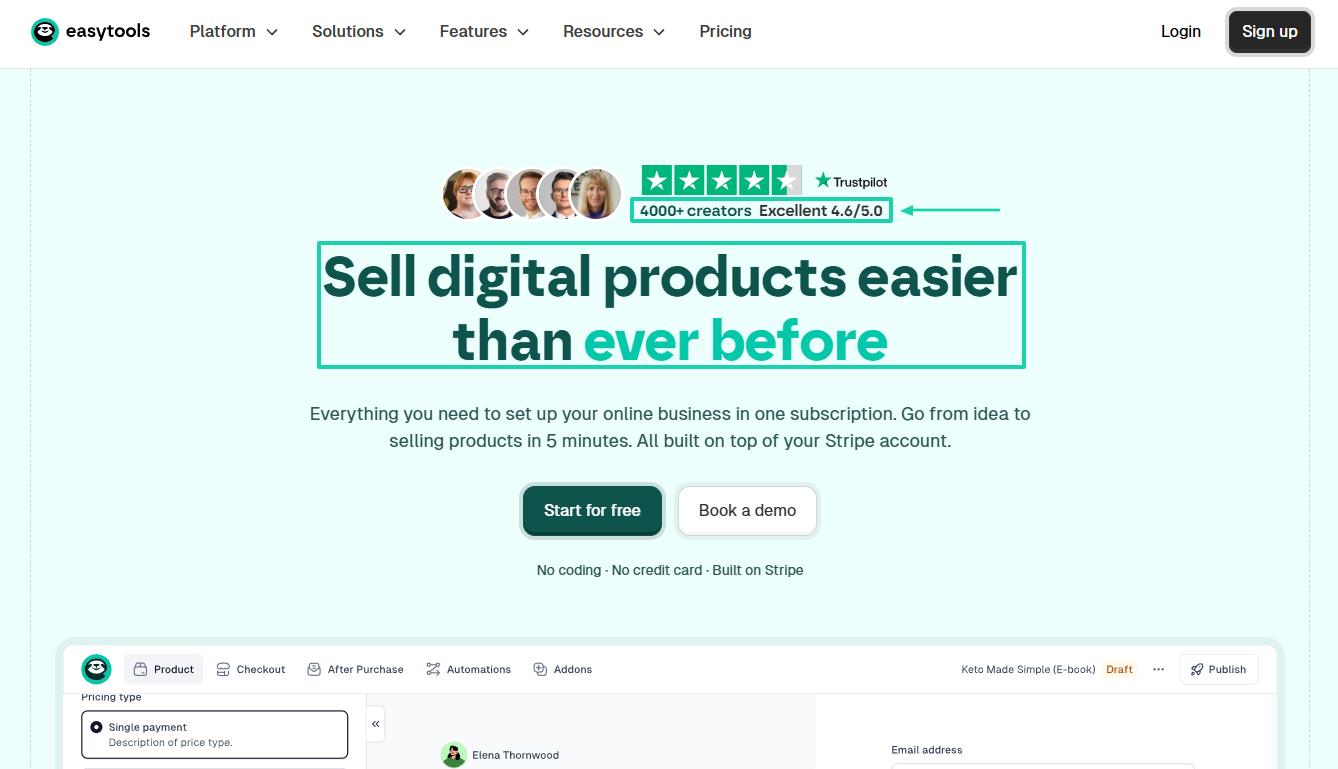
Before you start questioning the use of the word “experience” here, know that I really mean it. Our platform has helped over 4,000 creators easily sell digital products.
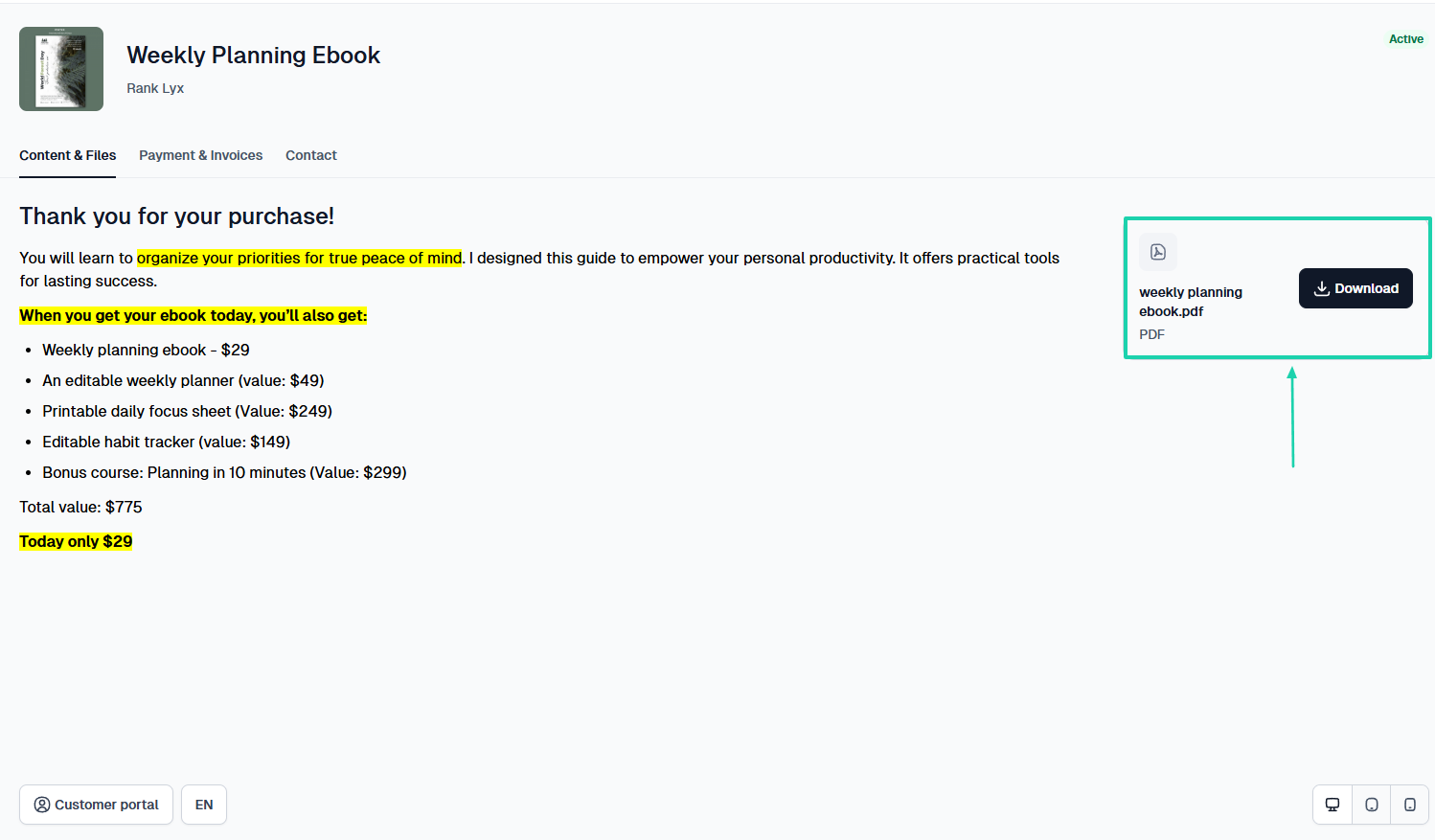
So, I know for a fact that creators selling the digital products I mentioned above will need a ThriveCart alternative with features like instant delivery.
Once customers make a purchase, they should be able to automatically download their files through a customer portal.
This makes the experience really smooth for them.
Now, if you are a coach or consultant, you will need a ThriveCart alternative that lets you build a professional website to promote your services.

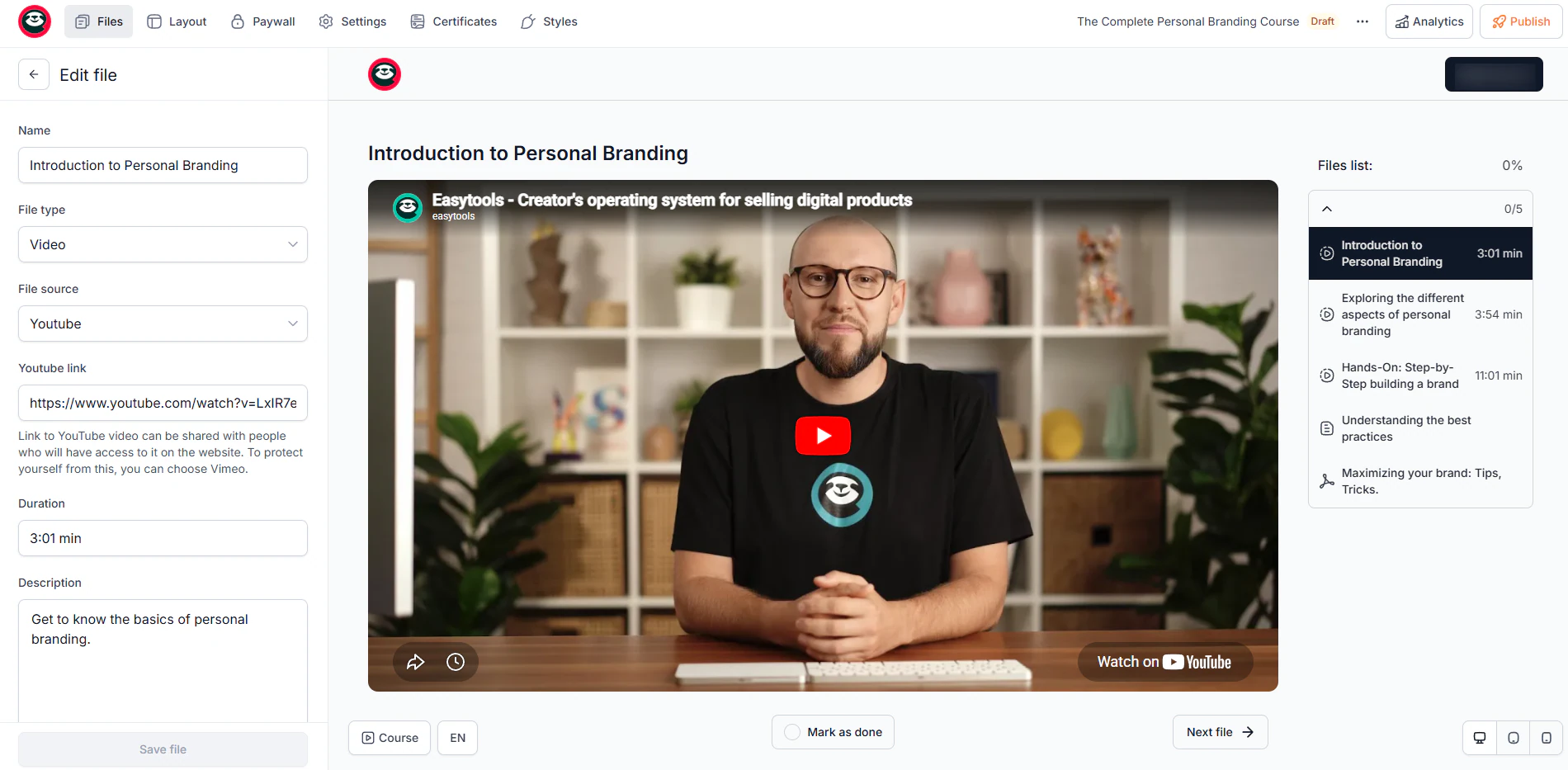
If you sell training or fitness programs, you should look for an online course platform or a dedicated course creation platform.
Some ThriveCart alternatives offer built-in course hosting, while others require integration with third-party tools.
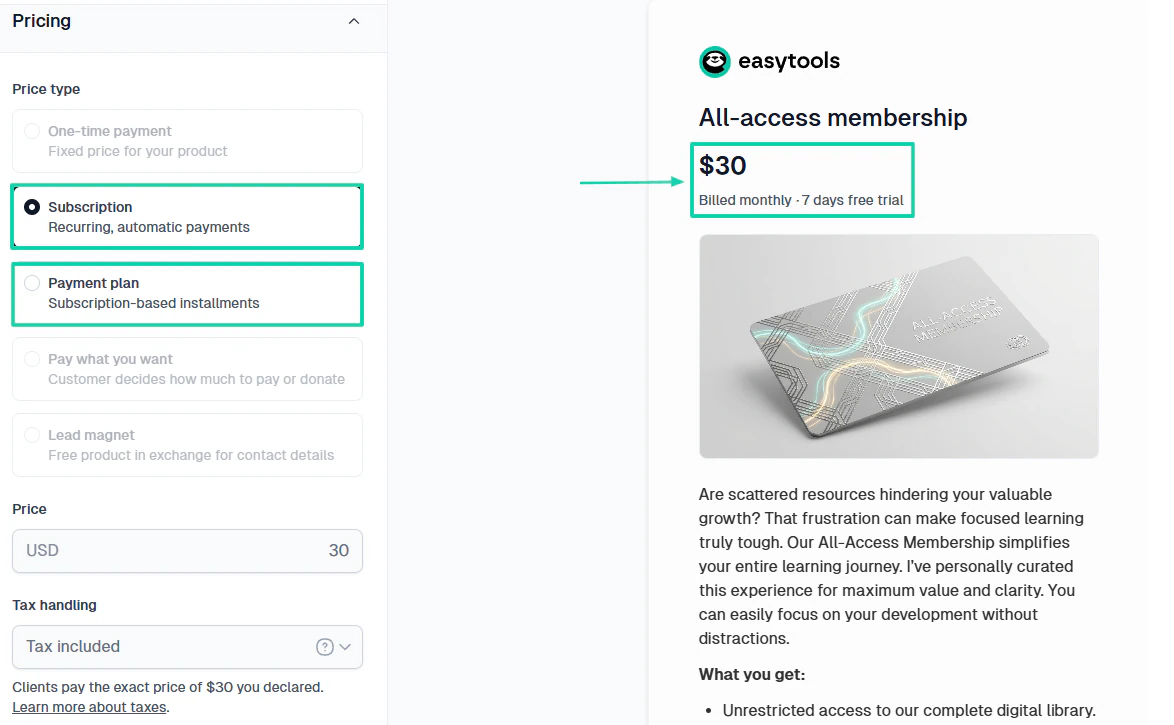
But if your focus is primarily on membership-based businesses, you should pay close attention to subscription features. You should know that a good membership site platform should support recurring billing, subscription management, and content delivery.
Without those features, members won’t have a seamless experience.
The point is you need to understand what you sell today.
Here’s a table summarizing my main point in this section: the features to look for based on what you sell.
| If you sell... | Features to focus on |
|---|---|
| E-books, templates, downloads | Digital product delivery, one-page checkout, payment processing |
| Online courses | Online course platform, student management, and course creation tools |
| Memberships | Subscription management, recurring payments, and member access controls |
| Coaching services | Websites, scheduling, lead capture forms, sales funnel builder |
| Multiple offers | Advanced automation, upsells, and affiliate management software |
Consider what you sell, and you will be able to narrow down your options. Now, let’s move on to the next point.
2. Assess the checkout features you need
The truth is you cannot pick the right ThriveCart alternative if you don’t assess the checkout features you need.
Your checkout process can directly affect your revenue.
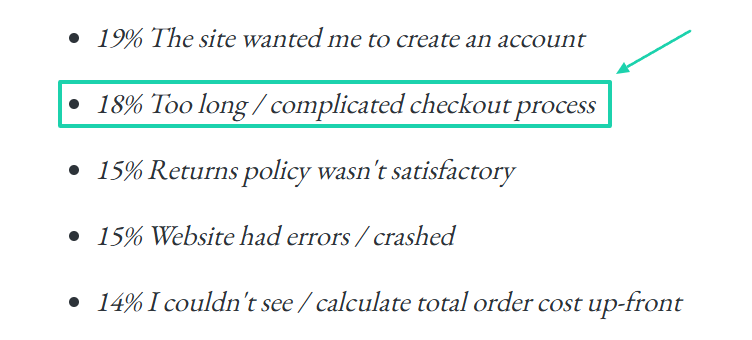
Did you know that 18% of customers abandoning online purchases at checkout said that the process was too long and complicated?
No matter how good-looking your website or sales page is, if the final step, where customers actually buy, provides a bad experience, you will make fewer sales than expected.
So, a strong checkout page builder should help reduce friction and increase conversions. If it doesn’t do so, then don’t bother.
Think about it! A customer clicks through three pages just to pay for a membership.
I mean, why won’t they abandon the checkout?
The ThriveCart alternative you choose should provide a one-page checkout to facilitate the customer experience.
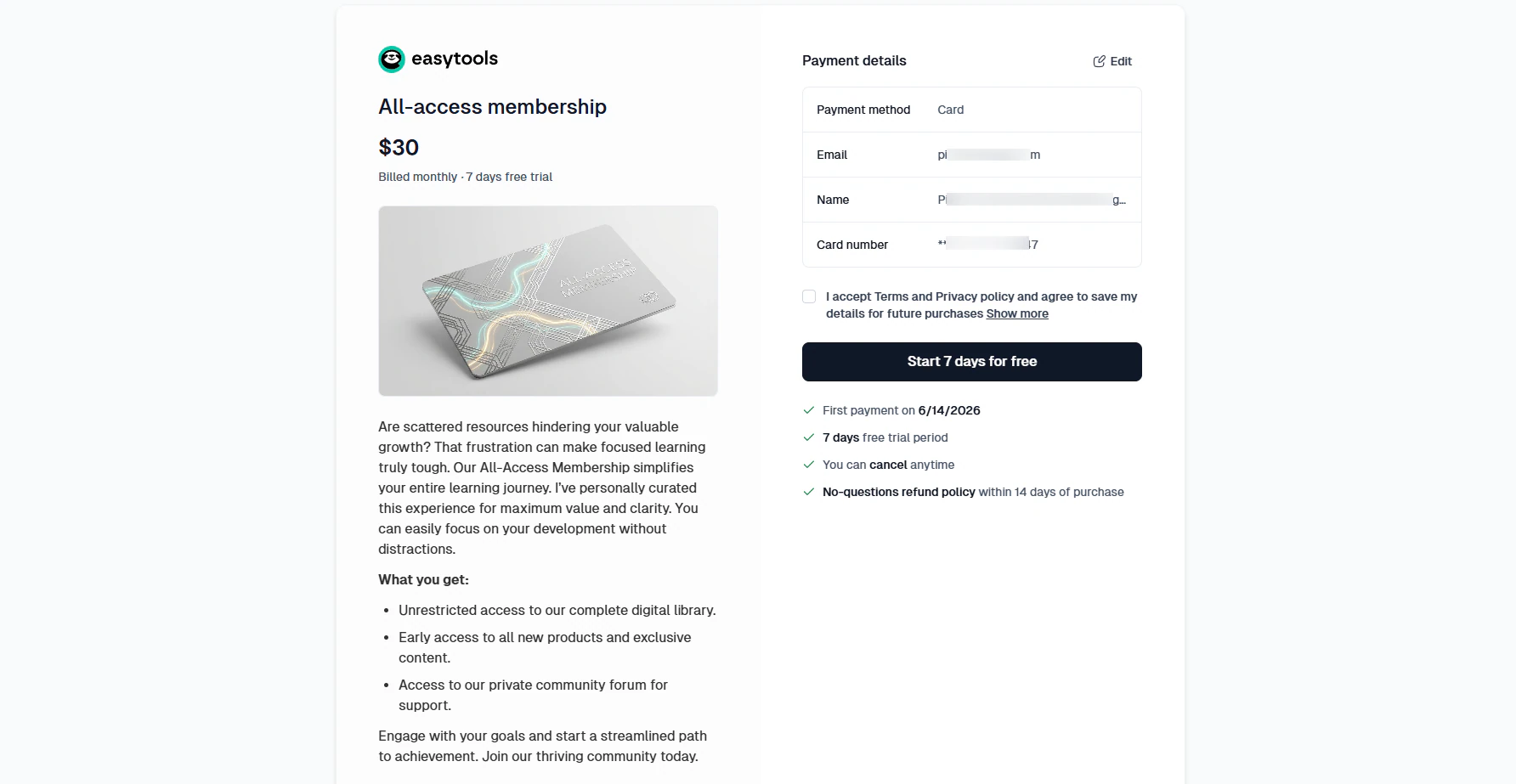
You don’t need 30+ features for your checkout, but the ones that can boost your conversion rate. For example, does your platform offer cross-sells?
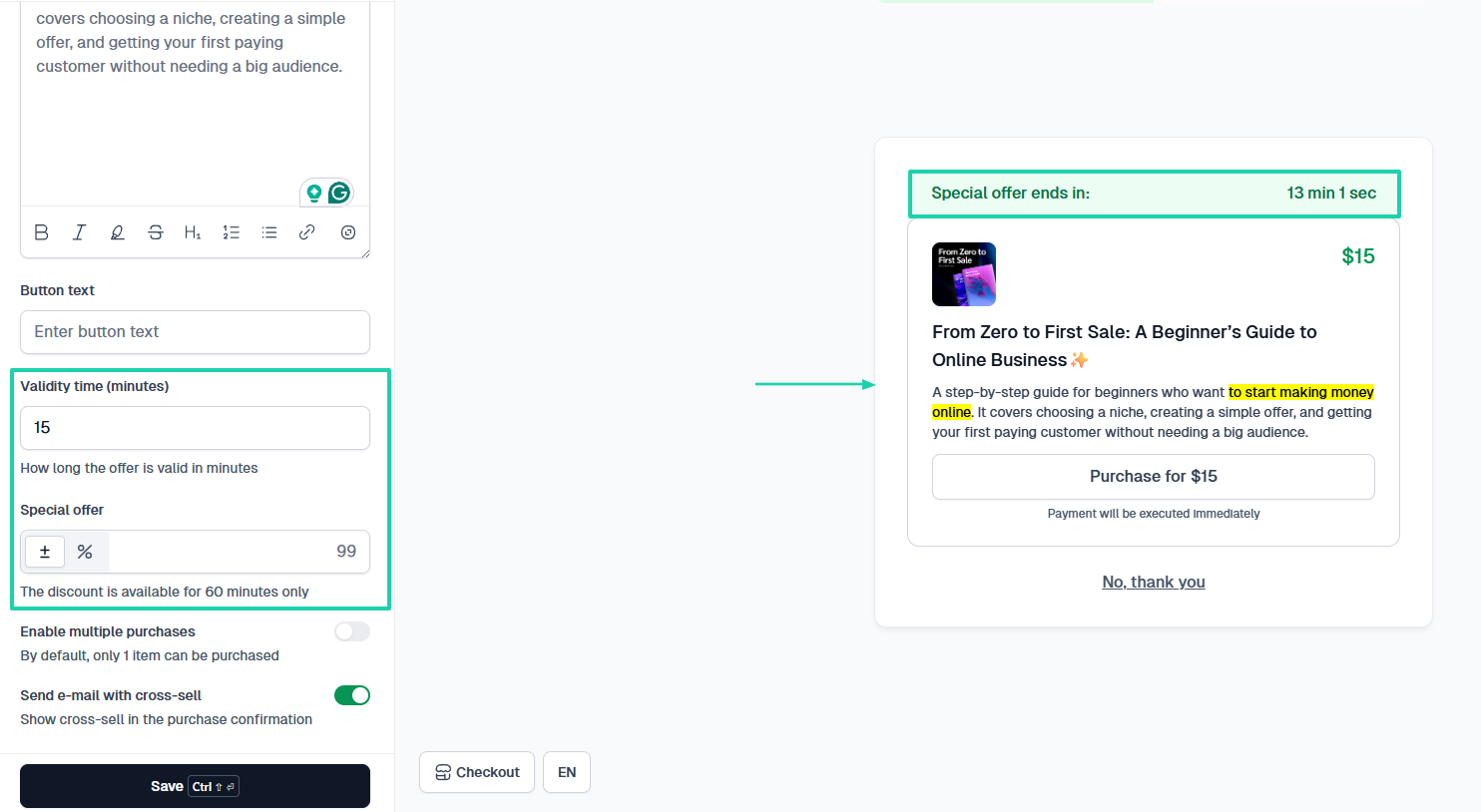
You’ll be amazed at how much more you sell using this sales technique. You offer an additional product to a customer immediately after they complete their initial purchase.
On some platforms, you can specify the validity time and special offer.
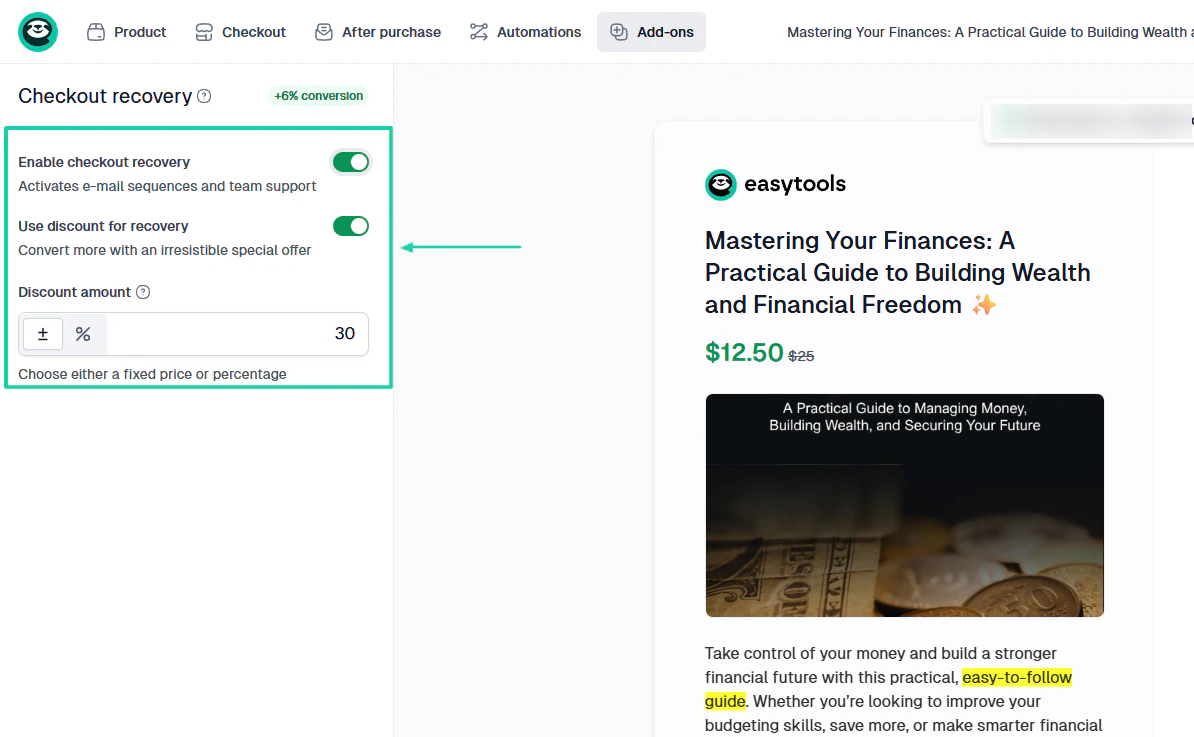
Another non-negotiable feature you shouldn’t do without is the checkout recovery. You know that many potential customers leave without completing their purchase.
This feature helps you automatically re-engage with them via email and team support. If you use a very good ThriveCart alternative, you can even use a discount for recovery.
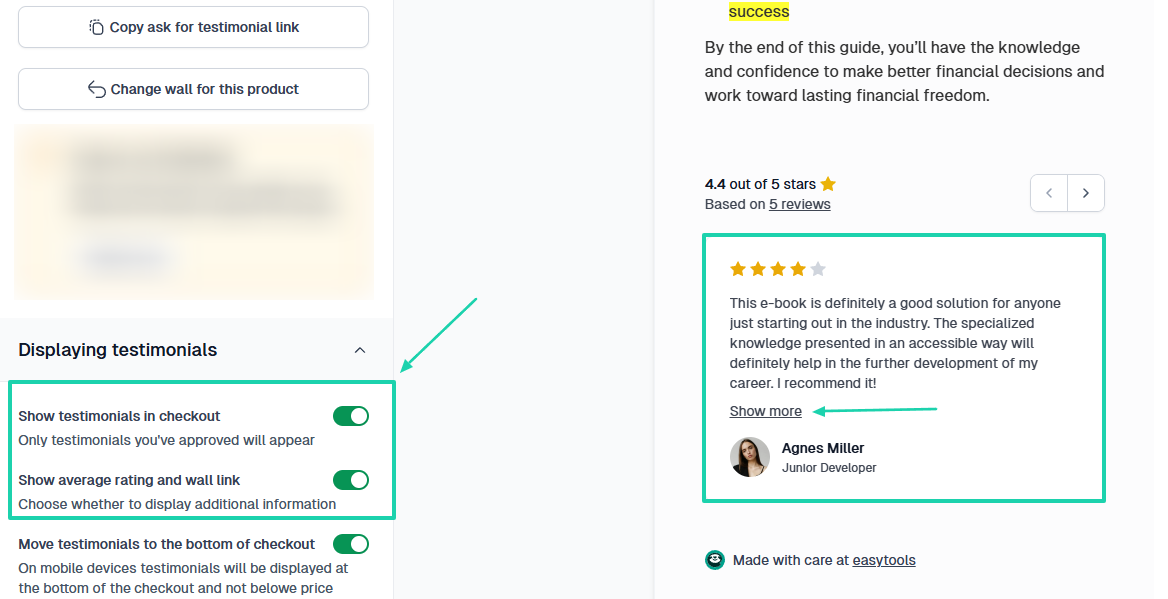
It’s common knowledge that customers’ buying decisions are greatly influenced by reviews. So, adding testimonials can also boost your conversion rate.
Using Easytools, you can display testimonials at checkout (especially those you’ve approved) and even add the wall link so potential customers can see more.
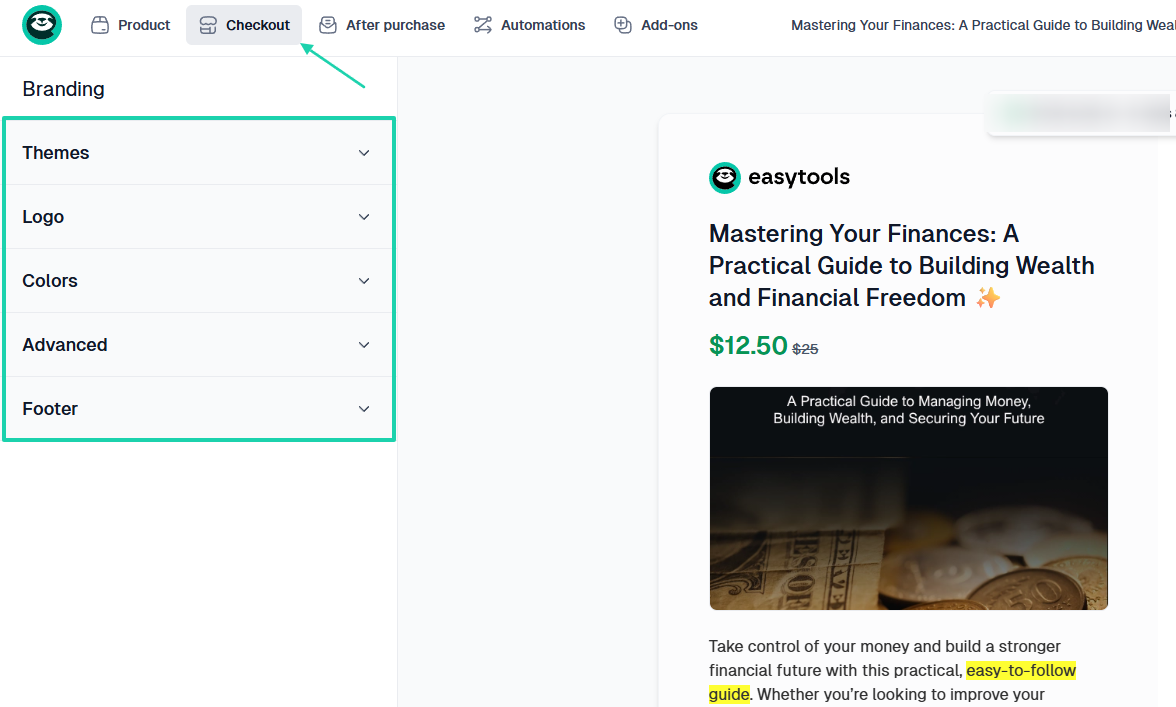
But of course, you shouldn’t neglect customization options. They help you match the checkout experience to your brand.
You should be able to add your logo and adjust your colors and themes.
As a creator, coach, or small business owner, you’ll be good to go with these checkout features.
3. Check integration with other tools
The right ThriveCart alternative isn’t the one with 100+ integrations. It’s the one that connects with your existing stack.
It’s very important!
For instance, if you were running your podcast on a platform like Kajabi, you would need your new alternative to integrate with it so it doesn’t disrupt your workflow.
The same is true for any other tool.
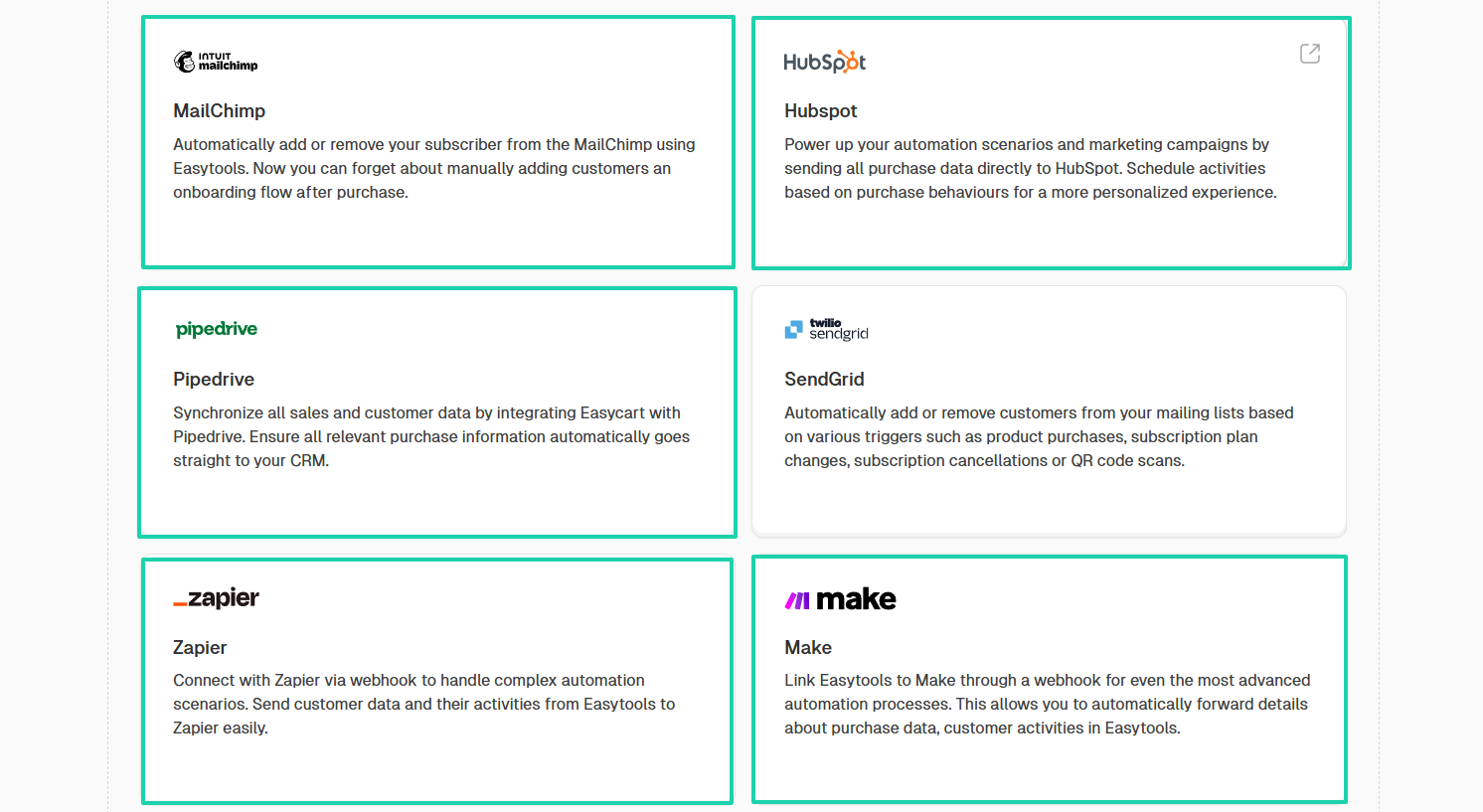
There may be many tools out there. But some of the integrations I recommend are HubSpot, Pipedrive, Mailchimp, Zapier, and Make.
They are great CRMs and automation platforms.
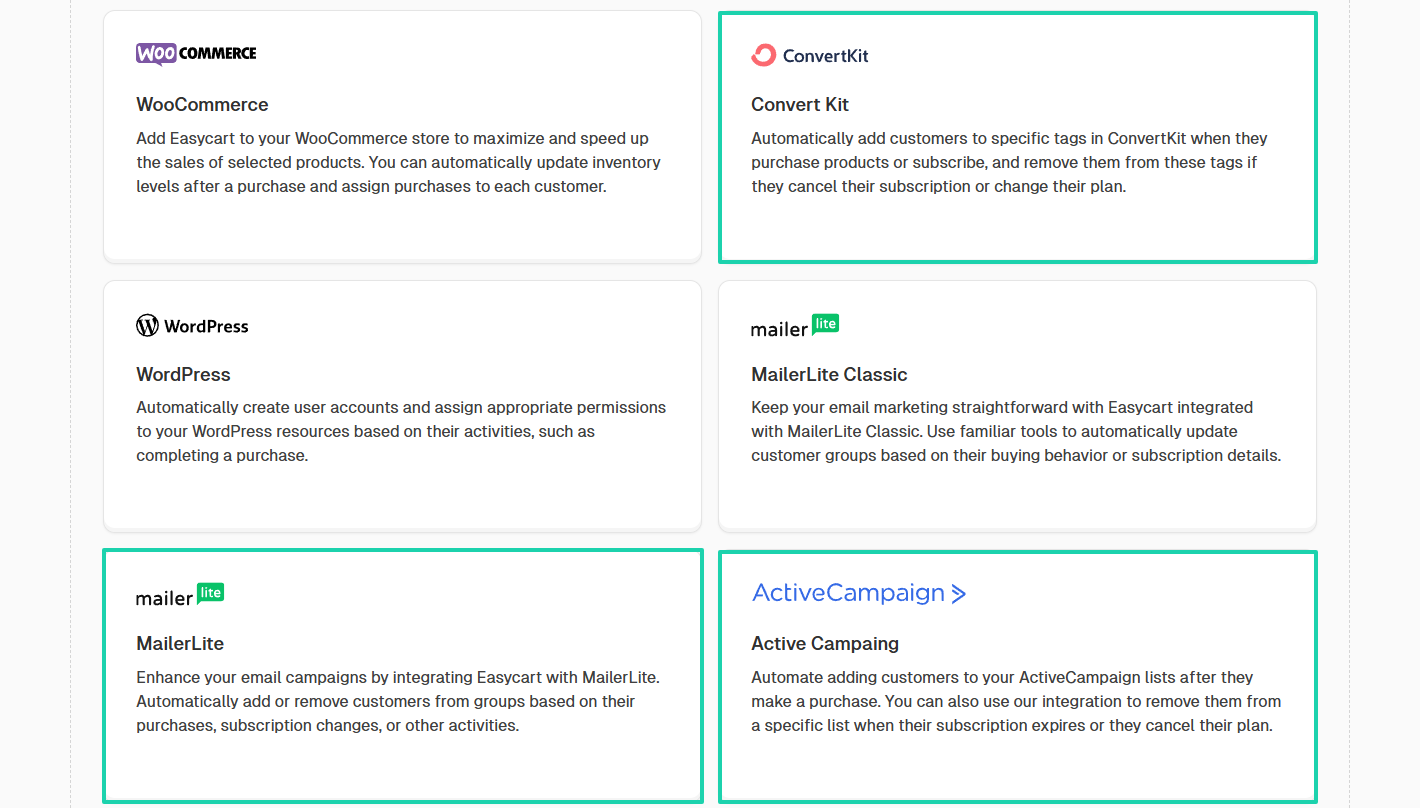
For email marketing platforms, aside from Mailchimp, you should also look at tools like ConvertKit, Mailerlite, or ActiveCampaign.
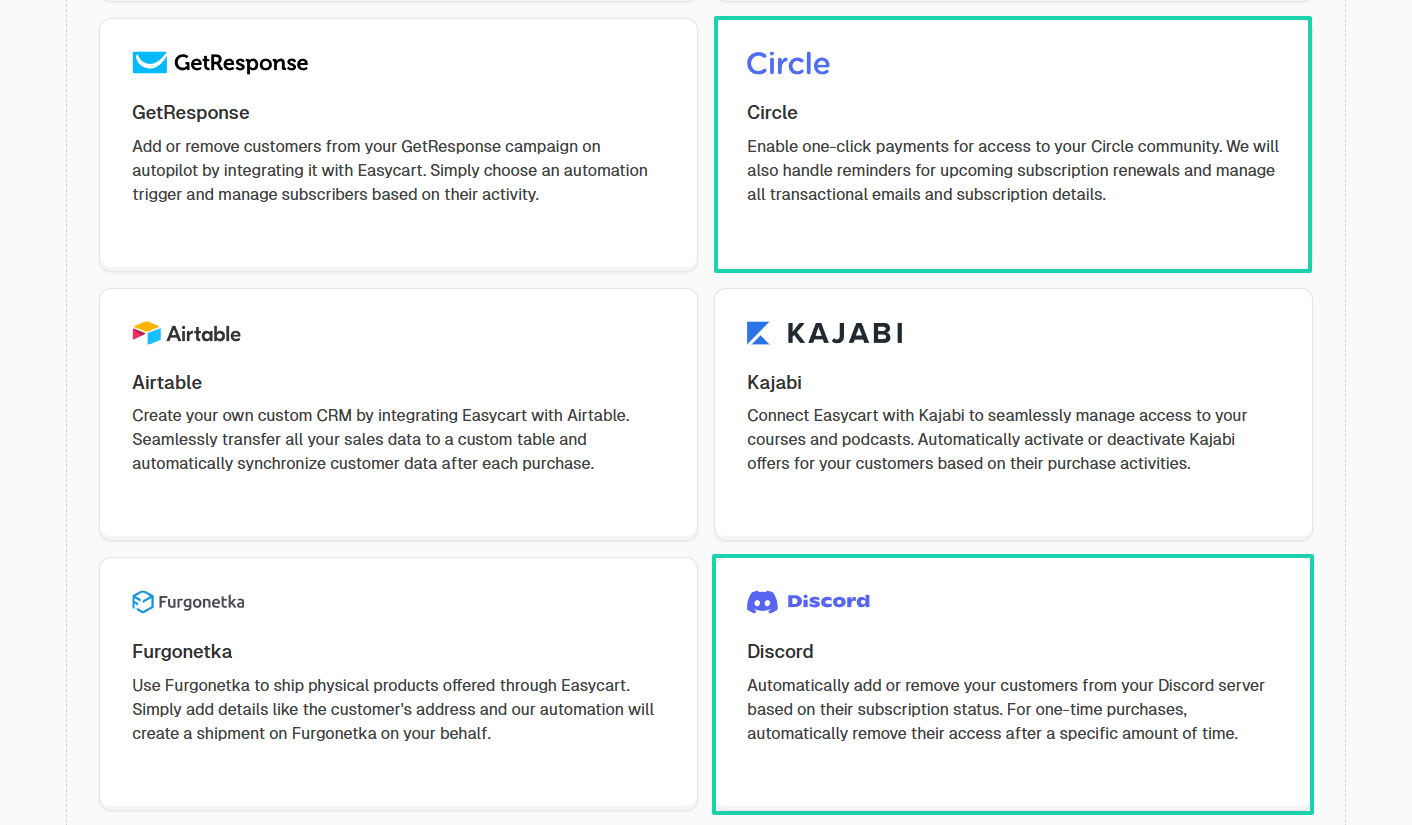
Creators and coaches now build communities. You need to make sure the ThriveCart alternative you choose integrates with community platforms like Circle or Discord.
One thing you should remember is that without proper integrations, you’ll spend more time manually moving data between systems.
4. Evaluate scalability
It’s wise to consider scalability when choosing a ThriveCart alternative.
This is because the platform that works for a beginner isn’t always the platform that works for a growing business.
So, if you are just starting as a coach, you may only need a simple checkout to promote your training program.
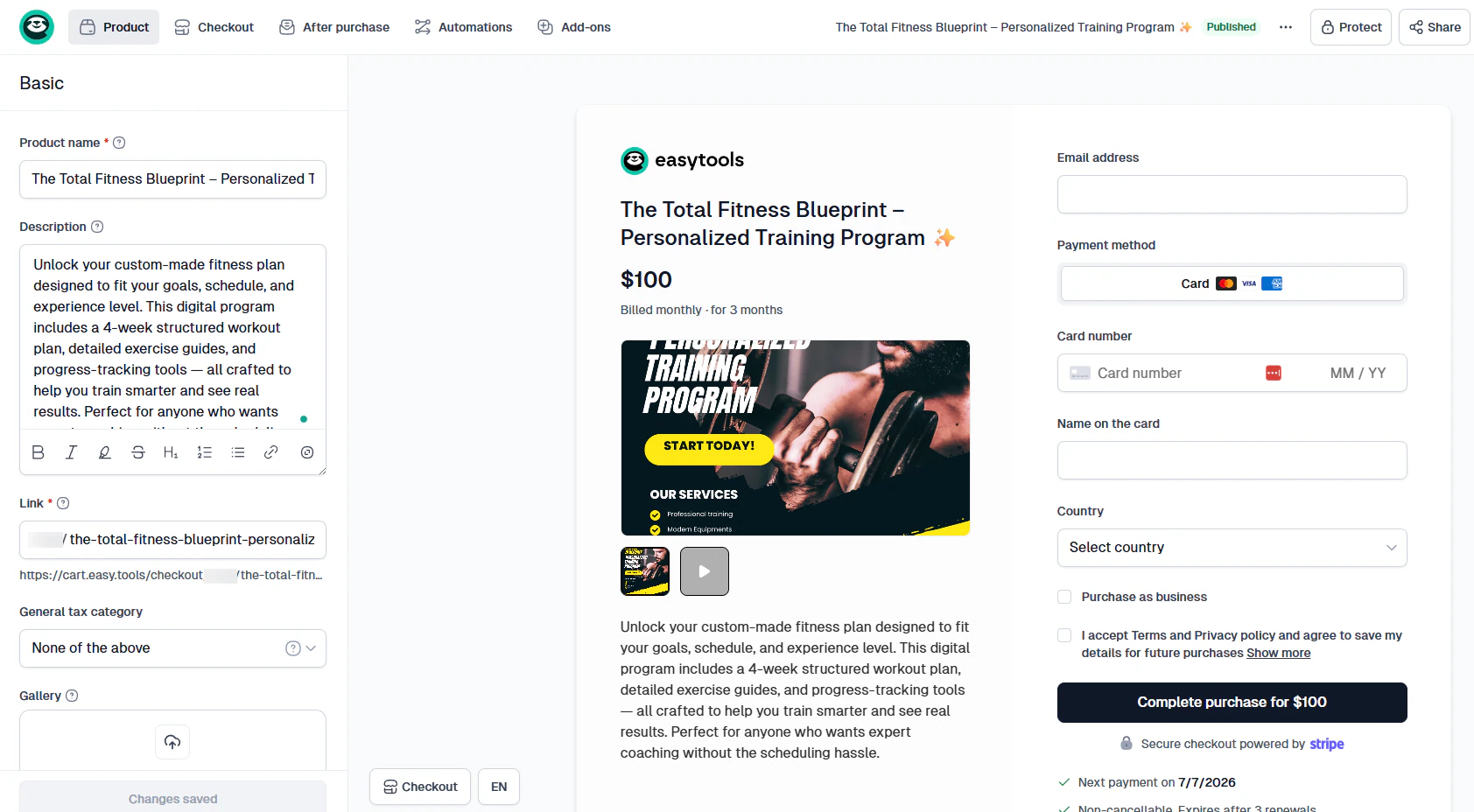
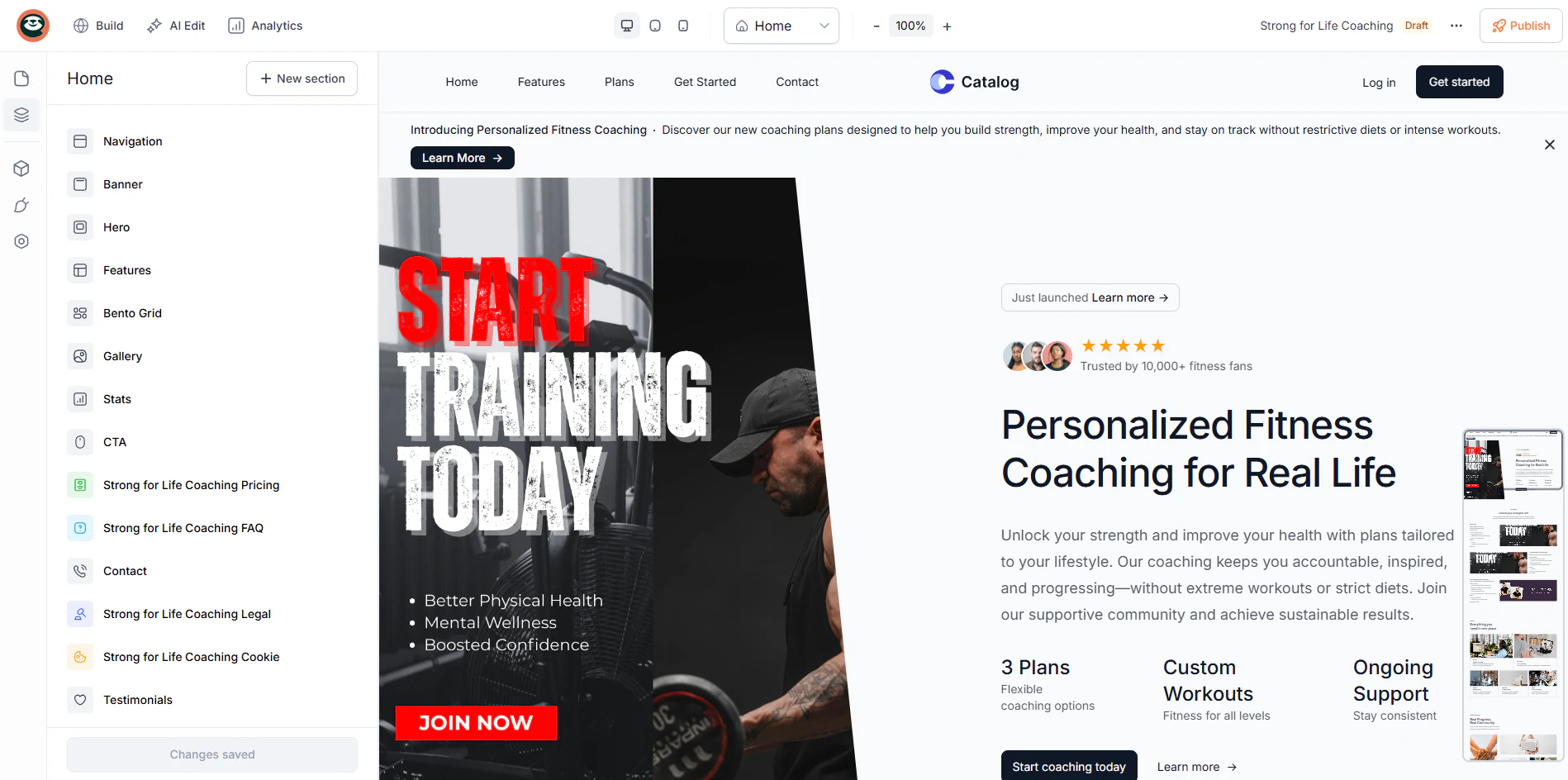
But once your coaching business grows, you will need a professional website and not just a simple checkout.
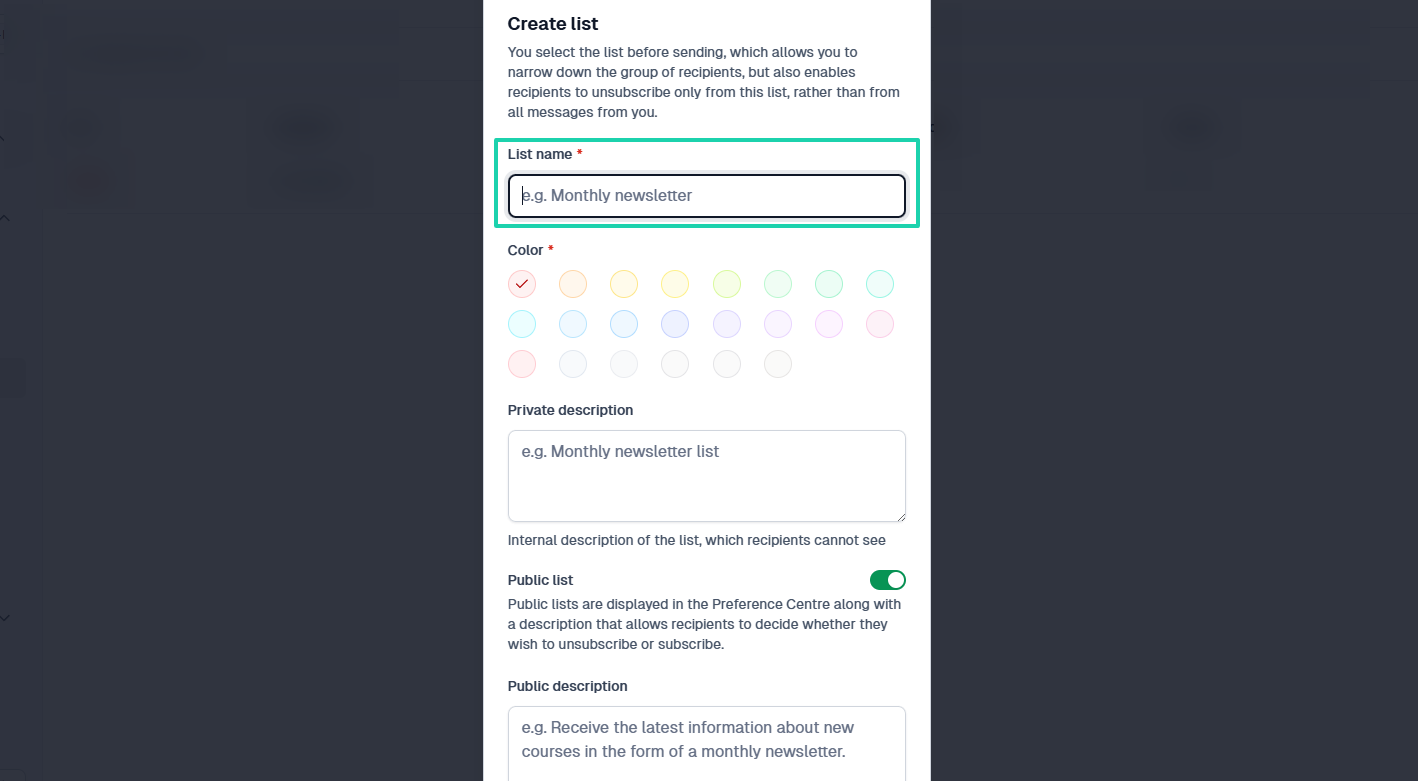
At a point, you may need to have an email newsletter. It is one of the most powerful tools for attracting customers, building authority, and nurturing relationships.
This will help you build your audience.
This is what I call “growth.”
Now, imagine you have to switch from one platform to another because the initial ThriveCart alternative you chose is limiting you.
Think about the long term. Today, you sell an e-book, but tomorrow might be a course, a physical product, and even a webinar.
One single platform should be enough.
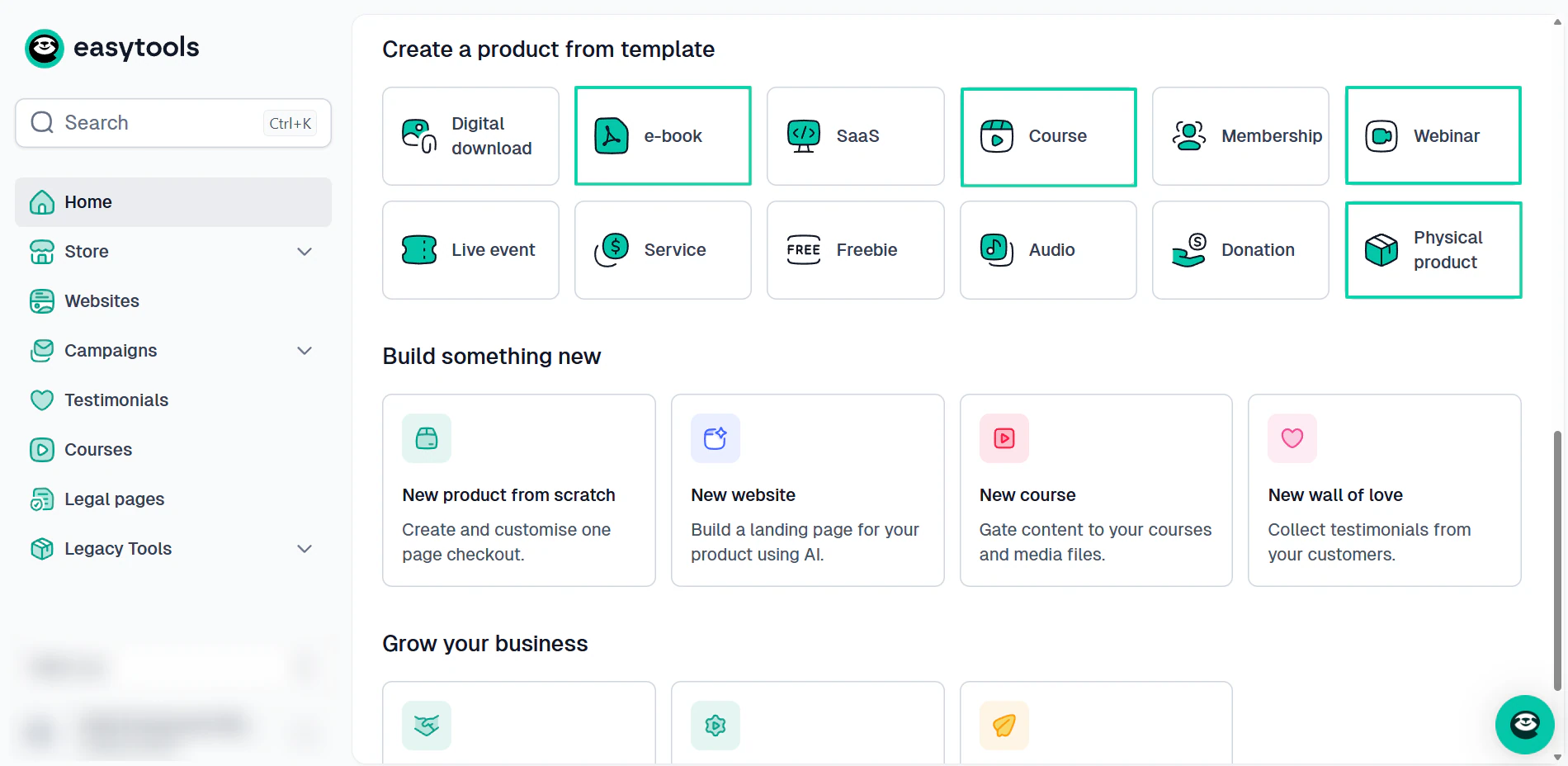
There are a few questions I need you to ask yourself to help you evaluate scalability. I added them to the table below with an explanation of why each one matters.
| Question | Why It Matters |
|---|---|
| Can I add unlimited products? | Supports future growth |
| Does it include a sales funnel builder? | Helps increase customer value |
| Can it handle recurring payments? | Essential for memberships and subscriptions |
| Does it support affiliates? | Enables partnership growth |
| Will I need extra tools later? | Impacts long-term costs |
You might be doing well right now. But before you choose your alternative, consider where your business will be in the next 12–24 months.
That will help you decide.
Select the best ThriveCart alternatives
It’s been quite the journey!
The best ThriveCart alternative is the one that supports your current business model and improves your checkout experience. It also integrates with your existing tools and grows alongside your business.
Many out there fit this description, and the top ones are Easytools, Sellfy, Gumroad, Systeme.io, Payhip, and Lemon Squeezy.
If you’re choosing one, make sure you choose beyond today’s needs.