Online business
35 min read20 best LearnWorlds alternatives in 2026! We tested them all!
Looking for the best LearnWorlds alternative? Compare top competitors like Easytools, Udemy, Skool, Teachable, TalentLMS, and Graphy to find the right platform for creating, marketing, and selling online courses.
- Written by
- Greg Rog
- Reviewed by
- Marta Jagosz
- Updated on
- June 17, 2026
- Published on
- June 17, 2026


LearnWorlds combines course creation, website building, student management, and marketing tools.
But some course creators want a more affordable option. Others want better marketing tools, a simpler website builder, tools for selling digital products, or more flexibility as their business grows.
There are LearnWorlds alternatives that fit these needs. The challenge is finding them.
With the online learning market projected to hit $100.6 billion by 2034, course platforms are multiplying fast, and not all of them deliver on their promises.

So my team and I tested 67 LearnWorlds alternatives on the market and chose the 20 best.
In this guide, we’ll review their pricing, course creation features, marketing capabilities, and more to help you find the right platform for your needs.
Keep reading.
TL;DR
-
The 20 best LearnWorlds alternatives are:
-
1. Easytools
-
2. Udemy
-
3. Skool
-
4. Teachable
-
5. TalentLMS
-
6. Graphy
-
7. Podia
-
8. Kajabi
-
9. Thinkific
-
10. Mighty Networks
-
11. LearnDash
-
12. LearnUpon
-
13. Absorb LMS
-
14. iSpring Learn
-
15. Academy of Mine
-
16. Xperiencify
-
17. Ruzuku
-
18. FreshLearn
-
19. WixIQ
-
20. TrainerCentral
-
To choose the best LearnWorlds alternative, consider technical comfort level, evaluate the features you actually need, assess pricing, and consider long-term scaling.
How we selected these LearnWorlds alternatives
Here’s how we selected the LearnWorlds alternatives on our list:
-
We looked for LearnWorlds alternatives that are affordable, offer a free trial, or have a free plan.
-
We signed up for each platform and tested its core features.
-
We tested each tool’s course creation, student management, customization, and monetization tools. We compared features and pricing.
-
We included our own ratings and pros and cons to give course creators a quick overview of each platform’s strengths and weaknesses.
Best LearnWorlds alternatives compared
| Platform | Key features | What you can sell | Why choose it over LearnWorlds | Starting plan | Best for |
|---|---|---|---|---|---|
| Easytools | Excellent - AI-powered website builder that can automatically generate and edit websites. Supports multi-page websites, landing pages, contact forms, lead capture forms, testimonials, FAQs, legal pages, donation widgets (Buy Me a Coffee), custom sections, and branded pages without coding. | Excellent - AI-assisted course builder that can generate course modules and lessons. Supports structured courses, certificates, downloadable resources, video lessons, student progress, and student management. | It is highly cost-effective, lets you sell more digital products than LearnWorlds, and offers built-in email marketing features and conversion-focused checkouts. | Creator: $59/month + 2% transaction fee + unlimited checkouts | Course creators, coaches, and training organizations seeking to sell online courses along with various digital products and services and build their own audience. |
| Udemy | No website builder. Courses are published on Udemy’s marketplace using standardized course pages. | Excellent - Supports course sections, video lessons, slide mashups, quizzes, assignments, certificates of completion, downloadable files, progress tracking, and mobile learning. | It offers immediate access to a large marketplace audience and requires zero upfront fee. | No starting plan: It operates on a revenue-share model. | Creators who want immediate access to a large marketplace and don’t mind sharing visibility with competing courses. |
| Skool | No website builder - It’s strictly a community and course-hosting platform. | Good - Supports course organization, progress tracking, video lessons, mobile access, gamification, events, and community-driven learning. | It offers a much stronger community experience than LearnWorlds, combining courses, discussions, events, and gamification in a single community-first platform. | Hobby: $7.50/month, billed annually + unlimited members | Coaches, educators, and community builders who want to combine learning with active member engagement. |
| Teachable | Good - Provides a branded course website with customizable sales pages, checkout pages, and basic website functionality. | Excellent - Supports modules, lessons, quizzes, certificates, coaching products, downloads, video hosting, progress tracking, and student management. | It has a simpler learning curve than LearnWorlds, making it easier for beginners to create, launch, and manage online courses without dealing with advanced configurations. | Starter: $29/month + 7.5% transaction fee + 5 products | Beginners, coaches, and solo creators looking for a simple way to launch and sell online courses on a school website. |
| TalentLMS | No website builder - It focuses on training portals. | Excellent - Supports learning paths, quizzes, assessments, certifications, SCORM, xAPI, compliance training, reporting, learner tracking, and advanced student management. | It provides more advanced corporate training capabilities, including SCORM support, compliance training, learning paths, and enterprise-level learner management. | Core: $119/month, billed annually + unlimited courses | Businesses and organizations that need structured training programs for employees or clients. |
| Graphy | Good - Includes branded websites, landing pages, creator storefronts, and customization options for selling educational products. | Excellent - Supports courses, webinars, memberships, communities, assessments, downloadable content, mobile learning, and learner progress tracking. | It lets you sell courses alongside webinars, memberships, communities, and other digital products from a single platform. | Launch: $49/month + unlimited products | Educators, coaches, and creators who want to monetize their expertise through multiple digital products and learning experiences. |
| Podia | Very good - It includes a website builder, landing pages, sales pages, blogging, and storefront customization without requiring technical skills. | Very good - Supports courses, digital downloads, webinars, memberships, drip content, quizzes, and student management. | Easier to use than LearnWorlds and includes built-in email marketing without requiring additional tools. | Mover: $42/month + 100 email subscribers + 500 videos | Solo creators, coaches, and digital entrepreneurs who want simplicity and built-in marketing tools. |
| Kajabi | Very good - Provides customizable websites, landing pages, blogs, podcasts, and branded course portals. | Excellent - Supports courses, coaching programs, memberships, communities, assessments, and certificates. | It offers stronger marketing and sales tools than LearnWorlds, making it ideal for growth-focused creators. | Basic: $143/month + 2,500 contacts | Creators, coaches, consultants, and businesses focused on scaling revenue. |
| Thinkific | Good - It includes a drag-and-drop website builder, landing pages, and customizable course websites. | Excellent - Supports courses, communities, assignments, quizzes, exams, certificates, and learning paths. | Provides strong course creation and learning features with more flexibility for education-focused businesses. | Start: $74/month | Educators, training companies, and creators prioritizing learning experiences over marketing automation. |
| Mighty Networks | Good - It supports branded community spaces, landing pages, and members but is less focused on traditional websites. | Good - Supports courses, cohorts, challenges, events, memberships, and community-based learning experiences. | Delivers stronger community-building and member engagement features than LearnWorlds. | Launch plan: $79/month | Community-led course creators, membership businesses, and cohort-based learning programs. |
6 best LearnWorlds alternatives
1. Easytools
- Personal rating: ⭐️⭐️⭐️⭐️ 4.8/5 - A complete creators’ platform that combines courses, memberships, coaching, store & checkouts, websites, and marketing automation in a single ecosystem.
- Ease of use: ⭐️⭐️⭐️⭐️ 4.7/5 - You can launch your course in 5 minutes and build professional websites with AI.
- Hosting and delivery: Third-party video hosting - website, payments, and student management, with support for external video providers like YouTube, Vimeo, Wistia, Bunny.net, and other custom sources.
- AI/automation features: AI website builder, AI edit, AI content generation, email automation, automated checkout workflows (Easycart), workflow automation, post-purchase automations, email sequences.
- Free trial: Yes - 14-day free trial on the Creator and Professional plans.
- Starting plan: Creator - $59/month + 5% transaction fee + unlimited checkouts
We are starting this list of the best LearnWorlds alternatives with Easytools.
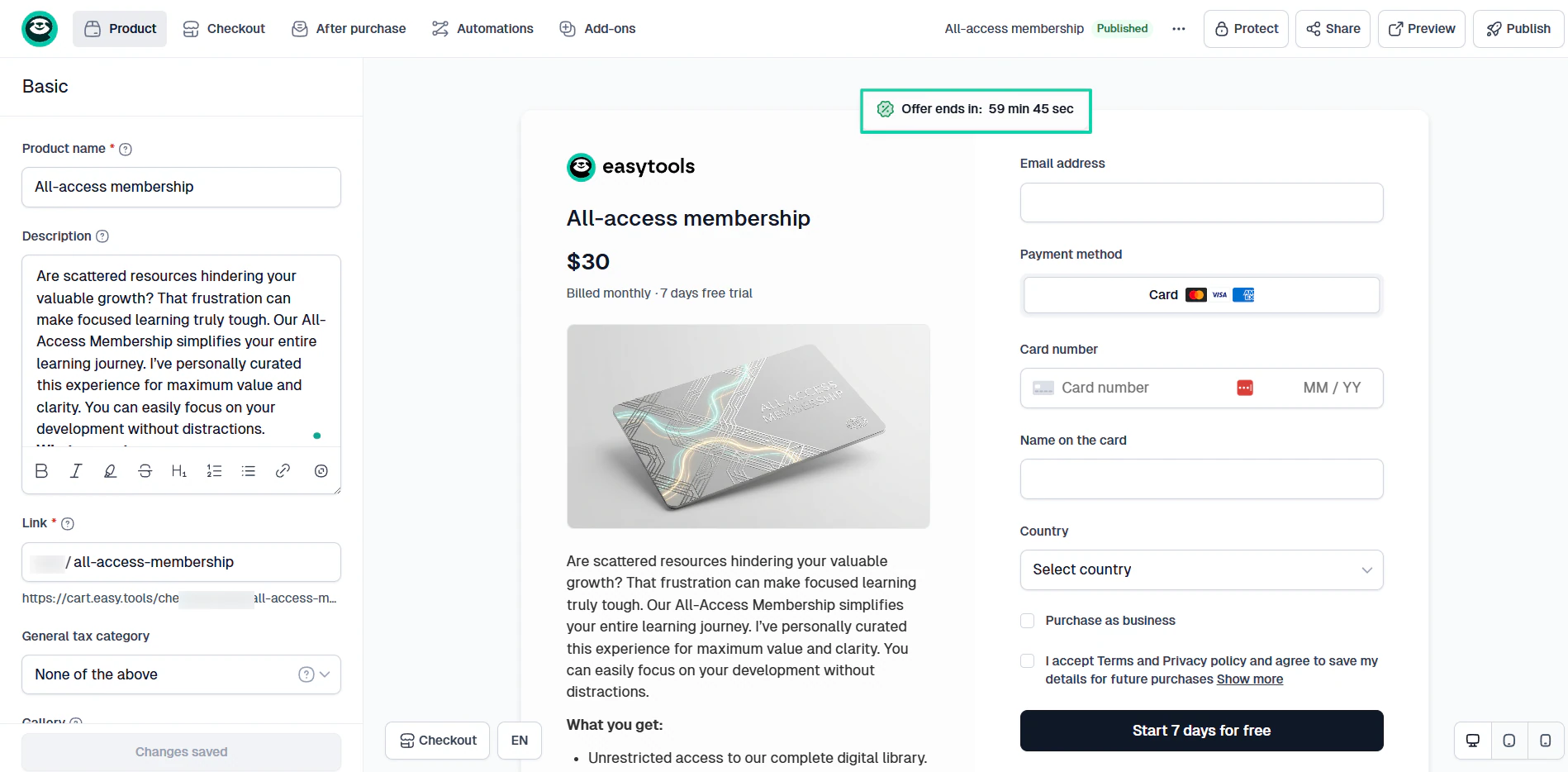
It’s an all-in-one platform that allows creators to build online courses with modules and lessons using artificial intelligence. It lets you track all students and lessons and offer certificates upon course completion.
Aside from courses, you can also sell e-books, memberships, PDFs, templates, live events, webinars, physical products, and services.
Easytools lets you track all your lessons, their average progress, and the participants’ engagement.
It comes with built-in email marketing to run campaigns and automations.
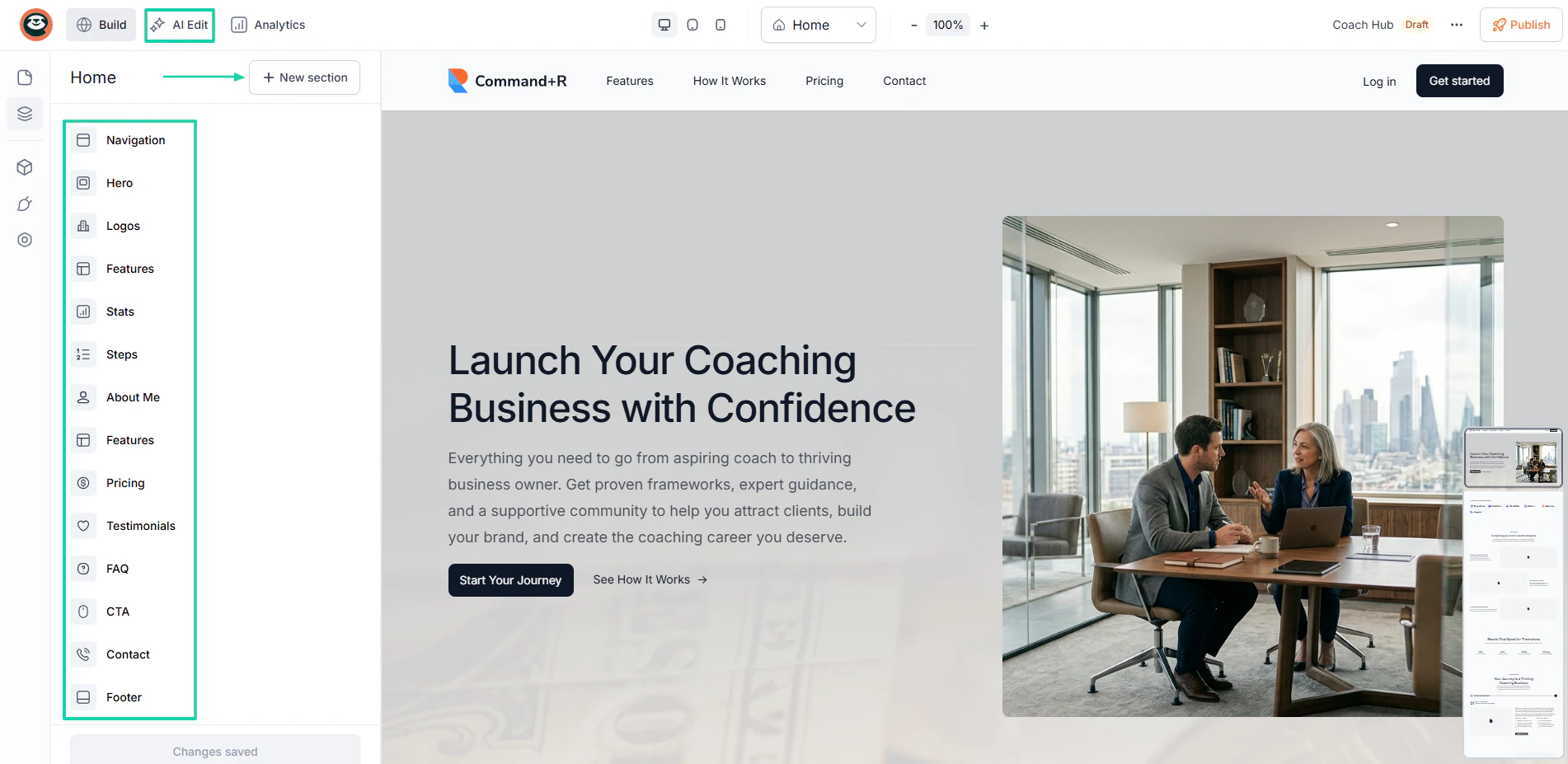
You can also build a professional multi-page website with AI simply by describing how it should be.
What’s more, this LearnWorlds alternative allows you to build conversion-focused checkouts for any product type.
What I loved about Easytools
1. Courses
The courses feature on Easytools allows creators to easily organize, brand, and sell video courses. You can host your educational content securely behind a branded login wall and automate delivery immediately upon purchase.
Let me show you how to create a simple course.
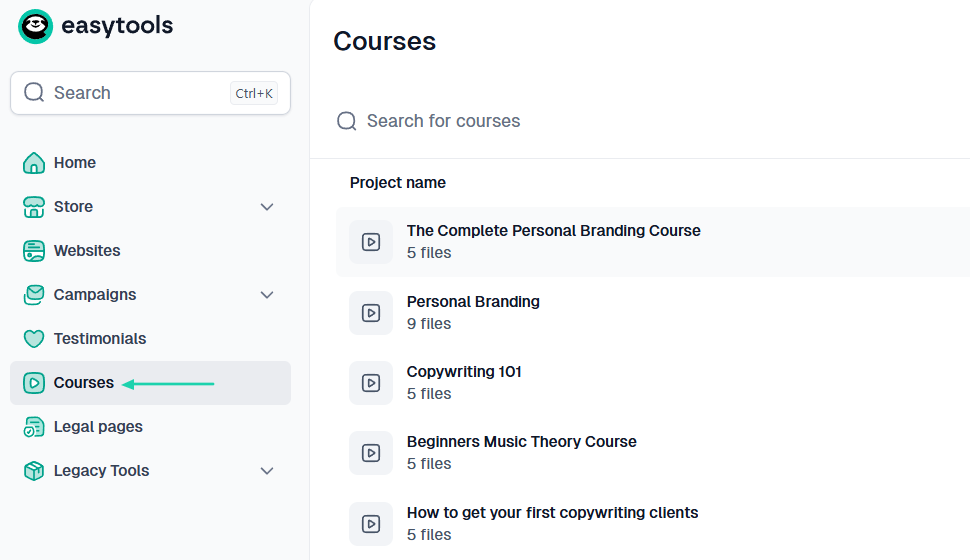
After signing up, head to “Courses” in the sidebar.
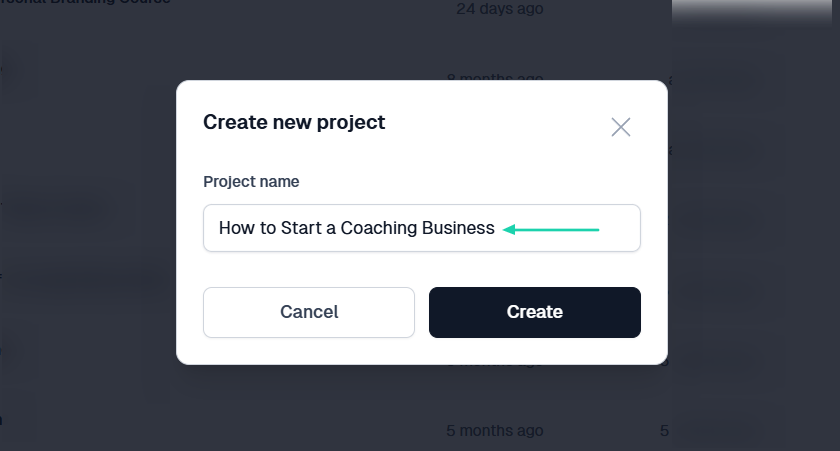
Next, name your course.
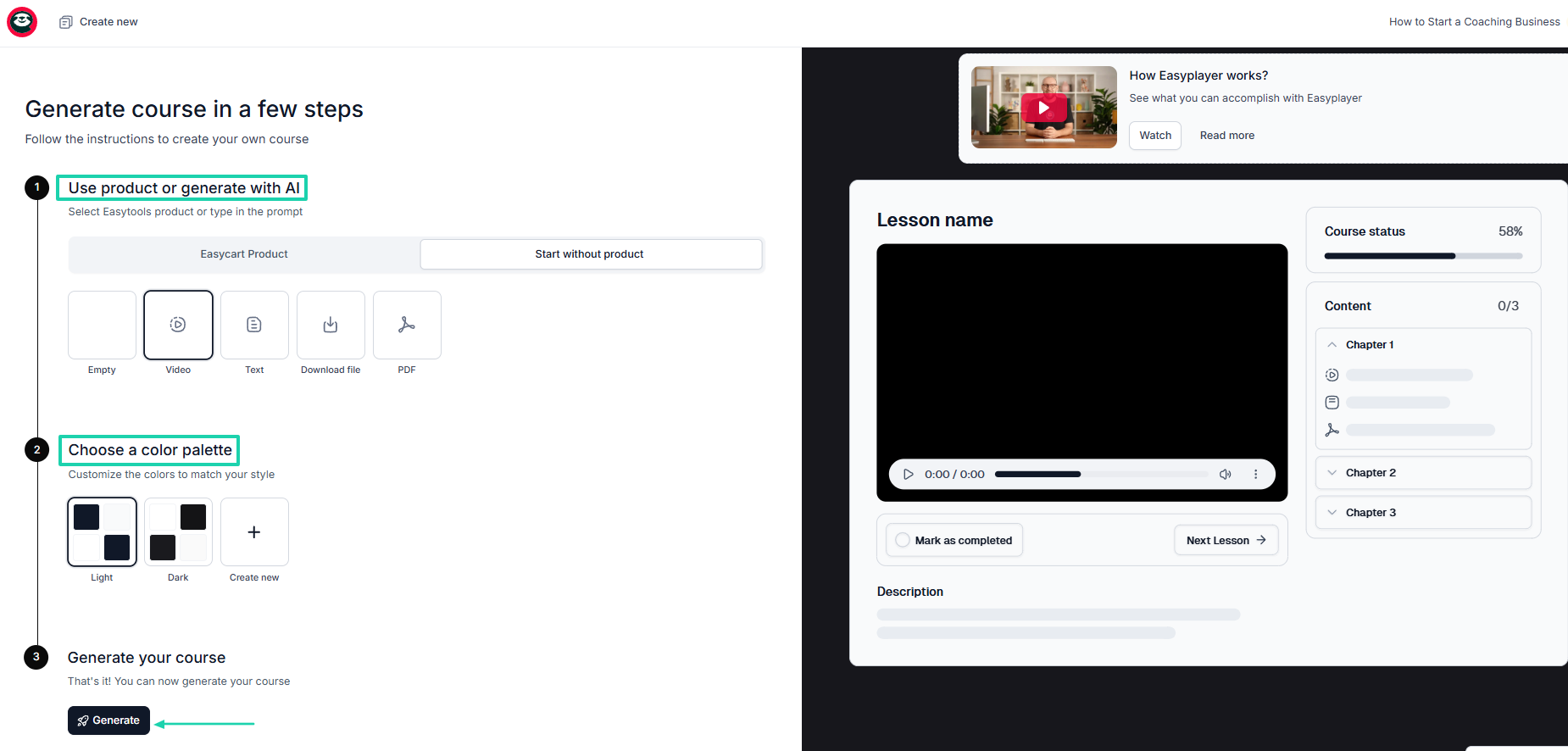
Here, we will assume you’ve never created any product with Easytools. So, choose to generate the course with AI.
After that, select a palette and click “Generate.”
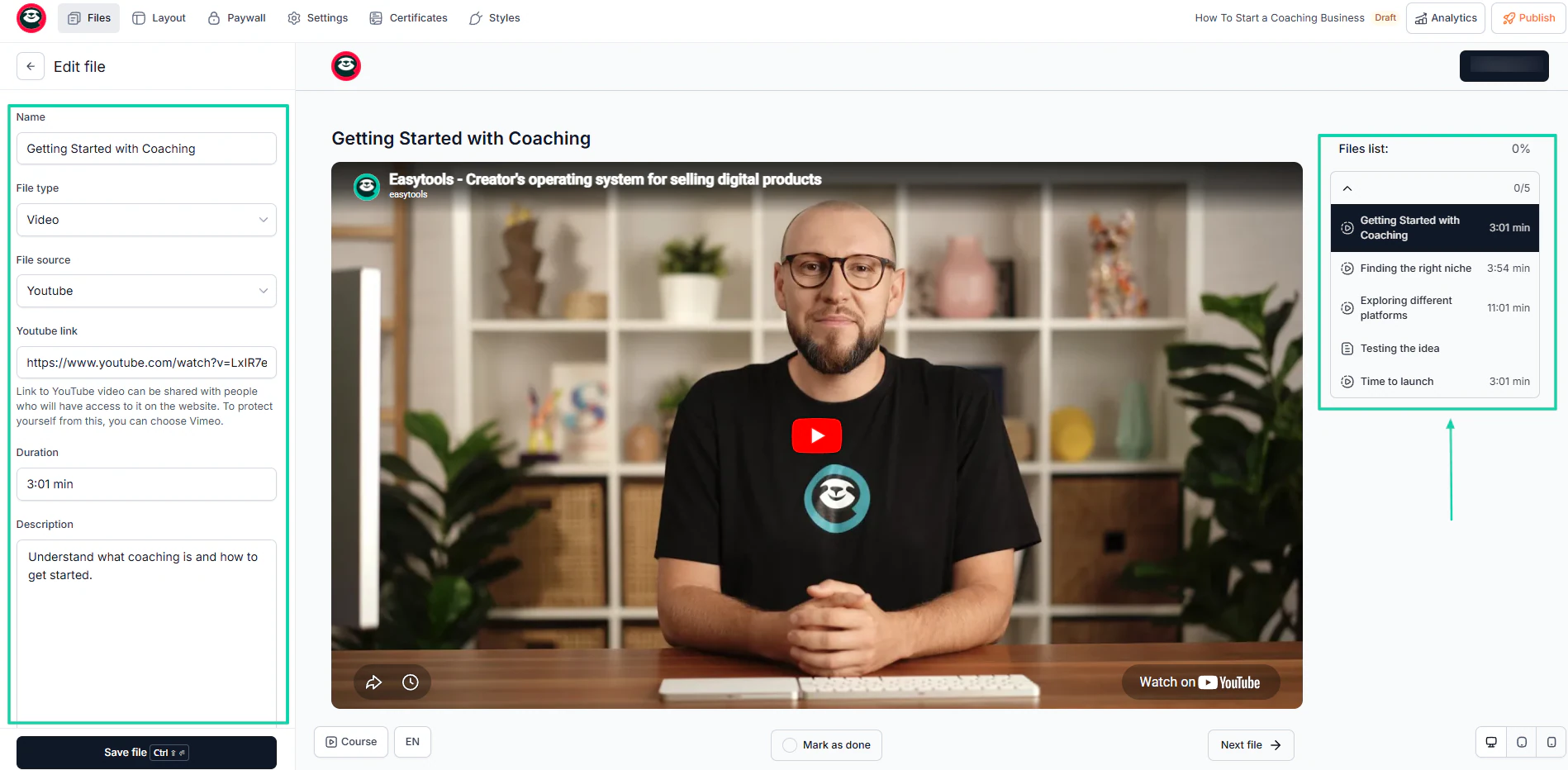
The AI will automatically generate the outline for you. For each module, you can name the lesson and add a description.
Then you can choose a file type, specify the source and duration, and enter the link.
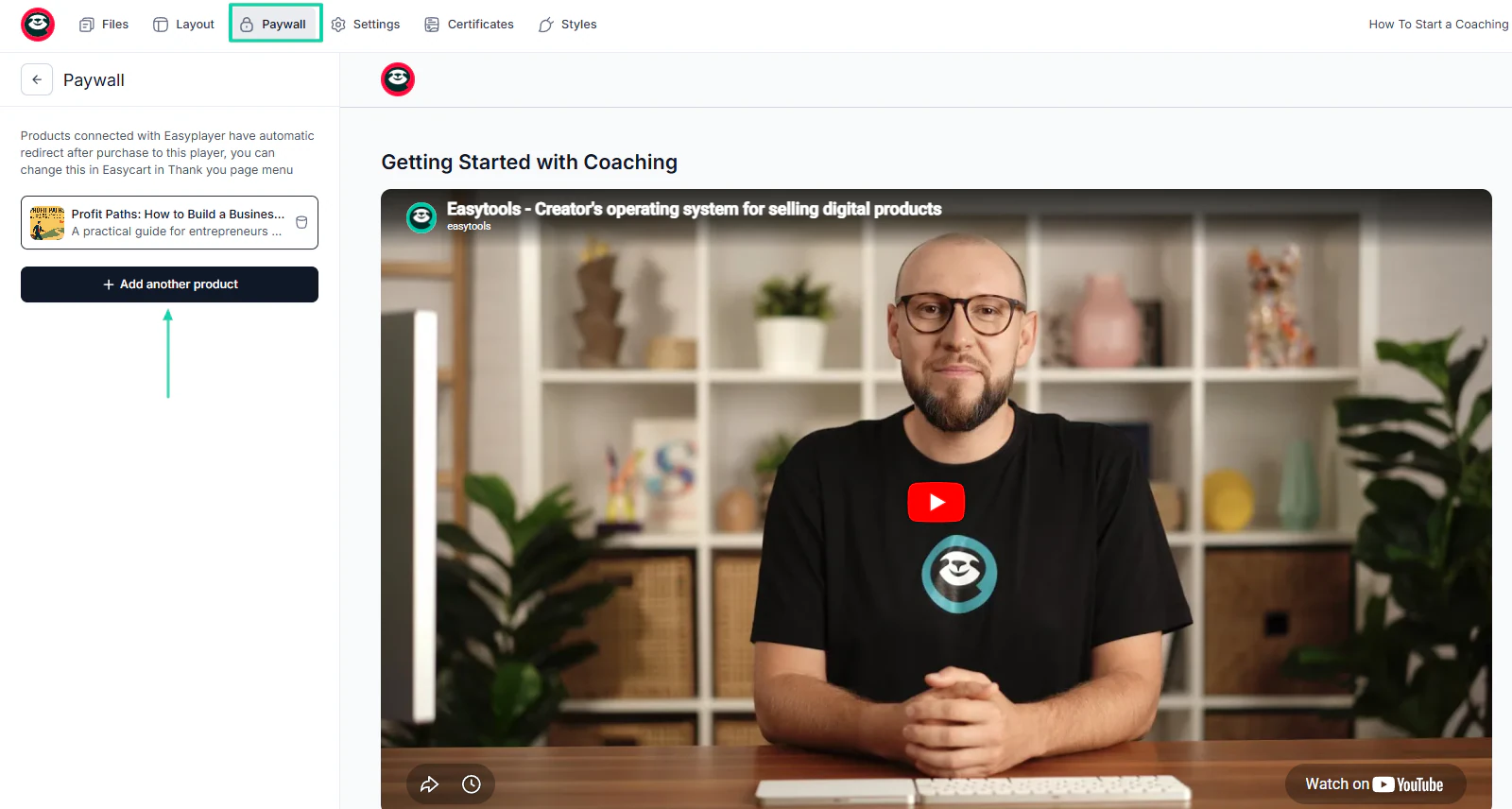
To sell access to your video courses, you can connect them to a checkout through a paywall. This way, anyone who purchases access via that checkout will be redirected to your course immediately.
No need for registration (setting up an account) or login details.
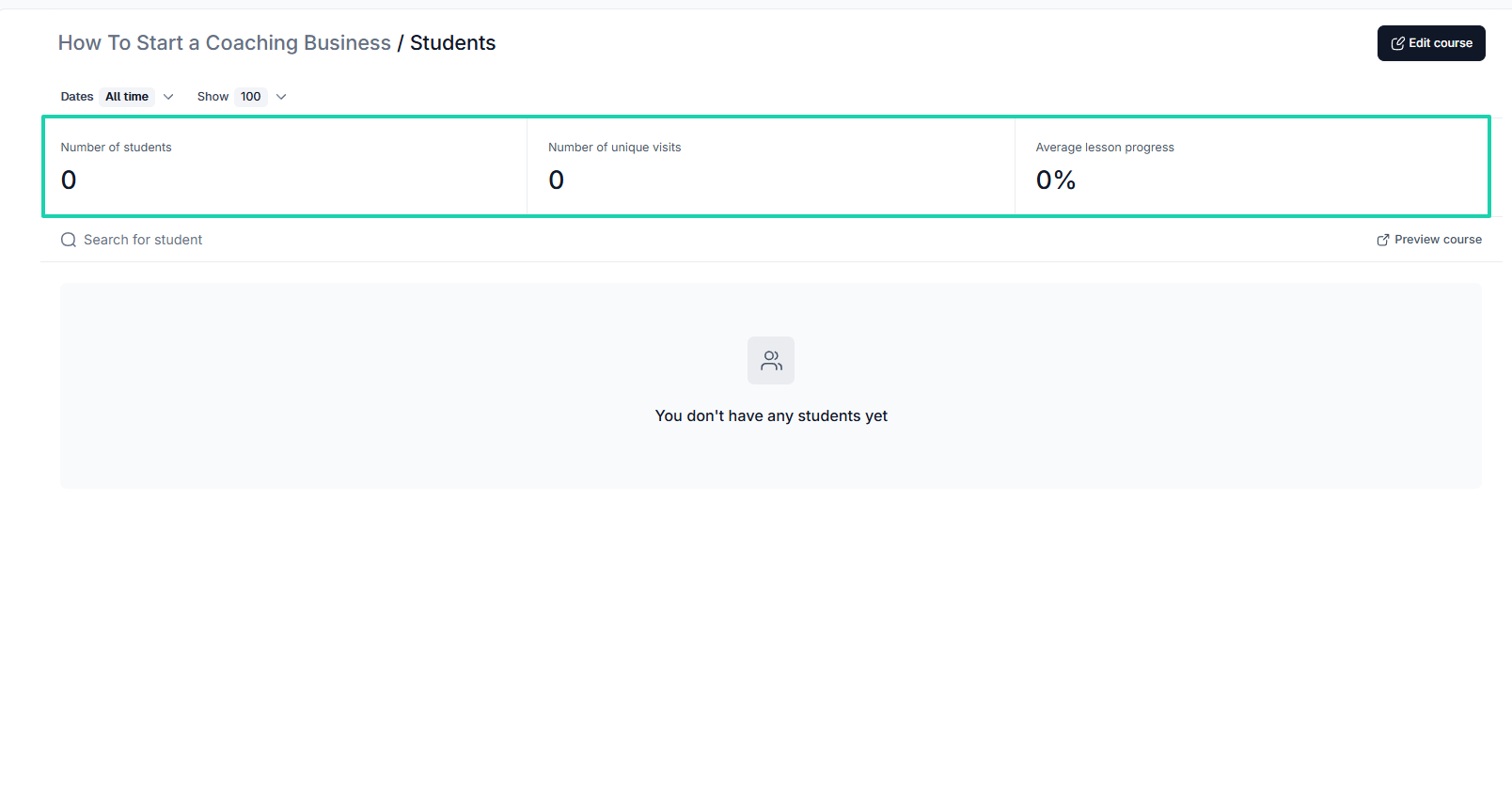
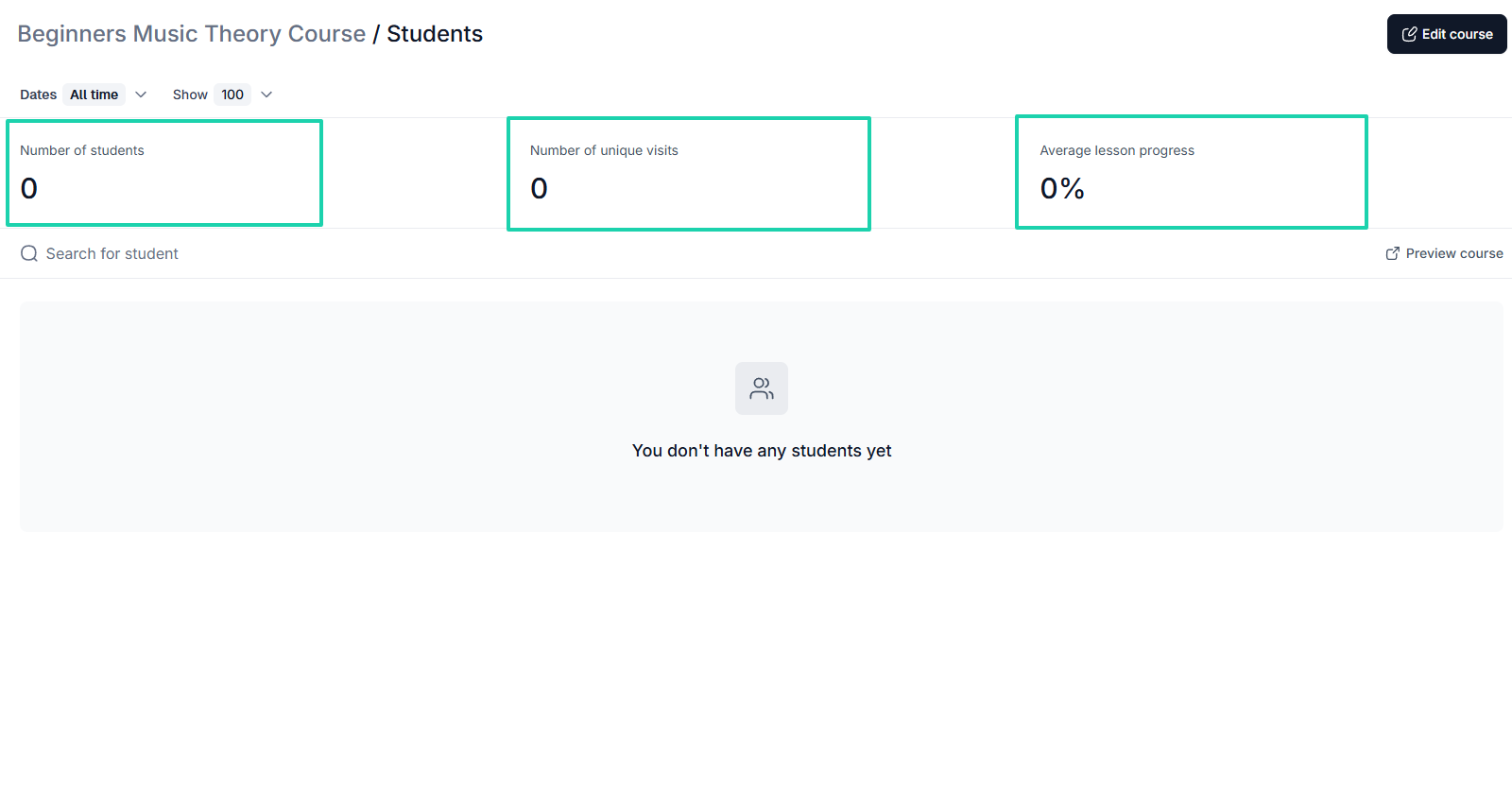
Once your course is launched, you can access the students’ analytics, where you see the number of students, the number of unique visits, and average lesson progress.
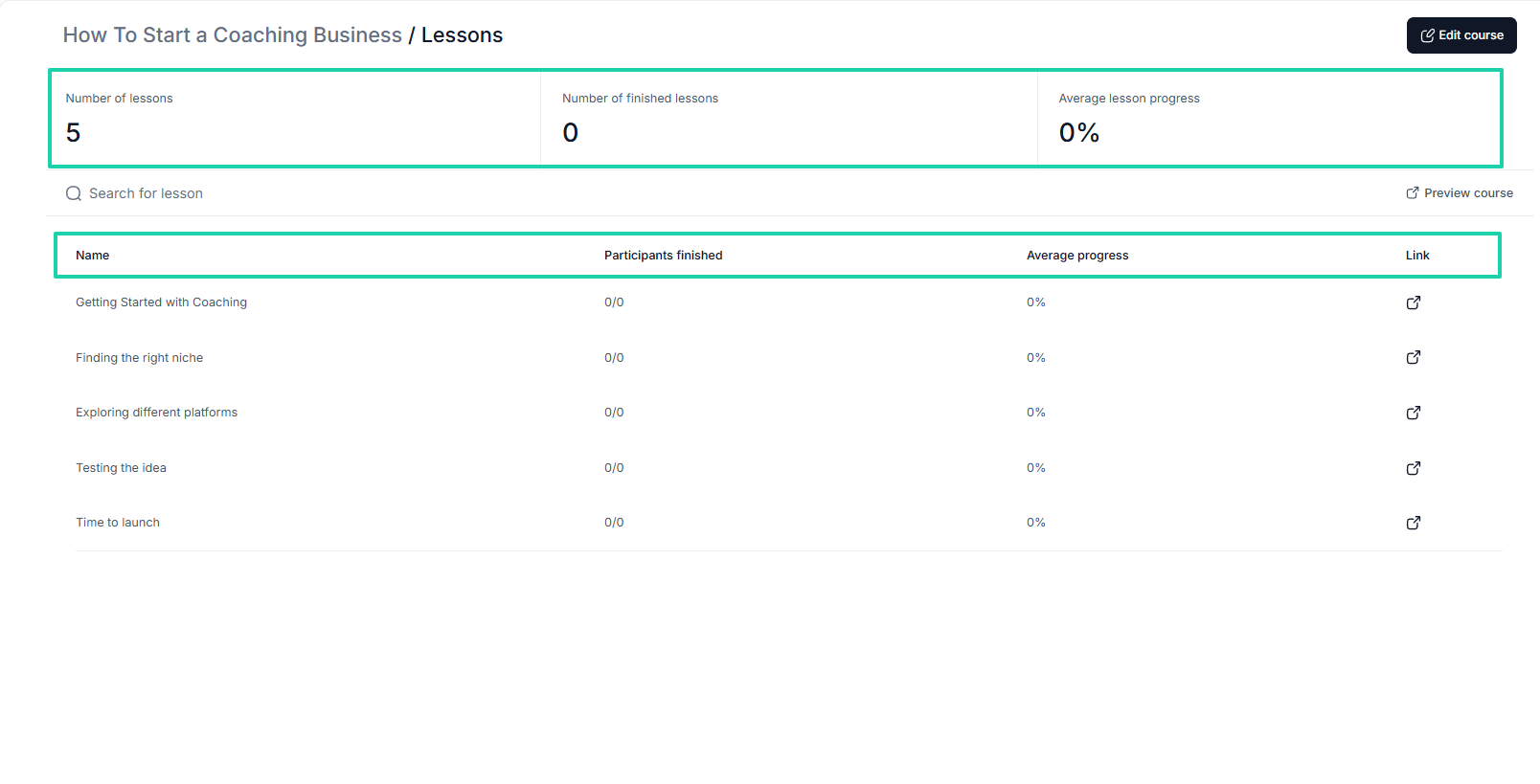
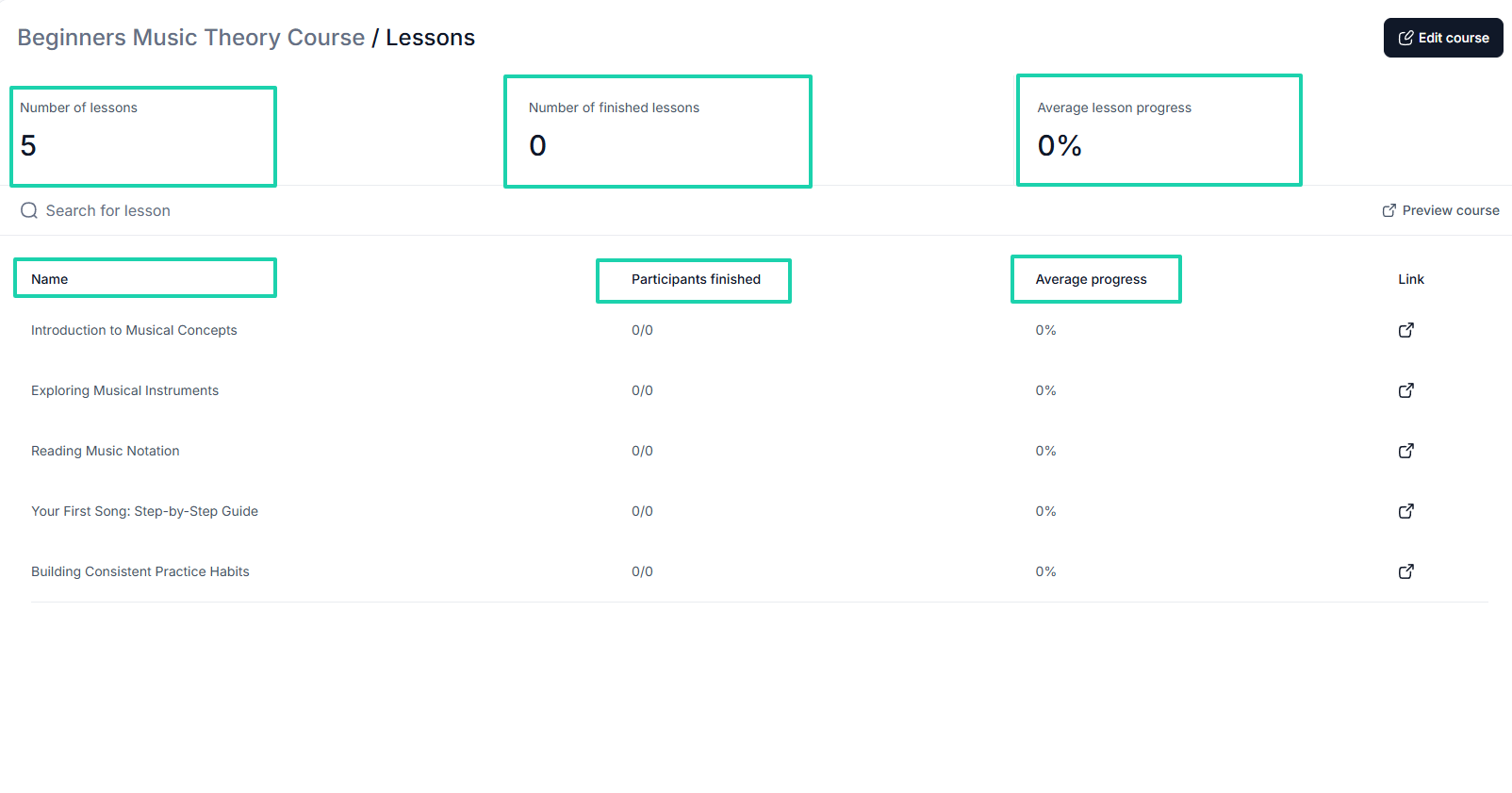
You can also access lesson analytics. You will see the number of lessons, the number of completed lessons, and the average progress per lesson.
It also shows the name of each lesson, the ones participants finished, the average progress for each lesson, and the link to it.
2. Websites
Easytools has a built-in AI website builder that lets you generate and host conversion-focused websites without coding. You can also edit it using AI, add many pages, and track your website’s overall performance.
Now, let’s build one.
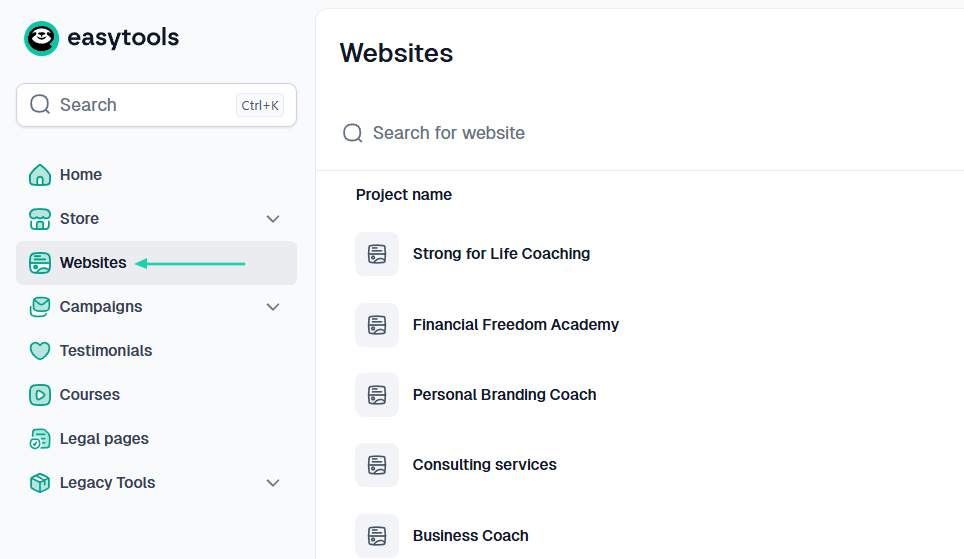
You will find it in the sidebar menu.
In the box, simply describe what you want to create. For example: “I want to create a professional coaching website for helping new coaches launch successful coaching businesses.”
After that, you will choose a color palette and hit the “Generate” button.
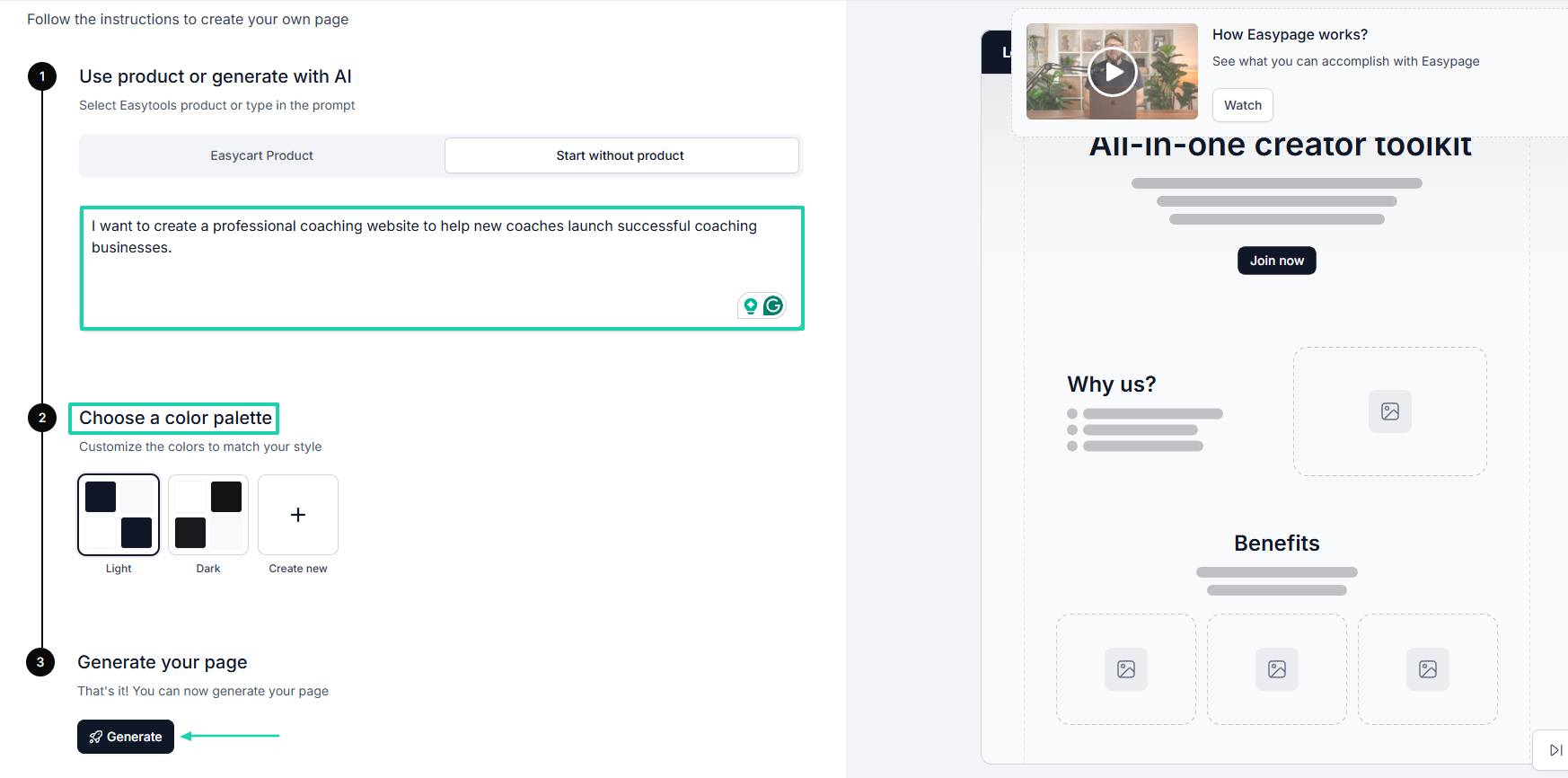
After a few minutes, your website will be ready with all the different sections. You can edit any of the sections with AI or even add new sections.
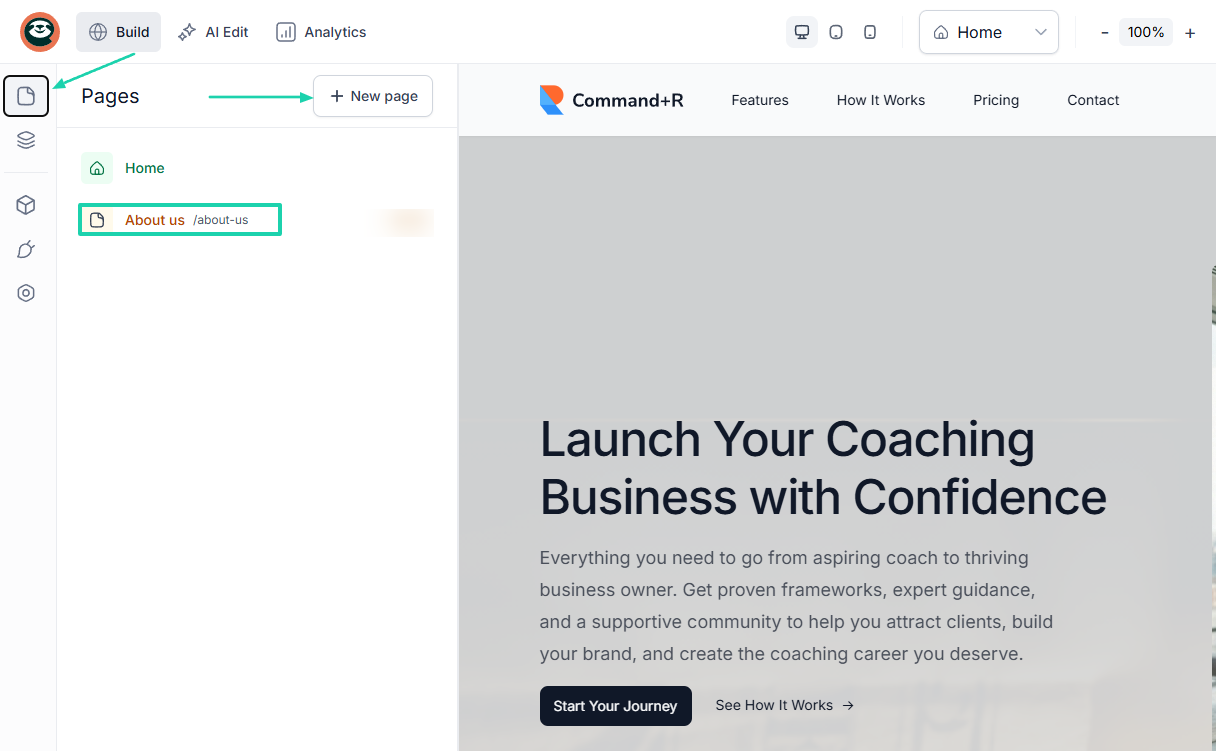
You can also add new pages to your website. For example, you can create an “About us” page and generate content with AI.
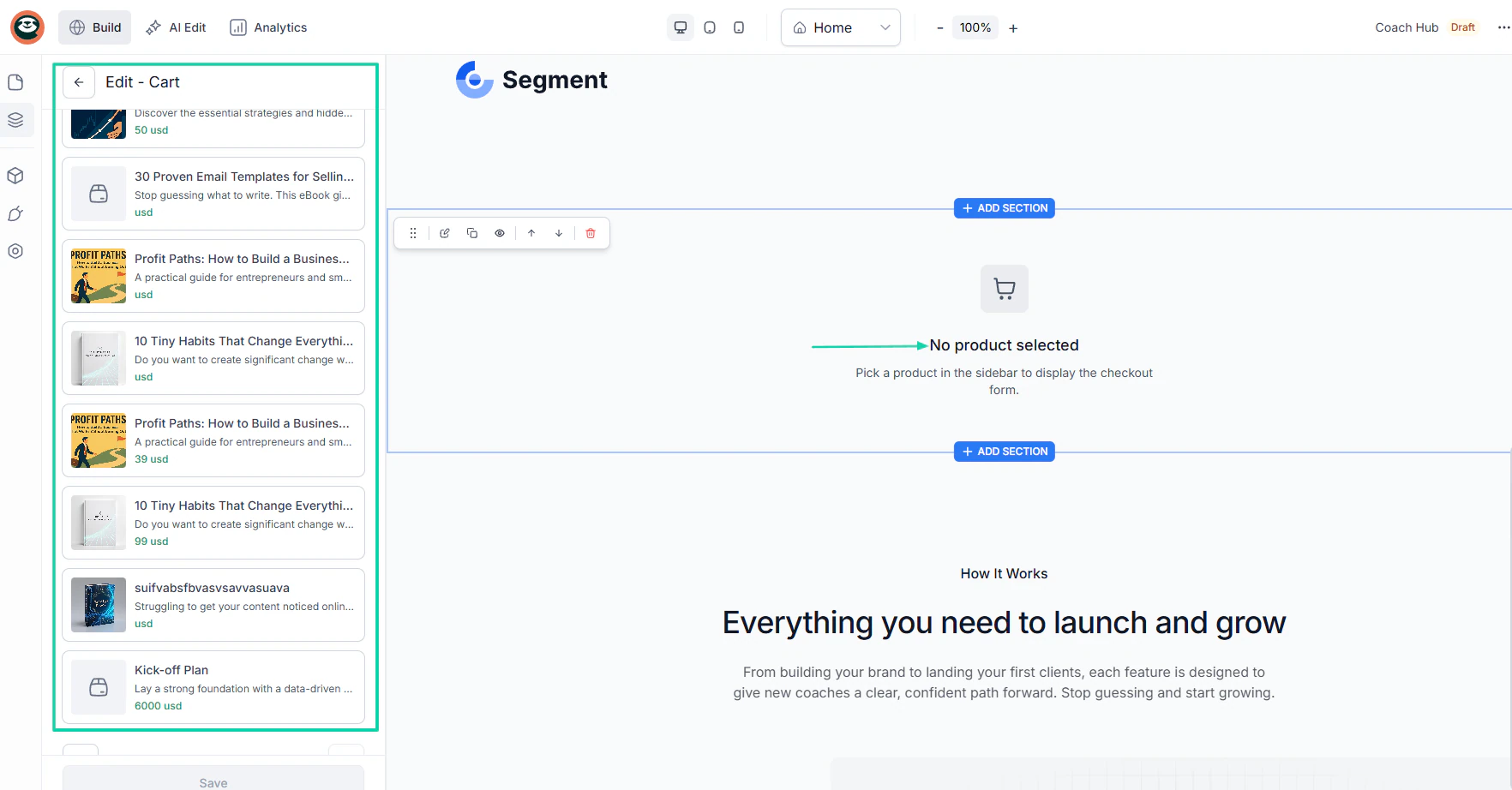
You can directly connect any of your checkouts to your website. You simply have to choose the product(s) you want to feature on the website.
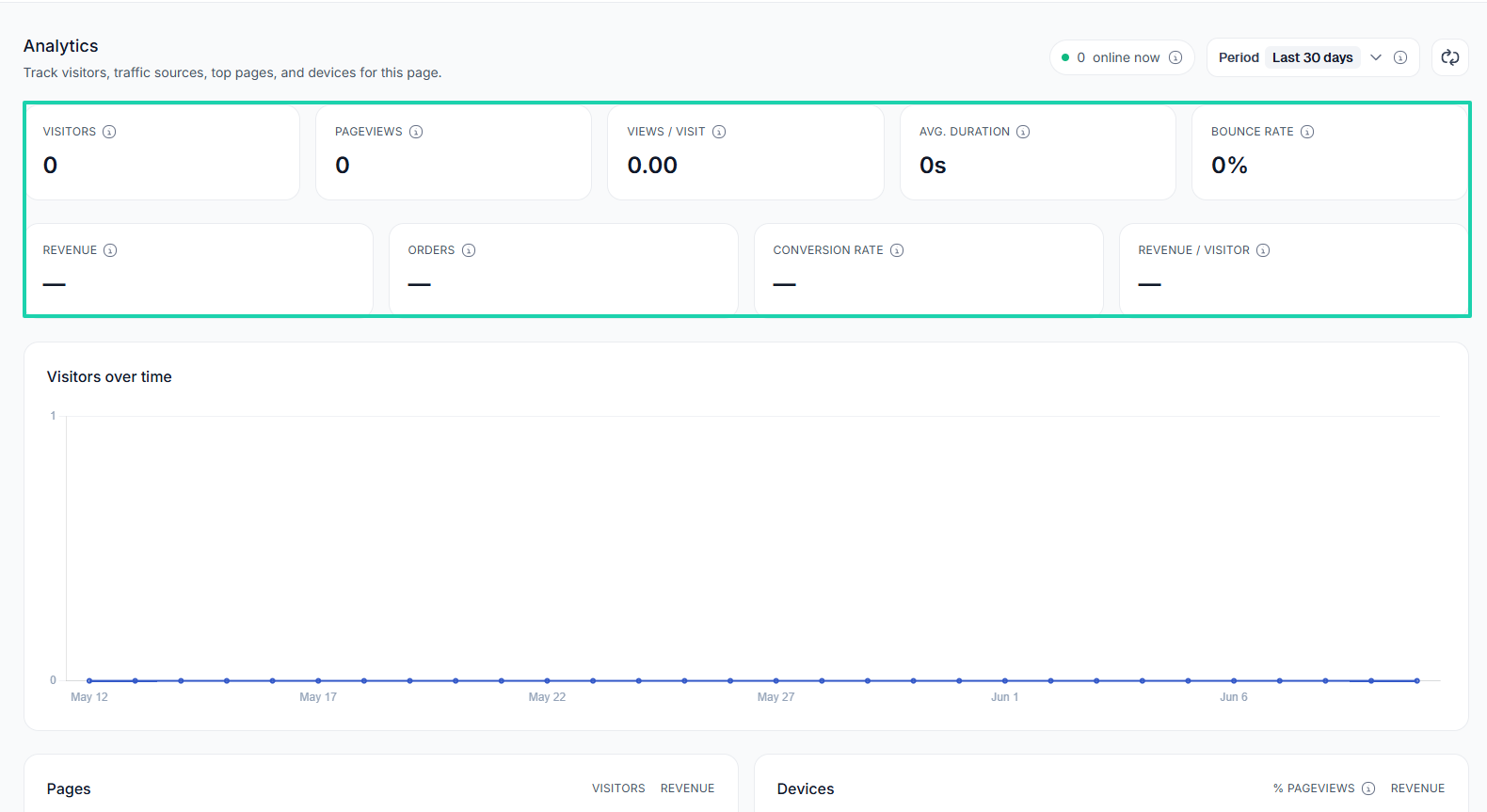
The built-in analytics displays all your visitors, pageviews, average time on page, and bounce rate. You can also track your revenue, orders, conversion rate, and revenue per visitor.
3. Campaigns
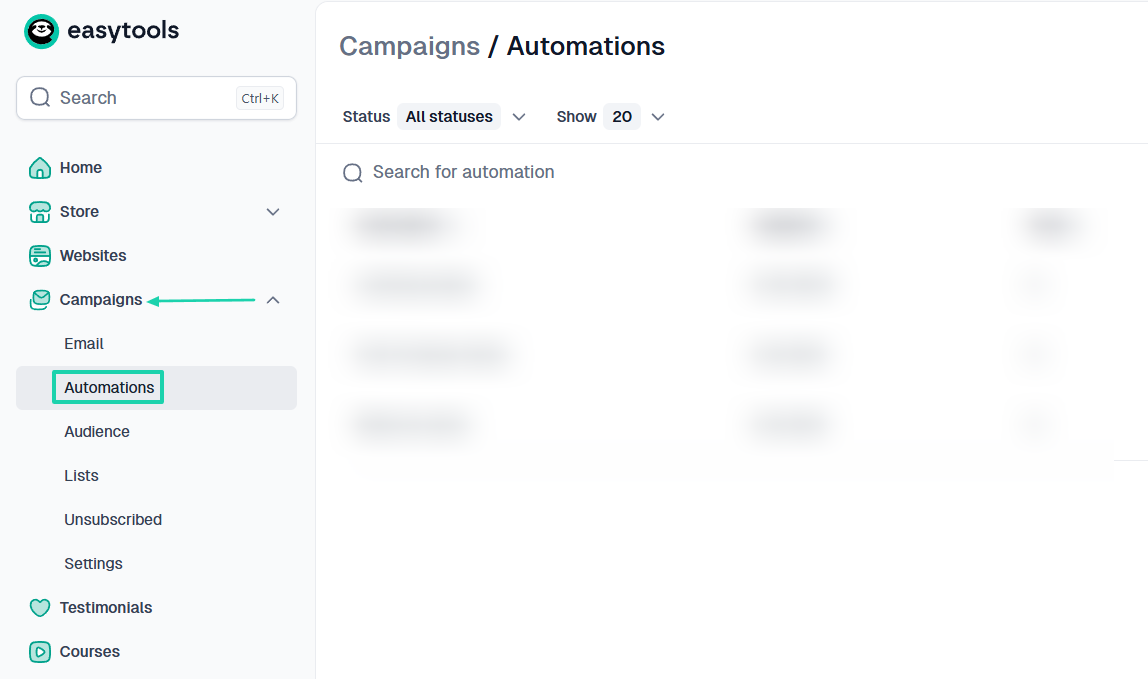
Thanks to the built-in campaigns feature on Easytools, you can launch email campaigns and track their performance. You can also run multiple automations, build email lists, and create your own audience.
For this tutorial, I will show you how to run an automation on Easytools.
Under Campaigns, find Automations.
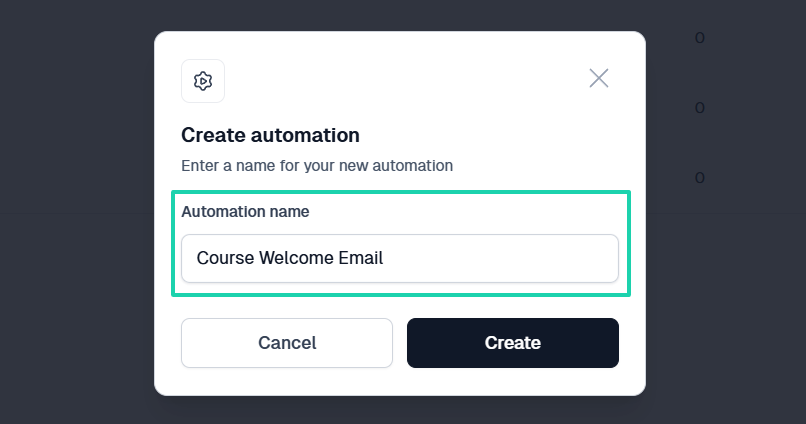
Next, enter an automation name.
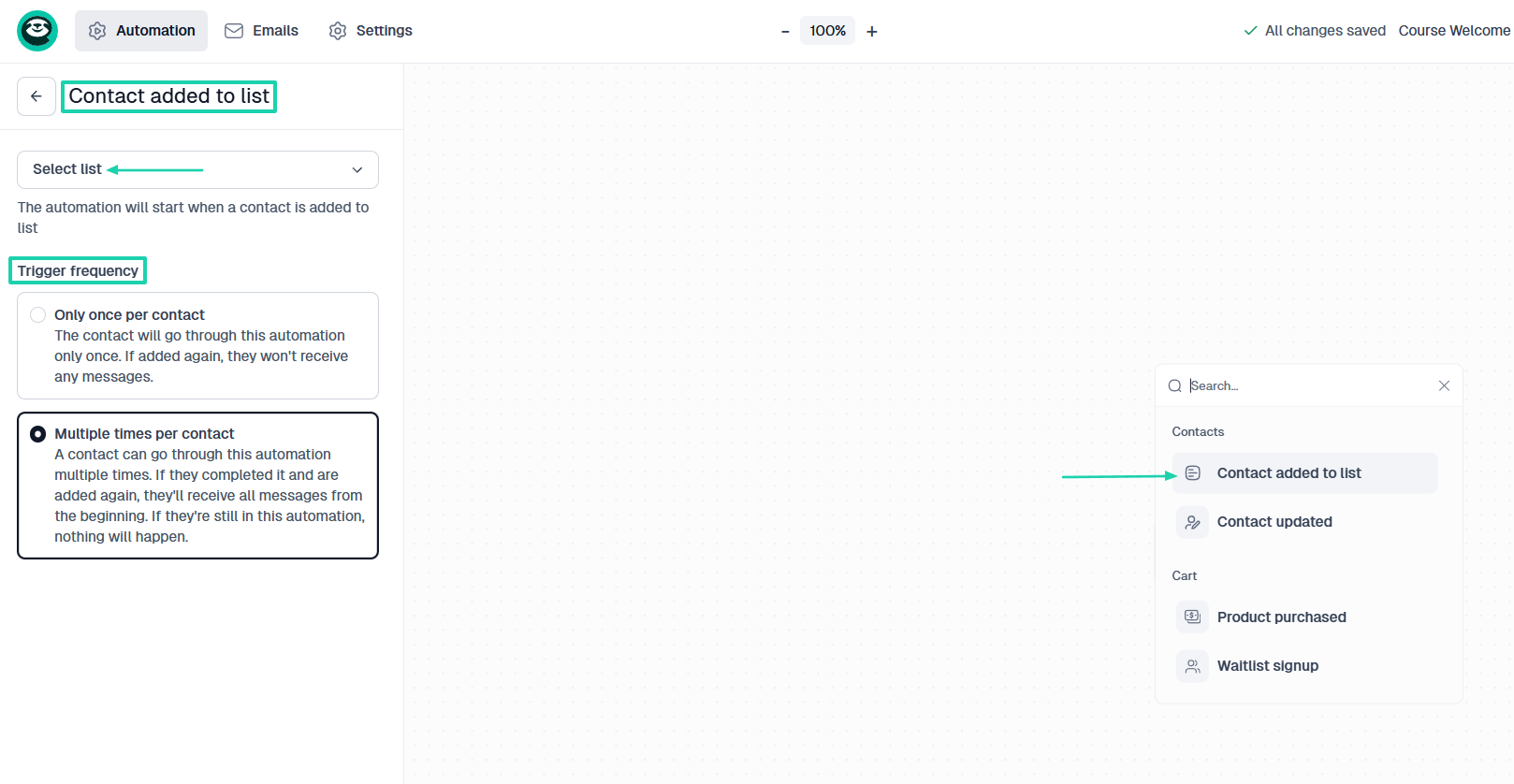
Start with what will trigger your automation. It could be, “Contact added to list.” Then choose the trigger frequency.
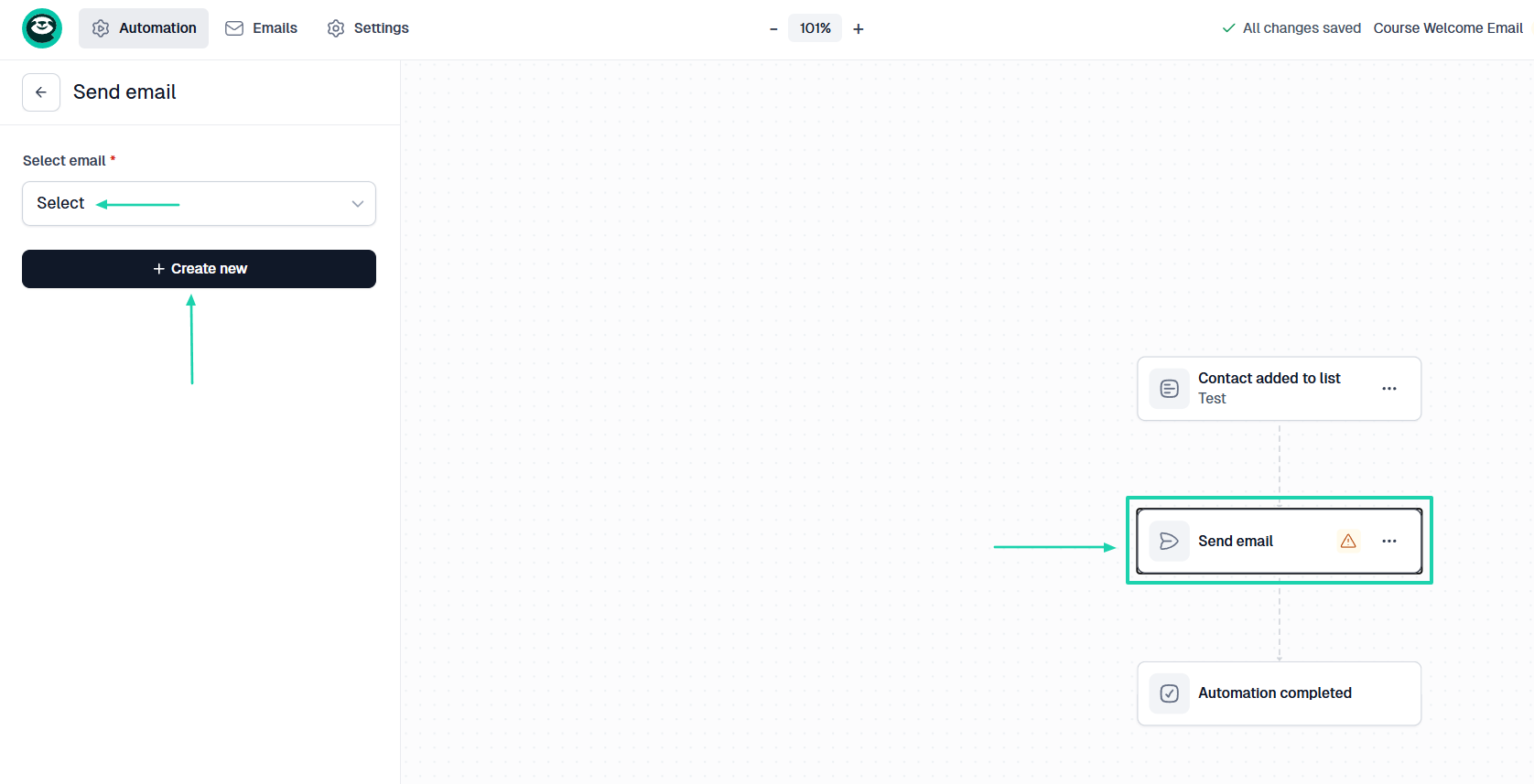
Then, decide what happens next. Let’s choose “Send email.” You will then have to select an email or create a new one on the spot.
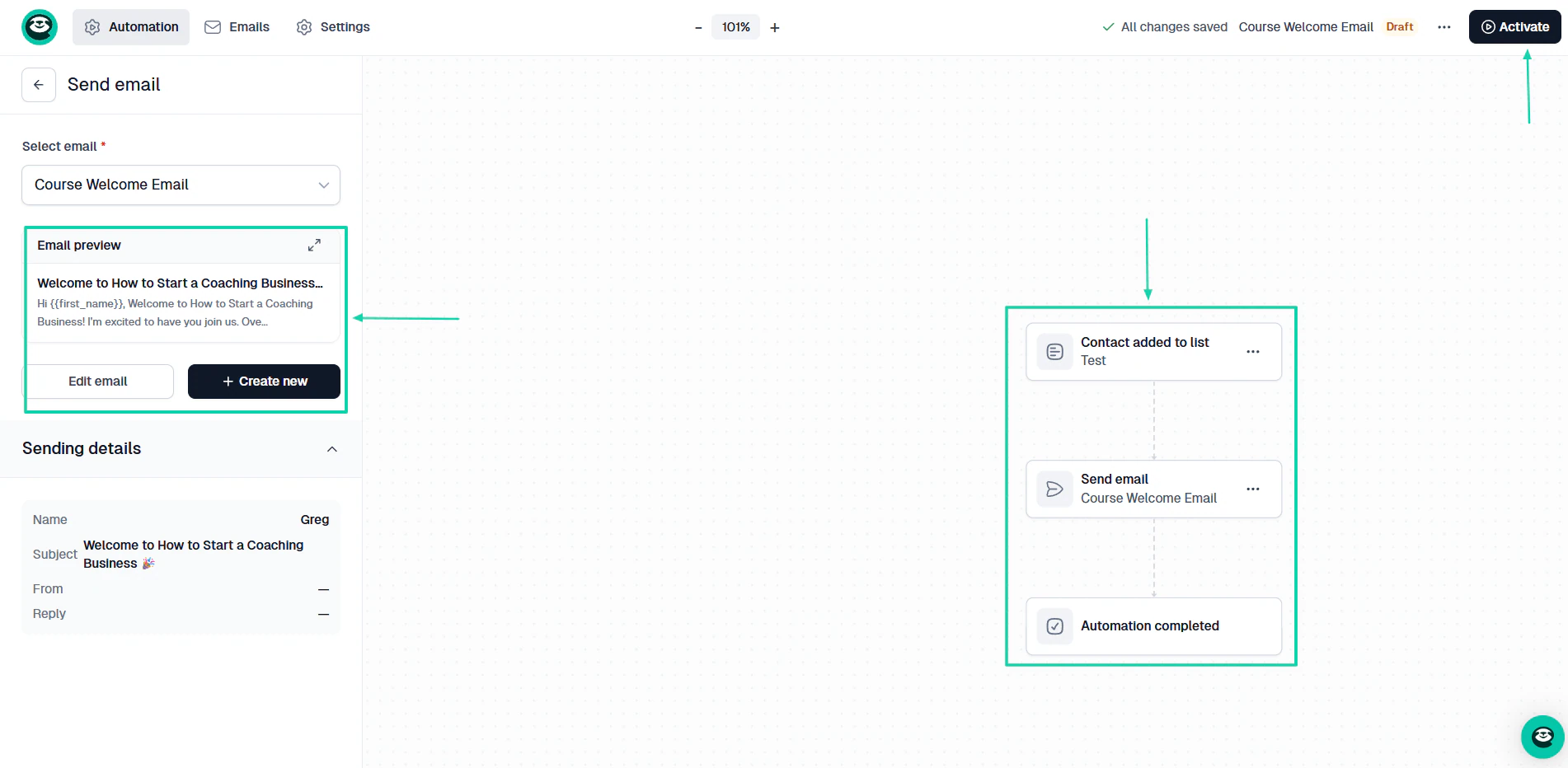
Once you add your email, your automation will be complete. You can still edit the email right from there before hitting the “Activate” button.
Now, when a contact is added to a “list,” they will automatically receive a course welcome email.
What I liked vs what I didn’t like
What I loved 👍
✅Uses AI to help you structure your modules and lessons.
✅ Lets you create highly customizable checkouts to sell all digital products.
✅ Generates a professional website in less than 5 minutes.
✅ Comes with built-in email features that let you run campaigns and automations.
What I didn’t like 👎
❌ The Starter plan offers you unlimited checkouts, but you’ll need to upgrade to the Creator and Professional plans to publish courses.
Best for
- Course creators, coaches, and training organizations seeking to sell online courses along with various digital products and services and build their own audience.
Pricing
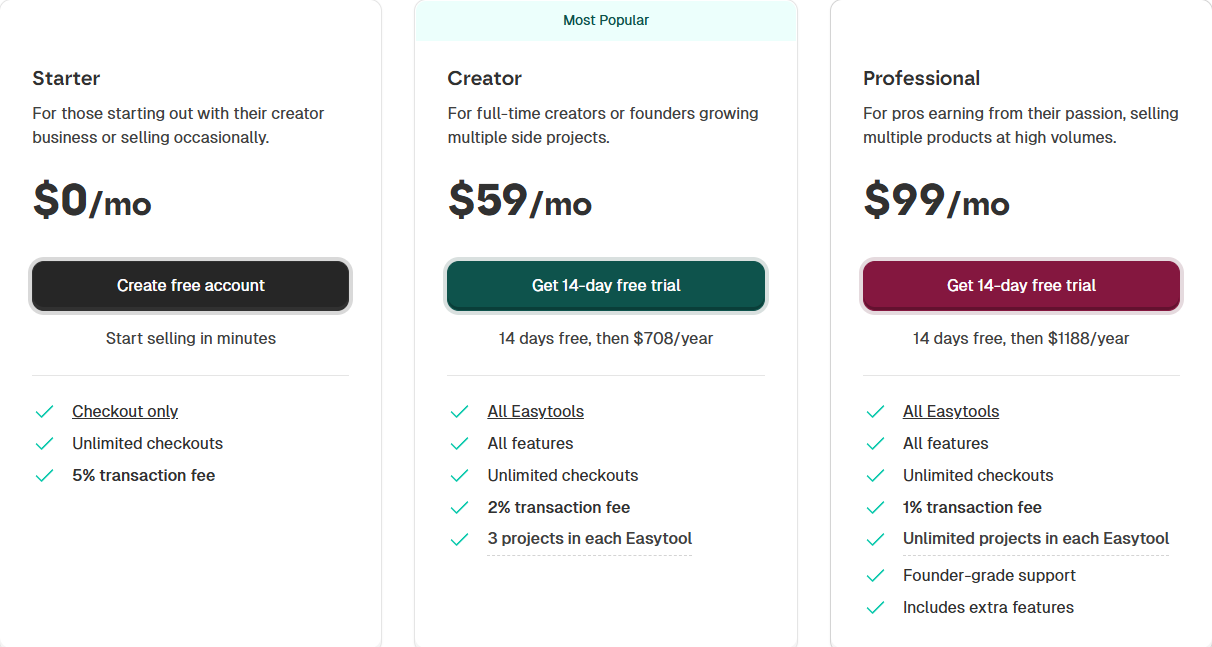
- Starter: $0/month + 5% transaction
- Creator: $59/month + 2% transaction fee
- Professional: $99/month + 1% transaction fee
2. Udemy
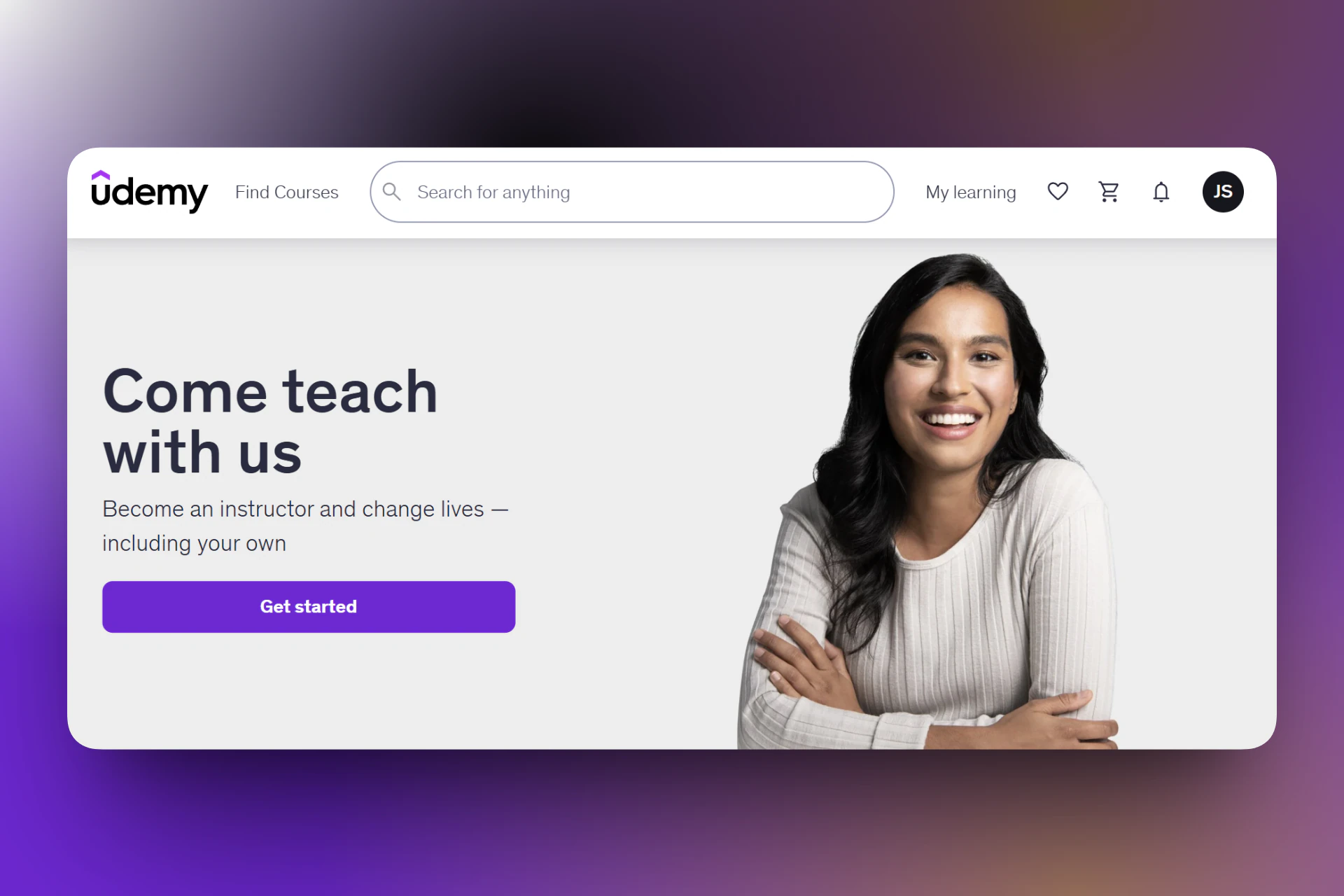
Next on our list of the best LearnWorlds alternatives is Udemy.
It’s a popular online learning marketplace that lets creators and instructors build, publish, and monetize video-based courses.
It comes with the hosting, video players, and course management dashboards.
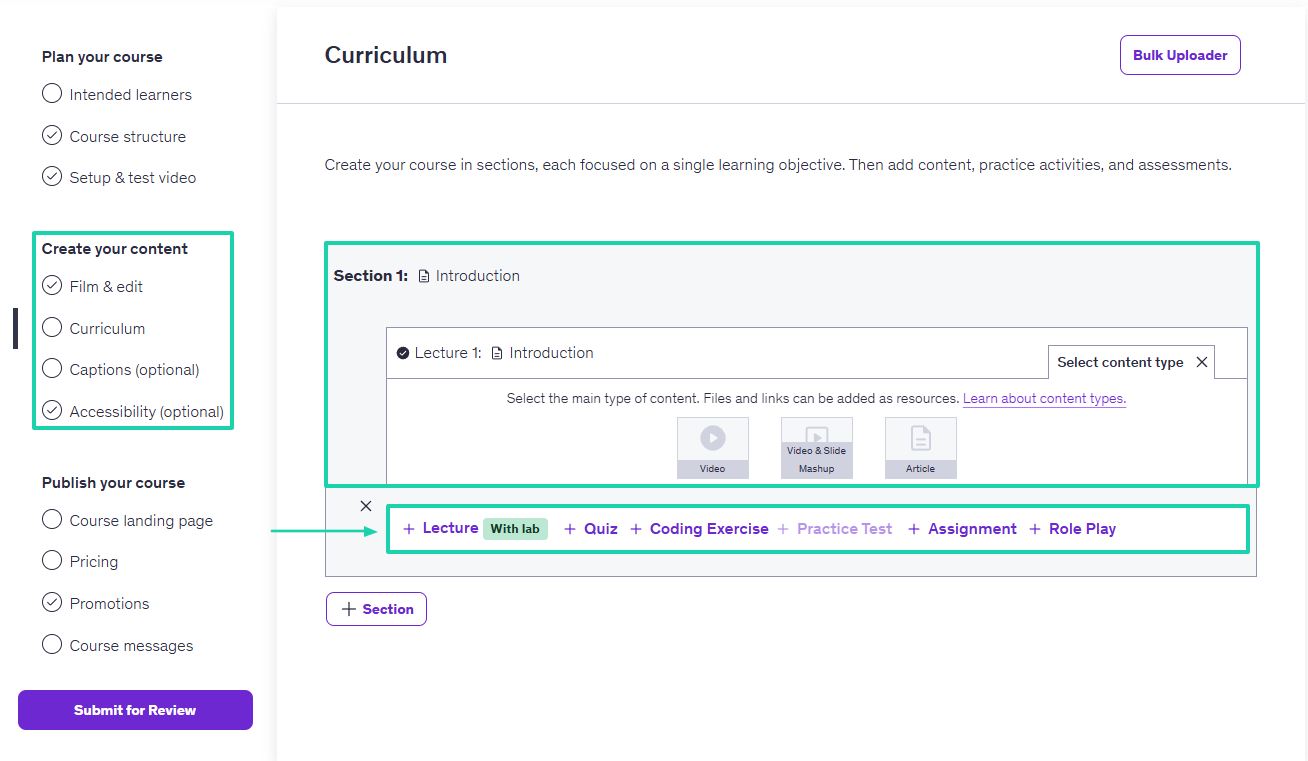
You can create your course in sections, adding videos, slides, and articles.
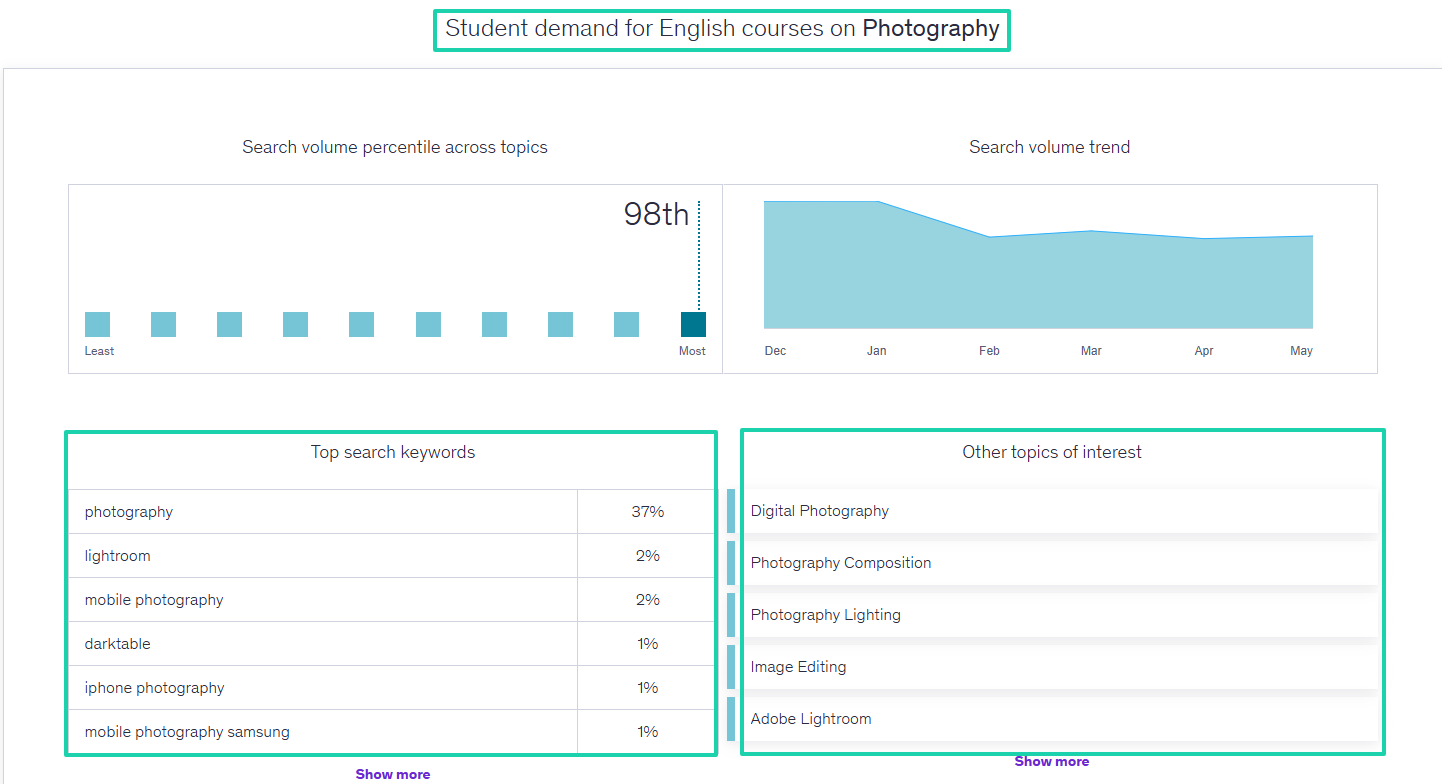
Udemy offers market insights where you can search for various topics of interest.
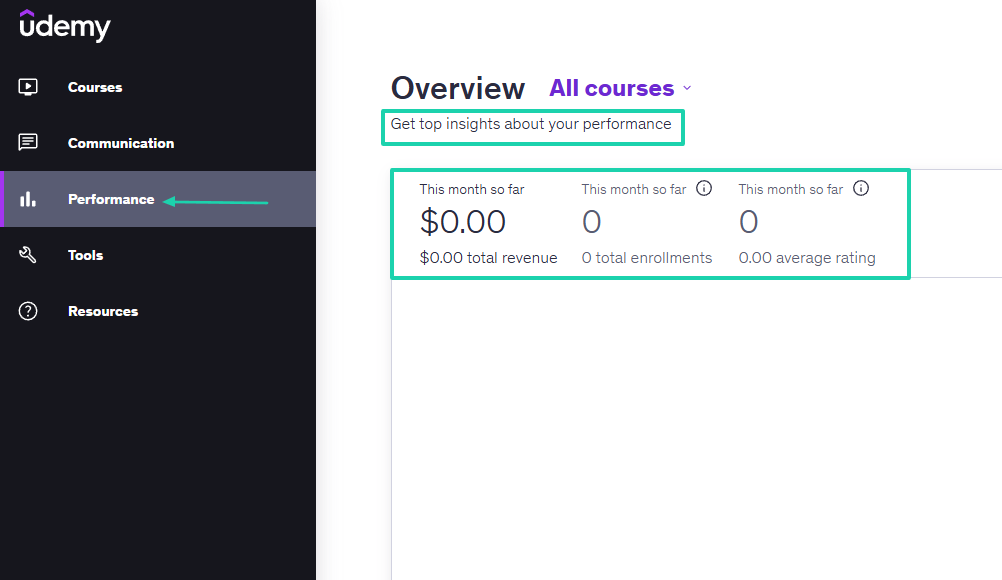
It also shows your performance in terms of revenue, enrollments, and ratings.
What I loved about Udemy
1. Courses
The courses feature on Udemy is a central hub for building, managing, and optimizing your video-based learning content. It offers structural tools to map out a curriculum and publish your material.
This is how you can publish a course on Udemy.
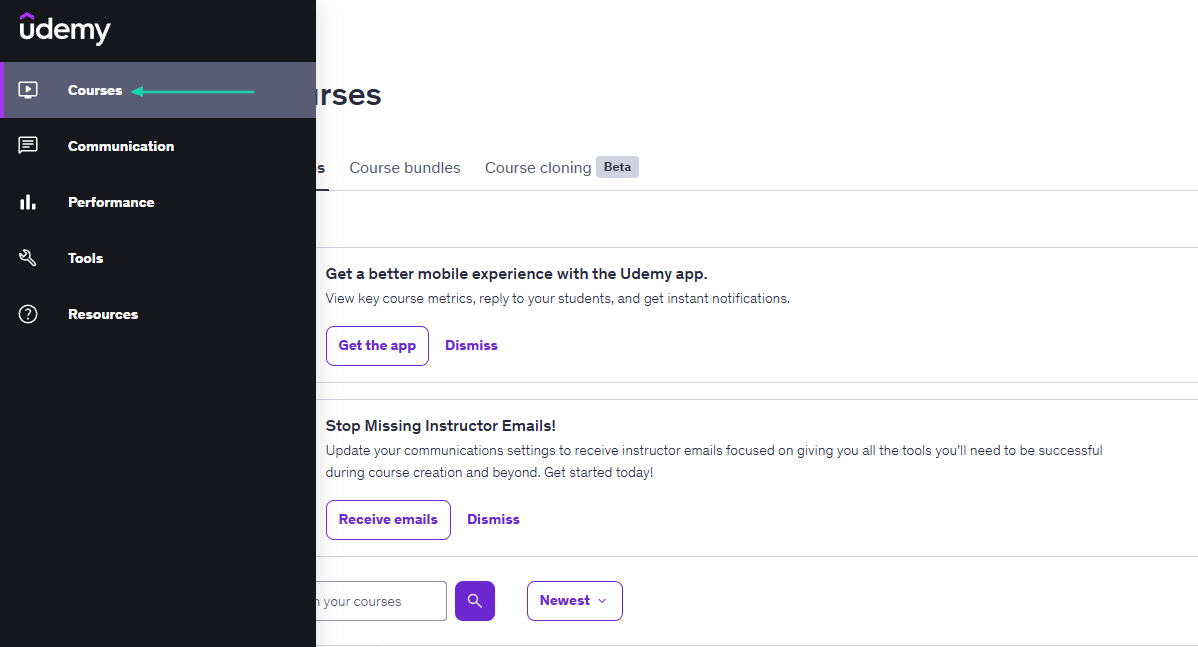
Click “Courses” in the sidebar menu.
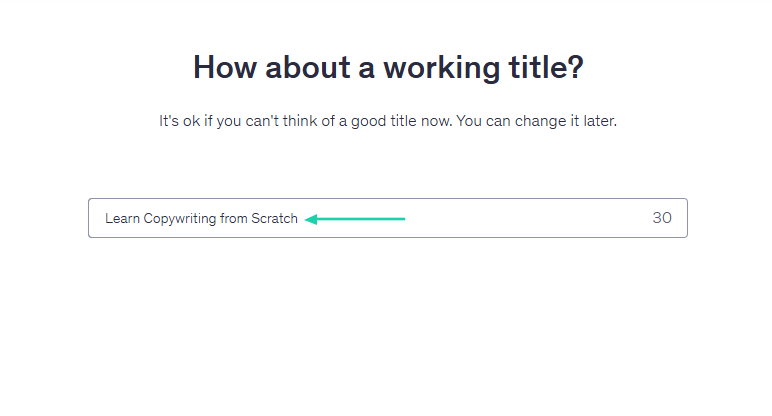
Enter a course title.
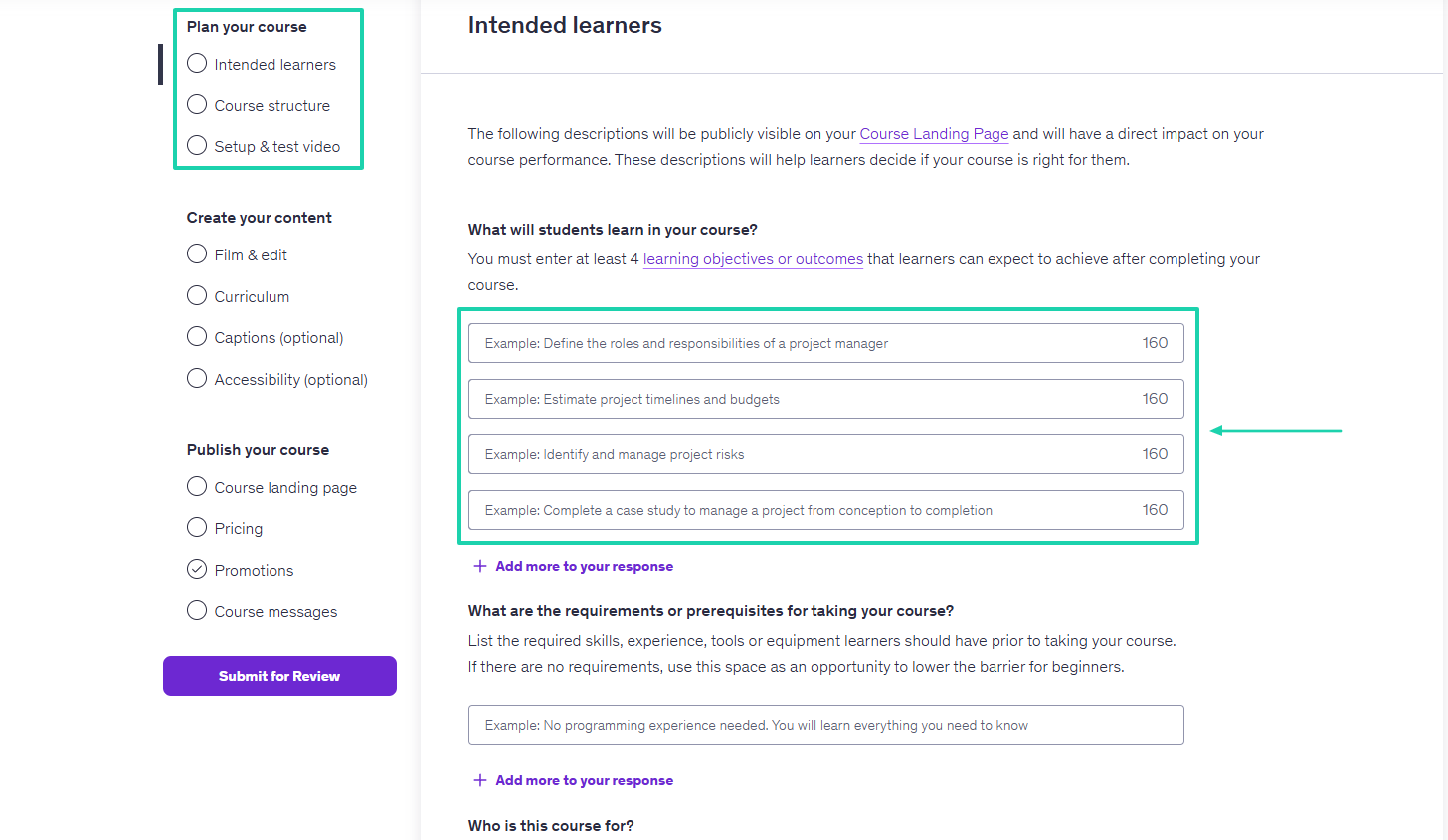
The first step is to plan the course. You must enter at least 4 learning objectives or outcomes that students can expect after completing your course.
After that, you create your content. You will choose the main content type among videos, slide mashups, and articles. You can then add lectures, quizzes, assignments, or coding exercises.
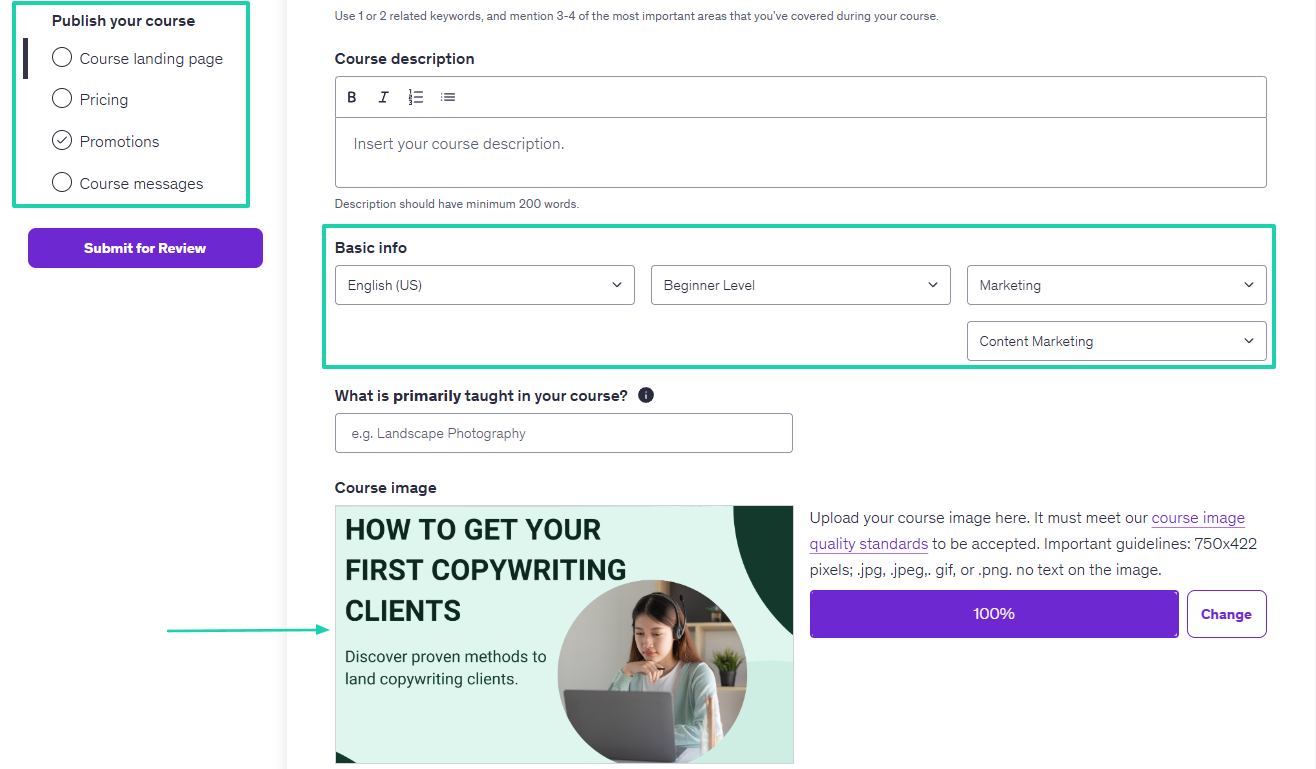
The last step is to create your course landing page. You can add a course description, choose the language, level, and category. You can also upload a course image.
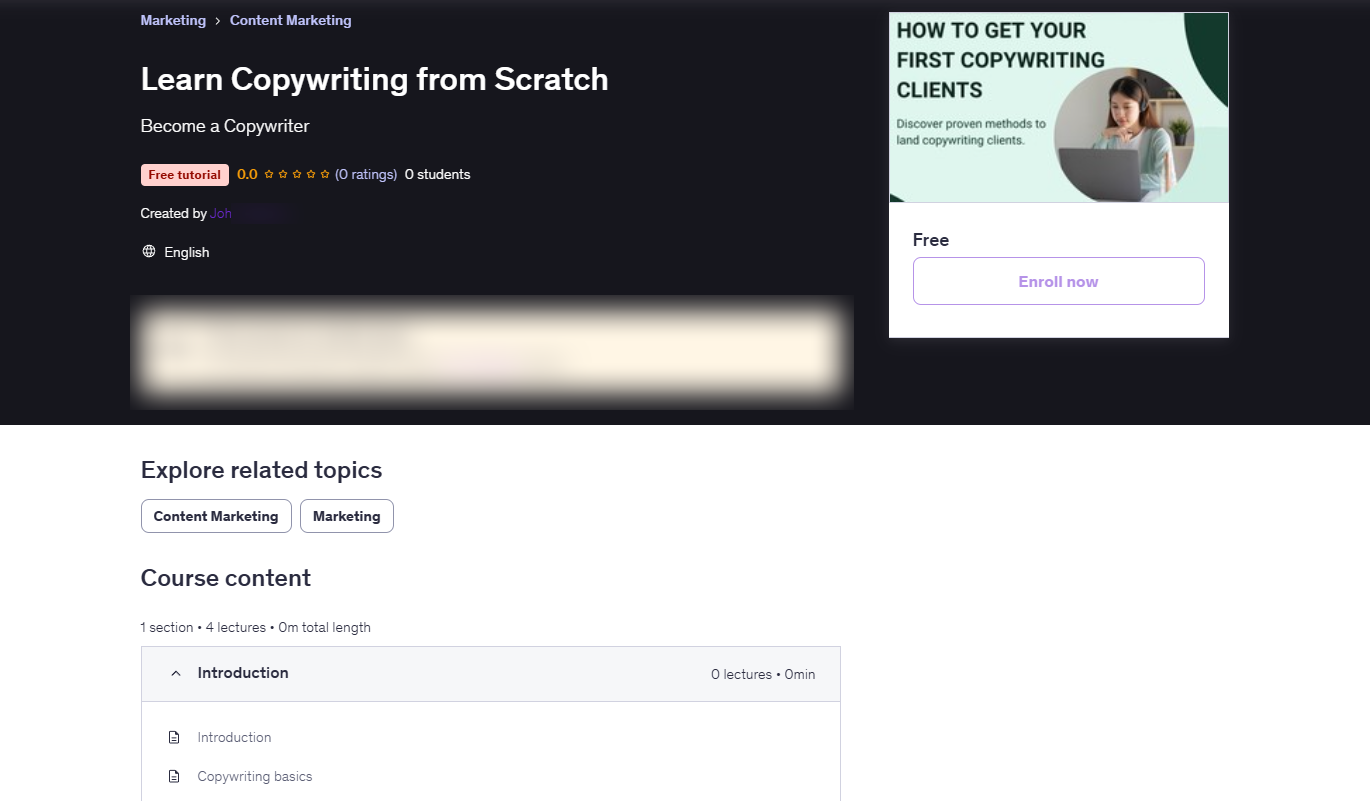
This is what your course landing page looks like.
2. Performance
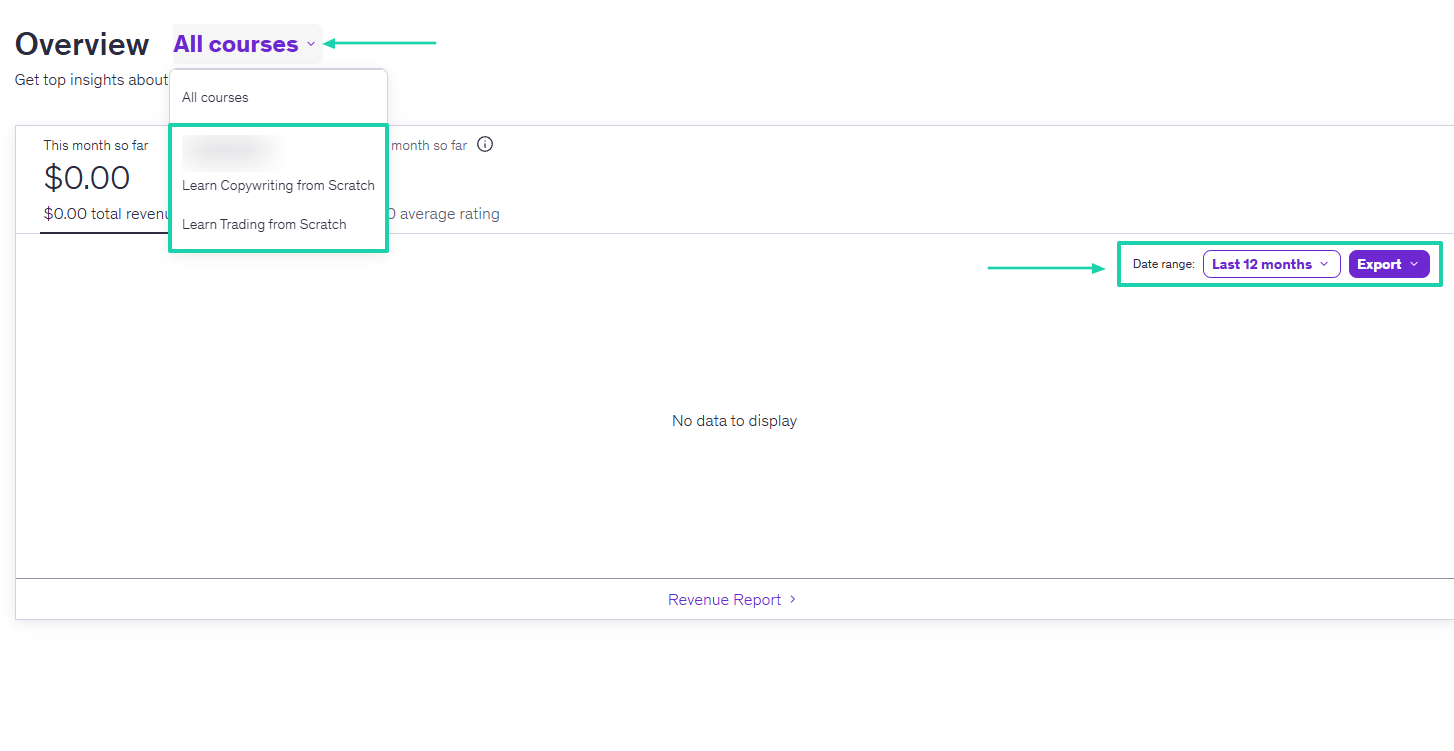
Udemy has a feature called Performance. It shows you top insights into your performance, including total revenue, total enrollments, and average rating.
You can also select specific courses and access their performance. On the dashboard, you can choose a date range to view performance and export the data.
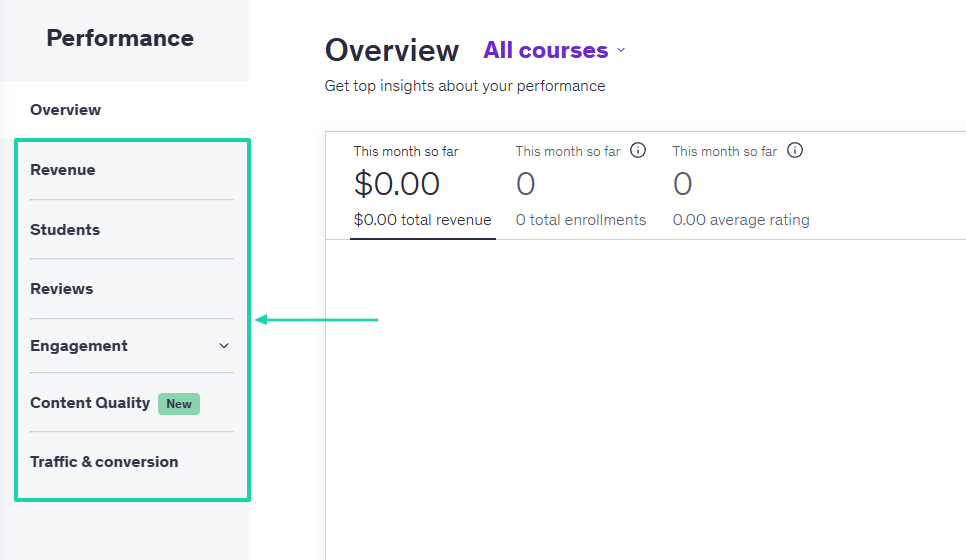
Aside from revenue, you can access students’ performance, reviews, engagement, content quality, and traffic and conversion.
3. Tools
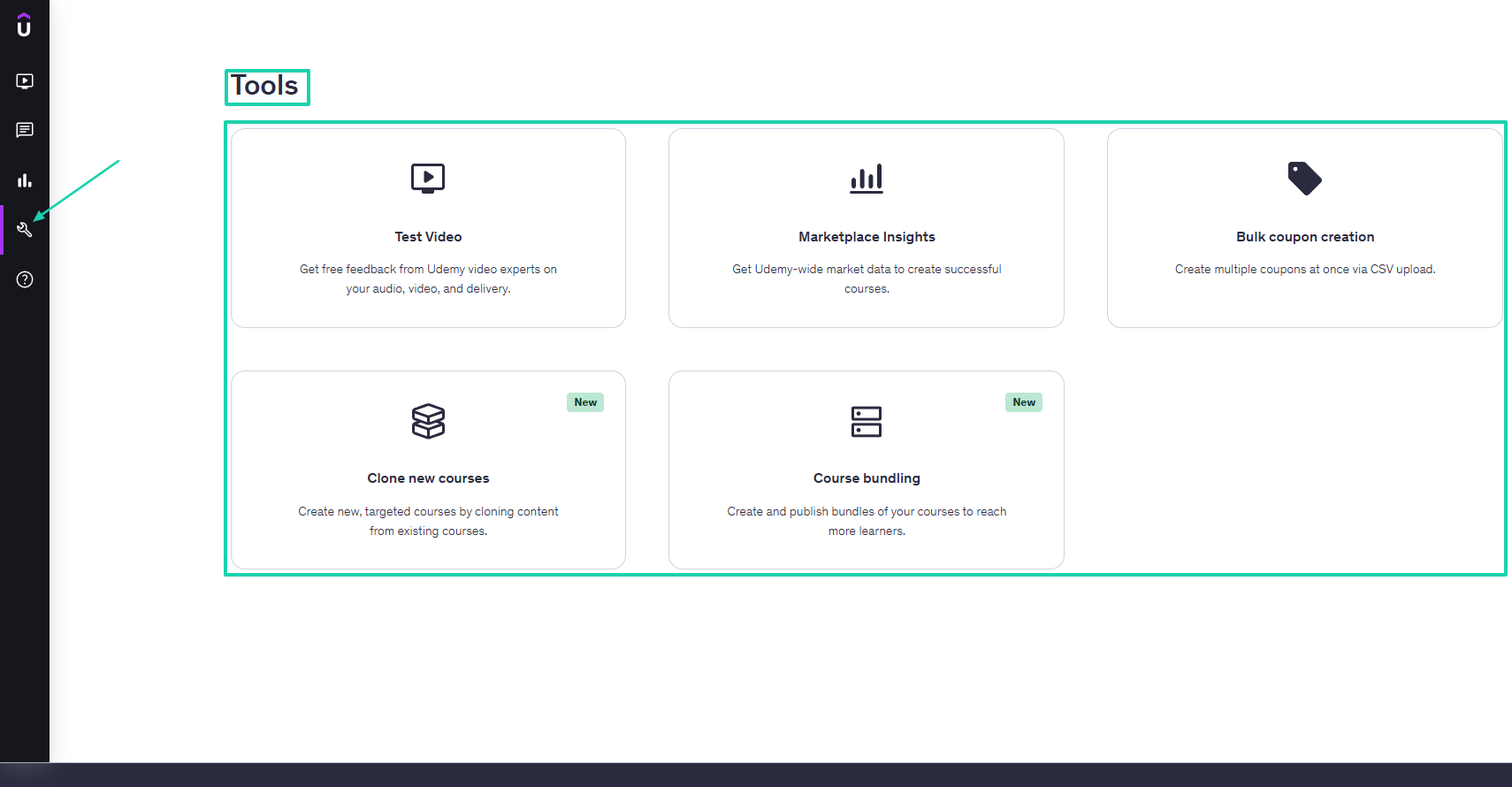
Udemy offers many tools to test videos, access marketplace insights, clone new courses, bundle courses, and create bulk coupons.
Let’s try one of them: Marketplace insights.
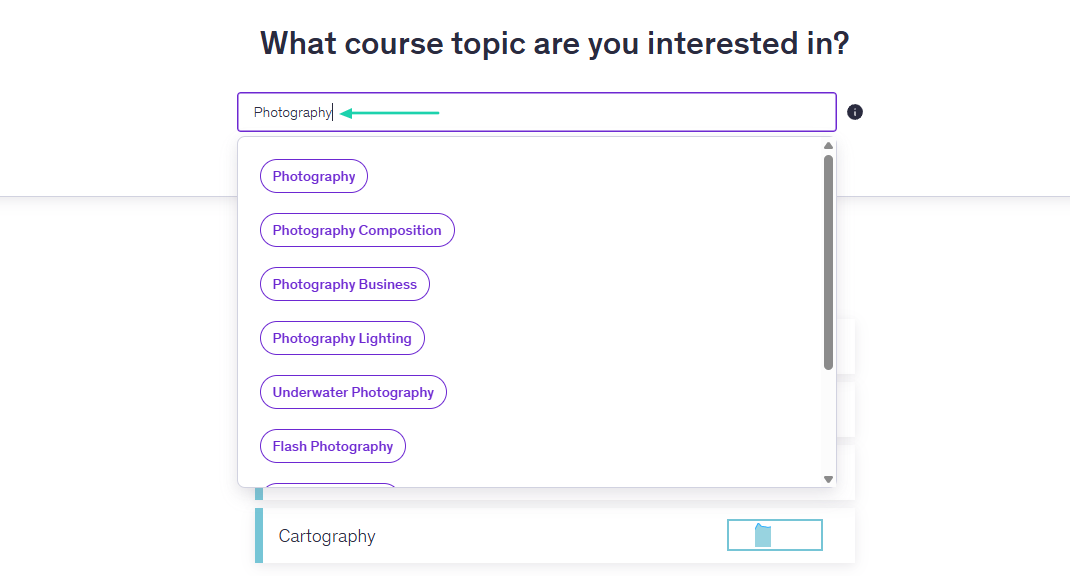
First, you enter the course topic you are interested in.
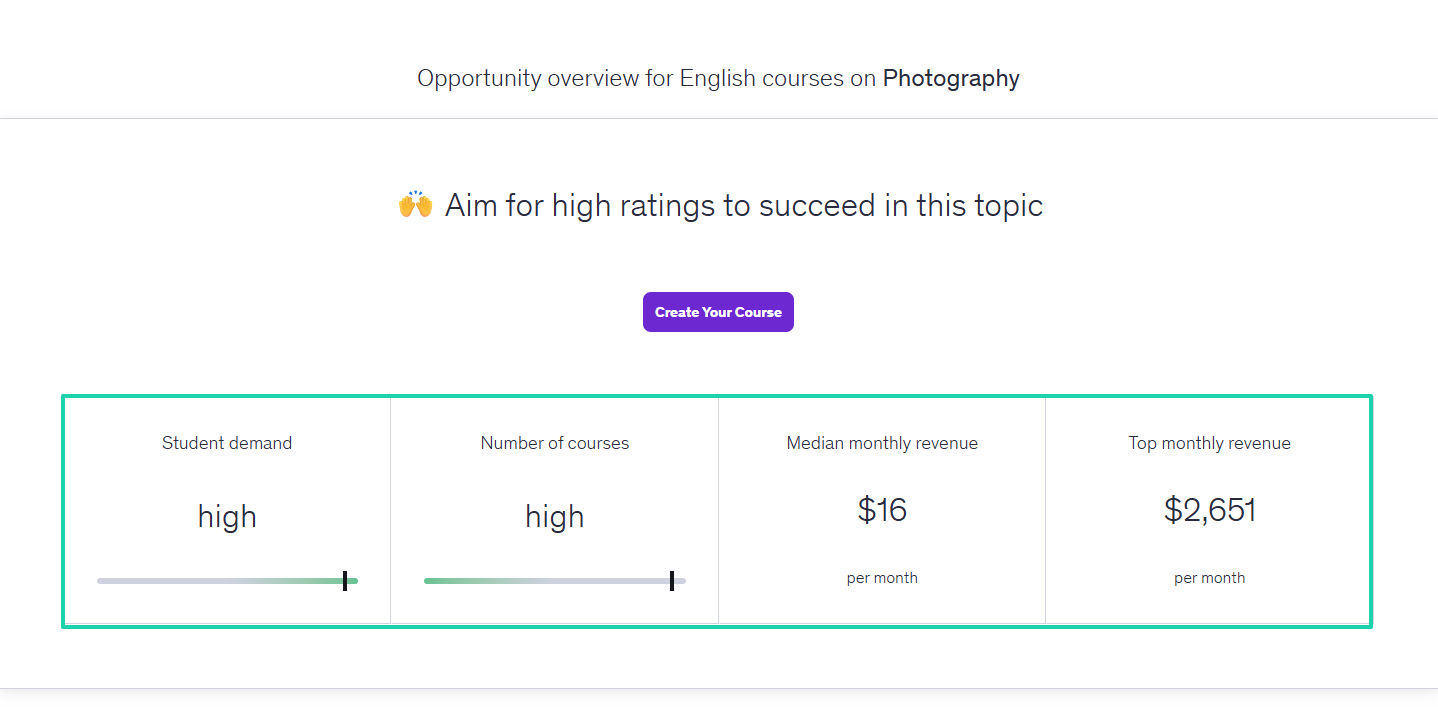
Udemy will show you the student demand, number of courses, median monthly revenue, and top monthly revenue.
You will also see the top search keywords related to your course topic, and other topics of interest.
What I liked vs what I didn’t like
What I loved 👍
✅ Guides you towards the creation of your online course with tips and instructions.
✅ Offers marketing insights to help create a successful course.
✅ Comes with a Q&A interface that displays students’ interactions under your courses.
✅ Lets you directly communicate with your students and other instructors.
What I didn’t like 👎
❌ Takes too many steps to create a course.
❌You must submit your course for review before it gets approved.
Best for
- Creators who want immediate access to a large marketplace and don’t mind sharing visibility with competing courses.
Pricing
-
Free: $0/month
-
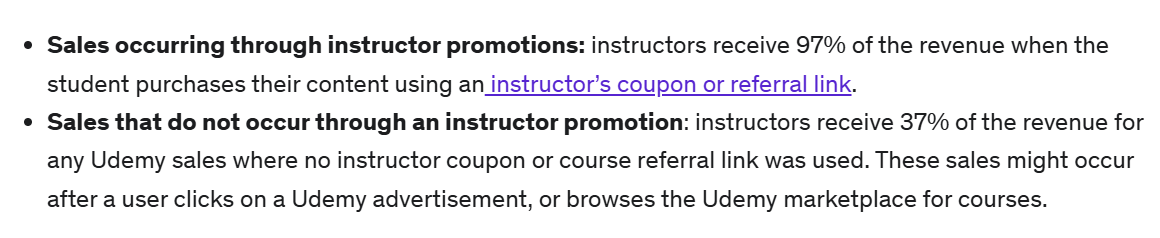
Instructors earn a 97% revenue share when students make a purchase using their coupon or referral link. They earn a 37% revenue share when sales come directly through Udemy’s marketplace or ads.
3. Skool
- Personal rating: ⭐️⭐️⭐️⭐️ 4/5 - Has a great marketplace reach but limited branding and ownership compared to standalone course platforms.
- Ease of use: ⭐️⭐️⭐️⭐️ 4.2/5 - Although publishing a course takes many steps, it is beginner-friendly.
- Hosting and delivery: Hosted marketplace platform - Videos are hosted directly on Udemy.
- AI/automation features: AI-assisted course topic insights, AI-powered marketplace recommendations, automated course quality checks, student notifications, and automated enrollment communications.
- Free trial: No free trial - It operates on a revenue-share model.
- Starting plan: Free - $0/month
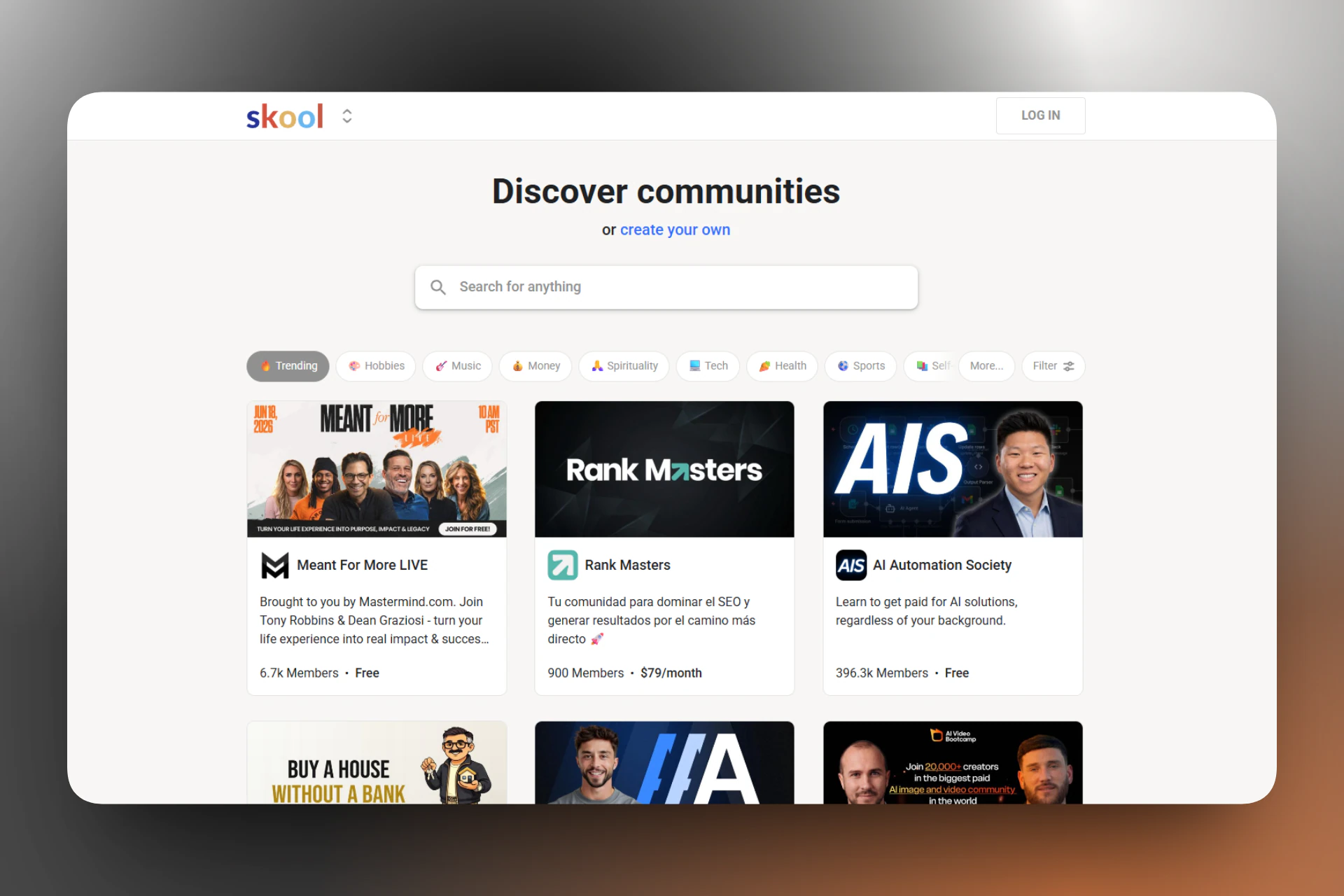
Skool also makes it to our list of the best LearnWorlds alternatives.
It’s a community platform that brings community-building, online courses, and gamification into a single space. It comes with a classroom and a built-in event calendar.
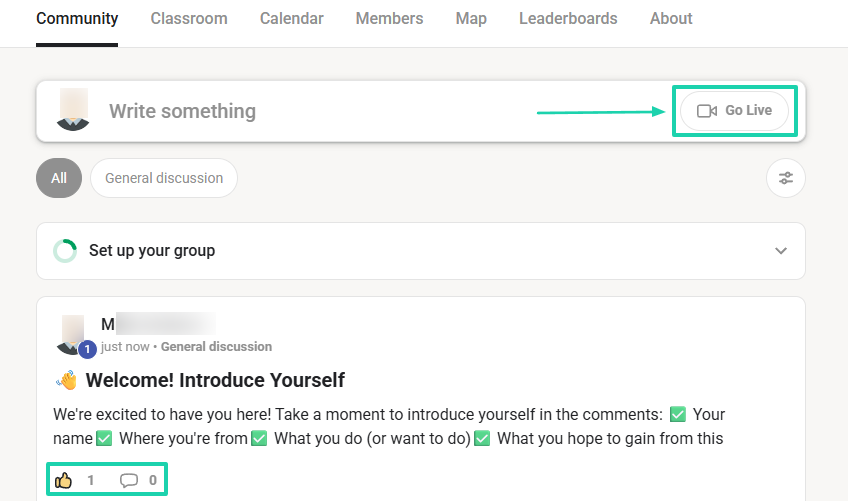
You can post messages in your community and go live right from there.
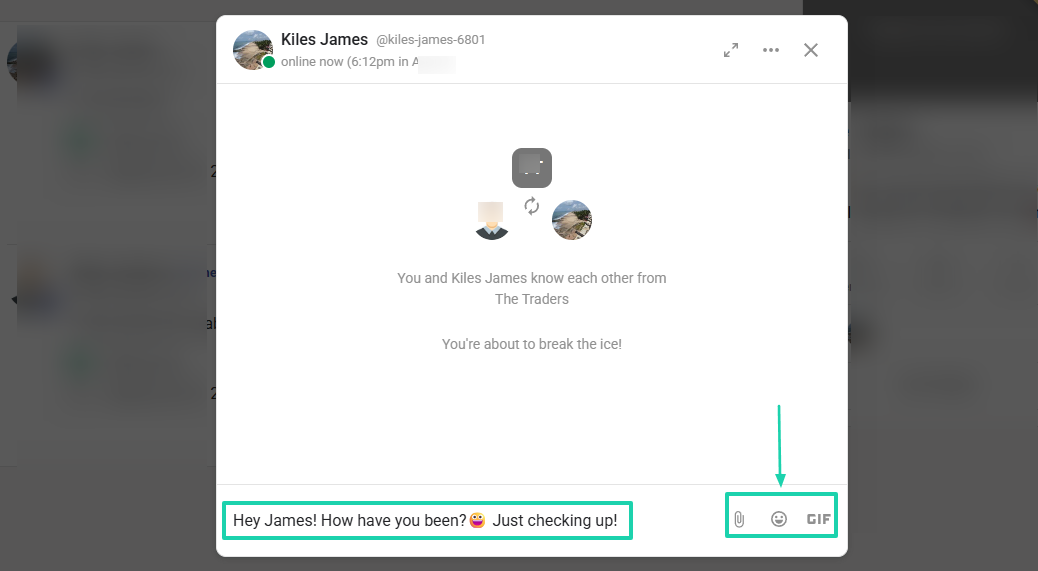
You can also directly chat with your members.
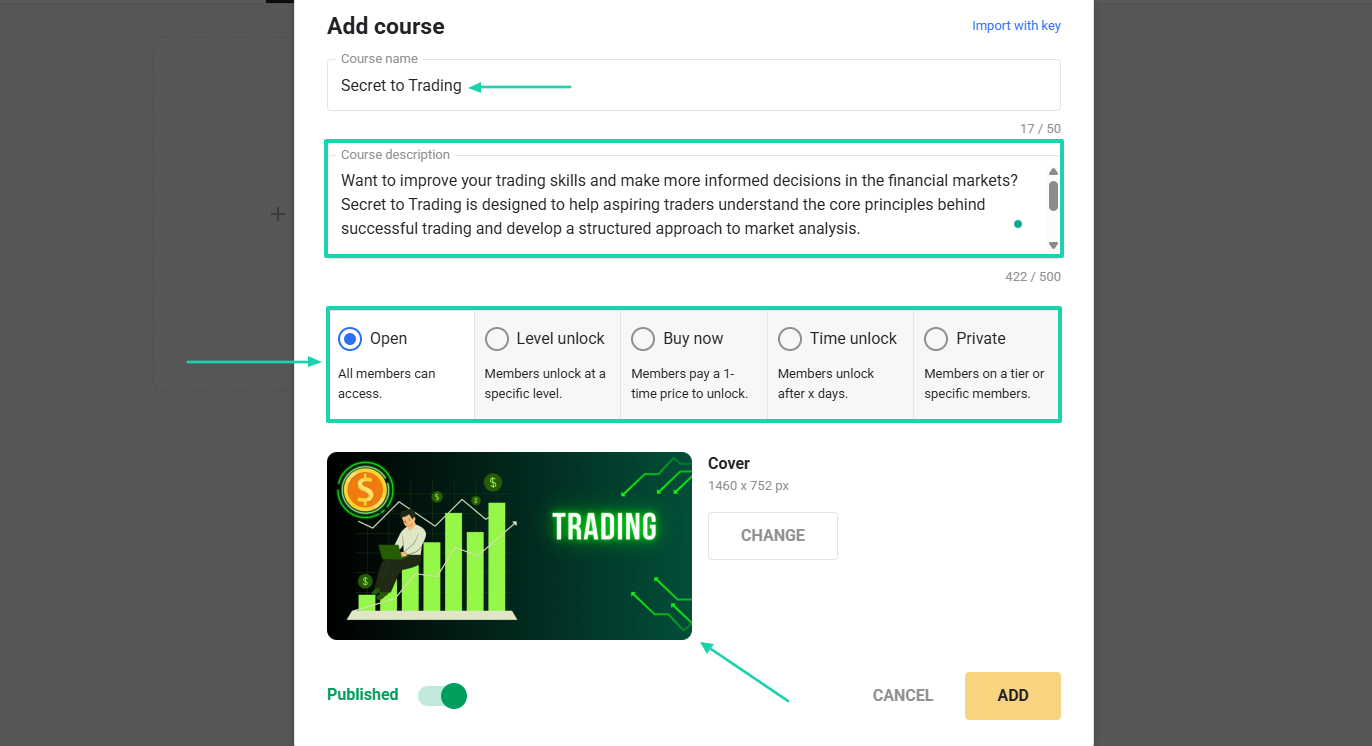
When you add a course, you can monitor who has access to it.
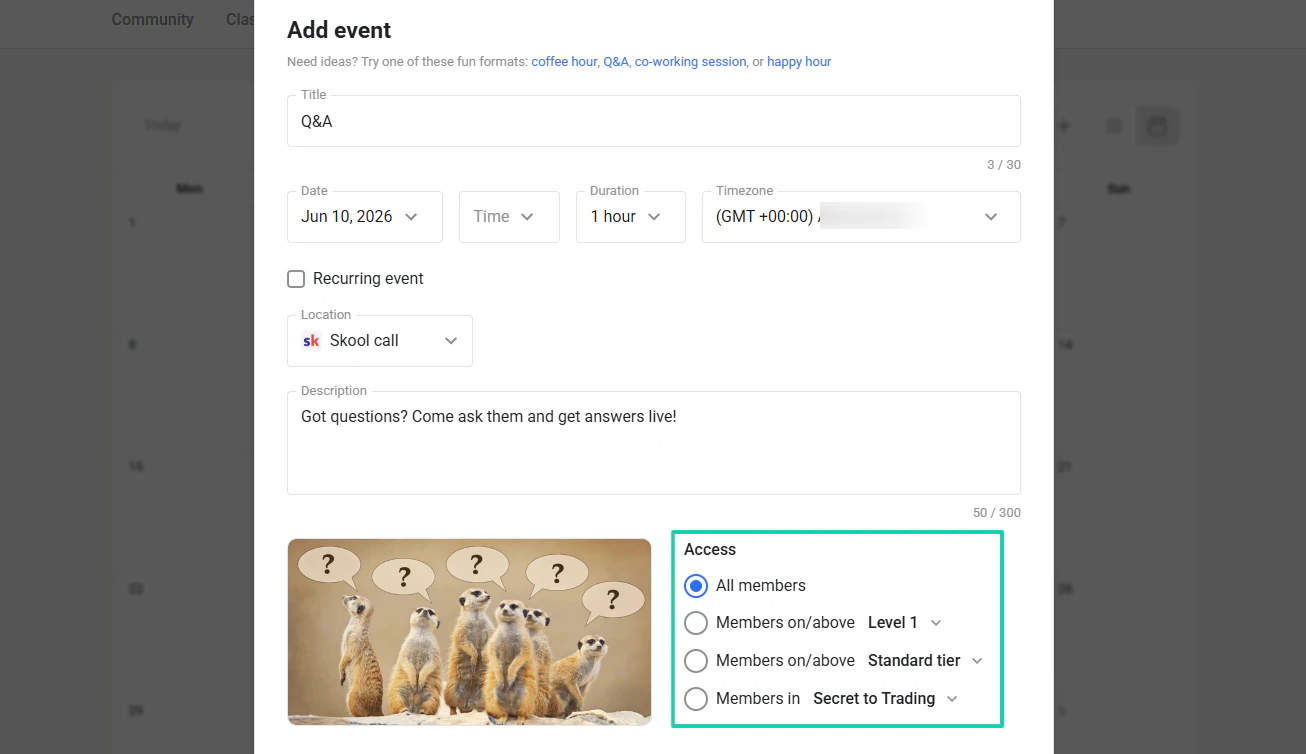
Skool lets you create events like Q&As or coffee hours. You’ll also be able to monitor who can access those events.
What I loved about Skool
1. Classroom
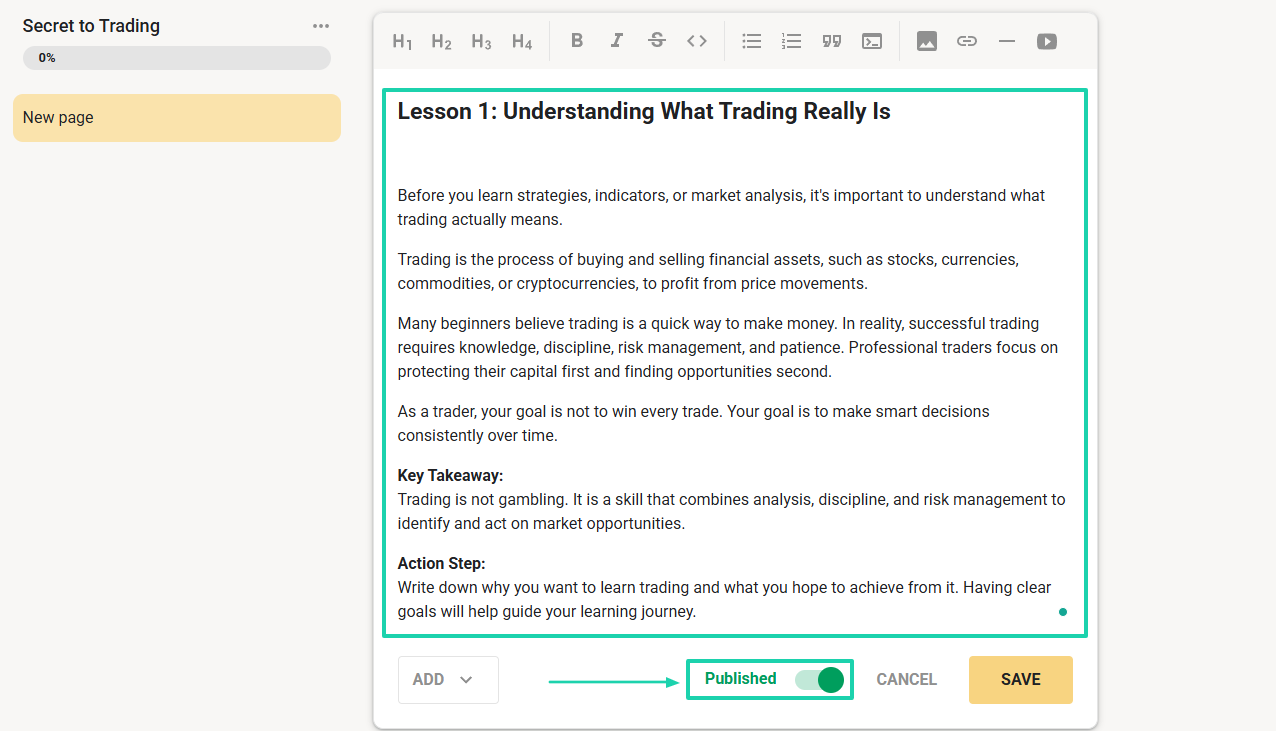
Skool’s classroom is the built-in learning hub where you can organize educational content, guides, and training resources. You can structure content into modules and lessons, including text, videos, and downloadable attachments.
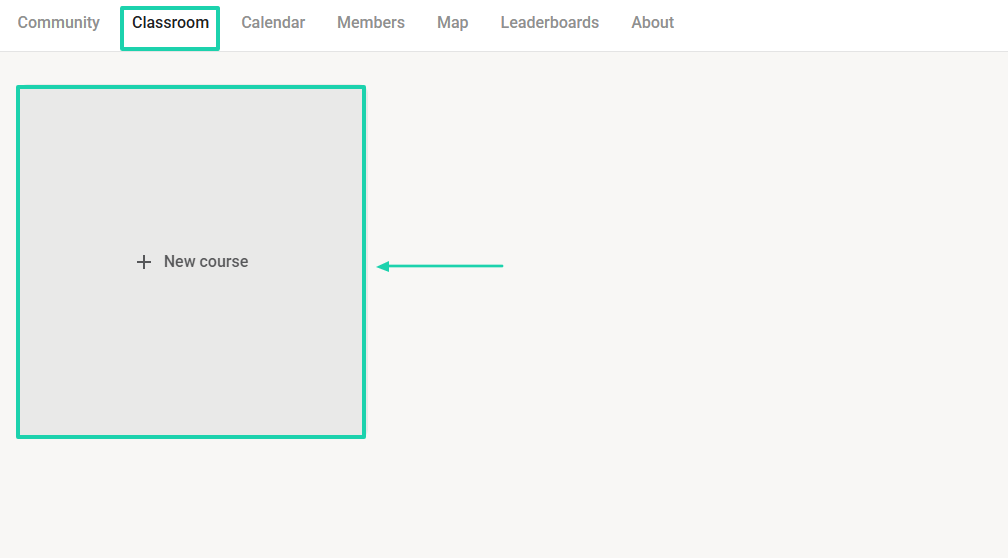
Let’s try that! After heading to “Classroom,” click “+ New course.”
Enter your course name, description, and cover image. You can make it free for all members or set a price so members can pay to access it.
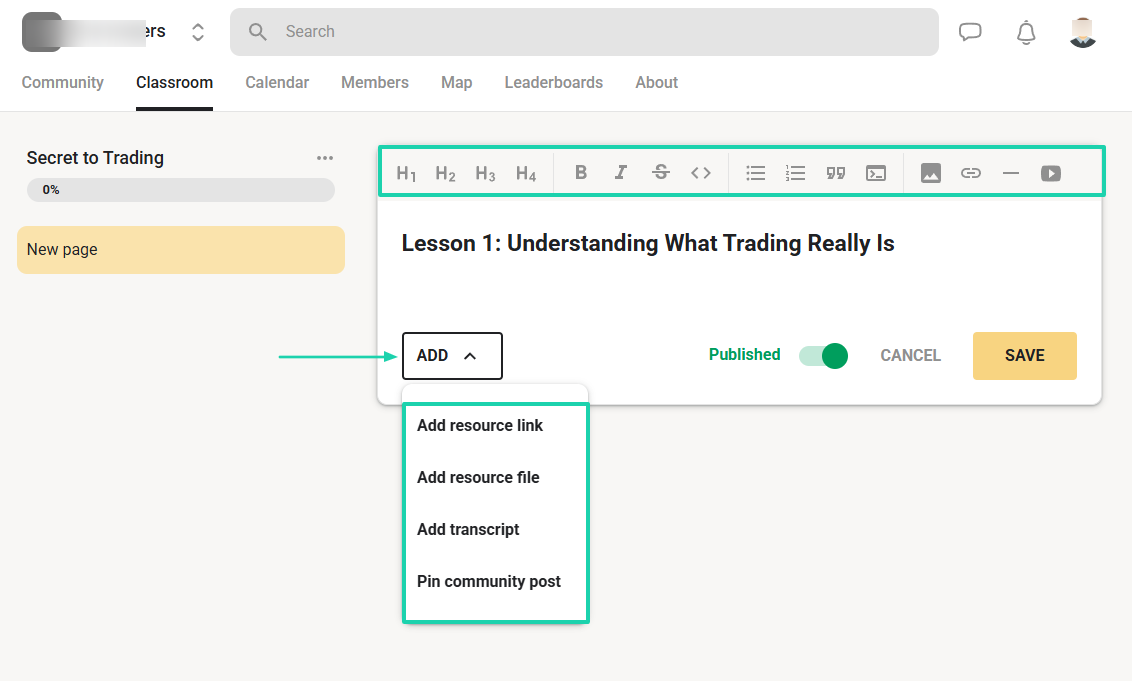
Time to build the course. By clicking “Add,” you can add resource links, resource files, transcripts, or pin community posts. You can also start writing the course right away using text, headings, quotations, images, links, and videos.
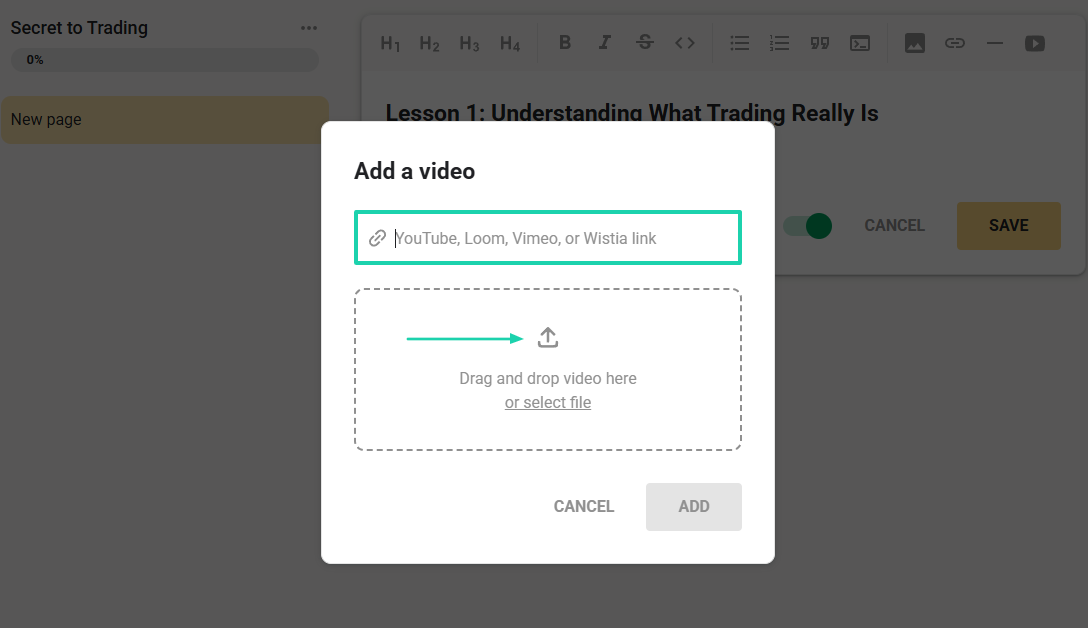
You can add links to your videos or select files from your device.
Once your course is ready, you can hit “Publish.”
2. Community
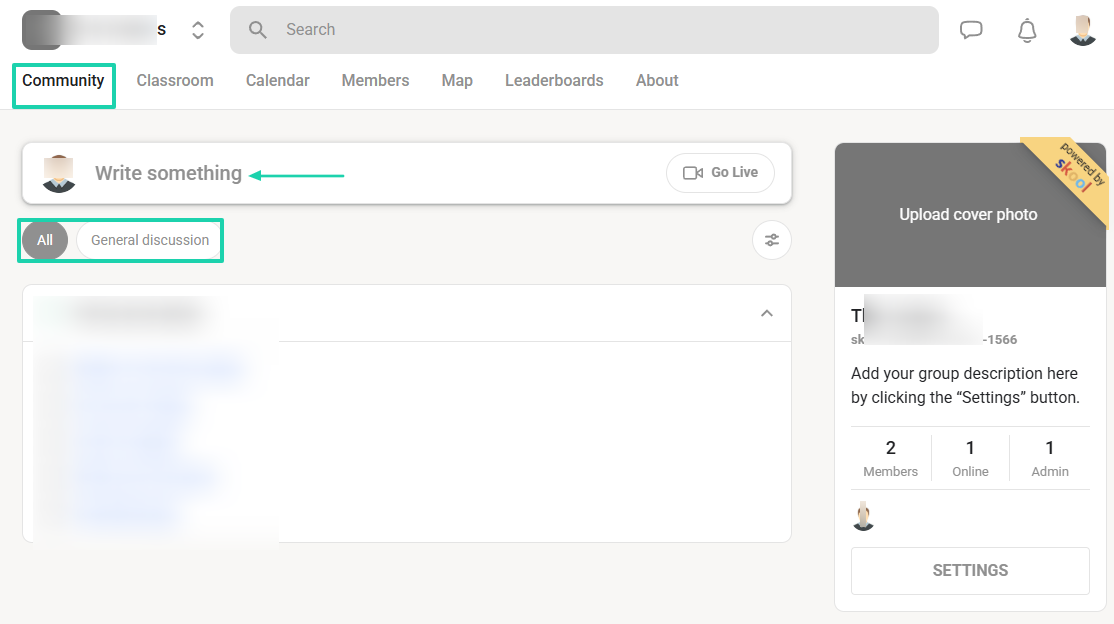
You can create a community on Skool where you host vibrant discussions. You can post text, videos, polls, and GIFs, with categories to keep topics organized.
The main channel is the “General discussion.”
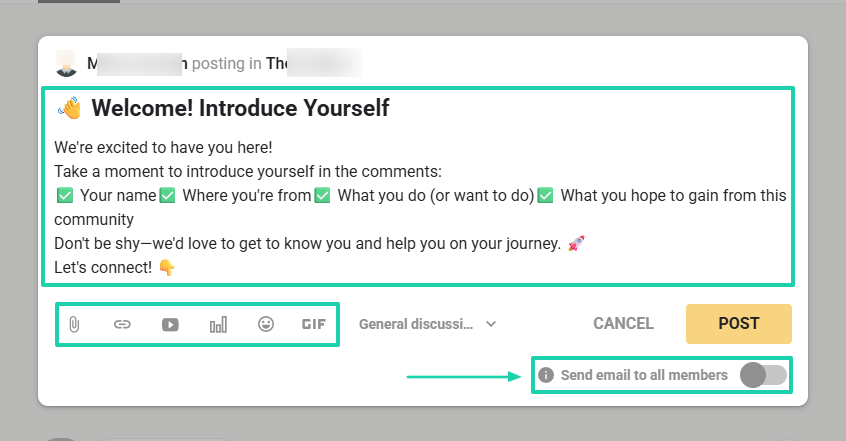
You can post discussions there and allow the platform to send emails to all members.
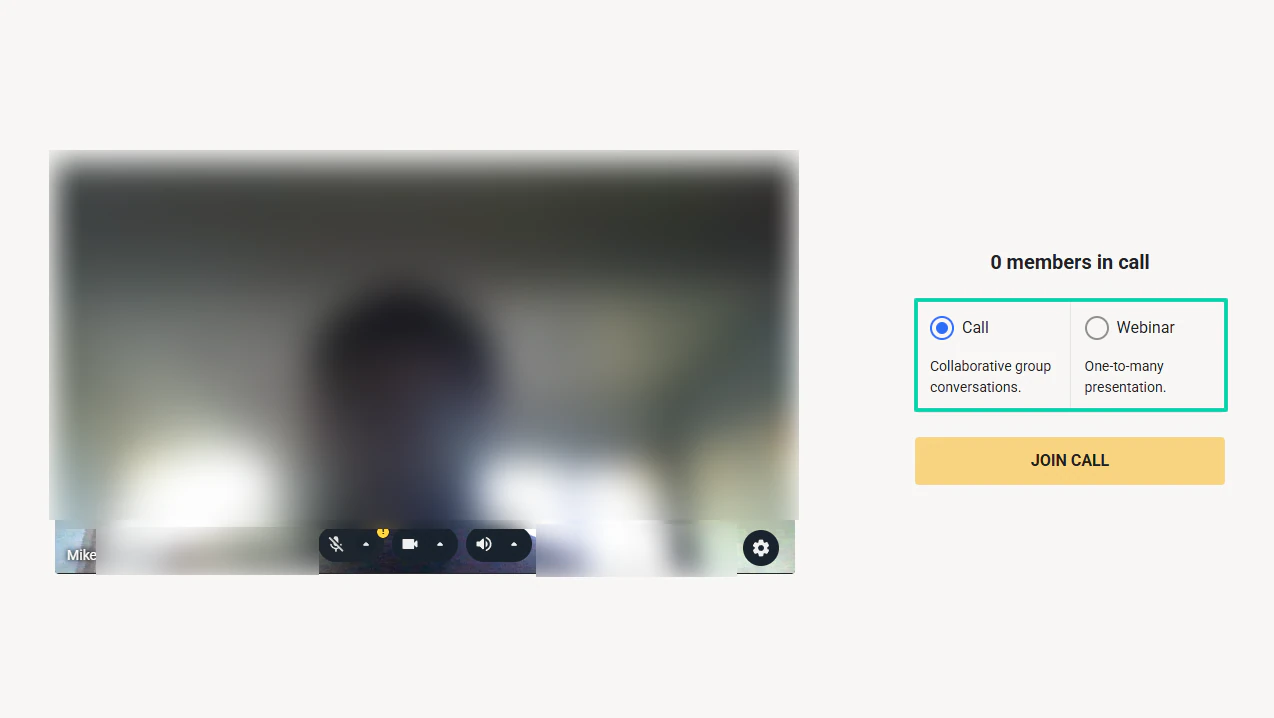
You can also go live right from there.
When going live, you have two options: a call or a webinar.
3. Members
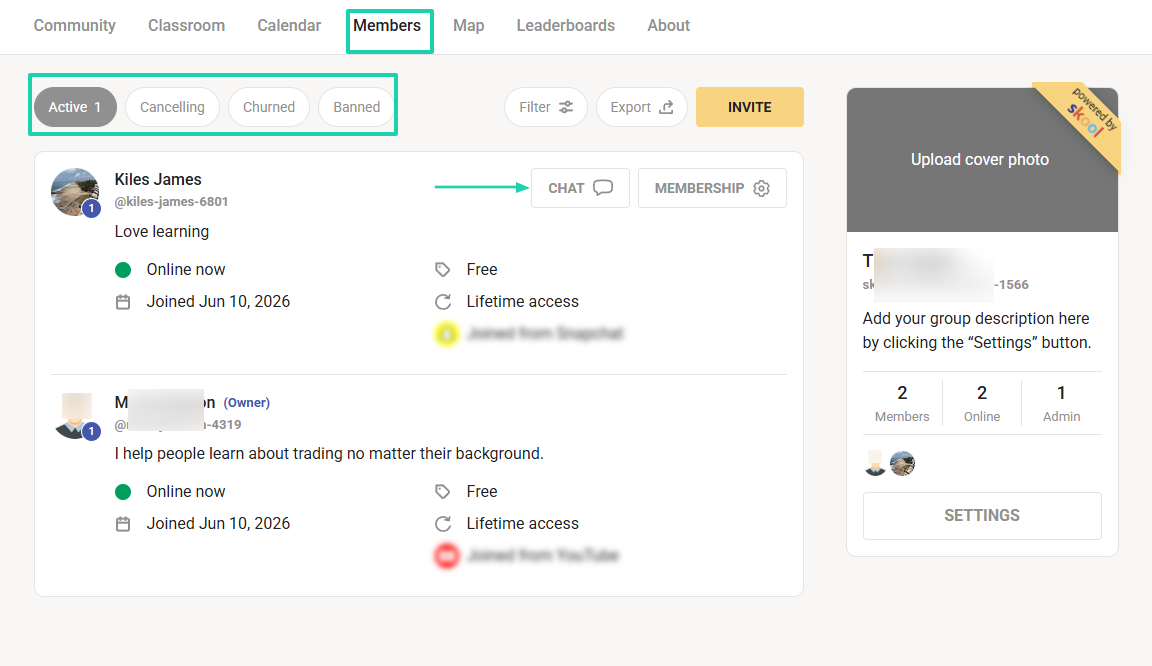
Skool also has the members section. This is where you see all your active members, as well as those who are canceling, churning, or banned.
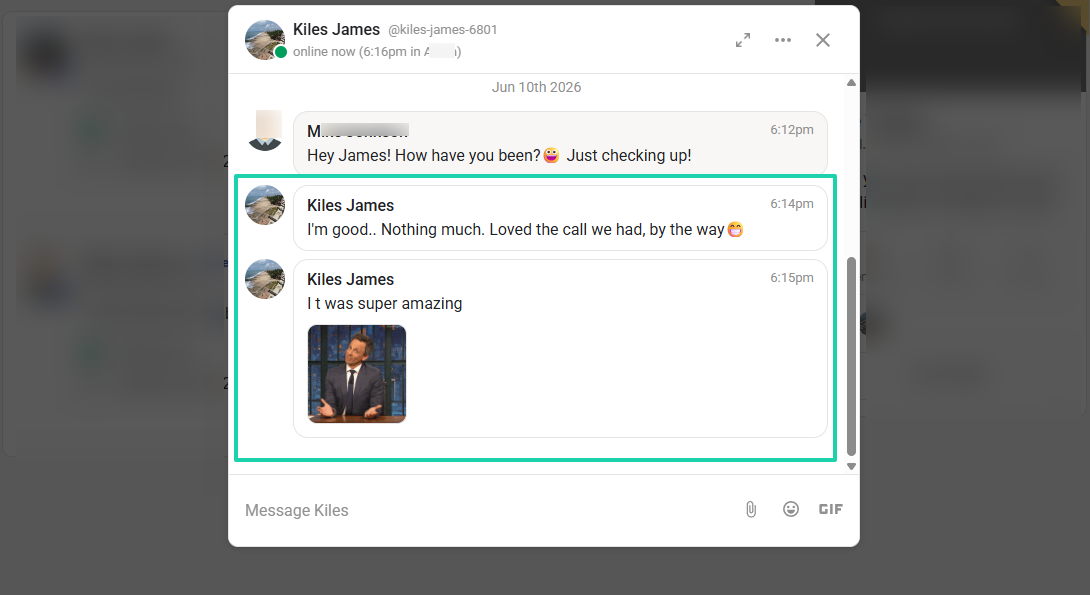
You can even chat directly with your members.
You can text them privately and add emojis, GIFs, or files.
They can also respond in real time.
What I liked vs what I didn’t like
What I loved 👍
✅ It’s simple to build a community and interact with members using texts, emojis, and GIFs.
✅ Comes with built-in, native video hosting in all plans.
✅ Lets you create courses and secure their access.
✅ Has a map that shows your exact location in the world.
What I didn’t like 👎
❌ Course features are quite basic: no completion certificates or even real student progress tracking.
❌ Requires external software for features like email marketing or landing pages.
Best for
- Coaches, educators, and community builders who want to combine learning with active member engagement.
Pricing
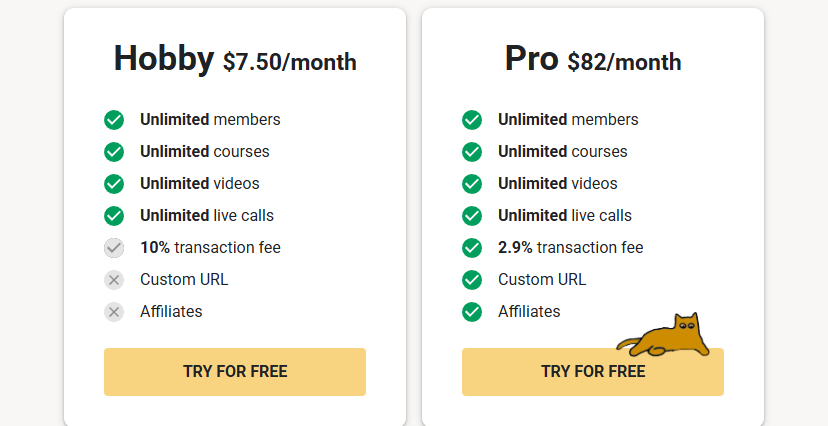
- Hobby: $7.50/month, billed annually
- Pro: $82/month, billed annually
4. Teachable
- Personal rating: ⭐️⭐️⭐️⭐️ 4/5 - Has a great marketplace reach but limited branding and ownership compared to standalone course platforms.
- Ease of use: ⭐️⭐️⭐️⭐️ 4.2/5 - Although publishing a course takes many steps, it is beginner-friendly.
- Hosting and delivery: Hosted marketplace platform - Videos are hosted directly on Udemy.
- AI/automation features: AI-assisted course topic insights, AI-powered marketplace recommendations, automated course quality checks, student notifications, and automated enrollment communications.
- Free trial: No free trial - It operates on a revenue-share model.
- Starting plan: Free - $0/month
Another platform on our list of the best LearnWorlds alternatives is Teachable.
It’s an online course platform that helps creators build, market, and sell courses from their own branded school website. You can also sell digital downloads, coaching, memberships, and communities.
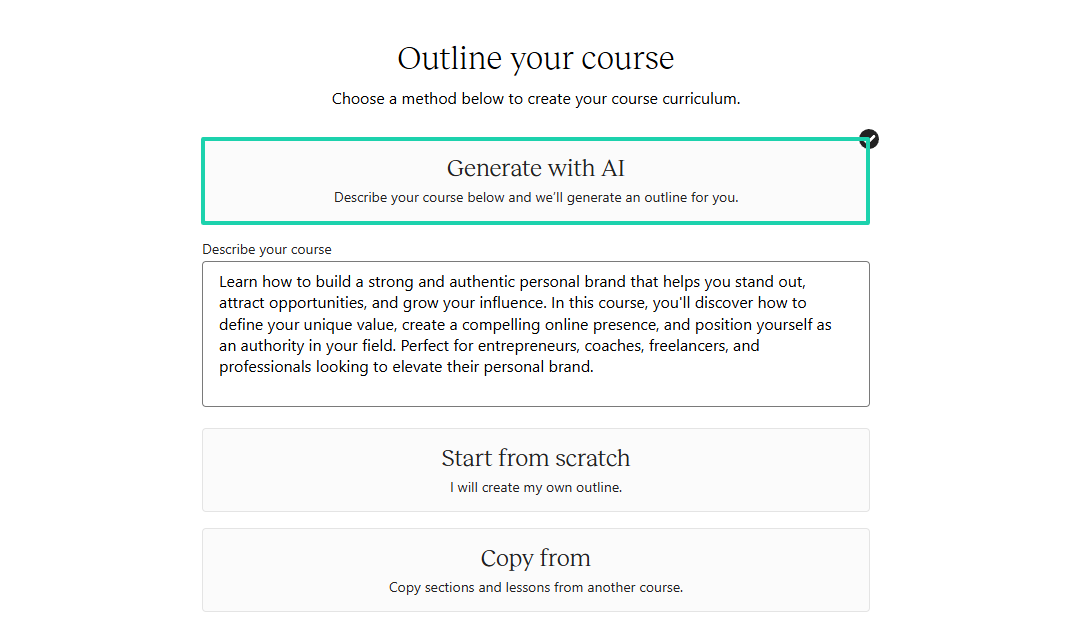
You can generate your course outline with AI.
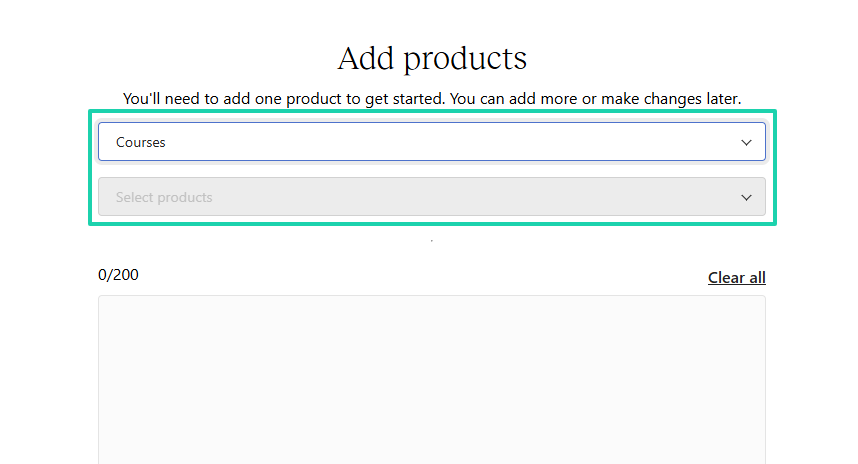
You can also package products as bundles. You simply pick the products you want to include in your package.
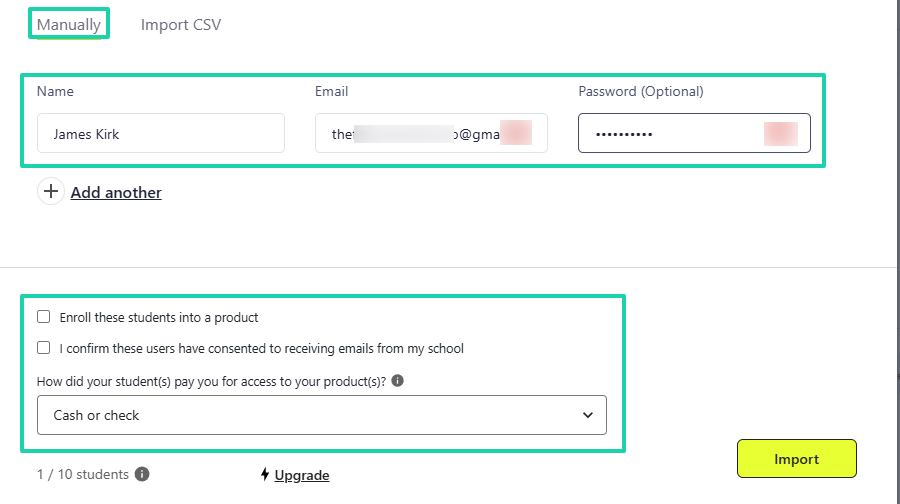
Teachable gives you the option to add students manually and enroll them.
What I loved about Teachable
1. Courses
The courses feature on Teachable lets you build, host, and sell structured online courses. You can build your curriculum from scratch, with AI, or by copying sections from other courses.
Now, let’s build one.
Click “Courses” in the sidebar menu.
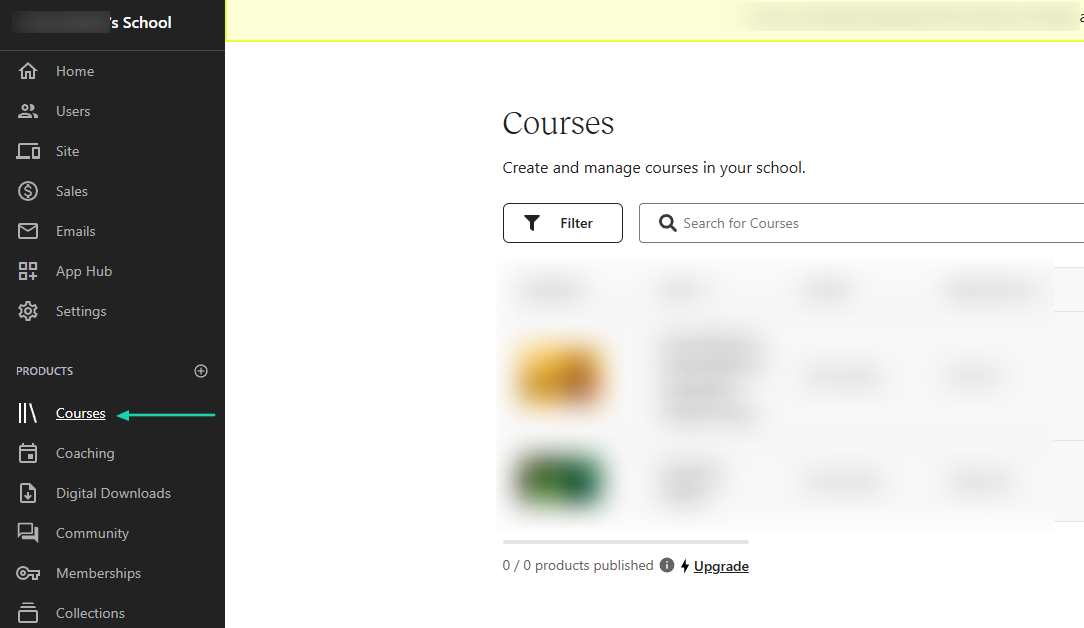
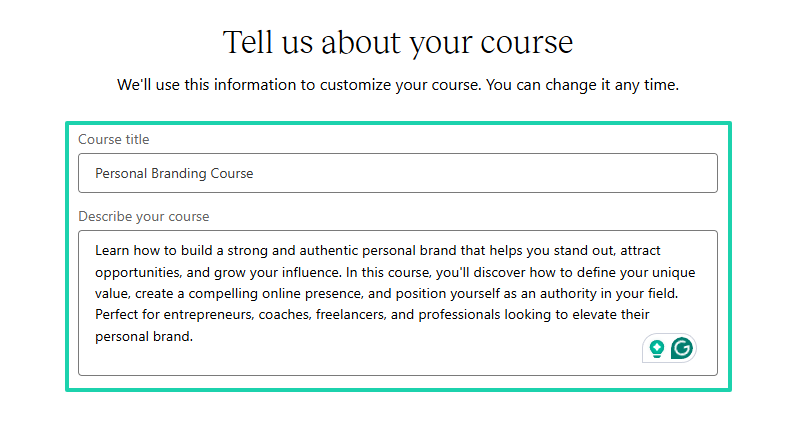
You can add your course title and description.
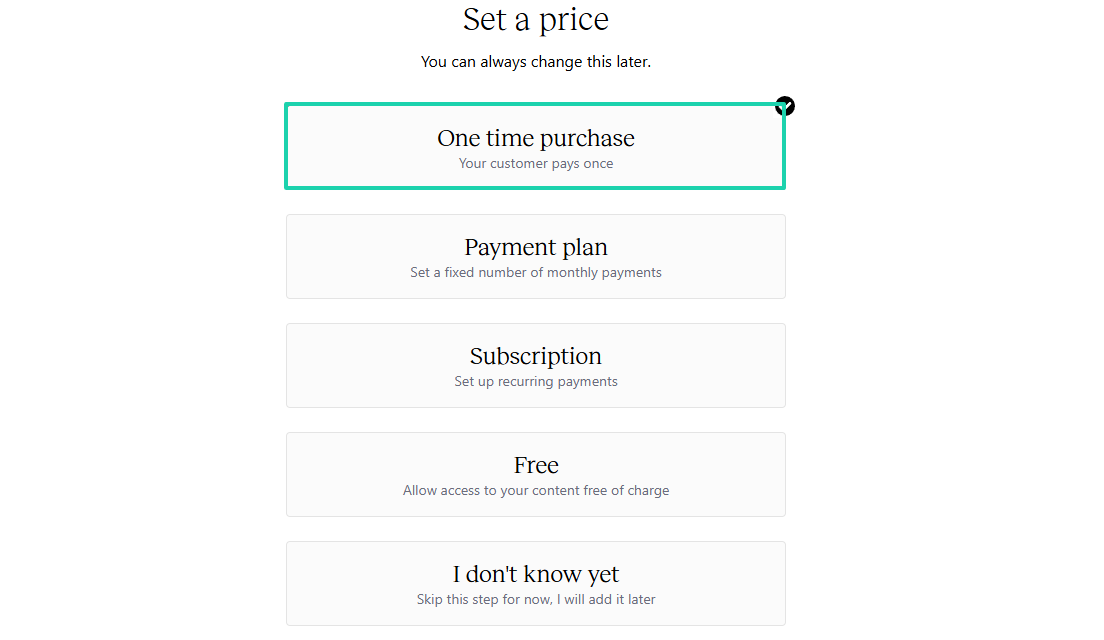
Then, set a price.
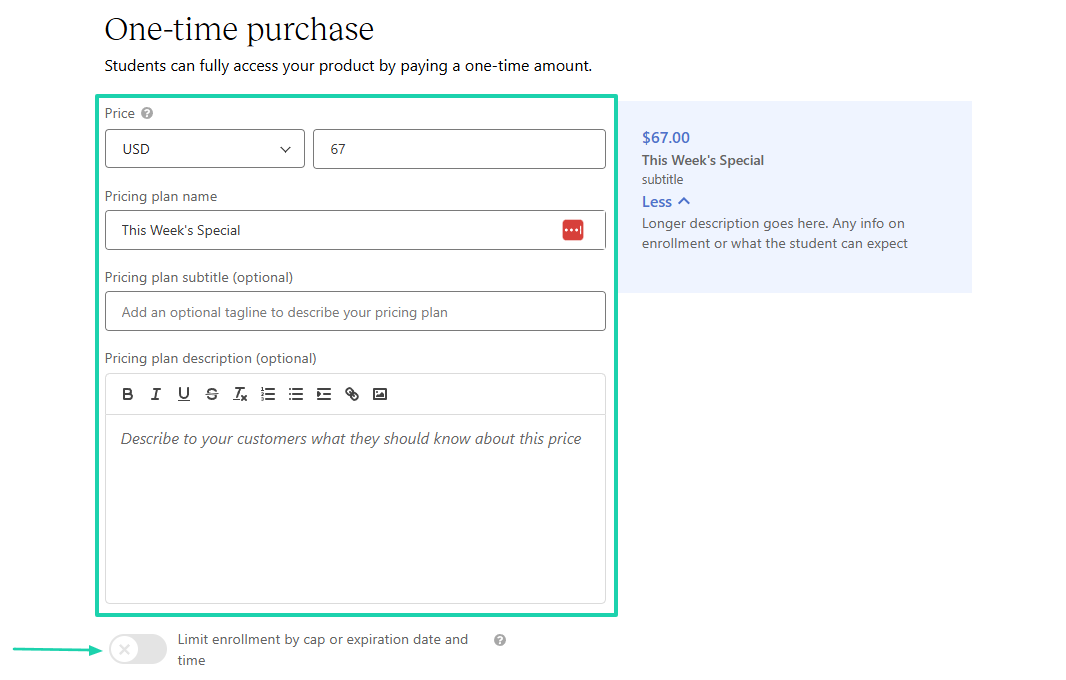
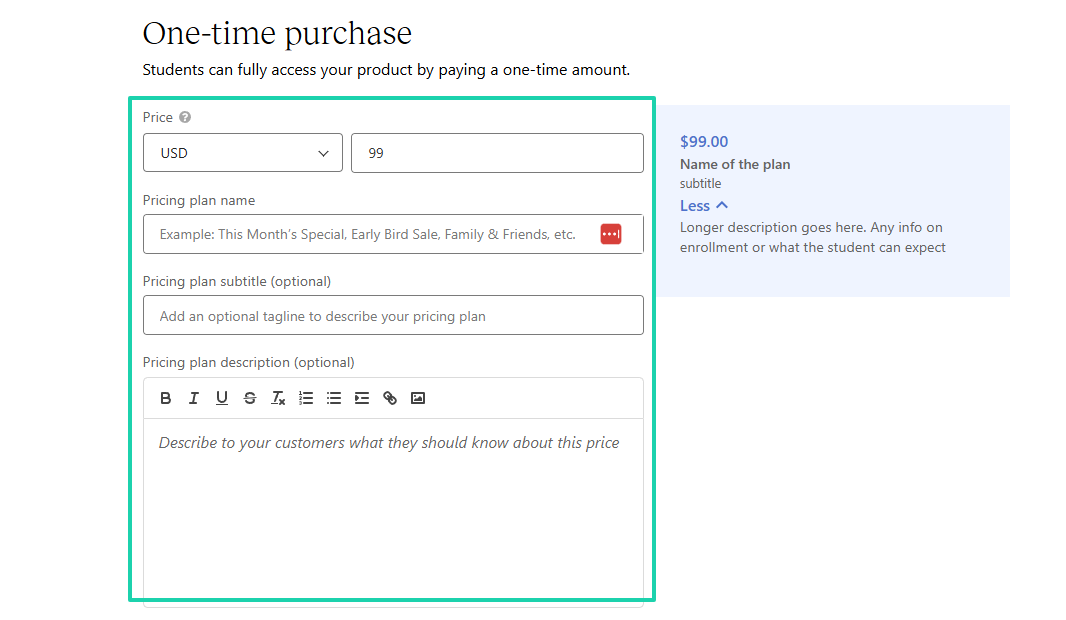
You will add your price, enter the pricing plan name, and the pricing plan description. You can also limit enrollment by cap or expiration date and time by toggling a switch.
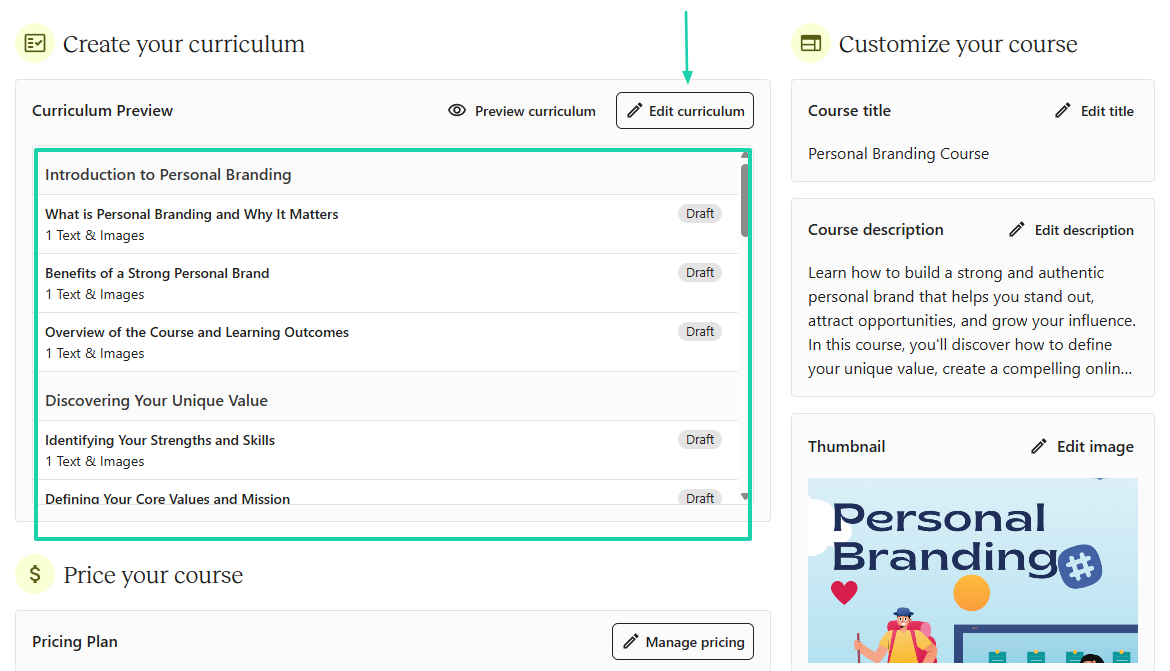
Now, you can generate your outline with AI.
That’s it! You can then edit your curriculum and add your preferred content before publishing it.
2. Users
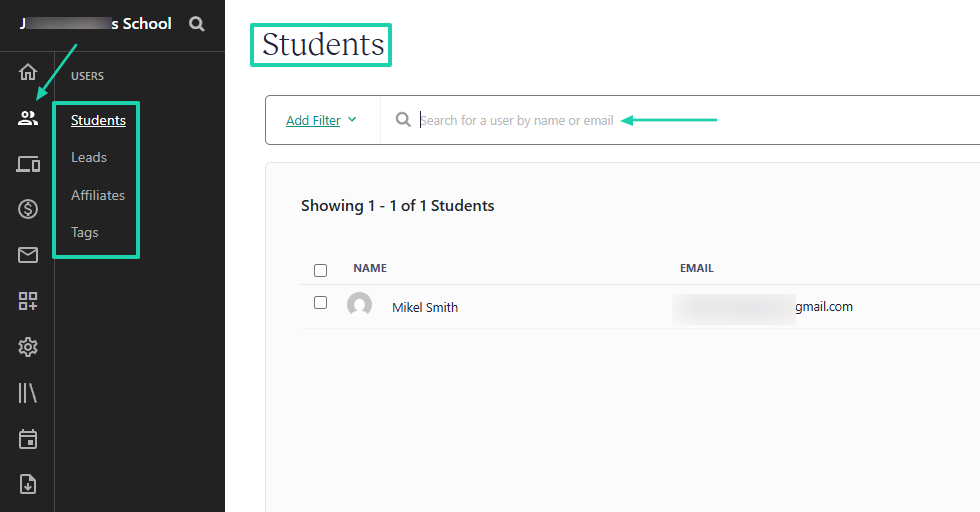
The Users feature is the space where you can manage your students, leads, affiliates, and tags. When you have many students, you can search for them by name or email.
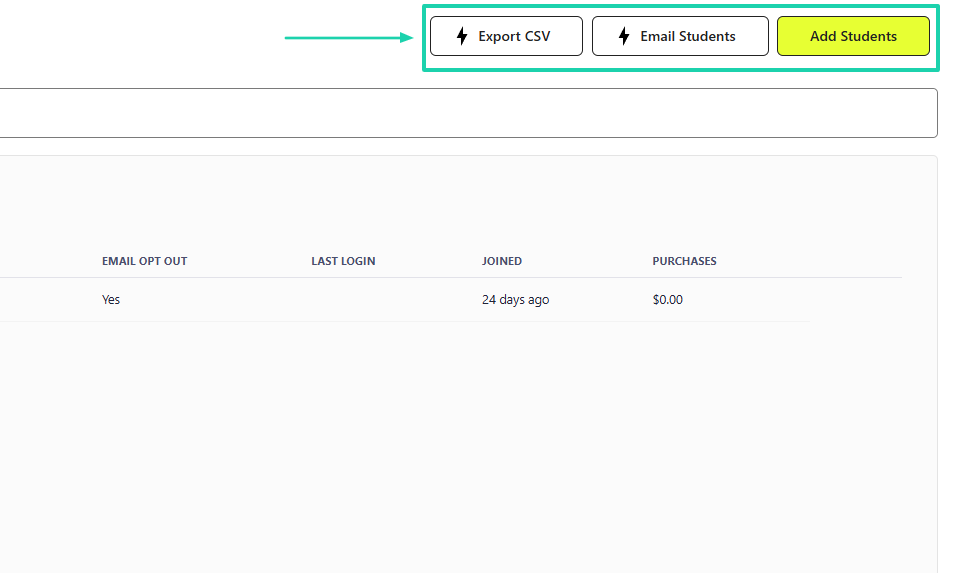
You can add students manually, email them, and even export CSV files.
To add a student manually, you enter their name, email, and password. You can also enroll them right away in a product and have them pay for access.
3. Collections
The collections feature allows you to package many of your products into bundles or organize them into learning paths.
This is how it works.
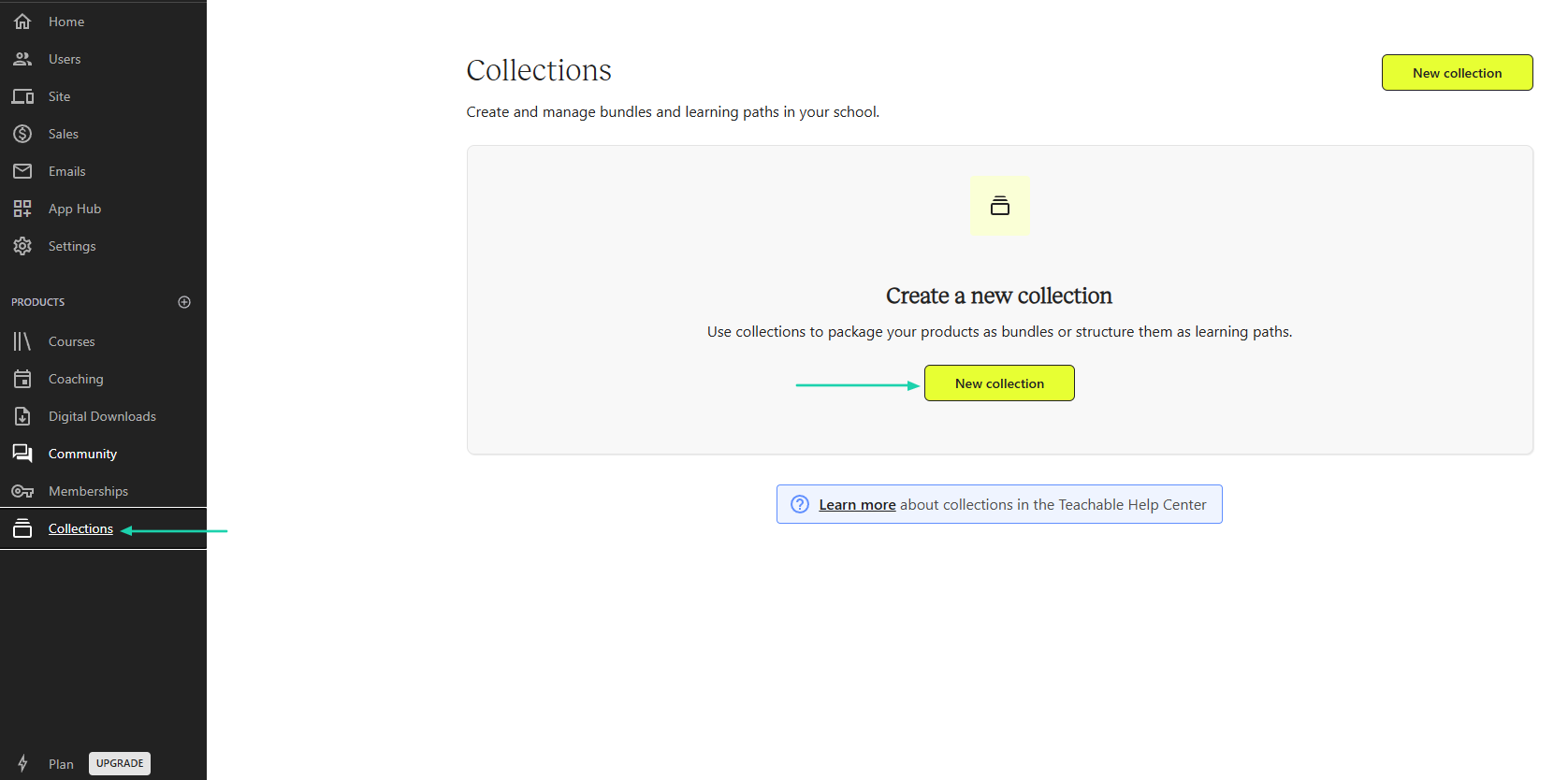
Head to “Collections,” then click “New collection.”
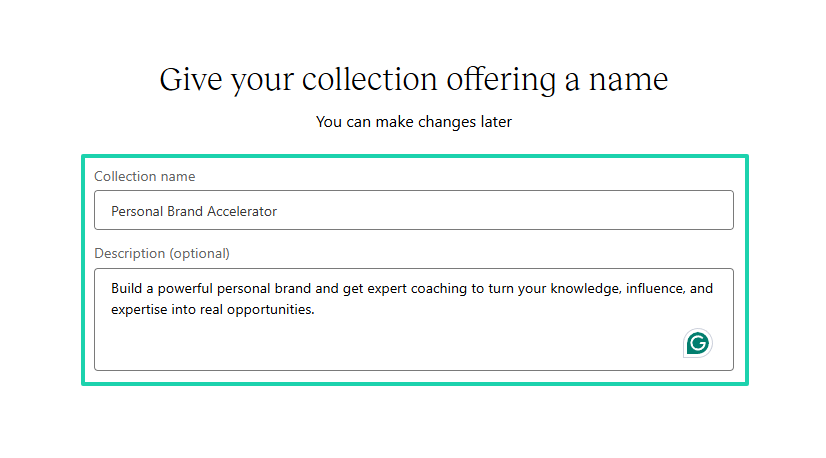
You will name your collection and add a description.
Choose a price type.
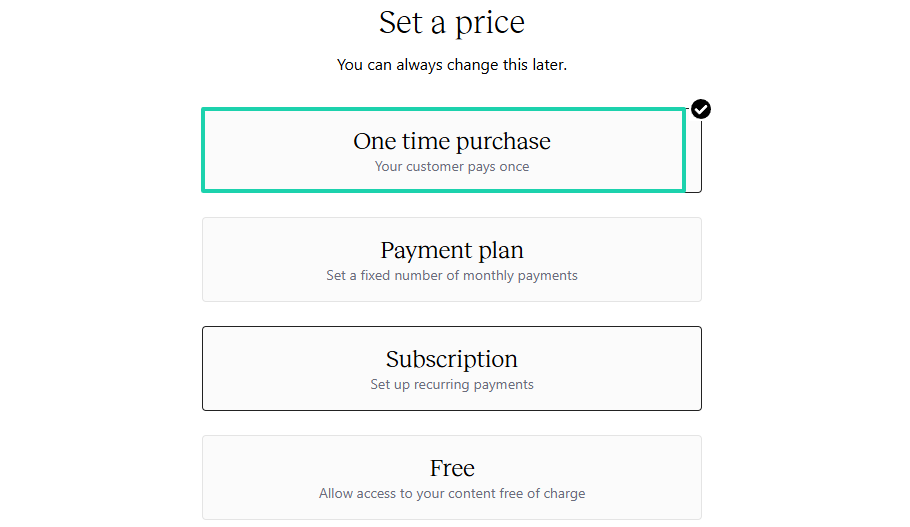
Then enter a price, a pricing plan name, and a description.
The last step is to add all the products you want to bundle.
What I liked vs what I didn’t like
What I loved 👍
✅ Uses artificial intelligence to generate an outline from the description.
✅ Lets you add students manually or export a CSV and enroll them right away.
✅ Allows you to limit enrollment when creating a course.
✅ Has a beginner-friendly interface, making it easier to create and sell digital products.
What I didn’t like 👎
❌ Has high transaction fees (7.5%) to get started, in addition to the plan cost.
Best for
- Beginners, coaches, and solo creators looking for a simple way to launch and sell online courses on a school website.
Pricing
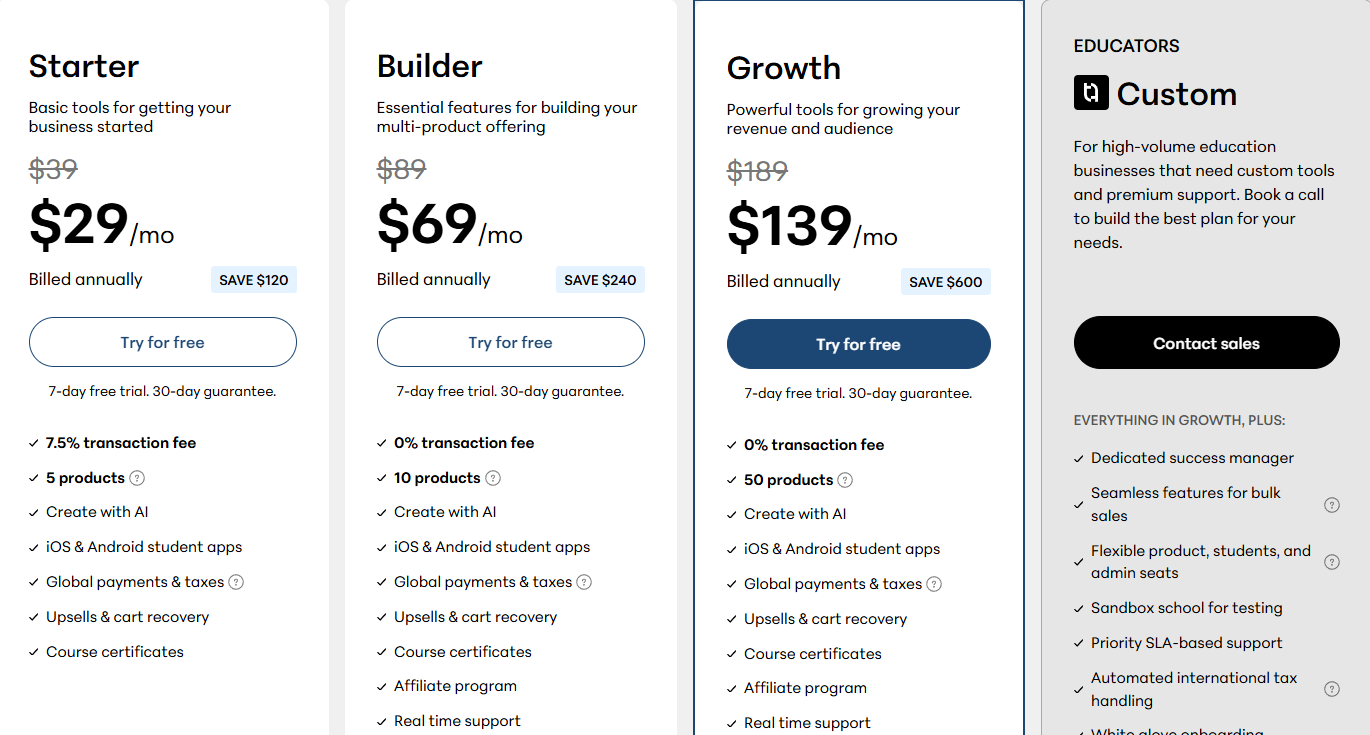
- Starter: $29/month, billed annually + 7.5% transaction fee
- Builder: $69/month, billed annually
- Growth: $139/month, billed annually
- Educators: Contact for pricing
5. TalentLMS
- Personal rating: ⭐️⭐️⭐️⭐️ 4.2/5 - It has great training and compliance capabilities.
- Ease of use: ⭐️⭐️⭐️⭐️ 4/5 - You can describe how you want your content to be, and it’ll generate it.
- Hosting and delivery: Cloud-based LMS - Hosts courses, assessments, certifications, learner records, and training materials. It also supports SCORM and xAPI content.
- AI automation features: AI-powered content generation, AI-assisted course creation, automated learning paths, user enrollment automation, reporting automation, and compliance tracking.
- Free trial: No - It offers a free forever plan.
- Starting plan: Core - $119/month + unlimited courses
We continue the list of our LearnWorlds alternatives with TalentLMS.
It’s a cloud-based learning management system (LMS) that allows organizations to create, deliver, and manage online training courses. It comes with reporting, assessments, certifications, and team management features.
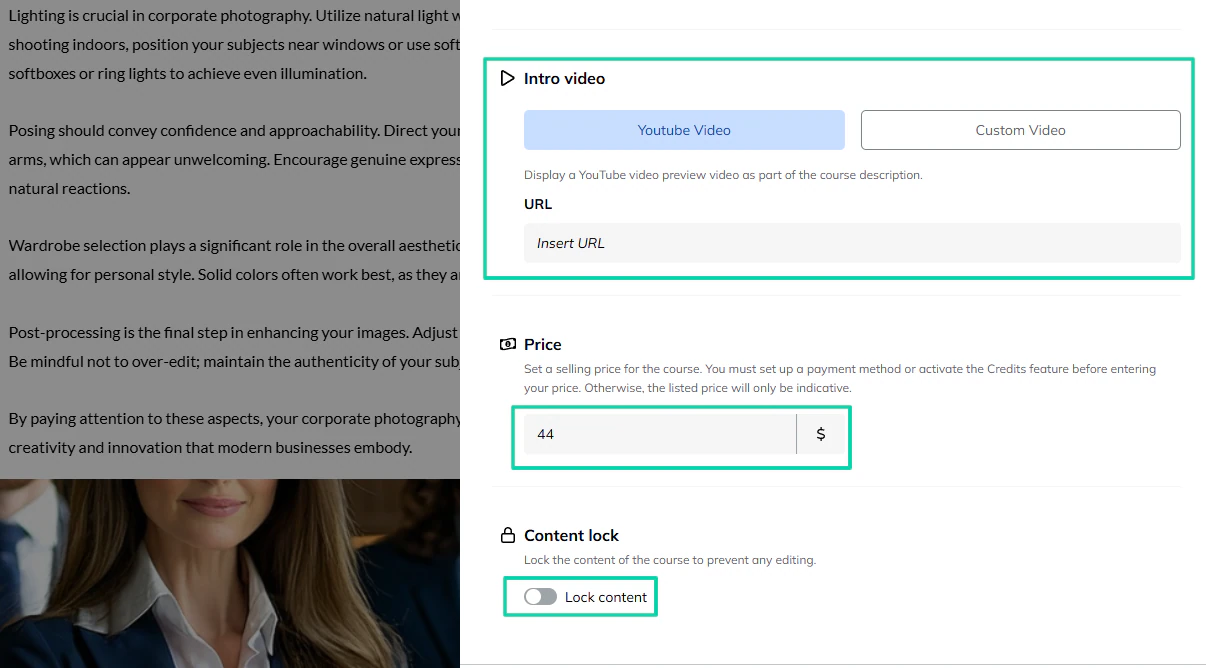
You can add a YouTube video or a custom video as a preview of your course description.
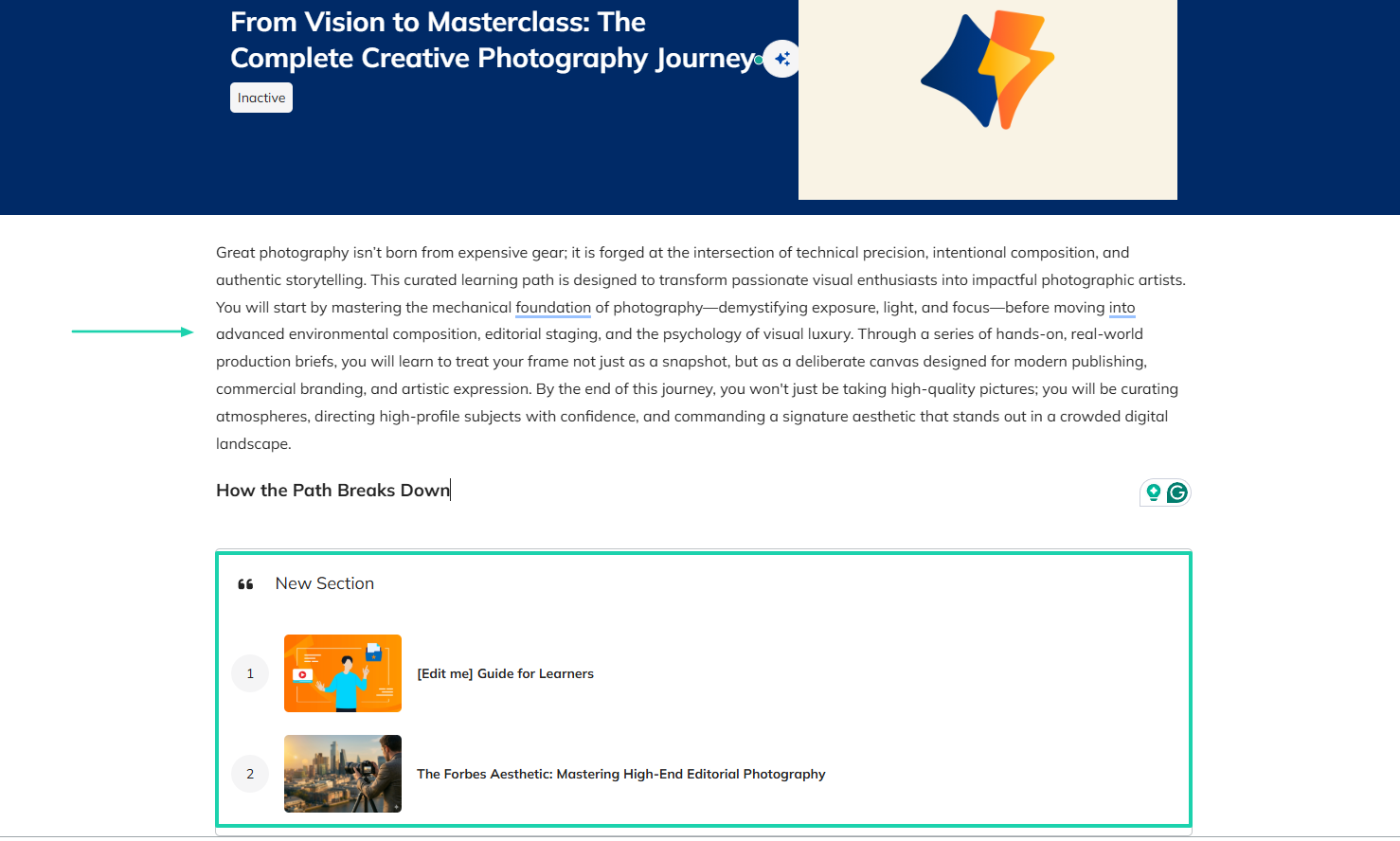
You can use TalentLMS to bundle courses into structured sequences called learning paths.
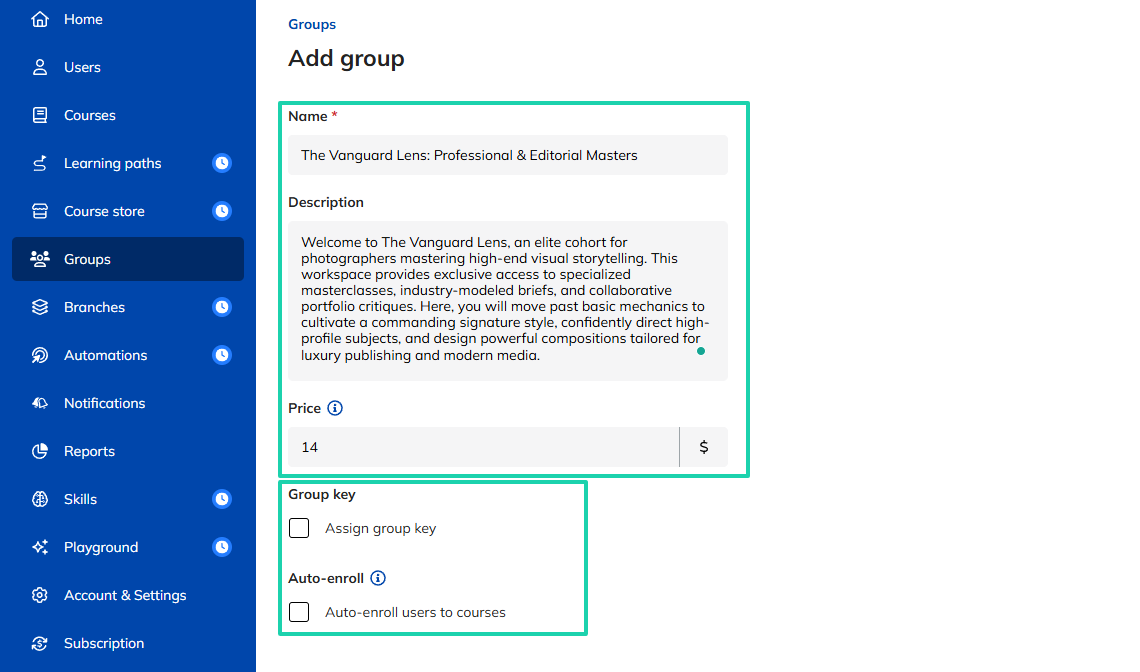
You can also use this LearnWorlds alternative to create paid groups where you can share any material.
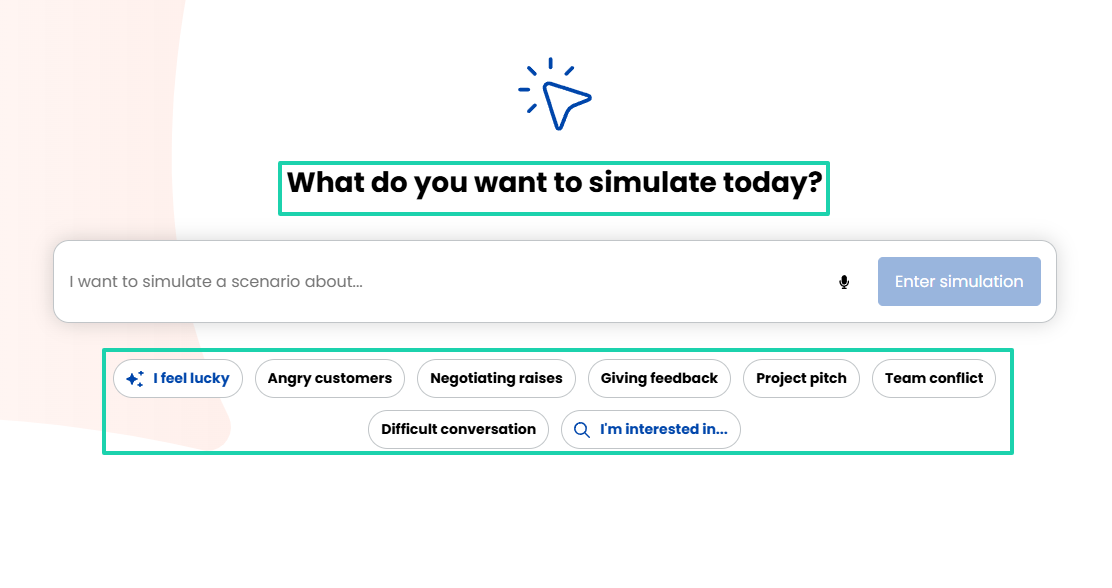
The platform also lets you simulate scenarios by choosing any topic.
What I loved about TalentLMS
1. Courses
The courses feature lets you create, manage, and deliver online training. You can build interactive modules, incorporate diverse multimedia, and structure learning paths using a built-in editor.
Here’s how to go about it.
Go to “Courses” in the sidebar.
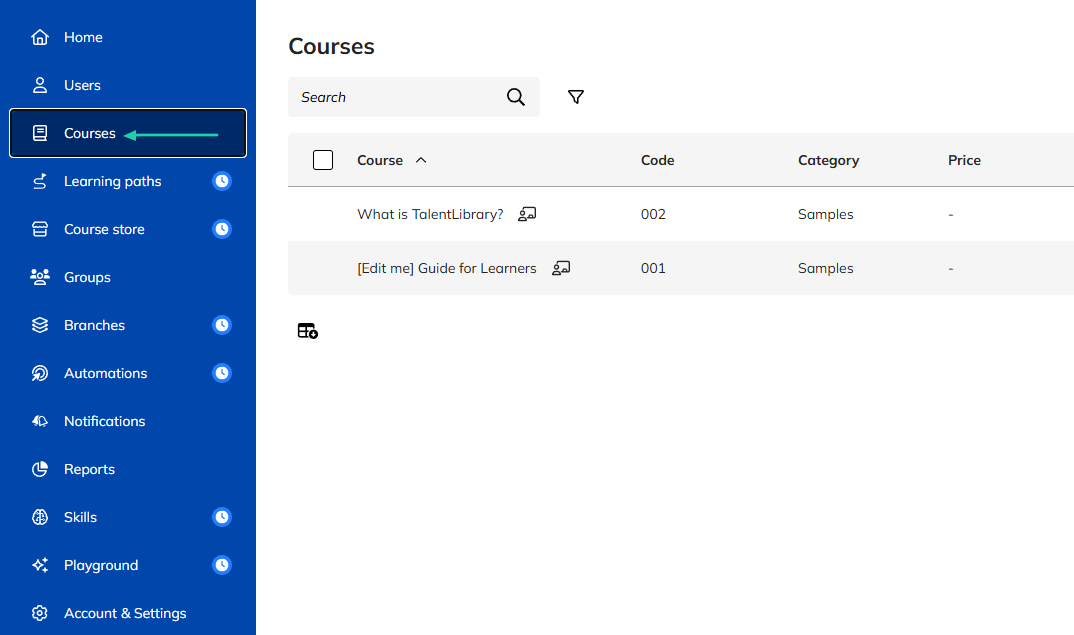
Then, click “Add” and go to “TalentCraft” to create content with AI.
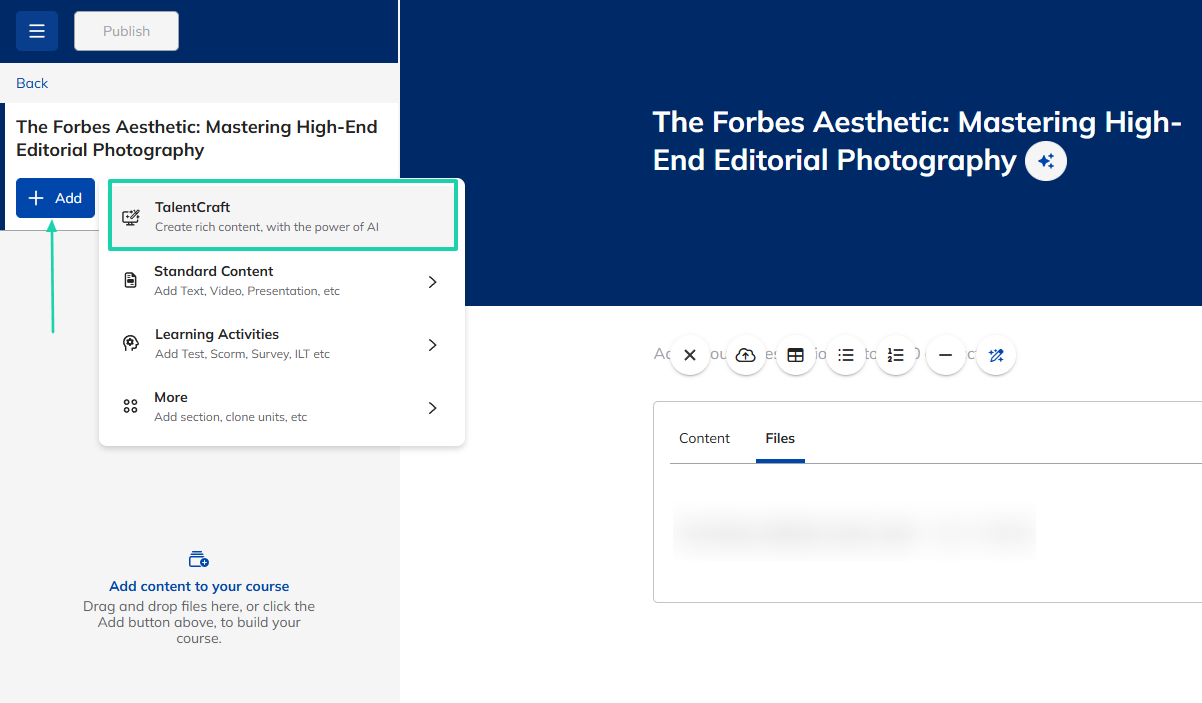
Now, choose “Generate with AI.”
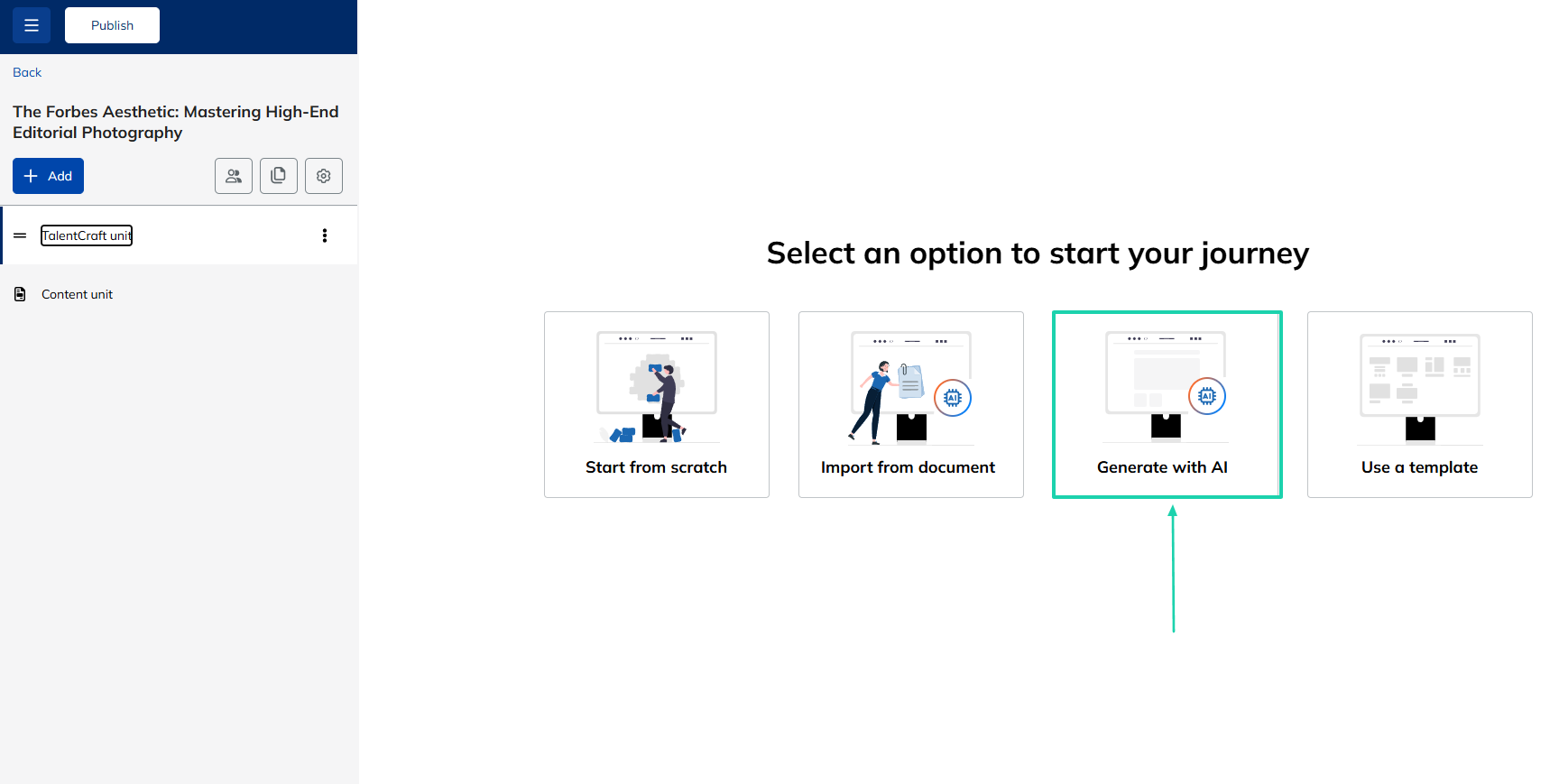
Simply describe the page you want AI to create and click “Start creating.”
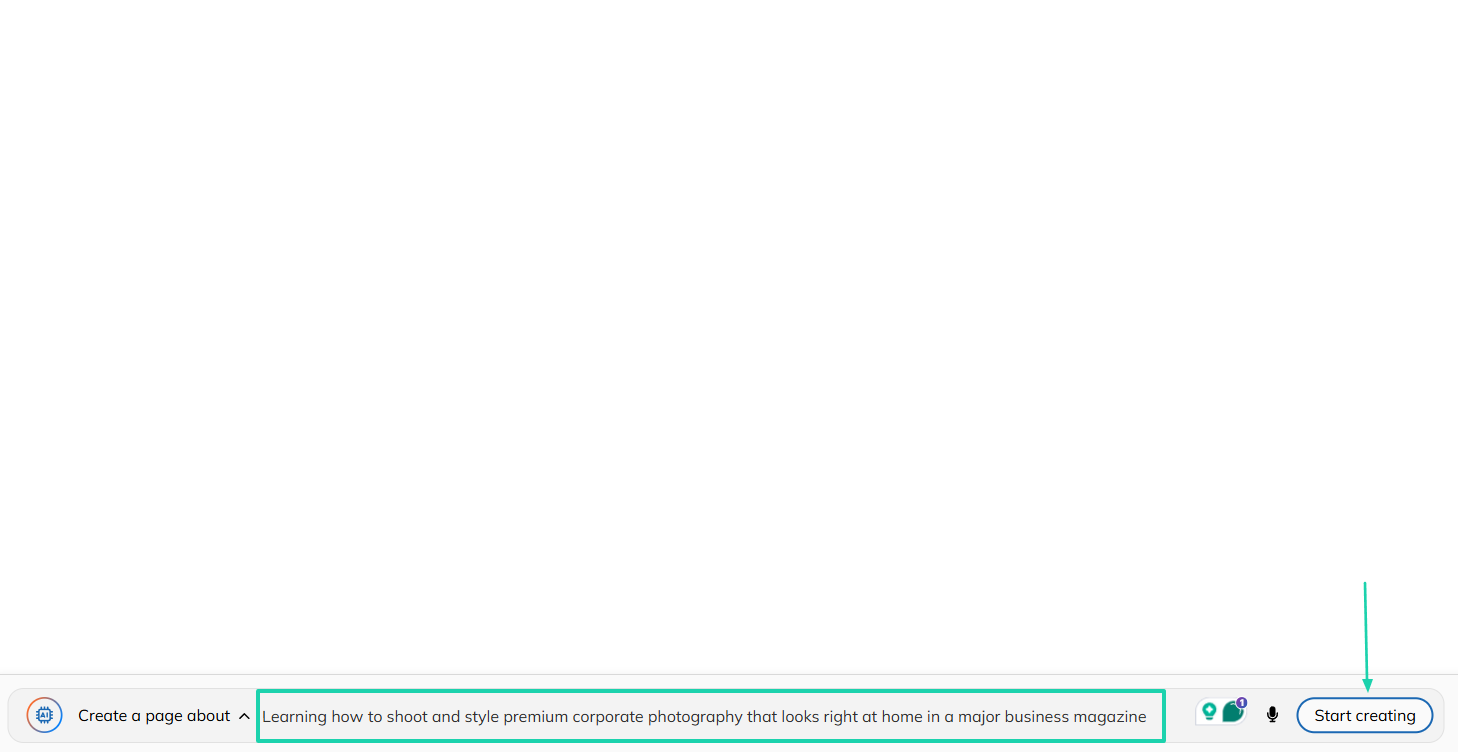
Your content is ready. You can add other sections and elements, like files, images, or videos.
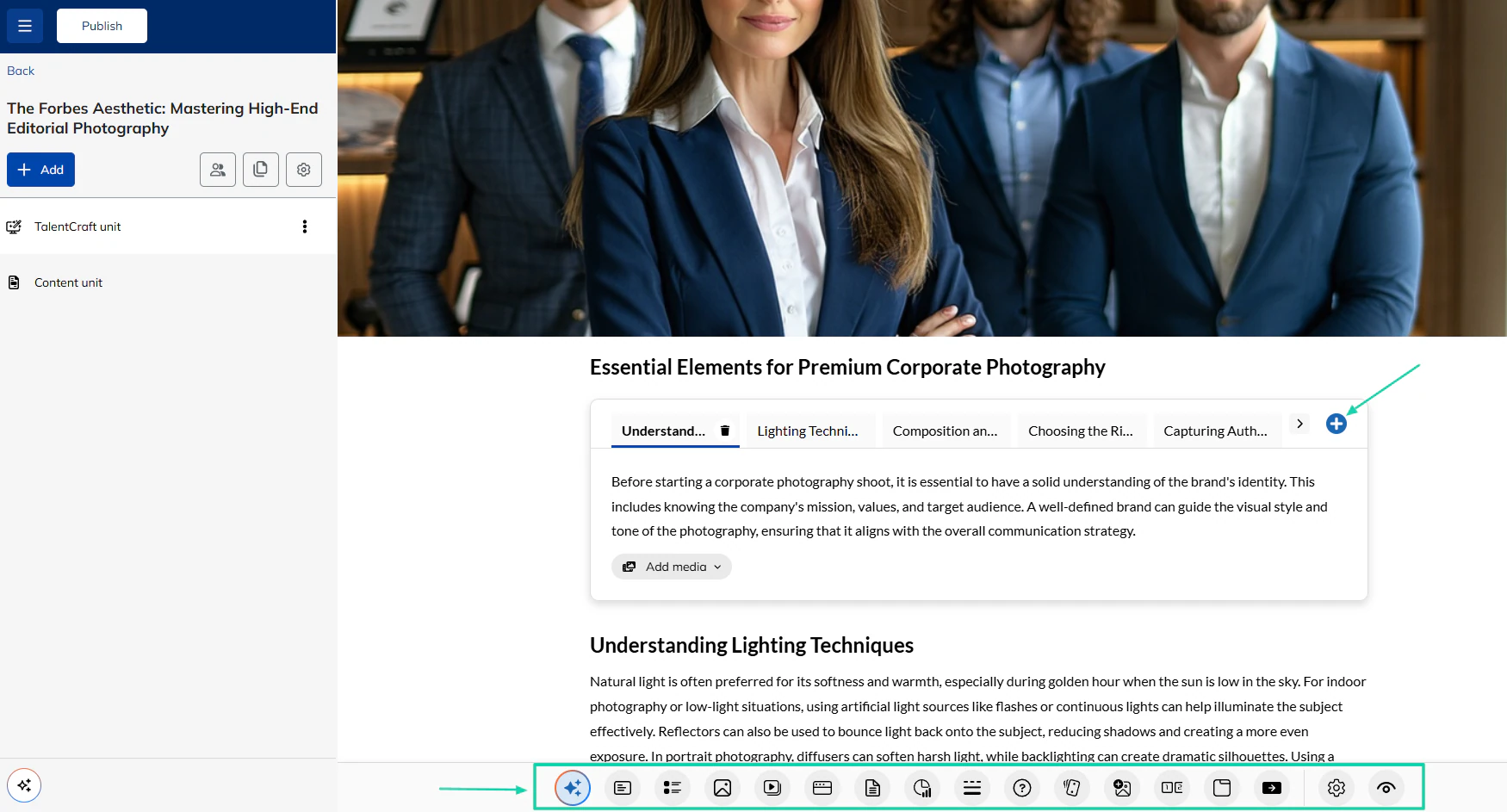
You can also display a YouTube video by inserting a URL or simply a custom video as part of your course description.
2. Learning paths
The learning paths feature on TalentLMS helps you group multiple individual courses into a single, structured sequence. This is to allow learners to complete modules in a logical order.
Now, let’s add a learning path.
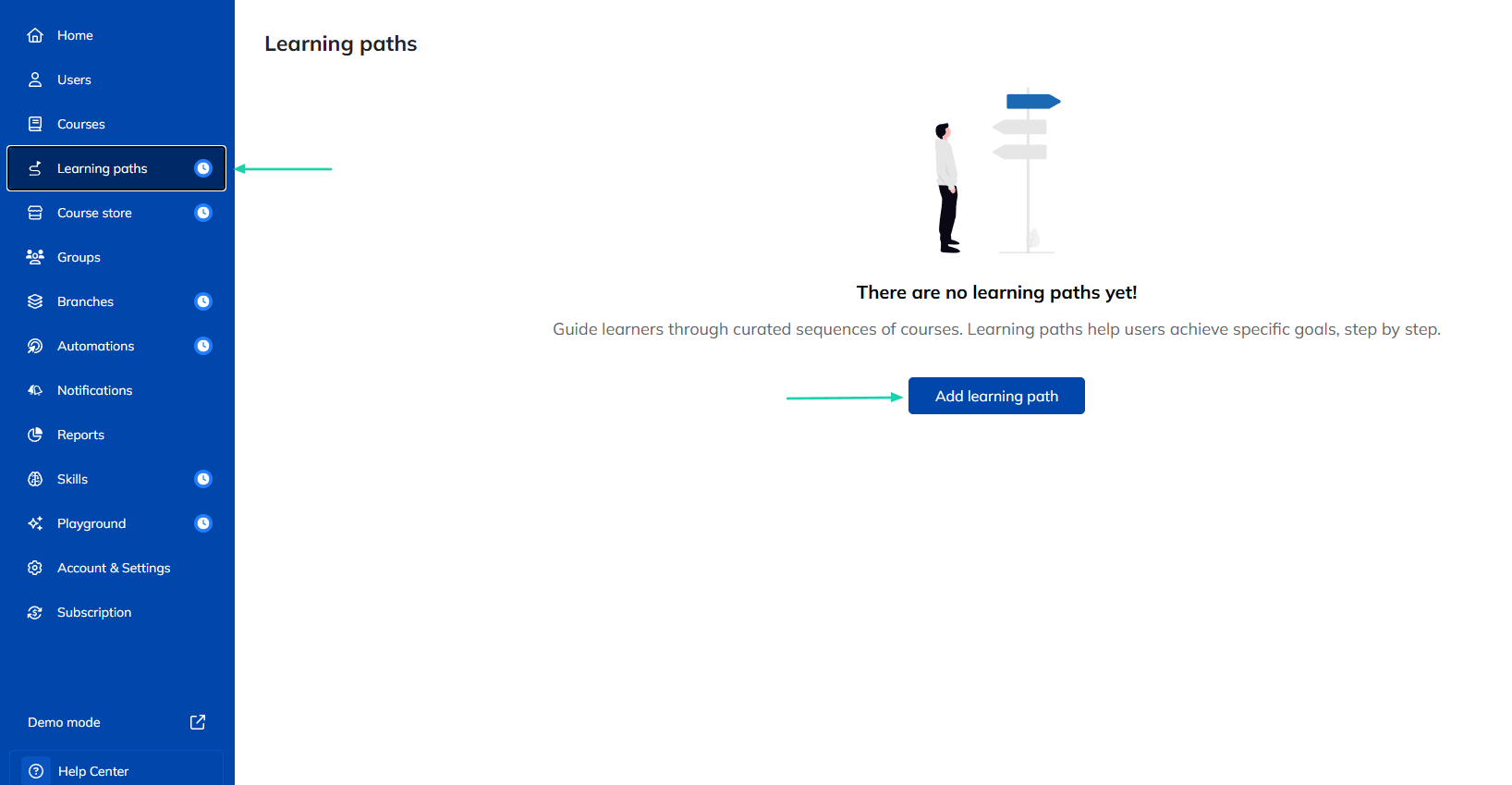
Click “+ Add course.”
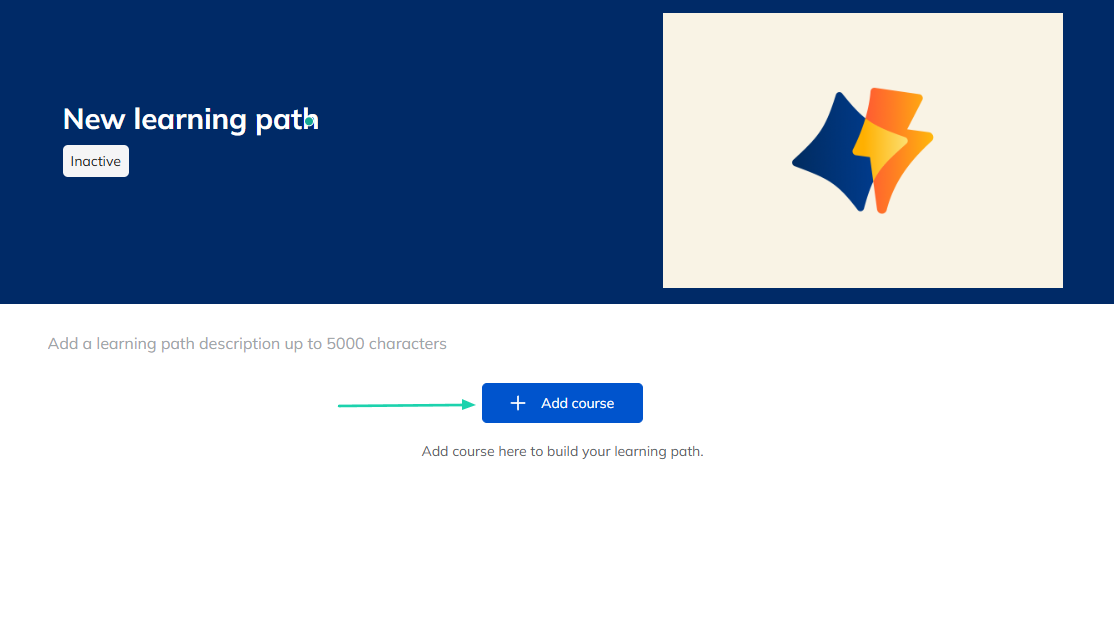
You can add any courses you want to your learning path. You can also add an entire description of your learning path.
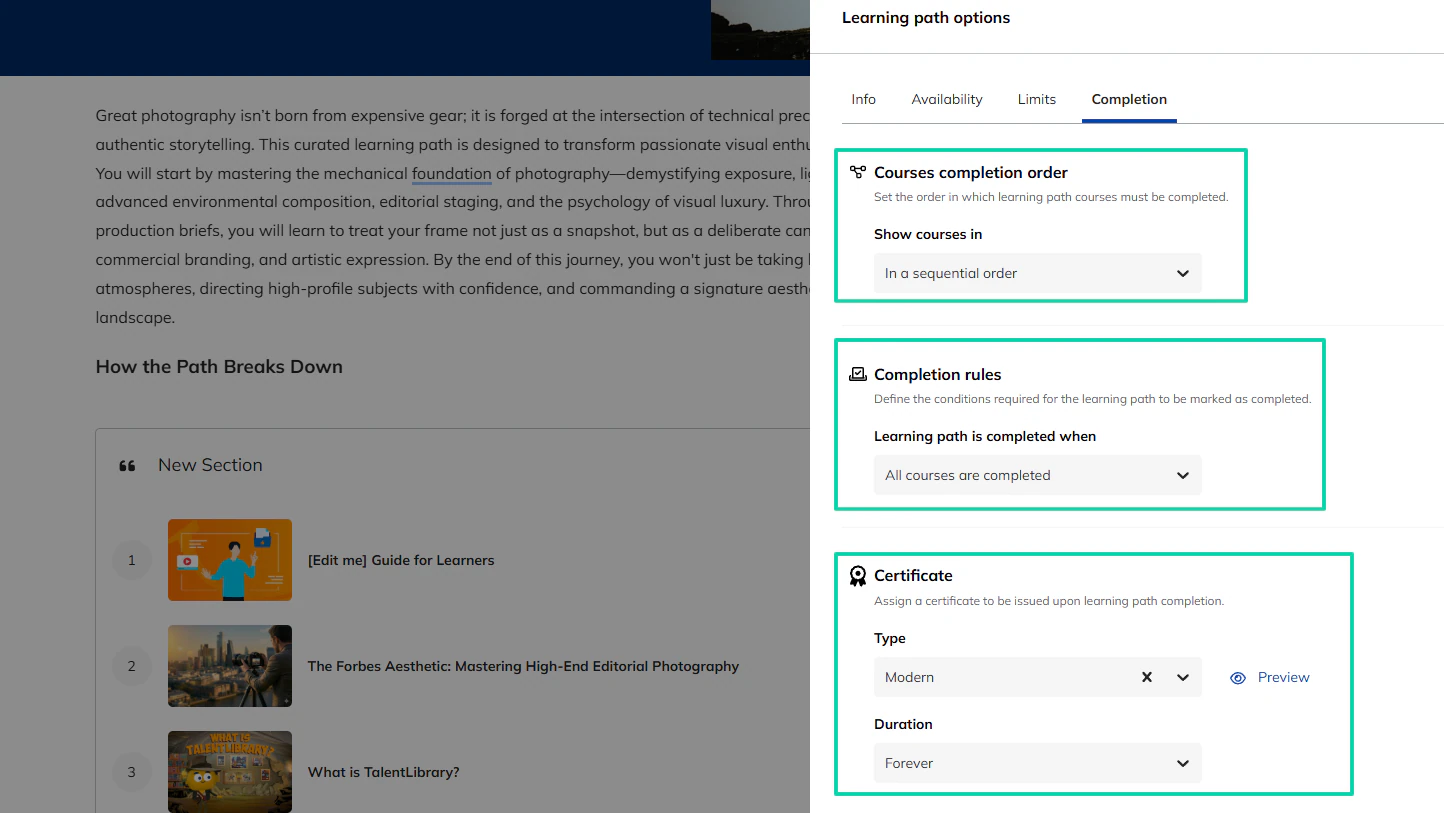
In the settings, you can specify the order in which your learning path courses should be completed. You can also set the completion rules and the type and duration of the certificates you issue.
3. Groups
You can organize your courses and users in groups and assign one or more group courses to your group members at once. You can make it free or paid.
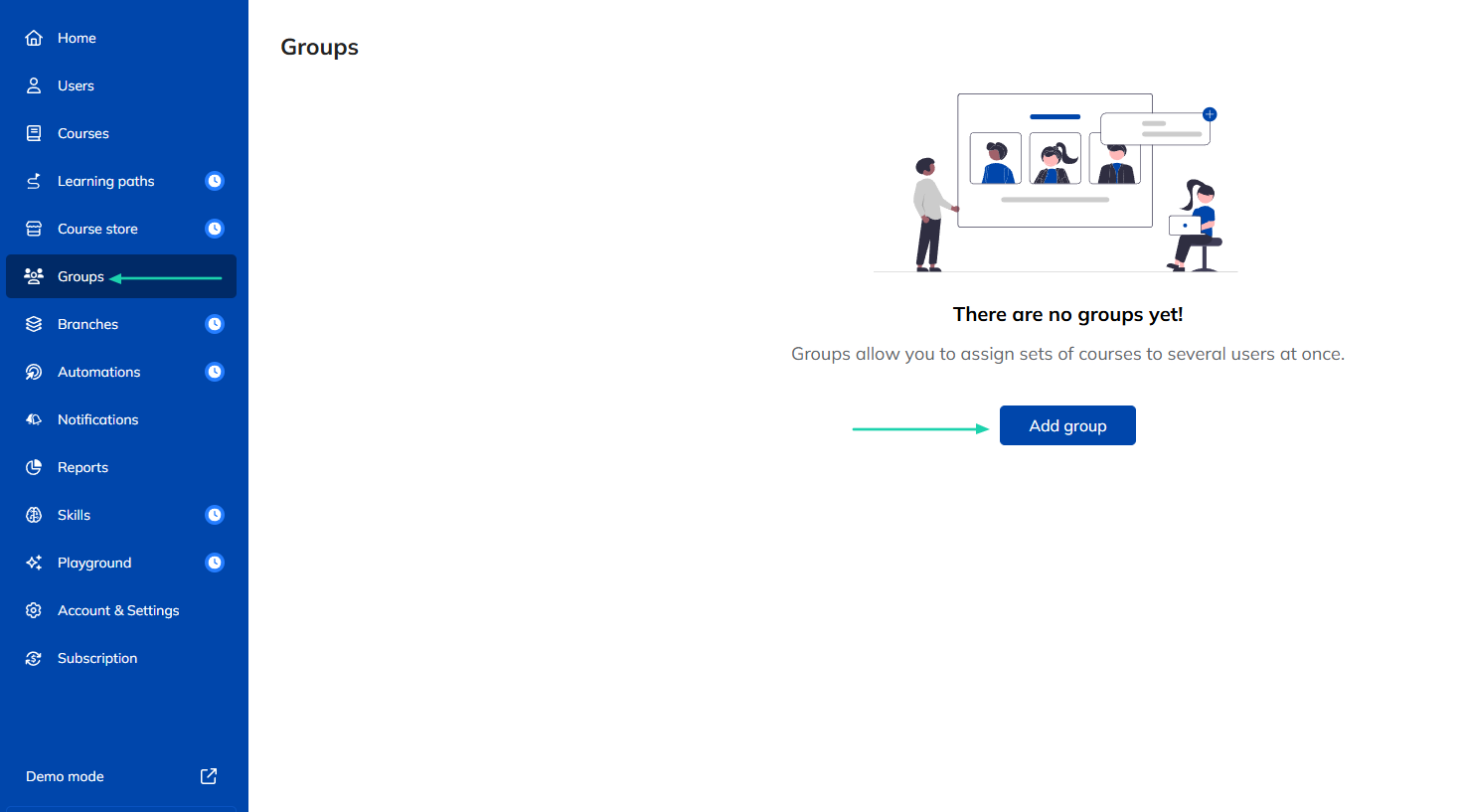
You will name the group, add a description, and a price. You can also assign a group key and auto-enroll users.
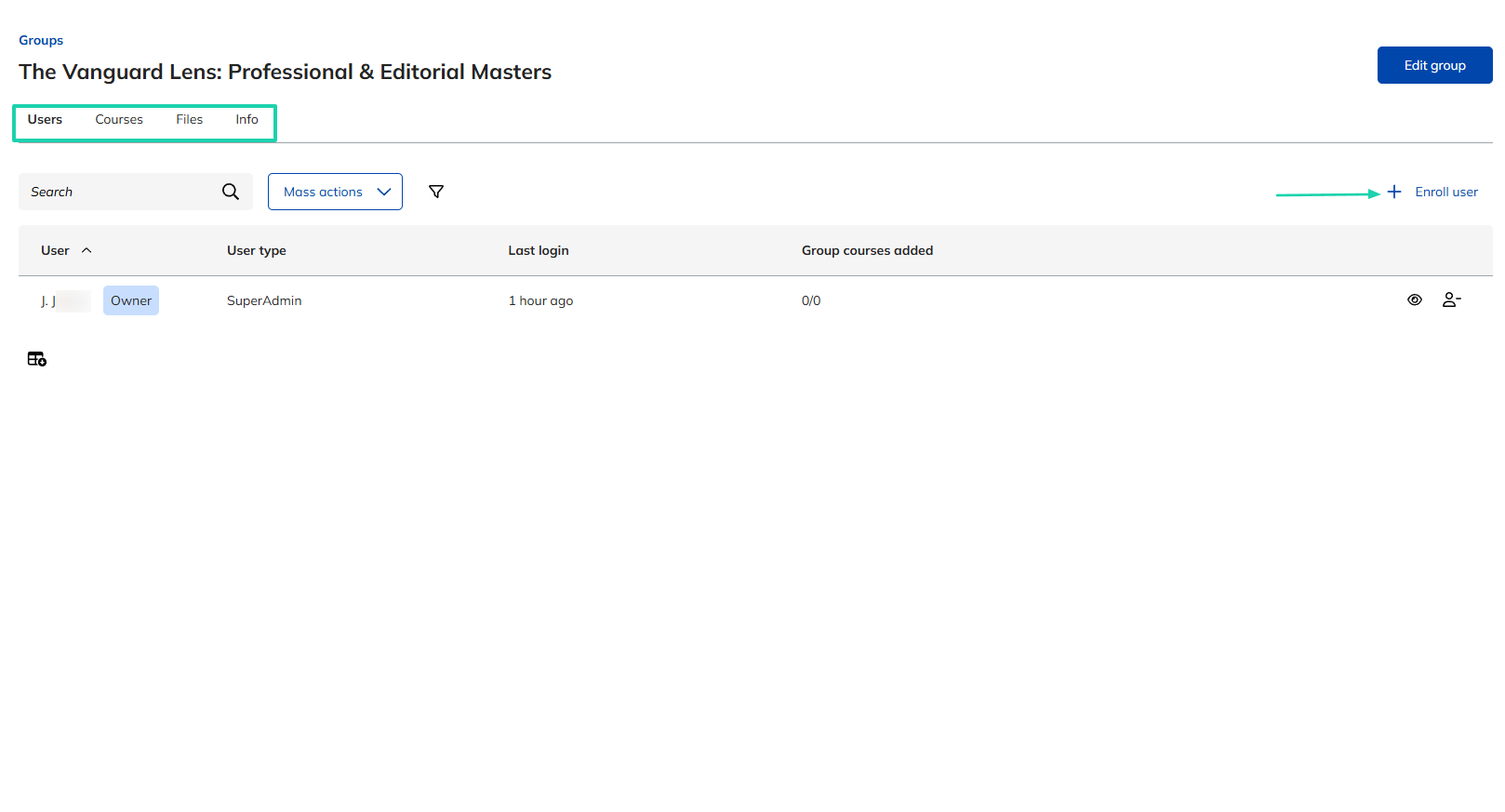
You can manually enroll users and manage courses, files, and info.
What I liked vs what I didn’t like
What I loved 👍
✅ Has a quick setup and intuitive interface, making it easy to navigate.
✅ Uses AI to generate course content, video captions, and summaries.
✅ Lets you assign courses automatically.
✅ Has a playground where you can create role-play and enter practice mode or simulation.
What I didn’t like 👎
❌ Reports are very limited because they don’t even show real learners’ progress.
❌ Can be very expensive for solo creators even on the lowest plan ($119/month).
Best for
- Businesses and organizations that need structured training programs for employees or clients.
Pricing
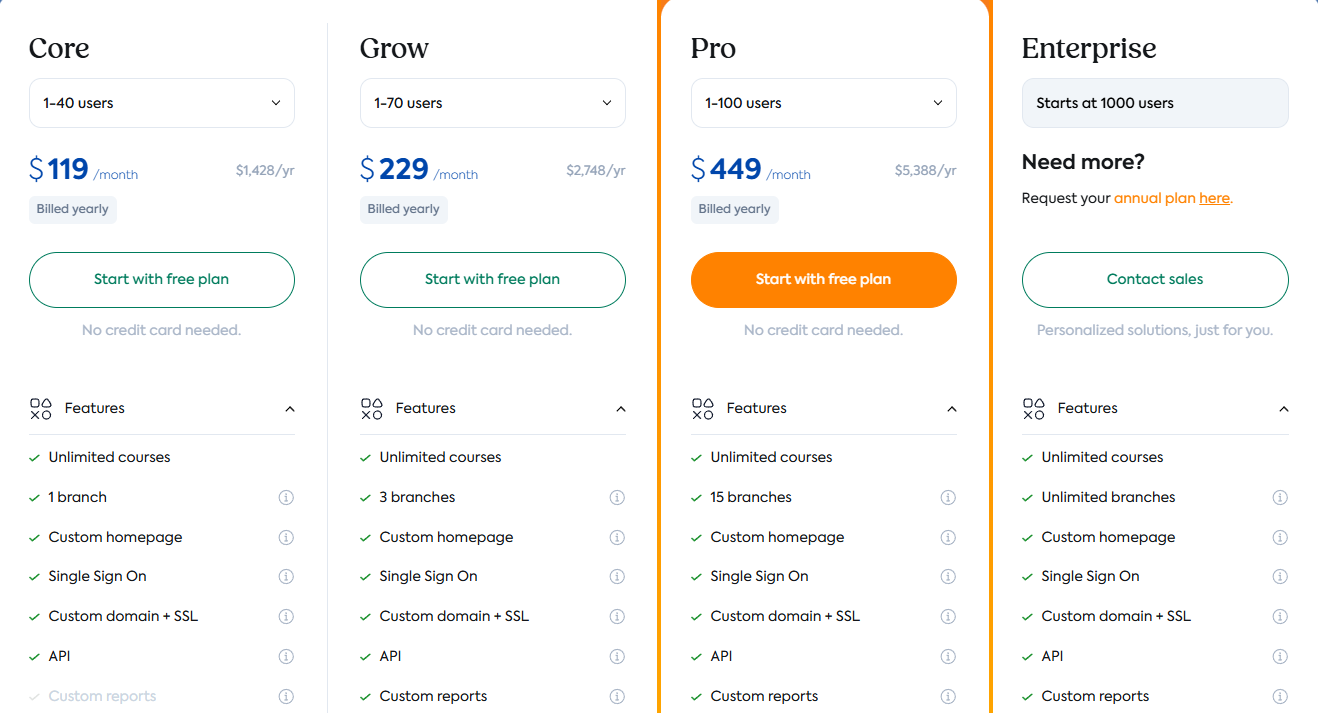
- Core: $119/month, billed annually
- Grow: $229/month, billed annually
- Pro: $449/month, billed annually
- Enterprise: Custom pricing
6. Graphy
- Personal rating: ⭐️⭐️⭐️⭐️ 4.6/5 - It’s very versatile with courses, communities, webinars, and digital product capabilities.
- Ease of use: ⭐️⭐️⭐️⭐️ 4.5/5 - It has a simple setup process with a beginner-friendly dashboard.
- Hosting and delivery: Hosted all-in-one platform - Supports online courses, memberships, communities, webinars, and digital products. Video content is hosted directly within the platform.
- AI automation features: AI-assisted website creation, automated email campaigns, student onboarding workflows, lead capture automation, payment workflows, and marketing automations.
- Free trial: Yes - 14-day free trial on all plans (Launch, Rise, and Scale).
- Starting plan: Launch - $49/month + unlimited products
Graphy is fifth on our list of the best LearnWorlds alternatives.
It’s an all-in-one creator platform that enables educators to sell courses, memberships, webinars, and digital products under their own brand. You can also create AI avatars as digital assistants.
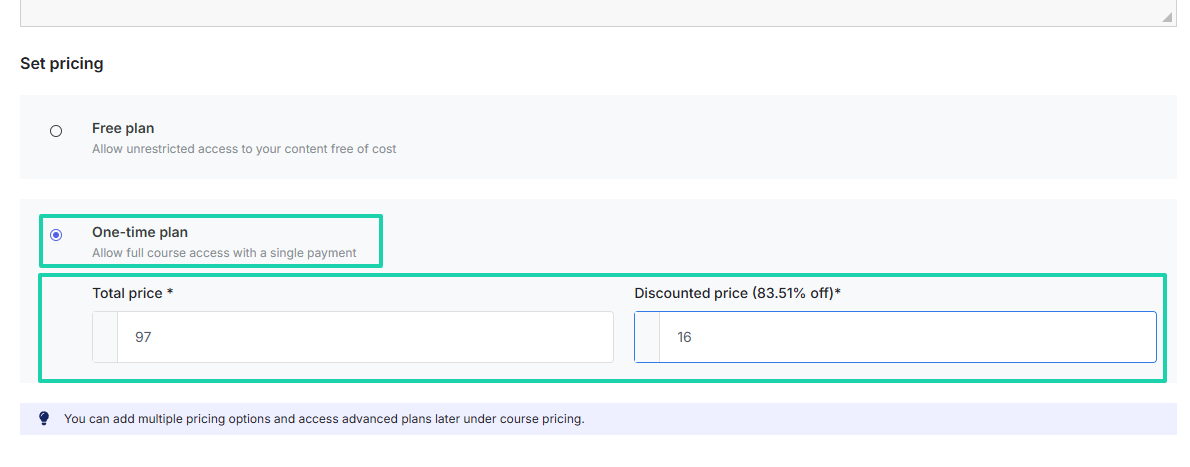
When creating a course, you can add a course price and a discount at the same time.
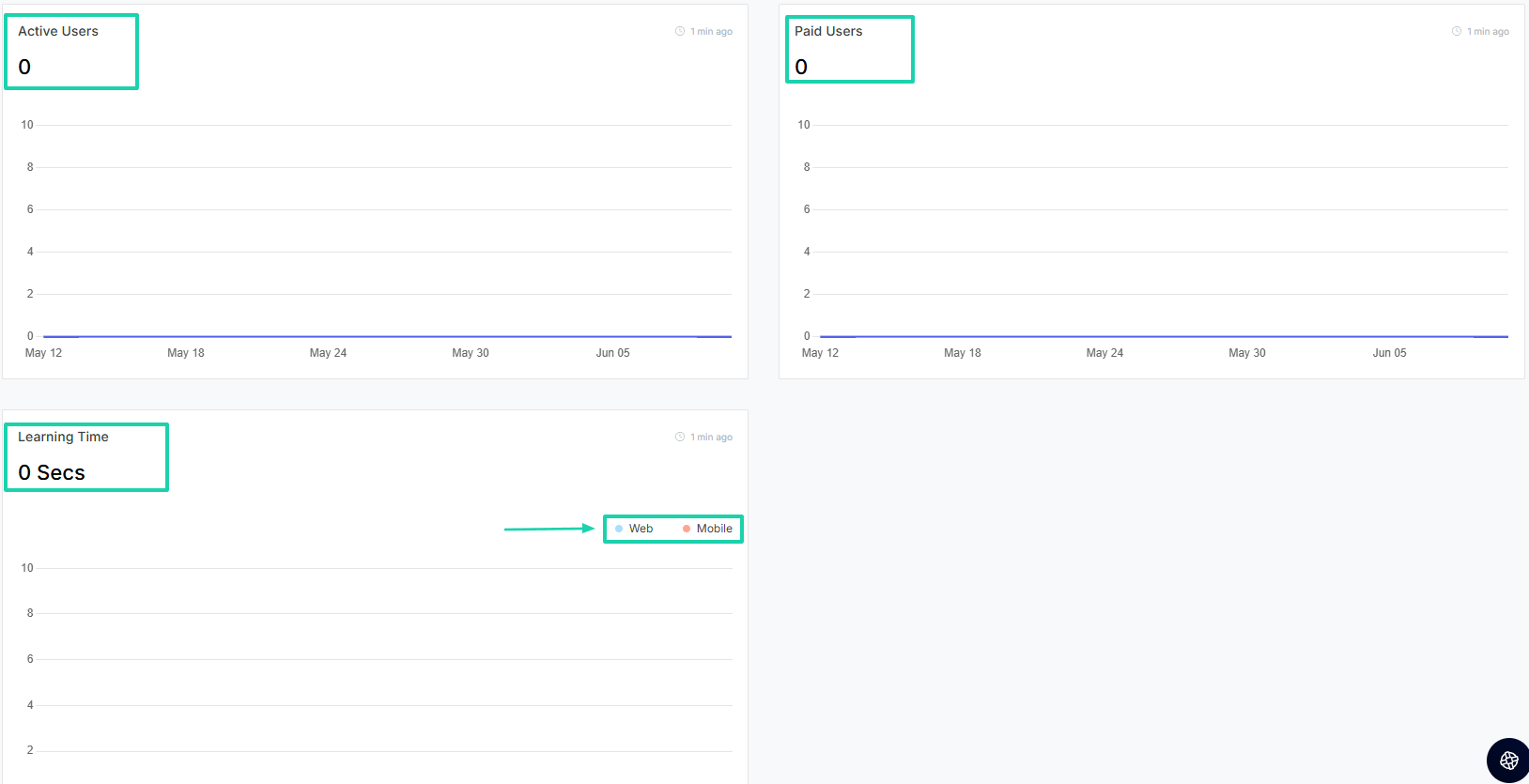
It comes with a dashboard that displays the learner’s learning time on the web and mobile.
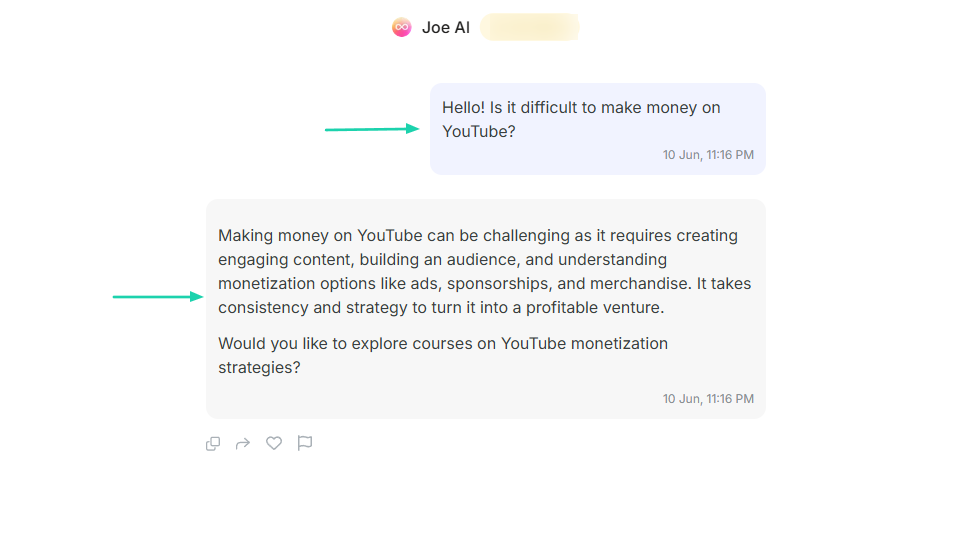
Graphy lets you create AI agents that can answer questions and provide guidance.
What I loved about Graphy
1. Courses
With Graphy’s course feature, you can build, market, and sell interactive online courses from your own branded websites or mobile apps.
Without wasting much time, let’s jump right into it!
Find the feature in the sidebar menu.
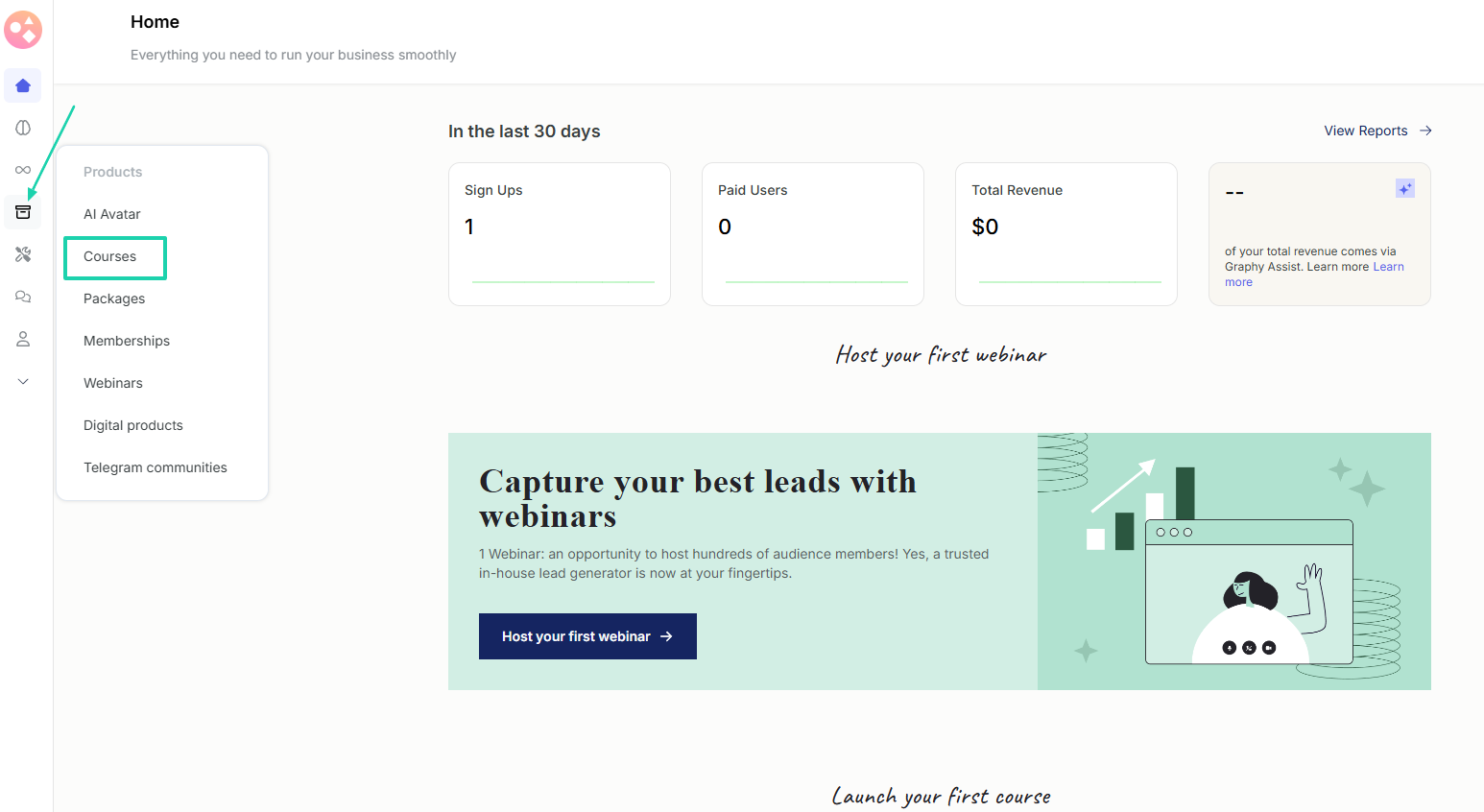
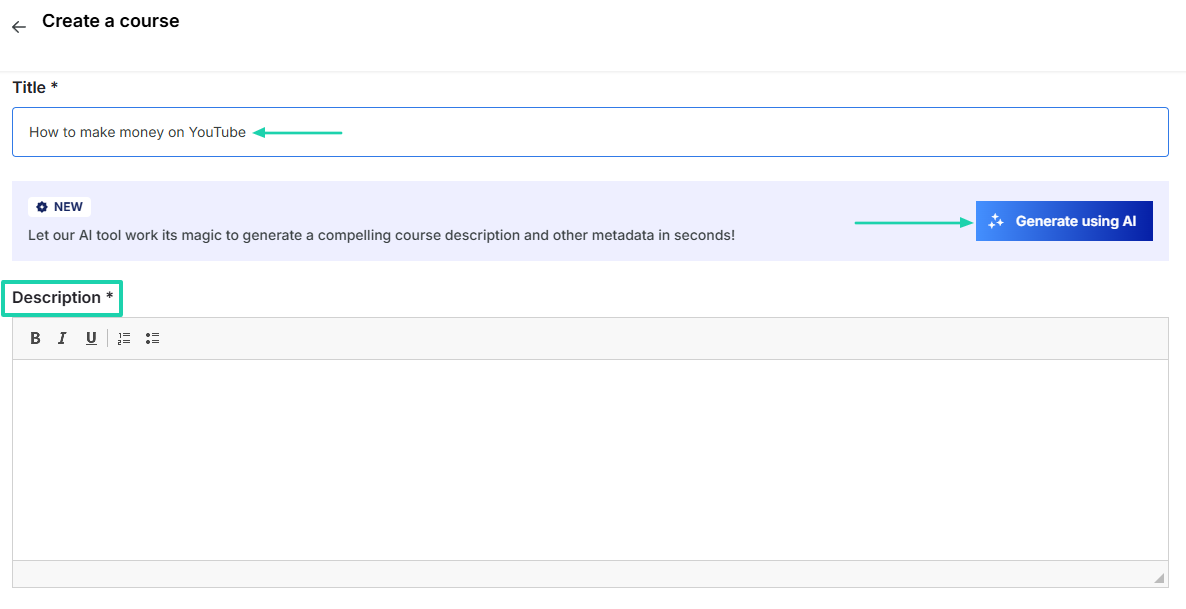
Add a title and a description. Alternatively, you can generate it using AI.
Next, set the pricing. You can add the total price and a discounted price.
You can add your course image and decide to add content using AI or by adding chapters manually.
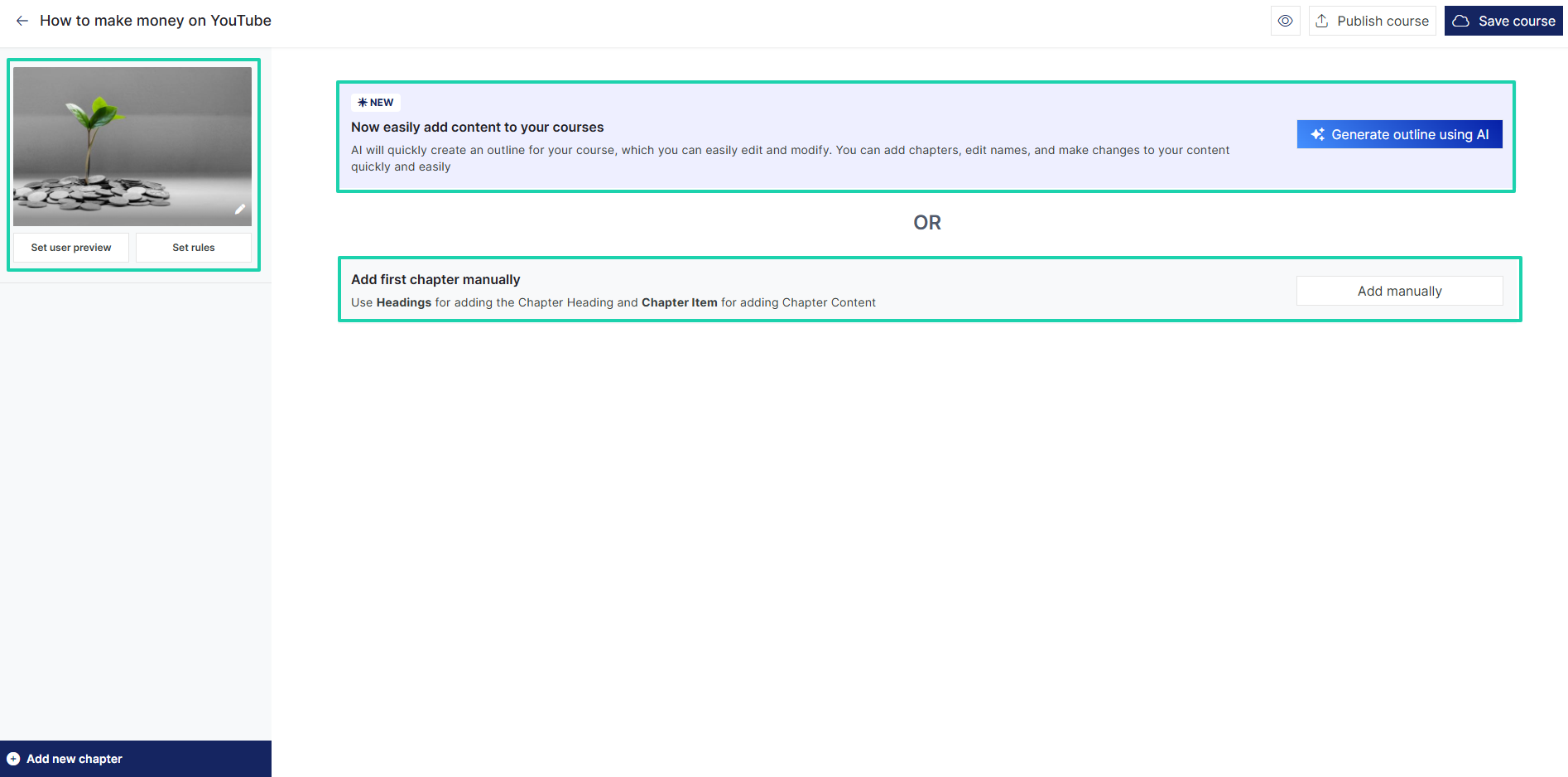
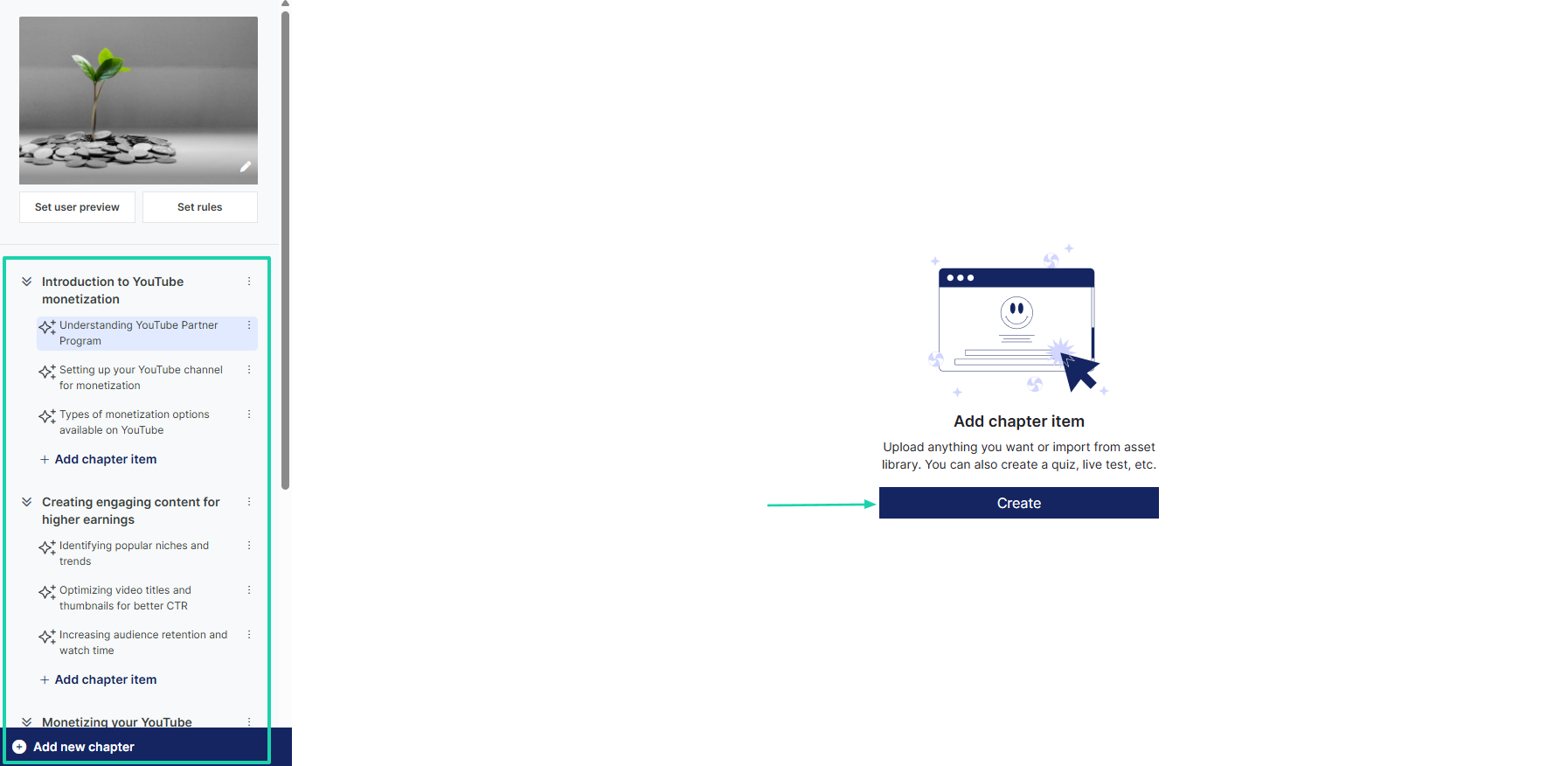
Your outline is ready. You can go ahead and add your preferred content.
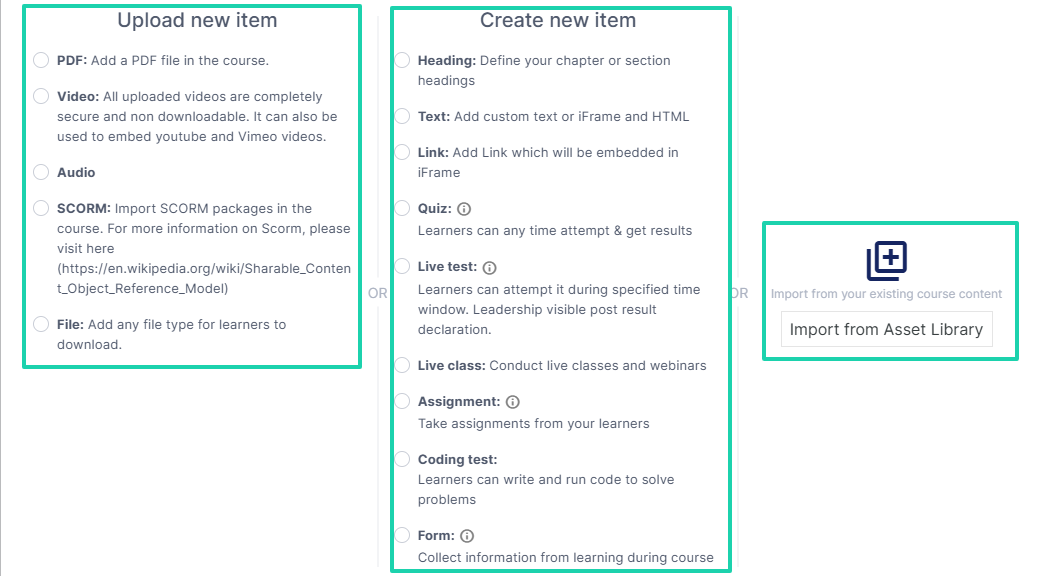
You have three options:
- Upload new item: PDF, video, audio, SCORM, or file.
- Create a new item: heading, text, link, quiz, live test, live class, assignment, or forms.
- Import from asset library
2. AI agent
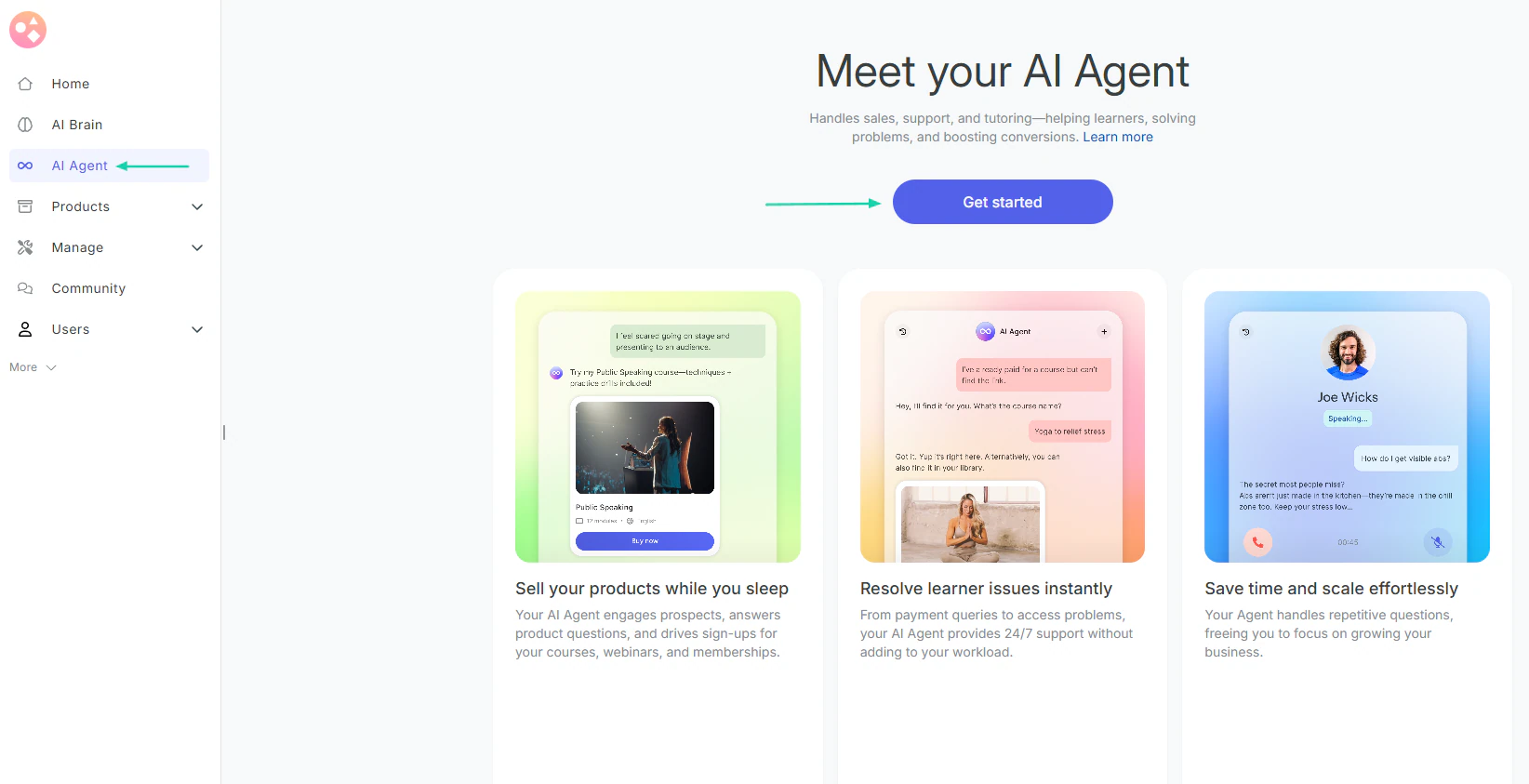
Graphy lets you create AI agents that can help sell your products, resolve learners’ issues, and handle repetitive questions.
Let’s go ahead and create one.
In the sidebar, click “AI agent.” Then, select “Get started.”
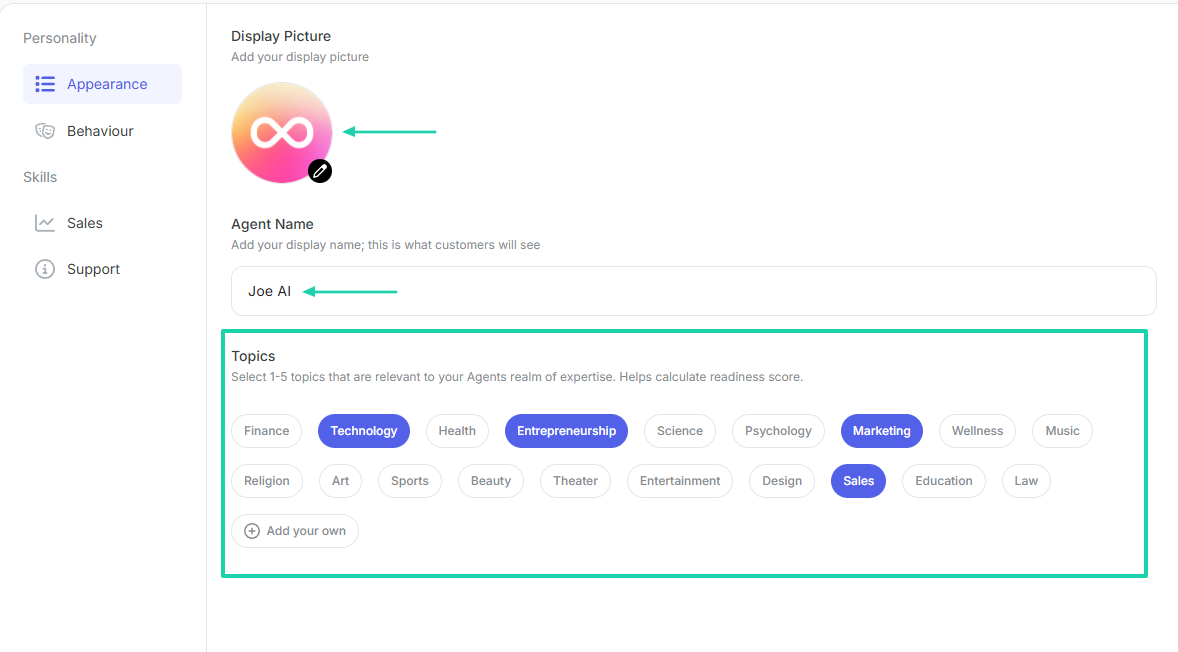
Add a display picture for your agent, a name, and choose 1-5 topics that should be relevant to your agent’s realm of expertise.
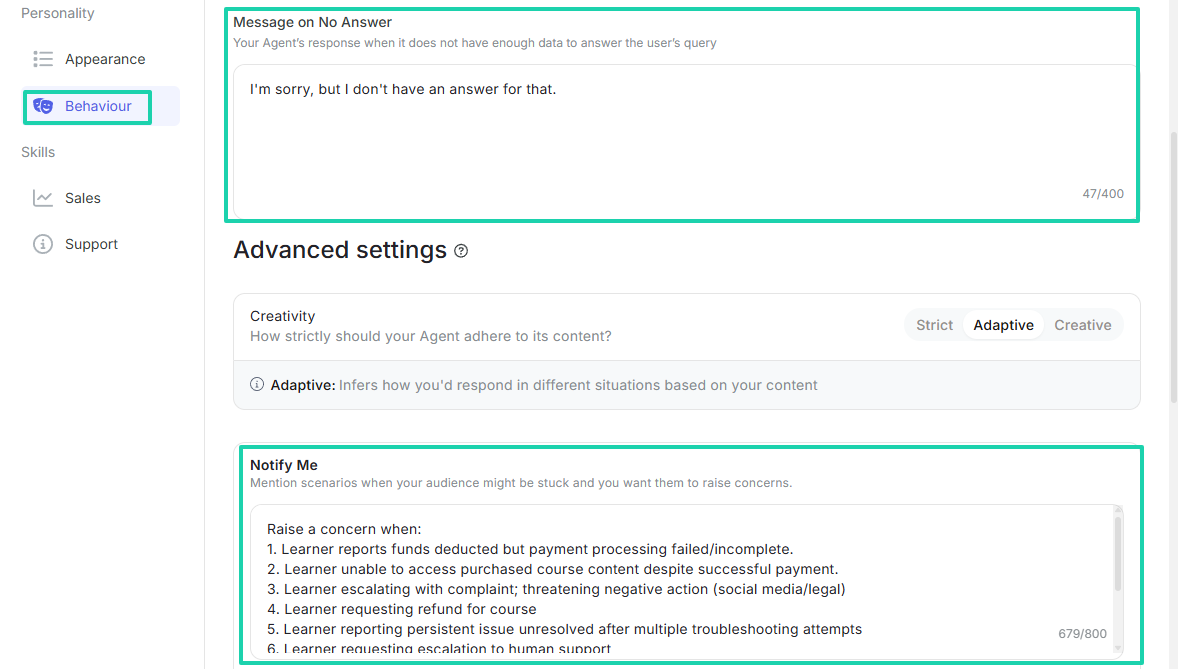
For agent behavior, you can enter what it should say when it doesn’t have an answer. You can also mention scenarios when the AI agent should notify you.
That’s it! You can test your agent and see how it responds.
3. Reports
Graphy has a reports feature that shows your total revenue, new signups, new enrollments, active users, and total time spent.
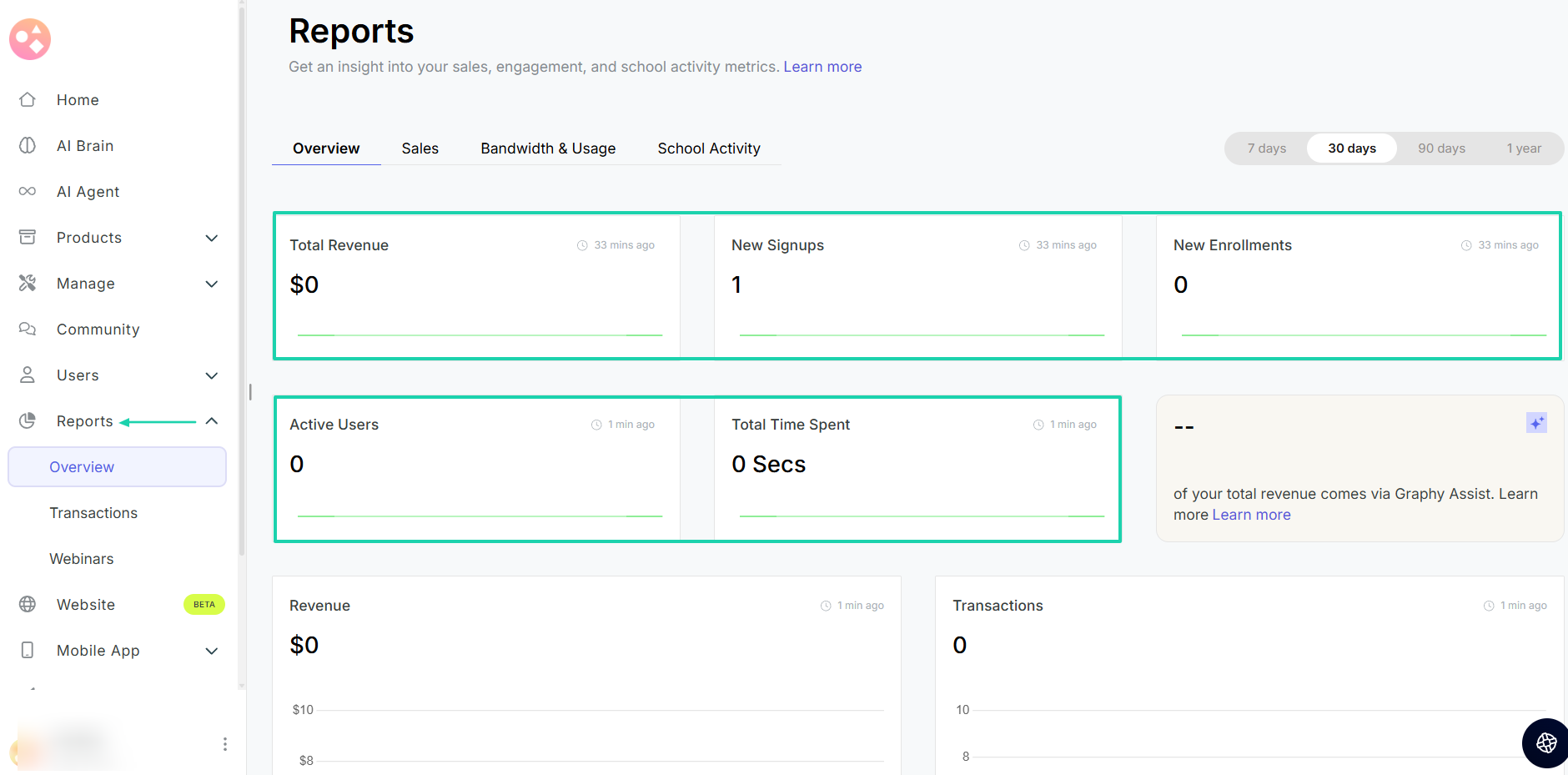
If you scroll down, you will see each section listed above, with its own dashboard and weekly performance metrics. These include revenue, transactions, new signups, and new enrollments.
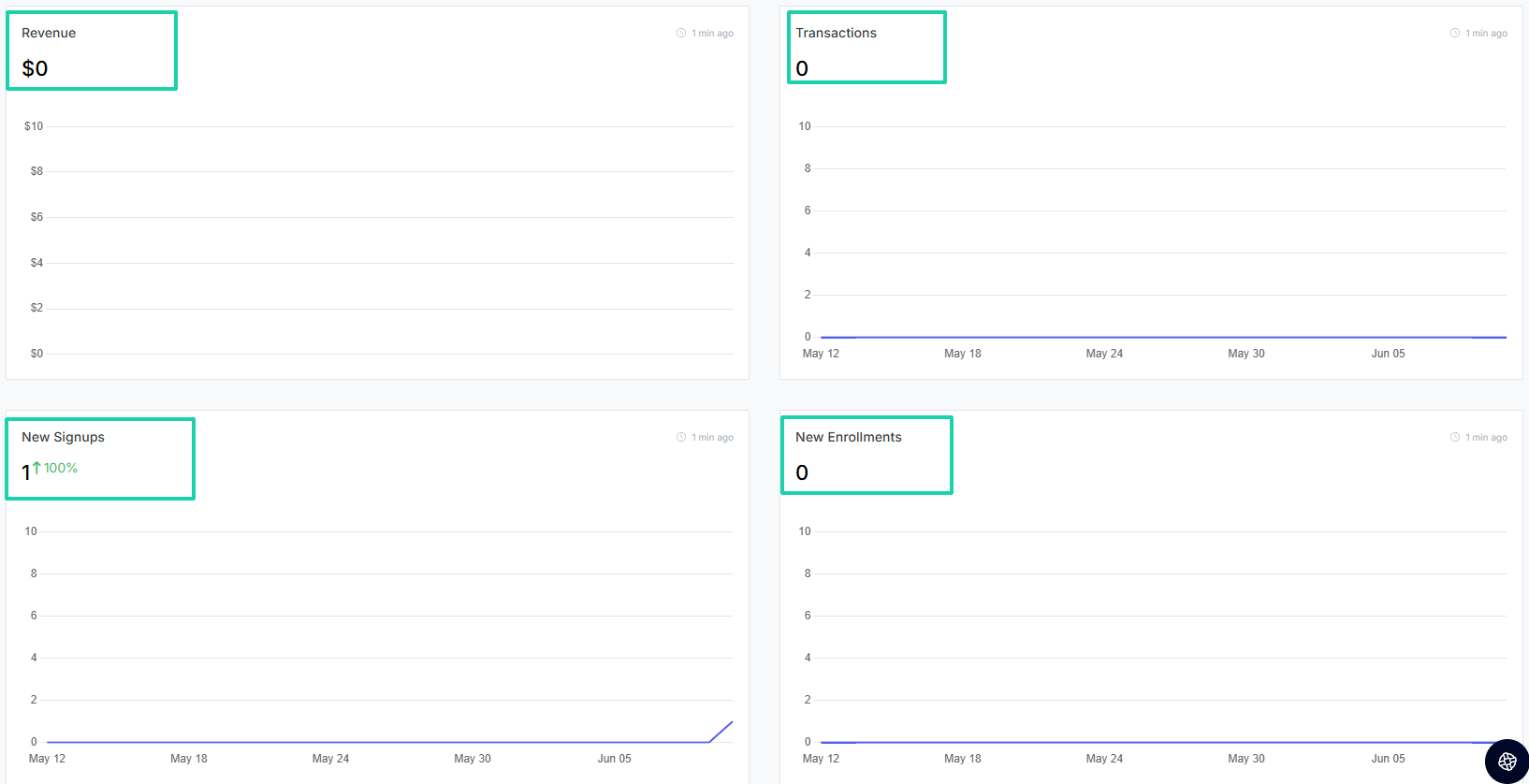
The same is true for active users and paid users. You will also see the learning time on both the web and mobile.
What I liked vs what I didn’t like
What I loved 👍
✅ Uses AI to generate course descriptions and outlines.
✅ Lets you create your AI avatar for coaching and guided learning.
✅ Lets you create AI agents to handle sales, support, and tutoring.
✅ Comes with a mobile app.
What I didn’t like 👎
❌ Some advanced features are only available on higher-tier plans, which can be very expensive for solo creators and coaches.
Best for
- Educators, coaches, and creators who want to monetize their expertise through multiple digital products and learning experiences
Pricing
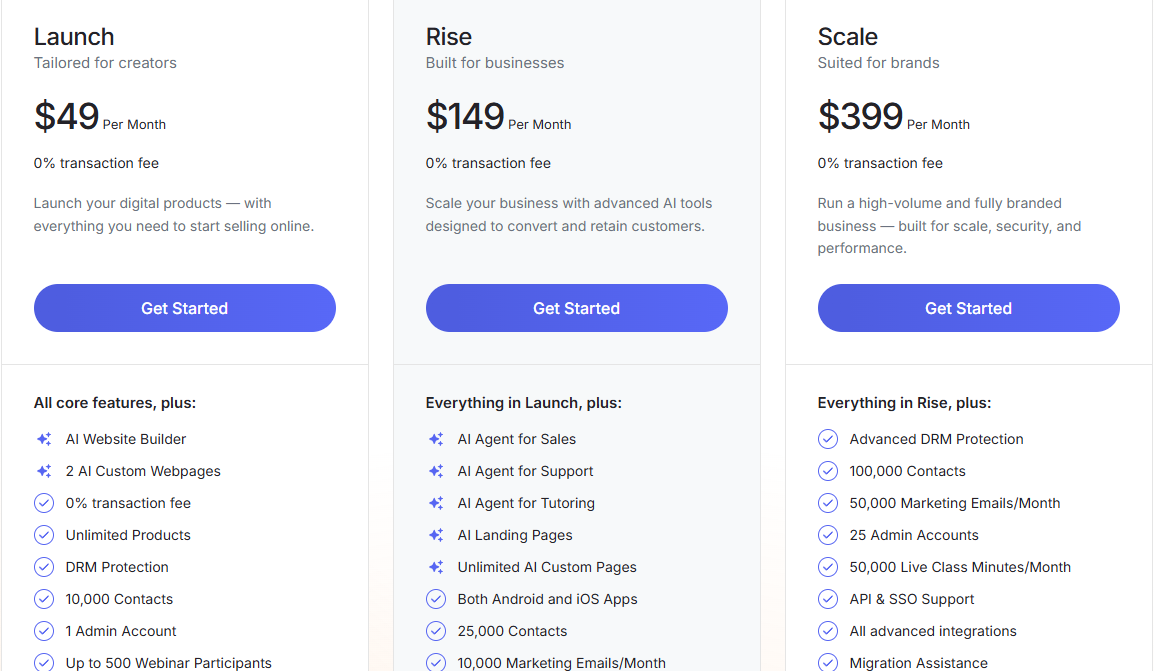
- Launch: $49/month
- Rise: $149/month
- Scale: $399/month
Additional alternatives to LearnWorlds
Below are 14 additional alternatives to LearnWorlds with their use cases.
7. Podia - Best for online courses and memberships, with built-in blogging.
8. Kajabi - Best for marketing and business automation
9. Thinkific - Best for customizable course creation
10. Mighty Networks - Best for community-led courses
11. LearnDash - Best WordPress LMS plugin
12. LearnUpon - Best for corporate training
13. Absorb LMS - Best for enterprise learning
14. iSpring Learn - Best for employee onboarding and compliance training
15. Academy of Mine - Best for professional training businesses
16. Xperiencify - Best for student engagement
17. Ruzuku - Best for course building with built-in webinars
18. FreshLearn - Best for solo course creators
19. WizIQ - Best for live online teaching
20. TrainerCentral - Best for learner management
How to choose the best LearnWorlds alternative
There are four factors worth considering when choosing the best LearnWorlds alternative. The list goes as follows:
- Consider technical comfort level
- Evaluate the features you actually need
- Look at pricing
- Think about long-term scaling
Now, let’s take each one at a time.
1. Consider technical comfort level
Let’s start here. You should consider your technical comfort level when choosing a LearnWorlds alternative.
Some online course platforms are designed to launch quickly without technical complexities. While others offer advanced customization options that require a higher level of technical expertise.
You don’t want to be in a position where you find yourself watching 6 hours of YouTube tutorials on how to use a platform.
It’s a waste of time for both you and your team!
So, the real question you should ask yourself is: “How comfortable am I with technology?”
If you are a beginner, the interface shouldn’t be too complex and crowded with features. It should be simple and intuitive.
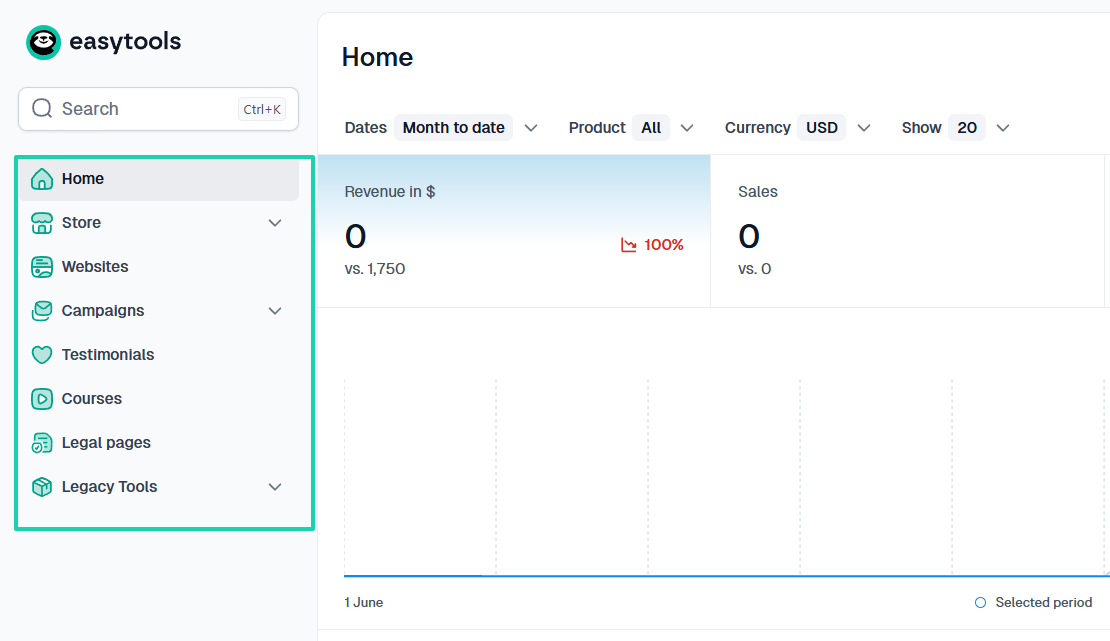
Now, let’s say you want to create a course. You should answer the following questions:
- How comfortable are you when creating an online course?
- Does the AI help you generate an outline?
- Do you have to do it manually?
If you were to do it manually each time you create, you would waste a huge amount of time. The AI will do it in a matter of seconds.
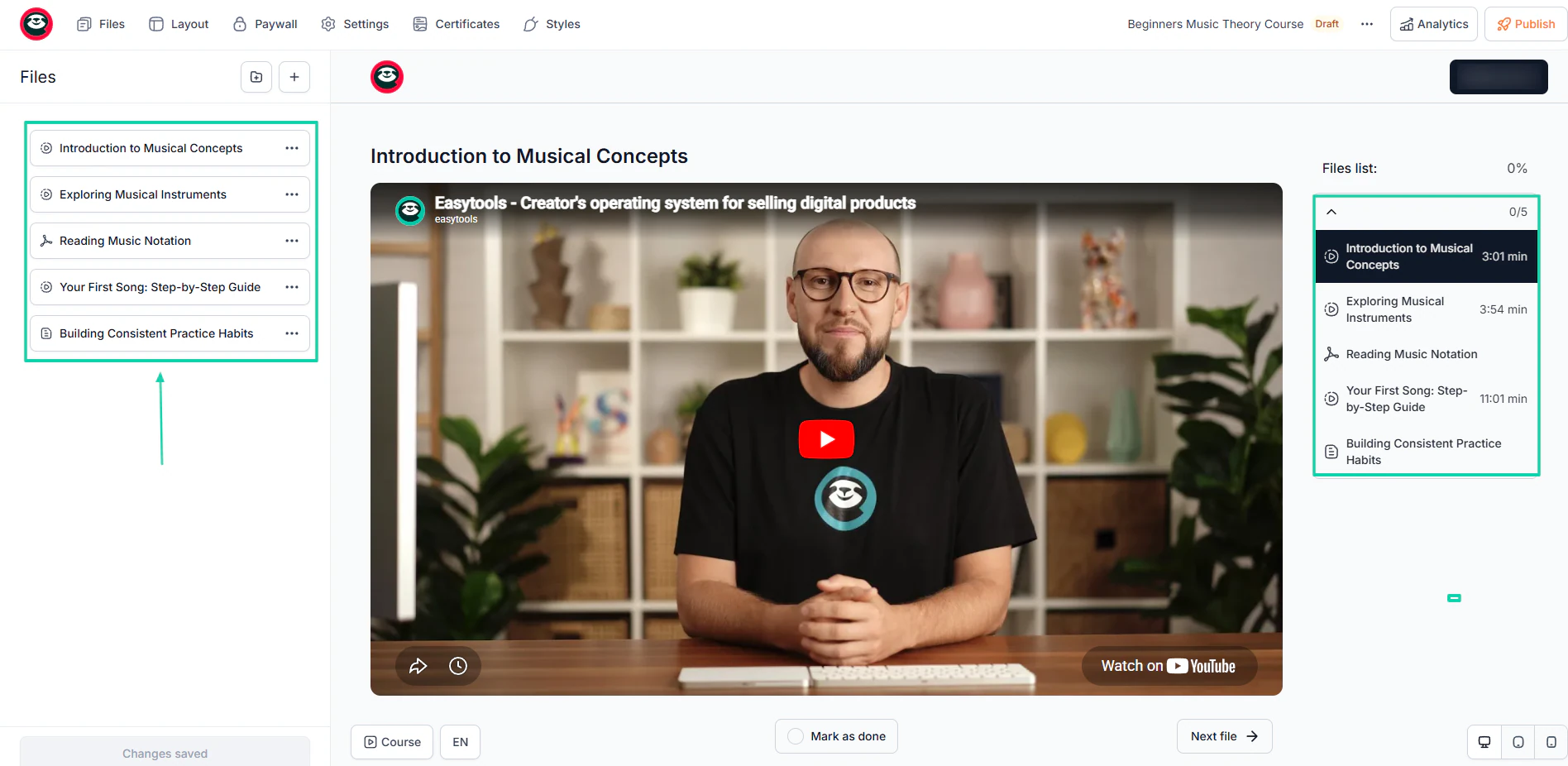
You should also consider how you’ll manage the students. A LearnWorlds alternative with built-in management software will make it easier for you to manage all your students and monitor their progress.
It should also be very easy to monitor all your lessons on a single dashboard, along with their average progress.
You see, the reason why you should also consider your technical comfort level is that it determines how quickly you can create, market, and sell your course.
Speaking of selling, you should have no problem creating your checkout page. A good digital course platform should let you do it in fewer than 5 steps.
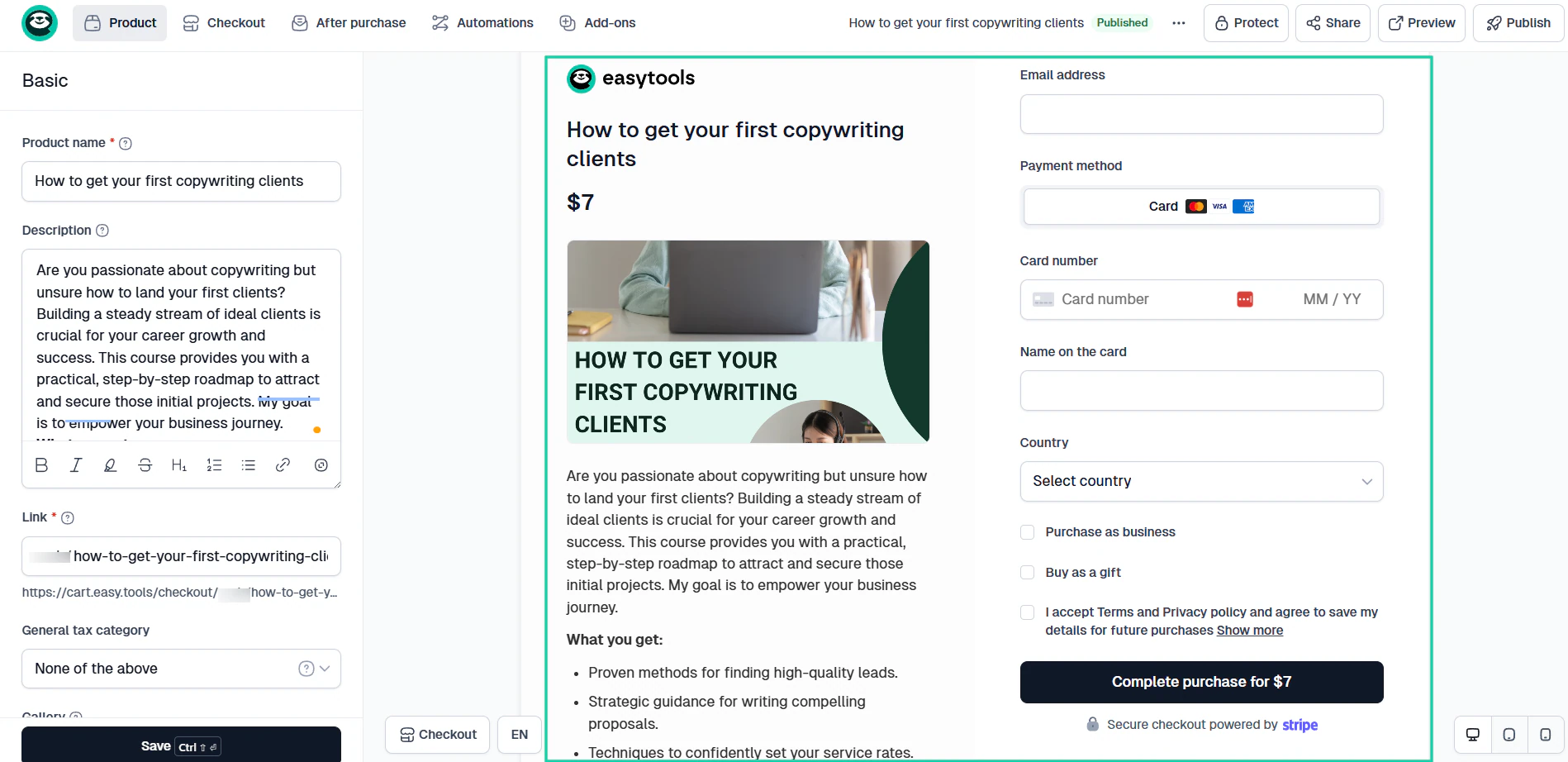
Pro tip: Students generally care more about the value of the course they purchase than about how sophisticated your backend dashboard looks.
2. Evaluate the features you actually need
A huge mistake many creators make when comparing LearnWorlds alternatives is getting distracted by long feature lists.
I’m aware that many online course platforms advertise dozens of advanced tools. But chances are you’ll only use a very small percentage of them.
So, to maximize your ROI (return on investment), you should focus on the features you actually need.
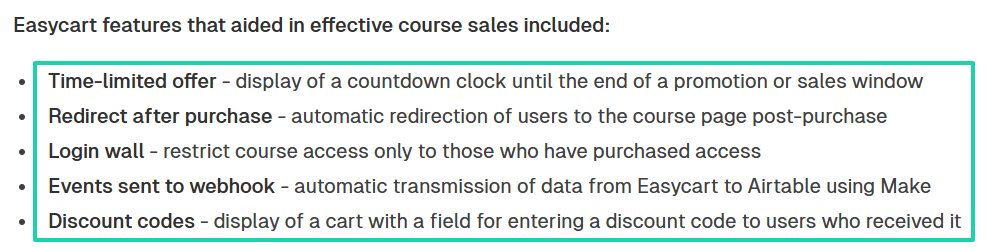
For example, when Design Practice used Easytools to build and market its online course for designers, these are the features that helped them:
- Time-limited offer
- Redirect after purchase
- Login wall
- Events sent to webhook
- Discount codes
Because of that, they made $240,000+ and attracted about 1,000 participants.

They got those results because they knew exactly the features they needed, and that’s what led them to our software, Easytools.
To identify the features you actually need, you should first identify the type of business you are building:
- Are you creating a traditional online course?
- Do you want to run a community?
- Are you planning to sell memberships, coaching programs, or digital downloads?
Answering these questions will help you determine whether you need a simple course-hosting platform, a complete course-creation education platform, or a robust membership-site platform.
To put it into context, some LearnWorlds alternatives excel at delivering courses and many other digital products with so much ease.
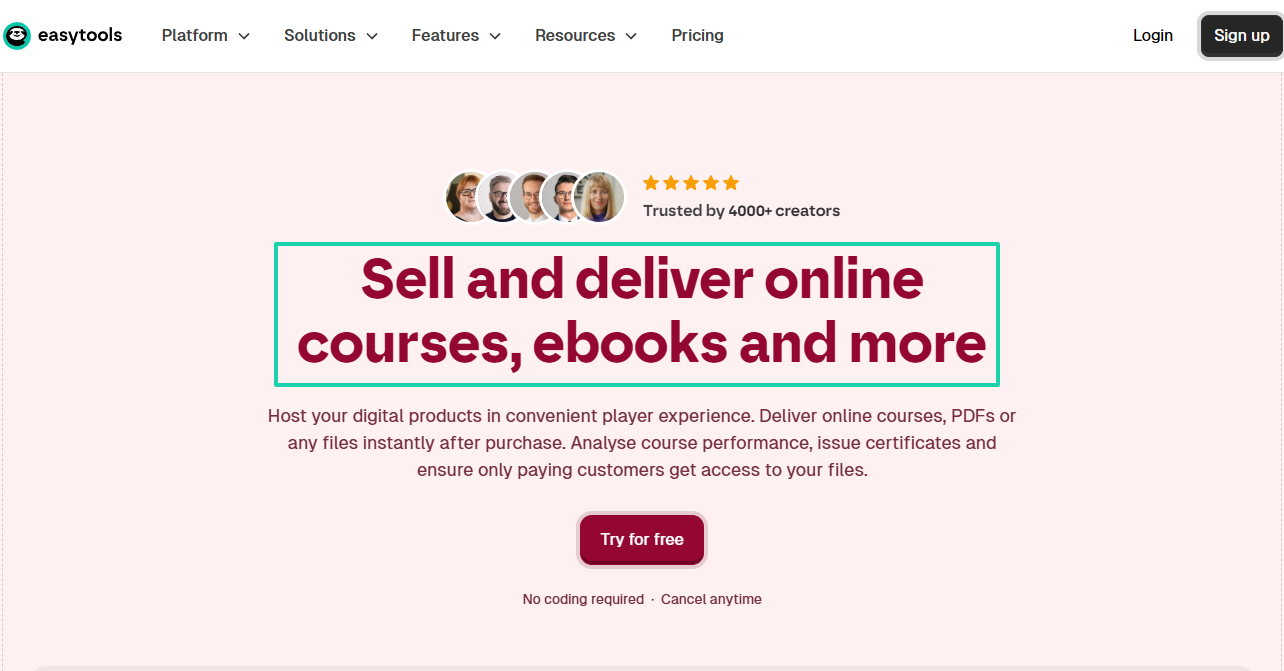
Others offer powerful student engagement tools such as discussion boards, gamification, live sessions, and much more.
What does it tell you? Different creators need different tools.
My advice is this: focus on revenue-driving features. It often includes:
- Landing pages
- Conversion-focused checkout pages
- Upsells
- Coupons
- Order bumps
- Email marketing
- Affiliate management
- Community building
- Course monetization tools
But of course, the features may differ depending on the business needs. For instance, a life coach launching a 4-week program probably doesn’t need advanced SCORM (Sharable Content Object Reference Model) compliance.
Meanwhile, that same feature might be a must for a corporate training company.
Like I said, you don’t need all the features. You only need the ones that align with your business needs. The table below explains it better.
| If you are … | Features you should focus on | Why it matters |
|---|---|---|
| Course creator | Course builder, certificates, drip content | Helps deliver a structured learning experience and improve student completion rates. |
| Coach | Coaching products, appointment scheduling, client management, and community | Makes it easier to manage clients and deliver personalized support. |
| Membership owner | Recurring subscriptions, community features, and content gating | Essential for retaining members and generating predictable recurring revenue. |
| Corporate trainer | Student tracking, reporting, assessments, and certificates | Helps monitor learner progress and demonstrate training outcomes. |
| Digital entrepreneur | Landing pages, email marketing, funnels, upsells | Supports lead generation and course sales without relying on multiple tools. |
| Creator with multiple instructors | Team management, instructor permissions, revenue sharing | Simplifies collaboration and course management. |
| Educational institution | Learning management system (LMS) features, grading, and student management software | Provides the structure needed to manage large numbers of learners. |
| Content creator or influencer | Digital products, memberships, community, and course monetization tools | Helps turn an audience into paying customers through multiple revenue streams. |
The needs of a content creator are different from those of a corporate trainer. That also means they probably won’t go for the same platform.
You should evaluate the features you need so that you won’t be overwhelmed with features you’ll never use.
3. Look at pricing
Our discussion of LearnWorlds alternatives won’t be complete without showing you why pricing is important to consider. In fact, that’s one of the first things creators compare.
This is important because you don’t want to waste your money. But remember that you’ll get what you pay for.
Warren Buffett put it well: “Price is what you pay. Value is what you get.” But do you really know how much you will spend and what you will get?
You have to calculate the true cost of running your online business because some online teaching platforms may appear affordable at first but become very expensive depending on the features you need.
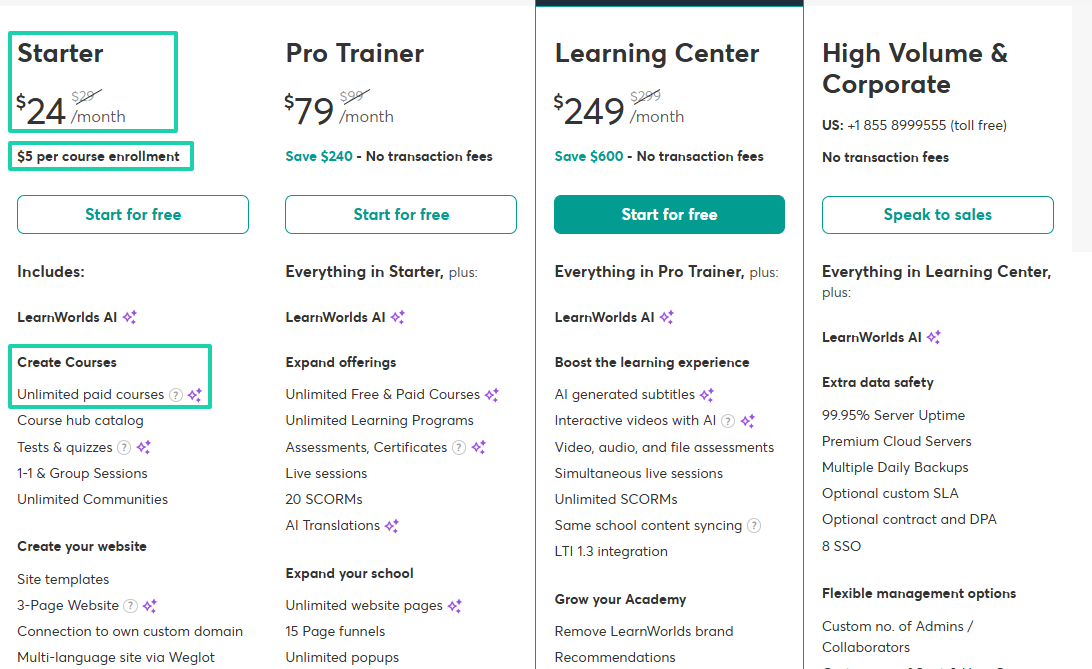
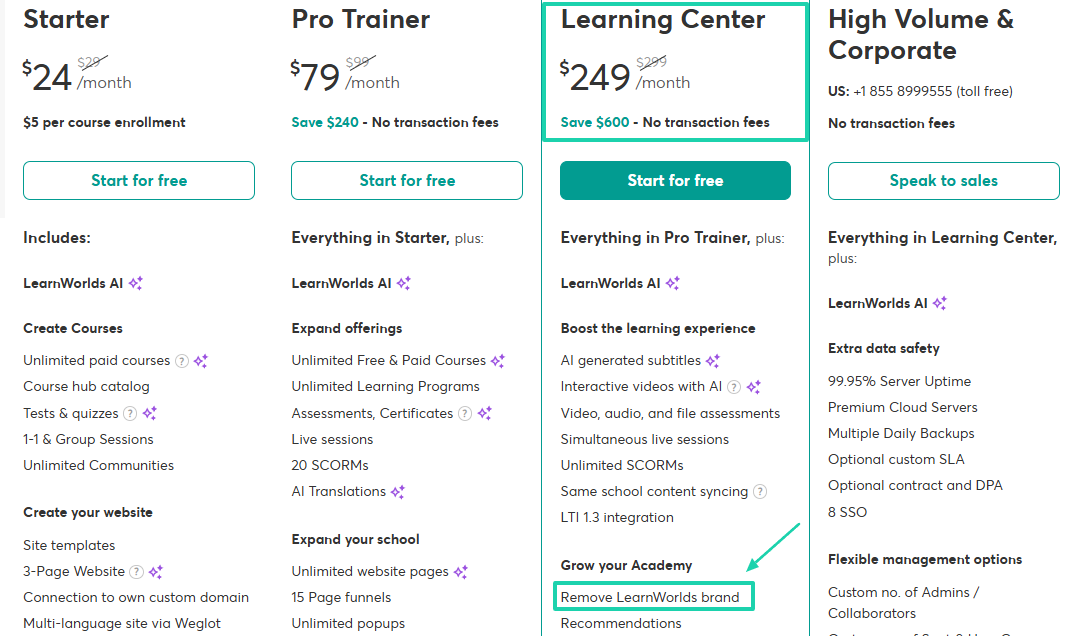
Take LearnWorlds, for instance. Its Starter plan costs $24/month + $5 per course enrollment and lets you create unlimited courses.
Now, let me paint you a picture.
Aside from the $24/month fee, LearnWorlds charges $5 per student each time a student signs up for a course. This means that if you sell a course for $10 and 100 students sign up in a month, the platform will collect $24 + $500 (100 × $5), totaling $524.
You will keep only $476.
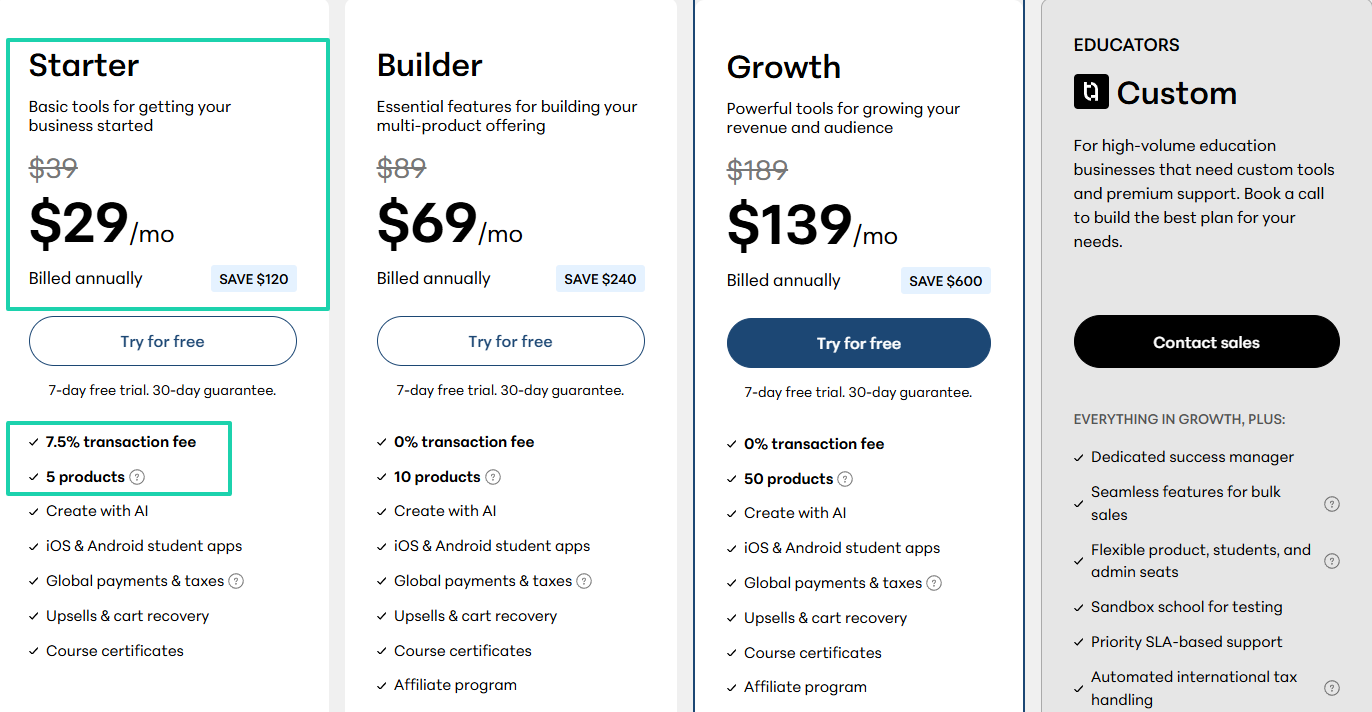
Teachable has a different approach. It charges $29/month + a 7.5% transaction fee to create about 5 products. This could be courses, e-books, or memberships.
The advantage of Easytools is that it lets you create unlimited checkouts, even on its Starter plan. You will only be charged a 5% transaction fee and Stripe processing fees.
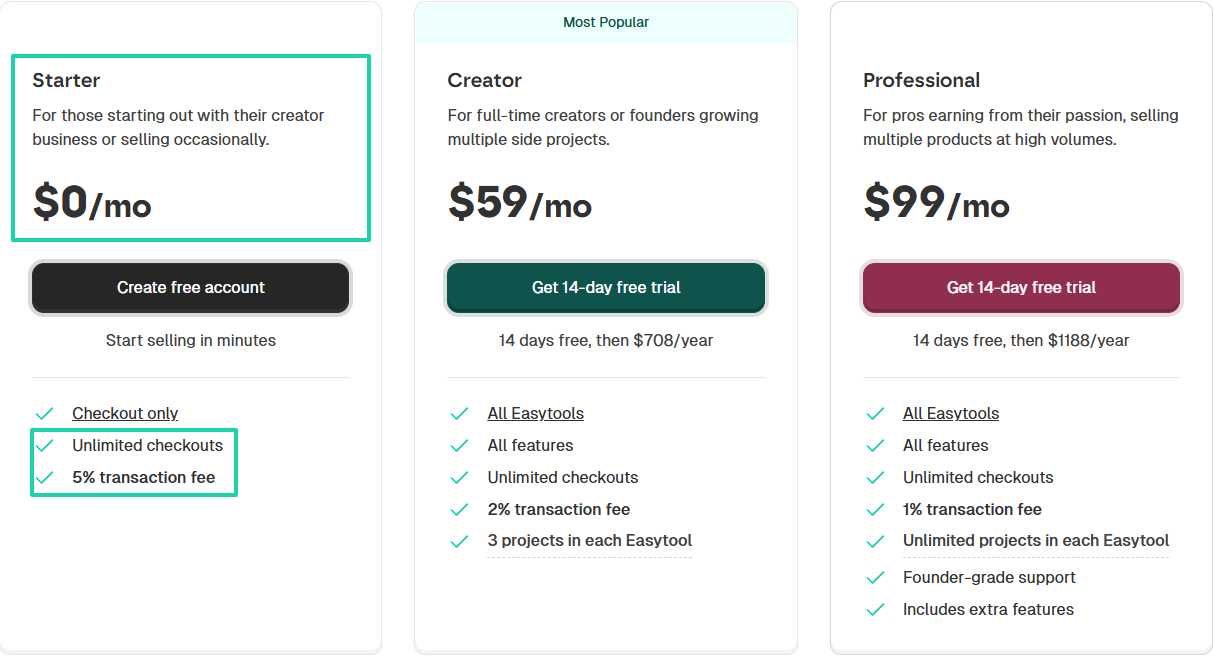
But let’s say you want to access all features and sell courses with ease. You can consider the Creator plan, which costs $59/month plus a 2% transaction fee.
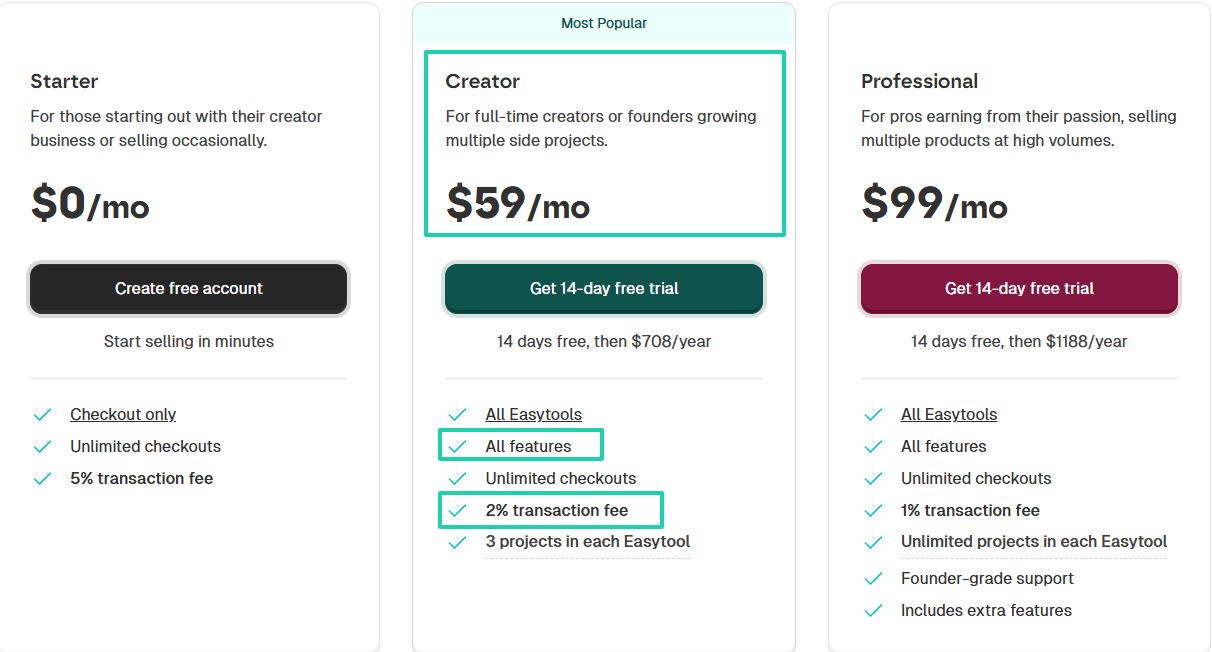
Compared to LearnWorlds and Teachable, you may think Easytools is an expensive choice for creating and marketing your online courses. But that’s just because you don’t have the full picture.
Let’s do some math real quick.
Assuming you create a $100 online course and want to know how much it’ll cost you on each platform as you start making sales. The table below shows the cost for sales ranging from 100 to 1,000.
| Platform | Fees + Monthly Plan | Cost (100 Sales) | Cost (500 Sales) | Cost (1,000 Sales) |
|---|---|---|---|---|
| LearnWorlds | $24/mo + $5 per enrollment | $788 | $2,788 | $5,288 |
| Teachable | $29/mo + 7.5% transaction fee | $1,098 | $4,098 | $7,848 |
| Easytools | $59/mo + 2% transaction fee | $908 | $1,708 | $2,708 |
So, as you make more sales, Easytools becomes the most cost-effective option by far.
But that’s not the only thing you should look at. You should also consider the advantages each pricing plan offers.
When you’re just starting, having a LearnWorlds alternative’s name or logo appear on the website, checkout pages, or emails may not seem like a big deal.
But as your online learning business grows, you can’t afford to make such moves. Your brand becomes one of your most valuable assets.
It makes you more professional and helps customers and students trust you more.
That said, you should know that removing the LearnWorlds brand requires you to be on their Learning Center plan, which costs $249/month.
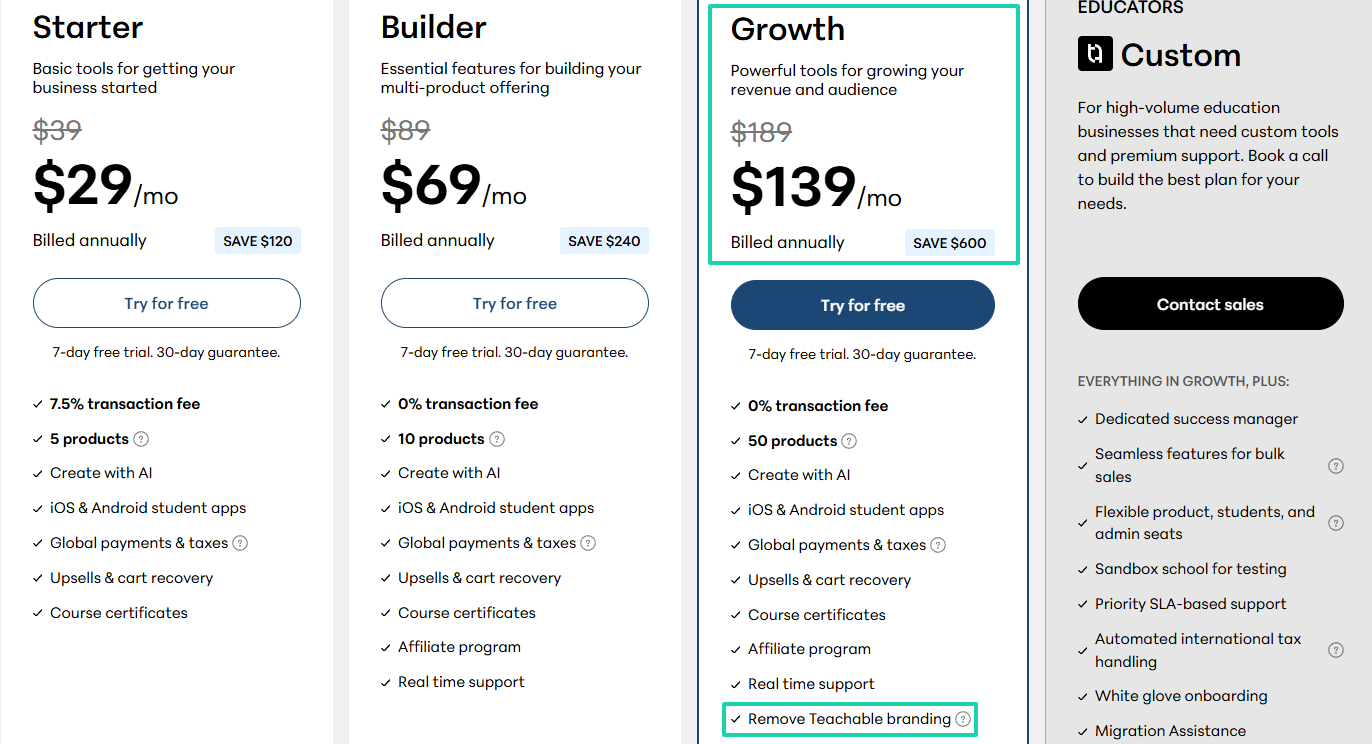
And like I said earlier, you need Teachable’s Growth plan, costing $139/month, to remove their brand.
You don’t have to pay so much to remove a logo when you have other options.
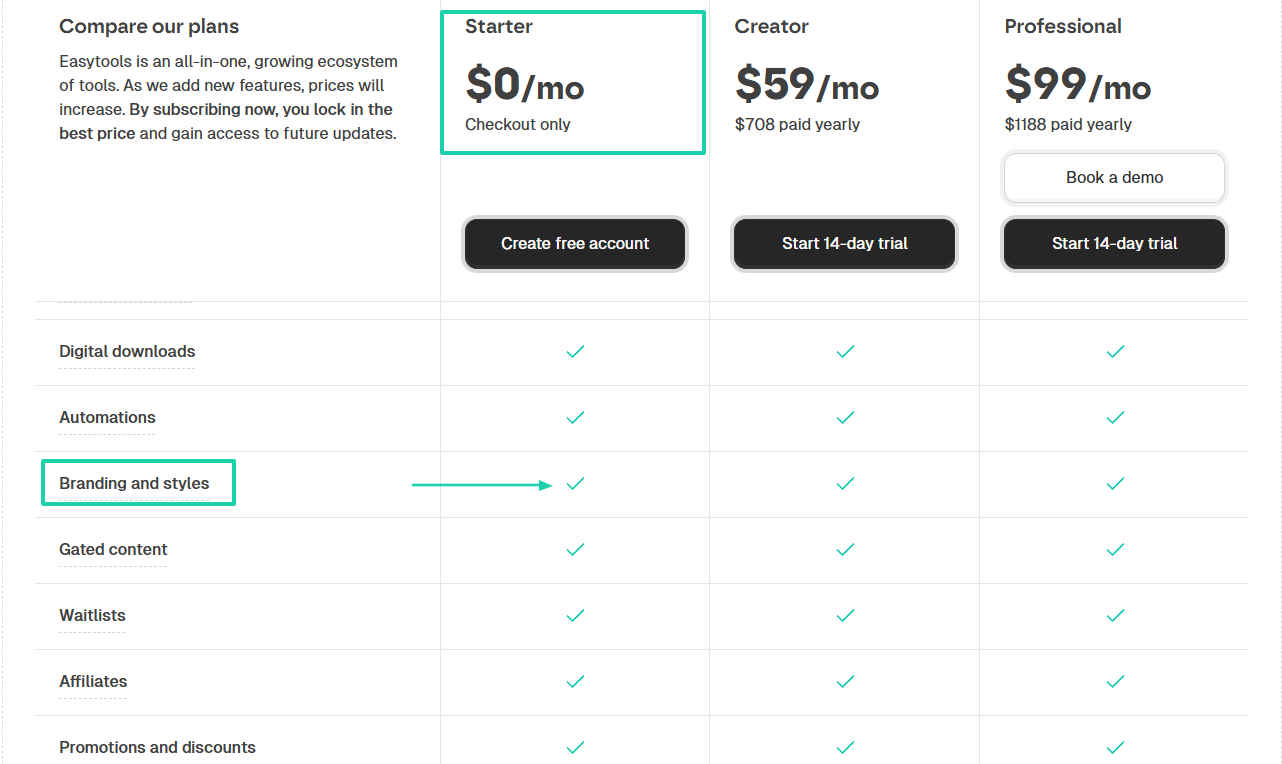
The good news is that on Easytools, you already have access to branding options even on its Starter plan.
These details seem small, but they can eat into your revenue as you scale.
That’s why you have to consider pricing before you choose a LearnWorlds alternative.
4. Think about long-term scaling
Choosing a LearnWorlds alternative isn’t just about your needs today. You should consider where you think your business will be in the next 12 months, 2 years, and 5 years.
As of now, you may only be a coach who creates and promotes your online courses.
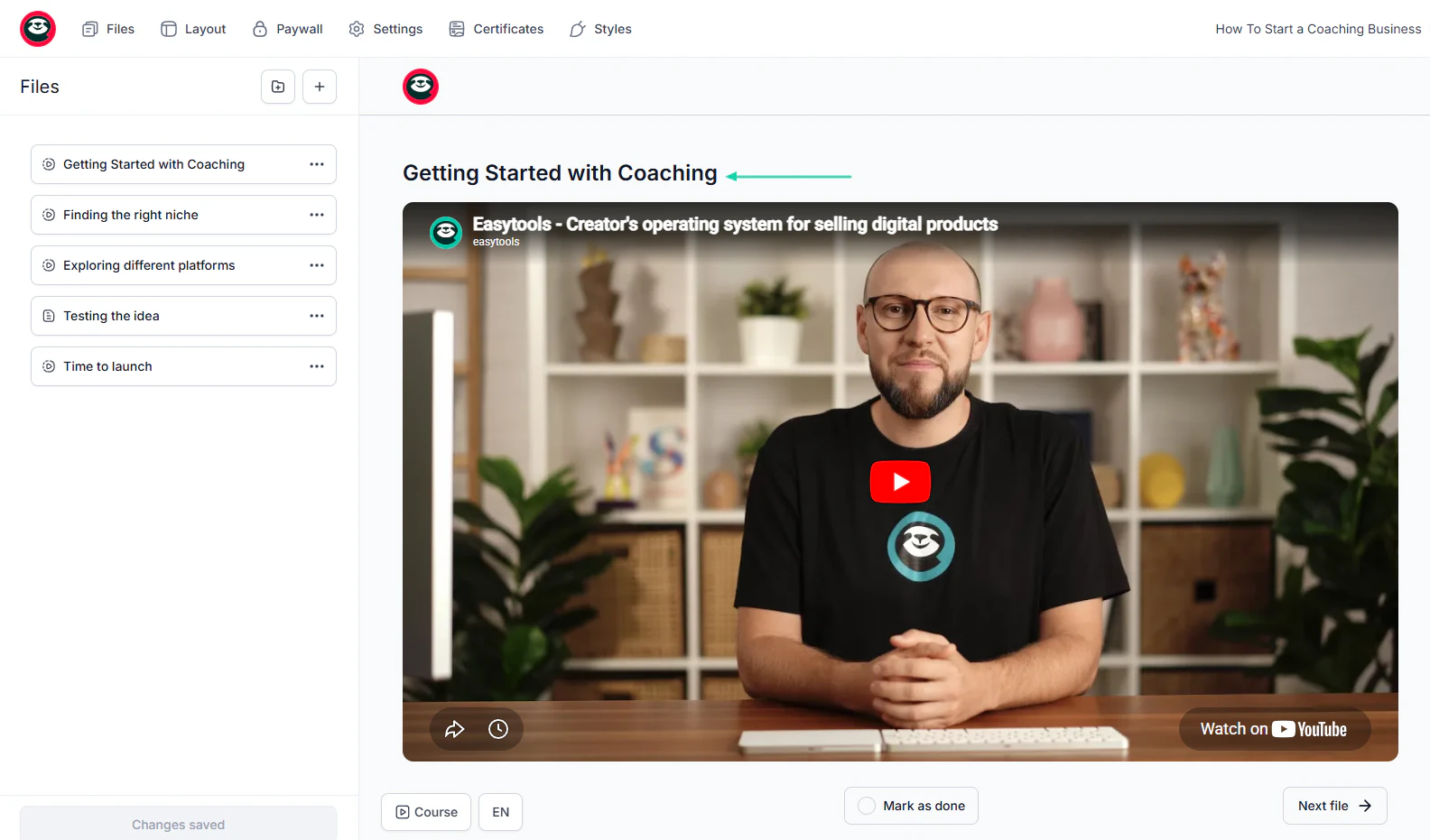
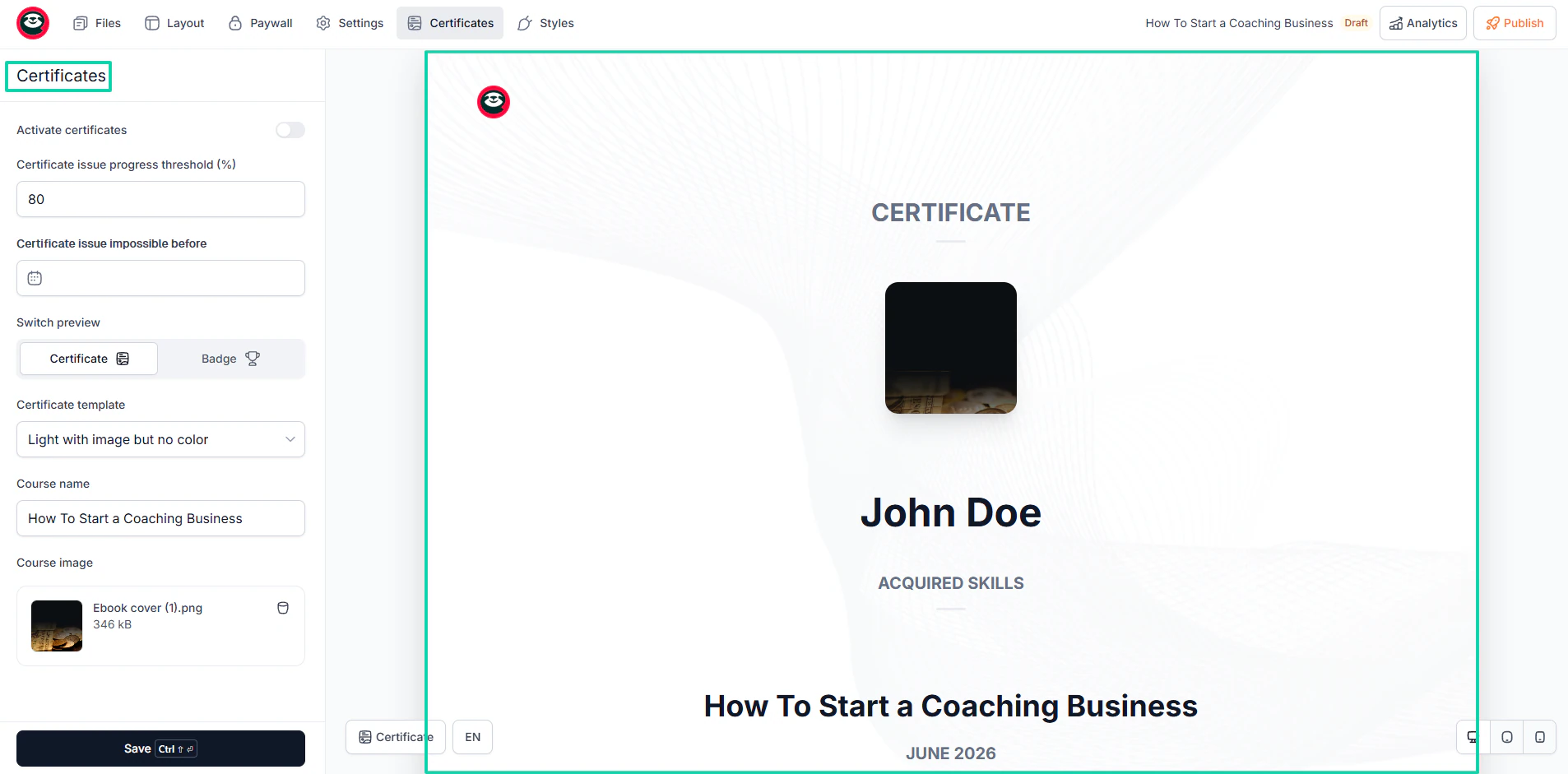
But over time, you might need to issue certificates to your students upon course completion.
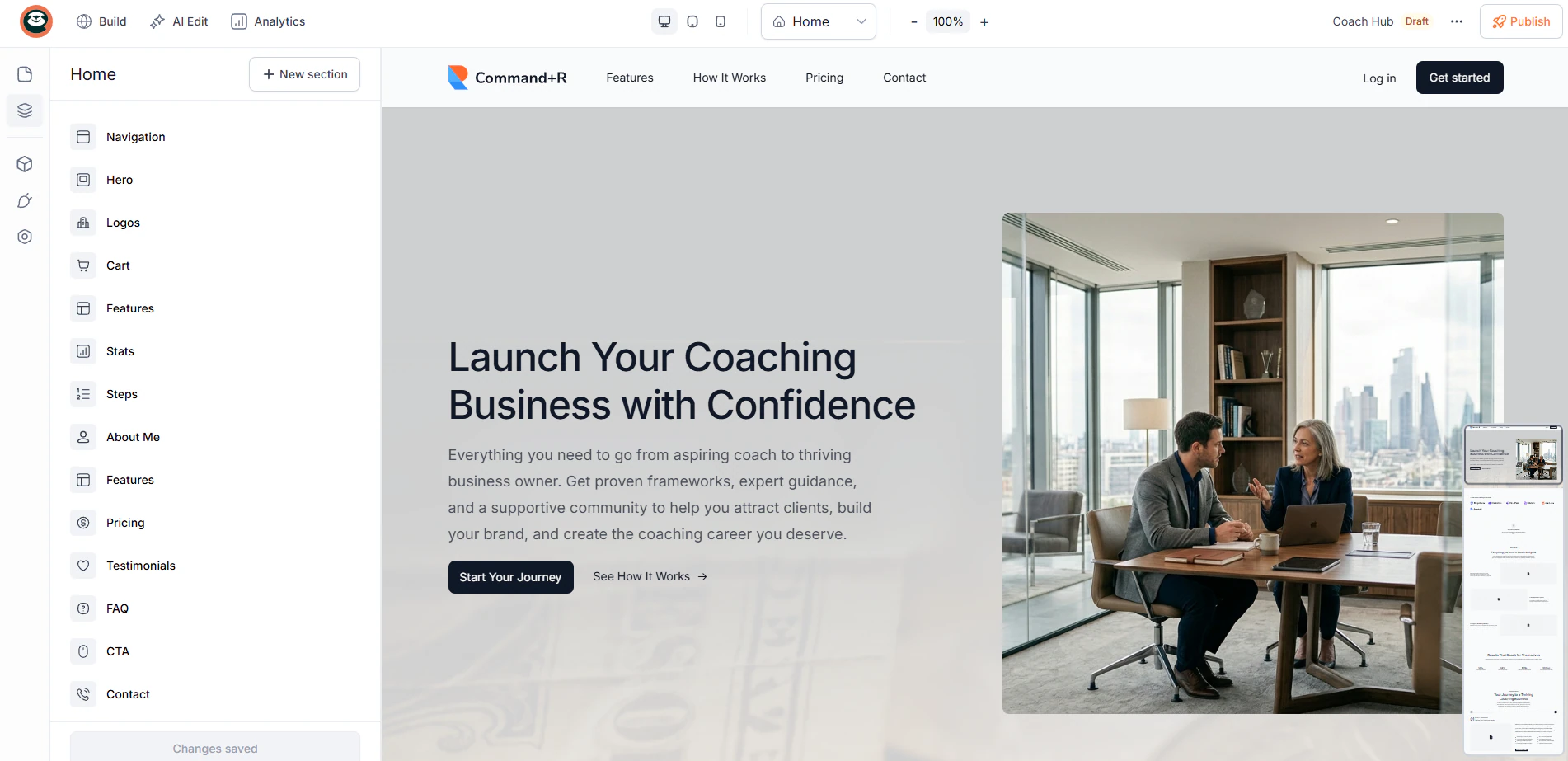
You may reach a point in the future when you need a professional website to promote your services.
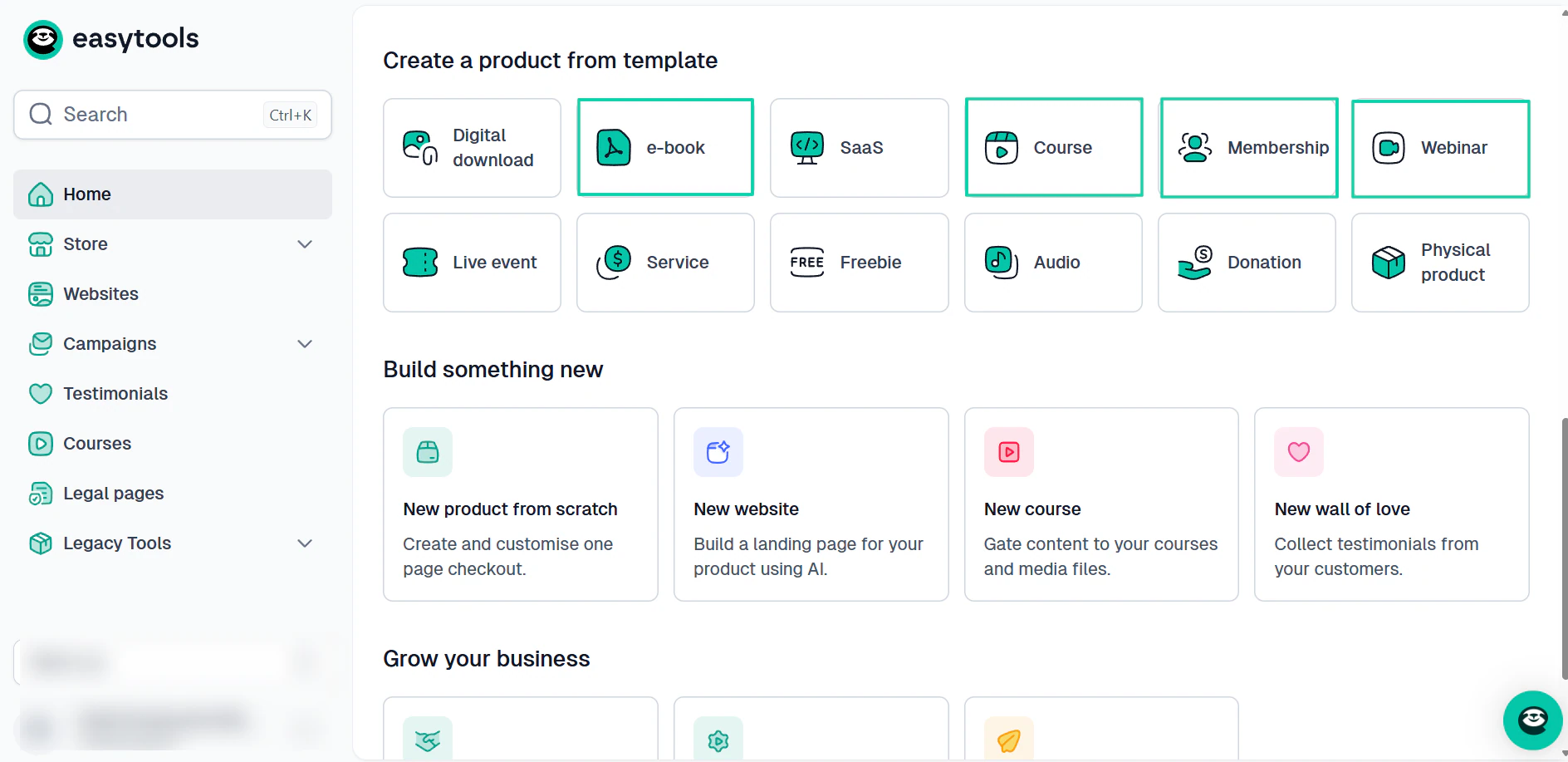
When you want to sell e-books, memberships, and webinars. Will the LearnWorlds alternative you choose allow you to do so?
Or, when you want to run campaigns and automations, will you switch to another platform because you chose a LearnWorlds alternative that lacks those features?
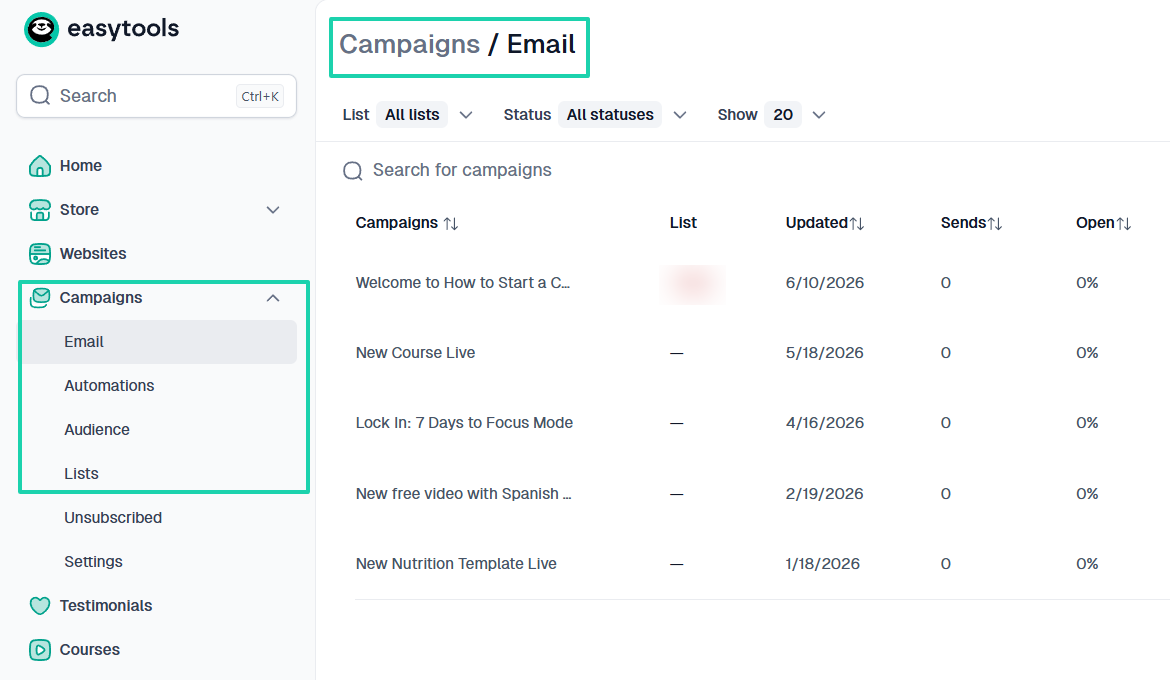
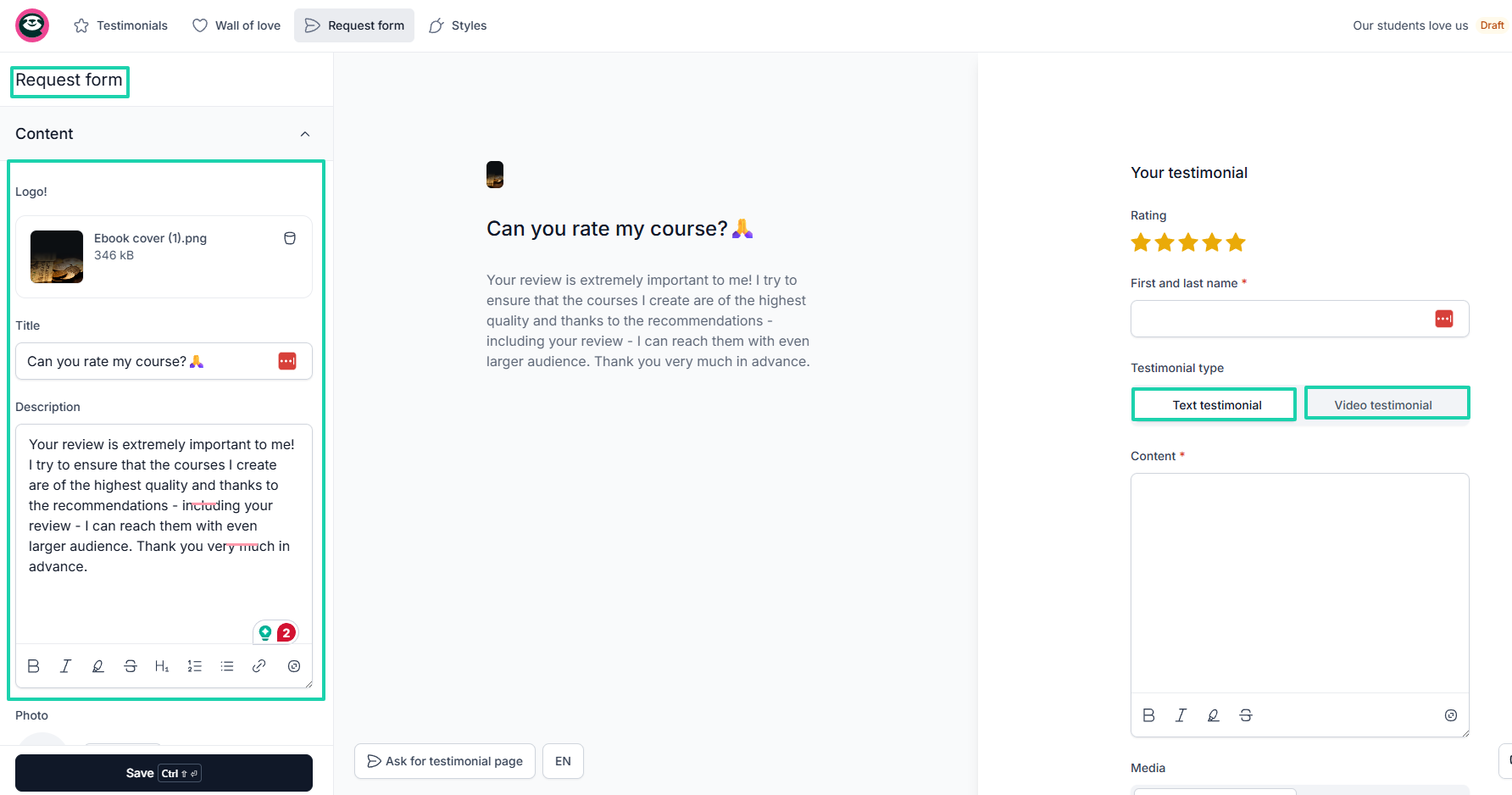
A LearnWorlds alternative like Easytools even goes a step further and lets you request and collect text and video testimonials from your students and customers.
Not all LearnWorlds alternatives are designed to grow with online businesses. Some will take it to a point, while others will start and help you scale.
Don’t forget that migrating from one platform to another can be time-consuming and expensive. Save yourself the trouble by thinking about long-term scaling.
Select the best LearnWorlds competitors
Choosing the best LearnWorlds alternative is very easy, and this article proves it.
Once it matches your technical skill level, includes the features you actually need, fits your budget today, and supports your growth tomorrow, you have a winner.
If you are still confused about what to choose, dive into the list of tools I shared earlier: Easytools, Udemy, Skool, Teachable, TalentLMS, and Graphy.
Because I tested them all, I can boldly say that they are great LearnWorlds alternatives.
But again, the choice is yours!
FAQs
Why do people look for the best LearnWorlds alternatives?
People look for the best LearnWorlds alternatives because they want a platform that is easier to use, more affordable, and aligns with their specific business needs. LearnWorlds offers advanced course features but has a steep learning curve and is costly.
Which LearnWorlds alternatives are best for beginners?
The LearnWorlds alternatives best for beginners are Easytools, TalentLMS, and Teachable. They have intuitive dashboards, use AI for course creation, and straightforward setup processes that help creators launch faster.
Which LearnWorlds alternatives offer built-in email marketing?
LearnWorlds alternatives that offer built-in marketing are Easytools, Teachable, Graphy, Kajabi, and Podia. On Easytools, for instance, you can run campaigns, email automations, build an email list, and create newsletters.
How do LearnWorlds alternatives compare in pricing?
LearnWorlds alternatives like Easytools generally offer more predictable pricing by avoiding the per-enrollment fees that LearnWorlds charges on its entry-level tier. For instance, you can start creating unlimited checkouts for free on Easytools. You’ll only be charged a 5% transaction fee.
Are LearnWorlds alternatives suitable for businesses?
Yes, many LearnWorlds alternatives, like Easytools, are suitable for businesses. In addition to courses, you can sell digital products (e-books, webinars, Notion templates), build websites, use marketing and sales automation tools, access analytics, build legal pages, and collect testimonials.
What are the best LearnWorlds alternatives?
The best LearnWorlds alternatives are Easytools, Udemy, Skool, Teachable, TalentLMS, and Graphy. They all have core features like course creation, student management, marketing tools, and monetization. Easytools, for example, is cost-effective, offering features like multi-page websites, email marketing and automation, conversion-focused checkouts, and more.
Are there alternatives to LearnWorlds free trials?
Yes, there are many alternatives to LearnWorlds, such as EasyTools, that offer free trials. Even though its Starter plan is free, you have a 14-day free trial on the Creator and Professional plans.
Which LearnWorlds alternatives offer advanced marketing tools?
LearnWorlds alternatives that offer advanced marketing tools include Kajabi, Easytools, Podia, and Teachable. They offer built-in features like promotions and discounts, checkout recovery, upsells and cross-sells, waitlists, affiliates, order bumps, and testimonials, just to name a few.