Selling online
Payhip vs. Gumroad: Which is Better for Creators in 2026?
Payhip vs. Gumroad compared side by side: digital products, storefronts, marketing tools, audience ownership, marketplace discovery, analytics, integrations, and pricing, so you can pick the right platform for your creator business.

One phrase that comes to mind when you hear Payhip vs. Gumroad is “digital products platform and marketplace.”
Both platforms help creators sell without relying on a huge following. And that’s essential, because according to Vocal Media, only 0.96% of creators have more than 1M followers.
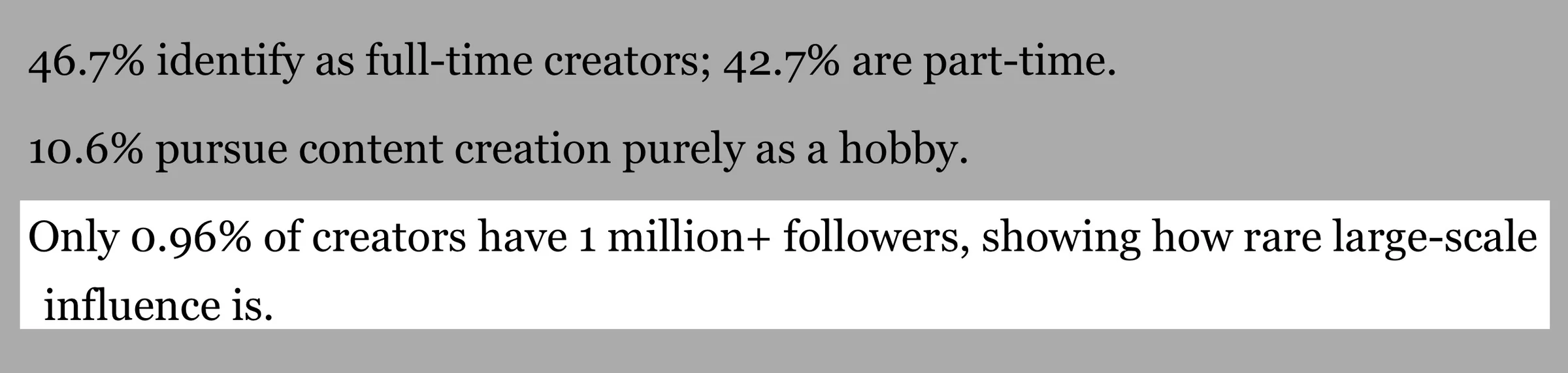
It means you aren’t alone if you don’t have a large audience yet. But the question you should ask is which platform gives you the tools to create, market, and sell more beyond the discovery its marketplace offers.
That’s what I’ll answer with this Payhip vs. Gumroad comparison. I’ll compare both platforms across the features that matter most to digital product sellers like you.
And then give you my final verdict.
Let’s get started. Shall we?
TL;DR
- Payhip vs Gumroad: Payhip gives creators more control over their store, customers, products, pricing, and sales.
- Gumroad keeps things simple, while its discover marketplace can help creators reach new customers.
- Both platforms support digital products, courses, memberships, subscriptions, product discovery, third-party integrations, and collaborations.
- Easytools is a strong option if you want selling, checkout, email marketing, and automation tools in one place.
Payhip vs. Gumroad: Quick comparison
| Feature | Payhip | Gumroad |
|---|---|---|
| Best for | Creators who want more built-in selling and marketing tools | Creators who want a simple way to sell digital products and access a built-in marketplace |
| Starting price | Free Forever: $0/month | Free |
| Platform fee | 5% on Free, 2% on Plus, 0% on Pro | 10% + $0.50 on direct/profile sales; 30% on Discover sales |
| Paid plans | Plus: $29/month; Pro: $99/month | No monthly subscription plans |
| Digital downloads | ✅ Yes | ✅ Yes |
| E-books | ✅ Yes | ✅ Yes |
| Online courses | ✅ Yes | ✅ Yes |
| Coaching | ✅ Yes | ✅ Yes |
| Memberships and subscriptions | ✅ Yes | ✅ Yes |
| Physical products | ✅ Yes | ❌ No |
| Storefront | ✅ Customizable store builder | ✅ Customizable storefront |
| Custom domain | ✅ Yes | ✅ Yes |
| Email marketing | ✅ Yes | ✅ Yes |
| Email automation | ✅ Limited | ✅ Workflows |
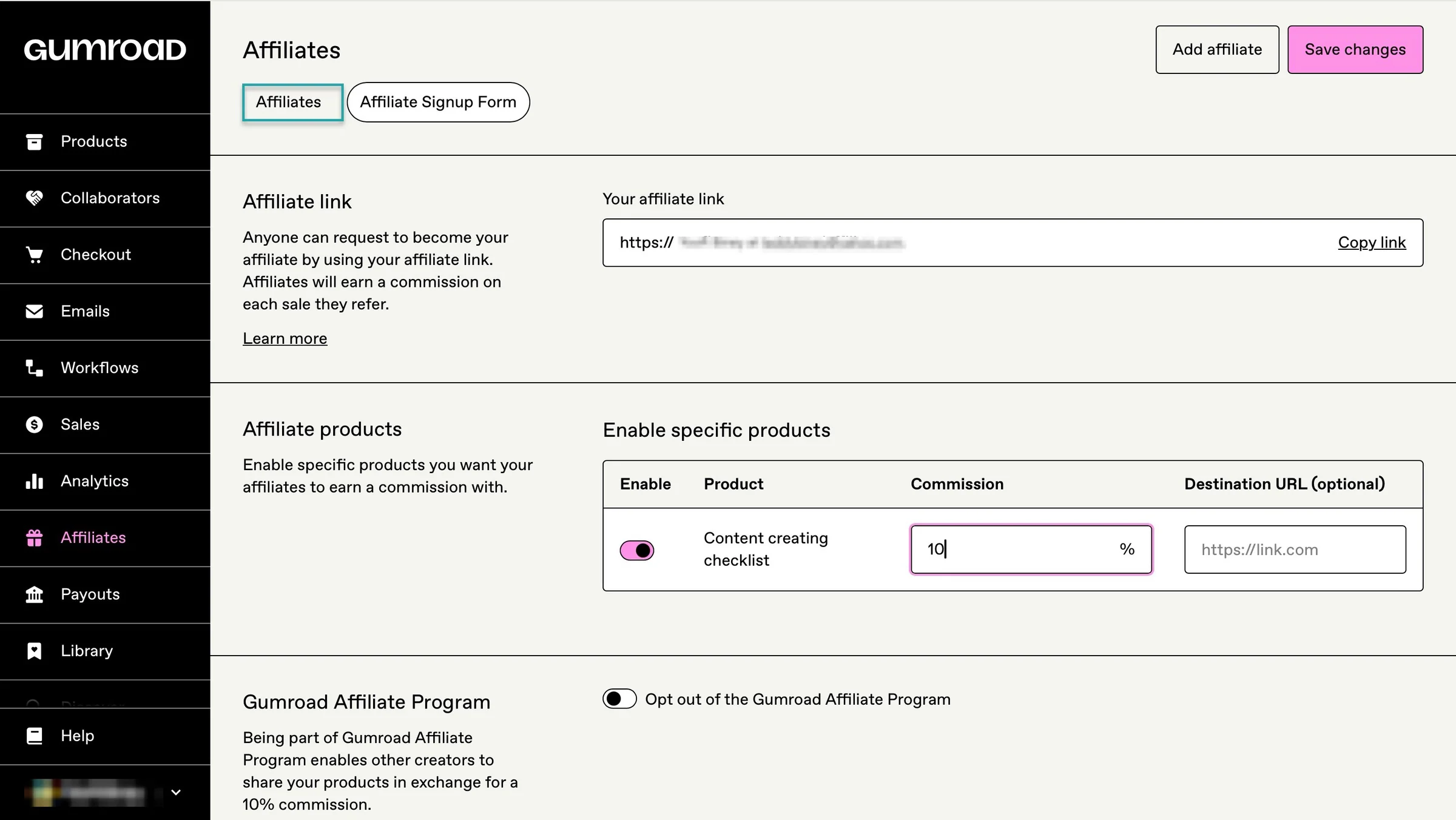
| Affiliate marketing | ✅ Yes | ✅ Yes |
| Coupons/discounts | ✅ Yes | ✅ Yes |
| Upsells and cross-sells | ✅ Yes | ✅ Yes |
| Referral system | ✅ Yes | ✅ Yes |
| Built-in marketplace/discovery | ✅ Payhip Marketplace | ✅ Gumroad Discover |
| Analytics | ✅ Sales analytics | ✅ Sales analytics |
| VAT/tax handling | Automatically handles EU/UK VAT and US/Canadian sales tax | Merchant of Record; handles worldwide sales tax obligations |
| Payment gateways | Stripe, PayPal and other gateways | Direct bank deposits, with PayPal available in supported cases |
| Payouts | Immediately after a completed transaction through supported payment providers | Generally weekly, subject to Gumroad’s payout requirements |
| Feature restrictions by plan | No - all plans have the same features | No paid feature tiers |
| Transaction processing fees | Stripe/PayPal fees still apply | Payment-processing costs apply in addition to Gumroad’s direct-sale fee |
| Built-in audience discovery | ✅ Yes - Payhip Marketplace | ✅ Yes - Gumroad Discover |
| Overall approach | More like an all-in-one online store for creators | Simpler creator storefront + marketplace |
Payhip vs. Gumroad: Which is better for selling digital products?
Both Payhip and Gumroad let you sell digital products without building an online store from scratch. You can upload your product, set a price, accept payments, and deliver the product to customers.
That’s why selling digital products is worth discussing in this Gumroad vs Payhip comparison.
Payhip gives you more tools for managing and growing your digital product business. You can sell e-books, software, templates, courses, memberships, coaching, and physical products.
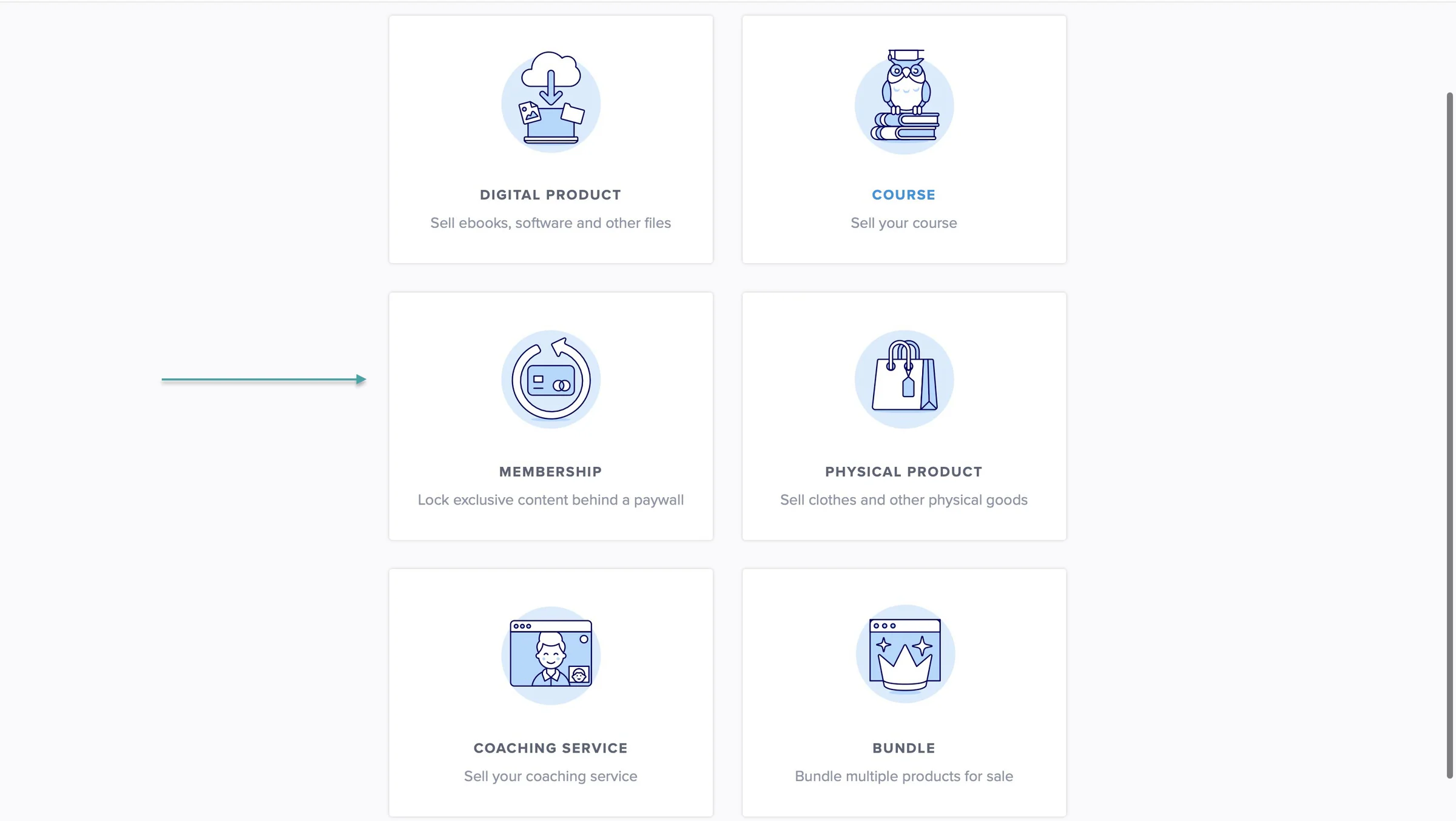
It also includes features like coupons, affiliate marketing, referral discounts, pay-what-you-want pricing, email marketing, and an embeddable checkout.
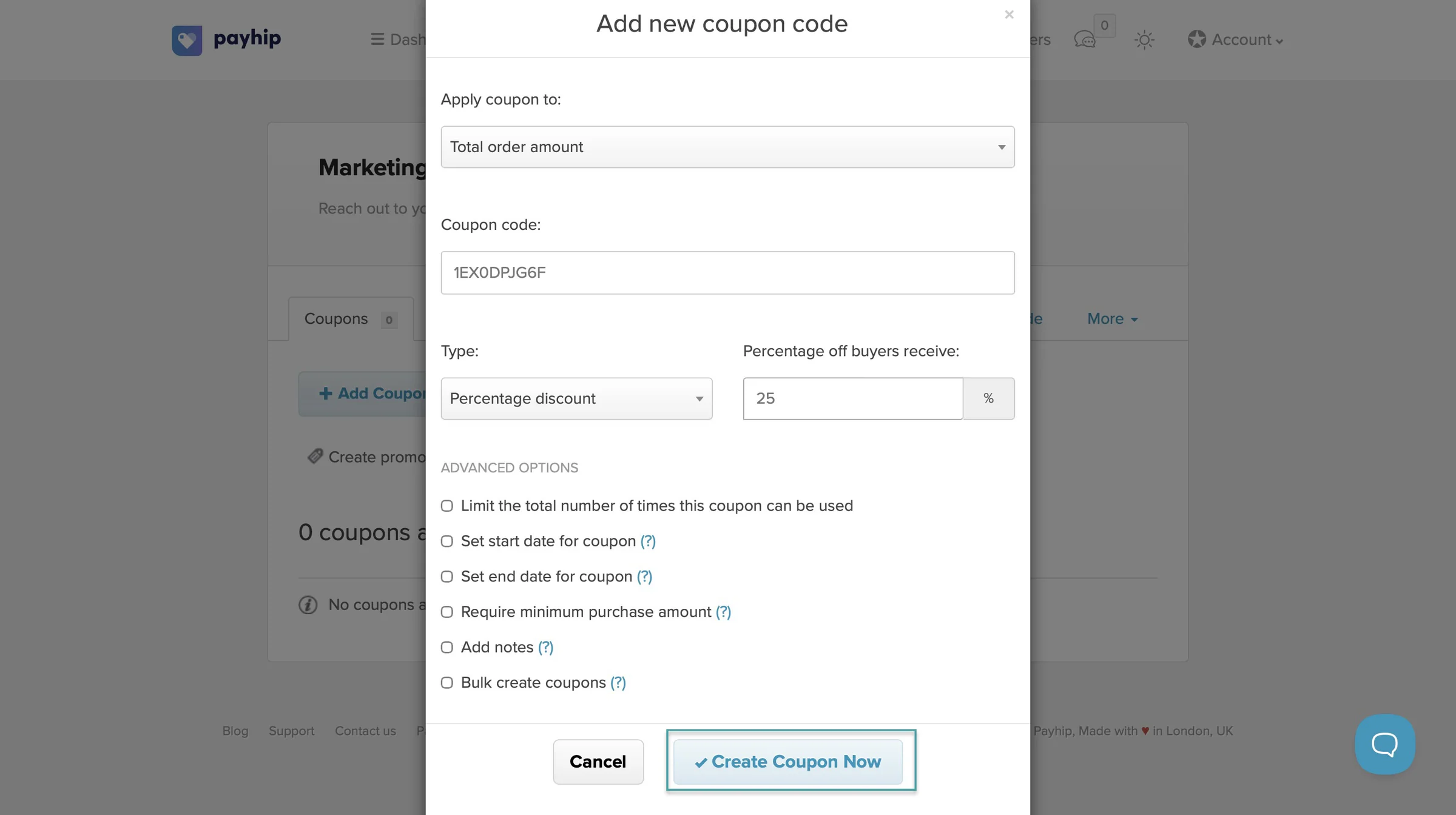
On Gumroad, you can sell digital products, courses and tutorials, memberships, and services. You can also bundle products together and sell them as one package.
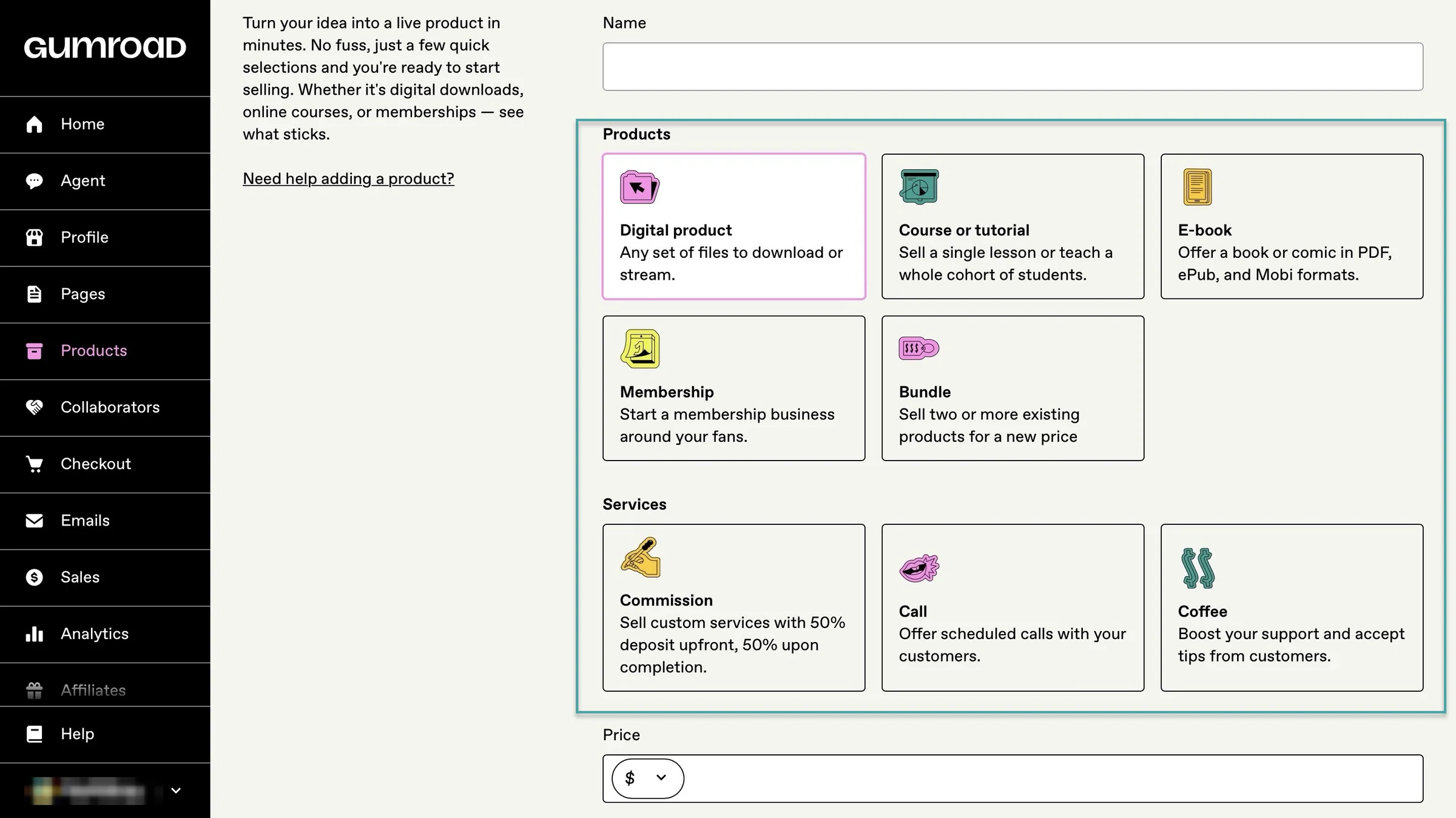
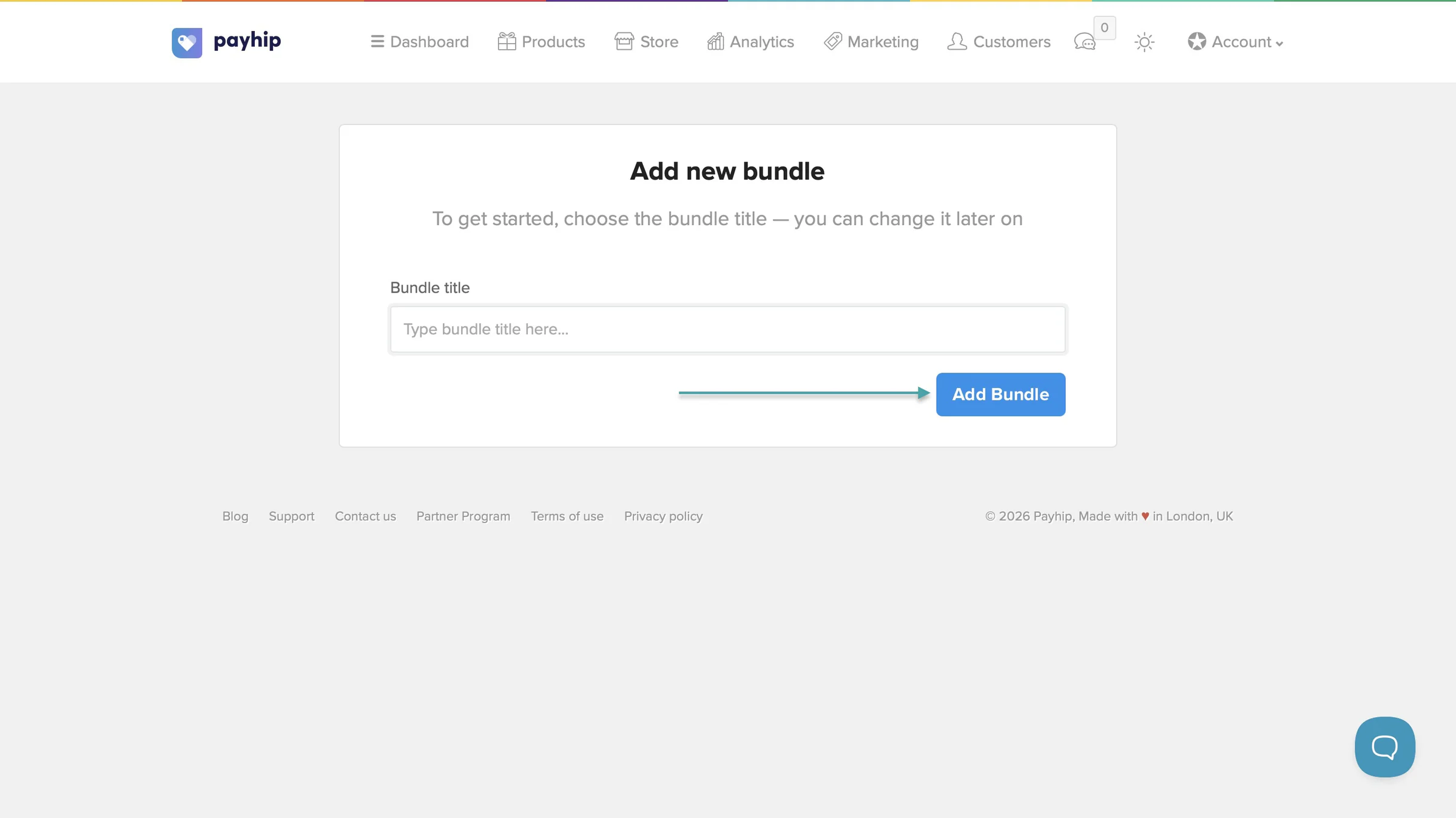
Like Gumroad, Payhip lets you add a bundle.
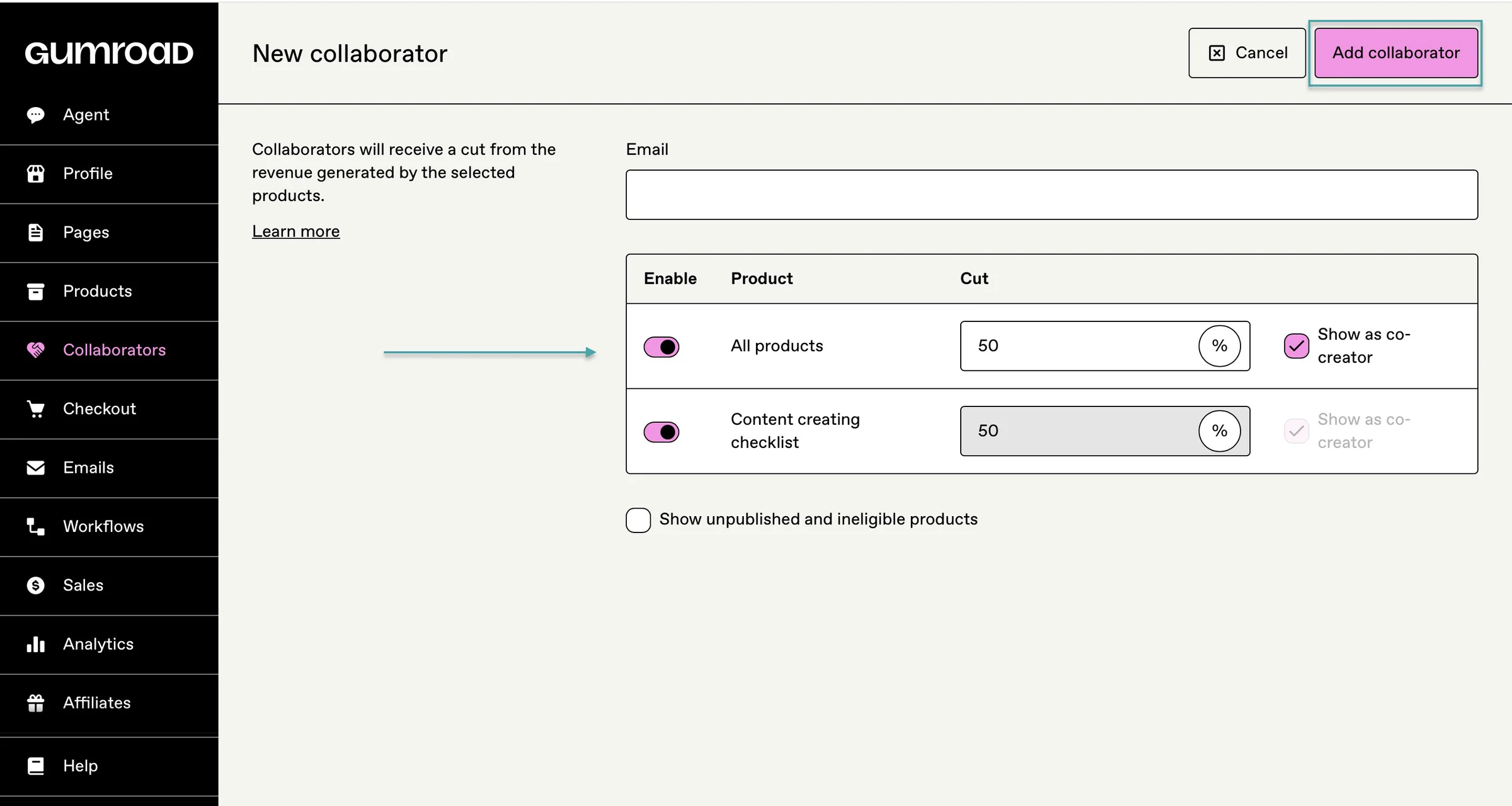
Gumroad lets you collaborate with other creators and split profits from your products. You can choose which products they collaborate on and decide whether to show them on the product page.
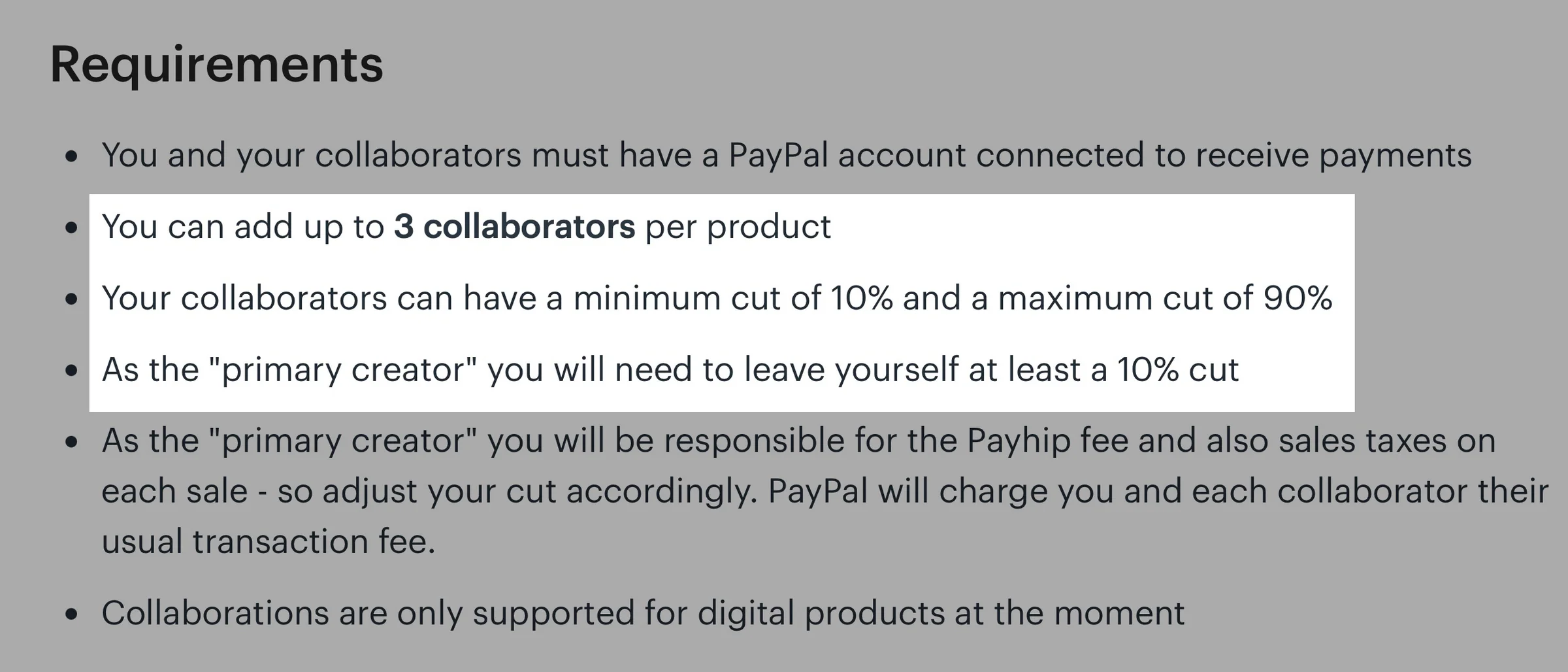
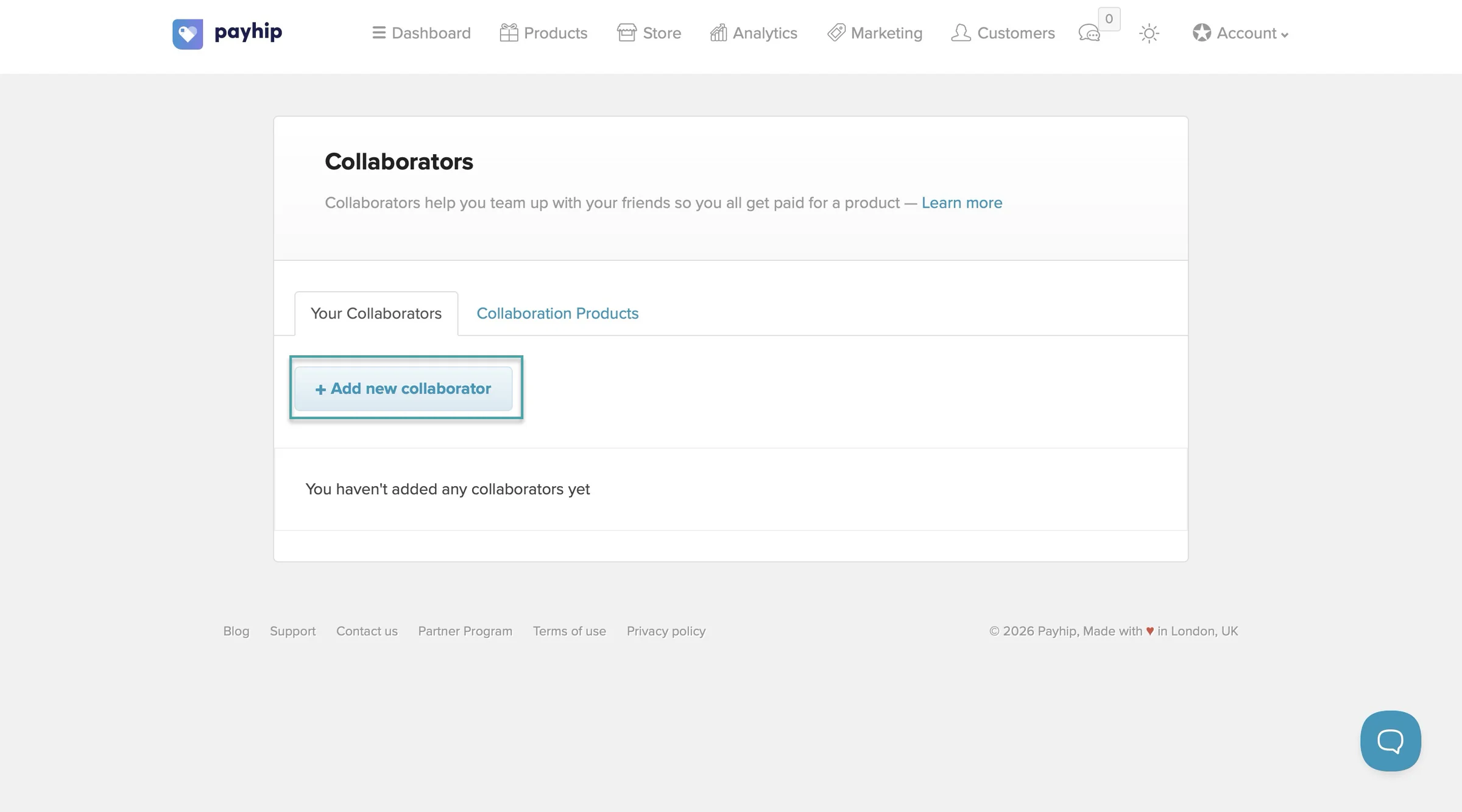
On Payhip, you can add up to 3 collaborators to a digital product and decide what percentage of each sale they receive. You can choose whether they can edit the product or have additional permissions.
You can also show them as co-creators on the product page.
Payhip automatically splits payments through PayPal.
So, Payhip is the better choice if you want more built-in tools to market and grow your digital products. Gumroad makes more sense if you want a simpler platform and don’t need as many selling features.
Payhip takes this round.
Payhip vs. Gumroad: Which is better for e-books and templates?
We really have to discuss digital downloads like e-books and templates in this Gumroad vs Payhip comparison.
If you want to sell e-books or templates, both Payhip and Gumroad let you upload your product, create a sales page, set your price, and share the product link with your audience.
Payhip handles payment and delivery.
For e-books, Payhip can also automatically deliver the file after purchase, limit the number of downloads, and add PDF stamping to discourage people from sharing it.
On Gumroad, you can create a product page, upload your e-book or template, set the price, and share the link with your audience.
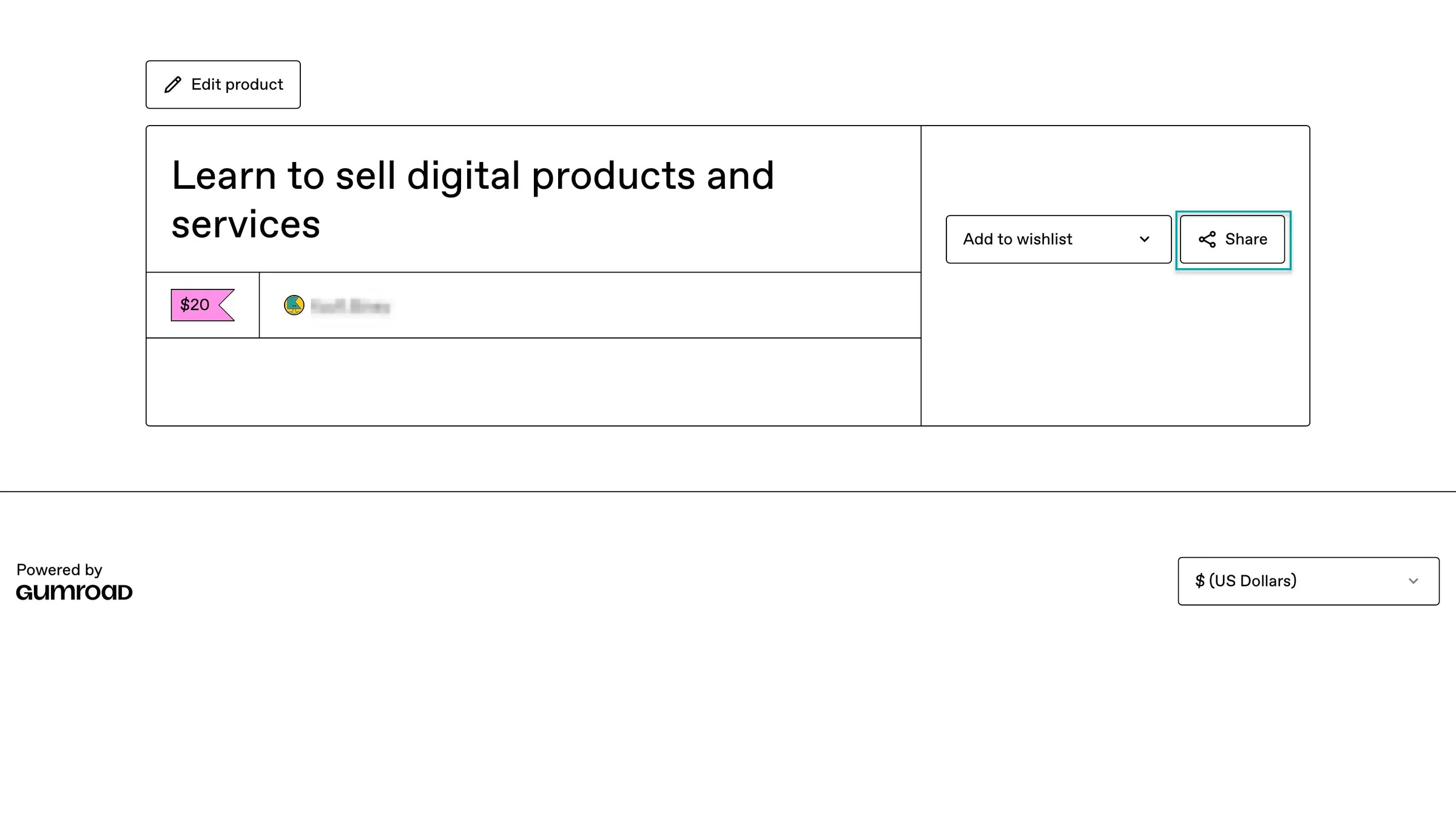
You can also create a storefront, collect customers’ email addresses, send email updates, use affiliates, offer different product versions, and let customers access their purchases after paying.
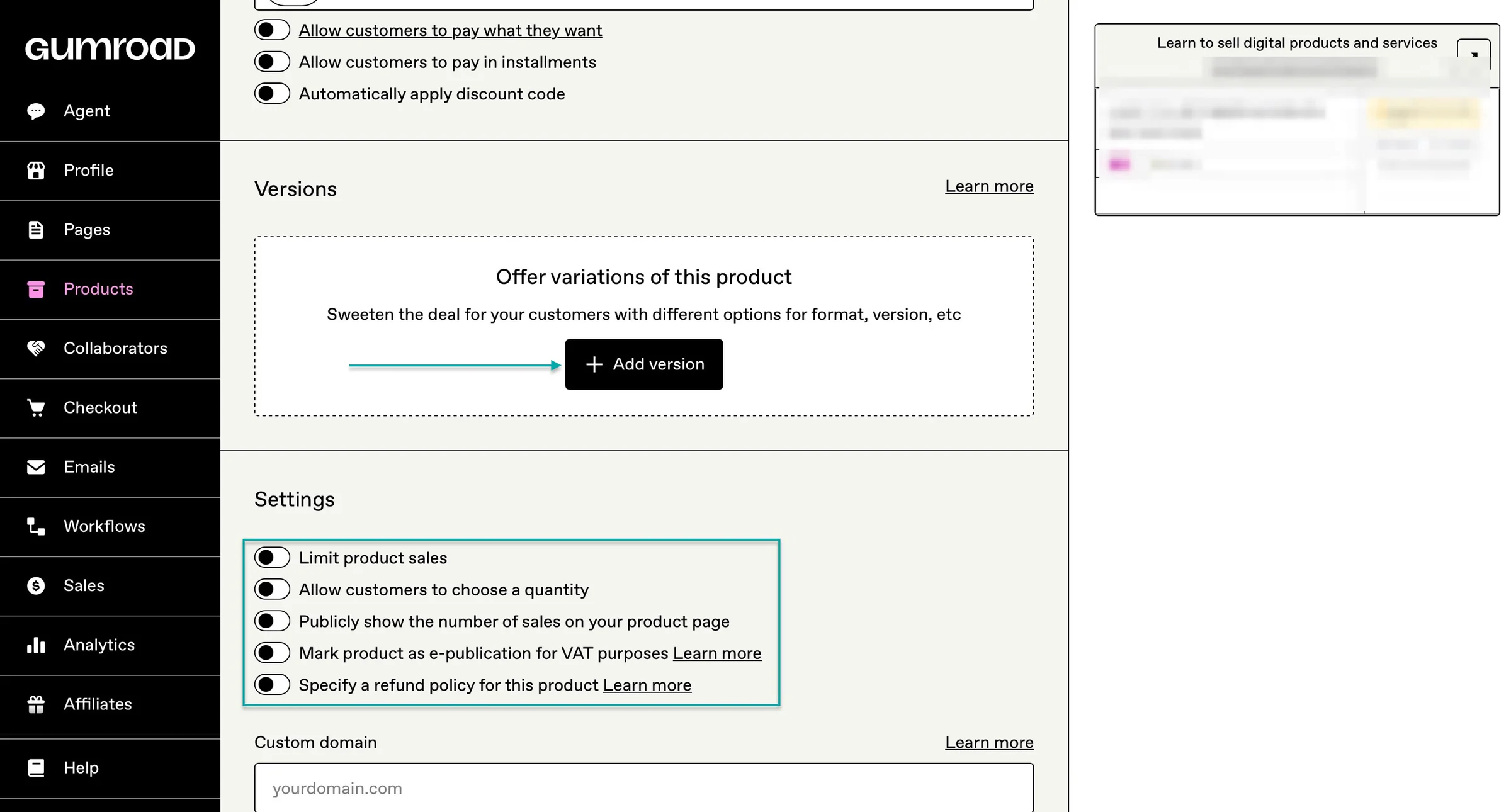
For e-books and templates, Payhip gives you more control over your digital product business. You get the basic product delivery features you need, but you can also use tools like upsells, bundles, coupons, affiliates, and an embeddable checkout to help increase sales.
And Gumroad is still a strong option if you want to keep things simple.
For this round, it’s a tie.
Gumroad vs. Payhip: Which is better for selling courses and memberships?
This Payhip vs Gumroad comparison will be incomplete if we don’t discuss which platform is better for selling courses and memberships.
Let’s start with Payhip.
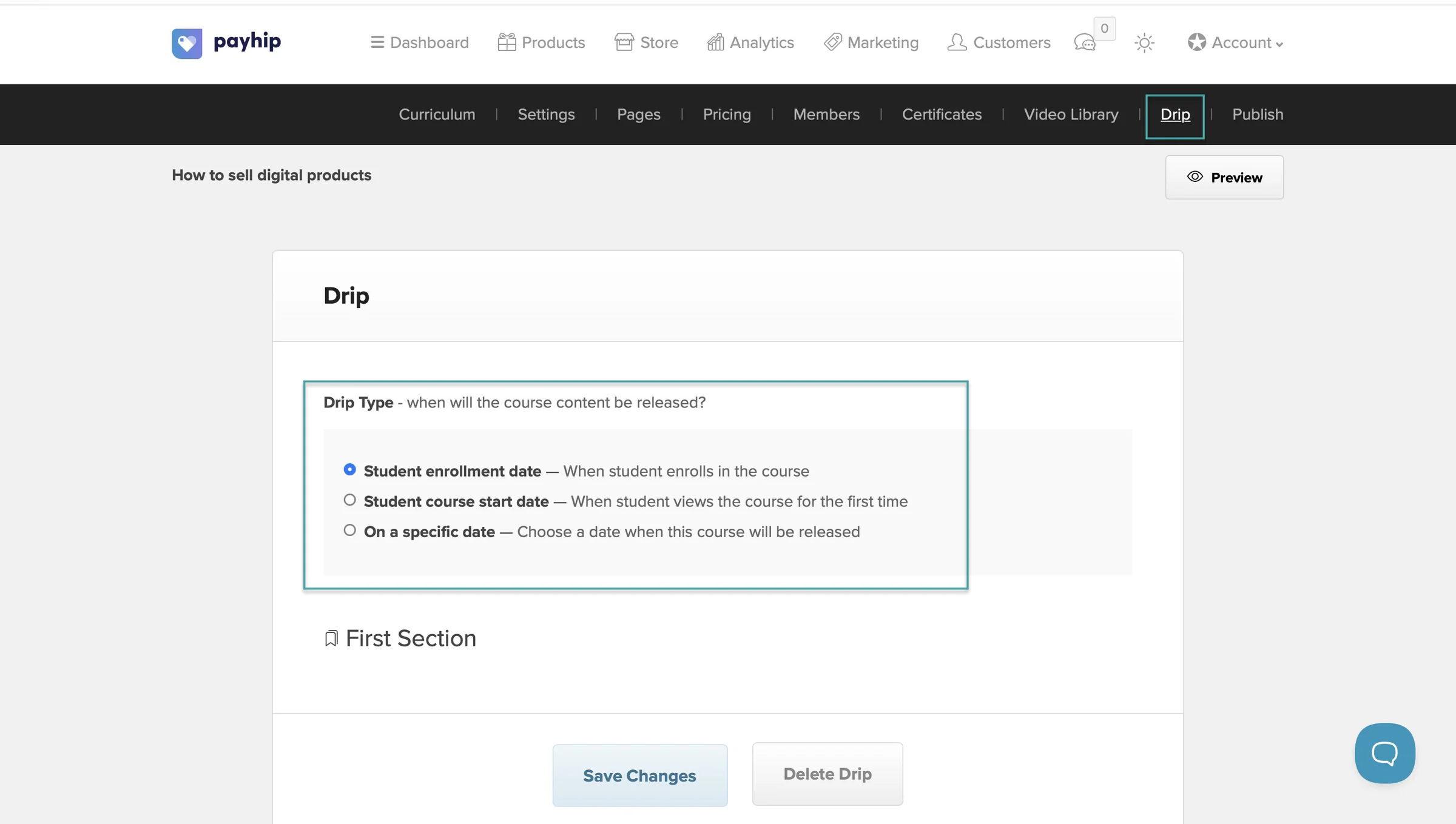
It lets you create a proper online course with video lessons, digital files, quizzes, assignments, surveys, and other lesson types. You can put the course behind a paywall so only customers who purchase it can access the content.
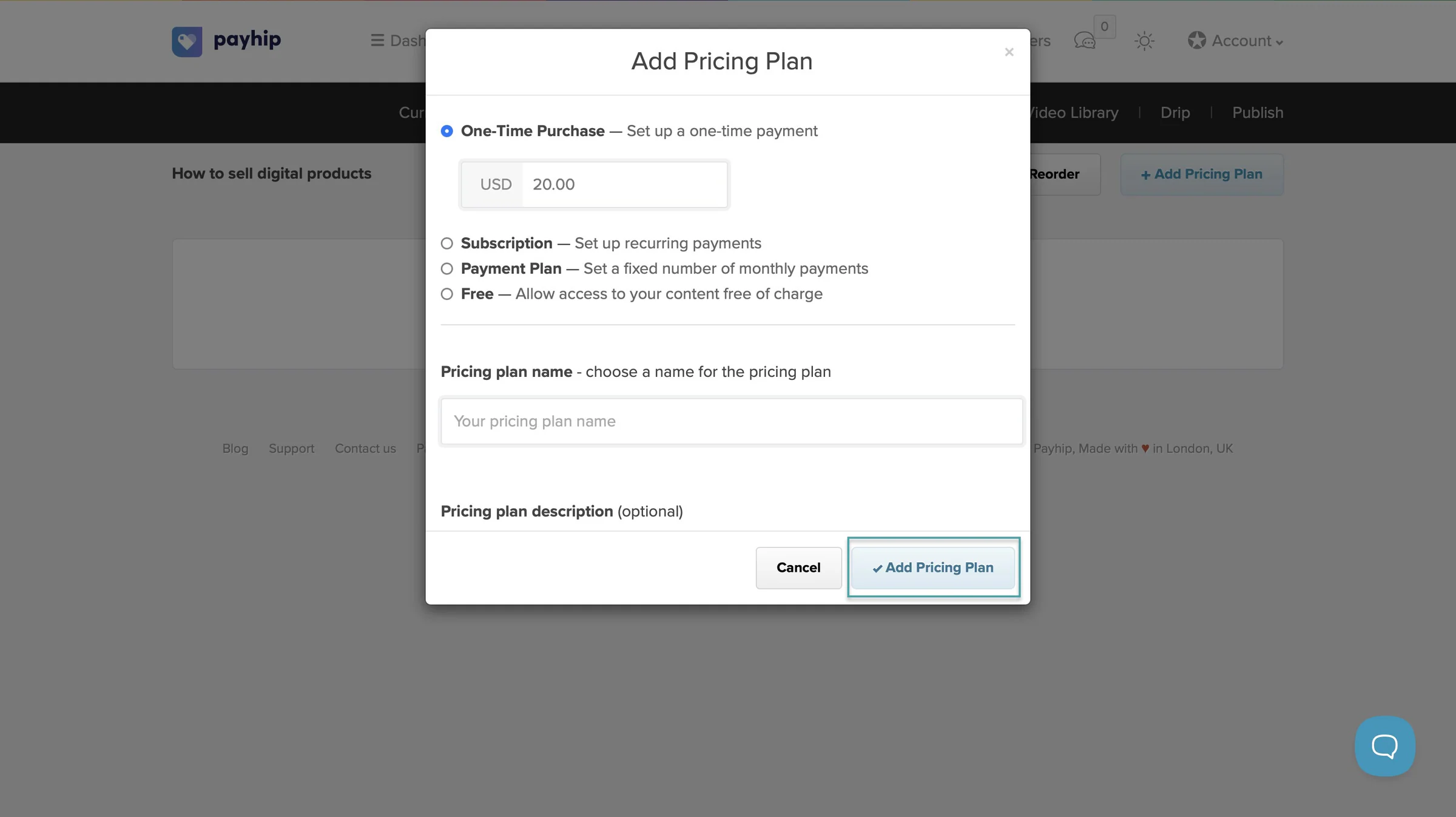
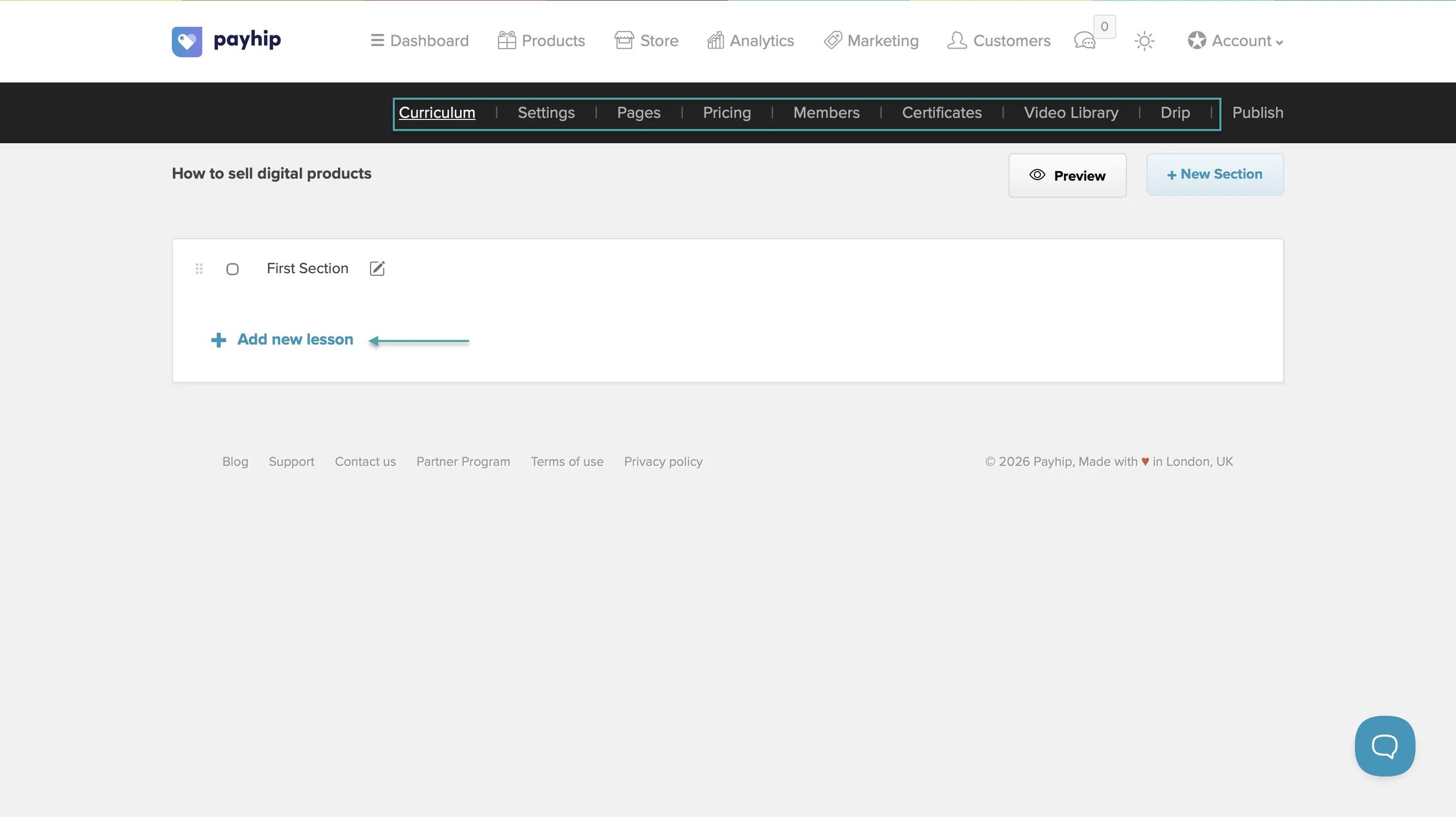
You can also drip-feed your course content instead of giving students everything at once. For example, you could release Module 1 immediately, Module 2 after seven days, and another module the following week.
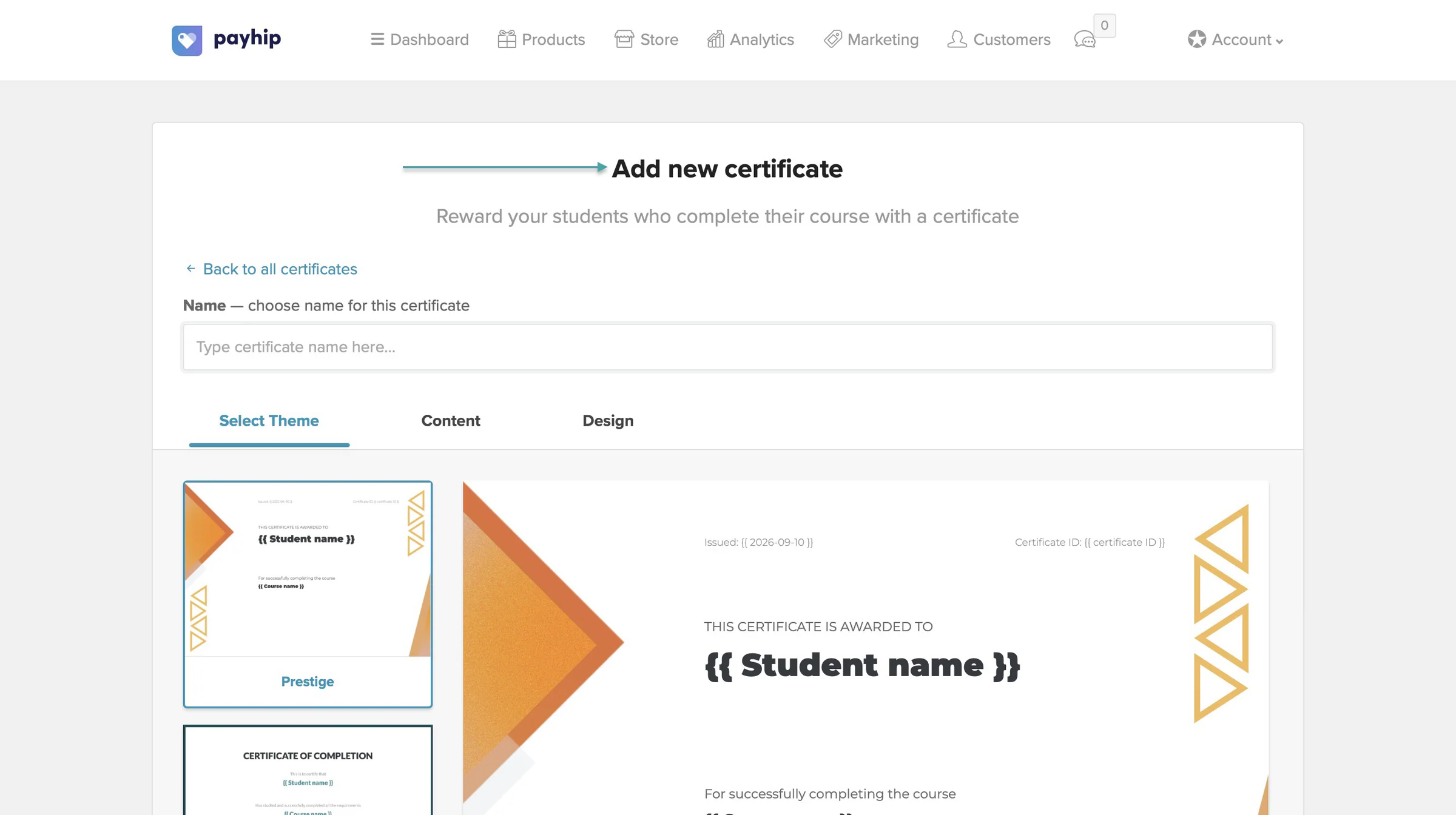
Payhip also lets you award certificates of completion when students finish the course. That’s useful if you’re selling courses where students may want proof that they completed the training.
And because the course is hosted on Payhip, students don’t have to be sent to another platform just to access their lessons.
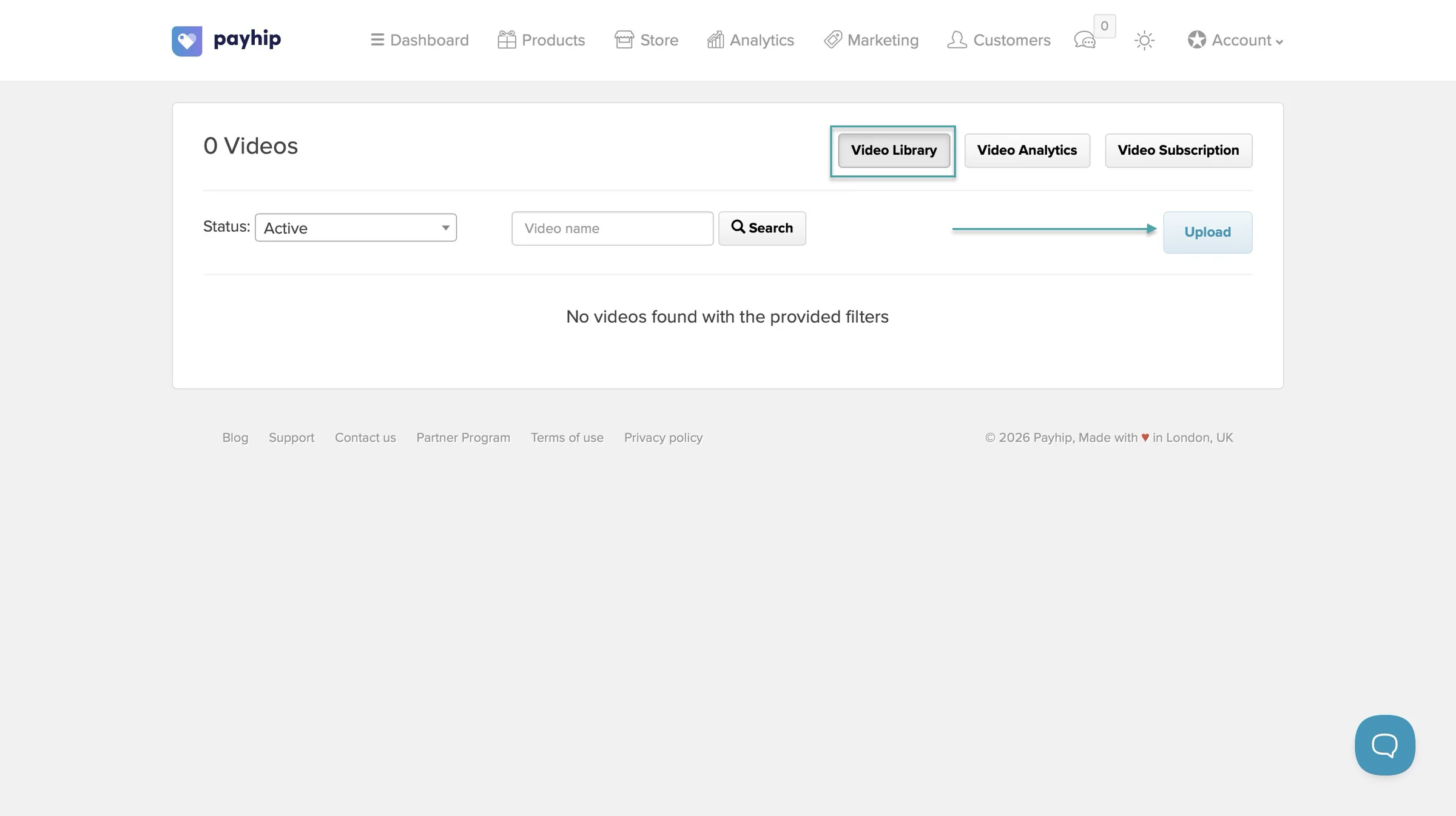
But you can also host your courses on YouTube, Vimeo, or Wistia. You pay about $5 to host them on the platform.
Payhip also has a built-in membership system. You can charge members regularly and give them access to content behind a login.
You can create different membership tiers and choose your billing schedule, including weekly, monthly, or annual payments.
You could also use Payhip to run something like:
- A $10/month fitness membership
- A $20/month business community
- A $50/month course membership
- A premium tier with access to several courses and digital products
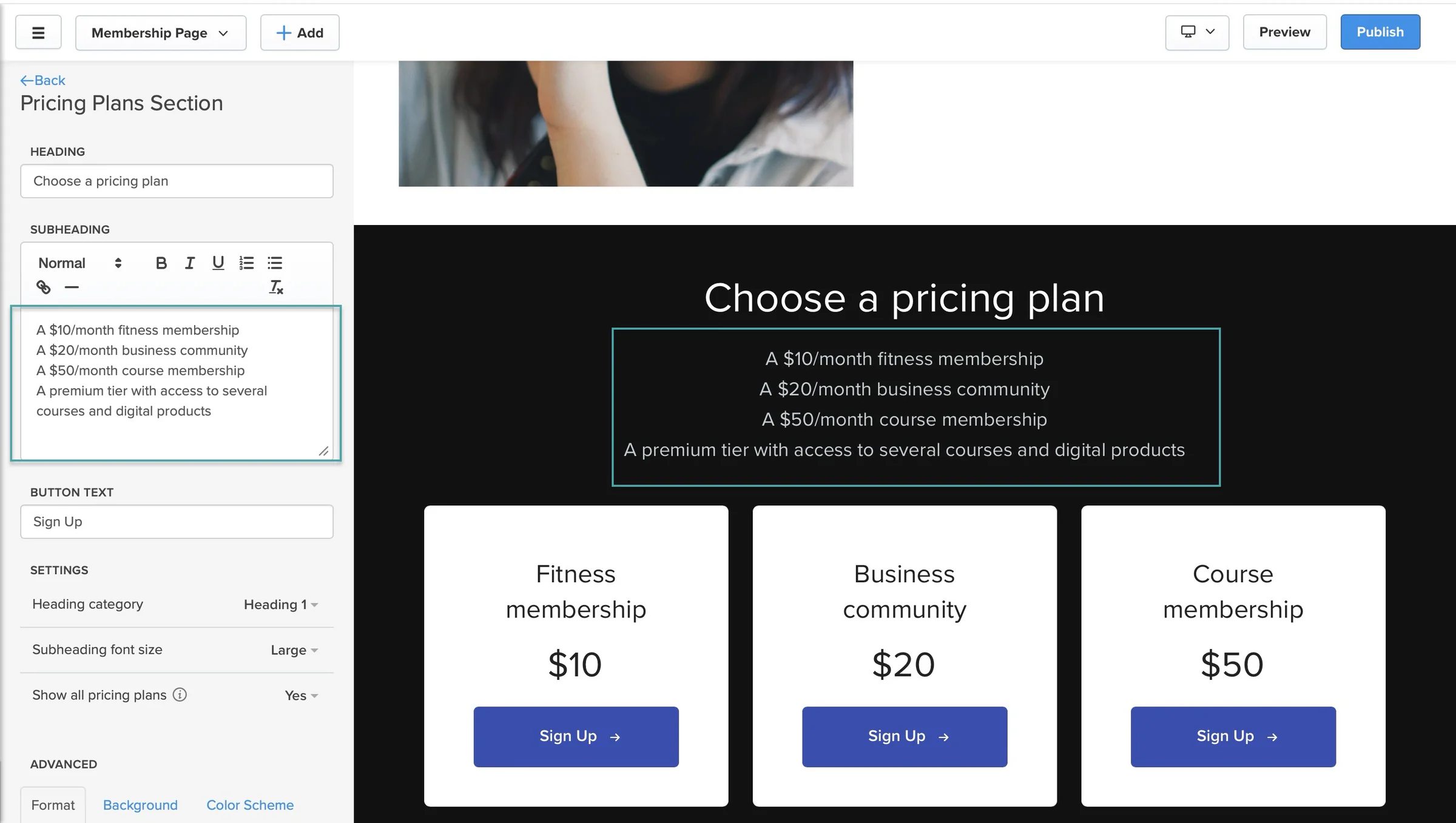
Members get their own portal. You can publish text, videos, images, links, polls, and embedded content othe portal.
You can also schedule posts ahead of time and automatically notify members when new content is available.
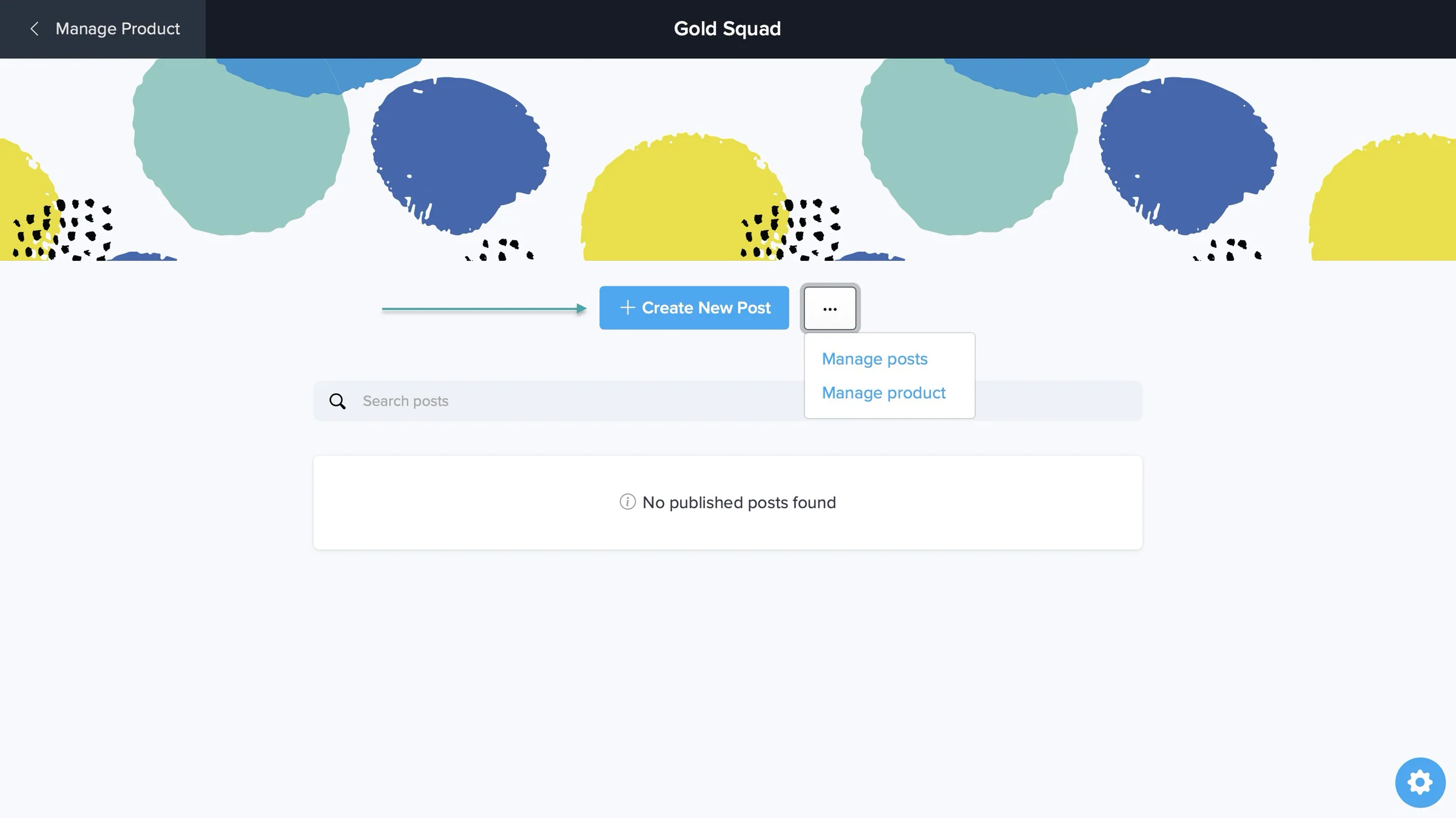
You can even bundle courses, digital products, and memberships together and sell them as one package.
Payhip doesn’t currently list native Circle or Discord integrations. But it supports Zapier, which lets you connect Payhip to thousands of other apps.
For example, you can trigger an automation when someone buys a product, joins, or cancels a membership.
Gumroad, on the other hand, directly integrates with Circle and Discord.
For example, you can connect a Gumroad product to a Circle community and automatically invite new customers after they purchase. You can do something similar with Discord, where customers get a button on their receipt or download page to join your server.
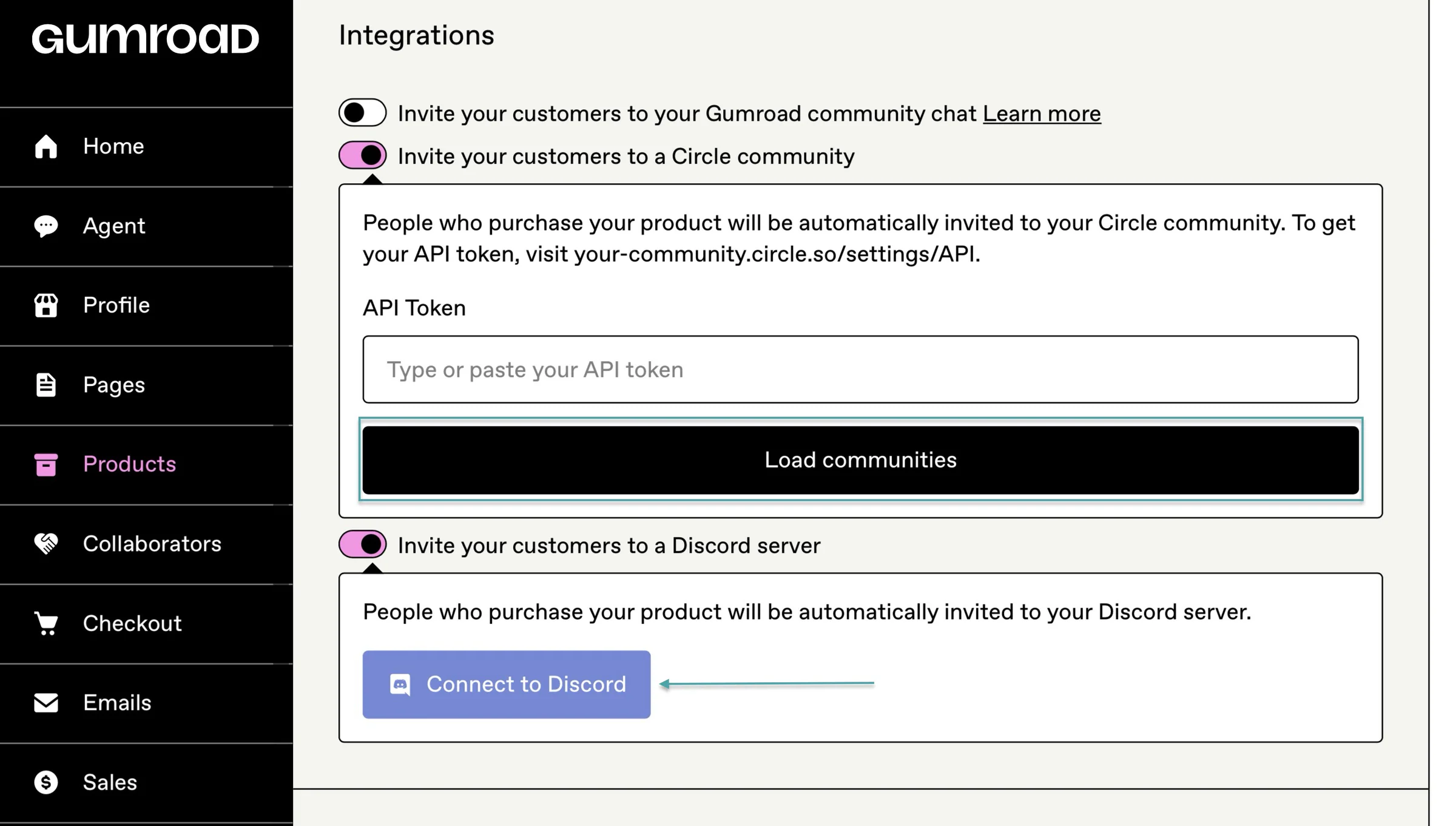
Gumroad can also automatically remove a member from a connected Circle or Discord community when their membership ends.
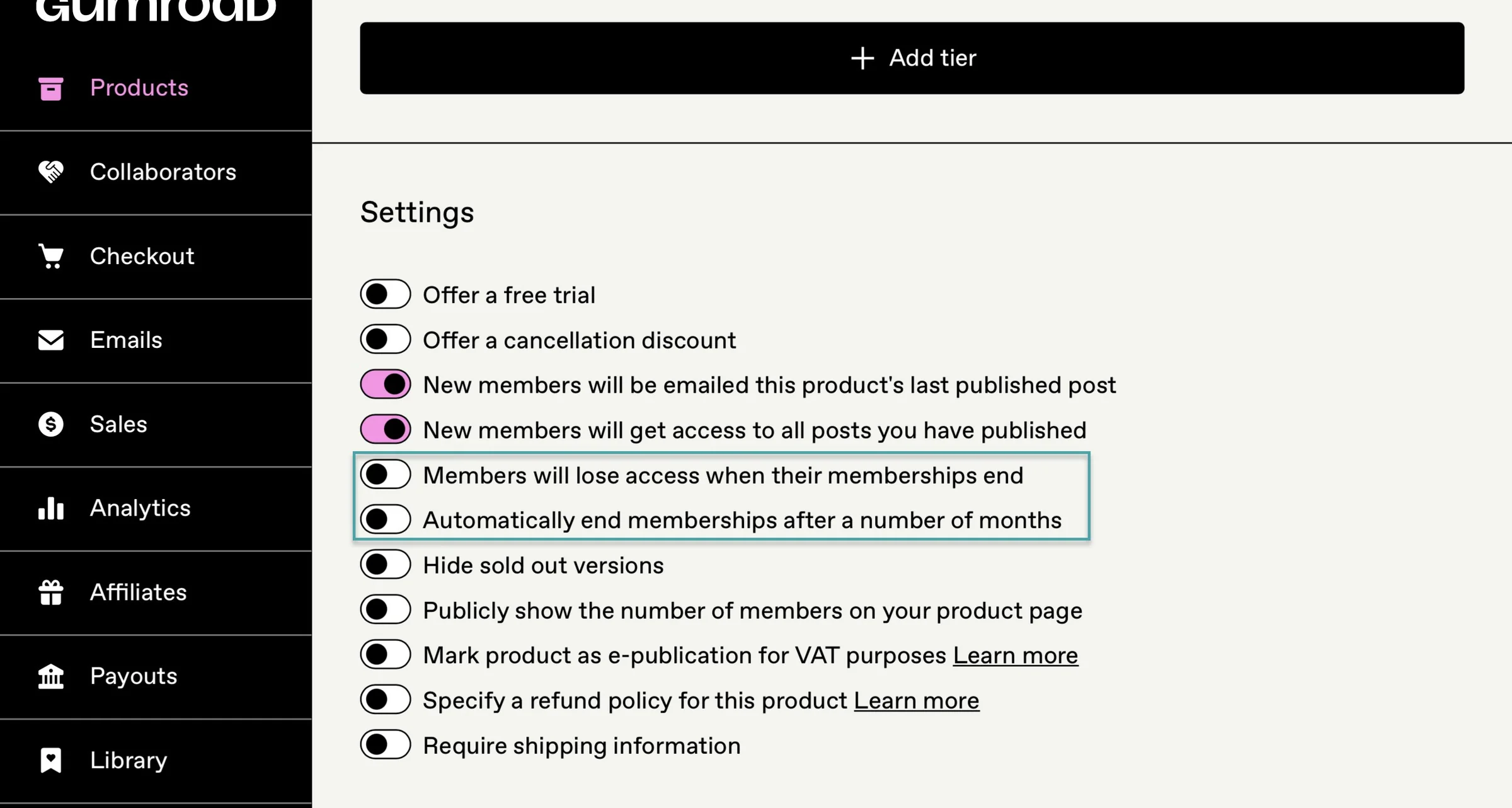
So, if you plan to sell access on Gumroad but host your actual community on Circle or Discord, Gumroad makes that setup much easier.
Gumroad lets you sell courses and memberships as paid products. You can create recurring memberships with different tiers and billing options, including monthly, quarterly, semi-annual, and annual payments.
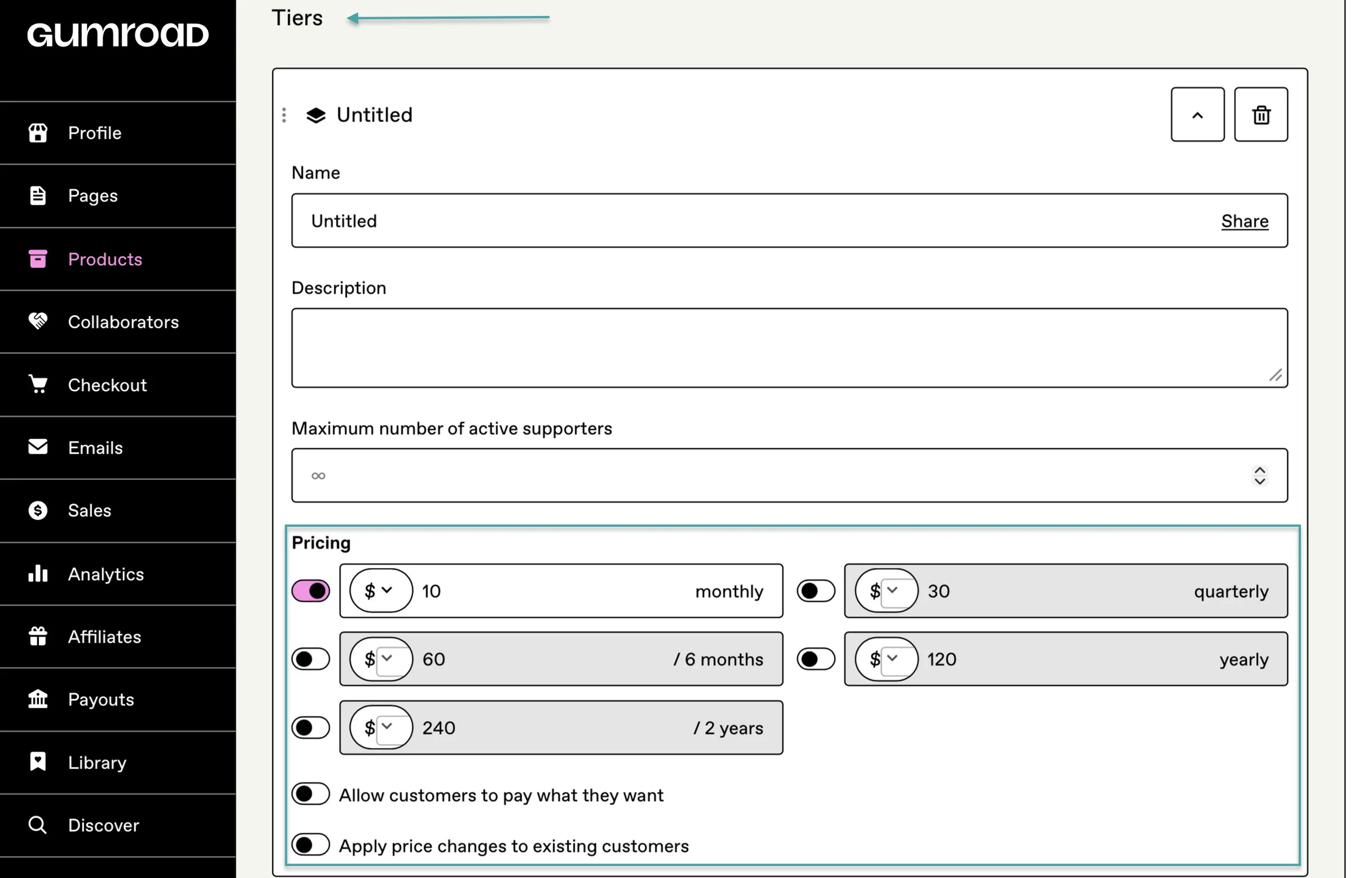
You can also put content behind the membership paywall and give different tiers access to different content.
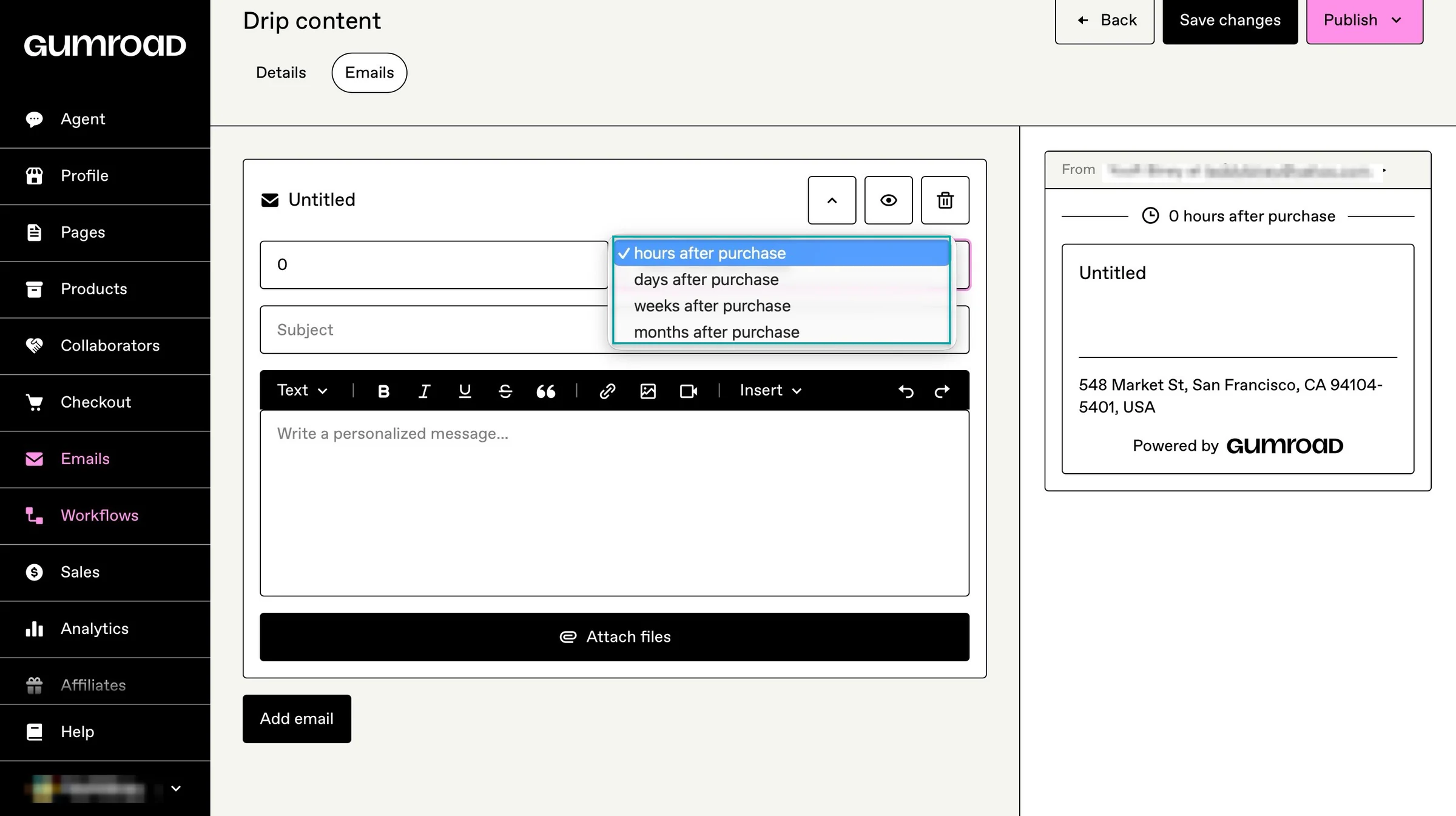
For courses, Gumroad supports drip content through its workflows feature.
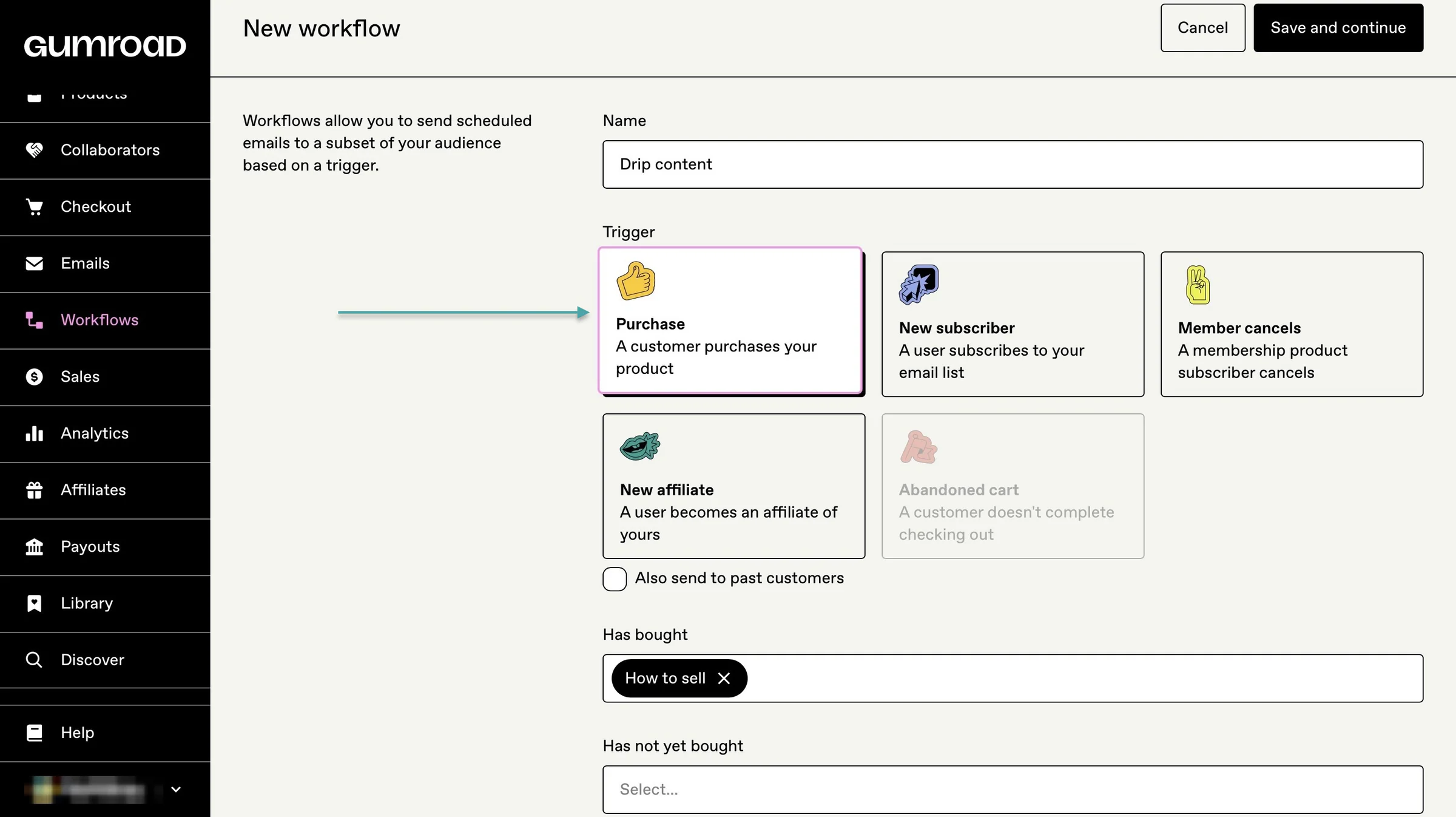
For example, set up an email sequence that delivers a new lesson every week. Gumroad specifically gives weekly course delivery as an example of what its workflows can do.
But Gumroad doesn’t offer the same built-in course features as Payhip, particularly when it comes to quizzes, assignments, and completion certificates.
That makes Payhip the stronger option if you want something that feels more like a traditional online course platform.
So, which is better? For courses and memberships, I’d go with Payhip.
It gives you a more complete setup for hosting courses, locking content behind a paywall, drip-feeding lessons, awarding certificates, and running a membership site from one platform.
Gumroad is better if you plan to host your community somewhere else. Its direct Circle and Discord integrations are especially useful if your members will spend most of their time in an external community.
The winner for this round is Payhip.
What is Payhip?
Payhip is an all-in-one e-commerce platform that lets you sell digital products, online courses, coaching services, memberships, and even physical products from one place.
On Payhip, you can sell digital products like:
- E-books, templates, software, music, and audio
- Videos, printables, design assets
- Online courses, coaching, memberships

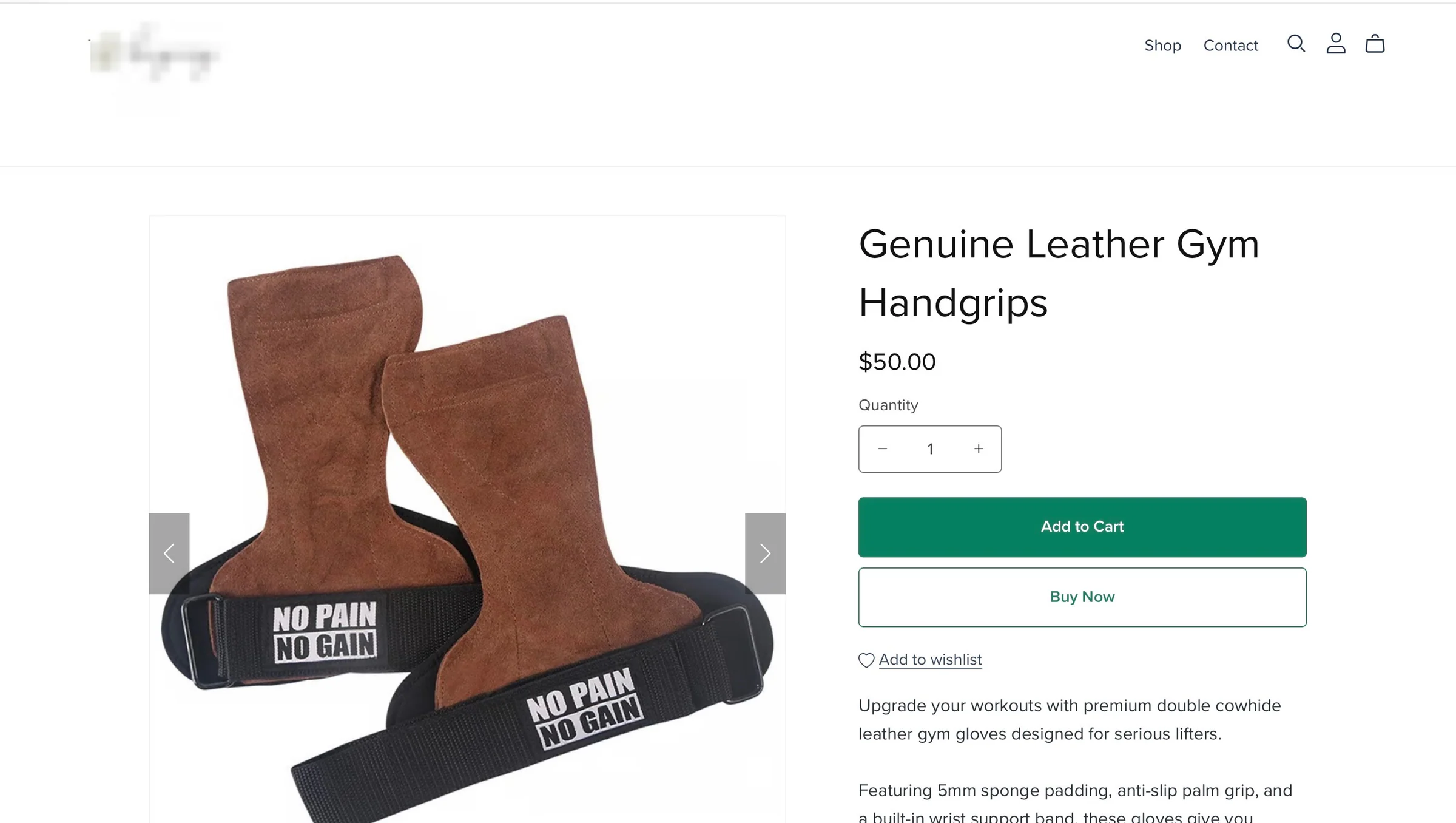
You can also sell physical products like:
- Clothes: T-shirts, hoodies, hats, and custom apparel
- Merchandise: Branded items, mugs, keychains, and posters
- Jewelry: Handmade rings, necklaces, bracelets, and earrings
- Crafts and goods: Art pieces, vinyl records, physical books, or handmade accessories
What is Gumroad?
Gumroad is an e-commerce platform that lets you sell digital products directly to your audience through your website or its marketplace.
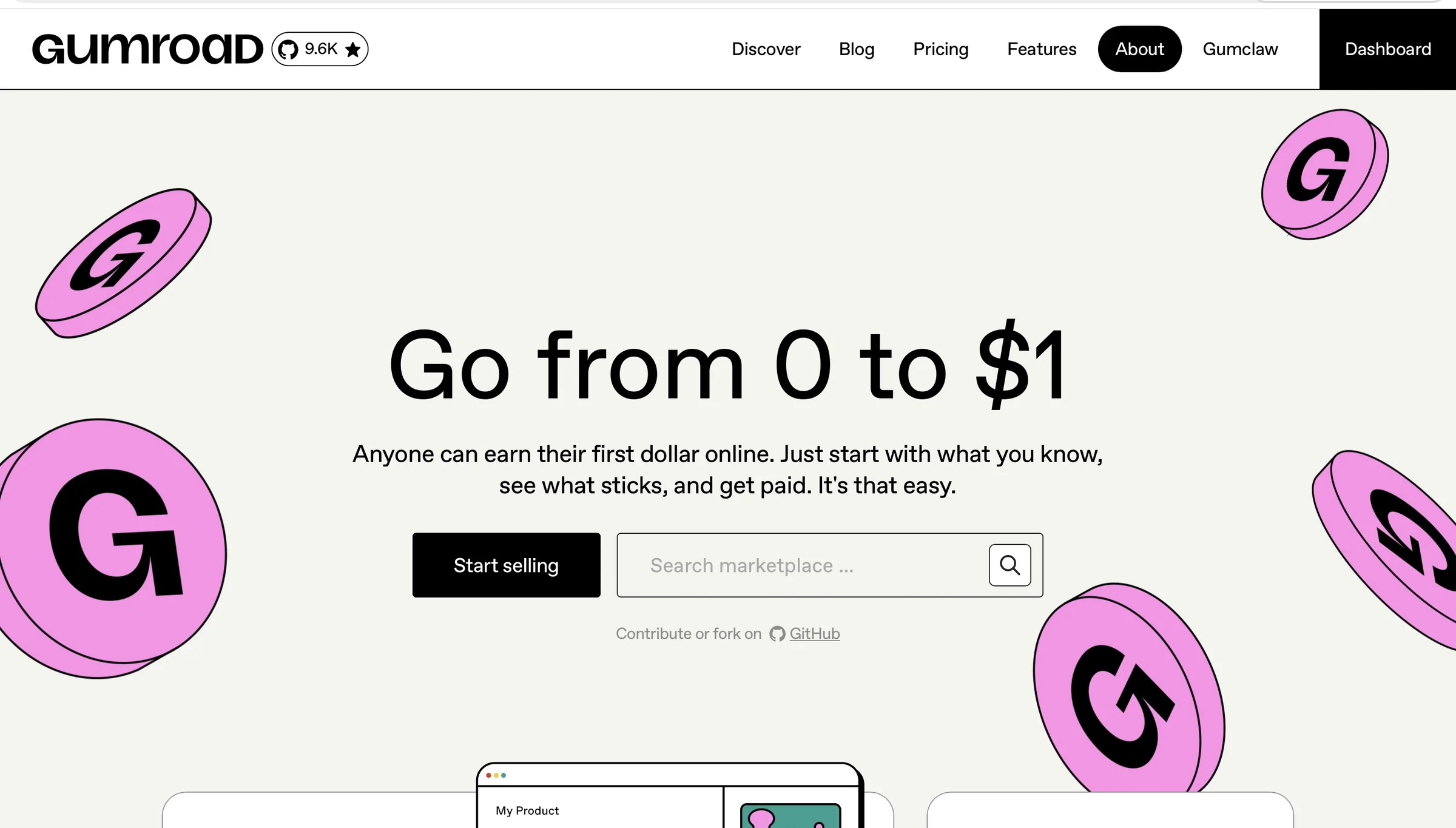
You can use it to sell e-books, courses, tutorials, memberships, subscriptions, software, and other digital products without building an online store from scratch.
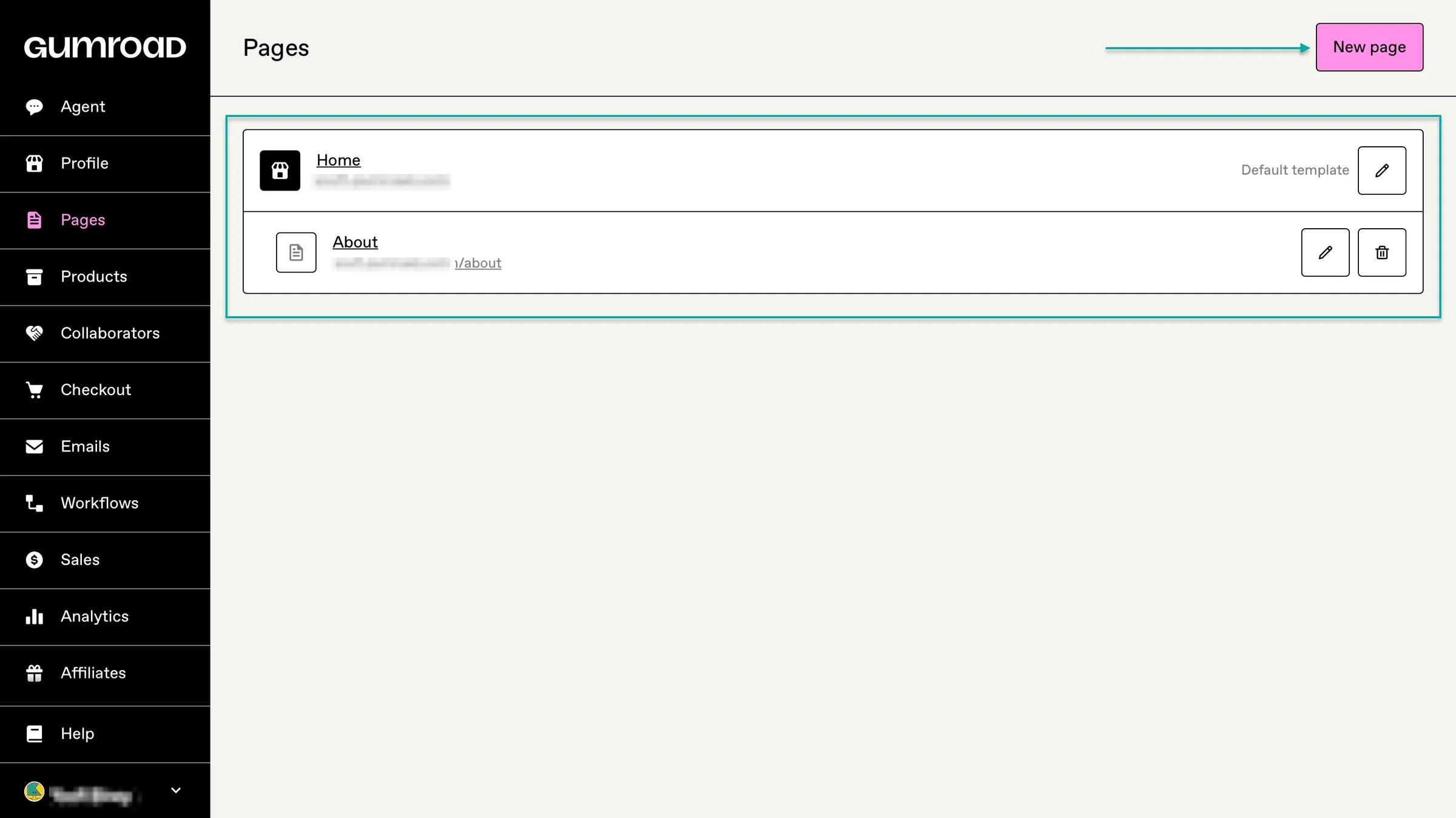
You can create a storefront on Gumroad, customize the page, add your products, and share your Gumroad link with your audience.
If you already have a website, you can also embed Gumroad’s checkout and follow button on it.
Gumroad is built for the sale of digital products like:
- E-books, online courses, tutorials
- Templates, software, music, and audio
- Memberships and subscriptions
Payhip vs. Gumroad: In-depth comparison
Creators like you already make this Payhip vs Gumroad comparison to find the best ecommerce platform to sell on.
We’ve seen from the sections above how the platforms compare. To really get an in-depth sense of their differences and similarities, we’ll look at their use cases and features like:
- Digital products
- Storefront and customization
- Marketing and sales tools
- Audience and customer management
- Product discovery and marketplace
- Analytics and insights
- Integrations and workflow
Apart from the Payhip vs Gumroad comparison, we also discuss how they compare to an all-in-one solution like Easytools.
1. Digital products
We know you can sell digital products on both platforms. We’ve added it to our Payhip vs Gumroad comparison so you can see how they compare when it comes to that.
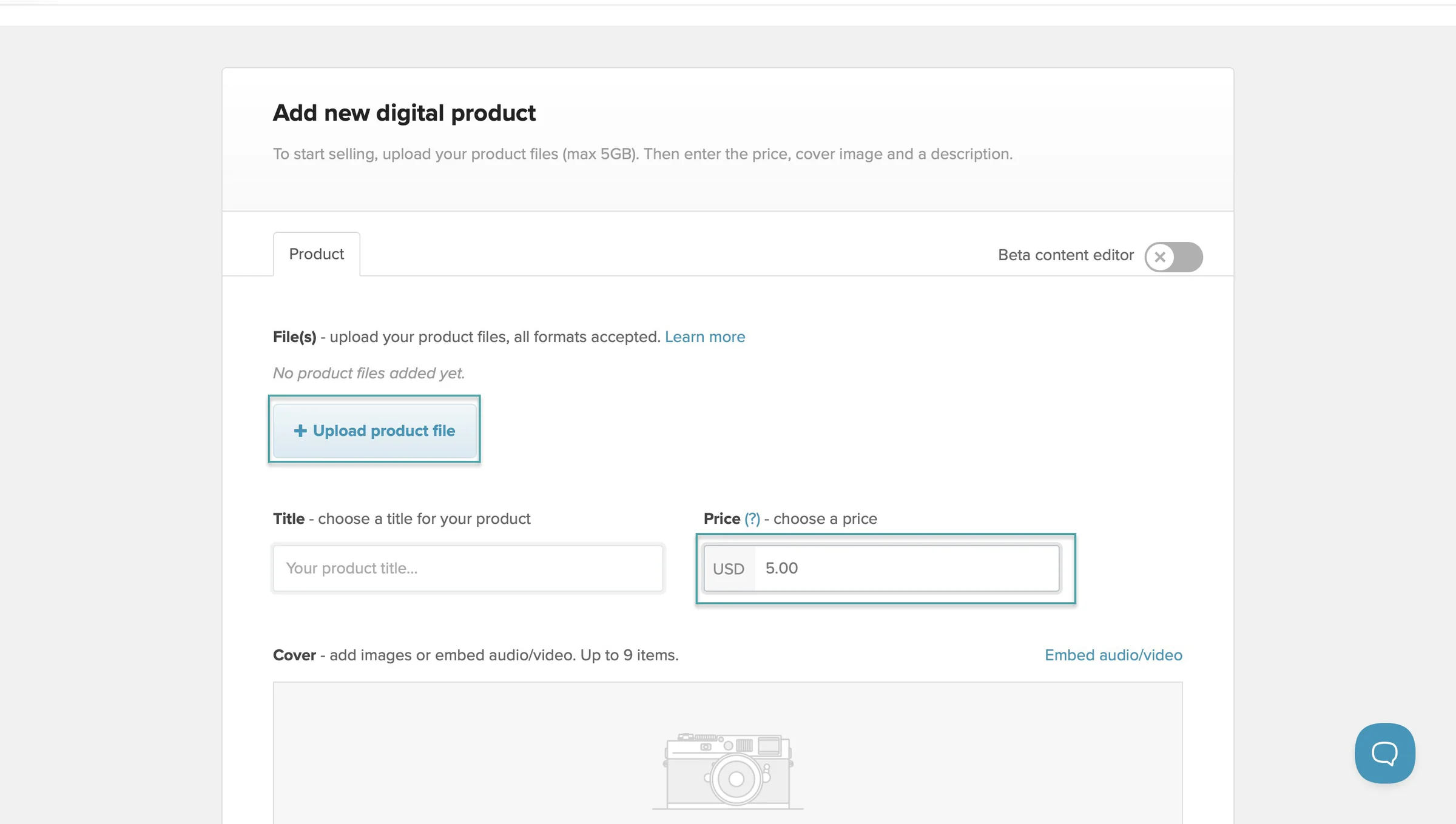
On Payhip, you can create and sell a digital product by selecting “Products” in the navigation bar and clicking “+ Add new product.”
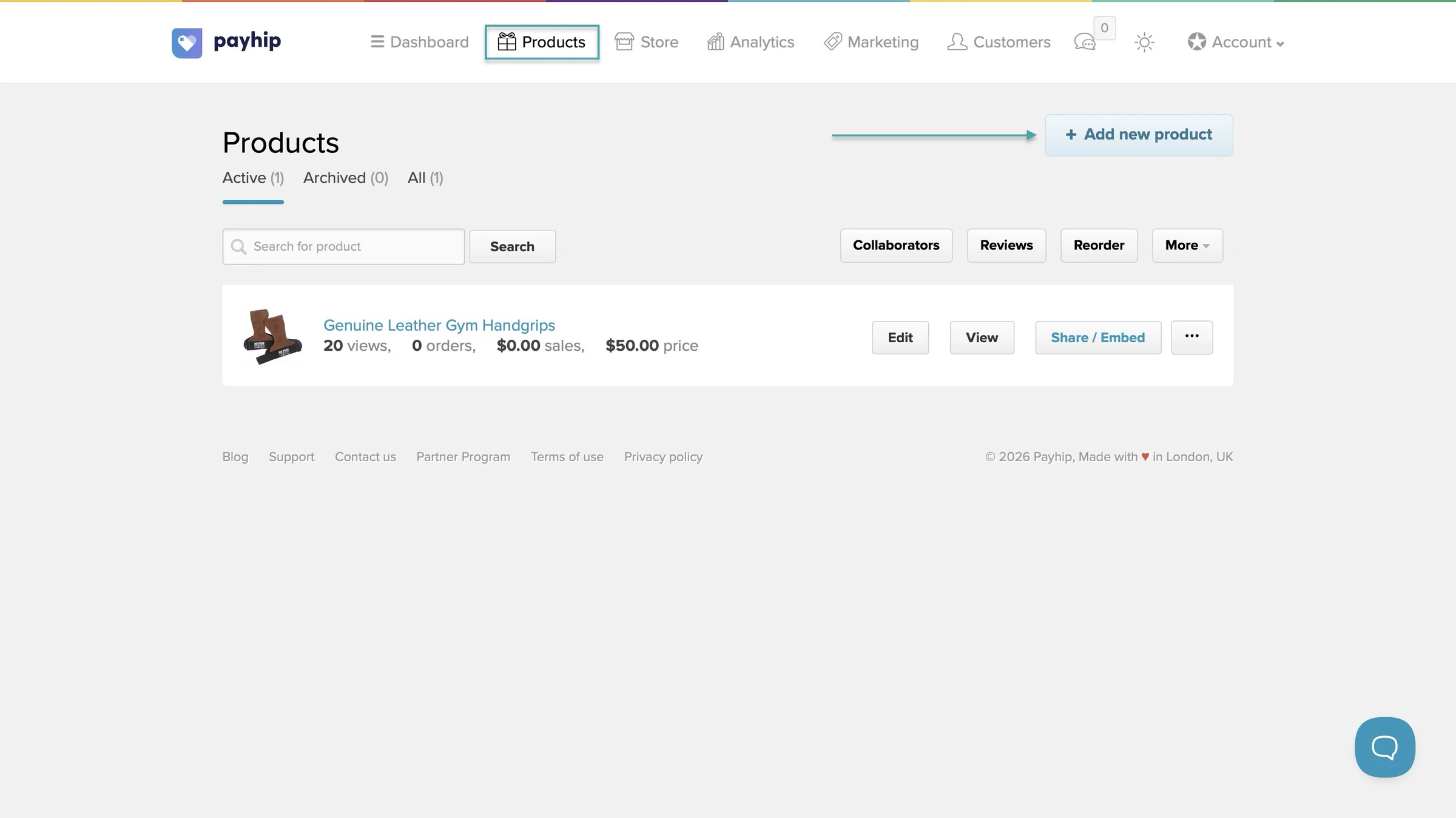
Payhip gives you a list of product types in a pop-up window. Then, in the new window after selection, you can upload your product files.
After that, enter the price, the product description, and up to 9 cover images or embed audio/video.
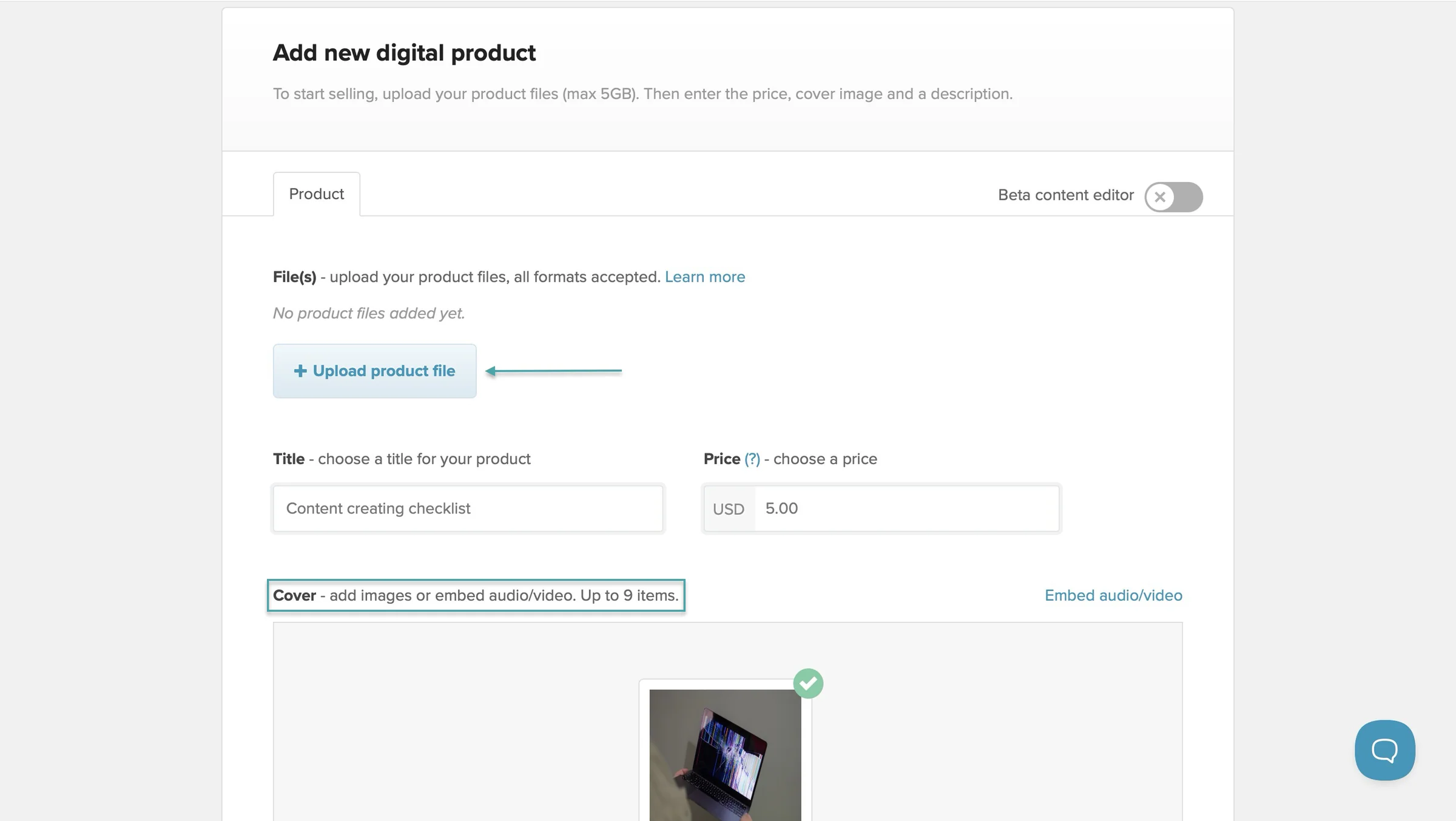
Payhip lets you add an SEO description and alt image text for visibility.
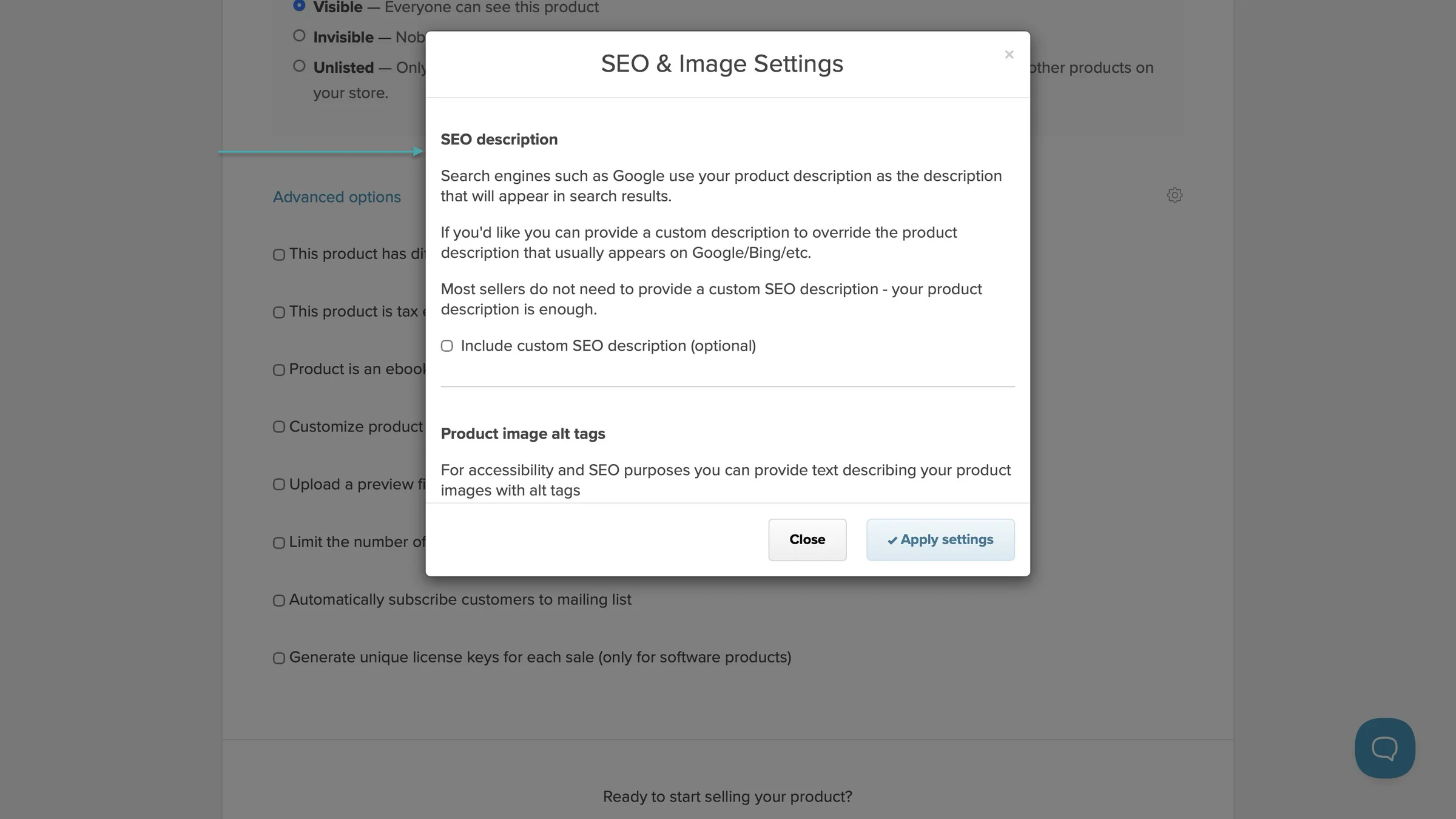
You can also choose to let online store visitors see your products, not see them, or let only people who clicked the direct link see them.
Payhip even lets you tick a box if the product is tax-exempt in the EU/UK. And you can select other advanced options too.
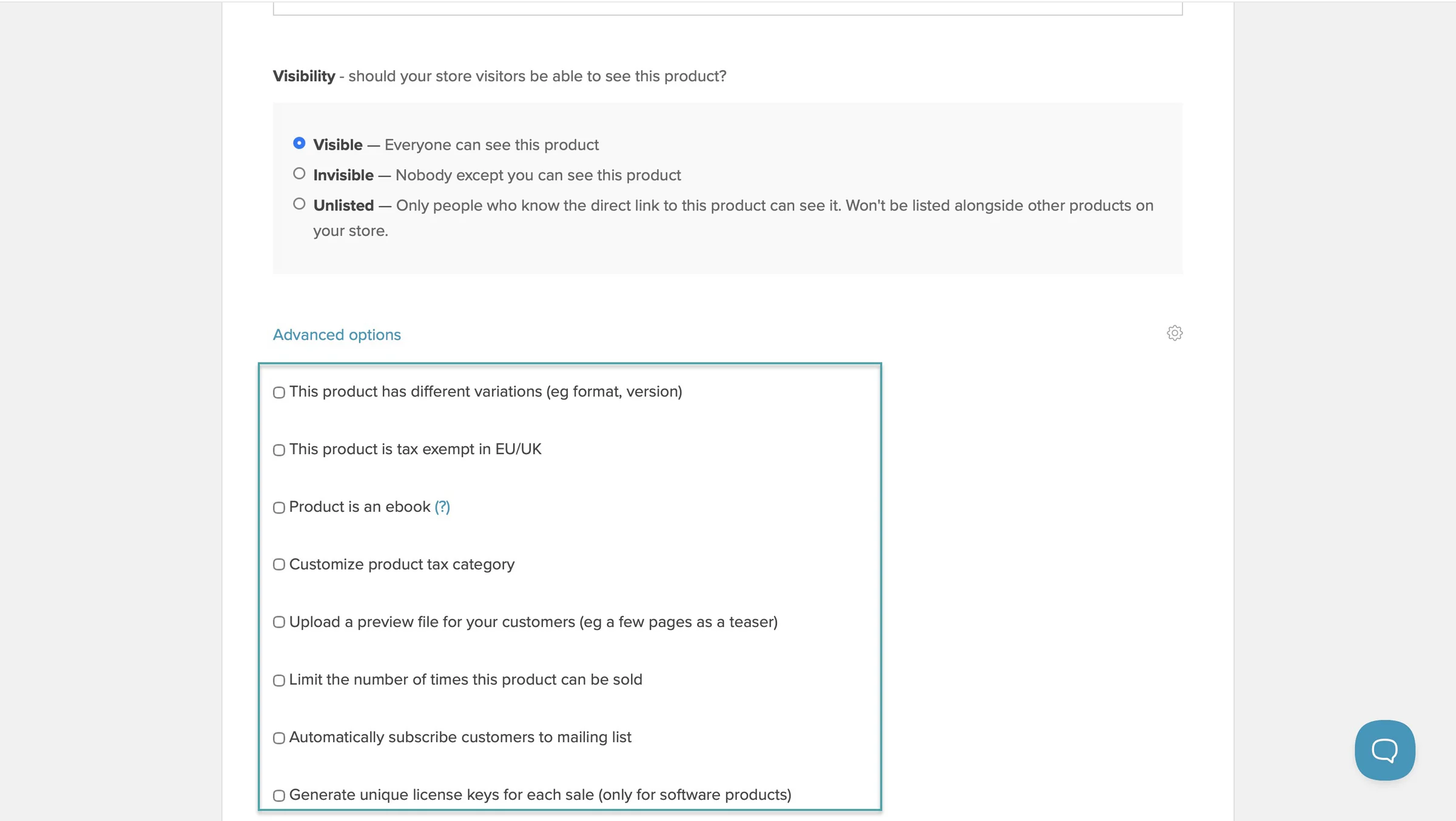
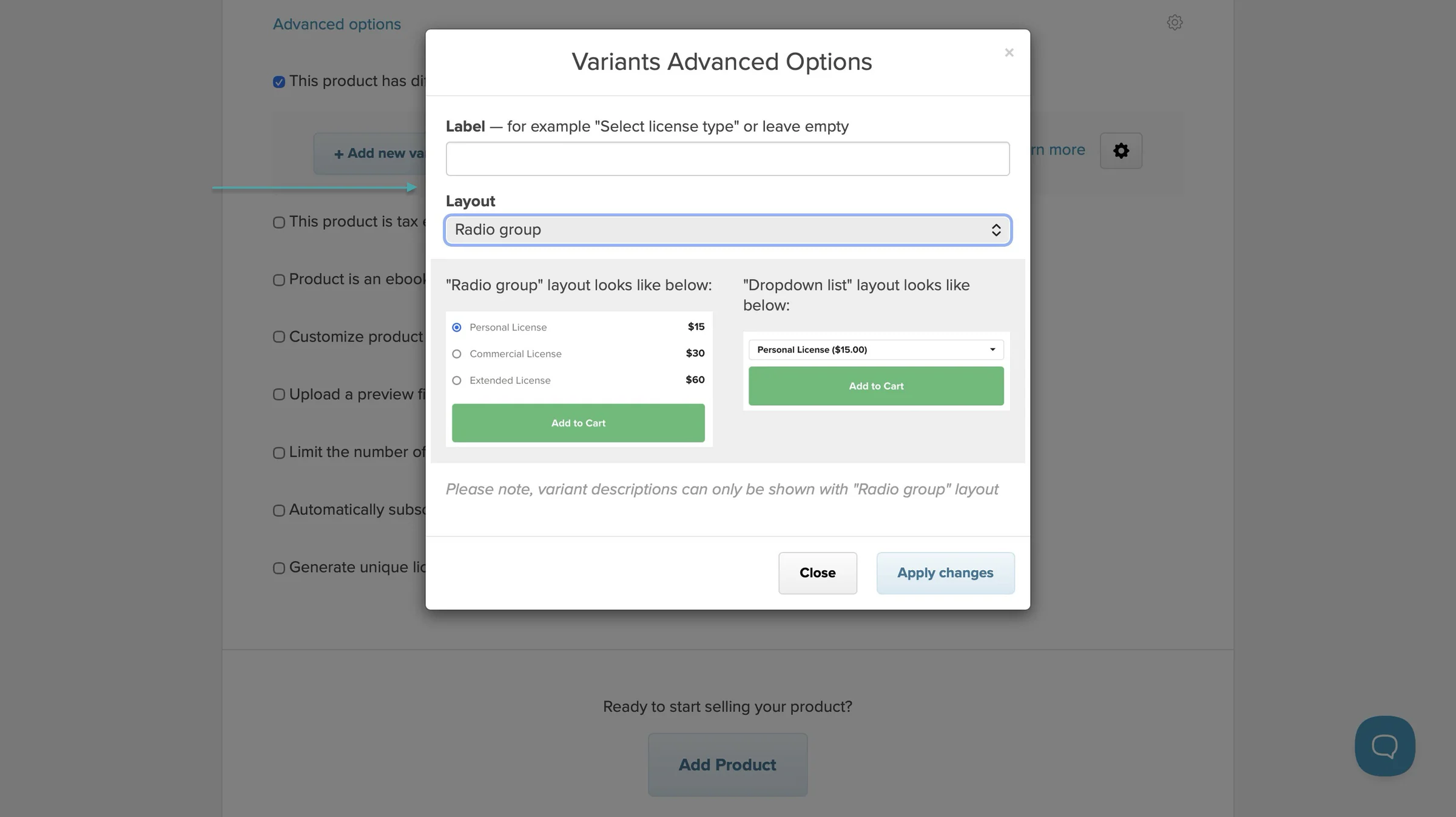
For example, you can add other file formats and versions.
Similarly, Gumroad lets you add the product name, type, and price all on one page. Like Payhip, you can upload files.
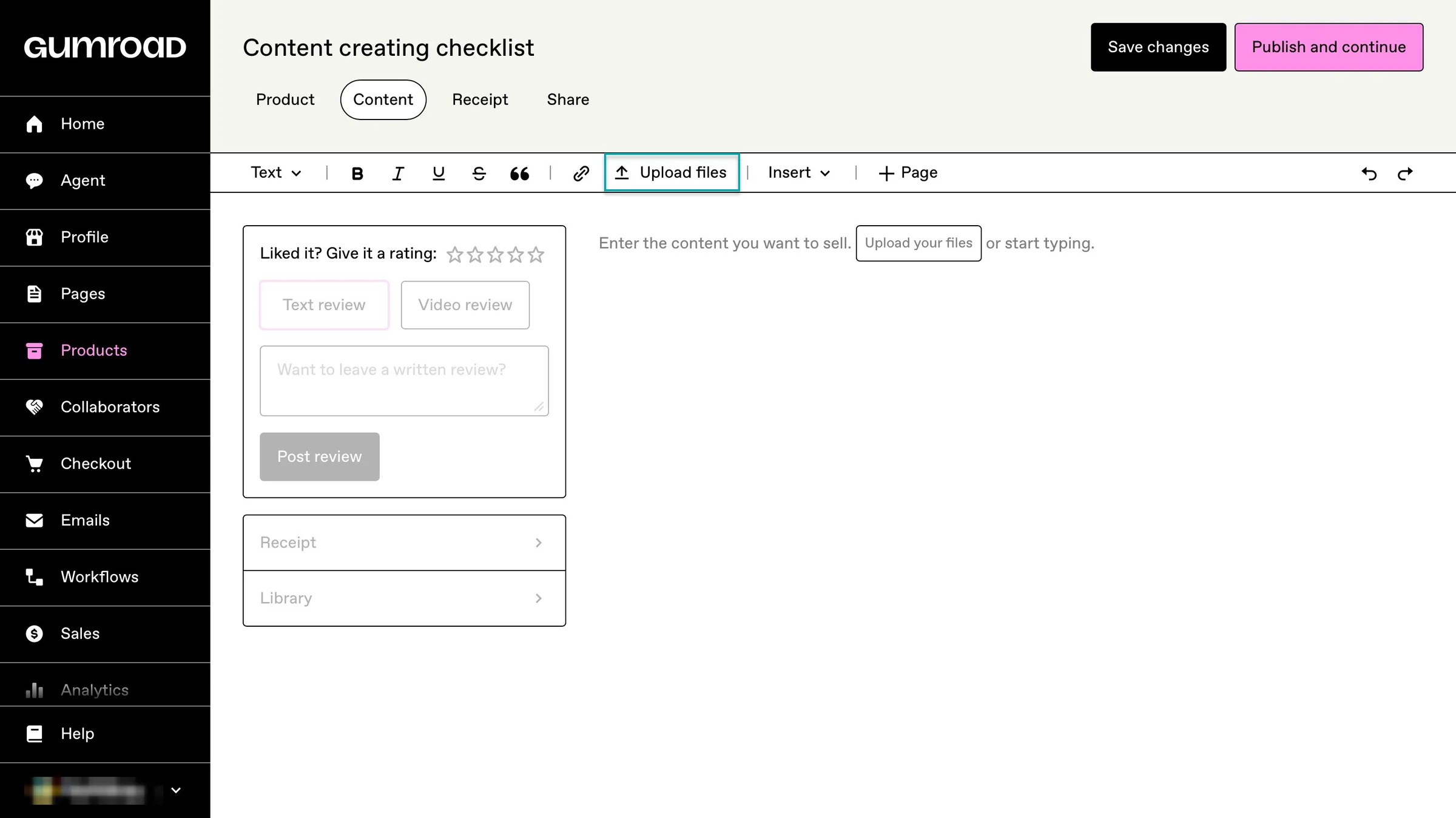
Gumroad also lets you create a receipt. The platform will automatically send this to buyers after they make a purchase.
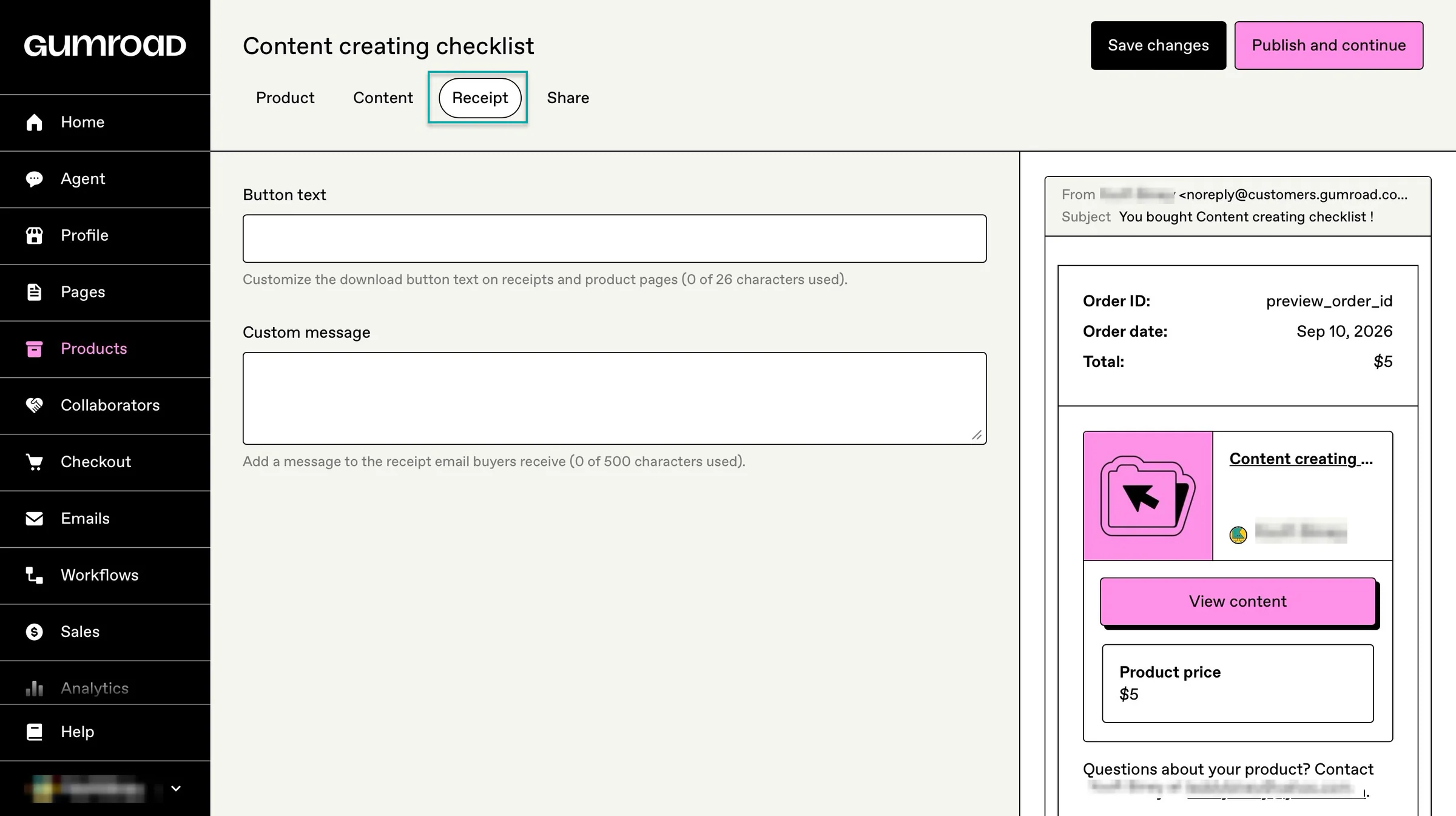
Both Payhip and Gumroad handle product creation and checkout creation, but Easytools makes the process simpler.
On Easytools, you can select a specific product type’s template. There’s a template for e-books, digital downloads, SaaS, courses, webinars, memberships, live events, services, audio, and more.
There’s even an extra button if the digital product you’re selling isn’t on Easytools’ list.
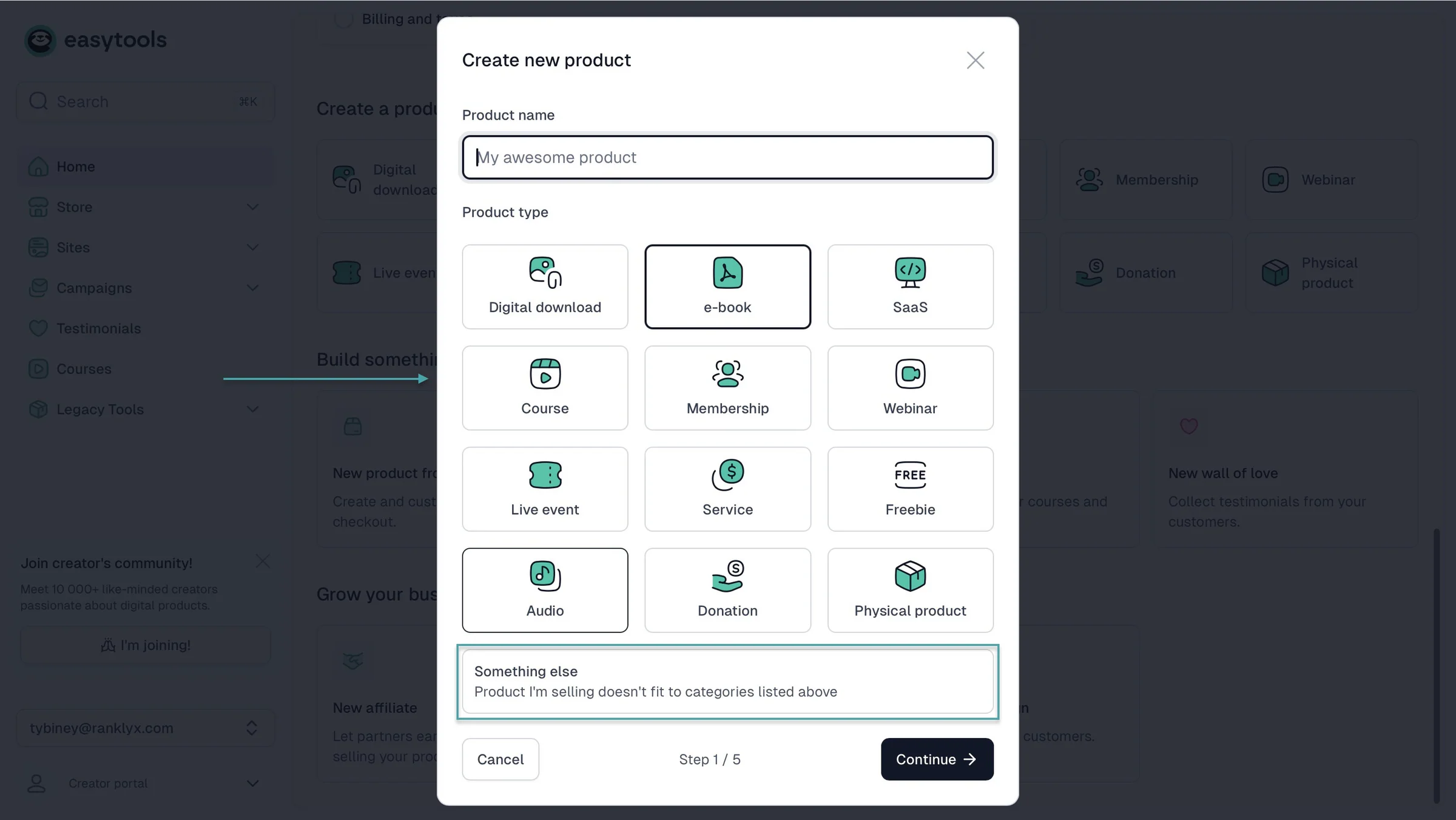
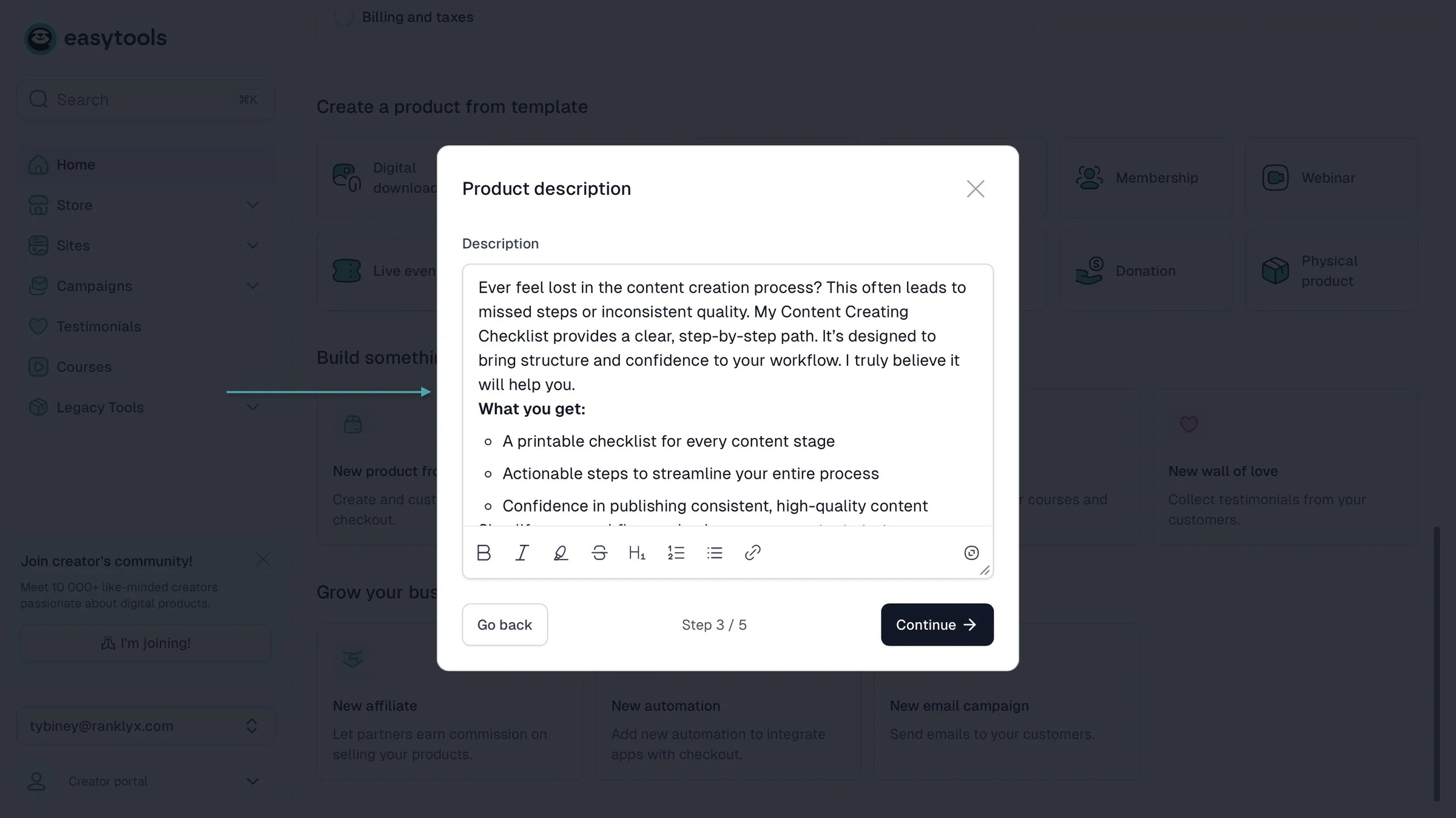
Easytools lets you add the price and uses AI to generate your product description based on its name or title.
You can also upload your images or let AI generate one just for your digital product.

Finally, you can upload a file or add the product link if you’re already selling it online.
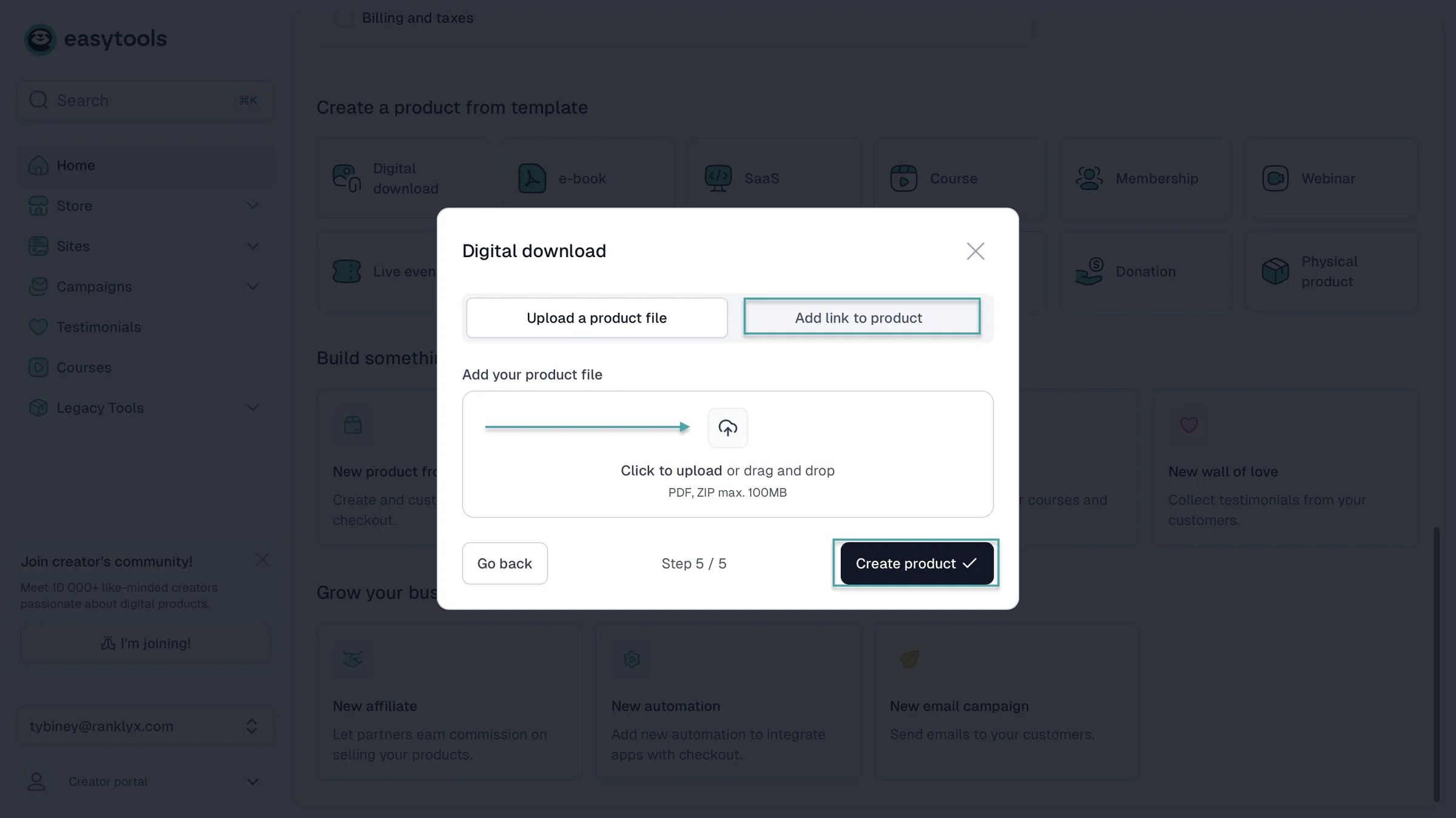
After creating the product, you can see the checkout page. That’s where you add upsells, cross-sells, order bumps, price variants, tax settings, testimonials, checkout recovery, and more.
You can also use AI to generate a multi-page website to sell that particular digital product. Of course, Easytools gives the option to add the product checkout to the landing page.
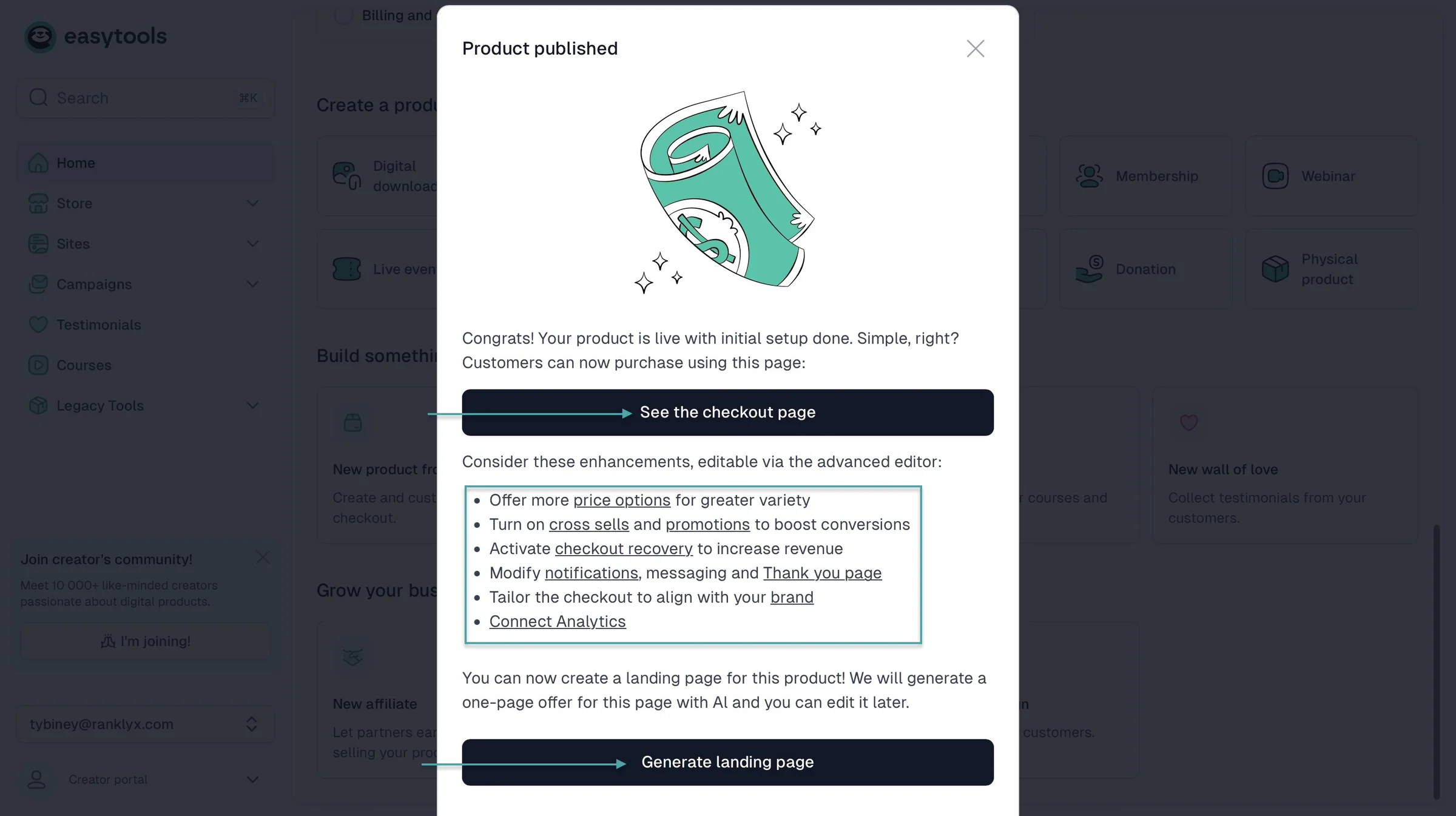
Watch this video to learn more about selling and marketing digital products on Easytools.
2. Storefront and customization
Storefront and customization are important features we’d like to address in this Gumroad vs Payhip comparison.
Your storefront is where potential customers get their first impression of your business. So, being able to customize it to match your brand can make a big difference.
Payhip gives you a store builder where you can customize your storefront without building a website from scratch.
You can choose a theme and then change the colors, fonts, pages, and sections to match your brand.
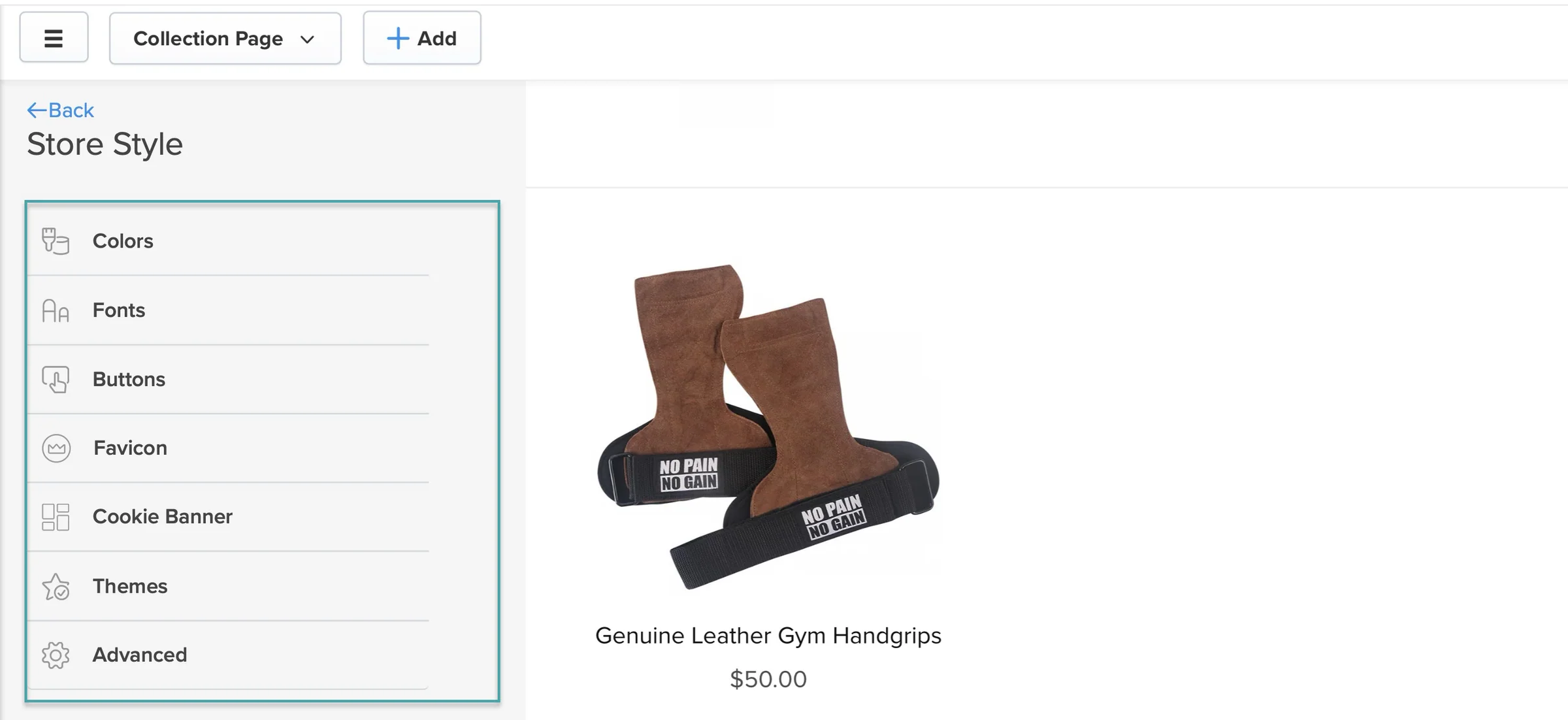
You can also add different sections to your pages. For example, you can add product sections, videos, galleries, testimonials, and other content to make your storefront look more like a proper website.
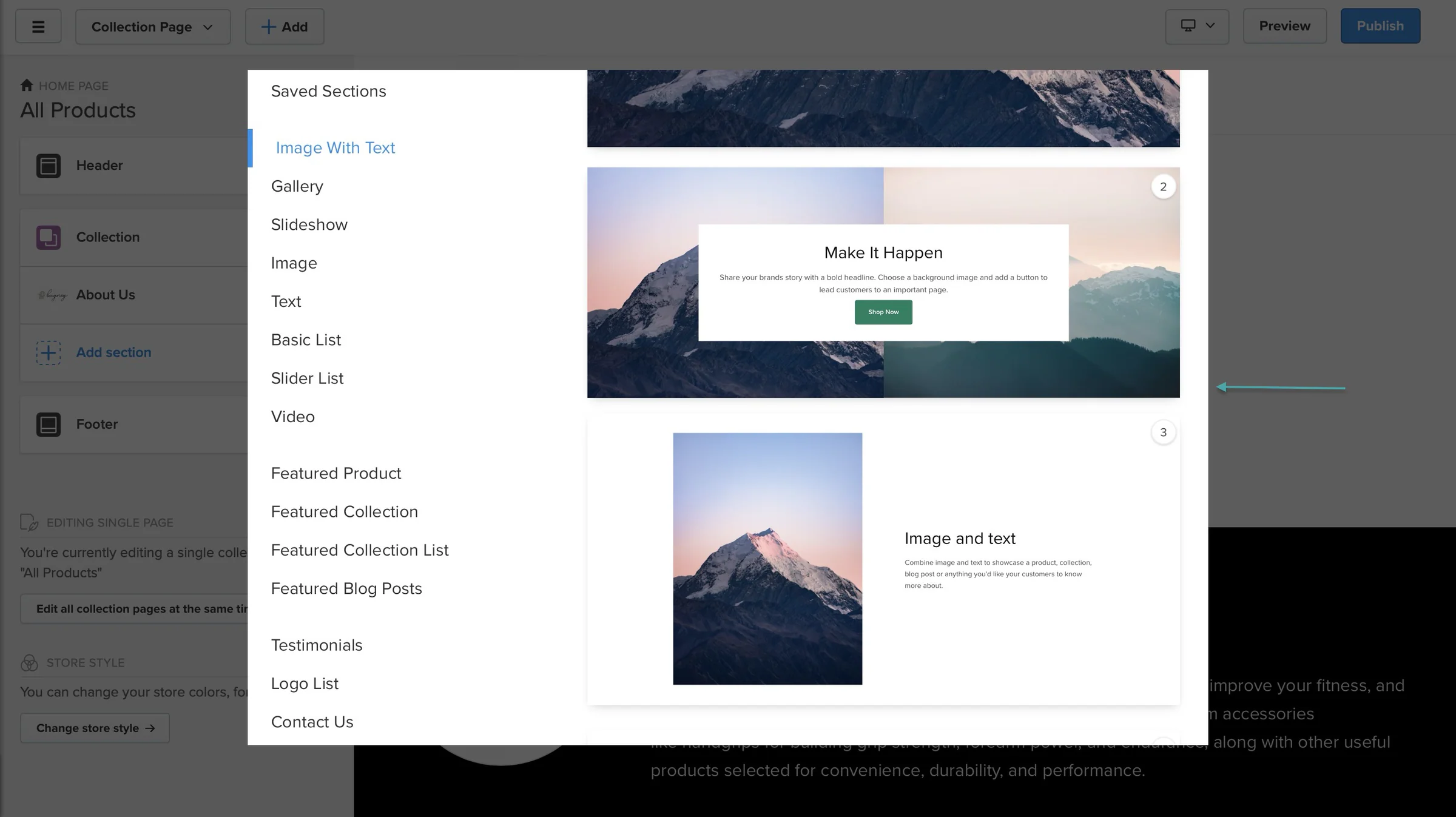
Payhip also lets you create custom pages. So, you can have an About page, FAQ page, or any other page you want on your store.
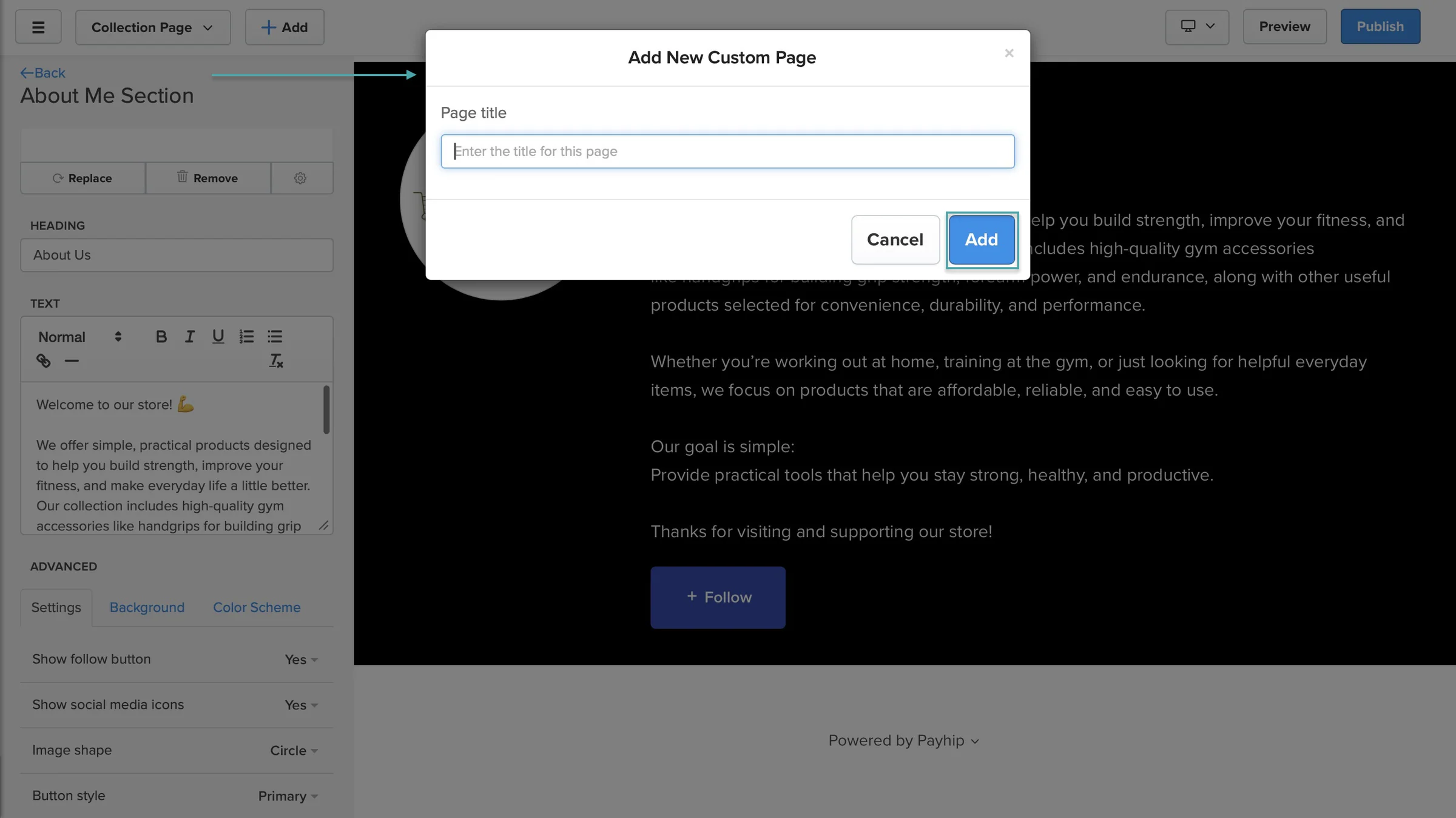
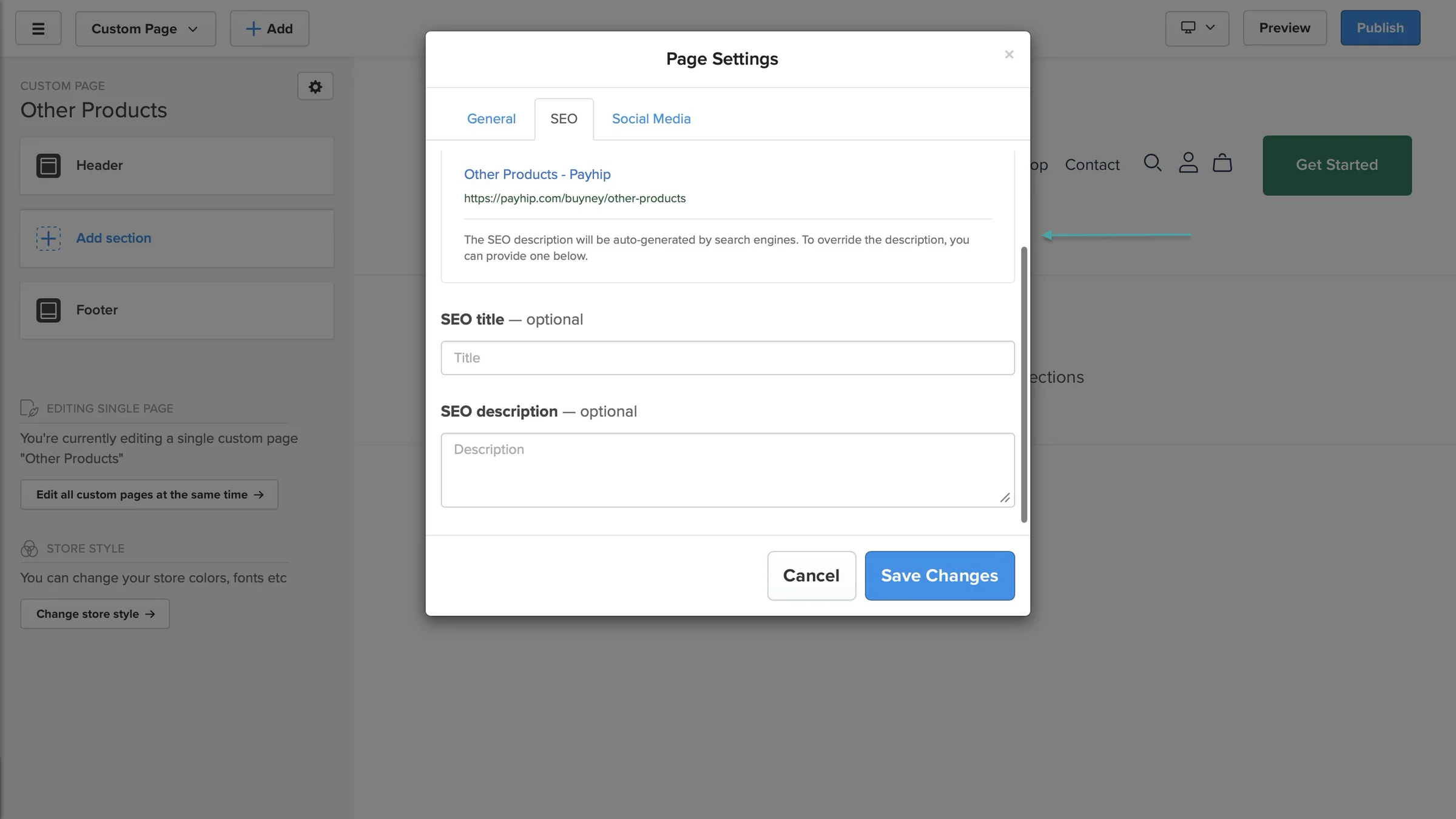
You can also change the page title, URL, SEO title and description, and the image that appears when someone shares the page on social media.
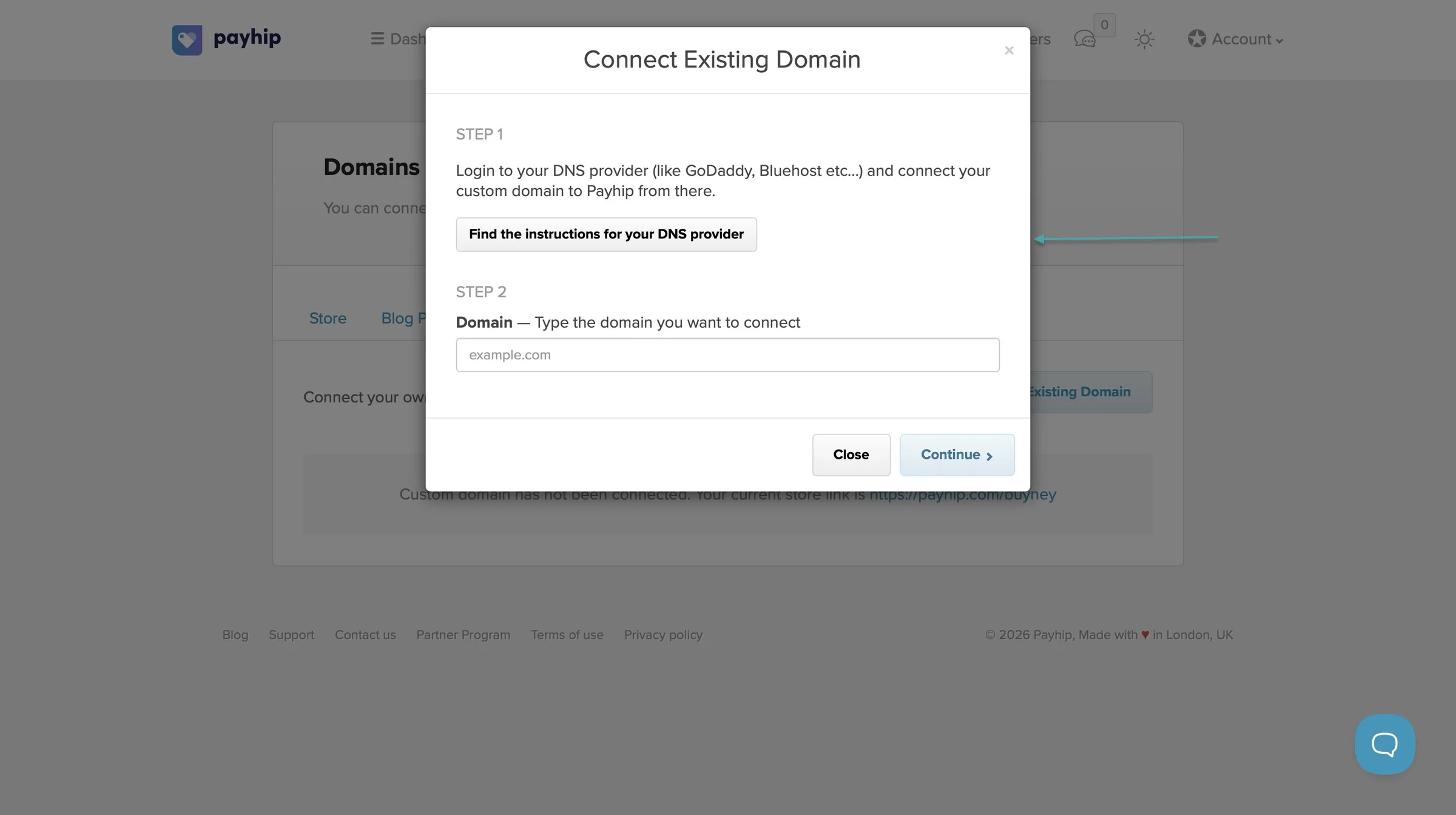
If you already have a domain, you can connect it to your Payhip store so your customers can visit your store using your own domain instead of a Payhip URL.
And if you want even more control, Payhip lets you add custom HTML or JavaScript to your store. You can use this for things like email signup forms, countdown timers, live chat, and tracking tools. This requires a custom domain.
So, Payhip gives you quite a bit of control over how your storefront looks and functions.
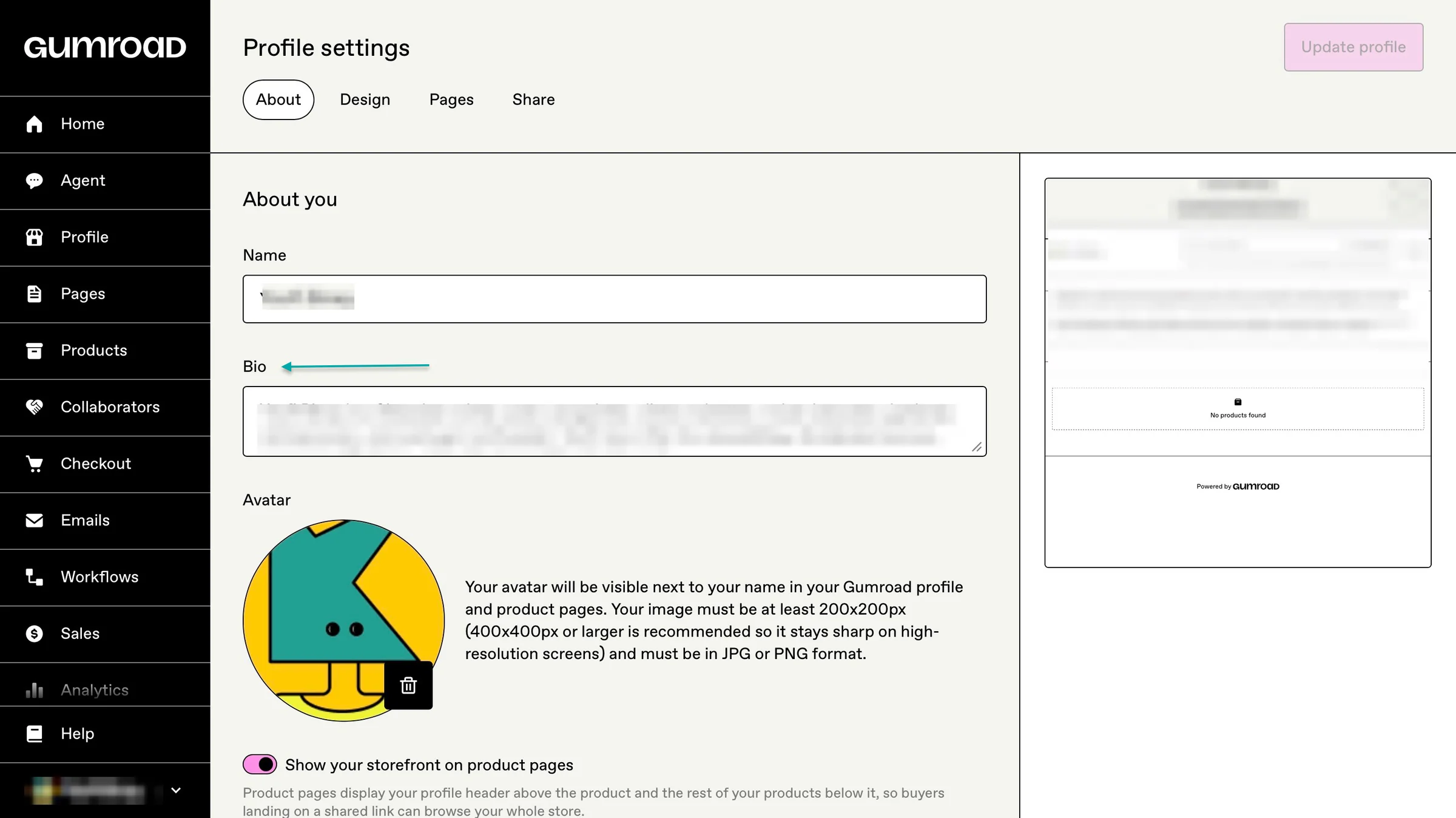
On Gumroad, you can customize your profile with your name, profile picture, bio, products, posts, and email sign-up options.
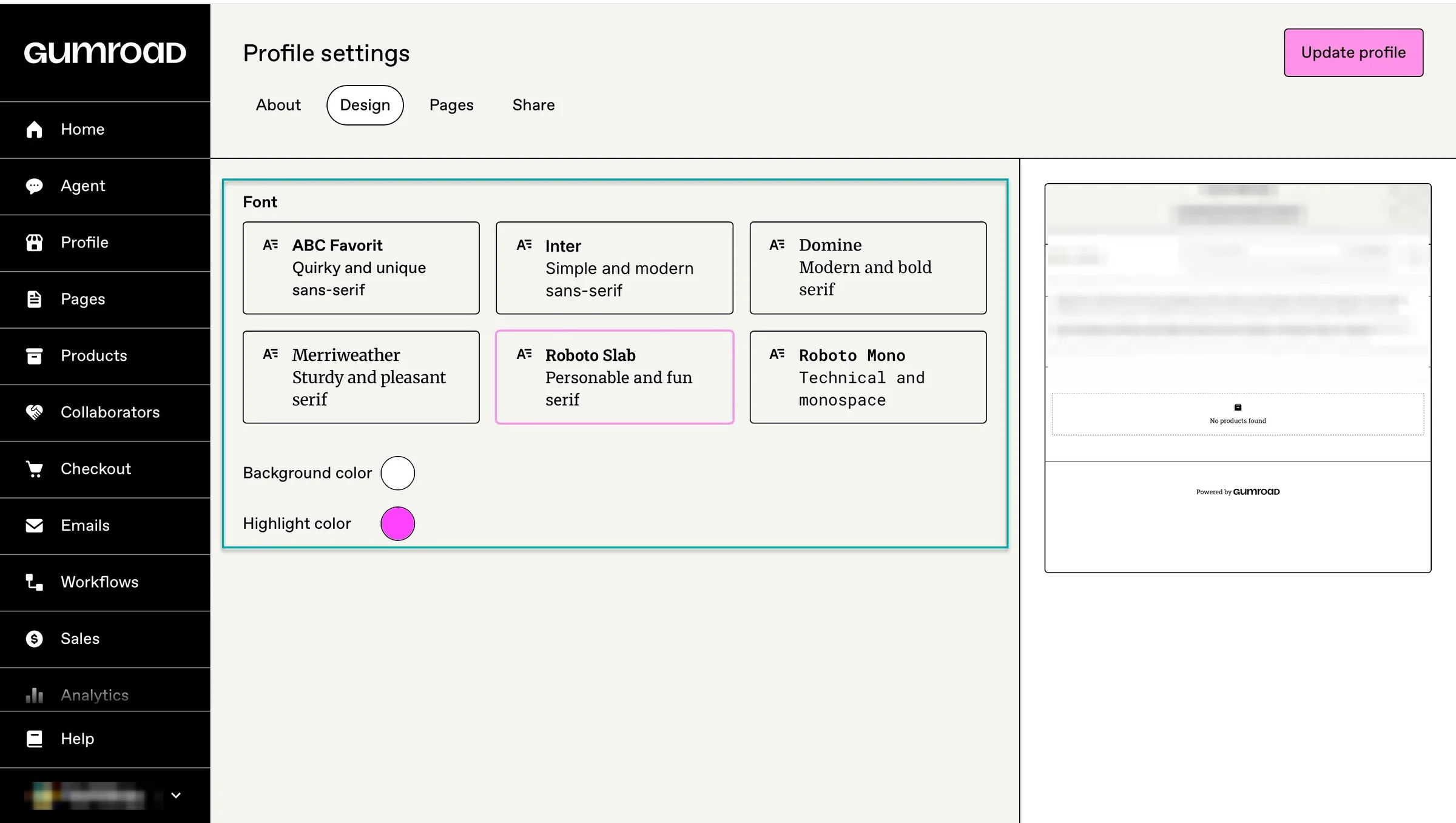
You can also change your store’s background color, accent color, and font.
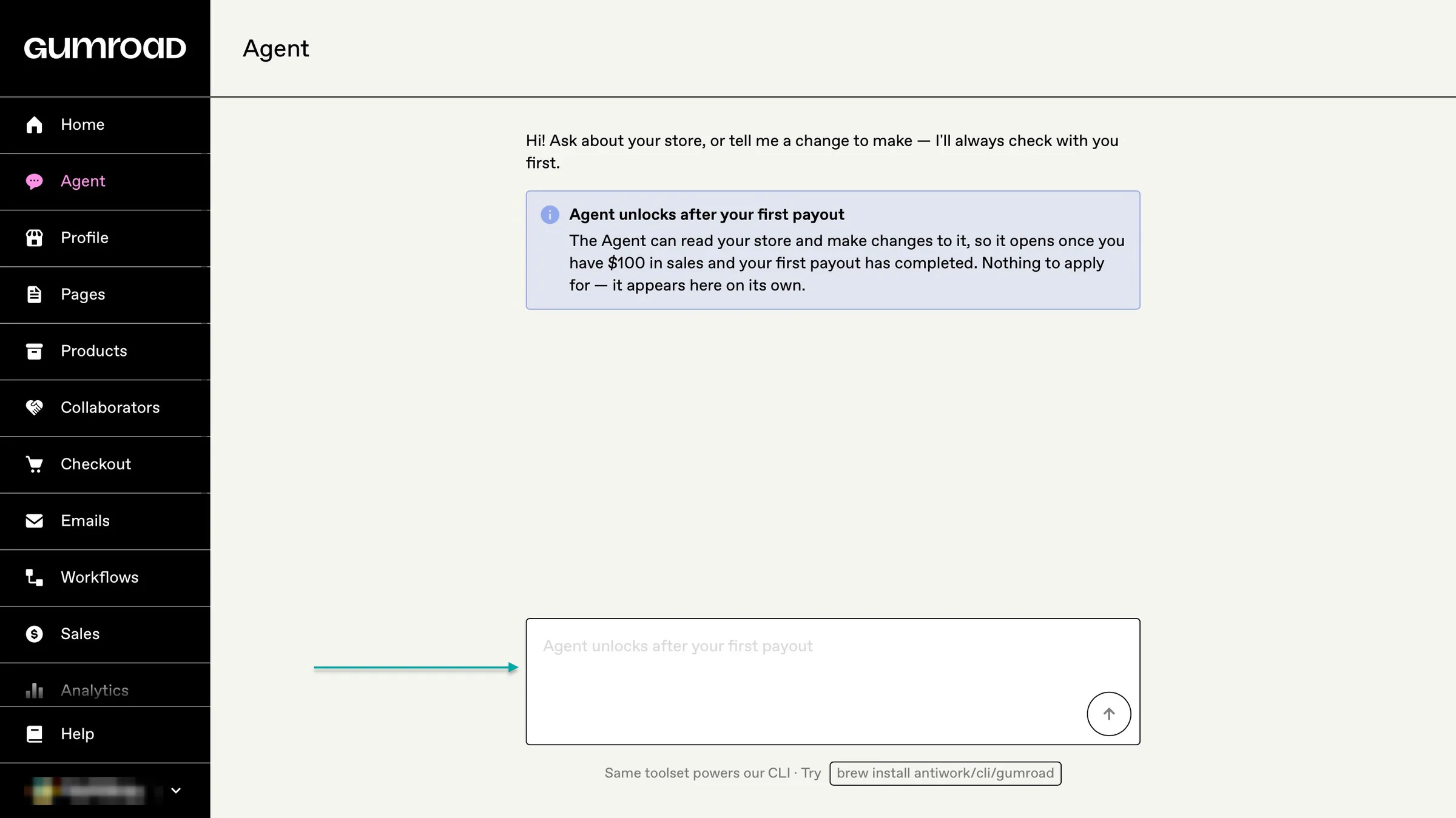
Gumroad now lets you go further with its custom page builder. You can create a fully custom profile page using Gumroad’s AI agent or your own AI coding tool.
You can describe the kind of page you want, and the agent can build and publish the page for you.
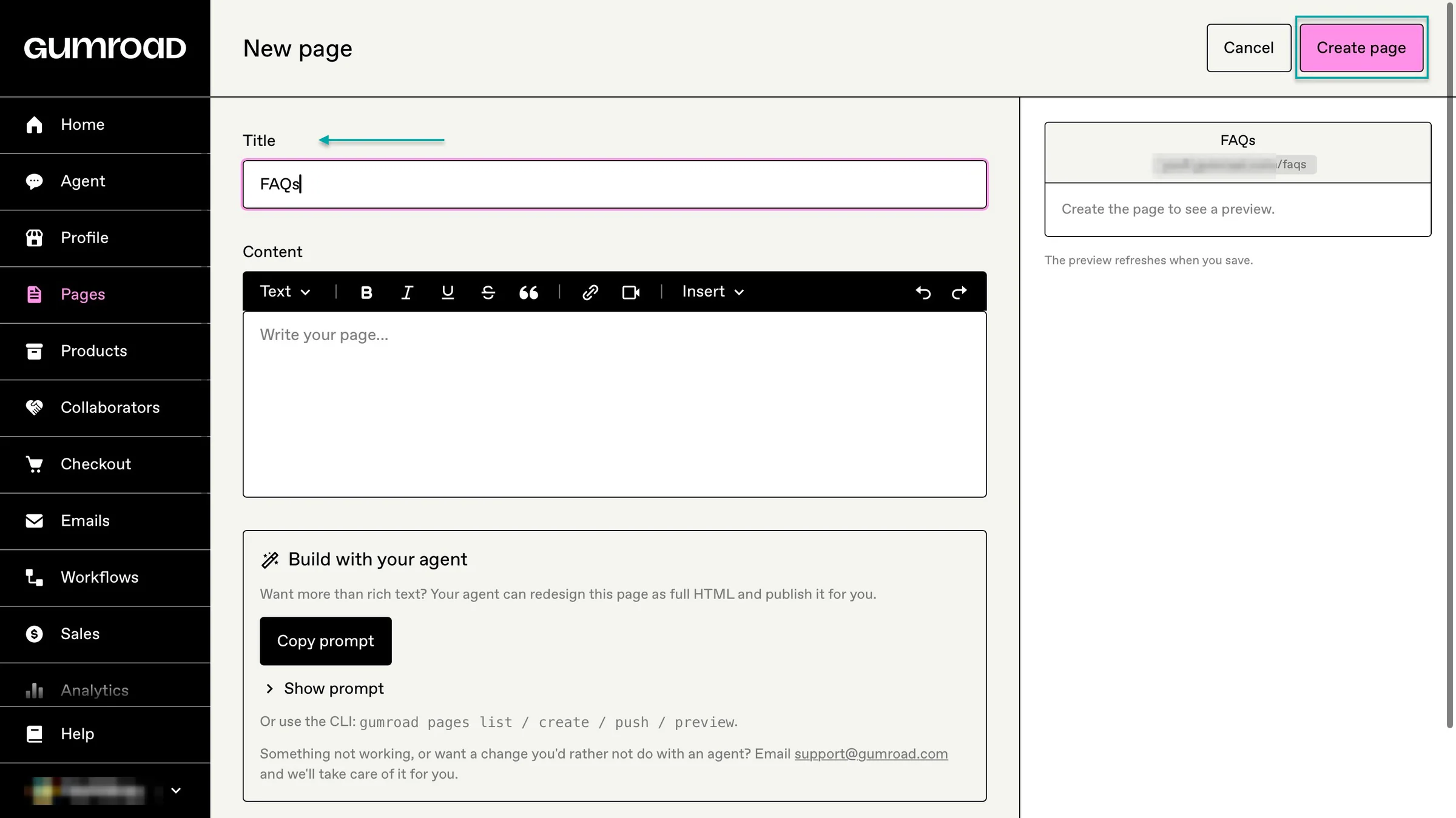
You can also create standalone pages for things like an About page, FAQ, or licensing information.
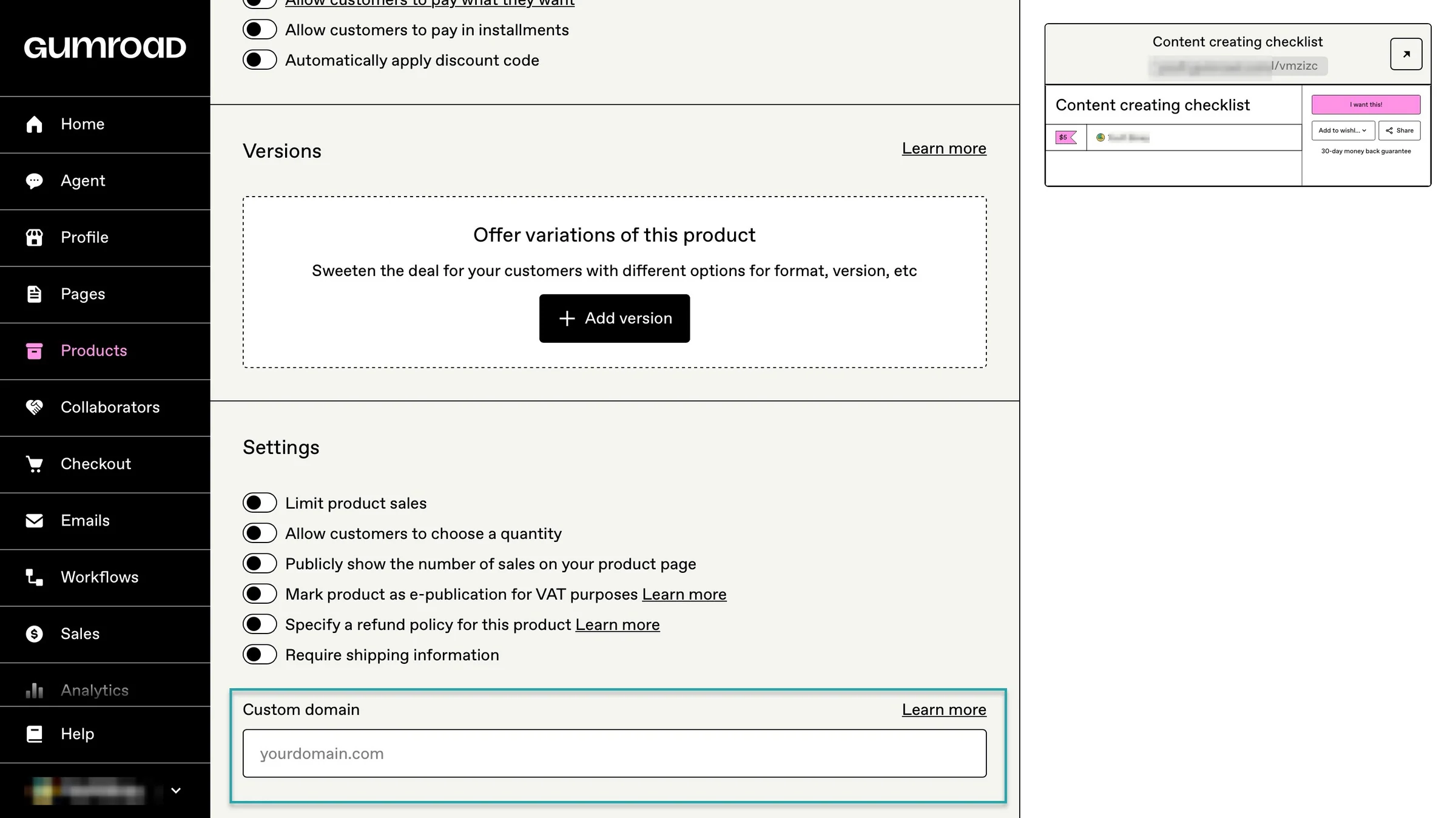
Like Payhip, Gumroad also lets you connect a custom domain to your store.
Easytools gives you the most control when it comes to storefront and customization, though.
On your Easytools creator page, you can add your social media accounts just like you can on Payhip and Gumroad. But Easytools lets you turn the page into a mini website for your business.
You can add your bio, products, services, courses, memberships, lead magnets, maps, sign-up forms, and other sections, then send visitors directly to your checkout.

For example, a fitness creator could have their Instagram, coaching service, workout program, testimonials (like before-and-after images), and e-book all on one page.
A writer could showcase their e-books, newsletter, lead capture forms, and other digital products without needing a separate website.
Compared to both Payhip and Gumroad, Easytools gives you plenty of control over how your creator page looks. You can change the layout, add different sections, showcase specific products, and arrange your content around what you actually do.

Apart from the SEO title, description, and custom domain, you can add your own privacy policy or generate one with Easylegal.

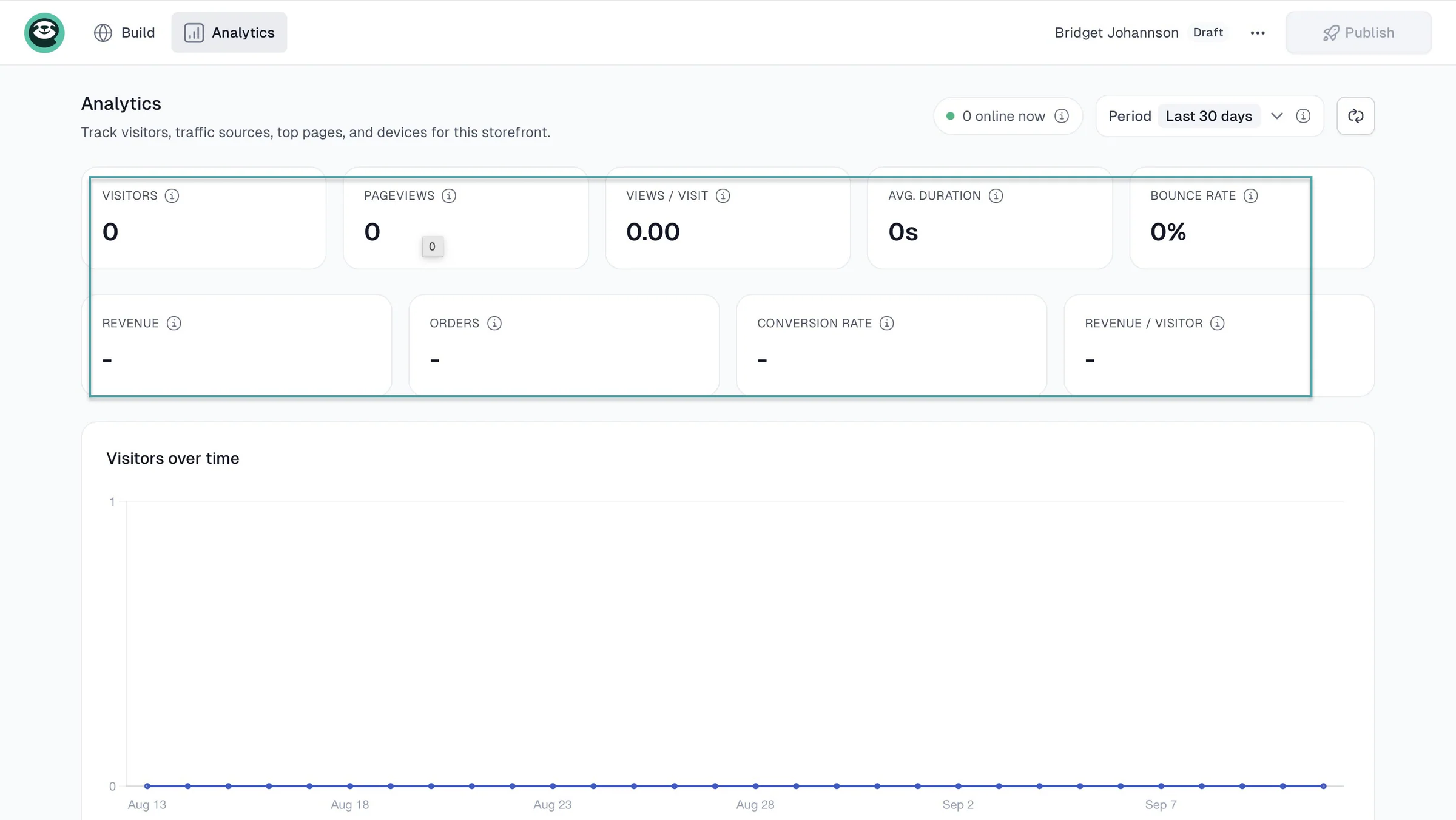
You can add external analytics tools like Meta Pixel and Google Analytics 4 (GA4), too. But Easytools also gives you built-in analytics for your creator page.
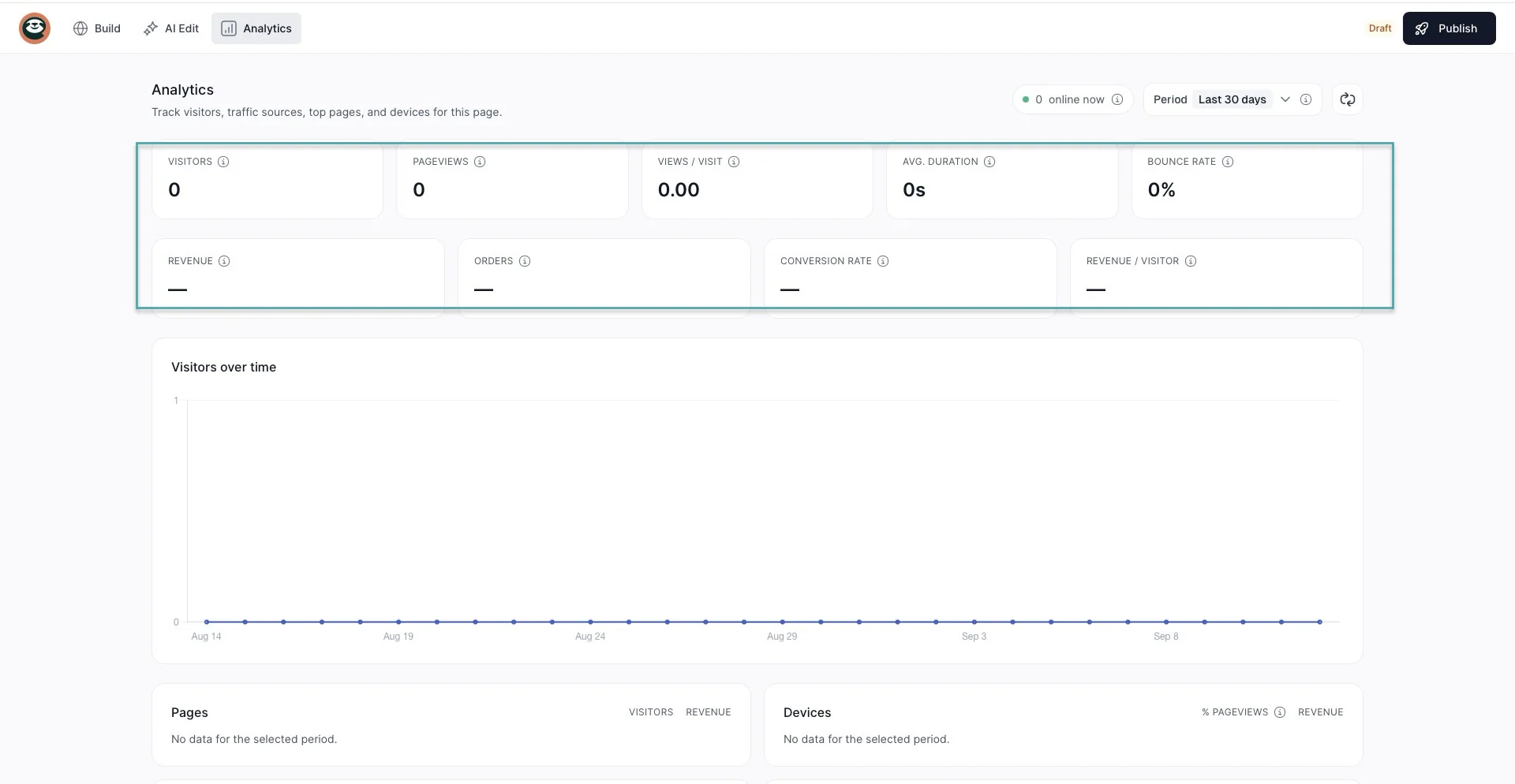
You can see page visitors, views, average visit duration, bounce rate, devices, countries, traffic sources, affiliate performance, and more.
3. Marketing and sales tools
There are many marketing and sales tools these two platforms offer to help you promote products and increase the amount customers spend. So we should definitely talk about that in this Payhip vs Gumroad comparison.
Payhip lets you create coupons and discount codes, offer pay-what-you-want pricing, create product bundles, and add upsells and cross-sells to your checkout.
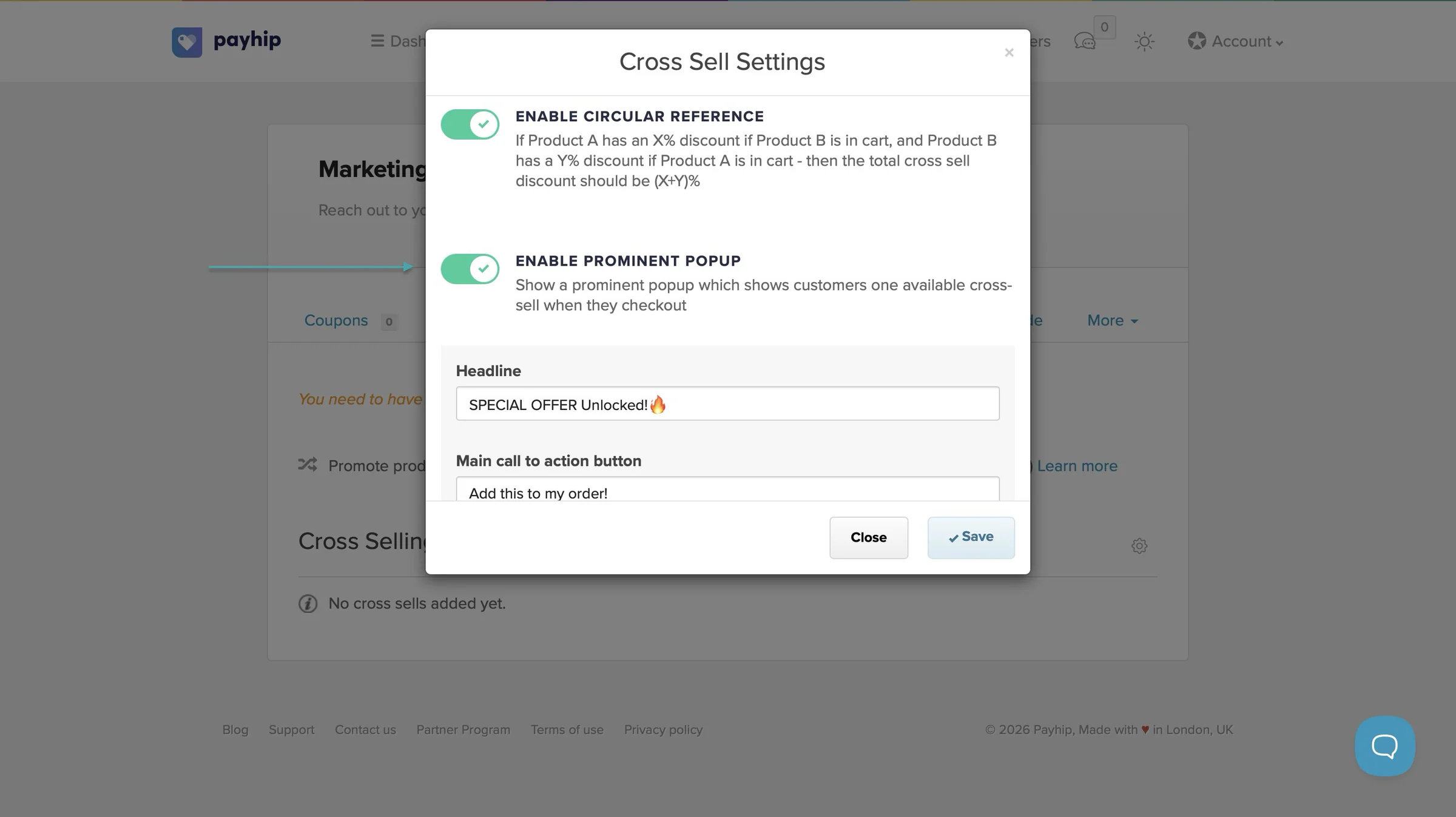
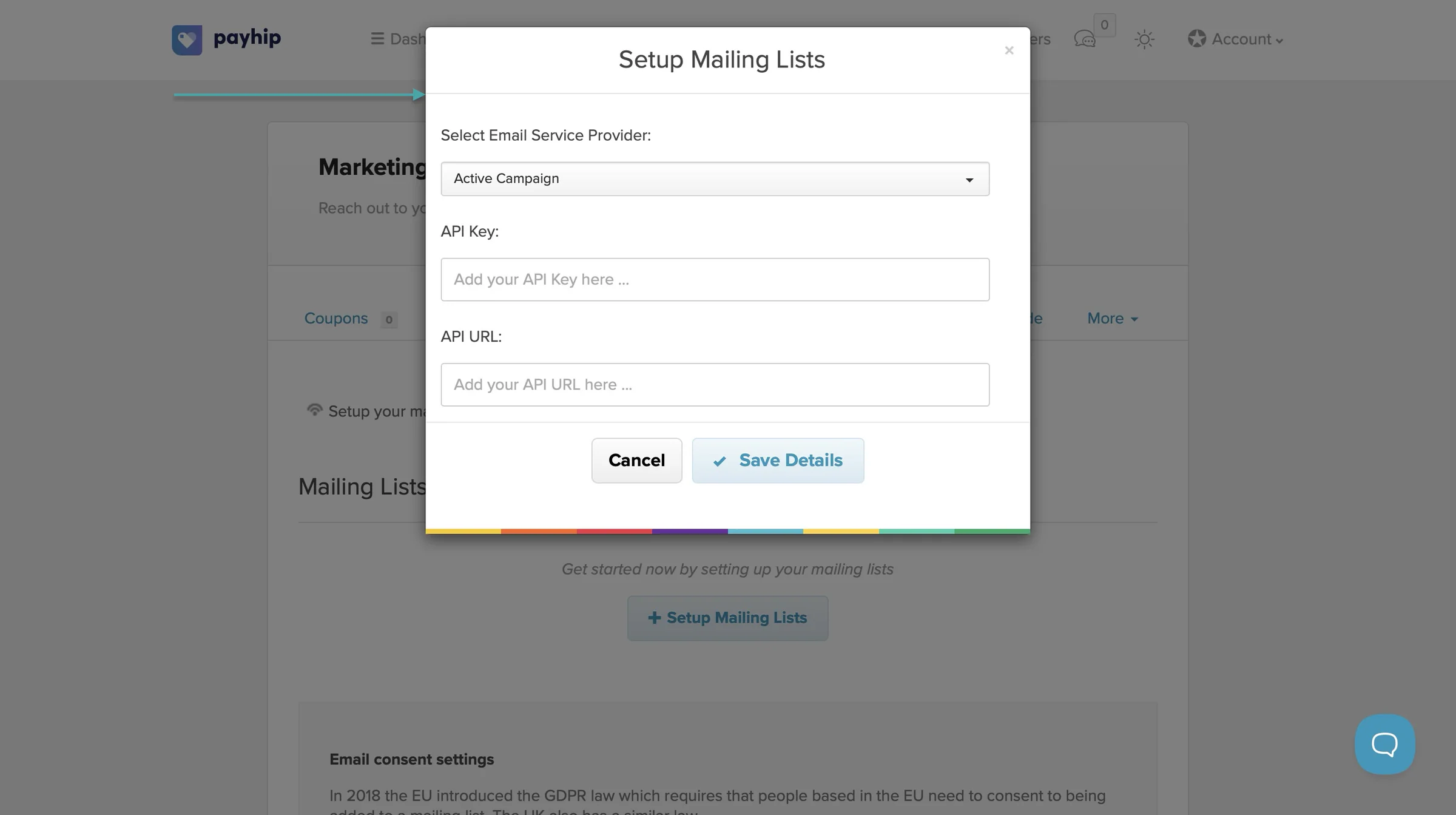
You can also collect customer reviews, run an affiliate program, and connect your mailing list to keep customers updated about new products and offers.
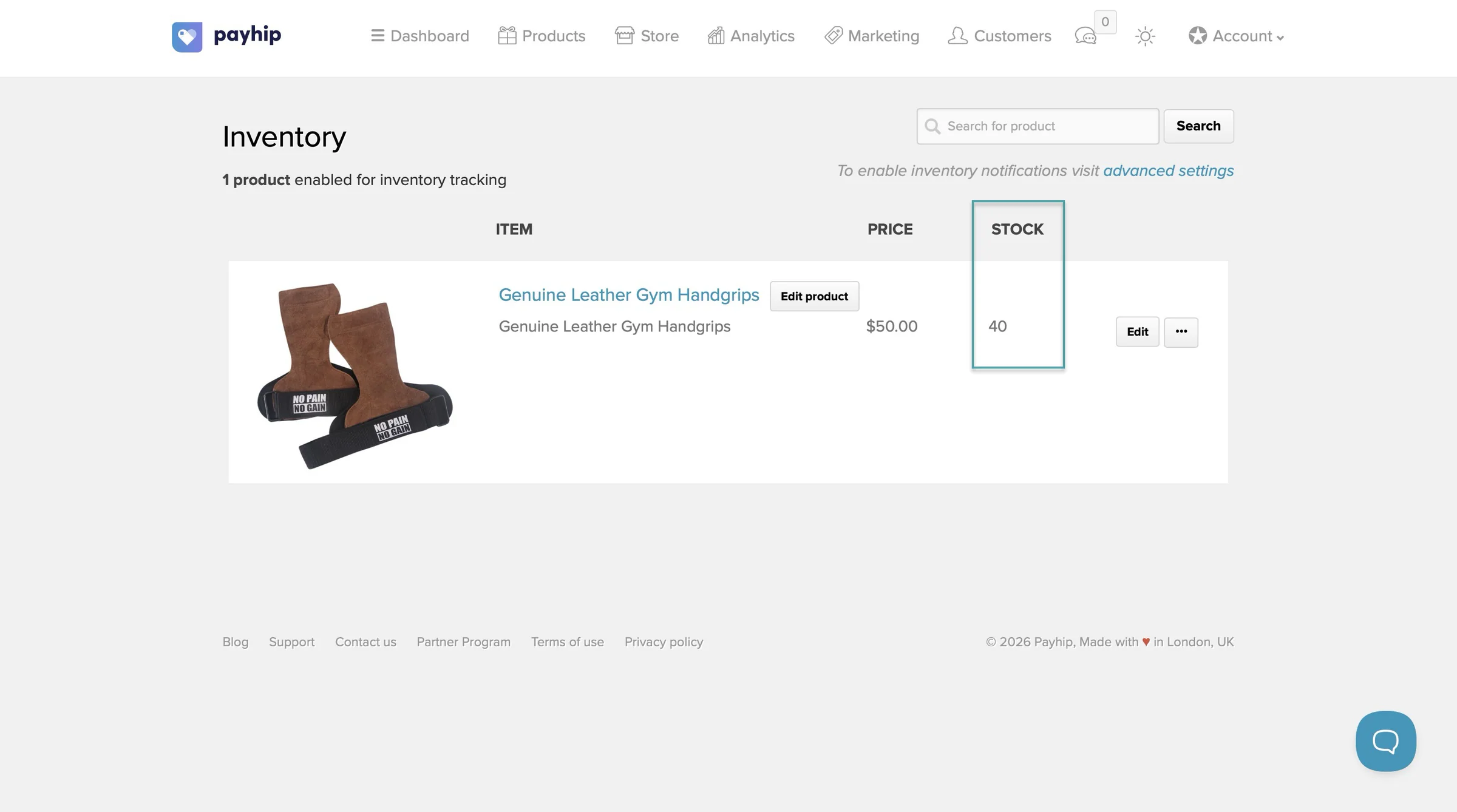
Payhip also gives you tools for managing your products, including inventory tracking for physical products and sales limits for digital products.
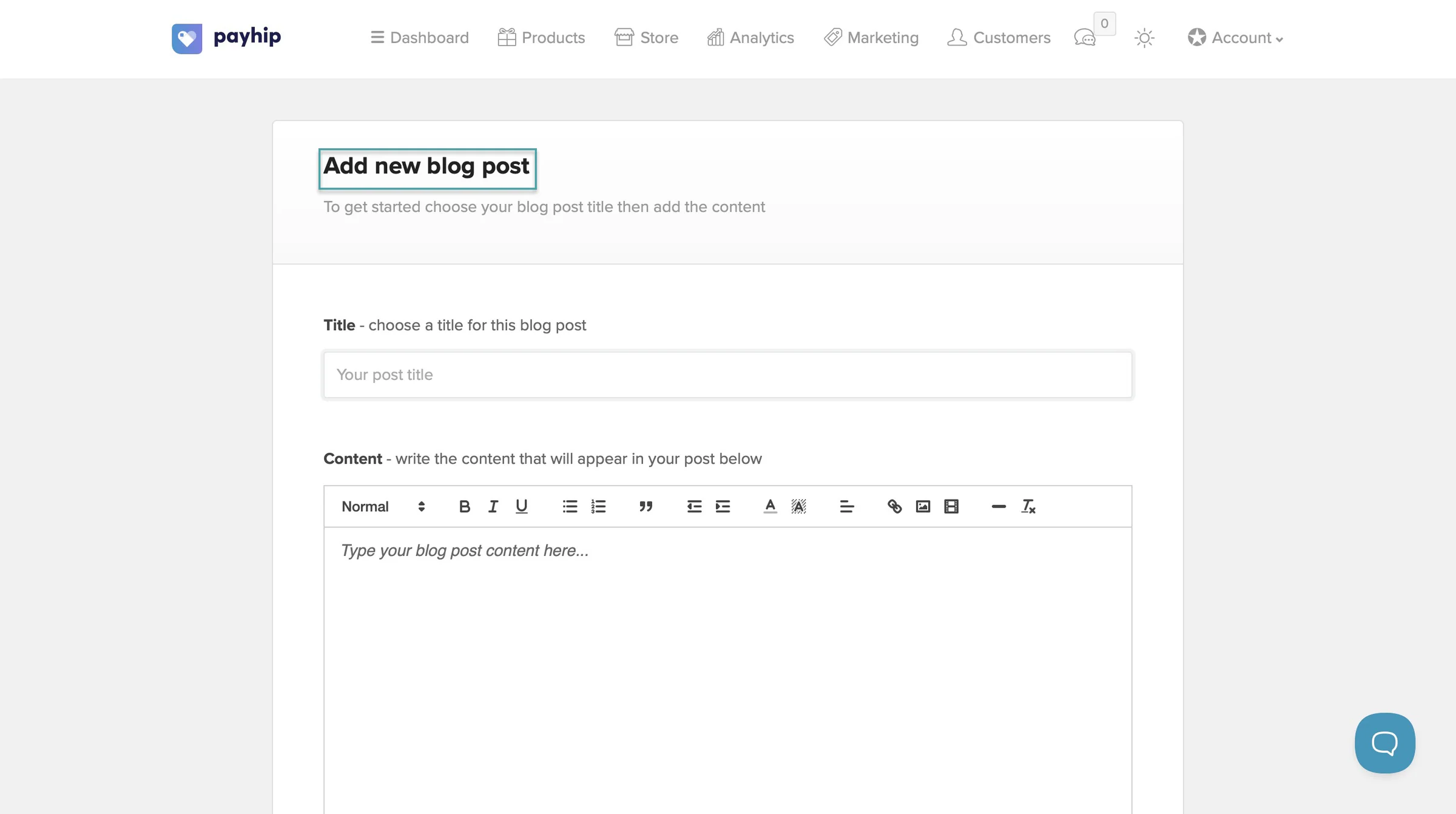
You can also publish blog posts directly from your Payhip store to create content around your products and attract organic traffic from search engines.
On Gumroad, you can create discount codes, run affiliate campaigns, collect reviews, and send email updates to customers.
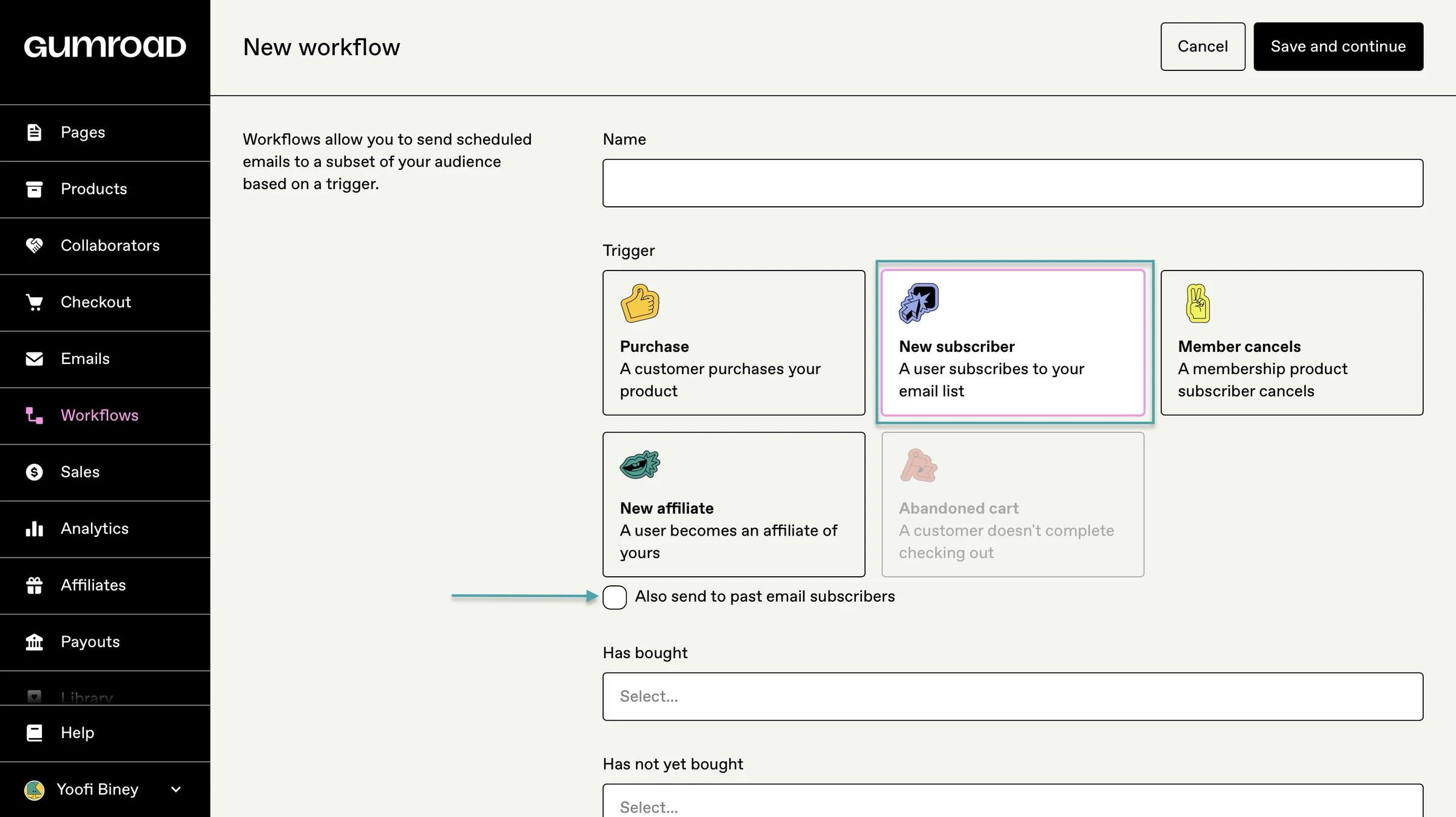
Its workflows feature also lets you automate emails based on actions such as purchases, subscriptions, abandoned carts, and cancellations.
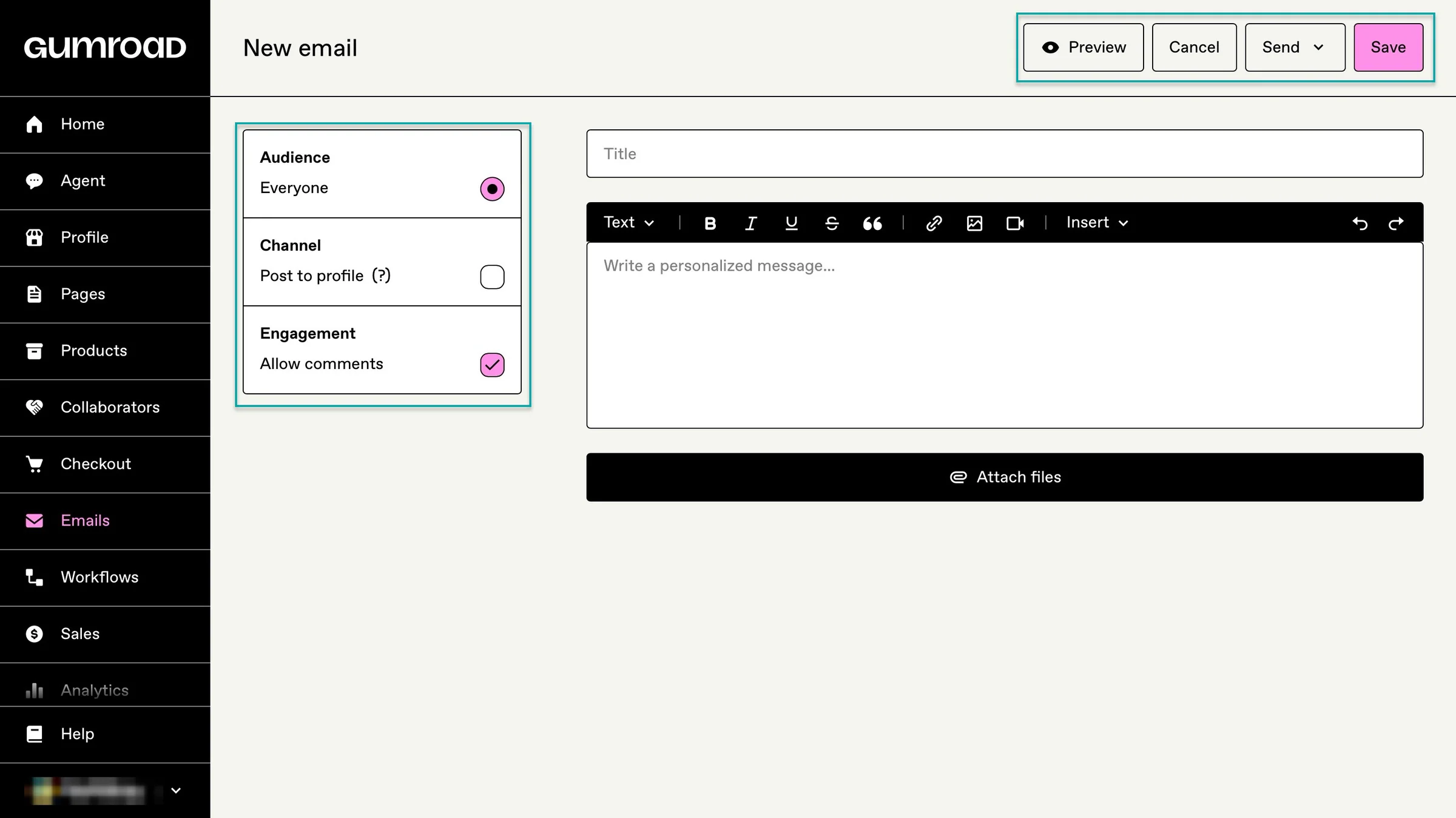
Gumroad also lets you publish posts to share updates, announcements, or content with your audience.
Both platforms offer many ways to promote products and get more value from each customer beyond the initial sale.
4. Audience and customer management
The next thing to compare in our Payhip vs Gumroad comparison is audience and customer management. This will help you choose the platform that’s more capable of keeping track of the people who buy from you.
Payhip gives customers their own accounts where they can access the products, courses, and memberships they’ve purchased.
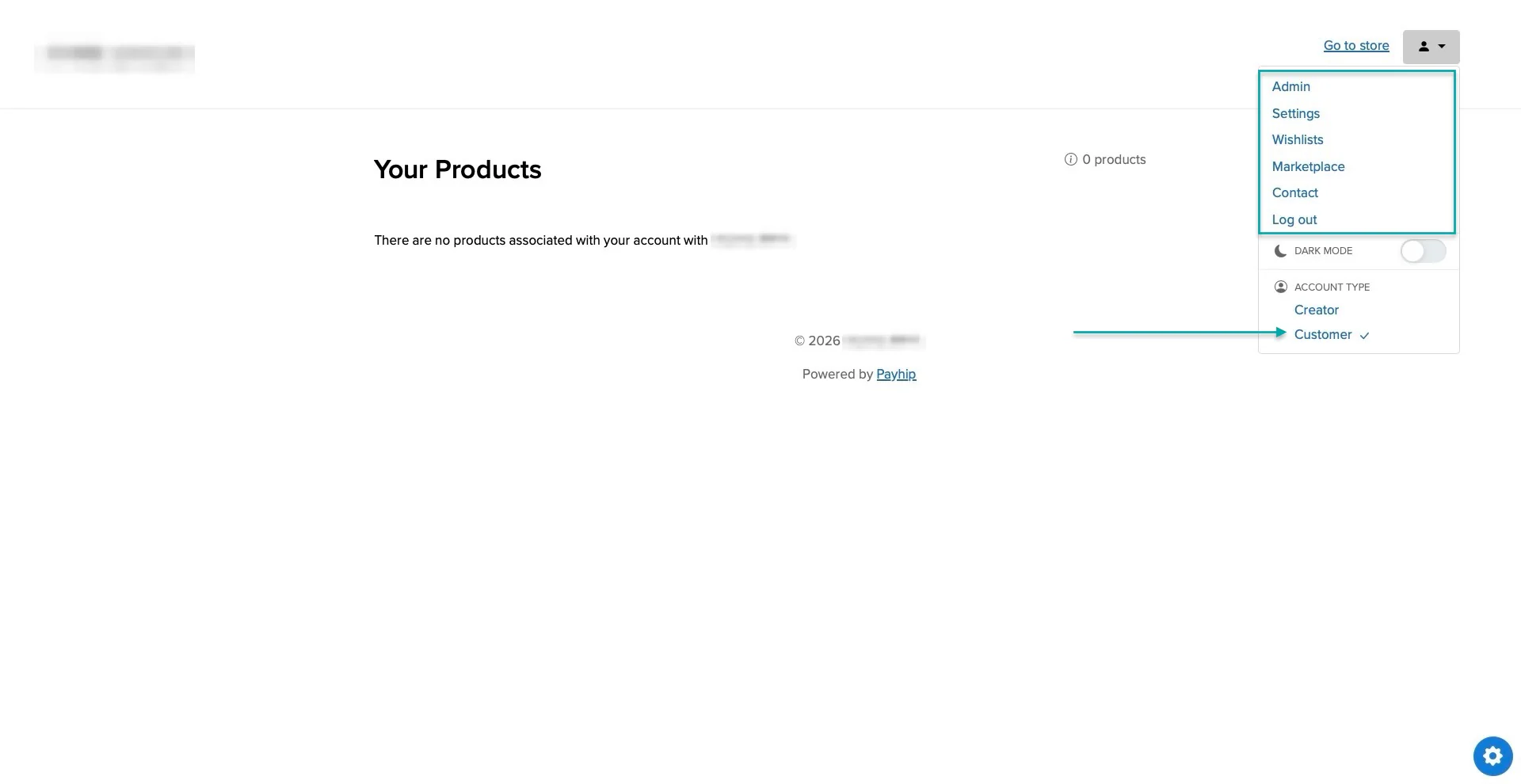
You can also collect customer email addresses and use them to build your audience outside your store.
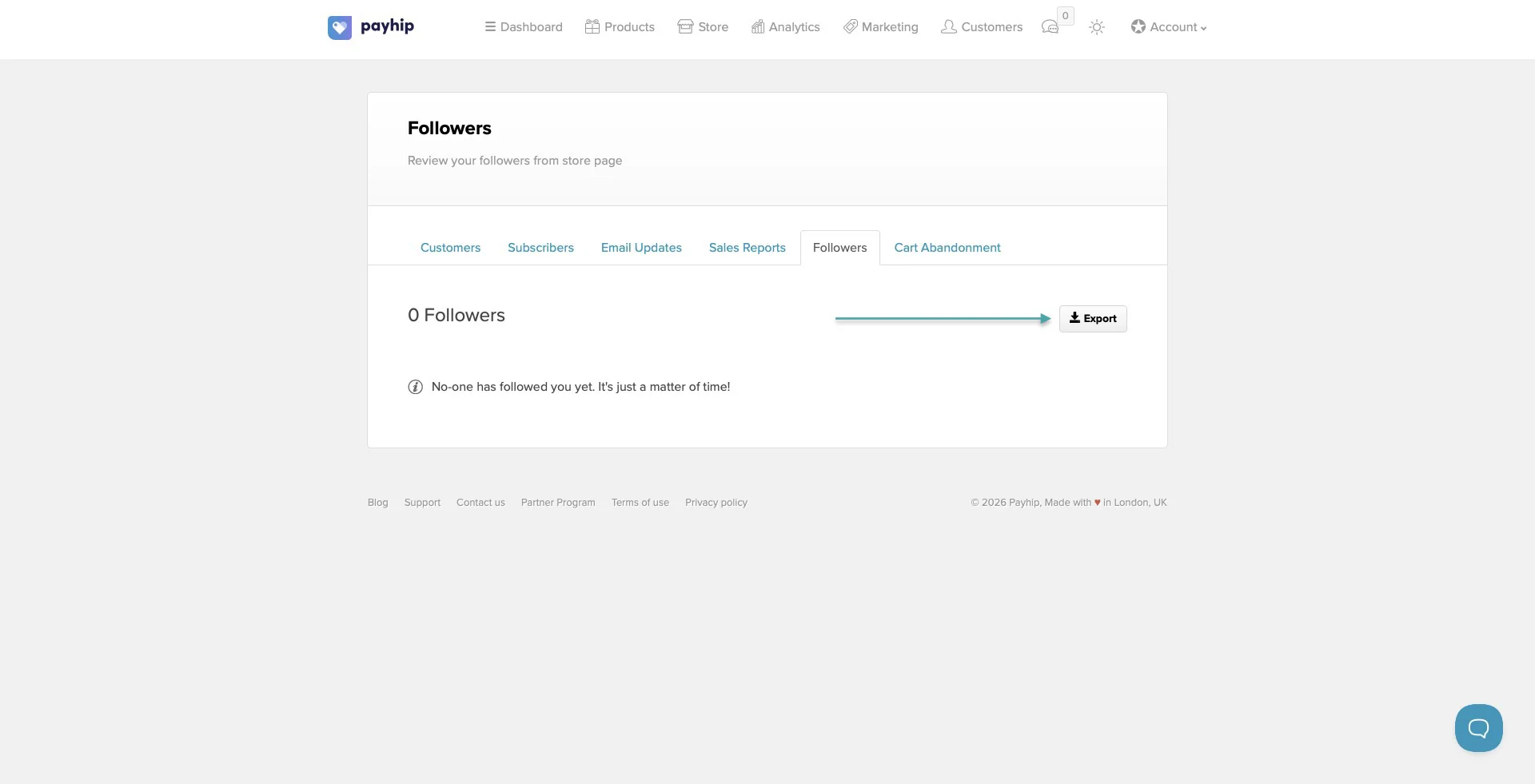
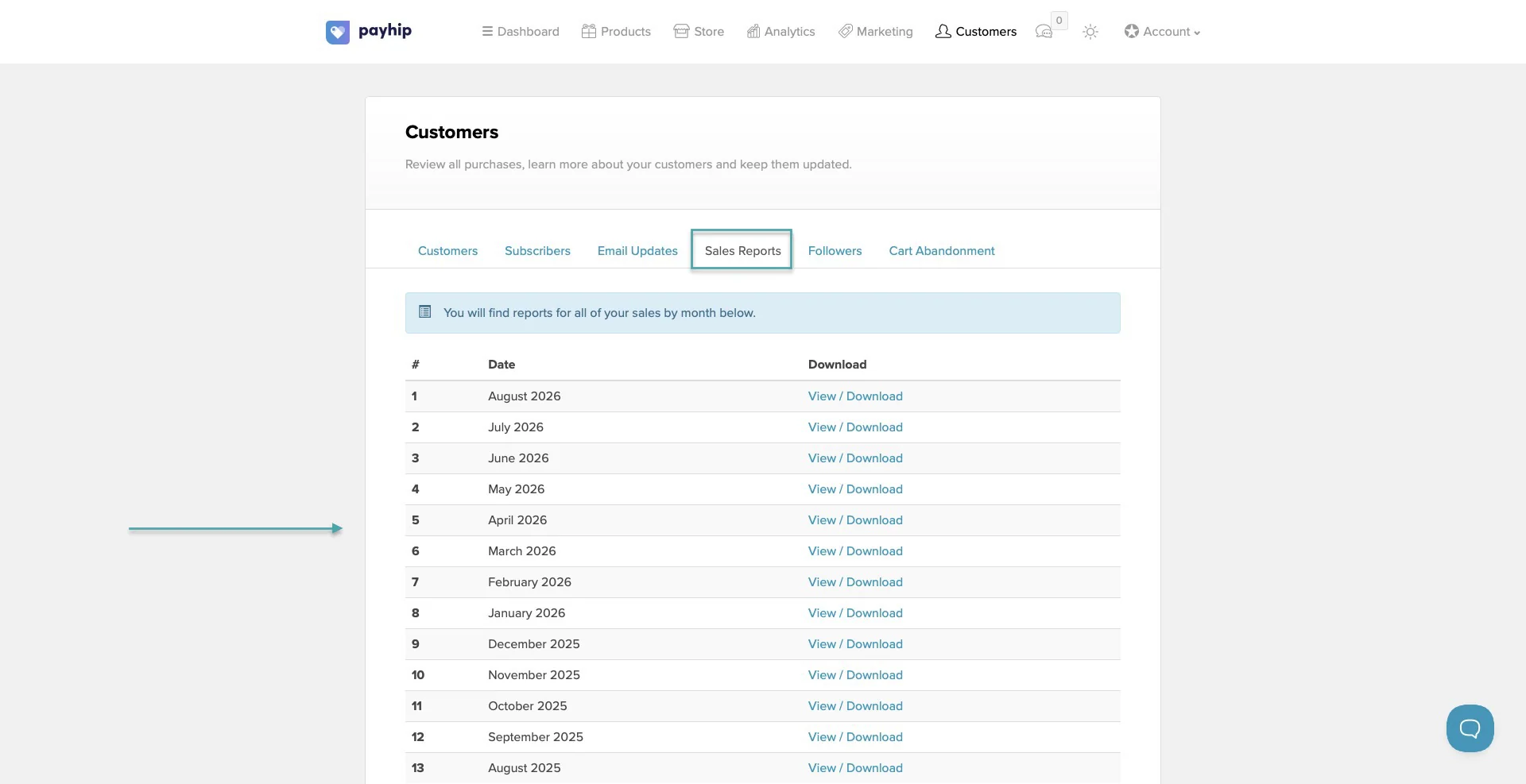
Payhip gives you access to customer information like purchases and membership activity. This helps you understand what your customers are buying and manage their access.
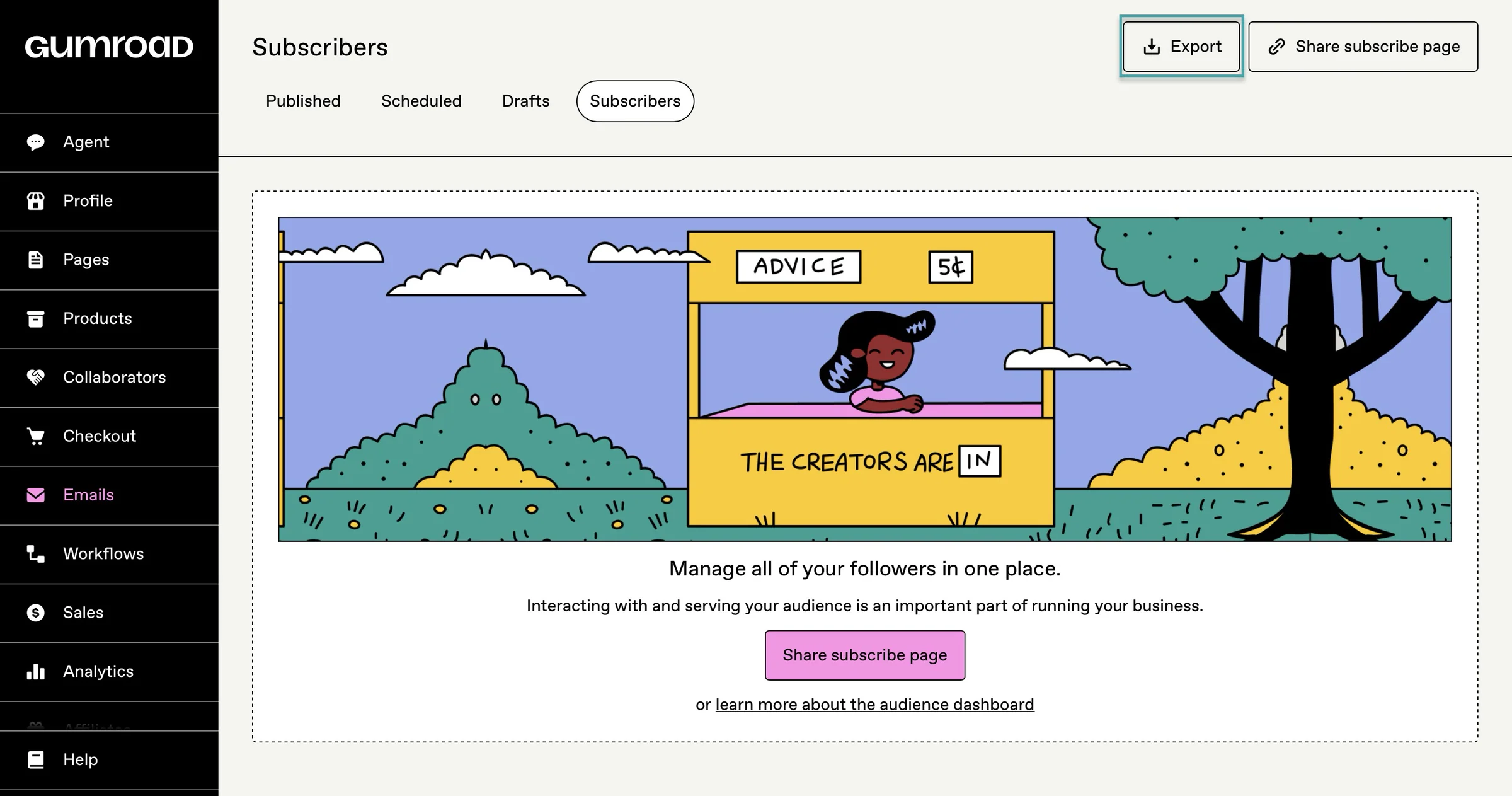
Gumroad works similarly. Customers get a library where they can access their purchases, and you can collect their email addresses when they buy from you.
You can also send email updates to customers and use workflows to send messages based on actions such as purchases, subscriptions, or cancellations.
One important thing is that you’re not stuck with your audience on either platform.
You can collect customer information and email addresses and use them to build relationships outside your store. If you want more advanced email marketing, segmentation, or automation, though, you’ll need to connect another tool.
So, Payhip gives you more control over your customer data and lets you connect it to other tools. On the other hand, Gumroad focuses on keeping customers within its own ecosystem through things like its customer library and email tools.
5. Product discovery and marketplace
Both Payhip and Gumroad have marketplaces where your products can be discovered by people who aren’t already following you. So it’s only fair that we talk about product discovery and marketplace in this Payhip vs Gumroad comparison.
Gumroad calls its marketplace Discover.
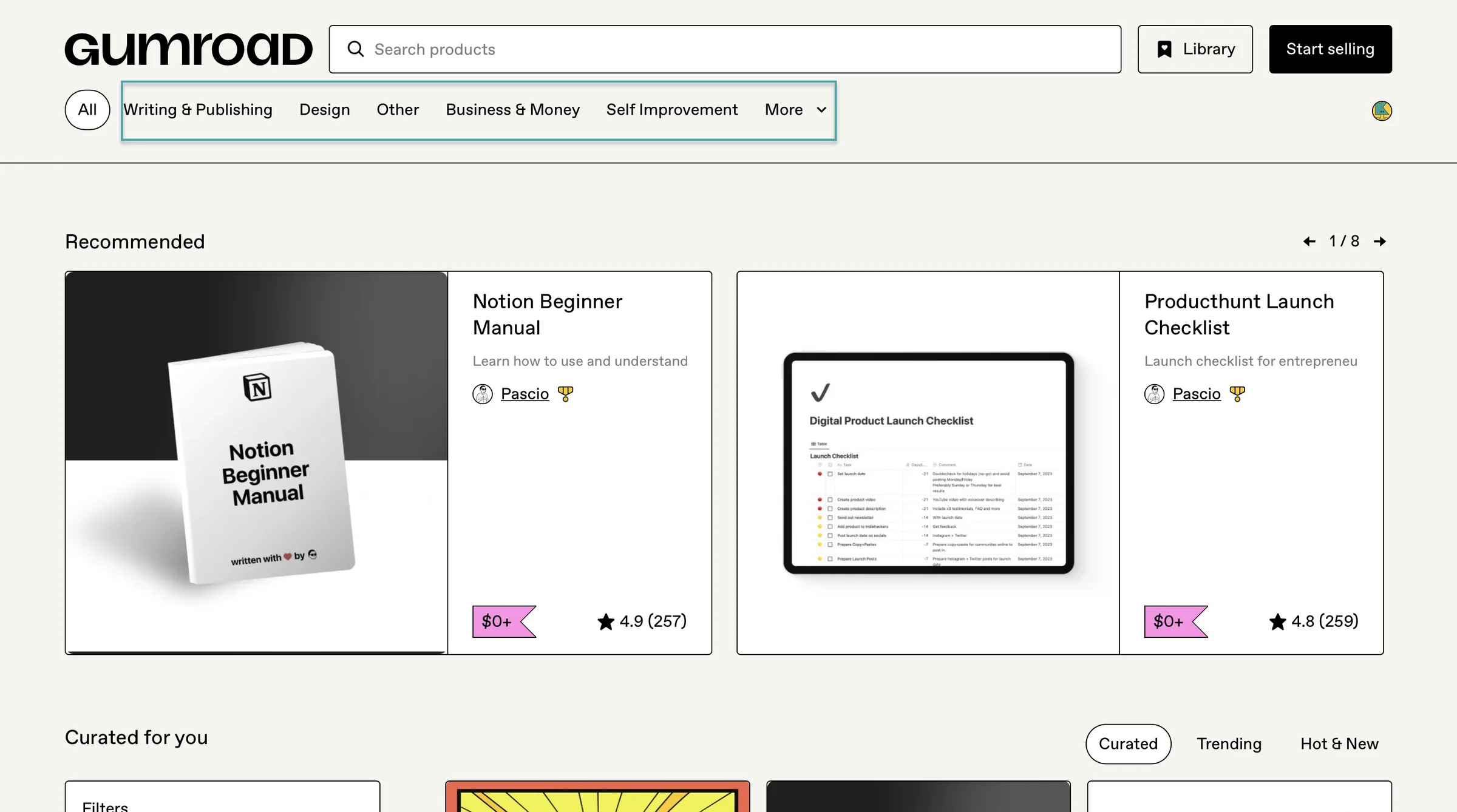
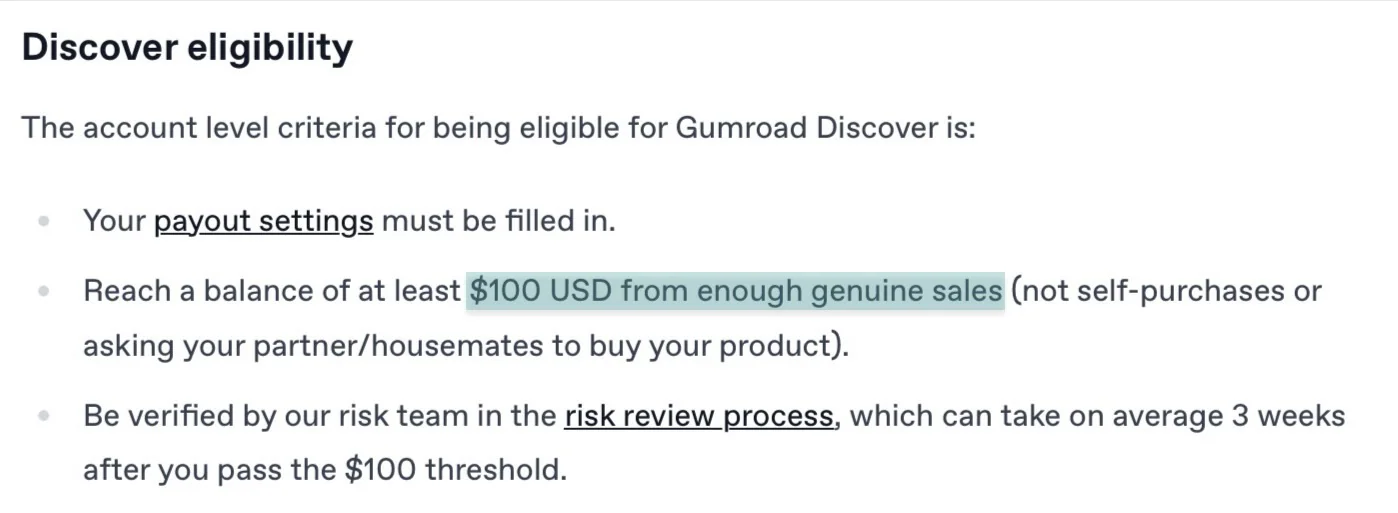
For your products to appear there, your payout settings must be completed, and you need at least $100 in genuine sales. Gumroad also has to approve your account through its risk review.
After that, each product still needs at least one successful sale, a category, and ratings enabled before it can appear on discover.
Gumroad also gives you the option to turn off discover by removing the product category.
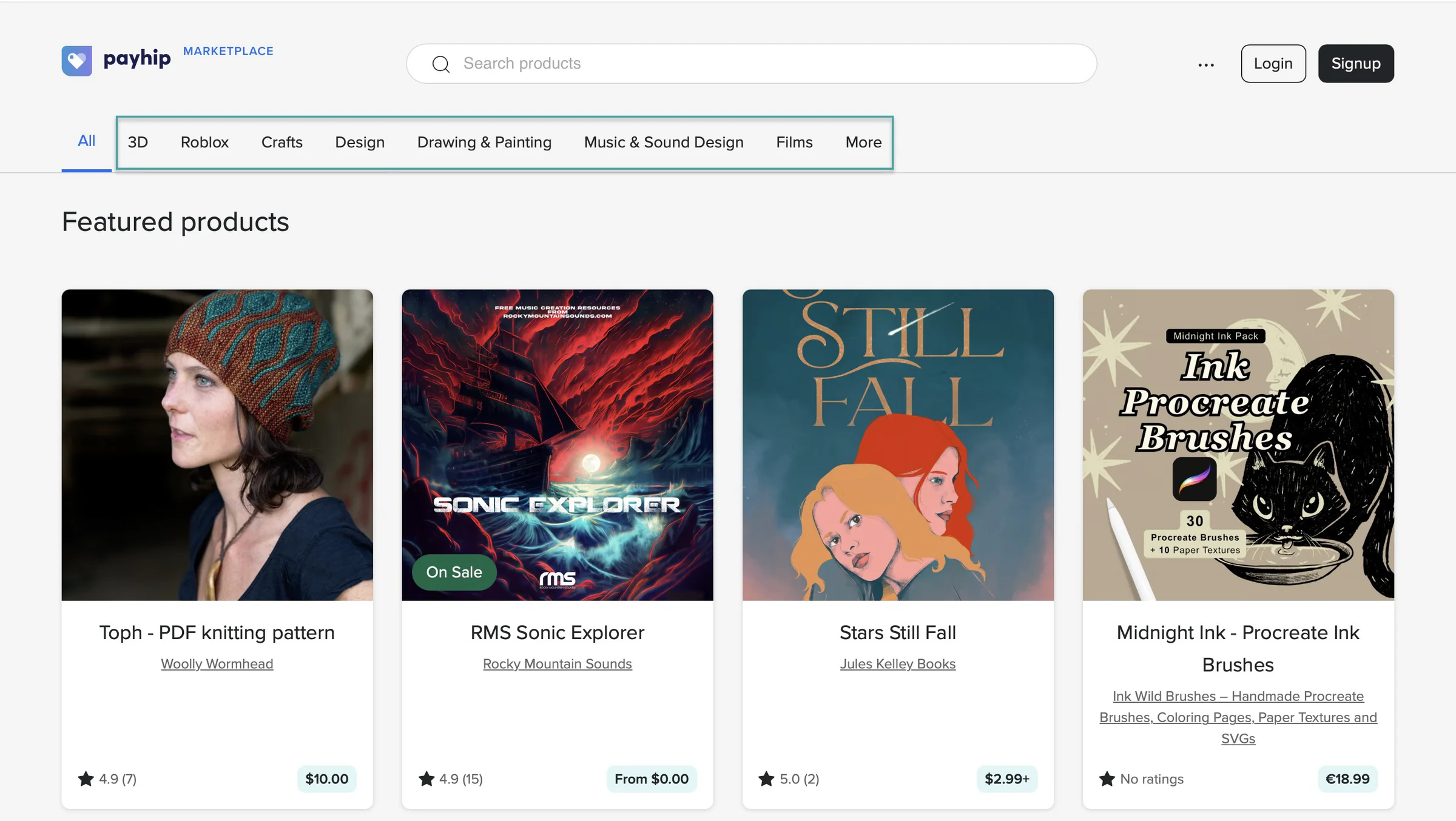
Payhip also has a marketplace with a similar approval process.
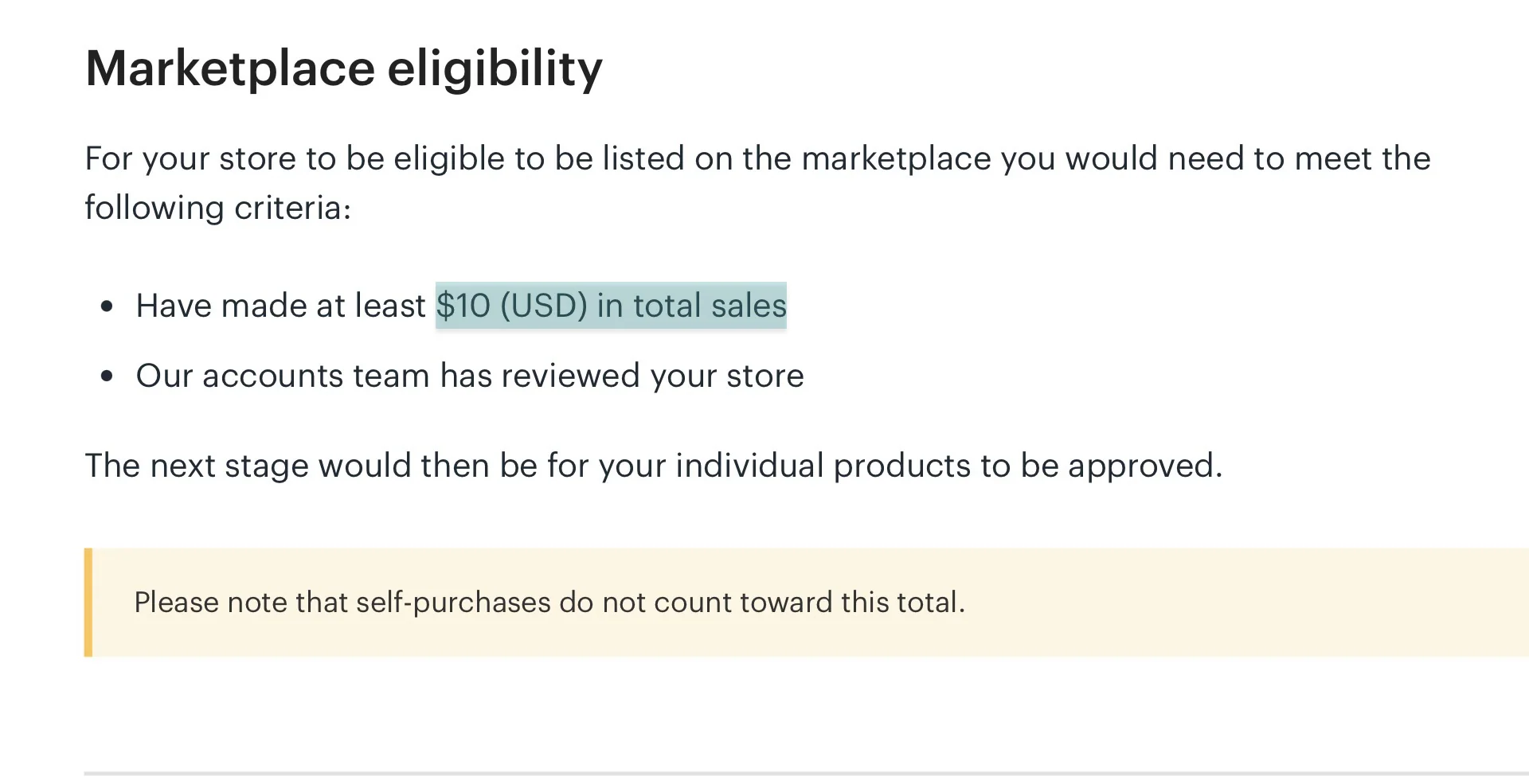
You need at least $10 in total sales, and your store has to be reviewed by Payhip. Then each product must be approved separately.
Even if you submit a product, Payhip can reject it. You can check the marketplace section in your products dashboard to see whether your product was approved.
If it wasn’t, you can check the reason why. Another thing is, Payhip currently only supports digital products in its marketplace.
The size of these marketplaces is harder to compare because neither platform publishes an official current number of marketplace products.
But J. A. Waste reports that Gumroad discover has 1.6M+ digital products on sale.
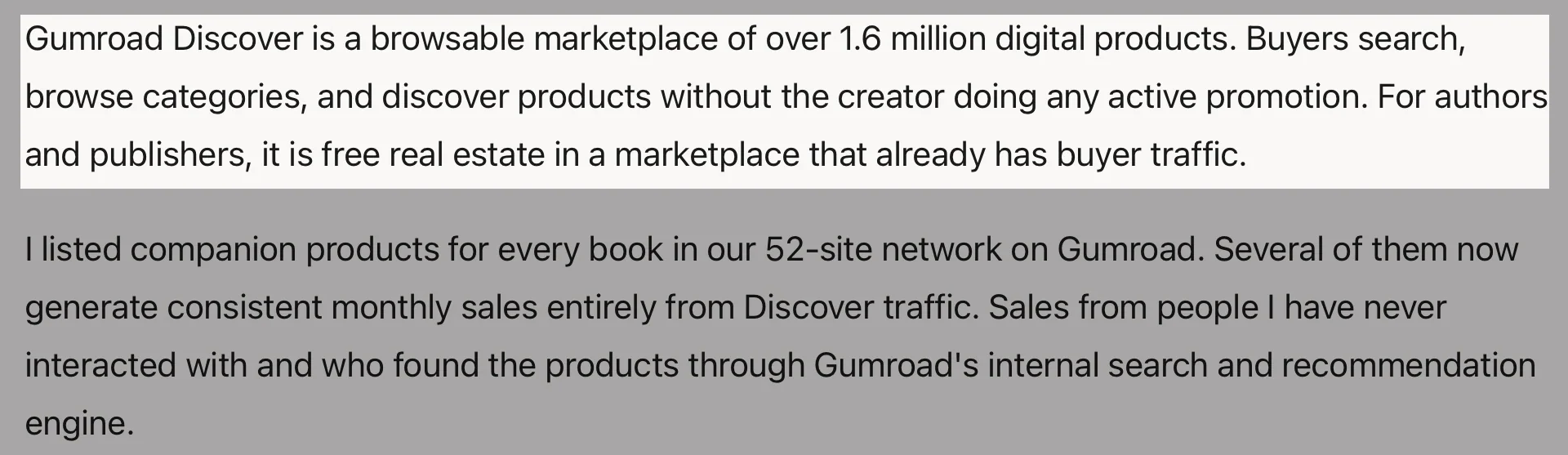
All in all, Gumroad gives you a more established discovery system through discover. Payhip also gives you another way to get your products in front of shoppers without making marketplace discovery the center of the platform.
6. Analytics and insights
Once you start selling digital products, you need to know more than just how much money you made.
So this Payhip vs Gumroad comparison will discuss analytics and insights to help you understand how they show:
- which products are selling
- where your customers are coming from
- how many people are reaching checkout
- where you’re losing potential buyers.
1. How Payhip does this
Payhip offers a basic analytics dashboard where you can track views, sales, and revenue.
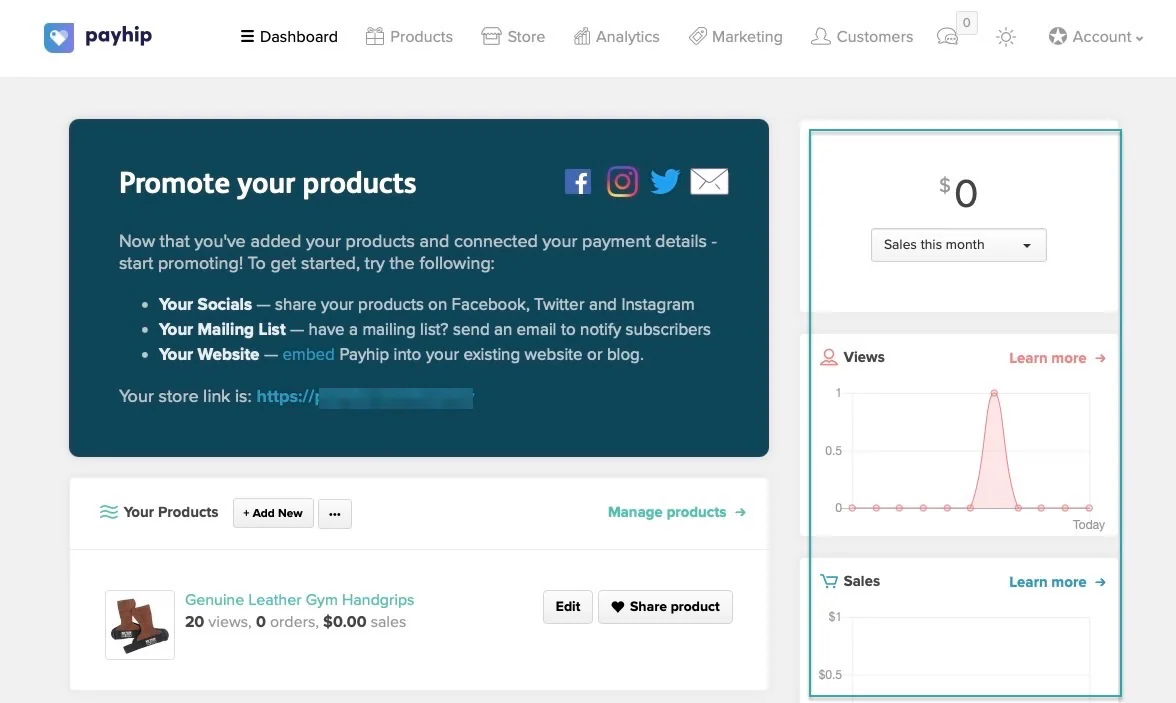
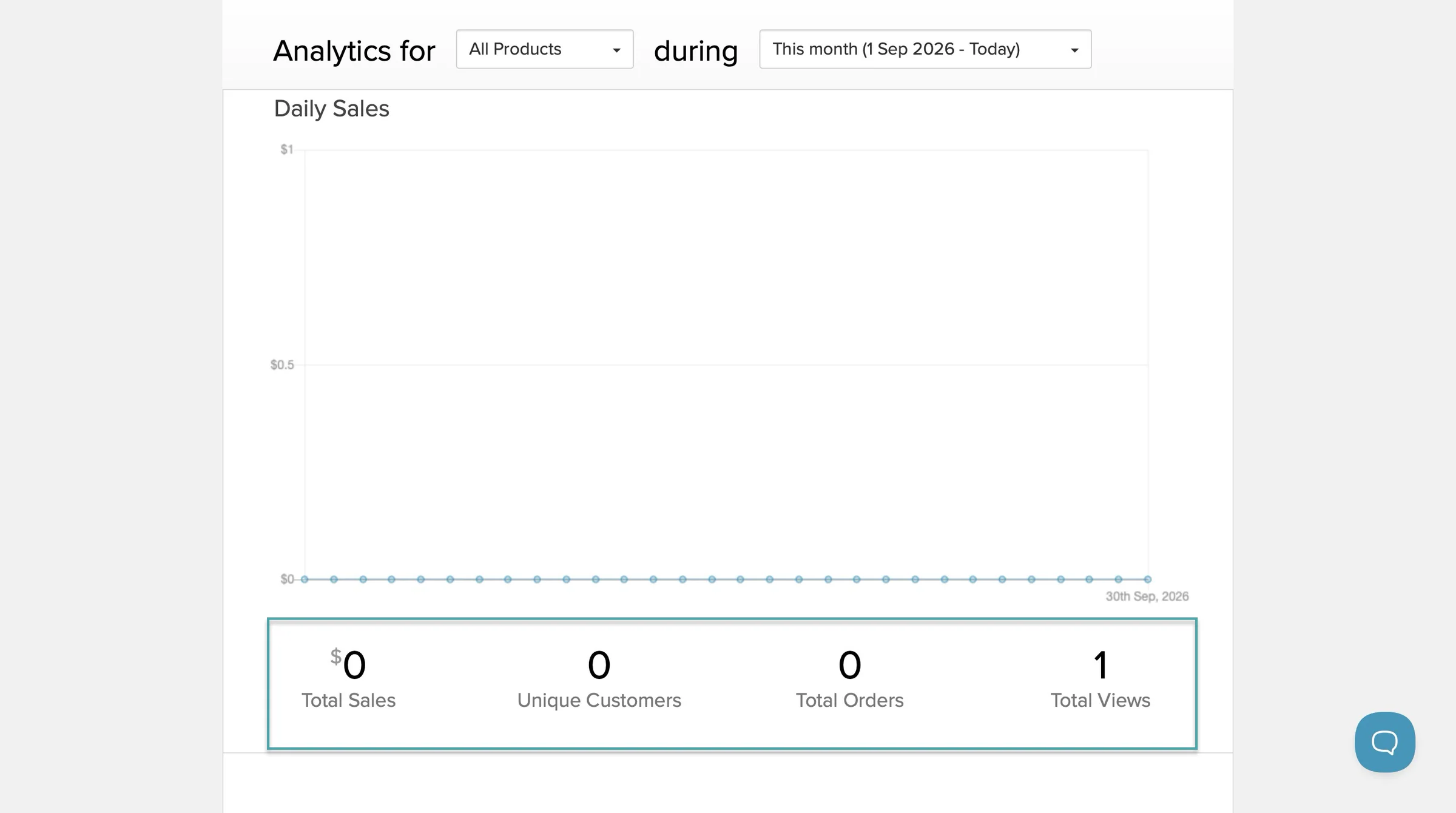
You can see your daily views, daily sales, and a breakdown of sales by product.
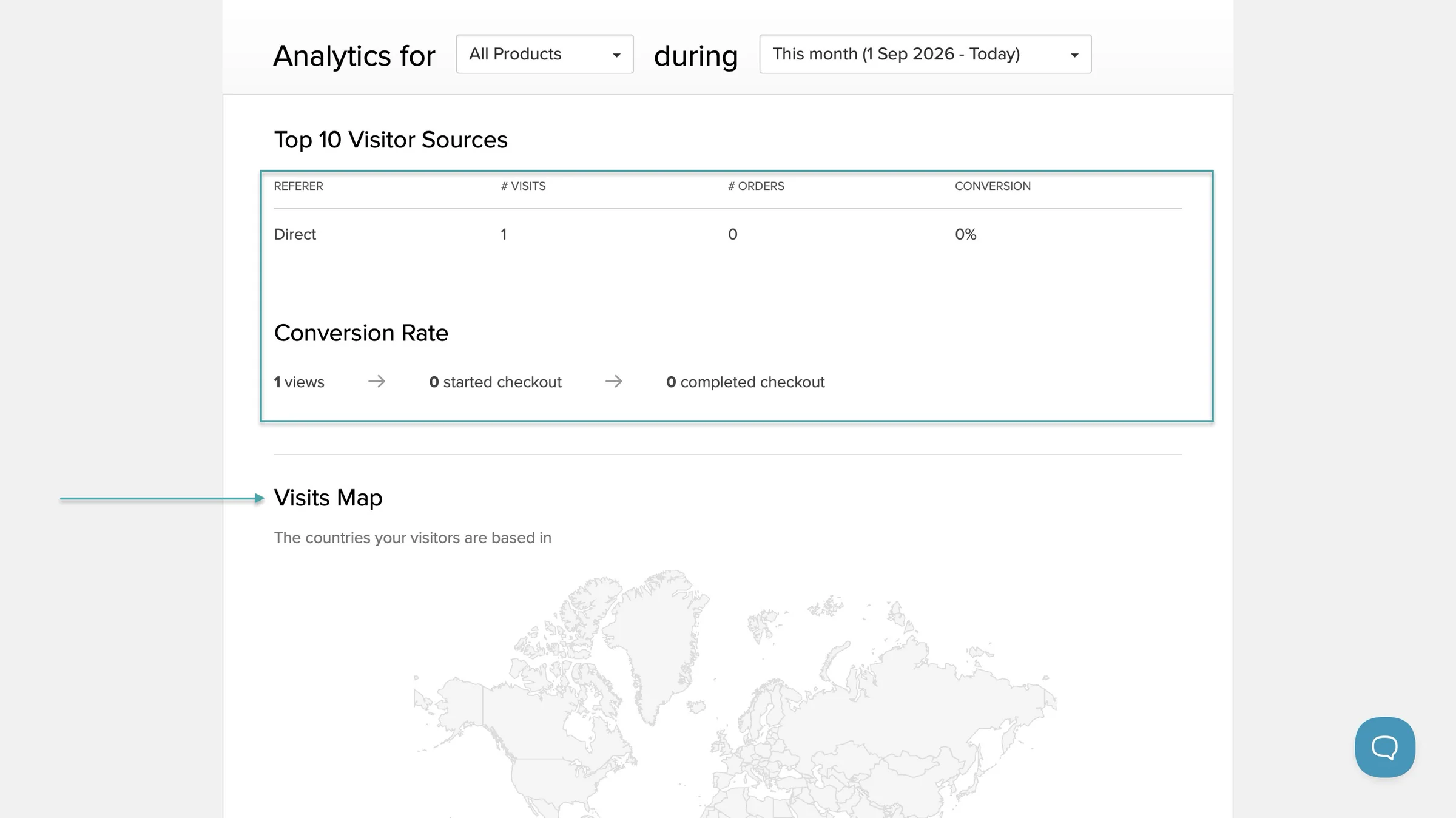
Its conversion analytics also shows how many people viewed your store or product pages, started checkout, and completed checkout. There’s a visit map to show you the region or country they viewed from.
Payhip also gives you monthly sales reports with information such as products sold, Payhip fees, payment processor fees, taxes, affiliate commissions, and affiliate sales.
You can download these reports as PDFs. The customer data can also be exported as a CSV file with information like the customer’s email, product purchased, gross amount, net amount, order status, and number of items purchased.
Payhip also supports Google Analytics, so you can connect GA4 if you want more detailed website and customer behaviour data.
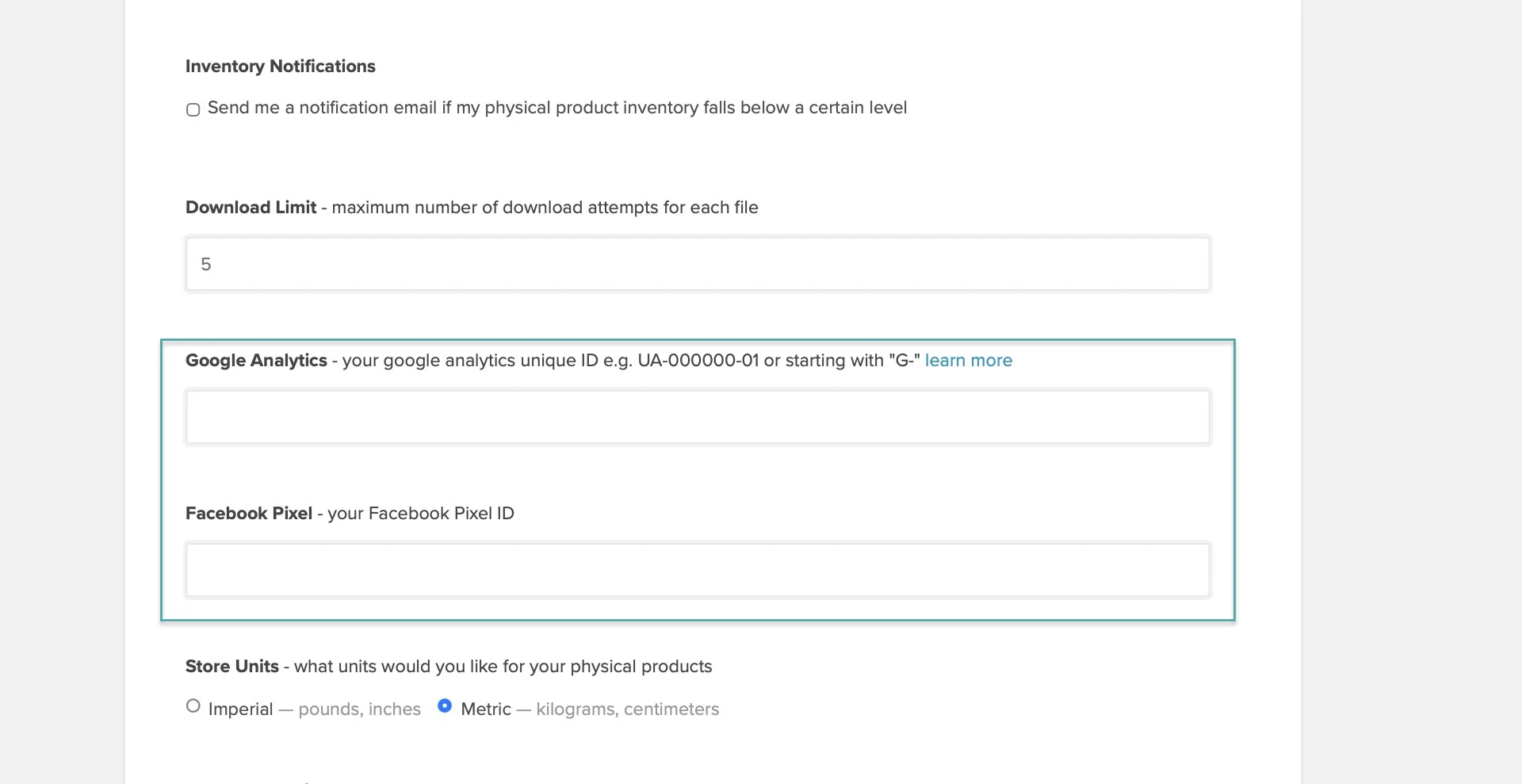
So, Payhip gives you the basic numbers you need to keep track of your store, but you’ll probably need Google Analytics or another tool if you want deeper insights.
2. How Gumroad does this
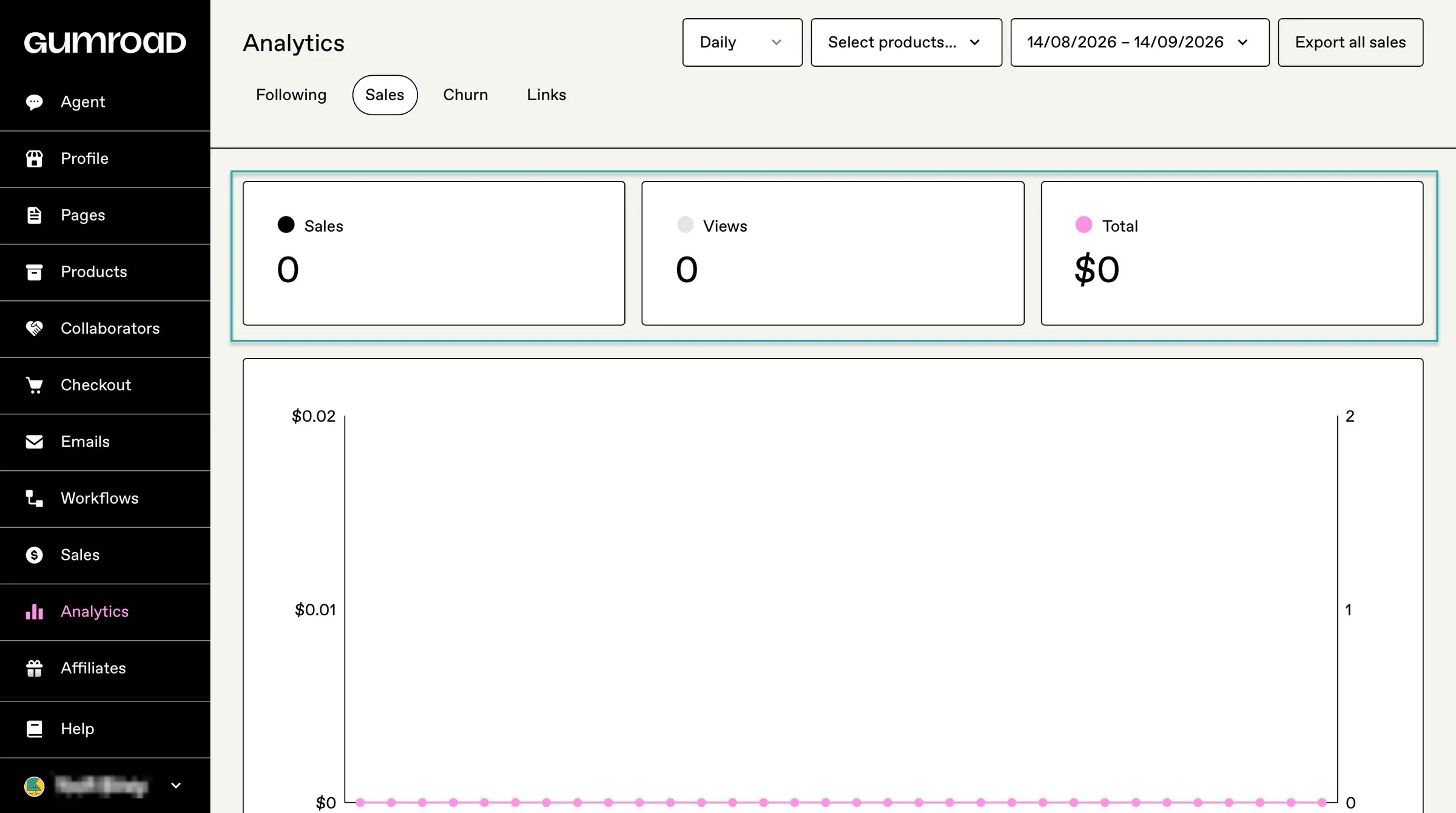
On Gumroad, you can track views, sales, sales value, and conversion rates.
You can filter the data by product and choose different date ranges. You can also switch between daily and monthly views, and even see hourly data when you’re looking at a period of seven days or less.
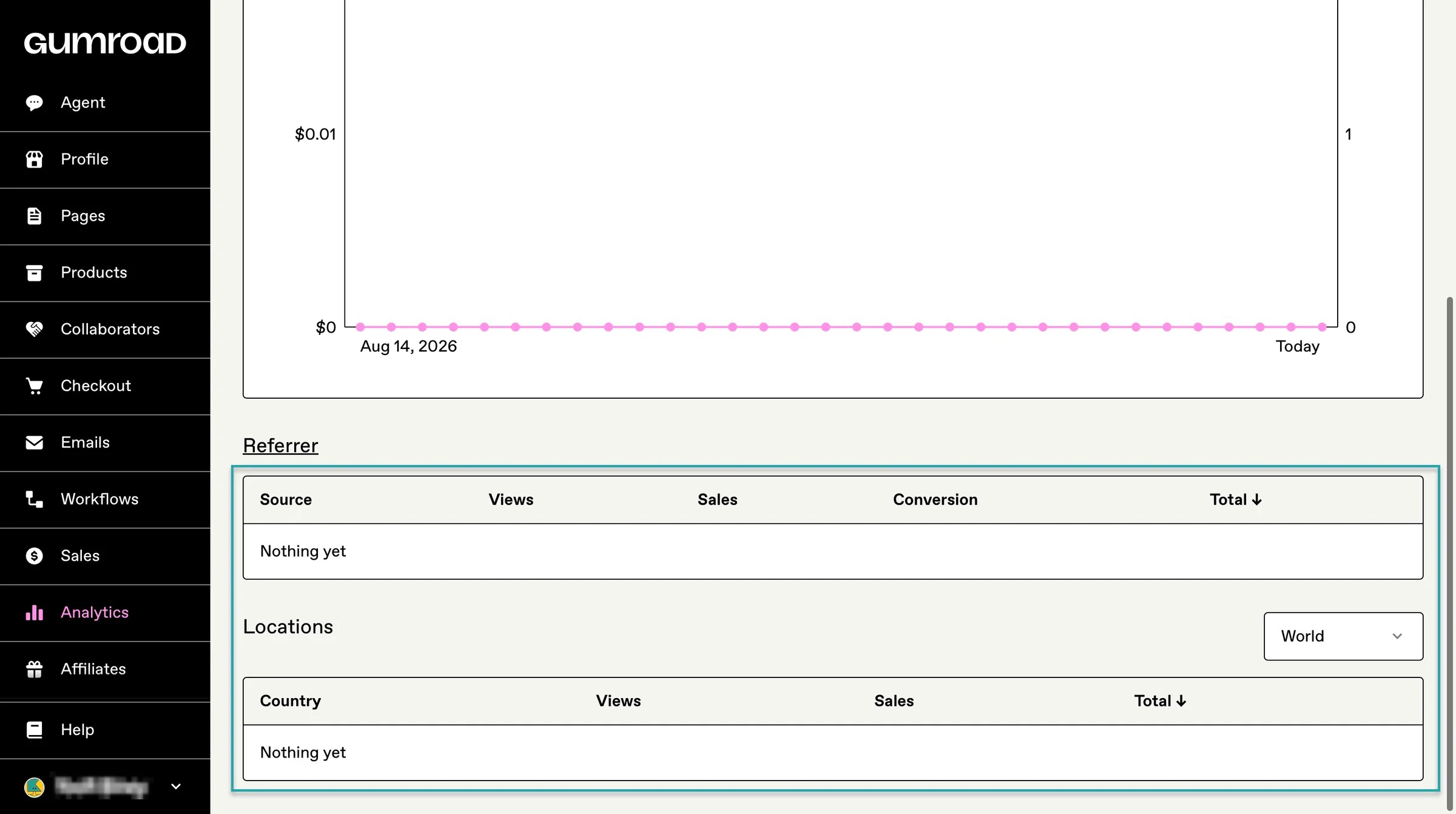
Gumroad also gives you information about where your customers came from. You can see referrers like Google, social platforms, your own website, email, or Gumroad itself.
You see the views, purchases, conversion rate, and sales value generated by each source.
You can also see customer locations and compare the number of views, sales, and revenue coming from different countries.
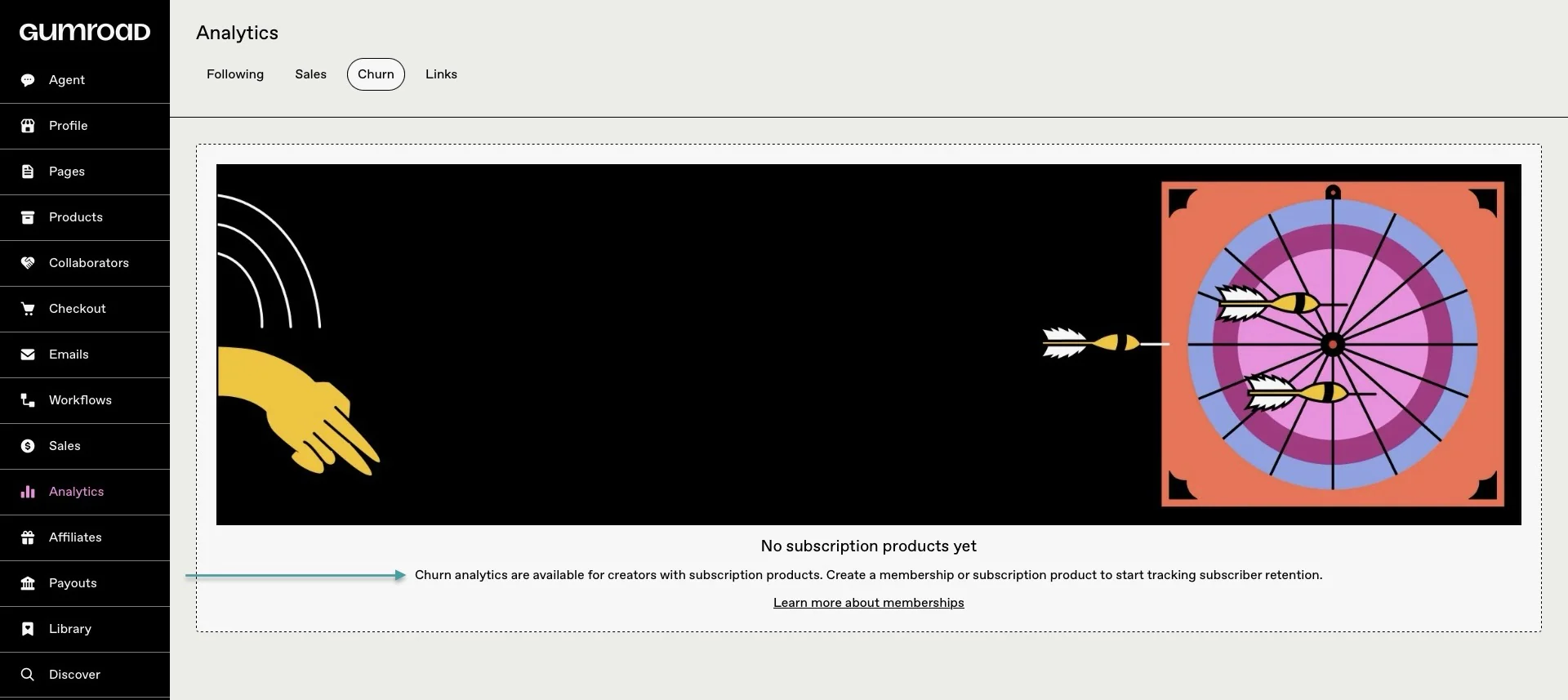
If you sell memberships or subscriptions, Gumroad also gives you a churn dashboard. You can see your churn rate, the number of customers who cancelled, and the revenue lost from those cancellations.
And if you want to take your data somewhere else, Gumroad lets you export your customer and sales information as a CSV file.
The export includes the product purchased, buyer information, sale price, fees, net total, referrer, affiliate, subscription status, ratings, and reviews. It’ll also show you whether the sale came through an upsell or discover.
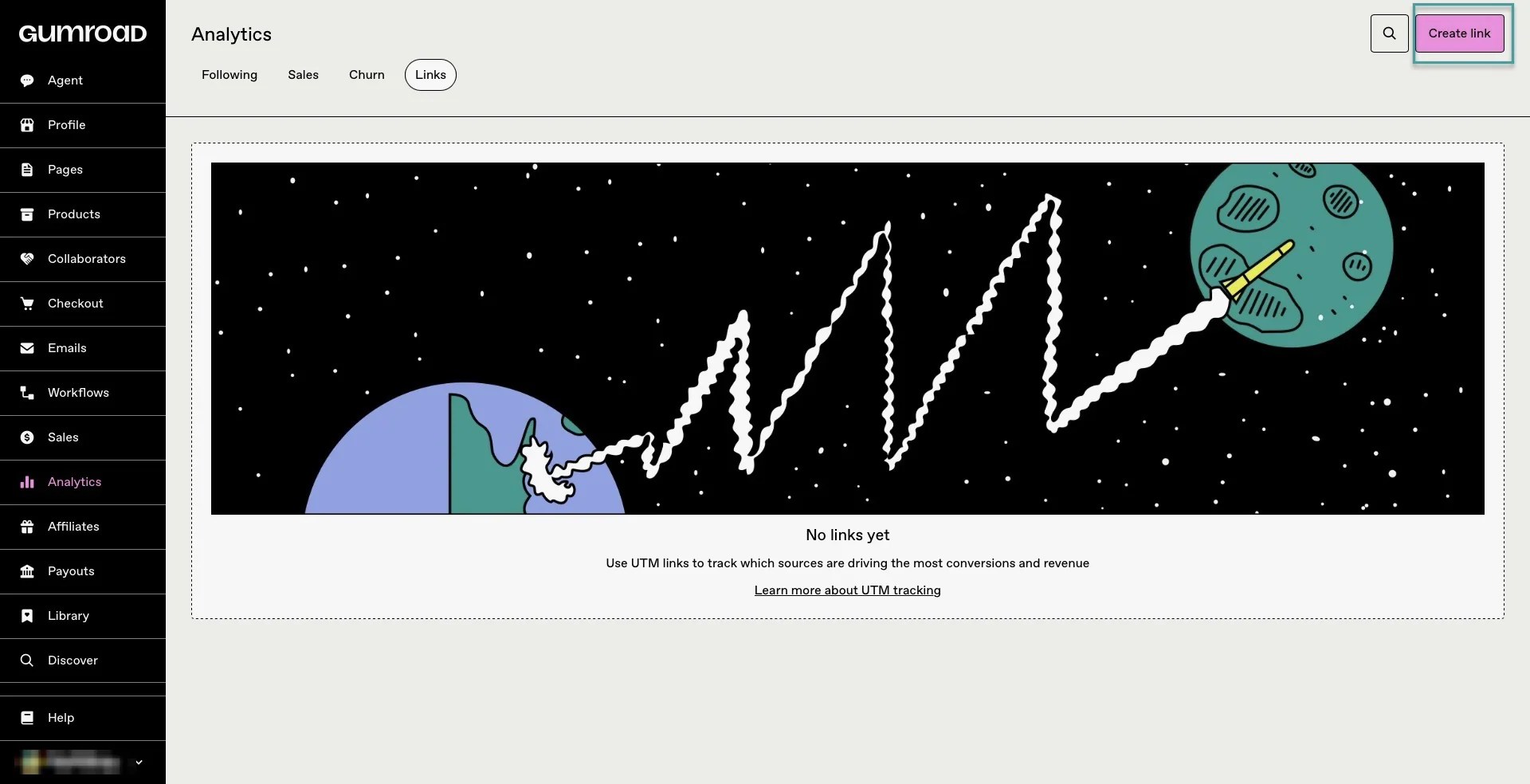
Gumroad also supports UTM link tracking, so you can create tracked links and see the clicks, sales, revenue, and conversion rate generated by different campaigns.
3. How Easytools does this
Now, Easytools takes a more detailed approach to analytics.
It lets you track revenue, sales, successful transactions, customers, checkout sessions, conversion rate, and recovered revenue.
You can filter the data by date, product, and currency. That way, you really understand the performance of individual products instead of looking at your entire business as one number.
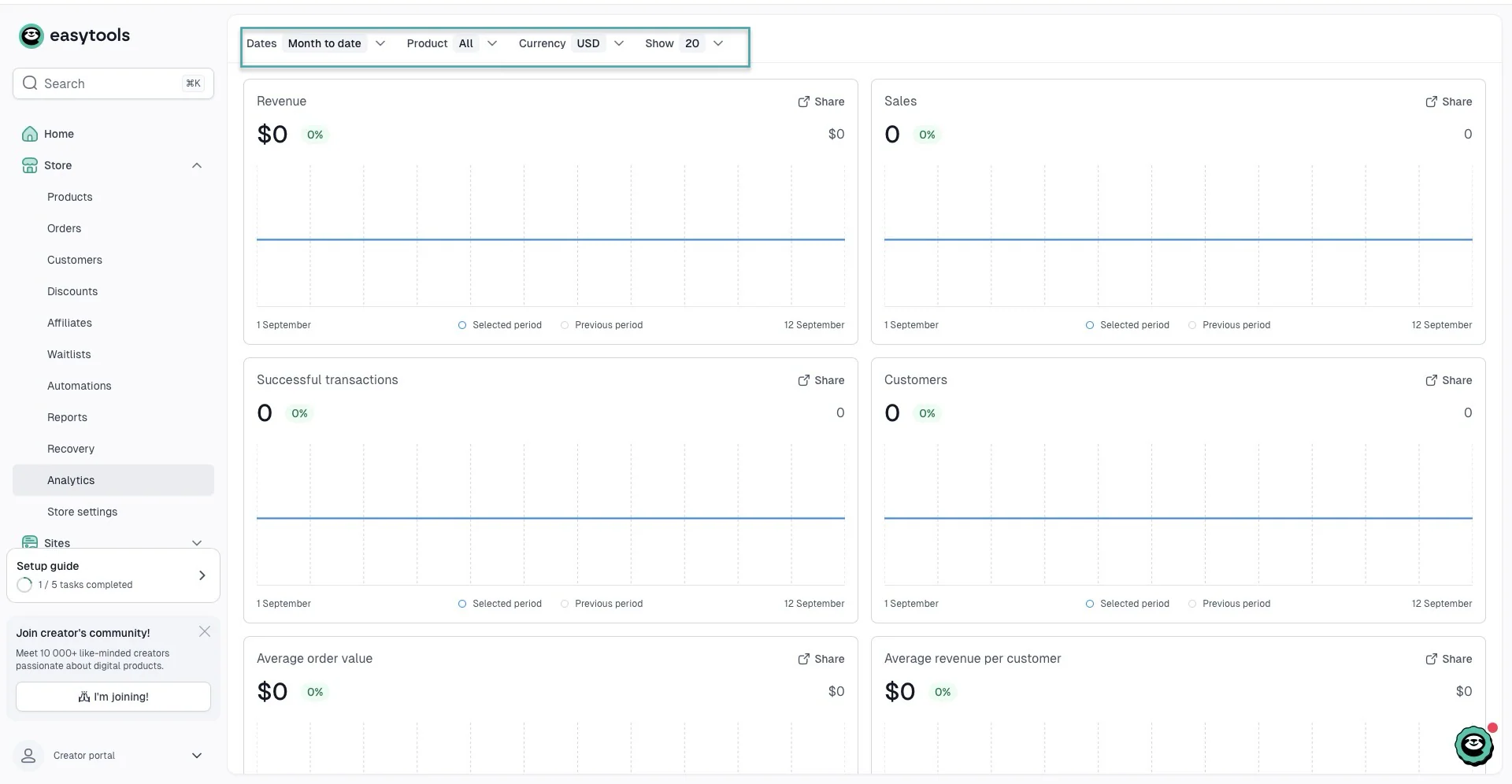
For example, you can select one e-book, course, or other digital product and see how much revenue it generated and how many customers bought it.
Easytools also shows new customers, recurring customers, average order value, and your best-performing products from the main sales dashboard.
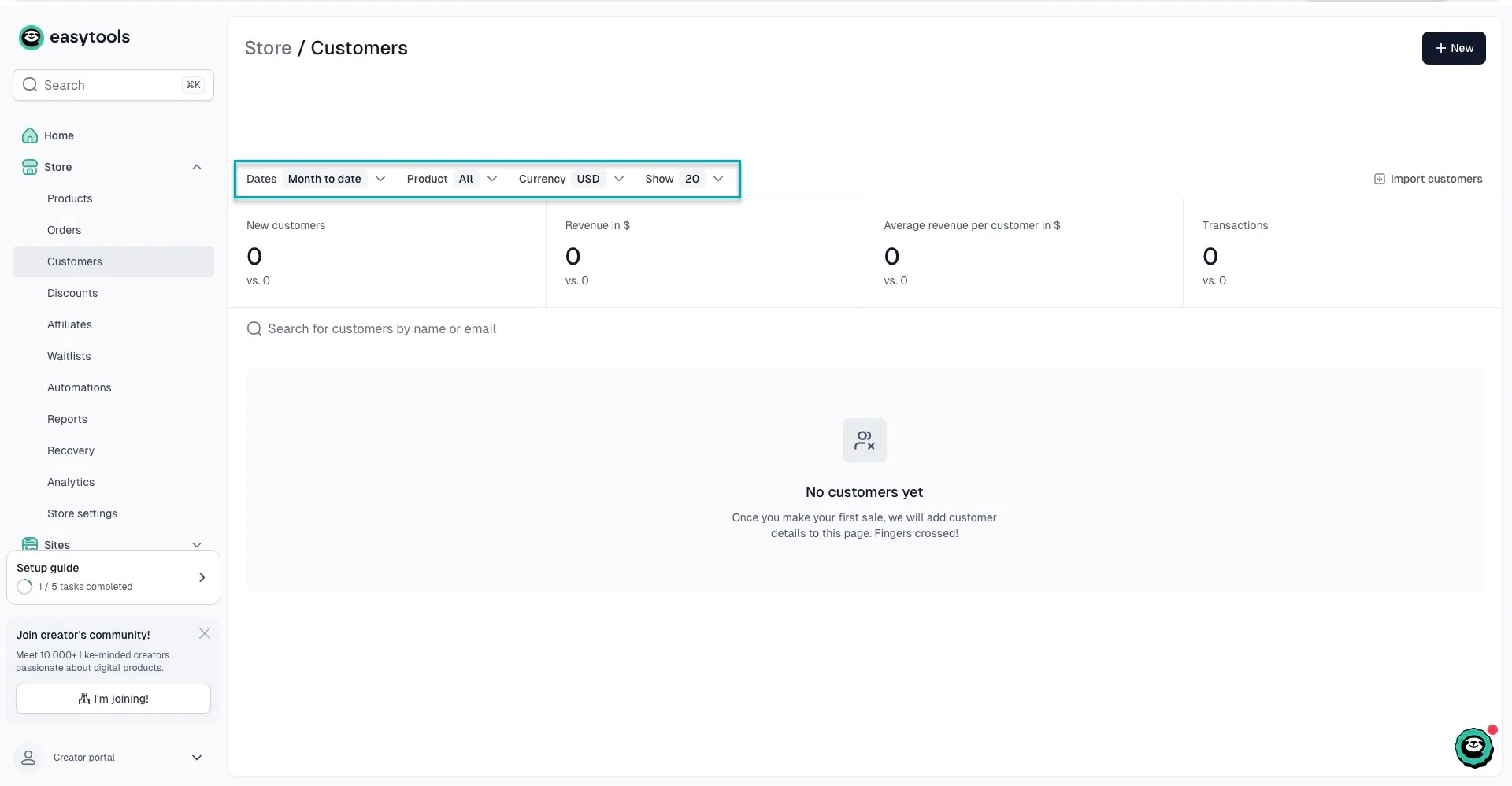
You can also track checkout sessions and conversions, which helps you see whether people are reaching your checkout but failing to complete their purchase.
And if you use checkout recovery, Easytools can show the revenue recovered from abandoned checkouts.
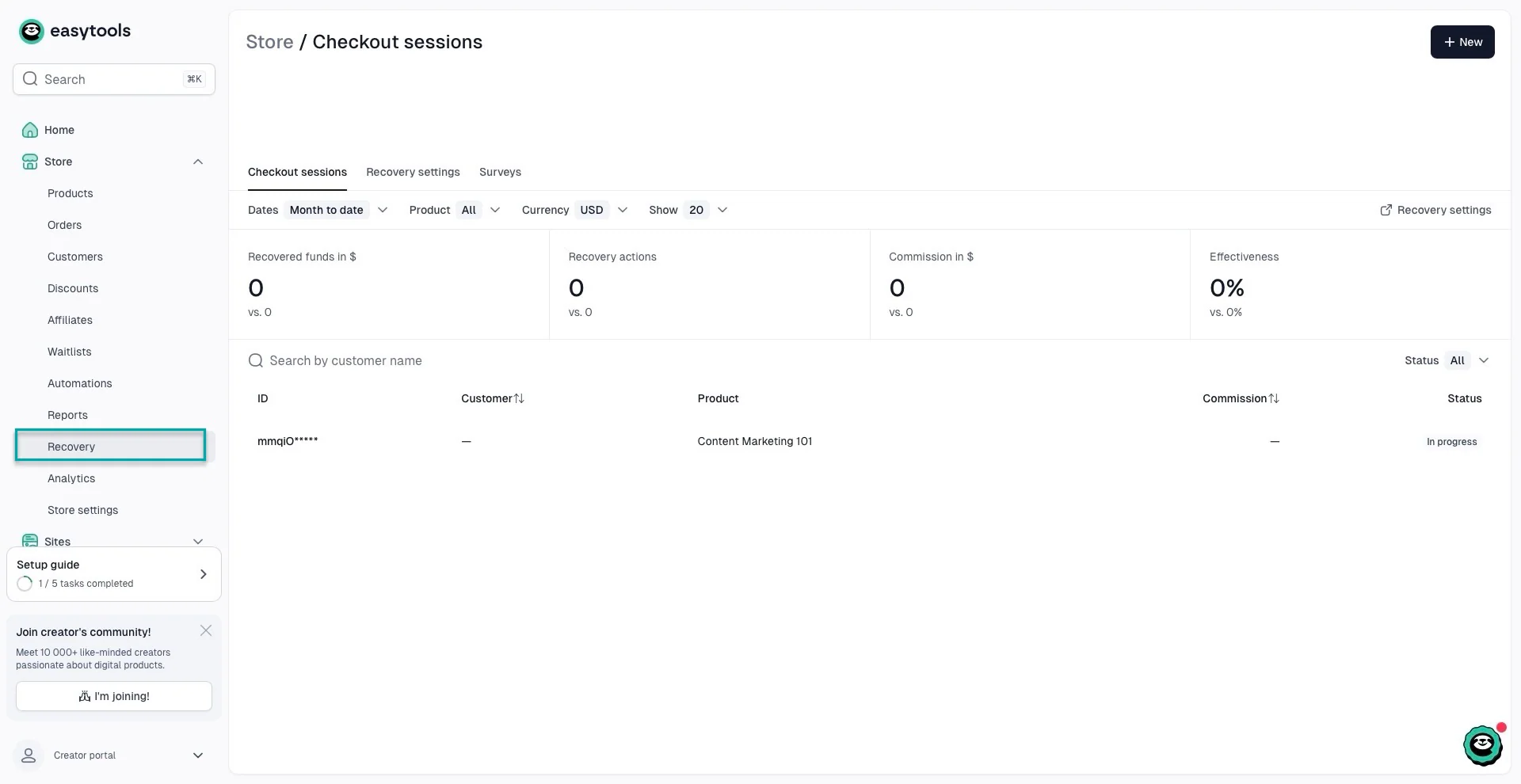
This is useful because you can also see how many people got close to buying and how much revenue you recovered from those abandoned checkouts.
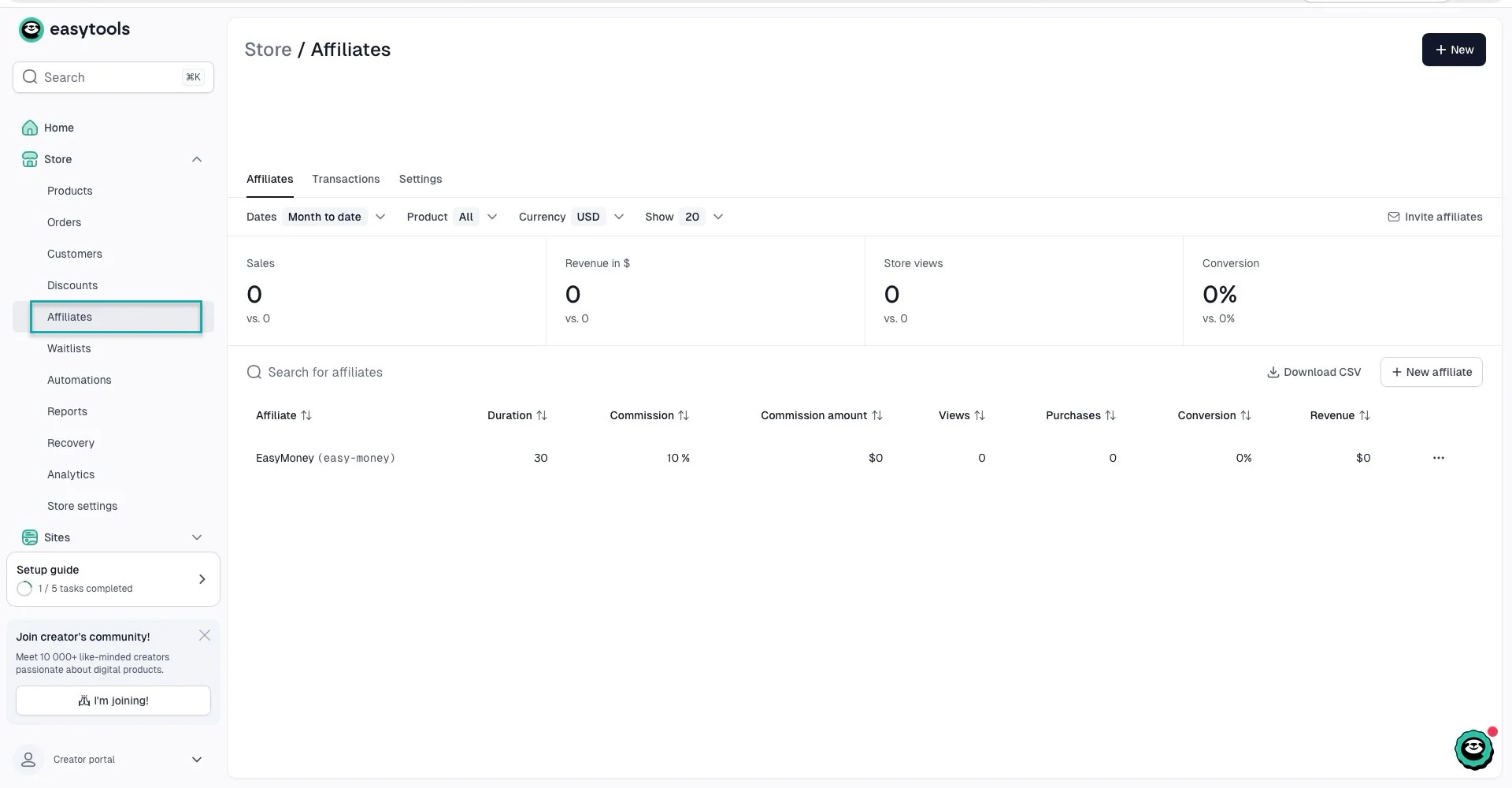
Easytools also gives you insights into your affiliates, including their revenue, commissions, and affiliate performance.
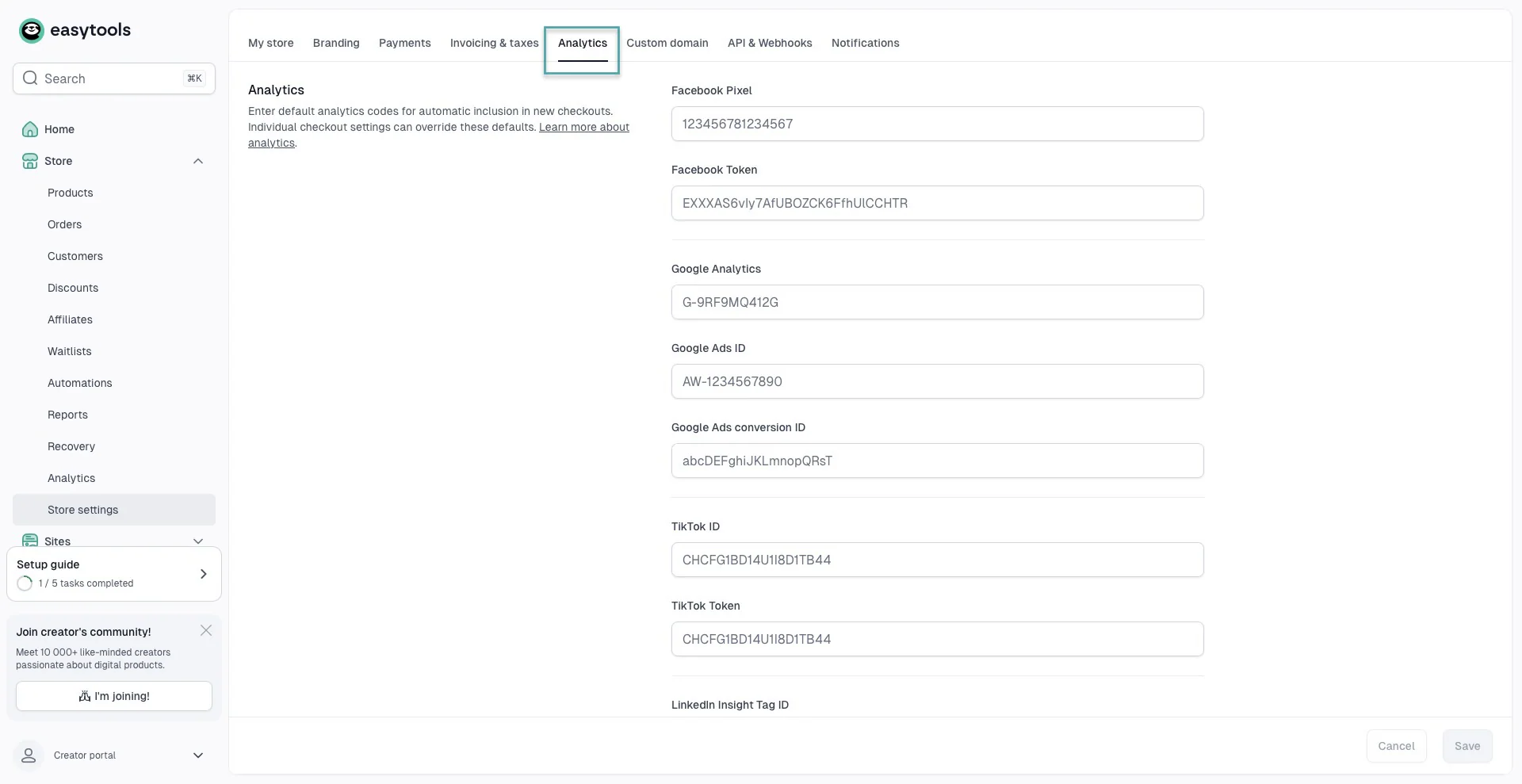
And you can connect external analytics and advertising tools. Think Google Analytics, Google Ads, Meta, TikTok, LinkedIn, Pinterest, and DataFast if you want to combine your Easytools data with your wider marketing data.
You can apply these settings globally or use different analytics codes for individual checkouts.
Easytools also added built-in analytics for each multi-page website and creator page you build. That way, you can track visits, traffic sources, bounce rate, and real-time activity.
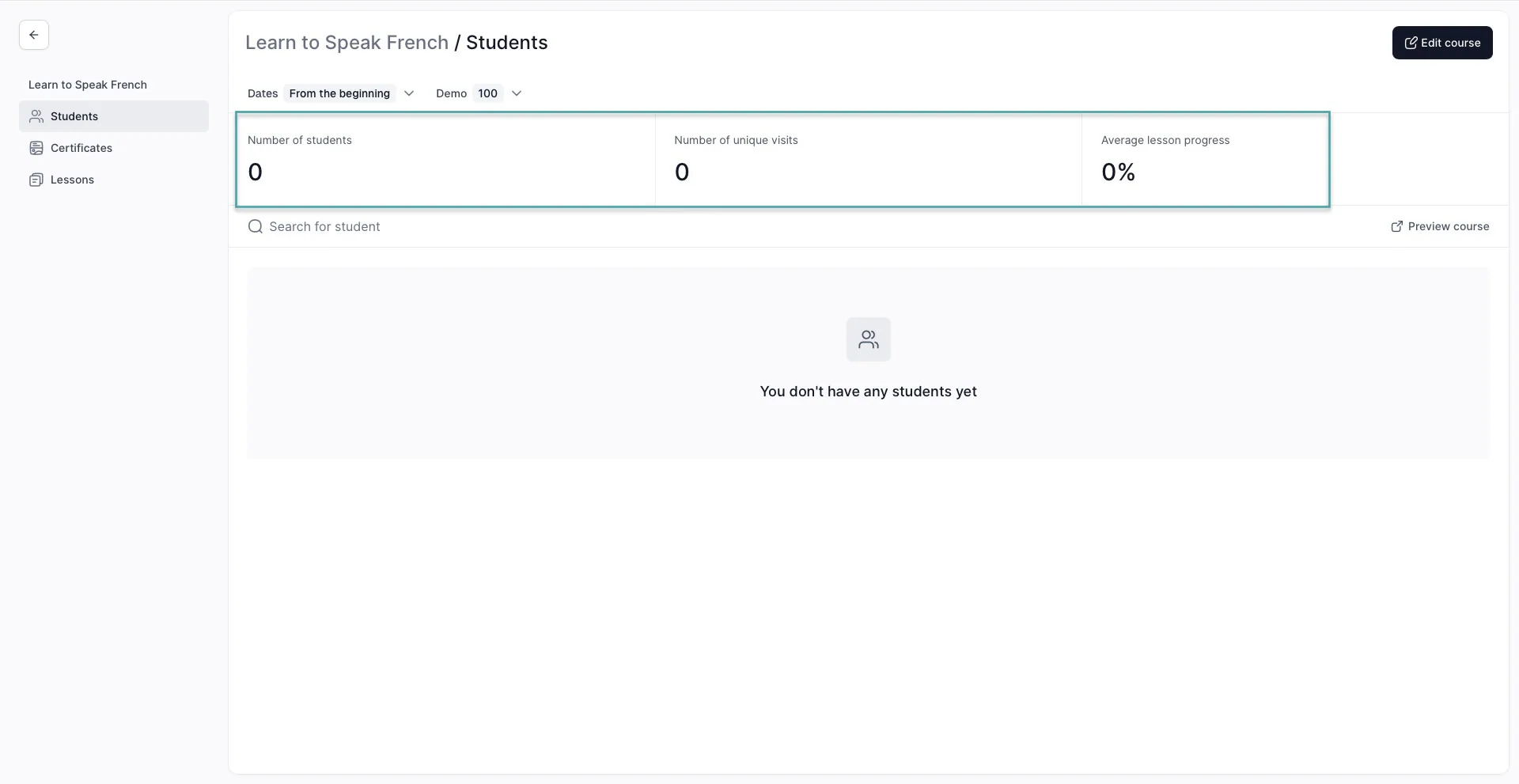
The same way you get analytics for each course you create.
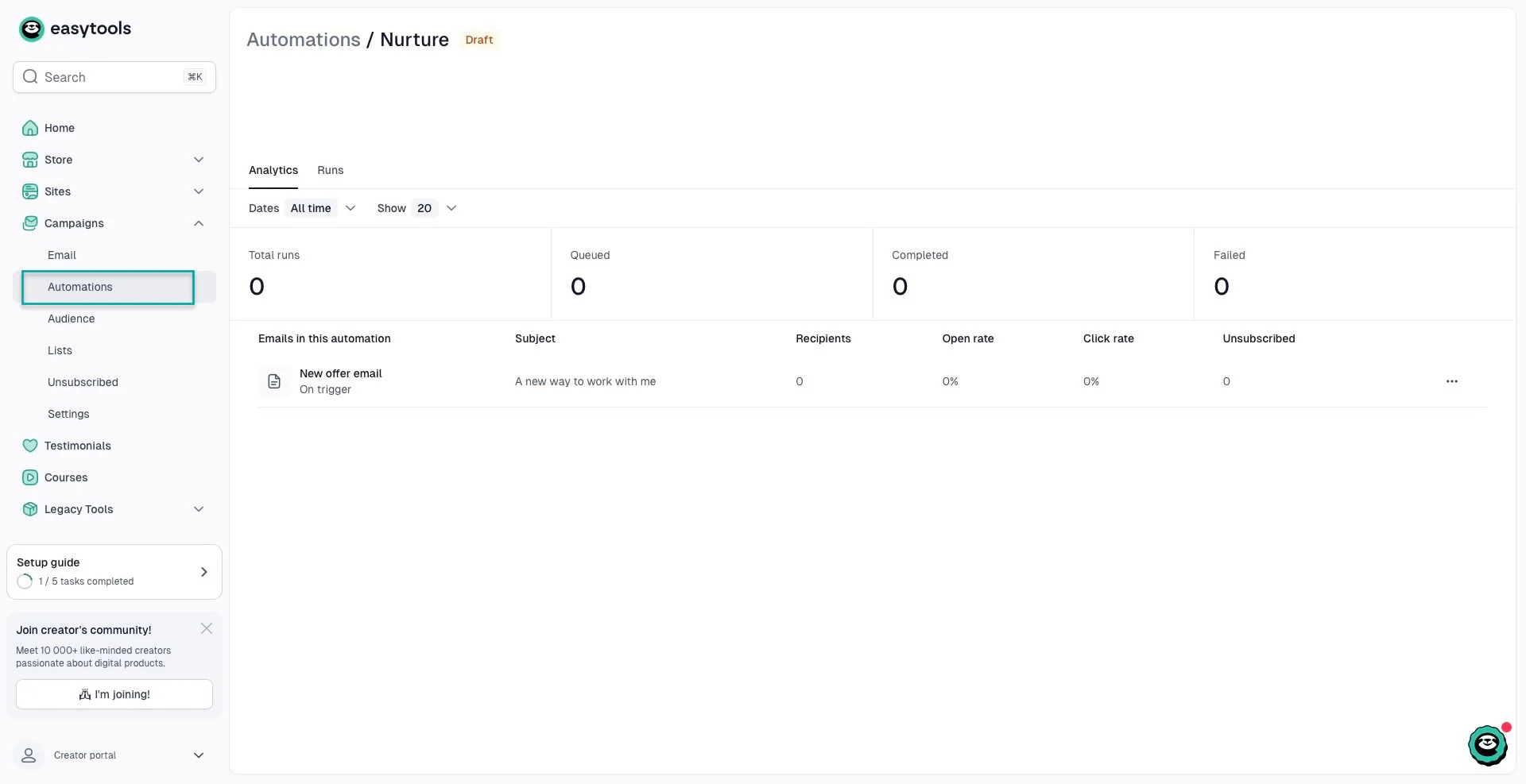
The platform also offers analytics for your email automations.
To sum it all up, Payhip gives you the essentials. You can track views, sales, revenue, products sold, conversion rates, and customer information, and connect Google Analytics when you need more data.
Gumroad gives you more built-in information about sales performance, customer sources, locations, conversion rates, subscriptions, churn, and marketing links.
Easytools offers what Payhip and Gumroad give you and a more detailed picture of the entire buying process.
You can see revenue, sales, customers, product performance, checkout sessions, conversion rates, average order value, recurring customers, recovered revenue, and affiliate performance in one place.
7. Integrations and workflow
You’re more likely to use other tools alongside your digital product platform as your online business grows.
You might have an email marketing tool, CRM, website, community, payment processor, or automation tool that you don’t want to replace.
So, for our Payhip vs Gumroad comparison, it’s worth looking at how easily they connect to the rest of your workflow.
1. Payhip integrations and workflow
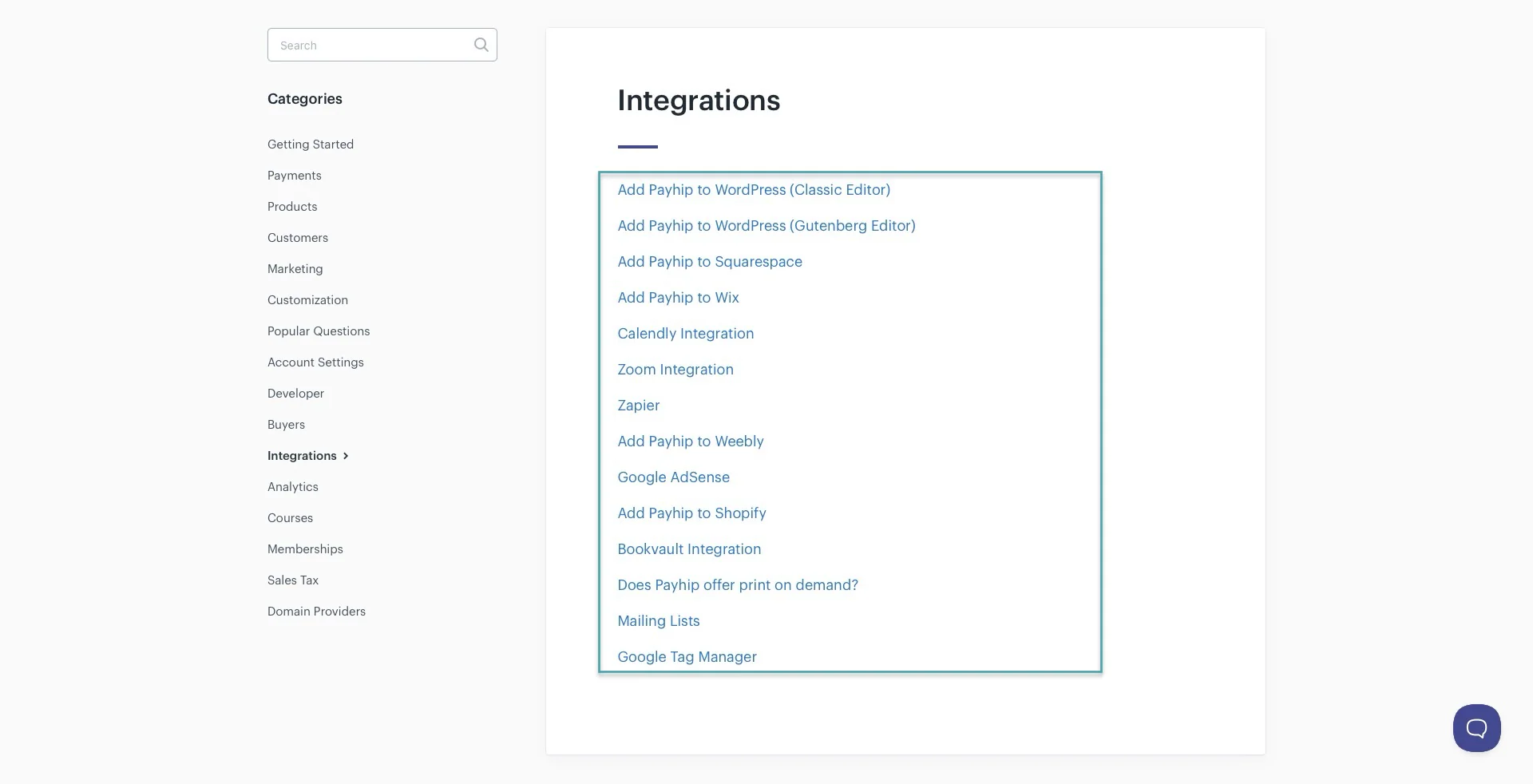
Payhip supports integrations with many websites, marketing, payment, and business tools.
You can connect Payhip to platforms like WordPress, Wix, Squarespace, Shopify, Weebly, Zoom, Calendly, Bookvault, Google Tag Manager, and Google AdSense. It also supports Zapier if you want to connect Payhip to other apps.
Payhip also gives you quite a few options when it comes to getting paid. It currently supports 13 payment processors, including Stripe, PayPal, Square, Mollie, Paystack, Flutterwave, Razorpay, PayU, PayTabs, Xendit, Iyzico, Midtrans, and Mercado Pago.
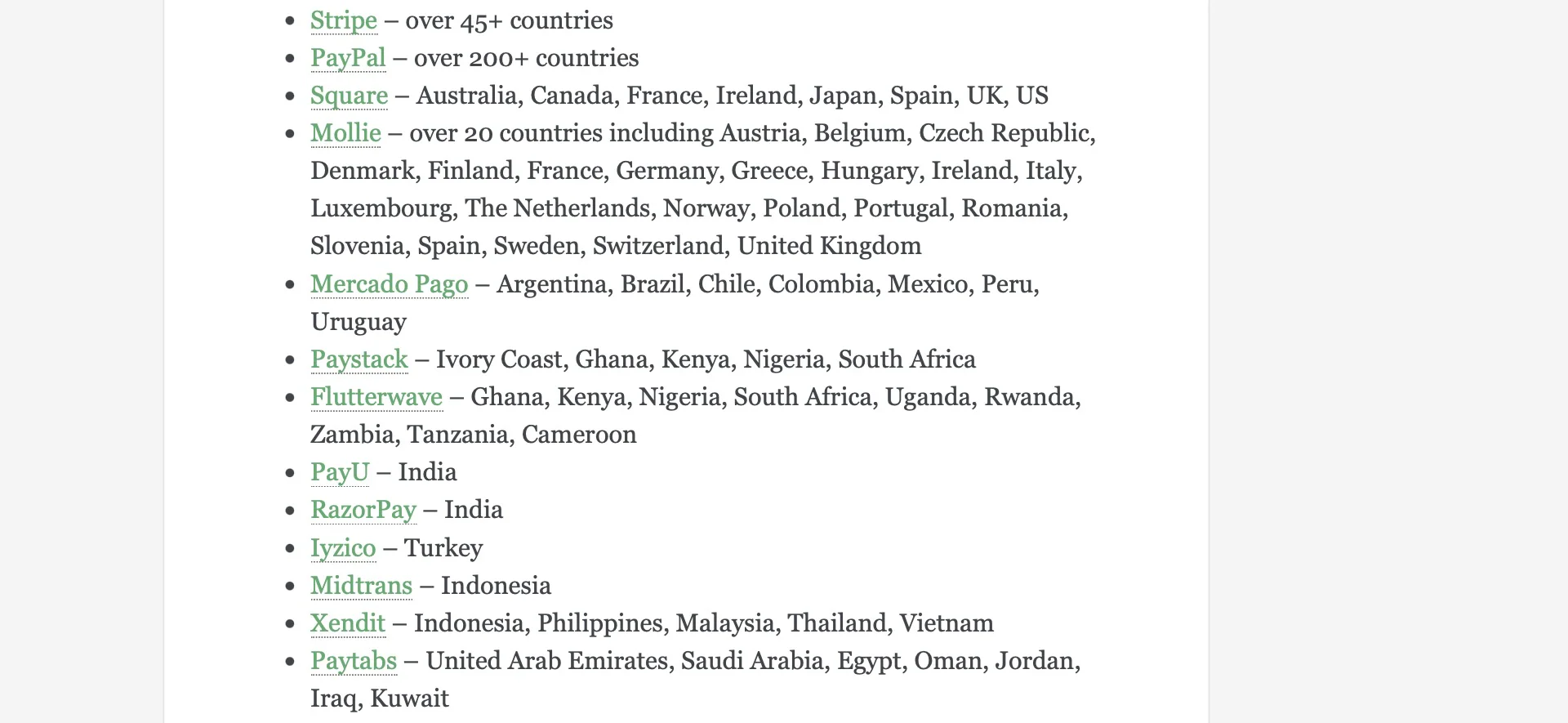
That’s useful for creators who don’t want their payment options to depend on a single processor.
For email marketing, Payhip has direct integrations with tools like ActiveCampaign, Mailchimp, ConvertKit, GetResponse, AWeber, Campaign Monitor, Drip, EmailOctopus, Mad Mimi, SendFox, and Elastic Email.
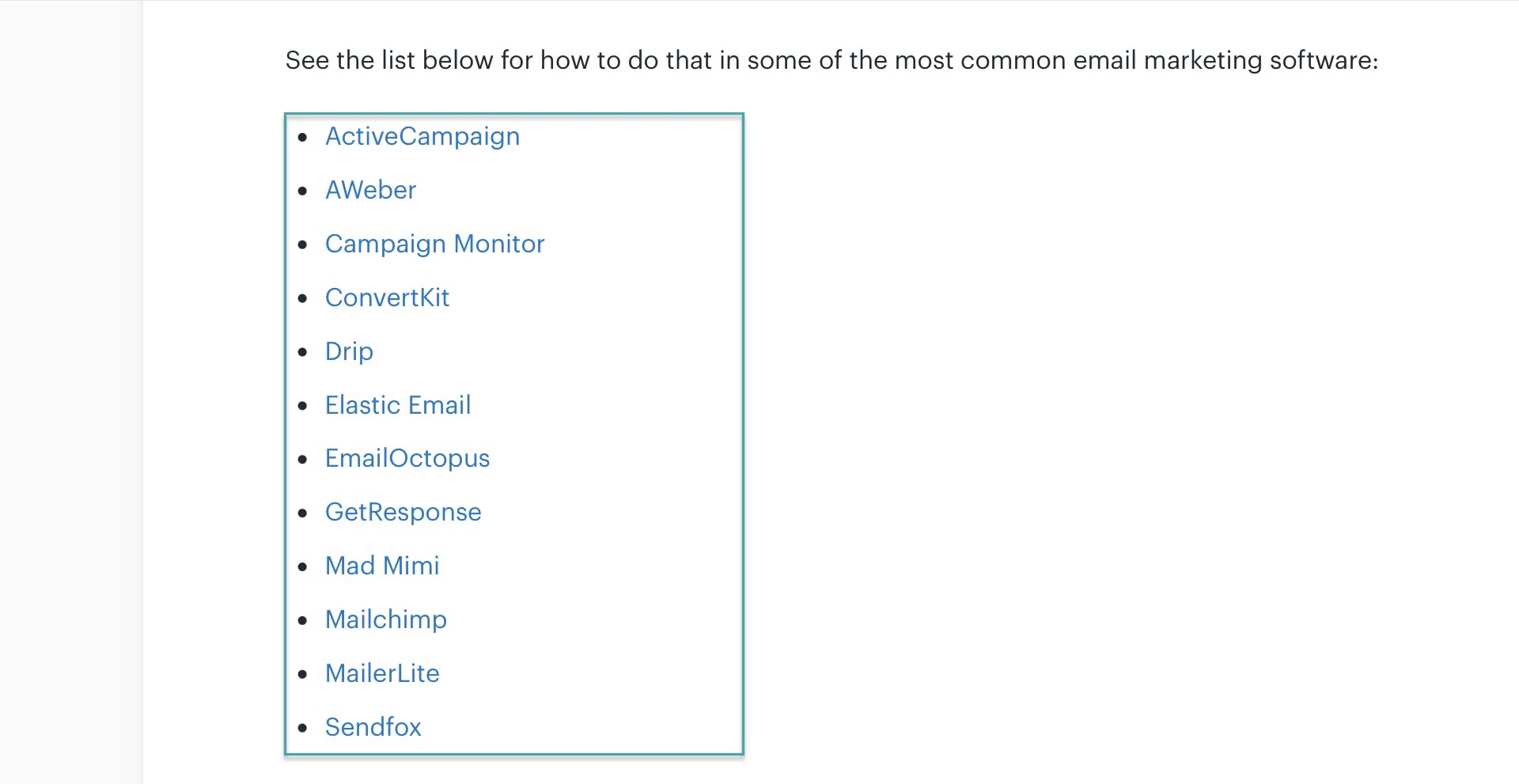
And the platform lets you use Zapier if your email platform isn’t supported directly.
Payhip’s Zapier integration can also trigger automations when someone makes a purchase, requests a refund, joins or cancels a membership, or when you add a new product.
For example, you could set up a workflow where someone buys your e-book on Payhip and is automatically added to a specific email list.
The main limitation is that Payhip mainly acts as the trigger in these Zapier workflows. It doesn’t currently support actions in Payhip itself through Zapier.
So, Payhip works well if you already have a collection of tools and want to connect your store to them.
2. Gumroad integrations and workflow
You can use Gumroad with Zapier to connect your store to other apps and automate tasks after a sale.
Its official examples include Mailchimp, Google Sheets, AWeber, ConvertKit, Discord, Slack, and Campaign Monitor, among many others.
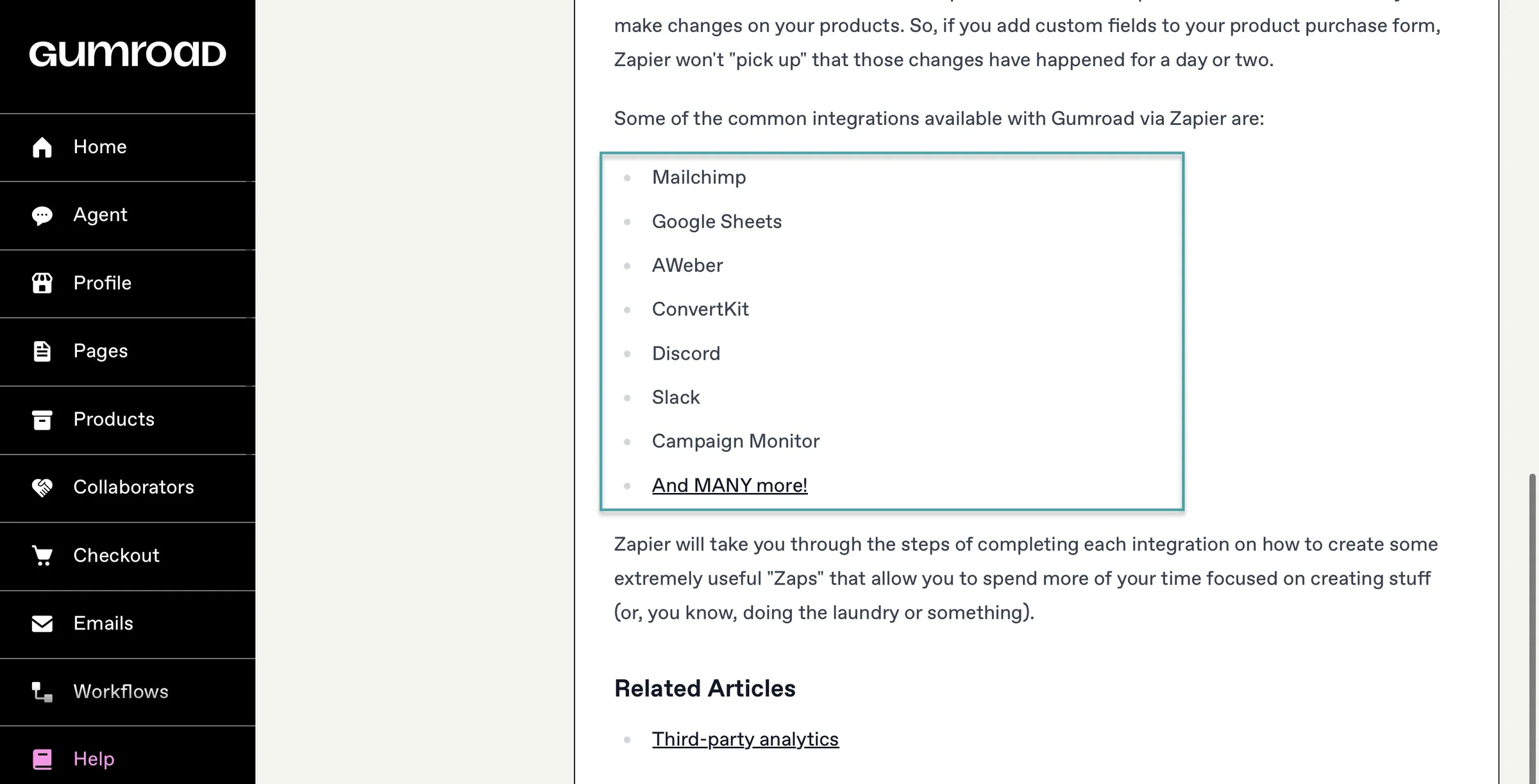
This means you can create workflows such as automatically adding a buyer to your email list after they purchase a product or sending customer information to another app.
Gumroad also has direct integrations with Circle and Discord, which can be useful if you’re selling memberships but want to host your actual community somewhere else.
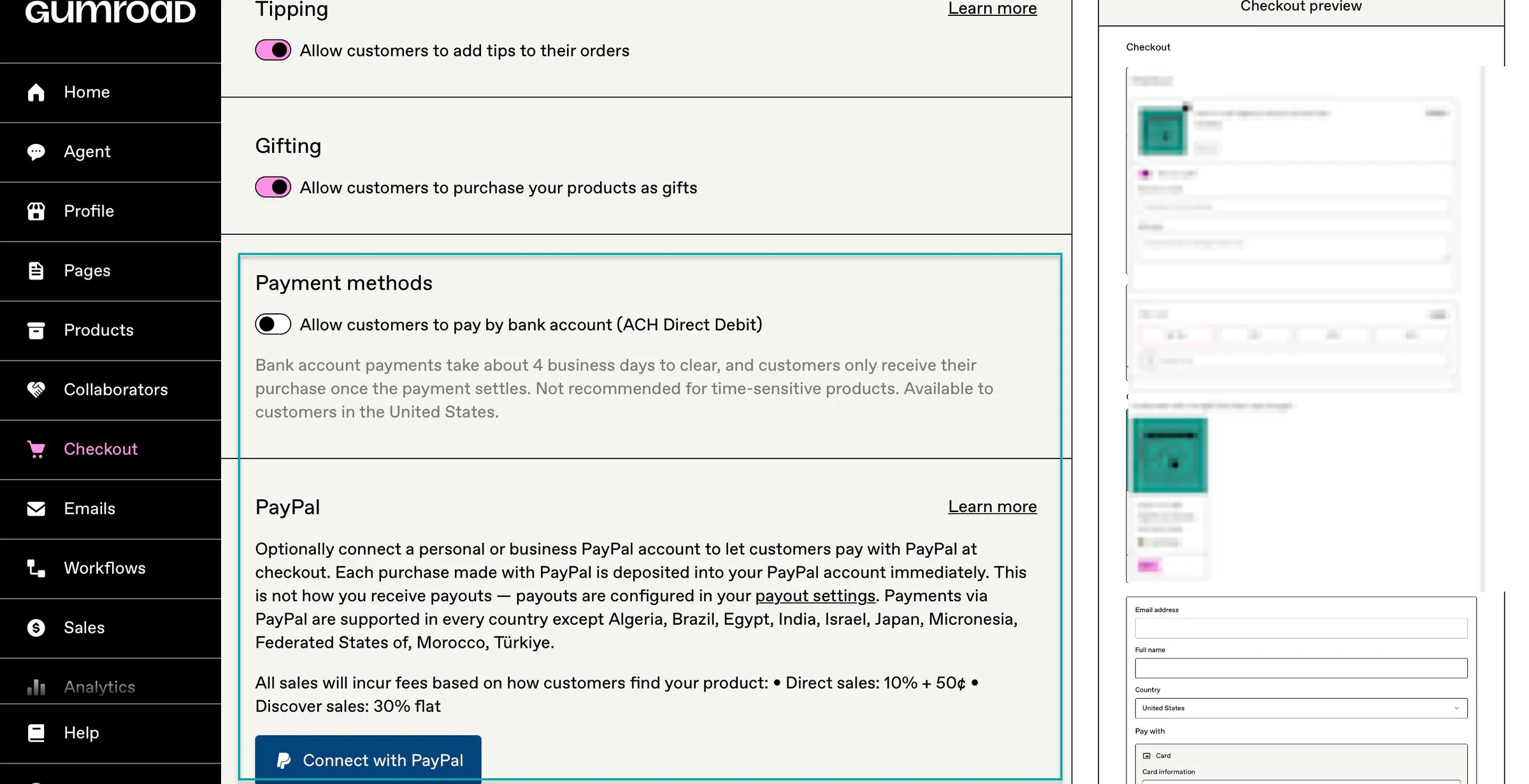
For payments, Gumroad handles the payment process itself and accepts methods including credit and debit cards, PayPal, Apple Pay, and Google Pay, depending on the customer’s location and setup.
You can also connect PayPal for checkout, while existing eligible Stripe connections can send card and Apple/Google Pay payments directly to the creator’s Stripe account.
Gumroad’s email tools are also built into the platform, but if you want to use a separate email marketing system, Zapier can connect Gumroad to tools such as Mailchimp and ConvertKit.
So, Gumroad is a good fit if you want a fairly simple setup and don’t mind using Zapier when you need to connect other apps.
3. Easytools integrations and workflow
On Easytools, you can connect separate tools for selling, payments, email marketing, and automation.
For payments, Easytools runs on Stripe. Your payments go directly to your Stripe account, so Easytools doesn’t hold your funds.
You can also connect Easytools to Mailchimp, ConvertKit, MailerLite, ActiveCampaign, GetResponse, SendGrid, HubSpot, Pipedrive, Airtable, Circle, Discord, Kajabi, WordPress, and WooCommerce.
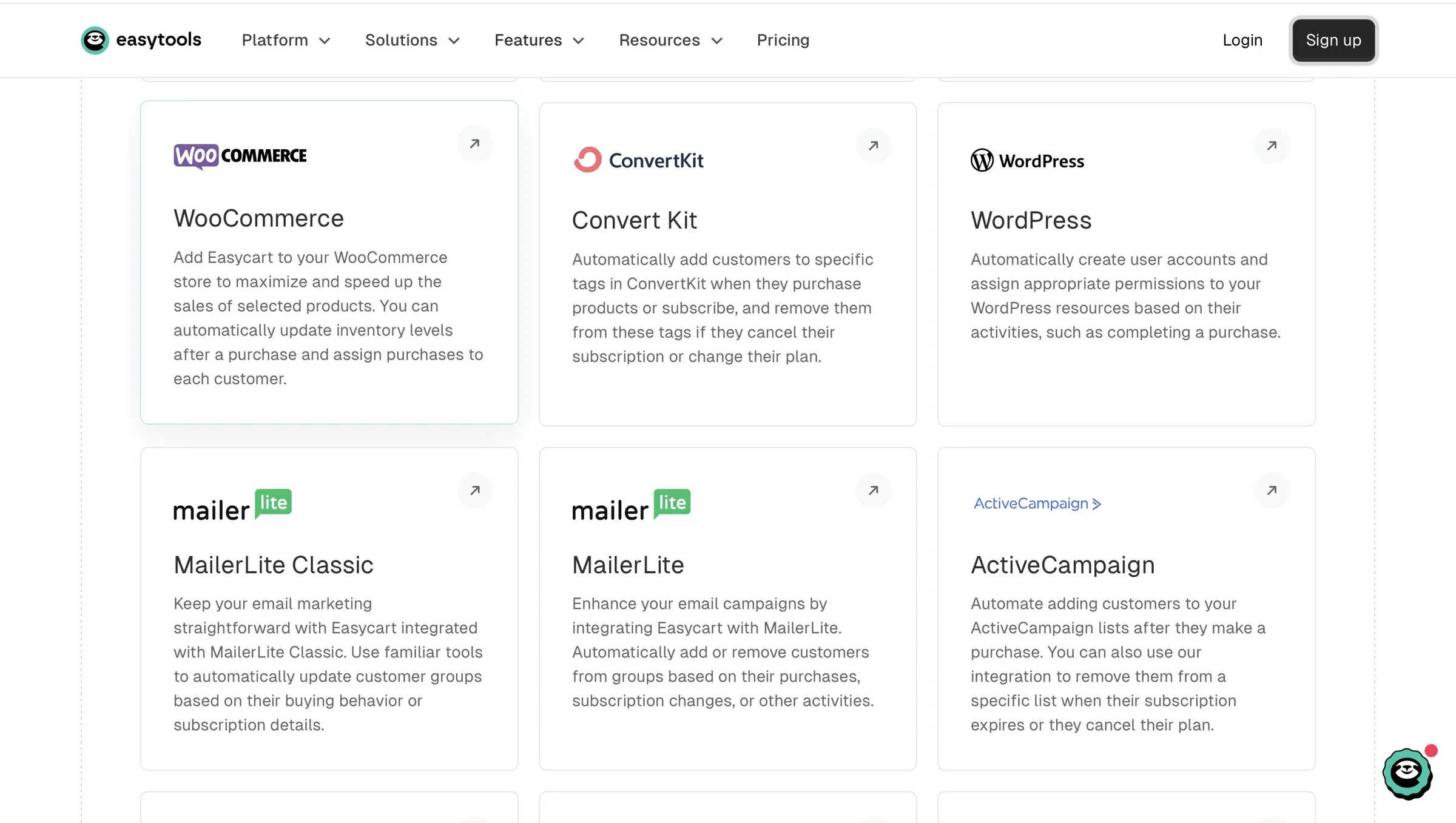
For example, you could set up a workflow where someone buys a product in Easytools, gets added to the right Mailchimp or ConvertKit list, and receives an automated onboarding email.
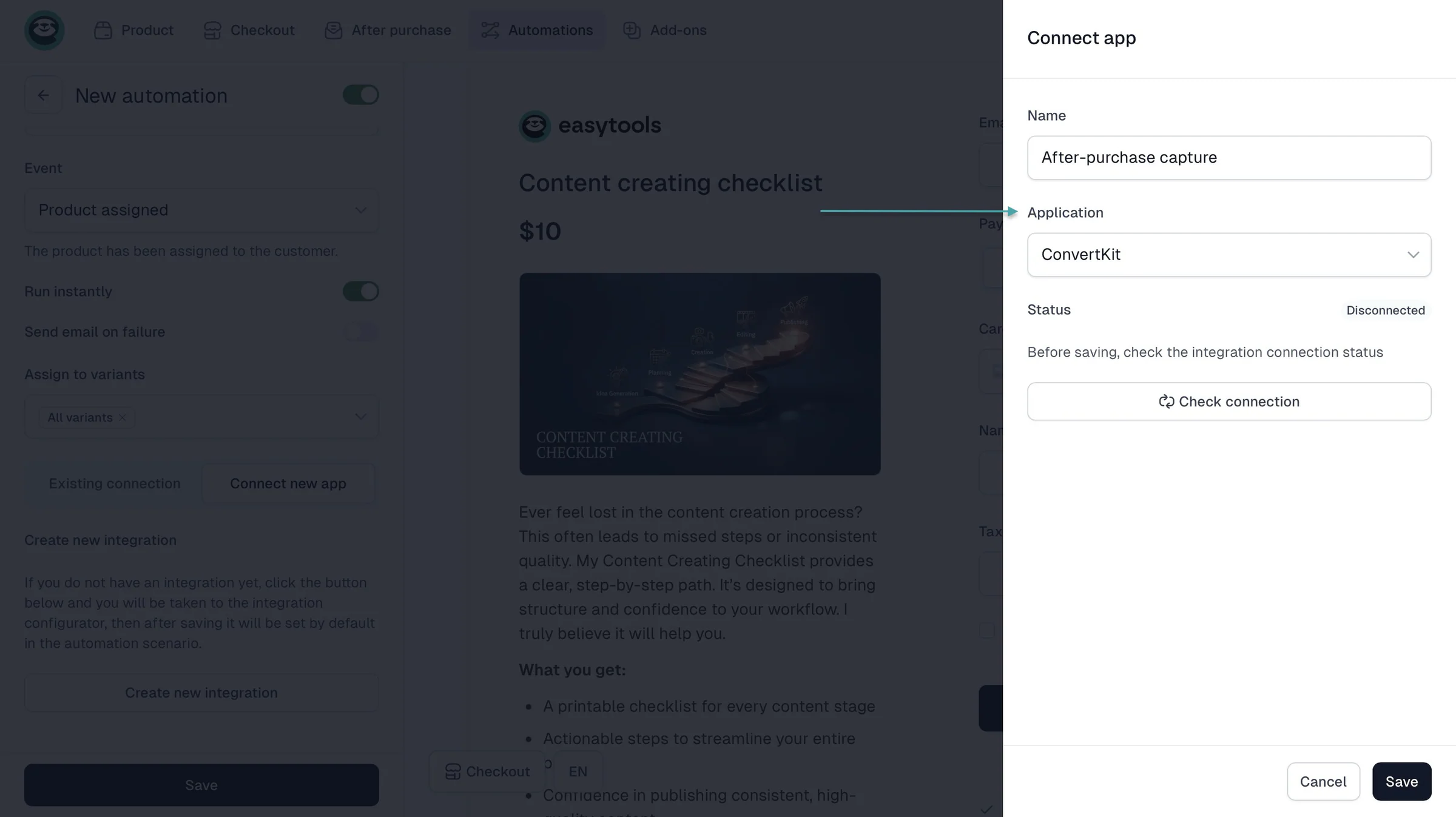
Easytools supports Zapier and Make, so you aren’t limited to the integrations available directly inside the platform. You can send Easytools data to these automation tools through webhooks and build more complex workflows.
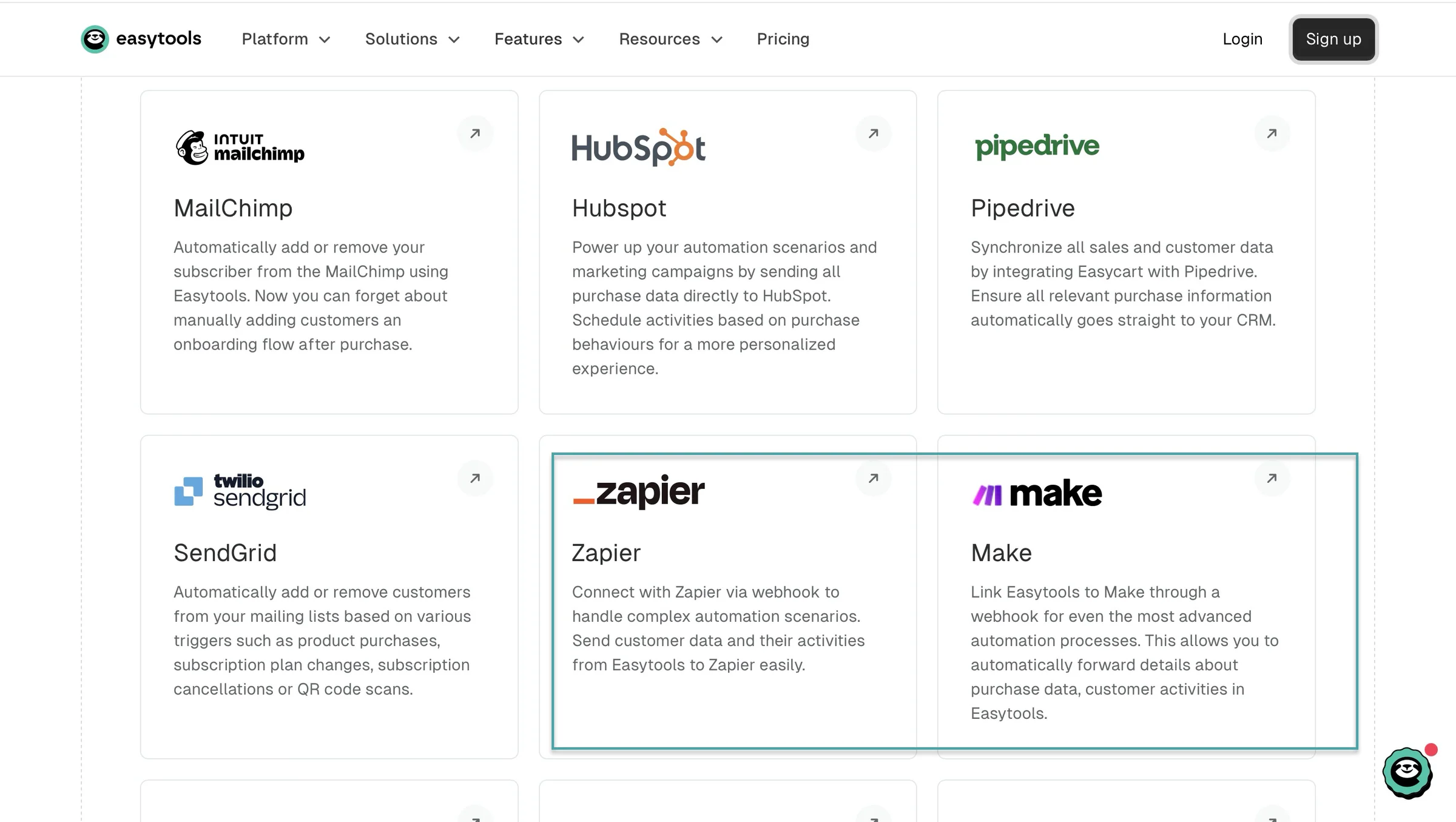
Easytools also supports MCP. So you connect AI tools like Claude with your Easytools account and work with products, customers, revenue, and subscriptions.
And Easytools has its own built-in automation system.
It lets you automate what happens after someone buys or signs up. For example, when someone buys a product, you can automatically send them an email.
You can set the automation up to wait a few days before sending another one. Or send different emails depending on what they did.
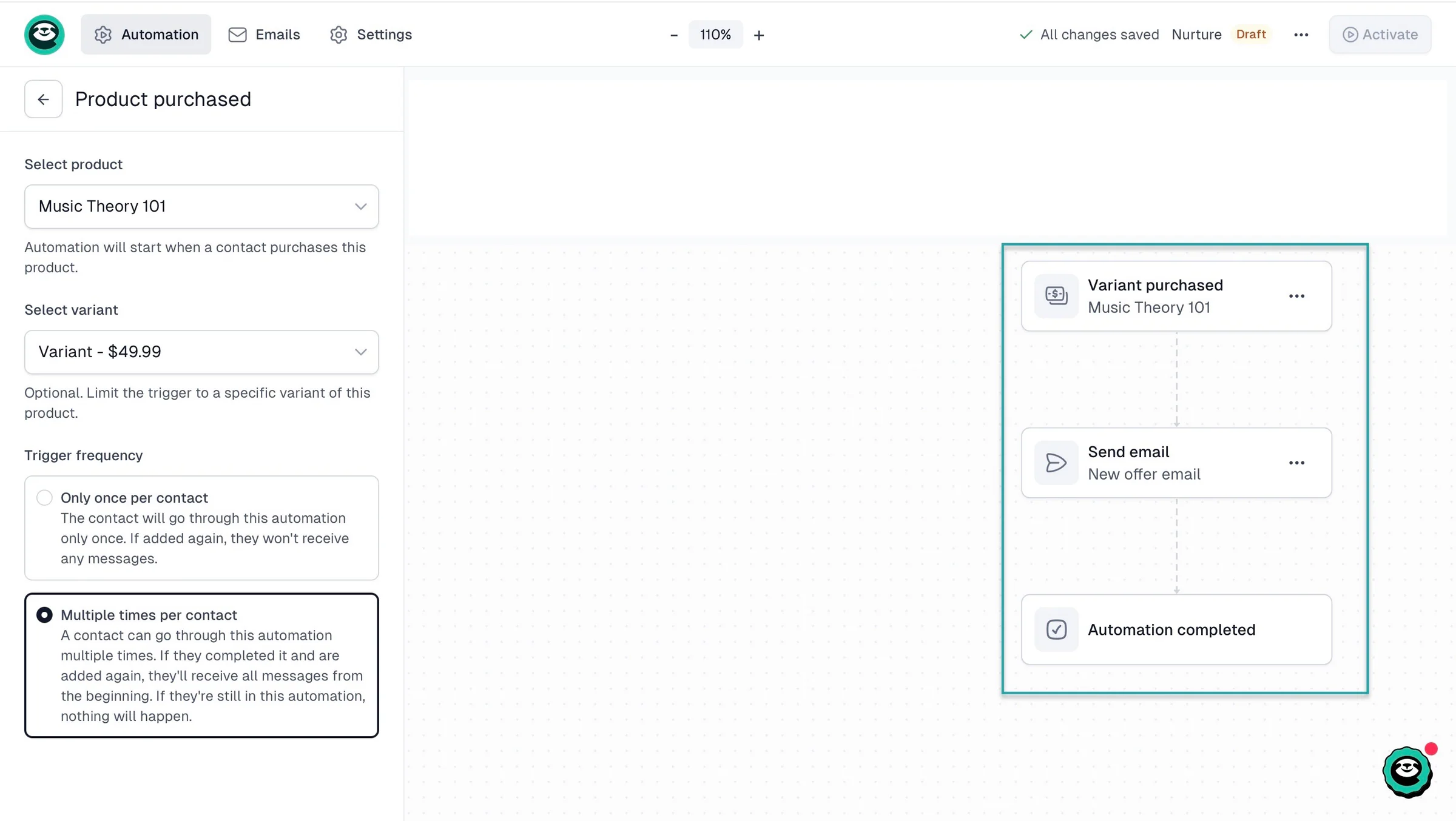
You can also use triggers such as a new contact joining a list, a product purchase, a contact update, or a waitlist signup to start an email automation.
This means you don’t necessarily need to build your entire automation system somewhere else.
As we’ve seen, Payhip lets you connect with the tools you already use. It also has a strong selection of payment processors and direct email integrations.
Gumroad’s built-in tools cover the basics, while Zapier lets you connect it to email platforms, spreadsheets, communities, and other apps. Its direct Circle and Discord integrations are especially useful for running communities outside Gumroad.
Easytools goes further by putting more of the workflow inside one platform. You can connect Stripe, email marketing tools, CRMs, communities, Zapier, and Make, while also using Easytools’ own automation system.
Gumroad vs. Payhip: Pricing comparison
You’ve probably realized that price is one of the biggest differences in this Payhip vs Gumroad discussion.
Payhip gives you three plans, while Gumroad doesn’t charge a monthly subscription at all. Instead, Gumroad takes a percentage from every sale.
1. Payhip pricing
Payhip has a Free Forever plan that costs $0/month and charges a 5% transaction fee on each sale.
It also has a Plus plan, which costs $29/month and reduces the transaction fee to 2%.
And finally, it offers the Pro plan, which costs $99/month and has no transaction fee. All three plans give you the same features, unlimited products, and unlimited revenue.
You’re mainly paying more to reduce the transaction fee as your sales grow.
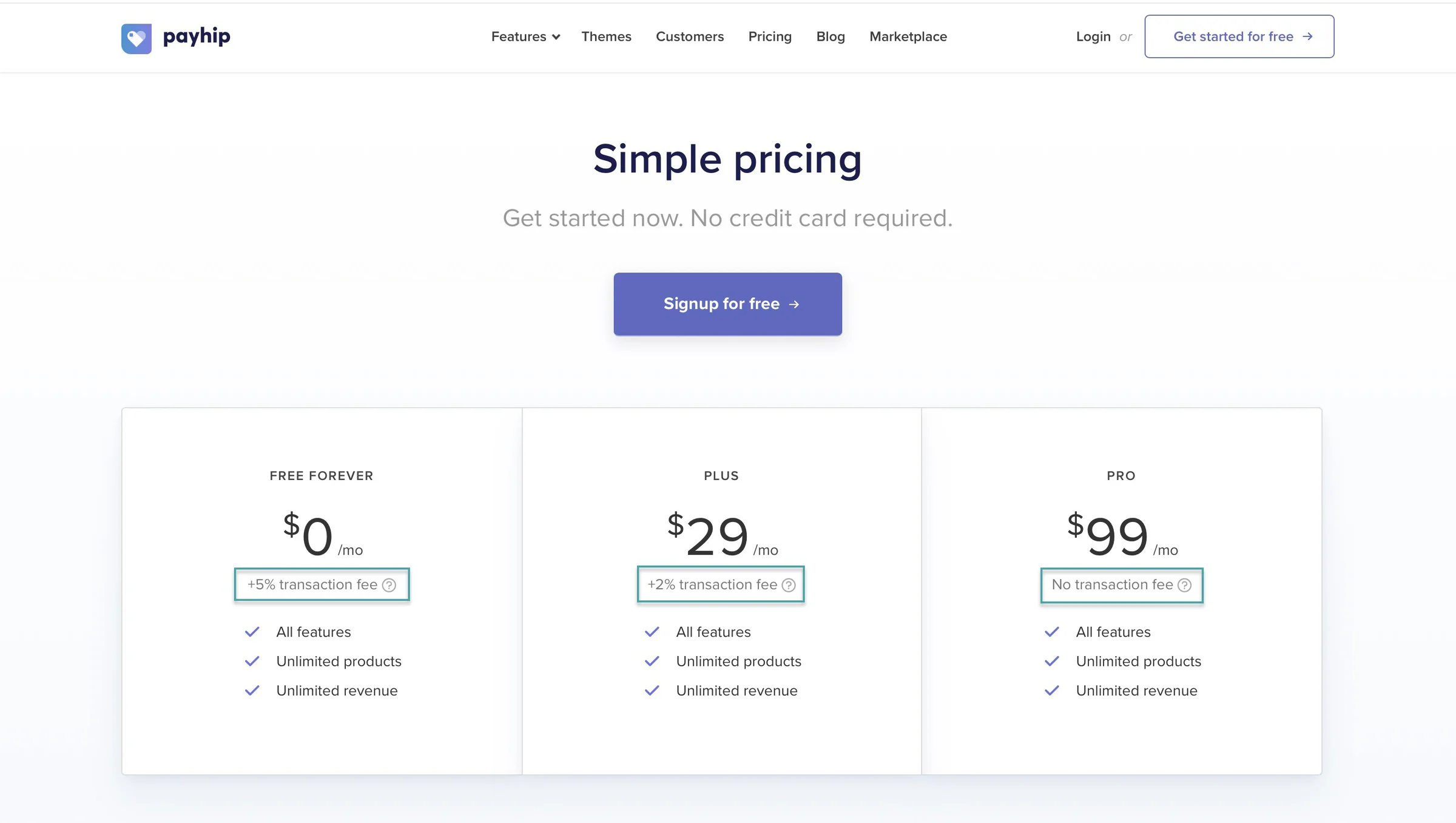
One thing to remember is that Stripe and PayPal will still charge their own payment processing fees on Payhip, regardless of which plan you’re using.
2. Gumroad pricing
Gumroad charges 10% + $0.50 per transaction when someone buys through your profile or a direct link.
If a new customer finds your product through Gumroad Discover, the fee is 30% of the sale.
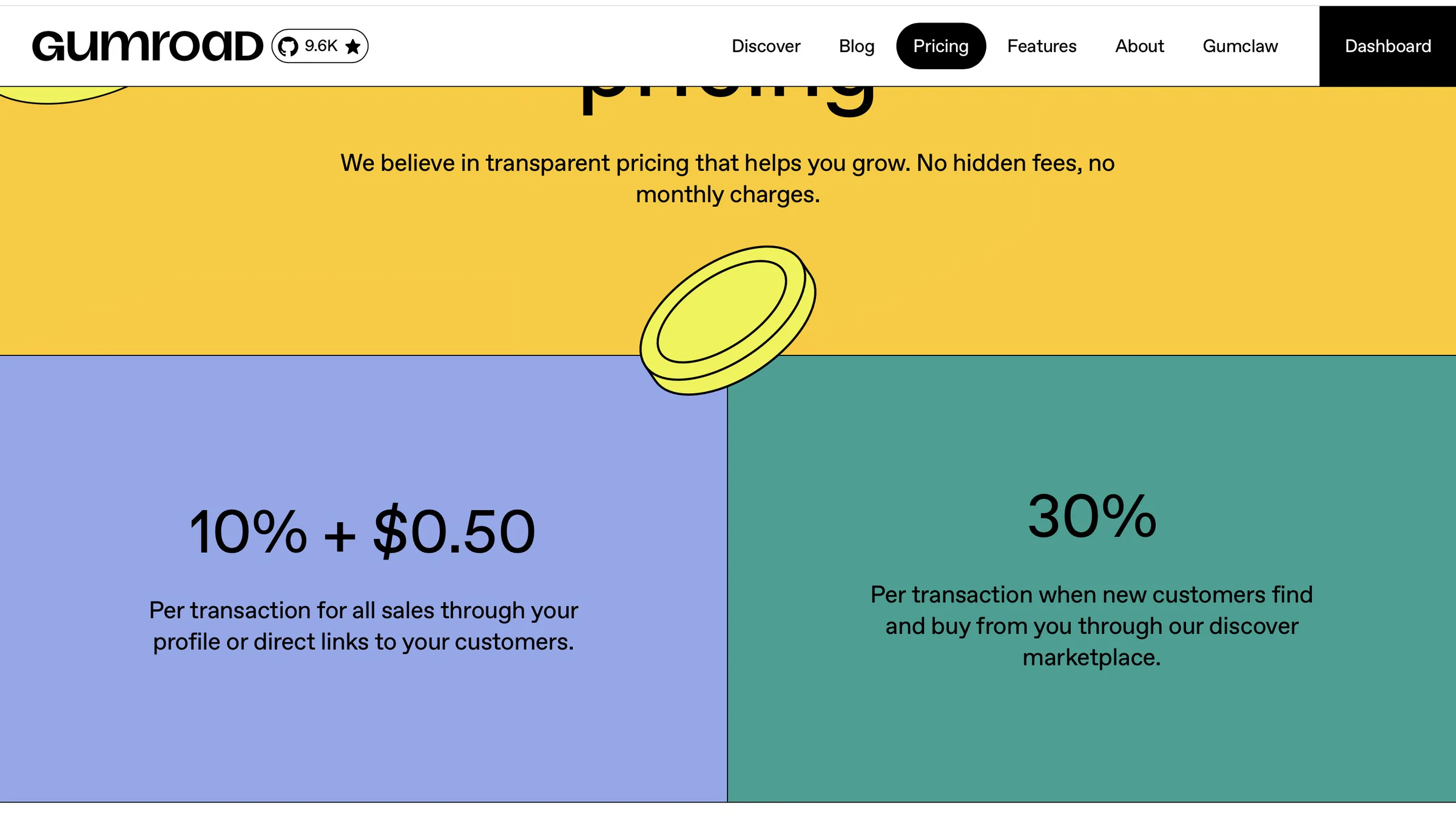
There are also payment processing fees on direct sales, like credit card processing at 2.9% + $0.30, while Discover’s 30% fee includes processing fees.
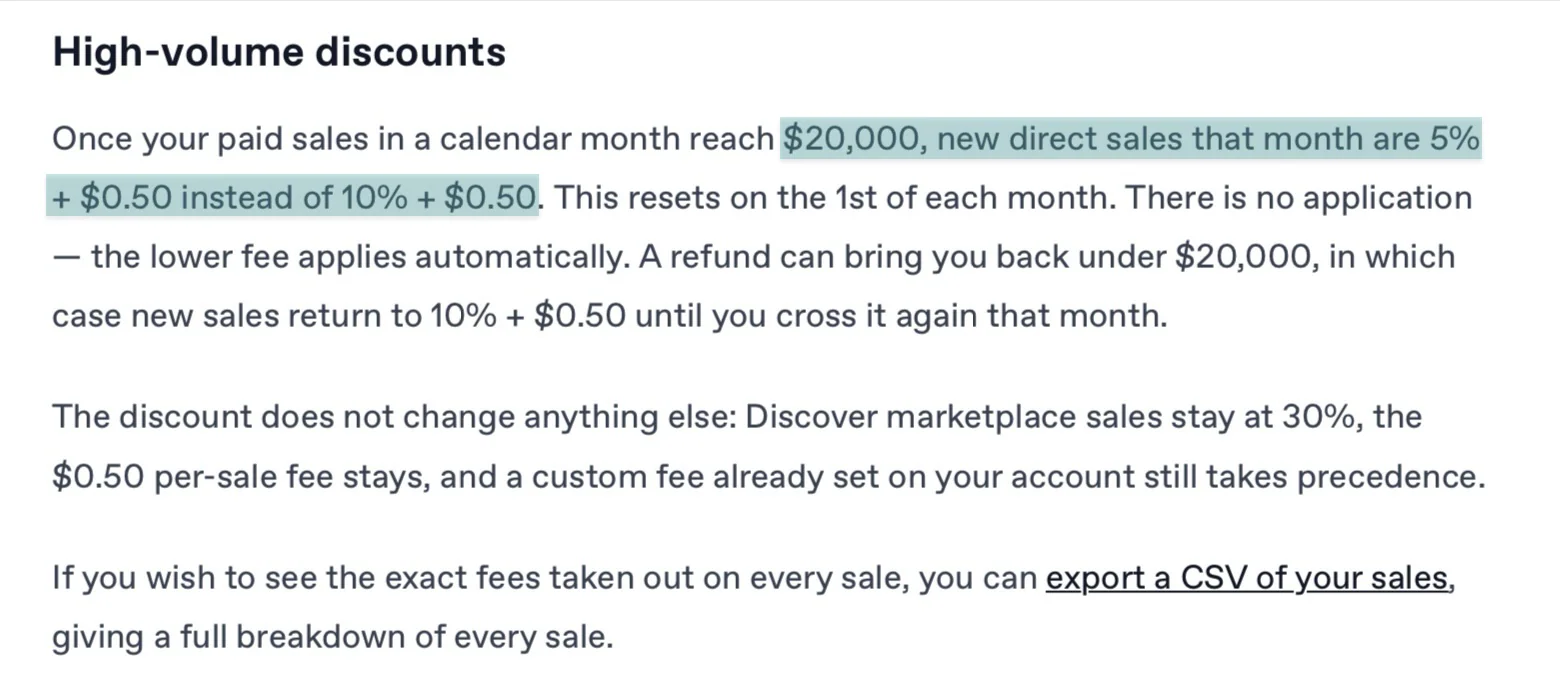
Gumroad does have a lower fee for creators who reach $20,000 in paid sales in a calendar month.
New direct sales after reaching that threshold are charged 5% + $0.50 for the rest of that month. Discover sales remain at 30%.
Another difference is taxes. Gumroad acts as the Merchant of Record, meaning it handles sales tax collection and remittance for its sales worldwide.
If you’re making little or no money yet, Gumroad’s zero monthly fee can make it attractive. You don’t have to pay anything until you make a sale.
Payhip is more interesting as your sales grow because you can start with the free plan and then move to Plus or Pro to reduce the transaction fee.
For example, if you’re selling a $20 digital product, Payhip’s free plan takes 5%, while Gumroad’s direct-sale fee is 10% + $0.50 before payment processing.
So Payhip generally leaves you with more from each direct sale, but you have to decide whether paying a monthly subscription is worth reducing the fee further.
Also, Gumroad’s 30% Discover fee can be expensive, but you’re paying for access to its marketplace and the chance to reach customers who don’t already know you.
So, if you want no monthly commitment, Gumroad is simpler. If you want lower transaction fees as your business grows, Payhip gives you more options.
Payhip vs Gumroad: Which is better for creators?
After looking at every important angle in this Payhip vs Gumroad comparison, I’d say Payhip is better for you.
It gives you more control over your store, products, marketing, courses, memberships, and checkout. Its pricing also makes more sense if you’re planning to grow your business and want to keep more of your sales.
Gumroad is still a good option if you want something simple, don’t want a monthly subscription, or want to use its discover marketplace to reach new customers.
Easytools is also worth considering if you want another all-in-one option for selling and growing your digital products. Its pricing is similar to Payhip’s; it also offers more tools and a conversion-focused checkout to help you sell more.
FAQ
Which is better, Gumroad vs. Payhip?
Payhip is better than Gumroad because it gives you more control over how you sell and grow your business. Its pricing is also more cost-effective as your sales grow. And if you don’t have a large audience yet, you can list your products on its marketplace and give them another chance to get discovered.
What are the best Payhip and Gumroad alternatives?
The best Payhip and Gumroad alternatives are Easytools, Systeme.io, Sellfy, Podia, Whop, and Fourthwall. Easytools makes this list because it gives creators an all-in-one platform to sell digital products, courses, memberships, live events, services, and more. It also provides tools for websites, email marketing, checkout optimization, and automation.
Which platform gives creators more control over the audience?
Payhip gives creators more control over their audience. You can collect customer information, connect your store to email marketing tools, and use integrations to move customer data into other tools you control.
Does either offer a free trial?
Neither Payhip nor Gumroad offers a free trial. That’s because Payhip has a free forever plan. And Gumroad has no monthly subscription, so you only pay a fee when you make a sale.
Can I collect email addresses from my customers?
Yes, you can collect email addresses from your customers. Both Payhip and Gumroad let you do this when people buy from you. You can also connect both platforms to email marketing tools.
Do I need a large audience to make money on Payhip or Gumroad?
No, you don’t need a large audience to make money on Payhip or Gumroad. Gumroad has Discover, while Payhip has its Marketplace. This gives you additional ways to get your products in front of potential customers.
Which platform lets creators keep more of their earnings?
The platform that lets creators keep more of their earnings is Payhip. Compared to Gumroad’s 10% + $0.50 transaction fee, Payhip takes 5%, and it gets lower, especially on its higher-tier plans.
Which platform has lower fees, Payhip or Gumroad?
Payhip has lower fees for most direct sales. Its Free plan charges 5%, Plus charges 2%, and Pro has no transaction fee. Gumroad charges 10% + $0.50 on direct sales and 30% when a customer purchases through discover.